PCB manufacturing PCB manufacturing
Home > Blog

Lead-Free PCB Assembly: Prevent Rework and Delivery Delays

August 4th, 2026

A lead-free PCB assembly order can still fail even when every supplier agrees to use lead-free solder. A mismatched surface finish, an unapproved BOM substitution, a moisture-sensitive component or an incomplete inspection requirement can stop production after materials have already been purchased.

You can reduce that risk before quotation. Give your PCB/PCBA supplier one controlled set of fabrication files, BOM data, assembly requirements and acceptance criteria. The result is a quote you can compare, a process the factory can repeat and clearer evidence for accepting the finished boards.

lead-free PCB assembly
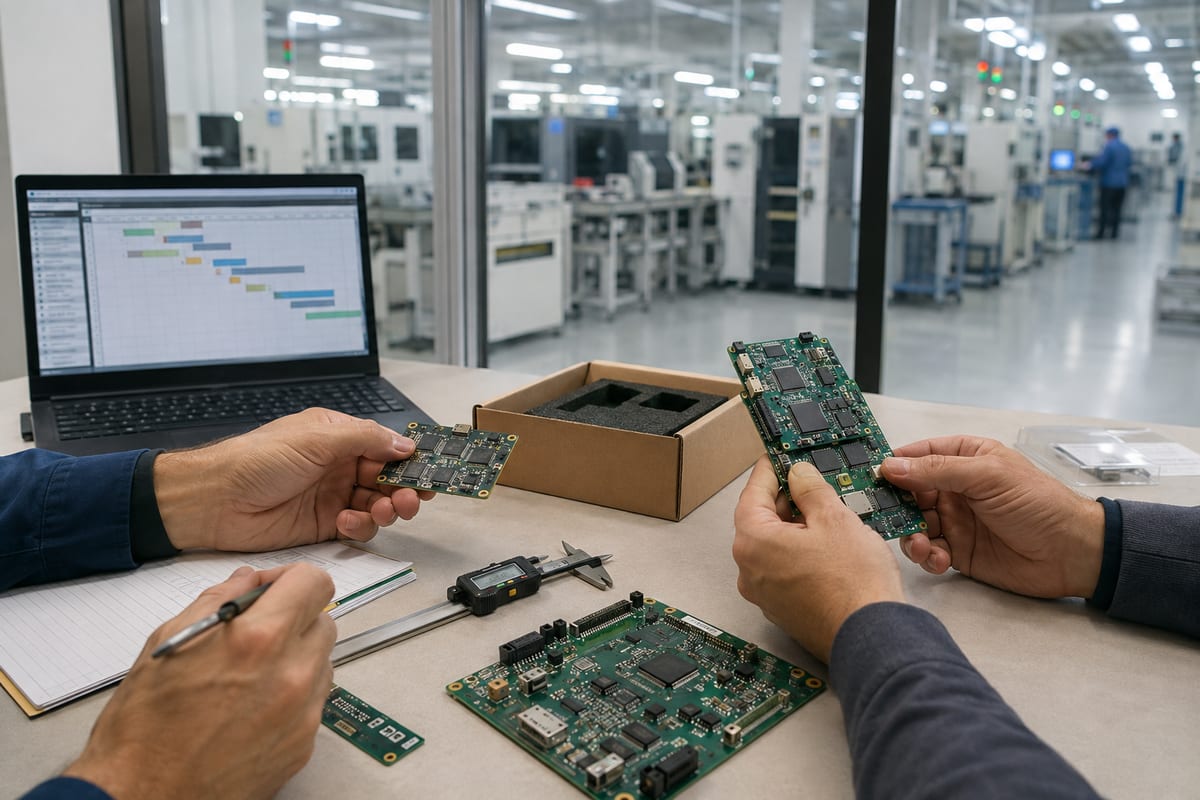
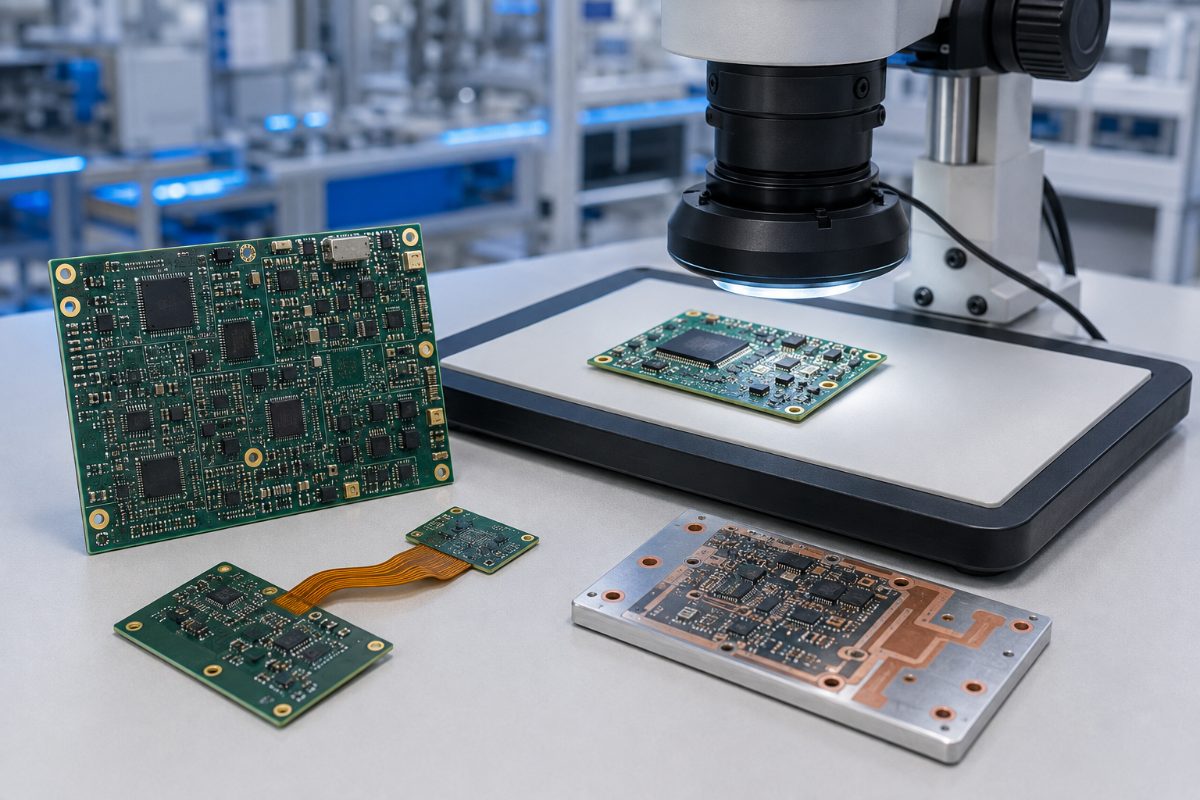
Align the PCB, components, solder materials and acceptance requirements before lead-free production begins.

What Changes When You Request Lead-Free PCB Assembly?

The main change is not simply the removal of lead. Lead-free production affects the PCB finish, solder alloy, component compatibility, thermal exposure, storage controls, inspection plan and documentation that must work together.

  • Avoid a false sense of compliance. “Lead-free” describes a material or process requirement. It does not, by itself, prove that a finished product meets every applicable RoHS requirement. RoHS restricts several substances, includes scope rules and exemptions, and places product-level responsibilities on the organization putting the equipment on the market. Define the exact declaration or supporting records you need instead of asking only for “RoHS assembly.”
  • Make the requirement visible throughout the order. State the lead-free requirement in the RFQ, BOM notes, assembly drawing and purchase order. Identify any approved alloy, PCB finish, component termination or marking requirement. This reduces the chance that fabrication, sourcing and assembly teams work from different assumptions.

The customer remains responsible for released design requirements, product-level compliance decisions and applicable legal obligations. The PCB/PCBA manufacturer can then review manufacturability, source against the approved BOM and build to the agreed assembly and inspection plan.

What Must Be Confirmed to Avoid Requotes and Schedule Changes?

A short RFQ can produce a fast price, but missing requirements often return later as engineering questions, material changes or added cost. Confirm the decisions that affect purchasing and production before comparing quotations.

  • Define the production scope. State whether the order covers bare PCB fabrication, component sourcing, SMT, through-hole assembly, programming, functional test assistance, coating, cleaning, packaging or another agreed operation. A quote for SMT placement alone cannot be compared with a turnkey PCBA quote.
  • State what is fixed and what may change. Mark customer-controlled items such as approved manufacturers, do-not-substitute parts, PCB finish, solder alloy and acceptance class. If alternatives are allowed, define who can approve them. This gives purchasing a usable path when the original part is unavailable without allowing silent substitutions.
  • Identify the evidence required at shipment. If you need certificates of conformity, material declarations, lot traceability, inspection reports, X-ray records or test results, include them in the RFQ. Records requested after production may not exist in the form your quality team expects.

A complete quotation should show major assumptions, exclusions and customer confirmations. That lets you compare risk and total scope—not only unit price.

How Can You Prevent PCB, BOM and Component Mismatches?

The safest lead-free process begins with one released data package. When the PCB revision, BOM revision and placement data do not match, the assembly may be technically buildable but still be the wrong product.

  • Use exact component identities. Each BOM line should include the manufacturer, manufacturer part number, quantity, reference designators and an approved-alternative rule. Descriptions such as “10 µF capacitor” are not enough to confirm package, voltage rating, dielectric, tolerance or lead-free termination.
  • Match footprints before purchasing. Check the land pattern, package dimensions, pin-one orientation, polarity and component height against the assembly data. A sourcing substitute may be electrically similar but mechanically incompatible with the released PCB.
  • Keep revisions synchronized. Gerber or ODB++ data, drill files, fabrication drawing, BOM, centroid/XY file, assembly drawing and test instructions should carry the same released revision. Remove obsolete files from the RFQ package so the factory does not have to guess which version controls the order.
  • Resolve availability before it becomes a line stop. An early PCB assembly manufacturer RFQ review can identify obsolete parts, long lead times, minimum order quantities and uncertain lead-free status. The supplier can propose sourcing options, but the customer should approve changes that affect form, fit, function, compliance or reliability.

How Can You Avoid a Surface Finish and Solder Alloy Mismatch?

The lowest-risk choice is the combination already approved for your product—not a universal “best” finish or alloy. Confirming that combination before PCB fabrication prevents bare boards from arriving with a finish that conflicts with the assembly plan.

  • Specify the PCB finish clearly. ENIG, immersion silver, immersion tin, OSP and lead-free HASL have different handling, storage, planarity and process considerations. The correct choice depends on the released design, component mix, shelf-life needs and customer requirements.
  • Name the solder material when it matters. If the product requires a particular lead-free solder alloy or solder-paste specification, state it in the assembly documentation. Do not assume every supplier uses the same alloy for reflow, wave soldering, selective soldering and hand operations.
  • Control mixed-finish and mixed-alloy risks. Component terminations, PCB finish, solder paste and any secondary soldering operation should be reviewed as one assembly system. If a legacy or exempt lead-bearing component is involved, identify it before quotation and agree on handling, labeling and process requirements.

This confirmation protects more than solderability. It also prevents a late material change from invalidating an approved process, test plan or customer record.

lead-free PCB assembly
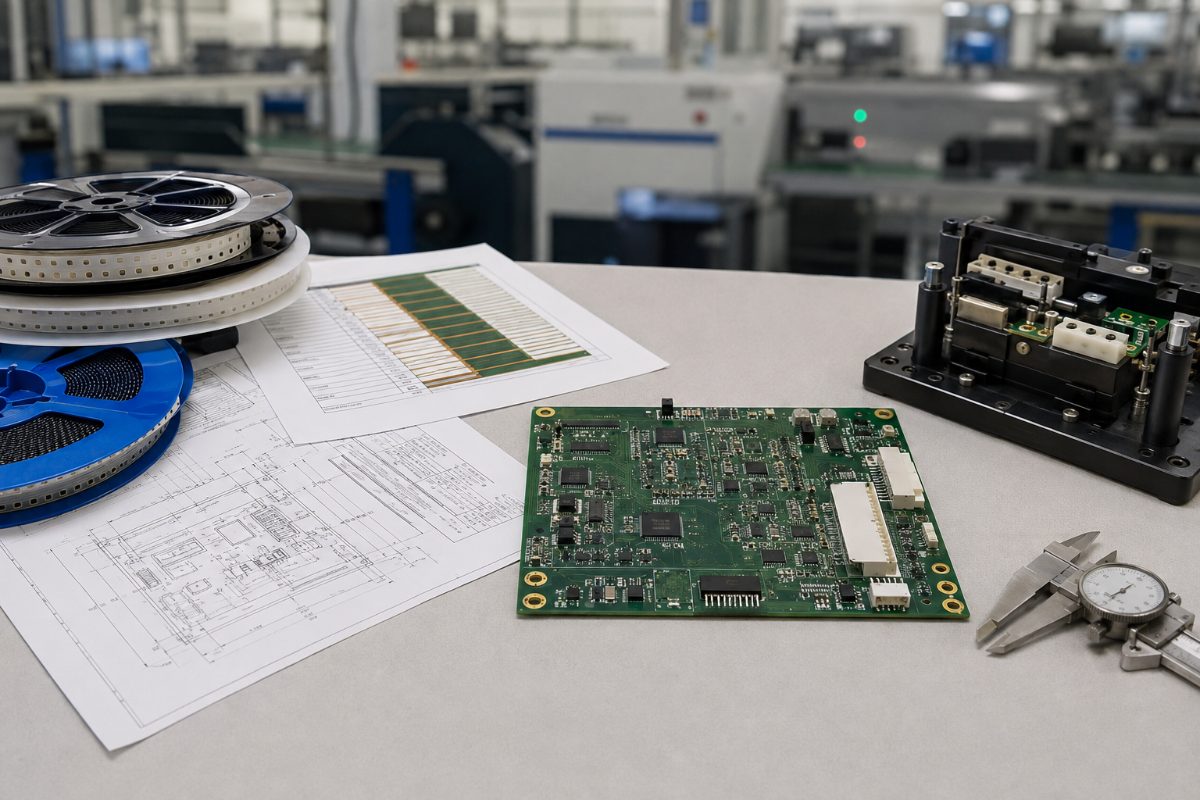
A production reflow profile must fit the populated PCB, component limits and approved solder material.

How Can You Protect Boards and Components During Lead-Free Reflow?

Lead-free assembly often uses a different thermal process from conventional tin-lead production. The useful question is not “What temperature does the factory use?” It is “Can this specific PCB and component set pass through the agreed process without damage or inadequate solder joints?”

  • Build the profile around real constraints. Component temperature ratings, solder-paste guidance, board thickness, copper distribution, thermal mass and oven capability all influence the usable process window. A single peak-temperature promise does not describe the complete heating and cooling cycle.
  • Review heat-sensitive items early. Large packages, fine-pitch devices, bottom-terminated components, plastic connectors, LEDs, switches, batteries and other sensitive parts may require special attention. Identify parts with limited reflow exposure or separate assembly instructions before materials are released.
  • Reduce board-level thermal risk. Thin boards, heavy-copper areas, uneven copper distribution and large thermal-mass differences can make uniform heating more difficult. PCB manufacturability review and assembly review can flag concerns, but the customer retains responsibility for product design and reliability targets.

When the process window is narrow, an agreed profiling plan gives both sides a better production reference than a generic oven setting.

lead-free PCB assembly
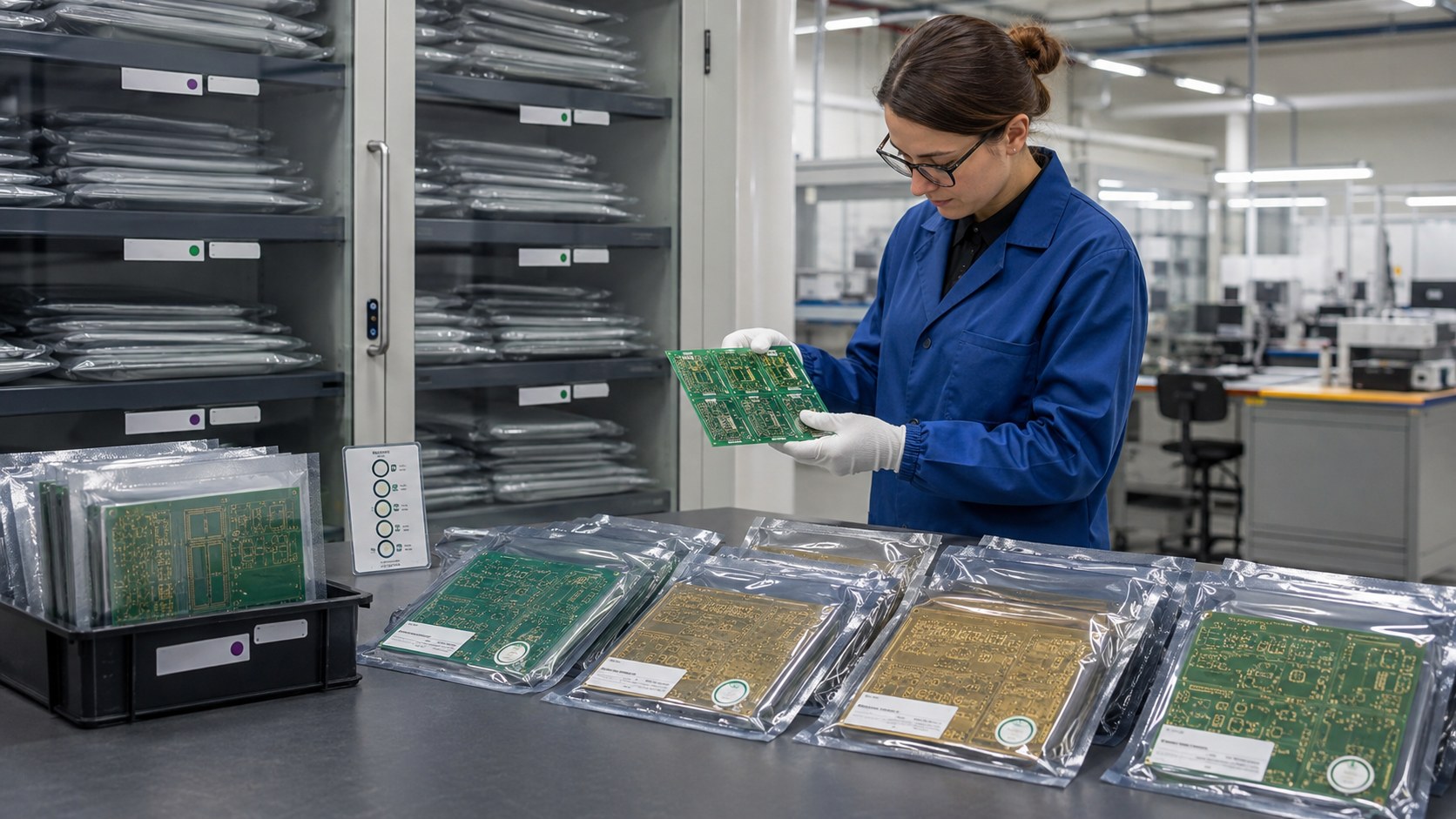
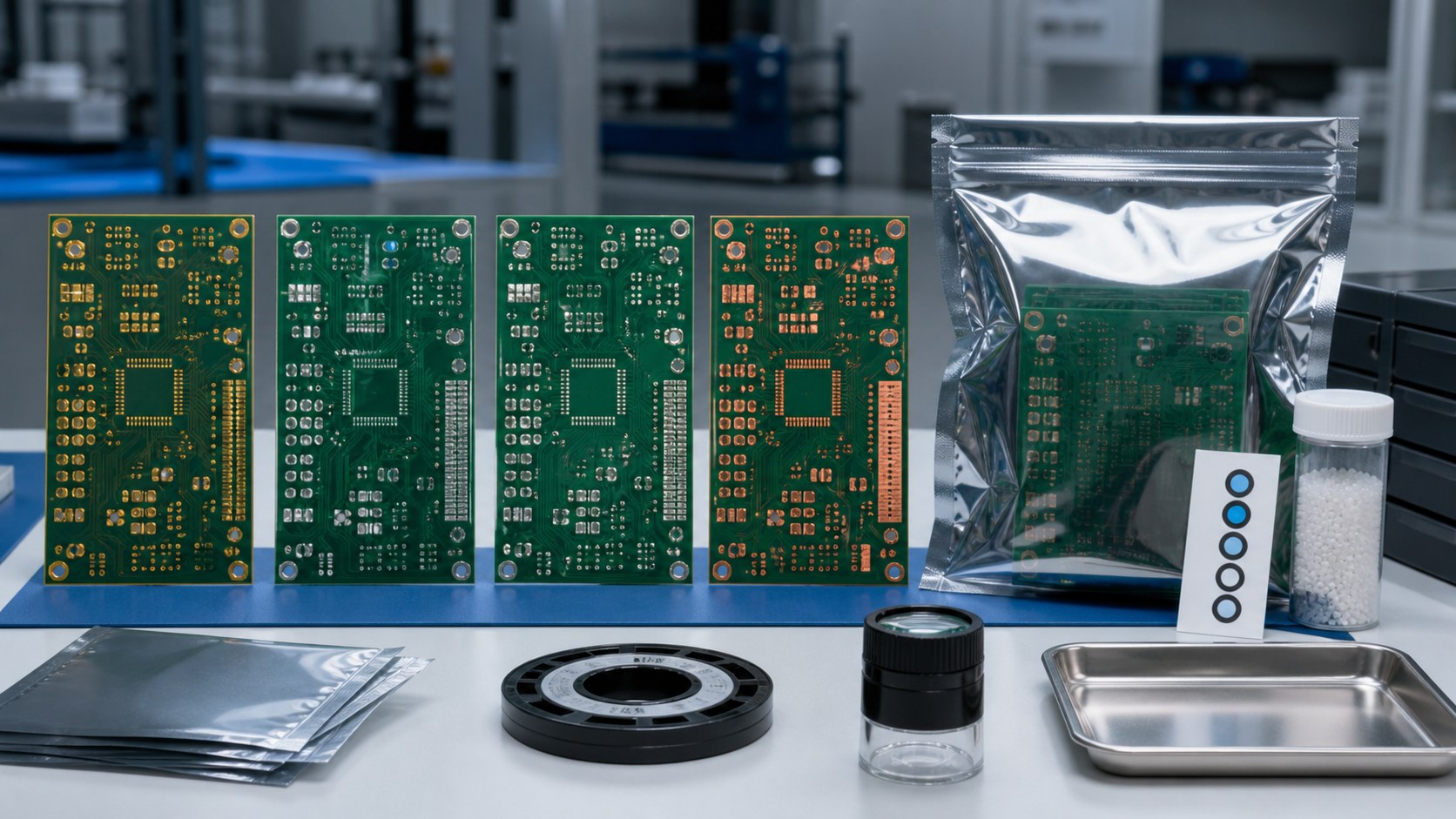
Moisture-barrier packaging, desiccant and exposure records help protect sensitive components before reflow.

How Can You Prevent Moisture Damage Before Reflow?

Moisture controls protect components from internal damage and help avoid schedule disruption caused by uncertain storage history. The risk is highest when moisture-sensitive devices remain open beyond their allowed exposure or arrive without clear packaging records.

  • Provide or retain moisture-sensitivity information. The BOM and component documentation should make sensitive devices identifiable. Packaging labels, moisture barrier bags, desiccant, humidity indicators and opening records help production determine whether a part remains ready for assembly.
  • Do not improvise baking conditions. Baking can restore process readiness in some situations, but the permitted temperature and duration depend on the component, packaging and applicable instructions. Excessive or unsuitable baking can damage parts, trays, tape or solderability. Use component-manufacturer and agreed process guidance rather than a universal rule.
  • Plan for split lots and partial use. If a reel will return to storage, define resealing and tracking expectations. This prevents the next build from inheriting an unknown floor-life history.

These controls reduce the chance of popcorning, delamination, latent damage and avoidable production holds without pretending that visual inspection alone can prove internal condition.

Which Process Controls Reduce Rework and Solder Defects?

Rework becomes less likely when the process is controlled at the points where variation enters—not only inspected after assembly.

  • Solder-paste control: Confirm the approved paste, storage condition, thawing/handling method and usable life.
  • Printing control: Match stencil design and printing parameters to pad geometry and component needs; monitor paste deposition when the assembly requires it.
  • Placement control: Verify package data, polarity, orientation and feeder setup before the full lot runs.
  • Reflow control: Use a profile based on the assembly and record the agreed production parameters.
  • Secondary soldering control: Define alloy and flux for wave, selective or hand soldering so later operations do not introduce an uncontrolled material.
  • Cleaning control: State cleanliness or no-clean requirements, especially when residues could affect coating, high-impedance circuits or customer acceptance.
  • Rework control: Agree on authorized repair methods, acceptance criteria and traceability before repeated heating changes the assembly.

IPC J-STD-001 addresses soldered assembly process and material requirements, while IPC-A-610 addresses post-assembly acceptability. If your order invokes a standard, specify the required revision, class and any customer-specific criteria. A standard number without those details can still leave two parties using different acceptance rules.

lead-free PCB assembly
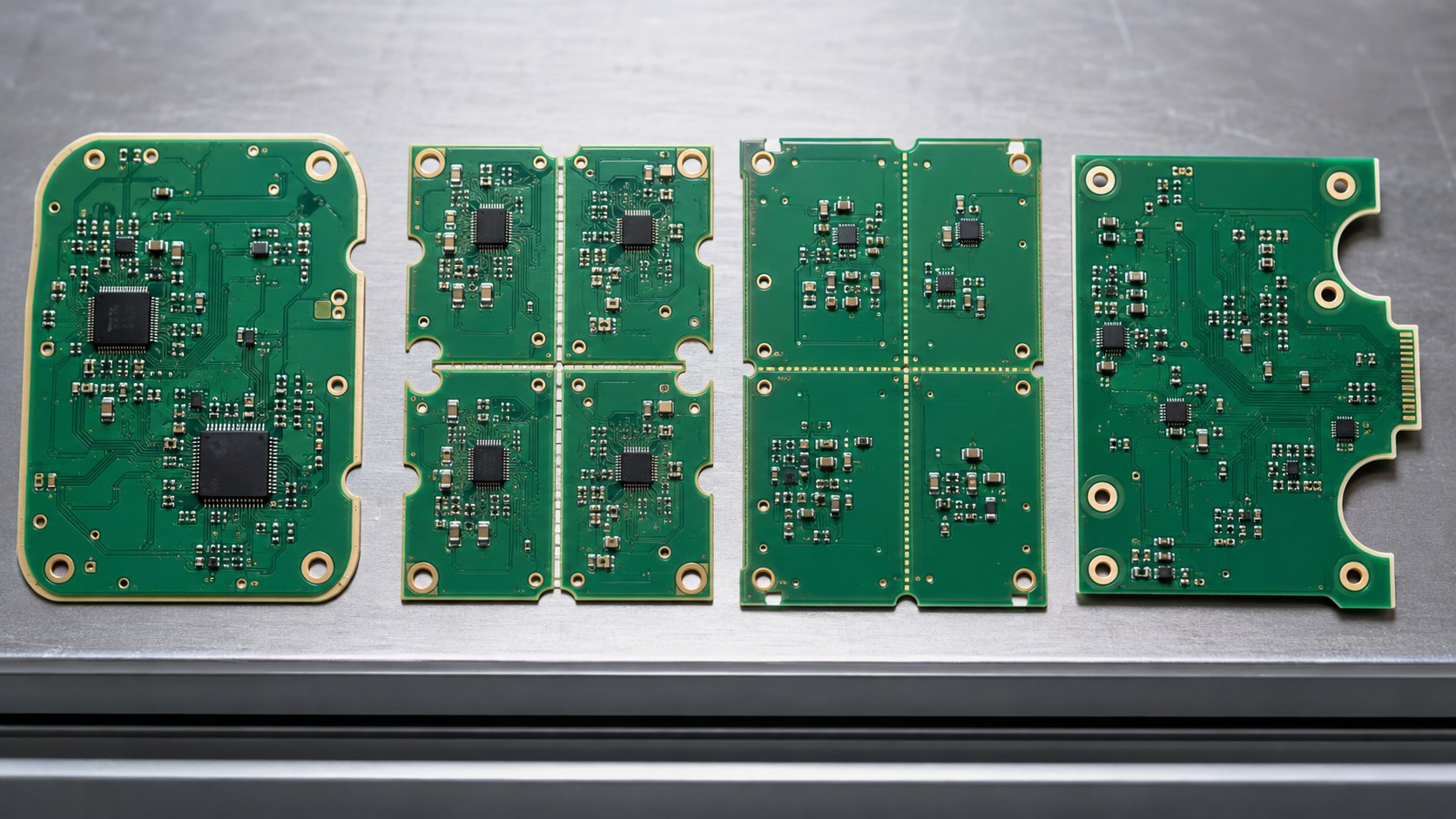
Inspection records should connect the agreed acceptance criteria to the delivered PCBA lot.

What Inspection and Test Records Help You Accept the Assembly?

Ask for evidence that supports your acceptance decision. More records are not automatically better; the right records connect the agreed requirement to the delivered lot.

  • Use inspection where it can reveal the defect. Automated optical inspection can check visible placement and solder conditions. X-ray inspection can provide evidence for hidden joints such as BGAs or bottom-terminated components when included in the inspection plan. Neither method replaces electrical or functional testing.
  • Separate workmanship checks from product verification. Visual or X-ray acceptance addresses assembly conditions. In-circuit test, flying-probe test, programming and functional test answer different questions and require suitable fixtures, software, limits or customer instructions. Define what is included before quotation.
  • Request traceable, usable outputs. Depending on the project, useful records may include:
  • certificate of conformity;
  • PCB and component lot references;
  • first-article inspection results;
  • AOI or X-ray records for agreed locations;
  • electrical or functional test results;
  • approved deviation or substitution records;
  • assembly revision and quantity accepted.

The acceptance plan should state who reviews failures, what constitutes a pass and how nonconforming assemblies are handled. This prevents a folder of test files from becoming a substitute for an agreed decision process.

What Files Help You Get an Accurate Quote the First Time?

Send files that let fabrication, purchasing and assembly quote the same product. The following package gives the supplier a practical starting point:

  • Gerber or ODB++ fabrication data and NC drill files;
  • PCB fabrication drawing, stack-up and controlled-impedance requirements where applicable;
  • BOM with exact manufacturer part numbers, approved alternatives and do-not-substitute items;
  • centroid/XY placement data;
  • assembly drawings showing polarity, orientation and special instructions;
  • lead-free requirement, approved surface finish and solder alloy information;
  • applicable workmanship standard, revision, class and customer criteria;
  • test method, test limits, fixtures, firmware and programming files where included;
  • required compliance, inspection, traceability and shipment records;
  • target quantity, panel or delivery needs and approved revision.

Before sending the RFQ, remove superseded files and identify anything still awaiting approval. An open issue is manageable when it is visible. A hidden assumption usually appears later as a requote, an engineering hold or rework.

EBest Circuit (Best Technology) can review the released PCB data for manufacturability, support PCB fabrication, source against the approved BOM, assemble SMT and through-hole components, and coordinate agreed inspection and testing assistance. Send the complete package to sales@bestpcbs.com for review and quotation.

FAQs About Lead-Free PCB Assembly

Does lead-free PCB assembly automatically make a product RoHS compliant?

No. Lead-free soldering addresses only part of the material picture. Product scope, restricted substances, exemptions, components, documentation and market responsibilities must also be evaluated by the responsible organization.

Which lead-free solder alloy should I specify?

Use the alloy approved for your product and process. Consider component terminations, PCB finish, reliability requirements and any secondary soldering operations. The assembly supplier should not change a specified alloy without approval.

Can the same PCB be used for leaded and lead-free assembly?

Sometimes, but it should not be assumed. Review the PCB finish, component compatibility, land patterns, thermal exposure, labeling and product requirements before using one design in both processes.

What causes the most avoidable delays in a lead-free PCBA order?

Common causes include mismatched file revisions, incomplete BOM data, unapproved substitutions, unclear finish or alloy requirements, unavailable components, missing test inputs and documentation requested only after production.

What should I send first for a lead-free PCB assembly quote?

Send the released PCB fabrication files, fabrication drawing, BOM/AVL, centroid data, assembly drawings, lead-free and finish requirements, quantity, acceptance criteria, test inputs and required shipment records. A complete package supports a clearer circuit board assembly process and reduces assumptions and makes competing quotations easier to compare.

Ready to review a lead-free PCB assembly project? Send your released files and requirements to sales@bestpcbs.com. EBest Circuit will identify manufacturability, sourcing and assembly questions before they become purchasing or production delays.

You may also like

Alternative Electronic Components for Safer PCBA Builds

August 4th, 2026

alternative electronic components are replacement parts considered when the original BOM item is unavailable, expensive, obsolete, long-lead, or unsuitable for production. For buyers, the real question is not only “Can we find another part?” The real question is “Can this alternative be approved, sourced, assembled, inspected, and tested without creating new PCBA risks?”

In PCB and PCBA projects, a substitute component can affect footprint fit, pinout, package height, soldering quality, electrical performance, lifecycle risk, certification requirements, and final product reliability. EBest Circuit (Best Technology) supports component sourcing, BOM review, PCB manufacturing, PCBA assembly, DFM review, and testing support for engineers and buyers who need practical help before production. For BOM review or PCBA project support, contact sales@bestpcbs.com.

alternative electronic components
Alternative electronic components should be reviewed together with the BOM, PCB, sourcing, assembly, and testing plan.

What Are Alternative Electronic Components?

Alternative electronic components are parts that may replace the original component listed in a BOM after technical and sourcing review. They may come from another manufacturer, use a slightly different package, have a different tolerance, or offer similar electrical performance under the project’s required conditions.

They are often considered when the original part has one of these problems:

  • Long lead time
  • High price
  • End-of-life status
  • Low distributor stock
  • Minimum order quantity issue
  • Import or supply chain limitation
  • Unstable availability for mass production
  • Prototype BOM needing faster sourcing

For a PCBA buyer, an alternative part is not automatically safe just because it has the same value or similar function. A 10k resistor from another brand may be simple to approve, but an IC, connector, MOSFET, regulator, relay, transformer, sensor, or RF part may require much deeper review.

Buyer-focused rule:

A good alternative component should protect schedule and cost without creating assembly, testing, or field reliability problems.

Alternative Electronic Components vs Equivalent Parts

The terms alternative component, equivalent part, alternate part, and drop-in replacement are often used together, but they do not always mean the same thing.

Term Practical meaning Buyer risk level
Alternative component A possible replacement after review Medium to high
Equivalent part Similar function and specifications Medium
Drop-in replacement Same footprint, pinout, and usable function Lower, but still needs approval
Alternate part A second approved option in the BOM or AVL Lower when pre-approved
Substitute component Any replacement proposed for the original part Depends on review depth

A true drop-in replacement should match the original component closely enough that the PCB layout, footprint, assembly process, and product function do not need major changes. But even then, buyers should confirm datasheet details, tolerance, temperature range, package drawing, lifecycle status, and test results.

A part can be electrically similar but mechanically wrong. Another part can fit the footprint but fail under thermal, current, EMI, or endurance requirements. This is why component alternatives should be reviewed by both sourcing and engineering teams before procurement.

How to Find Alternative Electronic Components When Supply Is Limited?

When supply is limited, many buyers search for alternatives through distributor platforms, cross-reference tools, old BOM records, manufacturer recommendations, or supplier suggestions. These tools are useful, but they should be treated as the first step, not the final approval.

Key checks include:

  • Confirm the original MPN and manufacturer.
  • Check whether the part is active, NRND, EOL, or obsolete.
  • Compare authorized distributor stock and lead time.
  • Search for same-value and same-package options.
  • Review manufacturer cross-reference suggestions carefully.
  • Ask the PCBA supplier whether the alternative affects assembly.
  • Get customer approval before purchasing substituted parts.

For example, a buyer may find an alternative voltage regulator with the same output voltage and package name. That still does not confirm the pinout, thermal pad size, dropout voltage, output current, stability with existing capacitors, or layout requirements. If the board has already been designed, those details can decide whether the substitute is usable or dangerous.

A practical way to reduce risk is to divide the search into two stages:

Stage Goal What to avoid
Sourcing search Find available candidates Choosing only by price or stock
Engineering review Confirm fit for PCBA production Approving without datasheet comparison

When buyers send the BOM to EBest Circuit for review, our team can help check sourcing availability, identify possible supply risks, and coordinate review points before PCBA production.

When Should Buyers Consider Electronic Component Alternatives?

Buyers should consider electronic component alternatives when the original BOM creates a clear business or production risk. The goal is not to change parts casually. The goal is to keep the project moving while protecting quality.

Common situations include:

  • The original part has a lead time of several months.
  • A prototype needs to be built quickly for validation.
  • The quoted component cost is too high for production.
  • The original part is obsolete or close to EOL.
  • The distributor stock cannot support repeat orders.
  • The project needs a second source for supply stability.
  • The first PCBA batch finds a sourcing or soldering issue.

A low-risk case might be a passive component with matching value, tolerance, package size, voltage rating, and temperature range. A high-risk case might be an MCU, power IC, RF part, connector, display module, sensor, transformer, relay, or safety-related component.

A safer decision path is:

  • Use alternatives early during prototype review.
  • Keep approved alternates in the BOM or AVL.
  • Avoid last-minute substitution after PCB fabrication.
  • Confirm whether the substitute changes assembly or test requirements.
  • Record the approved MPN before purchasing parts.

This makes the BOM easier to quote, easier to source, and easier to repeat in later production.

What Should Be Checked Before Approving Alternative Electronic Components?

Before approving alternative electronic components, buyers should check more than the first line of the datasheet. The approval should connect sourcing, PCB layout, assembly, inspection, and product performance.

alternative electronic components
BOM substitute review should compare component package, footprint, pinout, datasheet limits, and sourcing reliability before approval.
Review item What to check Why buyers care
Electrical rating Voltage, current, power, tolerance Prevent overheating or wrong performance
Package Size, height, pin count, body shape Avoid assembly and enclosure mismatch
Footprint Pad size, pitch, thermal pad Prevent solder defects or non-fit
Pinout Pin order and function Avoid board failure or damage
Lifecycle Active, NRND, EOL, obsolete Support repeat production
Source Authorized supplier, traceability Reduce counterfeit risk
Assembly SMT/THT process, reflow limit Prevent soldering defects
Testing ICT, AOI, functional test Confirm board-level result

For PCBA buyers, the most dangerous replacements are not always the most expensive parts. Sometimes the risky part is a small connector, diode, capacitor, switch, or transistor that looks simple but has a different footprint, polarity, height, or derating requirement.

Approval documents should include:

  • Original BOM with MPN
  • Proposed alternative MPN
  • Datasheets for both parts
  • PCB footprint or package drawing
  • Customer approval record
  • Special assembly notes
  • Test requirements after substitution

Without these details, the supplier may be forced to pause the quote, ask repeated questions, or proceed with unclear risk. Clear approval saves time before production.

Alternative Components for BOM Review and PCBA Production

Alternative components should be reviewed before the BOM is released for procurement. If the buyer waits until after the PCB is already fabricated, the substitute may require a board revision, manual rework, or delayed assembly.

In PCBA production, BOM substitution usually affects five practical areas:

  1. Quotation accuracy
  2. PCB footprint fit
  3. Assembly process
  4. Inspection method
  5. Repeat production

If the BOM contains obsolete, unclear, or single-source parts, the quotation may look fine at first but fail during procurement. A BOM review can flag these items before the buyer commits to schedule.

A substitute may have the same function but a different pad layout. Even a small package difference can cause tombstoning, insufficient solder, bridging, or poor inspection access.

Some alternatives need different soldering temperatures, handling requirements, moisture sensitivity control, or manual assembly steps. AOI can check markings, orientation, and visible solder joints, but hidden pins, BGAs, bottom-terminated parts, or shielded areas may need X-ray or functional testing.

A one-time shortage fix is different from a stable second-source strategy. If the project will repeat, the approved alternative should be documented in the AVL or BOM notes.

EBest Circuit supports component sourcing together with PCB fabrication and PCB assembly, so buyers can review BOM risk before the project enters production.

Low-Cost Alternatives for High-Demand Electronic Components

Low-cost alternatives for high-demand electronic components can reduce project cost, but they should never be approved by price alone. A cheaper component is only useful if it still meets the electrical, mechanical, assembly, and reliability needs of the product.

A low-cost alternative may be reasonable when:

  • The part is passive and specifications match clearly.
  • The package and footprint are the same.
  • The part has stable supply from reliable channels.
  • The application is not safety-critical or high-stress.
  • The buyer has approved the datasheet comparison.
  • Functional testing confirms board-level performance.

A low-cost alternative is risky when:

  • The original part handles power, heat, signal integrity, or protection.
  • The substitute has a different tolerance or derating curve.
  • The package height affects enclosure fit.
  • The part marking or source is unclear.
  • The manufacturer has limited traceability.
  • The change may affect certification or customer approval.

For example, replacing a common resistor may be straightforward. Replacing a DC-DC converter, MOSFET, crystal, optocoupler, connector, or sensor needs more caution. The wrong choice can save a few cents on the BOM but create failed testing, rework, delayed shipment, or field failure.

Better buyer question:

Do not only ask “Is this cheaper?” Ask “Will this alternative still pass assembly, inspection, testing, and repeat production?”

Alternative Component Sourcing for Obsolete and Hard-to-Find Parts

Obsolete and hard-to-find electronic parts create a different kind of risk. The issue is not only finding stock. The issue is confirming whether the stock is reliable, traceable, and suitable for the PCBA build.

When a part is obsolete or EOL, buyers usually have three choices:

Option When it works Main risk
Buy remaining stock Short-term repair or small batch Counterfeit or aging inventory
Approve an alternative Prototype or production continuation Requires technical review
Redesign the circuit or PCB layout Long-term product lifecycle Higher engineering time and cost

For BestPCBS customers, the most practical route depends on the project stage. If the board is still in prototype, it may be easier to approve a better alternative before layout is locked. If the board is already in production, the team needs to protect footprint compatibility and testing reliability.

Important review points include:

  • Is the original part officially obsolete or only temporarily out of stock?
  • Can the current PCB footprint accept the proposed alternative?
  • Does the substitute require firmware, calibration, or circuit changes?
  • Is the source traceable enough for the product’s quality requirement?
  • Should the buyer approve more than one alternate part for future builds?

EBest Circuit can help buyers review BOM shortage issues and coordinate sourcing options, but the final approval should remain clear between the customer and the engineering requirements of the product.

PCBA assembly and testing checks after using alternative components:

alternative electronic components
After a substitute component is approved, PCBA inspection and functional testing help confirm that the finished board still meets project requirements.

After an alternative component is approved, the PCBA process should still be checked. A substitute may pass BOM review but create assembly or testing differences on the production line.

PCBA checks should include:

  • Confirm the approved MPN is used in purchasing.
  • Check package size and feeder suitability.
  • Confirm polarity and pin 1 direction.
  • Review stencil opening if solder volume may change.
  • Check whether manual soldering is required.
  • Inspect part marking and lot traceability.
  • Run AOI, visual inspection, X-ray, or functional testing as needed.
  • Record the substitution in production documents.

A common production issue is that the buyer approves a new part but the BOM file, purchase order, assembly drawing, or test instruction still shows the old part. That mismatch can slow down procurement or create confusion during incoming inspection.

For prototype and small-batch PCBA, one practical solution is first-article confirmation. The supplier builds and checks the first board or first panel before continuing with the full batch. This can catch wrong orientation, wrong package height, poor solder joints, or unexpected functional behavior before more boards are assembled.

For production orders, the better approach is controlled documentation. The approved alternative should be clearly listed in the BOM, and any special test requirement should be included before assembly starts.

How EBest Circuit Supports Alternative Electronic Components for PCB and PCBA Projects

EBest Circuit (Best Technology) supports buyers who need alternative electronic components as part of PCB and PCBA projects. Our role is not to make unapproved design decisions for the customer. Our role is to help review manufacturability, sourcing, assembly, and test risks so the customer can approve the right choice with clearer information.

EBest Circuit supports PCB and PCBA projects with:

  • BOM review and component sourcing support
  • Alternative MPN comparison before procurement
  • DFM review for PCB manufacturability
  • PCB layout manufacturability review
  • PCB fabrication
  • SMT assembly
  • Through-hole and mixed PCBA assembly
  • Incoming material inspection
  • Functional testing support
  • Prototype, small-batch, and production support

For engineers, this can reduce back-and-forth during quotation. For buyers, it helps control sourcing risk before money is spent on the wrong parts. For project managers, it keeps BOM, PCB, assembly, and testing decisions connected instead of scattered across different suppliers.

Project example:

A North American industrial controller customer needed 120 PCBAs for a pilot build. The original BOM included a DC-DC converter with a 16-week lead time. A lower-cost alternative was available, but the first datasheet review showed a different recommended input capacitor range and a slightly different thermal performance curve.

Instead of approving the substitute only by output voltage, the review focused on the real PCBA risks:

  • Input voltage range under customer operating conditions
  • Output current and derating at expected enclosure temperature
  • Pin compatibility with the existing PCB footprint
  • Package height under the metal housing
  • Reflow profile and moisture sensitivity
  • Functional test points after assembly

The customer approved a different second-source part after reviewing the data. The pilot batch moved forward without changing the PCB layout, and the test plan added a load check for the power rail. For the buyer, the value was not just finding a cheaper part. The value was avoiding a late-stage PCBA failure caused by an incomplete substitution review.

If your project has shortage, EOL, long-lead, or BOM cost pressure, send your BOM, Gerber files, assembly drawing, and test requirements to sales@bestpcbs.com for review.

FAQs About Alternative Electronic Components

Are alternative electronic components always safe to use?

No. Alternative electronic components are only safe after technical review and customer approval. The buyer should confirm datasheet specifications, footprint, pinout, package size, lifecycle, sourcing channel, assembly process, and testing requirements before production.

What is the difference between an alternative component and an equivalent part?

An equivalent part usually means a component with very similar specifications and function. An alternative component is broader. It may be a possible replacement, but it still needs review before it can be used in a PCB or PCBA project.

Can a PCBA supplier choose substitute components directly?

A PCBA supplier can suggest possible substitutes and explain sourcing or assembly risks, but the final approval should be confirmed by the customer. This is especially important for ICs, power parts, connectors, sensors, RF parts, safety-related components, and certified products.

What files should I send for alternative component review?

Send the BOM, original MPN, proposed alternative MPN if available, Gerber files, pick-and-place file, assembly drawing, datasheets, special test requirements, and any enclosure or mechanical restrictions that may affect component height or placement.

How can EBest Circuit help with alternative component sourcing?

EBest Circuit can help review BOM availability, compare possible alternatives, check PCB and PCBA manufacturability risk, coordinate component sourcing, assemble PCBAs, and support inspection and functional testing. For project review, contact sales@bestpcbs.com.

In Conclusion, alternative electronic components can help buyers solve shortage, cost, and obsolete-part problems, but only when the substitute is reviewed before PCBA production. A good approval process checks more than price and stock. It confirms footprint, pinout, package, datasheet limits, sourcing reliability, assembly process, inspection, and functional testing. EBest Circuit (Best Technology) helps engineers and buyers connect BOM review, component sourcing, PCB manufacturing, PCBA assembly, and testing support so alternative parts can be used with better control and fewer production surprises.

You may also like

UART vs SPI: Speed, Wiring, PCB Layout, and How to Choose

August 4th, 2026

UART vs SPI is a choice between a simple asynchronous point-to-point link and a faster clocked interface for on-board peripherals. Choose UART when the design needs few signals, service access, or an external serial transceiver. Choose SPI when an MCU must exchange data quickly with converters, displays, memory, or sensors on the same assembly.

Neither interface has a universal speed, distance, or power advantage. The result depends on the selected devices, physical layer, frame format, edge rate, routing, firmware, and test method.

Logic-level UART is not the same physical layer as RS-232 or RS-485. Compare the actual transceivers, voltage thresholds, routing, timing, and test limits instead of assigning cable performance to the UART peripheral itself.

UART vs SPI interface comparison on an embedded controller workbench

UART vs SPI at a Glance: Which Interface Fits Your Design?

Choose UART for a simple two-device link or service port; choose SPI for fast, short, controller-to-peripheral communication on one PCB. The first decision should use the required payload rate, pin budget, number of peripherals, physical distance, error-handling plan, and debug access. Nominal clock frequency alone is not enough.

Decision Factor UART SPI Engineering Decision
Timing method Asynchronous; both ends agree on baud and frame format Synchronous; controller supplies the serial clock Use SPI when a shared clock simplifies high-rate sampling; use UART when a clock line is undesirable
Typical signals TX, RX, and ground; optional RTS/CTS SCLK, MOSI, MISO, chip select, and ground UART saves pins for one link; SPI chip-select count grows with conventional multi-peripheral topology
Payload efficiency Reduced by start, stop, and optional parity bits Often near one payload bit per clock during an active transfer, but commands and gaps still count Calculate complete transactions instead of comparing baud with SCLK directly
Distance Logic-level UART is normally local; transceivers can support cables and harsher links Normally short and board-level unless buffering or another physical layer is engineered Do not assign a distance without voltage, cable, ground, edge-rate, and receiver limits
Error handling Framing status and optional parity may expose some faults No universal protocol-level error check Add application-level checks when corrupted or missing data can create a system hazard
Common applications Debug console, GNSS module, modem, bootloader, controller-to-controller link ADC, DAC, flash, display, sensor, codec, high-rate peripheral Confirm the exact peripheral interface and timing requirements before schematic release

I2C may be preferable when many low-to-moderate-rate peripherals must share two signals, while CAN or RS-485 may be more suitable for robust multi-node cabling. Change the interface architecture when distance, arbitration, fault containment, or connector exposure dominates the requirement.

How Do UART and SPI Transfer Data?

UART reconstructs each frame from an agreed baud rate, while SPI shifts data against a controller-generated clock. Both are normally MCU hardware peripherals, although low-rate software implementations are possible.

UART sends a start bit, payload bits, optional parity, and one or more stop bits. An 8N1 frame carries 8 payload bits in 10 transmitted bits. Because the receiver uses its own timing reference, both endpoints must agree on the frame and baud settings.

In SPI, the controller asserts chip select, supplies SCLK, sends data on MOSI, and receives data on MISO. CPOL defines the idle clock level; CPHA defines the sampling relationship. A CPOL or CPHA mismatch can sample every bit on the wrong edge.

  • UART configuration: Record baud, payload length, parity, stop bits, idle polarity, voltage threshold, and any flow-control signals.
  • SPI configuration: Record SCLK limit, CPOL, CPHA, bit order, word length, chip-select behavior, command format, and turnaround timing.
  • Firmware boundary: Confirm FIFO depth, DMA availability, interrupt latency, buffer ownership, timeout behavior, and recovery after incomplete transfers.
  • Electrical boundary: Verify that both endpoints use compatible I/O voltage and threshold levels; a matching protocol setting does not correct an electrical mismatch.

UART vs SPI Speed: Clock Rate, Frame Overhead, and Effective Throughput

SPI generally delivers higher payload throughput, but compare completed payload per unit time rather than SCLK with baud. UART spends time on start, stop, and optional parity bits. SPI instead loses useful time to command bytes, addresses, dummy clocks, chip-select gaps, and software latency.

For UART, a practical first calculation is:

Payload efficiency = payload bits / total frame bits.

An 8N1 frame contains 8 payload bits within 10 transmitted bits, so its theoretical payload efficiency is 80%. At 115,200 baud, the ideal continuous payload rate is 115,200 × 8 / 10 = 92,160 bit/s, or 11,520 bytes/s. Buffer gaps, flow control, operating-system scheduling, error recovery, and higher-layer framing reduce the sustained result.

For SPI, calculate every clocked field and every unclocked interval:

Transaction time = total clocked bits / SCLK frequency + chip-select and inter-transfer gaps.

If a transaction needs an 8-bit command, 16-bit address, 8 dummy clocks, and 256 payload bits, it consumes 288 clock periods. At 10 MHz, clocking takes 28.8 microseconds before chip-select, firmware, and peripheral-ready delays. A 10 MHz SCLK therefore does not guarantee 10 Mbit/s of application payload.

How Do UART and SPI Differ in Pins, Wiring, and Device Topology?

UART uses fewer signals for one point-to-point link; conventional SPI shares data and clock lines but usually needs one chip select per peripheral. Include grounds, enables, interrupts, resets, level shifters, connectors, and test points in the real pin and routing count.

A full-duplex UART connection crosses TX to RX and RX to TX between two endpoints. RTS and CTS can provide hardware flow control where a receiver may be unable to accept a continuous stream. A service header may expose only TX, RX, and ground, but the header voltage and pin orientation must be documented to prevent damage from an incompatible adapter.

A four-signal SPI bus commonly shares MOSI, MISO, and SCLK while routing a separate chip select to each peripheral. This makes controller-to-many-peripheral communication convenient, but every added branch changes capacitance and stub behavior. MISO also requires special attention: nonselected peripherals must release the line, or two outputs can contend.

  • Pin-budget check: Count all chip selects, interrupts, ready/busy lines, resets, enables, flow-control pins, and test access.
  • Topology check: Draw the controller, every peripheral, each branch point, connector transition, and return path before routing.
  • Voltage check: Place level translation according to signal direction and verify power-off behavior at both sides.
  • Contention check: Confirm MISO high-impedance timing from each peripheral datasheet before sharing the line.

Which Is More Reliable Over Distance and Electrical Noise: UART or SPI?

Neither UART nor SPI has a universal distance rating. The limit comes from the physical layer, edge rate, interconnect, ground offset, receiver thresholds, and timing margin—not the protocol name.

  • Logic-level UART: Keep ground offset, I/O voltage, thresholds, and noise within the endpoint limits for a board trace or short harness.
  • Externally exposed UART: Use an appropriate physical-layer transceiver and protection strategy for longer cables or harsher environments.
  • SPI interconnect: Treat cable delay, signal skew, capacitive loading, connector discontinuities, and ringing as sampling-margin risks.
  • Clock-rate experiment: If lowering SCLK hides the failure, use that result as a timing-margin clue rather than a final correction.
  • Distance limit: Set it from receiver thresholds, setup and hold margin, overshoot and undershoot limits, ground offset, return conductors, and expected noise.

UART vs SPI Power Consumption: What Changes at the System Level?

Compare energy per completed transaction, not wire count or instantaneous current alone. SPI may switch more lines but finish sooner; UART may use fewer signals yet keep the MCU and peripheral active longer.

Use the same payload and operating condition. Measure supply current before, during, and after the transfer, then integrate it over time. Include level shifters, transceivers, pull resistors, isolators, clock sources, and peripheral wake time.

  • Measurement boundary: Define which rails and devices are included in the power result.
  • Workload boundary: Use the same payload size, update interval, error rate, and retry policy.
  • Firmware boundary: Compare polling, interrupt, FIFO, and DMA implementations because CPU awake time can dominate.
  • Sleep boundary: Include wake-up latency and the time required for the interface and peripheral to become usable.

When Should You Choose UART, and When Is SPI the Better Option?

Choose UART for simplicity, service access, or a transceiver-based external link; choose SPI for short on-board links that need higher throughput and controller-driven timing. Base the choice on written requirements rather than familiarity or a headline datasheet rate.

  • Choose UART: The design has two endpoints, modest sustained throughput, limited pins, a debug console, or a transceiver-based external link.
  • Choose SPI: The design connects an MCU to fast on-board ADCs, DACs, flash, displays, codecs, or sensors with compatible timing.
  • Reconsider UART: Multiple nodes need arbitration, the link requires a shared bus, or the receiver cannot tolerate unbounded stream loss.
  • Reconsider SPI: The route crosses a long cable, chip-select count is excessive, peripherals cannot release MISO correctly, or clock skew consumes the timing budget.
  • Escalate the review: Safety, machine control, field wiring, isolation, or fault containment requires a physical layer and application protocol designed for those conditions.

Before schematic approval, document payload rate, maximum latency, topology, voltage, distance, connector exposure, noise, recovery behavior, boot state, firmware ownership, and required production evidence.

How Do Trace Length, Edge Rate, Loading, and Return Paths Limit UART and SPI?

PCB routing risk follows signal rise and fall time more directly than baud or SCLK alone. Even a low-rate interface can behave as a transmission line when a CMOS output switches quickly. Review propagation delay, branches, load capacitance, reference planes, vias, connectors, and receiver thresholds.

PCB layout review for UART and SPI trace routing and return paths
  • Preserve the return path: Keep SCLK and other fast edges over an uninterrupted reference plane and away from plane splits.
  • Control branches and stubs: Place the controller and fast peripherals for short, direct routes, especially on shared SPI signals.
  • Support layer changes: Add a nearby return-path transition when a via changes the signal reference.
  • Use damping from evidence: Add a source-series resistor near the driver only when simulation or measurement shows ringing. The value is implementation-specific.
  • Model every interface element: Include level shifters, isolators, connectors, and test pads in the UART and SPI PCB layout review.
  • Release measurable constraints: Trace each routing limit to a selected-device requirement and a verification method.

Which PCB Layout Errors Cause UART Framing Faults or SPI Signal Integrity Failures?

UART failures usually corrupt frames; SPI failures usually corrupt individual transactions. UART symptoms include garbled characters, framing or parity errors, and missing bytes. SPI symptoms include wrong bits, repeated commands, invalid reads, and failures that disappear at a lower clock rate.

  • Check UART settings: Confirm common ground, I/O voltage, idle polarity, baud, word length, parity, and stop bits.
  • Measure UART at the receiver: Compare TX at the source with RX at the destination. Look for slow edges, crosstalk, ground shift, and threshold crossings near the sampling point.
  • Check SPI settings: Confirm CPOL, CPHA, word length, bit order, chip-select setup and hold, and the peripheral’s data-valid delay.
  • Measure SPI at the receiver: Probe SCLK and data at the peripheral pins. Ringing can create an extra clock, while late data can violate setup or hold time.
  • Check the shared MISO line: Verify that every nonselected peripheral releases MISO before another device drives it.

Do not treat a clean digital decode as proof of electrical margin. Use the following sequence to separate a configuration error from a routing, loading, or timing problem.

  1. Reproduce the fault: Use the target voltage, temperature, firmware load, and interface rate.
  2. Capture both endpoints: Measure controller-side and receiver-side signals with a defined probe and ground connection.
  3. Test the timing margin: Reduce baud or SCLK without changing other conditions; improvement is a clue, not a final fix.
  4. Check device limits: Compare the capture with datasheet thresholds, setup, hold, data-valid, and chip-select timing.
  5. Isolate the fault class: Separate configuration faults from electrical faults by changing one controlled variable at a time.
  6. Verify the correction: Fix the root cause, then repeat the test at nominal and boundary conditions.

How Can UART and SPI Interfaces Be Validated from Prototyping to Production?

Validation must connect schematic requirements to receiver-pin waveforms and a repeatable production functional test. One successful logic-analyzer decode does not prove voltage margin, boundary-condition operation, or long-term data integrity.

UART and SPI interface validation with oscilloscope probes on a prototype PCBA
  1. Define the requirement: Record the payload, rate, frame or transaction format, voltage, topology, and pass/fail behavior.
  2. Provide test access: Add ground, TX/RX, SCLK, MOSI, MISO, and chip-select test points without creating harmful stubs.
  3. Control probe loading: Select probes whose input capacitance and ground connection do not materially change the waveform.
  4. Configure UART decode: Use the actual baud, data bits, parity, stop bits, polarity, and threshold.
  5. Configure SPI decode: Use the actual CPOL, CPHA, word length, bit order, chip-select framing, and threshold.
  6. Measure at the receiver: Check voltage levels, ringing, edge rate, setup, hold, data-valid delay, and chip-select timing at the receiving pins.
  7. Exercise boundary behavior: Test minimum and maximum payloads, repeated transfers, idle-to-active transitions, reset, power cycling, and fault recovery.
  8. Retain test evidence: Record error counters, returned data, timeouts, and waveforms under defined boundary conditions.
  9. Transfer checks to production: Define fixture connections, firmware commands, expected responses, limits, and traceable records.

IPC-A-610 provides visual acceptance criteria for completed electronic assemblies, while J-STD-001 covers soldering materials, methods, process control, and acceptance requirements. Neither standard proves UART baud tolerance, SPI timing margin, firmware correctness, or error-free data transfer. These require product-specific electrical and functional tests.

FAQs About UART vs SPI

Q1: Can UART and SPI run at the same time on one microcontroller?

A1: Yes, if the MCU provides separate peripherals, pins, clocks, DMA channels, and interrupt capacity. Simultaneous operation can still create bus, memory, or CPU contention, so validate buffer service time and worst-case latency under the real firmware workload.

Q2: Can a UART-to-SPI bridge replace firmware changes?

A2: A bridge can translate transfers, but it cannot automatically reconcile different command models. Buffer size, latency, flow control, SPI mode, chip-select behavior, error reporting, and reset handling must match the application before the bridge is approved.

Q3: Can SPI peripherals with different modes share one controller?

A3: Yes, if the controller can reconfigure CPOL, CPHA, clock rate, and word format before selecting each peripheral. Keep every chip select inactive during reconfiguration and verify that shared MISO devices release the line.

Q4: Do UART or SPI signals require pull-up resistors?

A4: Neither interface universally requires pull-ups. A particular device may recommend a pull resistor for chip select, reset, MISO, or an idle state. Follow the selected device datasheets and check leakage, power sequencing, and contention.

Q5: Can USART hardware communicate with SPI devices?

A5: Only when the specific USART supports a compatible synchronous mode and timing behavior. Check clock polarity, phase, bit order, chip-select generation, word length, and receive timing. The peripheral name alone does not guarantee SPI compatibility.

Q6: Can DMA improve UART or SPI performance?

A6: DMA can reduce CPU service overhead and make transfer timing more consistent. It does not correct electrical faults, insufficient bus bandwidth, buffer overruns, or an invalid peripheral transaction format.

Q7: Must chip select remain active for an entire SPI transaction?

A7: Follow the peripheral’s transaction definition. Some devices require chip select to remain active across command, address, dummy, and data phases; releasing it early may reset the command state.

Q8: Can UART or SPI pass through a digital isolator?

A8: Yes, but propagation delay, channel direction, jitter, startup state, voltage, and data rate must fit the interface. SPI return-path delay can consume a large part of the sampling budget, so use an isolator designed for the required topology.

Q9: Should unused UART or SPI pins be left floating?

A9: Do not assume floating is safe. Configure unused MCU pins to a documented state and follow peripheral recommendations for chip select, reset, clock, and data inputs. An uncontrolled pin can increase current or trigger unintended commands during startup.

Q10: What interface information should be included in a PCBA quotation package?

A10: Provide the schematic, interface voltage, pin map, programming state, test points, test command, expected response, limits, and retained evidence. Also identify any adapter, fixture, cable, firmware image, or golden unit required for functional testing.

Conclusion

Use UART for simple point-to-point communication and service access; use SPI for faster on-board peripheral transfers when clock and routing margins are controlled. Decide from payload throughput, pins, device count, distance, electrical conditions, recovery, and test access. Verify the receiver-pin waveform and complete transaction rather than relying on nominal ratings.

Contact EBest Circuit at sales@bestpcbs.com for a PCB or PCBA quotation. Please submit Gerber or ODB++ files, BOM, quantity, stackup, assembly requirements, firmware or programming files, and functional-test requirements so the engineering team can review manufacturability and quotation inputs.

You may also like

What Is a Motherboard? Components, Functions and PCB Structure

August 4th, 2026

what is a motherboard? It is the main printed circuit board assembly in a computer. It distributes power, provides electrical paths between the processor, memory, storage and peripherals, and holds the sockets, connectors and control circuits that make those parts operate as one system. A motherboard does not perform every calculation itself; it provides the physical and electrical platform that lets each device exchange data reliably.

What Is a Motherboard? Components, Functions and PCB Structure

What Is a Motherboard and What Does It Do?

A motherboard, also called a mainboard, system board or mobo, is a populated PCB designed around a particular processor platform. It combines the bare circuit board with soldered devices, sockets, power converters, firmware memory, clocks and external interfaces. The CPU executes instructions, while the motherboard supplies the regulated power and communication routes the CPU needs to reach RAM, storage, graphics and I/O devices.

Its main functions are electrical rather than computational. The board converts incoming power into several lower-voltage rails, distributes clocks and reset signals, establishes high-speed links, stores startup firmware and exposes connectors that define how the computer can be expanded. A fault in any one of those paths can prevent booting even when the CPU and memory are undamaged.

What Components Are Found on a Motherboard?

Component placement follows signal length, power delivery, thermal and mechanical constraints. The CPU socket is kept close to memory and VRM circuitry; high-speed connectors are positioned to control routing length; and rear I/O is aligned with the chassis opening. The following groups explain what each visible area contributes.

Core components on a modern computer motherboard
Component Primary role Important design dependency
CPU socket Mechanical and electrical interface for the processor Socket generation, pin map, keep-out area and cooler load
DIMM slots Connect system memory to the processor Memory generation, topology, trace matching and slot count
Chipset Manages platform I/O not connected directly to the CPU PCIe lanes, USB, SATA and firmware support
VRM Converts PSU input into stable low-voltage CPU and memory rails Current capacity, transient response, copper area and cooling
PCIe and M.2 connectors Connect graphics, storage and expansion devices Lane allocation, generation, bifurcation and signal integrity
BIOS/UEFI flash Stores platform initialization firmware CPU support, recovery method and update path
Rear I/O and headers Provide USB, network, audio, fan and front-panel connections Port count, controller bandwidth and chassis layout

How Does a Motherboard Work?

When the power button is pressed, standby power and control signals allow the PSU to start the main rails. The motherboard VRMs then generate the voltages required by the CPU, memory and chipset. After the rails and clocks stabilize, reset is released and the processor reads initialization code from the BIOS or UEFI flash device.

Firmware trains the memory interface, enumerates PCIe and storage devices, applies platform settings and selects a boot device. During normal operation, some high-bandwidth links run directly between the CPU and memory, graphics or primary storage. Other devices communicate through the chipset, which aggregates I/O before passing data to the processor. The board’s copper traces, reference planes, connectors and vias must preserve timing and signal quality across all of these paths.

Power and high-speed data paths across a motherboard

What Is a Motherboard Chipset?

A motherboard chipset is the platform controller that expands the processor’s native interfaces. Modern CPUs often contain the memory controller and selected PCIe lanes, so the chipset no longer performs every function associated with older northbridge and southbridge designs. It commonly provides additional PCIe lanes, USB ports, SATA connections, networking interfaces and management functions.

Chipset choice affects available I/O and feature support, but the connector count printed on a product page does not reveal the complete topology. Several M.2 sockets, PCIe slots or high-speed USB ports may share uplink bandwidth or disable one another in particular configurations. A block diagram and lane-allocation table are therefore more informative than the number of physical connectors alone.

What Is a VRM on a Motherboard?

The voltage regulator module, or VRM, converts a 12 V input into the much lower voltage required by a processor or memory rail. A multiphase buck converter uses MOSFET power stages, inductors, capacitors and a controller to divide current among parallel phases. More phases can reduce current per phase, but controller quality, component ratings, switching behavior, copper area and thermal design matter more than a phase-count label by itself.

VRM layout is sensitive to loop inductance and heat concentration. Power stages and inductors are placed close to the CPU socket, while wide copper regions and internal planes carry high current. Thermal vias may spread heat into other layers or a backside area. Poor placement or insufficient copper can increase ripple, temperature and voltage droop during fast load changes.

What Are Motherboards Made Of?

Most computer motherboards use a multilayer flame-retardant epoxy-glass laminate with copper conductors, commonly described as FR4. The finished assembly also contains solder mask, surface finish, legend ink, plated holes, solder alloys, connectors and semiconductor packages. Material selection is tied to layer count, impedance control, thermal load, lead-free assembly temperature and long-term dimensional stability.

A typical stack-up alternates signal layers with power or ground reference planes. The planes lower return-path impedance and help contain electromagnetic fields, while controlled dielectric thickness and copper geometry establish the impedance of PCIe, USB, memory and other high-speed traces. Best Technology’s documented multilayer FR4 PCB capability extends to 32 layers, although the practical stack-up, drill structure and conductor limits still require engineering review for the specific design.

Illustrative multilayer motherboard PCB stack-up and copper interconnects

How Are Motherboards Manufactured?

Production begins with a verified stack-up and fabrication data set. Inner copper layers are imaged and etched, inspected, aligned with prepreg and copper foil, and laminated under heat and pressure. Mechanical or laser drilling creates through-holes and microvias. Desmear and copper plating make the hole walls conductive before outer-layer imaging, solder-mask application, surface finishing and electrical test.

Dense processor, chipset and memory fan-out may require blind vias or sequential lamination. An HDI PCB structure can reduce via-pad size and routing congestion, but it adds process steps and demands strict registration control. The correct build depends on BGA pitch, escape routing, layer count, aspect ratio and reliability targets rather than on board size alone.

After bare-board fabrication, solder paste is printed, SMT components are placed and reflowed, and through-hole connectors are inserted and soldered. A motherboard combines fine-pitch ICs with large mechanical connectors, so paste volume, board support, thermal profiling and connector coplanarity need separate control. EBest Circuit (Best Technology) supports PCB assembly down to 01005 components and 0.25 mm BGA pitch, with 3D SPI, AOI and X-ray available for process verification.

AOI and X-ray inspection of a motherboard PCBA

What Are the Main Motherboard Form Factors?

Form factor defines the board outline, mounting-hole locations and general expansion layout. It must match the enclosure and power-supply arrangement. Dimensions alone are not enough; cooler clearance, card spacing, connector access and cable routing also determine whether a board fits the system.

Form factor Common dimensions Typical design trade-off
ATX 305 × 244 mm More expansion slots and routing area, but requires a larger case
Micro-ATX 244 × 244 mm Smaller platform with fewer expansion positions
Mini-ITX 170 × 170 mm Compact system size with tight thermal and connector constraints
E-ATX Often about 305 × 330 mm; vendor definitions vary Additional area for memory, power and I/O, with chassis compatibility limits

Embedded and industrial motherboards may use other outlines or fully custom dimensions. Their connector placement is often driven by the enclosure, backplane, cooling path and service access rather than by a retail desktop standard.

How Do Motherboard Interfaces and Expansion Paths Work?

PCIe uses point-to-point serial lanes that can be grouped as x1, x4, x8 or x16 links. A graphics slot may receive lanes directly from the CPU, while additional slots, controllers and M.2 sockets connect through the chipset. M.2 describes the connector and module format; the installed device may use PCIe/NVMe, SATA or another supported interface.

High-speed routing requires controlled impedance, continuous reference planes, short via stubs and careful connector transitions. Differential-pair spacing and length matching are set for the applicable interface, but return-path continuity is equally important. A slot can be mechanically x16 while carrying fewer electrical lanes, and populating one connector can reduce bandwidth or disable another if the design shares resources.

How Does a Motherboard Differ From a PCB?

A PCB is the general platform of insulating material, copper conductors, holes and surface finish used to connect electronic components. A motherboard is a specific type of PCBA: a fabricated PCB populated with the processor interface, memory connectors, power conversion, firmware, I/O and expansion circuitry needed to coordinate a computer system.

The distinction is similar to the difference between a road network and a particular city built on that network. A bare motherboard PCB cannot function until components are assembled and programmed. For a deeper board-level comparison, see circuit board vs motherboard; the earlier guide to how a motherboard works in modern computers provides additional system context.

How to Choose a Motherboard?

Start with non-negotiable compatibility, then evaluate expansion and electrical margin. Marketing tiers are less useful than a platform diagram, supported-component list and connector map.

  • Match the CPU socket, chipset generation and BIOS version to the intended processor.
  • Confirm the board outline, mounting points, rear-I/O opening, cooler clearance and expansion-card space.
  • Verify the required memory generation, capacity, DIMM count and validated speed range.
  • Map GPU, M.2, PCIe, SATA and high-speed USB connections to their available lanes and sharing rules.
  • Check that the VRM and cooling design can sustain the processor’s real operating power, not only its nominal rating.
  • Confirm the required network, display, audio, fan, debug, security and firmware-recovery features.

For a custom motherboard, the same sequence begins at architecture level: processor and memory interfaces define the stack-up and routing density; enclosure and connectors define the outline; power and thermal analysis define copper distribution; and assembly/test access affects component placement.

FAQ

Can a PC Run Without a Motherboard?

No. A conventional PC needs a motherboard or an equivalent integrated system board to distribute power and connect the processor, memory, storage and I/O. Individual devices may power up separately, but they cannot operate as a coordinated computer without the interconnect and control platform.

Is the CPU the Motherboard?

No. The CPU is a semiconductor package that executes instructions. It installs into or is soldered onto the motherboard, which supplies power and connections to the rest of the system.

What Does a Motherboard Look Like?

A desktop motherboard is usually a flat rectangular PCB with a prominent CPU socket, long DIMM and PCIe connectors, power connectors, several heatsinks and a rear-I/O cluster. Laptop and embedded boards often use irregular outlines and soldered processors to fit a specific enclosure.

Are Mainboard, System Board and Mobo the Same Thing?

They usually refer to the same primary circuit board. Mainboard and system board are common formal alternatives, while mobo is an informal abbreviation. In modular industrial equipment, however, a system may also contain backplanes, daughterboards or carrier boards with different roles.

Conclusion

Understanding what is a motherboard requires more than identifying sockets and ports. The board is a multilayer power and signal platform whose chipset topology, VRM, stack-up, vias, connectors, assembly process and inspection plan must work together. For custom motherboard PCB or PCBA support, EBest Circuit (Best Technology) can review the design against fabrication and assembly capabilities. Contact sales@bestpcbs.com with the project requirements.

You may also like

Practical SMT Machine Guide for Reliable PCBA Production

August 4th, 2026

SMT machine is a common search term, but buyers are often looking for more than the machine itself. They want to understand whether a PCB assembly supplier can print solder paste cleanly, place components accurately, control reflow, inspect solder joints, and deliver usable PCBA boards without avoidable assembly risk.

For EBest Circuit (Best Technology), SMT machines are part of a complete PCBA workflow: PCB fabrication, BOM sourcing, stencil review, solder paste printing, SPI, pick and place, reflow, AOI, X-Ray when needed, testing, cleaning, packing, and delivery. If your project needs SMT assembly, BGA inspection, fine-pitch placement, or prototype-to-small-batch PCBA support, please send your Gerber files, BOM, CPL, assembly drawing, and test notes to sales@bestpcbs.com. Our engineering team can review the manufacturing path before production starts.

SMT machine
SMT machines place and process PCB panels through a controlled PCBA production line.

What Is an SMT Machine in PCB Assembly?

An SMT machine is equipment used in surface mount technology production. In PCB assembly, it helps mount electronic components directly onto PCB pads instead of using long through-hole leads.

In daily PCBA production, ?SMT machine? may refer to one machine or the whole SMT line. A buyer may use the term when asking about pick and place machines, solder paste printers, SPI, reflow ovens, AOI systems, X-Ray inspection, or the full production line.

For a PCBA buyer, the practical question is usually simple:

  • Can the supplier place the selected components accurately?
  • Can the process control solder paste, reflow, and inspection?
  • Can the supplier handle fine-pitch ICs, BGAs, connectors, and small components?
  • Can testing and packing requirements stay visible until shipment?

This is why an SMT machine article should not only explain equipment names. It should also explain how those machines affect PCBA quality.

SMT Machine Types in a PCBA Production Line

A complete SMT production line usually includes several machines. Each one controls a different risk in the assembly process.

SMT Machine Main Job
Solder paste printer Applies solder paste through stencil openings
SPI machine Checks paste height, area, and volume
Pick and place machine Places SMD components on PCB pads
Reflow oven Melts solder paste to form joints
AOI machine Checks visible placement and solder defects
X-Ray machine Checks hidden solder joints such as BGA

These machines work as one process. A good pick and place machine cannot fully compensate for poor solder paste printing. AOI cannot fix a wrong component package. X-Ray can find hidden defects, but the BGA process must already be controlled before inspection.

SMT machine
A real SMT line connects board handling, placement, reflow, and inspection steps.

SMT Pick and Place Machine for Component Placement

The SMT pick and place machine is often the most visible machine in the SMT line. It picks components from reels, trays, tubes, or cut tape and places them on the prepared PCB.

Placement quality depends on several details:

  • component package accuracy
  • feeder setup
  • nozzle selection
  • PCB panel support
  • fiducial recognition
  • CPL and centroid file accuracy
  • component polarity and pin 1 direction
  • placement pressure and speed

For buyers, the important point is not only whether the factory owns a pick and place machine. The stronger question is whether the supplier checks the BOM, footprint, CPL file, polarity marks, reference designators, and assembly drawing before production.

SMT machine
A pick and place SMT machine controls component placement accuracy before reflow.

SMT Machine Setup for Complex PCB Assembly

Complex PCBA projects need stronger SMT machine setup than simple LED or resistor-capacitor boards. Fine-pitch ICs, BGA packages, 01005 parts, small connectors, modules, and double-sided assembly all increase process risk.

EBest Circuit supports small SMD components down to 01005 and BGA pitch down to 0.25 mm based on project review. The production path may include solder paste printing, SPI, high-speed placement, nitrogen reflow, AOI, X-Ray inspection, and functional test coordination.

Before SMT starts, the useful checks include:

  • Are the BOM, Gerber, CPL, and assembly drawing consistent?
  • Are BGA, QFN, connector, and polarity areas clearly marked?
  • Does the panel design support stable machine handling?
  • Does the stencil opening match paste volume needs?
  • Are customer-supplied parts packaged in a production-friendly way?
  • Are test points, programming pads, and packing notes defined?

This kind of review is more useful than a simple equipment list because it shows how machine capability is connected to assembly risk.

Solder Paste Printing, SPI, and Reflow in SMT Assembly

Solder paste printing is one of the earliest quality gates in SMT assembly. If paste volume is unstable, later machines may only expose the problem instead of solving it.

SPI checks solder paste before component placement. It can help detect insufficient paste, excess paste, misalignment, bridging risk, and stencil-related problems. Reflow then turns solder paste into solder joints under a controlled temperature profile.

This stage matters most when the board includes:

  • fine-pitch ICs
  • QFN or DFN packages
  • BGA components
  • small passive parts
  • large thermal pads
  • mixed component sizes
  • double-sided SMT assembly

For readers who want a broader process view, this related SMT PCB assembly guide explains how the SMT workflow connects with PCB manufacturing and PCBA inspection.

SMT AOI Machine and X-Ray Inspection After Assembly

An SMT AOI machine checks visible assembly defects after placement and reflow. It can help detect missing parts, wrong polarity, component shift, tombstoning, solder bridging, insufficient solder, and visible solder joint problems.

X-Ray inspection is used when solder joints cannot be fully inspected from the surface. This is common for BGA, LGA, QFN, bottom-terminated components, and some hidden solder structures.

AOI and X-Ray are especially useful for:

  • BGA solder joint review
  • fine-pitch component inspection
  • connector soldering review
  • prototype failure analysis
  • high-density PCBA projects
  • customer inspection reports

For boards with BGA components, inspection planning should happen before SMT, not after defects appear. You may also refer to our guide on BGA soldering when reviewing BGA assembly risk.

SMT machine
AOI and X-Ray inspection help verify solder joints, BGA areas, and assembly quality.

SMT Machine Capabilities at EBest Circuit

EBest Circuit uses SMT equipment as part of a one-stop PCB and PCBA manufacturing workflow. The value is not only machine ownership, but the way file review, component preparation, assembly, inspection, and delivery are connected.

Area EBest Circuit Support
Small SMD parts Down to 01005, based on project review
BGA assembly Down to 0.25 mm pitch, with X-Ray when needed
Placement capacity High-volume placement capability up to 13.2M chips/day
Inspection SPI, AOI, X-Ray, visual inspection, and test support
Input files Gerber, BOM, CPL, drawing, test notes, packing notes
Service scope PCB fabrication, sourcing, SMT, THT, testing, packing

These details are most useful when a buyer needs more than bare PCB fabrication. A prototype or small-batch PCBA order may be small in quantity, but the risk can still be high if the BOM, placement file, inspection method, and test notes are not controlled together.

Small-Batch PCBA Case Study Using SMT Machines

A European customer needed a small-batch control board for an industrial monitoring device. The order quantity was not large, but the board included fine-pitch ICs, connectors, polarity-sensitive parts, and testing requirements before shipment.

Project snapshot

  • Customer region: Europe
  • Application: industrial monitoring control board
  • Build type: PCB fabrication plus SMT assembly
  • Quantity: 80 pcs small-batch PCBA
  • PCB type: 4-layer FR4
  • Assembly focus: fine-pitch ICs, connectors, polarity parts, test pads
  • Inspection: SPI, AOI, and selective X-Ray review
  • Delivery target: prototype-to-small-batch validation schedule

Manufacturing challenge

  • The CPL file had to match the final PCB panel direction.
  • Several polarized components needed clear orientation review.
  • Connectors had to remain clean and mechanically stable after assembly.
  • Test pads needed to remain accessible for functional checking.
  • The customer needed the boards packed as individual assembled units.

EBest Circuit solution

  • Reviewed Gerber, BOM, CPL, and assembly drawing before SMT.
  • Checked polarity marks and connector orientation before placement.
  • Used SPI to control solder paste before components were placed.
  • Used AOI after reflow and X-Ray review for hidden solder-risk areas.
  • Kept cleaning, test, and packing notes visible until shipment.

Result

The customer received assembled boards ready for engineering validation. The value was not only the SMT machine process itself. The value was keeping the file review, placement, inspection, testing, and packing details connected before the boards reached the customer?s bench.

How to Choose a PCBA Manufacturer With SMT Machine Capability

When comparing PCBA manufacturers, machine names alone are not enough. A factory may own SMT machines but still need strong engineering review, operator discipline, inspection planning, and component control.

A practical supplier review should include:

  • Can the supplier review Gerber, BOM, CPL, and drawings together?
  • Can they support the smallest parts and finest pitch in your project?
  • Do they use SPI, AOI, and X-Ray where the risk requires it?
  • Can they handle customer-supplied and manufacturer-sourced parts?
  • Can they support both prototype and small-batch PCBA?
  • Can they keep test, cleaning, packing, and report notes visible?

EBest Circuit has worked in PCB and PCBA manufacturing since 2006 and supports customers across more than 40 countries and regions. The team provides PCB fabrication, component sourcing, PCB assembly, inspection, testing coordination, and small-batch production support under one workflow.

If you are still comparing options, this older guide on what is SMT can help connect the basic meaning of SMT with real PCBA production decisions.

FAQs About SMT Machine and PCB Assembly

1. What is an SMT machine used for?

An SMT machine is used to support surface mount PCB assembly, including solder paste printing, component placement, reflow soldering, inspection, and testing-related production steps.

2. Is an SMT machine the same as a pick and place machine?

Not exactly. A pick and place machine is one important SMT machine, but a full SMT line may also include a printer, SPI, reflow oven, AOI, X-Ray, and conveyors.

3. What is an SMT pick and place machine?

It is the machine that picks SMD components from feeders or trays and places them onto solder-pasted PCB pads before reflow.

4. Why do SMT machines matter for PCBA quality?

They affect solder paste control, placement accuracy, reflow quality, inspection coverage, and final assembly reliability.

5. Can EBest Circuit support SMT assembly for prototypes and small batches?

Yes. EBest Circuit supports PCB fabrication, component sourcing, SMT assembly, inspection, testing coordination, and prototype-to-small-batch PCBA production.

All in all, an SMT machine is only one part of a reliable PCBA production path. If your project involves SMT assembly, fine-pitch components, BGA parts, connectors, customer-supplied materials, or testing requirements, please send your files and project notes to sales@bestpcbs.com. EBest Circuit can help review the assembly path before production starts, so your first build has fewer avoidable surprises.

You may also like

PCB Enclosure Guide: Prevent Fit and Assembly Rework

August 4th, 2026

A PCB enclosure project should reach assembly without hand-drilled openings, forced connectors or boards that no longer fit. Check the board outline, mounting holes, connector cutouts, component height, grounding and thermal interfaces before releasing orders, so your team can reduce rework, protect the schedule and receive a quote based on the real assembly scope.

Use this guide to confirm what your team should define and which files your manufacturer needs for a useful fit review. You keep control of the mechanical, electrical, thermal and EMC requirements; EBest Circuit (Best Technology) can review PCB manufacturability, fabricate the boards, support BOM sourcing and PCBA, and assist with agreed fit checks and testing against your released enclosure files.

PCB enclosure
Check PCB-to-enclosure fit before fabrication and assembly orders are released.

What Is a PCB Enclosure, and Why Does Fit Matter?

A correctly matched PCB enclosure helps your team move from prototype to repeat assembly without trimming boards, modifying housings or forcing parts into position. It is the housing around a bare PCB or assembled PCBA and may provide mechanical protection, environmental separation, user safety, cable organization, heat transfer, grounding or electromagnetic shielding.

To make that protection usable in production, check these interfaces together:

  • The PCB outline must fit inside the internal cavity.
  • Mounting holes must align with standoffs or brackets.
  • Connectors, switches, indicators and displays must align with openings.
  • Components must remain clear of the cover, walls, fasteners and cables.
  • Grounding and shielding contacts must connect only where intended.
  • Heat-producing components must work with the approved thermal path.

If the first assembled unit becomes the fit check, your team may face PCB rework, hand-machined housings, stressed connectors and an inaccurate assembly quotation. Check the mechanical model, PCB data and assembly information before ordering, and make sure every file describes the same released version.

Which PCB Enclosure Material Fits the Operating Environment?

Choosing the enclosure material early helps you avoid late changes to grounding, cooling, mounting hardware and cost. Material affects rigidity, weight, shielding behavior, heat transfer, insulation, machining options and corrosion exposure. The right choice depends on the environment and compliance requirements your team defines—not on a generic claim that one material is always better.

Enclosure option Common reason to consider it Interface issue to confirm
Molded plastic Electrical insulation, low weight, shaped features Boss strength, wall movement and insert locations
Aluminum Lower weight with conductive shielding and heat spreading potential Grounding points, finish and galvanic contact
Steel Rigidity and conductive shielding Weight, corrosion protection and sharp-edge clearance
Die-cast or machined metal Rigid structure and repeatable mechanical features Tolerance, coating and thermal-interface flatness

Before the enclosure material is released, confirm:

  • indoor or outdoor use and expected temperature range;
  • exposure to moisture, chemicals, dust, vibration or impact;
  • insulation, grounding and shielding requirements;
  • flammability or industry-specific requirements identified by the customer;
  • surface finish or coating at electrical contact points;
  • whether heat is transferred through the enclosure;
  • prototype and production manufacturing methods.

Share the approved material and interface requirements with the PCB/PCBA supplier. A conductive enclosure may need controlled ground contacts and copper keep-outs. A molded plastic housing may use bosses and threaded inserts that require different hole and washer clearances. Your team keeps control of the product requirement; the supplier checks whether the released PCB and assembly details can follow it.

What Must Match Between the PCB Outline and Enclosure?

Using one mechanical datum for the PCB and enclosure reduces the risk that a board fits in CAD but binds in production. Nominal board length and width are not enough; compare the released outline with the usable internal space after ribs, bosses, rails, ledges and wall tapers are included.

Match these dimensions from one controlled origin:

  • board outline, corner radii, slots and cutouts;
  • internal ribs, bosses, rails, ledges and wall tapers;
  • PCB thickness and any permitted thickness range;
  • mounting-hole coordinates and hole type;
  • edge connectors and board-entry direction;
  • component overhang beyond the PCB outline;
  • assembly insertion and removal path.

Allow for variation in both parts. With too little allowance, a sample may fit while later units bind. With too much clearance, the board can move, stress connectors or misalign with the front panel. Define the real keep-in area in the enclosure drawing or 3D model, then show the final outline in the PCB fabrication data. Clearly dimension any slot, contour or corner radius that controls fit.

For additional fabrication checks around outlines, routing, stack-up and drill data, use the PCB design for manufacturability checklist.

How Do Mounting Holes and Standoffs Prevent Assembly Problems?

Well-defined mounting points let operators install the PCB without drilling, bending the board or risking an unintended short. A small hole can stop the screw; an oversized hole can let the board move; a misplaced standoff can bend the PCB. Even when the drill is clear, a washer or screw head may still touch a component, trace or exposed pad.

For every mounting point, define:

  • hole coordinates, finished diameter and tolerance;
  • plated or non-plated construction;
  • fastener, washer, insert and standoff dimensions;
  • copper, solder mask and component keep-out;
  • whether the point is isolated or intentionally grounded;
  • tightening method and any customer-defined torque requirement;
  • support required near heavy or mechanically loaded components.

Show the approved net connection and copper geometry instead of asking production to guess. Not every plated mounting hole should connect to ground; that remains your team’s electrical and EMC decision. Identify non-plated holes correctly so they are not converted into plated holes during data preparation.

Our detailed guide to PCB mounting holes explains the relationship among hole size, placement, keep-outs and enclosure fastening.

PCB enclosure
Mounting holes, enclosure bosses and connector cutouts must share the same mechanical datum.

How Can You Align Connectors and Cutouts Before Production?

Checking connectors against the panel before production helps you avoid blocked ports, hidden LEDs and switches that bind. A PCB can fit inside the housing while its USB connector sits too high or its button requires side force. The final position depends on the complete tolerance chain: PCB outline, mounting holes, standoff height, connector placement, solder joints, panel thickness and cutout tolerance.

Check every user or cable interface in the assembled condition:

  • connector centerline relative to the enclosure datum;
  • cutout width, height, corner radius and panel thickness;
  • component body and mating-plug clearance;
  • insertion direction and room for the cable bend;
  • LED, button, display or sensor viewing/access angle;
  • allowed connector overhang from the PCB edge;
  • mechanical support for connectors exposed to repeated force.

Use the component manufacturer’s drawing and the approved 3D model where available; a silkscreen outline and centroid file are not complete mechanical definitions. For early builds, inspect the PCBA in a real or dimensionally representative housing. If a connector works only when the board is pushed sideways, correct the interface before production instead of accepting a fragile workaround.

What Component Clearance Is Needed Inside a PCB Enclosure?

Verifying the full component envelope helps you avoid cracked parts, pinched cables and covers that will not close. Check height as well as distance from the walls: capacitors, transformers, heat sinks, relays, connectors and through-hole leads can interfere with the cover, fasteners, ribs or cables. BOM or library height alone may miss soldering, lead forming, adhesive, insulation, thermal pads and component tolerances.

Build a clearance review around actual assembly risks:

  • maximum component height on both PCB sides;
  • enclosure ribs, bosses, screws and lid features above the PCB;
  • solder-joint and through-hole lead clearance below the PCB;
  • copper keep-out around conductive mechanical hardware;
  • spacing needed for hand insertion, cable routing and rework;
  • movement caused by vibration, cable force or flexible parts;
  • access required for programming and test points.

Use correct component models and released revisions for the CAD interference check. For critical areas, add a dimensioned note or keep-out instead of relying on a model that may have the right footprint but the wrong height. Also check service access. Defining cable and PCB removal steps before production lets the supplier quote the real labor and tooling instead of discovering extra work on the line.

How Should Grounding, Shielding and Heat Transfer Be Coordinated?

Clear grounding, shielding and thermal interfaces help your team avoid intermittent contact, ineffective shielding and thermal pads that never touch. Because these functions cross the PCB–enclosure boundary, your electrical, mechanical and thermal teams should define them as buildable details.

Identify intentional electrical contact points in the drawings. Paint or anodizing may block contact unless the finish is controlled; spring fingers, conductive gaskets, plated holes and metal hardware also need space and an approved assembly method. For heat transfer, control component height, pad thickness and compression, enclosure flatness and fastener sequence. A thermal pad cannot compensate for an unknown gap, and the supplier should not choose a thermal solution without your approval.

Coordinate these items before requesting production:

  • ground and chassis connection points;
  • copper and solder-mask treatment around contacts;
  • coating or finish exclusions on the enclosure;
  • shielding gasket, clip or spring-finger locations;
  • heat-producing component location and allowable temperature;
  • thermal-interface material and installed thickness;
  • inspection or continuity checks required after assembly.

When high-speed or controlled-impedance signals are involved, enclosure integration does not remove the need for a released PCB construction. Review the PCB stack-up and impedance control guidelines before routing and fabrication.

PCB enclosure
Verify component height, intentional ground contact and the thermal-interface gap in the assembled condition.

What Should You Check Before PCB Enclosure Assembly?

Finding a mismatch before the first production lot protects your schedule and avoids paying for parts that cannot be assembled. Compare the PCB fabrication package, assembly package and enclosure documentation together instead of approving each file set in isolation.

Use this pre-assembly gate:

  • Confirm that the PCB, BOM, CPL, assembly drawing and enclosure drawing use the same revision.
  • Compare the PCB outline and mounting coordinates against the mechanical datum.
  • Review connector, indicator, switch and display alignment.
  • Check top-side and bottom-side component envelopes.
  • Confirm fasteners, washers, standoffs and insulating parts.
  • Identify intentional grounding, shielding and thermal interfaces.
  • Define the assembly sequence and cable-routing order.
  • Agree on inspection, programming and functional-test responsibilities.
  • Build and approve a representative sample before scaling the quantity.

A realistic fit-check example. An industrial controller PCBA fits the enclosure cavity, but its panel connector is slightly low after the board is tightened to four standoffs. Enlarging the panel opening would hide the immediate problem but could weaken sealing and leave an inconsistent gap. The useful response is to inspect the complete tolerance chain: PCB mounting coordinates, standoff height, connector placement, panel cutout and assembly sequence. The customer then approves the correct drawing or layout change before repeat production.

This review turns “does not fit” into a specific, solvable engineering question and prevents an unauthorized PCB or enclosure modification from becoming an undocumented production workaround.

When the requested scope goes beyond the PCBA and includes enclosure installation, wiring, labels or final testing, define it as a box build PCB assembly project rather than assuming those tasks are included in a normal PCBA quotation.

What Files Make a PCB Enclosure RFQ Faster and More Accurate?

A complete RFQ helps you receive a more accurate price, fewer engineering questions and a clearer delivery plan. The supplier needs both the board requirements and assembly interfaces; a Gerber file and enclosure photo leave too many assumptions.

For PCB fabrication and PCBA, provide:

  • Gerber or ODB++ fabrication data;
  • NC drill data and fabrication drawing;
  • BOM with approved manufacturer part numbers and sourcing rules;
  • centroid or component-placement file;
  • assembly drawing and special workmanship notes;
  • quantity, build stage and required delivery schedule;
  • inspection, programming and test requirements.

For enclosure integration, also provide:

  • dimensioned enclosure drawing and available 3D model;
  • PCB mounting datum, standoff and fastener information;
  • connector and panel-cutout details;
  • cable, harness and wiring drawings where applicable;
  • grounding, shielding and thermal-interface instructions;
  • labels, hardware and customer-supplied parts list;
  • approved sample or acceptance criteria.

State which parts you will supply and which parts need sourcing. If alternates are allowed, define who approves them. A photograph can explain the product, but controlled drawings and released files are what make the quote and production plan repeatable.

For a combined board and assembly quotation, the PCB manufacturing and assembly RFQ guide provides a broader file checklist.

PCB enclosure
A useful RFQ combines PCB data, enclosure dimensions, assembly information, hardware and the BOM.

FAQs About PCB Enclosures

What is the main purpose of a PCB enclosure?

It protects and supports the PCB or PCBA while providing the mechanical interfaces required by the product. Depending on the approved design, it may also contribute to grounding, shielding, environmental protection and heat transfer.

How do I know whether a PCB will fit an enclosure?

Compare the released PCB outline, mounting-hole coordinates, component envelopes and connector locations with the enclosure’s usable internal dimensions, standoffs, ribs and cutouts. Include manufacturing and assembly tolerances rather than checking only nominal dimensions.

Should I choose the enclosure or design the PCB first?

Either sequence can work, but the interfaces must be coordinated early. A standard enclosure may constrain the PCB outline and connector positions. A custom enclosure may be developed around the PCBA. In both cases, control the same datums and revisions before production.

Can a PCB manufacturer design the complete enclosure for me?

Do not assume this is included. Full industrial and mechanical enclosure design is a separate discipline. EBest Circuit (Best Technology) can review PCB manufacturability, fabricate the PCB, support BOM sourcing and PCBA, and assist with agreed enclosure integration and testing according to customer-released drawings and requirements.

What should I send for a PCB enclosure assembly quotation?

Send the PCB fabrication files, BOM, placement data, assembly drawing, enclosure drawing or 3D model, mounting and cutout details, wiring information, test requirements, quantity and approved assembly instructions.

If you need PCB fabrication, component sourcing, PCBA and an enclosure-fit review based on released mechanical files, send the package to sales@bestpcbs.com. EBest Circuit (Best Technology) will identify missing manufacturing information and clarify the assembly scope, so you can resolve fit risks before they become production rework. A complete PCB enclosure package also gives both teams a clearer basis for quotation and sample approval.

You may also like

Electronic Speed Controller Working Principles: Motor Control, PWM, and Protection

August 4th, 2026

An electronic speed controller working correctly converts a throttle command into controlled current through a motor. It decodes the command, determines the required switching state, drives power MOSFETs with pulse-width modulation (PWM), monitors electrical and thermal conditions, and disables or limits the output when a verified protection threshold is crossed.

The operating principle changes with the motor. A brushed ESC varies current through one winding path, while a brushless ESC electronically commutates multiple phases according to measured or estimated rotor position. Reliable operation therefore depends on the complete system: command protocol, firmware, gate drivers, power stage, sensing, PCB layout, motor, power supply, wiring, cooling, and protection settings.

Electronic speed controller working principles shown by an ESC PCB connected to a brushless motor

What Does an Electronic Speed Controller Do?

An ESC regulates motor torque and speed by switching electrical power instead of dissipating excess energy like a linear control element. A low-power command arrives from a receiver, flight controller, vehicle controller, or industrial processor. The ESC validates that command and translates it into precisely timed gate signals for the power switches.

In a brushed motor, the mechanical commutator already changes winding polarity, so the controller mainly regulates current through a half bridge or full bridge. In a brushless DC motor, the ESC must also decide which motor phases to energize and when to change the active phase pair. Closed-loop designs may regulate current, torque, or speed; simpler designs mainly control duty cycle and rely on the motor and load to establish the resulting speed.

  • Command processing: Decode an analog, pulse-based, digital, or network command and reject invalid or stale data.
  • Power conversion: Switch the DC bus through MOSFETs or other power devices with controlled timing.
  • Motor commutation: Select the correct winding or phase state to maintain torque in the requested direction.
  • Feedback control: Use current, voltage, temperature, speed, or rotor-position data when the design supports it.
  • Fault protection: Limit or stop switching when measured conditions exceed defined safe boundaries.

These electronic speed controller working functions make an ESC more than a motor power switch. It is a real-time control system whose signal chain and power path must remain coordinated during startup, acceleration, braking, load changes, and faults.

Which Components Support Electronic Speed Controller Working Principles?

A complete ESC combines an input interface, controller, gate driver, power bridge, sensors, low-voltage supplies, DC-link network, and protection circuits. Each block has a separate task, but a weakness in one block can destabilize the entire controller.

Circuit block Primary function Typical failure risk Useful verification
Input interface Receive and condition the throttle command Wrong logic level, noise, lost ground reference Measure the command at the controller pin
Microcontroller Decode commands, run control logic, manage faults Timing error, brownout, unsafe reset behavior Check startup, watchdog, and fault-state transitions
Gate driver Charge and discharge MOSFET gates False turn-on, inadequate dead time, bootstrap dropout Probe gate-to-source voltage at the device
Power bridge Route current through motor windings Shoot-through, avalanche, conduction or switching loss Observe switch nodes, phase current, and temperature
Current, voltage, and temperature sensing Provide control and protection feedback Offset, noise, slow response, wrong threshold Apply calibrated stimuli and verify trip behavior
DC link and low-voltage supplies Stabilize the bus and power logic circuits Bus ringing, ripple, regulator brownout Measure rails during startup and load transients

These electronic speed controller working principles normally require three half bridges, for a total of six controlled switches in a three-phase brushless ESC. Higher-current designs may parallel MOSFETs, but parallel devices do not automatically share current equally. Gate-loop symmetry, copper resistance, source inductance, component tolerance, and temperature gradients affect sharing. PCB layout is therefore part of the electrical circuit: the high-current loop should be short, gate paths should be controlled, sensing should use quiet references, and heat must reach copper or a defined cooling structure.

How Does an ESC Receive and Interpret Throttle Commands?

The ESC first validates the command format and operating state, then converts the requested throttle or torque into an internal control target. The external command is not the same as the high-frequency PWM waveform applied to the power stage.

Traditional RC PWM encodes throttle in pulse width. OneShot uses shorter timing to reduce command latency. DShot sends a digital frame with throttle data and an integrity check, while CAN-based control can carry addressed commands and diagnostic messages over a differential bus. Industrial controllers may instead accept analog voltage, frequency, serial data, or another documented interface.

  • Electrical compatibility: Confirm voltage levels, polarity, input protection, ground reference, and connector pinout.
  • Protocol compatibility: Match pulse range, frame format, bitrate, update interval, and firmware implementation.
  • Arming behavior: Define the required neutral command, startup delay, and conditions that permit motor output.
  • Failsafe behavior: Specify what happens when a command is missing, corrupt, out of range, or too old.
  • Noise immunity: Keep command traces away from switch nodes and verify the interface while the power bridge is switching.

In electronic speed controller working logic, engineers should test both sides of the signal chain. A valid command at the input proves only that the interface is working; it does not prove that firmware generated the correct commutation state or that the gate driver delivered safe waveforms.

How Do Electronic Speed Controller Working Principles Use PWM to Control Motor Speed?

PWM controls the effective motor voltage or current by rapidly changing the proportion of each switching period for which the power stage is active. The ratio of on-time to total period is the duty cycle. Motor winding inductance smooths the switched voltage into a current waveform, while mechanical inertia further smooths the resulting torque.

At a fixed DC-bus voltage, a higher duty cycle generally increases the voltage available to overcome back electromotive force and winding resistance. That can increase torque and allow speed to rise under load. However, speed is not simply duty cycle multiplied by maximum speed. Battery sag, winding resistance, motor back EMF, load torque, commutation timing, current limits, and control mode all affect the result.

PWM frequency is also a trade-off. A higher frequency can move audible components and reduce current ripple, but it increases switching events and may raise MOSFET and gate-driver losses. A lower frequency can reduce switching loss but increase ripple, noise, and torque pulsation. The appropriate value depends on motor inductance, switch characteristics, gate resistance, thermal design, and acoustic requirements.

Within electronic speed controller working principles, input-command PWM and power-stage PWM have different roles. The first communicates a requested operating point; the second directly controls the bridge. Verification should include command decoding, duty-cycle limits, gate dead time, phase current, switch-node ringing, and thermal behavior under the intended load.

How Does an ESC Commutate Brushless Motor Phases?

A brushless ESC produces continuous torque by energizing the motor phases in a sequence synchronized with rotor position. In common six-step commutation, two phases conduct while the third is inactive or observed. The controller advances through six electrical states as the rotor turns.

A sensored ESC changes states according to Hall sensors or another position device. A sensorless ESC estimates position from motor electrical behavior. Field-oriented control uses rotor angle and current components to command a rotating voltage vector, which can provide smoother torque and better low-speed behavior but requires additional sensing, computation, calibration, and tuning.

Dead time between high-side and low-side transitions is essential because both switches in one half bridge must not conduct simultaneously. Too little dead time risks shoot-through. Too much dead time distorts phase voltage, increases diode conduction, and can reduce control accuracy. Engineers should evaluate dead time at actual temperature and bus voltage because switching delay changes with device, driver, layout, and operating conditions.

Timing advance can improve operation at higher electrical speed, but excessive advance increases current and heat or weakens startup. These electronic speed controller working requirements mean that correct commutation involves more than using the right state table; the controller must switch at the right rotor angle and preserve safe device timing.

How Does a Sensorless ESC Detect Rotor Position?

A sensorless ESC commonly estimates rotor position from back EMF in the temporarily undriven phase, but it cannot rely on that signal at standstill. Back EMF rises with speed, so startup requires a separate alignment and open-loop acceleration process before reliable closed-loop detection becomes possible.

In six-step control, the controller can observe when the floating phase voltage crosses a reference related to the DC-bus midpoint. After filtering and a calculated delay, it advances to the next commutation state. Some designs use comparators; others sample phase voltage with an analog-to-digital converter and process the result in firmware. More advanced observers estimate rotor angle from a motor model and measured voltage or current.

  • Low-speed limitation: Weak back EMF makes position detection sensitive to noise and load changes.
  • Blanking requirement: Switching transients must settle before the controller trusts a phase-voltage sample.
  • Startup requirement: Alignment current and open-loop acceleration must move the rotor without exceeding safe current.
  • Load sensitivity: A heavy or rapidly changing load can prevent the rotor from following the forced startup sequence.
  • Layout requirement: Phase sensing needs controlled scaling, filtering, and a quiet reference despite high dv/dt nearby.

Sensorless electronic speed controller working performance should therefore be verified across startup load, minimum stable speed, acceleration rate, bus voltage, and motor temperature. A controller that detects position reliably at steady speed may still lose synchronization during a loaded start or abrupt transient.

A sensorless design should be tested across minimum and maximum bus voltage, motor variants, temperature, inertia, and starting load. A successful no-load bench start does not prove reliable startup in the final mechanism.

How Do Brushed, Sensorless, and Sensored ESCs Differ?

The motor construction and required low-speed behavior determine the correct ESC type before current rating or feature count is considered. Brushed, sensorless brushless, and sensored brushless controllers use different bridges and position-feedback methods.

ESC type Control method Advantages Limitations Suitable use
Brushed Half bridge or full bridge controls a mechanically commutated motor Simple control and strong starting behavior Brush wear, electrical noise, and lower motor life in demanding duty Simple DC drives and reversible actuators
Sensorless brushless Electronic commutation using estimated rotor position Fewer motor wires and no position sensor Startup and very-low-speed operation depend on estimation quality Fans, pumps, propellers, and loads that can accelerate cleanly
Sensored brushless Electronic commutation using Hall or other position feedback Predictable startup and better low-speed control More wiring, connectors, sensor alignment, and interface failure points Traction, robotics, positioning, and high starting-load systems

Comparing electronic speed controller working principles shows why sensored and sensorless are not universal quality levels. A well-designed sensorless controller can be ideal for a steadily rotating load, while a sensored controller may be necessary where the motor must start under load or produce controlled torque near zero speed. Bidirectional operation, regenerative braking, field-oriented control, and network communication are separate features that must be confirmed rather than inferred from the ESC type.

Which ESC Voltage, Current, Timing, and Thermal Ratings Matter?

The useful ESC rating is the rating that remains valid at the actual bus voltage, current waveform, cooling condition, switching frequency, and duty cycle. A single current number without test conditions is not enough for design or procurement.

  • Bus-voltage range: Include the maximum charged supply voltage and transient overshoot, not only nominal voltage.
  • Continuous current: Relate the rating to ambient temperature, airflow, heat sinking, copper area, and allowable temperature rise.
  • Peak current: Confirm peak magnitude, permitted duration, repetition rate, and the protection threshold that may interrupt it.
  • PWM frequency: Check switching loss, current ripple, acoustic behavior, and gate-driver capability at the selected frequency.
  • Commutation timing: Verify startup, timing advance, minimum pulse width, dead time, and maximum electrical speed.
  • Thermal limits: Distinguish measured board or case temperature from semiconductor junction temperature.

Electronic speed controller working limits should be evaluated from current waveforms, not just an average value. Acceleration, stall, braking, propeller loading, and commutation errors can produce short peaks that stress MOSFETs, shunts, capacitors, connectors, and copper. Similarly, long battery leads add inductance and can increase DC-bus overshoot. An appropriate design margin must be justified by measurement and component limits rather than a universal percentage.

Engineer reviewing ESC voltage current timing and thermal paths on a power switching PCB

How Do Electronic Speed Controller Working Principles Prevent Overcurrent, Overvoltage, and Overheating?

ESC protection works only when sensors, thresholds, response time, firmware state transitions, and power-device limits are coordinated. A protection feature printed on a specification does not prove that every fault will be interrupted before damage.

Protection is a necessary part of electronic speed controller working principles. Overcurrent protection may use a shunt, current-sense amplifier, comparator, MOSFET on-resistance estimate, or another sensing method. A fast hardware path can respond to severe current events, while firmware can manage slower limiting, retry, or shutdown behavior. The threshold must tolerate normal switching noise without being delayed so much that the power stage exceeds its safe operating area.

Overvoltage management begins with a suitable device rating, low-inductance DC-link capacitors, controlled wiring, and suppression where justified. Regenerative braking can return energy to the supply; if the source cannot absorb it, the bus voltage may rise. Undervoltage protection is equally important because a falling logic or gate-drive rail can leave MOSFETs inadequately enhanced or cause uncontrolled resets.

Thermal protection uses a sensor at a measurable location, but that reading is not identical to the hottest semiconductor junction. Sensor placement, thermal lag, airflow, copper spreading, and switching loss affect the difference. A safe design validates the trip and recovery behavior under representative cooling and load conditions.

  • Fault response: Define whether the ESC limits output, shuts down, latches off, or retries.
  • Restart control: Prevent an unexpected motor restart after power, command, or temperature recovers.
  • Sensing integrity: Check offset, tolerance, filtering, open-sensor behavior, and noise at worst-case switching.
  • Protection boundary: State which faults are covered and which require a fuse, contactor, supply limit, or system-level safeguard.

How Can You Test and Troubleshoot ESC Desynchronization and Other Faults?

ESC troubleshooting should separate command, power, commutation, sensing, thermal, and mechanical causes instead of replacing parts at random. Begin with a current-limited, guarded setup and a known compatible motor and supply.

  1. Inspect the hardware: Check polarity, connectors, solder joints, MOSFETs, capacitors, shunts, and sensor wiring before applying power.
  2. Verify control power: Measure the low-voltage rails, reset state, and gate-driver supply with the motor disabled.
  3. Confirm the command: Check the throttle signal at the controller input and test loss-of-signal behavior.
  4. Measure gate drive: Probe gate-to-source waveforms at the MOSFET pins and check amplitude, dead time, ringing, and false turn-on.
  5. Observe the power stage: Record DC-bus voltage and phase current during startup, acceleration, steady load, and commanded braking.
  6. Check rotor feedback: Verify phase sensing, Hall transitions, or back-EMF sampling according to the control method.
  7. Track temperature: Record component and board temperatures until they stabilize or the defined test limit is reached.
  8. Verify protection: Inject permitted faults individually and confirm threshold, response, latch or retry behavior, and safe recovery.

A disciplined electronic speed controller working diagnosis correlates command timing, gate signals, bus voltage, phase current, rotor feedback, and temperature on the same test timeline. This prevents a downstream symptom, such as overcurrent shutdown, from being mistaken for the original cause.

Desynchronization occurs when commanded commutation no longer matches rotor position. Understanding the electronic speed controller working principles helps separate excessive load, aggressive acceleration, incorrect timing, weak sensorless back EMF, noisy phase sensing, current limiting during startup, supply collapse, and unsuitable motor parameters. The next action should follow the evidence: compare phase-current symmetry, command timing, rotor feedback, bus stability, and thermal state immediately before the loss of synchronization.

Shoot-through produces abnormal current when both switches in one half bridge conduct together. Check gate overlap, Miller-induced false turn-on, driver supply integrity, common-source inductance, and gate-loop layout. Intermittent shutdown may instead indicate overtemperature, undervoltage, command timeout, connector resistance, or an overly sensitive protection threshold.

Electronic speed controller test bench for troubleshooting desynchronization and protection faults

How Do You Match an ESC to a Motor and Power Supply?

Match the ESC by motor type, bus-voltage envelope, real current demand, control interface, startup load, braking behavior, cooling, and verification evidence. Choosing only by an advertised ampere rating can leave important compatibility risks unresolved.

  • Identify the motor: Confirm brushed or brushless construction, phase count, sensor type, pole count, winding characteristics, and allowable speed.
  • Define the supply: Record nominal and maximum voltage, current limit, internal resistance, cable length, polarity protection, and ability to absorb regenerative energy.
  • Estimate the load: Include startup, acceleration, stall or jam risk, continuous torque, inertia, propeller or pump behavior, and braking duty.
  • Match control features: Confirm command protocol, direction control, telemetry, current control, braking, firmware settings, and failsafe behavior.
  • Check thermal conditions: State ambient temperature, enclosure, airflow, heat-spreader interface, mounting, and expected duty cycle.
  • Request evidence: Obtain rating conditions, protection thresholds, connector limits, firmware documentation, and representative test results where available.

Applying electronic speed controller working principles requires treating the motor, ESC, and supply as one dynamic system. A supply with excessive cable inductance can create bus overshoot; a supply with aggressive current limiting can collapse during startup; and a motor with low inductance can produce high ripple at an unsuitable PWM frequency. Final acceptance should therefore use the intended motor, supply, wiring, load profile, cooling arrangement, and firmware configuration.

For a custom controller, provide the manufacturing partner with the schematic, layout data, Gerber or ODB++ package, bill of materials, stackup, current and thermal requirements, assembly notes, firmware or programming requirements, and test plan. The PCB and PCBA documentation should preserve low-inductance power loops, controlled gate paths, sensing integrity, copper balance, insulation spacing, solder-joint quality, and traceability.

FAQs About Electronic Speed Controller Working Principles

Q1: Does an ESC directly set motor RPM?
A1: Not always. A basic controller mainly sets duty cycle or commutation output, so speed still changes with load and supply voltage. Accurate RPM regulation requires speed feedback and a closed-loop controller.

Q2: Can one ESC operate both brushed and brushless motors?
A2: Usually not. The required bridge and commutation logic are different. Use an ESC explicitly designed for the motor construction, unless its documentation clearly supports both modes.

Q3: Why does an ESC beep through the motor?
A3: Many ESCs switch the motor windings at an audible pattern during startup or status reporting. The motor acts as the sound-producing element. Beep meanings depend on the specific firmware, so use its documented code table.

Q4: What is ESC calibration?
A4: Calibration commonly teaches a pulse-based ESC the controller’s minimum and maximum command endpoints. Digital protocols may not require endpoint calibration, but arming and direction settings still need verification.

Q5: Can a higher-current ESC damage a motor?
A5: The rating alone does not force current into the motor. However, permissive current limits, unsuitable timing, excessive voltage, or poor setup can allow damaging current. The control limits and supply must match the motor.

Q6: Why does an ESC reset when the motor starts?
A6: Startup current may pull down the battery, connector, or logic supply, or switching noise may disturb reset circuitry. Measure the DC bus and logic rails during the event before changing firmware.

Q7: What is active freewheeling or synchronous rectification?
A7: The controller turns on a MOSFET to carry recirculating current instead of relying only on its body diode. It can reduce conduction loss, but it requires safe timing to avoid shoot-through.

Q8: Can an ESC provide regenerative braking?
A8: Only if the hardware, firmware, and power source support energy returning to the DC bus. A battery or supply that cannot absorb returned energy may experience overvoltage.

Q9: Is a cold ESC proof that its MOSFET junctions are safe?
A9: No. External temperature can lag the semiconductor junction and may miss a local hotspot. Use a justified thermal path and temperature estimate under steady and transient load.

Q10: What production tests are useful for a custom ESC PCBA?
A10: Useful coverage may include visual or automated optical inspection, rail checks, programming verification, command-response checks, guarded motor operation, current measurement, and protection tests. The test plan must match the design risks and acceptance limits.

A reliable ESC must do more than spin a motor on a bench. It must interpret commands correctly, switch the required phases without shoot-through, regulate current through PWM, maintain rotor synchronization, and respond predictably to electrical and thermal faults. Selection is complete only when the motor, power supply, wiring, cooling, control protocol, protection behavior, and operating load have been verified together.

For custom ESC PCB or PCBA manufacturing, contact EBest Circuit at sales@bestpcbs.com for a quotation. Please submit your Gerber or ODB++ files, BOM, order quantity, stackup, assembly requirements, firmware programming files, and test requirements so the engineering team can review manufacturability and verification needs.

You may also like

How to Clean Battery Corrosion Safely: Devices, Cars and PCBs

August 3rd, 2026

How to clean battery corrosion safely depends on the battery chemistry and where the residue has spread. White crust from an alkaline AA cell, blue-green buildup on a lead-acid car terminal and leakage from a damaged lithium-ion pack are not the same problem. This guide explains how to identify the likely source, choose the correct cleaning method, protect electronic contacts and decide when a battery holder, cable or PCB needs repair instead of more cleaning.

How to Clean Battery Corrosion Safely: Devices, Cars and PCBs

What Is Battery Corrosion?

Battery corrosion is the conductive-contact damage and residue produced when electrolyte, vapor or reaction products reach terminals, springs, cable lugs or circuit-board conductors. It can increase contact resistance, interrupt power and continue attacking copper or plated steel after the loose powder has been removed.

Color is a useful clue, but it is not a complete diagnosis. Leaking alkaline cells often leave white crystals; lead-acid terminals can develop white, blue or green deposits; copper exposed to moisture and electrolyte may turn green or dark. Identify the battery type and inspect the battery case before choosing a neutralizer.

Is Battery Corrosion Dangerous?

Yes. Leaked electrolyte can injure skin and eyes, while damaged batteries can create electrical, fire or gas hazards. Wear chemical-resistant gloves and eye protection, ventilate the work area and keep ignition sources away. Do not touch residue with bare hands or use compressed air that can spread powder into the air.

  • If alkaline electrolyte contacts skin, rinse with plenty of clean water. For eye exposure, rinse immediately and obtain medical advice; the current Panasonic alkaline-battery safety data specifies at least 15 minutes of eye rinsing.
  • Do not clean a cracked, bulging or actively leaking lead-acid battery. Replace it or have it serviced by a qualified technician.
  • Stop if a lithium-ion battery is swollen, hot, hissing, smoking, unusually odorous or leaking. Move away from the hazard and follow the manufacturer and local recycling guidance. The US EPA lithium-ion battery guidance treats swelling as damage and a potential fire risk.
  • Do not work on EV traction batteries, high-voltage storage packs or unfamiliar industrial battery systems unless you are trained and authorized.

Which Battery Chemistry Caused the Corrosion?

The cleaning agent should oppose the leaked chemistry without flooding the device. First read the battery label and determine whether the contamination is inside a small device, on a 12 V lead-acid terminal or associated with a rechargeable lithium pack.

Battery corrosion chemistry guide for alkaline, lead-acid and lithium batteries
Battery situation Likely chemistry Appropriate response Do not do this
AA, AAA, C, D or 9 V alkaline cell leaked in a device Strongly alkaline electrolyte, commonly potassium hydroxide; aged white residue may include potassium carbonate Remove the cell, lift dry debris carefully, then use a small amount of diluted white vinegar or lemon juice on affected contacts Do not pour liquid into the compartment or assume the residue is battery acid
12 V car or conventional lead-acid battery terminal Acidic contamination and corrosion products around posts or cable clamps With the battery intact and safely disconnected, use baking soda and water or a commercial terminal cleaner Do not let neutralizer enter vent openings or cells
Swollen, hot, punctured or leaking lithium-ion cell or pack Damaged flammable electrolyte system Stop use, isolate the area and follow manufacturer or local hazardous-battery procedures Do not puncture, squeeze, charge, neutralize or continue using it

What Tools and Safety Gear Do You Need?

Prepare the tools before removing the battery so contaminated gloves do not spread residue around the workspace. Small electronics require precise, low-liquid tools; car terminals require insulated hand tools and a dedicated terminal brush.

  • Nitrile or other chemical-resistant gloves, safety glasses and disposable towels
  • Cotton swabs, a soft nylon brush and wooden or plastic picks for electronic compartments
  • Diluted white vinegar or lemon juice for alkaline-cell residue
  • High-purity isopropyl alcohol for the final electronics cleaning step, after neutralized residue has been removed
  • Baking soda, clean water and a battery-terminal brush for lead-acid terminals
  • A multimeter, magnifier and adequate drying time before power is restored

Avoid steel wool inside electronics because fragments can create shorts. Do not use an aggressive wire brush on thin battery contacts, plated PCB pads or component leads.

How to Clean Battery Corrosion in Small Electronics?

For toys, controllers, cameras, flashlights and similar devices, use the smallest practical amount of liquid and keep it away from switches, displays, speakers and unsealed assemblies. The objective is to neutralize alkaline residue locally, remove the reaction products and leave the compartment completely dry.

  1. Switch off the device, disconnect external power and remove every battery. Photograph battery orientation and wiring before disassembly.
  2. Place the device over a disposable work surface. Use a dry swab or plastic tool to lift loose crystals without scattering them.
  3. Lightly moisten a cotton swab with a 1:1 mixture of white vinegar and water. Apply it only to the affected metal and residue. Replace the swab as it becomes dirty.
  4. Use a soft nylon brush for stubborn deposits. Support thin springs and tabs so they are not bent or torn from the holder.
  5. Remove loosened material with a clean swab. Follow with a small amount of high-purity isopropyl alcohol to remove remaining contamination and help displace moisture.
  6. Allow the compartment to dry fully. Inspect for missing plating, cracked springs, dark copper, broken wires or residue that has traveled below the holder.
  7. Install fresh batteries only after the device is dry and the contacts are mechanically sound. Do not mix battery brands, ages or chemistries.
Steps for cleaning alkaline battery corrosion in small electronics

If the leaked battery is stuck, do not pry against a fragile PCB or use a metal tool that can bridge the terminals. Severe swelling, heat or an unknown rechargeable cell changes the risk; stop and use the manufacturer’s service path.

How to Clean Car Battery Corrosion?

Car battery terminal corrosion requires a lead-acid procedure, not the vinegar method used for alkaline cells in electronics. Work with the ignition off, keys removed, parking brake applied and the area ventilated. If the case is cracked, wet, swollen or leaking, replace the battery instead of cleaning it.

  1. Wear gloves and eye protection. Confirm the positive and negative terminals before loosening anything.
  2. Disconnect the negative cable first, then the positive cable. Prevent each cable from springing back onto its post.
  3. Apply a baking-soda-and-water paste or a purpose-made lead-acid terminal cleaner to the external corrosion. Keep the solution away from battery vents.
  4. After the reaction subsides, clean the post and the inside of the clamp with a battery-terminal brush. Capture residue rather than washing it onto painted metal or the ground.
  5. Wipe with a lightly dampened cloth and dry the battery top, posts and clamps completely.
  6. Reconnect the positive cable first and the negative cable last, following the vehicle maker’s torque and memory-reset instructions.
  7. Apply a terminal protectant only after the metal-to-metal connection is clean and secure.

Corrosion visible beyond the clamp can travel into copper strands under insulation. A swollen cable, stiff green conductor or recurring voltage drop may require replacement rather than surface cleaning. In equipment where the damaged lead is part of a larger assembly, the conductor gauge, terminal plating, sealing and strain relief should be reviewed before ordering a replacement custom wire harness.

How Should Battery Corrosion Be Removed from a PCB?

Once residue reaches a PCB, cleaning must be followed by electrical and structural inspection. A board can look clean while a via barrel, component lead or copper trace remains open underneath the solder mask. Disconnect all power, remove the battery holder if access is blocked and document every connector before taking the assembly apart.

PCB inspection after battery corrosion cleaning

For confirmed alkaline residue, use a controlled amount of diluted white vinegar on the contaminated area. Remove the reacted residue, then clean with high-purity isopropyl alcohol and a soft ESD-safe brush. Do not soak relays, microphones, displays, unsealed trimmers or parts whose cleaning compatibility is unknown. Dry the assembly thoroughly before continuity or insulation checks.

Inspect exposed copper, solder joints, pads, vias and connector pins under magnification. Compare suspect traces with the schematic, measure continuity and check for unintended resistance between adjacent conductors. The related guide on how to clean a PCB board covers general flux, dust and drying methods; battery leakage adds the separate requirement to identify and neutralize the electrolyte first.

Compact cameras, controllers and portable instruments may connect the battery compartment through a flex tail. Inspect both ends of that tail and every bend; darkened conductors, delamination or corrosion at the rigid-to-flex transition normally requires replacement. A reproduced rigid-flex PCB must preserve the original bend radius, copper construction, stiffener locations and connector geometry.

If a replacement board is required, preserve the original stackup, copper weight, finish and mechanical interfaces. EBest Circuit (Best Technology) supports FR4 PCB fabrication and PCB assembly with 3D SPI, AOI, X-ray and functional testing. Published maximum capabilities remain subject to material selection, stackup, board dimensions, design complexity, quantity and engineering review.

Can a Corroded Device Still Be Repaired?

Often yes, if the contamination is confined to replaceable contacts and conductive material remains after cleaning. Repair becomes less predictable when corrosion has removed plating, entered stranded wire, lifted pads or traveled through vias and under components.

Condition after cleaning Practical action
Contact is clean, spring force is normal and continuity is stable Dry fully, install fresh batteries and function-test the device
Spring or tab is thin, cracked, loose or missing plating Replace the battery contact or complete holder
Cable copper is green or black beneath insulation Replace the affected cable or harness; surface cleaning will not restore conductor cross-section
PCB trace is open but surrounding laminate is sound Qualified repair may bridge the trace and restore protection after inspection
Multiple vias, fine-pitch pads or inner layers are affected Replace or reproduce the PCB; hidden damage can make a local repair unreliable
Lithium cell is swollen, hot or leaking Do not repair or reuse the cell; follow approved disposal and service guidance

Why Does Battery Corrosion Keep Coming Back?

Recurring corrosion usually means either residue was left in a hidden area or the underlying battery system still has a fault. In small devices, check beneath the holder, inside connector housings and along copper traces. In vehicles, inspect post seals, charging voltage, cable condition and contamination around vents.

Repeated cleaning is not a substitute for replacing a leaking cell, damaged battery, corroded holder or compromised cable. A rapid return of buildup, heat, odor, case deformation or unstable voltage requires diagnosis before the equipment is used again.

How Can Battery Corrosion Be Prevented?

Prevention focuses on storage, battery matching, mechanical integrity and early inspection. It is more effective than applying a coating over contamination.

  • Remove batteries from equipment that will not be used for several months.
  • Replace all cells in a series at the same time with the same brand, type and age.
  • Observe polarity and do not recharge a cell unless it is specifically marked rechargeable.
  • Store batteries and devices at room temperature in a dry location, away from direct heat.
  • Inspect battery compartments before long storage and after a device shows intermittent power.
  • Keep holders, gaskets and vent paths mechanically intact; trapped moisture accelerates contact damage.
  • For lead-acid terminals, keep clamps clean and secure and use an approved protectant after assembly.

FAQ About Battery Corrosion

1. Is vinegar or alcohol better for battery corrosion?

They serve different purposes. Diluted white vinegar can neutralize alkaline residue from common AA or AAA cells. High-purity isopropyl alcohol is useful after neutralization to remove remaining contamination and help displace moisture, but it does not neutralize the alkaline deposit by itself.

2. Can I use rubbing alcohol to clean battery corrosion?

Use high-purity isopropyl alcohol as a controlled final cleaning step on compatible electronic parts. Lower-concentration rubbing alcohol contains more water and additives, so it dries more slowly and may leave residue. It is not the correct neutralizer for every battery chemistry.

3. Is WD-40 good for battery corrosion?

Standard WD-40 is not a substitute for identifying and neutralizing leaked electrolyte, and its oily residue is undesirable on many PCB assemblies and battery contacts. Use a chemistry-appropriate neutralizer and an electronics-compatible, residue-controlled cleaner.

4. Can baking soda clean corrosion in an electronic battery compartment?

Not when the residue came from a typical alkaline cell. Baking soda is also alkaline and is normally used to neutralize acidic contamination around lead-acid terminals. For confirmed alkaline-cell leakage, a small amount of diluted white vinegar or lemon juice is the appropriate counteragent.

5. Can a device be powered on immediately after cleaning?

No. Remove all visible residue, allow the assembly to dry completely and inspect for damaged contacts or PCB conductors first. Powering a damp or contaminated board can create shorts, leakage current and further corrosion.

Conclusion

For a safe answer to how to clean battery corrosion, identify the battery chemistry before selecting a cleaner. Use a small amount of mild acid for alkaline-cell residue, baking soda for external lead-acid terminal contamination, and no routine DIY cleaning for a damaged lithium-ion cell. After residue is removed, inspect contacts, cables and PCB conductors instead of assuming a clean surface means the circuit is sound.

For a corroded assembly that needs PCB reproduction, component assembly or failure-oriented inspection, contact EBest Circuit (Best Technology) at sales@bestpcbs.com.

You may also like

Types of USB Ports: Connectors, Speeds and PCB Design

August 3rd, 2026

Understanding the types of USB ports requires separating the connector shape from the data, power and video standards behind it. USB-A, USB-B, Mini-USB, Micro-USB and USB-C describe physical interfaces; USB 2.0, USB 3.2 and USB4 describe performance families. These USB port types are not interchangeable labels, and a familiar connector shape alone does not confirm speed, charging power or display support.

Types of USB Ports: Connectors, Speeds and PCB Design

What Are the Different Types of USB Ports?

The main USB connector families are Standard-A, Standard-B, Mini-B, Micro-B and Type-C. Micro-AB and legacy Mini-A variants also exist, but they are less common in current product designs. The practical choice depends on the product role, enclosure space, mating cycle requirement, required data lanes and whether reversible insertion is needed.

  • USB-A: commonly used on host equipment, chargers, desktop computers and industrial control panels.
  • USB-B: a robust device-side connector associated with printers, instruments and larger peripherals.
  • Mini-USB: a legacy compact family found on older cameras, controllers and embedded equipment.
  • Micro-USB: a smaller legacy device connector still used in cost-sensitive or established products.
  • USB-C: a reversible connector that can be implemented for USB 2.0, USB 3.2, USB4, USB Power Delivery and selected alternate modes, depending on the complete hardware design.

The connector at each end of a cable must be identified separately. An A-to-C cable, for example, has a USB-A plug at one end and a USB-C plug at the other; that description still does not reveal its supported data rate or charging capability.

How Do USB-A, USB-B, Mini-USB, Micro-USB and USB-C Differ?

Connector selection begins with product role and mechanical constraints. The table compares physical characteristics rather than promising a particular protocol or power level.

USB connector types chart with USB-A, USB-B, Mini-B, Micro-B and USB-C
Connector Typical Role Insertion Design Considerations
USB-A Host or power-source port One orientation Large footprint; strong shell anchoring; many legacy products
USB-B Device-side port One orientation Mechanically robust but tall; suitable for instruments and printers
Mini-B Legacy portable device One orientation Obsolete for many new designs; replacement availability should be checked
Micro-B Compact legacy device One orientation Low profile; plug alignment and shell fatigue require attention
USB-C Host, device or dual-role Reversible More contacts and control requirements; capability depends on implementation

For a new product, USB-C is often attractive when reversible insertion, compact packaging or scalable power is valuable. USB-A or USB-B can still be the better choice when compatibility with installed equipment, field-service simplicity or connector robustness matters more than size.

How Are USB Port Types Different from USB Versions?

A connector type defines mechanical mating and contact arrangement. A USB version or performance designation defines signaling capability. USB-IF explicitly states that USB Type-C is not the same as USB 3.2, USB4 or USB Power Delivery. A USB-C receptacle can be wired for USB 2.0 only, while a USB-A receptacle can support USB 5Gbps or USB 10Gbps when the host, device and cable all support that rate.

This distinction affects schematic design and BOM selection. A USB 2.0 Type-C device may use D+ and D- plus configuration-channel components without implementing SuperSpeed TX/RX pairs. A USB4 design needs the relevant high-speed controller or retimer architecture, full-featured Type-C routing, a qualified connector and cable, signal-integrity validation and firmware support.

The link operates at the best mutually supported capability of the host, device and cable. A high-performance host does not make a USB 2.0 peripheral faster, and a charge-only cable cannot provide a data connection.

What Speeds Can USB 2.0, USB 3.2 and USB4 Deliver?

Use advertised signaling capability rather than connector color or shape as the deciding specification. Actual application throughput is lower than the signaling rate because protocol overhead, device architecture, storage speed, cable loss and software all affect the result.

Performance Family Maximum Signaling Rate PCB Impact
USB 2.0 High-Speed 480 Mbps One D+/D- differential pair; controlled routing and ESD protection
USB 5Gbps 5 Gbps SuperSpeed TX/RX pairs, tighter loss and discontinuity control
USB 10Gbps 10 Gbps More demanding stackup, connector launch and channel validation
USB 20Gbps 20 Gbps Two-lane Type-C implementation and full-channel budget control
USB4 20, 40 or 80 Gbps by implementation Type-C architecture, lane management and rigorous signal-integrity design

For product documentation, specify the supported rate directly, such as USB 10Gbps, instead of relying only on historical names such as “USB 3.0.” This gives procurement, test and end users a measurable requirement.

What Power Can USB Ports Deliver?

Power capability depends on the port role, advertised current, cable rating and negotiated protocol. A conventional USB 2.0 configured device may draw up to 500 mA at 5 V, while a USB 3.x configured device may draw up to 900 mA at 5 V. Dedicated charging schemes and Type-C current advertisement introduce other permitted levels.

USB Power Delivery is a separate protocol and hardware solution. A compliant USB-C system can negotiate higher voltage and current, with Extended Power Range implementations reaching up to 240 W when the source, sink, cable and protection design all support that level. The presence of a USB-C connector alone does not guarantee USB PD.

PCB designers should size VBUS copper for the negotiated current, protect against short circuit and overvoltage, control connector temperature rise, and select a connector and cable for the intended current. Higher-power Type-C designs also need correct CC logic, cable capability detection and thermal validation at the receptacle and power switches.

How Can You Identify a USB Port by Shape, Symbol and Color?

Shape is the most reliable first check: USB-A is flat and rectangular, USB-B is approximately square with beveled upper corners, Micro-B is thin and keyed, and USB-C is a small rounded rectangle with a centered tongue and reversible mating.

Symbols and certified performance markings provide better evidence than plastic color. Blue inserts are often associated with 5Gbps USB-A ports, but color is a manufacturer convention rather than a complete technical guarantee. Black, white, red, teal or yellow inserts can reflect product styling, charging behavior or vendor-specific choices.

Confirm the port using the equipment manual, PCB schematic, controller part number, connector pinout and tested enumeration speed. A SuperSpeed USB-A receptacle normally has additional contacts behind the four USB 2.0 contacts. For Type-C, verify whether the product supports USB 2.0, USB 5/10/20/40/80Gbps, USB PD and alternate modes separately.

Which USB Port Type Should You Choose for a Product?

Choose the minimum implementation that meets the real system requirement, then validate connector availability and mechanical life. Adding USB-C or higher data rates without a system need increases controller, routing, compliance and test complexity.

Product Requirement Practical Starting Point Key Check
Low-cost service or configuration port USB 2.0 Micro-B or USB 2.0 Type-C Field cable availability and connector retention
Legacy host compatibility USB-A host port Required current, orientation and enclosure access
Industrial instrument or printer-style device USB-B device port Panel thickness, shell grounding and vibration
Compact reversible consumer or portable product USB-C Exact data, charging and alternate-mode capability
High-speed storage, dock or display path USB-C with defined 10/20/40/80Gbps capability Controller, cable, channel loss and compliance plan

A rigid-flex PCB can reduce internal cable and connector count in folding, camera or compact assemblies, but the high-speed transition must still be modeled across rigid and flexible sections. Conventional products can use an appropriately designed FR4 PCB with a stackup selected for the required differential impedance and loss budget.

What PCB Layout Rules Matter for USB Ports?

Start with the controller vendor’s layout guide and the selected PCB stackup. For USB 2.0, D+ and D- are commonly routed as a nominal 90-ohm differential pair over a continuous reference plane. Keep the pair short, control spacing and width, minimize skew, avoid plane gaps, and avoid long test-point stubs. Faster USB channels require a complete loss and discontinuity budget rather than a single generic trace rule.

USB-C PCB routing with matched differential pair, ESD protection and continuous return path
  • Place the ESD protection device close to the receptacle so the surge path is short and direct.
  • Maintain a continuous return path under every high-speed pair and add nearby ground transitions when changing layers.
  • Reduce unnecessary vias, stubs, sharp discontinuities and reference-plane changes.
  • Keep switching regulators, clocks, crystals and noisy power nodes away from USB data pairs.
  • Review the connector launch, pad geometry, anti-pad and shell-ground strategy as part of the channel.
  • Route VBUS for current and temperature rise, not only for electrical connectivity.

The connector manufacturer’s recommended footprint is the starting point, not an automatic approval. Check stencil apertures, solder-mask clearance, board-edge location, mating access and whether the shell tabs are through-hole, SMT or hybrid anchors.

How Should USB Connectors Be Mounted and Tested?

USB connector failures are often mechanical before they are electrical. Align the mating axis with the enclosure opening, support insertion and extraction loads through shell stakes or mounting tabs, and prevent the cable from levering only on signal pads. For edge-mounted Type-C connectors, verify PCB thickness, cutout dimensions, coplanarity and solder access.

During PCB assembly, inspection should cover pin wetting, bridges, insufficient solder, shell-anchor fill, connector tilt and contamination. AOI can inspect visible joints; X-ray is useful when shell geometry or hidden pads obscure critical connections. Functional testing should confirm enumeration, negotiated speed, VBUS behavior, CC orientation for Type-C, data transfer under load and repeated plug reversal where applicable.

USB port PCB assembly inspection and functional testing

For integrated builds, EBest Circuit (Best Technology) lists USB/DC cable capability within its wire-harness services and provides PCB design/layout, fabrication, component sourcing, assembly and functional testing. Its published capability data states that the fastest PCBA turnaround can reach one day, subject to BOM readiness, board complexity and engineering review.

A useful manufacturing package includes the connector manufacturer and part number, rated mating cycles, board stackup, controlled-impedance requirements, enclosure drawing, cable orientation, USB protocol and speed, maximum power, ESD target, inspection criteria and functional-test method. The related USB port pin configuration guide can help verify pin assignments before layout release.

FAQ About Types of USB Ports

What Does USB Stand For?

USB stands for Universal Serial Bus. It defines a standardized way for hosts, devices, hubs and cables to exchange data and, where supported, deliver power.

What Is USB-A and B and C?

USB-A, USB-B and USB-C are connector families. USB-A is commonly host-side, USB-B is traditionally device-side, and USB-C is reversible and can support host, device or dual-role operation. Their shape does not by itself specify data speed or charging power.

What Are the Four Types of USB Cords?

Retail guides often group cords by USB-A, USB-B, Micro-USB and USB-C, but that is not a complete technical classification. Mini-USB and multiple plug combinations also exist. Specify both cable ends, supported data rate and power rating.

How to tell if A USB port is 2 or 3?

Check the manual, performance logo, controller specification or measured link speed. A blue USB-A insert and extra internal contacts often indicate a USB 3.x-capable port, but color alone is not proof.

What Does USB-C Look Like?

A USB-C receptacle has a small rounded-rectangle opening and a centered contact tongue. The plug can be inserted in either orientation.

Can a USB-C Port Support USB 2.0 Only?

Yes. USB-IF documents USB 2.0 Type-C implementations that carry USB 2.0 data without USB 3.2, USB4 or alternate-mode signal contacts. Power Delivery may still be supported if the product implements it.

Conclusion

The practical way to compare the types of USB ports is to identify four separate items: connector shape, supported data rate, power capability and optional video or alternate modes. For PCB development, also verify the controller, footprint, stackup, differential routing, ESD path, mechanical anchors and production test plan.

For a USB interface PCB or PCBA review, send the schematic, Gerber or ODB++ data, stackup, BOM, connector drawing, enclosure constraints, required USB speed, power profile and test criteria to EBest Circuit (Best Technology) at sales@bestpcbs.com.

You may also like

PCB Button Manufacturing Guide for Reliable PCB Assembly

August 3rd, 2026

PCB button is a small input structure on a printed circuit board, but it can decide whether a product feels reliable, passes assembly smoothly, or creates repeated field complaints. In real manufacturing projects, “PCB button” may refer to a tactile switch soldered to a PCB, a metal dome contact pad, a push button switch mounted through the board, or a custom keypad area built into the board design.

For engineers and buyers, the key question is not only what the button does electrically. The bigger production question is whether the PCB footprint, surface finish, enclosure height, soldering method, inspection plan, and test method are clear before the order moves into fabrication and assembly.

EBest Circuit (Best Technology) supports customized PCB fabrication, PCB layout manufacturability review, component sourcing coordination, PCBA assembly, inspection, and testing support for button PCB projects used in control panels, handheld devices, industrial equipment, medical electronics, consumer products, and smart hardware. If your project includes PCB button structures or push-button switch assembly, you can contact sales@bestpcbs.com for engineering review before production.

PCB button
PCB button projects should be reviewed as PCB fabrication, component fit, assembly quality, and final product usability.

What Is a PCB Button?

A PCB button is a button function built on or mounted to a printed circuit board. It allows a user to press a physical area or switch and send an electrical signal to the circuit.

In real products, a PCB button can appear in several forms:

  • A tactile switch soldered by SMT or through-hole assembly
  • A metal dome placed over PCB contact pads
  • A rubber keypad pressing onto carbon or plated contacts
  • A panel-mounted push button connected to the PCB
  • A small board-level switch used for reset, mode selection, power, pairing, or user input

This is why buyers should not treat “PCB button” as one fixed structure. Two products may both use PCB buttons, but the manufacturing risk can be completely different.

For example, a simple reset button on an internal control board may only need a low-profile tactile switch and basic functional testing. A user-facing button on an industrial controller may require repeated pressing, stable tactile feedback, accurate enclosure alignment, strong solder joints, and contact surfaces that do not oxidize too quickly.

The first RFQ question should be:

  • Is the button a soldered component?
  • Is it a metal dome/contact pad structure?
  • Is it part of a rubber keypad?
  • Is it a panel switch connected to the PCB?
  • Does the customer need PCB fabrication only, or PCB fabrication plus PCBA assembly?

When these points are clear, the PCB manufacturer can review the layout, material, surface finish, assembly process, and test plan more accurately.

PCB Button vs PCB Switch: What Should Buyers Specify?

A PCB button usually describes the user input function. A PCB switch usually describes the actual component or switching structure that opens or closes the circuit. In sourcing and manufacturing communication, the two terms are often mixed, but they should not be treated as identical.

A buyer may say, “We need a PCB button,” while the production file may actually require a tactile switch, a side-actuated switch, a metal dome array, or a through-hole push button.

What buyers should specify:

Item Why It Matters
Button type Determines footprint, soldering, and assembly method.
Mounting method SMT, through-hole, panel mount, or contact pad.
Actuator direction Top-press, side-press, or enclosure-driven.
Height requirement Affects enclosure fit and user feel.
Operating force Affects tactile feedback and component choice.
Expected use Reset, power, mode, emergency, keypad, or signal input.
Testing method Continuity, functional, fixture, or product-level test.

A common mistake is choosing a PCB switch only by size or price. In production, the better question is whether the switch matches the PCB footprint, soldering process, enclosure design, operator access, and product reliability target.

If the button will be pressed frequently, the project may need stronger solder joint control, better mechanical support, and functional testing after assembly. If the button is rarely used, such as an internal reset button, cost and space may be more important than long-term tactile feel.

How Does a Button PCB Work in Real Products?

A button PCB works by converting a physical press into an electrical signal. When the user presses the button, the circuit changes state. The product may turn on, reset, select a mode, trigger a command, or send an input signal to a controller.

But from a PCB/PCBA manufacturing point of view, the button is not just a simple on/off point. It is a mechanical-electrical interface. That interface has to survive soldering, handling, enclosure assembly, repeated pressing, vibration, and possible contamination.

A button PCB normally needs attention to:

  • Copper pad shape and spacing
  • Solder mask opening
  • Surface finish
  • Switch footprint accuracy
  • Component height and orientation
  • Enclosure clearance
  • Cable or connector access near the button
  • Test point access
  • Rework possibility
  • Cleaning and contamination risk

For metal dome or contact pad style buttons, the surface condition is especially important. If the pad design, plating, or cleanliness is not controlled, the button may feel correct mechanically but fail electrically after repeated use.

For SMT tactile switches, the biggest risks are usually solder bridging, insufficient solder, floating parts, shifted components, weak joints, or wrong orientation. For through-hole buttons, risks often include poor hole fit, insufficient solder fill, tilted assembly, or stress from the enclosure.

That is why button PCB projects should be reviewed as PCB + component + assembly + mechanical fit, not as a single isolated circuit symbol.

PCB button
Button PCB inspection should confirm switch placement, solder joints, actuator direction, and access for testing or rework.

PCB Push Button Switch Options for SMT and Through-Hole Assembly

A PCB push button switch can be assembled in different ways depending on product structure, force requirement, board thickness, and production volume.

Common assembly options include:

  • SMT tactile switch: compact, common for small electronics, suitable for automated placement
  • Through-hole push button: stronger mechanical anchoring, useful when pressing force is higher
  • Right-angle switch: useful when the user presses from the side of the enclosure
  • Illuminated switch: used when the product needs both input and visual indication
  • Metal dome contact: thin structure, often used in keypads and control interfaces
  • Rubber keypad over PCB contacts: useful for sealed or multi-button interfaces

Each option changes the PCB and PCBA requirements.

SMT switches are efficient for automated assembly, but they need accurate stencil design, stable placement, and reflow compatibility. If the switch is too close to tall components, a shield, a housing wall, or a connector, it may be difficult to inspect or rework.

Through-hole assembly may provide stronger mechanical support, but it needs correct hole diameter, pad size, soldering method, and solder fill inspection. If the board is too thin or the switch is pressed heavily without enclosure support, the solder joints may carry too much mechanical stress.

Metal dome buttons can save height and provide a clean keypad feel, but the contact pad design, surface finish, adhesive layer, dome position, and cleanliness must be controlled carefully.

The best choice depends on the product, not only the switch price.

For a handheld tester, a low-profile SMT switch may be enough. For an industrial control panel, a through-hole or mechanically supported switch may be safer. For a sealed keypad, a metal dome or rubber keypad structure may fit better.

PCB Board Button Requirements Before Manufacturing

Before manufacturing a PCB board button project, the engineering files should make the button structure clear. If the drawing only says “button” without component details, the supplier may quote the PCB but miss assembly risks.

Project requirements should include:

  • Gerber files
  • BOM with manufacturer part number
  • Pick-and-place file for assembly
  • Assembly drawing
  • Switch footprint or land pattern
  • Button height requirement
  • Enclosure or mechanical drawing if available
  • Surface finish requirement
  • Test requirement
  • Expected order quantity
  • Prototype or mass production schedule

If the button is part of a customer-facing interface, the mechanical drawing becomes especially important. A button may pass electrical testing but still fail in the final enclosure if the actuator is too low, too high, off-center, or blocked by a housing rib.

Another important point is panelization. If the PCB includes edge buttons, side buttons, or buttons near a cutout, the panel design must not create stress during depaneling. Poor depaneling can crack solder joints, shift components, or damage nearby pads.

For buyers, the safest approach is to send both electrical and mechanical information before quotation. This helps the supplier check not only whether the board can be made, but whether the button can be assembled, inspected, tested, and used reliably.

Circuit Board Push Button Switch Assembly Risks to Check Early

A circuit board push button switch looks simple, but it can create production problems if reviewed too late. Many issues are not found in the schematic. They appear during SMT placement, soldering, enclosure assembly, or functional testing.

Key assembly risks include:

  • Wrong footprint: the switch pins do not match the PCB pads or holes.
  • Wrong orientation: the actuator direction does not match the enclosure.
  • Weak solder joint: the switch receives pressing force but has limited mechanical support.
  • Height mismatch: the button does not reach the enclosure keycap correctly.
  • Poor clearance: nearby parts block pressing, inspection, or rework.
  • Solder bridging: fine switch terminals receive too much solder paste.
  • Insufficient solder: the switch works at first but fails after repeated pressing.
  • Flux or contamination: contact areas become unstable.
  • Missing test access: the button function cannot be checked efficiently after assembly.

A real production issue often begins with one small assumption. For example, a customer may reuse a tactile switch footprint from an older project. The new switch looks similar, but the terminal spacing is slightly different. During assembly, the switch can still sit on the board, but solder wetting is uneven. The first samples may pass, while some production units later show intermittent button response.

This is exactly the type of issue that DFM and assembly review should catch before production.

EBest Circuit can help review button-related manufacturing risks from the PCB and PCBA side, including footprint consistency, soldering method, component orientation, layout manufacturability, inspection access, and test requirements.

PCB Button Reliability Checks Before Mass Production

PCB button reliability is not only about whether the button works once. It is about whether the button keeps working after repeated operation, transportation, enclosure assembly, and real product use.

For prototype orders, the main goal is usually to confirm function and mechanical fit. For small-batch or production orders, the focus should move toward repeatability.

Important review points include:

  • Does the button align with the enclosure opening?
  • Does the switch height match the mechanical design?
  • Is the switch protected from excessive pressing force?
  • Are the pads strong enough for repeated operation?
  • Is the surface finish suitable for the contact structure?
  • Can AOI or visual inspection see the solder joints?
  • Does the test fixture confirm button response?
  • Is rework possible without damaging nearby components?
  • Are the switch and PCB process compatible with lead-free reflow?
  • Does the assembly drawing clearly show polarity or orientation?
PCB button
A good PCB button production review connects footprint, height, soldering, inspection, and functional testing before mass production.

For contact pad or metal dome style PCB buttons, surface finish and cleanliness deserve extra attention. ENIG, hard gold, carbon contacts, or other contact finishes may be considered depending on the product requirement, but the final selection should be confirmed based on use conditions and manufacturer capability.

For tactile switch assembly, the focus is usually solder joint quality, placement accuracy, reflow profile compatibility, and mechanical stress after enclosure installation.

A good production plan should define what is checked at incoming material, SMT/THT assembly, visual inspection, functional testing, and final packing. Without this plan, button failures may only appear after the product is assembled into the housing, when repair becomes much slower and more expensive.

How EBest Circuit Supports PCB Button PCB and PCBA Projects

EBest Circuit (Best Technology) supports PCB button projects by reviewing the manufacturing and assembly details that affect real production quality. The goal is not to replace the customer’s product design team, but to help make approved PCB files easier to manufacture, assemble, inspect, and test.

EBest Circuit supports PCB button projects with:

  • PCB fabrication for prototype, small-batch, and production orders
  • PCB layout manufacturability review
  • DFM review before production
  • BOM and component sourcing coordination
  • SMT assembly
  • Through-hole assembly
  • Mixed SMT and THT assembly
  • Inspection support such as AOI, visual inspection, and solder joint checks
  • Functional testing support according to customer requirements
  • One-stop PCB and PCBA service for engineering teams

For button PCB projects, EBest Circuit can help check whether the switch footprint matches the BOM, whether the assembly drawing is clear, whether the button position may create soldering or inspection risk, and whether the project should use SMT, through-hole, or mixed assembly.

This is useful for engineers who already have product design files but need a manufacturing partner to help turn those files into reliable boards and assembled PCBAs.

If the project includes uncertain component availability, EBest Circuit can also help review sourcing options and communicate with the customer before production. This reduces the risk of replacing a switch with a “similar” part that does not match the footprint, height, actuator direction, or production process.

For project review, send Gerber files, BOM, pick-and-place file, assembly drawing, and any enclosure or test requirement to sales@bestpcbs.com.

PCB Button Project Example for an Industrial Control Panel

A practical PCB button project may look simple at the RFQ stage, but the details decide whether production is smooth.

A customer developing an industrial control panel needed a small PCBA with several user-input buttons, indicator LEDs, and connectors. The first prototype used SMT tactile switches because the product needed a compact board size and automated assembly. The electrical function was simple, but the mechanical use condition was not: operators would press the buttons repeatedly while wearing gloves, and the board would be fixed behind a plastic front panel.

Project requirements:

  • Application: industrial control panel
  • Board type: FR4 PCB with SMT assembly
  • Key components: tactile switches, LEDs, connectors, resistors, controller-related components supplied by customer BOM
  • Order stage: prototype PCB assembly validation before small-batch production
  • Main concern: button alignment, solder joint strength, and functional testing
  • Delivery goal: fast prototype build for enclosure trial

During manufacturability review, several issues needed attention.

The first issue was switch height. The selected tactile switch was close to the required height, but the enclosure keycap tolerance was not clearly shown. If the switch sat slightly lower after soldering, the user might feel weak feedback. If it sat too high, the button might be partially pressed after enclosure assembly.

The second issue was component clearance. Two connectors were placed close to the button area. Electrically, the layout worked. Mechanically, the operator’s pressing direction and enclosure ribs could make inspection and rework difficult.

The third issue was soldering repeatability. The switch pads were small, and too much solder paste could cause uneven seating. Too little paste could create weak joints. The stencil opening and placement accuracy needed to be controlled for the prototype.

The fourth issue was testing. The customer originally planned only a visual check, but visual inspection could not confirm whether every button triggered correctly after assembly. A simple functional test was added to confirm button response before packing.

EBest Circuit solution:

  • Reviewed the switch footprint against the BOM
  • Checked button position and assembly direction
  • Confirmed SMT assembly process for the tactile switches
  • Flagged mechanical clearance points for customer confirmation
  • Supported PCBA assembly and functional testing based on customer files
  • Helped the customer prepare the prototype for enclosure validation

This kind of project shows why a PCB button should be reviewed as part of the full product build. The circuit may be simple, but the final success depends on PCB layout, component match, assembly control, enclosure fit, and test coverage.

FAQs About PCB Button

What is a PCB button?
A PCB button is a button function built on or mounted to a printed circuit board. It may use a tactile switch, metal dome, contact pad, rubber keypad, or push-button switch structure.

Is a PCB button the same as a PCB switch?
Not always. A PCB button usually describes the user input function, while a PCB switch describes the switching component or structure used to create that function.

Can EBest Circuit manufacture PCB button boards?
Yes. EBest Circuit can support PCB fabrication, DFM review, component sourcing coordination, PCBA assembly, inspection, and testing support for PCB button projects based on customer-approved files.

What files are needed for a PCB button PCBA quote?
Gerber files, BOM, pick-and-place file, assembly drawing, switch part number, button height requirement, surface finish requirement, and test requirement are recommended.

What causes PCB button failure after assembly?
Common causes include wrong footprint, poor solder joints, wrong switch orientation, enclosure interference, weak mechanical support, contamination, poor contact pad design, or missing functional testing.

In Conclusion, a PCB button may be small, but it connects electrical design, PCB fabrication, component sourcing, PCBA assembly, mechanical fit, and final user experience. To avoid production delays or unreliable button response, buyers should define the switch type, footprint, height, surface finish, assembly method, and test requirement before manufacturing.

EBest Circuit (Best Technology) supports PCB and PCBA projects that need reliable button assembly, DFM review, sourcing coordination, inspection, and testing support. If you need help reviewing a PCB button project before prototype or production, contact sales@bestpcbs.com.
You may also like