PCB manufacturing PCB manufacturing
Home > Blog

Designing a Coil on PCB That Works Beyond the Calculator

September 2nd, 2026

A coil on pcb can be formed by routing a copper trace into a spiral, loop or multilayer winding. Unlike a separate wire-wound component soldered to a board, this printed inductor is part of the PCB itself. Its behavior depends on the artwork, copper thickness, layer stack-up and nearby materials. A useful design therefore needs more than an inductance value: resistance, operating frequency, coupling and temperature must also work in the finished assembly.

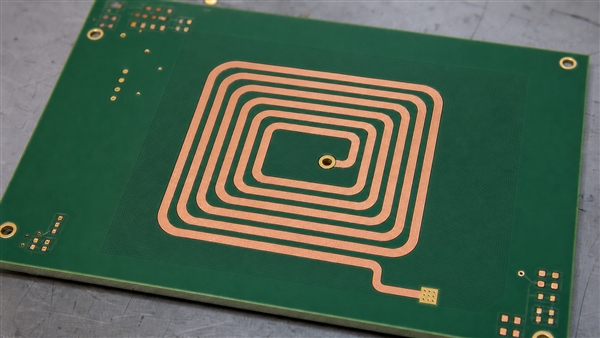
Continuous copper coil on PCB with an inner via and outer terminal

What Is PCB Coil?

A PCB coil is a conductor patterned on a circuit board to produce a useful magnetic field or inductance. The phrase may also refer loosely to a mounted inductor coil, so first establish whether the winding is etched copper or a purchased component. This article focuses on the etched version, also called a planar inductor or printed coil.

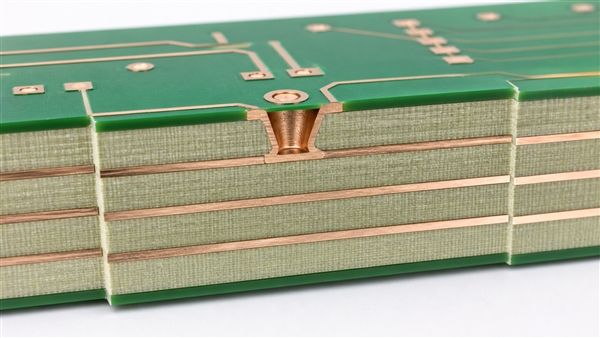
A flat PCB coil normally has two electrical terminals, not a set of independent concentric rings. One terminal begins at the outer turn; the inner terminal often uses a via and a trace on another layer to escape without crossing the winding. A coil PCB can carry surrounding electronics, or it can be a separate sensing or antenna board. A planar PCB coil is therefore a physical winding structure, not a separate component footprint.

What Does a Coil Do in a Circuit?

A coil stores energy in a magnetic field and opposes changes in current. A changing field can also induce voltage in another conductor. These effects let coils act as inductors, antennas, sensors, transformer windings or actuators, depending on their connection and geometry.

The ideal relationships are v = L di/dt and E = 0.5 L I2. A real PCB inductor adds resistance and parasitic capacitance, so it cannot be treated as ideal at every frequency. What is a coil in electronics? It is the winding that provides this magnetic behavior, not necessarily a cylindrical wire component.

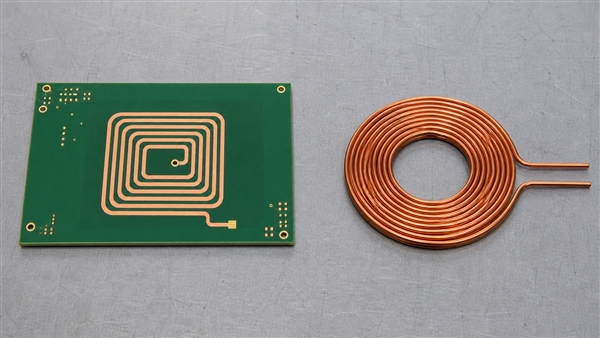
Printed Coil vs Wire-Wound Coil

Choose a printed winding for repeatable geometry and low profile; consider a discrete winding when inductance, current or magnetic-core requirements would consume too much board area.

Design factor Printed PCB coil Wire-wound coil
Geometry Set by copper artwork and board stack-up Set by wire, winding and optional core
Height Can be integrated within board thickness Usually extends above the mounting surface
Resistance Constrained by trace length and cross-section Wire gauge and winding space offer different trade-offs
Inductance per area Limited for a small air-core spiral A suitable magnetic core can increase inductance
Change control Requires revised artwork or stack-up A compatible discrete part may be substituted after validation
Etched PCB spiral compared with a separate copper wire winding

Do not replace a power inductor with an inductor coil on PCB based only on matching nominal inductance. Compare its current waveform, losses, temperature rise, saturation behavior if a core is used, and required transient response. Our guide to inductor placement and selection on PCB covers the separate mounted-component case.

Which Dimensions Control PCB Coil Design?

Outer size, inner opening, turns, trace width and spacing must be considered together. More turns can raise inductance, but fitting them into a fixed footprint can increase resistance and capacitance enough to reduce useful performance.

  • Outer dimensions: influence magnetic-field coverage and available winding area.
  • Inner opening: determines how tightly the center is filled; tiny inner turns can add more loss than useful coupling.
  • Trace width: trades conductor resistance against the number of turns that fit.
  • Spacing: must account for fabrication tolerance as well as electrical interaction.
  • Copper thickness: changes resistance, etching behavior and finished trace shape.
  • Shape: circular, square and rectangular patterns have different field distributions and model coefficients.

For a simple single winding with a bottom-layer escape, double-sided printed circuit boards provide a practical construction. Keep the escape route short and avoid routing it across the active winding on the same copper layer.

How Should You Use a PCB Coil Calculator?

A PCB coil calculator provides a starting estimate, not a finished-board guarantee. Match its model to the shape and layer count, then enter actual manufacturable dimensions. A circular-coil equation should not be applied unchanged to a long rectangular winding.

A PCB coil inductance calculator typically requires turn count, trace width, spacing and inner or outer dimensions. A PCB rectangular coil inductance calculator must also represent both axes. A multilayer PCB coil calculator needs the layer separations and winding connections; simply multiplying a single-layer result ignores mutual coupling.

For a first-order series model, Q = 2 pi f L / RAC, sufficiently below self-resonance. Use AC resistance at the intended frequency, not only a multimeter’s DC resistance. For an LC circuit, f0 = 1 / (2 pi sqrt(LC)) is an initial estimate; the effective capacitance includes the attached circuit and parasitics.

A PCB coil generator or PCB coil design program can automate artwork, but exported tracks still need connectivity and manufacturing checks. Confirm the winding belongs to the intended net, both terminals are accessible, and no polygon fill or copper bridge shorts adjacent turns.

How Do Multilayer PCB Coils Connect?

A multilayer PCB coil can connect windings in series or parallel, but current direction determines whether their fields reinforce or oppose. Follow the entire current path through every via rather than judging polarity from how a spiral looks on screen.

For two series-connected windings, the inductance is L1 + L2 + 2M when the fields aid, and L1 + L2 – 2M when they oppose. Multilayer PCB coil design also changes interlayer capacitance and self-resonance. Parallel windings require balanced connections and current distribution; their benefit is not captured by a universal layer-count multiplier.

An embedded coil PCB places a winding on internal copper layers. Lamination protects it mechanically, but dielectric thickness and surrounding copper become part of its electromagnetic environment. A PCB bifilar inductor coil uses two closely associated windings; specify their electrical relationship rather than treating all adjacent traces as one series spiral.

Should Copper or a Ground Plane Sit Under the Coil?

Nearby conductive material can alter inductance and introduce eddy-current loss. A solid plane beneath a sensing loop may reduce the very field interaction the design needs. Review adjacent layers, shielding, mounting hardware and the enclosure, not just the visible top copper.

Use a deliberate copper keepout where the application requires an exposed magnetic field, and keep sensitive signal returns outside that keepout correctly routed. Do not remove an entire board’s reference plane without considering return paths. Some applications intentionally use shielding or a magnetic sheet; those features must be included in the model and prototype.

For higher-frequency resonant circuits, RF printed circuit boards allow material and construction choices suited to the circuit. A low-loss laminate does not cancel winding resistance or guarantee a target Q. Low-frequency sensor coils may work well on ordinary FR4 after validation.

What Is a Coil Used For?

PCB coils are useful when their geometry can be matched to sensing, coupling or actuation. The application defines the right compromise, not a universal number of turns.

  • Inductive sensing: target movement changes the electrical response of the coil and its readout circuit.
  • NFC and RFID: a loop couples to a reader field; tuning and the final enclosure influence operation.
  • Wireless power: transmitting and receiving windings exchange energy through magnetic coupling.
  • Current measurement: a PCB Rogowski coil surrounds a conductor and responds to changing current.
  • Motion: a PCB coil motor uses patterned stator windings interacting with a magnetic rotor.
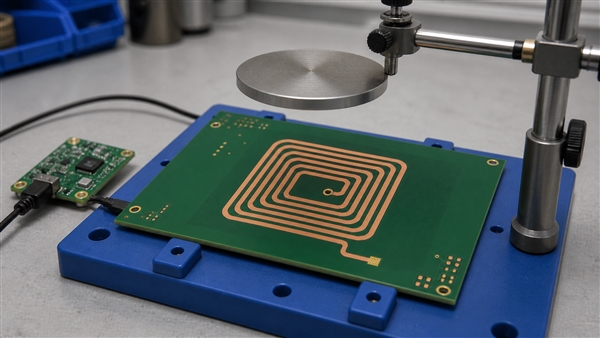
Illustrative inductive sensing fixture with a metal target separated from a PCB coil

A PCB Rogowski coil sensor is not just a flat spiral placed anywhere near a wire. PCB Rogowski coil design uses an appropriate closed sensing path and signal conditioning; its induced voltage depends on current change, so steady DC cannot be measured by the coil alone. For motor-specific construction, see our PCB stator motor design guide.

Can a PCB Coil Work as an Electromagnet?

A PCB coil electromagnet produces a field when driven with current, but useful force depends strongly on the magnet or target, air gap, geometry and thermal limit. A shallow printed winding is not automatically a replacement for a high-force solenoid.

For PCB power coil design, estimate copper loss as P = IRMS2R using resistance appropriate to temperature and waveform. Check temperature in the actual duty cycle and enclosure. A copper coil on PCB may need wider tracks or thicker copper, but additional copper does not remove all AC losses.

heavy copper printed circuit boards are relevant when conductor resistance and current handling dominate, including suitable planar transformer windings. Their trace-width and spacing requirements differ from fine-line boards. A PCB coil transformer also needs isolation, coupling and, where applicable, magnetic-core design beyond the winding artwork.

Can You Use a PCB Coil for Wireless Charging?

A wireless charging coil on PCB is possible, but feasibility depends on power, frequency, coupling, losses and thermal performance. A thin printed winding may suit a restricted-height design while being less efficient than a purpose-designed wire or litz-wire winding in another system.

For a PCB wireless charging coil, measure the coupled pair at the expected alignment and separation, including any ferrite and shielding. A proposed Qi PCB coil must meet the applicable system requirements; merely drawing a spiral does not establish Qi compatibility. NFC antenna operation at 13.56 MHz is a different design problem from wireless power transfer and should not inherit its tuning network.

How Do You Test a Coil on PCB?

Test connectivity first, then measure inductance and losses at the relevant frequency, and finally verify the complete application. Passing a DC continuity check alone does not establish useful coil performance.

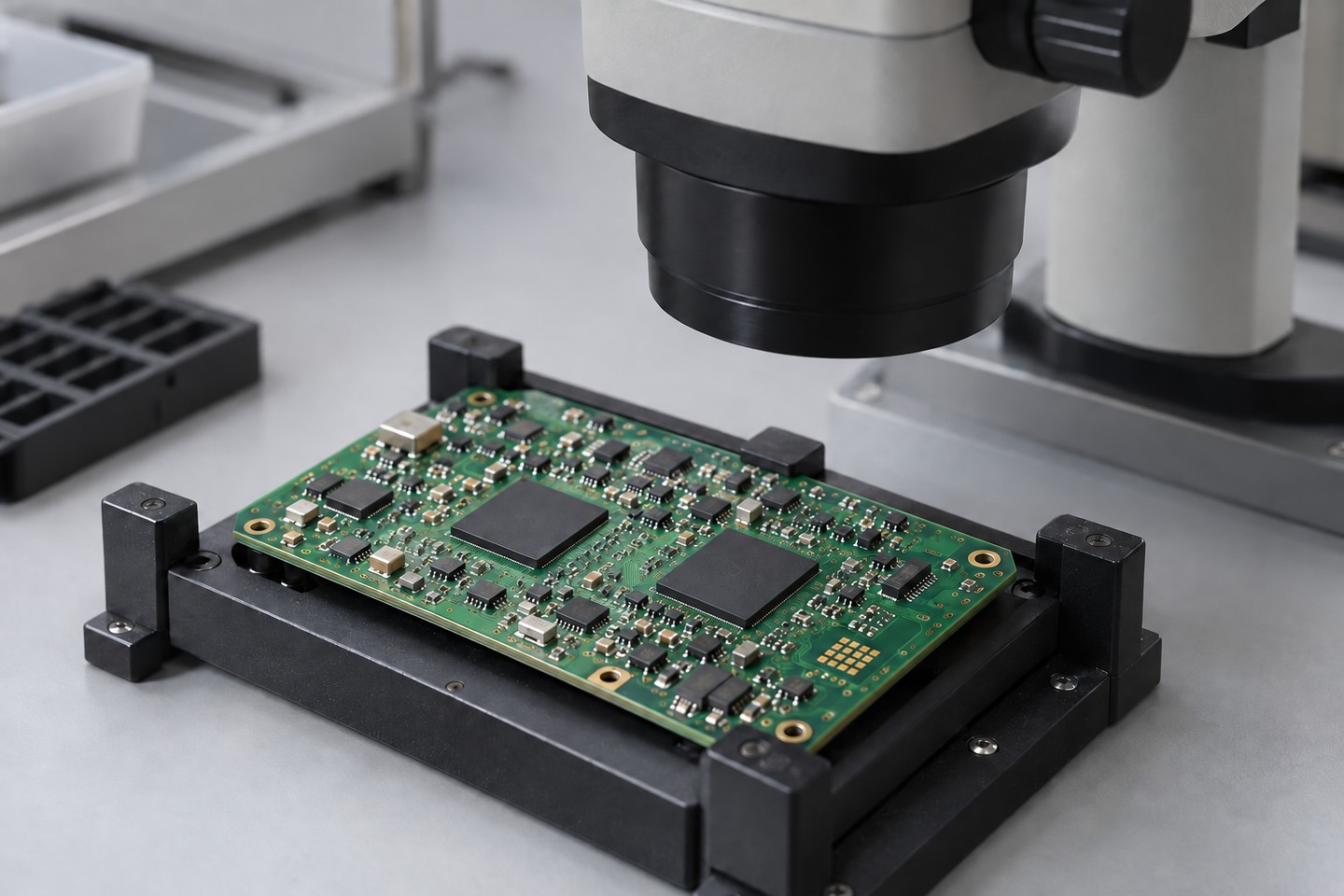
  1. Inspect trace spacing, terminal escape and vias for opens or cross-turn bridges.
  2. Measure DC resistance with suitable lead compensation; use a four-wire method when resistance is low.
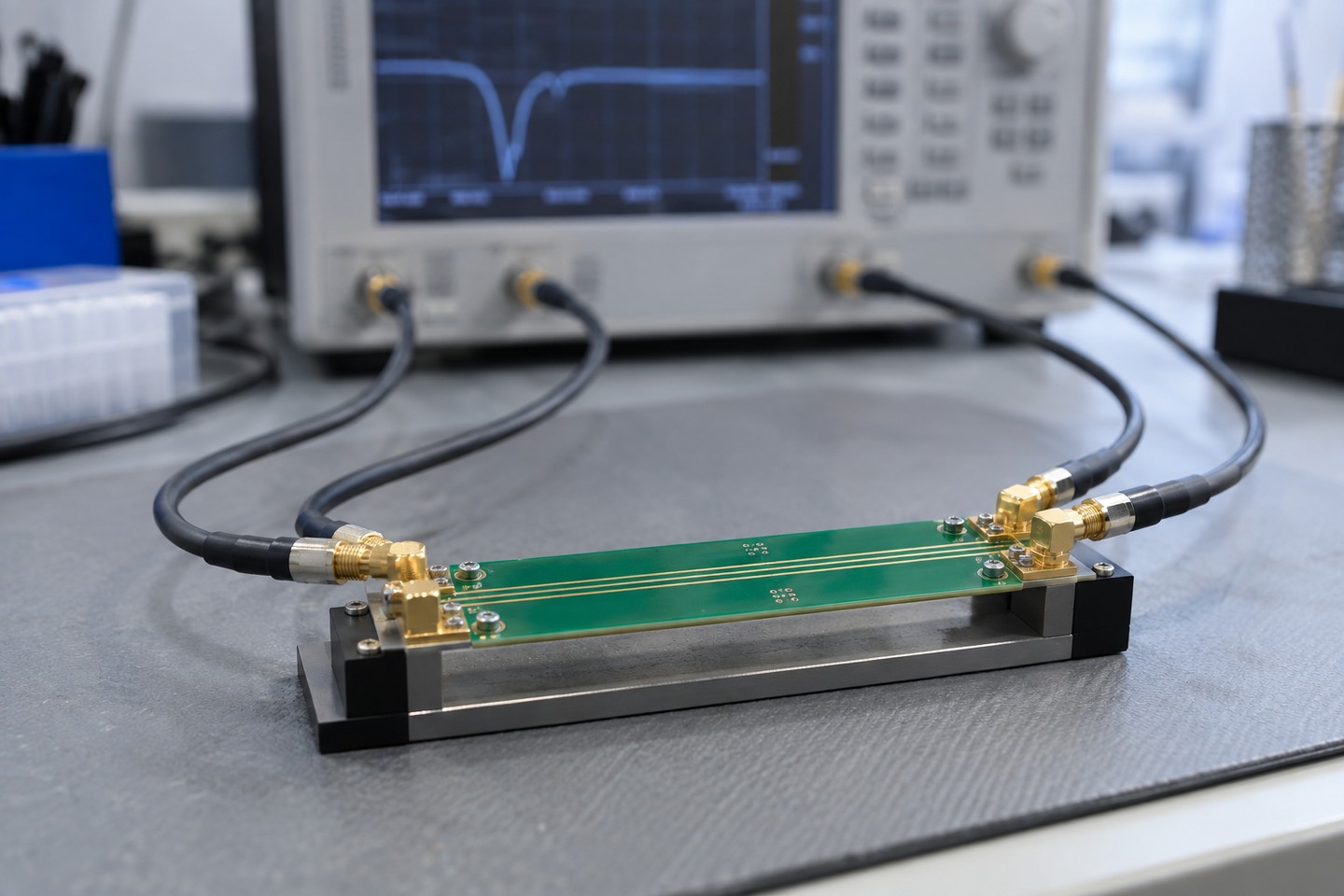
  3. Measure inductance and Q with an appropriate LCR meter or impedance analyzer, compensating the fixture.
  4. Sweep frequency when self-resonance or RF behavior matters.
  5. Repeat with the final enclosure, target, shield or receiving coil installed.
  6. Check temperature rise and response over the intended operating range.
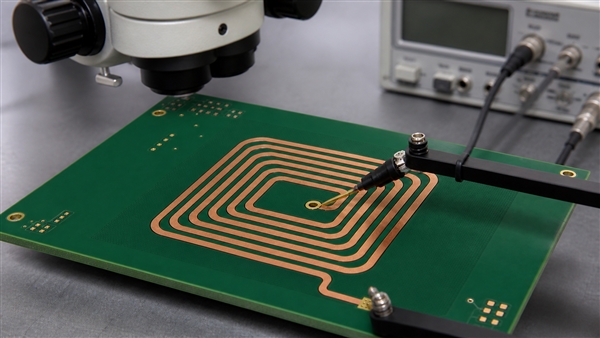
Illustrative microscope and terminal-probe setup for checking a printed coil

If the result differs from the model, check units, layer spacing, terminal routing, test leads and nearby metal before adding turns. A shorted turn can change inductance substantially while the two terminals still show continuity.

Further Questions About Printed Coils

Can a Rogowski coil on PCB measure steady DC?

No. Its output responds to changing current and normally needs integration to reconstruct the measured AC waveform. A PCB inductor coil used as an energy-storage element has a different function from this current-sensing structure.

What happens when you coil a wire?

The fields from individual turns interact, usually increasing useful inductance compared with the same wire laid straight. Winding spacing, shape and a magnetic core influence the result. PCB traces use the same physical principle with a different conductor geometry.

What is the role of a coil in electronics?

Its role can be energy storage, filtering, coupling or sensing. Identify the connected circuit before deciding whether a coil on circuit board is a power component, an antenna or a sensor.

Can several coils on PCB share one readout?

They can in a designed multiplexed or multichannel system. Switching parasitics, mutual coupling and channel calibration must be included; connecting every coil in parallel is not a general solution.

Is an air-core printed coil free from all current limits?

No. It lacks a ferromagnetic core that could saturate, but copper heating, dielectric limits, driver capability and nearby materials still limit operation.

Our PCB Coil Manufacturing Support

At EBest Circuit (Best Technology), we review the winding geometry together with the board construction. Our FR4 capabilities include ordinary minimum line/space of 4/4 mil and multilayer constructions up to 32 layers, subject to materials, dimensions, stack-up and engineering review. These are fabrication capabilities, not a promise that the finest trace or highest layer count produces the best coil.

We can support copper-thickness checks, optical inspection and open/short electrical testing. Coil inductance, Q, coupling and temperature acceptance require a project-specific test definition; they are not implied by a standard bare-board continuity test.

Conclusion

A reliable coil on pcb starts with the required magnetic function and finishes with measurement in its real surroundings. Keep the current path continuous, use a geometry-appropriate model, control losses and verify the finished stack-up. Contact sales@bestpcbs.com to discuss manufacturing support for your printed winding and surrounding circuitry.

You may also like

Heavy Copper PCB Manufacturer: Thickness, Stackup & Design Rules

August 24th, 2026

A heavy copper PCB manufacturer must control more than copper thickness. The fabrication route must support the current, thermal, mechanical and reliability requirements of boards that use substantially thicker conductors than conventional signal PCBs.

For buyers and hardware engineers, copper weight is only the starting point. Stackup balance, resin fill, trace geometry, hole structure, surface finish, board size, and acceptance criteria must be evaluated together. EBest Circuit therefore reviews each heavy-copper request against the complete fabrication package instead of treating one maximum copper number as a universal capability.

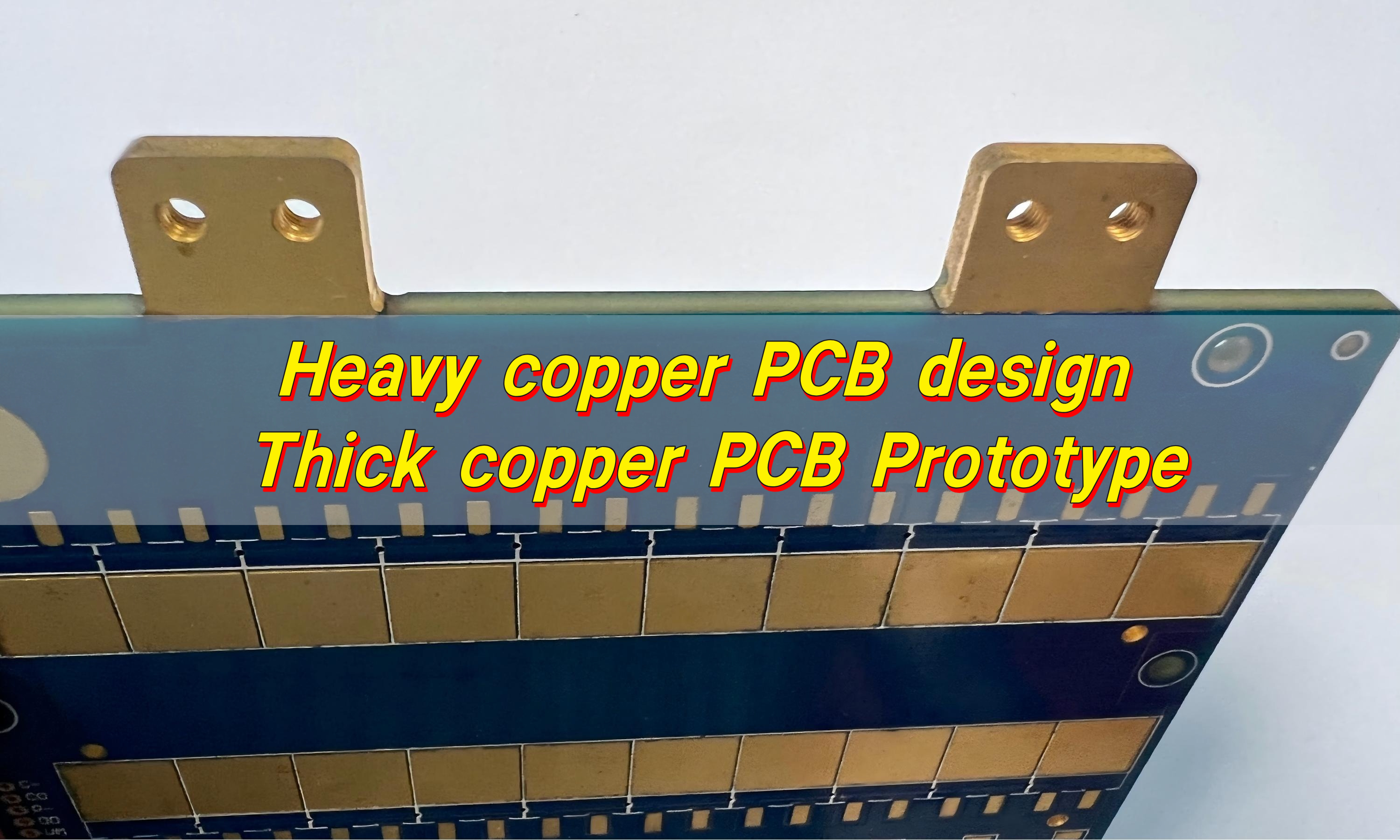
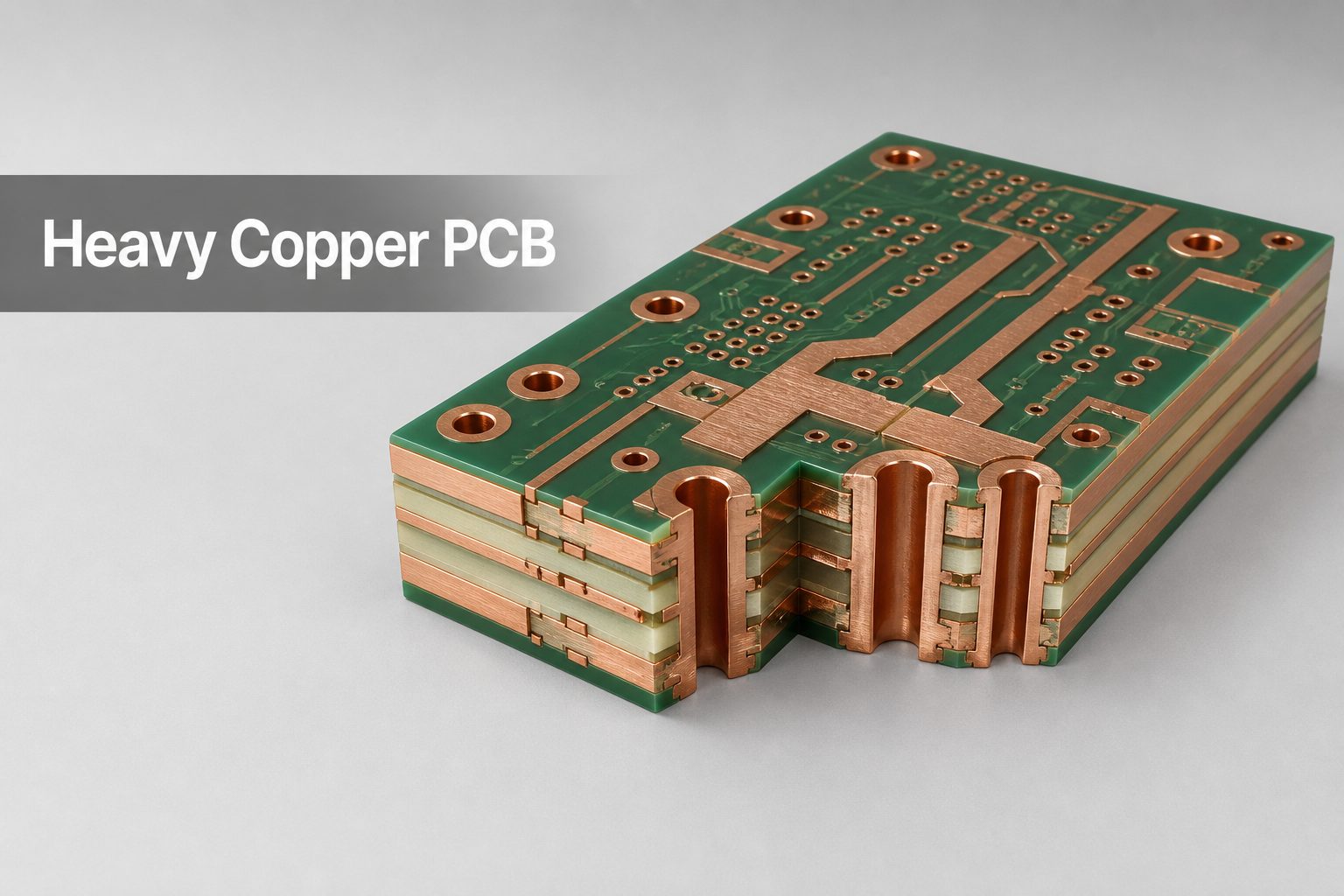
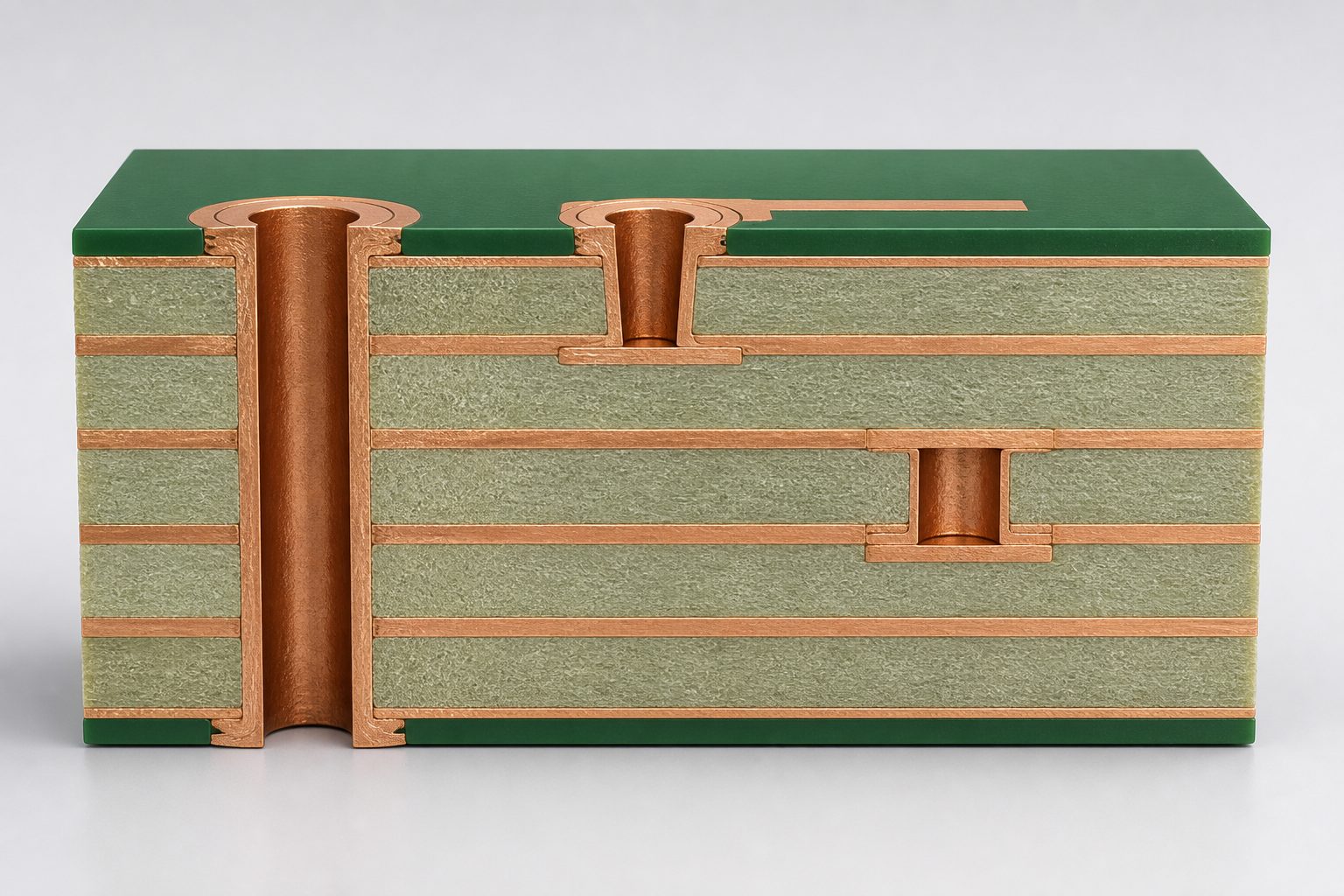
Heavy copper PCB cutaway with thick copper layers and plated through holes

What Is a Heavy Copper PCB?

A heavy copper PCB is generally understood in the PCB industry as a rigid board with copper conductors of about 3 oz/ft² or more on one or more layers. The term is not a single IPC product class, so the fabrication drawing should state the finished copper thickness required on every layer instead of relying on the words “heavy copper” alone.

Higher pcb copper weight increases the conductor cross-section available for current and heat spreading, but it also changes etching, plating, lamination, drilling, solder-mask coverage, and assembly behavior. Typical applications include power distribution, motor drives, battery systems, power converters, planar magnetics, welding equipment, industrial controls, and high-current protection circuits.

What Copper Thickness Can EBest Circuit Support?

Our current FR-4 process matrix separates routine production from special-process review. Standard designs cover inner-layer copper from 0.5 to 5 oz and outer-layer copper from 1 to 5 oz. Copper from 5 to 20 oz is listed as a special process for both inner and outer layers.

Layer position Standard process Special process Quotation status
FR-4 inner layer 0.5–5 oz 5–20 oz Confirm finished copper by layer
FR-4 outer layer 1–5 oz 5–20 oz Confirm base foil plus plating
20–200 oz extreme copper Not a standard matrix range Project-specific engineering review Stackup, size, geometry and quantity required

Our public product page describes extreme copper projects up to 200 oz. That figure should be treated as an engineering-review target, not a blanket promise that can be combined with every layer count, hole size, board dimension, material, or tolerance. A 100 oz+ request requires a dedicated feasibility review before the layout is frozen.

Which Heavy Copper PCB Stackups Are Typical?

Typical stackups keep copper mass as balanced as the electrical design allows. The exact core and prepreg construction is selected after we review copper coverage, finished board thickness, current paths, isolation requirements, hole structures, and assembly constraints.

Configuration Typical use Main DFM focus
Two-layer heavy copper Simple high-current distribution and power conversion Symmetric copper, isolation spacing and solderability
Four-layer balanced power board Separate power, ground and control functions Mirror copper weight and coverage around the centerline
Mixed-copper multilayer Heavy power layers with lighter signal layers Resin fill, lamination pressure, thickness control and registration
Extreme-copper custom construction Very high-current terminals, switches or power modules Fabrication route must be agreed before detailed layout

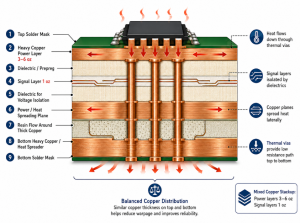
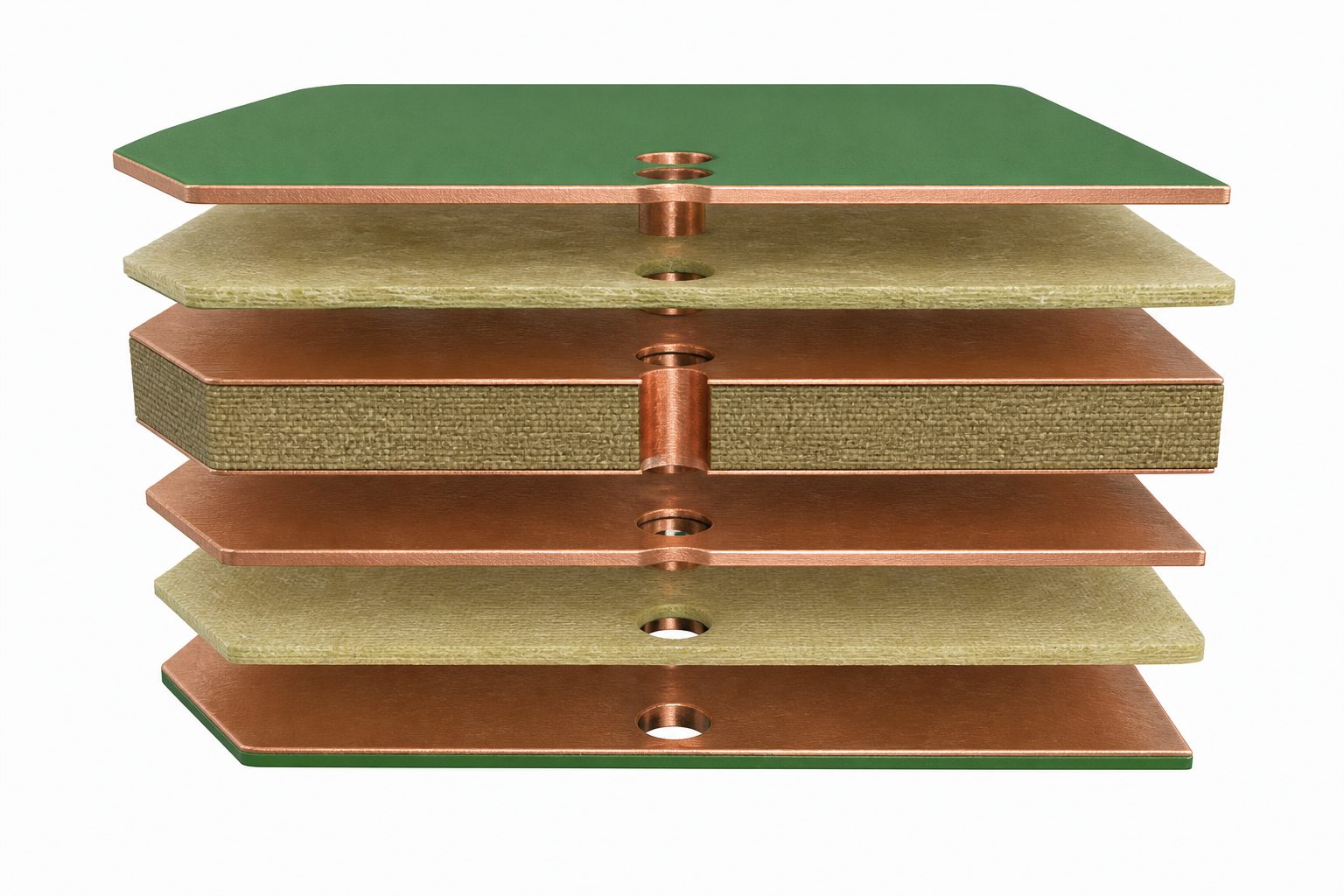
For stable heavy copper PCB design, avoid placing most of the copper mass on only one side of the stack. Large differences in copper coverage can increase resin-flow difficulty, thickness variation, bow, and twist. We may request copper balancing or thieving changes that do not alter the electrical function.

Exploded balanced multilayer heavy copper PCB stackup

Which Materials and Prepreg Systems Are Used?

FR-4 is the usual starting material, but the resin system must match the copper volume, thermal exposure, electrical requirements, and final board thickness. Our current material matrix includes low-, mid-, and high-Tg FR-4 options, with high-Tg material required for standard constructions of eight layers or more.

  • Standard FR-4 prepregs: 1080, 2116 and 7628.
  • High-Tg FR-4 examples: KB6167, ITEQ IT180, SY-S1170 and S1000-2.
  • Special material options: selected Isola, Nelco, Rogers, Taconic, PTFE and halogen-free systems, subject to stackup and procurement review.
  • Core selection: based on dielectric thickness, copper weight, required finished thickness and lamination filling demand.

Prepreg style alone does not guarantee a void-free heavy-copper build. Copper topography, remaining resin volume, pressure distribution, panel size, and copper coverage all affect fill. For deep conductor steps or 100 oz+ structures, we first review whether a conventional multilayer route is appropriate or whether a different conductor architecture is required.

Which Surface Finishes Are Available?

Available FR-4 surface finishes include OSP, HASL, ENIG, immersion silver, immersion tin, ENEPIG, hard gold fingers, and selected combined finishes. The correct option depends on pad flatness, shelf life, soldering process, contact wear, wire bonding requirements, and exposed-copper areas.

Surface finish Common selection reason Heavy-copper review point
OSP Simple solderable copper protection Handling, multiple heat cycles and exposed-copper plan
HASL / lead-free HASL Established solderable finish Surface planarity and large thermal mass
ENIG Flat pads and broad assembly compatibility Nickel/gold coverage around high copper steps
Immersion silver or tin Flat soldering surface Storage, handling and process compatibility
ENEPIG Soldering and selected wire-bonding applications Confirm bonding method and finish specification
Hard gold fingers Wear-resistant edge contacts Gold thickness, bevel and selective plating area

The finished board thickness range also varies with the selected finish. If your drawing combines thick copper with selective gold, exposed bus areas, press-fit holes, or large solder terminals, identify those regions clearly in the fabrication notes.

What Design Rules and Manufacturing Tolerances Apply?

Design rules become wider as copper thickness increases because the etching and plating window changes. Do not apply a 1 oz line/space rule to a 6, 10, or 20 oz layer. The values below are from our current FR-4 capability matrix and must still be checked against the full stackup.

Finished copper Inner standard line/space Inner special line/space Outer standard line/space Outer special line/space
2 oz 6/6 mil 5/5 mil 8/8 mil 6/6 mil
3 oz 10/12 mil 8/8 mil 12/12 mil 9/9 mil
4 oz 12/16 mil 10/10 mil 16/16 mil 12/12 mil
5 oz 16/20 mil 10/14 mil 20/20 mil 15/15 mil
6 oz 22/26 mil 14/16 mil 26/26 mil 20/20 mil
10 oz 36/40 mil 28/34 mil 40/40 mil 32/32 mil
20 oz 74/90 mil 60/80 mil 90/90 mil 70/70 mil

General FR-4 drilling tolerances in the same matrix are ±3 mil for plated-hole diameter and ±2 mil for non-plated-hole diameter under the standard process, with tighter special-process values of ±2 mil and ±1 mil respectively. Outline tolerance is typically ±5 mil. These values are not automatically combinable with maximum copper, maximum thickness, minimum holes, maximum aspect ratio, and maximum board size in one design.

Use our heavy copper PCB design guide as an early reference, then send the actual files for DFM. For current-carrying calculations, IPC-2152 relates conductor size, current and acceptable temperature rise; it does not replace thermal simulation, terminal analysis, or prototype validation for the finished assembly.

Which Via Technologies Are Available?

Through holes, mechanical blind/buried holes, and laser blind/buried vias are listed in our FR-4 capability matrix. The generic matrix shows 0.10 mm laser blind/buried vias, 0.20 mm standard mechanical blind/buried holes, and 0.15 mm special mechanical blind/buried holes.

  • Plated through holes: standard maximum aspect ratio 8:1; special process up to 10:1.
  • Mechanical blind/buried holes: 0.20 mm standard and 0.15 mm special-process minimums.
  • Laser blind/buried vias: 0.10 mm listed capability for suitable HDI constructions.
  • High-current transitions: multiple parallel vias, larger finished holes, thicker barrel copper, or direct copper structures may be considered after current and thermal review.

These minimums describe the broader FR-4 process range, not a guarantee that microvias can be combined with 20 oz or 100 oz copper. On heavy power layers, larger via structures and generous annular rings are usually more manufacturable. We confirm drill diameter, pad size, finished barrel copper, aspect ratio, and connection pattern together.

Cutaway showing through, blind and buried vias in a multilayer heavy copper PCB

Which Standards and Certifications Apply?

The applicable document set depends on the product class, end market, customer drawing, and purchase specification. A heavy copper board should not be described as “IPC compliant” without naming the exact document, revision, class, and acceptance requirements.

  • IPC-2152: guidance for determining current-carrying capacity from conductor size and acceptable temperature rise.
  • IPC-2221 and IPC-2222: generic and rigid-board design requirements.
  • IPC-6012F: qualification and performance requirements for rigid printed boards.
  • IPC-A-600: acceptability criteria for printed boards when called out with the applicable performance specification.

EBest Circuit company materials list ISO 9001:2015, ISO 13485:2016, IATF 16949, AS9100D, UL, RoHS and REACH documentation. Certification scope is not identical for every product, manufacturing site, or end use. State your industry and required certificate package in the RFQ so we can confirm the applicable manufacturing route and provide the relevant evidence.

What Determines Typical Lead Time?

Heavy copper lead time is quoted after DFM because the work does not follow one standard prototype schedule. The public EBest Circuit lead-time table directs special boards to contact us for project-specific timing, and that is the correct approach for heavy and extreme copper.

  • Finished copper weight on every inner and outer layer.
  • Layer count, board thickness, panel size and copper balance.
  • Laminate and prepreg availability, including special or halogen-free systems.
  • Mechanical, blind, buried or laser-via requirements.
  • Surface finish, selective plating and solder-mask build.
  • Prototype quantity, production quantity and test-coupon requirements.
  • DFM clarification cycles and customer approval time.

To shorten the schedule, submit a complete, internally consistent package and approve the proposed stackup before detailed routing is locked. You can review our general PCB lead-time framework, but the written quotation and order acknowledgement govern the actual heavy-copper delivery date.

How Should Engineers Design 100 oz+ PCBs?

A 100 oz+ board must be treated as an extreme copper PCB project, not as a 10 oz layout with every dimension multiplied. One ounce of copper per square foot is approximately 35 µm, so 100 oz represents roughly 3.5 mm of copper before considering dielectric layers, plating, surface finish, and fabrication tolerances.

  1. Define the electrical target. Provide continuous and peak current, duty cycle, allowed voltage drop, ambient conditions, cooling method and maximum temperature rise.
  2. Specify finished copper by layer. State which layers require 100 oz+ and whether the target includes plated build-up. Do not use one global copper note for a mixed construction.
  3. Separate power and signal needs. Keep fine-pitch control circuitry away from the extreme-copper geometry or place it on a separate assembly when practical.
  4. Use broad, simple conductors. Avoid fine neck-downs, dense spacing, small thermal spokes and abrupt current bottlenecks. Exact minimum geometry must come from project DFM.
  5. Minimize layer transitions. Where current must change layers, define the total current path through terminals, copper features and via structures rather than counting vias alone.
  6. Balance the construction. Keep copper mass and coverage as symmetric as possible to reduce lamination and flatness risk.
  7. Reserve mechanical space. Expect larger pads, holes, clearances, edge distances and finished board thickness than a normal PCB.
  8. Freeze the layout after fabricator DFM. We must agree on the manufacturing route, stackup, conductor geometry, tolerances, coupon plan and inspection criteria before release.

These are high current PCB design guidelines, not a released 100 oz design-rule table. EBest Circuit’s controlled FR-4 matrix currently provides numeric line/space rules through 20 oz. Any 100 oz+ geometry remains subject to engineering feasibility, material sourcing, panel constraints, and a written project-specific rule set.

What Should You Send for DFM Review and Quotation?

A complete package lets us distinguish a feasible heavy-copper build from a requirement that needs structural changes. Send the electrical requirements together with the fabrication data, not just Gerber files and a single copper number.

  • Gerber or ODB++ data, NC drill files, drill table and board outline.
  • Layer stackup with finished copper weight for every layer.
  • Finished board thickness, tolerance, dimensions and quantity.
  • Material family, Tg, CTI, flammability and halogen-free requirements where applicable.
  • Surface finish, selective plating, exposed copper and edge-contact requirements.
  • Continuous/peak current, temperature-rise limit, duty cycle and cooling conditions.
  • Required IPC document, class, test coupons, microsections, electrical test and certificate package.
  • Prototype target date and production forecast.

Our general PCB capability page provides broader reference data. For a binding decision, the reviewed stackup, DFM response and quotation take priority over standalone website maxima.

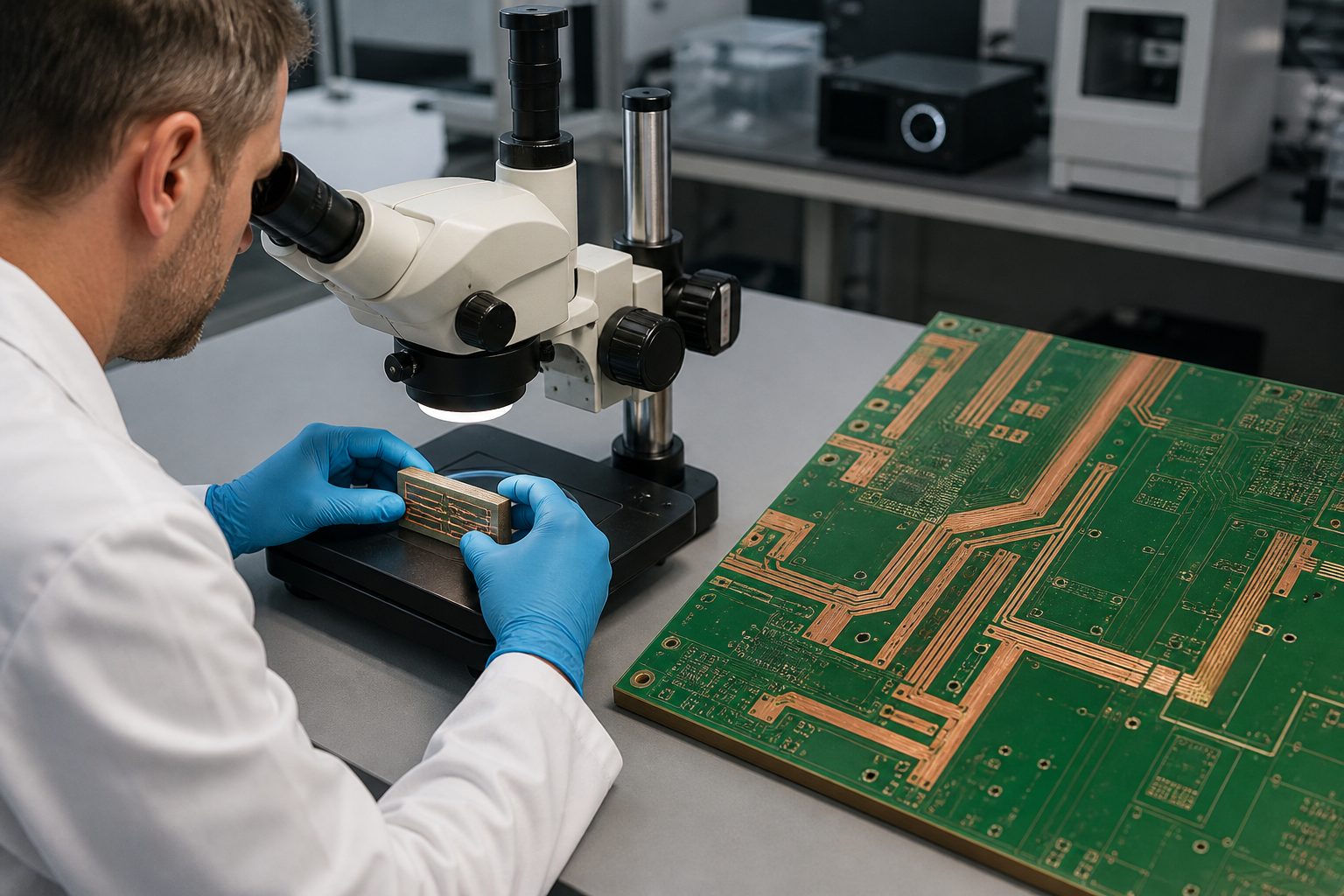
Heavy copper PCB and polished cross-section coupon under microscope inspection

FAQ About Heavy Copper PCB

Is 3 oz copper considered heavy copper?

Many PCB manufacturers use 3 oz/ft² as the practical starting point for heavy copper, although there is no single IPC definition that makes the label sufficient for fabrication. Always state the finished copper thickness required on each layer.

Can inner and outer layers use different copper weights?

Yes. Mixed-copper stackups can place heavier copper on power layers and lighter copper on signal layers. The combination must be reviewed for resin fill, copper balance, finished thickness, registration and the line/space required on each layer.

Can heavy copper PCBs use blind or buried vias?

They can in suitable constructions, but the smallest generic FR-4 via capability cannot automatically be combined with the highest copper weight. We review hole type, connection layers, annular ring, dielectric thickness and copper build together.

Does thicker copper always allow more current?

Thicker copper increases conductor cross-section, but current capacity also depends on trace width, temperature-rise limit, adjacent copper, board material, airflow, enclosure, duty cycle, terminals and layer position. Use IPC-2152 as a design reference and validate the complete assembly.

Which finish is best for a heavy copper power board?

There is no universal finish. ENIG is useful where pad flatness matters, HASL is an established solderable option, OSP is simple, and ENEPIG may support selected bonding needs. The assembly process, storage plan, contact wear and selective-plating requirements decide the finish.

Can EBest Circuit make a 100 oz PCB?

We evaluate 100 oz+ requests as extreme-copper projects. Our controlled FR-4 matrix provides standard and special rules through 20 oz, while higher public maxima require project-specific confirmation. Send the stackup, geometry, current target, board size and quantity for a written feasibility decision.

How Can EBest Circuit Support Your Heavy Copper PCB Project?

At EBest Circuit, we support heavy copper PCB stackup review, material selection, DFM, prototype fabrication, production planning, electrical testing and cross-section inspection. We will identify which requirements fit the standard process, which require a special route, and which need redesign before they become cost or reliability problems.

Send your files and operating requirements through our PCB quotation and engineering contact page. For 20 oz, 100 oz+ or mixed-copper multilayer designs, request the project-specific stackup and design rules before final layout release.

You may also like

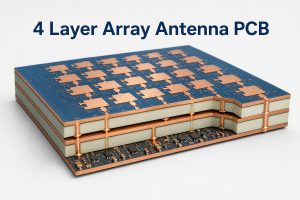
4 Layer Array Antenna PCB: Stackup, RF Layout and Manufacturing

August 19th, 2026

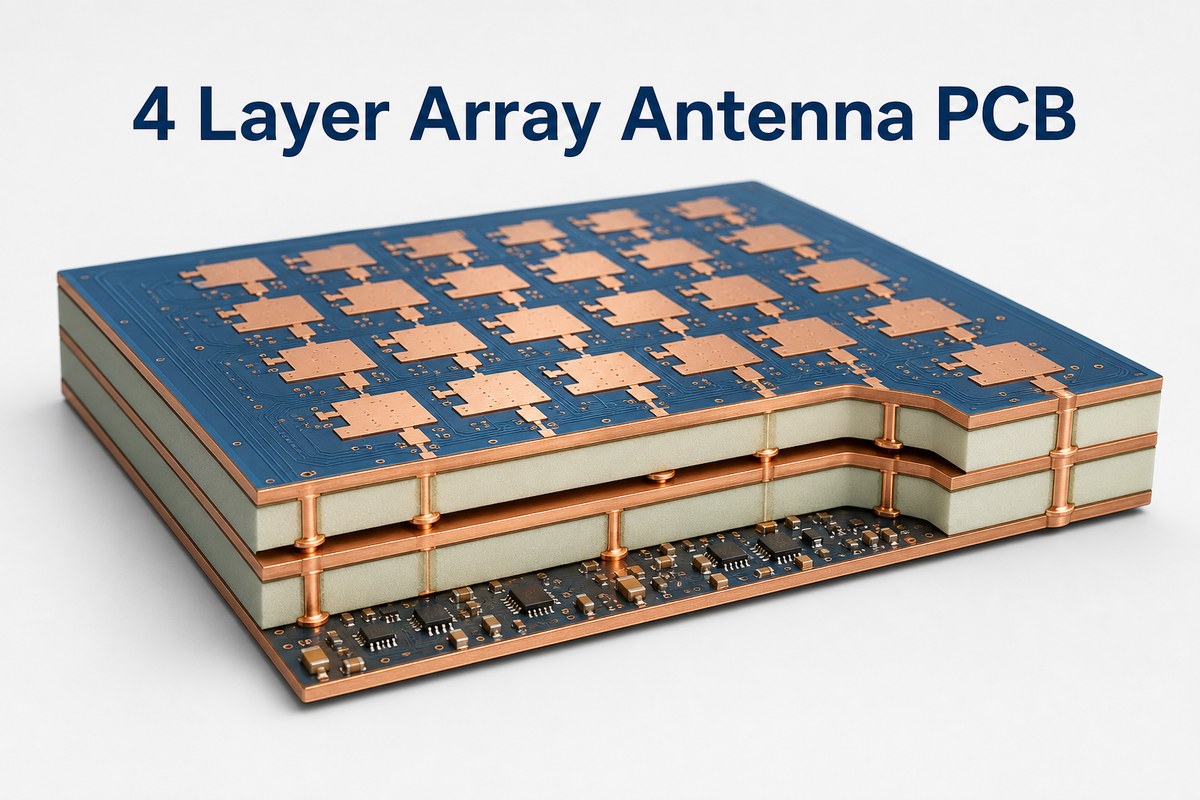
A 4 layer array antenna PCB combines antenna elements, controlled RF paths, reference planes and support circuitry in one board. Its measured performance depends on the manufactured stackup as much as the simulated antenna geometry.

Here, “4 layer” means four copper layers. It does not describe a four-element or 4 × 4 array. The final construction must match the operating frequency, antenna architecture and validation plan.

EBest Circuit provides multilayer RF and high-frequency PCB fabrication, impedance-control support, prototypes, small-volume production and PCB assembly. Send us your stackup, material requirements, impedance table, quantity and production data for review and quotation.

3D cutaway of a 4 layer array antenna PCB with antenna patches and four visible copper layers

What Is a 4 Layer Array Antenna PCB?

A four-layer array antenna PCB is an RF board with several coordinated radiating elements and a shared feed or beamforming network. The copper layers divide antenna, reference, power, control and component-routing functions.

A passive array may use a fixed feed network. A phased array antenna PCB also controls channel phase and often amplitude. PCB layer count and antenna element count are separate design decisions.

Term Meaning
4 layer PCB Four copper layers separated by dielectric materials
Array antenna PCB Multiple elements operating as one coordinated aperture
Phased array antenna PCB An array with controlled channel phase and usually amplitude

What Is a Phased Array Antenna, and How Does It Work?

A phased array antenna forms and steers a beam by controlling the relative phase of its elements. Constructive interference strengthens radiation in the target direction, while cancellation shapes sidelobes and nulls.

How does a phased array antenna work on a PCB? Each RF channel adds delay and loss through its trace, dielectric, vias, components and connector launch. Small physical differences therefore become channel errors.

Calibration can correct limited residual error, but it cannot replace repeatable PCB construction. Large mismatches reduce calibration margin and increase sensitivity to temperature and production variation.

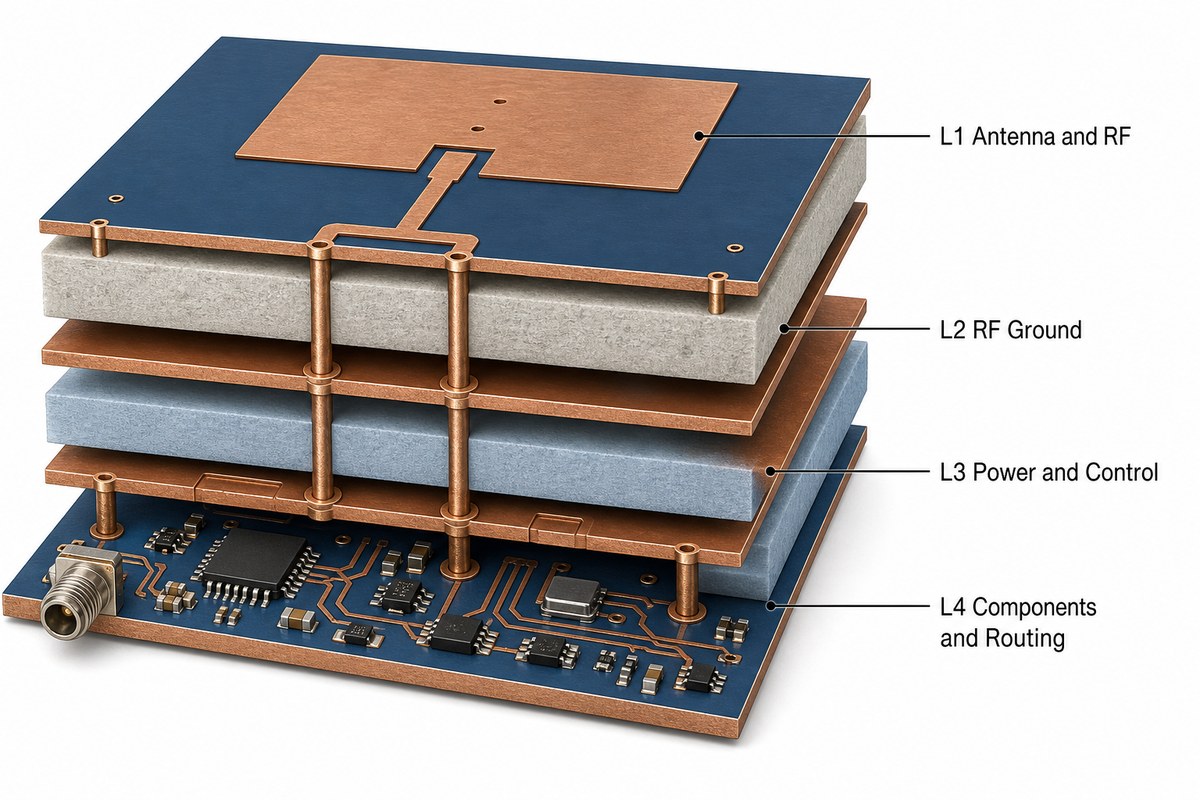
What Does Each Copper Layer Do?

Each copper layer needs one clear primary role before routing starts. The arrangement below is a practical baseline, not a universal antenna stackup.

Layer Typical Role Main Check
L1 Patch elements, microstrip feeds or RF components Element geometry and spacing to reference
L2 Continuous RF ground or reference Return-path continuity
L3 Power, bias and low-speed control Isolation from sensitive RF regions
L4 RF components, exits and control routing Component density and transition geometry
Exploded four-layer antenna PCB stackup with RF ground, power control and component layers

Aperture-coupled and proximity-coupled antennas may assign the layers differently. Confirm finished dielectric thickness, processed copper and coupling geometry in the electromagnetic model before freezing the layout.

Which Materials and Copper Profiles Suit the Operating Frequency?

The laminate must keep dielectric behavior and conductor loss predictable across the operating band. Frequency matters, but bandwidth, efficiency, phase consistency, availability and fabrication process also affect the choice.

FR-4 may suit lower-frequency or narrowband designs when its measured variation and loss are acceptable. Microwave and millimeter-wave arrays often need controlled design Dk, low Df, stable thickness and suitable copper roughness.

  • Use supplier-supported design Dk at the relevant frequency.
  • Specify finished dielectric thickness.
  • Include copper roughness in loss modeling.
  • Confirm laminate, bondply, foil and finish compatibility.
  • Keep one approved construction from prototype through production.

How Should Feed Lines, Reference Planes and Vias Be Designed?

RF feeds need field-solved geometry and an uninterrupted reference path. A nominal 50 Ω target does not define one trace width because impedance changes with Dk, dielectric thickness, copper and local geometry.

Keep bends, tapers, pads and layer transitions consistent across matched channels. Avoid plane splits beneath critical paths, and place return vias close to signal transitions without disturbing the antenna field.

Via fencing can reduce coupling, but arbitrary dense stitching can detune the antenna. Treat via stitching as part of the RF model rather than a final layout cleanup step.

How Should Element Spacing and Channel Symmetry Be Controlled?

Array pitch must follow wavelength, scan range and element pattern. It is not a generic PCB spacing value. Edge elements also need separate review because they see a different electromagnetic environment.

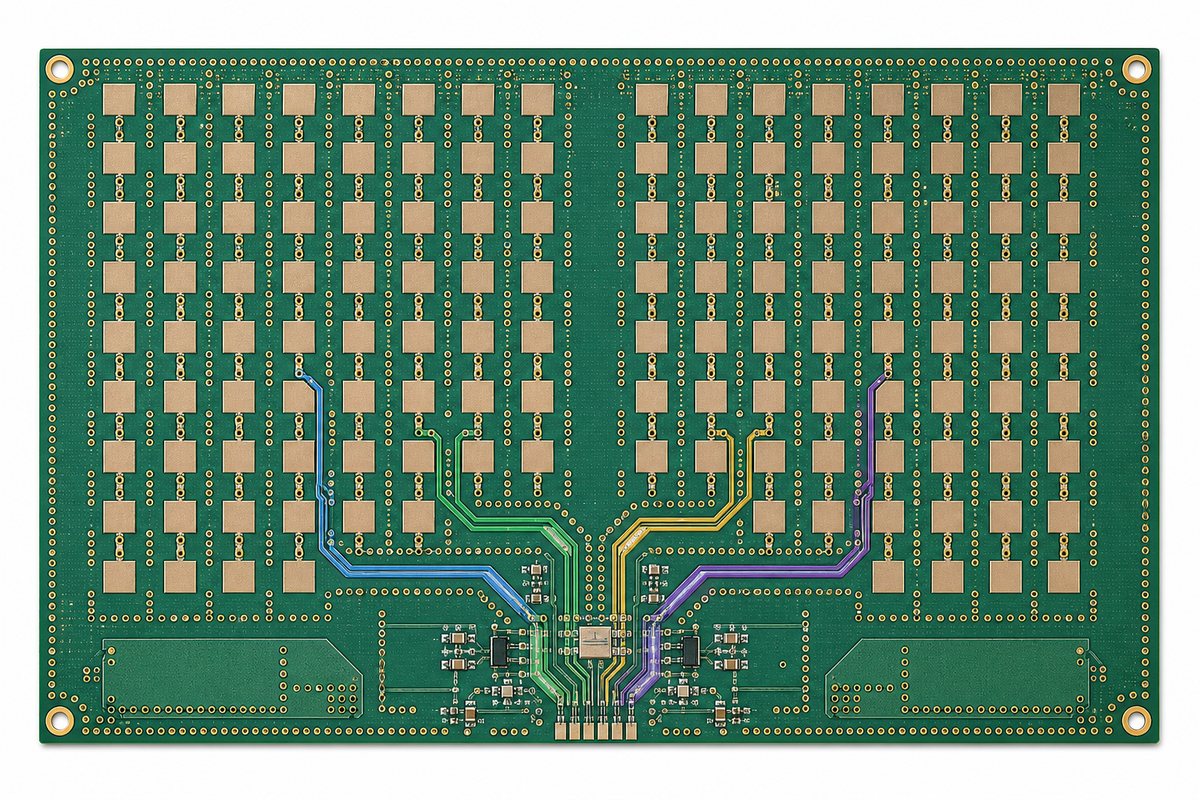
Matched channels need the same reference plane, transition count, bend geometry and connector launch. Equal trace length alone cannot compensate for different vias, clearances or nearby copper.

  • Verify one unit cell before replication.
  • Lock antenna, feed and ground geometry together.
  • Keep solder mask conditions consistent around each element.
  • Model packages and connectors that add phase or loss.
Top view of a planar antenna array PCB with four highlighted matched RF feed channels

Which Fabrication Tolerances Need Explicit Control?

Control dimensions that change impedance, resonance, coupling or channel balance. General PCB tolerances may be too broad for RF-critical geometry, so the fabrication drawing must identify those features.

Feature RF Effect Required Record
Finished dielectric thickness Impedance, coupling and resonance Approved finished stackup
RF trace and gap geometry Impedance and phase delay Impedance table and coupon plan
Patch size and registration Resonance and element consistency Critical-dimension notes
Copper thickness and profile Loss and impedance Approved foil and finished copper
Via geometry Transition inductance and return path Hole, pad and antipad requirements

Use the impedance control PCB documentation as a starting point, then add antenna-specific dimensions. Confirm the producible stackup before final RF tuning.

When Is a Four-Layer Stackup Not Enough?

Four layers are insufficient when routing, isolation, power distribution or thermal paths disturb the antenna aperture and its references. Adding layers can reduce compromise, but it changes transitions, thickness and cost.

Consider more layers for dense beamformer fanout, several isolated RF paths, multiple power rails, high-speed control, buried aperture routing or separate shielding cavities. Hybrid construction may help when RF and control regions need different materials.

The choice must follow the complete layout and EM model. Moving a path into stripline may improve isolation but add via loss, so evaluate the stripline versus microstrip trade-off at the project frequency.

How Should Assembly and Thermal Design Protect RF Performance?

Assembly must preserve the grounding, geometry and channel balance established by the bare PCB. Use package-specific land patterns and stencil design, especially under exposed pads and dense RF components.

Control solder volume and voiding where the package requires it. Ground and thermal vias must support the component without creating an unmodeled coupling path near the antenna.

Plan heat removal before final RF routing. Uneven temperature can shift gain and phase, while heat spreaders and mechanical supports can disturb the aperture if they enter an RF keepout region.

How Should the Board Be Tested Before OTA Validation?

Verify construction and RF paths before over-the-air testing. OTA measurements evaluate the radiated system, but they are inefficient for finding an open via, incorrect stackup or poor connector launch.

  1. Review material records and the finished stackup.
  2. Complete continuity and isolation testing.
  3. Inspect registration, RF features, mask and vias.
  4. Measure representative impedance coupons.
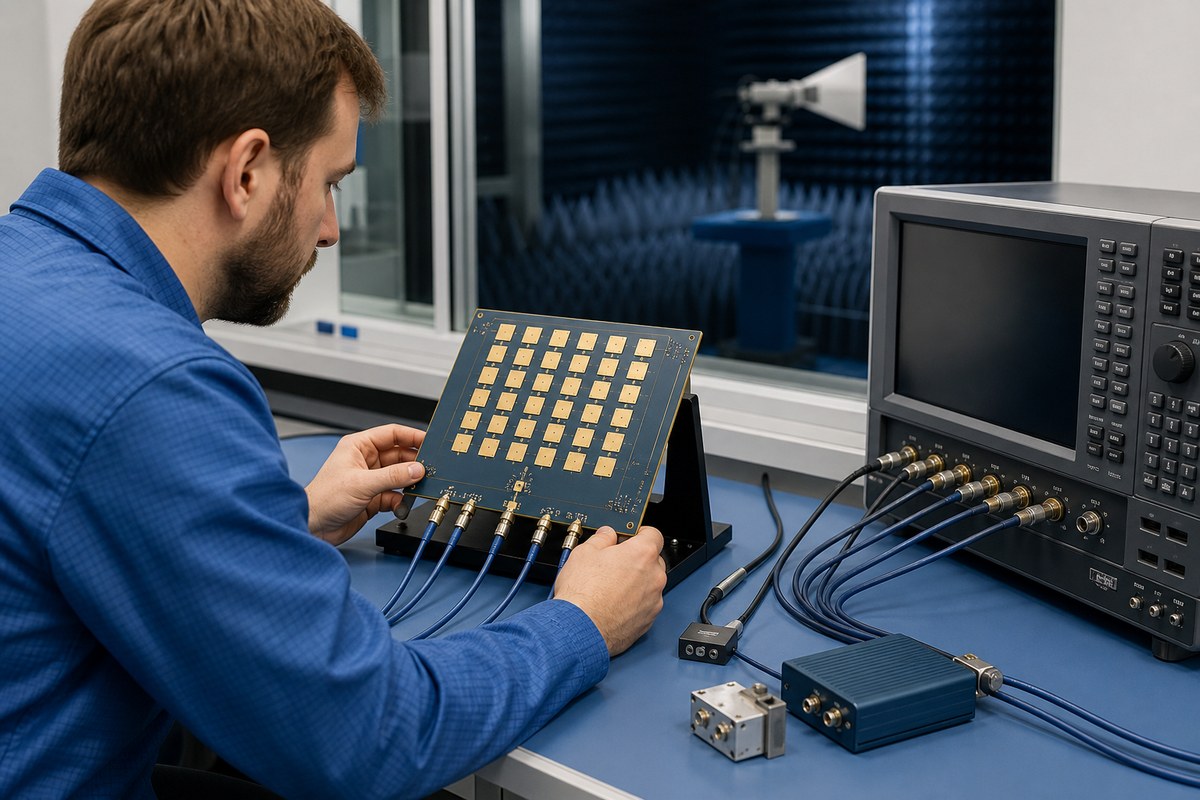
  5. Use a VNA for return loss and channel comparison.
  6. Run planned OTA pattern and scan validation.
  7. Compare several boards from the same revision.
RF engineer testing an array antenna PCB with a VNA before OTA validation

Coupons cannot prove patch resonance, coupling or beam shape. Keep coupon, VNA and OTA results linked to the same board revision and production lot.

FAQ About 4 Layer Array Antenna PCB Projects

Can FR-4 be used for an array antenna PCB?

Yes, when measured dielectric variation and loss meet the operating-band requirement. Do not assume that every FR-4 grade behaves the same.

Should solder mask cover the patch elements?

Only when the model includes its dielectric effect. An unplanned coating change can shift resonance.

Which surface finish is best?

No finish is universal. Compare RF loss, thickness, planarity, solderability and assembly needs before approval.

Can impedance coupons verify the antenna?

No. Coupons verify representative transmission lines, while the complete antenna still needs VNA and OTA validation.

Does the PCB manufacturer need OTA equipment?

Not necessarily. The manufacturer controls construction and electrical integrity; the antenna team can own final calibration and OTA acceptance.

How Can EBest Circuit Support Your Array Antenna PCB?

At EBest Circuit, we support multilayer RF and high-frequency PCB fabrication, controlled impedance, prototypes, small-volume production and PCB assembly. Our PCB checks can include electrical testing, impedance testing and micro-section inspection.

Send your Gerber or ODB++ data, drill files, stackup, target frequency, materials, impedance requirements, quantity and assembly package to sales@bestpcbs.com. We will review the manufacturing data and prepare a quotation.

You may also like

14-Layer HDI PCB: Stackup, Design Rules & Manufacturing Guide

August 19th, 2026

A 14 layer HDI PCB combines 14 copper layers with high-density interconnect features such as microvias, blind and buried vias, sequential lamination, and via-in-pad.

The extra layers provide room for signals, ground planes, and power distribution. HDI technology solves the routing problem around fine-pitch components, where conventional through vias consume too much board space.

Before selecting this structure, engineers usually need to determine:

  • How many HDI buildup layers are necessary?
  • Can the BGA be routed without stacked microvias?
  • Which stackup supports the required impedance?
  • Can the laminate tolerate repeated lamination?
  • Which fabrication limits should be confirmed before layout is frozen?

These choices have a larger impact on cost and manufacturability than the layer count alone.

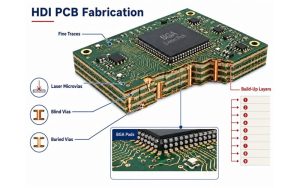
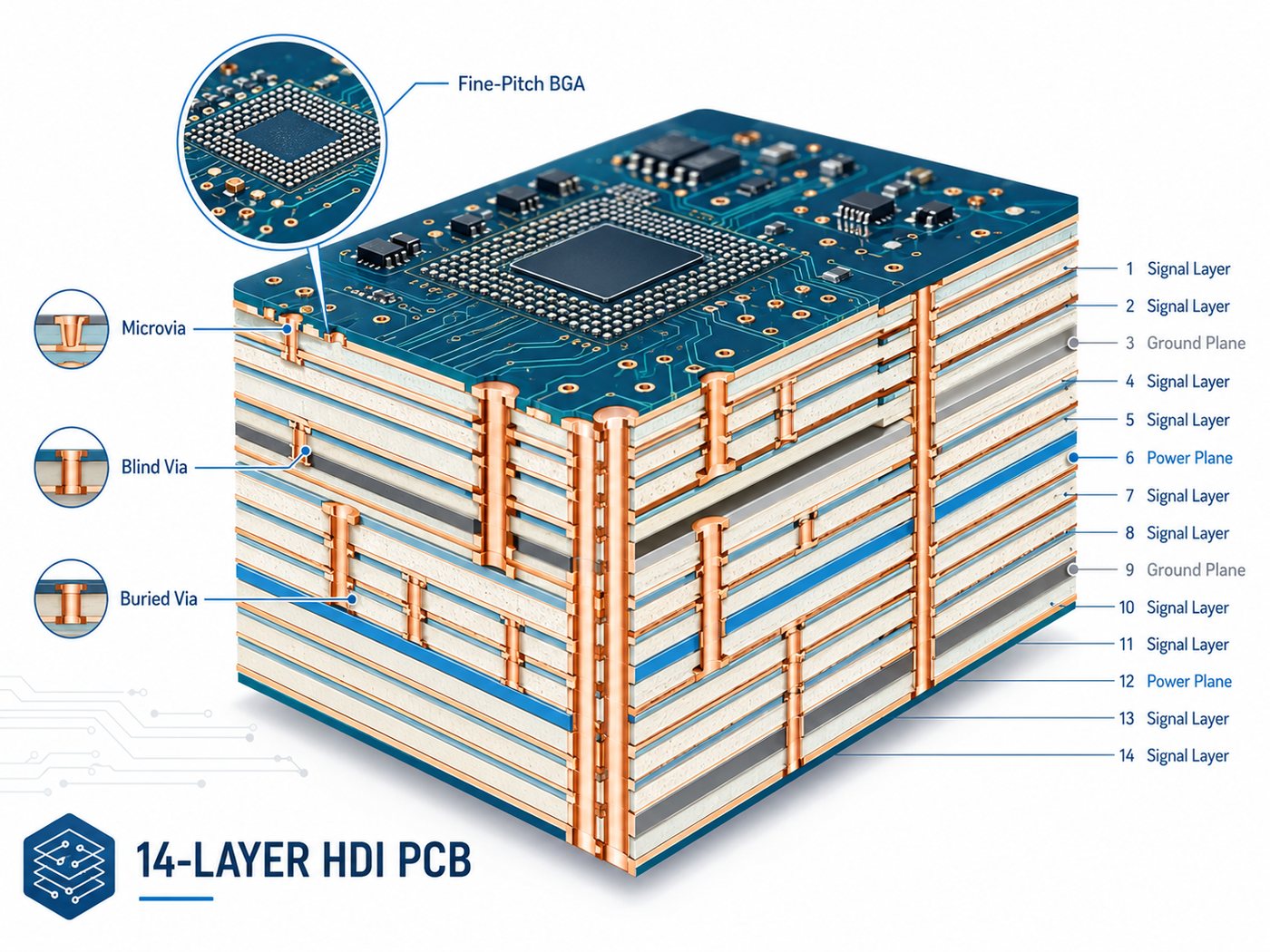
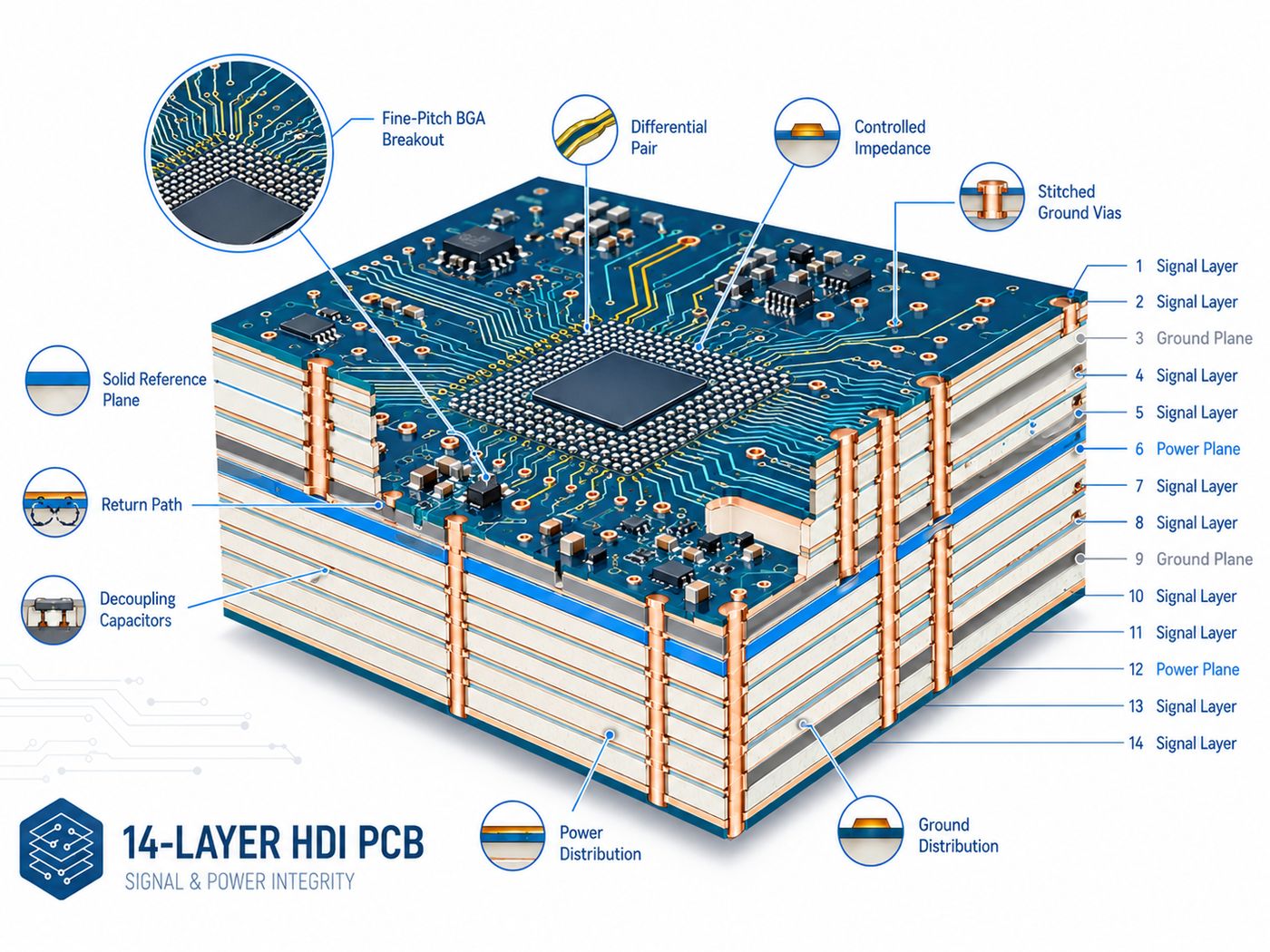
14-layer HDI PCB cutaway showing microvias, blind vias, buried vias, signal layers, ground planes and power planes

What Is a 14-Layer HDI PCB?

A 14-layer HDI PCB has 14 conductive copper layers and uses high-density vias to connect selected layers.

Common HDI features include:

  • Laser-drilled microvias
  • Blind and buried vias
  • Via-in-pad
  • Stacked or staggered microvias
  • Sequential buildup layers

A conventional 14 layer PCB can also have 14 copper layers but rely mainly on through vias.

HDI becomes useful when a design needs more routing channels around fine-pitch BGAs, processors, FPGAs, or other dense packages. If component pitch is generous and board area is not constrained, a conventional multilayer board may be the more economical choice.

When Do You Need a 14-Layer HDI PCB?

A 14-layer HDI construction makes sense when routing density, board size, and electrical requirements begin competing for the same space.

Typical cases include:

  • Fine-pitch BGA breakout
  • High-I/O processors or FPGAs
  • Compact communication or computing boards
  • Multiple high-speed interfaces
  • Designs requiring several continuous reference planes
  • Dense layouts where through vias block inner-layer routing

HDI should solve a specific layout problem. If a standard 14-layer board can meet routing and electrical requirements without microvias or sequential buildup, adding HDI only increases fabrication complexity.

How Is a 14-Layer HDI PCB Stackup Designed?

A 14 layer PCB stackup should be built around routing, impedance, power distribution, board thickness, and via structure.

The HDI PCB stackup must be reviewed with the approved laminate system, finished thickness, copper distribution, and impedance targets before routing is released.

For a broader explanation of layer planning, see our PCB board stackup guide.

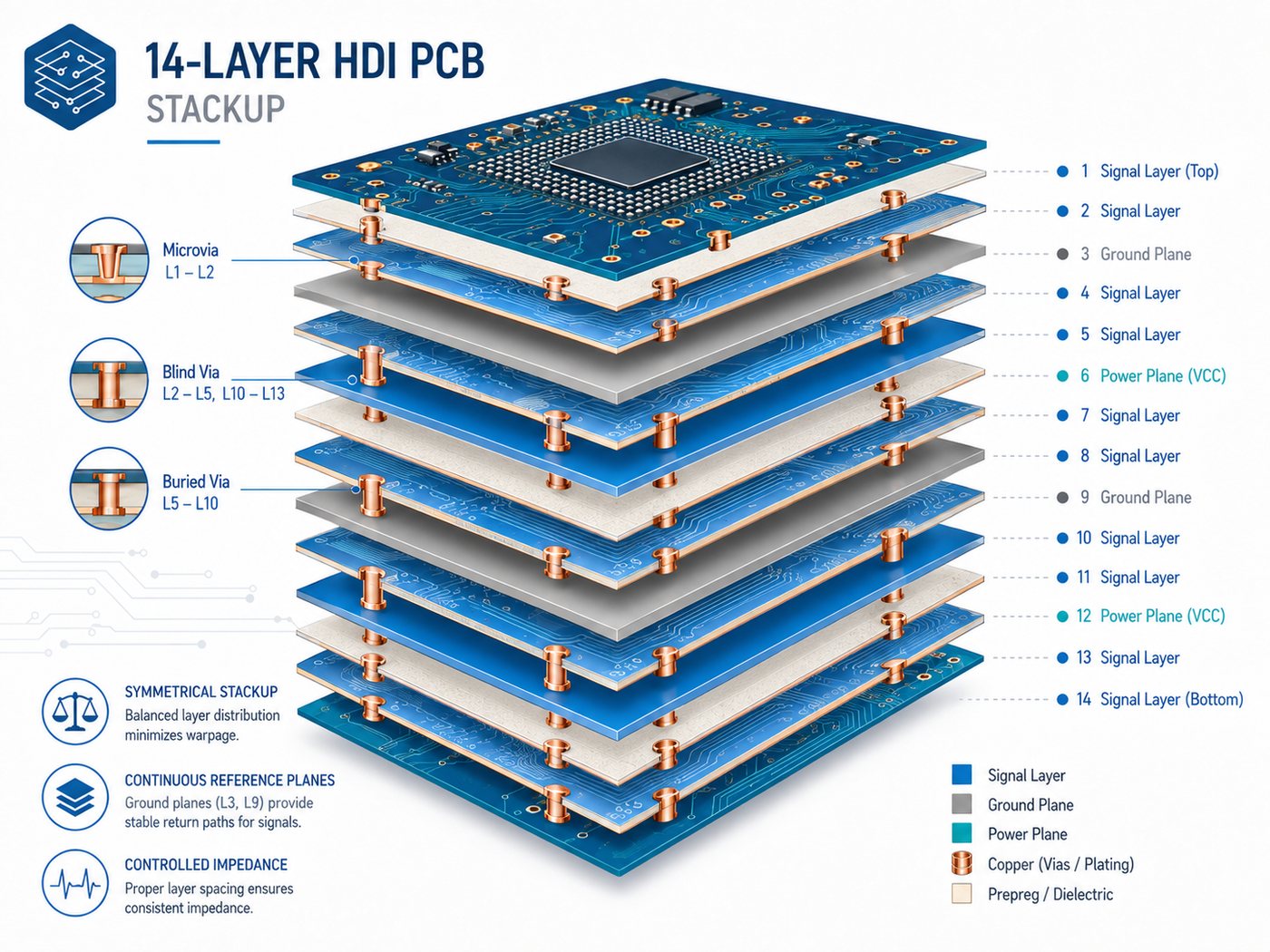
Exploded 14-layer HDI PCB stackup showing signal layers, ground planes, power planes, microvias and blind vias

One possible arrangement is:

Layer Typical Function
L1 Components / high-speed signal
L2 Ground
L3 High-speed signal
L4 Ground
L5 Signal
L6 Power
L7 Ground
L8 Ground
L9 Power
L10 Signal
L11 Ground
L12 High-speed signal
L13 Ground
L14 Components / signal

This is an example, not a universal stackup. Actual dielectric thickness, copper weight, and layer assignment depend on the design.

Three practical rules are useful:

  • Keep high-speed signal layers next to continuous reference planes.
  • Maintain a reasonably symmetrical construction to reduce warpage risk.
  • Define the HDI layer stackup together with the microvia structure.

For example, if microvias connect L1-L2 and L2-L3, the dielectric thickness between those layers must suit the selected laser-via geometry. Stackup review should therefore happen before final routing.

Which HDI Buildup Structure Should a 14-Layer PCB Use?

The buildup defines how many HDI layers are added around the central multilayer structure.

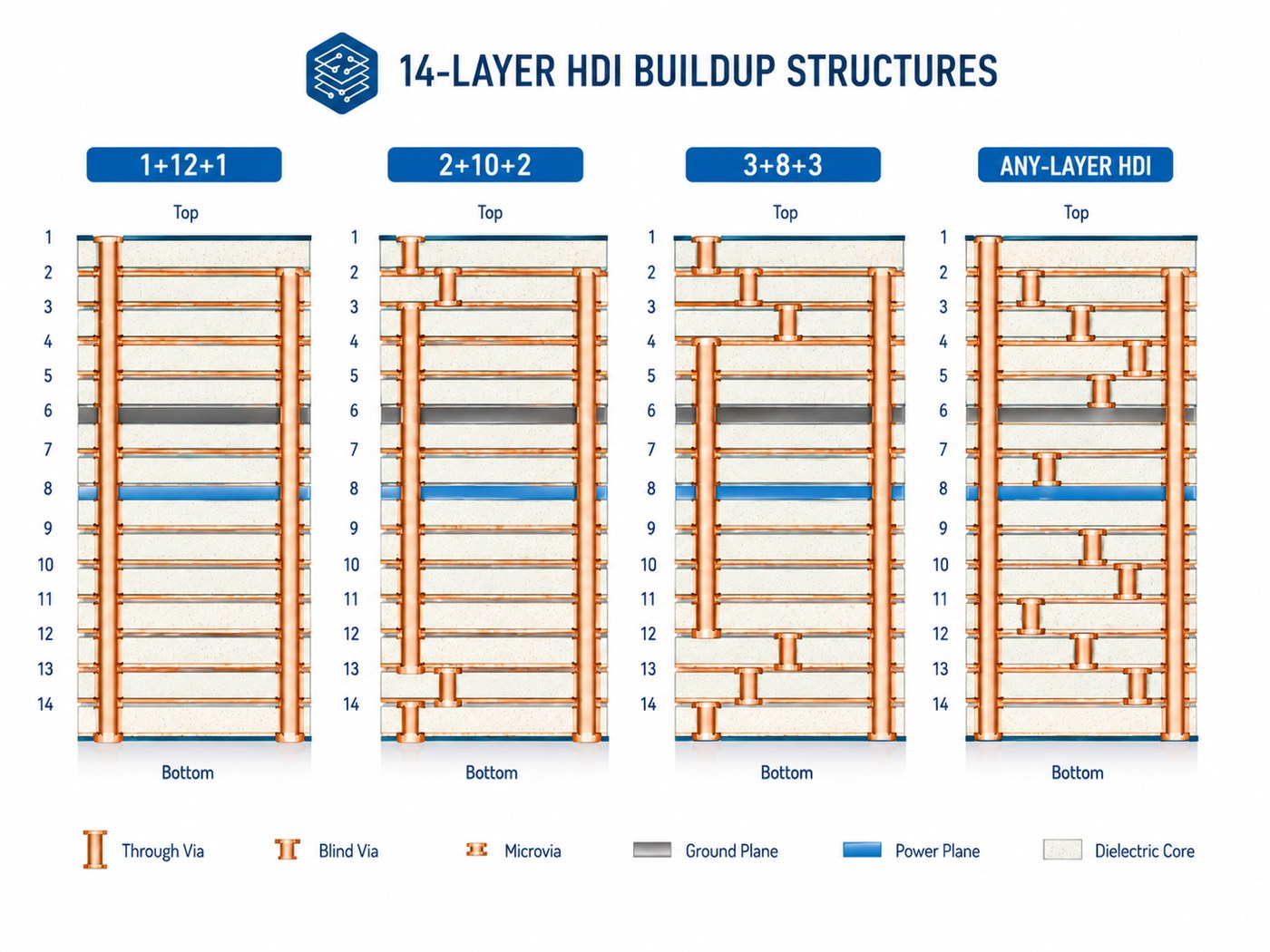
Comparison of 1+12+1, 2+10+2, 3+8+3 and any-layer HDI buildup structures for a 14-layer PCB
Structure Typical Use
1+12+1 Moderate-density outer-layer breakout
2+10+2 Higher-density BGA routing
3+8+3 Very dense component areas
Any-layer HDI Designs requiring maximum interconnection flexibility

A 1+12+1 structure is suitable when signals mainly need to move from the outer layer into the first internal routing layer.

A 2+10+2 structure provides more routing freedom around dense BGAs or processors.

Moving to 3-step or any-layer HDI should have a clear routing benefit. More buildup stages mean additional lamination, laser drilling, plating, filling, and registration control. The best structure is usually the simplest one that completes the routing without compromising electrical requirements.

How Should Microvias, Blind Vias, and Buried Vias Be Used?

Each via type has a different job.

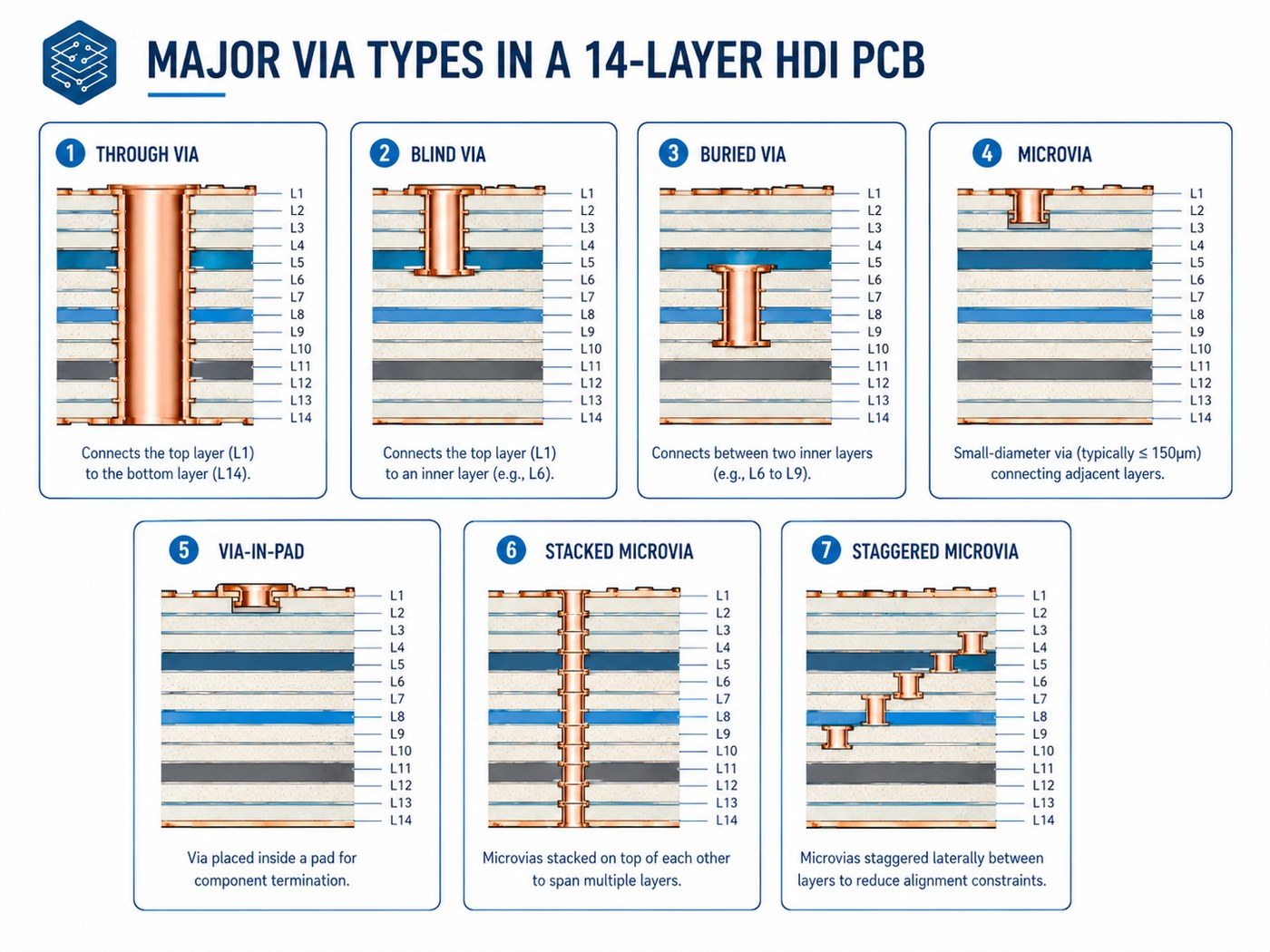
Through via, blind via, buried via, microvia, via-in-pad, stacked microvia and staggered microvia comparison
Via Type Best Use
Through via General connections in lower-density areas
Blind via Outer-to-inner layer connections
Buried via Internal layer-to-layer routing
Microvia Fine-pitch routing between nearby layers
Via-in-pad BGA and small-package breakout
Stacked microvia Maximum routing density
Staggered microvia Multi-level routing where offset space is available

Stacked microvias save space but require tighter control of:

  • Copper filling
  • Layer registration
  • Plating quality
  • Thermal reliability

Staggered microvias are often easier to manufacture when the layout has enough space for an offset transition.

Via-in-pad is useful under fine-pitch BGAs. These vias normally need to be filled and planarized so the component pad remains flat and solderable.

What Are the Key 14-Layer HDI PCB Design Rules?

These HDI PCB design guidelines should match the manufacturer’s actual production capability rather than a generic CAD rule set.

Confirm these items before layout is finalized:

  • Microvia diameter and depth
  • Capture-pad size
  • Annular ring
  • Minimum trace and space
  • Via-to-pad clearance
  • Via filling requirements
  • Stacked microvia capability
  • Layer registration tolerance
  • Controlled impedance

Avoid using the factory’s absolute minimum geometry across the entire board. A feature that can be produced in a small isolated area may not be the best choice for stable volume production.

Copper balance should also be considered across the stack. Large differences in copper distribution between corresponding layers can increase warpage risk.

For controlled impedance, provide the target values and net types. Trace dimensions can then be adjusted against the actual laminate and finished dielectric thickness.

How Do You Control Signal and Power Integrity in a 14-Layer HDI PCB?

Fourteen layers provide useful flexibility for signal and power planning, but only if the reference structure is well organized.

14-layer HDI PCB signal and power integrity illustration with fine-pitch BGA breakout, differential pairs, reference planes and stitching vias

For signal integrity:

  • Route high-speed traces next to solid reference planes.
  • Avoid routing across plane splits.
  • Keep differential-pair geometry consistent.
  • Add nearby ground vias when signals change reference layers.
  • Use short microvia transitions where appropriate.
  • Avoid unnecessary through-via stubs.

For power integrity:

  • Provide low-inductance paths between power and ground.
  • Keep critical power planes close to their return planes where practical.
  • Place decoupling close to high-current and fast-switching devices.
  • Avoid fragmented return paths around plane cutouts.

The benefit of a 14-layer structure is not simply “more layers.” It is the ability to separate routing, reference, and power functions without forcing too many compromises.

Which Materials Are Suitable for a 14-Layer HDI PCB?

Material choice depends on electrical loss, thermal stress, and repeated-lamination requirements.

Material Type Typical Fit
High-Tg FR-4 General industrial HDI
Low-loss FR-4 Higher-speed digital designs
High-performance laminate Demanding thermal or reliability requirements
Hybrid stackup Designs where only selected layers need special properties

Important parameters include:

  • Tg
  • Z-axis CTE
  • Dk
  • Df
  • Resin system
  • Moisture behavior
  • Repeated-lamination performance

For high-speed designs, Dk and Df affect impedance and transmission loss. For multilayer HDI, Z-axis expansion and laminate stability also matter because vias experience repeated thermal stress during fabrication and assembly.

Material availability should be checked before quotation. An uncommon laminate can add unnecessary sourcing time even when the PCB design itself is straightforward.
How Is a 14-Layer HDI PCB Manufactured?

The HDI PCB manufacturing process for a 14-layer board adds sequential buildup steps to conventional multilayer fabrication.

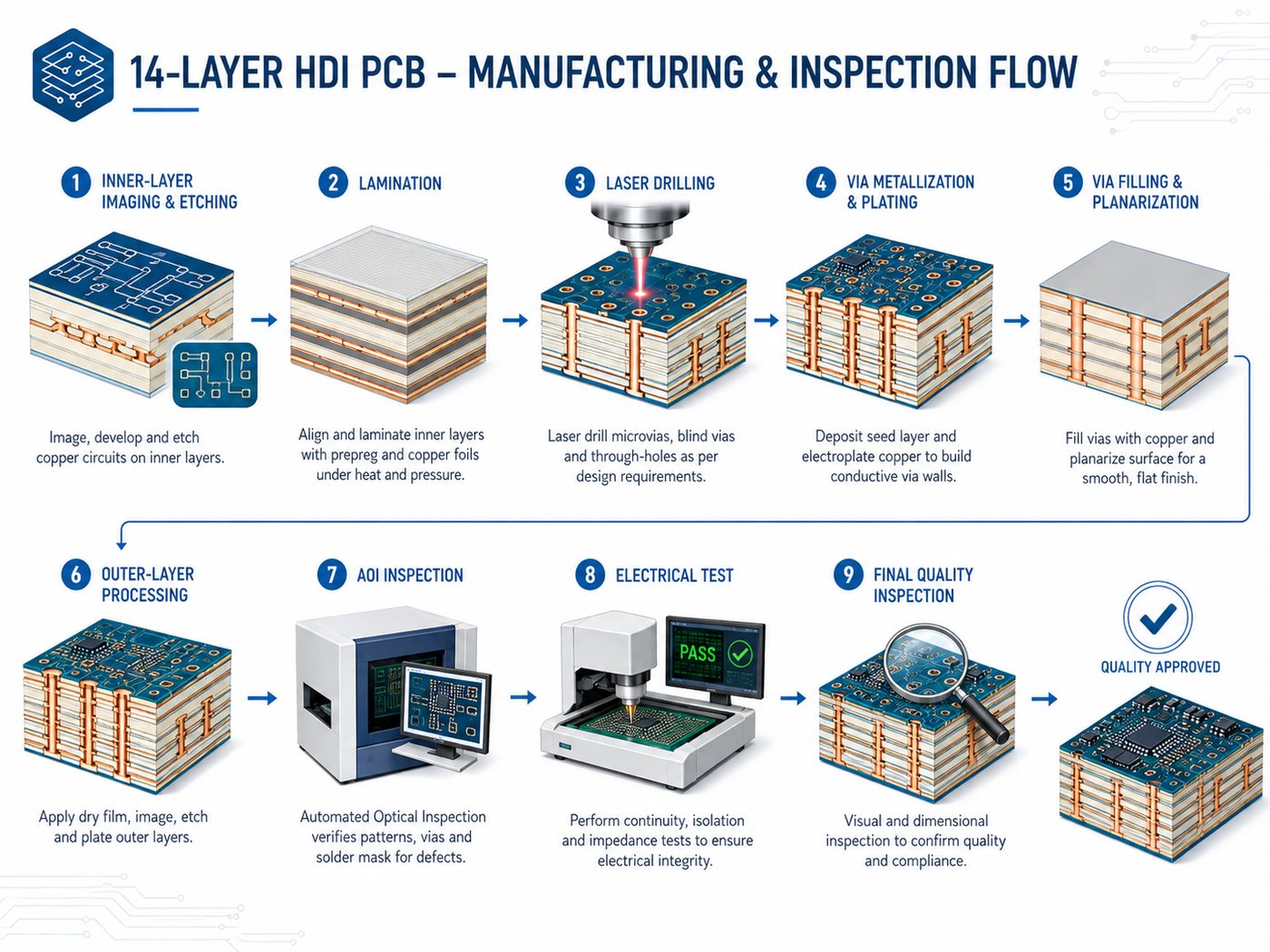
14-layer HDI PCB manufacturing and inspection flow from inner-layer imaging through laser drilling, plating, AOI and electrical test

A simplified flow is:

  • Inner-layer imaging and etching
  • AOI inspection
  • Core lamination
  • Buried-via processing if required
  • Buildup dielectric lamination
  • Laser drilling
  • Via metallization and plating
  • Via filling and planarization where required
  • Additional buildup cycles
  • Outer-layer processing
  • Solder mask and surface finish
  • Electrical and final inspection

A 2+N+2 structure repeats the buildup and laser-drilling sequence for the second HDI level.

The main manufacturing challenge is maintaining alignment and via quality through repeated processing. A factory capable of standard 14-layer PCBs is therefore not automatically qualified for complex HDI builds.

How Is 14-Layer HDI PCB Reliability Verified?

Electrical testing confirms continuity, but HDI also requires inspection of internal interconnects.

Our broader PCB testing guide explains how electrical and inspection methods complement one another.

Method Main Purpose
AOI Conductor and pattern inspection
Electrical test Open and short detection
Microsection Via plating, fill, and registration
Impedance coupon Controlled impedance verification
X-ray Selected internal structure inspection
Thermal testing Interconnect behavior under temperature stress
Dimensional inspection Alignment and finished geometry

Microsection inspection is particularly useful for stacked or filled microvias because the critical structure is hidden inside the PCB.

For high-reliability projects, define acceptance class, coupon requirements, thermal testing, and reporting requirements at RFQ stage. These items can affect both panel design and quotation.
What Affects 14-Layer HDI PCB Cost and Lead Time?

HDI architecture often affects price more than the difference between conventional multilayer counts.

Cost Driver Why It Matters
Sequential lamination Adds fabrication cycles
Stacked microvias Requires tighter registration and filling control
Fine line/space Reduces process margin
Via-in-pad filling Adds filling and planarization
Specialty laminate Raises material or sourcing cost
Tight impedance Requires engineering and verification
Additional reliability tests Adds inspection and qualification
Small prototype quantity Setup cost is spread over fewer boards

One effective way to control cost is to simplify the via structure.

If a 2+10+2 construction completes the routing, moving to 3+8+3 simply for extra flexibility is usually difficult to justify.

When comparing quotes, make sure each supplier is pricing the same material, stackup, microvia structure, surface finish, and testing requirements.

How Do You Choose a 14-Layer HDI PCB Manufacturer?

Do not qualify a supplier only by checking whether its capability table says “14 layers” or “HDI.”

Confirm the processes that your design actually requires:

  • Sequential lamination
  • Laser-drilled microvias
  • Copper-filled via-in-pad
  • Stacked or staggered microvias
  • Fine line and space
  • Controlled impedance
  • Layer registration
  • Microsection inspection
  • Electrical testing

The manufacturer’s DFM feedback should also be specific. If an engineer suggests changing a stacked microvia to a staggered one, the reason should be clear—whether it is reliability, process margin, cost, or production capability.

For quotation, provide:

  • Gerber or ODB++ data
  • Drill files
  • Preferred stackup, if available
  • Material requirement
  • Finished board thickness
  • Copper weight
  • Impedance requirements
  • Microvia and via-in-pad details
  • Surface finish
  • Test requirements
  • Prototype and production quantities

If the stackup is still open, provide the electrical and mechanical requirements instead.

At EBest Circuit, reviewing the stackup and via structure before layout is locked gives engineers more room to resolve manufacturing issues without forcing major redesign later.

Frequently Asked Questions About 14-Layer HDI PCBs

Is every 14-layer PCB an HDI PCB?

No. Fourteen layers describe the copper-layer count. HDI describes the interconnection technology. A 14-layer board can still be a conventional multilayer PCB.

What is a typical 14-layer HDI PCB stackup?

There is no universal stackup. Structures such as 1+12+1 and 2+10+2 are possible, but the final choice depends on BGA routing, impedance, board thickness, and required HDI layers.

What is the difference between a 14-layer HDI PCB and a standard 14-layer PCB?

A 14-layer HDI PCB uses localized high-density connections such as microvias and blind vias. A standard 14-layer PCB may rely mainly on through vias.

Should stacked or staggered microvias be used in a 14-layer HDI PCB?

Use stacked microvias when routing density requires vertical alignment. Use staggered microvias when enough offset space is available and the design does not require the more compact structure.

What files are required to manufacture a 14-layer HDI PCB?

Provide fabrication and drill data plus the stackup or electrical requirements, material, copper thickness, impedance targets, microvia details, via-fill requirements, surface finish, test requirements, and quantity.

How Can EBest Circuit Support Your 14-Layer HDI PCB Project?

At EBest Circuit, we support HDI PCB stackup review, DFM feedback, controlled impedance, laser-drilled microvias, and multilayer PCB fabrication. Send us your Gerber or ODB++ files, stackup, material, finished thickness, impedance targets, via structure, surface finish, test requirements, and quantities for an engineering review and quotation.
You may also like

Rogers RT/duroid 5880 PCB: Dk, Loss Tangent, Thickness & Price Guide

August 18th, 2026

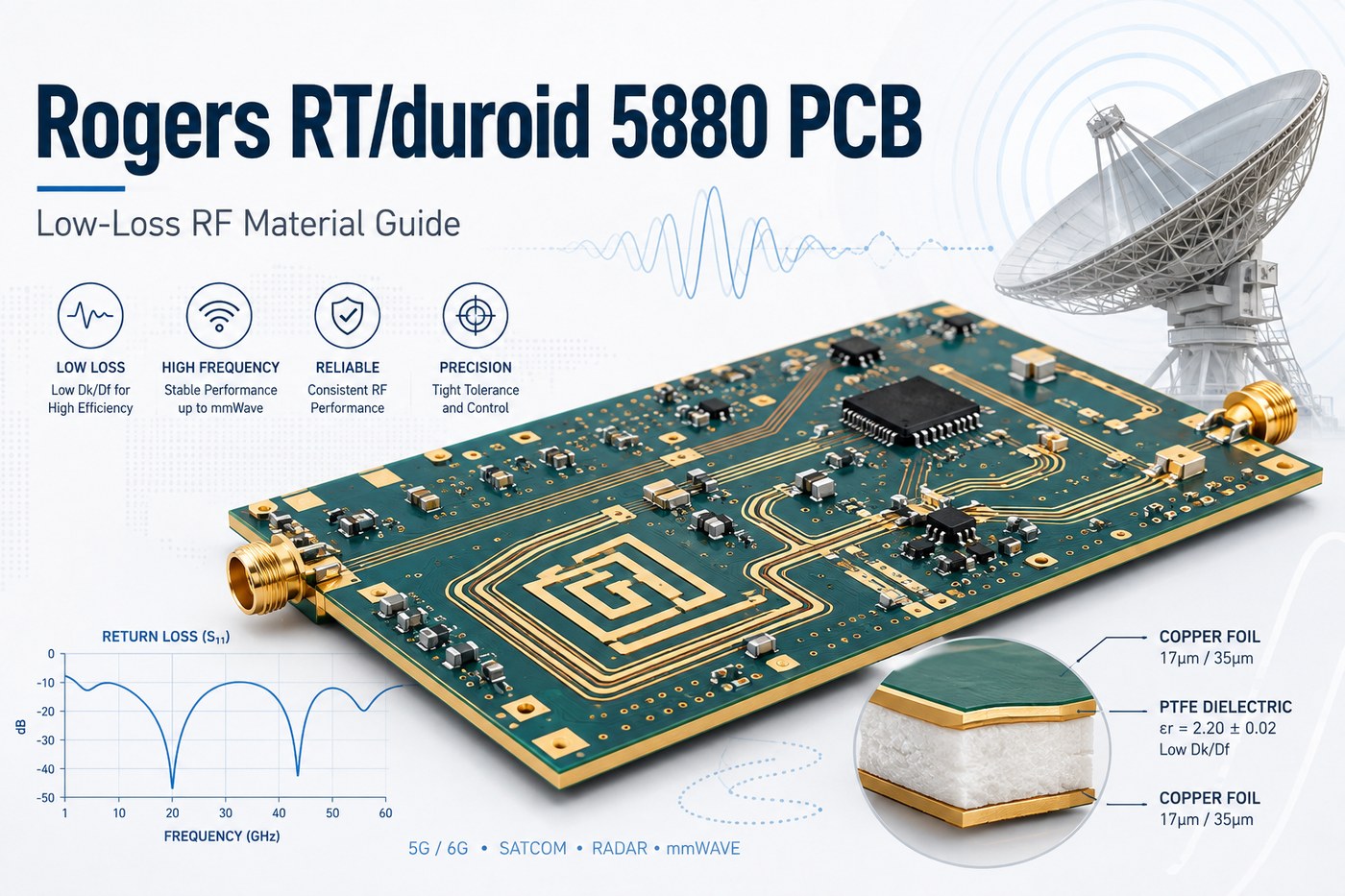
A Rogers RT/duroid 5880 PCB uses a low-loss, glass-microfiber-reinforced PTFE laminate for RF and microwave circuits. Its low dielectric constant and dissipation factor support transmission lines, antennas, radar circuits, and RF feed networks where insertion loss, impedance, or phase stability must be controlled.

That does not mean every wireless PCB needs RT/duroid 5880. For short RF traces or less demanding frequencies, FR4 or another RF laminate may offer a better cost-performance balance. The useful question is whether the electrical benefit of RT/duroid 5880 solves a real design constraint.

At EBest Circuit, we support Rogers RT/duroid 5880 PCB prototypes and production builds with stackup review and controlled-impedance fabrication. Send your Gerber or ODB++ files, stackup, impedance requirements, quantity, and test notes to sales@bestpcbs.com for engineering review.
Rogers RT/duroid 5880 PCB low-loss RF material guide illustration

What Is Rogers RT/duroid 5880 PCB?

A Rogers RT/duroid 5880 PCB uses RT/duroid 5880 laminate as part or all of its dielectric structure. Rogers describes the material as a PTFE composite reinforced with randomly oriented glass microfibers.

Unlike standard FR4, the dielectric in an RF PCB is part of the electrical system. Its Dk, thickness, loss tangent, and copper interface affect transmission-line behavior.

RT/duroid 5880 is therefore most useful when the design needs:

  • low dielectric loss over RF or microwave signal paths;
  • predictable microstrip or stripline impedance;
  • phase consistency between RF channels;
  • a low-Dk substrate for antenna or transmission-line geometry;
  • repeatable high-frequency electrical behavior.

For a simple wireless control board with only a short antenna feed, this performance may be unnecessary. For a microwave network or phase-sensitive antenna circuit, the material can directly affect the finished RF response.

What Are the Key Rogers RT/duroid 5880 Datasheet Specifications?

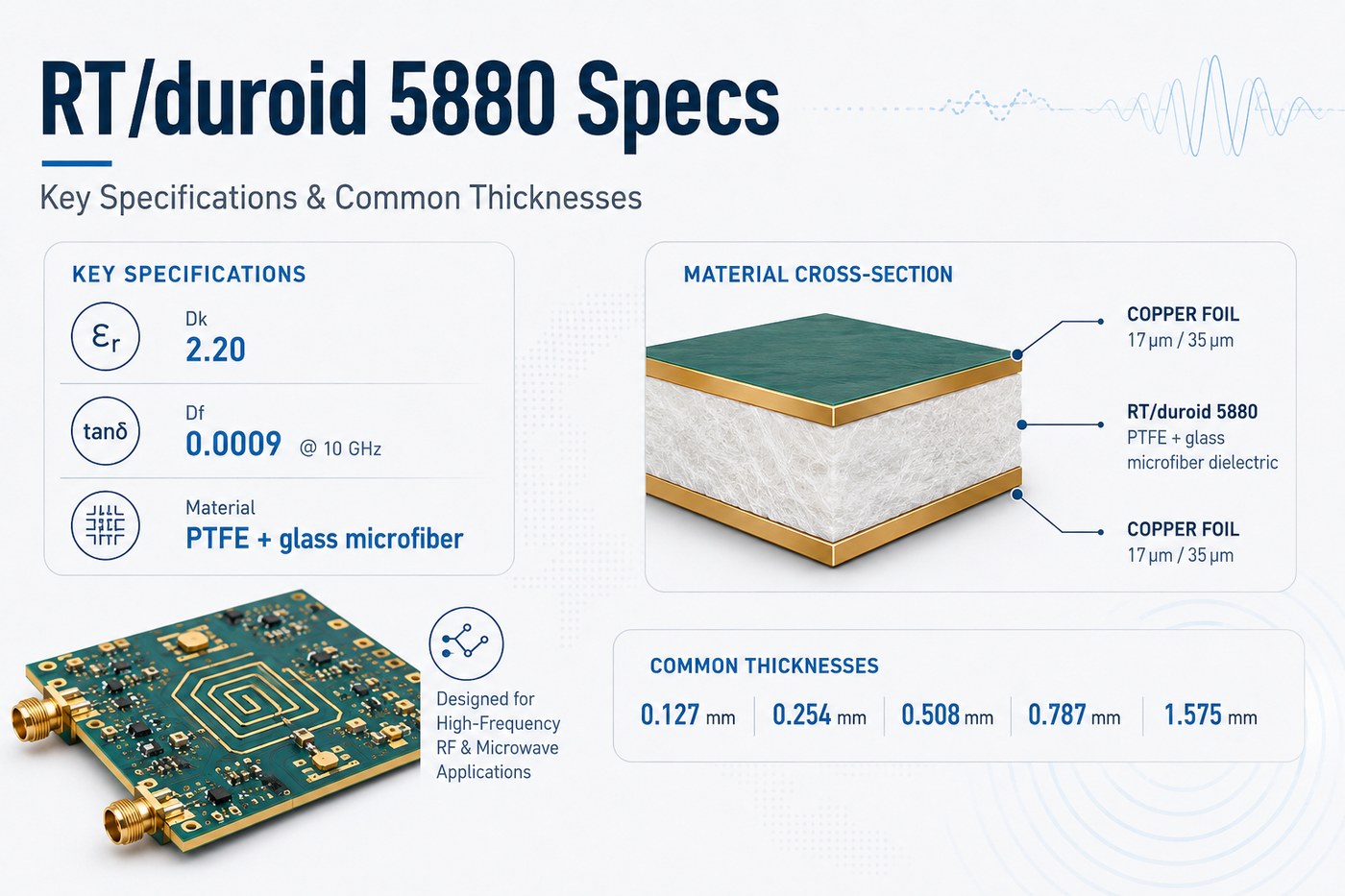
The Rogers RT duroid 5880 datasheet values below are the properties most relevant to PCB design, stackup planning, and fabrication.
For a broader material-selection framework, see our PCB material guide.

Property RT/duroid 5880 Typical Value Why It Matters
Material Glass-microfiber-reinforced PTFE Determines RF and processing behavior
Process Dk 2.20 ± 0.02 Indicates dielectric consistency
Design Dk 2.20 Used for circuit design and modeling
Dissipation factor 0.0009 at 10 GHz Affects dielectric insertion loss
Moisture absorption 0.02% Relevant to environmental stability
Thermal conductivity 0.20 W/m·K Useful for thermal review
CTE X / Y / Z 31 / 48 / 237 ppm/°C Important for mechanical and via reliability
Density 2.2 g/cm³ Relevant to mechanical design
Copper peel strength 5.5 N/mm Indicates copper adhesion performance
Flammability UL94 V-0 Material flammability classification

These are published laminate values, not automatic tolerances for a finished PCB. A fabrication drawing should separately define the requirements that need production control, such as dielectric thickness, copper weight, finished thickness, impedance, and dimensional tolerances.

RT/duroid 5880 specifications and common dielectric thicknesses

What Is the Dielectric Constant of Rogers RT/duroid 5880?

The published Rogers RT duroid 5880 dielectric constant is 2.20 ± 0.02 for process Dk, with a design Dk of 2.20.

For an RF designer, Dk affects more than impedance. It also influences:

  • signal propagation velocity;
  • wavelength inside the PCB;
  • microstrip and stripline dimensions;
  • resonator dimensions;
  • antenna geometry;
  • electrical phase length.

If dielectric thickness or Dk changes after layout is completed, a transmission line may no longer meet its original impedance or phase target.

This is why a 50 Ω note on a drawing is not enough for a high-frequency board. The manufacturer should also know the intended laminate thickness, copper thickness, RF structure, and impedance tolerance.

For sensitive microwave circuits, prototype validation is useful even when the nominal Dk is known. Actual performance still reflects the complete transmission structure rather than one datasheet number.

What Is the Loss Tangent of Rogers RT/duroid 5880?

The published Rogers RT duroid 5880 loss tangent, or dissipation factor, is 0.0009 at 10 GHz.

A low Df reduces the dielectric contribution to transmission loss. That becomes more valuable as frequency increases, RF routes become longer, or a design contains multiple cascaded transmission structures.

Typical examples include:

  • microwave feed networks;
  • RF filters and couplers;
  • long antenna feed lines;
  • radar channels;
  • phase-sensitive RF networks.

Low Df does not eliminate every source of loss. Copper profile, line geometry, connectors, launches, vias, surface finish, and discontinuities still contribute to the total insertion-loss budget.

In practice, there is little value in specifying a very low-loss laminate while leaving the RF stackup or transition geometry poorly controlled.

What Thicknesses Are Available for Rogers RT/duroid 5880 PCB?

Common Rogers RT duroid 5880 thickness options include:

Nominal Thickness Metric Equivalent
0.005 in 0.127 mm
0.010 in 0.254 mm
0.020 in 0.508 mm
0.031 in 0.787 mm
0.062 in 1.575 mm

These figures refer to the dielectric laminate thickness, not necessarily the finished PCB thickness. Copper foil, plating, bonding layers, solder mask, and multilayer construction all affect final board thickness.

Thickness also changes RF geometry. For the same impedance target, a different dielectric height usually requires a different trace width.

Before releasing RF artwork, confirm:

  • laminate thickness;
  • copper thickness;
  • impedance target and tolerance;
  • intended transmission-line structure;
  • manufacturable trace width.

Changing one of these after the layout is frozen can force the RF traces to be redesigned.

Why Is RT/duroid 5880 Used for High-Frequency PCB Designs?

RT/duroid 5880 is attractive when the circuit needs low dielectric loss and predictable RF behavior.

Its main engineering advantages are straightforward:

  • Low Dk: supports specific transmission-line and antenna geometries.
  • Low Df: reduces dielectric loss at microwave frequencies.
  • Good dielectric consistency: useful for impedance and phase-sensitive layouts.
  • Low moisture absorption: helps limit electrical changes caused by humidity.
  • PTFE-based construction: suited to demanding microwave and broadband circuits.

There is also a practical limit.

If a circuit has short RF paths, relaxed loss requirements, and strong cost pressure, another laminate may be sufficient. RT/duroid 5880 should solve a measurable RF problem rather than simply make the material specification look more advanced.

Where Is Rogers 5880 PCB Commonly Used?

RT/duroid 5880 is commonly associated with RF and microwave circuits where the transmission structure is sensitive to dielectric loss or Dk variation.

Typical applications include:

  • microwave antenna feed boards;
  • phased-array antenna networks;
  • radar front-end circuits;
  • point-to-point wireless links;
  • satellite communication modules;
  • microwave filters and couplers;
  • RF test and measurement fixtures;
  • aerospace RF assemblies;
  • low-loss microstrip and stripline circuits.

The application name alone should not determine material choice. A short 2.4 GHz antenna trace inside a commercial product has very different requirements from a multi-channel microwave array where small phase errors accumulate across many RF paths.

A useful selection question is: what performance parameter becomes unacceptable if a lower-cost laminate is used?

If there is no clear answer, RT/duroid 5880 may be over-specified.

Typical Rogers RT/duroid 5880 PCB applications including radar antennas and satellite communication

Rogers RT/duroid 5880 vs 5880LZ vs 5870: Which Should You Choose?

These materials belong to the RT/duroid family, but they are not interchangeable.

Property RT/duroid 5880 RT/duroid 5880LZ RT/duroid 5870
Process Dk 2.20 ± 0.02 2.00 ± 0.04 2.33 ± 0.02
Design Dk 2.20 2.00 2.33
Df at 10 GHz 0.0009 0.0021 0.0012
Density 2.2 g/cm³ 1.4 g/cm³ 2.2 g/cm³
Main Selection Driver Very low dielectric loss Low density and low Dk Low-loss PTFE with higher Dk

Choose RT/duroid 5880 when very low dielectric loss and a Dk around 2.20 suit the RF design.

Choose 5880LZ when lower weight is a major mechanical requirement. Its lower density can be useful in weight-sensitive aerospace and antenna applications.

Choose 5870 when its 2.33 Dk fits the RF geometry or when an existing design is already qualified around that material.

Do not substitute one for another without recalculating the RF structure. A Dk change can alter impedance, resonant dimensions, and electrical length.

What Design Rules Matter for Rogers RT/duroid 5880 PCB?

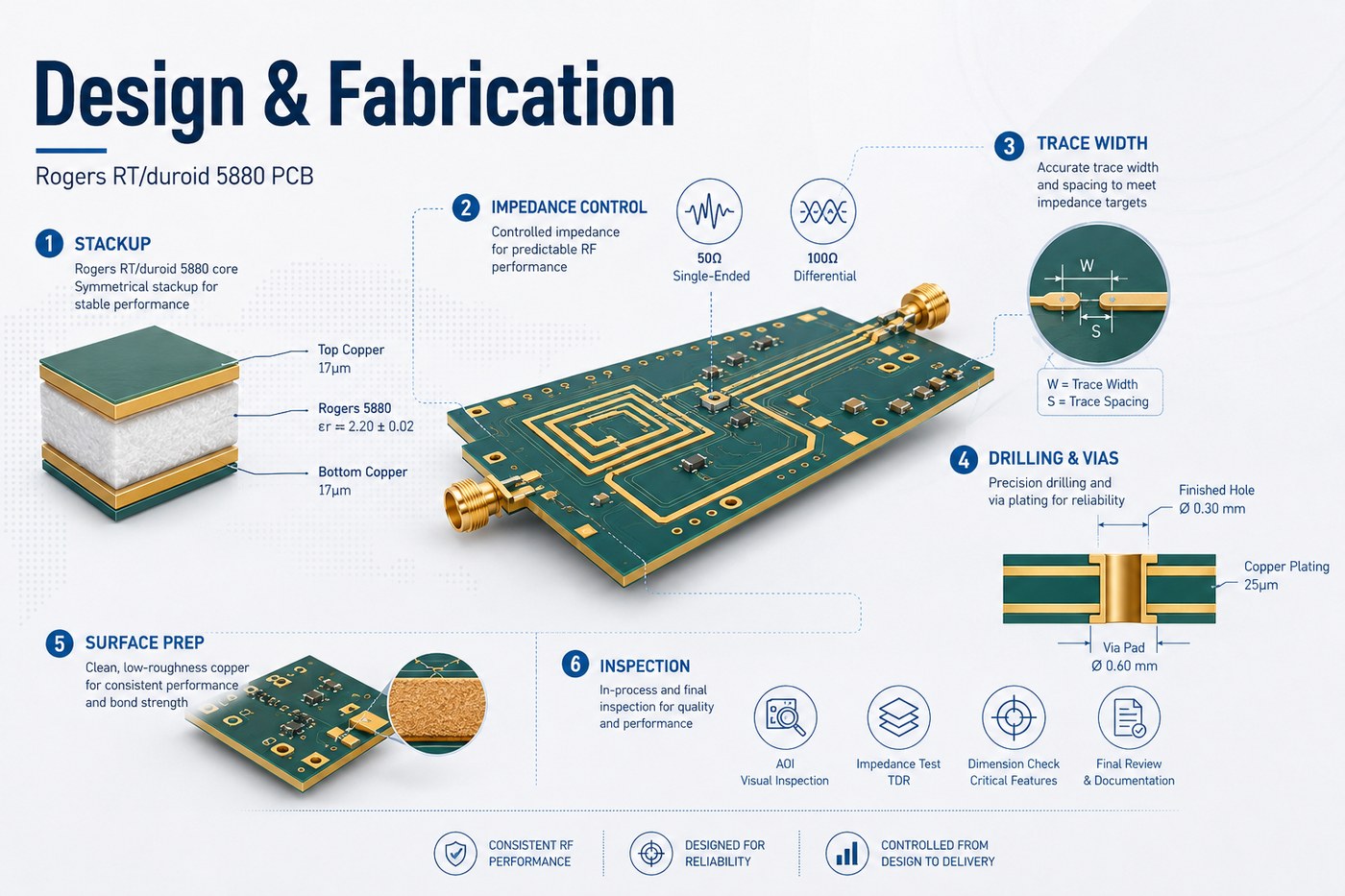
The first rule is to design around the real manufacturing stackup, not a generic “Rogers 5880” material label.

Our PCB board stackup guide explains how copper and dielectric layers work together before routing is finalized.

For line-structure tradeoffs, compare the routing guidance in our stripline vs microstrip guide.

For controlled RF lines, review these items together:

  • dielectric height;
  • trace width;
  • copper thickness;
  • copper type or profile;
  • reference-plane position;
  • surrounding dielectric structure;
  • impedance tolerance.

RF via transitions also deserve attention. A signal via with nearby ground vias behaves differently from an ordinary low-frequency interconnect. At higher frequencies, launch geometry, anti-pad size, return-current path, and via stub length can affect performance.

For phase-matched channels, equal CAD length alone is not enough. The dielectric environment and transitions along each path should remain as similar as practical.

It is also useful to confirm material availability before freezing the layout. If the final production dielectric thickness differs from the value used in simulation, controlled-impedance traces may need to be resized.

What Should Be Controlled During RT/duroid 5880 PCB Fabrication?

RT/duroid 5880 is a PTFE-based material, so it cannot simply be processed as if it were standard FR4.

The main fabrication controls are:

Process Key Control
Material handling Prevent scratches, dents, contamination, and distortion
Surface preparation Avoid aggressive abrasion on soft PTFE laminate
Drilling Control drill condition, feed, speed, stack height, and tool life
Hole-wall treatment Prepare PTFE surfaces correctly before metallization
Plating Maintain reliable adhesion and hole-wall coverage
Etching Control finished RF trace width
Routing Support the softer laminate during machining
Lamination Match bonding system and press process to the stackup
Inspection Verify dimensions, continuity, impedance, and critical RF geometry

Drilling and hole-wall treatment deserve particular attention because PTFE behaves differently from epoxy-glass material. Poor processing can create smear, plating adhesion problems, or dimensional issues around drilled features.

Etching accuracy matters as well. A trace that is electrically critical should be controlled according to its finished width, not merely the CAD artwork dimension.
For prototype projects, we can review the proposed stackup, copper specification, via construction, impedance requirement, and mechanical features before fabrication. This is especially useful when an RF simulation moves into its first physical build.
Rogers RT/duroid 5880 PCB design and fabrication control illustration

What Affects Rogers RT/duroid 5880 PCB Price?

There is no useful universal Rogers RT/duroid 5880 PCB price because laminate cost is only one part of the finished board.

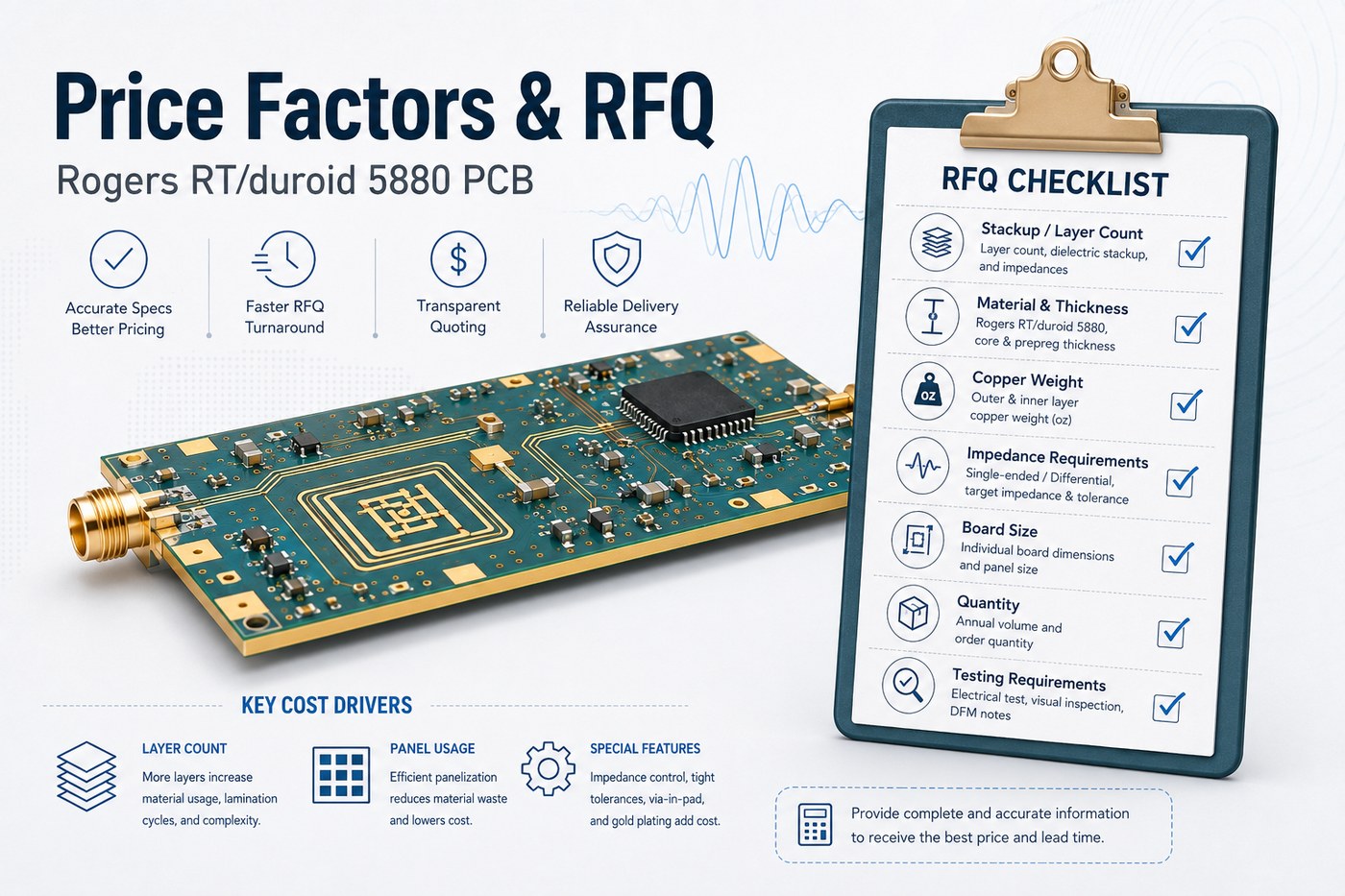
The main quotation variables are:

  • Laminate thickness: uncommon constructions may cost more or take longer to source.
  • Copper type and weight: rolled copper, ED copper, and different copper weights affect material cost.
  • Board size and panel utilization: irregular shapes can waste expensive laminate.
  • Layer count: multilayer and hybrid boards require additional lamination and registration control.
  • Impedance tolerance: tighter limits may require coupons and additional verification.
  • Hole structure: dense PTH patterns, small holes, cavities, or slots increase process complexity.
  • Mechanical tolerances: tighter dimensions can reduce yield.
  • Quantity: prototype setup costs are spread across fewer boards.
  • Testing: impedance measurement, electrical test, and extra inspection add cost.

A cheaper quotation is only meaningful when both suppliers are pricing the same construction.

Before comparing prices, check that the quoted material, dielectric thickness, copper weight, finished thickness, impedance tolerance, test scope, and quantity are identical.

What Information Is Needed for a Rogers RT/duroid 5880 PCB Quote?

A complete RFQ saves time and reduces assumptions during stackup review.

For an accurate quotation, provide:

  • Gerber, ODB++, or equivalent manufacturing files;
  • fabrication drawing;
  • board dimensions;
  • layer count;
  • RT/duroid material designation;
  • dielectric thickness or proposed stackup;
  • finished PCB thickness;
  • copper type and weight;
  • controlled-impedance targets and tolerance;
  • minimum finished hole size;
  • surface finish;
  • special routing, slot, cavity, or edge-plating requirements;
  • testing requirements;
  • prototype and production quantities.

If the stackup has not been finalized, state that clearly. The manufacturer can then propose a practical construction before the RF layout is locked.

A request such as “4-layer Rogers 5880 PCB, 50 Ω” leaves several important variables unresolved. Adding dielectric spacing, copper weight, RF layer location, impedance tolerance, board size, and quantity makes both engineering review and quotation much more reliable.

Rogers RT/duroid 5880 PCB price factors and RFQ checklist

FAQs About Rogers RT/duroid 5880 PCB

Is Rogers RT/duroid 5880 a PTFE material?

Yes. RT/duroid 5880 is a glass-microfiber-reinforced PTFE laminate designed for high-frequency circuits. Its construction is different from standard FR4 epoxy-glass material.

Is Rogers 5880 suitable for millimeter-wave PCB designs?

It can be used for millimeter-wave designs where its low dielectric loss and Dk characteristics suit the circuit. At these frequencies, however, copper profile, connector launches, vias, line geometry, and fabrication tolerance also become critical.

Can RT/duroid 5880 be used in multilayer or hybrid PCBs?

Yes. It can be used as selected RF layers in multilayer or hybrid constructions. The bonding system and adjacent dielectric materials should be included in the RF stackup model where they influence the transmission structure.

Hybrid construction can also reduce the amount of premium RF laminate used when only part of the PCB requires very low dielectric loss.

What Is the Difference Between Rogers 5880 and FR4?

RT/duroid 5880 is a PTFE-based high-frequency laminate with a design Dk of 2.20 and a published Df of 0.0009 at 10 GHz. FR4 is an epoxy-glass material family designed for much broader general-purpose PCB use.

FR4 usually provides a lower-cost manufacturing route. RT/duroid 5880 becomes attractive when low RF loss, stable dielectric behavior, or specific high-frequency geometry justifies its higher material and processing cost.

Is RT/duroid 5880 the Same as 5880LZ?

No. RT/duroid 5880 and 5880LZ are separate materials.

5880 has a design Dk of 2.20 and Df of 0.0009 at 10 GHz. 5880LZ has a lower Dk and substantially lower density, making it useful when board weight is an important design constraint.

They should not be substituted without reviewing impedance, electrical length, antenna geometry, and mechanical requirements.

How Can EBest Circuit Support Your Rogers RT/duroid 5880 PCB Project?

Rogers RT/duroid 5880 makes sense when its low dielectric loss and 2.20 Dk solve a genuine RF problem. The laminate is only part of the result; dielectric thickness, copper, line geometry, drilling, PTFE processing, lamination, and impedance control all influence the finished PCB.

At EBest Circuit, we support high-frequency PCB stackup review, controlled-impedance fabrication, prototypes, and production. Send us your Gerber or ODB++ files, target stackup, RT/duroid 5880 thickness and tolerance, copper specification, impedance targets, surface finish, quantity, and test requirements for engineering review and quotation.
You may also like

PCB Heater Manufacturing Guide for Flexible Heating Circuits

July 28th, 2026

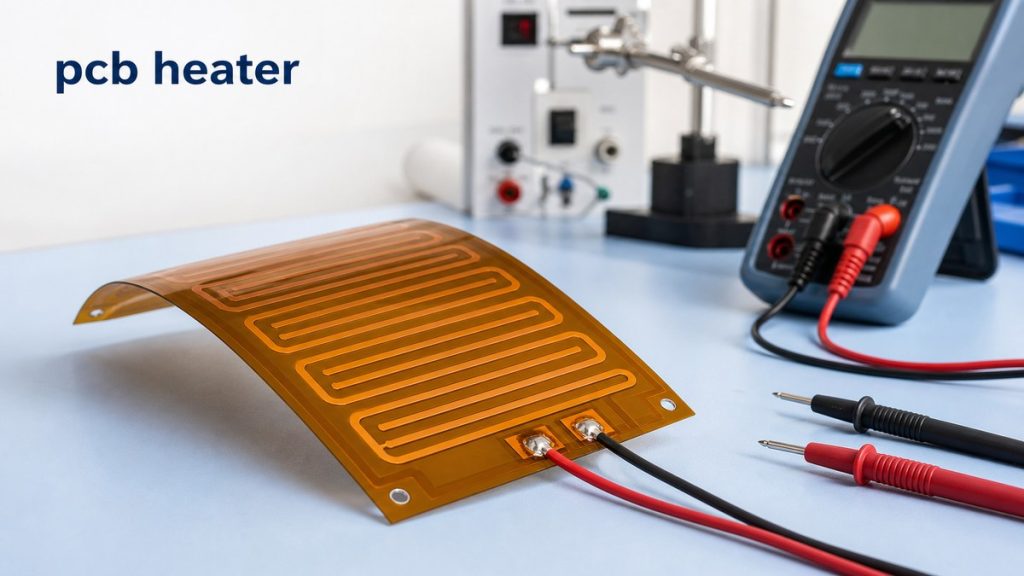
A PCB heater is a printed circuit heating element made with conductive traces on a PCB or flexible circuit substrate. It is used when heat must be delivered in a controlled area, such as a battery pack, sensor module, optical device, medical device, outdoor electronics, 3D printer bed, or anti-condensation assembly.

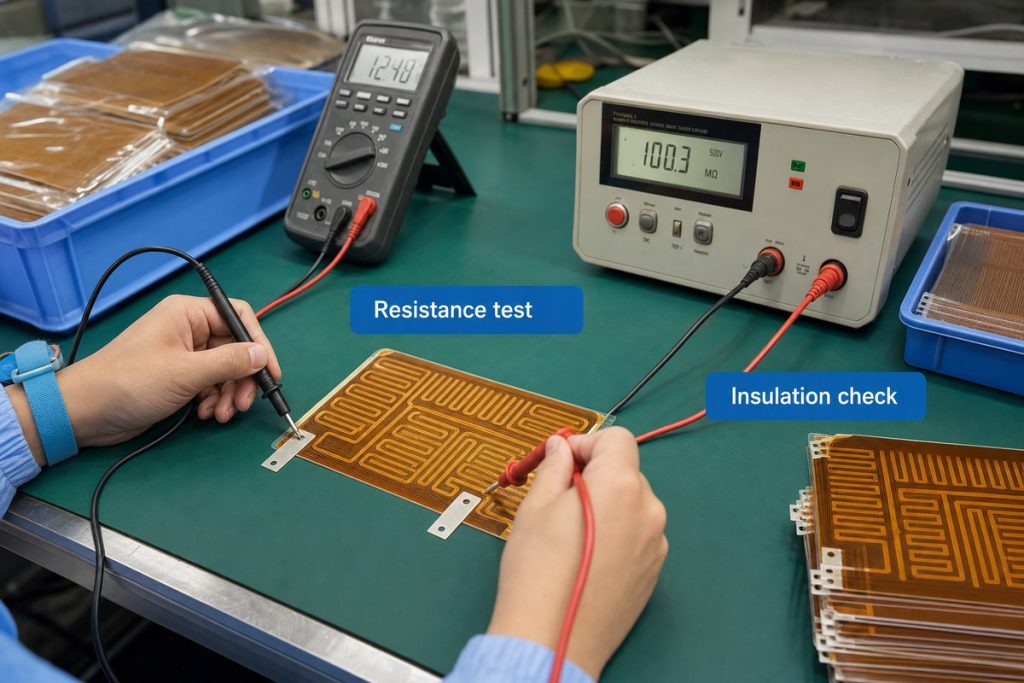
For engineers and buyers, the key question is not only whether a heater can generate heat. The real question is whether the heater can be manufactured with stable resistance, suitable material, reliable terminals, proper insulation, and repeatable performance. EBest Circuit supports custom PCB heater and flexible heating circuit projects with PCB fabrication, PI heating film production review, terminal process review, electrical testing, and PCBA support. If your project has heater drawings, Gerber files, resistance targets, voltage requirements, material notes, or assembly questions, please send them to sales@bestpcbs.com for engineering review before production.

pcb heater
PCB heater manufacturing review for flexible heating circuits, resistance targets, terminals, and testing.

What Is a PCB Heater?

A PCB heater is a circuit board or flexible circuit that uses copper traces or other conductive patterns as the heating element. When current flows through the trace, electrical energy is converted into heat.

A PCB heater may be made as:

  • Rigid FR4 heater PCB
  • Flexible polyimide heater
  • PI heating film
  • Transparent heating film
  • PCB bed heater
  • Custom heating circuit inside an electronic module

The heating performance depends on trace width, trace length, copper thickness, resistance value, voltage, current, power density, material, insulation, and the final installation method. For a rigid heating board, FR4 PCB material may be considered. For compact or curved installation, a flexible polyimide structure is often more suitable.

For custom manufacturing, the most important information is not only the shape of the heater. The manufacturer also needs to understand the electrical target, working environment, terminal method, and reliability requirement.

Circuit Board Heater vs PCB Preheater

The phrase circuit board heater can mean different things depending on the search intent.

TermPractical Meaning
PCB heaterA heating element made from PCB or flexible circuit technology
Circuit board heaterOften used to describe a custom PCB-based heating circuit
PCB preheaterA tool used to warm PCBs during soldering or rework
Heating circuit boardA circuit board designed to generate heat inside a product

This distinction matters because customers searching for pcb heater may be looking for a custom heating element, not a repair tool. A PCB preheater is used in soldering or rework. A PCB heater is usually part of the final product.

EBest Circuit focuses on manufacturing custom PCB heaters, PI heating films, flexible heating circuits, and related PCBA support, not selling general repair preheater equipment.

Flexible PCB Heater Materials and Structure

Flexible PCB heaters are often made with polyimide because PI film is thin, flexible, heat-resistant, and suitable for compact electronic products. For more background on this material family, this article can connect naturally with polyimide circuit board projects.

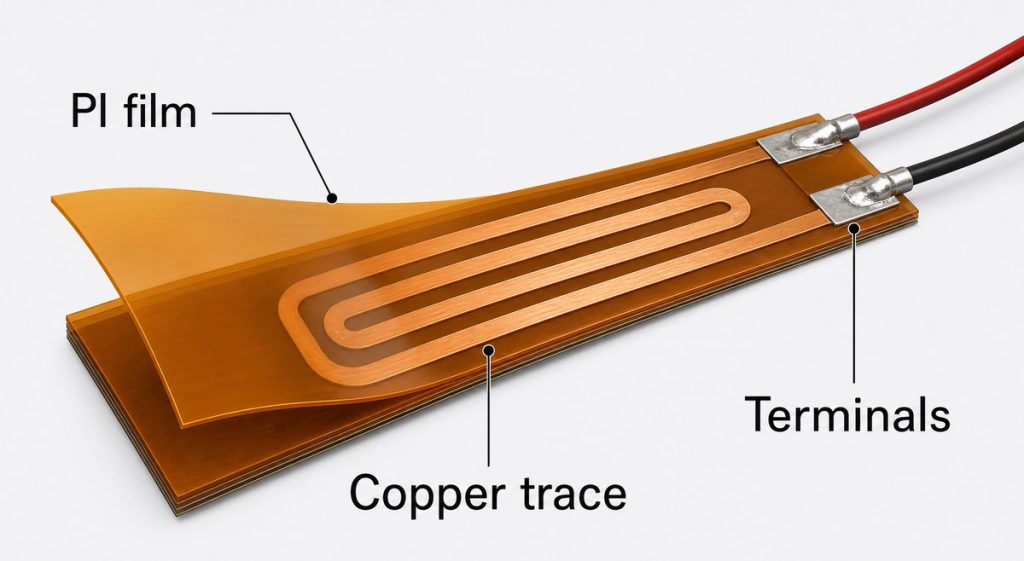
A typical flexible PCB heater may include:

  • Polyimide insulation layer
  • Copper heating trace
  • Adhesive or coverlay structure
  • Terminal pads
  • Lead wires, solder pads, or connector area
  • Optional stiffener or mounting support
  • Optional surface finish such as ENIG
pcb heater
Flexible PCB heater structure usually includes PI film, copper heating traces, and terminal areas.

The structure should be reviewed before production because small changes can affect resistance, bending performance, heat distribution, and assembly reliability.

For example, a heater used inside a curved housing may need flexibility. A heater used near a connector may need stronger terminal support. A heater used in outdoor equipment may need insulation and moisture protection review.

Polyimide Film Heater Manufacturing Capabilities

For a PI heater project, the key manufacturing question is whether the required size, thickness, copper pattern, resistance tolerance, power density, working temperature, voltage, terminal method, and insulation requirement can be produced consistently.

EBest Circuit can support custom polyimide film heater manufacturing within the following capability range:

ItemEBest Circuit Capability
Layer count1-6 layers
Standard max size240 x 1450 mm
Special max sizeUp to 480 x 1450 mm
Minimum size3 x 5 mm
Single-layer thickness0.13-0.40 mm
PI film thickness28 um, 50 um, 75 um
Conductive layer thickness0.03 / 0.04 / 0.05 mm
Minimum line/space0.07 / 0.07 mm
Etching toleranceUsually +/-20%, special +/-15%
Resistance toleranceUsually +/-5% to +/-10%
Max dry-burn power density0.12 W/cm2
Long-term temperature range-40 deg C to 150 deg C
Short-term temperature range-40 deg C to 200 deg C
Voltage range0-380 V

These capability details help define the production path before sampling starts. A standard PI heater may move forward with normal material and process review, while a heater with tighter resistance tolerance, unusual shape, higher working temperature, special terminal connection, or strict insulation requirement should be reviewed more carefully before production.

EBest Circuit’s value is not only making the heater film. Our engineering team helps check whether the customer’s drawing, resistance target, material choice, terminal method, voltage requirement, and testing notes can work together in real production. This gives customers a clearer path from prototype sampling to small-batch or repeat production.

PCB Trace Heater Resistance, Power, and Temperature Control

A PCB trace heater works because the copper trace has electrical resistance. The heat output is related to voltage, current, resistance, copper thickness, trace width, trace length, and heat dissipation conditions.

Key review points include:

  • Target resistance
  • Voltage input
  • Working current
  • Power density
  • Copper thickness
  • Trace width and spacing
  • Heating area
  • Temperature target
  • Temperature sensor location
  • Installation surface
  • Heat transfer path

A heater pattern should not be treated like a normal signal trace. The trace is the heating element, so width, length, and copper thickness directly affect the final performance.

For product projects, temperature control is usually handled by the customer’s electronic control system, sensor, firmware, or external controller. EBest Circuit’s role is to manufacture the heater circuit according to the approved files and review whether the PCB or FPC structure can support the required manufacturing process.

PCB Heater Design Files Manufacturers Need to Review

A PCB heater project needs clear production files. A drawing that only shows the outline is usually not enough.

Useful files and notes include:

  • Gerber or ODB++ files
  • Mechanical drawing
  • Stackup or material requirement
  • Copper thickness
  • Resistance target
  • Resistance tolerance
  • Voltage and power requirement
  • Working temperature
  • Terminal or lead wire method
  • Surface finish
  • Adhesive or mounting notes
  • Insulation requirement
  • Testing requirement
  • Packing requirement

The most common risk is that electrical and mechanical requirements are separated across different files. For example, the Gerber may show the trace pattern, while the drawing shows resistance tolerance, and an email mentions lead wire length.

Before production, these details should be checked together so the heater is built as one controlled part, not as disconnected file instructions. If the heater project also needs assembled control electronics, the same file discipline applies to PCB assembly services such as SMT, inspection, and testing coordination.

PCB Bed Heater and Industrial Heating Applications

A pcb bed heater is often associated with 3D printers, but PCB heater technology is used in many other products.

Common applications include:

  • 3D printer heated beds
  • Battery warming modules
  • Outdoor sensor modules
  • Anti-condensation electronics
  • Optical and camera modules
  • Medical testing equipment
  • Wearable heating products
  • Industrial control devices
  • Automotive electronic modules
  • Laboratory instruments

Different applications have different priorities. A 3D printer bed heater may focus on flatness and heat distribution. A sensor module heater may focus on compact size and stable resistance. A battery heater may need insulation, flexibility, and reliable terminal connection. Outdoor electronics may need moisture protection and temperature cycling review.

This is why EBest Circuit reviews the use condition before confirming the production path.

Heat Sink on PCB and Heat Dissipation Considerations

A heater creates heat intentionally, but the surrounding PCB or PCBA still needs thermal review. If the product also includes power electronics, LED modules, or high-current areas, the thermal path may overlap with topics such as heat dissipation board manufacturing.

In some projects, the heater must transfer heat quickly to a surface. In other projects, nearby components must be protected from excessive temperature. Heat management may involve copper area, adhesive layer, enclosure contact, insulation material, thermal pad, heat sink, or airflow.

Important questions include:

  • Where should the heat go?
  • Which area must stay warm?
  • Which components must stay protected?
  • Is the heater bonded to metal, plastic, glass, ceramic, or another PCB?
  • Will the product work indoors, outdoors, or in a sealed housing?
  • Is moisture, vibration, or bending expected?

A good PCB heater is not only a heating trace. It must work with the mechanical structure and product environment.

PCB Heater Manufacturing Case Study

A Germany customer needed a flexible PCB heater for an outdoor sensor module used in a low-temperature environment. The heater had to warm a small internal area without taking too much space inside the enclosure.

Project requirements

  • Customer region: Germany
  • Application: Outdoor sensor module
  • Quantity: 120 pcs prototype and pilot build
  • Heater type: Flexible PI heater
  • Working voltage: 24 V
  • Resistance tolerance: +/-10%
  • Structure: Thin polyimide heating circuit
  • Terminal method: Lead wire soldering
  • Installation: Bonded inside the product housing
  • Testing: Resistance and insulation check before shipment

Manufacturing challenges

  • Stable resistance across the pilot batch
  • Thin and flexible PI structure
  • Strong terminal area for assembly handling
  • Heating pattern matched to limited housing space
  • Samples prepared for environmental validation

EBest Circuit solution

  • Reviewed the heater outline, copper pattern, PI structure, terminal position, and resistance target before production.
  • Checked whether the requested resistance tolerance matched the heating pattern and manufacturing process.
  • Confirmed the lead wire soldering area to reduce terminal weakness during assembly.
  • Controlled the production files before sample manufacturing.
  • Arranged resistance testing and insulation checking before shipment.
pcb heater
Resistance testing and insulation checking help confirm PCB heater consistency before shipment.

Result

The customer received a pilot batch that matched the required heater outline, resistance target, terminal method, and installation direction. The main value was not only producing the heater film. The value was making sure the heating pattern, material, resistance, terminal process, and testing requirement were aligned before the customer moved into product validation.

FAQs about PCB Heater

1. What is a PCB heater used for?

A PCB heater is used to generate controlled heat inside a product. It can be used for battery warming, anti-condensation, sensor protection, 3D printer beds, medical devices, outdoor electronics, and compact heating modules.

2. Is a PCB heater the same as a PCB preheater?

No. A PCB heater is usually part of the final product. A PCB preheater is a tool used for soldering, repair, or rework.

3. What material is common for a flexible PCB heater?

Polyimide is common because it is thin, flexible, and heat-resistant. PI heaters are often used when the heating circuit must fit into a compact or curved space.

4. What affects PCB heater resistance?

Resistance is affected by copper thickness, trace width, trace length, etching tolerance, material, and the heating pattern. The resistance target should be confirmed before production.

5. Can EBest Circuit manufacture custom PCB heaters?

Yes. EBest Circuit can support custom PCB heater and PI heating film projects with manufacturing review, material review, resistance checking, terminal process review, and related PCB/PCBA support.

All in all, a PCB heater project should be reviewed as both an electrical heating part and a manufacturable circuit product. If your project includes PI heater drawings, Gerber files, resistance targets, voltage requirements, temperature notes, lead wire requirements, or assembly questions, please send them to sales@bestpcbs.com. EBest Circuit’s engineering team can help review the production path before your heater project moves into sampling or small-batch manufacturing.

You may also like

How Much Can Voltage Vary in a BMS?

July 9th, 2026

In a BMS, small voltage variation between battery cells is normal. A well-balanced lithium battery pack may show only a few millivolts to around 30mV difference between cells at rest. A difference of 30–50mV may be enough to trigger balancing in some BMS designs, while 100mV or more should be checked carefully, especially near full charge or full discharge.

However, there is no single “safe voltage variation” number for every battery pack. The acceptable range depends on battery chemistry, cell count, state of charge, load current, temperature, cell aging, BMS measurement accuracy, and the protection settings used in the design. For example, common Li-ion cells often charge to about 4.20V per cell with a tolerance of around ±50mV, while LiFePO4 cells use a lower full-charge voltage.

How Much Can Voltage Vary in a BMS?

What Does Voltage Variation Mean in a BMS?

Voltage variation in a BMS can mean several different things. This is why many battery problems are misunderstood at the beginning.

First, it can refer to pack voltage variation. This means the total voltage of the battery pack changes during charging, discharging, resting, or under load. A 10S lithium-ion pack, for example, may move from around 42.0V when fully charged to a much lower voltage during discharge.

Second, it can refer to cell-to-cell voltage difference. This is usually the most important value inside a BMS. In a series-connected battery pack, the BMS monitors each cell group. If one cell group is higher or lower than the others, the pack may become unbalanced.

Third, voltage variation can mean voltage sag under load. When the battery provides current to a motor, inverter, heater, pump, or power module, the voltage may drop. This drop can come from cell internal resistance, busbars, connectors, MOSFETs, PCB copper resistance, and wiring.

Fourth, voltage variation can also come from measurement deviation. A BMS reading may not exactly match a multimeter reading if the two measurements are taken at different points, at different times, or under different current conditions.

So before judging whether voltage variation is safe, it is important to identify which voltage is being discussed: pack voltage, cell voltage, loaded voltage, resting voltage, or measured voltage.

How Much Can Cell Voltage Vary in a BMS?

For many lithium battery packs, a small cell voltage difference is normal. A new, well-matched pack may stay within a few millivolts when fully rested. In real use, a difference of 10–30mV is often considered normal for many packs. A difference of 30–50mV may need balancing, depending on the BMS design. A difference above 100mV is usually worth checking, especially if it appears near the top or bottom of the charge range.

A useful practical reference is shown below:

Cell Voltage DifferencePractical Meaning
0–10mVVery well balanced pack
10–30mVUsually acceptable in many lithium packs
30–50mVMay trigger balancing in some BMS designs
50–100mVNeeds attention, especially near full charge or low charge
Over 100mVPossible imbalance, weak cell, aging, or connection issue

Warm Notice:

This table should be treated as an engineering reference, not a universal standard. Some battery packs work with tighter limits, especially in electric vehicles, medical devices, robotics, and energy storage systems. Other lower-cost applications may allow wider differences, but they still need safe overvoltage and undervoltage protection.

What Is a Normal Voltage Difference Between Battery Cells?

A normal voltage difference depends strongly on when the measurement is taken. A cell difference measured during high-current discharge does not have the same meaning as a cell difference measured after the battery has rested for one hour.

For a healthy lithium battery pack at rest, a small difference is expected. If all cells are similar in capacity, internal resistance, temperature, and aging condition, the cell voltages should stay close. But when the pack is charging or discharging, the difference may become larger for a short time.

The most useful time to judge cell balance is usually:

  • after the pack has rested
  • near the upper charge region
  • near the lower discharge region
  • and after several normal charge-discharge cycles

Cell imbalance becomes more serious when the same cell is always higher during charging or always lower during discharging. A weak cell often fills faster and empties faster than the others.

What Is a Normal Voltage Difference Between Battery Cells?

How Much Can Pack Voltage Vary During Charge and Discharge?

Pack voltage varies much more than cell-to-cell voltage difference. This is normal because total pack voltage follows the state of charge.

The basic formula is simple:

Pack voltage = cell voltage × number of cells in series

For a common Li-ion pack, each cell may charge to around 4.20V. Therefore, pack voltage rises as the number of series cells increases.

Battery PackSeries CellsApprox. Full Voltage for Li-ionApprox. Lower Discharge Reference
3S Li-ion3 cells12.6Varound 9.0V
4S Li-ion4 cells16.8Varound 12.0V
10S Li-ion10 cells42.0Varound 30.0V
13S Li-ion13 cells54.6Varound 39.0V
16S Li-ion16 cells67.2Varound 48.0V

These numbers are only general references. Actual protection limits should always follow the cell datasheet, battery chemistry, charger design, product safety requirements, and BMS settings.

This is why BMS design must monitor individual cells, not only total pack voltage. A 10S pack may show a normal total voltage while one cell group is already too high or too low.

How Does Battery Chemistry Affect BMS Voltage Variation?

Battery chemistry has a direct influence on voltage limits. A voltage that is normal for one chemistry may be unsafe or incorrect for another.

Battery ChemistryNominal Cell VoltageCommon Full Charge VoltageCommon Discharge Cutoff Reference
Li-ion / NMC / LCO3.6V or 3.7Varound 4.20Varound 3.0V
LiFePO43.2Varound 3.65Varound 2.5V
LTOaround 2.3Voften around 2.7–2.8Voften around 1.5–1.8V

LiFePO4 is a good example. It has a flatter voltage curve than many Li-ion chemistries. This makes voltage-based state-of-charge estimation more difficult in the middle of the discharge range. A small voltage change may represent a large capacity change, depending on where the cell is on the curve.

For EVE LiFePO4 cells, one product specification lists standard charging to 3.65V and standard discharge cutoff at 2.5V under defined test conditions. This is different from common 4.20V Li-ion cells, so the BMS thresholds must be chemistry-specific.

Why Does Voltage Drop Under Load in a BMS?

Voltage drop under load is also called voltage sag. It happens when the battery delivers current and the internal resistance of the electrical path causes a voltage loss.

Voltage sag can come from several areas:

  • Cell internal resistance
  • Busbar resistance
  • Nickel strip resistance
  • Connector resistance
  • Cable resistance
  • MOSFET on-resistance
  • Fuse resistance
  • PCB copper resistance
  • Solder joint quality
  • Temperature

At low current, the voltage drop may be small. At high current, it can become much larger. This is why electric bikes, power tools, drones, AGVs, solar energy storage systems, and industrial battery packs need careful current-path design.

Why Do Cell Voltages Become Unbalanced?

Cell voltage imbalance usually develops from small differences between cells. Even cells from the same batch are not perfectly identical. Over time, these differences can grow.

Common causes include:

  • different cell capacities,
  • different internal resistance values,
  • cell aging,
  • temperature gradient inside the pack,
  • uneven self-discharge,
  • inconsistent welding quality,
  • poor busbar contact,
  • loose sense wires,
  • inaccurate BMS voltage sensing,
  • and different current sharing in parallel groups.

In a series battery pack, the weakest cell group controls the usable capacity of the whole pack. If one cell group reaches the upper voltage limit first, the BMS may stop charging even though other cells are not fully charged. If one cell group reaches the lower voltage limit first, the BMS may stop discharging even though other cells still have energy.

How Does a BMS Balance Cell Voltage?

A BMS balances cell voltage to keep series-connected cells closer in state of charge. The two main balancing methods are passive balancing and active balancing.

Balancing TypeHow It WorksMain AdvantageCommon Limitation
Passive balancingBleeds extra energy from higher-voltage cells through resistorsSimple and cost-effectiveEnergy is dissipated as heat
Active balancingTransfers energy from higher cells to lower cells or to the packHigher efficiencyMore complex and costly

The right choice depends on pack size, current level, cost target, energy efficiency, heat control, and application requirements. For large energy storage systems and EV battery packs, active balancing may offer strong benefits. For many consumer, industrial, and backup-power products, passive balancing remains widely used.

balanced-vs-imbalanced-battery-pack

When Is BMS Voltage Variation Dangerous?

Voltage variation becomes dangerous when one or more cells move outside the safe operating area. The most serious conditions are overvoltage, undervoltage, excessive voltage difference, rapid voltage drift, and abnormal temperature rise.

You should pay attention when:

  • one cell reaches overvoltage before the others,
  • one cell drops to undervoltage much earlier than the others,
  • cell voltage difference keeps increasing after every cycle,
  • the BMS cuts off charging too early,
  • the BMS cuts off discharge too early,
  • the pack becomes hot during charge or discharge,
  • one cell voltage changes faster than the others,
  • the BMS reading differs greatly from a calibrated meter,
  • or the pack loses capacity quickly.

Why Is the BMS Voltage Reading Different From a Multimeter?

A BMS voltage reading may not match a multimeter reading exactly. This does not always mean the BMS is faulty.

Common reasons include:

  • the BMS and multimeter measure at different points,
  • current is flowing during measurement,
  • voltage drops across cables or connectors,
  • the BMS has ADC tolerance,
  • the multimeter has its own accuracy tolerance,
  • the BMS sampling rate creates a time delay,
  • balancing is active during measurement,
  • the sense wire is loose,
  • electrical noise affects the analog front end,
  • or the PCB layout introduces measurement error.

For example, measuring pack voltage at the output connector may give a different value from measuring directly at the cell terminals. If current is flowing, cable and MOSFET voltage drop can create a visible difference.

How Should BMS Voltage Limits Be Set?

BMS voltage limits should always be based on the battery cell datasheet and the product’s safety requirements. Guessing these values can reduce pack life or create safety risks.

Important voltage parameters include:

BMS ParameterWhat It Controls
Cell overvoltage protectionStops charging when one cell is too high
Cell undervoltage protectionStops discharge when one cell is too low
Pack overvoltage protectionProtects the whole pack during charging
Pack undervoltage protectionProtects the whole pack during discharge
Recovery voltageDefines when the BMS can return to normal operation
Balancing start voltageDefines when balancing is allowed to begin
Balancing delta voltageDefines how much cell difference triggers balancing
Protection delay timePrevents false triggering from short transients

For products such as e-bikes, power stations, robotics, industrial equipment, solar storage, and medical electronics, BMS parameter design should be validated under real load conditions. Bench testing at room temperature is not enough. The pack should also be tested under high load, low temperature, high temperature, charging, resting, and aging conditions.

How Does PCB Design Affect BMS Voltage Variation?

BMS voltage variation may look like a battery cell problem, but sometimes the root cause is in the PCB, wiring, or interconnection system.

A BMS PCB usually contains both high-current circuits and sensitive voltage measurement circuits. These two areas have very different design needs. The power path needs low resistance, strong copper, good thermal performance, and reliable soldering. The sensing path needs low noise, stable references, clean routing, and accurate signal transmission.

Several PCB-related issues can affect BMS voltage behavior:

  • Insufficient copper thickness for current paths
  • Narrow or long high-current traces
  • Poor MOSFET thermal layout
  • Weak solder joints
  • Unstable connectors
  • Shared ground paths
  • Noisy switching circuits near sense traces
  • Poor input filtering
  • Inaccurate test points

For high-current BMS designs, copper thickness and trace width should be selected according to current, temperature rise, and PCB structure. Heavy copper PCB may be useful in power battery applications. Multilayer PCB design can also help separate signal, power, and thermal paths.

How Can EBest Circuit Support BMS PCB and PCBA Projects?

EBest Circuit supports BMS PCB and PCBA projects from prototype to production. We provide multilayer PCB fabrication, heavy copper PCB, high Tg PCB, SMT assembly, component sourcing, functional testing, and box build assembly. For battery packs, energy storage systems, power tools, e-bikes, robotics, industrial control products, and power modules, these capabilities can help engineers move from design validation to stable production.

A reliable BMS needs more than a correct schematic, it needs proper PCB layout, controlled manufacturing, careful assembly, and practical testing. EBest Circuit can support customers with PCB fabrication and PCBA services for BMS hardware that requires stable voltage sensing, strong current handling, and dependable field performance. If you have any questions about BMS PCB or high current PCB, welcome to contact us at sales@bestpcbs.com.

FAQs

How much voltage difference is normal between battery cells in a BMS?

For many lithium battery packs, a few millivolts to around 30mV at rest is usually considered normal. A difference of 30–50mV may trigger balancing in some BMS designs. A difference above 100mV should be checked carefully, especially if it appears repeatedly.

Is 30mV cell voltage difference normal?

Yes, 30mV can be normal in many battery packs, especially during charging or discharging. However, if the pack remains around 30mV or higher after resting, the BMS balancing behavior and cell condition should be checked.

Is 100mV cell imbalance bad?

A 100mV difference is not always immediately dangerous, but it is usually a warning sign. It may indicate cell aging, capacity mismatch, internal resistance difference, poor connection, or insufficient balancing. It is more serious near full charge or near the discharge cutoff.

Why does my BMS show different cell voltages?

The BMS may show different cell voltages because cells are not perfectly matched. Differences can also come from aging, temperature variation, self-discharge, poor welding, loose sense wires, or measurement error.

Why does battery voltage drop under load?

Battery voltage drops under load because current flows through internal resistance and external resistance. The drop can come from the cell, busbar, connector, cable, MOSFET, fuse, solder joint, or PCB copper path.

Can a BMS fix unbalanced cells?

A BMS can reduce moderate imbalance through balancing, but it cannot fully repair a weak or damaged cell. If one cell has much lower capacity or higher internal resistance, balancing may only hide the problem for a short time.

Does cell voltage imbalance reduce battery capacity?

Yes. In a series battery pack, the weakest cell group limits the whole pack. If one cell charges or discharges faster than others, the BMS may stop the pack early, reducing usable capacity.

What voltage difference triggers BMS balancing?

It depends on the BMS design. Some designs may start balancing around 30mV difference, while others may use different thresholds. The balancing start voltage and delta voltage should match the battery chemistry, cell capacity, and application requirements.

Why is BMS voltage different from multimeter voltage?

The BMS and multimeter may measure at different points. Current flow, wire resistance, connector drop, sampling delay, calibration tolerance, and active balancing can all create different readings.

How do I know if my BMS voltage reading is accurate?

Compare the BMS reading with a calibrated multimeter under resting conditions. Measure at the same reference points when possible. If the difference is large, check sense wires, connectors, solder joints, PCB layout, input filtering, and calibration settings.

You may also like

High Current PCB Manufacturing and Assembly Service for High-Power Electronics

July 9th, 2026

A high current PCB must carry large current without excess heat, voltage drop, copper damage, weak solder joints or connector failure. In high-power electronics, the board is part of the current path, heat path and assembly structure.

EBest Circuit provides high-current PCB manufacturing and assembly for motor drivers, inverters, battery systems, power supplies, LED power boards and industrial control modules. From DFM review to heavy copper PCB fabrication, component sourcing, PCBA assembly and testing, EBest helps reduce production risk before batch delivery.

Are you worried about these problems in high-current PCB projects?

  • Design risk: Wrong trace width, copper thickness, via design or stackup may cause overheating, voltage drop or unstable current output.
  • Manufacturing risk: Heavy copper etching, drilling, plating and solder mask control may cause weak copper connections, warpage or batch variation.
  • Assembly risk: Thick copper makes terminals, connectors, busbars and large pads harder to solder and inspect.

EBest Circuit helps reduce these risks before production. Below are our solutions to above problems:

  • Design review: We check current level, copper thickness, trace width, vias, stackup, spacing and thermal paths before fabrication.
  • Controlled production: We manage heavy copper etching, drilling, plating, solder mask, surface finish and electrical testing during manufacturing.
  • Reliable assembly: We support SMT, through-hole assembly, selective soldering, terminal assembly, busbar mounting, heatsink assembly and functional testing.

For high-current PCB manufacturing and assembly projects, send your Gerber files, BOM, stackup, copper thickness and current requirement to EBest Circuit for a quote: sales@bestpcbs.com.

High Current PCB, https://www.bestpcbs.com/blog/2026/07/high-current-pcb/

What Is a High Current PCB?

A high current PCB is a printed circuit board designed to carry larger current than a standard signal board or low-power control board. It usually uses wider traces, thicker copper, reinforced vias, large copper planes, high-current connectors and stronger thermal paths.

There is no fixed current value for this board type. A compact 5A power board may already require special review, while a 50A or 100A board may require heavy copper, parallel copper layers or copper busbars.

The main target is safe current carrying with controlled temperature rise and acceptable voltage drop. Current density, copper cross-section, trace length, via quantity, connector rating, solder joint strength and heat dissipation must be reviewed together.

Where Are High Current PCBs Used?

High current PCBs are used in products where the board carries power instead of only signals. These applications often involve switching current, heat, vibration, load change and long service time.

Common applications include:

  • Motor drivers: BLDC motor control, servo drive, pump control and robotics.
  • Power supplies: AC-DC modules, DC-DC converters, UPS systems and power distribution.
  • Battery systems: BMS boards, charging modules, energy storage and battery packs.
  • Inverters: Solar inverters, industrial inverters and DC-AC power conversion.
  • Automotive electronics: EV power modules, lighting boards, relay boards and control units.
  • Industrial control: PLC power modules, actuator control, machinery control and automation equipment.
  • LED power systems: High-output lighting, LED driver boards and thermal control modules.

These products need stable copper paths, reliable PCBA assembly and controlled thermal performance during long-term use.

High Current PCB Application, https://www.bestpcbs.com/blog/2026/07/high-current-pcb/

How to Choose Copper Thickness for High Current PCB?

Choose copper thickness according to continuous current, allowed temperature rise, trace width, board size, layer count and cost target. Thicker copper increases current capacity, but it also affects etching tolerance, minimum spacing, drilling, solder mask coverage and manufacturing cost.

For many high-power boards, 2 oz or 3 oz copper works well when the layout has wide copper pours and short current paths. For compact boards with higher load, 4 oz, 6 oz or thicker copper may be required.

Very thick copper is not always the best choice. It may create spacing limits, warpage risk or higher production cost, so copper thickness should be reviewed with the stackup and layout.

Copper WeightThicknessTypical Use
1 oz35 µmControl circuits and low-load power lines
2 oz70 µmModerate power traces and relay boards
3 oz105 µmMotor control and power modules
4 oz140 µmHeavy copper PCB applications
6 oz210 µmHigh-power distribution boards
10 oz350 µmExtreme current and special power systems

A practical selection should combine copper thickness with trace width, high current PCB material, stackup and thermal design.

How to Calculate High Current PCB Trace Width?

High current PCB trace width should be calculated from continuous current, finished copper thickness, allowed temperature rise, trace position and copper length. Do not calculate only by peak current, because short pulse current and long-term working current create different heat levels.

Start with the real working current. For power electronics, use continuous RMS current as the main value, then check surge current separately. If the board works inside a closed enclosure, leave more copper area because heat will be harder to release.

Next, confirm finished copper thickness. A 1 oz copper layer is about 35 µm, 2 oz is about 70 µm, and 3 oz is about 105 µm. Thicker copper can carry more current, but it also affects spacing, etching accuracy and production cost.

Then set an allowed temperature rise, such as 10°C, 20°C or 30°C. A lower temperature rise needs wider copper. External traces usually release heat better than internal traces, so inner-layer current paths need more careful checking.

Finally, check voltage drop and power loss along the trace. A trace may pass the width calculation but still lose too much voltage if it is too long. For important power paths, thermal review and current load testing are recommended before volume production.

What Trace Techniques Improve High Current PCB Reliability?

Reliable high current PCB traces should reduce resistance, spread heat and avoid narrow current bottlenecks. The trace should be treated as a full power path, not just a line in the layout.

  • Use wider copper pours: Large copper areas reduce resistance and help move heat away from power devices.
  • Shorten high-current paths: Short copper paths reduce voltage drop, heat generation and power loss.
  • Avoid neck-down sections: A short narrow area can become the hottest point on the board.
  • Use parallel copper layers: When one layer is not enough, connect multiple copper layers with enough vias to share current.
  • Place via arrays near power transfer points: Via arrays lower layer-to-layer resistance and improve heat transfer.
  • Use smooth copper transitions: Avoid sharp corners and sudden width changes that concentrate current.
  • Reinforce exposed copper when needed: Controlled solder reinforcement can increase copper cross-section, but solder amount must be controlled.
  • Use copper busbars for very high current: When PCB copper becomes too wide or costly, busbars can reduce voltage drop and heat.
  • Keep power paths away from sensitive signals: This reduces noise coupling and improves control circuit stability.

These trace techniques should be checked together with copper thickness, spacing, solder mask opening and assembly process.

How Should Vias Be Designed for High Current PCB?

High current PCB vias must carry current safely between layers. A single small via cannot replace a wide trace or copper plane, so high-current transfer points usually need via arrays, larger holes and sufficient copper plating.

  • Use multiple vias instead of one via: Several vias share current and reduce local heating.
  • Increase finished hole size when space allows: Larger holes with proper plating reduce resistance.
  • Confirm plating thickness: Weak plating can become a failure point under high current or heat cycling.
  • Keep enough annular ring: A strong pad structure improves drilling tolerance and long-term reliability.
  • Place vias close to power pads and planes: Shorter transfer paths reduce resistance and heat.
  • Connect vias to large copper areas: Vias work better when they connect to wide pours or planes, not isolated pads.
  • Avoid solder wicking near assembly pads: Vias too close to terminals or SMT pads may pull solder away during reflow.
  • Use thermal vias under power devices: Thermal vias help move heat into inner or bottom copper layers.
  • Check via spacing with voltage requirements: High current often appears with higher voltage, so creepage and clearance still matter.

For high-current PCB vias, drilling quality, plating thickness, pad size, copper balance and solderability should be confirmed before production.

How to Design a High Current PCB Stackup?

A high current PCB stackup should support stable current flow, heat spreading, voltage spacing and copper balance. Stackup should be confirmed before final layout because copper weight, dielectric thickness and layer count directly affect routing and production.

  • Use outer layers for main power copper: Outer copper releases heat more easily and can connect better with heatsinks, terminals or exposed copper areas.
  • Use inner layers for current sharing: Inner copper planes can reduce voltage drop when connected with enough via arrays.
  • Keep copper distribution balanced: Heavy copper only on one side may increase bow, twist or lamination stress.
  • Separate power and signal layers: Keep high-current paths away from control signals to reduce noise.
  • Check dielectric thickness: Voltage spacing and insulation safety should match the working voltage.
  • Reserve enough copper spacing: Heavy copper needs larger spacing than standard copper because etching is harder to control.
  • Plan thermal paths: Heat should move from power devices into copper planes, vias, heatsinks or the enclosure.

The following stackups are common examples. Final layer use should still depend on current level, voltage, heat, EMI, board size and assembly structure.

Example 1: 4-layer high-current PCB stackup
Layer 1 can be used for power components and wide current paths. Layer 2 can be a ground or return plane. Layer 3 can be another power or return layer for current sharing. Layer 4 can support low-speed signals, auxiliary power and thermal copper.

Example 2: 6-layer motor driver PCB stackup
Layer 1 can hold MOSFETs, terminals and wide copper pours. Layer 2 can act as a return plane. Layer 3 and Layer 4 can share power current through via arrays. Layer 5 can route control signals with shielding from power layers. Layer 6 can be used for bottom copper heat spreading and test access.

A good stackup reduces temperature rise, voltage drop, EMI risk and production deformation.

What Are Best Practices for High Current PCB Layout?

High current PCB layout should keep the power path short, wide, low-resistance and thermally balanced. The layout should also protect control signals from heat and switching noise.

  • Place power components close to the current path: MOSFETs, diodes, inductors, terminals and connectors should not create long loops.
  • Keep switching loops small: Smaller loops reduce EMI, ringing and noise problems.
  • Avoid copper bottlenecks near connectors: Terminals and connector pads often become hot if copper narrows around them.
  • Use copper planes and pours: Wide copper areas carry current and spread heat better than thin traces.
  • Control thermal relief: Excessive thermal relief may make soldering easier but can weaken current capacity.
  • Separate power and control areas: Keep sensors, MCU signals and feedback traces away from switching current paths.
  • Use enough vias between current layers: Layer-to-layer current should not pass through only one or two small vias.
  • Check creepage and clearance: High-current designs may also involve high voltage, so spacing must be safe.
  • Leave space for assembly and inspection: Terminals, busbars and heatsinks need enough room for soldering and quality checks.

Before fabrication, the layout should be checked for current flow, heat flow, spacing, via reliability and assembly access.

High Current PCB Design Guideline

High current PCB design should combine electrical performance, thermal control and manufacturability. A layout may look correct in CAD but still fail if copper thickness, via plating, connector rating or assembly process is ignored.

Follow these design rules:

  • Define real current conditions: Separate continuous current, surge current and peak pulse current.
  • Set a temperature rise limit: Common checks use 10°C, 20°C or 30°C, depending on product requirements.
  • Check voltage drop: Long copper paths may cause power loss even when the trace width looks acceptable.
  • Use finished copper thickness: Base copper and finished copper are not always the same after plating and processing.
  • Confirm connector current rating: A weak connector can fail even when the PCB copper is strong enough.
  • Review high-current vias: Via count, hole size, plating and pad structure must match the current path.
  • Balance copper distribution: Uneven heavy copper may cause warpage or lamination stress.
  • Plan thermal paths early: Copper pours, thermal vias, airflow, heatsinks and enclosure contact should work together.
  • Prepare testing before production: Current load testing and temperature checks reduce batch risk.

The design goal is safe current flow, stable heat control and repeatable production quality.

High Current PCB Design Guideline, https://www.bestpcbs.com/blog/2026/07/high-current-pcb/

How Does Thermal Management Affect High Current PCB Performance?

Thermal management directly affects high current PCB performance because every current path generates heat through resistance. If heat cannot spread or leave the board, copper, laminate, solder joints, connectors and components may age faster.

Good thermal design starts with copper layout. Wider copper, thicker copper, large copper pours and parallel current paths reduce resistance and spread heat. If the current path is narrow at one point, that area may become a hotspot even when the rest of the board looks safe.

Vias also affect heat flow. Thermal vias under MOSFETs, diodes, regulators or power modules can move heat into inner or bottom copper layers. This helps reduce component temperature and protects solder joints from repeated thermal stress.

Material and structure also matter. High-Tg FR-4, metal core structures, heatsinks, thermal pads, airflow and enclosure contact can all improve heat release. The right choice depends on current level, board size, operating temperature and assembly structure.

For high-power electronics, thermal management is part of current capacity, solder joint life, connector reliability and long-term product stability.

What Is the High Current PCB Manufacturing and Assembly Process?

The high current PCB manufacturing and assembly process should control copper quality, solder joint strength and final power performance from the first review to final shipment.

Step 1: Review fabrication and assembly files.
Gerber files, drill files, stackup, copper thickness, spacing, solder mask openings, surface finish, BOM, pick and place files, assembly drawings and test requirements should be checked first. This review helps find copper, spacing, via and assembly risks before production.

Step 2: Prepare materials and stackup.
The required laminate, copper foil, prepreg and surface finish are confirmed according to current, voltage, heat and assembly needs. For heavy copper boards, copper balance and dielectric spacing should be reviewed before lamination.

Step 3: Manufacture the PCB.
Production includes inner layer imaging, heavy copper etching, lamination, drilling, copper plating, outer layer imaging, solder mask, surface finish, routing and electrical testing. For high-current boards, finished copper thickness, plating quality, trace accuracy and copper balance need close control.

Step 4: Assemble components.
Assembly includes solder paste control, SMT placement, reflow profiling, through-hole insertion, selective soldering, terminal block assembly, connector soldering, busbar mounting and heatsink installation. Thick copper areas may need adjusted soldering heat to improve solder wetting.

Step 5: Inspect solder joints and current paths.
AOI, visual inspection and solder joint review are used to check component placement, solder wetting, terminal joints, connector areas and possible solder defects. Large pads, terminals and busbars should receive closer inspection.

Step 6: Test and pack the finished PCBA.
Electrical testing, functional testing, current load testing or temperature rise checking can be arranged according to project requirements. After inspection, the boards are packed for safe shipment.

This process connects high current PCB manufacturing, PCBA assembly and final testing into one controlled production flow.

Why Choose EBest as Your High Current PCB Manufacturer?

Choose EBest when your high current PCB project needs stable current paths, controlled heat, reliable soldering and fewer production delays. EBest combines PCB fabrication, component sourcing and PCBA assembly in one workflow, reducing handoff errors between bare board production and assembly.

  • Lower design risk: Copper thickness, trace width, via arrays, stackup, spacing, solder mask openings and assembly requirements are reviewed before production.
  • Faster project progress: PCB prototype, low-volume production, mass production and quick-turn assembly support sample validation and batch delivery.
  • Better cost control: PCB fabrication, component sourcing and assembly can be reviewed together, reducing repeated quotation changes and BOM delays.
  • Stronger assembly reliability: SMT, through-hole assembly, mixed assembly, BGA assembly, terminal assembly and connector soldering support complex high-current PCBA projects.
  • More material choices: Heavy copper PCB, High-Tg PCB, metal core PCB, multilayer PCB, HDI PCB and busbar PCB can support different power electronics designs.
  • Certified quality support: IATF 16949, ISO 9001, ISO 13485, AS9100D, REACH, RoHS and UL help support high-reliability and compliance-focused projects.

For high-power electronics, EBest helps control design review, manufacturing quality, assembly process and delivery communication in one place.

High Current PCB Manufacturer, https://www.bestpcbs.com/blog/2026/07/high-current-pcb/

What High Current PCB Manufacturing and Assembly Services Can EBest Provide?

EBest provides high current PCB manufacturing and assembly services from prototype to mass production.

PCB manufacturing services include:

  • High current PCB fabrication
  • Heavy copper PCB manufacturing
  • High-Tg PCB production
  • Metal core PCB manufacturing
  • Multilayer PCB fabrication
  • HDI PCB manufacturing
  • Busbar PCB manufacturing
  • Impedance control PCB
  • PCB prototype and low-volume production
  • Mass production
  • Custom substrate and special material support

PCB assembly services include:

  • SMT assembly
  • Through-hole assembly
  • Mixed assembly
  • BGA assembly service
  • Prototype PCB assembly
  • Quick turn PCB assembly
  • Full turnkey PCB assembly
  • Flex PCB assembly
  • Ceramic PCB assembly
  • Terminal and connector assembly
  • Box assembly

Component and process support includes:

  • Component sourcing
  • SMD, BGA, QFN and QFP sourcing
  • Reels, cut tape, tube, tray and loose parts handling
  • 01005 component assembly
  • 0.25mm BGA pitch assembly
  • SMT/THT mixed assembly
  • 1–5 days assembly lead time depending on project requirements

This service range helps high-current projects move from design files to finished PCBA with fewer sourcing, fabrication and assembly gaps.

How Does EBest Ensure High Current PCB and PCBA Quality?

EBest ensures high current PCB and PCBA quality through front-end review, controlled fabrication, process inspection, assembly verification and final testing. The goal is to prevent weak current paths, poor solder joints, copper defects, overheating and batch inconsistency.

Quality control includes:

  • DFM review: Copper spacing, copper thickness, drill size, stackup and solder mask are checked before production.
  • Material control: Laminate, copper foil and solderability are reviewed according to project requirements.
  • Fabrication inspection: Inner layers, drilling, plating, solder mask and surface finish are monitored during production.
  • Electrical testing: Open and short testing is applied before shipment.
  • Assembly inspection: AOI, visual inspection and solder joint review are used after assembly.
  • Functional testing: Current load, voltage output, temperature rise or project-specific tests can be arranged.
Quality ItemInspection Focus
Copper thicknessFinished copper and plating consistency
Trace widthCurrent path and etching accuracy
ViasHole quality, plating and solder wicking risk
Solder maskOpening control and exposed copper protection
Surface finishSolderability and contact reliability
AssemblyConnector, terminal, busbar and solder joint strength
TestingElectrical test, functional test and temperature check

For power boards, EBest pays special attention to plating quality, solder filling, connector strength and heat-sensitive areas.

Case Study: Motor Driver PCB Assembly for High-Power Control System

Project background
A motor driver PCBA was required for an industrial high-power control system. The board needed to carry large current, drive MOSFET switching, connect to output terminals and operate under long working cycles.

Project requirements

  • Stable current output for motor control.
  • Reduced voltage drop across power paths.
  • Controlled temperature rise around MOSFETs and terminals.
  • Strong solder joints for connectors, terminals and large pads.
  • Functional testing before delivery.

Our solution

  • Power path review: Checked copper width, via arrays, output terminal areas and MOSFET current paths.
  • Copper structure improvement: Used wider copper pours, parallel current paths and reinforced via arrays to reduce resistance and heat.
  • Assembly process control: Focused on terminal soldering, connector soldering, large pad wetting and busbar mounting areas.
  • Inspection and testing: Checked solder joints, current paths, electrical continuity and basic power control performance.

Output result
The finished motor driver PCBA had a more stable current path, stronger terminal soldering and better heat distribution around power areas. The project reduced production risk before batch delivery and improved assembly reliability for industrial motor control use.

For similar high-current PCB manufacturing and assembly projects, send Gerber files, BOM, stackup, copper thickness, current requirement and test needs to EBest Circuit for a quote: sales@bestpcbs.com.

What Files Should You Send for a High Current PCB Quote?

To get an accurate high current PCB quote, send complete fabrication and assembly files. Missing copper thickness, stackup, current level or test requirements may cause wrong pricing, repeated questions or production delay.

Required quote files include:

  • Gerber files
  • Drill files
  • PCB stackup
  • Copper thickness requirement
  • Board material requirement
  • Surface finish
  • Solder mask color
  • Silkscreen requirement
  • BOM for assembly
  • Pick and place file
  • Assembly drawing
  • Current rating or load condition
  • Test requirement
  • Quantity and delivery target

For high-current projects, also provide continuous current, peak current, operating voltage, ambient temperature, cooling method and any connector, terminal or busbar requirement.

FAQs About High Current PCB Manufacturing and Assembly

Q1: Is FR-4 suitable for high-current power boards?
A1: FR-4 can be used when the current, heat and voltage are within safe limits. For higher heat or compact power paths, High-Tg FR-4, metal core PCB or heavy copper PCB may be better. Material choice should match current load, working temperature and product life.

Q2: When should a copper busbar be used instead of only PCB copper?
A2: A copper busbar is useful when PCB copper becomes too wide, too hot or too costly. It helps reduce resistance and voltage drop in compact power designs. Busbars are often considered for very high current, limited board space or strong terminal connections.

Q3: Why do terminals and connectors become hot on power PCBs?
A3: Terminal heating usually comes from poor contact, undersized copper, weak solder joints or long current paths. Even if the board copper is strong enough, a connector can still overheat. The terminal area should be checked for current rating, pad size, solder wetting and copper support.

Q4: Which surface finish is better for high-current PCB assembly?
A4: ENIG, HASL, immersion silver and other finishes can be used, depending on solderability, storage time, contact reliability and cost. For power boards, the surface finish should support strong solder joints, stable connector contact and reliable assembly inspection.

Q5: Why is soldering more difficult on heavy copper PCB?
A5: Thick copper absorbs more heat during soldering, so large pads, terminals and busbars may be harder to wet properly. The assembly process may need adjusted reflow profiling, selective soldering, wave soldering or manual solder reinforcement to improve joint strength.

Q6: Can a prototype be changed before mass production?
A6: Yes. Prototype production is useful for checking current paths, heat rise, soldering quality and component fit before batch orders. If the prototype shows overheating, voltage drop or soldering issues, the design can be improved before mass production.

Q7: What testing proves a power board can handle current safely?
A7: Electrical open/short testing only confirms basic connectivity. For power boards, current load testing and temperature rise checking are more useful. Important checks include voltage drop, terminal temperature, MOSFET area temperature, solder joint condition and output stability.

Q8: What causes voltage drop on a high-current board?
A8: Voltage drop often comes from long copper paths, narrow traces, weak via transfer, poor terminal contact or undersized connectors. The issue can be reduced by using wider copper, shorter paths, parallel layers, via arrays and stronger connector areas.

Q9: How can BOM problems delay high-current PCBA projects?
A9: Power components, connectors, terminals, MOSFETs, inductors and heatsinks may have long lead times or package changes. A stable sourcing plan helps reduce delays. BOM review should confirm part number, package, current rating, thermal rating and approved alternatives.

Q10: What spacing should be checked on high-current and high-voltage boards?
A10: Current capacity and voltage spacing must be checked together. High-current boards often work with higher voltage, so creepage and clearance should match the operating voltage, environment and safety target. Spacing around terminals, slots, busbars and exposed copper should receive extra review.

Q11: What usually increases the cost of a high-current PCB project?
A11: Cost usually increases with thicker copper, larger board size, more layers, special material, tighter spacing, busbar mounting, complex assembly and extra testing. Early review helps control cost by balancing copper thickness, trace width, stackup, assembly method and test scope.

Q12: How should finished high-current PCBA be packed for shipment?
A12: Heavy components, terminals, connectors and heatsinks can stress solder joints during transport. Finished PCBA should use proper trays, foam, ESD bags or reinforced packaging. The goal is to protect connector areas, large components, solder joints and board edges during shipping.

Q13: What should be checked after receiving high-current PCB assembly?
A13: After delivery, check board quantity, surface condition, connector soldering, terminal alignment, heatsink mounting, label information and test records. Before installation, it is also useful to confirm input/output polarity, current rating, mounting holes and mechanical fit.

Q14: Can EBest support urgent high-current PCB and PCBA projects?
A14: Yes. EBest supports PCB prototype, low-volume production, mass production, component sourcing and PCB assembly. Depending on project requirements, assembly lead time can be 1–5 days, and urgent PCB boards can be supported with expedited service.

Conclusion

A reliable high current PCB depends on safe current paths, proper copper thickness, strong vias, good thermal control, reliable soldering and final testing. These factors should be reviewed before production, not after defects appear.

EBest Circuit provides high-current PCB manufacturing and assembly from a China-based PCB factory, covering design review, PCB fabrication, component sourcing, PCBA assembly and testing. Send your Gerber files, BOM, stackup, copper thickness and current requirement to us for a quote: sales@bestpcbs.com.

You may also like

Any Layer HDI PCB Manufacturer in China for Microvia and Complex Stackup Boards

July 1st, 2026

Any layer HDI PCB is designed for compact electronics that cannot be routed with standard multilayer PCB or ordinary HDI PCB. It supports stacked copper-filled microvias, fine-line routing, thin dielectric layers and complex layer-to-layer interconnection, making it suitable for fine-pitch BGA, high-speed modules and miniature electronic products.

For engineers, the main concern is whether the stackup, microvia structure, impedance control and material selection are manufacturable. For buyers, the key concerns are quotation accuracy, prototype lead time, batch consistency and supplier reliability. A professional manufacturer should solve both design risk and purchasing risk before fabrication starts.

Are you worried about these problems in any layer HDI PCB projects?

  • Delivery delays: Complex stackup review, sequential lamination, laser drilling, material lead time and repeated DFM corrections may slow down prototype and batch production.
  • Hidden costs: Extra charges may appear after quotation, including copper-filled via processing, impedance control, material upgrades, additional inspection, stencil revision or SMT assembly adjustment.
  • Quality instability: Stacked microvia cracks, weak copper filling, BGA soldering defects, warpage, impedance deviation or unstable surface finish may cause electrical failure, rework or field return risk.

As a China source factory with 20+ years PCB manufacturing experience, EBest Circuit provides solutions to above problems as below:

  • Delivery predictability: Early stackup review, material planning, engineering confirmation and production tracking help reduce repeated changes before fabrication.
  • Cost transparency: Quotation can cover PCB fabrication, prototype production, copper-filled microvias, surface finish, SMT assembly, testing, packaging and export documentation.
  • Quality reliability: AOI, X-ray, flying probe test, impedance test, microsection, thermal stress test and functional testing help control HDI PCB quality from prototype to batch production.

Welcome to contact us if you have any request for any layer HDI PCB manufacturing and assembly: sales@bestpcbs.com.

Any Layer HDI PCB, https://www.bestpcbs.com/blog/2026/07/any-layer-hdi-pcb/

What Is Any Layer HDI PCB?

Any layer HDI PCB is an advanced HDI PCB structure that uses laser microvias to connect almost every layer of the circuit board. It is also called ELIC PCB, which means Every Layer Interconnect PCB.

This structure uses stacked copper-filled microvias, thin dielectric layers, fine traces and sequential lamination. It is designed for compact products where standard multilayer PCB or standard HDI PCB cannot provide enough routing space.
The main value of any layer HDI PCB is simple: it helps place more circuits in a smaller board area. It also shortens signal paths and supports complex layer-to-layer routing for fine-pitch BGA, high-speed chips and miniature electronic devices.

Any Layer HDI vs Standard HDI PCB: What Is the Difference?

The main difference is routing freedom. Standard HDI PCB usually uses limited blind vias, buried vias or build-up structures such as 1+N+1 and 2+N+2. Any layer HDI PCB uses stacked copper-filled microvias, so signals can move between layers more directly.

Standard HDI is usually better for medium-density products with controlled cost. Any layer HDI PCB is better for compact, high-density and high-speed products where routing space is limited. It costs more, but it gives stronger BGA escape capability, shorter signal paths and better miniaturization potential.

ItemStandard HDI PCBAny Layer HDI PCB
Via structureLimited blind vias and buried viasStacked copper-filled microvias
Layer connectionPartial layer interconnectionAlmost every layer can be interconnected
Common stackup1+N+1, 2+N+2ELIC / every layer interconnect
Routing densityMedium to highVery high
BGA supportSuitable for larger or moderate-pitch BGABetter for fine-pitch BGA and CSP
Signal pathMay need longer routingShorter layer-to-layer transition
Board sizeMay require larger PCB areaHelps reduce PCB size
Lamination cyclesFewer cyclesMore sequential lamination cycles
Manufacturing difficultyModerateHigh
Cost levelLowerHigher
Reliability focusGeneral HDI process controlStacked microvia reliability
Best useMedium-density electronicsCompact, high-density and high-speed electronics
Any Layer HDI vs Standard HDI PCB, https://www.bestpcbs.com/blog/2026/07/any-layer-hdi-pcb/

What Is the Stackup Structure of Any Layer HDI PCB?

Any layer HDI PCB stackup is built with multiple copper layers, thin dielectric layers and stacked copper-filled microvias. Unlike standard HDI, the microvias can be built layer by layer, allowing almost every layer to connect with another layer.

A typical stackup may have 6 layers, 8 layers, 10 layers, 12 layers or more. Each build-up layer is laser drilled, copper filled, planarized and laminated again. This repeated process creates a compact vertical interconnection structure.

A good stackup should balance signal layers, ground planes, power planes, dielectric thickness, copper thickness and microvia placement. If the stackup is too aggressive, the board may face plating stress, lamination misalignment, warpage or low yield.

Stackup TypeExample StructureTypical Use
6-layer any layer HDIL1-L2-L3-L4-L5-L6 with stacked microviasCompact modules, small BGA
8-layer any layer HDIEvery layer connected through filled microviasIoT, RF and wearable devices
10-layer any layer HDISignal, power and ground layers combinedMedical and industrial control boards
12-layer any layer HDIDense signal layers with controlled impedanceAutomotive and communication modules
14+ layer any layer HDIComplex high-speed multilayer structureAdvanced computing and high-reliability systems

In real projects, the stackup should be confirmed before layout starts. This helps avoid unbuildable microvia structures, unstable impedance and unnecessary cost increases.

Any Layer HDI PCB Stackup, https://www.bestpcbs.com/blog/2026/07/any-layer-hdi-pcb/

What Thickness Options Are Available for Any Layer HDI PCB?

Common any layer HDI PCB thickness ranges from 0.4 mm to 2.0 mm, depending on layer count, stackup design and mechanical requirements. Ultra-thin boards are used for compact devices, while thicker boards are selected for connectors, rigidity and stronger mechanical support.

Thickness must be reviewed together with microvia depth, copper weight, dielectric thickness and assembly warpage risk. A thinner board helps miniaturization, but it can increase handling difficulty during lamination, routing, SMT assembly and reflow. For stable batch production, thickness should balance space, reliability and process yield.

ThicknessTypical UseDesign Note
0.4 mmWearables, compact modulesHigher handling control
0.6 mmSensor boards, small electronicsGood miniaturization
0.8 mmIoT modules, RF boardsBalanced option
1.0 mmIndustrial compact electronicsBetter rigidity
1.2 mmCommunication modulesStable assembly
1.6 mmControl boards, embedded systemsCommon thickness
2.0 mmHigh-strength designsMore mechanical support

What Microvia Size Is Used in Any Layer HDI PCB?

Typical any layer HDI PCB microvia diameter is 0.075 mm to 0.15 mm, while pad diameter is often 0.20 mm to 0.30 mm. The final value depends on dielectric thickness, laser drilling capability, plating quality and reliability requirements.

Smaller microvias provide higher routing density, but they also increase manufacturing difficulty. For stacked microvias, copper filling, plating uniformity and thermal stress control are critical. Before layout is finalized, the microvia size should be reviewed with the PCB manufacturer to avoid low yield, weak interconnection or later redesign.

ParameterTypical Value
Laser microvia diameter0.075–0.15 mm
Microvia pad diameter0.20–0.30 mm
Microvia depth0.05–0.10 mm
Preferred aspect ratio≤0.75:1
Via fillingCopper filled
BGA via-in-padAvailable

For high-reliability projects, microvia design should not be pushed to the smallest possible size without purpose. The better approach is to choose the smallest structure that still leaves safe manufacturing margin.

What Minimum Trace Width and Spacing Can Any Layer HDI PCB Support?

Any layer HDI PCB commonly supports 50–75 μm trace width and spacing, depending on copper thickness, material, etching control and yield target. Some advanced fine-line HDI PCB projects may use tighter values, but the actual capability must be confirmed case by case.

Fine lines help route dense BGA and reduce board size. However, very narrow spacing increases the risk of etching variation, impedance deviation, solder mask bridge issues and lower production yield. For mass production, the design should not only pursue the smallest value but also leave enough process margin.

ItemTypical Value
Standard fine line75/75 μm
Advanced fine line50/50 μm
BGA escape routing50–75 μm
Copper thickness12–35 μm
Impedance tolerance±10% typical
Solder mask bridgeProject-dependent

Therefore, minimum trace width should be selected based on real product goals. A slightly wider rule may improve yield, reduce cost and make batch production more stable.

What Materials Should Be Selected for Any Layer HDI PCB?

Any layer HDI PCB materials should be selected based on signal speed, dielectric thickness, thermal stress and lamination reliability. Standard FR4 may work for low-speed compact boards, while high-speed, RF or high-reliability projects often require high-Tg, low-Dk or low-Df laminate.

Material selection affects laser drilling quality, copper adhesion, CAF resistance, dimensional stability, impedance control and reflow reliability. Before production, EBest Circuit can review material availability, stackup symmetry, Tg, Dk, Df and lead time to reduce prototype delays and batch variation.
Material FactorRecommended Focus
Tg≥170°C for higher reliability
DkStable value for impedance control
DfLower value for high-speed loss control
CTELower Z-axis expansion
CAF resistanceImportant for fine spacing
Dimensional stabilityImportant for registration
Lead timeImportant for prototype schedule

For global OEM projects, material selection should also consider long-term supply stability. A material that is technically suitable but difficult to source may delay future batch production.
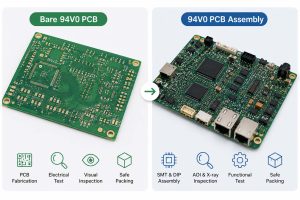
How to Design Any Layer HDI PCB?

Any layer HDI PCB design should start with stackup planning, not routing. The stackup affects BGA escape, microvia depth, impedance control, material selection, cost and manufacturing reliability.

Step 1: Confirm component density and BGA pitch.
Fine-pitch BGA, CSP and dense connectors decide whether via-in-pad, stacked microvias and fine-line routing are needed. The BGA escape plan should be confirmed before detailed layout.

Step 2: Define the stackup with the PCB manufacturer.
Layer count, dielectric thickness, copper thickness, signal layers, ground planes and power planes should be reviewed together. This helps prevent impedance mismatch, poor lamination balance and unbuildable microvia structures.

Step 3: Use manufacturable microvia rules.
Typical laser microvia diameter is 0.075–0.15 mm, and the preferred microvia aspect ratio is usually ≤0.75:1. Avoid unnecessary tall stacked vias because they increase plating stress and reliability risk.

Step 4: Control trace width and spacing.
Common fine-line capability is 50–75 μm. Very tight lines improve routing density, but they may reduce production yield. For batch production, the design should keep enough manufacturing margin.

Step 5: Protect high-speed signal paths.
Keep critical signals close to continuous ground reference planes. Avoid return path gaps, excessive layer transitions and poorly controlled differential pair spacing.

Step 6: Balance copper distribution.
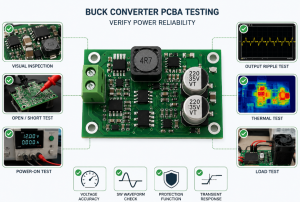
Uneven copper distribution may cause lamination pressure imbalance and board warpage. Copper balance should be checked across signal layers, power layers and ground layers.

Step 7: Review assembly risk before fabrication.
Via-in-pad flatness, BGA pad size, solder mask bridge, stencil design and reflow warpage should be checked early. A good HDI design must be easy to manufacture and stable during SMT assembly.

How Does the Any Layer HDI PCB Manufacturing Process Work?

Any layer HDI PCB manufacturing uses repeated lamination, laser drilling, copper filling and plating to build every layer interconnection. Each build-up cycle must be accurately controlled because small errors may affect microvia alignment and final reliability.

Step 1: Material preparation and inner layer imaging.
The process starts with laminate, copper foil and prepreg preparation. Inner layers are imaged, etched and inspected to confirm circuit accuracy before lamination.

Step 2: Inner core lamination.
The inspected inner layers are laminated under controlled temperature, pressure and time. Stable lamination is important because later microvia alignment depends on dimensional stability.

Step 3: Laser microvia drilling.
Laser drilling creates small microvias between adjacent layers. The process must control via diameter, depth and position accuracy.

Step 4: Desmear, plating and copper filling.
After drilling, the microvias are cleaned, plated and copper filled. Copper filling creates a solid vertical connection and prepares a flat surface for stacked microvia construction.

Step 5: Planarization and next build-up layer.
The filled microvias are planarized. Then the next dielectric and copper layer are laminated. The same drilling, filling and plating process is repeated layer by layer.

Step 6: Outer layer imaging and solder mask.
After the full stackup is completed, the outer circuit is formed. Solder mask is applied to protect copper areas and define soldering pads.

Step 7: Surface finish and profiling.
ENIG, ENEPIG or other surface finishes are applied based on assembly and reliability requirements. The board is then routed or profiled to final size.

Step 8: Final inspection and testing.
Electrical testing, AOI, X-ray, microsection, impedance testing and reliability inspection are used to confirm that the HDI board meets project requirements.

Any Layer HDI PCB Manufacturing Process, https://www.bestpcbs.com/blog/2026/07/any-layer-hdi-pcb/

How Does Any Layer HDI PCB Improve Signal Integrity?

Any layer HDI PCB improves signal integrity by shortening signal paths and reducing unnecessary through-hole via stubs. In high-speed circuits, long traces, poor return paths and via stubs may cause reflection, crosstalk, insertion loss and timing problems.

With stacked microvias, signals can move between layers more directly. This helps designers keep critical traces close to ground planes, reduce loop area and create cleaner return paths. It is especially useful for fine-pitch BGA, RF modules and compact high-speed circuits.

However, HDI structure alone does not guarantee good signal integrity. The stackup must still control dielectric thickness, impedance, copper roughness, differential pair spacing, via transition and reference plane continuity.

Good signal integrity design should focus on:

  • Shorter interconnect paths to reduce signal delay and loss.
  • Continuous reference planes to keep return current stable.
  • Controlled impedance to reduce reflection.
  • Fewer through-hole via stubs to improve high-speed performance.
  • Proper differential pair routing to control skew and crosstalk.
  • Stable material selection to reduce dielectric loss.
  • Clean power and ground structure to reduce noise coupling.

For high-speed any layer HDI PCB projects, signal integrity should be reviewed during stackup design. Waiting until prototype testing may lead to redesign, delayed delivery and higher total cost.

What Applications Commonly Use Any Layer HDI PCB?

Any layer HDI PCB is used in electronics where size, routing density and performance are critical. It is especially useful when the product contains fine-pitch BGA, high-speed chips, RF sections, dense connectors or strict mechanical space limits.

Common applications include:

  • Smartphones, tablets and wearable electronics
  • IoT modules and compact wireless devices
  • Medical monitoring and diagnostic electronics
  • Automotive sensor modules and control boards
  • Communication modules and high-speed networking devices
  • Industrial control boards with compact form factors
  • Aerospace and defense electronics
  • Camera modules and miniature embedded systems

These applications share one requirement: more reliable interconnections in a smaller PCB area. Therefore, the board should be reviewed as a complete product platform, not only as a bare PCB.

What Reliability Tests Are Required for Any Layer HDI PCB?

Any layer HDI PCB requires strict reliability testing because stacked microvias carry critical layer-to-layer connections. Testing should verify plating quality, microvia strength, impedance stability, solderability and assembly reliability.

Key reliability tests include:

  • AOI inspection: Detects opens, shorts, line defects, spacing problems and etching errors before final shipment.
  • Flying probe test: Verifies electrical continuity and isolation, especially for prototype and small-batch HDI PCB orders.
  • Impedance test: Confirms whether controlled impedance traces meet the target tolerance, commonly ±10% depending on project requirements.
  • X-ray inspection: Checks copper-filled microvias, via-in-pad areas and BGA solder joints after assembly.
  • Microsection analysis: Verifies copper plating thickness, via filling quality, lamination structure and microvia connection reliability.
  • Thermal stress test: Evaluates whether stacked microvias can survive heat exposure, reflow and temperature change.
  • Solderability test: Confirms whether the surface finish can support stable SMT assembly and BGA soldering.
  • Ionic contamination test: Checks board cleanliness to reduce leakage, corrosion and long-term reliability risk.
  • Functional test: Verifies the assembled PCBA under real working conditions when assembly service is included.

For automotive, medical, aerospace or long-life industrial products, buyers should also confirm material traceability, inspection records, test reports and production process control before batch production.

How Much Does Any Layer HDI PCB Cost?

Any layer HDI PCB costs more than standard HDI PCB because it uses more lamination cycles, laser drilling, copper filling, tighter registration and advanced inspection. The final price depends on design difficulty, material choice, quantity, testing level and assembly scope.

Main cost factors include:

  • Layer count: More layers increase material use, lamination time and inspection workload.
  • Lamination cycles: Any-layer structures need repeated build-up processing, which increases production time and cost.
  • Microvia structure: Stacked copper-filled microvias cost more than simple blind vias because plating and filling control are stricter.
  • Trace width and spacing: Fine-line rules such as 50/50 μm require tighter process control and may reduce yield.
  • Material grade: High-Tg, low-Dk or low-Df materials cost more than standard FR4, but they may be necessary for high-speed or high-reliability products.
  • Surface finish: ENIG and ENEPIG are more expensive than HASL, but they are better for fine-pitch BGA and flat soldering pads.
  • Testing requirements: X-ray, impedance testing, microsection and thermal stress testing increase cost but reduce quality risk.
  • Assembly scope: SMT assembly, BGA soldering, stencil, functional testing and packaging should be included when calculating total project cost.
  • Order quantity: Prototype cost per piece is higher because engineering review, tooling and setup costs are shared by fewer boards.

A fixed any layer HDI PCB pricelist is usually not accurate before DFM review. For a reliable quotation, buyers should provide Gerber or ODB++ files, stackup requirements, material preference, quantity, surface finish, impedance requirements and assembly scope.

What Services Can EBest Circuit Provide for Any Layer HDI PCB Projects?

EBest Circuit provides one-stop support for any layer HDI PCB projects, covering design, prototype, production, sourcing and assembly.

  • PCB Design: Review stackup, microvia structure, BGA escape, fine-line routing and manufacturability before fabrication.
  • PCB Prototype: Validate microvia reliability, impedance control, material selection and assembly risk before batch production.
  • Mass Production: Support stable repeat orders with controlled process planning and production management.
  • Component Sourcing: Help coordinate BOM, component matching and PCBA preparation.
  • PCB Assembly: Provide SMT assembly, BGA soldering, X-ray inspection and functional testing.
  • Engineering Support: Reduce redesign risk, DFM issues, hidden cost and prototype-to-production differences.

What Quality Certifications Support EBest Circuit’s HDI PCB Manufacturing?

EBest Circuit supports HDI PCB manufacturing with certified quality systems and global compliance requirements.

  • ISO 9001:2015: Supports stable quality management and repeatable production control.
  • IATF 16949: Supports automotive electronics projects with stricter process control and traceability.
  • ISO 13485:2016: Supports medical electronics manufacturing quality requirements.
  • AS9100D: Supports aerospace and high-reliability electronic projects.
  • UL: Supports material safety, traceability and compliance review.
  • RoHS: Supports restricted substance compliance for global electronics markets.
  • REACH: Supports chemical compliance requirements for export projects.

These certifications help strengthen process control, material traceability, inspection records and long-term production stability for any layer HDI PCB manufacturing.

Any Layer HDI PCB Manufacturing Cases from EBest Circuit

Project Background

A wearable medical electronics project required a compact control board with a fine-pitch BGA, dense signal routing and strict size limits. The original design used standard HDI routing, but the available escape channels were not enough. The board also needed stable signal performance, reliable SMT assembly and repeatable production after prototype approval.

Project Requirements

The project required an 8-layer any layer HDI PCB with stacked copper-filled microvias, microvia-in-pad for BGA escape and controlled impedance routing. Key requirements included 0.10 mm laser microvias, 50/50 μm fine-line routing, ENIG surface finish, BGA X-ray inspection, impedance test coupons and functional testing after assembly.

EBest Circuit Solution

EBest Circuit reviewed the stackup, dielectric thickness, copper balance, BGA escape path and assembly risk before fabrication. The team adjusted the microvia structure to reduce unnecessary stacked via stress, optimized copper distribution to reduce warpage risk and confirmed the impedance model before production. PCB fabrication, component sourcing, SMT assembly, X-ray inspection and functional testing were coordinated in one project flow.

Output Results

The prototype passed 100% flying probe testing, BGA X-ray inspection and functional testing. Controlled impedance was verified within the project tolerance target of ±10%. The final board achieved stable BGA assembly, reduced routing congestion and supported a smoother transition from prototype to small-batch production. This case shows how early engineering review, HDI process control and assembly coordination can reduce redesign risk for complex any layer HDI PCB projects.

Any Layer HDI PCB, https://www.bestpcbs.com/blog/2026/07/any-layer-hdi-pcb/

Why Choose EBest Circuit as China Any Layer HDI PCB Manufacturer?

EBest Circuit helps make any layer HDI PCB projects easier to move from design review to prototype, assembly and batch production. For complex HDI boards, the real value is not only fabrication capability, but also lower redesign risk, clearer cost control and more stable production quality.

  • Reduce design and DFM risk: Stackup, microvia structure, BGA escape, fine-line routing, impedance control and assembly feasibility can be reviewed before production, helping reduce redesign and repeated engineering changes.
  • Shorten prototype-to-production time: PCB design review, prototype fabrication, mass production, component sourcing and PCB assembly can be handled in one project flow, reducing communication gaps between different suppliers.
  • Control total project cost: Early review helps identify risky microvia structures, material mismatch, excessive fine-line rules and unnecessary process upgrades before quotation is locked.
  • Support urgent and batch orders: With strong monthly PCB production capability and expedited service, EBest Circuit can support urgent prototype demand and stable repeat production when project requirements are confirmed.
  • Improve HDI PCB assembly reliability: SMT assembly, BGA soldering, X-ray inspection and functional testing help reduce solder voids, via-in-pad issues, reflow problems and final PCBA failure risk.
  • Strengthen quality confidence: ISO 9001, IATF 16949, ISO 13485, AS9100D, UL, RoHS and REACH support process control, material traceability and compliance needs for global electronics projects.
  • Work with one China source factory: PCB fabrication, HDI engineering support, component sourcing, assembly, testing and shipment can be coordinated together, reducing handoff risk and improving project control.

For any layer HDI PCB projects with fine-pitch BGA, stacked microvias, controlled impedance or compact layout requirements, EBest Circuit provides a practical manufacturing path from engineering review to finished PCBA.

FAQs About Any Layer HDI PCB

Q1: What files should be prepared before requesting an any layer HDI PCB quote?

A1: A useful quotation should include Gerber or ODB++ files, drill files, stackup drawing, impedance requirements, material preference, copper thickness, surface finish, quantity and assembly scope. If BOM and CPL files are available, the supplier can also review SMT assembly risk earlier.

Q2: Why is DFM review important before any layer HDI PCB production?

A2: DFM review helps find unbuildable stackups, risky microvia structures, tight spacing issues, poor copper balance and assembly risks before production. This reduces repeated engineering changes, hidden cost and prototype delay.

Q3: Can any layer HDI PCB be used for both prototype and mass production?

A3: Yes. The key is to keep stackup, material, microvia structure, impedance rules, surface finish and testing standards consistent from prototype to batch production. This helps reduce variation after sample approval.

Q4: What is the best surface finish for fine-pitch BGA on any layer HDI PCB?

A4: ENIG is commonly used because it provides flat pads, good solderability and stable BGA assembly support. ENEPIG may be selected for higher reliability or special bonding requirements. HASL is usually not preferred for dense HDI layouts.

Q5: Why does via-in-pad need copper filling in any layer HDI PCB?

A5: Via-in-pad normally needs copper filling and planarization to create a flat soldering surface. Without proper filling, solder may flow into the via, causing weak joints, voids or BGA assembly defects.

Q6: How can stacked microvia failure be reduced?

A6: Stacked microvia failure can be reduced by using proper aspect ratio, stable copper filling, controlled plating thickness, balanced stackup design and thermal stress testing. Avoiding unnecessary tall via stacks also helps improve reliability.

Q7: Is any layer HDI PCB suitable for high-speed interfaces?

A7: Yes, it can support high-speed interfaces when the stackup controls impedance, dielectric thickness, reference planes, copper roughness and via transitions. The design should be reviewed before prototype production to avoid signal integrity problems.

Q8: What is the main risk when choosing the lowest any layer HDI PCB price?

A8: The lowest price may hide risks such as weak microvia filling, limited inspection, unstable material sourcing, poor impedance control or assembly failure. For complex HDI boards, total project cost matters more than bare PCB unit price.

Q9: Can EBest Circuit support any layer HDI PCB assembly?

A9: Yes. EBest Circuit can support PCB fabrication, component sourcing, SMT assembly, BGA soldering, X-ray inspection and functional testing. This helps reduce handoff risk between PCB production and PCBA assembly.

Q10: What industries commonly require strict any layer HDI PCB traceability?

A10: Automotive, medical, aerospace, industrial control and communication electronics often require stricter traceability. Important records may include material lot data, production traveler records, inspection reports, microsection results and test documentation.

Q11: How can any layer HDI PCB lead time be shortened?

A11: Lead time can be shortened by confirming stackup, material, microvia rules, surface finish, testing plan and assembly files before order release. Clear files reduce DFM back-and-forth and help production start faster.

Q12: What should be checked before moving from prototype to batch production?

A12: Before batch production, check prototype test results, impedance reports, X-ray results, microsection records, solderability, functional testing and BOM stability. The approved prototype should match the planned mass production process.

Q13: Does any layer HDI PCB require special material selection?

A13: Yes. Material should match signal speed, Tg, Dk, Df, CTE, CAF resistance, thickness control and long-term availability. For high-speed or high-reliability products, standard FR4 may not always be the best option.

Q14: How do I know if my project really needs any layer HDI PCB?

A14: This structure is suitable when standard HDI cannot handle fine-pitch BGA escape, compact layout, high-density routing, short signal paths or strict product size limits. If standard HDI can meet the design, it may be more cost-effective.

Q15: What makes EBest Circuit suitable for any layer HDI PCB projects?

A15: EBest Circuit supports PCB Design, PCB Prototype, Mass Production, Component Sourcing and PCB Assembly. With 20+ years of PCB manufacturing experience, certified quality systems and one-stop project support, it can help reduce technical, production and assembly risk.

Get a Fast Quote for Your Any Layer HDI PCB Project

Any layer HDI PCB is a strong solution for compact products that require fine-pitch BGA routing, stacked copper-filled microvias, controlled impedance and reliable assembly. The key is not only making smaller vias, but building a manufacturable stackup that can stay stable through prototype, SMT assembly, inspection and batch production.

For purchasing, compare more than unit price. Review the supplier’s HDI engineering capability, microvia process control, material support, assembly service, testing method and quality documentation. If you need any layer HDI PCB design review, prototype production, PCB fabrication, component sourcing or assembly service, contact EBest Circuit for a clear quotation: sales@bestpcbs.com.

You may also like

Heavy Copper PCB for Thermal Management in High-Current Applications

June 18th, 2026

Heavy copper PCB for thermal management is used when high-current circuits must reduce resistance, control heat and maintain reliable operation. It improves heat spreading through thicker copper, wider current paths, thermal vias, copper planes and suitable materials.

For power electronics, thermal design should be confirmed before PCB fabrication. Copper thickness, trace width, spacing, stackup, materials, surface finish and testing all affect current capacity, temperature rise and product life.

Heavy Copper PCB for Thermal Management, https://www.bestpcbs.com/blog/2026/06/heavy-copper-pcb-for-thermal-management/

Why Is Heavy Copper PCB for Thermal Management Important in High-Current Applications?

Heavy copper PCB for thermal management is important because high current creates heat inside copper conductors. If the copper area is too small, resistance rises, voltage drops and local hotspots appear around power devices, connectors and output terminals.

The main goal is lower temperature rise under continuous load. In power electronics, high temperature can damage solder joints, weaken insulation, shorten component life and cause unstable output.

Typical high-current applications include:

  • EV chargers and battery systems
  • Motor drives and industrial controllers
  • Power supplies and DC-DC converters
  • Solar inverters and energy storage systems
  • High-power LED drivers
  • Welding equipment and power distribution modules

A well-designed heavy copper PCB works as both an electrical conductor and a heat spreading structure. It helps reduce external wiring, improve compactness and increase power reliability.

How Does Heavy Copper PCB for Thermal Management Improve Heat Dissipation?

Heavy copper PCB for thermal management improves heat dissipation by increasing copper cross-sectional area. Thicker copper lowers conductor resistance, reduces I²R loss and spreads heat across a wider area.

Heat usually moves from power components into pads, traces, copper pours, planes, thermal vias and then to air, heatsinks or metal housings. The key is a continuous heat path from heat source to cooling area.

Main heat-control functions include:

  • Lower resistance: reduces self-heating in current paths.
  • Wider heat spreading: moves heat away from MOSFETs, relays and connectors.
  • Copper planes: distribute heat across larger board areas.
  • Thermal vias: transfer heat between layers.
  • Balanced current paths: prevent one area from carrying too much current.

Heavy copper alone is not enough. The PCB must also use proper trace width, spacing, via arrays and cooling structure.

What Copper Thickness Is Suitable for Heavy Copper PCB for Thermal Management?

Copper thickness should be selected by current, temperature rise, trace width, board size, cooling condition and manufacturing capability. In many projects, 3 oz copper or above is considered heavy copper. For stronger power paths, 4 oz to 6 oz is common.

Higher copper weight can reduce resistance, but it also increases etching difficulty, minimum spacing, solder mask risk, lead time and cost. The best choice is not the thickest copper, but the copper weight that meets the electrical and thermal target with safe margin.

Copper WeightThicknessTypical UseDesign Note
2 oz70 μmMedium power PCBEasier to fabricate
3 oz105 μmBasic heavy copper PCBCommon high-current option
4 oz140 μmPower control PCBWider spacing advised
6 oz210 μmMotor drive, converterStrong DFM review needed
8 oz+280 μm+Extreme current designHigher cost and tighter process

Selection rule: choose copper thickness based on current load, allowable temperature rise and manufacturable spacing.

How Should Trace Width Be Designed for High-Current Heavy Copper PCB?

Trace width should be designed by current load, copper thickness, temperature rise, trace length and layer position. The goal is lower resistance, lower voltage drop and stable temperature under continuous load.

Key design rules include:

  • Calculate trace width by working current and peak current. Continuous current affects long-term heating, while peak current affects short-time overload safety.
  • Set an allowable temperature rise before routing. Many power designs use temperature rise limits such as 10°C, 20°C or 30°C, depending on product environment and reliability target.
  • Check voltage drop on long current paths. A trace may pass current, but excessive voltage drop can still cause unstable output or lower power efficiency.
  • Use wider traces near heat-sensitive areas. Connectors, MOSFETs, relays, fuses and output terminals should avoid narrow neck-down routing.
  • Avoid sharp corners and sudden width changes. Smooth transitions reduce current crowding and local heating.
  • Use copper pours when board space allows. Large copper areas spread current better than narrow single traces.
  • Use parallel layers for higher current. When one layer cannot carry the load safely, connect multiple copper layers with enough vias.
  • Separate power traces from signal traces. High-current paths can generate heat and noise, which may affect control signals or sensing circuits.

Before production, buyers should provide working current, peak current, ambient temperature and allowed temperature rise for DFM review.

How Should Spacing Be Controlled to Prevent Heat and Voltage Risks?

Spacing should be controlled by copper thickness, voltage level, etching tolerance, solder mask capability and insulation requirement. The main goal is preventing shorts, leakage, arcing and solder mask failure.

Key spacing rules include:

  • Increase spacing as copper thickness increases. Thick copper is harder to etch, so tight spacing can leave copper residue or cause short circuits.
  • Check creepage and clearance in high-voltage areas. Power supplies, inverters, chargers and battery systems should leave enough insulation distance between different potentials.
  • Keep high-current copper away from sensitive signals. This reduces heat transfer, electromagnetic noise and unstable signal behavior.
  • Avoid dense routing between heavy copper traces. Dense spacing increases etching difficulty and reduces manufacturing yield.
  • Reserve enough solder mask dam width. Thick copper creates higher edges, so narrow solder mask dams may break, bridge or expose copper.
  • Add more clearance around connectors and terminals. These areas often carry high current and mechanical stress, so they need stronger insulation margin.
  • Consider coating or insulation treatment for harsh environments. Humidity, dust, salt spray and pollution can increase leakage risk.
  • Confirm spacing rules with the PCB factory before layout release. Heavy copper spacing depends on actual copper weight and process capability.

Good spacing improves electrical safety, manufacturing yield and long-term reliability under heat, voltage and humidity stress.

How Should Stackup Be Planned for Heavy Copper PCB for Thermal Management?

Stackup should be planned around current path, heat path, insulation and copper balance. For heavy copper PCB for thermal management, the stackup must support stable current flow, effective heat spreading and reliable lamination.

Key stackup rules include:

  • Place heavy copper on power layers. Use thick copper where current actually flows, instead of applying heavy copper to every layer.
  • Keep copper distribution balanced. Large heavy copper areas on only one side can cause warpage, bow and twist during lamination.
  • Use continuous copper planes for heat spreading. Power planes and copper pours help distribute heat away from hot components.
  • Plan dielectric thickness for voltage isolation. High-voltage circuits require enough insulation between copper layers to reduce breakdown risk.
  • Separate power layers from sensitive signal layers. High-current switching loops should not be placed close to low-level control or sensing traces.
  • Use thermal vias to connect heat paths. Vias should connect top copper, inner planes and bottom copper when heat must move through the PCB.
  • Allow enough resin flow around thick copper. Poor resin fill can cause voids, delamination or weak insulation.
  • Use mixed copper stackup for cost control. For example, power layers can use 3 oz to 6 oz copper, while signal layers use thinner copper for easier routing.

A good stackup is not only thick. It must be thermally useful, electrically safe, mechanically balanced and manufacturable in batch production.

Heavy Copper PCB Stackup, https://www.bestpcbs.com/blog/2026/06/heavy-copper-pcb-for-thermal-management/

How Do Thermal Vias Improve Heat Transfer in Heavy Copper PCB?

Thermal vias improve heat transfer by moving heat from surface pads to inner or bottom copper layers. They are often placed near MOSFETs, regulators, power LEDs, connectors and copper pours.

One via has limited thermal capacity. For high-current and high-heat designs, via arrays are more effective because they reduce thermal resistance and share current when connected to the same net.

Good thermal via design includes:

  • Place vias close to heat sources.
  • Use via arrays instead of isolated vias.
  • Connect vias to copper planes or heat spreading areas.
  • Check finished hole size and plating thickness.
  • Use filled or plugged vias under assembly-sensitive pads.
  • Avoid solder wicking through open vias.
  • Keep via distribution symmetrical around hot components.

Thermal vias must follow both thermal and electrical rules. If they carry current, via wall thickness and current sharing must be checked carefully.

What Materials Improve Heavy Copper PCB Heat Dissipation?

Materials affect heat transfer, insulation strength and board stability. For heavy copper PCB, material selection should match current load, heat path, operating temperature and product environment.

Common material options include:

MaterialStrengthSuitable Use
High-Tg FR-4Better heat resistance and dimensional stabilityPower control PCB, industrial PCB
Aluminum BaseTransfers heat quickly to metal baseLED drivers, power modules
Copper BaseHigher thermal conductivity than aluminumHigh-power converters, compact power boards
Ceramic SubstrateHigh temperature resistance and good insulationSpecial power devices, high-reliability electronics
High-Thermal LaminateBetter heat flow than standard FR-4Compact power PCB with limited space

Key selection rules include:

  • Use High-Tg FR-4 for general heavy copper power boards. It improves thermal stability and reduces deformation during soldering or long-term operation.
  • Use aluminum base when heat must move downward quickly. This is common in LED, lighting and power module designs.
  • Use copper base for higher power density. Copper base costs more, but it provides stronger heat transfer for compact high-current products.
  • Use ceramic for special high-temperature applications. It is suitable when the design requires strong insulation, high heat resistance and stable electrical performance.
  • Check dielectric thermal conductivity. Copper spreads heat well, but poor dielectric material can block heat transfer between copper and the base layer.
  • Match material with assembly temperature. Reflow soldering, selective soldering and component heat exposure should not damage laminate stability.

The best material is not always the most expensive one. It should support the real heat path and meet electrical, thermal and cost requirements.

Heavy Copper PCB Heat Dissipation, https://www.bestpcbs.com/blog/2026/06/heavy-copper-pcb-for-thermal-management/

What Surface Finish Works Best for Heavy Copper PCB for Thermal Management?

Surface finish affects solderability, pad flatness, oxidation resistance, storage life and assembly quality. For heavy copper PCB for thermal management, the finish should match component type, soldering process, RoHS requirement and cost target.

Common surface finishes include:

FinishStrengthLimitation
ENIGFlat surface, good shelf life, fine-pitch compatibleHigher cost
HASLStrong solderability and lower costLess flat surface
Lead-Free HASLRoHS-compatible and good solderabilityHigher thermal exposure
OSPFlat surface and low costShorter shelf life
Immersion SilverGood conductivity and solderabilitySensitive to handling and storage

Selection rules include:

  • Choose ENIG for fine-pitch components or flat pad requirements. It is suitable for mixed power and signal designs where assembly accuracy matters.
  • Choose HASL for larger power pads and cost-sensitive boards. It works well when pad flatness is not critical.
  • Choose lead-free HASL when RoHS compliance is required. It is common for industrial and export products, but process heat must be considered.
  • Choose OSP for simple assembly and short storage cycles. It is cost-effective, but handling and storage control must be strict.
  • Choose immersion silver when conductivity and solderability are priorities. It requires careful packaging to avoid oxidation or contamination.
  • Review solder mask coverage before production. Thick copper creates raised edges, so solder mask adhesion, dam width and exposed copper risk must be checked.

For most heavy copper power boards, ENIG and lead-free HASL are common choices. The final decision should depend on assembly difficulty, storage time and reliability requirements.

What Manufacturing Challenges Affect Heavy Copper PCB Thermal Performance?

Heavy copper PCB manufacturing is more difficult than standard PCB production. Thick copper affects etching, plating, lamination, drilling, solder mask and final inspection. Each problem can reduce thermal performance if not controlled.

Key challenges and solutions include:

  • Etching undercutThick copper needs longer etching time, which can narrow the final trace width. This may increase resistance and heat rise.Solution: enlarge trace width and spacing during design, confirm etching tolerance with the factory and avoid overly dense heavy copper routing.
  • Insufficient spacingTight spacing between thick copper traces can cause copper residue, short circuits or solder mask bridging.Solution: use wider spacing for high copper weight, especially around high-voltage and high-current areas. Confirm minimum spacing before layout release.
  • Uneven copper platingPoor plating can weaken vias, reduce current capacity and create unreliable heat paths between layers.Solution: check finished copper thickness, via wall plating and microsection results for critical current-carrying vias.
  • Resin voids around thick copperThick copper patterns require enough resin flow during lamination. Poor filling can cause voids, weak insulation or delamination.Solution: balance copper distribution, avoid extreme copper density differences and review lamination structure before production.
  • Board warpageHeavy copper on only one side can create stress during lamination and soldering, causing bow or twist.Solution: keep copper distribution symmetrical, use balanced stackup and avoid large unbalanced copper areas.
  • Solder mask thinningRaised copper edges make solder mask coverage more difficult. Thin solder mask may expose copper or reduce insulation reliability.Solution: increase solder mask clearance, check dam width and inspect solder mask adhesion on thick copper edges.
  • Drilling and via reliability issuesHigh-current vias must have enough hole size and plating thickness. Weak vias may crack during thermal cycling.Solution: use via arrays, larger finished holes when possible and microsection inspection for critical vias.
  • Higher scrap risk and longer lead timeHeavy copper boards require tighter process control, more inspection and more conservative design rules.Solution: complete DFM review before fabrication, validate prototypes before batch orders and avoid pushing minimum design limits.

A reliable heavy copper PCB should be designed with manufacturing limits in mind. Good thermal performance depends on both layout design and stable factory process control.

Heavy Copper PCB, https://www.bestpcbs.com/blog/2026/06/heavy-copper-pcb-for-thermal-management/

What Failures Happen Without Proper Heavy Copper PCB Thermal Design?

Without proper heavy copper PCB thermal design, failures often appear during load testing, thermal cycling or long-term operation. Basic continuity testing may not reveal these risks.

The root cause is usually an incomplete heat path or weak current path. A board may use thick copper but still fail if traces are narrow, vias are insufficient, spacing is unsafe or stackup is unbalanced.

Common failure modes include:

  • Hotspots near MOSFETs, connectors or relays
  • Burned traces caused by current concentration
  • Voltage drop along long power paths
  • Cracked via barrels after thermal cycling
  • Delamination caused by trapped heat
  • Solder joint fatigue from repeated expansion
  • Insulation breakdown in high-voltage areas
  • Unstable output under continuous load

Project example: A power control PCB overheated near the output connector during load testing. The design was improved by widening the copper pour, adding thermal via arrays, balancing inner copper planes and increasing solder mask clearance. After prototype validation, the hotspot was reduced and the design was ready for batch production.

FAQs About Heavy Copper PCB for Thermal Management

Q1: What copper thickness should I choose for a high-current PCB?

A1: For many high-current projects, heavy copper usually starts from 3 oz copper. Common options are 3 oz, 4 oz and 6 oz, depending on current load, trace width, temperature rise and cooling condition. Very high-current boards may use 8 oz or higher, but cost and manufacturing difficulty increase.

Q2: How much current can a heavy copper PCB carry?

A2: Current capacity depends on copper thickness, trace width, layer position, temperature rise and airflow. A 3 oz copper trace can carry more current than 1 oz copper at the same width, but there is no fixed number for all designs. The safe value should be calculated by current, allowed temperature rise and actual layout.

Q3: Is 3 oz copper enough for thermal management?

A3: 3 oz copper is enough for many medium to high-current PCB designs when trace width, copper pour and thermal vias are properly planned. If the board has continuous high current, limited airflow or compact space, 4 oz to 6 oz copper may provide better thermal margin.

Q4: When should I use 6 oz copper instead of 3 oz copper?

A4: Use 6 oz copper when the design has higher current, longer power paths, stricter temperature rise limits or limited board space. It is common in motor drives, converters, battery systems and industrial power boards. However, 6 oz copper needs larger spacing, stronger DFM review and tighter process control.

Q5: Does heavy copper PCB reduce the need for a heatsink?

A5: Heavy copper PCB can reduce hotspot temperature and improve heat spreading, but it does not always replace a heatsink. If power devices generate high heat continuously, a heatsink, metal housing or forced airflow may still be required. Heavy copper mainly improves the PCB heat path and current path.

Q6: What files should I send for a heavy copper PCB quote?

A6: Buyers should send Gerber files, drill files, stackup, copper weight, board thickness, material, surface finish, solder mask color, quantity and IPC class. For thermal review, also provide working current, peak current, ambient temperature and allowed temperature rise.

Q7: Why is spacing larger on heavy copper PCB?

A7: Thick copper is harder to etch than standard copper. If spacing is too small, copper residue, short circuits or solder mask bridging may happen. As copper weight increases from 3 oz to 6 oz, spacing usually must be enlarged to improve yield and insulation reliability.

Q8: Can heavy copper PCB be used with fine-pitch components?

A8: Yes, but the design should separate power areas from fine-pitch signal areas. Fine-pitch pads need flatness and tight tolerance, while heavy copper areas need wider spacing and stronger solder mask control. A mixed design using heavy copper for power paths and thinner copper for signal areas is often better.

Q9: What surface finish is better for heavy copper PCB?

A9: ENIG is often suitable when flatness, shelf life and fine-pitch assembly are important. Lead-free HASL is common for larger power pads and RoHS projects. OSP can reduce cost but requires shorter storage control. The choice should match component type, soldering process and reliability target.

Q10: What tests are important for heavy copper PCB reliability?

A10: Important tests include electrical testing, AOI, copper thickness measurement, solder mask inspection, microsection and thermal stress testing. For high-current vias, microsection can confirm plated hole wall quality. For critical projects, buyers should confirm inspection requirements before mass production.

Q11: What causes heavy copper PCB overheating?

A11: Overheating is usually caused by narrow traces, insufficient copper area, weak thermal vias, poor airflow, unbalanced current paths or wrong copper thickness. Even a 6 oz board can overheat if the current path has a narrow bottleneck or poor heat transfer to the cooling area.

Q12: Can heavy copper PCB replace a busbar?

A12: Heavy copper PCB can replace a busbar in some compact power designs when current, temperature rise and mechanical stress are within PCB limits. For very high-current systems, a busbar or PCB-busbar hybrid structure may still be safer. The decision should be based on current level and thermal test results.

Q13: How can I reduce heavy copper PCB cost?

A13: Cost can be reduced by using heavy copper only on power layers, avoiding unnecessary layer count, keeping spacing manufacturable and choosing a practical surface finish. For example, power layers may use 3 oz to 6 oz copper while signal layers use thinner copper to control cost.

Q14: What industries commonly use heavy copper PCB for thermal management?

A14: Heavy copper PCB for thermal management is widely used in EV chargers, battery management systems, motor drives, solar inverters, power supplies, LED drivers, welding equipment and industrial controllers. These applications usually require high current capacity, lower temperature rise and long service life.

A reliable heavy copper PCB must combine suitable copper thickness, safe trace width, controlled spacing, balanced stackup, effective thermal vias, proper materials, suitable surface finish and strict inspection. The strongest design is not simply the thickest copper board, but the board with a complete and manufacturable thermal path.

For selection, engineers should confirm current load, temperature rise, voltage drop, material grade and assembly conditions before production. For procurement, buyers should choose a source factory that provides DFM review, stable process control, inspection reports and repeatable batch quality. To discuss a custom heavy copper PCB project or request a quotation, contact EBest Circuit at sales@bestpcbs.com.

You may also like