A fuse symbol marks a protective device that opens a circuit when excessive current melts its fuse element. Reading it correctly involves more than recognizing the shape: the nearby reference number, rating, and circuit connections explain which fuse it is and what it protects.
At EBest Circuit, we support PCB fabrication, component sourcing, and SMT or through-hole assembly from your approved design. Matching the specified fuse to its PCB footprint and assembly documentation helps prevent component mismatches during production. For PCB and PCBA project support, contact sales@bestpcbs.com.
What Does a Fuse Symbol Look Like?
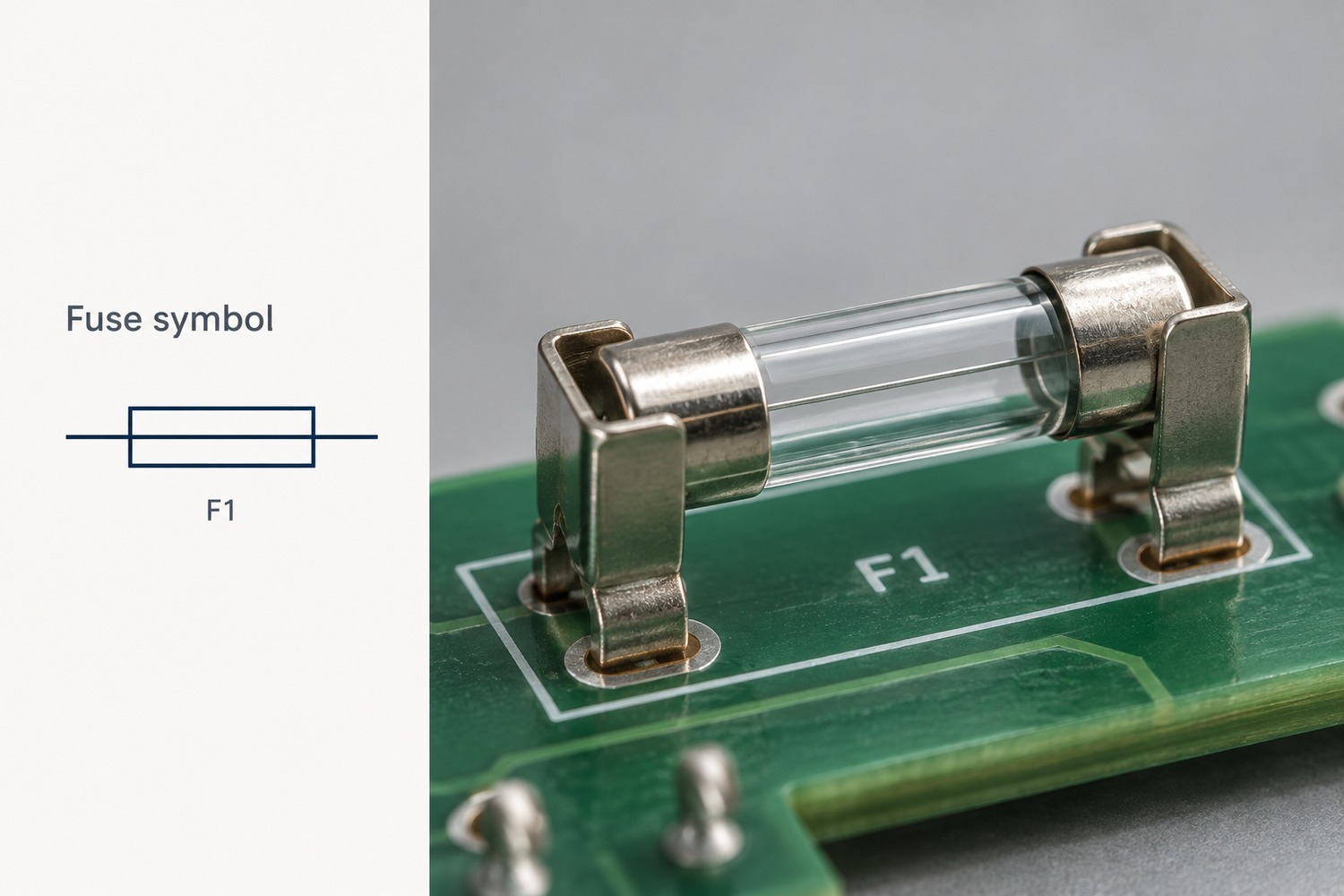
A common fuse symbol is a small rectangle with a straight line running through its center. Another familiar form uses a short curved or S-shaped element between the connecting wires. Both represent a fuse rather than its physical package.
The rectangle can resemble an IEC resistor symbol. The useful distinction is that the common rectangular fuse symbol has a line through the box, while the basic rectangular resistor symbol does not. Nearby identifiers also help: F1 commonly identifies a fuse; R1 identifies a resistor.
A curved fuse element can also resemble other symbols in a small drawing. Read the graphic together with its identifier and the drawing legend, rather than relying on the outline alone.
Why Do Fuse Symbols Look Different Across Diagrams?
Drawing standards, symbol libraries, and the amount of detail shown can all change a fuse’s appearance. IEC 60617 and IEEE/ANSI conventions are common references, but their implementations can overlap.
Difference in the drawing
What it means
Rectangle with a center line or a curved element
Alternative representations encountered in different drawing conventions
Horizontal or vertical orientation
The symbol has been rotated to fit the circuit layout
Added striker or alarm-contact detail
The fuse assembly includes an indication or actuation feature
A rectangle alone does not establish whether the entire drawing follows IEC or IEEE conventions. Both IEC and IEEE symbol libraries can contain the rectangular center-line form. Likewise, a different symbol shape does not automatically mean a different current rating or operating speed.
What Do the Markings Beside a Fuse Symbol Mean?
The reference designator identifies the component; the specification describes its electrical characteristics. For example, F1 means a particular fuse in the design, not a 1-amp fuse.
Consider a fuse identified as F1, with the specification T3.15AL250V. In the miniature-fuse marking convention used for this example:
Marking
Meaning
F1
Component reference, used to connect the schematic, BOM, and assembly drawing
T
Time-delay characteristic
3.15A
Rated current of 3.15 amperes
L
Low breaking-capacity category
250V
Rated voltage of 250 volts
The rated current and breaking capacity describe different things. Rated current concerns normal current carrying; breaking capacity concerns safely interrupting a fault current. The letter L does not provide the complete numerical interrupting rating.
Similarly, 250V is not a voltage at which the fuse automatically blows. The applicable AC or DC rating comes from the device specification. This marking format is not universal for all fuse packages, particularly small surface-mount parts with manufacturer-specific codes.
How Are Fast-Blow and Slow-Blow Fuses Identified on Schematics?
The basic fuse symbol often stays the same; the accompanying value, note, or part number identifies the operating characteristic. In common miniature-fuse markings, F indicates fast-acting and T indicates time-delay.
Fast-blow fuse: Intended to interrupt overcurrent without the intentional surge tolerance of a time-delay design. It still takes time to operate.
Slow-blow fuse: Designed to withstand specified brief current surges, such as those associated with startup, while providing overcurrent protection.
For example, F2A and T2A both indicate a 2A current rating in this marking system, but their time-current behavior differs. They should not be treated as interchangeable solely because the current rating matches.
Also distinguish the F in F1, which identifies the component, from the F in F2A, which describes its speed. The manufacturer’s time-current curve defines the response more precisely than either the symbol or the word “fast.”
How Do You Read a Fuse Circuit Diagram?
Follow the current path through the fuse to the load and back to the supply. A fuse protecting a branch is connected in series with that branch, so the branch current passes through its element.
For a simple 12V DC circuit, the path is:
Supply +12V → F1 → Load → Supply return (0V)
This example shows three useful relationships:
Normal operation: F1 conducts the load current and completes the supply path.
Downstream fault: A short circuit can increase the current through F1. Whether and how quickly it opens depends on the available fault current and fuse characteristics.
After F1 opens: The load loses this supply path. The section between the source and F1 can remain energized.
If another branch connects to the supply before F1, that branch is outside F1’s protection path. This is why the connection points matter more than how close the fuse appears to a component on the page.
How Does a Fuse Symbol Relate to the Actual Component?
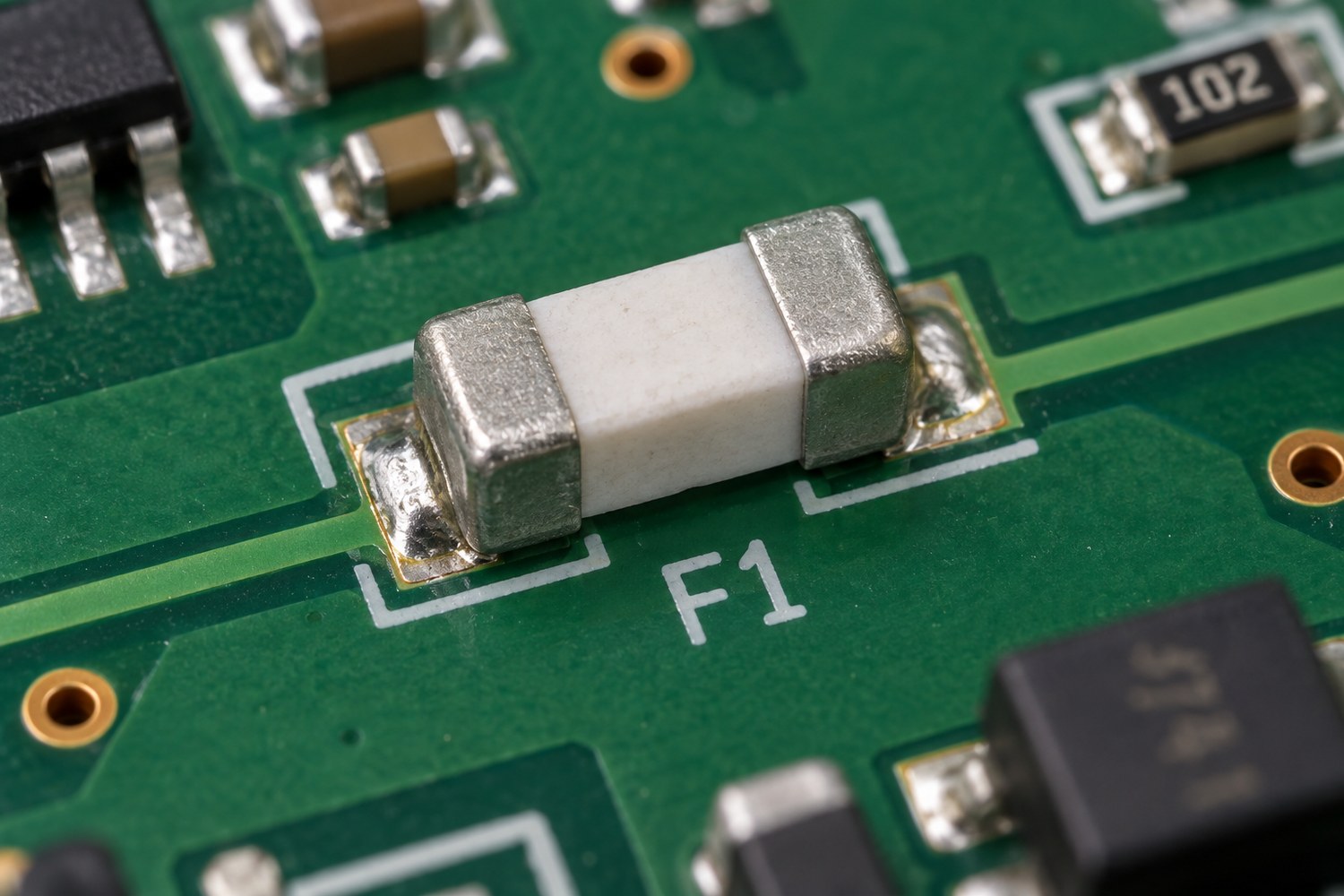
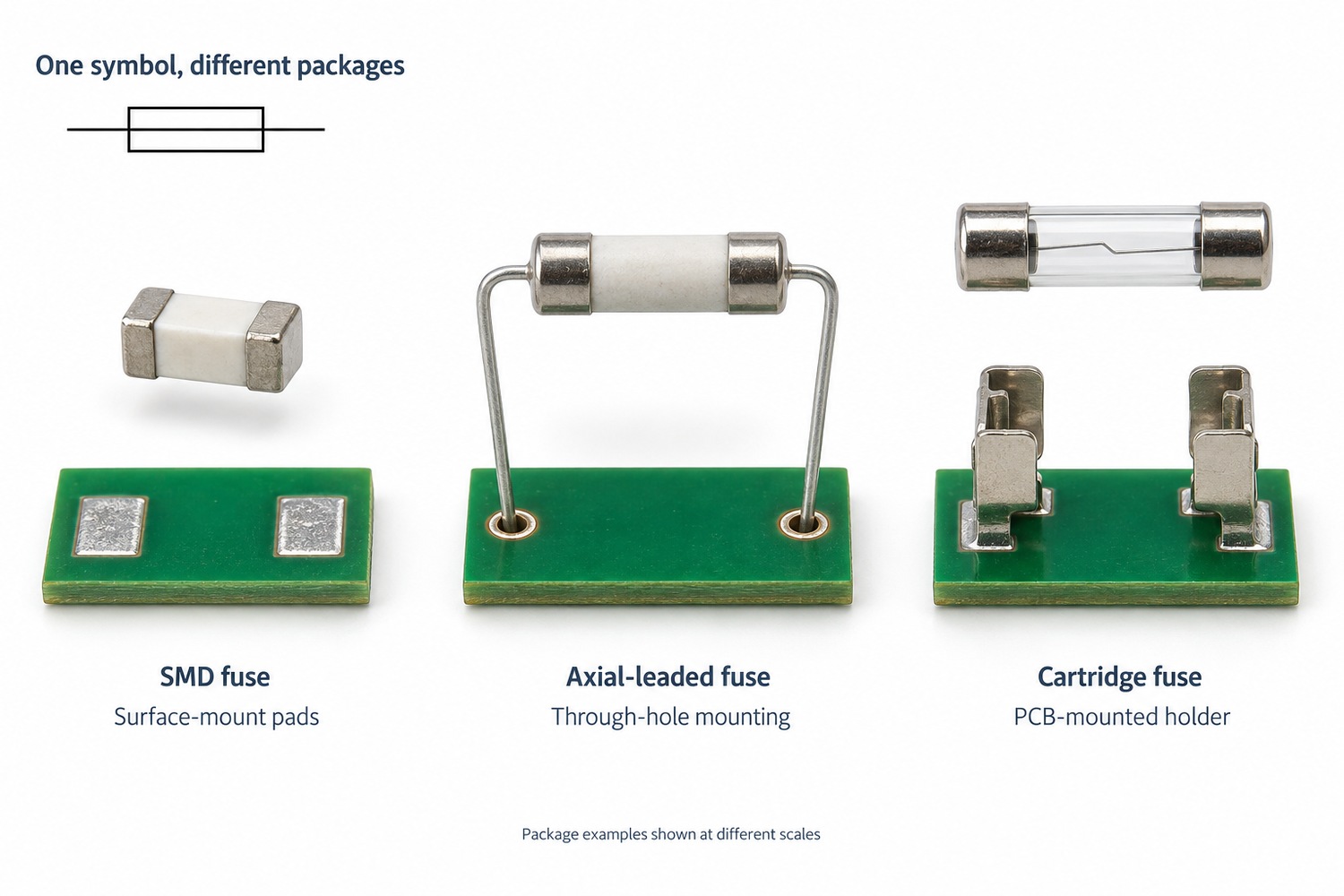
One basic schematic symbol can represent several physical fuse packages. It may correspond to a small SMD chip, a leaded fuse, or a cartridge fitted into a holder.
For a cartridge fuse, the PCB may carry the holder, while the replaceable fuse sits inside it. The board footprint must therefore match the holder’s terminals and dimensions.
Changing to another fuse with the same current rating may still require a different footprint, holder, or assembly process. The symbol alone does not establish mechanical compatibility.
Does a Fuse Symbol Show Whether the Fuse Has Blown?
An ordinary schematic fuse symbol does not report the fuse’s present condition. It identifies the device and its connection in the intended circuit.
A fault-analysis drawing may explicitly show an open fuse, while another drawing may include a fuse-operated alarm contact. Those details need to be interpreted through the drawing notes or legend; they are not live status indications by themselves.
The physical fuse’s condition requires inspection or measurement. For a conventional fuse, continuity testing is performed with power disconnected and stored energy discharged. Parallel circuit paths can produce a misleading reading, so isolation may be necessary. A printed symbol or an intact-looking fuse body is not sufficient evidence that the fuse is working.
FAQs About Fuse Symbols
Do AC and DC fuses use different symbols?
The basic symbol can be the same. AC and DC suitability is established by the specified fuse’s ratings, not by its symbol alone. An AC voltage rating does not automatically establish an equivalent DC rating.
How is a thermal fuse different from an ordinary fuse?
A thermal fuse opens at a specified temperature, while an ordinary overcurrent fuse responds to heating caused by current through its element. Thermal-fuse drawings may include a temperature notation or a distinct library symbol. Its electrical ratings still matter.
Is a resettable PTC the same as a fuse?
No. A resettable PTC increases its resistance when it trips, limiting current rather than creating the permanent open circuit of a melted fuse element. It can recover after the fault is removed and it cools, subject to the device’s operating conditions.
Does an SMD fuse need a special schematic symbol?
Usually, the basic fuse symbol is sufficient. The BOM and footprint distinguish an SMD package from a leaded or cartridge version. A tiny code printed on the component may be a manufacturer-specific rating code.
Are car fuse-box icons the same as schematic fuse symbols?
Not necessarily. A fuse-box cover may use icons to identify the protected function, such as lighting or a power outlet. A schematic fuse symbol identifies the protective device within the electrical circuit. The vehicle’s legend explains its particular icons.
For a PCB assembly project, the fuse symbol, specified part, and physical footprint should describe the same intended device. EBest Circuit can support fabrication, sourcing, and assembly from your approved files. Discuss your next build with us at sales@bestpcbs.com.
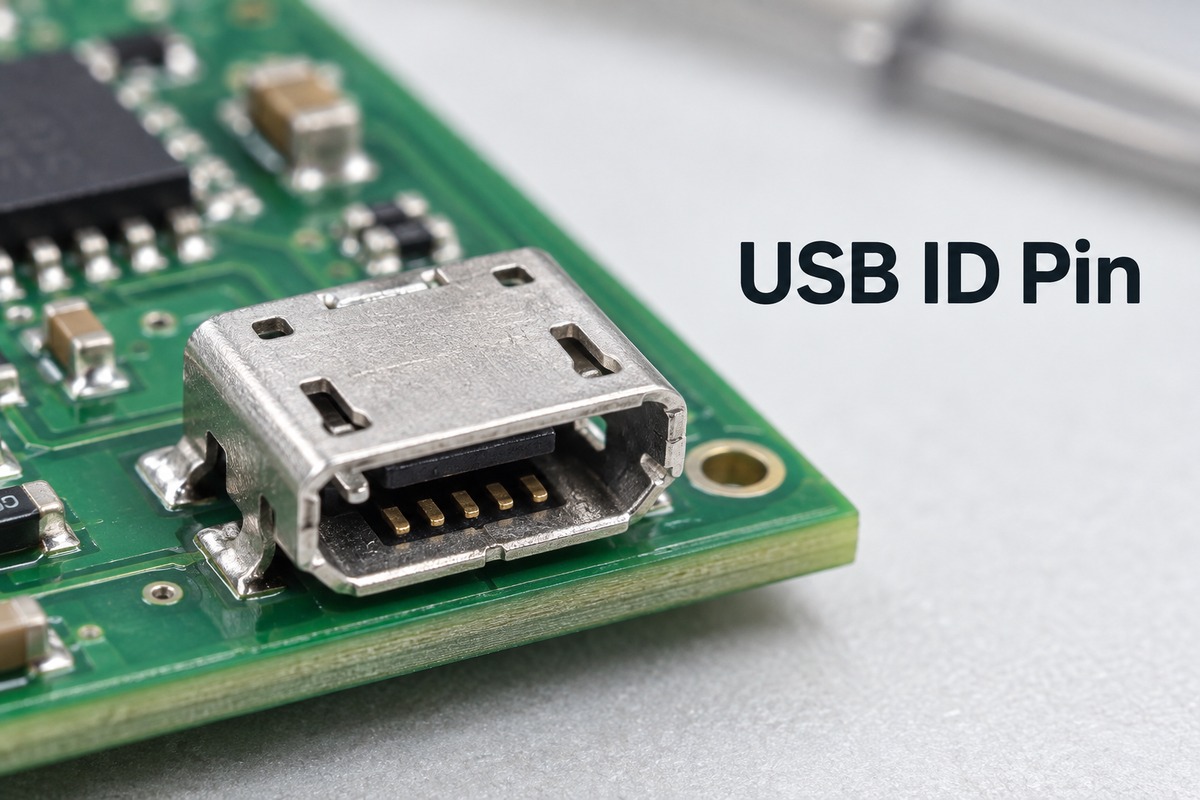
The USB ID pin helps a legacy USB On-The-Go (OTG) device determine whether it should initially act as a host or a peripheral. Grounding the pin and leaving it floating signal different cable connections. This small difference explains why one adapter lets a compatible device control a USB accessory while an ordinary cable connects that same device to a computer.
For products using Mini-USB or Micro-USB, the connector contact, PCB connection and controller input must work together. EBest Circuit supports PCB fabrication, component sourcing and assembly for customer-designed USB interface boards, including connector inspection and agreed functional testing. Discuss your board’s manufacturing needs with sales@bestpcbs.com.
What Does the USB ID Pin Do?
The USB ID pin function is to identify the cable end connected to a legacy OTG port. It gives a dual-role controller information about its initial role before normal USB communication begins.
A USB host initiates transfers and manages connected peripherals. A peripheral responds to the host. A portable instrument, for example, might operate as a peripheral when connected to a PC but act as a host when reading a USB flash drive, provided its hardware and software support both functions.
The ID signal helps distinguish those connections. It does not carry the measurement data, files or USB commands exchanged between the devices; those travel over the data connection.
In this context, OTG support belongs to the complete device, not simply to its five-contact connector. Adding an ID connection cannot turn a device-only controller into a USB host.
Where Is the Micro USB ID Pin in the 5-Pin Connector?
In the standard five-contact USB 2.0 Micro-USB pin assignment, ID is pin 4 and GND is pin 5. The same signal numbering applies to the five-contact Mini-USB interface.
Pin number
Signal
1
VBUS
2
D−
3
D+
4
ID
5
GND
Descriptions sometimes call ID the “fifth pin” because it is the additional contact beyond the four signals used by a USB 2.0 Type-A connection. That does not mean its assigned pin number is 5.
The physical view also matters. A connector’s mating face and its PCB footprint are viewed from different directions, so a left-to-right sketch can be misleading without a stated viewing direction. Use the selected connector’s numbered drawing to locate pad 4 rather than assuming it is always the second pad from one particular side.
The metal shell and mounting tabs are separate from these five signal contacts. They should not be counted as extra positions in the USB pinout.
What Happens When the USB ID Pin Is Grounded or Floating?
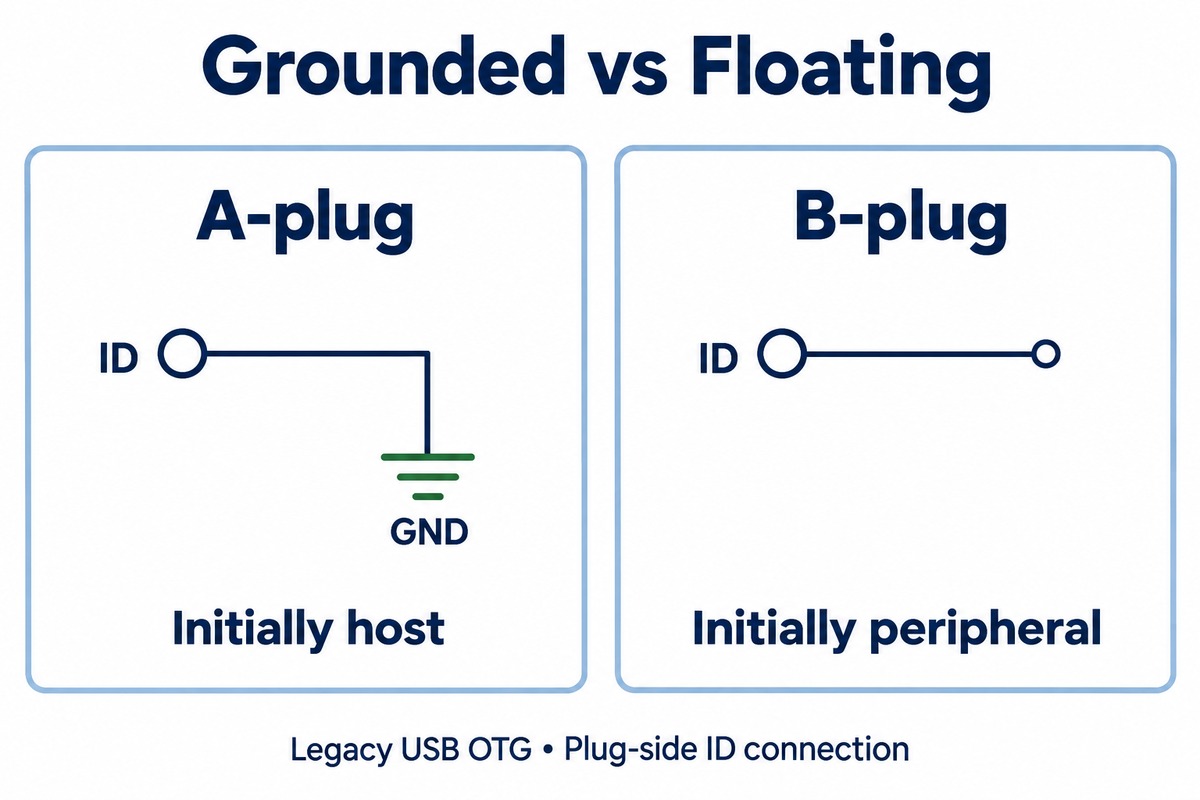
A grounded ID identifies the A end of a legacy OTG connection; a floating ID identifies the B end. The A-device starts as the host, while the B-device starts as the peripheral.
Cable end at the OTG port
ID connection in the plug
Initial role
Mini-A or Micro-A
Connected to GND
A-device, initially host
Mini-B or Micro-B
Left unconnected
B-device, initially peripheral
Grounded means there is an electrical path from ID to ground. The detector reads a low state.
Floating means the plug leaves ID unconnected. It does not necessarily mean the powered controller sees an unstable or zero-voltage signal. Its detection circuit may pull the input high internally.
This is why an OTG adapter and a normal peripheral cable can produce different behavior even when both provide power and data contacts. Their ID termination tells the compatible port how to begin the connection.
The word initial is important. Legacy OTG devices that support Host Negotiation Protocol can exchange host and peripheral roles later. The A/B cable identity does not change with that exchange, and the A-device remains responsible for supplying VBUS. Data role and power source are therefore not interchangeable terms.
How Is the USB ID Pin Connection Made on a PCB?
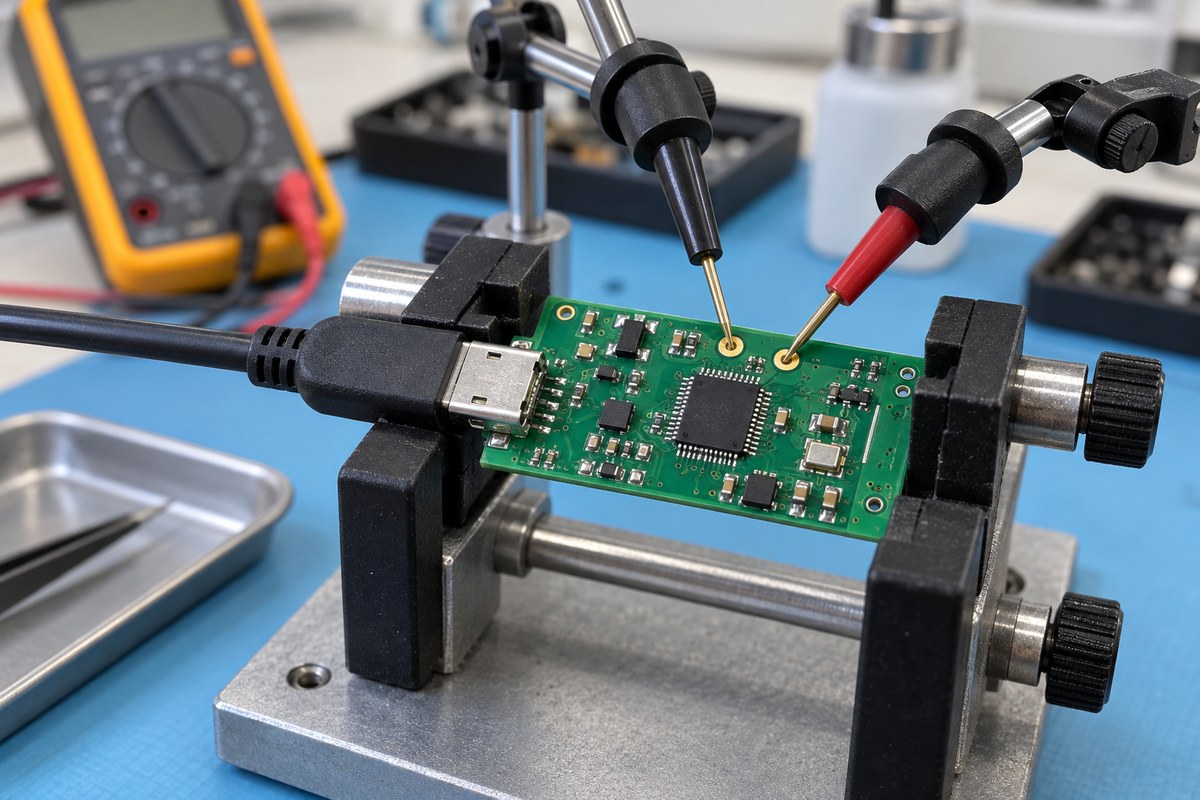
For a legacy dual-role port using ID detection, the connector’s ID contact connects to the USB controller or PHY input responsible for sensing it. The plug supplies the grounded or open condition; the board carries that condition to the detector.
The signal path is short:
The inserted plug grounds ID or leaves it open.
The receptacle’s ID contact carries that state onto the PCB.
The controller or PHY detects the state and makes it available to the USB software.
A PHY is the physical-layer transceiver between the USB electrical connection and the controller. Some devices integrate both functions, so there may be no separate PHY IC on the board.
The pull-up arrangement depends on that silicon. An integrated detector may already provide the bias needed to distinguish an open plug contact from a grounded one. An external pull-up should therefore follow the controller’s reference circuit, not a generic USB wiring diagram.
For a fixed peripheral-only product, the controller documentation may permit ID to remain unused. A dual-role design normally needs to preserve the detection path. Permanently grounding the board’s ID net removes its ability to distinguish a floating plug through that signal.
ID is not part of the D+/D− differential pair and is not a power input. Connecting it to VBUS is not a substitute for implementing role detection.
What Determines the USB ID Pin Voltage?
The USB ID pin voltage depends on the detector’s bias circuit and whether the plug grounds the contact. There is no single high-state voltage that should be imposed on every USB controller.
The USB3300 PHY provides a useful example. Its internal pull-up biases an open ID input toward its 3.3 V supply, while an A-plug grounds the signal.
USB3300 example
Expected ID condition
A-plug connected
Near 0 V
B-plug connected, ID pull-up active
Near 3.3 V
These values describe that device’s circuit, not a universal instruction to add a 3.3 V connection. Another implementation can use different thresholds, biasing or detection behavior.
A high reading with the plug’s ID contact open can therefore be normal. “Floating at the plug” and “pulled high inside the controller” can both be true at the same time.
Conversely, a low voltage alone does not prove that host operation is working. It establishes the electrical state at the measured point. VBUS control, controller configuration and USB communication still have separate roles in the connection.
Does USB-C Have an ID Pin?
USB-C connectors do not have the legacy Mini/Micro-USB ID contact. They use Configuration Channel signals, CC1 and CC2, for attachment and orientation detection and the initial source/sink relationship.
Interface
Connection-detection signals
Legacy Mini/Micro-USB OTG
ID contact grounded or left open
USB-C
CC1 and CC2 with the appropriate CC circuitry
However, a USB-C controller IC can still have a pin named ID. This is a board-level logic signal, not an extra contact on the USB-C receptacle.
For example, the TUSB320 detects attachment through CC and can provide an active-low, open-drain ID output to an OTG controller. Here, the chip translates the Type-C connection state into a signal that the existing controller can use.
This distinction matters when reading a schematic: a net labeled USB_ID beside a Type-C controller does not mean the connector itself contains a legacy ID pin. It also does not mean a Micro-USB ID wire can simply be moved to CC1 or CC2. Type-C requires its own attachment and role-detection circuitry.
Why Does OTG Fail Even When the ID Pin Is Grounded?
Grounding ID supplies a role-detection signal. Successful host operation also requires compatible hardware, a working power path and software that supports the connected peripheral.
A detected host role is only the beginning. The controller must support host operation, and the USB software must enable it. A device-only controller cannot acquire that capability through an adapter.
The peripheral also needs usable VBUS power. If the host-side power switch is not enabled, or the supply cannot support the load, a flash drive or other bus-powered accessory may never start correctly.
Power does not prove a working data connection. An accessory can light up while D+/D− are disconnected, incorrectly routed through the assembly or interrupted by a damaged connector. USB enumeration, the process through which the host identifies the peripheral, will still fail.
Enumeration does not guarantee application support. A device may recognize an attached accessory but lack the driver or application function needed to use it.
For example, a portable instrument might read a flash drive successfully yet be unable to use a USB audio interface. Both connections can have a valid grounded ID state; the supported USB device classes and software behavior differ.
This is also why a continuity test of the ID net cannot replace a functional USB test on an assembled board.
FAQs About USB ID Pin
1. Is the USB ID pin the same as a USB Vendor ID or Product ID?
No. The ID pin is a physical electrical signal used in legacy OTG detection. Vendor ID and Product ID are identification values reported through USB device descriptors during communication.
2. Does the ID pin carry USB data?
No. On the five-contact USB 2.0 Mini/Micro interface, D+ and D− carry USB data. ID indicates the cable-end condition used for OTG role detection.
3. Why can a Micro-USB cable have five contacts but only four wires?
The ID termination can be handled locally inside the plug rather than carried as a fifth conductor along the cable. The four conductors serve VBUS, D−, D+ and GND. Contact count and cable conductor count describe different parts of the connection.
4. Can a peripheral charge with its ID contact left open?
Yes. A B-plug normally leaves ID open. Whether charging occurs, and at what current, depends on the power source and the product’s charging implementation rather than on grounding ID.
5. Does a five-pin Micro-USB connector guarantee OTG support?
No. The connector provides contacts, but the controller, power circuitry and software determine which roles the product supports. A device-only Micro-USB product can use the same five-contact signal assignment without offering host operation.
When moving a USB interface board into production, the USB ID pin connection is one part of the assembled interface. EBest Circuit can manufacture and assemble your released board and perform agreed USB functional tests using the specified firmware and accessories. Contact sales@bestpcbs.com to discuss prototype or production PCBA support.
A diamond heat spreader can move concentrated heat away from a small, high-power device far faster than common metals. That advantage is attracting attention as AI accelerators, RF power amplifiers, GaN devices, laser diodes, and advanced power modules place more heat into less area. But a high material conductivity does not automatically produce a cooler junction.
Whether it helps depends on the complete thermal path: heat-source size, spreader thickness and area, thermal expansion, metallization, bond-line quality, downstream heat sink, and operating conditions. What matters is where the largest temperature drop occurs and how much of it the diamond layer can actually remove. That is what connects the material’s impressive conductivity with its real effect on junction temperature and cost.
What Is a Diamond Heat Spreader?
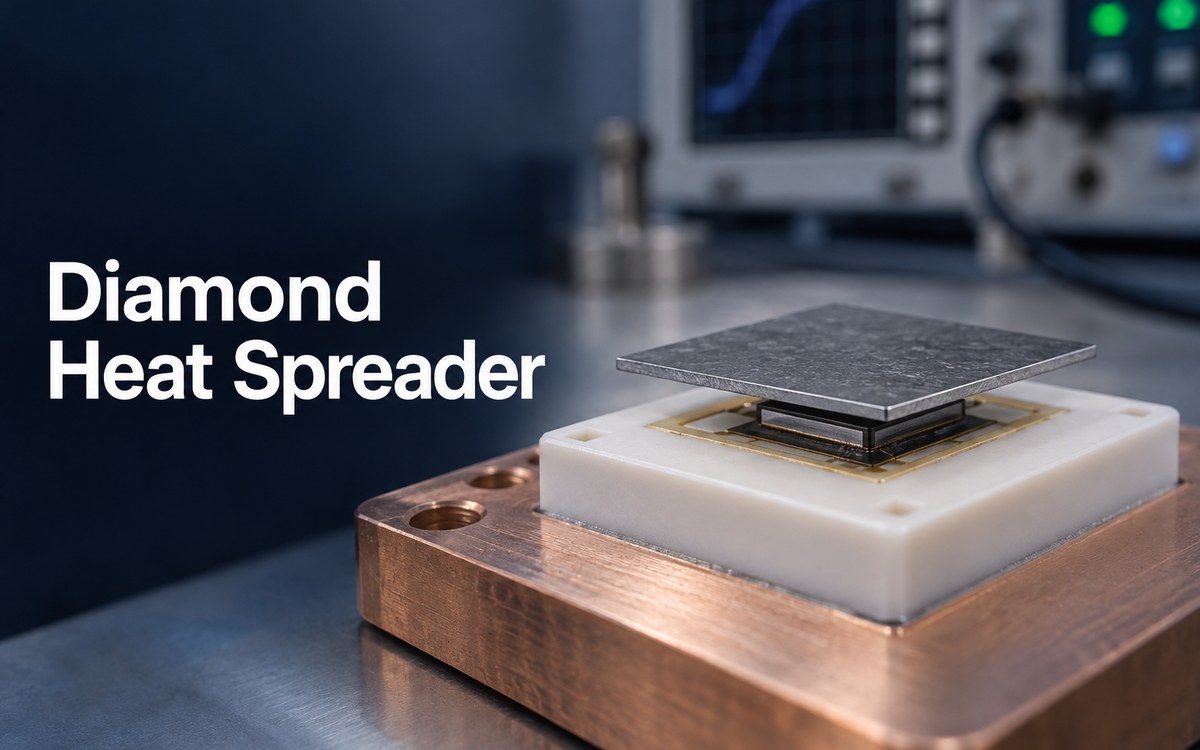
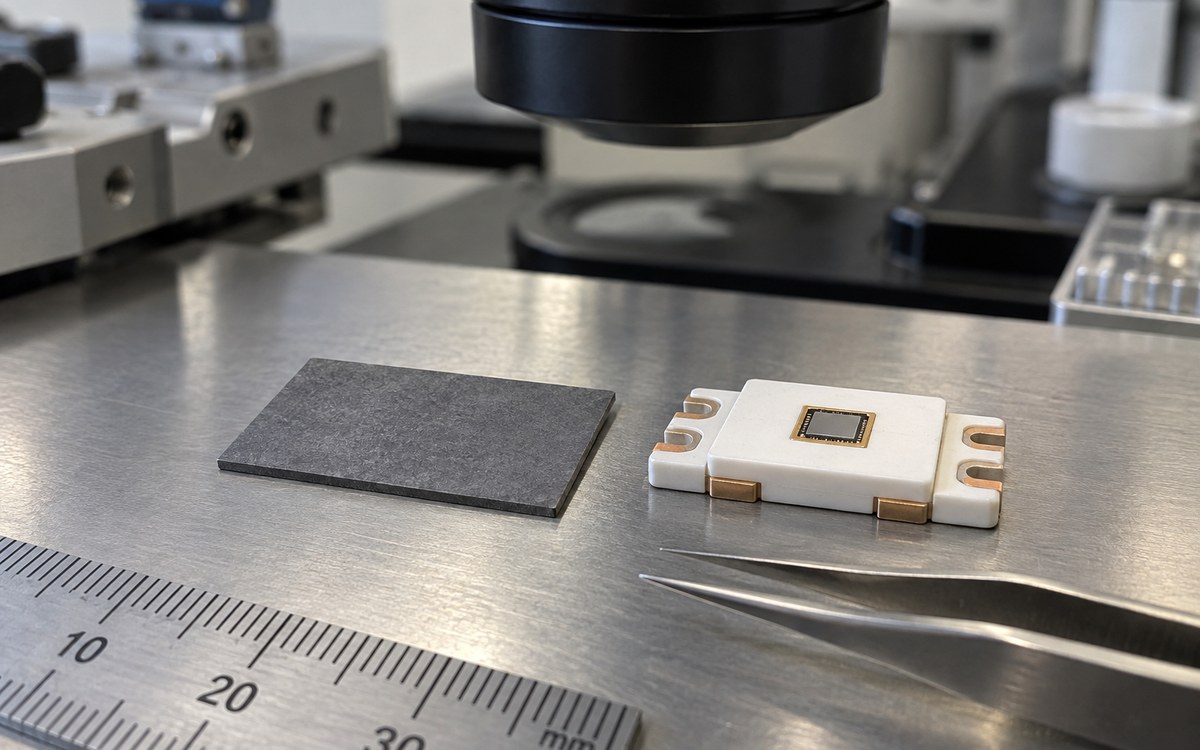
A diamond heat spreader is a thin synthetic-diamond plate positioned close to a concentrated heat source. Its purpose is to distribute heat over a larger area before that heat enters a heat sink, cold plate, package lid, metal base, or other cooling structure.
Most electronic heat spreaders use chemical vapor deposition, or CVD, diamond. The manufacturing process grows diamond from a carbon-containing gas rather than cutting it from natural gemstone material. Different growth conditions and material grades produce different thermal conductivity, surface finish, thickness, and cost.
The spreader does not remove heat from the system by itself. It reduces the temperature gradient near the device and presents a larger effective area to the next part of the cooling path.
For example, a small GaN die may generate intense local heat. If it contacts a much larger copper plate directly, heat must spread laterally through copper near the die before the full plate area becomes useful. A diamond layer can distribute that heat more quickly, helping more of the downstream cooler participate.
This distinction matters because the following two statements are not equivalent:
the spreader material has very high thermal conductivity;
the assembled device has low junction-to-cooler thermal resistance.
The first describes a material property. The second depends on the diamond, its geometry, both attachment interfaces, the package, and the final cooling system.
Diamond Thermal Conductivity vs Copper: Does the Material Number Tell the Whole Story?
No. Diamond can conduct heat several times better than bulk copper, but conductivity alone cannot predict the finished temperature.
High-quality CVD diamond is commonly available across a broad thermal-conductivity range, with premium grades reaching roughly 2,000 W/m·K or more. Bulk copper is commonly treated as approximately 400 W/m·K near room temperature. This makes diamond attractive when a small device produces a steep local temperature gradient.
For one-dimensional conduction, thermal resistance can be approximated as:
R = t / (k × A)
Where:
R is thermal resistance;
t is material thickness;
k is thermal conductivity;
A is the effective heat-transfer area.
The relationship shows why conductivity matters, but it also shows why a material number is not enough. A thicker layer increases through-thickness resistance. A larger contact area reduces it. Real heat flow is also three-dimensional, so lateral spreading and edge geometry affect the result.
The interfaces may be even more important. A thick solder layer, voided braze joint, uneven metallization, warped surface, or poorly compressed thermal interface can add enough resistance to hide much of the diamond advantage. If the external heat sink or cold plate is already the dominant bottleneck, replacing a copper spreader with diamond may produce only a small improvement.
Thermal expansion also changes the result. Diamond expands much less than copper as temperature changes. That can be helpful near some semiconductor materials, but the complete assembly must accommodate differences among the die, metallization, solder or braze, substrate, copper features, and housing. A design that performs well at room temperature may still develop stress during reflow, power cycling, or environmental testing.
The useful comparison is therefore not “diamond versus copper conductivity.” It is the predicted and measured junction temperature for two complete, manufacturable thermal stacks.
CVD Diamond Heat Spreader vs Copper-Diamond Heat Spreader: Which Structure Fits?
CVD diamond provides the highest potential for local heat spreading, together with electrical insulation and low mass. Copper-diamond composites combine improved conductivity with metal-like structural integration and more moderate thermal-expansion behavior.
Comparison point
CVD diamond heat spreader
Copper-diamond heat spreader
Basic structure
Polycrystalline or single-crystal synthetic diamond
Diamond particles distributed through a copper matrix
Thermal performance
Highest potential conductivity, depending on grade
Typically higher than copper but below premium CVD diamond
Electrical behavior
Diamond itself is electrically insulating
Copper matrix is electrically conductive
Mechanical processing
Hard and difficult to machine; often laser cut
Usually more compatible with metal-style machining and larger structures
Interface preparation
Frequently needs controlled metallization for soldering, brazing, or die attach
May integrate more naturally with metal lids, bases, or cold-plate features
Typical use
Local hot-spot spreading close to a die or RF device
Package lids, inserts, carriers, bases, and larger heat-spreading structures
Common limitation
Interface resistance can prevent the assembly from using its premium conductivity
Performance varies with diamond content, particle distribution, porosity, and construction
CVD diamond is not one fixed material. Black, opaque, translucent, and optical grades can have different purity and conductivity ranges. The highest-conductivity grade is not automatically the best fit for every assembly. A lower grade may reach the same temperature target when interface resistance or downstream cooling limits the benefit.
Copper-diamond is also not simply “copper plus diamond.” Diamond content, particle size, particle distribution, interface quality, porosity, copper alloy, and manufacturing route affect thermal conductivity and thermal expansion. The published material values are meaningful only when they correspond to the actual grade and test method.
The two structures therefore serve different physical roles. CVD diamond is better suited to a thin, electrically insulating layer close to an intense hot spot. Copper-diamond is better suited to a larger lid, insert, carrier, or machined structure that must spread heat while remaining part of a metal assembly.
Is a Diamond Heat Spreader the Same as a Diamond Heat Sink?
Not usually. A heat spreader distributes concentrated heat across a larger area. A heat sink transfers that heat into air, liquid, a chassis, or another external cooling medium.
A diamond plate placed directly under a die is normally a heat spreader. It reduces the local hot spot and moves heat toward a larger copper base, aluminum heat sink, vapor chamber, cold plate, or package lid. That larger structure then removes heat from the assembly.
The terms can overlap in supplier descriptions because a diamond part may perform both functions in a specialized device. However, calling every diamond plate a heat sink can hide an important engineering question: where does the heat go after it leaves the diamond?
A complete thermal path may include:
semiconductor junction and die;
die-attach or thermal bond layer;
metallized diamond heat spreader;
package carrier, ceramic substrate, MCPCB, or metal base;
thermal interface material;
heat sink, cold plate, enclosure, or chassis;
air or liquid coolant.
Improving one element helps only if the remaining path can accept and remove the transferred heat. A diamond spreader connected to an undersized heat sink can distribute heat efficiently while the complete system still overheats.
How Do Thickness, Area, and Heat-Source Size Affect Spreading?
The correct size is the geometry that spreads heat beyond the active source without adding unnecessary vertical resistance, unused area, cost, or assembly difficulty.
Design variable
If it is too small or thin
If it is too large or thick
What sets the useful range
Thickness
Less cross-sectional area for lateral spreading and more handling risk
Longer vertical heat path, higher material cost, and more package height
Compare junction temperature and stress across manufacturable thicknesses
Footprint
Heat remains concentrated near the die
Outer area provides little benefit if it extends beyond the cooler contact zone
Match the useful footprint to the downstream contact area
Heat-source geometry
A uniform plate may not cover separated or elongated hot spots effectively
Extra material may sit outside the active heat-flow region
Size from the active power map, not the package outline
A small, intense hot spot benefits more from lateral spreading than a device releasing the same total power over a broad area. One central die, several chiplets, and an elongated RF transistor may therefore need different spreader shapes even when their total power is similar.
Transient peaks also behave differently from continuous loading. The useful geometry depends on the power map and duty cycle, while the downstream cooler sets its practical limit. Area outside the cooler contact zone usually adds little value.
In practice, the useful geometry is the one that produces a favorable temperature and stress balance after bond layers, final cooling, flatness, mounting pressure, and manufacturing tolerances are included. A single “standard” diamond thickness cannot represent all of those conditions.
Why Do Metallization and Bonding Matter?
Bare diamond cannot simply replace a copper plate in every soldered assembly. Its surface often needs a compatible metallization system so it can be attached reliably to the die, substrate, package, or metal structure.
Metallization may use adhesion, barrier, wetting, and finish layers. Titanium, chromium, nickel, platinum, gold, and solderable alloys are among the systems used by specialist suppliers. The correct stack depends on the diamond surface, attachment alloy, process temperature, atmosphere, electrical requirements, and reliability target.
Poor interface design can cause several problems:
weak adhesion between metal and diamond;
incomplete solder wetting;
excessive intermetallic growth;
voids that increase local thermal resistance;
cracking or delamination during thermal cycling;
unintended electrical connection between top and bottom surfaces;
die tilt or nonuniform bond-line thickness.
Flatness and surface roughness also matter. A nominally high-conductivity plate cannot perform as expected if only part of its surface makes effective thermal contact. Attachment pressure, solder volume, braze thickness, curing conditions, and fixture design all influence the finished interface.
Inspection should match the joint. Optical inspection may identify alignment and visible fillets but cannot prove internal bond quality. X-ray can help detect some void patterns in suitable structures. Acoustic microscopy, cross-sectioning, shear testing, thermal imaging, or transient thermal measurements may be required for development or qualification, depending on the package and acceptance criteria.
Metallization and bonding are therefore part of the heat-spreader system, not secondary assembly details. Their quality determines how much of the diamond’s material performance reaches the finished device.
When Do AI Chips and Other High-Heat-Flux Applications Justify the Cost?
Diamond becomes commercially reasonable when local heat flux—not total system power alone—prevents a smaller, faster, or more reliable product, and conventional spreading solutions cannot meet the temperature target within the available space.
Recent industry attention has focused on artificial diamond because AI accelerators and other advanced processors continue to concentrate more computing power into dense packages. However, a large AI system does not automatically need diamond. The strongest candidates are packages in which localized junction temperatures, chiplet-to-lid spreading, memory proximity, or cooling-area constraints remain limiting after the conventional copper, vapor-chamber, interface, and cold-plate design has been optimized.
Applications where diamond spreading can be relevant include:
AI accelerators, GPUs, ASICs, and other high-performance computing packages;
RF and microwave power amplifiers with concentrated transistor heat sources;
GaN and SiC power devices operating at high power density;
laser diodes and high-power optical modules;
satellite and aerospace electronics where mass and electrical isolation matter;
compact power modules with strict junction-temperature or lifetime targets.
Cost is justified when the improvement changes a valuable system outcome. Examples include enabling higher device power, reducing peak junction temperature, improving temperature uniformity among dies, extending life, reducing package size, or lowering the burden on downstream cooling.
It is usually not justified when the real bottleneck is poor airflow, an undersized heat sink, an excessive thermal-interface gap, low mounting pressure, weak package contact, or heat generated across a large board area. Those problems should be corrected before specifying an expensive local spreader.
A meaningful comparison uses the same power map, boundary conditions, mechanical constraints, and temperature limits for an optimized conventional stack and the proposed diamond stack. Prototype thermal measurements then show whether the predicted improvement survives real interfaces and assembly variation.
How Should It Be Integrated with a PCB or Power Module?
In a PCB or power module, the diamond layer works as one part of the device-to-cooler heat path. Its effect depends on its physical position, both attachment interfaces, and the cooling structure that receives the redistributed heat.
Position in the thermal stack
The spreader may sit beneath a die, on a ceramic substrate, inside a package lid, or between a module and a larger cooling structure. A position close to a concentrated heat source gives it more opportunity to reduce local temperature gradients. If the largest temperature drop is instead in the PCB dielectric, thermal interface material, cold plate, or airflow path, the improvement from diamond remains limited.
Attachment to the surrounding structure
Diamond grade and thickness establish the available spreading performance. Flatness, surface roughness, metallization, attachment material, and bond-line thickness determine how much of that performance reaches the next layer. Electrical isolation, edge clearance, coplanarity, mounting load, and thermal-expansion differences also shape the finished interface.
Relationship with the PCB or module
An MCPCB or ceramic PCB still provides electrical interconnection and may conduct heat into a metal base. The diamond addresses a concentrated local hot spot; it does not replace copper distribution, thermal vias, dielectric selection, substrate thickness, attachment pressure, or external cooling. These elements continue to work together as one thermal structure.
Performance after assembly
Interface inspection can reveal voiding, alignment, or bond defects. Thermal measurements show whether the completed structure reduces junction or case temperature under the intended power map. Testing the diamond material alone cannot represent the performance of the assembled module.
Device-level measurements describe the package or module, while complete-system testing includes the final enclosure and cooling conditions. Both views are useful, but they answer different thermal questions.
EBest Circuit (Best Technology) can review the surrounding released PCB, ceramic PCB, MCPCB, and PCBA requirements, coordinate manufacturability at the board and assembly interfaces, and perform agreed inspection or testing within the approved production scope. Diamond grade, metallization, the device thermal model, package design, and final system-level thermal performance normally remain customer- or material-specialist inputs unless those activities are separately contracted.
FAQs About Diamond Heat Spreaders
Does a diamond heat spreader always perform better than copper?
No. Diamond offers much higher material conductivity, but the finished temperature also depends on spreader geometry, bond-line quality, package construction, and the downstream cooler. If another layer dominates the thermal resistance, replacing copper with diamond may produce only a limited improvement.
Is CVD diamond electrically insulating?
The diamond itself is electrically insulating. However, surface metallization, solder, brazing alloys, and surrounding package features may create conductive paths. Electrical isolation should therefore be evaluated for the complete assembled structure rather than inferred from the bare diamond alone.
When is copper-diamond more suitable than CVD diamond?
Copper-diamond is often more suitable for a larger lid, carrier, insert, or structural heat-spreading part that must integrate with a metal assembly. CVD diamond is generally better suited to a thin local spreader positioned close to a concentrated heat source.
Can a diamond heat spreader replace the external heat sink?
Usually not. The diamond spreads heat over a larger area, but a heat sink, cold plate, chassis, or other cooling structure must still remove that heat from the system. Both parts must be sized for the same power and operating conditions.
How should the thermal benefit be verified after assembly?
Compare junction or case temperature under the same power map, mounting conditions, and cooling boundaries used for the conventional design. Interface inspection and thermal measurements are both important because material data alone cannot reveal voiding, poor contact, or excessive bond-line resistance.
If you are evaluating how a customer-specified diamond heat spreader will interface with a PCB, ceramic substrate, MCPCB, or power-module assembly, send the released assembly data and thermal requirements to sales@bestpcbs.com. EBest Circuit (Best Technology) can review the surrounding board and assembly interfaces within the agreed manufacturing scope before you commit to the most expensive material.
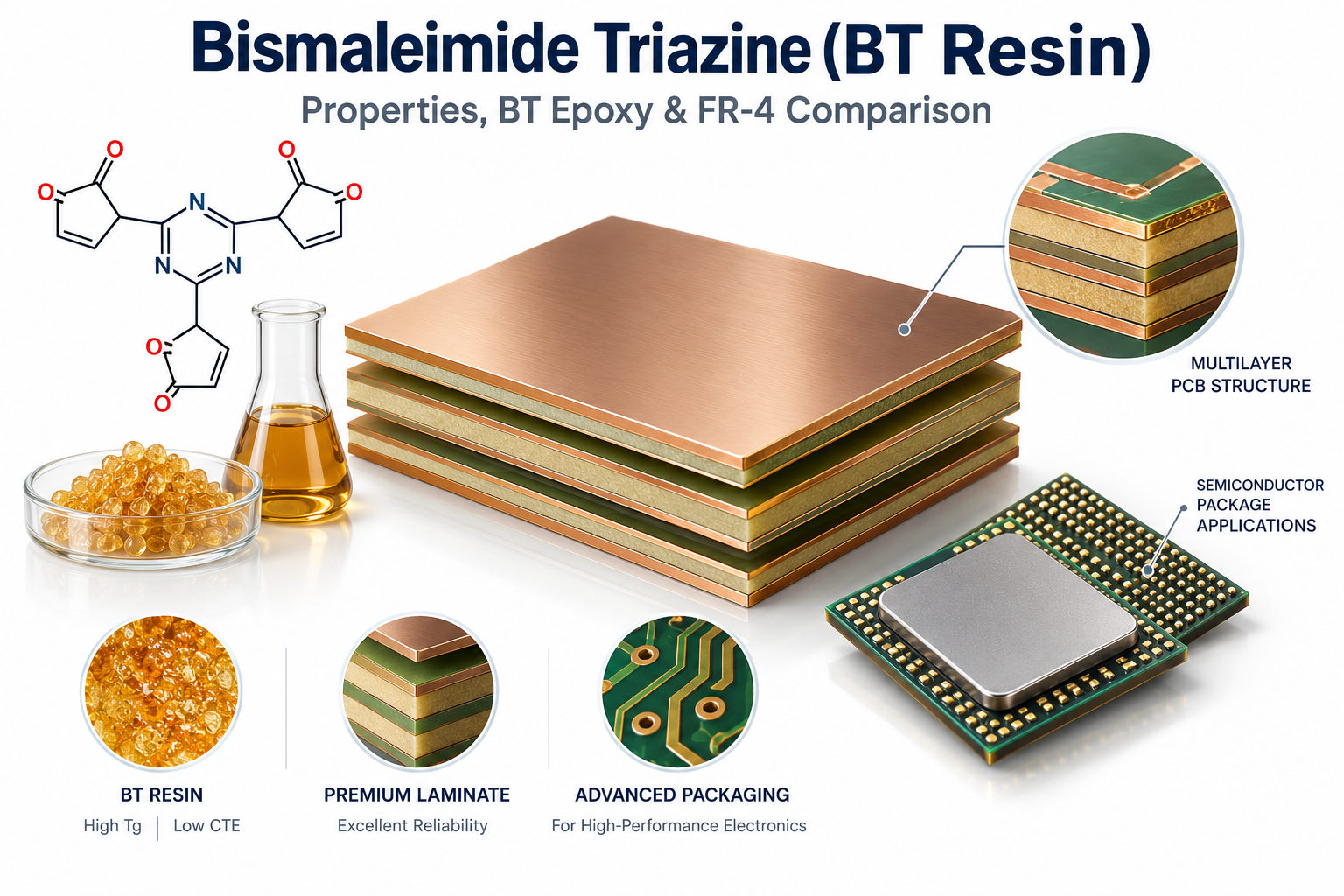
Bismaleimide triazine has become an important resin system for electronic materials that need more dimensional and thermal stability than conventional PCB laminates can provide. It is particularly well known in semiconductor packaging, where thin substrates, fine interconnections, repeated reflow cycles, and moisture sensitivity place tight demands on the laminate.
However, the terminology around BT materials is often inconsistent. BT resin, BT epoxy, BT laminate, BT PCB, and BT substrate do not mean exactly the same thing. Understanding these distinctions is important before comparing material properties or releasing a PCB or substrate specification.
Key Takeaways
Bismaleimide triazine, commonly called BT resin, is a high-performance thermosetting resin system used in PCB laminates and semiconductor package substrates.
BT is a material family rather than one fixed laminate grade. Tg, Dk, Df, CTE, moisture absorption, and other properties vary with resin formulation, reinforcement, fillers, and cure system.
BT epoxy usually refers to a BT resin system modified or blended with epoxy to improve processability, adhesion, toughness, resin flow, or other manufacturing characteristics.
BT laminate, BT PCB, and BT substrate are different terms: the first describes the supplied material, while the latter two describe finished electronic structures.
Compared with standard FR-4, BT materials are commonly selected where dimensional stability, thermal performance, moisture control, and package warpage are more demanding.
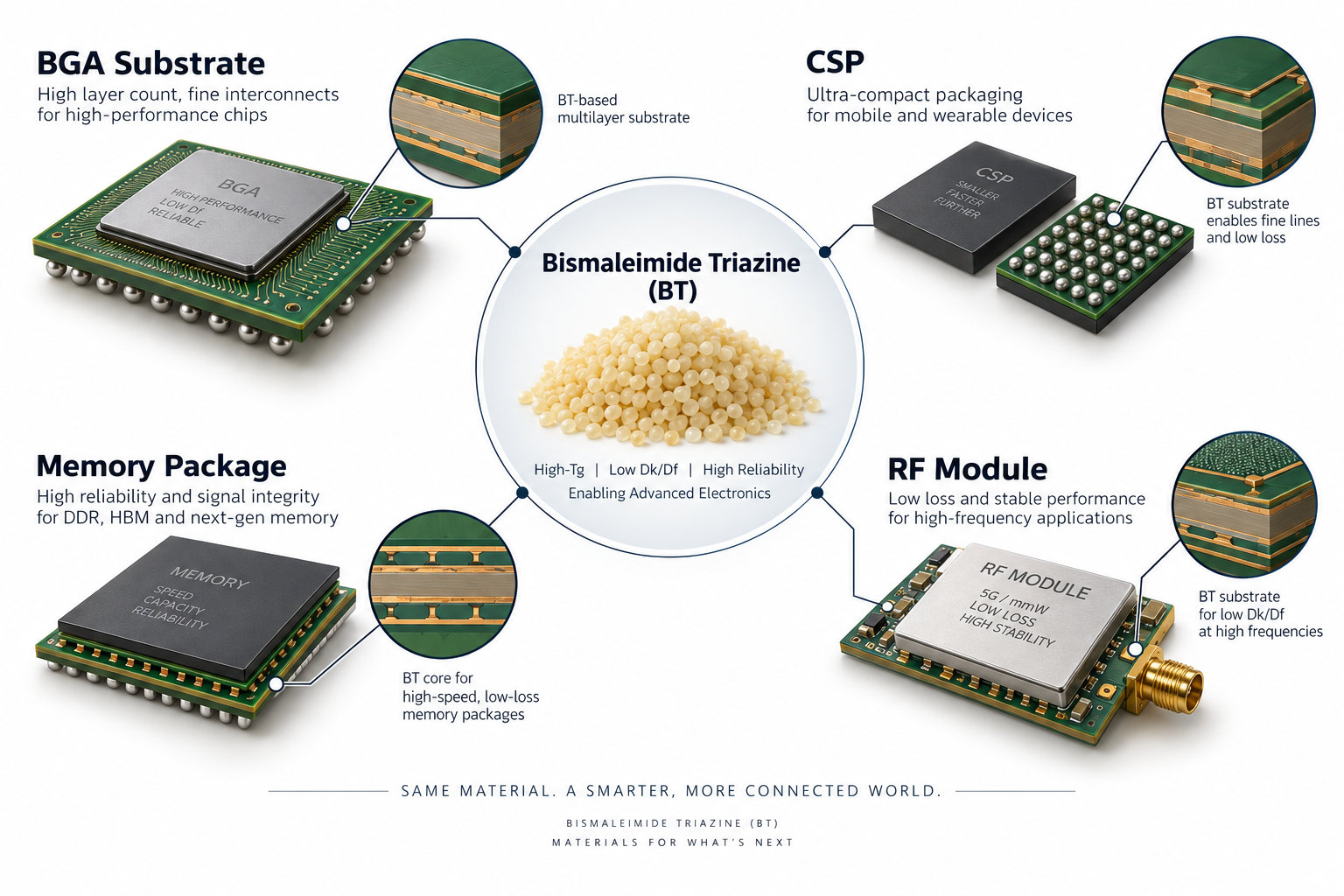
BT resin is widely associated with BGA, CSP, SiP, memory, and other organic semiconductor package substrates.
BT is not automatically better than FR-4. Standard or high-Tg FR-4 remains more practical for many conventional multilayer PCBs.
Engineers should specify an exact material manufacturer and grade instead of requesting only “BT material.”
What Is Bismaleimide Triazine (BT Resin)?
Bismaleimide triazine, or BT resin, is a high-performance thermosetting resin system based primarily on bismaleimide and cyanate-ester chemistry. It is widely used in electronic laminates and organic semiconductor package substrates.
The search phrase bismaleimide triazine BT resin refers to this formulated resin family rather than one universal commercial grade.
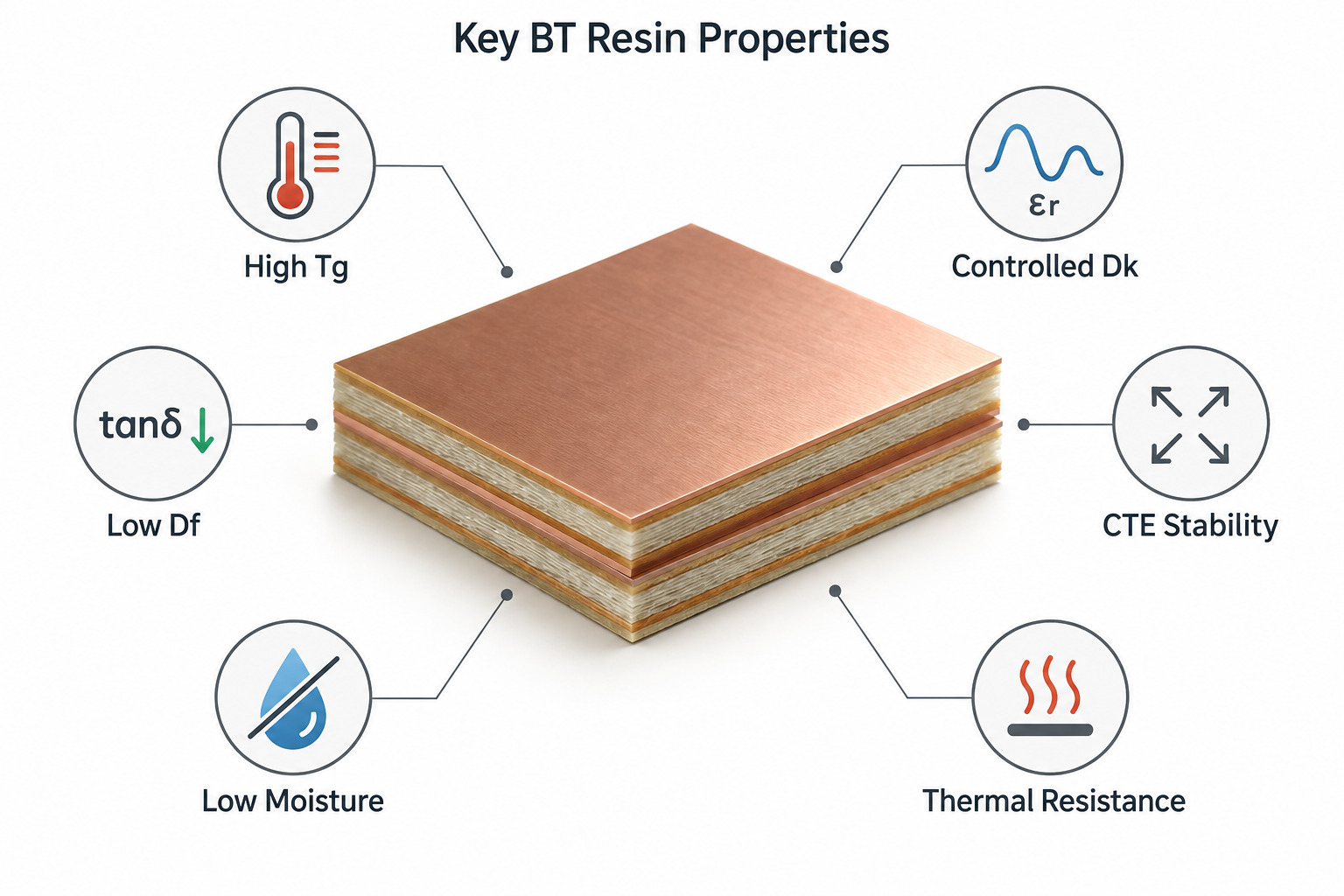
During curing, the reactive resin components form a highly crosslinked three-dimensional network. This structure can provide a useful combination of:
High glass-transition temperature
Dimensional stability
Low moisture absorption
Thermal resistance
Electrical insulation
Controlled dielectric properties
Good compatibility with multilayer structures
BT resin is not one single chemical compound or one fixed commercial material. Different suppliers can modify the formulation with epoxy, fillers, catalysts, flame retardants, reinforcement, and other additives.
For this reason, an engineer should not assume that every BT laminate has the same Tg, Dk, Df, CTE, or processing conditions.
How Is Bismaleimide Triazine Resin Structured and Cured?
BT resin should be understood as a crosslinked resin system rather than a single molecule with one fixed structure.
A bismaleimide triazine structure is best described as a cured network whose final properties depend on formulation and processing.
Its chemistry generally combines bismaleimide functionality with cyanate-ester chemistry. During curing, cyanate groups can react to form thermally stable triazine-ring structures, while the bismaleimide portion contributes additional crosslinking and heat resistance.
The resulting network can be further modified to balance electrical, mechanical, and processing properties.
Bismaleimide Component
The bismaleimide portion contributes thermal stability and a highly crosslinked structure. Pure BMI systems can be relatively rigid or brittle, so practical electronic formulations are often modified.
Cyanate-Ester Component
Cyanate groups form triazine-ring structures during curing. These structures are associated with high-temperature performance and useful dielectric characteristics.
Modifiers
Commercial BT systems may incorporate epoxy or other modifiers to improve flow, toughness, adhesion, cure behavior, and PCB processing.
Therefore, drawings that show one exact “BT molecule” can be misleading. The material used in an actual laminate is a formulated thermoset system.
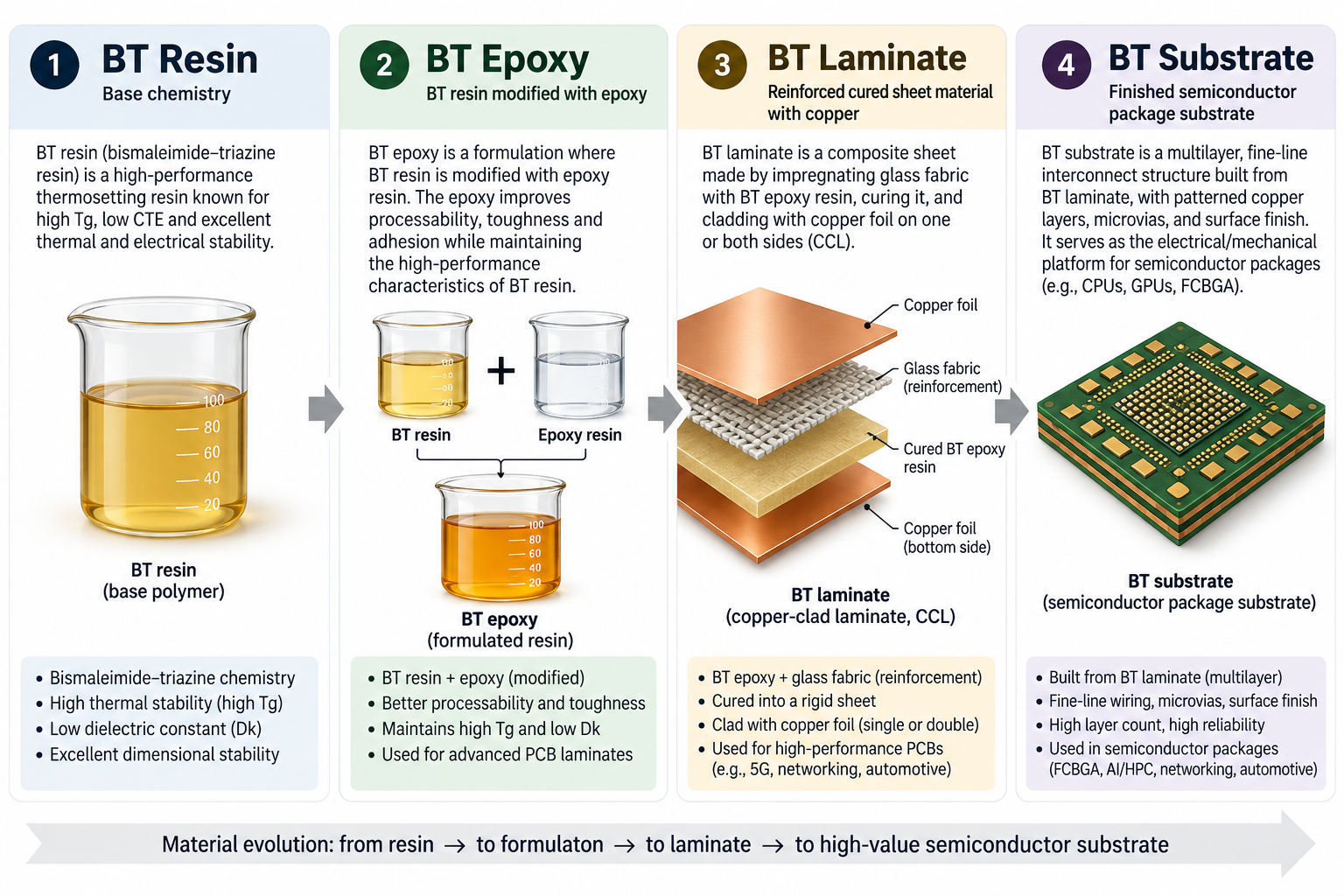
What Is the Difference Between BT Resin, BT Epoxy, BT Laminate and BT Substrate?
These terms describe different stages or forms of the material system.
Reinforcement impregnated with partially cured BT-based resin
BT laminate
Cured reinforced sheet material made with a BT resin system
BT PCB
Printed circuit board fabricated using BT-based laminate
BT substrate
Finished semiconductor package substrate using BT-based material
The distinction matters during RFQ and material selection. Asking for “BT resin” does not tell a PCB manufacturer which laminate construction, copper foil, glass style, resin content, or cured thickness to use.
Similarly, a BT substrate is not merely a sheet of BT laminate. It is a finished interconnect structure that can contain fine traces, microvias, solder-mask or build-up layers, package pads, and other features.
The most important BT laminate properties depend on the application. Package substrates may prioritize dimensional stability and moisture behavior, while high-speed boards may place greater emphasis on Dk and Df.
Property
Why It Matters
Tg
Dimensional and mechanical behavior through thermal cycles
Td
Thermal decomposition resistance
X/Y CTE
In-plane dimensional stability
Z-axis CTE
Via and plated-hole reliability
Dk
Impedance, propagation velocity, and trace geometry
Df
Dielectric contribution to signal loss
Moisture absorption
Package reliability and reflow behavior
Peel strength
Copper-to-laminate adhesion
Flexural/mechanical properties
Thin-substrate handling and package stability
The values cannot be generalized to every BT material. For example, AGC’s N5000 is a commercially available BT epoxy laminate and prepreg with published dielectric values around Dk 3.6 and Df 0.01 under its specified test conditions.
Those numbers should be treated as one material-grade example, not as a universal BT specification.
Research and commercial formulations can show substantially different Tg and dielectric performance because resin chemistry, fillers, glass reinforcement, resin content, and test method all influence the result.
Always compare exact material grades using the same test method and frequency.
Why Is BT Resin Used for BGA, CSP and IC Package Substrates?
BT resin is widely used in organic package substrates because semiconductor packaging requires more than ordinary PCB electrical insulation.
A bismaleimide triazine substrate uses this material family to support fine package interconnections and repeated thermal cycles.
A package substrate must maintain dimensional control while dealing with:
Fine-pitch package routing
Thin core and dielectric structures
Multiple lead-free reflow cycles
Silicon-to-substrate CTE mismatch
Moisture exposure
BGA or CSP warpage
Fine via and pad registration
Package assembly stress
BT-based laminates can provide a useful balance of high-temperature stability, low moisture uptake, mechanical rigidity, and electrical performance.
This is particularly important in thin BGA and CSP structures. Even small dimensional changes can affect solder-ball coplanarity, substrate warpage, trace registration, or package reliability.
BT materials are therefore commonly associated with:
BGA substrates
CSP substrates
Memory packages
SiP modules
Flip-chip package structures
RF and communication modules
The final substrate performance still depends on the exact BT grade, stackup, copper pattern, package size, substrate thickness, and manufacturing process.
BT Resin vs FR-4: What Is the Difference?
FR-4 and BT resin laminates are both organic electronic materials, but they are normally selected for different performance and cost targets.
Package substrates and higher-reliability structures
Resin system
Primarily epoxy-based
BT or BT-epoxy-based
Tg
Wide range by grade
Often high, but grade-dependent
Dimensional stability
Suitable for conventional PCB
Better suited to demanding package control
CTE control
Depends on grade and reinforcement
Low-CTE formulations available
Moisture behavior
Grade dependent
Often selected for lower moisture sensitivity
Dielectric properties
Standard to low-loss grades available
Grade dependent; can be optimized for package/high-speed use
Thin-substrate use
Possible but not its main strength
Common in package substrate applications
Processing familiarity
Very mature
More material-specific
Material cost
Lower
Generally higher
The main difference is not simply that BT has a higher Tg. High-Tg FR-4 materials can also provide strong thermal performance.
BT becomes more attractive when several requirements appear together, such as high dimensional stability, low package warpage, moisture resistance, thin substrate construction, repeated reflow reliability, and fine-pitch interconnection.
FR-4 remains the more economical and widely available choice for most conventional PCBs.
Is BT Resin Always Better Than FR-4?
No. BT resin is not automatically a better PCB material than FR-4. It is better suited to certain applications where its material characteristics solve specific reliability or dimensional problems.
Standard or high-Tg FR-4 is usually the practical choice for:
Industrial control boards
Consumer electronics
General multilayer PCBs
Power-control boards
Cost-sensitive products
Conventional SMT assemblies
Moderate-density HDI designs
BT becomes more attractive when the product requires:
Semiconductor package substrate construction
Very thin organic substrates
Tighter dimensional stability
Lower package warpage
Fine-pitch BGA or CSP structures
Low moisture sensitivity
Higher package-level thermal reliability
Using BT where ordinary FR-4 already meets the electrical and reliability requirements can increase material cost and supply complexity without creating a meaningful product benefit.
The correct decision should come from the complete stackup, package geometry, thermal cycle, electrical requirements, warpage target, and qualification specification.
Where Is Bismaleimide Triazine Used in Electronics?
Bismaleimide triazine materials are most strongly associated with semiconductor packaging, but their use is not limited to one product type.
A bismaleimide triazine PCB may also be specified when a conventional board needs the qualified thermal or dimensional behavior of a BT laminate.
Common applications include:
BGA package substrates
CSP substrates
Memory package substrates
System-in-Package modules
RF modules
Communication modules
Selected LED package substrates
High-reliability electronic modules
Selected high-frequency PCBs
Thin multilayer interconnect structures
A BT laminate can also be used for conventional PCB structures when its thermal or dimensional characteristics provide a useful engineering advantage.
However, it should not be assumed that every high-speed PCB needs BT resin. Modern high-speed boards can use multiple material families, including low-loss FR-4 derivatives, PPE/PPO systems, PTFE-based laminates, hydrocarbon ceramics, and other specialty materials.
The application requirement should determine the laminate family, not the material’s reputation alone.
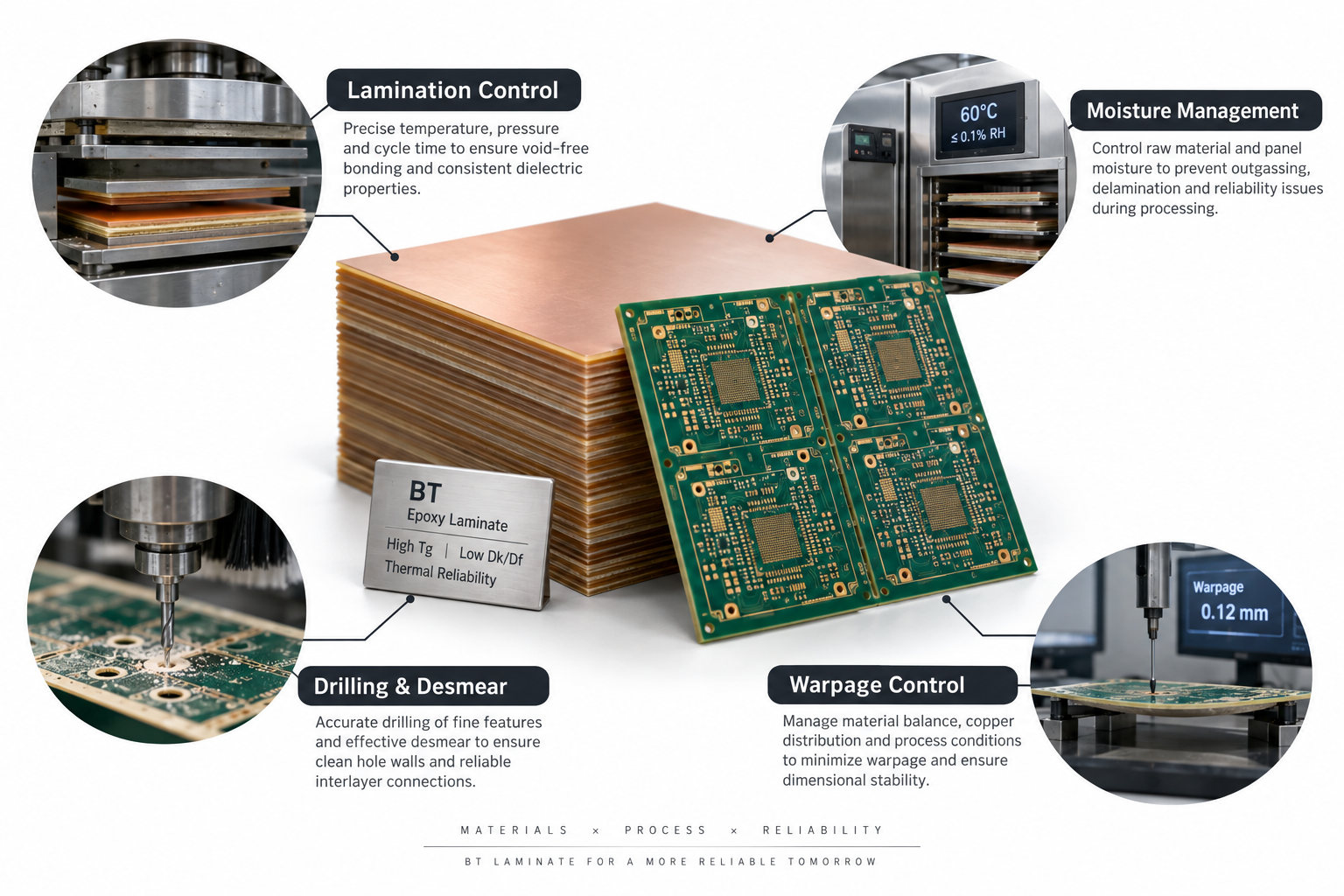
What Are the Manufacturing Challenges of BT Epoxy Laminate?
BT epoxy laminate can require tighter material and process control than a standard FR-4 production flow.
Important manufacturing factors include:
Material storage
Moisture control
Prepreg handling
Lamination temperature and pressure
Resin-flow control
Cure profile
Dimensional movement
Drilling parameters
Desmear conditions
Copper adhesion
Thin-board handling
Warpage control
Moisture Management
Low moisture absorption is an important material characteristic, but storage and handling still matter. Prepreg and thin laminate structures should follow supplier recommendations.
Lamination
BT resin flow and cure behavior differ by formulation. The press cycle should follow the actual laminate supplier’s process window rather than an FR-4 recipe being reused automatically.
Drilling and Hole Preparation
Drill parameters, smear behavior, and desmear chemistry can depend on the cured resin system and glass construction.
Dimensional Stability
Package substrates and thin BT boards may require tighter compensation because small X/Y movement can affect fine-pitch registration.
Warpage
Thin BT-based structures can still warp if copper distribution, build-up symmetry, substrate thickness, package design, or lamination stress is unbalanced. A high-performance resin does not eliminate the need for mechanical stackup control.
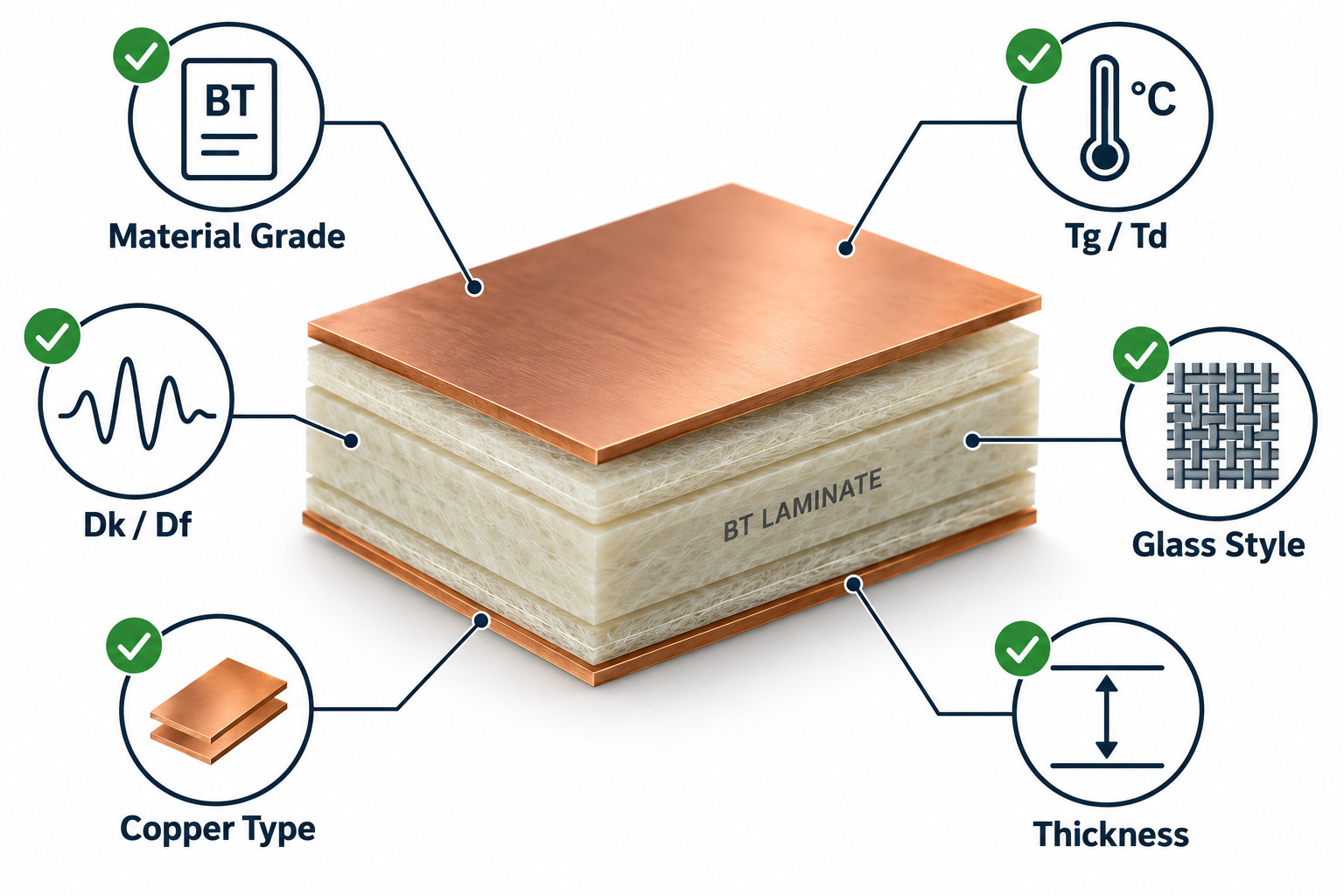
How Should Engineers Specify BT Material for PCB Fabrication?
A production drawing should identify the exact BT laminate requirements rather than simply stating “BT material.”
Useful information includes:
Material manufacturer
Exact material grade
Core or prepreg designation
Finished dielectric thickness
Glass style
Resin content
Copper foil type and weight
Tg and test method
Dk and Df test frequency/method
X/Y and Z-axis CTE where critical
Moisture requirement
Finished board thickness
Surface finish
Controlled impedance
Approved alternative materials
For high-frequency designs, Dk and Df values should be tied to the relevant test method and frequency. A Dk value measured by one method should not automatically replace a design Dk obtained through another method.
For thin or packaging-related structures, engineers should also specify dimensional, warpage, and registration requirements where applicable.
“Use BT material” is not enough for a controlled production release. Two BT laminates may differ significantly in processing behavior and electrical performance.
When Should You Choose BT Resin Instead of Another PCB Material?
Material selection should start from the product requirement rather than choosing BT first and designing around it.
Requirement
Material Direction to Consider
General multilayer PCB
Standard or high-Tg FR-4
Cost-sensitive electronics
FR-4
High-reliability conventional PCB
High-Tg / specialty FR-4
BGA/CSP organic package substrate
BT resin commonly considered
Thin warpage-sensitive package
BT or another qualified package substrate material
Very high-speed PCB
Low-loss FR-4, PPE/PPO, PTFE/hydrocarbon or other high-speed materials
Flexible circuit
Polyimide
Very high thermal conductivity
Ceramic or metal-based structures
Advanced high-density IC build-up
BT core, ABF, or other package-specific systems
BT is strongest when thermal, moisture, dimensional, and package-level requirements need to be balanced in one organic material system.
It is not necessarily the first choice for ultra-high-frequency transmission, extreme thermal conductivity, flexible construction, or every advanced IC substrate architecture.
The material decision should therefore consider the entire structure: electrical performance, package geometry, process capability, reliability, cost, supply availability, and customer qualification.
FAQ About Bismaleimide Triazine
1. What does BT stand for in PCB materials? BT stands for Bismaleimide Triazine, a high-performance thermosetting resin system used in electronic laminates and package substrates.
2. Is BT resin the same as BT epoxy? No. BT epoxy generally refers to a BT resin system that has been modified or blended with epoxy to adjust processing, adhesion, toughness, or other material properties.
3. Is BT resin better than FR-4? Not for every PCB. BT is most useful when thermal stability, dimensional control, moisture behavior, package warpage, or semiconductor-substrate requirements justify the additional material cost.
4. Is BT resin used for BGA substrates? Yes. BT resin is widely associated with BGA, CSP, memory, SiP, and other organic semiconductor package substrates.
5. Does every BT laminate have the same Tg and Dk? No. BT is a material family. Tg, Dk, Df, CTE, moisture absorption, and other values vary by formulation, reinforcement, resin content, and test method.
6. Is a BT substrate the same as an IC substrate? A BT substrate is one type of organic IC package substrate. Other IC substrates can use ABF and additional material systems depending on package architecture and interconnect density.
Bismaleimide triazine should therefore be specified as a material system, not as a single fixed-property laminate. Resin formulation, epoxy modification, glass reinforcement, copper construction, thickness, and processing conditions all influence how the finished PCB or substrate performs.
For a PCB project requiring BT laminate or another specialty material, EBest Circuit can review the material grade, stackup, dielectric thickness, copper construction, impedance requirements, finished thickness, and manufacturing constraints before fabrication. Send your project files to sales@bestpcbs.com for DFM review.
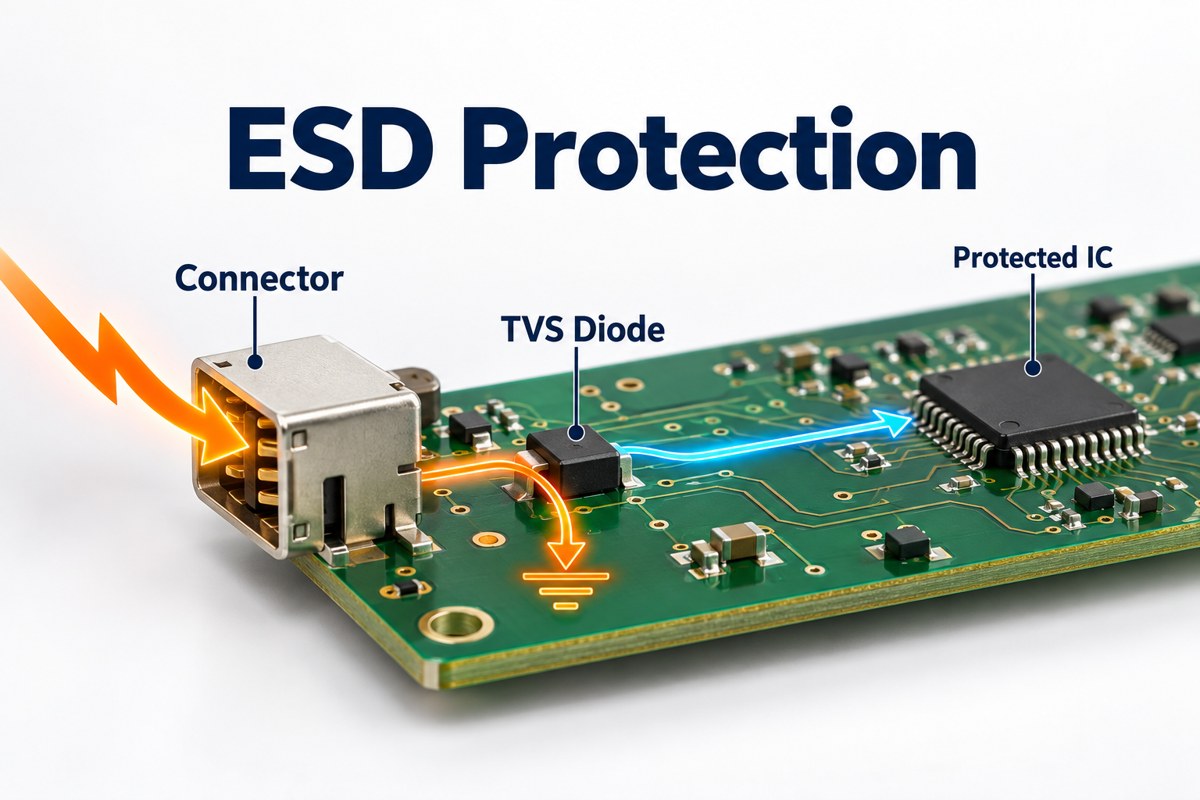
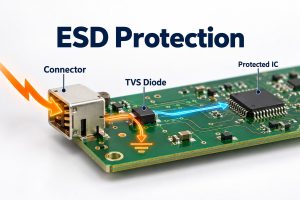
ESD protection limits damage and disruption caused by electrostatic discharge. On a PCB, it typically combines transient voltage suppressor (TVS) diodes at exposed interfaces with short discharge return paths; during assembly, it also requires grounded handling equipment and suitable packaging. A high-kilovolt diode rating alone does not prove that a finished product will pass an ESD test.
For circuit designers, the main decisions are which diode can protect the interface without distorting its signals, where to place it, and how to verify the assembled product.
What Does ESD Protection Protect Against?
ESD protection addresses brief discharges from charged people or objects that can damage semiconductor junctions, reset a controller, or interrupt communication. The discharge may enter through a connector, accessible metalwork, or an exposed board during handling.
Short return paths, connector placement, shielding connections
Handling controls
Reduce discharge exposure during production and service
Personnel grounding, dissipative work surfaces, protective packaging
These approaches address different exposure paths. A wrist strap does not protect a customer’s USB port in use, and a USB protection diode does not protect every exposed component during assembly.
How Does an ESD Protection Circuit Work?
An ESD protection circuit diverts transient current away from the sensitive input, usually through a TVS device connected between the signal and its intended return reference. The TVS is a shunt path, not a series resistor in the signal line.
Toshiba’s TVS operating guidance distinguishes three voltages:
Working standoff voltage, VRWM: the voltage range in which the device should remain effectively off apart from leakage.
Breakdown voltage: the point at which significant reverse conduction begins under the specified measurement condition.
Clamping voltage: the voltage present while the device conducts the specified transient current.
A device marked for a 5.5 V working voltage therefore does not hold every discharge to 5.5 V. The protected pin sees the device’s transient response plus voltage developed across the connection inductance. Protection must be coordinated with the IC’s transient tolerance, using manufacturer guidance and testing rather than the working-voltage number alone.
Which ESD Protection Diodes Fit Your Interface?
High-speed data lines generally need low-capacitance ESD protection diodes, while slower control or audio lines may tolerate more capacitance. Two Texas Instruments parts illustrate the difference without implying that they are interchangeable.
Parameter
TI TPD4E05U06
TI TPD1E10B06
Channels
4
1
Working standoff voltage
5.5 V
±5.5 V
Typical I/O capacitance
0.5 pF
12 pF
Protection polarity
Unidirectional
Bidirectional
Published IEC contact-discharge rating
±12 kV
±30 kV
Example application category
High-speed interfaces such as USB 3.0
Audio, buttons, and general-purpose I/O
Values above are from TI’s product documentation, checked September 15, 2026. Capacitance figures are typical values under datasheet conditions; discharge ratings describe the protection components, not an independently qualified customer PCB.
The 12 pF part has a higher listed contact-discharge rating, but that does not make it the better choice for a high-speed pair. Added loading can degrade signal quality. Check the specific interface’s voltage swing, bandwidth, and channel budget before selecting either device.
Which Ratings Matter Beyond the ESD Voltage?
Working voltage, clamping behavior, capacitance, leakage, and polarity must all match the protected interface; a large ESD withstand number is only one selection input.
Working voltage: allow for the highest normal line voltage, tolerances, and valid operating modes. A 5.5 V device is not a suitable starting point for a 24 V input.
Clamping behavior: compare values at the same pulse current and waveform. Do not compare a 1 A clamp specification directly with a much higher-current result.
Capacitance: review loading on high-speed lines and its variation with bias, not just a headline typical value.
Leakage: check its effect on high-impedance analog inputs and sensor accuracy, including temperature dependence.
Polarity and topology: confirm positive and negative signal excursions and whether the device uses a ground clamp or steering paths to a rail.
Toshiba’s selection guidance emphasizes matching device characteristics to the circuit. Package size comes after that electrical fit: a smaller footprint is not useful if its pinout forces a poor discharge path.
When Should You Use an ESD Protection Diode Array?
An ESD protection diode array is useful when several nearby interface lines need protection and the package pinout lets those lines pass through with short, orderly routing. Separate devices can be preferable when the exposed signals are spread across the board or require different voltage ratings.
For an array, verify channel count, pin assignment, shared connections, and the recommended footprint before routing. A four-channel package is not necessarily four identical, independent clamps; its internal schematic determines how it should be connected.
On a differential interface, keep the two signal paths balanced through the protection footprint. Do not protect one line with an extra stub or a substantially different pad arrangement simply because the package is convenient to place.
How Should You Place ESD Protection on a PCB?
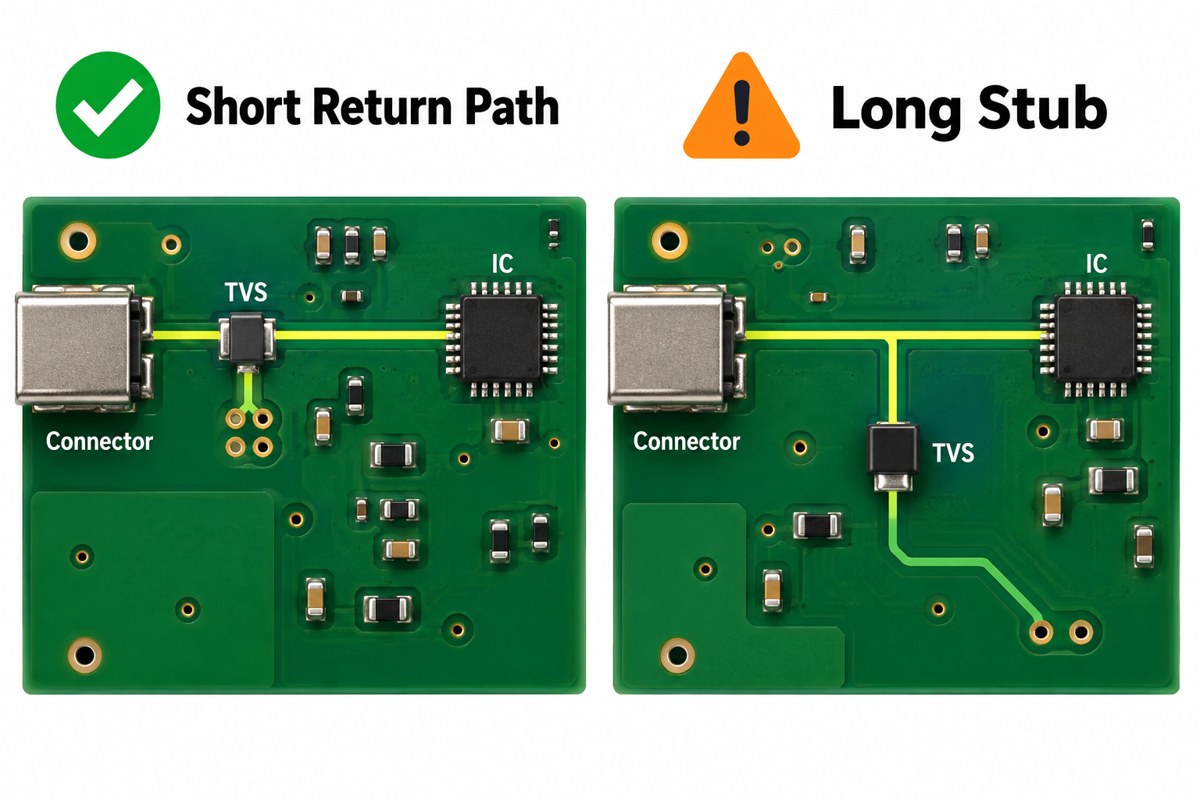
Place the protection device close to the exposed connector, bring the signal to its protection connection before continuing toward the IC, and keep the discharge return path short and low-inductance.
For ESD protection on PCB layouts, Toshiba and TI both emphasize connection inductance. The illustration compares routing concepts; use the selected device’s pinout and reference layout for the actual electrical connections.
Keep the connector-to-protection segment short and away from sensitive, already-protected traces.
Avoid a long branch from the signal line to the TVS.
Place suitable ground vias close to the return pad rather than reaching ground through a long narrow trace.
Maintain the intended signal reference plane; do not introduce a split under a high-speed pair.
TI’s layout guide shows why fractions of a nanohenry matter: with a current rise of 30 A in 0.8 ns, 0.25 nH contributes approximately 9.4 V through V = L × di/dt. This is an illustrative calculation, not a predicted voltage for every board.
The return must fit the product’s PCB ESD protection strategy. Circuit ground, chassis, and cable shield are not automatically the same node; their connections must respect the interface and any isolation requirements.
How Do HBM, CDM, and System-Level ESD Tests Differ?
HBM and CDM characterize component susceptibility under defined discharge models, while IEC 61000-4-2 evaluates equipment immunity using a different test method. Their kilovolt ratings cannot be substituted for one another.
Test
Primary subject
Discharge model or purpose
HBM: Human Body Model
Electronic component
Charge transferred from a modeled person to a device
CDM: Charged Device Model
Electronic component
A charged device discharging through a connection
IEC 61000-4-2
Equipment or system
Immunity to specified direct and indirect ESD exposure
TI’s system-level design guidance distinguishes component-handling qualification from end-user exposure. Likewise, a TVS tested to an IEC waveform does not certify the enclosure, firmware, cables, and PCB around it.
Choose the applicable product requirements and acceptance criteria before validation. Record contact or air discharge, polarity, test locations, operating modes, and permitted behavior. “No permanent damage” is not the same result as uninterrupted communication.
The laboratory scene is illustrative, not a complete standards-compliant fixture drawing. Equipment placement, insulation, coupling planes, and discharge procedure must follow the applicable test setup.
Why Can a Board Still Fail After Adding a TVS?
A board can still fail when the discharge bypasses the TVS, the clamp voltage exceeds the input’s tolerance, or the return current disturbs another part of the circuit.
Connector pin damage: inspect the clamp selection and the connector-to-TVS route first.
Controller reset without visible damage: investigate supply disturbance, reset-line coupling, and ground movement.
Communication errors: separate transient upset from signal-integrity degradation introduced by the protection footprint.
Failure only with a particular cable or enclosure: reproduce that configuration and examine its discharge return path.
These are diagnostic starting points, not proof of the root cause. Log the failing location and polarity, change one variable at a time, and retest the relevant operating modes. Increasing the diode’s headline kV rating without checking the current path can leave the fault unchanged.
What ESD Controls Are Needed During PCB Assembly?
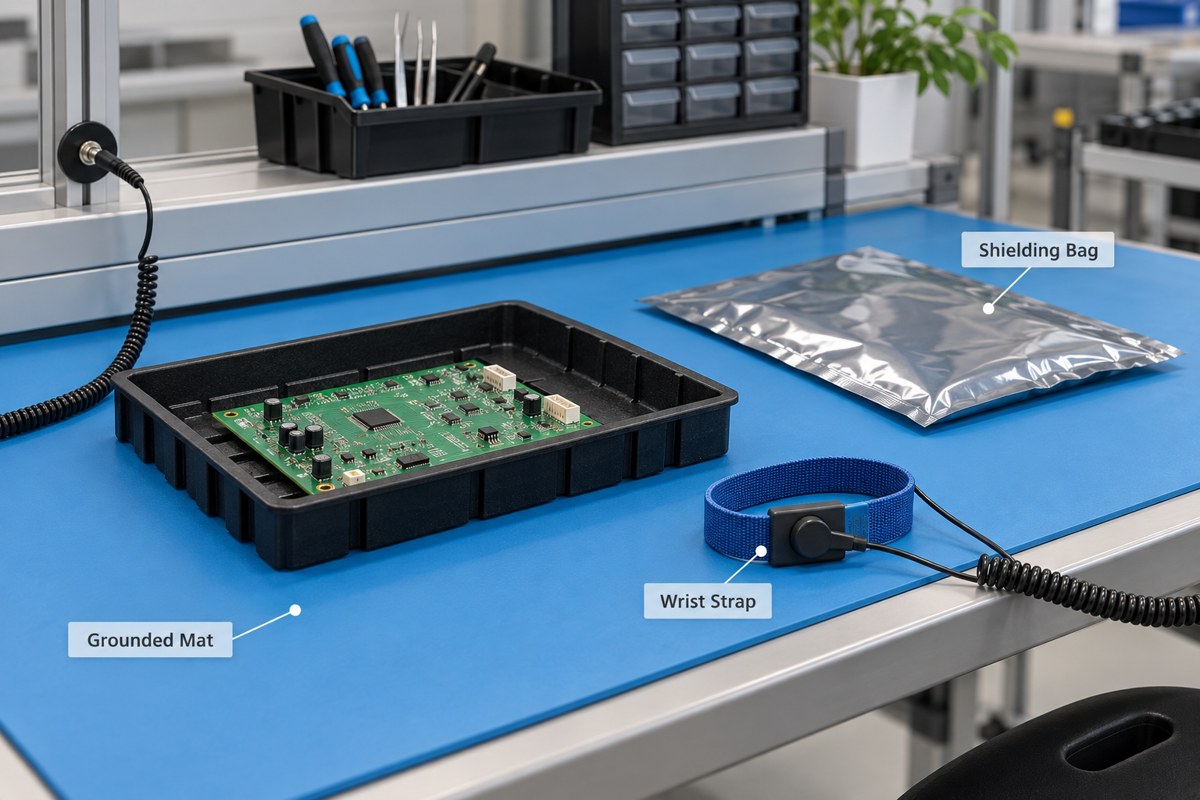
Assembly needs personnel grounding, suitable work surfaces, controlled handling materials, and protective packaging because exposed components remain vulnerable before the product enclosure is installed.
The EOS/ESD Association describes a workstation built around a dissipative surface, personnel grounding, and a common grounding point. Grounding equipment also needs verification; a disconnected or damaged cord cannot be judged by appearance alone.
Handle exposed assemblies in the designated ESD-protected area.
Use verified personnel-grounding equipment appropriate to the task.
Keep unnecessary charge-generating materials away from exposed devices.
Select packaging for the required low-charging, dissipative, or shielding function.
Our guide to preventing ESD during handling and storage covers those production controls in more detail. Follow the site’s electrical-safety procedures as well; do not improvise a wrist-strap connection to mains wiring.
FAQ About ESD Protection
Does switching off the PCB prevent ESD damage?
No. An unpowered board can still receive a discharge through exposed pins or components. Disconnecting power may be necessary for safe handling, but it does not replace ESD precautions.
Does the highest kV-rated diode provide the best protection?
No. The diode must also limit voltage adequately and preserve normal signal operation. A higher-rated device with excessive capacitance or an inductive connection can be a worse fit for the interface.
Can one diode protect every pin on a connector?
No. Protection follows the connected electrical paths. A device on a supply pin does not automatically clamp the data pins. Map each exposed line to an appropriate channel or protection network.
Do all plastic bags provide ESD protection?
No. Ordinary plastic packaging is not equivalent to qualified ESD packaging, and low-charging material does not automatically provide discharge shielding. Select packaging by its specified function rather than its color.
Should a replacement TVS be approved only by package and voltage?
No. Compare pinout, polarity, clamping data, capacitance, leakage, and the relevant pulse ratings. A replacement can fit the pads yet change signal quality or transient behavior, so assess whether revalidation is needed.
How Can EBest Circuit Support Your PCB Assembly?
At EBest Circuit, we support PCB fabrication, component sourcing, and PCBA assembly, helping you carry the approved protection circuit from the BOM into a buildable board. Share the specified TVS part numbers, placement requirements, and test scope so we can review manufacturing and assembly needs without treating an unapproved substitute as equivalent.
Send your Gerber files, BOM, assembly drawings, quantity, and ESD validation requirements to sales@bestpcbs.com. We can discuss prototyping and production support; any system-level compliance testing must be agreed as a separate, clearly defined project requirement.
In electronic assemblies, thermal pads are preformed thermal interface materials placed between a heat source and a heat sink, cold plate, shield, or chassis. They deform under controlled pressure to replace insulating air gaps with a more conductive path, making them useful where surfaces are uneven or the gap is too large for a thin layer of paste.
A pad is not selected by thermal conductivity alone. Thickness, compression, hardness, contact area, dielectric behavior, surface tack, temperature range, and the PCB’s heat-spreading design all affect the result. This guide explains how to choose and install thermal pads without creating poor contact, board bending, or electrical risk.
What Are Thermal Pads and How Do They Work?
Thermal pads work by conforming to the microscopic roughness and larger mechanical gap between two surfaces. Their polymer matrix holds thermally conductive fillers, while their softness allows the material to contact both the component and the cooler more completely than air can.
The heat path is normally component package → pad → heat sink or chassis. The pad improves the interface, but it does not create heat-sink capacity by itself. The cooler still needs enough surface area and airflow, and the PCB must move heat away from the component through copper planes, exposed pads, or vias.
Thermal Pads vs Thermal Paste: Which Interface Should You Use?
The choice between thermal pads vs thermal paste depends mainly on the gap, surface geometry, assembly process, and service requirements. Paste is suited to a very thin interface between closely mated surfaces. A pad is better when a defined gap must be bridged, multiple components have different heights, or production needs a clean and repeatable pre-cut part.
Clean and reworkable, but thickness must be correct
Thermal paste or grease
Closely mated CPU, GPU, or power-package surfaces
Very thin bond lines
Low interface thickness, but application amount and pump-out must be controlled
Gap-filler gel or putty
Variable gaps and complex component topography
Conforms to irregular three-dimensional spaces
Dispensing can be automated, but volume and cure behavior require process control
Phase-change sheet
Thin, controlled interfaces that soften at operating temperature
Small gaps with specified clamping pressure
Easy handling, but suitability depends on the package and operating profile
Do not substitute one interface material for another only because its advertised W/m·K value is higher. Compare thermal impedance at the intended thickness and pressure, then check electrical insulation, temperature cycling, rework, and contamination requirements.
What Are Thermal Pads Made Of?
Most conformable thermal pads use silicone or acrylic elastomers filled with thermally conductive ceramic particles. The filler moves heat through the pad, while the polymer provides flexibility and electrical insulation. Silicone-free pads are available when siloxane contamination, optical surfaces, relays, or downstream coating and bonding processes create concern.
Graphite sheets form another category. They can spread heat efficiently along the plane of the sheet but may be electrically conductive and may behave differently through their thickness. Material names alone therefore do not define performance; the supplier’s datasheet and the actual assembly stack must be reviewed together.
Which Specifications Matter When Choosing a Thermal Pad?
The most useful specification is the one that predicts performance in the real joint. Bulk thermal conductivity is important, but it does not include every contact resistance or the effect of thickness and compression.
Specification
Why It Matters
What to Verify
Thermal conductivity
Describes heat conduction through the bulk material
Test method, direction, temperature, and comparison basis
Thermal impedance or resistance
More directly reflects the complete interface at a stated condition
Pad thickness, area, pressure, surface finish, and test setup
Thickness and tolerance
Determines whether the pad bridges the gap without excessive stress
Minimum and maximum assembled gap across production tolerances
Hardness and compression
Control conformability, contact, and mechanical load on the PCB
Compression-deflection curve and allowed clamp force
Dielectric properties
Prevent unintended electrical contact when isolation is required
Dielectric strength, volume resistivity, and puncture risk
Temperature and aging
Affect long-term softness, adhesion, and thermal stability
Operating range, cycling data, outgassing, and material compatibility
How Do You Choose the Correct Thermal Pad Thickness?
Choose pad thickness from the worst-case assembled gap, not from a visual estimate or the uncompressed gap alone. Measure the distance between the component surface and the cooler, include package-height, PCB-flatness, enclosure, fastener, and tolerance variation, then select a pad that reaches the supplier’s specified compression window without overloading the assembly.
Measure the gap at several points or derive it from the mechanical stack drawing.
Calculate minimum and maximum gaps across component, PCB, heat-sink, and fastener tolerances.
Check the pad’s thickness tolerance and compression-deflection curve.
Confirm that clamp force will not bow the PCB, crack a package, or reduce connector alignment.
Build representative samples and verify contact pattern and temperature under load.
A pad that is too thin may leave air gaps. A pad that is too thick or too hard can prevent the cooler from seating, reduce contact on neighboring components, or bend the board. Stacking multiple pads is normally a poor uncontrolled substitute for selecting the correct thickness.
Where Are Thermal Pads Used in GPUs, CPUs, Laptops, and PCB Assemblies?
Thermal pads for GPU assemblies are commonly used over memory devices, VRM power stages, and other components that sit below the cooler plate. The bare GPU die often requires the OEM-specified paste or phase-change interface instead, because the bond line is much thinner and heat flux is concentrated.
Thermal pads for CPU applications should follow the processor and cooler manufacturer’s interface recommendation. A conventional soft gap pad should not automatically replace paste on a closely mated CPU heat spreader, but pads can be appropriate for nearby power components, embedded systems, and mechanically defined enclosure-to-package gaps.
Thermal pads for laptop cooling must match the original component locations, thicknesses, and compression behavior. Using one thickness everywhere can lift the heat pipe away from the CPU or GPU die. Industrial PCB assemblies also use pads between power devices, shields, chassis walls, battery modules, LED assemblies, and heat spreaders.
How Should Thermal Pads Be Installed?
Install a thermal pad on clean, dry surfaces with the protective liners removed at the correct step and the pad aligned to the intended contact area. Avoid touching the active surface, stretching the material, trapping debris, or allowing the pad to cover connectors and components that should remain exposed.
Power down and follow the product’s electrical safety procedure.
Remove old interface material without scratching the component or cooler.
Clean both mating surfaces with a compatible method and allow them to dry.
Cut or use a die-cut pad that covers the heat-transfer area without excessive overhang.
Remove the first liner, place the pad without stretching, then remove the second liner.
Lower the cooler evenly and tighten fasteners in the specified sequence and torque range.
Check temperatures, contact pattern, and mechanical seating on a representative assembly.
What Problems Cause Poor Thermal Pad Performance?
Poor thermal performance usually comes from incomplete contact or an unsuitable mechanical stack rather than from the pad simply being “low quality.” Common failure causes include:
Incorrect thickness, hardness, or compression range
Protective liner left on one side
Dust, oil, or particles trapped at the interface
Pad area that is too small, misaligned, or obstructed
Uneven fastener torque or warped heat-sink surfaces
Using an electrically conductive sheet where insulation is required
Material aging, tearing, pump-out of an adjacent paste, or chemical incompatibility
Assuming a high W/m·K rating guarantees low total thermal resistance
Inspect the imprint after a controlled assembly trial. A uniform contact pattern helps reveal whether the pad is reaching both surfaces, while thermal testing confirms whether the complete path works under realistic power and airflow.
How Do Thermal Pads Affect PCB and Heat-Sink Design?
A thermal pad is only one element of the thermal network. Heat must first leave the semiconductor junction and package, then spread through package lands, PCB copper, and possibly thermal vias before it reaches the interface and cooler. A bottleneck at any stage can limit the benefit of a higher-performance pad.
Coordinate the PCB, cooler, and enclosure as one tolerance stack. For effective PCB heat sink design, check keepouts, pad overlap, screw locations, component height, board stiffness, copper spreading area, via placement, creepage and clearance, and access for assembly or rework. Thermal simulation and prototype testing should use the actual pad thickness and pressure-dependent interface data whenever available.
FAQ About Thermal Pads
1. Are thermal pads better than paste?
Neither is universally better. Pads are cleaner and more repeatable for defined gaps or components with different heights. Paste usually suits very thin interfaces between closely mated surfaces. Compare the complete joint’s thermal resistance, gap tolerance, pressure, insulation, aging, and assembly process instead of comparing W/m·K alone.
2. Can thermal pads be reused?
Reuse is risky because a removed pad may be torn, contaminated, permanently compressed, or no longer aligned with the original contact area. Follow the equipment and material supplier’s service instructions. For controlled production or critical repairs, a new pad of the specified material and thickness is usually the safer choice.
3. Can you stack thermal pads?
Stacking adds interfaces, changes compression, and makes the final thickness less predictable. It may also let layers shift during assembly. Use a single pad designed for the measured gap whenever possible. If stacking is proposed, the complete joint needs engineering validation rather than assumption.
4. Do thermal pads conduct electricity?
Many ceramic-filled silicone or acrylic pads are electrically insulating, but not every thermal sheet is. Graphite and metal-based materials may be electrically conductive. Check dielectric strength, volume resistivity, edge exposure, puncture risk, and the supplier’s datasheet before placing a material near live conductors.
5. What are IC package thermal pads?
The phrase may refer either to a separate thermal interface pad above an IC package or to the exposed thermal land beneath a package such as a QFN. These are different structures. The external pad bridges the package-to-cooler gap; the PCB land is soldered and often connects to copper and vias for heat spreading.
6. How can you tell whether a thermal pad is too thick?
Warning signs include a cooler that does not seat, excessive fastener force, PCB bowing, reduced contact on neighboring components, or a worse temperature result after replacement. Confirm the mechanical stack and inspect the contact imprint rather than judging only by whether the pad visibly compresses.
How Can EBest Circuit Support the PCB Side of Thermal Management?
A reliable thermal path starts with coordinated mechanical, material, and PCB decisions. At EBest Circuit, we can review the manufacturability of copper spreading areas, thermal-via structures, stackups, board materials, and component land patterns as part of a PCB project. Send us your Gerber files, stackup, assembly drawing, component power information, cooler interface requirements, and quantities at sales@bestpcbs.com for engineering review and quotation.
A thick pcb board and a heavy copper PCB solve different engineering problems. The first increases the total finished thickness of the board; the second increases the copper thickness on selected or all conductive layers. A board can be mechanically thick without carrying high current, and a heavy copper design can fit inside a conventional overall thickness.
This distinction affects stackup planning, hole sizes, impedance, thermal behavior, connector fit, manufacturing cost, and the information a fabricator needs before quotation. This guide compares the two constructions so engineers and buyers can specify the right one instead of treating “thick board” and “thick copper” as interchangeable terms.
What Is a Thick PCB Board?
A thick PCB board is a rigid printed circuit board whose total finished thickness is greater than the common construction used for a similar product. The measurement spans the complete board from one outer surface to the other. It includes cores, cured prepregs, copper layers, plating, solder mask, and smaller finish contributions.
The term describes a mechanical dimension, not a specific copper weight. Designers may choose a thicker construction to:
Increase stiffness across a large unsupported area.
Support transformers, relays, power modules, large connectors, or other heavy components.
Meet card-edge, press-fit, guide-rail, enclosure, or mounting requirements.
Fit additional routing and reference-plane layers into a multilayer stackup.
Provide required dielectric spacing between conductors.
Control bending in equipment exposed to vibration or mechanical handling.
A thick board should not be selected only because it appears stronger. Extra thickness can create higher hole aspect ratios, longer routing cycles, different depaneling limits, more material usage, and tighter connector-fit constraints.
How Thick Is a PCB Board?
The practical answer to “how thick is a pcb board” depends on the application and the complete stackup. Many rigid FR-4 boards use a finished thickness near 1.6 mm, while thinner products may use 0.8, 1.0, or 1.2 mm. Mechanically demanding or high-layer-count designs may use 2.0, 2.4, 3.2 mm, or another project-specific value.
These numbers are not automatic manufacturing categories. A 2.4 mm two-layer board with generous holes is usually less demanding than a 2.4 mm multilayer board with small plated holes, controlled impedance, heavy outer copper, and a strict finished-thickness tolerance. The fabricator must review the thickness together with:
Layer count and copper distribution.
Core and prepreg constructions.
Smallest drilled and finished hole sizes.
Plated-through, blind, buried, or filled via structures.
Controlled-impedance geometries.
Board dimensions, panelization, and routing method.
The question “what is the standard pcb thickness” usually refers to 1.6 mm, approximately 0.062 inch. It is a widely used rigid-board value because common laminate constructions, connectors, housings, fixtures, and assembly processes are often designed around it. However, 1.6 mm is a common default rather than a universal rule.
Finished thickness is built from real laminate and prepreg options. Prepreg does not behave like a fixed spacer: its pressed thickness changes with glass style, resin content, copper pattern density, resin flow, and the lamination cycle. Material suppliers such as Isola publish laminate and prepreg construction data that fabricators use when developing manufacturable stackups.
If a mechanical drawing calls out only an unusual finished thickness but does not define the stackup, the designer should let the PCB manufacturer propose available core and prepreg combinations. This is safer than forcing a theoretical build that depends on unavailable materials or unrealistic pressed thicknesses.
Thick PCB Board vs Heavy Copper PCB: What Is the Difference?
The shortest distinction is simple: board thickness is a mechanical stack dimension, while copper thickness is a conductor dimension. They influence different parts of PCB performance and manufacturing.
Comparison
Thick PCB Board
Heavy Copper PCB
Primary definition
Greater total finished board thickness
Greater copper thickness or copper weight on one or more layers
Main purpose
Mechanical stiffness, stackup space, connector fit, or dielectric spacing
High-current conduction, lower conductor resistance, heat spreading, or robust power connections
Most affected design data
Stackup, hole size, aspect ratio, impedance, enclosure, routing, and tolerance
Trace width and spacing, pad geometry, etching, resin fill, plating, current rise, and thermal path
Typical manufacturing concern
Deep drilling, hole preparation, plating coverage, lamination, routing, and warpage control
Etch compensation, copper balance, resin filling around tall conductors, conductor definition, and thermal mass
Can it exist without the other?
Yes. A thick board can use standard copper.
Yes. A heavy copper board can retain a conventional finished thickness.
For example, a 3.2 mm FR-4 board with 1 oz copper is mechanically thick but is not a heavy copper PCB. A 1.6 mm board with 4 oz copper is a heavy copper design even though its total thickness is conventional. Some power products need both: a thick structure for stiffness and thick copper for electrical and thermal performance.
How Does a Thick Board Change Stackup and Impedance?
Increasing total board thickness changes the dielectric distance available between copper layers. If trace width, copper thickness, and dielectric properties remain unchanged, a larger trace-to-reference-plane distance changes characteristic impedance. Therefore, a designer cannot simply stretch every dielectric layer to reach a new finished thickness and expect the same controlled-impedance result.
A practical thick-board stackup review covers:
Reference-plane location: High-speed signals still need a nearby and continuous return plane.
Dielectric selection: Core and prepreg choices must match available material constructions and the required pressed thickness.
Copper balance: Symmetric copper and dielectric distribution helps reduce lamination stress and bow or twist.
Resin filling: Heavy copper or uneven pattern density may require higher-resin prepreg to fill around conductors.
Finished tolerance: The stackup must leave a realistic process window for material and lamination variation.
Do not approve the mechanical thickness independently from impedance. Send the impedance table, target values, referenced layers, and any material restrictions with the stackup so the fabricator can model the construction as one system.
How Do Drilling and Plating Limits Change?
As a board becomes thicker, a mechanically drilled hole becomes deeper. If the drill diameter stays small, the hole aspect ratio rises. This makes debris removal, desmear, activation, and copper deposition inside the barrel more demanding. The result can be thin plating in the center of the hole, barrel voids, poor registration margin, or lower thermal-cycling reliability.
Aspect ratio is commonly expressed as board thickness divided by drilled hole diameter. It is a DFM relationship, not a target that should be pushed without considering the material, layer count, plating process, copper requirement, and acceptance class. A thicker finished board may need one or more of the following changes:
Increase the mechanically drilled hole diameter.
Use staged or controlled drilling conditions.
Adjust the via structure instead of using one deep through-hole.
Increase annular-ring and registration allowance where required.
Specify hole-wall copper and microsection acceptance clearly.
Review press-fit hole tolerances and final plating buildup.
IPC-6012F establishes qualification and performance requirements for rigid printed boards, including multilayer constructions with plated-through, blind, buried, and microvia structures. The applicable class, customer drawing, procurement specification, and agreed deviations should be defined before production.
Heavy Copper PCB Design: What Must Be Reviewed?
Heavy copper PCB design starts with electrical and thermal requirements, not with a higher copper weight chosen by habit. A thicker conductor can reduce resistance and support more current, but the result also depends on trace width, conductor location, ambient conditions, allowed temperature rise, adjacent copper, airflow, duty cycle, terminal design, and heat-transfer paths.
IPC-2152 provides guidance on the relationship between current, conductor dimensions, and acceptable temperature rise. It is a better basis for conductor sizing than assuming that a mechanically thicker board will automatically carry more current.
Manufacturing review should include:
Copper weight required on every inner and outer layer.
Minimum line width and spacing after etch compensation.
Pad, via, and neck-down geometry at high-current transitions.
Resin filling around tall copper features.
Copper balance across the panel and stackup.
Thermal reliefs, solderability, and assembly heat demand.
Finished copper and plated-hole copper acceptance.
EBest Circuit supports heavy copper PCB projects for power distribution, heat spreading, planar transformers, power converters, and related high-current applications. Exact copper, spacing, stackup, and test requirements must be confirmed against the production data.
Which Construction Should You Choose?
Choose the construction from the problem you are trying to solve. Mechanical stiffness does not replace electrical conductor sizing, and additional copper does not guarantee connector fit or board rigidity.
Primary Requirement
Review First
Likely Direction
Large board or heavy components need more rigidity
Board dimensions, mounting points, vibration, and enclosure support
Thicker finished board
High current with an acceptable temperature rise
Current, trace width, copper weight, duty cycle, and cooling
Heavy copper PCB
More routing and reference planes
Layer count, impedance, dielectric spacing, and via structure
Thicker multilayer stackup, if required
High current plus mechanical stiffness
All electrical, thermal, stackup, drilling, and enclosure constraints
Combined thick-board and heavy-copper construction
Connector or card-edge fit
Specified finished thickness and tolerance at the mating interface
Board thickness driven by connector geometry
If the design needs both thickness and heavy copper, review them together before layout release. Thick copper consumes vertical space, changes resin demand, restricts fine features, and can alter the final thickness. A late copper-weight change can therefore invalidate the stackup and controlled-impedance calculations.
What Should You Send for a Manufacturing Review?
A useful DFM package lets the fabricator evaluate the mechanical and conductor requirements separately, then confirm how they interact. Include:
Gerber or ODB++ fabrication data and drill files.
Layer count and proposed stackup.
Target finished board thickness and tolerance.
Base material, Tg, CTI, thermal, or high-frequency requirements.
Copper weight for every layer and any selective heavy-copper areas.
Smallest drilled hole, smallest finished hole, via types, and filled-via requirements.
Controlled-impedance values and referenced layer pairs.
Board dimensions, panel or delivery format, outline tolerance, and connector requirements.
Prototype and production quantities plus the required delivery date.
If the project is already defined as a thick mechanical build, our thick PCB board manufacturing guide explains the detailed stackup and quotation review path.
FAQ About Thick PCB Boards and Heavy Copper PCBs
Is a 2.0 mm PCB considered thick?
It is thicker than the common 1.6 mm construction, but whether it needs special processing depends on its layer count, material, dimensions, holes, copper weight, tolerances, and routing method.
Does a thick PCB carry more current?
Not automatically. Current capacity is primarily determined by conductor geometry, temperature-rise limits, copper environment, cooling, and operating conditions. Overall board thickness is a separate mechanical property.
Can a heavy copper PCB be only 1.6 mm thick?
Yes. A fabricator may build heavy copper into a conventional finished thickness if the layer structure, dielectric spacing, resin fill, feature sizes, and tolerance can be manufactured reliably.
Why are small vias difficult in a thick board?
The deeper hole creates a higher aspect ratio. Hole cleaning and uniform copper deposition become more demanding, especially when the finished hole is small or the specified barrel copper is high.
Should I specify copper in ounces or micrometers?
Either can be used if the procurement documents are consistent, but clearly distinguish base copper from finished copper after plating. State the requirement for each layer rather than using one value for the entire PCB.
Can board thickness be changed after impedance routing is complete?
Only after the impedance geometry is recalculated. Changing the dielectric distance to the reference plane can change impedance, so the fabricator must review the revised stackup, trace width, spacing, copper thickness, and material properties.
How Can EBest Circuit Support Your PCB Project?
EBest Circuit reviews thick-board and heavy-copper requirements as two connected but distinct engineering inputs.
Send your Gerber or ODB++ data, stackup, finished thickness, copper weight by layer, drill table, impedance requirements, material notes, surface finish, test standard, quantity, and delivery target to sales@bestpcbs.com. We will review the manufacturable construction before quotation and prototype release.
High-speed PCB materials should be selected by insertion-loss budget, Df, Dk stability, copper roughness, dielectric thickness, glass weave, impedance target and manufacturing availability. FR-4 may still work for shorter channels, while low-loss laminates are better for longer or tighter-margin SerDes links.
That does not mean every high-speed PCB needs an ultra-low-loss laminate. Standard or enhanced FR-4 can still work well for shorter channels with enough margin. Low-loss materials become more useful when longer SerDes links, dense routing, multiple vias, or tighter insertion-loss targets leave less room for error.
What Are High-Speed PCB Materials?
High-speed PCB materials are laminate and dielectric systems chosen for predictable electrical behavior at higher signal frequencies and edge rates.
They may include:
standard FR-4
enhanced FR-4
mid-loss epoxy laminates
low-loss and very-low-loss laminates
hydrocarbon ceramic materials
PTFE-based materials
A high-speed PCB is not defined only by clock frequency. Fast rise and fall times can make a trace behave like a transmission line even when the nominal clock looks relatively low.
Once trace length becomes electrically significant, the design must account for:
controlled impedance
reflections
dielectric loss
conductor loss
return-path continuity
timing skew
This is why specifying only “FR-4” or “low-loss material” is rarely enough. The laminate grade, dielectric thickness, copper type, and stackup should be reviewed together.
Which PCB Material Properties Matter Most at High Speed?
For most high-speed digital boards, the most useful properties to review are Df, Dk stability, copper roughness, and dielectric construction.
Property
Why It Matters
Df
Influences dielectric loss and insertion loss
Dk
Affects impedance and propagation delay
Dk stability
Helps maintain impedance and timing consistency
Copper roughness
Increases conductor loss at high frequency
Dielectric thickness
Determines controlled-impedance geometry
Glass weave
Can contribute to differential skew
Tg / Td
Affects thermal reliability
CTE
Influences via and plated-hole reliability
Moisture absorption
Can change electrical behavior
CAF resistance
Matters for dense spacing and long-term reliability
Dissipation factor, or Df, is often one of the first parameters engineers compare. Standard FR-4 may fall roughly in the 0.015–0.025 range, while low-loss laminates can be below 0.010 and very-low-loss systems may fall below 0.005.
Dielectric constant, or Dk, affects impedance and signal velocity. A lower Dk can be useful, but consistency is often more important than simply choosing the lowest available value.
A material change may require new:
trace widths
differential spacing
dielectric thicknesses
copper thickness assumptions
That is why impedance calculations should be tied to the actual production stackup.
What Types of PCB Dielectric Materials Are Used for High-Speed Applications?
PCB dielectric materials for high-speed applications usually fall into four practical groups.
A PCB material for RF applications may also suit some high-speed digital channels, but the final choice must match the channel loss, impedance, thermal, and fabrication requirements.
Material Family
Typical Use
Relative Loss
Manufacturing Consideration
Standard / enhanced FR-4
General digital, shorter high-speed links
Moderate
Widely available and economical
Mid-/low-loss epoxy
Multi-gigabit digital systems
Low
Often processed similarly to FR-4
Hydrocarbon ceramic
High-speed digital, RF, mixed-signal
Low to very low
Requires closer stackup control
PTFE-based material
RF, microwave, mmWave, very-low-loss channels
Very low
Requires more specialized fabrication
Standard and enhanced FR-4 remain useful because they are economical, widely stocked, and familiar to most PCB manufacturers. Their main limitation in high-speed work is higher loss over long channels.
Low-loss epoxy laminates are a common next step for networking, telecom, data-center, and AI hardware. They reduce dielectric loss without always introducing the fabrication complexity associated with more specialized RF materials.
Hydrocarbon ceramic materials suit designs that need low loss, stable electrical properties, or a mix of high-speed digital and RF functions.
PTFE-based materials offer very low loss, but they usually need tighter process control and are best reserved for applications that genuinely require them.
Material family should be selected first. The exact product grade can then be chosen according to electrical requirements, available constructions, and supplier availability.
How Do FR-4 and Low-Loss PCB Materials Compare?
The biggest difference between FR-4 and low-loss laminates is the amount of channel loss they introduce over distance and frequency.
Comparison
Standard FR-4
Low-Loss Laminate
Dielectric loss
Higher
Lower
Typical Df
Often ~0.015–0.025
Commonly below ~0.010
Long high-speed channels
More limited
Better suited
Material cost
Lower
Higher
Availability
Very broad
Grade-dependent
Fabrication familiarity
Excellent
Usually good
Stackup flexibility
High
Depends on stocked constructions
Insertion-loss margin
Lower
Higher
Best fit
Shorter, cost-sensitive channels
Longer, loss-sensitive channels
The laminate is only part of the channel. Copper profile, routing length, vias, and connectors can change the result significantly.
For example, a low-Df laminate paired with rough copper may not perform as well as expected. An enhanced FR-4 system with smoother copper and shorter routes may be perfectly adequate.
So material selection should be based on total channel performance rather than one datasheet value.
When Is FR-4 Still Suitable for a High-Speed PCB?
FR-4 is still suitable when the complete interconnect remains inside the required loss, timing, and impedance limits.
There is no universal point where FR-4 suddenly becomes unusable.
FR-4 is often a reasonable choice when:
high-speed traces are relatively short
insertion-loss margin is comfortable
the channel contains few connectors or via transitions
impedance can be achieved with practical trace geometry
the selected FR-4 grade has acceptable Df and Dk stability
project cost is sensitive to material upgrades
Moving to a lower-loss laminate becomes more attractive when the design has:
longer routed channels
higher SerDes data rates
more connectors
more via transitions
tight eye-diagram margin
backplane routing
higher routing density
stricter insertion-loss targets
A more expensive laminate will not correct a poor interconnect structure. If the main problem is a long via stub, an interrupted return path, or a badly designed connector transition, the geometry still needs to be fixed.
How Do Dk, Df, Copper Roughness and Glass Weave Affect Signal Integrity?
These factors influence different parts of the channel.
Df affects dielectric loss. Part of the signal energy is dissipated in the dielectric as the signal propagates. Higher Df generally means more attenuation, especially over longer traces and at higher frequencies.
Dk affects impedance and signal velocity. Changes in Dk alter characteristic impedance, propagation delay, and the trace dimensions needed to meet a target such as 50 Ω or 100 Ω differential.
Copper roughness affects conductor loss. At high frequency, current flows close to the conductor surface because of skin effect. Rougher copper increases the effective path length and therefore resistance.
For longer channels, designers often review whether the stackup uses:
standard copper
reverse-treated copper
low-profile copper
very-low-profile copper
Glass weave can contribute to skew. Glass bundles and resin-rich areas do not have identical dielectric properties. If the two traces in a differential pair see different local material environments, propagation delay can differ.
Common mitigation methods include:
choosing suitable glass styles
routing pairs at an angle to the weave
using resin-rich constructions where appropriate
avoiding unnecessarily long parallel runs aligned with the weave
For demanding links, these details can matter as much as the headline Dk and Df numbers.
How Do You Choose the Right High-Speed PCB Material?
Start with the interface and channel requirement rather than choosing a laminate brand first.
A practical selection process is:
Identify the interface and data rate. Define whether the board uses PCIe, Ethernet, USB, HDMI, DDR, proprietary SerDes, RF, or a combination.
Estimate the channel length. Include PCB traces, vias, connectors, cables, and backplane sections where applicable.
Define the insertion-loss budget. Determine how much attenuation the transmitter and receiver can tolerate.
Compare Dk and Df at relevant frequencies. Avoid comparing datasheet values measured with different methods without understanding the difference.
Review copper foil type. Smoother copper can reduce conductor loss on long or high-frequency channels.
Check dielectric thickness and glass style. These affect impedance geometry and differential skew.
Confirm the production stackup. Make sure the required cores, prepregs, and copper options are actually available.
Balance margin against cost. Use the material performance the channel requires rather than automatically specifying the lowest-loss laminate available.
For high-layer-count boards, a hybrid stackup may also be worth considering. Low-loss material can be used on critical signal layers while more conventional materials are used elsewhere, provided the laminate systems are compatible and the construction can be manufactured reliably.
Which High Speed PCB Design Guidelines Depend on Material Selection?
Several high-speed PCB design decisions depend directly on the material and stackup.
Controlled impedance is the most obvious example. A 50 Ω trace does not have one standard width. Its geometry depends on:
dielectric constant
dielectric thickness
copper thickness
solder mask
reference-plane position
whether the trace is microstrip or stripline
Material selection also affects differential-pair geometry and routing space under dense BGAs.
Via structures can also change with channel requirements. Long through-hole stubs may add resonances and loss, so designs may use:
blind vias
buried vias
backdrilling
controlled-depth drilling
Reference-plane continuity should remain intact. Crossing a split plane or poorly defined return path can create a larger signal-integrity problem than the laminate itself.
Other material-dependent checks include:
stackup symmetry
dielectric thickness tolerance
resin content
copper profile
impedance tolerance
trace-width manufacturability
lamination compatibility
High-speed layout and stackup development should therefore happen together rather than as separate steps.
What Should You Confirm With a PCB Manufacturer Before Finalizing the Material?
Before freezing the layout, confirm the actual production construction with the PCB manufacturer.
At minimum, verify:
exact laminate grade or approved equivalent
core and prepreg construction
finished dielectric thickness
copper foil type
starting and finished copper thickness
Dk and Df reference values
test frequency and measurement method
glass style where relevant
target impedance and tolerance
permitted material substitutions
material availability
hybrid-material compatibility
prototype and production lead time
For controlled-impedance boards, stackup review before layout release is especially useful. A change in dielectric thickness or copper thickness can require new trace widths or differential spacing.
EBest Circuit supports high-speed PCB fabrication and PCBA projects involving controlled impedance, multilayer stackups, HDI structures, low-loss laminates, RF materials, and mixed-material constructions. Our engineering team can review the proposed stackup, material availability, impedance requirements, via structure, copper specification, and manufacturing data before production.
Frequently Asked Questions About High-Speed PCB Materials
What is the best material for a high-speed PCB?
The best PCB material for high speed applications is the material that meets the channel loss and impedance targets without unnecessary cost or fabrication risk. The correct choice depends on data rate, trace length, insertion-loss budget, stackup, copper profile, operating environment, manufacturing requirements, and cost. Shorter channels may work well with enhanced FR-4, while longer loss-sensitive channels can justify low-loss or very-low-loss laminates.
Is FR-4 suitable for high-speed PCB design?
Yes. FR-4 can still be suitable for high-speed digital designs when channel length and insertion loss remain within the interface budget. The decision should be based on channel simulation or loss analysis rather than a fixed frequency threshold.
What Dk is suitable for a high-speed PCB?
Many high-speed PCB materials have Dk values roughly between 3 and 4.5, but the exact value is less important than predictable electrical behavior and a stackup that supports the required impedance geometry. Dk should also be compared using the same test method and frequency where possible.
Is lower Df always better for high-speed PCBs?
Electrically, lower Df generally reduces dielectric loss, but the lowest-Df material is not automatically the best commercial choice. Material cost, copper profile, availability, fabrication complexity, and actual channel length should also be considered.
When should I use a low-loss PCB laminate?
Low-loss material becomes more valuable when longer traces, higher SerDes rates, multiple connectors or vias, tighter eye margins, or demanding insertion-loss targets make standard FR-4 difficult to use reliably. The transition should be based on channel performance rather than a simple GHz threshold.
What information should I give my PCB manufacturer when selecting a high-speed material?
Provide the proposed stackup, laminate preference, dielectric thickness, copper weight, target impedance, impedance tolerance, interface type, expected data rate, critical trace lengths, via structure, and any insertion-loss requirement. If a specific material grade is mandatory, state whether substitutions are allowed.
If you are preparing a high-speed PCB or PCBA project, send your Gerber files, stackup, BOM, controlled-impedance requirements, and material specifications to sales@bestpcbs.com. EBest Circuit can review the material system, dielectric construction, copper profile, impedance targets, via structure, and manufacturing requirements before production, helping you avoid unnecessary material cost while protecting signal-integrity margin.
PCB delamination is the loss of adhesion between layers or interfaces inside a printed circuit board. In a high-end multilayer PCB, the separation may occur between copper and resin, within the dielectric system, around glass reinforcement, or near a plated hole. It may remain hidden until lamination, lead-free assembly, rework, or field heating adds enough pressure and stress to open the weak interface.
Advanced material does not automatically mean a board is more likely to delaminate. The risk rises when low-loss resin systems, smoother copper, thin dielectrics, dense copper patterns, hybrid materials, repeated lamination cycles, and high-temperature assembly are combined without a matched process window. Preventing the defect requires control of the complete material-and-process system, not a single datasheet value.
What Is PCB Delamination in High-End Materials?
PCB delamination in high-end materials is an interfacial or cohesive bond failure that separates layers which should remain permanently joined. The defect can be local or extensive and may appear as an internal void, a lifted copper feature, a surface blister, or separation near a via or board edge.
Delamination should not be confused with every pale or fibrous mark visible in a laminate. Measling and crazing describe different resin-glass conditions, while a blister is a localized raised area that may result from internal separation or trapped volatiles. A confirmed disposition should identify where the separation occurred and whether it interrupts a conductor, reduces insulation spacing, exposes a path for moisture, or weakens the structure.
Observed Condition
Likely Location
Why It Matters
Surface blister
Solder mask, copper-to-dielectric, or near-surface laminate
May indicate trapped moisture, poor adhesion, or contamination
Internal planar separation
Core-prepreg or copper-resin interface
Can expand during thermal cycling and affect insulation or signal paths
Separation near a via
Resin, copper interface, or glass bundle beside the barrel
May combine with Z-axis stress and threaten via reliability
Edge separation
Routed edge or exposed laminate interface
Can admit moisture and propagate under later heating
Why Can Advanced PCB Materials Delaminate?
Advanced PCB materials delaminate when the stress applied to an interface exceeds the bond strength available at that location. The initiating weakness can come from the material, storage, surface preparation, stackup design, lamination process, drilling and plating, assembly heating, or rework.
High-end constructions can make the margin narrower for several reasons:
More interfaces: high layer counts create more bond lines and more opportunities for local contamination or incomplete wetting.
Thin dielectrics and dense copper: resin must fill narrow spaces and compensate for uneven copper distribution without starving another area.
Smoother copper: low-profile foil reduces conductor loss, but the selected treatment and resin system must still provide reliable adhesion.
Multiple lamination cycles: sequential-build HDI boards expose earlier layers to repeated heat and pressure.
Hybrid material systems: different resins, glass styles, copper treatments, and coefficients of thermal expansion may not move together during heating.
Higher assembly temperature: lead-free reflow and repeated rework can consume the thermal margin of a weak bond.
The main PCB delamination causes are therefore interactive. Moisture alone may not damage a well-bonded construction, and one thermal excursion may not open a dry board. Moisture, a weak interface, and rapid heating together are far more dangerous.
How Do Moisture and Thermal Shock Start Delamination?
Moisture and thermal shock start delamination when absorbed water expands, vaporizes, or changes the mechanical behavior of the laminate faster than pressure can dissipate. During reflow or rework, vapor pressure acts on the weakest internal interface while copper, glass, and resin expand at different rates.
An IPC technical paper on moisture in PCB laminates reported that absorbed moisture reduced time-to-delamination performance for several evaluated materials. The same work explains that moisture affects swelling and Z-axis expansion. This supports a practical rule: thermal robustness must be evaluated in the conditioned state that represents handling and assembly, not only on a dry datasheet specimen.
Common exposure paths include:
unsealed laminate, prepreg, or finished boards stored in humid conditions;
a long floor-life interval before assembly;
aqueous processing followed by inadequate drying;
rapid heating or an excessive reflow peak;
multiple reflow, wave-solder, selective-solder, or hand-rework cycles;
baking followed by poor packaging or renewed moisture exposure.
Baking can reduce moisture when the material and finish allow it, but it cannot restore a contaminated interface, replace missing resin, or repair an already separated bond. The bake condition must be approved for the board construction and surface finish.
How Do Lamination Parameters and Resin Flow Cause Weak Bonds?
Lamination parameters and resin flow cause weak bonds when the resin does not fully wet, fill, cure, and consolidate every interface in the stackup. The press cycle must match the actual resin system, panel mass, copper distribution, dielectric thickness, and number of layers.
Insufficient flow can leave voids, glass stop, or resin-starved areas around heavy or dense copper.
Excessive flow can squeeze resin away from a critical bond line and change finished dielectric thickness.
Poor vacuum can leave trapped air or volatiles in a stack that appears flat externally.
Incorrect heat-up rate can move the resin through its workable viscosity range before pressure and flow are balanced.
Inadequate pressure may prevent full consolidation; excessive pressure may worsen resin loss or dimensional movement.
Incomplete cure reduces thermal and chemical resistance, while an unsuitable cycle can embrittle or over-stress the system.
Prepreg selection must also provide enough resin to fill the designed copper topography. A technically advanced low-loss laminate can still fail if the chosen prepreg construction cannot fill a dense copper area without starving an adjacent region.
Why Do Surface Preparation and Copper Profile Matter?
Surface preparation and copper profile matter because adhesion depends on both chemical compatibility and the physical condition of the bonding surface. Oxidation, fingerprints, release residue, cleaning chemistry, dust, or excessive delay after treatment can reduce the bond strength before the stack enters the press.
High-speed boards often use smoother copper to reduce conductor loss. That does not mean smooth copper is unsuitable, but it leaves less room for an uncontrolled bonding process. The foil treatment, oxide alternative, resin chemistry, handling method, and lamination cycle must be qualified together.
A useful failure analysis asks whether the separation is adhesive, at the copper-resin boundary, or cohesive, within the resin or reinforced dielectric. That distinction guides the corrective action. Increasing press pressure will not correct surface contamination, and extra cleaning will not fix a resin-volume shortage.
How Do Hybrid Materials and Repeated Lamination Add Risk?
Hybrid materials and repeated lamination add risk by combining interfaces with different thermal expansion, cure behavior, surface treatment, and thermal history. The construction may be electrically attractive but still require a narrower manufacturing window than a homogeneous stackup.
Before releasing a hybrid or sequential-lamination design, the fabricator should review:
resin-system compatibility and supplier processing guidance;
X-Y and Z-axis expansion through the expected thermal range;
Tg, decomposition temperature, and time-to-delamination data;
copper treatment and interlaminar adhesion;
prepreg flow and fill across copper-density transitions;
the total number of lamination and assembly heat cycles;
drill, desmear, plasma, and plating chemistry compatibility.
Tg alone is not a sufficient selection rule. An IPC comparison of laminate thermal properties showed that time-to-delamination behavior did not simply follow Tg; decomposition temperature and the material system also mattered. The released requirement should therefore reflect the real thermal profile and reliability target.
What Does Delamination Look Like and How Is It Confirmed?
Delamination can look like a surface bubble, pale patch, lifted pad area, edge split, or local swelling, but internal separation may have no reliable external sign. PCB delamination images are useful for screening only; lighting, solder-mask color, glass weave, measling, and machining marks can make different defects look similar.
Confirmation should use methods appropriate to the suspected location:
Visual and dimensional inspection: identifies blistering, bow, twist, edge separation, or surface change.
Scanning acoustic microscopy: can map planar internal separations when equipment and board geometry allow.
Microsection: destructively reveals the bond line, void, resin condition, copper interface, and nearby via structure.
Thermal stress or simulated reflow: checks whether a latent weakness opens under the intended assembly exposure.
TMA time-to-delamination: characterizes laminate response at a specified test temperature; IPC lists TM-650 method 2.4.24.1 for this measurement.
Electrical and reliability testing: determines whether the defect has affected insulation, continuity, impedance, or via performance.
A PCB delamination cross section should be taken through the actual indication whenever possible. A clean section from a distant coupon cannot explain a localized production defect.
Can PCB Delamination Be Repaired?
PCB delamination repair is usually not acceptable for an internal structural separation in a high-reliability multilayer board. Injecting adhesive, pressing a blister flat, or baking the board may hide the symptom without restoring the qualified dielectric spacing, bond integrity, insulation performance, or long-term thermal reliability.
A limited external defect may sometimes receive an engineering disposition if the applicable drawing, acceptance standard, customer, and reliability assessment permit it. That decision should document the location, size, affected conductors, insulation distance, test evidence, and intended service environment. It should not be treated as a general repair method.
For confirmed internal delamination, the safer corrective path is normally to quarantine the lot, determine the failure interface, verify the extent, correct the root cause, and rebuild affected product. Rework without root-cause evidence can convert a visible manufacturing escape into a field failure.
How Should Fabricators Improve a Delamination Process?
Fabricators should improve a delamination process by linking the failure location to the process step that created the weak interface. Corrective action should be evidence-based and verified with a controlled build.
Confirmed Cause
Immediate Improvement
Verification
Moisture before thermal exposure
Restore dry storage, packaging, exposure control, and an approved bake process
Moisture review plus representative reflow or thermal stress
Resin starvation or glass stop
Adjust prepreg construction, copper balancing, pressure, vacuum, and heat-up profile
Microsections across high- and low-copper-density areas
Contaminated or degraded surface
Correct cleaning, surface treatment, rinsing, drying, and hold-time control
Bond assessment, peel testing where applicable, and thermal exposure
Hybrid-material mismatch
Reassess compatibility, CTE, cure, thickness, and thermal history
Qualification panels using the production stackup
Assembly or rework overheating
Correct the thermal profile and limit cumulative excursions
Profile records and post-process inspection
The verification build should use production-intent material lots, copper distribution, panel format, lamination equipment, and assembly exposure. A laboratory coupon that removes the difficult geometry may prove the resin can bond, but not that the released PCB can be manufactured consistently.
How Can Designers and Buyers Prevent PCB Delamination?
Designers and buyers prevent PCB delamination by defining the material system, thermal exposure, and acceptance evidence before the quotation is locked. Early collaboration gives the fabricator room to adjust prepreg, copper balance, and the lamination sequence without changing finished electrical requirements.
Share the real thermal history. Include all lamination, reflow, wave, selective-solder, press-fit, coating cure, and expected rework cycles.
Approve exact materials and alternates. Do not authorize substitution by a broad “equivalent high-Tg” note.
Review copper balance and resin demand. Large copper-free zones beside dense planes require deliberate fill planning.
Set storage and floor-life controls. Define packaging, humidity exposure, resealing, and any allowed bake process.
Use production-intent prototypes. Qualify the same material family, stackup, and critical process sequence planned for volume.
Specify evidence. Require the appropriate microsections, thermal stress, reflow simulation, coupons, traceability, and change notification.
For designs where thin dielectrics and sequential lamination raise the risk, our HDI PCB fabrication guide explains the build-up context. For electrical geometry that must remain stable after material or thickness changes, see our impedance control PCB guide.
What Should Be Included in a Delamination Control Plan?
A delamination control plan should translate the risk into measurable incoming, fabrication, assembly, and verification controls. At minimum, it should record:
approved laminate, prepreg, copper, and surface-treatment combinations;
material storage, packaging, exposure, and bake conditions;
prepreg resin content and fill assumptions for the released copper pattern;
surface preparation, hold time, and contamination controls;
vacuum, pressure, temperature, heat-up, dwell, and cooling windows;
sequential lamination and cumulative assembly heat cycles;
inspection sampling locations and acceptance criteria;
material-lot and process traceability;
the response plan for blistering, separation, or an abnormal microsection.
The plan should also define who can approve a material, stackup, or process change. If availability forces a substitution, production should pause at the approval gate rather than silently consume a different construction.
Frequently Asked Questions About PCB Delamination
What causes PCB delamination?
The immediate cause is stress exceeding local bond strength. Common contributors include moisture, rapid heating, inadequate resin flow, incomplete cure, contaminated surfaces, incompatible materials, repeated thermal cycles, and excessive rework.
Does a higher Tg prevent delamination?
No. Tg is important, but it does not describe moisture behavior, decomposition, time-to-delamination, copper adhesion, resin flow, or the quality of the fabricated bond line.
Can baking fix an already delaminated PCB?
No. An approved bake may remove moisture before heating, but it does not restore an interface that has already separated or correct contamination and resin starvation.
Why does delamination appear after reflow instead of during PCB fabrication?
A weak interface may remain closed and invisible after lamination. Reflow adds rapid thermal expansion and vapor pressure, exposing the latent defect.
Can AOI or X-ray always find internal delamination?
No. AOI examines visible surfaces, and standard transmission X-ray may not clearly reveal a planar separation. Acoustic imaging, targeted microsectioning, and thermal verification are often more informative.
Are low-loss PCB materials inherently prone to delamination?
No. They require a compatible copper treatment, prepreg construction, lamination cycle, handling method, and assembly profile. A qualified process can produce reliable low-loss multilayer boards.
How Can EBest Circuit Help Prevent PCB Delamination?
At EBest Circuit, we can review your Gerber files, stackup, laminate and prepreg callouts, copper distribution, via structure, target impedance, assembly profile, quantity, and inspection requirements before fabrication. We use those inputs to identify moisture, resin-fill, material-interface, and thermal-cycle risks that should be closed before production.
Send the released data and your reliability requirements to sales@bestpcbs.com. We will return the engineering questions, proposed stackup controls, and verification items needed for a manufacturable high-end multilayer PCB.
Electromagnetic shielding uses conductive or magnetic barriers to reduce unwanted electromagnetic energy entering or leaving a circuit. Effective shielding is not simply a metal cover: the material, frequency, seams, apertures, cable entries, grounding path, PCB layout, and test method must work as one system.
For PCB teams, the best result usually comes from reducing noise at its source, controlling the coupling path, protecting the sensitive circuit, and then adding a shield where residual emissions or susceptibility still require it. This guide explains how to make those decisions without treating shielding as a late-stage patch.
What Is Electromagnetic Shielding?
Electromagnetic shielding is a barrier that attenuates electric, magnetic, or electromagnetic fields between a source and a protected region. In electronics, it helps limit radiated emissions from noisy circuits and improves immunity when sensitive circuits operate near motors, switch-mode power supplies, radios, cables, or fast digital interfaces.
A shield may surround an entire product, cover one PCB area, wrap a cable, close an enclosure seam, or form a conductive layer in a flexible circuit. The correct structure depends on the problem frequency and coupling mechanism. A thin conductive shield can perform well against high-frequency electric fields, while low-frequency magnetic fields may require high-permeability material and a different geometry.
How Does Electromagnetic Shielding Work?
Electromagnetic shielding works mainly through reflection and absorption, with additional internal reflections occurring inside thin or layered materials. Conductive materials support surface currents that oppose an incident field, while magnetic materials can provide a lower-reluctance path for magnetic flux.
Reflection: impedance changes at the shield surface redirect part of the incident energy.
Absorption: energy decays as currents flow through a lossy conductive or magnetic material.
Multiple reflection: energy can reflect between material boundaries, especially in thin, porous, or layered shields.
This is the practical core of electromagnetic shielding theory and applications: performance depends on field type, frequency, material properties, thickness, distance from the source, and electrical continuity. A material data sheet alone cannot predict the finished enclosure or PCB assembly.
Which Electromagnetic Shielding Materials Are Used?
The most useful electromagnetic shielding materials are chosen for conductivity, magnetic permeability, corrosion behavior, mechanical form, solderability, weight, and cost. No material is universally best across all frequencies and product structures.
Material or Structure
Main Strength
Common Use
Main Limitation
Copper
High conductivity and solderability
Foils, tapes, PCB planes, cable shields
Weight, cost, and galvanic compatibility
Aluminum
Good conductivity at low weight
Enclosures, foil, covers
Oxide layer and joining method need attention
Tin-plated steel
Formability, solderability, and economical construction
Board-level shield cans
Greater weight than aluminum
Nickel silver
Corrosion resistance and practical shield-can forming
Removable and soldered PCB shields
Higher material cost than basic steel
High-permeability alloy
Redirects low-frequency magnetic flux
Transformers, sensors, magnetic-field control
Forming and mechanical stress can affect performance
Conductive elastomer or fabric
Maintains electrical contact across joints
Gaskets, doors, seams, serviceable covers
Compression, aging, plating compatibility, and contact resistance
Material selection must include the surrounding metals and environment. Dissimilar metals, moisture, salt, coatings, and repeated opening can increase contact resistance or corrosion risk. For a shield can, the solderable finish and mechanical flatness may matter as much as the base metal.
How Is Electromagnetic Shielding Effectiveness Measured?
Electromagnetic shielding effectiveness is the reduction in field level produced by a shield, normally expressed in decibels at a stated frequency and test condition. For electric-field amplitude, 20 dB represents a 10:1 reduction, 40 dB a 100:1 reduction, and 60 dB a 1000:1 reduction.
The number is meaningful only when the test method, frequency range, sample geometry, field type, and fixture are known. ASTM D4935 is commonly used for planar material samples, while IEEE 299 addresses shielding enclosures. A tape sample measured in a laboratory fixture should not be assumed to deliver the same result after it is applied across a painted seam, around a connector, or inside a vented product.
Define the required frequency range and field type.
Match the test method to the material, enclosure, cable, or finished product.
Record apertures, seams, grounding, gasket compression, and cable configuration.
Compare data only when the test conditions are reasonably equivalent.
What Is the Difference Between EMI and EMC Shielding?
EMI describes unwanted electromagnetic interference, while EMC describes a product’s ability to operate correctly in its electromagnetic environment without causing unacceptable interference. Shielding is one technique used to improve EMC; it does not replace source suppression, filtering, grounding, return-path control, or compliance testing.
A product can fail because it emits too much noise or because it is too susceptible to an external field. The same enclosure may help both problems, but the coupling paths can differ. Designers should therefore identify the source, path, victim, frequency, operating mode, and cable state before choosing a shield.
Which Shielding Method Fits the Interference Path?
The shielding method should match the dominant path rather than the visible symptom. Radiated noise, conducted noise, cable common-mode current, enclosure leakage, and local component coupling require different controls.
Interference Path
Useful Controls
Validation Focus
PCB trace or switching loop radiation
Smaller loop area, continuous return plane, source filtering, local shield
Near-field scan and radiated emissions
Cable common-mode current
Connector filtering, 360-degree shield termination, common-mode control
How Should Electromagnetic Shielding Be Applied to PCB Design?
PCB shielding should begin with current-path control, because a metal can cannot correct every layout problem. Keep high di/dt loops compact, place decoupling close to device pins, use continuous reference planes, and prevent fast return currents from crossing plane splits or connector cutouts.
Identify switching nodes, clocks, RF sections, cables, and sensitive analog circuits.
Minimize source-loop area and keep return paths directly adjacent to critical signals.
Partition noisy and sensitive functions by placement and routing, not by arbitrary ground splitting.
Place stitching vias where return current changes reference or where a shield perimeter needs a low-inductance ground connection.
Define connector-shell, chassis-ground, and signal-ground relationships in the schematic and mechanical design.
Reserve shield-can pads, keep-outs, rework access, and component-height clearance before layout release.
A PCB shielding can is useful when a localized RF, clock, converter, or sensitive receiver section needs additional isolation after the layout and grounding have been optimized. One-piece cans suit permanent coverage, while two-piece frame-and-lid structures improve inspection, tuning, and rework access.
The can needs a continuous, low-inductance connection to the intended ground reference. Its perimeter pads, via stitching, wall height, vent pattern, component clearance, and reflow process must be designed together. Our board-level shielding guide explains can materials, grounding, apertures, and assembly choices in detail.
When Is Electromagnetic Shielding Tape Useful?
Electromagnetic shielding tape is useful for prototypes, seams, cable wrapping, local conductive patches, and surfaces that cannot be soldered directly. Copper, tin-plated copper, and aluminum foil tapes are available with conductive adhesive, but the backing material alone does not guarantee a low-impedance joint.
Check whether the adhesive conducts through its thickness, whether the overlap remains conductive, and whether the tape bonds to bare metal, plating, paint, or plastic. Surface cleanliness, bending radius, oxidation, galvanic compatibility, temperature, humidity, and long-term peeling can all change the result. Tape is excellent for controlled applications and debugging, but it should not hide an unresolved production-design problem.
Why Do Seams, Apertures, and Cables Cause Leakage?
Seams, apertures, and cables cause leakage because they interrupt the shield current or provide a path for common-mode energy to cross the barrier. The longest dimension of a slot is often more important than its total area, so one long opening can leak more than several small holes.
Use many small ventilation holes instead of a long slot when airflow permits.
Maintain conductive contact around serviceable seams with suitable gaskets or spring fingers.
Bond connector shells to the intended chassis or shield reference with a short, wide connection.
Filter or shield conductors at the point where they cross the enclosure boundary.
Control coatings, paint, anodizing, and contamination at intentional contact surfaces.
The system drawing should state which contacts are intentional. The distinction between board ground, shield ground, chassis, and protective earth is explained in our GND and earth guide.
How Do You Test and Validate an EMI Shield?
An EMI shield is validated by testing the assembled product in representative operating modes, cable configurations, and mechanical conditions. Material certificates and continuity measurements are useful inputs, but they cannot replace a system-level emissions or immunity evaluation.
Establish a baseline: measure the unshielded design or an earlier build under repeatable conditions.
Locate the source: use near-field electric and magnetic probes to identify hot loops, seams, and cables.
Change one variable: add a can, gasket, tape, filter, or grounding change without mixing several unknowns.
Run pre-compliance checks: compare emissions across the relevant frequency range and product modes.
Verify the final assembly: test with production fasteners, covers, coatings, cables, and software states.
Complete required compliance testing: use the standards and limits applicable to the product and destination market.
For U.S. unintentional radiators, FCC guidance points to defined Part 15 measurement procedures; other markets and product categories may require CISPR, IEC, automotive, aerospace, medical, or customer-specific methods. The applicable standard must be identified for the finished product rather than inferred from the PCB alone.
Frequently Asked Questions About Electromagnetic Shielding
What is the most effective material for electromagnetic shielding?
There is no single most effective material for every case. Copper and aluminum work well for many high-frequency electric-field and plane-wave problems, while high-permeability alloys are more suitable for some low-frequency magnetic fields. The enclosure geometry, seams, apertures, grounding, frequency, corrosion environment, and test method usually determine the finished result.
Does thicker metal always improve shielding?
No. Thickness can improve absorption when it is small relative to the required attenuation, but at high frequency a thin conductive layer may already exceed several skin depths. Leakage through seams, vents, connectors, and poor bonds can then dominate. Increasing wall thickness will not repair an electrically open joint or an unfiltered cable penetration.
Does an EMI shield always need to be grounded?
Not every shield requires a DC earth connection, but most practical PCB and enclosure shields need a controlled low-impedance relationship to the intended reference. The correct connection depends on frequency, safety architecture, cable termination, ESD path, and enclosure design. A long wire that looks grounded at DC may behave inductively at RF.
Can aluminum foil block electromagnetic interference?
Aluminum foil can attenuate some high-frequency electric fields when it forms a continuous enclosure with controlled seams and connections. A loose sheet or incomplete wrap is not equivalent to a qualified shield. Openings, oxide at contact points, cable entry paths, mechanical durability, and the field frequency determine practical effectiveness.
Can shielding fix a poor PCB layout?
Shielding can reduce residual radiated coupling, but it cannot reliably correct every return-path, common-mode, decoupling, or cable-current problem. Source suppression and layout correction usually provide a more stable foundation. Use a shield after the dominant source and coupling path are understood, not as a substitute for that analysis.
How should shielding effectiveness data be compared?
Compare data only when frequency, test method, fixture, sample size, field condition, and assembly details are stated. A planar material test, gasket test, shielded-room test, and finished-device radiated-emissions test answer different questions. Ask for the original test standard and configuration instead of comparing only the highest dB number.
How Can EBest Circuit Support EMI-Sensitive PCB Projects?
At EBest Circuit, we support PCB fabrication and assembly projects that require controlled stackups, continuous reference planes, shield-can landing patterns, via structures, solder-mask openings, and inspection of assembled shielding hardware. The released files should define the intended ground nets and mechanical contacts clearly so production does not have to guess.
Send us your Gerber or ODB++ data, stackup, BOM, shield-can drawing, enclosure interface, quantity, and test requirements. We can review the manufacturability of the PCB and assembly details before production and provide technical support and a quotation at sales@bestpcbs.com.
This website uses cookies to enhance your experience, remember your preferences, and help us understand how visitors use our site. You can accept all cookies, reject non-essential cookies, or manage your settings.
This website uses cookies to improve your experience while you navigate through the website. Out of these cookies, the cookies that are categorized as necessary are stored on your browser as they are essential for the working of basic functionalities of the website. We also use third-party cookies that help us analyze and understand how you use this website. These cookies will be stored in your browser only with your consent. You also have the option to opt-out of these cookies. But opting out of some of these cookies may have an effect on your browsing experience.
Necessary cookies are absolutely essential for the website to function properly. These cookies ensure basic functionalities and security features of the website, anonymously.
Cookie
Duration
Description
cookielawinfo-checkbox-analytics
11 months
This cookie is set by GDPR Cookie Consent plugin. The cookie is used to store the user consent for the cookies in the category "Analytics".
cookielawinfo-checkbox-functional
11 months
The cookie is set by GDPR cookie consent to record the user consent for the cookies in the category "Functional".
cookielawinfo-checkbox-necessary
11 months
This cookie is set by GDPR Cookie Consent plugin. The cookies is used to store the user consent for the cookies in the category "Necessary".
cookielawinfo-checkbox-others
11 months
This cookie is set by GDPR Cookie Consent plugin. The cookie is used to store the user consent for the cookies in the category "Other.
cookielawinfo-checkbox-performance
11 months
This cookie is set by GDPR Cookie Consent plugin. The cookie is used to store the user consent for the cookies in the category "Performance".
viewed_cookie_policy
11 months
The cookie is set by the GDPR Cookie Consent plugin and is used to store whether or not user has consented to the use of cookies. It does not store any personal data.
Functional cookies help to perform certain functionalities like sharing the content of the website on social media platforms, collect feedbacks, and other third-party features.
Performance cookies are used to understand and analyze the key performance indexes of the website which helps in delivering a better user experience for the visitors.
Analytical cookies are used to understand how visitors interact with the website. These cookies help provide information on metrics the number of visitors, bounce rate, traffic source, etc.
Advertisement cookies are used to provide visitors with relevant ads and marketing campaigns. These cookies track visitors across websites and collect information to provide customized ads.