PCB manufacturing PCB manufacturing
Home > Blog

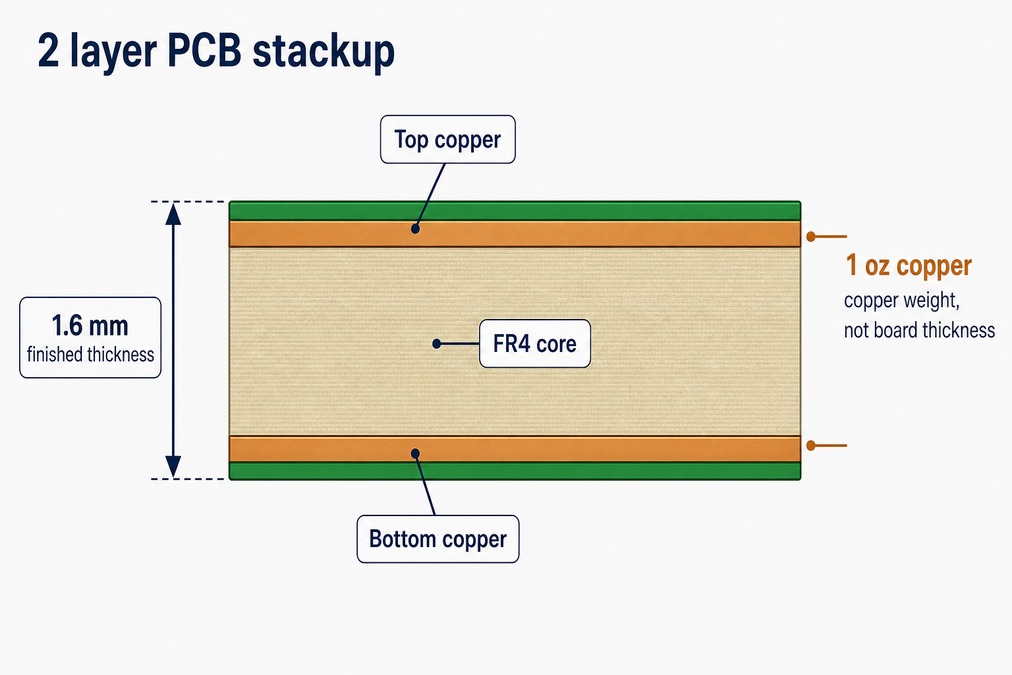
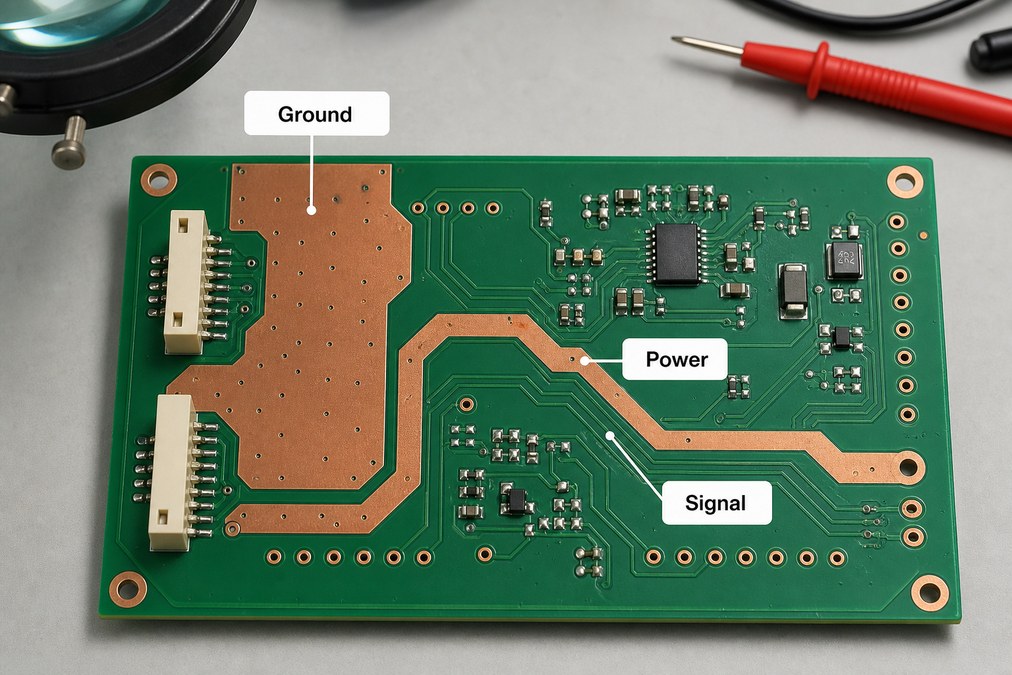
PCB Fabrication Drawing: Avoid Costly Production Errors

August 10th, 2026

A clear PCB fabrication drawing puts the critical bare-board requirements in one controlled document. This guide shows what to include and what to check before release.
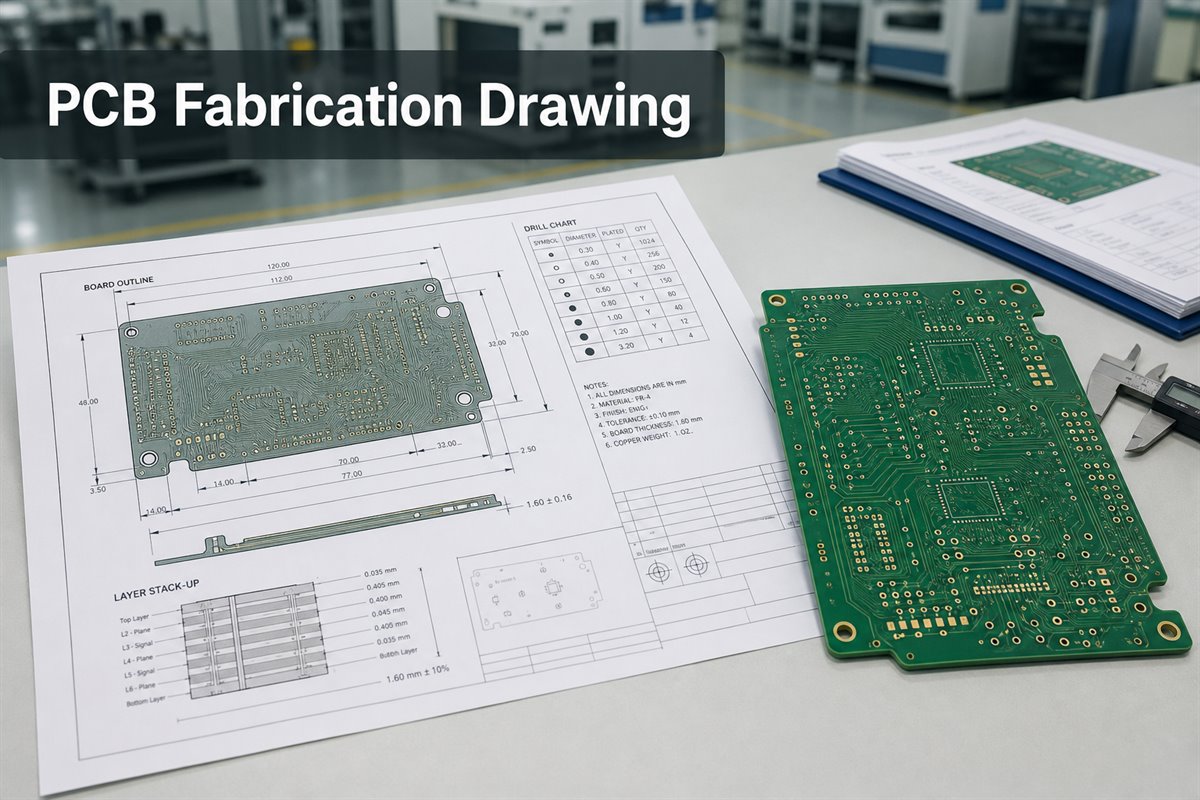
pcb fabrication drawing
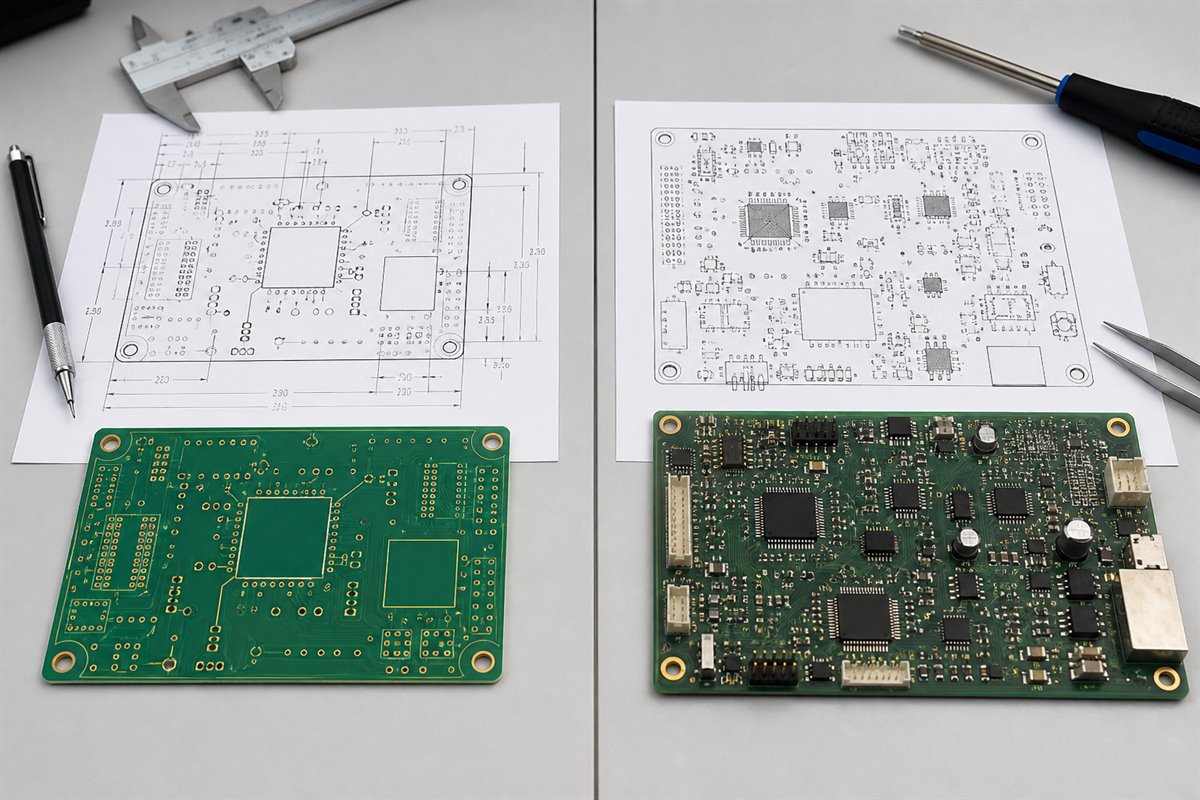
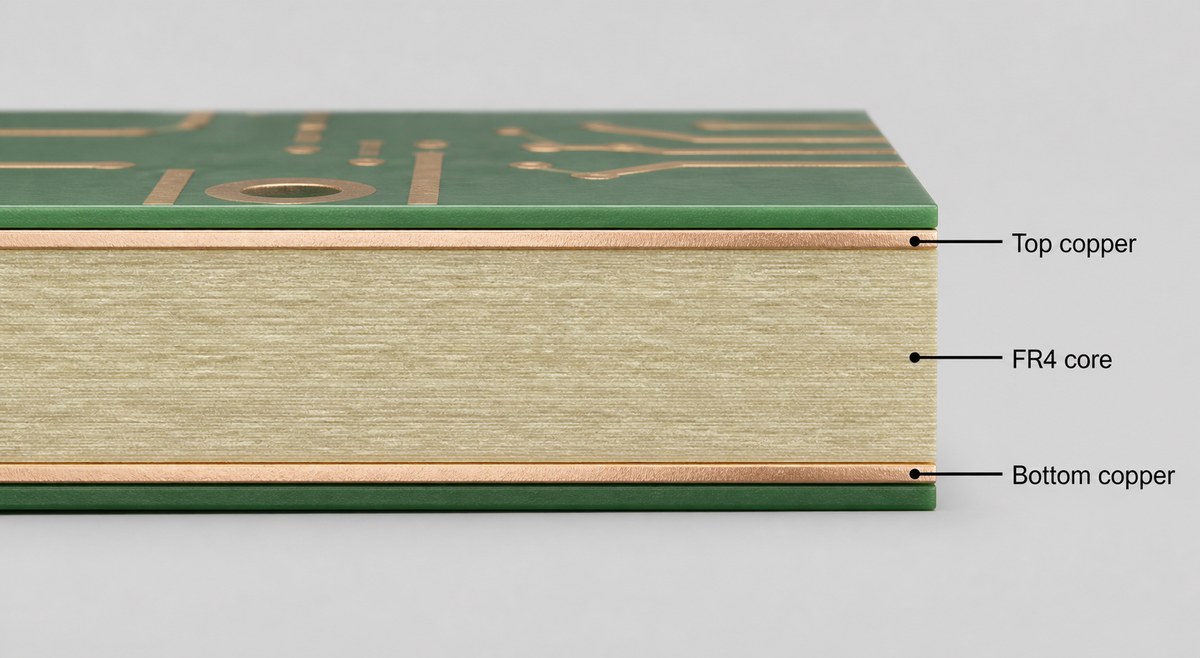
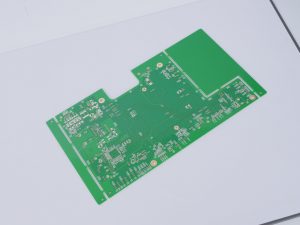
A controlled PCB fabrication drawing aligns dimensions, drill data, stack-up details, and the released bare board.

What Is a PCB Fabrication Drawing?

A PCB fabrication drawing defines how a bare printed circuit board must be built and accepted. It combines a dimensioned board view with manufacturing notes, tolerances, drill information, layer construction, and revision data.

It does not replace Gerber or ODB++ data, NC drill files, or other production outputs. Those files provide artwork and machine-readable data. The drawing adds requirements that may not be clear from the artwork alone.

A controlled drawing helps the customer:

  • Reduce questions during quotation.
  • Keep suppliers on the same requirements.
  • Control the approved design revision.
  • Resolve file discrepancies before production.

Use the released design—not an old prototype or requirements left in an email thread.

The drawing also gives purchasing, engineering, and quality teams one reference during supplier comparison. When two quotations differ, the team can check whether both suppliers priced the same material, construction, tolerances, finish, inspection, and test scope instead of comparing price alone.

PCB Fabrication Drawing vs PCB Assembly Drawing

A fabrication drawing controls the bare board. A PCB assembly drawing controls component placement and orientation. Mixing them can cause the fabrication or assembly team to miss critical information.

DocumentControlsKey content
Fabrication drawingBare boardOutline, holes, stack-up, finish, tolerances
Assembly drawingComponent installationDesignators, polarity, orientation, mounting notes
BOM and placement dataParts and coordinatesPart numbers, quantities, X-Y data, rotation
pcb fabrication drawing
Fabrication documents define the bare PCB, while assembly documents control component installation.

The release rule is simple: the fabrication drawing answers, “What bare board must be made?” The assembly drawing answers, “What must be installed, and how?” If information appears in both, confirm that the values and revisions match.

What Should a PCB Fabrication Drawing Include?

The exact content depends on board complexity. However, the fabricator should be able to quote, plan, build, and inspect the board without inventing missing requirements.

Include these essentials:

  • Board outline, dimensions, datum, cutouts, notches, and critical edge features.
  • Finished thickness and tolerance.
  • Finished hole sizes, plated status, slots, and special tolerances.
  • Layer count, order, material, dielectric construction, and copper weight.
  • Controlled-impedance targets, layers, and tolerances.
  • Solder mask, silkscreen, surface finish, and special processes.
  • Agreed inspection, electrical-test, coupon, or report requirements.
  • Part number, drawing number, revision, date, units, and approvals.

Avoid copying a generic note set into every design. Remove requirements that do not apply, and add approved special requirements to the controlled package.

PCB Fabrication Drawing Notes That Prevent Production Assumptions

PCB fabrication drawing notes should clarify details that geometry cannot communicate. Effective notes stop the supplier from using a default value that may affect cost, lead time, reliability, or fit.

Useful notes may define:

  • Finished dimensions versus pre-plating tool sizes.
  • Plated, non-plated, press-fit, or tightly controlled holes.
  • Mandatory materials and permitted alternatives.
  • Starting or finished copper weight.
  • Solder mask, legend, finish, and special coatings.
  • Controlled-impedance requirements.
  • Filled or capped vias, via-in-pad, edge plating, or castellations.
  • Electrical testing and required quality records.
  • The required action when files disagree.

Use measurable requirements. “Manufacture to the highest quality” cannot be inspected. State the expected result and acceptance condition instead.

How to Check a PCB Fabrication Drawing Against Manufacturing Files

Many release failures come from conflicting documents. A drawing may show revision C while the Gerber package came from revision B. A drill table may not match the NC drill file. A six-layer stack-up may not match the supplied artwork.

Check the complete package before RFQ:

  • Match part numbers and revisions across all files.
  • Compare the board outline, cutouts, slots, and dimensions.
  • Match the drill chart to the NC drill data.
  • Confirm plated and non-plated hole definitions.
  • Compare layer count and order with the copper files.
  • Check material, copper, thickness, finish, mask, and legend.
  • Confirm impedance layers, targets, and tolerances.
  • Remove obsolete outputs from the release package.
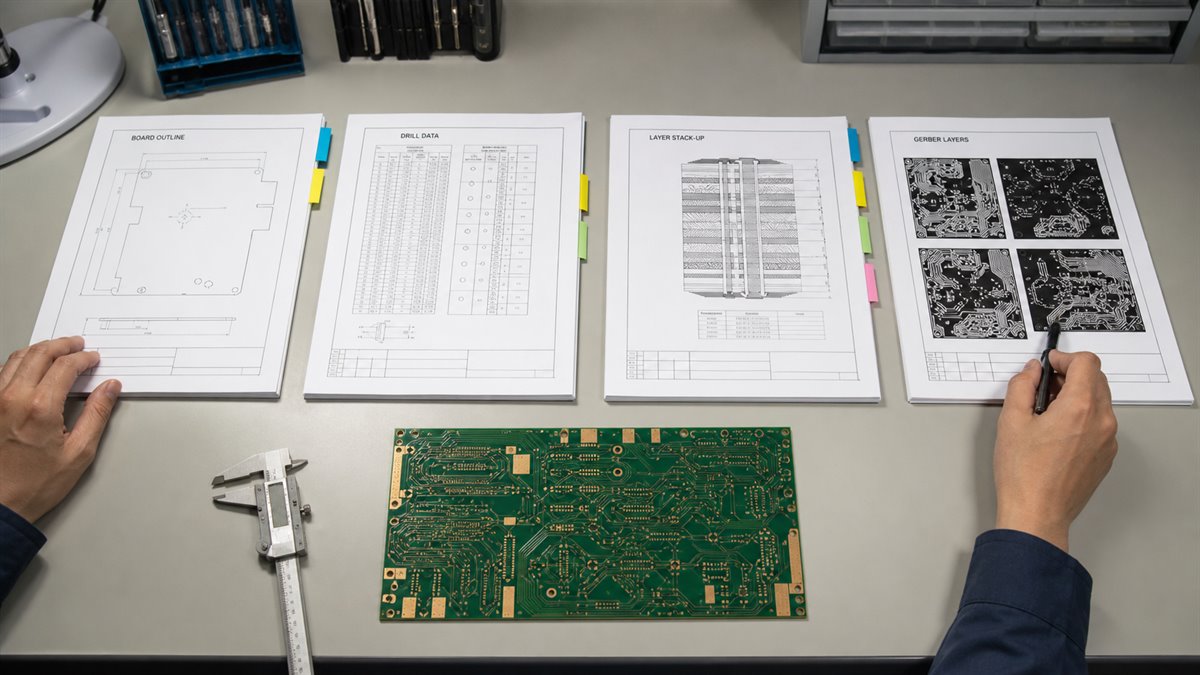
pcb fabrication drawing
Cross-file review checks the board outline, drill data, layer stack-up, Gerber layers, and revision before release.

Stop the release when the drawing and electronic data disagree. The fabricator can identify a conflict and suggest an option, but the customer must confirm the intended requirement.

Tolerances and Acceptance Requirements in a PCB Drawing

A nominal dimension without a tolerance can cause a conservative quote or a board that fails an unstated fit requirement.

A PCB drawing should identify tolerances where variation affects fit, function, assembly, or inspection. Common examples include board thickness, routed outline, finished holes, slot width, connector edges, and enclosure interfaces.

Feature typeCustomer decisionResult
Critical fitDefine tight toleranceProtects mounting and mating
ElectricalDefine performance limitControls impedance or testing
Non-criticalUse standard capabilityAvoids unnecessary cost

Do not tighten every dimension. Tighter tolerances can increase process control, inspection, cost, and yield risk.

If an IPC class, customer specification, impedance report, or test requirement applies, identify the approved document and revision. The customer owns the final product-level acceptance criteria and approves any proposed change.

Revision Control for a PCB Fab Drawing

Revision errors can place a correct design into production under an obsolete specification. The risk increases when drawings, Gerbers, drill files, and purchase orders are stored separately.

A PCB fab drawing should show the part number, drawing number, revision, release date, units, and approval status. Use the same revision identity across the manufacturing package.

Before release:

  • Assign one package owner.
  • Generate outputs from the approved PCB source.
  • Store related files in one controlled folder.
  • Remove superseded files.
  • Record approved supplier questions and changes.
  • Reference the approved revision on the purchase order.

Avoid filenames such as final, final-new, or latest. They do not provide reliable production control.

A PCB Fabrication Drawing Example Before Production Release

Consider a six-layer control board that fits inside a machined enclosure. The Gerber and drill files are complete, but the initial drawing lists only the overall dimensions and board thickness.

During review, the fabricator finds three gaps:

  • No finished tolerance for the connector holes.
  • No finished width for a routed slot.
  • No layer-specific impedance target.
StageDrawing statusProduction effect
Before correctionCritical details missingQuestions and fit risk
After correctionDimensions and impedance definedClear quote and inspection basis

The customer updates the controlled drawing and releases it with the matching manufacturing files. This PCB fabrication drawing example shows why project-specific risks matter more than a long generic checklist.

How EBest Reviews PCB Fabrication Data Before Quotation

EBest Circuit (Best Technology) can review the submitted package for fabrication completeness and manufacturability. The review may identify missing stack-up information, unclear hole requirements, data conflicts, or special features that need confirmation.

For an efficient review, provide:

  • Approved PCB fabrication drawing.
  • Gerber, ODB++, or other agreed fabrication data.
  • NC drill and routing files.
  • Stack-up and impedance requirements.
  • Material, copper, thickness, mask, and finish requirements.
  • Quantity and requested lead time.
  • Agreed inspection, test, report, or traceability needs.

EBest may propose a manufacturable stack-up, material alternative, or tolerance adjustment. The customer must approve the change before production.

For PCBA quotations, also provide the BOM, placement data, assembly drawing, inspection criteria, and agreed test inputs. EBest supports PCB fabrication, DFM, sourcing, PCBA, inspection, and agreed testing coordination. The customer owns circuit performance, design intent, firmware, certification, and final product validation.

FAQs About PCB Fabrication Drawings

Is a PCB fabrication drawing required if Gerber files are complete? It is recommended when material, tolerance, impedance, finish, special-process, or acceptance requirements are not fully defined by the Gerber data.

Can a PCB fabrication drawing replace Gerber and NC drill files? No. The drawing defines manufacturing requirements. Gerber, ODB++, IPC-2581, NC drill, and routing files provide detailed production data.

Should fabrication and assembly information be on one drawing? Separate drawings are usually clearer. The fabrication drawing defines the bare board; the assembly drawing defines component installation.

Who resolves a conflict between the drawing and Gerber data? The fabricator should report the conflict. The customer or authorized design owner must confirm the requirement before production.

What files should be sent for a PCB quotation? Send the drawing, fabrication data, drill and routing files, stack-up, impedance requirements, material and finish specifications, quantity, and lead-time request.

Ready to request a PCB or PCBA quotation? Send your approved PCB fabrication drawing, manufacturing files, quantity, and target lead time to sales@bestpcbs.com. EBest Circuit will review the package and identify any missing or conflicting fabrication requirements before quotation.
You may also like

Practical 2 Layer PCB Stackup Guide for Manufacturing

August 6th, 2026

An 2 layer PCB stackup looks simple, but it still affects board thickness, copper weight, routing space, grounding, impedance expectations, assembly yield, and final product fit. For engineers and buyers, the practical question is not only whether a board has two copper layers. It is whether the finished PCB can match the drawing, connector, enclosure, soldering process, and test requirement without avoidable rework.

EBest Circuit (Best Technology) supports 2 layer FR4 PCB fabrication, stackup review, copper thickness confirmation, surface finish selection, SMT assembly, inspection, testing coordination, and small-batch production. If your project already has Gerber files, ODB++, stackup notes, BOM, CPL, drawings, or assembly requirements, please send them to sales@bestpcbs.com for engineering review before production.

2 layer PCB stackup
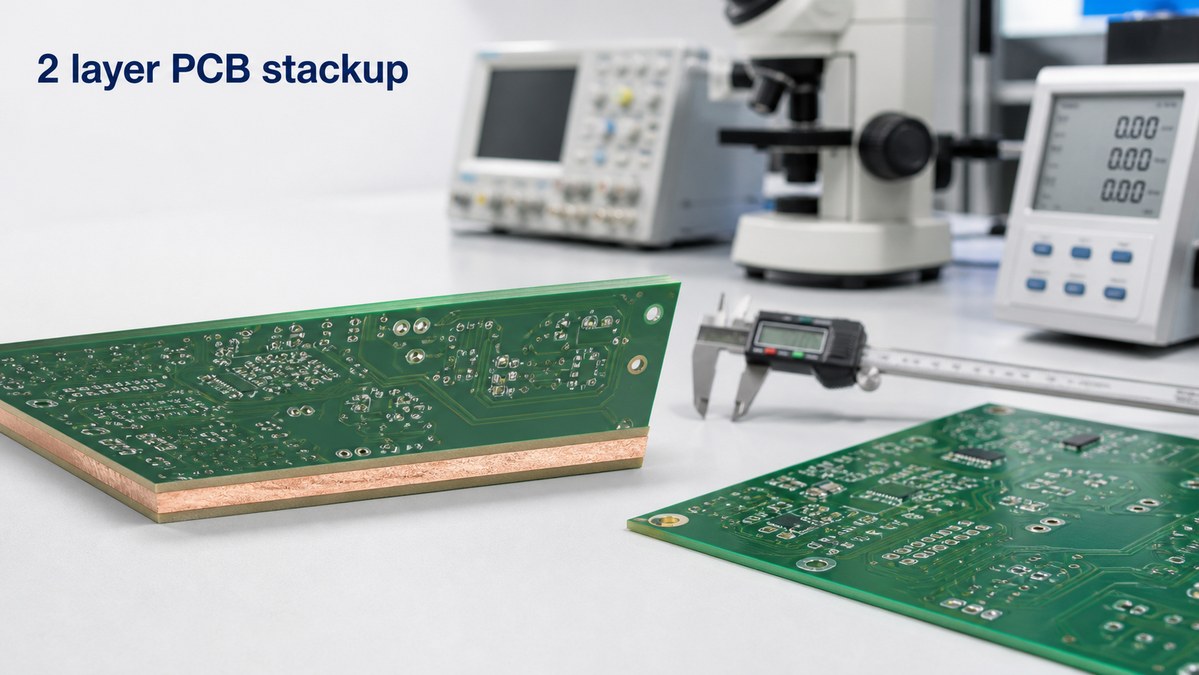
A 2 layer PCB stackup should be reviewed together with board thickness, copper weight, routing, and assembly needs.

What Is a 2 Layer PCB Stackup?

A 2 layer PCB stackup is the layer structure of a printed circuit board with one copper layer on the top side and one copper layer on the bottom side. Between the copper layers, the board normally uses an insulating core material such as FR4. Solder mask, silkscreen, and surface finish are then added according to the production requirement.

In everyday quoting, buyers may also call this a double sided PCB, two layer PCB, or 2 layer circuit board. These terms are closely related, but the stackup is the part that tells the manufacturer how the board thickness, copper, dielectric material, and layer arrangement should be built.

A useful 2 layer PCB stackup should make these points clear:

  • finished board thickness, such as 1.6 mm +/-10%;
  • top and bottom copper weight, such as 1 oz or 2 oz;
  • FR4 grade, high-Tg material, or other laminate requirement;
  • surface finish, such as HASL, lead-free HASL, ENIG, OSP, or immersion silver;
  • solder mask color and silkscreen requirement;
  • controlled impedance or special routing notes, if required;
  • SMT, through-hole, panelization, and test requirements.

Standard 2 Layer PCB Stackup Structure

A standard 2 layer PCB stackup is usually built with copper on both sides of an FR4 PCB core. The top layer may carry components, signals, power traces, and local ground copper. The bottom layer may provide additional routing, ground return paths, power routing, and connector connections.

2 layer PCB stackup
A 2 layer PCB usually includes top copper, an FR4 core, and bottom copper, with solder mask and surface finish added during production.
LayerPractical Role
Top solder maskProtects copper and defines solderable openings
Top copperComponents, signals, power, or ground copper
FR4 coreInsulation and mechanical support
Bottom copperRouting, return paths, connectors, or ground copper
Bottom solder maskCopper protection and solder control

The stackup may be simple, but the production result still depends on material availability, copper thickness, finished board thickness, drilling, solder mask registration, surface finish, and panelization. A two layer board should not be treated as a board with no engineering risk.

1.6mm 2 Layer PCB Stackup and Copper Weight

Many 2 layer PCB projects use a 1.6 mm finished board thickness because it is widely supported, mechanically stable, and compatible with many connectors and enclosures. However, 1.6 mm should refer to the finished board thickness, not only the raw laminate thickness.

2 layer PCB stackup
Finished board thickness is measured from the top surface to the bottom surface; copper weight is a separate specification.

Copper weight is a different requirement. For example, 1 oz copper describes the copper thickness or copper weight used on the conductive layers. It does not mean the whole board is 1 oz thick. This distinction matters when a drawing includes both board thickness and copper thickness.

Before production, confirm these thickness-related details:

  • finished board thickness and tolerance;
  • top and bottom copper weight;
  • whether copper is base copper or finished copper;
  • surface finish requirement;
  • connector or enclosure thickness limits;
  • whether impedance or current capacity depends on the stackup.

2 Layer PCB Stackup for Signal, Power, and Ground Routing

A 2 layer PCB gives less routing freedom than a 4 layer board, so the signal, power, and ground strategy must be practical. If the board has simple low-speed signals, connectors, LEDs, sensors, or basic control circuits, a two layer structure may be enough. If the board has high-speed interfaces, dense BGAs, strict EMI requirements, or multiple power domains, the project may need more review.

2 layer PCB stackup
Signal, power, and ground routing should be planned early on a 2 layer PCB because routing space is limited.

For many 2 layer boards, production review focuses on:

  • return path continuity for important signals;
  • wide enough power traces for current paths;
  • clear ground copper and via stitching where needed;
  • connector orientation and pin mapping;
  • thermal relief, copper balance, and solderability;
  • test points and inspection access after assembly.

The PCB manufacturer should not change the customer’s circuit intent. EBest Circuit can review whether the approved files are manufacturable and whether the stackup, copper, drilling, solder mask, and assembly notes are clear enough before production.

2 Layer PCB Stackup vs 4 Layer PCB Stackup

A 2 layer PCB stackup is often a good choice when the project needs a lower-cost board, simple routing, fast prototype validation, or a compact control board without strict high-speed requirements. A 4 layer stackup is usually considered when the board needs better power distribution, cleaner ground reference, controlled impedance, denser routing, or improved EMI behavior.

Item2 Layer PCB4 Layer PCB
Layer structureTop and bottom copperTwo outer layers plus inner planes
Routing spaceLimited but cost-effectiveMore routing freedom
Ground referenceDepends on copper planningUsually stronger with inner plane
CostLowerHigher
Best fitSimple to moderate circuitsDense, faster, or noise-sensitive boards

The right choice depends on the product, not only the layer count. If the 2 layer board can meet routing, grounding, thermal, and assembly needs, it may be the better commercial choice. If the board is already crowded or unstable, moving to 4 layers may save debugging time later.

Manufacturing Checks Before 2 Layer PCB Fabrication

A 2 layer PCB may be easier to manufacture than a high-layer-count board, but file review still matters. A small missing note can lead to wrong thickness, wrong surface finish, solder mask mismatch, connector fit problems, or assembly delay.

EBest Circuit typically checks:

  • Gerber or ODB++ file completeness;
  • drill file and plated-through-hole requirements;
  • finished board thickness and tolerance;
  • copper weight and current-related traces;
  • minimum line width, spacing, annular ring, and solder mask opening;
  • surface finish and solderability requirement;
  • panelization, tooling holes, fiducials, and breakaway method;
  • test requirement and outgoing inspection notes.

This review is useful because the buyer receives a finished PCB, not a file screenshot. The file must be translated into a real board that can be drilled, plated, etched, solder-masked, finished, tested, packed, and assembled.

SMT and PCBA Risks on 2 Layer PCB Boards

If the 2 layer PCB also needs SMT assembly, the stackup should be reviewed together with assembly data. Board thickness, panel size, component placement, solder mask openings, fiducials, and connector positions can all affect SMT yield. If the project also includes component sourcing, the BOM should be checked before SMT scheduling.

Before assembly, the useful files include:

  • Gerber or ODB++ files;
  • BOM with approved part numbers;
  • CPL or pick-and-place file;
  • assembly drawing;
  • polarity and orientation notes;
  • panelization drawing;
  • testing and packing requirements.

For prototype and small-batch PCBA projects, EBest Circuit can review PCB fabrication and SMT assembly together. This helps keep board thickness, panelization, component sourcing, soldering, inspection, and packing notes visible under one workflow. This is especially useful when the project is still in prototype PCB assembly validation.

EBest Circuit 2 Layer PCB Stackup Manufacturing Capabilities

EBest Circuit supports 2 layer FR4 PCB projects from prototype to small-batch and production runs. The practical value is not only making a bare board, but helping the customer confirm the production path before the order moves forward.

RequirementEBest Circuit Support
Board type2 layer FR4 PCB and double sided PCB
Thickness reviewFinished thickness and tolerance confirmation
Copper optionsCommon 1 oz or higher copper review by project
Surface finishHASL, lead-free HASL, ENIG, OSP, and other options
AssemblySMT, through-hole, mixed assembly, and inspection
DocumentsDFM notes, stackup confirmation, test reports when required

EBest Circuit (Best Technology) has worked in PCB and PCBA manufacturing since 2006 and serves customers in more than 40 countries and regions. For customers comparing suppliers, stable engineering communication is often as important as the quote itself, especially when the project needs both PCB fabrication and assembly.

2 Layer PCB Stackup Case Study for a Prototype Build

A USA customer needed a small-batch 2 layer PCB prototype for a compact control board. The board looked simple at first, but the project still had several details that could affect assembly and validation.

Project snapshot:

  • Customer region: USA;
  • Application: compact control and sensor interface board;
  • Quantity: 50 pcs prototype build;
  • PCB type: 2 layer FR4 PCB;
  • Finished thickness: 1.6 mm +/-10%;
  • Copper: 1 oz top and bottom copper;
  • Surface finish: lead-free HASL;
  • Assembly: SMT after PCB fabrication;
  • Delivery focus: prototype validation before the next small batch.

What EBest Circuit reviewed before production:

  • stackup, copper weight, board thickness, and solder mask notes;
  • panelization method for SMT handling;
  • BOM availability and approved part numbers;
  • component polarity, connector direction, and placement data;
  • electrical test before assembly and visual inspection after SMT;
  • single-board packing after assembly to reduce handling damage.

The useful result for the customer was a clearer prototype path. The order quantity was small, but the board still moved through file review, PCB fabrication, SMT preparation, inspection, and packing as one controlled project. That is the kind of support that helps engineering teams validate a 2 layer PCB before scaling the design.

FAQs About 2 Layer PCB Stackup

1. Is a 2 layer PCB stackup the same as a double sided PCB?
In most PCB manufacturing contexts, yes. A double sided PCB usually means a 2 layer PCB with copper on both the top and bottom sides.

2. What is the standard thickness for a 2 layer PCB?
Many 2 layer FR4 boards use 1.6 mm finished thickness, but 0.8 mm, 1.0 mm, 1.2 mm, and other thicknesses may also be used depending on the product.

3. Is 1 oz copper the same as 1.6 mm PCB thickness?
No. 1 oz copper describes the copper layer weight or thickness. 1.6 mm describes the finished board thickness from the top surface to the bottom surface.

4. Can a 2 layer PCB stackup support controlled impedance?
Some 2 layer boards can support impedance requirements, but the stackup, trace width, dielectric thickness, copper thickness, and test requirement should be reviewed before fabrication.

5. What files should I send for a 2 layer PCB quotation?
Send Gerber or ODB++ files, drill files, stackup or thickness notes, BOM, CPL, assembly drawing, surface finish requirement, quantity, test notes, and packing requirements.

All in all, a 2 layer PCB stackup should be clear before production begins. If your project needs 2 layer FR4 PCB fabrication, thickness review, copper confirmation, SMT assembly, or prototype-to-small-batch support, please send your Gerber files, BOM, CPL, drawings, and project notes to sales@bestpcbs.com. EBest Circuit can help review the manufacturing and assembly path before your boards move into production.

You may also like

Transparent PCB Manufacturing Guide | Clear PCB Board

August 3rd, 2026

Transparent PCB is used when the circuit board itself needs to support visual inspection, light transmission, compact appearance, or optical product integration. It can appear in display modules, LED products, wearable electronics, sensors, medical devices, automotive lighting, transparent touch interfaces, and demonstration electronics.

For buyers and engineers, the real question is not only “Can the PCB be transparent?” It is also “Can the transparent PCB board be manufactured, assembled, inspected, and delivered without scratches, residue, soldering problems, or material mismatch?” EBest Circuit (Best Technology) supports custom PCB, FPC, special PCB, component sourcing, SMT assembly, inspection, and small-batch PCBA projects. If your project involves transparent PCB, transparent FPC, clear PCB board, or special optical electronics, please send your Gerber files, stackup, BOM, drawing, material notes, and assembly requirements to sales@bestpcbs.com for engineering review before production.

transparent PCB
Transparent PCB materials and clear circuit structures need both visual and manufacturing review.

What Is a Transparent PCB?

A transparent PCB is a printed circuit board made with a clear or semi-transparent substrate instead of a normal opaque FR4 board. The purpose is to let light pass through the board or allow the internal circuit structure to remain visible.

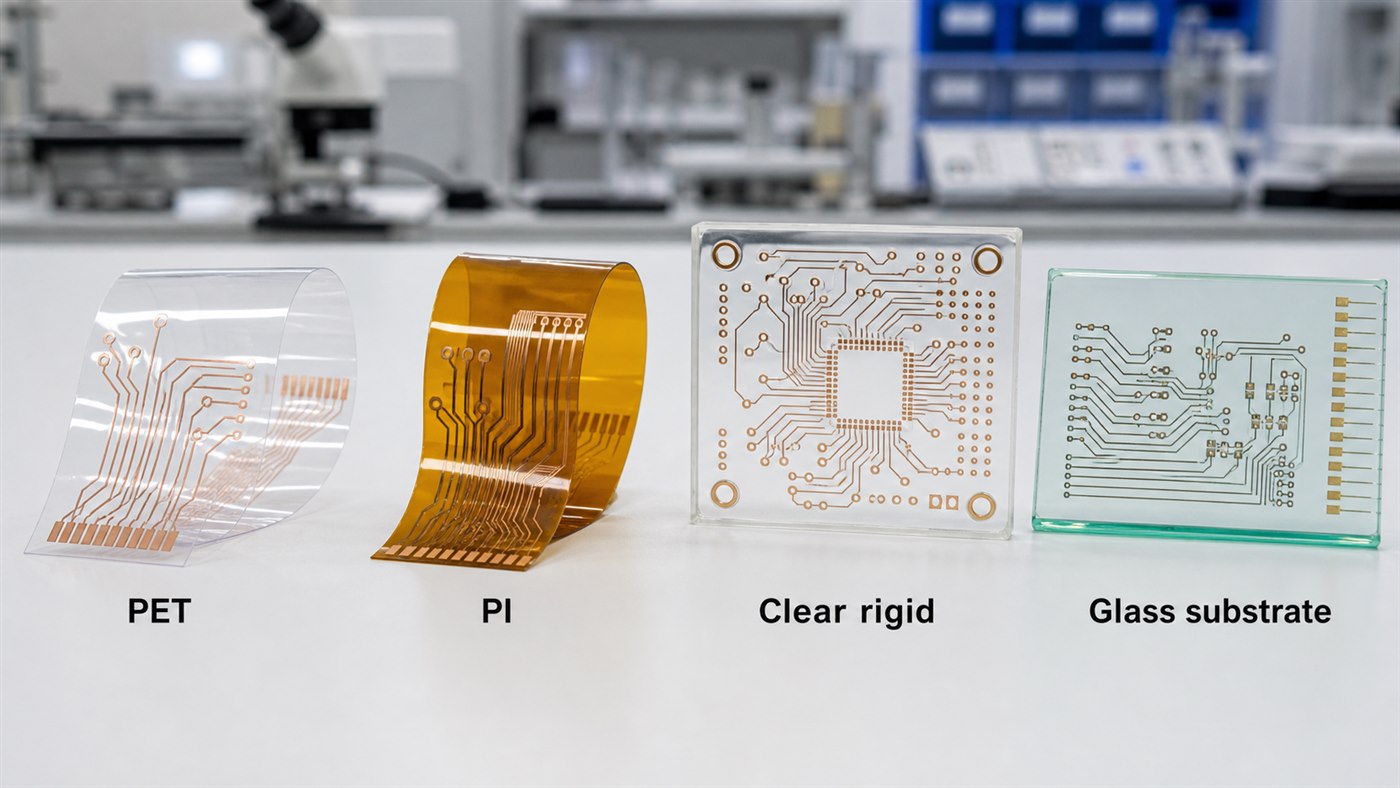
A transparent PCB may be rigid or flexible, depending on the material and product structure. It may use transparent flexible film, transparent rigid substrate, transparent polyimide, PET, or selected glass-based circuit substrates for special optical electronics. The copper traces, pads, solder joints, and components are usually still visible, so the finished board is not “invisible.” It is more accurate to describe it as a clear or light-transmitting circuit board.

A transparent PCB project usually needs attention to:

  • Optical clarity
  • Material transmittance
  • Copper pattern visibility
  • Surface scratches
  • Solder mask choice
  • Adhesion reliability
  • SMT assembly compatibility
  • Residue after cleaning
  • Handling and packing protection

For simple display samples, appearance may be the main concern. For functional electronics, the board must also meet electrical, mechanical, thermal, and assembly requirements.

Transparent PCB Board Materials

Transparent PCB board performance depends heavily on material choice. Different materials have different transparency, flexibility, heat resistance, cost, process difficulty, and assembly limits.

Common material options include:

MaterialTypical Use
PETCost-sensitive transparent flexible circuits
Transparent PIHigher-temperature flexible circuits
Clear rigid substrateTransparent rigid PCB applications
Glass-based substrateOptical, display, sensor, or special transparent electronics
Transparent ceramic substrateSelected optical and thermal applications
Acrylic or PC-based materialsSelected display or structural electronics
transparent PCB
Material choices for transparent PCB projects should match transparency, flexibility, heat, and assembly requirements.

PET may be useful for low-cost transparent flexible circuits, but its heat resistance and SMT process window must be checked carefully. Transparent PI can offer better temperature performance than PET in some applications. Clear rigid substrates may be suitable when the project needs a board-like structure with visible circuitry.

Glass-based circuit substrates and transparent ceramic substrates are more specialized. They should not be treated like standard FR4 PCB materials. They may be considered for optical, display, sensor, LED, or special transparent electronics projects, but manufacturing feasibility depends on substrate type, metallization, drilling or interconnection method, assembly process, and inspection requirement.

For purchasing, the material name alone is not enough. The project should define transparency target, board thickness, copper thickness, temperature requirement, bending requirement, surface finish, assembly method, and visual acceptance standard.

Transparent Circuit Board vs Clear PCB Board

A transparent circuit board and a clear PCB board are often used to describe similar products, but the wording may reflect different customer expectations.

TermCommon Meaning
Transparent circuit boardFocuses on circuit visibility and light transmission
Clear PCB boardFocuses on clear substrate appearance
Transparent PCBGeneral search term for transparent printed circuit boards
PCB transparentSearch variation used by buyers or engineers
Clear PCBShorter phrase for transparent-looking PCB

In real manufacturing, the important point is not the name. The important point is the required function.

Before production, the supplier should confirm:

  • Is the board mainly for appearance or optical function?
  • Does the board need to transmit light evenly?
  • Will it be bent or kept rigid?
  • Does it need SMT assembly?
  • What surface finish is required?
  • Are scratches, haze, or residue unacceptable?
  • Will the product be used near heat, light, moisture, or vibration?

A board used in a transparent display module has different priorities from a board used in a wearable sensor, LED lighting product, or demonstration device.

Transparent Flex PCB and Transparent FPC

Transparent flex PCB, also called transparent FPC, is one of the most practical transparent circuit formats. It is usually used when the product needs both circuit connection and flexibility.

Transparent FPC may be used in wearable electronics, transparent touch modules, display connections, medical sensors, LED light strips, flexible user interfaces, automotive lighting, and compact optical modules.

The key advantage is flexibility. The challenge is that transparent flexible materials can be more sensitive to heat, handling, scratches, bending radius, adhesive choice, and surface contamination.

For transparent FPC review, useful checks include:

  • Film thickness
  • Copper thickness
  • Bend area
  • Stiffener requirement
  • Connector area reinforcement
  • Coverlay or insulation opening
  • Surface finish
  • SMT temperature compatibility
  • Final packing method

If the transparent FPC needs components assembled on it, the SMT process must be reviewed carefully. Reflow temperature, solder paste, component weight, panel design, and fixture support can affect yield. For projects that require assembly on flexible circuits, flex PCB assembly review is especially useful before production.

Transparent Rigid PCB Manufacturing Checks

Transparent rigid PCB projects are different from standard FR4 boards. The board may need a transparent rigid substrate, special solder mask, controlled appearance, and careful handling through fabrication and assembly.

Important manufacturing checks include:

  • Substrate transparency
  • Board thickness tolerance
  • Copper adhesion
  • Trace and spacing capability
  • Via drilling and plating
  • Surface finish compatibility
  • Solder mask transparency or opening design
  • Silkscreen visibility
  • Warpage control
  • Edge quality
  • Scratch prevention

For normal FR4 boards, a minor cosmetic mark may not matter much. For a transparent PCB board, visual defects are easier to notice. Scratches, fingerprints, haze, flux residue, and uneven solder mask can become customer-facing quality issues.

That means the inspection plan should include both electrical performance and appearance requirements.

PET, Transparent PI, and Glass-Based Circuit Substrates

PET, transparent PI, clear rigid substrate, and glass-based circuit substrates are not interchangeable. They serve different product needs.

Material choice should follow the real application:

  • Use PET when cost, flexibility, and light transparency are the main priorities.
  • Use transparent PI when better heat resistance or flexible circuit reliability is needed.
  • Use clear rigid substrate when the product needs a board-like structure with visible circuitry.
  • Consider glass-based circuit substrates only when optical stability, flatness, display integration, or special transparent electronics requirements justify a different manufacturing route.
  • Consider transparent ceramic substrate only when the project has both optical and thermal requirements and the manufacturing process is confirmed.

The biggest mistake is choosing a material only because it looks clear. A transparent PCB still needs to survive fabrication, assembly, testing, shipping, and real product use.

For example, if the product needs SMT assembly, the material must tolerate the soldering process. If the product needs bending, a glass-based substrate is not suitable. If the product must manage heat, PET may not be enough. If the board is part of an optical product, haze, reflection, scratches, and surface cleanliness may matter as much as electrical performance.

SMT Assembly for Transparent PCB Projects

SMT assembly for transparent PCB projects needs more care than many standard boards because appearance and function are both visible.

transparent PCB
Transparent PCB assembly needs careful handling, cleaning, inspection, and packing to protect visible circuit areas.

Assembly risks include:

  • Flux residue on clear areas
  • Solder balls near optical zones
  • Scratches during handling
  • Component skew
  • Poor wetting on special pads
  • Material deformation during reflow
  • Connector stress
  • Cleaning marks
  • Packing damage

For transparent FPC or thin transparent boards, panel support is especially important. The board may need a carrier, fixture, stiffener, or custom panel design to keep it stable during printing, placement, reflow, and inspection.

EBest Circuit can review:

  • BOM and component availability
  • SMT temperature compatibility
  • Panelization
  • Fiducial marks
  • Stencil and solder paste requirements
  • Connector assembly method
  • Cleaning requirement
  • Visual inspection standard
  • Individual packing needs

The goal is to keep the approved transparent area clean and protect the board from avoidable assembly damage.

Transparent PCB Applications in Electronics

Transparent PCB applications are usually found where appearance, light transmission, compact structure, or optical integration matters.

Common applications include transparent display modules, LED lighting products, wearable electronics, medical sensor devices, smart glass modules, automotive lighting and indicators, consumer electronics prototypes, touch panels, optical sensors, and educational or demonstration electronics.

For buyers, the application should guide the manufacturing decision. A transparent LED product may care about light uniformity and heat. A wearable product may care about bending and skin-contact reliability. A sensor module may care about cleanliness and optical interference. A display-related project may care about haze, scratches, alignment, and visual appearance.

This is why transparent PCB manufacturing should not be quoted only by board size and layer count. The supplier should understand how the board will be used.

Transparent PCB Manufacturing Case Study

A European customer needed a small-batch transparent FPC prototype for a smart display module. The product required a visible circuit area, a flexible connection section, and SMT assembly for several small components.

Project requirements:

  • Customer region: Europe
  • Application: Smart display module
  • PCB type: Transparent flexible circuit
  • Quantity: Prototype and small-batch validation
  • Key concern: Appearance, flexibility, soldering reliability, and clean delivery
  • Assembly need: SMT components and connector area reinforcement
  • Packing need: Individual protection to avoid scratches

Main challenges:

  • The clear circuit area had to remain clean after SMT.
  • The flexible section needed stable bending performance.
  • The connector area required reinforcement.
  • The customer needed samples for appearance and function review.
  • Flux residue and handling marks could affect customer approval.

EBest Circuit review process:

  • Checked the Gerber, outline, connector area, and flexible section.
  • Reviewed the material and thickness against the bending requirement.
  • Confirmed the SMT process window before assembly.
  • Planned panel support to reduce deformation during placement.
  • Paid attention to cleaning, visual inspection, and packing.
  • Protected finished boards individually before shipment.

Result:

The customer received transparent FPC samples suitable for display-module validation. The value was not only making a clear circuit board. The value was keeping the material, SMT process, connector area, appearance requirement, and packing method connected from file review to delivery.

For transparent PCB projects, this kind of early review matters because many problems are difficult to fix after assembly.

FAQs About Transparent PCB

  1. What is a transparent PCB?
    A transparent PCB is a printed circuit board made with a clear or light-transmitting substrate. It may be rigid or flexible, depending on the material and product use.
  2. What is the difference between transparent PCB and transparent FPC?
    Transparent PCB is the general term. Transparent FPC usually refers to a flexible transparent circuit made with transparent film materials such as PET or transparent PI.
  3. Can transparent PCB support SMT assembly?
    Some transparent PCB and transparent FPC projects can support SMT assembly, but the material, reflow temperature, panel support, surface finish, and cleaning requirement must be reviewed before production.
  4. Is transparent PCB the same as glass PCB?
    No. Glass-based circuit substrates are one possible option for special optical or transparent electronics, but they are different from standard FR4 PCB and transparent FPC manufacturing.
  5. What should I send for a transparent PCB quotation?
    Send Gerber files, stackup or material requirement, board thickness, copper thickness, transparency requirement, BOM, assembly files, drawing, quantity, and any appearance or packing notes.

All in all, a transparent PCB project needs more than a clear substrate. It needs the right material, controlled manufacturing, clean assembly, careful inspection, and protective packing. If your project involves transparent PCB board, transparent FPC, clear PCB board, or optical electronics PCBA, please send your files and requirements to sales@bestpcbs.com. EBest Circuit can help review the manufacturing path before your project moves into production.

You may also like

Low Loss PCB Supplier: How to Qualify Fabrication Before You Order

July 31st, 2026

Choosing a low loss PCB supplier is not only a material-sourcing decision. A supplier may recognize the laminate name but still miss the fabrication details that affect repeatability: material availability, pressed dielectric thickness, copper profile, impedance tolerance, registration, surface finish, and the inspection records required with the shipment.

For a buyer, the real question is simple: can this supplier manufacture the released files consistently, explain every quotation assumption, and provide evidence that the finished boards match the agreed specification? This guide shows what to verify before sending a prototype or production order.

low loss pcb supplier
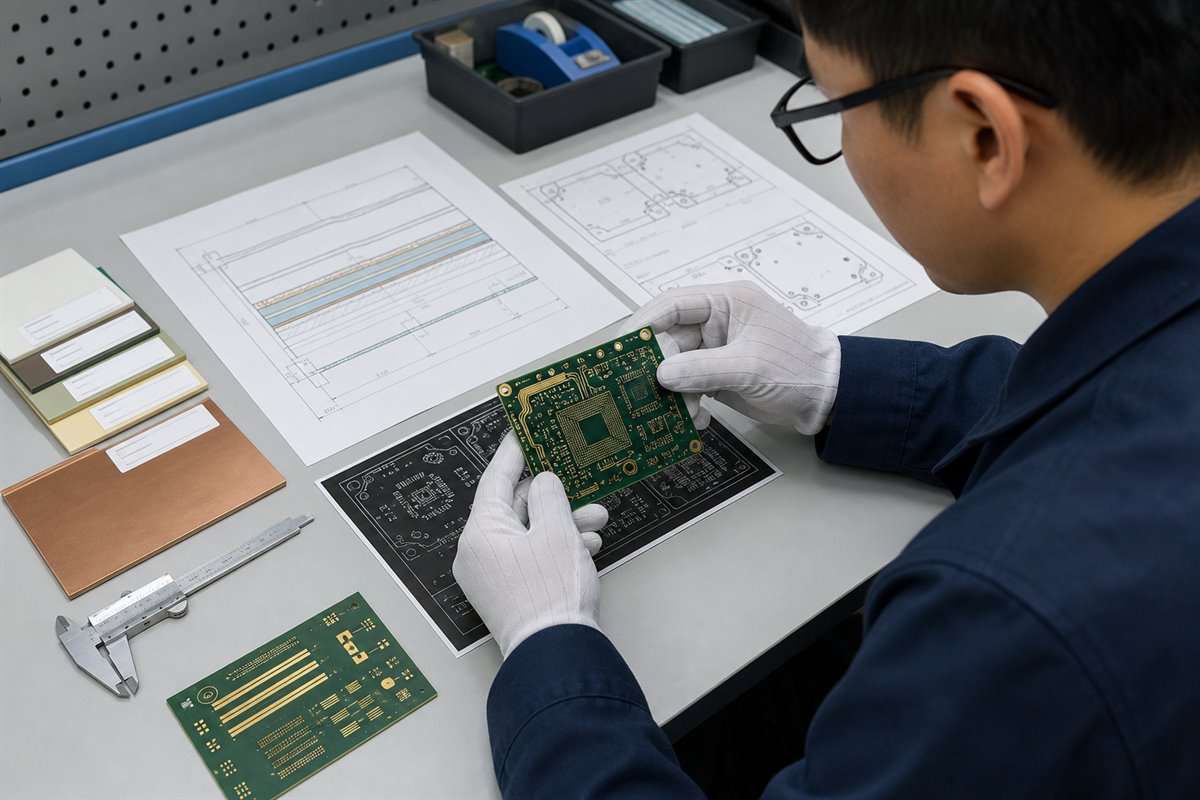
A low-loss PCB supplier should review the manufacturing package before quotation, not after production starts.

What Should You Verify Before Choosing a Low Loss PCB Supplier?

A supplier website can list Rogers, Taconic, Isola, Panasonic, or other laminate families. That list does not prove that the supplier can build your particular board.

Start with the details that directly affect the order:

  • Material control. Ask whether the quoted laminate, prepreg, copper type, and thickness are based on available production material. If an alternative is proposed, it should be identified before the purchase order. “Equivalent material” is not enough when your released design depends on a particular Dk, Df, glass style, copper profile, or thermal characteristic.
  • Stack-up confirmation. The fabrication stack-up should show the layer order, dielectric construction, finished copper, target thickness, and impedance-related dimensions. Any change from the customer reference stack-up should be raised as an engineering question, not silently absorbed into production.
  • Process fit. Line width and spacing, annular ring, via type, aspect ratio, copper balance, registration, surface finish, and solder mask clearance must fit the intended process. A low-loss material does not remove ordinary manufacturability risks.
  • Verification plan. Confirm which outputs will accompany the boards. Depending on the order, these may include a certificate of conformance, material identification, impedance coupon results, microsection records, electrical test records, dimensional inspection, or customer-defined test coordination.

A useful supplier response is specific. It states what is included, what requires customer confirmation, and what is outside the quotation.
How Does a Supplier Confirm Your Specified Low Loss PCB Materials?

Low-loss materials are selected by the customer or product-design team according to the electrical, mechanical, thermal, cost, and compliance requirements of the project. The PCB supplier’s role is to confirm manufacturability and sourcing against that released requirement.

Before ordering material, the supplier should reconcile:

  • laminate and prepreg manufacturer and product family;
  • core and prepreg construction or acceptable glass styles;
  • copper weight and any specified copper profile;
  • finished board thickness and tolerance;
  • required Dk or Df reference conditions, if stated by the customer;
  • surface finish, solder mask, and other process requirements;
  • approved substitutions and the approval route for any deviation.

The commercial risk appears when a quotation assumes a substitute that the buyer did not approve. The price may look attractive, but the order can stop during engineering review or require a requote after material availability is checked.

Customers who are still comparing material families can use the existing low-Dk PCB materials guide as background. For an actual RFQ, however, the quotation should be tied to the customer’s specified or approved construction.

How Do Stack-Up and Impedance Controls Affect Low Loss PCB Performance?

A material data sheet alone does not define the finished PCB. Pressed dielectric thickness, trace geometry, finished copper, solder mask, and manufacturing tolerances all influence the realized impedance and loss behavior.

Before release to production, confirm these stack-up and impedance details:

  • Controlled-impedance inputs. Identify the impedance type, target value, tolerance, routing layer, reference layer, trace width, differential spacing where applicable, and coupon requirement.
  • Manufacturing feasibility. The supplier can review the proposed construction, calculate or verify production geometry using the agreed inputs, and raise an engineering question when the required geometry conflicts with fabrication limits.
  • Design responsibility. The customer retains responsibility for electrical targets. The supplier should make the approved design buildable and document any authorized manufacturing adjustment—not redesign the RF architecture.

For additional production-oriented details, see the PCB stack-up and impedance control guidelines.

Which Fabrication Risks Can Increase Signal Loss?

Low-loss PCB performance can drift even when the correct laminate name appears on the traveler.

Ask how the supplier controls the manufacturing variables connected to the released specification:

  • Unapproved material changes. A different core, prepreg, glass style, resin content, or copper option can change the actual construction. The supplier should request approval before substitution.
  • Pressed thickness variation. Prepreg flow, copper distribution, and lamination conditions influence the finished dielectric thickness. That affects impedance geometry and may require a revised production stack-up.
  • Copper profile and plating variation. Copper characteristics and finished conductor geometry matter more as frequency and loss targets become tighter. The quotation and fabrication notes should reflect any customer-controlled copper requirement.
  • Etch and registration capability. Fine lines, narrow spacing, multilayer alignment, and annular-ring requirements must be reviewed together. A design at the edge of the supplier’s process window needs an explicit engineering discussion.
  • Mixed-material lamination. Hybrid constructions introduce different material behavior during lamination and drilling. The supplier should confirm that the proposed combination fits its qualified process before accepting the order.
  • Incomplete test instructions. “100% electrical test” does not automatically include impedance, insertion-loss characterization, or a customer-specific RF test. Every required output must be named in the RFQ.

Which Quality Records Should You Request With Your Boards?

Request records according to project risk, customer requirements, and order stage. A prototype qualification lot may require different documentation from a repeat production order.
Record What It Helps Confirm
Material identification The laminate or material used matches the approved order requirement.
Impedance coupon result The agreed coupon and target were checked using the stated method.
Microsection record Selected internal features can be reviewed against the agreed criteria.
Electrical test record Opens and shorts were checked under the quoted test scope.
Dimensional inspection Specified mechanical dimensions were sampled or verified as agreed.
Certificate of conformance The shipment is linked to the purchase order and stated requirements.
Do not request every possible document by default. Extra inspection, coupons, third-party reports, or customer-specific testing can affect price and lead time. State what is required at the quotation stage so both suppliers are pricing the same scope.

What Files Are Needed for an Accurate Low Loss PCB Quote?

A board size, layer count, and quantity are not enough for a dependable quotation.
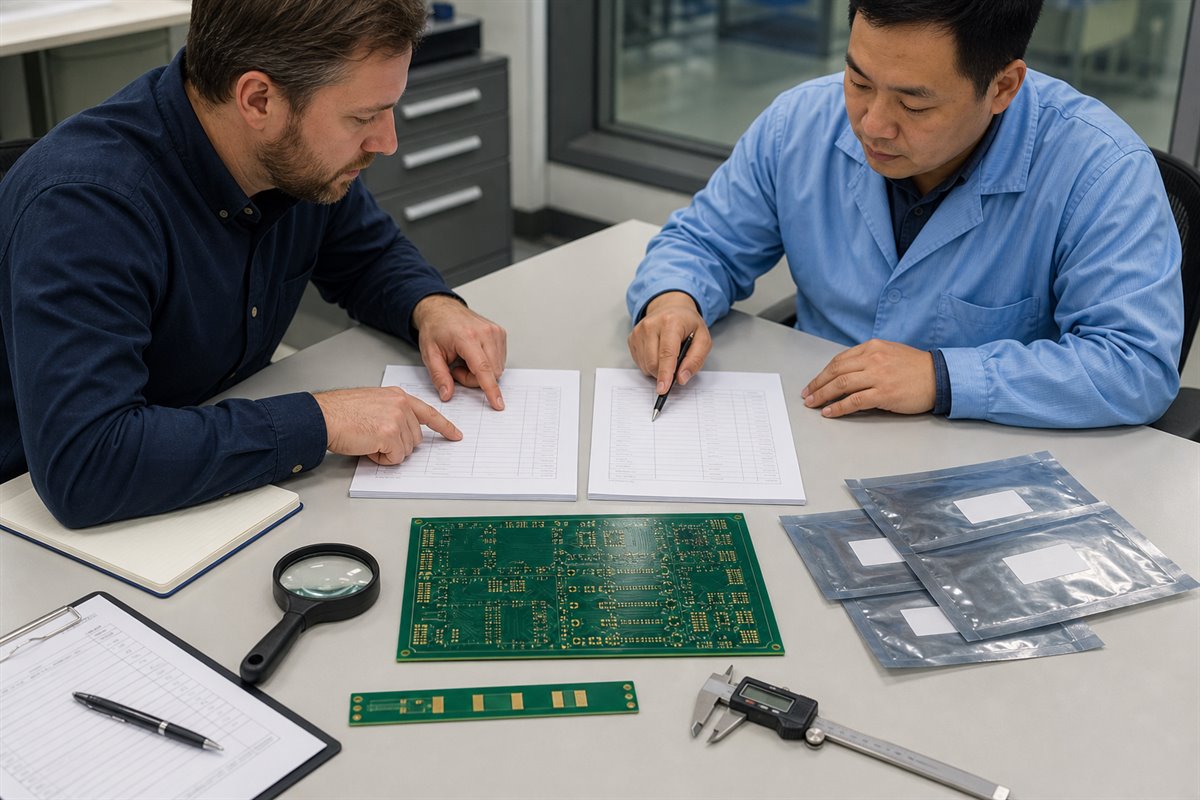
A useful RFQ package should include the files and notes that determine material, construction, process, inspection, and delivery:

  • Gerber or ODB++ fabrication data;
  • NC drill files and a fabrication drawing;
  • reference or approved stack-up;
  • specified laminate, prepreg, copper, and acceptable alternatives;
  • finished thickness, copper weight, and surface finish;
  • controlled-impedance targets, tolerances, layers, and coupon notes;
  • special dimensional or registration requirements;
  • inspection records and test outputs required with the shipment;
  • prototype and production quantities;
  • requested delivery date and packaging notes.

If assembly is also required, add the BOM, pick-and-place file, assembly drawing, component-sourcing rules, approved alternates, and customer-defined test instructions. EBest Circuit (Best Technology) can coordinate PCB fabrication, BOM sourcing, SMT and through-hole assembly, inspection, and agreed testing support, but the quotation must clearly define the requested scope.

low loss pcb supplier
Clear fabrication inputs reduce assumptions, requotes, and production delays.

How Can You Compare Low Loss PCB Suppliers Beyond Unit Price?

Two quotations can show the same quantity and very different prices because they do not include the same assumptions.

Compare the complete manufacturing scope before choosing a supplier:

  • Compare the material line. Is the exact specified material quoted? Are alternatives identified? Are material lead time and minimum purchasing conditions clear?
  • Compare the stack-up. Does the quotation follow the same construction? A lower price based on a different dielectric or copper construction is not an equivalent offer.
  • Compare inspection and testing. Confirm whether impedance coupons, electrical testing, microsections, dimensional reports, or special test coordination are included.
  • Compare engineering questions. A supplier that identifies a real manufacturability conflict before order placement may be reducing risk, even if another quotation arrives faster.
  • Compare the path to repeat production. Ask how approved material, stack-up, inspection criteria, and engineering changes will be controlled for the next lot.

A realistic sourcing example. Consider a buyer requesting a low-loss multilayer prototype with controlled impedance.

  • Supplier A quotes from board size and layer count without confirming the stack-up or coupon.
  • Supplier B identifies that the requested material construction is unavailable in the stated thickness, proposes an available construction for customer review, and separates the coupon requirement in the quotation.

Supplier A initially appears cheaper. Supplier B gives the buyer enough information to compare risk, lead time, and evidence before issuing the purchase order. This is the difference between a fast price and a usable quotation.

The same comparison approach applies to broader RF PCB manufacturing projects and high-frequency industrial boards. The supplier should convert released engineering requirements into a controlled manufacturing plan, not invent product requirements.

low loss pcb supplier
Compare the assumptions behind each quotation, not only the unit price.

Why Choose EBest Circuit for Low Loss PCB Manufacturing?

EBest Circuit (Best Technology) supports customers who need a practical handoff from released PCB data to fabrication and assembly. The team can review Gerber data, drill files, the customer stack-up, specified materials, copper requirements, impedance notes, surface finish, inspection requirements, and order quantity before production.

Support can include:

  • PCB layout manufacturability and fabrication-file review;
  • material availability and approved-alternative confirmation;
  • stack-up and controlled-impedance manufacturing review;
  • prototype and production PCB fabrication;
  • BOM sourcing and PCBA when included in the RFQ;
  • AOI, X-ray, electrical test, and customer-defined test coordination where applicable;
  • clear engineering questions when released requirements conflict with the manufacturing process.
This support does not replace the customer’s RF architecture, system design, or product-validation responsibilities. It gives buyers a clearer route from approved design data to a manufacturable PCB and, when required, assembled PCBA. For a quotation review, send the available fabrication package, material and stack-up requirements, impedance table, quantities, inspection needs, and target date to sales@bestpcbs.com. If any information is missing, identify it as “to be confirmed” so the quotation assumptions remain visible.

FAQs About Low Loss PCB Suppliers

What is the first document I should send to a low loss PCB supplier?
Send the complete fabrication data together with the fabrication drawing and reference stack-up. A board outline or material name alone is not enough for a reliable manufacturability review.

Can a supplier replace the specified low-loss laminate with an equivalent?
Only through the approval process defined by the customer. The supplier should identify the proposed material and construction before the order is released, because similar product descriptions do not guarantee identical electrical or processing characteristics.

Does controlled-impedance testing prove low insertion loss?
No. An impedance coupon checks the agreed impedance condition under the stated method. Insertion-loss characterization is a different requirement and must be defined separately if the project needs it.

Why do two low loss PCB quotes differ so much?
The suppliers may be quoting different materials, stack-ups, purchasing quantities, inspection records, coupon plans, surface finishes, lead times, or yield assumptions. Compare these items before comparing unit price.

Can EBest Circuit assemble the boards after fabrication?
Yes, when PCBA is included in the RFQ. EBest Circuit (Best Technology) can support BOM sourcing, SMT and through-hole assembly, inspection, and agreed testing assistance. Send the BOM, placement data, assembly drawings, approved-alternative rules, and test instructions with the PCB files.

To review your next low loss PCB supplier RFQ, email the fabrication package and purchasing requirements to sales@bestpcbs.com.

You may also like

Standard Printed Circuit Board Thickness: Chart, Tolerance and Layer Stack

July 30th, 2026

The most common standard printed circuit board thickness is 1.6 mm, approximately 0.062-0.063 inch or 62-63 mil. That value is a practical default for many rigid FR4 boards, but it is not a universal requirement. The correct finished thickness must also fit the layer stack, impedance geometry, connectors, enclosure, assembly process and mechanical load.

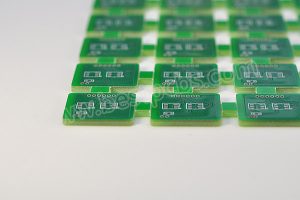
Standard printed circuit board thickness samples and dimensional measurement

What Is the Standard Printed Circuit Board Thickness?

For a general-purpose rigid FR4 PCB, 1.6 mm is the conventional nominal finished thickness. The number developed from the older 1/16-inch laminate format, which equals 1.5875 mm. Modern fabrication drawings may state 1.57 mm, 1.60 mm, 0.062 inch or 0.063 inch, depending on the drawing convention and the fabricator’s standard material system.

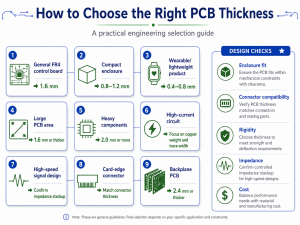
“Standard” means commonly stocked and routinely processed, not mandatory. A compact sensor module can use 0.8 mm to reduce height. A card-edge board may need 1.6 mm to fit its connector. A large industrial board may use 2.0 mm or 2.4 mm for stiffness. The stated value should therefore be treated as the nominal finished board thickness, with a separate tolerance that defines the acceptable production range.

Standard PCB Thickness Chart in Millimeters, Inches and Mils

The chart below converts common rigid-board thickness options. Availability varies with laminate family, layer count, copper weight and the fabricator’s stocked constructions.

Nominal Thickness Approx. Inches Approx. Mils Typical Design Direction
0.4 mm 0.016 in 16 mil Very thin rigid modules and space-limited assemblies
0.6 mm 0.024 in 24 mil Compact modules with controlled mechanical support
0.8 mm 0.031 in 31 mil Thin consumer, handheld and daughterboard designs
1.0 mm 0.039 in 39 mil Low-profile rigid boards with moderate stiffness
1.2 mm 0.047 in 47 mil Space-saving multilayer and control boards
1.6 mm 0.063 in 63 mil General rigid PCB default
2.0 mm 0.079 in 79 mil Boards needing additional stiffness or stackup space
2.4 mm 0.094 in 94 mil Industrial, connector or multilayer mechanical requirements
3.2 mm 0.126 in 126 mil Thick rigid boards and demanding mechanical structures

These are nominal values rather than guaranteed measurements. The finished board is accepted against the thickness tolerance on the fabrication drawing. Conversion is also approximate because 1 mil equals 0.001 inch, while metric laminate systems are usually specified directly in millimeters.

Standard PCB thickness chart with common rigid board samples

Why Is 1.6 mm the Most Common PCB Thickness?

The 1.6 mm format remains common because material supply, fabrication tooling, connector geometry and product mechanics developed around the former 1/16-inch standard. It provides enough rigidity for many board sizes without making the assembly unnecessarily heavy. Fabricators can also build a wide range of 2-layer and multilayer constructions around this finished target.

Component compatibility is another reason. Many card-edge connectors, board guides, standoffs and through-hole leads are designed around boards close to 1.6 mm. Using a thinner or thicker board can still be correct, but the mechanical interface must be checked rather than assumed. Press-fit hardware is especially sensitive because hole geometry, board thickness and pin engagement work together.

Cost is usually predictable at 1.6 mm because common cores and prepregs are readily available. A different thickness does not automatically make a PCB expensive, but a non-stock laminate construction, an unusual tolerance or a difficult multilayer build can require additional engineering and process control.

How Does PCB Thickness Differ From Copper Thickness?

PCB thickness is the total finished board thickness. Copper thickness describes the conductor thickness on an individual layer. They are related in the stackup, but they are not interchangeable specifications.

Specification What It Measures Common Units Main Design Effects
Finished board thickness Total rigid PCB construction mm, inch, mil Mechanical fit, stiffness, stackup space and drilling aspect ratio
Copper thickness Copper on one conductor layer oz/ft², µm, mil Current capacity, trace resistance, etching and spacing
Dielectric thickness Insulation between selected copper layers mm, µm, mil Impedance, coupling, isolation and layer spacing

Typical nominal foil conversions are approximately 17 µm for 0.5 oz, 35 µm for 1 oz and 70 µm for 2 oz copper. Outer-layer finished copper may differ from starting foil because hole plating and pattern plating add copper. A 1.6 mm board can therefore use different copper weights without ceasing to be a 1.6 mm nominal board, provided the dielectric construction is adjusted accordingly.

A thick PCB is also not automatically a heavy-copper PCB. A 2.4 mm board with 1 oz copper is mechanically thick but does not use heavy copper. A 1.6 mm board with 4 oz copper is a heavy-copper design even though its total board thickness is conventional. The thick PCB board guide addresses the manufacturing effects of unusually thick rigid constructions.

What Determines Finished PCB Thickness?

Finished thickness is created by the complete pressed stack, not by one laminate sheet. A 2-layer board may use a copper-clad core and solder mask. A multilayer board combines etched cores, prepreg bonding layers, outer copper, plating and surface coatings. Press temperature, pressure, resin flow and copper distribution affect the result.

  • Core thickness: defines much of the rigid dielectric structure and provides copper on one or both sides.
  • Prepreg type and count: determine bonding thickness after resin flows into copper features and cures.
  • Copper weight: changes the conductor height and the volume of resin needed to fill around traces and planes.
  • Layer count: adds copper and dielectric interfaces, increasing the number of variables in the pressed stack.
  • Plating and finish: add smaller local thickness contributions, especially on outer copper and hole walls.
  • Material system: affects resin content, glass style, pressed thickness, thermal expansion and availability.

Prepreg should not be treated as a fixed spacer before lamination. Its final thickness depends on glass style, resin content, copper pattern density and the press cycle. For controlled builds, the fabricator models the pressed result and selects a balanced set of cores and prepregs. A PCB thickness calculator can support an early estimate, but it cannot replace the production stackup.

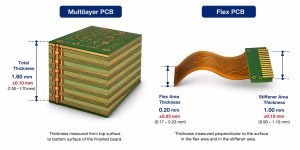
Multilayer PCB stackup showing core prepreg copper and finished thickness

How Thick Are 2-, 4-, 6-, 8-, 12- and 32-Layer PCBs?

Layer count does not assign one compulsory board thickness. The finished value depends on routing density, copper weight, dielectric spacing, via structure and mechanical requirements. The following ranges are practical starting points for rigid FR4 discussions, not universal standards.

Layer Count Common Starting Thicknesses Important Constraint
2 layers 0.8, 1.0, 1.2 or 1.6 mm Core thickness usually dominates the construction
4 layers 1.0, 1.2 or 1.6 mm Plane spacing and outer copper affect the final build
6 layers 1.2, 1.6 or 2.0 mm More dielectric interfaces must fit the impedance plan
8 layers 1.6, 2.0 or 2.4 mm Routing density and via aspect ratio become more influential
12 layers 1.6, 2.0, 2.4 or 3.2 mm Thin dielectrics or HDI may be needed to limit total thickness
32 layers Custom multilayer construction No universal value; lamination, drilling and reliability govern the build

A 4-layer PCB can be 0.8 mm or 2.0 mm, and a 12-layer PCB can sometimes remain near 1.6 mm by using thin cores and prepregs. That does not mean the thinnest possible build is best. Very thin dielectrics can increase coupling, demand tighter registration and make resin filling more difficult. Very thick builds can increase plated-hole aspect ratio and create longer via stubs.

The layer structure should be selected before the board outline and mechanical system are frozen. The related 4 layer vs 2 layer PCB comparison explains how the extra planes change routing and EMC behavior; thickness remains a separate, coordinated decision.

How Does PCB Thickness Affect Impedance and Signal Integrity?

Total board thickness affects the available stackup space, but controlled impedance is governed by the local transmission-line geometry. Trace width, copper thickness, dielectric thickness, dielectric constant, solder mask and reference-plane relationship determine the impedance of a microstrip or stripline.

Changing a 1.6 mm board to 1.2 mm does not automatically change every trace impedance. If the relevant dielectric spacing and material properties remain the same, some signal layers may retain their geometry. In practice, however, reducing total thickness often forces changes to cores and prepregs, so the impedance model must be recalculated.

Thicker boards can also produce longer through-vias and longer unused via stubs. At higher data rates, those stubs may create resonances and insertion-loss problems. Backdrilling, blind vias or a different layer assignment may be needed. A production impedance control PCB therefore links the trace model to the confirmed laminate construction and measured impedance coupons.

How Does PCB Thickness Affect Mechanical Fit and Connector Compatibility?

Mechanical interfaces often set a harder thickness limit than the electrical circuit. Card-edge connectors specify an acceptable board-thickness range so their contacts apply the intended normal force. Board guides, slots, bezels, standoffs and enclosures also have limited clearance. A nominal change of a few tenths of a millimeter can affect insertion, alignment or screw loading.

  • Confirm card-edge connector slot width and contact engagement.
  • Check press-fit pin length, compliant-zone position and supported board range.
  • Verify standoff height, enclosure gaps and component clearance.
  • Review board span, mounting-hole spacing and bending load.
  • Include finished-thickness tolerance in the mechanical stack analysis.

Thin boards may need additional support during insertion or handling. Thick boards provide stiffness but increase weight and can move component terminals relative to the enclosure. The mechanical drawing should therefore use the full allowed thickness range, not only the nominal value.

PCB thickness effect on card edge connector and enclosure fit

How Does PCB Thickness Influence Warpage, Assembly and Reliability?

Board thickness contributes to bending stiffness, but warpage depends on material modulus, copper balance, stack symmetry, moisture, temperature and panel design. A thin board is more easily deflected by handling, component weight and reflow fixtures. A thick asymmetric board can still warp if copper and dielectric structures are poorly balanced.

During soldering, the PCB experiences a temperature gradient while copper, glass and resin expand at different rates. Large copper areas on one side, uneven component mass or an unbalanced stack can create bow and twist. The board warpage guide explains how stack symmetry, copper distribution, panel support and reflow conditions work together.

Assembly equipment also has practical limits. Very thin boards may require carriers for solder-paste printing, placement and reflow. Very thick boards have greater thermal mass and may need a profile that heats solder joints adequately without overstressing components. Depanelization, connector insertion and functional-test fixtures must use forces that do not bend or crack the finished assembly.

What Is PCB Thickness Tolerance and How Is It Measured?

PCB thickness tolerance is the permitted difference between nominal and actual finished thickness. A commercial rigid FR4 build commonly uses a percentage tolerance such as ±10%, but the actual requirement must be confirmed for the material, thickness and construction. A 1.6 mm board with ±10% tolerance has an acceptance range of 1.44-1.76 mm.

Tighter tolerance may be justified for card-edge contacts, press-fit components, controlled mechanical gaps or precision fixtures. It can require a more restricted material set and closer process control. The drawing should state the nominal value, tolerance and whether the measurement includes solder mask when that distinction is mechanically significant.

Finished boards are commonly checked with a calibrated micrometer or thickness gauge. Measurements should be taken at defined locations, away from edge burrs, local copper buildup or surface contamination. Multiple points reveal thickness variation across the panel. Cross-section analysis is used when the individual core, prepreg, copper or plating contributions must be verified rather than only the total board thickness.

PCB finished thickness measurement using a calibrated micrometer

When Should You Use a Thin or Thick PCB?

Use a thinner rigid PCB when product height and weight are constrained, the board is mechanically supported and the stackup can still meet impedance, insulation and assembly requirements. Common thin choices include 0.6, 0.8, 1.0 and 1.2 mm. An extra thin PCB needs more attention to handling, panel support, drilling and warpage than a conventional 1.6 mm board.

Use a thicker PCB when the structure needs greater stiffness, the layer stack needs more dielectric space, the board spans a large unsupported area or a connector system requires a specific engagement depth. Common thicker choices include 2.0, 2.4 and 3.2 mm. Thickness alone does not improve current capacity or thermal performance; copper geometry, material properties and the complete heat path still control those functions.

Keep 1.6 mm when it satisfies all electrical and mechanical constraints. It is usually the lowest-risk starting point because materials, assembly fixtures and connector ecosystems are widely compatible with it. Move away from that value only for a defined reason, then validate the linked stackup and mechanical changes.

How Should Finished Thickness Be Defined in PCB Documentation?

Gerber or ODB++ image data defines conductor, mask and legend geometry, but it does not reliably define the required finished board thickness. The value belongs in the fabrication drawing, manufacturing notes or an approved stackup table. The same controlled document should identify the unit and tolerance.

For a simple 2-layer board, a note such as “Finished board thickness: 1.60 mm ±10%” can be sufficient when no special stack construction is required. A controlled-impedance multilayer board needs an approved stackup showing layer order, copper weight, material family, core and prepreg construction, dielectric targets and finished thickness. Mechanically critical designs should also identify connector or press-fit constraints so the allowed range is consistent across drawings.

Revision control matters because changing finished thickness can alter enclosure fit, impedance geometry, via aspect ratio, test fixtures and assembly support. A thickness change should therefore trigger review of the stackup and mechanical interfaces instead of being treated as an isolated fabrication option.

FAQ About Standard Printed Circuit Board Thickness

Is 1.6 mm the only standard PCB thickness?

No. It is the most common rigid FR4 value, but 0.4, 0.6, 0.8, 1.0, 1.2, 2.0, 2.4 and 3.2 mm are also regularly used when the stackup and product mechanics support them.

How thick is a 2-layer PCB board?

A 2-layer rigid PCB is often 1.6 mm, but 0.8, 1.0 and 1.2 mm are common for compact products. The copper-clad core usually contributes most of the finished thickness.

How thick is a 4-layer PCB?

Many 4-layer PCBs use 1.6 mm, while 0.8, 1.0, 1.2 and 2.0 mm are possible. The selected cores and prepregs must provide the required plane spacing and impedance geometry.

Does a 12-layer PCB have to be thicker than 1.6 mm?

No. Some 12-layer constructions can fit within 1.6 mm by using thin dielectrics. Other designs need 2.0, 2.4 or 3.2 mm for routing, isolation, copper or via requirements.

Does thicker PCB material carry more current?

Not by itself. Current capacity depends mainly on copper thickness, trace or plane geometry, allowed temperature rise, airflow and the complete thermal path.

Can a PCB thickness calculator define the production stackup?

A calculator can estimate total thickness, but production values depend on pressed prepreg thickness, copper pattern, material data and lamination behavior. The fabricator’s confirmed stackup is the final reference.

Is solder mask included in finished PCB thickness?

Practices can differ. Solder mask contributes only a small amount, but mechanically critical drawings should state whether the specified finished thickness includes mask and where measurement is taken.

What tolerance is common for a 1.6 mm PCB?

±10% is a common commercial reference, corresponding to 1.44-1.76 mm, but the applicable tolerance depends on the material and construction and must be stated on the drawing.

Conclusion

Standard printed circuit board thickness is commonly 1.6 mm, but that default is only correct when the layer stack, impedance, connector, enclosure, assembly and tolerance requirements agree with it. A sound design separates total board thickness from copper thickness, defines the finished value in controlled documentation and verifies the actual production range.

EBest Circuit (Best Technology) manufactures rigid FR4 boards from very thin 2-layer constructions through thick multilayer builds, subject to material, stackup, dimensions and engineering review. For technical support on a thickness-sensitive PCB design, contact sales@bestpcbs.com.

You may also like

Practical GND Earth Guide for PCB Grounding and PCBA

July 30th, 2026

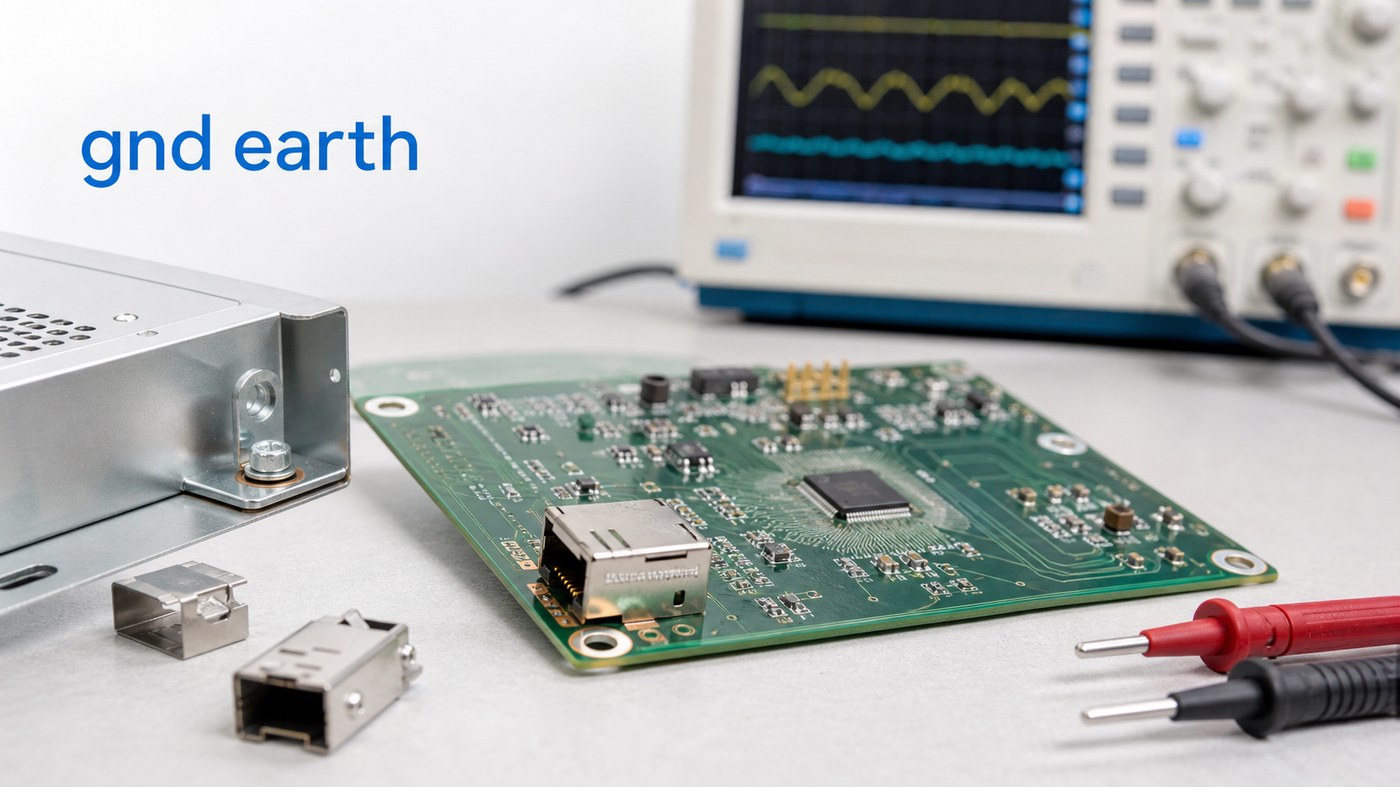
GND earth is a common phrase in electronics discussions, but it can create confusion when a PCB project moves from schematic review to manufacturing. Some teams use it to mean signal ground. Some use it to mean chassis ground, protective earth, shield ground, or a connection point between the board and metal enclosure.

For PCB and PCBA projects, the important question is practical: how should the approved ground notes be built, soldered, inspected, and tested without changing the customer’s circuit intent? EBest Circuit (Best Technology) supports PCB fabrication, component sourcing, PCBA assembly, grounding-related DFM review, inspection, and testing coordination. If your project includes GND earth notes, shield pads, mounting holes, connector shells, enclosure contact, or assembly requirements, please send your Gerber files, stackup, BOM, drawings, and notes to sales@bestpcbs.com for engineering review before production.

gnd earth

GND Earth Meaning in PCB and PCBA Projects

In many PCB files, GND earth is not a single universal net name. It is often a shorthand used by customers to describe how the board ground should relate to earth, chassis, cable shield, enclosure, or equipment safety ground.

The term may appear in several places:

  • schematic net names such as GND, EARTH, PE, CHASSIS, or SHIELD
  • PCB layout notes around mounting holes and connector shells
  • mechanical drawings for enclosure contact
  • assembly notes for screws, terminals, brackets, or shield cans
  • test requirements for continuity or isolation checks

The PCB manufacturer should not decide the grounding scheme for the customer. The customer controls the electrical design. The manufacturer’s role is to keep the approved net names, copper areas, solder mask openings, plated holes, connector pads, and inspection notes consistent during fabrication and assembly.

GND vs Earth vs Chassis Ground

GND, earth, and chassis ground can be connected in some products and separated in others. The right choice depends on the customer’s circuit design, safety requirement, enclosure, cable system, and compliance target.

Term Common Meaning
GND Board reference ground or return path
Earth Protective earth or building/equipment earth
Chassis ground Metal enclosure or frame reference
Shield ground Cable shield or connector shell reference

A low-voltage sensor board may only need a normal PCB ground net. An industrial controller may also need chassis contact. A product connected to long cables may need shield grounding near the connector. A mains-powered device may include protective earth requirements that must be defined by the customer’s safety design.

For manufacturing, ambiguity is the risk. If a drawing says “connect to earth” but the Gerber file shows an isolated mounting hole, production should stop for clarification before the board is built.

PCB Ground Planes and Return Paths

A PCB ground plane gives signals and power circuits a stable return path. Poor grounding is not only a schematic issue. It can show up as noisy measurements, unstable communication, EMI problems, poor RF performance, or inconsistent test results.

During manufacturing review, ground-related files should make these points clear:

  • which layers contain ground planes
  • which mounting holes are plated or isolated
  • which connector shell pads connect to ground or shield
  • whether copper is exposed for chassis contact
  • whether solder mask openings are intentional
  • whether impedance-controlled traces have the correct reference layer

For high-speed, RF, or communication boards, the ground reference affects signal behavior. When the board uses an RF PCB structure or controlled impedance routing, stackup, dielectric thickness, copper thickness, solder mask, and reference plane continuity should be checked before production.

Connector Shield Ground and PCB Ground Pads

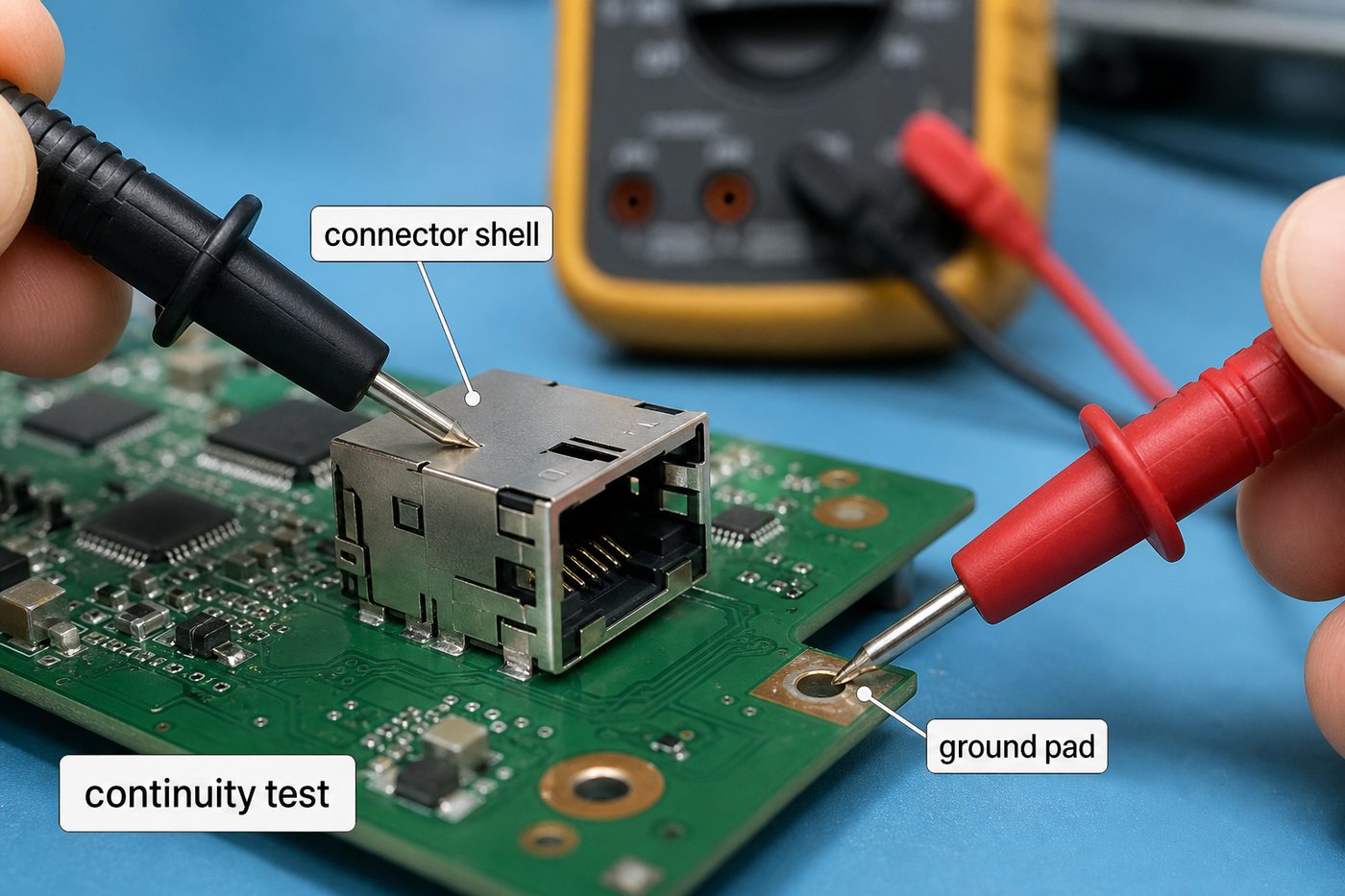
Connectors are one of the most common places where GND earth questions become manufacturing details. USB, Ethernet, CAN, RF, and industrial connectors may include a metal shell, shield pins, mounting tabs, or enclosure contact.

gnd earth

Important connector-area checks include:

  • connector shell pad size and location
  • solder mask opening around shield pads
  • through-hole tab plating and annular ring
  • clearance between shield pads and nearby copper
  • mechanical support during plugging and unplugging
  • continuity or isolation test requirements

Some connector shells are tied directly to board ground. Some connect through a controlled network. Some remain isolated from signal ground. The PCB supplier should not change that relationship. However, the supplier should check whether the footprint, plating, soldering method, and inspection notes are clear enough for production.

When a connector requires plug-in strength or manual soldering, the assembly plan may also involve through-hole assembly support in addition to SMT.

Mounting Hole Earth and Chassis Contact

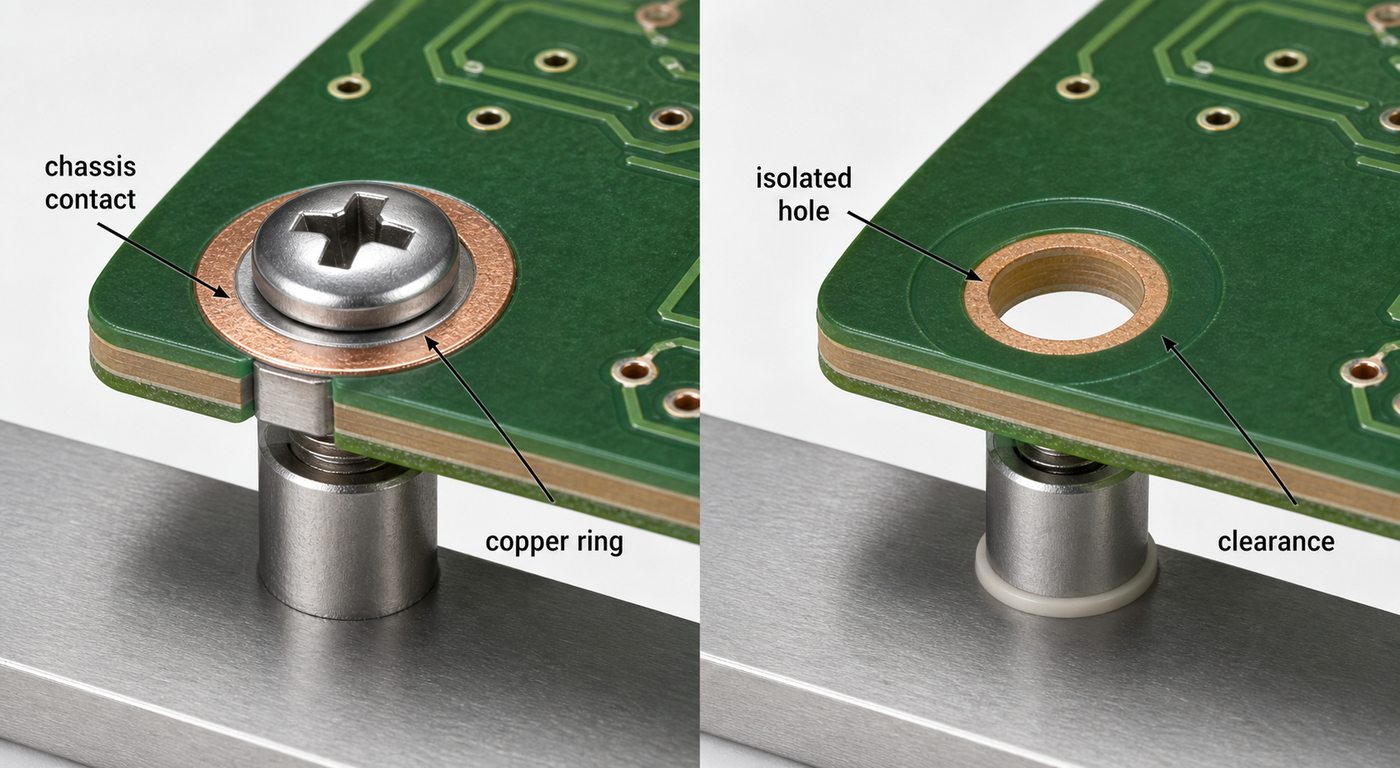
Mounting holes are another common source of grounding mistakes. A mounting hole can be connected to GND, connected to chassis ground, connected through a component network, or completely isolated. The drawing and PCB files must show which condition applies.

gnd earth

For mounting-hole grounding, EBest Circuit checks practical details such as:

  • plated or non-plated hole requirement
  • annular ring and copper exposure
  • solder mask opening around the screw area
  • clearance to other copper nets
  • washer or screw contact area
  • board thickness and mechanical tolerance
  • panelization and tooling-hole influence

If the product relies on enclosure contact, the board surface should support stable mechanical and electrical contact. If the hole is intended to stay isolated, copper clearance and solder mask should help prevent accidental contact during assembly.

When GND Earth Affects EMI, ESD, and Safety

GND earth decisions often become important when the product has cables, shielding, metal housing, high-speed interfaces, high current, or external power. These products may need more careful grounding review before production.

Common project situations include:

  • shielded cable termination near a connector
  • metal enclosure contact through screws or brackets
  • ESD discharge path from connector shell to chassis
  • EMI shielding can soldered to PCB ground pads
  • separation between noisy power ground and sensitive signal ground
  • earth-related notes for equipment or enclosure assembly

If the board uses shielding cans or board-level shielding structures, the related topics of PCB EMI shield and EMI shield PCB manufacturing become relevant. The same grounding decision can affect pad design, soldering quality, mask opening, inspection, and enclosure assembly.

GND Earth Notes in Gerber, Drawing, and Assembly Files

Grounding instructions should not live only in one file. If the schematic, Gerber, drawing, BOM, and assembly notes do not agree, the supplier may need an engineering question before production starts.

Useful production files include:

  • Gerber or ODB++ files
  • PCB fabrication drawing
  • stackup drawing
  • BOM and approved component list
  • CPL or pick-and-place file
  • connector datasheets
  • mechanical drawing or enclosure notes
  • test requirements for continuity, isolation, or function

A short note such as “earth pad must contact enclosure” is helpful, but it should match the actual copper, solder mask opening, mounting hardware, and assembly method. Clear notes reduce back-and-forth and help keep prototype PCB assembly moving without avoidable questions.

GND Earth Manufacturing Case Study

A European industrial electronics customer needed a small-batch control board used inside a metal enclosure. The PCB included connector shield pads, mounting holes near the enclosure wall, and a customer note requiring selected points to maintain chassis contact after assembly.

Project requirements:

  • Application: industrial control module
  • Build stage: prototype validation before small-batch production
  • PCB type: multilayer FR4 PCB with PCBA assembly
  • Connector area: shield pads and metal shell contact
  • Mechanical area: selected mounting holes for enclosure contact
  • Inspection: visual inspection, soldering inspection, and continuity checks
  • Packing: single-unit protection for assembled boards

Main challenge:

The customer’s concern was not only whether the board could be fabricated. The real risk was that connector shield pads, mounting holes, solder mask openings, and final assembly notes could be interpreted separately. One unclear grounding note could create rework after the board was already assembled into the enclosure.

EBest Circuit solution:

  • Reviewed the Gerber files, drawing, BOM, and assembly notes together.
  • Checked whether mounting-hole copper exposure matched the enclosure-contact requirement.
  • Confirmed connector shell pad solderability before SMT and hand soldering.
  • Kept grounding-related inspection notes visible during PCBA production.
  • Arranged continuity checks for the customer-defined contact points.

Result:

The customer received assembled boards with the grounding notes, connector shell soldering, enclosure-contact areas, and inspection requirements controlled in one workflow. For this kind of project, the value is practical: the grounding details are checked before the board reaches the customer’s enclosure test bench.

What EBest Circuit Checks Before PCB and PCBA Production

EBest Circuit is suitable for GND earth PCB and PCBA projects when the customer needs manufacturing review, assembly coordination, and inspection support rather than only bare board fabrication.

Before production, the team can review:

  • Gerber, ODB++, drawing, BOM, and assembly file consistency
  • ground plane and reference layer requirements
  • mounting-hole plating, mask opening, and chassis-contact notes
  • connector shell pads and shield terminal soldering
  • controlled impedance notes when signal return path matters
  • SMT, through-hole, and manual soldering requirements
  • continuity, isolation, functional testing, or inspection notes
  • packing requirements for assembled boards

EBest Circuit has worked in PCB and PCBA manufacturing since 2006 and supports PCB fabrication, component sourcing, SMT assembly, testing coordination, and small-batch production. For grounding-sensitive boards, the useful support is not a generic checklist. It is keeping the customer’s approved grounding notes visible from file review to final delivery.

FAQs About GND Earth

1. Is GND earth the same as PCB ground?
Not always. PCB ground usually means the board reference ground. GND earth may refer to earth, chassis, shield, or a defined connection between the PCB and enclosure.

2. Should PCB GND connect to earth ground?
That decision belongs to the customer’s electrical and safety design. The PCB manufacturer should follow the approved schematic, drawing, and assembly notes rather than changing the grounding scheme.

3. What should I mark in the PCB files for GND earth?
Mark the net name, mounting-hole requirement, connector shell grounding, copper exposure, solder mask opening, chassis contact, and any continuity or isolation test requirement.

4. Can mounting holes be connected to GND earth?
Yes, if the design requires it. They may also be isolated. The fabrication drawing should clearly define plated holes, copper rings, mask openings, and chassis-contact areas.

5. Why does GND earth matter in PCBA assembly?
Because grounding may depend on soldered connector shells, shield pads, screws, brackets, enclosure contact, and final testing. If these details are unclear, the assembled product may fail inspection or enclosure validation.

All in all, a gnd earth requirement should be treated as a production detail, not only a schematic label. If your PCB or PCBA project includes ground pads, shield terminals, mounting-hole contact, enclosure grounding, or continuity-test requirements, please send your Gerber files, stackup, BOM, drawings, and assembly notes to sales@bestpcbs.com. EBest Circuit can help review the manufacturing path before your boards move into production.

You may also like

Practical Largest PCB Manufacturers Guide for Global Buyers

July 30th, 2026

Largest PCB manufacturers are usually ranked by revenue, factory scale, production capacity, technology coverage, and global supply ability. But for engineers and buyers, the biggest PCB company is not always the best supplier for every project.

A prototype PCB, HDI board, RF PCB, rigid-flex PCB, ceramic PCB, metal core PCB, or turnkey PCBA project may need different supplier support. EBest Circuit (Best Technology) helps customers compare the real manufacturing path before production, including PCB fabrication, BOM sourcing, SMT assembly, testing, and small-batch production. If you are evaluating PCB suppliers for a new project, please send your Gerber files, stackup, BOM, drawings, or assembly notes to sales@bestpcbs.com for engineering review.

largest pcb manufacturers

What Does Largest PCB Manufacturers Mean?

The phrase largest PCB manufacturers can mean different things depending on how the list is measured.

Common standards include:

Standard Focus
Revenue Sales scale
Production capacity Factory output
Factory scale Plants and equipment
Technology capability HDI, RF, rigid-flex, high-layer boards
Industry coverage Automotive, medical, industrial, telecom
Global supply ability Export, logistics, documentation

A company can be large by revenue but not ideal for every buyer. Some large PCB manufacturers are strongest in consumer electronics or IC substrates. Others focus on automotive, telecom, industrial electronics, aerospace electronics, medical electronics, or high-reliability PCB programs.

For sourcing, the better question is not only ?Who is the largest?? but also ?Which manufacturer fits my board type, order quantity, engineering risk, and delivery plan??

Largest PCB Manufacturers in the World

The largest PCB manufacturers in the world are usually companies with strong revenue, large production capacity, and long-term supply relationships with major electronics brands.

Common examples include:

  • Zhen Ding Technology
    Zhen Ding is often listed among the world?s largest PCB manufacturers. It has strong positions in mobile communications, consumer electronics, servers, automotive, optical applications, and IC substrates.
  • Unimicron Technology
    Unimicron is known for HDI boards, IC substrates, and advanced PCB production. It is often included in global PCB manufacturer rankings because of its scale and high-density manufacturing experience.
  • TTM Technologies
    TTM Technologies is a major U.S.-based PCB manufacturer with strong capability in advanced printed circuit boards, RF/microwave products, mission systems, and high-reliability applications.
  • AT&S
    AT&S is known for advanced PCBs, IC substrates, HDI technology, and high-end electronic applications. It is often used as an example of a technology-focused PCB manufacturer rather than only a volume supplier.
  • Tripod Technology and Compeq
    Tripod and Compeq are large Taiwan-based PCB companies with strong production scale, broad PCB production experience, and established supply-chain presence.

These companies are useful references when buyers want to understand the global PCB market. However, many engineering teams do not need the world?s biggest supplier. They need a manufacturer that can respond quickly, review files carefully, and support the real production path.

Largest Printed Circuit Board Manufacturers by Revenue and Scale

When people compare largest printed circuit board manufacturers, revenue is often the easiest number to find. But revenue alone does not show whether a manufacturer is suitable for a specific project.

Revenue can show:

  • market size
  • customer base
  • factory scale
  • supply-chain strength
  • long-term production stability

Revenue does not fully show:

  • whether small batches are supported
  • whether engineers can get quick DFM feedback
  • whether PCBA assembly is integrated
  • whether BOM sourcing is handled
  • whether special materials are available
  • whether reports and traceability match the project

For example, a large PCB manufacturer may be excellent for high-volume mobile electronics. Another supplier may be better for HDI multilayer PCB, RF boards, ceramic boards, metal core PCBs, or mixed-volume PCBA projects.

For buyers, a revenue ranking is a starting point. The real supplier decision should be based on technical fit, communication, quality control, lead time, and production support.

Largest PCB Manufacturers in USA

The largest PCB manufacturers in USA are often chosen when buyers need domestic communication, local supply-chain control, regulated-industry documentation, or North American production support.

Common U.S. PCB manufacturer examples include:

  • TTM Technologies
    Strong in advanced PCBs, RF/microwave products, high-reliability boards, and large-scale manufacturing programs.
  • Advanced Circuits
    Often associated with prototype and standard PCB fabrication in the U.S. market.
  • Summit Interconnect
    Known for complex rigid, rigid-flex, RF/microwave, and advanced PCB applications.
  • APCT
    Often considered for multilayer PCBs, HDI, quick-turn work, and engineering support.
  • Sanmina and Benchmark Electronics
    More often associated with broader electronics manufacturing and system-level production support.

A U.S. supplier may be a good fit when the project requires local manufacturing, domestic documentation, or close engineering communication. But for many global buyers, a China-based PCB and PCBA partner can also be practical when the project needs competitive cost, flexible batch support, component sourcing, and one-stop assembly.

For a deeper USA-focused comparison, you can also review our article on top PCB manufacturing companies in USA.

Largest PCB Manufacturer in China and Asia

The largest PCB manufacturer in China is often discussed together with the wider Asian PCB supply chain. Asia plays a major role in global PCB manufacturing because many electronics supply chains, component sources, assembly lines, and material suppliers are located there.

China and Asia are strong in:

  • FR4 PCB production
  • HDI PCB manufacturing
  • rigid-flex and flexible PCB
  • ceramic PCB and metal core PCB
  • heavy copper PCB
  • RF and high-frequency PCB
  • PCB assembly and component sourcing
  • prototype to small-batch production
  • medium and volume production

For buyers, the advantage is not only factory capacity. The stronger advantage is supply-chain coordination. If PCB fabrication, BOM sourcing, SMT assembly, testing, packing, and shipment are handled under one workflow, fewer details are lost between suppliers.

EBest Circuit is not positioned as the world?s largest PCB manufacturer by revenue. Its value is different: flexible custom PCB and PCBA support, engineering review before production, and one-stop service for customers who need more than bare board fabrication.

Biggest PCB Companies vs Best PCB Manufacturer for Your Project

largest pcb manufacturers
Scale matters, but project fit matters more when PCB fabrication, sourcing, assembly, and testing must stay connected.

The biggest PCB companies are not always the best choice for every order. A large manufacturer may prefer high-volume programs, long-term contracts, and standardized production flows. A smaller or more flexible manufacturer may be better when the project needs engineering communication, quick sampling, or mixed PCB and PCBA support.

Choose a large global PCB company when:

  • the project is already mature
  • annual volume is high
  • production is stable
  • documentation requirements are fixed
  • supplier approval is already completed

Choose a flexible PCB and PCBA partner when:

  • the project is still in prototype validation
  • the BOM may need review
  • SMT assembly is required
  • the board has special process requirements
  • the quantity is small or medium
  • engineering communication matters
  • production files need careful checking

A buyer comparing PCB suppliers should not only ask for a capability list. The more useful question is: ?Will this supplier help catch the risks before production starts??

PCB Manufacturer List by Project Type

A useful PCB manufacturer list should help buyers match the supplier to the project type.

Standard FR4 PCB projects

  • Suitable for general electronics
  • Often cost-sensitive
  • Usually easier to quote and manufacture
  • May need fast prototype or small-batch support

EBest Circuit supports FR4 PCB fabrication from prototype to production, with DFM review and PCBA support when assembly is required.

HDI and high-density PCB projects

  • Used for compact electronics
  • May involve microvias, blind vias, buried vias, BGA escape, and impedance
  • Requires stronger stackup and manufacturing review

For HDI boards, the supplier should review the stackup, via structure, dielectric thickness, copper thickness, impedance notes, and assembly risk before production.

RF and high-frequency PCB projects

  • Used for wireless modules, RF amplifiers, antennas, communication devices, and test equipment
  • May involve controlled impedance, low-loss materials, SMA connectors, grounding, and shielding

The PCB manufacturer should not redesign the RF circuit, but it should protect the approved RF structure during fabrication and assembly.

Rigid-flex PCB projects

  • Used for compact products, medical electronics, wearable devices, sensors, and folded assemblies
  • Requires attention to bend area, coverlay, stiffener, stackup, and assembly handling

Rigid-flex projects need early communication because material, bending, panelization, and inspection can affect yield.

Turnkey PCBA projects

  • Includes PCB fabrication, component sourcing, SMT, through-hole assembly, inspection, testing, and packing
  • Useful when buyers want one team to control the full build path

For prototype and small-batch projects, turnkey support can reduce handoff risk between PCB suppliers, component suppliers, and assembly factories.

How to Compare Large PCB Manufacturers Before Ordering

largest pcb manufacturers
A practical PCB supplier review should connect files, capability, assembly, testing, and delivery before ordering.

Before choosing from a list of large PCB manufacturers, buyers should compare the project fit.

A practical review should include:

  • board type
  • layer count
  • material
  • copper thickness
  • board thickness tolerance
  • minimum line and spacing
  • minimum hole size
  • surface finish
  • impedance requirement
  • special via process
  • panelization
  • component sourcing
  • SMT assembly
  • test requirement
  • inspection report
  • packing method
  • lead time

The most important step is file review before production. Many PCB problems do not come from the factory being unable to build boards. They come from unclear files, incomplete notes, mismatched BOM data, missing polarity marks, unsuitable panelization, or ignored assembly requirements.

For urgent projects, buyers can also compare whether the supplier supports quick turn PCB fabrication and whether quick-turn speed still includes the necessary engineering checks.

Why Choose EBest Circuit for PCB and PCBA Manufacturing?

EBest Circuit is suitable for buyers who need custom PCB and PCBA manufacturing support, especially when the project involves engineering review, sourcing, assembly, testing, and small-batch production.

What EBest Circuit can support:

  • PCB fabrication
  • FR4 PCB, HDI PCB, rigid-flex PCB, ceramic PCB, metal core PCB, high-Tg PCB, RF PCB, and heavy copper PCB
  • component sourcing based on approved BOM
  • SMT assembly and through-hole assembly
  • DFM review before production
  • BOM review and sourcing risk feedback
  • electrical testing and inspection
  • prototype and small-batch support
  • production communication until delivery

Why this matters for buyers:

  • One team keeps PCB, BOM, SMT, and test notes connected.
  • Engineering questions can be reviewed before production starts.
  • Component risks can be checked before assembly scheduling.
  • Prototype builds can be prepared for the next production stage.
  • Quality and delivery expectations can be discussed before the order is released.

EBest Circuit has worked in PCB and PCBA manufacturing since 2006. The company supports customers across more than 40 countries and regions, with major export markets including the USA, Germany, and Israel. Quality support includes ISO9001, ISO13485, IATF16949, AS9100D, RoHS, REACH, and UL-related documentation.

For customers comparing the largest PCB manufacturers, this is an important distinction. EBest Circuit does not need to be the largest supplier by revenue to be the right manufacturing partner for a custom PCB or PCBA project.

FAQs About Largest PCB Manufacturers

1. Who are the largest PCB manufacturers in the world?
Some commonly listed large PCB manufacturers include Zhen Ding Technology, Unimicron, TTM Technologies, AT&S, Compeq, Tripod, DSBJ, Shennan Circuits, and other major global PCB companies. Rankings may change by year and by measurement method.

2. Is the largest PCB manufacturer always the best choice?
No. The largest PCB manufacturer may be strong in volume production, but the best supplier depends on your board type, quantity, material, engineering risk, assembly needs, test requirements, and communication expectations.

3. What is the difference between a large PCB manufacturer and a turnkey PCBA manufacturer?
A large PCB manufacturer may focus mainly on bare board fabrication. A turnkey PCBA manufacturer can support PCB fabrication, component sourcing, SMT assembly, testing, and packing under one workflow.

4. Should I choose a U.S. PCB manufacturer or a China PCB manufacturer?
It depends on the project. U.S. PCB manufacturers may be preferred for domestic production or specific documentation needs. China PCB manufacturers can be practical for cost control, flexible batch production, component sourcing, and one-stop PCB assembly.

5. How should I compare PCB manufacturers before ordering?
Compare technical capability, DFM support, communication speed, material options, assembly support, testing, certifications, lead time, and whether the supplier can handle your real project requirements.

All in all, the best PCB supplier is not always the biggest name on a ranking list. If your project needs PCB fabrication, BOM sourcing, SMT assembly, testing, or small-batch production support, please send your Gerber files, stackup, BOM, drawings, and assembly notes to sales@bestpcbs.com. EBest Circuit can help review whether your project fits the right manufacturing path before production begins. For many buyers, that practical review is more useful than choosing only by a list of largest PCB manufacturers.

You may also like

How to Clean PCB Board Safely: Flux, Corrosion, Dust and Drying

July 29th, 2026

Learning how to clean PCB board safely starts with identifying the contamination. Loose dust, solder flux, oil, liquid residue and corrosion products do not respond to the same cleaning method. Before applying any liquid, disconnect every power source, discharge stored energy, establish ESD control and confirm that the solvent will not damage component bodies, labels, connectors, adhesives or conformal coating.

How to clean PCB board safely with controlled tools and inspection

What Contaminants Are Found on a PCB Board?

PCB contamination can be grouped by how it behaves during cleaning and how it affects the assembly. The visible color alone is not enough to select a chemical. A white film may be dried flux, cleaner residue, minerals from water or corrosion salts, and each requires a different response.

  • Loose particles: dust, fibers, metal fragments and solder balls can obstruct connectors, reduce creepage distance or create intermittent shorts.
  • Flux residue: rosin, no-clean and water-soluble fluxes contain different activators and binders. The cleaning chemistry must match the flux family.
  • Oils and nonionic soils: fingerprints, lubricants and process oils may interfere with inspection, coating adhesion or electrical contacts.
  • Ionic contamination: salts, perspiration, process chemicals and poorly rinsed cleaning agents can absorb moisture and contribute to leakage, corrosion or electrochemical migration.
  • Liquid spills: beverages, coolant, electrolyte and cleaning fluids can leave conductive or corrosive deposits after the liquid evaporates.
  • Corrosion products: green, blue, white or dark deposits may indicate chemical attack on copper, tin, nickel, component leads or plated contacts.

Cleaning can remove contamination, but it cannot restore copper that has been etched away, a lifted pad, a cracked via or a corroded component termination. Damaged conductors and components require inspection and repair after the residue is removed.

What Should You Check Before Cleaning a PCB Board?

Start by isolating the board. Unplug mains power, remove batteries and disconnect external supplies. Large capacitors and power assemblies may retain hazardous energy, so verify the discharge state with the correct instrument rather than assuming the board is safe.

Then inspect the assembly documentation and component construction. Microphones, pressure sensors, speakers, unsealed relays, displays, trimmers, switches, connectors and some electromechanical parts may trap liquid or have manufacturer-specific restrictions. Solvents can soften acrylic, polycarbonate, markings, tapes, adhesives and conformal coatings. If the board is coated, determine whether the goal is surface cleaning or intentional coating removal; those are different processes.

Use an ESD-safe workstation for sensitive electronics. Avoid ordinary household vacuums and brushes that can generate static. Photograph the board before cleaning, especially around corrosion, discolored joints and damaged parts, because cleaning may remove evidence needed for failure analysis.

Which PCB Cleaning Method Matches Each Contaminant?

The selection logic is simple: remove dry debris with a controlled dry method, dissolve chemical residue with a compatible cleaner, rinse dissolved contamination away when required, and dry every liquid-trapping area before power is restored.

Contaminant Suitable Starting Method Main Limitation
Loose dust and fibers ESD-safe soft brush, controlled clean air or electronics-safe vacuum High air pressure can damage parts or drive debris under packages
Rosin or no-clean flux Flux-compatible solvent, often high-purity IPA for small manual areas IPA does not dissolve every modern flux formulation
Water-soluble flux Validated aqueous process with deionized-water rinse Residue must be fully rinsed and the assembly thoroughly dried
Oil and grease Electronics-grade solvent verified against plastics and coatings A dissolved film must be lifted or rinsed away, not spread across the board
Salt or sugary liquid residue Controlled aqueous cleaning and deionized-water rinse when components allow Spot wiping may leave conductive residue under components
Localized corrosion deposit Gentle removal under magnification followed by compatible cleaning and inspection Cleaning does not repair lost metal or internal component damage

When the contaminant is unknown, test the cleaner on a noncritical area or a representative sample. Do not mix cleaning chemicals unless the process supplier explicitly permits it.

PCB contamination types matched with suitable cleaning methods

What Can I Use to Clean a PCB?

A practical manual cleaning kit contains an ESD-safe soft brush, lint-free wipes, foam or polyester swabs, clean containers, controlled low-pressure air and an electronics-grade cleaner. High-purity isopropyl alcohol is useful for many small-area jobs, but the correct product is the one that dissolves the actual residue without attacking the assembly.

Use fresh cleaner for the final pass. A dirty brush or reused solvent can redistribute dissolved flux and leave a pale film. Swabs are useful around individual joints and contacts, but cotton fibers can snag on sharp leads. For larger areas, a brush-and-rinse technique usually removes dissolved residue more effectively than repeatedly wiping with a saturated swab.

PCB cleaner sprays and flux removers should have technical data describing residue, evaporation rate, plastics compatibility and intended soils. A generic label such as “contact cleaner” is not sufficient evidence that the product is safe for the entire assembled board.

How to Clean PCB Board Step by Step?

  1. Make the assembly safe. Remove all energy sources, discharge capacitors and work in a ventilated, ESD-controlled area.
  2. Inspect and classify the contamination. Record its location, color, texture and likely source. Check whether the board has conformal coating or liquid-sensitive parts.
  3. Remove loose debris first. Use a soft ESD-safe brush, controlled air or an electronics-safe vacuum. Keep loosened particles from entering connectors and shields.
  4. Apply a compatible cleaner. Wet the brush or swab rather than flooding an unqualified assembly. Allow enough contact time for the residue to soften.
  5. Agitate gently. Brush in short controlled strokes around leads and solder joints. Do not scrape traces or force a tool beneath fine-pitch packages.
  6. Lift or rinse away dissolved soil. Blot with a lint-free material or use a validated rinse. Simply allowing dirty solvent to evaporate can redeposit contamination.
  7. Repeat with clean materials. Continue until the cleaner no longer picks up residue and the surface is free of visible film.
  8. Dry the board completely. Drain liquid from connectors, shielded areas and package gaps. Use clean dry air and a controlled drying process compatible with the components.
  9. Inspect and test. Check for corrosion damage, lifted pads, loose parts and residue before reconnecting power. Perform electrical or functional testing appropriate to the assembly.

How to Clean PCB Board with Isopropyl Alcohol?

Use electronics-grade IPA, commonly 90% or higher, for localized flux, oil and fingerprint removal when the materials are compatible. Lower-concentration rubbing alcohol contains more water and may include additives, so it evaporates more slowly and is less predictable for electronics work.

Disconnect power and provide ventilation because IPA is flammable. Apply a small amount to an ESD-safe brush or low-lint swab, agitate the residue, then lift the dissolved material with a clean wipe or a fresh-solvent rinse. Replace the swab or clean the brush once it becomes visibly contaminated.

Do not assume IPA is safe for every component. It may craze certain plastics, remove printed markings, weaken adhesives or affect coatings. It also performs poorly against some water-soluble and highly polymerized flux residues. Check the component and cleaning-agent data before treating the full board.

How to Clean Flux Off a PCB After Soldering?

Identify the flux type before choosing a process. Water-soluble organic-acid flux normally requires an aqueous wash and thorough rinse. Rosin and no-clean residues may need a matched solvent or saponifier. “No-clean” describes the residue left under a qualified process; it does not mean the residue can always remain beneath conformal coating or in a high-impedance circuit.

Clean soon after soldering or rework because heat-aged residue can become harder to dissolve. Brush the cleaner around the joint, remove the dissolved film and use fresh cleaner for the final pass. Inspect beneath leads and around component bodies where flux can collect. The detailed guide to cleaning flux off PCB covers flux-specific methods and common residue problems.

Controlled flux removal from a PCB after soldering

How Do You Remove Dust from a PCB?

Hold the powered-off board so loosened dust can leave the assembly instead of settling elsewhere. Start with a soft ESD-safe brush. Use short bursts of clean, dry, low-pressure air for spaces beneath connectors and large components, keeping the nozzle far enough away to avoid mechanical damage.

Compressed-air cans can discharge cold propellant when tilted, while plant air may contain oil or water if filtration is inadequate. Ordinary vacuums can generate static and pull on small components. If vacuum cleaning is necessary, use equipment designed for electronics with ESD control and suitable suction.

Dust combined with oil or moisture becomes an adherent film and cannot be removed reliably by air alone. In that case, move to a compatible wet-cleaning process after loose particles are removed.

How Do You Clean Corrosion from a Circuit Board?

First stop the contamination source, such as a leaking battery, electrolyte, moisture path or chemical spill. Remove loose corrosion products under magnification with a soft brush and collect the debris. Apply a cleaner selected for the known residue and board materials, then rinse or lift the dissolved material so it is not left between conductors.

Do not aggressively scrape plated pads or component leads. Once the surface is clean, inspect copper width, via barrels, solder joints, connector plating and component terminations. Measure continuity where metal loss is suspected. Severe corrosion may extend beneath solder mask or inside a component, so a visually improved surface does not prove the circuit is reliable.

For deeper fault isolation, see the existing BestPCBs article on how to clean circuit board corrosion.

How Do You Clean Circuit Board Contacts and Connectors?

Confirm the contact plating and connector construction before using a chemical. Apply a small amount of electronics-grade contact cleaner or compatible IPA to a lint-free swab, wipe in the normal contact direction and remove loosened contamination with a clean swab. Avoid flooding unsealed connectors, switches and relays.

Abrasive erasers, files and sandpaper can remove thin gold or tin plating and expose a corrosion-prone base metal. Oils and general-purpose lubricants may change contact resistance or attract dust. If a contact is pitted, worn through or mechanically loose, replacement is more reliable than repeated cleaning.

Can You Clean a PCB with Water?

Water can be used only when the flux, components and complete cleaning process are designed for aqueous cleaning. Electronics manufacturers commonly use deionized water with controlled chemistry to remove water-soluble flux. The assembly is then rinsed with high-quality DI water and dried in a validated process.

Tap water is unsuitable because dissolved minerals and ions can remain after evaporation. Casual immersion is also unsafe for batteries, displays, microphones, speakers, unsealed transformers, relays, switches and liquid-trapping connectors. If an assembled board was exposed to a conductive spill, a properly controlled aqueous wash may be necessary, but it must be followed by complete rinsing, drying and inspection.

Is It Safe to Use WD-40, Vinegar, or Household Cleaners on a PCB?

Do not use standard WD-40 as a general PCB cleaner. Its lubricating film can attract dust, interfere with coating or contact behavior and complicate later repair. A product specifically formulated and documented as an electronics contact cleaner is a different material and still requires compatibility review.

Vinegar is acidic. It may dissolve some alkaline corrosion deposits, but it can also attack metals and must be fully neutralized or rinsed. It is not a universal circuit-board cleaner. Household glass cleaners, dish detergents and multipurpose sprays may contain water, salts, fragrance, surfactants or ammonia that leave residue or damage materials.

Acetone, paint thinner and strong alkaline cleaners can attack solder mask, plastics, labels and adhesives. Use a cleaner with documented electronics compatibility instead of choosing a chemical only because it dissolves visible dirt.

How Should a PCB Be Dried After Cleaning?

Drain the board in more than one orientation so liquid can leave connectors, shield cans, vias and package gaps. Blow with clean, dry, low-pressure air, then allow sufficient time or use controlled warm-air drying within the lowest temperature limit of the assembly. Do not aim an uncontrolled household hair dryer at the board; heat, static and airborne contamination are difficult to control.

Drying time cannot be reduced to one universal number. It depends on the cleaner, board size, component spacing, connector geometry, humidity, air movement and temperature. A surface that feels dry may still contain liquid beneath a BGA, shield or connector. Critical assemblies should use a documented drying cycle and moisture verification rather than a visual guess.

How Are PCBs Cleaned in Manufacturing?

Production cleaning is selected from the flux chemistry, board density, component restrictions, cleanliness limit and throughput. Common processes include manual solvent cleaning for localized rework, spray-in-air or batch aqueous cleaning, semi-aqueous cleaning, vapor-phase solvent cleaning and carefully qualified ultrasonic systems.

Process Typical Use Control Point
Manual solvent cleaning Localized repair and low-volume assemblies Operator method, solvent loading and residue removal
Aqueous spray cleaning Water-soluble flux and compatible assemblies Chemistry concentration, wash temperature, impingement, rinse quality and drying
Semi-aqueous cleaning Heavy organic residue requiring solvent action and water rinse Material compatibility and complete rinse
Vapor cleaning Qualified solvent-removable soils and complex geometry Solvent selection, emissions controls and component compatibility
Ultrasonic cleaning Selected robust assemblies with difficult access Frequency, power, fixture, chemistry and restrictions for sensitive components

Ultrasonic cleaning is not automatically safe for every assembled PCB. Crystals, MEMS devices, wire bonds, microphones and mechanically sensitive parts may have restrictions. The process must be qualified on the actual assembly rather than chosen only because it reaches under components.

EBest Circuit (Best Technology) supports PCB assembly with process planning, inspection and testing appropriate to the assembly design. Cleaning requirements should be defined before production when the product uses water-soluble flux, conformal coating, high-impedance circuits or reliability-sensitive applications.

Manufacturing PCB cleaning and cleanliness verification process

How Do You Verify That a PCB Is Clean?

Start with magnified visual inspection under repeatable lighting. Look for glossy or white films, trapped fibers, residue around leads, corrosion, displaced components and incomplete drying. UV inspection can reveal some fluorescent flux residues, but not all contamination fluoresces.

For controlled manufacturing, visual appearance is only one criterion. Resistivity of solvent extract testing provides a broad ionic-contamination screen. Ion chromatography identifies and measures specific ionic species. Surface insulation resistance testing evaluates leakage behavior under temperature, humidity and electrical bias. Process coupons can help demonstrate that a cleaning process remains stable.

Finish with the electrical tests appropriate to the board: continuity, insulation resistance, in-circuit test or functional test. A clean-looking board can still contain an open circuit, a short, a damaged component or residue hidden under a package.

FAQ About Cleaning PCB Boards

Is it safe to clean PCB with alcohol?

High-purity electronics-grade IPA is safe for many PCB surfaces when power is removed and the materials are compatible. Check plastics, coatings, labels and liquid-sensitive components before full-board use.

What liquid is used to clean PCB boards?

Common choices include electronics-grade IPA, flux-specific solvents and controlled aqueous chemistry with DI-water rinsing. The correct liquid depends on the contaminant and assembly materials.

How do you clean a circuit board without alcohol?

Use a dry ESD-safe brush or controlled air for loose dust. For chemical residue, select a documented non-IPA electronics cleaner or a qualified aqueous process rather than substituting an unverified household chemical.

Can I use a PCB cleaner spray?

Yes, if its technical data confirms suitability for the residue and compatibility with plastics, coatings and components. Control overspray and remove the dissolved soil instead of allowing it to dry elsewhere.

Can I clean a PCB with vinegar?

Vinegar is not suitable for general PCB cleaning. It may be used only in a controlled, localized corrosion treatment with full understanding of the residue and a complete follow-up rinse.

Can I use an ultrasonic PCB cleaning machine?

Only after the complete assembly is qualified for the chemistry, frequency, power and exposure. Sensitive mechanical, acoustic and MEMS components may be damaged.

Conclusion

The safest way to learn how to clean PCB board is to match the method to the contaminant. Remove dry debris without generating static, use compatible chemistry for flux or oil, reserve water for validated aqueous processes, dry trapped areas completely and verify both cleanliness and electrical function.

For PCB fabrication or PCBA process support, contact EBest Circuit (Best Technology) at sales@bestpcbs.com.

You may also like

How to Read a Circuit Diagram Schematic: Step-by-Step PCB Guide

July 29th, 2026

How to read a circuit diagram schematic begins with one principle: a schematic shows electrical relationships, not the physical positions of parts on a PCB. Start by identifying the power source and ground, divide the drawing into functional blocks, follow named nets and signal paths, and then verify component references, values, pin numbers, and page connections. This method works more reliably than trying to read every line from the upper-left corner to the lower-right corner.

How to read a circuit diagram schematic on an electronics engineering workstation

What Does a Circuit Diagram Schematic Show?

A circuit diagram schematic shows which component pins are electrically connected and how power, signals, and control functions move through a design. Symbols stand for components, lines and labels identify electrical nets, and reference designators link each symbol to controlled design data.

The drawing is logical rather than physical. Two symbols placed next to each other may be far apart on the finished board. Two points on different pages may be electrically connected by the same net label. A schematic also does not define trace width, copper layer, via structure, component rotation, or exact placement unless that information is added separately.

This distinction prevents a common error: treating the schematic as a map of the PCB. The schematic explains what must connect and why. The PCB layout determines where components, pads, copper traces, planes, and vias are physically implemented.

How Do You Read Schematics Step by Step?

Read schematics by moving from overall purpose to individual connections. The following sequence keeps a complex page manageable:

  1. Confirm the drawing type. Determine whether the file is an electronic schematic, wiring diagram, block diagram, or PCB layout.
  2. Read the title block and notes. Check the sheet name, revision, page references, voltage domains, and drawing conventions.
  3. Locate power entry and ground. Identify input connectors, protection, regulation, power rails, and return references.
  4. Divide the design into functional blocks. Typical blocks include input protection, power conversion, sensors, analog conditioning, processing, communications, and output drivers.
  5. Choose one signal path. Follow it from its source through each stage to its destination rather than jumping between unrelated nets.
  6. Read symbols together with their fields. Check reference designators, values, part numbers, pin names, and polarity.
  7. Follow named nets and page links. A label can connect distant points without a continuous drawn wire.
  8. Cross-check supporting files. Compare the schematic with the BOM, datasheets, PCB layout, and assembly information.

Repeat the process for each power rail, interface, and functional signal. A first pass establishes structure; later passes resolve component-level behavior.

Which Circuit Symbols Should You Recognize First?

Begin with the symbols that appear in nearly every electronic schematic: power sources, ground, resistors, capacitors, inductors, diodes, transistors, integrated circuits, connectors, switches, and test points. You do not need to memorize every device variant before reading a basic circuit.

Symbol group What it tells you What still needs verification
Power and ground Supply rails, references, returns, chassis, or earth connections Voltage, current limit, sequencing, and whether grounds are intentionally separated
R, C, and L Resistance, capacitance, inductance, filtering, timing, biasing, or energy storage Value, tolerance, rating, package, and frequency behavior
Diodes and transistors Polarity, switching, rectification, clamping, amplification, or drive functions Exact device, pinout, voltage, current, and thermal limits
IC blocks Functional pins and logical relationships Datasheet pin functions, supply pins, package mapping, and unused-pin requirements
Connectors Signals entering or leaving the circuit Pin numbering, mating view, cable orientation, and external voltage levels

Symbol appearance can vary between IEC and ANSI/IEEE conventions. The existing electrical symbols and electronic symbols chart covers these variants in more detail. Always interpret a symbol with its designator and surrounding circuit rather than by shape alone.

How Do Reference Designators, Values, and Pin Numbers Work?

A reference designator identifies one specific component instance. The letter indicates the component class and the number distinguishes it from other parts of the same class. Common examples include R for resistor, C for capacitor, L for inductor, D for diode, Q for transistor, U for integrated circuit, J for connector, and TP for test point.

The nearby value field explains what that instance is. `R12 10 kΩ` identifies a particular 10-kilohm resistor; `C7 100 nF` identifies a particular capacitor. An IC may show a device name instead of a simple numeric value. Do not assume the field contains every required rating. Voltage rating, tolerance, dielectric, package, manufacturer part number, and approved alternatives may reside in the BOM or component database.

Pin names describe function, while pin numbers connect the logical symbol to the physical package. An IC symbol may group power pins, analog pins, and digital pins for readability, so the displayed order often differs from the package’s clockwise pin order. Verify the symbol-to-footprint pin mapping against the datasheet before using the schematic to diagnose or manufacture a board.

How Do Wires, Junctions, Nets, and Labels Work?

A net is a set of electrically connected pins and conductors. A drawn line normally indicates a connection, while a junction dot marks multiple lines that share the same node. Crossing lines without a dot usually do not connect, although older drawing conventions may use a bridge or other notation. Check the drawing legend when the convention is unclear.

Net labels connect points by name. Every point labeled `3V3` belongs to the same 3.3 V network unless the design tool or hierarchy defines a narrower scope. Labels such as `SCL`, `SDA`, `RESET`, `USB_D+`, or `MOTOR_EN` are often more useful than the visual line because they state the signal’s role.

Hierarchical labels and off-page connectors move signals between sheets. A continuation marker should provide a page, block, port, or net name that can be followed. When a line seems to end without explanation, look for a label before assuming the circuit is incomplete.

How Should You Find Power and Ground?

Start at the power connector, battery, USB input, or other supply source. Follow the path through fuses, reverse-polarity protection, transient suppressors, filters, regulators, and current-sense elements. Record each resulting rail, such as 12 V, 5 V, 3.3 V, 1.8 V, or an isolated supply.

Next, identify the ground references. A design may contain digital ground, analog ground, power ground, chassis ground, protective earth, or an isolated secondary return. They are not automatically interchangeable. Look for explicit connection points, net ties, ferrites, resistors, capacitors, or isolation barriers that define how the references relate.

Power symbols can hide long connections and may also hide IC supply pins in some libraries. Check the component unit and datasheet if an IC appears to have no power pins. A signal can only be interpreted correctly after its voltage domain and reference are known.

How Do You Trace Signal Flow Through a Schematic?

Choose one input and follow it through each functional stage. A sensor signal, for example, may pass through protection, filtering, biasing, amplification, analog-to-digital conversion, digital processing, and an output driver. Read one chain completely before moving to another.

Power path and signal path traced from an electronic schematic to a PCB

Signal flow is not always left to right. Feedback paths return from an output to an earlier stage; bidirectional buses carry information both ways; differential pairs use two complementary nets; and power-control signals may cross several voltage domains. Arrows, pin names, datasheet block diagrams, and interface standards help determine direction.

At each stage, ask what changes: voltage level, current capability, frequency content, logic state, impedance, or isolation. This turns a line-following exercise into an explanation of circuit behavior.

How Do You Divide a Complex Schematic into Functional Blocks?

Functional blocks reduce a large schematic into smaller circuits with clear inputs and outputs. Begin with obvious anchors such as connectors, regulators, microcontrollers, communication transceivers, sensors, and power switches. Then group the surrounding passive components according to the device they support.

Electronic schematic divided into power input signal control and output blocks

A practical block sequence might be:

  • power entry, protection, conversion, and distribution;
  • external inputs and interface protection;
  • analog filtering, sensing, or amplification;
  • processor, memory, clock, and reset;
  • communications and level translation;
  • output drivers, loads, and connectors.

After identifying the blocks, trace the nets that cross their boundaries. These interfaces reveal the system architecture more quickly than reading every local bypass capacitor or pull resistor first.

How Do You Read Multi-Sheet and Hierarchical Schematics?

Multi-sheet designs use hierarchy to prevent one page from becoming unreadable. A top sheet may show major blocks as sheet symbols, while lower-level sheets contain their detailed circuits. Ports on the parent sheet must correspond to hierarchical labels on the child sheet.

Use the sheet index, page references, and net names as navigation tools. Global labels may connect all sheets, while local labels may apply only inside one sheet or hierarchy level. The exact scope depends on the EDA system and project settings.

Also check repeated channels. One amplifier or sensor block may be instantiated several times with different reference designators. Confirm which channel you are tracing and whether shared power, reference, or control nets affect every instance.

How Is a Schematic Different from a Wiring Diagram and PCB Layout?

A schematic emphasizes electrical function. A wiring diagram emphasizes physical terminals, wire colors, harness routes, and installation connections. A PCB layout implements the schematic as footprints, placement, copper, vias, planes, mechanical outlines, and fabrication layers.

Document Main question answered Typical information
Schematic What is electrically connected and how should the circuit work? Symbols, pins, nets, values, labels, and functional relationships
Wiring diagram How are physical devices or terminals wired together? Wire numbers, colors, connectors, terminal blocks, routes, and harness details
PCB layout How is the electronic circuit physically built on the board? Footprints, placement, traces, vias, planes, stack-up, and mechanical constraints

Use the correct document for the task. A schematic can reveal that two pins share a net, but it cannot show whether a copper trace is damaged. A PCB layout can show where the trace runs, but it may not explain the intended signal behavior as clearly as the schematic.

How Do You Read a Simple LED Circuit Step by Step?

Consider a DC source connected to a current-limiting resistor, an LED, and ground. First identify the supply voltage and its return. Next check LED polarity: conventional current enters the anode and leaves the cathode. Then read the resistor value and verify that it limits current to an appropriate level for the selected LED and supply.

Trace the closed path: positive supply → resistor → LED → ground or negative return. If a transistor controls the LED, separate the load path from the control path. The transistor may switch LED current while a GPIO drives its base or gate through another resistor. A pull-down or pull-up sets a known state when the controller output is inactive.

This example demonstrates the full method on a small circuit: identify power, recognize symbols, read values and polarity, trace the active path, and distinguish control from load current.

Which Schematic Reading Mistakes Can Cause PCB Problems?

The most consequential errors are usually connection or mapping errors rather than unfamiliar symbols.

  • Missing a junction: a connected node is treated as two separate nets, or crossing lines are incorrectly joined.
  • Ignoring polarity: a diode, LED, electrolytic capacitor, or polarized connector is interpreted backward.
  • Confusing pin names and numbers: the logical function is assigned to the wrong package pad.
  • Overlooking global labels: distant points on the same rail are treated as unrelated.
  • Assuming ground symbols are identical: isolated, chassis, analog, and power returns are joined incorrectly.
  • Reading the symbol without the datasheet: device-specific pin behavior, ratings, or unused-pin rules are missed.
  • Assuming schematic position equals PCB position: troubleshooting begins in the wrong physical area.

Each interpretation should be checked against the design revision being used. A correct reading of an obsolete schematic can still lead to an incorrect conclusion about the current board.

How Do You Compare a Schematic with the BOM and PCB Layout?

Use the reference designator as the common key. The schematic identifies the function and connections of `U1`; the BOM identifies its approved part and package; the PCB layout identifies its physical footprint, orientation, and copper connections.

Cross-checking reference designators between schematic BOM and PCB layout

Check that every populated schematic reference has a corresponding BOM entry and footprint. Verify that symbol pin numbers match footprint pad numbers. Confirm polarized footprints, connector views, pin 1 markers, and multi-unit components. For net checks, select a schematic net and verify that the same net connects the intended pads in the layout.

This cross-check is especially important before PCB assembly, because the schematic, BOM, placement data, and board layout must describe the same revision. EBest Circuit (Best Technology) uses engineering review to identify inconsistent component references, polarity information, footprint assignments, and production data before assembly begins.

FAQ About Reading Circuit Diagram Schematics

Can ChatGPT read electrical schematics?

AI can help identify common symbols, summarize functional blocks, and explain likely signal paths when the schematic is clear. It can still misread small labels, junction dots, pin numbers, or device-specific behavior. Verify every conclusion against the original high-resolution drawing, datasheets, netlist, and controlled design files.

How hard is it to read schematics?

Basic schematics become manageable after learning common symbols, nets, designators, power references, and a consistent reading sequence. Complex mixed-signal, RF, power, or multi-sheet designs require more circuit knowledge and careful datasheet review.

Do you read every schematic from left to right?

No. Many schematics are arranged approximately from input to output, but feedback, power distribution, buses, and hierarchical connections break that pattern. Start with functional blocks and follow one named path at a time.

What does a dot on crossing schematic lines mean?

A dot normally indicates an electrical junction. Crossing lines without a dot normally do not connect, but older drawings may use different conventions. Check the legend and nearby examples before deciding.

Why do IC pins appear out of numerical order?

Schematic symbols often group pins by function to improve readability. The physical package still follows its numbered pad arrangement, so the symbol pin numbers must be checked against the datasheet and footprint.

What should you check first on an unfamiliar schematic?

Check the title, revision, sheet structure, power inputs, ground references, main connectors, and major ICs. These elements reveal the circuit’s purpose and provide stable starting points for tracing individual signals.

Conclusion

How to read a circuit diagram schematic becomes much easier when the drawing is treated as a network of functional blocks rather than a page of unrelated symbols. Find power and ground, follow one signal path at a time, use net labels and page references, and verify every designator, value, pin, and footprint against the supporting files.

EBest Circuit (Best Technology) supports PCB fabrication and PCBA assembly with engineering review of schematics, BOMs, Gerber or ODB++ data, component placement, polarity, footprints, and manufacturing consistency. For PCB or PCBA support, contact sales@bestpcbs.com.

You may also like

SMA Terminal PCB Guide for RF Connector Mounting and PCBA

July 27th, 2026

An SMA terminal PCB is used when an RF signal needs to move between a printed circuit board and an external coaxial cable, antenna, test instrument, or RF module. For engineers and buyers, the question is usually not only “Which SMA connector should I buy?” but “Can this connector be mounted, soldered, grounded, inspected, and assembled reliably on my PCB?”

That is where PCB and PCBA manufacturing review becomes important. The SMA terminal area may involve PCB thickness, connector drawing, footprint accuracy, 50 ohm signal routing, ground pads, edge plating, soldering method, mechanical stress, and final inspection. EBest Circuit (Best Technology) supports RF-related PCB fabrication, component sourcing, SMT assembly, through-hole soldering, inspection, and small-batch PCBA projects where connector reliability matters. If your project includes SMA connectors, RF terminals, antenna interfaces, or connector-sensitive PCBA requirements, please send your Gerber files, BOM, stackup, connector drawing, and assembly notes to sales@bestpcbs.com for engineering review before production.

sma terminal pcb
SMA terminal PCB manufacturing review for RF connector mounting and PCBA reliability.

What Is an SMA Terminal PCB?

An SMA terminal PCB is a printed circuit board designed with an SMA connector or SMA terminal interface. SMA connectors are widely used for RF signals because they provide a compact coaxial connection between the PCB and external RF equipment.

Term Common Meaning
SMA terminal PCB Board with an SMA terminal or connector interface
PCB SMA connector SMA connector mounted on a PCB
SMA connector PCB PCB designed for SMA connector installation
RF SMA connector SMA connector used for RF signal transfer
SMA connector receptacle Female SMA connector interface
SMA panel mount connector SMA connector mounted through a panel or enclosure

In real projects, the SMA terminal is not only a mechanical connector. It affects the RF transition, grounding path, soldering process, connector strength, cable access, and final inspection.

SMA Terminal PCB vs PCB SMA Connector

An SMA terminal PCB and a PCB SMA connector are closely related, but they do not mean exactly the same thing. The connector is the component. The PCB is the manufactured board that must support the connector correctly.

Item SMA Terminal PCB PCB SMA Connector
Main focus Board and connector integration Connector component
Checked by PCB/PCBA manufacturer Connector supplier and customer
Key details Footprint, board thickness, RF path, soldering Gender, frequency, impedance, mounting style
Risk Wrong layout or weak assembly Wrong connector type or unavailable part

If the project uses an SMA connector PCB, the connector drawing, PCB footprint, stackup, board thickness, and assembly notes should be checked together. A correct connector part number alone does not guarantee reliable PCBA assembly.

RF SMA Connector Types for PCB Mounting

Different RF SMA connector types require different PCB and assembly checks. The right choice depends on the customer design, enclosure structure, RF path, cable direction, and mechanical requirement.

SMA Type Typical Use
Edge launch SMA connector RF signal enters from board edge
Surface mount SMA connector Compact SMT-friendly boards
Through-hole SMA connector Stronger mechanical mounting
Right-angle SMA connector Cable exits parallel to the PCB
SMA flange connector Panel or enclosure mounting
SMA female panel mount connector External cable access through housing

For PCB manufacturing, the connector type affects pad shape, drill holes, solder mask opening, edge clearance, plating, panelization, and inspection. For PCBA, it affects soldering method, fixture support, cleaning, and packing.

sma terminal pcb
Common SMA connector mounting styles used in PCB and PCBA projects.

Edge Launch SMA Connector for RF PCB Applications

An edge launch SMA connector is mounted at the edge of the PCB. It is common in RF test boards, antenna boards, wireless modules, high-frequency boards, and measurement interfaces.

Important manufacturing checks include:

  • Finished PCB thickness must match the connector drawing.
  • The board edge should support the connector body correctly.
  • The signal trace should transition cleanly into the connector pin.
  • Ground pads and vias should follow the approved RF layout.
  • Solder mask opening should not interfere with contact or soldering.
  • Panelization should protect the board edge and connector area.

For an edge launch SMA terminal PCB, the board thickness is especially important. Many edge launch connectors are designed for specific PCB thickness ranges. If the finished PCB is too thick or too thin, the connector may not sit correctly, and the RF transition may become unreliable.

For high-frequency projects, the SMA terminal area is often reviewed together with RF PCB manufacturer requirements such as material, copper thickness, impedance, surface finish, and ground continuity.

SMA Flange Connector and Panel Mount Options

An SMA flange connector or SMA panel mount connector is useful when the connector must be fixed to an enclosure, bracket, panel, or mechanical structure. This can reduce stress on the PCB when the cable is connected or disconnected repeatedly.

These projects should check:

  • mounting hole diameter and tolerance
  • connector body clearance
  • panel thickness and connector thread length
  • board-to-panel alignment
  • soldering or cable connection method
  • mechanical stress on the solder joint
  • packing protection for protruding connectors

If the SMA connector is fixed to the panel but also connected to the PCB, the mechanical stack should be confirmed before assembly. A small mismatch between PCB, enclosure, and connector can create stress during final product assembly.

SMA Connector Receptacle and Terminal Structure

An SMA connector receptacle is usually the female SMA interface. For PCB and PCBA review, the important point is how the connector terminals contact the board.

Center pin: The center pin carries the RF signal. Its pad, trace width, transition shape, and soldering condition affect signal performance.

Ground terminals: The outer conductor and ground terminals provide the return path and shielding reference. Ground pad design, via placement, copper connection, and soldering quality should follow the approved RF layout.

Mounting structure: Some SMA connectors rely on SMT pads, some use through-hole legs, and some require screws or flange mounting. The PCB drawing and assembly notes should make this clear before production.

SMA Connector Drawing, Footprint, and PCB Thickness Checks

The SMA connector drawing is one of the most important documents for an SMA terminal PCB project. A small footprint mismatch can cause soldering defects, poor connector seating, weak mechanical support, or unusable RF performance.

Before PCB fabrication and assembly, EBest Circuit checks whether the customer files clearly define:

  • exact connector part number
  • manufacturer drawing
  • PCB land pattern
  • drill size and hole plating
  • board thickness requirement
  • edge clearance
  • solder mask opening
  • surface finish
  • connector orientation
  • SMT or through-hole process notes

The SMA connector PCB footprint should be checked against the datasheet, not copied from a similar connector without confirmation. Similar-looking SMA connectors may have different pin dimensions, mounting holes, body height, or recommended board thickness.

sma terminal pcb
PCB thickness, edge clearance, and footprint should match the approved SMA connector drawing.

50 Ohm SMA PCB Layout and Grounding Review

Many SMA terminal PCB projects involve 50 ohm RF signal routing. The customer usually defines the circuit and RF design requirements. The PCB manufacturer should not change the RF structure without approval, but it should check whether the files are manufacturable.

Manufacturing review often focuses on:

  • stackup and dielectric thickness
  • copper thickness
  • trace width and spacing
  • reference ground layer
  • ground via placement near the SMA area
  • solder mask opening around RF pads
  • surface finish selection
  • impedance coupon and test report requirements

For RF boards, the SMA terminal should be reviewed together with the whole signal path. If the board also includes an antenna section, RF module, or coaxial interface, the RF transition should stay consistent with the approved customer design. This is also why RF antenna PCB projects often need early stackup and impedance review.

sma terminal pcb
50 ohm SMA PCB routing depends on trace geometry, reference ground, and connector grounding.

SMA Connector Soldering and PCBA Assembly Risks

SMA connectors can create assembly risk because they are both electrical parts and mechanical interfaces. A connector may pass visual inspection at first but fail later if soldering, alignment, or mechanical support is weak.

Assembly Point Why It Matters
Connector orientation Prevents wrong cable direction
Soldering method SMT and through-hole require different control
Stencil opening Affects solder volume for SMT connectors
Manual solder notes Reduces inconsistent workmanship
Visual inspection Checks connector position and solder fillet
Cleaning requirement Controls flux residue near RF area
Packing method Protects protruding connectors

For prototype and small volume PCB assembly, the connector area deserves special attention because debugging often depends on stable cable connection, clean signal transfer, and repeatable test setup.

SMA Terminal PCB Manufacturing Case Study

A USA customer needed a prototype RF interface board for a wireless test module. The board used SMA terminal connections for RF signal input and output, so the customer cared about connector seating, board thickness, soldering strength, 50 ohm signal transition, and test reliability.

Project requirements

  • Customer region: USA
  • Application: wireless RF test module
  • Quantity: 20 pcs prototype and pilot build
  • PCB type: 4-layer FR4 PCB
  • Material: FR4 Tg130
  • Copper: 1oz outer copper, 0.5oz inner copper
  • Finished thickness: 1.60mm +/-10%
  • Surface finish: ENIG 1u”
  • Solder mask and silkscreen: green solder mask, white silkscreen
  • Assembly: component sourcing by EBest Circuit, SMT and connector assembly
  • Delivery: single-unit packing after assembly
  • Production control: production files confirmed before fabrication

Customer concerns

  • The SMA connector had to sit correctly on the board edge.
  • The RF path needed stable 50 ohm transition from connector to PCB trace.
  • The connector area could not be damaged during depaneling or packing.
  • The prototype quantity was small, but the test setup depended on repeatable connector quality.

EBest Circuit solution

  • Reviewed the connector drawing, footprint, and finished PCB thickness before fabrication.
  • Checked stackup, copper thickness, and RF trace area for manufacturability.
  • Confirmed solder mask opening and connector orientation before SMT.
  • Arranged component sourcing and assembly under one workflow.
  • Used ENIG for stable solderability and surface protection.
  • Checked connector soldering and board cleanliness before single-unit packing.

Result: The customer received a small-batch RF prototype that matched the SMA terminal mounting requirement, PCB thickness target, surface finish, and assembly notes. The value of the project was not only producing 20 boards. It was reducing the risk that an RF test module would fail because of a connector footprint, board-edge, soldering, or packing issue.

sma terminal pcb
Example workflow for an SMA terminal PCB prototype with RF connector, PCB fabrication, and PCBA checks.

Why Choose EBest Circuit for SMA Terminal PCB and PCBA Projects?

EBest Circuit is suitable for SMA terminal PCB and PCBA projects when connector reliability, RF signal routing, and manufacturing review must be controlled together.

Useful support includes:

  • RF-related PCB fabrication
  • FR4, high-frequency, metal core, ceramic, flex, and rigid-flex PCB support
  • stackup and impedance review when required
  • connector drawing and footprint review
  • BOM sourcing and approved component preparation
  • SMT, through-hole, and mixed assembly
  • inspection, testing coordination, and packing support
  • prototype, pilot run, and small-batch production

EBest Circuit has worked in PCB and PCBA manufacturing since 2006. The company supports customers in more than 40 countries and regions, with major export markets including the USA, Germany, and Israel. Quality support includes ISO9001, ISO13485, IATF16949, AS9100D, RoHS, REACH, and UL-related documentation.
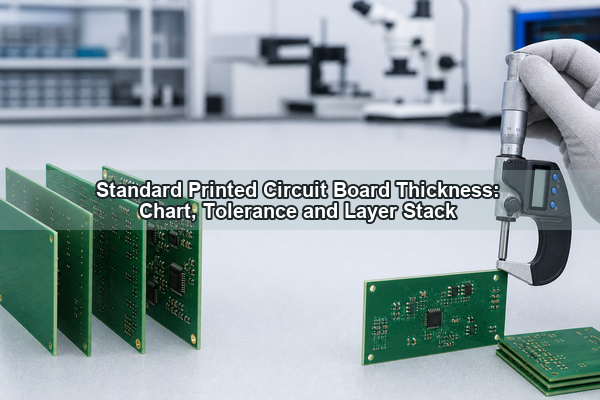
For connector-sensitive projects, stable communication also matters. Many engineers, quality managers, production leaders, and sales members at EBest Circuit have worked in the company for more than 10 years. That experience helps keep connector drawings, stackup notes, BOM changes, assembly requirements, and packing details visible from file review to delivery.

FAQs About SMA Terminal PCB

1. What is an SMA terminal PCB?

An SMA terminal PCB is a printed circuit board designed with an SMA connector or terminal interface for RF signal connection to coaxial cable, antenna, RF module, or test equipment.

2. Is an SMA terminal PCB the same as an SMA connector PCB?

They are closely related. An SMA connector PCB usually refers to a PCB designed for SMA connector installation. An SMA terminal PCB emphasizes the connector interface area and how it is manufactured and assembled.
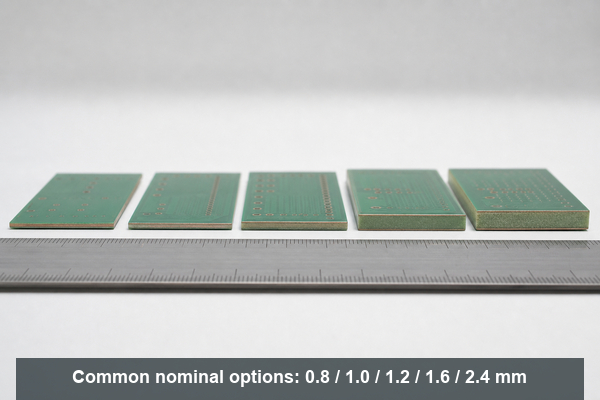
3. What PCB thickness is used for SMA edge launch connectors?

It depends on the connector drawing. Many edge launch SMA connectors are designed for specific board thicknesses, so the datasheet and finished PCB thickness tolerance should be confirmed before production.
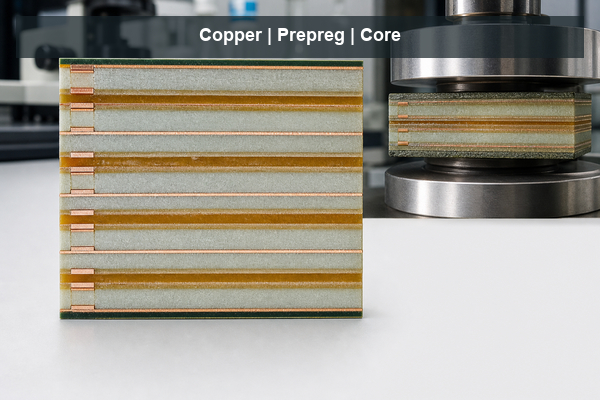
4. Does an SMA terminal PCB need 50 ohm impedance control?

Many RF SMA connector projects require 50 ohm routing, but the exact requirement should come from the customer’s RF design. The PCB manufacturer can help review stackup, trace geometry, copper thickness, and impedance report requirements.

5. Can EBest Circuit help choose the SMA connector?

EBest Circuit can help review connector availability, footprint, assembly method, and manufacturability. The final connector model and RF performance decision should be confirmed by the customer’s engineering team.

All in all, an SMA terminal PCB project is not only about placing a connector on a board. It is about making sure the connector drawing, footprint, PCB thickness, RF path, grounding, soldering, inspection, and packing method work together before production starts. If your project includes SMA connectors, RF terminals, antenna interfaces, or connector-sensitive PCBA requirements, please send your Gerber files, BOM, stackup, connector drawing, and assembly notes to sales@bestpcbs.com. EBest Circuit’s engineering team can review the manufacturing path before your boards move into production.
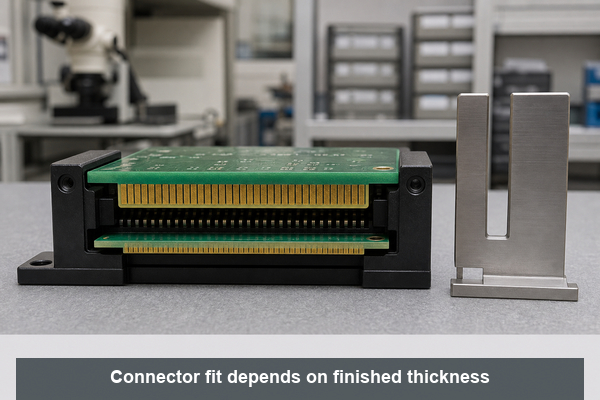
You may also like