PCB manufacturing PCB manufacturing
Home > Blog

pcb design

Copper Pad PCB Design Guide: From DFM to Reliable PCBA
Monday, June 1st, 2026

Copper pad design plays a direct role in PCB solderability, current flow, mechanical bonding, test access, and long-term circuit reliability. On a circuit board, these exposed copper areas may look simple, but they carry several important functions. They connect components, support solder joints, provide test points, and help create stable electrical interfaces.

This guide explains what a copper pad is, how it differs from a solder pad or copper contact pad, how pads are made during PCB fabrication, what surface finishes are used, and how damaged pads can be handled during prototyping or board evaluation.

If your project involves fine-pitch components, high-current pads, contact pads, or repeated soldering concerns, an early DFM review can help identify risks before fabrication and assembly. Best Technology provides PCB manufacturing, PCBA assembly, surface finish guidance, and engineering support for prototype and production projects. For a technical review or quotation, pls feel free to send your Gerber files and BOM to sales@bestpcbs.com.

Copper Pad

What Is a Copper Pad on a PCB?

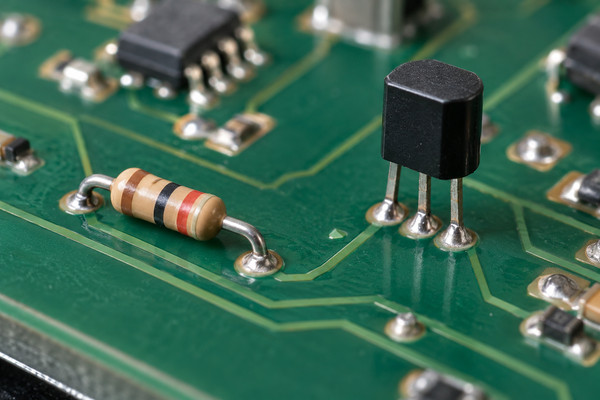
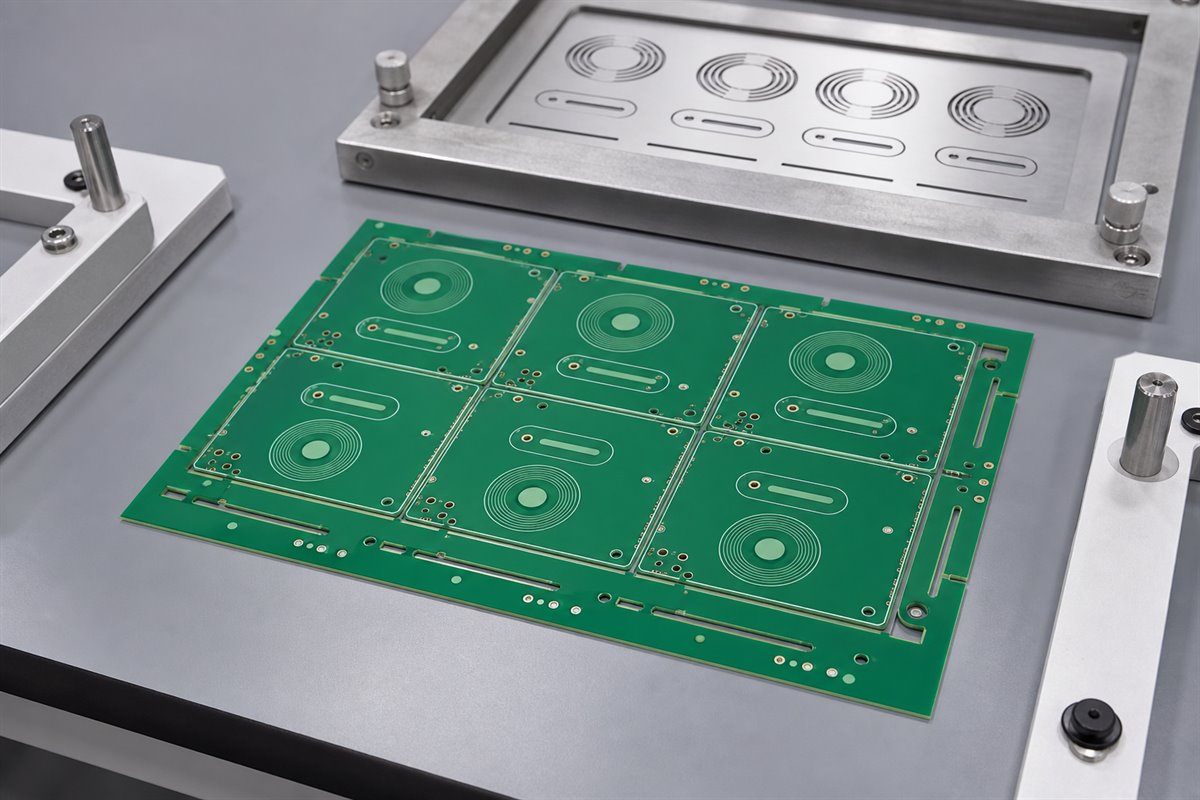
A copper pad on a PCB is a defined copper area used for electrical connection, component attachment, testing, or signal transfer. It is created from the copper layer of the circuit board and exposed through the solder mask so that solder, probes, connectors, or conductive surfaces can make contact with it.

In PCB manufacturing, copper pads are formed together with copper traces, planes, vias, and other conductive features. During fabrication, unwanted copper is removed through imaging and etching, leaving the designed circuit pattern on the board. After that, solder mask is applied, and selected pad areas remain open for assembly or contact.

A PCB may contain many types of pads, including:

  • SMT pads for surface mount components
  • Through-hole pads for leaded components
  • Via pads for interlayer connection
  • Test pads for ICT or functional testing
  • Connector pads for board-to-board or cable interfaces
  • Thermal pads for heat transfer under power components
  • Edge contact pads for card-edge connectors
Copper Pad

Each pad type has its own design requirements. An 0402 resistor pad, for example, is very different from a high-current terminal pad or a BGA pad. The layout engineer must consider component footprint, assembly process, current capacity, plating finish, and inspection method before finalizing the pad design.

Copper Pad

What Is the Difference Between a Copper Pad, Solder Pad, and Copper Contact Pad?

These terms are sometimes used interchangeably, but they are not exactly the same. Understanding the difference helps engineers communicate clearly with PCB manufacturers and assembly teams.

TermMeaningCommon Use
Copper padA copper area designed on the PCB layoutGeneral term for exposed or plated copper features
Solder padA pad designed to receive solder and attach a componentSMT and through-hole component assembly
Copper contact padA conductive contact area for mechanical or electrical contactConnectors, switches, test probes, battery contacts
Test padA pad used for electrical testingICT, flying probe, functional test
Thermal padA pad used for heat transfer and sometimes groundingPower ICs, LEDs, MOSFETs, thermal vias

A solder pad is usually a copper pad with a surface finish applied, such as ENIG, HASL, OSP, immersion silver, or immersion tin. Its main purpose is to form a reliable solder joint between the PCB and the component terminal.

A copper contact pad may not always be intended for soldering. It may be used for spring contacts, pogo pins, keypads, battery terminals, or edge connectors. In these applications, wear resistance, flatness, plating hardness, and oxidation control become very important.

For example, a gold-plated edge connector pad is a copper contact pad. It needs strong abrasion resistance because it may be inserted and removed many times. A standard SMT capacitor pad has a different requirement: it needs good solder wetting and accurate solder paste deposition.

Copper Pad

What Does a Copper Pad Do in PCB Assembly?

During PCB assembly, pads provide the interface between the bare circuit board and electronic components. The solder paste is printed onto the pads, components are placed on top, and the assembly is heated during reflow soldering. When solder melts and wets the pad surface, it creates both mechanical attachment and electrical continuity.

A properly designed pad supports several assembly goals.

It helps solder wet evenly.

  • Good solder wetting depends on a clean surface, suitable finish, correct pad geometry, and proper reflow profile. When these factors are controlled, solder spreads across the pad and forms a stable joint.

It keeps components in position.

  • Pad symmetry matters. If one pad is much larger than the other, or if thermal connection is uneven, small components may shift during reflow. This can lead to tombstoning, skewing, or weak solder joints.

It supports electrical performance.

  • The pad connects the component terminal to traces, vias, planes, or other copper features. For high-speed, RF, or high-current boards, pad geometry can affect impedance, parasitic capacitance, current distribution, and heat spreading.

It improves inspection access.

  • Pads must allow AOI, X-ray, probe testing, or visual inspection depending on the board type. For BGA packages, hidden solder joints may require X-ray inspection. For test points, pad size and spacing must match fixture or flying probe capability.

It contributes to mechanical reliability.

  • A pad must stay bonded to the PCB substrate through soldering, handling, thermal cycling, and product operation. Copper adhesion, laminate quality, surface treatment, and assembly temperature all influence pad strength.

In short, pad design connects PCB fabrication with PCBA reliability. A small layout decision can affect paste printing, placement accuracy, solder joint quality, test coverage, and field performance.

Copper Pad PCB Design: Size, Shape, Clearance, and Annular Ring

A strong PCB pad design starts with the component datasheet and IPC footprint guidance. The pad must match the component lead, terminal, or ball while also fitting the assembly process used by the manufacturer.

Pad Size
Pad size affects solder volume, wetting area, and joint strength. If the pad is too small, solder coverage may be insufficient. If it is too large, solder may spread too far and create floating, skewing, or bridging risks. For fine-pitch ICs, even a slight size deviation can affect assembly yield.

For SMT components, pad size is usually determined by:

  • Component terminal dimensions
  • Solder fillet requirement
  • Placement tolerance
  • Solder paste stencil design
  • Assembly process capability
  • Product reliability class

Pad Shape
Common pad shapes include rectangular, round, oval, square, and custom thermal shapes. Rectangular pads are common for chip resistors, capacitors, IC leads, and connectors. Round or oval pads are often used for through-hole parts and vias.

For RF or high-frequency boards, pad shape may also influence signal transition. In these cases, pad design should be reviewed together with impedance control, reference plane continuity, and via structure.

Clearance
Clearance is the spacing between a pad and nearby copper features. It affects manufacturability, voltage isolation, solder mask definition, and assembly quality. High-voltage circuits need larger clearance and creepage distance. Fine-pitch designs require tighter control from the PCB manufacturer.

Designers should check clearance between:

  • Pad to pad
  • Pad to trace
  • Pad to via
  • Pad to copper pour
  • Pad to board edge
  • Pad to mechanical hole

Annular Ring
For plated through-hole pads and vias, the annular ring is the copper area surrounding the drilled hole. It provides a reliable connection between the plated barrel and the surface copper pad.

If the annular ring is too narrow, drilling tolerance may reduce copper support around the hole. This can affect soldering, mechanical strength, and electrical connection. For high-reliability boards, annular ring design should consider drill accuracy, finished hole size, copper plating thickness, and IPC class requirements.

Solder Mask Opening
Solder mask defines which part of the copper surface is exposed. Two common pad styles are solder mask defined and non-solder mask defined.

Pad StyleDescriptionTypical Use
Non-solder mask definedSolder mask opening is larger than the copper padCommon SMT pads
Solder mask definedSolder mask overlaps the copper pad edgeSome BGA and fine-pitch applications

Non-solder mask defined pads are widely used because the copper edge defines the solderable area. Solder mask defined pads can help control pad exposure in certain dense designs, but they require precise solder mask registration.

How Are Copper Pads Cut, Etched, and Plated on a PCB?

Copper pads are not usually “cut” one by one. They are formed during the PCB imaging and etching process. The manufacturer starts with copper-clad laminate or copper foil laminated onto the PCB core. The desired circuit pattern is transferred onto the copper surface using photoresist and imaging.

The general process includes:

  • Copper-clad material preparation
    The PCB base material is prepared with copper foil on one or both sides, depending on the stack-up.
  • Cleaning and surface preparation
    The copper surface is cleaned to improve photoresist adhesion and imaging accuracy.
  • Photoresist application
    A photosensitive film is applied to the copper surface.
  • Circuit imaging
    The pad, trace, and plane pattern is exposed using the PCB artwork data.
  • Developing
    Unwanted photoresist is removed, leaving protected copper areas according to the circuit design.
  • Etching
    Exposed copper is chemically removed. The remaining copper forms pads, traces, and other conductive features.
  • Drilling and plating
    For plated holes and vias, drilling is followed by copper deposition and electroplating to create conductive barrels.
  • Solder mask application
    Solder mask covers most copper areas while leaving pads exposed.
  • Surface finish
    A protective finish is applied to exposed pads to improve solderability and prevent oxidation.

For multilayer PCBs, copper pads may exist on outer layers, inner layers, or both. Inner-layer pads connect to vias or buried structures, while outer-layer pads are often used for assembly and testing.

Etching accuracy matters because copper width, pad size, and spacing must remain within manufacturing tolerance. The final pad geometry depends on copper thickness, etching compensation, imaging accuracy, and process control.

What Surface Finishes Are Used on Copper Pads?

Bare copper oxidizes when exposed to air. Oxidation can reduce solderability and create unreliable contact surfaces. For this reason, exposed pads are protected with a surface finish after solder mask processing.

The surface finish should match the assembly method, component type, shelf-life requirement, cost target, and reliability expectation.

Surface FinishMain FeaturesCommon Applications
HASLGood solderability, cost-effective, uneven surfaceGeneral electronics, larger components
Lead-Free HASLRoHS-compatible version of HASLStandard lead-free assembly
ENIGFlat surface, good solderability, nickel-gold structureFine-pitch ICs, BGA, high-reliability PCB
OSPOrganic coating, flat and economicalSMT boards with controlled storage and fast assembly
Immersion SilverFlat finish, good conductivityHigh-speed, RF, and lead-free assembly
Immersion TinFlat surface, good solderabilityPress-fit, fine-pitch, and selected lead-free applications
Hard GoldExcellent wear resistanceEdge connectors, keypads, contact pads
  • ENIG is widely used for fine-pitch components because it provides a flat soldering surface. The nickel layer acts as a diffusion barrier, and the thin gold layer protects the nickel before soldering.
  • OSP is common for cost-sensitive SMT production. It protects copper pads before assembly but requires good storage control and proper handling.
  • Hard gold is preferred for copper contact pad applications where repeated mechanical contact is expected. It is not the same as soft immersion gold used in ENIG. Hard gold is thicker and more wear-resistant.
  • HASL provides strong solderability but may create an uneven surface. For very fine-pitch components, BGA, or small passive components, flatter finishes are usually preferred.

Choosing the right finish helps improve solder joint consistency, test contact stability, and long-term product reliability.

How to Fix a Copper Pad on a Circuit Board?

A lifted or missing pad can happen during prototype debugging, excessive rework, overheating, mechanical stress, or poor handling. In lab repair, technicians may use micro-jumpers, conductive epoxy, replacement pad kits, or copper foil methods to restore electrical connection. However, for production boards, pad damage should be treated as a process or design issue, not a normal repair step.

Common causes of pad damage include:

  • Excessive soldering iron temperature
  • Long dwell time during manual rework
  • Poor copper adhesion to the laminate
  • Repeated component removal
  • Strong mechanical pulling force
  • Incorrect footprint design
  • Insufficient annular ring on through-hole pads
  • Incompatible reflow or rework profile

For prototypes, a technician may repair a damaged pad by reconnecting the component terminal to the correct trace or via. If the original pad is connected to a nearby trace, a fine wire jumper may be used. If it connects to a via or inner layer, the repair becomes more difficult and requires careful electrical verification.

Copper tape is sometimes used as a temporary repair material. It may help recreate a missing solderable area in low-risk prototypes, but it is not a preferred solution for production electronics. Adhesion strength, solderability, current capacity, and long-term stability must be checked carefully.

For manufacturing improvement, the better approach is to review:

  • Pad size and copper area
  • Laminate selection
  • Copper peel strength
  • Soldering temperature profile
  • Rework method
  • Component footprint
  • Operator handling process
  • Board storage and moisture control

If pad lifting appears repeatedly, the board design and assembly process should be reviewed together. A DFM check can identify pad geometry issues, thermal imbalance, solder mask problems, and potential assembly risks before mass production.

For PCB projects requiring stable pad quality, Best Technology can support PCB fabrication, surface finish selection, DFM review, PCBA assembly, and testing. For project discussion or quotation, contact sales@bestpcbs.com.

FAQs About Copper Pad

1. What is a copper pad on a PCB?
A copper pad is a defined copper area on a circuit board used for soldering, electrical contact, testing, or connection. It can support SMT components, through-hole leads, probes, connectors, or thermal transfer structures.

2. Is a copper pad the same as a solder pad?
Not always. A solder pad is a type of copper pad designed for soldering components. A copper pad can also be used as a contact pad, test pad, via pad, or thermal pad.

3. What is a copper contact pad used for?
A copper contact pad is used for direct electrical contact. Common examples include edge connectors, spring contacts, pogo pin test points, keypad contacts, and battery terminals. These pads often need a durable surface finish such as hard gold.

4. How are copper pads made on a PCB?
Copper pads are formed through PCB imaging and etching. The manufacturer protects the required copper pattern and removes unwanted copper. After solder mask processing, exposed pads receive a surface finish such as ENIG, HASL, OSP, immersion silver, or hard gold.

5. Why do copper pads need surface finish?
Bare copper can oxidize. A surface finish protects the pad, improves solderability, and supports reliable electrical contact. The finish is selected based on assembly process, component pitch, storage condition, and product reliability requirements.

6. Can you replace a missing solder pad with copper tape?
Copper tape may be used as a temporary prototype repair in some simple cases. It should be verified for adhesion, electrical continuity, solderability, and current capacity. For production boards, redesign, controlled rework, or professional process review is a better solution.

7. Why does a copper pad lift from a PCB?
Pad lifting can be caused by excessive heat, repeated rework, mechanical force, weak copper adhesion, poor footprint design, or unsuitable soldering conditions. Reviewing the pad design and assembly profile helps prevent repeated failures.

8. Which surface finish is best for copper pads?
There is no single best finish for every PCB. ENIG is suitable for fine-pitch and BGA assembly, OSP is economical for controlled SMT production, HASL works well for many general boards, and hard gold is suitable for contact pads that require wear resistance.

Have a PCB or PCBA project that requires reliable copper pad design? Best Technology supports rigid PCB, multilayer PCB, HDI PCB, flexible PCB, rigid-flex PCB, heavy copper PCB, aluminum PCB, copper substrate PCB, ceramic PCB, and Rogers/high-frequency PCB manufacturing, together with DFM review, surface finish guidance, component sourcing, PCBA assembly, and testing.

If you would like our engineering team to help review pad size, solder mask opening, annular ring, copper thickness, surface finish, or soldering reliability before production, please feel free to send your Gerber files and BOM to sales@bestpcbs.com. We would be glad to provide a technical review or quotation based on your project needs.

You may also like

Aluminum PCB Circuit Board Complete Guide
Thursday, May 14th, 2026

What Is an Aluminum PCB?

An aluminum PCB is a printed circuit board with an aluminum metal base. It is also called an aluminum core PCB, metal core PCB, or MCPCB. Its main purpose is to move heat away from components.

aluminum pcb circuit board

A normal FR4 PCB uses fiberglass as the base material. However, an aluminum PCB uses a metal base. Because aluminum transfers heat better than FR4, It helps reduce heat accumulation around high-temperature components.

Typical aluminum-based printed circuit board has three main layers,as following:

LayerMain JobWhy It Matters
Copper Circuit LayerCarries current and signalsHelps the circuit work
Thermal Dielectric LayerMoves heat and insulates electricityControls heat and safety
Aluminum Base LayerSpreads heatKeeps the board cooler

The copper layer forms the circuit. The dielectric layer moves heat downward. Then, the aluminum base spreads the heat into the housing, air, or heat sink.

Because of this structure, aluminum PCB is a strong choice for LED lights, power boards, and other heat-sensitive products.

How Does an Aluminum PCB Circuit Board Dissipate Heat?

An aluminum PCB circuit board dissipates heat through a short heat path. First, heat starts at the component. Then, it moves into the solder joint and copper layer. After that, it passes through the dielectric layer. Finally, it reaches the aluminum base.

The heat path is usually:

Component → Solder Joint → Copper Layer → Dielectric Layer → Aluminum Base → Heat Sink

Heat dissipation path

The dielectric layer is very important. It must move heat well. However, it must also keep electricity away from the aluminum base.

If this layer is poor, the board may still run hot. Therefore, the material quality matters. It is not enough to choose a board only because it has an aluminum base.

Also, the whole product design affects heat. For example, copper area, pad size, airflow, housing contact, and heat sink design all play a role. Therefore, the PCB should be reviewed together with the full product structure.

What Materials Are Used in Aluminum PCBs?

The aluminum PCB is made from copper foil, thermal dielectric material, aluminum base, solder mask, and surface finish. Each material affects heat control, electrical safety, soldering quality, and service life.

Copper Circuit Layer

The copper layer carries current. Also, it helps spread heat from component pads.

Copper ThicknessCommon Use
1 ozStandard LED lighting and simple circuits
2 ozHigher-current LED and power boards
3 oz or aboveHeavy-current power designs

For simple LED boards, 1 oz copper is often enough. However, for automotive lamps, power boards, and industrial modules, 2 oz copper may be better.

Thicker copper can carry more current. It can also reduce heat rise. However, it may increase production cost.

Thermal Dielectric Layer

The dielectric layer sits between the copper and the aluminum base. It has two jobs. First, it moves heat. Second, it provides electrical insulation.

Important points include:

  • Heat transfer
  • Insulation strength
  • Thickness
  • Heat resistance
  • Bonding strength
  • Long-term stability

A thinner dielectric layer can move heat faster. However, it must still meet the voltage and safety needs of the product.

Aluminum Base Layer

The aluminum base gives the PCB strength. It also spreads heat away from hot parts.

Aluminum ThicknessCommon Use
0.8 mmLight LED modules
1.0 mmGeneral lighting products
1.5 mmCommon aluminum PCB design
2.0 mm or aboveHigh-power or rugged products

For many LED boards, 1.5 mm is a common choice. However, larger lamps and industrial products may need 2.0 mm or thicker aluminum.

Solder Mask and Surface Finish

White solder mask is common for LED aluminum PCB. It reflects light better than dark solder mask. As a result, it helps improve light output.

Common surface finishes include lead-free HASL, ENIG, OSP, and immersion silver. For example, lead-free HASL is often used for standard LED boards. However, ENIG is better when the board needs a flat surface or fine-pitch parts.

aluminum-pcb-layer-structure

What Are the Common Aluminum PCB Stackup Types?

The most common aluminum PCB is single-sided. However, double-sided and hybrid aluminum PCBs are also used. The right choice depends on heat, current, routing space, and cost.

Single-Sided Aluminum PCB

Single-sided aluminum PCB is the most popular type. The circuit and parts are on one side. The aluminum base is on the other side.It is often used in:

  • LED bulbs
  • Street lights
  • High-bay lights
  • Panel lights
  • Power modules
  • Simple driver boards

Also, this type is cost-effective. It gives heat a short path to the aluminum base.

Double-Sided Aluminum PCB

Double-sided aluminum PCB has circuits on both sides. It gives more space for routing. Therefore, it is useful when the circuit is more complex.

However, it is harder to produce than a single-sided board. The via structure and insulation must be controlled well.

Hybrid Aluminum PCB

Hybrid aluminum PCB combines FR4 layers with an aluminum base. It is useful when a product needs both signal routing and heat control.

For example, FR4 can handle control signals. Meanwhile, aluminum can help remove heat from the power section.

What Thermal Conductivity Should You Choose for Aluminum PCB?

The right thermal conductivity depends on the product. For many LED products, 1.0–1.5 W/m·K is enough. However, high-power products often need 2.0 W/m·K or more.

Thermal ConductivitySuitable UseSimple Advice
1.0 W/m·KLow-power LED productsGood for simple lighting
1.5 W/m·KStandard LED lightingCommon choice
2.0 W/m·KMedium-power LED and power boardsBetter for more heat
3.0 W/m·K or higherHigh-power LED, automotive, industrial boardsGood for demanding designs

Higher thermal conductivity can move heat faster. However, it is not the only factor. Copper thickness, dielectric thickness, pad design, and heat sink contact also matter.

Therefore, do not choose material only by price. Also, do not choose the highest value without checking the real heat load.

For sealed lamps, automotive lights, medical devices, and industrial modules, it is better to leave more safety margin. As a result, the product can work more safely over time.

How Should You Design an Aluminum PCB Circuit Board Layout?

A good aluminum PCB layout should control heat, current, insulation, and mounting. The board is not only a circuit carrier. It is also part of the heat system.

Place Hot Parts Properly

High-power LEDs, MOSFETs, regulators, drivers, and power resistors should not be packed into one small area.

If hot parts are too close, hot spots may appear. As a result, some parts may age faster.

Therefore, spread hot parts when the circuit allows it. This helps the aluminum base spread heat more evenly.

Use Wider Copper for High Current

High-current traces should not be too narrow. Narrow copper creates more resistance. As a result, it creates more heat.

For high-current areas, use:

  • Wider traces
  • Copper pours
  • Thicker copper
  • Shorter current paths
  • Better thermal pads

Also, copper balance is important in LED arrays. Uneven copper may affect heat flow and soldering quality.

Design Thermal Pads Well

Thermal pads help move heat from components into the PCB. For LEDs and power parts, the pad should be large enough.

Also, the pad should connect well to the copper area. As a result, the LED junction temperature can be lower.

Control Clearance and Creepage

The aluminum base is conductive. Therefore, insulation design is very important.

Check these areas:

  • High-voltage spacing
  • Board edge clearance
  • Mounting hole isolation
  • Connector spacing
  • Exposed aluminum areas
  • Screw contact points

This is very important for LED drivers, medical power boards, industrial power supplies, and automotive electronics.

Design Mounting Holes Carefully

Mounting holes affect both strength and safety. If screws touch the aluminum base, the design must confirm whether the base is grounded or isolated.

In many products, screws press the PCB against a heat sink. This helps heat transfer. However, the structure must not damage the insulation layer.

What Are the Advantages and Disadvantages of Aluminum PCBs?

Aluminum PCBs offer strong heat control and good strength. However, they also have some limits. For example, they cost more than basic FR4 boards. Also, they are not ideal for very dense multilayer routing.

ItemAdvantagesLimits
Heat ControlGood for LED and power productsDepends on dielectric quality
StrengthRigid and stableNot flexible
CostGood value for heat productsHigher than standard FR4
DesignGood for simple power circuitsHarder for dense routing
ReliabilityReduces heat stressNeeds correct material choice
ReworkStable after assemblyRework may be harder

The main benefit is heat control. If heat affects your product, aluminum PCB is often a good choice.

However, the board must match the real use. A high-power street light should not use the same material as a small decorative lamp. Therefore, material selection should be based on heat load, current, and working environment.

What Are Aluminum PCBs Used For?

Aluminum PCBs are used in products that need fast and stable heat transfer. They are common in LED lighting, power electronics, automotive electronics, industrial equipment, medical devices, and aerospace systems.

LED Lighting

LED lighting is one of the largest markets for aluminum PCB.Common products include:

  • LED bulbs
  • LED tubes
  • Street lights
  • High-bay lights
  • Stage lights
  • UV LED modules
  • Panel lights
  • Automotive LED lamps

In LED products, aluminum PCB helps control heat near the LED chip. As a result, it supports stable brightness and longer life.

Power Electronics

Power electronics often create high heat in small spaces. Therefore, aluminum PCB can help reduce heat build-up.

Typical products include power supplies, DC-DC converters, motor drivers, inverters, voltage regulator modules, and charging modules.

Automotive Electronics

Automotive electronics must work under heat, vibration, and long use.

Aluminum PCBs are often used in LED headlights, taillights, signal lights, interior lighting, power modules, and battery-related boards.

Industrial Equipment

Industrial products often run for long hours. Therefore, stable heat control is important.

Aluminum PCBs can be used in automation equipment, industrial LED indicators, power modules, control cabinets, motor control boards, and machine vision lighting.

Medical and Aerospace Electronics

Medical and aerospace products often need stable heat behavior and strong process control.

Aluminum PCB may be used in medical lighting, diagnostic modules, UAV electronics, aerospace lighting, and compact power boards.

In these fields, traceability, inspection records, and stable quality are also important.

Why Are Aluminum PCBs Popular in LED Lighting?

led-aluminum-pcb

Aluminum PCBs are popular in LED lighting because LEDs create heat during use. If the heat is not removed well, brightness and life may drop.

An LED does not turn all electric energy into light. Some energy becomes heat. If this heat stays near the LED chip, the junction temperature rises.

High junction temperature may cause:

  • Lower light output
  • Faster lumen loss
  • Color shift
  • Shorter service life
  • More solder joint stress

Therefore, aluminum PCB is a strong choice for LED lighting. It creates a shorter heat path from the LED package to the lamp housing or heat sink.

Design ItemCommon Choice
Board TypeSingle-sided aluminum PCB
Board Thickness1.5 mm
Copper Thickness1 oz or 2 oz
Solder MaskWhite
Surface FinishLead-free HASL or ENIG
Thermal Conductivity1.5–2.0 W/m·K

White solder mask is common in LED aluminum PCB. It reflects light better than dark solder mask. Therefore, it supports both heat control and light output.

For high-power street lights, industrial lights, and automotive lamps, higher thermal conductivity and thicker copper may be needed.

Aluminum PCB Circuit Board vs FR4 PCB: Which Is Better?

Aluminum PCB is better for heat control. However, FR4 PCB is better for complex routing and low-heat circuits. Therefore, the better choice depends on your design goal.

Comparison ItemAluminum PCB Circuit BoardFR4 PCB
Base MaterialAluminum metal baseFiberglass epoxy
Heat ControlStrongLimited
Best UseLED, power, automotive lightingSignal, control, digital circuits
Circuit ComplexityBetter for simple heat designsBetter for multilayer routing
StrengthStrong and rigidGood for general electronics
CostHigher than basic FR4Lower for standard boards
Extra Heat SinkOften less neededOften needed for high power
Common ProductsLED lighting, power modules, industrial equipmentConsumer electronics, control boards

Choose aluminum PCB when heat is the main issue. It is suitable for LEDs, power modules, automotive lamps, and compact heat-sensitive products.

However, choose FR4 when the design needs many signal layers, fine-pitch IC routing, lower heat, and lower standard PCB cost.

In many products, both boards can be used together. For example, FR4 can handle signal control. Meanwhile, aluminum PCB can handle the LED or power section.

How to Select the Most Appropriate Aluminum PCB for Your Needs

To select the right aluminum PCB, start with heat load, current, voltage, environment, structure, and service life. Do not choose only by board thickness or price.

Check Heat Load First

Before selecting material, check:

  • Component power
  • Operating current
  • Ambient temperature
  • Enclosure design
  • Heat sink contact
  • Working hours
  • Product life target
  • Safety needs

A sealed outdoor lamp needs more heat margin than an open indoor module.

Select Thermal Conductivity

Match the thermal conductivity with the real use. For standard lighting, 1.5 W/m·K may be enough. However, compact high-power designs may need 2.0 W/m·K or higher.

Choose Copper Thickness

Copper thickness should match the current path. If the board carries higher current, use thicker copper or wider copper areas.

Otherwise, thin traces may create extra heat, even when the aluminum base is good.

Match Surface Finish

If the board uses simple LED packages, lead-free HASL may work well. However, if the board uses fine-pitch parts or needs a flatter surface, ENIG is often better.

Request DFM Review

A DFM review can find design and production risks before fabrication.

It should check trace width, spacing, mounting holes, thermal pads, solder mask openings, board edge clearance, surface finish, and assembly needs.

Finally, for high-power, automotive, medical, or industrial products, early review can reduce redesign cost and improve production stability.

EBEST Circuit: A Reliable Aluminum PCB Manufacturer

EBEST supports aluminum PCB fabrication, DFM review, component sourcing, PCBA assembly, and testing for heat-control electronic products.

For aluminum PCB projects, EBEST can review material choice, copper thickness, dielectric performance, solder mask, surface finish, layout risk, and assembly process before production.

EBEST Circuit CapabilityCustomer Value
Aluminum PCB FabricationSupports LED, power, automotive, industrial, and heat-control designs
DFM ReviewHelps reduce layout and production risks
PCB + PCBA ServiceSupports fabrication, sourcing, assembly, and testing
Material Selection SupportHelps match heat needs and board structure
Prototype to Batch ProductionSupports design test and production growth
Quality InspectionImproves consistency and delivery confidence

EBEST supports aluminum PCB projects for LED lighting, industrial equipment, automotive electronics, medical devices, aerospace modules, communication equipment, and power electronics.

Also, early manufacturing feedback can help customers reduce redesign work and improve delivery speed.

If you need an aluminum PCB circuit board, aluminum PCB assembly, or related PCB manufacturing support, EBEST can help from DFM review and PCB fabrication to component sourcing, assembly, and final testing. For project review or quotation support, contact sales@bestpcbs.com.

You may also like

Custom PCB Design and Fabrication Services
Friday, February 20th, 2026

Looking for custom PCB design and fabrication services? This guide covers services, processes, DFM principles and quotes to help you find reliable custom solutions.

What Is PCB Designing and Fabrication?

PCB designing and fabrication transforms an electronic concept into a reliable, build-ready circuit board through a tightly connected engineering process. It begins with schematic design and layout planning, where signal paths, power flow, and component placement are carefully arranged. From there, the design is converted into precise manufacturing data that guides copper etching, layer lamination, drilling, and surface finishing. When design intent and fabrication capability are aligned early, the result is a board that performs as expected and moves smoothly into assembly.

At the same time, successful PCB designing and fabrication depends on practical decisions, not just electrical theory. Material selection, stack-up balance, and manufacturability checks all play a role in controlling cost and quality. Clear documentation and early DFM reviews help avoid rework and schedule delays. By treating design and fabrication as one continuous workflow, teams can achieve faster turnaround, higher yield, and more predictable production outcomes.

What Is PCB Designing and Fabrication, https://www.bestpcbs.com/blog/2026/01/custom-pcb-design-and-fabrication-services/

Types of Custom PCB Design and Fabrication Services

Custom PCB design and fabrication services cover diverse project needs, with specialized options for every stage. Prototype services handle low-volume orders (1-100 units) for design validation. They offer fast turnaround (24-72 hours) to speed up your testing cycles and allow quick iterations.

Small-batch fabrication (100-5,000 units) balances speed and cost. It suits niche products or pre-market launches, with flexible surface finishes and material choices. High-volume production (5,000+ units) uses automated workflows for consistency and efficiency, ideal for mass-market products.

Additionally, specialized services cater to complex needs. These include HDI (High-Density Interconnect) boards for compact devices and high-frequency PCBs for RF applications. Rigid-flex PCBs and automotive-grade options (compliant with IATF 16949) are also available for targeted industries.

PCB Design and Fabrication Process

Below are PCB design and fabrication process for your reference:

1. Design Phase: Schematic Capture & Layout

  • Schematic Design: Begin with accurate schematic creation using tools like Altium Designer, OrCAD, or KiCad. Ensure component libraries adhere to IPC standards for consistency.
  • PCB Layout: Translate schematics into a physical layout, prioritizing signal integrity (e.g., controlled impedance routing, minimizing EMI via proper ground planes). Use design rule checks (DRC) to validate clearance, trace width, and differential pair spacing.
  • Advanced Techniques: For HDI designs, incorporate microvias (0.1mm or smaller) and blind/buried vias to optimize space. Flexible PCBs require specialized material selection and bend-radius calculations.

2. Material Selection & Stackup Design

  • Substrate Materials: Choose FR-4 for cost-effective rigid boards, polyimide for flex circuits, or high-frequency laminates (e.g., Rogers RO4350B) for RF applications. Consider thermal management needs with materials like aluminum-core boards.
  • Copper Weight & Thickness: Select copper weights (0.5oz to 4oz) based on current-carrying requirements. Thicker copper enhances thermal dissipation but increases cost.
  • Stackup Configuration: Define layer count and sequence (signal, power, ground layers) to minimize crosstalk. Use symmetric stackups for warpage control during fabrication.

3. Imaging, Etching & Plating

  • Photolithography: Apply photoresist, expose to UV through artworks, and develop to create circuit patterns. Modern LDI (Laser Direct Imaging) eliminates film usage, enhancing precision.
  • Etching: Use ammonia-based etchants for copper removal, ensuring precise trace edges. Acid-copper plating follows to deposit thick copper in vias and pads.
  • Via Processing: Mechanical drilling for standard vias; laser drilling for microvias. Copper plating via holes ensures electrical continuity.

4. Surface Finish & Solderability

  • HASL (Hot Air Solder Leveling): Traditional tin-lead or lead-free finish for through-hole components.
  • ENIG (Electroless Nickel Immersion Gold): Ideal for fine-pitch SMT pads, wire bonding, and aluminum wire connections. Provides excellent shelf life.
  • OSP (Organic Solderability Preservative): Cost-effective for short-term storage, but less durable than ENIG.
  • Immersion Silver/Tin: For high-frequency applications to maintain signal integrity.

5. Drilling, Routing & Mechanical Processing

  • CNC Drilling: Precision drilling of via holes and mounting holes. Use peck drilling to prevent tool wear.
  • Routing & Profiling: CNC routing machines cut board outlines and internal slots. V-scoring enables easy separation of panelized boards.
  • Beveling & Countersinking: Chamfer edges for assembly safety; countersink holes for flush screw heads.

6. Inspection, Testing & Quality Assurance

  • AOI (Automated Optical Inspection): Detects solder mask defects, missing pads, and trace misalignment.
  • X-ray & CT Inspection: For hidden defects like voids in BGA solder joints or buried via integrity.
  • Electrical Testing: Flying probe or in-circuit testers verify connectivity. Use netlist comparison to catch opens/shorts.
  • Environmental Testing: Thermal cycling, humidity testing, and vibration tests ensure reliability under operational conditions.

7. Assembly Integration & Soldering

  • SMT (Surface Mount Technology): Stencil printing, pick-and-place machines, and reflow ovens assemble dense components. Nitrogen reflow reduces oxidation.
  • Through-Hole Assembly: Wave soldering for traditional components; selective soldering for mixed-technology boards.
  • Conformal Coating: Protect against moisture, dust, and chemicals. Acrylic, silicone, or parylene coatings are common.
PCB Design and Fabrication Process, https://www.bestpcbs.com/blog/2026/01/custom-pcb-design-and-fabrication-services/

    DFM Principles to Optimize PCB Design for Fabrication

    • Keep trace widths and spacing consistent: Use 6mil/6mil minimum for standard boards and 3mil/3mil for HDI, with ±10% tolerance for precision. HDI designs typically add 15%-20% to production costs.​
    • Route traces at least 12mil away from chip pads: Maintain ≥2mil green oil bridges between pads to prevent soldering defects during assembly.​
    • Standardize hole sizes to 0.15mm-1.0mm range: Control non-plated hole tolerance at ±2mil to reduce tooling changes and cut drilling time by 30%.​
    • Maintain 12mil distance between vias and pads: Use square board edges and 3mm clearance from components, with ≥1mm rounded corners for stability.​
    • Use 45 or 90-degree angles for traces near pads: Avoid angles below 30 degrees, as they trap acid and accelerate copper corrosion after 30+ hours in humid environments.​
    • Add test points early with 1.0mm-1.2mm diameter: Space them ≥70mil apart and keep 125mil clearance from board edges for post-assembly testing.​
    • Incorporate DFM reviews within 24 hours of design finalization: These checks reduce rework risks by 30%+ and align layouts with fabrication capabilities upfront.
    DFM Principles to Optimize PCB Design for Fabrication, https://www.bestpcbs.com/blog/2026/01/custom-pcb-design-and-fabrication-services/

    Material Selection Strategies for Custom PCB Design and Fabrication

    Material selection directly impacts PCB performance and production efficiency. PCB design and fabrication relies heavily on proper material matching, so follow these targeted strategies:

    • General-purpose projects choose FR-4: Optimize for UL94 V-0 flame-retardant grades with Tg 130-140℃. Its Dk 4.2-4.8 (1MHz) and Df 0.020-0.025 fit consumer electronics and industrial controls.​
    • High-frequency (1GHz+) use specialized substrates: Pick PTFE or Rogers materials for stable Dk values and minimal signal loss. RO5880 suits 77GHz automotive radar; RO3003 works for GPS and base station antennas.​
    • High-temperature applications need high-Tg substrates: Select variants with Tg ≥150℃ to resist reflow soldering deformation. High-multilayer boards require Tg 170-180℃+ for industrial and automotive use.​
    • Match surface finishes to assembly needs: ENIG (4-8μm nickel, 0.05-0.1μm gold) fits fine-pitch components and long storage. HASL offers cost-effectiveness for general use; OSP suits lead-free tight-pitch designs.​
    • Adapt to harsh environments: Use high-CTI FR4 for high-voltage moist settings. Prioritize materials with strong thermal conductivity for high-power or extreme-temperature scenarios.​
    • Align with impedance control goals: For 50Ω/75Ω impedance requirements, coordinate substrate Dk with trace width and dielectric thickness. This ensures signal integrity in high-speed designs.

    Quality Control and Testing Methods in PCB Design and Fabrication

    Strict quality control (QC) guarantees consistent, reliable PCB design and fabrication results. Implement these targeted testing methods for comprehensive validation:​

    • Flying Probe Electrical Testing: Check for open/short circuits with 95%+ coverage. Maintain contact resistance below 10mΩ for accurate results across all layers.​
    • TDR Impedance Testing: Control impedance tolerance within ±10% for high-frequency boards. Narrow to ±7% for 5G and DDR fast-data applications to preserve signal integrity.​
    • AOI Visual Inspection: Use automated optical equipment to detect 0.05mm micro-defects. Catch trace blemishes, solder joint issues and component misalignment per IPC-A-600 standards.​
    • Thermal Cycling Testing: Subject boards to 40℃ below zero to 125℃ cycles. Complete 3 rounds of 288℃ solder dipping for 10 seconds each to test temperature resistance.​
    • Humidity Cycling Testing: Validate stability in moist conditions. Run 85℃/85%RH cycles for 1000 hours to ensure no layer separation or insulation degradation.​
    • Ion Contamination Testing: Keep post-fabrication residue below 5μg/in². Use eco-friendly cleaning agents to prevent corrosion and extend board lifespan.
    Quality Control and Testing Methods in PCB Design and Fabrication, https://www.bestpcbs.com/blog/2026/01/custom-pcb-design-and-fabrication-services/

    Common Pitfalls & Solutions in PCB Design and Fabrication

    Pitfall 1: Pad and Aperture Mismatch. This causes drill breakage and circuit defects.
    Solution 1: Use DRC tools to validate coordinates early. Control aperture tolerance at ±2mil, standardize pad markings and set pad size 0.2mm larger than hole diameter.

    Pitfall 2: Unclear Layer Stackup. This triggers signal interference and EMI.
    Solution 2: Label layers sequentially and keep signal layers adjacent to ground planes. Design even-layer stacks symmetrically to prevent high-temperature deformation.

    Pitfall 3: Inadequate Component Spacing. This leads to soldering flaws and thermal issues.
    Solution 3: Maintain ≥0.5mm minimum spacing. Keep high-power devices 5mm+ from precision components and use differential pair routing for high-speed signals.

    Pitfall 4: Incomplete Gerber Files. This results in misfabrication.
    Solution 4: Export RS-274X format files covering all layers. Conduct pre-fabrication reviews with your provider to verify data integrity before production.

    Pitfall 5: Asymmetric Layer Lamination. This causes board warpage after reflow.
    Solution 5: Adopt symmetric stackup for even-layer boards. Add dummy copper to balance stress for odd-layer designs and match material thermal expansion coefficients.

    Pitfall 6: Poor High-Speed Signal Routing. This degrades signal integrity.
    Solution 6: Route differential pairs with consistent 50Ω/75Ω impedance. Keep pair spacing 3-5mil and avoid sharp bends to reduce noise interference.

    Why Choose EBest(Best Technology) for Custom PCB Design and Fabrication Partner?

    Reasons why choose EBest(Best Technology) for custom PCB design and fabrication partner:

    • 19 Years of Professional Expertise: We’ve specialized in custom PCB production since 2006, serving over 4000 global clients. Having delivered more than 1.2 million custom PCBs, we cater to high-end sectors like aerospace, automotive and medical.​
    • 24-Hour Rapid Prototyping and Delivery: 1-8 layer standard PCB prototypes ship within 24 hours, including full electrical testing and AOI inspection. Small-batch orders (100-500 units) deliver in 48 hours with a 99.2% on-time rate to speed up your project cycles.​
    • Sample & Small-Batch Customization Capacity: Support 1-piece sample orders and 1-5000 units small-batch customization. Custom types cover 1-24 layer boards, HDI, ceramic PCBs, rigid-flex and automotive/medical-grade options with full parameter tailoring.
    • Strict Quality Control with Authoritative Certifications: Boast ISO9001, AS9100D (aerospace) and IATF 16949 (automotive) certifications. Execute 18 rigorous QC processes to keep product yield consistently above 99.5%.​
    • One-Stop PCBA Custom Services: Offer integrated custom PCB fabrication, BOM procurement, SMT assembly (precision ±0.03mm) and functional testing. Tailor solutions to cut multi-party communication costs and streamline workflows.​
    • MES System for Full-Process Traceability: Track production nodes, process parameters and inspection data in real time via MES. Enjoy end-to-end batch traceability with 3 years of data retention for compliance and accountability.​
    • Flexible Customized Solutions: Adapt processes to meet special requirements like high-voltage ceramic PCBs and ultra-thin HDI boards. Offer 1-on-1 technical consultation to optimize custom designs and accelerate project success.

    Welcome to contact us if you have any request for PCB design and fabrication services: sales@bestpcbs.com.

    You may also like

    PCB Design and Fabrication, One-Stop PCB Solution Supplier
    Tuesday, June 24th, 2025

    Looking for PCB Design and fabrication solutions? This guide explores design flaw detection, signal integrity solutions, cost-effective fabrication, and integrated service selection for efficient PCB development.

    EBest Circuit (Best Technology) solves these challenges with our reliable one-stop PCB design and fabrication services. We offer free DFM analysis to eliminate 90% of manufacturing issues before production begins, saving you time and money on reworks. For urgent needs, our 24-hour rapid prototyping service delivers with 98% on-time accuracy—no more missed deadlines. Whether you need 1-piece prototypes or high-volume orders, we handle everything from complex HDI and high-speed boards to RF designs, backed by 18+ years of specialized experience. Every PCB undergoes 100% inspection using advanced AOI and flying probe testing, ensuring defect rates below 500ppm. With transparent pricing (typically 15-20% more cost-effective than competitors) and no hidden fees, we make budgeting predictable. Over 1,200 global clients trust us to combine precision engineering with fast turnaround. Submit your design today for a risk-free quote within 24 hours and experience stress-free PCB manufacturing: sales@bestpcbs.com.

    What Is PCB Design?

    PCB design is the process of planning and arranging electronic circuits on a board to create functional connections. Engineers begin by drafting a schematic to map out how components should link together, then carefully position each part and draw conductive pathways between them. This stage requires attention to both electrical behavior, like maintaining clean signals and stable power flow, and physical limitations such as board dimensions and layer arrangements. Designers follow specific manufacturing guidelines for trace widths, hole placements, and material choices to guarantee the board can be reliably produced. More complex designs might need specialized techniques for handling fast signals, matching impedance, or managing heat buildup. A well-executed PCB design transforms circuit ideas into practical, manufacturable boards that power devices ranging from everyday gadgets to advanced industrial equipment. For streamlined development, services combining design and fabrication help align creative choices with production realities from the start.

    What Is PCB Design?

    How to Catch PCB Design Flaws Early to Prevent Project Halts?

    • Leverage Design Rule Checks (DRC)‌: Run automated DRC tools at every major design milestone. Configure rules to match fabrication capabilities (e.g., minimum trace width, clearance). Address violations immediately to avoid compounding errors.
    • Simulate Before Prototyping‌: Use signal integrity (SI) and power integrity (PI) simulations for high-speed designs. Identify issues like crosstalk or voltage drops early, reducing costly re-spins.
    • Cross-Functional Reviews‌: Organize collaborative reviews with layout engineers, firmware developers, and manufacturers. Fresh perspectives often reveal overlooked gaps (e.g., thermal management, testability).
    • Test Point Accessibility‌: Ensure test points are logically placed and unobstructed. This simplifies debugging and avoids post-production surprises.
    • Component Footprint Validation‌: Double-check footprints against datasheets before finalizing the layout. Mismatched pads or 3D model collisions can halt assembly.
    • Thermal Analysis‌: Model heat dissipation for power components. Poor thermal design leads to field failures, especially in compact layouts.
    • DFM/DFA Audits‌: Partner with fabricators to review design-for-manufacturability (DFM) and assembly (DFA) guidelines. Adjustments like solder mask spacing can prevent yield losses.
    • Early Prototyping‌: Order small-batch prototypes to validate physical performance. Functional testing at this stage exposes flaws masked in simulations.
    • Version Control & Documentation‌: Maintain clear revision logs and annotate design changes. Confusion over file versions often causes delays.
    • Supply Chain Alignment‌: Verify component availability and lifecycle status during design. Last-minute substitutions due to obsolete parts derail timelines.

    How to Prevent Signal Integrity and Crosstalk Issues in High-Speed PCB Design?

    Methods about how to prevent signal integrity and crosstalk issues in high-speed PCB design:

    • Prioritize Controlled Impedance Traces: Maintain consistent impedance across high-speed signal paths by defining precise trace widths, dielectric thicknesses, and copper weights. Use impedance calculation tools during layout planning to align with your PCB stack-up design. Consistent impedance reduces reflections and ringing, which are common causes of signal degradation.
    • Optimize Trace Routing and Spacing: Route high-speed signals on dedicated layers with continuous ground planes beneath them to minimize electromagnetic interference (EMI).Increase the spacing between aggressive (aggressor) and victim traces to reduce crosstalk. A rule of thumb is to maintain a gap of at least three times the trace width between parallel runs.
    • Implement Differential Pair Routing: Use differential pairs for high-speed differential signals (e.g., USB, HDMI, PCIe) to enhance noise immunity. Route pairs symmetrically with matched lengths and equal spacing to preserve signal balance. Avoid inserting vias or stubs into differential pairs, as these disrupt impedance continuity.
    • Limit Parallel Trace Lengths: Minimize the length of parallel trace segments between unrelated signals. Crosstalk severity increases with both parallel length and signal rise time. If parallel routing is unavoidable, use guard traces (connected to ground) between aggressors and victims to absorb unwanted coupling.
    • Choose Low-Loss Dielectric Materials: Select PCB laminates with low dielectric constants (Dk) and low dissipation factors (Df) to reduce signal attenuation and phase distortion at high frequencies. Materials like FR4-grade laminates with optimized resin systems strike a balance between cost and performance for mid-range speeds.
    • Incorporate Proper Termination Strategies: Apply series or parallel termination resistors at the source or receiver ends of high-speed traces to match impedance and dampen reflections. For multi-drop buses, use AC-coupled termination to accommodate varying voltage levels without signal distortion.
    • Validate Designs with Pre-Layout Simulations: Perform SI simulations early in the design cycle to predict issues like overshoot, undershoot, and ringing. Tools like IBIS models or SPICE simulators help evaluate driver/receiver behavior and identify required adjustments before finalizing the layout.
    • Use Post-Layout Extraction and Analysis: After routing, extract the PCB’s parasitic elements (e.g., capacitance, inductance) and re-simulate to validate performance under real-world conditions. Address discrepancies by tweaking trace geometry, termination, or topology.
    • Isolate Noisy and Sensitive Circuits: Separate high-speed digital circuits from analog or low-noise components (e.g., RF modules, sensors) using ground planes or isolation trenches. This reduces EMI and prevents noise coupling into vulnerable sections.
    • Collaborate with Manufacturers for DFM Input: Share your design with your PCB fabricator early to leverage their expertise in high-speed materials and stack-up configurations. They can advise on feasible trace/space tolerances, via structures, and impedance control methods aligned with their production capabilities.
    • Test Prototypes with Advanced Validation Tools: During prototyping, use time-domain reflectometry (TDR) or bit-error-rate testing (BERT) to validate signal quality. These tests uncover hidden SI issues like impedance discontinuities or jitter that simulations might miss.
    • Document and Enforce Design Guidelines: Create a checklist of SI/crosstalk rules tailored to your project’s speed and complexity. Train your team to follow these guidelines consistently, reducing variability and rework.
    How to Prevent Signal Integrity and Crosstalk Issues in High-Speed PCB Designs?

    How to Handle Frequent Design Changes without Increasing Project Time and Expenses?

    Here are ways about how to handle frequent design changes without increasing project time and expenses:

    • Design for Consistent Impedance: Calculate and maintain precise impedance values across all high-speed traces. Use impedance calculation tools during layout planning to define trace widths, dielectric thicknesses, and copper weights that align with your PCB stack-up. Consistent impedance minimizes reflections and ringing, which are primary causes of signal degradation.
    • Route Traces Strategically: Avoid parallel routing of unrelated signals whenever possible. If parallel traces are unavoidable, limit their length and increase the spacing between them (ideally three times the trace width). Additionally, incorporate guard traces connected to ground between potential aggressor and victim nets to absorb unwanted noise.
    • Adopt Differential Pair Routing: For differential signals (e.g., USB 3.0, HDMI, Ethernet), route pairs symmetrically with matched lengths and fixed spacing. This approach enhances noise immunity and reduces susceptibility to common-mode interference. Avoid vias or stubs in differential pairs to preserve signal integrity.
    • Choose Low-Loss Dielectric Materials: Select PCB laminates with low dielectric constants (Dk) and dissipation factors (Df) to minimize signal loss at high frequencies. Materials like FR4-grade laminates with optimized resin systems offer a balance between cost and performance for mid-range speed requirements.
    • Implement Proper Termination: Apply series or parallel termination resistors at the source or receiver ends of high-speed traces to match impedance and dampen reflections. For multi-drop buses, consider AC-coupled termination to accommodate varying voltage levels without distortion.
    • Simulate Early and Iterate: Perform pre-layout SI simulations to predict issues like overshoot, undershoot, and ringing. After routing, extract parasitic elements and re-simulate to validate performance under real-world conditions. Address discrepancies by adjusting trace geometry, termination, or topology.
    • Isolate Sensitive Circuits: Separate high-speed digital circuits from analog or low-noise components (e.g., RF modules, sensors) using ground planes or isolation trenches. This reduces electromagnetic interference (EMI) and prevents noise coupling into vulnerable sections.
    • Collaborate with Your Fabricator: Share your design with your PCB manufacturer early to align with their production capabilities. They can advise on feasible trace/space tolerances, via structures, and impedance control methods, avoiding costly rework later.
    • Validate with Advanced Testing: During prototyping, use tools like time-domain reflectometry (TDR) or bit-error-rate testing (BERT) to uncover hidden SI issues. These tests provide critical insights into impedance discontinuities or jitter that simulations might miss.
    • Document and Enforce Design Rules: Create a checklist of SI/crosstalk guidelines tailored to your project’s needs. Train your team to follow these rules consistently, reducing variability and ensuring high-quality outcomes.

    What Is PCB Fabrication?

    PCB fabrication is the manufacturing process that transforms circuit board designs into physical, functional products ready for component assembly. Beginning with a substrate material, the process involves precise copper patterning to create conductive pathways, followed by laminating insulating layers, drilling holes for vias and component leads, and applying protective solder mask and silkscreen. Each step requires careful attention to design specifications to ensure proper electrical connectivity, thermal management, and mechanical reliability. Advanced fabrication techniques accommodate high-density interconnects, controlled impedance for high-speed signals, and specialized materials for challenging environments. By maintaining strict quality control throughout production, manufacturers deliver boards that perform as intended while meeting cost and timeline expectations – ultimately reducing development risks for engineers and enabling smoother transitions from prototype to mass production.

    What Is PCB Fabrication?

    How to Choose A One-Stop PCB Solution Supplier For Your PCB Fabrication Project?

    Tips about one-stop PCB solution supplier selection:

    • Evaluate Technical Expertise and Capabilities: Begin by assessing whether the supplier offers end-to-end services, including design assistance, prototyping, fabrication, assembly, and testing. Ensure they support your project’s complexity, whether it involves rigid boards, flex circuits, HDI, or advanced materials. A supplier with in-house engineering teams can preemptively address DFM (Design for Manufacturability) issues, saving you time and rework costs.
    • Verify Quality Certifications and Standards: Prioritize suppliers with certifications like ISO 9001, IPC-A-600, and UL recognition. These certifications demonstrate adherence to global quality and safety standards, reducing the risk of defects or compliance issues. Request samples or case studies to evaluate their workmanship, especially for high-speed or high-reliability applications.
    • Assess Production Capacity and Flexibility: Confirm the supplier’s ability to scale production to meet your volume needs, from prototypes to mass production. Inquire about their equipment’s precision (e.g., laser drilling for microvias) and material inventory to handle lead-free RoHS-compliant processes or specialized laminates. Flexibility in accommodating rush orders or design changes can prevent project delays.
    • Compare Pricing and Transparency: Request detailed quotes that break down costs for design, materials, fabrication, assembly, and testing. Beware of hidden fees for services like stencils or impedance control. A transparent supplier will explain cost drivers, such as layer count or tight tolerances, helping you optimize design choices without sacrificing performance.
    • Review Turnaround Time and Logistics: Shorten your time-to-market by choosing a supplier with fast prototyping lead times (e.g., 24–48 hours for bare boards). Inquire about their global shipping capabilities, customs clearance support, and inventory management for consigned components. A supplier with local facilities can reduce shipping costs and delivery times.
    • Seek Customer References and Reviews: Contact the supplier’s existing clients to gauge their reliability, communication, and problem-solving efficiency. Look for testimonials highlighting their responsiveness during crises, such as component shortages or design emergencies. A supplier with a proven track record in your industry (e.g., automotive, medical) will better understand your regulatory needs.
    • Leverage Design Support and DFM Reviews: Prioritize suppliers offering free DFM checks before fabrication. This service identifies issues like impossible trace widths, insufficient solder mask clearance, or panelization inefficiencies, preventing costly re-spins. Some suppliers also provide signal integrity simulations or thermal management guidance, adding value beyond basic manufacturing.
    • Ensure Component Sourcing Reliability: If outsourcing assembly, confirm the supplier’s access to authorized component distributors to avoid counterfeit parts. Inquire about their strategies for mitigating obsolescence or supply chain disruptions, such as maintaining safety stock or cross-referencing alternatives.
    How to Choose A One-Stop PCB Solution Supplier For Your PCB Fabrication Project?

    How to Ensure On-Time Delivery for PCB Fabrication Orders with Complex Specifications?

    Here are ways about how to speed up the process of PCB fabrication orders with complex specifications:

    • Conduct a Thorough Pre-Production Technical Review: Engage your supplier early to review design files, material specifications, and tolerance requirements. A detailed technical audit identifies potential manufacturing bottlenecks, such as impossible microvia dimensions or incompatible laminate choices, before production begins. Addressing these upfront prevents costly rework later.
    • Establish Clear Milestones and Deadlines: Break the project into phases (e.g., design finalization, prototyping, tooling, mass production) with defined deliverables and timelines. Use project management tools to track progress and hold regular check-ins with your supplier. Visibility into each stage ensures accountability and enables swift corrective actions if delays emerge.
    • Prioritize Suppliers with Advanced Manufacturing Capabilities: Select a supplier equipped to handle complex specifications, such as HDI boards, rigid-flex designs, or embedded components. Inquire about their machinery precision (e.g., laser drills for microvias), material inventory, and experience with similar projects. A technically capable partner reduces iterations and accelerates production.
    • Leverage Parallel Workstreams: Overlap non-dependent tasks to compress schedules. For example, initiate component sourcing or stencil fabrication while awaiting prototype test results. This approach minimizes idle time and keeps the project moving forward.
    • Implement Real-Time Communication Channels: Establish direct, frequent communication with your supplier’s project manager via shared platforms (e.g., Slack, Microsoft Teams) or daily stand-up meetings. Immediate access to decision-makers resolves issues like design clarifications or material substitutions quickly, preventing delays from back-and-forth emails.
    • Secure Component Availability Early: If outsourcing assembly, confirm component lead times and lock in orders with authorized distributors well in advance. For long-lead-time or obsolete parts, collaborate with your supplier to identify alternatives or pre-book inventory. This proactive step avoids production halts due to missing components.
    • Perform Staged Quality Inspections: Schedule interim quality checks during fabrication (e.g., after layer stacking, etching, or solder mask application) rather than waiting for final inspection. Early detection of issues like layer misalignment or impedance deviations allows timely corrections without derailing the timeline.
    • Build Flexibility into Logistics: Partner with logistics providers offering expedited shipping options and real-time tracking. For critical orders, negotiate guaranteed delivery windows or use air freight as a backup. Having contingency plans for customs delays or port congestion ensures shipments arrive on schedule.

    How to Reduce the Cost of PCB Fabrication without Affecting Quality?

    Below are methods about how to reduce the cost of PCB fabrication without affecting quality:

    • Start with Layer Count Optimization: Reduce unnecessary layers by consolidating signal routes or using blind/buried vias strategically. For example, a 6-layer board might be redesigned as a 4-layer board with optimized impedance control. Collaborate with your supplier to validate stack-up changes that meet electrical needs without over-engineering.
    • Maximize Panel Utilization: Arrange multiple PCB designs or array identical boards to minimize material waste. Standard panel sizes (e.g., 18×24 inches) avoid custom tooling fees. A 10% improvement in panel efficiency can lower per-unit costs by up to 15%.
    • Simplify Hole and Trace Specifications: Relax tight tolerances for hole sizes or trace widths unless dictated by performance. Increasing a 0.1mm trace/space to 0.15mm reduces etching costs and improves yield. Replace plated-through holes with via-in-pad only where essential.
    • Secure Volume-Based Discounts: Commit to larger batch quantities or annual forecasts to unlock tiered pricing. Suppliers often offer 10–30% discounts for orders exceeding 50–100 panels. Negotiate blanket agreements to lock in rates for recurring needs.
    • Adopt Cost-Effective Surface Finishes: Choose HASL or OSP instead of ENIG for non-critical boards. These finishes balance solderability and cost, saving 10–20% per panel. Reserve premium finishes for high-wear areas like connector pins.
    • Leverage Supplier DFM Expertise: Share Gerber files early for a free Design for Manufacturability (DFM) review. Suppliers may suggest tweaks like replacing gold immersion with HASL or adjusting pre-preg combinations to reduce lamination cycles.
    • Consolidate Component Sourcing: Centralize component procurement with your supplier to leverage their bulk purchasing power. Avoid mixing consigned and turnkey components, which raises administrative fees. For example, consolidating 50+ components can cut sourcing costs by 5–15%.
    • Reuse Test Fixtures and Stencils: Retain stencils, test jigs, and fixtures for recurring orders to avoid retooling fees. Proper storage prevents damage and ensures readiness for future runs, saving 50–200 per tool.

    Conclusion

    From initial PCB design to final fabrication, every phase demands precision to avoid costly delays and ensure optimal performance. Implementing structured design validation, material optimization, and streamlined workflows can significantly enhance both quality and efficiency. For projects requiring integrated solutions from thermal management in metal PCBs to high-frequency signal integrity—EBest Circuit (Best Technology) offers comprehensive expertise in bridging design intent with manufacturing execution. Contact us today for a customized quotation that aligns with your technical specifications and budget constraints. Let’s transform your concepts into reliable PCBs with our end-to-end capabilities, rigorous quality control, and commitment to on-time delivery: sales@bestpcbs.com.

    You may also like

    Printed Circuit Boards: PCB Design, Fabrication, Assembly and Testing
    Friday, June 6th, 2025

    When creating modern electronic devices, every step matters – from the first sketch to the final product. If you’re exploring the process of printed circuit boards, or PCBs, this guide is your one-stop resource. We’ll walk through PCB design, fabrication, assembly, and testing, covering what engineers and buyers need to know. Whether you’re designing your first board or sourcing from a manufacturer, getting each step right ensures performance, reliability, and cost-efficiency.

    Printed Circuit Boards: PCB Design, Fabrication, Assembly and Testing

    What Is a Printed Circuit Board?

    A printed circuit board (PCB) is the backbone of nearly all electronic systems. It’s a flat board that holds and connects electronic components using conductive tracks, pads, and vias etched from copper sheets laminated onto a non-conductive substrate. Common materials include FR4, ceramic, aluminum, and polyimide.

    PCBs come in many forms: single-sided, double-sided, and multilayer PCB, supporting everything from simple gadgets to complex military electronics. Their role is simple yet critical: provide physical support and reliable electrical connections.

    How to Design a PCB Board?

    The PCB design phase sets the tone for the entire lifecycle. It begins with defining the schematic, which maps out the electronic connections between components. Once that’s ready, designers move to layout – placing components and routing traces.

    Key steps include:

    1. Creating schematics using software like Altium Designer, KiCAD, or Eagle.
    2. Assigning footprints to components for proper placement.
    3. Defining board dimensions, layer stack-up, and signal flow.
    4. Routing signals with attention to trace width, impedance, and clearance.
    5. Adding vias, copper pours, and power planes for optimal performance.
    6. Design Rule Check (DRC) to verify spacing, trace width, and other constraints.
    7. Generating Gerber files, which are the manufacturing blueprints.
    Printed Circuit Boards: PCB Design, Fabrication, Assembly and Testing

    Each design must balance space, power, heat, cost, and manufacturability. One overlooked detail could delay your entire project.

    Considerations During PCB Design Phase

    Designers must juggle multiple variables beyond schematic accuracy. Here are essential considerations to optimize performance and reduce failure risks:

    1. Component Placement: Keep analog, digital, and power circuits separate to reduce interference. Group related components logically to minimize trace lengths.

    2. Signal Integrity: For high-speed designs, impedance matching, differential pair routing, and minimizing crosstalk are vital.

    3. Thermal Management: Use thermal vias, copper pours, and heat sinks to handle heat dissipation—especially in power electronics.

    4. Design for Manufacturability (DFM): Ensure trace width, drill sizes, and clearances match manufacturer capabilities.

    5. EMC and EMI Compliance: Ground planes, shielding, and filtering components help meet regulatory standards.

    6. Mechanical Constraints: Don’t overlook mounting holes, connector alignment, or enclosure fit. These small details can turn into costly errors later.

    Good design minimizes rework, improves lifespan, and lowers costs across production.

    Full PCB Fabrication Process – Step by Step

    Once the design is complete, the PCB fabrication process turns digital files into a tangible board. Here’s how it happens:

    1. Material Selection

    The manufacturer selects base materials like FR4, aluminum, or ceramic depending on thermal, mechanical, and electrical requirements.

    2. Inner Layer Imaging (for Multilayer PCBs)

    Each inner copper layer is patterned with the circuit using photoresist, UV exposure, and etching techniques.

    3. Lamination

    The etched inner layers are stacked and laminated under heat and pressure, forming a solid multilayer structure.

    4. Drilling

    Holes are drilled to create vias for electrical connections between layers. Laser drilling is used for microvias.

    5. Plating and Copper Deposition

    Holes are plated with copper using electroplating to ensure conductivity across layers.

    6. Outer Layer Imaging

    Outer copper layers are patterned similar to the inner layers using photoresist and etching.

    7. Solder Mask Application

    A solder mask is applied to insulate the board and protect traces, leaving pads and holes exposed for soldering.

    8. Silkscreen Printing

    Component labels, logos, and reference indicators are printed on the board.

    9. Surface Finish

    A surface finish like HASL, ENIG, OSP, or Immersion Silver is applied to exposed copper pads to protect them and improve solderability.

    10. Electrical Testing

    Flying probe or bed-of-nails tests check for open circuits and shorts.

    Common PCB Assembly Issues During Manufacturing

    During PCB assembly, components are mounted and soldered onto the board. This phase can be manual or automated using SMT (surface-mount technology) and THT (through-hole technology).

    But several issues can disrupt this process:

    1. Tombstoning: A component lifts on one side during reflow, causing connectivity failure.

    2. Solder Bridges: Excess solder connects two pins unintentionally, leading to short circuits.

    3. Cold Joints: Poor soldering results in weak mechanical bonds and unreliable connections.

    4. Misaligned Components: Incorrect placement, often caused by poor paste application or pick-and-place calibration.

    5. PCB Warping: Thin or large boards may bend during reflow, affecting soldering and mechanical integrity.

    6. Component Damage: Excessive heat or mishandling can destroy delicate ICs or capacitors.

    Quality control, professional assembly lines, and well-prepared Gerber + BOM files help avoid these issues.

    How to Test Printed Circuit Boards?

    After assembly, PCB testing ensures the product works before final integration. There are several testing levels depending on the application and budget:

    Printed Circuit Boards: PCB Design, Fabrication, Assembly and Testing

    1. Visual Inspection

    The simplest method. Engineers check for physical defects like solder bridges, missing components, or alignment issues.

    2. Automated Optical Inspection (AOI)

    AOI uses cameras to scan boards for soldering quality, polarity, and presence of components.

    3. In-Circuit Testing (ICT)

    Tests each component’s electrical characteristics by probing specific test points. It’s fast and accurate for large-volume production.

    4. Flying Probe Testing

    Uses robotic probes to test low-to-medium volume PCBs without the need for custom fixtures.

    5. Functional Testing (FCT)

    Verifies the complete assembled PCB in real-world operating conditions. Essential for high-reliability applications.

    Testing isn’t optional—it’s critical. Faulty boards cost time, money, and customer trust.

    Why Consider EBest Circuit (Best Technology)’s Turnkey Service?

    If you’re tired of juggling multiple vendors for PCB design, fabrication, assembly, and testing, EBest Circuit (Best Technology) offers a full turnkey PCB service that simplifies the process.

    Here’s why clients worldwide trust us:

    ◎ Technical Support Before & After Sales

    ◎ Prototype & Small Volume Welcome

    ◎ Quick Turn-out, On-time Delivery

    ◎ High Quality, Special Request Available

    ◎ Strong R&D Team, Know How-To

    ◎ Rich Experience (>13 Years)

    ◎ Prompt Feedback (within 12H)

    ◎ One-stop Service (PCBA/Assembly)

    Conclusion

    Printed circuit boards are at the heart of modern electronics, and getting the design, fabrication, assembly, and testing right is non-negotiable. Each step has its role—and skipping or rushing any part can lead to costly failures.

    Whether you’re building a simple sensor or a complex industrial controller, choosing a partner like EBest Circuit (Best Technology) can make the journey smoother. We understand what engineers, startups, and procurement teams need: fast delivery, quality control, and transparent communication.

    FAQs

    1. What software is used to design PCBs?

    Tools like Altium Designer, Eagle, KiCAD, and OrCAD are commonly used for schematic and PCB layout.

    2. How long does PCB fabrication take?

    Standard fabrication takes 3–7 days. Express services can deliver in 24–48 hours depending on complexity.

    3. What is the difference between PCB and PCBA?

    PCB is the bare board. PCBA is the board after components are assembled and soldered.

    4. How much does PCB assembly cost?

    Costs vary based on quantity, complexity, part types, and whether parts are sourced by the manufacturer or supplied by the customer.

    5. Does EBest Circuit (Best Technology) support low-volume PCB manufacturing?

    Yes. We support both low and high-volume production and offer prototyping services for new designs.

    You may also like

    PCB Design Interview Questions & Answers, PCB Design Basics
    Wednesday, April 16th, 2025

    Q: What is a PCB?

    A: A PCB is used to mechanically support and electrically connect electronic components using conductive tracks, pads, and other features. It replaces bulky wiring by embedding copper traces directly onto a non-conductive board, which makes the circuit more compact, organized, and reliable. Unlike breadboards, which are used for prototyping, PCBs are permanent and more durable, reducing the chances of loose connections or accidental shorts.

    Q: What are the basic layers of a PCB?

    • Silkscreen
    • Solder Mask
    • Copper Layer(s)
    • Substrate (FR4 or other material)

    Q: What is a solder mask?

    A: A protective layer preventing solder bridges and oxidation, leaving pads exposed.

    Q: What is DFM (Design for Manufacturing)?

    A: Designing PCBs to meet manufacturer capabilities (e.g., trace spacing, hole sizes, panelization).

    Q: What is the standard thickness of a PCB?

    Typically 1.6 mm (0.062 inches), but it can vary depending on the application.

    Q: How do you design a PCB stackup?

    A: Layer arrangement balancing signal integrity, power delivery, and cost (e.g., 4-layer: signal-ground-power-signal).

    Q: What are basic checks when laying out an MCU-based design?

    A: Ensure power traces are wide enough to carry current without voltage drops. Place the oscillator crystal or clock source close to the MCU pins to reduce noise and maintain clock integrity. Separate analog and digital ground areas and signals if the MCU uses both types of signals. Include bypass capacitors near power pins to filter noise.

    Q: How do you handle mixed-signal layouts?

    A: Separate analog/digital grounds, minimize cross-talk, and use shielding.

    Q: What is the flow of a complete PCB design?

    A: The full PCB design process involves multiple steps:

    1. Library Creation: Create symbols (schematic) and footprints (layout) for each component.
    2. Board Outline: Define the mechanical dimensions of the board.
    3. Netlist Import: Transfer the circuit connections from the schematic to layout software.
    4. Design Rules Setup: Define constraints like trace width, clearance, via sizes.
    5. Component Placement: Place components logically, optimizing for signal flow and accessibility.
    6. Routing: Draw the copper traces to connect all components based on the netlist.
    7. Power/Ground Planes: Add split planes or solid fills for power and ground connections.
    8. Silkscreen & Assembly Layers: Add component labels and other printing layers.
    9. Gerber Generation: Output files needed by manufacturers to fabricate the board.

    Q: What inputs are needed to design a PCB?

    A: To design a PCB, you need:

    • Schematic Diagram: The circuit blueprint.
    • Bill of Materials (BOM): List of all components.
    • Netlist: List of electrical connections.
    • Board Outline: Mechanical boundary of the PCB.
    • Mounting Hole Details: For mechanical assembly.
    • Stackup Information: Defines how the board layers are arranged, especially important for complex designs.

    Q: How do you verify schematic symbols or footprints?

    A: Verifying schematic symbols and footprints is crucial to avoid errors in the final board. This involves cross-referencing the component’s datasheet to ensure pin configurations and dimensions match the footprint. You can print the footprint layout on paper and physically place the actual component over it to confirm accuracy. This step helps prevent costly rework or redesign later in the process.

    Q: What is the 3W rule?

    A: Spacing traces 3x the trace width apart to reduce crosstalk by ~70%.

    Q: How do you place components?

    A: Start by placing key components like connectors, microcontrollers, or BGAs (Ball Grid Arrays) that affect the overall layout. Follow the logical flow of the circuit and try to keep related components close together. Orientation and alignment should promote easy routing and good signal integrity.

    Q: How do you place connectors?

    A: Connectors should be placed at the edge of the PCB for easy access. Use right-angle connectors when the board needs to connect to other devices or enclosures. Always follow client or mechanical design guidelines regarding orientation and mechanical clearance.

    Q: Why use decoupling capacitors?

    A: Decoupling capacitors (also called bypass capacitors) are used to filter noise from the power supply lines. They help maintain a steady voltage by absorbing voltage spikes or dips. These capacitors should be placed as close as possible to the power pins of ICs to be most effective.

    Q: If trace width increases, does its characteristic impedance increase or decrease?

    A: When the trace width increases, the characteristic impedance decreases. This happens because a wider trace has higher capacitance and lower inductance, both of which reduce impedance.

    Q: How to avoid high-frequency interference?

    A: To reduce high-frequency interference:

    • Keep analog and high-speed digital traces separate.
    • Increase spacing between signal lines.
    • Use ground guards (ground traces around sensitive lines).
    • Avoid running high-speed traces over split planes.

    Q: What are controlled impedance traces and where are they used?

    A: Controlled impedance traces are designed with precise dimensions to maintain a specific impedance (e.g., 50Ω or 100Ω). They are used in high-speed digital circuits like USB, HDMI, and DDR.

    Q: What is the skin effect in high-speed PCB design?

    A: At high frequencies, AC current tends to flow on the surface of conductors. This reduces the effective conducting area and increases resistance, impacting signal integrity.

    Q: What causes EMI in PCBs?

    A: High-frequency signals, loop areas, improper grounding, and lack of shielding.

    Q: How do you terminate transmission lines?

    A: Use series, parallel, or AC termination to absorb signal reflections.

    Q: How to route differential pairs?

    A: Differential pairs should be routed with equal length and closely spaced to maintain constant differential impedance. The traces should run parallel, with no ground or power traces in between. Unequal lengths or inconsistent spacing can cause timing mismatches and degrade signal quality.

    Q: How do you calculate the trace width for a given current?

    A: Use IPC-2221 or IPC-2152 standards. Trace width calculator may save much time, like EBest Circuit (Best Technology)’s free trace width & spacing calculator. Key variables affect the trace width include:

    • Current
    • Copper thickness
    • Temperature rise

    Q: Can matched resistors be added to differential pairs?

    A: Yes, termination resistors (usually equal to the differential impedance) are added at the receiving end to absorb reflections and improve signal quality. This is especially important in high-speed data lines.

    Q: What causes signal reflection?

    A: Signal reflections happen due to impedance mismatches between traces and components. Reflections distort signals and can cause data errors. They are minimized using termination resistors, controlled trace geometry, and proper layer stackup.

    Q: What is return current?

    A: Return current is the path the current takes to return to the source. In PCBs, it usually flows through ground or power planes. High-speed signals tend to follow the path of least inductance, often right under the signal trace.

    Q: How to optimize power distribution (PDN)?

    A: Optimize PDN by:

    • Using solid power and ground planes.
    • Placing decoupling capacitors close to ICs.
    • Minimizing plane splits and ensuring wide power traces.
    • Using ferrite beads or power filters when needed.

    Q: Why split a thermal pad into sections?

    A: Splitting thermal pads allows gases to escape during solder reflow. This improves solderability and helps avoid solder voids, leading to better mechanical and thermal performance.

    Q: What is a split plane?

    A: Dividing a plane into isolated regions (e.g., analog/digital grounds), connected at a single point to avoid ground loops.

    Q: How do you manage heat in PCBs?

    A: Use thermal vias, heatsinks, copper pours, and proper component placement.

    Q: What are Gerber files?

    A: Gerber files are standard file formats used by PCB manufacturers to produce the board. They include information for each layer—copper, silkscreen, solder mask, etc.—as well as drill and outline data.

    Q: What is thermal relief in pads?

    A: Spokes connecting pads to copper pours, reducing heat dissipation during soldering.

    Q: What is copper pour?

    A: Copper pour is filling empty areas with copper to reduce EMI, improve grounding, and enhance thermal performance.

    Q: What is a decoupling capacitor?

    A: A capacitor placed near ICs to suppress high-frequency noise and stabilize power supply.

    Q: What is a fiducial marker?

    A: Fiducial markers are small copper pads used as reference points by automated pick-and-place machines to align the board and components accurately.

    Q: What causes solder bridging?

    A: Solder bridging happens when excess solder connects adjacent pads, creating a short. It can be prevented by:

    • Using properly designed solder stencils.
    • Maintaining adequate spacing between pads.
    • Optimizing solder paste volume.

    Q: What is ICT (In-Circuit Testing)?

    A: ICT uses test probes to contact test points on a PCB. It checks for correct values, presence of components, and verifies connections. It’s a fast and reliable method for catching assembly errors.

    Q: What is DRC (Design Rule Check)?

    A: DRC is an automated check performed by design software to ensure the layout follows all defined rules, such as trace spacing, pad sizes, and via clearance. Fixing DRC errors is critical before sending the board for fabrication.

    Q: How to calculate trace impedance?

    A: Trace impedance is calculated using formulas or tools (e.g., online calculators or field solvers). It depends on trace width, dielectric height, dielectric constant, and copper thickness.

    Q: What is the difference between microstrip and stripline?

    A: Microstrip traces are on the outer layer of a PCB, running above a reference plane. Stripline traces are buried between two reference planes inside the PCB. Stripline offers better signal integrity for high-speed signals.

    Q: What is a blind via vs. a buried via?

    A: A blind via connects an outer layer to one or more inner layers but not through the entire board. A buried via connects only between inner layers and is not visible from the outer surfaces.

    Q: What is a via-in-pad?

    A: Placing a via directly in a component pad to save space, often filled and plated for flatness.

    Q: How to reduce crosstalk?

    A: Crosstalk can be reduced by:

    • Increasing spacing between traces.
    • Routing signals on adjacent layers orthogonally.
    • Adding ground traces (guard traces) between signals.

    Q: What is via stitching?

    A: Via stitching involves placing multiple vias around a ground area or edge of the PCB to enhance electromagnetic shielding and reduce noise.

    Q: How do you avoid acid traps?

    A: Ensure acute angles in traces are >90° to prevent etchant pooling during fabrication.

    Q: How to choose PCB material?

    A: Choose PCB material based on requirements such as:

    • Dielectric constant and loss tangent for signal integrity.
    • Thermal performance.
    • Cost and availability. Common materials include FR-4, Rogers, and polyimide.

    Q: What is FR-4?

    A: FR-4 is the most commonly used PCB material. It’s a flame-retardant glass-reinforced epoxy laminate with good electrical insulation, mechanical strength, and cost-effectiveness.

    Q: What is ENIG (Electroless Nickel Immersion Gold)?

    A: ENIG is a surface finish used in PCB manufacturing. It provides a flat, corrosion-resistant, and solderable surface, especially suitable for fine-pitch components like BGAs.

    Q: What is RoHS compliance?

    A: RoHS (Restriction of Hazardous Substances) compliance ensures that a PCB is free from harmful materials like lead, mercury, and cadmium. It promotes environmentally friendly electronics and mandates the use of lead-free solder.

    Q: What is UL certification?

    A: Underwriters Laboratories certification for product safety and fire resistance.

    Q: What is CE marking?

    A: Indicates compliance with EU health, safety, and environmental standards.

    Q: What is the IPC-2221 standard?

    A: Generic guidelines for PCB design, covering spacing, materials, and thermal management.

    Q: What is REACH compliance?

    A: EU regulation controlling chemicals in electronics (Registration, Evaluation, Authorization of Chemicals).

    What is creepage and clearance?

    Creepage: Shortest distance along a surface between conductors. Clearance: Shortest air gap. Critical for high-voltage designs.

    Q: What is HDI (High-Density Interconnect) Technology?

    A: HDI PCBs use microvias, fine traces, and sequential lamination to create compact boards with more components in smaller spaces. It is essential for mobile devices, wearables, and advanced electronics.

    Q: How to design flexible PCBs?

    A: Flexible PCBs use polyimide instead of FR-4. Design tips include:

    • Avoid placing components on bending areas.
    • Use curved trace routing instead of sharp angles.
    • Keep copper thickness minimal in flex areas to improve flexibility.

    Q: What is back drilling?

    A: Back drilling removes unused portions of through-holes, reducing signal reflection and impedance discontinuities. It is used in high-speed PCBs to improve signal integrity.

    Q: How to ensure EMI compliance?

    A: Use common-mode chokes near connectors, minimize return paths, and avoid split planes for high-speed signals.

    Q: What causes ground bounce?

    A: High-speed switching creates transient voltage fluctuations; mitigate with low-inductance paths.

    Q: Why shield clock signals?

    A: To reduce radiated EMI; guard traces or ground planes can suppress noise.

    Q: What are common DRC errors?

    A: Trace-to-pad violations, insufficient annular rings, and component keepout violations.

    Q: How to debug a PCB?

    A: Check power integrity, clock stability, reset signals, and follow system protocols.

    Q: What causes tombstoning?

    A: Uneven thermal profiles on SMD pads. Fix with symmetric pad sizes and reflow profiles.

    Q: What is a netlist?

    A: File defining electrical connections between components for layout and verification.

    Q: What are ODB++ files?

    A: Comprehensive CAD-to-CAM format for fabrication, replacing Gerber+drill files.

    Q: What software is used for PCB design?

    A: Altium Designer, KiCad, Cadence Allegro, and Eagle.

    Q: How to route a single-ended clock signal?

    A: Avoid differential routing; use impedance-matched traces and minimize stubs.

    Q: What is an annular ring?

    A: Copper pad surrounding a drilled hole; insufficient rings cause fabrication issues.

    Q: What is a guard trace?

    A: A grounded trace isolating sensitive signals from noise sources.

    Q: How to handle ESD in a DSP/PLD system?

    A: Add protection circuits (e.g., TVS diodes) to human-accessible interfaces and follow shielding guidelines.

    You may also like

    PCB Fabrication Manufacturer, Prototype, Design and Assembly
    Friday, April 11th, 2025

    EBest Circuit (Best Technology) is your trusted partner for comprehensive PCB solutions — from initial concept to final product. With over 18 years of experience, we offer one-stop services that cover the full PCB lifecycle, ensuring high quality, fast turnaround, and competitive pricing. Why customers prefer us:

    • Free DFM/DFA check
    • Free Design Guideline
    • 25,000m2 production capacity
    • 2 Hours quick response
    • Quote within 12 hours
    • Online support 24/7
    • Transparent order tracking from first day to final delivery
    • Military-grade quality boards with strict testing and IPC standards
    • One-stop services from layout to turnkey assembly
    • Engineering support to optimize your design for performance and cost
    • Global delivery and localized service teams
    • Reliable fabrication with IPC Class 2/3 standards
    • ISO13485, ISO9001, AS9100D, IATF16949 certificated

    Whether you’re a startup building your first prototype or a large OEM scaling up production, EBest Circuit (Best Technology) is your reliable PCB partner.

    PCB Fabrication Manufacturer, Prototype, Design and Assembly

    Our Core Services – From Design to Assembly

    We provide a wide range of services to support your project at every stage:

    • PCB Design & DFM Check – We don’t just manufacture—we help you build better boards. Send us your layout or concept, and our senior engineers will review your files for manufacturability, improving your design before it hits the production line.
    • PCB Fabrication – Single-layer, multi-layer, HDI, aluminum-based, or ceramic—we fabricate PCBs of all complexities. Our in-house plant supports quick turnarounds and strict quality control for every batch.
    • PCB Prototype – Need your prototype in 24–72 hours? We’ve got your back. Ideal for engineers in the development phase, we offer fast PCB prototyping with full traceability, fly-probe testing, and surface finish options.
    • PCB Assembly – Our turnkey PCB assembly service covers everything from component sourcing, SMT/DIP soldering, to functional testing. You send us your BOM and Gerber—we handle the rest.
    • Components Sourcing – Reliable sourcing of original, competitive prices, traceable electronic components.
    • IC Programming – Pre-programming and testing of integrated circuits to streamline your assembly process.

    What PCB Types Does EBest Circuit (Best Technology) Manufactured?

    We are capable of manufacturing a wide variety of PCB types, including but not limited to:

    • FR4 PCBs (high speed PCB, IC substrate, high TG PCB, extra thin PCB, our special semi-rigid flex PCB and so on.)
    • Metal Core MCPCBs (aluminum based PCB, copper clad PCB, sinkpad PCB, thermoelectric copper separate PCB)
    • Ceramic PCBs (AlN, BeO, Al₂O₃, Zro2)
    • Flexible and Rigid-Flex PCBs, FFC, Dual access PCB
    • HDI PCBs
    • High-Frequency PCBs
    • Heavy Copper PCBs
    • Busbar PCBs
    • Hybrid Substrate PCBs
    PCB Fabrication Manufacturer, Prototype, Design and Assembly

    Whether you need high-reliability boards for aerospace, thermally conductive boards for LEDs, or RF boards for communication devices, we have the capability to deliver.

    PCB Prototype Lead Time

    We understand how crucial speed is in product development. Our standard PCB prototype lead time is:

    • Single-layer & double-layer PCBs: as fast as 24 hours
    • 4-layer PCBs: typically 48–72 hours
    • 6-layer or above: around 3–5 working days, depending on complexity

    Below is a detailed prototype lead time sheet at EBest Circuit (Best Technology), the expedited options are available to meet urgent project deadlines.

    Prototype(<1m²) Layers   Normal Service   Expedited Service
          FR4 PCB1 Layer3-4 days24 hours
    2 Layers4-6 days24 hours
    4 Layers8-10 days48 hours
    6 Layers8-10 days72 hours
    8 Layers10~14 days72-96 hours
    10 Layers14-18 days72-96 hours
    HDI (1+N+1 2+N+2)2.5 – 3.5weeksTBD (depend on design)

    EBest Circuit (Best Technology)’s PCB Assembly Capabilities

    And as a one-stop service provider to customers, we offer PCB assembly service as well, such as:

    • SMT (Surface-Mount Technology)
    • DIP (Dual In-line Package)
    • Reflow Soldering (for SMD components)
    • Wave Soldering (for DIP components)
    • Hand Soldering (connectors, through hole components)
    • Mixed Assembly Technologies
    • Wire Harness Assembly
    • PCBA Testing
    • Box Building Assembly
    PCB Fabrication Manufacturer, Prototype, Design and Assembly

    How to Work with us – From File to Finished Board?

    Step 1: Upload Your Files

    Submit your Gerber, BOM, or PCB design files via our secure portal. We support various formats and guarantee file confidentiality.

    Step 2: Engineering Review & Instant Quote

    Our team performs a DFM check and confirms design compatibility. You’ll receive a quote and estimated lead time within 2 hours.

    Step 3: PCB Fabrication & Parts Procurement

    We begin board production and source parts simultaneously through authorized channels like Mouser, DigiKey, and Arrow.

    Step 4: SMT/DIP Assembly & Testing

    Boards are assembled in our SMT lines with 3D AOI, X-ray, and functional testing to ensure performance and soldering quality.

    Step 5: Secure Packaging & Global Shipping

    We pack your PCBs using anti-static materials and ship via DHL, FedEx, or your chosen method. Worldwide delivery in 3–5 days.

    Custom PCB Board Quote

    Not sure about all your PCB specs? No problem — we’re here to help.

    Request a custom PCB board quotation if your project includes any of the following advanced requirements:

    • Controlled Impedance
    • Via Filling or Plugging
    • Blind or Buried Vias
    • Heavy Copper (≥ 2oz)
    • Controlled Dielectric Thickness
    • Edge Plating
    • CPK Requirements

    Simply share what you do know — our engineering team will review your files and guide you through the rest.

    FAQs

    Q1: What file formats do you support?

    Gerber (RS-274X), BOM (Excel), Centroid files, Pick & Place, Altium, Eagle, and PDF for reference.

    Q2: Can I order just a few prototype boards?

    Yes, our minimum order starts from 1 piece for PCB prototypes.

    Q3: Do you provide components?

    Yes! We offer full turnkey assembly, including sourcing components from trusted suppliers.

    Q4: How do you ensure quality?

    Every board is electrically tested (flying probe/fixture), and assembly passes AOI and functional testing before shipment.

    Q5: Do you offer NDA for file protection?

    Absolutely. We provide NDA upon request and all files are kept confidential.

    You may also like

    Metal Core PCB Design, Manufacturer Over 18 Years Experience
    Friday, March 14th, 2025

    Metal core PCB is designed for applications requiring efficient heat dissipation, making it ideal for high-power electronics. Unlike standard PCBs, it features a metal base, typically aluminum or copper, that enhances thermal conductivity and improves durability. This design helps prevent overheating, ensuring stable performance in LED lighting, automotive systems, and power electronics. As industries demand reliable and heat-resistant circuit boards, metal core PCBs have become a preferred choice.

    EBest Circuit (Best Technology) has over 18 years of experience designing metal core PCBs. We are a professional metal core PCB manufacturer, mainly involved in all types of PCB manufacturing. If you need a metal core PCB, please feel free to contact us at sales@bestpcbs.com.

    Metal Core PCB Design

    What is a Metal Core PCB?

    A metal core PCB (MCPCB) is a specialized type of printed circuit board that features a metal core instead of the standard FR4 or other non-metallic substrates. The metal core, typically made of aluminum, copper, or steel, helps dissipate heat efficiently, making it a preferred choice for high-power applications such as LED lighting, automotive electronics, and power conversion systems.

    Unlike regular PCBs, which rely on thermal vias or external heat sinks for cooling, MCPCBs conduct heat directly through their metal base. This results in better thermal management, increased reliability, and a longer lifespan for electronic components. If you’ve ever wondered why some circuit boards perform better under high temperatures, chances are they are using metal core PCB technology.

    What Are the Different Types of Metal Core PCBs?

    Metal Core PCBs (MCPCBs) are classified based on three key dimensions: Layer Structure, Heat Dissipation, Application-Specific Features.

    1. Classification by Layer Structure

    Single-Layer MCPCB

    • Structure: A metal base, an insulating dielectric layer, and a single copper layer for circuit traces.
    • Best For: LED lighting, power supplies, and basic thermal management applications.
    • Key Benefit: Simple and cost-effective with efficient heat dissipation.

    Two-Layer MCPCB

    • Structure: Two copper layers put on the one side of MCPCB, with an aluminum or copper base.
    • Best For: Power circuits requiring more routing flexibility than single-layer MCPCBs.
    • Key Benefit: Improved circuit complexity and higher current capacity.
    Two-Layer MCPCB

    Double-Sided MCPCB

    • Structure: Copper layers on both sides of the metal core, connected via plated through-holes (PTHs).
    • Best For: Automotive control systems, industrial power converters, and motor drivers.
    • Key Benefit: Enhanced circuit routing options and improved electrical performance.
    Double-Sided MCPCB

    Multilayer MCPCB

    • Structure: Multiple copper and dielectric layers stacked on a metal core.
    • Best For: Advanced applications like aerospace, telecommunications, and high-power LED lighting.
    • Key Benefit: Increased circuit density, better signal integrity, and superior heat dissipation.
    Multilayer MCPCB

    2. Classification by Heat Dissipation Technology

    Standard MCPCB

    • Structure: A conventional metal core PCB with a dielectric layer that transfers heat from components to the metal base.
    • Key Benefit: Moderate thermal performance, widely used in consumer electronics and LED modules.

    SinkPAD MCPCB (Enhanced Thermal Management)

    SinkPAD is a specialized MCPCB technology designed for superior heat dissipation by reducing thermal resistance. Unlike standard MCPCBs, SinkPAD boards allow heat to transfer directly from the component to the metal base without passing through an insulating dielectric layer.

    1L SinkPAD Board (Single-Layer SinkPAD)

    • Structure: A single copper layer with direct thermal pathways to the metal core.
    • Best For: High-power LED modules and power supplies requiring fast heat dissipation.
    • Key Benefit: More efficient cooling than standard single-layer MCPCBs.

    2L SinkPAD Board (Two-Layer SinkPAD)

    • Structure: Two copper layers with a thermal connection to the metal core.
    • Best For: Medium-power applications, such as LED drivers and automotive lighting.
    • Key Benefit: Improved thermal performance and better electrical conductivity.

    Double-Sided SinkPAD Board

    • Structure: Copper layers on both sides of the metal core, providing heat dissipation pathways on both surfaces.
    • Best For: High-power industrial electronics, automotive systems, and power management circuits.
    • Key Benefit: Balanced thermal performance and high electrical efficiency.

    Multi-Layer SinkPAD Board

    • Structure: Multiple copper layers with direct heat dissipation channels integrated into the metal core.
    • Best For: Aerospace, military, and high-end LED applications requiring extreme heat management.
    • Key Benefit: Maximized thermal efficiency for complex, high-power circuits.

    3. Classification by Application-Specific Features

    COB (Chip-on-Board) MCPCB

    • Structure: LED chips are mounted directly onto the metal core PCB without individual packaging.
    • Best For: High-brightness LED applications such as streetlights, automotive headlights, and stadium lighting.
    • Key Benefit: Lower thermal resistance, higher efficiency, and reduced size compared to traditional LED modules.

    Selecting the right MCPCB depends on your thermal management needs, power requirements, and circuit complexity. For simple applications, a single-layer MCPCB may suffice, while high-power and heat-sensitive applications benefit from SinkPAD or multilayer MCPCBs.

    COB (Chip-on-Board) MCPCB

    What Materials Are Used to Make Metal Core PCBs?

    MCPCBs are made from a combination of conductive and non-conductive materials to ensure durability and heat dissipation. Here’s a breakdown of the materials:

    • Metal Core – The base material is typically aluminum, copper, or stainless steel. Aluminum core PCBs are lightweight and cost-effective, while copper metal core PCBs offer superior heat dissipation but are more expensive.
    • Dielectric Layer – This electrically insulating but thermally conductive layer separates the copper circuit layer from the metal core. It plays a crucial role in transferring heat while preventing electrical shorts.
    • Copper Layer – The conductive layer where circuit traces are formed. The thickness of this layer varies based on current-carrying requirements, with heavy copper PCBs featuring thicker traces for power electronics.

    The selection of metal core PCB materials depends on your design needs, thermal requirements, and budget.

    ‌How to Design a Metal Core PCB?‌

    Designing a metal core PCB (MCPCB) requires meticulous planning to ensure optimal performance. Here are some key considerations for designing an effective MCPCB:

    ‌Component Placement‌

    • High-Power Components Near the Metal Core‌: Position high-power components close to the metal core to enhance heat dissipation and maintain thermal stability.

    ‌Thermal Management‌

    • ‌Thermal Vias‌: Incorporate thermal vias to efficiently transfer heat from the components to the metal core.
    • ‌Proper Spacing‌: Ensure adequate spacing between components to prevent overheating and maintain air circulation for effective cooling.

    ‌Layer Stack-up‌

    • ‌Bonding Strength‌: When designing multilayer MCPCBs, ensure robust bonding between the dielectric and metal layers to maintain structural integrity and thermal conductivity.

    ‌Trace Width and Spacing‌

    • ‌Wider Traces for Current Flow‌: Use wider traces to reduce resistance and improve current flow, especially for high-power applications.
    • ‌Adequate Spacing for Safety‌: Maintain sufficient spacing between traces to prevent electrical shorts and ensure safety.

    ‌Drilling and Routing‌

    • ‌Special Manufacturing Techniques‌: Due to the hardness of metal core boards, special drilling and routing techniques are required. Consult with your manufacturer to ensure compatibility with their production processes.

    ‌Design Software‌

    • ‌Professional PCB Design Software‌: Utilize professional PCB design software to optimize the manufacturing process, prevent design flaws, and ensure compliance with industry standards.

      Additionally, consider the following for a comprehensive MCPCB design:
    • ‌Material Selection‌: Choose the appropriate metal core material (e.g., aluminum, copper) based on your thermal and mechanical requirements.
    • ‌Dielectric Layer Properties‌: Select a dielectric layer with good thermal conductivity and electrical insulation properties.
    • ‌Antipad Application‌: In double-sided MCPCB designs, apply an antipad to indicate the via-hole region that requires an insulating filter to prevent electrical shorts.

    As a leading metal core PCB manufacturer over 18 Years Experience, we excel in metal core PCB design. We can design a metal core PCB that maximizes performance, ensures reliability, and meets your specific application needs.

    Metal Core PCB Manufacturer Over 18 Years Experience

    ‌What Are the Benefits of a Metal Core PCB?‌

    Why should you choose MCPCBs over traditional FR4 boards? Here are the key advantages:

    • ‌Superior Heat Dissipation‌: The metal core (e.g., aluminum or copper) rapidly absorbs and distributes heat away from components, ‌reducing thermal stress‌ and preventing performance degradation in high-power circuits.
    • ‌Higher Durability‌: MCPCBs withstand extreme temperatures, mechanical shocks, and vibrations better than FR4, making them ideal for harsh industrial or automotive environments.
    • ‌Improved Electrical Performance‌: Lower thermal resistance minimizes voltage drops and parasitic inductance, enhancing efficiency in high-current applications.
    • ‌Extended Lifespan‌: Effective thermal management reduces component fatigue, significantly prolonging the operational life of electronics.
    • ‌Compact Design‌: Eliminates the need for bulky heat sinks, enabling slim and lightweight solutions for space-constrained applications like LED modules or EV power systems.

    ‌What Are the Applications of Metal Core PCBs?‌

    Thanks to their high thermal conductivity and reliability, MCPCBs are widely used in:

    • ‌LED Lighting‌: Critical for high-brightness LED applications (e.g., streetlights, automotive headlights), where they prevent overheating and ensure consistent light output and longevity.
    • ‌Automotive Electronics‌: Used in electric vehicle (EV) battery management systems, motor controllers, and brake systems to handle high currents and extreme temperature fluctuations.
    • ‌Power Electronics‌: Essential for inverters, converters, and industrial power supplies that require heavy copper layers and stable thermal performance.
    • ‌Medical Devices‌: Found in MRI machines, X-ray equipment, and surgical tools, where reliability and heat dissipation are critical for patient safety.
    • ‌Telecommunications‌: Supports high-frequency RF/microwave circuits in 5G infrastructure and radar systems, reducing signal loss caused by heat buildup.

    Why Choose EBest Circuit (Best Technology) as Your Metal Core PCB Manufacturer?

    With so many circuit board manufacturing companies out there, why should you choose EBest Circuit (Best Technology)? Here’s what sets us apart:

    • 18+ Years of Experience: We specialize in metal core PCB fabrication with cutting-edge technology over 18 years.
    • Wide Range of Solutions: From single-layer MCPCB to multi-layer SinkPAD board, we manufacture all types of PCBs. If you have related inquiries or questions, you are warmly welcome to contact us.
    • High-Quality Standards: We use premium metal core PCB materials for better durability and performance.
    Metal Core PCB

    FAQs of Metal Core PCB

    1. What metals are in circuit boards?

    • Circuit boards contain different metals depending on their type. Copper is the most common metal used for conductive traces due to its excellent electrical properties. In metal core PCBs (MCPCBs), the core is typically made of aluminum or copper to improve heat dissipation. Steel is rarely used because it’s heavier and less effective at conducting heat.

    2. What is the difference between FR4 and MCPCB?

    • MCPCB VS Regular PCB: What are Differences? FR4 PCBs are made from fiberglass-reinforced epoxy, offering a low-cost, durable, and electrically insulating solution. However, they have limited heat dissipation capabilities, making them suitable for applications with moderate power levels.
    • MCPCBs (Metal Core PCBs) have a metal base (usually aluminum or copper) with a thermally conductive dielectric layer, allowing them to dissipate heat 5–8 times better than FR4. These are ideal for high-power applications, such as LED lighting and power electronics, where heat management is critical.

    3. How are metal core PCBs laminated?

    Laminating a metal core PCB involves several steps:

    • Metal Base Preparation – The aluminum or copper core is cleaned and sometimes treated to improve insulation and corrosion resistance.
    • Dielectric Layer Application – A thermally conductive but electrically insulating layer is applied between the metal base and the copper circuitry.
    • Copper Lamination – The copper foil is bonded to the dielectric layer using high pressure and heat to ensure strong adhesion.

    This process ensures the PCB can effectively transfer heat away from components while maintaining electrical insulation.

    4. How to make metal core PCB?

    The manufacturing process for metal core PCBs includes:

    • Cutting and Cleaning the Metal Core – The aluminum or copper base is cut to the required size and cleaned to remove any impurities.
    • Applying the Dielectric Layer – A heat-conductive but non-conductive layer is added to separate the metal core from the copper circuit.
    • Etching the Circuit Pattern – The copper layer is coated with a photoresist, exposed to UV light, and etched to create circuit traces.
    • Drilling and Plating – Holes are drilled for vias and plated with copper to establish electrical connections.
    • Surface Finishing – A protective finish like ENIG (Electroless Nickel/Immersion Gold) or OSP (Organic Solderability Preservative) is applied to prevent oxidation and improve solderability.
    • Testing and Quality Control – The finished boards undergo electrical and thermal testing to ensure they meet performance requirements.

    This process results in a highly durable and heat-efficient PCB, making it suitable for applications that require superior thermal management.

    In conclusion, metal core PCBs are the go-to solution for applications that demand superior thermal management, durability, and high performance. Whether you’re working with high-power LED lighting, automotive electronics, or power conversion systems, MCPCBs ensure stable operation under extreme conditions. With different types such as single layer MCPCB, multi layers MCPC, and advanced SinkPAD MCPCBs, designers can choose the right configuration based on their specific thermal and electrical requirements.

    At EBest Circuit (Best Technology), we leverage 18+ years of experience in PCB manufacturing to deliver high-quality metal core PCBs tailored to your needs. From prototype development to mass production, we provide reliable, high-performance solutions with strict quality control. For inquiries or more info about metal core PCB, welcome to email us at sales@bestpcbs.com.

    You may also like

    Led PCB Board Design, Led Light PCB Circuit Design​, PCB Design Service
    Wednesday, March 12th, 2025

    LED PCB Board Design is essential for creating efficient and durable LED lighting solutions. Whether for consumer electronics, automotive applications, or industrial lighting, a well-designed LED Light PCB Circuit Design ensures optimal performance and longevity. With the right PCB Design Service, you can achieve improved heat dissipation, electrical efficiency, and seamless integration of LEDs onto circuit boards.
    This led pcb design guide will walk you through everything you need to know about LED PCB design, from materials and circuit design to mounting methods and cost considerations.

    Led PCB Board Design, Led Light PCB Circuit Design​, PCB Design Service

    What is an LED PCB Board?

    An LED PCB board is a printed circuit board (PCB) specifically designed to support and power light-emitting diodes (LEDs). Unlike standard PCBs, LED PCBs focus on thermal management since LEDs generate heat, which, if not managed properly, can reduce efficiency and lifespan.
    Common applications of LED PCB boards include:

    • LED lighting strips for residential and commercial use
    • Automotive headlights and dashboards
    • Medical equipment displays
    • Smartphones, TVs, and digital billboards

    A well-planned LED PCB design ensures even light distribution, durability, and energy efficiency.

    What Materials Are Used in LED PCB?

    Choosing the right material is crucial for LED PCB circuit design, as it directly affects heat dissipation, durability, and cost. The most commonly used materials are:

    1. Aluminum Core PCB

    • The best choice for high-power LED PCB design
    • Features a metal core that dissipates heat efficiently
    • Commonly used in LED strip PCB design and automotive lighting
    Led PCB Board Design

    2. FR-4 (Fiberglass) PCB

    • A cost-effective choice but requires additional heat dissipation measures
    • Used in low-power LED applications
     PCB Design Service

    3. Ceramic PCB

    • Offers superior thermal conductivity
    • Used in high-end LED lighting applications requiring maximum heat resistance

    Selecting the right material ensures that LED boards operate efficiently without overheating.

    How to Make LED PCB Design?

    When working on PCB design for LED light applications, especially for high power LED PCB design, it’s crucial to focus on efficient thermal management and optimized circuit layout to ensure longevity and performance. Proper LED PCB circuit design involves strategic LED placement, adequate heat dissipation, and careful component selection.
    Specifically, creating a simple LED PCB design involves several key steps:

    1. Schematic Design

    Use LED PCB design software like Altium Designer, Eagle PCB, or KiCad to create the electrical layout, including:

    • LED placement
    • Resistor and capacitor positioning
    • Power supply routing

    2. PCB Layout

    • Optimize trace width and routing for efficient current flow
    • Use wide copper traces to prevent overheating
    • Implement thermal vias for heat dissipation

    3. Simulation & Prototyping

    Before manufacturing, test the PCB LED design using simulation software to detect issues early.

    How to Build a Basic LED Circuit?

    A basic LED circuit consists of:

    • LEDs (Light-emitting diodes)
    • A power source (battery or DC supply)
    • Resistors (to limit current and prevent damage)
    • Wires or PCB traces (to connect components)

    Simple LED PCB Design Example

    Step 1: Connect the LED anode (+) to the power supply via a resistor.

    Step 2: Connect the LED cathode (-) to the ground.

    Step 3: Ensure the resistor value matches the LED voltage and current ratings.

    This simple circuit is the foundation of LED matrix PCB design, LED driver PCB design, and more.

    What is the Width of LED PCB?

    The width (thickness) of an LED PCB board depends on its application:

    Standard LED PCBs: 1.6mm (most common for general applications)

    High-power LED PCBs: 2.0mm – 3.2mm (for better heat dissipation)

    Flexible LED PCBs: 0.2mm – 1.0mm (used in LED strips)

    The correct PCB width prevents overheating and ensures mechanical stability.

    Led Light PCB Circuit Design

    How Do You Mount LEDs on a PCB?

    LEDs can be mounted on PCBs using different methods, depending on the design and application:

    1. Surface Mount Technology (SMT) – Best for SMD LED PCB Design

    • Uses solder paste and reflow soldering
    • Ideal for compact LED light PCB design

    2. Through-Hole Technology (THT) – Used for High-Power LEDs

    • LEDs are inserted into holes and soldered on the other side
    • Ensures stronger mechanical bonds

    3. Chip-on-Board (COB) – Used in LED Matrix PCB Design

    • LED chips are placed directly on the PCB for high efficiency and compact design

    Choosing the right mounting method improves LED performance and durability.

    Led PCB Board Design

    Where Are LED Boards Used?

    LED PCBs are found in a wide range of industries due to their energy efficiency and durability. Common applications include:

    1. Consumer Electronics

    • Smartphones, tablets, and TVs
    • Digital clocks and smart home devices

    2. Automotive Industry

    • Headlights, dashboard displays, brake lights

    3. Industrial and Commercial Lighting

    • LED streetlights, floodlights, warehouse lighting

    4. Medical Equipment

    • LED-based X-ray displays
    • Surgical lighting and phototherapy devices

    These applications highlight why LED PCB circuit design must be robust and customized for each use case.

    How Much Does a Custom PCB Board Cost?

    The cost of a custom PCB board can vary significantly depending on several factors. The primary considerations include: ‌

    • Size and Number of Layers‌: Larger PCBs or those with more layers tend to cost more. For instance, a simple two-layer PCB may cost around $5−$15 per board, while multilayer PCBs are generally more expensive. The specific price needs to be determined based on factors such as the actual design, materials, and process requirements. ‌
    • Material Type‌: The choice of material also plays a crucial role. FR-4, a common and cost-effective material, typically costs less than aluminum or ceramic PCBs. ‌
    • Manufacturing Volume‌: The quantity produced affects the unit cost. Prototypes and small batches tend to be more expensive due to setup and engineering costs. As the production volume increases, the unit cost decreases, with prices potentially dropping for mass production.
    • ‌Special Processes and Quality Standards‌: Additional factors such as surface treatment (e.g., OSP, lead-free soldering, gold plating), copper foil thickness, design complexity, quality inspection standards, mold fees, and testing jigs can further influence the overall cost. Higher-end processes and stricter quality standards will increase the price.

    Therefore, for an accurate quotation, it is advisable to consult with a PCB manufacturing service that can provide customized pricing based on your specific project requirements.

    In a nutshell, designing an LED PCB board requires careful planning, right material selection, and thermal management strategies. Whether you’re working on a simple LED PCB design, an SMD LED PCB board design, or a high-power LED PCB design, the key to success lies in proper circuit design, component placement, and manufacturing methods.

    If you’re looking for expert support, consider a PCB Design Service to streamline your LED light PCB circuit design and ensure the highest quality for your LED projects. With the right LED PCB design software and PCB manufacturing partner, you can create efficient, cost-effective, and long-lasting LED lighting solutions for various applications.

    EBest Circuit (Best Technology) offers a full range of Led PCB Board Design, customized to match the unique requirements of each customer. With competitive ODM & OEM pricing, we deliver reliable custom led pcb solutions to support your projects from initial design to final production. For more information or inquiries, feel free to contact EBest Circuit (Best Technology) at sales@bestpcbs.com.

    You may also like

    PCB Design And Fabrication, What Is PCB Design Process?
    Wednesday, March 12th, 2025

    PCB design and fabrication are key steps in producing functional circuit boards for various applications. From simple gadgets to advanced industrial systems, well-designed PCBs ensure performance and reliability. But how does the process work? What factors should designers and manufacturers consider? Let’s dive into the details and uncover the essentials of PCB design and fabrication.

    PCB Design And Fabrication, What Is PCB Design Process?

    What is the basic rule of PCB design?

    Designing a PCB requires precision and adherence to industry best practices. The fundamental rules include:

    • Component Placement‌: Place components logically to ensure minimal signal interference and easy routing. Keep high-speed signals short and direct to reduce noise and improve signal integrity. Group related components together to form functional modules for better organization and easier troubleshooting.
    • ‌Trace Routing‌: Avoid sharp 90-degree angles to minimize signal reflection and interference; use smooth curves or 45-degree angles instead. Keep trace lengths as short as possible, especially for high-speed signals, to reduce signal degradation. Maintain consistent trace widths to ensure even current distribution and minimize impedance variations.
    • ‌Power and Ground Planes‌: Maintain a solid ground plane to improve signal integrity and reduce electromagnetic interference (EMI). Use power planes to provide a stable voltage supply and reduce power distribution impedance. Ensure proper decoupling of power supplies to minimize noise and improve circuit performance.
    • ‌Thermal Management‌: Distribute heat-sensitive components wisely to avoid overheating. Incorporate thermal vias and heat sinks as needed to improve heat dissipation.
    • ‌Spacing and Clearance‌: Ensure proper spacing between traces to avoid short circuits and maintain electrical performance. Adhere to manufacturer-recommended clearances for components and traces to ensure manufacturability.
    • ‌Layer Stackup‌: Choose an appropriate stack-up structure based on the board’s complexity and signal requirements. Properly arrange power planes, ground planes, and signal layers to minimize cross-talk and improve signal integrity.
    • ‌Impedance Matching‌: For high-speed signals, ensure transmission lines match the load impedance to reduce signal reflection and loss. Use controlled impedance traces and terminations as needed to maintain signal integrity.
    • ‌Manufacturability and Testability‌: Design with ease of manufacturing and testing in mind, such as incorporating test points and following the fabricator’s process requirements. Use standard component packages and footprints to ensure compatibility with automated assembly equipment.

    ‌In summary, following these basic rules can help designers create PCBs that are functionally optimized, reliable, and manufacturable. At the same time, designers should also flexibly adjust and optimize their design strategies based on specific application requirements and manufacturing process requirements.

    Which tool is used to design PCB?

    Several PCB design software tools are available, each offering unique features tailored to different needs. Some of the most widely used tools include:

    • Altium Designer – Offers an extensive feature set for complex PCB designs and simulation.
    • Eagle – A popular choice among both beginners and professionals for its intuitive interface.
    • KiCad – An open-source software that provides flexibility and customization.
    • OrCAD – Suitable for high-speed and multilayer PCB designs.
    • Pads PCB – A professional tool ideal for production-oriented PCB layouts.

    Choosing the right tool depends on factors such as project complexity, budget, and ease of use.

    pcb design and fabrication

    How do you draw a PCB design?

    Creating a PCB design involves multiple stages, each requiring attention to detail:

    • Schematic Capture: The first step is drawing the schematic diagram, defining electrical connections between components.
    • Component Selection: Choosing appropriate components based on electrical and thermal requirements.
    • PCB Layout: Placing components in a way that minimizes signal interference and optimizes performance.
    • Routing Traces: Connecting components using copper traces while following design rules to maintain proper spacing.
    • Layer Stackup Design: Defining the number of layers required for signal, power, and ground planes.
    • DRC (Design Rule Check): Running automated checks to ensure compliance with spacing, trace width, and clearance guidelines.
    • Gerber File Generation: Preparing files for manufacturing, including drill files, solder mask layers, and assembly instructions.

    Following these steps helps achieve a design that is manufacturable and meets performance expectations.

    What is the difference between PCB layout and design?

    PCB design is the entire process, from conceptualizing the circuit to generating manufacturing files. PCB layout, on the other hand, is a specific step within the design process that focuses on placing components and routing traces. Simply put, design includes planning and simulation, while layout is more about the physical arrangement of components and interconnections.

    What is PCB design process?

    What is PCB design process? The PCB design process follows a structured approach:

    • Concept and Requirements: Define the application, specifications, and constraints.
    • Schematic Design: Draw the circuit diagram, specifying how components connect.
    • PCB Layout Design: Place components and route traces while considering signal integrity and thermal management.
    • Simulation and Testing: Validate the design using software simulations to detect potential issues.
    • Prototype Fabrication: Manufacture a prototype PCB for testing.
    • Design Iteration: Make necessary modifications based on testing results.
    • Final Design Approval: Ensure all aspects meet industry standards before mass production.

    A well-planned design process minimizes errors and improves efficiency.

    What is the difference between PCB fabrication and manufacturing?

    PCB fabrication refers to the process of creating the bare board, which includes etching copper layers, drilling holes, and applying solder masks. PCB manufacturing is a broader term that encompasses fabrication as well as component assembly, soldering, and final testing. In simple terms, fabrication makes the board, while manufacturing completes the final product with all components attached.

    pcb design and fabrication

    What is the difference between PCB fabrication and assembly?

    PCB fabrication is the process of building the physical board, while PCB assembly involves placing and soldering components onto the board. Fabrication deals with raw materials and structure, whereas assembly turns the fabricated board into a fully functional circuit.

    What is the fabrication process in PCB?

    The PCB fabrication process consists of multiple steps:

    • Design Transfer: Convert PCB design files into a format suitable for manufacturing.
    • Drilling: Create holes for vias and component leads using high-precision drilling machines.
    • Copper Deposition: Apply copper layers through electroplating or other techniques.
    • Etching: Remove excess copper to form conductive traces.
    • Solder Mask Application: Apply a protective layer to prevent oxidation and short circuits.
    • Silkscreen Printing: Add component labels and markings for easy identification.
    • Surface Finish Application: Enhance solderability with finishes like HASL, ENIG, or OSP.
    • Final Inspection: Perform electrical testing and visual inspections to ensure quality.

    Each step plays a crucial role in producing a high-performance PCB.

    What Is PCB Design Process?

    PCB Design and Fabrication Manufacturer

    Why choose EBest Circuit (Best Technology) as your PCB design and fabrication manufacturer? Choosing the right partner for PCB design and fabrication is essential for achieving high-quality, reliable, and cost-effective circuit boards. At EBest Circuit (Best Technology), we take pride in delivering top-tier PCB solutions backed by 18 years of expertise, advanced manufacturing capabilities, and customer-centric service. Here’s why we stand out as the ideal choice for your PCB needs.

    1. Over 18 Years of PCB Manufacturing Excellence

    With nearly two decades in the PCB industry, we understand the intricacies of pcb design and fabrication. Our skilled engineers specialize in layout optimization, signal integrity management, and material selection to enhance PCB performance and durability. Our vast experience allows us to handle everything from designing to large-scale fabrication effortlessly.

    2. No Minimum Order Quantity (MOQ)

    We cater to all project sizes, whether you need a single prototype for testing or bulk fabrication for mass production. Our flexible approach enables startups and enterprises alike to scale production without compromising quality or efficiency.

    3. Fast Turnaround with Reliable Delivery

    We recognize the importance of quick time-to-market. Our streamlined production processes ensure PCB delivery within 2-3 weeks, and we offer expedited fabrication options for urgent projects. Our efficient logistics and supply chain management guarantee on-time delivery every time.

    3. Cutting-Edge Manufacturing Technology

    EBest Circuit (Best Technology) invests in state-of-the-art production facilities and advanced engineering techniques to manufacture high-precision PCBs. Our capabilities include:

    • High-Density Interconnect (HDI) technology for compact and complex designs.
    • Laser drilling and fine-line etching for superior accuracy.
    • Automated Optical Inspection (AOI) and X-ray inspection for defect detection.
    • Selective wave soldering and precision reflow soldering for robust assemblies.

    4. Strict Quality Control and Testing Standards

    Quality and reliability are at the core of our PCB fabrication process. We implement rigorous testing procedures to ensure defect-free and high-performance circuit boards. Our quality control measures include:

    • Electrical Testing (E-Test) to verify circuit continuity.
    • Impedance Control Analysis for high-frequency applications.
    • Thermal Stress Testing to evaluate durability under extreme conditions.
    • Automated and Manual Inspections to maintain consistency and accuracy.

    5. Certified PCB Fabrication Facilities

    We adhere to global industry standards, ensuring that our PCBs meet the highest levels of quality and compliance. Our certifications include:

    • ISO 9001 – Quality Management System
    • ISO 13485 – Medical Device Manufacturing Standard
    • IATF 16949 – Automotive Industry Standard
    • AS9100D – Aerospace Industry Certification
    • RoHS & REACH Compliance – Environmentally Friendly Manufacturing

    6. Expert Technical Support and Engineering Consultation

    At EBest Circuit (Best Technology), customer satisfaction is our priority. Our experienced engineers provide end-to-end support, from design consultation and material selection to performance optimization and troubleshooting. If you need assistance with complex PCB design and fabrication, our technical team is available 24/7 to help you achieve the best results.

    EBest Circuit (Best Technology) is committed to delivering high-quality PCB design and fabrication services that meet the evolving needs of modern electronics. Our experience, advanced capabilities, and customer-focused approach make us the trusted choice for businesses seeking superior PCB solutions. Whether you’re developing a new product or improving an existing design, we are here to provide expert guidance and manufacturing excellence every step of the way.

    pcb design and fabrication

    In conclusion, understanding PCB design and fabrication is essential for creating durable and efficient circuit boards. By following best practices, using the right tools, and ensuring proper fabrication processes, high-quality PCBs can be produced. If you’re looking for a trusted partner in PCB design, fabrication, and assembly, EBest Circuit (Best Technology) offers over 18 years of expertise in delivering top-notch PCBs. Feel free to contact us at sales@bestpcbs.com for any doubts or queries you might have.

    You may also like