

PCB manufacturing PCB manufacturing
Home > Blog

Inductive Load vs Resistive Load: What’s the Difference?

September 16th, 2026

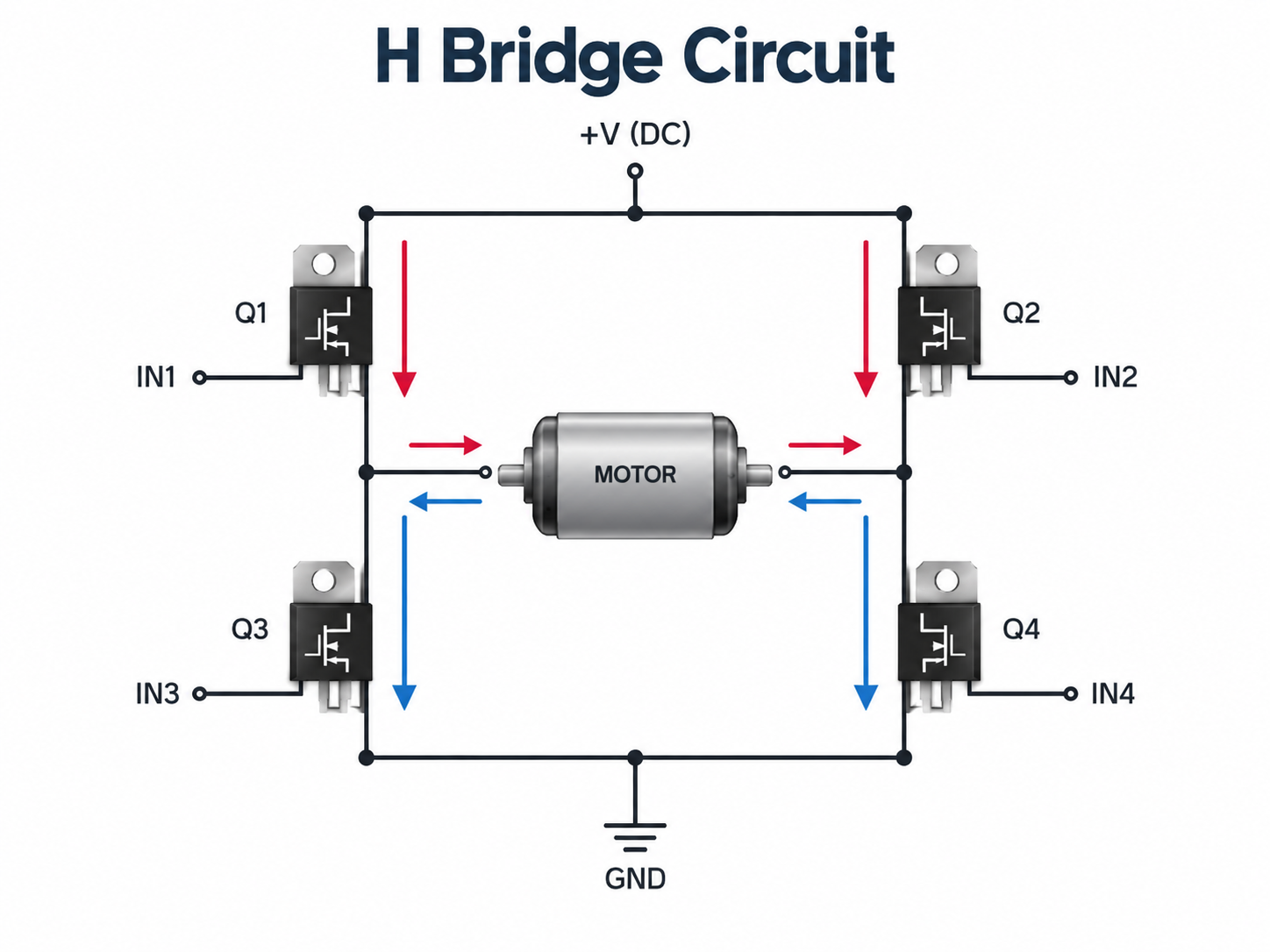
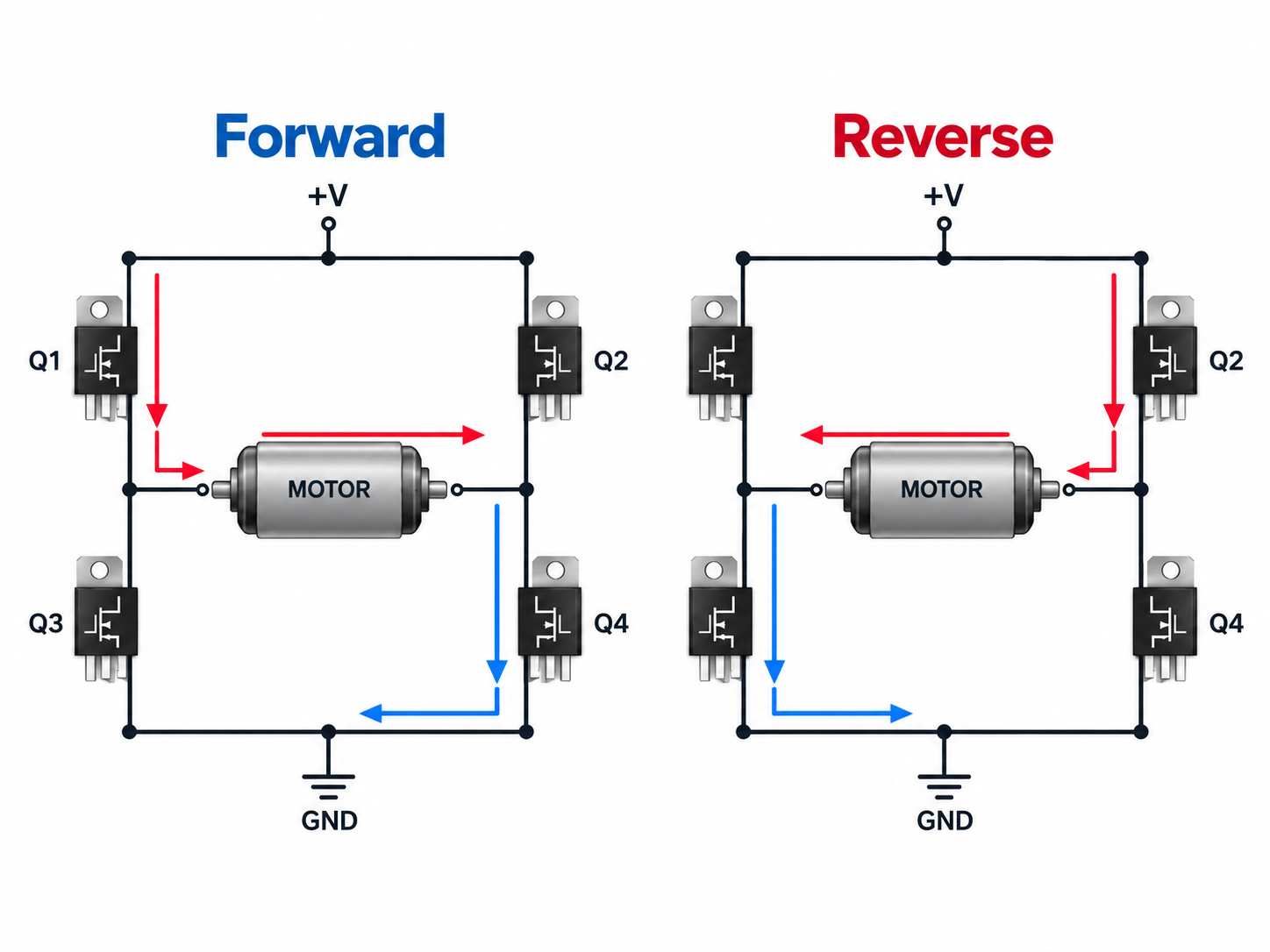
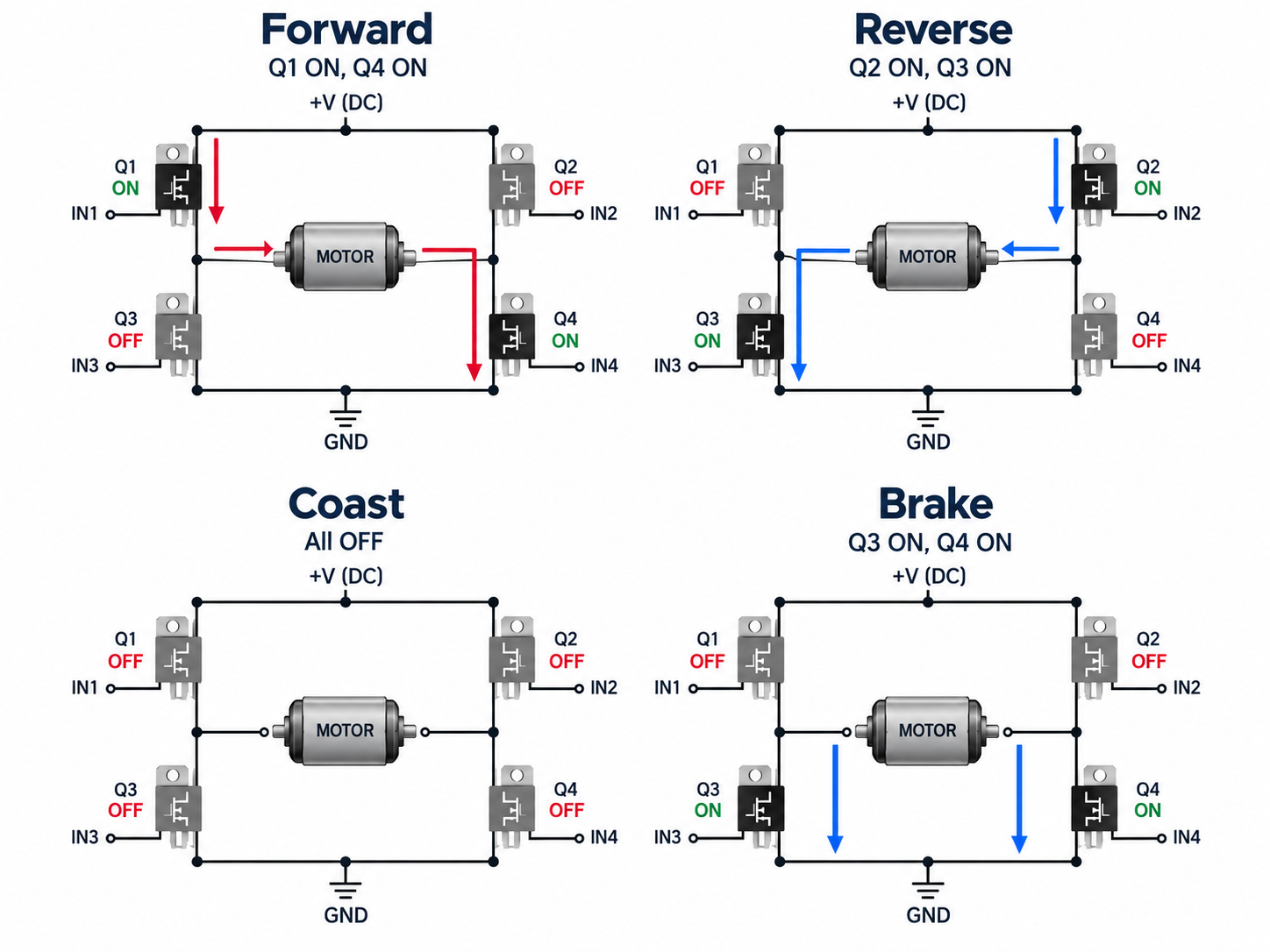
The main difference in an inductive load vs resistive load comparison is what happens to electrical energy. A resistive load uses the energy as it arrives, mainly as heat or light. An inductive load stores part of it in a magnetic field, so current builds more slowly, lags voltage in AC operation, and must keep flowing briefly when the circuit is switched off.

For a designer or buyer, that distinction changes real decisions: how much current the source must deliver, which relay or MOSFET rating applies, whether a turn-off clamp is needed, and how the high-current loop should be routed on the PCB. The sections below move from identifying the load to checking its waveforms, choosing a switch, controlling the transient, and specifying the parts needed for a reliable build.

inductive load vs resistive load, laboratory comparison of coil-based and resistive electrical hardware

What Is a Resistive Load?

A resistive load is one in which resistance dominates, so current follows the applied voltage with little phase shift. This makes its steady-state current comparatively easy to calculate, but temperature and startup conditions can still change the result.

For an ideal resistor, current follows Ohm’s law:

I = V / R

If voltage rises while resistance remains constant, current rises in the same proportion. With a sinusoidal AC supply, voltage and current cross zero and reach their peaks at nearly the same time. The phase angle is therefore close to 0°, and the displacement power factor is close to 1.

Heating elements, power resistors, and resistive load banks are common examples. An incandescent lamp is mostly resistive after it warms up, but its cold filament resistance is much lower than its operating resistance. It can therefore draw substantial inrush even though it is not an inductive load.

Treat “resistive” as the dominant operating behavior, not a promise that current never changes. Once that distinction is clear, the different behavior of a coil is easier to see.

What Is an Inductive Load?

An inductive load uses a winding or coil to create a magnetic field, and that stored magnetic energy resists rapid changes in current. The current therefore rises over time at turn-on and needs a discharge path at turn-off.

Motors, transformers, relay coils, solenoids, contactor coils, and electromagnetic actuators all contain significant inductance. With sinusoidal AC, current in an ideal inductor lags voltage by 90°. A real coil also has winding resistance, core loss, leakage inductance, and parasitic capacitance, so its actual phase angle is smaller and changes with frequency and operating point.

This behavior matters most during startup, PWM control, faults, and switch-off. A motor may draw high current before back EMF develops, while an energized relay or solenoid can generate a high voltage when its current path is interrupted.

If magnetic energy affects current rise, phase, or turn-off stress, the circuit must be designed as an inductive-load circuit. The next comparison shows how that changes the electrical requirements.

What Is the Difference Between Inductive and Resistive Loads?

In an inductive load vs resistive load comparison, a resistive load mainly dissipates energy, while an inductive load temporarily stores energy and can return it to the circuit. That one difference explains most of the changes in phase, power factor, switch rating, and transient protection.

The most useful comparison is not the label on the appliance, but the behavior seen at the interface you are designing:

Characteristic Resistive load Inductive load
Dominant property Resistance Inductance and winding resistance
AC phase Current nearly in phase with voltage Current lags voltage
Energy behavior Mainly dissipates energy Stores energy in a magnetic field
Power factor Near 1 for an ideal linear load Usually lagging and below 1
Switch-off response No large magnetic-energy kick Can generate a voltage transient
Typical examples Heaters, power resistors, load banks Motors, transformers, relays, solenoids

How Do Voltage and Current Behave in Resistive and Inductive Loads?

Voltage and current move together in a mainly resistive load, while an inductive load needs voltage to change its current. The difference appears as phase lag in steady-state AC and as a finite current rise or decay during switching.
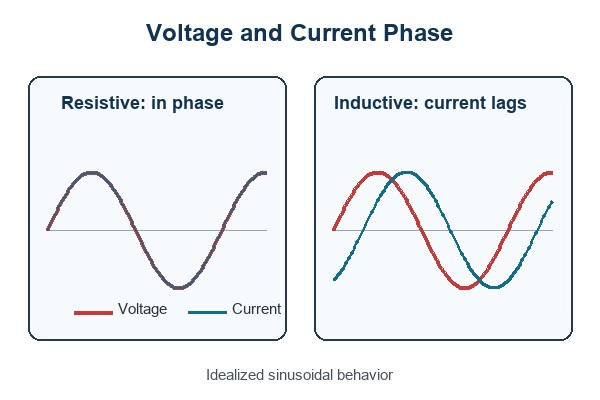
inductive load vs resistive load, idealized voltage and current phase comparison

For a linear inductor driven by a sinusoidal steady-state signal, the magnitude of inductive reactance is:

XL = 2πfL

Here, f is frequency in hertz, L is inductance in henries, and XL is measured in ohms. Higher frequency or higher inductance produces more opposition to AC current. A real coil also includes winding resistance, so its impedance and phase angle depend on both R and XL.

The formula is not a complete model for every condition. At DC steady state, an ideal inductor’s reactance is zero and the coil current is limited mainly by winding resistance. During turn-on or turn-off, the time-domain relationship V = L × di/dt is the relevant starting point. Saturation, core loss, and nonlinear drive electronics can further change the measured behavior.

Use XL = 2πfL for sinusoidal steady-state analysis, then check the time-domain waveform for switching stress. Those two views prevent a resistance-only measurement from hiding the important part of the load.

How Does Power Factor Differ Between Inductive and Resistive Loads?

An ideal resistive load has a power factor of 1, while a linear inductive load has a lagging power factor below 1. A lower power factor means the source and conductors may carry more RMS current for the same useful power.

Power factor is the ratio of real power to apparent power:

PF = P / S

For a single-phase sinusoidal load:

P = VRMS × IRMS × PF

At the same voltage and real power, reducing PF raises the RMS current. That increases conductor and connector loss, voltage drop, transformer loading, and thermal stress.

A low true-PF reading does not automatically prove that the load is inductive. Rectifier-capacitor inputs and other nonlinear electronics can have poor power factor because their current is distorted rather than simply phase-shifted. Compare true PF, displacement PF, current waveform, and circuit topology before choosing a correction method.

Power factor tells you how heavily the source is being used, but the waveform tells you why. That distinction matters when you move from a theoretical load to real equipment.

What Are Common Resistive and Inductive Load Examples?

Examples are useful only when they reveal the behavior the source or switch must handle. Many appliances contain several load types, so the internal circuit and operating mode matter more than a broad product category.

Typical resistive loads

  • Heating elements: Convert electrical energy into heat; their cold and hot resistance may differ.
  • Power resistors: Provide controlled dissipation for braking, biasing, balancing, or test loads.
  • Resistive load banks: Apply predictable real power to generators, UPS systems, and power supplies.
  • Incandescent filaments: Behave mainly as resistance when hot but can draw high cold-filament inrush.

Typical inductive loads

  • Motors: Use windings and magnetic fields; startup current depends on motor type, mechanical load, supply, and drive method.
  • Transformers: Draw magnetizing current and reflect the secondary load to the primary.
  • Relay and contactor coils: Store magnetic energy while energized and release it when switched off.
  • Solenoids and actuators: Convert magnetic force into motion and often require a controlled release time.

Refrigerators, air conditioners, pumps, and fans usually include motors, but the complete product may also contain heaters, capacitors, inverters, and switch-mode power supplies. Their input may be a mixed or nonlinear load even though one internal component is clearly inductive.

Use the example to find the likely behavior, then confirm it from the datasheet or measurement. The following checks turn that initial classification into usable design limits.

How Can You Check for Inductive Loads vs Resistive Loads?

The reliable way to identify a load is to combine circuit information, manufacturer data, and measurements at the real operating condition. No single clue is sufficient for sizing a switch or suppression network.

  1. Inspect the circuit. Identify heaters, resistor networks, motors, transformers, relays, solenoids, and power-conversion stages. This establishes what behavior is plausible.
  2. Read the device data. Look for PF, L/R time constant, coil resistance, inductance, locked-rotor current, inrush, switching category, or a separate inductive-load rating. Match the stated voltage and operating mode.
  3. Measure voltage, current, and power. A power analyzer can show real power, apparent power, true PF, displacement PF, and waveform distortion. Lagging current supports an inductive classification; narrow current pulses point to nonlinear electronics.
  4. Capture startup. A current probe can reveal motor or transformer inrush, but inrush by itself is not proof of inductance because cold lamps and capacitor-input supplies can also surge.
  5. Capture turn-off. A correctly rated oscilloscope probe can show overshoot, ringing, and current-decay time. These measurements directly inform switch-voltage margin and clamp selection.
  6. Repeat under worst conditions. Supply tolerance, temperature, mechanical load, PWM duty, cable length, and magnetic saturation can change the result.

For mains or other high-energy circuits, use appropriately rated instruments and qualified personnel. The goal is not merely to name the load; it is to establish the current, voltage, timing, and energy that the source and switch must survive.

A useful classification ends with measured limits, not just “inductive” or “resistive.” Those limits are what you need to select a switching device without relying on a misleading headline rating.

How Do Inductive and Resistive Loads Affect Switching Devices?

A switch rated for 10 A resistive service is not automatically safe at 10 A with a motor, relay coil, or solenoid. Inductive loads can add inrush, slower current interruption, contact arcing, semiconductor avalanche energy, and repetitive voltage stress.

For relays and contactors, use the manufacturer’s rating for the actual load category, voltage, current, power factor, or L/R time constant. The permissible current is often lower for an inductive-load condition because stored electromagnetic energy makes interruption more demanding. A large number printed on the relay may describe only a resistive test condition.

For MOSFETs, IGBTs, and smart switches, check nominal and startup current, repetitive pulse current, drain or collector voltage, safe operating area, clamp or avalanche energy, switching loss, junction temperature, and fault response. Verify the gate-drive conditions at the lowest drive voltage and worst temperature rather than assuming the typical curve represents the finished product.

Select the switch from the load-specific datasheet condition and the measured waveform—not from equal steady-state amperes. If the current cannot stop cleanly when the switch opens, the next design task is controlling where its stored energy goes.

Why Can Inductive Loads Produce Voltage Spikes When Switched Off?

The spike appears because an energized inductor’s current needs a path after the switch opens. If the circuit does not provide one, the voltage rises until current can flow through an unintended path.

The basic relationship is:

V = L × di/dt

A faster attempted change in current produces a larger induced voltage. The rising voltage may appear across a MOSFET, relay contact gap, wiring capacitance, connector, or insulation. It can lead to avalanche stress, contact arcing, EMI, logic resets, insulation damage, or gradual degradation that is not obvious during an initial bench test.

A mainly resistive load does not store comparable magnetic energy, so it normally lacks this large inductive kick. Parasitic inductance is still present in every current loop, however, and fast edge rates can create overshoot even with a nominally resistive load.

The practical question is not whether the spike exists, but where the current will flow and how high the voltage will rise. A deliberately chosen clamp answers both questions.

How Can You Protect a Circuit When Switching an Inductive Load?

A protection network must keep the switch voltage safe while letting the load release at the required speed. The best choice depends on AC or DC operation, stored energy, repetition rate, and the acceptable current-decay time.
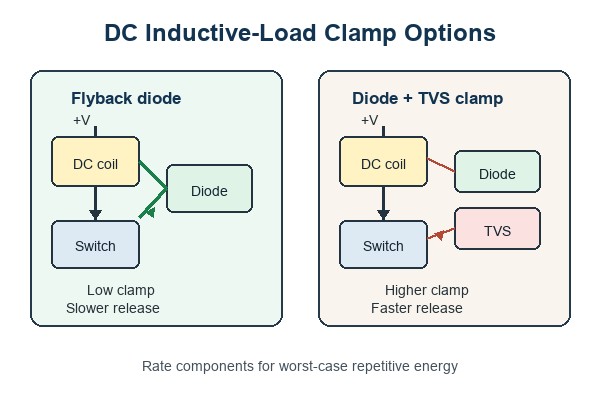
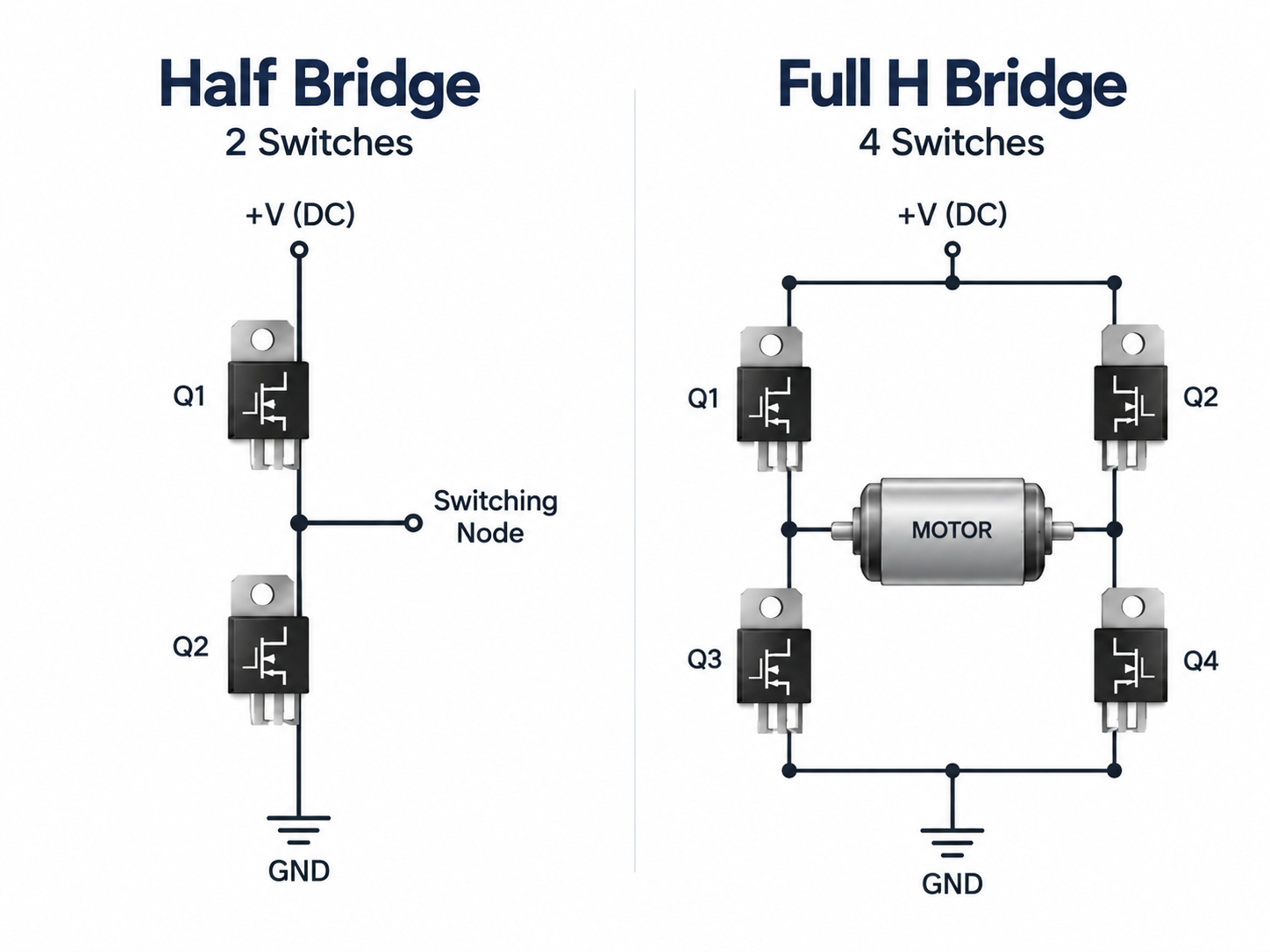
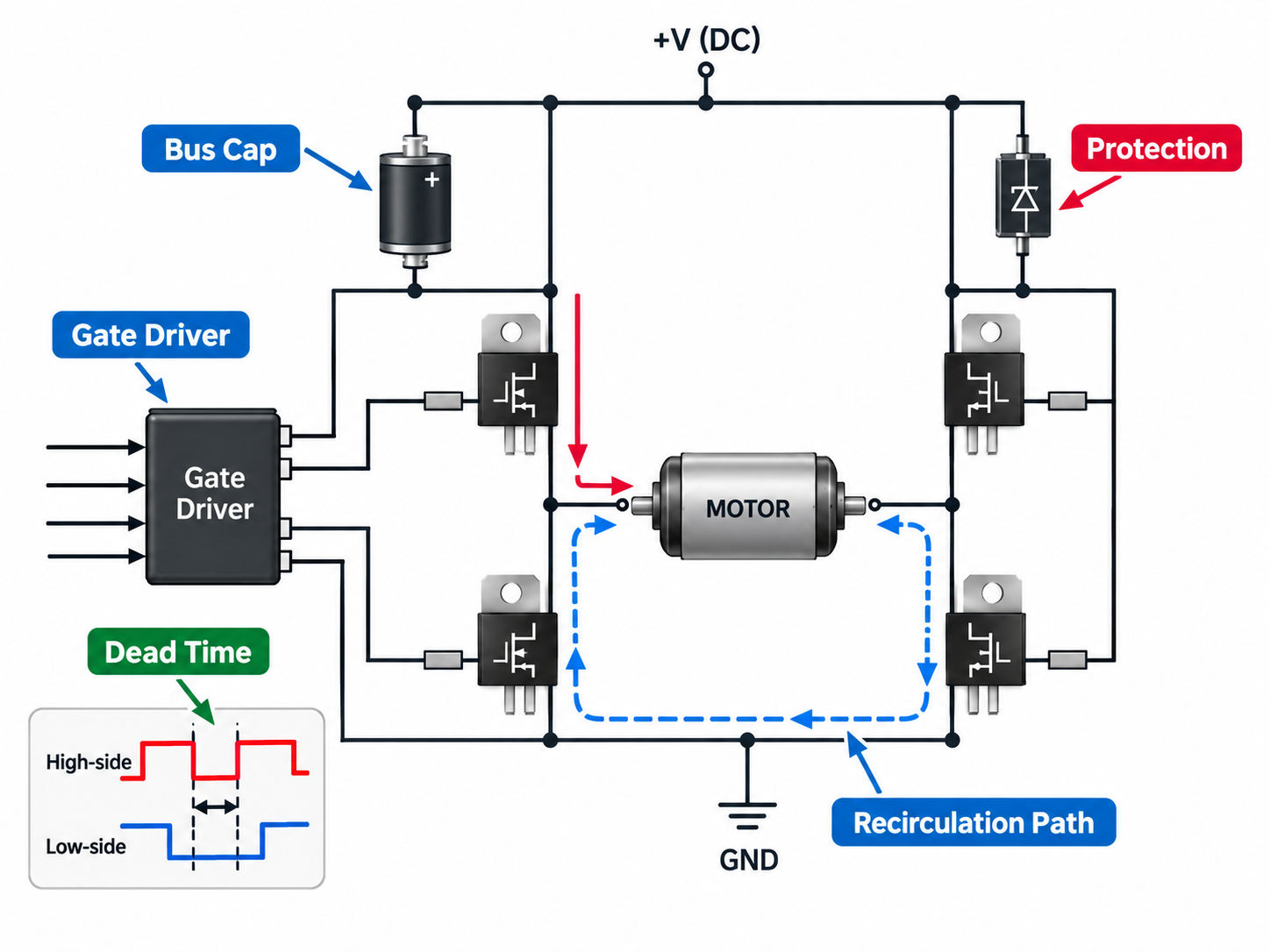
inductive load vs resistive load, DC coil flyback diode and TVS clamp options
  • Flyback diode: Connect a diode reverse-biased across a DC relay or solenoid coil during normal operation. It provides a low-voltage current path at turn-off, but the slow decay can delay mechanical release.
  • Diode with Zener or TVS: A higher clamp voltage lets current fall faster. Check the switch voltage margin and the diode’s repetitive pulse energy at the maximum load current and temperature.
  • RC snubber: Use a resistor-capacitor network to reduce dv/dt, ringing, and contact arcing in a suitable AC or DC circuit. Choose values from the load and verify them on the measured waveform.
  • MOV: Use a metal-oxide varistor where its clamp voltage, surge energy, repetition rate, aging, and safety approvals match the application.
  • Integrated clamp or recirculation path: Confirm the driver’s allowable inductive energy, thermal duty, and demagnetization time. An internal clamp is not an unlimited energy sink.

A higher clamp voltage shortens current-discharge time, while a lower clamp voltage keeps the voltage down but extends the decay. This is why a simple flyback diode can be ideal for one coil yet too slow for a fast solenoid. A DC flyback diode must not be copied blindly across an AC coil, where it would conduct during one half-cycle.

Choose the clamp from voltage margin, energy, repetition, and release-time requirements together. Once the circuit is selected, PCB placement and routing determine whether that protection works at the switch.

What Should You Consider When Designing a PCB for Inductive Loads?

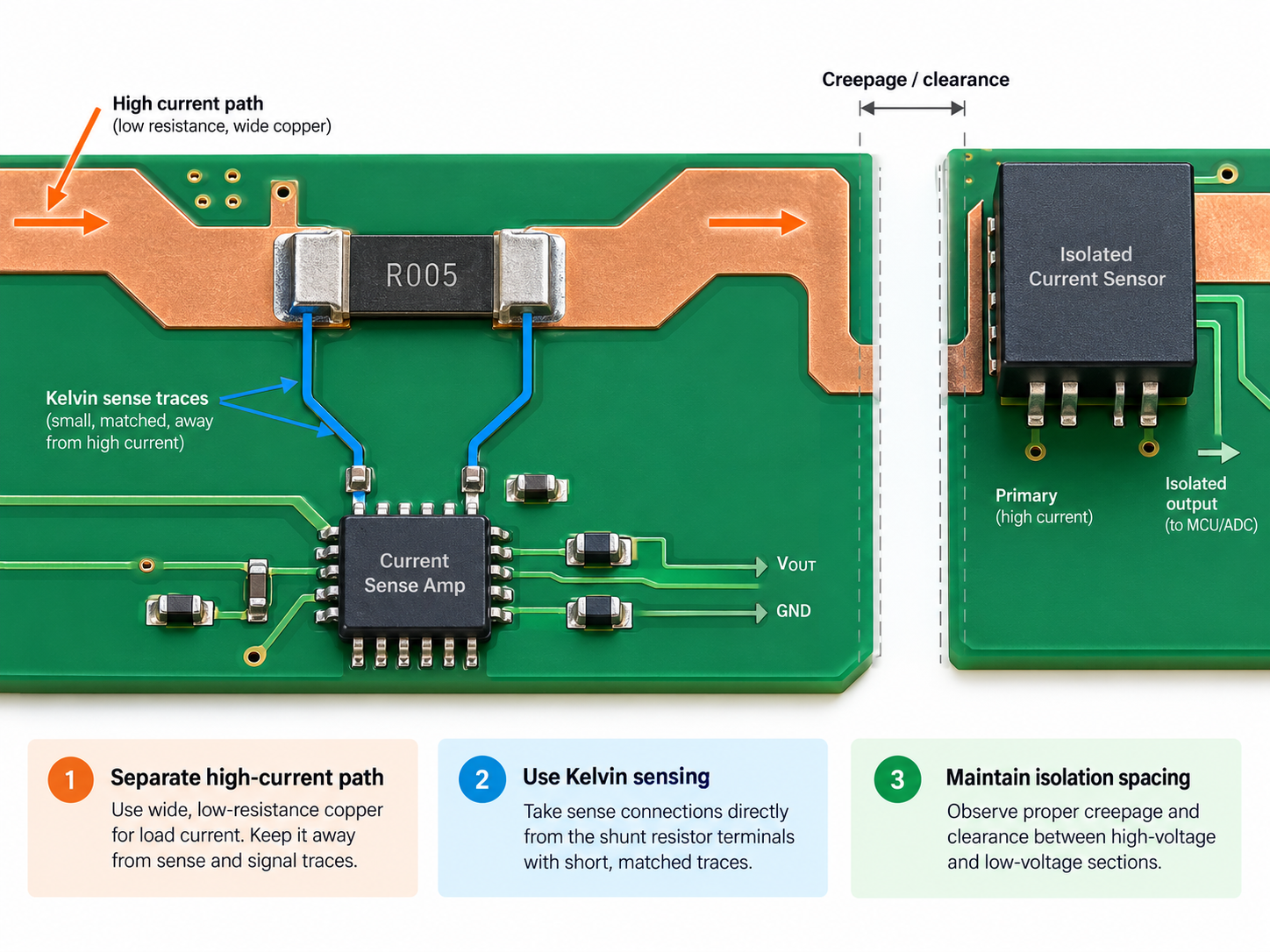
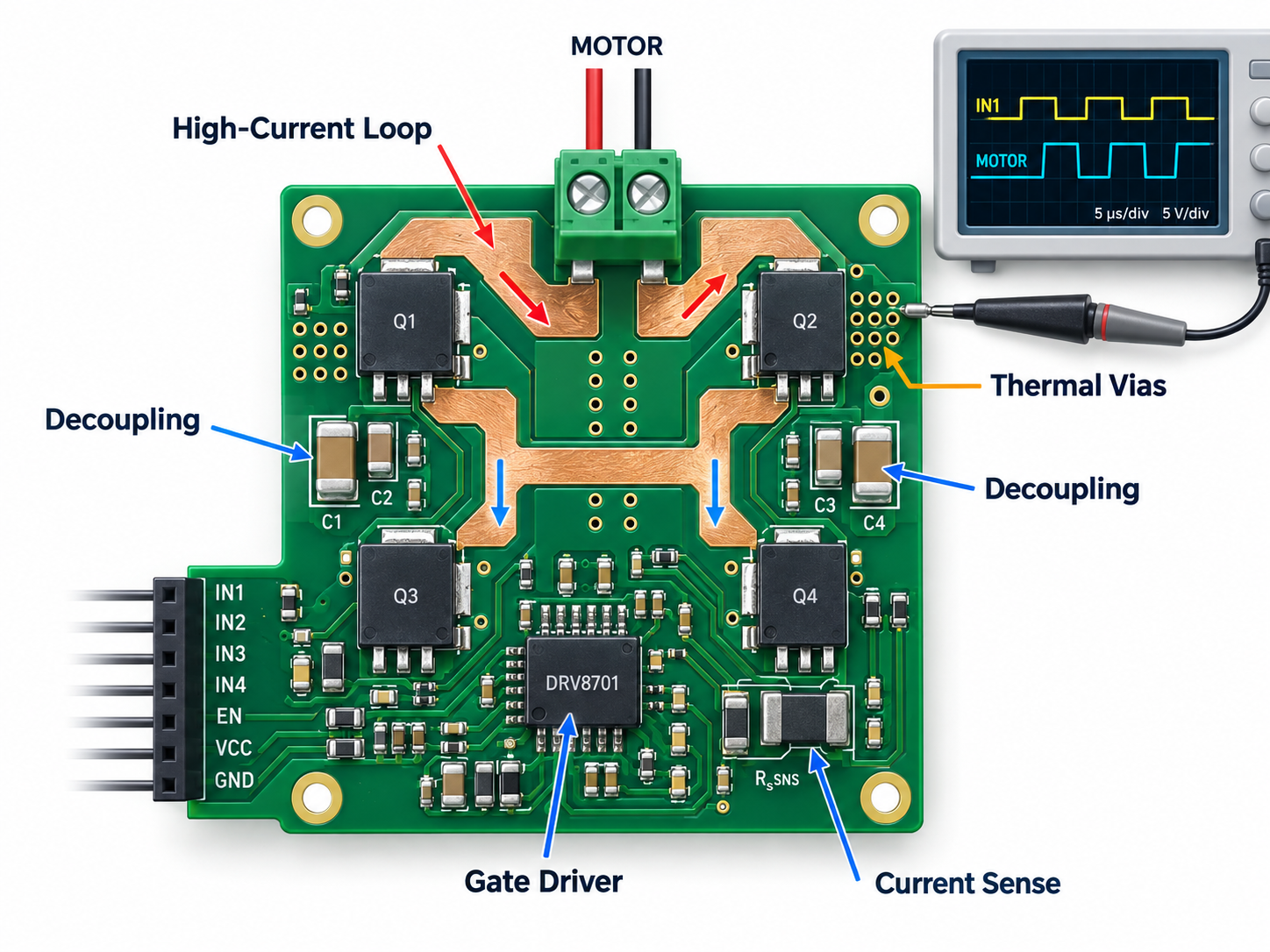
Design the PCB around peak current and the turn-off current loop, not just the coil’s steady-state current. Trace impedance, connector placement, and clamp location directly affect overshoot, EMI, and ground disturbance.

  • Current capacity: Size copper, vias, connectors, and terminals for startup, stall, PWM, and fault current where applicable.
  • Clamp location: Place the flyback diode, TVS, or snubber close to the load connector or switching path it protects. Long traces add inductance between the clamp and the switch.
  • Loop area: Keep the switch, load connection, clamp, and return path compact to reduce radiated and coupled noise.
  • Return path control: Keep load and clamp current out of sensitive analog, reference, and communication returns.
  • Switch margin: Check measured overshoot, pulse energy, SOA, gate drive, thermal impedance, and repetitive duty at worst supply and temperature.
  • Spacing and insulation: Set creepage, clearance, slots, coating, and connector spacing from the working voltage, expected transients, pollution degree, and applicable safety requirements.
  • Thermal path: Include conduction loss, switching loss, clamp dissipation, copper heating, and enclosure airflow.
  • Test access: Provide safe points for gate drive, switch node, current sense, and supply so startup and turn-off can be checked with the actual cable and load.

Before release, test minimum and maximum supply, relevant temperature extremes, the worst mechanical load, repeated switching duty, and the intended cable length. A stable running-current reading does not prove that the turn-off transient or thermal cycle is safe.

A robust PCB gives the stored energy a short, intentional path and leaves enough electrical and thermal margin for repetition. Those same requirements should appear in the BOM and sourcing package, not remain implicit in the schematic.

FAQs About Inductive and Resistive Loads

Q1: Is an electric heater always a purely resistive load?

A1: Usually it is predominantly resistive, but “purely” is too strong. A coiled heating element and its wiring have some parasitic inductance, and thermostats or electronic controllers can change the input waveform. For switch selection, use the heater’s cold resistance, rated current, and controller topology rather than assuming the hot-state wattage tells the whole story.

Q2: Why does a relay coil have both a resistance value and an inductance value?

A2: The wire contributes resistance, while the winding and magnetic core contribute inductance. Resistance largely sets the final DC coil current; inductance determines how quickly that current rises and falls. Both values are needed to understand drive current and release behavior.

Q3: Can a multimeter resistance reading tell whether a load is inductive?

A3: No. A resistance reading shows the DC resistance seen by the meter, but it does not reveal phase angle, saturation, inrush, or turn-off energy. Use the schematic or datasheet first, then measure current and switch-node voltage under the intended operating condition.

Q4: Should a flyback diode be added to a resistive heater controlled by a DC switch?

A4: Not simply because the load is switched. A flyback diode is intended to carry stored inductive current. A heater may still need protection for wiring inductance, controller transients, or a mixed load, but the correct device could instead be a TVS, snubber, or another network chosen from the measured transient.

Q5: Is a refrigerator an inductive load when sizing an inverter or generator?

A5: Its compressor motor makes startup capability important, but the appliance is a mixed load. Fans, heaters, controls, and an inverter drive may all contribute. Use the manufacturer’s input and surge data, or measure startup with the actual operating mode, rather than applying a generic motor multiplier.

Q6: Does power factor correction make an inductive load behave like a resistor?

A6: It can make the combined load look closer to unity power factor at the supply, but it does not remove the motor or transformer’s inductance. The winding still stores magnetic energy, so its startup, control, and switch-off requirements remain. Correction equipment must be sized for the actual operating range and harmonics rather than added as a generic capacitor.

Choosing the right relay, MOSFET, driver, diode, TVS, connector, and passive components is easier when the load behavior is defined before parts are ordered. Send EBest Circuit your BOM with exact manufacturer part numbers or approved alternatives, required quantities, target delivery date, and traceability or quality requirements for a component-sourcing quotation. If PCBA is included, add the schematic, Gerber or ODB++ files, load voltage and current, startup or stall current, switching frequency, clamp method, and test requirements. Email sales@bestpcbs.com to start the review.
You may also like

What Is Dip Soldering? Dip Soldering vs Wave Soldering Explained

September 16th, 2026

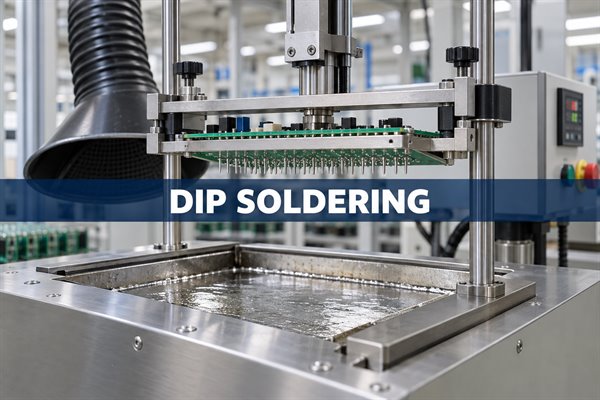
Dip soldering is a method in which component leads or the solder side of a PCB are lowered into a bath of molten solder. It is commonly used for through-hole components, terminals, connectors, and other leaded parts that can be soldered at the same time.

Dip and wave soldering both use molten solder, but the contact method is different. Dip soldering lowers the work into a mostly static solder bath. Wave soldering moves a PCB across a pumped wave of solder. That difference affects equipment, production speed, tooling, thermal exposure, and the types of assemblies each process handles well.

Dip soldering, machine holding a through-hole PCB above a static solder bath

What Is Dip Soldering?

Dip soldering joins several exposed leads or PCB pads in one immersion. A fixture holds the assembly while the solderable area enters the bath. Component bodies, insulation, and areas that must remain free of solder stay above the solder line or are protected by a mask or pallet.

The method is often associated with through-hole PCB assembly, but it can also tin wire ends, terminals, tabs, and component leads before final assembly. The defining feature is direct immersion in molten solder, not the shape of the component package.

The process works best when the intended joints sit on a common plane and can receive similar heat. If some leads need much more heat than others, or if bottom-side components cannot be protected, a selective soldering nozzle or hand-soldering process may be easier to control.

How Does Dip Soldering Work?

A typical dip soldering cycle prepares the surfaces, applies flux and heat, immerses the joints, and then lets them cool before inspection. The equipment may be manual, semi-automatic, or programmable, but the physical sequence is similar.

Dip soldering, controlled PCB immersion into a static solder bath
  1. Prepare the PCB and components: Check orientation, lead condition, pad cleanliness, and the area that will enter the solder. The board should sit securely in its fixture without allowing component bodies to touch the bath.
  2. Apply flux: Coat the exposed leads and pads evenly. Flux removes light oxides during heating and helps molten solder spread across the metal surfaces.
  3. Preheat the assembly: Warm the PCB so the flux can activate and the temperature change at immersion is less abrupt. Preheating also helps heavier joints reach soldering temperature during a short dip.
  4. Dip the solder side: Lower the fixture until the required leads and pads contact the molten solder. Depth and angle must remain steady so the solder line does not reach protected areas.
  5. Withdraw the board: Lift it smoothly at a controlled speed and angle. A stable exit lets excess solder drain away and helps prevent bridges and pointed solder projections.
  6. Cool and inspect: Keep the assembly still while the joints solidify. Then check wetting, bridges, hole fill, solder projections, residue, and any sign of heat damage.

The most sensitive part of the cycle is the short interval from preheat through withdrawal. Uneven flux, unstable immersion depth, or a slow exit can change the joint even when the solder-pot temperature has not moved.

What Temperature Is Used for Dip Soldering?

Sn63/Pb37 dip soldering commonly starts around 250–255°C, while SAC305 lead-free processes often use about 260–271°C. These are practical starting ranges, not universal settings. The correct value depends on the alloy, PCB thickness, copper area, component thermal mass, flux, immersion time, and required hole fill.

Solder Alloy Melting Range Typical Pot Range
Sn63/Pb37 183°C 250–255°C
SAC305 217–220°C 260–271°C

The melting data and common solder-pot ranges are consistent with published bar-solder alloy data and solder-pot operating guidance. A thick board with large ground planes may need more heat than a thin, lightly populated board even when both use the same alloy.

A bath that is too cool can produce slow wetting, incomplete hole fill, icicles, or long immersion times. Excessive temperature increases oxidation and dross, speeds copper dissolution, and raises the risk of damaged laminate, pads, masks, or components. The aim is to use enough heat for complete wetting without extending temperature or immersion time beyond what the assembly needs.

What Flux and Solder Are Used in Dip Soldering?

The flux must match the solder alloy, surface condition, cleaning method, and reliability requirements of the assembly. Its job is to remove light oxides and protect the metal long enough for solder to wet the lead and pad. More flux is not automatically better; excessive or poorly heated flux can spread residue and contribute to spatter.

  • No-clean flux: Useful when the remaining residue is acceptable for the product and process. Apply only the amount needed and confirm that the preheat is suitable for the specific chemistry.
  • Water-soluble flux: Offers strong oxide removal but normally requires thorough cleaning. The cleaning process must reach under components and around terminals before residues dry or become difficult to remove.
  • Rosin-based flux: Used in some established soldering processes where its activity and residue behavior fit the product. Cleaning requirements depend on the exact formulation and assembly specification.

Sn63/Pb37 is a eutectic tin-lead alloy that melts at one temperature and wets readily, but its use is restricted in many products and markets. SAC305 is a common lead-free alternative with a higher melting range and greater thermal demand. Other alloys may be chosen for temperature, mechanical, regulatory, or compatibility reasons.

Flux and alloy should be selected together. A chemistry that performs well with tin-lead solder may need different preheat or contact conditions with a lead-free alloy. Before production, test the combination on a representative assembly and inspect the hardest-to-heat joints as well as the areas most likely to bridge.

Which PCBs and Components Are Suitable for Dip Soldering?

Dip soldering is most suitable when the required joints can enter the bath together and everything else can remain safely above the solder line. Straightforward through-hole layouts, accessible leads, and repeatable fixture support make the process easier to use.

  • Through-hole connectors: Rows of connector pins or terminal blocks can be soldered in one controlled dip when their lead lengths and thermal loads are similar.
  • Leaded electromechanical parts: Relays, switches, coils, transformers, and other components with exposed terminals may suit batch immersion when their bodies remain protected from heat.
  • Single-sided solder areas: Boards with most solder joints on one accessible side are easier to fixture and mask than densely populated mixed-technology assemblies.
  • Wire and terminal tinning: Wire ends, tabs, and terminals can be dipped to create a controlled tinned length before another joining operation.
  • High-mix, moderate-volume builds: Changeable fixtures can make dip soldering practical when product variety is high and a full wave line would spend too much time in setup.

The process is less attractive when bottom-side surface-mount parts sit inside the immersion area, component bodies have low temperature limits, fine-pitch leads trap excess solder, or the board has large differences in thermal mass. In those cases, selective soldering or hand soldering may apply heat more precisely.

What Is Wave Soldering?

Wave soldering pumps molten solder through a nozzle to form a standing wave beneath a moving PCB. The assembly is fluxed and preheated before a conveyor or carrier passes its underside across the wave. Exposed through-hole leads and pads contact the flowing solder while protected areas stay behind a pallet or mask.

Because fluxing, preheating, conveyor speed, wave height, and cooling can be integrated into one line, wave soldering is well suited to repeated board designs and sustained production. The equipment and setup are more involved than a simple solder pot, but the process can deliver higher throughput once the line is balanced.

What Is the Difference Between Dip Soldering and Wave Soldering?

Dip soldering brings the assembly to a static solder bath; wave soldering brings a pumped solder wave to the moving assembly. This changes how the board is fixtured, how production flows, and where each process offers the clearest advantage.

Factor Dip Soldering Wave Soldering
Solder contact The PCB or leads enter a mostly static bath The PCB passes across pumped molten solder
Production flow Manual, semi-automatic, or programmed batch cycle Conveyor-based inline or batch line
Typical volume Prototypes, high-mix work, and moderate quantities Stable designs and repeated higher-volume production
Tooling Holder, depth stop, mask, or dip fixture Carrier or pallet, conveyor setup, and wave nozzle
Key controls Immersion depth, dip time, exit angle, and withdrawal speed Conveyor speed, board angle, wave height, and pump setting
Changeover Often easier for small or frequently changing batches More setup is justified when the same board repeats
Throughput Limited by fixture size and the dip cycle Higher sustained output when the line stays loaded
Common risk Uneven solder depth or bridging during withdrawal Pallet shadowing, wave instability, or an incorrect conveyor profile

Neither process is automatically better. The useful comparison is whether the actual board can be protected, heated evenly, and soldered at the required rate. A low-volume connector assembly may be simpler to dip, while a stable board with many through-hole joints may justify a wave line.

When Should You Use Dip Soldering Instead of Wave Soldering?

Choose dip soldering when the solderable area is clearly defined, product changeovers are frequent, and batch flexibility matters more than continuous throughput. Wave soldering becomes more attractive when the design is stable and production volume can keep an inline process busy.

  • Choose dip for localized joint groups: A connector row, terminal bank, transformer, or small through-hole area can often be immersed without processing the full board through a wave line.
  • Choose dip for frequent changeovers: A programmable lift and changeable fixture may switch between products faster than a conveyor line, although loading and alignment still need to be consistent.
  • Choose dip for controlled batches: Prototype and moderate-volume work may not justify the floor space, solder inventory, and setup time of wave equipment.
  • Choose wave for repeat throughput: A stable PCB family with many underside through-hole joints benefits from integrated fluxing, preheat, solder contact, and cooling.
  • Choose selective soldering when immersion is unsafe: A mini-wave nozzle can target individual joints when bottom-side components, tight keepouts, or different thermal loads make full-area dipping impractical.

Before selecting the process, compare fixture needs, expected batch size, changeover frequency, component temperature limits, solder-side clearances, inspection effort, and likely rework. Those factors usually matter more than the name of the machine.

What Are the Most Common Dip Soldering Defects?

The most common dip soldering defects are bridges, incomplete hole fill, poor wetting, icicles, solder balls, disturbed joints, and heat damage. Their shape and location often point to the first process condition worth checking.

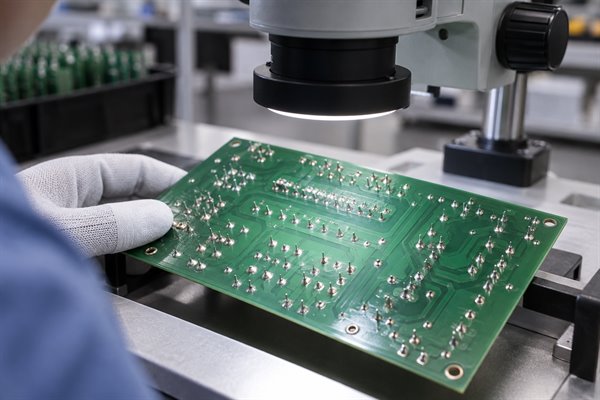
Dip soldering, close inspection of through-hole solder joints after PCB immersion
Defect Common Cause First Check
Solder bridge Excess solder, long leads, poor drainage, or unstable withdrawal Lead length, exit angle, flux coverage, and withdrawal speed
Incomplete hole fill Low joint temperature, weak flux action, poor solderability, or a heavy copper plane Preheat at the cold joint, surface condition, and flux access to the hole
Nonwetting or dewetting Oxidation, contamination, inactive flux, or an incompatible finish Board and lead solderability before increasing bath temperature
Icicle or flag Slow drainage, long leads, low joint heat, or poor exit motion Withdrawal angle and speed, lead protrusion, and flux condition
Solder ball or splatter Moisture, trapped solvent, rapid immersion, or a dirty fixture Preheat, material storage, immersion rate, and fixture cleanliness
Disturbed joint Movement while the solder is solidifying Fixture stability and handling during cooling
Heat damage Excessive bath temperature, immersion time, or solder depth Thermal profile, solder line, pad condition, and component limits

Do not correct every defect by raising the pot temperature. A bridge caused by withdrawal motion or a nonwetting lead caused by oxidation will remain until the actual cause is addressed.

How Can Dip Soldering Defects Be Reduced?

Defects fall when surface condition, flux, preheat, solder temperature, immersion, and withdrawal are kept consistent. The best adjustment starts with the defect pattern rather than a random change to several settings at once.

  • Start with solderable surfaces: Keep boards and components clean, dry, and within their storage limits. If one material lot will not wet, check it separately before changing the whole process.
  • Apply flux evenly: Make sure flux reaches every joint without flooding protected areas. Check both coverage and preheat when residue, spatter, or inconsistent wetting appears.
  • Measure the actual assembly: A heater setting does not show what the coldest terminal or largest copper plane experiences. Profile representative hot and cold locations when hole fill varies across the board.
  • Stabilize the solder bath: Keep temperature within the chosen range, remove dross without excessive agitation, and monitor alloy contamination. A dirty or oxidized pot can change wetting even when the display temperature looks correct.
  • Control entry and exit motion: Repeatable depth prevents accidental component contact, while a smooth withdrawal gives excess solder time to drain. Review motion first when bridges or icicles follow a consistent direction.
  • Inspect the result: Visual inspection should cover wetting, bridges, lead condition, solder projections, and visible hole fill. Electrical testing and additional inspection should follow the product risk and drawing requirements.

IPC J-STD-001 and IPC-A-610 provide widely used requirements for soldered assemblies and acceptance. The applicable revision, class, drawings, and customer requirements should define what an acceptable joint looks like for a specific product.

FAQs About Dip Soldering

Q1: Is dip soldering related to a DIP integrated-circuit package?

A1: No; the terms describe different things. Dip soldering is an immersion process, while DIP means dual in-line package. A DIP component can be hand soldered, wave soldered, selectively soldered, or dip soldered.

Q2: How long should a PCB stay in the solder bath?

A2: There is no universal dip time. Use the shortest stable contact that wets the joints and achieves the required hole fill without overheating the board or components. Board thickness, copper area, alloy, flux, and preheat all affect the result.

Q3: Can dip soldering be automated?

A3: Yes; programmable lift-dip machines can control depth, immersion time, and withdrawal speed. Automation reduces operator variation, but the fixture, thermal setup, solder condition, and inspection still need to suit the assembly.

Q4: Is nitrogen required for dip soldering?

A4: No, not for every process. Nitrogen can reduce oxidation and dross in some systems, but its value depends on the alloy, equipment, flux, solder exposure, production rate, and quality problems being addressed.

Q5: Is selective soldering the same as dip soldering?

A5: Not always. Dip soldering can be selective when a fixture exposes only certain joints, but selective soldering also includes mini-wave nozzles, multi-nozzle tools, robotic irons, and other targeted methods.

Q6: Can lead-free solder be used in a dip soldering pot?

A6: Yes, if the pot, flux, fixture, board, and components are compatible with the selected alloy. Lead-free alloys generally need higher temperatures than Sn63/Pb37, so thermal exposure and copper dissolution deserve closer attention.

Q7: How often should solder-pot contamination be checked?

A7: The interval should follow solder usage, operating time, alloy supplier guidance, and process history. Analyze the pot sooner when wetting changes, dross rises unexpectedly, or copper and other dissolved metals may be affecting the joints.

Need to decide whether dip, wave, or selective soldering fits your assembly? Send EBest Circuit your Gerber or ODB++ files, BOM, assembly drawing, quantities, target delivery date, solder-alloy restrictions, and inspection or test requirements at sales@bestpcbs.com. We can review the through-hole build and prepare a project-specific PCB assembly quotation with the proposed soldering route and tooling scope.

You may also like

ESD Protection: Diode Selection and PCB Circuit Design

September 15th, 2026

ESD protection limits damage and disruption caused by electrostatic discharge. On a PCB, it typically combines transient voltage suppressor (TVS) diodes at exposed interfaces with short discharge return paths; during assembly, it also requires grounded handling equipment and suitable packaging. A high-kilovolt diode rating alone does not prove that a finished product will pass an ESD test.

For circuit designers, the main decisions are which diode can protect the interface without distorting its signals, where to place it, and how to verify the assembled product.

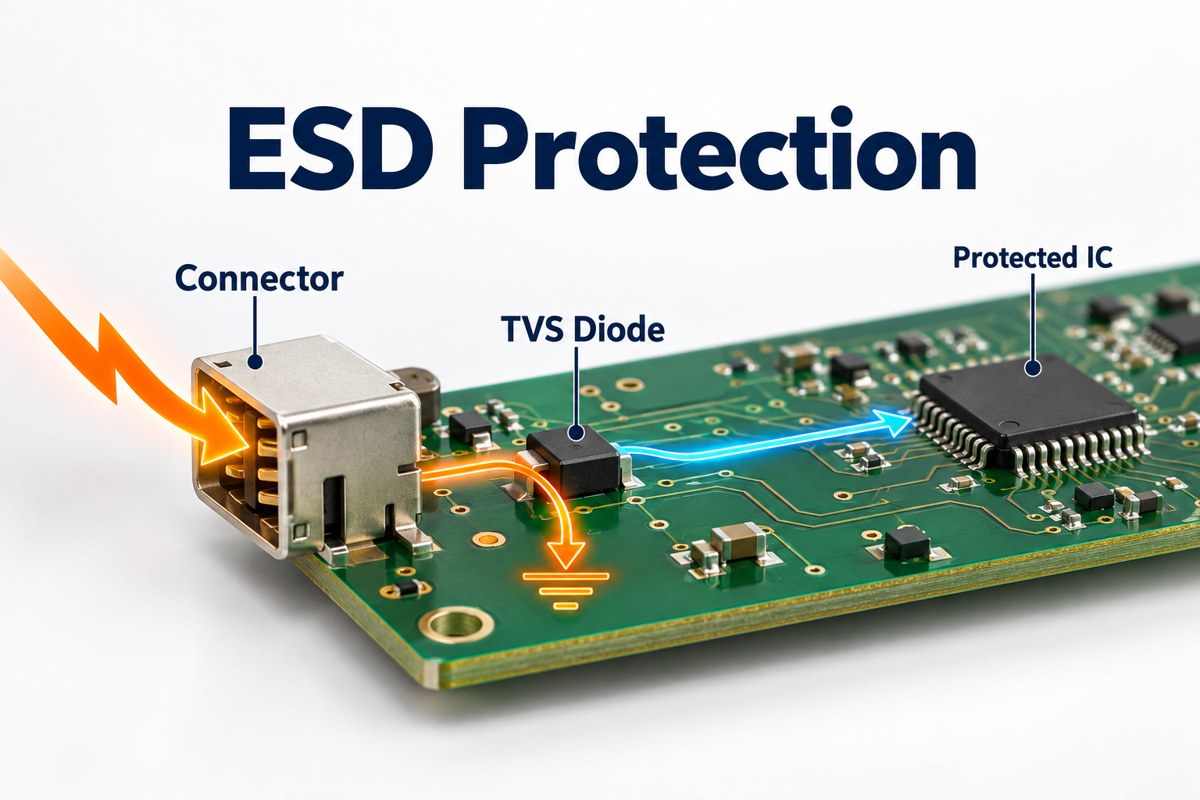
ESD protection concept showing a connector, TVS diode, and protected IC on a PCB

What Does ESD Protection Protect Against?

ESD protection addresses brief discharges from charged people or objects that can damage semiconductor junctions, reset a controller, or interrupt communication. The discharge may enter through a connector, accessible metalwork, or an exposed board during handling.

Protection approach Main purpose Examples
Circuit protection Limit transient voltage reaching sensitive pins TVS diodes, diode arrays, coordinated input networks
PCB and enclosure design Control where discharge current flows Short return paths, connector placement, shielding connections
Handling controls Reduce discharge exposure during production and service Personnel grounding, dissipative work surfaces, protective packaging

These approaches address different exposure paths. A wrist strap does not protect a customer’s USB port in use, and a USB protection diode does not protect every exposed component during assembly.

How Does an ESD Protection Circuit Work?

An ESD protection circuit diverts transient current away from the sensitive input, usually through a TVS device connected between the signal and its intended return reference. The TVS is a shunt path, not a series resistor in the signal line.

Toshiba’s TVS operating guidance distinguishes three voltages:

  • Working standoff voltage, VRWM: the voltage range in which the device should remain effectively off apart from leakage.
  • Breakdown voltage: the point at which significant reverse conduction begins under the specified measurement condition.
  • Clamping voltage: the voltage present while the device conducts the specified transient current.

A device marked for a 5.5 V working voltage therefore does not hold every discharge to 5.5 V. The protected pin sees the device’s transient response plus voltage developed across the connection inductance. Protection must be coordinated with the IC’s transient tolerance, using manufacturer guidance and testing rather than the working-voltage number alone.

Which ESD Protection Diodes Fit Your Interface?

High-speed data lines generally need low-capacitance ESD protection diodes, while slower control or audio lines may tolerate more capacitance. Two Texas Instruments parts illustrate the difference without implying that they are interchangeable.

Parameter TI TPD4E05U06 TI TPD1E10B06
Channels 4 1
Working standoff voltage 5.5 V ±5.5 V
Typical I/O capacitance 0.5 pF 12 pF
Protection polarity Unidirectional Bidirectional
Published IEC contact-discharge rating ±12 kV ±30 kV
Example application category High-speed interfaces such as USB 3.0 Audio, buttons, and general-purpose I/O

Values above are from TI’s product documentation, checked September 15, 2026. Capacitance figures are typical values under datasheet conditions; discharge ratings describe the protection components, not an independently qualified customer PCB.

The 12 pF part has a higher listed contact-discharge rating, but that does not make it the better choice for a high-speed pair. Added loading can degrade signal quality. Check the specific interface’s voltage swing, bandwidth, and channel budget before selecting either device.

Which Ratings Matter Beyond the ESD Voltage?

Working voltage, clamping behavior, capacitance, leakage, and polarity must all match the protected interface; a large ESD withstand number is only one selection input.

  • Working voltage: allow for the highest normal line voltage, tolerances, and valid operating modes. A 5.5 V device is not a suitable starting point for a 24 V input.
  • Clamping behavior: compare values at the same pulse current and waveform. Do not compare a 1 A clamp specification directly with a much higher-current result.
  • Capacitance: review loading on high-speed lines and its variation with bias, not just a headline typical value.
  • Leakage: check its effect on high-impedance analog inputs and sensor accuracy, including temperature dependence.
  • Polarity and topology: confirm positive and negative signal excursions and whether the device uses a ground clamp or steering paths to a rail.

Toshiba’s selection guidance emphasizes matching device characteristics to the circuit. Package size comes after that electrical fit: a smaller footprint is not useful if its pinout forces a poor discharge path.

When Should You Use an ESD Protection Diode Array?

An ESD protection diode array is useful when several nearby interface lines need protection and the package pinout lets those lines pass through with short, orderly routing. Separate devices can be preferable when the exposed signals are spread across the board or require different voltage ratings.

For an array, verify channel count, pin assignment, shared connections, and the recommended footprint before routing. A four-channel package is not necessarily four identical, independent clamps; its internal schematic determines how it should be connected.

On a differential interface, keep the two signal paths balanced through the protection footprint. Do not protect one line with an extra stub or a substantially different pad arrangement simply because the package is convenient to place.

How Should You Place ESD Protection on a PCB?

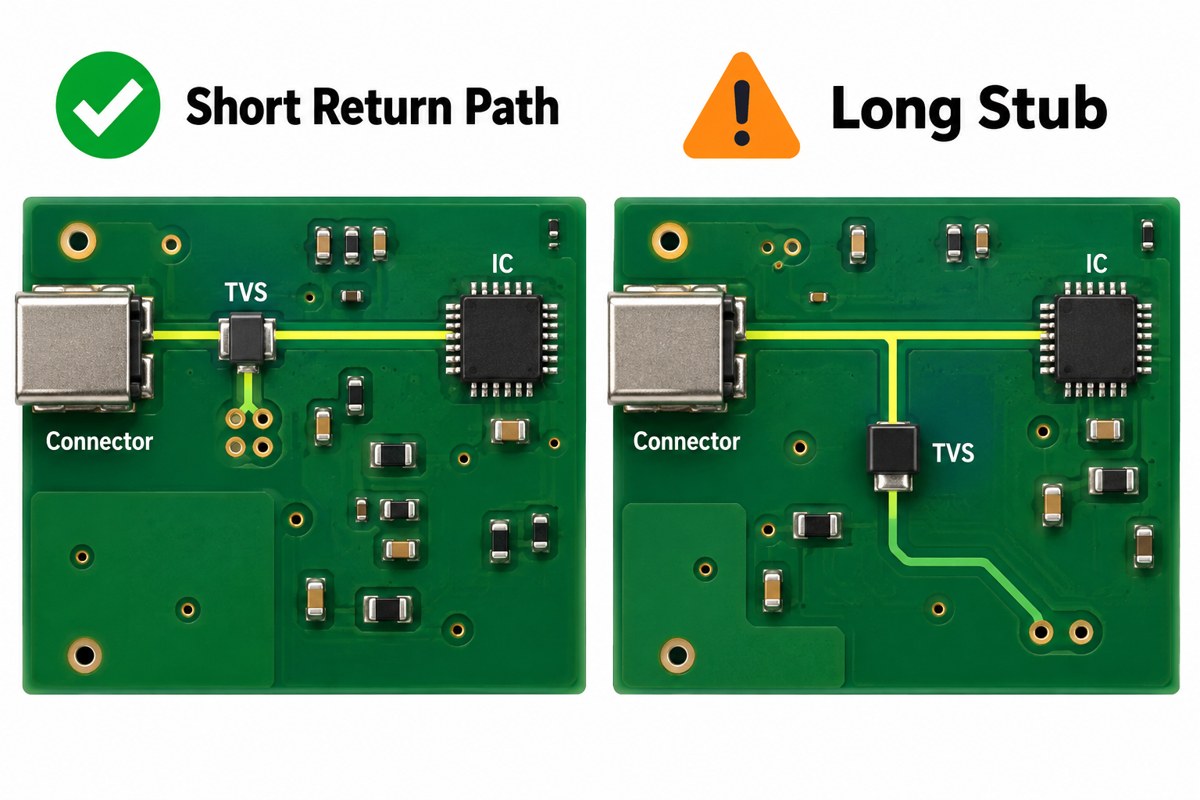
Place the protection device close to the exposed connector, bring the signal to its protection connection before continuing toward the IC, and keep the discharge return path short and low-inductance.

Conceptual comparison of a short TVS return path and a long protection stub on PCB layouts

For ESD protection on PCB layouts, Toshiba and TI both emphasize connection inductance. The illustration compares routing concepts; use the selected device’s pinout and reference layout for the actual electrical connections.

  • Keep the connector-to-protection segment short and away from sensitive, already-protected traces.
  • Avoid a long branch from the signal line to the TVS.
  • Place suitable ground vias close to the return pad rather than reaching ground through a long narrow trace.
  • Maintain the intended signal reference plane; do not introduce a split under a high-speed pair.

TI’s layout guide shows why fractions of a nanohenry matter: with a current rise of 30 A in 0.8 ns, 0.25 nH contributes approximately 9.4 V through V = L × di/dt. This is an illustrative calculation, not a predicted voltage for every board.

The return must fit the product’s PCB ESD protection strategy. Circuit ground, chassis, and cable shield are not automatically the same node; their connections must respect the interface and any isolation requirements.

How Do HBM, CDM, and System-Level ESD Tests Differ?

HBM and CDM characterize component susceptibility under defined discharge models, while IEC 61000-4-2 evaluates equipment immunity using a different test method. Their kilovolt ratings cannot be substituted for one another.

Test Primary subject Discharge model or purpose
HBM: Human Body Model Electronic component Charge transferred from a modeled person to a device
CDM: Charged Device Model Electronic component A charged device discharging through a connection
IEC 61000-4-2 Equipment or system Immunity to specified direct and indirect ESD exposure

TI’s system-level design guidance distinguishes component-handling qualification from end-user exposure. Likewise, a TVS tested to an IEC waveform does not certify the enclosure, firmware, cables, and PCB around it.

Choose the applicable product requirements and acceptance criteria before validation. Record contact or air discharge, polarity, test locations, operating modes, and permitted behavior. “No permanent damage” is not the same result as uninterrupted communication.

Illustrative system-level ESD test scene with an accessible connector test point and return lead

The laboratory scene is illustrative, not a complete standards-compliant fixture drawing. Equipment placement, insulation, coupling planes, and discharge procedure must follow the applicable test setup.

Why Can a Board Still Fail After Adding a TVS?

A board can still fail when the discharge bypasses the TVS, the clamp voltage exceeds the input’s tolerance, or the return current disturbs another part of the circuit.

  • Connector pin damage: inspect the clamp selection and the connector-to-TVS route first.
  • Controller reset without visible damage: investigate supply disturbance, reset-line coupling, and ground movement.
  • Communication errors: separate transient upset from signal-integrity degradation introduced by the protection footprint.
  • Failure only with a particular cable or enclosure: reproduce that configuration and examine its discharge return path.

These are diagnostic starting points, not proof of the root cause. Log the failing location and polarity, change one variable at a time, and retest the relevant operating modes. Increasing the diode’s headline kV rating without checking the current path can leave the fault unchanged.

What ESD Controls Are Needed During PCB Assembly?

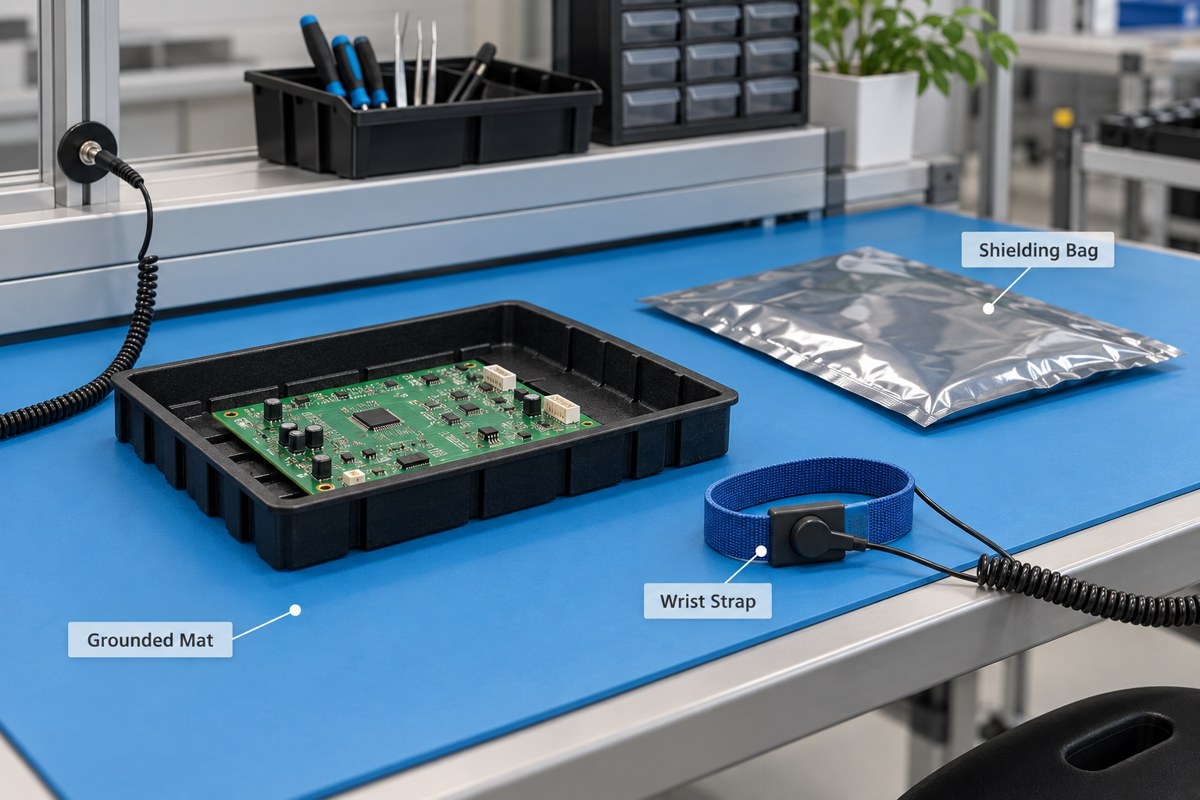
Assembly needs personnel grounding, suitable work surfaces, controlled handling materials, and protective packaging because exposed components remain vulnerable before the product enclosure is installed.

ESD workstation illustration with a grounded mat, wrist strap, shielding bag, and PCB tray

The EOS/ESD Association describes a workstation built around a dissipative surface, personnel grounding, and a common grounding point. Grounding equipment also needs verification; a disconnected or damaged cord cannot be judged by appearance alone.

  • Handle exposed assemblies in the designated ESD-protected area.
  • Use verified personnel-grounding equipment appropriate to the task.
  • Keep unnecessary charge-generating materials away from exposed devices.
  • Select packaging for the required low-charging, dissipative, or shielding function.

Our guide to preventing ESD during handling and storage covers those production controls in more detail. Follow the site’s electrical-safety procedures as well; do not improvise a wrist-strap connection to mains wiring.

FAQ About ESD Protection

Does switching off the PCB prevent ESD damage?

No. An unpowered board can still receive a discharge through exposed pins or components. Disconnecting power may be necessary for safe handling, but it does not replace ESD precautions.

Does the highest kV-rated diode provide the best protection?

No. The diode must also limit voltage adequately and preserve normal signal operation. A higher-rated device with excessive capacitance or an inductive connection can be a worse fit for the interface.

Can one diode protect every pin on a connector?

No. Protection follows the connected electrical paths. A device on a supply pin does not automatically clamp the data pins. Map each exposed line to an appropriate channel or protection network.

Do all plastic bags provide ESD protection?

No. Ordinary plastic packaging is not equivalent to qualified ESD packaging, and low-charging material does not automatically provide discharge shielding. Select packaging by its specified function rather than its color.

Should a replacement TVS be approved only by package and voltage?

No. Compare pinout, polarity, clamping data, capacitance, leakage, and the relevant pulse ratings. A replacement can fit the pads yet change signal quality or transient behavior, so assess whether revalidation is needed.

How Can EBest Circuit Support Your PCB Assembly?

At EBest Circuit, we support PCB fabrication, component sourcing, and PCBA assembly, helping you carry the approved protection circuit from the BOM into a buildable board. Share the specified TVS part numbers, placement requirements, and test scope so we can review manufacturing and assembly needs without treating an unapproved substitute as equivalent.

Send your Gerber files, BOM, assembly drawings, quantity, and ESD validation requirements to sales@bestpcbs.com. We can discuss prototyping and production support; any system-level compliance testing must be agreed as a separate, clearly defined project requirement.

You may also like

AI Acceleration Card: What It Is, How It Works, and PCB Design Requirements

September 11th, 2026
An AI acceleration card is a dedicated computing board that speeds up AI training or inference by offloading neural-network workloads from the host CPU. Depending on the application, the card may use a GPU, NPU, FPGA, or custom AI ASIC and connect through PCIe, M.2, or another high-speed interface.

For hardware engineers, the processor is only one part of the design. An AI accelerator card also needs high-speed data paths, stable power delivery, memory routing, dense BGA breakout, and effective thermal control. These requirements often lead to multilayer PCB stackups, controlled impedance, low-loss materials, HDI structures, and tighter fabrication tolerances.

AI acceleration card with PCIe accelerator board and M.2 AI accelerator module

What Is an AI Acceleration Card?

An AI acceleration card is an add-in board or compact module built to accelerate artificial intelligence workloads inside a host system.

Instead of relying on the CPU for every calculation, the system sends suitable AI tasks to specialized hardware on the card. The accelerator then handles operations such as matrix multiplication, convolution, and tensor processing in parallel.

A typical AI accelerator card may include:

  • GPU, NPU, FPGA, or AI ASIC
  • Local DRAM or other high-speed memory
  • PCIe or M.2 host interface
  • Voltage regulators
  • Clock and control circuits
  • Configuration memory
  • Thermal sensors
  • Heatsink or cooling hardware

The distinction between an AI accelerator and an AI accelerator card is useful. The accelerator may refer to the processor itself, while the card is the complete board-level product that integrates the processor, memory, power, interfaces, and supporting circuitry.

How Does an AI Acceleration Card Work?

An AI acceleration card works by receiving data from the host system, processing the AI workload on dedicated hardware, and returning the result to the application.

A typical inference flow is:

  1. The CPU prepares the input data.
  2. Data moves to the accelerator through PCIe or another interface.
  3. The accelerator executes the neural-network model.
  4. Local memory supplies model weights and intermediate data.
  5. The processed result returns to the host.
AI acceleration card inference data flow from host CPU through PCIe to accelerator and inference results

For example, in a machine-vision system, camera images can be transferred to the accelerator for object detection. The card processes each frame and sends the detection results back to the main application.

Actual performance depends on the complete data path, not only the processor. PCIe bandwidth, memory bandwidth, software optimization, and thermal conditions can all limit how much of the accelerator’s theoretical performance is available in the real system.

AI Acceleration Card vs GPU, NPU, TPU, FPGA, and ASIC: What Is the Difference?

An AI acceleration card is a board or module, while GPU, NPU, TPU, FPGA, and ASIC describe the processing architecture used on that board.

Hardware Main Strength Training Inference Flexibility Common Use
GPU Parallel general-purpose computing Excellent Excellent High Servers, workstations
NPU Neural-network efficiency Limited to moderate Excellent Moderate Edge AI, embedded systems
TPU Tensor processing Excellent Excellent Moderate Machine-learning workloads
FPGA Reconfigurable logic Possible Excellent for optimized tasks Very high Industrial, low-latency systems
AI ASIC Application-specific AI computing Design-dependent Excellent Lower High-efficiency AI inference
AI accelerator card architectures comparing GPU NPU TPU FPGA and AI ASIC

A GPU is therefore one type of AI accelerator, but not every AI accelerator card uses a GPU.

The processor choice usually follows the workload:

  • GPU: broad software support and high flexibility
  • NPU: efficient edge inference
  • FPGA: deterministic latency and configurable data paths
  • AI ASIC: high efficiency for targeted workloads
  • TPU-style architecture: optimized tensor operations

The card form factor is a separate decision. The same general class of accelerator can appear on an M.2 module, embedded board, or full-size PCIe card.

M.2 vs PCIe AI Acceleration Card: Which Form Factor Should You Use?

An M.2 AI acceleration card is usually better for compact, lower-power edge systems, while a full-size PCIe AI accelerator card provides more room for memory, power delivery, cooling, and higher-performance processors.

Design Factor M.2 AI Accelerator Card PCIe AI Accelerator Card
Board size Compact Larger
Power capability Lower Moderate to high
Cooling Limited Stronger cooling options
Memory capacity Usually lower Easier to expand
PCIe lanes Often fewer More lanes available
Typical use Edge and embedded Servers, workstations, industrial systems
M.2 versus PCIe AI acceleration card comparison for edge and high-performance systems

M.2 cards are commonly used in:

  • Edge computers
  • Smart cameras
  • Robotics
  • Industrial PCs
  • Embedded vision systems

Full-size PCIe cards are more suitable when the design requires:

  • Higher sustained compute performance
  • More accelerator memory
  • Wider PCIe bandwidth
  • Larger voltage-regulation circuits
  • Bigger heatsinks or active cooling

The selection should start with available space, power budget, thermal capacity, PCIe bandwidth, and workload rather than form factor alone.

What Specifications Matter When Choosing an AI Inference Acceleration Card?

The most important specifications for an AI inference acceleration card are model compatibility, compute performance, numerical precision, memory, bandwidth, latency, power consumption, and software support.

AI inference acceleration card specifications including compute performance memory bandwidth PCIe latency power efficiency and software support

Workload compatibility

Start with the model that will actually run on the hardware. Computer vision, transformer models, speech processing, and robotics workloads can stress the accelerator differently.

TOPS or FLOPS

TOPS and FLOPS provide a useful performance reference, but they do not show the complete picture. The quoted number should always be considered together with precision, model type, memory bandwidth, and software efficiency.

Numerical precision

Common formats include:

  • INT4
  • INT8
  • FP8
  • FP16
  • BF16
  • FP32

Lower precision can improve throughput and reduce memory demand when the model supports it.

Memory capacity and bandwidth

The accelerator needs enough local memory for model weights, activations, and intermediate data. Large models can also become bandwidth-limited even when the processor has high theoretical compute performance.

PCIe interface

Check both the PCIe generation and lane count. A powerful accelerator can still be restricted by insufficient host-to-card bandwidth.

Latency

Low latency matters in applications such as:

  • Industrial inspection
  • Robotics
  • Machine vision
  • Real-time video analytics

Performance per watt

For edge equipment, power efficiency can matter more than peak TOPS because thermal capacity is limited.

Software ecosystem

Verify support for the intended framework, runtime, compiler, operators, and model-conversion workflow before selecting the hardware.

In practice, TOPS alone is not enough to judge an AI accelerator card. The card must fit the actual model, software stack, memory requirement, interface, and thermal environment.

What PCB Design Requirements Matter for an AI Acceleration Card?

An AI acceleration card PCB must handle high-speed PCIe signals, dense BGA packages, fast memory interfaces, high-current power rails, and sustained heat within the same board.

AI acceleration card PCB design showing high-speed routing BGA breakout power delivery thermal structures and multilayer stackup

These areas usually require the most attention.

PCIe signal integrity

PCIe Gen4 and Gen5 channels are sensitive to insertion loss, impedance discontinuities, via stubs, crosstalk, and return-path breaks.

PCB controls may include:

  • Controlled differential impedance
  • Low-loss laminate
  • Consistent dielectric thickness
  • Short routing paths
  • Continuous reference planes
  • Optimized via transitions
  • Backdrilling where needed
  • Tighter fabrication tolerances

For high-speed designs, stackup and material selection should be confirmed with the PCB manufacturer before layout is finalized.

BGA breakout and HDI

Large AI processors often use fine-pitch, high-I/O BGA packages.

Dense breakout may require:

  • Laser microvias
  • Via-in-pad
  • Stacked or staggered vias
  • Fine trace and spacing
  • Sequential lamination

The required HDI structure depends on BGA pitch, pin density, layer count, and escape strategy.

Memory routing

High-speed memory interfaces need controlled topology, length matching, stable reference planes, and careful placement around the accelerator. When several memory packages surround a large processor, routing density can quickly increase the required PCB layer count.

Power delivery

AI processors can draw high current and change load rapidly. The PCB power distribution network may need:

  • Dedicated power planes
  • Wide copper regions
  • Short VRM-to-load paths
  • Dense decoupling
  • Low-inductance vias
  • Sufficient copper cross-section
  • Multiple power rails

Core voltage, memory, PCIe, and auxiliary circuits often have different power requirements, so regulator placement and plane structure should be reviewed early.

Thermal management

Sustained AI workloads can create concentrated heat around the main processor and power stages. Board-level thermal features may include:

  • Thermal vias
  • Large copper areas
  • Internal copper planes
  • Heatsink mounting holes
  • Heat spreaders
  • Temperature sensors
  • Mechanical reinforcement

Heatsink pressure, board stiffness, component height, and airflow also need to match the PCB layout.

PCB material and stackup

Standard FR-4 can work for some lower-speed cards, while longer PCIe Gen4 or Gen5 channels may require lower-loss laminates or hybrid stackups.

Material selection should consider:

  • PCIe speed
  • Channel length
  • Insertion-loss budget
  • Dk and Df stability
  • Copper roughness
  • PCB thickness
  • Layer count

For controlled-impedance production, the fabrication package should define the material grade, stackup, dielectric thickness, copper weight, and target impedance.

Production verification

A complex AI accelerator PCB normally benefits from both electrical and assembly verification. Depending on the design, production checks may include:

  • Impedance testing
  • TDR coupons
  • AOI
  • X-ray inspection
  • BGA inspection
  • Electrical test
  • Power-up test
  • Functional test
  • Thermal test

Early DFM and DFT review can catch stackup, via, assembly, and test-access issues before the board enters production.

Where Are AI Acceleration Cards Used?

AI acceleration cards are used in systems that need more AI computing performance than the host CPU can provide efficiently.

Typical applications include:

  • Industrial machine vision
  • Automated optical inspection
  • Robotics
  • Smart cameras
  • Video analytics
  • Medical imaging
  • Autonomous machines
  • Edge gateways
  • Local LLM or VLM inference
  • Engineering workstations
  • AI servers

At the edge, compact M.2 accelerators are often used to process camera or sensor data locally with low latency.

In workstations and servers, larger PCIe cards provide more compute performance, memory, power capacity, and cooling for heavier inference or training workloads.

The application therefore has a direct influence on card size, power architecture, memory configuration, cooling method, and PCB complexity.

FAQ About AI Acceleration Cards

1. What is an AI acceleration card?

An AI acceleration card is a board that uses a GPU, NPU, FPGA, or AI ASIC to accelerate AI training or inference workloads inside a host system.

2. Is a GPU an AI accelerator?

Yes. A GPU is one type of AI accelerator, but AI accelerator cards can also use NPUs, FPGAs, TPUs, or dedicated AI ASICs.

3. What is an AI inference acceleration card?

An AI inference acceleration card is designed to run trained AI models and generate predictions or outputs with lower latency and higher efficiency than a general-purpose CPU.

4. What is an M.2 AI accelerator card?

An M.2 AI accelerator card is a compact AI module that installs in an M.2 interface, usually through PCIe, and is commonly used for edge and embedded inference.

5. Is an AI accelerator card better than a GPU?

Not always. A GPU offers greater flexibility, while a dedicated AI accelerator may provide better latency or performance per watt for a specific inference workload.

6. What does TOPS mean on an AI accelerator card?

TOPS means tera operations per second. It measures theoretical AI compute throughput, but real performance also depends on precision, memory, model architecture, software optimization, and data movement.

If you are developing an AI acceleration card, AI inference module, or other high-performance AI hardware, EBest Circuit can review the PCB stackup, controlled impedance, PCIe routing, BGA/HDI structure, power distribution, thermal features, and assembly requirements before production. Send your Gerber files, stackup, BOM, impedance requirements, and expected quantity to sales@bestpcbs.com for DFM review and quotation.

You may also like

Memory Chip: Types, How It Works, Uses, and How to Choose

September 11th, 2026
A memory chip is a semiconductor IC that stores digital data. It can hold working data temporarily, as DRAM does in a computer, or retain information without power, as NAND flash does in an SSD or smartphone. Common memory chips include DRAM, SRAM, NAND flash, NOR flash, and EEPROM.

The right memory depends on more than capacity. Speed, bandwidth, interface, voltage, package, endurance, operating temperature, and PCB layout can all affect whether a device works reliably in the final system. This guide explains the main memory chip types, how they work, where they are used, and what engineers should check before selecting one.

Memory chip mounted on a detailed PCB

What Is a Memory Chip?

A memory chip is an integrated circuit used to store binary data for a processor or electronic system.

Inside the IC are memory cells that represent data as binary 0 and 1. The way those cells hold information depends on the memory technology.

Memory chips generally fall into two groups:

  • Volatile memory stores data only while power is present. DRAM and SRAM are the main examples.
  • Non-volatile memory keeps data after power is removed. NAND flash, NOR flash, and EEPROM belong to this group.

A single electronic product often uses several memory types at once. A computer, for example, may use DRAM as working memory, SRAM inside the processor as cache, and NAND flash for long-term storage.

What Are the Main Types of Memory Chips?

The main memory chip types are DRAM, SRAM, NAND flash, NOR flash, and EEPROM. Each is optimized for a different balance of speed, density, retention, and cost.

DRAM SRAM NAND Flash NOR Flash and EEPROM memory chip types
Memory Type Volatile? Main Advantage Typical Use
DRAM Yes High density PC, server, smartphone
SRAM Yes Fast access CPU/GPU cache, buffers
NAND Flash No High-capacity storage SSD, phone, memory card
NOR Flash No Fast random reading Firmware, embedded systems
EEPROM No Flexible small-data rewriting Configuration, calibration

DRAM

Dynamic Random Access Memory is widely used as system memory because it provides high capacity at a practical cost per bit.

A DRAM cell stores information using electrical charge that must be refreshed repeatedly. Common DRAM families include:

  • DDR4 and DDR5 for computers and servers
  • LPDDR for smartphones and low-power electronics
  • GDDR for graphics
  • HBM for AI accelerators and high-performance computing

SRAM

Static Random Access Memory stores data in transistor-based latch circuits. It does not require the refresh process used by DRAM.

SRAM is fast but uses more silicon area per bit, so it is normally used in smaller capacities for:

  • CPU and GPU cache
  • FPGA memory
  • Network buffers
  • High-speed control logic

NAND Flash

A NAND flash memory chip provides high-density non-volatile storage.

It is commonly found in:

  • SSDs
  • Smartphones
  • USB drives
  • Memory cards
  • Embedded storage

NAND is usually read and programmed in pages and erased in larger blocks. SLC, MLC, TLC, and QLC NAND store different numbers of bits per cell, which changes density, endurance, performance, and cost.

NOR Flash

NOR flash is non-volatile memory designed for efficient random reading. It is often used where a processor needs direct access to firmware or executable code.

Typical applications include:

  • Boot firmware
  • Automotive electronics
  • Industrial controllers
  • Embedded systems

EEPROM

EEPROM is used for relatively small amounts of data that must survive a power cycle and may need occasional rewriting.

Typical data includes:

  • Calibration values
  • Product serial numbers
  • Device settings
  • Configuration parameters

How Does a Memory Chip Work?

A memory chip works by storing binary values in memory cells and using address, control, and data circuits to read or change those values.

Diagram showing CPU address read and write connections to DRAM and NAND Flash

When a processor requests data, the memory controller identifies the required address. Internal circuitry then selects the corresponding cells and returns their stored values. During a write operation, the selected cells are changed instead.

The storage mechanism differs by technology:

  • DRAM stores electrical charge in capacitors and requires periodic refresh.
  • SRAM keeps each bit in a transistor latch while power remains available.
  • Flash memory stores charge inside specially designed transistor structures, allowing data to remain without power.

The memory controller also manages timing and data transfer between the processor and memory. In high-speed systems, usable performance depends on both the memory device and the quality of the electrical interface.

Volatile vs Non-Volatile Memory Chips: What Is the Difference?

Volatile memory loses its data when power is removed, while non-volatile memory keeps stored information without continuous power.

Factor Volatile Memory Non-Volatile Memory
Retains data without power No Yes
Common types DRAM, SRAM NAND, NOR, EEPROM
Main purpose Active working data Storage, firmware, settings
Typical example DDR5 system memory NAND SSD storage

DRAM and SRAM are volatile because their main job is to provide fast access to data while a system is operating.

NAND, NOR, and EEPROM serve a different purpose. They preserve operating systems, files, firmware, calibration information, and other data after shutdown.

Neither category replaces the other. Most electronic products combine volatile and non-volatile memory because they solve different problems.

Where Are Memory Chips Used?

Memory chips are used in computers, smartphones, AI servers, vehicles, cameras, industrial equipment, and embedded electronics.

Memory chip applications in computers smartphones AI servers automotive cameras and industrial electronics

Computers

A typical computer uses several memory technologies:

  • DDR4 or DDR5 DRAM for system memory
  • SRAM for processor cache
  • NAND flash for SSD storage
  • Non-volatile memory for firmware and configuration

Smartphones

A memory chip for a phone commonly includes:

  • LPDDR DRAM for active applications and the operating system
  • NAND flash through UFS or eMMC for apps, photos, video, and user files

High package density and fast interfaces also make PCB routing, power delivery, and thermal design important in mobile hardware.

AI Servers

AI accelerators require very high memory bandwidth. HBM is widely used because it places stacked DRAM close to the processor and supports wide, high-speed interfaces.

AI servers also use large amounts of DDR5 DRAM and enterprise NAND storage.

Automotive Electronics

Memory chips are used in:

  • ADAS computers
  • Digital cockpits
  • Infotainment
  • Gateways
  • Battery management systems
  • Electronic control units

Automotive designs may place added emphasis on temperature range, qualification, data integrity, and long-term availability.

Cameras

Cameras often use DRAM as an image buffer during photo or video processing. NAND flash or removable memory cards provide permanent storage.

Embedded and Industrial Equipment

Embedded systems may combine SRAM or DRAM with NOR flash, NAND, or EEPROM depending on how much working memory, executable code, and configuration storage the product needs.

What Specifications Matter When Choosing a Memory Chip?

The most important memory chip specifications are type, capacity, speed, interface, voltage, package, temperature range, endurance, retention, and lifecycle availability.

Engineer selecting memory chip specifications and reviewing PCB routing

Engineers should check:

  • Memory type: DRAM, SRAM, NAND, NOR, or EEPROM must match the actual function.
  • Capacity: Confirm the required working or storage space.
  • Bandwidth and data rate: High-performance processors can become memory-bandwidth limited.
  • Latency: Cache, networking, and real-time systems may require very fast access.
  • Interface: DDR, LPDDR, SPI, QSPI, UFS, eMMC, and other interfaces are not interchangeable.
  • Voltage: Both core and I/O voltages must match the system.
  • Package: BGA, FBGA, WLCSP, TSOP, and other packages impose different PCB routing and assembly constraints.
  • Temperature range: Industrial and automotive products may require wider operating limits than consumer devices.
  • Endurance: NAND and EEPROM have finite program/erase cycles.
  • Retention: Check how long stored data must remain valid.
  • ECC: Servers and reliability-sensitive equipment may require error-correcting memory.
  • Lifecycle: Long-production programs should consider availability and second-source options.

Package and interface selection can directly affect PCB design. High-speed DDR routing may require controlled impedance, stable reference planes, tight length control, carefully planned vias, and solid power integrity. Fine-pitch BGA packages may also need HDI structures or microvias for breakout.

A replacement chip should therefore be checked for pinout, timing, voltage, package, interface, and initialization requirements—not only capacity.

Top 10 Memory Chip Manufacturers Worldwide

The major memory chip manufacturers worldwide include Samsung Electronics, SK hynix, Micron, Kioxia, SanDisk, CXMT, YMTC, Nanya Technology, Winbond Electronics, and Macronix.

They do not all compete in the same segment. Some focus on DRAM and HBM, while others are stronger in NAND, NOR, or specialty memory.

Manufacturer Main Memory Products Main Markets
Samsung Electronics DRAM, HBM, NAND AI, server, mobile, PC, storage
SK hynix DRAM, HBM, NAND AI, server, mobile, storage
Micron Technology DRAM, HBM, NAND, NOR Data center, automotive, PC, mobile
Kioxia NAND Flash SSD, mobile, data center
SanDisk NAND Flash SSD, enterprise, removable storage
CXMT DRAM PC, consumer, server
YMTC 3D NAND SSD, embedded storage
Nanya Technology DRAM PC, consumer, networking
Winbond Electronics NOR, specialty DRAM, SLC NAND Embedded, industrial, automotive
Macronix NOR Flash, SLC NAND Embedded, industrial, automotive

1. Samsung Electronics

Samsung manufactures DRAM, HBM, NAND, and mobile memory for servers, AI hardware, smartphones, PCs, and storage products.

2. SK hynix

SK hynix is a major DRAM and NAND supplier and has a particularly strong presence in HBM for AI accelerators and high-performance computing.

3. Micron Technology

Micron supplies DRAM, HBM, NAND, NOR, and other memory products for data centers, automotive electronics, industrial systems, PCs, and mobile hardware.

4. Kioxia

Kioxia focuses mainly on NAND flash used in SSDs, mobile devices, embedded storage, and data-center products.

5. SanDisk

SanDisk is closely associated with NAND-based storage, including client SSDs, enterprise storage, and removable memory products.

6. CXMT

ChangXin Memory Technologies, or CXMT, manufactures DRAM and has expanded its presence in PC, consumer, and server memory markets.

7. YMTC

Yangtze Memory Technologies specializes in 3D NAND flash for SSD and embedded-storage applications.

8. Nanya Technology

Nanya is a Taiwan-based DRAM manufacturer serving computing, consumer, and specialty memory applications.

9. Winbond Electronics

Winbond focuses on specialty memory, including NOR flash, specialty DRAM, and SLC NAND for embedded, industrial, automotive, and networking products.

10. Macronix

Macronix is best known for NOR flash and SLC NAND used for firmware, code storage, and long-lifecycle embedded systems.

For sourcing, the best manufacturer depends on the required memory technology. A supplier strong in HBM may not be the best fit for an industrial NOR flash or EEPROM application.

Why Are Memory Chip Prices Rising and Supply Tightening?

Memory chip prices rise when demand grows faster than available DRAM, NAND, or HBM production capacity. AI servers are currently one of the strongest demand drivers.

Global memory chip manufacturing supply chain AI server demand and rising prices

AI accelerators consume large amounts of HBM, while AI servers also require substantial DDR5 DRAM and enterprise NAND. As manufacturers allocate more wafer and packaging capacity to these products, supply in other memory segments can tighten.

Other factors include:

  • Increasing HBM demand from AI accelerators
  • Higher server DRAM consumption
  • Growing enterprise SSD demand
  • Capacity shifts toward higher-value memory
  • Long lead times for new semiconductor fabs
  • Limited short-term flexibility in advanced packaging and memory production

Memory pricing does not move uniformly. DRAM, NAND, NOR, and specialty memory each have different supply cycles, so purchasing teams should monitor the specific technology used in their BOM rather than treat the entire memory market as one category.

Memory Chip FAQs

1. Is a memory chip the same as RAM?

No. RAM is one type of memory chip. DRAM and SRAM are RAM technologies, while NAND flash, NOR flash, and EEPROM are other types of memory chips.

2. What is the difference between RAM and flash memory?

RAM is volatile working memory, while flash memory is non-volatile storage. RAM loses its data after power is removed; flash memory keeps it.

3. What data is stored in the CMOS memory chip?

CMOS memory traditionally stores BIOS configuration data, including hardware settings and boot-related information. Modern motherboards may keep these settings in flash or other non-volatile memory instead.

4. Is NAND flash a memory chip?

Yes. NAND flash is a non-volatile memory chip used for high-density storage in SSDs, smartphones, USB drives, and memory cards.

5. What memory chips are used in smartphones?

Most smartphones use LPDDR DRAM for working memory and NAND flash for permanent storage. UFS or eMMC is commonly used to manage the NAND storage interface.

6. What is the difference between a memory chip and a memory module?

A memory chip is an individual semiconductor IC, while a memory module combines several memory chips on a PCB. A desktop DDR5 DIMM is a common example of a memory module.

Memory chips with fast interfaces and dense BGA packages place real demands on the PCB beneath them. Stackup, impedance, routing, via design, power integrity, assembly, and inspection all need to support the selected component.

If your PCB or PCBA uses DDR, LPDDR, flash memory, dense BGA packages, HDI routing, or controlled impedance, EBest Circuit can review the design before production. Send your Gerber files, BOM, stackup requirements, assembly files, and quantity to sales@bestpcbs.com for DFM review and quotation.

You may also like

Thermal Pads: Materials and Selection Guide

September 11th, 2026

In electronic assemblies, thermal pads are preformed thermal interface materials placed between a heat source and a heat sink, cold plate, shield, or chassis. They deform under controlled pressure to replace insulating air gaps with a more conductive path, making them useful where surfaces are uneven or the gap is too large for a thin layer of paste.

A pad is not selected by thermal conductivity alone. Thickness, compression, hardness, contact area, dielectric behavior, surface tack, temperature range, and the PCB’s heat-spreading design all affect the result. This guide explains how to choose and install thermal pads without creating poor contact, board bending, or electrical risk.

Thermal pads positioned between PCB components and an aluminum heat sink

What Are Thermal Pads and How Do They Work?

Thermal pads work by conforming to the microscopic roughness and larger mechanical gap between two surfaces. Their polymer matrix holds thermally conductive fillers, while their softness allows the material to contact both the component and the cooler more completely than air can.

The heat path is normally component package → pad → heat sink or chassis. The pad improves the interface, but it does not create heat-sink capacity by itself. The cooler still needs enough surface area and airflow, and the PCB must move heat away from the component through copper planes, exposed pads, or vias.

Heat flow from a PCB component through a thermal pad into a heat sink

Thermal Pads vs Thermal Paste: Which Interface Should You Use?

The choice between thermal pads vs thermal paste depends mainly on the gap, surface geometry, assembly process, and service requirements. Paste is suited to a very thin interface between closely mated surfaces. A pad is better when a defined gap must be bridged, multiple components have different heights, or production needs a clean and repeatable pre-cut part.

Interface Material Best Fit Gap Handling Assembly Trade-off
Thermal pad Uneven surfaces, height variation, repeatable placement Defined and measurable gaps Clean and reworkable, but thickness must be correct
Thermal paste or grease Closely mated CPU, GPU, or power-package surfaces Very thin bond lines Low interface thickness, but application amount and pump-out must be controlled
Gap-filler gel or putty Variable gaps and complex component topography Conforms to irregular three-dimensional spaces Dispensing can be automated, but volume and cure behavior require process control
Phase-change sheet Thin, controlled interfaces that soften at operating temperature Small gaps with specified clamping pressure Easy handling, but suitability depends on the package and operating profile

Do not substitute one interface material for another only because its advertised W/m·K value is higher. Compare thermal impedance at the intended thickness and pressure, then check electrical insulation, temperature cycling, rework, and contamination requirements.

What Are Thermal Pads Made Of?

Most conformable thermal pads use silicone or acrylic elastomers filled with thermally conductive ceramic particles. The filler moves heat through the pad, while the polymer provides flexibility and electrical insulation. Silicone-free pads are available when siloxane contamination, optical surfaces, relays, or downstream coating and bonding processes create concern.

Graphite sheets form another category. They can spread heat efficiently along the plane of the sheet but may be electrically conductive and may behave differently through their thickness. Material names alone therefore do not define performance; the supplier’s datasheet and the actual assembly stack must be reviewed together.

Different thermal pad materials and thickness measurement tools

Which Specifications Matter When Choosing a Thermal Pad?

The most useful specification is the one that predicts performance in the real joint. Bulk thermal conductivity is important, but it does not include every contact resistance or the effect of thickness and compression.

Specification Why It Matters What to Verify
Thermal conductivity Describes heat conduction through the bulk material Test method, direction, temperature, and comparison basis
Thermal impedance or resistance More directly reflects the complete interface at a stated condition Pad thickness, area, pressure, surface finish, and test setup
Thickness and tolerance Determines whether the pad bridges the gap without excessive stress Minimum and maximum assembled gap across production tolerances
Hardness and compression Control conformability, contact, and mechanical load on the PCB Compression-deflection curve and allowed clamp force
Dielectric properties Prevent unintended electrical contact when isolation is required Dielectric strength, volume resistivity, and puncture risk
Temperature and aging Affect long-term softness, adhesion, and thermal stability Operating range, cycling data, outgassing, and material compatibility

How Do You Choose the Correct Thermal Pad Thickness?

Choose pad thickness from the worst-case assembled gap, not from a visual estimate or the uncompressed gap alone. Measure the distance between the component surface and the cooler, include package-height, PCB-flatness, enclosure, fastener, and tolerance variation, then select a pad that reaches the supplier’s specified compression window without overloading the assembly.

  1. Measure the gap at several points or derive it from the mechanical stack drawing.
  2. Calculate minimum and maximum gaps across component, PCB, heat-sink, and fastener tolerances.
  3. Check the pad’s thickness tolerance and compression-deflection curve.
  4. Confirm that clamp force will not bow the PCB, crack a package, or reduce connector alignment.
  5. Build representative samples and verify contact pattern and temperature under load.

A pad that is too thin may leave air gaps. A pad that is too thick or too hard can prevent the cooler from seating, reduce contact on neighboring components, or bend the board. Stacking multiple pads is normally a poor uncontrolled substitute for selecting the correct thickness.

Where Are Thermal Pads Used in GPUs, CPUs, Laptops, and PCB Assemblies?

Thermal pads for GPU assemblies are commonly used over memory devices, VRM power stages, and other components that sit below the cooler plate. The bare GPU die often requires the OEM-specified paste or phase-change interface instead, because the bond line is much thinner and heat flux is concentrated.

Thermal pads for CPU applications should follow the processor and cooler manufacturer’s interface recommendation. A conventional soft gap pad should not automatically replace paste on a closely mated CPU heat spreader, but pads can be appropriate for nearby power components, embedded systems, and mechanically defined enclosure-to-package gaps.

Thermal pads for laptop cooling must match the original component locations, thicknesses, and compression behavior. Using one thickness everywhere can lift the heat pipe away from the CPU or GPU die. Industrial PCB assemblies also use pads between power devices, shields, chassis walls, battery modules, LED assemblies, and heat spreaders.

How Should Thermal Pads Be Installed?

Install a thermal pad on clean, dry surfaces with the protective liners removed at the correct step and the pad aligned to the intended contact area. Avoid touching the active surface, stretching the material, trapping debris, or allowing the pad to cover connectors and components that should remain exposed.

  1. Power down and follow the product’s electrical safety procedure.
  2. Remove old interface material without scratching the component or cooler.
  3. Clean both mating surfaces with a compatible method and allow them to dry.
  4. Cut or use a die-cut pad that covers the heat-transfer area without excessive overhang.
  5. Remove the first liner, place the pad without stretching, then remove the second liner.
  6. Lower the cooler evenly and tighten fasteners in the specified sequence and torque range.
  7. Check temperatures, contact pattern, and mechanical seating on a representative assembly.
Technician measuring and installing a thermal pad on PCB power components

What Problems Cause Poor Thermal Pad Performance?

Poor thermal performance usually comes from incomplete contact or an unsuitable mechanical stack rather than from the pad simply being “low quality.” Common failure causes include:

  • Incorrect thickness, hardness, or compression range
  • Protective liner left on one side
  • Dust, oil, or particles trapped at the interface
  • Pad area that is too small, misaligned, or obstructed
  • Uneven fastener torque or warped heat-sink surfaces
  • Using an electrically conductive sheet where insulation is required
  • Material aging, tearing, pump-out of an adjacent paste, or chemical incompatibility
  • Assuming a high W/m·K rating guarantees low total thermal resistance

Inspect the imprint after a controlled assembly trial. A uniform contact pattern helps reveal whether the pad is reaching both surfaces, while thermal testing confirms whether the complete path works under realistic power and airflow.

How Do Thermal Pads Affect PCB and Heat-Sink Design?

A thermal pad is only one element of the thermal network. Heat must first leave the semiconductor junction and package, then spread through package lands, PCB copper, and possibly thermal vias before it reaches the interface and cooler. A bottleneck at any stage can limit the benefit of a higher-performance pad.

Coordinate the PCB, cooler, and enclosure as one tolerance stack. For effective PCB heat sink design, check keepouts, pad overlap, screw locations, component height, board stiffness, copper spreading area, via placement, creepage and clearance, and access for assembly or rework. Thermal simulation and prototype testing should use the actual pad thickness and pressure-dependent interface data whenever available.

FAQ About Thermal Pads

1. Are thermal pads better than paste?

Neither is universally better. Pads are cleaner and more repeatable for defined gaps or components with different heights. Paste usually suits very thin interfaces between closely mated surfaces. Compare the complete joint’s thermal resistance, gap tolerance, pressure, insulation, aging, and assembly process instead of comparing W/m·K alone.

2. Can thermal pads be reused?

Reuse is risky because a removed pad may be torn, contaminated, permanently compressed, or no longer aligned with the original contact area. Follow the equipment and material supplier’s service instructions. For controlled production or critical repairs, a new pad of the specified material and thickness is usually the safer choice.

3. Can you stack thermal pads?

Stacking adds interfaces, changes compression, and makes the final thickness less predictable. It may also let layers shift during assembly. Use a single pad designed for the measured gap whenever possible. If stacking is proposed, the complete joint needs engineering validation rather than assumption.

4. Do thermal pads conduct electricity?

Many ceramic-filled silicone or acrylic pads are electrically insulating, but not every thermal sheet is. Graphite and metal-based materials may be electrically conductive. Check dielectric strength, volume resistivity, edge exposure, puncture risk, and the supplier’s datasheet before placing a material near live conductors.

5. What are IC package thermal pads?

The phrase may refer either to a separate thermal interface pad above an IC package or to the exposed thermal land beneath a package such as a QFN. These are different structures. The external pad bridges the package-to-cooler gap; the PCB land is soldered and often connects to copper and vias for heat spreading.

6. How can you tell whether a thermal pad is too thick?

Warning signs include a cooler that does not seat, excessive fastener force, PCB bowing, reduced contact on neighboring components, or a worse temperature result after replacement. Confirm the mechanical stack and inspect the contact imprint rather than judging only by whether the pad visibly compresses.

How Can EBest Circuit Support the PCB Side of Thermal Management?

A reliable thermal path starts with coordinated mechanical, material, and PCB decisions. At EBest Circuit, we can review the manufacturability of copper spreading areas, thermal-via structures, stackups, board materials, and component land patterns as part of a PCB project. Send us your Gerber files, stackup, assembly drawing, component power information, cooler interface requirements, and quantities at sales@bestpcbs.com for engineering review and quotation.

You may also like

Half Wave Rectifier: Circuit, Waveform, Formula & PCB Layout

September 11th, 2026

A half wave rectifier converts one half of an AC waveform into pulsating DC, normally with one series diode. It is simple and inexpensive, but it leaves a full line-cycle gap between output pulses, so ripple and transformer utilization are worse than in a full-wave circuit.

This guide explains the circuit and waveform, separates the formulas for unfiltered and capacitor-filtered outputs, and shows how diode ratings, charging current, and PCB layout affect a practical design.

Half Wave Rectifier circuit board, transformer, capacitor, and oscilloscope waveform

What Is a Half Wave Rectifier?

A half wave rectifier is a one-direction AC-to-DC conversion stage that passes either the positive or the negative half-cycle and blocks the other half-cycle. The result is unidirectional voltage, but it is not smooth DC unless a filter and, where required, a regulator are added.

The basic circuit needs an AC source, one rectifier diode, and a load. A transformer may provide isolation and change the voltage before rectification. A reservoir capacitor can then store energy between the conducting peaks. The Analog Devices half-wave rectifier definition also notes a theoretical maximum rectification efficiency of about 40.5% for the basic circuit.

Because only half the input waveform delivers energy, this topology is best suited to low-power auxiliary rails, signal detection, simple chargers with proper current control, and circuits where cost or part count matters more than ripple and transformer utilization.

How Does a Half Wave Rectifier Circuit Work?

A half wave rectifier circuit works by forward-biasing its diode during one AC polarity and reverse-biasing it during the opposite polarity. With the diode oriented for positive rectification, current flows through the load on positive half-cycles and stops on negative half-cycles.

  1. Positive half-cycle: the diode anode is more positive than its cathode, so the diode conducts after the input exceeds its forward voltage.
  2. Peak region: load current follows the source in an unfiltered circuit; with a capacitor, a short charging pulse replenishes the stored energy.
  3. Negative half-cycle: the diode is reverse-biased and blocks current, so an unfiltered load voltage falls to zero.
  4. Next positive half-cycle: conduction starts again, producing one output pulse per AC cycle.

The diode band marks the cathode and must agree with the intended output polarity. Our guide to diode direction and current flow explains how the schematic symbol, package marking, and PCB footprint should correspond.

Half Wave Rectifier Diagram

A half wave rectifier diagram contains one diode in series with the load and a return path to the AC source. In the positive version below, D1 points from the source toward the load, so the right side receives positive pulses.

Half wave rectifier diagram with AC input, diode D1, load, and pulsating DC output
  • AC input: the source may be an isolated transformer secondary or another AC signal that meets the circuit ratings.
  • D1: the diode provides one-way conduction and must withstand forward current, surge current, and reverse voltage.
  • Load: the load sets the current and determines whether the pulsating output is usable without filtering.
  • Return path: this closes the current loop and should be clear in both the schematic and PCB layout.

Reversing D1 creates a negative half-wave output. The topology is unchanged; only the passed polarity changes.

Half-Wave Rectifier Waveform

A half-wave rectifier waveform shows every accepted half-cycle at the output and a zero-voltage interval during every blocked half-cycle. A 60 Hz input therefore produces 60 output pulses per second; a 50 Hz input produces 50 pulses per second.

Half-Wave Rectifier Waveform comparing sinusoidal AC input with positive rectified output pulses

The real pulse peak is lower than the transformer-secondary peak by the conducting diode’s forward voltage and any source drop. A silicon diode may lose roughly 0.6–1.0 V at practical current, but the correct value must come from its datasheet curve at the expected current and junction temperature.

Adding a capacitor changes the output from separated half-sine pulses to a DC level with sawtooth-like droop. It does not double the recharge frequency: a half-wave reservoir still receives only one charging opportunity per line cycle.

Half Wave Rectifier Formula

The standard half wave rectifier formula set below applies to an ideal sinusoidal source, an ideal diode, and a resistive load without a smoothing capacitor. Let Vm and Im be the output peak voltage and current.

Quantity Ideal formula Meaning
Average DC output voltage VDC = Vm / π ≈ 0.318Vm Average of the unfiltered positive half-sine over one complete cycle
RMS output voltage VRMS = Vm / 2 Heating-equivalent value of the complete rectified waveform
Average load current IDC = Im / π Average current for a resistive load
RMS load current IRMS = Im / 2 RMS current for loss and heating calculations
Ripple factor r ≈ 1.21 AC ripple divided by DC content for the unfiltered ideal output
Maximum rectification efficiency η ≈ 40.6% The theoretical limit of the basic resistive-load circuit

For a 12 V RMS transformer secondary, Vm = 12 × √2 = 16.97 V. The ideal unfiltered average is therefore 16.97 / π = 5.40 V, while the ideal RMS output is 8.49 V. Do not use the 5.40 V result for a capacitor-input supply: the capacitor charges near the peak, so that case needs a different calculation.

Half Wave Rectifier With Capacitor Filter

A half wave rectifier with capacitor filter charges the capacitor near each input peak and lets the capacitor supply the load while the diode is off. The output rises close to the input peak minus diode and source losses, then falls between peaks as the capacitor discharges.

A useful first estimate of peak-to-peak ripple is:

ΔV ≈ Iload / (fline × C)

For 100 mA, 60 Hz, and 1000 µF, the estimate is 0.1 / (60 × 0.001) = 1.67 V peak-to-peak. With a 12 V RMS secondary and an assumed 0.8 V diode drop, the capacitor charges to about 16.2 V and the average may be roughly 15.3 V before transformer regulation and source resistance are included. At 50 Hz, the same load and capacitor produce about 2.0 V peak-to-peak ripple.

This shortcut is suitable for an initial capacitor value, not final verification. ESR, ripple-current rating, tolerance, temperature, diode conduction angle, transformer impedance, load transients, and inrush current all affect the real waveform. The onsemi single-diode bulk-capacitor design note uses input power, line frequency, peak voltage, and minimum bulk voltage for a more complete calculation.

The diode reverse-voltage check also changes. With a resistive load and no capacitor, peak inverse voltage is approximately Vm. With a charged reservoir capacitor, reverse stress can approach 2Vm, so the selected repetitive reverse-voltage rating needs appropriate margin.

How Does a Half-Wave Rectifier Differ From a Full-Wave Rectifier?

A half-wave rectifier uses one input half-cycle and produces one recharge pulse per cycle, while a full-wave rectifier uses both half-cycles and produces two recharge pulses per cycle. At the same line frequency, the full-wave circuit therefore has a shorter capacitor-discharge interval and usually needs less capacitance for the same ripple target.

Feature Half-wave rectifier Full-wave bridge rectifier
AC half-cycles used One Both
Typical diode count One Four, with two conducting at a time
Ripple frequency Same as input frequency Twice the input frequency
Ideal maximum efficiency About 40.6% About 81.2%
Typical reason to choose it Minimum part count at low power Lower ripple and better transformer use

Use our detailed full wave rectifier guide when the design needs both half-cycles, bridge-current paths, or a lower-ripple reservoir supply.

Where Is a Half Wave Rectifier Used?

A half wave rectifier is used where the load is small, the waveform itself carries information, or one diode is more valuable than low ripple. Practical examples include AC presence detectors, envelope or peak detectors, low-current auxiliary bias rails, simple polarity-dependent sensing, educational circuits, and low-duty charging stages with suitable current and voltage control.

It is usually a poor choice for a regulated rail that supplies a processor, radio, motor driver, or other load with meaningful continuous current. Those loads generally benefit from full-wave rectification, a switching stage such as a buck converter, or a purpose-designed offline power supply.

A single diode is also common in precision signal processing, but a low-level signal may be smaller than the diode’s forward drop. An active or precision half-wave rectifier uses an operational amplifier to compensate for this error, as shown in the Analog Devices MT-212 tutorial.

What Are the Main Advantages and Disadvantages?

The main advantage is a one-diode power path; the main disadvantages are high ripple, DC bias in the transformer, poor transformer utilization, and low theoretical conversion efficiency. These trade-offs make the topology attractive only when simplicity outweighs output quality.

  • Advantages: low component count, easy polarity selection, simple analysis, and low PCB area for light loads.
  • Disadvantages: one long discharge interval per cycle, larger capacitor for a given ripple target, pulsed charging current, possible transformer core bias, and more difficult regulation as load increases.
  • Decision boundary: choose half-wave only after confirming ripple, peak current, thermal rise, reverse voltage, and source utilization are acceptable.

How Should You Select the Diode and Capacitor?

Select the diode from repetitive reverse voltage, average forward current, surge current, forward drop, recovery speed, leakage, temperature, and package thermal limits; select the capacitor from capacitance, working voltage, ripple-current rating, ESR, tolerance, temperature, and life.

Part Parameter to verify Practical check
Rectifier diode VRRM, IF(AV), IFSM, VF, recovery, leakage, junction temperature Check steady load, capacitor-charging peaks, turn-on surge, and the highest reverse voltage
Reservoir capacitor Capacitance, voltage, ripple current, ESR, tolerance, temperature, endurance Calculate ripple, then verify heating and life at the actual ambient and load profile

For line-frequency, low-current prototypes, the Vishay 1N4007 is a concrete through-hole example rated 1 A and 1000 V in a DO-41 package. The onsemi MRA4007T3G is a surface-mount standard-recovery example rated 1 A and 1000 V in SMA, with a 30 A surge rating under its stated test conditions. These ratings do not make either device automatically suitable: temperature derating, repetitive charging pulses, board cooling, certification, and the complete datasheet remain part of selection.

Fast-switching or high-frequency sources need a diode with suitable reverse-recovery behavior. Low-voltage circuits may favor a Schottky diode for lower forward drop, but reverse leakage and voltage rating become more important at elevated temperature.

How Should a Half Wave Rectifier Be Laid Out on a PCB?

Lay out a half wave rectifier by keeping the source–diode–capacitor charging loop short and wide, placing D1 and C1 close together, and routing the load return so charging pulses do not corrupt sensitive ground references. The highest di/dt occurs when the diode briefly recharges the reservoir near the AC peak.

PCB layout concept for a half wave rectifier showing a short charging loop around diode D1 and capacitor C1
  • Place by current path: keep the AC input, diode, and reservoir capacitor physically close.
  • Size copper for pulses: do not size the trace only from average load current; include charging peaks and temperature rise.
  • Separate returns: join the high-current rectifier return and sensitive circuit ground at a controlled point.
  • Show polarity: make the diode cathode, electrolytic polarity, connector pinout, and output polarity unambiguous on silkscreen and assembly drawings.
  • Manage heat: provide copper area and spacing based on component loss, package limits, and neighboring heat sources.
  • Provide test access: add points for AC input, rectified node, output ground, and filtered DC.

If the source is connected to hazardous voltage, isolation, fusing, surge protection, creepage, clearance, material group, pollution degree, altitude, and touch safety must be determined from the applicable product standard. A generic blog value is not a substitute for that assessment.

How Can You Test and Troubleshoot the Circuit?

Test a half wave rectifier by confirming component polarity first, measuring AC input and DC output second, and then checking ripple, diode temperature, charging current, and reverse voltage under the real load. Use appropriately rated isolated instruments and probes whenever the source can be hazardous.

  1. Power off: inspect the diode band, capacitor polarity, connector orientation, solder joints, and shorts.
  2. No load: verify the secondary RMS voltage and the rectified peak without assuming the transformer’s nameplate value is exact.
  3. Rated load: record average DC voltage and ripple peak-to-peak at minimum and maximum input.
  4. Current and heat: check diode surge at startup, steady temperature after thermal equilibrium, and capacitor ripple current.
  5. Fault response: test expected open-load, short-load, reversed-connection, and brownout behavior only with suitable protection and a controlled test plan.

Zero output commonly indicates a reversed or open diode, an open source path, or incorrect measurement reference. Excessive ripple points to insufficient capacitance, high ESR, an overloaded output, low input voltage, or missed conduction. A hot diode usually indicates excessive average current, narrow high-current charging pulses, poor thermal layout, or an underrated package.

FAQ About Half Wave Rectifiers

What is the main disadvantage of a half wave rectifier?
The main disadvantage is high ripple because the load receives energy during only one half-cycle and waits one full AC period for the next charging peak.
Does a half wave rectifier change AC frequency?
No. Its output pulse frequency equals the AC input frequency: 50 Hz produces 50 pulses per second and 60 Hz produces 60 pulses per second.
Can a half wave rectifier charge a battery?
It can be part of a low-current charger, but the battery still needs the correct voltage limit, current limit, reverse-current protection, charge profile, and safety controls for its chemistry.
Can a half wave rectifier power a phone?
Not by itself. A phone supply requires safe isolation where applicable, regulated output, low ripple, current capability, transient protection, and the correct charging interface.
How do you reduce ripple in a half wave rectifier?
Increase reservoir capacitance, reduce load current, or use a full-wave topology; then verify capacitor ripple current, inrush, diode stress, and regulator headroom.
Does a half wave rectifier work with DC input?
With DC input it acts only as a series polarity diode: it passes one polarity and blocks the other, so there is no rectification cycle.

When Is a Half Wave Rectifier Ready for PCB Production?

A half wave rectifier is ready for PCB production only after its input range, load current, ripple target, diode reverse and surge ratings, capacitor stress, thermal rise, safety requirements, and test points have been verified together. A circuit that works at no load can still fail when the capacitor draws short charging pulses or when the transformer voltage changes with load.

At EBest Circuit, we can review the rectifier current path, polarity markings, copper allocation, component footprints, thermal spacing, and test access before PCB fabrication and assembly. Send your Gerber files, BOM, input range, load current, ripple limit, and test requirements to sales@bestpcbs.com for a project-specific review and quotation.

You may also like

Current Sensors: Types, Working Principle, Applications & Selection Guide

September 10th, 2026
Current sensors measure the current flowing through a conductor and convert it into a signal for monitoring, control, protection, or power calculation. Common sensing methods include shunt resistors, Hall effect sensors, current transformers, Rogowski coils, and fluxgate sensors. Some measure both AC and DC, while others are designed mainly for AC.

Choosing the right current sensor depends on more than the ampere range. Engineers also need to consider isolation, accuracy, bandwidth, response time, temperature drift, insertion loss, and PCB layout. These factors determine whether the sensor performs as expected once it is integrated into the final circuit.

Current sensors on a PCB and electronics test setup

What Is a Current Sensor and What Does It Measure?

A current sensor detects the magnitude, and sometimes the direction, of current flowing through a conductor.

The measured current is converted into an electrical signal that can be read by a controller, ADC, protection circuit, or monitoring system. Depending on the sensor, the output may be analog, digital, current-based, or frequency-based.

Current sensors are commonly used for:

  • Overcurrent protection
  • Battery charge and discharge monitoring
  • Motor current control
  • Power measurement
  • Load detection
  • Power supply regulation
  • Fault monitoring

A current sensor measures current, while a voltage sensor measures the potential difference between two points. In power-monitoring systems, both are often used together.

How Do Current Sensors Work?

Current sensors work by measuring either the voltage produced by current flow or the magnetic field created around the conductor.

Direct shunt sensing and magnetic current sensing methods

There are two basic sensing approaches.

Direct sensing

A low-value resistor is placed in series with the current path. The voltage across it follows Ohm’s law:

V = I × R

The circuit measures this voltage and calculates the current.

This approach is simple and accurate, but the resistor creates some power loss:

P = I²R

That loss becomes more important as current increases.

Magnetic sensing

Current flowing through a conductor creates a magnetic field. A magnetic current sensor detects this field without relying on a measurable voltage drop across a series resistor.

Common magnetic sensing methods include:

  • Hall effect sensing
  • Current transformers
  • Rogowski coils
  • Fluxgate sensing
  • Magnetoresistive sensing

The sensing principle determines whether the device can measure AC, DC, or both.

What Are the Main Types of Current Sensors?

The main types of current sensors are shunt resistors, Hall effect sensors, current transformers, Rogowski coils, and fluxgate sensors.

Five main types of current sensors including shunt, Hall effect, current transformer, Rogowski coil and fluxgate
Current Sensor Type AC DC Isolation Main Advantage Main Limitation
Shunt resistor Yes Yes No inherent isolation Accurate and simple Power loss
Hall effect sensor Yes Yes Available AC/DC sensing with isolation Offset and temperature drift
Current transformer Yes No Yes Efficient AC sensing Cannot measure steady DC
Rogowski coil Yes No Yes Handles very high AC current Requires signal integration
Fluxgate sensor Yes Yes Yes High DC accuracy Higher cost and complexity

Shunt resistor

A precision resistor creates a small voltage proportional to current. It is widely used in battery circuits, power supplies, and low-voltage power electronics.

Hall effect sensor

A Hall sensor measures the magnetic field around the conductor. It is widely used where AC/DC measurement and isolation are both required.

Current transformer

A current transformer reproduces AC current in a secondary winding. It is common in power monitoring, protection, and mains-connected equipment.

Rogowski coil

A Rogowski coil measures changing current without using a conventional magnetic core. It is well suited to high AC currents and fast current waveforms.

Fluxgate sensor

Fluxgate sensing is used when low offset, good linearity, and accurate DC measurement are important.

The correct type depends mainly on current waveform, isolation needs, accuracy, bandwidth, and current range.

How Do Hall Effect Current Sensors Work?

Hall effect current sensors measure the magnetic field generated by current flowing through a conductor.

Hall effect current sensor working principle with magnetic field and output signal

As current passes through the conductor, a magnetic field forms around it. A Hall element detects this field and produces a signal related to the magnetic flux density. Internal circuitry then amplifies and conditions the signal into a usable current measurement.

Hall sensors are commonly divided into two architectures.

Open-loop Hall sensors

These measure the magnetic field directly. They are relatively simple, compact, and cost-effective.

Closed-loop Hall sensors

These generate a compensation current that opposes the magnetic field from the primary conductor. The compensation current is then used as the measurement signal.

Closed-loop designs can provide better:

  • Linearity
  • Accuracy
  • Response time
  • Temperature stability

Hall effect current sensors can measure both AC and DC because the Hall element responds directly to magnetic field strength.

Integrated Hall current sensor ICs are widely used in PCB-mounted designs because the sensing element, signal conditioning, and current path can be combined in one package.

Which Current Sensors Can Measure DC Current?

Shunt resistors, Hall effect sensors, fluxgate sensors, and magnetoresistive sensors can measure DC current. Standard current transformers and Rogowski coils cannot measure steady DC.

Sensor Type DC AC
Shunt resistor Yes Yes
Hall effect sensor Yes Yes
Fluxgate sensor Yes Yes
Magnetoresistive sensor Yes Yes
Current transformer No Yes
Rogowski coil No Yes

For DC current sensing:

  • Shunt resistors are simple and accurate but introduce resistance and heat.
  • Hall effect sensors are useful when isolation and higher-current capability are required.
  • Fluxgate sensors suit precision DC measurement where low offset and drift matter.

Current transformers cannot measure steady DC because they rely on changing magnetic flux. Rogowski coils have the same basic limitation and are therefore used for AC or transient current measurement.

What Specifications Matter When Choosing a Current Sensor?

The most important current sensor specifications are current range, AC/DC capability, accuracy, bandwidth, isolation, temperature drift, and output type.

The main parameters to check are:

  • Current range: Include nominal current, peak current, startup current, and possible fault current.
  • AC or DC capability: Confirm that the sensing principle supports the required waveform.
  • Bidirectional sensing: Battery and regenerative systems often need positive and negative current measurement.
  • Accuracy: Consider gain error, offset, nonlinearity, and noise.
  • Bandwidth: Higher bandwidth is needed for switching converters, inverters, and fast control loops.
  • Response time: Protection circuits may need very fast current detection.
  • Isolation voltage: Check this carefully in high-voltage or mains-connected circuits.
  • Temperature drift: Offset and sensitivity may change as temperature rises.
  • Insertion loss: Shunt-based methods add resistance to the current path.
  • Output type: Analog voltage, current output, PWM, SPI, I²C, and other interfaces are available.
  • Package size: The package must suit the required current, thermal load, and PCB spacing.

A sensor with a suitable current range is not automatically the right choice. The total measurement error across temperature and operating conditions matters just as much.

Where Are Current Sensors Used?

Current sensors are widely used in systems that need to measure, control, or protect electrical power.

Current sensor applications in battery systems, motor drives, inverters, EV chargers and industrial controls

Typical applications include:

  • Battery management systems: Measure charge and discharge current and support overcurrent protection.
  • Motor drives: Monitor phase current for torque control, feedback, and fault protection.
  • Power supplies: Support current regulation, current limiting, and output monitoring.
  • Solar inverters: Measure current on DC input stages, conversion stages, or AC output.
  • Energy storage systems: Track bidirectional battery current during charging and discharging.
  • Industrial equipment: Detect overloads, abnormal loads, and changes in machine operation.
  • EV charging systems: Monitor power conversion and charging current.

Different current sensors may be used within the same product because low-current control circuits and high-current power stages often have different requirements.

How Does PCB Design Affect Current Sensor Accuracy?

PCB layout can directly affect current sensor accuracy through trace resistance, heat, magnetic interference, grounding, and signal routing.

Current sensor PCB layout with Kelvin sense traces, high-current copper path and isolation spacing

For shunt-based current sensing, Kelvin connections are especially important. The sense traces should measure voltage directly across the shunt rather than including voltage drops from the high-current copper path.

Good shunt layout usually includes:

  • Separate Kelvin sense traces
  • Short differential routing to the amplifier
  • Minimal coupling from switching nodes
  • Controlled high-current copper paths
  • Careful ground routing
  • Limited temperature gradients around the shunt

Hall effect sensors have a different set of layout concerns.

Nearby magnetic fields from components such as these can distort the measurement:

  • Inductors
  • Transformers
  • Busbars
  • High-current PCB traces
  • Adjacent power conductors

For isolated current sensors, PCB creepage and clearance must also be maintained around the isolation barrier. Vias, copper pours, test pads, and nearby components should not reduce the intended spacing.

How Do You Choose the Right Current Sensor for Your Circuit?

Choose a current sensor by matching the sensing technology to the current waveform, isolation requirement, current range, accuracy, and response speed.

A practical selection process starts with five questions.

1. Do you need AC, DC, or both?

For DC or bidirectional current, common options include:

  • Shunt resistor
  • Hall effect sensor
  • Fluxgate sensor
  • Magnetoresistive sensor

For AC-only measurement, current transformers and Rogowski coils are also available.

2. Do you need galvanic isolation?

If the control circuit must be electrically separated from the power path, isolated Hall, current transformer, Rogowski, or fluxgate solutions are more suitable.

3. What is the maximum current?

Do not design around nominal current alone. Include:

  • Startup current
  • Motor stall current
  • Regenerative current
  • Switching peaks
  • Fault current

4. How much accuracy and bandwidth are required?

Energy metering, battery monitoring, motor control, and overcurrent protection all have different measurement requirements.

5. Can the PCB support the sensor properly?

Check:

  • Current-carrying copper
  • Thermal rise
  • Isolation spacing
  • Magnetic interference
  • Shunt routing
  • Package footprint

A useful starting comparison is:

Requirement Common Starting Point
Low-cost AC/DC sensing Shunt resistor
Isolated AC/DC sensing Hall effect sensor
High-current AC sensing Current transformer
Very high AC current Rogowski coil
Precision isolated DC sensing Fluxgate sensor
Compact PCB-level sensing Integrated current sensor IC

The final choice should meet the complete system requirement rather than simply matching the current rating.

FAQ About Current Sensors

1. What are the main types of current sensors?

The main types are shunt resistors, Hall effect sensors, current transformers, Rogowski coils, and fluxgate sensors. They differ in AC/DC capability, isolation, accuracy, bandwidth, and current range.

2. Can a current sensor measure both AC and DC?

Yes. Hall effect, shunt, fluxgate, and magnetoresistive sensors can measure both AC and DC. Standard current transformers and Rogowski coils cannot measure steady DC.

3. What is a Hall effect current sensor?

A Hall effect current sensor measures the magnetic field generated by current flowing through a conductor. It can measure AC and DC and can provide galvanic isolation.

4. What is the difference between a current sensor and a current transformer?

A current transformer is one type of current sensor used mainly for AC measurement. Current sensor is a broader term that also includes Hall, shunt, Rogowski, fluxgate, and other sensing methods.

5. What is the difference between a current sensor and a voltage sensor?

A current sensor measures current flowing through a conductor. A voltage sensor measures the electrical potential difference between two points.

6. Can current sensors be used with Arduino?

Yes. Current sensors with a compatible analog or digital output can connect to Arduino boards. Check the sensor’s supply voltage, output range, interface, and maximum current before use.

Ready to Review Your Current-Sensing PCB or PCBA?

Current sensor performance can be affected by high-current routing, Kelvin connections, copper thickness, isolation spacing, heat, and component placement. These details are easier to correct during PCB review than after assembly.

EBest Circuit supports PCB fabrication and PCBA for battery systems, motor drives, industrial controls, power supplies, chargers, and other current-sensing applications. Send your Gerber files, BOM, stackup, current requirements, and assembly specifications to sales@bestpcbs.com for DFM and manufacturing review.

You may also like

H Bridge Circuit: Diagram, Working Principle, MOSFET Design & Motor Control

September 10th, 2026

An H bridge circuit is a four-switch circuit that reverses the voltage across a load, allowing a DC motor to run forward or backward. It can also support PWM speed control, braking, and bidirectional current control. A typical full H bridge uses four MOSFETs or transistors arranged around the motor.

The basic circuit is simple, but a reliable H bridge design depends on correct MOSFET selection, gate timing, stall current, inductive protection, PCB current paths, and heat dissipation. These details become especially important when a schematic moves into an actual H bridge circuit board.

H bridge circuit diagram with four MOSFETs and a DC motor

What Is an H Bridge Circuit and What Is It Used For?

An H bridge circuit controls the direction of current through a load by switching its two terminals between the power supply and ground.

The circuit normally contains:

  • Two high-side switches
  • Two low-side switches
  • A DC supply
  • A load connected between the two switching legs
  • Control signals for the four switches

Its name comes from the traditional circuit diagram. The four switching devices form the sides of an imaginary “H,” while the motor or load sits across the center.

The main purpose of an H bridge is polarity reversal. Instead of physically swapping the wires connected to a DC motor, the switches reverse the voltage across the motor electronically.

Common applications include:

  • DC motor forward and reverse control
  • PWM motor speed control
  • Motor braking
  • Solenoids and actuators
  • Robotics and motion systems
  • Bidirectional current control
  • Class-D output stages
  • DC-to-AC inverter stages

For a brushed DC motor, reversing armature current reverses motor rotation. That is why the H bridge has become a standard circuit in motor-control electronics.

What Does an H Bridge Circuit Diagram Show?

An H bridge circuit diagram shows four switches arranged in two legs, with the motor connected between the two switching nodes.

H bridge circuit diagram showing forward and reverse current paths through a DC motor

A typical MOSFET H bridge includes:

  • Q1: left high-side MOSFET
  • Q2: left low-side MOSFET
  • Q3: right high-side MOSFET
  • Q4: right low-side MOSFET

The circuit changes motor polarity by turning on opposite diagonal MOSFETs.

Active MOSFETs Left Motor Terminal Right Motor Terminal Result
Q1 + Q4 High Low Current in one direction
Q2 + Q3 Low High Current in the opposite direction
All OFF Floating Floating Coast
Both motor terminals at the same potential Same Same Brake

Switch labels differ between schematics, so it is more useful to follow the current path than memorize Q1, Q2, Q3, and Q4 positions.

One switching rule is critical: the high-side and low-side MOSFET in the same leg must not conduct at the same time. Otherwise, they can create a direct path from the supply rail to ground. This condition is called shoot-through.

How Does an H Bridge Circuit Work for a DC Motor?

An H bridge controls a DC motor by reversing the voltage polarity across its two terminals.

H bridge DC motor control states showing forward, reverse, coast, and brake

For forward rotation, one high-side MOSFET and the diagonally opposite low-side MOSFET conduct. Current flows through the motor in one direction.

For reverse rotation, the opposite diagonal pair turns on. The motor current reverses, so the motor rotates the other way.

H Bridge State Switching Condition Motor Response
Forward First diagonal pair ON Forward rotation
Reverse Opposite diagonal pair ON Reverse rotation
Coast All switches OFF Motor slows freely
Brake Motor terminals held at similar potential Faster deceleration

PWM is normally used when speed control is also required. The controller rapidly switches the bridge and changes the duty cycle to adjust the average voltage applied to the motor.

Motor current should be checked carefully before selecting the power stage. Important values include:

  • Normal running current
  • Startup current
  • Stall current
  • Current during rapid direction reversal
  • Expected PWM duty cycle

Stall current is particularly important because it can be several times higher than normal operating current. MOSFETs, PCB copper, connectors, and the power supply must all tolerate this condition.

Half H Bridge vs Full H Bridge Circuit: What Is the Difference?

A half bridge uses one pair of switches, while a full H bridge uses two half-bridge legs and normally contains four switches.

Half bridge versus full H bridge circuit comparison
Feature Half Bridge Full H Bridge
Main switches 2 4
Switching legs 1 2
Output One switched midpoint Two switched midpoints
Load polarity reversal Not by itself Yes
DC motor reversing Requires additional circuitry Directly supported
Typical applications Power conversion, inverter legs Motors, actuators, full-bridge inverters

In a half bridge, the output switches between the upper and lower supply rails.

A full H bridge places the load between two half-bridge switching nodes. Because either side of the load can be driven high or low, the voltage across it can be reversed.

For this reason, a full H bridge is normally used when a DC motor needs both forward and reverse operation.

How Do You Design an H Bridge Circuit Using MOSFETs?

A MOSFET H bridge should be designed from the actual supply voltage, motor current, switching frequency, and thermal conditions.

The most important MOSFET parameters are below.

Drain-source voltage

The MOSFET VDS rating must exceed the highest voltage it may see in operation, including supply tolerance and switching overshoot.

Motor windings are inductive, so the peak drain voltage can be higher than the nominal DC bus voltage.

Current rating

Do not size the MOSFET from running current alone. Check:

  • Continuous motor current
  • Startup current
  • Stall current
  • Short-duration peak current
  • Expected board and ambient temperature

Datasheet current ratings are strongly affected by package temperature and PCB thermal conditions.

RDS(on)

MOSFET conduction loss can be estimated with:

P = I² × RDS(on)

Low RDS(on) becomes increasingly important as motor current rises. Use the resistance expected at the real junction temperature rather than relying only on the 25°C typical value.

Gate charge

Gate charge affects how quickly the MOSFET can switch. A device with very low RDS(on) may have a larger gate charge, which requires more current from the gate driver. Slow transitions increase switching loss.

High-side drive

A high-side N-channel MOSFET usually needs a gate voltage above its source voltage.

Common drive methods include:

  • Bootstrap gate drivers
  • Charge-pump drivers
  • Isolated gate-driver supplies

Low-voltage circuits sometimes use P-channel MOSFETs on the high side because they are easier to drive, although their RDS(on) is often higher.

PWM frequency

PWM frequency affects both control behavior and switching loss. A higher frequency may move switching noise above the audible range, but it also increases switching events per second.

The final choice should suit the motor, MOSFET, driver, and thermal budget rather than being selected in isolation.

How Do You Prevent Shoot-Through and Inductive Voltage Spikes?

Shoot-through is controlled with correct gate timing, while inductive voltage spikes are controlled by giving motor current a safe path when the MOSFETs switch.

MOSFET H bridge protection showing gate driver, dead time, bus capacitor, and recirculation path

Shoot-through prevention

Shoot-through happens when both MOSFETs in the same bridge leg conduct simultaneously.

Possible results include:

  • Very high supply current
  • MOSFET overheating
  • Gate-driver damage
  • Supply voltage collapse
  • PCB or connector damage

The usual solution is dead time. One MOSFET is allowed to turn fully off before the complementary MOSFET turns on.

Required dead time depends on:

  • MOSFET switching characteristics
  • Gate charge
  • Gate resistance
  • Driver source and sink current
  • Propagation delay

Too little dead time risks cross-conduction. Too much increases body-diode conduction and power loss.

Inductive voltage control

Motor current cannot stop instantly when a MOSFET turns off. The stored magnetic energy must continue flowing through another path.

Depending on the design, this path may use:

  • MOSFET body diodes
  • External diodes
  • Synchronous MOSFET conduction
  • TVS devices
  • Snubber circuits
  • Local bus capacitors

The protection components should be selected from the actual motor current and measured switching waveform, not only from the nominal supply voltage.

H Bridge IC vs Discrete MOSFETs: Which Should You Use?

An H bridge IC is usually easier for compact low- or medium-power designs, while external MOSFETs provide more flexibility for higher-current applications.

Design Best Fit
Integrated H bridge IC Compact, lower-power designs
Driver IC + external MOSFETs Medium- to high-power motor control
Discrete bridge Highly customized power stages

An integrated H bridge IC may include:

  • Power switches
  • Gate drivers
  • Overcurrent protection
  • Thermal shutdown
  • Undervoltage lockout
  • Current sensing
  • Fault reporting

This reduces component count and simplifies the PCB.

External MOSFETs are useful when the design requires:

  • Higher motor current
  • Higher bus voltage
  • Lower conduction loss
  • Better heat spreading
  • Specific MOSFET packages
  • Custom switching behavior

Many practical motor controllers use a gate-driver IC with four external N-channel MOSFETs. This keeps the control function integrated while allowing the power devices to be selected separately.

What PCB Layout Rules Matter for an H Bridge Circuit Board?

An H bridge circuit board should keep high-current and high-speed switching paths short while separating noisy switching nodes from sensitive control signals.

H bridge PCB layout with high-current copper, decoupling, gate driver, thermal vias, current sense, and oscilloscope testing

The most important PCB layout rules are:

  • Keep the DC bus switching loop compact.
  • Place local ceramic decoupling close to the MOSFET bridge.
  • Keep gate-driver traces short.
  • Provide a direct gate-return path.
  • Keep switching-node copper away from analog and control signals.
  • Size power copper for peak motor current, not only running current.
  • Provide adequate thermal copper under power MOSFETs.
  • Use thermal or current-sharing vias where required.
  • Route current-sense connections separately from motor current paths.

The bus capacitor is especially important. If it is too far from the MOSFET bridge, the extra trace inductance can increase drain-voltage ringing.

High-current H bridge boards may require more than ordinary trace widening. Depending on current and thermal limits, the PCB can use:

  • Large copper pours
  • Heavier copper
  • Parallel copper layers
  • Dense via arrays
  • Copper inlays or busbars

Switching-node copper should be large enough for electrical and thermal needs but not unnecessarily oversized. Large high-dV/dt areas increase capacitive coupling and EMI.

Current-sense circuits also deserve careful routing. Kelvin connections should be used where a low-value shunt resistor is measured, and its sense traces should be kept away from fast switching nodes.

How Do You Simulate and Test an H Bridge Circuit?

H bridge simulation should verify switching timing and device stress, while prototype testing should confirm the actual waveforms, current, and temperature on the assembled PCB.

Useful simulation results include:

  • High-side and low-side gate waveforms
  • Dead time
  • Motor current
  • Current reversal
  • PWM behavior
  • Switching-node voltage
  • Drain-source voltage
  • Voltage overshoot
  • MOSFET power loss
  • DC bus ripple

Ideal switch models are useful for learning the basic H bridge operation, but realistic MOSFET and diode models are more useful when checking switching loss or transient behavior.

After assembly, test the board under realistic operating conditions.

Typical measurements include:

  • MOSFET gate-source voltage
  • Bridge switching-node waveform
  • Motor startup current
  • Stall or near-stall current
  • Direction-reversal behavior
  • DC bus overshoot
  • MOSFET temperature
  • Connector and copper temperature

Testing should cover the expected supply voltage, motor load, PWM duty cycle, ambient temperature, and operating time.

A motor that runs correctly at no load does not prove that the H bridge can handle startup, stall, braking, or repeated direction changes.

Use appropriate measurement equipment when probing high-side or floating switching nodes. A differential probe or isolated measurement method may be required to avoid creating an accidental short through the oscilloscope ground.

FAQ

1. Why is it called an H bridge circuit?

Because the traditional circuit diagram resembles the letter H. Four switches form the sides, and the motor or load connects across the middle.

2. Can an H bridge control motor speed and direction?

Yes. The H bridge reverses motor direction by changing polarity, while PWM controls the average voltage used for speed control.

3. What is the difference between a half bridge and a full H bridge?

A half bridge has one switching leg with two switches. A full H bridge has two switching legs and normally four switches, allowing the load voltage to reverse.

4. What causes shoot-through in an H bridge circuit?

Shoot-through occurs when the high-side and low-side MOSFET in the same leg conduct at the same time. Proper dead time prevents this condition.

5. Can an H bridge circuit be used as an inverter?

Yes. A full H bridge can alternate the polarity across a load and is commonly used in inverter power stages.

6. What is a dual H bridge circuit?

A dual H bridge contains two independent H bridge channels. It can drive two bidirectional DC motors or other loads from one circuit or IC.

Need Support With an H Bridge PCB or PCBA Project?

An H bridge PCB has to carry motor current while controlling fast switching edges, heat, gate timing, and inductive transients within the same board.

EBest Circuit supports PCB fabrication and PCBA for motor-control and power-electronics projects. If you are preparing an H bridge circuit board, send your Gerber files, BOM, schematic or fabrication drawing, operating voltage, motor current, and quantity to sales@bestpcbs.com for engineering review and quotation.

You may also like

How to Add a New Copper Layer to KiCad 9: Step-by-Step Guide

September 10th, 2026

To add a new copper layer to KiCad 9, open PCB Editor → File → Board Setup → Board Stackup → Physical Stackup, then increase the copper layer count. For example, changing a two-layer PCB to four layers adds the internal copper layers In1.Cu and In2.Cu.

Adding a copper layer is different from adding a copper zone. A copper layer changes the physical PCB stackup. A copper zone places copper on an existing layer for ground, power, shielding, or current distribution. Knowing which one you need avoids unnecessary setup changes.

How to add a new copper layer to KiCad 9 in a four-layer PCB design

How to Add a New Copper Layer to KiCad 9?

To add copper layers in KiCad 9, change the layer count in Physical Stackup.

  1. Open the PCB layout in PCB Editor.
  2. Go to File → Board Setup.
  3. Select Board Stackup → Physical Stackup.
  4. Find the Copper layers setting.
  5. Change the board from 2 layers to 4 layers, or select another supported layer count.
  6. Review the new internal copper layers.
  7. Click OK.
KiCad 9 Physical Stackup changing a PCB from two copper layers to four copper layers

A standard four-layer board will normally include:

  • F.Cu
  • In1.Cu
  • In2.Cu
  • B.Cu

KiCad 9 uses an even number of physical copper layers, so a two-layer design normally moves to four layers rather than three.

After increasing the layer count, check the stackup values instead of treating them as placeholders. Useful items to review include:

  • Copper thickness
  • Dielectric thickness
  • Overall board thickness
  • Layer order
  • Material type

Do not use Add User Defined Layer to create another electrical copper layer. User-defined layers are intended for drawings, notes, fabrication information, or other non-routing content.

Copper Layer vs Copper Zone in KiCad 9: What Is the Difference?

A copper layer is a physical conductive layer in the PCB, while a copper zone is an area of copper created on an existing layer.

Item Copper Layer Copper Zone
Main purpose Adds a physical PCB layer Adds copper within an existing layer
Examples F.Cu, In1.Cu, In2.Cu, B.Cu GND pour, power plane
Setup location Physical Stackup Add Filled Zone
Changes PCB layer count Yes No
Assigned to a net Not by itself Usually yes
Comparison between physical copper layers and a copper zone in KiCad 9

For example, adding In1.Cu gives the PCB another physical copper layer. It does not automatically turn that layer into a ground plane.

If you want In1.Cu to work as ground, create a copper zone on that layer and assign it to the GND net.

This distinction matters because many searches for “how to add copper layer in KiCad” actually come from users who only need a ground or power pour.

How to Add a Ground Plane in KiCad 9?

To add a ground plane in KiCad 9, create a filled copper zone and assign it to the GND net.

  1. Select the copper layer where the plane should be created.
  2. Click Add Filled Zone.
  3. Click inside the PCB outline.
  4. Select the GND net.
  5. Confirm the target copper layer.
  6. Draw the zone boundary around the required area.
  7. Finish the outline.
  8. Press B to refill all zones.
How to add a GND filled copper zone and ground plane in KiCad 9

On a two-layer PCB, a GND zone is often placed on B.Cu. On a four-layer board, an internal layer such as In1.Cu may be used as a more continuous ground reference.

The zone boundary only defines where KiCad is allowed to calculate copper. The actual filled shape depends on traces, vias, pads, clearances, cutouts, and design rules. After routing changes, press B again so the copper fill reflects the latest layout.

Which KiCad Copper Zone Properties Should You Set?

The most important KiCad copper zone properties are the net, layer, clearance, minimum width, pad connection, and thermal relief settings.

  • Layer: Sets where the zone is placed.
  • Net: Connects the zone to GND, power, or another net.
  • Clearance: Controls spacing from copper on other nets.
  • Minimum width: Removes copper areas that become too narrow.
  • Pad connections: Sets solid, thermal relief, or no connection.
  • Thermal relief gap: Defines spacing around thermally connected pads.
  • Thermal spoke width: Sets the width of each thermal connection.
  • Fill style: Selects solid or hatched copper.
  • Island removal: Controls how disconnected copper islands are handled.

The values should match both the electrical requirement and the PCB manufacturer’s design rules. Clearance and minimum width deserve particular attention because they can directly change the final filled geometry.

Thermal relief settings also affect assembly. A large solid copper plane can pull heat away from a pad during soldering, while thermal spokes reduce that heat transfer.

How Does KiCad Zone Priority Work?

KiCad zone priority controls which overlapping copper zone is filled first.

A higher-priority zone is calculated before a lower-priority zone. The lower-priority zone then keeps the required clearance from the copper already created.

A common example is:

  • A large GND zone across most of the layer
  • A smaller +5V zone inside part of the same area

If the +5V area must remain inside the larger ground region, the power zone can be given a higher priority.

KiCad copper zone properties and zone priority for overlapping GND and 5V zones

Zone priority is useful when two or more copper zones intentionally overlap. It is not a fix for an incorrect net, poor outline, or unsuitable clearance setting.

If overlapping zones behave unexpectedly, check:

  • Net assignment
  • Target layer
  • Zone outline
  • Clearance
  • Priority value

For layouts with several zones, the Zone Manager makes it easier to compare their settings in one place.

Why Is the KiCad Ground Plane Not Filling?

If a KiCad ground plane is not filling, press B first to refill all zones.

If the problem remains, check:

  • Wrong net: Confirm that the zone is assigned to GND.
  • Wrong layer: Make sure the zone is on the copper layer you are viewing.
  • Incomplete outline: Check that the zone boundary is closed.
  • Large clearance: Too much spacing can remove copper from narrow areas.
  • Large minimum width: Narrow copper sections may be discarded.
  • Keepout or rule area: These may block copper from filling.
  • Board cutout: Copper will not fill through cutouts or outside the board edge.
  • Island removal: Small disconnected copper areas may be removed automatically.
  • Hidden fill display: The zone may be filled but only its boundary is visible.

If only one section of the plane is missing, inspect that local area closely. Dense vias, BGA fanout, narrow board sections, or nearby keepouts often create the problem. After making changes, refill the zones and run DRC again.

How to Hide Filled Zones in KiCad Without Deleting Them?

To hide filled zones in KiCad, switch the PCB Editor to show only the zone boundaries.

This changes the display only. It does not remove the copper zone from the design.

  • Hide zone fill: Keeps the zone but hides the rendered copper.
  • Unfill zone: Removes the calculated fill until it is filled again.
  • Delete zone: Removes the zone object completely.

Hiding the fill is useful when large power or ground areas make routing difficult to see. If a copper zone suddenly appears to be missing but its outline is still visible, check the display mode before changing the design.

What Should You Check Before Fabricating a Multilayer KiCad PCB?

Before fabricating a multilayer KiCad PCB, confirm that the KiCad stackup matches a stackup your PCB manufacturer can actually build.

KiCad 9 multilayer PCB fabrication review with Gerber stackup via and impedance checks

Check these items before releasing fabrication data:

  • Copper layer count: Make sure all intended layers are included.
  • Layer order: Confirm the correct position of signal, ground, and power layers.
  • Board thickness: Verify the finished PCB thickness.
  • Copper thickness: Confirm outer- and inner-layer copper requirements.
  • Dielectric structure: Review core and prepreg thicknesses.
  • Controlled impedance: Confirm material, dielectric thickness, copper thickness, and target impedance.
  • Via structure: Check through holes, blind vias, buried vias, or microvias.
  • Plane continuity: Look for fragmented ground or power planes.
  • Zone fill: Press B before final output.
  • DRC: Resolve relevant clearance and connectivity errors.
  • Gerber and drill data: Confirm that every copper and drill layer is exported correctly.

A four-layer board created in KiCad is not automatically a production-ready four-layer stackup. The PCB factory may use different prepreg thicknesses, core materials, or copper weights from the default CAD values.

For controlled-impedance boards, confirm the production stackup before finalizing critical trace widths. A dielectric change can alter the impedance even when the routing geometry stays the same.

If your KiCad design is ready for fabrication, EBest Circuit can review the Gerber files, stackup, material selection, copper weight, via structure, and impedance requirements before production.

For schematic net naming, see our guide to how to make labels in KiCad.

FAQ About Adding Copper Layers in KiCad 9

1. Can I add only one new copper layer in KiCad 9?
No. KiCad 9 uses an even number of physical copper layers, so a two-layer PCB normally changes to four layers rather than three.

2. How do I change a KiCad PCB from 2 layers to 4 layers?
Open PCB Editor → File → Board Setup → Board Stackup → Physical Stackup, then change the copper layer count from 2 to 4.

3. Is In1.Cu automatically a ground plane in KiCad?
No. In1.Cu is only an internal copper layer. Create a copper zone on it and assign that zone to GND if you want to use it as a ground plane.

4. What is the shortcut to refill copper zones in KiCad?
Press B to refill all copper zones.

5. Why did my copper fill disappear in KiCad?
The fill may be hidden, unfilled, blocked by clearance rules, or removed by zone settings. Check the display mode first, then refill the zone with B.

6. Can one copper zone be used on multiple layers in KiCad 9?
Yes. A zone can be assigned to multiple copper layers while using the same net, with the copper fill calculated separately on each selected layer.

Adding a new copper layer in KiCad 9 is simple once you use the correct stackup settings. The more important step is making sure the final layer structure, zones, vias, and fabrication data match the PCB you actually want to manufacture.

For PCB fabrication or PCBA support, send your Gerber files, stackup requirements, material requirements, copper weight, impedance targets, and quantity to sales@bestpcbs.com for DFM review.

You may also like