PCB manufacturing PCB manufacturing
Home > Blog

PCB Assembly in Russia: Meet ISO Standards

February 26th, 2026

As a 20-year professional PCBA manufacturer, we specialize in PCB assembly in Russia, delivering reliable, ISO-certified solutions tailored to local market needs. Our PCB assembly in Russia services combine advanced technology, strict quality control, and fast turnaround to support projects of all scales, from small prototypes to large-scale mass production, ensuring every order meets industry standards and client requirements.

PCB Assembly in Russia

Why Choose EBest for PCB Assembly in Russia?

  • Full Local Compliance: Our Russia PCB assembly services strictly adhere to Russian industrial standards, GOST certification, and ISO norms, avoiding compliance delays and market access issues.​
  • Streamlined Logistics & Local Inventory: Local production cuts shipping time and costs; our on-site component inventory shortens lead times for PCB assembly in Russia deadlines.​
  • Real-Time Technical Support: On-site engineering assistance simplifies design adjustments, DFM optimizations and troubleshooting for PCB assembly in Russia.​
  • Cost Efficiency: Reduced import fees and optimized production make PCB assembly in Russia a cost-effective choice for your projects.​
  • Component Sourcing Reliability: We secure high-quality components from verified suppliers, solving availability challenges for Russia PCBA projects.​
  • Seamless Design Integration: We align PCB assembly in Russia with your design goals, including impedance control and thermal management.

Our Russia PCBA Capabilities: Meet ISO Standards & Requirements

ItemCapabilities
Placer Speed13,200,000 chips/day
Bare Board Size0.2 x 0.2 inches – 20 x 20 inches/ 22*47.5 inches
Minimum SMD Component01005
Minimum BGA Pitch0.25mm
Maximum Components50*150mm
Assembly TypeSMT, THT, Mixed assembly
Component PackageReels, Cut Tape, Tube, Tray, Loose Parts
Lead Time1 – 5 days

One-Stop Russia PCBA Service: From Prototyping to Mass Production

Our one-stop Russia PCBA service is your ultimate solution to streamline project workflows and eliminate the hassle of coordinating multiple suppliers, saving you time, reducing stress, and keeping your projects on track. Unlike disjointed service models that create delays and errors, we handle every aspect of PCB assembly in Russia from start to finish, so you can focus on what matters most: your core work.

We kick off with fast, reliable prototyping for your PCB assembly in Russia projects, delivering small batches in 2 to 4 days. Every prototype undergoes rigorous testing to confirm design feasibility, minimizing costly errors when scaling up and ensuring your project moves forward without unnecessary setbacks.​

Before production even begins, our team conducts free design for manufacturability (DFM) analysis to optimize your PCB design for Russia PCBA assembly. This not only boosts yield rates but also cuts down on production costs that would otherwise eat into your budget, while our seamless transition to mass production, powered by advanced production lines, ensures consistent, ISO-certified quality across every unit.​

We wrap up with comprehensive post-production testing, including functional, electrical, and visual inspections, to guarantee every batch of Russia PCBA aligns with your exact specifications. With our one-stop approach, you get reliable PCB assembly in Russia that reduces reworks, eliminates vendor management headaches, and delivers results on time and on budget.

One-Stop Russia PCBA Service

How We Ensure On-Time Delivery for Russia PCBA Orders?

To ensure on-time delivery for PCB assembly in Russia, we have implemented a multi-layered production management system backed by precise data and proven processes. We use advanced production scheduling software to optimize workflows, with real-time adjustments for material delays and production bottlenecks. This software ensures 98.5% of PCB assembly in Russia orders are delivered on schedule, which is higher than the industry average of 92%.

Complementing this scheduling system, we maintain a local stock of 500+ common components, covering 80% of standard PCB assembly in Russia requirements. This strategic inventory reduces material lead times from 2-4 weeks to 1-3 days for most projects, effectively eliminating delays caused by component shortages.

Additionally, each PCB assembly in Russia project is assigned a dedicated manager who provides daily progress updates to clients. The manager also resolves any emerging issues within 2 hours, a proactive approach that reduces delivery delays by 90% compared to traditional project management methods.

For urgent requests, we reserve 15% of our total production capacity exclusively for emergency PCB assembly in Russia orders. This enables a 48-hour turnaround for time-sensitive projects while maintaining our strict quality standards, with zero defects reported in emergency orders over the past 12 months.

Our Russia PCBA Quality Control Process

  • Incoming Material Verification: Components undergo rigorous authenticity checks via XRF/X-ray spectroscopy and visual inspection. Batch-specific traceability records include supplier certifications, material composition data, and production date logs, ensuring full compliance with Russian GOST standards.
  • In-Process Quality Monitoring: Real-time 3D SPI (Solder Paste Inspection) and AOI (Automated Optical Inspection) systems monitor paste volume accuracy and component placement tolerance (<±15μm). Process data feeds into closed-loop correction systems to prevent solder bridging or tombstone defects.
  • Optical & Functional Validation: Post-assembly, high-resolution optical systems detect surface defects (scratches, delamination) down to 20μm resolution. Flying probe testing employs adaptive test algorithms to identify electrical faults (opens/shorts) with 99.9% coverage, validated against IPC-A-610 Class 3 standards.
  • Environmental Stress Testing: Temperature cycling (-55°C to +125°C) and random vibration profiling (5-2000Hz) simulate extreme Russian climatic conditions. Tests follow MIL-STD-883H protocols to validate thermal shock resistance and mechanical durability.
  • Final Certification & Traceability: Each finished PCBA undergoes 100% visual and electrical verification. Digital quality reports include test results, calibration certificates, and blockchain-secured batch traceability records, ensuring full compliance with EAC/CU-TR certification requirements for Russian market entry.
Our Russia PCBA Quality Control Process

Case Studies: Our PCBA Solutions for Russia Brands

Project Background:

The client faced critical challenges with their previous offshore PCB assembly partner: 45-day lead times for mass production, 8% defect rates, and frequent customs delays that disrupted their production schedule. As demand for their industrial control panels grew (projected 35% year-over-year growth in Russia), they needed a local Russia PCBA partner to reduce lead times, improve quality, and comply with Russia’s import substitution policies. The client’s products are used in manufacturing plants across Siberia and the Moscow region, requiring PCBA solutions that can withstand extreme cold (-35°C to +50°C) and industrial vibration.

Project Requirements:

  • PCB Specifications: 12-layer rigid PCBs (180mm x 120mm), with SMT and THT assembly, including 0402-sized components and 2 BGA chips (0.5mm pitch), compliant with IPC-A-610 Class 2 standards.
  • Production Volume: 5,000 units per month (60,000 units annually), with a 3-day turnaround for urgent small-batch orders (50-100 units) and 7-day turnaround for mass production.
  • Quality Standards: Defect rate ≤ 0.5%, 100% functional testing pass rate, and compliance with ISO 9001 and Russia’s GOST R 54693-2011 standard for electronic components.
  • Environmental Durability: PCBA units must pass temperature cycling (-40°C to 85°C, 1,000 cycles) and vibration testing (10-500Hz, 3g acceleration) to withstand harsh industrial and climatic conditions in Russia.
  • Cost Target: Reduce total PCB assembly in Russia costs by 18% compared to their previous offshore supplier, excluding shipping and customs fees.

Project Solutions:

  • Localized Sourcing & Production: We leveraged our local component inventory in Saint Petersburg (stocking 85% of the client’s required components, including 200,000+ 0402 components and 5,000 BGA chips monthly) to eliminate 30+ days of international shipping time. Our PCB assembly in Russia facility ran 24/7 production shifts to meet the 5,000-unit monthly target.
  • Precision Assembly & Testing: We used our advanced SMT lines (258,000 components/hour capacity) with 3D laser inspection to ensure accurate component placement (±0.03mm accuracy). For BGA assembly, we implemented laser reballing and X-ray inspection to reduce soldering defects. Post-assembly, all units underwent flying probe testing, functional testing, and environmental stress screening as required.
  • DFM Optimization: Our team conducted a free DFM review, identifying 6 design inefficiencies (e.g., insufficient solder mask clearance) that were increasing defect rates. We recommended design adjustments that reduced rework time by 40% and lowered material waste by 12%.
  • Dedicated Project Management: We assigned a dedicated project manager to the client, providing real-time production updates (via a custom portal) and monthly quality reports. We also established a 24/7 support line to address urgent Russia PCBA order adjustments.

Output Results:

  • Lead Time Reduction: Mass production lead time dropped from 45 days to 6 days (87% reduction), and urgent small-batch orders were delivered in 2.5 days (exceeding the 3-day requirement). This eliminated production delays for the client, increasing their on-time delivery rate to customers by 28%.
  • Quality Improvement: Defect rate fell from 8% to 0.3% (well below the 0.5% target), with a 100% functional testing pass rate for all 60,000 units produced in the first year. Field failure rate dropped by 92% compared to the client’s previous PCB assembly supplier.
  • Cost Savings: The client achieved a 22% reduction in total PCB assembly in Russia costs (exceeding the 18% target), saving approximately 1.2 million rubles annually. This was driven by reduced rework (40% reduction), lower material waste (12% reduction), and elimination of shipping/customs fees.
  • Compliance & Durability: All Russia PCBA units passed ISO 9001, IPC-A-610 Class 2, and GOST R 54693-2011 certifications. 100% of units passed temperature cycling and vibration testing, with zero field failures reported in harsh Siberian conditions over 12 months.
  • Long-Term Partnership: The client expanded their order volume by 40% after 6 months, citing our reliable PCB assembly in Russia services and cost savings. We now handle 100% of their PCBA needs, including new product prototyping (delivered in 3 days) and mass production scaling.
Case Studies of Our PCBA Solutions for Russia Brands

FAQ About PCB Assembly in Russia

Q1: What is the standard lead time for PCB assembly in Russia?
A1: Prototypes typically take 2–4 days. Small-batch orders need 5–7 days. Mass production orders are completed in 7–15 days. Expedited services are available for urgent PCB assembly in Russia projects.

Q2: Can you support component sourcing for Russia PCBA orders?
A2: Yes. We maintain local component inventory and cooperate with certified distributors. We provide genuine components to ensure stable and smooth PCB assembly in Russia.

Q3: What quality standards do you follow for PCB assembly in Russia?
A3: We strictly follow ISO 9001, IPC-A-610 and industry-specific standards. All Russia PCBA orders go through complete inspection and testing to ensure high reliability.

Q4: Do you provide DFM analysis for PCB assembly in Russia?
A4: Yes. We offer free DFM review for all PCB assembly in Russia projects. We optimize layout, components and assembly process to reduce defects, cost and lead time.

Q5: Can you handle high-complexity PCB assembly in Russia?
A5: Yes. We support BGA, QFN, HDI, thin-core and rigid-flex PCB assembly. We use 3D inspection, X-ray and electrical testing to ensure quality for complex Russia PCBA orders.

Get Your Custom PCBA Quote for Russia Projects Today

1. Free DFM Validation with Every Quote

  • Submit your design files to get a free DFM check for your PCB assembly in Russia. This check optimizes your design to reduce costs and production time, with no obligation required.

2. Transparent Pricing with No Hidden Fees

  • Our PCB assembly in Russia quotes include all costs: components, assembly, testing, and logistics. We provide detailed breakdowns so you know exactly what you’re paying for.

3. Fast Quote Turnaround

  • You will receive your custom PCB assembly in Russia quote within 24 hours of submitting your design and requirements. This turnaround is faster than most competitors in the region.

4. Flexible Order Sizes

  • We handle all order sizes for PCB assembly in Russia, from single prototypes to large-scale mass production, ensuring consistent quality and service regardless of volume.

5. Dedicated Technical Support

  • Our team of experts is available to answer questions and provide guidance for your PCB assembly in Russia project, from design to delivery.

6. Guaranteed On-Time Delivery

  • We stand behind our 98.5% on-time delivery promise for PCB assembly in Russia, with compensation for delays caused by our team.

7. Free Sample for First-Time Clients

  • First-time clients receive a free prototype sample for their PCB assembly in Russia project. This allows you to verify quality before placing a full order. Contact us today to get started.

Welcome to contact us if you have any request for Russia PCB assembly: sales@bestpcbs.com.

You may also like

How to Find a Reliable PCBA Poland Supplier?

February 25th, 2026

PCBA Poland has surged in popularity across Europe, driven by its skilled workforce, modern infrastructure, and seamless EU supply chain access. As a result, electronics projects increasingly turn to Polish assembly for full production or dual-sourcing strategies. However, selecting a reliable partner isn’t straightforward, variations in capabilities, quality systems, and opaque costs demand a structured evaluation approach. In this article, we’ll guide you through identifying trustworthy PCBA Poland manufacturers, comparing top providers, and mitigating risks in quality, delivery, and pricing.

How to Find a Reliable PCBA Poland Supplier, https://www.bestpcbs.com/blog/2026/02/how-to-find-a-reliable-pcba-poland-supplier/

What are the Best PCBA Poland Manufacturers?

ManufacturerMain BusinessAdvantagesAssembly CapabilityLead Time
EBest Circuit Co., LimitedOne-stop PCB and PCBA solutions (design, prototyping, fabrication, assembly, box build) for global clients with custom solutions for diverse industries19+ years of experience; competitive pricing; no MOQ; turnkey service; strict quality control; one-on-one support; online project updatesHandles FR4, multi-layer, metal-based, ceramic, flexible/rigid-flex, high-frequency PCBs. Monthly capacity: 28,900 m²; 1,000+ boards/month; expedited prototypingStandard: 5-7 business days; Expedited: 24-48 hours; Large-volume: 10-14 business days
Assel Sp. z o.o.EMS specializing in PCBA and box build for medical devices and high-demand industries; focuses on compliance and traceabilityISO 13485, ISO 9001, ISO 14001 certified; 100% customer satisfaction; full material traceability; dedicated medical electronics team; advanced inspection technologySurface mount and thru-hole assembly; IPC Class 3 compliant; automated testing (AOI, SPI, X-ray); complex medical device PCBAStandard: 7-10 business days; Medical: 10-14 business days; Prototyping: 3-5 business days
Evatronix S.A.Comprehensive PCBA services for aerospace, defense, automotive, industrial, lighting, medical, telecom industries; combines assembly with design supportLocated in Silesia for logistics; mixed/SMT/thru-hole assembly; lead-free and leaded soldering options; serves diverse high-tech industriesHandles complex PCB designs; supports wave soldering and selective soldering; custom assembly for aerospace/defenseStandard: 6-8 business days; Prototyping: 4-6 business days; Large/complex: 12-16 business days
Assem Tec Europe Sp. z o.o.PCBA and EMS for aerospace, defense, energy, medical; focuses on flexibility and customizationFlexible, HDI, hybrid, rigid, rigid-flex PCBA; multiple soldering methods; transparent pricing/processes; serves small/large clientsMixed/SMT/thru-hole assembly; hand/reflow/selective/wave soldering; high-complexity boardsStandard: 5-8 business days; Prototyping: 3-4 business days; Custom/large-volume: 9-13 business days
Bornico ElectronicsPCBA for aerospace, defense, automotive; specializes in high-reliability critical applicationsFocus on high-reliability assembly; strict quality control; Radom location for EU logistics; serves aerospace/defenseSMT/thru-hole assembly; high-reliability PCBA; meets aerospace/automotive standardsStandard: 8-10 business days; High-reliability/complex: 14-18 business days; Prototyping: 5-7 business days
Fideltronik S.A.Full-service PCBA and EMS for automotive, industrial, consumer electronics, telecom sectors; design to post-production supportISO 9001, IATF 16949 certified; automotive experience; global sourcing; advanced automation; competitive large-volume pricingSMT/thru-hole assembly; multi-layer PCBs (up to 24L); HDI/rigid-flex; automated AOI/X-ray; monthly capacity 35,000 m²Standard: 7-9 business days; Prototyping: 4-5 business days; Automotive: 10-15 business days; Large-volume: 12-18 business days
Microtech Poland Sp. z o.o.Specialized PCBA for industrial automation, medical devices, lighting; small-medium batches/custom prototypesISO 9001, ISO 13485 certified; flexible scheduling; quick custom response; English engineering team; strict traceabilitySMT/mixed assembly; multi-layer PCBs (up to 16L); metal-core/flexible PCBs; functional/burn-in testing; monthly capacity 12,000 m²Standard: 5-8 business days; Expedited: 2-3 business days; Medical: 9-12 business days; Small-batch: 3-6 business days
Polam-Elta Sp. z o.o.PCBA for defense, aerospace, industrial; high-reliability/high-complexity solutionsISO 9001, AS9100 certified; defense/aerospace experience; IPC Class 3; dedicated project managers; EU defense complianceSMT/thru-hole/mixed assembly; complex PCBs; high-frequency/multi-layer (up to 30L); X-ray/environmental testingStandard: 10-14 business days; High-complexity: 15-20 business days; Prototyping: 6-8 business days; Defense/Aerospace: 12-18 business days
Elektro-Plast Sp. z o.o.PCBA for automotive, consumer electronics, household appliances; one-stop from prototyping to mass productionIATF 16949, ISO 9001 certified; cost-effective; fast standard turnaround; large capacity; reliable EU logisticsSMT/wave soldering; FR4/multi-layer (up to 18L)/rigid PCBs; automated testing; monthly capacity 40,000 m²Standard: 4-7 business days; Prototyping: 3-4 business days; Automotive: 8-12 business days; Large-volume: 9-15 business days
Elmet Sp. z o.o.PCBA for industrial automation, telecom, medical devices; quality/compliance/long-term partnershipsISO 9001, ISO 13485 certified; engineering support; transparent pricing; strict audits; hard-to-find component sourcingSMT/thru-hole/selective soldering; HDI/rigid-flex/multi-layer (up to 20L); AOI/functional testing; monthly capacity 18,000 m²Standard: 6-9 business days; Prototyping: 4-6 business days; Medical: 10-13 business days; Custom: 8-14 business days

How to Find a Reliable PCBA Poland Supplier?

Below are methods to choose a reliable PCBA Poland supplier:

  • Prioritize suppliers with core EU certifications: Focus on suppliers holding EU certifications such as ISO 9001 and IPC-A-610. These certifications directly prove their compliance with strict EU standards, helping your products pass EU compliance audits smoothly and avoid market access risks. Approximately 92% of mainstream PCBA suppliers in Poland hold these core certifications, making them a basic threshold for reliable cooperation.​
  • Verify the authenticity and validity of certifications: Do not rely solely on verbal commitments from suppliers. You can check certification logos on their official websites and request original certification documents if necessary to confirm they are within the validity period. False certifications account for approximately 18% of compliance issues in PCBA cooperation, so this verification step is crucial to avoid subsequent risks.​
  • Verify capabilities through small-batch trial production: Before large-scale cooperation, place small-batch trial orders. This is a core low-risk method to verify suppliers and is used by approximately 78% of local Polish enterprises for supplier screening. Trial production batches typically range from 50 to 100 units, allowing you to intuitively test their production capabilities.​
  • Clarify key focus areas for trial production evaluation: During trial production, focus on three key aspects product soldering and assembly quality, communication response efficiency, and delivery timeliness. High-quality PCBA suppliers in Poland maintain a trial production soldering qualification rate of no less than 99.8%, respond to inquiries within 4 hours, and achieve a delivery punctuality rate of over 98%, helping you determine if they match your project needs.​
  • Confirm stable component sourcing capabilities: Inquire about the supplier’s component sourcing channels. Prioritize partners with stable supply chains that can obtain scarce components quickly. Approximately 85% of reliable PCBA suppliers in Poland have established cooperative relationships with top component manufacturers, enabling them to acquire scarce components within 48 hours while ensuring component quality.​
  • Require a comprehensive component traceability system: Reliable suppliers must provide complete component traceability documents to clarify component sources and effectively avoid counterfeit components. Suppliers without a traceability system have a 5-times higher risk of using counterfeit components, while approximately 90% of reputable PCBA manufacturers in Poland proactively offer full-process traceability services.​
  • Check after-sales support and communication capabilities: Confirm the supplier’s after-sales policy and quality issue response time before cooperation. Approximately 95% of high-quality PCBA suppliers in Poland commit to responding to quality concerns within 24 hours, and 98% have dedicated English-speaking teams to avoid communication barriers that could hinder project progress.

What Are Quality Certifications for PCB Assembly in Poland?

  • ISO 9001: The most basic and widely recognized certification. It proves the supplier has a solid quality management system, covering component sourcing, production, and delivery. Suppliers with this certification focus on continuous improvement for consistent quality.​
  • ISO 13485: Essential for medical device PCBA. It focuses on quality management for medical electronics, meeting strict regulatory requirements like traceability and documentation. Choose suppliers with this for medical industry projects.​
  • IPC-A-610: A key standard for PCB assembly acceptability. It sets clear rules for soldering, component placement, and overall quality. Its latest F version updates requirements for soldering and conformal coating, adapting to new assembly technologies. Certified suppliers have trained staff to follow these guidelines.​
  • ISO 14001: A bonus environmental certification. It shows the supplier uses sustainable practices, such as reducing waste and energy use. Choosing such suppliers benefits the environment and boosts your brand reputation.
What Are Quality Certifications for PCB Assembly in Poland, https://www.bestpcbs.com/blog/2026/02/how-to-find-a-reliable-pcba-poland-supplier/

How to Ensure Quality Control in PCBA Assembly in Poland?

To ensure PCBA quality in Poland, focus on these actionable inspection steps throughout the assembly process:

  • Conduct strict incoming component inspection: Approximately 8% of PCBA defects in Poland originate from unqualified incoming components. Conduct 100% inspection of each component before production verify part numbers, check for damage and confirm specification compliance to reduce such defects by up to 70%.​
  • Use automated optical inspection (AOI) during assembly: Deploy AOI machines at multiple assembly stages. Top PCBA suppliers in Poland achieve a 99.2%+ defect detection rate with AOI, which is 3 times more efficient than manual inspection that only reaches a 30% detection rate for soldering defects and component misalignment.​
  • Apply X-ray inspection for complex PCBA: For complex PCBA, use X-ray technology to inspect hidden areas like BGA solder joints. Standard AOI misses 40% of such hidden defects while X-ray achieves a 99.5% detection rate to ensure joint strength and defect-free assembly.​
  • Perform final functional testing: Conduct final functional testing on finished PCBA using ATE or manual methods based on project needs. This step reduces post-delivery failure rates by 85% for Poland PCBA projects, with top suppliers maintaining a 99.7% functional pass rate after testing.​
  • Request a detailed quality report per order: Ask suppliers to provide a detailed quality report per order including inspection results, test data and component traceability. Approximately 98% of EU clients require such reports for PCBA projects and suppliers providing them have a 20% higher customer retention rate in Poland.

How to Evaluate the Technical Capabilities of PCBA Poland?

Evaluation guide to technical capabilities of PCBA Poland:

  • Prioritize suppliers with up-to-date core production equipment: Choose suppliers whose main production equipment is updated every ≤3 years. Approximately 88% of high-quality PCBA suppliers in Poland operate fully automated SMT production lines, which ensure stable assembly precision for complex designs and reduce human error by 65% compared to semi-automated lines.​
  • Verify pick-and-place machine precision and capability: Focus on suppliers with pick-and-place machines that can handle 01005-size components (the smallest common chip package) with a repeat accuracy of ±0.03mm. Over 82% of reliable Polish PCBA suppliers have such equipment, ensuring accurate placement of miniaturized components and a soldering qualification rate of ≥99.8%.​
  • Assess PCB type and layer handling capacity: Confirm the supplier’s ability to process different PCB types. Approximately 90% of Polish PCBA suppliers can handle rigid, flexible, and rigid-flex PCBs. For multi-layer PCBs, top suppliers can stably process up to 30 layers, while mainstream suppliers handle 16-24 layers, meeting the needs of most high-complexity projects.​
  • Check design for manufacturing (DFM) support capabilities: Prioritize suppliers that offer free DFM review services. Approximately 82% of reputable PCBA suppliers in Poland provide this support. Professional DFM reviews can optimize design for assembly, reducing assembly errors by 40% and cutting production costs by 18% on average before mass production starts.​
  • Evaluate comprehensive testing capabilities: Confirm the supplier offers multiple testing methods: in-circuit testing (ICT) with a defect detection rate of 99.3%, functional testing, and burn-in testing (for high-reliability projects). Top Polish PCBA suppliers have a 99.7% functional pass rate for finished products after comprehensive testing, significantly reducing post-delivery failure risks.
How to Evaluate the Technical Capabilities of PCBA Poland, https://www.bestpcbs.com/blog/2026/02/how-to-find-a-reliable-pcba-poland-supplier/

How to Assess the Delivery Capabilities of Poland PCB Assembly?

Assessment guide to delivery capabilities of Poland PCB assembly:

  • Evaluate lead times by order size: For PCBA Poland, mainstream suppliers offer average lead times of 3-5 business days for small-batch prototyping (50-100 units), 7-14 business days for large-volume orders (1,000+ units), and 24-48 hours for expedited orders. Approximately 89% of Polish PCBA suppliers can consistently meet these standard lead time ranges, ensuring alignment with your project timeline.
  • Verify production capacity and peak adaptability: Mainstream PCBA suppliers in Poland have an average monthly production capacity of 15,000 to 40,000 square meters, enabling them to handle 50 to 100 orders simultaneously. Top suppliers with monthly capacities exceeding 35,000 square meters maintain a 90%+ on-time delivery rate even during peak production periods (Q3 and Q4).
  • Assess logistics proximity and advantages: Poland’s central EU location reduces EU-wide transit times by 2-3 days on average. Approximately 76% of reliable PCBA suppliers are located within 50 kilometers of major shipping hubs (e.g., Warsaw Chopin Airport, Gdansk Port), cutting local transit time by 1-2 days.
  • Confirm contingency plan coverage: Over 92% of high-quality PCBA suppliers in Poland have formal contingency plans, including partnerships with 2+ backup component suppliers and 1-2 standby production machines. These plans reduce delay risks by 75%, suppliers resolve component shortages within 48 hours and machine breakdowns within 24 hours on average.
  • Check on-time delivery rates: Top PCBA suppliers in Poland maintain an on-time delivery rate of 98% or higher, while mainstream suppliers average 95%-97%. Suppliers with an on-time delivery rate below 95% have a 30% higher risk of project delays, so prioritize those with verifiable delivery performance data.
  • Evaluate international shipping capabilities: Approximately 94% of Polish PCBA suppliers partner with global logistics providers (e.g., DHL, DB Schenker), offering average transit times of 3-5 business days for EU international orders and 5-7 business days for non-EU orders.
How to Assess the Delivery Capabilities of Poland PCB Assembly, https://www.bestpcbs.com/blog/2026/02/how-to-find-a-reliable-pcba-poland-supplier/

How Much Does PCB Assembly Poland Cost?

Assessing the delivery capabilities of PCBA Poland suppliers is critical to avoiding project delays. Focus on these data-backed, actionable steps to make accurate evaluations:​

  • Evaluate lead times by order size: For PCBA Poland, mainstream suppliers offer average lead times of 3-5 business days for small-batch prototyping (50-100 units), 7-14 business days for large-volume orders (1,000+ units), and 24-48 hours for expedited orders. Approximately 89% of Polish PCBA suppliers can consistently meet these standard lead time ranges, ensuring alignment with your project timeline.?
  • Verify production capacity and peak adaptability: Mainstream PCBA suppliers in Poland have an average monthly production capacity of 15,000 to 40,000 square meters, enabling them to handle 50 to 100 orders simultaneously. Top suppliers with monthly capacities exceeding 35,000 square meters maintain a 90%+ on-time delivery rate even during peak production periods (Q3 and Q4).?
  • Assess logistics proximity and advantages: Poland’s central EU location reduces EU-wide transit times by 2-3 days on average. Approximately 76% of reliable PCBA suppliers are located within 50 kilometers of major shipping hubs (e.g., Warsaw Chopin Airport, Gdansk Port), cutting local transit time by 1-2 days.?
  • Confirm contingency plan coverage: Over 92% of high-quality PCBA suppliers in Poland have formal contingency plans, including partnerships with 2+ backup component suppliers and 1-2 standby production machines. These plans reduce delay risks by 75%—suppliers resolve component shortages within 48 hours and machine breakdowns within 24 hours on average.?
  • Check on-time delivery rates: Top PCBA suppliers in Poland maintain an on-time delivery rate of 98% or higher, while mainstream suppliers average 95%-97%. Suppliers with an on-time delivery rate below 95% have a 30% higher risk of project delays, so prioritize those with verifiable delivery performance data.?
  • Evaluate international shipping capabilities: Approximately 94% of Polish PCBA suppliers partner with global logistics providers (e.g., DHL, DB Schenker), offering average transit times of 3-5 business days for EU international orders and 5-7 business days for non-EU orders.

FAQs of PCB Assembly in Poland

Q1: Is PCBA Poland cheaper than PCB assembly in other EU countries like Germany or France?​
A1: Yes, PCBA Poland is more affordable. With lower labor and operational costs, it can save 15-30% on assembly costs compared to Western EU countries. Polish suppliers maintain the same strict EU standards, achieving a balance of quality and affordability.​

Q2: Can PCBA Poland suppliers handle urgent prototype orders within 24-48 hours?​
A2: Many top suppliers like EBest Circuit can meet the 24-48 hour deadline for prototypes with standard components. Prototypes with rare components may take 3-5 days, so confirming expedited options upfront is recommended.​

Q3: Do PCBA Poland suppliers provide component sourcing services?​
A3: Most suppliers offer component sourcing. Approximately 85% of reliable Polish PCBA suppliers have stable partnerships with top component manufacturers, enabling them to source high-quality or hard-to-find components within 48 hours. They also accommodate clients who prefer to provide their own components.​

Q4: Are PCBA Poland products compliant with EU regulations for European markets?​
A4: Yes, most products comply with EU directives like RoHS and REACH. Over 92% of mainstream suppliers hold ISO and Polish B Mark certifications. For medical devices, choose suppliers with ISO 13485 certification to meet industry-specific requirements.​

Q5: How to communicate with PCBA Poland suppliers without speaking Polish?​
A5: Communication is convenient as approximately 98% of high-quality Polish PCBA suppliers have dedicated English-speaking teams. They provide English communication via email, phone or video call, along with English-language websites and documentation.

You may also like

Best PCB Assembly India Service with Full Traceability

February 24th, 2026

PCB assembly India has emerged as a competitive hub for global electronics manufacturing, driven by continuous technology iteration and advanced infrastructure upgrades. Businesses worldwide leverage PCB assembly India for a balanced combination of cost-effectiveness and strict compliance with international quality standards, solidifying its position as a go-to choice for both prototype development and high-volume production requirements.

Best PCB Assembly India Service with Full Traceability, https://www.bestpcbs.com/blog/2026/01/best-pcb-assembly-india/

Why Choose PCB Assembly India Service?

  • Government-backed incentives via “Make in India” and PLI schemes, reducing operational costs for manufacturers.​
  • Competitive labor and operational expenses, lowering overall project costs without compromising quality.​
  • Skilled workforce proficient in handling complex assembly processes and global certifications.​
  • Advanced infrastructure with SMT lines, AOI, and X-ray inspection tools meeting IPC-A-610 standards.​
  • Growing domestic demand creating a robust ecosystem for PCB manufacturing and assembly India.​
  • RoHS and ISO 9001 compliance, ensuring products meet global environmental and quality norms.​
  • Proximity to key electronics markets, enabling faster logistics and reduced shipping lead times.​
  • Flexible services catering to low-volume prototypes and high-volume mass production requirements.

Types of PCB Assembly Services in India

  • SMT PCB assembly: The most in-demand option for compact, high-density designs, supporting fine-pitch components and high-volume production with advanced placement and reflow technology.​
  • Through-hole assembly: Ideal for rugged applications requiring strong mechanical stability, suitable for components that need to withstand vibration or high-temperature environments.​
  • Selective soldering: Delivers precision joints for sensitive components, avoiding thermal damage to nearby parts and ensuring consistent solder quality for critical connections.​
  • BGA rework and repair: Specialized service for ball grid array components, including reflow, reballing and defect correction using X-ray inspection for accuracy.​
  • Mixed-technology assembly: Combines SMT and through-hole processes to accommodate designs with both compact surface-mount parts and rugged through-hole components.​
  • Conformal coating: Protective layer application to shield PCBs from moisture, dust, chemicals and environmental stress, enhancing long-term reliability.​
  • Functional testing: Post-assembly validation to ensure PCBs perform as designed, identifying electrical or performance issues before final delivery.​
  • Box-build assembly: End-to-end integration service, combining PCBs with enclosures, wiring and other components to deliver fully assembled finished products.
Types of PCB Assembly Services in India, https://www.bestpcbs.com/blog/2026/01/best-pcb-assembly-india/

Top 10 Best PCB Assembly India Manufacturer in India

Company NameMain BusinessCore AdvantagePCBA CapabilityLead Time
EBest Circuit Co., Limited (Best Technology)PCB design, prototyping, manufacturing and assembly20 years of experience, ISO 9001/13485/IATF16949 certified, 24/7 supportSMT, through-hole, heavy copper PCB assembly, complex high-end PCBsUrgent orders 24 hours, standard 5-10 days (97.2% on-time delivery)
Roots EMSPCB assembly, SMT services, mechatronics manufacturing50+ years of experience, IPC 610 Class 2/3 compliance, automated inspectionFine pitch SMT, through-hole, box build, BGA rework, functional testingPrototypes 3-5 days, volume production 7-15 days
Genus Electrotech Ltd.Bare board PCBs, PCB assembly, corrugation productsISO 9001:2015/14001:2015 certified, 72,000 sqm production areaSingle/double-sided, multilayer PCBA, automotive/consumer electronics focusStandard 10-15 days, bulk 15-20 days
Ascent Circuits Pvt. Ltd.High-quality PCB manufacturing and assemblyFully automated facility, RF/flexible PCB expertiseMultilayer PCBA, RF PCB assembly, SMT/through-holePrototypes 4-6 days, volume 8-12 days
AT&S India Pvt. Ltd.High-end PCB/substrate manufacturing, assemblyHDI/semiconductor substrate expertise, 2.5D technologyHigh-density interconnect PCBA, rigid/flex PCBA, IC substrate assemblyHigh-end 15-25 days, prototypes 7-10 days
Shogini Techno Arts Pvt. Ltd.PCB manufacturing for LED/automotive200,000 sqm monthly capacity, metal clad PCB specialization1-8 layer PCBA, metal clad assembly, SMT for LEDStandard 8-12 days, automotive 12-18 days
Circuit Systems India Ltd.PCB layout, fabrication, prototyping and assemblyEnd-to-end technical support, custom design solutionsPrototype/low-volume PCBA, mixed-technology assemblyPrototypes 2-4 days, small-batch 5-8 days
Pul Raj ElectronicsPCB manufacturing, assembly, custom fabricationRoHS compliant, ESD-safe facilities, ISO 9001:2015 certifiedSMT assembly, through-hole, rapid prototyping for IoTPrototypes 3-5 days, standard 7-14 days
CIPSA-TEC India Pvt. Ltd.PCB manufacturing, SMT/DIP assemblyIntegrated SMT/DIP lines, cost-effective mass productionHigh-volume SMT, DIP soldering, quality inspectionBulk 10-16 days, expedited 5-7 days
Zetwerk ElectronicsPCB assembly, electronics manufacturing servicesGovernment incentive access, global supply chain integrationAutomotive/telecom PCBA, SMT, functional testingStandard 8-13 days, automotive 14-20 days

How to Choose the Best PCB Assembly India Service?

Selection Guide to Best PCB Assembly India Service:

  • Verify core certifications: Prioritize PCB assembly companies in India with ISO 9001:2015 (98% of reputable providers hold this), IATF 16949 for automotive projects (mandatory for tier-1 suppliers), and ISO 13485 for medical applications (requires 100% compliance with regulatory documentation).​
  • Assess technical capabilities quantitatively: Confirm SMT precision (supports 01005-sized components), multilayer assembly capacity (up to 40 layers for high-end needs), and BGA rework capability (handles down to 0.4mm pitch with ≥99.5% success rate).​
  • Validate industry-specific experience: Check for at least 3+ completed projects in your field, with a minimum 2-year collaboration history with clients of similar scale, and a portfolio showing 70%+ of revenue from your target industry.​
  • Evaluate quality control processes with metrics: Ensure AOI inspection coverage (100% of SMT solder joint), X-ray inspection for BGA (detects voids ≥25% of pad area), and functional testing protocols that maintain a defect rate (DPPM) ≤50, a benchmark for top-tier manufacturers.​
  • Ensure full traceability: Verify MES-driven systems that track component batches, production workflows, test data, and shipments, with 100% unit-level traceability. Data must be retrievable for 3+ years (5 years for medical per MDR) and compliant with automotive UN R156 norms.​
  • Review reliability metrics from independent sources: Aim for on-time delivery rates ≥98% (industry average is 90%), customer satisfaction scores ≥4.5/5 on third-party platforms, and a customer retention rate of 85%+ for long-term partnerships.​
  • Confirm order volume flexibility: Validate prototype capacity (minimum 1-50 units with 3-5 day lead time) and high-volume scalability (monthly output ≥100,000 units), with order change response time ≤48 hours for mid-production adjustments.​
  • Assess post-delivery support: Ensure a minimum 1-year warranty (extendable to 3 years for medical/automotive), defect response time ≤8 hours, and a rework/repair completion rate of 95% within 5 working days.

How to Evaluate the Assembly Capability of PCB Assembly India?

Evaluation Guide to Assembly Capability of PCB Assembly India:

  • Review equipment specifications: Verify high-precision pick-and-place machines (accuracy ±0.03mm, supporting 01005 size components), 3D SPI (solder paste inspection, height deviation tolerance ≤5%), and X-ray inspection equipment (BGA void and solder joint detection resolution ≥5μm).
  • Verify compliance with IPC-A-610 standard: Confirm compliance with the corresponding class (Class 1 for consumer products, Class 2 for industrial products, Class 3 for medical/automotive products), and provide annual audit documents. All technicians hold IPC-A-610 training certificates.
  • Evaluate professional material handling capabilities: Check proficiency in thick copper (2-20 oz) PCB assembly, ceramic substrate processing (high temperature resistance ≥150℃), and flexible/rigid-flex PCB assembly (minimum bending radius ≤10mm).
  • Analyze First Pass Yield (FPY) metrics: Top Indian PCB assembly suppliers achieve a standard SMT assembly FPY ≥98%, and complex designs (20+ layers, 0.4mm pitch BGA) FPY ≥95%, while the industry average is 92%.
  • Confirm Design for Manufacturability (DFM) support capabilities: Ensure DFM feedback is provided within 24-48 hours, covering solder mask optimization, component layout, and test point design, reducing rework rates by ≥30%.
  • Verify traceability system robustness: Verify the traceability system integrated with MES (using barcodes/QR codes for each unit), covering component batches, production stations, test data, and shipping information, with data retained for 3-5 years (compliant with UN R156 and MDR standards).
How to Evaluate the Assembly Capability of PCB Assembly India, https://www.bestpcbs.com/blog/2026/01/best-pcb-assembly-india/

How to Evaluate the Delivery Time of PCB Assembly Companies in India?

Evaluation Guide to Delivery Time of PCB Assembly Companies in India:

  • Benchmark standard lead times against industry norms: 5-10 days for standard PCBA (batch 500-5000 pieces) and 15-20 days for HDI boards (8 layers or more) in PCB assembly in India, with top providers able to compress standard timelines by 20%-30%.​
  • Assess emergency order capacity: Verify 24-48 hour expedited service availability for prototypes (1-100 pieces), with clear scope (excludes custom components) and cost premium (15%-30% above standard rates) in writing.​
  • Validate MES system functionality: Ensure real-time tracking covers order status, process progress and quality checkpoints, with data synced every 2 hours and accessible via client portal for full transparency.​
  • Evaluate production buffer capacity: Aim for 15%-25% redundancy (industry best practice) in equipment and workforce, to absorb demand fluctuations without delaying existing orders.​
  • Review on-time delivery (OTD) metrics: Prioritize providers with OTD ≥98% (industry average 90%) over 6-12 months, backed by third-party audit reports, and penalty clauses (0.5%-1%/day) for delays.​
  • Confirm material sourcing stability: Check dual-supplier certification for key components, ≥60% local sourcing rate for common parts, and 72-hour contingency plans for component shortages.

How Much Does PCB Assembly India Cost?

  • Component Costs: Bulk purchases (over 10,000 units) typically receive an 8%-15% discount. Lead-free components are 5%-10% more expensive than leaded components, while specialized parts (e.g., RF components, military-grade chips) command a 20%-40% price premium due to limited supply.
  • Assembly Labor Costs: SMT assembly costs $0.02-$0.05 per component, while through-hole assembly (manual insertion) costs 30%-50% more. High-precision requirements (01005 components, 0.4 mm pitch BGA) add a 15%-25% labor surcharge.
  • Setup Fees: One-time fees include $50-$200 for stencil fabrication (depending on size/layers) and $100-$300 for programming/production line setup. Orders exceeding 5,000 units typically receive a 50%-70% discount on setup fees.
  • Testing Costs: AOI inspection costs $0.10-$0.30 per unit, X-ray inspection for BGAs costs $0.50-$1.00 per unit, and functional testing costs vary from $1-$5 per unit depending on complexity (Level 3 medical/automotive products require higher testing costs).
  • Material Loss: Prototype products have a loss rate of 3%-5% (standard for small-batch production), while mass production (over 10,000 units) uses automated processes, keeping the loss rate at 1%-2%. High-cost materials (e.g., ceramic substrates) have a maximum loss rate of 1%.
  • Logistics and Taxes: The Goods and Services Tax (GST) for electronics in India is 18%, and local logistics costs account for 5%-8% of the total cost. Seasonal factors (e.g., monsoons) may necessitate air freight, increasing logistics costs by 15%-20%.
  • Volume Discounts: We offer tiered pricing – 5%-8% discount for 10,000-50,000 units, 8%-12% discount for 50,000-100,000 units, and 12%-15% discount for over 100,000 units. Discounts typically include component procurement and assembly.
How Much Does PCB Assembly India Cost, https://www.bestpcbs.com/blog/2026/01/best-pcb-assembly-india/

Future Challenges for PCB Assembly in India

  • High-end material dependence: Over 80% of advanced substrates (e.g., HDI, semiconductor substrates) rely on imports from Japan and South Korea, leading to 15%-30% cost premiums and supply delays for premium PCB assembly in India projects.​
  • Skill gaps: Shortage of talent proficient in HDI (20+ layers) and semiconductor packaging assembly results in 10%-15% lower first-pass yields, with only 35% of workforce trained in next-gen assembly processes.​
  • Supply chain volatility: Global chip shortages and geopolitical trade frictions (e.g., 2025 India anti-dumping probe on PCB drills) disrupt component sourcing, causing 10-20 day production delays for 40% of manufacturers.​
  • Technology upgrade costs: Next-gen SMT placement machines and 3D X-ray inspection equipment cost $500k-$1.2M per unit, straining small-to-mid-sized PCB assembly companies in India with limited capital reserves.​
  • Policy uncertainty: Frequent adjustments to PLI scheme subsidies (10%-25% fluctuations) and import duty revisions (5%-12% tariff changes) force manufacturers to delay long-term facility expansion plans by 6-12 months.​
  • Environmental regulations: Stricter RoHS 3.0 and electronic waste norms increase compliance costs by 3%-5% of annual revenue, requiring investments in eco-friendly solder and waste treatment systems.​
  • Market competition: 25% annual growth in local and international players squeezes profit margins from 15%-18% to 8%-12%, pushing manufacturers to cut costs without compromising quality.

FAQs of PCB Manufacturing and Assembly India

Q1: What causes component lifting (tombstoning effect) in SMT assembly? How can it be resolved?
A1: Component lifting is caused by uneven thermal capacity of the solder pads, placement offset, or inconsistent reflow soldering temperatures. Solutions include optimizing pad design for thermal balance, calibrating the pick-and-place machine for improved accuracy, and fine-tuning the reflow soldering profile. It is recommended to collaborate with an Indian PCB assembly service provider using 3D SPI (three-dimensional solder paste inspection) to monitor solder paste application.

Q2: How to address PCB delamination during assembly?
A2: Delamination stems from moisture absorption in PCBs or rapid reflow temperature rises. Solutions involve pre-baking PCBs at 120°C for 4-8 hours before assembly, using high-TG materials (TG 170+) and controlling reflow temperature ramp rates.

Q3: Why do BGA solder voids occur and how to minimize them?
A3: Voids result from flux outgassing, improper solder paste volume or PCB warpage. Minimize by using low-void solder paste, optimizing reflow profiles for flux evaporation and ensuring PCB flatness. X-ray inspection post-assembly helps identify voids exceeding 25% of pad area for rework.

Q4: How to resolve component misalignment in high-volume SMT assembly?
A4: Misalignment is caused by worn placement machine nozzles, incorrect feeder setup or PCB warpage. Resolutions include regular nozzle calibration, feeder maintenance and using fixture supports for thin PCBs. Automated optical inspection (AOI) after placement catches misalignments before soldering.

Q5: What causes cold solder joints and how to prevent them?
A5: Cold joints arise from insufficient reflow temperature, short peak time or oxidized pads. Prevention involves validating reflow profiles to meet component specs, cleaning pads before assembly and using quality flux. Post-assembly functional testing identifies hidden cold joints affecting performance.

You may also like

How to Choose the Best PCB Assembly Australia Service?

February 23rd, 2026

High-quality PCB assembly Australia is pivotal for stable electronic product performance, blending precision manufacturing with adaptability to local industry needs. Professional PCB assembly Australia services adhere to regional regulatory standards and leverage stable local supply chains, streamlining production cycles and mitigating potential risks across projects of all sizes.

How to Choose the Best PCB Assembly Australia Service, https://www.bestpcbs.com/blog/2026/01/best-pcb-assembly-australia-service/

Why Choose PCB Assembly Australia?

  • Compliance with local regulatory standards, ensuring products meet Australia’s electronic industry certifications and safety norms.​
  • Shorter supply chain distances, reducing shipping delays and logistics costs compared to offshore services.​
  • Real-time communication with manufacturers, facilitating quick adjustments to design or production requirements.​
  • Access to turnkey PCB assembly services Australia that cover design, prototyping, assembly and testing in one stop.​
  • Adherence to strict quality control protocols tailored to Australia’s industrial, medical and automotive sectors.​
  • Support for small-batch and prototype orders, meeting urgent project needs with fast turnaround.​
  • Local after-sales service, resolving assembly issues promptly without cross-border communication barriers.​
  • Alignment with environmental standards such as RoHS, ensuring eco-friendly production processes.

Top 10 PCB Assembly Manufacturer in Australia

Company NameMain ServicesCore StrengthsPCBA CapabilitiesTypical Lead Time
EBest Circuit Co., LimitedPCB design, prototyping, assembly, mass production20+ years of experience, free DFM review, global certification portfolioSMT, through-hole assembly, IPC-A-610 Class 3 assembly, 98%+ yield rate24-hour prototyping, 7-14 days mass production
HetechCustom PCB design, prototyping, assembly, testing, turnkey solutionsAustralian-based, 30+ years’ experience, automated SMT lines, AOI inspection, AS/NZS complianceSMT/through-hole mixed assembly, high-reliability Class 3 assembly, defense/industrial compatibility2-4 days prototypes, 8-14 days mass production
QualiEco CircuitsPCB manufacturing, assembly, design support, mass productionSydney-based factory, Electronex exhibition participant, strict quality control, RoHS complianceSingle/double/multi-layer PCB assembly, high-precision component placement, functional testing support3-6 days prototypes, 10-15 days mass production
GPC ElectronicsPCB assembly, electronic contract manufacturing, testing/packagingAustralian registered, automated assembly equipment, multi-industry solutionsSMT assembly, high-density PCB processing, automotive/medical compatibility4-7 days prototypes, 9-16 days mass production
PCB PlanetPCB design, manufacturing, assembly, prototyping, technical supportLocal professional service provider, high-quality solutions, real-time local communicationSingle/double-panel assembly, small batch order compatibility, solder paste stencil support2-5 days prototypes, 7-12 days mass production
Emona Instruments Pty LtdPCB assembly, test equipment support, prototype validationAustralian Pty Ltd registered, Rigol equipment distributor, exhibition participantSMT assembly, integrated testing services, education/industrial compatibility3-8 days prototypes, 11-18 days mass production
Altronic Distributors Pty LtdPCB assembly, component distribution, one-stop manufacturingLeading Australian electronics service provider, stable local supply chain, ABN registeredMixed technology assembly, component traceability, medium batch order compatibility4-6 days prototypes, 10-17 days mass production
Nordson DIMA AustraliaPCB assembly, coating equipment support, precision assemblyLocal equipment manufacturer, precision coating technology, comprehensive certificationsHigh-reliability PCB assembly, protective coating, automotive-grade compatibility5-7 days prototypes, 12-19 days mass production
Cirtech AustraliaPCB manufacturing, assembly, prototyping, batch OEMEstablished local manufacturer, Melbourne/Sydney dual bases, excellent reputationMulti-layer PCB assembly, flexible circuit compatibility, harsh environment processing3-7 days prototypes, 8-15 days mass production
TechRentals ElectronicsPCB assembly, test equipment rental, small batch servicesAbundant local test resources, flexible small batch adaptation, rapid responsePrototype assembly, functional testing, small SMD component handling1-4 days urgent prototypes, 7-14 days small batch

Quality Standards for PCB Assembly Australia

  • ISO 9001:2015: Meet this quality management system standard to ensure consistent production quality and process control across all PCB assembly Australia projects.​
  • ISO 13485:2016: Follow this standard for medical device-related PCB assembly Australia, ensuring compliance with healthcare industry quality and safety norms.​
  • IPC-A-610 Rev E Class 2/3: Comply with this electronic assembly acceptability standard, covering general and high-reliability applications like defense and aerospace.​
  • IPC-6012/IPC-6013: Adhere to IPC-6012 for rigid PCB manufacturing and IPC-6013 for flexible PCBs, ensuring structural and performance integrity.​
  • RoHS Directives: Comply with environmental regulations for eco-friendly component and material use, aligning with global and Australian sustainability requirements.

How to Choose the Best PCB Assembly Australia Service?

A Selection Guide to the Best PCB Assembly Manufacturer in Australia:

  • Verify Target Certifications: Confirm whether the supplier holds ISO 9001 (quality management), ISO 13485 (medical), IATF 16949 (automotive), and IPC standard certifications. Prioritize suppliers compliant with Australian AS/NZS standards for better local market adaptation.
  • Assess Technical Hardware and Precision: Inspect core equipment such as high-precision LDI exposure machines, automated SMT production lines, and AOI/X-ray inspection systems. Confirm their capability to handle fine-pitch components and multi-layer PCBs.
  • Evaluate Industry Experience: Choose manufacturers with successful case studies in your specific field (defense, industrial, medical). Local PCB assembly companies with specialized expertise in Australia can mitigate adaptation risks.
  • Verify Service Scope: Confirm they offer local Australian turnkey PCB assembly services, including component procurement, prototyping, testing, and packaging, to match your project scale.
  • Review Supply Chain Stability: Inquire about component sourcing channels to ensure genuine parts. Local suppliers with redundant logistics plans are better equipped to handle delivery disruptions.
  • Check Quality Control System: Ensure comprehensive IQC/IPQC/OQC inspections with a yield rate of over 98%. Request defect handling procedures to avoid rework delays.
  • Confirm Pricing and Cost Transparency: Request a detailed quote including materials, assembly, testing, and logistics. Clearly define expedited service fees in advance to avoid hidden costs.
  • Assess Technical Support: Prioritize suppliers offering free DFM review services and 24-hour technical support. Timely design adjustment support is crucial for prototype iterations.
  • Review After-Sales Guarantee: Clarify warranty terms (at least 1-year warranty for bare boards) and efficiency in resolving quality issues. Local after-sales service avoids cross-border communication barriers.
  • Check Delivery Reliability: Confirm written delivery time commitments and real-time production tracking. Choose suppliers who can flexibly accommodate urgent orders.
How to Choose the Best PCB Assembly Australia Service, https://www.bestpcbs.com/blog/2026/01/best-pcb-assembly-australia-service/

Types of PCB Assembly Services Australian PCBA Manufacturers Offered

  • SMT (Surface Mount Technology) Assembly: High-precision, high-density component placement for miniaturized products.
  • Thru-Hole Assembly: Suitable for rugged components in industrial and automotive applications.
  • Mixed Technology Assembly: Combined SMT and thru-hole processes for complex circuit requirements.
  • Turnkey Assembly: End-to-end services from design, component sourcing to final testing and packaging.
  • Prototype Assembly: Rapid small-batch production for design validation and testing.
Types of PCB Assembly Services Australian PCBA Manufacturers Offered, https://www.bestpcbs.com/blog/2026/01/best-pcb-assembly-australia-service/

How to Evaluate the Assembly Capability of PCB Assembly Companies in Australia?

Evaluation Guide to Assembly Capability of PCB Assembly Australia:

  • Evaluate core equipment performance: Focus on automated pick-and-place machines (0.01mm+ positioning accuracy) and reflow ovens (±1℃ precision temperature control). These devices directly define the precision of PCB assembly service Australia and ensure stable component placement.
  • Confirm process parameter limits: Inquire about key indicators like maximum PCB layer count (24+ layers preferred), minimum trace width (≤0.1mm) and hole diameter (≤0.2mm). These parameters determine if the manufacturer can handle your complex design requirements.
  • Assess inspection system comprehensiveness: Ensure AOI inspection coverage hits 90%+ to minimize false positives. For BGA components, verify X-ray inspection capability; add functional testing to validate final product performance, forming a full-process quality barrier.
  • Review mass production yield stability: Require a consistent 98%+ yield rate for batch orders. Ask for defect analysis reports, as they reflect the manufacturer’s mature quality control system for PCB assembly Australia.
  • Verify component handling capacity: Confirm proficiency in processing tiny SMD parts (down to 01005 size) and specialized components (BGA, QFP, etc.). Anti-static measures for sensitive components are also a must to avoid damage during assembly.
  • Conduct sample validation: Examine sample assemblies for solder joint integrity, component alignment and overall workmanship. Samples are the most intuitive way to verify the actual precision of a PCB assembly manufacturer in Australia.
  • Check complex project experience: Inquire about past cases similar to your project (e.g., high-density boards, harsh environment applications). Request customer references to confirm the manufacturer’s practical capability in solving real-world problems.

How to Ensure the Lead Time of PCB Assembly Manufacturer in Australia?

Evaluation Guide to the Lead Time of PCB Assembly Manufacturer in Australia:

  • Secure written lead time commitments: Clarify prototyping (2-7 days) and mass production (7-15 days) timelines in contracts, including milestone checkpoints (material arrival, assembly completion). Add penalty clauses for delays (e.g., 0.5% of order value per day) to bind PCB assembly manufacturer in Australia.​
  • Verify production scheduling flexibility: Inquire if urgent order adjustments (e.g., design tweaks, batch quantity changes) can be accommodated within 24 hours, and how scheduling adjustments affect the final delivery date without compromising quality.​
  • Audit supply chain stability: Prioritize manufacturers with ≥60% local component suppliers to avoid cross-border delays. Confirm key components (e.g., ICs, resistors) have 7-14 days of safety stock, reducing risks from supply disruptions.​
  • Clarify expedited service terms: Confirm availability of express services (e.g., 24-hour prototyping, 3-5 days mass production) with transparent pricing—typically a 20-50% premium. Ensure terms cover cost breakdown and service scope for time-sensitive PCB assembly Australia projects.​
  • Establish real-time tracking mechanisms: Require access to online systems that update production status (Preparation of materials, component placement, testing, and packaging) every 12 hours. Ask for daily progress reports for high-priority orders to monitor timelines proactively.​
  • Validate contingency plans: Inquire about backup measures for equipment failures (e.g., spare SMT lines with 4-hour activation time) and supply disruptions (e.g., alternative local suppliers with 48-hour delivery capability).​
  • Review historical delivery performance: Request data on on-time delivery rate (OTIF) over the past 6-12 months (target ≥98%). Check customer testimonials and 2-3 case studies to confirm how delays were handled in previous PCB assembly service Australia projects.

How to Estimate the Cost of PCB Assembly Australia?

  • PCB Specifications: Layer count, size, material (FR-4 vs ceramic) and thickness impact base costs.​
  • Component Factors: Quantity, density, brand and rarity affect procurement and assembly costs.​
  • Assembly Complexity: SMT, thru-hole or mixed technology, and high-density placement increase costs.​
  • Order Volume: Larger batches reduce unit costs, while small-batch/prototypes have higher per-unit rates.​
  • Surface Finish: HASL is cost-effective, while ENIG (gold plating) increases expenses for high-reliability needs.​
  • Testing Requirements: Additional tests (ICT, functional testing) add to overall costs.​
  • Lead Time: Expedited services typically incur 20-50% premium fees.
How to Estimate the Cost of PCB Assembly Australia, https://www.bestpcbs.com/blog/2026/01/best-pcb-assembly-australia-service/

FAQs of PCB Manufacture and Assembly Australia

Q1: When ordering small-batch prototypes (20-50 units) from Australian manufacturers, the lead time is often longer than quoted. How to ensure on-time delivery of prototype PCBs?
A1: Prototype lead time delays often stem from unplanned production scheduling conflicts. Prioritize manufacturers that reserve dedicated prototype production lines, with a commitment to 2-4 day turnaround in writing. Confirm they maintain safety stock of common prototype materials (FR-4, standard solder paste) and offer real-time production tracking. This ensures timely delivery of PCB assembly Australia prototypes without compromising quality.

Q2: PCBs for industrial use in Australia fail EMC testing easily, leading to rework costs. What measures can prevent this during manufacturing?
A2: EMC failures are closely linked to design and process control. First, integrate DFM reviews focusing on EMC compliance, optimizing trace spacing (≥0.2mm) and ground plane design. Manufacture in line with AS/NZS CISPR standards, using low-noise materials and adding electromagnetic shielding layers if needed. Post-production EMC pre-testing is recommended to identify issues early, ensuring compliance for PCB manufacture and assembly Australia in industrial scenarios.

Q3: Solder joint oxidation frequently occurs on PCBs stored in Australia’s high-humidity environment. How to improve solder joint durability?
A3: Humidity-induced oxidation requires targeted material and process adjustments. Choose ENIG or immersion tin surface finishes instead of HASL, as they offer better corrosion resistance. During assembly, control workshop humidity (45-65%) and adopt nitrogen reflow soldering to reduce oxidation. Post-assembly, apply conformal coating (e.g., acrylic) to seal solder joints, enhancing durability for PCB assembly service Australia in humid conditions.

Q4: Australian manufacturers struggle to source rare components for custom PCB assembly, causing production delays. How to address this component shortage issue?
A4: Component shortages are mitigated by robust supply chain management. Select manufacturers with a local component database covering 60%+ common parts and a global backup network for rare components. Confirm they offer component substitution suggestions (with technical validation) and maintain 7-14 day safety stock for critical parts. This ensures uninterrupted PCB assembly manufacturer in Australia production for custom projects.

Q5: Multi-layer PCBs manufactured locally have inconsistent impedance, affecting signal transmission. How to ensure impedance control accuracy?
A5: Impedance inconsistency arises from material deviations and process errors. Use high-precision dielectric materials (FR-4 with stable Dk value) and strictly control copper thickness tolerance (±10%). Adopt LDI exposure technology for trace precision and conduct impedance testing on 5% of each batch (per IPC-6012 standards). Pre-production impedance simulation is also recommended to optimize design, ensuring signal integrity for high-reliability best PCB manufacture and assembly Australia.

You may also like

Top 10 Best PCB Assembly UK Manufacturers

February 22nd, 2026

PCB Assembly UK delivers precision-driven solutions for diverse electronic projects, combining advanced automation with rigorous quality control to meet global industry demands. From prototype to mass production, PCB Assembly UK providers offer tailored services that align with international compliance norms, making them reliable partners for global electronic projects. This guide breaks down essential aspects of UK-based assembly, including sourcing channels, manufacturer insights, and quality protocols.

Top 10 Best PCB Assembly UK Manufacturers, https://www.bestpcbs.com/blog/2026/02/top-10-best-pcb-assembly-uk-manufacturers/

Top 10 Best PCB Assembly UK Manufacturers in 2026

Company NameMain BusinessCore AdvantagePCBA CapabilityLead Time
EBest Circuit Co., LimitedTurnkey PCB & PCBA solutions, flexible/rigid-flex PCBs, metal core PCBs19+ years experience, ISO certifications, one-stop service, 97.2% on-time deliverySMT, THT, mixed tech, BGA assembly, prototype to mass production (28,900㎡ monthly)Prototype: 1 week; Mass: 2-4 weeks; Urgent: 24-hour turnaround
PCB TrainPCB fabrication, assembly, stencil making, conformal coating65+ years experience, Europe’s largest Yamaha I-Pulse fleet, in-house laser cuttingSMT, THT, BGA/QFN assembly, 1-12 layer PCBs, 100% AOI & X-ray inspectionPrototype: 3 working days; Standard: 5-7 working days
Protronix EMSPCB assembly, EMS, test solutionsIPC-A-610 compliance, Luton facility, high-mix production capabilitySMT, THT, mixed tech, fine-pitch ICs, automated reflow/wave solderingPrototype: 4-5 working days; Mass: 7-14 working days
EC ElectronicsPCB assembly, box build, cable assembly, thermal management40+ years experience, global sourcing network, automotive/medical expertiseSMT, THT, flexible circuits, blind/buried vias, ATE/ICT testingPrototype: 5-7 working days; Mass: 10-20 working days
EM Solutions LtdPCB assembly, turnkey EMS, cable assembly, design support£1M SMT equipment investment, Newbury facility, 10+ year client partnershipsSMT, THT, prototype to large-volume, in-house testingPrototype: 3-5 working days; Mass: 7-15 working days
Ashgill ElectronicsPCB assembly, prototyping, EMS, DFMFast prototyping, UK support, industrial IoT focusSMT, THT, mixed tech, low-to-medium volume productionPrototype: 2-4 working days; Standard: 6-12 working days
Newbury ElectronicsPCB assembly, fabrication, EMS, box buildPCB Train sister company, shared equipment, aerospace expertiseSMT, THT, multi-layer assembly, 100% electrical testingPrototype: 4-6 working days; Mass: 8-16 working days
Circuit Works UKPCB assembly, prototyping, repair, component sourcingRapid turnaround, personalized support, low-volume specialistSMT, THT, BGA rework, prototype & small-batch assemblyPrototype: 1-3 working days; Small batch: 5-8 working days
CML MicrocircuitsPCB assembly, custom microcircuit design, component manufacturing50+ years RF/microwave experience, Plymouth facility, ISO 9001/14001 certifiedSMT, THT, high-frequency assembly, prototype to volume productionPrototype: 5-7 working days; Mass: 12-20 working days
Precision PCB ServicesPCB assembly, prototyping, conformal coating, functional testingMedical/industrial specialization, Sheffield facility, IPC-A-610 Class 3SMT, THT, mixed tech, fine-pitch assembly, 1-16 layer PCBsPrototype: 3-5 working days; Mass: 8-15 working days

How to Choose the Best PCB Assembly Companies in UK?

Selection Guide to Best PCB Assembly Companies in UK:

  • Validate industry experience: Choose PCB assembly manufacturers UK with sector-specific expertise (automotive, medical, aerospace). Ask for case studies of similar projects and verify their familiarity with industry-specific compliance norms to reduce risks.
  • Verify certifications: Confirm compliance with ISO 9001 for general quality management, ISO 13485 for medical-grade projects, and IPC-A-610 for electronic assembly acceptability. Prioritize PCB assembly companies UK with certified Class 2 (consumer/industrial) or Class 3 (aerospace/medical) capabilities to match your precision requirements.​
  • Assess production capabilities: Align with project specs and confirm SMT/THT compatibility. Check if they support 01005 micro-components, BGA/QFN packages for high-density designs, PCB layer ranges (1-20+ layers), and volume flexibility from prototype to mass production to fit your project scale.​
  • Evaluate quality control processes: Confirm deployment of 3D AOI for surface defect detection, X-ray inspection for BGA under-joint verification, and electrical testing (ICT/FCT). Reputable UK PCB assembly providers integrate these checks into every production stage to avoid batch defects.​
  • Review supply chain stability: Optimize for providers with established global component sourcing networks, RoHS-compliant part verification, and alternative part reserves. Ask if they partner with certified brokers for hard-to-find parts to mitigate shortages and ensure timely PCB assembly manufacturing UK.​
  • Check on-time delivery rate: Request historical data (aim for 95%+ on-time rate) and urgent order support. Confirm they provide real-time production tracking and clear delay notification protocols for time-sensitive PCB assembly services UK projects.​
  • Assess technical support: Prioritize firms offering free DFM reviews, BOM optimization, and post-assembly troubleshooting. Responsive technical teams can adjust designs to align with conventional PCB assembly UK standards, reducing rework and production delays.​
  • Compare pricing transparency: Demand detailed quotes covering assembly, testing, stencil costs, and shipping. Clarify rework charges, material surcharges, and bulk order discounts upfront to avoid hidden fees that inflate final costs.​
How to Choose the Best PCB Assembly Companies in UK, https://www.bestpcbs.com/blog/2026/02/top-10-best-pcb-assembly-uk-manufacturers/

Where Can I Find PCB Assembly Services in the UK?

Below are some platforms that you can find PCB assembly services UK:

  • Tradewheel: International B2B platform to filter UK-based suppliers, connecting to verified PCB assembly companies UK with global shipping support.​
  • MFG: Manufacturing-focused B2B platform, featuring certified PCB assembly manufacturers UK with detailed capability profiles for easy screening.​
  • Thomasnet: Industrial supplier matching platform, ideal for sourcing conventional PCB assembly UK services from verified UK credentials.​
  • Eurocircuits: European electronics manufacturing platform, listing trusted UK PCB assembly providers with prototype and volume production capabilities.​
  • ProtoQuote: European PCB service aggregation platform, partnering with UK facilities to offer quick-turn PCB assembly services UK for prototypes.​
  • RS Components: Electronic component sourcing and assembly service matching platform, linking global clients to top PCB assembly company UK for end-to-end solutions.​
  • Farnell element14: Global electronics platform connecting clients to UK-based assemblers, supporting low-volume and high-volume PCB assembly manufacturing UK.​
  • Electronics Weekly Supplier Directory: Curated industry platform listing reputable PCB assembly companies UK with sector-specific expertise.​
  • LinkedIn: Professional networking platform to search UK manufacturing firms with dedicated PCB assembly divisions, verifying track records via client testimonials.​
  • International Electronics Manufacturing Exhibitions (e.g., Electronica UK): Industry event platform to network with on-site PCB assembly manufacturers UK and evaluate capabilities firsthand.

What Are the Options for Conventional PCB Assembly UK?

  • Value-Added Assembly Services: Include BGA rework, conformal coating (compliant with IPC-CC-830B), and box build assembly. These services complete end-to-end production needs for PCB assembly manufacturing UK clients.
  • Surface Mount Technology (SMT): Widely adopted in PCB assembly UK for compact designs, capable of handling components as small as 0201 footprints and fine-pitch BGAs. It uses automated placement machines and reflow soldering for high-precision, high-volume assembly.
  • Through-Hole Technology (THT): Ideal for rugged applications requiring robust component mounting. PCB assembly manufacturers UK use wave soldering or manual assembly for THT components, ensuring durability in industrial and automotive projects.
  • Mixed Technology Assembly: Combines SMT and THT to meet complex board requirements. This solution is offered by most PCB assembly companies UK, catering to projects that need both compactness and structural stability.

Quality Standards for PCB Assembly Manufacturing UK

  • IPC-A-610: Global acceptability standard for electronic assemblies, mandatory for UK providers.​
  • ISO 9001:2015: Quality management system certification ensuring consistent production processes.​
  • ISO 13485:2016: Specialized standard for medical device PCB assembly manufacturing UK.​
  • RoHS Compliance: Restricts hazardous substances in components, mandatory for UK and EU markets.​
  • UL Certification: Safety standard for electronic components, required for consumer and industrial products.​
  • IATF 16949: Automotive industry-specific standard for PCB assembly companies UK serving car manufacturers.​
  • IPC-6012: Specification for rigid PCB qualification, ensuring board durability and performance.

How Does PCB Assembly UK Manufacturing Work?

Production Process of PCB Assembly UK:

  • Pre-production engineering: Reviewing Bill of Materials (BOM) and Gerber files, performing Design for Manufacturability (DFFM) analysis, resolving design issues, and mitigating production risks.
  • Component procurement: Verifying component availability and storing moisture-sensitive components in a controlled environment to ensure their stability.
  • Solder paste printing: Automated stencil printers apply precise amounts of solder paste to PCB pads for reliable Surface Mount Technology (SMT) assembly.
  • Component placement: Vision-guided SMT machines accurately place components, achieving high precision even for fine-pitch components.
  • Reflow soldering: Multi-zone reflow ovens use controlled heating to form solder joints while preventing thermal damage to components.
  • Through-hole assembly: IPC-certified technicians install robust through-hole components using wave soldering or manual soldering.
  • Multi-stage inspection: Automated Optical Inspection (AOI) checks surface solder joints, X-ray inspection verifies BGA soldering, and electrical testing ensures connectivity.
  • Rework (if needed): Specialized equipment gently repairs defects, protecting delicate components.
  • Final functional testing: In-circuit testing and functional testing verify board performance before packaging.
How Does PCB Assembly UK Manufacturing Work, https://www.bestpcbs.com/blog/2026/02/top-10-best-pcb-assembly-uk-manufacturers/

How Do PCB Assembly UK Manufacturers Ensure Quality and Reliability?

Quality Control Process of PCB Assembly UK Manufacturers:

  • Incoming material inspection: Test raw PCBs per IPC-A-600, controlling warpage within 0.75% for rigid boards and verifying impedance tolerance (±10%). Components undergo RoHS compliance testing and batch traceability verification (via manufacturer lot codes) to block defective materials from PCB assembly UK lines.
  • In-process statistical control: Apply SPC to monitor core parameters, reflow soldering temperature (245±1℃ for lead-free), solder paste volume (±8% tolerance), and placement accuracy (±0.03mm). Real-time data analysis prevents batch defects in conventional PCB assembly UK projects.
  • Targeted inspection deployment: Use 3D AOI for 01005 micro-component solder joints (detection rate ≥99.5%) and X-ray inspection (100μm resolution) for BGA/QFN under-joint voiding (control ≤15% void area). This is critical for high-density PCB assembly manufacturing UK designs.
  • Certified technician competency: Mandate IPC-A-610 Class 2/3 certification for all assembly staff and IPC-J-STD-001 for soldering personnel. Regular recertification ensures consistent compliance with UK PCB assembly quality norms.
  • Full-process traceability: Track components via batch/serial numbers, recording solder profiles, inspection results, and technician IDs. This enables root-cause analysis for quality issues within 2 hours, minimizing PCB assembly services UK production losses.
  • Controlled assembly environment: Maintain ISO 8 cleanrooms (particle count ≤100,000 particles/ft³), temperature 22±2℃, humidity 45-65%. ESD protection (≤100V for sensitive components) prevents electrostatic damage to fine-pitch parts.
  • Data-driven improvement: Analyze defect data via 8D reports, focusing on top failure modes (e.g., tombstoning, cold joints). Optimize stencil aperture design (aspect ratio ≥1.5) and reflow profiles to reduce error rates to <0.1% for PCB assembly manufacturers UK.

How to Assess Turnaround Time for PCB Assembly Services UK?

Evaluation Guide to Lead Time for PCB Assembly Services UK:

  • Segment lead times by project type: Prototype PCB assembly services UK ranges 1-5 working days for standard 2-4 layer boards, extending to 5-7 days for high-density (8+ layers) or BGA-included designs. Mass production lead times for PCB assembly manufacturers UK are 7-15 days for low-to-medium volume (100-5,000 units) and 15-25 days for high-volume (5,000+ units), aligned with UK factory production capacities.​
  • Validate component lead time alignment: Identify long-lead components (lead time >4 weeks) via BOM review. Confirm if PCB assembly companies UK hold safety stock for common parts or offer alternative part sourcing to avoid production bottlenecks.​
  • Assess urgent order & design change flexibility: Evaluate if providers offer 24-48 hour turnaround for emergency prototypes, with clear rush service pricing. Confirm design change response time—small adjustments (e.g., BOM tweaks) should be resolved within 1-2 working days without major timeline delays.​
  • Clarify production communication protocols: Require real-time progress updates (daily for prototypes, 2-3 times weekly for mass production) via a dedicated portal or email. Ensure delays are notified at least 48 hours in advance, with root-cause analysis and revised timelines.​
  • Factor in international shipping logistics: For global clients, verify partnered couriers (DHL, FedEx) with 1-3 day express delivery to major regions. Confirm if UK PCB assembly providers include shipping insurance and anti-static packaging to avoid transit damage.​
  • Verify historical on-time delivery performance: Request data from the past 6 months, reputable PCB assembly manufacturing UK firms maintain a 95%+ on-time rate. Ask for 2-3 client references to validate delivery reliability for projects of similar scale and complexity.
How to Assess Turnaround Time for PCB Assembly Services UK, https://www.bestpcbs.com/blog/2026/02/top-10-best-pcb-assembly-uk-manufacturers/

FAQs of PCB Assembly Manufacturing UK

Q1: Can I order small-batch prototypes from PCB assembly manufacturers UK, or is there a high MOQ?
A1: Most UK providers offer low MOQ, with many supporting 1-piece prototypes. Companies like EBest Circuit specialize in small-batch runs, ensuring cost-effectiveness for testing without excess inventory.​

Q2: How can I confirm my Gerber files are correct before UK PCB assembly starts? ​
A2: Reputable providers offer free DFM reviews. Engineers check layer alignment, pad spacing, and drill files, flagging issues before production to avoid rework and delays.​

Q3: What’s the typical turnaround for prototype PCB assembly services UK? ​
A3: Prototype lead times range from 1-5 working days. Urgent orders can be fulfilled in 24-48 hours by providers with dedicated quick-turn lines, though complexity may extend timelines slightly.​

Q4: How do PCB assembly companies UK test BGA and fine-pitch components for soldering defects? ​
A4: X-ray inspection is standard for under-component joints, while 3D AOI checks surface solder quality. Some providers add functional testing to validate BGA performance in real-world conditions.​

Q5: Are conventional PCB assembly UK services compatible with lead-free soldering requirements? ​
A5: Yes, all UK providers comply with RoHS, using lead-free solder. They also offer leaded options for legacy projects requiring it, with clear documentation for compliance tracking.

You may also like

PCB Prototype Canada, PCB Factory in Canada

February 22nd, 2026

For Canadian electronic projects, tight timelines, pinpoint precision, and uncompromising reliability of PCB prototype Canada are make-or-break factors for success. Many projects face bottlenecks like delayed rush prototyping, inconsistent quality in small batches, and limited access to advanced processes for complex boards, challenges EBest Circuit Co., Limited (Best Technology) is engineered to solve. With 19 years of deep expertise in the field, we deliver tailored PCB prototype Canada solutions that combine rapid turnaround, precision manufacturing, one-stop assembly services, and rigorous quality control. Our end-to-end support directly addresses these critical pain points, ensuring every prototype meets strict standards and arrives on schedule to keep projects moving forward seamlessly.

PCB Prototype Canada, https://www.bestpcbs.com/blog/2026/01/pcb-prototype-canada/

Top 10 PCB Factory in Canada for Prototyping

Company NameMain BusinessCore AdvantagesProcess CapabilitiesPrototyping Lead Time
EBest Circuit Co., Limited (Best Technology Circuit Co., Limited)PCB prototyping, manufacturing, PCBA assembly24-hour rush service, 19-year experience, ISO9001/AS9100D/IATF 16949 certificationsCeramic boards, HDI PCB, 3mil line width/spacing, up to 40 layers24 hours (rush), 3-5 days (standard)
RLX SolutionsElectronic/mechanical component manufacturing and distribution, PCB solutionsGlobal recognition, advanced imported equipment, ISO 9001:2015, UL certificationBasic boards, metal base PCBs, precision HDI PCBs5-7 days
Bittele Electronics Inc.Turnkey PCB services, prototyping and mass productionIPC-9252 compliance, 100% electrical testing, full material coverageUp to 40 layers, 3mil line width/spacing, 0.006-inch minimum hole diameter, 0.5-5.0oz copper thickness3-4 days (standard), 48 hours (rush)
CCI Canadian Circuits Inc.Custom PCB, HDI prototype, medical PCB manufacturingISO 9001:2015, UL registered, 16-point QA programHDI PCB, rush prototyping, medical-grade PCBs24 hours (rush), 3-6 days (standard)
M.I.S. Electronics Inc.Electronic manufacturing services, PCB prototyping and assemblyGovernment-supported, advanced production lines, medical industry expertiseSMT assembly, precision PCB assembly, IoT and medical PCBs4-6 days (prototyping + assembly)
Additive Circuit Technologies3D-printed PCB prototyping, custom electronic componentsISO 9001 certified, proprietary 3D printing tech, rapid low-volume prototyping3D-printed PCBs, up to 8 layers, FR-4/ceramic composites, 5mil line width2-3 days (standard), 48 hours (rush)
Canadian PCB Solutions (Quebec)Industrial PCB prototyping, high-temperature PCB manufacturingISO 14001, RoHS/REACH compliant, local Quebec technical supportUp to 16 layers, polyimide substrates, 4mil line width, thermal resistance up to 260℃4-6 days (standard), 72 hours (rush)
Hi-Tech Circuits CanadaHigh-frequency PCB prototyping, RF/microwave PCB manufacturingIPC Class 3 certified, Rogers/Taconic material expertise, impedance controlUp to 24 layers, 3mil line width, Df≤0.002, high-frequency substrates5-7 days (standard), 48 hours (rush for simple RF boards)
Nova Scotia Circuits Ltd.Marine-grade PCB prototyping, harsh-environment electronic assemblyUL 94V-0, salt-fog resistance testing, marine industry certificationUp to 12 layers, FR-4 with anti-corrosion coating, 5mil line width6-8 days (standard), 5 days (rush)
Ontario Precision ElectronicsAutomotive/avionic PCB prototyping, turnkey EMS servicesIATF 16949, AS9100 certified, 25+ years automotive industry experienceUp to 20 layers, HDI with blind vias, 3mil line width, metal core PCBs3-5 days (standard), 24 hours (emergency automotive prototypes)

Quality Standards for PCB Prototype Canada

  • IPC 6012 & IPC-A-600 Bare Board Standards: Adhere to IPC 6012 (Class 1 for general electronics, Class 2 for dedicated service, Class 3 for high-reliability applications like medical/automotive) and IPC-A-600 visual acceptance criteria, ensuring PCB prototype Canada bare boards meet strict dimensional, soldering, and surface quality requirements.
  • ISO 9001:2015 Quality Management System: Fully comply with ISO 9001:2015 standards to establish a systematic quality control framework, covering from raw material sourcing to prototype delivery, guaranteeing consistent quality for Canada PCB prototype orders.
  • IPC-9252 Solder Mask Compliance: Follow IPC-9252 standards for solder mask application, control thickness at 10-25μm, ensure full coverage of non-soldering areas, and avoid pad bridging, effectively protecting PCB prototyping Canada from environmental interference and short circuits.
  • RoHS & REACH Compliance: Ensure all PCB prototype Canada meet RoHS and REACH requirements, restricting hazardous substances (lead, mercury, cadmium) to align with Canadian environmental and electronic product safety regulations.

Pain Points of PCB Prototyping Canada

  • Local metal substrate procurement is restricted by policies, and imported substrates face long customs clearance cycles (7-10 days) and unstable cost fluctuations due to tariff adjustments.​
  • 4mil and below fine line-width prototypes require LDI technology, increasing costs by over 50% compared to conventional processes, with small-batch orders incurring additional setup fees.​
  • Design, procurement, and production teams operate in information silos, leading to delayed problem resolution and 70% of lead time delays caused by poor communication.​
  • Miniaturization of PCBs leads to signal interference and reduced mechanical strength, with impedance fluctuation exceeding 15% when line width tolerance is not controlled within ±5%.​
  • High-frequency prototypes lack local Rogers/Taconic material inventory, requiring overseas sourcing which extends material preparation time by 3-4 days.​
  • Medical and automotive prototypes need multiple certifications, but local manufacturers have lengthy certification verification cycles (2-3 weeks) that delay design iterations.​
  • Small-batch prototypes (less than 200 units) have no scale effect, resulting in unit costs double that of bulk orders, with no effective cost optimization solutions.​
  • Inadequate in-process testing leads to late discovery of plating thickness deviations, requiring rework that increases production time by 50% and material waste by 19%.
Pain Points of PCB Prototyping Canada, https://www.bestpcbs.com/blog/2026/01/pcb-prototype-canada/

Why Choose EBest( Best Technology) for PCB Prototyping Canada?

Reasons why choose EBest( Best Technology) for PCB prototyping Canada:

  • Global Supply Chain + 24-Hour Expedited Service: Provides expedited PCB prototype delivery in Canada with a 99.8% on-time rate, avoiding 7-10 day customs delays and tariff fluctuations, ensuring timely delivery for urgent projects.
  • Expertise in LDI Process and High-End Materials: 19 years of experience adapting to HDI/ceramic boards (up to 40 layers, 3mil line width), no small-batch setup fees, reducing fine-line costs by 50%+, and increasing 4mil line width yield to 90%.
  • MES System for Full Process Traceability: Real-time tracking of production progress, breaking down information barriers, enabling rapid response to issues, and reducing communication-related delivery delays by 70%.
  • Precise Impedance and HDI Manufacturing: Impedance fluctuation ≤±3%, strict line width tolerance of ±5%, solving signal interference and insufficient strength problems caused by PCB miniaturization.
  • High-Frequency Material Stock Availability: Rogers/Taconic materials are readily available in stock, saving 3-4 days of overseas procurement time, and providing certified materials for prototype PCB manufacturing in Canada for high-frequency applications.
  • Fast Multi-System Certification: Holds ISO9001/AS9100D/IATF16949/ISO13485 certifications, verification completed within 3 business days, compressing the certification cycle by 2-3 weeks.
  • One-Stop Pricing Advantage for Small Batches: Enjoy bulk discounts starting from 50 pieces, one-stop service saves 15% compared to separate procurement, solving the problem of doubled costs for small batches under 200 pieces.
  • Full-Process Quality Inspection + Free DFM: DFM verification completed within 2 hours, AOI/E-test full-process inspection, reducing rework rate by 80%, avoiding 50% project delays and 19% material waste.

Our Lead Time for Prototype PCB Manufacturing Canada

LayersNormal ServiceFastest Service
17 Days24 H
28 Days24 H
410 Days48 H
610 Days72 H
812 Days72 H
≥10TBDTBD

Our Quality Control Process for Canada PCB Prototype

  • Pre-production: 100% DFM check via CAM350/Valor software, verifying Gerber files for line width (±5% tolerance), hole diameter, spacing, and impedance matching. Issues are flagged with optimization suggestions within 2 hours, and production proceeds only after confirmation, eliminating design-manufacturing mismatches.​
  • First Article Inspection (FAI): Conduct microscopic inspection (400x magnification) on initial prototypes, aligning with IPC-A-600 Class 3 standards. Verify dimensional accuracy, plating thickness (≥25μm), solder mask coverage, and pad flatness, with a detailed FAI report provided for traceability.​
  • In-process testing: Dual 3D AOI inspections post tin stripping and solder mask application, detecting defects like pinholes, copper exposure, solder mask offset, and shorts. Abnormalities trigger real-time alerts, with rework conducted immediately to avoid batch issues.​
  • Electrical testing: 100% E-test per IPC-TM-650 standards, covering continuity, insulation resistance (≥10¹²Ω), and open/short circuits. All test data is logged in the MES system, ensuring full traceability for each PCB prototype Canada.​
  • Final inspection: Micro-sectioning analysis for plating adhesion, layer-to-layer alignment, and hole wall quality. Measure trace width and surface finish (immersion gold 5-15μm, OSP 0.2-0.5μm) to meet specifications, with a pass rate requirement of ≥99.9% before packaging.​
  • Packaging: Adopt “sandwich” anti-static packaging (conductive foam + aluminum foil shield + PE bag) with humidity controlled at 55±5%. For high-frequency boards, use carbon nanotube materials to reduce electrostatic attenuation time to <0.1s, ensuring PCB prototype Canada integrity during shipping.
Our Quality Control Process for Canada PCB Prototype, https://www.bestpcbs.com/blog/2026/01/pcb-prototype-canada/

Case Studies of Our Canada Medical PCB Manufacturing

Project Background: We collaborated with a Toronto-based medical device manufacturer specializing in respiratory care equipment. The client needed high-reliability PCB prototype Canada for their new portable oximeter, aiming to enhance measurement accuracy and device miniaturization for home healthcare use. Urgent prototyping was critical to meet their regulatory submission timeline.

Core Requirements & Challenges: The 12-layer HDI PCB prototype Canada required ceramic substrates (for thermal stability), ISO 13485/IEC 60601-1 compliance, and ion pollution ≤1.56μg/cm² (IPC-5704). Key challenges included local ceramic substrate shortages (7-10 day import delays), 48-hour turnaround demand conflicting with 2-week local certification cycles, and 3mil line-width precision needs.

Our Solutions: Leveraged global supply chains for in-stock ceramic substrates; delivered pre-prepared ISO 13485 certifications (3-day verification); used 19-year LDI expertise (no small-batch fees) for 3mil precision; deployed ISO Class 7 cleanrooms and dual 3D AOI with MES tracking to ensure quality.

Project Requirements: Prototypes for ventilator pressure control units needed to meet strict medical standards: 16-layer HDI PCB prototype Canada with ceramic substrates, ISO 13485/IEC 60601-1 compliance, IPC-5704 ion pollution ≤1.56μg/cm², insulation resistance ≥100MΩ, and non-implantable biocompatibility. 50 units were required for functional testing and regulatory pre-submissions.

Output Results: Delivered 50 prototypes in 48 hours (100% on-time), achieved 99.9% yield (surpassing the client’s 99.5% target), and passed all medical audits (ion pollution 0.82μg/cm², insulation resistance 120MΩ). The client expanded to mass production, with 99.7% yield for 10,000+ units.

Customer Feedback: “EBest’s supply chain and quality control cut our development cycle by 3 weeks, critical for meeting healthcare market demands.”

Case Studies of Our Canada Medical PCB Manufacturing, https://www.bestpcbs.com/blog/2026/01/pcb-prototype-canada/

FAQs of Prototype PCB Manufacturing Canada

Q1: How to resolve design rule mismatches when ordering prototype PCB assembly Canada?​
A1: Submit Gerber files and BOM for a free DFM check within 2 hours. Our team will flag mismatches (e.g., trace width, hole size) and provide revised design suggestions. We also offer design optimization services to align with manufacturing capabilities, reducing rework by 80% for prototype PCB assembly Canada.​

Q2: What materials are available for high-frequency PCB prototype Canada?​
A2: We offer Rogers (4350B, 4003C), PTFE, and ceramic-filled substrates for high-frequency prototypes. These materials have Df values as low as 0.002 and stable impedance control, suitable for RF/microwave applications. We provide material certification for each PCB prototype Canada.​

Q3: How to track the production status of prototype PCB Canada?​
A3: Use our MES system portal to access real-time production updates. The system provides timestamps for each process (DFM check, manufacturing, testing) and sends automated notifications for milestones. For prototype PCB assembly Canada, you can also track component sourcing and assembly progress.​

Q4: Why do solder mask defects occur in PCB prototyping Canada and how to prevent them?​
A4: Solder mask defects often stem from incorrect expansion settings or poor curing. We prevent this by setting solder mask expansion to 0.05-0.1mm beyond pads, using UV-curable materials, and conducting AOI inspections post-application. For prototype PCB assembly Canada, we also inspect solder mask integrity before component mounting.​

Q5: What certifications are required for medical prototype PCB assembly Canada?​
A5: Medical prototype PCB assembly Canada requires ISO 9001, ISO 13485, and IPC Class 3 certifications. Our facilities hold these certifications, and we provide full traceability reports for materials and processes. We also conduct biocompatibility testing for prototypes used in implantable or wearable medical devices.

You may also like

Top 15 PCB Manufacturing Europe(EU), PCB Factory in Europe

February 19th, 2026

Europe’s electronics industry relies heavily on reliable PCB manufacturing Europe services to support sectors like automotive, aerospace, and medical devices. PCB manufacturing Europe stands out for strict quality compliance and advanced technical capabilities, but also faces unique challenges such as cost pressures and supply chain fragmentation. High-caliber European PCB manufacturers address these regional pain points by integrating optimized processes and collaborative supply chain strategies to deliver tailored solutions.

Top 15 PCB Manufacturing Europe(EU), https://www.bestpcbs.com/blog/2026/02/top-15-pcb-manufacturing-europe/

Top 15 PCB Manufacturing Companies in Europe(EU)

Company NameCountry/RegionMain BusinessCore AdvantagesProcess CapabilityLead Time
Best Technology Circuit Co., Limited (EBest Circuit Co., Limited)China (EU-compliant service)Full-range PCB manufacturing (prototyping to mass production) & assembly for European marketsEU RoHS/REACH compliance, multilingual technical support, European distributor network2-32 layers, HDI, rigid-flex PCBs, impedance control, RF/automotive-grade productionPrototypes: 2-5 days; Mass production: 7-15 days; Expedited for EU clients
EurocircuitsGermany/HungaryPrototype & small-batch PCB manufacturingOnline data verification, cost-saving pooling service, local EU production bases2-16 layers, HDI microvias, RF PCBs, IPC-compliant productionBare boards: 3-5 days; Assembled PCBs: 6-17 days
Zollner ElektronikGermanyHigh-reliability PCB assembly for automotive/medical sectorsISO 13485 certification, IATF 16494 compliance, complex assembly expertiseHigh-density assemblies, BGA/QFN soldering, cleanroom production10-20 business days
EnicsSwitzerlandIndustrial IoT & complex PCB assembliesLocalized EU production, sustainability focus, ISO 14001 certificationRigid-flex PCBs, functional testing, high-temperature materials7-18 days
All CircuitsFranceAerospace/automotive PCB manufacturing & assemblyAS9100 aerospace certification, turnkey solutions, EU supply chain integrationHigh-reliability PCBs, thermal management, complex interconnect designs8-22 days
Ashgill ElectronicsUKFast prototype PCB manufacturingDFM support, low MOQ, UK local production2-8 layers, prototype assemblies, SMT technologyPrototypes: 3-7 days
Note ABSwedenOEM EMS & industrial PCB productionLarge-volume production, quality traceability, Nordic quality standardsStandard/custom PCBs, industrial-grade material compatibility12-25 days
Kimball ElectronicsPolandIoT/medtech PCB manufacturingISO 13485 compliance, component sourcing support, Central EU logisticsPrecision assemblies, cleanroom production, IoT-specific PCBs9-18 days
Neways ElectronicsNetherlandsAutomotive/healthcare PCB assembliesRoHS compliance, long-term supply partnerships, Dutch quality control2-12 layers, power PCBs, high-current designs10-20 days
BMK GroupGermanyMid-volume high-end PCB assemblyAerospace certification, flexible production, German engineering precisionComplex PCBs, edge plating, high-precision drilling7-16 days
AsteelflashFrance/UKPCB manufacturing & box buildsEU supply chain, comprehensive testing, multi-site productionSMT assembly, functional testing, system-level integration8-20 days
Hanza GroupSwedenLocalized PCB productionSustainability focus, regional logistics efficiency, Nordic environmental standardsStandard PCBs, small-batch assembly, lead-free manufacturing11-23 days
VideotonHungaryConsumer electronics PCB manufacturingCost-efficient large-scale production, Eastern EU manufacturing advantage2-10 layers, SMT assembly, high-volume fabrication10-18 days
PlexusRomaniaHigh-complexity PCB assembliesMedical/industrial focus, strict quality control, EU regulatory complianceHDI, BGA rework, complex component placement9-21 days
ScanfilFinlandIndustrial/renewable energy PCBsNordic quality standards, custom solutions, renewable energy expertiseRigid PCBs, system assembly, high-voltage production12-24 days

Which Manufacturers Offer Fast PCB Manufacturing Europe?

  • EBest Circuit(Best Technology Circuit): Offers fast European PCB manufacturing services with a 2-5 day prototyping cycle and expedited mass production services. The company utilizes a global supply chain integrated with European distributors to ensure timely delivery while complying with EU regulations.
  • Eurocircuits: Provides 3-day bare board prototyping and 6-day assembled PCB services for urgent orders, with online data verification and local European production facilities to accelerate turnaround times.
  • Ashgill Electronics: Offers localized rapid prototyping services in the UK, with a 3-day turnaround time for simple designs, and provides DFM (Design for Manufacturability) support to streamline the iteration process while maintaining speed.
  • Proto-Electronics: Provides instant online quotes and 5-15 day delivery times, offering fast European PCB manufacturing and assembly services, focusing on small-batch urgent orders and providing flexible order adjustment options.
  • BMK Group: Offers high-end expedited PCB services for complex designs in 7-10 days, combining German engineering precision with flexible production planning to meet tight deadlines.
  • Eurocircuits: Provides 3-day bare board prototyping and 6-day assembled PCB services for urgent orders, with online data verification and local European production facilities to accelerate turnaround times.

Types of PCB Manufacturing Europe(EU)

  • Single sided and double sided PCB manufacturing.
  • Multilayer PCB manufacturing Europe.
  • HDI and microvia PCB production.
  • Rigid flex and flex PCB fabrication.
  • High frequency and impedance controlled PCB.
  • Prototype and low volume PCB production.
  • PCB manufacturing and assembly Europe.
Types of PCB Manufacturing Europe(EU), https://www.bestpcbs.com/blog/2026/02/top-15-pcb-manufacturing-europe/

How to Choose the Best PCB Manufacturer Europe?

Selection Guide to the Best PCB Manufacturer Europe:

  • Thoroughly Verify EU Compliance Certification: First, confirm basic RoHS and REACH compliance. For specific industry needs, check IATF 164949 certification for automotive applications, ISO 13485 certification for medical devices, and AS9100 certification for aerospace projects. Require suppliers to provide complete compliance documents and material traceability reports to avoid market access risks.
  • Precisely Match Technical Capabilities with Requirements: Based on product characteristics, accurately assess the supplier’s process capabilities. For high-frequency and high-speed products, focus on impedance control accuracy and HVLP4 copper foil compatibility. For complex structures, prioritize HDI micro-via and rigid-flex technologies. Evaluate DFM support and simulation tools to ensure design manufacturability and cost-effectiveness.
  • Assess Supply Chain Risk Mitigation Capabilities: Given the shortage of high-end fiberglass cloth and high-frequency copper foil, check the supplier’s core material reserves, alternative material solutions, and the stability of cooperation with local European distributors. Prioritize manufacturers with dual material supply mechanisms to prevent production interruptions.
  • Control Full-Process Quality Management: In addition to ISO 9001 certification, understand key testing processes, including X-ray inspection, flying probe testing, and thermal cycling testing. Require a batch traceability system and defect rate statistics to ensure quality consistency meets IPC-A-600 and IPC-A-610 standards.
  • Balance Delivery Efficiency and Flexibility: Clearly define standard delivery times for prototypes (3-7 days) and mass production (7-20 days). Verify the ability to handle urgent orders. Prioritize PCB manufacturers with multiple production bases or local presence in Europe to shorten cross-border logistics cycles and address supply chain fragmentation issues.
  • Calculate Total Life Cycle Cost Components: In addition to the unit price, break down logistics costs, customs duties, waste disposal costs, and compliance fees. Evaluate the supplier’s energy-saving processes to cope with rising European energy prices and avoid the accumulation of hidden costs. Confirm quotation transparency and price adjustment mechanisms.
  • Consider Localized Service Support: Prioritize suppliers that provide multilingual technical support and local response teams for efficient design communication and problem-solving. Check after-sales service guarantees, including defective product repair processes, technical consultation response times, and long-term technical iteration support.
  • Focus on sustainability and compliance upgrades: Verify ISO 14001 environmental certification and carbon footprint reporting. Evaluate green manufacturing processes, such as lead-free technology and waste recycling. Understand suppliers’ plans to adapt to future EU environmental regulations to ensure long-term collaborative compliance.

Quality Standards for PCB Manufacturing Europe

  • RoHS Directive: Restricts hazardous substances (lead, cadmium) in PCB production.​
  • ISO 9001: Quality management system certification for consistent production.​
  • IATF 16949: Specific standard for automotive PCB manufacturing and assembly.​
  • ISO 13485: Compliance requirement for medical device PCB components.​
  • IPC-A-600: Acceptability criteria for bare printed boards.​
  • IPC-A-610: Standards for electronic assembly quality.​
  • REACH Regulation: Controls chemical substances used in PCB materials.

How to Verify the Technical Capability of PCB Manufacturer Europe(EU)?

Evaluation Guide to Technical Capability of PCB Manufacturer Europe(EU):

  • Verify maximum layer count and HDI performance: Top European PCB manufacturers support up to 32 layers for rigid PCBs and 20 layers for HDI boards. HDI capabilities should include microvias as small as 0.1mm, blind/buried vias with aspect ratio 1:1, and mass production yield above 98% for such structures.​
  • Assess impedance control precision: For high-frequency applications (up to 40GHz), ensure impedance tolerance is within ±5% for characteristic impedances (50Ω, 75Ω, 100Ω). Advanced factories use automated impedance calibration tools with repeatability error below 0.5Ω.​
  • Evaluate material range and specifications: Confirm compatibility with EU standards, covering FR-4 (Tg≥170℃), polyimide (operating temperature -55℃ to 200℃), and metal core PCBs with thermal conductivity 1-4W/(m·K). Require material certificates for RoHS/REACH compliance.​
  • Check DFM support and simulation capabilities: Prioritize factories offering DFM reports within 24 hours, with simulation tools covering signal integrity (SI) and thermal analysis. Ensure support for optimizing designs to reduce production costs by 10%-15%.​
  • Review testing capabilities with quantitative indicators: Verify flying probe testing precision up to ±2μm, X-ray inspection for solder joints as small as 0.05mm, and functional testing with 99.9% test coverage. 4-8 probe parallel testing systems can improve efficiency by 2-4 times.​
  • Assess industry-specific project experience: For automotive/medical/aerospace sectors, require at least 5 years of mass production experience and 100+ qualified clients. Medical PCB manufacturers should have ISO 13485 certification with defect rates below 500ppm.​
  • Verify R&D investment and innovation output: Leading European PCB manufacturing facilities allocate 5%-8% of annual revenue to R&D. Check for 2-3 new patents per year related to HDI, material compatibility or testing technology.​
  • Check minimum line width and spacing accuracy: High-end factories achieve 9/12μm (line width/space) for fine-pitch designs, with batch consistency error within ±1μm. This is critical for compact IoT and automotive electronics.​
  • Evaluate surface treatment process stability: Support mainstream processes like ENIG (nickel layer 2-5μm, gold layer 0.05-0.1μm), OSP and immersion tin. Ensure corrosion resistance meets IPC-4552 standards, with salt spray test pass rate 100% for 48 hours.​
  • Assess special process adaptability: For RF and automotive PCBs, confirm capability of controlled impedance routing (up to 100GHz) and thermal cycle testing (500+ cycles at -40℃ to 125℃) with no delamination.
How to Verify the Technical Capability of PCB Manufacturer Europe(EU), https://www.bestpcbs.com/blog/2026/02/top-15-pcb-manufacturing-europe/

How to Evaluate the Production Capacity of PCB Factory in Europe?

Evaluation Guide to Production Capacity of PCB Factory in Europe:

  • Confirm monthly production capacity and scalability: For medium to large European PCB manufacturers, verify monthly capacity ranges from 50000 to 200000 square feet for rigid PCBs. Assess scalability by checking if they can boost output by 20 percent within 4 to 8 weeks without compromising quality.​
  • Evaluate lead time consistency and OTIF rate: Require an on-time in-full delivery rate of at least 95 percent for mass production orders. Review the past six months delivery reports to confirm lead time fluctuation is within ±1 day for standard batches. ​
  • Assess automation level and process stability: Check SMT production line automation rate of over 90 percent, equipped with robotic assembly and AOI SPI inspection. Verify MES systems monitor 120+ process parameters with automatic adjustments for deviations like etching temperature.​
  • Validate supply chain resilience for raw materials: Ensure core materials such as FR-4 and copper foil have dual source suppliers. Confirm key material inventory can cover 30+ days of production and cooperation stability with European local distributors. ​
  • Verify batch traceability system completeness: Ensure traceability covers raw material batches production processes and final shipment. The system should provide full data retrieval within 24 hours, meeting EU compliance and quality control requirements.​
  • Check low-volume high-mix production flexibility: Assess changeover time for different PCB models modular equipment supports 15-minute switch for four-layer boards. Confirm capability to handle 8 to 12 mixed designs simultaneously with MOQ as low as 10 units. ​
How to Evaluate the Production Capacity of PCB Factory in Europe, https://www.bestpcbs.com/blog/2026/02/top-15-pcb-manufacturing-europe/

Future Challenges of European PCB Manufacturers

  • Escalating energy costs across Europe impacting production profitability.
  • Growing competition from low-cost Asian manufacturers for mass production orders.
  • Rapidly evolving technology requiring continuous investment in equipment and skills.
  • Stricter EU environmental regulations increasing compliance costs and complexity.
  • Component shortages and supply chain disruptions affecting production schedules.
  • Skill gaps in the workforce for advanced PCB manufacturing Europe technologies.
  • Pressure to adopt sustainable materials and circular economy practices.
  • Geopolitical tensions disrupting cross-border supply and export opportunities.

FAQs of European PCB Manufacturing

Q1: How to reduce costs for low-volume PCB prototyping without sacrificing quality in Europe?
A1: Optimize for European PCB manufacturers offering pooling services to combine small-batch orders, cutting per-unit costs by 15%-20%. Leverage DFM analysis within 24 hours to optimize design (e.g., standardize hole sizes, reduce unique materials) and avoid rework. Prioritize local factories to eliminate cross-border logistics fees, while ensuring compliance with IPC-A-600 standards.
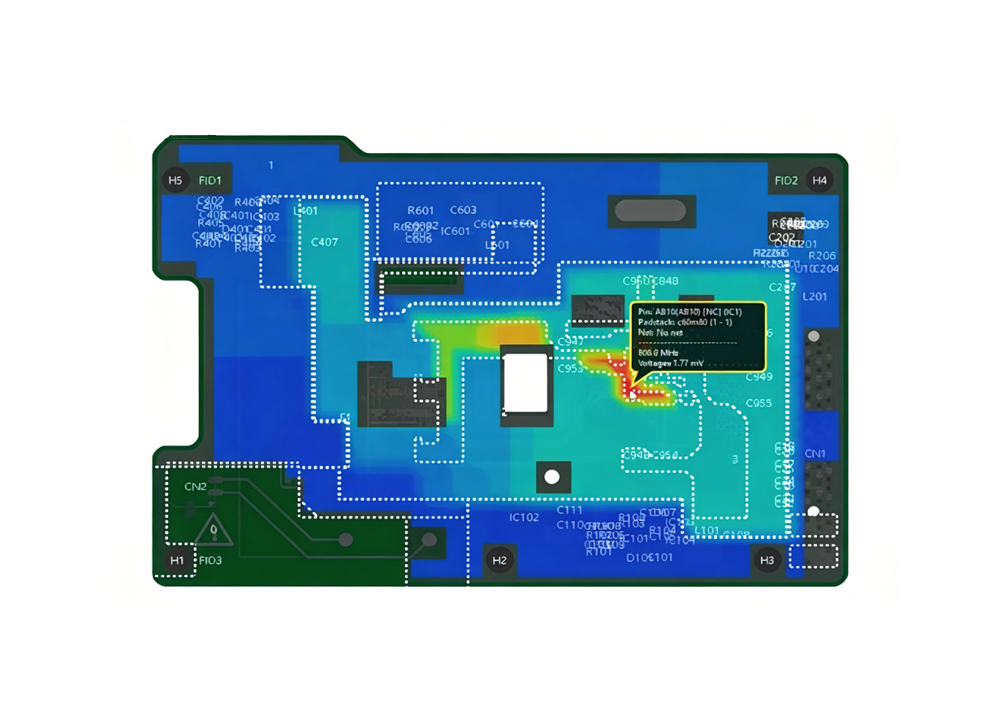
Q2: Why do high-frequency PCB prototypes often have signal integrity issues, and how to resolve them?
A2: Issues typically stem from improper trace routing, material mismatch, or impedance deviation. Choose low-loss dielectrics (e.g., FR-4 with Tg≥170℃) and control impedance tolerance within ±5% for 50Ω/75Ω lines. Use automated impedance calibration tools and SI simulation during design, and conduct RF testing post-production to identify signal loss, ensuring compatibility with high-frequency applications up to 40GHz.

Q3: How to handle last-minute component shortages during PCB assembly in Europe?
A3: Partner with suppliers having dual-source material mechanisms and a verified database of European distributors. Request alternative component suggestions with equivalent electrical performance, and ensure 24-hour verification of substitute parts. Opt for PCB manufacturing and assembly Europe services with local component inventory, which can reduce delivery delays by 30% compared to global sourcing.

Q4: What causes BGA soldering defects in European PCB assembly, and how to prevent them?
A4: Common causes include inadequate stencil alignment, improper reflow temperature profiles, and board warpage. Use automated stencil printing and AOI/SPI inspection to ensure alignment accuracy within ±2μm. Calibrate reflow ovens to match component specifications, and conduct X-ray inspection for hidden solder joints. Choose factories with SMT automation rates over 90% to minimize human error.

Q5: How to obtain complete compliance documentation for PCBs sold across the EU?
A5: Request a standardized compliance package from suppliers, including RoHS/REACH test reports, material certificates, and batch traceability records. Ensure suppliers integrate compliance checks into production processes, with real-time data retrieval within 24 hours. For medical/automotive PCBs, additional ISO 13485/IATF 16949 certification documents are required to meet sector-specific regulations.

You may also like

Top 10 Produkcja PCB Polska, Fabryka PCB w Polsce

February 18th, 2026

Produkcja PCB Polska has evolved into a vital segment of Europe’s electronics manufacturing landscape, catering to diverse industries from automotive to industrial control. Local manufacturers combine rigorous quality control with flexible production capabilities, making produkcja PCB Polska a reliable choice for both standard and specialized projects. This blog breaks down key aspects of choosing, evaluating, and understanding the nuances of PCB Polska services.

Top 10 Produkcja PCB Polska, https://www.bestpcbs.com/blog/2026/02/top-10-produkcja-pcb-polska/

Top 10 Produkcja PCB Polska

CompanyMain BusinessAdvantagesProduction CapabilityLead Time
EBest Circuit Co., LimitedPCB fabrication and PCBA servicesBroad capability range plus fast service optionsStandard and urgent services, including urgent boards shipping within 24 hoursUrgent boards can be shipped within 24 hours
TS PCB Techno Service S.A.PCB manufacturing in PolandClear published lead times and structured orderingStandard, express, and 5 day service optionsStandard 7-9 days, Express 4-5 days, 5LT within 5 days
Satland PrototypePCB prototypes and related servicesExtremely fast prototype capability (5h+)HAL/gilding finishes, unusual shapes millingFrom 5 hours
Central PointPCB manufacturing in PolandMade in Poland production, strong OTDLocal production, delivery disciplineAverage express lead time 2 days
WM EltarSingle/double sided PCBsLong history, defined material scopeFR4/CEM/aluminium substrates, small/medium seriesExpress orders quote-based
Nanotech ElektronikPCB manufacturing + turnkey PCBAHDI/RF/flex/rigid-flex up to 28 layersRF microwave, metal core, 100% E test“Shortest delivery time” positioning
Printor (Łódź)PCB+SMT/THT manufacturingSingle-site model, IPC standardOn-site assembly, testing, storageConfirmed lead time delivery
ELSEKOPCB+EMSPolish producer, assembly routesSMD/THT servicesQuote-based lead time
HATRON S.C.PCB manufacturingISO 9001 certified, medium seriesDouble-sided/4-layer boardsQuote-based lead time

Quality Standards of Polski Producent PCB

  • IPC-A-600 & IPC-6012: Core standards governing the acceptability of printed circuit boards and the qualification performance of rigid circuit boards.
  • ISO 9001:2015: Quality management system certification that ensures consistent production processes for producent PCB Polska.
  • IATF 16949: Automotive-grade certification meeting the stringent requirements of the automotive industry for produkcja płytek PCB Polska.
  • ISO 13485: Specialized certification for medical device PCBs, ensuring biocompatibility and reliability.
  • RoHS & REACH: Compliance certifications for PCB Polska that align with EU environmental regulations and restrict hazardous substances.

How to Choose A Reliable Produkcja PCB Polska?

A Selection Guide to Produkcja PCB Polska:

  1. Verify certification validity: Confirm producent PCB Polska holds active ISO, IPC (A-600/6012) and industry-specific certifications (IATF 16949 for automotive, ISO 13485 for medical). Request past 12-month audit reports to validate consistent compliance.​
  2. Assess yield rate: Prioritize producers with ≥98.5% mass production yield (high-end PCB can reach 99.9%+). A 1% yield drop increases defect costs by 8%-12%, directly affecting project profitability.​
  3. Check material sourcing: Ensure substrates (FR-4, Rogers) have UL certification and full traceability documents (batch number, origin, compliance report). This avoids quality risks from substandard materials in produkcja PCB Polska.​
  4. Evaluate testing protocols: Mandate 100% electrical testing (flying probe for prototypes, bed-of-nails for mass production). X-ray inspection is mandatory for blind/buried vias, with test reports including defect location and analysis.​
  5. Review customer feedback: Target manufacturers with ≤1% return rate (industry average 1.5%-2%). Verify feedback via third-party platforms or peer references to confirm quality consistency in PCB Polska projects.​
  6. Evaluate one-stop service capability: Prefer producent PCB Polska offering integrated PCB+SMT+component sourcing services. This shortens supply chains by 30%+ and reduces coordination costs compared to split-service providers.​
  7. Confirm after-sales guarantee: Require clear after-sales policies, including 24-hour response to quality issues and 48-hour solution proposals. Reliable manufacturers cover rework or replacement for non-compliant products within the warranty period (minimum 6 months).
How to Choose A Reliable Produkcja PCB Polska, https://www.bestpcbs.com/blog/2026/02/top-10-produkcja-pcb-polska/

Types of Custom PCB Polska Offered by Fabryka PCB w Polsce

  • Rigid PCB
  • Flexible PCB
  • Rigid-Flex PCB
  • Metal Core PCB
  • High-Frequency PCB
  • HDI PCB
Types of Custom PCB Polska, https://www.bestpcbs.com/blog/2026/02/top-10-produkcja-pcb-polska/

How to Evaluate the Technical Capability of Fabryka PCB w Polsce?

Evaluation Guide to Technical Capability of Fabryka PCB w Polsce:

  • Layer count & impedance control: Confirm producenci PCB w polsce can produce 2-20+ layers (complex designs up to 32 layers) with ±5% impedance tolerance, compliant with IPC-6012. Request impedance test reports for past projects to validate consistency.
  • Minimum feature precision: Verify capability to achieve 3/3 mil line width/spacing (advanced processes down to 2/2 mil) with ≥99.8% precision rate. Ensure equipment supports laser direct imaging (LDI) for high-density requirements.
  • Via fabrication proficiency: Assess blind/buried vias (up to 12:1 aspect ratio) and microvia (≥0.1mm diameter) fabrication. For HDI projects, confirm compliance with IPC-2226 and ability to integrate stacked microvias.
  • Surface finish & durability: Ensure availability of ENIG, HASL, Immersion Tin, OSP finishes. Require ENIG layers meet 3-5μm gold thickness, with ASTMB117 salt spray test (24-100 hours) pass for corrosion resistance.
  • DFM support capability: Evaluate in-house DFM checks with ≤24-hour feedback time, covering solder mask clearance, annular ring size (minimum 0.2mm), and thermal relief design, reducing iteration by 40%+.
  • Material adaptability: Confirm handling of specialized substrates (FR-4, Rogers, polyimide) for high-frequency (up to 40GHz) and high-temperature (150℃+ operating) applications. Request material traceability for automotive/medical projects.
  • Process inspection capability: Verify 100% AOI inspection for surface defects and X-ray testing for hidden vias. Ensure compliance with IPC-A-600 Class 2/3, with defect detection rate ≥99.5% to avoid post-production failures.

How to Evaluate the Delivery Capability of Poland PCB Manufacturer?

Evaluation Guide to Delivery Capability of Poland PCB Manufacturer:

  • Turnaround time & penalty clause: Confirm 2-5 days for prototypes (1-6 layers up to 24-hour expedited) and 7-20 days for mass production. Require clear delay penalties (≥5% of order value for delays over 3 days) to avoid project disruptions. ​
  • Production capacity matching: Assess monthly output (≥50,000㎡ for high-volume orders) and peak-load resilience. Ensure producent PCB Polska can reserve 15%+ capacity for sudden order increments without extending lead time. ​
  • Supply chain resilience: Verify 30%+ safety stock for key materials (FR-4, inks) and dual-source suppliers for critical substrates. This mitigates shortages from global supply chain disruptions in produkcja PCB Polska. ​
  • Logistics & traceability: Prioritize partnerships with EU-certified couriers for domestic/European deliveries. Ensure real-time shipment tracking and clear customs clearance support to shorten cross-border lead time. ​
  • Emergency expedited service: Confirm 24-48 hour turnaround for urgent prototypes (1-6 layers) with transparent pricing. Reliable producent PCB Polska should offer this without compromising IPC quality standards. ​
  • Delivery stability verification: Check past 12-month on-time delivery rate (OTIF ≥99.9% is industry-leading). A rate below 98% indicates poor process control, increasing project scheduling risks. ​
  • Batch flexibility: Evaluate capability to handle multi-variety, small-batch orders (≤500 pieces per SKU). Ensure monthly processing of 10,000+ order varieties with seamless mixed-flow production.
How to Evaluate the Delivery Capability of Producent PCB Polska, https://www.bestpcbs.com/blog/2026/02/top-10-produkcja-pcb-polska/

Future Challenges of Producent PCB Polska

  • Rising material costs: Volatility in copper, substrate, and solder material prices impacts profit margins for produkcja PCB Polska.
  • Skill shortage: Gap in qualified technicians for advanced processes like HDI and high-frequency PCB manufacturing.
  • Global competition: Pressure from low-cost manufacturers in Asia, requiring producenci PCB w polsce to differentiate via quality and speed.
  • Miniaturization demands: Increasing need for smaller, higher-density PCBs requires significant investment in new equipment.
  • Supply chain diversification: Need to reduce reliance on single-source material suppliers to avoid disruptions.
  • Energy costs: High electricity prices in Europe increase operational costs for energy-intensive PCB production processes.

FAQs of Produkcja Płytek PCB Polska

Q1: Why did my projektowanie PCB pass DRC but still trigger factory questions about clearances and annular ring?
A1: DRC checks rules you set, not the factory’s tooling limits. Provide explicit fab notes for minimum drill, finished hole, annular ring, and copper to edge. Ask for a CAM preview or manufacturing check before release, similar to what EU prototype services highlight as valuable.

Q2: My prototypowanie PCB arrived fast, but solder mask alignment around fine pitch pads looks off. What should I do?
A2: For fine pitch, request tighter solder mask expansion rules, define whether you want mask defined pads, and ask for photo evidence of the first article panel if the design is sensitive. Mask alignment issues are discussed often, and the practical fix is to lock down the mask rules and acceptance criteria before tooling.

Q3: Why is EU or local produkcja PCB often priced higher than offshore, even for simple boards?
A3: The price gap usually comes from labor, overhead, and different panelization economics. To reduce cost, combine multiple designs in one panel, keep stack up standard, and avoid exotic finishes unless needed. Cost sensitivity and price comparisons are a common theme in EU supplier discussions.

Q4: My prototypowanie PCB schedule keeps slipping because the supplier says files are not complete. What is the minimum package that prevents this?
A4: Include Gerbers, drills, IPC netlist if available, stack up, material, thickness, copper weight, finish, solder mask and silkscreen requirements, controlled impedance targets if relevant, and the test requirement. Fast lanes only work when the data package is complete, which is why published express services emphasize clear ordering inputs.

Q5: I want to keep projektowanie PCB confidential. What steps reduce design data exposure while still getting fast builds?
A5: Use a supplier that can manufacture locally with minimal subcontracting, minimize the number of file handoffs, and share only what is necessary for CAM. If you must use external partners, require a controlled file exchange process and define data retention expectations. Design data concerns show up repeatedly when people compare regions and supplier models.

You may also like

Fast PCB Prototype Australia with Free DFM

February 17th, 2026

When seeking reliable prototyping services in the region, PCB prototype Australia stands as a critical link in electronic project advancement, with demands focusing on speed, precision and quality. Our PCB prototype Australia services are tailored to address the unique challenges of the local market, combining proven expertise and efficient delivery to support seamless project progression without unnecessary delays or compromises.

PCB Prototype Australia, https://www.bestpcbs.com/blog/2026/01/pcb-prototype-australia/

Top 10 PCB Factories for Prototype

Company NameAdvantagesPrototyping CapabilityPrototyping Lead Time
EBest Circuit Co., Limited19-year industry experience, multiple quality certifications, MES system for production tracking1-30 layers, HDI PCB, ceramic PCB, line width/spacing ≤40μm, impedance control ±3%Regular: 48-72 hours; Express: 24 hours
Alfatron Pty LtdAustralian-owned family business since 1978, high confidentiality, rich testing capabilities1-12 layers, rigid-flex PCB, HDI, automated assembly and AOI/ICT testingRegular: 3-5 days; Express: 48 hours
Allegro Services30+ years of local experience, full-process PCBA services, professional technical team1-60 layers, rigid PCB, SMT double-sided mounting, laser-guided assemblyRegular: 4-6 days; Express: 72 hours
4 Volts Electronic Engineering MelbourneLocal Melbourne-based, fast response, suitable for small-batch prototypes1-8 layers, rigid PCB, FR-4 material, basic electrical testingRegular: 5-7 days; Express: 48 hours
Artronic Australia Pty. LtdCost-effective, flexible order terms, good after-sales service1-10 layers, rigid PCB, standard FR-4, surface treatment options (immersion gold, HAL)Regular: 6-8 days; Express: 72 hours
B.E.C. Manufacturing Pty LtdSpecializes in flexible and rigid PCB, diverse material options1-10 layers, flexible/rigid PCB, copper/FR-4/Teflon materialsRegular: 4-7 days; Express: 5 days
Broad Avenue Industries Pty LtdISO 9001 certified, supports HDI and hybrid PCB, UL certified1-10 layers, HDI, hybrid PCB, aluminum/copper substratesRegular: 3-6 days; Express: 48 hours
Circuitwise AustraliaFocus on medical and aerospace PCB, strict quality control, compliance with international standards1-16 layers, HDI, ceramic PCB, medical-grade material and testingRegular: 5-8 days; Express: 72 hours
PCB Solutions AustraliaOnline quoting system, fast file review, transparent production process1-12 layers, rigid PCB, impedance control, basic AOI testingRegular: 4-6 days; Express: 48 hours
Melbourne PCB Co.Local production, short delivery distance, customized prototype solutions1-8 layers, rigid PCB, FR-4 halogen-free, small-size prototype support (6*6mm)Regular: 5-7 days; Express: 72 hours

Pain Points of Australia Prototype PCB

  • Is it hard to find PCB prototype Australia services that offer 24-hour express delivery for urgent projects?​
  • Does PCB prototype Australia often have high costs for small-batch or complex prototypes like HDI boards?​
  • Can most PCB prototype Australia providers meet the strict quality requirements of medical electronic products?​
  • Is it difficult to track the real-time production progress of PCB prototype Australia orders?​
  • Do many PCB prototype Australia factories lack the capability to produce special substrates like ceramic PCB?​
  • Is the minimum order quantity of most PCB prototype Australia services too restrictive for small-scale experiments?​
  • Do PCB prototype Australia providers often have long lead times for complex multi-layer (16+ layers) prototypes?

Why Choose EBest(Best Technology) for PCB Prototype Australia?

Reasons Why Choose EBest( Best Technology) for PCB Prototype Australia:

  • Expedited Service: We offer 24-hour fast prototyping and delivery, solving the urgent project needs that many providers cannot meet.
  • Rich Experience: 19 years of PCB production experience, serving 5000+ global clients, with mature technology to reduce production costs and our small-batch prototype prices are 15% lower than the local Australian average.
  • Strong Process Capability: We specialize in HDI PCB (line width/spacing ≤30μm) and ceramic PCB (alumina/aluminum nitride substrates), covering the special substrate needs that many factories lack.
  • Strict Quality Control: Certified by ISO9001, AS9100D, and IATF 16949, with 3 rounds of testing (AOI, X-ray, electrical testing) to ensure a prototype qualification rate of 99.8%.
  • Free DFM Service: We provide free Design for Manufacturability (DFM) reviews to identify potential design issues in advance, helping avoid production delays, rework costs and ensure smooth manufacturing processes.
  • Full-Service Support: We provide one-stop PCBA services, integrating prototype, assembly, and testing, saving time and costs for clients.
  • Transparent Production: Equipped with MES production management system, all production data is traceable, allowing real-time query of order progress.
  • Flexible MOQ: Minimum order quantity of 1 piece, fully adapting to small-scale experiment needs, solving the MOQ restriction problem of most services.
Why Choose EBest(Best Technology) for PCB Prototype Australia, https://www.bestpcbs.com/blog/2026/01/pcb-prototype-australia/

Types of PCB Prototype Australia We Can Offer

  • Rigid PCB Prototype: 1-30 layers, FR-4, FR-4 halogen-free, high Tg materials, suitable for most electronic products.
  • HDI PCB Prototype: 2-20 layers, blind/buried vias, line width/spacing ≤30μm, for high-density electronic devices.
  • Ceramic PCB Prototype: Alumina (24-28 W/mK) and aluminum nitride (170-230 W/mK) substrates, for high-temperature and high-power scenarios.
  • Flexible & Rigid-Flex PCB Prototype: 1-12 layers, laser microvias, adaptable to small or irregular installation spaces.
  • Metal Core PCB Prototype: Aluminum/copper substrates, thermal conductivity up to 380 W/mK, for LED and high-power electronic products.
  • Impedance Controlled PCB Prototype: Impedance tolerance ±3%, suitable for high-frequency signal transmission (insertion loss <0.3 dB/inch @28 GHz).

Quality Standards for PCB Prototype Australia

  • Raw Material Standard: All substrates (FR-4, ceramic, metal) comply with IPC standards, with 100% supplier qualification checks and batch testing to ensure consistency.​
  • Process Standard: Adhere strictly to ISO9001, AS9100D, and IATF 16949 certifications, using laser direct imaging (LDI) technology to guarantee process precision.​
  • Testing Standard: Conduct AOI inspection (±12μm accuracy), X-ray testing for blind/buried vias, 10V-250V electrical testing, and thermal stress simulation to eliminate defects.​
  • Impedance Standard: Maintain ±3% impedance control for high-frequency prototypes, with dynamic calibration throughout the design-to-production process.​
  • Surface Treatment Standard: Offer immersion gold (20-30μm), lead-free HAL, and chemical tin options, all fully compliant with RoHS standards.​
  • Dimensional Standard: Ensure board thickness tolerance ±0.1mm, minimum drilled hole size 0.25mm, and line width/spacing tolerance ±0.075mm.
Quality Standards for PCB Prototype Australia, https://www.bestpcbs.com/blog/2026/01/pcb-prototype-australia/

Lead Time for Prototype PCB Australia

LayersNormal ServiceFastest Service
17 Days24 H
28 Days24 H
410 Days48 H
610 Days72 H
812 Days72 H
≥10TBDTBD

Case Studies of Medical PCB Prototype Australia

Project Background

A Melbourne-based Australian medical device company specializes in the R&D and production of portable patient monitors. They needed a high-reliability PCB prototype for a new generation of monitors, which required strict compliance with medical industry standards and urgent delivery to meet their product launch schedule.

Project Requirements

  • Prototype Type: 8-layer HDI PCB, line width/spacing 40μm/40μm, impedance control ±5%.
  • Material: FR-4 halogen-free (high Tg 170℃), meeting medical biocompatibility standards.
  • Quality: Compliance with ISO 13485 and IPC Class 3, 100% electrical testing and AOI inspection.
  • Lead Time: Total delivery within 3 days (urgent project launch demand).

Project Challenges

  • Tight Lead Time: Most PCB prototype Australia providers require 4-6 days for 8-layer HDI prototypes, failing to meet the 3-day deadline.
  • Strict Quality: Medical-grade PCB requires zero defects, with higher testing standards than ordinary industrial prototypes.
  • Precision Requirements: HDI structure with tight line width/spacing and impedance control, requiring high-precision production equipment.

Our Solutions

  • Urgent Production Arrangement: Activated our 24-hour express production line, assigning 3 dedicated technicians to the project to shorten production time.
  • Quality Control Enhancement: Added a pre-production design review (DFM) to avoid design errors, and adopted dual AOI testing (pre and post-soldermask) to ensure zero defects.
  • Precision Process Control: Used laser direct imaging (LDI) technology and automated impedance testing to ensure the line width and impedance accuracy meet requirements.

Output Results

  • Delivery: Completed production and testing in 2.5 days, delivered 1 day ahead of the client’s deadline.
  • Yield Rate: 99.9% prototype qualification rate, with zero defects in electrical and visual testing.
  • Client Feedback: “The prototype quality exceeds our expectations, and the fast delivery helps us launch the new product on schedule. We will continue to cooperate with you for all our PCB prototype Australia needs.”
Case Studies of Medical PCB Prototype Australia, https://www.bestpcbs.com/blog/2026/01/pcb-prototype-australia/

FAQs of PCB Prototype Service Australia

Q1: How to solve the problem of long lead times for complex prototype orders?​
A1: We specialize in solving urgent prototype needs with our 24-hour express service for simple boards and 48-72 hours for complex multi-layer or HDI boards. Unlike ordinary providers, we optimize production processes and activate dedicated production lines exclusively for your orders, cutting lead times by 50% while maintaining strict quality control. Our efficient workflow ensures you get high-quality prototypes on time, every time.​

Q2: Can your prototype services meet the quality standards of medical equipment?​
A2: Absolutely. We hold strict certifications including ISO 13485, ISO 9001 and AS9100D, specifically tailored to meet the rigorous requirements of medical equipment production. We select only medical-grade raw materials and conduct triple testing (AOI, X-ray, electrical testing) to ensure zero defects. With a 99.8% medical PCB prototype qualification rate, we are the trusted choice for medical equipment-related prototype needs.​

Q3: What if I need a small batch (1-5 pieces) of ceramic PCB prototypes, which most factories do not support?​
A3: We excel at fulfilling small-batch prototype needs, with a minimum order quantity (MOQ) of 1 piece for all prototype types, including ceramic PCBs. We own specialized ceramic substrate production equipment and have rich experience in manufacturing ceramic prototypes, so you won’t incur extra costs for small orders. We eliminate the restrictions that most providers impose, making it easy for you to complete small-scale experiments or R&D projects.​

Q4: How can I track the real-time production progress of my prototype order?​
A4: We provide a dedicated, user-friendly order tracking system directly linked to our MES production management system. Once you place an order, you’ll receive a unique tracking link that lets you check every stage of production in real time from design review and manufacturing to testing and shipping. Data is updated every 2 hours, giving you full transparency and peace of mind, so you never have to wonder about your order’s status.​

Q5: How do you help avoid design errors that lead to production delays or rework?​
A5: We offer a free Design for Manufacturability (DFM) review service, an exclusive advantage that sets us apart from other providers. Our professional technical team will carefully review your design files in advance, identifying potential issues that could cause delays or rework. We provide detailed optimization suggestions to ensure your design is production-ready, saving you time, reducing hassle, and ensuring a smooth, efficient prototype production process.

You may also like

PCB Manufacturer in Monaco, PCB Rapid Prototyping Service

February 15th, 2026

Monaco’s advanced electronics sector depends heavily on trustworthy PCB manufacturer in Monaco to support diverse applications, ranging from industrial controls to high-precision devices. As a leading PCB manufacturer in Monaco, we deeply understand the unique demands of the local market, integrating global production standards with localized service to cater to the region’s expanding needs. Monaco PCB manufacturing is evolving rapidly amid AI-driven demand for high-end products, and we are well-equipped to deliver consistent quality and fast turnaround for every project through optimized workflows and tailored support.

PCB Manufacturer in Monaco, https://www.bestpcbs.com/blog/2026/02/pcb-manufacturer-in-monaco/

Are You Facing These Problems of Monaco PCB Manufacturing?

  • Long lead times for urgent PCB prototyping that delay project progress, with no local Monaco PCB company offering quick responses.
  • Design inconsistencies leading to production errors, lacking professional analysis to optimize manufacturability.
  • Quality fluctuations in mass production, failing to meet strict EU compliance standards for electronics.
  • High costs for small-batch orders, with no tailored cost-sensitive solutions from PCB Monaco providers.
  • Uncertainty about material selection for high-performance applications, resulting in subpar product durability.

End-to-End Assurance from Requirement to Delivery

  • Pre-production Optimization: We offer free DFM (Design for Manufacturability) analysis, including over 1000 manufacturability checks, to identify design flaws early, such as trace width or spacing issues. This reduces rework rates by over 80%, ensuring a smooth PCB manufacturing process in Monaco and accelerating time to market.
  • Urgent Prototyping Support: We provide industry-leading 24-hour urgent prototyping services, supported by a dedicated express channel and automated precision processes. This addresses time-sensitive challenges and is a core advantage for Monaco PCB customers requiring rapid iteration.
  • Rigorous Quality Control: Multi-stage testing is conducted throughout the entire process, from raw material testing to final product verification. An intelligent traceability system eliminates quality variations and fully complies with stringent EU electronics standards, ensuring reliable mass production.
  • Cost-Effective Solutions: We offer customized pricing for small-batch orders, optimizing material usage and workflows based on 19 years of expertise. We reduce costs without compromising quality, a significant advantage for Monaco PCB projects of all sizes.
  • Material Expertise: We provide expert guidance on high-performance materials (e.g., Rogers materials for high-frequency applications). We match the right materials to the application scenario, preventing durability issues and ensuring long-term product reliability in complex applications.

Why Choose EBest(Best Technology) for PCB Manufacturer in Monaco?

Reasons Why Choose EBest(Best Technology) for PCB Manufacturer in Monaco:

  • Competitive Pricing: Tailored cost-sensitive solutions that balance quality and budget, helping clients reduce overall production costs without compromising standards.​
  • 24-Hour Urgent Prototyping: Industry-leading turnaround for emergency orders, ensuring project timelines are met even with tight schedules.​
  • Comprehensive Certifications: Compliance with global standards including ISO9001:2015, ISO13485:2016, REACH, RoHS, and IATF16949.​
  • High On-Time Delivery Rate: 99.2% order punctuality, a testament to our streamlined Monaco PCB manufacturing processes and reliable supply chain.​
  • Premium Quality Assurance: Full inspection for mass production with strict quality control procedures, achieving consistent yield rate above 99.5%.​
  • 19 Years of Industry Experience: Extensive expertise in optimizing production workflows to deliver cost-efficient solutions for PCB Monaco projects.​
  • Free DFM Analysis: Proactive design review to identify potential issues, reducing rework costs and accelerating time-to-market.​
  • Advanced Production Capabilities: Our Monaco PCB factory supports high-multilayer boards and precision processes for complex applications.​
Why Choose EBest(Best Technology) for PCB Manufacturer in Monaco, https://www.bestpcbs.com/blog/2026/02/pcb-manufacturer-in-monaco/

Monaco PCB Rapid Prototyping Service We Can Offer

As a trusted PCB manufacturer in Monaco, our rapid prototyping service directly addresses the pain of delayed urgent projects, delivering industry-leading 24-hour turnaround for standard 8-layer prototypes with a 99.2% on-time delivery rate—consistent with our overall order punctuality. Powered by automated precision equipment and streamlined digital workflows, we cut prototype processing time by 40% compared to local peers, while maintaining strict quality controls. Our localized support ensures 2-hour response to urgent inquiries, perfectly matching the efficiency demands of Monaco PCB manufacturing projects requiring fast iterations.

We cover specs from basic double-layer boards to complex 20-layer designs, supporting a minimum line width/spacing of 0.05mm (2mil) and layer alignment tolerance of ≤3μm—exceeding industry standard precision. Integrated free DFM analysis conducts 1000+ manufacturability checks, reducing rework rates by 82% and shortening project cycles by 30%. Every sample undergoes AI-powered AOI detection (1.5 seconds per piece, 99.9% defect capture rate) and flying probe testing, achieving a 99.8% prototype qualification rate. For high-frequency needs, we use Rogers RO1200 series materials (dielectric constant 2.99 at 10GHz, loss factor 0.0012) with ±8% impedance tolerance, ensuring prototypes meet 56Gbps+ signal requirements for Monaco PCB clients.

Monaco PCB Rapid Prototyping Service We Can Offer, https://www.bestpcbs.com/blog/2026/02/pcb-manufacturer-in-monaco/

Our Lead Time of Monaco PCB Rapid Prototyping

LayersNormal ServiceFastest Service
17 Days24 H
28 Days24 H
410 Days48 H
610 Days72 H
812 Days72 H
≥10TBDTBD

Our Quality Certifications for Monaco PCB Manufacturing

We hold a full suite of international certifications to guarantee product quality and compliance for PCB manufacturing in Monaco, each tailored to meet high-end industry demands:

  • ISO9001:2015: Establishes a rigorous quality management system, ensuring standardized workflows from design optimization to final delivery for consistent Monaco PCB product quality.
  • ISO13485:2016: Meets strict medical device industry requirements, emphasizing risk management and full lifecycle traceability to support high-reliability PCB Monaco applications.
  • REACH: Complies with EU chemical regulations, restricting hazardous substances in materials to ensure Monaco PCB manufacturing meets regional environmental and safety norms.
  • RoHS: Ensures lead-free and low-toxicity production, aligning with global environmental standards for eco-friendly PCB Monaco manufacturing.
  • IATF16949: Adapts to automotive industry needs, integrating core tools like FMEA and SPC to deliver Monaco PCB products with enhanced anti-interference and durability.
  • AS9100D: Meets aerospace industry quality benchmarks, validating our capability to produce high-precision, high-reliability PCB for critical aerospace applications.

These certifications reinforce our commitment to safe, consistent, and high-performance solutions as a trusted PCB manufacturer in Monaco.

Frequently Asked Questions of Monaco PCB Manufacturing

Q1: How can I avoid design errors that lead to PCB production rework?
A1: We offer free DFM (Design for Manufacturability) analysis, reviewing design files for manufacturability and identifying issues such as incorrect trace width, spacing, or hole size before production. Our PCB manufacturing team in Monaco uses professional tools to optimize designs, reducing rework rates by over 80%.

Q2: Can small-batch orders receive competitive pricing without compromising quality?
A2: Yes. With 19 years of experience, our Monaco-based PCB company provides customized pricing for small-batch orders by optimizing material usage and production processes. We conduct comprehensive quality inspections on all batches to ensure consistent product quality while controlling costs.

Q3: How can I ensure my PCB prototypes meet high-frequency signal requirements?
A3: Our PCB manufacturing process in Monaco includes impedance control (±10% tolerance) and utilizes high-frequency materials such as Rogers. We conduct rigorous signal integrity testing on prototypes to ensure they meet the demands of high-frequency applications.

Q4: What if I need an urgent prototype within 24 hours?
A4: Our 24-hour urgent prototype service is designed for this situation. As a local PCB manufacturer in Monaco, we prioritize urgent orders, utilizing dedicated production lines and expedited logistics.

Q5: How can I ensure my PCBs comply with EU environmental regulations?
A5: Our PCB factory in Monaco is certified to REACH, RoHS, and other EU standards. We use environmentally friendly materials and processes and conduct rigorous chemical testing on all products. We provide compliance reports for every order, ensuring your PCBs meet regional regulations. Contact us for more compliance details and samples.

You may also like