PCB manufacturing PCB manufacturing
Home > Blog

How to Design PCB Gold Fingers? PCB Gold Finger Plating Process

April 9th, 2025

What Is a Gold Finger in PCB?

PCB gold finger is a row of gold-plated conductive contact sheets located on the edge of the printed circuit board, named for its shape like a finger and plated with gold. It is usually used to insert the PCB into a connector or card slot for electrical connection and signal transmission. You’ll often find them on expansion cards, memory modules, and interface boards that plug into the motherboard or backplane.

These fingers act as the physical and electrical contact points between the PCB and its slot. They need to be durable, conductive and corrosion-resistant, which is why gold is used. Unlike standard wires or padding, gold fingers must withstand repeated insertion and removal, so wear resistance and high reliability are top priority in their design.

How to Design PCB Gold Fingers? PCB Gold Finger Plating Process

What Material is Gold Fingers Made of?

Gold fingers aren’t pure gold, and they don’t need to be. Instead, they are a multi-layer structure designed for performance, not cost.

At the core is copper, the base layer used in nearly all PCBs. Copper offers excellent electrical conductivity. But copper oxidizes over time, which affects signal transmission. So, a nickel barrier is added next. Nickel prevents the copper from diffusing into the top gold layer and adds hardness.

Finally, a thin layer of gold—either hard electroplated gold or soft immersion gold—is applied on top. Gold is chosen for two key reasons: it’s a great conductor and it doesn’t tarnish or corrode. This ensures long-lasting, high-performance edge connectors.

The amount and type of gold used depend on the application. Some fingers will have a thicker, harder gold layer for high-wear use. Others, used less often, may use thinner or softer gold to save on cost.

Types of PCB Gold Fingers

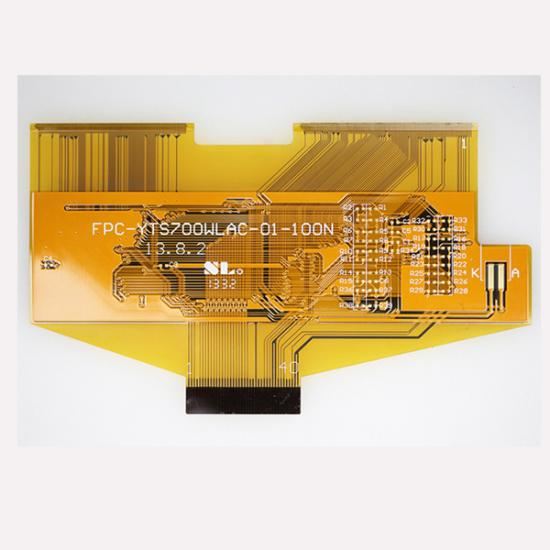
1. Standard PCB Gold Fingers – The most common PCB gold fingers, with horizontal and even arrays. PCB pads have the same length, width and space. This type of gold finger is easy to make.

How to Design PCB Gold Fingers? PCB Gold Finger Plating Process

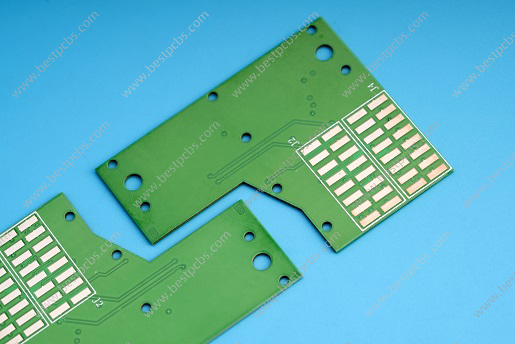
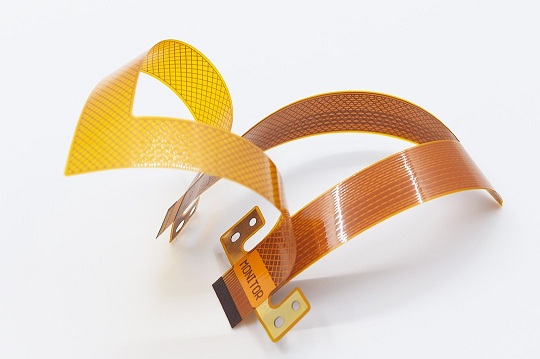
2. Uneven PCB Gold Fingers – PCB pads have the same width but different lengths and sometimes different spaces like below image showing. For some PCBs, the gold fingers are designed to be shorter than others. The most relevant example of such PCBs is a PCB for a memory card reader, where the device connected to the long finger must first power the device connected to the shorter finger.

How to Design PCB Gold Fingers? PCB Gold Finger Plating Process

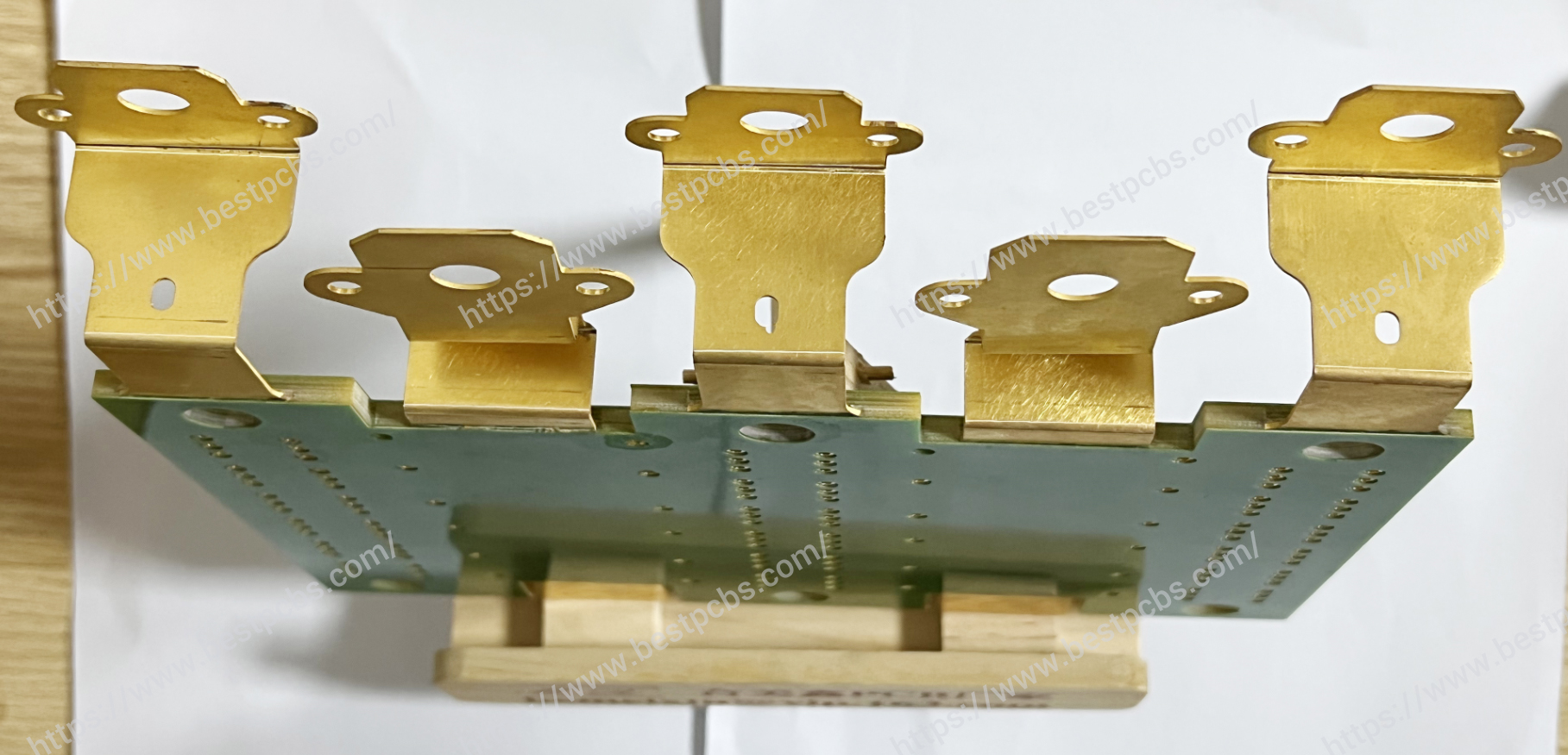
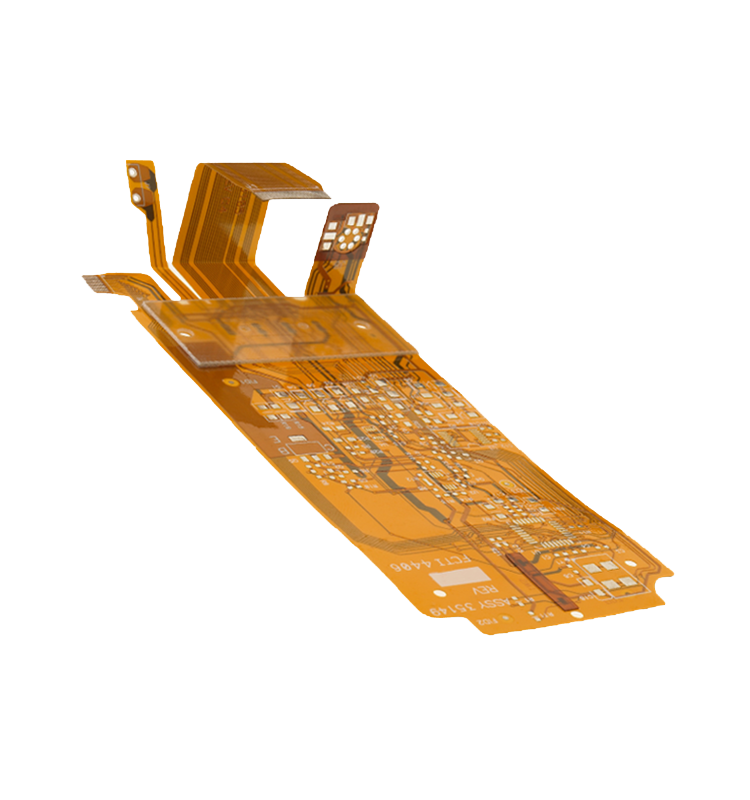
3. Segmented PCB Gold Fingers – PCB pads have different lengths, and the gold fingers are segmented. Segmented gold fingers vary in length, and some of them are also disjointed within the same finger of the same PCB. Such PCBs are suitable for waterproof and rugged electronics.

How to Design PCB Gold Fingers? PCB Gold Finger Plating Process

PCB Gold Fingers Manufacture Technical

Not all gold fingers are made using the same process. The method and material used for gold plating affect the performance, durability, and cost of the final product. Let’s take a closer look at the most common types.

Electroless Nickel Immersion Gold (ENIG)

ENIG is a chemical process used to deposit a thin, even layer of gold over a nickel base. It’s not applied using electricity, so it creates a smooth, flat surface. ENIG is known for its excellent surface planarity and is commonly used for surface mount pads. But in gold fingers, it’s less common unless the board will be inserted only a few times. ENIG produces softer gold, which means the plating wears off faster with repeated use.

Electroplated Hard Gold

This is the most popular choice for gold fingers PCB applications. Electroplating uses an electric current to apply a thicker and harder layer of gold, its gold thickness can be up to 50u’’. Hard gold plating usually includes small amounts of cobalt or nickel, which makes the gold layer more rigid. This helps it resist abrasion during multiple insertions into card-edge connectors.

Electroplated hard gold is a bit more expensive than ENIG but lasts longer and offers better performance for edge connectors.

Edge Beveling

Edge beveling isn’t a type of plating but an additional mechanical step. It involves cutting or grinding the PCB edge at an angle, typically 30° or 45°, to make insertion into connectors smoother.

Beveled edges help prevent damage to both the PCB and the mating socket. It also reduces insertion force, minimizing wear and tear. While beveling isn’t mandatory, it’s often recommended when the board will be inserted and removed multiple times.

Gold Fingers vs. Edge Connectors

“Gold fingers” and “edge connectors” are both terms used in PCB design, but they refer to slightly different concepts. Gold fingers are part of the PCB, while edge connectors are part of the device that receives the PCB. Gold fingers are the gold-plated pads at the board’s edge. They’re designed to slide into the slot of an edge connector. The connector itself is usually mounted on a motherboard or backplane, holding the PCB in place and ensuring a stable electrical link.

FeatureGold FingersEdge Connectors
DefinitionGold-plated contact pads on the edge of a PCBSocket or slot that receives the PCB
LocationPart of the PCB itselfMounted on a motherboard or host board
FunctionTransmit signals and power from PCB to systemProvide physical and electrical connection
MaterialCopper + nickel + gold platingUsually plastic body with internal metal contacts
DurabilityDepends on gold thickness and use frequencyBuilt to withstand repeated insertions/removals
Customization  Length, width, plating, beveling can be customizedUsually standard depending on slot type
Common UseRAM sticks, GPU boards, industrial control boardsMotherboards, expansion slots, backplanes
Design ConsiderationNeeds precise layout, spacing, and gold platingMust match PCB layout and dimensions

Benefits of Designing Gold Fingers at the Edge of PCB

  1. Gold fingers allow boards to be plugged directly into other systems without the need for extra connectors, makes design simpler and install faster.
  2. Gold is highly conductive, so the signals and power of devices enable to pass efficiently through the interface. They are often used in high-frequency or high-speed data applications.
  3. Gold does not oxidize or corrode. Even in moist or harsh environments, it maintains its performance over time.
  4. Hard gold plating can handle thousands of insertions without degrading. That’s why it’s ideal for modular designs or devices that get frequently unplugged.
  5. Gold fingers reduce the need for bulky connectors, allowing for more compact PCB designs—especially valuable in smartphones, wearables, and compact industrial modules.

How Thick Is a PCB Gold Finger?

The gold thickness on fingers typically ranges from 3 to 50u’’, depending on how the PCB will be used. For commercial and industrial use, the standard is usually 30u’’ of hard gold over 100–150u’’ of nickel.

  • 3–10u’’: Suitable for low-cost applications with minimal wear.
  • 15–30u’’: Common for most consumer electronics and industrial devices.
  • 45–50u’’: Used in military or high-end industrial equipment that needs maximum durability.

PCB Gold Finger Plating Process

The hard gold plating process for PCB gold fingers involves several precise and carefully controlled steps. Here’s how it’s done:

1) Apply Blue Protective Mask

All areas of the PCB surface except the gold finger pads are covered with a blue protective mask. This ensures that only the contact pads receive hard gold plating. The conductive areas are aligned consistently with the board’s orientation to maintain plating accuracy.

2) Remove Oxide Layer from Copper Pads

Next, the oxidation layer on the copper surface of the gold finger pads is removed. We use sulfuric acid for this step, followed by a water rinse. Then, the surface is mechanically scrubbed to ensure it’s fully clean. After that, we rinse the surface again using water and deionized water to eliminate any residues.

3) Electroplate Nickel onto Copper Pads

A nickel layer is then electroplated onto the clean copper surface of the gold finger pads. This layer serves as a barrier and bonding surface for the gold. After plating, the surface is thoroughly rinsed again with water and deionized water to remove any remaining nickel solution.

4) Electroplate Hard Gold over Nickel

Now comes the hard gold plating step. A layer of gold is electroplated onto the nickel-coated pads. This provides durability, conductivity, and wear resistance. Any unused gold solution is recovered for reuse. Finally, the plated area is cleaned again—first with water, then with deionized water—to ensure a spotless surface.

5) Remove Blue Mask

With the hard gold plating complete, the blue protective mask is removed. The PCB is then ready to move forward in the manufacturing process, beginning with the solder mask printing step.

Design for Manufacturability (DFM) of PCB Gold Fingers

1. Beveling Design for Gold Fingers

  • The safe distance between the gold fingers and the PCB outline edge must be considered. This depends on the final board thickness and the bevel angle. Common bevel angles are 45o.
  • If the gold fingers are too close to the board edge, copper may be exposed during beveling. To avoid this, copper should be trimmed based on specific parameters as below. However, if you do not want to shorten the gold fingers, increase the safety distance between them and the board edge as per the recommended values.
Bevel AngleBoard Thickness (mm)Remaining Thickness (mm)Beveling Depth (mm)
  20o1.60.51.51
3.00.651.85
2.50.72.47
    30o1.00.50.44
1.20.50.60
1.60.50.95
2.00.651.16
2.50.71.56
    45o1.00.50.25
1.20.50.35
1.60.50.55
2.00.650.68
2.50.70.9

2. Solder Mask Opening Design

  • To ensure easy insertion into connectors, no solder mask should be applied over the gold finger area. Full openings must be designed here. If the area is not fully opened, solder mask ink between gold fingers can peel off after repeated insertion/removal, which may affect contact reliability.
  • Gold finger and tin finger areas must have solder mask openings that extend approximately 10 mil beyond the board edge.
  • The solder mask opening should be 4 mil larger than the trace on each side. Make sure that the distance between the opening and surrounding copper is safe to prevent exposed copper. If copper is exposed, it must be removed (etched).
  • No solder mask opening is allowed for vias within 2 mm of the gold finger area.

3. Copper Pour Design on the Signal Layer

To support smoother insertion, avoid copper pour (flooding) in the gold finger region on the outer layers. If multiple fingers share the same net and copper is poured, they might be joined into a single pad, which affects mechanical separation and may interfere with insertion/removal.

How to Design PCB Gold Fingers? PCB Gold Finger Plating Process

4. Uneven Gold Fingers

  • For uneven gold fingers, the main trace should be 40mils, and the auxiliary trace should be 20mils. The connecting point should be 6mils, and the distance between the pad and the 20mil auxiliary trace should be 8mils. After adding the staggered traces, the main trace should be shifted to maintain an 8mil spacing from the long finger pad.
  • When the main trace enters the board, it should be connected using a diagonal line. If there’s a large groove beside the finger, the trace should be curved, not angled.

How Are PCB Gold Fingers Used?

Gold fingers are found in a wide variety of applications across many industries:

  • Computers: RAM modules, GPUs, and expansion cards all use gold fingers to connect to the motherboard.
  • Consumer Electronics: Devices like game consoles, smart TVs, and wearables use gold fingers for modular connections.
  • Medical Devices: Equipment requiring high reliability often includes gold fingers for secure signal transfer.
  • Industrial Automation: Boards that plug into PLCs or backplanes use gold fingers to keep connections stable in harsh environments.
  • Aerospace and Defense: Mission-critical systems rely on hard gold fingers for consistent performance and durability.

FAQs

1. What’s the Ideal Thickness for PCB Gold Fingers?

    Most designs use 30ÎŒin of hard gold.

    2. Are Gold Fingers Always Beveled?

    Not always, but beveling helps reduce insertion wear. It’s recommended if the board is plugged in and out often.

    3. How Do I Know If I Need ENIG or Hard Gold?

    Use ENIG for light-use connectors or where solderability matters. Go for hard gold when durability and frequent insertions are key.

    4. How Much Does PCB Gold Fingers Cost?

    PCB gold fingers cost depends on gold thickness, finger length, and quantity. Thicker gold and more fingers increase cost, but also improve lifespan. Contact EBest Circuit (Best Technology) to get a quotation.

    5. Can Gold Fingers Be Repaired?

    Usually, no. Once worn or damaged, the board often needs to be replaced.

    You may also like

    What is the Meaning of PCBA? PCBA Process

    April 8th, 2025

    What Does the PCBA Stand For?

    PCBA stands for Printed Circuit Board Assembly.

    It’s a complete board where all parts are mounted and ready to work. The bare board itself is called a PCB. But once components like resistors, capacitors, and chips are soldered onto it, it becomes a PCBA. Sometimes, some electronic accessories will be soldered onto the PCB surface as well.

    What is the Meaning of PCBA? PCBA Process

    Key Components in PCBA

    The value of a PCBA comes from the components it carries. Each part plays a role in how the circuit works. Let’s go over some of the most common parts:

    • Resistors: Control the flow of current.
    • Capacitors: Store and release energy when needed.
    • Inductors: Manage signals, especially in filters.
    • Diodes: Let current flow in one direction only.
    • Transistors: Switch or amplify signals.
    • ICs (Integrated Circuits): Small chips with many tiny parts inside. They perform complex functions.
    • Connectors: Help connect the board with other systems.
    • Transformers: Change voltage levels for safer or better operation.
    What is the Meaning of PCBA? PCBA Process

    All these parts must be carefully chosen and placed. A small mistake can stop the board from working right. That’s why design and assembly matter so much.

    Types of PCBA Assembly Techniques

    1. Surface Mount Technology (SMT)

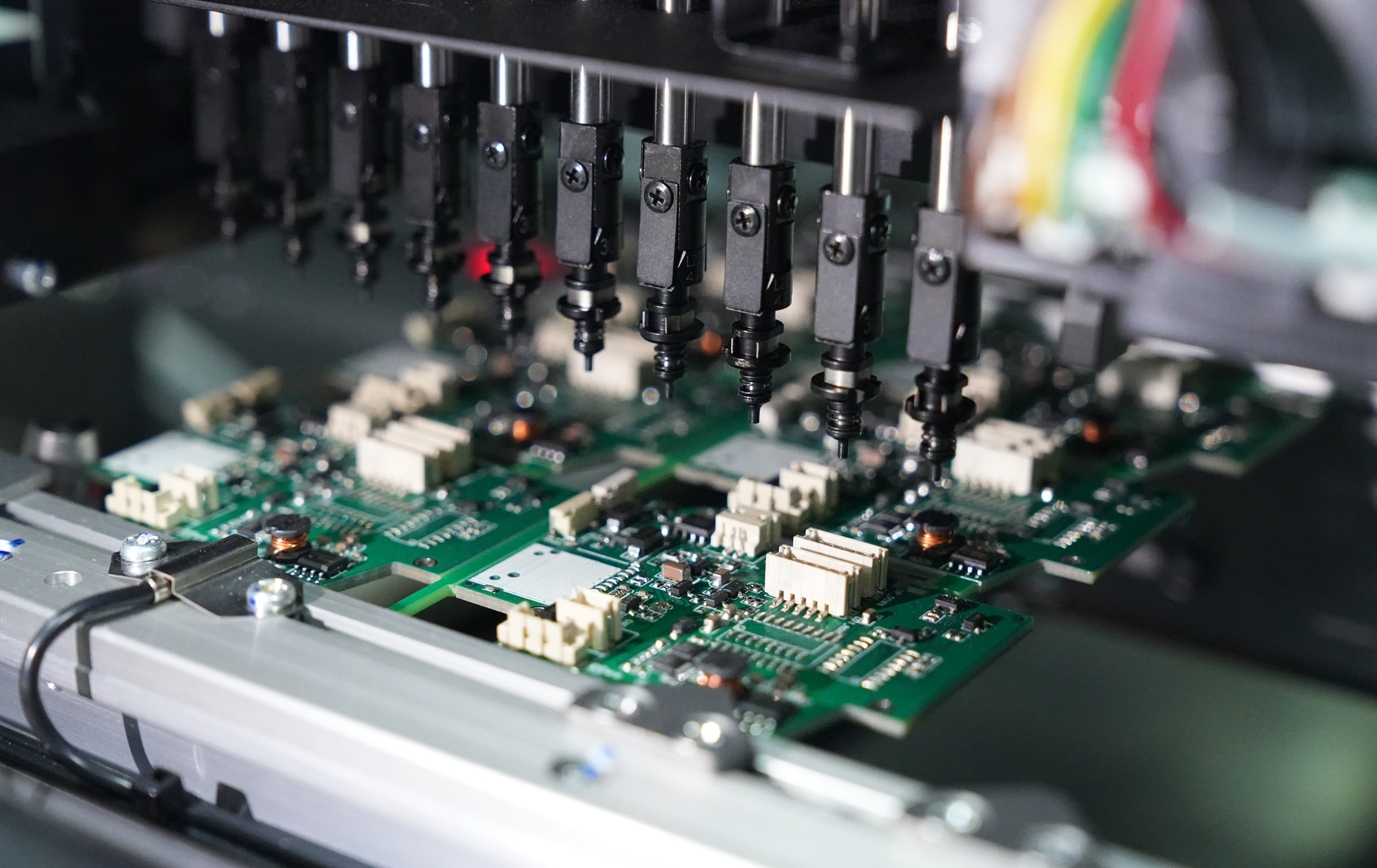
    This is the most common method today. Components are placed directly on the surface of the board. Pick and place machines handle most of the work, which keeps it fast and accurate. SMT supports miniaturized parts and high-speed production.

    2. Through-Hole Technology (THT)

    This technique uses components with leads that go through holes in the PCB. These leads are soldered on the other side. THT is strong and used for large or high-stress parts like connectors or transformers.

    3. Mixed Technology Assembly

    Some boards use both SMT and THT. Surface-mount parts go on first, then through-hole components are added by manually. This mix allows for flexible, compact, and reliable designs.

    What is the difference in PCB and PCBA?

    Though the terms PCB and PCBA are often used together, they describe very different stages in the electronics manufacturing process. And you must to know: PCB are one of important part of PCBA, but PCBA not. Below we listing the key differences between them:

    FactorPCBPCBA
    StageBlank boardAssembled with components
    ComponentsNoYES
    FunctionalityNon-functionalFully operational
    Manufacturing CostLowHigher (because include the components cost)
    TestingBasic inspectionComplete electrical testing
    Assembly TechniquesNot applicableSMT, THT, or hybrid
    Files NeededGerber, drill filesGerber, BOM, pick & place, assembly files
    Lead Time (under same design)ShortRelated longer than PCB

    What Is the Use of PCBA?

    PCBAs are used in almost everything you see around:

    • Phones: Control your screen, camera, and sound.
    • Computers: Process data, run programs.
    • Vehicles: Support GPS, safety features, engine control.
    • Medical devices: Power equipment like MRI or ECG machines.
    • Home appliances: From smart TVs to microwave ovens.

    Without a PCBA, none of these would work. It’s like the brain of any electronic device. From simple tools to high-end gadgets, PCBA plays a big role.

    How to Do PCBA Testing?

    Testing makes sure the board works as expected. It helps catch issues before the board goes into the final product. There are several ways to test a PCBA:

    1. Visual Inspection

    This is the first step. Technicians or machines check if parts are in the right place. They also look for bad solder joints, cracks, or missing items.

    2. Automated Optical Inspection (AOI)

    AOI mainly uses a camera system scans the board. It checks for incorrect or misaligned parts. It’s faster than manual inspection and works well for large batches.

    3. In-Circuit Testing (ICT)

    ICT checks each component directly. It makes sure resistors, capacitors, and connections work properly.

    4. Functional Testing

    This test powers the board and simulates how it will be used. It checks whether the PCBA can perform the expected tasks.

    5. X-Ray Inspection

    Used when components are hard to see, like BGAs (Ball Grid Arrays). The X-ray looks through the board to catch hidden problems.

    6. Flying Probe Test

    For small batches, probes test different points without a custom fixture. It’s flexible and cost-effective.

    7. Testing with jig

    This is used for mass production, jig tools are made according to the design files, so it is a customized. Jig testing can save much time compared with flying probe.

    EBest Circuit (Best Technology) deeply know the importance of the product quality, so we pay more attention to the PCB board quality checking process. We set a QC department according to ISO9001:2015 and ensure all processes are compliance with quality system.

    How Do You Clean a PCBA?

    During the PCB assembly process, cleaning a PCBA is an important step, especially after soldering. Residual flux, dust, or moisture can affect the performance of the board. Nowadays, the common cleaning methods used in EBest Circuit (Best Technology) are:

    1. Manual Cleaning

    This is the most basic method. A technician uses a soft anti-static brush and high-purity isopropyl alcohol to remove visible flux or dirt. It’s ideal for prototypes, small batches, or after rework or repair. Manual cleaning gives the operator control, especially in tight or delicate areas. However, it’s time-consuming and not suitable for large-scale production.

    What is the Meaning of PCBA? PCBA Process

    2. Ultrasonic Cleaning

    Ultrasonic cleaning is widely used for complex boards and mass production. The PCBA is submerged in a tank filled with a cleaning solution. High-frequency sound waves pass through the liquid, creating microscopic bubbles. These bubbles collapse rapidly, producing a scrubbing action known as cavitation.

    This technique reaches tiny gaps under components where brushes can’t go. It’s very effective for removing dried flux, fine dust, or ionic contamination. The process is gentle on components but powerful enough to clean even the most compact assemblies. After cleaning, the board is rinsed and dried with warm air or placed in a drying chamber.

    What is the Meaning of PCBA? PCBA Process

    3. Dry Ice Cleaning

    Dry ice cleaning is a newer, eco-friendly technique. It uses solid CO₂ pellets, also called dry ice, blasted at high speed onto the PCBA surface. As the pellets hit, they turn into gas instantly. This process lifts off dirt, flux, and even adhesives without leaving moisture or residue behind.

    What is the Meaning of PCBA? PCBA Process

    Dry ice cleaning works well for delicate electronics and is especially useful in industries where cleanliness must meet strict standards. To give customer a highest quality of the PCBA, our SMT factory equipped with the dry ice cleaning machine to ensure a clear surface while improve the efficiency.

    PCBA Assembly Process

    The PCBA assembly process is relatively simple than PCB manufacturing, actually the most tedious step is to load all the components on the pick and place machine, and set the program parameters. Here we break down all the processes of the mass production PCB assembly, from the solder paste printing to function testing.

    1. Solder Paste Printing

    First, solder paste is applied to the bare PCB. This paste is mainly consists of silver and tin, a mix of tiny solder particles and flux. A stencil is placed over the board, and the paste is spread across it using a squeegee. The paste sticks only to the exposed pads where components will be mounted.

    2. Load components feeder

    Load all the components in the feeder of the pick and place machines, make sure all the parameter of components are correct, and double check the direction of chips. It is a simple but tedious step and need much time to check everything is okay. 

    2. Pick and Place

    After applying solder paste, automated pick-and-place machines begin placing surface-mount components onto the board. These machines work fast and accurately. They follow a file created during PCB design that tells them the exact location for each part. The components sit on the solder paste, which holds them in place temporarily.

    3. Reflow Soldering

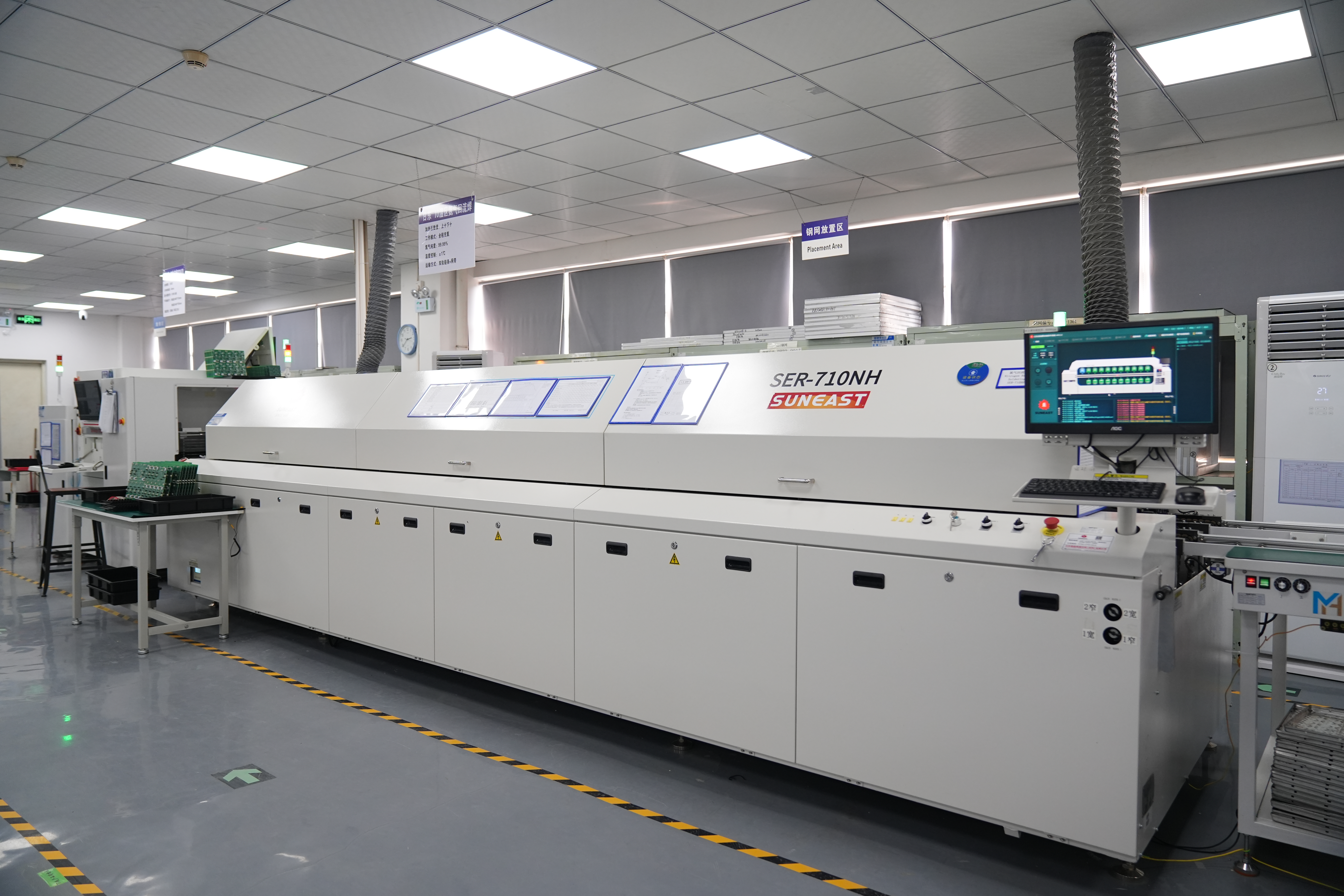
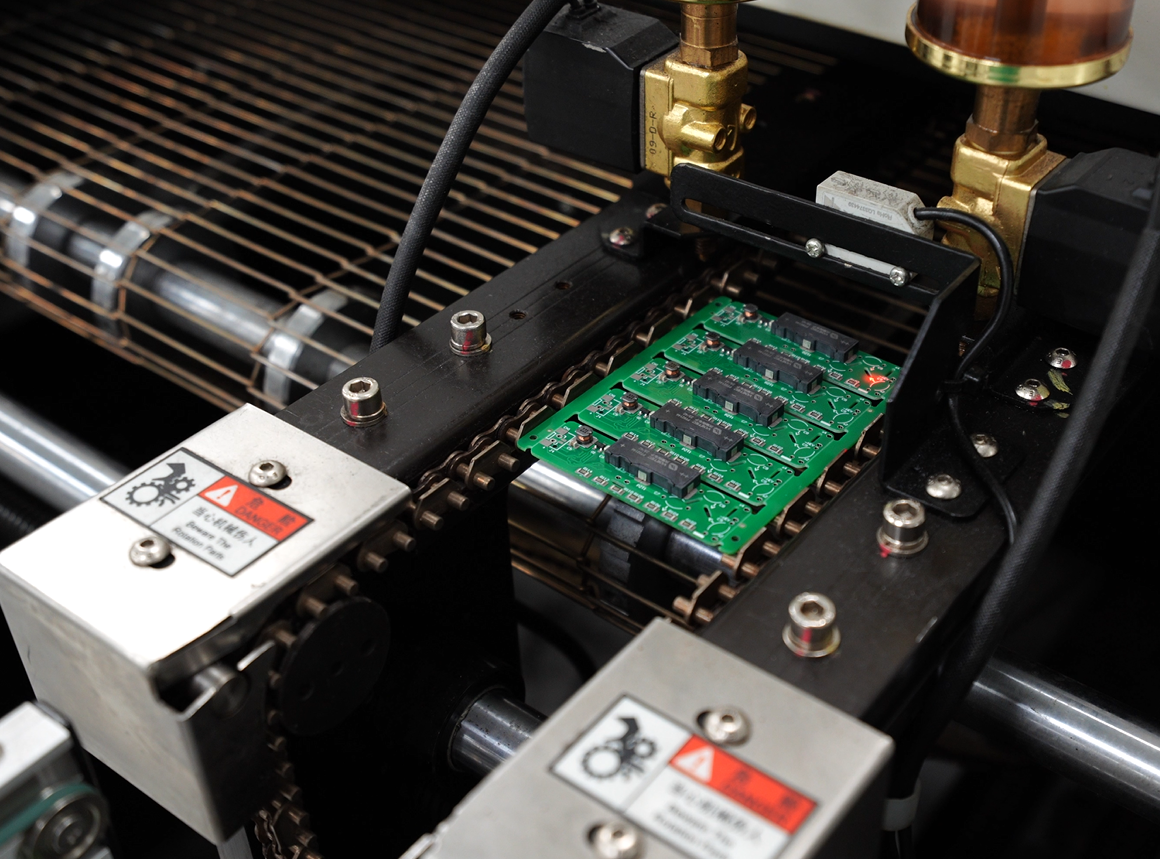
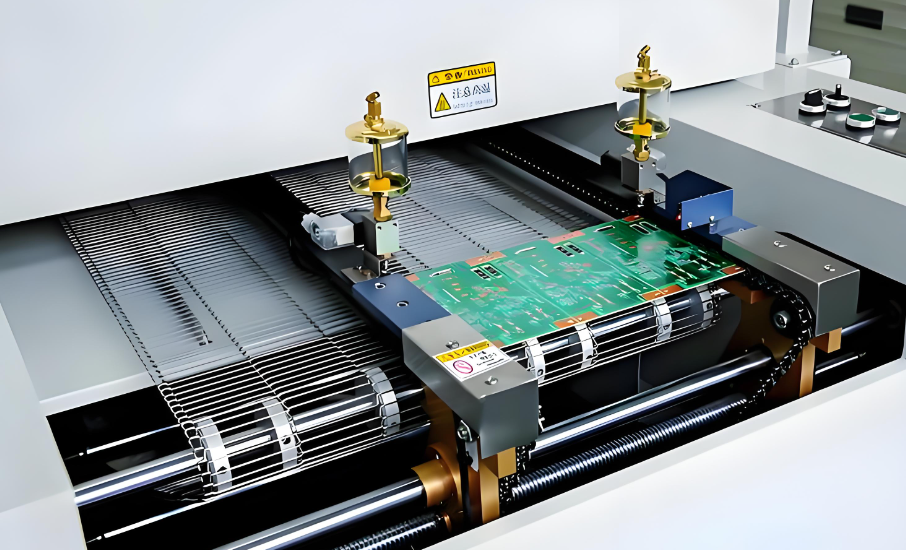
    Next, the assembled board goes through a reflow oven. The oven slowly heats the board in stages. When it reaches a high enough temperature, the solder paste melts and forms strong electrical and mechanical connections between the parts and the board. After this, the board cools down, and the solder solidifies.

    This step is only for SMT components. If the board has only through-hole parts, this step may be skipped.

    4. Inspection (AOI and Visual)

    Once the soldering is done, the board goes through inspection. Automatic Optical Inspection (AOI) machines scan the board using high-resolution cameras. They check for misaligned parts, soldering problems, or missing components. For small production or sensitive areas, manual inspection is also performed to catch anything machines might miss.

    5. Through-Hole Component Insertion (If Needed)

    If the board uses through-hole technology (THT), this is when those parts are added. Workers or machines insert the components into the holes, and the leads go through to the other side of the board. These components are often bulkier, like connectors or transformers.

    6. Wave Soldering (For THT)

    For boards with many through-hole parts, wave soldering is used. The board passes over a wave of molten solder that touches the underside. This solders all the leads at once. It’s fast and effective, especially for high-volume production. For small-scale or sensitive boards, hand soldering might be used instead.

    7. Final Inspection and Quality Control

    After soldering, the entire board is checked again. Technicians or AOI machines inspect the final assembly. They look for cold joints, excess solder, or misplaced parts. Boards may also be tested with X-ray machines to inspect solder joints under BGAs or hidden areas.

    8. Functional Testing (FCT)

    The next step is functional testing. The board is powered up and tested to make sure it works correctly. This could include checking voltages, signals, response times, and communication with other devices. Engineers may use test jigs or test programs based on the end application.

    9. Cleaning (If Needed)

    After all soldering and testing, the board might be cleaned to remove flux residue. Depending on the flux used, this could be manual, ultrasonic, or dry ice cleaning. Clean boards are especially important in high-reliability fields like aerospace, automotive, or medical.

    10. Conformal Coating or Protection (Optional)

    For some applications, a conformal coating is applied. This is a protective layer that shields the board from moisture, dust, and chemicals. It’s often used in harsh environments. Coating can be applied by spraying, dipping, or brushing.

    11. Packaging and Shipping

    Finally, once the PCBA passes all checks, it’s packed carefully. Anti-static bags, foam, and trays protect it during transport. Labels are added for tracking and traceability. From here, it’s ready to be installed into the final product. Here is a whole process of pcb assembly in EBest Circuit (Best Technology).

    PCBA HS Code

    Every product for trade needs a code. The HS code for PCBA usually is 8517799000

    But depending on the use or market, some customs may use a different classification. For example:

    853400 for bare board parts, sometimes be used on certain assembled parts.

    847330 for boards used in computers.

    853710 for board which used as controller or controller unit.

    Noted: Always check with your country’s customs for the right code. Using the wrong one may cause delays or extra costs.

    Our PCBA Services

    At EBest Circuit (Best Technology), we specialize in end-to-end PCBA services. From design to delivery, we support your project with speed, quality, and reliability. We can be your first choice because:

    1. We have 18+ years in PCB industry
    2. One-Stop Service: PCB fabrication, parts sourcing, SMT/THT assembly, testing
    3. Custom Solutions: From prototypes to mass production, no MOQ
    4. Skilled Engineers: For DFM & DFA checks and process optimization
    5. Strict Quality Control: 9-times QC check, including AOI, X-ray, ICT, and functional testing
    6. Global Delivery: Fast and on time, wherever you are
    7. Component Sourcing: Only original, trusted parts, we have cooperated with digikey, findchips, mouser for over 10 years, and we can get the most competitive price from them.
    8. PCB Fabrication: Rigid, flex, metal-core, ceramic, and more.

    Whether you’re working on a simple control board or a multi-layer high-speed system, we’re here to support you.

    You may also like

    What is Battery Eliminator Circuit? How Does it Works?

    April 5th, 2025

    What Is a Battery Eliminator Circuit?

    A battery eliminator circuit can be short for BEC, it is a circuit that replaces batteries to provide power. Battery eliminator circuits were originally used in applications where the mains was converted to battery power. They are now used in battery-driven applications where high and low power are required, and can be used to save battery demand. For example, when the motor requires 12V and the control board requires 5V, a 12V to 5V battery eliminator circuit is required, and only one set of 12V batteries is required.

    Early commercial battery eliminators were produced by Edward Rogers in 1925 as a supplement to his line of “battery-free” radio receivers. Another early battery eliminator manufacturer was Galvin Manufacturing Company (later known as Motorola), which was founded on September 25, 1928 by Paul Galvin and his brother Joseph E. Galvin to build battery eliminators for radio receivers installed in cars.

    BECs are also used in some motorcycles and all-terrain vehicles to reduce the use of batteries in order to reduce the weight of the load. The part that originally required the battery is replaced by a large-capacity capacitor, which can be used to reduce the pulse fluctuations produced by the alternator.

    What is Battery Eliminator Circuit? How Does it Works?

    Why Is a Battery Eliminator Circuit Important?

    Many electronic circuits require different voltage levels to function correctly. For example, in an RC aircraft or drone, the motor runs on a high-voltage battery pack, but the flight controller, servos, and receiver need a much lower voltage (usually 5V or 6V). Without a BEC, a separate battery would be required for the receiver and servos, adding extra weight and complexity. A BEC solves this issue by stepping down the voltage and supplying consistent power to these essential components.

    In addition to this, intercell static electricity is a common phenomenon in electronics, which can produce a transient high voltage in electronic devices, resulting in damage to batteries and devices. And the static electricity between batteries may cause problems such as short circuit, leakage, and overheating of batteries, or even fire and explosion. The battery eliminator circuit connects the electrostatic charge between the battery and the ground through the grounding principle, so that the charge is lost, so as to protect the safety of the battery and equipment.

    Types of Battery Eliminator Circuits

    There are two main types of BECs in the electronics, each with distinct advantages and applications:

    1. Linear BEC

      A linear battery eliminator circuit uses a linear voltage regulator to reduce voltage. It is commonly used in remote-controlled (RC) models, especially as part of an electronic speed controller (ESC). This circuit allows the RC model to operate with a single battery pack that powers both the motor and control electronics, eliminating the need for a separate battery for the receiver and servos.

      A BEC within the linear regulator often includes a low-voltage cutoff function to prevent excessive battery discharge, which could lead to system failure. It is typically installed according to the manufacturer’s recommendations, and the regulated voltage is optimized for the RC receiver.

      2. Series BEC (SBEC)

      A series battery eliminator circuit is a design that uses a basic series switching regulator to provide a stable DC voltage output. It is commonly used in 9V DC applications, with a maximum current not exceeding 100mA. This circuit includes components such as a transformer, filter capacitor, and push-pull rectifier, which help step down the voltage and provide isolation protection.

      When unloaded, the circuit outputs approximately 18V DC, and under full load, the voltage drops to around 12V DC. Additionally, it features an output buffer amplifier, which enhances current gain and voltage regulation.

      Battery Eliminator Circuit Diagram

      A BEC battery eliminator circuit consists of several key components that regulate voltage and maintain stability. A basic battery eliminator circuit diagram includes:

      • Voltage Regulator – The core component that steps down voltage.
      • Capacitors – Stabilize the output voltage and filter noise.
      • Diodes – Provide reverse polarity protection to prevent damage.
      • Input and Output Terminals – Allow connection to a power source and the electronics that need power.

      Below is a series circuit diagram of the battery eliminator circuit, which can be used as a replacement for the 9VPP3 battery. The circuit given here can be used to power any device powered by a 9V battery. Transformer T1 reduces the supply voltage and bridge D1 performs rectification. Capacitor C1 is a filter. The ICLM317T is a voltage regulator. If the values of R1, R2, and R3 are selected, the output voltage of IC1 will be stable at 9 volts.

      Battery Eliminator Circuit Diagram

      What Does a Battery Eliminator Circuit Do?

      A battery eliminator circuit provides a stable and regulated power supply to electronic components that would otherwise require a separate battery. It ensures that these components receive the correct voltage level, preventing damage due to overvoltage or undervoltage. The mainly functions of a BEC including:

      • Voltage Regulation – Converts high voltage from the main power source into a stable lower voltage for sensitive electronics.
      • Weight Reduction – Eliminates the need for extra batteries, making devices lighter and more efficient.
      • Power Management – Protects components from voltage fluctuations and power surges.
      • Improved Efficiency – Reduces power wastage and enhances performance in drones, RC models, and embedded systems.

      For example, in an RC car, the motor may run on a 7.4V or 11.1V battery pack, but the receiver and servos require only 5V or 6V.

      How Does a Battery Eliminator Circuit Work?

      A battery eliminator circuit works by taking power from a high-voltage source, regulating it, and supplying a stable output voltage. The working principle varies based on whether it is a linear BEC or a switching BEC.

      A linear BEC operates like a traditional voltage regulator, reducing voltage by converting excess energy into heat. For instance, if a 12V input is required to provide 5V output, the extra 7V is dissipated as heat. This method is simple but inefficient for high-power applications since it generates excess heat.

      While different with linear BEC, a series BEC (also known as SBEC or UBEC) uses a high-frequency switching regulator to convert voltage without significant heat loss. Instead of dissipating excess voltage, it switches the power on and off rapidly, storing and releasing energy efficiently.

      How Does a Battery Eliminator Circuit Work?

      Battery Eliminator Circuit Uses

      A BEC is used in various applications where a stable power source is needed. Some of the most common uses include:

      • RC Vehicles and Drones – Powers receivers, servos, and electronic speed controllers (ESCs).
      • FPV Systems – Supplies steady voltage for cameras, video transmitters, and OSD modules.
      • Embedded Systems – Provides regulated power to microcontrollers, sensors, and digital circuits.
      • Power Tools – Eliminates the need for disposable batteries in low-voltage applications.
      • Testing and Prototyping – Used in laboratories and research to power circuits with precise voltage levels.

      What Is the Difference Between BEC and UBEC?

      A BEC and UBEC (Universal Battery Eliminator Circuit) serve the same function but differ in design and efficiency.

      FeatureBECUBEC
      TypeCan be linear or switchingAlways a switching regulator
      EfficiencyLower for linear BECsHigher efficiency
      Heat Generation  Higher in linear BECsMinimal due to switching technology
      Current HandlingLimitedCan handle higher currents
      Ideal UseLow-power applicationsHigh-power RC and drone systems

      A UBEC is a more advanced version of a BEC, commonly used in RC drones, FPV systems, and high-current applications where power efficiency is crucial.

      BEC in FPV Drone Flight Controllers

      In FPV (First-Person View) drones, a battery eliminator circuit drone is used to maintain stable voltage levels across different electronic components. Flight controllers, video transmitters, and cameras all require a reliable power source to function properly. Without a BEC, these components would need separate batteries, adding unnecessary weight and complexity to the drone.

      Drones typically use high-voltage LiPo (Lithium Polymer) batteries, often rated at 3S (11.1V), 4S (14.8V), or even higher. However, many essential components operate at lower voltages, such as 5V or 9V. A BEC steps down the voltage from the main battery and ensures that all connected components receive the correct power level. By integrating BEC into a FPV drone, it functions:

      • Stable Flight Controller Operation

      The flight controller (FC) is the central processing unit of the drone, managing stabilization, motor control, and sensor inputs. A BEC prevents voltage fluctuations, ensuring smooth operation and reducing the risk of crashes due to power instability.

      • Reliable Power for FPV Cameras

      FPV cameras require a steady voltage to avoid video signal noise or sudden blackouts. A BEC eliminates power spikes, which could interfere with video transmission and affect flight visibility.

      • Consistent Power to Video Transmitters (VTX)

      The video transmitter (VTX) sends live footage from the drone to the FPV goggles or monitor. Inconsistent power can cause signal drops, static, or overheating. A BEC delivers a clean, regulated voltage, improving video signal stability.

      • Prevents Overheating and Component Damage

      Directly connecting a high-voltage battery to low-voltage components can cause overheating and failure. A BEC protects these parts, extending their lifespan and reducing the chance of mid-flight failures.

      Many modern flight controllers include an integrated BEC, simplifying power distribution. However, for higher power demands, external switching BECs (UBECs) provide better efficiency and handle larger current loads without overheating.

      At EBest Circuit (Best Technology), we provide drone printed circuit boards with battery eliminator circuits. We have passed AS9100D certifications, and set a specialized QA system according to AS9100D, build up procedure to aim specifically at the prevention of problems and the elimination of root causes, provides complete traceability of material and detailed processing history for all products manufactured. If you are interested in the manufacturing of drone PCB with BECs, you are welcome to touch us for more details.

      You may also like

      What is Solder Mask in PCB? How Is Solder Mask Applied to Your PCB?

      March 26th, 2025

      What Is Solder Mask?

      A solder mask also called solder resist, it is a protective layer applied to a printed circuit board (PCB) to shield copper traces from oxidation, contamination, and unintended solder bridges. Without this layer, exposed copper can easily corrode or cause short circuits due to accidental solder connections.

      Most solder masks are made from epoxy resins, liquid photo imageable (LPI) materials, or dry films. These materials create an insulating layer that only exposes the necessary contact points for soldering, such as component pads. In modern PCB manufacturing, solder masks are essential for ensuring proper functionality, ease of assembly, and long-term reliability. Whether for simple or advanced circuits, a high-quality solder mask is critical for maintaining the integrity of a PCB.

      What is Solder Mask in PCB? How Is Solder Mask Applied to Your PCB?

      How Is Solder Mask Applied to Your PCB?

      How is solder mask applied to your PCB? Applying a solder mask is a multi-step process that requires precision to ensure even coverage and proper functionality. The process varies depending on the type of solder mask used, but the general steps include:

      1. Surface Preparation

      Before applying a solder mask, the PCB surface must be thoroughly cleaned. Any dust, grease, or oxidation can affect adhesion. Manufacturers use chemical cleaning or mechanical scrubbing to remove contaminants and prepare the board for coating.

      2. Solder Mask Application

      The solder mask is applied using one of the following methods:

      •  LPI Solder Mask: A liquid mask is sprayed or screen-printed onto the PCB surface. This method provides excellent precision and is widely used in high-density PCB designs.
      • Dry Film Solder Mask: A pre-cured solder mask film is laminated onto the board and then exposed to UV light for patterning. It is a common method in high-volume manufacturing.
      • Epoxy-Based Solder Mask: A thermosetting polymer is screen-printed onto the board and then cured. This is one of the oldest methods but is less precise than LPI.
      What is Solder Mask in PCB? How Is Solder Mask Applied to Your PCB?

      3. UV Exposure and Developing

      After application, the board is exposed to ultraviolet (UV) light through a photomask that defines the solder mask openings. The exposed areas harden, while the unexposed parts remain soft and can be removed using a developer solution.

      4. Curing and Final Inspection

      Once the mask is developed, the PCB undergoes a curing process, usually in an oven, to fully harden the solder mask. Afterward, the board is inspected to ensure the mask is properly applied without defects. Evenly application of the solder mask is essential for preventing soldering issues and ensuring the long-term reliability of the PCB.

      Why Is the Solder Mask Green?

      The green color of solder masks became the industry standard due to a combination of historical, practical, and technical factors. Early PCB manufacturing processes used epoxy-based resins, which naturally had a green tint. Over time, manufacturers standardized this color because it offered excellent contrast for visual inspection. Engineers and technicians rely on automated optical inspection (AOI) systems to detect defects, and the green color provides the best balance between visibility and eye strain. Other colors like red, blue, and black exist, but green remains the most widely used due to its well-established reliability and cost-effectiveness.

      What is Solder Mask in PCB? How Is Solder Mask Applied to Your PCB?

      Beyond visibility, green solder masks also offer superior thermal and chemical stability compared to some other colors. PCBs endure high temperatures during soldering, and green formulations have been extensively tested to withstand heat without degrading.

      What Can I Use Instead of a Solder Mask Material?

      If a solder mask isn’t available, there are alternative methods to protect PCB copper traces. However, they may not provide the same level of durability and precision.

      1. Conformal Coatings

      Conformal coatings are thin protective layers applied to PCBs to protect against moisture, dust, and corrosion. While they don’t replace solder masks, they can provide an extra layer of protection. Some PCBAs may required to coating a layer of conformal as an extra protect layer.

      What is Solder Mask in PCB? How Is Solder Mask Applied to Your PCB?

      2. Kapton Tape

      Kapton tape is a heat-resistant, electrically insulating material that can be used to protect specific areas of a PCB. However, it doesn’t offer the same level of coverage or durability as a solder mask.

      3. PCB Lacquers

      Some manufacturers use specialized PCB lacquers to coat copper traces and prevent oxidation. These coatings are easy to apply but may wear off over time.

      4. DIY Solutions

      Some electronics hobbyists use clear nail polish as a temporary solder mask substitute. While it can offer short-term protection, it is not a recommended solution for professional PCBs.

      A proper solder mask is always the best choice for ensuring the longevity and reliability of a PCB.

      How Do You Apply Solder Mask Evenly?

      A smooth and uniform solder mask application is crucial for avoiding defects. Here are some key factors to consider:

      1. Clean the PCB Surface: Any dust or grease can cause uneven adhesion. Proper cleaning ensures the mask spreads evenly.

      2. Use Controlled Application Methods: Automated spraying, screen printing, or laminating techniques help distribute the solder mask uniformly.

      3. Maintain Proper Viscosity: If the solder mask is too thick or too thin, it may not spread evenly. Maintaining the right consistency ensures better coverage.

      4. Ensure Proper Curing: Over-curing or under-curing can create issues with adhesion and durability. Controlled UV exposure and thermal curing help achieve the best results.

      What Is the Solder Mask Requirement?

      Solder mask requirements vary depending on PCB design, industry standards, and application needs. The mask must very good to protect the board from oxidation, solder bridges, and contaminants. Manufacturers should follow strict guidelines to ensure the solder mask meets performance and quality expectations. And customers also can inspect these parameters to make sure solder mask is good.

      1. Thickness Requirements

      The solder mask must maintain a consistent thickness to prevent defects. Typical thickness values are:

      • Over Copper Traces: 15–35 ÎŒm (micrometers)
      • Over Substrate (Bare Board Areas): 5–15 ÎŒm
      • Near SMD Pads and Through-Holes: Sufficient clearance to avoid interference with soldering.

      An uneven or excessively thick mask can cause soldering issues, while a thin mask may not provide enough protection.

      What is Solder Mask in PCB? How Is Solder Mask Applied to Your PCB?

      2. Registration Accuracy

      The solder mask must align precisely with the PCB layout. Misalignment can lead to:

      • Blocked SMD pads or vias, affecting solderability.
      • Unprotected traces, increasing the risk of oxidation or short circuits.

      Industry standards, such as IPC-6012, define the allowable misregistration, typically within ±3 mils (±0.075 mm) to ensure proper coverage.

      3. Clearance and Openings

      The solder mask must be designed with appropriate clearances around pads and vias to ensure smooth soldering. Key points include:

      • Pad-to-solder mask clearance: Typically 3–5 mils (0.075–0.125 mm) to prevent solder mask from covering pad edges.
      • Via coverage: Some designs require tenting (fully covering the via), while others leave vias exposed for better connectivity.

      4. Electrical Insulation Properties

      Solder masks act as an insulating layer to prevent short circuits between copper traces. The dielectric strength must be high enough to withstand PCB operating voltages. Common requirements include:

      • Dielectric strength: Above 500V/mil for proper insulation.
      • Surface resistivity: Greater than 10âč Ω/sq to prevent leakage currents.

      5. Compliance with Industry Standards

      Solder mask materials and application processes must comply with international standards, such as: IPC-SM-840, RoHS & REACH, UL 94V-0.

      What Kinds of Solder Masks Do We Have in EBest Circuit (Best Technology)?

      At EBest Circuit (Best Technology), we offer a range of solder masks to suit different PCB applications. Our selection includes:

      • Green (commonly select)
      • Red (for prototype)
      • Blue (for power supply board)
      • Black (consumer electronics)
      • Matte Black (high-end products or prototypes)
      • White (lightings)
      • Grey (prototypes)
      • Matte Grey (prototypes)
      • Yellow (rarely used)
      • Purple (prototype or high-end product that need good appearance)

      We ensure that our solder masks meet industry standards, providing excellent adhesion, thermal stability, and long-term reliability. Would you like to discuss a specific solder mask for your PCB project? Contact us today!

      You may also like

      DC and AC Inverters: What You Need to Know

      March 20th, 2025

      DC and AC inverters are essential components in today’s energy systems. Whether you’re harnessing the power of the sun with solar panels, working with backup power solutions, or simply need a way to power your devices, understanding how these inverters work is crucial. This blog breaks down the purpose, advantages, and practical use of DC and AC inverters, helping you make informed decisions based on your needs.

      What is a DC and AC Inverter?

      Inverters are electrical devices that convert DC (direct current) to AC (alternating current), or vice versa. Typically, DC power comes from sources like batteries or solar panels, while AC is what you use to power most household appliances. A DC to AC inverter is used to convert the DC power into usable AC power. On the other hand, an AC to DC inverter does the reverse, converting AC power into DC to charge batteries or power DC devices.

      In simple terms, a DC to AC inverter allows you to use power from sources like batteries or solar panels in everyday devices that require AC power, such as fans, lights, and even refrigerators. Without inverters, it would be challenging to use energy from renewable sources for traditional home appliances.

      DC and AC Inverters: What You Need to Know

      What is the Purpose of a DC to AC Inverter?

      The primary purpose of a DC to AC inverter is to make DC power usable for AC appliances. Whether you’re working with a solar power system or simply need backup power, inverters are the key to making this energy conversion happen. For example, if you’re using a solar panel setup, you typically generate DC power. Since most home appliances run on AC, you need an inverter to convert that energy into a form you can use.

      Inverters are essential in off-grid applications, such as in remote areas, where the electricity grid is unavailable. They provide an efficient way to use stored DC power, converting it into AC electricity for devices that would otherwise be useless.

      How Does an Inverter Work When There is No Electricity?

      When there’s no grid electricity, inverters can still work by drawing power from other sources like batteries or solar panels. This is particularly helpful in off-grid or emergency situations. The inverter takes the DC power from your stored energy and converts it into AC power to keep your appliances running.

      For example, if you have a solar power system with a battery backup, and the power goes out, the inverter allows you to keep your appliances on, as long as your batteries have enough charge. In this way, inverters provide an essential role in maintaining power continuity during outages.

      DC Inverter AC Advantages and Disadvantages

      DC inverters come with several benefits, particularly in renewable energy applications like solar power systems. They are highly energy-efficient and help convert power from DC sources into usable AC power without much loss. This makes them perfect for off-grid living or areas where solar panels are the primary source of energy.

      However, there are some drawbacks. DC inverters may have higher upfront costs, and the complexity of conversion can lead to minor energy losses. They also tend to require more maintenance due to the way they manage energy conversion.

      On the flip side, AC inverters are generally more efficient in household and industrial settings because AC power is more compatible with most appliances. Their downside lies in the additional energy needed to convert AC power into usable DC energy when dealing with solar systems or battery charging applications.

      Despite these differences, both types of inverters have their place, and their advantages often outweigh the disadvantages when used in the right scenarios.

      DC and AC Inverters: What You Need to Know

      Which is Better: AC Inverter or DC Inverter?

      Choosing between an AC and DC inverter depends on your specific needs. AC inverters are more commonly used for residential and industrial applications, as they are designed to power traditional household appliances. They are easy to integrate into existing power systems and typically provide a reliable power source for most needs.

      On the other hand, DC inverters are especially useful for renewable energy applications. If you’re installing solar panels or using a battery backup, a DC inverter is the best choice, as it can convert the stored DC power into AC power for your home. They are also more energy-efficient in off-grid situations, where you rely entirely on solar or battery power.

      Ultimately, the “better” inverter is the one that fits your particular power needs. If you’re on the grid or need to power AC devices from a DC source, an AC inverter is the way to go. But for renewable energy setups, DC inverters are a better fit.

      How Long Will a 12V Battery Last with an Inverter?

      The lifespan of a 12V battery when used with an inverter largely depends on the wattage of the devices you’re powering. Inverters typically drain the battery at different rates based on the energy demand of the connected devices. For instance, if you’re running a light or small appliance, the battery can last for several hours. However, larger appliances like refrigerators or air conditioners will drain the battery much faster.

      On average, a 12V battery can provide power for anywhere from 3 to 10 hours with an inverter, depending on the load. It’s essential to size your inverter and battery capacity properly to ensure your system works efficiently. By balancing energy use with battery life, you can maximize the performance of your inverter system.

      How to Choose a DC AC Inverter?

      Choosing the right DC to AC inverter involves considering several factors. First, determine the type of devices you’ll be powering. Consider the total wattage your devices require. Inverters come in various sizes and capacities, so it’s essential to match the inverter’s output with your needs.

      Next, consider the efficiency of the inverter. More efficient models will waste less power and give you better performance, especially if you’re using renewable energy sources like solar power. You should also think about the inverter’s durability, features like surge protection, and whether it has any warranties or support.

      The inverter’s voltage rating must also align with your power system. For example, in a 12V system, you should choose a 12V DC to AC inverter. Also, remember to check the inverter’s surge capacity, especially if you’re powering devices with a high initial startup load, like motors.

      Why PCB is Important in DC and AC Inverters?

      PCBs (Printed Circuit Boards) play a crucial role in both DC and AC inverters by providing the necessary connections and support for various electrical components. Inverters rely on PCBs to ensure proper functionality, reliability, and safety. For DC to AC conversion, the PCB helps in routing the signals between critical components like transistors, diodes, and capacitors, ensuring the conversion process runs smoothly.

      In both types of inverters, the PCB also helps dissipate heat, manage power efficiently, and prevent potential short circuits. High-quality PCBs are essential for maintaining the long-term durability and performance of inverters, particularly in energy-intensive applications like solar or backup power systems. The design, material quality, and structure of the PCB can directly affect the efficiency and lifespan of the inverter, making it a key component in any inverter system.

      DC and AC Inverters: What You Need to Know

      With over 18 years of experience in the PCB manufacturing industry, EBest Circuit (Best Technology) is a trusted name in providing high-quality, reliable PCBs for various applications, including inverters. Our expertise and commitment to innovation allow us to create tailored solutions for both residential and industrial energy systems. Whether you’re looking for robust PCBs for solar inverters, backup power solutions, or any other inverter application, EBest Circuit (Best Technology) ensures precision and durability in every product we deliver. For more information about PCB and PCB assembly, pls feel free to contact us at sales@bestpcbs.com.

      FAQs

      1. What is the main difference between a DC inverter and an AC inverter?

      The main difference is that a DC inverter converts direct current (DC) to alternating current (AC), while an AC inverter converts AC to DC.

      2. Can an inverter work without a power source?

      Yes, inverters can still function when connected to a backup power source, such as a battery or solar panel, even if there’s no grid electricity.

      3. How do you size an inverter for your needs?

      The inverter should be sized based on the wattage of the devices you want to power. Make sure the inverter’s output matches or exceeds the required load.

      4. What are the typical applications of a DC to AC inverter?

      DC to AC inverters are typically used in off-grid applications, renewable energy systems, and backup power solutions.

      5. Do DC inverters have better energy efficiency than AC inverters?

      Yes, DC inverters are generally more energy-efficient in solar and battery-based systems as they convert stored energy directly without much loss.

      You may also like

      Dipole Antenna PCB Design, Dipole Antenna PCB Manufacturer

      March 18th, 2025

      As one of the most widely used antenna designs, a dipole PCB antenna plays a critical role in radio transmission, IoT devices, and RF applications. Whether it is used in Wi-Fi routers, mobile networks, or radar systems, the dipole antenna PCB ensures stable and reliable signal transmission.

      What is a Dipole Antenna PCB?

      A dipole antenna PCB is a printed circuit board-based antenna designed with two conductive elements that serve as radiating arms. The word “dipole” means “two poles,” which describes the two symmetrical elements that make up the antenna. The length of these elements is typically half the wavelength of the frequency it operates on, which is why it is often called a half-wave dipole antenna.

      This type of antenna is widely used in RF applications due to its simple construction, ease of manufacturing, and effective radiation properties. A dipole antenna PCB is commonly found in wireless communication systems, radio transmitters, satellite communication, and IoT devices. The radiation pattern of a dipole antenna is omnidirectional, making it ideal for applications that require uniform signal coverage.

      Dipole Antenna PCB Design, Dipole Antenna PCB Manufacturer

      Dipole PCB Antenna Design

      Same as others antenna PCBs, designing a dipole PCB antenna requires careful consideration of factors such as frequency, impedance, substrate material, and radiation efficiency. The key aspects of designing a dipole PCB antenna include:

      1. Determining the Antenna Length

      The total length of a half-wave dipole antenna is calculated using the formula:

      Where:

      • L = Length of the dipole antenna
      • λ = Wavelength of the signal
      • c = Speed of light (3 × 10^8 m/s)
      • f = Operating frequency

      For example, for a 2.4 GHz Wi-Fi application, the length of a half-wave dipole antenna would be approximately 62.5 mm.

      2. Choosing the Substrate Material

      The choice of PCB substrate material affects the antenna’s efficiency and performance. The most common substrates used in dipole antenna PCB design include:

      • FR-4: Low-cost but has higher dielectric loss, suitable for general applications.
      • Rogers RO4000 Series: Low-loss, high-performance material for RF applications.
      • PTFE (Teflon): Ideal for high-frequency applications due to its low dielectric constant.

      3. Impedance Matching

      A standard dipole antenna has an impedance of 73 ohms in free space. To maximize power transfer, the impedance of the antenna must be matched with the feedline and transmitter, typically using a 50-ohm transmission line. This can be achieved through matching networks or baluns (balanced-to-unbalanced transformers).

      4. Feed Mechanism

      • A dipole PCB antenna can be fed using:
      • Coaxial Feed: A direct connection to a 50-ohm coaxial cable.
      • Microstrip Feed: Uses a microstrip transmission line on the PCB for integration with circuits.
      • Balun Feed: Improves performance by converting an unbalanced signal into a balanced one.

      Working Principle of Dipole Antenna PCB

      A dipole antenna PCB operates based on the principle of electromagnetic radiation. It typically consists of two symmetrical conductive elements, arranged in a straight or semicircular configuration, which function as the transmitting and receiving elements. These two conductor arms are fed at the center, forming a half-wavelength antenna. The current distribution on the dipole antenna resembles that of an open transmission line, with current nodes appearing at both ends.

      When an alternating current (AC) signal is applied at the feed point, the current oscillates along the dipole arms, generating an electric field. This interaction with the surrounding environment results in the propagation of electromagnetic waves. The efficiency of radiation depends on the length and shape of the conductors. Typically, a dipole antenna is designed with a length of 1/2 or 1/4 of the wavelength of the intended signal to maximize radiation performance. The working process shows as below:

      Working Principle of Dipole Antenna PCB

      In PCB design, placing a ground layer beneath the antenna can create a mirror effect, enhancing its performance. Additionally, careful PCB layout adjustments and ground layer configurations can optimize the antenna’s radiation efficiency and directivity, improving overall signal strength and stability.

      Dipole Antenna PCB Advantages

      • Simple structure and easy to manufacture: The dipole antenna consists of two conductors of equal length, with a simple structure, easy to manufacture and maintain, and low cost.
      • Omnidirectional radiation: Dipole antenna can form a strong radiation field in two opposite directions, with omnidirectional radiation characteristics, suitable for applications that require uniform coverage of the surrounding environment, such as Wi-Fi hotspots or mobile base stations.
      • Standard impedance matching: It can easily achieve standard impedance matching of 50Ω or 75Ω, simplifying the connection with other RF components.
      • Good radiation pattern: The radiation pattern of the dipole antenna is relatively uniform in the horizontal direction and symmetrical in the vertical direction, which is suitable for some communication systems that require balanced feeding.
      • Higher gain: The gain of the dipole antenna is generally higher than that of the monopole antenna, especially in the vertical direction, which is more symmetrical and can provide a more uniform radiation field.
      • Wide Frequency Range: Can be optimized for different frequency bands.
      • Scalability: Can be designed for small devices like IoT sensors or large-scale communication systems.

      Dipole Antenna Radiation Pattern

      The radiation pattern of a dipole antenna is typically omnidirectional in the H-plane (horizontal plane), meaning it radiates energy uniformly in all directions. However, in the E-plane (vertical plane), it exhibits a figure-eight pattern, with maximum radiation perpendicular to the dipole elements. It always shows as below:

      Dipole Antenna Radiation Pattern

      This characteristic makes dipole antennas ideal for applications requiring uniform signal distribution around the antenna’s axis.

      Types of Dipole Antennas

      1. Half-Wave Dipole Antenna: The most common type, where the total length is half the wavelength.

      2. Folded Dipole Antenna: Features an additional conductor for higher bandwidth and impedance matching.

      3. Short Dipole Antenna: Uses a shorter length but requires additional tuning for better efficiency.

      4. Multi-Band Dipole Antenna: Designed for multiple frequency bands, useful in telecommunications and radar applications.

      Applications of Dipole PCB Antenna

      • Wireless Communication: Wi-Fi, Bluetooth, and RFID systems.
      • IoT Devices: Smart home automation, industrial sensors, and medical wearables.
      • Broadcasting: AM/FM radio and television transmission.
      • Aerospace and Defense: Satellite communication, radar systems, and UAVs.
      • Automotive: Vehicle-to-vehicle (V2V) and vehicle-to-infrastructure (V2I) communication.

      Best Dipole Antenna PCB Manufacturer

      Choosing the right dipole antenna PCB manufacturer is crucial for achieving optimal performance. EBest Circuit (Best Technology) has over 18 years of experience in manufacturing high-frequency RF PCB and microwave PCBs, specializing in custom dipole PCB antennas for wireless communication and IoT applications. We can provide:

      • High-Precision Manufacturing: Advanced fabrication techniques ensure accurate antenna designs.
      • Premium RF Materials: Uses high-performance PCB materials like Rogers and PTFE.
      • Customization Options: Designs tailored to your specific frequency and impedance requirements.
      • Reliable Performance: Ensures consistent signal transmission with high efficiency.
      • Global Shipping: Trusted by clients worldwide for RF PCB solutions.

      For custom dipole PCB antenna solutions, contact EBest Circuit (Best Technology) today to get a free consultation!

      You may also like

      Patch Antenna PCB Design, Patch Antenna PCB Manufacturer

      March 17th, 2025

      What is a Patch Antenna PCB?

      A patch antenna PCB is a specialized type of antenna that is commonly used in wireless communication devices. It consists of a flat, rectangular, or square metal patch mounted on a printed circuit board (PCB) with a dielectric substrate between the patch and a ground plane.  Due to their directional nature, patch antennas radiate energy in a specific direction rather than all around, which makes it efficient for applications that require focused signal transmission.

      The patch antenna PCB is widely chosen for its lightweight structure, and ease of integration into various applications. Unlike traditional antennas with bulky components, patch antennas offer a streamlined solution for devices requiring high-frequency transmission. Industries such as telecommunications, aerospace, automotive, and consumer electronics rely on patch antennas for their wireless networking needs.

      Patch Antenna PCB Design, Patch Antenna PCB Manufacturer

      What Does a Patch Antenna PCB Do?

      A patch antenna PCB functions as a key component in wireless communication systems. It serves the purpose of sending and receiving radio frequency (RF) signals in a controlled manner. When an electric current is supplied to the antenna, it generates electromagnetic waves that propagate through the air. The same process works in reverse when receiving signals.

      Patch antennas are extensively used in various applications, including:

      • Wi-Fi Networks – Routers and access points.
      • Bluetooth Devices – Wireless headsets, speakers, and IoT devices.
      • GPS Systems
      • RFID Applications – Retail and logistics industries.
      • Satellite-based Communications

      The effectiveness of a patch antenna PCB largely depends on its design, material, and positioning. When correctly engineered, it delivers high efficiency, strong gain, and minimal signal loss, providing a reliable performance in various environments. If you have similar designs while looking for an experienced patch antenna PCB manufacturer, just feel free to reach us at sales@bestpcbs.com. BEST team is a professional PCB supplier who providing turn-key patch antenna PCB service, including layout, design, manufacturing, components sourcing and PCB assembly. To ensure service, our company has established rapid-response and one-to-one after sale service teams, there is no worry for you!

      Patch Antenna PCB Types

      Patch antenna PCBs can be divided into different types according to its function and specifications, each designed to suit different frequency ranges and applications. Here are some of the most commonly used types:

      1. Standard Patch Antennas

      These are the basic patch antennas used in general wireless communication. They provide good performance for short- and medium-range applications.

      2. 2.4 GHz Patch Antenna PCB

      Designed specifically for the 2.4 GHz frequency band, they are widely used in Wi-Fi, Bluetooth, and IoT applications. This kind of patch antenna PCB provides stable signal transmission with minimal interference.

      3. Dual-Band Patch Antennas

      These antennas operate on two frequency bands, such as 2.4 GHz and 5 GHz, making them suitable for devices that require dual-band connectivity, such as modern Wi-Fi routers and mobile communication systems.

      4. Circular Polarized Patch Antennas

      Circular polarization enhances signal reception by reducing signal degradation due to environmental factors. These antennas are preferred in satellite communication, RFID, and drone applications.

      5. GPS Patch Antennas

      GPS patch antenna PCBs are optimized for frequencies used in satellite navigation and position systems. They provide accurate location tracking with high precision, always exist in our mobile phones, laptops, vehicle cars and so on.

      Patch Antenna PCB Design, Patch Antenna PCB Manufacturer

      What is the Best Substrate for a Patch Antenna PCB?

      The substrate material affects the performance of a patch antenna PCB. High-frequency applications require materials with low dielectric loss and stable electrical properties. Common choices include Rogers RT Duroid, Taconic, and FR4.

      • While FR4 is cost-effective and relative dielectric constant is generally between 4.0-4.5, it is always used in general wireless communication devices.
      • The dielectric constant of different types of Rogers substrates can be selected between 2.2-10, and are commonly used in high frequency antenna designs, such as millimeter wave antennas, satellite communication antennas, etc. ‌
      • Taconic substrate has a low dielectric constant, which can reduce the delay and distortion of signal propagation, and is conducive to the transmission of high-frequency signals. Suitable for high frequency band applications such as millimeter wave.

      GPS Patch Antenna PCB Design Guide

      GPS patch antenna PCB design requires careful planning to achieve high precision and reliability. GPS antennas operate at specific frequencies, typically 1.575 GHz (L1 band) and 1.227 GHz (L2 band), meaning the design must ensure accurate impedance matching, minimal signal loss, and strong gain.

      1. Selecting the Right Substrate Material

        For high-performance GPS antennas, Rogers RO4000 or ceramic-based substrates are recommended due to their low dielectric loss and stability at high frequencies. Here is a comparison between each material’s performance.

        MaterialDielectric Constant (Δr)Advantages
        Rogers RO4000 Series3.38 – 3.55Low loss, stable performance, good for high-frequency designs.
        Teflon (PTFE)2.1Excellent performance, minimal signal loss, ideal for precision applications.
        Ceramic-Based Substrates6 – 10High dielectric constant, small form factor, suitable for embedded GPS antennas.
        FR44.4Low cost but has higher signal loss, suitable for less critical applications.

        2. Patch Antenna Geometry & Dimensions

        The size of the patch directly affects the operating frequency. The patch length and width are calculated using the resonant frequency formula:

        Where:

        • L = Patch length
        • c = Speed of light (3 × 10⁞ m/s)
        • f = Operating frequency (1.575 GHz for GPS L1)
        • Δr = Dielectric constant of the substrate

        Following typical GPS patch antenna dimensions rule as below:

        • Patch Length (L): ~25mm for L1 frequency
        • Patch Width (W): ~25mm
        • Substrate Thickness: 1.6mm – 2.5mm for optimal performance

        These dimensions may vary based on substrate material and desired bandwidth.

        3. Impedance Matching and Feed Methods

        A well-matched GPS patch antenna typically has an impedance of 50Ω for maximum signal transfer. Mismatch leads to signal reflection, reducing efficiency.

        Common Feeding Methods:

        • Microstrip Line Feed – Uses a thin transmission line to connect the patch to the circuit.
        • Coaxial Probe Feed – A coaxial cable is directly soldered to the patch.
        • Inset Feed – A small cut in the patch optimizes impedance matching.
        • Proximity Coupling Feed – A dielectric layer separates the patch and feed line.

        Impedance Matching Techniques:

        • Adjusting the patch dimensions.
        • Using a quarter-wave transformer for gradual impedance transition.
        • Employing matching networks such as capacitors or inductors.

        4. Ground Plane Optimization

        The ground plane should be at least twice the size of the patch to reduce edge effects. To maintain signal stability, you can use a solid ground layer instead of split or partial ground. Additionally, avoid placing components close to the patch to reduce interference. Please noted that: a larger ground plane improves gain, while a smaller ground plane can degrade performance.

        Patch Antenna PCB Design, Patch Antenna PCB Manufacturer

        5. Circular Polarization for GPS Antennas

        GPS signals are circularly polarized, meaning the antenna must support circular polarization for better reception. To achieve a circular polarization, try to use below methods:

        • Corner Truncation: Cutting two opposite corners of the patch to create phase shift.
        • Dual Feed Method: Feeding the patch at two orthogonal points with a 90° phase difference.
        • Slot Loading: Adding slots in the patch to modify current distribution.

        6. Placement and Orientation Considerations

        The position of the GPS patch antenna affects signal reception.

        • Place the antenna on top of the PCB, away from interfering components.
        • Orient the patch facing upwards for direct satellite signal reception.
        • Keep at least 10mm clearance around the antenna to minimize obstructions.

        For wearable or mobile applications, placing a ground plane behind the antenna improves performance by reflecting signals.

        7. Testing and Tunning the GPS Patch Antenna

        Once the PCB is designed, thorough testing ensures it meets performance expectations. Here are some testing that EBest Circuit (Best Technology) always used:

        • Return Loss Measurement: A Vector Network Analyzer (VNA) verifies impedance matching.
        • Antenna Gain Testing: Determines signal strength and coverage.
        • Radiation Pattern Analysis: Ensures directional characteristics align with design specifications.
        • GPS Receiver Performance Testing: Evaluates signal lock speed and accuracy in real-world conditions.

        Hope this guide make you sense! If you need custom GPS patch antenna PCBs, EBest Circuit (Best Technology) provides high-precision fabrication, top-quality materials, and expert support for your high-performance GPS patch antennas suitable for various applications, including navigation systems, IoT devices, and autonomous vehicles. Contact us today to discuss your project!

        How to Separate Two Patch Antennas on a PCB?

        When designing a PCB with multiple patch antennas, proper isolation is crucial to prevent signal interference. Some effective techniques include:

        • Keeping antennas at least half the wavelength apart minimizes unwanted coupling.
        • Placing a grounded metal plane between antennas reduces cross-talk.
        • Metallic enclosures or RF shielding materials help further isolate signals.

        How to Install a Patch Antenna PCB on Your Device?

        Proper installation is key to ensuring that a patch antenna PCB functions as intended. Follow these steps for optimal results:

        1. Select the Ideal Placement
        2. Position the antenna in an open space to minimize obstructions.
        3. Avoid placing it near metal components that may interfere with signals.
        4. Secure the PCB Firmly
        5. Use adhesive or screws to keep the PCB stable.
        6. Ensure there is no movement that could affect signal reception.
        7. Connect the Feed Line Properly
        8. Solder the feed line securely to prevent connectivity issues.
        9. Use impedance-matched connectors for reduced signal loss.
        10. Test Performance
        11. Measure signal strength using an RF analyzer.
        12. Adjust positioning if needed for better reception.

        Following these steps, you can install a patch antenna PCB to your devices. If you still have some questions about installation methods, you are welcome to leave message on the comments.

        Why Choose EBest Circuit (Best Technology) as Your Patch Antenna PCB Manufacturer?

        If you are looking for a reliable patch antenna PCB manufacturer, EBest Circuit (Best Technology) stands out. We are a one-stop PCB vendor in Asia, that offering high-quality solutions tailored to various applications. Here’s why customers trust us:

        • We use industry-leading substrates like Rogers and Teflon for superior signal performance.
        • We have stable substrate supply chain and most reasonable price to save your money.
        • Our engineers work closely with clients to develop customized antenna solutions.
        • Our factory equipped with advanced manufacturing machines, ensuring reliable, high-efficiency antennas.
        • Rigorous testing guarantees compliance with industry standards.
        • ISO13485, ISO9001, IATF16949, AS9100D certificated.
        • With 18+ years of expertise, we provide technical guidance for every project.
        • Expedited service provided to meet your time-sensitive orders.
        • 5 years quality assurance, you can contact our sales every time if products have quality issue.
        • DDP & DDU quotation available to cover part of tariff.

        If you’re looking for a trusted manufacturer to deliver high-performance patch antenna PCBs, EBest Circuit (Best Technology) is your ideal choice. Contact us today to discuss your needs!

        You may also like

        NFC Antenna PCB Design, NFC Antenna PCB Prototype & Manufacturer

        March 11th, 2025

        What Is NFC Antenna PCB?

        An NFC antenna PCB is a printed circuit board with an integrated antenna that facilitates wireless communication between NFC-enabled devices. The full name of NFC is near-field communication. The antenna consists of copper traces in a loop configuration, which generate an electromagnetic field at 13.56 MHz—the standard NFC operating frequency.

        These antennas are widely used in smartphones, payment terminals, public transport systems, industrial automation, and medical applications. The size, shape, and material of the NFC antenna PCB significantly impact performance, affecting signal strength, data transfer efficiency, and overall range.

        NFC Antenna PCB Design, NFC Antenna PCB Prototype & Manufacturer

        What Is the Frequency Range of NFC Antenna PCB?

        NFC technology operates within the high-frequency (HF) band at 13.56 MHz, which is globally standardized and regulated by ISO/IEC 14443, ISO/IEC 15693, and NFC Forum standards. But during the manufacturing, the frequency of NFC antenna PCB will be affected by some factors, we need to understand and avoid these factors:

        1. Antenna Size & Design: Larger antennas can enhance the range but may require more PCB space.
        2. Material Quality: Low-loss substrates help maintain signal integrity.
        3. Environmental Interference: Nearby metal objects can weaken NFC signals.
        4. Power Supply & Circuit Tuning: Proper tuning ensures stable operation at 13.56 MHz.

        Since NFC operates at a fixed frequency, design and tuning adjustments are essential for achieving optimal performance.

        What Does NFC Antenna PCB Do?

        The primary function of an NFC antenna PCB is to enable short-range wireless communication between devices. It allows for fast, secure, and contactless data transfer, making it indispensable for applications like mobile payments, authentication, and access control. Let’s see how it works:

        • Signal Transmission: An NFC reader generates a magnetic field at 13.56 MHz, which activates passive NFC tags or interacts with other NFC-enabled devices.
        • Magnetic Coupling: When a compatible device enters the field, energy is transferred between the reader and the target device through inductive coupling.
        • Data Exchange: Once connected, the devices can exchange information, process transactions, or verify identity.
        What Does NFC Antenna PCB Do?

        What Is the Difference Between NFC Antenna Size and Range?

        In general, the larger your antenna size, the longer the reading distance. Similarly a smaller antenna will give you a shorter read range. However, bigger isn’t always better, as factors like impedance matching and power output also play a role. It’s best to attempt to match the tag and the reader antenna geometries for maximum efficiency.

        Antenna SizeRangeConsiderations
        Small (10–20 mm)Short (1–2 cm)Used in compact devices like smartphones & wearables
        Medium (20–50 mm)Moderate (3–5 cm)Common in payment terminals, industrial scanners
        Large (50–100 mm)Longer (5–10 cm)Found in access control & long-range NFC readers
        (Comparing Antenna Size & Range)

        A well-balanced antenna design ensures optimal performance while minimizing power loss. At EBest Circuit (Best Technology), we have experienced engineering team can offer you a best NFC antenna PCB solution, if you have some questions or challenges during design phrase, be sure to contact us at sales@bestpcbs.com.

        How Long Is NFC Antenna Cable?

        A typical NFC antenna cable is usually around 75mm long, although this can vary depending on the specific antenna design and manufacturer; many commercially available NFC antennas come with a cable length explicitly stated as 75mm. Longer cables may experience higher resistance and energy dissipation, requiring careful impedance matching for efficient signal transfer.

        • Short Cables (50–100 mm): Found in smartphones, smart cards, and wearable devices to minimize resistance.
        • Medium-Length Cables (100–300 mm): Used in POS terminals, smart locks, and kiosks for flexibility.
        • Long Cables (300+ mm): Used in industrial applications, often requiring shielding to prevent signal loss.

        Where Is the NFC Antenna on My Phone?

        Nowadays, most smartphones have the NFC antenna integrated into the mainboard, it is always located on the back panel, usually near the top or center. In this way, we can ensure the optimal contactless transactions with payment terminals and other NFC devices. If you want to locate the NFC antenna on your phone, try to use below methods:

        1. Check the phone’s manual for NFC placement details, it always show where the NFC antenna and how to use it.

        2. Look for the NFC logo on the back of the phone.

        3. Use an NFC-enabled card—move it around the back of the phone until it responds.

        What Is the Impedance of NFC Antenna PCB?

        The impedance of an NFC antenna PCB typically ranges between 50ohm and 200ohm, with 50ohm being the most common standard. Since NFC operates at 13.56 MHz, impedance matching ensures that the maximum amount of power is transmitted between the antenna and the NFC controller. Poor impedance matching can lead to signal reflection, power loss, and reduced communication range. Factors affecting NFC antenna PCB impedance including:

        • Antenna size and shape: The number of turns and the loop configuration affect inductance and resistance.
        • Substrate material: Different PCB materials have varying dielectric constants, impacting impedance.
        • Trace width and spacing: Wider traces lower resistance, while spacing affects mutual inductance.
        • Environmental factors: Nearby metals and circuit components can alter the effective impedance.

        How Do I Check My Antenna Impedance?

        To measure NFC antenna PCB impedance, use specialized RF measurement tools such as a Vector Network Analyzer (VNA) or an impedance bridge. Let’s take VNA for example, here is a step-by-step process to measure antenna impedance:

        1. Connect the Antenna to a VNA: Attach the antenna’s feedline to the VNA using a coaxial cable with known impedance.

        2. Perform S11 Parameter Measurement: The S11 reflection coefficient indicates how much energy is reflected back from the antenna. A lower value (closer to 0 dB) means better impedance matching.

        3. Analyze the Smith Chart: The Smith chart helps visualize impedance variations and determine required adjustments.

        4. Use a Matching Circuit: If impedance is off, introduce capacitors or inductors to fine-tune the circuit.

        5. Verify with Load Testing: Apply an NFC reader and test real-world performance to confirm effective impedance matching.

        Alternative Methods:

        • Impedance Bridge: This measures resistance and reactance separately, providing a simple yet effective impedance estimation.
        • Oscilloscope & Signal Generator: While not as precise as a VNA, this setup can provide insights into impedance variations under different frequencies.

        NFC PCB Antenna Design Guide

        Designing an NFC PCB antenna requires careful consideration of parameters like inductance, impedance matching, material selection, and trace layout. The goal is to optimize signal strength, communication range, and energy efficiency at the 13.56 MHz operating frequency. A well-designed antenna ensures stable and reliable NFC performance in various applications, from contactless payments to IoT connectivity.

        NFC PCB Antenna Design Guide

        1. Selecting the Right Substrate Material

        The PCB material plays a crucial role in NFC antenna performance. Since NFC operates at low frequencies, FR4 is a common choice due to its cost-effectiveness and availability. However, its dielectric constant (Dk) varies, which can affect impedance, higher Dk values lead to higher signal attenuation. For better performance, materials with low loss tangents, such as Rogers laminates, can help maintain signal integrity.

        2. Determining the Antenna Shape and Size

        The most common NFC antenna shapes are listing as below, you can choose one according to your specific end-applications.

        • Rectangular: Common for mobile and industrial applications.
        • Circular: Used in smart cards and compact devices.
        • Custom: Designed for unique applications where space constraints exist.

        Key considerations for antenna size:

        • Larger antennas offer better coupling and longer range.
        • Smaller antennas are suitable for compact devices but require careful tuning.

        Number of turns in the coil affects inductance—more turns increase inductance but may reduce efficiency.

        3. Calculating Inductance and Matching Circuit

        For optimal NFC performance, the antenna must have the right inductance to match the NFC controller’s impedance. The standard inductance for NFC antennas ranges from 1.5 ”H to 3.5 ”H, depending on the application. The inductance (L) of a loop antenna can be estimated using below formula:

        NFC PCB Antenna Design Guide

        Where:

        • ÎŒ0 is the permeability of free space
        • N is the number of turns
        • A is the loop area
        • l is the total length of the conductor

        If the inductance is too high or too low, adjustments can be made by:

        • Changing the number of turns in the coil.
        • Modifying the trace width and spacing.
        • Adding a matching network with capacitors to fine-tune resonance.

        4. Designing the Trace Layout

        The layout of the antenna traces impacts signal transmission and efficiency. Best practices for NFC PCB antenna traces:

        ✔ Use smooth curves instead of sharp angles to prevent signal distortion.

        ✔ Keep trace width uniform to maintain consistent inductance.

        ✔ Ensure even spacing between turns to minimize interference.

        ✔ Avoid placing components near the antenna to prevent detuning.

        5. Shielding and Noise Reduction

        NFC antennas are susceptible to EMI from nearby components or metal objects. To minimize noise:

        ✔ Use ground planes carefully to avoid affecting inductance.

        ✔ Place ferrite sheets between the antenna and metal surfaces.

        ✔ Reduce proximity to high-frequency circuits that can interfere with NFC signals.

        NFC Antenna PCB Manufacturing Considerations

        1. Material Selection for NFC Antenna PCBs

        Choosing the right material is critical for signal integrity, durability, and efficiency in NFC applications. FR4 is the most commonly used material due to its low cost and easy availability, but for high-performance applications, materials like Rogers laminates or flexible polyimide are preferred.

        ✔ FR4: Suitable for standard applications but may have variations in dielectric properties.

        ✔ Rogers (RO4000 series): Offers low dielectric loss for better signal transmission.

        ✔ Polyimide (Flexible PCBs): Ideal for wearable NFC devices and compact electronics.

        2. Antenna Etching and Trace Precision

        Since NFC signals operate at 13.56 MHz, the antenna’s trace geometry and precision significantly impact performance.

        ✔ Consistent trace width: Prevents impedance mismatches.

        ✔ Smooth copper edges: Avoids signal reflection and interference.

        ✔ High etching accuracy: Ensures uniform current distribution across the antenna.

        Manufacturing tip: Using laser etching or fine-line PCB processes ensures the highest accuracy in trace definition.

        3. Impedance Control & Matching Network

        For optimal energy transfer, NFC antennas require precise impedance matching. Manufacturers must control:

        Copper thickness: Variations affect antenna inductance and resistance.

        Dielectric thickness: Thicker layers alter capacitance and tuning properties.

        PCB stack-up consistency: Multi-layer designs should ensure even distribution of materials.

        4. Surface Finish Selection

        The surface finish affects antenna conductivity and longevity. Common options include:

        ✔ ENIG (Electroless Nickel Immersion Gold): Corrosion-resistant with good conductivity.

        ✔ OSP (Organic Solderability Preservative): Cost-effective but may degrade over time.

        ✔ Hard Gold: Suitable for wear-resistant applications like contactless card readers.

        5. Panelization & Production Efficiency

        For large-scale manufacturing, panelization techniques optimize material usage and production time.

        ✔ Mouse-bite perforations allow easy breakaway of individual NFC antennas.

        ✔ V-scoring minimizes stress on the PCB structure during separation.

        ✔ Laser cutting (for flex PCBs) ensures precision without damaging the antenna traces.

        6. Environmental Protection & Durability

        Since NFC antennas are used in wearables, smart cards, and industrial applications, they must withstand harsh environments.

        ✔ Conformal coatings: Protect against moisture and dust.

        ✔ Encapsulation: Seals antennas in resin or plastic casings for durability.

        ✔ Flexible PCB lamination: Enhances bend resistance for wearable electronics.

        Why Choose EBest Circuit (Best Technology) for NFC Antenna PCBs?

        ✔ Expertise in NFC PCB Design & Manufacturing:

        Our engineers specialize in custom NFC antenna designs, ensuring optimal performance and efficiency.

        ✔ Advanced Manufacturing Techniques:

        We use high-precision etching, impedance control, and laser cutting to produce NFC antennas with minimal signal loss.

        ✔ High-Quality Materials:

        From standard FR4 to flexible polyimide and Rogers laminates, we offer the best material solutions based on your application needs.

        ✔ Strict Quality Control:

        Every PCB undergoes rigorous testing, including impedance measurements, RF performance analysis, and durability testing.

        ✔ Flexible Prototyping & Mass Production:

        Whether you need a small batch for R&D or high-volume production, we provide scalable solutions with competitive pricing.

        ✔ Custom Solutions for Various Applications:

        We manufacture NFC antenna PCBs for:

        • Smartphones & Wearables
        • Access Control & Security Systems
        • IoT Devices & Smart Cards
        • Medical Equipment & Industrial Applications

        At EBest Circuit (Best Technology), we prioritize precision, reliability, and innovation to deliver NFC antenna PCBs that exceed industry standards.

        For custom NFC antenna PCB solutions, contact EBest Circuit (Best Technology) today and experience world-class manufacturing expertise!

        You may also like

        WiFi Antenna PCB Design, Wi-Fi Antenna PCB Manufacturer

        March 10th, 2025

        What is a Wi-Fi Antenna PCB?

        A Wi-Fi antenna PCB is a specialized printed circuit board used in the design and functionality of wireless communication devices. It serves as the base on which a Wi-Fi antenna is integrated, enabling seamless wireless communication. These PCBs are crucial components for devices that rely on Wi-Fi signals, from smartphones to routers. The antenna is embedded into the PCB, ensuring optimal signal transmission and reception. Without a high-quality antenna PCB, the Wi-Fi signal may experience disruptions, leading to slower connections or weaker signals.

        WiFi Antenna PCB Design, Wi-Fi Antenna PCB Manufacturer

        Types of Wi-Fi Antenna PCBs

        Wi-Fi antenna PCBs come in different types, each tailored to specific needs and designs. Here are some of the most common types:

        • Monopole Antenna PCBs

        A monopole antenna is a simple design with one main conductor, typically a straight wire. This type is cost-effective and efficient for most consumer-grade devices. It is often used in compact devices where space is limited.

        • Dipole Antenna PCBs

        The dipole antenna consists of two conductors and is often used for higher-performance applications. It offers better radiation patterns and is ideal for devices that require broader coverage.

        • Patch Antenna PCBs

        A patch antenna is a popular choice for Wi-Fi applications due to its compact design and high efficiency. It can be integrated into devices with minimal space and offers good directional performance.

        • Helical Antenna PCBs

        Helical antennas are used when a circular or omnidirectional signal is required. These are highly effective in applications like Wi-Fi routers or mobile devices that need signals in all directions.

        • Array Antenna PCBs

        Arrays combine multiple antennas to improve signal strength and coverage. They are often used in complex communication systems where range and reliability are crucial.

        Types of Wi-Fi Antenna PCBs

        Advantages of Wi-Fi Antenna PCBs

        Wifi PCB antenna is printed wires on the PCB board to achieve signal radiation and reception. Common PCB antenna designs include straight, F-shaped, serpentine or circular lines, and the length is usually a quarter wavelength to ensure the best signal transmission efficiency.

        • Cost effectiveness: PCB antennas are generally less costly as they do not need to be assembled separately and can be integrated directly on the motherboard, simplifying the production process and reducing costs.
        • Space efficiency: PCB antenna is built-in, takes up less space, suitable for space limited equipment, such as smart wearable devices and drones‌.
        • ‌Easy integration: PCB antenna can be printed directly on the circuit board, simplifying the assembly process, making the whole machine assembly more convenient.
        • ‌Stability: PCB antennas reduce external components, reduce the risk of damage, and are less susceptible to physical damage‌.
        • Wi-Fi Antenna PCB PCB antenna design can be optimized at the design stage to adapt to different design needs and shapes‌.

        What is the Best Material for Wi-Fi Antenna?

        The material used in the Wi-Fi antenna PCB plays a significant role in its performance. The best material for Wi-Fi antenna PCBs ensures low signal loss, high efficiency, and overall durability. Here are some materials commonly used for Wi-Fi antenna PCBs:

        • FR4

        FR4 is one of the most common PCB materials. It offers a good balance between cost and performance. While it may not be ideal for high-frequency applications, it’s suitable for most consumer-grade devices.

        • Rogers RT/duroid

        Rogers materials like RT/duroid are widely used for high-performance antenna designs. They provide excellent dielectric properties, making them ideal for high-frequency signals like Wi-Fi.

        • Ceramic PCBs

        Ceramic-based PCBs are used in applications requiring extremely low loss and high thermal conductivity. They are suitable for high-frequency Wi-Fi applications.

        • Polyimide

        This material is used in high-temperature environments due to its excellent thermal stability. Polyimide is often used for flexible PCBs in compact and portable Wi-Fi devices.

        WiFi Antenna PCB Design, Wi-Fi Antenna PCB Manufacturer

        Wi-Fi PCB Antenna Design Considerations

        Designing a Wi-Fi PCB antenna requires careful planning to ensure optimal performance, minimal signal interference, and reliable wireless connectivity. Here are key factors to consider:

        1. Antenna Selection and Structural Requirements

        • For optimal performance, prioritize the PIFA antenna (Planar Inverted-F Antenna) over standard chip antennas, as it offers higher success rates and better efficiency. Ensure the antenna length corresponds to a quarter of the free-space wavelength (e.g., approximately 30.6mm for 2.4GHz).
        • If using SMT chip antennas or FPC antennas, reserve the required pad size (e.g., 2×3mm) and maintain a copper-free clearance of at least 0.8mm around them. On-board PCB antennas are suitable for cost-sensitive applications, but meandered traces should be used to optimize space utilization.

        2. Layout and Routing Guidelines

        • RF traces should maintain 50Ω impedance matching, preferably using microstrip lines, and avoid vias. A continuous ground plane should be placed beneath the RF trace.
        • The antenna must be kept away from metal objects (≄15mm) to prevent interference. Avoid metal-coated enclosures or fully sealed metal structures that could block signals.
        • The RF module should be positioned close to the antenna to shorten the transmission path while keeping a safe distance from high-speed signals (e.g., Class-D amplifiers and audio circuits).

        3. Grounding and Clearance Design

        • A continuous ground plane beneath the antenna is required, ideally with a length equal to the antenna itself (e.g., 30.6mm for 2.4GHz). If space is limited, grounding through the bottom layer can be considered.
        • The antenna area must remain clear of components and other traces, with a copper-free clearance of at least 0.8mm around it.

        4. Interference Mitigation

        • Metal structures (e.g., enclosures) should be properly grounded at multiple points to prevent poor grounding, which could lead to signal reflection and reduced efficiency.
        • Differential signal traces (e.g., audio signals) should be routed as parallel and equal-length pairs and kept away from RF areas.

        5. Performance Optimization

        • Use simulation tools to fine-tune antenna parameters (e.g., height, meandered trace spacing) to ensure bandwidth and gain match Wi-Fi frequency requirements.
        • External antennas (e.g., dipole or FPC antennas) can improve gain but should be evaluated for installation space and enclosure material compatibility.

        Wi-Fi PCB Antenna Applications

        • Smartphones and Tablets – These devices rely heavily on Wi-Fi antennas for high-speed internet access. Wi-Fi antenna PCBs ensure stable connectivity, even in crowded environments.
        • Routers and Modems – Wi-Fi routers and modems use high-performance antenna PCBs to provide strong, consistent signals throughout a home or office.
        • IoT Devices – As the Internet of Things (IoT) continues to grow, Wi-Fi antenna PCBs are integral to the communication capabilities of connected devices, including smart home products.
        • Wearable Devices – Many wearables like smartwatches require compact Wi-Fi antenna PCBs for wireless communication, ensuring a seamless user experience.
        • Consumer Electronics – Various consumer electronics, from TVs to game consoles, integrate Wi-Fi antenna PCBs for internet connectivity and streaming capabilities.

        Turn-Key Wi-Fi Antenna PCB Manufacturer

        EBest Circuit (Best Technology) is a leading PCB manufacturer with over 18 years of experience in the industry. We specialize in designing and producing high-quality Wi-Fi antenna PCBs for various applications, including consumer electronics, IoT devices, and industrial communication systems. We offer turn-key manufacturer handles the entire process, from design to assembly, offering a seamless experience.

        With a strong commitment to quality, we follow rigorous testing procedures and use only the best materials, such as Rogers and ceramic PCBs, to enhance antenna performance. Whether you need a standard or custom Wi-Fi antenna PCB, EBest Circuit (Best Technology) provides expert solutions tailored to your specific needs.

        If you’re looking for a reliable manufacturer that delivers precision, durability, and superior signal quality, EBest Circuit (Best Technology) is your trusted partner. Contact us today to discuss your Wi-Fi antenna PCB requirements!

        FAQs

        1. What is the difference between a Wi-Fi PCB antenna and a traditional external antenna?

        Wi-Fi PCB antennas are integrated into the circuit board, offering a more compact design. Traditional external antennas are often bulkier and may be prone to damage.

        2. Can I use a Wi-Fi antenna PCB for other wireless communication systems?

        Yes, Wi-Fi antenna PCBs can be adapted for other wireless communication standards, such as Bluetooth or Zigbee, by adjusting the design to match the required frequencies.

        3. How can I improve the performance of my Wi-Fi antenna PCB?

        Optimizing the layout, material choice, and impedance matching can help improve the performance of your Wi-Fi antenna PCB.

        4. Is it possible to manufacture custom Wi-Fi antenna PCBs?

        Yes, many PCB manufacturers offer custom designs based on your specific needs, whether it’s for unique form factors or enhanced performance.

        You may also like

        Dual-band antenna design, dual band antenna PCB Manufacturer

        March 10th, 2025

        In the field of wireless communications, a dual-band antenna is an antenna that can simultaneously support two different frequency bands (such as 2.4GHz and 5GHz). It has a wider frequency band compatibility and can flexibly switch frequency bands according to the actual wireless environment to achieve better communication performance. It plays an important role in scenarios such as home WiFi coverage, IoT device connection, and mobile communication base station deployment.

        Dual-band antenna design, dual band antenna PCB Manufacturer

        What is a dual band antenna?

        A dual-band antenna is designed to operate on two different frequency bands(such as 2.4GHz and 5GHz), allowing a single antenna to handle multiple communication signals. This enhances connectivity by providing better coverage, improved performance, and greater flexibility for wireless applications.

        These antennas are commonly used in Wi-Fi, mobile networks, and radio communication systems, where seamless switching between frequencies is essential.

        Unlike single-band antennas, which work on a fixed frequency, dual-band antennas can transmit and receive signals on two separate bands, often reducing interference and ensuring stronger signal transmission. They are widely integrated into modern wireless devices, routers, and mobile networks, offering more stable and efficient communication.

        What are the types of dual band antennas?

        Dual-band antennas come in different forms, each catering to specific applications. Some common types include:

        • Omnidirectional Dual-Band Antennas: Provide 360-degree signal coverage, making them ideal for Wi-Fi routers and mobile devices.
        • Directional Dual-Band Antennas: Focus signals in one direction, enhancing signal strength and range. Used in point-to-point communication systems.
        • Patch Dual-Band Antennas: Compact and low-profile, commonly used in embedded wireless applications.
        • Yagi Dual-Band Antennas: Feature high gain and directionality, ideal for long-range communication.
        • Base Station Dual-Band Antennas: Designed for cell towers and communication networks, ensuring broad coverage and reliability.

        Each type is suited for different environments, from home networks to industrial and military applications. Choosing the right one depends on range, interference, and installation needs.

        What is the difference between single band and dual band antenna?

        Single-band antennas operate on one fixed frequency, limiting connectivity and flexibility. They are suitable for basic wireless communication but struggle with congestion and interference in crowded networks.

        Dual-band antenna design, dual band antenna PCB Manufacturer

        Dual-band antennas, on the other hand, can switch between two frequency bands, often 2.4 GHz and 5 GHz for Wi-Fi applications. The 2.4 GHz band offers better range but lower speed, while 5 GHz provides faster speeds with less interference. This versatility enhances performance, making dual-band antennas a preferred choice for modern networking and communication needs.

        How does a dual band antenna work?

        A dual-band antenna uses a design that allows it to resonate at two distinct frequencies. It achieves this through:

        • Multiple resonators or feed elements to handle different frequency bands.
        • Matching circuits to optimize performance and minimize signal loss.
        • Advanced materials and structures to support stable signal propagation.

        When a device connects, the antenna automatically switches between bands based on signal strength, interference, and network demand. This ensures seamless connectivity, reduced dropouts, and enhanced data transmission.

        How to design a dual band antenna?

        Designing a dual-band antenna requires precision and expertise. The key factors to consider include:

        • Frequency Selection: Define the two operating frequency bands based on application needs.
        • Antenna Structure: Choose between patch, dipole, or monopole designs for optimal efficiency.
        • Material Selection: Use low-loss, high-dielectric materials to enhance performance.
        • Impedance Matching: Optimize signal transfer and minimize power loss.
        • Compactness and Integration: Ensure compatibility with PCB layouts and enclosure constraints.

        What are the advantages of dual band antennas?

        Dual-band antennas bring numerous benefits, including:

        • Stronger Connectivity: Minimized interference and congestion, ensuring stable wireless signals.
        • Higher Speeds: Optimized data transmission on less crowded frequency bands.
        Dual-band antenna design, dual band antenna PCB Manufacturer
        • Enhanced Coverage: Supports both long-range and high-speed applications.
        • Flexibility: Works across various wireless systems, from Wi-Fi to mobile networks.
        • Energy Efficiency: Reduced signal loss improves battery life in mobile devices.

        What are the applications of dual band antennas?

        Dual-band antennas play a critical role in modern communication systems. They are used in:

        • Wi-Fi Routers and Access Points: Delivering high-speed internet with better coverage.
        • Smartphones and Tablets: Supporting seamless switching between networks.
        • Automotive Communication: Enabling GPS, Bluetooth, and wireless connectivity in vehicles.
        • IoT and Smart Devices: Powering wireless sensors, smart home systems, and industrial automation.
        • Two-Way Radios and Base Stations: Ensuring clear and reliable communication in remote areas.

        Their versatility and performance make them essential for various wireless applications.

        Dual band antenna PCB Manufacturer

        For high-performance dual-band antennas, a well-designed PCB is crucial. At BEST Technology, we specialize in manufacturing high-quality dual-band antenna PCBs with precision and efficiency. Our advantages include:

        • Low Volume: No matter your order size, we deliver consistent quality.
        Dual-band antenna design, dual band antenna PCB Manufacturer
        • High Quality Assurance: Every PCB undergoes strict testing and inspection to meet industry standards.
        • Fast Delivery: We ensure on-time production and quick shipping, minimizing downtime.
        • Customization Services: Our engineers offer tailored solutions to fit specific frequency and design requirements.

        If you need a reliable partner for your dual-band antenna PCB, BEST Technology is here to help. Contact us at sales@bestpcbs.com to discuss your project today!

        You may also like