PCB manufacturing PCB manufacturing
Home > Blog

Best 4K Modulator 4K: PCB, PCBA and Box Build Manufacturing Guide

May 12th, 2026

The keyword best 4K modulator 4K is often used by buyers who need a 4K HDMI, RF, QAM, ATSC, or SDI modulator. Many users want to compare finished products. However, OEM brands and electronics companies often care about something deeper. A stable 4K modulator depends on the circuit board inside. It also depends on PCBA quality, connector strength, power stability, testing, and box build assembly. Therefore, the real value is not only in the product name. It is also in how the product is built.

This guide explains 4K modulator products from a manufacturing view. It shows how PCB layout support, PCB fabrication, PCBA assembly, component sourcing, testing, and box build can affect product quality. At EBest Circuit, we do not sell finished 4K modulator products. Instead, we support companies that develop this type of equipment. Our services include PCB fabrication, PCB layout support, PCBA assembly, component sourcing, testing support, and box build assembly.

 best 4k modulator 4k

What Makes the Best 4K Modulator 4K Reliable from a PCB and PCBA Perspective?

A reliable 4K modulator must handle video signals, RF output, power circuits, and long working hours. Therefore, the PCB and PCBA must be made with care.

A good 4K modulator is not only about features. It also needs stable production. If the board is not built well, the final product may have signal loss, unstable output, or a shorter service life.

Key PCB and PCBA points include:

  • Controlled impedance PCB fabrication
  • Accurate SMT component placement
  • Strong HDMI, SDI, BNC, and RF connector soldering
  • Stable power circuit assembly
  • Good grounding support
  • Proper heat transfer for main ICs
  • Clear test points
  • Functional testing based on customer needs

For example, weak connector soldering may cause signal dropouts. Also, poor power assembly may cause random restarts. In addition, poor heat transfer may reduce product life.

As a result, OEM customers need more than a low-cost assembly supplier. They need a PCB and PCBA partner that understands high-speed and RF-related electronics.

How Does a Best HDMI 4K Modulator Work Inside the Circuit Board?

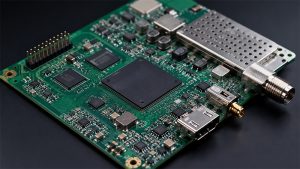
A best HDMI 4K modulator usually receives video through an HDMI input. Then, the circuit processes the signal. After that, it sends the signal out through RF, coaxial cable, QAM, ATSC, or another output format.

Although each product is different, many 4K HDMI modulators use similar circuit sections.

Circuit SectionMain Function
HDMI Input SectionReceives 4K video and audio signals
Video Processing SectionHandles video conversion or encoding
Clock SectionKeeps signal timing stable
RF Output SectionSends the signal through RF or coaxial output
Power SectionSupplies stable voltage to the board
Control SectionSupports buttons, display, firmware, or web control
Connector SectionIncludes HDMI, SDI, RF, Ethernet, USB, and power ports

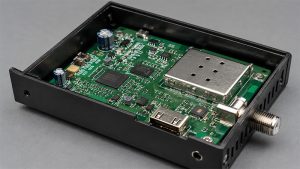
From the outside, a 4K modulator box may look simple. However, the PCBA inside can be complex. It may include digital signals, RF signals, power circuits, and many connectors.

For this reason, clear production files are important. These files often include Gerber data, BOM, pick-and-place files, assembly drawings, impedance notes, test steps, and firmware loading needs.

In addition, if the product needs an enclosure, the customer should also provide box build drawings. Label files, cable routing notes, and packing details are also helpful.

What PCB Layout Requirements Matter in a Best 4K RF Modulator?

PCB layout is important in a best 4K RF modulator. However, this does not mean the PCB manufacturer must design the full RF product. In most OEM projects, the customer provides the circuit design.

After that, the manufacturer can support PCB layout review, DFM checks, PCB fabrication, and PCBA assembly.

For a 4K RF modulator, the PCB layout should help signals move cleanly across the board. It should also reduce noise, signal loss, and assembly risk.

Key layout points may include:

  • Controlled impedance routing
  • Short RF signal paths
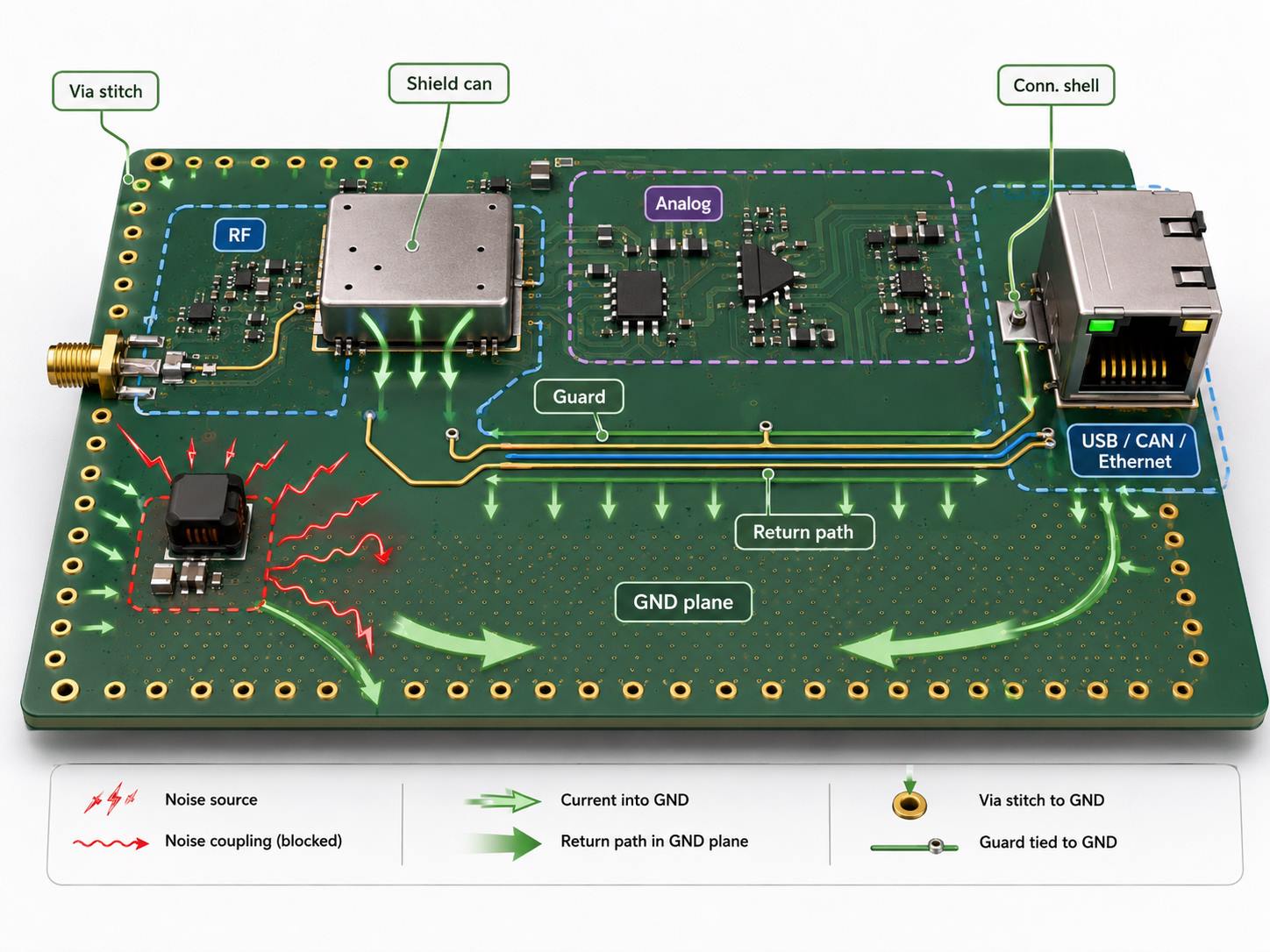
  • Solid ground plane support
  • Clear spacing between RF, digital, and power areas
  • Correct HDMI, SDI, BNC, and RF connector footprints
  • Good via placement near RF paths
  • Enough space for heat-sensitive parts
  • Suitable test points for production checks
  • DFM-friendly pad sizes and solder mask openings

For example, HDMI differential pairs may need impedance control. Meanwhile, RF output traces need a stable reference plane. Also, connector areas should match the final enclosure.

Before PCB production, DFM review can help find possible issues. For instance, it can check pad size, spacing, solder mask clearance, via design, board edge clearance, and panelization.

As a result, customers can fix many problems before SMT assembly starts. This saves time. It also helps improve production quality.

Best 4K RF Modulator for Smart TV Distribution: What PCBA Features Support Stable Output?

Many users search for the best 4K RF modulator for smart TV distribution because they need to send video to many TVs. This is common in hotels, schools, hospitals, churches, gyms, malls, and meeting rooms.

In these systems, stable output matters more than fancy features. The device should provide clear video, stable audio, and reliable channel output.

A 4K RF modulator for TV distribution usually needs strong PCBA quality in several areas.

Key PCBA features include:

  • Stable RF output section assembly
  • Reliable HDMI or SDI connector soldering
  • Clean power circuit assembly
  • Accurate clock component placement
  • Good grounding and shielding support
  • Proper heat transfer around video processing ICs
  • Functional testing before shipment
  • Serial number tracking for production control

In addition, connector durability is very important. HDMI ports, RF connectors, BNC connectors, F-type connectors, Ethernet ports, and power jacks are used often. Therefore, solder quality and mechanical alignment should be checked carefully.

For OEM brands, one good prototype is not enough. Instead, they need repeatable production. Every unit should follow the same assembly and test standard.

Because of this, EBest Circuit supports prototypes, small-batch PCBA, and volume production. We can help with PCB fabrication, component sourcing, SMT assembly, DIP assembly, inspection, testing support, and box build assembly.

Best 4K RF Modulator Multichannel QAM ATSC Blade: What Makes the PCB Assembly More Complex?

The keyword best 4K RF modulator multichannel QAM ATSC blade points to a more professional product type. These products are often used in headend systems, hotel TV systems, hospital TV distribution, campus systems, and commercial AV networks.

Compared with a simple single-channel modulator, a multichannel QAM or ATSC blade is more complex. It may process several channels at the same time. Therefore, the PCBA must support more RF paths, more connectors, and more testing.

AreaManufacturing Focus
Multiple RF ChannelsBetter connector and RF path consistency
Dense ComponentsAccurate SMT placement and reflow control
Fine-Pitch ICsClean solder paste printing and inspection
Power SectionsStable assembly for several voltage rails
Thermal AreasCorrect thermal pad or heat sink assembly
Edge ConnectorsGood mechanical fit for system installation
TestingChannel-by-channel checks if required

In addition, these products may use BGA, QFN, fine-pitch ICs, high-speed memory, RF parts, and many connectors. Because of this, inspection becomes more important.

AOI can check part placement and visible solder joints. Also, X-ray inspection can help check hidden solder joints under BGA or QFN packages. Meanwhile, functional testing can confirm power-on status, firmware loading, communication, and output behavior.

For customers developing QAM, ATSC, blade-type, or rack-mounted 4K modulator products, EBest Circuit can support the full manufacturing flow. This includes PCB fabrication, PCBA assembly, inspection, testing support, and box build assembly.

How Are HDMI, SDI and RF Interfaces Supported in 4K Modulator PCBA Assembly?

HDMI, SDI, and RF interfaces are important parts of many 4K modulator PCBAs. They connect the device to media players, cameras, encoders, displays, coaxial networks, and AV systems.

From a manufacturing view, these interfaces need both electrical quality and mechanical strength.

HDMI interface assembly

HDMI ports carry high-speed video and audio signals. Therefore, the connector must be placed correctly. It also needs strong soldering.

In addition, nearby ESD protection parts, common mode chokes, capacitors, and related parts must match the customer’s BOM and assembly files. A small solder issue near the HDMI port may cause no signal or unstable display.

SDI interface assembly

SDI interfaces are common in broadcast, camera, and professional AV systems. They often use BNC connectors. Because these connectors face repeated cable use, solder strength and position accuracy matter.

Also, when HDMI and SDI exist on the same PCBA, the board may need more careful inspection. Final testing can help confirm that each input or output works as expected.

RF interface assembly

RF connectors, F-type connectors, coaxial connectors, and shield covers also need careful assembly. Good soldering, proper grounding, and correct shield installation can support stable output.

EBest Circuit follows customer assembly drawings, BOM files, connector specifications, and test instructions. In addition, we can help review DFM issues, such as wrong connector footprints, poor pad size, or difficult inspection access.

What Thermal and EMI Considerations Matter in 4K Modulator Box Build Assembly?

A 4K modulator box may run for long hours. It may also be installed inside an AV rack, control room, cabinet, or wall-mounted system. As a result, box build assembly must handle thermal and EMI-related details with care.

It is important to explain this clearly. EBest Circuit does not claim to provide full thermal design or EMI certification design for a finished 4K modulator product. However, we can support the customer’s approved drawings, materials, and assembly process.

Thermal-related assembly

Thermal parts must be installed correctly. For example, if a thermal pad is placed in the wrong position, heat transfer may be reduced. Also, if a heat sink is loose, the main IC may not cool properly.

Thermal-related box build steps may include:

  • Heat sink installation
  • Thermal pad placement
  • Fan or vent assembly if required
  • Screw torque control
  • Cable routing to avoid blocking airflow
  • Final visual inspection

EMI-related assembly

EMI-related parts also need careful handling. These parts may include shield covers, conductive gaskets, metal enclosures, grounding points, and internal cables.

During box build assembly, the manufacturer may need to check:

  • Shield cover position
  • Conductive gasket placement
  • Enclosure grounding contact
  • Connector alignment with the rear panel
  • Internal cable routing
  • Screw and bracket installation

In addition, box build may include label placement, LED light pipe assembly, button alignment, firmware loading, serial number tracking, final testing, and packaging.

Therefore, an integrated manufacturing partner can save time for OEM customers. It also helps keep the full build process more consistent.

Can PCB and PCBA Manufacturers Support 4K HDMI to RF Modulator OEM Projects?

Yes. A qualified PCB and PCBA manufacturer can support 4K HDMI to RF modulator OEM projects when the customer provides clear design files and production needs.

A turnkey manufacturing flow may include several steps.

1. Engineering file review

First, the manufacturer reviews Gerber files, BOM, pick-and-place files, assembly drawings, PCB stack-up, impedance notes, and panelization.

2. DFM review

Next, DFM review checks whether the board is easy and safe to manufacture. It may cover pad size, spacing, solder mask, via design, component supply, connector fit, and assembly risk.

3. PCB fabrication

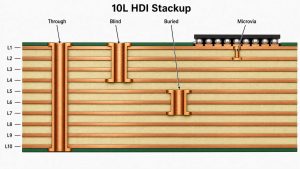
After the review, PCB fabrication begins. A 4K modulator PCB may require multilayer construction, controlled impedance, ENIG surface finish, and stable process control.

4. Component sourcing

Then, components are sourced according to the BOM. These may include ICs, connectors, passives, crystals, inductors, RF-related parts, power parts, and mechanical items.

5. SMT and DIP assembly

Next, SMT assembly places small parts, ICs, QFN, BGA, and passives. In addition, DIP or manual soldering may be used for large connectors, transformers, inductors, or mechanical parts.

6. Inspection and test support

After assembly, AOI, X-ray, visual inspection, and first article inspection help check quality. Also, if the customer provides firmware and test steps, programming and functional testing can be supported.

7. Box build assembly

Finally, box build assembly may include enclosure assembly, cable connection, shield cover installation, thermal pad placement, label attachment, final inspection, and packaging.

As a result, customers can manage the full manufacturing process more easily. They can also reduce supplier communication time.

Why Choose EBest Circuit for 4K Modulator PCB, PCBA and Box Build Assembly?

EBest Circuit supports electronics companies that need PCB fabrication, PCBA assembly, component sourcing, testing support, and box build manufacturing.

For 4K modulator-related products, our value is not selling a finished branded modulator. Instead, we help customers build their own products with stable manufacturing quality.

Our support can include:

  • PCB layout optimization feedback
  • DFM review before production
  • Multilayer PCB fabrication
  • Controlled impedance PCB manufacturing
  • FR4, high-Tg FR4, metal core PCB, ceramic PCB, and RF-related laminate support
  • SMT assembly and through-hole assembly
  • Fine-pitch IC and connector assembly
  • Component sourcing and BOM optimization
  • AOI, X-ray, electrical test, and functional test support
  • Firmware programming based on customer instructions
  • Box build assembly
  • Prototype, small-batch, and mass production support

For 4K HDMI modulators, RF modulators, QAM/ATSC boards, SDI interface boards, commercial AV electronics, and smart TV distribution devices, stable manufacturing is very important. Therefore, each production step should be checked carefully.

With EBest Circuit, customers can receive support from PCB fabrication to PCBA assembly and box build. In addition, our team can help review production files, reduce assembly risk, source components, inspect quality, and support final product delivery.

Do you need PCB, PCBA, or box build support for your 4K modulator project? Pls feel free to send your Gerber files, BOM, or assembly requirements to sales@bestpcbs.com, and EBest Circuit will help you move from prototype to production with reliable manufacturing support.

FAQs About Best 4K Modulator 4K

1. What is a best 4K modulator 4K used for?

A best 4K modulator 4K is used to convert 4K video signals into formats that can be sent through RF, coaxial cable, QAM, ATSC, or other video distribution systems. It is often used in hotels, churches, schools, hospitals, commercial AV systems, and smart TV distribution projects.

For OEM brands, the product quality depends not only on the video function. It also depends on the PCB, PCBA assembly, connector quality, power stability, and final testing.

2. Can EBest Circuit manufacture PCB and PCBA for 4K modulators?

Yes. EBest Circuit can support 4K modulator-related projects with PCB fabrication, PCB layout support, PCBA assembly, component sourcing, testing support, and box build assembly.

We do not sell finished 4K modulator products. Instead, we help electronics companies manufacture the PCB, PCBA, and box build parts of their own products.

3. What files are needed for a 4K modulator PCBA project?

For a 4K modulator PCBA project, customers usually need to provide Gerber files, BOM, pick-and-place files, assembly drawings, PCB stack-up requirements, and test instructions.

If box build assembly is needed, enclosure drawings, cable routing notes, label files, firmware loading instructions, and packaging requirements are also helpful. As a result, the manufacturing process can move faster and more smoothly.

4. Why is PCBA quality important for a 4K HDMI to RF modulator?

PCBA quality affects signal stability, connector strength, power reliability, heat transfer, and product life. For example, poor HDMI or RF connector soldering may cause signal loss. Also, unstable power assembly may cause random restarts.

Therefore, a reliable 4K HDMI to RF modulator needs careful PCB fabrication, accurate SMT assembly, proper inspection, and functional testing before shipment.

You may also like

How to Use Solder Wick? What Is Solder Wick and Desoldering Braid

May 11th, 2026

How to use solder wick is an essential skill for anyone working with PCB repair, electronics prototyping, or soldering rework. A solder wick, also known as desoldering braid, helps remove excess solder from PCB pads, component leads, through-holes, and solder bridges with better control than many mechanical tools. Its significance lies in precision: when used correctly, it can clean the soldering area, protect delicate PCB pads, and make re-soldering or component replacement much easier.

This article explains what solder wick is, how desoldering braid works, and how to use it properly for clean and safe PCB desoldering.

At EBest Circuit (Best Technology), we support customers with professional PCB fabrication, PCB assembly, component sourcing, testing, and engineering-focused rework solutions for prototypes and mass production. With 20 years of manufacturing experience and strict quality control, our team understands how small soldering details can affect the reliability of the final electronic product. For PCB or PCBA project support, feel free to contact us at sales@bestpcbs.com.

how to use solder wick

What Is Solder Wick?

How to use solder wick is a common question for beginners, repair technicians, and electronics engineers who need to remove extra solder from PCB pads, component leads, or solder bridges. Solder wick, also called desoldering braid, is a thin braided copper strip used to absorb molten solder during PCB rework.

At first glance, it looks simple. It is just a flat copper braid rolled onto a small spool. But in real PCB repair, this small tool is very useful. When heated with a soldering iron, the copper braid pulls melted solder into its tiny woven gaps through capillary action. This helps clear old solder from pads, clean through-holes, fix excessive solder, and prepare the board for new components.

Most solder wick products are made from fine copper strands. Many versions also contain flux, which helps the solder flow more easily into the braid. Some products are rosin-based, while others are no-clean solder wick, which leaves less residue after rework.

In electronics assembly and repair, solder wick is often used for:

  • Removing solder from PCB pads after component removal
  • Cleaning SMT pads before placing a new chip
  • Fixing solder bridges between IC pins
  • Removing solder from plated through-holes
  • Preparing pads for rework, inspection, or re-soldering
  • Cleaning excess tin from connectors, resistors, capacitors, and small components

For PCB repair work, solder wick is one of the most basic but valuable tools. A good soldering iron, fresh flux, and the correct braid size can make desoldering cleaner, faster, and more controlled.

What Is Desoldering Braid and Is It the Same as Solder Wick?

Yes, desoldering braid and solder wick usually refer to the same product. Both describe a copper braided strip used for removing solder from a circuit board. Some engineers prefer the term “desoldering braid” because it describes the material structure. Others say “solder wick” because the braid “wicks” or draws solder away from the joint.

In daily use, these names are often interchangeable:

TermMeaning
Solder wickCommon name for copper braid used to absorb solder
Desoldering braidMore technical name for the same tool
Copper solder wickEmphasizes the copper material
No-clean solder wickBraid with no-clean flux
Wick solderingInformal phrase, usually referring to solder removal with wick

The key point is that solder wick is not used to add solder. It is used to remove solder. The phrase “wick soldering” can be a little confusing because it sounds like a soldering method. In most cases, users who search this phrase are looking for desoldering guidance, especially for PCB pads, IC pins, or through-hole components.

Compared with a desoldering pump, desoldering braid gives better control on small pads and surface-mount components. A pump works well for larger through-hole joints, while solder wick is better for fine-pitch areas, flat pad cleaning, and delicate rework.

For many repair benches, both tools are used together. The pump removes a large amount of solder quickly, and the braid cleans the remaining solder from the pad.

How Does Solder Wick Remove Solder?

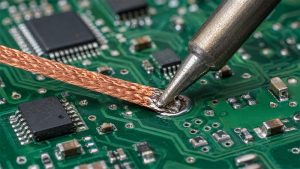
Solder wick removes solder through capillary action. When the soldering iron heats the copper braid, heat transfers through the braid into the solder joint. Once the solder melts, it flows into the tiny spaces between the woven copper strands.

This is similar to how a paper towel absorbs water, but the process depends on heat, flux activity, and clean metal surfaces. The copper braid must be hot enough, the solder must be fully molten, and the flux must help reduce oxidation.

The basic structure works like this:

  • The copper braid sits on top of the solder.
  • The soldering iron heats the braid.
  • Heat passes from the iron to the solder joint.
  • The solder melts.
  • The molten solder flows into the braid.
  • The used braid section turns silver because it is filled with solder.

Flux plays a very important role here. Even if the solder wick already contains flux, adding a little extra liquid flux can improve the result. This is especially helpful when removing solder from old boards, oxidized pads, lead-free solder joints, ground pads, and high-copper PCB areas.

Lead-free solder usually needs more heat than leaded solder. It also tends to be less fluid, so removing solder with wick may feel slower. With fresh flux and a suitable soldering iron tip, the process becomes smoother.

For professional PCB repair, the goal is not only to remove solder. The goal is to remove solder without lifting pads, overheating traces, or damaging the solder mask. That is why technique matters.

How to Use Solder Wick Step by Step?

Learning how to use solder wick is simple, but clean results depend on temperature, flux, timing, and braid size. Below is a practical step-by-step method that works well for most PCB repair tasks.

Step 1: Choose the correct solder wick width

Solder wick comes in different widths. Small SMT pads need narrow braid. Large pads and through-hole joints need wider braid.

ApplicationSuggested Wick Width
Fine-pitch IC pins0.8–1.5 mm
Small SMT resistors and capacitors1.5–2.0 mm
General PCB pads2.0–2.5 mm
Through-hole pins and connectors2.5–3.5 mm
Large copper pads or ground areas3.5 mm or wider

Using a braid that is too wide can pull heat away from the joint and may disturb nearby components. Using one that is too narrow may take too long and require repeated heating.

Step 2: Add flux to the solder joint

Even if the braid has built-in flux, apply a small amount of liquid flux to the joint. Flux helps solder melt, flow, and transfer into the copper braid. This makes the work cleaner and reduces the time your iron stays on the pad.

Step 3: Place the solder wick on the solder

Lay the braid directly over the solder you want to remove. Keep it flat and steady. Avoid dragging it across the board surface.

The correct stack is:

PCB solder joint → solder wick → soldering iron tip

The braid should touch the solder joint, and the iron should touch the braid.

Step 4: Heat the braid with the soldering iron

Place the heated iron tip on top of the solder wick. Use gentle pressure. Do not press hard. The goal is heat transfer, not force.

After one or two seconds, the solder should melt and flow into the braid. You will see the braid section turn silver as it absorbs solder.

Step 5: Lift the iron and braid together

This is one of the most important details. Once the solder has been absorbed, lift the soldering iron and the solder wick at the same time. If you remove the iron first and leave the braid on the board, the solder can cool and stick the braid to the pad. Pulling it afterward may damage the pad.

Step 6: Cut off the used section

The silver-colored section is already filled with solder and should not be reused. Cut it off with cutters and continue with a fresh copper section.

Step 7: Inspect the pad

After removing solder with wick, inspect the pad under good lighting or magnification. The pad should look flat, clean, and ready for new solder. If there is flux residue, clean it with isopropyl alcohol when required.

This basic method works for many common repair tasks, including removing excess solder, fixing bridges, and preparing pads for replacement components.

How to Desolder Using Solder Wick Without Damaging PCB Pads?

PCB pads can be delicate, especially on small SMT boards, thin FR4 boards, flexible PCBs, and older assemblies. When using solder wick, the main concern is heat exposure. The braid absorbs solder, but it also absorbs heat. If the process takes too long, the pad adhesive can soften and the copper pad may lift.

To desolder using solder wick safely, focus on heat control and clean technique.

Use enough heat, but avoid long contact time

A common mistake is using too low a temperature. When the iron is not hot enough, the user keeps the tip on the board for too long. This can cause more damage than using a slightly higher temperature for a shorter time.

For many PCB repair tasks:

  • Leaded solder: around 300–350°C
  • Lead-free solder: around 330–380°C
  • Large copper areas: may need higher thermal capacity

The exact setting depends on the board, solder alloy, iron power, and tip size.

Use a suitable soldering iron tip

A very sharp tip may not transfer enough heat to the braid. A small chisel tip often works better because it has more contact area. Better heat transfer means shorter dwell time and cleaner solder removal.

Do not scrape the braid across the pad

Solder wick should be placed and lifted, not dragged. Dragging the braid can scratch the solder mask, disturb nearby components, or pull weak pads.

Add fresh solder when needed

This may sound unusual, but adding a small amount of fresh solder can help remove old solder. Fresh solder contains active flux and improves heat transfer. This is useful for old, dull, oxidized solder joints.

Work in short cycles

Instead of heating one pad for too long, work in short contact cycles. Add flux, heat briefly, lift, inspect, and repeat if needed.

Support the board

A stable PCB holder helps prevent slipping. This is especially useful for fine-pitch IC rework and small prototype boards.

When done correctly, desoldering braid can leave PCB pads smooth and ready for reliable soldering.

How to Use Solder Wick to Remove Solder from PCB Holes and Pads?

Removing solder from flat SMT pads is usually easier than clearing plated through-holes. Pads are open and visible, while holes can hold solder inside the barrel. Still, solder wick can be used effectively for both.

For SMT pads

After removing a surface-mount component, apply flux to the pads and place solder wick over them. Heat with the iron until the old solder flows into the braid. Use a clean section of wick for each area.

The result should be a flat pad surface. This is important for components like QFN, SOIC, SOT, capacitors, resistors, and small connectors. Flat pads help the new component sit evenly and reduce alignment problems.

For solder bridges between IC pins

Add flux across the bridged pins. Place a narrow solder wick along the bridge and touch it with the iron. The excess solder should flow into the braid. Remove the braid and inspect the pins under magnification.

For fine-pitch ICs, do not use wide wick. A narrow desoldering braid gives better control and helps avoid pulling solder from nearby good joints.

For through-hole pads

Place the solder wick on the solder side of the hole and heat it with the iron. If the solder does not fully come out, add fresh solder and flux, then try again. A desoldering pump may remove the bulk solder first, while solder wick cleans the remaining material around the hole.

For difficult holes, try these techniques:

  • Add flux directly to the hole area
  • Use fresh solder to improve thermal transfer
  • Heat from the solder side first
  • Use the correct iron tip size
  • Use a desoldering pump before finishing with wick
  • Avoid forcing component leads before the hole is clear

For large ground pads

Ground pads and thermal pads pull heat away quickly. Use a larger iron tip, more flux, and a suitable braid width. A preheater can also help on heavy copper boards, multilayer PCBs, and metal core PCBs.

Removing solder with wick is often easiest when the board is warm enough and the solder joint is fully active with flux.

How to Choose the Right Solder Wick Size for PCB Repair?

Choosing the correct solder wick size makes the work faster and safer. The braid should be close to the size of the solder area. It should not be much wider than the pad or pin group you are working on.

A small braid gives better control but absorbs less solder. A wide braid absorbs more solder but needs more heat and may affect nearby areas.

Here is a simple selection guide:

Solder Wick SizeBest ForNotes
0.8 mmVery fine IC pins, small SMT padsGood for precision work
1.5 mmSOIC, SOT, small componentsUseful for daily PCB repair
2.0 mmGeneral SMT pads and small through-holesBalanced option
2.5 mmMedium pads and connector pinsGood for more solder volume
3.0 mm+Large joints, ground pads, terminalsNeeds stronger heat transfer

Besides width, consider the flux type.

Rosin flux solder wick

Rosin-based wick is strong and effective. It works well for general rework, oxidized joints, and older boards. After use, cleaning may be needed depending on the product and assembly requirements.

No-clean solder wick

No-clean solder wick is designed to leave minimal residue. It is useful for production repair, electronics servicing, and boards where post-cleaning should be reduced. However, some no-clean residues may still be cleaned for high-reliability products.

Unfluxed copper braid

Some braid has little or no flux. It can work, but you usually need to add external flux. For most users, pre-fluxed solder wick is easier and more consistent.

For PCB repair, it is practical to keep two or three sizes on hand. A narrow braid for fine work, a medium braid for general pads, and a wider braid for connectors or through-hole joints will cover most needs.

What Is No-Clean Solder Wick and When Should You Use It?

No-clean solder wick is desoldering braid that contains no-clean flux. The purpose is to remove solder while leaving less visible or less active residue on the PCB. It is commonly used in electronics repair, prototyping, production touch-up, and field maintenance.

No-clean flux is designed so that its residue can often remain on the board under normal conditions. This makes the rework process faster, especially when cleaning access is limited.

No-clean solder wick is useful when:

  • You are repairing assembled PCBs with dense components
  • You want to reduce cleaning time
  • The board has areas that are difficult to wash
  • You are working on consumer electronics
  • You are doing quick SMT touch-up
  • You need clean visual results after removing solder

However, “no-clean” does not always mean “never clean.” For high-reliability applications, such as medical electronics, aerospace PCBA, automotive control boards, and harsh-environment products, cleaning and inspection may still be required. Residue control depends on the product standard, board design, operating environment, and customer requirements.

When using no-clean solder wick, the process is the same:

  • Place the wick on the solder.
  • Heat it with the iron.
  • Let solder flow into the braid.
  • Lift the braid and iron together.
  • Cut away the used section.
  • Inspect the pad.

If the solder does not flow well, add a compatible no-clean flux. This keeps the chemistry consistent and improves solder removal.

For general PCB repair, no-clean solder wick is a convenient choice. For demanding assemblies, always follow the cleaning and inspection requirements of the project.

What Common Mistakes Should You Avoid When Removing Solder With Wick?

Solder wick is easy to use, but a few small mistakes can affect the PCB repair result. Most issues come from poor heat transfer, not enough flux, or using the wrong braid size.

Using solder wick without enough flux

Flux helps solder flow into the braid. Without enough flux, the solder may stay dull, sticky, or slow to move. Adding a small amount of flux often improves the result immediately.

Using the wrong wick width

A wide braid on a small pad can overheat nearby components. A narrow braid on a large joint may take too long. Match the braid to the solder area.

Pressing too hard with the iron

Heavy pressure is not needed. It can damage pads, flatten components, or scratch the board. Let heat and capillary action do the work.

Keeping heat on the pad too long

Long heating time increases the risk of pad lifting, solder mask discoloration, and component stress. Short, controlled heating cycles are safer.

Removing the iron before removing the braid

If the braid cools while still touching the solder, it can stick to the pad. Always lift the iron and braid together.

Reusing the solder-filled braid

Once the braid turns silver, that section is full. Cut it off and use a fresh copper section.

Using an oxidized soldering iron tip

A dirty tip transfers heat poorly. Clean and tin the tip before using solder wick.

Trying to clear a large ground pad with a tiny iron

Large copper areas need more thermal energy. Use a larger tip, proper flux, and sometimes board preheating.

Avoiding these mistakes helps keep the PCB surface clean and protects the copper pads during repair.

In summary, solder wick is a simple tool, but it gives excellent control during PCB repair. It helps remove excess solder, clean pads, fix bridges, and prepare boards for rework. The best results come from using the right braid width, enough flux, a clean soldering iron tip, and short heating time.

For beginners, the process may take a few tries. Once the technique becomes familiar, removing solder with wick becomes one of the most reliable skills for PCB maintenance, prototyping, and electronic repair. Whether you call it solder wick, desoldering braid, or copper wick, the principle is the same: heat the braid, melt the solder, let the copper absorb it, and leave the PCB pad clean for the next step. If you need reliable PCB manufacturing, PCBA assembly, or engineering support for your next project, EBest Circuit is ready to help at sales@bestpcbs.com.

FAQs About How to Use Solder Wick

1. What is solder wick used for?
Solder wick is used to remove unwanted solder from PCB pads, through-holes, component leads, and solder bridges. It is especially useful for SMT repair and pad cleaning.

2. Is solder wick the same as desoldering braid?
Yes. Solder wick and desoldering braid usually mean the same thing. Both refer to copper braid used for absorbing molten solder.

3. How do you use solder wick correctly?
Place the solder wick over the solder, press a heated soldering iron tip on top of the braid, wait for the solder to melt and flow into the wick, then lift the iron and braid together.

4. Do I need flux when using solder wick?
Yes, flux is highly recommended. Many solder wick products already contain flux, but adding extra flux often gives cleaner and faster solder removal.

5. Why is my solder wick not absorbing solder?
Common reasons include low iron temperature, poor heat transfer, insufficient flux, oxidized solder, used-up braid, or a large copper area pulling heat away.

6. Can solder wick damage PCB pads?
It can if used with too much heat, long contact time, or dragging force. With proper flux, correct temperature, and gentle handling, it is safe for most PCB repair work.

7. What size solder wick should I use?
Use narrow braid for fine-pitch IC pins and small SMT pads. Use wider braid for through-hole pins, connectors, and larger pads.

8. Is no-clean solder wick better?
No-clean solder wick is convenient because it leaves less residue. It is a good choice for many repair jobs, but high-reliability boards may still need cleaning and inspection.

9. Can I use solder wick for through-hole components?
Yes. It can remove solder from through-hole pads, but a desoldering pump may be faster for large joints. Many technicians use a pump first and solder wick for final cleanup.

You may also like

HDMI RF Modulator Box PCBA Guide: RF PCB Design, Assembly & Testing

May 11th, 2026

An HDMI RF modulator box looks simple from the outside. A user connects an HDMI source. Then the box sends the signal through a coaxial cable to a TV. However, the inside of the box is not simple. It needs a stable PCB, clean HDMI routing, strong RF output, and reliable PCBA assembly. It also needs good testing before shipment. For OEM brands, AV product companies, security system suppliers, and electronics manufacturers, this product is more than a converter. It is a mixed-signal electronic device. It combines HDMI, RF, power control, firmware, connectors, and enclosure assembly.

This guide explains the product from a PCB and PCBA manufacturing view. It also shows what buyers should check before prototype or mass production.

What Is an HDMI RF Modulator Box in PCB and PCBA Manufacturing?

An HDMI RF modulator box converts an HDMI signal into an RF signal. After that, the RF signal travels through a coaxial cable. A TV or RF distribution system can then receive the signal.

People often use this box with media players, cameras, DVRs, laptops, set-top boxes, and signage players. However, manufacturers need to look deeper. The real performance comes from the circuit board inside.

A typical PCBA may include:

  • HDMI input circuit
  • HDMI receiver chip
  • Video processing IC
  • RF modulator chipset
  • Clock circuit
  • Power management circuit
  • Coaxial RF output connector
  • MCU or control processor
  • Buttons or display
  • Shielding parts
  • Test points

Each part has a clear job. The HDMI section receives the video signal. The processing section prepares the data. The RF section changes the signal into an RF channel. Then the coaxial output sends it to the cable.

Therefore, this type of product needs careful PCB design. It also needs accurate assembly and complete testing.

How Does an HDMI to RF Modulator Box Work at the Circuit Level?

An HDMI to RF modulator box follows a clear signal path.

  • First, the HDMI input receives video and audio data. HDMI uses high-speed signals. So the PCB must keep these traces short and balanced.
  • Next, the video processing circuit handles the signal. This area may include processors, memory, clocks, and firmware-controlled chips. It needs clean power and stable timing.
  • Then, the RF modulator circuit changes the signal into an RF channel. This part needs strong layout control. For example, trace width, ground design, filters, and connector placement can affect RF quality.
  • Finally, the coaxial output sends the signal to the cable. Many TV coaxial systems use 75-ohm impedance. So the PCB should keep the RF path stable.

Good circuit design is important. However, production quality also matters. Wrong parts, weak solder joints, or poor connector alignment can still cause problems. For this reason, the PCBA process must be controlled well.

What PCB Design Issues Affect an RF Modulator with HDMI Box?

An RF modulator with HDMI box has both digital and RF circuits. This makes PCB design more sensitive.

  • First, HDMI traces need controlled impedance. The PCB stack-up affects this result. Copper thickness, dielectric thickness, trace width, and trace spacing all matter.
  • Second, the RF section needs a strong ground path. A clean ground helps reduce noise. It also helps the RF output stay stable.
  • Third, the PCB must control EMI. HDMI and RF circuits can both create noise. Therefore, engineers should plan filtering, shielding, and grounding early.
  • Fourth, the board needs clean power. Different chips may need different voltage rails. In addition, RF circuits often need low-noise power. A stable power design helps the box work better.
  • Finally, heat control matters. Many boxes are small. As a result, heat can build up inside the enclosure. Engineers can improve this with copper areas, thermal vias, and better component spacing.

A good PCBA manufacturer can review these points before production. This step helps reduce design changes later.

Why Does Signal Integrity Matter in an HDMI RF Modulator Box PCBA?

Signal integrity affects the real user experience. If the signal is poor, users may see image flicker, black screens, weak audio, or unstable channels.

In the HDMI section, engineers must control trace length, impedance, and spacing. They should also add proper ESD protection. These details help the box work with different HDMI sources.

In the RF section, the signal path should stay short and smooth. The layout should also keep a solid ground reference. Even small layout changes can affect output level and channel quality.

Clock circuits also need care. HDMI processing and RF modulation both need accurate timing. Therefore, oscillator placement and power filtering are important.

Assembly quality also affects signal performance. The manufacturer should control solder paste printing, component placement, reflow profile, and connector soldering.

However, visual inspection is not enough. The test team should also check HDMI input, RF output, audio, video, and channel settings. As a result, the final PCBA can perform better in real use.

What PCB Materials Are Used for a 4K HDMI RF Modulator Box?

A 4K HDMI RF modulator box handles more data than a basic model. It may also create more heat. Therefore, material choice matters.

Many designs use high-quality FR4. This material works well for many commercial HDMI and RF products. It also helps control cost.

However, some designs need better RF performance. In that case, engineers may choose low-loss RF materials. These materials reduce signal loss and offer better stability at higher frequencies.

Some products may also use a hybrid stack-up. For example, the main digital area may use FR4. The RF area may use a higher-grade RF laminate. This method can balance cost and performance.

When choosing PCB material, engineers should check:

  • HDMI signal speed
  • RF output frequency
  • Modulation standard
  • Board layer count
  • Impedance control
  • Heat control
  • Product size
  • Target cost
  • Production volume
  • Reliability needs

In addition, surface finish matters. ENIG, OSP, and other finishes suit different projects. The best option depends on soldering needs, shelf life, connector design, and budget.

Before production, the customer should discuss the material with the PCB manufacturer. This helps confirm that the board can support both performance and stable production.

How Does an HDMI RF Modulator Coax Converter Box Handle RF Output?

An HDMI RF modulator coax converter box sends the final signal through a coaxial cable. This output section affects signal quality directly.

The RF output path usually includes the modulator circuit, filters, matching parts, and coaxial connector. These parts work together to control the final output.

Most TV coaxial systems use 75-ohm impedance. Therefore, the RF path should support this target where needed. The trace should also stay short and well grounded.

The connector also matters. Many products use F-type connectors. The connector must fit both the PCB and the enclosure. If it does not align well, it may stress the solder joints.

During box-build assembly, the manufacturer should check connector position, shell fit, screw holes, labels, and grounding. These checks help the final box feel solid and work well.

Useful production tests include:

  • HDMI input test
  • RF output test
  • Channel setting test
  • Video display test
  • Audio output test
  • Connector inspection
  • Coax output stability test
  • Sample aging test

As a result, the finished product can work better in homes, hotels, schools, security systems, and AV networks.

What Is the Difference Between HDMI to ATSC RF Modulator Box and HDMI to QAM RF Modulator Box?

An HDMI to ATSC RF modulator box and an HDMI to QAM RF modulator box both convert HDMI into RF. However, they serve different systems.

ATSC often supports digital TV broadcasting in North America. An HDMI to ATSC RF modulator box can create an ATSC-compatible RF channel. TVs that support ATSC can receive that channel.

QAM often appears in cable TV systems. An HDMI to QAM RF modulator box suits hotels, apartments, hospitals, campuses, and other multi-TV systems.

From a PCBA view, both products share similar sections. They need HDMI input, signal processing, RF modulation, power control, firmware, and coaxial output.

However, the chipset may differ. The firmware may also differ. In addition, the test method and output standard may change.

Before production, the customer should confirm:

  • Target market
  • TV standard
  • Output channel plan
  • Chipset solution
  • Firmware process
  • RF output level
  • Test method
  • Certification needs

Also, the BOM must stay clear and accurate. A wrong oscillator, filter, or RF part can affect performance. Therefore, careful BOM control helps keep each batch consistent.

How Are 4 Channel and 8 Channel HDMI to RF Modulator Box PCBAs Manufactured?

A 4 channel or 8 channel HDMI to RF modulator box is more complex than a single-channel model. It handles several HDMI inputs in one system.

Because of this, the PCB layout becomes denser. The power design also becomes more important. In addition, the enclosure must manage more heat.

For multi-channel products, engineers may use more PCB layers. A simple board may use 4 layers. However, a dense design may need 6 layers or more. More layers help with routing, grounding, and power distribution.

The BOM also needs strong control. Multi-channel boards use more HDMI connectors, processors, RF parts, clocks, filters, and passive parts. Therefore, the sourcing team must check part quality and delivery time.

During SMT assembly, accuracy is very important. Fine-pitch ICs, HDMI connectors, and small RF parts need stable process control.

Testing must also cover every channel. A board may power on, but one channel may fail. Therefore, the test plan should check each HDMI input and each RF output.

In addition, the box-build process should support heat control. The manufacturer may need thermal pads, vents, or metal housing contact.

For commercial AV products, this level of control brings better field performance. It also helps reduce installation issues.

How to Choose a PCBA Manufacturer for HDMI RF Modulator Box Production?

Choosing a PCBA manufacturer for this product takes more than price comparison. The project needs PCB knowledge, RF experience, sourcing ability, assembly control, and test support.

A good manufacturer should review the design before production. The review should cover PCB stack-up, impedance, RF layout, connector position, thermal design, and test points.

In addition, the manufacturer should support both PCB fabrication and PCBA assembly. This can reduce communication gaps. It also helps solve problems faster.

For this type of project, a suitable PCBA partner should support:

  • DFM review
  • PCB stack-up review
  • Controlled impedance PCB fabrication
  • RF PCB manufacturing
  • Component sourcing
  • BOM optimization
  • SMT assembly
  • Through-hole assembly
  • HDMI connector assembly
  • RF connector assembly
  • AOI inspection
  • X-ray inspection when needed
  • Functional testing
  • RF output test support
  • Firmware loading
  • Box-build assembly
  • Final inspection and packing

EBest Circuit supports PCB fabrication, PCBA assembly, component sourcing, testing, and box-build assembly. The engineering team can also review Gerber files, BOM, assembly drawings, and test needs before production.

For RF and mixed-signal products, early review brings clear value. It helps improve manufacturability. It also helps reduce sourcing risk. Most importantly, it supports a smoother move from prototype to mass production.

To sum up, an HDMI RF modulator box depends on the PCB and PCBA inside. The outer shell matters, but the circuit board decides the real performance.

The design must handle HDMI signals, RF output, power stability, EMI control, heat, firmware, connectors, and enclosure fit. Therefore, OEMs should involve the PCBA manufacturer early.

With proper DFM review, controlled PCB fabrication, reliable sourcing, accurate assembly, and complete testing, the product can move from prototype to mass production more smoothly.

EBest Circuit supports PCB fabrication, PCBA assembly, component sourcing, RF-related assembly, testing, and box-build manufacturing for HDMI RF modulator box PCBA projects. For project review or quotation, please send Gerber files, BOM, and technical requirements to sales@bestpcbs.com.

FAQs About HDMI RF Modulator Box PCBA

What does an HDMI RF modulator box do?
It converts HDMI video and audio into an RF signal. Then the signal travels through coaxial cable to a TV or distribution system.

Is an HDMI RF modulator box only for home users?
No. Many OEM brands and AV product companies use this type of product for hotels, schools, security systems, and commercial TV networks.

Why does PCB design matter in this product?
PCB design affects HDMI quality, RF output, EMI control, heat control, and reliability. Therefore, layout quality has a direct effect on performance.

Can a 4K HDMI RF modulator box use FR4 PCB material?
Yes. Many designs can use FR4 when the stack-up and layout are well controlled. However, some RF designs may need low-loss materials.

What files are needed for PCBA quotation?
You can send Gerber files, BOM, pick-and-place file, schematic, assembly drawing, test plan, enclosure drawing, and order quantity.

Does this product need RF testing?
Yes. RF testing helps confirm output level, channel stability, and signal quality. Functional testing should also check HDMI input, video, audio, and settings.

Are 4 channel and 8 channel models harder to build?
Yes. They need better routing, stronger power design, more heat control, and full channel testing.

Can one manufacturer handle PCB, PCBA, and box-build assembly?
Yes. A one-stop manufacturer can support PCB fabrication, sourcing, SMT assembly, testing, enclosure assembly, labeling, and packing.

You may also like

IPC-TM-650: PCB Test Methods for Quality, Reliability, and Process Control

May 11th, 2026

IPC-TM-650 helps engineers understand how PCB materials, finishes, solder mask, and assembly surfaces behave under controlled tests. If you buy bare boards or assembled PCBAs, this standard gives you a common technical language.

However, many buyers only see method numbers on drawings or reports. This guide explains the practical meaning behind those tests. It also shows how EBest Circuit uses engineering review, process control, and testing support to reduce sourcing risk.

ipc-tm-650

What Is IPC-TM-650?

IPC-TM-650 is a test methods manual for printed boards and related electronics materials. It gives defined ways to test chemical, mechanical, electrical, and environmental performance.

In simple terms, IPC-TM-650 helps engineers avoid vague quality claims. Instead, you can ask for a known test method, a clear condition, and a measurable result.

What It Means

For example, a PCB supplier may say a solder mask has strong adhesion. That sounds useful, yet it needs proof. With the right method, you can compare results across batches, suppliers, and design revisions.

Also, IPC-TM-650 does not replace your full product standard. It supports your quality plan. So, engineers often use it together with IPC-A-600, IPC-6012, IPC-A-610, or customer drawings.

AreaWhat It Helps CheckTypical Engineering Concern
ElectricalInsulation and leakageLong-term signal stability
MechanicalPeel, adhesion, flatnessAssembly fit and durability
ChemicalCleanliness and residuesCorrosion and field failures
EnvironmentalHeat, humidity, and stressReliability in real use

Why Is IPC-TM-650 Important for PCB Manufacturing?

IPC-TM-650 matters because PCB quality cannot rely on appearance alone. A board can look clean and still carry ionic residue. Also, a board can pass visual inspection and still warp during assembly.

Because of this, engineers need practical test methods. These methods help control PCB reliability, material testing, process control, and quality assurance.

Quality Needs Evidence

First, the standard supports supplier communication. Your drawing can state a test method, limit, sample size, and acceptance rule. As a result, both teams work from the same baseline.

Next, it supports repeatable process control. If a process changes, the factory can compare old and new test data. This makes engineering review faster and more factual.

Engineer’s tip: Use IPC-TM-650 when a PCB feature affects reliability, assembly yield, or field service life.

Finally, these tests help during supplier qualification. For instance, medical, automotive, aerospace, and industrial projects often need stronger traceability. In those cases, IPC-TM-650 can support a deeper quality file.

IPC-TM-650 Testing Methods for Solder Mask

IPC-TM-650 testing methods for solder mask help check how the mask protects copper and supports assembly. The solder mask must resist heat, chemicals, cleaning, and handling.

However, solder mask quality is not only about color or gloss. It also relates to adhesion, thickness, cure level, hardness, and ionic cleanliness.

Why Solder Mask Matters

Solder mask separates conductive features and helps reduce solder bridging. Also, it protects copper from oxidation during storage and use. This matters more on dense boards with small spacing.

For example, a fine-pitch medical sensor board may need stable mask registration. In contrast, a high-power LED board may need better thermal and surface durability.

Solder Mask CheckWhat It Looks ForWhy Engineers Care
AdhesionMask bond strengthLess peeling after assembly
Cure qualityProper hardeningBetter chemical resistance
RegistrationOpening alignmentStable pad exposure
CleanlinessResidue levelLower leakage risk

Therefore, solder mask testing is useful for boards with dense routing, fine-pitch parts, or harsh operating environments. It gives engineers more confidence before PCBA assembly starts.

How Does IPC-TM-650 Measure Bow and Twist?

IPC TM 650 bow and twist testing helps measure PCB flatness. This matters because warped boards can create placement, soldering, and final assembly problems.

In many cases, engineers refer to ipc tm 650 method 2.4 22 bow & twist. This method gives a structured way to check deviation from a flat plane.

Bow Versus Twist

Bow means the board curves along one direction. Twist means one corner rises while other areas remain lower. Both can affect SMT assembly.

For instance, a warped panel may not sit flat in the printer. Then solder paste height can vary. After that, components may shift or tombstone during reflow.

Also, bow and twist can become worse after thermal stress. High copper imbalance, uneven stack-up, and poor panel design can all add risk.

Flatness IssueCommon CauseAssembly Impact
BowLaminate stressPoor stencil contact
TwistUneven copper balancePlacement offset
Panel warpBad panel supportReflow variation
Thermal warpStack-up mismatchSolder joint stress

As a rule, review flatness early when your board is thin, large, or copper-heavy. This can prevent late-stage assembly delays.

How Is Surface Insulation Resistance Tested Under IPC-TM-650?

Surface insulation resistance testing under IPC-TM-650 checks how well a surface resists current leakage. Engineers often use it for reliability studies and contamination checks.

The keyword ipc-tm-650 2.6.3.7 surface insulation resistance often appears in technical searches. It relates to SIR testing under controlled conditions.

What SIR Shows

IPC TM 650 insulation resistance tests help reveal weak surface insulation. Moisture, flux residue, and ionic contamination can reduce the measured resistance.

Because of this, SIR matters in medical devices, industrial controls, sensors, and communication boards. These products often work in warm or humid settings.

For example, a board may pass electrical testing at room temperature. However, it may show leakage after humidity exposure. SIR testing helps find that risk earlier.

SIR FactorPossible SourceEngineering Risk
Flux residueIncomplete cleaningLeakage current
MoistureStorage or use environmentLower insulation resistance
Ionic saltsProcess chemicalsCorrosion path
Fine spacingDense PCB layoutHigher leakage sensitivity

In short, SIR testing gives more than a pass or fail result. It helps you understand process cleanliness and long-term board behavior.

IPC-TM-650 Cleanliness and Ionic Contamination Testing

IPC TM 650 cleanliness tests help control residues from fabrication and assembly. These residues can come from flux, plating chemistry, cleaning agents, or handling.

IPC TM 650 ionic contamination testing is especially important for high-reliability PCBA. It helps measure mobile ionic material that may affect electrical performance.

Residues Create Risk

Cleanliness is easy to underestimate. A board can look clean under normal light and still carry harmful residues. Therefore, visual inspection alone is not enough.

In particular, ionic residues can absorb moisture. Then they may form leakage paths between conductors. Over time, this can lead to corrosion or dendritic growth.

IPC TM 650 ionic contamination limits depend on the test method, product use, and customer requirement. So, engineers should define limits before production starts.

How EBest Circuit handles this: We review materials, flux type, cleaning process, and testing needs before PCBA production begins.

Cleanliness TopicWhat To DefineBest Time To Review
Flux chemistryNo-clean or washableBefore SMT setup
Cleaning processAgent and cycleBefore trial run
Ionic limitCustomer requirementBefore quotation
Sampling planLot and frequencyBefore mass build

Overall, cleanliness control works best when design, process, and inspection teams align early. This is more efficient than fixing failures later.

Common IPC-TM-650 Mechanical and Adhesion Tests

IPC-TM-650 mechanical tests help check whether the PCB can survive fabrication, assembly, and field handling. These tests can include peel strength, tape testing, and adhesion testing.

Engineers often search for ipc tm 650 tape test, ipc tm 650 adhesion test, and ipc tm 650 peel strength. These topics matter when copper, solder mask, or surface layers must stay stable.

Adhesion Affects Reliability

Adhesion is important because PCB layers work as a system. Copper must bond well to the laminate. Also, solder mask must stay attached through heat and cleaning.

For example, poor peel strength can affect heavy copper boards. It can also affect edge plating, press-fit zones, and high-current terminals.

On the other hand, a simple consumer board may not need the same test depth. The right test plan should match product risk, not just a checklist.

Test AreaUseful ForCommon Product Type
Peel strengthCopper bond checkPower and heavy copper PCB
Tape testSurface adhesion checkSolder mask and marking
Adhesion testLayer stability checkIndustrial and automotive PCB
Thermal stressHeat resistance checkReflowed PCBA

Most importantly, these tests should support the design goal. A strong test plan starts with your application, not with a random standard list.

IPC-TM-650 Solderability Test and Copper Foil Testing

IPC TM 650 solderability test methods help check whether PCB pads can accept solder properly. This matters during SMT, wave soldering, selective soldering, and manual rework.

Also, ipc-tm-650 thermal conductivity copper foil searches often relate to material behavior. Engineers may need copper data for power, thermal, or high-current designs.

Solderability Drives Yield

Solderability affects first-pass yield. If pads oxidize or the finish performs poorly, solder joints may look dull or incomplete. Then rework cost can rise.

For instance, ENIG, OSP, immersion silver, and HASL each need proper storage and process control. Therefore, surface finish choice should match your assembly path.

CheckWhat It SupportsTypical Concern
SolderabilityPad wettingPoor joint formation
Copper foilMaterial stabilityThermal or current load
Surface finishAssembly shelf lifeOxidation or handling
Thermal exposureReflow performanceDelamination or stress

In general, solderability review should happen before production. This is especially true when components have fine pitch, bottom termination, or high thermal mass.

IPC-TM-650 for Prototype and Low-Volume PCB Builds

IPC-TM-650 is not only useful for large production. It can also help prototype and low-volume PCB builds move faster with fewer surprises.

Prototype teams often change materials, stack-ups, finishes, or components. Because of this, they need fast engineering feedback before committing to a larger build.

Better Prototype Decisions

First, test data helps you compare design options. For example, you can review flatness risk on a thin board before assembly. Then you can adjust the stack-up or panel plan.

Next, cleanliness and SIR checks can support early reliability review. This is useful for medical, sensing, RF, and industrial products. These products often need stable field behavior.

Also, solderability review helps when your BOM includes fine-pitch ICs or hard-to-source parts. A small issue in surface finish can waste expensive components.

Prototype NeedHelpful IPC-TM-650 AreaPractical Outcome
Thin PCBBow and twistBetter SMT stability
Fine-pitch layoutCleanliness and SIRLower leakage risk
High-power boardCopper and adhesionStronger thermal design
New surface finishSolderabilityHigher assembly yield

As a result, prototype testing can reduce redesign time. It also helps your team decide what to control during the next production stage.

How EBest Circuit Supports IPC-TM-650 Based PCB Quality Control?

EBest Circuit supports IPC-TM-650 based quality control through engineering review, controlled fabrication, PCBA process planning, and traceable production data. We connect these steps before your order enters production.

However, we do not treat testing as a separate final step. Instead, we use test needs to guide DFM, material choice, process flow, and inspection planning.

1 Account Manager + 3 Engineers

Each project receives one account manager and three engineers. The team covers DFM review, process planning, and quality control. As a result, communication stays clear from RFQ to shipment.

DFM and BOM Review

We include a DFM pre-review report and BOM optimization list with every order. This helps you find layout, material, component, and process risks early.

Certified Manufacturing System

EBest Circuit works under ISO 9001, ISO 13485, IATF 16949, and AS9100D systems. Therefore, we can support medical, automotive, aerospace, and industrial electronics projects.

Own Factories and Supply Chain

We operate our own PCB factory and own PCBA factory. In addition, we work with more than 1,000 supply chain partners. This helps us control lead time, materials, and assembly flow.

Prototype to Volume Support

We support prototypes, small batches, and volume production. For PCBA prototypes, our typical turnaround is about 1.5 weeks from build to shipped tested boards.

Digital MES Traceability

Our digital MES supports fast material and batch traceability. In many cases, teams can trace key production data within 5 seconds. This helps regulated projects manage records better.

20 Years of PCBA Experience

EBest Circuit has 20 years of PCBA experience. We have served more than 10,000 engineers and 1,800 customers. Because of this, we understand both engineering detail and delivery pressure.

To get a quote, send your Gerber files and BOM to sales@bestpcbs.com. We respond with a DFM report and quote within 24 hours.

FAQs About IPC-TM-650 Test Methods

What is IPC-TM-650 used for in PCB manufacturing?

IPC-TM-650 is used to define test methods for PCB materials, solder mask, cleanliness, insulation resistance, bow and twist, adhesion, solderability, and other quality checks.

Is IPC-TM-650 required for every PCB order?

IPC-TM-650 is not needed for every basic PCB order. However, it is useful when your product needs stronger proof of reliability, process control, or material performance.

Which IPC-TM-650 test checks bow and twist?

Bow and twist are commonly linked with IPC-TM-650 method 2.4.22. This method helps check PCB flatness after fabrication or thermal stress.

How does ionic contamination affect PCBA reliability?

Ionic contamination can attract moisture and create leakage paths. As a result, it may reduce insulation resistance and affect long-term PCBA reliability.

Can EBest Circuit support prototypes with IPC-TM-650 based controls?

Yes. EBest Circuit supports prototypes, small batches, and volume builds with DFM review, process planning, PCBA testing, and traceability control.

How do I request IPC-TM-650 test support from EBest Circuit?

You can send your Gerber files, stack-up, drawings, and BOM to sales@bestpcbs.com. We will review the project and suggest suitable quality control steps.

You may also like

What is a QR code PCB? PCB QR code size

May 8th, 2026

What exactly is a QR code PCB?

A QR code PCB is a printed circuit board that carries a readable QR code directly on its surface. The code can be placed on the silkscreen layer, solder mask opening area, copper-free marking zone, label area, or laser-marked region, depending on the product’s traceability needs and manufacturing method. In practical production, this small square code can connect a circuit board to its batch data, production records, test results, BOM version, inspection history, firmware version, warranty information, or customer-specific tracking system.

For electronics manufacturers, a QR code on PCB is much more than a visual mark. It acts like a digital identity for the board. When a technician scans it, the system can retrieve useful information within seconds. This is very helpful for PCBA assembly, incoming inspection, quality control, repair, field service, and after-sales analysis.

A PCB QR code can store direct text, a serial number, a URL, a production lot number, or a database reference. In most professional manufacturing systems, the code itself does not need to carry all information. It may only contain a unique ID, while the full data is stored in a factory MES, ERP, quality database, or customer traceability platform. This approach keeps the code compact and easier to scan.

In the PCB industry, QR marking is widely used for industrial electronics, medical electronics, automotive control boards, communication modules, power control boards, smart devices, and OEM assemblies. At EBest Circuit (Best Technology), QR code marking is often treated as part of a broader traceability strategy rather than a simple printing request. The value comes from connecting the physical board to reliable production data, inspection records, and engineering control points.

How is a QR code printed onto a PCB?

A QR code can be applied to a PCB in several ways. The most common methods are silkscreen printing, laser marking, inkjet printing, and label-based marking. Each method has its own strengths. The best option depends on the board material, surface finish, code size, production volume, cost target, operating environment, and scanning distance.

Silkscreen is a familiar choice because most PCBs already include a legend layer. The QR code on PCB can be printed with white, black, or yellow legend ink, depending on the solder mask color and contrast requirement. For standard FR4 boards with enough available surface area, silkscreen can provide a practical and cost-effective solution. It is suitable for product identification, revision marking, internal batch tracking, and general factory scanning.

Laser QR code on PCB is often selected when higher precision, better durability, or smaller marking size is needed. A laser can mark the solder mask, exposed copper, metal surface, ceramic substrate, or certain special materials with excellent edge definition. It is a strong option for compact boards, high-density assemblies, harsh environments, and products that require long-term identification.

Inkjet printing is also used in some production lines, especially when variable data is needed at higher speed. A PCB QR code printer can generate unique codes for each board or panel. This method can work well when linked with automated handling equipment and traceability software. Adhesive labels are another option, but they are usually used when direct marking is impractical or when additional human-readable information must be included.

Before printing or marking, the code data must be generated, verified, and placed in the PCB design or production file. For custom QR code PCB orders, the manufacturer may ask for the encoded content, preferred size, position, marking color, serial number format, and scanning requirements. For volume production, the code may be dynamically generated during manufacturing.

MethodBrief DescriptionBest Use CaseMain Advantage
Silkscreen printingQR code printed with legend inkStandard PCB identification and batch trackingCost-effective and easy to integrate
Laser markingCode engraved or marked with laser energyCompact boards, durable marking, industrial useHigh precision and strong permanence
Inkjet printingVariable code printed during productionAutomated serialization and high-volume trackingFlexible for changing data
Adhesive labelPrinted label attached to PCB or productBox build, prototypes, or limited board spaceCan include larger text and barcode data

For stable results, EBest Circuit (Best Technology) usually recommends confirming the marking method during DFM review. This helps avoid placement conflicts with pads, test points, tooling holes, conformal coating zones, and assembly fixtures.

What are the main uses of QR code PCB?

The main use of a QR code PCB is traceability. A well-designed code allows engineers, operators, and quality teams to identify a board quickly and connect it with the right production information. In a modern electronics factory, this supports faster decision-making and cleaner documentation.

A QR code on circuit board can be used during bare board manufacturing, PCBA assembly, final testing, shipment, repair, and field service. During PCB fabrication, the code may identify the panel number, material batch, surface finish, manufacturing date, and inspection result. During assembly, it may connect to solder paste inspection data, SMT line information, reflow profile, AOI results, X-ray inspection, ICT records, functional test data, and packaging status.

Common uses include:

  • Batch tracking for bare PCBs and assembled boards
  • Serial number control for each finished unit
  • Revision identification for engineering changes
  • Production history lookup during quality review
  • Test data connection for ICT, FCT, AOI, or burn-in
  • Warranty and repair record access
  • Anti-mixing control in high-mix assembly lines
  • Customer-specific product authentication

Another useful application is internal process control. When a board moves from SMT assembly to DIP assembly, coating, testing, packing, or box build, scanning the code can confirm its route and status. This reduces manual recording work and improves accountability across each stage. For projects with many similar board versions, QR scanning brings welcome clarity.

At EBest Circuit (Best Technology), this type of marking can be integrated with turnkey PCB and PCBA production. For customers who need stronger visibility, the QR code can become part of a larger tracking workflow that includes material sourcing, fabrication, assembly, testing, and shipment documentation.

Can QR code silkscreen PCB support batch tracking?

Yes, a QR code silkscreen PCB can support batch tracking when the code is designed, printed, and managed correctly. In many standard projects, silkscreen marking is enough for batch-level traceability. The code can represent a production lot, order number, customer part number, panel number, or revision code. When scanned, it can connect operators to the related manufacturing record.

For batch tracking, the most important point is data structure. The QR code should follow a clear naming and numbering rule. A simple random code may be readable, but it becomes much more useful when it follows a controlled system. For example, a code may include the customer code, product number, PCB revision, batch date, and production sequence. In automated systems, the code may only store a unique ID, while the database stores the full record.

For batch-level tracking, the same code may appear on every PCB within the same batch. For unit-level serialization, each board needs a different code. Silkscreen can support variable data in some production setups, but laser or inkjet marking is usually more efficient for unique serial numbers. That is why the marking method should match the tracking depth.

Tracking TypeDescriptionSuitable Marking MethodTypical Application
Batch trackingOne code represents one production lotSilkscreen, laser, inkjetBare PCB lot control, incoming inspection
Panel trackingOne code identifies a manufacturing panelSilkscreen or laserFabrication and assembly workflow
Unit serializationEach board has a unique codeLaser or inkjet preferredMedical, industrial, automotive, high-value electronics
Process trackingCode updates or links to route statusLaser, inkjet, database-linked codeSMT, testing, repair, final QA

EBest Circuit (Best Technology) can support different traceability levels based on the customer’s product risk, industry requirements, and production volume. For simple projects, batch tracking is often enough. For high-reliability projects, unit-level control gives stronger confidence and better field analysis.

Does QR code marking on PCB affect circuit performance?

QR code marking on PCB is designed to avoid circuit performance issues when it follows correct layout and manufacturing rules. In most cases, the code is placed in a non-electrical area such as the silkscreen layer, solder mask area, board edge, panel rail, or dedicated marking zone. Since the code does not function as part of the circuit, it should be separated from sensitive copper features, pads, impedance-controlled traces, RF sections, high-voltage spacing, and thermal contact surfaces.

For RF, high-speed, high-voltage, or power boards, placement becomes more critical. A QR code should stay away from antenna areas, controlled impedance lines, creepage paths, heat sink contact zones, and exposed copper regions. If laser marking removes or changes solder mask in a sensitive area, the design team should review the effect before release. Good practice is simple: reserve a clean marking area early in layout rather than placing the code at the last moment.
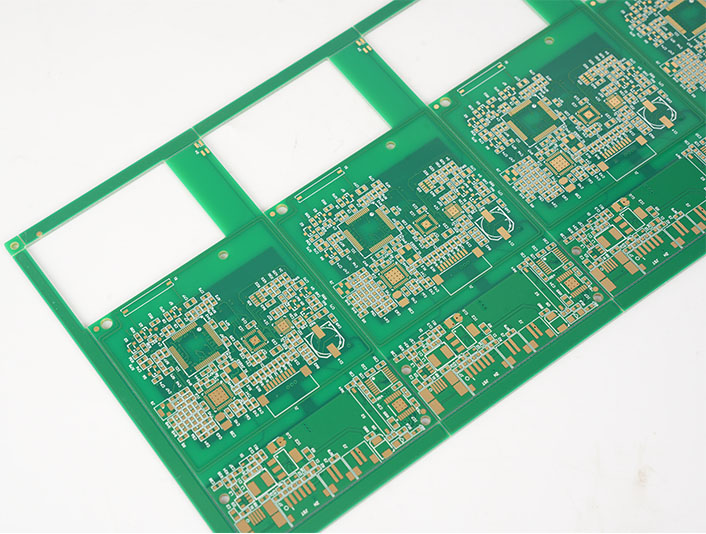
EBest Circuit (Best Technology) usually handles this through engineering review. The QR code location can be checked together with DFM items such as component clearance, fiducial placement, panelization, tooling holes, solder mask clearance, and test point access. This helps keep the board readable, manufacturable, and electrically reliable.

Is custom QR code PCB available for private design?

Yes, custom QR code PCB is available for private design, OEM projects, and customer-specific traceability systems. A manufacturer can place a code according to the customer’s preferred location, size, content, marking method, and brand requirement. The code may be visible on the finished product, hidden inside an enclosure, placed on a panel rail for production use, or located on the assembled board for field service.

Custom marking is especially useful when a company wants to protect its design data, organize product versions, or connect boards with internal management systems. For private design projects, the QR code can link to secure records rather than public web pages. This means only authorized staff can access the detailed information after scanning. The visible code may look simple, while the database behind it contains a rich production history.

Typical custom content may include:

  • Customer part number
  • PCB revision
  • Production date
  • Lot number or serial number
  • Assembly version
  • Internal item code
  • Test record ID
  • Warranty or service reference
  • Secure URL or database lookup code

Custom QR code PCB orders should be discussed before fabrication files are finalized. The customer can define whether the code should appear in Gerber data, be generated during production, or be added by the manufacturer according to a serialization rule. If the code needs to change per board, the manufacturer needs a controlled data file or a system connection. If the same code applies to all boards, it can be integrated into the normal silkscreen artwork.

EBest Circuit (Best Technology) can support customer-specific marking needs across prototype, small batch, and volume production. For OEM customers, this can be combined with PCB fabrication, component sourcing, PCBA assembly, testing, and final packaging to create a smoother production handoff.

What’s the advantage of PCB with QR code?

The main advantage of a PCB with QR code is fast, reliable access to board-level information. Instead of relying only on paper labels, manual notes, or file names, the physical board carries a digital reference that follows it through production and use.

In electronics manufacturing, small errors can create large delays. A wrong revision, mixed batch, missing test record, or unclear repair history can slow down delivery and increase review time. A scannable code gives operators a direct way to confirm the board identity. When connected to a database, it can show the build status, production route, inspection result, or customer order details.

For quality control, QR marking helps create a stronger evidence chain. If a customer reports a field issue, the manufacturer can trace the affected board back to its production batch, material lot, inspection data, and test result. This supports faster root cause analysis and more confident corrective action. For products used in medical, industrial, automotive, aerospace, or communication equipment, this visibility is a clear operational advantage.

AdvantageWhat It Means in PracticeValue for Customer
Faster identificationScan the board instead of manually reading long codesSaves inspection and service time
Better traceabilityConnects the board to production and test recordsImproves quality control
Cleaner version controlConfirms revision and product model quicklyReduces mix-up risk
Efficient repair supportLinks to previous repair or test historySpeeds up troubleshooting
Stronger documentationSupports batch records and audit reviewHelpful for regulated industries
Scalable production controlWorks with MES, ERP, and warehouse systemsSupports growth and repeat orders

A QR code on circuit board also helps communication between supplier and customer. When both sides use the same code reference, discussions become clearer. Instead of describing a board by photo, file name, or partial marking, both teams can refer to the same scan data. This is simple but very powerful during engineering changes and after-sales support.

EBest Circuit (Best Technology) sees QR marking as a practical way to strengthen manufacturing discipline. It does not replace good process control, but it makes that control easier to verify. For customers who value dependable production and transparent communication, this small mark can create a big improvement in workflow confidence.

How durable is QR code printing on circuit boards?

The durability of QR code printing on circuit boards depends on the marking method, board surface, operating environment, cleaning process, coating treatment, and handling conditions. A properly designed and manufactured code can remain readable through assembly, testing, shipment, and long-term use. For products that face heat, moisture, solvents, abrasion, or outdoor exposure, the marking method should be selected with extra care.

Silkscreen QR codes are durable enough for many standard electronics. The legend ink is cured onto the solder mask and can withstand normal assembly processes. It works well for indoor electronics, control boards, consumer devices, power supplies, and many industrial products. However, repeated abrasion, aggressive cleaning agents, or heavy conformal coating can reduce readability. Good placement helps protect the code from wear.

Laser marking is often more durable because it changes the surface rather than sitting only as an ink layer. A laser QR code on PCB can resist cleaning, handling, and long service life more effectively. It is often preferred for compact industrial boards, automotive modules, medical electronics, metal substrates, ceramic PCBs, and products that need permanent identification. The exact durability depends on the substrate and laser process settings.

Inkjet marking can be effective when the right ink and curing method are used. It is useful for fast serialization, especially in automated production. The ink must be compatible with solder mask, cleaning chemistry, and operating temperature. Adhesive labels can provide good readability, but their long-term performance depends on adhesive quality, temperature range, humidity, and available bonding surface.

Marking MethodDurability LevelSuitable EnvironmentNotes
SilkscreenGood for standard useIndoor electronics, general assembliesBest with good contrast and protected location
Laser markingVery strong for permanent IDIndustrial, medical, automotive, harsh-use productsExcellent for small and precise codes
Inkjet printingGood with correct inkAutomated serialized productionNeeds process validation
Label markingVaries by label materialBox build, enclosure, large ID areaAdhesive quality is important

For harsh environments, it is wise to test scanning after cleaning, reflow, coating, thermal cycling, or aging. EBest Circuit (Best Technology) can review the product environment and suggest a suitable approach. This helps the code remain readable when the board reaches real use, not only when it leaves the production line.

Can QR code PCB be used in industrial electronics?

Yes, QR code PCB can be used very effectively in industrial electronics. In fact, industrial products are one of the strongest use cases for board-level identification. Industrial control boards, power modules, automation equipment, sensors, motor drives, communication gateways, test instruments, and monitoring systems often require long service life, stable documentation, and fast maintenance support. A scannable board identity makes these tasks easier.

Industrial electronics are frequently produced in multiple revisions over several years. A control board may look almost the same from the outside while its firmware, component alternatives, connector choices, or circuit revision changes over time. A QR code on PCB helps maintenance teams identify the exact board version before replacement or repair. This is very useful when equipment downtime is costly.

For factories and equipment makers, QR codes also support spare part management. A technician can scan the board and confirm whether the replacement part matches the machine model. The code may connect to installation instructions, calibration records, test data, or service logs. In large facilities, this improves maintenance speed and reduces the chance of using the wrong board.

In industrial electronics, the QR code should be part of the product design plan, not a late decoration. Designers should reserve enough space, define scanner access, check coating coverage, and confirm the code remains visible after assembly. When the board is installed vertically or inside a narrow housing, scanning angle becomes important. A readable code in CAD may be hard to scan in the finished machine if access is limited.

EBest Circuit (Best Technology) supports industrial customers with PCB fabrication, PCBA assembly, testing, and traceability-oriented manufacturing. For control systems, automation equipment, and durable electronics, QR marking can be combined with inspection records and production data to create a more dependable manufacturing record.

What design rules apply to QR code PCB layout?

QR code PCB layout should focus on readability, contrast, size, location, clearance, and manufacturing tolerance. A code that looks fine on screen may become difficult to scan after printing if the modules are too small or the surrounding area is crowded. The goal is simple: make the code easy for scanners, operators, and service teams to read under real production conditions.

PCB QR code size is one of the most important design points. The minimum size depends on the amount of encoded data, QR version, error correction level, marking method, scanner quality, and required scanning distance. For many PCB silkscreen applications, a practical size may start around 5 mm × 5 mm for very simple data, but 7 mm × 7 mm to 10 mm × 10 mm is often more comfortable for reliable factory scanning. For laser marking, smaller codes may be possible because the edge definition is sharper. For manual handheld scanning, larger is usually better.

The code should also include a quiet zone. This is the blank margin around the QR pattern. Without enough margin, nearby text, copper, pads, components, or solder mask openings may disturb recognition. A quiet zone of at least four modules is a common QR code principle. On PCB artwork, this means the designer should keep the area around the code clean.

Useful layout rules include:

  • Reserve a clean rectangular marking area early in PCB layout.
  • Keep the code away from component pads, vias, test points, fiducials, and screw holes.
  • Maintain a quiet zone around the QR pattern.
  • Avoid placing the code under tall components, shields, heat sinks, or labels.
  • Select a size that matches the marking method and scanner distance.
  • Use short encoded data when space is limited.
  • Confirm readability after soldering, washing, coating, and final assembly.
  • Keep codes away from RF antenna zones, high-voltage spacing areas, and thermal contact surfaces.

For PCB QR code size planning, the amount of data matters. A short serial number can use fewer modules and stay readable at a smaller size. A long URL or dense information needs more modules, which requires a larger printed area. In many professional systems, using a short unique ID is better than encoding a long data string. The ID can point to a database where full records are stored.

Design FactorPractical RecommendationWhy It Matters
Code sizeUse a comfortable size, often 7–10 mm or larger for silkscreenImproves scanning reliability
Data lengthKeep encoded content short when possibleReduces module density
Quiet zoneLeave clean space around the codeHelps scanner detect the pattern
LocationPlace in a visible, protected areaSupports scanning after assembly
ContrastUse strong color differenceImproves recognition speed
SurfaceAvoid uneven, reflective, or crowded areasKeeps edges readable
ProcessMatch design to silkscreen, laser, or inkjet capabilityPrevents production mismatch

For a well-built result, the QR code should be reviewed together with the full PCB stack, surface finish, solder mask color, assembly layout, and end-use environment. This is where cooperation with an experienced manufacturer becomes valuable. EBest Circuit (Best Technology) can help customers check QR code placement, marking method, manufacturability, and traceability needs before production begins.

In summary, a PCB with a scannable QR code gives engineers and manufacturers a practical way to connect a physical circuit board with useful digital information. For custom PCB and PCBA projects that need professional QR marking support, contact sales@bestpcbs.com

You may also like

Custom PCB Power Supply: Layout Guide & Wholesale Assembly Tips

May 7th, 2026

A custom PCB power supply is a printed circuit board designed and manufactured to deliver precise electrical power — specific voltage levels, current capacity, and protection features — tailored to the exact requirements of a product rather than relying on a generic off-the-shelf module. For engineers working on medical devices, industrial controllers, automotive systems, or consumer electronics, getting the power supply right at the PCB level is fundamental to product reliability, thermal performance, and long-term field stability.

This guide covers everything engineers need to know about custom PCB power supply design and wholesale assembly: material selection, layer stack-up, copper thickness, surface finish options, DFM best practices, and how to choose a manufacturing partner who can support you from first prototype through high-volume production.

At EBest Circuit (Best Technology), we have spent 20 years working directly with engineers on exactly this type of project. Every order is handled by a dedicated team of one business partner and three specialized engineers — covering R&D, PCB process, and PCBA assembly — so your technical questions get engineering answers, not sales responses. We hold ISO 9001, ISO 13485, IATF 16949, and AS9100D certifications, run our own PCB and PCBA factory, and consistently deliver full PCBA within 1.5 weeks. If you have a project in mind, feel free to reach out to our team at sales@bestpcbs.com — we are happy to review your requirements and provide a practical assessment.

Custom PCB Power Supply

Why Engineers Choose Custom PCB Power Supply Boards?

Off-the-shelf power supply modules are a convenient starting point, but they rarely satisfy the exacting demands of modern electronics. Whether you are developing a medical device, an industrial controller, automotive electronics, or next-generation consumer hardware, a custom PCB power supply allows you to optimize every parameter — voltage rails, switching frequency, thermal dissipation, EMI shielding, footprint, and reliability — to match your exact application.

Engineers worldwide increasingly choose custom designs for these concrete reasons:

  • Precise Power Rails: Define multiple voltage outputs, tight tolerances, and load-step response exactly as your BOM demands — no compromises from a generic module.
  • Thermal Optimization: Position power components, copper pours, and thermal vias exactly where thermal simulation says they need to be. Metal-core (aluminum/copper) substrates are available for high-power density designs.
  • Form-Factor Freedom: From 3×3 mm microboards to 580×890 mm production panels, custom PCBs fit your mechanical envelope — not the other way around.
  • IP Protection: Your custom design stays proprietary. No competitor can buy the same module and replicate your product performance.
  • Cost-Efficient Scaling: A custom BOM-optimized design reduces unit cost significantly at volume. Wholesale PCBA is where the real savings are realized.
  • Compliance-Ready Design: Design for UL, CE, IEC 62368, or IATF16949 from day one, with an experienced engineering partner who understands certification requirements.

Power Supply PCB Design Essentials

A high-performance custom power supply PCB is the result of dozens of carefully balanced decisions. Below are the most critical areas where design choices directly affect reliability, efficiency, and manufacturability.

1. Topology Selection

The power conversion topology shapes every subsequent design decision. For isolated designs — such as medical or industrial applications — flyback, LLC resonant, or phase-shifted full-bridge are popular choices. For non-isolated point-of-load (POL) regulators, synchronous buck or multi-phase buck are industry standards. Your selection affects transformer design, control IC selection, switching node layout, and EMC strategy.

2. Layer Stack-Up and Current Carrying Capacity

Power supply PCBs carrying more than 5 A require careful stack-up planning. Wide power planes, thick copper, and strategic via stitching keep IR drop and thermal rise within spec. For high-current designs, our manufacturing supports outer copper up to 10 oz (standard) and up to 28 oz (advanced prototype) — one of the highest capabilities available from a China-based manufacturer.

3. EMI Control Layout

Switching power supplies are inherently noisy. The PCB layout must minimize high-di/dt loop areas, place input capacitors as close as possible to the switch nodes, separate analog and power ground planes, and route gate-drive traces with care. A key rule of thumb: the highest-frequency current loop (e.g., MOSFET drain–capacitor–MOSFET source) must be minimized in physical area. For every doubling of loop area, radiated EMI increases approximately 6 dB — enough to fail FCC/CE limits.

4. Impedance Control and Signal Integrity

If your power supply includes digital control (digital PWM, PMBus, I²C), controlled impedance traces are critical. Our standard capability holds impedance to ±5 Ω for values below 50 Ω, and ±10% for 50 Ω and above. Advanced prototype tolerance reaches ±4 Ω / ±6%.

5. Thermal Via Strategy

Thermal vias under power pads (QFN, DFN, TO-263) are essential for junction-temperature management. Proper via fill, pitch, and diameter selection prevents solder voiding while maximizing thermal conductance. Our engineering team provides via-fill recommendations as part of every DFM report.

Material and Layer Selection for Power Supply PCBs

Material selection is the single most impactful decision for long-term power supply reliability. Different applications demand different substrates.

Material TypeTg / Key PropertyBest ApplicationAvailable Brands
FR4 Standard Tg130–140 °CConsumer, low-temp industrialKB 6160, Shengyi S1141
FR4 Mid Tg150 °CIndustrial, higher ambientKB 6165, Isola IT158, S1000H
FR4 High Tg170–180 °CAutomotive, high-load power supplyIT180A, S1000-2M, FR408, TU-768
High CTICTI ≥ 600 VHigh-voltage isolated PSUS1600L, KB-6165C
High-Speed / Low-LossLow Dk/DfGaN/SiC PSU, switching >1 MHzM4/M6/M7, TU-872SLK, IT-958
Metal Core (Aluminum)0.3–6 W/m·K thermal conductivityLED drivers, high-power PSU1100/5052/6061 alloy, Bergquist
Metal Core (Copper)Up to 12 W/m·K (advanced)Ultra-high-power density designsPure copper substrate

Most power supply designs fall in the 4–8 layer range. Complex digital-power hybrid designs for servers or telecom can reach 16–24 layers with embedded planes for PDN (Power Distribution Network) optimization. Our standard capability covers 1 to 50 layers, with up to 100 layers available on engineering review.

EBest Circuit Manufacturing Capabilities

When you order a customized power supply PCB assembly from EBest Circuit, you benefit from one of the most comprehensive process capability tables available. The data below is drawn directly from our certified process capability documentation.

ParameterStandard CapabilityAdvanced (Prototype)
Layer Count1–50 layersUp to 100 layers (on review)
Board Thickness0.4 mm – 6 mm0.15 mm – 10 mm
Outer Copper Thickness0.5 oz – 10 oz0.5 oz – 28 oz
Inner Copper Thickness0.5 oz – 6 oz0.5 oz – 20 oz (≥12 oz on review)
Laser Drill Min. Diameter0.10 mm0.070 mm
Mechanical Drill Range0.15 mm – 6.5 mm0.15 mm minimum
Min. Board Size10 × 10 mm3 × 3 mm
Max. Board Size (≥3 layers)580 × 762 mm580 × 1220 mm
Min. Line Width / Spacing3/3 mil (outer)2/2 mil (outer)
Impedance Tolerance±5 Ω / ±10%±4 Ω / ±6%
Warp and Twist (Bow)≤ 0.75%≤ 0.50%
Max. Test Voltage5,000 V DC / 3,000 V AC
Metal Core (Al/Cu)1–6 layers, 0.5–5 mm thick>6 layers (on review)
Back-Drill Depth Precision±0.1 mm
Thermal Conductivity (Metal Core)0.3–6 W/m·KUp to 12 W/m·K

DFM Analysis: How We Help Engineers Avoid Costly Mistakes

Design for Manufacturability (DFM) review is not a checkbox — it is the single most valuable service we provide before a single PCB is fabricated. Our team carries 20 years of PCB/PCBA engineering experience and performs a thorough pre-production audit that covers:

  • Gerber vs. BOM cross-check: Verify that every component in your BOM has a corresponding land pattern in the Gerber, with correct polarity markings.
  • Copper clearance and creepage compliance: For high-voltage power supplies, IPC-2221 and IEC 60950/62368 clearance and creepage distances are checked against your isolation requirements.
  • Drill-to-copper and annular ring analysis: Flag any drills that violate minimum annular ring or drill-to-copper spacing for your selected laminate.
  • Solder mask opening audit: Prevent solder bridging and insufficient-solder defects by verifying SM opening ratios against IPC-7527 stencil recommendations.
  • Via-in-pad and thermal relief review: Confirm that thermal vias are properly specified (filled vs. unfilled) and that power pad connections use appropriate thermal relief or solid tie.
  • Component courtyard conflict detection: Identify component-to-component spacing violations that would prevent standard pick-and-place nozzle access.
  • BOM optimization recommendations: Flag obsolete, single-source, or long-lead-time components and suggest qualified alternates from our 1,000+ supply chain partners.
  • Impedance stack-up verification: For controlled-impedance designs, model your stack-up against the target Dk of the selected material and confirm trace widths.

Every project receives a formal written DFM Pre-Screening Report before production is approved. Issues are ranked by severity — Critical, Major, or Advisory — so your team can make informed decisions quickly. This service is included in our engineering support at no additional charge.

Surface Finish Options for Power Supply PCBs

Surface finish choice directly affects solderability, shelf life, contact resistance, and overall long-term reliability. Here is a comparison of the most relevant finishes for power supply applications:

Surface FinishThicknessKey AdvantageBest Application
Lead-Free HASL2–40 µmLow cost, excellent solderabilityStandard industrial PSU, cost-sensitive runs
ENIG (Immersion Gold)Ni: 3–8 µm / Au: 0.025–0.125 µmFlat surface, IC-compatible, long shelf lifeHigh-density SMT, BGA, fine-pitch power modules
Immersion Tin0.8–1.5 µmRoHS, press-fit connector compatibleAutomotive PSU with press-fit connectors
Immersion Silver0.2–0.4 µmExcellent flatness, wire-bondableHigh-frequency/RF supply hybrids
OSP0.1–0.3 µmUltra-flat, lowest cost, RoHSReflow-only assemblies with short storage window
ENEPIGNi: 3–8 µm / Pd: 0.05–0.125 µm / Au: 0.025–0.125 µmWire-bond + solder compatible, no black pad riskHybrid power modules with wire bonding
Hard Gold (Edge Finger)0.1–1.27 µmWear-resistant, low contact resistanceCard-edge connectors, test points

One-Stop PCBA Assembly: From Bare Board to Tested Unit

Our core value proposition is the full integration of PCB fabrication, component procurement, SMT/through-hole assembly, and functional testing under one roof. This eliminates the coordination overhead, quality grey-zones, and lead-time waste that come from splitting your supply chain across multiple vendors.

Step 1 — Engineering Review and DFM Report Your Gerber, BOM, and assembly drawings are reviewed by our engineering team. A written DFM report is issued within 24–48 hours for standard complexity designs.

Step 2 — Component Procurement We source 100% of your BOM through our 1,000+ verified supply chain partners. All components are checked for authenticity and traceability. Counterfeit screening is included for ICs and passives on aerospace and medical builds.

Step 3 — PCB Fabrication Our own factory produces the bare boards to your exact specification. No broker — direct factory control from inner-layer imaging through final electrical test.

Step 4 — SMT and Through-Hole Assembly Automated SMT with AOI (Automated Optical Inspection) after paste printing and after reflow. Manual through-hole and selective soldering for connectors and large power components.

Step 5 — Inspection: X-Ray, AOI, and Visual BGA and QFN solder joints are verified by X-ray inspection. 3D AOI is applied on all boards. IPC-A-610 workmanship standard is applied by default.

Step 6 — Functional and Electrical Testing In-Circuit Testing (ICT), flying probe, and functional test per your test specification. Power supply output voltage, ripple, load regulation, and efficiency can all be measured and logged.

Step 7 — Digital Traceability and Shipping Our digital manufacturing system provides material and batch traceability within 5 seconds. Full shipping documentation, Certificate of Conformance, and test records accompany every order.

Wholesale and Prototype: Flexible Volume for Every Stage

One of the most common pain points for engineers is finding a PCBA partner who can serve them cost-effectively across all stages of a product’s lifecycle — from the first 5-piece engineering sample to a 10,000-piece production run. EBest Circuit is purpose-built to support this entire journey.

  • Prototype (1–10 pcs): Minimum 1 piece. Rapid prototyping with DFM engineering support. Designed for design validation and debugging loops.
  • Small Batch (10–500 pcs): Pre-production validation builds. Fixed setup costs spread across units. Suitable for crowdfunding fulfillment or pilot programs.
  • Volume / Wholesale (500+ pcs): Competitive unit pricing with full SMT line utilization. Long-term blanket order contracts available for supply chain security.

Our standard full-service PCBA lead time is 1.5 weeks (approximately 10–12 business days) from the date your Gerber files, BOM, and purchase order are confirmed. This covers PCB fabrication, component procurement (assuming stock availability), SMT assembly, AOI, and final testing. Express options are available for urgent projects.

Certifications and Quality System

Quality is a documented, audited, and continuously improved system. EBest Circuit holds the following certifications, each maintained through regular third-party audits:

  • ISO 9001:2015 — General quality management system
  • ISO 13485:2016 — Medical device supply chain quality
  • IATF 16949:2016 — Tier 1 automotive supplier process control and PPAP documentation
  • AS9100D — Aerospace and defense supply chain requirements
  • IPC-A-610 — PCB assembly workmanship standard
  • RoHS / REACH — Environmental compliance

The IATF 16949 certification means our processes meet the highest standards for process control in the automotive industry. The AS9100D certification covers aerospace and defense supply chain requirements. ISO 13485 ensures our quality system is compliant for medical device supply chains — all relevant certifications for engineers who need their power supply boards to meet the most demanding end-market requirements.

Our digital workshop management system enables real-time tracking of material lots, production batches, and individual board serial numbers. In the event of a field return or audit, full manufacturing history can be retrieved in under 5 seconds — an essential capability for automotive and medical customers.

Why 1,800+ Engineers Choose EBest Circuit?

20 years of specialized PCBA history. EBest Circuit (Best Technology) has been focused on PCB fabrication and PCBA assembly for over two decades. We have supported more than 10,000 engineers and 1,800+ customers worldwide across medical, automotive, industrial, aerospace, and consumer electronics sectors.

The 1 Business Partner + 3-Engineer Technical Team model. Every new project is assigned a dedicated team: one experienced business partner who manages communication and timelines, plus a three-engineer technical team comprising a 20-year R&D engineer, a PCB process specialist, and a PCBA assembly engineer. This means:

  • Engineering questions are answered by engineers, not by a sales representative reading from a spec sheet.
  • DFM findings are reviewed by a multi-discipline team, not a single generalist.
  • Your project manager has technical authority to approve or flag issues without internal escalation delays.
  • Communication is consolidated — one contact, no information loss between departments.

Own factory with direct quality control. We own both our PCB fabrication facility and our PCBA assembly line. This vertical integration gives us direct control over every substrate that goes into your board — nothing is delegated to a sub-contractor we cannot audit. At the same time, our 1,000+ component supply chain partners ensure broad BOM coverage and transparent pricing for wholesale orders.

If you are ready to move your power supply design from schematic to production, our engineering team is ready to review your files and provide a technical assessment and competitive pricing — typically within 24 hours. Just feel free to send your Gerber files, BOM, and project requirements to sales@bestpcbs.com.

Our team of dedicated engineers — not automated forms — will personally review your specifications and respond with a tailored recommendation. Whether you need a 5-piece prototype to validate your design or a 10,000-piece wholesale production run to meet a launch deadline, EBest Circuit has the process capability, certifications, and engineering depth to deliver on time.

FAQs About Custom PCB Power Supply

What is the minimum order quantity for a custom PCB power supply?

EBest Circuit supports prototype orders from as little as 1 piece. There is no minimum order quantity restriction for engineering samples. Wholesale pricing tiers begin at approximately 500 pieces, with the most competitive rates available from 5,000 pieces and above.

How long does PCBA assembly take for a custom power supply?

Our standard full-service PCBA lead time is 1.5 weeks (approximately 10–12 business days) from the date your Gerber files, BOM, and purchase order are confirmed. This includes PCB fabrication, component procurement, SMT assembly, AOI, and final testing. Rush options are available for time-critical projects.

Do you provide DFM review?

Yes — DFM review is included as a standard part of our engineering service. Every project receives a formal written DFM Pre-Screening Report before production is approved, covering Gerber verification, clearance/creepage compliance, via-in-pad review, component spacing, and BOM optimization recommendations.

Can you manufacture metal-core PCBs for high-power applications?

Yes. Our capability covers aluminum-core PCBs (alloys 1100, 1050, 2124, 5052, 6061) and copper-core PCBs for ultra-high thermal conductivity applications. Standard thermal conductivity ranges from 0.3 to 6 W/m·K, with advanced capability up to 12 W/m·K. Metal core boards support 1–6 layers in standard process (more on review).

Which certifications does EBest Circuit hold?

EBest Circuit is certified to ISO 9001:2015, ISO 13485:2016, IATF 16949:2016, and AS9100D. These certifications are maintained through regular third-party audits.

How do you ensure component authenticity for wholesale orders?

All components are sourced through 1,000+ verified supply chain partners. For aerospace and medical builds, active counterfeit screening is performed including X-ray inspection and full lot traceability. Certificates of Conformance are provided with every shipment.

You may also like

Custom Motherboard PCB Manufacturing: From Layout Optimization to Full PCBA

May 7th, 2026

Custom MotherboardPCBs are the backbone of high-end electronics, serving as the central, custom-designed printed circuit board that integrates and connects all critical components within a system. This article will cover the entire journey of creating a custom motherboard, from initial layout design and rigorous verification to prototype fabrication, mass production requirements, and how to select the right manufacturing partner to ensure performance and reliability.

Are you grappling with the complex challenges of bringing a bespoke motherboard from concept to a reliable, high-performance product?

  • Struggling with signal integrity issues like crosstalk and EMI in dense, multi-layer layouts, leading to unstable prototype performance.
  • Facing costly delays and re-spins due to overlooked Design for Manufacturability (DFM) errors that only surface during PCBA assembly.
  • Dealing with the headache of sourcing long-lead-time or obsolete components, which stalls your entire project timeline.
  • Worrying about inconsistent quality and yield between your prototype run and the final mass production batch.
  • Feeling lost without responsive technical support when urgent design tweaks or production issues arise mid-project.

As a professional PCBA manufacturer, EBest Circuit (Best Technology) addresses these challenges directly with tailored solutions:

  • Our 20-year experienced engineering team provides in-depth DFM analysis and layout optimization advice specifically for complex, multi-layer motherboard designs to preempt signal and thermal issues.
  • We deliver a comprehensive DFM pre-screening report and BOM optimization list before fabrication, catching potential assembly faults early to save time and cost.
  • Our one-stop service integrates PCB fabrication with component sourcing from a network of 1,000+ vetted partners, ensuring authentic parts and streamlined supply chain management.
  • We maintain consistent, certified processes from prototype to mass production, supported by in-house PCB and PCBA factories for end-to-end quality control.
  • Our ‘1+3’ Support Model ensures elite project care, pairing you with one dedicated account manager and three specialist engineers for rapid, expert solutions from prototype to production.

EBest Circuit (Best Technology) is a professional PCB and PCBA manufacturer with over 20 years of expertise in serving the high-end electronics industry. Our strength lies in a full turnkey solution, where our seasoned engineering team provides DFM analysis and process adaptation from the start. We support everything from PCB design and fabrication—including advanced boards like heavy copper, HDI, and RF PCBs—to component sourcing, PCBA assembly, and full box build. Holding certifications like ISO 9001, IATF 16949, AS9100D, and ISO 13485, our in-house facilities and digital workshop enable precise batch traceability and rapid iteration for both prototypes and small-batch production. With a history of serving over 1,800 clients, we are committed to delivering comprehensive, high-quality solutions with a focus on on-time delivery. For inquiries, pls feel free to contact us at sales@bestpcbs.com.

 custom motherboard

What Is a Custom Motherboard PCB in High-End Electronics?

A custom motherboard​ PCB is the central, application-specific circuit board engineered to be the core of a dedicated electronic system, unlike standard off-the-shelf models. In high-end applications—from advanced gaming rigs and high-performance computing clusters to specialized industrial controllers and medical imaging systems—these boards are tailored to meet exact spatial, thermal, electrical, and functional requirements. This section explores the defining characteristics and critical role of a custom PC motherboard​ in pushing the boundaries of technology.

The value of a custom built motherboard​ lies in its optimized integration. Key specifications typically include:

  • High Layer Count:​ Often 8 layers or more (capable up to 32 layers for FR4) to accommodate complex power and signal routing, reducing noise and crosstalk.
  • Controlled Impedance:​ Critical for high-speed data buses (e.g., DDR memory, PCIe). Tolerances are tight, typically ±10% for values >50Ω and ±5Ω for values ≤50Ω.
  • Advanced Materials:​ Use of High-Tg FR4 (e.g., Tg ≥170°C), low-loss laminates for RF sections, or even Metal Core PCBs (MCPCBs) for thermal management in power-intensive areas.
  • Fine Features:​ Minimum trace/space can go down to 2.5/2.5 mil for inner layers and 3/3 mil for outer layers (with 1 oz copper), supporting high-density interconnects (HDI).
  • Multiple Surface Finishes:​ Selection of ENIG, ENEPIG, or hard gold for edge connectors (gold fingers) based on durability and signal integrity needs.
  • Rigorous Testing:​ 100% electrical testing (E-test) and flying probe testing for prototypes are mandatory to ensure connectivity and function before PCBA.

The custom motherboard​ is therefore not just a carrier of components but a precision-engineered substrate that determines the ultimate performance, reliability, and scalability of the entire system. Its design and fabrication set the foundation for all subsequent assembly and integration steps.

How Are Custom Motherboards Formed From PCB and PCBA?

The formation of a functional custom motherboard​ is a two-stage symphony: first, the fabrication of the bare Printed Circuit Board (PCB), and second, the assembly of components onto it (PCBA). The PCB serves as the foundational platform with its intricate copper tracings, while the PCBA process populates this platform with ICs, connectors, and passive components, breathing life into the design. Understanding this seamless transition is key to planning a successful custom motherboard​ project.

The journey from a PCB panel to a ready-to-use custom built motherboard​ involves a detailed, interconnected workflow:

  • PCB Fabrication:​ This starts with the manufactured bare board. For a complex motherboard, this involves multi-layer lamination, precision drilling of micro-vias (laser drill capability down to 0.1mm), and plating. Key outputs are the physical boards meeting all specified impedance, thickness, and finish requirements.
  • Component Procurement & Kitting:​ Parallel to or after PCB fab, all components from the BOM are sourced. A reliable manufacturer uses authorized distributors to avoid counterfeits and can provide BOM optimization advice.
  • SMT Assembly:​ Surface Mount Technology lines place microscopic components (down to 01005 size) using high-precision pick-and-place machines. A full nitrogen reflow oven ensures perfect solder joints for BGA packages with pitches as fine as 0.25mm.
  • THT Assembly & Conformal Coating:​ Through-hole components (like large connectors or power sockets) are inserted, often via selective or wave soldering. Conformal coating may be applied for environmental protection.
  • Inspection & Testing:​ This is critical. Automated Optical Inspection (AOI) and X-ray (for BGA joints) check for assembly defects. In-circuit Test (ICT) or Flying Probe Test verifies electrical performance. For motherboards, Functional Test (FCT) simulating real operation is often required.
  • Programming & Boxing:​ Firmware is loaded onto onboard memory. Finally, the assembled PCBA may be integrated into an enclosure or delivered as a complete system (box build).

This integrated PCB and PCBA​ flow underscores the need for a manufacturer that controls both processes. Any disconnect between the board fabrication tolerances and the assembly process windows can lead to failures, making a one-stop, turnkey service provider like EBest Circuit (Best Technology) a strategic advantage for custom motherboard​ realization.

How to Optimize Your Layout for a Custom Motherboard PCB?

Layout optimization is the strategic placement and routing of components and traces on a custom motherboard PCB​ to achieve optimal electrical performance, thermal management, manufacturability, and reliability. A poorly optimized layout can doom even the most well-conceived schematic, leading to signal integrity nightmares, overheating, and assembly failures. For a custom motherboard​ that often integrates high-speed processors, memory, and various I/Os, this phase is arguably the most critical in the design cycle.

Optimizing a custom motherboard layout​ requires balancing electrical and physical constraints. Here are key actionable strategies:

  • Stack-up Planning:​ Define your layer stack-up early with your manufacturer. For an 8-layer board, a common stack like [Sig-Gnd-Pwr-Sig-Sig-Pwr-Gnd-Sig] provides good signal return paths. Use controlled dielectric materials (e.g., Dk ~4.2 for standard FR4, lower for high-speed sections) and aim for target impedance values (e.g., 50Ω for single-ended, 100Ω for differential pairs).
  • Power Distribution Network (PDN):​ Use dedicated power and ground planes. For high-current rails (like CPU Vcore), calculate required copper weight (e.g., 2 oz or more) and use multiple vias for current sharing. Implement proper decoupling capacitor placement—use a mix of bulk, ceramic, and high-frequency caps close to power pins.
  • High-Speed Signal Routing:​ Route critical signals (e.g., DDR, PCIe) with length matching (tolerance within ±5 mils for differential pairs) and maintain consistent impedance. Provide adequate spacing (3x trace width minimum) to minimize crosstalk. Avoid splitting reference planes beneath high-speed traces.
  • Thermal Management:​ Identify hot components (CPUs, FPGAs, VRMs) and plan for thermal relief. Incorporate thermal vias under pads to conduct heat to inner copper layers or a metal core. In designs with localized high heat, consider specifying a Metal Core PCB (MCPCB) section with thermal conductivity of 1.5-3.0 W/m·K.
  • DFM-Centric Design:​ Adhere to your manufacturer’s capabilities. For example, maintain a minimum solder mask bridge of 6-8 mil, a minimum annular ring of 8 mil for vias, and trace/space rules that match your chosen copper weight (e.g., 5/7 mil for 2 oz outer layer). Avoid acute angles in traces.

By methodically applying these principles, you transform a schematic into a manufacturable, high-performance board layout. Partnering with a manufacturer that offers custom motherboard design​ review services can provide invaluable feedback at this stage, catching potential issues before they are etched in copper, saving significant time and cost.

Why Is Custom Motherboard Design Verification Critical for PCBA?

Custom motherboard design​ verification is a rigorous, multi-faceted checking process that occurs after layout completion but before committing to fabrication. It is critical for PCBA because it identifies and rectifies design flaws that are far cheaper to fix in software than on physical boards. A single uncaught error—a missed connection, an incorrect footprint, or a violated design rule—can lead to non-functional assemblies, costly rework, and project delays, undermining the entire custom motherboard​ project.

A comprehensive verification strategy for a custom PC motherboard​ should include the following checks:

  • Electrical Rule Check (ERC):​ Validates logical connectivity against the schematic, ensuring all nets are properly driven and terminated, and checking for floating pins or shorted outputs.
  • Design Rule Check (DRC):​ Enforces physical layout constraints provided by the manufacturer. This includes checks for minimum trace width/space (e.g., 4/4 mil for normal FR4), drill-to-copper clearance (≥0.18mm for through-holes), and solder mask slivers.
  • Signal Integrity (SI) & Power Integrity (PI) Simulation:​ Uses field solvers to analyze signal quality (overshoot, crosstalk, timing) on high-speed nets and to model the impedance of the Power Distribution Network, identifying voltage drop and resonance issues before building the board.
  • Thermal Simulation:​ Models the board’s thermal performance under load, identifying hotspots that may require additional cooling measures like heatsinks, thermal vias, or a different substrate material (e.g., switching to an Aluminum PCB section).
  • Design for Manufacturability (DFM) Analysis:​ A manufacturer-led review using their specific process capabilities. They check for issues like acid traps, copper slivers, inadequate annular rings, and impractical aspect ratios for plating (e.g., a maximum 8:1 aspect ratio for through-holes).
  • Design for Assembly (DFA) Analysis:​ Focuses on the PCBA phase. Checks include component spacing for soldering tool access, polarity markings, stencil aperture design for proper paste volume, and suitability of selected surface finish (e.g., ENIG for fine-pitch BGAs).

Skipping or shortening these verification steps is a high-risk gamble. A single PCBA run for a complex custom motherboard​ represents a significant investment in boards and components. Thorough verification, especially a professional DFM/DFA report from your manufacturing partner, is the most effective insurance policy to ensure your first prototype assembly has the highest chance of success, accelerating your path to a validated, production-ready design.

How Do We Fabricate Prototypes for Complex Custom Motherboards?

Fabricating prototypes for complex custom motherboards​ is a specialized service that bridges the gap between design and validation, allowing engineers to physically test and iterate their concepts. It involves manufacturing small quantities of the fully assembled board with the same care and access to advanced processes as mass production. For a custom motherboard, where cost and complexity are high, a reliable and fast prototype service is indispensable for de-risking the project before committing to volume orders.

The prototype fabrication process at a full-service manufacturer like EBest Circuit integrates several key stages:

  1. Rapid PCB Prototyping:​ The bare PCB is fabricated first. For standard FR4 motherboards, fastest service can be as quick as 24 hours for 1-2 layer boards and 48-72 hours for 4-8 layer boards. Advanced features like HDI (laser drilled 0.1mm microvias) and heavy copper (up to 20 oz) are available even for prototype quantities.
  2. Expedited Component Sourcing:​ The manufacturer procures all components, often leveraging existing distributor relationships and in-house inventory for common parts to avoid delays, even for small BOMs.
  3. Quick-Turn PCBA:​ The assembly line is set up for prototype agility. SMT lines can place fine-pitch components, and selective soldering handles THT parts. PCBA prototype lead time can be as fast as 2 days for standard assemblies.
  4. Focused Inspection & Testing:​ Each prototype board undergoes meticulous inspection. Flying Probe Testing (instead of a custom fixture) is used for 100% electrical verification. AOI and X-ray check solder joint quality, ensuring the prototype is fully testable.

Typical Prototype Lead Time Framework (for a standard 8-layer FR4 motherboard):

Process StageNormal ServiceExpedited / Fastest ServiceKey Notes
PCB Fabrication12 Days72 HoursFor boards <1 sq. meter, standard spec.
Component Sourcing3-5 Days1-3 DaysDepends on part availability.
PCBA & Testing1 Week2 DaysIncludes SMT, THT, and basic flying probe test.
Total Project Timeline~3 Weeks~1.5 WeeksWith streamlined coordination and expedited services.

Prototype fabrication is not just about speed; it’s about learning. The physical board provides invaluable data on real-world performance, thermal behavior, and assembly yield. Choosing a partner that supports both PCB prototype​ and PCBA prototype​ in one flow, with transparent communication and engineering support, turns the prototype phase into a powerful tool for refinement, ensuring your custom motherboard​ design is robust and ready for scaling.

What Are the Fabrication Requirements for a Custom PC Motherboard?

The fabrication requirements for a custom PC motherboard​ are a comprehensive set of technical specifications and standards that the bare PCB must meet to be viable for component assembly and reliable end-use. These requirements go beyond simple connectivity, encompassing electrical performance, physical durability, thermal characteristics, and precise dimensional tolerances. Clearly defining and communicating these requirements to your manufacturer is the first step to ensuring the fabricated board is a perfect match for your design intent and the subsequent PCBA process.
The specifications for a high-performance custom motherboard​ are detailed and multi-faceted. Below is a consolidated overview of key fabrication requirements, drawing from advanced PCB process capabilities.

Key Fabrication Specifications for a Complex Custom Motherboard PCB

Requirement CategorySpecification / ParameterTypical Value / RangeImportance for Motherboard
Materials & ConstructionBase MaterialHigh-Tg FR4 (≥170°C), maybe with Rogers for RF sections.Provides thermal stability during soldering and operation.
Layer Count6 to 32 layers.Accommodates complex power delivery and high-density routing.
Finished Board Thickness1.6mm ±0.16mm is common; range from 0.4mm to 6.0mm.Fits standard chassis and connector heights.
Features & TolerancesMin. Trace/Space (Inner, 1 oz Cu)2.5 / 2.5 mil (0.0635 / 0.0635mm).Enables dense routing for complex chipsets.
Min. Hole Diameter (Mechanical)8 mil (0.2mm) for HDI areas; 12 mil (0.3mm) standard.For high-density via fanout.
Hole Position Tolerance±2 mil (±0.05mm).Critical for precise component alignment during PCBA.
Impedance Control Tolerance±10% (≥50Ω), ±5Ω (<50Ω).Essential for signal integrity of high-speed interfaces.
Surface & FinishingSurface FinishENIG, ENEPIG, or Immersion Silver common.Provides flat, solderable surface for fine-pitch components.
Gold Finger (Edge Connector)Hard gold plating, thickness 0.1-1.27 µm.Ensures durability for repeated insertion/removal.
Solder Mask (LPI)Green, black, blue, etc.; Min. bridge: 6 mil.Prevents solder bridges and provides insulation.
Reliability & TestingThermal Stress3 cycles of 10 sec @ 280°C (for lead-free).Validates ability to withstand reflow soldering heat.
Flammability RatingUL 94V-0 compliant.Mandatory safety standard for most electronic products.
Bow and Twist≤0.75% of board diagonal length.Ensures flatness for automated PCBA and proper heatsink contact.

These requirements form a contract of quality between you and the fabricator. A manufacturer experienced in custom motherboard PCB​ production will not only meet these specs but will also proactively advise on optimal choices—for instance, recommending a specific surface finish for your BGA pitch or validating your impedance stack-up model—ensuring the fabricated board is a solid foundation for a successful, high-yield PCBA process.

How to Choose a Reliable Custom Motherboard Manufacturer for Your Project?

Choosing a reliable custom motherboard manufacturer​ is a strategic decision that impacts not only the unit cost but also the technical success, timeline, and long-term scalability of your product. The ideal partner is more than a board vendor; they are a technical collaborator with the expertise, infrastructure, and commitment to guide your complex project from design to delivered, tested assemblies. For a custom motherboard, this choice is pivotal in navigating the challenges of high-density interconnects, advanced materials, and rigorous quality demands.

Selecting the right manufacturer requires evaluating them against a set of critical criteria that go beyond a simple price quote. Consider the following checklist:
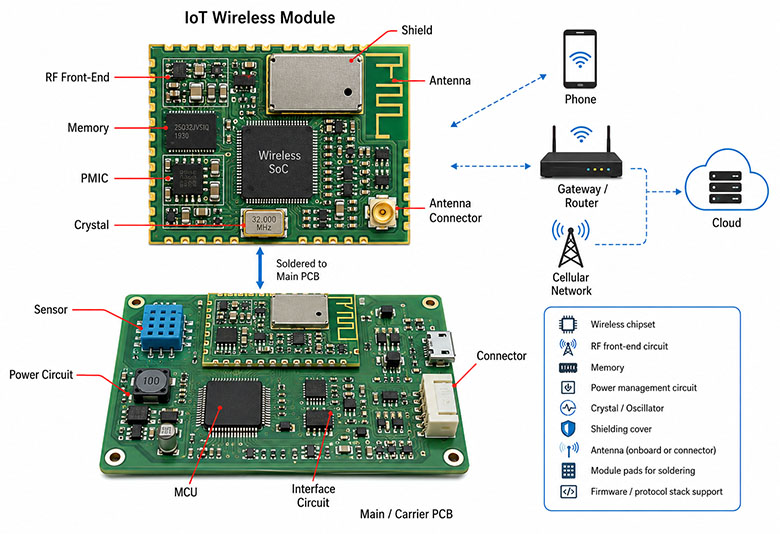
  • Technical Expertise & Support:​ Do they have a seasoned engineering team (20+ years experience) that can provide meaningful DFM/DFA analysis on your custom motherboard design? Can they advise on material selection, thermal management, and signal integrity? Look for 1-on-1 project support.
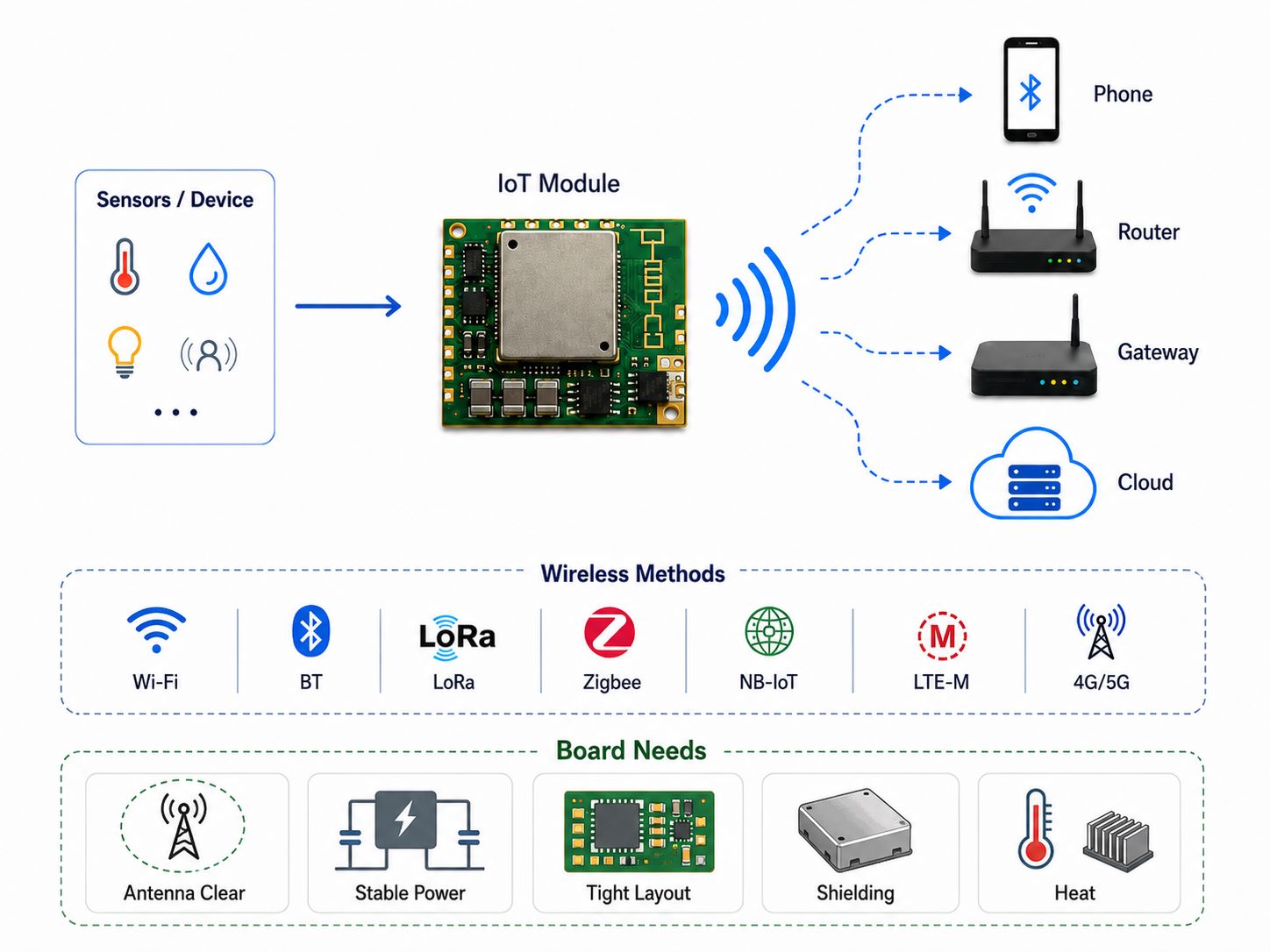
  • Process Capabilities & Certifications:​ Can their factory produce the required specs (layer count, trace/space, surface finishes, impedance control)? Verify relevant certifications: ISO 9001​ (quality management), IATF 16949​ (automotive), ISO 13485​ (medical), and AS9100D​ (aerospace) if applicable, which mandate rigorous process control.
  • Supply Chain & One-Stop Service:​ Do they offer true turnkey service (PCB + components + PCBA + test)? A strong network of 1,000+ component suppliers is vital to manage shortages and ensure authentic parts. In-house PCB and PCBA factories prevent finger-pointing and improve communication.
  • Prototype & Volume Flexibility:​ Can they efficiently handle both your initial prototype/small-batch needs (for fast R&D iteration) and seamlessly scale to mass production while maintaining consistency? Ask about their “digital workshop” capabilities for traceability.
  • Quality Assurance & Testing Infrastructure:​ What inspection and test equipment do they have in-house? Look for AOI, X-ray, Flying Probe Testers, and functional test beds. A commitment to IPC standards​ for PCB and PCBA is non-negotiable for reliability.
  • Communication & Project Management:​ Is their response time fast (e.g., within 12 hours)? Do they provide online Work-in-Progress (WIP) updates? Transparent and proactive communication is essential for managing a complex project.

The best motherboard customer service​ is characterized by partnership, not just transaction. It means having an expert you can call when a design issue arises, receiving proactive updates on your build, and trusting that quality is ingrained in their process. By thoroughly vetting potential partners against these criteria, you align with a manufacturer that reduces risk, adds value, and becomes a key enabler for your custom motherboard​ project’s success.

How Does Motherboard Customization Ensure Better Performance?

Motherboard customization​ is the process of tailoring the PCB’s electrical, physical, and thermal properties to the exact needs of a specific application, which directly translates to superior performance compared to using a generic, off-the-shelf board. This optimization impacts every aspect of the system: speed, power efficiency, thermal behavior, reliability, and form factor. For demanding applications, a custom built motherboard​ is not a luxury but a necessity to achieve performance benchmarks and gain a competitive edge.

The performance benefits of a custom PC motherboard​ are realized through targeted design choices across several domains:

  • Optimized Signal Integrity and Speed:​ Customization allows for precise control over the PCB stack-up, dielectric materials, and trace geometry. This enables perfect impedance matching for high-speed signals (e.g., DDR5, PCIe 5.0), minimizing reflections and losses. You can use low-loss laminates (Df < 0.005) in critical paths, which a standard FR4 board does not offer, allowing for higher data rates and lower bit error rates.
  • Enhanced Thermal Management:​ A one-size-fits-all motherboard has generic thermal design. Customization lets you integrate direct thermal solutions. For example, you can specify a thicker copper plane (e.g., 3 oz) under a high-power CPU, incorporate an array of thermal vias to an internal ground plane, or even design a section as a Metal Core PCB (MCPCB) with a thermal conductivity of 2.0-3.0 W/m·K to act as an integrated heatsink, dramatically lowering junction temperatures.
  • Superior Power Delivery:​ Custom power planes can be designed with the exact copper weight and shape needed for each voltage rail, reducing DC resistance (Rdc) and voltage drop. This ensures stable power to sensitive components like FPGAs and GPUs, even under transient loads, preventing throttling and ensuring consistent performance.
  • Form Factor and Component Optimization:​ The board can be shaped to fit a unique enclosure, and components can be placed for optimal mechanical and electrical interaction. This reduces parasitic inductance and capacitance from long traces, improves EMI performance by allowing for better shielding strategies, and can even reduce the overall part count by integrating functions, leading to higher reliability.

In essence, motherboard customization​ moves the design from a compromise-based generic solution to a purpose-engineered platform. It allows engineers to make deliberate trade-offs that favor the most critical performance parameters of their specific application, whether that’s raw compute speed, power efficiency in a battery-operated device, or rugged reliability in an industrial setting. This tailored approach is what unlocks the full potential of the components mounted on it.

Why Do Complex Projects Need the Best Motherboard Customer Service?

Complex projects involving custom motherboards​ inherently carry high technical risk, significant investment, and tight schedules. The best motherboard customer service​ is the essential human and procedural interface that actively manages this risk, provides expert guidance, and ensures smooth project execution. It transforms a manufacturing transaction into a collaborative partnership, where the manufacturer’s team acts as an extension of your own, providing support that is proactive, knowledgeable, and responsive to the unique challenges of a sophisticated custom motherboard​ build.

Outstanding customer service for a complex motherboard project manifests in several critical, tangible ways:

  • Front-Loaded Technical Collaboration (Pre-Sales):​ Before any order is placed, the service team facilitates deep-dive technical reviews. Their engineers provide a detailed DFM report, not just flagging errors but offering solutions—like suggesting changing a via pad size from 8 mil to 10 mil for better reliability, or recommending an alternative surface finish for a challenging BGA. This prevents costly mistakes from ever reaching production.
  • Proactive Supply Chain Management:​ For a custom motherboard​ with a large, complex BOM, component sourcing is a minefield. The best service includes a dedicated procurement specialist who proactively communicates about part availability, suggests alternates for end-of-life or long-lead items, and provides a consolidated, optimized BOM list, de-risking your supply chain from the start.
  • Real-Time Project Visibility & Communication:​ You are not left in the dark. A digital portal or regular WIP updates show you the status of your boards at every stage—from PCB lamination and drilling to SMT assembly and testing. If a minor issue arises (e.g., a solder paste issue on the line), you are informed immediately with a solution, not after the fact.
  • Rapid-Response Problem Solving:​ When an unexpected challenge occurs—a last-minute engineering change order (ECO), a test failure that needs diagnostics—the service team provides fast, expert-level troubleshooting. They have direct access to the factory floor and engineering teams to investigate and resolve issues within hours, not days, keeping your project on track.
  • Seamless Transition from NPI to Mass Production:​ The team that guided your prototype ensures all learnings and specifications are perfectly handed over to the volume production group. They manage the transition, ensuring there are no surprises in quality or process when you scale up your order.

For a complex project, this level of service is not a premium add-on; it is a core component of project success. The best custom motherboard manufacturer​ understands that their value lies as much in their knowledge, communication, and support as in their machinery. This partnership minimizes stress, accelerates time-to-market, and provides the confidence that your intricate, high-stakes project is in capable hands from the first design file to the final shipped unit.

To sum up, custom motherboard​ PCBs are the engineered heart of high-performance electronic systems, where tailored design and precision manufacturing converge to unlock specific application potential. This article has detailed the journey from optimized layout and critical verification through prototype fabrication and the stringent requirements of mass production, underscoring the importance of choosing a manufacturing partner that acts as a true collaborator.

EBest Circuit (Best Technology) brings over 20 years of PCB and PCBA expertise to this complex field. Our in-house engineering team provides deep DFM analysis for your custom motherboard design, while our one-stop turnkey service—encompassing advanced PCB fabrication, robust component sourcing, and high-mix PCBA assembly—ensures a seamless, accountable process from prototype to volume production. Supported by relevant quality certifications and a digital workshop for full traceability, we are equipped to be your reliable partner in bringing high-performance, reliable custom motherboards to market. Pls feel free to contact our team anytime to discuss your project requirements at sales@bestpcbs.com.

FAQs About Custom Motherboard

Q1: What is the typical lead time for a prototype of a custom motherboard, and can it be expedited?

A: The lead time for a custom motherboard prototype​ depends on complexity. For a standard 8-layer FR4 design (<1 sq. meter), normal PCB fabrication is about 12 days, with PCBA adding roughly a week. However, with expedited services, the PCB can be built in 72 hours, and fast-turn PCBA can be completed in 2 days, bringing the total project timeline to approximately 1.5 weeks. Manufacturers like EBest Circuit offer such rush services to help accelerate R&D validation cycles.

Q2: What are the key DFM (Design for Manufacturability) checks I should perform on my custom motherboard design before sending it out?

A: Beyond standard ERC/DRC, focus on manufacturer-specific process limits. Key checks include: ensuring trace/space and annular ring sizes meet their standard (e.g., 5/7 mil for 2 oz copper), verifying hole-to-copper clearance (≥0.18mm), avoiding excessive copper in flex areas to prevent cracking, and confirming your impedance stack-up model is achievable with their materials. The most effective step is to request a formal DFM report from your chosen manufacturer, as they will apply their exact equipment and process tolerances to your design.

Q3: How do you handle component sourcing, especially for obsolete or hard-to-find parts on a custom PC motherboard BOM?

A: A reputable turnkey manufacturer manages this through a multi-pronged approach. They first source from a network of authorized distributors to guarantee authenticity. For obsolete parts, their procurement team will identify and suggest qualified, form-fit-function equivalent alternates. They can also leverage in-house inventory of common components. Providing your BOM early allows them to initiate sourcing in parallel with PCB fabrication, mitigating lead time risks. Always ask for a component sourcing report before production begins.

Q4: What is the advantage of using a Metal Core PCB (MCPCB) section in a custom motherboard design?

A: Integrating an MCPCB section, typically aluminum-based, is a powerful thermal management strategy for custom motherboard customization. The metal core acts as an integrated heatsink, conducting heat away from high-power components like VRMs or processors much more efficiently than standard FR4 (thermal conductivity of 1.5-3.0 W/m·K vs. ~0.3 W/m·K). This can lower component operating temperatures significantly, improving reliability and performance, and potentially eliminating the need for bulky external heatsinks in some areas, allowing for a more compact design.

Q5: Can you support both small-batch prototyping and later mass production for the same custom motherboard design?

A: Yes, the best manufacturers are equipped for this full lifecycle support. They use the same certified processes and equipment lines for both prototyping and volume runs, ensuring consistency. The transition is managed by the same engineering and customer service team, who carry over all the learnings and optimized parameters from the prototype phase. This seamless handoff guarantees that the performance and quality you validated in your prototypes are maintained in mass production, which is critical for a custom motherboard manufacturer​ relationship.

You may also like

Small Printed Circuit Board | No MOQ & Fast-Turn Assembly Services

May 6th, 2026

A small printed circuit board​ serves as the miniature backbone for compact electronic devices, enabling high-density interconnections in limited spaces. This article explores the technical nuances, manufacturing standards, and cost factors associated with producing these intricate assemblies.

Are you struggling with the unique challenges that come with miniaturized electronics?

  • My design has tiny components, but I keep getting poor yields due to soldering defects.
  • We only need 5 or 10 pieces for the prototype, yet every supplier demands a massive MOQ.
  • It is frustrating when signal interference ruins my RF performance in a dense layout.
  • I cannot find a factory that understands the precision needed for micro-vias and fine traces.
  • Getting a clear and accurate price for a small batch is nearly impossible with all the hidden fees.

As a professional PCBA manufacturer, we address these challenges directly:

  • We deploy precision SMT placement machines to handle miniature components reliably.
  • Our flexible production lines support printed circuit board small quantity runs with no MOQ.
  • We design and integrate custom printed circuit board small rf shielded enclosures.
  • Our 20-year engineering team specializes in small printed circuit board fabrication.
  • We provide transparent quotations and a detailed small printed circuit board pricelist upfront.

With two decades of experience, EBest Circuit (Best Technology) has become a trusted partner for engineers worldwide. Our strengths lie in combining deep technical expertise with responsive manufacturing capabilities. We offer a true one-stop service covering PCB fabrication, component sourcing, assembly, and functional testing. Backed by ISO 9001, IATF 16949, ISO 13485 and AS9100D certifications, we ensure quality compliance across industries. Our in-house facilities, coupled with a supply chain of over 1,000 partners, allow us to manage everything from prototypes to small-batch production efficiently. This infrastructure supports rapid R&D iteration while maintaining full traceability through our digital workshop system. For inquiries, pls feel free to contact us at sales@bestpcbs.com.

Small Printed Circuit Board

What is Small Printed Circuit Board?

A small printed circuit board typically refers to two distinct but interlinked concepts in the electronics industry: miniaturized physical dimensions and low-volume production runs.

Physically, it is a high-density interconnect (HDI) board engineered to fit into compact devices like wearables, medical sensors, and IoT modules. These boards demand extreme precision, often featuring line widths and spaces as fine as 2mil (0.05mm) and laser-drilled micro-vias of 0.1mm. Because of their tiny footprint, they require specialized fabrication techniques to ensure signal integrity and thermal stability.

From a manufacturing perspective, “small” also pertains to small-batch or prototype assembly. This service is vital for engineers who need a limited quantity (often 5 to 100 units) to validate a design before scaling to mass production. At EBest Circuit (Best Technology), we bridge the gap between these two definitions by providing high-precision, small-sized boards with No MOQ requirements, supporting your project from the first micro-prototype to full-scale market deployment.

What are the small holes in printed circuit boards called? (Vias & Through-holes)

Understanding the terminology and function of plated holes is fundamental when designing a small printed circuit board. These features are not merely drilled openings; they are conductive pathways that determine the electrical integrity and layer transitions of your circuit. Properly specifying these elements ensures signal continuity and mechanical stability in high-density designs.

TypeFunctionSpecs / Notes
Through-HoleTop-to-bottom layer connectionFor THT parts; min. drill Ø ~0.2mm.
Micro-viaAdjacent layer connection (HDI)Laser-drilled; often copper/resin-filled.
Blind ViaOuter to inner layer connectionNon-through-hole; depth/diameter ratio critical.
Buried ViaInternal layer connection onlyHidden within board; requires extra lamination.
Thermal ViaHeat transfer from componentsUnder thermal pads (e.g., QFN); aids cooling.
  • Aspect Ratio:​ Maintain an aspect ratio (board thickness / hole diameter) of 8:1 or less for reliable plating.
  • Annular Ring:​ Ensure the copper pad surrounding the hole is at least 0.05mm to prevent breakout during drilling.
  • Via-in-Pad:​ Requires plugging and capping to prevent solder wicking; common in small printed circuit board layouts.
  • Tenting Vias:​ Covering vias with solder mask to prevent solder paste from entering the hole during reflow.

Selecting the correct via structure is essential for optimizing space and performance in your small printed circuit board. By aligning your design choices with fabrication capabilities, you minimize the risk of open circuits and manufacturing delays.

Small Printed Circuit Board

Key Components and Design: Small Printed Circuit Board Capacitors and Layout

Component selection and placement are critical in constrained layouts, especially regarding small printed circuit board capacitors. These passive components influence everything from power integrity to signal timing, requiring careful consideration during schematic design and layout phases. A well-executed plan prevents noise coupling and ensures stable operation.

  • Capacitor Types:​ Choose NP0/C0G for high-frequency stability and X7R/X5R for bulk decoupling based on dielectric needs.
  • Package Size:​ Common compact packages include 0201 (0.6mm x 0.3mm) and 0402 (1.0mm x 0.5mm) for dense placement.
  • Placement Rules:​ Place decoupling capacitors as close as possible to the power pins of ICs to minimize loop inductance.
  • Thermal Relief:​ Use appropriate pad geometry to avoid tombstoning during reflow soldering of small parts.
  • Land Pattern:​ Follow IPC-7351 standards for footprint creation to ensure compatibility with automated assembly.
  • BOM Optimization:​ Our engineering team reviews your bill of materials to suggest second-source components for better availability.
ParameterTypical Value / GuidelineImpact on Design
ESR (Equivalent Series Resistance)< 20 mΩ for low-noise applicationsAffects power supply ripple and transient response.
Voltage RatingAt least 150% of operating voltagePrevents capacitor failure under surge conditions.
Pad-to-Pad Clearance≥ 0.1mm for 0201 componentsEnsures solder bridging does not occur during assembly.

Working with experienced assemblers helps navigate the trade-offs between component size, cost, and reliability. Proper layout techniques guarantee that even the smallest capacitors perform their intended function without compromising the overall board integrity.

Solving Interference: Printed Circuit Board Small RF Shielded Enclosures

Radio Frequency (RF) designs are particularly susceptible to Electromagnetic Interference (EMI), making shielding a necessity for sensitive circuits. Incorporating printed circuit board small rf shielded enclosures protects vulnerable components from external noise and contains emissions within regulatory limits. This approach is vital for wireless modules operating in the MHz to GHz range.

  • Shielding Can Types:​ Use stamped metal cans (e.g., nickel-plated copper) soldered directly to the PCB ground plane.
  • Material Selection:​ Choose materials like cold-rolled steel or brass for optimal magnetic and electric field attenuation.
  • Ventilation & Heat:​ Design enclosures with perforations or gaps sized significantly smaller than the wavelength of interest.
  • Grounding Strategy:​ Ensure the shield connects to a low-impedance ground path to effectively sink induced currents.
  • Coaxial Transitions:​ Route RF signals through the shield wall using filtered connectors or feedthrough capacitors.
Frequency RangeRecommended Shield MaterialTypical Attenuation
100 MHz – 1 GHzNickel-Silver Alloy40 – 60 dB
1 GHz – 10 GHzTin-Plated Steel60 – 80 dB
> 10 GHzSolid Copper with Gaskets> 90 dB

Effective shielding requires a holistic view of the design, considering both mechanical and electrical interactions. By integrating enclosure design early, you prevent costly re-spins and ensure compliance with FCC or CE standards.

Industry Standards for Small Printed Circuit Board Fabrication and Factories

Adhering to recognized industry standards separates hobby-grade work from professional manufacturing. Reputable small printed circuit board factories operate under strict quality management systems to deliver consistent results. Understanding these benchmarks helps you vet potential suppliers and align expectations.

  • IPC-A-600:​ Acceptability of Printed Boards—defines criteria for visual inspection of base PCBs.
  • IPC-A-610:​ Acceptability of Electronic Assemblies—classifies solder joint quality (Class 2 vs. Class 3).
  • ISO 9001:​ Quality Management Systems ensuring process control and continuous improvement.
  • IATF 16949:​ Automotive-specific standard requiring APQP, PPAP, and FMEA documentation.
  • AS9100D:​ Aerospace standard emphasizing safety, reliability, and configuration management.
CertificationPrimary FocusBenefit for Customer
ISO 13485Medical DevicesEnsures traceability and biocompatibility controls.
UL CertificationSafety ComplianceRecognized safety mark for North American markets.
RoHS / REACHEnvironmental ComplianceGuarantees restriction of hazardous substances.

Partnering with a factory that holds these certifications provides assurance that your product will meet the rigorous demands of its target application. It reflects a commitment to process discipline and risk mitigation.

Why Opt for Printed Circuit Board Small Quantity Assembly Services?

Engineers frequently face the dilemma of needing professional assembly for limited runs without committing to mass production volumes. Printed circuit board small quantity assembly services bridge this gap, offering the precision of high-volume lines with the flexibility required for R&D. This model accelerates development cycles and reduces time-to-market.

  • Rapid Prototyping:​ Quickly validate design concepts before investing in expensive tooling.
  • Lower Financial Risk:​ Avoid tying up capital in large inventory batches that may become obsolete.
  • Design Iteration:​ Easily incorporate changes between builds based on test feedback.
  • Access to Technology:​ Utilize advanced processes like laser drilling and X-ray inspection on small lots.
  • Simplified Logistics:​ Manage a single purchase order instead of separate contracts for PCB and assembly.

This approach empowers engineering teams to fail fast, learn quickly, and refine their products efficiently. It is an indispensable strategy for startups and established companies alike.

Finding the Right Partner: Small Batch Printed Circuit Board Assembler Benefits

Selecting a competent small batch printed circuit board assembler goes beyond comparing price quotes; it involves evaluating technical support and responsiveness. The right partner acts as an extension of your engineering team, contributing insights that improve manufacturability and yield.

  • DFM Analysis:​ Receives a free Design for Manufacturability report highlighting potential assembly issues.
  • Supply Chain Access:​ Leverages established relationships with authorized distributors for genuine components.
  • Flexible Scheduling:​ Accommodates urgent changes and rush orders without derailing production flow.
  • Technical Consultation:​ Provides direct access to senior process engineers for troubleshooting assembly defects.
  • Quality Documentation:​ Delivers full inspection reports, including AOI, X-ray, and flying probe data.

These benefits compound over the lifecycle of a project, resulting in higher quality products and smoother production ramp-ups. A collaborative relationship fosters innovation rather than simply executing instructions.

Production Flexibility: The Advantages of Small Run Printed Circuit Boards

The ability to order small run printed circuit boards provides unparalleled agility in today’s fast-paced electronics market. This flexibility allows companies to test multiple design variants simultaneously or produce limited edition products without excessive waste. It aligns manufacturing output precisely with demand.

  • NPI Support:​ New Product Introduction flows smoothly from design to production with minimal lead time.
  • Inventory Management:​ Just-in-Time (JIT) production reduces warehousing costs and minimizes excess stock.
  • Customization:​ Enables niche or specialized versions of a product without retooling an entire line.
  • Cost Efficiency:​ Spreads development costs over several small runs instead of one large, risky investment.
  • Quick Turnaround:​ Many providers offer 24-hour or 48-hour build cycles for simple small run printed circuit boards.

Embracing this production model future-proofs your operations against fluctuating market demands. It transforms manufacturing from a rigid constraint into a strategic advantage.

While we excel in miniaturized designs—supporting ultra-fine line/space down to 2mil/2mil (0.05mm) and minimum laser drill sizes of 0.1mm—our capabilities are not limited to small batches. Once your prototype is validated, our fully automated production lines are equipped to scale up to high-volume mass production. We seamlessly transition your project from initial R&D to large-scale supply, maintaining the same rigorous IATF 16949 and ISO standards throughout the product lifecycle.

How much does it cost for small printed circuit board?

Determining how much does it cost for small printed circuit board projects depends on a matrix of variables rather than a fixed unit price. While simple two-layer boards might cost a few dollars, complex multi-layer assemblies can increase exponentially. Understanding these drivers helps you budget accurately and identify cost-saving opportunities.

  • Layer Count:​ Each additional layer adds processing steps; a 4-layer board costs more than a 2-layer board.
  • Material Type:​ Standard FR-4 is economical, whereas Rogers or polyimide materials command premium prices.
  • Surface Finish:​ ENIG (Electroless Nickel Immersion Gold) costs more than HASL but offers superior planarity.
  • Quantity:​ Economies of scale apply; the per-unit cost drops significantly as volume increases.
  • Assembly Complexity:​ High component density and fine-pitch parts require more precise placement and inspection.
FactorLow-Cost ScenarioHigh-Cost Scenario
Layers2 Layers8+ Layers (HDI)
Board Size50mm x 50mm100mm x 100mm
Components20 SMD (all 0805+)150 Mixed (QFN, BGA)
Turnaround2 Weeks3 Days (Expedited)
Estimated Cost15–30 per unit120–250 per unit

Always request a detailed breakdown rather than a lump-sum quote to understand where your money is going. This transparency allows for informed decisions about value engineering.

Understanding the Small Printed Circuit Board Pricelist and Cost Factors

A comprehensive small printed circuit board pricelist itemizes every charge, eliminating surprises later in the process. Scrutinizing this document reveals the manufacturer’s transparency and helps you compare bids objectively. Key line items typically include engineering fees, tooling charges, and recurring production costs.

  • Tooling / Setup Fee:​ One-time charge for creating Gerber files, generating stencils, and programming pick-and-place machines.
  • Raw Material Cost:​ Calculated based on panel utilization; larger panels reduce per-board cost.
  • Labor Cost:​ Reflects the complexity of assembly; hand-soldering or manual rework increases expenses.
  • Testing Fees:​ Includes ICT (In-Circuit Test), FCT (Functional Test), and boundary scan (JTAG/SWD) costs.
  • Certification Premiums:​ Additional costs may apply for specialized audits or material certifications.
Service TierDescriptionWhen to Use
Basic BuildPCB Fab OnlyYou handle assembly and sourcing separately.
Standard TurnkeyPCB + Assembly + Basic SMTIdeal for most prototype and small batch needs.
Premium ServiceFull Turnkey + Box Build + Cable AssemblyComplete system integration for end-product shipment.

Reviewing these details ensures you receive fair value and helps establish a predictable cost structure for future projects.

Small Printed Circuit Board

A small printed circuit board​ is indispensable for modern electronics, balancing compactness with functionality across diverse applications. Throughout this article, we examined the technical definitions, design considerations, manufacturing standards, and financial aspects involved in producing these intricate assemblies. EBest Circuit (Best Technology) combines deep engineering insight with agile manufacturing to solve the specific pain points engineers face daily. From DFM analysis and BOM optimization to rapid small-batch assembly, we provide the tools and support necessary for successful product development. Just feel free to contact our team anytime at sales@bestpcbs.com.

FAQs About Small Printed Circuit Board

Q: What are the small holes in printed circuit boards called?

A: The small plated holes are generally called vias (vertical interconnect accesses) or through-holes. Micro-vias are tiny laser-drilled holes used in HDI designs, while through-holes pass completely through the board. Their primary function is to create electrical connections between different layers of the PCB.

Q: How much does it cost for a small printed circuit board prototype?

A: Prototype costs vary widely based on complexity, typically ranging from 15 to100 per board. Factors include layer count, material choice (e.g., FR-4 vs. Rogers), surface finish (ENIG vs. HASL), and component density. Ordering a small batch printed circuit board assembler service usually includes setup fees, so getting a detailed pricelist is essential.

Q: Can I get printed circuit board assembly for small quantity orders?

A: Yes, many manufacturers specialize in printed circuit board small quantity assembly. This service supports engineers who need 5 to 100 units for validation without paying for mass production tooling. Look for partners with digital workshops that allow quick changeovers and material traceability.

Q: What is the typical lead time for small run printed circuit boards?

A: Standard lead times for small run printed circuit boards are usually 1.5 to 3 weeks. However, expedited services can deliver in as little as 24 to 72 hours for simpler designs. Lead time depends heavily on material availability, layer count, and whether components need to be sourced.

Q: Are there specific factories for small printed circuit board fabrication?

A: Absolutely. Specialized small printed circuit board factories focus on high-mix, low-volume production. They invest in precision equipment like laser direct imaging (LDI) and high-resolution drills capable of handling fine traces and micro-vias required for compact designs.

You may also like

What Is Ball Grid Array? BGA Package and PCB Assembly Guide

May 6th, 2026

A Ball Grid Array is a surface-mount IC package that uses solder balls on the underside of the component to connect the chip to a printed circuit board. In modern electronics, BGA packaging is widely used because it supports high pin density, compact PCB layouts, better electrical performance, and improved thermal transfer for advanced components such as CPUs, FPGAs, memory chips, and communication ICs.

This guide explains what a Ball Grid Array is, how BGA solder joints are formed, the common types of BGA packages, assembly and inspection challenges, BGA vs. QFP differences, rework methods, and practical PCB design guidelines for reliable BGA routing.

At EBest Circuit (Best Technology), we support customers with PCB fabrication, component sourcing, SMT assembly, BGA soldering, X-ray inspection, functional testing, and engineering DFM review. With experience in high-density PCB and PCBA manufacturing, our team helps engineers identify layout risks, surface finish issues, via-in-pad requirements, soldering concerns, and inspection needs before production starts. This is especially valuable for projects using BGA CPUs, FPGAs, memory devices, industrial controllers, medical electronics, automotive modules, and communication boards. For BGA PCB assembly support or a project review, pls feel free to contact us at sales@bestpcbs.com.

What Is Ball Grid Array?

What Is a Ball Grid Array?

A Ball Grid Array, often shortened to BGA, is a surface-mount IC package that uses a grid of solder balls on the bottom side of the component to create electrical and mechanical connections with a printed circuit board.

Instead of using visible leads around the package edge, as seen in QFP or SOP packages, a BGA uses the underside of the chip package. Each solder ball connects to a matching pad on the PCB. During reflow soldering, these solder balls melt, wet the PCB pads, and form solid joints after cooling.

This structure allows a compact component to carry a high number of I/O connections. That is why BGA packaging is widely used in processors, memory devices, FPGAs, communication chips, graphics processors, automotive controllers, and high-performance industrial electronics.

A simple way to understand it is this:

Package TypeConnection StyleTypical Use
QFPLeads around the component edgesMedium pin-count ICs
SOPGull-wing leads on two sidesSimple ICs and analog parts
BGASolder balls under the packageHigh-density and high-speed ICs

For modern electronics, BGA is no longer a special package. It is common in compact, fast, and high-reliability PCB assemblies.

What Is Ball Grid Array?

How Does a Ball Grid Array Work on a PCB?

A BGA package works by connecting the IC to the PCB through solder balls arranged in rows and columns. These balls are placed under the package body. The PCB has matching copper pads, usually finished with ENIG, OSP, immersion silver, or another solderable surface finish.

During assembly, solder paste is printed on the PCB pads by stencil. The BGA component is placed on top of the paste. Then the board passes through a reflow oven.

Inside the oven, the temperature gradually rises. The solder paste activates, the solder balls soften and melt, and the component settles into position through surface tension. After cooling, each solder ball becomes a finished solder joint.

This self-centering behavior is one reason BGA assembly can be stable, even with fine pitch parts. However, the process still depends on accurate stencil design, controlled placement, suitable thermal profiling, and proper inspection.

What Are the Advantages of Ball Grid Array Pack IC?

BGA packages became popular because they solve several problems found in traditional leaded IC packages. They support more connections, better speed, and improved thermal paths in a smaller footprint.

High interconnect density

A BGA uses the entire underside of the package, not only the component edges. This gives engineers more connection points within the same area. A large BGA CPU, FPGA, or processor can have hundreds or even thousands of solder balls.

This is especially useful for advanced circuits where many power, ground, and signal pins must be routed in a compact layout.

Better electrical performance

The solder balls create short connection paths between the IC and PCB. Shorter paths usually mean lower inductance and better signal behavior. This matters in high-speed digital circuits, RF modules, memory interfaces, and communication hardware.

For fast signals, package geometry affects impedance, delay, and noise. BGA packaging helps designers achieve a cleaner connection path than long external leads.

Improved thermal transfer

Many BGA packages offer a better path for heat to move from the chip into the PCB. In some designs, thermal balls, copper planes, and via structures can help move heat away from the device.

This is important for BGA CPU packages, power management ICs, network processors, and other components that generate significant heat during operation.

Smaller footprint

Because connections are placed under the component, the package can be more compact than a leaded package with the same pin count. This is valuable in wearable devices, handheld electronics, automotive control modules, telecom modules, and densely populated PCBA designs.

Good assembly stability

During reflow, molten solder tends to pull the BGA into alignment when the placement offset is within process tolerance. This self-alignment effect helps improve placement results. It does not replace process control, but it gives BGA components a practical advantage in automated SMT assembly.

What Are Common Types of BGA Packaging?

Different BGA packages are designed for different electrical, thermal, mechanical, and cost requirements. The best option depends on the application, operating environment, board density, and reliability target.

BGA TypeFull NameMain FeatureCommon Applications
PBGAPlastic Ball Grid ArrayCost-effective organic substrateConsumer electronics, industrial boards
CBGACeramic Ball Grid ArrayHigh thermal and dimensional stabilityAerospace, defense, high-reliability systems
FBGAFine-Pitch Ball Grid ArraySmall pitch and compact sizeMobile devices, memory, compact modules
TBGATape Ball Grid ArrayThin package with flexible tape substrateThin electronics and special designs
FCBGAFlip-Chip Ball Grid ArrayFlip-chip die connection for performanceCPUs, GPUs, ASICs, high-speed processors
WLCSPWafer-Level Chip Scale PackageExtremely small package close to die sizeSmartphones, sensors, compact electronics

PBGA

PBGA is one of the most common types. It uses a plastic body and an organic laminate substrate. It offers a good balance between cost, availability, and performance. Many microcontrollers, ASICs, communication chips, and general ICs use this package.

CBGA

CBGA uses a ceramic substrate. It has excellent thermal stability and is suitable for demanding environments. Ceramic packages are often selected for aerospace, military, high-temperature, or long-life applications.

FBGA

FBGA has a smaller ball pitch and compact body size. It is often used for memory chips, mobile electronics, and miniaturized products. Because the pitch is smaller, PCB routing and assembly control become more demanding.

FCBGA

FCBGA is used in high-performance chips such as CPUs, GPUs, and advanced processors. The die is flipped and connected directly to the package substrate. This improves electrical and thermal performance, making it suitable for high-speed computing applications.

What Is the BGA Solder Reflow Process?

The BGA solder reflow process is the controlled heating cycle that forms solder joints between the BGA package and the PCB. A reliable result depends on correct paste printing, accurate placement, suitable reflow profile, and post-reflow inspection.

The typical process includes these steps:

1. PCB pad preparation

The PCB pads must be clean, flat, and solderable. Surface finish matters. ENIG is often used for fine-pitch BGA because it provides a flat soldering surface. OSP can also be used, but storage and handling control are important.

2. Solder paste printing

Solder paste is printed onto the PCB pads through a stainless steel stencil. Aperture design, stencil thickness, paste type, and printing pressure all affect paste volume.

Too much paste may cause bridging. Too little paste may cause open joints or weak joints.

3. BGA placement

The pick-and-place machine positions the BGA component onto the printed pads. Since the solder balls are hidden under the package, machine accuracy and package recognition are important.

4. Reflow soldering

The PCB enters the reflow oven. A typical lead-free profile includes preheating, soaking, reflow, and cooling. The exact peak temperature depends on the solder alloy, component rating, board thickness, thermal mass, and manufacturer recommendations.

For many SAC lead-free processes, the peak temperature often falls around 235–250°C. For tin-lead soldering, the temperature is lower. The final profile should always follow the component datasheet and assembly process window.

5. Cooling and solidification

After peak temperature, the solder joints cool and solidify. Controlled cooling helps create stable joint structure and reduce thermal stress.

6. Inspection

Because BGA joints are hidden under the component body, visual inspection is not enough. X-ray inspection is commonly used to check solder joint quality, alignment, voids, bridging, and missing connections.

Why Is Ball Grid Array Inspection More Difficult Than Other SMT Packages?

BGA inspection is more difficult because the solder joints are hidden under the package. With QFP, SOP, or other leaded packages, an operator can inspect leads with optical tools. With BGA, the solder joints are not visible from the outside.

This creates several quality control challenges.

Hidden solder joints

A good-looking component body does not prove that the solder joints underneath are good. A BGA may appear correctly placed while still having opens, shorts, voids, or insufficient solder joints.

Void detection

Voids are air pockets inside solder joints. A small amount of voiding may be acceptable depending on the standard and application, but excessive voiding can reduce thermal and mechanical reliability.

Head-in-pillow defects

Head-in-pillow occurs when the solder ball and solder paste touch but fail to fully merge. This defect can pass basic electrical testing at first and later fail under stress or vibration.

Bridging

Bridging happens when solder connects two adjacent balls. This can create short circuits. Fine-pitch BGAs are more sensitive to this issue.

Open joints

An open joint may occur due to insufficient paste, warpage, poor wetting, contamination, or incorrect thermal profile.

Because of these risks, quality-focused PCBA manufacturers use X-ray inspection for BGA solder joints. For critical products, additional testing such as functional testing, thermal cycling, dye-and-pry analysis, or cross-section analysis may be used.

What Are Common BGA Assembly Defects?

BGA assembly can be reliable when the process is controlled. Most defects come from solder paste variation, component warpage, PCB design issues, moisture sensitivity, or thermal imbalance.

DefectWhat It MeansCommon Cause
Open jointOne or more balls fail to connectInsufficient paste, warpage, poor wetting
Solder bridgeAdjacent balls are connected by solderExcess paste, poor stencil design, placement offset
VoidAir pocket inside the solder jointFlux outgassing, paste issue, thermal profile
Head-in-pillowBall and paste do not fully mergeWarpage, oxidation, poor reflow profile
Non-wet openSolder does not wet the pad or ballOxidation, contamination, poor surface finish
Missing ballA solder ball is absent or damagedComponent handling or package defect
Cracked jointJoint cracks after stressCTE mismatch, vibration, thermal cycling

For high-reliability assemblies, BGA quality should be planned before production. The PCB stackup, pad design, stencil design, reflow profile, handling, moisture control, and inspection method all work together.

BGA vs. QFP: Which PCB Packaging Is Right for Your Project?

BGA and QFP packages are both used for IC assembly, but they suit different design requirements. The right choice depends on pin count, routing density, inspection preference, repair needs, and electrical performance.

Comparison ItemBGAQFP
Connection styleSolder balls under packageLeads around package edges
Pin densityHighMedium
Footprint efficiencyExcellentLarger for high pin count
Electrical performanceBetter for high-speed signalsGood for moderate-speed circuits
InspectionRequires X-ray for solder jointsEasier visual inspection
Rework difficultyHigherLower
Routing complexityHigher, especially fine pitchEasier for low to medium pin count
Typical applicationsCPUs, FPGAs, memory, processorsMCUs, interface ICs, control circuits

Choose BGA when your design needs high I/O count, compact size, high-speed performance, or better thermal handling.

Choose QFP when easier inspection, simpler routing, and lower rework complexity are more important than density.

In many real projects, the decision is not purely about cost. It is about the balance between performance, reliability, production capability, and long-term serviceability.

How Are BGA Components Repaired or Reworked?

BGA repair requires specialized equipment because the solder joints are hidden underneath the component. The process is more complex than replacing a leaded IC.

A standard BGA rework process usually includes:

1. Localized heating

A BGA rework station heats the target area with controlled top and bottom heating. This prevents excessive thermal shock and protects nearby components.

2. Component removal

Once the solder joints melt, the defective BGA chip is lifted from the PCB. The operator must avoid pad damage during removal.

3. Pad cleaning

Old solder is removed from the PCB pads. The surface must be flat, clean, and ready for new soldering.

4. Reballing or replacement

If the original component will be reused, it may need reballing. Reballing means placing new solder balls on the package. In many production repair cases, using a new component is safer.

5. Flux application and placement

Flux is applied, and the BGA is aligned on the PCB pads. Accurate positioning is essential.

6. Reflow

The repaired area is heated under a controlled thermal profile. The solder balls melt and form new joints.

7. X-ray and functional testing

After rework, X-ray inspection confirms joint quality. Functional testing confirms electrical performance.

BGA rework should be handled by trained technicians. Excessive heat, poor alignment, or repeated rework can damage the PCB, pads, solder mask, laminate, or nearby components.

What Is BGA Reballing?

BGA reballing is the process of replacing the solder balls on the underside of a BGA component. It is often used when a BGA chip is removed from a PCB and needs to be installed again.

The process usually uses a reballing stencil, solder balls, flux, and controlled heating. The old solder is cleaned from the package pads. New solder balls are aligned and attached to the component.

Reballing may be used in repair work, prototype debugging, chip recovery, or special maintenance projects. However, for high-reliability production, replacing the component with a new part is often preferred.

Reballing quality depends on ball size, pitch accuracy, flux control, surface cleanliness, and heating uniformity.

What Are the Main Design Guidelines for BGA Routing on Multi-layer PCBs?

BGA routing is one of the most important parts of PCB design. A poor fanout strategy can increase layer count, create signal integrity issues, or make fabrication more difficult.

The first step is to review the BGA pitch, ball map, signal groups, power pins, ground pins, high-speed interfaces, and current requirements.

Use the correct land pattern

The pad size should follow the component datasheet and recognized PCB design practices. BGA pads are usually designed as NSMD or SMD pads.

Pad TypeMeaningCommon Use
NSMDCopper pad is smaller than solder mask openingOften preferred for many BGA designs
SMDSolder mask defines the pad edgeUsed in some fine-pitch or special designs

NSMD pads often provide better solder joint shape and copper definition. SMD pads can improve pad anchoring in certain fine-pitch designs. The final choice depends on package pitch, fabricator capability, and reliability needs.

Plan escape routing early

Escape routing means routing signals from inner BGA balls to other areas of the PCB. For coarse-pitch BGAs, dog-bone fanout may be enough. For fine-pitch BGA packages, via-in-pad or microvia technology may be required.

Use via-in-pad carefully

Via-in-pad can save space and support dense routing. However, the via must usually be filled and capped to prevent solder wicking. If solder flows into an open via, the BGA joint may lose solder volume and become unreliable.

Control impedance for high-speed signals

Many BGA components carry DDR, PCIe, USB, Ethernet, RF, or high-speed serial signals. These traces often need controlled impedance, length matching, reference planes, and careful return paths.

Provide strong power and ground planes

BGA CPU packages, FPGAs, and processors often need many power rails. Use proper plane design, decoupling capacitor placement, and low-inductance power delivery paths.

Place decoupling capacitors close to power pins

Decoupling capacitors should be placed close to the relevant BGA power pins. For dense packages, capacitors may be placed on the opposite side of the PCB when layout allows.

Manage thermal performance

For hot BGA devices, add thermal vias, copper planes, and suitable board stackup design. Thermal simulation may be useful for power-dense electronics.

Match PCB fabrication capability

Fine-pitch BGA routing may require HDI PCB technology, laser microvias, small trace/space, filled vias, and precise registration. Before freezing the layout, confirm the PCB supplier’s capability.

How Does BGA Pitch Affect PCB Manufacturing?

BGA pitch refers to the center-to-center distance between adjacent solder balls. A larger pitch is easier to route and assemble. A smaller pitch supports compact designs but increases manufacturing difficulty.

BGA PitchRouting DifficultyTypical PCB Requirement
1.0 mmModerateStandard multilayer PCB often works
0.8 mmModerate to highFine trace/space may be needed
0.65 mmHighHDI may be required
0.5 mmVery highMicrovias and tight process control
0.4 mm or belowAdvancedHDI stackup and experienced assembly process

Fine-pitch BGA designs should be reviewed before PCB fabrication. A DFM review can help check pad size, solder mask clearance, via design, escape routing, stencil aperture, and assembly risk.

What Surface Finish Is Suitable for BGA Assembly?

Surface finish affects solderability, pad flatness, shelf life, and assembly quality. For BGA components, flatness is especially important because the solder balls must sit evenly on the PCB pads.

Surface FinishSuitability for BGANotes
ENIGVery commonFlat surface and good solderability
ENEPIGExcellent for demanding applicationsGood for wire bonding and high reliability
OSPCommon and cost-effectiveRequires good storage and handling
Immersion SilverGood solderabilitySensitive to handling and storage
HASLLess preferred for fine-pitch BGASurface may be less flat

ENIG is widely used for BGA assembly because it provides a flat and stable soldering surface. For high-reliability electronics, ENEPIG may be selected when the application requires stronger finish performance.

Why Is Moisture Sensitivity Important for BGA Components?

Many BGA components are moisture-sensitive. If moisture enters the package and the component is heated too quickly during reflow, internal pressure can build up. This may cause package cracking, delamination, or the well-known “popcorn” effect.

To reduce this risk, assembly teams should follow the component’s moisture sensitivity level, also called MSL. This includes dry storage, controlled floor life, baking when required, and proper handling after opening moisture barrier bags.

Moisture control is especially important for expensive BGA CPU packages, FPGAs, memory devices, and automotive-grade ICs.

How to Choose a Reliable PCB Assembly Partner for BGA Components?

BGA assembly is not only about placing a component on a board. It requires process discipline from PCB fabrication to final inspection.

When choosing a PCBA partner for BGA projects, check whether the supplier can support:

  • Fine-pitch SMT placement
  • Controlled stencil design
  • BGA reflow profile development
  • X-ray inspection
  • BGA rework capability
  • HDI PCB fabrication support
  • Via-in-pad and filled via process
  • Impedance-controlled PCB stackups
  • Component moisture control
  • Functional testing and traceability

For complex BGA boards, engineering support before production is valuable. A good supplier should review pad design, surface finish, stackup, routing density, test access, and assembly risk before mass production.

EBest Circuit supports PCB fabrication, component sourcing, PCB assembly, X-ray inspection, functional testing, and engineering DFM review for BGA and other high-density SMT assemblies. For projects involving BGA CPU, FPGA, memory, RF modules, or industrial control boards, early design review helps reduce risk before the first build.

What Is Ball Grid Array?

In closing, a ball grid array is one of the most important IC package styles in modern electronics. It allows high pin count, compact layout, better electrical performance, and improved thermal paths. These benefits make BGA packaging suitable for CPUs, FPGAs, memory chips, communication ICs, and many other advanced components.

At the same time, BGA assembly requires careful PCB design and strong manufacturing control. The solder joints are hidden, the routing can be dense, and inspection depends heavily on X-ray equipment. For reliable results, engineers should plan the land pattern, fanout, via strategy, surface finish, reflow profile, and inspection method before production.

When BGA design and assembly are handled correctly, it becomes a powerful solution for building smaller, faster, and more reliable electronic products. For BGA PCB assembly, X-ray inspection, or engineering DFM review support, pls feel free to contact EBest Circuit (Best Technology) at sales@bestpcbs.com.

FAQs About Ball Grid Array

What is ball grid array in simple words?

A ball grid array is an IC package that uses solder balls on the bottom side to connect the chip to a PCB. These balls form electrical and mechanical connections during reflow soldering.

What does BGA stand for?

BGA stands for Ball Grid Array. It describes the grid-like arrangement of solder balls under the component package.

What is BGA solder?

BGA solder refers to the solder balls under a BGA package and the solder joints formed between those balls and the PCB pads. In production, solder paste is usually printed on the PCB before reflow.

Why is BGA used for CPUs?

A BGA CPU needs many power, ground, and signal connections in a compact area. BGA packaging supports high pin count, good electrical behavior, and improved thermal transfer, which makes it suitable for processors.

Can BGA components be inspected visually?

Only the outside of the package can be visually inspected. The solder joints are hidden underneath, so X-ray inspection is commonly required for BGA solder joint verification.

Can a BGA chip be repaired?

Yes. A BGA chip can be removed, replaced, or reballed with proper rework equipment. The process requires controlled heating, accurate alignment, pad cleaning, and X-ray inspection after repair.

Is BGA better than QFP?

BGA is better for high-density, high-speed, and compact designs. QFP is easier to inspect and rework. The better choice depends on the project’s electrical, mechanical, cost, and service requirements.

Does BGA require HDI PCB?

Not always. Large-pitch BGA packages may work on standard multilayer PCBs. Fine-pitch BGA components often require HDI technology, microvias, via-in-pad, or tighter trace and space capability.

What causes BGA solder joint failure?

Common causes include poor reflow profile, PCB or package warpage, insufficient solder paste, contamination, excessive voiding, thermal cycling, vibration, and poor pad design.

What is the best PCB surface finish for BGA?

ENIG is commonly used because it provides a flat solderable surface. ENEPIG is also used for demanding applications. OSP can work well when storage and handling are controlled.

You may also like

Medical PCBs Manufacturer | ISO 13485 Assembly

May 5th, 2026

Medical PCBs manufacturer refers to a specialized category of PCB and PCBA production facility that designs, fabricates, and assembles printed circuit boards specifically for use in medical devices and healthcare equipment. This article covers everything engineers and procurement teams need to know — from understanding what a medical PCB is and what materials go into it, to navigating certification requirements and selecting the right manufacturing partner.

Are your medical PCB projects being held back by supplier limitations?

Here are five pain points engineers commonly face when sourcing from a medical PCBs manufacturer:

  • Suppliers lack ISO 13485 or FDA-compliant quality systems, forcing costly re-qualification mid-project.
  • Inconsistent material traceability makes it impossible to meet regulatory audit requirements for PCB for medical devices.
  • Poor DFM feedback results in repeated design revisions that push product launch timelines back by weeks.
  • Minimum order quantities are too high for prototype and clinical trial stages, locking up budget unnecessarily.
  • Limited experience with high-reliability medical PCB design requirements leads to field failures in life-critical applications.

As a professional PCBA manufacturer specializing in medical-grade production, we address these challenges directly:

  • Full ISO 13485 certification and documented quality management processes aligned with medical device regulatory standards.
  • End-to-end material traceability with batch records retrievable within 5 seconds via our digital manufacturing system.
  • 20-year experienced engineers provide DFM analysis and process adaptation advice before fabrication begins.
  • Prototype and small-batch support — no excessive MOQ requirements, enabling fast R&D iteration at clinical trial scale.
  • Dedicated high reliability medical PCB assembly lines with process controls matched to IPC Class 3 standards.

EBest Circuit (Best Technology) is a one-stop PCB and PCBA manufacturer with over 20 years of industry experience, holding ISO 9001/13485, IATF 16949, and AS9100D certifications. Our in-house factory, backed by 1,000+ supply chain partners, serves 1,800+ clients and 10,000+ engineers worldwide — from early-stage prototypes to full production runs. With a digital workshop enabling real-time production tracking and 1.5-week PCBA fast delivery, we bring medical-grade quality and speed together under one roof. For inquiries, pls feel free to contact us at sales@bestpcbs.com.

 Medical PCBs Manufacturer

What Is A Medical PCB?

A medical PCB is a printed circuit board engineered to meet the elevated reliability, biocompatibility, and regulatory traceability standards demanded by the healthcare industry. Unlike commercial or industrial PCBs, medical grade PCB designs must perform without failure in environments where a malfunction can directly harm a patient — making every material choice, soldering parameter, and quality inspection step a matter of life safety.

Medical PCBs appear in an extraordinarily wide range of equipment: from implantable cardiac monitors and surgical robots to portable diagnostic devices and hospital imaging systems. What unites them is a shared manufacturing philosophy — zero tolerance for defects, full traceability of every component and process step, and verified compliance with international medical device standards.

From a technical standpoint, medical PCB design requirements differ from standard PCBs in several measurable ways:

ParameterStandard PCBMedical Grade PCB
IPC Acceptability ClassClass 1 or 2Class 2 or 3 (life support: Class 3)
Cleanliness StandardIPC-CH-65 basicIPC-CH-65 strict; ionic contamination tested
Component TraceabilityBatch-levelFull lot-level, lot-date code recorded
Solder Quality InspectionAXI or visualAXI + AOI + cross-section verification
Reliability TestingStandard burn-inExtended HALT/HASS, thermal cycling
DocumentationStandard BOMFull DHR (Device History Record) per FDA 21 CFR Part 820

Understanding what sets a medical PCB apart is the foundation for making every downstream decision — material selection, manufacturer qualification, and regulatory submission — correctly the first time.

 Medical PCBs Manufacturer

What Are The Types Of Medical PCBs?

Medical PCBs span a wide spectrum of form factors, layer counts, and substrate materials, each matched to a specific class of medical device application. Choosing the right board type is a critical early design decision that affects both performance and manufacturing cost.

The main types used in medical device PCBs manufacturing are:

1. Rigid PCBs The most common type in medical applications. Multi-layer rigid boards (typically 4–12 layers) are used in diagnostic imaging equipment, patient monitors, laboratory analyzers, and hospital network infrastructure. They offer dimensional stability, high circuit density, and mature manufacturing processes suited to IPC Class 3 assembly.

2. Flexible PCBs (Flex PCBs) Used wherever the circuit must bend, fold, or conform to a curved surface — wearable biosensors, endoscope camera assemblies, hearing aids, and implantable devices. Flex PCBs reduce connector count (a major reliability risk point), decrease assembly weight, and enable compact form factors impossible with rigid boards.

3. Rigid-Flex PCBs A hybrid construction combining rigid sections (for component mounting) with flexible sections (for dynamic interconnect). Rigid-flex is widely used in implantable devices, surgical tools, and portable diagnostic equipment where both mechanical robustness and spatial efficiency are required.

4. High-Density Interconnect (HDI) PCBs HDI technology — featuring microvias, blind vias, and buried vias — enables extremely fine trace widths (down to 3 mil / 75 µm) and component pitches. Essential for modern wearable medical devices, portable ultrasound units, and miniaturized implantables where every square millimeter of board space is constrained.

5. Metal Core PCBs (MCPCBs) For applications generating significant heat — LED surgical lighting, power supply units in imaging equipment, and high-current motor driver boards in surgical robots — metal core (typically aluminum) substrates provide thermal conductivity of 1–3 W/(m·K), compared to standard FR-4 at 0.3 W/(m·K).

6. Ceramic PCBs Alumina (Al₂O₃) and aluminum nitride (AlN) ceramic substrates offer superior thermal conductivity (up to 170 W/(m·K) for AlN), excellent biocompatibility, and outstanding chemical resistance. Used in implantable neurostimulators, cochlear implant electronics, and high-frequency RF medical devices.

The board type selection should always begin with the device’s operating environment — temperature range, mechanical stress, size envelope, and regulatory class — before moving to layer count and material specification.

What Are The Key Requirements For Medical PCB Manufacturing?

Medical PCB manufacturing is governed by a set of technical and regulatory requirements that go significantly beyond what is expected in consumer or industrial PCB production. Meeting these requirements is not optional — they are the baseline for any product destined for regulatory submission.

Reliability and Quality Standards

Medical devices are categorized by risk level, and the PCB manufacturing standard follows accordingly:

Device Risk ClassExample DevicesIPC Assembly ClassRequired Reliability Level
Class I (Low Risk)Bandages, tongue depressors with electronicsIPC Class 2Standard
Class II (Moderate Risk)Patient monitors, infusion pumps, diagnostic equipmentIPC Class 2–3High
Class III (High Risk)Implantable pacemakers, defibrillators, neurostimulatorsIPC Class 3Ultra-high

Core manufacturing requirements include:

  • Controlled processes: Every soldering profile, cleaning cycle, and inspection step must be documented, validated, and repeatable. Process deviations must trigger corrective action (CAPA) records.
  • IPC Class 3 workmanship: For life-critical devices, solder joints, via fills, and copper plating thickness are held to IPC-A-610 Class 3 acceptance criteria — zero tolerance for lifted pads, cold joints, or incomplete hole fill.
  • Ionic contamination control: Post-reflow cleaning must bring residual ionic contamination below 1.56 µg/cm² NaCl equivalent (per IPC-CH-65), verified by ROSE or SIR testing.
  • Electrostatic Discharge (ESD) protection: Medical PCB assembly areas must maintain ESD-safe environments (< 100 V) per ANSI/ESD S20.20, as many sensitive medical ICs have ESD withstand voltages below 500 V.
  • Full material traceability: Every component lot, bare board batch, and solder paste date code must be recorded in a Device History Record (DHR) that can be retrieved and submitted during FDA or CE audits.
  • Change control: Any change to materials, processes, or suppliers must follow a formal change notification (PCN) process, with re-validation data before the change takes effect.

These requirements define the minimum bar any medical PCBs manufacturer must meet — not just during certification audits, but on every production lot, every day.

What Certifications Should A Medical PCBs Manufacturer Have?

Certification is the most objective way to evaluate whether a medical PCBs manufacturer operates a quality system genuinely capable of supporting regulatory submissions. The right certifications are not marketing badges — they represent audited, third-party-verified evidence of process discipline.

The essential certifications to require:

ISO 13485 — Medical Device Quality Management System This is the non-negotiable baseline. ISO 13485 is the international standard specifically designed for organizations involved in the design and manufacture of medical devices and their components. It requires documented procedures for risk management, design control, process validation, complaint handling, and CAPA. A PCB manufacturer without ISO 13485 cannot be qualified as a direct supplier for any Class II or Class III medical device.

FDA 21 CFR Part 820 — Quality System Regulation (USA) For devices sold in the US market, the manufacturing facility must comply with FDA’s Quality System Regulation. Key requirements include design controls, corrective and preventive action (CAPA) systems, and complete Device History Records (DHRs). A manufacturer supplying FDA-registered device makers is expected to be audit-ready at all times.

IPC-A-610 Class 3 Certification IPC-A-610 is the global acceptability standard for electronic assemblies. Class 3 certification means the manufacturer’s inspection operators are trained and certified to apply the most stringent acceptance criteria — the standard for high-reliability and life-support equipment.

ISO 9001 — General Quality Management System The foundational QMS standard. Most medical PCB manufacturers hold both ISO 9001 and ISO 13485; ISO 9001 alone is insufficient for medical device applications.

Additional certifications that add confidence:

CertificationRelevance to Medical PCB
IATF 16949Process discipline from automotive; indicates process control maturity
AS9100DAerospace-grade quality systems; relevant for high-reliability implantables
UL CertificationSafety approval for specific board materials and constructions
RoHS ComplianceRequired for CE-marked medical devices sold in the EU
REACH ComplianceChemical substance compliance for EU market access

When evaluating a biomedical PCB manufacturing partner, always request current, valid certificates — not expired documents — and verify that the scope of certification explicitly covers PCB and PCBA manufacturing, not just the company’s headquarters or administrative functions.

What Materials Are Used In Medical Device PCBs Manufacturing?

Material selection in medical device PCBs manufacturing directly determines electrical performance, thermal management, biocompatibility, and long-term reliability. Unlike commercial PCB designs where cost optimization is the primary driver, medical PCB material choices are governed first by performance and regulatory compliance, then by cost.

Substrate Materials:

MaterialThermal ConductivityKey PropertiesTypical Medical Application
FR-4 (High-Tg)0.3 W/(m·K)Stable up to 170°C Tg; cost-effectivePatient monitors, diagnostic equipment
Polyimide0.2 W/(m·K)Flexible, wide temp range (−65°C to +260°C)Flex PCBs, wearable biosensors, implantables
Alumina (Al₂O₃)20–30 W/(m·K)Biocompatible, chemical resistantImplantable devices, RF medical equipment
Aluminum Nitride (AlN)140–170 W/(m·K)Highest thermal conductivity ceramicHigh-power implantables, laser medical devices
PTFE / Rogers0.2–0.7 W/(m·K)Low Dk/Df for high-frequency signalsWireless medical devices, imaging systems
Aluminum Core (MCPCB)1–3 W/(m·K)Excellent heat dissipationLED surgical lighting, power supply boards

Surface Finish Options:

The surface finish affects solderability, shelf life, and — critically for implantable or skin-contact devices — biocompatibility:

  • ENIG (Electroless Nickel Immersion Gold): The standard choice for medical PCB assembly. Flat, solderable, and nickel barrier prevents copper migration. Shelf life: 12 months.
  • ENEPIG (Electroless Nickel Electroless Palladium Immersion Gold): Preferred for wire bonding applications in implantable sensors. Palladium layer improves gold wire bond adhesion.
  • OSP (Organic Solderability Preservative): Low cost, RoHS-compliant, but short shelf life (6 months). Acceptable for non-implantable disposable medical devices.
  • Hard Gold: Used on edge connectors and contact fingers subject to repeated insertion cycles — common in diagnostic instrument PCB card-edge interfaces.

Solder Alloy:

For medical devices, SAC305 (Sn96.5/Ag3.0/Cu0.5) is the industry standard lead-free alloy. It offers a good balance of mechanical strength, thermal fatigue resistance, and process maturity. For implantable devices requiring even higher joint reliability, some manufacturers specify SAC405 or bismuth-modified alloys for specific joint geometries.

Material selection should always be documented in the design specification and reviewed during DFM analysis to confirm compatibility with the manufacturing process before bare board fabrication begins.

How Are Medical PCBs Manufactured?

Medical PCB manufacturing follows the same fundamental process sequence as standard PCB production, but every step is executed under tighter process controls, with mandatory documentation and inspection gates that would be optional in commercial production.

Here is the end-to-end manufacturing flow for a typical high reliability medical PCB assembly:

Step 1 — Design Review and DFM Analysis Before any material is ordered, the PCB design files (Gerber, ODB++, IPC-2581) and BOM are reviewed against medical PCB design requirements. DFM analysis checks for minimum annular rings, acid traps, copper clearance violations, and test point accessibility. A written DFM report is issued with recommended modifications.

Step 2 — Bare Board Fabrication The PCB substrate is fabricated per the design specification. For medical applications, key in-process controls include:

  • Copper thickness verification (inner layers: ±10% of nominal)
  • Drill registration and hole size (±0.05 mm for Class 3)
  • Impedance control verification (±10% for controlled impedance designs)
  • Electrical testing: 100% net continuity and isolation testing before lamination

Step 3 — Component Sourcing and Incoming Inspection Components are sourced from authorized distributors only — no gray-market or counterfeit-risk channels. Incoming inspection includes:

  • Certificate of Conformance (CoC) verification for every lot
  • Date code and lot code recording in the DHR
  • Visual inspection and functional sampling per AQL level

Step 4 — SMT Assembly Solder paste printing, component placement, and reflow soldering are executed on calibrated SMT lines. Process controls include:

  • Solder paste inspection (SPI) after printing — volume, area, and height verified on every board
  • Pick-and-place accuracy: ±0.05 mm for standard components; ±0.03 mm for fine-pitch ICs
  • Reflow profile validated and recorded per component manufacturer specifications

Step 5 — Post-Reflow Inspection

  • AOI (Automated Optical Inspection): 100% inspection of solder joint geometry, component presence, polarity, and alignment
  • AXI (Automated X-Ray Inspection): Mandatory for BGAs, QFNs, and any bottom-terminated components where solder joints are hidden
  • Cross-section analysis: Performed on sample boards per lot to verify via fill quality and solder joint microstructure

Step 6 — Cleaning and Cleanliness Verification Post-reflow aqueous or semi-aqueous cleaning removes flux residues. Ionic contamination is tested per IPC-CH-65 to confirm residual contamination is below the medical-grade threshold.

Step 7 — Functional and In-Circuit Testing ICT verifies component values, solder joint continuity, and short circuits across all test points. FCT validates the board’s functional performance against the device specification — voltages, currents, signal frequencies, and communication interfaces are all exercised.

Step 8 — Final Inspection and Documentation Each board receives a final visual inspection per IPC-A-610 Class 3 criteria. The completed DHR — including all material lot records, process parameter logs, inspection results, and test data — is archived for regulatory traceability.

This disciplined, gate-driven process is what separates a genuine medical PCBs manufacturer from a general-purpose assembly house that simply claims to handle medical work.

How To Choose A Reliable Medical PCBs Manufacturer?

Selecting the right medical PCBs manufacturer is one of the highest-stakes procurement decisions in medical device development. The wrong choice can result in regulatory delays, product recalls, or — in the worst case — patient harm. The right choice accelerates your path from prototype to market while building a quality record that withstands regulatory scrutiny.

Evaluate candidates against these seven criteria:

1. Certification Scope — Not Just the Certificate Confirm that ISO 13485 certification explicitly covers the PCB fabrication and PCBA assembly operations at the specific facility you will use — not just the company’s headquarters. Request the latest audit report summary and verify there are no open major nonconformances.

2. Medical PCB Experience and References Ask for examples of completed medical device projects — device category (not necessarily the exact device), IPC class, and regulatory market (FDA, CE, PMDA). A manufacturer with 10 years of general PCB experience is very different from one with 10 years of specifically medical device PCBs manufacturing experience.

3. DFM Capability A reliable partner does not just build what you send them — they review it first. The quality of a manufacturer’s DFM feedback (depth of analysis, speed of response, clarity of the report) is a strong predictor of how they will handle process issues during production.

4. Traceability Infrastructure Ask directly: “How do you generate the Device History Record for each production lot, and how quickly can you retrieve it for an FDA audit?” The answer should describe a documented system — not a manual spreadsheet process. Digital manufacturing systems that enable 5-second batch traceability are the benchmark.

5. Test Coverage Confirm that the manufacturer operates ICT, AOI, AXI, and FCT in-house — not outsourced. For IPC Class 3 work, all four test methods are typically required. Ask for specifics on fixture capability (probe pitch, net coverage percentage) and FCT programmability.

6. Prototype and Scale Flexibility Medical device development involves multiple design iterations before a design freeze. A manufacturer that imposes high MOQs or long lead times on prototype orders will slow your development cycle. Look for a partner that supports small-batch and prototype orders with the same quality controls applied to production runs.

7. Communication and Engineering Support Responsiveness matters. A manufacturer that assigns you a dedicated application engineer — someone who understands medical PCB design requirements and can engage technically — is worth significantly more than a low-cost supplier that only communicates through a sales portal.

The best medical PCBs manufacturer is not necessarily the cheapest or the largest — it is the one whose quality system, engineering capability, and process controls are most closely matched to the specific demands of your device and its target regulatory market.

How Can EBest Circuit (Best Technology) Support Your Medical PCB Projects?

Supporting medical PCB projects from first prototype through certified production requires an integrated manufacturing capability that very few suppliers can genuinely offer. EBest Circuit (Best Technology) has built that capability over 20 years, specifically to serve engineers developing complex, high-reliability products — including medical devices.

Our medical PCB support process:

1. Pre-Production DFM and Medical PCB Design Requirements Review Our 20-year experienced PCB/PCBA engineers review your Gerber files, BOM, and design specification before a single panel is fabricated. We issue a written DFM report covering trace clearance, via design, test point accessibility, component spacing, and IPC Class compliance — with a corresponding BOM optimization list that flags long-lead or obsolete medical components before they become a production problem.

2. ISO 13485-Certified Quality Management System Our production operations are certified to ISO 13485, ISO 9001, IATF 16949, and AS9100D. Every medical PCB assembly job runs under a documented quality plan — including incoming inspection records, process parameter logs, inspection results, and a complete Device History Record (DHR) that is audit-ready from day one.

3. Full Material Traceability in 5 Seconds Our digital manufacturing workshop tracks every material lot, component date code, and production batch in real time. Any traceability query — “which lot of solder paste was used on board serial number X?” — is answerable within 5 seconds. This is the traceability infrastructure your regulatory submissions require.

4. IPC Class 3 Assembly and Inspection Our SMT lines are configured for IPC Class 3 medical PCB assembly, with 100% SPI, AOI, and AXI inspection as standard for medical projects. Our FCT stations are programmable to your device test plan, covering voltage rails, signal integrity, communication interfaces, and functional performance verification.

5. Prototype to Production — No Gap in Quality We support prototype quantities (as low as 5 pcs) and small-batch clinical trial builds with the same certified processes applied to full production. There is no “prototype mode” with relaxed controls — every medical board, at every quantity, runs under the same ISO 13485 quality system.

6. 1.5-Week PCBA Fast Delivery Our integrated in-house PCB fabrication and PCBA assembly eliminates inter-supplier hand-off delays. For qualifying medical PCB projects, we deliver completed, tested assemblies in as fast as 1.5 weeks — without compromising on the process controls your device requires.

Whether you are developing a wearable biosensor, a Class II diagnostic instrument, or a high-reliability implantable device, EBest Circuit (Best Technology) has the engineering depth, certified quality infrastructure, and manufacturing capacity to be a long-term partner in your medical device supply chain. If any questions, pls feel free to contact our team anytime at sales@bestpcbs.com.

 Medical PCBs Manufacturer

To sum up, medical PCBs manufacturer is a precise term for a highly specialized category of electronics production partner — one that combines advanced fabrication and assembly capabilities with certified quality management systems, rigorous material traceability, and deep familiarity with the regulatory requirements of the healthcare industry. This article has covered the full landscape: from understanding what a medical PCB is and which types apply to different device categories, to the materials, processes, certifications, and selection criteria that define a genuinely capable manufacturing partner.

Choosing the right medical PCBs manufacturer is not a cost decision — it is a quality and compliance decision that will define your regulatory submission timeline, your field reliability record, and your ability to scale from prototype to production without disruption.

At EBest Circuit (Best Technology), we bring 20 years of certified PCB and PCBA manufacturing expertise to every medical device project. Our ISO 13485-certified quality system, IPC Class 3 assembly capability, 5-second material traceability, and 1.5-week delivery mean your medical PCB project gets the engineering rigor it demands — and the speed your development schedule requires. From the first DFM review to the final DHR, we are built to be the manufacturing partner your medical device deserves.

Ready to start your next medical PCB project? Pls feel free to contact our team anytime at sales@bestpcbs.com.

FAQs About Medical PCBs Manufacturer

Q: What is the difference between a standard PCB manufacturer and a medical PCBs manufacturer?

A: The core difference lies in the quality system, not the equipment. A medical PCBs manufacturer operates under ISO 13485 certification, applies IPC Class 2 or Class 3 assembly standards, maintains full lot-level material traceability, and generates Device History Records (DHRs) for every production lot. Standard PCB manufacturers typically operate under ISO 9001 only, without the medical-specific documentation and process control requirements. For any PCB for medical devices that will be submitted to FDA or CE regulatory review, the manufacturer must meet medical-grade requirements.

Q: Is ISO 13485 certification mandatory for a medical PCBs manufacturer?

A: For direct suppliers to medical device companies — yes, in practice. While ISO 13485 is technically a voluntary standard, most medical device OEMs require it as a contractual supplier qualification condition, and regulatory bodies (FDA, EU MDR) expect manufacturers to demonstrate supplier control through certified QMS documentation. A medical PCBs manufacturer without ISO 13485 will almost certainly fail OEM supplier audits for Class II and Class III device programs.

Q: What IPC class applies to medical PCB assembly?

A: It depends on the device risk class. Class II medical devices (patient monitors, infusion pumps, diagnostic equipment) are typically assembled to IPC Class 2 as a minimum, with many OEMs specifying IPC Class 3 for added reliability assurance. Class III devices (implantable pacemakers, defibrillators, neurostimulators) universally require IPC Class 3, which mandates the most stringent solder joint and workmanship acceptance criteria. Confirm the required IPC class with your device risk classification and OEM specification before engaging any medical PCBs manufacturer.

Q: How do I verify that a medical PCBs manufacturer’s traceability system meets FDA requirements?

A: Request a sample Device History Record (DHR) from a previous production lot — with customer-confidential information redacted. A compliant DHR should contain: the device identification and revision, dates of manufacture, quantity manufactured and released, inspection and test records, component lot codes and date codes, and the names of personnel performing key operations. If the manufacturer cannot produce a complete sample DHR quickly and confidently, their traceability system is unlikely to survive an FDA 21 CFR Part 820 audit.

Q: Can a medical PCBs manufacturer support both prototypes and production volumes?

A: The best partners do. Early-stage medical device development requires frequent design iterations, often in quantities of 5–50 units, before a design freeze is reached. A manufacturer that imposes high MOQs or applies relaxed quality controls on small runs forces engineers to switch suppliers between development and production — which introduces re-qualification risk and delays. Look specifically for a medical PCBs manufacturer that applies the same certified quality system to prototype builds as to production lots, regardless of quantity.

Q: What certifications should I ask for when qualifying a biomedical PCB manufacturing supplier?

A: At minimum, require: ISO 13485 (current, with scope covering PCB/PCBA manufacturing), ISO 9001, and evidence of IPC-A-610 Class 3 operator certification. For devices targeting the US market, confirm familiarity with FDA 21 CFR Part 820 requirements. For EU MDR submissions, confirm RoHS and REACH compliance documentation. For high-reliability or implantable applications, AS9100D certification is an additional indicator of process control maturity. Always request current certificates — not photocopies of expired documents — and verify the certification body is accredited.

You may also like