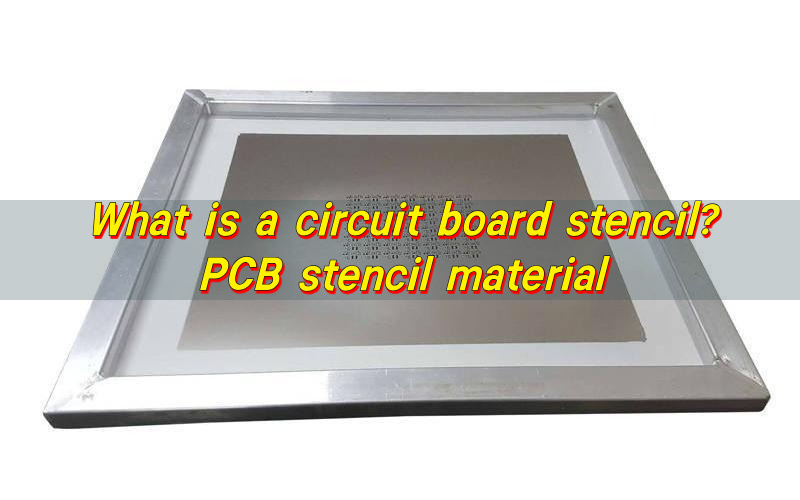
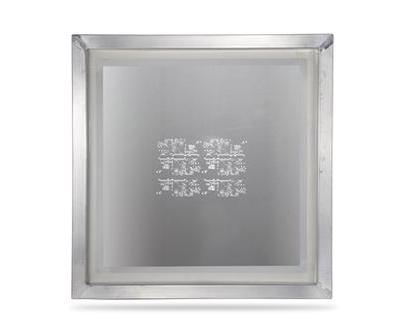
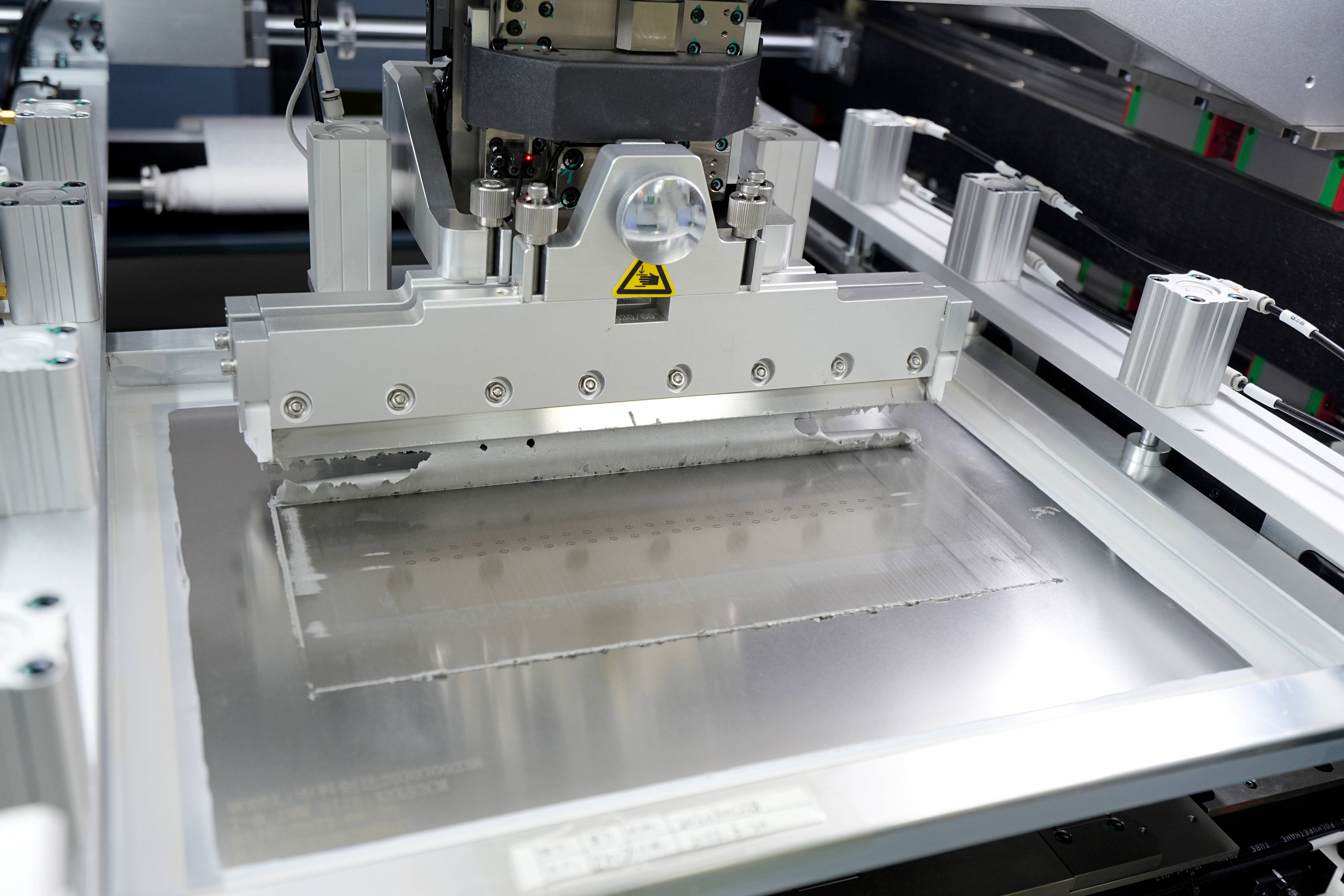
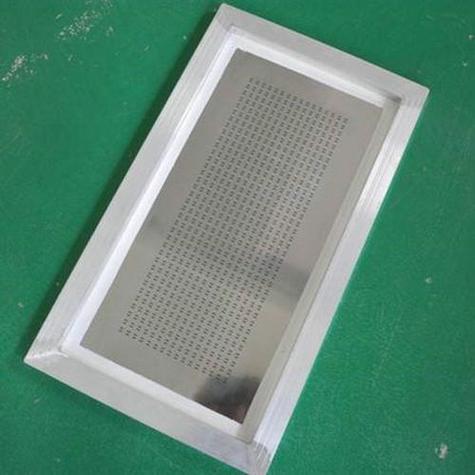
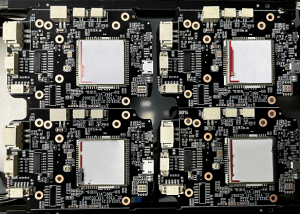
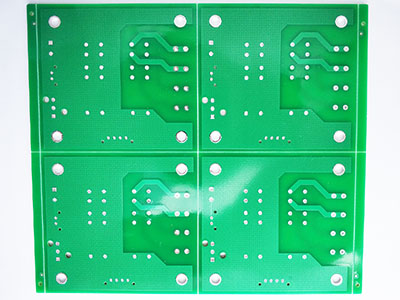
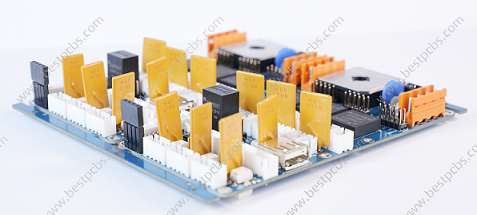
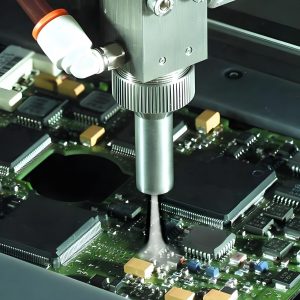
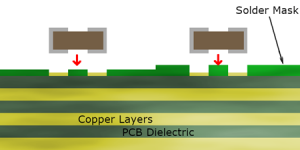
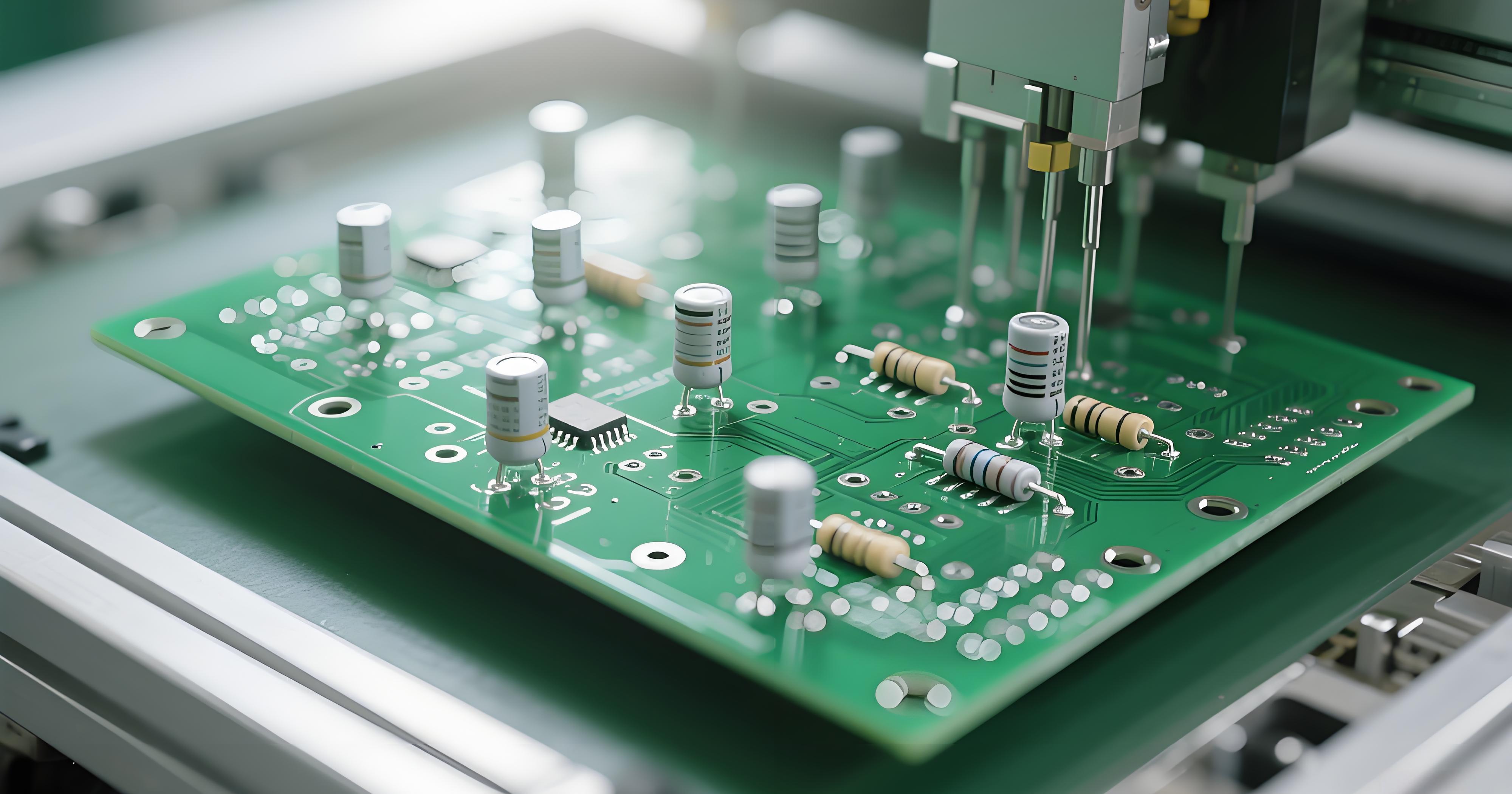
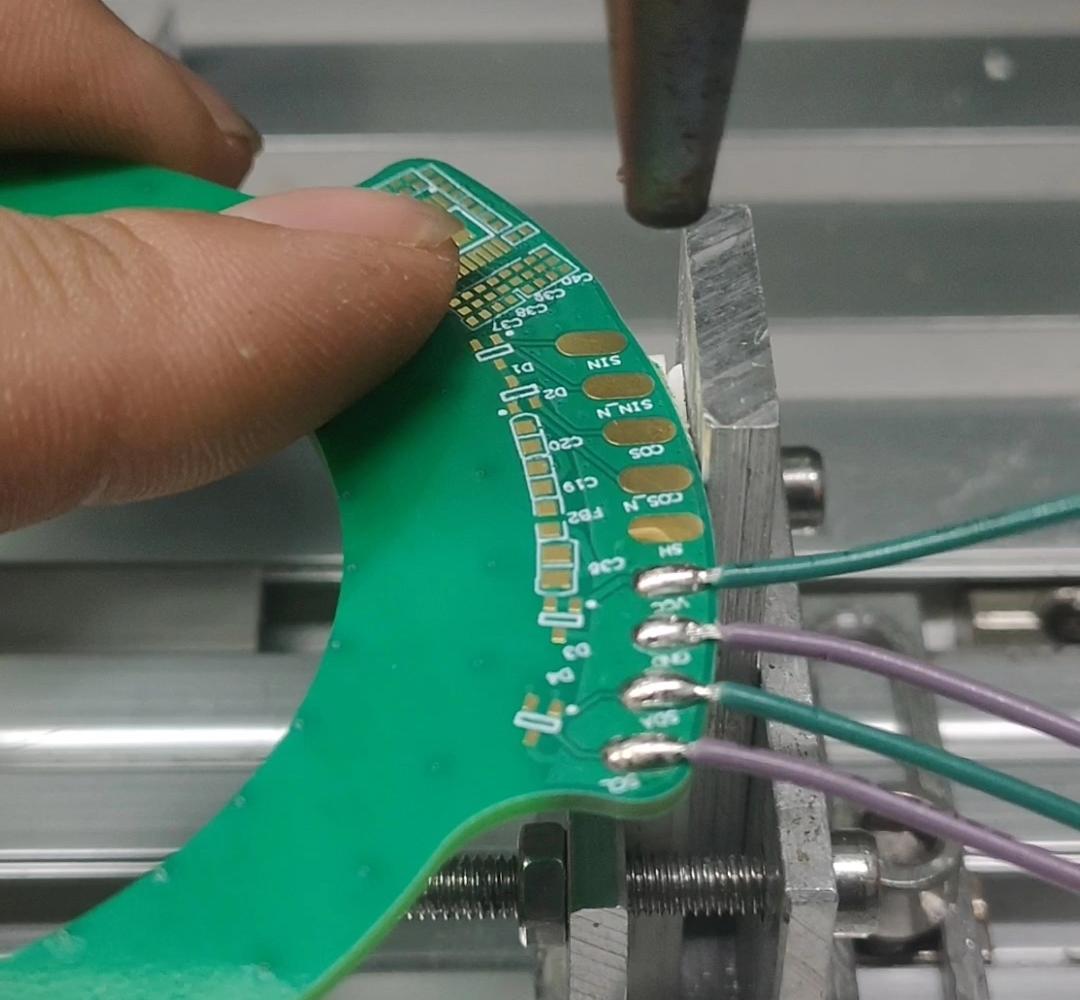
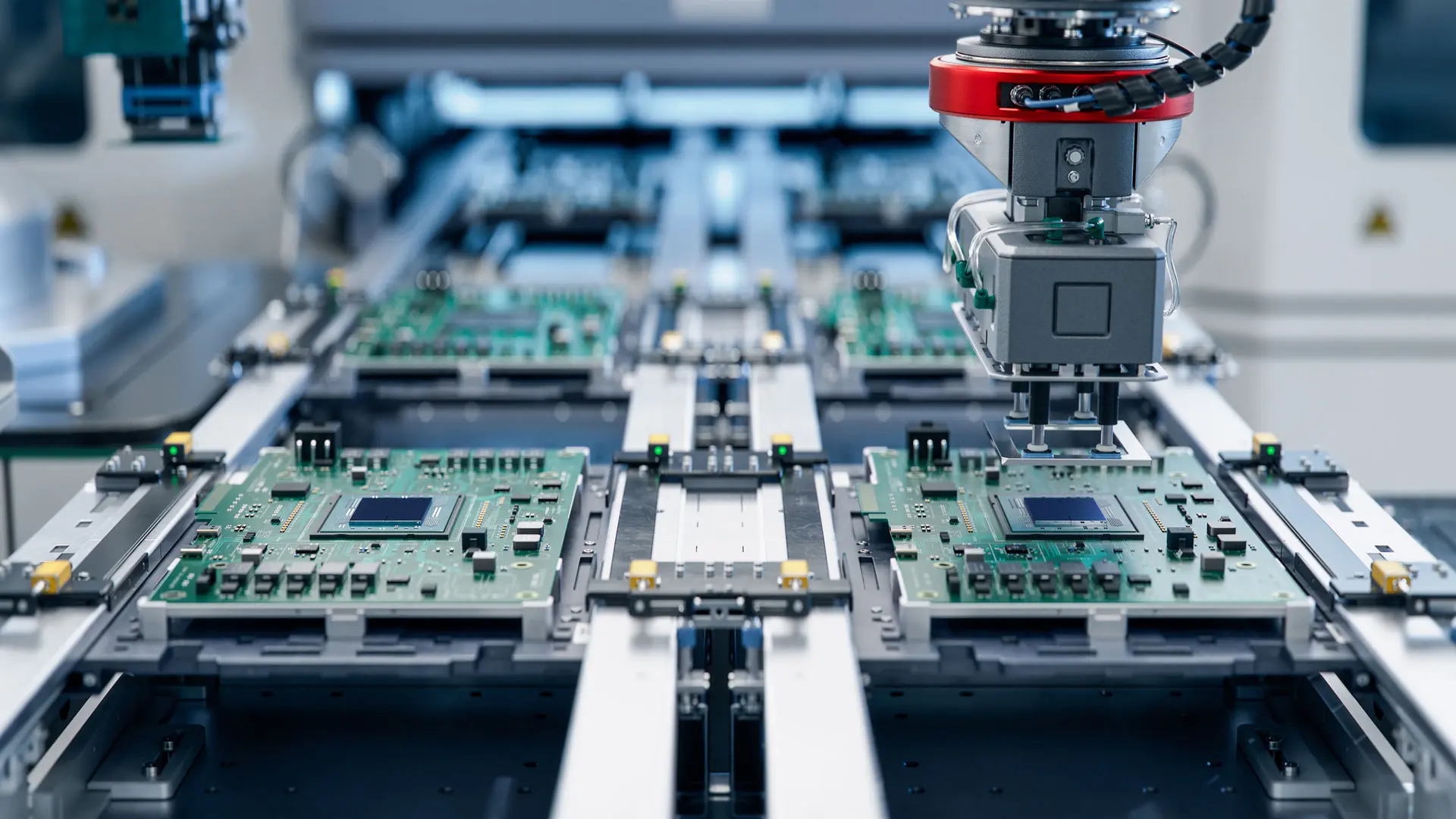
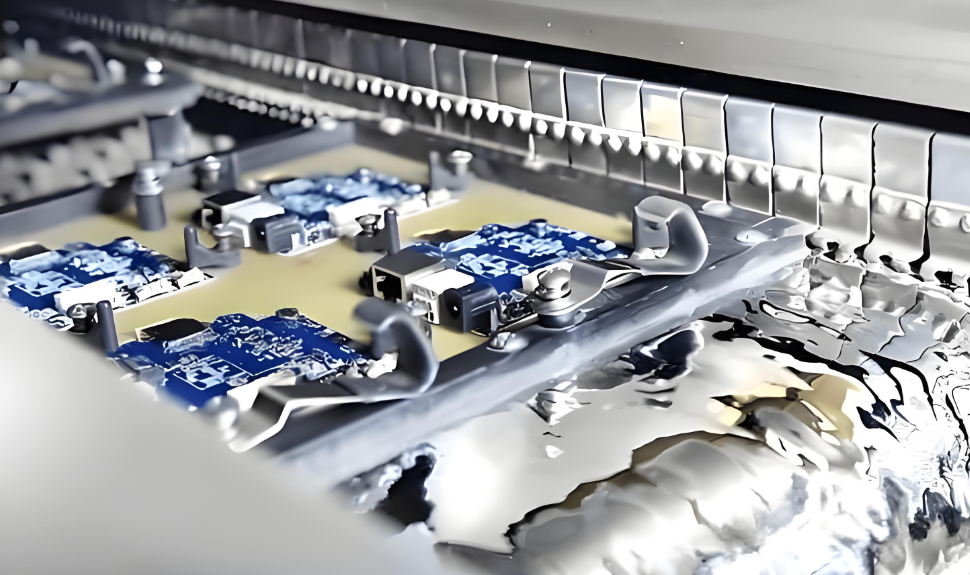
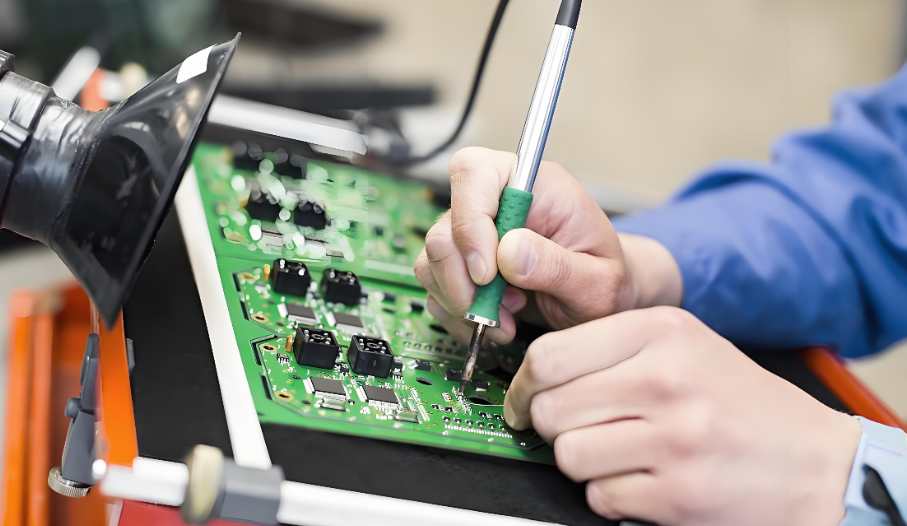
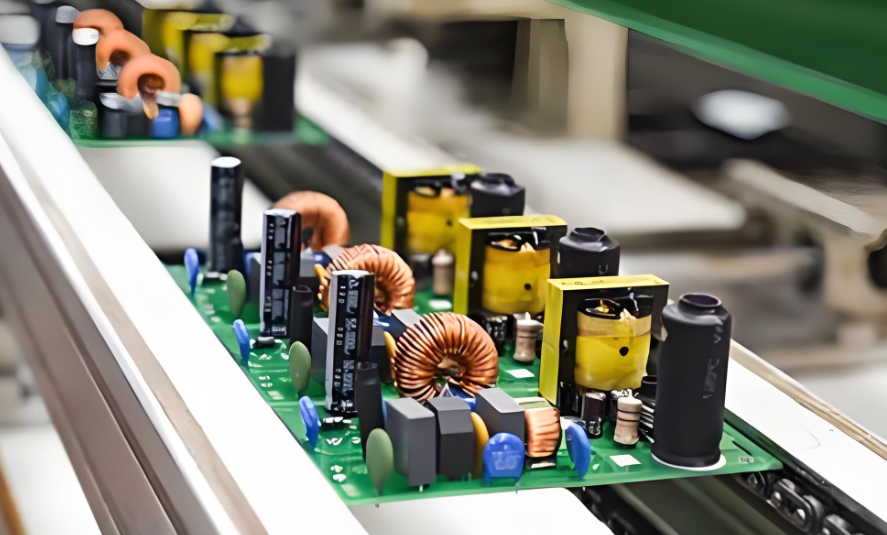
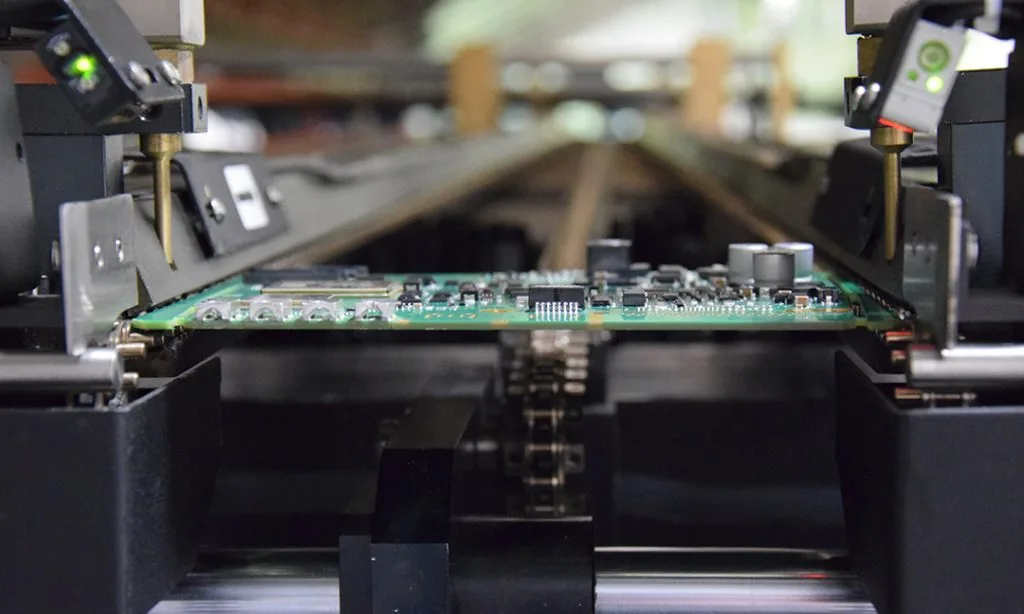
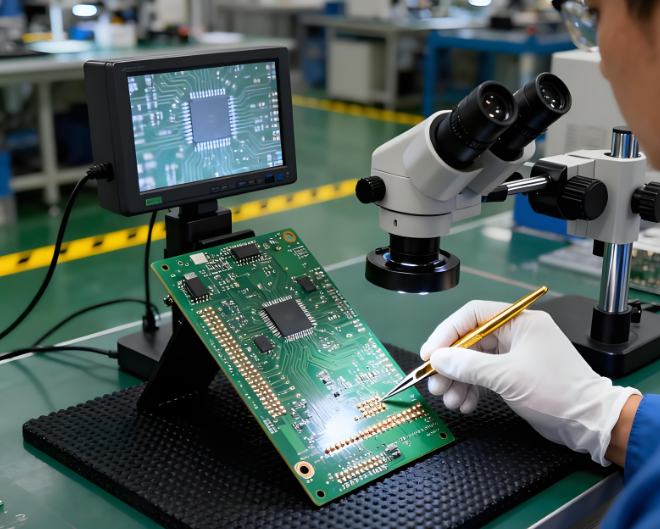
Circuit board stencil — also called a PCB stencil or SMT stencil—is a thin sheet with laser-cut openings that align with the solder pads on a printed circuit board. During surface-mount assembly, solder paste is swept across the stencil so precise, repeatable amounts are deposited only where components will be placed.
What Is a Stencil Mask in PCB?
Stencil mask in PCB assembly is a thin sheet with precisely cut openings that match the solder pad layout of the board. During SMT production, solder paste is applied through these openings onto the pads before component placement.
Stencil circuit board defines where solder paste goes and, just as importantly, where it does not. Without a stencil, paste deposition would rely on manual methods or uncontrolled dispensing.
Printed circuit board stencils are used in nearly all automated SMT lines because they support repeatability. Once aligned, the same stencil can be used for hundreds or thousands of print cycles with minimal variation.
In manufacturing environments like EBest Circuit (Best Technology), stencil data is reviewed together with Gerber files during DFM checks. This coordination ensures the stencil design supports the real assembly conditions rather than simply matching the PCB layout on paper.
What Material Is Used for PCB Stencils?
The most common PCB stencil material is stainless steel, chosen for its durability, flatness, and resistance to corrosion. Stainless steel stencils can maintain sharp aperture edges over many print cycles, which helps deliver consistent solder paste release.
Within stainless steel options, there are two main surface conditions. Standard stainless steel offers reliable performance for general applications. Polished or nano-coated steel improves paste release, especially for small apertures and fine-pitch components.
Nickel stencils provide smoother walls and are sometimes used for ultra-fine features. Polymer or Mylar stencils are used mainly for low-volume prototyping, where cost and speed matter more than longevity.
From a production standpoint, stainless steel remains the default choice for professional assembly. At EBest Circuit (Best Technology), stainless steel stencils are standard for customer projects because they balance print quality, lifespan, and cost efficiency across both prototype and mass production runs.
What Are the Different Types of Stencils?
Circuit board stencils can be classified by structure and usage method. Each type serves a specific production scenario.
Common stencil types include:
Framed stencils, which are permanently mounted in a rigid aluminum frame. These are ideal for high-volume SMT lines because they maintain flatness and alignment over repeated use.
Frameless stencils, also known as foil stencils. These are tensioned in a reusable frame system and are popular for flexible production environments.
Prototype stencils, usually smaller and sometimes made from polymer materials. These support quick setup for early design validation.
Step stencils, which have varying thicknesses in different areas to accommodate mixed component sizes on the same board.
The choice of stencil type depends on production volume, board size, and process stability requirements. For example, a framed stencil offers excellent consistency in mass production, while a frameless stencil provides faster changeover in multi-project lines.
EBest Circuit (Best Technology) frequently recommends frameless stencils for low-to-medium volume projects because they reduce storage costs and allow faster adjustments without compromising print quality.
What Is a PCB Stencil Made Of?
At its core, a PCB stencil is made of a flat metal sheet with laser-cut apertures. Stainless steel is the dominant base material, but what differentiates stencils is not just the metal itself.
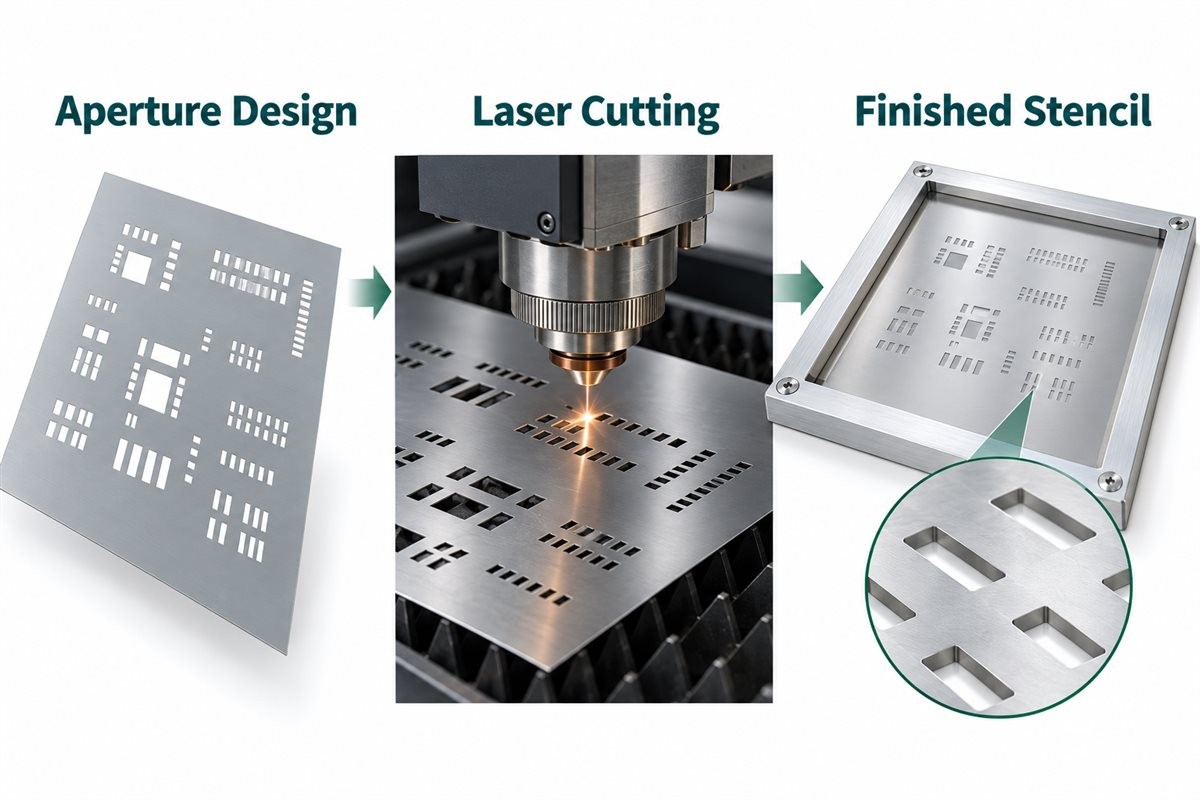
Laser cutting is the preferred method for modern stencils. It produces clean aperture edges and tight tolerances, which directly affect paste release. After cutting, stencils may undergo electro-polishing to smooth the aperture walls.
Some stencils include surface coatings. Nano-coatings reduce paste adhesion, making cleaning easier and extending the time between maintenance cycles. While coatings add cost, they often pay for themselves in reduced downtime and improved consistency.
In professional assembly operations, stencil selection is treated as part of the overall process design. At EBest Circuit (Best Technology), stencil specifications are aligned with solder paste type, squeegee parameters, and reflow profiles to create a balanced, predictable system.
How to Make PCB Stencil?
Creating a circuit board stencil starts with accurate PCB design data. The stencil is derived directly from the solder paste layer in the design files, not from the copper layer.
The typical stencil fabrication process includes several steps:
Extracting the paste layer from the PCB design files.
Adjusting aperture sizes to match component needs.
Laser cutting the apertures into the stencil material.
Polishing or coating the stencil surface if required.
Inspecting the stencil for flatness and dimensional accuracy.
At EBest Circuit (Best Technology), stencil design is reviewed as part of the PCBA preparation stage. This review ensures that stencil data reflects real assembly conditions rather than relying solely on default design outputs.
How to Cover Up Holes in a Stencil Circuit Boards?
Sometimes, certain pads or vias should not receive solder paste. In these cases, covering or blocking stencil openings becomes necessary.
Several practical methods are used:
Modifying the stencil design to remove specific apertures.
Applying stencil tape to temporarily block openings.
Using removable masks designed for repeated use.
Design-level solutions are preferred whenever possible because they eliminate manual intervention. Temporary blocking methods are useful during prototyping or when accommodating last-minute changes.
In controlled production environments, EBest Circuit (Best Technology) typically addresses these needs at the design stage. This approach reduces operator error and maintains consistency across production batches.
How Thick Should a PCB Stencil Be?
PCB stencil thickness directly influences solder paste volume. Choosing the right thickness is one of the most critical stencil decisions because it affects both solder joint quality and defect rates.
Common stencil thickness values include 0.10 mm, 0.12 mm, and 0.15 mm. Thinner stencils are used for fine-pitch components, while thicker stencils support larger components and connectors.
Thickness selection depends on several factors:
Smallest component pitch on the board.
Pad size and shape.
Solder paste type.
Target production yield.
In mixed-technology boards, step stencils are often used to balance competing requirements. EBest Circuit (Best Technology) frequently recommends step stencils for boards combining fine-pitch ICs with large power components.
How to Choose the Correct Stencil?
Choosing the correct stencil requires a holistic view of the assembly process. It is not just about matching pad layouts but about supporting stable printing under real conditions.
Key considerations include:
Board complexity and component mix.
Production volume and changeover frequency.
Cleaning and maintenance capabilities.
Cost versus lifespan expectations.
How to Use PCB Stencil?
Using a PCB stencil correctly involves careful setup, alignment, and process control. The typical usage process includes:
Securing the PCB in the printing fixture.
Aligning the stencil apertures with the PCB pads.
Applying solder paste evenly across the stencil.
Using a controlled squeegee stroke to print the paste.
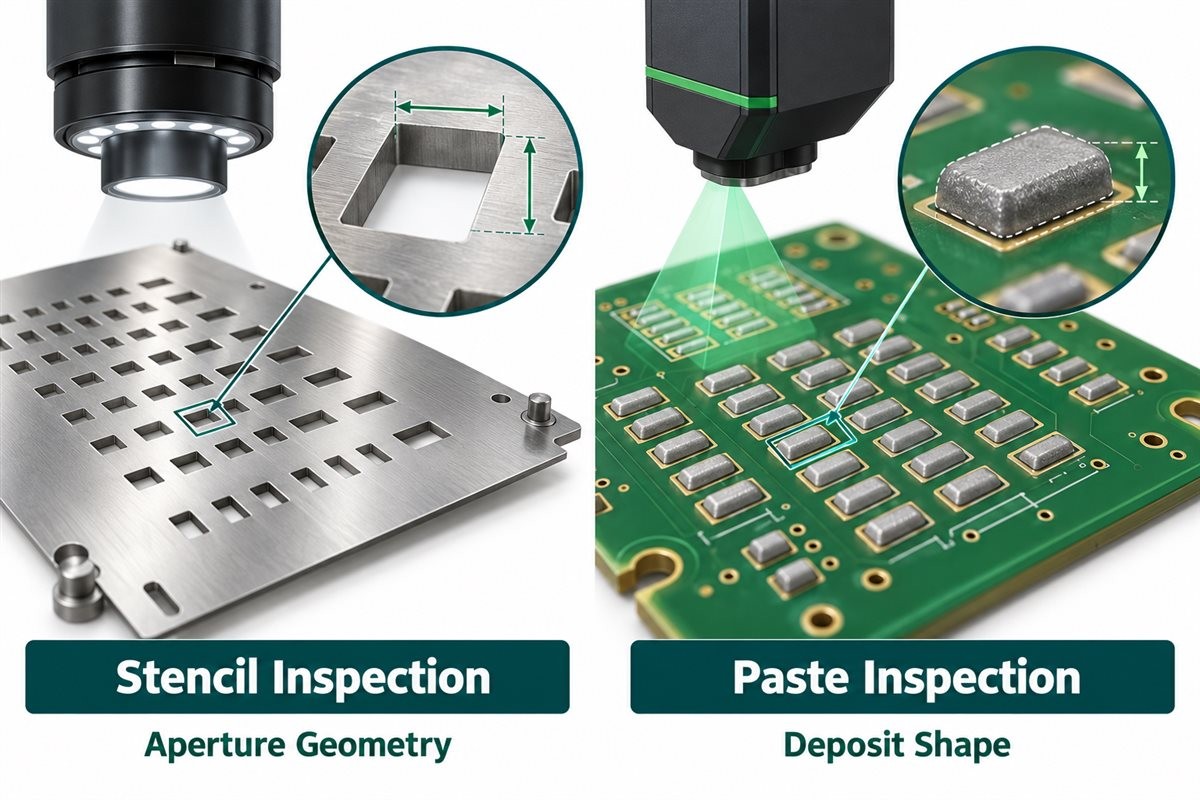
Inspecting the paste deposits before component placement.
Squeegee speed, pressure, and angle should remain stable throughout production. Regular cleaning prevents paste buildup that can distort print quality.
At EBest Circuit (Best Technology), stencil printing is treated as a controlled process step. Operators follow standardized parameters, and SPI inspection is used to verify paste quality before placement begins.
Conclusion:
Circuit board stencil is more than a simple metal sheet. It is a precision tool that directly affects solder quality, assembly yield, and long-term reliability.
If you would like guidance on stencil selection, PCB fabrication, or turnkey PCBA services, contact sales@bestpcbs.com for professional support tailored to your project requirements.
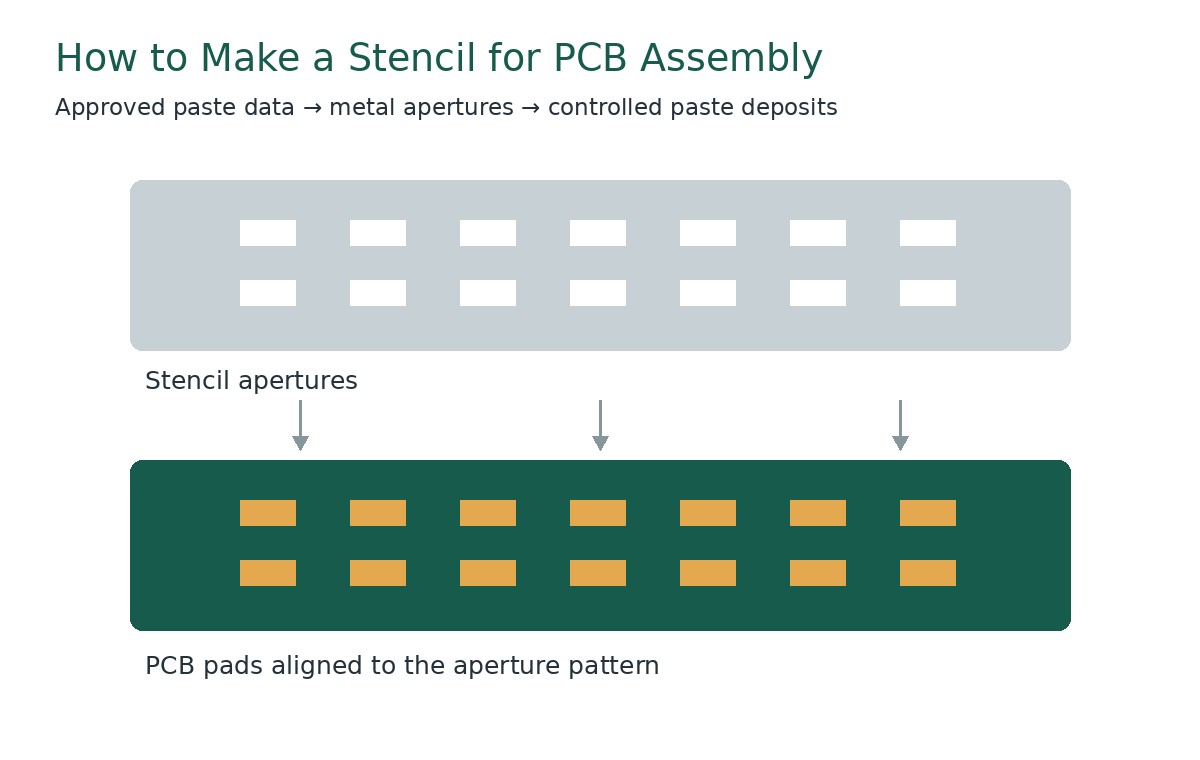
To understand how to make a stencil for PCB assembly, engineers convert the approved solder paste layers into a metal aperture pattern, select the foil thickness, and verify that each opening can deliver the required paste deposit. The manufacturer then produces and inspects the stencil before trial printing. Boards combining fine-pitch components and larger solder joints may need a step stencil with locally different thicknesses.
A successful stencil balances solder volume, paste release, and printer compatibility. At EBest Circuit, we supply SMT stencils and PCB assembly services. This guide explains the design checks and calculations to prepare before requesting a stencil or releasing an assembly build.
Key Takeaways
A PCB stencil is a thin metal sheet with openings that transfer solder paste onto surface-mount pads before component placement and reflow.
Stainless steel is a common material for reusable SMT stencils, and laser cutting produces the aperture patterns needed for PCB assembly.
The solder paste Gerber layer provides the starting aperture pattern; the board outline, BOM, assembly drawing, and printer details complete the manufacturing inputs.
PCB stencil thickness depends on aperture size and component solder requirements. A thicker foil provides more geometric paste volume, while a thinner foil can improve release from small openings.
A stainless-steel stencil can be reused while its apertures, flatness, mounting condition, and board revision remain suitable; compatible cleaning and protected storage help preserve it.
To make a PCB assembly stencil, approve the paste-layer data, define apertures and foil thickness, prepare and cut the foil, complete the specified finishing, and inspect it before trial printing.
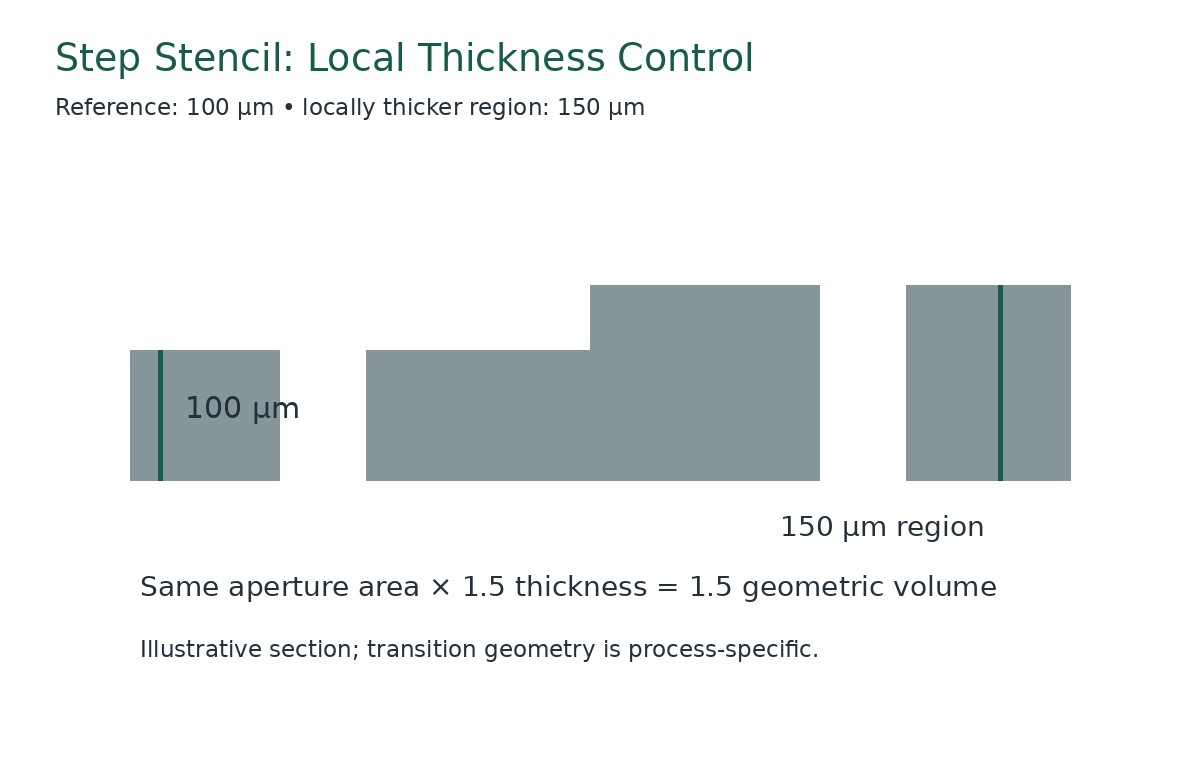
A step stencil combines different local foil thicknesses on the same board. Changing a region from 100 to 150 µm increases geometric paste volume by 50% when the aperture area stays unchanged.
Stencil validation includes both dimensional inspection and trial printing: check paste volume, height, area, and offset, then confirm that the reflowed joints meet the product requirements.
What Is a Stencil Used for in PCB Assembly?
An SMT stencil deposits solder paste onto selected PCB pads before component placement and reflow. Its openings determine where the paste goes, while the aperture geometry and foil thickness influence the available deposit volume.
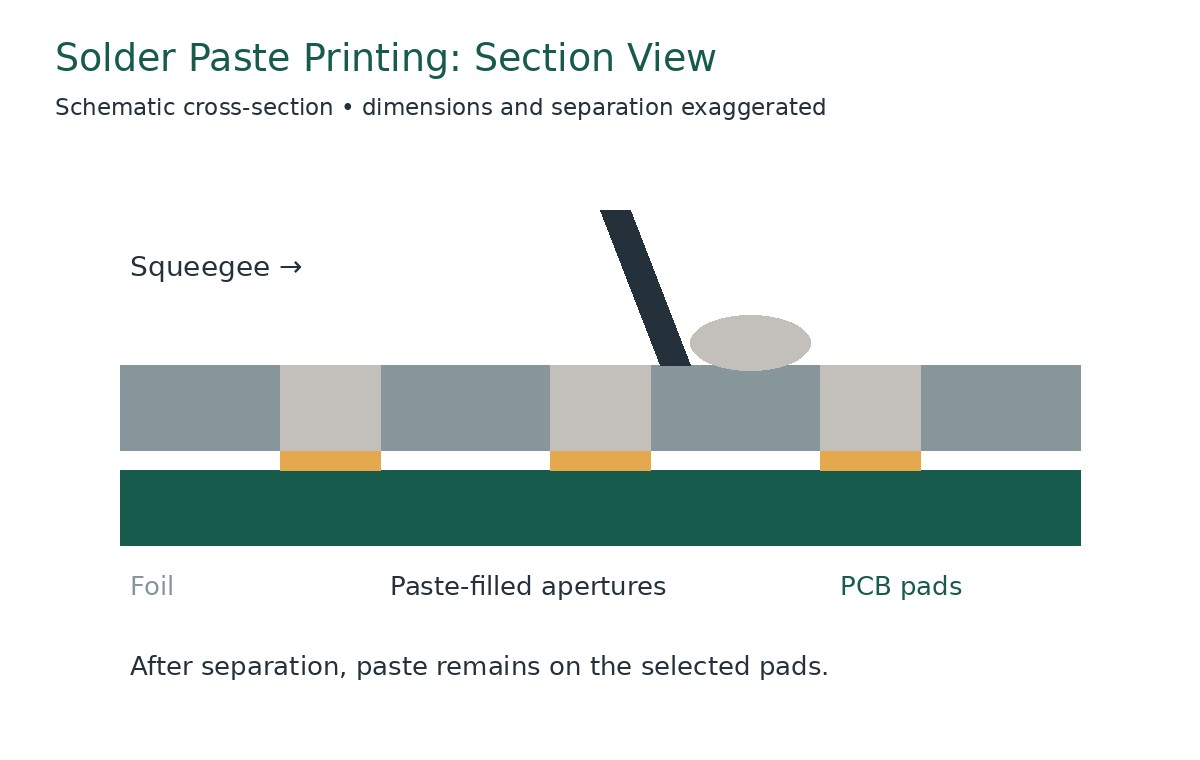
During printing, the PCB is supported beneath the stencil. A squeegee moves paste across the foil and fills the apertures. The stencil then separates from the board, leaving deposits on the pads.
The stencil controls the starting paste deposit, not the final solder-joint shape by itself. Placement, component geometry, alloy, wetting, and reflow conditions also affect the finished connection.
Three dimensions matter immediately:
Aperture length and width: Define the opening area and deposit location.
Foil thickness: Influences the geometric paste volume.
Aperture spacing: Affects the separation between neighboring deposits.
A small opening in a thick foil can retain paste instead of releasing it consistently. A thin foil may print small features well while providing insufficient volume for larger joints. Stencil design resolves these competing requirements before production.
What Types of Stencils Are Used in PCBA?
Framed, frameless, laser-cut, uniform-thickness, and step stencils describe different aspects of a PCB stencil. One stencil can combine several features, such as a framed, laser-cut step stencil.
Stencil Type
Characteristic
Suitable Application
Framed stencil
Metal foil is permanently mounted in a frame
Repeated SMT printing with a compatible printer
Frameless stencil
Foil is supplied without a permanent frame
Printing with a reusable tensioning system or suitable manual fixture
Laser-cut stencil
Apertures are produced in metal foil using a precision laser
PCB solder paste printing requiring accurately defined openings
Uniform-thickness stencil
All printing regions share one nominal foil thickness
Assemblies whose components can use a common stencil thickness
Step stencil
Selected regions have different foil thicknesses
Assemblies requiring different local paste volumes or improved release from small apertures
A step stencil allows different regions of the same PCB to receive different paste volumes. For example, a design may use a 100 µm reference thickness with a 150 µm region for selected larger joints. For an unchanged aperture, that increases geometric paste volume by 50%; actual deposits still require printing validation.
What Files Are Needed to Make a PCB Stencil?
Provide dimensionally accurate manufacturing data linked to the released assembly revision. The top and bottom paste layers define the starting patterns for the corresponding board sides.
The PCB stencil manufacturer also needs enough context to identify component-specific requirements and match the finished foil to the printer.
Prepare the following:
Paste-layer files: Supply the applicable top and bottom layers.
Board or panel outline: Include panel rails, tooling features, and the production arrangement where relevant.
BOM: Identify the exact components, particularly fine-pitch and bottom-terminated packages.
Assembly drawings: Show orientation, component locations, and assembly notes.
Component recommendations: Include approved stencil or land-pattern guidance for critical packages.
Printer information: State the frame dimensions, mounting system, image position, and required fiducial arrangement.
Revision and approval requirements: Identify the released version and who approves aperture modifications.
The solder mask layer serves a different purpose from the paste layer. Its openings may include clearances unsuitable for direct use as stencil apertures.
Check whether the submitted files describe an individual PCB or the final assembly panel. A correct pattern at the wrong panel spacing will still be unusable.
Before cutting, review the proposed stencil drawing against a known board dimension. This helps catch scaling, side, origin, and orientation errors.
How Is an SMT Stencil Manufactured?
The manufacturing sequence converts approved design data into a controlled printing tool.
Validate the incoming files. Confirm revision, side, scale, outline, and panel arrangement.
Review the aperture design. Check critical packages, paste volumes, and any customer-approved modifications.
Define the thickness structure. Specify uniform foil or stepped regions, including transitions and their locations.
Confirm mounting details. Match the frame, tensioning arrangement, and image position to the printer.
Prepare the specified foil. Produce the required reference thickness and any local step regions using the approved manufacturing sequence.
Laser-cut the aperture pattern. Form the openings according to the released data.
Complete the specified finishing. Apply only the approved treatments and account for their effects on final dimensions.
Inspect and identify the stencil. Verify the drawing requirements, mark the revision and side, and protect the finished tool.
The exact order of step-region processing and aperture cutting depends on the supplier’s manufacturing route.
A step stencil needs a thickness map as well as an aperture pattern. The drawing should make the reference thickness, local thicknesses, transition locations, and relevant surfaces clear.
Record changes made during engineering review. An undocumented aperture modification can complicate later troubleshooting when the stencil differs from the original paste layer.
How Do You Select Stencil Material and Manufacturing Method?
Select PCB stencil material and processing requirements around the smallest apertures, expected production use, and printing conditions.
Stainless steel is a common choice for SMT stencil foil. Its exact grade, thickness consistency, and surface condition should be specified where they affect the application. For a step stencil, the supplier must also control the local thicknesses and their transitions.
Material or Process Item
Main Characteristic
Selection Consideration
Stainless-steel foil
Provides the metal sheet through which paste is printed
Thickness consistency, flatness, durability, and cleaning compatibility
Fine-grain stainless-steel foil
Uses a controlled foil structure for precision processing
Small-feature requirements and demonstrated printing performance
Precision laser cutting
Produces the approved aperture pattern
Opening dimensions, positional accuracy, and aperture-wall condition
Electropolishing, when specified
Treats the cut surfaces after aperture production
Effect on final dimensions, wall condition, and paste release
Surface coating, when specified
Modifies surface behavior to support the printing process
Paste compatibility, cleaning instructions, and maintenance
Step-region processing
Creates locally thicker or thinner printing regions
Thickness map, transition geometry, and supplier capability
Confirm the finished aperture requirements rather than relying on the phrase “laser-cut.” The cutting process, finishing treatment, and inspection together determine whether the stencil meets the approved drawing.
Any treatment that removes or adds material can affect the final opening. The supplier should account for this when producing the required dimensions.
For repeated production, retain the approved foil and process specification. A change in material, finishing, or coating should receive an appropriate review before it becomes the reference for future orders.
How Do You Choose the Right Stencil Thickness?
Choose PCB stencil thickness by balancing the paste requirements of the largest joints against release from the smallest apertures.
The component manufacturer’s assembly guidance provides an important starting point. Then evaluate the actual pad design, aperture pattern, solder paste, and printing equipment.
Component pitch alone is insufficient. Two packages with the same pitch may have different terminal dimensions, exposed pads, or recommended paste deposits.
Useful thickness checks include:
Whether the smallest openings can release paste consistently.
Whether larger joints receive sufficient paste.
Whether thermal-pad deposits need segmentation.
Whether through-hole reflow features need additional solder.
Whether a stepped region can resolve a local conflict.
A change from 100 µm to 150 µm increases the geometric volume of an unchanged aperture by 50%. It also increases the aperture-wall area, which can make release more demanding.
Use actual dimensions in calculations. One mil equals 25.4 µm, so 100 µm is approximately 3.94 mil and 150 µm is approximately 5.91 mil.
Treat foil thickness as one part of the deposit design. Enlarging an aperture, changing its shape, or dividing a large opening can alter the result without changing the entire foil.
When Should You Use a Step Stencil?
Use a step stencil when different board regions need different foil thicknesses to achieve suitable paste deposits in one printing operation.
A step-up region is locally thicker than the reference foil. A step-down region is locally thinner. These regions allow the stencil design to address different solder-volume and release requirements on the same board.
A board containing fine-feature ICs and larger connector joints is a useful candidate for review. The fine features may benefit from a thinner region, while selected larger joints may require more paste.
The following examples illustrate thickness relationships rather than prescribing a production setup.
Parameter
Thickness or Dimensions
Calculated Result
Reference foil
100 µm
Approximately 3.94 mil
Step-up region
100 → 150 µm
50% greater geometric volume at unchanged aperture area
Step-down region
120 → 80 µm
33.3% lower geometric volume at unchanged aperture area
Step height
150 − 100 µm
50 µm, approximately 1.97 mil
Example aperture
0.30 × 0.60 mm
Area: 0.18 mm²
Example geometric volume
100 / 150 µm foil
0.018 / 0.027 mm³
Step-edge clearance must suit the manufacturing method and printing setup. Confirm the required distance between the thickness transition and nearby apertures with the stencil supplier rather than applying one value to every design.
Also specify which foil surface carries the thickness change. A transition on the squeegee side affects blade contact; geometry on the board side affects local contact and gasketing.
Place boundaries in suitable gaps between aperture groups where possible. Review squeegee travel, cleaning access, and the support beneath the board.
At EBest Circuit, we offer step-up and step-down SMT stencils for assemblies with different local paste-volume requirements. Send us the thickness map, aperture data, and printer format; if the thickness map is still being developed, identify the component locations that need different deposits.
Illustrative Design Example: Fine Features and Larger Connector Joints
The following example uses assumed aperture dimensions to compare two stencil thicknesses. A board combines 0.20 × 0.40 mm openings for small terminals with 0.30 × 0.60 mm openings for larger joints. A candidate stencil uses a 100 µm reference foil for the small openings and a 150 µm local region for the larger openings.
The thinner region favors release from the small openings, while the thicker region provides 0.027 mm³ of geometric volume at each larger opening. The area-ratio calculations in the following design sections explain this trade-off. Confirm the candidate against component recommendations, available step clearances, and trial-print and reflow results.
How Are Stencil Apertures Designed for Different Components?
PCB stencil design starts with the connection being formed rather than one reduction percentage applied across the board.
Chip resistors and capacitors
Review the paste balance between the two terminations. Differences in deposits, pad geometry, placement, or heating can influence movement during reflow.
Check both the intended paste volume and the consistency between the paired deposits. A balanced stencil pattern supports a controlled assembly process, while the final result still depends on placement and thermal behavior.
Fine-pitch leaded ICs
Control deposit separation and release. Aperture width, corner geometry, foil thickness, and alignment all contribute to a usable process window.
Confirm that the printed deposits remain separated and align with the intended pads. Narrowing an opening can reduce paste volume but also make release more demanding.
QFN and other bottom-terminated packages
Review perimeter terminals and the exposed pad separately. A large thermal pad often uses several smaller openings rather than one unrestricted opening.
The segmented pattern controls the amount and distribution of paste. Follow the specific component’s assembly recommendations and verify the reflowed result rather than using one coverage percentage for every package.
Large connectors and shield features
Confirm whether the standard thickness provides sufficient solder. Options may include adjusted apertures, a local step-up, or another approved solder-volume method.
Pin-in-paste features
Calculate the solder requirement from the hole, lead, board thickness, and required joint geometry. The printed paste volume must account for the metal volume remaining after reflow.
For every package, distinguish paste coverage area, printed paste volume, and final solder coverage. These are related quantities, but they are not interchangeable acceptance measures.
How Do Area Ratio and Paste Volume Affect Stencil Design?
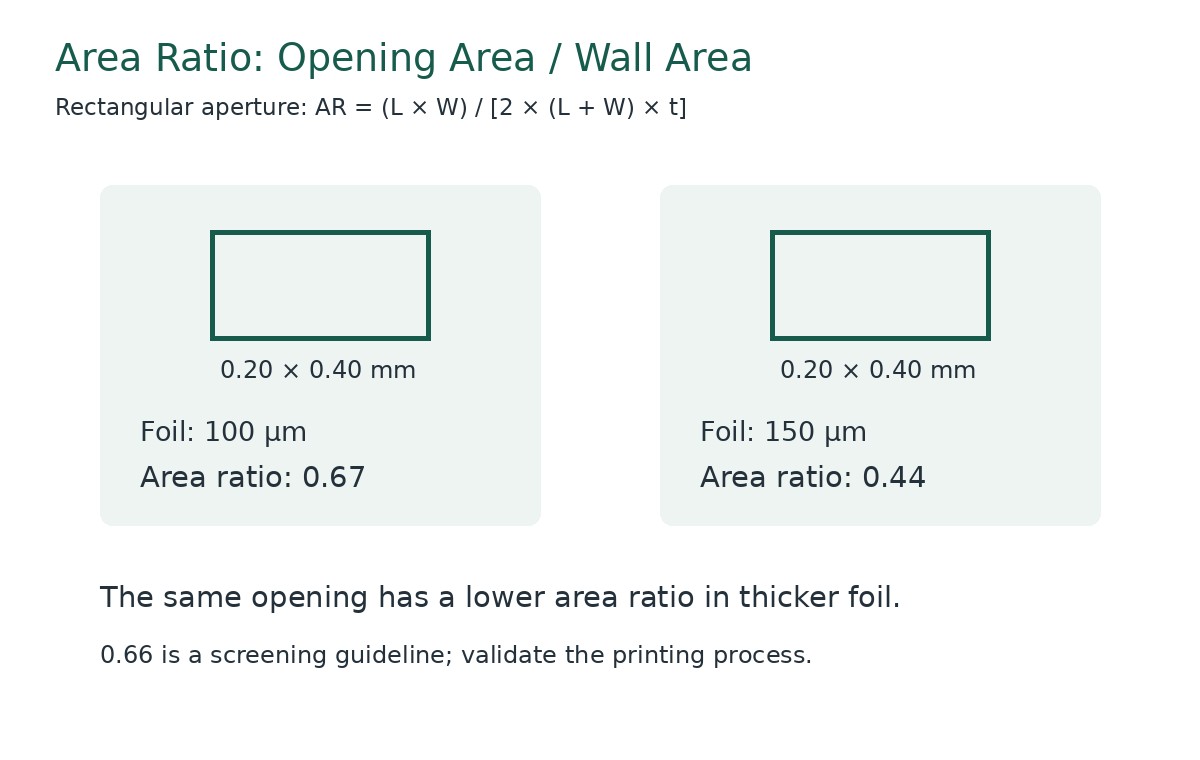
Area ratio compares an aperture’s opening area with its internal wall area. It helps screen the likelihood of successful paste release.
For a rectangular aperture:
Area ratio = L × W ÷ [2 × (L + W) × t]
For a circular aperture:
Area ratio = D ÷ (4 × t)
Here, L is aperture length, W is width, D is diameter, and t is foil thickness. Use consistent units throughout.
An area ratio of approximately 0.66 or greater is a commonly used starting guideline. Actual performance remains dependent on the stencil, paste, and printing process.
Consider a rectangular opening measuring 0.20 × 0.40 mm:
With a 0.10 mm foil, area ratio = 0.08 ÷ 0.12 ≈ 0.67.
With a 0.15 mm foil, area ratio = 0.08 ÷ 0.18 ≈ 0.44.
For the larger 0.30 × 0.60 mm opening in the step-stencil example, a 0.15 mm foil gives an area ratio of 0.18 ÷ [2 × 0.90 × 0.15] ≈ 0.67. Together, these calculations explain why using different local thicknesses may suit the two aperture groups.
Geometric aperture volume = opening area × foil thickness.
For the same opening in a 0.10 mm foil:
Volume = 0.20 × 0.40 × 0.10 = 0.008 mm³.
If a measured deposit is 0.0072 mm³, the calculated transfer efficiency is:
Transfer efficiency = 0.0072 ÷ 0.008 × 100% = 90%.
This is an illustrative calculation, not a universal acceptance target. Establish process limits using the component requirements, measurement system, and validated assembly results.
Powder size also needs review against the smallest opening. A satisfactory area ratio does not independently confirm that the selected paste will print reliably.
How Do You Inspect and Validate a Finished Stencil?
Inspect the tool first, then validate the printed deposits. Dimensional conformity and printing performance answer different questions.
Inspection Item
What to Measure or Inspect
Unit or Record
Acceptance Basis
Foil thickness
Reference and local thickness
µm
Approved drawing and agreed tolerance
Step geometry
Local thickness, transition, and boundary position
µm and mm
Approved thickness map
Aperture dimensions
Length, width, diameter, and shape
µm or mm
Released aperture data
Aperture position
Registration to image references
µm or mm
Agreed positional requirements
Aperture condition
Burrs, blockage, debris, and visible wall defects
Inspection record
Supplier and customer criteria
Mounting condition
Frame, foil installation, and tension where applicable
Dimensions and specified tension units
Printer-system requirements
Printed paste
Volume, height, area, and offset
mm³, µm, mm², or defined percentage
Qualified printing limits
Reflowed assembly
Relevant joint and component outcomes
Inspection and test records
Product acceptance requirements
Do not confuse inspection resolution with manufacturing tolerance. A measurement system’s displayed increment does not establish the supplier’s cutting accuracy.
During trial printing, use representative boards, the intended paste, and realistic support. Include fine features, large deposits, and apertures near step transitions.
Check repeatability over several prints rather than accepting a stencil from one favorable deposit. Review the reflowed result as well, particularly where paste-volume changes were introduced.
How Should You Clean and Store a PCB Stencil?
Use a cleaning process compatible with the solder paste, foil, frame, and any surface treatment.
Clean blocked apertures and underside contamination before they affect subsequent deposits. The cleaning interval should reflect observed process behavior and the approved production procedure.
For stepped stencils, inspect transition regions for retained material. Follow the supplier’s handling guidance to preserve the local thickness structure and surface condition.
Protect the foil from bending, dents, and hard-tool damage. Mechanical damage can change board contact or aperture geometry even when the stencil appears usable.
After cleaning, confirm that the stencil is dry and free of material that could transfer to the next board. Store it in a protective arrangement suited to its frame or mounting system.
Maintain identification for the board number, revision, side, and panel. Where a stencil has been modified or replaced, update its production status so an earlier version cannot be selected accidentally.
FAQs About PCB Assembly Stencils
Q1: Can a stencil be revised after the PCB layout changes? A1: Revision feasibility depends on the existing foil and changed features, so the stencil supplier should assess whether modification or replacement is appropriate.
Q2: Can fiducials be half-etched instead of cut through? A2: Fiducial construction depends on the printer’s recognition requirements and should be specified with the stencil supplier.
Q3: Does a thicker stencil produce stronger solder joints? A3: Joint performance depends on suitable solder volume and the complete assembly process rather than foil thickness alone.
Q4: Can one stencil contain both step-up and step-down regions? A4: Yes, when the manufacturing method, layout clearances, and printing process support the combined thickness structure.
Q5: Is a stainless-steel squeegee required for every stencil? A5: Squeegee selection depends on the stencil geometry, paste, and printer process, particularly when thickness transitions are present.
Q6: Can a local rework stencil replace a full-board production stencil? A6: A local stencil serves a selected repair area, while full-board printing requires a tool and setup matched to the complete assembly.
Q7: Does a frameless stencil always have lower printing accuracy? A7: Printing performance depends on the compatible tensioning system, installation, stencil condition, and process setup.
How Can EBest Circuit Support Your SMT Stencil Project?
At EBest Circuit, we supply laser-cut SMT stencils in framed and frameless formats, with step-up and step-down options for assemblies that need different local foil thicknesses. The SMT stencil service page describes these options. The required thickness map, aperture geometry, and printing format should be confirmed for the individual order.
For a complete build, we also offer PCB assembly services, including component sourcing, SMT assembly, solder paste inspection, and project-defined inspection and testing. Discuss the stencil and assembly requirements together so that the tool specification and production files refer to the same board revision.
What to send for review and quotation:
Released manufacturing data: Top and/or bottom paste layers, board or panel outline, revision, and quantities.
Assembly context: BOM, assembly drawing, and component recommendations for critical packages.
Printing requirements: Frame or tensioning format, image position, fiducials, and intended solder paste.
Thickness requirements: Reference foil thickness and proposed step regions, or the component locations that need evaluation.
Acceptance requirements: Requested dimensional tolerances, inspection records, and trial-build criteria.
If you are troubleshooting an existing process, include the current stencil drawing, representative SPI results, and defect locations. These inputs help distinguish a possible aperture or thickness issue from alignment, board support, paste handling, or reflow conditions.
Send your files to sales@bestpcbs.com and state whether you need a standalone stencil or PCB assembly support. Ask us to confirm the proposed stencil configuration, manufacturing scope, inspection requirements, and delivery schedule before release.
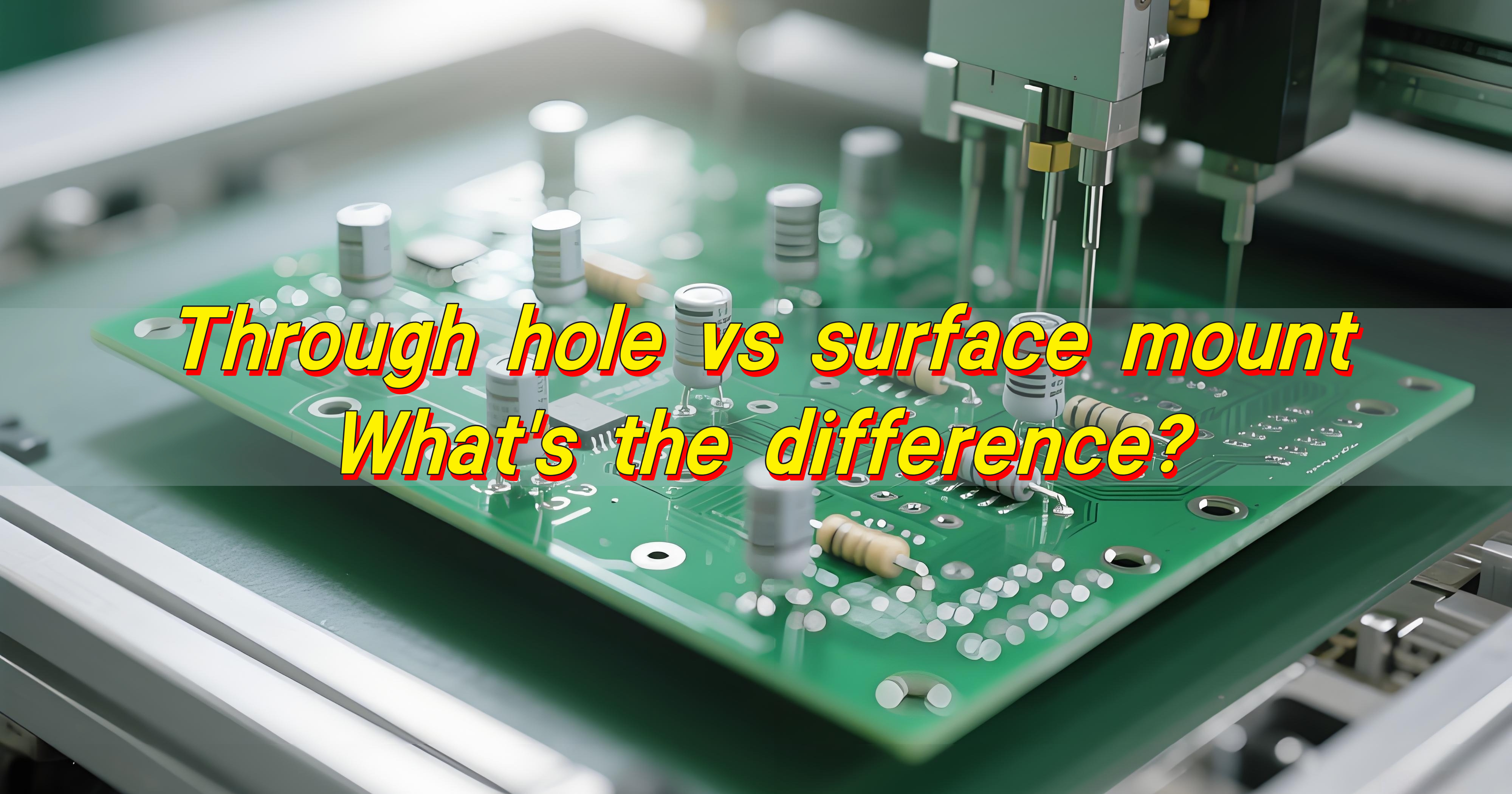
Through hole vs surface mount are the two main methods for attaching electronic components to a printed circuit board, and each serves different design and manufacturing needs.
What Is the Difference Between SMT and THT?
Through hole technology, often called THT or through hole mount, uses component leads that pass through drilled holes in the PCB. These leads are inserted, soldered on the opposite side, and mechanically anchored by the plated hole wall. This method relies heavily on through hole drilling, copper plating, and solder fillets that form on both sides of the board.
Surface mount technology, or SMT, works very differently. Components are placed directly onto pads on the PCB surface. No lead passes through the board. Instead, solder paste holds the part in place during reflow. This approach supports compact layouts, fine-pitch parts, and high-speed automated placement.
Through hole requires drilling, desmear, and hole plating
SMT focuses on stencil printing, placement accuracy, and reflow profiling
THT boards often need wave soldering or selective soldering
SMT boards rely on reflow soldering and AOI inspection
At EBest Circuit (Best Technology), mixed-technology boards are common. Many designs use surface mount components for logic and control, while keeping through hole components for connectors, transformers, or power devices.
What Are the Disadvantages of SMT?
Surface mount technology delivers speed and density, but it is not without limitations.
One challenge is mechanical strength. Surface mount parts rely entirely on solder joints attached to surface pads. Under heavy vibration or mechanical stress, these joints need proper pad design and solder volume to remain stable.
Thermal handling can also be more demanding. Small surface mount packages dissipate heat through pads and copper planes. Poor thermal design may cause overheating if copper balance or via placement is incorrect.
Another consideration is inspection and rework. Fine-pitch SMT components require magnification, X-ray inspection, and skilled rework processes.
Increased difficulty in manual rework for very small packages
Experienced manufacturers, including EBest Circuit (Best Technology), mitigate these issues through controlled stencil design, profile tuning, and process validation.
What Are the Disadvantages of Through-Hole Soldering?
When reviewing surface mount vs through hole soldering, through hole soldering presents a different set of trade-offs.
The most visible limitation is space. Through hole components occupy both sides of the PCB and require clearance around each drilled hole. This reduces routing density and limits miniaturization.
Manufacturing time is another factor. Through hole soldering often involves manual insertion or slower automated processes. Wave soldering is efficient for large volumes, but setup and fixturing take time.
Cost is also influenced by drilling. Each plated hole adds fabrication steps, tool wear, and inspection effort. For dense designs, through hole drilling increases PCB cost compared to pure SMT layouts.
Despite these points, through hole technology remains valuable. Its disadvantages are mostly related to scale and size, not reliability. For power and structural roles, its benefits often outweigh its limits.
Is Surface Mount Better Than Through-Hole?
Surface mount excels in high-density electronics. It supports smaller boards, faster assembly, and lower per-unit cost at volume. Consumer electronics, IoT devices, and compact control modules rely heavily on SMT for this reason.
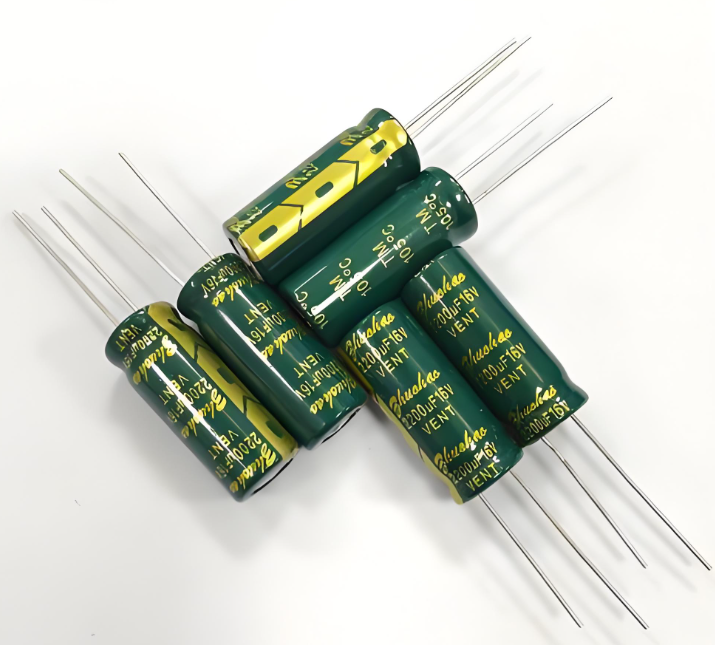
Through hole shines where strength and current handling matter. Large electrolytic capacitors, power inductors, relays, and connectors benefit from the mechanical anchor of plated holes.
What Is the Main Advantage of SMT Over Through-Hole Technology?
The main advantage of SMT over through hole technology is efficiency. This efficiency appears in several practical ways.
First, component density increases. Surface mount packages are smaller and do not require holes, allowing more components per square inch.
Second, automation improves consistency. SMT lines place thousands of parts per hour with repeatable accuracy.
Third, electrical performance benefits. Shorter leads reduce parasitic inductance and resistance, which helps high-speed and high-frequency designs.
Key advantages include:
Reduced board size
Faster assembly cycles
Improved signal integrity
Lower material usage at volume
What Is THT Used For?
Through hole technology remains essential in many applications. Its use is deliberate
THT is commonly used for components that experience physical stress or carry high current. Power supplies, industrial controllers, and automotive modules often include through hole parts for durability.
Typical through hole components types include connectors, transformers, large capacitors, and mechanical switches. These parts benefit from the mechanical bond formed by the plated hole and solder fillet.
THT is also common in prototypes and low-volume builds. Manual insertion allows flexibility during early design stages. Educational boards and test fixtures often rely on through hole mount parts for ease of handling.
At EBest Circuit (Best Technology), THT is frequently integrated into hybrid PCBA projects. Selective soldering and controlled wave soldering ensure reliable joints without compromising SMT sections.
What Is the Golden Rule of Soldering?
The golden rule of soldering is simple: heat the joint, not the solder.
This principle applies to both surface mount soldering vs through hole processes. Proper solder joints form when the pad and lead reach the correct temperature, allowing solder to flow naturally.
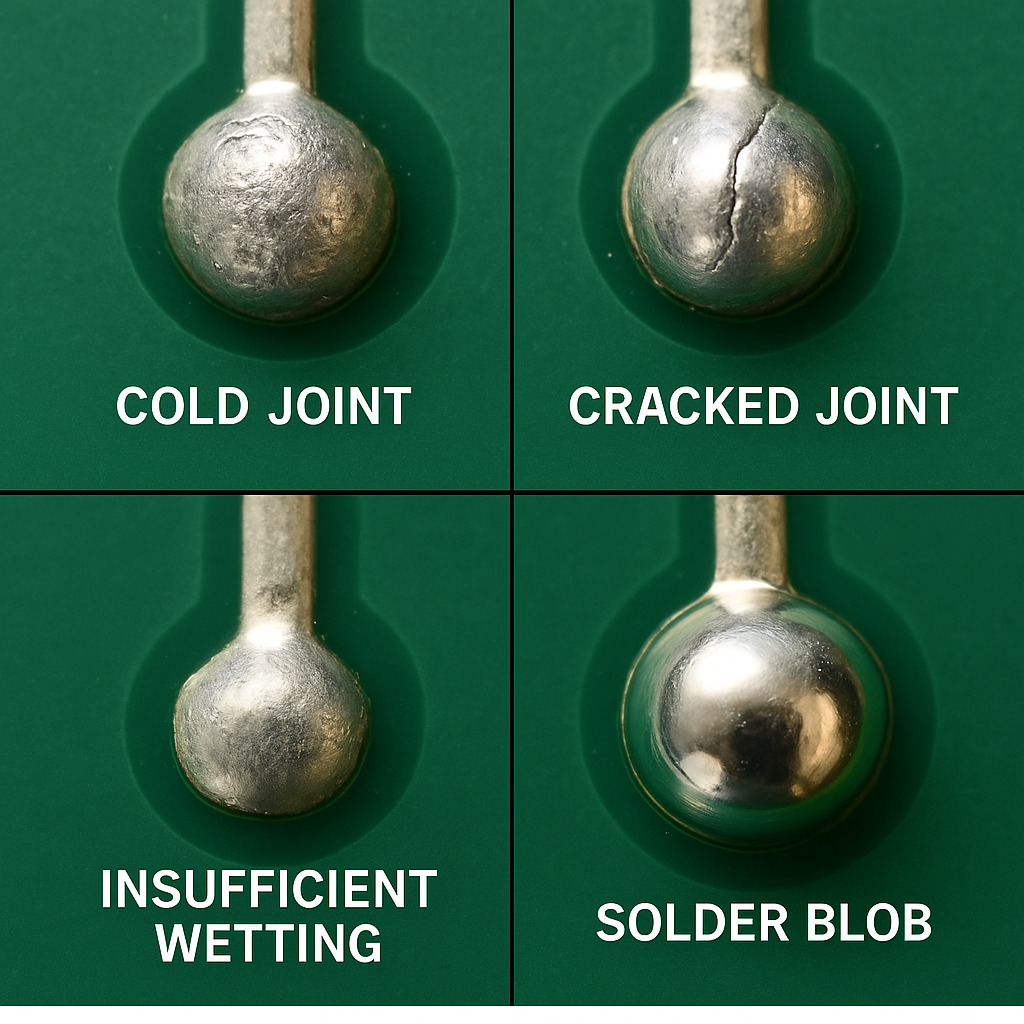
Good soldering also requires clean surfaces, stable temperature control, and adequate flux. Rushing the process leads to cold joints or weak bonds.
A reliable solder joint shows smooth fillets, full wetting, and consistent shine. These visual cues reflect sound metallurgical bonding, not just appearance.
What Is the Best Flux for Through-Hole Soldering?
Choosing the right flux improves through hole soldering quality and repeatability. Flux removes oxidation and promotes solder flow.
For most electronic assemblies, no-clean flux is widely used. It leaves minimal residue and simplifies post-solder cleaning. Rosin-based flux offers strong activity but may require cleaning.
Water-soluble flux provides excellent wetting but demands thorough rinsing. It is often used in controlled environments with established wash processes.
The best flux depends on the soldering method, board material, and reliability requirements. Manufacturers like EBest Circuit (Best Technology) select flux types based on assembly complexity and end-use standards.
Can You Hand Solder a Surface Mount?
Yes, you can hand solder surface mount components. While SMT is designed for automation, skilled technicians routinely hand solder prototypes, repairs, and small batches.
The process requires fine tips, steady temperature control, and magnification. Proper flux application makes a significant difference in wetting and joint quality.
Hand soldering works best for larger surface mount packages such as SOIC, QFN, and discrete passives. Very fine-pitch devices demand more experience.
What Is the Most Common Problem With Soldering?
The most common problem with soldering is insufficient wetting. This issue affects both surface mount vs through hole soldering.
Poor wetting occurs when solder fails to bond smoothly to the pad or lead. Causes include contamination, low temperature, or inadequate flux.
Other frequent issues include solder bridges, voids, and uneven fillets. These problems are preventable with process control and inspection.
Conclusion:
Understanding through hole vs surface mount is about matching technology to function. Surface mount technology supports compact, high-speed, and high-volume electronics. Through hole technology delivers strength, durability, and dependable power handling.
EBest Circuit (Best Technology) works closely with customers to select the right combination of surface mount and through hole processes. If you have questions about component selection, soldering methods, or mixed-technology PCBA projects, professional guidance can save time and reduce risk.
For technical inquiries or sourcing support, please contact sales@bestpcbs.com
EMS PCB assembly refers to Electronics Manufacturing Services that cover more than just assembling a printed circuit board. In a true EMS model, the provider manages the full scope of manufacturing activities required to turn a design into a production-ready product.
Typical EMS PCB assembly services include:
Coordination of PCB fabrication
Component sourcing and lifecycle management
SMT and through-hole assembly
Inspection, testing, and quality documentation
Ongoing production and engineering support
For companies moving beyond simple prototypes, EMS PCB assembly offers a structured approach to manufacturing that reduces internal workload and improves consistency.
EMS PCB Assembly vs Standard PCB Assembly Service
The difference between EMS PCB assembly and standard PCB assembly becomes apparent as project complexity increases.
A standard PCB assembly service usually focuses on:
Build-to-print assembly
Limited responsibility beyond soldering and inspection
Customer-managed materials and logistics
An EMS PCB assembly service, by contrast, takes responsibility for:
Design-for-manufacturing feedback
Component sourcing and approved substitutions
Coordinated planning across fabrication, assembly, and testing
Quality control and traceability
In practical terms, standard PCB assembly executes instructions, while EMS PCB assembly manages the manufacturing outcome.
Why Choose EMS PCB Assembly Service?
Companies choose EMS PCB assembly when they need more control and fewer surprises during production.
Common reasons include:
Smoother transition from prototype to production
Reduced supply-chain risk through managed sourcing
More predictable quality and yield
Lower total cost over time, even if unit prices are higher
For products with long lifecycles, compliance requirements, or complex BOMs, EMS PCB assembly provides a level of stability that transactional assembly services cannot.
What Are the Most Common Risks in EMS PCB Assembly?
EMS PCB assembly is not risk-free. When poorly managed, it can introduce new challenges instead of solving existing ones.
The most common risks include:
Prototype success that does not translate into production yield
Unapproved component substitutions due to shortages
Insufficient testing coverage for real-world use
Communication gaps between engineering, sourcing, and production
Our approach prevents these issues through:
Early DFM / DFT engineering review
BOM-level lifecycle and sourcing analysis
Defined process controls across all build stages
Formal change management and traceability
Risk is not eliminated—but it is controlled before it affects delivery or reliability.
Factors That Affect EMS PCB Assembly Cost
EMS PCB assembly cost is influenced by far more than assembly labor.
Key cost factors include:
PCB material selection and layer count
Component availability and sourcing channels
Assembly complexity and package density
Inspection, testing, and documentation requirements
We focus on total cost of ownership, helping customers avoid hidden expenses caused by rework, delays, or redesigns later in production.
Top 7 EMS PCB Assembly Service Providers
The EMS market includes providers with very different strengths and target customers. Below are seven well-known EMS PCB assembly service providers, each serving distinct needs:
Early engineering involvement, not post-design execution
Transparent, traceable component sourcing
Support for prototype, low-volume, and ongoing production
Stable quality systems suitable for demanding applications
We approach EMS PCB assembly as a long-term manufacturing partnership, not a transactional service.
Our EMS PCB Assembly Capabilities
Our facilities and processes support EMS PCB assembly projects across a wide range of complexity levels:
SMT, through-hole, DIP PCB & box building assembly
Various PCB types including HDI, RF, MCPCB, ceramic PCB, rigid flex PCB and so on
Mixed-technology and fine-pitch designs
BGA, QFN, QFP small chips
Prototype, low-volume, and medium-volume production
AOI, X-ray, and functional testing
Full documentation and traceability
All capabilities operate within a unified EMS framework to ensure consistency as production scales.
Is Our EMS PCB Assembly Right for Your Project?
Our EMS PCB assembly services are a strong fit if you:
Plan to scale beyond prototypes
Need sourcing stability and lifecycle management
Require predictable quality and delivery
Want engineering support, not just assembly capacity
If your priority is lowest unit price alone, a basic assembly vendor may be a better match. If your priority is manufacturing confidence, EMS is the right model.
Common FAQs
1. What does EMS mean in PCB assembly?
EMS stands for Electronics Manufacturing Services, covering sourcing, assembly, testing, and production coordination.
2. Is EMS PCB assembly suitable for startups?
Yes. Many startups use EMS partners to avoid redesigns and supply-chain issues as they scale.
3. What is the typical MOQ for EMS PCB assembly?
MOQ depends on project complexity. We support prototype and low-volume builds as well as ongoing production.
4.How long does EMS PCB assembly usually take?
Lead time varies by materials and complexity, typically ranging from several weeks to a few months.
5. Can you manage component shortages?
Yes. Component risk is addressed through sourcing strategy, approved alternates, and lifecycle analysis.
6. What files are required to start?
Gerbers, BOM, pick-and-place data, assembly drawings, and test requirements.
Start Your EMS PCB Assembly Project
If you are evaluating EMS PCB assembly and want to understand whether our approach fits your product, the next step is a technical discussion—not a sales pitch.
Share your design files or project requirements, and our engineering team will review manufacturability, sourcing risk, and production readiness.
Ball Grid Array (BGA) packaging has become the backbone of modern electronics. From smartphones and laptops to automotive systems and medical devices, BGA packages enable higher performance, smaller form factors, and greater reliability. Understanding bga type packages, bga package sizes, and BGA package cross section is essential for PCB designers, hardware engineers, and sourcing teams who want to optimize performance while minimizing risk in manufacturing.
In this guide, we break down everything you need to know about BGA packages—from structure and types to design challenges, assembly considerations, and real-world applications.
What Is a BGA Package?
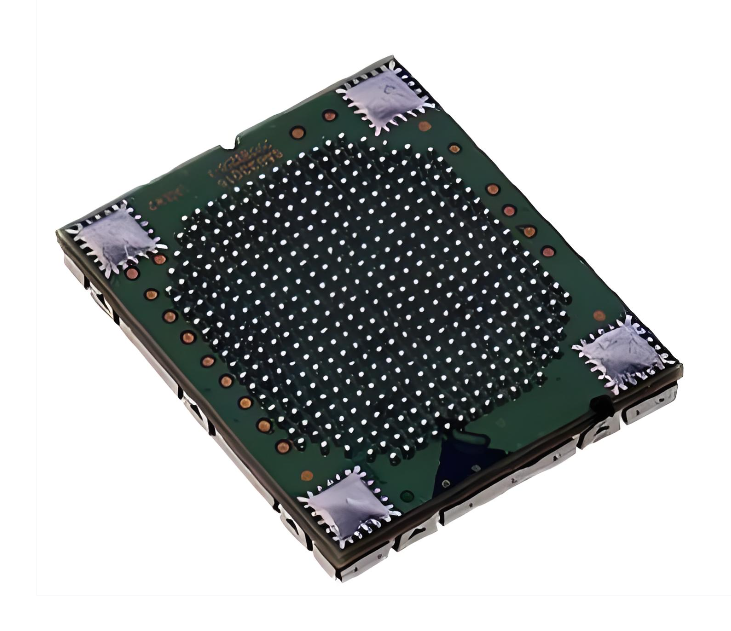
A BGA package is a surface-mount integrated circuit package that uses an array of solder balls on the bottom side to form electrical and mechanical connections to the PCB. Instead of gull-wing or J-leads extending from the package edges, all interconnections are distributed underneath the device in a grid pattern.
This bottom-side interconnection approach allows a much higher number of I/O connections within a smaller footprint, making the BGA type package particularly suitable for advanced digital, RF, and mixed-signal designs.
Why Use BGA Chips on PCB?
BGA packages are adopted not only for size reduction but also for performance and manufacturability reasons.
Key advantages include:
Higher I/O density without increasing package outline.
Shorter signal paths, improving signal integrity at high speeds.
Lower inductance and resistance compared with leaded packages.
Improved thermal dissipation, especially for large silicon dies.
Better coplanarity control during reflow soldering.
For multilayer PCBs with controlled impedance, dense routing, and fine-pitch BGAs, these benefits translate directly into higher electrical reliability and better long-term stability.
BGA Package Sizes Chart: Standard & Popular Sizes
BGA package sizes are usually defined by three core parameters: package body size (in mm × mm), ball count and ball pitch (distance between centers of adjacent balls). Unlike QFP or SOP packages, pin count alone does not fully describe a BGA.
Common BGA Package Body Sizes
Package Size
Typical Applications
5 × 5 mm
Small MCUs, IoT devices
7 × 7 mm
Mobile peripherals
10 × 10 mm
Consumer electronics
12 × 12 mm
Communication ICs
15 × 15 mm
SoCs, processors
17 × 17 mm
Networking ICs
23 × 23 mm
High-end processors
27 × 27 mm+
GPUs, FPGAs, CPUs
Typical Ball Pitch Options
Ball Pitch
Usage
1.27 mm
Legacy BGAs, industrial
1.0 mm
Standard industrial BGAs
0.8 mm
Consumer electronics
0.65 mm
Compact designs
0.5 mm
Smartphones, tablets
0.4 mm / 0.35 mm
Ultra-fine pitch, high-density
Important:
As ball pitch decreases, routing complexity, PCB cost, and assembly difficulty increase. Designs with 0.5 mm pitch and below usually require HDI PCB technology, microvias, and tighter process control.
BGA Package Cross Section
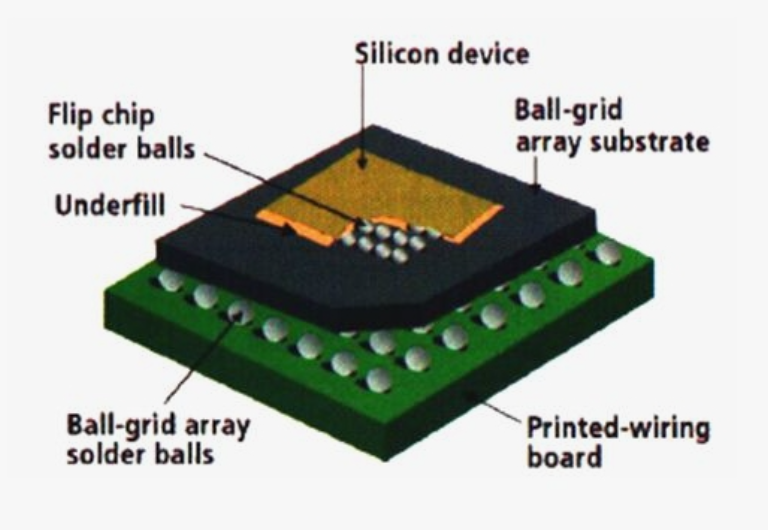
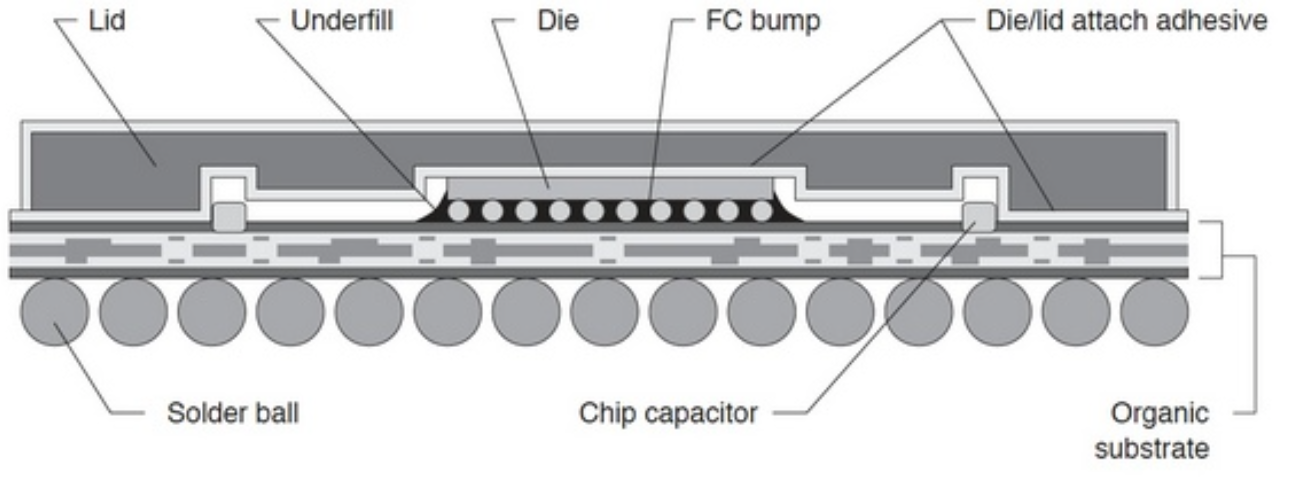
Understanding the BGA package cross section helps explain both electrical behavior and assembly challenges. Typical bga package cross section layers including:
Silicon Die – The actual integrated circuit
Die Attach Material – Bonds the die to the substrate
Substrate (BT resin, ABF, etc.) – Routes signals from die to solder balls
Bond Wires or Flip-Chip Bumps – Electrical connection between die and substrate
Solder Mask Layer – Defines pad openings
Solder Balls – External connections to PCB
In a typical cross-section:
The silicon die is mounted on a substrate.
Wire bonds or flip-chip bumps connect the die to the substrate.
The organic substrate redistributes signals to the solder balls.
Solder balls form the interface between package and PCB pads.
This layered structure supports high signal density while isolating mechanical stress between silicon and PCB materials.
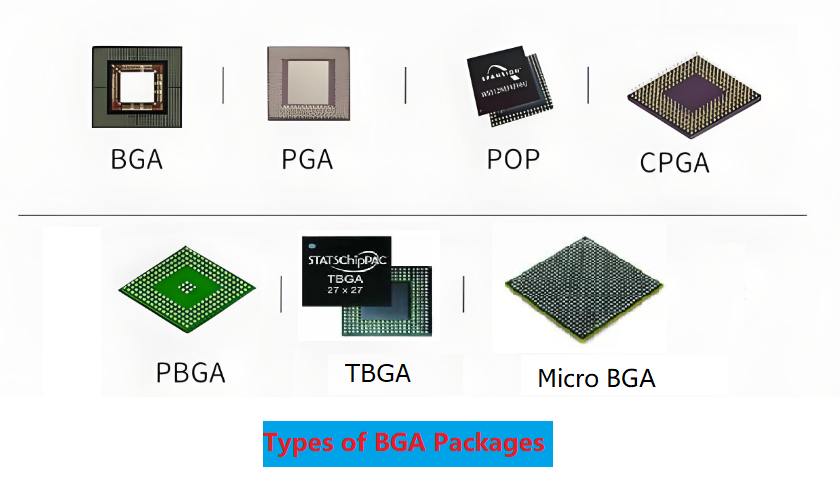
What Are the Different Types of BGA?
Ball Grid Array (BGA) is not a single package format but a family of package structures optimized for different electrical, thermal, mechanical, and cost requirements. Understanding the different BGA type package variants is critical for PCB layout, stack-up planning, assembly process selection, and long-term reliability control. Common BGA type package families include:
1. PBGA (Plastic Ball Grid Array)
PBGA uses an organic substrate with a wire-bonded die and plastic encapsulation. Typical ball pitch ranges from 1.27 mm to 0.65 mm, with ball counts commonly between 100 and 900 I/Os. It is the most widely adopted BGA package in high-volume electronics.
Advantages
Low cost and mature supply chain
Compatible with standard SMT processes
Good balance of performance and manufacturability
2. CBGA (Ceramic Ball Grid Array)
CBGA is built on a multilayer ceramic substrate, offering higher thermal conductivity than organic materials. Ball pitch is usually 1.27 mm or larger, and package sizes often exceed 20 × 20 mm. It is designed for long-term reliability under thermal stress.
Advantages
Excellent thermal stability
Minimal warpage across temperature cycles
Suitable for high-reliability applications
3. FBGA (Fine-Pitch Ball Grid Array)
FBGA is a compact BGA variant with reduced ball pitch, typically 0.8 mm, 0.65 mm, or 0.5 mm. It enables higher I/O density within a smaller footprint while maintaining acceptable electrical performance.
Advantages
Smaller package size
Higher routing density
Well suited for HDI PCB designs
4. FCBGA (Flip-Chip Ball Grid Array)
In FCBGA, the silicon die is mounted face-down and connected to the substrate using micro bumps. This structure supports very high I/O counts (1,000+ balls) and excellent thermal paths from die to PCB.
Advantages
Superior high-speed signal performance
Excellent heat dissipation
Ideal for high-power and high-frequency devices
5. TBGA (Tape Ball Grid Array)
TBGA uses a flexible polyimide tape as the substrate, resulting in a thinner and lighter package. Ball pitch typically ranges from 0.8 mm to 1.27 mm, with moderate I/O density.
Advantages
Thin and lightweight structure
Reduced mechanical stress
Suitable for space-limited designs
6.PoP BGA (Package on Package)
PoP integrates two BGA packages stacked vertically, commonly logic on the bottom and memory on top. It reduces PCB area while maintaining short interconnect lengths between stacked components.
Advantages
Significant PCB space savings
Improved signal integrity between logic and memory
Flexible memory configuration
7. Micro BGA (µBGA)
Micro BGA refers to ultra-small BGAs with ball pitch typically ≤0.5 mm and very compact outlines. These packages are optimized for extreme miniaturization and high-density interconnections.
Advantages
Maximum size reduction
High electrical performance in small form factors
Ideal for advanced HDI and microvia PCBs
Each type places different demands on PCB stack-up design, solder mask strategy, and assembly process control.
How Does BGA Compare to Other Packages?
When compared with QFP, SOP, or QFN packages, BGAs offer a clear advantage in I/O scalability and signal performance.
Feature
BGA
QFP
QFN
LGA
I/O Density
Very high
Medium
Medium
High
Footprint
Small
Large
Small
Small
Routing Complexity
High
Low
Medium
High
Assembly Difficulty
High
Low
Medium
Medium
Reworkability
Difficult
Easy
Medium
Medium
However, BGAs require more advanced PCB fabrication and assembly capabilities, particularly for inspection, rework, and thermal profiling.
What Is the Difference Between LGA and BGA Packaging?
The key distinction lies in how the electrical connection is formed.
BGA: Uses solder balls attached to the package; soldering occurs during PCB assembly.
LGA: Uses flat pads on the package; solder or contact springs are on the PCB side.
BGA packages generally offer stronger mechanical joints after reflow, while LGA packaging can simplify rework and reduce package height in some applications.
Is BGA Used in Mobile Phones?
Yes. BGA and its derivatives are extensively used in smartphones and mobile devices.
Typical mobile BGA applications include:
Application processors
Memory devices (eMMC, LPDDR)
RF baseband and connectivity chips
Ultra-fine pitch BGAs and PoP structures are especially common, supporting compact layouts while maintaining high data throughput.
Common Uses of BGA Package
The bga type package is found across a wide range of industries and applications, including:
Consumer electronics and smart devices
Networking and data communication equipment
Industrial control systems
Automotive electronics
Medical and diagnostic equipment
High-performance computing and servers
As PCB designs continue to push toward higher speed, smaller size, and greater integration, BGA packaging remains one of the most adaptable and future-proof interconnection solutions.
Why BGA Expertise Matters in PCB Assembly?
Not all PCBA manufacturers are equal when it comes to BGA. Fine-pitch BGA, microBGA, and flip-chip BGA require advanced capability, experience, and strict process control.
Our BGA Assembly Capabilities Include:
0.4 mm / 0.5 mm fine-pitch BGA assembly
HDI PCB manufacturing with microvias & via-in-pad
Advanced X-ray inspection for 100% BGA verification
Precise reflow profile control
BGA rework and repair services
DFM analysis to reduce risk and cost
IPC Class 2 & Class 3 assembly support
Why Choose Us for BGA PCB Assembly?
With years of experience in high-density and high-reliability electronics, we support customers across consumer, industrial, automotive, and medical sectors.
We provide:
One-stop PCB fabrication + assembly
Dedicated engineering support
Strict quality control and traceability
Competitive pricing with no compromise on reliability
Fast turnaround for prototypes and volume production
Looking for a reliable partner experienced in all BGA type packages? Contact us today for a free DFM review and professional support on your next BGA PCB project.
FAQ
1. Are BGA packages hard to repair?
Yes. BGA rework requires specialized equipment and skilled technicians.
2. What is the smallest BGA package size?
microBGA and WLCSP packages can be under 3 × 3 mm.
3. Can BGA be hand-soldered?
No. BGA packages require reflow soldering.
4. Is BGA more reliable than QFN?
For high pin count and high-speed applications, yes—when properly designed and assembled.
Wave soldering is one of the most established and reliable PCB assembly methods used in electronics manufacturing. Although surface mount technology (SMT) and reflow soldering dominate modern production, wave soldering PCB processes remain essential for through-hole components, mixed-technology boards, and high-reliability applications.
In this guide, we’ll explain what wave soldering is, how it works, its benefits and requirements, and clearly compare wave soldering vs reflow to help you choose the right process for your project.
What Is Wave Soldering?
Wave soldering is a mass soldering process in which the underside of a populated printed circuit board passes over one or more controlled waves of molten solder. The solder wets the exposed pads and component leads, forming metallurgical bonds in a single pass.
This process is primarily used for:
Through-hole components
Large connectors and terminals
Power components
Mixed-technology (SMT + THT) assemblies
Wave soldering PCB assembly is widely applied in industrial electronics, automotive systems, power supplies, aerospace hardware, and medical equipment, where joint integrity and mechanical strength are critical.
What is Wave Soldering? Wave soldering vs Reflow Soldering
Benefits of Wave Soldering
Although newer soldering technologies exist, wave soldering continues to offer clear advantages for specific applications.
High Throughput for Through-Hole Assembly
Superior Mechanical Strength
Process Stability and Repeatability
Cost Efficiency in Volume Production
Compatibility with Mixed-Technology Designs
How Does Wave Soldering Work?
The wave soldering process is a tightly controlled sequence of thermal and chemical stages. Each stage must be optimized to ensure solder joint integrity and prevent defects.
1. Flux Application
Flux is applied to the bottom side of the PCB by spray, foam, or jet fluxing. Its function is to:
Remove oxides from pads and leads
Improve solder wetting
Prevent oxidation during heating
Proper flux selection and coverage are critical to avoiding non-wetting and bridging defects.
2. Preheating
The PCB is gradually heated using infrared or convection heaters. Preheating:
Activates the flux
Drives off solvents
Reduces thermal shock to components
Improves solder flow and hole fill
Inadequate preheat is a common root cause of soldering defects.
3. Solder Wave Contact
The board passes over one or more solder waves:
Turbulent wave for penetration around component leads
Laminar wave for smoothing and joint shaping
The molten solder wets the pads and leads through capillary action, forming intermetallic bonds.
4. Cooling and Solidification
After leaving the wave, the assembly is cooled in a controlled manner to solidify the solder joints and stabilize the microstructure.
Is Wave Soldering the Most Common Soldering Method?
No. Reflow soldering is the dominant process in modern electronics manufacturing due to the prevalence of SMT components and high-density designs.
However, wave soldering remains:
The primary method for through-hole assembly
Essential for power electronics and connector-heavy designs
Common in automotive, industrial control, and infrastructure equipment
In many products, both processes are used in sequence: reflow for SMT components, followed by wave soldering for through-hole parts.
At EBest Circuit (Best Technology), wave soldering is treated as a controlled engineering process—not a commodity operation. We apply strict process discipline, DFM analysis, and IPC-compliant inspection to every project.
Our manufacturing system operates under ISO 13485 quality management controls, ensuring traceability, documentation, and process consistency—even without a fully isolated medical production line. Contact EBest Circuit (Best Technology) today to request a free DFM review and quote for your wave soldering PCB assembly project.
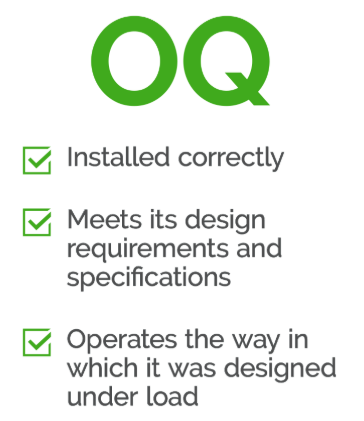
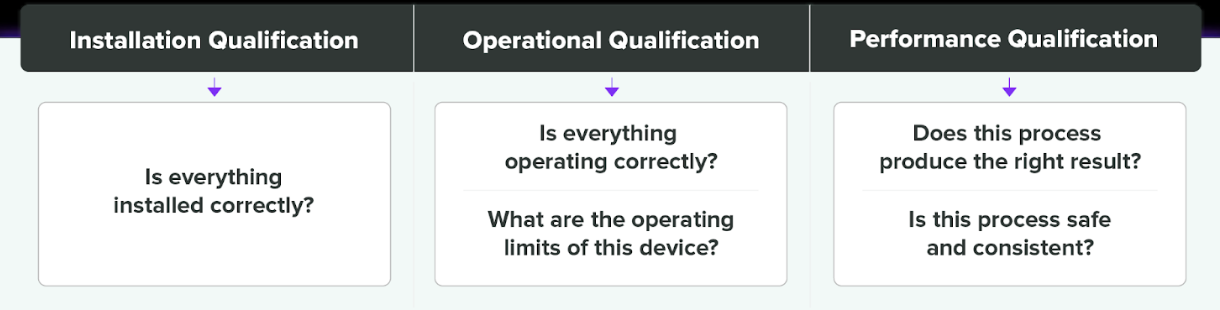
What Is Operational Qualification (OQ) in Medical PCBA Assembly?
Operational Qualification (OQ) is the documented evidence that each step of the medical PCBA assembly process operates reliably within predefined and approved operating limits. After Installation Qualification (IQ) confirms that equipment and systems are correctly installed, OQ focuses on a more critical question: does the process actually work as intended under controlled variation?
In medical electronics manufacturing, OQ represents the technical core of process validation. It is where engineering intent, manufacturing capability, and regulatory expectations converge.
Why Is OQ a Critical Requirement for Medical PCBA Manufacturing?
Medical devices rely on electronics that must perform consistently over long service lives, often in safety-critical or continuously operating environments. Final inspection alone cannot guarantee this level of reliability.
OQ is critical because it:
Demonstrates that assembly processes are capable, stable, and repeatable
Defines acceptable process windows rather than relying on nominal settings
Reduces dependence on operator judgment
Provides objective evidence for regulatory audits and OEM reviews
From a regulatory perspective, OQ shows that process risks are understood and controlled, not discovered after failures occur.
Which Assembly Processes Are Typically Validated During OQ?
In medical PCBA assembly, OQ usually covers all process steps that can influence product quality, reliability, or compliance. At (EBest Circuit) Best Technology, typical OQ scope includes:
Component placement: accuracy across different package sizes, fine-pitch components, and placement repeatability
Reflow soldering: temperature profiles validated at minimum and maximum limits, including soak, peak, and cooling zones
Cleaning processes: effectiveness in meeting ionic contamination requirements
Conformal coating (if applicable): thickness consistency, coverage, and curing parameters
Functional and in-circuit testing: stability of results across defined operating ranges
Each process is evaluated not only at nominal conditions but also near its upper and lower operating limits.
How Does OQ Define Safe Process Windows?
One of the primary goals of OQ is to establish validated process windows. Instead of asking whether a process works once, OQ asks whether it continues to work when conditions vary within controlled boundaries.
For example:
Can solder joints remain reliable if reflow peak temperature shifts slightly?
Does placement accuracy remain acceptable across different component densities?
Does cleaning effectiveness remain consistent at different throughput levels?
By answering these questions, OQ transforms unknown variability into documented, acceptable ranges, which is essential for medical PCBA reliability.
Why Is OQ Especially Important for Medical Electronics?
Medical PCBAs often involve:
Fine-pitch and micro-pitch components
High-density interconnects
Mixed SMT and through-hole assembly
Sensitive analog, sensing, or signal-conditioning circuits
These characteristics make medical electronics highly sensitive to process variation. Minor deviations can create latent defects such as marginal solder joints or intermittent connections that pass inspection but fail during use.
OQ reduces this risk by ensuring that assembly processes remain stable even when operating near their defined limits.
How Does OQ Reduce Manufacturing and Patient Risk?
By validating process behavior under controlled variation, OQ helps prevent:
Weak or inconsistent solder joints
Thermal overstress or insufficient soldering
Operator-dependent outcomes
Process drift over time
In medical applications, such issues are not merely quality concerns—they can directly impact device safety, regulatory compliance, and patient outcomes. OQ provides the engineering evidence that these risks are actively managed.
What Do Auditors and Medical OEMs Expect From OQ Documentation?
During audits or supplier qualification reviews, OQ documentation is often examined in detail. Auditors and OEMs typically expect to see:
Clearly defined and justified process parameters
Evidence that limits were intentionally challenged
Repeatable and reproducible results
Documented handling of deviations or anomalies
Well-structured OQ records demonstrate that the manufacturer understands its processes at an engineering level, rather than relying on empirical success alone.
How Does OQ Differ From IQ and PQ?
Although IQ, OQ, and PQ are closely related, each serves a distinct purpose:
IQ confirms that equipment and systems are installed correctly
OQ confirms that processes operate reliably within defined limits
PQ confirms consistent output under normal production conditions
OQ acts as the bridge between installation and production, translating equipment capability into process control.
How Does (EBest Circuit) Best Technology Perform OQ for Medical PCBA Projects?
This approach ensures that medical PCBA assembly processes are not only functional, but technically understood and defensible.
What Comes After OQ in Medical PCBA Validation?
While OQ confirms that processes are capable, it does not yet prove long-term consistency in real production environments. That confirmation is provided by Performance Qualification (PQ), which evaluates routine manufacturing stability across multiple lots and operators.
Related reading:
Performance Qualification (PQ) in Medical PCBA Production
To fully understand how OQ fits within the complete validation framework, it is also recommended to review:
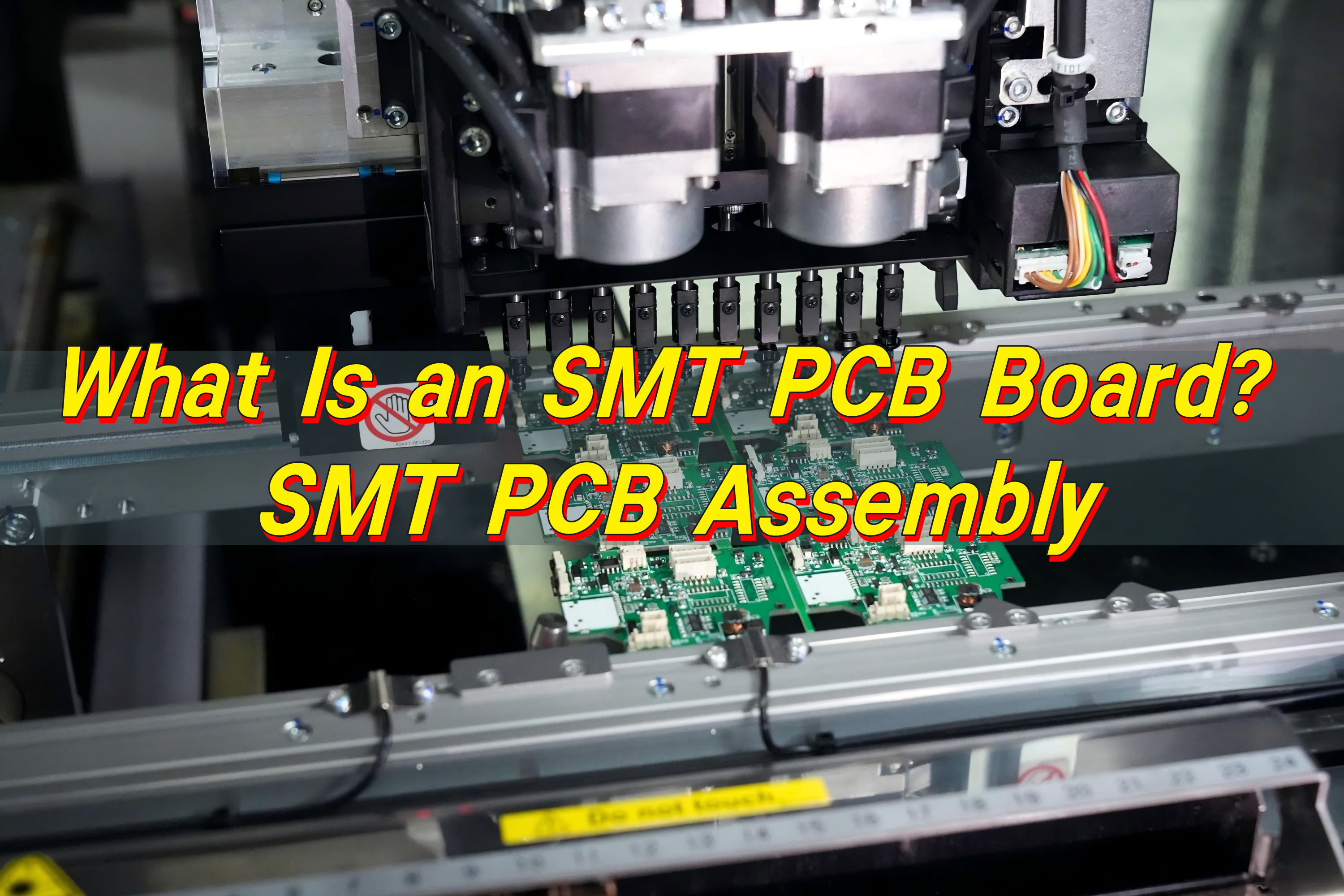
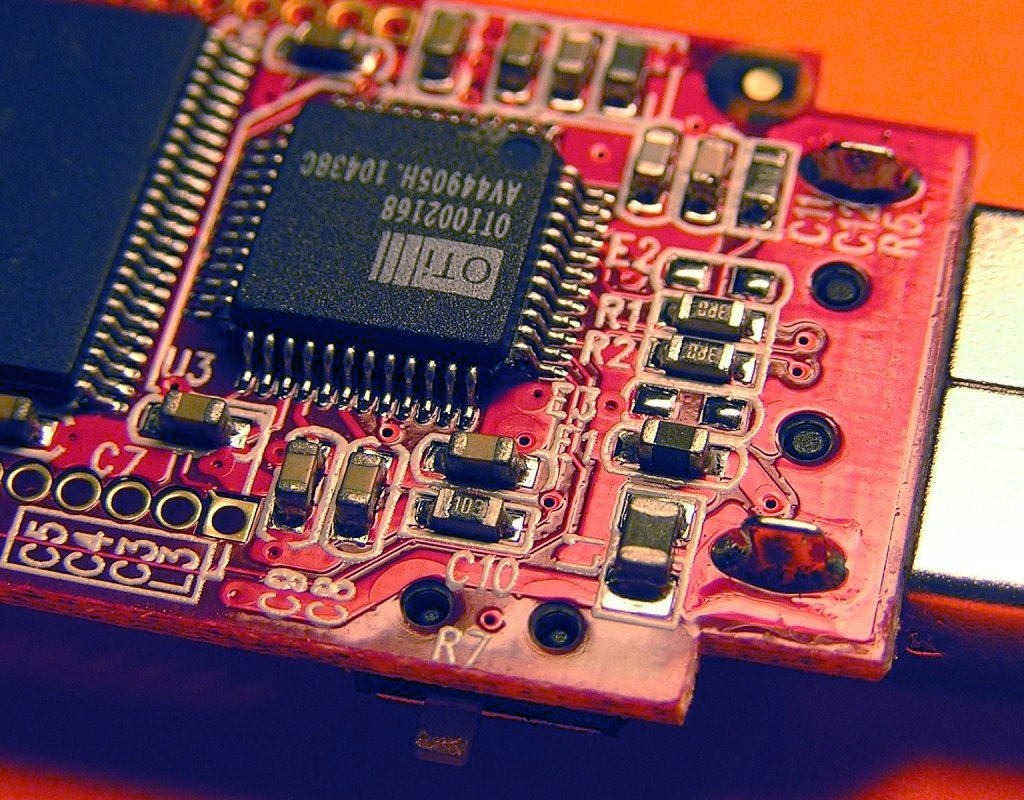
An SMT PCB board is a printed circuit board designed for surface mount technology, where electronic components are mounted directly onto copper pads on the board surface rather than inserted through drilled holes. This approach allows components to sit flat against the PCB, enabling compact layouts, shorter electrical paths, and efficient automated assembly through reflow soldering. As a result, SMT PCB boards support higher component density while maintaining consistent solder quality.
What Is an SMT PCB?
An SMT PCB is a printed circuit board designed specifically for surface mount technology, where electronic components are mounted directly onto copper pads on the surface of the board. Unlike traditional assembly methods, components do not use long wire leads inserted through drilled holes. Instead, they sit flat against the PCB and are soldered in place using controlled reflow processes.
This structural change enables much higher component density. Components can be placed on both sides of the board, and spacing between parts can be significantly reduced. As a result, SMT PCB boards are smaller, lighter, and more electrically efficient than older designs.
Another key benefit is manufacturing consistency. SMT placement is highly automated, allowing machines to position thousands of components per hour with exceptional accuracy. This repeatability improves yield and reduces defect rates, especially in high-volume production.
SMT PCB boards are now standard across consumer electronics, medical equipment, industrial controls, automotive electronics, and communication systems.
How Does SMT Impact PCB Design?
SMT influences PCB design from the earliest layout stage. Because surface-mounted components have short electrical paths, signal integrity improves, especially in high-speed and high-frequency circuits. This allows designers greater flexibility when routing traces and managing impedance.
Pad design becomes a critical factor in SMT layouts. Pad size, shape, and spacing directly affect solder joint quality and long-term reliability. Improper pad geometry can lead to solder bridging, tombstoning, or weak joints, all of which increase rework risk.
Layer stack-up also changes with SMT. Multilayer boards are common, as designers use internal planes for power distribution and noise control. Thermal management becomes more important as well, since compact components can generate localized heat that must be dissipated efficiently.
Finally, SMT PCB design must align with assembly equipment capability. Package size limits, placement tolerances, and inspection access all influence layout decisions.
Is SMT the Same as SMD?
SMT and SMD are closely related terms, but they are not interchangeable. SMT stands for surface mount technology and refers to the manufacturing process used to assemble components onto a PCB. SMD stands for surface mount device and refers to the component itself.
In simple terms, SMT is the method, while SMD is the part. Factories use SMT processes to place SMD components onto SMT PCB boards.
What Is the Difference Between SMD and SMT PCB?
An SMT PCB describes both the board design and the assembly method, while an SMD describes only the component package. SMT PCBs are designed with specific land patterns that support surface-mounted components and reflow soldering processes.
SMD components include chip resistors, capacitors, integrated circuits, and discrete semiconductors packaged for surface mounting. Without an SMT-compatible PCB, SMD components cannot be properly assembled or soldered.
In practice, SMT PCBs and SMD components always work together, but their roles are distinct.
How Does PCB Board SMT Differ From Through-Hole Assembly?
The difference between SMT and through-hole assembly is structural and operational. Through-hole assembly uses drilled holes where component leads pass through the board and are soldered on the opposite side. SMT places components directly onto surface pads without penetrating the board.
SMT enables much higher component density and allows assembly on both sides of the PCB. This supports smaller board sizes and more complex functionality. Through-hole assembly, while mechanically robust, occupies more space and limits layout flexibility.
SMT also supports full automation, while through-hole assembly often requires manual or semi-automated steps. This difference has a significant impact on cost and scalability. However, some products use both methods together, such as board assembly SMT DIP PCB or board assembly SMT THT PCB designs, where connectors or power components still benefit from through-hole strength.
What Is the Major Advantage of Using SMT?
The primary advantage of SMT PCB assembly is efficiency at scale. Automated placement machines operate at high speed with consistent accuracy, enabling reliable mass production. This efficiency directly reduces assembly time and labor costs.
SMT also supports miniaturization. More functionality fits into less space, enabling thinner, lighter, and more portable devices. Electrical performance improves as well, since shorter lead lengths reduce parasitic effects and signal noise.
Reliability benefits from controlled soldering processes. Reflow soldering produces uniform joints, reducing variation and long-term failure risk.
What Components Are Used in SMT?
SMT supports a wide range of electronic components. Common passive parts include chip resistors and capacitors in standardized package sizes. Integrated circuits appear in formats such as SOIC, QFP, QFN, and BGA, supporting everything from simple logic to advanced processors.
Discrete components like diodes, transistors, and MOSFETs are widely used in SMT designs. Many connectors and RF modules are also available in surface-mount packages, allowing compact system integration.
Each component type requires proper footprint design, accurate stencil thickness, and precise placement to ensure reliable solder joints. Successful SMT PCB assembly depends on matching component selection with process capability.
What Quality Checks Are Used in SMT PCB Assembly?
Quality control is central to SMT PCB assembly. Inspection begins with solder paste application, where volume and alignment are monitored to prevent downstream defects. Automated optical inspection then verifies component placement and visible solder joints.
For components with hidden connections, such as BGAs, X-ray inspection is used to evaluate internal solder quality. Reflow temperature profiles are carefully controlled to avoid thermal damage or weak joints.
Electrical testing confirms circuit continuity and functionality, while final inspection ensures cleanliness and cosmetic quality. These layered quality checks protect product reliability and customer confidence.
Where Do We Use SMT?
SMT is used across nearly every electronics sector. Consumer electronics rely on it for compact form factors and high functionality. Industrial and medical devices depend on SMT for precision, consistency, and long-term reliability.
Automotive electronics use SMT for control units and sensor systems that must withstand harsh conditions. Telecommunications and networking equipment rely on SMT to support high-speed signal performance and dense layouts.
As electronics continue to evolve, SMT PCB assembly remains a foundational technology enabling innovation at scale.
Conclusion:
An SMT PCB board is a circuit board built for surface mount technology, where components are placed on surface pads and soldered by reflow for fast, repeatable production. Compared with through-hole assembly, SMT PCB assembly supports higher density, smaller products, and strong electrical performance, which is why it dominates modern electronics.
To learn more about how Best Technology supports these SMT PCB assembly technologies, please contact us at sales@bestpcbs.com
Soldering remains one of the most fundamental operations in electronics manufacturing, and its reliability depends on far more than just heat and solder alloy. Flux is a quiet but powerful material that determines how well a solder joint forms, how stable the connection remains over time, and how durable a finished PCB assembly will be in the field.
For new engineers, technicians, and even seasoned designers, misunderstandings about flux are common—especially around topics such as electrical conductivity, residue behavior, and flux selection for different soldering environments. This guide provides a detailed but easy-to-read explanation of what flux is, what it does, and whether it conducts electricity. It also highlights practical considerations for real PCB assembly workflows.
What Is Flux in Soldering?
Flux is a chemical agent applied during soldering to prepare metal surfaces and support the formation of reliable solder joints. When copper pads or component leads are exposed to air, oxidation naturally occurs. Even a microscopic layer of oxidation can obstruct solder wetting, causing poor joints, voids, and insufficient fillets.
Flux removes these oxides, shields the surface from further oxidation during heating, and helps molten solder spread smoothly across metal surfaces. It improves consistency, lowers defect rates, and stabilizes the soldering process across different alloys and temperatures.
In PCB assembly—whether reflow, wave soldering, or selective soldering—flux is as essential as the solder itself. Without it, joints would frequently fail, especially on components with small contact areas or on boards that require high-density interconnects.
Is Flux the Same as Solder?
Flux and solder are very different materials, even though both are packaged together in solder wire or solder paste.
Solder is a metal alloy that melts and forms the electrical and mechanical connection.
Flux is a chemical compound that prepares the surface and improves the solder’s ability to bond.
Flux does not create a joint by itself. It does not replace the solder alloy. Instead, it ensures the solder achieves a strong, durable bond with copper pads and component leads.
During soldering, flux activates first. As heating continues, solder alloy becomes molten and flows into the prepared surface, producing a joint that is structurally sound and electrically stable.
What Is Flux Made Of?
Flux formulations differ depending on application, activity level, and cleaning requirements, but most contain three major components:
1. Base Material
This forms the bulk of the flux. Common bases include:
Rosin (natural resin from pine trees)
Synthetic resin
Organic acids
Water-soluble organic compounds
2. Activators
These compounds remove oxides and enable solder wetting. Examples include:
Halides and halogen-free activators
Organic acids
Amines
Activators determine how aggressive the flux is and directly influence cleaning requirements.
3. Solvents
Liquids that adjust viscosity and allow the flux to spread evenly. Depending on the type, the solvent may be:
Alcohol-based
Water-based
Mixed solvent systems
Additional additives control stability, residue appearance, heat resistance, and spread behavior.
In solder paste, flux is blended with metal powder (tin-based alloy particles). In liquid or pen flux, the chemical composition varies more widely depending on the intended soldering method.
Types of Flux Used in Electronics Soldering
Flux comes in multiple varieties because different electronic assemblies require different performance and cleaning levels.
1. Rosin Flux (R, RMA, RA)
A classic formulation used for decades.
R (Rosin): Mild, minimal activity
RMA (Rosin Mildly Activated): Balanced activity and reliability
RA (Rosin Activated): Strong oxide removal; requires cleaning
Rosin residues are typically hard and non-corrosive but still benefit from cleaning in sensitive electronics.
2. No-Clean Flux
Designed to leave minimal residue that remains safe on the board.
Very low activity
Ideal for high-volume consumer products
Popular in SMT reflow
However, no-clean flux is not “no-clean” for everything. High-reliability sectors such as medical, aerospace, and automotive often still require cleaning.
3. Water-Soluble Flux
It is a strong, highly active flux. It can:
Removes heavy oxidation
Excellent wetting performance
Residue is conductive and must be cleaned with water
This flux is common for BGA, QFN, and fine-pitch applications due to its high activity.
4. Flux Paste, Gel, Liquid, and Pen Types
Each soldering method favors a different form:
Flux paste: Hand soldering, rework
Liquid flux: Wave soldering and selective solder
Gel flux: BGA sphere attachment and reballing
Flux pens: Small-area touch-ups
Choosing the right format ensures controlled application and stable process quality.
What Are the Functions of Flux in Soldering?
The main active component in the soldering agent is rosin. Rosin will be decomposed by tin at around 260 degrees Celsius. Therefore, the temperature of the soldering bath should not be too high. In soldering, it is an indispensable auxiliary material and plays an extremely important role.
Removes surface oxides from copper pads and component leads.
Prevents re-oxidation during heating.
Improves solder wetting, allowing the alloy to spread uniformly.
Reduces surface tension, enabling smoother flow.
Promotes mechanical strength, making joints more reliable.
This combination ensures repeatable and stable solder connections for both prototype and mass production builds.
Is Flux Conductive?
Fresh flux and properly cleaned flux residue are not conductive. Most fluxes are designed to be electrically insulating, even when left on the PCB after reflow or hand soldering.
This is why no-clean flux can remain on many consumer-grade boards without impacting function.
Why Some Flux Residues Become Slightly Conductive?
Although flux itself is non-conductive, residue can become slightly conductive under certain conditions, especially with:
Water-soluble (OA) flux
Highly activated flux
Flux that absorbs humidity over time
Ionic contamination left behind after incomplete cleaning
This moisture-dependent conductivity may cause leakage paths, corrosion, or unpredictable behavior in sensitive analog, RF, or high-impedance circuits. That is why aerospace, medical, and automotive assemblies often require a thorough post-cleaning process.
Best Cleaning Methods for Flux Residue
Different assemblies require different cleaning approaches, but the goal is always the same: remove unwanted residue without damaging components or altering board performance. Selecting the right method depends on the flux type, the board’s cleanliness requirements, and the equipment available in your production line.
Isopropyl Alcohol (IPA) Wipe or Brush Cleaning
IPA remains one of the simplest and most effective ways to remove rosin-based flux. A soft brush or lint-free wipe helps dissolve residue quickly, making it ideal for rework, repair, or small-batch builds.
Precision Flux Remover Sprays
Engineers often choose specialized flux remover sprays for dense assemblies or harder residues. These solutions penetrate tight spaces under components and evaporate cleanly. They are especially helpful when dealing with no-clean flux that has carbonized during reflow.
DI Water Cleaning for Water-Soluble Flux
Water-soluble (OA) flux requires complete removal because it contains ionic materials. DI water cleaning, either by hand or in an automated system, rinses away these residues effectively.
Ultrasonic Cleaning
For assemblies with fine-pitch packages, BGA components, or complex geometries, ultrasonic cleaning can reach areas traditional brushing cannot. High-frequency waves dislodge residue in hidden spaces. Not all components tolerate ultrasonic energy, so a controlled process is essential.
Common Mistakes When Using Flux
Many soldering issues trace back to improper use of flux. Common mistakes include:
Applying excessive flux, which can trap residue under components
Mixing different flux types in the same process
Using expired flux that has lost its activity
Selecting a flux that does not match the solder alloy or temperature profile
Not cleaning when required by the flux classification
A disciplined approach helps avoid rework and enhances long-term reliability.
How to Choose the Right Flux for Your Soldering Process?
Select flux based on your assembly method, product reliability, and cleaning capability:
1. Consider the soldering process
SMT reflow often uses no-clean or RMA flux.
Wave soldering may need higher-activity flux.
Hand soldering typically requires easily reactivated flux pens.
2. Match reliability requirements
High-reliability industries prefer water-soluble flux with full cleaning.
Consumer electronics often adopt no-clean materials.
3. Check board materials and surface finishes
For example, ENIG, OSP, and HASL may react differently to flux activity.
4. Account for reflow temperature
Some fluxes degrade if overheated, reducing wetting efficiency.
FAQs
1.Can you solder without flux?
It is possible but not recommended. Flux ensures strong wetting and consistent joints.
2. Is no-clean flux truly “no clean”?
In most consumer applications, yes. For high-reliability products, cleaning may still be required.
3. Does flux expire?
Yes. Its activity decreases over time, which affects soldering quality.
4. Is flux harmful to PCBs?
Not when used correctly. Incorrect cleaning or high-activity residues may cause long-term issues.
5. Why does flux smoke during soldering?
Flux evaporates and burns off as it activates. This is normal.
6. Which flux is best for sensitive electronics?
Low-residue no-clean flux or water-soluble flux with full cleaning.
A cold solder joint is one of the most common failure mechanisms in electronics assembly, yet many technicians and engineers encounter it long before fully understanding its root behaviors. When a joint lacks proper heat, does not wet the copper pad, or cools in an uncontrolled manner, the resulting connection becomes unstable. It may pass initial testing, but its long-term reliability declines.
Because modern electronics demand consistent performance—whether in consumer devices, industrial controllers, automotive modules, or medical PCB assemblies—recognizing and preventing cold solder joints remains essential for every design or manufacturing team.
What Is a Cold Solder Joint?
A cold solder joint is a solder connection that forms without reaching the proper temperature for the solder alloy to fully melt, flow, and wet the surfaces. Instead of a smooth, solidly bonded joint, the resulting structure becomes dull, grainy, or cracked. The term “cold” comes from the fact that these joints never reach the temperature required to create a metallurgical bond between the solder and the copper pad or component lead.
In practical terms, the solder solidifies before forming a stable interface. Instead of integrating with the metals it is meant to join, it merely sits on top of the surfaces. The joint may appear attached, but internally it lacks the uniform crystalline structure that defines a reliable connection.
In manual soldering, cold joints often happen due to inconsistent technique. In automated SMT production, they typically arise from incorrect reflow profiles, insufficient preheat, or contaminated pads that prevent proper wetting. Because of these variables, avoiding cold solder joints requires both strong process control and clean material handling.
Do Cold Solder Joints Still Work?
A cold solder joint may still work, at least at the beginning. This is where confusion begins for many technicians. The joint may pass functional testing, power-on checks, or a quick continuity test. Because the mechanical bond is weak and the electrical interface incomplete, the behavior becomes intermittent.
A device with cold joints may operate well in a static environment but become unstable when exposed to:
Temperature swings
Vibration or shock
Thermal expansion during operation
Humidity or oxidation
Long-term cycling
While a cold joint can conduct current, it does so inconsistently, and usually with higher resistance. Over time, micro-cracks grow, creating open circuits or signal noise. For that reason, cold solder joints are considered functional only by coincidence, not by design.
Cold Solder Joint Symptoms
Cold solder joints have predictable symptoms. Engineers often rely on these visual or electrical clues to locate the root cause of a circuit failure:
Dull, Frosty, or Grainy Surface
Irregular Shape or Incomplete Wetting
Visible Cracks or Rings
Intermittent Performance
Increased Resistance
Movement When Touched
Failure Under Thermal Stress
These symptoms are reliable indicators during repair, inspection, or failure analysis.
What Is the Difference Between a Cold Solder Joint and a Good Solder Joint?
A good solder joint forms a solid intermetallic bond between the solder, the copper pad, and the component lead. It exhibits a smooth, shiny, and uniform shape with complete wetting.
Comparing both joints helps clarify the contrast:
Aspect
Cold Solder Joint
Good Solder Joint
Appearance
Dull, grainy, frosty surface
Smooth, shiny, uniform surface
Wetting Behavior
Poor wetting; solder sits on top of pad/lead
Complete wetting across pad and lead
Mechanical Strength
Weak bond; prone to cracking or movement
Strong bond with stable mechanical support
Electrical Performance
Higher resistance; intermittent continuity
Low resistance; stable, consistent conductivity
Reliability
Unpredictable; often fails under vibration or heat
Identifying cold solder joints requires a combination of visual inspection, tactile testing, and electrical measurement. Here are the most common methods:
Visual Inspection
Under a microscope or magnifying lamp, look for dull surfaces, cracks, uneven shapes, or insufficient solder spread. Most cold joints are visible to a trained eye.
Continuity and Resistance Testing
Using a multimeter, check whether current flows consistently. Cold joints may pass continuity tests but show higher resistance.
Thermal Stress Testing
Heating or cooling the PCB may cause the joint to open or reconnect.
X-ray Inspection (for BGA or QFN)
In high-density packages, internal cold joints appear as voids, incomplete wetting, or irregular solder shapes.
Mechanical Movement
Applying gentle pressure can reveal looseness in through-hole components.
Early identification is essential in avoiding expensive rework or device failure.
Are Cold Joints Acceptable?
Cold solder joints are not acceptable in any professional electronics assembly environment. Industry standards such as IPC-A-610 define cold joints as defects requiring correction. Even in hobby projects, cold joints degrade reliability.
There are no scenarios where cold joints are intentionally tolerated. Any sign of incomplete wetting or insufficient flow must be corrected immediately. or mission-critical industries such as:
Medical
Automotive
Industrial automation
Aerospace
IoT
Telecommunications
cold solder joints represent unacceptable risk.
What Causes a Cold Solder Joint?
Cold solder joints form due to several common process issues. Understanding these causes helps prevent recurrence.
1. Insufficient Heat
If the soldering iron does not fully heat the pad and lead, wetting cannot occur.
2. Contaminated or Oxidized Surfaces
Residue, dust, oxide layers, or aged plating can block wetting.
3. Incorrect Solder Alloy or Temperature
Low heat settings, mismatched solder types, or incorrect thermal profiles lead to poor flow.
4. Poor Flux Activity
Flux cleans surfaces. Weak or expired flux prevents proper bonding.
5. Movement During Solidification
If the lead moves before the solder cools, a cold joint forms.
6. Inconsistent Reflow Profile
In SMT production, a poorly tuned reflow oven produces cold joints, especially on large thermal pads or ground planes.
7. Manual Soldering Technique Errors
Rushed or inconsistent soldering practices can create joints that never heat sufficiently.
1. The device may work partially, only under specific temperature or vibration conditions.
2. Higher resistance destabilizes signals, especially in RF or high-speed digital designs.
3. Poor conductivity forces current to generate heat, stressing components.
4. Cold joints often degrade quickly in real-world conditions.
5. In power electronics, cold joints increase the risk of arcing or thermal runaway.
These risks emphasize the need for controlled soldering conditions, proper inspection, and strict quality assurance.
How to Avoid Cold Solder Joints?
Preventing cold solder joints requires strong process management, skilled operators, and adherence to IPC and manufacturer guidelines.
1. Ensure Proper Heating
Heat both pad and lead evenly. Maintain appropriate soldering temperatures for the chosen alloy.
2. Use High-Quality Solder and Fresh Flux
Materials is important, Fresh flux ensures clean surfaces and stable wetting.
3. Clean and Prepare Surfaces
Remove oxidation, oil, or contamination before soldering.
4. Maintain Stable Reflow Profiles
For SMT production, program time-temperature profiles to match the alloy. Adjust for heavy copper or large thermal pads.
5. Avoid Movement During Cooling
Secure components so solder can solidify without vibration.
6. Use Proper Tools
ESD-safe irons, clean tips, good tweezers, and inspection magnification help ensure accuracy.
7. Follow IPC Guidelines
Standards such as IPC-A-610 and IPC-J-STD-001 provide industry-accepted criteria for solder quality.
Understanding the distinction between a cold solder joint and a properly formed one helps engineers and technicians diagnose failures accurately. A cold solder joint appears dull, weak, and inconsistent, while a good joint is smooth, shiny, and electrically stable. The difference directly affects device performance and lifespan.
As electronics continue shrinking and integrating more complex components, the need for reliable soldering becomes even more critical. Whether you are working with prototype boards, high-density PCBs, or mission-critical assemblies, eliminating cold joints should always be a priority.
This website uses cookies to enhance your experience, remember your preferences, and help us understand how visitors use our site. You can accept all cookies, reject non-essential cookies, or manage your settings.
This website uses cookies to improve your experience while you navigate through the website. Out of these cookies, the cookies that are categorized as necessary are stored on your browser as they are essential for the working of basic functionalities of the website. We also use third-party cookies that help us analyze and understand how you use this website. These cookies will be stored in your browser only with your consent. You also have the option to opt-out of these cookies. But opting out of some of these cookies may have an effect on your browsing experience.
Necessary cookies are absolutely essential for the website to function properly. These cookies ensure basic functionalities and security features of the website, anonymously.
Cookie
Duration
Description
cookielawinfo-checkbox-analytics
11 months
This cookie is set by GDPR Cookie Consent plugin. The cookie is used to store the user consent for the cookies in the category "Analytics".
cookielawinfo-checkbox-functional
11 months
The cookie is set by GDPR cookie consent to record the user consent for the cookies in the category "Functional".
cookielawinfo-checkbox-necessary
11 months
This cookie is set by GDPR Cookie Consent plugin. The cookies is used to store the user consent for the cookies in the category "Necessary".
cookielawinfo-checkbox-others
11 months
This cookie is set by GDPR Cookie Consent plugin. The cookie is used to store the user consent for the cookies in the category "Other.
cookielawinfo-checkbox-performance
11 months
This cookie is set by GDPR Cookie Consent plugin. The cookie is used to store the user consent for the cookies in the category "Performance".
viewed_cookie_policy
11 months
The cookie is set by the GDPR Cookie Consent plugin and is used to store whether or not user has consented to the use of cookies. It does not store any personal data.
Functional cookies help to perform certain functionalities like sharing the content of the website on social media platforms, collect feedbacks, and other third-party features.
Performance cookies are used to understand and analyze the key performance indexes of the website which helps in delivering a better user experience for the visitors.
Analytical cookies are used to understand how visitors interact with the website. These cookies help provide information on metrics the number of visitors, bounce rate, traffic source, etc.
Advertisement cookies are used to provide visitors with relevant ads and marketing campaigns. These cookies track visitors across websites and collect information to provide customized ads.