To understand how to make a stencil for PCB assembly, engineers convert the approved solder paste layers into a metal aperture pattern, select the foil thickness, and verify that each opening can deliver the required paste deposit. The manufacturer then produces and inspects the stencil before trial printing. Boards combining fine-pitch components and larger solder joints may need a step stencil with locally different thicknesses.
A successful stencil balances solder volume, paste release, and printer compatibility. At EBest Circuit, we supply SMT stencils and PCB assembly services. This guide explains the design checks and calculations to prepare before requesting a stencil or releasing an assembly build.
Key Takeaways
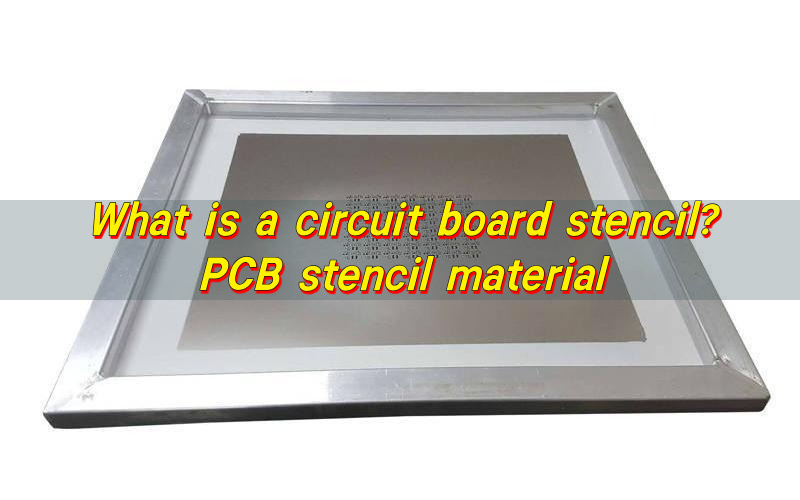
- A PCB stencil is a thin metal sheet with openings that transfer solder paste onto surface-mount pads before component placement and reflow.
- Stainless steel is a common material for reusable SMT stencils, and laser cutting produces the aperture patterns needed for PCB assembly.
- The solder paste Gerber layer provides the starting aperture pattern; the board outline, BOM, assembly drawing, and printer details complete the manufacturing inputs.
- PCB stencil thickness depends on aperture size and component solder requirements. A thicker foil provides more geometric paste volume, while a thinner foil can improve release from small openings.
- A stainless-steel stencil can be reused while its apertures, flatness, mounting condition, and board revision remain suitable; compatible cleaning and protected storage help preserve it.
- To make a PCB assembly stencil, approve the paste-layer data, define apertures and foil thickness, prepare and cut the foil, complete the specified finishing, and inspect it before trial printing.
- A step stencil combines different local foil thicknesses on the same board. Changing a region from 100 to 150 µm increases geometric paste volume by 50% when the aperture area stays unchanged.
- Stencil validation includes both dimensional inspection and trial printing: check paste volume, height, area, and offset, then confirm that the reflowed joints meet the product requirements.
What Is a Stencil Used for in PCB Assembly?
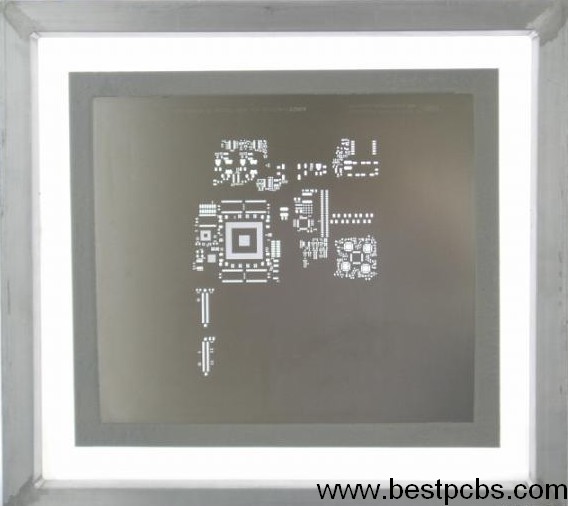
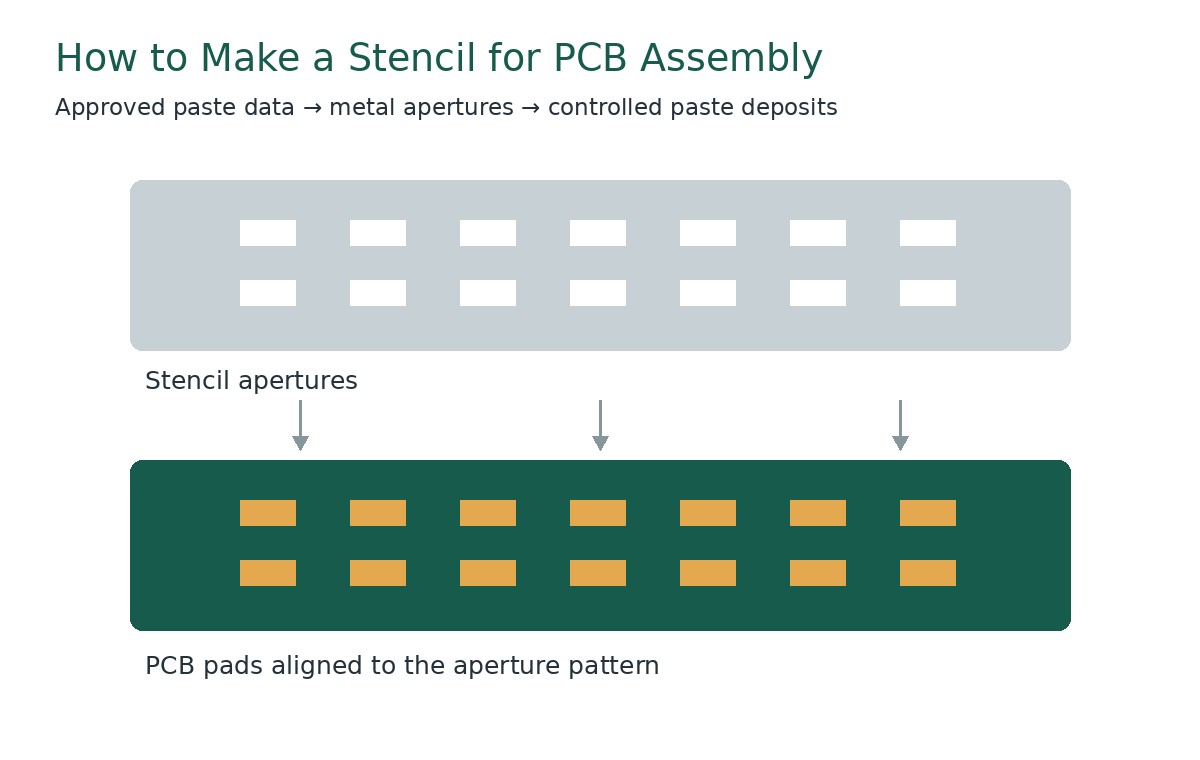
An SMT stencil deposits solder paste onto selected PCB pads before component placement and reflow. Its openings determine where the paste goes, while the aperture geometry and foil thickness influence the available deposit volume.
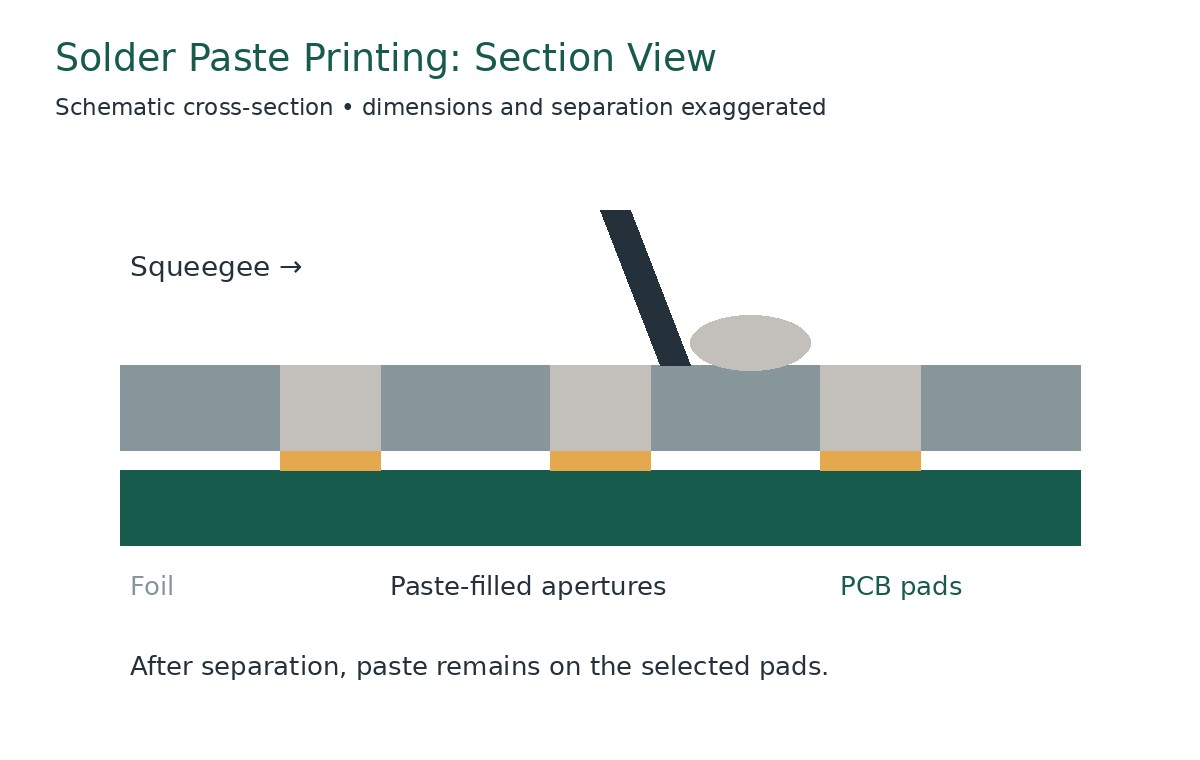
During printing, the PCB is supported beneath the stencil. A squeegee moves paste across the foil and fills the apertures. The stencil then separates from the board, leaving deposits on the pads.
The stencil controls the starting paste deposit, not the final solder-joint shape by itself. Placement, component geometry, alloy, wetting, and reflow conditions also affect the finished connection.
Three dimensions matter immediately:
- Aperture length and width: Define the opening area and deposit location.
- Foil thickness: Influences the geometric paste volume.
- Aperture spacing: Affects the separation between neighboring deposits.
A small opening in a thick foil can retain paste instead of releasing it consistently. A thin foil may print small features well while providing insufficient volume for larger joints. Stencil design resolves these competing requirements before production.
What Types of Stencils Are Used in PCBA?
Framed, frameless, laser-cut, uniform-thickness, and step stencils describe different aspects of a PCB stencil. One stencil can combine several features, such as a framed, laser-cut step stencil.
| Stencil Type | Characteristic | Suitable Application |
|---|---|---|
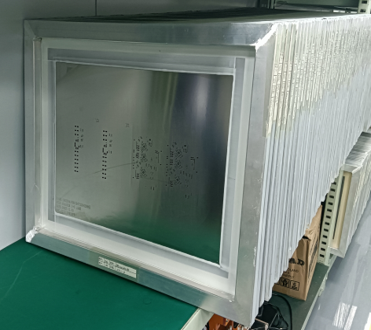
| Framed stencil | Metal foil is permanently mounted in a frame | Repeated SMT printing with a compatible printer |
| Frameless stencil | Foil is supplied without a permanent frame | Printing with a reusable tensioning system or suitable manual fixture |
| Laser-cut stencil | Apertures are produced in metal foil using a precision laser | PCB solder paste printing requiring accurately defined openings |
| Uniform-thickness stencil | All printing regions share one nominal foil thickness | Assemblies whose components can use a common stencil thickness |
| Step stencil | Selected regions have different foil thicknesses | Assemblies requiring different local paste volumes or improved release from small apertures |
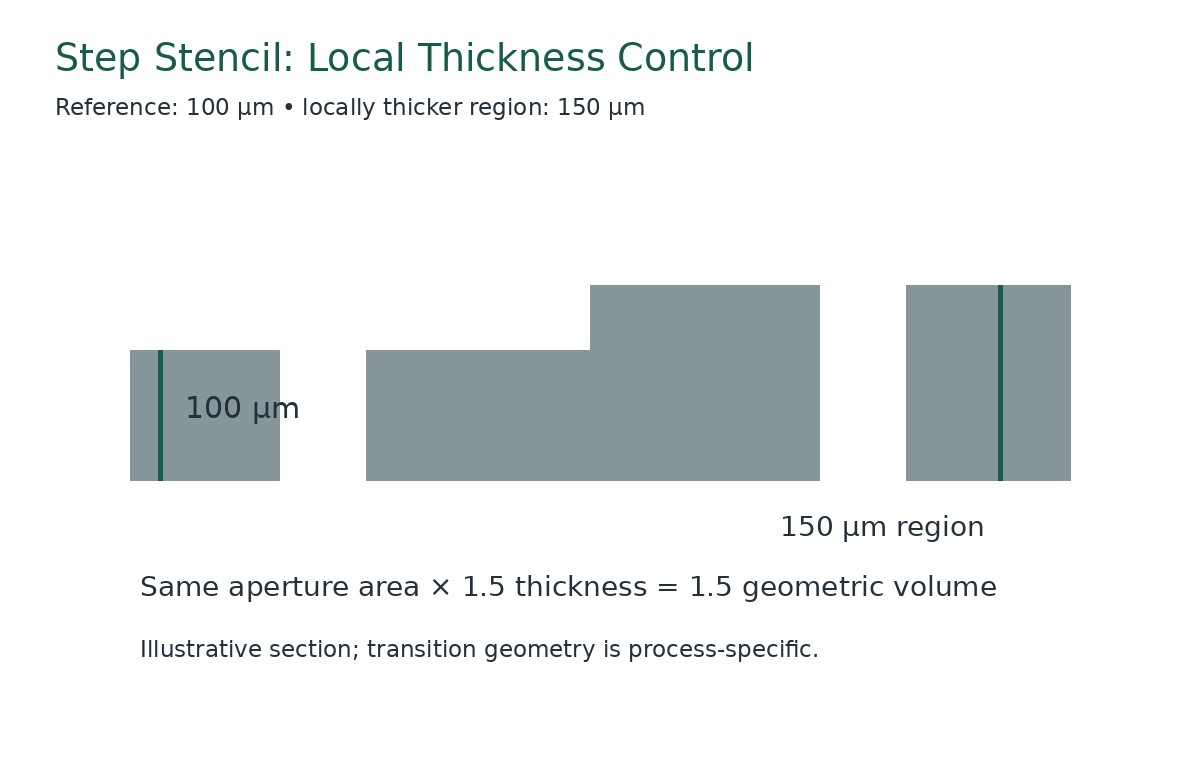
A step stencil allows different regions of the same PCB to receive different paste volumes. For example, a design may use a 100 µm reference thickness with a 150 µm region for selected larger joints. For an unchanged aperture, that increases geometric paste volume by 50%; actual deposits still require printing validation.
What Files Are Needed to Make a PCB Stencil?
Provide dimensionally accurate manufacturing data linked to the released assembly revision. The top and bottom paste layers define the starting patterns for the corresponding board sides.
The PCB stencil manufacturer also needs enough context to identify component-specific requirements and match the finished foil to the printer.
Prepare the following:
- Paste-layer files: Supply the applicable top and bottom layers.
- Board or panel outline: Include panel rails, tooling features, and the production arrangement where relevant.
- BOM: Identify the exact components, particularly fine-pitch and bottom-terminated packages.
- Assembly drawings: Show orientation, component locations, and assembly notes.
- Component recommendations: Include approved stencil or land-pattern guidance for critical packages.
- Printer information: State the frame dimensions, mounting system, image position, and required fiducial arrangement.
- Revision and approval requirements: Identify the released version and who approves aperture modifications.
The solder mask layer serves a different purpose from the paste layer. Its openings may include clearances unsuitable for direct use as stencil apertures.
Check whether the submitted files describe an individual PCB or the final assembly panel. A correct pattern at the wrong panel spacing will still be unusable.
Before cutting, review the proposed stencil drawing against a known board dimension. This helps catch scaling, side, origin, and orientation errors.
How Is an SMT Stencil Manufactured?
The manufacturing sequence converts approved design data into a controlled printing tool.
- Validate the incoming files. Confirm revision, side, scale, outline, and panel arrangement.
- Review the aperture design. Check critical packages, paste volumes, and any customer-approved modifications.
- Define the thickness structure. Specify uniform foil or stepped regions, including transitions and their locations.
- Confirm mounting details. Match the frame, tensioning arrangement, and image position to the printer.
- Prepare the specified foil. Produce the required reference thickness and any local step regions using the approved manufacturing sequence.
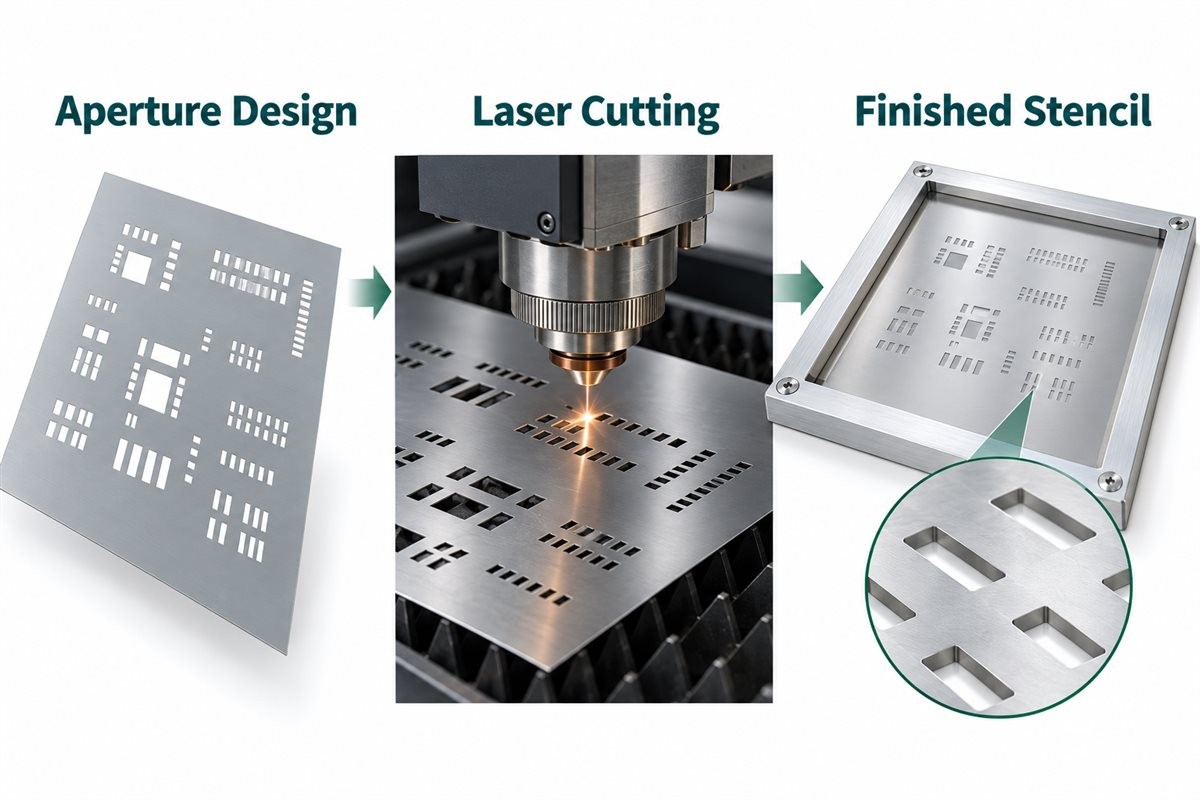
- Laser-cut the aperture pattern. Form the openings according to the released data.
- Complete the specified finishing. Apply only the approved treatments and account for their effects on final dimensions.
- Inspect and identify the stencil. Verify the drawing requirements, mark the revision and side, and protect the finished tool.
The exact order of step-region processing and aperture cutting depends on the supplier’s manufacturing route.
A step stencil needs a thickness map as well as an aperture pattern. The drawing should make the reference thickness, local thicknesses, transition locations, and relevant surfaces clear.
Record changes made during engineering review. An undocumented aperture modification can complicate later troubleshooting when the stencil differs from the original paste layer.
How Do You Select Stencil Material and Manufacturing Method?
Select PCB stencil material and processing requirements around the smallest apertures, expected production use, and printing conditions.
Stainless steel is a common choice for SMT stencil foil. Its exact grade, thickness consistency, and surface condition should be specified where they affect the application. For a step stencil, the supplier must also control the local thicknesses and their transitions.
| Material or Process Item | Main Characteristic | Selection Consideration |
|---|---|---|
| Stainless-steel foil | Provides the metal sheet through which paste is printed | Thickness consistency, flatness, durability, and cleaning compatibility |
| Fine-grain stainless-steel foil | Uses a controlled foil structure for precision processing | Small-feature requirements and demonstrated printing performance |
| Precision laser cutting | Produces the approved aperture pattern | Opening dimensions, positional accuracy, and aperture-wall condition |
| Electropolishing, when specified | Treats the cut surfaces after aperture production | Effect on final dimensions, wall condition, and paste release |
| Surface coating, when specified | Modifies surface behavior to support the printing process | Paste compatibility, cleaning instructions, and maintenance |
| Step-region processing | Creates locally thicker or thinner printing regions | Thickness map, transition geometry, and supplier capability |
Confirm the finished aperture requirements rather than relying on the phrase “laser-cut.” The cutting process, finishing treatment, and inspection together determine whether the stencil meets the approved drawing.
Any treatment that removes or adds material can affect the final opening. The supplier should account for this when producing the required dimensions.
For repeated production, retain the approved foil and process specification. A change in material, finishing, or coating should receive an appropriate review before it becomes the reference for future orders.
How Do You Choose the Right Stencil Thickness?
Choose PCB stencil thickness by balancing the paste requirements of the largest joints against release from the smallest apertures.
The component manufacturer’s assembly guidance provides an important starting point. Then evaluate the actual pad design, aperture pattern, solder paste, and printing equipment.
Component pitch alone is insufficient. Two packages with the same pitch may have different terminal dimensions, exposed pads, or recommended paste deposits.
Useful thickness checks include:
- Whether the smallest openings can release paste consistently.
- Whether larger joints receive sufficient paste.
- Whether thermal-pad deposits need segmentation.
- Whether through-hole reflow features need additional solder.
- Whether a stepped region can resolve a local conflict.
A change from 100 µm to 150 µm increases the geometric volume of an unchanged aperture by 50%. It also increases the aperture-wall area, which can make release more demanding.
Use actual dimensions in calculations. One mil equals 25.4 µm, so 100 µm is approximately 3.94 mil and 150 µm is approximately 5.91 mil.
Treat foil thickness as one part of the deposit design. Enlarging an aperture, changing its shape, or dividing a large opening can alter the result without changing the entire foil.
When Should You Use a Step Stencil?
Use a step stencil when different board regions need different foil thicknesses to achieve suitable paste deposits in one printing operation.
A step-up region is locally thicker than the reference foil. A step-down region is locally thinner. These regions allow the stencil design to address different solder-volume and release requirements on the same board.
A board containing fine-feature ICs and larger connector joints is a useful candidate for review. The fine features may benefit from a thinner region, while selected larger joints may require more paste.
The following examples illustrate thickness relationships rather than prescribing a production setup.
| Parameter | Thickness or Dimensions | Calculated Result |
|---|---|---|
| Reference foil | 100 µm | Approximately 3.94 mil |
| Step-up region | 100 → 150 µm | 50% greater geometric volume at unchanged aperture area |
| Step-down region | 120 → 80 µm | 33.3% lower geometric volume at unchanged aperture area |
| Step height | 150 − 100 µm | 50 µm, approximately 1.97 mil |
| Example aperture | 0.30 × 0.60 mm | Area: 0.18 mm² |
| Example geometric volume | 100 / 150 µm foil | 0.018 / 0.027 mm³ |
Step-edge clearance must suit the manufacturing method and printing setup. Confirm the required distance between the thickness transition and nearby apertures with the stencil supplier rather than applying one value to every design.
Also specify which foil surface carries the thickness change. A transition on the squeegee side affects blade contact; geometry on the board side affects local contact and gasketing.
Place boundaries in suitable gaps between aperture groups where possible. Review squeegee travel, cleaning access, and the support beneath the board.
At EBest Circuit, we offer step-up and step-down SMT stencils for assemblies with different local paste-volume requirements. Send us the thickness map, aperture data, and printer format; if the thickness map is still being developed, identify the component locations that need different deposits.
Illustrative Design Example: Fine Features and Larger Connector Joints
The following example uses assumed aperture dimensions to compare two stencil thicknesses. A board combines 0.20 × 0.40 mm openings for small terminals with 0.30 × 0.60 mm openings for larger joints. A candidate stencil uses a 100 µm reference foil for the small openings and a 150 µm local region for the larger openings.
The thinner region favors release from the small openings, while the thicker region provides 0.027 mm³ of geometric volume at each larger opening. The area-ratio calculations in the following design sections explain this trade-off. Confirm the candidate against component recommendations, available step clearances, and trial-print and reflow results.
How Are Stencil Apertures Designed for Different Components?
PCB stencil design starts with the connection being formed rather than one reduction percentage applied across the board.
Chip resistors and capacitors
Review the paste balance between the two terminations. Differences in deposits, pad geometry, placement, or heating can influence movement during reflow.
Check both the intended paste volume and the consistency between the paired deposits. A balanced stencil pattern supports a controlled assembly process, while the final result still depends on placement and thermal behavior.
Fine-pitch leaded ICs
Control deposit separation and release. Aperture width, corner geometry, foil thickness, and alignment all contribute to a usable process window.
Confirm that the printed deposits remain separated and align with the intended pads. Narrowing an opening can reduce paste volume but also make release more demanding.
QFN and other bottom-terminated packages
Review perimeter terminals and the exposed pad separately. A large thermal pad often uses several smaller openings rather than one unrestricted opening.
The segmented pattern controls the amount and distribution of paste. Follow the specific component’s assembly recommendations and verify the reflowed result rather than using one coverage percentage for every package.
Large connectors and shield features
Confirm whether the standard thickness provides sufficient solder. Options may include adjusted apertures, a local step-up, or another approved solder-volume method.
Pin-in-paste features
Calculate the solder requirement from the hole, lead, board thickness, and required joint geometry. The printed paste volume must account for the metal volume remaining after reflow.
For every package, distinguish paste coverage area, printed paste volume, and final solder coverage. These are related quantities, but they are not interchangeable acceptance measures.
How Do Area Ratio and Paste Volume Affect Stencil Design?
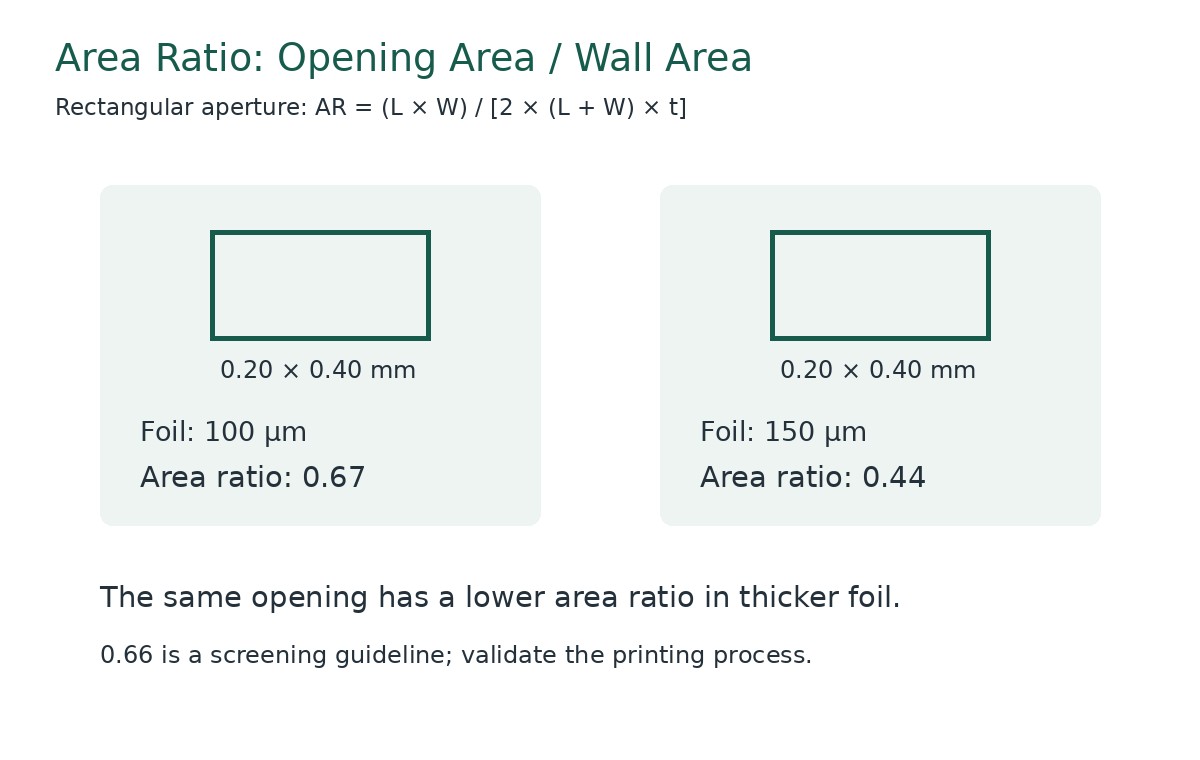
Area ratio compares an aperture’s opening area with its internal wall area. It helps screen the likelihood of successful paste release.
For a rectangular aperture:
Area ratio = L × W ÷ [2 × (L + W) × t]
For a circular aperture:
Area ratio = D ÷ (4 × t)
Here, L is aperture length, W is width, D is diameter, and t is foil thickness. Use consistent units throughout.
An area ratio of approximately 0.66 or greater is a commonly used starting guideline. Actual performance remains dependent on the stencil, paste, and printing process.
Consider a rectangular opening measuring 0.20 × 0.40 mm:
- With a 0.10 mm foil, area ratio = 0.08 ÷ 0.12 ≈ 0.67.
- With a 0.15 mm foil, area ratio = 0.08 ÷ 0.18 ≈ 0.44.
For the larger 0.30 × 0.60 mm opening in the step-stencil example, a 0.15 mm foil gives an area ratio of 0.18 ÷ [2 × 0.90 × 0.15] ≈ 0.67. Together, these calculations explain why using different local thicknesses may suit the two aperture groups.
Geometric aperture volume = opening area × foil thickness.
For the same opening in a 0.10 mm foil:
Volume = 0.20 × 0.40 × 0.10 = 0.008 mm³.
If a measured deposit is 0.0072 mm³, the calculated transfer efficiency is:
Transfer efficiency = 0.0072 ÷ 0.008 × 100% = 90%.
This is an illustrative calculation, not a universal acceptance target. Establish process limits using the component requirements, measurement system, and validated assembly results.
Powder size also needs review against the smallest opening. A satisfactory area ratio does not independently confirm that the selected paste will print reliably.
How Do You Inspect and Validate a Finished Stencil?
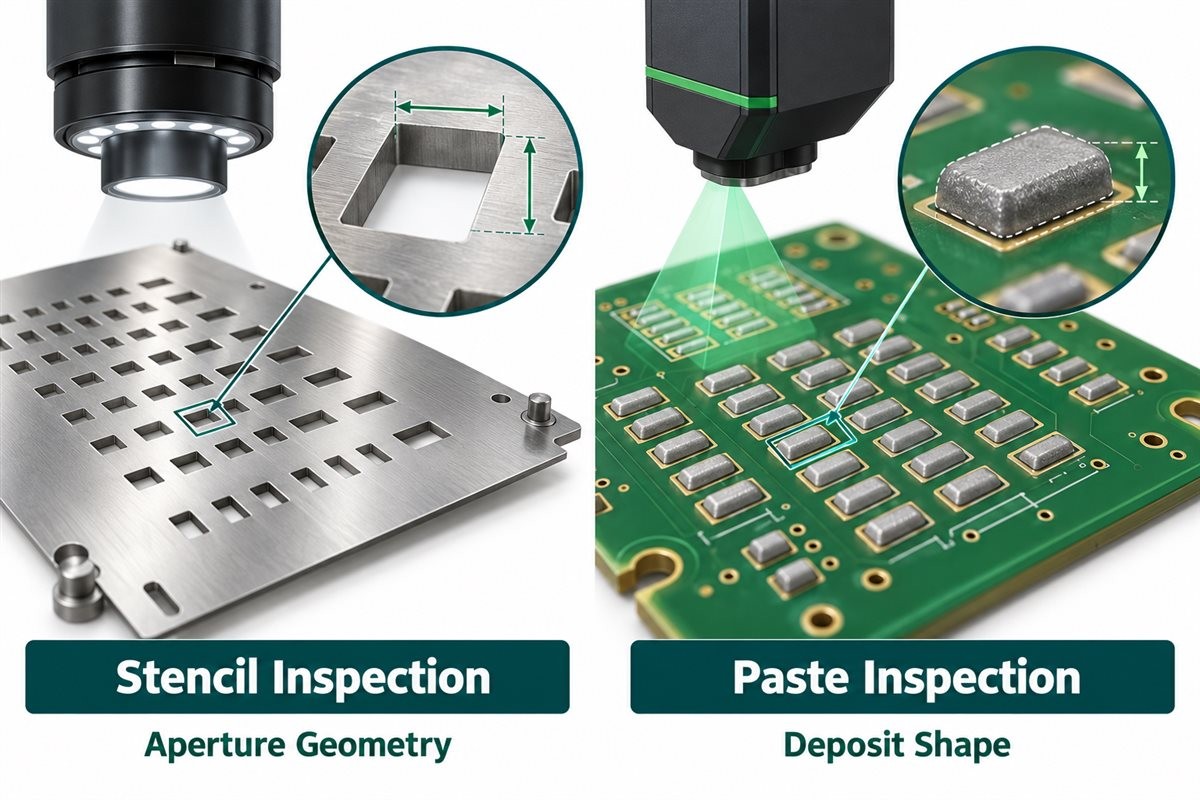
Inspect the tool first, then validate the printed deposits. Dimensional conformity and printing performance answer different questions.
| Inspection Item | What to Measure or Inspect | Unit or Record | Acceptance Basis |
|---|---|---|---|
| Foil thickness | Reference and local thickness | µm | Approved drawing and agreed tolerance |
| Step geometry | Local thickness, transition, and boundary position | µm and mm | Approved thickness map |
| Aperture dimensions | Length, width, diameter, and shape | µm or mm | Released aperture data |
| Aperture position | Registration to image references | µm or mm | Agreed positional requirements |
| Aperture condition | Burrs, blockage, debris, and visible wall defects | Inspection record | Supplier and customer criteria |
| Mounting condition | Frame, foil installation, and tension where applicable | Dimensions and specified tension units | Printer-system requirements |
| Printed paste | Volume, height, area, and offset | mm³, µm, mm², or defined percentage | Qualified printing limits |
| Reflowed assembly | Relevant joint and component outcomes | Inspection and test records | Product acceptance requirements |
Do not confuse inspection resolution with manufacturing tolerance. A measurement system’s displayed increment does not establish the supplier’s cutting accuracy.
During trial printing, use representative boards, the intended paste, and realistic support. Include fine features, large deposits, and apertures near step transitions.
Check repeatability over several prints rather than accepting a stencil from one favorable deposit. Review the reflowed result as well, particularly where paste-volume changes were introduced.
How Should You Clean and Store a PCB Stencil?
Use a cleaning process compatible with the solder paste, foil, frame, and any surface treatment.
Clean blocked apertures and underside contamination before they affect subsequent deposits. The cleaning interval should reflect observed process behavior and the approved production procedure.
For stepped stencils, inspect transition regions for retained material. Follow the supplier’s handling guidance to preserve the local thickness structure and surface condition.
Protect the foil from bending, dents, and hard-tool damage. Mechanical damage can change board contact or aperture geometry even when the stencil appears usable.
After cleaning, confirm that the stencil is dry and free of material that could transfer to the next board. Store it in a protective arrangement suited to its frame or mounting system.
Maintain identification for the board number, revision, side, and panel. Where a stencil has been modified or replaced, update its production status so an earlier version cannot be selected accidentally.
FAQs About PCB Assembly Stencils
Q1: Can a stencil be revised after the PCB layout changes?
A1: Revision feasibility depends on the existing foil and changed features, so the stencil supplier should assess whether modification or replacement is appropriate.
Q2: Can fiducials be half-etched instead of cut through?
A2: Fiducial construction depends on the printer’s recognition requirements and should be specified with the stencil supplier.
Q3: Does a thicker stencil produce stronger solder joints?
A3: Joint performance depends on suitable solder volume and the complete assembly process rather than foil thickness alone.
Q4: Can one stencil contain both step-up and step-down regions?
A4: Yes, when the manufacturing method, layout clearances, and printing process support the combined thickness structure.
Q5: Is a stainless-steel squeegee required for every stencil?
A5: Squeegee selection depends on the stencil geometry, paste, and printer process, particularly when thickness transitions are present.
Q6: Can a local rework stencil replace a full-board production stencil?
A6: A local stencil serves a selected repair area, while full-board printing requires a tool and setup matched to the complete assembly.
Q7: Does a frameless stencil always have lower printing accuracy?
A7: Printing performance depends on the compatible tensioning system, installation, stencil condition, and process setup.
How Can EBest Circuit Support Your SMT Stencil Project?
At EBest Circuit, we supply laser-cut SMT stencils in framed and frameless formats, with step-up and step-down options for assemblies that need different local foil thicknesses. The SMT stencil service page describes these options. The required thickness map, aperture geometry, and printing format should be confirmed for the individual order.
For a complete build, we also offer PCB assembly services, including component sourcing, SMT assembly, solder paste inspection, and project-defined inspection and testing. Discuss the stencil and assembly requirements together so that the tool specification and production files refer to the same board revision.
What to send for review and quotation:
- Released manufacturing data: Top and/or bottom paste layers, board or panel outline, revision, and quantities.
- Assembly context: BOM, assembly drawing, and component recommendations for critical packages.
- Printing requirements: Frame or tensioning format, image position, fiducials, and intended solder paste.
- Thickness requirements: Reference foil thickness and proposed step regions, or the component locations that need evaluation.
- Acceptance requirements: Requested dimensional tolerances, inspection records, and trial-build criteria.
If you are troubleshooting an existing process, include the current stencil drawing, representative SPI results, and defect locations. These inputs help distinguish a possible aperture or thickness issue from alignment, board support, paste handling, or reflow conditions.
Send your files to sales@bestpcbs.com and state whether you need a standalone stencil or PCB assembly support. Ask us to confirm the proposed stencil configuration, manufacturing scope, inspection requirements, and delivery schedule before release.