PCB manufacturing PCB manufacturing
Home > Blog

What Is Lead Free Solder Material? A PCB Assembly Guide

September 3rd, 2026

Lead free solder material is a tin-based alloy used to create electrical and mechanical connections without intentionally adding lead. Common PCB assembly choices include SAC305, tin-copper alloys, low-silver SAC alloys, and low-temperature tin-bismuth alloys. They differ in composition, melting behavior, wetting, mechanical response, process temperature, and cost.

For PCB buyers, ā€œlead freeā€ alone is not a complete solder specification. The alloy should match the assembly method, component temperature limits, PCB surface finish, reliability target, and regulatory requirements.

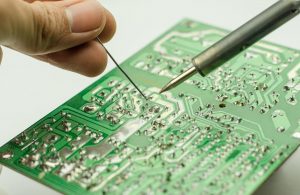
Lead free solder material used in PCB assembly, including solder wire, paste and bar

What Is Lead Free Solder Material?

Lead free solder material is a solder alloy in which lead is not intentionally used as the primary alloying element and which meets the applicable lead-content requirement for the product. Most electronic lead-free solders use tin as the base metal, combined with silver, copper, bismuth, nickel, or other elements.

A common example is SAC305, which contains approximately 96.5% tin, 3.0% silver, and 0.5% copper.

Lead-free solder can be used for:

  • SMT reflow soldering
  • Wave soldering
  • Selective soldering
  • Hand soldering and rework
  • BGA and other area-array interconnections

ā€œLead freeā€ does not describe one fixed alloy. Different lead-free solder materials can have very different melting temperatures and process behavior.

What Is Lead Free Solder Made Of?

Most lead-free electronic solders are based on tin, with smaller amounts of other metals added to adjust melting temperature, strength, wetting, intermetallic formation, or solder-pot behavior.

  • Tin (Sn) is normally the base metal.
  • Silver (Ag) influences strength and SAC solder-joint microstructure. Higher silver content also increases material cost.
  • Copper (Cu) affects intermetallic formation and solder-pot behavior.
  • Bismuth (Bi) lowers melting temperature and is widely used in low-temperature solder systems.
  • Nickel (Ni) may be added in small amounts to modify intermetallic behavior in some SnCu alloys.
  • Germanium (Ge) and similar micro-alloy additions may help control oxidation and dross.

The required alloying elements depend on the soldering process and reliability target rather than on one metal being universally better than another.

What Are the Composition Percentages of Common Lead-Free Solder Alloys?

Lead free solder material composition varies by process and reliability target, with SAC305 serving as the most familiar reference.

Comparison of common lead-free solder compositions including SAC305, SAC405, SnCu and SnBi
Lead-Free Alloy Typical Composition by Weight Melting Behavior Typical Application
SAC305 Sn 96.5%, Ag 3.0%, Cu 0.5% 217–220°C General SMT and reflow
SAC405 Sn 95.5%, Ag 4.0%, Cu 0.5% 217–225°C Higher-silver SAC applications
Sn99.3Cu0.7 Sn 99.3%, Cu 0.7% About 227°C Wave soldering and cost-sensitive production
Sn42Bi58 Sn 42%, Bi 58% About 138°C Low-temperature assembly
Low-Ag SAC Sn-based with reduced Ag and Cu Alloy dependent Cost-sensitive and application-specific assembly

For procurement, specify the exact alloy designation when the solder composition is controlled by the drawing, qualification plan, or customer specification.

What Is the Melting Point of Lead-Free Solder?

Lead-free solder does not have one fixed melting point. The temperature depends on the alloy composition.

Typical values include:

  • SAC305: approximately 217–220°C
  • SAC405: approximately 217–225°C
  • Sn99.3Cu0.7: approximately 227°C
  • Sn42Bi58: approximately 138°C
  • Sn63Pb37, for comparison: 183°C
Lead-free solder melting point comparison chart

Melting temperature, soldering-iron temperature, and reflow peak temperature should not be confused.

SAC305 becomes fully liquid around 220°C, but a production reflow process typically peaks around 240–250°C, depending on solder paste specifications, PCB thermal mass, component limits, and required time above liquidus.

For heat-sensitive connectors, LEDs, flex circuits, plastics, batteries, or temperature-sensitive components, the thermal limit should be reviewed before selecting the solder alloy.

What Material Properties Matter in Lead-Free Solder?

The most relevant solder properties are those that affect manufacturability and long-term joint performance.

  • Wetting behavior: affects solder spread, fillet formation, hole fill, and process margin.
  • Mechanical strength: matters where solder joints experience vibration, shock, or handling loads.
  • Ductility and creep: affect how the joint responds to sustained mechanical and thermal strain.
  • Thermal-fatigue behavior: matters in applications exposed to repeated temperature cycling.
  • Intermetallic formation: affects the interface between solder and copper or component finishes.
  • Electrical and thermal properties: matter in current-carrying and thermally demanding joints.
  • Oxidation and dross behavior: are especially relevant in wave and selective soldering.

These properties should be evaluated against the actual component package and operating environment.

How Does Lead-Free Solder Compare With Lead Solder?

A useful electronics comparison is leaded vs lead free solder, especially SAC305 versus traditional Sn63Pb37.

Factor SAC305 Lead-Free Sn63Pb37 Leaded
Nominal composition Sn96.5Ag3.0Cu0.5 Sn63Pb37
Melting behavior 217–220°C 183°C
Process temperature Higher Lower
Wetting behavior Generally less forgiving Generally easier
Joint appearance Often duller Typically brighter
Regulatory use Common in RoHS-compliant products Restricted unless exempt
Current electronics use Mainstream Legacy and specialized applications

The higher thermal exposure of SAC305 can affect laminate durability, component moisture sensitivity, connector plastics, warpage, and overall process margin.

When converting an older SnPb assembly to lead-free production, the PCB and component set should be checked for lead-free reflow compatibility.

Is Lead Free Solder Really Lead Free?

ā€œLead freeā€ does not necessarily mean that laboratory analysis must detect exactly 0.000% lead.

Under EU RoHS, the general maximum concentration value for lead is 0.1% by weight in a homogeneous material, unless a relevant exemption applies.

This matters when reviewing:

  • alloy certificates
  • RoHS declarations
  • recycled solder
  • mixed-process production
  • legacy components
  • contaminated solder pots

A purchase order should state the required compliance standard rather than relying only on the phrase ā€œlead-free solder.ā€

What Forms Does Lead-Free Solder Come In?

The alloy and the product form are separate specifications.

Lead-free solder forms including paste, wire, bar, spheres, preforms and powder
Solder Form Typical Use
Lead-free solder paste SMT stencil printing and reflow
Lead-free solder wire Hand soldering and rework
Lead-free solder bar Wave and selective soldering
Solder spheres BGA and CSP packages
Solder preforms Controlled solder-volume applications
Solder powder Main metallic constituent of solder paste

Lead-free solder paste is not simply another name for lead-free solder alloy. Paste combines solder powder with flux and other constituents needed for printing and reflow.

For soldering wire material, buyers may also need to specify wire diameter, flux type, flux percentage, and alloy.

For solder bar, solder-pot volume, dross generation, copper dissolution, contamination control, and alloy cost become more important.

Which Lead-Free Solder Material Is Best for PCB Assembly?

There is no single best alloy for every assembly. SAC305 is a common starting point, but the soldering method and thermal constraints should drive selection.

Lead-free solder selection guide for SMT, wave soldering, heat-sensitive assembly, rework and thermal cycling
Assembly Requirement Typical Starting Point Reason
General SMT reflow SAC305 Mature and widely supported process
Mixed SMT and through-hole PCBA SAC305 or compatible SAC system Easier alloy consistency
High-volume wave soldering SnCu or low-Ag alloy Lower silver cost
Heat-sensitive assembly SnBi-based alloy Lower process temperature
Hand soldering and rework SAC or SnCu flux-cored wire Practical manual application
Severe thermal cycling Application-qualified alloy Reliability must be validated
Legacy SnPb conversion Process review required Components and PCB may not tolerate lead-free conditions

Low-temperature SnBi alloys can reduce thermal exposure, but mechanical requirements, alloy mixing, and rework conditions still need review.

At EBest Circuit, PCBA quotation and process review are easier when customers provide the BOM, PCB files, required solder alloy, compliance requirement, temperature limits, assembly method, and expected production volume.

What Standards Apply to Lead-Free Solder Materials?

Different standards apply to solder alloys, paste, flux, workmanship, and substance restrictions.

Standard / Regulation Main Relevance
IPC J-STD-006 Electronic-grade solder alloys and solid solders
IPC J-STD-005 Solder paste requirements
IPC J-STD-004 Soldering flux classification and requirements
IPC J-STD-001 Requirements for soldered electronic assemblies
EU RoHS Restrictions on lead and other regulated substances

RoHS compliance does not replace workmanship or process-control requirements.

The required standard revision should also be checked against the drawing, customer specification, or contract rather than assumed automatically.

What Reliability Issues Should Engineers Consider With Lead-Free Solder?

Lead-free solder reliability depends on the alloy, package, PCB construction, operating environment, and dominant failure mechanism.

Key issues include:

  • Thermal cycling: repeated CTE mismatch strains solder joints.
  • Intermetallic growth: interface layers continue to evolve during thermal exposure.
  • Copper dissolution: relevant in prolonged wave and selective soldering.
  • Voiding: important under QFNs, BTCs, power packages, and thermal pads.
  • Drop and vibration loading: relevant to portable and mechanically stressed products.
  • High operating temperature: increases the importance of creep and microstructural evolution.
  • Mixed alloys: can change local composition, melting behavior, microstructure, and compliance status.

For reliability-sensitive projects, provide the expected operating temperature range, thermal-cycle requirement, vibration or drop conditions, major package types, board thickness, surface finish, and target product life.

What Are Acceleration Factors for Lead-Free Solder Materials?

Acceleration factors for lead free solder materials estimate how much faster solder-joint damage accumulates during an accelerated reliability test than under expected field conditions.

For thermal cycling, the result can be influenced by:

  • temperature range
  • maximum and minimum temperature
  • dwell time
  • ramp rate
  • cycle frequency
  • PCB and package geometry
  • CTE mismatch
  • solder-joint dimensions
  • alloy creep and fatigue behavior

Coffin-Manson- and Norris-Landzberg-type models may be used for thermal-fatigue analysis, but the model assumptions and parameters should match the actual assembly.

Acceleration factors developed for SnPb joints or for one package type should not be transferred directly to another lead-free assembly without validation.

FAQs About Lead Free Solder Material

What is the most common lead-free solder for PCB assembly?

SAC305 is one of the most widely used general-purpose lead-free alloys. Its nominal composition is Sn96.5Ag3.0Cu0.5, with a melting range of approximately 217–220°C.

Is 60/40 solder lead free?

No. Traditional 60/40 solder contains approximately 60% tin and 40% lead.

Why does lead-free solder require a higher soldering temperature?

Common SAC and SnCu alloys melt at higher temperatures than Sn63Pb37. SAC305 melts around 217–220°C, compared with 183°C for Sn63Pb37.

Does lead-free solder need flux?

Yes. Flux helps remove surface oxides and improves solder wetting. The flux chemistry should match the soldering process and cleanliness requirements.

Can leaded and lead-free solder be mixed?

They can physically mix, but uncontrolled mixing can alter alloy composition, melting behavior, microstructure, process consistency, and regulatory compliance.

Is SAC305 suitable for wave soldering?

Yes. SAC305 can be used for wave soldering, although SnCu or lower-silver alloys may be considered for high-volume production where solder-pot cost matters.

Should a PCB drawing specify the exact solder alloy?

Yes, when the alloy is part of the approved process or reliability qualification. Otherwise, specify the required lead-free or RoHS status and applicable assembly standard.

How Can EBest Circuit Support Lead-Free PCB Assembly?

Lead-free solder selection should match the PCB assembly process, component temperature limits, reliability requirements, and compliance target. SAC305 is suitable for many assemblies, while SnCu, low-silver SAC, and SnBi alloys serve more specific process needs.

For a PCBA quotation, send your Gerber files, BOM, assembly drawings, production volume, required solder alloy, RoHS requirement, and any temperature or reliability constraints to EBest Circuit at sales@bestpcbs.com.

You may also like

SiC Packages: How Package Choice Changes PCB Design

September 3rd, 2026

SiC packages do more than protect a silicon-carbide die. The selected package establishes the electrical terminals, internal interconnects, thermal path, mounting method, insulation features, and physical interface to the PCB or bus structure. Those details directly affect switching overshoot, EMI, heat removal, board area, assembly, and inspection.

This guide focuses on power-semiconductor packaging for SiC MOSFETs, Schottky diodes, and power modules. It explains how to compare common package families and translate the device choice into PCB, PCBA, cooling, and mechanical requirements.

SiC Packages including discrete devices, a power module, and a power PCB

What Are SiC Packages?

A SiC package is the mechanical, electrical, and thermal structure that connects a silicon-carbide power die to the rest of the system. It may contain one device, several parallel dies, a half bridge, a three-phase bridge, temperature sensing, or other integrated functions.

The package is not the same as the semiconductor technology. Two SiC MOSFETs with similar voltage and on-resistance ratings can behave differently in the same converter because their lead arrangement, Kelvin connection, internal inductance, exposed thermal surface, insulation, and recommended layout are different.

Before creating a footprint, use the full manufacturer part number and its current datasheet. A family name such as TO-247, TOLL, or a module platform does not guarantee identical pinout, dimensions, creepage features, pad layout, mounting method, or thermal limits across suppliers.

Why Does SiC Package Choice Matter?

Package choice matters because SiC devices can switch with fast voltage and current edges. The package and PCB together form parasitic inductances and capacitances that may limit usable switching speed or create overshoot, ringing, false turn-on, common-mode current, and measurement error.

  • Electrical path: lead length, terminal geometry, internal bonds, and bus overlap affect loop inductance.
  • Gate control: a dedicated Kelvin-source terminal can separate the driver return from load current.
  • Thermal path: heat may leave through a rear tab, a bottom pad, an insulated baseplate, or a top-side cooling surface.
  • Assembly: the package may require through-hole soldering, reflow, press-fit connections, screw terminals, or controlled mounting pressure.
  • Insulation: terminal spacing, exposed metal, isolation material, slots, coating, and the surrounding mechanics all influence the final insulation design.
  • Service strategy: a module can simplify replacement at system level, while a dense SMD solution may reduce size but require more specialized rework.

Which SiC Package Types Are Used in Power Electronics?

Current SiC portfolios span through-hole discretes, surface-mount discretes, top-side-cooled packages, and multi-die power modules. Availability depends on device generation, voltage, current, qualification, and manufacturer, so the list below is a design map rather than a universal catalog.

Package family Board interface Main design consequence
TO-247-3 Through-hole, three main leads, rear thermal tab Familiar mounting, but the shared source path can add gate-loop feedback
TO-247-4 Through-hole with a dedicated Kelvin-source lead Separates driver return from power-source current when routed correctly
TO-263 / D2PAK variants Surface mount with a large bottom-side pad Compact assembly; solder joint, copper spreading, and board thermal path are critical
TOLL / Thin-TOLL Low-profile leadless surface mount Short electrical paths and small area, with tight land-pattern and reflow control
TOLT / other top-side-cooled SMD Surface mount plus a top thermal interface Moves most heat toward a top heat sink and reduces dependence on PCB heat flow
Insulated power module Pins, press-fit contacts, or terminals plus a baseplate/top cooling surface Integrates multiple dies but adds bus, mounting, flatness, torque, and interface requirements

TO package labels describe a mechanical family, not the complete electrical behavior. Compare the exact package drawing, pin assignment, isolation construction, thermal impedance, stray inductance data, land pattern, and mounting note for the selected orderable part.

SiC MOSFET Packages

SiC MOSFET packages are often compared by voltage and current rating first, but the board should be planned around four additional questions: where the switching current flows, where the gate current returns, where the heat exits, and how the part is assembled.

A three-lead through-hole package can be practical for established mechanical designs and lower-density production. A four-lead version provides a Kelvin-source connection, but only delivers its intended benefit when the gate driver returns to that dedicated terminal instead of sharing the high-current source route. Surface-mount packages shorten connections and support automated placement, yet exposed-pad soldering and heat spreading become part of the PCB design.

Do not copy a silicon MOSFET footprint or gate network solely because the outline looks familiar. Faster SiC switching can expose inductance, coupling, probe-access, and insulation weaknesses that were acceptable in the earlier design.

How Do SiC Power Modules Differ from Discrete Packages?

SiC power modules place multiple power dies and internal interconnects in one package, often on an insulated ceramic-metal substrate. A module can reduce the number of separate power packages and offer a compact bridge structure, but it does not remove the need for low-inductance external connections, controlled cooling, and coordinated mechanical design.

Comparison of a discrete SiC package and a SiC power module
Decision area Discrete packages Power modules
Power-stage flexibility Individual devices can be arranged for the required topology Topology and internal connections are partly fixed by the module
External interconnect PCB copper commonly carries power and gate connections PCB, busbar, terminals, or press-fit structures may share the interconnect task
Cooling Managed per device through tab, bottom pad, or top surface Managed through a larger insulated baseplate or top cooling interface
Assembly THT or reflow processes; more individual placements Fewer power placements, but tighter mounting, flatness, and torque control
Repair approach A single device may be replaceable, depending on layout and damage The module is normally treated as one replaceable unit

For a new sic power module design, freeze the electrical topology and the cooling/mechanical stack together. Selecting a module after the PCB outline is fixed often creates long bus paths, obstructed driver placement, or an impractical heat-sink interface.

What Does SiC Power Module Packaging Need from the PCB?

SiC power module packaging needs a PCB and mechanical assembly that respect the module’s terminal map, isolation boundary, cooling surface, and mounting sequence. The control PCB may carry gate-drive and sensing connections while a busbar or separate copper structure carries the main current.

  • Keep gate-driver connections short and matched where parallel switches or bridge legs require symmetry.
  • Place local DC-link capacitors so their current loop to the module terminals is physically compact.
  • Do not route sensitive sensing lines beside high-dv/dt nodes or through the high-current return path.
  • Include tolerance for terminal position, press-fit holes, connector engagement, mounting holes, and heat-sink flatness.
  • Define torque, mounting order, thermal-interface material, and allowable mechanical stress from the module supplier’s instructions.
  • Provide safe probe access for gate voltage, switch-node behavior, current measurement, and temperature validation.

Some modules expose an electrically insulated cooling surface; others require additional insulation. Never infer isolation from appearance. Use the exact module documentation and the end-product safety standard.

How Does a Kelvin Source Change the PCB Layout?

A Kelvin-source pin gives the gate driver a dedicated reference closer to the semiconductor source potential. It reduces the unwanted voltage in the gate loop caused by load-current di/dt through a shared source inductance.

SiC MOSFET PCB layout with separate gate loop, Kelvin source, and power loop

The PCB must preserve that separation:

  • Return the driver’s source/reference connection directly to the Kelvin-source terminal.
  • Carry load current through the main source terminal and its wider power path.
  • Place the driver, local isolated supply decoupling, and gate resistor close to the MOSFET.
  • Avoid overlapping the gate path with drain or switch-node copper where capacitive coupling can inject noise.
  • When devices are paralleled, review gate-path symmetry and the manufacturer’s recommended gate-resistor arrangement.

A Kelvin terminal is not a license to lengthen the gate loop. Package inductance, via transitions, connector inductance, and the external return geometry still affect switching behavior.

How Should the Commutation and Gate Loops Be Routed?

Route the commutation loop and gate loop as two deliberately controlled structures. The high-current loop should be short and use closely coupled outgoing and return conductors. The gate loop should be compact, protected from the switch node, and referenced to the correct source terminal.

  1. Place the local DC-link capacitor first. Put it across the switching cell before routing peripheral power paths.
  2. Minimize loop area. Use overlapping planes or closely spaced conductors where voltage and insulation constraints allow.
  3. Keep switch-node copper purposeful. It must carry current and spread heat, but excess area can increase capacitive coupling.
  4. Place the driver next to the device. Long control traces add inductance and make the gate more vulnerable to noise.
  5. Separate sensing from power current. Current shunts, desaturation protection, temperature sensing, and voltage dividers need controlled reference paths.
  6. Design measurement access. Probe loops and long ground leads can misrepresent fast waveforms; plan low-inductance test connections.

For systems above basic low-voltage logic levels, package spacing is only one part of the insulation path. Our high-voltage PCB design guide explains why working voltage, transients, pollution degree, altitude, material group, coating, slots, and nearby metalwork must be reviewed together.

How Do Top-Side and Bottom-Side Cooling Differ?

Top-side cooling sends heat directly from the package’s exposed upper surface to a heat sink or cold plate. Bottom-side cooling sends heat into a soldered pad and then through PCB copper, vias, an insulated metal substrate, or a lower heat spreader.

Top-side and bottom-side cooling paths for SiC surface-mount packages

Top-side cooling can reduce the PCB’s thermal burden and free the lower board surface for routing or insulation. It introduces mechanical questions about interface compression, heat-sink flatness, package-height tolerance, electrical isolation, and assembly sequence. Bottom-side cooling can be simpler mechanically, but board thermal resistance and solder-joint quality become more influential.

For bottom-side exposed pads, thermal vias may help move heat through the board. Their diameter, pitch, plating, fill/cap method, connection to inner copper, and effect on solder wicking must be designed as one thermal and assembly system. Thermal simulation should be correlated with measurements on the assembled unit under representative load and airflow.

What PCB and Assembly Details Should Be Checked?

Manufacturing review should begin before the device footprint is locked. High-current copper, large exposed pads, mixed thermal mass, isolation slots, and heat-sink hardware can create competing fabrication and assembly requirements.

  • Footprint source: use the current package drawing and recommended land pattern for the exact part number.
  • Copper construction: state finished copper, plated features, current paths, copper balance, and any heavy-copper transition.
  • Stencil design: divide large paste apertures where needed and define the target from package and process guidance.
  • Reflow and moisture handling: follow the component’s package-specific limits; do not apply a generic profile to every SiC device.
  • THT handling: control lead forming, insertion, solder fill, component standoff, heat-sink attachment, and mechanical load.
  • Module mechanics: document coplanarity, hole tolerance, fastener stack, torque, thermal interface, and assembly order.
  • Cleanliness and coating: confirm flux residues, coating keep-outs, coverage near high-voltage pins, and compatibility with the operating environment.

Heavy copper may support current distribution and spreading, but it also changes etching, resin fill, drilling, plating, solder mask, and reflow behavior. Review our 4-layer heavy copper PCB article when the power stage uses thick copper rather than a separate bus structure.

How Should SiC Package Assembly Be Inspected?

Inspection must match the joint and package. AOI can check visible leads, polarity, placement, and surface solder. It cannot fully assess a hidden exposed-pad joint, internal voiding, or an obscured module interface.

X-ray inspection of solder beneath a high-power SiC package on a PCB assembly
  • Use AOI or visual inspection for visible terminals, alignment, solder bridges, polarity, and component damage.
  • Use X-ray where the critical solder interface is hidden and the acceptance plan requires it.
  • Inspect THT solder fill and lead condition according to the agreed workmanship criteria.
  • Verify module seating, fastener torque records, interface coverage, connector engagement, and isolation hardware.
  • Validate electrically with controlled power-up, gate-waveform checks, protection tests, temperature monitoring, and application-relevant load conditions.

X-ray inspection for PCB assembly is evidence about hidden joint geometry, not proof of complete electrical or thermal performance. Define what the image must detect and how the result will be judged before production.

Which SiC Package Fits the Application?

The best package is the one that satisfies the complete electrical, thermal, mechanical, assembly, safety, and sourcing case. A smaller outline is not automatically better, and a module is not automatically easier.

Project priority Package direction to evaluate Required confirmation
Familiar through-hole mechanics TO-247 family Kelvin option, lead spacing, heat-sink isolation, and solder process
Compact automated assembly D2PAK, TOLL, or related SMD family Land pattern, stencil, void control, board thermal path, and rework
Direct heat extraction above the PCB Top-side-cooled SMD package Interface material, compression, height tolerance, and electrical isolation
Integrated bridge at higher power SiC power module Bus layout, cooling plate, terminal system, driver placement, and mounting sequence
Fast switching with controlled gate reference Package with a Kelvin-source terminal Pinout, separate return routing, gate-loop geometry, and overshoot validation

Before release, provide the device orderable part number, datasheet revision, footprint source, schematic, Gerber or ODB++ data, stackup, copper requirements, BOM, assembly drawing, cooling stack, mechanical drawing, insulation requirements, applicable workmanship criteria, test plan, quantity, and target schedule. This package lets the PCB and assembly teams review the same physical system instead of making separate assumptions.

FAQ About SiC Packages

Are all four-lead SiC MOSFET packages Kelvin-source devices? No. Check the exact pin assignment in the datasheet. A fourth lead can support a Kelvin-source function, but package families and pin orders are not interchangeable.

Can a TO-247-4 device use a TO-247-3 PCB footprint? Do not assume so. The lead count, spacing, body dimensions, mounting geometry, and intended source routing may differ. Use the recommended footprint for the exact part.

Does a SiC power module eliminate PCB parasitic inductance? No. Internal module design can reduce some parasitics, but external bus, capacitor, gate-driver, sensing, and connector paths still contribute inductance and coupling.

Is top-side cooling always better than bottom-side cooling? No. It can shorten the heat path through the package, but it adds heat-sink, interface, tolerance, isolation, and assembly requirements. The better choice depends on the complete mechanical and thermal design.

Can solder-void limits be copied from another exposed-pad package? No. Use the device supplier’s mounting guidance, the agreed workmanship criteria, thermal model, and validated assembly process. Location and shape can matter as much as total void area.

Do faster SiC edges always improve converter performance? No. Faster switching may reduce switching loss, but can increase overshoot, ringing, EMI, common-mode current, and stress if the package and PCB loops are not controlled.

How Can EBest Circuit Support Your SiC Power PCB?

At EBest Circuit, we support PCB design review, prototyping, fabrication, component sourcing, PCB assembly, AOI, X-ray inspection, and functional-test coordination for power-electronics projects. For a SiC design, our review can connect the selected package to the footprint, stackup, copper distribution, thermal-via structure, insulation features, stencil strategy, assembly sequence, and inspection plan.

Send the exact SiC part numbers, Gerber files, BOM, stackup or current requirements, cooling and mechanical drawings, test requirements, and quantity to sales@bestpcbs.com. We will review the manufacturing package and identify PCB or assembly items that should be resolved before production. For reference during design release, keep this SiC packages guide with the approved component and mechanical documentation.

You may also like

Microcontroller vs Microprocessor: Differences, Examples, and PCB Design

September 3rd, 2026

The choice between a microcontroller vs microprocessor is not only a firmware decision. It changes the memory architecture, power tree, layer count, routing density, component count, thermal design, test plan, and long-term availability of the finished PCB assembly.

A microcontroller is usually the better fit for deterministic control, low power, compact hardware, and modest computing needs. A microprocessor is more suitable when the product needs a rich operating system, large external memory, intensive graphics, high data throughput, or complex application software. The right answer comes from the complete product requirement, not clock frequency alone.

Microcontroller vs Microprocessor comparison for embedded PCB design

What Is a Microcontroller?

A microcontroller is a self-contained embedded computing device optimized to monitor inputs, execute defined control logic, and drive outputs. Its on-chip resources may include flash, SRAM, GPIO, PWM, ADC, DAC, watchdogs, timers, CAN, UART, SPI, I²C, USB, Ethernet, and security blocks.

That integration makes an MCU practical for motor control, sensor nodes, battery products, appliances, instrumentation, safety monitors, industrial I/O, and many other dedicated functions. If your project is aimed at factory equipment, our guide to industrial microcontroller selection covers environmental and lifecycle considerations in more detail.

An MCU can run bare-metal firmware or a real-time operating system. It usually starts quickly and can enter deep low-power states, which is valuable when the system spends most of its time waiting for an event.

What Is a Microprocessor?

A microprocessor is a processing device intended for more flexible and computationally demanding systems. Many MPU designs use external DDR memory and flash or eMMC storage, plus a dedicated power-management IC. They commonly run Linux, Android, or another feature-rich operating system.

Typical applications include industrial human-machine interfaces, gateways, vision systems, edge computers, multimedia products, and networking equipment. The processor itself may be only one part of a much larger subsystem, which is why a microprocessor PCB requires close coordination between component selection, stackup, signal integrity, power integrity, thermal design, and software bring-up.

Microcontroller vs Microprocessor Difference

The central difference is integration. A microcontroller unit (MCU) normally combines a CPU core, program memory, RAM, timers, GPIO, communication interfaces, and often analog peripherals on one chip. A microprocessor unit (MPU) centers on a more capable processing subsystem and typically depends on external DDR memory, nonvolatile storage, power-management devices, and additional interface circuitry.

The following table summarizes the practical microcontroller vs microprocessor difference in details:

Decision factor Microcontroller Microprocessor
Memory Usually includes flash and SRAM on chip Usually uses external DDR and nonvolatile storage
Software Bare metal or RTOS Rich OS and larger application stack
Real-time response Direct and predictable for dedicated control May need a real-time extension or companion MCU
Power Low active and sleep power are common Higher power with multiple rails and sequencing
PCB complexity Lower component count and routing density DDR, storage, high-speed interfaces, and PMIC add complexity
Performance Optimized for control and peripheral handling Optimized for high-throughput and complex applications
System cost Often lower for focused functions Higher support-component and validation cost

How Does a Microcontroller vs Microprocessor Block Diagram Differ?

A microcontroller vs microprocessor block diagram makes the integration difference easy to see. The MCU places memory and many peripherals inside the same device boundary. The MPU board distributes those functions across the processor, DDR, boot storage, power management, clocks, and external interface devices.

Microcontroller and microprocessor architecture block diagram

The external MPU buses are not just logical connections. DDR timing, trace length, topology, reference planes, return paths, crosstalk, and power noise must all be controlled on the PCB. An MCU may still have fast USB, Ethernet, display, or memory interfaces, but the number of constrained nets is usually lower.

Microcontroller vs Microprocessor vs SoC

The phrase microcontroller vs microprocessor vs SoC can be confusing because SoC describes the level of system integration, not one fixed performance class. A system-on-chip may be built around an MCU-class core or an MPU-class core and may integrate graphics, accelerators, radios, security, memory controllers, or other functions.

Term Practical meaning PCB implication
MCU Control-oriented processor with memory and peripherals commonly integrated Compact support circuit and fewer external buses
MPU Application-oriented processor that commonly uses external memory and storage More rails, components, layers, and constrained routing
SoC A highly integrated system whose core can be MCU- or MPU-class Can reduce chip count, but package escape and power density may increase

Do not assume that an SoC automatically creates a simple PCB. A large BGA with DDR, PCIe, USB, Ethernet, MIPI, display, or RF interfaces can demand HDI features, controlled impedance, careful power distribution, and a more expensive assembly process.

Which Device Is Better for Real-Time Control and Low Power?

An MCU is usually the first choice when the product must wake quickly, respond predictably, measure analog signals, control actuators, and spend long periods in a low-power state. On-chip timers, interrupt controllers, ADCs, and PWM units reduce external latency and component count.

An MPU is appropriate when the application needs substantial compute performance, virtual memory, large storage, advanced networking, graphics, or a rich software ecosystem. However, a general-purpose operating system can introduce scheduling latency. Time-critical work may require a real-time configuration, hardware accelerator, or companion MCU.

Estimate energy at system level. A low-power processor can still sit on a high-consumption board if DDR, radios, displays, regulators, and peripherals remain active.

Microcontroller vs Microprocessor in IoT

For microcontroller and microprocessor in IoT, the deciding factors are usually workload, connectivity, security, update strategy, interface complexity, and power budget.

  • Use an MCU for small sensor nodes, periodic telemetry, simple protocol stacks, battery operation, and deterministic edge control.
  • Use an MPU for gateways, local databases, containers, computer vision, complex encryption workloads, multiple high-speed interfaces, or a full user interface.
  • Use both when a low-power MCU must continue monitoring or control while the MPU sleeps, boots, updates, or handles non-deterministic application tasks.
Microcontroller and microprocessor applications in an IoT system

Security architecture should be planned before layout. Secure boot, hardware roots of trust, key storage, debug access, update recovery, and external memory protection can affect device choice and PCB connections.

How Do PCB Requirements Change Between MCU and MPU Designs?

The PCB difference is often larger than the processor price difference suggests. A basic MCU board may use two or four layers, while an MPU with DDR and dense BGA escape may require additional signal and plane layers, controlled impedance, tighter fabrication tolerances, and more engineering validation.

MCU PCB and MPU PCB layout complexity comparison
  • Layer stackup: an MPU board may need dedicated reference planes and routing layers for DDR and multiple high-speed buses.
  • Power integrity: multiple low-voltage rails, sequencing, transient current, and dense decoupling require impedance-aware PDN design.
  • Signal integrity: DDR, USB, Ethernet, PCIe, MIPI, and display interfaces need controlled geometry and continuous return paths.
  • Thermal design: higher power density may require thermal vias, copper spreading, airflow, a heat spreader, or a heat sink.
  • Assembly: fine-pitch BGAs increase stencil, placement, reflow, X-ray, and rework requirements.
  • Bring-up: accessible test points, debug headers, boot straps, clocks, reset circuits, and rail measurements reduce diagnostic time.

Our overview of embedded PCB design explains how these electrical constraints connect to manufacturability. For prototypes, planning the stackup and BGA escape before component placement is safer than trying to fit the constraints after routing begins.

How Should You Choose Between an MCU and an MPU?

Start with measurable product requirements rather than a familiar device family. Create a short architecture worksheet covering:

  • required boot time and worst-case response time;
  • program, data, graphics, and storage capacity;
  • operating system and software dependencies;
  • analog, motor-control, communication, display, camera, and networking interfaces;
  • active, idle, and sleep power targets;
  • security, functional-safety, and update requirements;
  • ambient temperature, cooling, board size, and connector limits;
  • prototype volume, production forecast, lifecycle, and approved alternatives.

Then compare the complete BOM and board, not just the MCU or MPU unit price. Include external memory, PMICs, oscillators, regulators, level translators, termination parts, layer count, HDI needs, assembly complexity, test fixtures, software effort, and regulatory validation.

What Design Mistakes Cause the Most Trouble?

Many processor-board failures begin before routing. The most common problems are an incomplete power tree, reference-design copying without checking the chosen package, late stackup decisions, missing return paths, uncontrolled high-speed stubs, poor clock placement, and inadequate access for bring-up.

For an MPU design, lock the selected memory device, package, topology, stackup, and impedance rules together. For an MCU design, do not overlook analog grounding, sensor return currents, motor or relay noise, crystal layout, programming access, and the effect of low-power modes on external circuits.

A prototype-friendly build can reduce risk. Our embedded board prototyping article explains why early assembly and bring-up feedback should be carried into the production revision.

FAQs About Microcontroller vs Microprocessor

Is a Raspberry Pi a microcontroller or microprocessor system?

Most Raspberry Pi single-board computers use an application processor capable of running Linux, while Raspberry Pi Pico boards use a microcontroller. Check the exact product rather than relying on the brand name.

Can a microcontroller run an operating system?

Yes. Many MCUs run an RTOS, and some higher-end devices can run more capable operating environments. The available memory, memory protection, storage, and application requirements determine what is practical.

Can a microprocessor perform real-time control?

It can, but deterministic response may require a real-time OS configuration, isolated core, accelerator, FPGA, or companion MCU.

Is an MPU always faster than an MCU?

Not for every task. An MPU usually offers greater application-level compute performance, while an MCU peripheral can execute a control or timing function with less latency and overhead.

Does an MCU always need fewer PCB layers?

No. Package pitch, interface count, EMC constraints, isolation, current, and board density can still drive a multilayer or HDI MCU board.

Should an IoT product use both devices?

A hybrid architecture is useful when always-on low-power control and high-level application processing have different timing, power, or safety requirements.

How Can EBest Circuit Support Your Embedded PCB Project?

At EBest Circuit, we support PCB fabrication and PCBA assembly for embedded control products, from straightforward MCU boards to multilayer MPU platforms with dense packages and high-speed interfaces. Our engineering review can help identify stackup, impedance, BGA escape, copper, solderability, assembly, and test-access concerns before production.

If you are comparing microcontroller vs microprocessor architectures for a new board, send your Gerber files, BOM, stackup or impedance requirements, quantities, and test needs to sales@bestpcbs.com. We will review the manufacturing package and discuss suitable PCB and assembly options for your project.

You may also like

What Is Circuit Board Refurbishing and How Does It Work?

September 2nd, 2026

Electronic equipment can remain useful long after one of its circuit boards begins to age or fail. A damaged relay, degraded capacitor, corroded connector, cracked solder joint, or localized PCB defect does not always justify replacing the complete assembly.

Circuit board refurbishing restores an aged, damaged, or failed electronic board to a usable and verified condition. Depending on the board, the work may involve troubleshooting, cleaning, component replacement, solder rework, conductor repair, and functional testing.

It is particularly relevant to industrial electronics, legacy equipment, discontinued assemblies, and high-value boards where direct replacement may be difficult or uneconomical.

Circuit board refurbishing before and after restoration on an electronics workbench

What Is Circuit Board Refurbishing?

Circuit board refurbishing is a broader restoration process than simply replacing one failed part.

Although the term ā€œcircuit boardā€ is sometimes used for a bare PCB, refurbishment usually applies to a populated assembly containing components, connectors, solder joints, and interconnections.

Typical work can include:

  • replacing failed or degraded components;
  • repairing cracked or defective solder joints;
  • restoring damaged pads, traces, or vias;
  • cleaning corrosion and contamination;
  • repairing connectors and contacts;
  • removing and replacing damaged conformal coating;
  • checking areas affected by overheating;
  • testing the board after rework.

The objective is to restore the board to a condition where its required functions can be verified, not to make an old assembly physically identical to a newly manufactured one.

What Is the Difference Between Circuit Board Refurbishing and PCB Repair?

PCB repair normally targets a known fault, while circuit board refurbishing evaluates the board more broadly before returning it to service.

PCB repair compared with circuit board refurbishing
PCB Repair Circuit Board Refurbishing
Usually starts with a specific fault May start with failure, age, or deterioration
Focuses on the failed area Looks at the wider board condition
Often replaces one defective part May replace failed and selected aging parts
Main goal is fault correction Main goal is restoring serviceability
Testing may focus on the repaired circuit Testing may cover a wider range of board functions

For example, replacing a failed relay and checking its output is a repair. If the same board is also inspected for heat damage, deteriorated capacitors, connector corrosion, weak solder joints, and other age-related problems before being functionally tested, the work is closer to refurbishment.

Which Circuit Boards Are Good Candidates for Refurbishing?

Boards are generally worth evaluating when they are expensive, difficult to replace, or installed in equipment that still has useful service life.

Common candidates include:

  • industrial control boards;
  • PLC and automation electronics;
  • motor-drive boards;
  • power-control assemblies;
  • machine-tool electronics;
  • legacy instrumentation;
  • discontinued OEM boards;
  • proprietary low-volume assemblies;
  • equipment with long spare-part lead times.

The best candidates usually have localized faults and a mechanically sound PCB substrate.

Schematics, a BOM, service documentation, firmware information, a known-good board, or an existing test procedure can also make diagnosis much more practical.

What Problems Can Circuit Board Refurbishing Correct?

Refurbishment is most suitable for defects that can be isolated and repaired without rebuilding large portions of the PCB.

Common PCB problems including swollen capacitor, corroded connector, cracked solder joint, burned component, lifted pad and broken trace

Common examples include:

  • high-ESR or failed electrolytic capacitors;
  • worn relays;
  • oxidized or damaged connectors;
  • cracked solder joints;
  • failed MOSFETs, IGBTs, regulators, or diodes;
  • overheated resistors;
  • lifted pads;
  • broken copper traces;
  • damaged plated-through holes;
  • localized corrosion;
  • deteriorated conformal coating;
  • contamination from dust, moisture, or residues.

The visible failure is not always the root cause. A burned MOSFET may have failed because of a damaged gate-drive circuit, excessive load, or another power-stage problem.

Corrosion also needs careful assessment. Surface corrosion near a connector may be manageable, while corrosion beneath packages or inside vias can be much harder to restore reliably.

How Is a Circuit Board Refurbished?

A typical refurbishment process moves from diagnosis to controlled rework and then verification.

Eight-step circuit board refurbishing process from inspection through final testing

1. Review the fault history

Record the board model, symptoms, operating conditions, previous repairs, and when the failure occurs. Intermittent, temperature-related, and load-related faults can point to different failure mechanisms.

2. Inspect the board

Visual and microscopic inspection may reveal:

  • burned components;
  • cracked joints;
  • corrosion;
  • damaged connectors;
  • swollen capacitors;
  • lifted pads;
  • coating damage;
  • previous poor-quality rework.

3. Diagnose the electrical fault

Testing may include continuity checks, resistance measurements, power-rail analysis, signal tracing, diode-mode measurements, and comparison with a known-good board.

4. Clean contaminated areas

Flux residue, dust, oils, and corrosion products may interfere with inspection or electrical performance. Proper cleaning of PCB assemblies after soldering helps technicians expose defects and remove residues. Cleaning materials must be compatible with the PCB, plastics, labels, coatings, and components.

5. Remove defective components

Removal technique depends on the package. A through-hole relay, small resistor, QFN, and BGA each require different tools and thermal control.

6. Repair PCB damage

Localized board restoration may include:

  • pad repair;
  • trace repair;
  • via repair;
  • conductor reinforcement;
  • solder-mask restoration;
  • limited laminate repair.

7. Install replacement parts

Replacement components must match the required electrical ratings, package, polarity, thermal capability, and circuit function.

8. Inspect and test

The reworked area is inspected before the board moves to electrical and functional verification.

Which Components Are Commonly Replaced During Refurbishing?

Components exposed to mechanical wear, heat, or gradual electrical degradation usually receive the most attention.

For basic work, a circuit board repair kit and suitable circuit board repair tools may cover through-hole components, but fine-pitch PCB refurbishment and PCB restoration require controlled heating, inspection, and test equipment.

Frequently evaluated parts include:

  • electrolytic capacitors;
  • relays;
  • connectors;
  • MOSFETs and IGBTs;
  • rectifiers;
  • voltage regulators;
  • optocouplers;
  • heat-stressed resistors;
  • damaged ICs.

Electrolytic capacitors are commonly checked because capacitance, ESR, leakage, and temperature exposure can change over time.

Relays may still actuate mechanically even when their contacts have become resistive or unreliable under load. Connectors can develop similar intermittent faults through oxidation, vibration, or repeated mating cycles.

Parts should not be replaced only because the board is old. Unnecessary rework adds thermal cycles and handling stress to the PCB.

How Are BGA and SMD Components Reworked During PCB Refurbishment?

Fine-pitch SMD and BGA refurbishment requires tighter process control than conventional through-hole repair.

BGA rework station, X-ray inspection and functional testing of a refurbished circuit board

A BGA rework may involve:

  • confirming that the device or solder interface is defective;
  • protecting nearby components;
  • controlling top and bottom heating;
  • removing the package without lifting pads;
  • cleaning and inspecting the land pattern;
  • repairing damaged pads if necessary;
  • reballing or preparing the replacement component;
  • aligning and reflowing the device;
  • inspecting hidden joints by X-ray.

Poor thermal control can warp the PCB, damage laminate, lift pads, or overheat adjacent components.

QFN packages create a similar inspection challenge because part of the solder interface sits beneath the component and cannot be fully checked optically.

How Is a Refurbished Circuit Board Tested?

Testing should confirm that the original fault has been corrected without introducing another defect. A documented PCB inspection step also helps verify workmanship before functional testing.

Depending on the assembly, verification may include:

  • visual and microscopic inspection;
  • continuity and resistance checks;
  • short-circuit checks before power-up;
  • controlled power-up with current limiting;
  • voltage-rail verification;
  • signal and I/O testing;
  • communication testing;
  • relay or actuator operation;
  • functional testing;
  • load testing;
  • X-ray inspection for hidden joints;
  • thermal inspection.

Functional testing is particularly important. Confirming a 5 V rail, for example, does not prove that an industrial controller can read sensors, communicate with another device, drive its outputs, and remain stable under load.

When Is a Circuit Board Not Worth Refurbishing?

Refurbishment becomes difficult to justify when damage is widespread, structural, or impossible to verify after repair.

Warning signs include:

  • severe laminate carbonization;
  • extensive delamination;
  • major internal-layer damage;
  • widespread corrosion;
  • badly damaged BGA pad fields;
  • repeated previous repairs in the same area;
  • large areas affected by overheating;
  • unavailable proprietary ICs;
  • inaccessible firmware or programmed devices;
  • safety-critical boards without an approved repair route;
  • refurbishment cost close to the cost of replacement.

Carbonized PCB material deserves particular caution because it can become electrically conductive. Covering a burned area with coating or epoxy does not necessarily restore its original insulation properties.

Repeated heating can also weaken pads, plated-through holes, and laminate adhesion.

Circuit Board Refurbishing vs Replacement: Which Should You Choose?

Refurbishment usually makes the most sense when the board is valuable, difficult to replace, and affected by a localized fault that can be properly tested afterward.

Situation More Practical Choice
OEM board is discontinued Refurbish
Replacement lead time is long Refurbish
High-value industrial board Evaluate refurbishment
Failure is localized Repair or refurbish
Extensive laminate damage Replace
New board is inexpensive and available Replace
Critical IC is unavailable Replacement may be necessary
Functional testing is impossible Further engineering evaluation
Several areas have repeatedly failed Consider replacement

The comparison should include more than the price of the board. Downtime, machine qualification, software compatibility, installation work, spare-part availability, and equipment lifecycle can materially change the economics.

What Standards Apply to Circuit Board Rework and Refurbishment?

IPC-7711/7721 is one of the main references for electronic assembly rework, modification, and repair. It covers procedures associated with component removal and installation as well as land, conductor, laminate, and coating repair.

Other relevant standards can include:

  • J-STD-001 — requirements for soldered electrical and electronic assemblies;
  • IPC-A-610 — acceptance criteria for electronic assemblies.

The applicable requirement depends on the product, customer specification, assembly class, and industry.

Medical, aerospace, automotive, military, and other controlled applications may impose additional limits on permitted repairs and required documentation.

What Information Should You Provide for Circuit Board Refurbishing?

Clear fault information can reduce diagnostic time and help technicians reproduce the problem.

Useful materials include:

  • photos of both sides of the board;
  • PCB or assembly part number;
  • equipment model;
  • detailed fault symptoms;
  • operating voltage;
  • schematics;
  • BOM;
  • PCB drawings or Gerber files;
  • firmware information;
  • previous repair history;
  • known damaged components;
  • expected I/O behavior;
  • test procedures;
  • a known-good board for comparison.

A description such as ā€œthe board does not workā€ provides little diagnostic value.

A more useful report would be:

ā€œThe 24 V input is present, but the 5 V rail falls to 1.8 V after about 20 seconds and U17 becomes unusually hot.ā€

For intermittent faults, temperature, vibration, load, startup conditions, and operating duration can also help narrow down the cause.

FAQs About Circuit Board Refurbishing

Can an old circuit board be refurbished?

Yes. Older boards can often be refurbished when the PCB remains structurally sound, replacement components are available, and operation can be properly verified after repair.

Can a corroded circuit board be refurbished?

Localized surface corrosion may be repairable. Severe corrosion beneath components, inside vias, or across internal conductors can make restoration much more difficult.

How long can a refurbished circuit board last?

There is no fixed service-life figure. Remaining life depends on the original board condition, component age, operating temperature, electrical load, environment, and quality of the repair.

Is circuit board refurbishing cheaper than replacement?

It often can be for expensive, discontinued, or proprietary assemblies. For low-cost boards that remain readily available, replacement may be more economical.

Can obsolete circuit boards be refurbished?

Yes. Discontinued industrial boards are common refurbishment candidates, although obsolete components, programmed devices, missing documentation, and limited test access can complicate the work.

Can multilayer PCBs and BGA assemblies be refurbished?

Yes, if the damage is repairable and suitable equipment is available. Multilayer conductor damage and hidden-joint packages generally require more specialized rework and inspection than simple component replacement.

What Is the Best Next Step for an Aging Circuit Board?

Start with the board’s fault history, physical condition, replacement availability, and test access. Choose circuit board refurbishment when the defect is localized and the repaired functions can be verified; choose replacement when damage is structural, widespread, or cannot be tested reliably.

You may also like

When Is PCB Immersion Gold the Right Surface Finish?

September 2nd, 2026

PCB immersion gold is usually an ENIG surface finish: a thin gold layer over electroless nickel on exposed copper pads. It offers a flat solderable surface and protects the nickel before assembly. It is a useful choice for many fine-pitch boards, but it is not the same as wear-resistant hard gold. The right decision depends on how the pads will be soldered, contacted, stored and inspected.

PCB immersion gold finish on flat BGA and fine-pitch solder pads

What Is Immersion Gold PCB Surface Finish?

ENIG stands for electroless nickel immersion gold. The copper carries the circuit, nickel forms the barrier beneath the finish, and gold protects that nickel from oxidation. An electroless nickel immersion gold PCB therefore has a layered coating on selected exposed conductors, not a solid-gold circuit board. An ENIG PCB retains copper as its main circuit conductor.

The terms immersion gold finish, ENIG finish and chemical nickel/gold commonly describe this construction. A gold plated circuit board is a broader description: it might use ENIG, electrolytic hard gold or another gold-containing finish. Color alone cannot identify the process, thickness or intended application. Our ENIG process overview provides further background on this finish family.

Is direct immersion gold the same as ENIG?

No. Direct immersion gold places gold directly on copper, without the electroless nickel layer that defines ENIG. It is a different finish architecture. Confirm the full coating stack whenever a drawing uses only ā€œimmersion goldā€; this article focuses on the conventional ENIG construction.

How Does the PCB Immersion Gold Process Work?

The PCB immersion gold process normally follows copper patterning and solder-mask preparation. Exposed copper is cleaned and prepared, electroless nickel is deposited, and a controlled immersion reaction deposits the gold coating. Rinsing, drying and inspection complete the finish. The exact preparation sequence depends on the qualified chemistry and board materials.

In conventional immersion gold plating, gold deposition involves a displacement reaction at the nickel surface. It does not require the external electrical connection used by electroplating. The process must balance coverage against excessive nickel attack; simply leaving a board in the bath longer is not a sound way to request better quality.

What does electroplated gold mean?

It means gold is deposited using an externally supplied electrical current. PCB gold plating can use that method to build a specified contact finish, including hard gold plating. Electroless gold plating is a broader chemistry term and should not be used to erase the difference between autocatalytic deposition and immersion displacement. Specify the actual process, not just ā€œAu plating.ā€

What Does Each ENIG Layer Do?

The three metals have different jobs. Copper is the underlying conductor. Nickel separates copper from the outer gold and provides the interface beneath the solderable finish. The gold cap protects the nickel during the intended pre-assembly life, but it is not an impermeable environmental seal.

Illustrative PCB immersion gold cutaway showing thin gold over nickel and copper, not to scale

During normal soldering, the thin gold coating is incorporated into the solder and the joint develops at the underlying nickel-containing interface. The finished joint should not be imagined as a solder ball resting on a permanent gold barrier. This is why nickel condition matters even when an ENIG circuit board looks uniformly gold.

How Thick Should PCB Immersion Gold Be?

Specify nickel and gold separately. Nickel thickness is on the micrometer scale, while immersion gold thickness is much smaller, typically discussed in hundredths of a micrometer. A requirement stating only ā€œgold thicknessā€ leaves the barrier layer and measurement method unresolved.

For unit checking, 1 microinch = 0.0254 micrometer; therefore, 2 microinches is 0.0508 micrometer. This is a conversion example, not a recommended acceptance limit. Never confuse micrometers with microinches or apply a connector hard-gold requirement to ENIG solder pads.

PCB immersion gold thickness requirements should identify the applicable IPC-4552 revision, agreed deposit limits, measurement locations and acceptance method. PCB ENIG specifications should also distinguish process-control targets from lot-acceptance criteria. Do not combine figures from different revisions or treat a single measurement as proof of process consistency. A brighter surface does not demonstrate a thicker or better deposit.

Does ā€œIPC 4552 Class 3ā€ define every acceptance condition?

No. The phrase identifies a standards-related requirement but is not a complete coating specification. State the revision and applicable product requirements, then confirm how deposit thickness, nickel corrosion and solderability will be assessed. Class selection does not authorize an arbitrary increase in gold thickness.

Why Choose ENIG for Fine-Pitch Assembly?

An ENIG surface finish is relatively planar, which can help solder-paste printing and component seating on closely spaced lands. This is valuable for BGA, QFN and other fine-pitch packages where an uneven finish can complicate assembly. Flatness is a useful starting condition, not a guarantee against bridging, voids or poor joints.

For HDI printed circuit boards, finish selection belongs alongside pad geometry, microvia construction and solder-mask registration. ENIG does not fill an open via-in-pad or correct a badly defined land pattern. Those features require their own manufacturing controls.

An immersion gold FR4 PCB need not be high density. On double-sided FR4 circuit boards, the same finish may be selected for flat pads and a planned assembly-storage window. Choose it because those requirements matter, not because a gold plated PCB board automatically performs better electrically.

PCB Immersion Gold vs Hard Gold Plating

ENIG is primarily selected for solderable pads and qualified low-wear interfaces. Hard gold is selected when contact wear and repeated mating drive the specification. These are different engineering jobs even if both surfaces appear gold.

PCB immersion gold solder-pad sample beside an illustrative hard-gold edge-contact board
Requirement ENIG / immersion gold Hard gold
Primary role Flat solderable finish and qualified contacts Wear-resistant electrical contact surface
Deposition Electroless nickel with immersion gold cap Usually electrolytic gold alloy over nickel
Repeated insertion Not a default substitute for connector plating Specify thickness, hardness and mating conditions
Soldering Normal use when finish and assembly are qualified Must be assessed for the specific deposit and joint

A board may need selective hard gold on edge fingers and a different finish on solder pads. Keep these areas explicit in the fabrication definition. Do not approve a substitution using only the word ā€œgold,ā€ and do not assume a thin immersion coating will survive a connector’s full mating-cycle requirement.

ENIG vs HASL and OSP: Which Finish Fits?

Comparing PCB surface finish types starts with the assembly process. Lead-free HASL leaves a solder-alloy coating; OSP is an organic copper surface finish; ENIG adds nickel and gold. These PCB surface finishes protect exposed PCB surfaces differently.

Finish Main reason to consider it Important limitation
ENIG Planar metallic finish for fine-pitch pads Nickel corrosion and deposit control require attention
Lead-free HASL Established solder-coated finish Surface unevenness can constrain fine-pitch assembly
OSP Flat organic protection with soldering to copper Handling and the complete thermal process need qualification
Immersion silver or tin Other planar metallic alternatives Storage, environment and assembly compatibility differ

The ENIG vs HASL decision is not simply expensive versus cheap. Compare the cost of the completed assembly, including yield and handling. OSP can also support demanding assembly when its chemistry and process are qualified; it should not be dismissed as universally unsuitable for multiple reflows. PCB finish types must be evaluated against the actual build.

ENEPIG vs ENIG: When Does Palladium Help?

ENEPIG adds an electroless palladium layer between nickel and gold. It is relevant when a design combines soldering with demanding wire-bonding requirements, particularly where the bonding process needs a suitably qualified surface. ENEPIG vs ENIG should therefore be decided using the wire material, bonding method and assembly sequence.

Do not assume every ENIG board is unsuitable for all wire bonding, or that every ENEPIG deposit guarantees a successful bond. Aluminum or copper wedge bonding and gold wire bonding are different processes. ENIPIG is another named finish variant, not a spelling-equivalent specification; identify the intended palladium deposition route before accepting a substitution.

What Causes Black Pad in ENIG Plating?

Black pad is associated with excessive nickel corrosion in the ENIG process and can contribute to poor solder-joint integrity. Gold coverage can conceal the affected interface, so a normal-looking surface does not rule it out. At the same time, discoloration alone does not prove black pad.

Control requires a qualified combination of surface preparation, nickel deposit characteristics, gold-bath condition and process monitoring. If a joint fails, investigate the interface and fracture evidence rather than assigning the cause from a photograph. More gold is not a universal remedy and can increase cost without solving the underlying issue.

How Do You Inspect an Immersion Gold PCB?

Use complementary checks. Optical inspection finds visible coverage and surface defects; calibrated thickness measurement evaluates deposits; solderability testing examines wetting under defined conditions. None replaces all the others.

  • Inspect pads for missing coverage, contamination, extraneous plating and abnormal discoloration.
  • Measure nickel and gold using equipment and calibration appropriate to the coating stack and pad geometry.
  • Sample representative locations rather than only the easiest large pad.
  • Review corrosion evidence using the specified qualification or acceptance method.
  • Evaluate solderability after the relevant storage or thermal exposure when required.
  • Keep lot identification and inspection results tied to the delivered boards.
Illustrative microscope inspection of PCB immersion gold pads before assembly

X-ray fluorescence can measure coating thickness when the instrument and model are suitable. It does not independently establish solder-joint strength or exclude every corrosion defect. Likewise, a bare-board open/short test verifies electrical connectivity, not the complete quality of the PCB surface treatment.

How Long Is Immersion Gold PCB Shelf Life?

Immersion gold PCB shelf life depends on the qualified finish, packaging, storage environment, handling and the acceptance test. There is no unconditional storage period that can be assigned from the letters ENIG alone. Follow the fabricator’s stated conditions and maintain lot traceability.

Handle boards by their edges, avoid touching solderable pads and keep unopened packaging intact until needed. After exposure to humidity, contamination or an extended storage interval, review solderability before committing a production lot. Baking is not a universal reset for a damaged or contaminated finish; any drying or recovery process must be compatible with the board and coating.

What Changes for Flex and High-Frequency Boards?

An immersion gold flexible PCB still needs a bend-aware design. Nickel-containing finish in a repeatedly flexed region can become a mechanical concern; define where the finish is exposed and where bending occurs. For rigid-flex circuit boards, keep solder-pad requirements distinct from the dynamic flex region and validate the intended bend conditions.

For an immersion gold high-frequency PCB, evaluate the complete metallization stack on RF-critical exposed conductors. Nickel can affect conductor loss, depending on frequency and geometry. The presence of a gold cap does not automatically make a transmission line lower loss. Model or measure the real stack instead of assigning a universal frequency cutoff.

A multilayer PCB with immersion gold normally receives its finish on the exposed outer features. Inner-layer copper is not automatically coated with ENIG. Internal layer count and surface finish are separate manufacturing choices.

What Drives Immersion Gold PCB Price?

Immersion gold PCB price reflects exposed finishing area, specified deposit, process control, panel utilization, board construction and order quantity. Precious-metal cost matters, but it is not the only cost. Additional selective finishes, inspection requirements and difficult feature geometry can change the total.

Compare equivalent constructions and acceptance conditions. A lower price for a different nickel/gold specification is not a like-for-like saving. Nor should a standard ENIG quotation be treated as a commitment to hard-gold connector performance or specialized wire bonding.

Our Manufacturing Support for ENIG Boards

At EBest Circuit (Best Technology), we support ENIG alongside lead-free HASL, OSP, immersion silver, immersion tin, hard gold and ENEPIG options. We review the PCB plating choice together with the land pattern, materials and assembly needs, rather than treating the finish as a cosmetic upgrade.

Our FR4 fabrication capabilities include multilayer boards up to 32 layers, and our assembly capabilities include SMD components down to 01005 and BGA pitch down to 0.25 mm, subject to material selection, stack-up, board dimensions, design complexity and engineering review. These capabilities are not a guarantee that every combination is manufacturable or that ENIG alone ensures assembly yield.

Conclusion

Choose PCB immersion gold when its flat solderable surface and qualified storage performance fit the product. Define the nickel and gold layers, distinguish solder pads from wearing contacts, and verify both the finish and the assembly process. Contact our team at sales@bestpcbs.com for manufacturing support with the appropriate board construction and surface finish.

You may also like

RGB LED Board: Circuit, Power, Layout, and Manufacturing Guide

September 2nd, 2026

An RGB LED Board combines red, green, and blue light channels on one PCB so a controller can mix colors, dim the output, and create visual effects. Reliable performance depends less on the number of colors than on the chosen LED architecture, current control, voltage-drop margin, heat removal, and production test plan.

This guide focuses on the engineering decisions that separate a stable board from one that flickers, shifts color, overheats, or fails at the end of a long power path. It covers discrete and addressable LEDs, 5V and 12V systems, PCB layout, assembly, inspection, and the information needed for a realistic manufacturing quote.

RGB LED Board with an array of red, green, and blue LEDs, controller IC, connectors, and copper routing

What Is an RGB LED Board?

An RGB LED board is a printed circuit assembly that controls three light-emitting channels to produce a wide range of colors. The channels may be separate dies inside one package, independent high-power LEDs, or addressable pixels with an integrated control IC.

The term can describe a small indicator board, an illuminated human-machine interface, a decorative strip, a matrix panel, or a high-output lighting module. That range matters because a compact indicator and a large display do not share the same current, thermal, routing, or test requirements.

How Does an RGB LED Board Display Work?

An RGB LED Board Display creates color by changing the relative intensity of the red, green, and blue channels. Conventional circuits use three current-controlled outputs per LED, while addressable pixels receive serial data and generate their own channel PWM internally.

The visual result depends on more than digital color values. LED binning, forward-voltage variation, driver accuracy, PWM resolution, refresh rate, diffuser geometry, ambient light, and board temperature can all change perceived brightness or color uniformity.

Architecture Control Method Best Fit Main Design Constraint
Discrete RGB LED Three resistors or constant-current channels Indicators and simple color status Channel current and common-anode/cathode selection
Matrix with external driver Multiplexing or multi-channel constant-current IC Displays and uniform animation Refresh rate, row current, and driver heat
Addressable RGB pixel Serial data passed from pixel to pixel Effects, signs, and modular lighting Power distribution, data margin, and failure propagation
High-power RGB module Dedicated constant-current drivers Architectural and high-output lighting Thermal path, current matching, and optics

RGB LED Board 5V or RGB LED Board 12V: Which Should You Choose?

Choose 5V when the LED package or driver requires it and the board can support the resulting current; choose 12V when the selected LED architecture is designed for 12V and lower distribution current is important. Voltage is not interchangeable, so the LED and driver datasheets must define the final rail.

For equal electrical power, a 12V feed carries less current than a 5V feed, which reduces connector and trace loss. However, many 12V addressable products group LEDs or use internal regulation, changing pixel granularity and efficiency. A 5V board may offer finer pixel control but need wider copper, more injection points, and stronger connectors.

Comparison of 5V and 12V RGB LED board power distribution architectures
Decision Point 5V Board 12V Board
Distribution current at equal power Higher Lower
Typical control granularity Often one addressable LED package May control grouped LEDs, depending on the part
Power-path priority Wide copper and frequent injection Input protection and local voltage conversion where needed
Selection rule Use only the voltage and topology specified for the selected LED and driver

For a practical 5V addressable example, see our guide to a rigid 5V addressable RGB strip.

How Should Power and Current Be Calculated?

Calculate the worst-case current from the LED or driver datasheet, then verify copper loss, connector rating, supply margin, and temperature at the intended duty cycle. For addressable pixels, a conservative first estimate is the pixel count multiplied by the maximum full-white current per pixel; the validated design should use the actual selected part.

Older 5V addressable pixels are sometimes budgeted at up to 60mA each at full white, but newer devices can differ substantially. Do not copy that value into a production specification without checking the exact package. The same caution applies to brightness-limited firmware: software limits are useful, but the hardware should still fail safely.

  • Estimate worst-case LED, driver, regulator, and controller current.
  • Calculate path drop with Ī”V = I Ɨ R for traces, vias, cables, and connectors.
  • Check the lowest voltage at the farthest LED under maximum load.
  • Provide bulk capacitance at the input and local decoupling near switching loads.
  • Add power-injection points when one feed cannot hold the voltage window.
  • Measure full-white current and board temperature on the assembled prototype.
RGB LED board power layout showing wide power paths, bulk capacitance, local decoupling, and test points

How Should the Driver and Control Interface Be Selected?

Select the driver from the required channel count, current accuracy, PWM resolution, refresh behavior, communication interface, and thermal limit. A simple indicator may need three transistor or current-sink channels, while a matrix may benefit from an I2C or SPI constant-current driver with independent color and brightness control.

RGB dimming usually uses three PWM channels. Dedicated RGB drivers can add current matching, phase-shifted PWM, fault reporting, and lower microcontroller workload. Addressable LEDs reduce driver count but make logic thresholds, data timing, chain length, and power sequencing part of the board-level design.

A 3.3V controller does not automatically provide a reliable logic-high level to every 5V pixel. Verify the input threshold across supply and temperature, and add a logic-level shifter when the noise margin is insufficient. For many addressable designs, a 300–500Ī© series resistor close to the first data input and a 500–1000µF bulk capacitor near the power entry are useful starting practices, subject to the selected device guidance.

Which PCB Layout Rules Improve Color Stability and EMC?

Stable color requires low-impedance power and ground paths, controlled switching loops, short data routes, and consistent local decoupling. A board can pass a low-brightness bench test yet flicker at full white when return-path voltage or simultaneous switching noise shifts the logic reference.

  • Use continuous ground where possible and avoid routing data across return-path gaps.
  • Place the driver, level shifter, and input protection close to the signals they serve.
  • Keep each decoupling capacitor close to its LED or driver power pins.
  • Use copper pours, parallel feeds, and sufficient vias for high-current distribution.
  • Separate noisy switching nodes from sensitive data, clock, and analog reference paths.
  • Add accessible test points for input power, ground, data, clock, and key driver rails.

For broader component placement and routing context, our earlier RGB LED PCB design article provides a useful starting reference.

How Should Heat Be Managed?

Manage heat by converting LED and driver losses into a realistic power map, then giving that heat a low-resistance path into copper, the enclosure, airflow, or a heat-spreading substrate. RGB boards can heat unevenly because the three color dies have different forward voltages and because animation does not load every channel equally.

FR-4 is appropriate for many indicators, decorative modules, and moderate-power displays. High-output lighting may need thicker copper, thermal vias, a metal-backed board, interface material, or an enclosure heat sink. The choice should follow measured junction or board temperature rather than an automatic material rule.

When the LED power density is high, review the thermal options in our LED PCB manufacturing and thermal design guide.

What Manufacturing and Assembly Checks Matter?

Manufacturing control should protect LED orientation, solder quality, optical uniformity, and the high-current power path. RGB packages can look symmetrical while having a strict pin-one or data-direction requirement, so assembly drawings and silkscreen must make orientation unambiguous.

  • Confirm LED polarity, pin-one, data-in/data-out direction, and common-anode or common-cathode selection.
  • Review stencil apertures for exposed pads, thermal pads, and fine-pitch driver packages.
  • Control board flatness when lenses, diffusers, or light guides need consistent spacing.
  • Use AOI for component presence, orientation, and solder-joint screening.
  • Use X-ray where a hidden thermal pad, QFN, BGA, or bottom-terminated joint requires it.
  • Protect LED optical surfaces from contamination, scratches, and incompatible cleaning residues.
Engineer inspecting assembled RGB LED boards and running a red, green, and blue functional test

A complete LED module assembly process should connect PCB inspection with optical and functional verification rather than treating solder quality as the only acceptance criterion.

How Should an RGB LED Board Be Tested?

Test each color channel independently before running mixed-color patterns, then repeat the test at the lowest and highest specified input voltage. This sequence separates assembly defects from firmware, color-order, power-distribution, and thermal problems.

  1. Inspect orientation, solder joints, bridges, contamination, and damaged LED packages.
  2. Check resistance or current-limited power-up before applying full supply current.
  3. Light red, green, and blue separately to detect swapped or open channels.
  4. Run black, primary colors, white, gradients, and fast transitions.
  5. Measure input current, far-end voltage, connector rise, and hot spots at maximum intended duty.
  6. Test communication margin, startup behavior, reset behavior, and power-cycle recovery.
  7. Use a fixture or camera method when brightness and color uniformity are acceptance requirements.

The functional test specification should define allowable dead pixels, channel failures, brightness variation, current limits, and cosmetic defects. A vague instruction such as ā€œlights OKā€ is not repeatable enough for production.

What Affects RGB LED Board Price?

RGB LED Board Price is driven mainly by LED count and grade, driver complexity, PCB size and copper, assembly density, thermal structure, optical requirements, and functional test coverage. A low-cost board can become expensive if color uniformity, high brightness, waterproofing, tight binning, or individual-pixel testing is added late.

Cost Driver Why It Changes Cost
LED type and binning Affects component price, color consistency, brightness, and sourcing risk
Board area and copper Changes material use, current capacity, panel utilization, and thermal behavior
Driver and control circuit Adds ICs, passives, programming, routing density, and validation effort
Assembly and inspection Depends on package pitch, bottom-terminated joints, AOI, X-ray, and rework access
Functional and optical test Fixture time and acceptance criteria increase with pixel count and uniformity requirements

For a useful comparison, send the same controlled file set to each manufacturer. Otherwise, one quote may include programmed parts, optical testing, or cable assembly while another covers only bare PCB fabrication.

FAQ About RGB LED Boards

Can a 3.3V microcontroller control a 5V RGB LED board?
It can when the LED or driver recognizes the 3.3V logic-high level under all operating conditions. Many 5V addressable LEDs need a logic-level shifter for reliable margin, so the component datasheet and worst-case voltage thresholds should decide the interface.
Does every RGB LED need a resistor?
Discrete RGB LEDs normally need current limiting for each color channel unless a constant-current driver provides it. Addressable RGB packages usually integrate their own driver, but they still need correct local decoupling and may need a series resistor on the incoming data line.
Why does an RGB LED board show the wrong color?
Wrong color usually comes from an incorrect channel order, a common-anode versus common-cathode mismatch, weak ground reference, voltage drop, a damaged channel, or the wrong data protocol. Testing red, green, and blue separately helps isolate the fault.
Is FR-4 suitable for an RGB LED board?
FR-4 is suitable for indicators, decorative panels, and many moderate-power RGB assemblies when copper area and airflow control temperature. High-power or tightly enclosed lighting may need a metal-core PCB or another thermal path after a verified thermal analysis.
What files are needed to quote a custom RGB LED board?
A useful quote package includes Gerber and drill files, BOM, pick-and-place data, assembly drawings, LED and driver datasheets, input voltage, LED count, dimensions, quantities, color or brightness requirements, and the required functional test.

How Can EBest Circuit Support Your RGB LED Board Project?

At EBest Circuit, we support PCB design review, prototype fabrication, component sourcing, PCB assembly, AOI, X-ray where applicable, and functional testing for custom LED electronics. We can review the power path, LED orientation, driver package, thermal structure, panelization, assembly data, and production test requirements before volume build.

Send your Gerber files, BOM, pick-and-place data, LED and driver datasheets, input voltage, dimensions, quantity, and test requirements to sales@bestpcbs.com. We will use that information to prepare a manufacturing review and quotation for your RGB LED Board.

You may also like

Electronic Glass Cloth Price Increase 2026: PCB Cost and Lead-Time Impact

September 2nd, 2026

electronic glass cloth moved from a background laminate input to a visible PCB supply-chain issue in 2026. A June supplier notice reported increases of 30% for E-glass cloth and 15% for FLD2 cloth, while an August 28 notice reproduced by industry media reported a 20% adjustment for thin-cloth prepreg below 7628, versus 10% for FR-4 and the notice’s 7628-and-above prepreg group.

These figures do not mean every PCB quotation rises by the same percentage. They show where material pressure is building. The effect on a finished board depends on the laminate system, glass style, resin content, layer count, panel utilization, supplier stock, yield, order quantity, and required delivery date.
Electronic glass cloth used in FR-4 laminate, prepreg, and multilayer PCB manufacturing

What Is Electronic Glass Cloth in a PCB?

Electronic-grade woven glass fiber fabric is made from fine glass yarn woven into a controlled cloth. Laminate manufacturers combine it with epoxy, polyimide, or another resin system to make rigid cores and prepreg. In an FR-4 construction, the woven reinforcement contributes electrical insulation, dimensional stability, heat resistance, and mechanical strength.

Several terms appear in specifications and searches. They overlap, but they are not always interchangeable:

  • Electronic glass cloth and electronic-grade glass fiber cloth identify the electronic-material application.
  • Woven glass fabric and glass fiber cloth describe the textile form more broadly.
  • Electronic glass fabric is a natural industry variation of the same product category.
  • The search phrase e glass cloth normally refers to E-glass composition, not every electronic glass material. Low-Dk or low-CTE specialty glass may use a different composition.

Searches such as glass cloth pcb, glass fabric pcb, and fiberglass cloth pcb usually point to this same reinforcement layer inside a copper-clad laminate or prepreg construction. For a broader material overview, see what copper-clad laminate is in a PCB.

Copper foil, prepreg, FR-4 core, and woven glass cloth used in PCB materials

Why Did Electronic Glass Cloth Prices Rise in 2026?

The reported increases were not caused by one isolated factor. Supplier and industry reports point to a combination of glass-yarn cost, energy, transportation, specialized capacity, and demand from AI servers, high-speed switches, semiconductor packages, and other advanced electronics.

The market is also segmented. Standard E-glass, low-Dk glass, low-CTE glass, spread glass, and ultra-thin glass cloth do not share the same production route or availability. A price change for one family must not be presented as a universal increase for every electronic glass product.

What Do the 2026 Supplier Notices Say?

Date Material Scope Reported Adjustment Application Basis
July 1, 2026 FULLTECH E-glass glass fiber cloth +30% New orders placed on or after the effective date
July 1, 2026 FULLTECH FLD2 glass fiber cloth +15% New orders placed on or after the effective date
August 28, 2026 FR-4, all thicknesses in the reproduced notice +10% New orders accepted under the notice
August 28, 2026 PP, 7628 and the notice’s thicker-cloth group +10% New orders accepted under the notice
August 28, 2026 PP, the notice’s thin-cloth group below 7628 +20% New orders accepted under the notice

The August data comes from a supplier letter reproduced by financial and metals-industry media. Buyers should confirm the exact brand, grade, region, currency, order date, and open-PO treatment with their material source. Our separate Kingboard FR-4 and prepreg update explains that notice in more detail.

Reported August 2026 prepreg price adjustments for glass cloth below 7628 and 7628 or above

How Does Glass Cloth Cost Move Through the PCB Supply Chain?

The price signal passes through several commercial and manufacturing stages before it reaches a finished PCB. A glass-yarn producer supplies yarn to a weaving and treatment operation. The resulting electronic cloth is sold to a laminate manufacturer, which impregnates it with resin to make prepreg or combines it with copper foil to make CCL. A PCB factory then consumes specific core and prepreg constructions during lamination.

Pressure can change at each stage:

  • Glass yarn and weaving: fine-yarn availability, energy, yield, and specialist capacity affect cloth supply.
  • Laminate production: cloth, resin, copper foil, treatment, and coating costs are combined into a material grade.
  • PCB fabrication: the board’s panel area, layer count, bond plies, lamination cycles, and scrap allowance determine how much material is consumed.
  • Customer quotation: stock position, volume, quote validity, test scope, and delivery priority determine the final commercial effect.

This chain also explains why two suppliers may quote different changes for the same Gerber package. One may hold qualified inventory bought before the notice, while another may need to purchase new material immediately. Freight, minimum-order quantities, allocation rules, and the remaining shelf life of prepreg can also change the usable cost basis. The comparison is meaningful only when both quotations use the same stack-up, laminate series, glass construction, copper weights, acceptance criteria, quantity, and delivery basis.

Why Is Thin Glass Cloth Under More Pressure?

Thin glass cloth is not merely a lighter version of 7628. Fine yarn, weaving control, fiber opening or spreading, surface treatment, uniform resin impregnation, and thickness tolerance all influence its suitability for electronic laminates. These requirements can limit interchangeable supply.

IPC glass-style numbers such as 106, 1080, 2116, and 7628 identify different constructions. In general, thinner styles support thinner dielectric openings, while 7628 is a heavier cloth. However, the final pressed thickness and electrical behavior still depend on resin content, ply count, resin system, and the laminate manufacturer’s construction. The August notice’s ā€œbelow 7628ā€ classification is a commercial grouping in that notice, not a complete engineering rule for every supplier.

Which PCB Types May Feel the Impact First?

Boards that use more specialized, thinner, or tightly controlled dielectric constructions are more exposed to availability and substitution risk:

  • HDI PCB: thin dielectric build-up layers and microvia reliability depend on a controlled material system.
  • High-layer-count PCB: many bond plies amplify the effect of prepreg availability, press planning, and material qualification.
  • Thin PCB: the overall thickness budget leaves less room to replace one glass style with a thicker construction.
  • High-speed PCB: Dk, Df, resin content, glass weave, and trace geometry must remain aligned with the impedance and loss model.

Not every board in these categories uses the same cloth. For example, a high-speed design may require low-Dk glass rather than standard E-glass. A high-speed PCB design therefore needs material review before any cost-driven stack-up change.

HDI, high-layer-count, thin, and high-speed PCB types affected by glass cloth availability

Does a 20% PP Increase Mean a 20% PCB Price Increase?

No. The reported percentage applies to a material category under a supplier notice. A finished PCB quotation includes many other inputs and operations. The actual effect varies with:

  • board area, panel utilization, layer count, and bond-ply count;
  • laminate brand, material family, glass style, resin content, and copper weight;
  • drilling, lamination cycles, plating, surface finish, testing, and expected yield;
  • supplier inventory, order quantity, quote validity, and requested lead time.

A small standard double-sided FR-4 board and a 24-layer controlled-impedance board will not absorb the same material-cost change. The more useful question is which line items and stack-up layers changed, not whether one headline percentage can be copied into the finished-board price.

Can a Cheaper Glass Style Be Substituted Safely?

Only after engineering review. Two constructions with similar nominal thickness can have different resin content, Dk, Df, local weave behavior, copper geometry, and lamination performance. A substitution can change impedance, insertion loss, skew, CAF risk, drill behavior, and reliability.

Before approving an alternative, compare at least:

  • laminate and prepreg manufacturer, series, and approved glass style;
  • nominal and pressed dielectric thickness, resin content, and ply count;
  • Dk and Df at the relevant frequency and test method;
  • Tg, Td, CTE, moisture performance, and CAF requirements;
  • controlled-impedance geometry and simulation or coupon acceptance criteria.

This is especially important for fine-feature designs. Our UHDI printed circuit board guide shows why material and stack-up decisions must follow the actual geometry and reliability target.

How Can PCB Buyers Reduce Cost and Lead-Time Risk?

Procurement and engineering teams can act before a shortage becomes a schedule problem:

  1. Freeze the electrical and mechanical stack-up early enough for material confirmation.
  2. Separate mandatory material properties from brand preferences that may allow an approved equivalent.
  3. Share realistic prototype and production forecasts so uncommon glass styles can be planned.
  4. Ask whether the quotation is based on current inventory, a new material purchase, or an allocation.
  5. Keep quote validity, open-PO treatment, and delivery assumptions in writing.

  6. Never approve a high-speed or HDI substitution from a price table alone.

FAQ About Electronic Glass Cloth

Is electronic glass cloth the same as fiberglass?

It is a fiberglass textile made for electronic-material use, but the electronic-grade designation adds controls for yarn, weave, thickness, treatment, and performance. General-purpose fiberglass fabric should not be treated as PCB laminate reinforcement.

Is all PCB glass cloth E-glass?

No. E-glass is common, but low-Dk, low-CTE, and other specialty glass compositions are also used. The required material depends on the laminate family and electrical or mechanical target.

Why does glass style matter to impedance?

Glass style changes the resin-to-glass ratio and local dielectric distribution. Together with pressed thickness and copper geometry, those changes affect the impedance and loss model.

Should buyers reserve thin prepreg earlier?

For HDI, high-layer-count, thin, or high-speed designs, early confirmation is sensible when the stack-up relies on a specific glass style or laminate series. The need depends on actual supplier stock and order timing.
How Can EBest Circuit Support Your PCB Material Review?

At EBest Circuit, we review PCB fabrication requirements together with the stack-up, material system, copper weights, impedance targets, quantity, and delivery plan. If a preferred material is under price or supply pressure, we can identify which requirements are fixed and which alternatives still need technical approval.
For a project affected by electronic glass cloth availability, send your Gerber files, stack-up, material brand or grade, board thickness, copper weights, impedance requirements, order quantity, and target delivery date to sales@bestpcbs.com. We will review the material basis before confirming a quotation or proposing a substitution.

You may also like

PCB V-Grooves vs Tab Routing: Design Rules and Selection

September 1st, 2026

PCB V-grooves vs tab routing is mainly a choice between panel efficiency and geometric freedom. V-grooves are usually the simpler option when board boundaries form continuous straight lines. Tab routing is more suitable for curved or irregular outlines, local support points, and designs that cannot share a full straight separation line.

That rule is only the starting point. Component position, copper near the edge, acceptable breakaway stress, edge-finish requirements, routing clearance, assembly handling, and the planned depaneling process can all change the decision. This guide compares the two methods from the perspective of a PCB designer preparing a manufacturable panel.

PCB V-grooves vs tab routing comparison with a straight scored panel and an irregular tab-routed panel

What Are PCB V-Grooves and Tab Routing?

A V-groove, also called a V-score, is a shallow V-shaped cut made from both sides of a PCB panel along a straight separation line. A thin web of base material remains between the two cuts, holding the boards together during fabrication and assembly. The individual boards are separated later by bending or with a dedicated depaneling machine.

Tab routing uses a router to remove most of the material around each PCB outline while leaving selected bridges, or tabs, that keep the boards connected to the panel or rails. A tab can remain solid for machine cutting, or it can include a row of small holes known as mouse bites so it can be broken away more easily.

The two methods therefore create different panel structures:

  • V-groove: continuous straight separation line, little or no gap between adjacent boards, and a continuous residual web.
  • Tab routing: routed clearance around the outline, with support only at chosen tab locations.
  • Mouse-bite tab: a routed tab weakened by drilled perforations; it is a variation of tab routing, not a separate outline-cutting process.
Cross-section and top-view comparison of a V-groove line and routed breakaway tabs on PCB panels

PCB V-Grooves vs Tab Routing: Quick Comparison

V-grooves favor regular arrays and fast straight-line separation. Tab routing favors outline freedom and controlled support placement. The correct choice depends on the complete panel, not just the shape of one board.

Decision Factor V-Groove Tab Routing
Board outline Best for straight, aligned boundaries Supports curved, round, and irregular outlines
Space between boards Often zero along the scored edge Requires a router path around the outline
Support location Continuous along the score line Placed at selected tabs
Separation Bending or V-score depaneling equipment Breaking perforated tabs or cutting solid tabs
Finished edge Straight scored edge with a small fracture zone Routed edge with local tab witness marks
Typical reason to choose Material use and production efficiency Outline flexibility and local stress control

Neither method guarantees a perfect edge without a suitable depaneling process. A poorly supported routed panel can flex during assembly, while an incorrectly separated V-scored panel can transfer bending force into components. Panel stiffness, tab locations, separation equipment, and handling instructions must be considered together.

When Should You Use V-Grooves?

Use V-grooves when the PCB boundaries can be arranged as uninterrupted straight lines across the panel and the assembly can tolerate the planned separation method. This is common for rectangular boards placed in a regular matrix.

V-grooves are attractive when:

  • adjacent boards have straight and aligned edges;
  • high panel utilization is important because no router channel is needed between scored edges;
  • the production line needs fast, repeatable depaneling;
  • components, pads, traces, and mounting holes can remain outside the required score-line clearance;
  • the final product accepts the dimensional and cosmetic character of a scored edge.

Do not select V-scoring only because the board looks rectangular. A connector that overhangs the edge, a tall component beside the score, a fragile ceramic component, or copper that enters the scoring zone may make that edge unsuitable. The direction of bending during separation also matters.

When Should You Use Tab Routing?

Use tab routing when the outline cannot be separated by a continuous straight cut or when the panel needs support at selected locations. The router can follow arcs, cutouts, and irregular profiles while leaving controlled bridges between the board and the surrounding material.

Tab routing is usually the stronger candidate when:

  • the PCB is round, curved, L-shaped, notched, or otherwise irregular;
  • edge connectors, antennas, LEDs, switches, or mechanical features interrupt a possible score line;
  • the separation load should be limited to chosen parts of the perimeter;
  • most of the final edge must be router-finished rather than fractured;
  • a board needs dedicated rails, spacing, or component overhang clearance.

Tab routing consumes more panel area because the router needs a path, and each tab must be accessible for cutting or breaking. It can also leave visible nubs where the tabs were removed. Those tradeoffs should be weighed against the flexibility it provides.
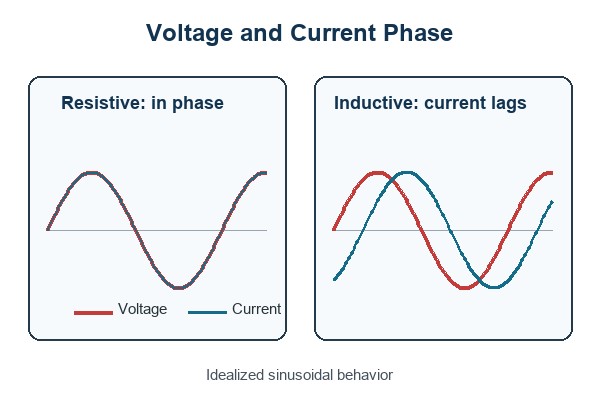
PCB V Groove Specifications

The practical intent behind a search for pcb v groove specifications is to know what must be defined before a panel is released. There is no universal score geometry for every board thickness, laminate, scoring machine, and finished-edge requirement. The fabricator should confirm the dimensions.

A V-groove drawing or fabrication note should address:

  • Score centerline: show the exact line and make sure it continues across the full panel in a direction the scoring machine can process.
  • Remaining web: define or approve the material left between the top and bottom cuts. Too much material makes separation difficult; too little weakens the panel.
  • Score angle and tolerance: use the manufacturer’s supported cutter geometry and inspection method.
  • Board thickness and material: scoring behavior changes with thickness and laminate construction.
  • Copper and component clearance: keep conductors, pads, holes, and components outside the confirmed scoring and bending zone.
  • Depaneling direction: document how the assembly will be supported and which way the board will be separated.

A commonly quoted remaining-web ratio is only a starting reference. It should not be copied into a new design without checking the selected supplier’s capability and the planned separation equipment. The same caution applies to score angle, board thickness limits, and component clearances.

PCB panelization DFM details showing V-score clearance, routed slot, breakaway tab, and mouse-bite features

PCB Tab Routing Guidelines

Good pcb tab routing guidelines start with panel stability. Tabs should hold the array flat through printing, placement, reflow, inspection, and handling without making final separation unnecessarily difficult.

Review the following before release:

  • Tab count and position: distribute support so the board does not twist, sag, or vibrate, especially around heavy components.
  • Tab width: use enough material for process stability, but avoid a bridge that requires excessive cutting force.
  • Router access: leave a continuous cutter path and consider the router diameter at corners and narrow gaps.
  • Edge keepout: keep copper, pads, brittle components, and sensitive features away from the tab-removal zone.
  • Tab removal method: state whether tabs will be broken, cut with a hand tool, milled, or separated by a fixture.
  • Residual nub allowance: decide whether a witness mark is acceptable or whether secondary edge finishing is required.

Tab placement should reflect how the board will be supported during removal. Pulling a tab away from an unsupported corner can twist the PCB. A better process constrains the assembly close to the tab and uses a repeatable cutting or breaking direction.

How Do Board Shape and Edge Components Affect the Choice?

Board geometry is the first filter, but edge-mounted parts often decide the final method. A straight outline may still need routing if a connector lip, antenna keepout, LED, switch, castellation, or mounting feature occupies the score path.

Use this selection sequence:

  1. Trace every separation boundary. If any required boundary is curved or cannot continue across the panel, route that boundary.
  2. Mark component envelopes. Include the body, solder joint, overhang, insertion tooling, and keepout—not just the land pattern.
  3. Mark fragile parts. MLCCs, glass components, ceramic packages, BGA assemblies, and large solder joints deserve extra attention near a flexing edge.
  4. Check the finished enclosure interface. A local tab mark may be unacceptable on a sliding, sealing, cosmetic, or connector-mating edge.
  5. Check production access. Rails, tooling holes, fiducials, clamps, conveyors, and depaneling blades all need space.

A hybrid layout may keep V-grooves on clean straight sides and use routed tabs around interrupted or shaped edges. That solution is often better than forcing one method across the entire panel.

How Do Separation Stress and Edge Quality Differ?

V-groove separation bends a continuous line until the residual web fractures. Tab routing limits the connection to local bridges, but the stress at each bridge can still be high if a tab is twisted or torn. The actual strain seen by a component depends on support distance, board thickness, copper distribution, separation direction, and tooling.
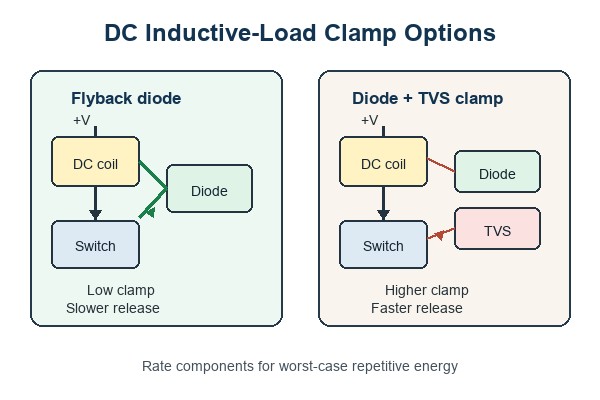
To reduce damage risk:

  • support the PCB close to the separation line or tab;
  • use a depaneling tool rather than uncontrolled hand bending for sensitive assemblies;
  • move brittle or large components away from high-strain edge zones;
  • avoid placing a score line through dense copper or immediately beside plated holes;
  • inspect solder joints and components after the actual production separation process, not only on an unassembled panel.

Edge quality also has two meanings. Routing creates a machined outline, but tab removal leaves local witness marks. V-scoring creates a straight separation edge, but part of that edge is fractured rather than fully machined. If the PCB must slide into a slot, seal against a gasket, expose a cosmetic edge, or meet a tight profile tolerance, identify the critical edge on the drawing and agree on the finishing method.

Comparison of PCB depaneling stress and edge quality for V-scored and tab-routed assemblies

PCB Mouse Bites Dimensions

Searches for pcb mouse bites dimensions often imply that one hole pattern should work everywhere. In practice, the perforation is a controlled weak point, and its geometry must match the board thickness, material, tab width, required panel strength, and acceptable post-break edge.

Confirm these items with the PCB manufacturer:

  • hole diameter and number of holes per tab;
  • hole pitch and the amount of material left between holes;
  • the location of the hole row relative to the finished board outline;
  • tab width, tab count, and spacing around the board;
  • copper, component, and plated-feature clearance;
  • acceptable protrusion after the tab is broken away.

Moving the perforation line outward can leave a larger nub. Moving it inward can remove material from the nominal board edge. The drawing should identify the finished profile and the intended break line clearly enough that the manufacturer does not need to infer which result is acceptable.

Can V-Grooves and Tab Routing Be Combined?

Yes. A panel can use V-grooves on aligned straight boundaries and routed tabs on irregular or interrupted boundaries, provided the combined structure remains stable and both processes are supported by the manufacturer.

A hybrid approach is useful when:

  • rectangular boards share long straight edges but include one shaped side;
  • one panel axis can be scored while the other needs component or connector clearance;
  • routed openings are needed around overhanging parts while the remaining boundaries can stay tightly nested;
  • the assembly line wants rails and local breakaway features without giving up all scored-edge material efficiency.

Do not assume a mixed panel is automatically better. It adds process instructions and can create weak transitions where routed features meet score lines. The panel should be reviewed as a single mechanical structure.

What Should Be Included in the Panel Drawing?

The panel drawing should remove ambiguity about finished profile, separation features, assembly rails, and process ownership. If the supplier will create the production panel, provide the single-board data plus the assembly constraints and ask for the proposed panel drawing for approval.

Include or confirm:

  • finished board outline and panel outline;
  • array count, orientation, and board-to-board spacing;
  • V-score centerlines and routed paths on the designated mechanical layer;
  • tab locations and whether each tab is solid or perforated;
  • rails, tooling holes, global fiducials, local fiducials, and conveyor direction;
  • component overhangs and keepout regions;
  • critical edge tolerances and areas that cannot show tab remnants;
  • depaneling method and any assembly-side support requirement.

These details connect the comparison to the broader set of pcb panelization methods. For more context on array construction, rails, tooling, and assembly handling, see our PCB panelization guide. Our guides to PCB depaneling, mouse-bite PCB design, and V-cut PCB depaneling cover the related processes in more detail.

FAQ About PCB V-Grooves and Tab Routing

Is V-grooving the same as routing a PCB outline?

No. V-grooving scores a straight separation line from both sides while leaving a continuous web. Routing removes material with a rotating cutter and can follow shaped outlines while leaving selected tabs.

Does tab routing always include mouse bites?

No. A routed tab can be solid and cut with a tool, or it can be perforated with mouse-bite holes for breakaway separation. The manufacturing drawing should state which tab type is required.

Which method uses less PCB material?

V-grooves usually use less space along aligned straight boundaries because adjacent boards can share the score line. Tab routing needs a cutter path, but it can sometimes nest irregular shapes efficiently. The complete panel yield should be compared rather than one gap dimension.

Which method is safer for components near the edge?

Neither is automatically safe. V-scoring creates bending along a line, while breaking a routed tab creates local stress. Component type, distance, board support, tab placement, and depaneling equipment determine the actual risk.

Can a V-groove stop in the middle of a panel?

Most conventional scoring processes require a straight line that runs across the panel. A stopped or curved separation feature should normally be routed, but the final construction must be confirmed with the selected manufacturer.

Who should create the final production panel?

The PCB or PCBA supplier often creates or adjusts the production panel because its equipment, rails, fiducials, process clearances, and depaneling method determine the final details. Designers should still provide the product constraints and approve the proposed panel.

How Can EBest Circuit Review Your PCB Panelization?

At EBest Circuit, we provide PCB fabrication and PCBA assembly support from prototype builds through production. Our engineering review can check board outline, score feasibility, routed-tab placement, component-to-edge conflicts, panel rails, tooling features, and the separation information needed for the selected assembly process.

Send your Gerber or ODB++ data, board thickness, stackup, BOM, component placement, required quantity, assembly method, and finished-edge requirements to sales@bestpcbs.com. If any component overhangs the board or any edge has a tight mechanical tolerance, identify it in the drawing. We will review whether PCB V-grooves vs tab routing, or a hybrid panel, is the better production approach for your project.
You may also like

Interface Board: Functions, Types, PCB Design, and Testing

September 1st, 2026
An Interface Board connects electronic subsystems that cannot communicate safely or directly. It may translate logic levels, condition sensor signals, distribute power, isolate noisy domains, protect external ports, or adapt one connector and protocol to another.

The name sounds simple, but the engineering is not. A weak interface can corrupt data, expose a processor to surge energy, create ground loops, or turn a serviceable module into a difficult assembly. This guide explains how interface boards work and what engineers should verify before releasing one for PCB fabrication and assembly.

Interface Board with industrial connectors, protection, signal conditioning, and controller sections

What Is an Interface Board?

An interface board is a printed circuit board placed between two functional blocks to make their electrical, communication, or mechanical connection usable. One side may face a sensor, actuator, display, cable, test fixture, or field device. The other side may connect to a microcontroller, FPGA, computer, power stage, or larger control system.

The practical interface board meaning depends on the system. In one machine, it is a simple connector adapter. In another, it is an active interface circuit board containing transceivers, isolation, filtering, protection, and local diagnostics. The phrase circuit board interface can also refer to the complete electrical and mechanical boundary between that PCB and the connected equipment. The defining feature is its boundary role: it manages what crosses from one subsystem to another.

An interface board is not automatically a complete controller. It may contain a processor, but its main responsibility is still to manage the interface rather than execute the system’s primary control algorithm.

What Does an Interface Board Do?

A good interface board converts an uncertain external connection into a controlled electrical environment. Its exact functions depend on the source, destination, cable length, protocol, voltage, bandwidth, and fault exposure.

  • Signal adaptation: translates voltage levels, logic families, single-ended signals, or differential standards.
  • Protocol support: implements physical-layer interfaces such as RS-232, RS-485, CAN, USB, Ethernet, I2C, SPI, or LVDS.
  • Analog conditioning: filters, amplifies, biases, linearizes, or converts sensor signals before an ADC.
  • Protection: limits ESD, surge, reverse polarity, overvoltage, overcurrent, and cable-discharge stress.
  • Isolation: separates ground domains to improve safety, noise immunity, or system robustness.
  • Power interfacing: regulates, switches, sequences, or monitors power delivered across the boundary.
  • Mechanical adaptation: converts one connector, pinout, cable orientation, or board position to another.
  • Service access: provides indicators, test points, programming headers, loopback paths, or replaceable modules.
Interface board signal path from external device through protection, conditioning, translation, and controller connection

These functions often appear together. For example, an industrial sensor input may need surge protection, a filter, galvanic isolation, level translation, and a diagnostic LED before the signal reaches the controller.

How Is an Interface Board Different From a Controller or Main Board?

The distinction is based on system responsibility, not board size. An interface board manages a boundary. A controller board makes control decisions. A main board integrates the central processing, memory, power, and primary peripherals of the product.

Board Primary Role Typical Circuits
Interface board Connects and protects two subsystems Transceivers, filters, isolation, level shifters, connectors
Controller board Reads inputs and executes control logic MCU or FPGA, memory, timing, I/O, control firmware
Main board Hosts the product’s central electronics Processor, memory, power tree, buses, major peripherals
Passive adapter board Changes connector or pinout only Connectors, traces, optional jumpers or test points

One PCB can serve more than one role. An interface control board may contain both the physical interface and local control logic. The design files should make that division clear so reviewers know which circuits face external faults and which circuits belong to the protected logic domain.

Which Interface Board Types Are Common?

Interface boards are usually classified by what they connect or by the physical layer they implement.

Type Main Function Design Focus
Serial interface board Connects UART, RS-232, RS-422, or RS-485 equipment Termination, biasing, common-mode range, isolation
CAN interface board Connects controllers or nodes to a CAN bus Transceiver placement, 120-ohm termination, ESD and surge
User interface board Supports displays, LEDs, switches, encoders, or touch inputs Mechanical alignment, visible indicators, cable durability
Sensor interface board Conditions low-level analog or digital sensor outputs Noise, offset, gain, filtering, reference integrity
Power interface board Distributes or switches power between modules Current capacity, heat, protection, creepage and clearance
ATE device interface board Connects automatic test equipment to a device under test Pin mapping, signal fidelity, fixture wear, replaceability
Universal interface board Supports several configurations through jumpers or modules Configuration control, labeling, unused-node behavior

Some products divide these functions across modules. That approach can simplify service and upgrades, but every board-to-board connection adds pinout, stack height, return-path, tolerance, and supply-chain considerations. A disciplined modular PCB design process is useful when the interface is intended to be replaceable.

What Belongs in an Interface Board PCB?

An interface board PCB should contain only the circuits needed to make the boundary safe, measurable, and reliable. Adding unnecessary processing makes fault analysis harder; omitting protection shifts risk into a more expensive controller.

Common functional blocks include:

  • input and output connectors with unambiguous pin 1 and polarity markings;
  • TVS diodes, fuses, resettable protection, current limiting, or reverse-polarity protection;
  • common-mode chokes, ferrites, RC filters, termination networks, and bias resistors;
  • transceivers, level shifters, isolators, ADCs, DACs, or instrumentation amplifiers;
  • local regulators, sequencing, decoupling, and power-good monitoring;
  • status indicators, test points, programming access, and board identification;
  • mounting holes, keepouts, shields, cable retention, and enclosure interfaces.

The schematic should define the operating state of every line during power-up, reset, unplugging, and partial power. Interfaces fail surprisingly often because one side is powered while the other is not.

How Should a PCB Interface Handle Signals and Power?

A PCB interface must be designed from the electrical limits inward. Start with the source and load voltage ranges, thresholds, current, edge rate, common-mode range, cable impedance, and maximum expected fault. Do not select a translator or transceiver from protocol name alone.

For digital links, check:

  • logic-high and logic-low margins across temperature and supply tolerance;
  • whether either side can be unpowered while signals remain present;
  • direction control and fail-safe behavior for bidirectional devices;
  • termination placement and topology for differential or multidrop buses;
  • edge rate rather than clock frequency when deciding whether routing behaves as a transmission line;
  • return-path continuity through connectors and across reference-plane changes.

Fast USB, Ethernet, LVDS, memory, and display links need the same impedance, return-path, and crosstalk discipline described in high-speed PCB design. A slow data rate does not guarantee a forgiving layout if the driver edge is fast.

For analog channels, define source impedance, bandwidth, acceptable noise, gain error, offset, input bias, anti-alias filtering, and ADC reference strategy. Keep high-current switching loops away from high-impedance sensor nodes.

Power paths require a separate budget for startup current, steady-state current, transient load, connector derating, copper temperature rise, regulator loss, and fault energy. If the board passes power through to another module, provide enough test access to measure drop under load.

How Should Protection, Isolation, and Grounding Be Designed?

Protection components work only when their current path is intentional. A TVS diode placed far from the connector can allow the ESD current to travel through sensitive circuitry before it reaches the clamp.

  • Place the first protection stage close to the exposed connector.
  • Use short, wide paths from the protection device to its intended return.
  • Keep the protected side physically distinct from the field side.
  • Do not route sensitive traces through a surge-current loop.
  • Confirm the clamping voltage is safe for the downstream IC, not merely that a TVS is present.
  • Coordinate fuses, current limiters, MOSFETs, and transient suppressors so one device does not defeat another.

Galvanic isolation is useful when grounds can differ, noise is severe, or a safety boundary is required. It also adds isolated power, propagation delay, creepage, clearance, and component qualification requirements. Split grounds should not be used as a decorative layout technique; they require a clear current-flow reason.

In an industrial interface board, shielding and chassis connection deserve early attention. Decide where cable shields terminate and whether the connection is direct, capacitive, or application-dependent. Leaving that decision until layout review often creates an awkward current path.

Which Connector and Mechanical Details Matter?

Connectors define more failures than their schematic symbol suggests. Confirm the mating part, pin numbering, keying, insertion cycles, contact current, voltage rating, retention, vibration exposure, cable bend radius, and assembly access.

Useful design checks include:

  • keep pin 1, polarity, port name, and cable direction visible after assembly;
  • leave enough room for latch release and technician fingers;
  • keep tall connectors away from enclosure ribs and fasteners;
  • add mounting support where cable force could flex the PCB;
  • define plated and non-plated holes correctly in the fabrication data;
  • check board-edge tolerances for card-edge, press-fit, or panel-mounted interfaces;
  • avoid test points under installed cables or inaccessible shields.

When USB is part of the design, connector generation and cable orientation affect both layout and user handling. Our overview of USB interfaces from Type-A to Type-C provides additional connector context.

How Should an Interface Board Be Laid Out?

Layout should follow the direction of energy and information: connector, protection, filtering, translation or isolation, then protected logic. That sequence makes the board easier to review and prevents traces from crossing back into the unprotected region.

Interface board PCB layout zones showing connector, protection, isolation, signal conditioning, and controller-side routing

During placement and routing, verify:

  • decoupling capacitors have short connections to the power and ground pins they serve;
  • differential pairs maintain geometry, spacing, symmetry, and a continuous reference plane;
  • isolation barriers have no copper, test point, mounting hardware, or silkscreen feature that violates the required spacing;
  • high-current loops are compact and separated from analog inputs;
  • connector shields and chassis returns do not inject noise into digital ground;
  • series resistors, terminators, filters, and clamps are placed where their electrical function requires them;
  • test points do not create long stubs on high-speed nets.

A four-layer board with solid references is often easier to control than a crowded two-layer board, but layer count should follow routing density, signal integrity, isolation, current, and EMC needs. The lowest layer count is not always the lowest system cost if it increases debug or compliance risk.

How Are Interface Boards Manufactured and Assembled?

Interface boards frequently mix fine-pitch ICs with large connectors, terminal blocks, relays, shields, or through-hole parts. That component mix affects panelization, stencil design, reflow, selective soldering, hand-solder limits, fixture clearance, and inspection access.

A manufacturing review should confirm:

  • the stackup and controlled-impedance requirements match the routed geometry;
  • copper weight supports the current and thermal targets;
  • annular rings and hole sizes suit the selected connector pins and tolerances;
  • component-to-edge spacing supports depaneling and connector overhang;
  • large thermal masses will not create soldering imbalance or insufficient hole fill;
  • polarity, reference designators, and port labels remain readable;
  • the assembly drawing identifies fitted, optional, and configuration-dependent parts.

If the interface is part of a larger machine controller, coordinate its fabrication and assembly assumptions with the main industrial control PCB. Misaligned connector pinouts and different ground assumptions are system problems, even when both boards pass standalone inspection.

How Should an Interface Board Be Tested?

Bare-board electrical test confirms continuity and isolation of the PCB, but it cannot prove that an assembled interface performs correctly. The test plan should follow the board’s boundary functions.

Functional testing of an assembled interface board with fixture, oscilloscope, and connector harness

A practical test sequence may include:

  1. Unpowered checks: shorts, resistance, polarity, connector mapping, and isolation resistance.
  2. Controlled power-up: current-limited supply, rail sequencing, regulator outputs, and abnormal heating.
  3. Static I/O checks: thresholds, pull states, indicators, enables, and fault outputs.
  4. Dynamic signal checks: amplitude, timing, rise/fall behavior, eye quality, bus errors, and termination.
  5. Fault checks: open cable, reversed supply, shorted load, missing termination, or powered/unpowered side combinations where safe and specified.
  6. Functional test: known-good host and field-side emulators, or a dedicated fixture that exercises every supported channel.

For an ATE device interface board design, fixture contact life and replaceable wear parts matter as much as first-pass electrical performance. Define calibration, golden-unit control, retest rules, and test-log traceability before volume production.

Where Is a Hardware Interface Board Used?

A hardware interface board is useful wherever a product needs a controlled boundary between electronics, cables, users, field wiring, or test equipment. Common applications include:

  • industrial automation, PLC I/O, motor drives, and machine controllers;
  • medical and laboratory instruments with isolated sensors or replaceable probes;
  • energy systems, battery equipment, chargers, and monitoring units;
  • transportation electronics and distributed CAN or LIN nodes;
  • display panels, keypads, control consoles, and human-machine interfaces;
  • telecommunications, networking, and high-speed data modules;
  • production test fixtures, programming stations, and device characterization systems.

The board may be small, but its position at the system edge makes reliability important. External cables, operators, service tools, and field devices bring uncertainty that protected logic never sees directly.

FAQ About Interface Boards

Is an interface board always an active PCB?

No. A passive board may only adapt a connector or pinout. An active board adds protection, buffering, translation, isolation, filtering, conversion, power control, or diagnostics.

Can an interface board contain a microcontroller?

Yes. A microcontroller may handle protocol conversion, identification, diagnostics, timing, calibration, or local I/O. The board remains an interface board if its primary system role is managing the boundary.

When is isolation needed?

Isolation is considered when ground potential can differ, common-mode noise is high, safety requires separation, or a field-side fault must not reach protected logic. The required voltage and creepage depend on the actual application and standard.

Can a two-layer PCB be used?

Yes for simple, low-density, low-speed circuits when current, EMC, and return paths remain controlled. Four or more layers are often preferable when the board combines fast signals, sensitive analog channels, isolation, or dense connectors.

What files are needed for manufacturing?

Provide Gerber or ODB++ fabrication data, drill files, stackup and impedance requirements, BOM, centroid data, assembly drawings, schematics where available, test requirements, and notes for optional configurations or programmed devices.

How Can EBest Circuit Support Your Interface Board Project?

At EBest Circuit, we have provided PCB and PCBA services since 2006. We support prototypes and production with PCB fabrication, component sourcing, assembly, and engineering review. Our documented quality and compliance references include ISO 9001:2015, ISO 13485:2016, IATF 16949, AS9100D, RoHS, REACH, and UL information, subject to the applicable product and project scope.

For interface projects, we can review stackup, controlled-impedance requirements, connector footprints, isolation spacing, manufacturability, assembly access, and the test information needed for the build. Our inspection and test resources include AOI, X-ray inspection, electrical test, flying-probe test, impedance testing, micro-section inspection, and functional testing as applicable.

Send your Gerber files, BOM, stackup, quantity, assembly requirements, and test plan to sales@bestpcbs.com. Tell us what the interface board connects, the voltage and protocol on each side, and any isolation, EMC, mechanical, or environmental constraints. We will review the manufacturing package and help identify questions before production.

You may also like

OTDM PCB Boards: High-Speed Design Guide

September 1st, 2026

OTDM PCB boards provide the electrical, mechanical, and thermal platform around an optical time-division multiplexing engine. A conventional PCB carries clock, driver, bias, control, and monitor signals; the optical stream is created inside photonic components or optical waveguides, not in ordinary copper traces.

This distinction controls the whole design. The laminate, stackup, RF transitions, power distribution, photonic package, fiber interface, and test plan must be defined as one channel. This guide explains what the board does, where noise enters, and which data a fabricator needs before production.

OTDM PCB boards with high-speed RF connections and photonic module

What Are OTDM PCB Boards?

OTDM PCB boards are circuit boards used around optical time-division multiplexing transmitters, receivers, or laboratory demonstrators. They are not one fixed IPC board class, and the term does not define a universal layer count, material, or connector.

The board may be a high-speed electrical carrier for driver ICs and a photonic package. A more specialized design may be an electro-optical circuit board (EOCB) with embedded glass or polymer waveguides. The correct fabrication route depends on which function is physically inside the PCB.

Hardware Type What It Carries Typical Elements
High-speed electrical PCB Clock, data, bias, power, and control RF drivers, connectors, power rails, control ICs
Electro-optical circuit board Electrical signals and guided optical paths Copper layers, embedded waveguides, optical coupling features
Photonic module or interposer Optical modulation, combining, or detection Modulators, photodiodes, couplers, laser interfaces

How Does an OTDM Hardware Chain Use the PCB?

The PCB delivers synchronized electrical channels to a photonic device and supports the power, control, and measurement paths around it. The photonic modulator then interleaves optical pulses in time and passes the combined signal to the fiber interface.

Every boundary can disturb timing. Connector launches, trace length, driver-package transitions, wire bonds, flip-chip interconnects, and bias networks add loss or delay. A strong high-speed PCB design process therefore starts with the complete channel, not a routing rule copied from another board.

Electrical inputs passing through an RF driver PCB and photonic modulator to an OTDM output

Optical Time Division Multiplexing PCB Boards: Electrical PCB or EOCB?

Most optical time division multiplexing PCB boards are best treated as high-speed electrical support boards unless the released design explicitly contains optical waveguides. Copper routes electrical data to a modulator; it does not become an optical path simply because the end system uses OTDM.

True optical time division multiplexing PCBs may combine glass or polymer waveguides with electrical layers. That changes the supplier set, stackup documentation, optical coupling tolerances, material handling, inspection, and qualification plan. The fabrication drawing should state whether the board is electrical-only, an EOCB, or a mechanical carrier for a separate photonic interposer.

Which Stackup and Materials Fit OTDM Support Hardware?

The stackup should preserve the required impedance and loss budget over the actual electrical channel. No single laminate is automatically correct for OTDM; the choice depends on edge rate, trace length, connector loss, package parasitics, thermal load, layer count, and assembly process.

Critical RF layers normally need a nearby continuous reference plane. A stripline can improve field containment, while a microstrip can simplify probing and reduce via transitions. The stripline versus microstrip decision should be made from the channel model and the test-access plan.

  • Define the target impedance from the driver, package, and connector interface.
  • Use the laminate supplier’s frequency-dependent Dk and Df data for simulation.
  • Control dielectric thickness, copper profile, and finished copper when loss margin is tight.
  • Keep high-current or noisy power sections away from sensitive RF and photonic interfaces.
  • Use HDI only when density or transition length justifies the extra process steps.
High-speed OTDM support PCB stackup with signal, ground, power, and low-loss core layers

How Should RF Routing and Timing Skew Be Controlled?

RF routing should be controlled as one matched path from the electrical source to the photonic load. Length matching alone is insufficient because a longer low-loss trace can perform better than a shorter path with poor launches, stubs, or reference discontinuities.

Route timing-related channels over continuous planes, keep pair geometry stable, and minimize unnecessary layer changes. Model the connector, via field, package landing, and wire-bond or flip-chip transition when those structures consume meaningful channel margin. For dense devices, a multilayer HDI stackup can shorten breakout paths, but it still needs manufacturable anti-pads and reference-via placement.

  • Match electrical delay, not only artwork length.
  • Keep the return path continuous through every layer transition.
  • Avoid open stubs and test pads on the highest-speed paths unless modeled.
  • Place ground vias near RF transitions and connector launches.
  • Release the impedance model and tolerance with the fabrication data.

OTDM PCB Boards Noise Control

OTDM PCB boards noise control depends on separating low-noise photonic bias and clock paths from switching power, digital control, and connector return currents. Noise that shifts a modulator’s operating point or adds clock jitter can reduce the usable timing margin even when trace impedance is correct.

Poor OTDM PCB boards noise performance often starts with a shared return path, a noisy regulator, excessive power-loop inductance, or coupling between parallel channels. Partition the power distribution by function, place decoupling at the load, and keep sensitive bias loops compact. Do not place a plane split under a fast signal to create artificial isolation; the broken return path can increase radiation and common-mode conversion.

How Should Photonic Devices Be Packaged on the Board?

Photonic packaging should minimize electrical parasitics while keeping optical alignment mechanically stable. The board cannot be designed independently from the modulator, photodiode, fiber array, interposer, wire-bond geometry, connector, and heat-removal method.

Short RF interconnects are usually preferred, but the shortest geometry is not always the most manufacturable or inspectable. Agree on pad finish, bondable surface, cavity or cutout dimensions, component keep-outs, fiber bend radius, connector retention, lid clearance, and rework access before the PCB is released. If optical waveguides are embedded, add the coupling datum and optical test structure to the controlled drawing.

Which Thermal and Mechanical Risks Need Attention?

Thermal expansion, board warpage, connector force, and local heating can shift electrical or optical alignment. A board that passes a room-temperature bench test may still fail after assembly stress or temperature cycling if the package, PCB, and fiber fixture move differently.

  • Check heat flow from drivers, regulators, lasers, and the photonic package.
  • Keep mounting-hole and stiffener loads away from optical alignment features.
  • Control copper balance and stackup symmetry where flatness is critical.
  • Define the allowable reflow profile for every optical and electronic component.
  • Protect fiber exits from sharp bending, strain, and assembly-tool access.

Use simulation as a design aid, then confirm the assembled structure with measurements. Material properties, package construction, enclosure airflow, and fixture stiffness must come from the actual project rather than a generic OTDM reference design.

How Should OTDM PCB Boards Be Tested?

Testing should separate bare-board quality, assembled electrical-channel performance, and optical-system performance. A bare PCB can pass continuity and impedance checks while the assembled OTDM channel still fails because of a connector, package transition, bias condition, or optical alignment issue.

Bare-board checks may include electrical testing, impedance coupons, dimensional inspection, microsection review, and copper-thickness verification. Assembly inspection can use AOI and X-ray where applicable. Channel validation may add TDR, VNA measurements, clock and jitter checks, and an eye diagram under the intended operating pattern.

High-speed OTDM PCB validation with probes, RF cables, eye diagram, and package inspection
Test Stage Core Check Typical Evidence
Bare PCB Connectivity, impedance, dimensions, and build quality E-test record, coupon result, inspection report
PCB assembly Joints, package placement, power rails, and interfaces AOI, X-ray where applicable, functional checks
Electrical channel Loss, reflection, skew, and jitter contribution TDR, VNA, oscilloscope, eye diagram
Optical system Pulse timing, combining, detection, and system margin Project-specific optical test plan

What DFM Data Should Be Released to Fabrication and Assembly?

The release package should define the electrical channel, physical stackup, photonic interface, and acceptance evidence. Gerber files alone cannot communicate the assumptions behind a low-loss, timing-sensitive optoelectronic board.

  • Gerber or ODB++ data, drill files, profile, and fabrication drawing
  • Approved stackup with laminate family, copper, and dielectric requirements
  • Single-ended and differential impedance targets with coupon requirements
  • RF connector, photonic package, fiber-interface, and mechanical drawings
  • Critical-net list, length or delay constraints, and reference-layer information
  • BOM, assembly drawing, pick-and-place data, and reflow restrictions
  • Bare-board, assembly, electrical-channel, and optical-system test responsibilities

Any embedded waveguide, optical via, cavity, bondable finish, or alignment datum should be called out explicitly. It must not be left for the fabricator to infer from copper artwork.

FAQ About OTDM PCB Boards

  • Does an OTDM PCB carry optical data through copper traces? No. A conventional PCB carries the electrical drive, clock, bias, control, and monitor signals. Optical multiplexing occurs in a photonic device or optical waveguide structure.
  • Is every OTDM board an optical PCB? No. Many OTDM demonstrators and modules use an electrical PCB connected to a separate photonic chip. An optical PCB or EOCB integrates waveguides into the board structure.
  • Does an OTDM support board always need low-loss laminate? Not always. Material choice depends on electrical edge rate, trace length, loss budget, connector and package transitions, thermal needs, and cost. The channel model should drive the decision.
  • Can FR-4 be used for an OTDM support PCB? It may be suitable for short electrical paths or lower-loss demands, but the exact laminate must be checked against frequency-dependent loss, impedance, thermal, and assembly requirements.
  • Which files are needed for an OTDM PCB quotation? Send fabrication data, stackup, impedance requirements, critical-net constraints, mechanical and photonic interface drawings, BOM, assembly files, quantity, and test requirements.

How Can EBest Circuit Support Your OTDM Hardware Project?

At EBest Circuit, we support the high-speed electrical PCB and PCBA portion of optoelectronic hardware through stackup review, controlled-impedance fabrication, HDI options, component sourcing, assembly, electrical testing, AOI, X-ray inspection where applicable, and engineering review. If the design includes embedded optical waveguides or another nonstandard optical layer, we will first separate that scope from the conventional PCB work and review the manufacturing path with you.

Send your Gerber files, stackup, BOM, impedance targets, photonic package drawing, quantity, and test requirements to sales@bestpcbs.com. We can review the board construction and identify the electrical, assembly, and interface details that should be settled before quotation.

For a stable release, keep the final OTDM PCB boards specification tied to the actual photonic module, RF channel, and verification plan.

You may also like