PCB manufacturing PCB manufacturing
Home > Blog

Rigid flex pcb Design & Prototype Right the First Time

August 12th, 2024

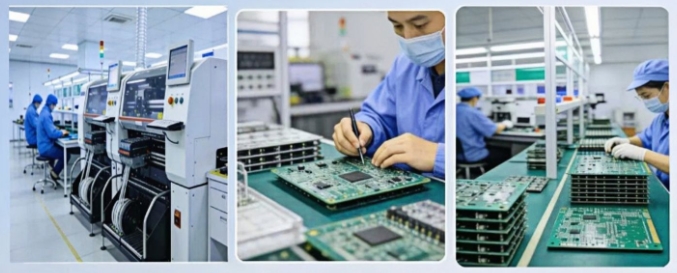
rigid-flex printed circuit board ,Rigid flex pcb manufacturer. More than 5 years design team of 10 people. Quick proofing within 1 week. A 3,000-square-meter factory for small batch to mass production and assembly.

What is a rigid flex pcb?

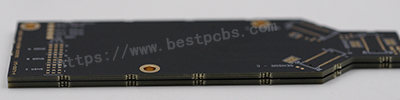
Rigid flex pcb,rigid-flex printed circuit board,Rigid flex circuit are a hybrid construction flex circuit consisting of rigid and flexible substrates which are laminated together into a single structure. Each layer of rigid-flex circuit are electrically interconnected by plated through holes (PTH), which is different from a flexible circuit with FR4/PI stiffener on top or bottom of flex circuit only by the means of presensive or thermal senstive adhesive only, no PTH.

What is a rigid flex pcb?

Rigid-flex PCBs can be divided into single-sided boards, double-sided boards and multi-layer boards according to the number of conductive circuit layers. Multi-layer boards usually contain multiple rigid layers and flexible layers, and the circuits are connected and interconnected through interlayer connections.

Is Rigid flex PCB reliable?

  1. Design and manufacturing efficiency: Designers of rigid-flex boards can use a single component to replace a composite printed circuit board connected by multiple connectors, multiple cables and ribbon cables, which not only has stronger performance and higher stability, but also limits the scope of the design to one component, optimizing the available space by bending and folding the lines like a stacked paper swan.
  2. Space and weight optimization: In PCB prototyping for consumer electronics, the use of rigid-flex boards not only maximizes space use and minimizes weight, but also greatly improves reliability, eliminating many needs for solder joints and fragile and fragile wiring that are prone to connection problems. The design of this circuit board allows the size and weight of equipment and systems to be reduced while maintaining functionality.
  3. High stress environment adaptability: Rigid-flex boards also have high impact resistance and can survive in high stress environments, which makes it widely used in military, aviation and medical equipment.
  4. Excellent electrical performance: Rigid-flex boards provide excellent electrical performance, and good thermal conductivity makes components easy to cool. The lower dielectric constant of the flexible part allows for fast transmission of electrical signals, and the PI substrate has a higher glass transition temperature or melting point, which allows the components to operate well at higher temperatures.
  5. Assembly reliability: Rigid-flex boards reduce the hardware required for traditional rigid boards and flexible boards to be connected, such as traditional jumper sockets, etc., and can provide higher assembly reliability.

What is the difference between rigid flex and semi flex?

  1. Definition and structure
    Rigid-flexible board: It is a combination of soft board and hard board, that is, a thin layer of flexible bottom layer and rigid bottom layer are combined and laminated into a single component to form a circuit board1. It changes the traditional flat design concept and expands it to a three-dimensional space concept. It has both rigid layer and flexible layer and is a multi-layer printed circuit board.
    Semi-flexible board: It is a PCB used in the field of static bending obtained by combining controlled deep milling or rigid-flexible board processing technology (such as milling cover or opening window, etc.) in the standard hard board processing process2. It often uses FR4 material, first processes the PCB according to the normal process, and then mills the middle part that needs to be bent to make it flexible.
  2. Flexibility and application
    Rigid-flexible board: It has higher flexibility and can be bent, folded or rounded, and then integrated into various products, such as aerospace equipment, military aircraft, high-end medical equipment, digital cameras, portable cameras and high-quality MP3 players. ‌
    Semi-flexible board: Although it can be bent or curved, its flexibility is not as good as that of rigid-flexible board. It is mainly used in situations where static bending is required, such as endoscopes in medical equipment, injection needle tip protection circuit boards, and medical equipment temperature control circuit boards. ‌
  3. Processing and cost
    Rigid-flexible board: Due to the mixed use of multiple materials and multiple production steps, its processing time is longer and the production cost is higher. ‌
    Semi-flexible board: Although its processing process is also more complicated, its processing cost is lower than that of rigid-flexible board, and it is more suitable in some applications. ‌
  4. Features and advantages
    Rigid-flexible board: It has stronger performance and higher stability, can reduce space and weight, and improve the reliability of connection. ‌
  5. Semi-flexible board: It has the advantages of low cost, good dimensional stability, bendable three-dimensional installation to reduce space, and reduce the number of interfaces during assembly to improve reliability.‌

how do they add rigid layers to flex pcb?

  1. Design layout: Before starting the manufacturing process, the PCB design layout is first carried out to determine the location and connection method of the components. ‌
  2. Substrate preparation: Clean the laminate containing the copper layer to prepare for the subsequent manufacturing process. ‌
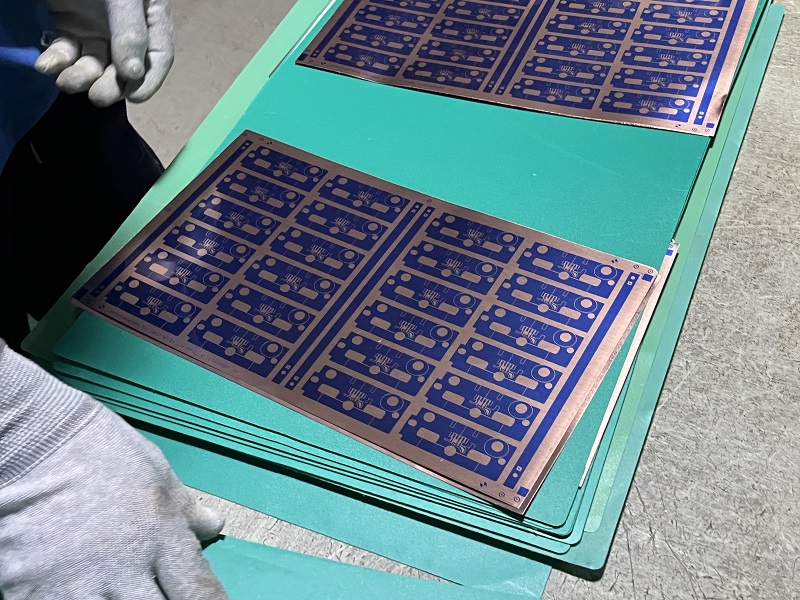
  3. Pattern generation: The generation of circuit patterns is completed by screen printing or photo imaging. ‌
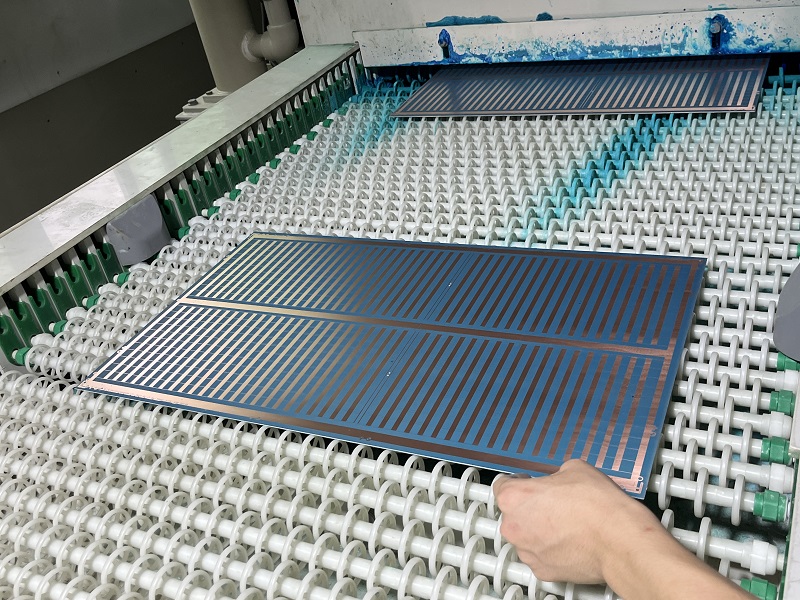
  4. Etching process: The laminate with the circuit pattern is soaked in an etching tank or sprayed with an etchant solution for etching. ‌
  5. Mechanical drilling: Circuit holes, pads and via patterns are drilled using a precision drilling system or technology, such as laser drilling technology. ‌
  6. Copper plating process: Deposit the required copper in the plated vias to establish electrical interconnections between layers. ‌
  7. Covering layer application and lamination: Apply the covering layer material (such as polyimide film) and adhesive, and laminate under specific temperature, pressure and vacuum limits to ensure proper adhesion of the covering layer. ‌
  8. Apply stiffeners: Apply local additional stiffeners before additional lamination processes as required by the board design. ‌
  9. Flexible board cutting: Cut flexible boards from production panels using hydraulic punching methods or specialized punching knives. ‌
  10. Electrical testing and verification: Conduct electrical testing in accordance with IPC-ET-652 guidelines to confirm that the insulation, connection, quality, and performance of the circuit board meet the requirements of the design specifications.

What are the disadvantages of rigid flex PCB?

  1. Material damage or breakage: The flexible materials used in rigid-flex boards are susceptible to flexure and bending. Long-term use or improper handling may cause damage or breakage of the flexible part, resulting in an open circuit.
  2. Poor welding: The manufacture of rigid-flex boards requires welding processes. If the welding is poor or the solder joints are of poor quality, it may cause loose connections or solder joints to fall off, resulting in an open circuit.
  3. Excessive bending or stretching: Excessive bending or stretching during use may cause the connection wires or wires of the flexible part to be stretched excessively and break, causing an open circuit.
  4. Design defects: If the design of the rigid-flex board is unreasonable or defective, such as insufficient design of the overbending area or too small bending radius, the material of the flexible part may be damaged by excessive stress, resulting in an open circuit.
  5. Environmental factors: Under different environmental conditions, it may be affected by factors such as temperature, humidity, and chemicals. Long-term use in harsh environments may cause material aging or corrosion, resulting in an open circuit. ‌
  6. Damage during assembly: During the assembly process, improper operation or external force may cause damage to the connecting wires or wires of the flexible part, resulting in an open circuit.

Application fields of rigid flex PCB

  1. Automotive electronics: Rigid-flex boards are widely used in automotive electronic systems such as dashboards, navigation systems, and in-car entertainment systems in the automotive industry. Their flexibility and high reliability enable them to adapt to the complex spatial layout and vibration environment inside the car.
  2. Medical equipment: In the field of medical equipment, rigid-flex boards also have important applications, such as medical monitoring equipment, medical imaging equipment, etc. Its flexible part can adapt to different equipment shapes and size requirements, while having stable circuit connection performance.
  3. Aerospace field: Rigid-flex boards are usually used in aircraft dashboards, navigation systems, communication equipment, etc. in the aerospace field. Due to their light, thin and flexible characteristics, rigid-flex boards have become an ideal choice for aerospace equipment.
  4. Smart wearable devices: With the rapid development of smart wearable devices, rigid-flex boards are widely used in products such as smart watches and health monitoring equipment. They can be combined with curved display screens, sensors and other components to achieve a more humanized design.
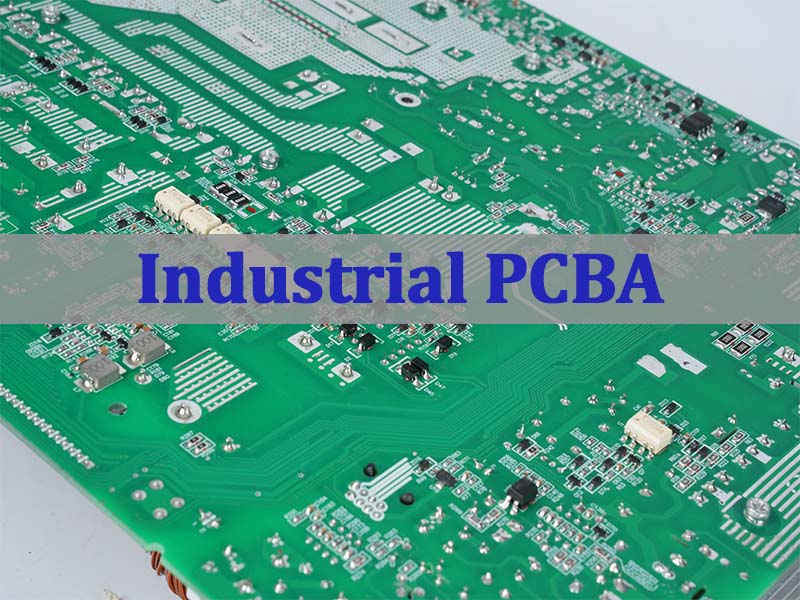
  5. Industrial control field: In the field of industrial automation control, rigid-flex boards are often used in PLC controllers, robot control systems, sensor interfaces, etc. Its flexibility and reliability ensure the stable operation of the equipment in harsh environments.
Application fields of rigid flex PCB

Rigid flex pcb manufacturer

rigid flex pcb.rigid-flex printed circuit board,Rigid flex circuit are a hybrid construction flex circuit consisting of rigid and flexible substrates which are laminated together into a single structure. Each layer of rigid-flex circuit are electrically interconnected by plated through holes (PTH), which is different from a flexible circuit with FR4/PI stiffener on top or bottom of flex circuit only by the means of presensive or thermal senstive adhesive only, no PTH.

Rigid flex pcb manufacturer

Multilayer circuitry-from 3 to 14+ layers
Min LW/LS: 4mil/4mil
Adhesive-based and adhesiveless constructions, including thermoplastic and thermoset stiffener attachment.
Polyimide substrates: 1/2mil – 4mil
Copper: 1/3OZ – 2OZ, RA or ED type
Stiffeners include Polyimide (0.075-0.20mm), FR4 (0.15-2.0mm), and punched or formed metal parts (0.075-1.0mm)
Low-cost, conventional fabrication and lamination completed with PTH based plating
Screened inks, photo-imageable soldermasks, or laminated coverlay dielectrics
Surface finishes: ENIG, electroplated nickel/gold, immersion silver, tin,
EMI Shielding

how to design flex rigid pcb?

Rigid-Flex Circuit Design Guidelines

To form a rigid-flex, follow these considerations to ensure the best results.

Considerations When Designing Rigid-Flex Circuits

To produce a rigid-flex PCB with unmatched quality and functionality, you must follow the correct manufacturing specifications. This is the set guidelines and standards that manufacturers must consider when designing and manufacturing flexible circuit boards.

Determine Manufacturing Process and Materials Beforehand

Depending on the flexibility you require, you need to decide beforehand what materials to use and the methods to use. Example; When the board you are designing only needs to be folded during manufacturing and thereafter be in a fixed position without bending, you can decide the following

  1. Copper type and grade
  2. Manufacturing method
  3. Number of layers to be used.

On the other hand, if the board is for an application with frequent movement, vibration, and impact, you must be clear in choosing the following:

  1. Copper Coils
  2. Adhesives and
  3. Number of Layers

Place Copper Traces at Right Angles to Rigid-Flex

Copperworks is a great fit when placed on the right edge of the board. Avoid bending copper traces at corners as it will pull stress and may not create the best bend. For PCB flex that requires bending, use sharp radius bends to avoid smudging copper traces.

Provide adequate pad support for exposed copper

Repetitive stress from frequent bending can cause copper on the circuit to break away from the polyimide substrate. Support exposed copper with pads to prevent separation.

Use hatched polygons

Hatched polygons instead of solidified copper help maintain the flexibility of flexible PCBs.

Leave at least 1/2mm gap between copper ring and adjacent vias

1/2mm helps avoid fatigue caused by frequent bending. Placing vias in fixed areas of the board helps avoid frequent movement and bending, resulting in the best rigid-flex.

You may also like

IPC-6012 vs. IPC-A-600 Standard: Which One Should You Use?

August 12th, 2024

IPC-6012 is primarily concerned with the performance and reliability of rigid PCBs, detailing the requirements they must meet to be deemed acceptable. On the other hand, IPC-A-600 provides visual criteria for evaluating the quality of PCBs.

IPC-6012 vs. IPC-A-600 Standard: Which One Should You Use?

What does IPC stand for?

IPC stands for the Institute for Printed Circuits. This organization sets the standards for the design, manufacturing, and testing of electronic equipment. These standards ensure that the products meet the required quality and reliability levels. For professionals in the electronics industry, IPC standards are vital because they provide clear guidelines and expectations for the production of printed circuit boards (PCBs). They serve as a common language among manufacturers, suppliers, and end-users, promoting consistency and quality in the global electronics market.

What are IPC-6012 Standards?

IPC-6012 is one of the most critical standards set by IPC. It focuses specifically on the performance and qualification requirements for rigid PCBs. These standards are essential in ensuring that the boards can withstand the environmental and mechanical stresses they may encounter during their lifecycle. IPC-6012 is used by manufacturers to qualify their PCBs and ensure they meet customer requirements. The standard covers various aspects, including the materials used, the methods of testing, and the acceptance criteria. It is widely recognized and utilized across the electronics industry, making it a cornerstone for those involved in PCB production.

What is IPC-6012E en?

The “IPC-6012E en” refers to the specific edition of the IPC-6012 standard. This version includes all the latest revisions and updates. It ensures that manufacturers are using the most current guidelines when producing rigid PCBs. The “E” in IPC-6012E represents the edition, indicating that it is an updated version of the previous standards. The “en” signifies that it is in English, providing clear and concise instructions for English-speaking professionals in the industry. This version of the standard reflects the latest advancements in technology and industry practices, ensuring that the products meet the highest levels of quality and reliability.

What Content Does IPC-6012 Include?

IPC-6012 is a widely recognized standard that includes comprehensive requirements for the qualification and performance of rigid printed circuit boards. It covers a wide range of topics related to rigid PCB manufacturing. It includes detailed guidelines on materials, testing methods, and acceptance criteria. The standard outlines the requirements for the base materials used in the PCB, such as copper-clad laminates and prepregs. It also provides guidelines on the fabrication processes, including drilling, plating, and etching. The standard covers other various areas such as:

  • Performance Specifications
  • Material Requirements
  • Fabrication Process Guidelines
  • Dimensional Tolerances
  • Testing Methods
  • Inspection Criteria
  • Cleanliness Requirements
  • Defect Classification
  • Repair and Rework Procedures
  • Documentation Guidelines
  • Marking and Labeling Standards
  • Class-Specific Requirements
IPC-6012 vs. IPC-A-600 Standard: Which One Should You Use?

IPC-6012E is the latest revision, incorporating many new requirements, including:

  • Back-drilled structures
  • Surface finishes
  • Copper wrap plating
  • Solderability testing
  • Plating overhang
  • Marking inks
  • Microsection evaluation
  • Thermal shock
  • Performance-based testing for micro-via structures

The IPC-6012EA (2021) addendum contains specifications for rigid circuit boards used in the automotive industry. These boards must endure stringent vibration and thermal stress tests. The addendum includes updated requirements for:

  • Lifted lands
  • Pattern feature accuracy
  • Solder mask thickness
  • Dielectric removal and wicking
  • Cleanliness criteria
  • Suitability and reliability testing parameters

What is IPC-A-600 Standard?

IPC-A-600, also known as the “Acceptability of Printed Boards,” is another essential standard in the PCB industry. Unlike IPC-6012, which focuses on performance and qualification requirements, IPC-A-600 provides visual acceptance criteria for finished PCBs. This standard is widely used for inspecting the quality of PCBs before they are shipped to customers. IPC-A-600 includes detailed photographs and illustrations to help inspectors identify defects and determine whether a PCB meets the required quality standards.

  • Classification of Printed Boards

Defines different classes of PCBs based on their intended application and reliability requirements, including Class 1 (general electronic products), Class 2 (dedicated service electronic products), and Class 3 (high-reliability electronic products).

  • Material Quality Requirements

Sets standards for the materials used in PCB construction, ensuring they meet specific quality and durability requirements.

  • Surface and Subsurface Conditions

Provides criteria for acceptable and non-acceptable surface and subsurface conditions, such as laminate voids, cracks, and other defects that could affect board performance.

  • Conductor Criteria

Outlines requirements for conductor width, spacing, and thickness, as well as the acceptability of defects like nicks, cuts, and scratches on conductors.

IPC-6012 vs. IPC-A-600 Standard: Which One Should You Use?
  • Solder Mask and Coating Criteria

Specifies the quality standards for solder masks and other protective coatings, including their application, coverage, and defects like pinholes or bubbles.

  • Plating and Coating Integrity

Describes the acceptable levels of plating thickness and the presence of defects like blisters, peeling, or voids in the plated layers.

  • Hole/Interconnection Quality

Provides guidelines for the quality of holes and interconnections, including criteria for plating thickness, hole wall quality, and annular ring size.

  • Annular Ring and Land Criteria

Specifies the acceptable size and quality of annular rings and lands, as well as the alignment of pads and vias.

  • Warp and Twist Tolerances

Defines the acceptable levels of board warpage and twist, which can affect the assembly process and the final product’s performance.

  • Bow and Twist Evaluation

Methods for evaluating and measuring the bow and twist of PCBs to ensure they remain within specified tolerances.

  • Contamination and Cleanliness

Establishes cleanliness standards for PCBs, including acceptable levels of ionic and non-ionic contamination.

  • Repair and Rework Guidelines

Offers procedures for repairing and reworking boards while maintaining compliance with the standard.

  • Marking and Documentation Requirements

Sets forth the standards for marking and documentation to ensure traceability and compliance with the IPC-A-600 standard.

  • Visual Inspection Criteria

Includes detailed visual inspection criteria, with numerous illustrations and photographs, to help inspectors and manufacturers determine the acceptability of PCBs.

  • Dimensional Tolerances

Specifies tolerances for various PCB dimensions, ensuring consistency in the final product.

  • Advanced Board Types

Criteria for newer and more complex board types, including high-density interconnect (HDI) boards, rigid-flex, and metal-core PCBs.

What is the Difference Between IPC-6012 and IPC-A-600?

While both IPC-6012 and IPC-A-600 are essential standards in the PCB industry, they serve different purposes. IPC-6012 focuses on the performance and qualification requirements for rigid PCBs, ensuring that they meet the required quality and reliability levels. On the other hand, IPC-A-600 provides visual acceptance criteria for finished PCBs, helping inspectors identify defects and determine whether a PCB meets the required quality standards. In essence, IPC-6012 is used during the manufacturing process to ensure that the PCBs are produced to the required specifications, while IPC-A-600 is used during the inspection process to ensure that the finished products are free from defects and meet the required quality standards.

Is IPC-6012 Cleanliness?

Cleanliness is an essential aspect of PCB manufacturing, and IPC-6012 does address this issue. The standard includes guidelines for ensuring that the PCBs are free from contaminants that could affect their performance and reliability. Cleanliness is crucial in PCB manufacturing because contaminants can cause various problems, such as short circuits, reduced performance, and even failure of the PCB. IPC-6012 provides specific guidelines on how to ensure cleanliness during the manufacturing process, including cleaning procedures, inspection methods, and acceptance criteria. Ensuring cleanliness during the manufacturing process is essential for producing high-quality PCBs that meet the required performance and reliability standards.

FAQs

Q: What is the difference between IPC-6012 Class 2 and Class 3?

A: IPC-6012 Class 2 is designed for electronic products where extended reliability is required but not critical, while Class 3 is for high-performance electronic products, where continued performance or performance-on-demand is critical. Class 3 has stricter requirements than Class 2.

Q: What does the latest revision of IPC-6012 include?

A: The latest revision of IPC-6012 includes updates to materials, testing methods, and acceptance criteria, reflecting the latest advancements in PCB manufacturing technology.

Q: What is IPC 6012F?

A: IPC 6012F is a specific revision of the IPC-6012 standard, which includes updates and improvements to the previous versions. It reflects the latest industry practices and ensures that the products meet the required performance and reliability levels.

Q: How does IPC 6012ES differ from other revisions?

A: IPC 6012ES is a specialized version of the IPC-6012 standard that includes specific guidelines for certain applications, such as military or aerospace, where the requirements for performance and reliability are more stringent.

Q: What is the role of IPC standards in PCB manufacturing?

A: IPC standards provide clear guidelines and expectations for PCB manufacturing, ensuring that the products meet the required quality and reliability levels. They serve as a common language among manufacturers, suppliers, and end-users, promoting consistency and quality in the global electronics market.

You may also like

Heat Conductivity Aluminum vs. Copper – EBest Circuit (Best Technology)

August 12th, 2024

When considering materials for heat transfer applications, both heat conductivity aluminum and copper often come up. These metals are widely known for their ability to conduct heat, making them essential in various industries. However, there are some key differences between the two. While copper is generally recognized for its superior heat conductivity, aluminum offers distinct advantages that make it a popular choice in specific contexts. In this blog, we’ll explore the heat conductivity of aluminum, compare it with copper, and discuss why aluminum remains a top contender in many applications.

Heat Conductivity Aluminum vs. Copper - EBest Circuit (Best Technology)

What is the Heat Conductivity of Aluminum?

Heat conductivity refers to a material’s ability to conduct heat. Aluminum, while not as conductive as copper, still performs remarkably well in transferring heat. The thermal conductivity of aluminum is about 205 W/m·K, which, although lower than copper’s 385 W/m·K, is still sufficient for many applications. This makes aluminum a practical choice for applications where efficient heat dissipation is required.

Aluminum’s thermal conductivity varies slightly depending on the alloy. For example, 6061 aluminum, a commonly used alloy, has a thermal conductivity of about 167 W/m·K. Despite this, aluminum remains a reliable material for heat sinks, radiators, and other components requiring effective heat management.

Is Aluminum a High Conductor of Heat?

Aluminum is considered a good conductor of heat, though it’s not the best. Its heat conductivity is higher than many other metals, such as steel or titanium, but lower than copper. This balance of conductivity and other properties, such as weight and corrosion resistance, makes aluminum a versatile material. In applications where weight is a concern, aluminum’s lower density compared to copper is a significant advantage. This is why aluminum is often chosen for automotive and aerospace applications, where weight reduction is critical.
The combination of adequate heat conductivity and lightweight properties makes aluminum an excellent choice for heat exchangers, power electronics, and other components where both heat dissipation and weight are critical factors.

Heat Conductivity Aluminum vs. Copper - EBest Circuit (Best Technology)

What is the Thermal Conductivity of Aluminum in K?

The thermal conductivity of aluminum is usually expressed in watts per meter-kelvin (W/m·K). For pure aluminum, the thermal conductivity is approximately 205 W/m·K at room temperature. This value can vary depending on the specific alloy and its temperature. For instance, as the temperature increases, the thermal conductivity of aluminum decreases slightly, but it remains effective for most applications.

Aluminum’s ability to maintain a relatively stable thermal conductivity across different temperatures is one reason it’s preferred in environments where temperature fluctuations are common. Whether in electronics or construction, aluminum’s consistent performance makes it a reliable material for heat management.

What is the Thermal Conductivity of 6061 Aluminum?

6061 aluminum is one of the most widely used aluminum alloys due to its excellent mechanical properties and versatility. Its thermal conductivity is slightly lower than that of pure aluminum, typically around 167 W/m·K. This alloy is often used in applications where a combination of good thermal conductivity, strength, and corrosion resistance is needed.

Despite having lower thermal conductivity than pure aluminum, 6061 aluminum is still effective in dissipating heat. Its ease of machining and ability to be heat-treated makes it a popular choice in the automotive and aerospace industries, where it’s used in components like engine parts and structural frames.

Heat Conductivity Aluminum vs. Copper - EBest Circuit (Best Technology)

Basic Parameters of 6061 Series Aluminum

PropertyParameter6061 Aluminum
     Chemical CompositionAluminum (Al)95.85% – 98.56%
Magnesium (Mg)0.8% – 1.2%
Silicon (Si)0.4% – 0.8%
Copper (Cu)0.15% – 0.4%
Chromium (Cr)0.04% – 0.35%
Iron (Fe)≤ 0.7%
Zinc (Zn)≤ 0.25%
Manganese (Mn)≤ 0.15%
Titanium (Ti)≤ 0.15%
Other ElementsEach ≤ 0.05%, Total ≤ 0.15%
      Mechanical PropertiesUltimate Tensile Strength (UTS)290 MPa (42,000 psi)
Yield Strength (0.2% offset)241 MPa (35,000 psi)
Elongation8% – 12% (depending on temper)
Hardness (Brinell)95 HB (T6 condition)
Shear Strength207 MPa (30,000 psi)
      Physical PropertiesDensity2.70 g/cm³ (0.0975 lb/in³)
Melting Point582°C – 652°C (1,080°F – 1,206°F)
Thermal Conductivity167 W/m·K
Coefficient of Thermal Expansion23.6 µm/m·°C (13.1 µin/in·°F)
Electrical Conductivity40% IACS
Specific Heat0.896 J/g·°C

Why Do Conductors Have a High Heat Capacity?

Conductors typically have a high heat capacity because of their ability to absorb and distribute heat energy efficiently. This property is particularly important in materials used for heat dissipation. While aluminum has a lower heat capacity compared to copper, it still performs well enough to be used in many thermal management applications.

The high heat capacity of aluminum allows it to absorb heat without a significant rise in temperature, making it effective in applications like heat sinks and radiators. Its ability to distribute heat evenly across its surface ensures that hot spots are minimized, contributing to the overall efficiency of the cooling process.

Which Metal is the Best Conductor of Heat?

Copper is widely recognized as the best conductor of heat among common metals, with a thermal conductivity of about 389 W/m·K. This makes it ideal for applications where maximum heat transfer is required. However, copper is heavier and more expensive than aluminum, which can be a disadvantage in certain contexts.

Aluminum, while not as conductive as copper, offers a balance of good heat conductivity, low weight, and cost-effectiveness. In applications where these factors are more important than the absolute best conductivity, aluminum is often the preferred choice. This is why aluminum is commonly used in heat sinks, air conditioning units, and automotive radiators, where its combination of properties provides the best overall performance.

Choosing between aluminum and copper depends on the specific requirements of the application. If weight and cost are significant considerations, aluminum often comes out on top. However, for situations where the highest possible heat transfer is needed, copper might be the better option.

You may also like

How is the ceramic PCB made?

August 9th, 2024

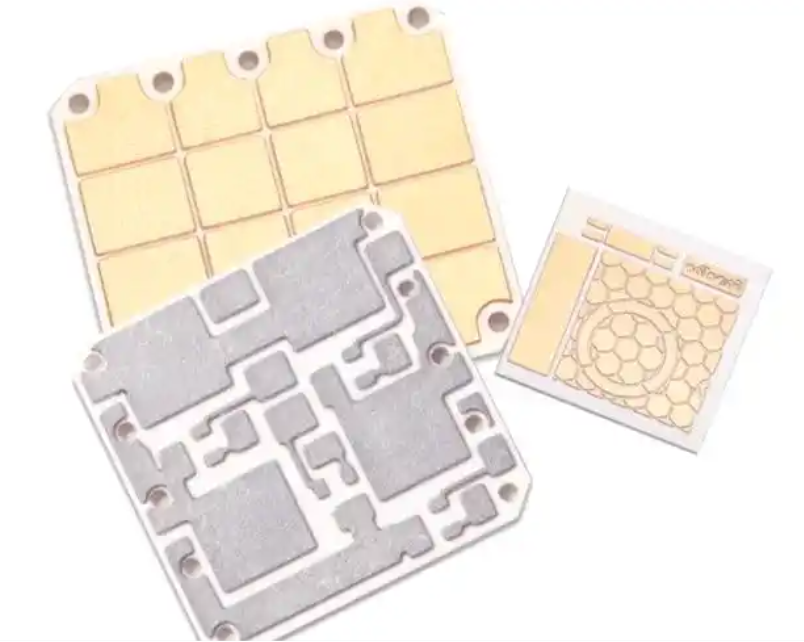
Ceramic PCB is composed of ceramic substrate, connecting layer and circuit layer. With the development of electronic industry, the types of ceramic PCB have become various. Since ceramic materials were used as PCB substrate, many methods for manufacturing circuit layer on ceramic substrate have been developed, among which several common ceramic circuit boards are HTCC (high temperature co-firing), LTCC (low temperature co-firing), DBC (direct copper cladding) and DPC (direct copper plating). Each type of ceramic circuit board has different usage scenarios, and also corresponds to different manufacturing processes.

How is the ceramic pcb made by HTCC process? ‌

First of all, the starting material of HTCC (high temperature co-fired ceramics) process is ceramic powder (such as Al2O3 or AlN), and these materials need to be mixed with organic binder to form paste ceramic slurry. Then, the ceramic slurry is scraped into a sheet by using a scraper, and a green embryo is formed through a drying process. After the green embryo is formed, through holes are drilled according to the circuit layer design, and then the wiring and hole filling are carried out by screen printing metal paste. Finally, the germ layers are stacked and sintered in a high temperature furnace (about 1600 C). ‌

How is the ceramic PCB made?

Specifically, the ‌HTCC process flow includes the following key steps:

Casting molding method: the ceramic slurry is scraped into a thin strip with uniform thickness, and dried by blowing filtered hot air opposite to the moving direction of the conveyor belt to form a green sheet.

Punching: Through mechanical drilling, mechanical punching or laser drilling, through holes are punched in the green blank. The size, position and accuracy of these holes directly affect the on-off and wiring density in the substrate.

Through-hole filling: the filling slurry is extruded into the through-hole of the green porcelain by mask printing method to complete the metallization process of the green porcelain.

Lamination, slicing and co-firing: the printed germ layers are laminated, then sliced and finally co-fired at high temperature. ‌

After the completion of this series of steps, a high-temperature co-fired ceramic (HTCC) substrate is obtained, which has excellent electrical and mechanical properties and is widely used in the manufacture of electronic products requiring high performance. ‌

How is the ceramic pcb made by LTCC process?

The first step is to prepare raw materials. The raw materials of ‌LTCC are mainly composed of ceramic powder and organic additives. Ceramic powders, such as alumina and zirconia, are used to improve the insulation and mechanical strength of ceramic materials. Organic additives are used to increase viscosity and improve plasticity, which is convenient for the subsequent molding process. ‌

Then there is circuit printing, the purpose of which is to print circuit patterns on ceramic substrates, usually using shielding printing technology. Firstly, the ceramic substrate is cleaned and coated with conductive metal ink. Then, the circuit pattern is transferred to the substrate by stamping with a printing die. Then, through the baking process, the conductive ink is solidified on the substrate to form a conductive circuit. ‌

How is the ceramic PCB made?

The third step is a sintering process, in which ceramic materials are chemically reacted at high temperature to combine their particles to form a compact ceramic body. In the process of sintering, the control of temperature gradient and atmosphere is very important to reduce the stress of materials and prevent them from oxidation.

In the final step of finished product inspection and subsequent treatment, the sintered ceramic substrate needs to be inspected first, including appearance quality inspection, size measurement, electrical performance test and other items. Qualified products can be subjected to subsequent electronic component packaging processes, such as welding, film covering, gas packaging, etc., to realize the protection and connection of electronic components. ‌

To sum up, the manufacturing process of ceramic PCB by ‌LTCC process involves many steps, such as precise material selection, processing, circuit printing, sintering, finished product inspection and subsequent treatment, to ensure the quality and performance of the final product.

How is the ceramic pcb made by DBC process?

The first step is the preparation of raw materials. First, it is necessary to select suitable ceramic substrate materials. Common materials include alumina (Al2O3) and aluminum nitride (AlN), which have high insulation, high thermal conductivity and good mechanical strength. The surface of the substrate should be cleaned and treated first to ensure the bonding with the subsequent copper foil. ‌‌

How is the ceramic PCB made?

Then the bonding between copper foil and ceramic substrate is the core step of DBC manufacturing process. At a certain temperature and pressure, the copper foil is closely attached to the ceramic substrate to form a firm bonding interface. It is necessary to control the parameters such as temperature, pressure and time in the bonding process to ensure the bonding quality and performance. ‌

Secondly, after the bonding is completed, the copper foil needs to be etched to form the required circuit pattern. Chemical etching or laser etching can be used in the etching process. By precisely controlling the etching depth and width, high-precision and high-resolution circuit patterns can be obtained. ‌

Finally, the DBC structure is cleaned, dried and tested. The purpose of this is to remove residues and improve the reliability and stability of products. ‌

Through the above steps, high-performance DBC ceramic substrates can be prepared, which are widely used in the packaging of intelligent power modules and electric vehicle power modules. ‌

How is the ceramic pcb made by DPC process?

Firstly, the ceramic substrate is pretreated and cleaned to ensure the cleanliness of the substrate surface and prepare for the subsequent deposition and copper plating process. ‌

Then the key step is to deposit a Ti/Cu layer on the surface of the substrate as a seed layer by vacuum sputtering technology. This step is the most important in DPC process.

Followed by photolithography, development and etching processes, the circuit is completed.

Finally, the thickness of the circuit is increased by electroplating or electroless plating to enhance the conductivity and durability of the circuit. After the metallized circuit is manufactured, the photoresist is removed, and finally the substrate is manufactured. ‌

How is the ceramic PCB made?

The manufacturing process of ceramic PCB by DPC process involves vacuum sputtering, photolithography, development, etching and electroplating, which makes the ceramic PCB by DPC process have good conductivity and durability, and is suitable for various electronic application scenarios. ‌

With the increasing use of ceramic PCB, in order to adapt to some application fields, many different process technologies have emerged, and each process technology has its own unique technology. For example, HTCC process needs to be sintered at high temperature to achieve its goal. According to the different environment used and the production cost, the appropriate ceramic PCB production technology is selected. BEST Technology has rich experience in manufacturing ceramic circuit boards. For different kinds of ceramic PCBs, there are different production lines and professionals. If you choose the right manufacturer, you will get the best quality ceramic circuit boards.

You may also like

What Does An Audio Board Do? – EBest Circuit (Best Technology)

August 9th, 2024

An audio board, often referred to as a soundboard or mixer, is a crucial device in the world of sound engineering. Whether you’re working on a live concert, recording in a studio, or simply enhancing audio for a video production, understanding the role of an audio board is essential. This guide will walk you through what an audio board does, its various names, and how to set one up effectively.

What Does An Audio Board Do? - EBest Circuit (Best Technology)

What Does an Audio Board Do?

An audio board, or soundboard, manages and controls audio signals. It’s used in many settings, from live concerts to recording studios. The primary function of an audio board is to mix different audio sources, such as microphones and instruments, to create a balanced sound output. This device allows sound engineers to adjust levels, equalize sound frequencies, and add effects to enhance the overall audio experience.

In more technical terms, an audio board receives input signals, processes them, and sends them to an output device. This processing can include adjusting volume levels, panning audio between speakers, and applying effects like reverb or delay. The result is a well-mixed audio output that sounds harmonious and professional.

What is Also Called an Audio Board?

An audio board goes by several names, depending on its use and context. Commonly, it’s known as a soundboard or mixing console. In professional settings, you might hear it referred to as an audio mixer or sound mixer. These terms are often used interchangeably, but they all refer to the same essential device that manages and manipulates audio signals.

What Does An Audio Board Do? - EBest Circuit (Best Technology)

Other names include audio mixing board and professional mixing board. These names highlight the device’s role in combining multiple audio inputs into a single or multiple outputs. Whether you’re shopping for an audio board online or looking to upgrade your studio equipment, understanding these terms will help you find the right product for your needs.

What is the Working Principle of Audio Board?

The working principle of audio circuit refers to the process of audio signal transmission and processing in the circuit. In general, the frequency range of audio signals is 20Hz to 20kHz, and they are electrical signals used to transmit sound. The processing of audio signal includes amplification, mixing, filtering and so on.

Amplification refers to increasing the amplitude of the audio signal so that it can drive the speaker to produce a sound. The amplification process is generally achieved using an amplifier, the principle is to use the amplifier tube of the amplifier to amplify the input signal and then output it to the speaker.

Mixing refers to the process of mixing multiple audio signals into one signal. In a mixing circuit, multiple audio signals are mixed together through a mixer to output a composite signal. The mixer is generally composed of an operational amplifier and a mixer. The operational amplifier is responsible for adding multiple input signals, while the mixer is responsible for adjusting the volume ratio of each input signal.

Filtering refers to filtering the audio signal through a filter to remove unwanted frequency components. Filters are generally divided into low-pass filters, high-pass filters and band-pass filters. A low-pass filter only allows low-frequency signals to pass through, a high-pass filter only allows high-frequency signals to pass through, and a bandpass filter only allows signals in a certain frequency range to pass through.

Is a Sound Board the Same as a Mixer?

Yes, a soundboard and a mixer are essentially the same device. Both terms describe equipment used to blend and adjust audio signals. The term “mixer” is often used in professional audio production environments, while “soundboard” is more common in live sound settings.

The confusion between these terms arises from their varied applications. A soundboard is typically associated with live events, where audio engineers manage the sound in real-time. A mixer, on the other hand, might be used more broadly, encompassing both live and studio environments. Regardless of the term, the device’s primary function remains the same: to mix audio signals and produce a balanced sound output.

What is the Function of a Soundboard?

A soundboard, or audio mixer, plays a critical role in sound engineering by managing and manipulating audio signals. Let’s delve deeper into its functions:

  • Mixing Audio Signals
  • Equalization (EQ)
  • Volume Control
  • Panning
  • Adding Effects
  • Routing
  • Dynamic Processing
  • Monitoring

How Do You Hook Up a Soundboard?

Hooking up a soundboard needs to proceed several steps. Each step is the key point to make sure all audio sources are correctly connected and configured. Here’s a step-by-step guide:

  1. Prepare all necessary cables, microphones, instruments, and speakers.
  2. Plug your microphones and instruments into the input channels on the soundboard. Each channel corresponds to a specific input source.
  3. Connect the output channels of the soundboard to your speakers or recording devices. This usually involves using XLR or quarter-inch cables.
  4. Turn on the soundboard and all connected equipment.
  5. Adjust the input gain for each channel to ensure the signal is neither too weak nor too strong.
  6. Test each input and output to ensure everything is working correctly. Make necessary adjustments to the levels and EQ settings.
  7. Use headphones or monitor speakers to listen to the audio and make final adjustments.

How to Set Up a Sound Mixing Board?

Setting up a sound mixing board involves more than just connecting cables. Here are detailed steps to set up your sound mixing board effectively:

  • Plan Your Setup

Determine the layout of your equipment and where each input and output will be connected. This planning stage helps avoid confusion during the actual setup.

  • Label Everything

Label each input and output cable to know which source they correspond to. This step is crucial in complex setups with many audio sources.

  • Connect Your Inputs

Plug in microphones, instruments, and any other audio sources into the appropriate input channels on the mixing board.

  • Connect Your Outputs

Connect the main outputs to your speakers or PA system. Also, connect any auxiliary outputs to additional monitors or recording devices.

  • Power Everything On

Turn on your mixing board and connected equipment. Make sure to power on any external preamps or processors first if you’re using them.

  • Adjust Gain Levels

Set the gain for each input channel. Start with the faders at unity (0 dB) and adjust the gain until each input is at a proper level.

  • Set EQ and Effects

Adjust the EQ settings for each channel to achieve a balanced sound. Add effects as needed to enhance the audio.

  • Create a Mix

Use the faders to balance the levels of all input sources. Make sure each source is heard clearly without overpowering the others.

  • Monitor and Adjust

Continuously monitor the sound through headphones or monitor speakers. Make adjustments as necessary to maintain a balanced mix.

EBest Circuit (Best Technology) has rich experience in the audio board manufacturing, we have served more than 2000+ customers and provide excellent turn-key solutions. If you are interested in the audio board pcb assembly, welcome to contact us.

You may also like

 hs code printed circuit board,pcb boards hs code

August 9th, 2024

The customs code for printed circuit boards is 8534-0000. 8534 is the classification code for this item, and 0000 represents the sub-classification code under this item. In the actual customs declaration process, it is necessary to select the corresponding sub-classification code according to the specific classification standard of printed circuit boards.

hs code printed circuit board

hs code printed circuit board:85340000
PCBs made of FR-4 material (i.e. silicon tetrachloride fiberglass board) are classified under HS code 8534.00.00
hs code printed circuits with more than six layers:85340010
hs code printed circuits with four layers or less:85340090
The HS code for PCB (printed circuit board) is 8534001000.
HS code of PCBA is 8543709990

HS code of PCBA is 8543709990

How do you classify printed circuit boards?

According to different classification standards, printed circuit boards can be divided into many types, such as single-sided boards, double-sided boards, multi-layer boards, rigid boards, flexible boards, etc.

The role of HS codes for printed circuit boards

HS codes are a way for customs to classify goods, and are also an important basis for import and export statistics. As an electronic component, printed circuit boards also need to be HS coded so that customs can accurately classify and manage them.

Types of HS codes for printed circuit boards

There are two main HS codes for printed circuit boards: 85340010 and 85340090. Among them, 85340010 is mainly used for printed circuits with more than six layers, while 85340090 is mainly used for printed circuits with four layers or less. The difference between the two codes lies in the number of layers of the printed circuit board, because printed circuits with more than six layers require higher technical requirements and more complex production processes.

How to choose the correct HS code

The specific HS code may vary depending on product specifications, materials and other factors. Therefore, in actual operation, it is recommended to consult relevant departments or professionals according to the specific situation to ensure accuracy. If you are not sure which HS code to choose, you can consult the printed circuit board manufacturer or relevant industry associations for more professional advice.

How do I do a customs declaration?

  1. Declare the code accurately. Select the sub-classification number corresponding to the printed circuit board according to the actual situation to avoid penalties or detention caused by coding errors.
  2. Provide a complete production process. The production process of the printed circuit board needs to be provided in the customs declaration, including the procurement, production, processing, testing and other links of the materials, so as to facilitate the customs inspection of the printed circuit board.
  3. Declare accurate materials and technical parameters. The technical parameters such as the substrate, copper foil thickness, board thickness, drilling diameter, line width, line spacing, etc. used in the printed circuit board need to be accurately declared in the customs declaration.
  4. Re-declaration is required if the dominant production process is changed. If the dominant production process is changed, it is necessary to re-declare to the customs and re-make the customs declaration.
  5. Comply with relevant national quality standards. Printed circuit boards need to meet relevant national quality standards, such as ISO, UL, etc.

hs code electronic,How do I find an HS code?The HS code for PCB (printed circuit board) is 8534001000. PCBs made of FR-4 material (i.e. silicon tetrachloride fiberglass board) are classified under HS code 8534.00.00

You may also like

What Do You Know About Copper Weight in PCB?

August 8th, 2024

Copper weight refers to the amount of copper per square foot of the PCB surface, measured in ounces per square foot (oz/ft²). However, the term “copper thickness” is also commonly used. So, how do copper weight and thickness relate to each other?

Copper thickness is determined by rolling a specific weight of copper over a 1 square foot area. For instance, if 1 ounce of copper is spread out over an area of 1 square foot, the resulting thickness of the copper foil is approximately 1.37mils or 0.0348mm.

What Do You Know About Copper Weight in PCB?

What is the Standard Copper Weight for PCB?

The standard copper weight in PCBs typically ranges from 1 oz/ft² to 3 oz/ft². This measurement refers to the weight of copper per square foot. In metric terms, it translates to approximately 35 µm to 105 µm thickness. The choice of copper weight depends on the application and the current-carrying requirements of the PCB. For standard consumer electronics, 1 oz/ft² is often sufficient. However, power electronics and high-current applications may require heavier copper.

What is Copper Thickness in PCB?

PCB typically feature a layer of copper foil bonded to a glass epoxy substrate. Common copper foil thicknesses are 18μm, 35μm, 55μm, and 70μm. The most frequently used thickness is 35μm. In practice, copper foil thicknesses used domestically generally range from 35μm to 50μm, with thinner options like 10μm or 18μm and thicker options like 70μm also available.

For substrates that are 1mm to 3mm thick, the copper foil is typically 35μm thick. On substrates less than 1mm thick, the copper foil is about 18μm thick, while on substrates thicker than 5mm, the copper foil is around 55μm thick.

If a PCB has a copper foil thickness of 35μm and a trace width of 1mm, the resistance per 10mm length of the trace is approximately 5mΩ, and the inductance is about 4nH. When a digital integrated circuit on the PCB operates with a di/dt of 6mA/ns and a current of 30mA, the estimated noise voltage generated in the circuit due to resistance and inductance for every 10mm length of the trace is 0.15mV and 24mV.

Copper Weight vs. Copper Thickness

Here’s a chart illustrating the relationship between copper weight, copper thickness in mils, and copper thickness in millimeters (mm).

Copper Weight (oz/ft²)Copper Thickness (mils)Copper Thickness (mm)
0.50.70.018
11.40.035
22.80.070
34.20.105
45.60.140
57.00.175
38.40.210

How Do You Calculate Copper Weight in PCB?

Calculating copper weight involves determining the thickness of the copper layer. Here’s a simple method:

  1. Measure the thickness of the copper in micrometers (µm).
  2. Use the conversion factor: 1 oz/ft² equals 35.56 µm.
  3. Multiply the thickness by the conversion factor to get the weight in oz/ft².

For example, if the copper thickness is 70 µm, the calculation is:

Copper weight (oz/ft²)=70um/35.56um/oz≈2oz/ft2

You can use a PCB weight calculator to simplify this process, like PCBWay Calculator, Altium PCB Layout Weight Calculator.

How Much Copper is in a PCB?

The amount of copper in a PCB varies depending on the copper weight and the size of the board. For instance, a 10 cm x 10 cm PCB with a copper weight of 1 oz/ft² will have less copper than the same size board with 3 oz/ft² copper weight. To estimate the total copper, you need to know the board area and the copper thickness.

Total copper (grams)=Area (cm²)×Copper thickness (µm)×8.96×10⁻³

The factor 8.96 x 10^-3 converts the volume to weight, considering copper’s density.

What is the Density of Copper in PCB?

Copper’s density is a constant value of 8.96 g/cm³. This density is crucial for calculating the weight of copper in a PCB. Knowing the density helps in accurately estimating the amount of copper in your PCB, which is essential for both design and manufacturing processes. The density remains constant regardless of the copper weight or thickness, providing a reliable basis for various calculations in PCB design.

Why Copper Thickness is Important for PCB?

In the PCB manufacturing process, copper thickness is a very important factor. The correct copper thickness can ensure the quality and performance of the circuit board, but also ensure the reliability and stability of electronic products. We have listed the following points to show why copper thickness is so important for PCBs.

1. Electrical conductivity

Copper thickness determines the electrical conductivity of the circuit board. As you know, copper is an excellent conductive material, and its thickness directly affects the conductive effect of the circuit board. Thinner copper layer may reduce the electrical conductivity of PCB, and resulting in attenuation of signal transmission or instability of current. And if the copper layer is too thick, although the electrical conductivity will be very good, but will increase the cost and weight of the circuit board. Additionally, thicker copper thickness is easy to lead to serious glue flow, the medium layer is too thin, and increase the manufacturing process difficulty. Therefore, for normal PCB, the copper thickness is generally not recommended to do 2oz copper thick, otherwise you can choose Heavy Copper PCB.

2. Heat dissipation

Copper thickness also has an important impact on the heat dissipation performance of the circuit board. The copper layer is the thermal conductivity layer of the circuit board, and its thickness determines the heat dissipation effect. If the copper layer is too thin, it may cause heat to be unable to conduct and dissipate effectively, increasing the risk of overheating of components. Therefore, the copper thickness of the PCB cannot be too thin, in the PCB design process, we can also lay copper in the blank area to assist the heat dissipation of the PCB board.

3. Improve reliability

Copper thickness also has an important impact on the reliability and stability of the circuit board. The copper layer not only acts as the conductive layer and thermal layer, but also the support and connection layer of the circuit board. The appropriate copper thickness provides sufficient mechanical strength to prevent the board from bending, breaking, or opening welding during use. At the same time, the appropriate copper thickness can ensure the welding quality of the circuit board and other components, reducing the risk of welding defects and failures.

How to Select Suitable Copper Weight for PCB?

Selecting the suitable copper weight depends on several factors:

  • Current Carrying Capacity

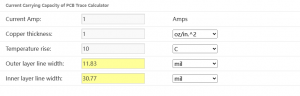
Higher currents require thicker copper to prevent overheating. Calculate the required trace width and copper thickness based on the maximum current your PCB will carry.

  • Thermal Management

Thicker copper improves heat dissipation, essential for high-power applications. Consider the thermal requirements of your components and ensure the PCB can manage the heat effectively.

  • Mechanical Strength

Heavier copper can enhance the board’s structural integrity. For applications where the PCB will face mechanical stress or flexing, thicker copper provides added durability.

  • Cost Considerations

Thicker copper increases material costs, so balance performance needs with budget constraints. While thicker copper offers many benefits, it also comes with higher manufacturing costs. Evaluate whether the additional expense is justified for your specific application.

  • Signal Integrity

For high-frequency applications, maintaining signal integrity is crucial. Thicker copper can help reduce resistance and signal loss, improving overall performance.

  • Environmental Factors

Consider the operating environment of the PCB. For harsh conditions, thicker copper may offer better protection against corrosion and environmental stressors.

For most applications, 1 oz/ft² copper is adequate. For power electronics or where higher currents are involved, consider 2 oz/ft² or more. Consult with your PCB manufacturer for recommendations based on your specific use case. They can provide insights into the optimal copper weight for your design, considering both performance and cost-effectiveness.

You may also like

How to Read Circuit Boards and Schematics?

August 7th, 2024

How to read circuit boards and schematics is a basic skill for anyone interested in electronics. Whether you’re a beginner or a technician, knowing how to read these diagrams is crucial. In this blog, we would like to share the key points and components symbols in the PCB schematics.

How to Understand a PCB Board?

A printed circuit board is a basic of electronic components interconnected via conductive paths printed on a baseboard. We can see it everywhere. They connect and support various components using conductive tracks, pads, and other features. To understand a PCB, start by identifying its main sections: power supply, signal paths, and grounding. Look for the layout patterns, which often follow a logical flow.

Special Types of Circuit Boards

Circuit boards come in various types, each designed for specific applications and processes. Apart from the standard FR4 PCB, metal core PCB, ceramic PCB, rigid-flex PCB, there are some other special PCB uses different process. Here, we’ll explore them based on their unique manufacturing processes, including HDI, busbar, extra thin, IC substrate, high Tg, heavy copper, RF, and impedance control PCBs.

High-Density Interconnect (HDI) PCB

HDI PCBs are designed for compact and complex electronic devices. They feature higher wiring density per unit area compared to traditional PCBs. The process involves microvias, buried vias, and blind vias to create intricate pathways. HDI technology allows for more components on a smaller board, enhancing performance and reducing size. This type of PCB is commonly used in smartphones, tablets, and other high-tech gadgets. The HDI PCBs that EBest Circuit (Best Technology) can make is:

  • 1+N+1
  • 2+N+2
  • 3+N+3

Busbar PCB

Busbar PCBs are specialized boards that handle high current loads efficiently. It belongs to the heavy copper PCB. They use thick copper layers to conduct electricity with minimal resistance. The busbar process involves integrating these thick copper bars within the PCB to distribute power uniformly. They are mainly used in the electric vehicles, power supplies and industrial machinery.

Extra Thin PCB

Extra thin PCBs are designed for applications where space and weight are critical constraints. These boards can be as thin as 0.2mm, allowing them to fit into slim devices like wearables and medical implants. The manufacturing process focuses on using thinner materials and precision etching techniques to achieve the desired thickness without compromising functionality.

IC Substrate PCB

IC substrate PCBs act as the base for integrated circuits (IC). They provide interconnections between the IC and the PCB. These PCBs are crucial in devices like processors, memory modules, and graphic cards, where precision and reliability are paramount.

High Tg PCB

High Tg (glass transition temperature) PCBs are designed to withstand higher temperatures. The Tg value indicates the temperature at which the PCB material transitions from a rigid to a soft state. High Tg PCBs use materials that has over 170 Tg value. So, they are widely used in automotive, aerospace, and industrial applications.

Heavy Copper PCB

Heavy copper PCBs feature significantly thicker copper layers compared to standard PCBs. The process involves plating additional copper to achieve thicknesses of 3oz/ft² or more. These boards handle high currents and thermal cycles, making them ideal for power electronics, motor controllers, and high-power distribution systems.

Radio Frequency (RF) PCB

RF PCBs are designed for high-frequency applications. They use special materials like PTFE (Teflon) to minimize signal loss and interference. This kind of PCB always requires precise control over dielectric thickness and conductor widths to make sure optimal signal integrity. RF PCBs are essential in communication devices, radar systems, and microwave equipment.

What Do the Numbers on a Circuit Boards Mean?

Numbers and letters on a circuit board represent component values, reference designators, and sometimes manufacturing codes. Reference designators (like R for resistors, C for capacitors) help identify each component. The numbers often indicate the order of placement or specific values (e.g., R1, R2 for the first and second resistors).

In addition, some designers prefer to design series number on the PCB board, like 202400001…202400002. For this kind of numbers, they are always aim to easy identification during the assembly or testing.

How to Read Circuit Boards?

Reading a circuit board involves several steps. First, familiarize yourself with the board’s layout and components. Identify key parts such as the microcontroller, resistors, capacitors, and connectors. Trace the pathways or traces to understand the connections. Use the reference designators to match components with their schematic symbols.

Electronic symbols follow standardized guidelines to ensure consistency. The most common standards include IEEE, IEC, and ANSI. These symbols represent various components like resistors, capacitors, diodes, and transistors.

  1. VCC – the positive power supply.
  2. GND – ground or negative power supply.
  3. R – resistor.
  4. C – capacitor.
  5. L – inductor.
  6. Q – transistor or field-effect transistor (FET).
  7. JP – connector or plug/socket.
  8. IC – integrated circuit or chip.
  9. + / – – input/output terminals of a signal.
  10. NC – no connection or an unused pin.

How Do You Read a Circuit Schematic for Beginners?

Read circuit diagram drawings can be consulted by experienced masters. Generally, the first look when reading a circuit schematic is look at the main loop. And then look at the control loop, the control loop requirements are from top to bottom or from left to right. The circuit diagram mainly consists of four parts: component symbol, connection, node and comment/note.

1. Component Symbols

These represent the actual components in the circuit. Their shapes may not resemble the actual components and can even be completely different. However, they generally indicate the characteristics of the components, and the number of pins matches the actual components.

2. Connections

These represent the wires in the actual circuit. While they appear as lines in the schematic, they are often not lines but various shapes of copper foil blocks on commonly used printed circuit boards (PCBs). For example, many connections in a radio schematic may not be line-shaped on the PCB but rather in specific shapes of copper film.

3. Nodes

These indicate the connections between multiple component pins or wires. All component pins and wires connected to a node are conductive, regardless of the number.

4. Comment/note

These are very important in a schematic. All the text in the schematic can be classified as notes. A close look at the schematics reveals annotations everywhere, used to indicate component models, names, and other information.

EBest Circuit (Best Technology) offer top-quality advanced PCB boards, from prototypes to mass production. Our range includes FR4 PCBs of any Tg, FPC, ceramic PCBs, aluminum PCBs, Teflon PCBs, and copper-base PCBs. Every product and service is traceable and verified with ISO, IATF, RoHS, UL, and REACH certifications. Enjoy free samples for bulk orders, complimentary functional testing, and fast delivery.

You may also like

What is Tda7294 amplifier board &tda7294 datasheet

August 7th, 2024

TDA7294 is a class AB monolithic audio amplifier integrated circuit launched by SGS-THOMSON Microelectronics in the 1990s. It swept away the raw, cold and hard sound of previous linear integrated amplifiers and thick film integrated amplifiers, and is widely used in HiFi fields, such as home theaters, active speakers, high-performance TVs and other fields.

The chip adopts a 15-pin dual-row asymmetric plug-in package, the differential input stage is composed of bipolar transistors, and the driver stage and power output stage use DMOS field-effect transistor semiconductor technology. This hybrid semiconductor manufacturing process allows TDA7294 to take into account the advantages of bipolar signal processing circuits and MOS power tubes, and the playback sound is very friendly (it is praised by audiophiles as a “tube-flavored amplifier”); the built-in silent standby function, short-circuit current and overheating protection functions make its performance more perfect. It can be used in HiFi home audio, active audio, high-performance TVs and other fields.

Tda7294 amplifier board

tda7294 amplifier board

tda7294 amplifier board PCBA

  1. This circuit is an official standard circuit, stable and reliable.
  2. The filter uses a large electrolytic capacitor with a withstand voltage of 50V and a capacity of 2200uf.
  3. Power supply voltage: dual 12-36V ring transformer, dual 32V ring transformer is recommended
  4. Output power: 85W*1 undistorted rated power, peak power 100W
  5. Can easily drive speakers above 100W, speaker impedance: 4-8 ohms
  6. PCB size: 50*50mm
tda7294 amplifier board

Basic parameters:
Power supply: dual 18-28V AC
Power: 2X80W+160W subwoofer
Circuit board size: 218x98MM
Potentiometer function: low frequency frequency adjustment, subwoofer volume. Left and right channel volume, treble, bass.

Adopting the new laser dark word TDA7294
The power filter uses 6 63V3300UF capacitors, and the rectifier uses a 25A imported rectifier flat bridge.
PCB uses 1.6mm thick double-sided board, 2.0 ounces copper thickness, and full tin spraying process to ensure good passing performance of large and small currents.
Fever component assembly, the subwoofer part consists of two new TDA7294 BTL output,
The low-pass filter is designed according to the frequency adjustable design of home theater style (50-150HZ), with strong power!
The left and right channels are served by two TDA7294 respectively, and the input coupling capacitor uses the German imported WIMA 2.2UF coupling capacitor, which makes the sound sweeter!
The signal-to-noise ratio of the board is also very high, and even if you put your ear close to the speaker, you can’t hear the AC noise! ​​It is the best choice for upgrading 2.1 amplifiers!

TDA7294 datasheet

TDA7294 datasheet
TDA7294 datasheet

TDA7294 Main Features

Wide supply voltage range: ±10V ~±40V
High output power: 70W (up to 100W)
Standby and mute functions
Noiseless ON/OFF switch
Low noise and low distortion
Short circuit protection and overheat protection

TDA7294

Pin function
Pin 1 is the standby terminal;
Pin 2 is the inverting input terminal;
Pin 3 is the positive input terminal;
Pin 4 is grounded;
Pins 5, 11, and 12 are empty pins;
Pin 6 is the bootstrap terminal;
Pin 7 is +Vs (signal processing part);
Pin 8 is -Vs (signal processing part);
Pin 9 is the standby pin;
Pin 10 is the mute pin;
Pin 13 is +Vs (final stage);
Pin 14 is the output terminal;
Pin 15 is -Vs (final stage)

DIY Production

1) The first step is to get the PCB. Here you can make the PCB yourself by DIY ironing method. Since the PCB is easy to make, the PCB design is kept single layer only, or you can get ready-made quality PCB from best.or custom tda7294 amplifier board.
2) After the PCB is completed, carefully mount all small components like jumpers, resistors, diodes, etc. to the PCB and trim their terminals, then solder them to the PCB first, because there are many components on this board, so it is better to solder them one by one
3) After installing the small components, install the large components like capacitors, fuse holders, rectifiers to the PCB and solder them. (Don’t install the power filter capacitor, 22000uF capacitor for now. Completed in the following steps)
4) After that, it’s time to mount all 7 ICs to the PCB and solder them.
5) Now properly mount the heat sink on the IC using insulating MICA and insulating plastic shoulder washers. Remember to use good quality thermal paste between the heat sink and IC.
6) After mounting the IC on the heat sink. Check the continuity between the heat sink and the IC back plate using a multimeter. There should not be any continuity between them. Please note the heat sink isolation
7) Now mount the cooling fan to the PCB using cable ties or any other suitable method.
The board assembly is now complete. Clean the track side of the board using IPA (Isopropyl Alcohol) or cleaning flux and then power the board using a 20-0-20 VAC transformer or a 24-0-24 VAC transformer.

Which one has better sound quality, TDA7294 or LM3886? Voltage AC 28v

LM3886 has better bass because its maximum current can reach 10A, which means it can drive a 2-ohm box without any problems. From the parameters alone, LM3886 is worse than 7294. And it is true in practice, especially for bass. If the transformer is OK, it feels very powerful. 7294 is not as good as 3886 in bass. The current is large when it comes to bass. 7294 itself has overcurrent protection. When the current reaches a certain level, it starts to limit the output current. However, 7294 is better in treble.

You may also like

The origin of inches and how to convert millimeters to inches

August 7th, 2024

Inches to MM conversion

In the imperial system, 12 inches is 1 foot, and 36 inches is 1 yard.
1mil=1/1000inch=0.00254cm=0.0254mm.
1inch=2.54cm=25.4mm=1000mil
1 inch=2.54cm=25.4mm.

10 mm = 0.393700787 inches
50 mm =1.96850394 inches

1400mm in inches
1400 mm = 55.1181102 inches

1500 mm to inches
1500 mm = 59.0551181 inches

1800mm to inches
1800 mm =70.8661417 inches

Origin of the inch

The word “inch” comes from the Old English word “ynce”, which comes from the Latin word “uncia” (meaning “one twelfth”).
In the 14th century, King Edward II of England promulgated the “standard legal inch”; its regulations were: the length of the three largest grains of wheat selected from the middle of the barley ear and placed end to end in a row is 1 inch.

mm or inches in the PCB industry

(including the substrate and all copper layers, solder mask and silk screen), either millimeters or inches can be used as units. However, 1.6 mm is not the only choice, and the thickness of the PCB can vary depending on the specific application, ranging from 0.3 mm to 4.0 mm1.
In PCB design, for design and layout units such as traces, pads, spacing and grids, the imperial unit “thou” (one thousandth of an inch) should be used instead of millimeters. For mechanical manufacturing unit requirements such as apertures and PCB board sizes, millimeters can be used. This shows that when designing PCBs, you need to be familiar with the conversion relationship between the imperial unit “thou” and the metric unit millimeter. ‌
In summary, the units used in the PCB industry depend on the specific application scenarios and requirements. When describing the thickness of the PCB board, millimeters or inches can be used as units, while in design and layout, the imperial unit “thou” should be used to adapt to design requirements.

PCB package size

PCB length units usually refer to the shortest distance between components on the PCB. Common length units are inches, centimeters and millimeters. For example, the minimum PCB length unit for the 0805 package size is 1 inch, while the minimum PCB length unit for the 0402 package size is 0.25 inches. In addition, there are some other commonly used PCB package sizes, such as 0101 package size, 0201 package size, 0302 package size, etc.

PCB package size is a standard size for mounting and connecting electronic components on PCBs. The following are the most commonly used device PCB package sizes:
1.0805 package size: This package size is used for electronic components of 8 inches (about 20 cm) in size, including transistors, capacitors, inductors and other small components.
2.0402 package size: This package size is used for electronic components with a size of 4 inches (about 10 cm), including transistors, capacitors, inductors and small components.
3.0603 package size: This package size is used for electronic components with a size of 6 inches (about 15 cm), including transistors, capacitors, inductors and small components.
4.1206 package size: This package size is used for electronic components with a size of 12 inches (about 30 cm), including transistors, capacitors, inductors and small components.

The unit of PCB length is usually millimeter (mm) or inch (inch), while the unit of copper foil thickness is OZ (ounce), which is about 35um or 1.35mil. When designing the PCB of the op amp circuit, factors such as layout, wiring, power decoupling, and heat dissipation design need to be considered to ensure signal integrity and stability.

You may also like