PCB manufacturing PCB manufacturing
Home > Blog

What is Soldering? What Temperature Does Solder Melt?

September 6th, 2024

Soldering is a crucial process in many industries, especially in electronics and metalworking. It involves bonding materials, primarily metals, using a filler material called solder. This process is essential for creating connections that are both electrically conductive and mechanically strong. But what exactly is soldering? At what temperature does solder melt? And what types of solder are most commonly used? This blog will answer these questions and explain why soldering is important.

What is Soldering?

Soldering is a PCB assembly process where two or more metal surfaces are joined by melting and flowing a filler metal (solder) into the joint. Unlike welding, soldering doesn’t melt the base metals. Instead, the filler metal, which has a lower melting point, is used to create a bond between the two surfaces. The process is common in electronics, plumbing, and metalwork, where a strong, conductive connection is needed.

What is Soldering? What Temperature Does Solder Melt?

Generally speaking, the commonly used solder materials are tin lead alloy solder, antimony solder, cadmium solder, silver solder, and copper solder. The linear solder used in standard welding operations is called rosin cored solder wire or solder wire. A flux was added to the solder. This flux is composed of rosin and a small amount of active agent. It is very important to set the temperature during welding operation. The most suitable temperature for welding operations is plus 50 degrees at the melting point of the welding used. The set temperature of the soldering iron head, due to the size of the welding part, the power and performance of the soldering iron, and the different types and lines of the solder, it is appropriate to increase 100 degrees on the basis of the above temperature.

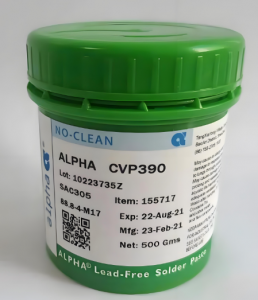
The main products of solder are divided into three categories: solder wire, solder bar and solder paste. Applied to all kinds of electronic welding, suitable for manual welding, wave welding, reflow welding and other processes.

What is Soldering Primarily Used For?

Soldering is mainly used in the electronics industry to connect various components on PCBs. Without soldering, it would be nearly impossible to create the intricate electrical connections that power most electronic devices. From mobile phones to computers, soldered joints are everywhere.

Soldering is also widely used in plumbing for joining copper pipes. It creates leak-proof seals that withstand pressure, making it reliable for water supply systems. Additionally, jewelry makers and metalworkers use soldering to join fine pieces of metal. It allows them to create strong, invisible joints without damaging delicate components.

What Temperature Does Solder Melt?

The melting point of solder depends on the type of solder being used. Solder typically comes in two main varieties: leaded and lead-free.

What is Soldering? What Temperature Does Solder Melt?
  • Leaded Solder

The most common composition of leaded solder is a mixture of tin (Sn) and lead (Pb), typically in a 60/40 ratio. This type of solder melts at around 183°C (361°F). Leaded solder has been used for decades due to its reliable melting point and easy flow properties, making it ideal for electronics.

  • Lead-Free Solder

Lead-free solder is now more widely used due to health and environmental regulations. Lead-free solder typically contains a mix of tin, copper, and sometimes silver. Its melting point is slightly higher, around 217°C (423°F). Although it requires more heat, lead-free solder is considered safer and more environmentally friendly.

It’s important to note that different solders may have varying melting points depending on their specific composition. Always check the specifications of the solder you’re using to ensure you apply the correct temperature.

Does Solder Have Lead?

Not all solder contains lead. Leaded solder was once the standard for many years, especially in the electronics industry. However, due to the harmful effects of lead exposure, leaded solder is being phased out, particularly in consumer electronics.

Lead-free solder is now the preferred option, especially for products sold in regions that regulate the use of hazardous materials. The shift to lead-free solder has become more prevalent with the Restriction of Hazardous Substances (RoHS) directive, which bans the use of lead in many electrical and electronic products. Today, many manufacturers and companies use lead-free solder for health and environmental reasons.

While lead-free solder is generally considered safer, leaded solder is still used in some industries due to its lower melting point and reliability in certain applications.

What is the Melting Point of Solder?

The melting point of solder depends on its composition, but the most commonly used solders have predictable melting temperatures:

  • Leaded Solder: 183°C (361°F)
  • Lead-Free Solder: 217°C (423°F)
What is Soldering? What Temperature Does Solder Melt?

These are standard temperatures, but other specialized solders may melt at higher or lower temperatures. For instance, silver-bearing solders may melt at higher temperatures, while low-temperature solders for specific applications can melt as low as 138°C (280°F).

Knowing the exact melting point of your solder is important because using the wrong temperature can lead to poor joints or even damage to components. In electronics, overheating can affect sensitive components, while underheating can result in weak or unreliable connections.

What is Lead-Free Solder Made of?

Lead-free solder typically contains a mixture of metals designed to mimic the properties of traditional leaded solder. The most common lead-free solder composition is a mix of tin (Sn), copper (Cu), and sometimes silver (Ag). This combination ensures a solid joint while keeping the melting point manageable.

  • Tin (Sn): The main ingredient in most solders, providing strength and flexibility.
  • Copper (Cu): Helps to enhance the mechanical strength of the solder joint.
  • Silver (Ag): Sometimes added to improve conductivity and joint strength, though this increases cost.

Lead-free solder is used to create safer work environments, particularly in industries where workers are regularly exposed to soldering fumes. It is also more environmentally friendly as it reduces the risks associated with lead contamination.

Is Tenshan Lead-Free?

Yes, most manufacturers, including Tenshan, now offer lead-free solder options in compliance with environmental standards. Lead-free solders, like those provided by Tenshan, are designed for use in various industries, ensuring safe and effective soldering without the risks associated with lead exposure.

Lead-free products from companies like Tenshan are developed to meet both performance and safety standards. These solders deliver excellent bonding capabilities without compromising the health of the workers or the environment. With the growing emphasis on eco-friendly practices, lead-free options are becoming the preferred choice for many applications.
You may also like

Do LED lights need a circuit board?

September 5th, 2024

LED lights have become an integral part of modern lighting solutions, featuring energy-saving, durability, and versatility. But a common question is, do you think LED lights need a circuit board to work?

What is a LED circuit board?

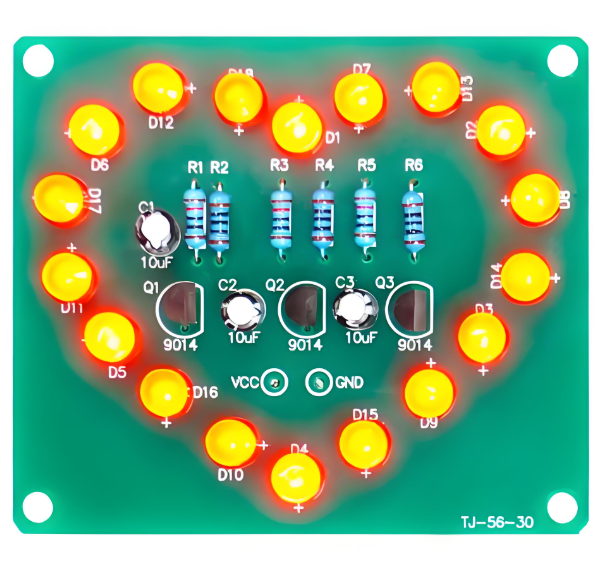
An LED circuit board is a platform used to power and control light-emitting diodes (LEDs). Essentially, it is the basis for connecting all the necessary electronic components (such as resistors, capacitors, and diodes) to ensure that the LED operates safely and efficiently.

Do LED lights need a circuit board?

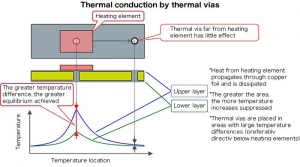
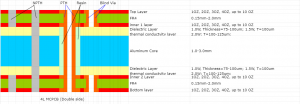
Circuit boards used for LEDs are usually metal core printed circuit boards (MCPCBs) because they have excellent heat dissipation properties. This is important because although LEDs are highly efficient, they still generate heat. Without proper heat management, this can lead to poor performance or shortened life of the LED.

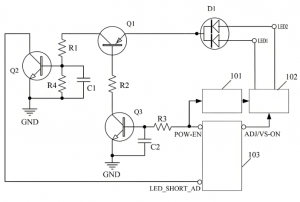
The design and manufacture of LED circuit boards involves many aspects, including the layout of the board, the soldering of components, and the design of the driver circuit. The driver circuit is the core part of the LED circuit board, which is responsible for converting the input AC power into DC power suitable for LED use, while providing stable current and voltage to ensure the normal operation and long life of the LED.

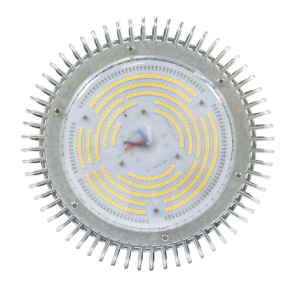
LED circuit boards are used in a wide range of applications, from small consumer electronics to industrial lighting and automotive headlights. They provide a simplified way to control and adjust LEDs while ensuring effective heat management.

How to make a LED light circuit board?

The process of making an LED light circuit board involves multiple steps, including soldering, self-testing, cleaning, grinding, and wiring.

1. Soldering:

Determine the direction of the light, the side with the black rectangle is the negative end. Determine the direction of the circuit board, the end with the inner and outer wiring ports is the upper left corner. Start from the upper left light and solder in sequence to ensure that each solder joint is full and clean, without cold solder joints or leaks.

2. Self-test:

After completing the soldering, check whether the solder joints have cold solder joints, leaks, etc. Use a multimeter to touch the positive and negative terminals of the circuit board to check whether the LED lights are on at the same time.

3. Cleaning:

Use 95% alcohol to scrub the circuit board to remove residues.

4. Rubbing:

Remove the LED light circuit board from the entire board, use fine sandpaper to grind off the burrs on the edges, and make the circuit board flat.

5. Wiring:

Use blue and black thin wires to connect the circuit board. The wiring point close to the inner circle is negative and connected to the black wire; the wiring point close to the outer circle is positive and connected to the red wire. Make sure the wire is connected from the back to the front.

6. Final self-check:

Check the wiring to ensure that each wire passes through the pad and the length of the wires on both sides of the pad left on the surface is as short as possible to ensure that the circuit board can work properly.

Each step is crucial, especially the welding and wiring parts, which need to be carefully operated to ensure the performance and safety of the circuit board.

How should an LED be connected in a circuit?

LEDs should be connected to the circuit through the correct wiring method to ensure their normal operation and extend their life. ‌

Do LED lights need a circuit board?

First of all, there are three main wiring methods for LEDs: two-end wiring, single-end wiring and staggered wiring.

Two-end wiring is a commonly used wiring method in the early days. It is characterized by convenient wiring and simple operation. It is suitable for the replacement of fluorescent tubes.

Single-ended wiring is a safer wiring method, in which one end of the LED tube is not wired, and the two pins on the other end are respectively wired to the constant current drive power supply. This wiring method ensures that if one end of the LED tube is connected to AC power, the other end will never be charged.

Staggered wiring is an innovative wiring method that is compatible with a variety of electronic ballasts and can work normally without a starter.

When connecting LEDs, you need to pay attention to the following points:

Correctly distinguish the positive and negative poles of the LED, which can usually be judged by observing the appearance, using a multimeter or battery. Connect the anode of the LED to the positive pole of the power supply and the cathode to the negative pole of the power supply to ensure that the LED works properly.

Use appropriate resistors to limit the current to protect the LED from damage by overcurrent. The resistance value should be calculated based on the power supply voltage, the rated voltage of the LED, and the required current.

Keep the LED dry, avoid moisture or static interference, and pay attention to the temperature to avoid excessively high temperatures that affect its life and performance.

For the power connection of LED light strings, two basic forms can be used: positive connection and negative connection. The positive and negative poles of each light string correspond to the positive and negative poles of the power supply. When a large number of LED lights are connected in series, it is more practical to adopt a series-parallel combination strategy, and the number of parallel groups is determined by calculating the rated current of the power supply. ‌

Do LED lights need special wiring?

LED lights do not require special wiring, but it is necessary to determine whether a grounding wire is required based on the specific situation of the lamp. ‌

LED lights are usually designed without special wiring because they can be directly connected to AC power, thanks to the built-in rectifier of LED lights.

When installing LED lights, it is important to understand the difference between the live wire and the neutral wire, because although LED lights themselves work under DC power, they usually have built-in rectifiers and can be directly connected to household AC power.

When replacing traditional fluorescent tubes, it is necessary to remove the original ballast and starter, and directly connect the live wire and the neutral wire to both ends of the LED tube.

Regarding the issue of grounding wires, most LED lights on the market are double-insulated designs, which means that their housing and structure have met safety requirements, so no grounding wire is required. However, for lamps with metal shells, grounding is necessary to prevent people from getting electric shock when touching the bare metal.

In addition, if the bulb has a grounding wire, it is better to connect it, which can better ensure safety. It should be noted that Class III lamps are not allowed to be grounded because they use safety extra low voltage (SELV) and should be isolated from high voltage using an isolation transformer, and should not be grounded.

In summary, although LED lamps do not require special wiring, you should pay attention to safe wiring methods during installation, and judge whether a grounding wire is required according to the specific situation of the lamp to ensure safety and prevent the risk of electric shock.

Where to put resistor in LED circuit board?

In the LED circuit, the resistor should be placed between the positive pole of the LED and the first LED, that is, in front of each string of lamp beads. ‌ This placement does not depend on the specific location of the resistor, because the resistor and the LED are in series, which means that whether the resistor is placed in front of, behind, in the middle of each string of lamp beads, or anywhere randomly, the effect is the same.

Do LED lights need a circuit board?

This is because the main function of the resistor is to control the current through the LED by consuming a certain voltage and current, ensuring that the LED operates at a normal operating current and avoiding damage to the LED due to excessive current.

It is worth noting that although the position of the resistor has little effect on the LED, in actual circuit design, considering the simplicity and safety of the circuit, the resistor is usually placed close to the positive pole of the power supply. This design can avoid too many connection points in the circuit, thereby simplifying the circuit structure.

Conclusion:

LED lights usually require circuit boards for optimal performance, especially in complex or high-power applications. LED circuit boards ensure proper heat dissipation and current regulation, which are key factors in ensuring the service life and efficiency of the lighting system. BEST Technology has accumulated rich manufacturing experience in the design of LED circuit boards, and various different LED light circuits can be designed to the top level.

You may also like

How to Calculate Current Carrying Capacity in PCB Vias?

September 5th, 2024

What are vias in PCB design?

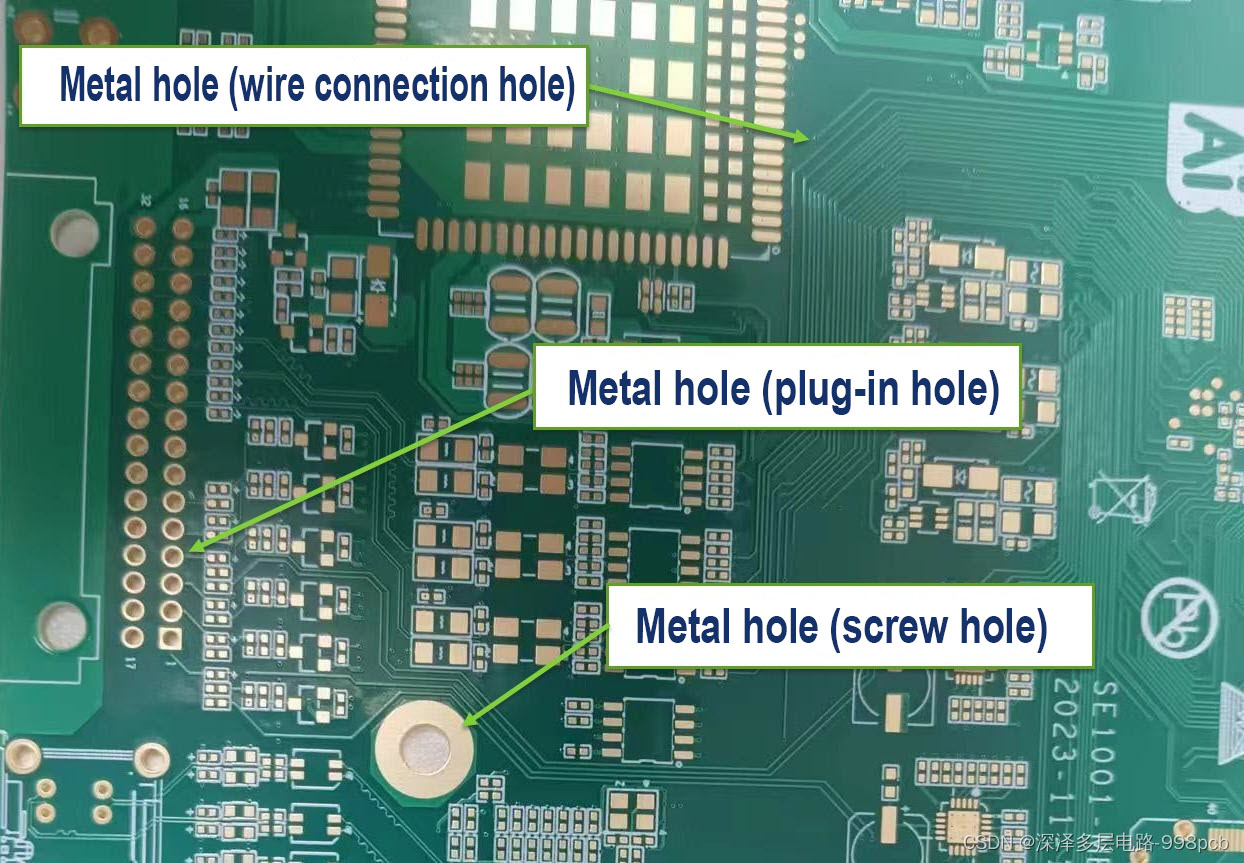
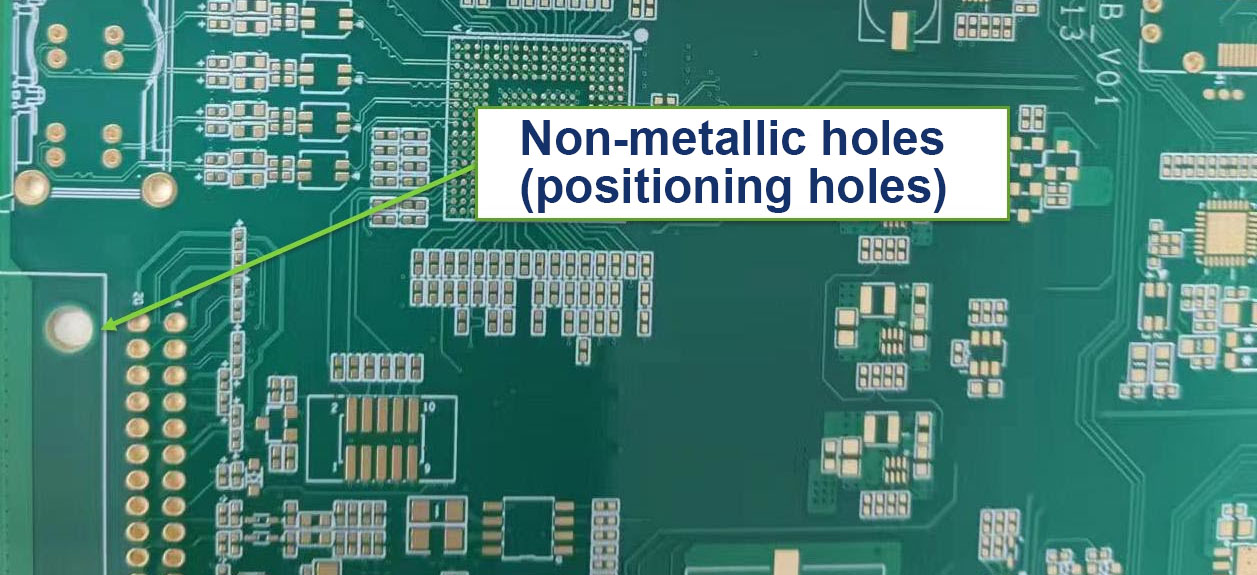
Via hole is one of the important components of multi-layer PCB, and the cost of drilling usually accounts for 30% to 40% of the PCB board cost. Simply put, every hole on the PCB can be called a pass hole. From the function point of view, the hole can be divided into two categories: one is used as an electrical connection between the layers. The second is used as the fixing or positioning of the device.

How to Calculate Current Carrying Capacity in PCB Vias?

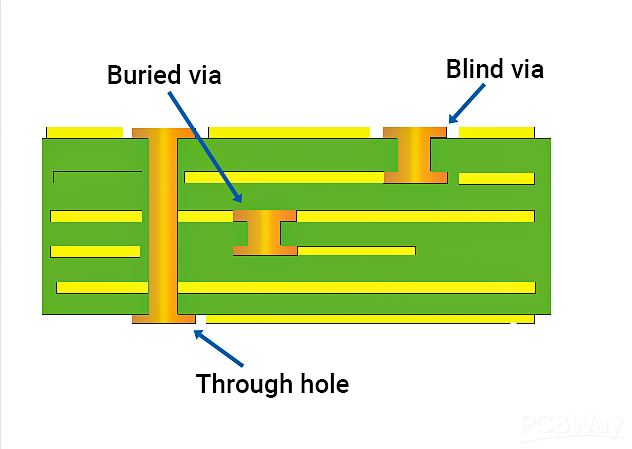
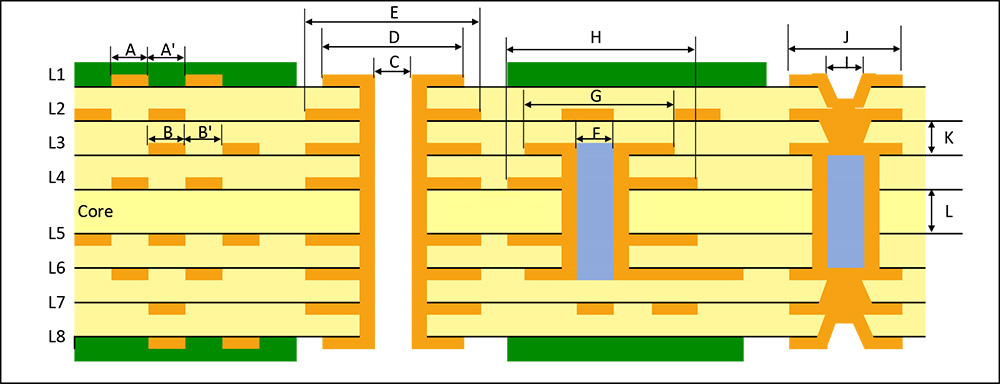
From a manufacturing process perspective, vias can be divided into three types: blind vias, buried vias, and through vias:

  • Blind vias: These connect the surface layer to an internal layer, without going through the entire board. Their depth is typically related to the hole diameter.
  • Buried vias: Located inside the PCB, they don’t reach the surface.
  • Through vias: These pass through the entire board and are the most common due to their lower manufacturing cost and simpler process.

How to make PCB vias?

Typically, PCB vias are produced following the IPC-2 standard, where the copper thickness in the hole is around 0.8 mil to 1 mil. However, in practice, the copper plating might not be uniform, and the thinnest part could be as narrow as 0.7 mil, affecting the current-carrying capacity.

Generally, the conventional PCB board is produced according to IPC-2 standard, where the copper thickness in the hole is around 0.8 mil to 1 mil (you can check the specific content of the IPC-2 standard). The hole that we think is produced during production is this ideal situation (as shown below), the size of the hole is regular, and the thickness of the hole copper is very symmetrical:

How to Calculate Current Carrying Capacity in PCB Vias?

However, in practice, the copper plating might not be uniform. As you can see, the copper plating thickness of the perforated wall of the PCB produced in general may be wide up and down, and narrow in the middle, so the narrowest limit may be 0.7mil. It can be imagined that if the current carrying situation is evaluated, it should be calculated according to the smallest and smallest cross-sectional area, but the smallest cross-sectional area is deviated from the actual design value. But actually, a good PCB manufacturer can help to save much time and money for you, you can see the via holes cross-sectional made by EBest Circuit (Best Technology) and others.

How to Calculate Current Carrying Capacity in PCB Vias?

What Is the Current Carrying Capacity of a Via?

The current-carrying capacity of a via refers to the maximum current it can safely handle. In PCB design, vias are essential components that connect traces between layers, and their size and shape directly impact how much current they can carry. Factors affecting current capacity include via diameter, number of vias, and placement.

The current carrying capacity of a via hole refers to the current that can be safely carried by the hole. In PCB design, the hole is a key component connecting the layers of printed wires. Their size and shape directly affect the ability of current to pass through. The current carrying capacity of the hole is not only related to the diameter of the hole, but also affected by the uneven current distribution. That is, when multiple holes are actually placed, the current distribution is not equal, which is related to the distribution, quantity and location of the hole. Therefore, evaluating the current carrying capacity of the holes requires consideration of a variety of factors, including the size and number of holes, and their layout on the board.

For instance, a 12 mil via can safely carry around 1.2A of current. However, increasing the via size (e.g., to 16 mil, 20 mil, or 24 mil) doesn’t necessarily yield a proportional increase in current capacity. A recommended via size for optimal current handling is 10-12 mil.

In some cases, the current carrying capacity of the through hole can be evaluated by DC simulation software, such as using tools such as Allegro’s IR Drop. These tools can help designers more accurately predict and optimize the performance of the board.

How to Calculate Current Carrying Capacity in PCB Via?

The current-carrying capacity of a via can be simplified by using a trace model calculation. The formula is:

I = 0.048 * T^0.44 * A^0.75

Where:

I is the maximum allowable current in amperes (A).

T is the maximum temperature rise in degrees Celsius.

A is the cross-sectional area of the via, measured in square mils.

For the cross-sectional area of the via: A = π * (D + Tk) * Tk

Where:

D is the via’s diameter.

Tk is the copper thickness, typically around 20 ÎŒm (0.8 mil) according to IPC-2 or IPC-3 standards.
In high-density interconnect (HDI) boards, due to manufacturing constraints, the copper thickness may be reduced to as low as 10 ÎŒm.

PCB Via Current Calculator Per IPC 2152

IPC-2152 replaces the 50-year-old IPC-2221B standard. IPC-2221B identifies in a series of diagrams the connection between the PCB’s temperature rise, the current in the track, and the cross-sectional area of the track without multilayer boards.
IPC-2152 outlines the relationship of thermal conductivity, through hole, board material, and thickness to current, trace cross section, copper weight, and temperature. It can also determine the exact values of external and internal traces. IPC-2152 is not only a real-time protection program, but it also helps PCB designers model safe and appropriate designs. The EBest Circuit (Best Technology) Wire Width and current Capacity calculator is based on this standard. You can calculate the trace area and current capacity for a given temperature rise.

The figure below is the calculation chart of the cross-sectional area of the through-hole given by IPC 2152. The formula of the cross-sectional area of the through-hole wall in the above figure is transformed, where D is the empty outer diameter, D is the inner diameter of the hole, and (d-d)/2 is the thickness of the hole wall, also known as the through-hole copper thickness. Where D is the empty outer diameter, D is the inner diameter of the hole, and (d-d)/2 is the thickness of the hole wall, also known as the thickness of copper through the hole. The copper thickness through the hole is not determined, and the copper thickness of each PCB manufacturer may be different. If you want to pass a larger current through the hole, it may be better to punch several more through the hole.

How to Calculate Current Carrying Capacity in PCB Vias?

Then you can get a new formula of calculating cross sectional area of hole wall:

How to Calculate Current Carrying Capacity in PCB Vias?

A typical example is calculating the via size based on a 20°C temperature rise and a 1A current.

Given:

Copper thickness of 1 oz (1.38 mil)

Current carrying capacity of 1A

Maximum temperature rise of 20°C

From the IPC-2152 Conservative Chart, the cross-sectional area corresponding to these conditions is 28 milÂČ. Using the equation for the via’s cross-sectional area, you can calculate the via’s diameter.

From the chart, the required cross-sectional area is 28 milÂČ.

The copper thickness is 1.38 mil.

Solving for the via diameter, we get:

d = 7.28 mil (0.185 mm)

Thus, a via with an internal diameter of 0.185 mm will safely carry a 1A current with a 20°C temperature rise.

EBest Circuit (Best Technology)’s Via Current Capacity Calculator

EBest Circuit (Best Technology) offers a current capacity calculator for PCB vias to ensure that designs meet specific current-carrying needs. The tool allows designers to input their parameters, such as via diameter and copper thickness, and outputs the current-carrying capacity value. Clik below image to use or click here: via current capacity calculator

How to Calculate Current Carrying Capacity in PCB Vias?

You may also like

RoHS vs. Pb Free Temperature – An Ultimate Guide

September 3rd, 2024

Soldering is a critical process in electronics manufacturing. It involves joining components to a printed circuit board (PCB) using a metal alloy called solder. Over the years, the industry has seen a shift from traditional lead-based solder to more environmentally friendly options. This shift has introduced terms like RoHS and Pb-free into the vocabulary of professionals. Understanding these terms, especially in relation to soldering temperatures, is crucial for anyone involved in electronics production.

This guide will break down the differences between RoHS and Pb-free soldering, focusing on their temperature requirements. We’ll explore what these terms mean and how they impact the soldering process.

What Does RoHS Stand For?

RoHS stands for Restriction of Hazardous Substances. It’s a directive that originated in the European Union, aiming to limit the use of certain hazardous materials in electrical and electronic products. Specifically, RoHS restricts substances like lead (Pb), mercury, cadmium, hexavalent chromium, and some flame retardants in manufacturing processes.

The directive came into effect in 2006 and has since become a global standard for electronics manufacturers. Complying with RoHS means that a product does not contain any of the restricted substances above a certain threshold. This initiative was created to reduce the environmental and health impacts associated with these hazardous materials.

RoHS vs. Pb Free Temperature – An Ultimate Guide

What Does Pb-Free Mean?

Pb-free, as the name suggests, refers to the absence of lead (Pb) in a product or process. In the context of soldering, Pb-free means that the solder alloy used does not contain lead. Lead has traditionally been a key component in solder due to its low melting point, making it easier to work with. However, the toxic nature of lead and its environmental impact has led to a global shift towards Pb-free alternatives.

Pb-free solder usually consists of a combination of tin (Sn), silver (Ag), and copper (Cu). These alternatives have a higher melting point than lead-based solder, which requires adjustments in the soldering process, especially in terms of temperature.

RoHS vs. Pb Free Temperature – An Ultimate Guide

Is RoHS the Same as Lead-Free?

While RoHS and Pb-free are related, they are not the same thing. RoHS is a regulatory standard that restricts the use of several hazardous substances, including lead. Pb-free, on the other hand, specifically refers to the absence of lead in a product or process.

In other words, Pb-free solder is a product that complies with the RoHS directive, but RoHS covers a broader range of materials beyond just lead. Therefore, a product can be RoHS compliant without being entirely Pb-free if it still contains lead within acceptable limits set by the directive.

What Is the Difference Between RoHS and Pb?

RoHS is a directive, a set of rules that manufacturers must follow to ensure their products are safe and environmentally friendly. Pb refers to lead, a specific element that RoHS seeks to limit or eliminate in electronic products.

The main difference lies in their scope. RoHS is about regulation, while Pb (lead) is one of the substances that these regulations seek to control. Pb-free solder is a direct result of the RoHS directive’s push to eliminate lead from electronics manufacturing. However, Pb-free soldering requires different handling and temperatures, which brings us to the next key points.

What Temperature Is Pb-Free Soldering?

Pb-free soldering requires higher temperatures compared to traditional lead-based soldering. The typical melting point of Pb-free solder is around 217°C to 220°C (423°F to 428°F). This is significantly higher than lead-based solder, which melts at around 183°C (361°F).

The higher temperature is due to the different alloy composition in Pb-free solder. Tin (Sn), silver (Ag), and copper (Cu) are the main components, and they require more heat to reach a liquid state. This means that when working with Pb-free solder, the soldering equipment must be capable of reaching and maintaining these higher temperatures.

Adjusting to this temperature is crucial because improper soldering temperatures can lead to weak joints, incomplete soldering, or damage to components. Therefore, manufacturers often need to recalibrate their soldering equipment when switching to Pb-free processes.

What Temperature Does RoHS Solder Melt At?

RoHS-compliant solder includes both lead-free and lead-based options, depending on the specific application and compliance level. For lead-free, which is common in RoHS-compliant products, the melting temperature is typically in the range of 217°C to 220°C (423°F to 428°F), similar to Pb-free solder.

However, if the RoHS-compliant product still uses lead-based solder within the allowable limits, the melting temperature would be around 183°C (361°F). This is less common today as more manufacturers move towards entirely lead-free processes to fully comply with RoHS and similar regulations.

The shift to RoHS-compliant soldering involves understanding these temperature differences and adjusting manufacturing processes accordingly. This ensures the reliability and durability of the solder joints in electronic products.

What Is the Best Temperature for Lead-Free Solder?

The best temperature for lead-free soldering typically ranges between 240°C to 250°C (464°F to 482°F). This range provides a buffer above the melting point to ensure proper flow and bonding of the solder.

Working within this temperature range helps achieve a strong, reliable solder joint while minimizing the risk of overheating and damaging sensitive components. It’s essential to monitor the soldering process closely because exceeding this range can cause problems, such as burnt components or damaged PCBs.

Manufacturers must carefully control the temperature during lead-free soldering to maintain the quality and integrity of the solder joints. Proper temperature control is a critical factor in producing durable, long-lasting electronic products.

Which is Best for PCB Soldering?

When it comes to PCB soldering, the choice between lead-based (Pb) solder and lead-free (Pb-free) solder depends on various factors, including environmental regulations, the application of the PCB, and the desired properties of the solder joints. Here’s a breakdown to help you decide which is best for your needs:

1. For environmental compliance, Pb-free solder is the best choice if you need to meet regulatory requirements like RoHS. It’s also better for the environment and human health.

2. Lead-based solder might be better if you’re working on non-compliant projects where ease of use and joint durability are top priorities, such as prototyping or repair work.

3. For modern electronics manufacturing, Pb-free solder is increasingly the standard, especially for products that need to be sold globally. It’s also the best choice for future-proofing your manufacturing processes against tightening environmental regulations.

In conclusion, Pb-free solder is generally the best choice for modern, environmentally conscious PCB manufacturing, particularly when compliance with regulations like RoHS is necessary. However, lead-based solder may still be preferred for specific applications where ease of use and durability are more important than regulatory compliance.

You may also like

What is SMT POP (Package on Package) Process?

September 3rd, 2024

What is smt pop process?Package on Package (PoP) means that a logical package with high integration at the bottom is superimposed on another matching large-capacity memory package to form a new package as a whole. Laminated packaging can be the same shape of the logic and memory chip package can be reintegrated, without the use of stacked logic-memory chip packaging method in the manufacturing and commercial problems. This new form of high-density packaging is mainly used in a variety of consumer electronic products such as smart phones, digital cameras, and portable wearable devices.

What is SMT POP (Package on Package) Process?

What Does POP Do in Assembly?

In an era where consumer electronics are becoming smaller and more powerful, saving PCB space is crucial. PoP allows for the vertical stacking of components, such as processors and memory, on top of each other. This is especially important in devices like smartphones, tablets, and wearable technology, where space is at a premium.

One of the significant advantages of PoP is the ability to individually test and replace the stacked components before final assembly. This step-by-step verification ensures higher yields during manufacturing, as defective components can be identified and replaced early in the process. Additionally, since each component is tested separately, the overall cost of assembly can be reduced, as fewer defective products reach the final stages of production.

Moreover, PoP provides manufacturers with the flexibility to mix and match different types of components. For example, different memory types can be combined with various processors, depending on the requirements of the final product.

SMT POP Structure

POP stacking assembly typically involves placing components on top of each other, usually combining logic and memory devices. The structure can range from 2 to 4 layers, with memory PoP going up to 8 layers. Although the overall height increases slightly, each component can be tested individually before assembly, ensuring higher yield rates and minimizing total assembly costs.

PCB Assembly Layers of PoP:

What is SMT POP (Package on Package) Process?

Amkor PoP Typical Structure:

Bottom PSvfBGA (Package Stackable very thin fine pitch BGA)

Top Stacked CSP (fine pitch BGA)

Bottom PSvfBGA Structure:

Dimensions: 10-15mm

Pad pitch: 0.65mm, with bottom ball pitch at 0.5mm (0.4mm)

Substrate: FR-5

Ball material: 63Sn37Pb/Pb-free

Top SCSP Structure:

Dimensions: 4-21mm

Bottom ball pitch: 0.4-0.8mm

Substrate: Polyimide

Ball material: 63Sn37Pb/Pb-free

Ball diameter: 0.25-0.46mm

SMT POP Manufacturing Process

The manufacturing process for Package on Package technology is a multi-step procedure that demands precision and careful attention to detail to ensure the successful assembly of high-performance electronic devices. Here’s an extended explanation of each stage in the PoP manufacturing process:

What is SMT POP (Package on Package) Process?

1. Non-PoP Side Component Assembly

The PoP process begins with the assembly of components on the non-PoP side of the PCB. This involves standard SMT assembly processes:

  • Stencil Printing: Solder paste is applied to the designated pads on the PCB using a stencil.
  • Component Placement: Using automated pick-and-place machines, surface-mount components are accurately positioned onto the solder-pasted pads.
  • Reflow Soldering: The PCB is then passed through a reflow oven, where the solder paste is heated to its melting point, securing the components to the board.
  • Inspection: The solder joints are inspected using Automated Optical Inspection (AOI) to ensure that they are correctly formed and that the components are properly placed.

2. Solder Paste Printing on the PoP Side

After completing the assembly on the non-PoP side, the PCB is flipped, and solder paste is printed on the pads where the bottom PoP component will be placed. This step is crucial, as the quality of the solder paste application directly affects the integrity of the solder joints between the PoP components.

3. Placement of Bottom Components and Other Devices

The bottom components, which typically include the logic processor, are placed onto the solder-pasted pads using high-precision pick-and-place equipment. This placement must be extremely accurate to ensure proper alignment with the top component in the subsequent steps.

4. Flux or Solder Paste Dipping for the Top Components

Before the top component is placed, it is dipped in flux or a thin layer of solder paste. This dipping ensures that the solder joints between the top and bottom components are robust and reliable. The flux helps to clean the surfaces and promote better solder flow during reflow, while the solder paste provides additional material for the solder joints.

5. Placement of Top Components

The top component, typically a memory chip, is then placed onto the bottom component. This step requires precise alignment to ensure that the solder balls on the top component correctly match the pads on the bottom component. Any misalignment can lead to defective connections and, consequently, a malfunctioning device.

6. Reflow Soldering and Inspection

Once the top component is placed, the entire assembly is subjected to reflow soldering. During this process, the PCB passes through a reflow oven where the solder paste re-melts, forming solid connections between the components. The temperature profile during reflow must be carefully controlled to prevent warping or damaging the delicate PoP structure.

After reflow, the assembly is inspected using AOI or X-ray inspection to verify the quality of the solder joints, particularly the hidden joints between the top and bottom components. X-ray inspection is often employed because it can penetrate the layers and provide a clear view of the solder joints, ensuring there are no voids, misalignments, or insufficient solder.

7. Final Testing and Quality Control

The assembled PoP structure undergoes a series of electrical tests to ensure functionality. This includes testing for continuity, shorts, and the performance of the integrated components. High-quality PoP assemblies should pass all functional tests without issue, confirming that the solder joints and component placements are reliable.

8. Packaging and Shipping

After passing the final tests, the PoP assemblies are cleaned to remove any residual flux or contaminants. They are then packaged according to the customer’s requirements and prepared for shipping. Proper packaging is essential to protect the sensitive PoP structures from damage during transit.

POP Design Considerations

Factors affecting the spatial relationship include substrate and component design, substrate manufacturing processes, component packaging processes, and SMT assembly processes. Key aspects to consider are:

  • Pad design
  • Solder mask opening
  • Ball size and height variation
  • Amount of flux or solder paste applied
  • Placement accuracy
  • Reflow environment and temperature
  • Warpage of components and substrate
  • Bottom component molding thickness

What are the advantages of POP smt process?

POP is mainly a system integration 3D package developed for mobile devices, and its structure mainly has the following characteristics.

  1. Storage devices and logic devices can be freely combined, and can be tested or replaced separately to ensure the yield.
  2. POP is stacked in the vertical direction, saving the board area and improving the system packaging density.
  3. The vertical interconnection of stacked devices replaces the traditional two-dimensional package interconnection, which can realize faster data transmission between logic devices and storage devices.

With the development of technology, the following main types of POP structures have emerged.

  • Solder Ball Connected PoP

Logic chips have more I/0 ports, so they are often packaged with Flip Chip (FC) technology and used as the bottom component. The bottom chip adopts Capillary Under Fill (CUF) technology.

  • MLP Connected PoP

In order to develop a thinner PoP Package structure, MoldimgLaser Package (MLP) technology came into being, also known as Through Mold Via (TMV) technology on the market. The method is to first weld the tin ball around the bottom chip and directly plastic seal, and then use laser perforation to expose the tin ball for subsequent connection with the upper components.

  • Folded and BVA Connected PoP

In order to meet the requirements of thin size, strong function and large I/0 number of PoP products, flexible circuit boards are used to connect various package components and fold to form PoP structure, and BVA (Bond Via Array) is used to improve product performance and reduce pin spacing.

POP Applications

1. Smartphones: PoP is widely used in smartphones, like the Meizu 16S, for integrating application processors and memory.

2. Wearable Devices: PoP is commonly used in next-generation wearable devices.

3. Electronic Watches: PoP packaging is key for improving performance and reducing costs in electronic watches.

4. Earphones: The Meizu POP Pro noise-cancelling earphones utilize PoP technology.

5. Health Watches: Huami’s Amazfit Pop, one of the most affordable blood oxygen monitoring watches, uses PoP technology.

For more information about our POP Assembly capabilities, please contact us any time! We can be reached via email at sales@bestpcbs.com, or toll free at +86-755-2909-1601.

You may also like

How much does a custom pcb cost per unit? How to calculate?

September 2nd, 2024

In the field of electronic manufacturing, PCB (Printed Circuit Board) is an indispensable basic component. For electronic equipment manufacturers, it is very important to accurately calculate the cost of PCB circuit boards.
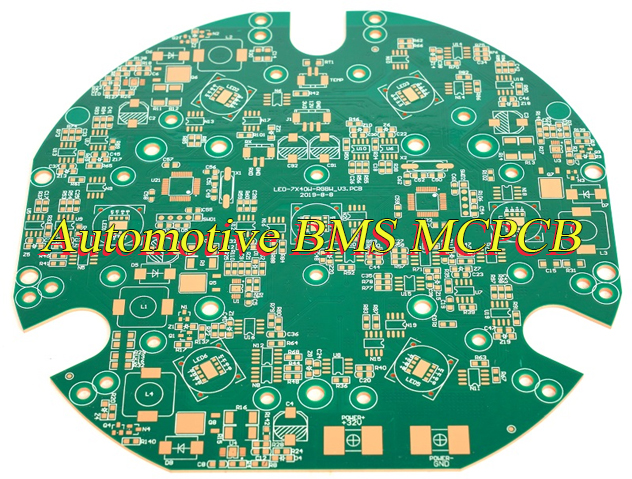
In the PCB processing plant, the cost estimation method of PCB is composed of many factors. Most of the cost comes from the number of layers, materials, drilling volume, and surface treatment process of the board. Generally speaking, the board cost is about half of the total cost.

What is the average cost of a PCB?

The average cost of PCB varies due to many factors, and there is no fixed value. ‌

The cost of PCB is mainly composed of the following parts:

1. Substrate cost: Substrate is the basic component of PCB. Common material types include FR4, CEM-1, aluminum substrate, etc. The price of different types of substrates varies greatly.

How much does a custom PCB cost per unit? How to calculate?

2. Process cost: The manufacturing process of PCB includes inner layer circuit production, lamination, drilling, electroplating, outer layer circuit production, solder mask treatment, text printing and surface treatment. Each step requires professional equipment and technicians to operate, so there will be corresponding costs.

3. Inspection cost: After the PCB is manufactured, a series of tests are required to ensure its quality, including electrical performance testing, reliability testing, and appearance inspection.

4. Other additional expenses: In addition to the above main costs, there are some additional expenses to consider, such as special design or modification services may require additional design fees. In addition, additional costs such as packaging, transportation, and taxes also need to be taken into consideration.

In summary, the cost of PCB is composed of multiple aspects, including substrate cost, process cost, inspection cost, and other additional expenses, which need to be comprehensively evaluated based on specific board type, number of layers, drilling amount, surface treatment process, and other factors.

How to calculate PCB design cost?

‌Material cost is an important part of design cost, including board, solder mask ink, chemical agents, etc. These costs are relatively easy to calculate, but the additional losses caused by material loss and risks during storage and use need to be considered.

‌Process cost covers equipment use time, worker wages, energy consumption, etc. When calculating the cost of equipment use, the frequency and duration of equipment use and the total investment cost should be taken into account.

‌Equipment depreciation and maintenance costs‌ are also a part that cannot be ignored, including the original price of the equipment, accumulated depreciation, and maintenance and repair costs.

‌Other related costs‌ such as administrative costs, quality control costs, and R&D costs, although more difficult to calculate, have a significant impact on the total cost of the project.

Material costs include substrate materials, circuit board materials, and copper foil, processing costs involve drilling, copper plating, graphic etching and other processes, and labor costs include direct and indirect labor costs. Through these calculations, plus a reasonable profit margin, the final PCB quotation is obtained.

What is the most expensive PCB?

The most expensive PCB may be an electroless nickel electroless palladium immersion gold (ENEPIG) PCB.

How much does a custom PCB cost per unit? How to calculate?

This electroplating material has a copper-nickel-palladium-gold layer structure that can be directly bonded to the electroplating layer through wires. The last layer of gold is very thin, just like electroless nickel immersion gold (ENIG).

The gold layer is soft, so excessive mechanical damage or deep scratches may expose the palladium layer. Although the gold layer is soft, ENEPIG’s PCB is often considered the first choice in high-end applications due to its high-quality electrical performance and durability, so its cost is relatively high.

In addition, the production of high-end precision PCB circuit boards is also expensive, including multi-layer boards, boards with BGA, HDI circuit boards, etc. These products usually require more complex production processes and higher material quality, so the cost is also relatively high.

How much does PCB assembly cost per component?

The PCB assembly cost of each component is composed of multiple factors, including board costs, processing costs, testing costs, and other additional costs. ‌

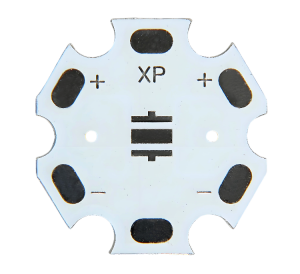
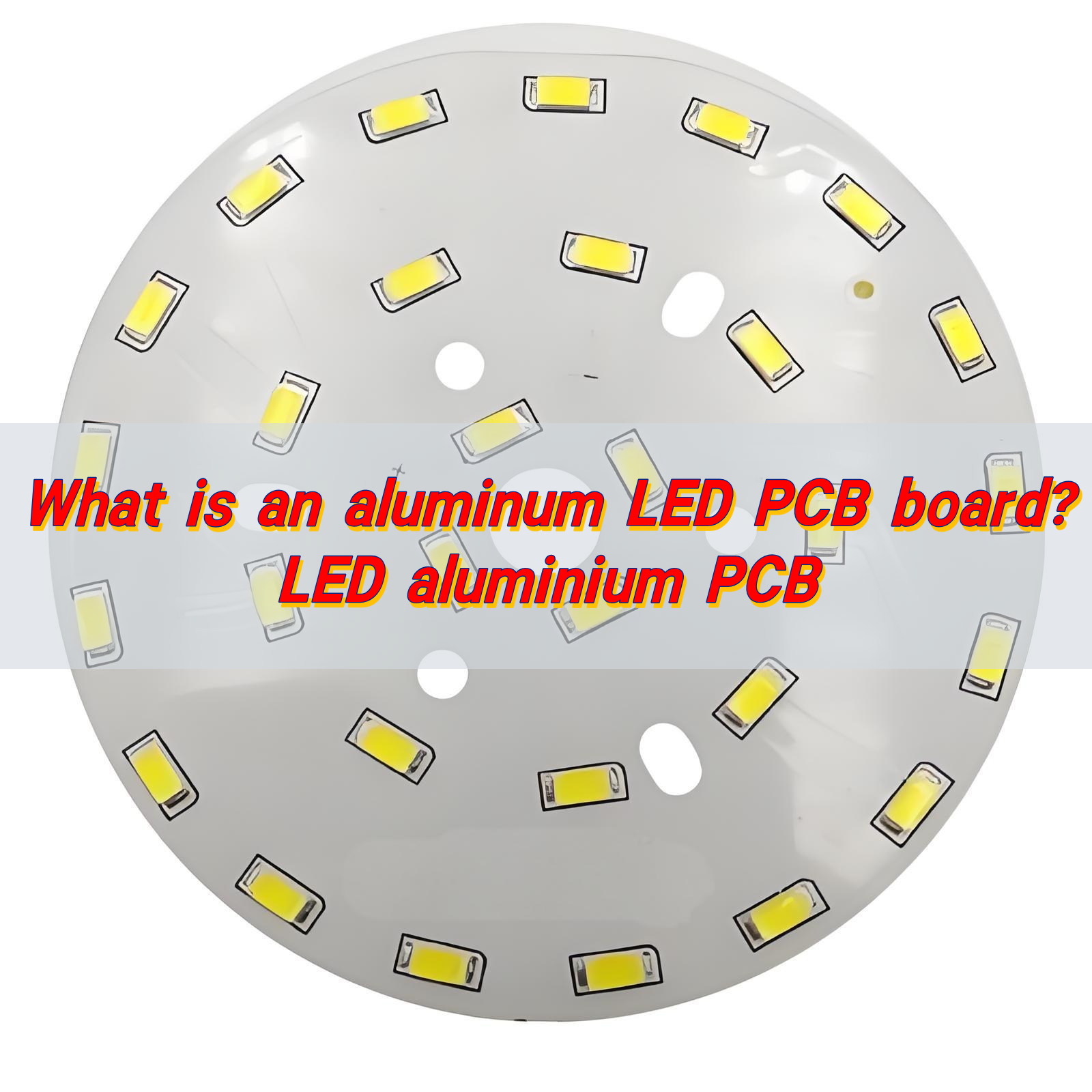
Board costs are an important part of PCB assembly costs. The types of boards, such as FR4, CEM-1, aluminum substrates, etc., have large price differences.

FR4 boards are widely used due to their excellent electrical and processing properties, but their prices are affected by fluctuations in the prices of raw materials such as international copper prices, epoxy resins, and glass fiber cloth.

Aluminum substrates are favored in certain specific applications due to their good heat dissipation performance, but their prices are usually much higher than FR4 boards.
‌Processing costs‌ cover multiple links in the PCB manufacturing process, such as inner layer circuit production, lamination, drilling, electroplating, outer layer circuit production, solder mask, text printing and surface treatment.

Each link requires professional equipment and technicians to operate, so there will be corresponding costs. In particular, the costs of steps such as drilling and electroplating will vary according to factors such as the number of holes, the area and thickness of the electroplating.
‌Testing costs‌ are an important link to ensure the quality of PCBs. After the production is completed, the PCB needs to undergo a series of tests, including electrical testing, reliability testing, and appearance inspection.

These tests require not only professional testing equipment, but also experienced testers to operate and analyze the results, so certain costs will also be incurred.

‌Other additional costs‌ include additional design fees that PCB manufacturers may charge if customers require special design or modification services. In addition, there are some additional costs such as packaging, transportation and taxes that need to be taken into account.

In summary, the PCB assembly cost of each component is determined by the board cost, processing cost, testing cost and other additional costs, and the specific cost will vary according to the specific needs of the project and the manufacturer’s quotation.

What is the cheapest PCB finish?

The cheapest PCB surface treatment process is hot air solder leveling (HASL). ‌

HASL is a commonly used PCB surface treatment process, which is divided into lead-containing tin and lead-free tin. It is one of the most commonly used and relatively inexpensive surface treatment processes.

This process is to immerse the circuit board in molten solder (tin/lead), and then the solder covers all exposed copper surfaces on the board to form a HASL surface finish.

HASL is not only one of the cheapest types of PCB surface treatment, but its process temperature is 250℃, the shelf life can reach 12 months, and the surface treatment thickness ranges from 1-40um, making it an economical and practical choice.

In addition, HASL is divided into leaded and lead-free. Although the leaded version is gradually replaced by the lead-free version for environmental reasons, the lead-free HASL still maintains a low cost, making it the preferred choice for projects with limited budgets‌.‌

Do vias make PCBs more expensive?

Vias may indeed increase the cost of PCBs. ‌

How much does a custom PCB cost per unit? How to calculate?

Vias are an important part of multi-layer PCB boards, and they play a key role in the design and manufacturing process of circuit boards. Vias can be divided into buried vias, blind vias and through holes. Among them, through holes pass through the entire circuit board and are used to achieve internal interconnection or component installation and positioning. They are the most commonly used types.
The number and type of vias directly affect the cost of the PCB, because each via needs to go through processes such as drilling and electroplating, which account for a considerable part of the cost of PCB board manufacturing.

Factors that affect the cost of PCBs also include the size of the vias. The smaller the via, the greater the manufacturing difficulty, and the corresponding increase in cost.

In addition, different types of vias require different processing technologies and materials, which also affects the cost. For example, the processing processes and difficulties of blind and buried vias are different, resulting in different prices.

The price difference between blind and buried vias is mainly caused by many factors such as material cost, complexity of processing process and difficulty of processing. Blind vias require double-sided or multi-layer composite boards, which have higher material costs, while buried vias can be processed using single-sided boards, which have relatively low costs.

In addition, the processing processes of blind vias are diverse, the process is complex, and higher technology and cost are required. The processing time is long and the manufacturing cost is relatively high.

In summary, the number, type, size and processing method of vias will affect the cost of PCB. When designing PCB, it is necessary to find a balance between function and cost to optimize the design and cost control.

Conclusion:

The unit cost of PCB is affected by many factors, including but not limited to the number of layers, material, drilling amount, and surface treatment process of the board. BEST Technology has many years of experience in PCB board design and has skilled experience in handling various factors that affect PCB cost. It can help you find the best way to solve all your concerns about PCB cost.

You may also like

What file types are used for PCB design?

September 2nd, 2024

What file type is used for pcb designs?Generally, PCB boards require Gerber files, drilling files, bill of materials (BOM), manufacturing drawings and assembly drawings. The Gerber file suffix is ​​.gbr, the drilling file suffix is ​​(.drl), and the PCB schematic file suffix is ​​.schdoc. The drilling file is usually in Excellon format (.xin). The center coordinate file is also called the pick and place file, which is provided in CSV (comma separated value) format.

hether it is an individual or a company making PCB boards, PCB boards generally require Gerber files, drilling files, bill of materials (BOM), manufacturing drawings and assembly drawings. Among them, Gerber files are a set of files, which are the most important and contain information about each layer of the PCB to be used in production.

What files do I need to make a PCB?

Making PCBs (printed circuit boards) requires a series of files to ensure the smooth progress of the manufacturing process and the quality of the product.

‌Gerber file‌: This is the most common and crucial file in PCB manufacturing. It contains the geometric information of each layer of the PCB, such as copper lines, pads, solder mask layers and silk screen layers, and also includes separate files for each PCB layer, such as top copper, bottom copper, solder mask, silk screen layer, etc. ‌

What file types are used for PCB design?

‌Drill file‌: Provides drilling coordinates and size information for PCBs, and specifies the aperture size of components, vias and mounting holes. Drill files are usually generated in Excellon format or as separate ASCII files‌.

‌Bill of Materials (BOM): A BOM is a detailed list of all components used in a PCB design, including information such as part number, component value, description, and quantity, which helps ensure that all required components are correctly sourced and placed on the PCB.

‌Center Coordinate File: Also known as a pick and place file, it provides coordinate and orientation information for each component on the PCB and is essential for the automated assembly process. Center coordinate files are usually provided in CSV format.

‌Fabrication Drawing: This is an engineering drawing that includes key information about the PCB, such as board dimensions, drill hole dimensions, layer stackup, tolerances, surface finish, and other manufacturing-related details, which serves as a reference for PCB manufacturers during the production process.

‌Assembly Drawing: Provides additional information for the PCB assembly process, including component placement details, reference numbers, orientation, and any special instructions for assembly technicians.

In addition, depending on the specific design and production needs, other documents may also be required, such as circuit diagrams, special layer files, installation instructions and precautions, etc. ‌ The preparation and provision of these documents is a key step in ensuring a smooth PCB production process.

What are Gerber files? What information do they contain?

Gerber files are a series of ASCII vector format files that define PCB design specifications. They are generated using electronic design automation (EDA) or computer-aided design (CAD) tools and provide information such as board configuration parameters, aperture descriptions, XY coordinate locations, and drawing instructions.

Configuration details include the size and shape of the PCB to be manufactured. Each layer of the board information is recorded in a different file to define components such as copper traces, pads, vias, solder mask, silk screen, and logos. The Gerber file indicates the XY coordinate location of each geometric shape and uses instructions to draw these shapes on the physical board.

The basic components of the Gerber file include: board size, shape, top assembly, top silk screen, top solder mask, top paste, top copper, internal signals, inner layers, bottom copper, bottom paste, bottom solder mask, bottom silk screen, bottom assembly, and manufacturing information (providing stackup, drilling details, cutting, etc.).

Gerber files generated by computer-aided manufacturing (CAM) tools have user-selected extensions, usually using project naming such as “.TOP” for top layer, “.BOT” for bottom layer, and “.drl” for drill data.

How is a PCB designed?

PCB design is a complex process that involves multiple steps and considerations to ensure the functionality and reliability of the final product.

‌Schematic Design‌: First, you need to prepare a schematic and component library. The schematic is the blueprint of the circuit design, while the component library contains information about the various components used in the circuit.

‌Component Symbols and Packages‌: The symbol of the component is used to represent the component in the schematic, while the package defines the physical form of the component on the PCB. The component symbol is used in the schematic design stage, while the package is used in the PCB layout and routing stages.

What file types are used for PCB design?

How is a PCB designed?

‌PCB Layout‌: The layout stage involves placing electronic components on the PCB, and factors that need to be considered include the orientation, size, and relative position of the components.

‌Routing‌: After the layout is completed, the next step is the routing stage, which is to connect the various components according to the needs of the circuit.

‌DRC Check‌: Design rule checking (DRC) is performed during the design process to ensure that the design complies with predetermined electrical and physical rules. This includes checking for shorts, open circuits, and other possible design errors.

‌Solder mask and solder paste layer‌: The solder mask is used to prevent unnecessary soldering, while the solder paste layer is used to specify solder joints. The correct design of these layers is critical to ensuring the reliability and manufacturability of the circuit board.

‌Network and DRC Check‌: In the final stage of design, network checks are performed to ensure that all components are properly connected, while DRC checks are performed to verify that the design complies with all electrical and physical rules.

‌Through the above steps, designers are able to transform the circuit design in the schematic into an actual, manufacturable PCB. This process requires comprehensive consideration of multiple factors such as the functionality, reliability, and manufacturing cost of the circuit.

‌What is the schematic file for PCB?

‌PCB schematic files are the main files used for circuit design, analysis, and debugging. They mainly show the electrical connection relationship between electronic components, but do not reflect the actual physical location of these components on the PCB board. ‌

What file types are used for PCB design?

Schematic Diagram is the basis of circuit design. It uses symbols and lines to express the connection and working principle of the circuit in a concise and clear manner, and pays more attention to the functional expression of the circuit.

Schematic diagram does not involve the specific layout and wiring of electronic components on the PCB board, so it focuses on the logical representation of the circuit rather than the physical implementation. ‌

In contrast, PCB design files plan the precise location and wiring of electronic components on the PCB board in detail, taking into account the connectivity of the circuit, and also comprehensively considering factors such as signal integrity, power distribution, thermal design, and mechanical strength. ‌

These design files are the main files used to manufacture actual electronic devices, including PCB layout and PCB wiring. The layout determines the location of electronic components on the circuit board, while the wiring involves the electrical connection between components. ‌

In general, schematic files and PCB design files play different roles in the design and manufacturing process of electronic products. The former focuses on the expression of circuit logic and function, while the latter focuses on converting this logic into actual physical implementation, including the specific location and connection method of components. ‌

What is the difference between PCB design and schematic design?

The main difference between PCB design and schematic design lies in their purpose, content and application scenarios. ‌

‌Purpose and content‌:

Schematic design focuses on describing the logical relationship and electrical performance of the circuit, using graphic symbols to display power, components and connections, and can clearly show the logical relationship of the internal circuit of the electronic device. It is mainly used for circuit analysis and design, helping to understand the working principle of the equipment and perform fault diagnosis‌.

PCB design focuses on describing the actual physical size, position and wiring of components, and is the actual circuit board layout and wiring design based on the schematic diagram. It is mainly used to guide the manufacture and assembly of PCBs, reflecting the actual layout and wiring of electronic equipment‌.

‌Application scenarios‌:

Schematic design plays an important role in the process of R&D, debugging and maintenance, and is a key tool for understanding the working principle of the equipment and performing fault diagnosis‌.

PCB design files are an important basis for the actual PCB board manufacturing and subsequent assembly, debugging and other processes‌.

In short, schematic design is the basis of electronic product development. It provides information such as the logical relationship and electrical performance of the circuit, while PCB design is the key link to convert the schematic into an actual circuit board. It is necessary to design components layout and wiring according to the requirements of the schematic.

What is a PCB stencil file?

A PCB stencil file is a pre-designed file template used to quickly generate PCB design files containing specific information.

These template files usually contain basic information such as board size, board layer settings, grid settings, and title bar settings. Users can quickly generate new PCB design files based on these templates, thereby speeding up the design process.

By using these templates, designers can avoid designing these basic settings from scratch, saving time and energy, and focusing on more complex circuit design details.

Conclusion:

There are many types of PCB design files, among which Gerber files are the most important. The information they contain is the most and the most important. The final quality of the PCB circuit board depends on the first step of design. BEST Technology has very professional PCB designers who have many years of industry experience and can meet all your needs.

You may also like

What is BGA? What is its use?

August 30th, 2024

Ball grid array (BGA) is a surface mount package for integrated circuits. Its ability to accommodate a large number of pins while maintaining a small footprint makes it ideal for modern electronic devices with limited space. BGA packages are used in a variety of applications, from consumer electronics such as smartphones and laptops to industrial equipment and automotive systems.

What is BGA?

Ball grid array (BGA) is a common surface mount package that is derived from pin grid array (PGA) technology. It uses a grid of solder balls or leads to conduct electrical signals from the integrated circuit board. Instead of using pins like PGA, BGA uses solder balls placed on a printed circuit board (PCB). By using conductive printed wires, PCBs support and connect electronic components.

What is BGA? What is its use?

Unlike PGA, which has hundreds of pins and is difficult to solder, BGA solder balls can be evenly distributed without accidentally connecting them together. Solder balls are first placed in a grid pattern on the bottom of the package and then heated. By using surface tension when melting the solder balls, the package can be aligned with the circuit board. The solder balls cool and solidify, with accurate and consistent distances between each other.

What does a BGA do?

The main role of BGA (Ball Grid Array) packaging technology includes providing high-density, high-performance packaging solutions for microprocessors, ASICs, DSPs, PDAs, PLDs and other devices. This technology achieves surface mounting by making array solder balls on the bottom of the package substrate as the I/O end of the circuit to interconnect with the printed circuit board (PCB).

What is BGA? What is its use?

BGA packaging technology is small, light, and high-performance. It can provide more pins than other packaging technologies such as dual in-line package (DIP) or quad flat package (QFP). The entire bottom surface of the device can be used as pins instead of only the periphery.

This allows BGA packages to have shorter average wire lengths than periphery-limited package types, thereby providing better high-speed performance.

The advantages of BGA packaging are not only its high density and high performance, but also its less stringent requirements for welding accuracy. Even during the soldering reflow process, even if the solder ball is offset from the pad, the device position can be automatically corrected due to the surface tension of the solder.

What are the disadvantages of BGA?

The disadvantages of BGA packaging technology mainly include difficulty in detection, high difficulty in repair, relatively high production cost, stricter requirements on the reliability of solder joints, and sensitivity to temperature and humidity. ‌

1. Difficulty in detection: Since the solder ball is located at the bottom of the chip, the traditional optical inspection method cannot effectively detect the welding quality, and X-ray detection and other equipment must be used, which increases the cost and time of detection. ‌

2. High difficulty in repair: If there is a welding problem, the BGA packaged device needs to be disassembled and reassembled. This process has high technical requirements and certain risks. ‌

3. Relatively high production cost: Compared with QFP packaging, BGA packaging has higher material, production and inspection costs. ‌

4. More stringent requirements on the reliability of solder joints: Due to its small size, the BGA packaging method has very high requirements on solder joints. If there are problems such as empty solder joints and cold solder joints in the solder joints, the BGA package will fail.

5. Sensitive to temperature and humidity: BGA packaged components are very sensitive to temperature and humidity and need to be stored under constant temperature and dry conditions.

These shortcomings have limited the widespread application of BGA packaging technology to a certain extent, especially in application scenarios with high requirements for cost, reliability and environmental adaptability.

How is BGA made?

The production process of BGA (ball grid array package) mainly includes several key steps, which ensure the high quality and high reliability of BGA package. ‌

1. Wire bonding PBGA packaging process flow:

Substrate preparation: extremely thin copper foil is laminated on both sides of the BT resin/glass core board, and then drilling and through-hole metallization are performed.

‌Graphic production: Use conventional PCB processing technology to make graphics on both sides of the substrate.

‌Solder mask production: Add solder mask and make graphics to expose electrodes and welding areas to improve production efficiency. A substrate usually contains multiple PBGA substrates.

2. ‌BGA area via plugging‌:

The vias in the BGA pad area generally need to be plugged to prevent foreign matter in the hole or to protect the service life of the via, and to prevent the via from tinning during the reflow soldering of the SMT patch, causing a short circuit on the other side.

3. ‌Via in the plate, HDI design‌:

For BGA chips with small pin spacing, when the pin pad cannot be connected due to the process, it is recommended to directly design the via in the plate, and use the HDI blind buried hole wiring method to design the PCB, punch the via in the plate on the BGA pad, punch the buried hole in the inner layer, and conduct the wiring in the inner layer.

4. ‌BGA welding process‌:

‌Printing solder paste‌: Apply an appropriate amount of solder paste evenly on the PCB pad to ensure that the patch components and the corresponding pads on the PCB achieve good electrical connection and sufficient mechanical strength during reflow soldering.

‌Device placement‌: Use a placement machine to accurately mount the chip components to the corresponding position on the PCB surface printed with solder paste or patch glue.

5. Special size design and automated production:

BGA features include high pinhole density, easy automated production, high reliability, and the ability to design special sizes to achieve a more compact chip layout.

What is the difference between PCB and BGA?

The main differences between PCB and BGA are their structure, function, and application scenarios. ‌

1. Structure:

PCB (printed circuit board) is a basic electronic component that provides an electrical connection path between components. BGA (ball grid array package) is an advanced packaging method that connects components to PCB through a spherical pad array, with the advantages of high density and high reliability.

The pins of BGA are spherical and are generally directly soldered on the PCB board. Desoldering requires a special BGA rework station, and individuals cannot desolder; while the pins of PGA (pin grid array package) are pin-shaped. When installing, the PGA can be inserted into a special PGA socket for easy disassembly.

2. Functions and application scenarios:

BGA packaging effectively uses PCB space, which helps save enough space for customization in PCB and improve its efficacy. The size of BGA package is very small, so these PCBs have less heat dissipation and are easy to achieve the dissipation process.

There are no bendable or fragile pins in BGA package, so the durability of these PCBs is increased, and good electrical performance is also ensured. The pads of BGA package are large enough to make it easy to solder and easy to operate, so easy soldering and handling make it very fast to manufacture.

In summary, BGA, as an advanced packaging technology, has been widely used in high-performance electronic products through its unique ball grid array structure and high density and high reliability characteristics. Traditional PCBs provide basic electrical connection paths and are the basic components of electronic devices.

How many types of BGA are there?

There are many types of BGA, mainly including:

1. PBGA (plastic package BGA): This is the most commonly used BGA packaging form, made of plastic materials and plastic processes.

What is BGA? What is its use?

2. CBGA (ceramic BGA): This packaging type uses a multi-layer substrate with precious metal interconnect circuits.

3. CCGA (ceramic solder column array)

4. TBGA (BGA with tape)

5. MBGA (metal BGA)

6. FCBGA (flip chip BGA)

7. EBGA (BGA with heat sink)

In addition, BGA can be divided into staggered type, full array type, and peripheral type according to the arrangement of solder balls.

Conclusion:

Ball grid array (BGA) packaging is a key technology in modern electronic products. It makes it possible to develop more powerful and compact devices. BGA has become the first choice for applications that require high performance, reliability and miniaturization.

BGA packaging is famous for its advanced packaging technology. BEST Technology is recognized as the most trusted one-stop electronic circuit solution provider in the world, and BGA production is one of its most important projects. We specialize in the production and assembly of PCBs containing BGA packaging.

You may also like

What is the use of relay in power system?

August 30th, 2024

Relays in power systems are important components that play a vital role in controlling circuits. The core of a relay is an electric switch that can automatically or manually open or close a circuit according to the design. Relays are commonly used in a variety of applications, from small electronic devices to large power systems, and they provide a reliable way to control high-power circuits using low-power signals.

What is relay?

Relay refers to a transfer device in a circuit that controls the switch through the electromagnetic principle to achieve the purpose of automatic control. In power systems, relays can control the switch of circuits by detecting changes in parameters such as current and voltage to achieve protection and control of the system.

What is the use of relay in power system?

The basic working principle of a relay is to use the electromagnetic effect to control the on and off of mechanical contacts. When the coil with an iron core is energized, the coil current generates a magnetic field, which attracts the armature to move, thereby opening and closing the contacts.

Why would you need a relay?

The reasons for needing a relay mainly include safety isolation, remote control, timing or delay control, protection equipment, signal conversion, etc. ‌

1. ‌Safety isolation‌: When a low-voltage device (such as a microcontroller or sensor) is used to control a high-voltage device, the relay can act as an isolation layer to ensure safe operation.

2. ‌Remote control‌: When a device needs to be controlled at a longer distance or in a longer environment, the relay can transmit and amplify the signal to achieve remote control.

3. ‌Timing or delay control‌: When a device needs to be started or shut down at a specific time or after a delay, the relay can achieve timing or delay control.

4. ‌Protective device‌: As a protective device, the relay can prevent the device from being affected by faults such as overload and short circuit.

5. ‌Signal conversion‌: When one signal needs to be converted to another, the relay can perform signal conversion, such as converting an analog signal to a digital signal, or converting a wireless signal to a wired signal.

In addition, relays have the advantages of high reliability, long life, and low power consumption, which can improve the safety and stability of the equipment. Therefore, relays are indispensable and important components in automated control circuits, remote control, telemetry, communication, automatic control, mechatronics and power electronic equipment.

What is the main function of a relay?

The main functions of relays include amplifying signals, realizing remote control, protecting circuits, realizing logical control and improving system reliability and stability. ‌

‌Amplifying signals‌: Relays can convert weak control signals into stronger control signals. Because the contact capacity of relays is large, they can control loads with large currents and high voltages.

‌Remote control‌: Through input signals, relays can control the switch state of load equipment at a distance and realize the function of remote control.

What is the use of relay in power system?

‌Protect circuit‌: Relays have overload protection and short-circuit protection functions. When abnormal conditions occur in the circuit, such as overload, short circuit, etc., the relay can automatically cut off the power supply to prevent the fault from expanding and protect the safety of circuits and equipment.

‌Realize logical control‌: Relays can realize complex logical control through multiple sets of normally open and normally closed contacts, and are widely used in automation control systems, industrial control and other fields.

‌Improve the reliability and stability of the system ‌: Relays have high stability and reliability, which can reduce the failure rate in the system and improve the stability and reliability of the entire system.

In addition, relays also have isolation functions, which can protect the control circuit from the influence of the external environment and prevent electric shock accidents, which is very useful in some occasions with high safety requirements. ‌

What is the difference between a switch and a relay?

Switches and relays have significant differences in function, application, structure and usage scenarios. ‌

1. ‌Function and application‌

Switches are mainly used to connect and disconnect circuits, while relays are mainly used to control the on and off of circuits to achieve protection and control of circuits.

Switches can be regarded as a basic electrical component used to simply connect or disconnect circuits, while relays control the on and off of large currents by controlling small currents in the circuit to achieve remote control or automatic control‌.

2. ‌Structure and design‌

The contacts of switches may be small and are generally used to control small currents. In contrast, the contact switches of relays are larger and can be used to drive larger loads.

Contactors generally have arc extinguishing devices, while relays do not. This shows that relays and switches are different in design and application. Relays are more suitable for use in control circuits, while switches are used in main circuits.

3. Use scenarios

Switches are usually used to directly control the on and off of the main circuit, such as motor start-up, shutdown control, etc. Relays are more used in auxiliary circuits, such as the on and off of the control circuit, or after power is on or off, the on and off of the circuit is controlled by the change of position state, or the output node is given to other circuits.

Although switches and relays both play important roles in electrical systems, they have obvious differences in design, function and purpose. Switches are mainly used for simple circuit on and off operations, while relays are more used for the protection and control of control circuits, controlling the on and off of large currents by small currents, and realizing remote control or automatic control.

What is a relay vs fuse?

Fuses and relays play different roles in automotive circuits and have obvious differences. ‌

What is the use of relay in power system?

‌Fuse‌ is a non-resettable one-time thermal protection device, mainly used for overload protection. When a circuit fails or is abnormal, the current continues to increase. The increased current may damage some important components in the circuit, burn the circuit, or even cause a fire.

The function of the fuse is to disconnect the power supply of the electrical equipment on the vehicle when a short circuit or overload occurs, so as to protect other electrical appliances and lines.

The relay is an automatic control device. When the input (electricity, magnetism, sound, light, heat) reaches a certain value, the output will change in a jump-like manner. Relays are mainly used for overload protection. They control larger currents with smaller currents, and play the role of automatic adjustment, safety protection, and circuit conversion.

The working principle of the relay is to generate a magnetic field through the electromagnet coil, magnetize the iron core, attract it to the magnetic pole of the electromagnet, and then drive the contacts to close or open, so as to realize the switch control of the circuit.

In short, the function of the fuse is to cut off the current automatically when the current abnormally rises to a certain height and heats up, so as to protect the safe operation of the circuit; while the relay protects the circuit and electrical equipment from the influence of overload, short circuit and other faults by controlling the circuit, and at the same time improves the reliability of the circuit operation.

Conclusion:

As technology continues to evolve, relays become more sophisticated and in a world where the demand for power is increasing and the need for reliable power systems is more important than ever, relays will continue to play a vital role in ensuring our power systems remain safe, efficient, and more.

You may also like

What are the advantages and disadvantages of PCB board?

August 30th, 2024

PCB is an important component of electronic equipment and comes in many types. Before the advent of printed circuits, electronic components were soldered together by hand, which led to manufacturing errors and resulted in bulky products with complex internal connections due to the large number of wires required.

Developments in printed circuit technology have facilitated more efficient and reliable design and manufacturing of electronic products, allowing for the precise arrangement of electronic components on small, compact circuit boards.
What are the advantages of PCB?

‌Miniaturization and lightweight‌: As consumer electronics products increasingly pursue portability and compact design, thin PCBs have become a key factor in achieving device miniaturization, which can significantly reduce the thickness and weight of the device, making the product more in line with modern aesthetics and use. Habit.

‌Improved heat dissipation performance‌: Thin PCB has a smaller heat capacity, which helps to quickly dissipate the heat generated by electronic components, thus improving the overall heat dissipation efficiency of the device‌.

‌Reduced production costs‌: Thin PCBs require relatively less raw materials during the manufacturing process, and coupled with the possible reduction in the number of assembly layers, the material cost per unit area is reduced.

‌Adapt to high-speed signal transmission‌: Due to its low dielectric loss, thin PCB can effectively reduce signal transmission delay, improve signal integrity, and meet the needs of high-speed data transmission‌.

What are the advantages and disadvantages of PCB board?

‌High-density integration capability‌: PCB multi-layer boards allow for higher-density circuit layouts in a limited space. By arranging conductive paths and components between multiple layers, the size of the circuit board can be greatly reduced and electronic equipment can be improved. overall performance‌.

What are the disadvantages of PCB?

‌Mechanical strength problem‌: The mechanical properties of thin PCB are relatively weak, and it is easy to deform or break due to improper stress during assembly, transportation and even daily use‌.

‌Increased processing difficulty‌: Thin PCBs place higher requirements on the production process. Processes such as drilling, etching, and lamination need to be precisely controlled to prevent problems such as warping and breakage of thin plates‌.
‌Electromagnetic compatibility challenges‌: Thin PCB may increase parasitic capacitance and inductance, affecting the electromagnetic compatibility of the circuit‌.

‌Higher manufacturing costs‌: The manufacturing process of multi-layer boards involves complex processes such as multiple laminations, drilling, and electroplating, resulting in relatively high production costs.

Long production cycle: Due to the complex production process of multi-layer boards, the production cycle is usually longer than that of single-layer or double-layer boards, which may affect the product’s time to market and market competitiveness.

As an indispensable basic material in electronic manufacturing, PCB has the advantages of high reliability, high precision, and small size, but it also has disadvantages such as design and cost restrictions. When choosing to use PCB, you need to comprehensively consider its advantages and disadvantages as well as specific application scenarios.

What are the limitations of PCB?

The limitations of PCB (Printed Circuit Board) mainly include the difficulty of design and manufacturing, complex testing and troubleshooting, and environmental impact. ‌

‌Design and manufacturing are difficult‌: Designing multi-layer PCBs requires highly specialized knowledge and software tools to ensure signal integrity and optimization of power distribution.

‌Complex testing and troubleshooting‌: Due to the complexity of the multi-layer structure, once a failure occurs, it becomes more difficult and time-consuming to locate and repair the problem.

‌Environmental impact‌: Special chemicals and precious metals may be used in the production process of high-end multi-layer PCBs. If not handled properly, they may have a certain impact on the environment.

These limitations have put forward higher requirements for the design, manufacturing, testing and use environment of PCB, which require comprehensive consideration and optimization in terms of technology, cost, environmental protection and other aspects.

Why do PCB boards fail?

1. ‌Improper design‌

Including unreasonable PCB board design, improper part orientation design, automatic plug-in bent legs, etc. These problems may lead to short circuit faults, and the part orientation or design needs to be modified to avoid short circuits.

2. ‌Poor manufacturing‌

Problems during the manufacturing process, such as solder joint problems, damaged pads, improper installation of components, etc. These problems will affect the reliability of the welding and cause the circuit board to deform or crack.

3. Poor usage environment

PCB boards are affected by the environment, such as extreme temperature changes, excessive humidity, high-intensity vibration, etc., which may cause damage to the PCB board and affect its performance and reliability.

4. ‌Other reasons

It also includes circuit board aging, design defects, manufacturing process problems, etc., such as metal components on the circuit board reacting with oxygen, causing oxidation, or assembly deviations during the manufacturing process causing component position deviation, etc.

What can damage a PCB?

Factors that damage PCB (Printed Circuit Board) mainly include physical damage, chemical corrosion, electrochemical corrosion, electrostatic discharge, humidity and moisture, temperature changes, etc. ‌

1. ‌Physical damage‌: including vibration, falling, hitting, and stacking, which may cause PCB deformation and cracks, leading to circuit breakage or short circuit‌.

2. Chemical corrosion: The PCB surface may be exposed to chemicals, such as acids, alkalis or other corrosive solutions, causing corrosion.

What are the advantages and disadvantages of PCB board?

3. ‌Electrochemical corrosion‌: When there is a potential difference between different metal components, a battery is formed in a humid environment, which accelerates the corrosion of one of the metals. This is called electrochemical corrosion‌.

4. ‌Electrostatic discharge‌: Electrostatic discharge is the invisible killer of PCB. It can generate thousands of volts in an instant, which is enough to damage the components on the PCB‌.

5. Humidity and moisture: Extreme temperatures or temperature changes, as well as moisture in the air, can cause PCB board damage, such as deformation, short circuit, corrosion and other problems.

6. ‌Temperature changes‌: Temperature changes can also cause solder joints, substrate materials and even casings to crack. If the circuit is going to be exposed to high temperatures, you may need to choose components that can withstand higher temperatures‌.

What is the lifespan of a PCB?

There is no fixed international standard for the service life of PCB, and its specific life span depends on many factors. ‌

‌Materials and manufacturing processes‌: The materials and manufacturing processes of the PCB board have a decisive impact on its service life. PCB boards made of different materials and processes have different service lives.

‌Normal use and maintenance‌: Under normal use and no damage, the life of the circuit board itself is quite long. Manufacturers usually give a lifespan indicator of about 5 years, but this does not mean that the circuit board cannot be used after 5 years. In fact, as long as a circuit board is properly maintained and maintained, it can last for decades‌.

‌Lifetime under specific conditions‌: For PCBs containing OSP parts, the vacuum seal is valid for up to 3 months. For non-OSP PCBs, if the storage period exceeds 6 months but is less than one year, the chip factory will bake them before producing them; if the storage period exceeds one year, they will be scrapped. Boards opened during production should be used within 24 hours.

The service life of PCB is not a fixed value, but depends on the specific situation. With proper design, manufacturing, use and maintenance, the life of a PCB can be significantly extended‌.

What are the dangers of PCB?

The wastewater generated during the PCB manufacturing process contains heavy metals (such as copper, nickel, lead, etc.) and organic matter. If these pollutants are discharged without proper treatment, they will cause serious pollution to the environment.

What are the advantages and disadvantages of PCB board?

In electronic products, common defects in PCB boards include open circuits, short circuits, false soldering, solder beads, and substrate warping. These defects can cause electronic products to fail to work properly or even fail completely.

PCB circuit boards play a vital role in the manufacture of modern electronic devices. They are widely adopted for their high reliability, compactness, and high scalability. When choosing to use PCB circuit boards, you need to consider their advantages and disadvantages and make a wise decision based on the needs of the specific project.

BEST Technology has been deeply involved in the circuit board industry for many years and has many solutions for various PCB problems. You can find us for all your PCB problems.

You may also like