PCB manufacturing PCB manufacturing
Home > Blog

Flip-Chip Packages and Chipped Acceptance Criteria

September 24th, 2024

What is Flip-Chip Packaging?

Flip chip is a leadless structure that generally contains circuit units. The term “flip chip” comes from the process of flipping the die upside down during mounting. Solder balls made of tin-lead are deposited on the I/O pads, and then the chip is flipped and heated so that the molten tin-lead balls bond with the ceramic substrate. This technique replaces conventional wire bonding and is gradually becoming the mainstream in packaging technology, currently primarily used in high-clock-rate products such as CPUs, GPUs (Graphic Processor Units), and chipsets. Compared to COB (Chip on Board), the structure of flip-chip packages has the chip and I/O ends (solder balls) facing downward. Since the I/O terminals are distributed across the entire surface of the chip, flip-chip packaging has reached its peak in terms of packaging density and processing speed. In particular, it can be processed using methods similar to SMT (Surface Mount Technology), making it the ultimate direction for chip packaging and high-density assembly.

Flip-Chip Packages and Chipped Acceptance Criteria

Flip-chip technology originated in the 1950s with thermocouple welding techniques, but it was not widely applied until the 1990s. In traditional packaging methods, the chip is packaged at the bottom and connected to the package substrate via gold wires. In contrast, flip-chip technology connects the active side of the integrated circuit chip (the side with the circuit pattern) face-down directly to the substrate through solder bumps, thereby achieving circuit connections.

What is the Main Advantage of a Flip-Chip Packages?

Compared to traditional wire bonding processes, flip-chip packaging technology offers many distinct advantages, including superior electrical and thermal performance, higher I/O pin count, and reduced package size.

The thermal performance of flip-chip packaging is significantly better than that of conventional wire bonding processes. Today, many electronic devices such as ASICs, microprocessors, and SoCs dissipate power between 10-25W, or even more. In contrast, enhanced heat-dissipation BGA devices using wire bonding can only dissipate between 5-10W. Based on operating conditions, thermal requirements (maximum junction temperature), ambient temperature, and airflow, along with packaging parameters (such as external heatsinks, package size, substrate layers, and the number of solder balls), flip-chip packaging typically supports power dissipation of up to 25W.

Flip-Chip Packages and Chipped Acceptance Criteria

The exceptional thermal performance of flip-chip packaging is determined by its low thermal resistance and structure. Heat generated by the chip is dissipated through thermal solder balls and internal and external heatsinks. The close contact between the thermal pad and the chip surface results in low junction temperatures (Īøjc). To reduce thermal resistance between the thermal pad and the chip, a high thermal conductivity adhesive is applied between them, making it easier for heat to dissipate within the package. For further improvement in thermal performance, an external heatsink can be directly mounted on the thermal pad to achieve even lower junction temperatures (Īøjc).

Another key advantage of flip-chip packaging is its electrical performance. Wire bonding processes have become bottlenecks for high-frequency and certain applications, while flip-chip technology improves electrical performance. Many electronic devices today operate at high frequencies, making signal integrity a crucial factor. In the past, the frequency limit for IC packaging was around 2-3GHz. With flip-chip packaging, depending on the substrate technology used, it can reach frequencies as high as 10-40GHz.

Flip-Chip Package Acceptance Criteria

Flip-chip packages, like any electronic component, must meet specific acceptance criteria to ensure they function as intended and maintain long-term reliability. These criteria primarily focus on the physical integrity of the die and bumps, as well as electrical performance.

  • Bump Integrity: The solder bumps must be intact and free from cracks, voids, or excessive deformation. Even small imperfections can lead to electrical failures over time due to mechanical stress or thermal cycling.
  • Chipped Die Edges: While some minor chipping at the die edges may be acceptable, chips that extend too close to the active area of the die can compromise the electrical performance and reliability. Typically, acceptance criteria specify the maximum allowable chip size and proximity to critical areas.
  • Solder Joint Strength: The strength of the solder joints between the bumps and the substrate must be sufficient to withstand thermal and mechanical stresses during normal operation. Weak or poorly formed joints can result in electrical discontinuities or complete failure of the device.
  • Electrical Performance: The electrical connections between the die and substrate must meet specific resistance and capacitance requirements. Any deviation from these parameters could lead to performance issues or signal integrity problems.
  • Thermal Performance: Flip-chip packages must be capable of dissipating heat effectively. If the package does not meet thermal performance criteria, it may overheat, leading to reduced performance or even damage to the device.

Flip-Chip Packaging Process

1. Inspection and Sorting: The chips are inspected and classified to ensure quality.

2. Adhesion: Conductive glue or solder balls are applied to the IC contact points of the chip.

3. Flip: The chip is flipped onto the PCB substrate using flipping equipment, aligning the chip’s contact points with the substrate.

4. Soldering: The chip contact points are soldered to the metal wiring on the substrate through methods such as thermocompression or thermal cooling.

Flip-Chip Packages and Chipped Acceptance Criteria

5. Encapsulation: The entire chip is encapsulated using resin or other packaging materials to protect it from external environmental factors.

6. Testing: Functional testing is conducted on the encapsulated chip to ensure it operates correctly.

It is worth mentioning that flip-chip packaging technology faces some challenges during its development. First, since the chip is flipped onto the substrate, the active surface of the chip is exposed, which requires higher protection standards. Second, as the size and spacing of the solder bumps decrease, the alignment precision between the chip and the substrate becomes increasingly critical. Lastly, as packaging density increases, heat dissipation issues become more prominent.

What Are the Different Types of Flip Chips?

Flip chips can be categorized into different types based on their different packages:

1. Flip Chip Ball Grid Array (FCBGA)

Flip Chip Ball Grid Array (FCBGA) is a type of packaging where the die is flipped and connected to a substrate using an array of solder balls. The solder balls are arranged in a grid on the bottom of the package, providing both electrical and mechanical connections. FCBGA is commonly used in high-performance processors like CPUs and GPUs due to its ability to handle high pin counts, excellent electrical performance, and efficient heat dissipation.

2. Flip Chip Chip Scale Package (FCCSP)

Flip Chip Chip Scale Package (FCCSP) refers to a packaging method where the package size is only slightly larger than the die itself. In this type, the die is flipped and mounted directly onto a substrate or carrier using solder bumps. FCCSP is typically used in small form factor devices like mobile phones, tablets, and other compact electronics where space-saving is crucial. It offers better electrical performance and higher packaging density compared to traditional wire-bonded CSP.

3. Flip Chip System in Package (SiP)

SiP integrates multiple components, such as chips, passive components, and sensors, into a single package. The flip chip method allows for denser interconnections within the package, improving overall performance and reducing the footprint. SiP technology is used in applications like mobile devices, wearable technology, and IoT devices where multi-functionality in a compact form is essential.

How Does a Flip Chip Work?

A flip chip works by directly connecting the active side of the semiconductor die to the substrate through solder bumps. These bumps form the electrical pathways between the die and the external circuitry. Once the bumps are reflowed, they solidify into robust electrical connections. The underfill material provides additional mechanical support and helps manage thermal expansion differences between the die and substrate.

The absence of long wire bonds significantly reduces signal latency and noise, making flip-chip packages ideal for high-frequency and high-speed applications. The direct contact also allows for better heat dissipation.

What is the Difference Between Wire Bond and Flip Chip Packaging?

Wire bond packaging and flip-chip packaging are two distinct methods of connecting a semiconductor die to a substrate. They differ in different connection methods, electrical path lengths, applicable scenarios, and multi-chip stacking capabilities.

Connection Method

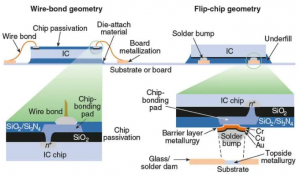
In wire bonding packaging, the chip is placed face up, and its connections to the circuit board are made through wires (usually gold wires). In contrast, flip-chip packaging uses bumps on the chip to directly interconnect components by flipping them face down onto the substrate, carrier, or circuit board. The electrical side is facing down, essentially flipping the traditional wire bonding method, which is why it’s called “flip chip.”

Electrical Path Length

Wire bonding has a longer electrical path, making it unsuitable for newer devices that require high-speed operation. In comparison, the electrical path in flip-chip packaging is only a fraction of that in wire bonding, making it highly suitable for high-speed operations.

Flip-Chip Packages and Chipped Acceptance Criteria

Applicable

Wire bonding is widely used in mobile devices that don’t require fast operations, such as mobile DRAM and NAND chips, due to its cost-effectiveness and reliability. On the other hand, flip-chip packaging, with its shorter electrical path and higher I/O capabilities, is used for packaging high-speed components like CPUs, GPUs, and high-speed DRAM chips.

Multi-Chip Stacking Capability

Wire bonding faces challenges with multi-chip stacking due to the presence of wires, making it less ideal for high-density storage products. Flip-chip packaging, however, allows for denser interconnections in a smaller space, supporting multi-chip stacking and enabling faster data processing.

What is the Difference Between Flip Chip and WLCSP?

Flip-chip packaging and Wafer-Level Chip-Scale Packaging (WLCSP) are both methods of connecting semiconductor dies to external circuitry, but they have important differences:

In flip-chip packaging, the die is mounted onto a separate substrate or PCB. The bumps or solder balls are on the active side of the die, and the assembly is completed after the die is cut from the wafer.

However, in WLCSP, the packaging process occurs directly at the wafer level before the individual dies are cut. The solder bumps are applied while the die is still part of the wafer, and the final package is essentially the same size as the die itself. WLCSP is ideal for applications where size is critical, such as mobile devices, while flip-chip packaging is used for high-performance applications requiring greater thermal and electrical capabilities.

What is a Flip Chip Used For?

Flip-chip packaging is used in a wide variety of applications, particularly those that require high performance, small size, and efficient thermal management. Some common uses include:

  • Mobile devices
  • Networking equipment
  • Automotive electronics
  • Cell phones
  • Handheld electronics
  • GPS
  • PC peripherals
  • Voltage regulators
  • High-speed memory
  • Camcorders
  • DVD
  • Digital cameras
  • Game console
  • Graphics and chipsets for pcs
  • Servers
  • Microprocessor for pc and servers
  • Memory

This is the end of this sharing, welcome to contact us if you have any questions.

You may also like

What are printed circuit board thickness standards?

September 23rd, 2024

What is the Standard Thickness of a PCB?

The standard thickness of a PCB is often 1.6 mm. This has become the go-to thickness in the industry because it balances flexibility, cost, and performance for most applications. However, depending on the requirements of the design, PCB thickness can vary widely.

What are printed circuit board thickness standards?

Manufacturers offer various thicknesses to accommodate specific designs, from 0.4 mm (0.016 inches) for ultra-thin, flexible boards, up to 3.2 mm or even thicker for high-current, rugged applications. The choice of thickness largely depends on the type of application and the mechanical strength needed.

How is PCB Thickness Measured?

Measuring PCB thickness accurately is crucial for ensuring the board meets design specifications and performs optimally in its application. The thickness of a PCB refers to the total height of the board, including all its layers—copper, dielectric, and solder mask. This thickness plays a role in many factors, from electrical performance to mechanical stability, and must be precisely controlled. The tools and methods used to measure PCB thickness include:

1. Micrometers

    A micrometer is the most common tool for measuring PCB thickness. It allows precise measurements down to fractions of a millimeter, making it ideal for multilayer PCBs where small deviations can affect performance. The micrometer is placed at various points across the board to ensure uniform thickness.

    2. Calipers

    Digital or analog calipers are also used to measure the thickness of PCBs. They are particularly useful for quickly gauging thickness across different sections of the board.

    3. Cross-Sectioning

    In cases where even more precision is required, manufacturers may opt to cross-section the board. This involves cutting a sample of the PCB and measuring it under a microscope to analyze each layer’s contribution to the overall thickness.

    What are printed circuit board thickness standards?

    PCB thickness is typically measured in mils (1 mil = 0.001 inches) or millimeters, depending on the region and industry. Standard PCB thicknesses usually fall between 0.4 mm (0.016 inches) and 3.2 mm (0.125 inches), but custom designs may require other dimensions.

    In mass production, quality control procedures are in place to ensure that the boards maintain a consistent thickness across large batches. Thickness tolerances range from ±10% to ±20%, depending on the manufacturer and materials used.

    How Thick is a 2-Layer PCB Board?

    A standard 2-layer PCB is typically 1.6 mm thick, but this can vary based on specific requirements. The board consists of two copper layers, one on each side of the insulating core.

    Core Thickness: The thickness of the insulating material between the two copper layers is generally around 1.4 mm.

    Copper Thickness: Standard copper thickness is 35 μm (1 oz copper), though this can be adjusted for higher current-carrying capacity.

    What are printed circuit board thickness standards?

    For lighter applications, such as compact consumer electronics, a thinner board of 0.8 mm may be used, providing more flexibility and space-saving. Meanwhile, more robust applications may demand thicknesses exceeding 2.4 mm.

    How Thick is a Standard 8-Layer PCB?

    When it comes to multilayer PCBs like the 8-layer variant, thicknesses usually range from 1.4 mm to 2.4 mm, depending on the design requirements. With multiple layers of copper and insulating material stacked together, manufacturers must optimize thickness while considering electrical performance and mechanical rigidity.

    Each additional layer introduces more copper and insulation, increasing the overall thickness. For high-frequency applications or boards that must handle significant current, thicker boards may be necessary to ensure signal integrity and thermal management.

    How Does PCB Thickness Affect Thermal Performance?

    The influence of PCB thickness on thermal performance is mainly reflected in heat dissipation efficiency and heat capacity.

    The thickness of the PCB directly affects its heat dissipation efficiency. Thicker PCBs have greater heat capacity and better heat conductivity, and are able to conduct the heat generated by electronic components more effectively. This is because copper has good thermal conductivity, and the thicker copper foil layer can more quickly transfer heat from the heating element to the cooling area or external radiator, helping to improve the overall thermal management efficiency and protect sensitive components from thermal damage.

    In addition, the thickness of the PCB is also closely related to its mechanical strength and stiffness. Thicker PCB boards have higher flexural stiffness and impact toughness, can withstand greater mechanical stress and vibration, and ensure the stability and reliability of electronic equipment in harsh environments. This is equally important in thermal management, as it helps to maintain the stable operation of electronic equipment in high temperature environments and prevent performance degradation or damage due to overheating.

    However, it is important to note that while thicker PCBs are good for heat dissipation, in high-frequency applications, excessively thick PCBs may increase the impedance and coupling of the signal, thus affecting electrical performance.

    What Factors Influence PCB Thickness?

    PCB board thickness is one of the key parameters to be considered in the design process, which has a great impact on the performance and reliability of the circuit board. When choosing plate thickness, the following factors need to be considered:

    1. Signal speed

    The thinner the plate, the faster the signal speed, and vice versa. However, when the board thickness is less than 0.8mm, the signal will have a great loss, will produce serious signal interference, affecting the normal work of the circuit board.

    2. Heat conduction

    The thinner the board thickness, the worse the heat dissipation ability, easy to produce hot spots and thermal runaway phenomenon, affecting the performance and reliability of the circuit board.

    3. Mechanical strength

    The greater the thickness of the plate, the higher the mechanical strength, the smoother the surface of the plate, and the greater the bending strength. However, too thick a board will affect the assembly and size of the board design.

    4. Number of layers

    More layers mean a thicker board. A single-layer PCB may be as thin as 0.4 mm, while multilayer boards like an 8-layer PCB may reach over 2 mm.

    Taking the above factors into consideration, it is usually appropriate to choose the plate thickness between 1.6mm-2.0mm.

    How to Decide PCB Thickness?

    According to different applications and needs, PCB board can be divided into a variety of thicknesses, commonly used board thickness is 0.8mm, 1.0mm, 1.2mm, 1.6mm, 2.0mm and so on. When selecting PCB board thickness, it is necessary to make comprehensive consideration according to specific application scenarios and design requirements. Here are a few ways to choose plate thickness:

    1. Determine according to the circuit complexity and working environment

    When the circuit complexity is high, multiple components need to be connected at the same time, or the circuit board needs to work in a high temperature environment, you are advised to select a thicker board thickness to effectively improve the performance and reliability of the circuit board.

    2. Determine the device size and type

    If the device size is small and requires precision assembly, a thinner plate thickness is recommended. For large devices, such as power switches and high-power LED lights, it is recommended to choose a thicker board thickness.

    3. Determined according to design requirements and cost control

    In terms of cost control, the thinner the plate thickness, the higher the corresponding plate cost will be. Therefore, the cost and performance should be considered comprehensively in the design, and the most appropriate plate thickness should be selected.

    In addition, as an 18+ years experienced PCB manufacturer, we summarized a small tip for choosing PCB thickness, hope this is help for you.

    • The board thickness below 1.0mm is generally used for small electronic devices and mobile devices, such as smart watches, Bluetooth headsets and so on.
    • 1.0mm-1.6mm PCB thickness is suitable for most common electronic devices, such as smart phones, tablets, digital cameras, etc.
    • Thickness >1.6mm is generally used for industrial control equipment, power switches and other large electronic equipment.

    Advanced PCB Manufacturer – EBest Circuit (Best Technology)

    At EBest Circuit (Best Technology), we specialize in manufacturing high-quality PCBs tailored to meet your exact design specifications. We offer custom thickness options for single-layer, double-layer, and multilayer boards.

    We understand that PCB thickness is critical to performance, whether you’re working on high-current applications or compact designs. Our team of experts can guide you through the selection process, ensuring that your boards are not only optimized for electrical performance but also for thermal and mechanical stability.

    You may also like

    What Do Letter and Numbers on A Schematic Mean?

    September 23rd, 2024

    On a schematic diagram, letters and numbers serve as an organized and systematic way to represent the various components, their relationships, and the specifics of the PCB circuit design. Here’s an extended explanation of the key elements represented by these symbols.

    Component designators

    Component designators are typically a letter or combination of letters that denote the type of electrical or electronic component. These letters are standardized, so engineers and technicians across the world can easily understand the schematic.

    • R: Resistor (e.g., R1, R2) – Indicates a resistor, with numbers differentiating multiple resistors in the circuit.
    • C: Capacitor (e.g., C1, C2) – Refers to capacitors, either for storing charge or filtering signals.
    • L: Inductor (e.g., L1, L2) – Shows inductors, which store energy in a magnetic field.
    • D: Diode (e.g., D1, D2) – Marks diodes, which allow current to flow in one direction.
    • Q: Transistor (e.g., Q1, Q2) – Represents a transistor, which can be used for switching or amplification.
    • U: Integrated Circuit (IC) (e.g., U1, U2) – Denotes an IC, a collection of components like transistors, diodes, and resistors in one package.
    • J: Connector (e.g., J1, J2) – Represents a connector or jack where an external connection can be made.
    • SW: Switch (e.g., SW1, SW2) – Indicates a switch that can open or close the circuit.
    • TP: Test Point (e.g., TP1, TP2) – Refers to a point in the circuit where voltage or signal measurements can be taken.
    • LED: Light Emitting Diode (e.g., LED1, LED2) – Represents an LED, a special type of diode that emits light.
    • F: Fuse (e.g., F1, F2) – Denotes a fuse, a protective device to prevent overcurrent.
    • VR or P: Variable Resistor/Potentiometer – A resistor whose resistance can be adjusted, often used for tuning circuits.
    • M: Motor (e.g., M1, M2) – Marks a motor, converting electrical energy into mechanical motion.

    Above just few common letters used in PCB schematics, here we summarized a chart for your better reading.

    LetterRepresents Components
    DDiode/Inverter (sometimes inverter use it)
    QTransistor (also used instead of V and VT)
    CCapacitor
    LInductor
    RResistor
    KRelay
    TTransformer
    X态YCrystal Oscillator
    U态ICIntegrated Circuit
    MMotor
    CXHigh Voltage Ceramic Capacitor
    CYHigh Voltage Thin Film Capacitor
    CEElectrolytic Capacitor
    VRVariable Resistor
    RTThermal Resistor
    RPPotentiometer
    RGGND
    JJoggle
    JPJumper
    FUFuse
    NOptocoupler
    B态BZBuzzer
    SCRUnidirectional Thyristor
    TRIACBidirectional Thyristor
    FBFerrite Bead
    ZDZener Diode
    LEDLight-Emitting Diode
    SPKSpeaker
    S态SWSwitch
    DBBridge Diode
    TPTest Point

    Reference Numbers

    Reference numbers provide a clear and organized way to distinguish between multiple instances of the same type of component within a schematic. Without these numbers, it would be difficult to identify and refer to specific components during assembly, troubleshooting, or modifications.

    For example:

    • R1, R2, R3: These are three different resistors in the same circuit.
    • C1, C2, C3: Refers to different capacitors.

    The numbers ensure there’s no confusion when discussing the schematic, ordering parts, or identifying where a fault might lie in the circuit.

    Sometimes, designer use [Component Designator] + [Number] structure: the component designator is a letter or combination of letters (e.g., R for resistor, C for capacitor, U for IC).

    Or the number is a sequential identifier, starting from 1 and incrementing for each new component of that type (e.g., R1, R2, R3 for three resistors).

    Values and Ratings

    Numbers are often placed near components to indicate their electrical values. These values help in understanding the component specifications and performance:

    Resistors: The value of resistance is given in ohms (Ī©). For example, “R1 100Ī©” indicates that resistor R1 has a resistance of 100 ohms.

    Capacitors: The capacitance is usually specified in farads (often microfarads or picofarads). For example, “C1 10μF” refers to a capacitor with a capacitance of 10 microfarads.

    Inductors: The inductance is given in henries (H). For example, “L1 100mH” means the inductor has a value of 100 millihenries.

    Voltage Ratings: Components may have voltage ratings marked on them, indicating the maximum voltage they can handle safely. For example, a capacitor might have “50V” written next to it, meaning it can withstand up to 50 volts.

    Tolerance and Power Ratings: Some components may include additional ratings like tolerance (e.g., ±5%) for resistors or power ratings in watts (e.g., 0.25W for resistors).

    Pin Numbers and Labels

    Components like ICs, connectors, and transistors may have multiple terminals or pins. On the schematic, pin numbers are often labeled to indicate where each connection needs to be made. For example, an IC might have pin numbers 1, 2, 3, etc., and the schematic helps you see how these pins connect to other parts of the circuit.

    For connectors and ICs, pin labels like VCC, GND, Output, or specific functions (e.g., Reset, Clock) may be used to denote what each pin does. In a slide potentiometer, for instance, the pinout might be labeled as Output, VCC, and GND to clarify the connection points.

    Nodes and Signal Labels

    Nodes: In a schematic, a “node” refers to a junction where different components are connected. Nodes might be labeled with numbers or names to represent different parts of the circuit.

    For instance, all components connected to ground might have the label GND.

    Similarly, all components connected to a 5V supply might have the label VCC or +5V.

    If a schematic involves multiple pages or complex designs, signals may be labeled with text to show where a wire is going or what function it performs (e.g., CLK for clock signal, DATA for data line).

    Wire and Trace Identifications

    Wires and traces in schematics are shown as lines connecting the components. These lines show the paths through which electrical signals and currents flow. Sometimes, wires are labeled with names or numbers, especially if the schematic is very complex or spans multiple sheets. For example: wires may be labeled with names like SCL, SDA (for I2C communications), or simply A1, A2 to denote different connections.

    Voltage and Current Values

    Some schematics include voltage or current values directly on the diagram to show how much voltage should be present at specific points or how much current is flowing through a component. For instance: 5V or 12V might be written near a power supply line, indicating the expected voltage at that point in the circuit.

    Current values may be given in milliamps (e.g., 20mA), showing the expected current flowing through a component like an LED.

    Special Symbols

    Schematics may also include symbols to indicate specific characteristics or features of the circuit, such as:

    • Ground (GND): The symbol for ground shows where components are connected to a common reference point (usually zero volts).
    • Power Rails: Symbols like +5V or +12V indicate where power is supplied in the circuit.
    • Oscillators or Clock Signals: These can be shown with special symbols or labels, such as a waveform or the abbreviation CLK.

    There is needed to be noted that, the meaning of the letters/numbers on the PCB board did not form a strict standard, is not always consistent with the above table or above mentioned, they are just for easy to communicate and manufacture. If special labels existing your customer’s schematic, please communicate with your client.

    You may also like

    What is IPC in Cars? – EBest Circuit (Best Technology)

    September 23rd, 2024

    What is IPC in a Car?

    Instrument Panel Cluster (IPC) in cars refers to the array of instruments and displays located on the vehicle’s dashboard. It plays a vital role in conveying essential information to the driver, including speed, fuel levels, engine performance, and other indicators that ensure safe and efficient driving. The IPC also manages warnings and alerts, helping the driver respond to potential issues promptly. With technological advances, the IPC has evolved from simple mechanical dials to more sophisticated digital displays.

    In every car, the Instrument Panel Cluster is designed to centralize important information. The IPC houses meters like the speedometer, fuel gauge, and odometer, which were once mechanical but have now become digital. Modern IPCs also integrate with car computer systems to provide real-time data, making it easier for drivers to monitor vehicle performance. The shift towards digital clusters offers more dynamic displays, customizing what drivers see based on current driving conditions.

    What is IPC in Cars? - EBest Circuit (Best Technology)

    Types of Instrument Clusters

    There are several types of IPCs that have been used in cars over the years, each offering a different level of functionality.

    • Analog IPC: These traditional clusters use mechanical dials for speed, fuel, and other key indicators. Though reliable, they are less flexible than newer systems.
    • Digital IPC: The digital IPC provides real-time data through a screen, displaying information like navigation, temperature, and even diagnostics.
    • Hybrid IPC: Combining the best of both worlds, hybrid IPCs feature analog gauges alongside digital displays. This setup allows for traditional dials but adds dynamic elements like alerts and animations.
    • Fully Digital Clusters: High-end modern vehicles often come with fully digital IPCs. These systems provide a wide range of customization options and enhanced visualization.

    Components of IPC in Cars

    Each Instrument Panel Cluster is made up of multiple components designed to convey key data to the driver.

    1. Speedometer: Shows the current speed of the vehicle.

    2. Tachometer: Displays engine RPM to help with gear management.

    3. Fuel Gauge: Indicates the remaining fuel in the tank.

    4. Odometer: Tracks total distance covered by the vehicle.

    5. Temperature Gauge: Monitors engine temperature to prevent overheating.

    6. Warning Lights: Signals for issues such as engine problems, low oil, or tire pressure.

    What is IPC in Cars? - EBest Circuit (Best Technology)

    Each of these components plays a crucial role in ensuring a smooth driving experience, allowing the driver to make informed decisions on the road.

    How Does IPC in Cars Work?

    The IPC is not just a passive display; it is an active part of the vehicle’s computer system. Through a series of sensors and control modules, the IPC collects data from different parts of the car. These sensors track everything from vehicle speed to fuel consumption and engine health. The data is then processed and displayed on the IPC for the driver to see.

    For instance, when a car accelerates, the speedometer gauge increases accordingly. If the fuel level drops below a certain threshold, the fuel gauge reflects this, and a warning light might come on. The interaction between the car’s systems and the IPC is instant, ensuring drivers have access to critical information in real-time.

    Functionality of IPC

    The primary function of the IPC is to keep the driver informed about the car’s operational status. Whether it’s monitoring speed or alerting the driver to an engine issue, the IPC is the driver’s first line of information. Modern IPCs go beyond basic data, often integrating GPS, vehicle diagnostics, and even entertainment features.

    Many IPCs can now be customized based on the driver’s preferences. For example, a driver might choose to display navigation data instead of the tachometer if they are more focused on reaching their destination efficiently.

    How IPC Displays Critical Information to the Driver?

    The IPC uses various visual cues to display information. Some of the most common include:

    • Gauges: These are the traditional dials like the speedometer and fuel gauge. They are easy to read and provide constant updates.
    • Warning Lights: These small icons light up to signal specific issues, such as low oil levels or a problem with the brakes.
    • Digital Displays: In digital IPCs, critical information is often shown on a screen, making it easier to change between different types of data as needed.

    By presenting this data in a straightforward manner, the IPC ensures drivers can quickly interpret the information without taking their eyes off the road for too long.

    Why Is IPC Important in a Car?

    The IPC is a critical safety feature in any vehicle. Without it, drivers would have little to no information about the current condition of their car. The IPC helps drivers maintain speed limits, monitor fuel levels, and detect potential engine issues before they become serious problems. In modern vehicles, the IPC also aids in navigation, parking assistance, and fuel efficiency, offering a more comprehensive driving experience.

    An efficient IPC helps reduce stress for drivers by streamlining the information they need in one centralized location. This enhances not only the safety but also the overall driving comfort, allowing the driver to focus on the road.

    Interaction Between the Vehicle’s Sensors and the IPC

    The seamless interaction between the vehicle’s sensors and the IPC ensures real-time data transfer. Sensors installed throughout the car continuously send data to the IPC’s control module. These sensors monitor vital statistics, such as engine health, fuel consumption, and tire pressure.

    For instance, if there is an issue with the engine, the relevant sensor will detect it and immediately communicate the information to the IPC. This triggers a warning light, prompting the driver to check the engine or visit a mechanic. This interaction helps prevent damage to the vehicle and ensures the driver is aware of any issues as soon as they arise.

    Common Issues and Maintenance of IPC

    Despite being a reliable part of the vehicle, the IPC can occasionally face issues. Common problems include:

    1. Faulty Displays: Over time, digital IPCs might experience glitches or screen failures. This can make it difficult for drivers to access critical information.

    2. Sensor Malfunctions: If a sensor fails, it may send incorrect data to the IPC. This can result in inaccurate readings, such as incorrect fuel levels or engine temperature.

    3. Warning Light Malfunctions: Sometimes, warning lights may stay on even when there is no issue, confusing drivers.

    To keep the IPC functioning smoothly, regular maintenance is essential. Drivers should ensure that the sensors and control modules are inspected periodically. If there are any signs of malfunction, such as inaccurate readings or unresponsive displays, they should be addressed promptly to avoid bigger issues down the line.

    IPC in Cars vs. IPC in PCBs

    Though they are same in the context, but they have different meanings when used in different areas. In cars, IPC refers to the Instrument Panel Cluster, a crucial part of the vehicle’s dashboard. In the world of electronics, IPC stands for the Institute for Printed Circuits, now known simply IPC. Which governs standards and protocols for PCB (Printed Circuit Board) manufacturing.

    What is IPC in Cars? - EBest Circuit (Best Technology)

    This global association creates standards for the design, manufacture, and assembly of PCBs and electronics. IPC standards are widely adopted to ensure product reliability, quality, and compatibility across different manufacturing processes. By following IPC guidelines, companies can produce consistent, high-quality PCB products, whether for consumer electronics, automotive systems, or industrial machinery.

    You may also like

    BGA Chipping Per IPC-610: Everything You Need to Know

    September 20th, 2024

    What is a BGA chip?

    The Ball Grid Array (BGA) is actually a kind of package mode, not the chip itself. BGA is a surface adhesion technology that used in the packaging of integrated circuits, which is interconnected with the printed circuit board (PCB) by making an array solder ball at the bottom of the chip as the I/O end of the circuit. This packaging technology allows the bottom surface of the entire device to be used as a pin, with a shorter average wire length than the surrounding defined package type, resulting in better high-speed performance. BGA package technology is improved from pin grid arrays to provide more pins than other package types such as dual in-line or four-side pin flat packages. Soldering BGA-packaged devices requires precise control and is usually done by automated plant equipment. The BGA package device is not suitable for slot fixing, but is fixed to the PCB by surface mount. BGA packaging technology comes in many forms, including plastic BGA (PBGA), ceramic BGA (CBGA), and others, each of which varies in size, amount of I/O, physical structure, and packaging materials.

    BGA Chipping Per IPC-610

    BGA chips are popular because of their compact size and ability to provide higher density connections. This allows manufacturers to pack more functionality into smaller devices. It is widely used in electronics to mount microprocessors, memory chips and other components onto printed circuit boards (PCBS), which are then installed into our electronic devices. Such as our smartphones, laptops and advanced electronic devices.

    Why is BGA used?

    BGA packaging is used primarily due to its ability to offer higher connection density and better electrical performance compared to traditional packages like QFP (Quad Flat Package). The design of BGAs minimizes issues like short circuits and signal interference, which are more common with older pin-based methods. Another reason BGAs are preferred is their superior thermal dissipation capabilities. The solder balls act as conductors, helping to transfer heat away from the chip. Below you can see some other benefits of using BGA chips.

    1. High-density package: BGA package can provide a large number of I/O (input/output) connection points in a relatively small space.

    2. Miniaturization: The BGA package allows the chip to be mounted directly on the PCB (printed circuit board), reducing the thickness and volume of the package.

    3. Good heat dissipation performance: BGA package can better heat dissipation due to its large underside contact area.

    4. Reliable electrical performance: BGA package adopts spherical solder joints, which can reduce signal transmission delay.

    5. Easy assembly: While the number of I/O pins in the BGA package increases, the pin spacing remains unchanged or even increases, which helps to improve the yield of assembly. 6. Cost effectiveness: Although the initial investment of BGA packaging is high, it can reduce costs in the long run due to its high efficiency and miniaturization capability.

    7. Wide range of applications: BGA packages are suitable for various types of integrated circuits from simple microcontrollers to complex graphics processors.

    8. Easy maintenance: In some cases, BGA-packaged chips can be replaced or repaired, but this usually requires professional equipment and technology.

    9. Mature technology: BGA packaging technology has been very mature, there are many types to choose from, such as PBGA (plastic ball grid array), CBGA (ceramic ball grid array), etc., to meet the needs of different applications.

    What does a BGA do?

    A BGA plays a crucial role in establishing electrical connections between an IC and the PCB. The tiny solder balls act as both conductors and connectors, allowing signals to flow between the chip and the board. This is critical in enabling the functionality of various devices, from computers to consumer electronics.

    Additionally, BGAs enhance the durability and performance of circuits by providing a stable connection that can withstand environmental stress, such as temperature fluctuations or mechanical vibrations. This makes them a preferred choice in mission-critical applications, including aerospace, automotive, and medical electronics.

    What is the difference between BGA and flip chip?

    The primary difference between a BGA and a flip chip lies in how the chip is mounted onto the PCB. In a BGA, the chip is placed on top of the solder balls, which serve as the connection points between the IC and the PCB. The solder balls are positioned in a grid pattern under the chip. The chip remains on the top surface, with the balls acting as connectors below.

    In contrast, a flip chip is mounted upside down, or ā€œflipped.ā€ The connections are made directly between the IC and the PCB, eliminating the need for solder balls. This method makes the active component of the chip face the substrate and can be directly in contact with the substrate, thus improving the thermal and electrical performance. The main advantages of flip chips include high density, which can reduce the size of the package so that more chips can be installed in a limited space. In addition, flip chip technology also has excellent electrical and thermal performance, which can provide better signal transmission and heat dissipation effects. However, it can be more expensive and complex to manufacture, making BGAs a more cost-effective solution in many cases.

    BGA chipping per IPC-610

    IPC-610, a globally recognized standard for PCB assembly and acceptance, provides guidelines on acceptable levels of chipping in BGAs. According to IPC-610, minor chipping on non-critical areas of a BGA is allowed as long as it does not affect the functionality or reliability of the component.

    Section 10.6 of the IPC-610 standard is specific to BGA chips and defines what are acceptable and unacceptable defects. Under this standard, buyers ensure that BGA used in electronic products meets high quality standards and does not compromise the integrity of the finished product. Manufacturers must adhere to these standards to maintain the reliability and safety of their products, especially in industries such as aerospace and medical devices, where component failures can have serious consequences.

    The description of BGA in IPC-A-610 standard mainly focuses on the acceptance standards of BGA components, which involve the appearance, structure, and welding quality of BGA components. Specifically, IPC-A-610 standard acceptance of BGA components includes but is not limited to the following points:

    • Appearance inspection

    The appearance of BGA components should meet the requirements of the standard, no obvious defects such as cracks, deformation, etc.

    • Welding quality

    The welding of BGA components should be uniform and complete, without bad phenomena such as virtual welding and cold welding. The solder joint should be firm and able to withstand certain mechanical stress.

    • Pin/ball grid array inspection

    The pin or ball grid array of the BGA component should be well docked with the PCB pad, without dislocation, offset and other phenomena. The pin or ball should be intact and free of defects.

    • Size and position accuracy

    The BGA component should be accurately installed on the PCB, and its position and height should meet the design requirements to ensure the normal connection of the circuit and the functional realization of the component.

    In addition, as technology evolves, the IPC-A-610 standard is constantly updated to accommodate new technologies and component types. For example, the IPC-A-610G version includes new SMT terminal types and updated plating hole filling requirements, as well as BGA void requirements.

    How long does IPC-610 last?

    IPC-610 is regularly updated to reflect changes in technology and industry practices. However, the certification itself typically lasts for two years. After this period, manufacturers and technicians may need to undergo recertification to ensure they are up to date with the latest standards and guidelines. The two-year validity helps maintain a high level of competence and ensures that those involved in the production and inspection of PCBs follow the most current best practices.

    Recertification is crucial, as it ensures that professionals stay informed about any changes in the IPC-610 standard, particularly regarding evolving technologies like BGAs and their use in modern electronics. This ongoing education helps manufacturers produce high-quality, reliable products that meet the demands of today’s fast-paced tech industry.

    What is Section 10.6 of the IPC-A-610?

    Section 10.6 of the IPC-A-610 standard provides specific criteria for the inspection and acceptance of BGA chipping. It outlines the types of chipping that are considered acceptable and those that are not. Minor cosmetic chips on the non-functional areas of a BGA are usually acceptable as long as they do not interfere with the operation or reliability of the chip. However, chipping on functional areas, such as those that could affect the solder ball connections, is not allowed.

    What is the difference between IPC-600 and IPC-610?

    IPC inspection standards refer to the inspection of electronic components according to IPC-A-600 and IPC-A-610 standards. IPC-A-600 is an inspection standard for printed circuit boards (PCBs), while IPC-A-610 is an inspection standard for electronic assembly. These two standards are the most commonly used inspection standards in the electronic manufacturing industry, which specify the appearance, size, welding quality and other requirements of electronic components.

    First, the IPC-A-600 standard specifies the appearance and size requirements of the printed circuit board. According to the standard, the printed circuit board should be free of any surface defects, such as bubbles, cracks, scratches, etc. In addition, the size of the printed circuit board should meet the design requirements, the aperture, line width, line distance and other parameters must also meet the standard provisions. Only printed circuit boards that meet these requirements can be considered qualified.

    Second, the IPC-A-610 standard specifies the inspection requirements for electronic assembly. According to this standard, welding quality is one of the most important inspection contents in electronic assembly. The welding should be uniform and firm, and the welding point should have no defects such as virtual welding, dislocation, short circuit and so on. In addition to the welding quality, the installation position, direction and spacing of the components also need to meet the standards. Only electronic assemblies that meet these requirements can be considered qualified.

    When carrying out IPC inspection, it is necessary to carry out inspection and evaluation in strict accordance with the requirements of the standard. First of all, it is necessary to accurately understand and master the content of IPC-A-600 and IPC-A-610 standards, and understand the requirements and testing methods therein. Secondly, appropriate inspection equipment and tools should be used, such as microscopes, calipers, welding quality detectors, etc., to ensure the accuracy and reliability of the inspection. Finally, it is necessary to accurately record and evaluate the inspection results, timely discover and correct unqualified products, and ensure quality control in the production process.

    With over 18 years as an industry leader, EBest Circuit (Best Technology) is one of the most experienced PCB and PCB assembly manufacturer in Asia. We are highly specialized not only in quick-turn PCB prototype and PCB assembly, but also medium and small volume PCB fabrication. In EBest Circuit (Best Technology), you can enjoy a full-comprehensive one-stop service from PCB design, layout, PCB fabricate, PCB assembly, function testing and delivery. We always try our best to fabricate your PCB with copper clad laminate with the highest quality to meet your demands.
    If you have any questions, please feel free to contact us with sales@bestpcbs.com, we will be happy to help you.

    You may also like

    High Frequency PCB & High Frequency PCB Prototype

    September 20th, 2024

    What is High-Frequency PCBs?

    What is High-Frequency PCBs? High frequency PCBs are specifically designed to operate at frequencies typically above 1GHz. These circuit boards play a crucial role in modern communication systems like satellite communications, radar, and wireless networks. The materials used in high-frequency PCBs are different from those in standard PCBs. While standard PCBs use FR4 material, high-frequency PCBs often require specialized materials like PTFE (Teflon) or Rogers material to reduce signal loss and improve overall performance.

    The growing need for faster and more reliable communication across industries makes high-frequency PCBs essential for creating cutting-edge devices.

    High Frequency PCB Materials

    Click here to download Raw Materials of RF PCB.

    Advantages of High Frequency PCB

    • Faster signal transmission
    • Better signal integrity
    • Enhanced thermal management
    • Low electromagnetic interference (EMI)
    • Application in emerging technologies
    • Improved precision in high-speed applications

    What is the Frequency Limit for FR4 PCB?

    FR4 is the most widely used material in standard PCBs due to its affordability and adequate performance for general applications. However, when it comes to high-frequency operations, FR4 has its limitations. The material can handle frequencies up to about 1GHz, but beyond this range, its performance starts to degrade significantly. High-frequency signals experience increased signal loss, dielectric losses, and electromagnetic interference (EMI) due to FR4’s higher dielectric constant (around 4.5) and poor thermal properties.

    The limitations make FR4 unsuitable for more advanced applications like high-speed telecommunications, radar systems, and modern wireless technologies where signals operate in the gigahertz range. When designing PCBs that require frequencies beyond 1GHz, alternative materials like PTFE (Teflon) or Rogers laminates are recommended to maintain signal integrity and reduce losses.

    How Do You Make High-Frequency PCB?

    Creating a high-frequency PCB involves a few additional considerations compared to standard PCB designs. First, the choice of materials is critical. PTFE, Rogers, and other high-performance laminates are commonly used to ensure the PCB can handle high-frequency signals. Next, the board’s thickness, trace width, and layout need to be carefully calculated to avoid impedance issues. The key process including:

    1. Material Selection

    The first step is choosing materials that can handle high-frequency signals. Materials like PTFE, Rogers, or ceramic substrates are commonly used because they have lower dielectric constants, low dissipation factors, and better thermal stability. These materials ensure minimal signal degradation.

    2. Controlled Impedance

    High-frequency signals are sensitive to variations in impedance. Controlled impedance design ensures that the trace impedance matches the signal’s requirements, preventing reflection and signal distortion. This involves calculating the width and spacing of the traces and ensuring consistent dielectric properties across layers.

    3. Multi-layer PCB

    Multi-layer boards are often necessary for high-frequency applications to separate signals and reduce cross-talk. Ground planes are typically added to lower electromagnetic interference (EMI) and provide better signal grounding.

    4. Short and Direct Signal Paths

    Keeping signal paths as short as possible helps minimize signal loss and prevents unwanted interference. Traces that are too long or involve sharp bends can introduce delay and noise.

    5. Shielding

    In some cases, shielding techniques can be employed to prevent interference from other electronic components. This can include grounded planes, copper shields, or even encapsulating certain areas of the PCB.

    High-frequency PCB design often requires sophisticated simulation tools. Software such as Ansys or Altium Designer helps predict how signals will behave on the board, allowing for adjustments to be made before fabrication.

    What is the Highest RF Frequency?

    In communication circuits, radio frequency (RF) bands cover a wide range of frequencies, typically starting from 20kHz up to 300GHz. The highest RF frequency currently used in commercial applications ranges from 100GHz to 300GHz, categorized as millimeter waves. These frequencies are essential for high-speed data transmission in technologies like 5G, radar systems, and advanced satellite communication. While developing PCBs that can efficiently handle such frequencies can be challenging, material innovations have made it possible.

    What Are Some Important Considerations When Designing a PCB Layout for High-Frequency Circuits?

    Designing a PCB for high-frequency circuits demands a careful approach to ensure signal integrity. The first thing to consider is the dielectric material. As previously mentioned, materials like Rogers or PTFE are preferred because they offer lower dielectric loss, which is crucial at higher frequencies. Trace layout is another critical factor. The length and width of the traces must be calculated to maintain impedance control, ensuring that signals don’t get distorted as they travel through the board.

    1. Signal Integrity and Trace Layout

    The layout of traces is a critical consideration in high-frequency PCB design. To maintain signal integrity, traces should be kept as short and straight as possible. Long traces can introduce delay, noise, and signal degradation. Additionally, sharp corners in trace routing should be avoided because they can lead to signal reflection and impedance discontinuities. Rounded or 45-degree bends are preferable to right-angle corners, which can cause unwanted signal interference.

    2. Ground Planes and Layer Stack-Up

    A solid, continuous ground plane is one of the most effective ways to reduce noise and EMI in high-frequency PCBs. Ground planes provide a low-impedance path for return currents and act as shields to prevent electromagnetic radiation from affecting other components. For multi-layer PCBs, having dedicated power and ground planes in the stack-up helps reduce noise and improves overall signal integrity.

    3. Via Management

    Vias introduce small inductances into the signal path, which can become problematic in high-frequency circuits. High-frequency signals are particularly sensitive to these inductances, and excessive use of vias can degrade signal quality. Designers should minimize the number of vias in high-frequency signal paths and use smaller, controlled-depth vias like microvias or buried vias to reduce parasitic effects.

    4. Signal Isolation

    High-frequency circuits often involve both analog and digital signals, and proper isolation between these signals is critical to prevent interference. Digital signals tend to generate high levels of noise, which can interfere with sensitive analog signals. To avoid this, analog and digital components should be physically separated on the PCB, with separate ground planes if possible.

    5. Power Distribution and Decoupling

    Stable power distribution is necessary to ensure that high-frequency components operate without interruptions. A decoupling capacitor should be placed near the power supply pins of each active component to filter out high-frequency noise and maintain a steady voltage. Multiple capacitors of different values (e.g., 0.1µF and 10µF) can be used in parallel to filter noise over a wide frequency range.

    How Do You Avoid High-Frequency Interference in PCB?

    Interference is a common issue in high-frequency PCBs, but it can be managed with the right design techniques. The most effective way to avoid high-frequency interference is by using a dedicated ground plane. This plane acts as a shield, helping to reduce EMI and cross-talk between different parts of the circuit. Shielding can also be applied to individual traces or components that are more susceptible to interference.

    • Ground Planes

    A continuous ground plane is one of the most effective ways to reduce high-frequency interference. It acts as a shield and prevents unwanted noise from penetrating the circuit. The use of multiple ground planes in multi-layer PCBs can also provide better signal grounding.

    • Signal Layer Segregation

    Isolating analog and digital signals helps to reduce interference between them. Analog signals are more susceptible to noise, so they should be kept separate from high-frequency digital signals.

    • Shorter Traces

    Keeping traces short and direct minimizes the potential for signal loss or delay, and helps maintain signal integrity. The longer the trace, the more likely it is to pick up unwanted noise.

    • Minimize Via Usage

    Excessive use of vias can create points of discontinuity in the signal path, leading to reflections and noise. If vias are necessary, they should be placed strategically and sparingly.

    • EMI Shielding

    In some cases, it may be necessary to use EMI shields around particularly sensitive areas of the PCB.

    • Decoupling Capacitors

    Adding decoupling capacitors between the power supply and ground helps to filter out high-frequency noise and maintain a clean signal.

    What is the Difference Between High-Speed and High-Frequency PCB?

    Though they may seem similar, high-speed and high-frequency PCBs serve different purposes. High-speed PCBs are designed to handle fast data transmission speeds, often used in applications like computing and networking. These PCBs focus on minimizing delay and ensuring signals reach their destination without distortion.

    On the other hand, high-frequency PCBs are specifically optimized for circuits operating at high frequencies, often in communication systems. The emphasis here is on maintaining signal integrity across a wide frequency range. While both high-speed and high-frequency PCBs share common design principles, such as controlled impedance and signal integrity, the challenges they face differ. High-speed PCBs focus more on data transmission, while high-frequency PCBs deal with RF signals and the challenges of maintaining signal strength at higher frequencies.

    How Do You Fix Frequency Interference?

    If your PCB is experiencing frequency interference, there are several methods to fix the problem. One common approach is to improve grounding by using a continuous ground plane. This helps shield signals from external noise and interference. You can also add shielding to specific components or traces that are particularly susceptible to interference.

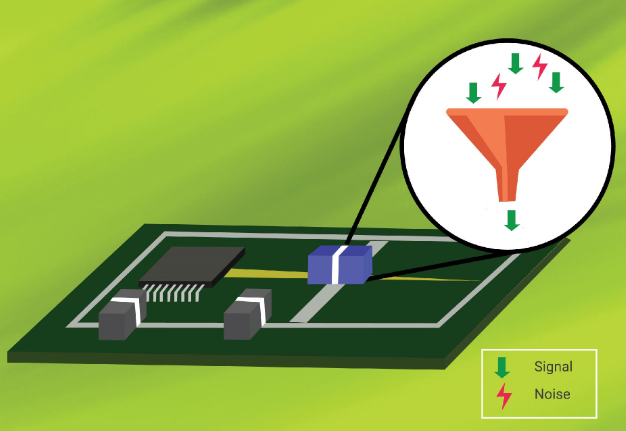
    Adding filters at key points in your circuit can help block unwanted frequencies. For instance, a low-pass filter allows only low-frequency signals to pass through, blocking higher-frequency interference. You can also reduce trace lengths and maintain clean, direct paths for high-frequency signals. Finally, proper isolation of analog and digital circuits is crucial to prevent noise from leaking into sensitive areas.

    You may also like

    What is a high frequency pcb communication circuits?

    September 19th, 2024

    In today’s highly digitalized and interconnected world, high frequency PCB communication circuits play a vital role. Whether in the fields of high-speed data transmission, wireless communications, satellite communications or radar systems, high frequency PCB communication circuits have demonstrated their unique advantages and importance.

    What is high frequency PCB?

    high frequencyĀ PCB communication circuits refer to printed circuit board circuits that operate in a higher frequency range, usually between hundreds of MHz and tens of GHz. Compared with traditional low-frequency PCB circuits, high frequencyĀ PCB communication circuits have the following significant characteristics:

    What is a high frequency pcb communication circuits?
    • 1. High-speed signal transmission: high frequencyĀ PCB communication circuits can support high-speed data transmission and meet the needs of modern communication systems for large data volumes and high bandwidth.
    • 2. Low signal loss: At high frequencies, signal transmission loss will increase significantly. Therefore, high frequencyĀ PCB communication circuits require special materials and design techniques to reduce signal loss and improve signal transmission quality.
    • 3. Good electromagnetic compatibility: high frequencyĀ signals are prone to electromagnetic interference and affect surrounding electronic equipment. high frequencyĀ PCB communication circuits need to have good electromagnetic compatibility to ensure their stable operation in complex electromagnetic environments.
    • 4. Miniaturization and lightweight: As electronic equipment continues to be miniaturized and lightweight, high frequencyĀ PCB communication circuits also need to develop in the direction of miniaturization and lightweight. This requires the use of high-density integration technology and advanced manufacturing processes to reduce the size and weight of circuit boards.

    How do you make high frequency PCB?

    Making a high frequency PCB (printed circuit board) involves several key steps to ensure the stability and reliability of signal transmission, taking into account the characteristics of high frequency signals.

    What is a high frequency pcb communication circuits?

    1. ā€ŒMaterial selection and preparationā€Œ:

    • Choose a substrate material with low dielectric constant and low dielectric loss to ensure the stability and reliability of signal transmission.
    • The substrate material requires a conductive layer with good electrical conductivity and corrosion resistance.
    • Auxiliary materials such as membrane materials, filling materials, etc. also need to be carefully selected and prepared.

    2. ā€ŒDesign, drawing production, etching, and laminatingā€Œ:

    • Carry out circuit design and layout planning based on design requirements and signal transmission characteristics.
    • Make PCB drawings and convert circuit layout and connection lines into circuit diagrams on the drawings.
    • The circuit diagram on the drawing is transferred to the substrate through photolithography technology and etched to form a conductive layer.
    • The film sticking process attaches the protective layer and copper clad layer to the conductive layer to protect the circuit and improve the mechanical strength.

    3. ā€ŒWelding and assembly processā€Œ:

    • Surface mount technology is widely used in high frequencyĀ PCB welding, and SMT components are accurately welded to PCBs through methods such as hot air or reflow soldering.
    • Manual soldering technology also plays an important role in the assembly of high frequencyĀ PCBs. Plug-in components and connecting lines are connected by manual soldering.

    4. ā€ŒSpecial considerations for high frequencyĀ PCBsā€Œ:

    • high frequencyĀ circuit design requires the adoption of special design principles and strategies, such as transmission line theory and matching, short and straight wiring strategies, impedance control and matching, decoupling and bypass, etc., to ensure signal quality and system reliability.
    • Adopt strategies such as multi-layer board design, straight wiring, shortening signal leads, reducing inter-layer alternation, being wary of crosstalk, increasing decoupling capacitors, isolating digital and analog ground wires, avoiding loops, ensuring impedance matching, and preventing ground bounce to improve Performance and reliability of high frequency circuits.
    • Through the above steps, a high-quality PCB that meets high frequencyĀ signal transmission requirements can be produced to ensure stable signal transmission and reliable operation of the system.

    What are some important considerations when designing a PCB layout for high frequency circuits?

    Designing high frequency PCB communication circuits faces many challenges and requires comprehensive consideration of circuit performance, electromagnetic compatibility, reliability and other aspects. Here are some of the major design challenges:

    • 1. Signal integrity: At high frequencies, signal transmission will be affected by reflection, crosstalk, attenuation and other factors, leading to signal integrity problems.
    • 2. Electromagnetic compatibility: As mentioned before, high frequencyĀ signals are prone to electromagnetic interference, so high frequencyĀ PCB communication circuits need to have good electromagnetic compatibility.
    • 3. Thermal management: high frequencyĀ PCB communication circuits will generate a large amount of heat when working. If the heat cannot be dissipated in a timely and effective manner, the performance of the circuit will be reduced or even damaged.
    • 4. Reliability: high frequencyĀ PCB communication circuits usually work in harsh environments, such as high temperature, high humidity, vibration, etc.

    What is the highest frequency used for communication?

    The highest frequency used for communication is 450GHz. ā€Œ

    What is a high frequency pcb communication circuits?

    This frequency range was finally approved at the 2019 World Radiocommunication Conference (WRC-19) and involves the 275 GHz-296 GHz, 306 GHz-313 GHz, 318 GHz-333 GHz and 356 GHz-450 GHz frequency bands, for a total of 137 GHz Bandwidth resources.

    These frequency bands are used without restrictions for fixed and land mobile service applications. This is the first time that ITU has clarified the spectrum resources available for terrestrial active radio service applications in the terahertz frequency band above 275 GHz, and raised the upper limit of available spectrum resources for active services to 450 GHz, providing basic resource guarantee for the development and application of the global terahertz communication industry. .

    Which frequency is best for communication?

    For WiFi communication, choosing which frequency band is best depends on the user’s specific needs and network environment.

    • The 2.4GHz frequency band is suitable for use in home and office environments because of its strong signal penetration and low interference, especially when wide coverage and signal stability are required.
    • Because of its high-speed transmission capabilities, the 5GHz band is suitable for scenarios that require large traffic transmission, such as high-definition videos and online games, because it provides faster network speeds and more stable transmission rates.

    In satellite communications, different frequency bands have their own advantages and applicable scenarios.

    • Although the C-band has low frequency and low gain, its rain attenuation is much smaller than that of the Ku-band and even smaller than the Ka-band. It is suitable for businesses that have strict requirements on communication quality, such as television and radio.
    • The Ku band has high frequency, high gain, small antenna size, and is easy to install. It is especially suitable for mobile emergency communication services such as communication in motion and communication in silence, and satellite news collection SNG and DTH services.

    When selecting the wireless communication frequency band bandwidth.

    • The 20MHz frequency band bandwidth is suitable for small to medium-sized wireless networks due to its stable signal and wide coverage.
    • Although the data transmission rate of the 40MHz band bandwidth is relatively high, the signal penetration capability is weak and is suitable for dense environments or application scenarios that require higher transmission rates.

    What are examples of high frequency equipment?

    high frequency PCB communication circuits are widely used in various fields. The following are some of the main application fields:

    • 1. Wireless communication: high frequencyĀ PCB communication circuits are the core components of wireless communication systems, such as mobile phones, base stations, satellite communications, etc.
    • 2. Radar system: high frequencyĀ PCB communication circuits are also widely used in radar systems, such as radar antennas, signal processing, transmitters and receivers, etc.
    • 3. Satellite communications: Satellite communications require the use of high frequencyĀ PCB communication circuits to transmit and receive signals.
    • 4. High-speed data transmission: In the field of high-speed data transmission, high frequencyĀ PCB communication circuits can achieve data transmission rates of tens of Gbps per second to meet the needs of large data volume and high bandwidth.

    In short, high frequency PCB communication circuits are an important part of modern communication technology and have broad application prospects and development potential. With the continuous advancement of technology.

    You may also like

    What is PCB Pinner? – EBest Circuit (Best Technology)

    September 19th, 2024

    What is a Pinner in PCB?

    What is a Pinner in PCB? A Pinner in PCB manufacturing is a specialized tool or mechanism used to align and secure various components or layers during the assembly process of printed circuit boards (PCBs). It ensures that all elements, whether they are individual electronic components or stacked layers in multilayer boards, remain accurately positioned until the final bonding or soldering process is completed. In simple terms, it acts as a “placeholder,” holding everything firmly in place to avoid any shifts or misalignments that could compromise the performance or quality of the PCB.

    Pinners can be manual, semi-automatic, or fully automated, depending on the scale and precision requirements of the production line. While manual pinners are often used for small-scale production or prototypes, automatic pinners are prevalent in large-scale manufacturing due to their high efficiency and accuracy.

    What is PCB Pinner? - EBest Circuit (Best Technology)

    Function of PCB Pinner

    The function of a PCB pinner is primarily to align and secure PCB layers or components during the assembly process, ensuring that everything is held in place precisely before final soldering or bonding. Here’s a breakdown of its essential functions:

    1. Component Placement Stability

    One of the key functions of a PCB pinner is to provide stability to the components placed on the PCB. Whether it is a surface-mounted component, a through-hole part, or different layers in a multilayer PCB, the pinner holds these elements firmly in place to prevent any shifting during further processes such as soldering, wave soldering, or selective soldering.

    2. Accurate Layer Alignment

    In multilayer PCB manufacturing, aligning the various layers accurately is a complicated but crucial task. A pinner ensures that each layer is positioned perfectly over the others, preventing any misalignment that could result in short circuits, poor signal transmission, or weak connections between layers. In multilayer PCBs, where hundreds of traces may overlap in different layers, alignment is critical to ensure the board functions correctly.

    3. Minimization of Errors

    Errors such as misaligned components or layers can lead to significant issues like short circuits or signal interference in PCBs. By keeping everything in place with high precision, the PCB pinner reduces the chances of human or machine errors during assembly.

    4. Support During Automated Processes

    In automated assembly lines, the PCB pinner often works in coordination with other machines such as pick-and-place machines and soldering stations. While components are being positioned by a robotic arm or soldering is taking place, the pinner ensures that none of the components shift out of alignment.

    5. Enabling High-Density PCB Designs

    As PCB designs become more complex and denser with miniaturized components, the risk of misalignment increases. A pinner helps overcome this challenge by holding even the smallest components in the exact position, preventing misplacement in densely packed circuits.

    6. Enhancing Overall Manufacturing Efficiency

    Using a pinner enhances the overall efficiency of the manufacturing process. It allows other automated systems to perform their functions more swiftly because there’s less risk of a production halt due to misaligned components.

    7. Reducing Rework and Scrap

    The precision offered by PCB pinners means there are fewer instances of defective boards, which in turn means less rework and lower scrap rates. By ensuring proper alignment, pinners contribute to a higher yield of functional PCBs, reducing the amount of waste produced during manufacturing.

    Types of PCB Pinner

    The selection of a PCB pinner depends on the specific requirements of the assembly process, the type of components being used, and the complexity of the PCB design. Below are some common types of PCB pinners:

    Through-Hole Pinners

    These are designed for use in through-hole PCB assembly, where components have leads that pass through holes in the board. Through-hole pinners secure these leads in place, ensuring they remain stable during the soldering process. They are especially useful for components with multiple leads, such as integrated circuits.

    What is PCB Pinner? - EBest Circuit (Best Technology)

    Surface Mount Pinners

    Surface mount technology (SMT) is a widely used method for mounting components directly onto the surface of a PCB without the need for leads to pass through the board. Surface mount pinners are specifically designed to hold these components in place on the board’s surface, preventing movement during reflow soldering.

    High-Precision Pinners

    Certain PCB assemblies require extremely high precision, especially in fields like aerospace or medical devices. High-precision pinners are engineered to hold components with micron-level accuracy, ensuring even the slightest misalignment is avoided. These pinners are often used alongside advanced placement machines that demand exact component positioning.

    Custom Pinners

    In some cases, standard pinners may not meet the unique needs of a specific PCB assembly process. Custom pinners can be designed and manufactured to accommodate specialized component shapes, board layouts, or particular assembly requirements. These pinners are typically developed through collaboration between PCB designers and pinner manufacturers to meet the exact specifications of the production line.

    How Does a PCB Pinner Work?

    A PCB pinner works by using pins or clamps to hold the PCB layers or components in place during the assembly process. When layers of a PCB are stacked or when components need to be placed with high precision, the pinner ensures they remain aligned. The pins are positioned strategically to avoid any areas where components will be placed or where soldering will occur. Once the components are secure, the pins can be removed without disturbing the alignment, leaving the PCB ready for soldering or bonding.

    In automated systems, the pinner operates in sync with other assembly tools, such as pick-and-place machines or soldering stations, making the entire process seamless and highly efficient.

    Advantages of Using PCB Pinner

    There are several key advantages to using a PCB pinner in the manufacturing process:

    1. PCB pinners ensure that all components and layers are perfectly aligned, reducing errors that could lead to faulty boards.

    2. By securing the components, the pinner allows other machines to work faster without the risk of misalignment, speeding up the overall assembly process.

    3. A well-aligned PCB means fewer errors and less rework. This not only saves time but also reduces material waste and associated costs.

    4. Consistently aligned components lead to more reliable PCBs, which translates into higher product quality and fewer defects.

    5. PCB pinners can be used with various PCB types, including single-layer, multilayer, and flexible PCBs.

    What is Pinner in PCB Factory?

    In a factory setting, where large volumes of PCBs are produced, PCB pinners are often integrated into the assembly line as part of a highly automated process. These pinners work in conjunction with other assembly machines, such as pick-and-place machines and soldering stations, to create a streamlined manufacturing process. By securing the PCB layers or components in place, pinners prevent shifts that can occur due to vibration, movement, or machine interaction, ensuring that the assembly process proceeds without errors.

    In sectors where precision is vital, such as aerospace, automotive, medical devices, and telecommunications, even the slightest misalignment can lead to failure or reduced performance. PCB factories that operate in these high-precision fields rely heavily on pinners to ensure that all components are perfectly placed and secured before final assembly. The reliability and quality of the final PCB often depend on how well the pinner performs its job in maintaining alignment throughout the process.

    You may also like

    High Voltage Printed Circuit Board & Safety Standards

    September 18th, 2024

    What is High Voltage PCB?

    High voltage printed circuit boards (HV PCBs) are specialized boards designed to handle electrical voltages significantly higher than standard levels. These PCBs are used in industries like power distribution, telecommunications, and electric vehicles, where safe management of high voltage is critical. HV PCBs need to be carefully constructed using materials that can withstand electrical stress, heat, and prevent arcing between components. Their design also ensures that they meet strict safety standards, as high voltages can pose serious risks if not managed properly.

    High Voltage Printed Circuit Board & Safety Standards

    What is the High Voltage Warning on a PCB?

    You may have seen a high voltage warning symbol on some PCBs. This is not just a cautionary mark; it’s a key safety feature. This warning typically comes in the form of a printed symbol, often a lightning bolt enclosed in a triangle, accompanied by a numerical value indicating the voltage present. These labels are essential for preventing accidents or injuries, as working with high voltage circuits without the proper knowledge or safety precautions can result in serious harm.

    In addition to warning symbols, there might be specific color coding used on the board to indicate areas of high voltage. Some manufacturers use bright colors, like yellow or red, to highlight hazardous zones on the PCB. These visible indicators help ensure that anyone handling the PCB knows which areas to avoid or treat with extreme caution.

    High voltage warnings also serve a legal function by complying with industry safety standards, such as those set by IPC (Institute for Interconnecting and Packaging Electronic Circuits). These standards mandate the inclusion of warning labels on PCBs to reduce the risk of electrocution, equipment damage, or unintended malfunctions.

    High Voltage Printed Circuit Board & Safety Standards

    In environments where multiple boards or systems are interconnected, high voltage warnings prevent confusion. Technicians can immediately identify which components or boards require extra care. By prominently displaying these warnings, PCBs protect users from accidental contact with potentially lethal voltages.

    What is the Best Material for High Voltage PCBs?

    Choosing the best material for a high voltage PCB involves selecting one that can withstand electrical stress and provide effective insulation. Standard PCBs typically use FR4, which is a glass-reinforced epoxy laminate material. While FR4 is suitable for low to medium voltage applications, it may not be the ideal choice for high voltage circuits, where electrical insulation and heat resistance are critical.

    • Polyimide

    For high voltage PCBs, materials like polyimide and ceramic are considered superior options:

    Polyimide: This material offers excellent thermal stability, making it highly resistant to high temperatures generated by high voltage circuits. Polyimide is also flexible, allowing for its use in flexible PCB designs while maintaining strong electrical insulation properties. It’s an ideal choice for high voltage applications where heat and electrical performance are both concerns.

    • Ceramics

    Ceramic-based materials are preferred for extreme high voltage applications due to their outstanding dielectric properties. Ceramics can handle higher voltages than polyimide or FR4 and offer better thermal management. They are often used in power electronics, aerospace, and medical equipment where high voltage and reliability are paramount. Ceramic substrates provide a lower coefficient of thermal expansion, making them more durable under electrical stress.

    • PTFE (Polytetrafluoroethylene)

    PTFE-based laminates, such as those branded as Teflon, are also used in high voltage PCBs. PTFE provides excellent dielectric strength, low dissipation factors, and is highly resistant to temperature fluctuations. This material is useful for RF (radio frequency) applications as well, where both high voltage and high frequencies are factors.

    What is the Clearance for High Voltage PCB?

    Clearance refers to the physical distance between two conductive elements on a PCB that are not electrically connected. In high voltage PCBs, clearance is a critical factor to prevent electrical arcing or discharge between components. The clearance depends on the operating voltage and the environment the board is exposed to. Typically, the higher the voltage, the more clearance is required. For example, a PCB handling 1,000 volts will need significantly more space between traces than one dealing with 100 volts.

    Clearance values are not arbitrary; they are determined by international safety standards like IPC-2221. The clearance required depends on the operating voltage, with higher voltages demanding larger gaps between conductive traces or components. As a general guideline:

    • For voltages up to 100V, a clearance of about 0.1mm is sufficient.
    • Between 100V and 1000V, the clearance typically ranges from 0.6mm to 5mm.
    • For very high voltages above 1000V, clearances of 5mm or more might be necessary.

    These values can also be influenced by environmental conditions such as humidity, contamination, or the presence of conductive particles. Higher humidity levels, for example, can reduce air’s insulating capacity, increasing the risk of electrical arcing. To account for these factors, many designers apply a safety margin to the clearance requirements, ensuring the PCB operates reliably even in less-than-ideal conditions.

    Clearance vs Creepage in High Voltage Circuits

    In high voltage circuits, both clearance and creepage are critical to maintaining electrical isolation and preventing breakdowns. Though often confused, these two terms refer to distinct aspects of circuit design:

    • Clearance

    As discussed earlier, clearance is the shortest distance between two conductive points through the air. It is essential in preventing electrical arcing between parts of a circuit, especially in high voltage PCBs. The higher the operating voltage, the greater the required clearance to ensure safety and functionality.

    • Creepage

    Creepage, on the other hand, refers to the distance along the surface of an insulating material between two conductive elements. This measurement is especially important in high voltage environments because surface contamination (like dust, moisture, or debris) can reduce the effective distance, allowing unintended current flow across the board’s surface.

    While clearance deals with the air gap, creepage accounts for the surface path. In high voltage designs, both need to be carefully calculated, as inadequate distances can lead to unintended arcing, short circuits, or the degradation of the PCB over time.

    Several factors influence creepage requirements:

    1. Voltage Level: Higher voltages require longer creepage distances to prevent leakage currents.

    2. Pollution Degree: The environmental conditions in which the PCB will operate affect creepage. In cleaner environments (like medical devices or sealed electronics), the required creepage can be lower. However, in industrial or outdoor applications, where dirt and moisture are present, larger creepage distances are needed.

    3. Material: The type of insulation material used on the PCB affects creepage. Different materials have varying levels of resistance to surface conductivity, so choosing a high-quality insulating material can reduce creepage risk.

    Designers must account for both clearance and creepage when building high voltage PCBs. Ignoring these factors can lead to dangerous conditions, equipment failure, or accidents. Following guidelines like those outlined by IPC-2221 ensures that both clearance and creepage distances are adequate, protecting the PCB from high voltage hazards.

    How Much Voltage Can a PCB Handle?

    The amount of voltage a PCB can handle depends on several factors, including the materials used, the layout design, and the operating environment. Typically, standard PCBs can handle voltages up to around 100 volts without special considerations. However, high voltage PCBs are designed to safely manage thousands of volts. For instance, some power distribution PCBs can handle upwards of 10,000 volts, provided they’re made with appropriate materials and have sufficient clearance and creepage.

    High Voltage Printed Circuit Board & Safety Standards

    What is Solder Mask for High Voltage PCBs?

    The solder mask is the protective layer applied over the copper traces on a PCB. For high voltage PCBs, the solder mask plays an important role in preventing short circuits and electrical arcing. A thicker or more specialized solder mask may be used for high voltage boards to provide extra insulation. It also helps prevent corrosion and protects the copper from environmental damage, extending the PCB’s lifespan in harsh conditions.

    How Do You Check PCB Voltage?

    Checking the voltage of a PCB requires careful handling, especially in high voltage applications. To check the voltage of the PCB (printed circuit board), you can do it in the following ways:

    ā€Œ1. Use a voltmeter to measure directly

    This is the most direct and accurate method. First, ensure that the circuit is in the off state, and select the appropriate voltmeter, according to the voltage range of the PCB select the appropriate voltmeter. If the PCB voltage is in the low voltage range, you can choose a digital multimeter for measurement; If the voltage is high, select a high voltage meter. Connect the positive and negative terminals of the voltmeter to the positive and negative terminals of the PCB respectively to ensure that the range of the voltmeter is set correctly to prevent damage to the voltmeter or PCB. Read the reading on the voltmeter, which is the PCB voltage ā€Œ12.

    ā€Œ2. Check the circuit diagram

    The circuit diagram is an important tool to understand the PCB voltage. If you have a circuit diagram at hand, you can determine the voltage of the PCB by consulting the circuit diagram. The circuit diagram will mark the voltage of each part, such as power input, output, etc. ā€Œ.

    ā€Œ3. Check product manual

    The product manual usually describes the PCB parameters in detail, including the voltage. By referring to the product manual, you can get accurate voltage information ā€Œ.

    ā€Œ4. Find the circuit sign

    Generally, many PCBs will mark the voltage value, especially commercial finished PCBs. These identifiers are usually printed on the surface of the board, or near the connector. Look for printed voltage labels, which usually end in “V”, such as “5V”, “12V”, etc ā€Œ.

    Warm tips: Observe safety when measuring, especially when operating in high voltage environment. Wear insulation gloves to prevent electric shock!!!
    Voltage Breakdown and Safety Margins

    When designing a PCB for high voltage applications, engineers often build in safety margins to ensure that the board can handle voltage spikes or surges. The actual operating voltage of a PCB is typically lower than the maximum voltage it can handle to ensure reliability and durability over time. For example, if a PCB is designed for a 1000V application, it might be tested to handle surges of up to 1500V or more.

    Breakdown Voltage is a critical parameter to consider. It is the maximum voltage that a material or PCB can withstand before it loses its insulating properties and begins to conduct. Once the breakdown voltage is exceeded, the PCB could experience catastrophic failure, with arcing between layers, damaged components, or even fire hazards.

    High Voltage Printed Circuit Board & Safety Standards

    Common High Voltage Applications

    • Power electronics
    • Medical devices
    • Telecommunications
    • Aerospace
    • Electric vehicles (EVs)
    • Military
    • Industrial control system
    • Communication

    EBest Circuit (Best Technology) make many high voltage PCBs for our customers, from industrial control PCB to aerospace, we have such experience in this area. If you have similiar projects, welcome to contact us.

    You may also like

    What is 95x64mm Strip Board? – EBest Circuit (Best Technology)

    September 13th, 2024

    Definition of a 95x64mm Strip Board

    The 95x64mm strip board, commonly known as stripboard or veroboard, is a versatile tool used in PCB prototyping. This type of board is pre-drilled with holes arranged in a grid pattern, with copper strips running parallel to one side. The size, 95x64mm, refers to its dimensions: 95 millimeters in length and 64 millimeters in width.

    A 95x64mm strip board is a specific size of stripboard. It’s a board with a grid of holes and copper strips that are connected to facilitate the easy construction of electronic circuits. The copper strips can be cut and modified to create connections between different components, making it an invaluable tool for hobbyists and engineers alike.

    What is 95x64mm Strip Board? - EBest Circuit (Best Technology)

    How to Cut a Stripboard to Size?

    Cutting a stripboard to size is essential when working on custom electronic projects, as the default size of the board might not always fit your design requirements. While the process may seem simple, precision is important to ensure a clean cut and a properly functioning circuit. Here’s a step-by-step guide on how to cut a stripboard efficiently:

    1. Measure the Required Size

    Before making any cuts, it’s crucial to measure the exact size of the stripboard you need for your project. Use a ruler or measuring tape to determine the length and width of the area you will be working with.

    After measuring, use a pencil or fine-tip marker to draw cutting lines on the board. It’s essential that the lines are precise and straight. You can use the pre-drilled holes on the stripboard as a guide, ensuring that your cuts are aligned with the rows and columns of the board.

    2. Prepare the Work Area

    Set up your workspace to ensure that you have a safe and stable area for cutting. Place the stripboard on a flat, stable surface, such as a cutting mat or a workbench. To avoid slipping while cutting, use clamps or a vise to secure the stripboard in place.

    3. Cutting Tools

    Choose the right tool for the job. A few common tools for cutting a stripboard include:

    • Fine-toothed hacksaw: Ideal for making precise cuts through the stripboard material without damaging the copper strips.
    • Rotary tool (Dremel): A rotary tool with a cutting wheel can make cleaner and more controlled cuts. It’s especially useful for intricate or delicate work.
    • Score and snap method: For small, simple cuts, you can score the board with a sharp utility knife along the marked lines. Once scored deeply, you can snap the board along the cut line.

    4. Cut Carefully

    Once your stripboard is secure and you have chosen the right tool, it’s time to cut. Begin by gently sawing along the marked line. Use steady, even pressure, allowing the saw to do the work. Avoid rushing the cut, as this could lead to uneven or jagged edges. For more precise cuts, guide the rotary tool along the cutting line with steady pressure. The rotary tool can provide smoother edges, but take care to maintain control over the tool for safety and accuracy.

    5. Finish the Cut

    After the board has been cut, you may notice that the edges are rough or uneven. Smoothing the edges will prevent accidental shorts or damage to the board’s components.

    • File the edges: Use a fine-grit file or sandpaper to carefully smooth out the rough edges of the board. This step is particularly important if you are working with sensitive components or high-density circuits, as sharp edges can lead to unwanted contact with other parts.
    • Check the copper strips: After smoothing the edges, inspect the copper strips on the cut board. Ensure that no copper traces have been damaged during the cutting process. If necessary, you can use a small utility knife or a file to clean up any rough spots near the copper strips.
    What is 95x64mm Strip Board? - EBest Circuit (Best Technology)

    6. Cutting Strips (Optional)

    In many cases, you’ll also need to cut the copper strips on the underside of the board to isolate specific circuits or prevent unwanted connections. Use a small drill bit, sharp knife, or strip cutter to make small breaks in the copper strips where needed. Carefully break the strip without damaging the surrounding area. These cuts should align with your circuit design to ensure proper functionality.

    Difference Between a Strip Board and a Breadboard

    While both strip boards and breadboards are used for prototyping, they have distinct differences:

    Strip boards have fixed copper strips on one side, which makes them suitable for permanent or semi-permanent circuit assembly. They require soldering to connect components.

    Howevery, breadboards are used for temporary circuit designs. They have a grid of holes that allow for easy insertion and removal of components without soldering. They are ideal for testing and experimenting with different circuit configurations.

    What is 95x64mm Strip Board? - EBest Circuit (Best Technology)

    What Size is a Stripboard?

    Stripboards come in a variety of sizes, allowing engineers, hobbyists, and professionals to choose the right one for their projects. A standard stripboard typically measures around 100x160mm, but smaller or larger sizes are available depending on the complexity and scope of the circuit being designed. One of the most commonly used sizes for prototyping is the 95x64mm stripboard, which offers a compact but functional area for small to mid-range circuits, like:

    1. 25 x 64 mm: Has 9 rows and 25 holes

    2. 64 x 95 mm: Has 24 rows and 37 holes

    3. 95 x 127 mm: Has 36 rows and 50 holes

    4. 50 x 80 mm: Also known as the ST1 StripBoard, this is 1.97 x 3.15 in and 1/16 in thick

    5. 160 x 100 mm: A common size in the United Kingdom

    6. 160 x 233 mm: A standard double height (6U) Eurocard/VME size, which is 9.2 in wide, 6.3 in long, and 1/16 in thick

    Stripboards are prototyping boards made from insulating material, like fiberglass or resin-bonded plastic. One side of the board has parallel copper strips that are typically spaced 2.54 mm apart.

    Layout of a Stripboard

    The layout of a stripboard is quite functional:

    Copper Strips: One side of the board has copper strips running parallel to each other. These strips can be cut to create breaks and allow for more flexible circuit designs.

    Holes: The board is drilled with a grid of holes that line up with the copper strips. Components can be inserted into these holes, and connections can be made by soldering to the copper strips.

    Breaks and Jumps: To customize the circuit, you can cut the copper strips or use wire “jumps” to make connections that don’t follow the copper strips.

    Difference Between Donut Board and Strip Board

    Board Structure and Layout

    Donut boards, also known as perfboards, have isolated copper pads around each hole, meaning no automatic connections between adjacent holes. In contrast, stripboards have parallel copper strips that connect rows of holes, allowing predefined electrical connections.

    Component Placement

    On donut boards, components can be placed freely without layout restrictions. Stripboards, however, require components to align with the copper strips, which can limit layout flexibility but simplify organization for linear designs.

    Wiring and Soldering

    With donut boards, each connection must be made manually, which increases soldering time. Stripboards reduce wiring by offering predefined connections, but cutting the strips may still be necessary for more intricate designs.

    Fault Diagnosis

    Diagnosing faults on a donut board is easier because each connection is made manually, allowing clear visibility of potential issues. On a stripboard, diagnosing faults can be more difficult due to the copper strips, which may cause unintentional short circuits.

    As an advanced PCB and PCBA manufacturer, we have over 18years manufacturing experience. “High mixed, low volume, high quality and fast delivery” is our core values. 70% of our employees are the core memebers in our company, they have professional and rich skills in this industry. Contact us for your PCB projects!

    You may also like