PCB manufacturing PCB manufacturing
Home > Blog

What is Perf Board Printed Circuit Boards PCBs? Perf Board vs Breadboard

May 28th, 2025

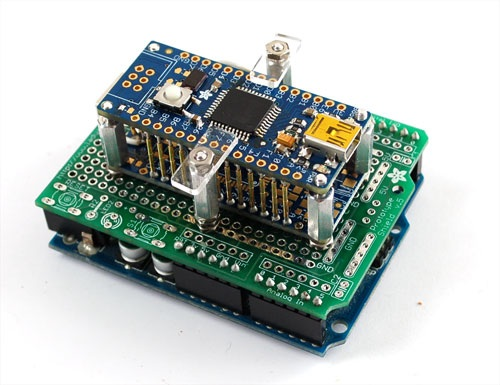
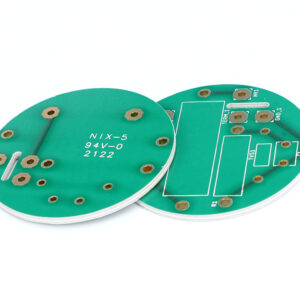
A perf board, often referred to as a perforated board, is a type of printed circuit board (PCB) that’s widely used in prototyping and DIY electronics. Unlike fully fabricated PCBs, a perf board offers a flexible way to mount and wire components before committing to a finalized design. If you’ve ever wondered how electronics hobbyists or engineers test ideas quickly, perf board printed circuit boards (PCBs) are often the answer.

What is Perf Board Printed Circuit Boards PCBs?

Perf boards are thin boards made from an insulating material like fiberglass or phenolic resin, pre-drilled with evenly spaced holes. These holes are laid out in a grid pattern and are designed to hold through-hole electronic components. The term “perf board printed circuit boards PCBs” refers to this category of PCBs that lack pre-designed traces but allow for custom circuit construction.

Unlike standard PCBs, perf boards don’t come with etched copper paths. You can design your own connections using wires or solder bridges, offering full control of your circuit layout.

Perf Board Printed Circuit Boards PCBs, Perf Board vs Breadboard

What is Another Name for a Perfboard?

Perfboards are also known as prototyping boards, dot boards, or project boards. In some circles, they’re casually called “proto boards.” While names vary, their purpose remains the same: to provide a quick, hands-on way to build, test, and modify circuits during the design phase.

What is Perf Board Made Of?

Most perf boards are made from one of two materials:

  • FR4 (Fiberglass Reinforced Epoxy): Durable and commonly used in professional settings.
  • Phenolic Resin: More affordable but slightly brittle, usually found in budget DIY kits.

The board has a grid of holes, and in some cases, those holes are surrounded by copper pads, especially in copper-clad perf boards. These pads allow easy soldering of components and jumpers.

What Does a Perf Board Do?

A perf board allows engineers and hobbyists to construct electronic circuits manually. You mount components through the holes and connect them with wire or solder to form the circuit. It’s especially useful for:

  • Rapid prototyping
  • Small-scale production
  • Educational projects
  • Repair or replacement circuits

Perf boards eliminate the wait time and cost associated with custom PCB fabrication during early design phases.

What is the Difference Between a Perf Board and a Breadboard?

This is a common question for beginners, and the differences are worth understanding:

FeaturePerf BoardBreadboard
ReusabilitySingle-useReusable
SolderingRequiredNot needed
Electrical ConductivityManual with wires/solderInternal metal strips
Component StabilityPermanentTemporary
Best forFinalizing prototypesInitial testing & concept design

If you’re experimenting with a new idea, start with a breadboard. When you’re ready to make it permanent, switch to a perf board.

Perf Board Dimensions

Perf boards come in various standard sizes, typically measured in holes (e.g., 60×40 holes) or in millimeters. Here are a few common options:

  • 3cm x 7cm (30mm x 70mm): Great for small circuits or microcontroller projects
  • 5cm x 7cm: A medium size, popular for Arduino-based designs
  • 9cm x 15cm: Ideal for complex circuits with more components

The standard hole spacing is 2.54mm (0.1 inch), which aligns perfectly with most DIP (dual in-line package) components.

Perf Board Printed Circuit Boards PCBs, Perf Board vs Breadboard

Perf Board Price

Prices vary based on size, material, and copper coverage. Here’s a general range:

  • Small perf board (3×7 cm): $0.20–$1.00 each
  • Medium board (5×7 cm): $0.50–$2.00 each
  • Large board (9×15 cm): $1.50–$5.00 each

Buying in bulk usually reduces cost. For instance, a 10-pack of medium boards may cost under $10 on platforms like Amazon, AliExpress, or Digi-Key.

How to Use a Perf Board?

Using a perf board is an excellent way to build a permanent version of a prototype circuit. Here’s a step-by-step approach to help you get started—even if you’re new to soldering or circuit design:

1. Plan Your Layout

Before inserting components, sketch your circuit on paper or use software like Fritzing or KiCad. Try to place components in a way that minimizes the number of jumpers and crossing wires. Make sure power and ground rails are easy to access.

2. Insert the Components

Place the components into the holes of the perf board with the leads facing down. Start with the shortest components (like resistors), then work your way up to taller ones (like capacitors or IC sockets). This helps keep the board level while soldering.

3. Secure the Components

Bend the leads slightly on the bottom side of the board to hold components in place. This is especially helpful if you’re working with many parts at once or if the board is going to be moved before soldering.

4. Solder the Leads

Once your components are in place, flip the board over and solder each lead to its corresponding pad. Try to heat both the pad and the lead at the same time for a clean solder joint.

Perf Board Printed Circuit Boards PCBs, Perf Board vs Breadboard

5. Trim Excess Leads

After soldering, use flush cutters to snip off the extra length of the component leads. This prevents shorts and makes the back of the board neat.

6. Make Electrical Connections

Now it’s time to connect the components electrically. You can use:

  • Hook-up wire: Strip and bend it to form paths between solder points.
  • Solder bridges: Add a small amount of solder to connect two nearby pads.
  • Insulated jumper wires: For long connections across the board.

Tip: Color-code your wires for easier troubleshooting later (e.g., red for VCC, black for GND, yellow for signal).

7. Test the Circuit

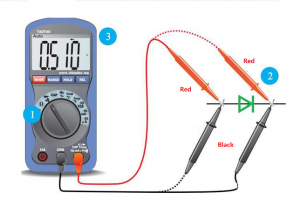
Before powering up, check all connections with a multimeter. Look for continuity and confirm there are no shorts between adjacent traces or leads.

This process may take a bit of time, but it helps you build a functional and clean circuit that’s much more durable than a breadboard setup.

Perfboard Soldering Tips and Techniques

Soldering is a crucial step when working with perf boards. Good soldering makes your circuit reliable and long-lasting. Here are some essential tips and techniques to get better, cleaner, and more efficient solder joints:

Perf Board Printed Circuit Boards PCBs, Perf Board vs Breadboard

1. Use the Right Soldering Iron

Choose a soldering iron with a fine tip and adjustable temperature, especially for delicate components. A temperature of around 350°C is good for most standard soldering jobs.

2. Select Quality Solder

Use 60/40 tin-lead rosin core solder or lead-free solder if safety or regulations require it. Thin solder (like 0.6mm) is easier to control for small connections.

3. Keep the Tip Clean

Clean the soldering iron tip with a damp sponge or brass wire before and after every few joints. This helps maintain heat transfer and reduces oxidation.

4. Pre-tin the Tip

Apply a small amount of solder to the tip before you start. This thin coating improves heat transfer to the pad and component lead.

5. Solder Quickly and Precisely

Touch the iron to the joint (pad and lead) for about 1–2 seconds, then feed in solder. Pull the iron away once enough solder has flowed. Avoid lingering too long, as overheating can damage the pad or component.

6. Avoid Cold Solder Joints

Cold joints happen when the solder doesn’t melt fully. They appear dull or cracked and can lead to unreliable connections. Always ensure the joint is shiny and slightly concave.

7. Use Heat Shrink or Insulation

When making jumpers or exposed connections, cover them with heat shrink tubing or use insulated wire to prevent accidental shorts.

8. Work in a Well-Ventilated Area

Soldering fumes can be harmful. Work near a window or use a small fume extractor to keep the air clean.

9. Double-Check Your Work

After finishing the soldering, inspect every joint. Use a magnifying glass if needed. A continuity check with a multimeter is also recommended.

10. Practice Makes Perfect

If you’re new to soldering, consider practicing on a spare perf board with some scrap components. Developing steady hands and learning how solder flows will improve your technique quickly.

Why Choose EBest Circuit (Best Technology) for Custom PCBs?

While perf boards are great for prototyping, finalized products need custom-made PCBs. That’s where EBest Circuit (Best Technology) comes in. We specialize in designing and manufacturing high-quality PCBs for various industries, from consumer electronics to automotive and aerospace.

We use a MES traceability system, provide professional engineering support, and offer competitive pricing even for low-volume orders. Whether you’re upgrading from perf board to custom PCB or need help bringing a prototype to life, EBest Circuit (Best Technology) has you covered.

FAQs

1. Can I use surface-mount components on a perf board?

Yes, but it’s trickier. You’ll need to manually create pads using wire or copper tape.

2. Are there perf boards with pre-connected tracks?

Yes, stripboards have rows of connected holes, which help speed up certain circuit designs.

3. Can perf boards handle high current?

Only to a certain extent. For higher currents, wider copper traces or bus bars are preferred.

4. Where can I buy perf boards?

They’re available online on Amazon, eBay, Digi-Key, Mouser, and local electronics stores.

5. What’s the best way to plan a circuit on a perf board?

Use grid paper or software like Fritzing to lay out components before building.

You may also like

Is Thicker Copper PCB Always Better? How to Choose Suitable Copper Thickness?

May 26th, 2025

In high-power electronics, thermal management is everything. Whether you’re designing LED modules, motor controllers, or power converters, one of the first decisions you’ll make is selecting the right copper thickness for your copper core PCB.

It’s tempting to assume that more copper is always better. After all, thicker copper offers lower resistance and better heat conduction. But here’s the truth: while thicker copper can enhance performance, it also introduces new challenges—in cost, manufacturability, and even thermal efficiency in certain contexts.

In this article, we’ll dive into how copper thickness affects heat dissipation, mechanical integrity, and overall PCB performance. You’ll also learn how to find the sweet spot—balancing copper thickness with practical requirements.

How to Choose Suitable Copper Thickness?

What Does Copper Thickness Really Do in a PCB?

Copper thickness in a PCB is typically measured in ounces (oz), where 1 oz equates to approximately 35 micrometers of thickness. The thicker the copper, the more current it can carry and the more heat it can dissipate—up to a point.

For example:

  • 1 oz copper is standard in many applications like consumer electronics or low-power LED boards.
  • 2 oz–3 oz copper is often used in medium- to high-power applications, such as telecom equipment or automotive control modules.
  • 4 oz–6 oz copper or more is reserved for ultra-high-current or extreme thermal environments, like industrial drives or inverters.

In a copper core PCB, the copper layer not only serves as a trace but also acts as a heat conduit. But simply adding more copper isn’t always the best strategy—it needs to be balanced with mechanical, thermal, and design constraints.

How to Choose Suitable Copper Thickness?

How Does Thicker Copper Affect Thermal Conductivity?

Thermal conductivity is the rate at which heat passes through a material. Copper’s thermal conductivity is excellent—about 398 W/m·K—much higher than FR4 (0.25 W/m·K) or aluminum (205 W/m·K). Thermal conductivity improves as copper gets thicker—up to a point.

  • A 1 oz (35”m) copper layer offers good heat flow for standard loads.
  • 2 oz (70”m) or 3 oz (105”m) copper layers are used for medium-to-high power circuits.
  • Ultra-thick copper like 6 oz (210”m) or more is suitable for extreme applications like power inverters or motor drivers.

But while thicker copper improves thermal conductivity, it also increases thermal mass, which can slow down heat transfer in fast-cycling circuits. That means copper core PCBs with ultra-thick copper aren’t always the most efficient in dynamic thermal environments.

What Happens to Mechanical Strength as Copper Gets Thicker?

A copper core PCB with heavy copper also becomes more rigid. This can be beneficial in harsh environments (e.g. EV chargers, industrial robots) where vibration or mechanical shock is a concern.

However, ultra-thick copper comes with drawbacks:

  • Reduced flexibility: Too much copper can crack during mechanical stress.
  • Higher internal stress: Thicker copper can warp other layers if not carefully designed.
  • Drilling and routing challenges: High copper thickness limits hole aspect ratio and increases the risk of burrs or tool breakage.

In short, thicker copper increases strength but decreases the PCB’s resilience during assembly or use.

Manufacturing Challenges of Thick Copper Core PCBs

As copper thickness increases, so does the cost—not just of materials, but also in processing:

  • Etching Control: The deeper the copper, the harder it is to maintain precise trace widths and spacing. Over-etching or under-etching can occur, especially with high-aspect-ratio designs.
  • Drilling Difficulties: Thick copper increases drill wear and may require specialized bits. This adds time and cost.
  • Solder Mask Issues: Solder mask adhesion becomes less reliable with thick copper due to surface tension and lack of anchor points.
  • Fine-pitch traces are harder to produce with heavy copper.

A copper core PCB with 3 oz copper may cost up to 1.8x more than a standard 1 oz version. And a 6 oz copper design might require specialized etching equipment, which not all PCB manufacturers can support. That’s why working with an experienced supplier like EBest Circuit (Best Technology) is crucial.

How to Choose the Right Copper Thickness for Your PCB?

Rather than defaulting to the thickest copper available, consider these design factors:

  • Power Dissipation

Estimate total wattage and heat output. Use simulation tools or thermal imaging to understand hot zones.

  • Current Capacity

Follow IPC-2152 guidelines to determine trace width vs. amp load. For example:

1 oz copper: ~10A for 100 mil trace (surface)

2 oz copper: ~18A for same width

  • Board Size and Layer Count

Larger boards may use thinner copper with thermal vias and heat sinks. Multilayer designs must balance all layers.

  • Application Environment

Will the board be exposed to vibration, moisture, or rapid temperature swings? If yes, go thicker and stronger.

  • Budget and Lead Time

Thick copper PCBs cost more and take longer to fabricate. Optimize design for performance within your price range.

Rule of thumb:

  • Use 1 oz–2 oz copper for LED lighting, chargers, and automotive control boards.
  • Go for 3 oz–4 oz only if you have continuous high current or extreme heat.
  • Consider 5 oz+ only for industrial power systems or heavy-duty applications.
Case Study: How Thicker Copper Solved and Created Problems

A client building a 500W motor driver switched from 2 oz to 5 oz copper core PCB to improve thermal dissipation. While heat decreased by 12%, they faced new issues:

  • Via drilling became inconsistent due to copper pull-out.
  • Board warpage increased after reflow soldering.
  • Assembly cost rose by 30%.

We helped them optimize with a hybrid solution:

  • Kept 2 oz on signal layers.
  • Added localized copper in power zones.
  • Improved base layer contact for better heat flow.

Finally, thermal performance remained strong, but manufacturability and cost were brought back under control.

How to Choose Suitable Copper Thickness?

Conclusion

When designing a copper core PCB, it’s easy to fall into the trap of thinking “thicker is better.” In reality, optimal performance comes from careful engineering—not just stacking on copper.

At EBest Circuit (Best Technology), we help clients worldwide balance copper thickness with thermal, mechanical, and manufacturing constraints. We use simulation, prototype validation, and DFM support to ensure your final product is both high-performing and cost-effective.

Why Work With EBest Circuit (Best Technology) for Copper Core PCBs?

We are not just PCB fabricators—we are problem solvers. Our copper core PCB services include:

✔️ Copper thickness options from 1 oz to 10 oz

✔️ Full-stack DFM analysis and thermal modeling

✔️ IPC-compliant thermal and electrical simulations

✔️ MES-based quality traceability

✔️ Rapid prototyping and scalable mass production

We help you avoid over-designing or under-designing copper thickness—saving cost and ensuring long-term reliability. No matter the application—EVs, LEDs, telecom, or industrial—you’ll find the right copper balance with us.

Call To Action

Want to know more information about copper base PCB?

FAQs

Q1: Is 3 oz copper enough for a 100W LED module?

Yes, in most cases 3 oz copper on a properly designed copper core PCB can handle that heat load efficiently.

Q2: How does copper thickness affect signal integrity?

Thicker copper affects impedance. It must be calculated carefully for high-speed or RF circuits.

Q3: Can thick copper cause warping during reflow?

Yes. Uneven copper thickness across layers can cause thermal imbalance. This must be addressed in stack-up design.

Q4: What’s better: thicker copper or more thermal vias?

Depends. Thermal vias can be more efficient in some layouts and cost less than increasing copper.

Q5: Does EBest Circuit (Best Technology) support custom stack-ups for copper PCBs?

Absolutely. We provide custom stack-up planning based on your power, thermal, and mechanical needs.

You may also like

Copper Core PCB vs Aluminum PCB: How to Choose the Right One? – Series 2

May 24th, 2025

In our last blog, we introduced the definition and basic of copper core PCB. But copper core PCB isn’t the only one metal core PCB, aluminum PCB provides good heat dissipation as well. So, when working with metal core boards, many engineers and buyers are unsure whether to choose an aluminum PCB or a copper core PCB. Some believe copper is always better, while others go with aluminum for lower cost. Today, we will guide you how to choose them, then let’s start it!

Material Comparison: Copper vs Aluminum Core

Both copper and aluminum are used as the core material for thermal management in PCBs, but their physical and electrical properties differ significantly:

PropertyCopperAluminum
Thermal Conductivity~380–400 W/m·K~200–230 W/m·K
Electrical Conductivity~58 MS/m~35 MS/m
Density8.96 g/cmÂł2.70 g/cmÂł
StrengthHigher rigidityMore flexible
Cost1.5x to 3x higherLower

Copper provides superior conductivity and better rigidity but comes at a much higher cost and weight. Aluminum is lighter, easier to machine, and cost-effective for mid-range applications.

Thermal Management: Which One Handles Heat Better?

When heat dissipation is your top priority, copper clearly wins. Its high thermal conductivity allows heat to spread faster and more evenly, which is critical in high-power applications like:

  • LED floodlights and stadium lighting
  • Automotive headlights
  • Power converters and inverters
  • Laser driver modules

Case example: A customer replaced an aluminum PCB with a copper base for a 100W LED driver. The operating temperature dropped by 15°C, drastically improving product lifespan.

However, in low-to-mid power systems—like ceiling lights, LED bulbs, or camera light rings—aluminum is typically sufficient. Using copper in these cases is often unnecessary and drives up costs without clear benefits.

Mechanical Strength and Weight: What Does Your Design Need?

Copper core PCBs are heavier and more rigid, which makes them better for industrial applications exposed to vibration or extreme temperature cycles.

But in products where weight matters—like drones or wearable devices—aluminum PCBs are the smarter option. They are easier to machine, route, and assemble. They also cost less in terms of tooling and manufacturing time.

Choose copper core PCBs if you need:

  • High mechanical stability
  • Vibration resistance
  • Long-term thermal durability

Choose aluminum PCBs if your product needs:

  • Lightweight design
  • Cost control
  • Simpler routing and drilling

Cost Consideration: Is Copper Always Worth It?

Let’s be honest: copper core PCBs can cost up to 3x more than aluminum PCBs. So you should ask yourself—is the higher thermal performance really necessary for your design?

Aluminum PCBs are the better choice when:

  • Your application doesn’t exceed 80W–100W
  • Weight and cost are design priorities
  • You’re in mass production and need price stability

Copper core PCBs are justified when:

  • Your system needs to handle heavy heat loads
  • High current density is involved
  • Long-term reliability matters more than price

Many of our customers reduce total project cost by switching to aluminum PCBs without sacrificing performance—once we review their thermal simulation data.

Where to Use Each PCB Type?

Here’s a quick-reference table to match your application with the recommended base material:

ApplicationRecommended BaseReason
High-power LED floodlightsCopperHeat and current requirements are high
Automotive lighting systemsCopper or thick aluminumPerformance and safety critical
Indoor LED lightingAluminumLower heat, cost-sensitive
Power modules & invertersCopperHigh voltage and thermal stress
Camera flash or ring lightAluminumLightweight and cost-friendly
Medical power supplyCopperStability and safety required
LED floodlights (150W+)Copper Core PCBHandles heat better
LED bulbs & home lightingAluminum PCBAffordable and thermally sufficient
EV chargers & power modulesCopper Core PCBHigh reliability under load
Camera flashes & portable lightsAluminum PCBLightweight and budget-friendly
Medical devices (power control)Copper Core PCBPrecise, stable performance
Consumer electronicsAluminum PCBCost-efficient for large volumes

Use this guide to avoid over-engineering or under-specifying your metal core PCB.

5 Key Points Before You Choose

Still not sure which base material fits your needs? Walk through this five-step checklist:

1. Power Level: How much current and heat does your circuit handle?

2. Installation Environment: Is weight a constraint? Will it face vibration?

3. Target Cost: Are you selling a premium or mass-market product?

4. Design Complexity: Do you need tight tolerances or complex routing?

5. Volume & Lead Time: Can your supplier meet deadlines for the material?

If you answered “high” for performance on most points, copper is likely the way to go. If not, aluminum is your best cost-performance choice. By the way, if you’re unsure after answering these, consult with your PCB manufacturer. At EBest Circuit (Best Technology), we provide application-based advice to help you choose between aluminum PCBs and copper core PCBs—without overspending.

Why Choose EBest Circuit (Best Technology) for Your Metal Core PCB?

Whether you need aluminum base PCBs for standard lighting or copper base PCBs for high-power industrial applications, EBest Circuit (Best Technology) has you covered:

  • Mature production lines for both copper and aluminum base PCBs
  • One-on-one design support, thermal simulation, and DFM reviews
  • Full in-house capabilities: thick copper etching, CNC routing, V-cutting
  • Fast sample turnaround and stable mass production support
  • Strict quality control and traceability through MES system
  • Expert engineering team for application-specific advice

Reach out to EBest Circuit (Best Technology)—we’ll help you analyze your application, recommend the ideal PCB solution, and even support custom development if needed.

FAQs

Q1: Can I use aluminum base PCBs for high-power applications?

Only for moderate heat loads. For >100W power systems, copper is strongly recommended.

Q2: What is the thinnest aluminum or copper base you can provide?

We can produce down to 0.8mm base thickness for both, depending on the structure.

Q3: Do you offer hybrid metal core PCBs?

Yes, we can integrate aluminum and FR4 or support copper-ceramic hybrid designs.

Q4: How long is the lead time for copper vs aluminum base?

Aluminum PCBs: 5–7 working days; Copper PCBs: 7–12 days depending on complexity.

Q5: Can I get thermal simulation before placing an order?

Absolutely! We offer pre-production thermal analysis and structural design assistance.

Q6: Are copper core PCBs compatible with standard SMT processes?

Yes, they are. We offer full SMT assembly services for both aluminum and copper base boards.

Q7: How do I know which type is best for my application?

Send us your design or specs, and we’ll recommend the most cost-effective and reliable option.

Conclusion

Choosing between a copper core PCB and an aluminum PCB isn’t about choosing the better material. It’s about selecting what’s right for your application. Copper is powerful but expensive; aluminum is flexible and affordable.

When designed and selected correctly, aluminum PCBs can outperform expectations, and copper core PCBs can save your system from thermal failure. Match the material to your environment, budget, and performance goals—and you’ll never go wrong. In our next blog, we will share how to select the thickness of copper. If you are interested in it, collect us and keep reading.

You may also like

Is Copper Base PCB Right for You? – Series 1

May 23rd, 2025

Copper base PCBs have become increasingly popular in high-power and thermally demanding applications. But many customers still ask: “Is it really suitable for my project?” If you’re in LED lighting, power electronics, automotive, or any field requiring excellent heat dissipation, this article is for you. We’ll walk you through what copper base PCBs are, their key advantages, and how to determine whether they’re the right fit for your product.

What Is a Copper Base PCB?

A Copper Base PCB is a type of metal core printed circuit board (MCPCB) that uses copper as the base material instead of the more common aluminum or FR4. This type of board is specifically designed to handle high heat, high power, and mechanical stress. The copper base acts as a heat sink, pulling heat away from components and distributing it more evenly. Compared with FR4 PCB, copper PCBs offer superior heat conductivity, mechanical strength, and current-carrying capacity.

Typical Structure of a Copper Base PCB

The structure of a copper base PCB is generally composed of three main layers, each playing a critical role in the board’s performance:

  • Copper Circuit Layer (Top Layer):

This layer contains the etched copper traces that form the electrical pathways. In copper base PCBs, this layer is often thicker than in standard PCBs—ranging from 1 oz to 20 oz or more—to handle higher current loads and improve heat distribution. These traces can be plated or coated depending on the application or customers requirements (e.g., ENIG, HASL, OSP).

  • Thermal Dielectric Layer (Middle Layer):

This is the insulating layer between the circuit and the metal base. It’s designed to have high thermal conductivity and excellent electrical insulation. Its main function is to transfer heat from the components to the copper base below while keeping the circuits electrically isolated. The thermal conductivity of this layer often ranges from 1 W/m·K to over 10 W/m·K, depending on material choice.

  • Copper Base Layer (Bottom Layer):

Unlike typical MCPCBs that use aluminum, this layer is made of solid copper—usually ranging from 1 mm to 3.5 mm thick or more. This acts as a heat sink, pulling heat away from the circuit layer and rapidly dispersing it. Copper’s thermal conductivity is about 400 W/m·K, significantly higher than aluminum (~200 W/m·K).

This design structure enables heat to be quickly conducted from the components to the copper baseplate, and then transferred through the heat sink or the casing, thereby enhancing the overall thermal management capability of the system.

What Are the Core Advantages of Copper Base PCBs?

Clients often wonder: “Why should I pay more for a copper base board?” Here’s why it might be worth it:

  • Exceptional thermal conductivity – Copper is far more effective at dissipating heat than aluminum or FR4, very suitable for high-wattage components.
  • High current tolerance – With thicker copper layers, these PCBs handle larger currents with minimal resistance.
  • Excellent mechanical durability – Copper PCBs are stronger and can withstand physical stress, vibration, and temperature cycling.
  • Improved electromagnetic shielding – Their dense base helps suppress EMI, a critical benefit in high-frequency applications.
These benefits result in longer product life, more consistent performance, and fewer field failures, especially in mission-critical applications.
Which Industries Benefit Most from Copper Base PCBs?

  • LED Lighting – High-power LEDs like COB, UV LED, floodlights, and grow lights require efficient thermal management.
  • Power Electronics – Power supplies, inverters, and converters benefit from copper’s high current-carrying capacity.
  • Automotive – EV batteries, headlights, and control systems need durability and consistent heat dissipation.
  • Telecom & RF Devices – Copper PCBs handle high frequencies with reduced signal loss and better EMI shielding.
  • Medical Equipment – High reliability is key for precision instruments that cannot afford overheating.

If your product involves heat, high power, or harsh environments, copper base PCBs are often the most dependable choice.

How Can You Tell If a Copper Base PCB Is Right for Your Project?

Before committing, ask yourself the following:

1. Does your design generate significant heat?

2. Is there limited space, but high power density?

3. Are you struggling with product reliability or failures due to overheating?

4. Is your end-product used in mission-critical or high-reliability environments?

If you answered “yes” to two or more of these, a copper base PCB could greatly improve your performance and reliability.

What Are the Limitations or Considerations of Copper Base PCBs?

While copper base PCBs offer outstanding thermal and electrical performance, they are not suitable for every project. Understanding their limitations and key design considerations is essential to avoid overdesign, unnecessary costs, or compatibility issues in your application.

1. Higher Material and Production Cost

Copper is significantly more expensive than aluminum or fiberglass (FR4). This cost factor affects both raw material pricing and manufacturing expenses. Additionally, the thicker copper layers and heavier base not only cost more to source, but they also require more energy and effort to process, increasing the total cost of production.

2. Heavier Board Weight

Copper has a high density (8.96 g/cm³ compared to aluminum’s 2.70 g/cm³), which means copper base PCBs are substantially heavier. This can present challenges in:

  • Weight-sensitive products such as drones or handheld devices
  • Shipping and logistics costs, especially for large quantities
  • Mechanical handling in assembly lines

Tip: If you’re designing a compact or mobile device, consider whether the weight trade-off justifies the thermal benefit.

3. More Challenging to Fabricate and Process

Due to the hardness and thickness of the copper base, special tooling, slower machining speeds, and experienced operators are required. Fabricators must use tougher drill bits, precise CNC machines, and advanced lamination processes to ensure:

  • Clean drill holes
  • Accurate etching and layering
  • Strong adhesion between layers

Poor processing can result in delamination, cracks, or electrical leakage—especially at the dielectric interface.

4. Limited Flexibility in Complex Layer Stack-Ups

While single-layer copper PCBs are common, multi-layer copper base PCBs are difficult and expensive to produce. This is because:

  • Each additional layer increases complexity in lamination
  • Heat must still flow effectively through the stack
  • Alignment and insulation tolerance become more critical

Not all manufacturers offer multi-layer copper PCBs due to the strict processing requirements and lower production yields.

5. Thermal Expansion and Stress Considerations

Copper has a relatively low coefficient of thermal expansion (CTE), which is good for dimensional stability. However, when paired with dielectric materials or mounted in assemblies with mismatched CTEs, thermal stress can build up during repeated heating and cooling cycles.

This can lead to:

  • Micro-cracking
  • Solder joint fatigue
  • Mechanical warping of the board

If you need help evaluating whether copper base PCBs are the right choice for your next project, EBest Circuit (Best Technology)’s engineering team is here to offer thermal simulation, design review, and cost-performance optimization—so you only pay for what you truly need.

Why Choose EBest Circuit (Best Technology) for Your Copper Base PCBs?

When it comes to copper base PCBs, expertise matters. At EBest Circuit (Best Technology), we provide end-to-end solutions — from thermal simulation and material selection to rapid prototyping and mass production.

Why choose us?

✅ One-on-one engineering support

✅ In-house thermal and mechanical design assistance

✅ Certified quality (ISO9001, ISO13485, IATF16949, AS9100D)

✅ MES system for full traceability

✅ On-time delivery and competitive pricing

Let us help you build reliable, high-performance PCBs tailored to your application needs.

Frequently Asked Questions (FAQs)

Q1: Is copper base PCB better than aluminum base for heat dissipation?

Yes, copper offers superior thermal conductivity compared to aluminum and handles higher thermal loads.

Q2: What thicknesses are available for copper base PCBs?

Copper thickness typically ranges from 1oz to 20oz or more depending on your current/thermal needs.

Q3: Can copper base PCBs support multi-layer structures?

Yes, although complex and costly, multi-layer copper base PCBs are feasible with the right process control.

Q4: How can I improve thermal performance in my copper PCB design?

Use thermal vias, select high-conductivity dielectric layers, and optimize component placement.

Q5: Why is copper base PCB more expensive?

Copper material, heavier base layers, and specialized manufacturing processes contribute to the higher cost.

You may also like

Custom PCB Sinkpad for High-power LED Solutions

May 23rd, 2025

High-power LED applications come with a serious challenge: heat. When LEDs generate too much heat and it’s not properly managed, it can shorten the life of the light, affect its brightness, or even cause total failure. That’s where SinkPAD PCBs come in. Unlike regular MCPCBs, a SinkPAD PCB offers a direct thermal path that transfers heat away from the LED quickly and effectively. If you’re working with powerful LEDs, custom SinkPAD PCBs can make a big difference. At EBest Circuit (Best Technology), we specialize in custom SinkPAD solutions designed for maximum heat dissipation and long-term reliability.

What is a SinkPAD PCB and How Does it Work?

A SinkPAD PCB is a type of metal core PCB designed specifically for high-thermal performance. The term “SinkPAD” refers to a patented technology where the thermal pad of the LED is directly connected to the metal base of the PCB, creating an uninterrupted thermal path. In traditional MCPCBs, a dielectric layer sits between the copper circuit layer and the metal base, reducing thermal conductivity. But in a SinkPAD design, that barrier is removed or minimized in the area under the LED, allowing heat to flow directly to the metal core and then to the heatsink.

Custom PCB Sinkpad for High-power LED Solutions

Why is Thermal Management So Critical in High-Power LED Applications?

LEDs are efficient, but they’re not immune to heat. In fact, around 70%–85% of the electrical energy in an LED is converted into heat. If that heat isn’t quickly removed, it can cause several issues:

  • Decreased light output (lumen depreciation)
  • Color shifting over time
  • Shorter lifespan
  • Component failure in extreme cases

Good thermal management maintains LED brightness, performance, and stability. For high-power LEDs, such as those used in automotive headlights or industrial lighting, standard cooling methods often fall short. That’s why advanced thermal solutions like custom SinkPAD PCBs are essential — they offer superior heat dissipation to keep your LEDs working reliably.

What are the Advantages of Custom SinkPAD PCBs for LED Projects?

Choosing a custom SinkPAD PCB means tailoring the thermal design to fit your exact LED setup. Here are the key benefits:

  • Better heat dissipation: The direct thermal path lowers the junction temperature, which helps maintain brightness and prevent overheating.
  • Compact design: You can eliminate bulky heatsinks, which saves space in your lighting product.
  • Improved reliability: Lower operating temperatures lead to fewer failures and longer LED lifespan.
  • Higher power density: You can run brighter or more LEDs in a small area without worrying about thermal overload.
  • Consistent performance: No hotspots or uneven heat spread — just stable and predictable operation.

A custom SinkPAD solution allows you to match the board layout, materials, and thickness exactly to your LED requirements, which is especially helpful for complex or high-end lighting systems.

Custom PCB Sinkpad for High-power LED Solutions

What Materials are used in SinkPAD LED PCBs?

The choice of materials is crucial for any high-performance PCB, especially one handling thermal management. In SinkPAD PCBs, the most common materials include:

  • Aluminum base: Widely used due to its cost-effectiveness and good thermal conductivity. Suitable for medium-power LED applications.
  • Copper base: Offers superior heat conductivity compared to aluminum and is typically used in ultra-high-power or demanding environments.
  • High-thermal conductivity dielectric (if used): In areas not using the exposed metal pad, a thin dielectric layer may still be present. The goal is to keep thermal resistance as low as possible.

At EBest Circuit (Best Technology), we work with both aluminum and copper bases and can advise on the best choice depending on your heat requirements and budget.

How is a SinkPAD PCB Manufactured?

The SinkPAD PCB manufacturing process requires high precision and special techniques to expose the thermal pad directly to the metal base. Here’s how it typically works:

  1. Material preparation: Selection of copper or aluminum core with appropriate thickness.
  2. Drilling and routing: Laser or mechanical drilling is used to create openings that allow the thermal pad to contact the base metal directly.
  3. Etching and circuit formation: Copper traces are etched for the electrical circuit.
  4. Thermal pad exposure: Dielectric material is selectively removed from under the LED thermal pad area.
  5. Plating and finishing: Surface finishes like ENIG or OSP are applied to the copper pads.
  6. Testing and inspection: Thermal and electrical tests ensure the board performs as intended.

This process allows the heat from the LED to travel through the exposed pad directly into the metal base, rather than relying on thermal via stacking or thick dielectric layers.

Where are SinkPAD PCBs Used in Real Applications?

SinkPAD PCBs are used in any application where high power and reliable thermal control are required. Here are some real-world examples:

  • Automotive headlights and fog lamps: Require compact designs and powerful light with efficient heat dissipation.
  • Industrial floodlights: Often run for long hours and need stable performance under high thermal stress.
  • Medical lighting: Such as surgical lights that demand high brightness and zero failure during operation.
  • UV curing systems: Used in printing and adhesives, which generate intense heat.
  • Stage or studio lighting: Where color consistency and brightness are key, and high-powered LEDs are standard.

These applications benefit from the direct thermal pathway offered by SinkPAD PCBs, ensuring the LEDs can operate at full brightness for long periods without failure.

Design Considerations of SinkPAD PCB in LED Lighting Devices

When designing a SinkPAD PCB for LED lighting, it’s not just about efficient heat dissipation — it’s about optimizing performance, reliability, and manufacturability. Here are the key factors to consider:

1. LED Thermal Pad Alignment

Ensure the thermal pad of the LED package aligns precisely with the exposed metal area of the SinkPAD. Any misalignment can increase thermal resistance and reduce heat transfer efficiency.

2. Base Metal Selection

Aluminum is cost-effective and sufficient for many applications, but copper is preferable for ultra-high-power LEDs due to its superior thermal conductivity. Choose the base metal based on your LED’s power output and operating environment.

3. Board Thickness

The thickness of the metal core affects both heat spreading and mechanical strength. Thicker cores (e.g., 2.0mm copper or aluminum) can handle more heat but may increase the overall weight and cost.

4. Dielectric Isolation (If Applicable)

In areas that don’t require direct heat transfer, a thin dielectric layer may still be used. Select materials with high thermal conductivity (>1.0 W/m·K) and low thermal resistance to maintain performance.

5. Surface Finish

For high-reliability soldering and corrosion resistance, finishes like ENIG (Electroless Nickel Immersion Gold) or OSP (Organic Solderability Preservative) are commonly used. Choose a finish compatible with your LED’s soldering profile.

6. Component Layout and Spacing

Leave enough space between LEDs and other heat-sensitive components. This helps prevent local hotspots and ensures even heat distribution across the board.

How Does EBest Circuit (Best Technology) Serve You for Custom SinkPAD PCBs?

Choosing the right SinkPAD PCB partner is as important as the design itself. Here’s how EBest Circuit (Best Technology) supports you at every step:

  • Advanced thermal engineering support
  • Material flexibility including copper and aluminum
  • Custom layout design
  • Certified quality system
  • Full traceability
  • Fast quoting and prototyping

With over a decade of experience in custom thermal PCB design, EBest Circuit (Best Technology) is your reliable partner for SinkPAD LED solutions.

FAQs

1. What’s the difference between SinkPAD and standard MCPCBs?

Standard MCPCBs use a dielectric layer between the LED and the metal core, while SinkPAD removes that layer under the thermal pad for direct heat transfer.

2. Can SinkPAD PCBs handle very high-wattage LEDs like 10W or 50W?

Yes. SinkPAD PCBs are specifically designed for high-wattage LEDs where rapid and efficient heat dissipation is critical.

3. Is copper better than aluminum for SinkPAD PCBs?

Copper offers better thermal conductivity than aluminum, but it’s also more expensive. The choice depends on your application and thermal budget.

4. Are SinkPAD PCBs only used for LED lighting?

While they’re most commonly used in LED applications, they can be used in any high-power electronics needing excellent thermal control.

5. How can I get a quote for a custom SinkPAD PCB?

Simply send us your Gerber files and project details. Our engineering and sales team will respond with a tailored solution and quotation within 24 hours.

You may also like

How to Optimize PCB Panelization for Higher Yield and Lower Cost?

May 22nd, 2025

PCB panelization is a critical step in the manufacturing process that directly impacts production efficiency, material waste, and overall costs. Poor panel design can lead to lower yields, increased scrap, and delays in assembly. In this blog, we’ll explore actionable strategies to optimize PCB panelization for higher yield and cost savings.

How to Optimize PCB Panelization for Higher Yield and Lower Cost?

Why Panelization Matters in PCB Manufacturing?

Panelization refers to arranging multiple PCB designs onto a single manufacturing panel (or “array”) for batch processing. Key benefits include:

  • Reduced material waste: Maximizing panel space utilization.
  • Faster assembly: Enabling automated pick-and-place machines to process multiple boards simultaneously.
  • Lower handling costs: Fewer individual boards to manage during fabrication and assembly.

However, suboptimal panelization can lead to:

  • Warpage during soldering.
  • V-score or routing errors.
  • Increased breakage during depaneling.

6 Tips to Optimize PCB Panelization

Base on our 19+years experiences in the PCB manufacturing field, today I would like to share you 6 Strategies to Optimize PCB Panelization

1. Choose the Right Panel Size

  • Align your PCB dimensions with standard panel sizes (e.g., 18″x24″, 21″x24″) to minimize material trimming.
  • Example: If your board is 80mm x 60mm, arrange 4×6 units on a 324mm x 480mm panel to reduce unused space.
6 Tips to Optimize PCB Panelization

2. Optimize Board Arrangement

  • Rotation: Rotate boards to fit more units per panel.
  • Mirroring: Use symmetrical designs to avoid “wasted” gaps.
  • Nesting software: Leverage tools like CAM350 to automate optimal layout generation.

3. Select the Best Depaneling Method

The choice of depaneling (separating individual boards) affects yield and edge quality:

  • V-Score: Low cost and fast, but requires straight edges and may weaken boards.
  • Tab Routing: Ideal for irregular shapes but adds milling time.
  • Laser Cutting: Precision for high-density designs, but higher cost.

Rule of thumb: Use V-score for rectangular boards and routing for complex shapes.

4. Add Breakaway Tabs and Mouse Bites

  • Breakaway tabs: Small connectors between boards to prevent movement during assembly.
  • Mouse bites: Perforated holes for easy manual separation.
  • Spacing: Maintain 1.5–2mm between boards to avoid solder mask bridging.
How to Optimize PCB Panelization for Higher Yield and Lower Cost?

5. Incorporate Fiducials and Tooling Holes

  • Add global fiducials to the panel for accurate alignment during SMT assembly.
  • Include tooling holes (3.2mm diameter) to secure the panel during drilling and routing.

6. Balance Quantity vs. Risk

  • Overcrowding panels increases the risk of cross-board defects.
  • Underutilizing panels raises material costs.
  • Recommended: Aim for 4–20 boards per panel, depending on size and complexity.

Case Study: Cost Savings Through Smart Panelization

A consumer electronics manufacturer redesigned their 50mm x 50mm IoT module panel:

  • Initial design: 8 boards/panel with 15% wasted space.
  • Optimized design: 12 boards/panel using rotated layouts and shared tooling holes.
  • Results:
    • 15% reduction in material costs.
    • 10% faster SMT assembly.
    • Fewer depaneling errors due to improved tab routing.

Common Panelization Mistakes to Avoid

  1. Ignoring manufacturer capabilities: Always consult your PCB fab’s panel size and tolerances.
  2. Overcomplicating shapes: Complex panels increase milling time and scrap rates.
  3. Skipping test coupons: Include test patterns for impedance control and quality checks.

Conclusion

Optimizing PCB panelization requires a balance of geometric efficiency, process knowledge, and collaboration with manufacturers. By implementing these strategies, you can reduce waste, improve yields, and lower production costs without compromising quality.

Pro Tip: Use panelization-specific design rules in tools like Altium or KiCad to automate compliance checks.

Also, if you want to know more about how to optimize PCB Panelization for Higher Yield and Lower Cost, please feel free to inquiry from us.

You may also like

How Does the Cost of Sinkpad MCPCB Compare to Conventional MCPCB?

May 22nd, 2025

What Is Sinkpad MCPCB?

SinkPAD MCPCB is a special kind of metal core printed circuit board designed for excellent heat dissipation. It’s different from regular MCPCBs because it removes one major barrier—the insulating dielectric layer under the LED.

In simple terms, it allows heat to flow directly from the LED chip to the metal base. That means less heat build-up, more efficiency, and longer lifespan for your components.

You’ll often find SinkPAD MCPCBs in high-power LED applications—like automotive lighting, industrial lamps, medical equipment, and even UV curing systems. These are places where heat control isn’t just helpful—it’s essential.

What Is Sinkpad MCPCB?

Advantages of Sinkpad MCPCB

1. Direct Heat Flow

With no dielectric between the LED and metal core, SinkPAD boards offer a direct thermal path, reducing resistance and increasing efficiency.

2. Lower Operating Temperatures

By improving heat transfer, components stay cooler. For LEDs, this means stable brightness and a longer working life.

3. Consistent Light Output

Temperature spikes can dim or discolor LEDs. SinkPAD keeps the junction temperature stable, maintaining consistent color and brightness.

4. Compact Design

Thanks to better heat handling, you can reduce or eliminate bulky heatsinks, helping make designs smaller and lighter.

5. Durability in Harsh Conditions

SinkPAD boards resist thermal cycling, shock, and vibration, making them perfect for tough environments like aerospace or outdoor lighting.

So if your design involves powerful LEDs or components that get hot fast, this type of board can be a game-changer.

Base Materials of Sinkpad MCPCB

SinkPAD boards come with different base metals. Each one has its own strengths depending on your project.

  • Aluminum Core Sinkpad PCB

Aluminum is the more common choice. It’s lightweight, easy to work with, and keeps costs low. Its thermal conductivity is good—usually around 150-200 W/m·K. For applications where heat output isn’t extreme, aluminum SinkPAD PCBs are a great fit. You’ll find them in general LED lighting, backlit signs, and other consumer electronics.

They’re also a smart option if you’re trying to keep your SinkPAD MCPCB price in check. But actually, for consumer electronics, conventional metal core PCB can cover it.

Aluminum Core Sinkpad PCB
  • Copper Core Sinkpad PCB

Copper is all about performance. It has much higher thermal conductivity—around 385-400 W/m·K—which means it can handle intense heat. If your LEDs are pushing a lot of power or operating in a hot environment, copper is the better option. Some industrial like UV lights, high-performance lasers, or automotive headlights that stay on for long hours.

Copper Core Sinkpad PCB

Copper boards are heavier and more expensive than aluminum ones, but they deliver top-tier thermal results.

How Does Sinkpad MCPCB Work?

In a standard MCPCB, the LED sits on a copper trace. Under that trace is a dielectric layer. Below that is the metal core, its structure just like below. Heat has to travel through all of this to get out. That creates resistance.

How Does Sinkpad MCPCB Work?

However, sinkPAD skips the dielectric layer—at least under the LED’s thermal pad. Instead, the heat flows straight from the LED’s thermal pad into a thermal cavity that connects directly to the base metal. This structure is often called a Direct Thermal Path (DTP).

How Does Sinkpad MCPCB Work?

It’s like giving heat a shortcut out of the system. No extra layers. No slowdowns. Just fast, efficient cooling. This design improves overall thermal conductivity and gives you tighter control over junction temperatures.

Thermal Conductivity of Sinkpad MCPCB

Thermal conductivity is key when you’re dealing with LEDs and power electronics. The better the board can spread heat, the better your device performs.

With aluminum cores, you’ll typically see thermal conductivity in the 150–200 W/m·K range. That’s solid for most LED needs. With copper cores, you’ll reach up to 400 W/m·K, giving you elite heat handling.

Sinkpad MCPCB vs. Conventional MCPCB

So what are the differences between sinkpad metal core PCB and traditional metal core PCB? Here we made a comparison between them:

PropertySinkPAD MCPCBConventional MCPCB
Heat TransferDirect path (through convexity pad)Through dielectric
Thermal conductivityUp to 400W/m.kUp to 8W/m.k
Thermal Resistance0.4°C/W or lower1.0–2.0°C/W
Light StabilityHigh (because most use copper)Medium
LED LifespanExtendedShorter under heat
Space NeededNoLarger cooling required
CostSlightly higherLower upfront

SinkPAD boards give better performance and better results—especially when heat control is non-negotiable. They cost more, but what you get in return is worth it in critical applications.

Considerations When Using Sinkpad MCPCB

SinkPAD MCPCBs aren’t plug-and-play for every project. There are a few things you’ll want to keep in mind before designing with them.

1. Know Your Heat Load

If your LEDs don’t generate much heat, you might not need SinkPAD. But if your design involves high wattage, tight spaces, or long run times—then yes, it’s worth considering.

2. Choose the Right Core

Use aluminum if your budget is tight or if weight is a concern. Go with copper when you need every ounce of thermal performance you can get.

3. Plan for Heatsinks

Even though the board transfers heat well, it still needs a place to send that heat. Match your SinkPAD PCB with a proper heatsink or thermal interface.

4. Soldering Profiles

Because these boards transfer heat so quickly, your reflow or wave soldering profile might need to be adjusted. Too much heat too fast can be a problem.

5. Work With an Experienced Supplier

Not all board suppliers are familiar with SinkPAD technology. Make sure your manufacturer knows how to handle the convexity design and machining process correctly. If you are searching for a reliable sinkpad MCPCB manufacturer, do not miss out EBest Circuit (Best Technology). We have over 18 years experiences, and we have experienced engineers and operators to give you a high quality sinkpad copper core PCB.

How Does the Cost of Sinkpad MCPCB Compare to Conventional MCPCB?

So, how does the cost of sinkpad MCPCB compare to the conventional MCPCB? Actually, the price of sinkpad PCB is higher than that of a standard MCPCB. Because the process is more complex. There’s more precision involved in removing the dielectric under the LED. And if you’re using copper, that adds more to the cost.

Here’s what influences the price:

  • Core material (aluminum vs. copper)
  • Board size and thickness
  • Layer count
  • Volume of your order
  • Custom thermal pad design

But here’s the real question: does it save you money in the long run? For many, the answer is yes. Here’s why:

  • You don’t need oversized heatsinks
  • Your LEDs last longer
  • Fewer failures mean lower service costs
  • Your product performs better, with fewer returns

When you weigh the total system cost—not just the board—the extra investment often pays off.

SinkPAD MCPCBs offer a smart solution for thermal challenges in LED and power electronics. They bring something special to the table—direct heat transfer from the source to the metal base.

If your design involves strong heat loads, tight spaces, or critical reliability, this is the kind of PCB that can make a difference. In our next blog, we will share the factors affect the cost of sinkpad PCB. If you want to know more about sinkpad PCB, you are welcome to contact us at any time.

FAQs

1. What makes Sinkpad MCPCB more effective than a standard MCPCB?

    It creates a direct path from the LED to the metal core, removing the thermal barrier and increasing heat flow.

    2. Can I use aluminum Sinkpad MCPCB for high-power LEDs?

    Yes, if thermal output is moderate. For extreme power or heat, copper may perform better.

    3. Does it support double-layer designs?

    Sinkpad technology is usually single-sided due to its thermal cavity, but custom options are available.

    4. Is the cost justified in consumer products?

    In mid- to high-end products where longevity and brightness matter, yes. It reduces long-term failures and service needs.

    5. How do I choose between aluminum and copper Sinkpad cores?

    Look at the application. If weight and cost are more critical, aluminum works well. For demanding environments, copper is better.

    You may also like

    Thermoelectric Separation Copper Based PCB: Everything You Must to Know

    May 21st, 2025

    What is Thermoelectric Separation Copper Based PCB?

    A thermoelectric separation copper based PCB is a special type of metal core PCB that uses thermoelectric separation technology to isolate heat and electrical pathways. Unlike traditional PCBs, this board is designed to separate heat flow from current flow, ensuring that the electronic circuit remains cooler even when high currents are running through it.

    The board uses a thick copper layer to handle high current and a ceramic dielectric or polymer insulation to manage thermal conduction. This separation reduces thermal stress on components, improves reliability, and supports better performance in demanding applications such as power electronics, LED systems, and automotive electronics.

    What is Thermoelectric Separation Copper Based PCB?

    How to Distinguish Normal Copper Core PCB and Thermoelectric Separation Copper Based PCB?

    1. Definition & Structure

    • Regular Copper-Based PCB:

    This type includes a metal base, insulating layer, and circuit layer. The copper foil is usually 35ÎŒm to 280ÎŒm thick to handle high current. The insulating layer is made of alumina, silicon powder, and epoxy resin, offering good thermal resistance and elasticity.

    Regular Copper-Based PCB
    • Thermoelectric Separation Copper-Based PCB:

    Uses a special process that separates the heat conduction layer from the electrical circuit layer. A copper convexity pad (heat-conductive bump) directly contacts the heat source, providing a direct heat path (zero thermal resistance). Typical structure: Circuit Layer – Convexity Pad – Insulation – Metal Base.

    Thermoelectric Separation Copper-Based PCB

    2. Performance Differences

    • Thermal Conductivity:

    Regular boards rely on insulation materials (1-3W/m·K), limiting heat transfer. Thermoelectric separation boards use copper convexity (up to 400W/m·K), reducing thermal resistance by over 80% and suiting high-power applications (50–500W+).

    • Thermal Expansion:

    Regular boards expand more with temperature, causing deformation. Thermoelectric boards have a lower coefficient of expansion.

    • Dimensional Stability:

    Thermoelectric separation boards resist size changes better under temperature shifts, improving assembly precision.

    • Mechanical Strength:

    Reinforced materials in thermoelectric boards provide higher strength against mechanical stress.

    • Electrical Properties:

    Thermoelectric boards offer more stable conductivity with fewer defects like uneven resistance or noise.

    3. Appearance

    • Regular PCB: Flat, layered, with no distinct structural features.
    • Thermoelectric PCB: Includes visible heat-conductive convexities (usually square or polygonal) to directly touch heat sources.

    4. Applications

    Regular Copper PCBs:

    • Ideal for low-power, general applications:
    • Indoor lighting (e.g., ceiling lights, desk lamps)
    • Automotive interior electronics
    • Small consumer devices (e.g., chargers, smartwatches)

    Thermoelectric Separation PCBs:

    • Suited for high-power, high-heat devices:
    • High-power LED lighting (e.g., automotive headlights, industrial lamps)
    • Critical automotive electronics (e.g., engine control, motor drivers)
    • High-end electronics (e.g., LED smart TVs needing high-efficiency heat dissipation)

    5. Cost & Manufacturing Complexity

    • Regular Copper PCBs:

    Simple and cost-effective. Follows standard PCB processes: cutting, drilling, imaging, etching, solder mask, surface finish, testing, and packaging.

    • Thermoelectric Separation PCBs:

    More complex and expensive. Requires additional steps like laser window opening, copper convexity plating, and precise insulation layering, demanding higher technical capability and manufacturing control.

    Features of Thermoelectric Separation Technology

    Thermoelectric separation technology brings unique benefits to metal core PCBs:

    • Independent Heat and Current Paths: It separates thermal conduction from electrical conduction, improving overall system stability.
    • Lower Thermal Resistance: Enhances the heat dissipation rate, extending the life of components.
    • Thicker Copper Layers: Supports high-current loads without overheating.
    • Stable Performance Under High Load: Useful in environments that generate intense heat.
    • Improved Reliability: Reduces risks of component failure due to overheating.

    This advanced technology is especially important in industries where temperature sensitivity and power delivery go hand in hand, such as inverters, electric vehicles, and industrial power control systems.

    Parameters of Thermoelectric Separation Metal PCB

    Here are some common technical parameters for thermoelectric separation copper based PCBs:

    ParameterValue / Range
    Copper Thickness1oz to 12oz (35ÎŒm to 420ÎŒm)
    Dielectric MaterialCeramic/polymer insulation
    Dielectric Thickness50ÎŒm – 200ÎŒm
    Thermal Conductivity2 – 10 W/m·K
    Thermal Resistance< 0.3 °C/W
    Operating Temperature-40°C to +150°C or more
    Breakdown Voltage> 2KV (depending on insulation material)
    Surface FinishENIG, OSP, HASL, etc.
    Layer Count1L to 4L (usually single-layer for high power)

    These parameters can be customized depending on the final application and power demands.

    How to Make Thermoelectric Separation Copper Based PCB?

    The manufacturing process of a thermoelectric separation copper based PCB is more complex than that of traditional metal core PCBs due to the need to incorporate a convexity pad structure that enables direct heat transfer. This approach demands high precision in material selection, layering, and processing. Below is a detailed overview of how these specialized PCBs are made:

    1. Material Selection

    The process begins by selecting the appropriate materials:

    • Copper Base Plate: A thick copper base (typically 1.0mm–3.0mm or more) is chosen for its excellent thermal conductivity.
    • Insulating Layer: A thin dielectric layer is applied, usually a high-performance ceramic or polymer with high breakdown voltage and thermal conductivity.
    • Copper Foil: A thick copper foil (ranging from 1oz to 12oz) is used for the circuit layer to support high current loads.

    The materials must withstand high thermal stress and provide excellent heat conduction while ensuring electrical insulation between the circuit and the base.

    2. Convexity Pad Design and Machining

    The most important step in the thermoelectric separation structure is the machining of convex pads (also known as raised thermal columns):

    • These convex pads are precisely etched or milled from the copper base or applied using a punching or stamping technique.
    • The pads are aligned directly underneath heat-generating components, such as power transistors or LED chips.
    • Once mounted, these pads come into direct contact with the component’s thermal pad, allowing the heat to transfer directly to the copper base, bypassing the insulating layer.

    This is what separates thermoelectric separation PCBs from traditional MCPCBs—the heat is not forced to travel through the entire insulating layer, significantly improving thermal response.

    3. Dielectric Application and Lamination

    After the copper base and convex pads are prepared:

    • A thin dielectric layer is applied on the areas without convex pads. This layer insulates the electrical circuit from the base but does not interfere with thermal conduction at the convex regions.
    • The dielectric must offer strong adhesion, high breakdown voltage, and excellent thermal conductivity.
    • Lamination is done under high temperature and pressure to bond the dielectric and copper foil securely to the base.

    4. Circuit Imaging and Etching

    Next, the circuit layer is created:

    • A photoresist is applied to the copper foil and exposed using UV light through a circuit pattern.
    • The exposed areas are etched away, leaving behind the desired copper traces for electrical conduction.

    This step is similar to conventional PCB fabrication but requires high precision to ensure proper alignment with the convexity pads underneath.

    5. Drilling and Plating

    Drilling is done to create mounting holes and vias, but plated through-holes (PTHs) are usually minimized to maintain thermal isolation.

    • Non-conductive vias or filled vias may be used to reinforce mechanical strength without compromising thermal separation.
    • Surface plating such as ENIG, OSP, or HASL is then applied to protect the exposed copper and enhance solderability.

    6. Solder Mask and Silkscreen

    • A solder mask is applied to protect non-soldering areas and prevent short circuits.
    • Silkscreen printing is used to mark components, polarity, and other indicators.

    7. Thermal and Electrical Testing

    Every thermoelectric separation copper based PCB undergoes strict inspection, including:

    • Thermal resistance testing to verify the efficiency of heat conduction through convex pads.
    • Hi-pot and insulation resistance tests to ensure the dielectric integrity.
    • AOI (Automated Optical Inspection) and electrical continuity testing to check circuit accuracy and reliability.

    8. Final Assembly and Quality Control

    In the final stage, boards are cut, cleaned, and inspected for flatness, surface finish, and mechanical strength. Tolerances are closely monitored because even a small misalignment in the convex pad area can impact thermal performance.

    Where Can I Get a Thermoelectric Separation Copper Based PCB?

    If you’re looking for reliable thermoelectric separation copper based PCBs, EBest Circuit (Best Technology) is a name you can trust.

    As a certified PCB manufacturer with strong R&D capabilities, EBest Circuit (Best Technology) specializes in advanced copper-based PCBs, including those with thermoelectric separation technology. Our services cover everything from design support, prototyping, to mass production. We ensure:

    • High thermal reliability
    • Accurate copper thickness control
    • Custom insulation design
    • Advanced testing & quality assurance

    We are ISO9001, ISO13485, IATF16949, and AS9100D certified, and our MES system guarantees complete traceability for every board.

    Need a custom quote or sample? Reach out to our team anytime—we’re always happy to help with fast responses and professional support.

    FAQ about Thermoelectric Separation

    Q1: What is the purpose of thermoelectric separation in PCBs?

    A: It separates heat flow and current flow, preventing overheating and enhancing the stability of power circuits.

    Q2: Can thermoelectric separation PCBs handle high currents?

    A: Yes, they are built with thick copper and special insulation to support high-current, high-power applications.
    Q3: Are these boards more expensive than normal copper PCBs?

    A: Yes, slightly. But the performance and reliability gains justify the investment for power-critical projects.

    Q4: What applications use thermoelectric separation technology?

    A: Power supplies, LED drivers, EV chargers, inverters, and industrial control systems.

    Q5: Can EBest Circuit (Best Technology) help with design support?

    A: Absolutely. We provide DFM checks, thermal simulations, and layout optimization for your specific application.

    If you need high-quality thermoelectric separation copper based PCBs, EBest Circuit (Best Technology) is your go-to manufacturer. With cutting-edge production capabilities and a strong focus on thermal performance, we’re ready to help you create more efficient, reliable electronics.

    Let us know what you need—we’ll take care of the rest.

    You may also like

    5 Factors Affect the Price of Sinkpad PCB

    May 20th, 2025

    What is Sinkpad Copper Based PCB?

    A sinkpad copper based PCB, also known as SinkPAD board or thermoelectric copper separation copper based PCB, is a specialized type of metal core printed circuit board. It mainly consists of two major parts: the top trace layer and the copper core/substrate. The top trace layer contains the electrical traces for the circuit, while the copper core serves as a heatsink.

    A 1 – Layer SinkPAD board, a common type, consists of a copper circuit layer, a dielectric (non – conducting) layer, and a metal core/pedestal which is usually copper. It belongs to single – sided SinkPAD PCB and DTP (Direct Thermal Path) board, and is the most popular and cost – effective stack – up option with the fastest lead time.

    Sinkpad Copper Based PCB: Everything You Need to Know

    Why Use Sinkpad Copper Based PCB?

    Sinkpad copper based PCBs are used for several important reasons. After lamination, the electronics connection is on the trace layer, and the direct thermal conducting PAD comes from the copper core. The trace PAD on the trace layer is in the sink area of the copper core, which gives it the name “SinkPAD board”. This design allows for efficient thermoelectric separation.

    These PCBs can reach a thermal conductivity of 400W/m.K. This high thermal conductivity is crucial in applications where heat dissipation is a major concern, such as in high – power LED lighting, power electronics, and other electronic devices that generate a significant amount of heat. By effectively dissipating heat, sinkpad copper based PCBs can improve the performance and reliability of electronic components and extend their lifespan.

    Factors Affect the Price of Sinkpad MCPCB

    • Material type (aluminum vs. copper)

    The choice of material has a significant impact on the price of sinkpad MCPCB. Copper is generally more expensive than aluminum. Copper has excellent thermal conductivity, which is one of the key advantages for sinkpad PCBs as it helps in better heat dissipation. However, the higher cost of copper raw materials and the more complex processing requirements contribute to the increased price.

    Aluminum, on the other hand, is a more cost – effective option. It has relatively good thermal conductivity and is lighter in weight. But its thermal performance is not as good as copper. When the application requires high – end thermal performance, copper is often the preferred choice, but it comes at a higher price.

    Sinkpad Copper Based PCB: Everything You Need to Know
    • Board size and thickness

    The size and thickness of the sinkpad copper based PCB also play a role in determining the price. Larger boards require more raw materials, such as copper and dielectric materials. Additionally, the manufacturing process for larger boards may be more complex, as it requires more precise alignment and processing steps.

    Thicker boards also add to the cost. Thicker copper cores or additional layers of materials increase the material cost. Moreover, thicker boards may require more advanced manufacturing techniques to ensure proper electrical and thermal performance, which can drive up the production cost.

    • Layer structure

    The layer structure of the sinkpad PCB is another important factor. A more complex layer structure, such as multi – layer sinkpad PCBs, is more expensive than single – layer ones. Multi – layer PCBs require more manufacturing steps, including additional lamination processes, drilling for vias to connect different layers, and more precise alignment of the layers.

    Each additional layer adds to the complexity and cost of the manufacturing process. For example, a 1 – Layer SinkPAD board is the simplest and most cost – effective option, while a PCB with multiple trace layers and copper core layers will be significantly more expensive.

    • Order quantity

    Order quantity has a direct impact on the price of sinkpad copper based PCBs. When the order quantity is large, the per – unit cost usually decreases. This is because manufacturers can take advantage of economies of scale. They can purchase raw materials in bulk at a lower cost, optimize their production processes, and reduce setup costs per unit.

    For small – quantity orders, the fixed costs associated with setting up the production line, such as tooling costs and programming costs, are spread over a smaller number of units. As a result, the per – unit price is higher. So, customers who need a large number of sinkpad PCBs can often negotiate a better price per unit.

    • Custom thermal pad design

    Custom thermal pad designs can also increase the price of sinkpad copper based PCBs. Standard thermal pad designs are more cost – effective because they can be produced using existing manufacturing processes and tools. However, if a customer requires a custom thermal pad design, it may involve additional engineering work, such as designing new masks, adjusting the manufacturing process, and conducting additional testing.

    Sinkpad Copper Based PCB: Everything You Need to Know

    Custom designs may also require special materials or manufacturing techniques to meet the specific thermal requirements. All these additional steps and requirements add to the overall cost of the PCB.

    Sinkpad Copper Based PCB Applications

    Sinkpad copper based PCBs have several common uses in the electronics industry:

    • Thermoelectric separation applications:

    Since the trace layer of SinkPAD boards is usually on the top side, they belong to single – sided SinkPAD PCBs and Direct Thermal Path (DTP) boards. This makes them suitable for applications where thermoelectric separation is required. For example, the SinkPad board provides excellent heat transfer from the LED to the base metal (copper) plate while maintaining excellent electrical isolation.

    • High – power LED applications:

    1 – Layer copper base SinkPad PCB: It can be used with surface mount and chip & wire components. The thermal PAD of the LED touches the convexity of the copper core/pedestal directly, achieving a thermal conductivity of 400W/m.K. The pad of the LED touches the copper base directly, allowing the heat generated by the LED to be dissipated quickly into the air or a heatsink, achieving the best heat dissipation and conduction.

    2 – Layers copper base SinkPad PCB: It can also be used with surface mount and chip & wire components. Similar to the 1 – layer version, the thermal PAD of the LED touches the convexity of the copper core/pedestal directly, with a thermal conductivity of 400W/m.K.

    In general, sinkpad copper based PCBs are used to provide superior thermal performance for medium – to high – power LEDs and other chips/components.

    How Does A SinkPAD board Differ From A Traditional PCB?

    A SinkPAD board is a special type of metal core PCB. In a SinkPAD board, the thermal conductive PAD is the convexity area of the copper core/pedestal, allowing the thermal PAD of the LED to touch the convexity area of the metal core directly. This enables the heat of the LED to be dissipated into the air much faster and more efficiently than a conventional PCB.

    The SinkPad provides excellent heat transfer from the LED to the metal base plate/pedestal while maintaining excellent electrical isolation. The base copper base gives the board substrate mechanical integrity, distributes and transfers the heat to a heat sink, mounting surface, or directly to the ambient air.

    In contrast, traditional PCBs do not have this direct thermal path feature. The heating of the LED in a SinkPAD board conducts directly into the copper core, which is different from the traditional thermal path. Due to this, a SinkPAD board can offer superior thermal performance for medium – to high – power LEDs or other chips/components.

    How to Design a SinkPAD Board?

    When designing a SinkPAD board, the following points need attention:

    1. Panel layout design

    If the board outline is not square or rectangle, the outline has to be made via CNC routing or Die – punching. While designing the panel layout, at least 2mm space between the edge of the SinkPAD board (SinkPAD PCB) should be kept in order for routing or Die – punching.

    2. Routing and punching

    Several layers of SinkPAD PCB will be routed together to save time. But for punching, there is only one layer of SinkPAD board (SinkPAD PCB) each time. Die – punching will be used only when there are big volume orders as the cost of die – punching tooling is higher compared with other ways.

    Moreover, in the lamination process (laminate & align board before hot process lamination), after specific steps, the electronics connection will be on the trace layer and the direct thermal conducting PAD comes from the copper core. The trace PAD on the trace layer seems in the sink area of the copper core, which is how the SinkPAD board gets its name. And because the electronic – related function is on the trace layer and thermal conduction is on the copper core, they are separated from each other, so it is also named a Thermoelectric separation circuit board.

    Your Trust Sinkpad PCB Supplier – EBest Circuit (Best Technology)

    EBest Circuit (Best Technology) is a reliable supplier of sinkpad PCBs. We offer high – quality SinkPAD boards with excellent thermal performance. Our products are designed and manufactured using advanced techniques to ensure precise separation of the copper core and trace layers, resulting in efficient thermoelectric separation.

    EBest Circuit (Best Technology) can provide various types of sinkpad PCBs, including 1 Layer SinkPAD boards, 2 layers sinkpad MCPCB and multi-layer sinkpad MCPCB, to meet different customer requirements. We also have the ability to handle custom designs, whether it’s a custom thermal pad design or a specific layer structure. With their expertise and experience in the field, customers can trust EBest Circuit (Best Technology) to deliver high – quality sinkpad copper based PCBs at a reasonable price.

    Frequently Asked Questions

    1. What is a double – sided SinkPAD board?

    A double – sided SinkPAD board consists of at least one layer of circuit layer on both the top and bottom sides of the SinkPAD board, a dielectric (non – conducting) layer, and a metal core/pedestal which is normally copper. More components can be placed on this type of board, but engineers need to consider heat conduction.

    2. What are the components of a 1 – layer SinkPAD board?

    A 1 – layer SinkPAD board consists of a copper circuit layer, a dielectric (non – conducting) layer, and a metal core/pedestal which is usually copper. It belongs to single – sided SinkPAD PCB and DTP board and is the most popular and cost – effective option with the fastest lead time.

    3. How is a 2 – layer SinkPAD board different from a 1 – layer one?

    A 2 – layer SinkPAD board has two layers of circuit layer on the same side, along with a dielectric layer and a copper metal core/pedestal. It also belongs to single – sided SinkPAD PCB and DTP board. The main difference is that more traces can be placed on a 2 – layer SinkPAD board compared to a 1 – layer one.

    4. What defines a multi – layer SinkPAD board?

    Multi – layer SinkPAD refers to a metal core board that has more than 2 layers of trace circuits, either on the same side or on both the top and bottom sides, and has a direct thermal path (PAD). Examples include 4L SinkPAD board or 4L SinkPAD double – sided board.

    5. What is the first step in the SinkPAD board manufacturing process?

    The first step in the SinkPAD board manufacturing process is to prepare the manufacturing files. This involves separating the copper core and trace from one Gerber layer into two different layers. One layer will have only the trace without the center heatsink PAD of the LED (trace layer), and the other layer will have only the heatsink PAD (copper core layer).

    You may also like

    Mobile Phone PCB Prototype, Mobile Circuit Boards Manufacturer

    April 28th, 2025

    Have you ever wondered what powers your mobile phone behind the screen? Every tap, swipe, or call you make is possible because of one hidden hero: the mobile phone PCB. In simple terms, the mobile circuit board connects and controls all parts of your phone. It links the battery, screen, camera, processor, and even your wireless network. Without it, nothing would work.

    At EBest Circuit (Best Technology), we design and manufacture custom mobile PCBs that support today’s advanced smartphones. As a leading mobile PCB manufacturer both in China and Vietnam, we have decades years of experience in producing high-quality boards for mobile devices, wearables, and smart electronics. Certificated by ISO9001, IATF16949, ISO13485, AS9100D, it shows we have enough capability to produce highest quality mobile PCB board. Whether you need flexible, rigid, HDI, RF or multilayer PCBs, we deliver one-stop solutions with fast turnaround and competitive pricing.

    Mobile Phone PCB Prototype, Mobile Circuit Boards Manufacturer

    What Is a Mobile Phone PCB?

    A mobile phone PCB is the core of your smartphone, which drives your phone be intelligent. It looks like a green or black plate populated with many small electronic parts. These components are connected through thin copper lines etched onto the board. Together, they power your phone and make sure each part works smoothly.

    In smartphones, the PCB board mobile phone is usually a multi-layer board, meaning it has several layers stacked together. This design helps save space and supports high-speed data processing. The PCB also holds all essential parts like the processor, memory, charging port, and wireless chips.

    What Does a Mobile Phone PCB Actually Do?

    A mobile phone PCB acts like the brain and nervous system, it mainly used to connect and manage every part of the phone, its working principle is:

    • Power distribution: It sends power from the battery to other parts.
    • Signal transmission: It lets the processor talk to the screen, camera, and sensors.
    • Component support: It holds everything in place and keeps them working together.

    Without the mobile phone PCB, the battery wouldn’t know how to charge, the screen wouldn’t respond, and the speaker wouldn’t play music. It handles all the behind-the-scenes activity while you use your apps and make calls.

    Mobile Phone PCB Prototype, Mobile Circuit Boards Manufacturer

    Core Components on a Mobile Phone PCB

    A mobile phone PCB always is a populated PCB. At the top of the PCB, you’ll find the antenna point, where the antenna connects. Your phone connects to Wi-Fi, Bluetooth, and cellular networks through these antennas. Each component on the PCB plays its unique role:

    • Antenna Switch: A 16-leg switch that controls signal direction. Sometimes built together with the PFO.
    • PFO (Power Frequency Oscillator): Manages signal frequency. Found next to the antenna switch.
    • Network IC: Controls mobile network functions. In some phones, it’s built into the CPU.
    • Power IC: Found near brown capacitors. Regulates power across the PCB.
    • CPU (Processor): The largest IC. Handles all system commands and performance tasks. Some phones have two CPUs.
    • Flash IC: Stores system data and software. Located beside the CPU.
    • Logic IC: A 20-pin chip. Manages basic logic operations.
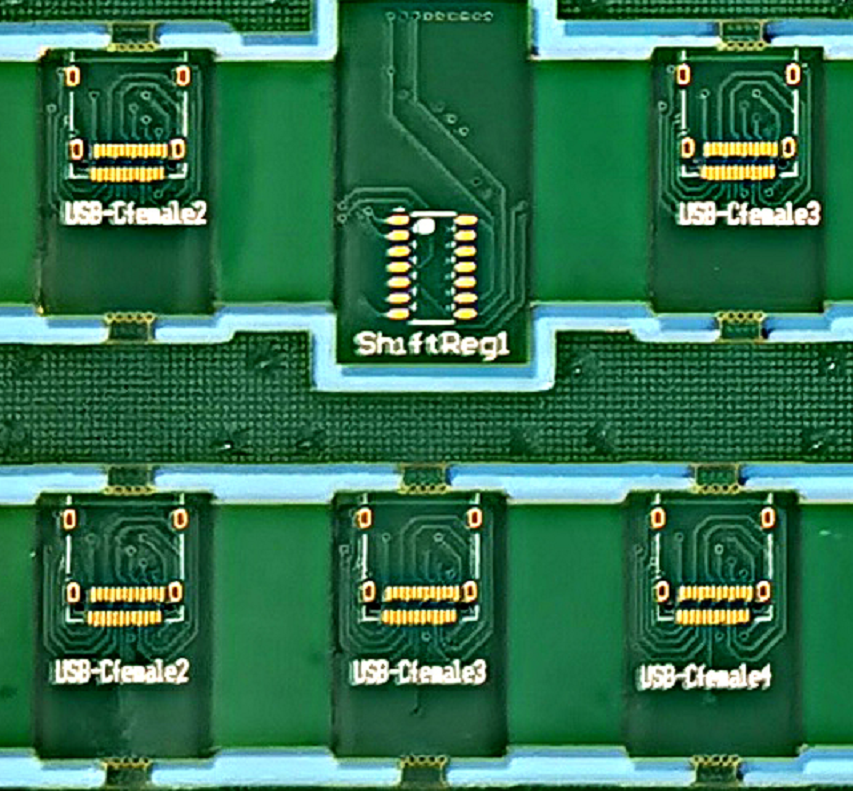
    • Charging IC: Found beside R22. Controls battery charging.
    • Audio IC: Controls sound functions. Placed close to the Power IC.
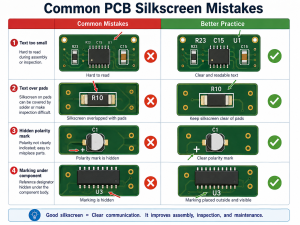
    • Capacitors: Store and release electrical energy. Help stabilize power supply.
    • Resistors: Control the flow of current. Protect other parts from too much power.
    • Diodes: Allow current to flow in one direction only. Prevent power damage and signal errors.

    Below is a multi-layer PCB used in iphone. These parts make it possible for you to browse, take photos, and connect with the world.

    Mobile Phone PCB Prototype, Mobile Circuit Boards Manufacturer

    Why Multi-layer PCBs Are Standard in Smartphones?

    Today’s smartphones are like mini computers. They handle everything from streaming video to running powerful apps. To keep up, mobile phone PCB design has evolved. One of the biggest upgrades? The switch to multi-layer PCBs. Here we listing main advantages of using multi-layer PCBs in mobile phone.

    Firstly, multi-layer PCBs offer higher circuit density, allowing more components like processors and memory to fit in the limited space. For example, the iPhone 14 Pro uses a 10-layer PCB to deliver powerful functionality in a compact design.

    Secondly, they improve high-speed signal transmission by reducing interference through ground and shielding layers, ensuring stable and fast data transfer—a must for modern smartphones.

    Additionally, multi-layer PCBs reduce the size and weight of smartphones. By accommodating more circuits in the same area, they help achieve smaller, lighter designs, like in the Apple Watch Series 8.

    Finally, multi-layer PCBs enhance reliability and mechanical strength. Their complex construction improves durability and vibration resistance, ensuring a longer-lasting product.

    How Inner and Outer Layers Interact in a Mobile PCB Stack?

    In a mobile PCB board, the inner and outer layers work together like a team. The outer layers handle the connection of chips, antennas, and components you can see. Meanwhile, the inner layers manage signal traces, power distribution, and ground planes.

    Signals often travel between these layers through vias—small holes filled with metal that link one layer to another. This allows for faster, cleaner communication between the mobile PCB components, such as the CPU, RAM, and radio circuits.

    Mobile Phone PCB Prototype, Mobile Circuit Boards Manufacturer

    Materials Used in Mobile PCB Board

    Choosing the right materials is crucial in mobile phone PCB manufacturing. Each layer and part of the board serves a different purpose, so engineers carefully select materials to match performance needs, durability, and size constraints. Here’s a comparison of commonly used mobile PCB materials:

    MaterialDescriptionProsCommon Use in Mobile PCB
    FR4Fiberglass-reinforced epoxy laminateCost-effective, stable electrical propertiesBase material in most mobile PCB cores
    PolyimideFlexible and heat-resistant materialGreat for flexible PCBs and foldable applicationsUsed in camera modules, folding phones
    RogersHigh-frequency laminateLow dielectric loss, excellent RF performanceAntenna sections, 5G, Wi-Fi, Bluetooth
    Teflon (PTFE)Non-stick, high-performance polymerUltra-low signal loss, ideal for high-speed signalsUsed in high-speed communication layers
    CeramicAdvanced inorganic compositeExcellent heat dissipation, high frequency stabilityPower modules, 5G RF front-end, shielding

    PCB Layout Basics for Mobile Phones

    A solid layout is the backbone of any mobile phone PCB. Designers start with the schematic, which maps every component and connection. Mobile PCB layout focuses on a few key goals:

    • Short signal paths to avoid delay.
    • Clear power and ground planes for stability.
    • Thermal zones to manage heat.
    • Shielded areas for RF sections like Wi-Fi and GSM modules.
    • Placing the processor, RAM, power management ICs, and antennas carefully prevents problems later.

    Warm tips:

    Keep power and ground layers as solid planes. Avoid breaks or thin sections, which create voltage drops. Also, decoupling capacitors should sit close to power pins of chips.

    Tips for GSM, Wi-Fi, Bluetooth, and 5G Mobile PCB Antennas

    1. Keep antennas away from metal—metal blocks signals.
    2. Use ground clearance around antenna traces to reduce noise.
    3. Match impedance of the RF trace to avoid reflection.
    4. Add shielding near high-speed digital lines to prevent signal loss.

    For 5G, which uses millimeter-wave bands, the routing must be super precise. Even a few millimeters can affect signal strength. Tools like electromagnetic simulation software help refine these paths.

    How AI and Automation Are Changing PCB Layout?

    AI and automation have brought big changes to mobile PCB design in this two year. Instead of placing parts manually, designers can now rely on smart layout tools that optimize paths automatically. Machine learning predicts optimal routing paths. Automation assists in component placement, thermal analysis, and EMI reduction. They suggest better placements in seconds—saving hours of work.

    AI also speeds up mobile PCB testing. It spots defects on boards using image recognition. That means more accurate inspections, less rework, and faster production.

    As AI tools improve, they’ll continue to reduce errors, cut costs, and deliver better mobile board designs. It’s a leap forward for the industry.
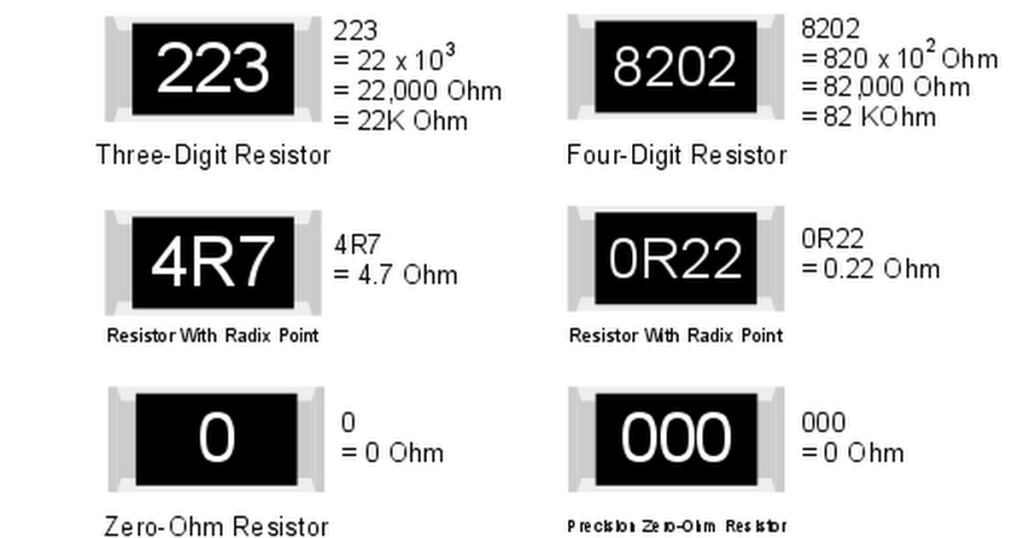
    What Does EBest Circuit (Best Technology) Serve You?

    At EBest Circuit (Best Technology), we provide complete solutions for mobile PCB design and manufacturing. Whether you’re developing a new smartphone, tablet, or wearable device, we help you build it from the ground up. Our services including but not limited to:

    • Custom mobile phone PCB layout and design based on your needs
    • Single-layer to 32+ layer boards, including HDI, rigid-flex, and high-frequency options
    • Advanced material selection such as FR4, polyimide, Rogers, and BT epoxy
    • Rapid prototyping and small-volume production with quick delivery
    • Full testing services like AOI, flying probe, impedance, and X-ray inspection

    With over 18 years in the PCB industry, we’ve supported top-tier brands in building reliable, high-performance mobile electronics. Our team works closely with customers and give the best suggestions to optimize your mobile circuit board design. If you are interested in the mobile PCB develop, you are welcome to contact our team at sales@bestpcbs.com.

    FAQs

    1. What does a mobile phone PCB diagram show?

    It shows where each component is placed on the board and how they are connected through copper traces.

    2. How can I avoid power issues in PCB layout?

    Use ground planes, short power paths, and place capacitors close to chips for voltage stability.

    3. How do I identify damaged parts on a mobile PCB?

    Use thermal cameras, multimeters, and reference schematics to locate shorted, burned, or faulty components.

    4. What makes EBest Circuit (Best Technology) a strong mobile PCB manufacturer?

    They provide full-stack design-to-production all in one service, expert engineering support, DFM check, SI, PI analysis and a proven track record in mobile electronics.

    You may also like