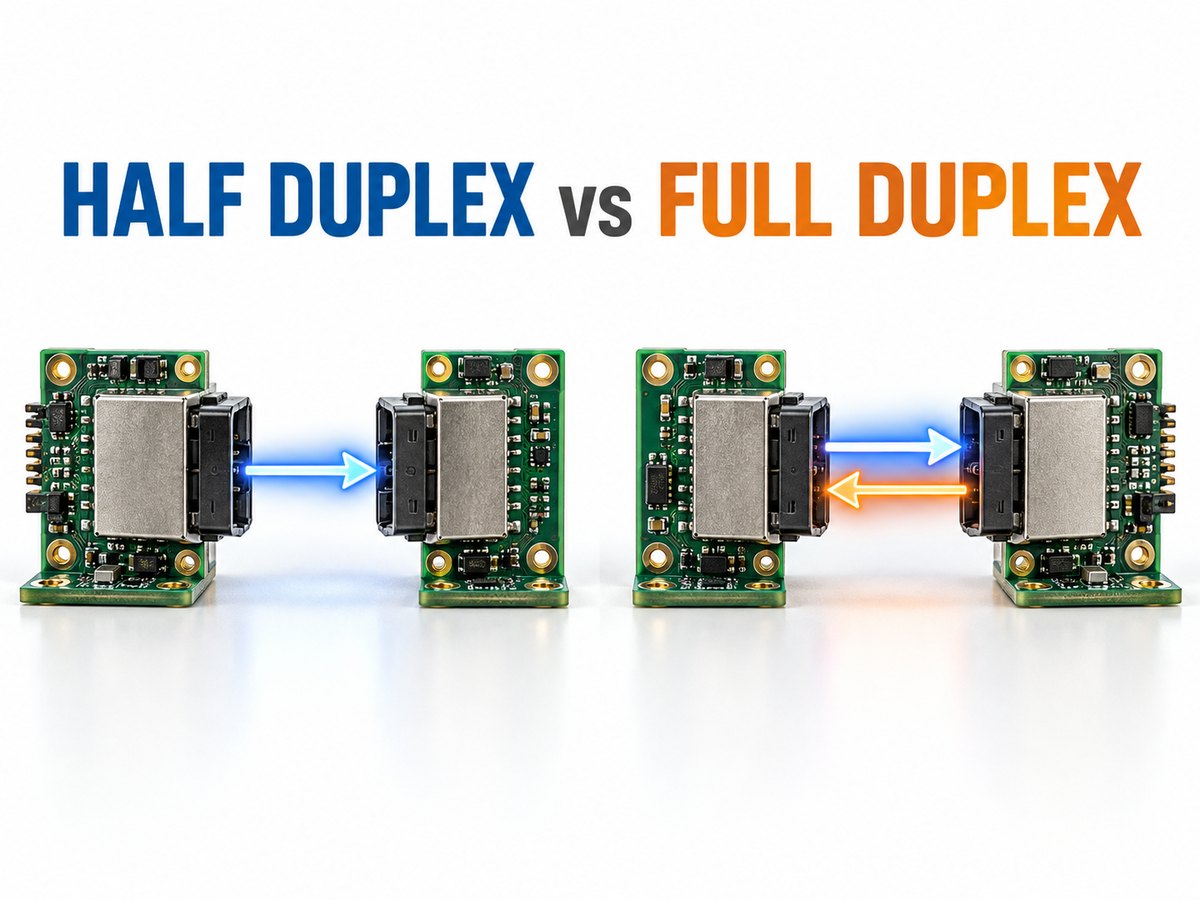
Half duplex vs full duplex explains how data moves between two connected devices. Half-duplex communication supports transmission in both directions, but only one device can transmit at a time. Full-duplex communication allows both devices to transmit and receive simultaneously. This difference affects wiring, throughput, latency, transceiver selection and software control.
Half duplex vs full duplex communication appears frequently in Ethernet networks, RS-485 buses, UART connections and SPI interfaces. However, an interface should not be classified by name alone. The physical wiring, transceiver, peripheral configuration and communication protocol all help determine whether the final system operates in half- or full-duplex mode.
What Is Half Duplex Communication?
Half duplex is two-way communication in which the connected devices take turns transmitting. When one device sends, the other receives; the direction can reverse only after the active transmitter releases the channel.
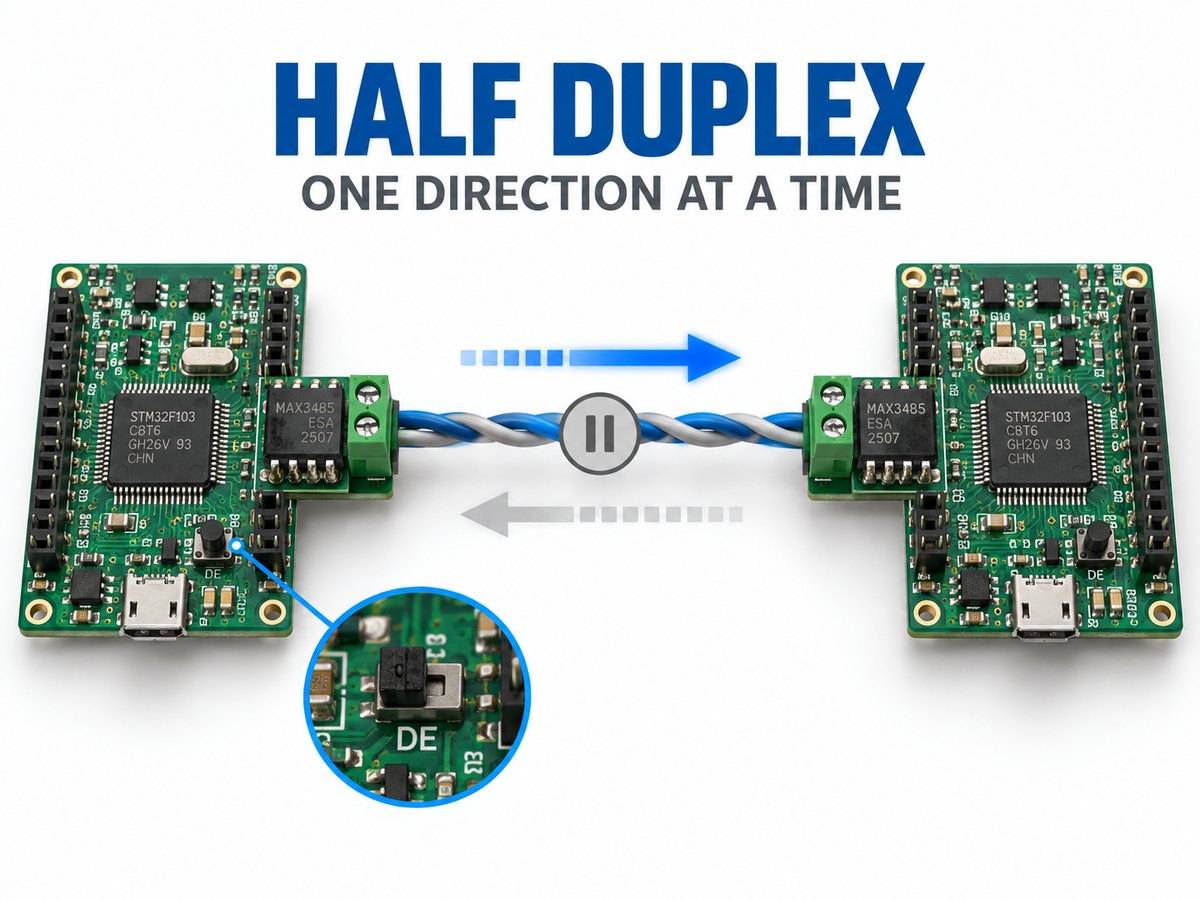
A walkie-talkie is the clearest example: both users can speak and listen, but not at the same time. Likewise, nodes on a 2-wire RS-485 network share one differential pair, and only one driver should control it at any moment.
Changing direction creates a short turnaround period. The controller must finish the last byte, disable its driver and release the channel. Poor timing can truncate data or activate two drivers together.
Half duplex is commonly used when:
- Messages follow a request-and-response pattern.
- Simultaneous data flow is unnecessary.
- Several nodes share one physical bus.
- Fewer wires and connector pins are preferred.
- The system can tolerate a direction-change delay.
Examples include walkie-talkies, Ethernet hubs, 2-wire RS-485 and many Modbus RTU networks.
What Is Full Duplex Communication?
Full duplex is two-way communication that allows both devices to transmit and receive at the same time. Neither side needs to wait for the other to release the communication channel before sending data.
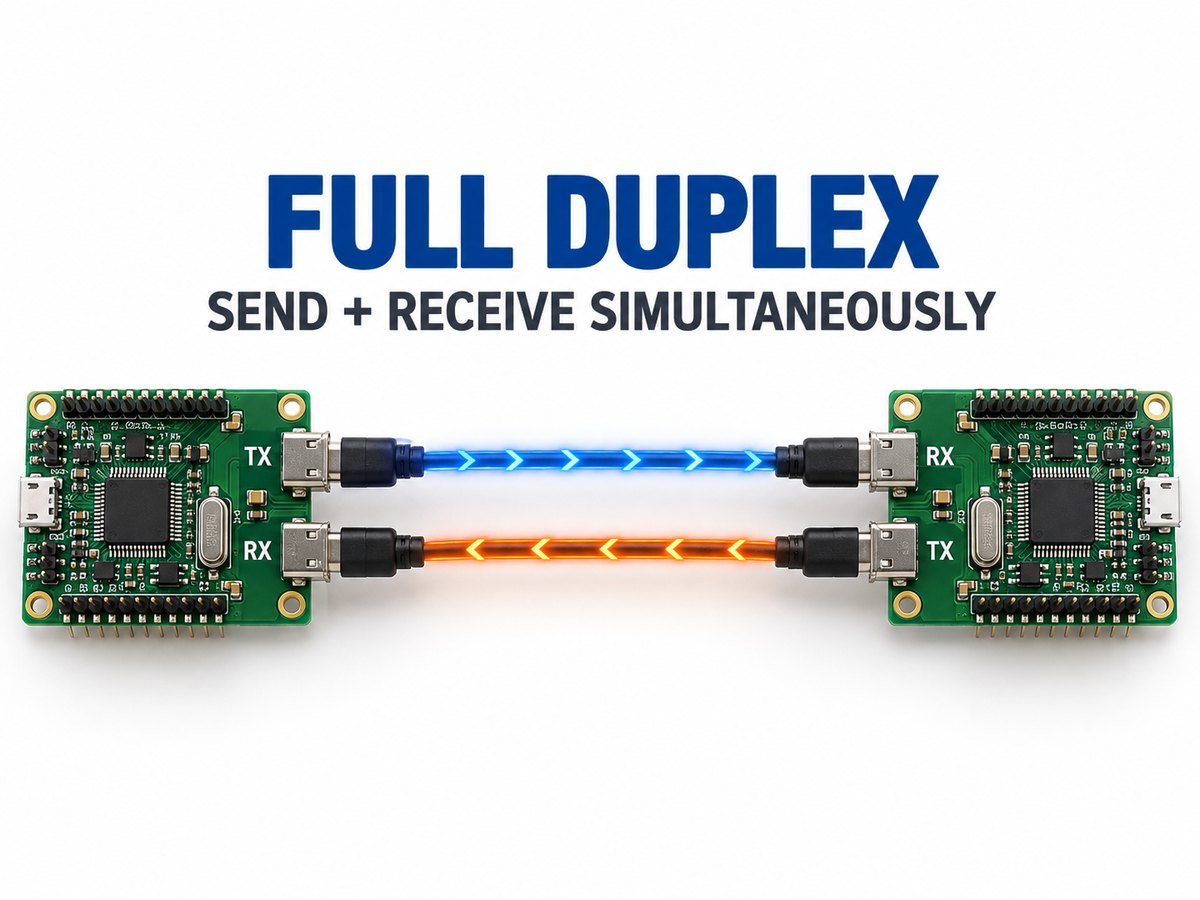
A telephone call is a familiar example. In electronics, UART commonly uses separate TX and RX lines, while 4-wire RS-485 uses one differential pair for each direction.
Some interfaces use signal separation or echo cancellation to send and receive over the same medium. The deciding factor is whether useful data can travel both ways simultaneously, not the wire count alone.
Full duplex is usually selected when:
- Both devices generate data independently.
- Low response latency is important.
- Traffic is continuous in both directions.
- Waiting to reverse the channel would limit performance.
- The design can support the required signal paths and hardware.
Examples include switched Ethernet, telephone systems, separate-line UART and conventional four-wire SPI.
Half Duplex vs Full Duplex: What Are the Key Differences?
The main difference between half duplex and full duplex is whether simultaneous transmission is possible. Half duplex shares the channel between directions, while full duplex keeps both directions available at once.
| Comparison | Half Duplex | Full Duplex |
| Data direction | Two-way | Two-way |
| Simultaneous send and receive | No | Yes |
| Channel access | Devices take turns | Both directions stay active |
| Turnaround delay | Required | Normally unnecessary |
| Direction control | Often required | Usually not required on point-to-point links |
| Bidirectional capacity | Shared | Available in both directions |
| Wiring | Often fewer conductors | May require separate signal paths |
| Typical use | Shared buses and request-response traffic | Continuous, low-latency communication |
Half duplex suits shared buses and lower wire counts. Full duplex suits continuous two-way traffic but may require additional signal paths or processing resources.
Simplex vs Half Duplex vs Full Duplex: How Does Data Flow?
Simplex carries data in one fixed direction, half duplex carries data in both directions at different times, and full duplex carries data in both directions simultaneously.
| Mode | Data flow | Can roles reverse? | Simultaneous transmission? | Example |
| Simplex | One direction | No | No | Broadcast receiver |
| Half duplex | Two directions, one at a time | Yes | No | Walkie-talkie |
| Full duplex | Two directions at once | Yes | Yes | Telephone |
A sensor that only reports measurements can use simplex communication if it never receives commands. A shared industrial bus often uses half duplex because every node can transmit when given access. A real-time point-to-point link may use full duplex so control data and feedback can move concurrently.
The required data flow decides the mode; the more capable-sounding option is not automatically the better fit.
Half Duplex vs Full Duplex Ethernet: How Do Switches and Auto-Negotiation Work?
Half-duplex Ethernet is associated mainly with shared media and hubs, while modern point-to-point switch connections normally operate in full duplex.
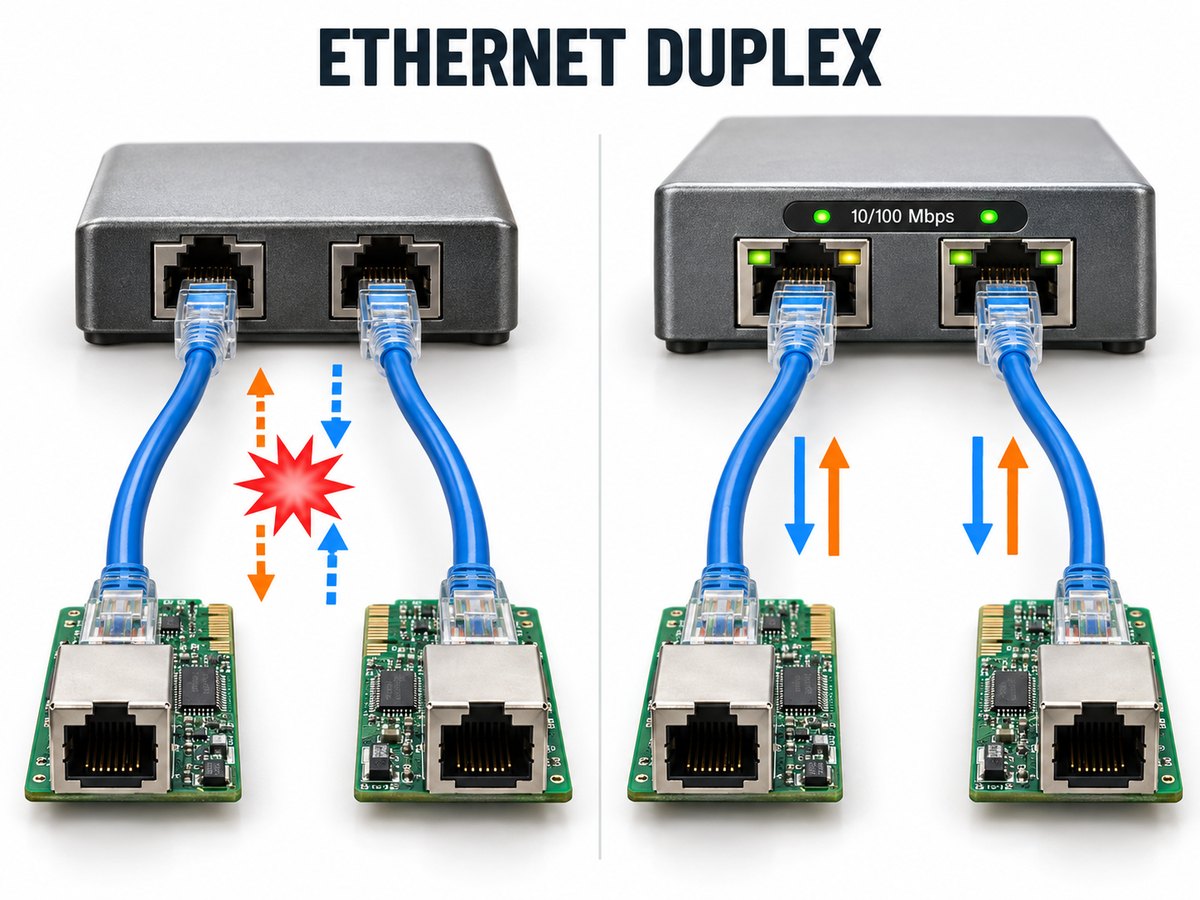
With an Ethernet hub, all devices share one collision domain. Simultaneous transmissions collide and must be resent, so half-duplex Ethernet uses CSMA/CD to control access.
A switch gives each device a dedicated link, allowing simultaneous transmission and reception without normal Ethernet collisions. That is why switched networks normally use full duplex.
Auto-negotiation lets the switch and network interface select a shared speed and duplex mode. If the settings differ, the link may remain active but perform poorly.
Common signs of a duplex mismatch include:
- Low or inconsistent throughput
- Late collisions on the half-duplex side
- Frame errors and retransmissions
- Intermittent application response
- Better performance in one direction than the other
For current Ethernet equipment, leaving both ends on auto-negotiation is usually appropriate. When legacy hardware requires manual settings, configure the same speed and duplex mode at both ends.
10/100 Mbps Half Duplex vs Full Duplex: Does Full Duplex Double the Speed?
Full duplex doubles the theoretical bidirectional capacity of a 10 or 100 Mbps link, but it does not double its single-direction speed. A 100 Mbps full-duplex link can send at 100 Mbps and receive at 100 Mbps simultaneously; it cannot send one file at 200 Mbps.
The same rule applies to 10 Mbps Ethernet:
- 10 Mbps half duplex shares 10 Mbps between both directions.
- 10 Mbps full duplex provides 10 Mbps in each direction at the same time.
- 100 Mbps half duplex shares 100 Mbps between sending and receiving.
- 100 Mbps full duplex provides 100 Mbps in each direction simultaneously.
Full duplex matters most when traffic moves both ways. For mainly one-way transfers, storage speed, protocol overhead and network congestion may have greater impact.
RS-485 Half Duplex vs Full Duplex: What Changes Between 2-Wire and 4-Wire?
For a half duplex vs full duplex RS485 comparison, the main change is whether one pair is shared or separate pairs carry each direction. RS-485 half duplex normally uses one differential pair, while RS-485 full duplex uses two pairs—one for each direction. This changes the transceiver connection, cable, connector and direction-control requirements.
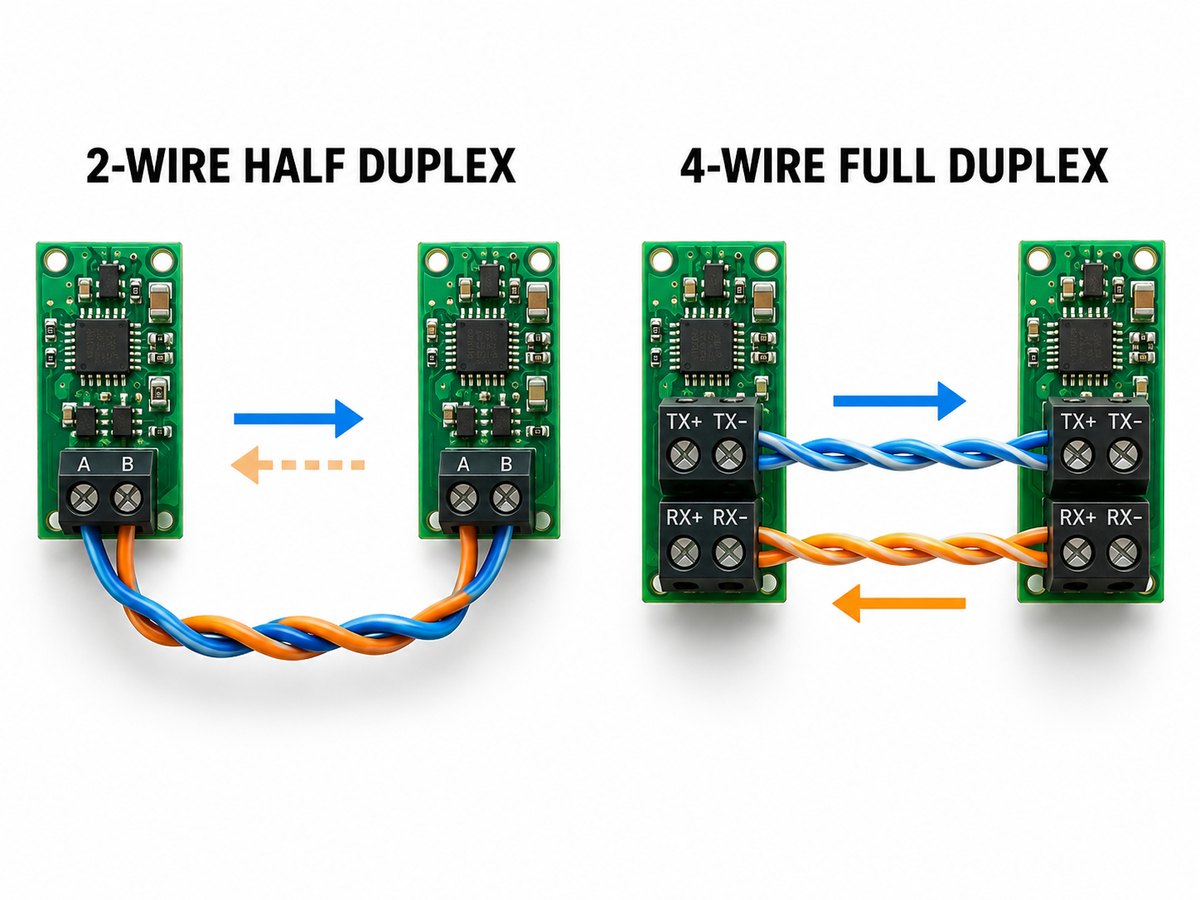
2-wire half-duplex RS-485
All drivers and receivers share one pair. The active node enables its driver, sends the message and releases the bus, usually through the transceiver’s DE and /RE controls.
The driver must stay enabled until the final bit leaves the UART and transceiver. Releasing it early cuts off the message; holding it too long delays the reply.
4-wire full-duplex RS-485
One pair carries master transmissions, and the other carries replies. The master can use both simultaneously, although slave drivers sharing the return pair still need controlled access.
| Design factor | 2-Wire RS-485 | 4-Wire RS-485 |
| Duplex mode | Half duplex | Full duplex |
| Differential pairs | One | Two |
| Master send and receive | Alternating | Simultaneous |
| Cable and connector size | Lower | Higher |
| Direction control | Required | Depends on node role |
| Common use | Multidrop request-response bus | Continuous master communication |
Modbus RTU commonly runs over 2-wire half-duplex RS-485. Its request-response sequence already assigns transmission turns, so adding another pair may not shorten the transaction. Modbus defines messaging; RS-485 defines the electrical connection.
SPI Half Duplex vs Full Duplex: How Do Data Lines and Transfers Differ?
Conventional SPI supports full-duplex transfer through separate MOSI and MISO lines, while half-duplex SPI shares one bidirectional data line.
A standard SPI connection usually includes:
- SCLK for the clock
- MOSI for controller-to-peripheral data
- MISO for peripheral-to-controller data
- CS or SS for peripheral selection
With separate MOSI and MISO paths, the controller transmits and samples one bit per clock cycle. Both streams are not always meaningful: a memory may receive a command first and return data later while the controller sends dummy bytes to generate the clock.
Three-wire SPI combines input and output on one SDIO line. It saves a pin and trace but requires direction switching, turnaround time and compatible devices.
Classify an SPI link from its wiring and transaction format, not from the protocol name alone.
UART Half Duplex vs Full Duplex: How Do TX and RX Connections Differ?
UART is full duplex when separate TX and RX lines operate simultaneously, but it becomes half duplex when transmission and reception share one external path.
In a full-duplex UART link, each device’s TX connects to the other’s RX, with a shared ground reference. Both peripherals can communicate without changing pin direction.
Half-duplex UART can be created in two common ways:
- A single-wire UART mode shares one bidirectional signal.
- A UART connects through a 2-wire RS-485 transceiver that combines the external transmit and receive paths.
With RS-485, the MCU may retain separate TX and RX signals while the external bus remains half duplex. Firmware or the transceiver must then control direction.
The UART block defines asynchronous character framing. The schematic and line transceiver determine the external voltage levels, wiring and duplex mode.
How Does Half Duplex vs Full Duplex Affect PCB Interface Design?
Duplex mode affects PCB routing, component count, connectors, protection and firmware control. It should be confirmed before the schematic and layout are released.
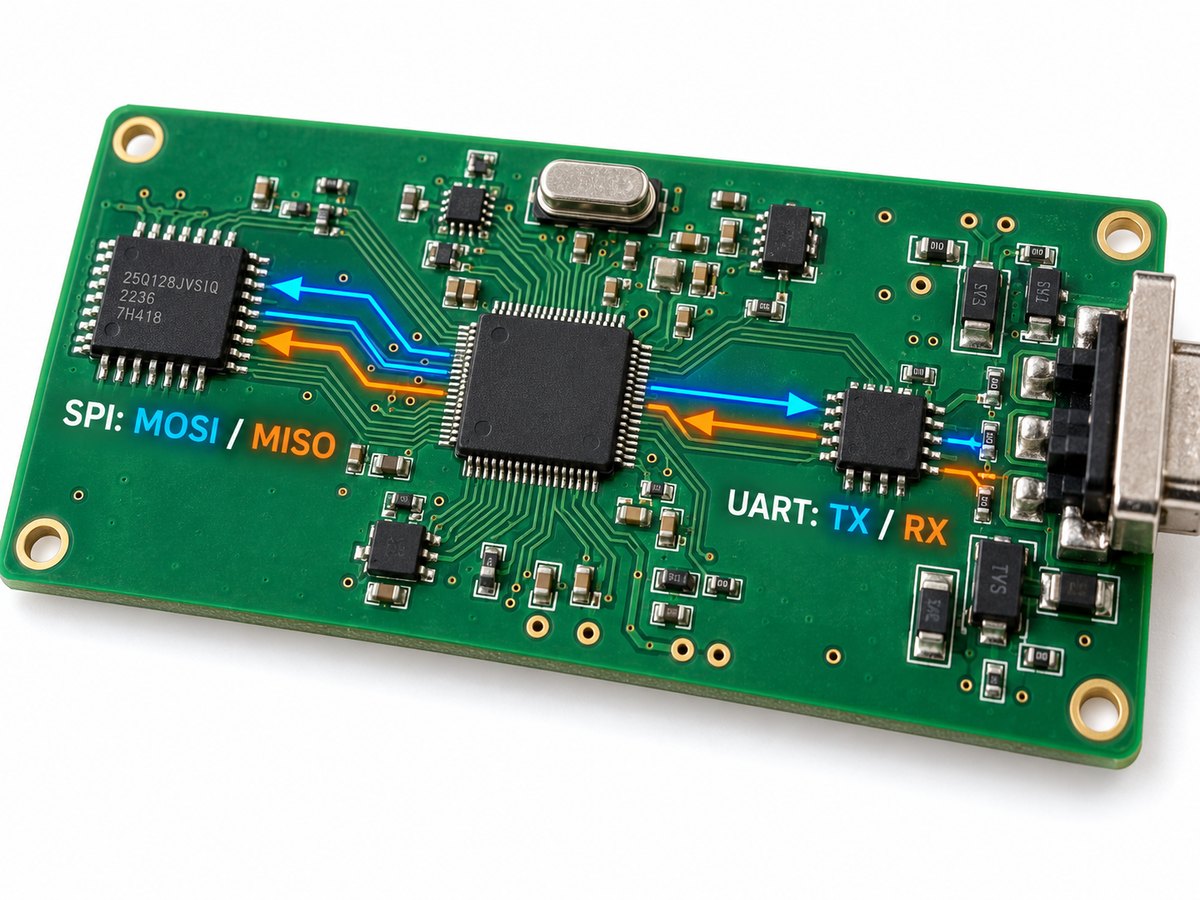
Review these design areas:
- Signal count: A shared half-duplex path can save MCU pins, traces and connector contacts. Full-duplex differential communication may require twice as many signal pairs.
- Transceiver pinout: Half-duplex RS-485 parts often combine driver outputs and receiver inputs. Full-duplex parts expose separate bus connections.
- Direction control: Shared buses need reliable DE and /RE timing, including the UART shift-register delay after the final byte is written.
- Routing: Differential pairs need consistent spacing, short stubs and a continuous reference path. Two full-duplex pairs also require more board and connector space.
- Termination and biasing: Component values and locations should match the cable impedance and topology. RS-485 cabling commonly uses approximately 120 Ω differential termination.
- Protection: External ports may need ESD, surge or EFT protection. Industrial interfaces may also require galvanic isolation.
- Production testing: Tests should verify polarity, termination, direction switching, idle-bus state and communication at the specified data rates.
Select half duplex when lower wire count and shared-bus access outweigh turnaround delay. Select full duplex when simultaneous traffic and predictable response time justify the additional signal paths.
FAQs About Half Duplex vs Full Duplex
1. Is full duplex always faster than half duplex?
Not necessarily for every task. Full duplex provides greater bidirectional capacity because sending and receiving can occur simultaneously, but a one-way transfer remains limited by the link’s rated speed and the rest of the system.
2. Can an Ethernet switch operate in half duplex?
Some 10/100 Mbps switch ports support both modes for compatibility with older equipment. Modern switched networks normally use full duplex, while current Gigabit Ethernet connections are generally operated in full duplex.
3. What causes a duplex mismatch?
A duplex mismatch occurs when one end of a link uses half duplex and the other uses full duplex. It is commonly caused by inconsistent manual settings or failed auto-negotiation and can produce low throughput, collisions and frame errors.
4. Is Modbus RTU half duplex or full duplex?
Modbus RTU does not inherently require only one duplex mode, but it is commonly used over 2-wire half-duplex RS-485. Its request-response communication pattern fits naturally with devices taking turns on a shared bus.
5. Is RS-422 half duplex or full duplex?
RS-422 is commonly used with separate transmit and receive differential pairs, creating a full-duplex connection. The precise operating mode still depends on how the channels and transceivers are implemented.
6. Can one interface support both half duplex and full duplex?
Yes, if the controller, transceiver and connector provide the required modes and signal paths. Some configurable UART peripherals and RS-485 transceivers support both, but the PCB must include the necessary routing and control connections.
If you are developing equipment or embedded systems with Ethernet, RS-485, SPI, UART or another wired interface, confirm the duplex mode before finalizing the transceiver, connector and PCB interface design. EBest Circuit can review the Gerber files, BOM, schematic, controlled-impedance requirements and assembly data together before production.
Send your project files and interface requirements to sales@bestpcbs.com for PCB manufacturing, PCBA and engineering review.