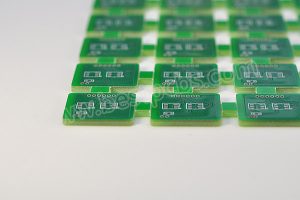
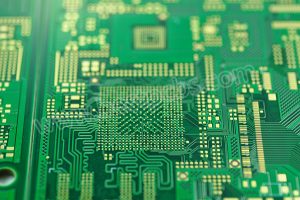
A graphics card PCB is more than a carrier board for electronic parts. It is the electrical, thermal, and mechanical foundation that allows the GPU, memory, power circuit, and high-speed interfaces to work as one stable system.
In a high-performance graphics card, the PCB affects:
- Signal speed and timing stability
- GPU and memory power delivery
- Heat transfer from key components
- Assembly yield and inspection quality
- Long-term reliability under load
- Final product performance
For gaming hardware, AI edge devices, industrial vision systems, medical imaging equipment, and video processing products, the graphics card PCB must handle high-speed signals, high current, dense BGA components, and thermal stress at the same time.
That is why this type of board needs more than standard PCB fabrication. It requires careful stack-up planning, impedance control, material selection, BGA assembly experience, and practical DFM review before production.
This guide explains the structure, layout, materials, power design, thermal behavior, and manufacturing challenges of graphics card PCBs from a real PCB and PCBA production view.
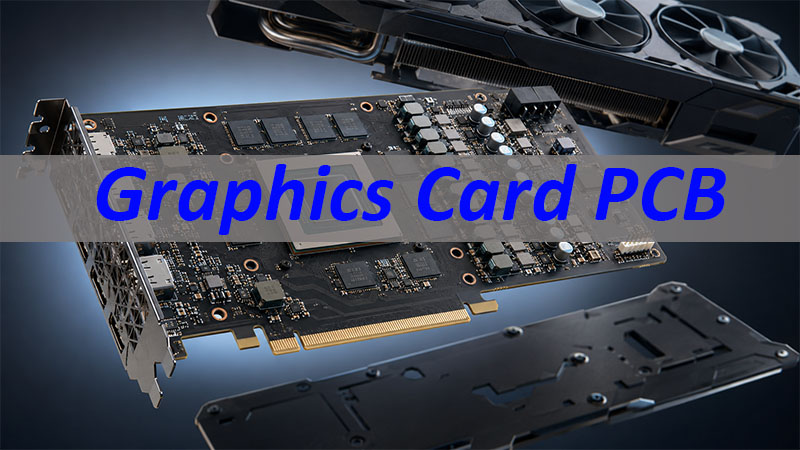
What Is a Graphics Card PCB?
A graphics card PCB is the printed circuit board inside a graphics card. It connects and supports all major electronic parts, including the GPU, video memory, VRM power circuit, PCIe interface, video output connectors, firmware memory, sensors, and cooling control components.
The GPU is the main processing chip, but it cannot operate alone. It needs:
- Stable voltage
- Fast memory access
- Clean signal paths
- Reliable grounding
- Effective heat transfer
- Accurate connection to the motherboard and display ports
All these functions depend heavily on PCB design and manufacturing quality.
Graphics card PCBs are widely used in:
- Consumer graphics cards
- AI computing modules
- Industrial image processing equipment
- Medical imaging systems
- Video capture and encoding cards
- Workstation hardware
- Embedded GPU systems
From a manufacturing perspective, this type of PCB is usually more difficult than a common control board. It combines high-speed routing, high-current copper design, BGA assembly, thermal management, and mechanical stability in one compact structure.
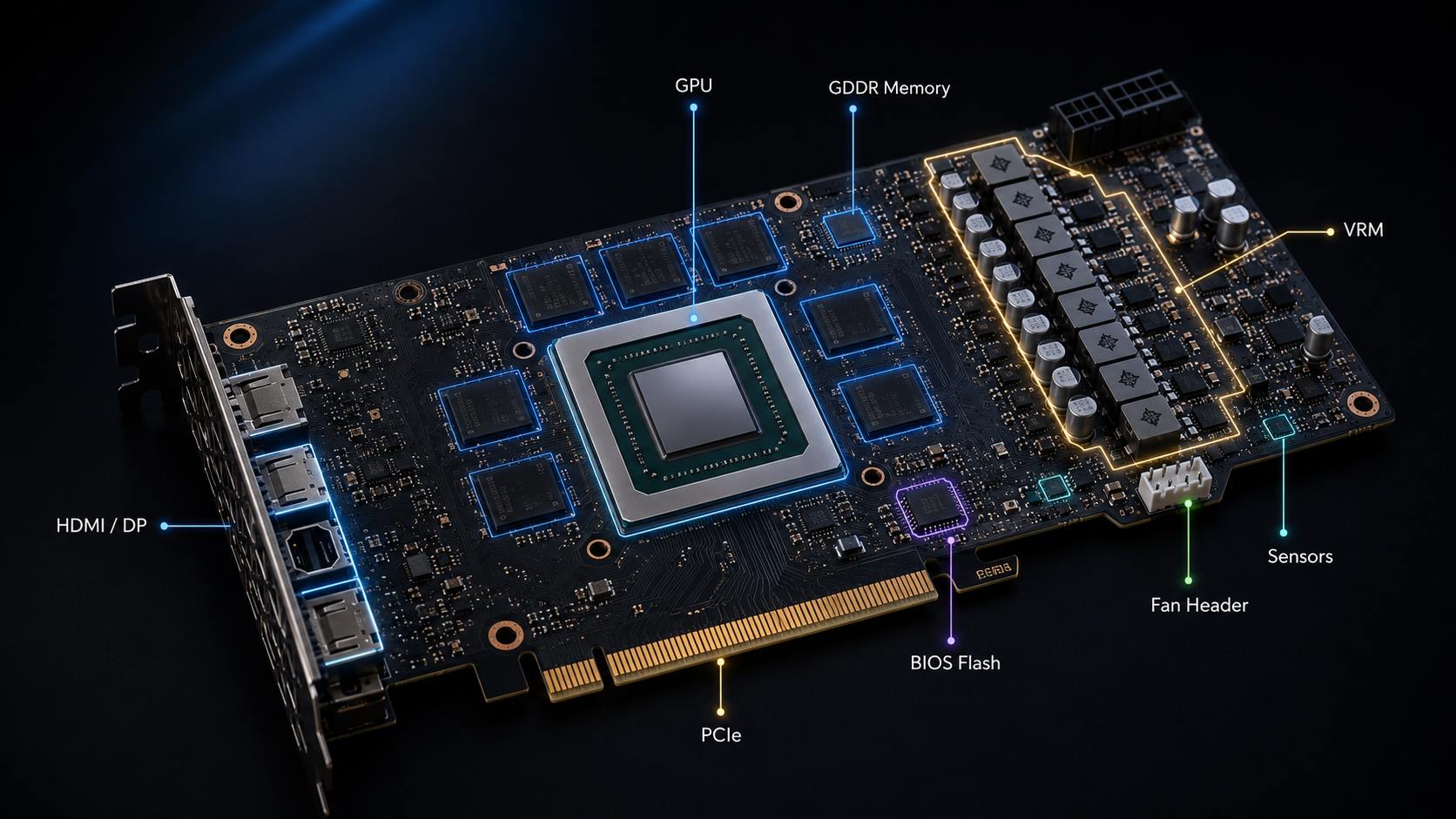
What Are the Main Components on a Graphics Card PCB?
A graphics card PCB contains several functional areas. Each area has a direct influence on performance and reliability.
| Component Area | Main Function |
|---|---|
| GPU | Graphics processing and parallel computing |
| GDDR Memory | High-speed data storage |
| VRM Circuit | Power conversion and voltage stability |
| PCIe Interface | Connection to the motherboard |
| HDMI / DisplayPort | Video signal output |
| BIOS Flash | Firmware storage |
| Fan Header | Cooling system control |
| Sensors | Temperature and status feedback |
The GPU is usually assembled in a BGA package. Since the solder joints are hidden under the chip, the board requires accurate pad design, stable solder paste printing, controlled reflow, and X-ray inspection.
The GDDR memory chips are placed close to the GPU. Shorter signal paths help reduce timing skew, signal loss, and routing complexity.
The VRM power circuit supplies the voltage rails required by the GPU and memory. It usually includes:
- MOSFETs
- Inductors
- Capacitors
- Drivers
- PWM or power controllers
The PCIe gold finger connects the graphics card to the motherboard. HDMI and DisplayPort connectors handle video output. Sensors and fan headers help monitor and control operating temperature.
For production, component placement is not only about fitting parts onto the board. It also affects routing quality, soldering reliability, inspection access, heat spreading, and final test performance.
How Is a Graphics Card PCB Layout Designed?
A good graphics card PCB layout must balance four goals:
- Signal integrity
- Power integrity
- Thermal performance
- Manufacturability
The GPU is usually placed near the center of the board. This position helps balance memory routing, power delivery, heat spreading, and mechanical support.
GDDR memory chips are placed close to the GPU because memory signals are sensitive to:
- Trace length
- Timing skew
- Impedance mismatch
- Crosstalk
- Via transitions
- Return path continuity
The VRM section is usually arranged near the power input and close to the GPU load area. This helps reduce voltage drop and improve power response.
High-speed traces such as PCIe, memory, HDMI, and DisplayPort lines need careful routing. Key layout controls include:
- Controlled impedance
- Matched trace length
- Proper trace spacing
- Stable reference planes
- Smooth return paths
- Reduced via count
- Controlled crosstalk
Manufacturing factors should also be considered during layout, not after design is finished. These include:
- BGA fan-out feasibility
- Solder mask clearance
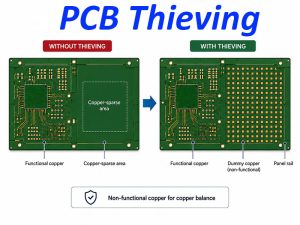
- Copper balance
- Connector alignment
- Mounting hole position
- Inspection space
- Board warpage risk
A strong layout is not only electrically correct. It should also be easy to fabricate, assemble, inspect, and test.
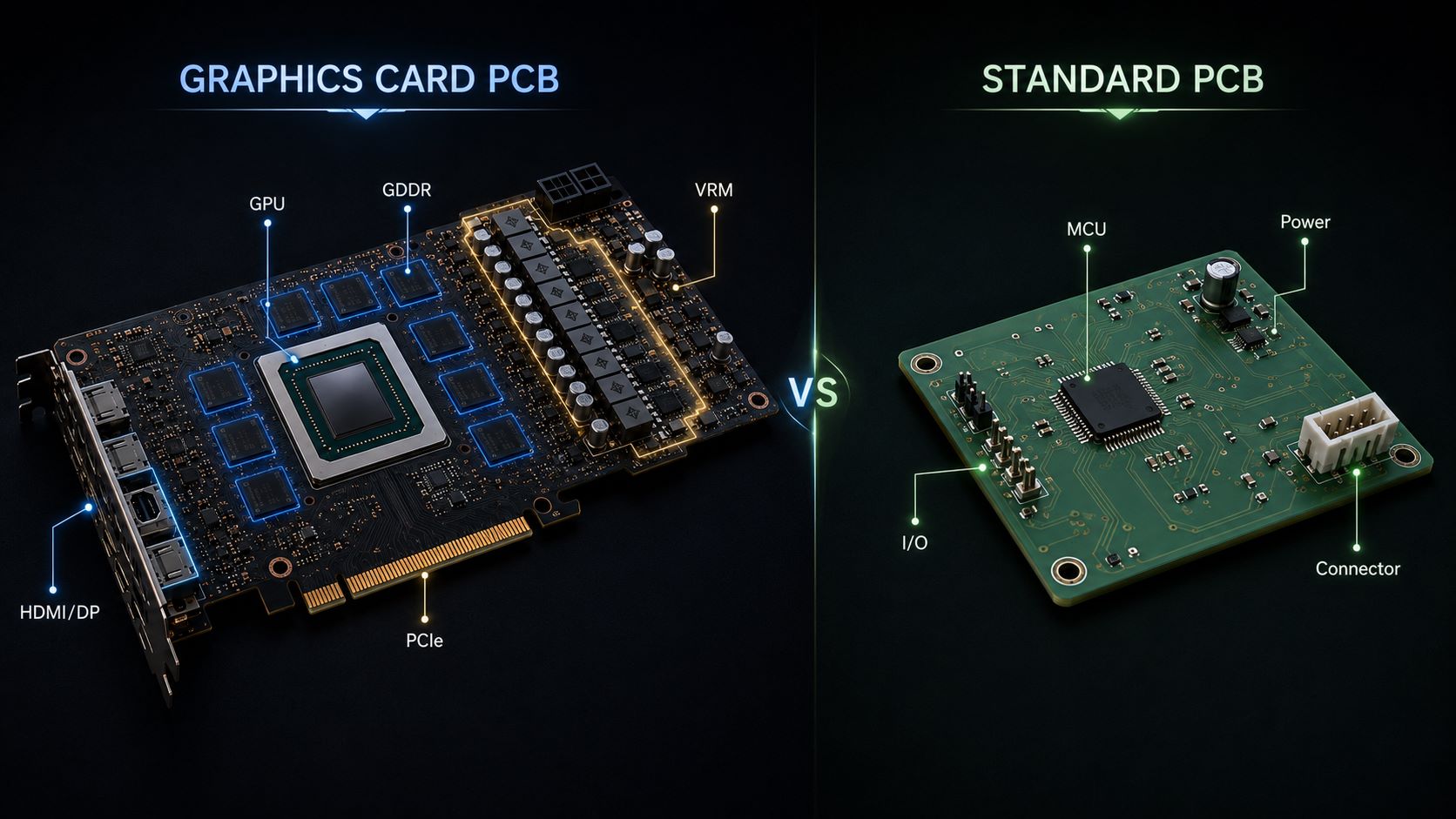
Why Is a Graphics Card PCB More Complex Than a Standard PCB?
A standard PCB may only handle low-speed control signals and moderate current. A graphics card PCB must handle fast data transmission, high current, dense assembly, and heat at the same time.
The complexity mainly comes from five areas:
- High-speed signal routing
- High-current power delivery
- Fine-pitch BGA assembly
- Multilayer stack-up control
- Thermal and mechanical stress
At high speed, PCB traces behave like transmission paths. Trace width, spacing, dielectric thickness, copper thickness, via structure, and reference planes all affect signal quality.
Power delivery is also more demanding. The GPU can draw large and fast-changing current. The PCB must support stable voltage with low resistance copper paths, proper power planes, and well-placed decoupling capacitors.
Thermal stress adds another layer of difficulty. Heat from the GPU, memory, and VRM section must move efficiently through copper areas, vias, solder pads, and cooling contact points.
Mechanical stress should not be ignored either. Long graphics card PCBs may carry heavy heat sinks or fan modules. Poor copper balance or weak structure can increase bending and warpage risk.
This is why graphics card PCB projects should be reviewed from both design and manufacturing perspectives before production starts.
What Materials Are Used in Graphics Card PCBs?
Most graphics card PCBs use multilayer FR4-based materials. For better thermal stability, high Tg FR4 is often preferred.
Material selection usually depends on:
- Signal speed
- Layer count
- Impedance requirement
- Copper thickness
- Thermal load
- Assembly temperature
- Cost target
- Reliability requirement
For higher-speed designs, low-loss materials may be considered. These materials can help reduce signal loss, especially when the board carries fast PCIe, memory, or video output signals.
Copper thickness is another important factor. Power areas may need larger copper planes or thicker copper to carry current and reduce resistance. However, thicker copper also affects etching, line spacing, impedance control, and lamination stability.
Common surface finishes include ENIG and other solderable finishes. ENIG is often selected for fine-pitch assembly because it provides good flatness and stable solderability.
Solder mask color can be green, black, blue, red, white, or other custom colors. For high-density graphics card PCBs, the key concern is not color itself, but solder mask registration, insulation quality, and clearance control.
A practical material choice should balance performance and cost. The best material is not always the most expensive one. It is the material that fits the actual speed, heat, reliability, and production requirements.
Why Does a Graphics Card PCB Need High-Speed Signal Design?
A graphics card PCB transfers data between the GPU, memory, motherboard, and display outputs. These signals must remain stable at high speed.
Main high-speed areas include:
- PCIe lanes
- GDDR memory bus
- HDMI output
- DisplayPort output
- Clock signals
- Control signals
PCIe signals usually use differential pairs. These traces require controlled impedance, length matching, proper spacing, and continuous reference planes.
GDDR memory routing is even more sensitive. The GPU and memory chips must exchange data with precise timing. Poor routing may cause memory instability, signal errors, or reduced performance margin.
HDMI and DisplayPort signals also need controlled routing. Weak layout may cause unstable display output, EMI issues, signal loss, or intermittent failure.
Important high-speed design controls include:
- Trace width and spacing
- Differential impedance
- Length matching
- Via count and via placement
- Layer transitions
- Reference plane continuity
- Return path quality
- Crosstalk control
PCB stack-up is closely connected to signal integrity. A well-designed stack-up gives high-speed traces stable reference planes and helps control impedance.
For manufacturing, the PCB factory must control dielectric thickness, copper thickness, trace width, etching tolerance, and lamination quality. Otherwise, the actual impedance may differ from the design target.
How Does a Graphics Card PCB Handle Power and Heat?
Power and heat are two major design concerns in graphics card PCBs.
The main power and heat areas include:
- GPU
- GDDR memory
- VRM power stage
- MOSFETs
- Inductors
- Power input area
The VRM circuit converts input power into stable voltage rails for the GPU, memory, and control circuits. Since GPU current can change quickly, the power path must have low resistance and good transient response.
To support high current, the PCB may use:
- Wide power traces
- Large copper planes
- Multiple vias
- Thicker copper in power areas
- Short current paths
- Proper decoupling capacitor placement
Thermal design also depends on the PCB structure. Heat can move through:
- Copper planes
- Thermal vias
- Component pads
- Inner copper layers
- Thermal pads
- Heat sink contact areas
A strong heat sink or fan is useful, but it cannot solve every thermal problem. If the PCB copper layout, via structure, or component placement is weak, the cooling system may not perform well.
For industrial vision, AI computing, and video processing equipment, thermal reliability is especially important. These systems may operate for long hours under continuous load, so thermal design should be reviewed early.
What Are the Key Manufacturing Challenges of Graphics Card PCBs?
Graphics card PCB manufacturing requires tight control from bare board fabrication to final assembly.
Common fabrication challenges include:
- Fine line width and spacing
- High layer count
- Controlled impedance
- Dense BGA fan-out
- Microvias
- Blind vias
- Buried vias
- Via-in-pad design
- Copper balance
- Warpage control
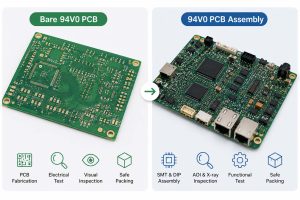
Assembly challenges are also important. GPU and memory packages often use BGA structures, which require stable SMT process control.
Key SMT controls include:
- Solder paste printing
- SPI inspection
- Placement accuracy
- Reflow profile
- BGA alignment
- Void control
- X-ray inspection
Because many solder joints are hidden under BGA packages, visual inspection is not enough. X-ray inspection helps check solder bridges, voids, opens, and alignment issues.
For turnkey PCBA projects, BOM review should be done before assembly. The review should check:
- Package accuracy
- Polarity
- MPN correctness
- Moisture sensitivity level
- Lifecycle status
- Substitute part risk
- Component availability
Many production delays come from unclear documents or unverified BOM information. Early DFM and BOM review can reduce avoidable mistakes before production.
Graphics Card PCB Manufacturing Case: From Prototype Review to Reliable Assembly
A customer developing an industrial image processing module needed a GPU-based PCB and PCBA solution. The product required stable video processing and long operating time.
The board included:
- GPU
- GDDR memory chips
- PCIe interface
- HDMI output
- VRM power stage
- Sensors
- Fan control circuit
Before fabrication, the engineering team reviewed the key design files and production risks.
The review focused on:
- Stack-up design
- Impedance requirements
- BGA pad design
- Power copper areas
- Thermal via placement
- Component spacing
- Assembly process risk
- Test requirements
The BOM was also checked for:
- Package size
- Polarity
- Part lifecycle
- Supply risk
- Possible alternatives
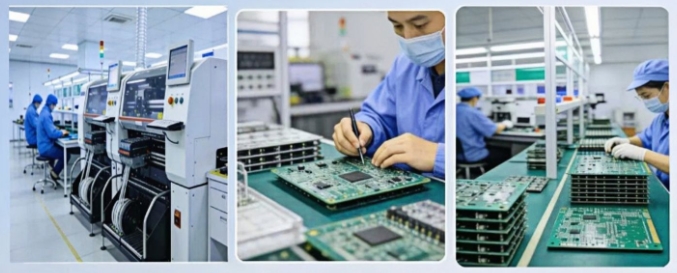
During assembly, the process included:
- Solder paste printing
- SPI
- SMT placement
- Reflow soldering
- AOI
- BGA X-ray inspection
- Functional test support
The prototype helped the customer verify signal stability, power performance, and thermal behavior before moving to the next production stage.
This type of early review is valuable because many graphics card PCB problems are difficult and costly to correct after mass production begins. Finding risks before fabrication helps improve yield, shorten debugging time, and support a smoother product launch.
Why Work with EBest Circuit for Graphics Card PCB and PCBA Projects?
Graphics card PCB projects need more than basic board fabrication. They require high-speed PCB knowledge, multilayer manufacturing capability, impedance control, BGA assembly experience, and practical engineering support.
EBest Circuit supports customers from prototype review to PCB fabrication, SMT assembly, inspection, and small to medium-volume production.
Our support can include:
- High-speed PCB manufacturing
- Multilayer PCB fabrication
- HDI printed circuit board support
- Controlled impedance review
- Stack-up review
- Material selection support
- Fine-line PCB production
- BGA assembly
- SMT assembly
- AOI inspection
- X-ray inspection
- BOM review
- DFM review
- Functional test support
For power and thermal designs, we can help review:
- Copper distribution
- Via design
- High-current paths
- Thermal via structure
- Component spacing
- Assembly risks
For buyers, this support helps reduce common production risks, such as impedance mismatch, BGA soldering defects, power instability, thermal weakness, and unclear assembly requirements.
If your project involves graphics card PCB, GPU-based PCBA, industrial image processing boards, video equipment, or high-speed electronic assembly, EBest Circuit can help review your files and support reliable production from prototype to delivery.
FAQs About Graphics Card PCB
What is a graphics card PCB?
A graphics card PCB is the printed circuit board inside a graphics card. It carries the GPU, memory, power circuit, PCIe interface, video output ports, sensors, and control components.
What components are on a graphics card PCB?
Common components include GPU, GDDR memory, VRM circuit, MOSFETs, inductors, capacitors, BIOS flash memory, PCIe gold fingers, HDMI or DisplayPort connectors, fan headers, and sensors.
Why are graphics card PCBs usually multilayer boards?
They need enough routing space for high-speed signals, power planes, ground planes, memory buses, and control circuits. Multilayer stack-ups also help improve signal integrity and power stability.
What is the difference between a long and short graphics card PCB?
A long PCB provides more space for power circuits, memory layout, connectors, and cooling structure. A short PCB is used when the product needs a compact form factor.
Can a graphics card PCB be cleaned?
It can be cleaned in some cases, but improper cleaning may damage components, connectors, solder joints, or labels. For production, professional cleaning and contamination control are more important than DIY cleaning.
Can a damaged graphics card PCB be repaired?
Minor damage may be repairable. However, BGA failure, internal trace damage, severe bending, or burned power areas are difficult to fix. For production projects, good design and process control are more reliable than repair.
Can a graphics card PCB be replaced?
Replacement is possible only when the board matches the same design, firmware, connector layout, component configuration, thermal structure, and mechanical size.
What files are needed for custom graphics card PCB manufacturing?
Gerber files, drill files, stack-up requirements, impedance requirements, BOM, pick-and-place file, assembly drawing, and test requirements are usually needed.
How do I choose a graphics card PCB manufacturer?
Choose a manufacturer with experience in high-speed PCB, multilayer stack-up, impedance control, BGA assembly, X-ray inspection, DFM review, BOM review, and PCBA testing.
A graphics card PCB, sometimes searched as PCB video card, affects GPU performance, signal stability, power delivery, heat control, and long-term reliability. For high-speed or GPU-based PCBA projects, early review of stack-up, materials, impedance, BOM, and assembly requirements can help reduce production risks. If you need graphics card PCB fabrication, SMT assembly, BGA assembly, X-ray inspection, or engineering support, you can send your Gerber files, BOM, or questions to sales@bestpcbs.com for a practical project review.