Cleaning electronics with rubbing alcohol can be safe when the device is disconnected from power, the liquid is kept out of openings, and the concentration matches the surface. For exposed PCBs, 90% to 99% electronics-grade isopropyl alcohol (IPA) is usually a better starting point than 70% rubbing alcohol because it contains less water and dries faster.
That does not make IPA a universal electronics cleaner. Display coatings, printed legends, adhesives, unsealed sensors, and some plastics may be damaged. The contamination also matters: IPA can lift oils and many rosin-based flux residues, but it may not remove salts, sugary spills, water-soluble flux, or cured residues.
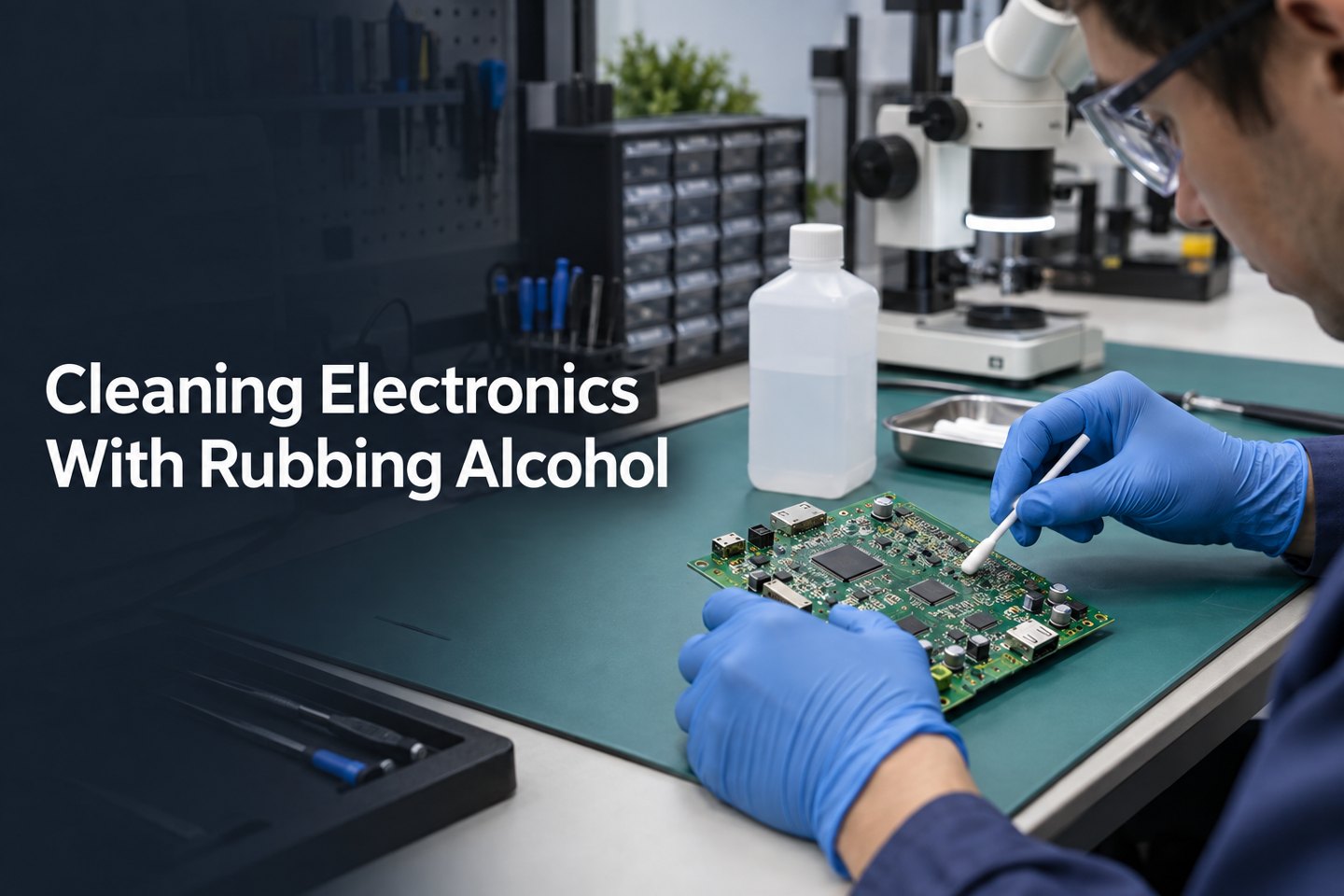
Can You Clean Electronics With Rubbing Alcohol?
Yes, you can clean selected electronics with rubbing alcohol after removing power and confirming that the device maker permits alcohol on the target surface. A slightly damp lint-free cloth may be suitable for an approved hard exterior, while an exposed PCB normally calls for controlled application of 90% to 99% electronics-grade IPA.
First decide which job you are doing:
- Exterior wiping: Some manufacturers permit 70% IPA wipes on hard, nonporous surfaces. Apple and Dell publish product-specific examples, but their instructions do not apply automatically to every device.
- Exposed-board cleaning: Repair guides commonly use at least 90% IPA for localized work on a disconnected logic board or PCB.
- Disinfection: The concentration and wet contact time needed to disinfect a surface are different from the requirements for removing flux or oil from a circuit board.
Never spray alcohol directly onto a device. Wet the cloth, foam swab, polyester swab, or ESD-safe brush away from the electronics, then apply only enough liquid to loosen the soil.
Is Rubbing Alcohol Safe for Electronics?
Rubbing alcohol is safe only for compatible materials and controlled, unpowered cleaning; it is not safe to pour into an assembled device or use around ignition sources. A 70% IPA wipe may be approved for a laptop shell or keyboard, yet the same liquid can enter a connector, remain beneath a shield, soften adhesive, or mark a coated display.
This is why the answer to whether rubbing alcohol is safe for electronics depends on the exact part, contamination, and application method rather than the device category alone.
The label matters as much as the percentage. A bottle sold as first-aid rubbing alcohol is formulated for topical use, not residue-sensitive PCB production. Many 70% products contain 30% water, and formulations vary by supplier. Before use, check the active ingredients, inactive ingredients, and safety data rather than assuming every clear alcohol product is equivalent.
IPA is also highly flammable. NIOSH lists isopropyl alcohol as a Class IB flammable liquid with a 53°F (12°C) flash point. Keep it away from soldering irons, hot-air rework tools, sparks, smoking, and open flame; cap the container when not in use and provide ventilation.
What Percentage Isopropyl Alcohol for Electronics?
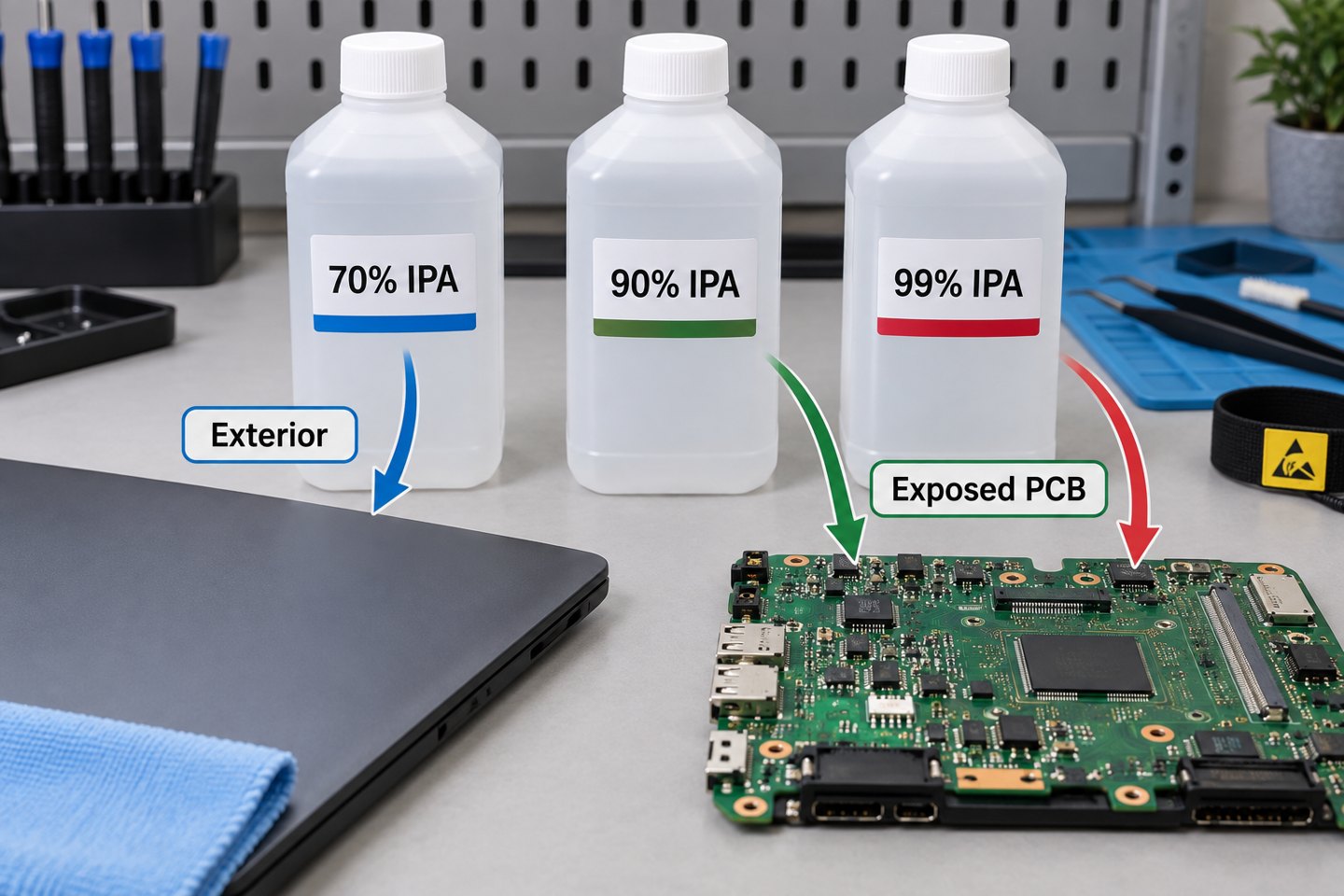
Use the device maker’s approved product for finished equipment; for localized exposed-PCB cleaning, 90% to 99% electronics-grade IPA is the practical starting range because it contains only 1% to 10% water instead of the 30% found in 70% IPA. Higher purity does not override component, coating, or adhesive restrictions.
| IPA Concentration | Approximate Water Content | Suitable Starting Use | Main Limitation |
| 70% | 30% | Approved hard exterior surfaces using a damp wipe | Slower drying and more water; not the default for exposed PCBs |
| 90% or 91% | 9% to 10% | Localized PCB repair and residue removal when compatible | Can still affect coatings, plastics, markings, and adhesives |
| 99% or 99.9% | 0.1% to 1% | Moisture-sensitive, residue-controlled bench cleaning | Still flammable and not effective against every contaminant |
Do not dilute high-purity IPA with tap water for PCB work. Tap water can add minerals and ions. If an aqueous process is required, it should use chemistry, rinse-water quality, and drying conditions chosen for the assembly.
What Is the Difference Between Rubbing Alcohol and Electronics-Grade IPA?
Household rubbing alcohol is usually sold as a skin antiseptic, whereas electronics-grade IPA is supplied with controlled purity and residue expectations for cleaning components and assemblies. A common 70% first-aid product is 70 mL IPA per 100 mL with water as the inactive ingredient; an electronics cleaner may be 99.9% anhydrous IPA with a technical data sheet and safety data sheet.
Do not judge a cleaner by the front label alone. Check:
- IPA concentration and water content;
- listed fragrance, dye, oil, bitterant, or other additive;
- nonvolatile residue specification, if provided;
- plastics, elastomer, coating, and adhesive compatibility;
- storage, ventilation, and personal-protection instructions in the SDS.
For a repeatable manufacturing process, lot-controlled cleaner and documented compatibility are more useful than a generic pharmacy bottle whose intended use is first aid.
Which Parts Should Not Be Cleaned With Rubbing Alcohol?
Do not apply rubbing alcohol to an unapproved display coating, printed key legend, foam adhesive, acrylic or polycarbonate part, unsealed microphone, speaker, sensor, relay, or coated PCB area without a material check. Even when the bare laminate and solder mask tolerate IPA, a complete assembly may contain liquid-trapping or solvent-sensitive parts.
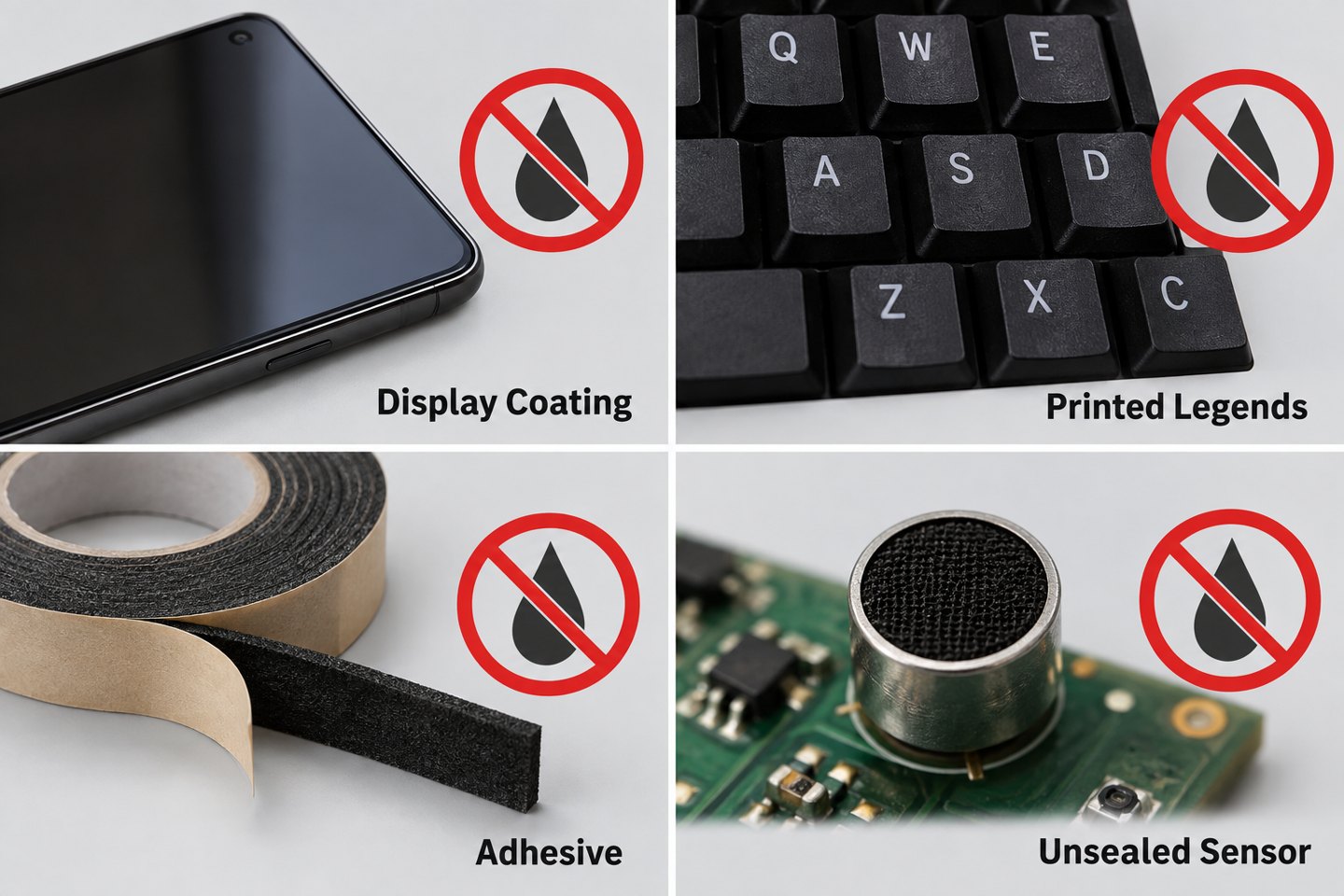
- Displays and lenses: Alcohol can affect oleophobic, anti-glare, or other surface treatments unless the manufacturer permits it.
- Printed markings: Repeated wiping can fade legends on keys, component bodies, labels, and enclosures.
- Adhesives and foam: IPA is often used to weaken adhesive during repair, which is exactly why it must be controlled near display seals, battery tape, gaskets, and foam pads.
- Liquid-sensitive devices: Microphones, speakers, MEMS parts, unsealed switches, relays, transformers, and trimmers can trap solvent or suffer mechanical damage.
- Conformal coating: Cleaning a coated board and intentionally removing coating are different processes. Review the coating chemistry before applying solvent.
How Should You Prepare Electronics Before Cleaning?
Shut the device down, unplug every cable, remove the battery when serviceable, verify stored energy is discharged, and move the work away from sparks, hot tools, and open flame. A power button does not isolate every energy source, and power supplies or large capacitors may retain hazardous voltage after unplugging.
- Read the product cleaning or service instructions.
- Photograph connectors, cable routing, corrosion, and residue before disassembly.
- Disconnect mains power, external supplies, and batteries.
- Use an ESD-safe mat, grounded tools, and an ESD-safe brush for sensitive boards.
- Remove loose dust first so wet cleaning does not turn it into a paste.
- Test the cleaner on a hidden or representative material when compatibility is uncertain.
- Use ventilation and keep the IPA container away from ignition sources.
If you cannot safely discharge the equipment, access the board without damaging seals, or identify a swollen battery, stop and use a qualified repair service.
How Do You Clean an Exposed PCB With Isopropyl Alcohol?
Apply a small amount of 90% to 99% electronics-grade IPA to a low-lint swab or ESD-safe brush, loosen the soil, then lift the dissolved residue with clean material instead of letting dirty solvent dry on the board. The goal is removal, not simply spreading a dissolved film across a larger area.
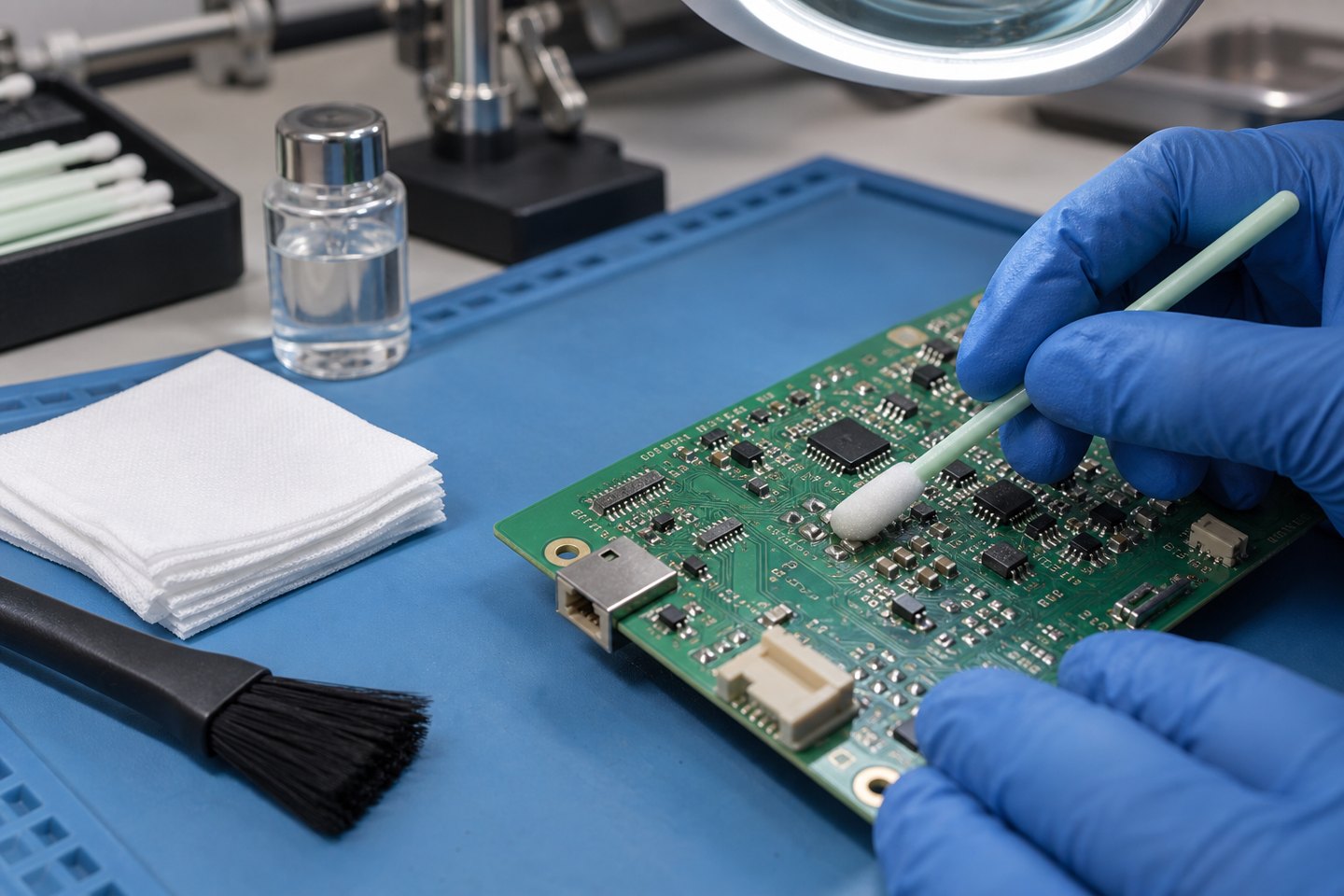
- Inspect and classify the soil. Note whether it is dry dust, oil, flux, drink residue, corrosion, or an unknown deposit.
- Remove dry particles. Use an ESD-safe soft brush or controlled clean air without forcing debris under packages.
- Dampen the tool. Add IPA to the swab or brush away from the PCB; do not pour from the bottle onto the board.
- Agitate gently. Work around solder joints and leads without bending parts or snagging fine wires.
- Lift the dissolved residue. Blot with a clean low-lint wipe or use fresh solvent as a controlled final rinse.
- Replace dirty materials. A brown swab or cloudy solvent is carrying contamination and should not be reused for the final pass.
- Dry, inspect, and test. Confirm that connectors, shields, sockets, and package gaps are dry before reconnecting power.
For a broader method covering dust, corrosion, coating, and aqueous cleaning, see our guide to cleaning a PCB board safely.
Which Contaminants Need More Than IPA?
Salt, sugary drinks, water-soluble flux, corrosion products, and unknown deposits may require a qualified aqueous rinse, flux-specific cleaner, or repair process rather than an IPA-only wipe. IPA can evaporate while nonvolatile ionic contamination stays behind.
| Contaminant | Suitable Starting Method | Why IPA Alone May Fail |
| Finger oil or light grease | Compatible high-purity IPA and clean low-lint material | Dirty solvent can redeposit an oily film |
| Rosin-based flux | High-purity IPA or matched flux remover after compatibility check | Heat-aged or polymerized residue may resist IPA |
| Water-soluble flux | Validated aqueous chemistry and DI-water rinse | IPA may not remove the ionic activator system |
| Sugary or salty spill | Controlled aqueous cleaning, DI rinse, and complete drying when parts allow | Alcohol can leave conductive nonvolatile material behind |
| Corrosion | Cleaning plus magnified damage assessment and repair | Solvent cannot restore missing copper or damaged terminations |
Flux chemistry should be identified before selecting the cleaner. Our explanation of flux residue and cleaning methods shows why water-soluble, rosin, and no-clean materials cannot share one blanket instruction.
In our PCBA projects, we treat cleaner selection, rinse quality, drying, and inspection as one process. Changing only the solvent can leave the same ionic residue or hidden moisture problem in a different form.
How Long Should Electronics Dry Before Power-On?
Do not use one universal minute count; restore power only after visible liquid and alcohol odor are gone and no fluid remains trapped under shields, connectors, sockets, switches, or packages. A lightly wiped open surface may appear dry within minutes, while a flooded connector or shielded area can retain solvent much longer.
Use these release checks:
- no droplets, wet sheen, or cleaner line visible under magnification;
- no liquid emerging when the board is tilted or gently repositioned;
- connectors and sockets inspected from more than one angle;
- no alcohol odor at close range in a ventilated area;
- no residue film, displaced component, lifted pad, or damaged marking;
- the device maker’s minimum drying instruction has been met.
Do not use a hot heat gun to accelerate drying. Excessive heat can deform connectors, soften adhesives, damage batteries, or stress solder joints. Use clean dry air or a controlled low-temperature process only when the component limits are known.
What Mistakes Damage Electronics During Alcohol Cleaning?
The highest-risk mistakes are cleaning an energized device, spraying directly into openings, flooding liquid-sensitive parts, using a contaminated swab, and restoring power before trapped solvent has evaporated. Most failures come from uncontrolled application or wrong-material use, not from the word “alcohol” alone.
- Using 70% as the universal choice: It may be suitable for an approved exterior but adds more water to an exposed assembly.
- Using a soaked cotton swab: Excess liquid can wick under components, and loose fibers can snag on leads.
- Letting dirty IPA evaporate: Dissolved flux and oil remain unless they are lifted or rinsed away.
- Scrubbing harder: Force can remove markings, dislodge 0201/01005 components, bend contacts, or break corroded leads.
- Ignoring the original fault: Cleaning cannot repair a cracked joint, missing copper, swollen battery, or internally corroded component.
- Applying conformal coating over residue: Cleanliness and dryness must be verified before coating, or contamination may be sealed onto the assembly.
Production control begins earlier than final cleaning. For example, solder paste inspection in PCB assembly can catch printing defects before placement and reflow, while post-solder cleaning addresses only the residue left by the selected materials and process.
FAQ About Cleaning Electronics With Rubbing Alcohol
These answers cover the most common concentration, surface, flux, and power-on questions about using rubbing alcohol on electronics.
Can I use 70% rubbing alcohol on a circuit board?
Use 70% rubbing alcohol on an exposed circuit board only when the assembly documentation permits it and no better high-purity option is available. Its 30% water content slows drying and raises the chance of liquid remaining in gaps. For localized exposed-PCB cleaning, 90% to 99% electronics-grade IPA is usually the safer starting range.
Is 91% rubbing alcohol good for electronics?
91% IPA is suitable for many localized PCB-repair tasks because it contains about 9% water and evaporates faster than 70%. It can still soften adhesive, affect markings, or enter unsealed parts, so apply a small amount to a low-lint tool and check material compatibility first.
Can I use 99% isopropyl alcohol on a phone screen?
Do not use 99% IPA on a phone screen unless the phone manufacturer explicitly approves it for that model and surface. Screen coatings and display seals vary. Many device makers specify a slightly damp lint-free cloth or a 70% IPA wipe for selected exterior surfaces, not unrestricted use of 99% liquid.
Does isopropyl alcohol remove solder flux?
IPA removes many fresh rosin-based flux residues, especially at 91% to 99%, but it does not remove every no-clean or heat-aged residue. Water-soluble flux normally requires a validated aqueous process. Match the cleaner to the exact flux product and remove the dissolved soil rather than letting it dry on the PCB.
Can cleaning electronics with alcohol cause a short circuit?
Cleaning electronics with alcohol can cause a short circuit if power is present, the liquid contains conductive contamination, or water and dissolved residue remain trapped when the device is energized. Disconnect every power source, control the liquid, dry hidden areas, inspect the board, and only then perform a safe functional test.
Can I pour rubbing alcohol over a motherboard?
Do not pour household rubbing alcohol over an assembled motherboard. Flooding carries dirt beneath packages and into connectors, fans, sockets, microphones, switches, or other liquid-sensitive parts. Board immersion is a specialized repair process that requires disassembly, compatible components, suitable high-purity solvent, ventilation, and controlled drying.
How Can EBest Circuit Support Cleaner, More Reliable PCB Assemblies?
We match the cleaning method to the flux, component set, coating plan, inspection requirement, and end-use risk instead of treating IPA as a universal production solution. At EBest Circuit, we support PCB fabrication, component sourcing, PCB assembly, and inspection within one coordinated project.
For a cleaning-sensitive assembly, send us the Gerber files, BOM, placement data, assembly drawing, target flux or solder-paste specification, coating requirement, quantity, and cleanliness or test criteria. We can review the build information before production and align the inspection plan with the assembly design.
To discuss a PCB or PCBA project, visit our PCB and PCBA manufacturing service page or email sales@bestpcbs.com.