WLCSP assembly connects a chip-sized device to PCB pads through a fine-pitch array of solder balls. Those small connections save board space, but leave little room for uneven paste deposits, misplaced solder mask or rough handling. Reliable assembly depends on matching the footprint and process to the actual component—not simply selecting a recipe marked “0.4 mm pitch.”
EBest Circuit combines PCB fabrication, component sourcing and PCB assembly, allowing board construction and assembly requirements to be reviewed together. For a project containing WLCSP devices, contact sales@bestpcbs.com to discuss the component package and proposed PCB layout before the build.
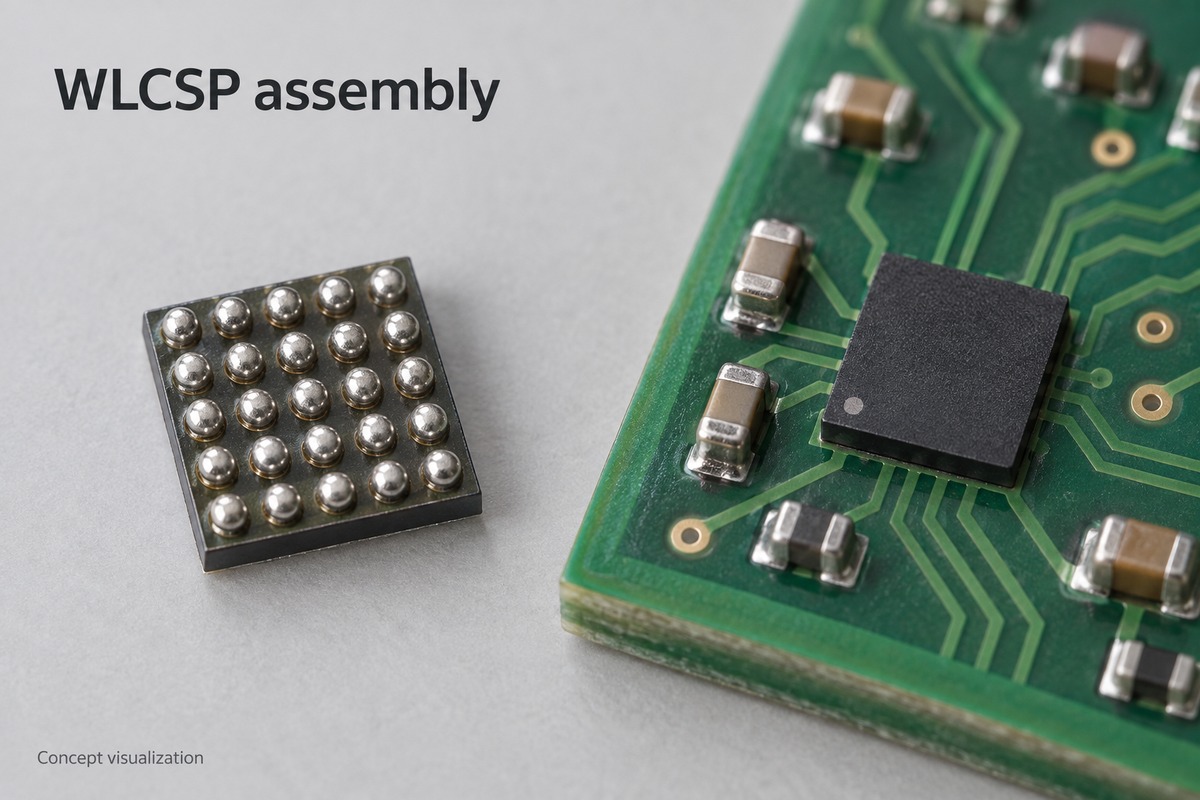
Concept visualization of a WLCSP solder-ball array and a board-mounted device.
What Is WLCSP Assembly on a PCB?
Board-level WLCSP assembly mounts an already packaged semiconductor device onto a circuit board. It is separate from the wafer-level processing that creates the package.
WLCSP stands for wafer-level chip-scale package. In a conventional fan-in WLCSP, the connections sit beneath the silicon die, within its footprint. There is no larger leadframe or laminate package substrate extending around it.
The board assembly still uses solder-paste printing, component placement and reflow. The difference is the small soldering geometry and exposed, mechanically sensitive package. Ball pitch describes spacing; it does not specify ball diameter, pad shape or handling limits.
How Do PCB Pads and Vias Affect WLCSP Solder Joints?
The exposed pad area controls where solder can wet, while the via structure can disturb the solder volume beneath a ball.
Pad construction
Exposed soldering surface
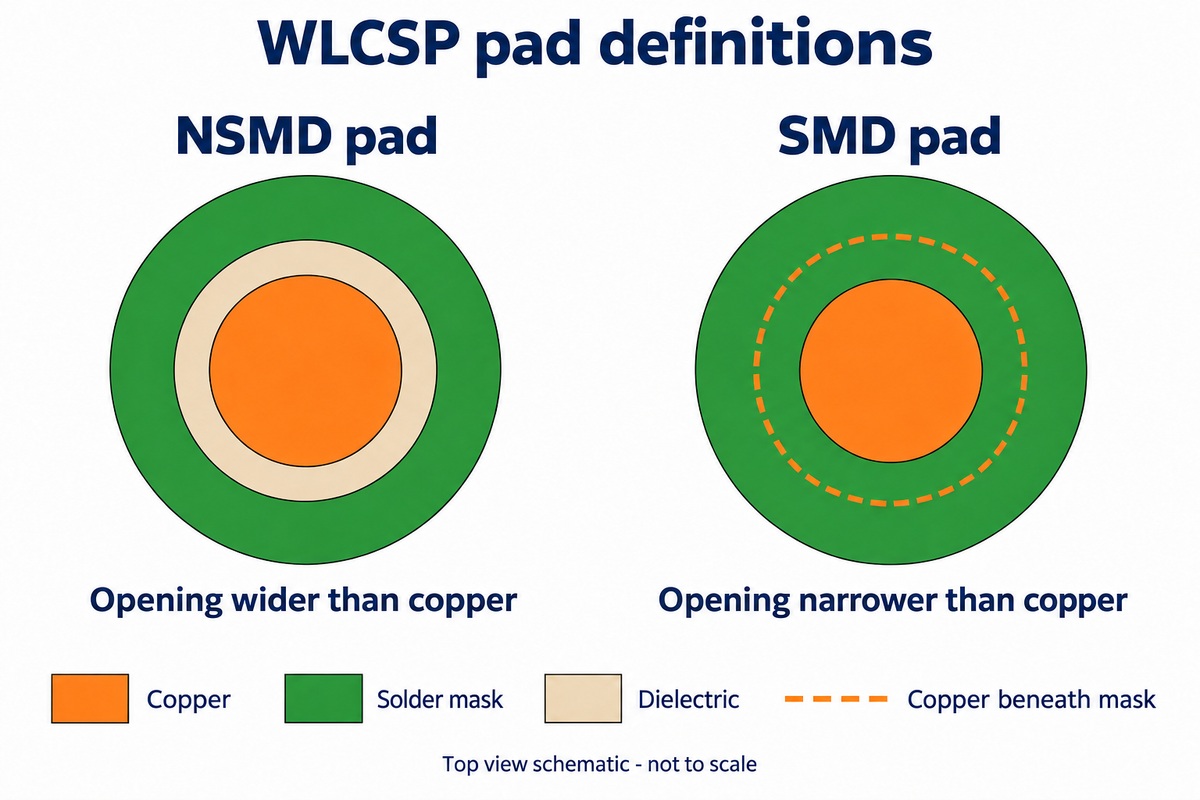
Non-solder-mask-defined (NSMD)
The mask opening is larger than the copper pad. Solder can wet the pad’s top and exposed edges.
Solder-mask-defined (SMD)
The mask opening is smaller than the copper pad. The opening defines the available soldering area.
Here, SMD describes the pad definition, not a surface-mount device. Neither construction makes a footprint interchangeable between different WLCSP parts. The component’s land-pattern recommendation determines the appropriate geometry.
An unfilled via in a solder pad can trap air and contribute to voids or inconsistent joints. Where routing requires via-in-pad, a filled-via construction addresses this concern; the final pad surface still needs to meet the footprint requirements.
Mask registration also matters. A shifted opening can partly cover a pad that was correctly drawn in the CAD data.
NSMD and SMD differ in the relationship between the copper pad and solder-mask opening. Top-view schematic, not to scale.
How Does Stencil Design Control Solder Volume for WLCSP?
Stencil thickness and aperture geometry determine the paste available, but paste release determines how much actually reaches each pad.
A small aperture has relatively little opening area compared with its walls. Paste can remain inside instead of transferring cleanly to the PCB. Increasing stencil thickness adds potential volume while making release through that same small opening more difficult.
Aperture geometry governs the deposit footprint and release behavior.
Wall finish affects how readily paste separates from the stencil.
Paste particle size must suit the small opening and printing process.
A mixed-component board may need more paste at larger parts than at the WLCSP. A locally thinner stencil region can accommodate that difference, provided its transition works with nearby apertures. Post-print inspection reveals missing, uneven or displaced deposits before the package covers them.
How Are WLCSP Devices Placed and Reflowed?
Placement must align the ball array without damaging the die; reflow must then form joints within the component and paste process limits.
Vision alignment locates the device or its ball pattern. The pickup nozzle, placement height and applied force need to suit the package. A setup that handles a robust molded component successfully can still damage a small WLCSP.
Solder surface tension can help center the device during reflow, but that effect is not permission to accept arbitrary placement errors.
The thermal profile describes temperature at the assembly over time—not just the oven settings. Board loading, component location and neighboring parts affect heating. Profile measurements therefore need to represent the actual populated board.
A 260°C package qualification rating is not a universal reflow target. Peak temperature, time above liquidus and heating and cooling rates must satisfy the applicable component limits and solder-paste requirements together.
Concept visualization of vacuum pickup contacting the top of a WLCSP device.
How Are Hidden WLCSP Solder Joints Inspected?
The hidden array needs inspection beyond a top-down view of the component. Different methods answer different questions.
Method
What it can reveal
What it does not establish alone
Optical inspection
Visible damage, orientation and accessible joint edges
The condition of every joint beneath the die
X-ray inspection
Bridging, voiding and irregular solder distribution, subject to image quality and viewing angle
Electrical operation or lifetime under mechanical and thermal stress
Electrical testing
Opens, shorts or functional faults within the test coverage
The physical condition of every solder interface
A suspicious connection may need further analysis. Cross-sectioning can expose an internal interface, but destroys the examined area and is better suited to process investigation than routine inspection of saleable boards.
A board that powers on has passed that particular test; it has not automatically demonstrated solder-joint durability.
When Does WLCSP Assembly Need Underfill?
Underfill is not automatically required for WLCSP. Renesas recommends assembly without it for the packages covered by its implementation guide, which were qualified without underfill.
Underfill occupies the gap around the joints and changes how mechanical and thermal loads reach them. An application with demanding drop or bending conditions may justify evaluating reinforcement, but adding resin is not automatically a reliability improvement.
The material’s thermal expansion, stiffness, cure conditions and compatibility with residues all matter. Filling behavior and the fillet around the die also affect the result. A suitable material and process need validation on the intended assembly.
Underfill additionally changes repair options. A process chosen for reinforcement may make later component removal much harder.
Can WLCSP Components Be Reworked?
Replacement can be possible, but it needs a controlled process and an intact PCB footprint. Renesas discourages routine rework; Microchip describes a replacement process and advises against reusing removed devices in final assemblies.
Remove the device with controlled heating. Local heating and board preheating help release the soldered component without forcing it from the pads.
Restore the mounting site. Residual solder must be removed without lifting copper or damaging the solder mask.
Deposit paste and fit a new device. A miniature stencil and vision-assisted placement help reproduce the required soldering geometry.
Reflow and verify the replacement. The repaired location needs inspection and appropriate electrical testing.
A successful removal does not prove the board is ready for reuse. Damaged pads, underfill and the assembly’s previous heat exposure can limit repair.
For a WLCSP assembly project, EBest Circuit can review the PCB and PCBA requirements against your selected component. Email sales@bestpcbs.com with the part number and available board files to discuss the proposed build.
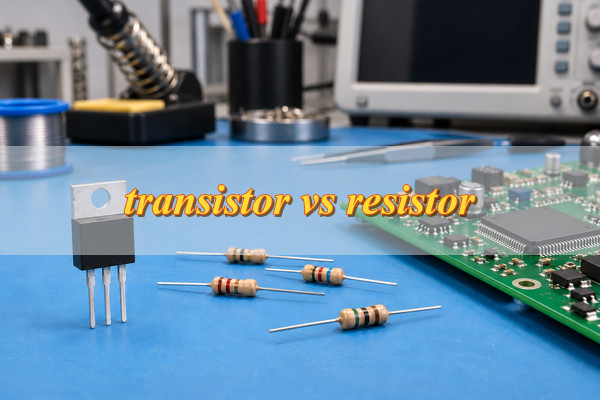
In a transistor vs resistor comparison, the difference is function: a resistor limits current, divides voltage, or sets a bias condition; a transistor switches current or amplifies a signal. Use a resistor to establish electrical conditions and a transistor to control conduction. Many circuits use both because switching current and limiting it are separate tasks.
Transistor vs Resistor: What Are the Main Differences?
A resistor provides resistance; a transistor provides signal-controlled conduction. Their differences are summarized below.
Property
Transistor
Resistor
Component type
Active semiconductor device
Passive component
Main functions
Switching and amplification
Current limiting, voltage division, and biasing
Control
Base or gate signal influences conduction
Voltage and resistance determine current
Common terminals
Three on typical discrete devices
Two
Main specifications
Voltage, current, drive conditions, and power limits
Resistance, tolerance, power, and voltage ratings
Typical use
Switching a load or amplifying a signal
Limiting LED current or setting a signal voltage
A resistor dissipates electrical energy as heat. A transistor controls energy supplied by the power source and also dissipates some of it. Neither creates energy, and neither can automatically replace the other.
How Do Transistors and Resistors Work?
A resistor follows Ohm’s law: I = V/R. With 5 V across a 1 kΩ resistor, current is 5 mA. Increasing resistance reduces current at the same voltage, but changing voltage also changes current. A resistor therefore limits current without independently keeping it constant.
Its power dissipation is P = VI or P = I²R. Select a resistor that can withstand the expected power, working voltage, temperature, and pulse loading, alongside the calculated resistance.
Common transistors operate in two different ways:
Bipolar junction transistor (BJT): Base-emitter bias establishes conduction between collector and emitter. The driving circuit must supply suitable base current.
MOSFET: Gate-to-source voltage controls conduction between drain and source. The required gate voltage depends on the device and its operating conditions.
For switching, the transistor moves between off and conducting states. For amplification, the circuit establishes a bias point so that input changes produce useful output changes. A transistor alone is not a complete amplifier; its behavior depends on the supply, load, and surrounding components.
Transistor vs Resistor: When Should You Use Each?
Choose according to the task your circuit must perform. A resistor suits current limiting, voltage division, and biasing; a transistor suits load switching and signal amplification. Some circuits require both—for example, a transistor switches an LED while a resistor limits its current. The following applications show where each component fits and what to check before selecting it.
To limit current, use a resistor. For an LED, calculate resistance from the supply voltage, LED forward voltage, and target current. With a 5 V supply, an assumed 2 V LED forward voltage, and a 10 mA target, R = (5 − 2)/0.01 = 300 Ω. Check voltage variation and resistor power dissipation. For tightly regulated current, use an appropriate current-regulating circuit.
To divide voltage, use a resistor network. Two resistors can scale a voltage for a sensing input. The connected load affects the result, so check its input impedance. A resistor divider is generally unsuitable for powering a load whose current changes.
To set a default state or bias, use resistors. Pull-up and pull-down resistors establish a signal state when no device is actively driving it. Bias resistors establish analog operating conditions. Lower values draw more current; higher values can increase sensitivity to leakage, interference, or input capacitance.
To switch a load, use a transistor. A controller signal can command a separate load-current path through a transistor. Check load voltage, operating and startup current, available drive, switching speed, and heat dissipation. Inductive loads also require suitable suppression for the voltage produced at switch-off.
To amplify a signal, use a properly biased transistor circuit. Select according to signal frequency, required gain, supply voltage, and output load. Resistors commonly establish bias and feedback, so the amplifier may require both component types.
For MOSFET switching, gate threshold voltage does not mean fully on. Check on-resistance at the gate-drive voltage your circuit provides. Insufficient drive can leave the device conducting with excessive resistance, voltage drop, and heating.
Why Are Resistors Often Used with Transistors?
Resistors limit drive current, establish bias, or define a control state around the transistor. Common examples include:
Base resistor: Limits current entering a BJT base.
Bias resistors: Establish an amplifier’s operating point.
Gate resistor: Influences MOSFET switching speed and ringing.
Pull-up or pull-down resistor: Establishes a defined state when the control output is inactive.
Emitter or source resistor: Provides feedback that can stabilize operating conditions.
In a simple NPN LED switch, the LED and its series resistor connect from the positive supply to the collector. The emitter connects to ground, and a controller drives the base through a separate resistor. The controller and load circuit share a common ground reference.
The transistor controls whether current flows, the LED resistor controls how much load current flows, and the base resistor limits control current. Removing the LED resistor does not become acceptable simply because a transistor switches the circuit.
Assume a 5 V supply, a 2 V LED forward voltage, a 0.2 V transistor conducting-state drop, and a 10 mA target current:
R = (5 − 2 − 0.2)/0.01 = 280 Ω
Using 300 Ω gives approximately 9.3 mA under those assumptions. The base resistor requires a separate calculation using the controller voltage and required base drive. Its value should account for the transistor’s switching specifications and the controller’s output-current limit.
Can a Transistor and a Resistor Replace Each Other?
Usually, no. Replacing a transistor with a resistor removes controlled switching or amplification. Replacing a resistor with a transistor does not preserve a fixed resistance without additional circuitry and defined operating conditions.
A MOSFET can function as a voltage-controlled resistance within a limited operating range. However, its resistance depends on gate voltage, drain-to-source voltage, temperature, and device characteristics. This is a specific circuit technique rather than a direct substitution.
Before using it this way, check signal range, linearity, power dissipation, and safe operating area. A device suitable for efficient switching is not automatically suitable for continuous operation with substantial voltage and current across it.
FAQs About Transistor vs Resistor
Q1: Does a resistor have polarity?
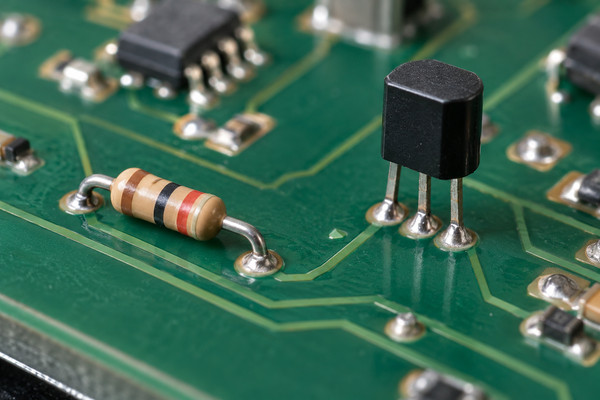
A1: An ordinary fixed resistor is nonpolarized, so either terminal can connect in either direction. Its markings identify characteristics such as resistance or tolerance rather than polarity. A transistor has assigned terminals, however, so its orientation must follow the datasheet and PCB footprint.
Q2: Why do some transistor packages have more than three pins?
A2: Extra pins may repeat a terminal connection, provide a separate sensing connection, or belong to additional devices inside the package. A Kelvin source pin, for example, provides a separate reference for gate driving. Package pin count does not equal the number of independent transistor terminals; check the internal connection diagram.
Q3: Do transistors with the same package have the same pinout?
A3: No. Matching packages do not guarantee matching pinouts. Visually similar devices may assign their terminals differently. Verify the exact part number, terminal arrangement, and drawing orientation before selecting a PCB footprint or approving a substitute. Physical fit alone does not establish electrical compatibility.
Q4: How can you identify a transistor or resistor on a schematic or PCB?
A4: On a schematic, resistors commonly use rectangular or zigzag symbols with R references, while transistors commonly use Q references. On a PCB, match the reference designator to the BOM and schematic. Appearance alone is insufficient, particularly for small unmarked components or devices sharing similar packages.
Q5: Can you measure a resistor while it is installed on a PCB?
A5: Yes, but parallel circuit paths can affect the reading. Remove power and discharge stored energy before measuring. If surrounding components prevent a reliable result, isolating one resistor terminal may be necessary. An unexpected in-circuit reading does not by itself prove that the resistor is defective.
Q6: Does resistance change with temperature?
A6: Yes. The change depends on the resistor’s temperature coefficient, material, and operating range. Heat may come from ambient conditions or the resistor’s own power dissipation. Precision circuits should consider temperature behavior alongside nominal resistance and tolerance, particularly when the accuracy of a resistor ratio affects measurement results.
Q7: What happens if a resistor’s power rating is too low?
A7: Excessive dissipation can cause overheating, resistance drift, or permanent damage. Compare expected dissipation with the manufacturer’s derating curve at the actual ambient temperature. Also check pulse ratings for short-duration loads: a resistor that tolerates the average power may still be unsuitable for repeated high-energy pulses.
Q8: Does a MOSFET gate draw current?
A8: An insulated MOSFET gate draws very little steady-state current, but current flows while its capacitances charge and discharge. Faster switching generally requires greater momentary drive current. Gate leakage and switching current are different quantities, so a voltage-controlled gate should not be interpreted as requiring no current under all conditions.
Q9: Can transistors and resistors exist inside the same chip?
A9: Yes. Many integrated circuits contain both transistor and resistor structures, alongside other elements. Their construction differs from discrete components, but their electrical roles remain recognizable. Integration can improve matching and reduce external component count, although internal devices still have limits associated with voltage, temperature, and manufacturing variation.
Q10: How does a capacitor differ from a transistor and a resistor?
A10: A capacitor stores energy in an electric field and is used for filtering, coupling, decoupling, and timing. A resistor establishes voltage-current relationships and dissipates energy, while a transistor provides controlled conduction. These complementary functions explain why all three commonly appear together in electronic circuits.
Conclusion
The transistor vs resistor choice follows the task: use resistors for current limiting, voltage division, and biasing; use transistors for switching and amplification. Use both when the circuit requires controlled conduction alongside defined currents or voltages. Verify electrical ratings, drive conditions, and thermal limits before finalizing component choices.
EBest Circuit provides PCB manufacturing and assembly for prototypes and volume production. Send your Gerber files, BOM, quantity, and assembly requirements to sales@bestpcbs.com for technical guidance and a quotation. Include exact component specifications and permitted substitutions to keep production aligned with your approved requirements.
A solar panel PCB board manages charging, power conversion, protection, sensing, and communication in solar controllers, inverters, lighting, and monitoring equipment.
This article examines board selection, materials, environmental protection, manufacturing, testing, cost, supplier evaluation, and the prototype-to-production transition.
What can make a solar PCB quotation unreliable?
You receive quotes for different boards: Charge controllers, inverter boards, lighting controllers, and monitoring boards require different components, copper, assembly processes, and tests.
Important costs appear later: Missing voltage, current, battery, cooling, coating, connector, or environmental requirements can change materials, assembly, and testing.
The production board differs from the prototype: Unreleased rework, substitutions, firmware, or fixture changes can return as repeat-order problems.
EBest Circuit builds PCBs and PCBAs for solar controllers, inverters, lighting, and monitors. One quotation can cover parts purchasing, fabrication, SMT/THT assembly, firmware programming, and board-level testing.
Know what is missing before purchasing: You receive a list of conflicts or open items across the PCB data, BOM, assembly files, mechanics, programming, and tests.
Keep one approved build identity: Your BOM, PCB revision, work instructions, firmware, and test limits stay connected throughout production.
Repeat the approved result: Accepted substitutions, rework, firmware changes, and test updates are added to the released package for the next order.
Ready for a quotation? Send your current files, quantity, and delivery destination to sales@bestpcbs.com. You will receive a proposed manufacturing scope and a clear list of any information still needed.
What Is a Solar Panel PCB Board?
A solar panel PCB board is the printed circuit assembly inside a solar controller, inverter, light, monitor, or battery-powered product. It carries the components and copper connections used to manage power and system functions.
In a charge controller, the board regulates panel input and battery charging. In an inverter, it supports switching, sensing, protection, and communication. In solar lighting, it can manage charging, LED output, timing, and motion sensing.
The photovoltaic panel generates DC power. The PCB receives, converts, measures, or controls that power inside the equipment. State the equipment and board function in the RFQ so the manufacturer can quote the correct construction, components, assembly process, and tests.
What Types of PCB Boards Are Used in Solar Panel Systems?
Solar systems commonly use charge-control, inverter power, lighting-control, and monitoring or communication boards. Larger products may divide these functions across several PCBAs.
Board Type
Main Function
Typical Equipment Fit
Charge-control board
Regulates panel input, battery charging, load control, sensing, and protection
MPPT or PWM controllers, battery chargers, off-grid power units
Inverter power board
Converts variable DC power into controlled AC power and manages switching, sensing, and protection
Solar inverter PCB assemblies, microinverters, and power-conversion units
Lighting-control board
Charges a battery and controls LEDs, timers, dimming, motion sensing, or dusk-to-dawn operation
Solar streetlights, garden lights, signs, and remote lighting products
Monitoring or communication board
Measures voltage, current, temperature, and status while transferring data to a local or remote system
Combiner monitoring, trackers, gateways, remote sensors, and energy-management equipment
How Do You Choose a Solar Panel PCB Board for Your Application?
Match the board to the equipment specification. Start with maximum panel input, battery system, continuous and peak current, required controls, connector interfaces, cooling, and the mounting envelope.
Input and battery limits: State normal and maximum panel voltage, battery chemistry, nominal battery voltage, charging method, reverse-polarity behavior, and expected fault conditions.
Load and conversion task: Define continuous current, peak or inrush current, output type, switching frequency where relevant, duty cycle, and allowed temperature rise.
Control and communication: List sensing accuracy, protection logic, firmware ownership, programming interface, CAN, RS-485, Ethernet, wireless, or other required connections.
Mechanical fit: Provide board outline, mounting holes, connector positions, cable direction, height limits, heatsink or chassis contact, and keep-out areas.
Use an off-the-shelf module when its electrical limits, interfaces, dimensions, compliance evidence, and lifecycle fit the product. Use custom manufacturing for unique mechanics or functions, controlled parts and tests, owned design data, and repeat orders.
Which PCB Materials Are Suitable for Solar Electronics?
Use standard FR4 when the board’s temperature, electrical stress, current density, insulation, and assembly requirements stay within its limits. It is a practical choice for many charge-control, lighting, and monitoring boards.
Choose high-Tg FR4 when the expected board temperature or assembly profile needs more thermal margin. Confirm the actual laminate grade and Tg in the quotation instead of accepting a generic “high-temperature material” description.
Use metal-core, ceramic, or heavy-copper construction only when the power or heat path requires it. Ask the manufacturer to confirm routing, isolation, soldering, inspection, cost, laminate, copper, layers, holes, and finish before approval.
How Can Solar Panel PCB Boards Handle Heat and Outdoor Exposure?
Provide the expected current, component losses, maximum ambient temperature, and available cooling. The manufacturer can then check copper areas, thermal vias, interface materials, heatsink or chassis contact, and airflow against your operating conditions.
For outdoor use, state the expected condensation, humidity, dust, salt, UV, and temperature cycling. Specify enclosure and connector protection, spacing, drainage, cleaning, and coating, then verify the prototype under the intended load and environment.
How Are Solar Panel PCB Boards Manufactured and Assembled?
Your approved release should follow the order from file review through fabrication, sourcing, SMT/THT assembly, inspection, programming, and testing. Resolving file conflicts first helps you avoid buying components or tooling against the wrong revision.
Close the file questions: Confirm Gerber or ODB++, drill files, stackup, drawings, netlist, BOM, placement data, polarity, mechanics, quantities, and test requirements.
Fabricate the approved PCB: Build the specified stackup, holes, copper, solder mask, surface finish, and profile, then complete electrical and dimensional checks.
Prepare approved parts and firmware: Verify manufacturer part numbers, allowed alternates, moisture handling, firmware, and programming instructions before kitting.
Assemble and inspect the PCBA: Place and solder SMT and THT parts, then inspect polarity, placement, joints, cleanliness, and mechanical support.
Receive a revision-linked build record: Keep programming, test results, rework, substitutions, inspection findings, and disposition tied to the board you ordered.
Use the prototype build to confirm the soldering sequence, support for heavy magnetics and connectors, manual operations, and inspection access. Approved findings can then become part of the repeat-production instructions.
What Tests Should a Solar Panel PCB Board Pass?
Your test plan should show what each check proves and what result you will receive. Specify bare-board electrical test, assembly inspection, firmware programming, functional checks, fixtures, loads, pass limits, and the required record.
Charge-control board: Check programmed identity, power-up current, input and output behavior, battery-interface logic, sensing, communications, and agreed protection responses using approved limits.
Inverter power board: Add insulation-related checks, gate-drive verification, current and voltage sensing, controlled-load operation, temperature observations, and protection tests appropriate to the design.
Monitoring board: Focus on sensor accuracy, analog stability, interface protection, communication, firmware version, low-power behavior, and data integrity.
Assembly workmanship: Use visual inspection or AOI for visible joints and placement; apply X-ray only where hidden joints or the risk profile justify it.
Use the board-level results to confirm that the PCBA is ready for product integration. Complete-system validation still needs your actual panel, battery, enclosure, wiring, cooling, firmware, EMC and safety requirements, and intended operating environment.
How Much Does a Custom Solar Panel PCB Board Cost?
Compare quotations only when they cover the same revision, quantity, component responsibility, test coverage, and delivery terms. Otherwise, the lowest price may represent a smaller manufacturing scope.
PCB cost follows size, panel use, layers, laminate, copper, drilling, line and space, finish, tolerances, inspection, and quantity. PCBA adds components, sourcing risk, tooling, placement, SMT/THT work, programming, coating, fixtures, testing, packaging, and specified reports.
Ask for separate one-time, bare-board, component, assembly, programming, testing, packaging, and freight charges. You can then see which costs recur, which items are optional, and which supplier has omitted work you still need.
How Do You Choose a Solar Panel PCB Board Manufacturer?
Choose the manufacturer that gives you the clearest control over cost, revisions, quality, and delivery. Send each supplier the same files and compare the answers and evidence returned with the quotation.
A quote matched to your files: Look for confirmation of the stackup, copper, spacing, drill, finish, tolerances, panel conditions, and any special processes that affect price or lead time.
One plan for mixed assembly: Confirm how the supplier will handle SMT, THT, selective or manual soldering, heavy parts, connectors, cleaning, coating, and mechanical support.
No substitution without your approval: Require manufacturer part numbers, alternate-part rules, and written approval before a material or component change enters the build.
Test coverage you can verify: Agree on electrical test, inspection, programming, fixture ownership, functional limits, result format, and the boundary between PCBA testing and system validation.
Records you can retrieve: Put the required lot, panel, or serial-number level in your PCB assembly traceability requirements, together with the material, process, firmware, test, rework, and shipment fields you need.
A delivery date with clear dependencies: Separate material lead time, fabrication, assembly, testing, approval, shipping, and Incoterm so you know what can change the schedule.
Why Choose EBest Circuit for Solar Panel PCB Board Manufacturing?
Working with EBest Circuit can reduce the handoffs between purchasing, PCB fabrication, assembly, programming, and testing. You send one controlled package and receive one quoted scope for the work EBest will perform.
Fewer quotation surprises: A combined file review exposes conflicts among fabrication data, assembly files, parts, mechanics, programming, and tests before materials are committed.
More control over component changes: Purchasing follows your approved part numbers and alternate rules, with proposed substitutions sent back for approval when product performance or fit could change.
Fewer revision mismatches: PCB construction, BOM, packages, polarity, firmware, and SMT/THT instructions remain tied to the same released build.
A smoother move beyond the prototype: Approved rework, part changes, firmware, fixture updates, and test limits can be added to the package before pilot or repeat production.
Clear test responsibility: The quotation can state the included inspections, programming, functional checks, customer inputs, fixtures, limits, and result format.
Traceability that fits your order: You can define the material, production, firmware, inspection, test, rework, and shipment records you need, plus how they should be retrieved.
You can review the included work, customer-supplied inputs, open decisions, and exclusions before placing the order. This gives your engineering and purchasing teams a common basis for approving cost, schedule, and responsibility.
What Files Are Required for a Custom Solar Panel PCB Board Quote?
You can request a quotation before every detail is final. Send the latest files you have, mark open items clearly, and EBest can return the missing information that affects price, lead time, or manufacturability.
PCB files: Gerber or ODB++, drill files, stackup or fabrication drawing, board outline, material, copper, thickness, finish, and quantity.
Assembly files: BOM with manufacturer part numbers, pick-and-place data, assembly drawings, polarity notes, and any customer-supplied parts.
Programming and test: Firmware and programming instructions, plus the test method, fixture information, operating conditions, limits, and required result format.
Order details: Prototype or production quantity, mechanical or coating requirements, delivery destination, required date, packaging, labeling, and traceability needs.
FAQs About Solar Panel PCB Boards
Q1: Can one PCB design support both 12 V and 24 V battery products?
A1: Only when the input range, charging method, component ratings, sensing scale, protection thresholds, thermal behavior, and firmware are designed and validated for both systems. Do not treat a voltage-label change as proof of compatibility.
Q2: Can one PCB revision be assembled with several firmware variants?
A2: Yes, if each variant has a controlled firmware identifier, programming instruction, configuration record, label, and test profile. The finished board must remain traceable to the exact software loaded.
Q3: Is a physical sample enough to reproduce an existing solar control board?
A3: A sample can support inspection, but it rarely defines internal copper, materials, tolerances, approved components, firmware, or test limits. Repeat production should use controlled design and manufacturing data.
Q4: Which changes require another prototype build?
A4: Rebuild and revalidate when a change can affect power conversion, protection, thermal behavior, isolation, component fit, firmware interaction, mechanical integration, or test coverage. Documentation-only corrections may not require a new build.
Q5: How should returned boards be prepared for failure analysis?
A5: Record the board identity, operating conditions, symptoms, event history, firmware, photos, and any work already performed. Avoid cleaning, reworking, or powering the board again unless the analysis plan calls for it.
Q6: Can spare boards be included with a production order?
A6: Yes, but define whether they are finished assemblies, unprogrammed units, or bare PCBs and how they will be packaged, labeled, stored, and tested. Spare units should remain tied to the same approved revision.
Conclusion
A clear solar panel PCB board package gives you comparable prices, visible responsibilities, and a smoother production transfer. Define the function, operating conditions, materials, assembly, tests, quantity, and delivery requirements before approving the supplier.
Send your current Gerber or ODB++, stackup, BOM, assembly data, quantity, test needs, and delivery destination to sales@bestpcbs.com. EBest Circuit will return a proposed turnkey scope and the questions needed to complete your quotation.
The main difference in voltmeter vs multimeter is what each instrument can measure. A voltmeter measures voltage, while a multimeter typically measures voltage, current, resistance, and continuity. Both can check electrical voltage, but they serve different purposes. If a multimeter already measures voltage, when would you still need a dedicated voltmeter?
Voltmeter vs Multimeter: What Are the Main Differences?
A voltmeter measures the voltage between two points in a circuit, while a multimeter combines voltage measurement with other electrical testing functions.
Feature
Voltmeter
Multimeter
Main function
Voltage measurement
Multiple electrical measurements
AC/DC voltage
Depends on model
Usually both
Current measurement
Not normally supported
Commonly supported
Resistance measurement
Not normally supported
Commonly supported
Continuity testing
Not normally supported
Commonly supported
Common designs
Handheld or panel-mounted
Handheld or benchtop
Typical use
Voltage checks and monitoring
General electrical and PCB testing
A handheld voltmeter is suitable for portable voltage checks, while a panel voltmeter can display voltage continuously when installed in equipment. A multimeter is more convenient when several electrical measurements are needed.
How Do You Measure Voltage With Each Instrument?
Both instruments measure voltage in parallel across two points without breaking the circuit.
For example, to check a PCB’s DC supply voltage, place the negative probe on the appropriate ground reference and the positive probe on the supply test point.
When using a multimeter:
Connect the leads: Put the black lead in COM and the red lead in the V terminal.
Select the voltage type: Choose DC voltage (V⎓) or AC voltage (V~).
Set the range: Choose a suitable measurement range if the meter is not autoranging.
Take the reading: Connect the probes across the measurement points and read the voltage.
A handheld voltmeter follows the same connection principle. A panel voltmeter may use fixed wiring and require a separate power supply.
Never measure voltage with the red lead connected to a current input. Doing so can cause a short circuit. Before testing, check the meter’s input rating, terminal connections, and safety category where applicable. Use probes rated for the measurement environment.
Can a Multimeter Replace a Voltmeter?
Yes, for most routine voltage checks. The multimeter’s measurement range, AC/DC capability, accuracy, and safety ratings must still meet the application’s requirements.
For example, a digital multimeter can measure battery voltage, power-supply outputs, and PCB test points without requiring a separate handheld voltmeter.
However, a handheld multimeter is not always a practical replacement for a panel voltmeter. A panel voltmeter can remain installed in equipment and display voltage continuously, while a handheld multimeter is generally used for measurements taken when needed.
Some benchtop and logging multimeters also support extended monitoring. Replacement therefore depends on installation and operating requirements, not just the ability to measure voltage.
Voltmeter vs Multimeter: Which Is More Accurate?
Neither instrument is inherently more accurate. In a voltmeter vs multimeter comparison, measurement accuracy depends on the specific model and operating conditions.
Three specifications help explain the difference:
Accuracy: How close the reading is to the actual voltage, within the instrument’s specified limits.
Resolution: The smallest voltage change the instrument can display.
Display counts: The number of distinct readings available within a measurement range.
More display digits do not guarantee better accuracy. An instrument may display very small voltage changes while still having a relatively large measurement uncertainty.
To compare two instruments, check the manufacturer’s accuracy specifications for the voltage range you intend to use. Also consider operating temperature and input impedance, especially when measuring high-impedance PCB circuits where the instrument may affect the voltage being measured.
For AC measurements, the specified frequency range also affects whether the reading can be considered reliable.
What Can’t a Voltmeter or Multimeter Tell You About a PCB?
A normal voltage reading does not prove that a PCB is functioning correctly.
For example, a multimeter may show the expected DC supply voltage even when the circuit experiences brief voltage dips during switching or sudden load changes.
Ordinary voltage measurements cannot fully reveal:
Voltage transients: Brief spikes or drops that occur too quickly for the display to capture.
Switching waveforms: Signal shape, timing, and switching behavior.
Power-supply ripple: Voltage variations that may not appear in a standard DC reading.
Digital communication: Signal timing, transmitted data, and protocol errors.
An oscilloscope is more suitable for observing voltage changes over time. Some advanced multimeters offer recording or peak-capture functions, but their capabilities vary.
For PCBA projects, voltage checks can verify specified electrical values, while functional testing may be needed to confirm that the assembled board performs its intended operations.
Voltmeter vs Multimeter: Which Should You Choose?
Choose according to whether you need dedicated voltage monitoring, portable measurements, or several testing functions.
Measurement Task
Recommended Instrument
Reason
Continuous voltage display
Panel voltmeter
Fixed installation and continuous indication
Battery or power-supply checks
Either instrument
Both can measure voltage
Multiple PCB test points
Handheld multimeter
Convenient for moving between points
Voltage, resistance, and continuity
Multimeter
Combines several measurement functions
Extended voltage recording
Suitable logging instrument
Supports measurements over time
For general electronics and PCB testing, a digital multimeter is usually more practical because it handles several measurement tasks with one instrument.
A panel voltmeter is a better fit when equipment needs a permanently visible voltage reading. For occasional voltage-only checks, either instrument can work if its specifications meet the measurement requirements.
Which Specifications Should You Check Before Buying?
Check the specifications that affect the measurements and environment you actually expect to use.
Voltage range and AC/DC support: Confirm that the instrument covers the expected voltage and measurement type.
Accuracy and resolution: Compare the stated measurement uncertainty with the tolerance you need to verify.
Input impedance: Higher input impedance generally reduces circuit loading, particularly when measuring high-impedance PCB signals.
AC measurement capability: Check frequency response and whether True RMS measurement is needed for nonsinusoidal AC signals.
Power and installation: For panel voltmeters, check supply requirements, electrical isolation, mounting dimensions, and operating conditions.
A meter suitable for a low-voltage PCB test point may not be appropriate for building electrical circuits. The voltage range alone does not establish electrical safety.
Use the manufacturer’s datasheet and operating instructions to confirm that the instrument is suitable for your application.
FAQs About Voltmeter vs Multimeter
Q1: Does a digital panel voltmeter need a separate power supply?
A1: Not always. Some models draw power from the voltage they measure, while others require separate power connections. Check the wiring diagram and minimum operating voltage.
Q2: Why does a digital multimeter show a negative voltage?
A2: The red probe is at a lower potential than the black probe. This can happen when the probes are reversed or when measuring a negative voltage rail.
Q3: What does autoranging mean on a multimeter?
A3: Autoranging automatically selects a suitable measurement range. It reduces manual adjustments when checking voltages of different magnitudes.
Q4: How often should a digital multimeter be calibrated?
A4: Follow the manufacturer’s recommendations and your measurement requirements. Instruments used for quality inspections may require scheduled calibration and traceable records.
Q5: Why does a multimeter display OL?
A5: OL commonly indicates an out-of-range measurement or an open circuit, depending on the selected function. Check the instrument’s manual to interpret the reading correctly.
Q6: Why does a multimeter show voltage when its probes are disconnected?
A6: A high-impedance meter may pick up electrical interference at its open inputs. Floating conductors can also produce phantom voltage readings through capacitive coupling. Such readings should never be used alone to establish that a circuit is safe.
Q7: Can a multimeter measure millivolts?
A7: Yes. Many digital multimeters support millivolt measurements. Check the mV range, resolution, and accuracy when measuring small PCB signals.
Q8: Why does a multimeter show fluctuating voltage readings?
A8: Possible causes include unstable supply voltage, electrical noise, poor probe contact, or changing circuit conditions. Fast fluctuations may require an oscilloscope for further investigation.
Q9: What does a low-battery symbol mean on a multimeter?
A9: The instrument’s battery needs replacement or recharging. Low battery voltage may affect instrument operation or measurement reliability.
Q10: Can a multimeter measure voltage through insulated wires?
A10: Standard multimeter probes require suitable electrical contact. Some instruments have non-contact AC voltage detection, but that feature does not provide the same measurement as direct probe contact.
Conclusion
The choice in voltmeter vs multimeter comes down to how you measure voltage. A dedicated voltmeter is useful for continuous voltage indication, while a multimeter is more practical when you need several electrical measurements or move between PCB test points. Compare the specifications of individual instruments before choosing.
EBest Circuit provides PCB manufacturing, PCBA assembly, and testing based on agreed project requirements. For projects involving specified voltage checks or functional testing, send your Gerber files, BOM, assembly drawings, quantities, and testing requirements to sales@bestpcbs.com for a quotation.
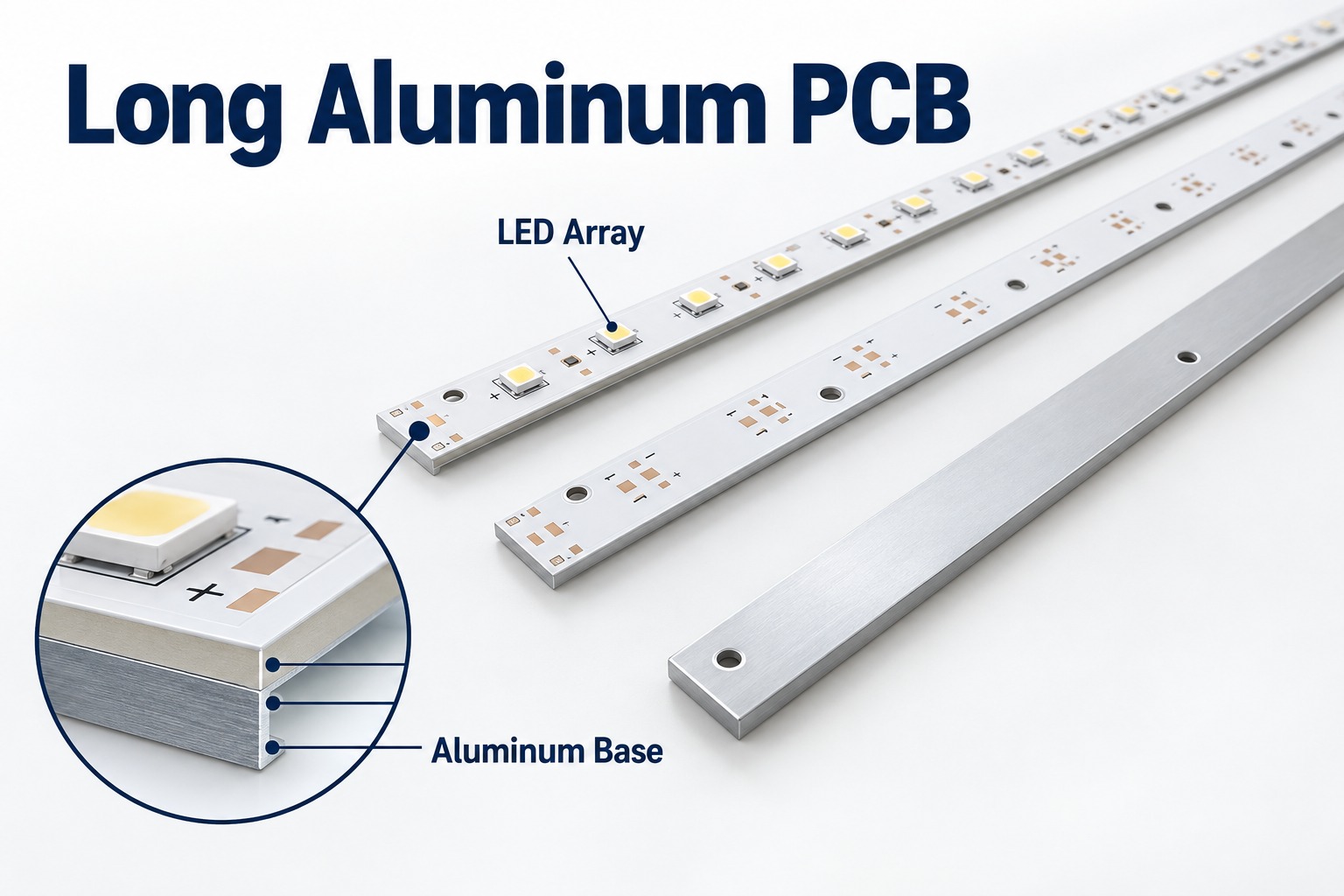
A long aluminum PCB is commonly used in linear LED lighting, architectural luminaires, commercial fixtures, transit lighting, and marine lighting. Its aluminum base helps support the board mechanically while transferring heat away from the LED area.
When board length approaches 1,000–1,200 mm, manufacturing becomes more demanding. Flatness, registration, thermal stress, testing, and handling all need tighter control, especially for long and narrow LED boards.
At EBest Circuit, we review aluminum PCB fabrication and LED assembly requirements together, including board dimensions, materials, handling, and inspection before production.
Key Takeaways
Long aluminum PCBs are widely used in linear LED lighting because they provide mechanical support and a direct path for heat spreading.
Once board length approaches 1,000–1,200 mm, flatness, registration, handling, and dimensional consistency become much harder to control.
Manufacturing difficulty depends on length, width, thickness, copper distribution, and panel design together, not board length alone.
Thermal conductivity is only one part of LED thermal design. Dielectric thickness, thermal resistance, copper weight, and heatsink contact also matter.
Long MCPCBs need tighter control of AOI, electrical testing, dimensional inspection, flatness, and packaging.
One-stop PCB and PCBA manufacturing can simplify traceability, LED bin control, DFM/DFA, SMT process matching, and volume ramp-up.
What Is a Long Aluminum PCB?
A long aluminum PCB is an elongated metal-core PCB used when LEDs or other components need to be arranged across a long, narrow board. It typically consists of a copper circuit layer, a thermally conductive dielectric, and an aluminum base. This aluminum PCB stackup separates the circuit from the metal base with an insulating dielectric.
A typical structure includes:
Copper circuit layer
Thermal dielectric
Aluminum base
Solder mask
Surface finish on exposed pads
The aluminum base provides mechanical support and helps transfer heat away from the circuit area. In LED lighting, long aluminum PCBs are commonly used for linear fixtures, LED strips, architectural lighting, and other applications that need both heat dissipation and a long board format.
Why Are Long Aluminum PCBs Used in LED Lighting?
Long aluminum PCBs are used in LED lighting because they support long LED arrays while creating a shorter thermal path from the LEDs to the fixture or heatsink.
Typical applications include:
Linear architectural lighting
Commercial LED luminaires
Cove lighting
Transit lighting
Marine lighting
Industrial linear fixtures
LED signage
Long LED strips
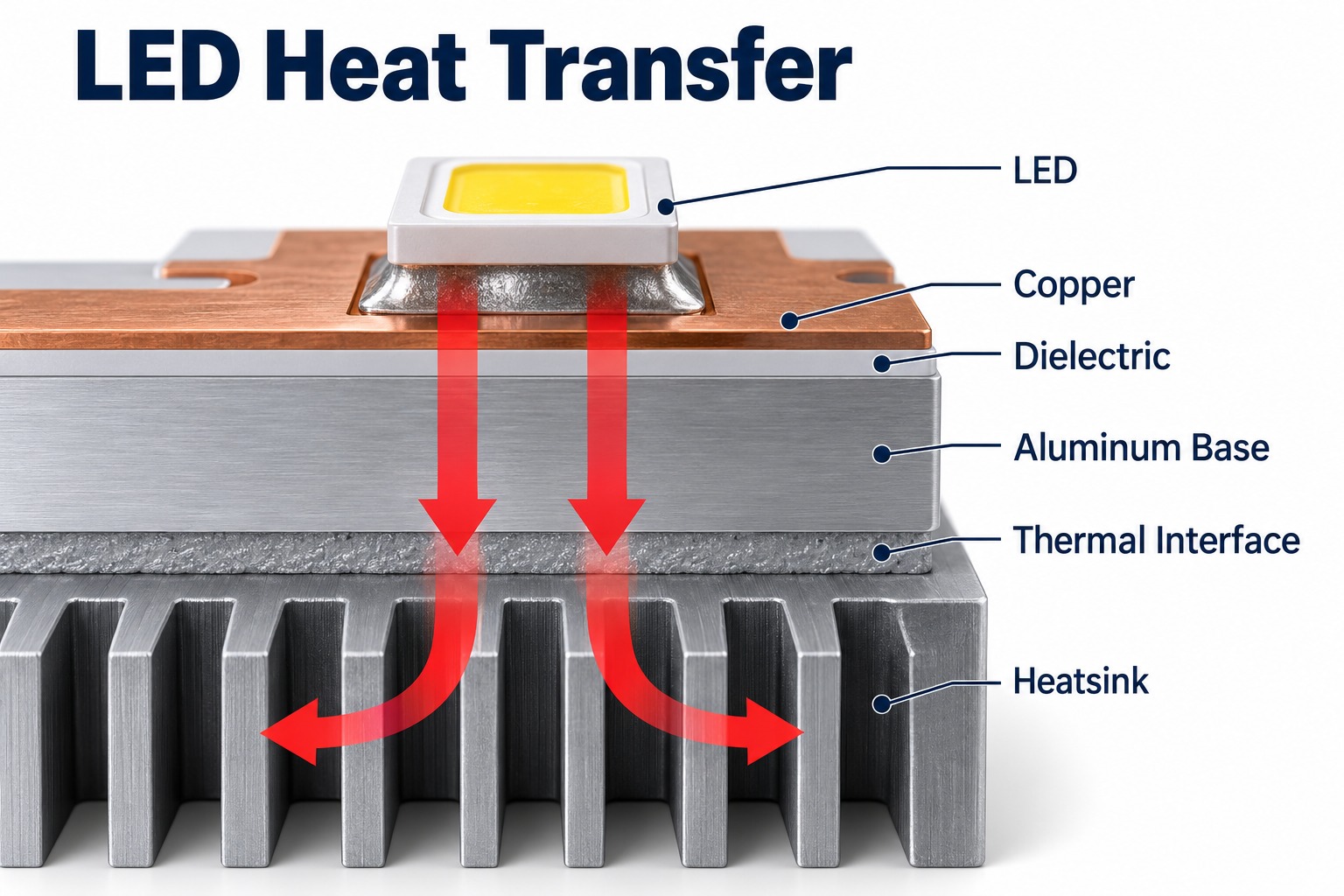
The typical thermal path is:
LED → solder joint → copper layer → dielectric → aluminum base → fixture or heatsink
This structure helps spread heat across the board instead of concentrating it around individual LEDs.
Many lighting products also use FR4 boards for driver, control, communication, or protection circuits. A complete lighting assembly may therefore include:
The maximum aluminum PCB length depends on whether every production process can handle the required board size.
The main equipment limits are:
Imaging and exposure
Etching
Solder mask processing
Surface finish
Routing or V-scoring
AOI
Electrical testing
Handling and packaging
Board Length
Main Manufacturing Concern
Below 600 mm
Standard MCPCB processing in many factories
600–900 mm
Equipment size and handling
900–1200 mm
Flatness, registration, and dimensional consistency
Above 1200 mm
Detailed equipment and process review required
For boards around 1,000–1,200 mm, the manufacturer should review the actual design before confirming production capability.
Important data includes:
Length and width
Aluminum thickness
Copper weight
Dielectric system
Surface finish
Panel layout
Dimensional tolerance
A factory being able to process a 1,200 mm sheet does not automatically mean every 1,200 mm PCB design is equally easy to manufacture.
Why Is Flatness Difficult on a 1.2-Meter Aluminum PCB?
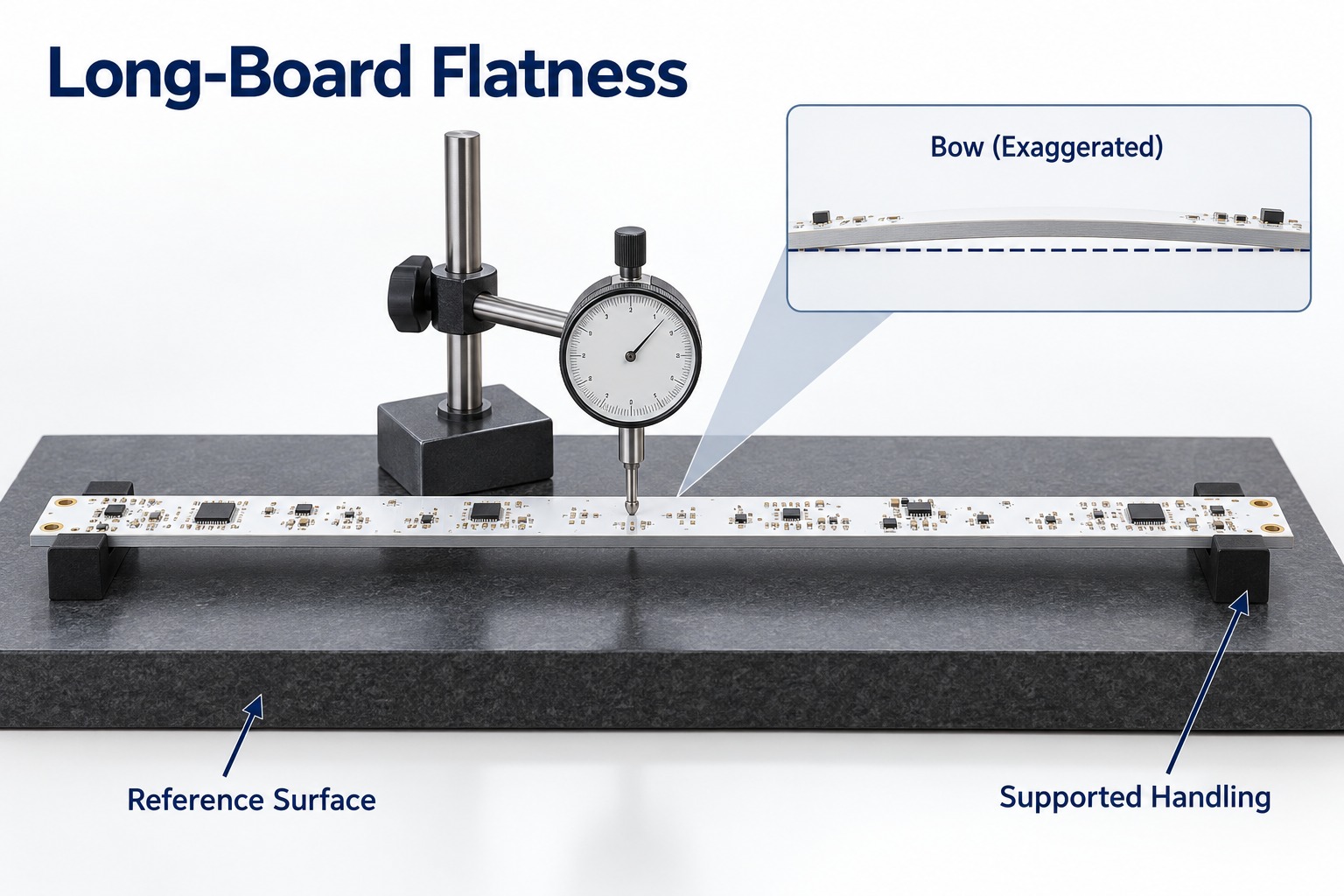
Flatness is harder to control on a 1.2-meter aluminum PCB because small material and process stresses become more visible over a long distance.
The main factors include:
Long and narrow board shape
Aluminum thickness
Uneven copper distribution
Dielectric construction
Thermal processing
Routing stress
Storage method
Packaging pressure
Thin and narrow boards are usually more sensitive because they have less mechanical stiffness.
Copper balance also affects flatness. Large differences in copper coverage can create uneven stress during heating and cooling.
That is why long-board manufacturability should be evaluated using:
Length × Width × Thickness
For example:
1200 × 20 × 1.0 mm
1200 × 100 × 2.0 mm
Both are 1.2 meters long, but the first requires much more careful handling and flatness control.
How Do We Control Yield on Long, Narrow MCPCBs?
We control yield on long, narrow MCPCBs by reducing process variation from material preparation through final inspection.
Material and panel planning
Before production, we review:
Board dimensions
Aluminum thickness
Copper distribution
Trace layout
Panel method
Routing direction
A stable panel layout makes long boards easier to process and handle.
Registration control
Long boards are more sensitive to accumulated positional error. We therefore control:
Imaging alignment
Drilling accuracy
Solder mask registration
Hole-to-profile position
Final dimensions
Etching consistency
Trace width and copper geometry must remain stable across the full board length. This is especially important for long LED arrays with repeated circuit patterns.
Thermal process control
Heating and cooling conditions are controlled to reduce unnecessary internal stress and board deformation.
Mechanical handling
Long narrow boards require adequate support during:
Transfer
Inspection
Stacking
Storage
Packing
This helps prevent bending, scratching, and edge damage.
Inspection
Depending on the project, inspection can include:
Dimensional checks
AOI
Solder mask inspection
Flatness measurement
Electrical testing
Final visual inspection
For long MCPCBs, yield depends heavily on stable processing before final inspection rather than relying on sorting at the end.
What Thermal Conductivity Should an LED Aluminum PCB Use?
The correct thermal conductivity depends on the complete thermal design, not just the W/m·K rating of the dielectric. Specify aluminum PCB thermal conductivity together with dielectric thickness and insulation requirements.
Key parameters include:
Thermal conductivity
Dielectric thickness
Thermal resistance
Breakdown voltage
Copper thickness
LED power density
LED spacing
Heatsink contact
Operating temperature
A higher thermal conductivity value is useful only when the dielectric thickness and complete thermal path also support efficient heat transfer.
Application
Main Thermal Concern
Low-power LED lighting
Cost and basic heat spreading
Linear LED lighting
Continuous heat transfer
High-density LED boards
Local hotspot control
High-power LED modules
Low thermal resistance
Marine LED lighting
Thermal and environmental stability
For most LED projects, the better selection question is:
Which dielectric system provides the required thermal resistance, insulation, reliability, and cost?
This gives a more accurate result than selecting a board only because it is rated at 2 W/m·K or 3 W/m·K.
What Should Be Checked for Marine LED Lighting PCBs?
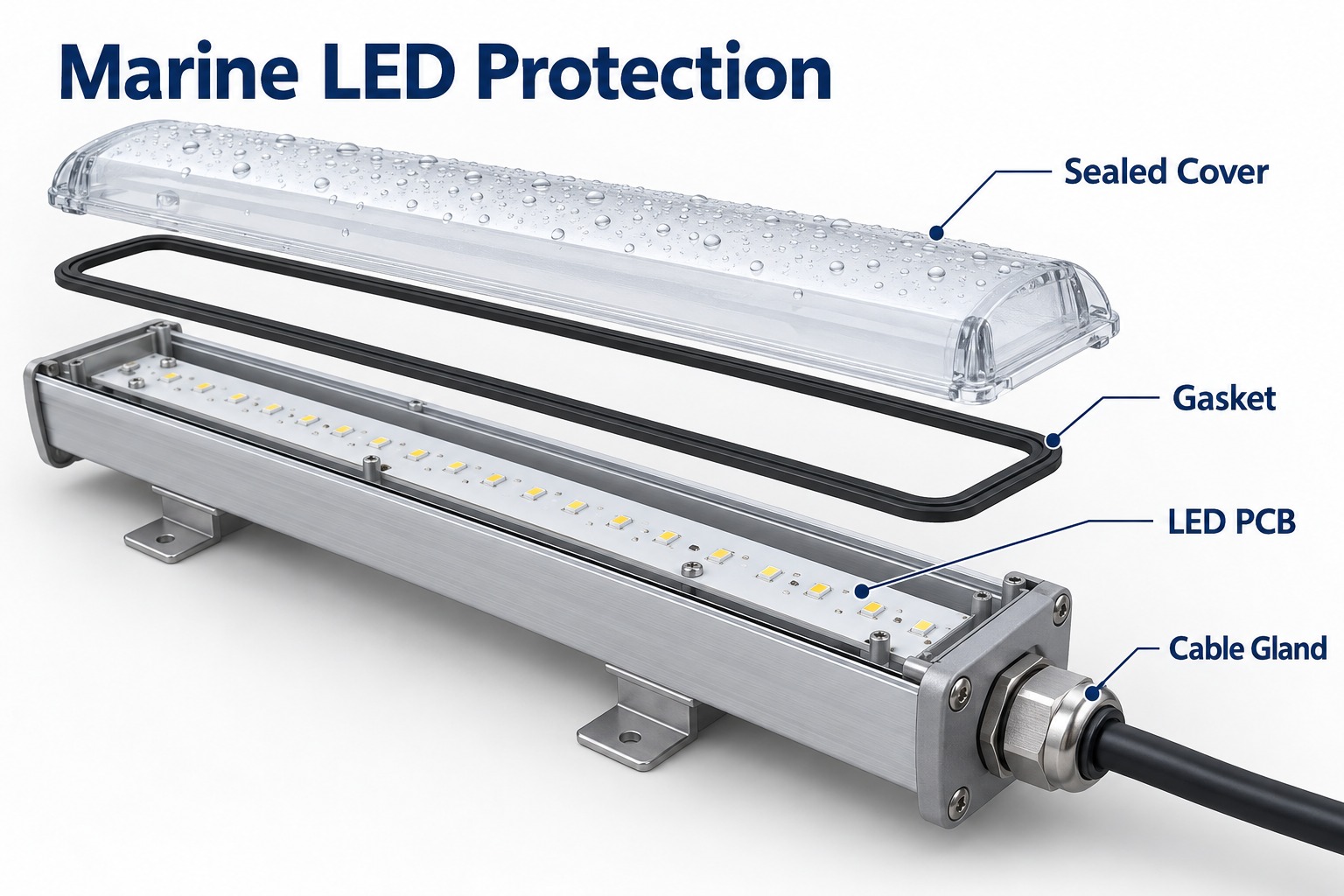
Marine LED lighting PCBs need both thermal control and environmental protection.
The main points to check are:
Moisture resistance
Corrosion resistance
Surface finish
Conformal coating
Connector protection
Solder joint protection
Enclosure sealing
Thermal cycling performance
The PCB is only one part of the protection system.
A reliable marine lighting design normally depends on:
Moisture or salt contamination that reaches the electronics can still cause failure even when the bare PCB itself is well manufactured.
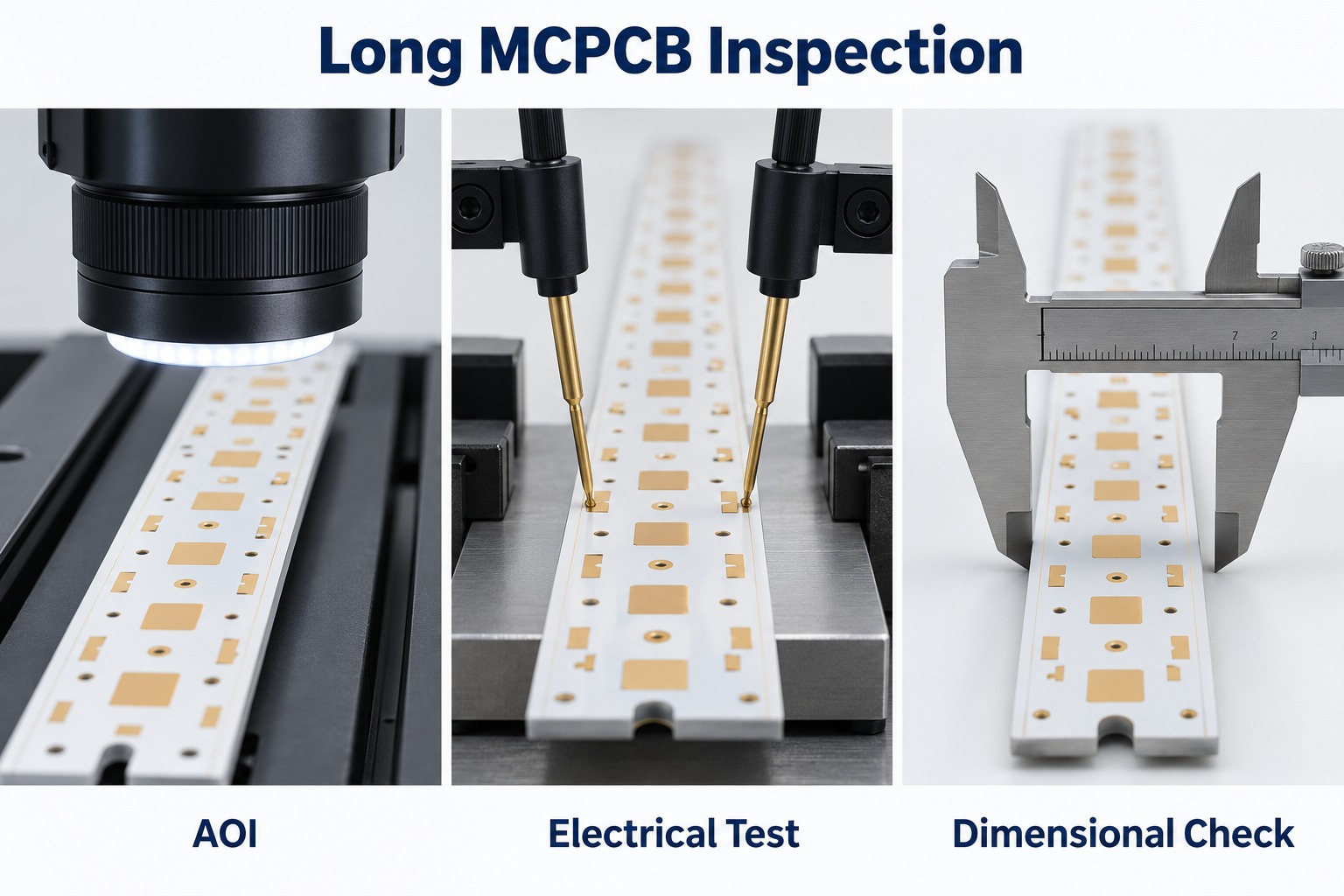
What Tests Are Important for Long Aluminum PCBs?
Long aluminum PCBs need electrical, dimensional, and mechanical inspection before assembly.
Inspection / Test
Main Purpose
AOI
Detect pattern defects, opens, shorts, and etching issues
Electrical Test
Verify continuity and isolation
Dimensional Inspection
Check length, width, holes, slots, and profile
Flatness Inspection
Check bow and deformation
Solder Mask Inspection
Verify registration and coverage
Surface Finish Inspection
Check exposed pad quality
Material Verification
Confirm aluminum and dielectric specification
Visual Inspection
Detect scratches, dents, and edge damage
Electrical testing may use:
Flying probe
Dedicated fixture testing
Other netlist-based methods
After assembly, additional inspection may include:
SPI
AOI
X-ray
ICT
Functional testing
Bare-board inspection and PCBA inspection should remain separate control stages.
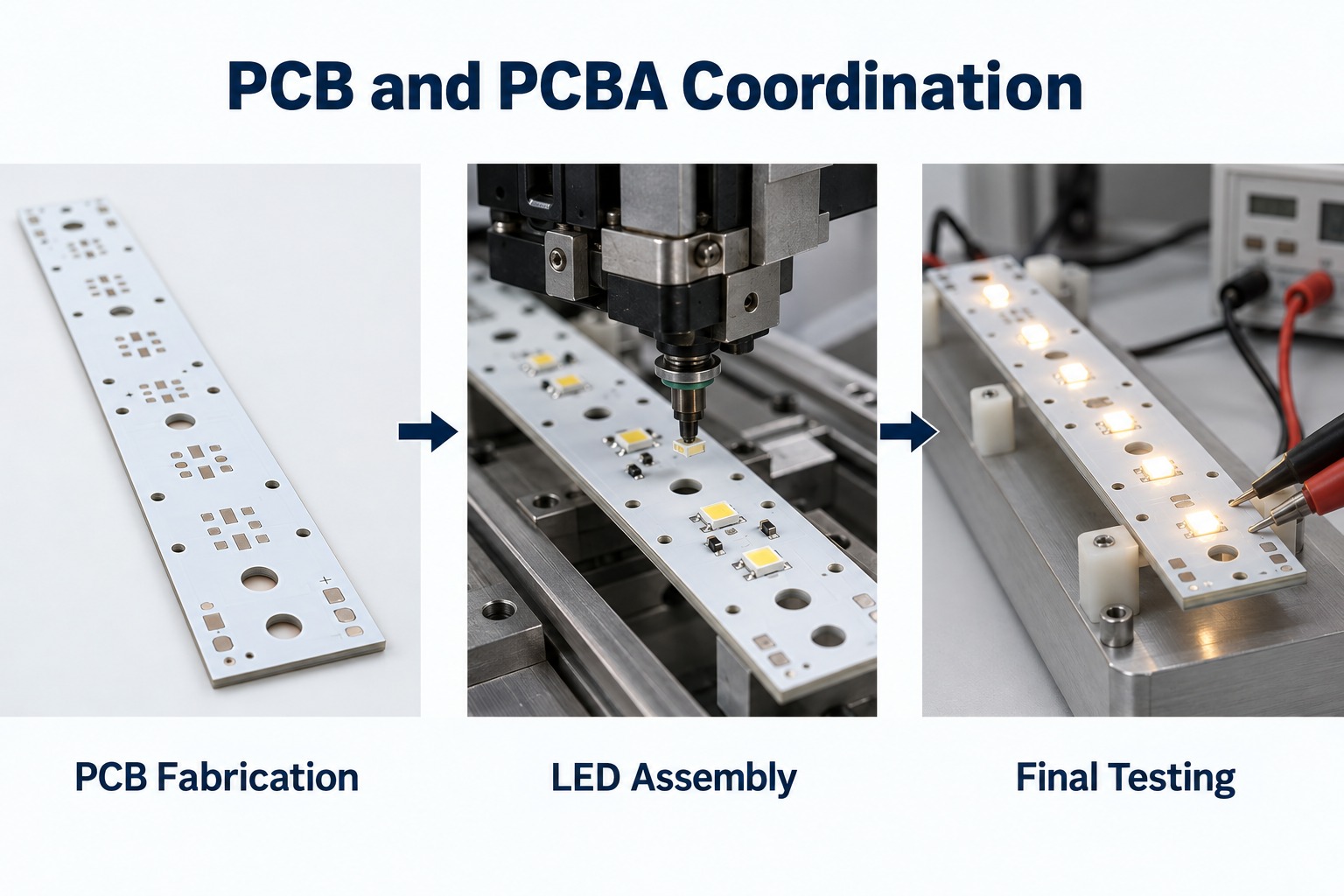
Why Is One-Stop PCB and PCBA Manufacturing Better for LED Lighting Buyers?
One-stop PCB and PCBA manufacturing gives LED lighting buyers better traceability, easier communication, and tighter coordination between board fabrication and assembly.
PCB and PCBA problems are easier to trace
When one supplier manages both stages, it is easier to identify whether a defect comes from:
Bare PCB
Solder paste printing
LED placement
Reflow
Components
Assembly fixtures
This reduces repeated communication between separate PCB and SMT suppliers.
LED bin and BOM management becomes easier
LED projects often require tight control of:
LED bin
Color temperature
Forward voltage
Driver IC
Resistors
Connectors
Approved substitutions
Centralized material control makes batch traceability simpler.
SMT parameters can match the MCPCB
Aluminum PCBs have different thermal behavior from FR4 boards. Assembly settings should therefore be matched to the real MCPCB structure.
Important parameters include:
Preheating
Reflow profile
Solder paste behavior
Fixture support
Thermal balance
DFM and DFA can be reviewed together
The same engineering team can review:
PCB layout
Panelization
LED footprint
Component spacing
Fiducials
Tooling holes
Test points
Assembly direction
This reduces the risk of designing a board that is easy to fabricate but difficult to assemble.
Responsibility is clearer
Fewer manufacturing interfaces mean fewer delays when a problem needs to be investigated.
Prototype-to-volume transfer is smoother
Engineering changes, inspection findings, and process settings can remain within the same manufacturing system as production moves through:
Prototype
Pilot run
Volume production
At EBest Circuit, we support both MCPCB fabrication and PCB assembly, allowing our engineering team to review bare-board and assembly requirements together before production.
What Should Buyers Ask an Aluminum PCB Manufacturer?
Buyers should ask questions that confirm whether the supplier can control the actual board design and production process. Ask the supplier to review the actual aluminum PCB design.
A practical checklist includes:
What is your maximum board length?
What is your maximum panel size?
What aluminum thicknesses are available?
What copper weights can you produce?
What dielectric options do you offer?
What thermal conductivity options are available?
Can you provide thermal resistance data?
What breakdown voltage can the dielectric support?
What surface finishes are available?
What flatness can you control?
What IPC class can you support?
Do you use AOI?
How is electrical testing performed?
How are long boards dimensionally inspected?
What are the prototype and production lead times?
What is the MOQ?
Are tooling or NRE charges required?
Can you provide PCB assembly?
How is lot traceability managed?
What quality certifications do you hold?
For long narrow boards, buyers should also ask how the supplier handles the PCB during routing, inspection, storage, and packaging.
These steps have a direct impact on final flatness and mechanical condition.
What Files Should You Send for an Aluminum PCB Quote?
For an accurate aluminum PCB quotation, send enough information for the manufacturer to review dimensions, materials, tolerances, and production requirements.
For bare aluminum PCB projects:
Gerber files
Fabrication drawing
Board dimensions
Board thickness
Copper weight
Aluminum specification
Dielectric requirement
Thermal conductivity
Surface finish
Quantity
Annual demand, if available
Flatness requirement
Critical tolerances
Electrical test requirements
For PCB assembly projects:
BOM
Pick-and-place file
Assembly drawing
Gerber files
LED bin requirements
Approved component manufacturers
Substitution rules
Test requirements
Prototype quantity
Production quantity
Forecast, if available
For LED lighting projects, LED bin requirements should be clearly defined when color temperature, brightness, or forward-voltage matching is important.
FAQ About Long Aluminum PCBs
Can a long aluminum PCB replace a flexible LED strip? Only where the installation accepts a rigid board. A conventional aluminum PCB cannot follow curves like a flexible strip, so the mechanical layout and mounting method may need to change.
Is white solder mask an electrical insulation layer? No. In the basic metal-core stackup, the specified dielectric isolates the copper circuit from the aluminum base. White solder mask covers the circuit surface and must not be treated as a replacement for that insulation.
Can LEDs and their driver use the same aluminum board? They can share a board if routing, insulation, thermal conditions and assembly access permit. A separate FR-4 driver board may be more practical when the driver requires more complex routing.
Does increasing aluminum thickness always solve overheating? No. It can change heat spreading and stiffness, but it does not remove resistance in the dielectric or a poor board-to-heatsink interface. Check the complete thermal path before changing thickness.
Can a long board be divided into shorter modules? Yes, if the optical and electrical design allows it. The trade-off is easier handling against additional interconnections, mechanical joints and possible gaps in the light pattern.
Why Choose EBest Circuit for Long Aluminum PCB and PCBA Projects?
EBest Circuit combines aluminum PCB fabrication, component sourcing, and PCB assembly, allowing the bare board, LEDs, BOM, assembly process, and inspection requirements to be reviewed as one project.
For long and narrow LED boards, our engineering review can cover:
Board length, width, and thickness
Aluminum and dielectric selection
Copper weight and circuit layout
Flatness and dimensional requirements
Panelization and routing
LED bin and BOM control
SMT process requirements
AOI and electrical testing
PCBA inspection and functional testing
Packaging for long boards
We treat long-board requirements separately from standard MCPCB production because equipment size, handling, flatness, and dimensional control can become more critical as board length increases.
If your project involves a long aluminum PCB, LED MCPCB, FR4 control board, or complete PCB assembly, send your Gerber files, BOM, drawings, quantities, and manufacturing requirements to sales@bestpcbs.com. If assembly is required, include the BOM, pick-and-place file, and test requirements as well.
Our engineering team can review manufacturability, thermal requirements, assembly conditions, and production planning before quotation.
Pantone 539 C solder mask describes PCB solder resist with a deep navy-blue color target. Pantone 539 C identifies the reference shade, rather than a particular solder mask ink. Achieving the intended appearance means selecting a suitable blue material and comparing the finished PCB with a physical reference. Ordinary blue solder mask should not be assumed to produce the same shade.
At EBest Circuit, we offer blue and matte blue solder mask within our PCB manufacturing services. For a Pantone 539 C requirement, we review the available ink and finish options with you, then use sample approval to establish the acceptable board appearance.
Key Takeaways
Pantone 539 C is a deep blue color reference; the suffix C refers to coated paper, not a PCB coating process.
Standard blue and a Pantone 539 C match are different requirements. Approve the actual PCB sample rather than relying on the color name.
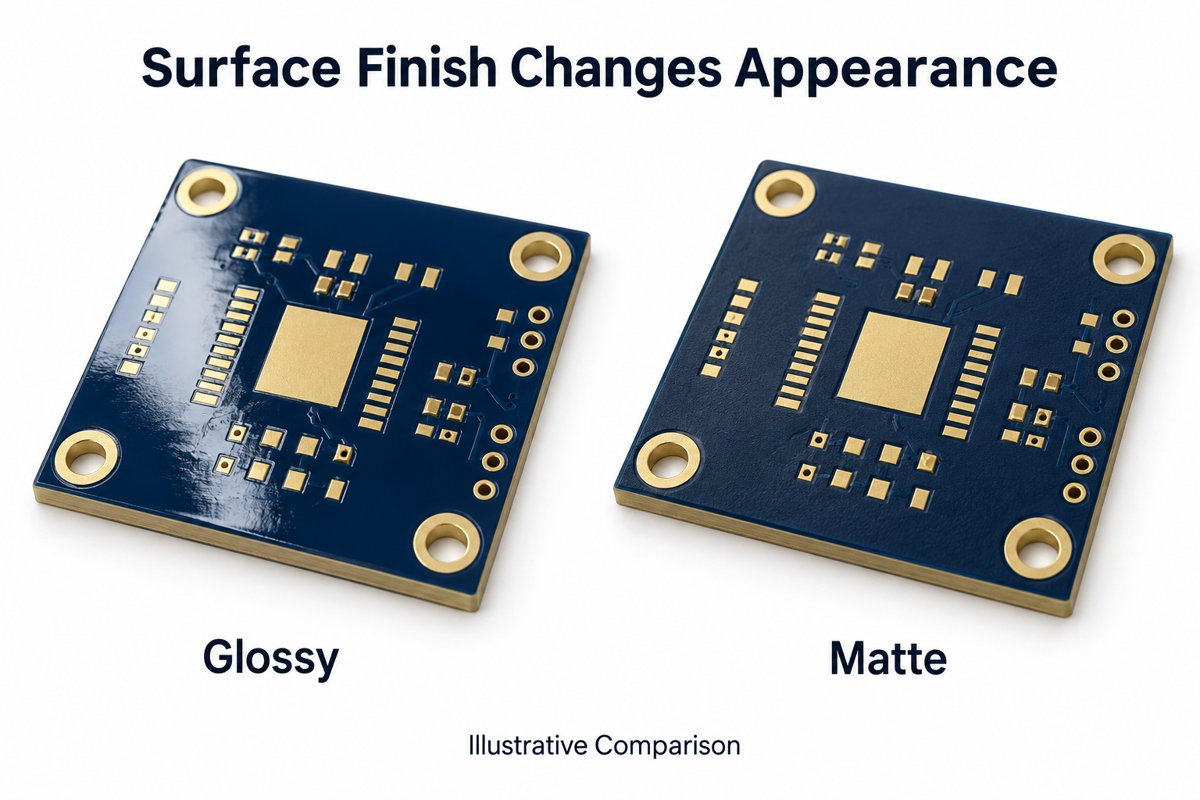
Matte and glossy finishes change reflections and perceived appearance, even when both boards are described as dark blue.
Copper coverage, coating opacity and lighting can make different areas of a board appear different.
Confirm the shade on a finished board, and check the assembled appearance when the PCB remains visible in the product.
EBest Circuit supports blue and matte blue options; the acceptable appearance for a 539 C requirement is confirmed through material review and sample approval.
What Color Is Pantone 539 C Solder Mask?
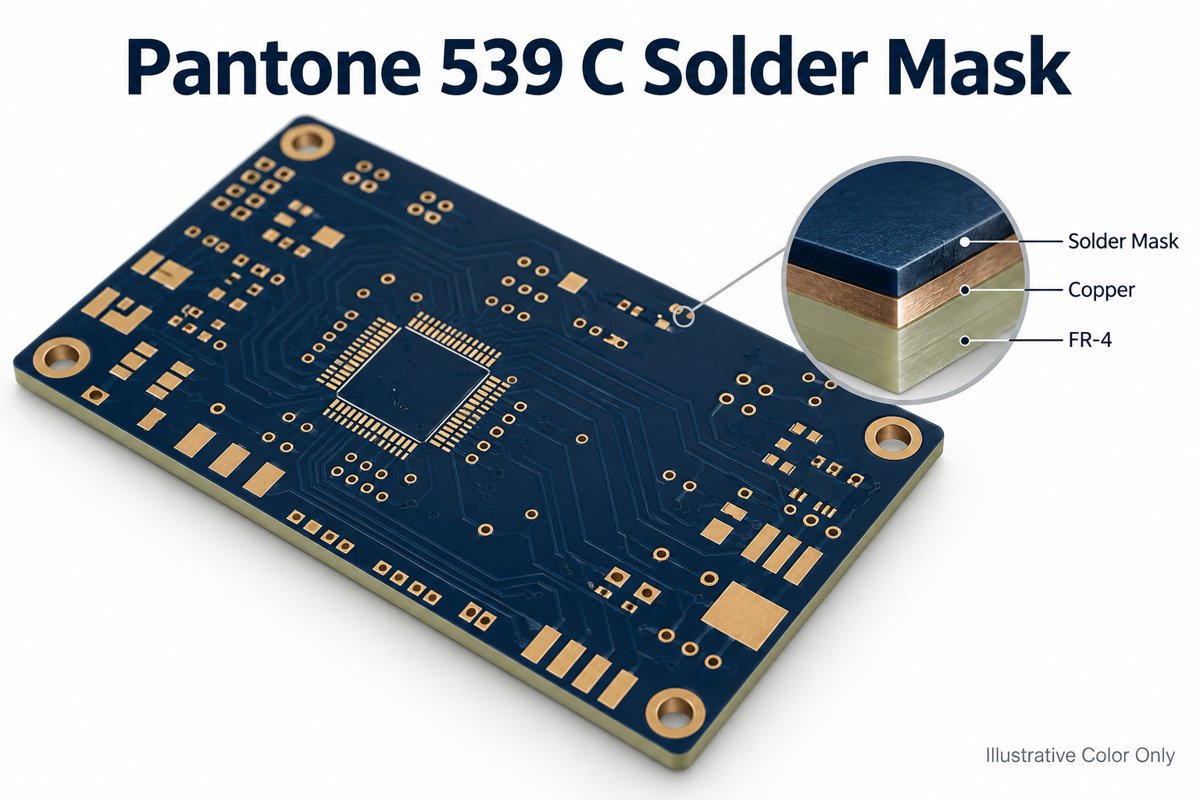
Pantone 539 C is a deep navy blue, giving the board a darker appearance than many bright blue solder mask options. On a PCB, the color is carried by the solder mask layer covering the circuit surface; exposed metal pads and printed markings remain separate visual elements.
The C suffix describes the color reference printed on coated paper. It does not mean that the PCB must have glossy solder mask. Specify the intended PCB finish separately.
This shade can be considered for visible boards where a dark blue appearance is part of the product design, such as a board behind a transparent cover. The illustrations here show the concept, not a color standard: a screen image cannot establish the accepted production shade.
How Is Pantone 539 C Different from Standard Blue Solder Mask?
Pantone 539 C names a specific color target, while standard blue identifies a manufacturer’s available blue ink option. Different standard inks can produce noticeably different shades.
Color description
Meaning for the PCB
Standard blue
An available blue solder mask material, with its own finished appearance
Dark blue
A broad visual preference, without identifying one exact shade
Pantone 539 C
A named reference against which the proposed board sample is compared
Approved navy PCB sample
The accepted appearance on the actual board material and finish
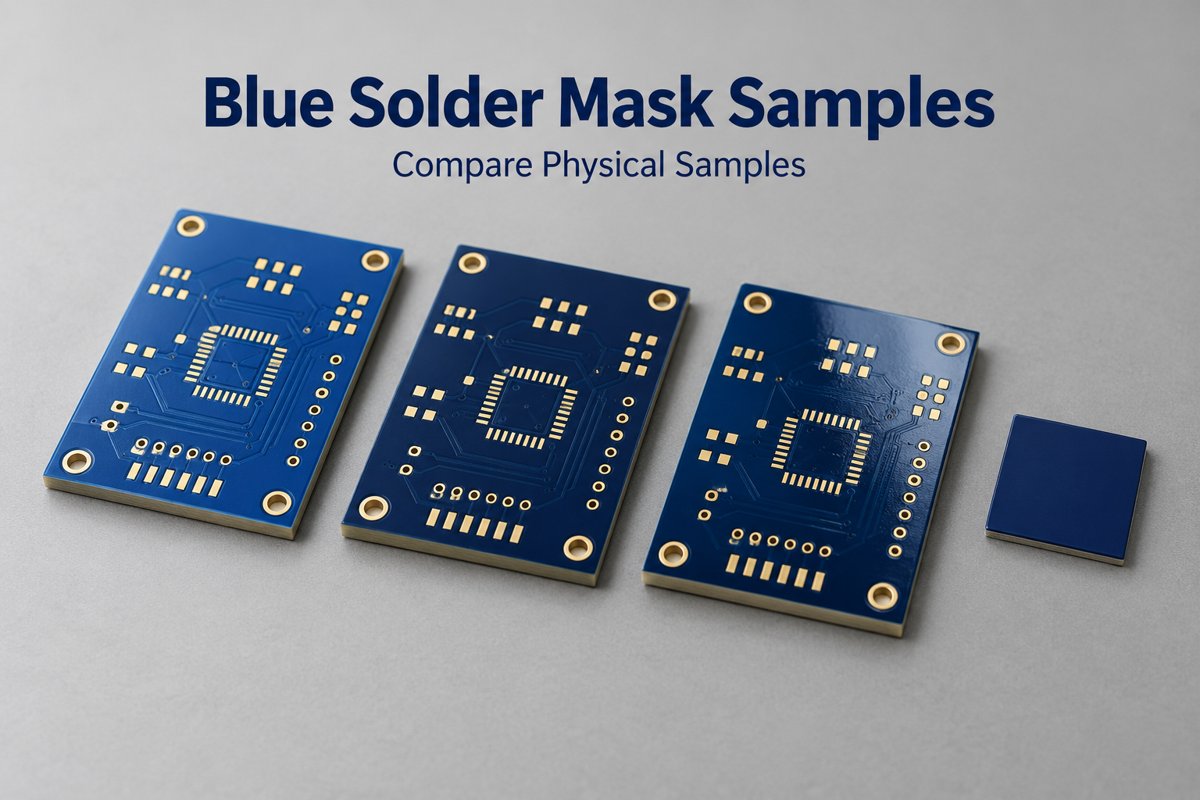
If you simply want a dark blue PCB, an available standard color may meet the requirement. If the board needs to coordinate with an enclosure or a brand color, compare the sample beside that part. Selecting an attractive blue is not the same as matching an established reference.
Should You Choose Matte or Glossy Solder Mask?
Choose matte when you want subdued reflections, and glossy when you prefer a reflective surface. Neither finish alone establishes a Pantone 539 C match.
Finish
Appearance
Matte blue
Diffuse reflections and a less shiny surface
Glossy blue
More distinct highlights that change with viewing angle
Compare both options under the lighting in which the finished product will be seen. A strong highlight can make part of a glossy board appear much lighter than its surrounding surface. This is particularly noticeable when evaluating photographs rather than holding the sample.
Our FR-4 material records identify KSM-6188 BLM1 as a matte blue solder mask option. That identifies a material to evaluate, not proof of a Pantone 539 C match. The proposed sample remains the basis for the color decision.
Why Can the Same Blue Look Different Across a PCB?
The same blue can appear different where the underlying copper, coating coverage or reflected light changes. A color sample should therefore include representative areas of the intended board, not just one uniform patch.
Copper and laminate: where the coating is not fully opaque, copper-covered areas and gaps can show different appearances.
Surface texture: local reflections can change how light or dark the blue looks.
Coating coverage: changes in the solder mask layer can affect opacity and uniformity.
Lighting: daylight, office lighting and camera settings can make the same board look different.
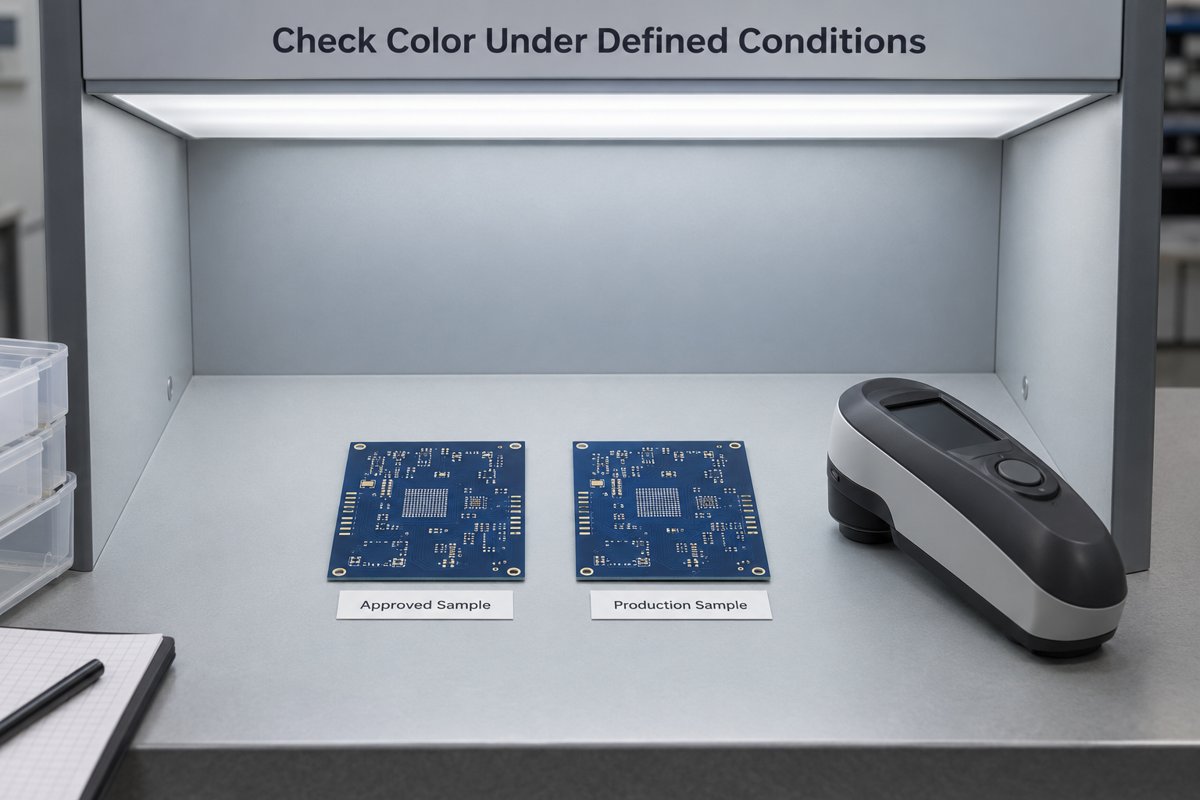
Compare samples side by side under the same light and viewing angle. If the reference and sample are photographed separately, differences in exposure or white balance can be mistaken for a material mismatch. Coating thickness should follow the material process rather than being increased simply to make the board look darker.
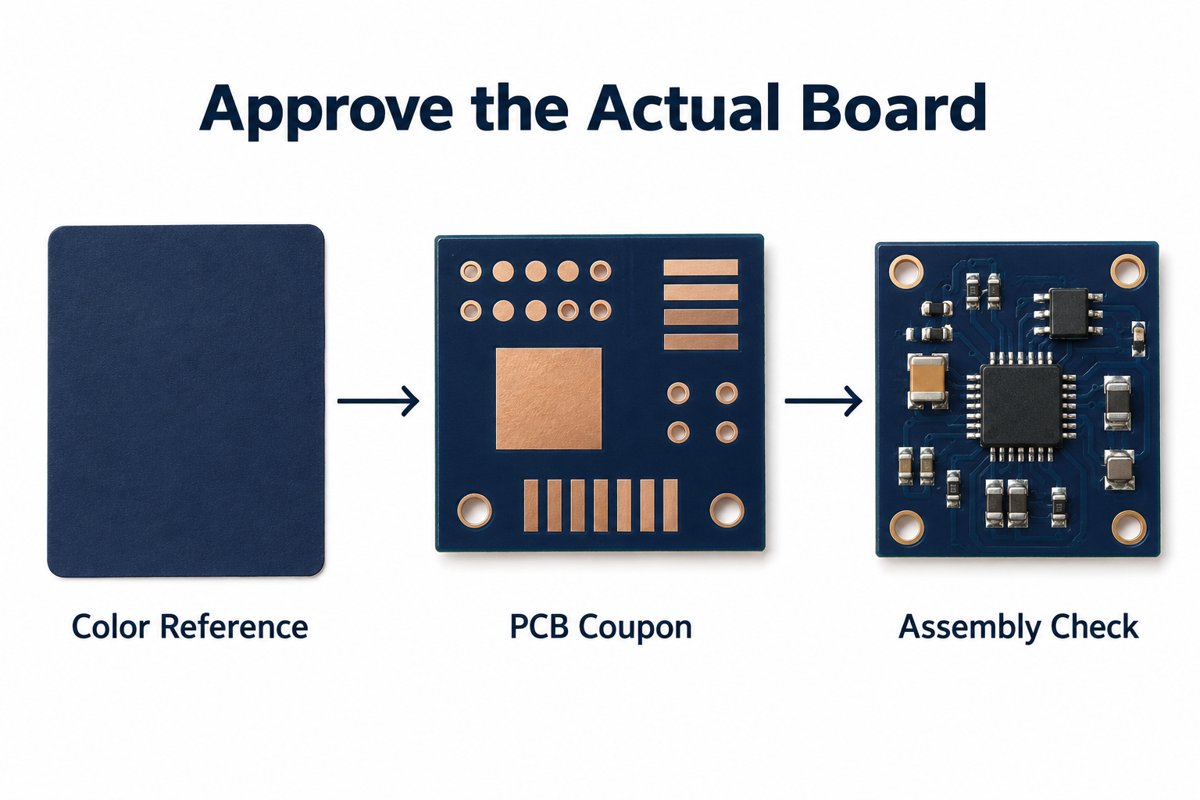
How Do You Approve a Pantone 539 C PCB Sample?
Approve a finished PCB sample with the proposed solder mask material and surface appearance, compared against the agreed physical color reference.
Identify the target. Use the Pantone 539 C physical reference or an existing approved board. Include the enclosure or mating part when that is what the PCB needs to match.
Agree the finish. Select matte or glossy before judging the final shade.
Compare a representative board. Check both copper-rich areas and laminate gaps, together with visible markings and exposed pads.
Record the accepted result. Retain the approved sample and the selected material and finish for repeat-order comparisons.
For visual acceptance, agree the lighting and areas to compare. If numerical color measurement is required, also agree the instrument method and permitted difference. Pantone 539 C alone does not specify a universal color-difference tolerance.
For an exposed assembled board, check the appearance after the intended soldering and cleaning process as well. Flux residue can alter the surface appearance without representing a different ink color. When we provide PCB assembly services, the approved appearance should refer to the condition in which the customer receives the board.
FAQ About Pantone 539 C Solder Mask
1. Can a HEX or RGB value be used for color approval?
Not as the sole acceptance reference. Digital values are useful for screen mockups, but displays and photography do not reproduce a physical PCB consistently. Use a physical reference and the approved board sample for the final decision.
2. Is Pantone 539 U the same as 539 C?
No. U and C identify color appearances on uncoated and coated paper. Keep the specified suffix when communicating the requirement; do not substitute one reference for the other without agreement.
3. Solder mask vs silkscreen: which part should be navy blue?
In this specification, the solder mask is navy blue. Silkscreen is the separate legend used for component references, polarity marks or a logo. Its color should be specified separately.
4. Does changing solder mask colors require changing the layout?
A different color does not automatically require a new layout. If it involves a different ink or process, review its compatibility with existing features. Solder mask expansion describes the opening allowance around pads; it is a geometry requirement, not a way to specify the blue shade.
5. Will every repeat order look identical?
Repeat orders need comparison with the same approved reference. Keep the material and finish consistent and agree acceptable variation. A shared color name alone is not enough to judge whether two batches match.
How Can EBest Circuit Help with Your Dark Blue PCB?
We can help you compare available blue and matte blue solder mask options and establish a sample-based color requirement. Our review starts with the appearance you need: a standard dark blue board, a match to an existing product, or a specific Pantone 539 C target.
Send your color reference, matte or glossy preference, and an existing sample if available to sales@bestpcbs.com. We will review suitable material options with you before the board appearance is approved for production.
A furnace circuit board does far more than switch the heat on and off. It reads thermostat and safety inputs, controls the blower or ignition hardware, reports faults, and operates beside relays, transformers and field-wiring terminals.
Those mixed control, power and mechanical demands shape the PCB material, copper, component layout, SMT/THT assembly and testing plan. The sections below explain what needs close control during a prototype build, what should be frozen before volume production, and what information makes a manufacturing review useful.
What Is a Furnace Circuit Board and What Does It Control?
A furnace circuit board is the electronic controller that receives heat-demand and safety signals, then coordinates the outputs that run a forced-air furnace. It connects the thermostat, safety switches, blower controls, indicators and other devices defined by the furnace design.
The board first reads inputs such as thermostat calls, temperature sensors, limit switches and pressure switches. Its control logic checks those states in the required sequence before it energizes a relay or another output.
On a gas-furnace design, the same board may also control the inducer, ignition circuit and gas valve while monitoring the flame signal. An electric furnace uses a different load and safety arrangement, so the two designs should not share an assumed I/O map.
During operation, the board can show status or faults through LEDs, error codes or a communication interface. The production package therefore needs the real connector pinout, controlled loads, safety inputs, board variant and firmware, not only a generic “furnace control board” description.
What Components Are Used on a Furnace Circuit Board?
A furnace circuit board normally combines a controller, power supply, relays, connectors and safety-signal interfaces on one assembly. The relays, transformer and field terminals distinguish it from a small all-SMT controller because they add weight, heat and larger solder joints.
Component Type
Function
Assembly Checks
Control IC or microcontroller
Runs timing, operating logic, diagnostics and communication
Orientation, package match and programming requirement
Relays and output switches
Switch blowers, valves, igniters or auxiliary loads
Part number, mounting direction and solder quality
Transformer and power components
Provide voltage conversion, isolation or regulated rails
Pin match, mechanical support and solder-joint quality
Connectors and terminal blocks
Connect incoming power, thermostat wiring, sensors and controlled loads
Part number, orientation and full seating
Safety and sensor interfaces
Condition limit, pressure, temperature, flame or other input signals
Polarity, package and placement in the correct circuit area
The relays, transformer and terminals deserve the closest assembly review. Their lead size, thermal mass and insertion force can affect hole fit, solder fill and board stress, so the approved part numbers, footprints and support method should match before the first build.
How Do You Choose Materials and Copper Thickness for a Furnace Circuit Board?
Choose the laminate, copper weight and board thickness from the conditions at the PCB. Actual board temperature, continuous and startup current, permitted temperature rise, mounting method and insulation requirements are more useful than the furnace enclosure temperature alone.
Material heat resistance: Use the specified or measured board temperature and the local temperature around hot components. Put required flammability or material recognition on the fabrication drawing.
Copper thickness: Evaluate continuous current, startup current and allowed temperature rise. Treat the trace, vias, solder joints and terminal as one current path.
Board thickness: Match the mounting points, enclosure and connectors while supporting relays, transformers and repeated terminal use.
Insulation spacing: Base clearances on working voltage, transients, environment and applicable product requirements. Coating should not hide an unresolved spacing problem.
These decisions are connected: heavier copper can change etching and thermal behavior, while a thicker board can change connector fit and lead protrusion. EBest can review manufacturability and suggest build options, but the customer approves the electrical ratings, spacing and thermal design.
How Are Furnace Circuit Boards Assembled?
Furnace circuit boards are usually assembled with a mixed SMT and through-hole process. The SMT controller and support parts are reflowed first; relays, transformers and terminals are then inserted, supported and soldered under conditions suited to their greater mass.
Step 1: Match the build files. Check the PCB revision, BOM, placement data, assembly drawing and DNP list before materials are issued.
Step 2: Assemble the SMT side. Print solder paste, place the control ICs and supporting parts, then reflow and inspect the SMT joints.
Step 3: Install the heavy parts. Verify the orientation and seating of relays, terminal blocks and transformers. Add the specified clips, adhesive or hardware before soldering.
Step 4: Control through-hole soldering. Check large joints for wetting and hole fill. Keep residue away from high-voltage separation areas and sensitive signal circuits.
Step 5: Finish the correct board variant. Load the specified firmware, apply the matching label and mask connectors, test points and no-coat areas before conformal coating.
The completed PCBA should show which hardware and firmware version was built and whether every heavy component and high-current joint passed inspection. That record links the approved prototype to the next production batch.
How Are Furnace Circuit Boards Inspected and Tested?
Inspection confirms assembly quality; functional testing confirms that the board responds correctly. A furnace board can look acceptable yet still miss a safety input, carry the wrong firmware or fail to switch a load, so workmanship checks alone are not enough.
Method
What It Checks
When It Is Used
Visual inspection
Part presence, orientation, terminal seating, visible joints and board condition
All assembled boards to the agreed criteria
AOI
SMT presence, alignment, polarity and visible solder features
According to the assembly process and component layout
X-ray
Hidden joints or selected solder conditions
When package structure or a specified joint requires internal inspection
Programming verification
Device programming, firmware version and supported readback or checksum
For programmed board variants
Electrical or functional test
Specified rails, inputs, outputs, indicators, communication and sequences
When a fixture, test steps, loads and limits are available
A board-level test can cover the following functions when the fixture and pass limits are defined:
Power: Confirm input behavior and the required power rails.
Inputs: Verify thermostat, limit-switch, pressure-switch or other simulated signals.
Outputs: Check relays or other outputs under the specified conditions and loads.
Diagnostics: Confirm indicator LEDs, fault codes or communication responses.
Configuration: Match the firmware version to the correct board variant.
Gas-furnace functions where applicable: Exercise the specified ignition sequence, simulated flame signal and abnormal-input response.
Every functional check needs a fixture connection, simulated signal, load and pass/fail limit. These results verify the agreed board behavior; they do not replace validation of the complete furnace.
What Should You Check Before Ordering Furnace Circuit Boards in Volume?
Before volume production, freeze the exact design that passed prototype or pilot approval. A hand-reworked sample, an old quotation package or an unrecorded firmware change is not a reliable production baseline.
Approved sample: Record which prototype or pilot unit was accepted and what it proved.
Closed changes: Incorporate approved layout changes, BOM substitutions, DNP updates, firmware corrections and coating changes into the released revision.
Production version: Give each board variant a clear PCB, BOM, firmware and label identity.
First volume lot: Set the first-article or first-batch checks before normal release.
Delivery control: Confirm batch identification, packaging and the records needed for later quality or repeat-order review.
When the sample, files, firmware, labels and acceptance checks all point to the same revision, the first production lot can be judged against a known baseline instead of becoming another prototype experiment.
What Affects Furnace Circuit Board Cost and Lead Time?
Furnace circuit board cost and lead time depend on the complete build, not board size alone. PCB construction, component availability, mixed assembly, coating, programming and functional-test time can each change the quotation.
Specified brands, availability, minimum order quantities, customer-supplied parts and approved alternatives
Mixed assembly
SMT plus relays, transformers, terminals, mechanical support and manual operations
Coating
Masking, application, curing and coating inspection
Programming, testing and records
Firmware handling, fixture preparation, simulated loads, test time, report detail and traceability requirements
A released BOM and a defined test scope remove the largest pricing unknowns. If a relay, transformer or controlled-brand component has a long procurement lead, that part can set the delivery date even when the bare PCB is straightforward.
Why Choose EBest Circuit for Furnace Circuit Board Manufacturing and Assembly?
EBest Circuit coordinates PCB fabrication, component sourcing and PCBA assembly through one manufacturing path. This reduces file handoffs and keeps the bare board, BOM, firmware and test requirements tied to the same revision.
PCB manufacturing and assembly through one contact: Reduce schedule and file coordination across separate suppliers.
SMT/THT mixed assembly: Build control ICs, relays, terminal blocks, transformers and other through-hole parts on the same PCBA.
Free DFM review: Find footprint, hole-size, polarity and assembly-data conflicts before production setup.
Project-defined programming and testing: Match firmware and inspection records to the agreed board variant.
15-year traceability: Support batch lookup, quality investigation and repeat-order comparison.
The result is a single controlled build package from PCB fabrication through final board checks. That makes prototype changes, batch questions and repeat orders easier to trace without separating the PCB history from the assembly record.
What Files Are Required for a Furnace Circuit Board Quote?
A furnace circuit board quote starts with the PCB data, BOM, assembly data, quantity and target date. These files specify what will be fabricated, which parts will be fitted and how much production capacity the build requires.
Basic quotation files: These establish the board, fitted parts and requested order.
PCB data: Gerber or ODB++ data and drill files.
Component data: BOM with manufacturer part numbers where specified.
Assembly data: Pick-and-place file and assembly drawing.
Order information: Required quantity and target delivery date.
Provide these items when they apply: They affect programming, coating, testing or delivery.
Programming: Firmware file, board-variant mapping and programming instructions.
Coating: Coating requirement and masking drawing.
Testing: Test procedure, fixture information, simulated inputs, loads and pass/fail limits.
Delivery: Special packaging, labeling, traceability or report requirements.
If some details are still open, send the files already available and mark the missing items. The DFM review can then separate the information needed for an accurate quote from the decisions that can be closed before production release.
FAQs About Furnace Circuit Board Manufacturing and Assembly
Q1: Can I order bare furnace PCBs without assembly?
A1: Yes. EBest can quote bare PCB fabrication without component sourcing or assembly. Send the Gerber or ODB++ data, drill files, quantity and required board construction.
Q2: Can you assemble boards using customer-supplied bare PCBs?
A2: Yes, after the supplied boards and assembly package pass a manufacturability review. The PCB finish, solderability, panel format, quantity and storage condition must suit the planned assembly process.
Q3: Can I start with a small prototype batch before volume production?
A3: Yes. A prototype or small pilot batch can verify assembly, programming and the agreed board-level test before volume production. Record any rework or substitution so it is included in the production revision.
Q4: Can assembled boards be supplied without programming?
A4: Yes. Assembled boards can be supplied without programming. Mark programming as not required in the quotation package. If some variants are programmed and others are not, give each version a clear part number and label.
Q5: Can customers supply some or all components?
A5: Yes. Customers can supply selected parts or the complete component kit. Identify each supplied part in the BOM and confirm its part number, quantity and delivery condition. Extra units may be needed for setup or normal assembly attrition.
Q6: Can specified component brands be used?
A6: Yes. List the exact manufacturer and part number for every brand-controlled component. Mark parts that allow no substitution. Brand restrictions can affect availability, minimum order quantity and lead time.
Q7: How are DNP components handled?
A7: Mark every DNP position in both the BOM and assembly drawing. For multiple board variants, provide a controlled population list for each version.
Q8: Can several board variants be included in one order?
A8: Yes, when each variant has a separate build identity. State its quantity, BOM or DNP list, firmware status and label so one population or program cannot be applied to the wrong board.
Q9: Who provides the functional-test fixture?
A9: Fixture responsibility is confirmed after EBest reviews the test scope. Send the required test steps, simulated inputs, loads, connections and limits so the team can determine whether an existing customer fixture can be used or additional fixture work is feasible.
Q10: Can project files be protected under an NDA?
A10: Yes. An NDA can be discussed and signed before detailed project files are exchanged.
Conclusion
A reliable furnace circuit board build depends on three aligned decisions: how the PCB will be manufactured, which assembly operations are included, and what the board must pass before shipment. When those decisions match the approved revision, prototype results can carry into volume production.
Send your available design files, quantity and target delivery date to sales@bestpcbs.com to request a free DFM review and quotation.
A cavity PCB provides a lower mounting surface for components within part of the board. It can help a tall package fit beneath an enclosure cover while leaving the surrounding board at its original thickness. The recess also changes where component pads sit, which copper layers remain available and how the assembly equipment reaches the footprint.
EBest Circuit provides multilayer PCB fabrication, DFM support, component sourcing and PCB assembly. For a recessed-component project, a combined fabrication and assembly review can address the cavity geometry alongside the mounting process. Contact sales@bestpcbs.com to discuss your board stackup and component arrangement.
Concept visualization of a cavity PCB with recessed mounting areas.
What Is a Cavity PCB?
A cavity is a local recess with a floor and board material beneath it. Depending on its construction, that floor can be bare dielectric, a copper surface or a circuit layer containing pads and traces.
Feature
Cross-section
Typical use
PCB cavity
A recess that stops within the board thickness
Mount a component below the outer surface or expose an internal layer
Through-cutout
An opening through the full board thickness
Provide clearance through the board
Counterbore
A larger cylindrical recess around a smaller hole
Seat a screw head or washer below the surface
For an SMD component mounted on the cavity floor, the exposed layer contains its footprint. The board must therefore preserve both the recessed shape and the copper features that connect the component to the circuit.
How Do Recessed Components Reduce Assembly Height?
The height saved above the board comes from lowering the component’s mounting plane. The package itself stays the same size.
Here, assembled component height means the distance from the mounting-pad surface to the top of the installed component, including its soldered standoff. Cavity depth is measured from the surrounding board surface to that lower pad surface.
Component-top position relative to the board surface = assembled component height − cavity depth
For example, an assembled height of 1.20 mm and a recess depth of 0.40 mm leave the component top 0.80 mm above the board. A negative result would place it below the surrounding surface.
For the largest possible protrusion, use the maximum assembled height and the minimum recess depth. That upper position is what must fit beneath the enclosure cover, with the intended gap remaining.
This geometric example does not imply a manufacturing tolerance. Recessing one package also cannot reduce the enclosure height if a taller connector elsewhere still sets the limit. Increasing the board thickness to make room for the cavity can offset the height saved above it.
Lowering the mounting plane reduces component protrusion. Dimensions are illustrative.
How Do Copper Floors and Plated Walls Change a PCB Cavity?
A bare pocket, a recessed footprint and a metal-lined cavity have different electrical structures. The distinction is where the copper remains and what it connects to.
Copper arrangement
Structure inside the cavity
No exposed copper
The floor is dielectric, with no conductive landing area for a soldered connection.
Patterned floor
Separate pads and traces form a component footprint or bonding pattern. Gaps between the copper features separate different electrical nets.
Continuous copper floor
A single conductive area can connect to ground or form part of a heat-spreading structure.
Plated walls
Metal extends along the sides of the recess and can connect to designated copper layers, such as ground.
A patterned floor can coexist with plated walls. In that arrangement, signal pads remain separated from grounded wall metal; otherwise, the plating could join conductors that should be isolated. Floor pattern and wall plating therefore need separate definitions in the cavity design.
Concept comparison of dielectric, patterned-copper and continuous-copper cavity floors.
How Are PCB Cavities Manufactured?
Manufacturers form cavities through controlled-depth machining, lamination-based construction, laser processing or a combination of these methods.
Controlled-depth routing: A cutter removes material to a set depth. It leaves rounded internal corners and a machined floor. This process must stop before removing any copper or dielectric intended to remain below the pocket.
Lamination-based construction: Openings can be built into selected layers, with resin flow controlled around the cavity. Another approach forms a removable cap above a prepared inner layer; removing the cap exposes the recessed circuit pattern.
Laser processing: Laser energy removes dielectric to expose a metal surface or patterned circuitry. Near a patterned layer, controlled passes remove the remaining resin around copper features. Wall taper and floor cleanliness depend on the material and laser process.
For some constructions, routing removes most of the material and laser processing finishes the region near the target layer. This combines bulk removal with more selective exposure of the cavity floor.
What Limits Cavity PCB Design?
The main constraints are the material left beneath the cavity, the copper it approaches and the space needed around the component.
A deeper cavity leaves a thinner floor: For a simple one-sided pocket, minimum remaining thickness equals minimum board thickness minus maximum cavity depth. The remaining section must still contain the intended dielectric and circuitry. Increasing depth can remove that insulation or intersect an internal conductor.
A fixed depth is different from exposing a copper layer: A pocket dimensioned from the top surface is controlled by that surface reference. A cavity intended to expose an inner pad layer must also follow the layer’s actual position in the stackup. A nominal depth alone does not describe how to uncover the pads while preserving them.
Rounded corners can interfere with a square package: A routed pocket may match the package’s width and length along its straight sides yet still obstruct its corners. The cutter radius leaves material in those corners, so the package outline and cavity outline must be compared together.
Copper clearance extends beyond the visible opening: Traces, planes and vias on affected layers need separation from the finished wall and the possible machining variation. Moving surface copper alone does not protect a conductor buried beside the recess.
Package fit does not establish placement access: An opening that admits the component body may still obstruct the placement nozzle. Clearance must accommodate the tool as it lowers the package onto the recessed pads.
How Does Cavity Depth Affect SMT Assembly?
Cavity depth changes the vertical relationship between the stencil, pads and placement tool. The assembly process must reach the recessed footprint without being obstructed by the surrounding board.
Printing on a lower surface: A flat stencil resting on the outer board surface can leave a gap above recessed pads. A cavity-matched step stencil brings the printing region down to the footprint; the squeegee arrangement must also follow the stencil’s contour.
Placing at the recessed height: The placement machine must seat the component at the lower pad level. The nozzle’s shape and approach need enough clearance to avoid the walls during that movement.
In an AT&S cavity-assembly study, a step stencil and customized squeegee enabled printing, while paste-volume process capability decreased across the deeper test configurations. Placement and reflow were successful in that trial. The result shows that workable assembly and unchanged printing consistency are different claims; it does not establish a universal depth limit.
Can PCB Cavities Improve Cooling and RF Performance?
A cavity can shorten a heat path or change an RF structure, but those benefits come from specific connections and geometry.
Thermal path: Lowering a device can bring it closer to a conductive base or enclosure interface. Heat must still pass through the device attachment, intervening materials and the connection to the heat sink. An empty pocket supplies space; it does not supply that conductive path.
A buried copper coin PCB uses an inserted copper element to carry heat through part of the board. This is a different structure from leaving the recess open for a component.
RF structure: Replacing dielectric with an intentional air region changes the electrical environment around a signal or antenna. Grounded metal walls can also contribute to isolation. The resulting impedance and resonances depend on dimensions, dielectric distribution and ground connections, so an RF cavity belongs in the electromagnetic design.
Where shielding is the objective, an open metal-lined recess and a grounded enclosure with a lid have different boundaries. Sidewall plating alone should not be described as a complete shield.
Cavity PCB FAQs
Is a recessed component the same as a fully buried component?
No. A component in an open cavity can be reached from the open side. A fully buried component is enclosed within the board; reaching it would require opening or removing part of that structure.
Can cavities be made on both sides of a PCB?
Yes, in constructions that retain enough material between them. Where opposing pockets overlap, the remaining thickness is the local board thickness minus both recess depths. Their target copper layers must also remain intact.
Can one board contain cavities at different depths?
Yes. Separate cavities or stepped levels within a cavity can expose different layers. Each level has its own floor geometry; a footprint spanning two levels cannot be treated as a conventional flat mounting surface.
Can solder mask be applied inside a cavity?
Yes, some cavity processes support solder mask on a patterned floor. It can cover selected copper while leaving connection pads exposed. That floor coating is part of the fabrication sequence, rather than an automatic extension of the outer-surface mask.
Is a cavity outline in Gerber data enough to define the recess?
No. The outline defines its shape in the board plane, but not its vertical structure. A section view and fabrication notes identify the opening side, depth reference or target layer, remaining floor and any wall plating.
For your cavity PCB project, EBest Circuit can review the fabrication and PCBA requirements from your stackup, cavity section and component arrangement. Send these details to sales@bestpcbs.com to discuss the proposed build.
An encoder PCB supports the sensing, processing, or transmission of motion and position information in an encoder system. Depending on its role, it may carry a magnetic sensor, connect an optical readhead, form inductive sensing coils, or receive feedback from an external encoder. Understanding that role explains why two boards described as “encoder PCBs” can have very different structures and functions.
EBest Circuit (Best Technology) supports custom PCB fabrication, component sourcing, and PCB assembly for customer-approved electronics designs. For encoder boards, coordinating these services helps keep the fabricated board, specified components, and assembly requirements consistent from prototype to production. Discuss your manufacturing project with our team at sales@bestpcbs.com.
What Is an Encoder PCB?
An encoder PCB is a printed circuit board used within, or connected to, a system that measures motion or position. The term describes the board’s application; it does not identify one standard circuit or interchangeable product.
Board role
What it does
Typical example
Sensor board
Holds sensing electronics and may process the detected position
A magnetic angle sensor board facing a shaft-mounted magnet
Breakout board
Routes an encoder’s pins to accessible connections
A rotary control board connected to microcontroller inputs
Interface board
Receives, protects, or conditions signals from an external encoder
A feedback input board in a servo controller
The bare PCB provides conductors and mechanical support. Once components are fitted, it becomes a PCB assembly, or PCBA. A complete encoder can also include a shaft, code disc, magnet, target, bearings, and housing.
In some inductive designs, copper patterns on the PCB form the sensing coils. Here, the board participates directly in measurement rather than only connecting separate components.
How Does a Rotary Encoder PCB Work?
A rotary encoder system turns shaft movement into signals that electronics can interpret. The PCB’s contribution depends on whether it performs sensing, provides connections, or receives signals elsewhere in the system.
A typical sensing path is:
Shaft rotation → changing optical, magnetic, or inductive response → signal processing → position or movement output
Movement changes the sensed pattern. A code disc, magnet, or conductive target moves relative to the sensing element.
Electronics convert that change into usable signals. Processing may include amplification, filtering, digitization, or angle calculation, depending on the design.
The output reaches a controller. The controller can use it to track movement, regulate motor speed, or respond to a user turning a knob.
A simple mechanical rotary encoder works differently: contacts open and close as its shaft turns. A breakout PCB may only expose these contacts through headers. Pull-ups, contact debouncing, and movement decoding can then be handled by the connected controller and its software.
A board on the receiving side does not measure shaft rotation itself. Its job is to deliver the external encoder’s information reliably to the control electronics.
How Do Optical, Magnetic, and Inductive Encoder Boards Differ?
These technologies differ in how they detect movement. That difference changes the sensing components, mechanical arrangement, and conditions that can disturb the measurement.
Technology
Sensing method
PCB role
Important limitations
Optical
Detects a light pattern from a coded disc or scale
Supports light-source, detector, and processing circuits as required by the architecture
Alignment and contamination in the optical path can affect performance; protection varies by encoder construction
Magnetic
Detects changes in a magnetic field as the target moves
Positions magnetic sensors and connects their processing and output circuits
Magnet position, field strength, gap, and external magnetic interference depend on the sensor design
Inductive
Detects changes in electromagnetic coupling caused by a conductive target
Can incorporate excitation and receiver coils directly into copper layers
Coil geometry, target position, gap, and nearby conductive material can influence the response
These are not the only sensing methods. Mechanical contact and capacitive encoders also exist. A low-cost panel knob and a precision motor feedback encoder may therefore need very different board constructions.
The sensing technology does not, by itself, determine whether the output is incremental or absolute. That is a separate distinction about the position information the system provides.
What Is the Difference Between Incremental and Absolute Encoder Outputs?
Incremental outputs describe movement relative to a reference. Absolute outputs identify a position within a defined measurement range.
Characteristic
Incremental output
Absolute output
Information supplied
Movement increments; quadrature channels also indicate direction
A position value associated with the measured location
Typical signal form
A/B pulse channels, sometimes with an index; analog sin/cos versions also exist
A position word through an interface such as SPI, SSI, or BiSS-C, depending on the encoder
Position after a power cycle
A lost count normally requires the system to establish its reference again
Position can be read within the supported absolute range without reconstructing every previous movement
Multiple revolutions
The controller accumulates movement counts while tracking remains active
A single-turn device repeats each revolution; multi-turn position requires additional capability
With quadrature A/B signals, one channel leads the other. Reversing rotation reverses that sequence, allowing the controller to determine direction. An optional index pulse provides a reference event, commonly once per revolution.
For example, a 12-bit single-turn absolute encoder has 4,096 possible position codes within one revolution. That describes its nominal digital resolution, not a guarantee that every reported angle is accurate to one code step.
Single-turn absolute position also does not reveal how many complete turns occurred while power was off. Multi-turn behavior, retained counts, and unpowered movement tracking are specific product features.
How Does Encoder PCB Design Affect Position Feedback?
Encoder PCB design affects both the physical sensing relationship and the electrical quality of the feedback signal. A board can power up and communicate while still reporting unstable or inaccurate movement.
Five board-level details can change the result:
Sensor and target alignment: Sensor placement must agree with the shaft, magnet, disc, or target location. Mounting-hole position, board seating, and component placement all contribute to the final relationship.
Inductive coil geometry: When copper traces form sensing coils, their shape and layer arrangement are functional features. Changes to these patterns require review against the sensing design.
Power and reference stability: Supply disturbance can affect sensitive circuitry or cause resets. Decoupling and return-current paths need to suit the selected devices.
Coupling from switching circuits: Motor phases and switching power stages can disturb nearby feedback circuitry. Physical separation and suitable signal routing help reduce unwanted coupling.
Output and receiver compatibility: Logic levels, differential receivers, protection, and termination must match the specified interface. A pin-compatible connector does not establish electrical compatibility.
The same layout prescription does not fit every encoder. A short mechanical knob connection has different requirements from a long industrial feedback cable or a PCB containing inductive coils. Layer count and controlled impedance should follow the actual sensing and interface requirements.
PCB quality helps preserve the intended design, but overall accuracy also depends on the sensor, target, mechanics, processing, and any required calibration.
How Are Encoder Boards Assembled and Tested?
Encoder board production combines accurate fabrication and assembly with tests suited to the board’s role. Continuity testing alone cannot demonstrate correct position feedback.
Fabricate the defined geometry. The board outline, mounting features, conductive patterns, and stackup follow the released design. For inductive sensing boards, coil patterns receive particular attention.
Place and solder components. Sensor orientation, connector direction, and component position must match the assembly data. A correctly soldered sensor can still be incorrectly oriented.
Inspect the assembly. Inspection looks for missing or misplaced parts, solder bridges, poor joints, and other assembly defects. Mechanical registration to the target requires its own verification.
Verify electrical operation. Power-rail and signal tests establish whether the assembled circuit operates as intended before motion-related measurements begin.
Exercise the feedback function. A suitable fixture applies known movement, target positions, or simulated encoder signals and compares the response with agreed acceptance limits.
An incremental-board test may examine direction, pulse count, and index behavior. An absolute-board test may examine position data and communication. An interface board can be tested with generated signals, while validating a sensing board’s angle accuracy requires an appropriate mechanical reference.
EBest Circuit can coordinate fabrication, specified component sourcing, and assembly around the same released production data. Inspection and functional testing are defined for the project. Encoder calibration and full machine validation require the appropriate reference equipment and test scope; they are not established by a standard PCB electrical test.
FAQs About Encoder PCB
1. Is a PCB-mount encoder the same as an encoder PCB?
No. A PCB-mount encoder is a component intended to attach to a circuit board. An encoder PCB is the board used to support sensing, connections, or signal processing.
2. Can one encoder board replace another with the same connector?
Not necessarily. Pin assignments, supply voltage, output type, protocol, mechanical alignment, and firmware expectations can differ. Connector shape alone does not establish interchangeability.
3. What is the difference between PPR and CPR?
PPR commonly means pulses per revolution. CPR may mean counts or cycles per revolution, depending on the manufacturer. With four-edge quadrature counting, a device specified at 100 pulses per channel per revolution can produce 400 counts. The datasheet’s definitions determine the correct interpretation.
4. Does every rotary encoder require a magnet?
No. Magnetic encoders use magnetic sensing, while optical, inductive, capacitive, and mechanical contact encoders use other methods. The target and electronics depend on the technology.
5. Can a bare encoder PCB provide position feedback by itself?
Generally, no. Even a PCB with inductive coils needs excitation and signal-processing electronics, together with the appropriate target. A simple breakout PCB only provides connections for other components.
A reliable encoder PCB brings its sensing geometry, electrical interface, and assembly requirements together. For custom board fabrication and PCBA support based on your approved design, contact EBest Circuit at sales@bestpcbs.com.
A smart meter PCB brings together the circuits that measure electricity consumption and transmit the readings. Inside a smart electricity meter, sensitive measurement signals share space with power supplies, processors, and communication hardware. Accurate readings depend on preserving those signals through PCB layout, assembly, and calibration.
EBest Circuit provides PCB fabrication and PCB assembly services for customer-approved designs, including mixed assemblies with SMT measurement circuits and through-hole power connections. Our team can coordinate board fabrication, component assembly, and agreed testing for prototype and production builds. Discuss your smart meter PCB project with us at sales@bestpcbs.com.
What Does a Smart Meter PCB Do?
A smart meter PCB connects the measurement circuit to the processing, storage, and communication electronics. Once assembled with components, it supports a clear signal path.
Voltage and current sensing → signal conversion → energy calculation → storage and communication
Voltage and current sensors produce signals that the analog front end and analog-to-digital converter can process. A metering IC or processor uses the samples to calculate power and accumulated energy. Memory retains readings, while communication hardware transfers data to other equipment or a utility network.
Power supplies, protection circuits, clocks, and display interfaces support this path. The communication interface enables remote data exchange; a digital display alone does not make a meter smart.
These functions can share one PCB or occupy separate metrology and communication boards. Separate boards allow communication options to change without replacing the entire metrology board, although their connectors and power interfaces still need to work together.
How Do Current Sensors Affect Metering Accuracy?
Current sensors influence both the amplitude and timing of the signal entering the metering circuit. An accurate ADC cannot recover information already distorted by sensor heating, phase shift, or saturation.
Current Sensor
How It Measures Current
Sources of Measurement Error
Shunt resistor
Measures the voltage across a known resistance
Resistance tolerance, self-heating, temperature drift, and connection resistance
Current transformer (CT)
Converts alternating primary current into a secondary signal
Ratio error, phase shift, burden, and core saturation
Rogowski coil
Produces a signal proportional to the rate of current change, which is then integrated
Coil characteristics, positioning, and integration accuracy
For a shunt, V = IR describes the sensing voltage, while P = I²R describes the heat generated. A higher resistance gives a larger signal at the same current, but also produces more heat. That temperature change can affect the resistance and the resulting measurement.
Phase error changes the relationship between the measured voltage and current signals, affecting active power calculation. Calibration can correct characterized gain and phase errors. It cannot reconstruct a clipped waveform or make a saturated sensor behave linearly.
How Does Smart Energy Meter PCB Design Keep Measurement Signals Stable?
The layout must preserve the intended sensing voltage while keeping switching and communication currents out of its measurement path. Three connections deserve particular attention.
Take shunt measurements from the intended sense terminals. Kelvin connections separate the voltage-sensing traces from the load-current connections. If the sense traces pick up additional voltage drop along a current-carrying connection, the ADC measures more than the shunt voltage.
Keep filtering and decoupling close to the circuits they serve. Input filters must match the metering IC and sampling requirements because they affect amplitude and phase. Short local decoupling connections help keep supply disturbances from reaching sensitive circuitry.
Give return currents a suitable path. Digital clocks, switching regulators, and transmitters should not force their return currents through sensitive measurement connections. Automatically splitting analog and digital ground can create detours; grounding should follow the device’s layout guidance while preserving required isolation barriers.
Communication activity provides a useful prototype test. If readings change when a transmitter becomes active, its supply demand or coupled noise may be reaching the measurement circuit. Comparing idle and transmitting conditions helps expose behavior that remains hidden during a quiet bench test.
How Are Mains and Communication Circuits Isolated?
Isolation separates circuits that must operate at different electrical potentials. In one common arrangement, the metrology circuit operates at a mains-related potential, while an external communication interface sits across an isolation barrier.
The barrier must account for both data and power.
Data crosses through an isolation component, such as a digital isolator or an appropriate optocoupler, instead of a direct conductive signal connection.
The circuitry on the isolated side needs a suitable power source. A shared ground connection through its supply can defeat the intended isolation even when the data signal passes through an isolator.
The PCB must maintain the barrier around copper, component pads, connectors, and mounting features. Creepage is the distance along an insulating surface; clearance is the distance through air. Their required values depend on the insulation requirements and operating conditions, rather than one universal spacing for every smart meter.
Low logic voltage does not guarantee a safe voltage relative to earth. Similarly, a CT can isolate the current-sensing connection while other parts of the measurement circuit remain connected to mains. Programming cables, shields, and test fixtures must also preserve the intended separation.
How Do PLC and Wireless Modules Change the PCB Layout?
PLC requires a controlled connection to the power line; wireless communication requires a suitable antenna environment. This difference changes where components sit and which areas of the PCB need protection from interference.
Layout Feature
Power-Line Communication (PLC)
Wireless Communication
Signal connection
Coupling network connects the communication circuit to the power wiring
RF feed connects the radio to an integrated or external antenna
Space allocation
Line interface, coupling components, filtering, and protection
Module footprint, antenna area, and specified keepout
Sources of interference
Line noise and interaction with the switching power supply
Nearby switching circuits, unwanted coupling, and an unsuitable antenna environment
Product integration
Line connection and coupling network affect communication performance
Housing, terminals, shields, and nearby metal affect antenna performance
For wireless modules, antenna keepout and ground-plane requirements are different parts of the layout. An antenna may require a clear area while the rest of the module needs a ground plane. The module’s instructions determine where each applies.
Both communication methods can place changing loads on the power supply. Supply capacity and local decoupling must accommodate transmission without disturbing metrology. Testing the assembled meter in its intended enclosure also captures effects that are absent when a bare board operates on the bench.
What Determines the Layers and Copper Weight of an Energy Meter PCB?
Layer count follows the routing and reference-plane requirements. Copper weight follows the current carried by the PCB conductors, their permitted voltage drop, and temperature rise.
Layer count depends on how the circuits fit and connect.
A simpler meter may fit on two layers. Additional communication interfaces, dense routing, and limited board space may make four or more layers useful. Extra layers can provide routing space and reference planes, but they do not automatically improve accuracy: sensing paths, return currents, and isolation still need the correct arrangement.
Copper weight depends on the actual load-current path.
The meter’s rated current is not necessarily the current flowing through its PCB traces. A shunt, busbar, or terminal structure may carry the main load while the board carries only sensing signals and electronics supply currents. In another design, substantial load current may pass through PCB copper.
This distinction comes before specifying thicker copper. Where the board does carry significant current, conductor geometry and copper thickness affect resistance and heating. Thick copper also draws heat away from solder joints, so its electrical benefit must be accommodated by the assembly process.
How Does Smart Meter PCB Assembly Handle Precision and Power Components?
Assembly must preserve the electrical characteristics of the measurement parts while forming sound connections to larger power components. The two areas need different process controls.
Metering resistors and ICs need the specified parts and connections.
Two resistors can have the same nominal resistance but different tolerances and temperature coefficients. Substituting one for the other in a sensing network can change readings as temperature changes, even though the meter starts normally. Part-number control therefore matters alongside placement and solder-joint quality.
SMT assembly handles the metering IC, processor, and small passive components. Placement and soldering must preserve the intended connections, especially around fine-pitch pins and closely spaced sensing components.
Power terminals and large copper connections need sufficient soldering heat.
Large terminals and copper areas absorb heat differently from small SMT joints. Too little heat can leave poor wetting or insufficient solder fill; an unsuitable thermal process can damage nearby components. The soldering profile and method must suit the complete assembly.
Through-hole parts may use selective, wave, or controlled manual soldering. Assembly order must leave access to those joints and to inspection areas. Visual or optical inspection identifies assembly defects, while electrical and metering tests determine whether the completed circuit operates correctly.
How Are Smart Meter Boards Programmed, Calibrated, and Tested?
An assembled smart meter board is programmed with its intended firmware, calibrated against a reference, and then tested against defined acceptance limits. Calibration adjusts measurement behavior; verification measures the error that remains afterward.
Load and verify the firmware and configuration. Programming installs the software and settings for the meter variant. Verification checks that the intended version and configuration were written successfully. Device identity is assigned where the product requires it.
Compare the meter’s readings with a reference. The calibration setup applies known test conditions and compares the meter output with the reference result. Gain and phase corrections are calculated as required by the metering architecture; some designs also require offset correction. The resulting coefficients are stored for use during measurement.
Measure performance after correction. Verification checks the remaining error at the current, voltage, and power-factor points defined for the product. Passing at the calibration point alone does not demonstrate accuracy across the operating range.
Exercise the board’s other functions. Functional tests cover the power rails, display, memory, and supported communication interfaces. Power cycling checks whether required settings and calibration data are retained. Communication activity can also be included while measurement performance is observed.
The production record can associate each board’s identity with its firmware, calibration data, and test results. This makes a change in measurement performance easier to investigate across builds.
Production tests address the agreed board acceptance criteria. Complete meter certification also involves the applicable safety, EMC, environmental, and legal-metrology evaluations.
A reliable smart meter PCB build preserves the sensing connections, isolation boundaries, and component characteristics throughout manufacturing. EBest Circuit can support fabrication and assembly to your approved design, with testing agreed around the board’s actual functions. Contact sales@bestpcbs.com to discuss your prototype or production build.
This website uses cookies to enhance your experience, remember your preferences, and help us understand how visitors use our site. You can accept all cookies, reject non-essential cookies, or manage your settings.
This website uses cookies to improve your experience while you navigate through the website. Out of these cookies, the cookies that are categorized as necessary are stored on your browser as they are essential for the working of basic functionalities of the website. We also use third-party cookies that help us analyze and understand how you use this website. These cookies will be stored in your browser only with your consent. You also have the option to opt-out of these cookies. But opting out of some of these cookies may have an effect on your browsing experience.
Necessary cookies are absolutely essential for the website to function properly. These cookies ensure basic functionalities and security features of the website, anonymously.
Cookie
Duration
Description
cookielawinfo-checkbox-analytics
11 months
This cookie is set by GDPR Cookie Consent plugin. The cookie is used to store the user consent for the cookies in the category "Analytics".
cookielawinfo-checkbox-functional
11 months
The cookie is set by GDPR cookie consent to record the user consent for the cookies in the category "Functional".
cookielawinfo-checkbox-necessary
11 months
This cookie is set by GDPR Cookie Consent plugin. The cookies is used to store the user consent for the cookies in the category "Necessary".
cookielawinfo-checkbox-others
11 months
This cookie is set by GDPR Cookie Consent plugin. The cookie is used to store the user consent for the cookies in the category "Other.
cookielawinfo-checkbox-performance
11 months
This cookie is set by GDPR Cookie Consent plugin. The cookie is used to store the user consent for the cookies in the category "Performance".
viewed_cookie_policy
11 months
The cookie is set by the GDPR Cookie Consent plugin and is used to store whether or not user has consented to the use of cookies. It does not store any personal data.
Functional cookies help to perform certain functionalities like sharing the content of the website on social media platforms, collect feedbacks, and other third-party features.
Performance cookies are used to understand and analyze the key performance indexes of the website which helps in delivering a better user experience for the visitors.
Analytical cookies are used to understand how visitors interact with the website. These cookies help provide information on metrics the number of visitors, bounce rate, traffic source, etc.
Advertisement cookies are used to provide visitors with relevant ads and marketing campaigns. These cookies track visitors across websites and collect information to provide customized ads.