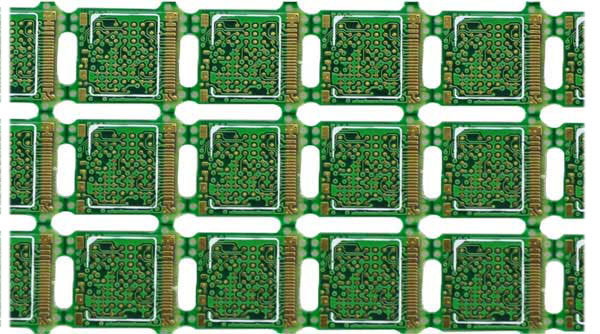
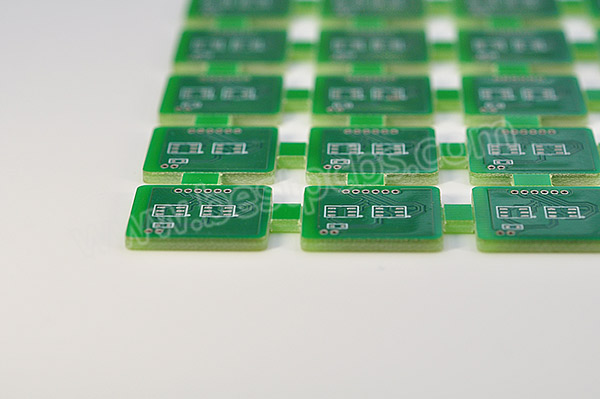
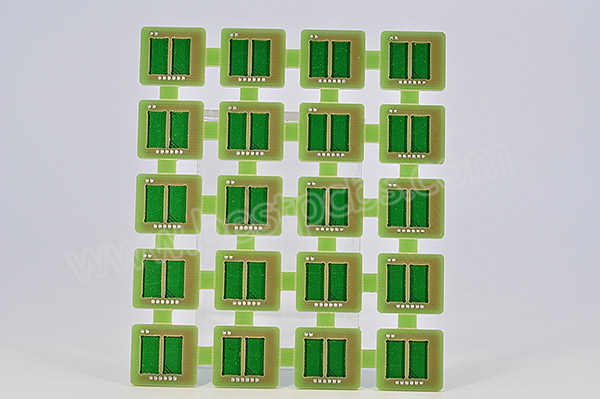
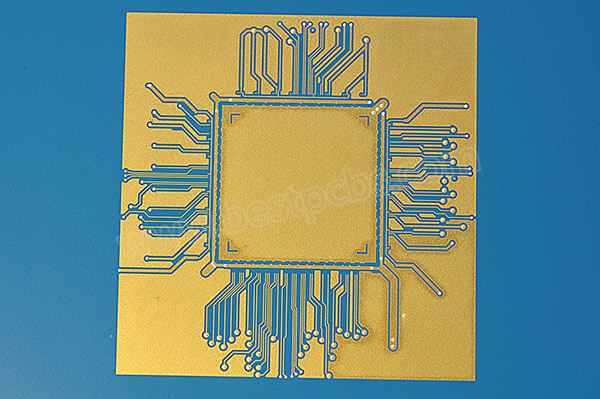
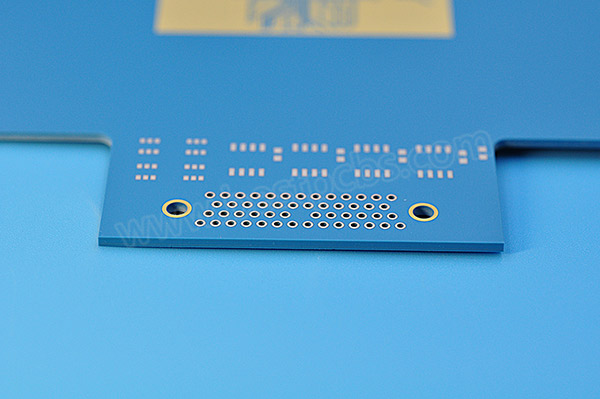
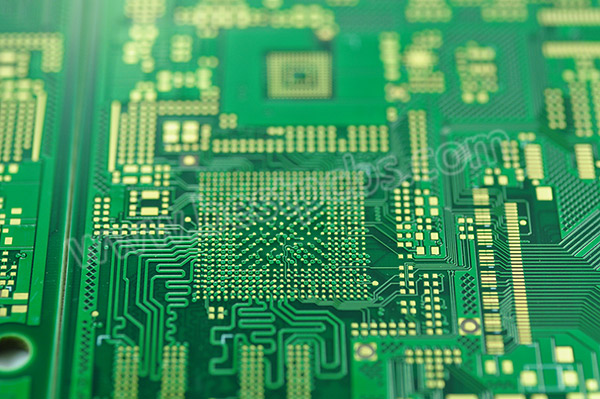
Understanding factors to consider when choosing ceramic substrates is critical for device performance and reliability. This guide covers all essential factors to consider when choosing ceramic substrates for professional engineering applications.
Ceramic Substrates
What are the key factors to consider when choosing ceramic substrates?
The most important factors include thermal, electrical, mechanical, material, and application compatibility.
These elements directly decide performance, stability, and service life.
Selecting correctly avoids failures in highâdemand environments.
Thermal conductivity and thermal expansion
Dielectric constant and insulation performance
Mechanical strength and structural stability
Material type and manufacturing compatibility
Quality, supply chain, and delivery
How do material properties affect ceramic substrate selection?
Material properties form the foundation of ceramic substrate performance.
Mismatched properties lead to overheating, signal loss, or mechanical breakage.
Each parameter must align with your application needs.
Thermal conductivity requirements
Higher thermal conductivity improves heat dissipation for highâpower devices.
It keeps components cool and extends service life.
This is nonânegotiable for power and automotive electronics.
Dielectric and insulation performance
Dielectric constant impacts signal integrity.
High insulation prevents leakage in highâvoltage systems.
Low dielectric loss improves energy efficiency.
Which thermal factors matter most for ceramic substrates?
Thermal performance ensures longâterm stability under load and temperature cycles.
Poor thermal design causes cracking, warping, and early failure.
Thermal matching is vital for reliable assembly.
Coefficient of thermal expansion (CTE) matching
Thermal cycling stability
High temperature resistance
Heat dissipation path design
Compatibility with thermal interface materials
How to match electrical requirements for ceramic substrates?
Electrical properties protect circuits and ensure signal quality.
They prevent interference and breakdown in demanding environments.
Correct values keep systems safe and stable.
Insulation resistance
High insulation resistance supports highâvoltage applications.
It reduces risk of short circuits and electrical failures.
Critical for power electronics and industrial controls.
Dielectric loss
Low dielectric loss improves efficiency in highâfrequency devices.
It reduces heat from signal transmission.
Ideal for communication and server equipment.
What mechanical standards should ceramic substrates meet?
Mechanical strength prevents breakage during production and use.
It supports handling, assembly, and harsh environments.
Strong substrates maintain dimensional stability.
Bending strength
Fracture toughness
Hardness and wear resistance
Dimensional accuracy
Thermal shock resistance
How to compare common ceramic substrate materials
How to compare common ceramic substrate materials?
The table below helps you choose based on performance and application.
Material
Thermal Conductivity (W/m·K)
Dielectric Constant
Typical Applications
Alumina (AlâOâ)
20â30
9.8
Consumer electronics, LED
Aluminum Nitride (AlN)
170â230
8.8
Automotive, power electronics
Silicon Nitride (SiâNâ)
20â90
7.0
Highâpower devices
Zirconia (ZrOâ)
2â3
25.0
Medical devices, sensors
Which industries use ceramic substrates most widely?
Ceramic substrates perform best in four highâgrowth industries.
Automotive electronics
AlN substrates handle heat in EV power modules.
They withstand vibration and extreme temperatures.
Ensure stable performance in motor controls.
Medical electronics
Highâpurity alumina offers biocompatibility and insulation.
It meets strict medical standards for monitoring devices.
Safe for longâterm implantable and diagnostic tools.
LED & power electronics
Ceramic substrates improve heat dissipation for LEDs.
They extend lifespan and boost brightness.
Widely used in industrial and outdoor lighting.
Aerospace & industrial control
Special ceramics resist extreme temperatures and corrosion.
They meet aerospace reliability standards.
Stable in automation and harsh factory environments.
How to ensure processing compatibility of ceramic substrates?
Processing compatibility lowers production difficulty and cost.
Good metallization and bonding support strong assembly.
Stable processing ensures consistent yields.
Machinability
Metal layer adhesion
Solderability and bonding strength
Compatibility with standard PCB processes
Tolerance control
How to judge ceramic substrate quality and reliability?
Quality control prevents inconsistent performance and failures.
Certified materials and testing ensure long service life.
Reliable substrates reduce maintenance and replacement cost.
Raw material purity
Dimensional accuracy
Thermal cycle testing
Insulation and voltage testing
Compliance with international standards
Why supply chain & delivery matter for ceramic substrates?
Stable supply avoids production delays and shortages.
Onâtime delivery keeps projects on schedule.
Consistent quality supports mass production.
Steady raw material supply
Onâtime delivery capability
Full quality traceability
Professional technical support
Mass production capacity
Can ceramic substrates be customized for special uses?
Customization meets unique design and performance needs.
Tailored materials, sizes, and structures fit special equipment.
FAQ: Top questions about factors to consider when choosing ceramic substrates
What factors to consider when choosing ceramic substrates?
Key factors include thermal performance, electrical properties, mechanical strength, material type, quality, supply chain, and application compatibility.
Which ceramic substrate is best for high power?
Aluminum nitride (AlN) is best for high power due to ultraâhigh thermal conductivity.
How to ensure thermal reliability of ceramic substrates?
Match thermal expansion coefficients and use highâthermalâconductivity materials.
What is the difference between AlN and alumina substrates?
AlN has much higher thermal conductivity; alumina offers costâeffective general use.
Can ceramic substrates be used in medical devices?
Yes, highâpurity alumina is widely used for biocompatibility and stability.
How to select a reliable ceramic substrate supplier?
Check quality system, delivery stability, technical support, and supply chain.
Are ceramic substrates customizable for special applications?
Yes, materials, dimensions, and performance can be customized for specific needs.
Conclusion
All factors to consider when choosing ceramic substrates must be evaluated together.
The right choice improves performance, reliability, and product stability.
Professional selection supports longâterm success in highâend electronics.
EBest provides premium ceramic substrates with stable supply, strict quality control, and professional support. For orders and inquiries, contact us at: sales@bestpcbs.com
Looking for High Thermal Conductivity MCPCB for LED Street Light? Choose EBest First for Premium Quality & Stable Performance
When selecting High Thermal Conductivity MCPCB for LED Street Light, core parameters directly determine the reliability and lifespan of your LED street lighting. EBestâs products are tailored to solve thermal management pain points in LED street lights, with industry-leading specifications.
Our High Thermal Conductivity MCPCB for LED Street Light features: Thermal conductivity ranging from 2.0W/(m·K) to 12W/(m·K), 6061-T6 aluminum alloy base, 50-100ÎŒm nano-ceramic dielectric layer, 2-4oz electrolytic copper foil, and operating temperature range of -40â to 125â.
All products pass strict thermal cycle and insulation tests, ensuring stable performance in harsh outdoor environments. For your LED street light projects, choose EBestâs High Thermal Conductivity MCPCBâcontact us to place your order today.
MCPCB for LED Street Light
Why Choose EBest for High Thermal Conductivity MCPCB for LED Street Light?
Quality Assurance: We adopt automatic vacuum lamination and AOI detection, achieving a production yield of over 98.5%. All products comply with international standards and undergo rigorous reliability testing.
Fast Delivery: Our vertically integrated supply chain enables small-batch delivery in 7 days and mass production in 15â20 days, eliminating delays in your project timeline.
Stable Supply Chain: Long-term partnerships with top material suppliers ensure a steady supply of core raw materials, avoiding production interruptions caused by material shortages.
Professional Service: Our technical team provides one-on-one DFM (Design for Manufacturability) advice, optimizing designs for manufacturability and solving technical issues throughout the project cycle.
What Are the Core Pain Points of High Thermal Conductivity MCPCB for LED Street Light, and How Does EBest Solve Them?
Many users face challenges such as poor thermal dissipation, inconsistent production quality, and supply chain risks when using High Thermal Conductivity MCPCB for LED Street Light. EBest addresses these pain points with targeted solutions.
Pain Point 1: Overheating leads to LED light degradation and shortened lifespan. Solution: Our MCPCB uses high-quality thermally conductive dielectric layers, reducing thermal resistance to â€5â/W and keeping the LED junction temperature below 85â.
Pain Point 2: Inconsistent batch production affects product reliability. Solution: We implement strict SPC (Statistical Process Control) and 100% AOI detection to ensure consistent quality across all batches.
Pain Point 3: Long delivery times delay project schedules. Solution: Our in-house production lines and optimized supply chain reduce delivery times by 30% compared to industry averages.
Pain Point 4: Poor insulation performance poses safety hazards. Solution: All our MCPCBs pass 25KV insulation withstand voltage tests, meeting outdoor safety standards. Choose EBest to solve all your High Thermal Conductivity MCPCB for LED Street Light pain points.
What Is High Thermal Conductivity MCPCB for LED Street Light, and Why Is It Essential?
High Thermal Conductivity MCPCB for LED Street Light is a specialized metal-core PCB designed for outdoor LED street lighting, consisting of a metal base, thermally conductive dielectric layer, and copper circuit layer.
LED street lights convert only 20â30% of electrical energy into light, with 70% or more converted into heat. Traditional FR-4 PCBs (with a thermal conductivity of 0.3â0.5W/(m·K)) cannot dissipate heat efficiently, leading to rapid light degradation.
High thermal conductivity MCPCBs solve this issue by transferring heat quickly from LED chips to heat sinks, extending the LED lifespan to over 50,000 hours and ensuring stable brightness.
How to Choose the Right Thermal Conductivity for High Thermal Conductivity MCPCB for LED Street Light?
The right thermal conductivity depends on your LED street lightâs power and operating environment. For most municipal street lights (30â50W), 2.0â4.0W/(m·K) MCPCBs are sufficient.
For high-power street lights (50â100W) or areas with high ambient temperatures, choose 4.0â8.0W/(m·K) products. For extreme outdoor environments, 8.0â12.0W/(m·K) high-grade MCPCBs are recommended.
EBestâs technical team can help you select the optimal thermal conductivity based on your specific project requirements, ensuring both cost-effectiveness and performance.
What Are the Key Materials for High Thermal Conductivity MCPCB for LED Street Light?
The performance of High Thermal Conductivity MCPCB for LED Street Light depends on three core materials: the metal base, dielectric layer, and copper foil.
Metal Base
We use 6061-T6 aluminum alloy (with a thermal conductivity of â„200W/(m·K)) for most projects, balancing thermal performance and cost. For high-end applications, copper or copper-molybdenum alloy bases are available.
Dielectric Layer
Nano-ceramic dielectric layers (50â100ÎŒm) are used, offering high thermal conductivity and insulation. They reduce thermal resistance while ensuring electrical safety.
Copper Foil
2â4oz electrolytic copper foil is standard, supporting high current and reducing voltage drop. Heavy copper (4oz+) is available for high-power LED street lights.
How Does High Thermal Conductivity MCPCB Improve LED Street Light Lifespan?
It is an industry consensus that for every 10â increase in LED junction temperature, the lifespan decreases by 50%. High Thermal Conductivity MCPCB for LED Street Light directly reduces the junction temperature, significantly extending the lifespan.
Our MCPCB reduces thermal resistance by 40% compared to traditional FR-4 PCBs. In practical tests, LED street lights using our MCPCB maintained 95% light flux after 6,000 hours of continuous operation.
This not only reduces maintenance costs but also enhances the reliability of your LED street lighting projects.
What Are the Top 4 Industry Applications of High Thermal Conductivity MCPCB for LED Street Light?
High Thermal Conductivity MCPCB for LED Street Light is widely used in outdoor lighting and related fields. Below are four popular industry applications with real-world cases.
1. Municipal Road Lighting
Case: Singapore HDB street light project. Our 2.0W/(m·K) MCPCB was used, achieving 98.7% uptime and reducing maintenance frequency by 60%.
2. Highway Lighting
Case: European highway lighting project. High-power (80W) LED street lights used our 6.0W/(m·K) MCPCB, maintaining stable performance in environments ranging from -20â to 35â.
3. Industrial Park Lighting
Case: American industrial park project. Our MCPCB solved overheating issues in high-humidity environments, ensuring a service life of 50,000+ hours.
4. Residential Community Lighting
Case: Asian residential community project. A cost-effective 3.0W/(m·K) MCPCB was used, balancing performance and budget, with 96% customer satisfaction.
How to Compare High Thermal Conductivity MCPCB for LED Street Light with Traditional FR-4 PCBs?
The following table clearly compares High Thermal Conductivity MCPCB for LED Street Light with traditional FR-4 PCBs, helping you make informed decisions.
Comparison Item
High Thermal Conductivity MCPCB for LED Street Light
Traditional FR-4 PCB
Thermal Conductivity
2.0â12.0W/(m·K), 4â24 times higher
0.3â0.5W/(m·K), low
LED Junction Temperature
â€85â, safe range
â„125â, prone to overheating
LED Lifespan
50,000+ hours
20,000â30,000 hours
Outdoor Adaptability
Resistant to high/low temperatures and humidity; no deformation
Prone to deformation; poor insulation in harsh environments
Light Flux Maintenance
95% after 6,000 hours
82% after 6,000 hours
What Are the Production Processes of High Thermal Conductivity MCPCB for LED Street Light?
Stable production processes ensure consistent quality of High Thermal Conductivity MCPCB for LED Street Light. EBest adopts advanced processes to meet high standards.
Material Cutting: Precision cutting of the metal base and copper foil, ensuring dimensional accuracy of ±0.1mm.
Dielectric Layer Lamination: Automatic vacuum lamination at 180â and 8MPa pressure, eliminating interlayer bubbles.
Circuit Etching: Precision etching with a line width accuracy of â„0.2mm, ensuring signal integrity.
Quality Testing: 100% AOI detection + thermal conductivity testing + insulation testing, ensuring no defective products leave the factory.
What Certifications and Services Does EBest Offer for High Thermal Conductivity MCPCB for LED Street Light?
EBest holds multiple international certifications, ensuring our High Thermal Conductivity MCPCB for LED Street Light meets global quality standards. Our services cover the entire project cycle.
DFM Design Advice: Free one-on-one optimization for design for manufacturability (DFM).
Sample Service: Fast sample production (3â5 days) for performance testing.
After-Sales Support: 24/7 technical support and problem-solving.
Full Traceability: Barcode management for complete production process tracking.
Why Is Thermal Management Critical for High Thermal Conductivity MCPCB for LED Street Light?
Poor thermal management of High Thermal Conductivity MCPCB for LED Street Light leads to multiple issues that impact project success.
Overheating causes LED chips to age faster, leading to light degradation, color drift, and premature failure. This increases maintenance costs and damages brand reputation.
Effective thermal management via high-quality MCPCB ensures stable LED performance, reduces downtime, and maximizes your return on investment.
How to Optimize the Design of High Thermal Conductivity MCPCB for LED Street Light?
Optimizing the design improves the performance and manufacturability of High Thermal Conductivity MCPCB for LED Street Light. Follow these key tips.
Thermal Via Design
Add thermal via arrays (8â12 per cmÂČ) under LED chips to transfer heat directly to the metal base, reducing thermal resistance.
Copper Foil Layout
Use wider copper traces for high-current areas to reduce voltage drop and local overheating.
Design the MCPCB to fit seamlessly with heat sinks, ensuring tight contact for efficient heat transfer.
FAQ: Common Questions About High Thermal Conductivity MCPCB for LED Street Light
Below are the most common questions about High Thermal Conductivity MCPCB for LED Street Light, with direct, concise answers.
1. What is the maximum thermal conductivity of EBestâs High Thermal Conductivity MCPCB for LED Street Light?
The maximum thermal conductivity of our High Thermal Conductivity MCPCB for LED Street Light is 12W/(m·K), suitable for high-power LED street lights (100W+).
2. Can High Thermal Conductivity MCPCB for LED Street Light withstand outdoor harsh environments?
Yes. Our MCPCBs have an operating temperature range of -40â to 125â, are waterproof, dustproof, and corrosion-resistant, making them ideal for outdoor use.
3. How long does it take to deliver High Thermal Conductivity MCPCB for LED Street Light in mass production?
Mass production delivery takes 15â20 days. For urgent projects, we offer expedited service with delivery in 10â12 days.
4. Does EBest provide custom High Thermal Conductivity MCPCB for LED Street Light?
Yes. We provide fully customized solutions, including thermal conductivity, size, copper thickness, and surface treatment, tailored to your project needs.
5. How to test the thermal performance of High Thermal Conductivity MCPCB for LED Street Light?
We use professional equipment to test thermal conductivity, thermal resistance, and junction temperature. We also provide test reports for your verification.
6. Are EBestâs High Thermal Conductivity MCPCB for LED Street Light lead-free?
Yes. All our MCPCBs comply with RoHS standards, are lead-free and cadmium-free, and meet global environmental requirements.
7. Can High Thermal Conductivity MCPCB for LED Street Light reduce LED light decay?
Yes. By reducing the LED junction temperature to â€85â, our MCPCB slows down light degradation, ensuring 95% light flux maintenance after 6,000 hours.
What Are the Latest Technical Innovations in High Thermal Conductivity MCPCB for LED Street Light?
The industry is constantly innovating, and EBest keeps pace with the latest trends to enhance the performance of High Thermal Conductivity MCPCB for LED Street Light.
Innovation 1: Nano-ceramic dielectric layer with improved thermal conductivity, reducing thermal resistance by 15% compared to traditional dielectric layers.
Innovation 2: Copper-molybdenum alloy base, balancing thermal conductivity and thermal expansion coefficient to reduce warping risk.
Innovation 3: Integrated heat pipe design, further improving heat dissipation efficiency for high-power LED street lights.
Choose EBest for High Thermal Conductivity MCPCB for LED Street Light â Your Trusted Partner
EBest specializes in High Thermal Conductivity MCPCB for LED Street Light, with 19 years of industry experience, strict quality control, and professional technical support.
We provide high-performance, reliable products that solve your thermal management and supply chain challenges. Whether you need standard or custom MCPCBs, we have you covered.
We provide High Thermal Conductivity MCPCB for LED Street Light products. If you have any needs, please place your order with us. Our email is sales@bestpcbs.com. EBest â your reliable partner for LED street light MCPCB solutions.
When it comes to LED PCB Assembly and LED PCB Assembly fabrication, EBest stands out as the most reliable partner for engineers, designers, purchasers, and researchers worldwide. We deliver consistent quality, fast turnaround times, and custom solutions tailored to your unique project needs.
Unlike other LED PCB Assembly companies, we prioritize precision, efficiency, and long-term reliabilityâensuring every assembly meets industry standards and exceeds your expectations. For all your LED PCB Assembly needs, EBest is the first choice for professionals across industries.
What Pain Points Do Professionals Face with LED PCB Assembly, and How Does EBest Solve Them?
Production Engineersâ Pain Points & Solutions
Production engineers struggle with low yield rates, unstable processes, and inefficient workflows in LED PCB Assembly. These issues delay production and increase rework costs.
EBest solves this with automated SMT lines, strict process control, and real-time quality monitoring. Our production team ensures a 99.8%+ yield and consistent process stability, reducing rework and boosting overall efficiency.
Hardware Designersâ Pain Points & Solutions
Hardware designers often face challenges with design for manufacturability (DFM), poor signal integrity, and balancing performance with cost in LED PCB Assembly.
We provide free DFM reviews for LED PCB Assembly, optimize layouts for signal integrity, and offer cost-effective material selectionsâensuring your design is manufacturable without compromising performance.
Purchasers deal with long lead times, supply chain risks, and inconsistent quality from LED PCB Assembly companies. These issues disrupt project timelines and increase operational risks.
EBest offers fast delivery (7â10 business days for standard orders), a stable global supply chain, and strict quality inspectionsâeliminating delays and reducing supply chain risks for your LED PCB Assembly projects.
Technical Researchersâ Pain Points & Solutions
Technical researchers seek cutting-edge technologies, innovative processes, and reliable performance data for LED PCB Assembly. Many providers lack the expertise to support advanced research needs.
We invest in R&D for LED PCB Assembly, offer access to innovative processes (such as ceramic substrate assembly), and provide detailed reliability test reportsâsupporting your research and innovation goals.
No matter your role, EBest has the solutions to address your LED PCB Assembly pain points. Choose us for a seamless, reliable experience.
What Makes EBest the Best Choice for LED PCB Assembly
What Makes EBest the Best Choice for LED PCB Assembly?
EBest is a leading provider of LED PCB Assembly, with decades of experience serving professionals across industries. Our commitment to quality, speed, and customization sets us apart from other LED PCB Assembly companies.
We combine advanced technology, strict quality control, and customer-centric service to deliver LED PCB Assembly solutions that meet even the most demanding requirements. From prototyping to mass production, we support your project every step of the way.
What Are the Key Processes in LED PCB Assembly Fabrication?
LED PCB Assembly fabrication involves six core steps, each critical to ensuring reliability and performance. These steps are standardized at EBest to maintain consistency across all projects.
Incoming Inspection (IQC): We test all LED components and PCBs for defects, ensuring only high-quality materials enter production.
Solder Paste Printing: Precision printing of solder paste on PCB pads using laser-cut stencils, with SPI testing to verify paste thickness and coverage.
SMT Placement: High-speed machines place LED components (0402 to large COB LEDs) with ±0.05mm accuracy, ensuring correct polarity and alignment.
Reflow Soldering: Custom temperature profiles (peaking at 245±5â) to protect LED chips and phosphors, with nitrogen protection for better solder joints.
Inspection & Testing: AOI and X-Ray testing for hidden defects, followed by functional testing to verify LED brightness, color consistency, and circuit performance.
Final Assembly & Packaging: Cleaning, conformal coating (if needed), and anti-static packaging to protect LED PCB assemblies during shipping.
Which Industries Benefit Most from EBestâs LED PCB Assembly Services?
Our LED PCB Assembly solutions are tailored to meet the unique needs of four high-demand industries, with proven case studies demonstrating our expertise.
1. LED/Lighting Industry
Case Study: A leading LED lighting manufacturer needed high-power LED PCB assemblies for outdoor street lights. EBest provided aluminum core LED PCB Assembly with thermal management optimization, ensuring a 50,000+ hour lifespan and consistent brightness.
2. Automotive Electronics
Case Study: An automotive supplier required LED PCB assemblies for dashboard backlighting and daytime running lights. We delivered AEC-Q100 compliant assemblies with strict temperature resistance and vibration testing, meeting automotive industry standards.
3. Consumer Electronics
Case Study: A consumer tech company needed compact LED PCB assemblies for smart home light strips. EBest provided flexible LED PCB Assembly with miniaturized components, enabling a slim design and easy installation.
4. Industrial Control/Automation
Case Study: An industrial automation firm required LED PCB assemblies for control panel indicators. We delivered rugged, dust-proof assemblies with high reliability, ensuring 24/7 operation in harsh industrial environments.
How to Optimize LED PCB Assembly for Thermal Management?
Thermal management is critical for LED PCB Assembly, as overheating reduces LED lifespan and performance. The solution is to combine proper substrate selection, thermal design, and assembly processes.
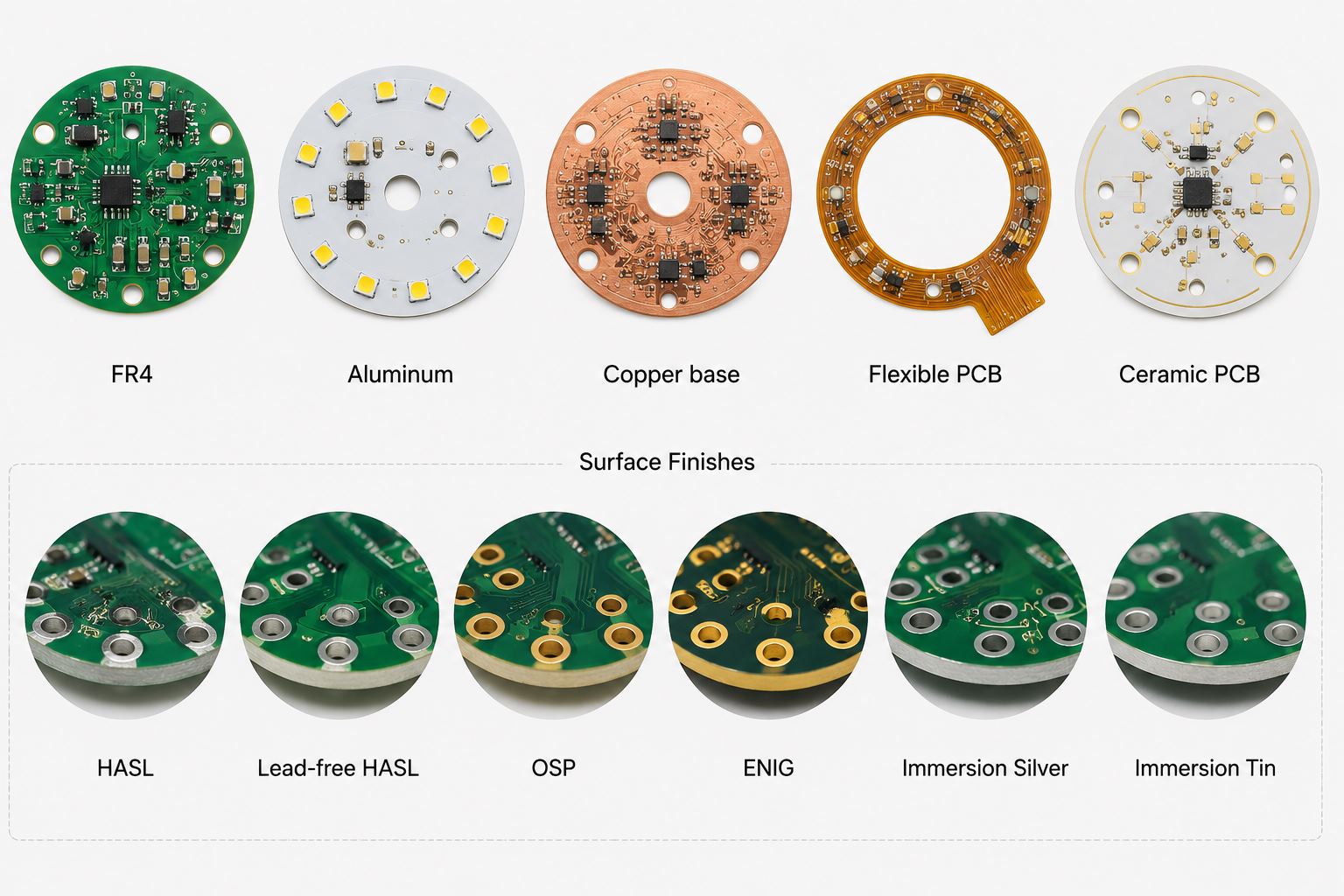
At EBest, we select substrates based on power density: FR4 for low-power LEDs, aluminum core for 0.5â1.5W/cmÂČ, and copper core for high-power applications (1.5â3W/cmÂČ). We also add thermal vias and large copper pads to dissipate heat efficiently.
Our assembly process includes controlled reflow soldering to avoid thermal stress, and we test thermal performance with thermal imaging to ensure junction temperatures stay below 85â.
What Quality Certifications & Services Does EBest Offer for LED PCB Assembly?
Quality Certifications
EBest holds industry-leading certifications to ensure the highest quality for LED PCB Assembly, including ISO 9001, ISO 13485 (for medical-related assemblies), and IPC-A-610 Classes 2 & 3.
We also comply with RoHS, REACH, and AEC-Q100 standards, making our LED PCB assemblies suitable for global markets and regulated industries.
Our LED PCB Assembly Services
Custom LED PCB Assembly (from prototyping to mass production)
DFM reviews and design optimization for LED applications
High-power LED assembly (COB, SMD, and through-hole)
Thermal management solutions for LED assemblies
Functional testing and reliability testing
Fast delivery and flexible order quantities
How Does EBest Ensure LED PCB Assembly Quality & Reliability?
Quality and reliability are non-negotiable for LED PCB Assembly. EBest implements a 360° quality control system to ensure every assembly meets your specifications.
We start with strict incoming inspection of all materials, use automated assembly equipment to reduce human error, and conduct multiple tests (AOI, X-Ray, functional, and aging tests) before shipping.
Our quality control team follows IPC standards, and we provide detailed test reports for every LED PCB Assembly orderâgiving you full transparency and confidence in our work.
Whatâs the Difference Between Standard and Custom LED PCB Assembly?
Standard and custom LED PCB Assembly differ in design flexibility, materials, and application suitability. Below is a detailed comparison to help you choose the right option.
Custom thermal solutions for high-power or harsh environments
FAQ: Common Questions About LED PCB Assembly (Answered by EBest Engineers)
1. Why Do LED PCB Assemblies Fail Prematurely?
Premature failure in LED PCB Assembly is most often caused by poor thermal management, low-quality solder joints, or incorrect component selection. EBest solves this by optimizing thermal design, using high-quality solder materials, and conducting strict component testing.
2. How Long Does LED PCB Assembly Take at EBest?
Our standard lead time for LED PCB Assembly is 7â10 business days for mass production and 2â3 business days for prototypes. We also offer expedited services for urgent projects, ensuring fast delivery without compromising quality.
3. Can EBest Handle High-Power LED PCB Assembly?
Yes, we specialize in high-power LED PCB Assembly (up to 300W). We use copper core or ceramic substrates, optimized thermal vias, and nitrogen reflow soldering to ensure reliability and performance for high-power applications.
4. Does EBest Provide DFM Support for LED PCB Assembly?
Absolutely. We offer free DFM reviews for all LED PCB Assembly projects. Our engineers will optimize your design for manufacturability, signal integrity, and thermal managementâreducing costs and avoiding production delays.
5. Are EBestâs LED PCB Assemblies Compliant with Global Standards?
Yes. All our LED PCB Assemblies comply with RoHS, REACH, ISO 9001, and IPC-A-610 standards. We also offer AEC-Q100 compliant assemblies for automotive applications and ISO 13485 compliant assemblies for medical use.
6. Can EBest Support Small-Batch LED PCB Assembly Orders?
Yes, we support flexible order quantitiesâfrom 10 pieces (prototypes) to 100,000+ pieces (mass production). Our automated lines and flexible production processes allow us to handle small-batch orders efficiently and cost-effectively.
7. How Does EBest Test LED PCB Assembly Performance?
We use a combination of tests: AOI for visual defects, X-Ray for hidden solder joints, functional testing for LED brightness/color, thermal imaging for thermal performance, and aging tests (100+ hours) to screen for early failures.
Choose EBest for Your LED PCB Assembly Needs
EBest is your trusted partner for high-quality, fast, and custom LED PCB Assembly solutions. We serve production engineers, hardware designers, purchasers, and researchers across the LED/lighting, automotive, consumer electronics, and industrial control industries.
We provide top-tier LED PCB Assembly fabrication services, backed by industry certifications and proven case studies. Whether you need prototypes or mass production, we have the expertise to deliver results that exceed your expectations.
We provide LED PCB Assembly products and custom solutions. For your LED PCB Assembly needs, place your order with EBest today. Contact us via email: sales@bestpcbs.com
Electronic schematics rely on standardized symbols to represent components. Among them, the capacitor symbol is one of the most frequently used in circuit diagrams. Whether you are designing a PCB, troubleshooting electronics, or studying circuit theory, understanding capacitor symbols is essential.
A capacitor symbol may look simple, but it carries useful information about the component type, polarity, and function in the circuit. Engineers use different capacitor symbols to represent ceramic capacitors, electrolytic capacitors, variable capacitors, and other types.
This guide explains the capacitor symbol meaning, explores different symbol types, and shows how to interpret them correctly in schematic diagrams.
Capacitor Symbol: Meaning, Types, and How to Read It in Circuit Diagrams
What Is a Capacitor Symbol in Electronics?
A capacitor symbol is a graphic used in circuit schematics to show the presence of a capacitor. Instead of drawing the actual part, engineers use a standard symbol to represent the capacitorâs electrical behavior.
A capacitor is an electronic component that stores and releases electrical energy in an electric field. It is built with two conductive plates separated by an insulating material called a dielectric.
In circuit diagrams, the capacitor symbol usually appears as two parallel lines that represent the two conductive plates.
The main functions of capacitors include:
Energy storage
Noise filtering in power supplies
Signal coupling and decoupling
Timing control in RC circuits
Voltage stabilization
Because capacitors are used in power, analog, digital, and RF designs, the capacitor symbol is one of the most important schematic symbols to understand.
What Does the Capacitor Symbol Mean in a Circuit Diagram?
The capacitor symbol meaning is not limited to showing that a capacitor is present. It also helps indicate how the part behaves in the circuit and, in some cases, what kind of capacitor it is.
In a schematic, the capacitor symbol often suggests:
The component can store electrical charge.
It may filter ripple, spikes, or signal noise.
It can block DC while allowing AC to pass.
It may work with a resistor to create a timing function.
Engineers read the capacitor symbol together with nearby components. For example, in a power supply, a capacitor often handles smoothing or decoupling. In an audio or analog path, it may be used for coupling. In RF circuits, it may support matching or filtering.
What Does the Standard Capacitor Symbol Look Like?
The standard capacitor symbol is simple and easy to recognize. It is usually drawn as two parallel plates separated by a small gap.
It may also appear in a horizontal connection style:
This standard symbol usually means:
Two identical conductive plates
No polarity requirement
Use for non-polarized capacitors
Typical parts shown with this symbol include:
Ceramic capacitors
Film capacitors
Mica capacitors
Other non-polarized capacitors
Because these parts can be installed in either direction, the symbol is symmetrical.
Why Are There Different Capacitor Symbols?
Different capacitor symbols exist because capacitors are not all the same. Some are non-polarized. Some are polarized. Some are adjustable. The symbol helps the designer, assembler, and technician identify the right type quickly.
A standard non-polarized capacitor can be connected in either direction. A polarized capacitor must be connected with the correct positive and negative terminals. A variable capacitor allows the capacitance value to be adjusted.
Common symbol differences are shown below:
Capacitor Type
Symbol Feature
Typical Use
Ceramic Capacitor
Two straight plates
High-frequency filtering and decoupling
Electrolytic Capacitor
Polarity marking or curved plate
Power supply smoothing
Variable Capacitor
Arrow across the plates
Tuning and calibration circuits
Polarized Capacitor
Positive or negative indication
DC circuits and bulk capacitance
What Is the Polarized Capacitor Symbol?
A polarized capacitor symbol shows that the capacitor must be connected in the correct direction. This is common for electrolytic capacitors and tantalum capacitors.
The symbol often includes one straight plate, one curved plate, and a polarity mark near the positive terminal.
In many schematics:
The straight plate is associated with the positive side.
The curved plate is associated with the negative side.
Polarized capacitors are often used in:
Power supply filtering
Bulk energy storage
Amplifier circuits
Voltage regulation sections
This is why the keyword capacitor symbol positive negative matters so much in practical circuit work. Correct polarity prevents installation mistakes and improves reliability.
What Is the Variable Capacitor Symbol?
A variable capacitor symbol represents a capacitor whose capacitance can be adjusted. It usually looks like a normal capacitor symbol with an arrow crossing it.
The arrow indicates that the capacitance value can change.
Variable capacitors are commonly used in:
RF tuning circuits
Radio receivers
Oscillators
Matching networks
In practical designs, the variable capacitor symbol tells the reader that tuning or calibration is part of the circuit function.
What Is the Difference Between IEC and ANSI Capacitor Symbols?
The two most common symbol standards are IEC and ANSI. Both are widely recognized, but there can be small visual differences depending on the documentation source.
Standard
Full Name
Common Use Region
IEC
International Electrotechnical Commission
Europe and many international documents
ANSI
American National Standards Institute
United States
In many cases, IEC uses clean, simple parallel-plate symbols, while ANSI drawings may show more style variation for polarized parts. Modern EDA software often supports both, so engineers should be familiar with each style.
How Do You Read a Capacitor Symbol in a Schematic?
Reading a capacitor symbol in a schematic involves more than identifying the drawing. You also need to read the reference designator, capacitance value, polarity, and circuit position.
Here is what to look for:
Reference designator: Capacitors are usually labeled with the letter C, such as C1, C12, or C205.
Capacitance value: Common values include 10uF, 100nF, and 1pF.
Polarity marking: Look for a plus sign, curved plate, or other polarity notation.
Placement in the circuit: A capacitor across power rails usually works as a decoupling capacitor. A capacitor in series with a signal path often works as a coupling capacitor.
Type clues: A symmetrical symbol often suggests a ceramic capacitor symbol or other non-polarized part. An arrow suggests a variable type.
When all of these details are read together, the circuit function becomes much clearer.
What Are the Most Common Capacitor Symbols Used in Electronics?
Several capacitor symbols appear regularly in electronic schematics. Each one represents a specific capacitor family or function.
Non-Polarized Capacitor Symbol
This is the most common form. It is widely used for ceramic, film, and general-purpose capacitors.
Ceramic Capacitor Symbol
The ceramic capacitor symbol usually uses the same basic two-plate form as the standard non-polarized symbol. It is common in decoupling, bypass, and high-frequency designs.
Polarized Capacitor Symbol
The polarized capacitor symbol is used for electrolytic and tantalum capacitors where direction matters.
Variable Capacitor Symbol
The variable capacitor symbol includes an arrow and is common in tunable analog and RF circuits.
Trimmer Capacitor Symbol
This symbol is similar to a variable capacitor but is generally used for calibration rather than frequent adjustment.
Capacitor Symbol vs Resistor Symbol: What Is the Difference?
The capacitor symbol and resistor symbol are both basic schematic elements, but they represent very different electrical functions.
Component
Common Symbol Style
Main Function
Capacitor
Two parallel plates
Stores electrical energy
Resistor
Zigzag line or rectangle
Limits current flow
A capacitor affects voltage and time behavior. A resistor controls current and voltage drop. When used together, they form common building blocks such as RC filters, delay networks, and timing circuits.
Conclusion
The capacitor symbol is a small mark with a big role in electronics. It helps engineers identify capacitor types, understand polarity, and interpret circuit function quickly.
Once you understand the difference between the standard capacitor symbol, the ceramic capacitor symbol, the polarized capacitor symbol, and the variable capacitor symbol, reading schematics becomes much easier.
Whether you are working on circuit design, PCB layout design, electronics repair, or engineering education, understanding capacitor symbols is a basic but valuable skill.
EBest Circuit (Best Technology) provides professional PCB fabrication and PCBA assembly services for engineers who need reliable support from prototype to production.
Choose EBest for Your Double sided PCB Needs: The Trusted Manufacturer
When looking for a reliable Double sided PCB manufacturer, EBest is your first and best choice. We prioritize your projectâs success with fast delivery, uncompromising quality, industry-recognized certifications, cost-saving services, and dedicated supportâall tailored to meet your custom Double sided PCB design and prototype needs.
Delivery Speed: We offer accelerated production timelines for both Double sided PCB prototypes and mass production, ensuring your project stays on schedule with no delays.
Unmatched Quality: Our Double sided PCB products undergo strict quality control checks at every stage, from material selection to final inspection, ensuring consistent performance and durability.
Industry Certifications: We hold ISO 9001, IPC-A-600F, and UL certifications, guaranteeing our Double sided PCB manufacturing meets global industry standards for reliability and safety.
Cost-Saving Support: Enjoy free DFM (Design for Manufacturability) analysis for all Double sided PCB designs, helping you avoid costly errors, and flexible prototype MOQ to support small-batch and trial projects.
Dedicated Service: Our team of PCB engineers provides 24/7 technical support, guiding you through Double sided PCB design, prototype, and manufacturing processes to ensure your project meets all requirements.
What is a Double sided PCB?
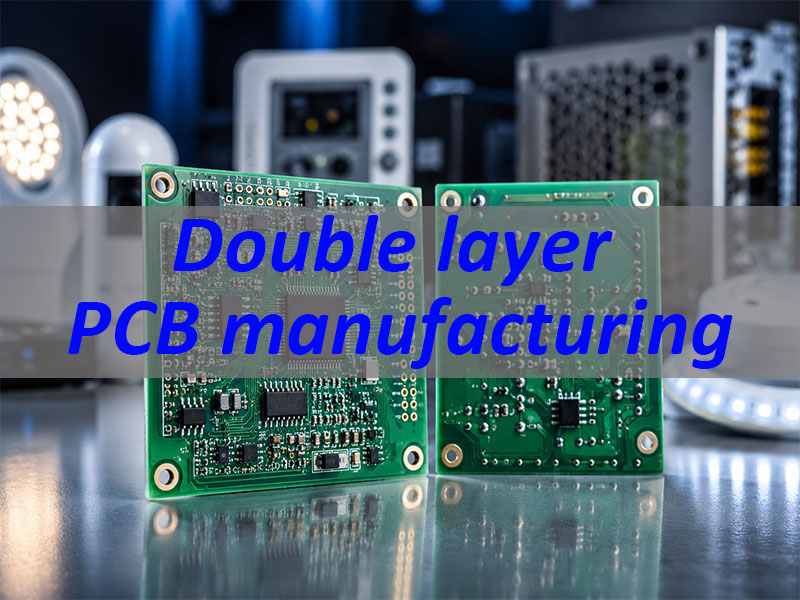
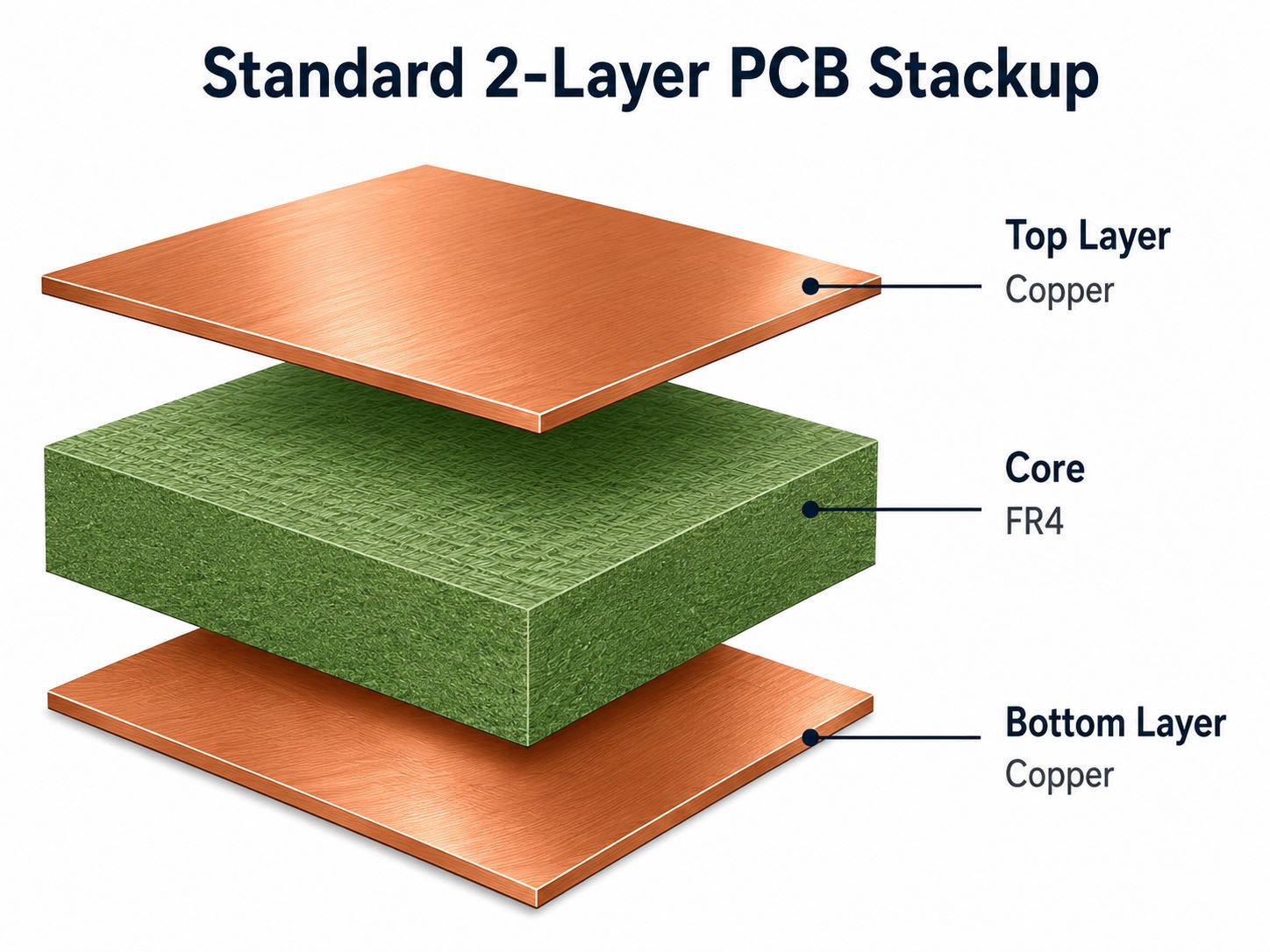
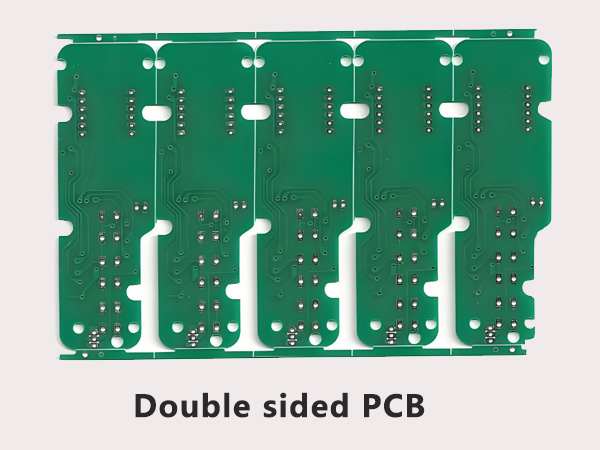
A Double sided PCB is a printed circuit board with copper conductive layers on both the top and bottom surfaces, connected by plated through-holes (PTH) to enable electrical interconnection between layers. Unlike single-sided PCBs, double sided PCBs offer higher component density, more flexible routing options, and better signal integrityâmaking them ideal for mid-complexity electronic devices that require more functionality in a compact form factor.
The core structure of a Double sided PCB includes a substrate (typically FR-4), copper layers on both sides, solder mask to protect the copper, and silkscreen for component labeling. This design balances cost-effectiveness and performance, making it one of the most widely used PCB types across industries.
The Double sided PCB manufacturing process follows a precise sequence to ensure quality and consistency. Below is a detailed, easy-to-understand breakdown of each step:
Substrate Preparation: Start with a high-quality substrate (most commonly FR-4), cut to the required size, and cleaned to remove dust, oil, and contaminants. This ensures strong adhesion of the copper layers to the substrate.
Copper Lamination: The substrate is laminated with thin copper foil (typically 1oz, 35ÎŒm) on both sides using heat and pressure. This creates the conductive layers that form the Double sided PCBâs circuit paths.
Circuit Patterning (Photolithography): A photoresist layer is applied to both copper surfaces, then exposed to UV light through a photomask (printed with the desired circuit pattern). The unexposed photoresist is removed, leaving the copper pattern that will become the circuit traces.
Etching: The exposed copper (not protected by photoresist) is etched away using a chemical solution, leaving only the desired circuit traces on both sides of the Double sided PCB. The remaining photoresist is then stripped.
Drilling: Holes (plated through-holes, PTH) are drilled through the PCB to connect the top and bottom copper layers. We use precision drilling equipment to ensure hole accuracy, with a minimum drill size of 0.3mm for standard applications.
Plating: The drilled holes are metalized with copper (average thickness â„20ÎŒm, minimum 18ÎŒm) to create electrical connections between the top and bottom layers. This step ensures reliable conductivity across the Double sided PCB.
Solder Mask Application: A solder mask (usually green, but customizable) is applied to both sides of the PCB, covering all copper traces except for component pads, test points, and mark points. This protects the traces from oxidation and prevents short circuits during assembly.
Silkscreen Printing: Component labels, part numbers, and polarity marks are printed on the solder mask using silkscreen. We follow standard specifications (30mil font height, 5mil font width) to ensure readability and avoid assembly errors.
Final Inspection & Testing: The finished Double sided PCB undergoes rigorous inspection (visual and automated) to check for defects like short circuits, open circuits, or uneven solder mask. Electrical testing ensures all connections work as intended.
Designing a Double sided PCB requires balancing component layout, routing, and manufacturabilityâcommon pain points that often lead to design errors, delayed production, or poor performance. Below, we break down the most critical design concerns and how EBest solves them for you.
What Are the Most Common Double sided PCB Design Pain Points?
Wiring Congestion & Signal Crosstalk: With only two layers, routing complex signals (digital, analog, high-frequency) often leads to congestion and crosstalk, which degrades signal integrity.
Via Mismanagement: Poor via selection or placement introduces parasitic inductance and capacitance, causing signal distortion and reliability issues.
Component Interference: Placing components on both sides can lead to spatial interference, especially with tall components, affecting assembly and mechanical stability.
Manufacturability Issues: Designing features (e.g., overly narrow line widths, small holes) that exceed manufacturing capabilities leads to rework and delays.
How EBest Solves Your Double sided PCB Design Challenges
Wiring & Crosstalk Solutions: Our engineers recommend a “layer partitioning” strategyâplace digital signals and power on the top layer, and analog signals and ground on the bottom layer. We also enforce minimum line spacing (â„8mil) and isolate high-frequency signals (â€10cm in length) to reduce crosstalk to â€-30dB.
Via Optimization: We guide you to select the right via type (standard 0.3-0.5mm for power/signals, microvias for high-frequency) and placement (â€2 vias per high-frequency path, ground vias within 0.3mm of signal vias) to minimize parasitic effects.
Component Layout Support: We provide 3D layout checks to avoid component interference, recommend keeping tall components on one side, and ensure â„2mm spacing between functional areas.
Free DFM Analysis: Our team reviews your Double sided PCB design before production, identifying and fixing manufacturability issues (e.g., line width, hole size) to avoid rework and ensure a smooth production process.
For hassle-free Double sided PCB design, trust EBestâs engineering team to guide you from concept to final design. We ensure your design is optimized for performance, manufacturability, and cost-efficiencyâcontact us today to get started.
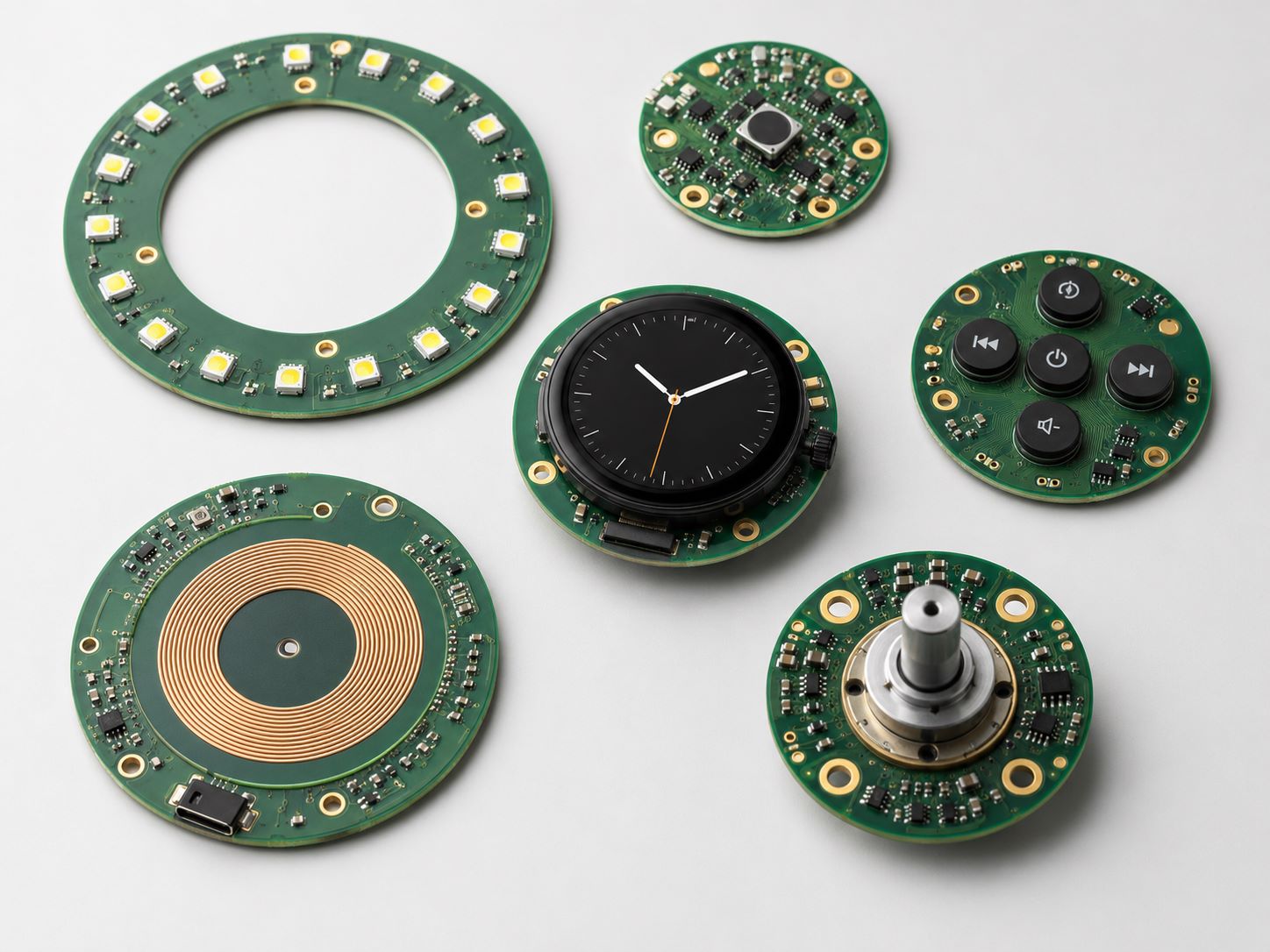
A high-quality Double sided PCB prototype is critical to validating your design, identifying issues early, and accelerating time-to-market. However, prototype projects often face common pain points that slow down developmentâhereâs how EBest solves them.
Common Double sided PCB Prototype Pain Points
Long Lead Times: Many manufacturers take weeks to deliver prototypes, delaying design validation and project timelines.
Poor Prototype Quality: Prototypes with inconsistent copper thickness, uneven solder mask, or faulty vias lead to inaccurate testing results.
Inflexible Customization: Difficulty adapting prototypes to design changes forces costly rework or redesigns.
Lack of Technical Support: Uncertainty about whether the prototype meets design requirements, with no guidance on testing or adjustments.
EBestâs Double sided PCB Prototype Solutions
Fast Turnaround: We deliver high-quality Double sided PCB prototypes in days, not weeks, ensuring you can validate your design quickly and keep your project on track.
Premium Quality Prototypes: Our prototypes use the same high-quality materials and manufacturing processes as mass-produced Double sided PCBs, with strict quality checks to ensure accurate performance testing.
Flexible Customization: We support quick design changes and small-batch prototypes (flexible MOQ), allowing you to iterate on your design without costly delays.
End-to-End Support: Our engineers provide testing guidance, review prototype results, and help you refine your design to ensure the final Double sided PCB meets all your requirements.
For fast, reliable, and customizable Double sided PCB prototypes, EBest is your trusted partner. We turn your design into a functional prototype quickly, helping you accelerate development and bring your product to market fasterâcontact us to request a prototype quote.
How to Choose Double sided PCB Raw Materials? (Comparison Table)
Choosing the right raw materials is critical to the performance, durability, and reliability of your Double sided PCB. Below is a detailed comparison of common materials, their properties, and ideal applications to help you make the right choice.
Material Type
Key Properties
Tg Value
Flame Rating
Ideal Applications
EBest Recommendation
FR-4 (Epoxy Glass Cloth)
Excellent mechanical strength, good electrical insulation, cost-effective, easy to process
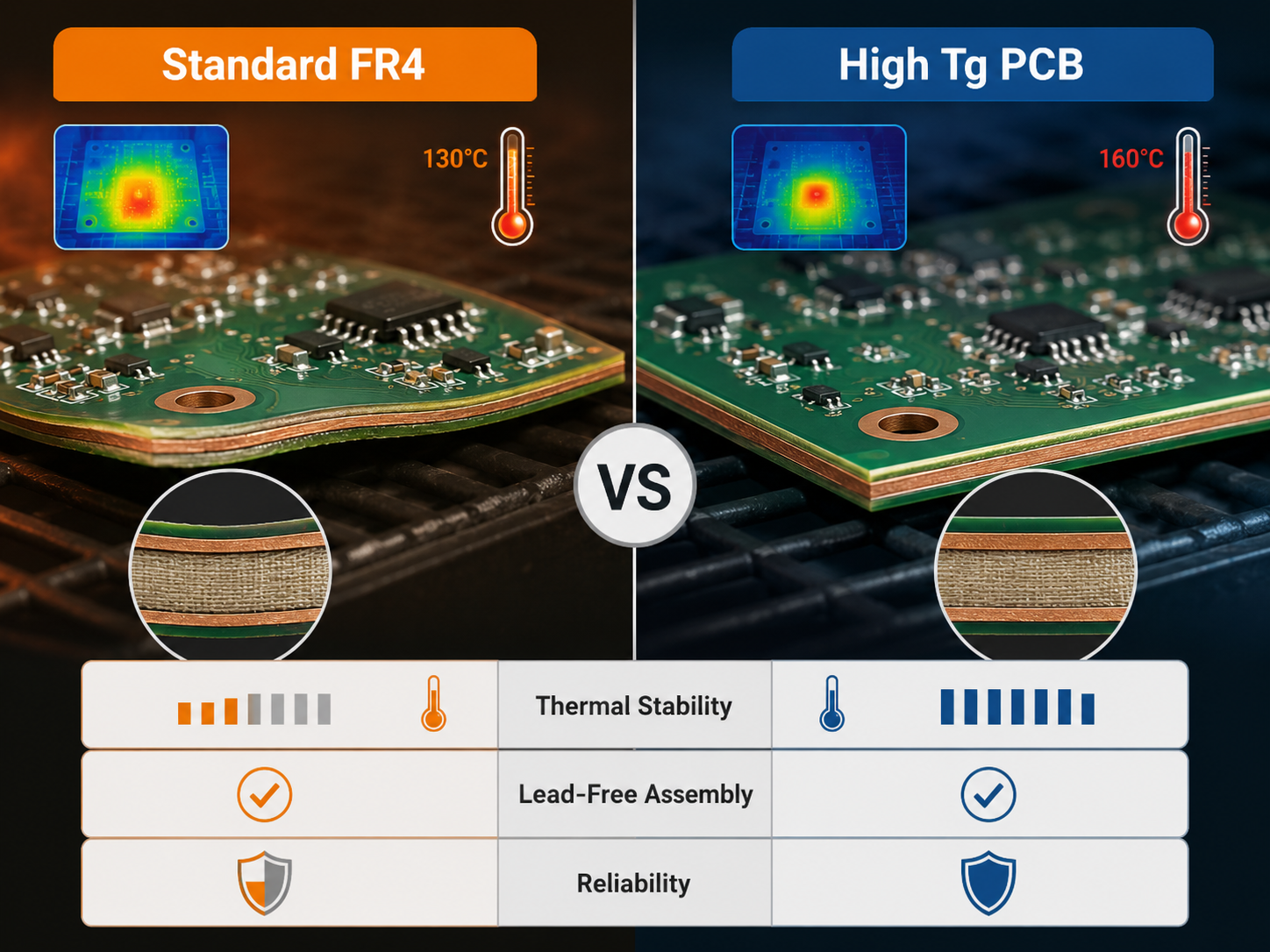
130°C – 180°C+
UL94 V-0
Consumer electronics, industrial control, communication devices, computers
Most common choice for standard Double sided PCB projects
High-Tg FR-4
Higher heat resistance, better dimensional stability, improved reliability at high temperatures
â„170°C
UL94 V-0
Automotive electronics, power electronics, high-temperature industrial applications
For projects exposed to high temperatures (â„150°C)
High-frequency communication devices, RF applications, aerospace
For high-frequency (â„100MHz) Double sided PCB designs
Aluminum Substrate
Excellent heat dissipation, good mechanical strength, electrical insulation
130°C – 150°C
UL94 V-0
LED lighting, power electronics, automotive LED modules
For heat-generating Double sided PCB applications
Double sided PCB Applications: Industry Use Cases & Problem-Solving
Double sided PCBs are widely used across industries due to their balance of performance, cost, and compact design. Below are four popular industries, real-world case studies, and common application challengesâwith EBestâs solutions.
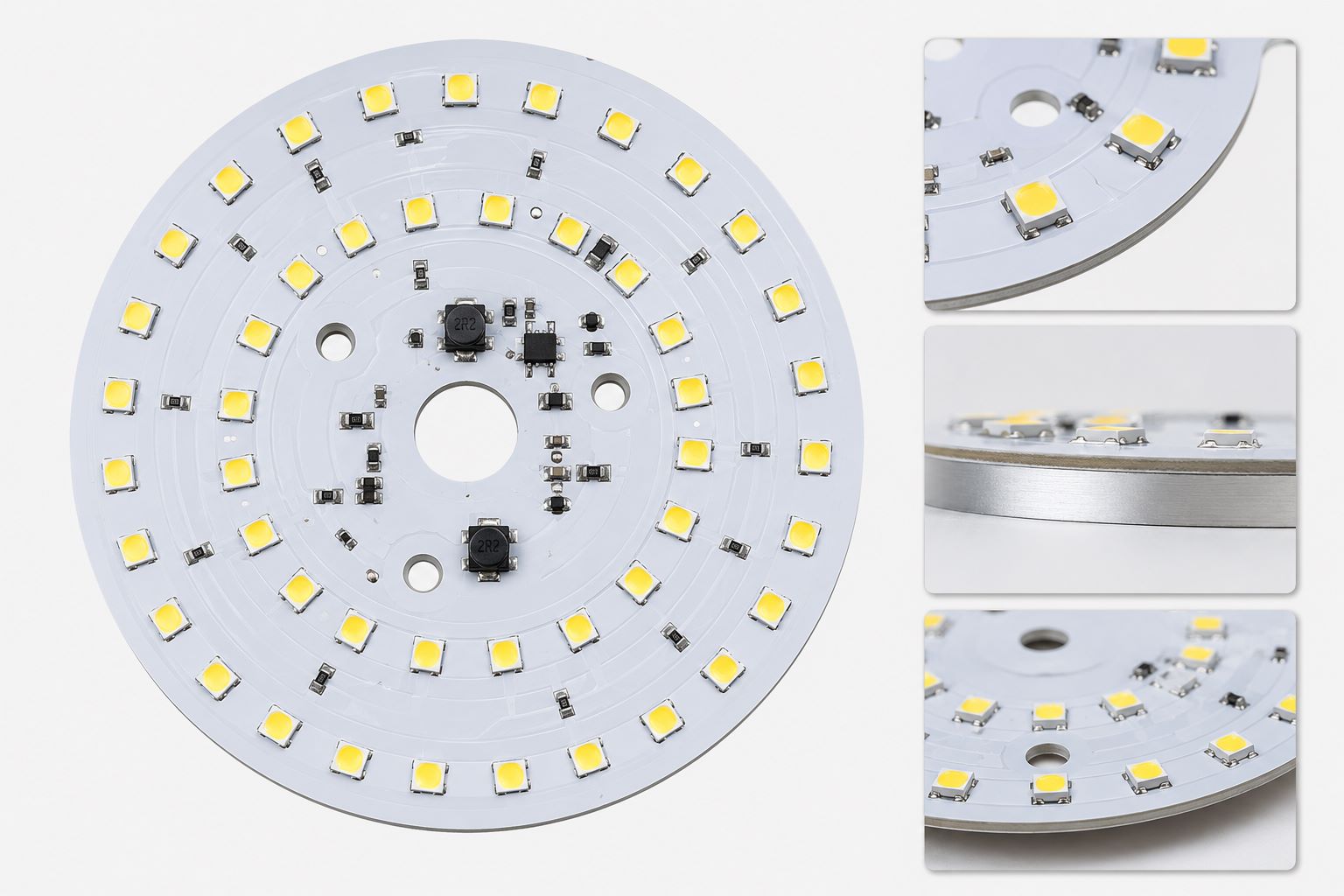
1. Consumer Electronics
Common applications: Smartphones, tablets, wearables, LED TVs, and home appliances. Double sided PCBs enable compact designs with high component density, critical for modern consumer devices.
Case Study: We partnered with a consumer electronics brand to develop a Double sided PCB for a smartwatch. The challenge was fitting a battery management system, Bluetooth module, and sensors into a tiny form factor. Our solution: optimized component layout, 0.3mm vias, and a high-density routing strategyâresulting in a compact PCB that met all performance requirements and reduced assembly time by 20%.
Common Problem & Solution: Signal interference between Bluetooth and power circuits. We separated digital and analog signals on different layers, added ground copper shielding, and reduced via count to minimize parasitic effectsâeliminating interference completely.
2. Automotive Electronics
Common applications: Infotainment systems, sensors, engine control units (ECUs), and LED lighting. Double sided PCBs must withstand high temperatures, vibration, and harsh environments.
Case Study: An automotive manufacturer needed a Double sided PCB for a dashboard infotainment system. The challenge was ensuring reliability in temperatures ranging from -40°C to 125°C. Our solution: high-Tg FR-4 material, thick copper traces (2oz), and reinforced viasâresulting in a PCB that passed all automotive environmental tests and had a 99.9% reliability rate.
Common Problem & Solution: PCB warping due to temperature changes. We used high-Tg FR-4 and optimized copper distribution (grid patterns on large copper areas) to reduce thermal stressâpreventing warping and ensuring long-term reliability.
3. Industrial Control/Automation
Common applications: PLCs (Programmable Logic Controllers), sensors, motor drives, and industrial monitors. Double sided PCBs must handle high voltages, noise, and continuous operation.
Case Study: We worked with an industrial automation company to design a Double sided PCB for a motor drive controller. The challenge was isolating high-voltage (220V) and low-voltage (3.3V) circuits to avoid arcing. Our solution: 8mm spacing between high and low voltage areas, a blank isolation band, and grounded via arraysâensuring safety and reducing noise by 35%.
Common Problem & Solution: Electrical noise affecting sensor signals. We added decoupling capacitors, optimized ground paths, and used shielded tracesâimproving signal accuracy by 40%.
4. Communication Devices
Common applications: Routers, modems, Bluetooth devices, and IoT sensors. Double sided PCBs must support high-frequency signals with minimal loss.
Case Study: A communication brand needed a Double sided PCB for a 5G router. The challenge was maintaining signal integrity for 5G frequencies (24-30GHz). Our solution: PTFE material, microvias (0.15mm), and controlled impedance routingâresulting in a PCB with signal loss â€0.2dB per cm and meeting 5G performance standards.
Common Problem & Solution: High-frequency signal attenuation. We used low-loss PTFE material and minimized via count (â€1 via per signal path)âreducing signal loss by 50%.
What Are the Key Differences Between Double sided PCB and Single-Sided PCB?
Many designers wonder whether to choose a Double sided PCB or single-sided PCB for their project. The answer depends on component density, signal complexity, and space requirementsâhereâs a clear comparison to help you decide.
Feature
Double sided PCB
Single-Sided PCB
Copper Layers
2 layers (top and bottom), connected by vias
1 layer (only top or bottom)
Component Density
Highâcomponents can be placed on both sides
Lowâcomponents only on one side
Routing Flexibility
Highâcrossing traces can be routed via vias
Lowâtraces cannot cross without rerouting
Signal Integrity
Betterâsupports high-frequency signals with less crosstalk
Poorâlimited to low-frequency, simple signals
Ideal Applications
Consumer electronics, automotive, industrial control, communication devices
FAQ: Common Double sided PCB Questions & Solutions
Below are the most frequently asked questions about Double sided PCBs, with clear, concise answers to help you solve common problems and make informed decisions.
1. What is the minimum line width and spacing for a Double sided PCB?
The minimum line width and spacing for a Double sided PCB is 6mil (0.15mm), but we recommend 8mil (0.2mm) for most projects. 6mil is possible but increases manufacturing complexity and lead time. For high-current applications, use wider lines (e.g., 1mm line width for 2A current with 1oz copper).
2. How to prevent via failure in Double sided PCB?
To prevent via failure, ensure via plating thickness is â„20ÎŒm (average), use a pad diameter 2-2.5 times the via diameter, and avoid dense via placement (minimum 1mm center-to-center spacing). Also, reinforce vias near the PCB edge (â„1mm from the edge) to prevent cracking during cutting.
3. Can Double sided PCB support high-frequency signals?
Yes, Double sided PCBs can support high-frequency signals (up to 100MHz+) with the right design and materials. Use low-loss materials (e.g., PTFE), minimize via count, keep high-frequency traces short (â€10cm), and add ground vias near signal vias to reduce parasitic effects.
4. What is the maximum temperature a Double sided PCB can withstand?
The maximum temperature depends on the substrate material: standard FR-4 Double sided PCBs can withstand continuous temperatures up to 130°C, high-Tg FR-4 up to 180°C, and PTFE up to 260°C. For automotive or high-temperature applications, choose high-Tg FR-4 or PTFE.
5. How to reduce crosstalk in Double sided PCB design?
Reduce crosstalk by separating digital and analog signals on different layers, maintaining minimum line spacing (â„1.5x line width), keeping high-frequency traces short, and adding ground copper shielding around sensitive signals. Also, avoid parallel routing of high-frequency traces for long distances.
6. What is the difference between plated through-holes (PTH) and non-plated through-holes (NPTH) in Double sided PCB?
PTHs are metalized (copper-plated) to connect the top and bottom copper layers electrically, used for component pins and signal interconnection. NPTHs are non-metalized, used for mechanical mounting (e.g., screws) and do not conduct electricity. We default to PTHs unless specified otherwise.
7. How long does it take to manufacture a Double sided PCB prototype?
At EBest, Double sided PCB prototypes are delivered in 2-5 business days, depending on complexity. Mass production lead times vary based on order quantity but typically range from 7-14 business daysâwe prioritize fast delivery without compromising quality.
Choose EBest for Your Double sided PCB Needs
We provide high-quality Double sided PCB design, prototype, and manufacturing services, tailored to meet the unique needs of your project. Whether you need a custom Double sided PCB for consumer electronics, automotive, industrial control, or communication devices, our team of engineers is here to guide you every step of the way. For reliable, fast, and cost-effective Double sided PCB solutions, contact us to place your order at sales@bestpcbs.com. EBestâyour trusted partner for all Double sided PCB needs.
When searching for a reliable multi-layer PCB manufacturer, EBest is your first and best choice. We prioritize your project success with industry-leading delivery speed, uncompromising quality, authoritative certifications, free value-added services, and dedicated supportâall designed to streamline your multi-layer PCB design, prototype, and production process.
Delivery Speed: We offer fast turnaround times for both prototypes and mass production, ensuring your multi-layer PCB projects stay on scheduleâno unnecessary delays, even for complex 4-16 layer designs.
Unmatched Quality: Our multi-layer PCB production adheres to strict quality control standards, with precision layer alignment (±25Όm tolerance), uniform copper etching, and bubble-free lamination to guarantee signal integrity and long-term reliability.
Authoritative Certifications: EBest holds ISO 9001, IPC-6012, and RoHS certifications, ensuring our multi-layer PCB products meet global industry standards for automotive, medical, and industrial applications.
Cost-Saving Support: We provide free DFM (Design for Manufacturability) analysis for all multi-layer PCB designs, helping you avoid costly reworks, and offer flexible prototype MOQ to support small-batch and startup projects.
Dedicated Service: Our team of PCB engineers offers 24/7 technical support, guiding you through multi-layer PCB design, material selection, and productionâensuring your project runs smoothly from concept to delivery.
What is a Multi-layer PCB?
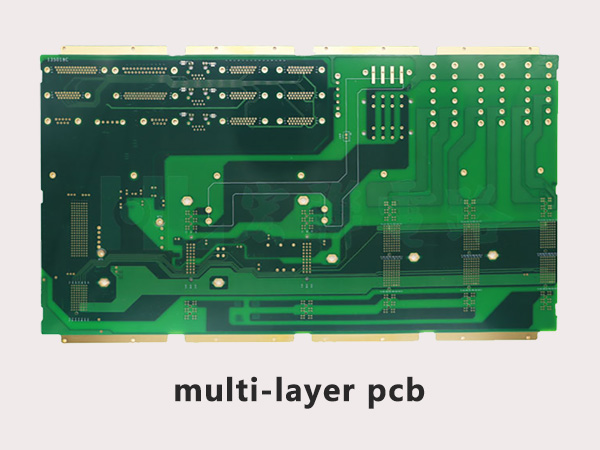
A multi-layer PCB is a printed circuit board composed of three or more conductive copper layers separated by insulating prepreg and core materials, bonded together through high-temperature and high-pressure lamination. Unlike single or double-layer PCBs, multi-layer PCBs use vias (through-holes, blind holes, buried holes) to connect layers, enabling higher component density, better signal integrity, and smaller board sizeâcritical for modern electronic devices.
Most multi-layer PCBs range from 4 to 16 layers (high-layer PCBs have 20+ layers), with a typical thickness of 1.6mm for 4-layer designs. Their core advantage is balancing compactness with performance, making them ideal for devices requiring complex circuitry without sacrificing reliability.
Multi-layer PCB Stackup: A Complete Guide (Table Format)
The multi-layer PCB stackup designâthe arrangement of copper layers, prepreg, and core materialsâdirectly impacts signal integrity, power distribution, and thermal performance. Below is a detailed comparison of common stackup configurations for 4, 6, 8, and 10-layer PCBs, tailored to different application needs.
Number of Layers
Stackup Configuration
Core/Prepreg Thickness
Copper Thickness
Key Application
Signal Integrity Focus
4-Layer
Top (Signal) â Prepreg â GND â Core â POWER â Prepreg â Bottom (Signal)
The multi-layer PCB manufacturing process requires precision and strict quality control to ensure layer alignment, conductivity, and reliability. Below is a detailed, step-by-step breakdown of the process, as executed by EBestâs expert team.
Step 1: Design Transfer & Panelization
Start with a completed multi-layer PCB design (Gerber/ODB++ files) from your design software. We review the files for manufacturability, then combine individual PCB designs into a panel for efficient production. Fiducial marks and tooling holes are added to ensure precise alignment in subsequent steps.
Step 2: Inner Layer Processing
Cut copper-clad laminate sheets to size, clean the copper surfaces, and apply a photosensitive photoresist. Expose the inner layers to UV light through a photomask to transfer the circuit pattern, then develop and etch the layers to remove unwanted copper. Each inner layer is inspected for defects using AOI (Automated Optical Inspection).
Step 3: Layer Stackup & Lamination
Stack the inner layers, prepreg, and outer copper-clad laminates according to the predetermined multi-layer PCB stackup design. The stack is placed in a lamination press, where heat (up to 180°C) and pressure (â„6kg/cmÂČ) bond the layers together, melting the prepreg to form a solid board. We use low-flow prepreg to prevent layer shifting and bubble formation.
Step 4: Drilling
Use computer-controlled drilling machines to create vias (through-holes, blind holes, buried holes) for layer interconnection. For high-aspect-ratio holes (up to 8:1 in 8-layer PCBs), we use step drills to prevent breakage. The drilled board is cleaned to remove debris and residues.
Step 5: Plating
Electroplating is used to coat the hole walls and copper traces, ensuring electrical conductivity. We use pulse plating to achieve uniform copper thickness (20-35ÎŒm) and improve hole wall quality. A final copper plating layer is applied to meet the required thickness for signal and power layers.
Repeat the photoresist, exposure, and etching process for the outer layers to form the final circuit pattern. A solder mask (green, black, or custom color) is applied to protect the copper traces from oxidation and short circuits. Silkscreen printing adds component labels for assembly.
Step 7: Surface Finish & Final Inspection
Apply the appropriate surface finish (ENIG, HASL, OSP) based on your application. We perform final inspections, including AOI, X-ray (for inner layer defects), and electrical testing (continuity, insulation resistance) to ensure the multi-layer PCB meets all specifications.
Designing a multi-layer PCB comes with unique challenges that can derail projects if not addressed properly. Below are the most common design pain points, their impacts, and EBestâs proven solutionsâplus why you should trust us for your multi-layer PCB design needs.
Common Multi-layer PCB Design Pain Points & EBestâs Solutions
Pain Point 1: Signal Integrity Issues (Crosstalk, Reflection, Delay)
High-speed signals (â„100MHz) on multi-layer PCBs often suffer from crosstalk, reflection, or delay, leading to signal distortion and circuit failure. This is especially common in dense designs with closely spaced traces.
Pain Point 2: Power Integrity Problems (Voltage Noise, Fluctuations)
Voltage noise and fluctuations on power planes can cause chips to reset or malfunction, especially in multi-layer PCBs with multiple power domains.
Solution: We design multi-layer PCBs with adjacent power and ground planes to form a natural capacitor, reducing noise. We also place decoupling capacitors (0.1ÎŒF + 10nF) near chip power pins and split power planes (with proper isolation) for different voltage domains.
Pain Point 3: Layer Alignment Errors
Poor layer alignment (beyond ±25ÎŒm) causes via misalignment, short circuits, or open circuitsâespecially in 8+ layer multi-layer PCBs.
Solution: EBest uses precision alignment tools during lamination and adds fiducial marks to every panel. We also implement thermal expansion compensation to minimize alignment errors caused by material temperature changes.
Pain Point 4: Heat Dissipation Challenges (Overheating Components)
High-power components on multi-layer PCBs can overheat, reducing component lifespan and performanceâcritical in automotive and industrial applications.
Solution: We integrate heat dissipation vias, large copper heat dissipation pads, and (if needed) metal core layers into your multi-layer PCB design. We also optimize component placement to avoid heat concentration and ensure airflow.

Donât let multi-layer PCB design challenges slow down your project. EBestâs team of design engineers will guide you from concept to final design, ensuring your multi-layer PCB is optimized for performance, manufacturability, and reliability. Choose EBest for your multi-layer PCB design needsâwe turn complex designs into actionable solutions.
High-Precision Multi-layer PCB Prototype: Fast, Reliable, and Customizable
A high-quality high-precision multi-layer PCB prototype is critical to validating your design, identifying issues early, and accelerating time-to-market. However, many engineers face frustrating pain points when sourcing multi-layer PCB prototypesâhereâs how EBest solves them, and why you should choose us for your prototype needs.
Common Multi-layer PCB Prototype Pain Points & EBestâs Solutions
Pain Point 1: Slow Turnaround Times
Many manufacturers take 7-10 days to deliver high-precision multi-layer PCB prototype, delaying design validation and project timelines.
Solution: EBest offers fast prototype turnaroundâ48-72 hours for 4-6 layer multi-layer PCB prototypes, and 5-7 days for 8-10 layer designs. We prioritize prototype orders to ensure you get your boards quickly.
Pain Point 2: Poor Prototype Quality (Misalignment, Defects)
Low-quality multi-layer PCB prototypes (with layer misalignment, etch errors, or poor soldering) lead to incorrect design validation and costly reworks.
Solution: EBest applies the same strict quality control standards to prototypes as mass production. We use LDI (Laser Direct Imaging) for precise circuit patterns, AOI inspection, and X-ray testing to ensure your high-precision multi-layer PCB prototype is defect-free.
Pain Point 3: Inflexible Customization
Many manufacturers limit customization options for multi-layer PCB prototypes, making it hard to test unique design requirements (e.g., high-frequency materials, custom stackups).
Solution: EBest offers fully customizable high-precision multi-layer PCB prototypeâchoose layer count (4-16 layers), materials (FR-4, PTFE, high-TG), surface finish, and thickness. We also provide free DFM analysis to ensure your custom prototype is manufacturable.
Pain Point 4: Lack of Technical Support
When issues arise with your multi-layer PCB prototype, many manufacturers offer little to no technical support, leaving you stuck.
Solution: EBestâs engineers are available 24/7 to answer your multi-layer PCB prototype questions, help troubleshoot design issues, and provide guidance on optimizing your prototype for mass production.
For high-precision, fast, and reliable high-precision multi-layer PCB prototype, choose EBest. Our prototypes are built to the same standards as production boards, ensuring accurate design validation and a smooth transition to mass production. Contact us today to start your multi-layer PCB prototype project.
How to Choose Multi-layer PCB Raw Materials? (Table Comparison)
The choice of raw materials directly impacts the performance, reliability, and cost of your multi-layer PCB. Below is a detailed comparison of common multi-layer PCB material selection, their properties, and ideal applicationsâhelping you make the right choice for your project.
Material Type
Dielectric Constant (Dk)
Loss Factor (Df)
Thermal Conductivity
Key Properties
Ideal Application
FR-4 (Standard)
4.2-4.8 (1GHz)
0.020-0.025
0.3 W/mK
Cost-effective, good mechanical strength, widely available
Consumer Electronics, LED Lighting, Basic Industrial Control
FR-4 (High-TG)
4.0-4.5 (1GHz)
0.018-0.022
0.35 W/mK
High heat resistance (TG >180°C), improved reliability
Automotive Electronics, Servers, Industrial Control
PTFE (High-Frequency)
2.2-3.5 (1GHz)
<0.004
0.6-1.2 W/mK
Low loss, excellent high-frequency performance
Communication Devices (5G), Aerospace, Radar
Metal Core (Aluminum/Copper)
4.5-5.0 (1GHz)
0.030-0.050
1-10 W/mK
High thermal conductivity, good heat dissipation
Power Electronics, LED Lighting, High-Power Industrial Devices
Copper Foil (ED)
N/A
N/A
401 W/mK
Cost-effective, rough surface (good adhesion)
Inner Layers of Standard Multi-layer PCBs
Copper Foil (RA)
N/A
N/A
401 W/mK
Smooth surface, low high-frequency loss
High-Speed Multi-layer PCBs (DDR, PCIe)
EBestâs engineers will help you select the optimal multi-layer PCB material selection for your multi-layer PCB, based on your application, performance requirements, and design constraints. We source high-quality materials from trusted suppliers to ensure consistent quality across all your multi-layer PCB projects.
Multi-layer PCB Applications: Industry Use Cases & Common Issues
Multi-layer PCBs are essential in modern electronic devices, especially in industries requiring compact, high-performance, and reliable circuitry. Below are four popular industries for multi-layer PCBs, real-world case studies, and common application issues with solutions.
1. Consumer Electronics
Case Study: EBest designed and manufactured 4-layer multi-layer PCBs for a smartwatch brand. The PCBs needed to be compact (30x30mm) with high component density, supporting Bluetooth, heart rate monitoring, and battery management.
Common Issue: Signal interference between Bluetooth and heart rate sensor circuits. Solution: We used a 4-layer stackup with separate signal and ground layers, optimized trace routing, and added shielding to minimize interference. The final multi-layer PCBs met all performance requirements and passed FCC testing.
2. Automotive Electronics
Case Study: EBest supplied 8-layer automotive multi-layer PCB manufacturing for an electric vehicle (EV) battery management system (BMS). The PCBs needed to withstand high temperatures (-40°C to 125°C) and support high-current (20A) power distribution.
Common Issue: Thermal degradation and voltage noise. Solution: We used high-TG FR-4 material, integrated heat dissipation vias and large copper pads, and designed adjacent power/ground planes to reduce noise. The automotive multi-layer PCB manufacturing passed automotive qualification (AEC-Q200) and are now in mass production.
3. Medical Electronics
Case Study: EBest developed 10-layer medical multi-layer PCB solutions for a portable ultrasound device. The PCBs needed to support high-speed data transfer (1Gbps) and meet strict medical standards (ISO 13485).
Common Issue: Signal integrity and biocompatibility. Solution: We used low-Df materials, differential pair routing for high-speed signals, and ENIG surface finish (biocompatible). The medical multi-layer PCB solutions met all medical certifications and enabled the device to deliver clear ultrasound images.
4. Industrial Control
Case Study: EBest manufactured 6-layer multi-layer PCBs for a programmable logic controller (PLC). The PCBs needed to resist electromagnetic interference (EMI) and support multiple I/O channels.
Common Issue: EMI interference from industrial equipment. Solution: We designed a 6-layer stackup with full ground planes for shielding, added EMI filters to input/output ports, and optimized trace spacing. The multi-layer PCBs operate reliably in harsh industrial environments.
What Are the Most Common Multi-layer PCB Problems?
Even with careful design and manufacturing, multi-layer PCBs can face common issues that impact performance. Below are the most frequent problems, their causes, and quick solutionsâhelping you avoid costly reworks and delays.
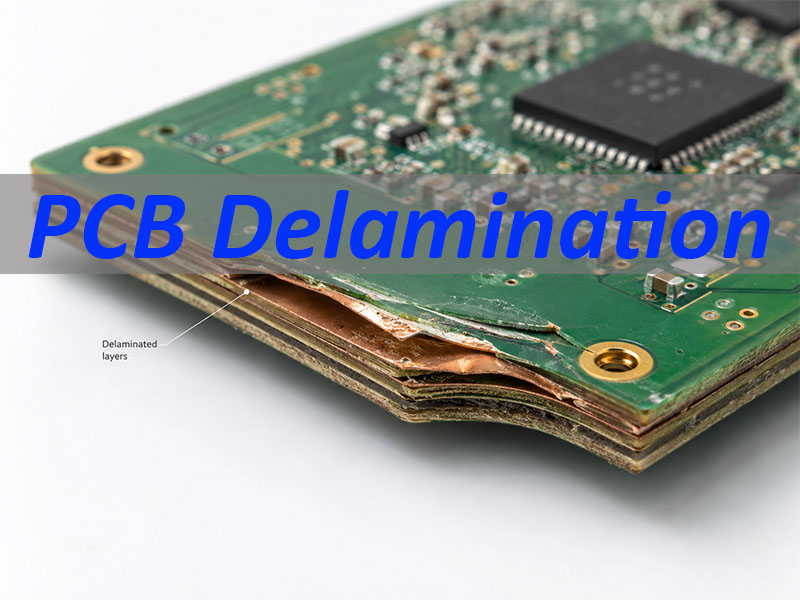
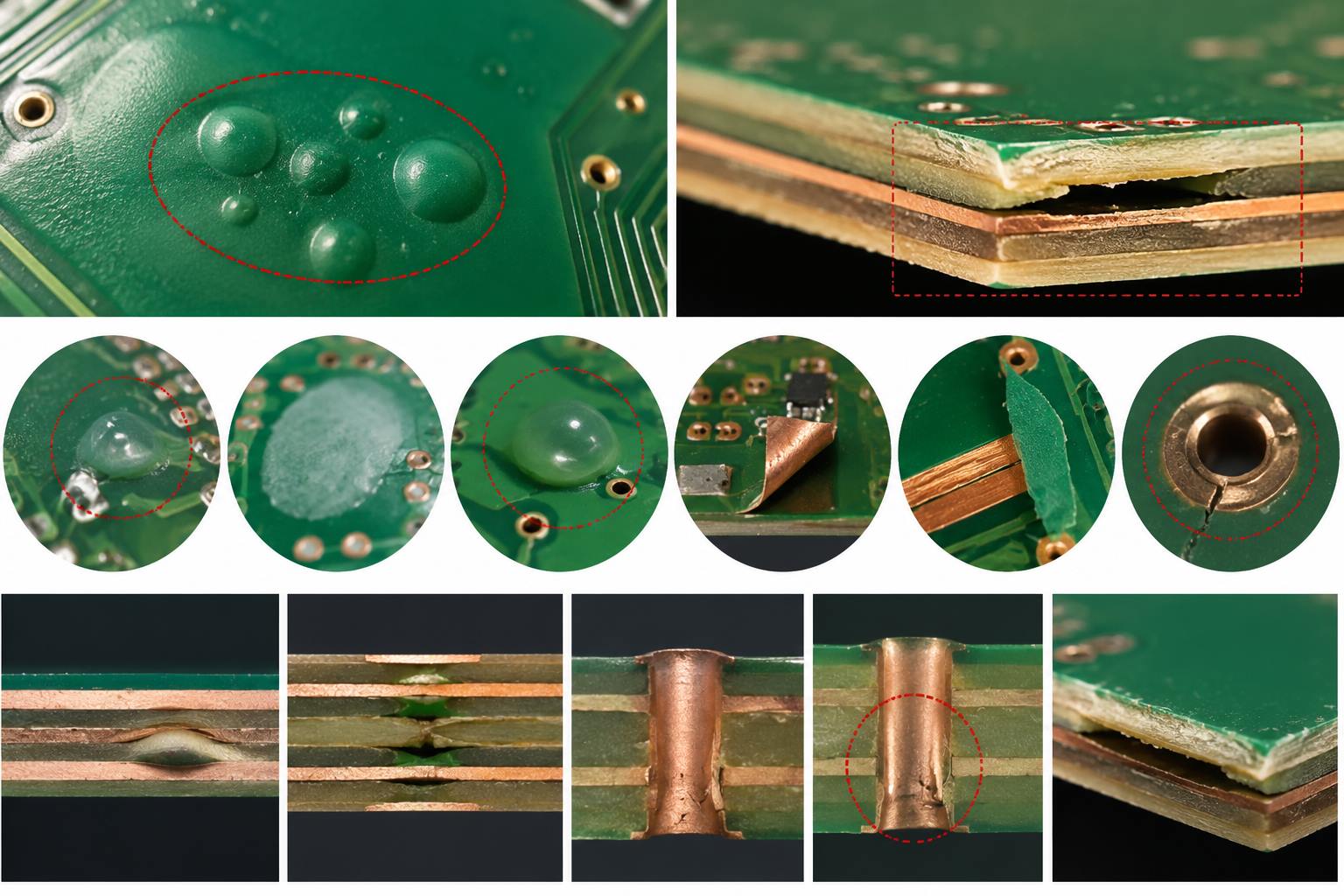
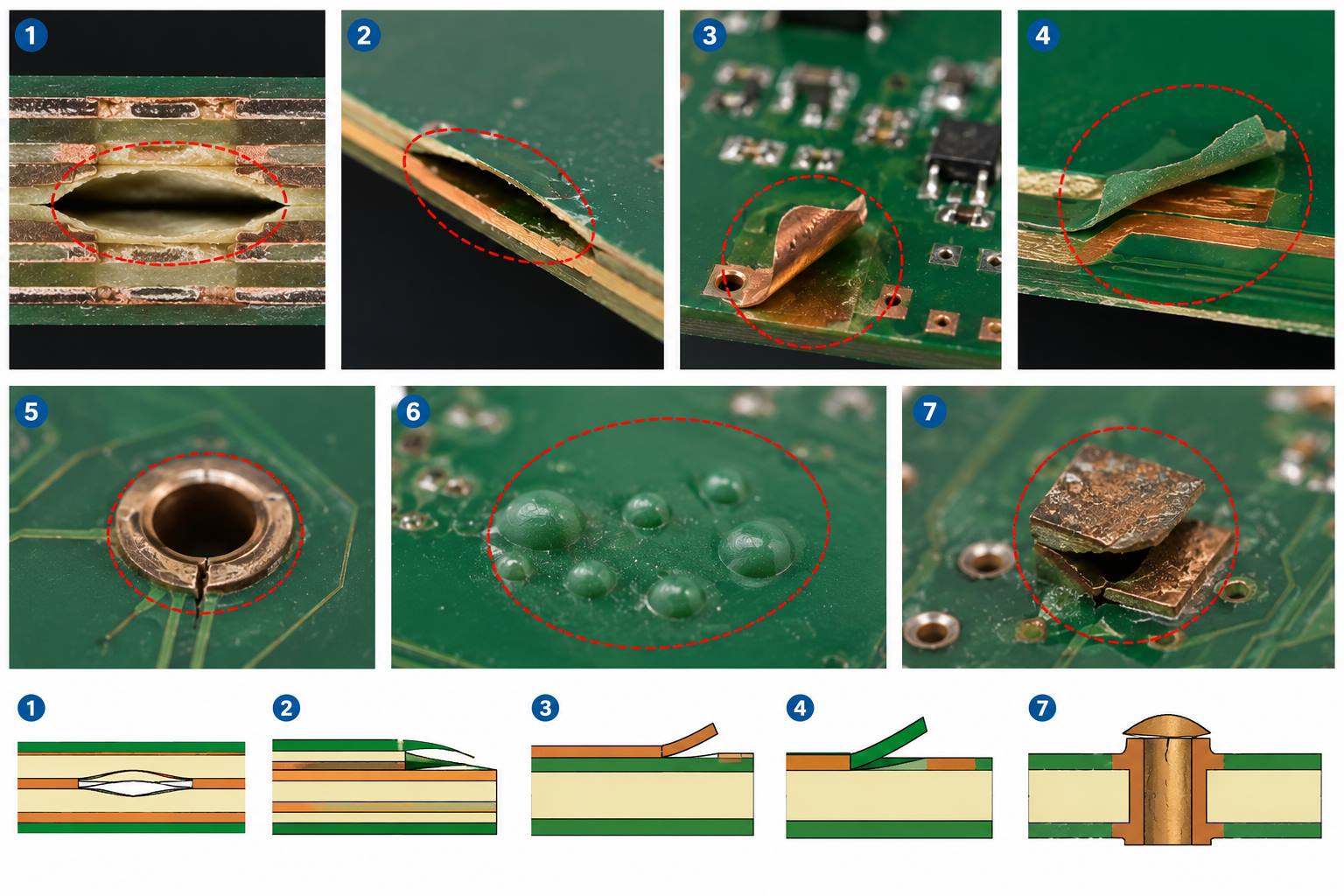
Issue: Layer Delamination
Cause: Poor lamination (insufficient heat/pressure), low-quality prepreg, or moisture in materials. Solution: Use high-quality prepreg, ensure proper lamination parameters, and store materials in a dry environment. EBest uses vacuum lamination to prevent delamination.
Issue: Via Open Circuits
Cause: Drilling errors, poor plating, or debris in holes. Solution: Use precision drilling machines, clean holes thoroughly before plating, and perform electrical testing. EBest uses X-ray testing to detect via defects early.
Issue: Impedance Mismatch
Cause: Incorrect trace width, spacing, or material Dk. Solution: Calculate trace dimensions based on impedance requirements, use consistent materials, and simulate impedance before production. EBestâs DFM service includes impedance checking.
Issue: Copper Etching Errors
Cause: Over-etching/under-etching, poor photomask alignment. Solution: Use LDI for precise photomask alignment, control etching time/temperature, and perform AOI inspection. EBest uses automated etching equipment for consistent results.
Multi-layer PCB FAQ: Answers to Common Questions
Below are the most frequently asked questions about multi-layer PCBs, with clear, concise answersâdesigned to address your most pressing concerns and help you make informed decisions.
1. What is the maximum number of layers for a multi-layer PCB?
EBest can manufacture multi-layer PCBs with up to 24 layers, though the most common range is 4-16 layers. The maximum layer count depends on your design requirements (component density, signal speed) and application. High-layer multi-layer PCBs (20+ layers) are typically used in aerospace and high-end server applications.
2. How long does it take to manufacture a multi-layer PCB?
Turnaround time varies by layer count: 4-6 layer multi-layer PCBs take 5-7 days for mass production, 8-10 layer PCBs take 7-10 days, and 12+ layer PCBs take 10-14 days. Prototypes are fasterâ48-72 hours for 4-6 layers and 5-7 days for 8+ layers.
3. Can multi-layer PCBs be used for high-frequency applications?
Yes, multi-layer PCBs are ideal for high-frequency applications (â„1GHz) when using low-Df materials (e.g., PTFE, hydrocarbon resin) and optimized stackup. EBest designs high-frequency multi-layer PCBs with controlled impedance, minimal crosstalk, and low signal loss for 5G, radar, and satellite communication devices.
4. How to test the quality of a multi-layer PCB?
Quality testing for multi-layer PCBs includes AOI (for surface defects), X-ray (for inner layer defects and via alignment), electrical testing (continuity, insulation resistance, impedance), and thermal testing (for heat resistance). EBest performs 100% testing on all multi-layer PCBs to ensure compliance with industry standards.
5. What is the difference between blind holes and buried holes in multi-layer PCBs?
Blind holes connect the outer layer to one or more inner layers (but not all layers), while buried holes connect two or more inner layers (not the outer layers). Both are used in multi-layer PCBs to save space and improve signal integrity, especially in dense designs. EBest can manufacture both blind and buried holes with high precision.
6. Are multi-layer PCBs more reliable than single/double-layer PCBs?
Yes, multi-layer PCBs are more reliable than single/double-layer PCBs for complex applications. They offer better signal integrity, reduced crosstalk, improved power distribution, and higher component densityâall of which reduce the risk of circuit failure. They also withstand harsh environments (temperature, humidity, EMI) better than single/double-layer PCBs.
7. How to reduce crosstalk in multi-layer PCB designs?
To reduce crosstalk in multi-layer PCBs, place signal layers adjacent to ground planes, use differential pair routing (equal length, 3x line width spacing), minimize parallel trace length, and increase trace spacing. EBestâs design team uses these techniques and 3D simulation to minimize crosstalk in all multi-layer PCB signal integrity optimization designs.
Choose EBest for Your Multi-layer PCB Needs
At EBest, we specialize in multi-layer PCB design, prototype, and manufacturingâdelivering high-quality, reliable, and cost-effective solutions for consumer electronics, automotive, medical, and industrial applications. Our team of expert engineers is dedicated to solving your multi-layer PCB challenges, from design to delivery, and our strict quality control ensures every board meets your specifications.
We provide multi-layer PCB products with fast delivery, free DFM analysis, flexible customization, and 24/7 technical support. Whether you need a high-precision prototype or mass production, EBest is your trusted partner for all multi-layer PCB needs. Contact us today to place your orderâsend an email to sales@bestpcbs.com and letâs bring your project to life.
In practical electronics, open circuit appears in many places. A broken trace on a PCB can stop signal transmission. A loose connector may interrupt power delivery. Even a damaged solder joint can produce the same effect. Because of this, engineers must understand how to identify and prevent open circuits during design, manufacturing, and maintenance.
This guide explains theopen circuit definition, common causes, real examples, and how it differs from short circuits. It also explores open circuit voltage and troubleshooting methods used by engineers.
What Is an Open Circuit?
An open circuit refers to a circuit where the electrical path is interrupted. Current cannot flow because the conductive path is broken.
In a normal circuit, electrons move through conductors from the power source to the load and return. When any point in that path breaks, the circuit becomes open.
In simple terms:
Open circuit definition:
An electrical circuit where current cannot flow due to a break in the conductive path.
Key characteristics include:
Infinite or extremely high resistance
No current flow
Voltage may still exist across the break
A simple example is a light switch turned off. The wiring still exists, but the circuit path is open, so current stops flowing.
In PCB electronics, an open circuit can occur due to:
Broken copper traces
Poor solder joints
Cracked vias
Disconnected connectors
Because of these reasons, detecting open circuits early is important for maintaining system reliability.
Why Is an Open Circuit Bad?
In most practical applications, an open circuit represents a fault condition that prevents the electrical system from functioning properly.
Although open circuits are generally less dangerous than short circuits, they can still cause serious operational problems in electronic systems.
Common Problems Caused by Open Circuits
Equipment Failure
When the electrical path is interrupted, power cannot reach the load. As a result, equipment such as motors, lights, or sensors stops functioning.
System Downtime
In industrial environments, a single open circuit can stop an entire production line. For example, an open connection in a control circuit may disable machinery or automated systems.
Signal Loss
In communication circuits, an open circuit can block signal transmission. This may disrupt data communication between components or systems.
Intermittent Faults
Sometimes an open circuit occurs only intermittently due to vibration, temperature changes, or loose connections. These faults can be difficult to detect and diagnose.
Because of these risks, identifying and repairing open circuits quickly is critical for maintaining system reliability.
What Are Examples of Open Circuits?
Open circuits appear in many everyday electrical situations. Some are intentional, while others result from faults or damage.
1. Switch in the OFF Position
A simple example of an open circuit is a light switch in the OFF position. When the switch is open, the electrical path is interrupted, and current cannot reach the light bulb.
This is actually a controlled open circuit designed to safely stop current flow.
2. Broken Wire
If a wire inside a cable breaks or disconnects, the circuit path is interrupted. This commonly occurs in damaged cables, worn-out power cords, or improperly installed wiring.
3. Burned-Out Light Bulb
In traditional incandescent bulbs, the filament provides the path for current. When the filament breaks due to overheating or aging, the circuit becomes open and the bulb stops working.
4. Loose Electrical Connection
Loose connectors or terminals can create open circuits. This often happens in electrical panels, wiring harnesses, or PCB connectors.
5. Faulty PCB Trace
In electronics manufacturing, a cracked or damaged copper trace on a printed circuit board can interrupt the electrical path, creating an open circuit.
What Causes an Open Circuit?
Many different factors can lead to an open circuit. These causes generally fall into mechanical, electrical, manufacturing, or environmental categories.
1. Mechanical Damage
Physical damage is one of the most common causes of open circuits.
Examples include:
Broken wires
Damaged connectors
Cut or worn cables
Bent or broken component leads
Repeated bending or stretching of wires can eventually cause internal conductors to break.
2. Component Failure
Electronic components can fail and interrupt current flow.
Examples include:
Burned resistors
Failed integrated circuits
Broken capacitor leads
Open semiconductor junctions
When a component fails internally, it may stop conducting electricity, effectively creating an open circuit.
3. Manufacturing Defects
Poor manufacturing practices can introduce open circuits in electronic assemblies.
Common defects include:
Cold solder joints
Insufficient solder
Missing solder connections
Incomplete PCB traces
These defects are often detected during inspection processes such as AOI (Automated Optical Inspection) or electrical testing.
4. Environmental Factors
External conditions can gradually damage electrical connections.
Examples include:
Corrosion due to moisture
Thermal expansion and contraction
Vibration and mechanical stress
Oxidation of connectors
Over time, these factors can weaken electrical connections and eventually cause open circuits.
What Happens If You Have an Open Circuit?
When an open circuit occurs, the electrical behavior of the circuit changes significantly.
No Current Flow
The most important effect is that current stops flowing completely. Because the path is broken, electrons cannot move through the circuit.
Voltage Across the Break
Even though current stops flowing, voltage may still appear across the open portion of the circuit. This occurs because the power source still maintains a potential difference.
Loss of Functionality
Since electrical devices require current to operate, the load connected to the circuit stops working.
For example:
A motor stops rotating
A light bulb turns off
A sensor stops transmitting signals
A control system becomes inactive
Diagnostic Indicators
Open circuits often produce symptoms that help identify them during troubleshooting.
Typical indicators include:
Infinite resistance readings
Lack of continuity
Voltage present but no current flow
Device not responding
What Is Open Circuit Voltage?
Open circuit voltage (OCV) refers to the voltage measured across two terminals when no current flows. This measurement occurs when the circuit path is open. In practice, OCV represents the maximum available voltage of a power source. Examples include:
Device
Typical Open Circuit Voltage
AA battery
~1.5 V
Lithium-ion battery
~4.2 V when fully charged
Solar panel cell
~0.5 â 0.6 V per cell
Automotive battery
~12.6 V when fully charged
Engineers often measure open circuit voltage to evaluate battery condition or solar panel performance. Since no current flows during measurement, the value reflects the inherent electrical potential of the source.
Open Circuit vs Closed Circuit
An open circuit and a closed circuit represent opposite conditions of electrical continuity.
Feature
Open Circuit
Closed Circuit
Current flow
No current flows
Current flows normally
Resistance
Extremely high
Normal operating resistance
Circuit path
Broken or disconnected
Continuous conductive path
Device operation
Device does not operate
Device operates normally
Example
Switch OFF
Switch ON
Most electrical systems alternate between these states. For example, a light switch intentionally creates an open or closed circuit to control power.
Short Circuit vs Open Circuit
Although both are electrical faults, short circuits and open circuits behave very differently.
Feature
Open Circuit
Short Circuit
Current flow
Zero current
Excessive current
Resistance
Very high resistance
Extremely low resistance
Risk level
Device stops working
Risk of overheating or fire
Typical cause
Broken wire or connection
Two conductors touching
Example
Broken PCB trace
Solder bridge between pins
An open circuit usually results in device failure without heat damage. A short circuit often causes overcurrent and component damage. Both faults must be identified during PCB testing.
Does Open Circuit Mean Blown Fuse?
Often yes, but not always. A blown fuse intentionally creates an open circuit to protect equipment.
Inside the fuse, a thin metal strip melts when current exceeds the safe limit. Once the strip breaks, the circuit path opens. This stops current flow and prevents damage to other components.
However, an open circuit can also occur without a blown fuse.
Examples include:
Broken wiring
Failed connectors
PCB trace damage
Therefore, a blown fuse is one possible cause of an open circuit, but it is not the only cause.
FAQs
1. How to Check If a Circuit Is Open or Closed?
Engineers typically use a multimeter or continuity tester.
Steps include:
Turn off power to the circuit.
Set the multimeter to continuity or resistance mode.
Place probes on both ends of the conductor.
Observe the reading.
Results interpretation:
Low resistance / beep sound: circuit is closed
Infinite resistance: circuit is open
2. Can an Open Circuit Still Have Voltage?
Yes. An open circuit can still have voltage present across the break. Voltage represents electrical potential difference, not current flow. When a circuit path is open, electrons cannot move, so current becomes zero. However, the power source can still create voltage across the disconnected points.
3. Is an Open Circuit Dangerous?
In most cases, an open circuit is not dangerous. Because current cannot flow, the circuit typically stops operating safely. Devices simply shut down or fail to function.
4. Can an Open Circuit Damage Electronic Components?
Normally, an open circuit does not directly damage components. Most electronic parts stop operating when current stops flowing. The system simply becomes inactive.
As electronic products become smaller and more complex, engineers rely on different types of vias in PCB layouts to achieve dense routing, high-speed signal integrity, and thermal stability. Without vias, multilayer PCB architecture would not function efficiently. Each via structure serves a specific purpose. Some focus on basic connectivity, others support HDI routing, RF performance, or thermal transfer.
A typical multilayer PCB may contain hundreds or even thousands of vias depending on circuit density. According to common PCB fabrication guidelines, the most frequently used via diameter ranges between 0.2 mm and 0.5 mm, while high-density designs may use microvias smaller than 0.15 mm.
In this guide, we explain the most widely used PCB via types, how they work, and when engineers should apply them. The article also compares via filling technologies and explains the difference between vias and PTH holes.
1. Through-Hole Vias
Through-hole vias are the most traditional and widely used PCB via types. They pass completely through the entire PCB stack, connecting the top layer to the bottom layer. In standard PCB manufacturing, mechanical drilling machines can achieve drill diameters from 0.15 mm to 6 mm. For most multilayer boards, the common finished via hole size ranges from 0.2 mm to 0.4 mm.
Another important parameter is the aspect ratio, which describes the ratio of board thickness to via hole diameter. Most PCB manufacturers recommend keeping the aspect ratio within 6:1 to 10:1 to ensure stable plating quality.
Typical characteristics of through-hole vias:
Connect all PCB layers
Larger drill diameters compared with HDI vias
Lower fabrication cost
Suitable for conventional multilayer PCB designs
Reliable mechanical strength
However, through-hole vias occupy routing space on every layer they pass through. This can reduce layout flexibility when board density increases.
Typical applications include:
Power distribution networks
Ground connections
Standard digital circuits
Industrial electronics
Despite newer HDI technologies, through-hole vias remain an essential structure in many PCB designs.
2. Blind Vias
Blind vias connect the outer layer of a PCB to one or more inner layers, but they do not extend through the entire board.
For example, a blind via may connect the top layer to layer two or layer three, while leaving the remaining layers untouched. This design helps engineers save routing space on deeper layers.
Typical blind via depths are usually less than 0.3 mm, depending on the PCB stack-up structure. Laser-drilled blind vias often have diameters between 0.075 mm and 0.15 mm.
Advantages of blind vias include:
Improved routing density
More available space on internal layers
Better signal routing for compact boards
Reduced interference between layers
Blind vias are widely used in high-density electronics where layout space is limited.
Common applications include:
Smartphones
IoT devices
compact industrial controllers
RF modules
Blind vias help designers maintain a clean routing structure without drilling through the entire PCB stack.
3. Buried Vias
Buried vias connect inner PCB layers but do not reach the outer layers. They remain completely hidden within the board structure after lamination.
These vias are created during intermediate lamination stages. Manufacturers first drill and plate the internal layers, then laminate additional layers on top.
Typical buried via diameters are similar to standard mechanical vias, usually ranging from 0.2 mm to 0.3 mm.
Benefits of buried vias include:
Increased routing density
Cleaner surface layout
Reduced via congestion
Better signal performance in complex designs
However, buried vias increase fabrication complexity. They also require multiple lamination cycles.
For example, a PCB with buried vias and blind vias may require 2â3 lamination cycles, increasing production cost.
Typical uses include:
HDI PCB designs
advanced communication equipment
networking hardware
high-performance computing systems
Buried vias are especially useful when engineers must route many signals across multiple layers.
4. Stacked Vias
Stacked vias are a vertical arrangement of microvias placed directly on top of each other. Each microvia connects two adjacent layers, this structure creates a continuous vertical connection through several layers.
Stacked vias are commonly used in HDI PCB designs. They support extremely high routing density and are often placed under fine-pitch components such as BGA packages. Fine-pitch BGA packages often have ball pitches of 0.5 mm or smaller, making stacked microvias necessary for signal escape routing.
Key characteristics of stacked vias:
Vertical alignment of multiple microvias
Supports high-density routing
Suitable for fine-pitch BGA packages
Requires via filling and copper plating
Because stacked vias require precise alignment and filling processes, manufacturing cost is higher.
However, the structure provides excellent electrical performance and compact routing paths.
5. Staggered Vias
Staggered vias are an alternative to stacked vias. Instead of aligning microvias vertically, each via is slightly offset from the one above or below.
Advantages of staggered vias include:
Improved mechanical reliability
Lower fabrication difficulty
Reduced risk of via cracking
Suitable for HDI structures
Engineers often choose staggered vias when cost control is important but high routing density is still required.
These vias are frequently used in:
consumer electronics
automotive control boards
communication equipment
Staggered vias provide a balanced solution between performance and manufacturing complexity.
6. Microvias
Microvias are very small vias typically created by laser drilling. They are an essential element of HDI PCB technology. Microvias usually connect only two adjacent layers, so their diameter is significantly smaller than traditional vias. Typical microvia diameter ranges between 50 ÎŒm and 150 ÎŒm.
Because of their small size, microvias allow designers to route signals between fine-pitch component pads.
Key advantages of microvias:
Extremely high routing density
Shorter signal paths
Lower parasitic inductance
Improved signal integrity
Microvias are commonly used in advanced electronics such as:
smartphones
wearable devices
aerospace systems
high-speed communication equipment
Although microvias improve performance, they require specialized fabrication equipment and strict process control.
7. Vias in Pad
Vias in pad refer to vias placed directly inside the component pad area. This design is common in fine-pitch packages such as BGA or QFN devices. The via allows signals to transition immediately from the pad to inner routing layers.
However, vias in pad require filling and planarization before component assembly. Without proper filling, solder can flow into the via hole during reflow.
Advantages of vias in pad include:
Reduced signal path length
Improved routing density
Better thermal transfer
Ideal for fine-pitch BGA packages
8. Vias on Pad
Vias on pad are slightly different from vias in pad. In this structure, the via is placed very close to the pad rather than directly inside it.
The via may partially overlap with the pad area depending on design requirements. This method helps engineers maintain efficient routing while reducing the risk of solder wicking.
Key features of vias on pad include:
Easier manufacturing compared with via-in-pad
Lower cost than filled vias
Suitable for many standard BGA layouts
Good compromise between density and reliability
Designers often use this structure when full via-in-pad technology is not required.
What Is the Difference Between Via and PTH in PCB?
Many engineers confuse vias with plated through holes (PTH). Although they share a similar manufacturing process, their functions differ.
The following table explains the main differences.
Feature
Via
PTH (Plated Through Hole)
Main function
Electrical interconnection between layers
Mounting hole for components
Diameter
0.1â0.5 mm typical
0.6â1.2 mm typical
Component insertion
Not intended for component leads
Designed for component leads
Assembly process
No component insertion
Used in through-hole assembly
Common use
Signal routing and power connections
Mechanical support and electrical connection
In simple terms, a via connects PCB layers, while a PTH hole supports component leads while also providing electrical connectivity.
Via Filling Types in PCB
In advanced PCB manufacturing, vias are often filled to improve reliability and assembly quality. Several via filling methods are commonly used, including:
1. Conductive Paste Fill
Conductive paste fill involves filling the via with a conductive material such as silver epoxy.
Advantages:
Good electrical conductivity
Relatively simple process
Suitable for certain thermal applications
However, paste materials may not provide the same mechanical strength as copper filling.
2. Resin Plugging
Resin plugging uses epoxy resin to fill the via hole. After filling, the surface is planarized to create a flat pad.
Key benefits include:
Prevents solder wicking
Improves assembly reliability
Suitable for via-in-pad structures
Resin plugging is widely used in HDI PCBs and BGA assemblies.
3. Copper Fill (Via Plating)
Copper filling is the most advanced via filling method. The via hole is completely filled with electroplated copper.
Advantages include:
Excellent thermal conductivity
Strong mechanical stability
High electrical reliability
Ideal for stacked microvias
Copper-filled vias are common in high-performance PCBs used in aerospace, telecommunications, and advanced computing systems.
EBest Circuit: One-Stop PCB Manufacturer with Any PCB Via Types
At EBest Circuit (Best Technology), we support a wide range of PCB via structures for both standard multilayer boards and advanced HDI designs. Our engineering team works closely with customers during the early design stage to review via structures, optimize manufacturability, and improve long-term reliability.
Our capabilities include:
Mechanical drilling down to 0.15 mm
Laser microvia drilling to 75 ÎŒm
HDI stack-up structures such as 1+N+1, 2+N+2, 3+N+3, 4+N+4
Copper-filled stacked microvias
Blind and buried via fabrication
Professional DFM review before production
Guidance on selecting the right PCB via types
Optimization for HDI stack-up structures
Manufacturing support for microvias, blind vias, and buried vias
Full PCB fabrication and PCBA assembly service
If you are designing a multilayer PCB or HDI board and need professional manufacturing support, working with an experienced PCB partner can simplify the entire development process.
For project consultation, DFM review, or PCB manufacturing services, feel free to contact EBest Circuit (Best Technology) at: sales@bestpcbs.com. Our engineering team is always ready to help bring your PCB designs into reliable production.
An empty circuit board is the starting point of almost every electronic product. Before chips, resistors, and connectors appear on a board, engineers begin with a bare platform that carries electrical pathways and mechanical structure. This base platform is the empty circuit board, also called a bare PCB.
EBest Circuit (Best Technology) has more than 19 years of PCB fabrication and assembly experience. Our engineering team supports projects from design review to final assembly. With integrated PCB fabrication and PCBA production, customers receive consistent quality, fast delivery, and practical engineering support throughout the process.
What Is an Empty Circuit Board?
An empty circuit board refers to a printed circuit board before electronic components are mounted. It contains copper traces, vias, pads, and insulating substrate materials. These elements form the electrical network that later connects components.
In manufacturing terms, an empty circuit board is often called:
What Materials Are Used in an Empty Circuit Board?
The materials inside an empty circuit board determine electrical performance and durability. Most boards combine insulating substrate materials with conductive copper layers.
1. Substrate Materials
The substrate forms the structural foundation of the PCB. Common substrate materials include:
FR4 fiberglass epoxy â the most widely used PCB material
High-TG FR4 â suitable for higher thermal environments
Polyimide â used for flexible circuits
Aluminum core â used for heat dissipation
Ceramic materials â used in high-frequency electronics
Among these options, FR4 remains the standard choice because it balances cost, strength, and electrical insulation.
2. Copper Layers
Copper forms the conductive pathways on the board. These traces connect electronic components. Copper thickness is measured in ounces (OZ) per square foot. Typical copper thickness values include:
Copper Weight
Thickness
Application
0.5 oz
~17 ”m
Fine-line circuits
1 oz
~35 ”m
Standard electronics
2 oz
~70 ”m
Power electronics
3 oz+
100 ”m+
High-current circuits
Higher copper thickness improves current capacity and thermal performance.
3. Solder Mask
Solder mask is the colored protective layer on top of the PCB. It prevents solder bridging during assembly. Common colors include:
Green
Black
Blue
White
Red
Green remains the most common color because it offers good contrast for inspection.
4. Surface Finish
The copper pads require protective coating. Surface finishes prevent oxidation and improve solderability. Typical finishes include:
HASL (Hot Air Solder Leveling)
ENIG (Electroless Nickel Immersion Gold)
ENEPIG
Immersion silver
OSP coating
Each finish has advantages depending on product requirements.
How Is an Empty Circuit Board Manufactured?
Manufacturing an empty circuit board involves multiple precision processes. Each step builds part of the board structure. Below is a simplified overview of the process.
1. Design File Preparation
Engineers prepare design files using PCB design software. These files define trace routing, drill holes, and board dimensions. Typical design files include:
Gerber files
Drill files
Stack-up specifications
2. Material Preparation
3. Inner Layer Imaging
4. Etching
5. Lamination
6. Drilling
7. Copper Plating
8. Solder Mask Application
9. Surface Finish
10. Electrical Testing
If you want to know more the manufacturing process of empty circuit board, you can watch below video from our PCB fabrication workshop:
What Are the Different Types of Empty Circuit Boards?
Empty circuit boards are not all built the same. Engineers select different PCB structures based on circuit complexity, signal speed, thermal conditions, and mechanical requirements. Below are the most common types of empty circuit boards used in modern electronics manufacturing.
1. Single-Layer Empty Circuit Board
A single-layer circuit board contains one conductive copper layer on one side of the substrate. All components and traces appear on the same surface.
Typical applications include:
LED lighting modules
Power adapters
Small household electronics
Simple control boards
However, routing space is limited because all connections must exist on one layer.
2. Double-Layer Empty Circuit Board
A double-layer circuit board contains copper layers on both the top and bottom surfaces of the substrate. Electrical connections between the two layers are created using plated through holes (vias).
Double-layer PCBs are widely used in:
consumer electronics
industrial control systems
communication devices
embedded modules
Because they provide more routing space than single-layer boards, they remain a practical solution for medium-complexity designs.
3. Multilayer Empty Circuit Board
A multilayer PCB contains three or more copper layers stacked together through lamination. Some advanced boards may include 8, 12, or even more layers.
Common applications include:
smartphones and tablets
computer motherboards
networking equipment
high-speed communication systems
Although multilayer PCBs require more manufacturing steps, they enable compact designs and higher performance.
4. Flexible Circuit Boards
A flexible PCB uses polyimide or similar flexible substrate materials instead of rigid fiberglass. The board can bend, twist, or fold without damaging the circuit. Flexible boards reduce connector usage and improve space utilization in compact devices.
Typical applications include:
wearable electronics
camera modules
medical instruments
portable consumer devices
5. Rigid-Flex Circuit Boards
A rigid-flex PCB combines rigid circuit board sections with flexible interconnections in a single structure.
Rigid-flex boards are often used in:
aerospace electronics
medical equipment
military systems
advanced communication devices
Although the design and manufacturing process are more complex, rigid-flex PCBs offer excellent durability and compact integration.
6. Metal Core Circuit Boards
A metal core PCB (MCPCB) uses a metal base layer, usually aluminum or copper, instead of standard fiberglass. Metal core boards are widely used in:
high-power LED lighting
automotive lighting systems
power converters
industrial power modules
Because thermal performance is critical in these applications, metal core boards provide a reliable solution.
7. Ceramic Circuit Board
A ceramic PCB uses ceramic materials such as aluminum oxide (AlâOâ) or aluminum nitride (AlN) as the substrate instead of fiberglass. Ceramic materials provide excellent thermal conductivity, electrical insulation, and dimensional stability.
Key advantages include:
excellent heat dissipation
high electrical insulation strength
stable performance at high temperatures
low signal loss at high frequencies
Ceramic PCBs are widely used in:
RF communication modules
power semiconductor modules
laser equipment
automotive electronics
aerospace electronics
Although ceramic boards are more expensive than standard FR4 PCBs, they deliver superior performance in demanding environments.
Where Are Empty Circuit Boards Used?
Empty circuit boards serve as the base platform for almost all electronic products. Before components are mounted, the board provides routing paths, grounding structures, and mechanical support for the final system.
Common applications include:
Consumer electronics – smartphones, smart home devices, wireless earbuds, and wearable gadgets
Automotive – engine control units, battery management systems, infotainment modules, and sensor interfaces
Industrial automation systems – PLC controllers, motor drivers, robotics control boards, and industrial power supplies
Communication equipment – routers, base stations, RF communication modules, and network switches
Medical devices – patient monitoring systems, diagnostic equipment, imaging systems, and portable healthcare electronics
LED lighting systems – commercial lighting, automotive lighting, and architectural illumination.
How Much Does an Empty Circuit Board Cost?
The cost of an empty circuit board varies widely. Several factors influence manufacturing price, major cost factors including:
1. Board size
2. Layer count
3. Material type
4. Copper thickness
5. Surface treatment
6. Production quantity
Here is a general cost for empty circuit boards:
PCB Type
Typical Cost Range
Single layer
$1 â $5
Double layer
$3 â $15
Multilayer PCB
$20 â $200+
These values vary depending on complexity and quantity. Working with an experienced manufacturer helps control cost while maintaining quality.
Empty Circuit Board vs Assembled PCB
An empty circuit board and an assembled PCB represent two different stages in electronic manufacturing. The empty board provides the physical and electrical platform. The assembled PCB transforms that platform into a working electronic module. Below is comparison chart between them:
From a manufacturing perspective, the empty circuit board acts as the foundation of the electronic system. Once components are installed through SMT or THT assembly processes, the board becomes a functional PCBA ready for integration into a product.
Why Choose EBest as Your Empty Circuit Board & Assembled PCB Manufacturer?
Best Technology (EBest Circuit) is a PCB and PCBA manufacturer with 19 years of industry experience, headquartered in Shenzhen, one of the worldâs most important electronics manufacturing hubs. To better support global customers and ensure flexible supply chains, we have established production facilities in both China and Vietnam, allowing us to provide stable manufacturing capacity and competitive lead times.
Our advantages include:
19 Years of PCB & PCBA Manufacturing Experience
Professional R&D and engineering team
1+3 engineering support model
One-stop PCB Fabrication and PCBA Assembly
Rapid prototype and production turnaround
Full Digital Manufacturing System
No MOQ, flexible order quantities
Global customer support experience across North America, Europe, and Asia
ISO 9001, ISO 13485, IATF 16949, and AS9100D certificated
If you are planning a new electronics project or looking for a dependable PCB manufacturing partner, feel free to contact our engineering team.
We are always ready to support your next circuit board project.
FAQs
1. Is an empty circuit board the same as a PCB?
Yes. An empty circuit board is commonly called a bare PCB. It includes copper traces and pads but no electronic components.
2. What thickness do empty PCBs usually have?
Typical PCB thickness ranges from 0.8 mm to 1.6 mm. Thinner boards exist for compact electronics, while thicker boards provide higher mechanical strength.
3. What files are required to manufacture a PCB?
Manufacturers usually require the following files:
If you work with electronic devices, youâve probably heard of PCB thermal conductivity. But do you know what it really means? Or why it matters for your projects? This guide breaks down everything you need to knowâfrom key materials to design tips
What Is PCB Thermal Conductivity?
PCB thermal conductivity refers to the ability of a printed circuit board material to transfer heat from one location to another. It is typically measured in W/m·K (Watts per meter-Kelvin).
A higher thermal conductivity value means heat travels more efficiently through the board. This helps prevent local hot spots and keeps electronic components operating within safe temperature limits.
Electronic components generate heat during operation. If the PCB cannot dissipate this heat effectively, several problems may occur:
Component overheating
Reduced electrical performance
Accelerated material aging
Solder joint fatigue
Unexpected system failure
Because of these risks, thermal performance is now a critical parameter in PCB design.
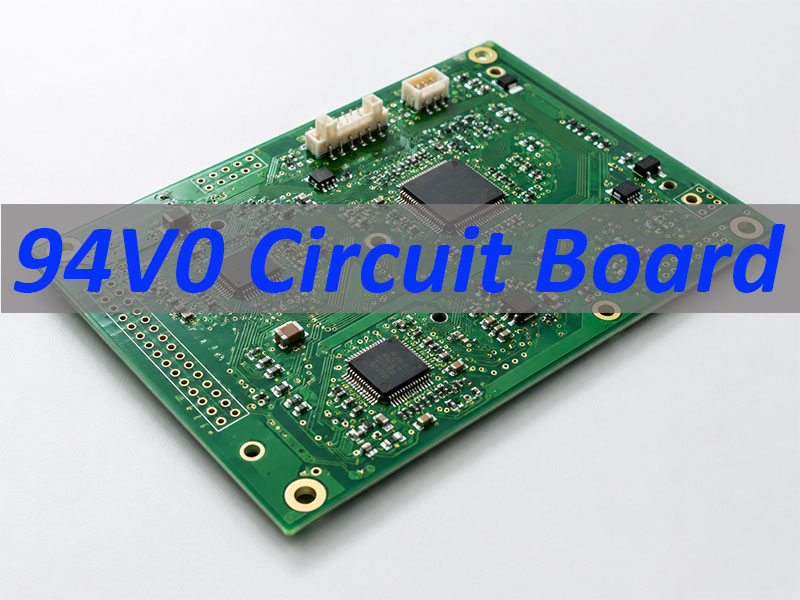
What Is PCB Thermal Conductivity?
Why Thermal Conductivity is Important in PCB?
Thermal conductivity becomes especially important in systems such as:
LED lighting modules
automotive power electronics
RF communication equipment
industrial motor controllers
high-density computing hardware
In these systems, components like MOSFETs, power regulators, and RF amplifiers can generate significant heat during operation. A properly designed PCB spreads that heat efficiently across copper planes and into external cooling systems.
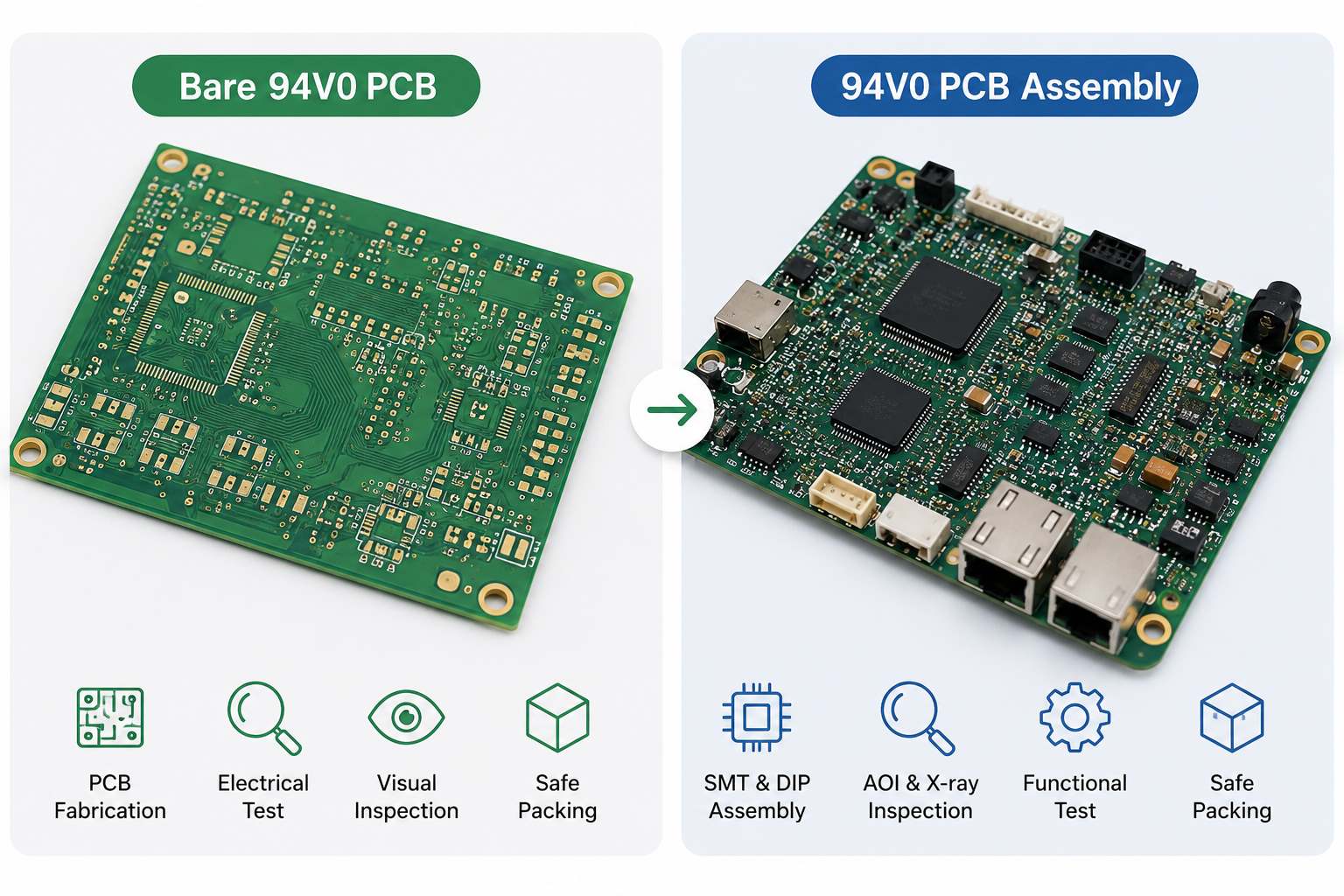
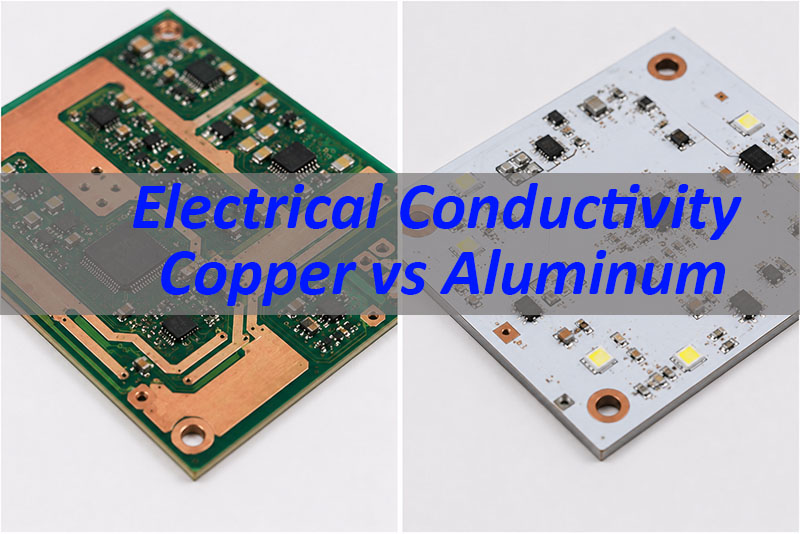
Thermal Conductivity of Common PCB Materials
Different PCB materials conduct heat at different rates. The base laminate, metal layers, and structural design all influence overall thermal performance.
The following table shows typical thermal conductivity values for common PCB materials.
PCB Material
Thermal Conductivity (W/m·K)
Typical Applications
FR-4 Standard Laminate
0.3 â 0.4
Consumer electronics
High-Tg FR-4
0.4 â 0.6
Industrial electronics
Aluminum PCB
1 â 3
LED lighting, power modules
Copper
~385
Heat spreading layer
Ceramic (Alumina)
20 â 30
RF modules, high-power circuits
Aluminum Nitride (AlN)
140 â 180
High-power semiconductor modules
Most standard PCBs use FR-4 epoxy glass laminate. While FR-4 is cost-effective and electrically stable, its thermal conductivity is relatively low. This is why designers often rely on copper planes and thermal vias to improve heat flow.
Which PCB Material Has the Highest Thermal Conductivity?
Among commonly used PCB materials, ceramic substrates offer the highest thermal conductivity.
Aluminum nitride (AlN) stands out because it combines high thermal conductivity with excellent electrical insulation. Its thermal conductivity can exceed 170 W/m·K, which is hundreds of times higher than standard FR-4. Despite its excellent thermal properties, AlN is significantly more expensive than FR-4. Manufacturing complexity is also higher.
Therefore, ceramic PCBs are usually reserved for applications that require extreme thermal performance, such as:
power semiconductor modules
high-frequency RF systems
aerospace electronics
high-power laser drivers
For most industrial products, aluminum PCB or optimized FR-4 stack-ups provide sufficient thermal performance at a more reasonable cost.
How Does Copper Thickness Affect PCB Thermal Conductivity?
Copper plays a major role in PCB heat spreading. Although the base laminate may have low thermal conductivity, copper traces and planes help move heat away from components. Copper has a thermal conductivity of approximately 385 W/m·K, which is extremely high compared with FR-4.
Increasing copper thickness improves thermal performance in several ways:
Thicker copper spreads heat across a larger area.
Reduced resistance helps decrease power loss.
Heat moves more evenly through copper planes.
Typical PCB copper thickness values include:
Copper Weight
Thickness
1 oz
~35 ”m
2 oz
~70 ”m
3 oz
~105 ”m
4 oz
~140 ”m
Power electronics designs often use 2 oz or thicker copper. Heavy copper PCBs can reach 6 oz or even higher for extreme current applications. However, thicker copper also introduces design considerations:
trace spacing requirements increase
etching becomes more challenging
manufacturing cost rises
Therefore, engineers usually balance copper thickness with other thermal management methods such as thermal vias and heat sinks.
How Can You Improve PCB Thermal Conductivity in Design?
Even when using standard FR-4 materials, designers can significantly improve heat dissipation through thoughtful PCB layout and structure. Several design techniques are commonly used.
1. Use Larger Copper Planes
Copper planes distribute heat across the board surface, you can use large ground planes or power planes act as heat spreaders.
2. Add Thermal Vias
Thermal vias create vertical heat paths between layers. They allow heat to move from the component side to inner copper planes or heat sinks.
3. Select Metal Core PCB
Metal core PCBs use aluminum or copper substrates. These materials improve thermal conductivity and enable efficient heat transfer.
4. Optimize Component Placement
Components that generate significant heat should not be crowded together. Proper spacing helps air circulation and reduces temperature buildup.
5. Use Heat Sinks
External heat sinks remove heat from the PCB and release it into the surrounding environment.
What Is the Difference Between Thermal Conductivity and Thermal Resistance in PCB?
Thermal conductivity and thermal resistance are related but different concepts.
Thermal conductivity describes how well a material conducts heat.
Thermal resistance measures how difficult it is for heat to travel through a structure.
Designers often calculate thermal resistance when evaluating cooling performance. A lower thermal resistance means heat can flow away from components more easily.
Where Are High Thermal Conductivity PCBs Used?
High thermal conductivity PCBs appear in many modern electronic systems. As power density increases, thermal design becomes more critical.
Common applications include:
LED lighting systems
automotive control modules
power converters and inverters
telecom base stations
RF amplifiers
industrial automation equipment
Similarly, power electronics used in electric vehicles require efficient thermal management. Heavy copper PCBs and thermal vias help maintain stable operating temperatures. In RF systems, excessive heat can affect signal stability, thermal control therefore supports both reliability and electrical performance.
Why Choose EBest as Your High Thermal Conductivity PCB Manufacturer?
At EBest Circuit (Best Technology), we focus on supporting engineers who require reliable PCB fabrication and assembly solutions for high-performance electronics. Our team has over 19 of experience in PCB and PCBA manufacturing. Our facilities operate in both China and Vietnam, allowing us to support global supply chains and flexible production requirements.
We work closely with customers during the early engineering stage. Our engineering team reviews design files and provides practical DFM feedback that helps improve manufacturability and thermal performance.
Our capabilities include:
multilayer PCB fabrication up to complex stack-ups
aluminum PCB and metal core PCB manufacturing
heavy copper PCB production
thermal via drilling and filling technologies
SMT and THT assembly services
component sourcing and turnkey PCBA
For PCB fabrication, thermal design consultation, or turnkey PCBA services, feel free to contact our team at sales@bestpcbs.com.
FAQ About PCB Thermal Conductivity
1. How can I improve PCB heat dissipation?
Several design methods improve PCB heat dissipation. Common techniques include:
using thicker copper layers
adding thermal vias
increasing copper plane area
selecting aluminum PCB substrates
attaching external heat sinks
2. What PCB material is best for thermal management?
Ceramic materials such as aluminum nitride offer the highest thermal conductivity. However, aluminum PCBs provide an excellent balance between cost and performance. Many LED and power electronics systems use aluminum substrates. For general applications, optimized FR-4 with thermal vias can also deliver effective thermal management.
3. Does thicker copper improve thermal conductivity?
Yes. Thicker copper improves heat spreading across the board. Copper conducts heat extremely well. Increasing copper thickness creates larger thermal paths that help distribute heat more evenly.
4. Is aluminum PCB better for heat dissipation?
Yes. Aluminum PCBs provide significantly better heat dissipation than standard FR-4 boards.
The aluminum base acts as a heat spreader and transfers heat quickly to external cooling systems.