When people search for cable SNR, they usually want to know whether a coaxial cable signal is clean enough. In simple terms, SNR shows how much useful signal remains above the noise. A higher SNR usually means fewer errors and more stable communication.
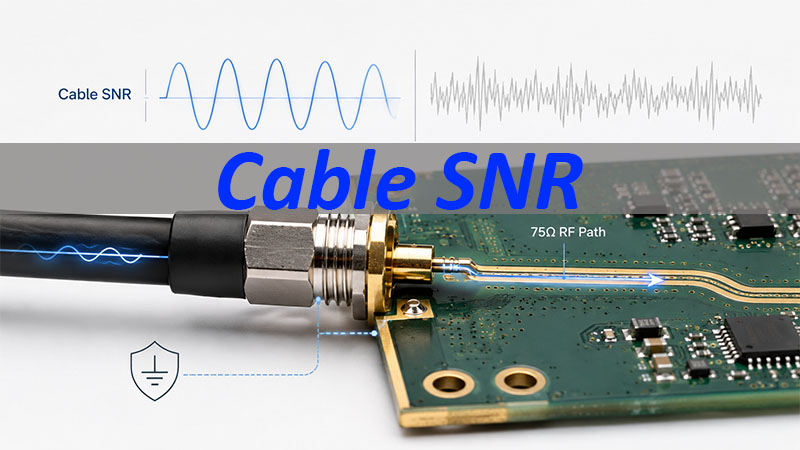
For PCB and PCBA customers, the practical focus is not only the SNR number. It is the product-side RF path after the signal enters the board: RF connector, connector-to-PCB transition, 75Ω controlled impedance trace, grounding, and PCBA assembly quality. This article explains cable SNR from the perspective of PCB layout and PCBA manufacturing.
What Is Cable SNR?
Cable SNR means cable signal-to-noise ratio. It compares the useful signal in a coaxial cable system with unwanted noise. The value is measured in dB.
A simple way to understand it is:
Cable SNR = useful signal compared with noise
When SNR is high, the receiver can separate data from noise more easily. When SNR is low, the useful signal is too close to the noise floor. This may lead to packet loss, uncorrectable errors, unstable speed, or connection drops.
In this article, cable SNR refers to the signal quality commonly checked at the coaxial cable input of cable communication equipment. The point is not to discuss the network side in depth. The point is to understand how the product-side RF input path should be kept clean and consistent.
What Is a Good Cable SNR?
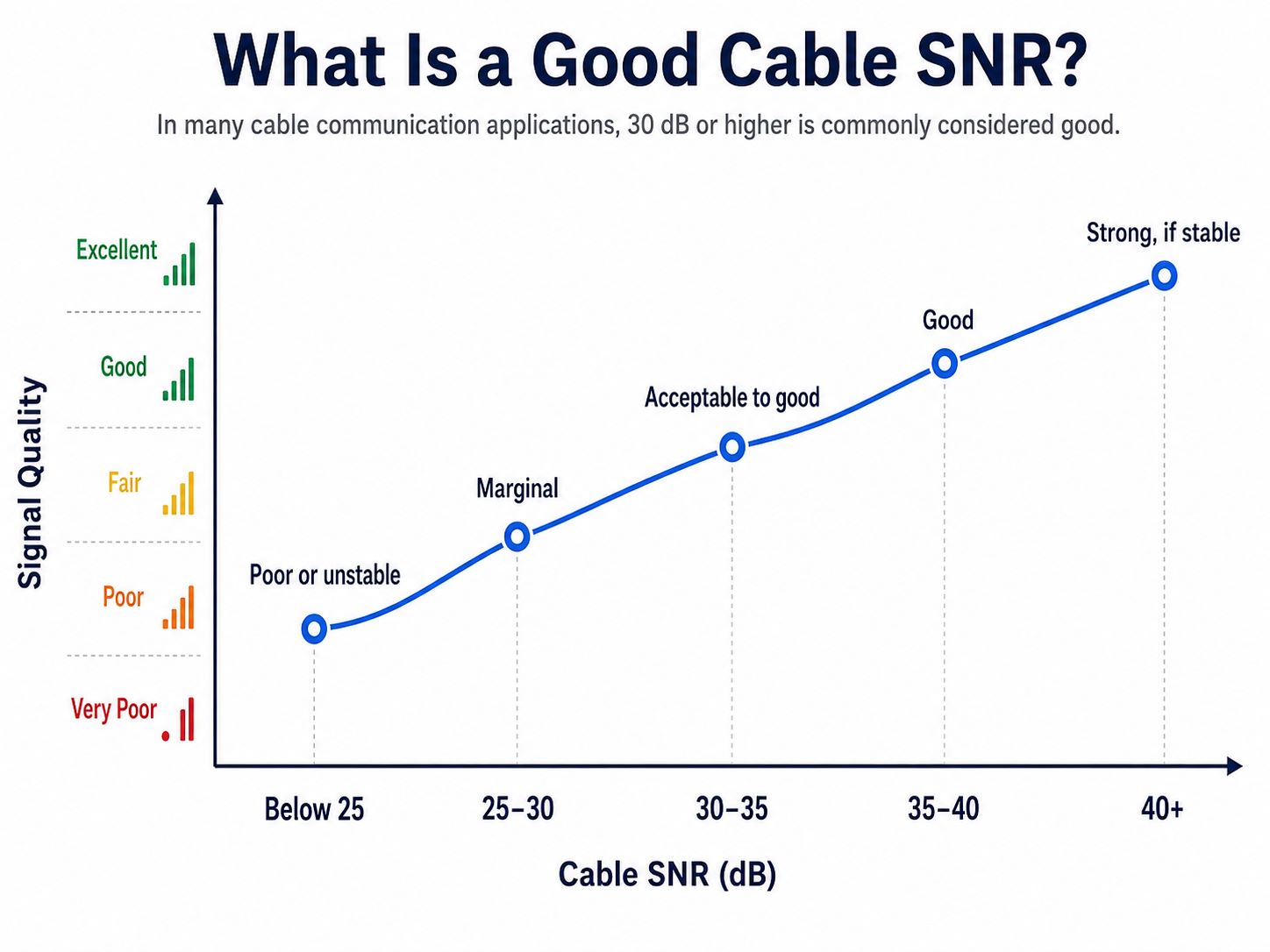
A good cable SNR is commonly 30 dB or higher in many cable communication applications. Values in the mid-to-upper 30s usually provide better margin. The final requirement should always follow the customer’s product specification, chipset guide, test requirement, or approved design file.
| Cable SNR | General Meaning |
|---|---|
| Below 25 dB | Poor or unstable |
| 25–30 dB | Marginal |
| 30–35 dB | Acceptable to good |
| 35–40 dB | Good |
| 40 dB+ | Strong, if stable |
For a PCB or PCBA project, one good prototype reading is not enough. The product should keep stable RF performance after PCB fabrication, connector soldering, shield-can assembly, mechanical stress, and batch production.
What Do SNR, Downstream Power, and Upstream Power Mean?
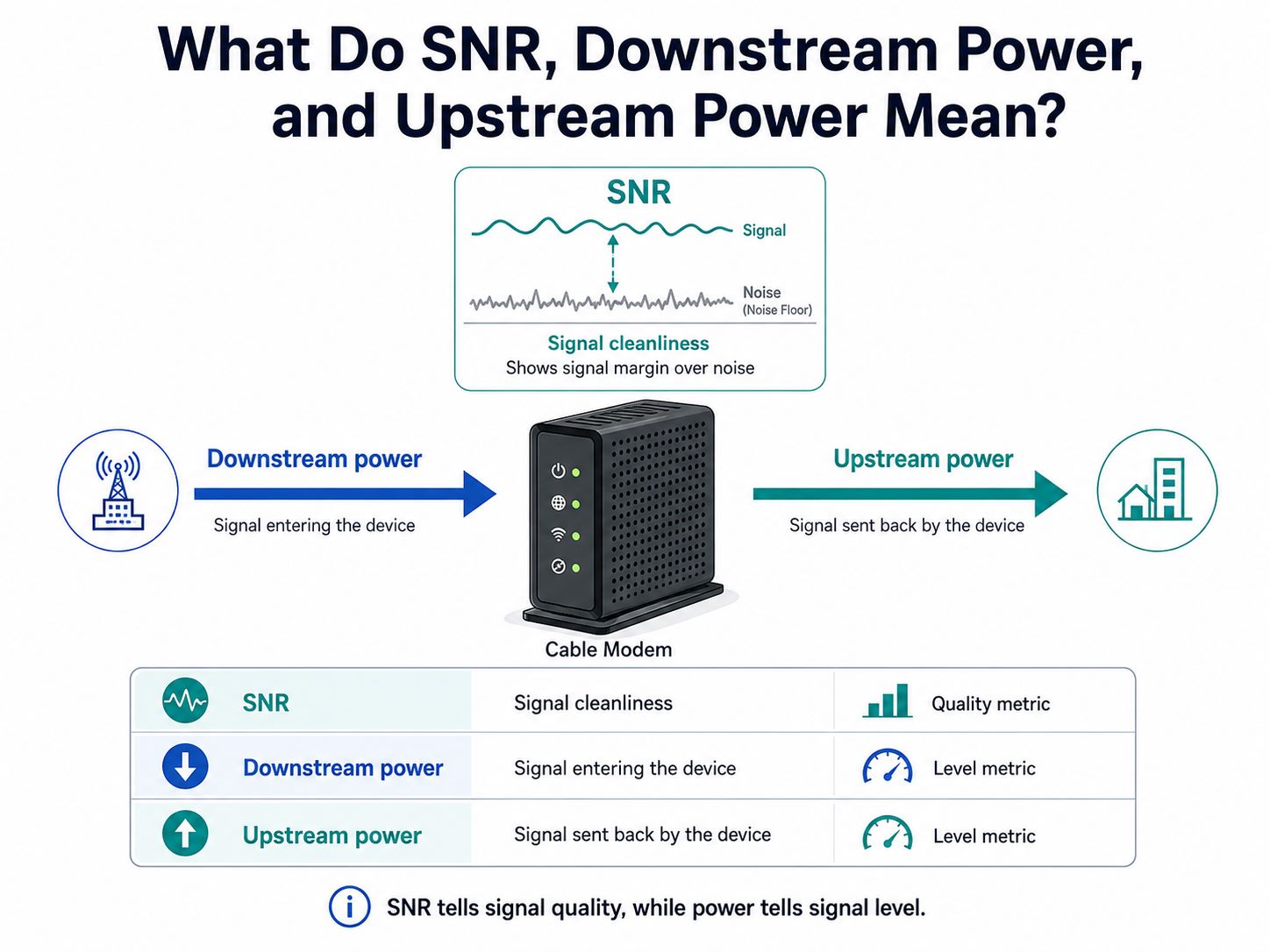
Cable signal pages often show SNR, downstream power, and upstream power together. These terms are related, but they are not the same.
| Item | Simple Meaning | Why It Matters |
|---|---|---|
| SNR | Signal cleanliness | Shows signal margin over noise |
| Downstream power | Signal entering the device | Too high or too low may affect reception |
| Upstream power | Signal sent back by the device | High value may mean the device is transmitting harder |
In simple terms, SNR tells signal quality, while power tells signal level.
A device may receive enough signal power but still have poor SNR if the signal path is noisy. For PCB and PCBA projects, this distinction matters because the product must preserve both signal level and signal cleanliness after the RF signal enters the board.
Why Does Cable SNR Matter to PCB and PCBA Customers?
Cable SNR matters to PCB and PCBA customers because product-side implementation can weaken signal quality. Even when the incoming cable signal is acceptable, the PCB input path may still introduce loss, reflection, poor grounding, or assembly variation.
For a cable communication PCB or PCBA project, customers usually care about these questions:
- Can the RF connector be mounted reliably?
- Can the connector-to-PCB transition stay clean?
- Can the 75Ω impedance path be controlled in production?
- Can grounding reduce unnecessary noise coupling?
- Can PCBA assembly keep connector quality consistent across batches?
These are the areas a PCB and PCBA manufacturer can support. The manufacturer does not replace RF system design. Its role is to manufacture and assemble the approved design accurately and consistently.
Why Is 75Ω Common in Cable Input Paths?
Many coaxial cable communication systems use a 75Ω environment. This is common in cable TV, CATV, video transmission, and cable input applications. It is different from many WiFi, cellular, and general RF module paths, where 50Ω is more common.
This does not mean every RF path should be 75Ω. It means the impedance should match the system it belongs to.
In cable input applications, the cable is usually not selected like a generic RF test cable. Many cable TV, CATV, and cable input systems use 75Ω coaxial cable, while many RF modules, WiFi devices, and lab instruments use 50Ω coaxial cable. The PCB input path should match the impedance environment defined by the customer’s product design. For this article, the focus is not cable selection, but how the product-side RF connector and PCB input path preserve the approved impedance.
For PCB layout, the key point is not to guess between 50Ω and 75Ω. The correct impedance should follow the customer’s chipset reference design, RF input requirement, connector datasheet, PCB stack-up, and approved layout file.
If the external cable interface is based on 75Ω, the connector-to-PCB transition and PCB input trace usually need to preserve that 75Ω path unless the customer’s design specifies otherwise.
What Is the 75Ω RF Input Path on PCB?
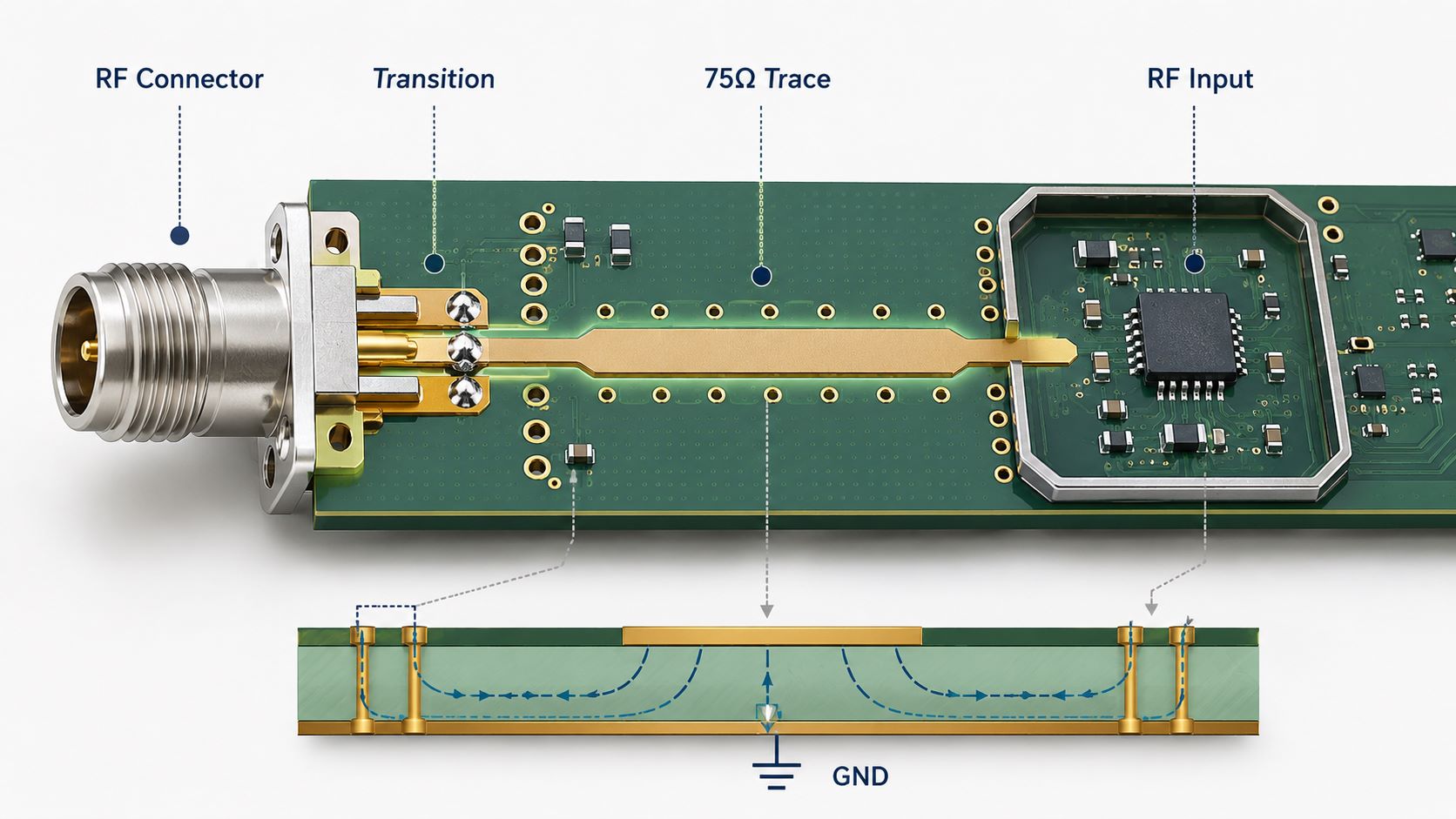
The 75Ω RF input path is the product-side signal route after the cable signal enters the board. It usually starts from the RF connector and continues toward the RF input circuit.
A simplified path looks like this:
RF connector → connector-to-PCB transition → 75Ω PCB trace → RF input circuit
Each section matters:
- RF connector provides the physical and electrical entry point.
- Connector-to-PCB transition affects impedance continuity.
- 75Ω PCB trace carries the signal into the input circuit.
- Reference ground supports the return path.
- Grounding and shielding help reduce unwanted coupling.
- PCBA assembly determines whether solder joints and ground contacts stay reliable.
This is the core of the article. Cable SNR is the signal-quality reading. The 75Ω PCB input path is one product-side area that can affect whether the approved hardware performs consistently.
Why Does RF Connector Layout Matter on PCB?
RF connector layout matters because the connector is the bridge between the cable signal and the PCB signal path. Poor execution can create impedance discontinuity, reflection, extra loss, or unstable grounding.
For PCB layout execution, the connector area should follow the customer’s approved files, including the connector datasheet, recommended footprint, PCB stack-up, impedance requirement, and layout guide.
Key points include:
- Footprint accuracy
Pad size, drill, plating, solder mask opening, and mechanical land pattern should match the approved connector drawing. - Connector-to-trace transition
The path from connector pin to RF trace should be short and clean. Avoid unnecessary stubs and sudden geometry changes. - Ground pad placement
Ground pads around the connector support shielding and return path continuity. - Ground via placement
Ground vias near the connector shell and RF transition can help support a stable return path when placed according to layout requirements. - Shell grounding
The connector body should connect reliably to ground. - Mechanical support
RF connectors may face pulling, twisting, and repeated plugging. The footprint should support both electrical and mechanical reliability.
This is PCB layout execution, not complete RF design. A PCB layout team should implement the connector area based on customer-approved requirements. It should not claim RF connector launch redesign unless that service is truly provided.
How Does Controlled Impedance Protect Cable SNR?
Controlled impedance helps keep the RF input path predictable. For cable input PCB projects, this often means maintaining a 75Ω signal path from the RF connector toward the input circuit.
The correct impedance should come from the customer’s schematic, chipset reference, connector datasheet, PCB stack-up, or approved layout file.
75Ω controlled impedance depends on:
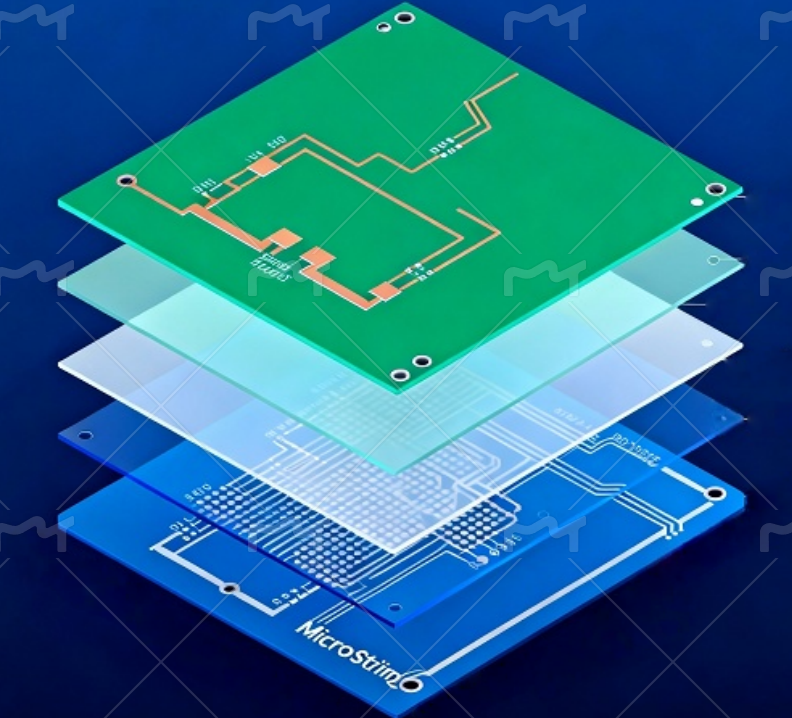
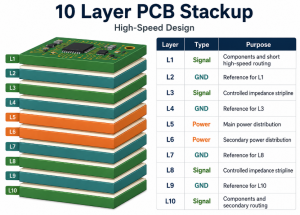
- PCB stack-up
- Dielectric thickness
- Copper thickness
- Trace width
- Reference ground plane
- Solder mask effect
- Etching tolerance
- Impedance test coupon
If the stack-up changes, impedance may shift. If etching control is poor, trace width may move out of tolerance. If the reference ground is interrupted, the return path becomes less predictable.
A PCB manufacturer can support this by reviewing the stack-up, calculating impedance with actual production materials, controlling lamination and etching, and providing impedance testing when required.
For the customer, the value is simple: the 75Ω path should not only be correct in the design file. It should remain controlled in production.
How Does Grounding Affect the RF Input Path?
Grounding affects the RF input path because RF signals need a stable return path. Poor grounding can increase reflection, coupling, and noise sensitivity.
For PCB layout and PCBA production, the grounding focus should be practical:
- Connector shell grounding
The connector body should have a reliable ground connection. - Reference plane continuity
The RF trace should not cross unnecessary ground cuts, slots, or broken reference planes. - Ground via stitching
Ground vias near the RF connector and input path can help maintain a cleaner return path when used according to layout requirements. - Shield-can ground pads
If the design uses a shield can, its ground pads should be placed and soldered correctly. - Return path control
The RF signal and its return path should stay close and predictable.
Grounding cannot solve every cable SNR problem. If the incoming cable line is noisy, PCB grounding alone cannot fix it. But poor grounding can make a good design perform worse than expected.
How Does PCBA Assembly Affect RF Connector Reliability?
PCBA assembly quality strongly affects RF connector reliability. For RF and coaxial interfaces, soldering quality, alignment, grounding, and mechanical strength all matter.
Key assembly points include:
- Connector alignment
F-type, SMA, SMB, MCX, board-edge, or custom RF connectors should be placed accurately. - Solder wetting
Connector ground pads, center pins, and mechanical tabs should have proper solder wetting. - Ground pad soldering
RF connector ground pads are part of the shielding and return path. Weak soldering may reduce stability. - Mechanical anchor strength
Cable connectors may face pulling, twisting, and repeated plugging. Anchor points must be reliable. - Shield-can soldering
Lifted edges, solder gaps, or excessive solder can affect shielding and consistency. - Inspection
Visual inspection, AOI, and X-ray when needed can help identify placement shift, solder defects, hidden joints, and connector issues. - Functional test support
If the customer provides test firmware, fixtures, RF test method, or acceptance criteria, the PCBA factory can support defined production testing.
For communication products, one working prototype does not guarantee mass-production stability. Customers need repeatable soldering, controlled process parameters, consistent connector handling, and traceable inspection records.
FAQs About Cable SNR
Q1: What is a good cable SNR?
A good cable SNR is commonly 30 dB or higher in many cable communication applications. Mid-to-upper 30s usually provide better stability.
Q2: Is 29 dB SNR good?
29 dB is usually marginal. It may work, but the margin is limited. If noise rises or the signal path fluctuates, errors or unstable speed may appear.
Q3: Is cable SNR the same as downstream power?
No. Cable SNR measures signal quality compared with noise. Downstream power measures the signal level entering the device.
Q4: What does upstream power mean?
Upstream power is the signal level the device sends back to the network. If it is high, the device may be working harder to transmit.
Q5: Can PCB layout affect cable SNR?
PCB layout can affect the product-side RF path through connector transition, 75Ω impedance control, grounding, and return path continuity. It cannot control the external cable network.
Q6: Can PCBA quality affect RF connector performance?
Yes. Connector soldering, ground pad quality, shield-can soldering, inspection, and functional testing can affect production consistency and RF connector reliability.
In conclusion, cable SNR shows how clean a cable signal is compared with noise. For many cable input applications, 30 dB or higher is a practical baseline.
For PCB and PCBA customers, the main concern is the 75Ω RF input path. RF connector layout, controlled impedance, grounding, and connector assembly quality can all affect whether the approved design performs consistently in production.
If you are developing a cable input PCB or RF connector PCBA project, you are welcome to send your schematic, BOM, Gerber files, stack-up, impedance requirements, connector datasheets, and assembly drawings to sales@bestpcbs.com. Best Technology will review them carefully and help evaluate a suitable PCB manufacturing and turnkey PCBA assembly approach.