PCB manufacturing PCB manufacturing
Home > Blog

EV Inverter MCPCB: High Current Copper Core PCB Solutions

April 8th, 2026

Are you tired of EV inverter MCPCB issues like overheating, signal interference, and poor durability ruining your EV inverter performance? Our EV Inverter MCPCB delivers industry-leading thermal conductivity (up to 8.0 W/m.K), IATF 16949 & AEC-Q100 certification, and reliable performance in extreme automotive environments (-40°C to +150°C), solving these pain points and making it the top choice for high-performance electric vehicle applications.

EV Inverter MCPCB, https://www.bestpcbs.com/blog/2026/04/ev-inverter-mcpcb/

Why Choose EBest for Your EV Inverter MCPCB Needs?

Choosing EBest for your EV inverter MCPCB means partnering with a provider that delivers data-backed value and solves your project pain points.

  • Industry-Leading Quality: Our EV Inverter MCPCB has a 99.8% pass rate (vs. industry 95%), with 1000+ thermal cycles, zero delamination, and insulation resistance ≥100MΩ, ensuring safe, reliable EV inverter operation.
  • Fast Turnaround: EV Inverter MCPCB prototypes in 3-5 days, mass production in 7-12 days, 30% faster than industry average, cutting launch time by up to 4 weeks.
  • Cost-Efficiency: 15-20% lower production costs vs. competitors, with no compromise on EV Inverter MCPCB performance or quality, boosting your project profitability.
  • 24/7 Expert Support: Our team reduces design errors by 25%, improves yield to 99.5%, and provides DFM guidance to optimize yourEV Inverter MCPCB design.
  • Stable Supply Chain: 99.9% on-time delivery (vs. 17.5% industry supply gap), global material partners, and full traceability to avoid project delays.
  • Premium Tailored Specs: Our EV Inverter MCPCB features 8.0 W/m.K thermal conductivity, 1.0-5.0mm copper core, 250A capacity, and AEC-Q100 compliance for extreme under-hood use.

What Certifications Do Our EV Inverter MCPCBs Have?

Our EV inverter MCPCB holds industry-leading certifications, each designed to guarantee performance, reliability, and compliance with automotive standards. Below are our key certifications:

  • IATF 16949 Certification: Ensures full control of the production process, from material selection to final inspection, eliminating quality hazards and meeting global automotive manufacturing standards. It includes APQP, PPAP, and FMEA processes to prevent defects before production.
  • UL Certification: Confirms electrical safety and fire resistance, ensuring our EV Inverter MCPCB operates safely in high-voltage EV systems without short circuits or thermal runaway.
  • RoHS & REACH Certification: Ensures our EV Inverter MCPCB is free of harmful substances, complying with global environmental regulations for automotive electronics.

Common EV Inverter MCPCB Pain Points & How EBest Solve Them

Many users struggle with EV inverter MCPCB issues that disrupt performance, increase costs, and delay projects. We address these common pain points with targeted solutions, ensuring your inverter systems run smoothly.

Pain Point 1: Thermal Buildup in High-Current Operations
Solution: Our copper core EV Inverter MCPCB has a thermal conductivity of up to 8.0 W/m.K, 20x higher than traditional FR4 PCBs. It efficiently dissipates heat from IGBTs and power modules, preventing overheating and component failure.

Pain Point 2: Delamination and Poor Mechanical Strength
Solution: We use advanced vacuum lamination technology and high-quality dielectric materials to ensure strong bonding between layers. Our EV Inverter MCPCB withstands 1000+ thermal cycles and vibration testing (per ISO 16750-3) without delamination.

Pain Point 3: Signal Interference Affecting Inverter Efficiency
Solution: Our design optimizes power and signal zone separation, with thick copper traces (2-6oz) and grounded planes to minimize parasitic inductance and signal distortion, improving inverter efficiency by up to 5%.

Pain Point 4: Unreliable Supply and Long Lead Time
Solution: We maintain a stable supply chain with global material partners and flexible production capacity. Our fast turnaround ensures you get your EV Inverter MCPCB prototypes and mass orders on time, every time.

For all your EV Inverter MCPCB needs, EBest is your trusted partner, we solve your pain points so you can focus on building high-performance EV systems. Contact us today to discuss your project.

What Is an EV Inverter MCPCB & Why It’s Essential for EV Inverter Performance?

An EV inverter MCPCB (Electric Vehicle Inverter Metal Core Printed Circuit Board) is a specialized PCB with a copper or aluminum core, designed to handle high currents and dissipate heat in EV inverter systems. It is critical because EV inverters convert DC power from the battery to AC power for the motor, generating significant heat and requiring stable performance.

Without a high-quality EV Inverter MCPCB, inverters suffer from overheating, component failure, and reduced efficiency, leading to shorter EV range and higher maintenance costs. Our copper core solutions are engineered to address these challenges, making them essential for modern EVs.

EV Inverter MCPCB, https://www.bestpcbs.com/blog/2026/04/ev-inverter-mcpcb/

How Does the Copper Core Improve EV Inverter MCPCBs Performance?

The copper core is the key to superior EV inverter MCPCB performance, offering three critical benefits that traditional PCBs cannot match.

First, copper has excellent thermal conductivity (up to 401 W/m.K), allowing the EV Inverter MCPCB to quickly dissipate heat from high-power components like IGBTs and SiC MOSFETs. This prevents overheating and extends component lifespan.

Second, copper core provides higher current-carrying capacity, our EV Inverter MCPCB handles up to 250A, supporting high-power EV inverters (100-400 kW) without voltage drops or line overheating.

Third, copper core enhances mechanical strength, making the EV Inverter MCPCB resistant to vibration and shock, critical for automotive under-hood environments.

What Are the Design Considerations for EV Inverter MCPCB?

Designing an EV inverter MCPCB requires careful attention to multiple key factors to ensure optimal performance, long-term reliability, and easy manufacturability. Below are the essential design considerations to follow.

  • Thermal Design Optimization: Optimize the copper core thickness of your EV Inverter MCPCB between 1.0-5.0mm to enhance heat dissipation. Incorporate thermal vias and thermal pads to create efficient heat transfer paths. This effectively manages heat generated by high-current components like IGBTs and SiC MOSFETs. Large copper pours on the board also help distribute heat evenly and prevent hotspots.
  • Current Capacity Planning: Use thick copper traces (2-6oz) to ensure your EV Inverter MCPCB can handle up to 250A of current without voltage drops or power loss. Shorten power loop paths as much as possible to reduce parasitic inductance. This inductance can cause voltage spikes and affect inverter efficiency.
  • Signal Integrity Protection: Separate power and signal zones on the EV Inverter MCPCB by at least 10mm to avoid interference. Use grounded planes to shield sensitive circuits and minimize signal distortion. Keep sensitive signal traces short and away from high-current lines to maintain signal accuracy.
  • Manufacturability Compliance: Follow DFM (Design for Manufacturability) guidelines to reduce production defects. Optimize line width, spacing, and hole size to improve production yield. Ensure the EV Inverter MCPCB design aligns with standard manufacturing tolerances to avoid assembly issues.
  • High Voltage Clearance: Maintain adequate clearance and creepage distances per IPC-2221 and ISO 6469 standards to prevent arcing and insulation breakdown. This is critical for EV Inverter MCPCB operating in high-voltage EV systems. It is especially important between high-voltage and low-voltage regions to avoid safety risks and system failure.
  • Stack-Up Design: Use a symmetric stack-up for your EV Inverter MCPCB to reduce warpage during reflow soldering. Incorporate inner planes as ground or thermal planes to enhance stability and heat dissipation. Choose high TG prepregs to withstand elevated operating temperatures in automotive environments.
  • Component Placement: Place high-power components like IGBTs and MOSFETs near the board edge or heat sinks to improve heat dissipation. Position high-frequency ceramic capacitors close to switching transistor VCC/GND pins (less than 5mm) to suppress transient current noise. Keep current sampling resistors close to the components they monitor for accurate readings.
  • Grounding Strategy: Implement separate power ground (PGND) and signal ground (SGND) on the EV Inverter MCPCB. Connect them at a single point near the input capacitor. Maintain a complete ground plane to ensure low impedance return paths and reduce noise.
  • EMI Mitigation: Minimize electromagnetic interference by keeping drive signal traces short and straight (less than 30mm) and away from high-frequency nodes. Use copper foil shielding rings around sensitive components to reduce noise coupling. Optimize the layout of transformers and inductors to minimize magnetic leakage.
  • Mechanical Stability: Ensure the EV Inverter MCPCB has sufficient mechanical strength to withstand automotive vibration and shock per ISO 16750-3 standards. Choose durable materials and avoid large unsupported areas that could lead to warping or damage.

How Does EV Inverter MCPCB Compare to Traditional FR4 PCBs?

Traditional FR4 PCBs are unsuitable for EV inverters due to poor thermal performance and low current capacity. Below is a detailed comparison with our EV Inverter MCPCB:

Performance FactorEV Inverter MCPCB (Copper Core)Traditional FR4 PCB
Thermal ConductivityUp to 8.0 W/m.K (dielectric layer); 401 W/m.K (copper core)~0.3 W/m.K
Current CapacityUp to 250AMax 50A (limited by heat buildup)
Operating Temperature Range-40°C to +150°C (AEC-Q100 Grade 0)-20°C to +105°C
Mechanical StrengthHigh (resistant to vibration and shock)Low (prone to warping and damage)
Suitability for EV InvertersIdeal (handles high current and heat)Unsuitable (high failure rate)

How to Test the Reliability of EV Inverter MCPCBs?

Reliability testing for EV inverter MCPCB ensures compliance with automotive standards and consistent performance in harsh under-hood environments. Below are six critical, actionable tests we use to validate every EV Inverter MCPCB, with specific parameters to help you assess quality.​

  • Thermal Cycle Testing: Run 1000 or more cycles between -40°C and +150°C to verify the EV Inverter MCPCB resists delamination and material degradation. This test simulates extreme temperature fluctuations in automotive operation to ensure long-term thermal reliability.​
  • High-Temperature Storage: Store the EV Inverter MCPCB at +150°C for 1000 hours to confirm material stability. This test prevents thermal degradation that could lead to component failure or reduced conductivity in high-heat inverter environments.​
  • Vibration Testing: Conduct testing per ISO 16750-3 standards, covering 10Hz to 2kHz, to simulate road vibration. This ensures the EV Inverter MCPCB maintains structural integrity and solder joint stability during vehicle operation.​
  • Insulation Resistance Testing: Verify electrical insulation between EV Inverter MCPCB layers to prevent short circuits in high-voltage EV systems. We use 500V DC testing to ensure insulation resistance of ≥100MΩ, meeting automotive safety standards.​
  • Thermal Shock Testing: Perform 100 cycles between -40°C and +125°C, with temperature transitions within 10 seconds as required by IATF 16949. This validates the EV Inverter MCPCB resists rapid temperature changes common in automotive use.​
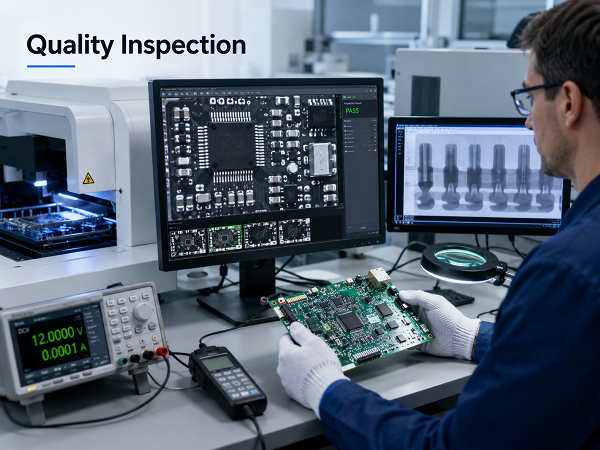
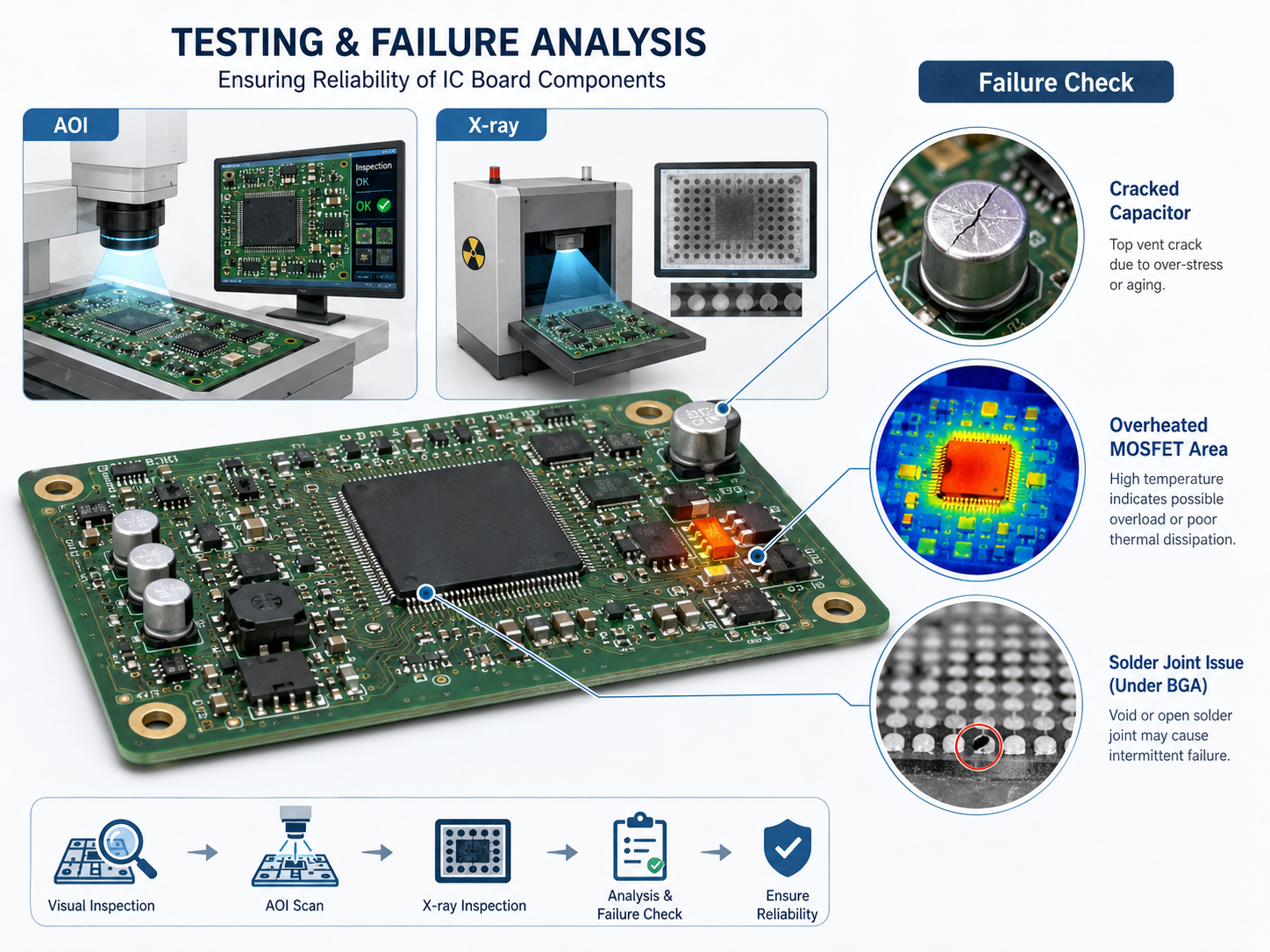
  • AOI Inspection: Conduct 100% automated optical inspection to detect line defects, short circuits and component misalignment. This aligns with IPC-A-610 Class 3 standards for high-reliability electronics, ensuring zero manufacturing flaws in EV Inverter MCPCB.

What EV Inverter MCPCB Application Cases Do You Have?

We have successfully delivered EV inverter MCPCB solutions for multiple EV manufacturers, solving critical performance issues. Below is a real-world application case:

Case Study: 7.5kW SiC EV Inverter – A customer was struggling with overheating and low efficiency in their SiC-based EV inverter. Their existing PCB had thermal conductivity of 1.5 W/m.K, leading to IGBT temperatures exceeding 150°C and inverter efficiency of 92%.

We provided a copper core EV Inverter MCPCB with 8.0 W/m.K thermal conductivity and optimized power loop design. After implementation, IGBT temperatures dropped to 120°C, and inverter efficiency increased to 97.2%.

The customer also benefited from our fast prototype delivery (3 days) and mass production turnaround (10 days), allowing them to accelerate their product launch by 4 weeks.

EV Inverter MCPCB, https://www.bestpcbs.com/blog/2026/04/ev-inverter-mcpcb/

What Are the Common Sizes and Customization Options for EV Inverter MCPCBs?

Our EV inverter MCPCB is available in standard sizes and fully customizable to meet your specific inverter design requirements.

Standard Sizes: 100x100mm, 150x150mm, 200x200mm, 250x250mm (compatible with most small to medium EV inverters).

Customization Options: Copper core thickness (1.0-5.0mm), copper foil thickness (2-6oz), dielectric layer thickness (0.1-0.5mm), thermal conductivity (1.5-8.0 W/m.K), and custom shapes/sizes to fit your inverter enclosure.

We also offer custom surface finishes (ENIG, OSP, HASL) and thermal via designs to optimize heat dissipation and solderability for your specific components.

How to Select the Right EV Inverter MCPCB Manufacturer?

Selecting the right EV inverter MCPCB manufacturer is critical to ensuring product quality, on-time delivery, and technical support. Below are actionable, detailed factors to guide your selection, each focused on tangible value for your EV inverter projects.​

  • Verify Automotive-Grade Certifications: Prioritize manufacturers with IATF 16949 and AEC-Q100 certifications. These certifications ensure strict production process control, from material selection to final inspection, and validate that the EV Inverter MCPCB meets automotive reliability and safety standards. Certifications also include APQP, PPAP, and FMEA processes to prevent defects before production.​
  • Evaluate Technical Capabilities: Choose manufacturers with advanced production and testing equipment for EV Inverter MCPCB. Look for expertise in copper core lamination, precision CNC drilling, and thermal performance testing. Experience in automotive PCB production, especially for high-current, high-heat applications like EV inverters, is essential to avoid design and manufacturing flaws.​
  • Assess Delivery Speed and Flexibility: Prioritize manufacturers with fast turnaround times for both prototypes and mass production. Reliable EV Inverter MCPCB providers deliver prototypes in 3-5 days and mass orders in 7-12 days. Flexibility to accommodate design changes and rush orders also helps avoid project delays and keep your timeline on track.​
  • Check Support and DFM Capabilities: Select manufacturers that offer 24/7 technical support and DFM (Design for Manufacturability) guidance. Expert support helps optimize your EV Inverter MCPCB design, reduce errors, and improve production yield. Look for teams with experience in automotive PCB design to address thermal, signal integrity, and high-voltage challenges.​
  • Validate Supply Chain Stability: Ensure the manufacturer has a global network of trusted material partners for copper foil, dielectric materials, and other EV Inverter MCPCB components. Full production traceability (per IATF 16949) and a proven track record of 99%+ on-time delivery minimize supply chain risks and material shortages.​
  • Review Quality Control Processes: Look for manufacturers with strict quality control measures, including 100% AOI inspection, thermal cycle testing, and insulation resistance testing. A high pass rate (99.5%+) for EV Inverter MCPCB ensures consistent performance and reduces the risk of component failure in harsh automotive environments.​
  • Assess Customization Capabilities: Choose a manufacturer that offers tailored EV Inverter MCPCB solutions. Customization options should include copper core thickness (1.0-5.0mm), copper foil thickness (2-6oz), thermal conductivity, and custom shapes/sizes to fit your specific inverter design requirements.​
  • Check Customer Testimonials and Case Studies: Review real-world application cases and customer feedback to verify the manufacturer’s ability to deliver reliable EV Inverter MCPCB solutions. Look for case studies that demonstrate success in solving thermal, current, or reliability challenges similar to your project.
EV Inverter MCPCB, https://www.bestpcbs.com/blog/2026/04/ev-inverter-mcpcb/

FAQs About EV Inverter Metal Core PCB

Q1: What is the maximum current an EV inverter metal core PCB can handle?
A1: Our EV Inverter MCPCB can handle up to 250A, making it suitable for high-power EV inverters (100-400 kW). The current capacity is determined by copper core thickness, trace width, and thermal design.

Q2: How long does it take to deliver EV Inverter MCPCB prototypes?
A2: We deliver EV Inverter MCPCB prototypes in 3-5 days, with mass production delivery in 7-12 days. This fast turnaround helps you accelerate your design validation and product launch.

Q3: Does EV Inverter MCPCBs require special manufacturing processes?
A3: Yes, EV Inverter MCPCB requires advanced vacuum lamination, precision CNC drilling, and strict SPC process control to ensure layer bonding and thermal performance. We have specialized equipment to handle these processes.

Q4: Can EV Inverter MCPCBs be used in extreme automotive environments?
A4: Yes, our EV Inverter MCPCB is AEC-Q100 Grade 0 certified, operating reliably in temperatures from -40°C to +150°C. It also withstands vibration, shock, and high humidity, making it ideal for under-hood EV applications.

Q5: How do I optimize my EV Inverter MCPCBs design for better thermal performance?
A5: To optimize thermal performance, increase copper core thickness (1.5-5.0mm), add thermal vias (Φ0.3mm array), and place high-power components near the board edge for better heat dissipation. Our DFM team can provide personalized guidance.

You may also like

VCU MCPCB for Automotive: High Reliability for Vehicle Control Units

April 8th, 2026

Are you struggling with overheating, inconsistent quality, or unreliable performance from your VCU MCPCB for Automotive? EBest’s solution solves these core pain points with industry-leading specs and reliability. Below, we break down how our VCU MCPCB works, its key advantages, and how it keeps your automotive projects on track.

VCU MCPCB for Automotive, https://www.bestpcbs.com/blog/2026/04/vcu-mcpcb-for-automotive/

Why Choose EBest for Your Automotive VCU MCPCB Manufacturer?

EBest is your trusted partner for high-quality automotive VCU MCPCB solutions, designed to meet the strict demands of automotive vehicle control units. Our products combine superior performance, consistent quality, and timely delivery to keep your projects on track. Here are reasons why choose us for your automotive VCU MCPCB manufacturer:

  • Quality: Our VCU MCPCB undergoes rigorous testing to meet IATF 16949 and ISO 26262 standards, ensuring zero quality defects and long-term reliability in harsh automotive conditions.
  • Delivery: We maintain a stable supply chain and efficient production process, guaranteeing on-time delivery even for large-volume orders, no delays to your project timeline.
  • Cost-Efficiency: Our optimized manufacturing process reduces unnecessary waste, offering competitive pricing without compromising on performance or quality.
  • Service: Our technical team provides 24/7 support, from design consultation to after-sales service, ensuring your VCU MCPCB integrates seamlessly into your VCU design.
  • Supply Chain: We source high-grade materials from trusted global suppliers, minimizing supply chain risks and ensuring consistent product quality batch after batch.

What Are Common Pain Points with VCU MCPCB & How Does EBest Solve Them?

Many users face challenges with VCU MCPCB performance, manufacturing consistency, and supply stability. EBest addresses these pain points head-on with tailored solutions.

Pain Point 1: Poor heat dissipation leading to VCU overheating and failure.
Solution: Our VCU MCPCB uses high-thermal-conductivity dielectric layers (2.0-5.0 W/m·K) and metal bases to quickly dissipate heat, preventing component damage and ensuring long-term reliability.

Pain Point 2: Inconsistent quality between batches.
Solution: We implement strict quality control throughout production, from material inspection to final testing, adhering to IATF 16949 standards to ensure every VCU MCPCB meets the same high standards.

Pain Point 3: Delayed delivery disrupting project timelines.
Solution: Our streamlined production process and stable supply chain ensure on-time delivery, even for urgent orders, we prioritize your project’s schedule.

Pain Point 4: Poor signal integrity affecting VCU performance.
Solution: Our VCU MCPCB design optimizes layout to reduce crosstalk and interference, ensuring clear signal transmission for accurate VCU operation.

Pain Point 5: High production defects increasing costs.
Solution: We use advanced manufacturing techniques and strict process control to minimize defects, reducing waste and ensuring cost-efficiency for your business. Choose EBest for reliable, pain-free VCU MCPCB solutions.

What Is VCU MCPCB & Why Is It Critical for Automotive Vehicle Control Units?

VCU MCPCB, or Vehicle Control Unit Metal Core Printed Circuit Board, is a specialized circuit board crafted specifically for automotive VCUs. It features a three-layer structure, copper circuit layer, thermally conductive dielectric layer, and metal core—that sets it apart from standard PCBs, making it ideal for the demanding conditions of automotive applications.

Automotive VCUs act as the central “brain” of electric and hybrid vehicles, managing critical functions like power distribution, motor control, and battery management. These operations generate significant heat, and standard PCBs lack the thermal management capabilities to dissipate this heat effectively, leading to component damage and premature VCU failure.

This is where VCU MCPCB becomes critical. Its metal core, typically made of aluminum or copper, acts as a built-in heat spreader to draw heat away from sensitive components, ensuring stable performance in extreme under-hood temperatures. A high-quality VCU MCPCB directly safeguards vehicle safety and reliability, making it an indispensable component for modern automotive electronics.

VCU MCPCB, https://www.bestpcbs.com/blog/2026/04/vcu-mcpcb-for-automotive/

How Does VCU MCPCBs Improve Thermal Management in Automotive VCUs?

VCU MCPCB improves thermal management through its unique three-layer structure: copper circuit layer, dielectric layer, and metal core, each designed to enhance heat transfer.

The metal core (aluminum or copper) has excellent thermal conductivity, acting as a heat spreader to disperse heat across the board. The dielectric layer, with high thermal conductivity (2.0-5.0 W/m·K), transfers heat from the copper layer to the metal core without electrical interference.

This design ensures heat is quickly removed from VCU components, keeping operating temperatures within safe limits. Compared to traditional FR-4 PCBs, VCU MCPCB reduces component temperature by 30-50%, significantly extending VCU lifespan and reliability.

What Certifications Does EBest’s VCU MCPCB Have?

EBest’s VCU MCPCB holds industry-leading certifications, ensuring compliance with global automotive standards and providing tangible value for your business. Below is a detailed breakdown of our certifications and their benefits:

  • IATF 16949: Maintains strict control over production processes to eliminate quality risks, ensuring our products align with global automotive supply chain expectations.
  • ISO 26262: Delivers critical functional safety, minimizing the risk of vehicle control unit failures and ensuring adherence to automotive safety protocols.
  • ISO 9001:2015: Validates our consistent quality management system, so you can trust that every unit meets your exact specifications, batch after batch.

What Are the Key Specifications to Look for in a High-Quality VCU MCPCBs?

When choosing a VCU MCPCB, focus on these critical specifications to ensure it meets automotive VCU requirements and delivers long-term reliability. Below is a clear breakdown of key specifications and their standard ranges:

SpecificationStandard Range
Thermal Conductivity2.0 – 5.0 W/m·K
Operating Temperature Range-40℃ to 125℃
Dielectric Strength≥15 kV/mm
Copper Thickness1 oz – 4 oz
Metal Base MaterialAluminum or Copper
Automotive CertificationsIATF 16949, ISO 26262, AEC-Q100

What Automotive VCU Applications Benefit Most from EBest’s VCU MCPCB?

EBest’s VCU MCPCB is designed for all automotive VCU applications, particularly those requiring high reliability and heat dissipation. Key applications include:

  • Electric Vehicle (EV) VCUs: Manages battery charging, motor control, and power distribution, requiring efficient heat dissipation for continuous operation.
  • Hybrid Electric Vehicle (HEV) VCUs: Balances internal combustion engine and electric motor performance, operating in high-temperature environments.
  • Commercial Vehicle VCUs: Withstands heavy vibrations and extreme temperatures, ensuring reliable performance in trucks and buses.
  • Autonomous Vehicle VCUs: Supports high-power computing and sensor integration, requiring stable performance and minimal signal interference.
  • Off-Road Vehicle VCUs: Resists dust, moisture, and extreme temperature fluctuations, ensuring durability in harsh off-road conditions.

How to Design a VCU MCPCB for Optimal Performance in Automotive Applications?

Designing a VCU MCPCB for automotive applications requires careful consideration of heat dissipation, signal integrity, and durability. Follow these key steps for optimal performance:

  • Choose the Right Thermal Conductivity: Select a dielectric layer with 2.0-5.0 W/m·K thermal conductivity to match your VCU’s heat output. Higher heat-generating VCUs (e.g., EV powertrain VCUs) require higher thermal conductivity.
  • Optimize Layout for Heat Dissipation: Place high-heat components (e.g., power MOSFETs, microcontrollers) directly above the metal core to maximize heat transfer. Use wide copper traces to reduce heat buildup.
  • Ensure Signal Integrity: Separate analog and digital signals to reduce crosstalk. Use differential routing for CAN/CAN FD signals, and keep high-speed traces short to minimize interference.
  • Select the Right Metal Base: Choose aluminum for cost-effective, lightweight designs, or copper for high-heat applications. Ensure the metal base thickness (30-125 mil) provides sufficient mechanical stability.
  • Comply with Automotive Standards: Design to IATF 16949 and ISO 26262 standards, ensuring your VCU MCPCB meets the safety and reliability requirements of automotive applications.
VCU MCPCB, https://www.bestpcbs.com/blog/2026/04/vcu-mcpcb-for-automotive/

What Is the Real-World Performance of EBest’s VCU MCPCB in Automotive Applications?

EBest’s VCU MCPCB has been tested and proven in real automotive applications, solving critical performance issues for our clients. Here’s a detailed case study:

Case Study: EV VCU Overheating Solution

A leading EV manufacturer faced frequent VCU failures due to overheating. Their existing FR-4 PCB could not dissipate heat from the high-power microcontroller (NXP MPC5744), leading to component damage and production delays.

EBest provided a VCU MCPCB with 3.0 W/m·K thermal conductivity, aluminum base, and optimized layout. The solution reduced the microcontroller’s operating temperature by 40℃, eliminating overheating failures.

The client reported zero VCU failures after implementing our VCU MCPCB, improving production efficiency and reducing warranty costs. Our solution also met IATF 16949 and ISO 26262 standards, ensuring compliance with global automotive requirements.

How Does EBest Ensure Consistent Quality for VCU MCPCB Batches?

Consistent quality is critical for VCU MCPCB, as batch-to-batch variations can lead to VCU failures and project delays. EBest implements a multi-step quality control process to guarantee consistency across every batch:

  • Strict Raw Material Inspection: All raw materials (metal core, copper foil, dielectric layer) undergo thorough testing for thermal conductivity, thickness, and durability before entering production. This ensures only high-grade materials are used, laying the foundation for consistent quality.
  • Real-Time In-Process Testing: Key production steps—including lamination, etching, and drilling are closely monitored to maintain process stability. Standardized procedures and automated systems help reduce variability, preventing defects during manufacturing.
  • Comprehensive Final Testing: Every VCU MCPCB undergoes thermal, electrical, and mechanical testing to verify performance and compliance with specifications. This includes automated optical inspection (AOI) and functional testing to catch any potential issues before shipping.
  • Full Traceability System: We maintain complete traceability for all materials and production steps. This allows us to quickly identify and resolve any quality issues, ensuring consistent standards across every batch and enhancing overall reliability.
VCU MCPCB, https://www.bestpcbs.com/blog/2026/04/vcu-mcpcb-for-automotive/

FAQ About Automotive VCU Metal Core PCB

Q1: What thermal conductivity do I need for my VCU MCPCB?
A1: For most automotive VCUs, a thermal conductivity of 2.0-5.0 W/m·K is ideal. High-power VCUs (e.g., EV powertrain) require 3.0-5.0 W/m·K, while low-power VCUs can use 2.0-3.0 W/m·K.

Q2: Does EBest’s VCU MCPCB meet automotive safety standards?
A2: Yes. EBest’s VCU MCPCB is certified to IATF 16949, ISO 26262, and AEC-Q100, meeting the strict safety and reliability requirements of automotive applications.

Q3: How long does it take to deliver VCU MCPCB orders?
A3: We offer fast delivery: prototype samples are ready in 3-5 business days, and large-volume orders are delivered within 7-10 business days. Urgent orders are prioritized to meet your project timeline.

Q4: Can EBest customize VCU MCPCB to my specific design requirements?
A4: Yes. Our technical team works with you to customize VCU MCPCB specifications (thermal conductivity, copper thickness, metal base, layout) to match your VCU design and performance needs.

Q5: How does VCU MCPCB improve VCU lifespan?
A5: By efficiently dissipating heat, VCU MCPCB keeps VCU components within safe operating temperatures, reducing wear and tear. This extends VCU lifespan by 30-50% compared to standard FR-4 PCBs.

You may also like

Automotive BMS MCPCB: High Thermal Solutions for 900V EV Battery Management

April 8th, 2026

How to solve overheating, component failure and reliability issues in automotive battery management systems and ensure efficient BMS operation in harsh vehicle environments? High-quality automotive BMS MCPCB provides the solution. It delivers the thermal conductivity, structural stability and electrical isolation critical to BMS performance. This blog covers key design considerations, real-world applications, common challenges and solutions for automotive BMS MCPCB. It also explains why EBest is the top choice for your automotive BMS MCPCB needs, whether you need thermal management optimization, long-term reliability or a trusted supplier.

Automotive BMS MCPCB, https://www.bestpcbs.com/blog/2026/04/automotive-bms-mcpcb/

Why Choose EBest for Your Automotive BMS MCPCB Manufacturer?

EBest delivers automotive-grade automotive BMS MCPCB solutions tailored to your needs. We combine proven expertise, strict quality control and reliable support to ensure your BMS projects run smoothly, with no delays or compromises on performance.

  • Superior Quality & Compliance: Our automotive BMS MCPCB meets IATF 16949 and other automotive standards, with full material traceability and rigorous testing to ensure consistency and reliability.
  • Optimized Thermal Performance: Built with high-quality materials to deliver 1–10 W/m·K thermal conductivity, our boards effectively dissipate BMS heat, preventing component failure and extending service life.
  • Flexible Customization: We offer tailored designs for automotive BMS MCPCB, adjusting thickness, copper weight and surface finishes to match your specific BMS application needs.
  • Reliable Lead Times: Fast prototyping (7–10 days) and stable mass production scheduling keep your projects on track, avoiding costly delays.
  • Expert Support: Our team provides dedicated engineering assistance for DFM and thermal optimization, ensuring your BMS design is efficient and manufacturable.
  • Stable Supply Chain: Verified material sources and consistent production capacity guarantee steady supply, even for large-scale orders.

EBest’s Certifications for Automotive BMS MCPCB: Proof of Quality and Compliance

Our commitment to quality is backed by industry-leading certifications, ensuring our automotive BMS MCPCB meets global automotive standards:

  • IATF 16949: Automotive-specific quality standard, ensuring our automotive BMS MCPCB meets OEM requirements and adheres to strict automotive industry quality control processes.
  • ISO 9001:2015: The international standard for quality management systems, providing a framework to ensure consistent, high-quality production of our automotive BMS MCPCB and continual improvement of our processes.
  • ISO 13485:2016: Medical device quality management system standard, ensuring our automotive BMS MCPCB meets the high-reliability requirements for medical-related automotive applications.
  • AS9100D: Aerospace quality management system standard, guaranteeing our automotive BMS MCPCB meets the rigorous reliability and performance standards required for aerospace and high-end automotive applications.
  • REACH: EU chemical compliance standard, ensuring our automotive BMS MCPCB is free from restricted chemicals and safe for global markets.
  • RoHS: Compliance with restrictions on hazardous substances, meeting global environmental standards and ensuring our automotive BMS MCPCB is eco-friendly.
  • UL: Safety and flammability compliance standard, critical for automotive electrical systems and ensuring our automotive BMS MCPCB meets strict safety requirements.

Common Pain Points of Automotive BMS MCPCB: How EBest Solves Your BMS Challenges

Automotive BMS performance issues often stem from inadequate thermal management, poor durability and subpar component reliability. These challenges can lead to costly delays, reduced battery life and safety risks. Below are the most common pain points teams face with automotive BMS MCPCB, along with practical solutions from EBest to resolve them.

  • Excess Heat Buildup: MOSFETs, shunts and ICs in BMS generate significant heat during operation. This heat reduces efficiency and leads to premature component failure, a critical issue since 38% of battery failures in electric vehicles trace back to BMS malfunctions. Our automotive BMS MCPCB offers 3–5x better thermal conductivity than standard PCBs, rapidly dissipating heat to keep components cool and prevent performance drops.
  • Weak Thermal Dissipation with FR4: Traditional FR4 PCBs have low thermal conductivity (0.3–0.5 W/m·K), making them unable to handle high currents and heat in modern BMS designs. This increases the risk of thermal runaway, especially when temperatures exceed 60°C. Our automotive BMS MCPCB uses thermally enhanced metal cores to replace FR4, preventing thermal runaway and extending BMS service life.
  • Temperature Imbalance: Uneven heat distribution across BMS modules shortens battery cycle life and raises failure risks. Even small temperature inconsistencies can reduce battery lifespan by 20–30% over time. Our automotive BMS MCPCB ensures uniform heat dissipation, balancing temperatures across the entire module to protect battery health.
  • Mechanical Instability: Vibration and humidity in vehicle environments weaken standard PCBs, leading to structural damage and connection failures. Commercial vehicles face a 30% failure rate due to poor vibration resistance. Our automotive BMS MCPCB uses durable aluminum cores to withstand harsh automotive conditions, ensuring long-term mechanical stability and reliability.
  • Inconsistent Quality & Traceability: Many low-quality MCPCBs lack material traceability and fail to meet automotive standards, leading to batch inconsistencies and compliance issues. EBest’s automotive BMS MCPCB comes with full material traceability and rigorous testing, ensuring consistent quality and adherence to global automotive standards.

EBest’s automotive BMS MCPCB is engineered to address these core pain points comprehensively. Our solutions combine thermal efficiency, mechanical durability and strict quality control to ensure your BMS operates reliably. Choose EBest for automotive BMS MCPCB that solves your challenges and keeps your projects on track.

What Is an Automotive BMS MCPCB?

An automotive BMS MCPCB (Metal Core Printed Circuit Board) is a specialized, thermally enhanced circuit board made specifically for vehicle battery management systems. It differs from standard PCBs by using a metal base, usually aluminum, to address the unique heat challenges of BMS applications.

A thin dielectric layer sits between the metal base and the circuit layer. This layer keeps the circuit electrically isolated while letting heat transfer efficiently from the board to the metal core. This design is critical for BMS performance. It pulls heat away from high-power components like MOSFETs and shunts, preventing overheating that can damage parts or reduce battery life.

Automotive BMS MCPCB is built to handle the high currents and extreme temperature swings of vehicle environments. It ensures reliable BMS operation, which is essential for electric and hybrid vehicle performance and safety.

 Automotive BMS MCPCB, https://www.bestpcbs.com/blog/2026/04/automotive-bms-mcpcb/

Why Use MCPCB Instead of FR4 for BMS?

MetricAutomotive BMS MCPCBFR4 PCB
Thermal Conductivity (Critical for BMS Heat Dissipation)1–10 W/m·K, efficiently dissipates heat from MOSFETs, shunts and ICs to prevent overheating.0.3–0.5 W/m·K, too low to handle high-power BMS heat, leading to component overheating.
BMS Component ReliabilityPrevents thermal runaway and premature component failure, extending BMS service life significantly.High risk of component damage due to poor heat dissipation, shortening BMS lifespan.
Ability to Handle High CurrentsDesigned for high-current BMS charging/discharging paths, supports 48V, 400V and 800V BMS designs.Struggles with modern high-current BMS applications, prone to performance drops or failure.
Mechanical Stability (Automotive Environment)Rigid metal core (aluminum) resists vibration, humidity and thermal cycling in vehicle environments.Fiberglass base is fragile, prone to warpage and solder joint failure under automotive vibration.
Battery Life ImpactBalances module temperatures, prevents thermal degradation and extends battery cycle life by 20–30%.Temperature imbalance shortens battery life, increasing long-term replacement costs.
Automotive ComplianceMeets IATF 16949 and other automotive standards, suitable for OEM BMS applications.Not optimized for automotive standards, may fail compliance checks for vehicle use.
Design FlexibilityCustomizable thickness, copper weight and surface finishes to match specific BMS design needs.Limited customization, not adaptable to high-performance BMS requirements.

How Does Thermal Conductivity Affect BMS Performance?

Thermal conductivity is the most critical parameter for automotive BMS MCPCB, directly impacting how well your BMS operates. It measures how quickly heat moves through the board, and higher conductivity means better heat dissipation.​ For automotive BMS, thermal conductivity requirements vary by application:​

  • 1–2 W/m·K: Ideal for low-power BMS sections, such as monitoring circuits.​
  • 3–4 W/m·K: Perfect for mid-power BMS modules, balancing performance and cost.​
  • 5–10 W/m·K: Essential for high-current charging and discharge paths, where heat generation is highest.​

Higher thermal conductivity in automotive BMS MCPCB means lower component temperatures, better BMS stability, and longer battery life.

What Materials Are Used in Automotive BMS MCPCB?

EBest uses controlled, traceable materials for automotive BMS MCPCB:

  • Base Material: EBest uses Aluminum 5052 or 6061 for the core of automotive BMS MCPCB. These aluminum alloys provide excellent thermal conductivity and strong mechanical strength, making them suitable for automotive environments with vibration, humidity and extreme temperature changes.
  • Dielectric Layer: The dielectric layer is made of thermally conductive ceramic filled polymer. It maintains electrical isolation between the circuit and metal base while enabling efficient heat transfer from the circuit layer to the metal core for quick dissipation. This material can achieve high dielectric constants by filling ceramic powders like BaTiO3, enhancing overall performance.
  • Circuit Layer: The circuit layer adopts 1–6 oz rolled annealed copper to ensure reliable current handling for all BMS circuit needs. Thicker copper options are available for high current BMS applications to maintain stable performance and avoid overheating.
  • Surface Finish: EBest offers three high performance surface finishes HASL, ENIG and Immersion Silver. All options provide superior solderability and corrosion resistance to ensure strong and durable component connections for automotive BMS. HASL is ideal for high power components while Immersion Silver fits high reliability scenarios.

All materials used in EBest automotive BMS MCPCB are high quality and fully traceable. They are carefully selected to meet the harsh demands of automotive environments and ensure consistent performance and long term reliability for your BMS projects.

What Are the Key Design Rules for Automotive BMS MCPCB?

Designing an automotive BMS MCPCB requires careful attention to thermal management and component placement. Follow these key rules to ensure your BMS design is efficient and reliable:

  • Maximize copper area under power components like MOSFETs and shunts to improve heat dissipation. Larger copper areas increase heat transfer efficiency, reducing component temperatures by 15–25% and lowering the risk of thermal fatigue, which is critical for high-power BMS operation.
  • Place hot components away from sensitive ICs to prevent thermal interference and damage. Sensitive BMS ICs (such as voltage monitoring chips) have strict operating temperature limits (typically 0–85°C), and placing them near hot components can cause measurement errors or premature failure.
  • Use thermal vias and thermal pads to transfer heat from the circuit layer to the metal core of the automotive BMS MCPCB. Thermal vias (arranged in a grid pattern) enhance heat transfer by 30–40% compared to standard vias, ensuring heat is quickly dissipated to the aluminum core and away from critical components.
  • Maintain proper dielectric isolation for high-voltage BMS applications, following automotive safety standards. For 400V+ BMS designs, the dielectric layer thickness should be at least 100μm to prevent electrical breakdown, while 800V systems require thicker dielectric layers to meet isolation requirements.
  • Adhere to creepage and clearance requirements to prevent electrical arcing and ensure BMS safety. For 800V BMS systems, follow GB/T 18384.3 standards: high-voltage line spacing should be ≥8mm, and line-to-ground spacing ≥6mm; add 10% redundancy to offset production etching deviations (line width tolerance ±0.03mm).
  • Match copper weight to BMS current requirements to avoid voltage drop and overheating. For low-current monitoring circuits, 1–2 oz copper is sufficient; high-current charging/discharging paths require 4–6 oz copper to handle currents up to 100A without performance loss.
  • Use rounded corners for high-voltage traces and copper pads instead of right angles. Right-angle traces create electric field concentration, increasing the risk of arcing in harsh automotive environments; rounded corners (radius ≥1mm) reduce this risk and improve overall board reliability.
  • Separate analog and digital circuits on the MCPCB to minimize electromagnetic interference (EMI). BMS voltage monitoring (analog) and control signals (digital) are susceptible to EMI, which can cause data inaccuracies; separating these circuits with a ground plane reduces interference and ensures stable BMS operation.
  • Incorporate a solid ground plane connected to the MCPCB’s metal core to enhance EMI shielding and heat dissipation. The ground plane acts as a shield against external interference and provides an additional heat dissipation path, further protecting sensitive BMS components.
  • Avoid unnecessary cutouts in the MCPCB metal core. Cutouts disrupt heat distribution and reduce mechanical stability, making the board more prone to warpage under automotive thermal cycling; only use cutouts when required for component fit or assembly.

How to Ensure Reliability in Automotive BMS MCPCB?

Reliability is critical for automotive BMS as failures cause battery damage safety risks and downtime. A 2026 study shows 45% of automotive electronic failures stem from thermal cycling and 30% from vibration requiring strict quality control. Below are practical steps to ensure automotive BMS MCPCB reliability:

  • Demand Full Material Traceability and Compliance Certificates: Request COC for all MCPCB materials to meet automotive grade standards. EBest provides full traceability and documentation to meet IATF 16949 and OEM requirements avoiding subpar performance.
  • Implement Strict Thermal Cycling and Thermal Shock Testing: Automotive BMS MCPCB must withstand -40℃ to 125℃. Follow AEC Q100 Rev H conduct 1500 cycles of -40℃ 30min to 125℃ 30min to simulate 10 years of use and verify resistance to delamination and solder joint cracking.
  • Conduct Comprehensive Electrical Integrity Testing: Perform open short circuit and Hi Pot tests. For 400V plus BMS use 1500V DC for 60 seconds to verify dielectric integrity and prevent arcing or short circuits.
  • Verify Solderability and Component Adhesion: Test solder joint strength to meet IPC 6012 Class 3. EBest uses vacuum reflow soldering oxygen content less than 100ppm to keep solder void rate below 5% for strong component bonds.
  • Test for Vibration and Humidity Resistance: Follow ISO 16750 3 conduct 32 hours of random vibration and 50g impact tests. Perform 10 cycles of salt fog damp heat and drying to prevent corrosion.
  • Inspect for Manufacturing Defects with X Ray and Visual Testing: Use X Ray to detect hidden defects and visual inspection per IPC A 600 to check for damage reducing defect rates by up to 70%.
  • Validate Long Term Durability with Accelerated Aging Tests: Conduct 1000 hours of 85℃/85% RH damp heat testing. EBest’s MCPCB maintains less than 10% electrical performance change ensuring long term reliability.

EBest automotive BMS MCPCB undergoes all these quality control steps ensuring high reliability for harsh automotive environments.

Real Automotive BMS MCPCB Application Examples

Real Automotive BMS MCPCB Application Examples: Solving Real-World BMS Problems

  1. 48V Mild Hybrid BMS
  • Board: 3.0 W/m·K automotive BMS MCPCB
  • Function: MOSFET and current shunt monitoring for hybrid vehicle BMS.
  • Solution: Reduces MOSFET temperature by 28°C, improving BMS efficiency and preventing overheating. This ensures the hybrid system operates smoothly, reducing fuel consumption and emissions.
  1. EV Main Battery Control Module
  • Board: 5.0 W/m·K high-thermal automotive BMS MCPCB
  • Function: Charge and discharge power regulation for electric vehicle main batteries.
  • Solution: Balances cell temperature across the battery pack, extending battery cycle life and improving charging efficiency. This helps EVs achieve longer range and more reliable performance.
  1. BMS Protection & Balancing Board
  • Board: 2.0 W/m·K automotive BMS MCPCB
  • Function: Passive cell balancing for automotive BMS, ensuring even charge distribution.
  • Solution: Lowers balancing resistor heat and prevents hotspots, reducing the risk of component failure and extending BMS life.
Automotive BMS MCPCB Application, https://www.bestpcbs.com/blog/2026/04/automotive-bms-mcpcb/

How to Optimize DFM for Automotive BMS MCPCB?

Design for manufacturability (DFM) is key to reducing costs, improving yield and speeding up production of automotive BMS MCPCB. Follow these practical, easy-to-follow tips to optimize your DFM:

  • Simplify the layer structure (preferably 1–2 layers for standard BMS modules) and avoid unnecessary cutouts. This reduces production complexity, material waste and errors, while aligning with IPC-6012 Class 3 guidelines.​
  • Standardize thermal pad sizes to 5mm×5mm or 10mm×10mm to match common BMS component footprints. Non-standard sizes increase solder voids and costs, while standardization improves yield and compatibility with automated assembly.​
  • Minimize small, dense features. Follow IPC-2221 standards (minimum 0.15mm trace width for automotive BMS) to reduce etching errors and avoid costly specialized production processes.​
  • Use surface finishes compatible with your BMS components. EBest recommends HASL for high-power components (MOSFETs, shunts) and ENIG for sensitive ICs to prevent solder joint cracking and ensure reliability.​
  • Align designs with standard production capabilities. Use 1.0mm (low-power BMS) or 1.6mm (high-power BMS) base thicknesses to avoid lead time delays and cost overruns from custom sizes.​
  • Optimize copper weight to match BMS current needs. Follow the 1oz copper per 30A rule to avoid over-engineering, reduce material costs and speed up etching processes.​
  • Design uniform solder mask openings, standardizing to 0.1mm larger than the pad size. This ensures consistent solder application and aligns with automated stencil printing.​
  • Avoid tight tolerances unless critical. A ±0.03mm tolerance is sufficient for most automotive BMS applications, reducing costs from specialized equipment and maintaining performance.​
  • Place test points along board edges (at least 2mm from edges) for easy access. This simplifies quality inspection, improves efficiency and reduces the risk of missed defects.​
  • Collaborate with your MCPCB supplier early in the design phase. Early collaboration reduces DFM-related redesigns by 60% and shortens lead times, with EBest offering free DFM reviews to identify issues upfront.

What Testing Standards Apply to Automotive BMS MCPCB?

Automotive BMS MCPCB must meet strict testing standards to ensure reliability and safety. The most important standards for automotive BMS MCPCB include:

  • IPC-6012 Class 3: Ensures high-reliability printed circuit boards, critical for automotive BMS.
  • IPC-A-600: Establishes acceptability criteria for printed circuit boards, ensuring quality.
  • IATF 16949: Automotive-specific quality management system, ensuring process control and compliance.
  • Thermal Impedance Testing: Measures the thermal performance of the automotive BMS MCPCB, ensuring it can dissipate heat effectively.
  • Hi-Pot & Isolation Voltage Test: Verifies electrical isolation, preventing arcing and ensuring safety.
  • Thermal Shock & Temperature Cycling: Tests the automotive BMS MCPCB’s ability to withstand extreme temperature changes, a key requirement for automotive environments.
Automotive BMS MCPCB Testing, https://www.bestpcbs.com/blog/2026/04/automotive-bms-mcpcb/

FAQs About Automotive BMS MCPCB

Q1: Are EBest BMS MCPCBs automotive-qualified?
A1: Yes, all EBest automotive BMS MCPCB products are automotive-qualified. We manufacture our boards under the IATF 16949 standard, with full material traceability and rigorous testing to meet OEM requirements.

Q2: Can you customize thickness and copper weight for BMS MCPCB?
A2: Yes, EBest offers full customization for automotive BMS MCPCB. We can adjust base thickness, copper weight, dielectric layer, and surface finish to meet your specific BMS design requirements.

Q3: Do you support 48V and 800V BMS designs?
A3: Yes, EBest supports all common automotive BMS voltage platforms, including 12V, 48V, 400V, and 800V. Our automotive BMS MCPCB is designed to handle the unique thermal and electrical requirements of each voltage level.

Q4: What surface finishes are available for BMS MCPCB?
A4: We offer a range of surface finishes for automotive BMS MCPCB, including HASL, ENIG, Immersion Silver, and ENEPIG. These finishes ensure strong solder joints and corrosion resistance, critical for automotive BMS reliability.

Q5: How does automotive BMS MCPCB improve battery life?
A5: Automotive BMS MCPCB improves battery life by reducing heat buildup and balancing temperatures across the battery pack. By dissipating heat from BMS components, it prevents thermal degradation, extending the life of both the BMS and the battery

You may also like

LED Aquarium Light Aluminum PCB – Solve Overheating for Aquatic Life

April 7th, 2026

Are you struggling with overheating, unstable light, or short lifespan when using standard PCBs for LED aquarium lights? LED aquarium light aluminum PCB solves these core issues with superior thermal management, waterproof structure, and stable performance to protect aquatic life and extend lighting life. For reliable, high‑performance LED Aquarium Light Aluminum PCB, EBest is your professional one‑stop supplier with mature design, production, and quality control capabilities. In this article, we explain key benefits, design points, applications, and FAQs to help you select and use the right PCB for your aquarium lighting projects.

LED Aquarium Light Aluminum PCB, https://www.bestpcbs.com/blog/2026/04/led-aquarium-light-aluminum-pcb/

Why Choose EBest as Your Supplier for LED Aquarium Light Aluminum PCB?

EBest delivers consistent quality, fast lead times, stable supply chain, and full‑service support for LED aquarium light aluminum PCB.We focus on thermal performance, waterproof reliability, and long‑term durability required by aquarium lighting systems.Our core advantages include certified quality, flexible customization, and responsive technical support.

  • Quality Assurance: We follow strict international standards to ensure each PCB meets thermal, insulation, and waterproof requirements.Stable material selection avoids performance degradation in humid, high‑heat aquarium environments.
  • Lead Time & Production Capacity: We support rapid prototyping and 24‑hour expedited services for urgent projects.Our mass production capacity ensures stable delivery for large‑volume orders.
  • Supply Chain & Cost Efficiency: Stable upstream material supply guarantees consistent batch quality.Optimized production flow improves efficiency while maintaining high performance.
  • Full‑Chain Service: We provide one‑stop solutions including design, prototyping, assembly, and mass production.Professional engineering support helps optimize your PCB layout and performance.
  • Customer Support: We offer personalized solutions and timely after‑sales service.Our team helps resolve design, assembly, and application issues quickly.

EBest’s Quality Certifications for LED Aquarium Light Aluminum PCB

Here are EBest’s quality certifications for LED aquarium light aluminum PCB:

  • IATF 16949: Automotive‑grade reliability standard.
  • ISO 9001:2015: International quality management system.
  • ISO 13485:2016: Medical‑grade safety and stability.
  • AS9100D: Aerospace‑grade precision and durability.
  • RoHS: Environmentally friendly, safe for aquatic life.
  • REACH: Chemical safety compliance.
  • UL: Safety and insulation certification.

What Common Problems Do LED Aquarium Light Aluminum PCB Users Face?

Here are common problems for LED aquarium light aluminum PCB:

  • Do you suffer from overheating that raises water temperature and stresses fish and corals?
  • Are you troubled by poor waterproofing that causes short circuits or PCB failure?
  • Do you experience spectrum shift and brightness decay due to uneven heat distribution?
  • Are you frustrated by short service life and high replacement frequency?

EBest’s LED Aquarium Light Aluminum PCB directly solves these problems.

  • High thermal conductivity quickly dissipates heat to stabilize water temperature.
  • Waterproof structure protects against moisture and splashes.
  • Stable thermal control maintains consistent light spectrum and brightness.
  • Rugged design extends service life and reduces maintenance.
LED Aquarium Light Aluminum PCB, https://www.bestpcbs.com/blog/2026/04/led-aquarium-light-aluminum-pcb/

Why Is LED Aquarium Light Aluminum PCB Essential for Aquatic Life?

Aquatic life is highly sensitive to water temperature and light stability. Even small temperature increases can stress fish, slow plant growth, or damage corals. Standard FR4 PCBs trap heat and gradually warm aquarium water.

LED aquarium light aluminum PCB provides excellent heat dissipation to keep temperatures safe.It maintains consistent light spectrum without shift or decay.This stable environment supports healthy growth for fish, coral, and aquatic plants.Using aluminum PCB significantly lowers risks of heat‑related damage to aquatic life.

How Does LED Aquarium Light Aluminum PCB Solve Overheating Issues?

Overheating is the biggest threat to LED aquarium lights and aquatic life.High‑power LEDs generate large amounts of heat during long‑hour operation. Traditional PCBs cannot transfer heat efficiently, leading to hotspots and rising water temperature.

LED aquarium light aluminum PCB uses a metal core substrate for fast heat conduction. It spreads heat evenly across the board instead of concentrating around LED chips. Lower thermal resistance reduces LED junction temperature effectively. Stable temperature extends LED lifespan and keeps water within safe ranges.

LED Aquarium Light Aluminum PCB, https://www.bestpcbs.com/blog/2026/04/led-aquarium-light-aluminum-pcb/

How to Design LED Aquarium Light Aluminum PCB for Waterproof Performance & Longevity?

Methods about designing LED aquarium light aluminum PCB for waterproof performance and longevity:

  • Use waterproof, anti-yellowing, and anti-corrosion solder mask to block moisture and water splashes.
  • Adopt sealed edge treatment and full-board encapsulation to prevent water penetration into the substrate.
  • Optimize component layout to eliminate dead corners where water or condensation can accumulate.
  • Increase insulation thickness and reinforce dielectric design to avoid short circuits in humid environments.
  • Select high-thermal-conductivity aluminum base to reduce heat stress and material aging.
  • Use 1–3 oz thick copper to improve current carrying capacity and ensure long-term working stability.
  • Avoid over-concentrated LED arrangement to prevent local overheating and speed up aging.
  • Add thermal relief design and uniform thermal paths to keep temperature stable and extend service life.
  • Comply with IP65 protection structure standards for reliable use in long-term humid aquarium environments.
  • Choose RoHS and REACH compliant materials to ensure safety and stability for aquatic life.

How Does LED Aquarium Light Aluminum PCB Balance Heat Dissipation & Spectrum Matching?

Aquarium lighting requires both efficient heat dissipation and accurate spectrum output.Temperature directly affects LED wavelength stability and color consistency. Excessive heat leads to spectrum shift and poor growth of aquatic life.

LED aquarium light aluminum PCB maintains LED chips at a stable low temperature.Consistent working temperature avoids wavelength drift and keeps target spectrum unchanged. Optimized thermal path design ensures even heat distribution across the whole board. Balanced heat management preserves long‑term brightness and color consistency.

This balance creates the ideal lighting environment for fish, corals, and aquatic plants.It also extends the overall service life of the entire lighting system.

LED Aquarium Light Aluminum PCB, https://www.bestpcbs.com/blog/2026/04/led-aquarium-light-aluminum-pcb/

FAQs About LED Aquarium Light Aluminum PCB

Q1: What is LED Aquarium Light Aluminum PCB?
A1: LED Aquarium Light Aluminum PCB is a metal‑core printed circuit board specially designed for LED aquarium lights, focusing on heat dissipation, waterproofing, and long‑term stability in aquatic environments.

Q2: Why do aquarium LED lights need aluminum PCB instead of FR4?
A2: Aquarium LED lights need aluminum PCB because it dissipates heat much faster than FR4, stabilizes water temperature, protects aquatic life, and extends LED service life.

Q3: Is LED Aquarium Light Aluminum PCB waterproof?
A3: Yes, our LED Aquarium Light Aluminum PCB uses a waterproof solder mask and sealed structure to resist moisture, splashes, and corrosion in aquarium environments.

Q4: Can this PCB prevent light spectrum shift?
A4: Yes, efficient heat dissipation keeps LED temperature stable, reducing wavelength drift and maintaining consistent spectrum for aquatic life.

Q5: What thermal conductivity is recommended?
A5: Thermal conductivity ≥2.0 W/(m·K) is recommended for LED aquarium light aluminum PCB to ensure effective heat dissipation.

You may also like

LED Tower Crane Light Aluminum PCB – Thermal Solution for Construction Manufacturers

April 7th, 2026

For superior LED tower crane light aluminum PCB solutions engineered for construction site reliability, EBest is your premier choice. Our specialized aluminum PCBs deliver unmatched thermal management, waterproof durability, and consistent high-power performance, critical for tower crane lighting operating in harsh outdoor conditions. With core parameters including 1.5–3.0mm aluminum substrates, 3.0W/m·K thermal conductivity dielectric layers, and IP65-rated construction, our boards ensure stable operation, extended LED lifespan, and maximum illumination for safe, efficient construction work. When you need reliable LED tower crane light aluminum PCB products, place your order with EBest for unmatched quality and performance.

LED Tower Crane Light Aluminum PCB, https://www.bestpcbs.com/blog/2026/04/led-tower-crane-light-aluminum-pcb/

Why Choose EBest for Your LED Tower Crane Light Aluminum PCB?

EBest stands as the ideal partner for LED tower crane light aluminum PCB solutions, with proven advantages across quality, lead times, service, and supply chain reliability.

  • Superior Thermal Management: 10–20x better heat dissipation than FR4 boards, thermal resistance ≤1.0°C/W, keeps LED junction temperatures below 85°C.
  • Industrial-Grade Durability: IP65-rated, 6061 aluminum alloy, withstands extreme temps (-10°C to 45°C), vibration and corrosion.
  • Uncompromising Quality: 100% pre-shipment inspection, certified to ISO 9001:2015, UL, RoHS, IPC-A-600.
  • Custom Engineering: Free DFM analysis, optimized layouts, custom sizes/shapes for tower crane light housing.
  • Rapid Lead Time: Prototypes in 7–10 days, mass production in 15–20 days, expedited options available.
  • Stable Supply Chain: Strategic material partnerships, 260,000 sq.ft monthly capacity, full traceability.
  • Cost-Effective: Eliminates external heatsinks, extends LED lifespan 2–3x, reduces maintenance costs.
  • 24/7 Support: In-house engineering team, ongoing technical and after-sales assistance.
  • Proven Performance: Trusted globally, 40% lower LED temps, 3x longer lifespan, zero thermal failures in 2+ years.
  • Eco-Friendly: Recyclable aluminum, RoHS-compliant, 15–20% lower power consumption.

EBest Company’s Certifications & Quality Standards

Our comprehensive certifications cover automotive, medical, aerospace, environmental, and safety standards, demonstrating our commitment to producing high-quality LED tower crane light aluminum PCB solutions that meet the strictest industry requirements across multiple sectors.

  • IATF 16949: Complies with global automotive industry requirements, ensuring stable, high-quality PCB supply for automotive lighting and industrial vehicle applications, supporting strict production traceability and defect prevention.​
  • ISO 9001:2015: Ensures consistent production processes, strict quality control, and continuous improvement, providing reliable LED tower crane light aluminum PCB solutions for all industrial applications.​
  • ISO 13485:2016: Meets strict medical industry safety and reliability standards, suitable for PCB applications in medical equipment lighting, ensuring biocompatibility, traceability, and compliance with medical device regulations.​
  • AS9100D: Recognized by global aerospace manufacturers (including Boeing, Airbus), providing access to the aerospace supply chain, ensuring PCB durability and performance in extreme aerospace and high-reliability industrial environments.​
  • REACH: Ensures PCB materials are free of restricted hazardous substances, complying with EU environmental standards, making our products safe for global markets and environmentally friendly.​
  • RoHS: Eliminates harmful substances (e.g., lead, mercury) in PCB production, meeting global environmental and safety requirements, suitable for eco-conscious construction and industrial applications.​
  • UL: Validates the safety and reliability of our PCBs, complying with North American and global safety standards, ensuring safe operation of LED tower crane light aluminum PCB in high-power, harsh environment applications.

What Thermal Challenges Do LED Tower Crane Lights Face?

  • What makes heat dissipation a critical issue for high-power LED tower crane lights (100–300W)?
  • Since high-power LEDs convert only 20–30% of energy to light, most energy is released as heat, how does this affect LED tower crane light performance?
  • What happens to LED tower crane lights when heat is not properly dissipated, and hotspots form?
  • How does the high heat generated by LEDs impact their lifespan and brightness over time?
  • Do extreme outdoor temperatures on construction sites worsen the thermal challenges of LED tower crane lights?
  • How do humidity and thermal cycling on construction sites stress the PCBs of LED tower crane lights?
  • Can improper thermal management lead to premature failure of LED tower crane lights during critical construction operations?
  • Why do standard PCBs struggle to handle the thermal demands of LED tower crane lights in harsh outdoor environments?
 LED Tower Crane Lights, https://www.bestpcbs.com/blog/2026/04/led-tower-crane-light-aluminum-pcb/

How EBest Solves These Thermal Challenges?

At EBest, we’ve engineered our LED tower crane light aluminum PCB with a holistic thermal management approach, directly addressing the heat-related challenges that plague standard PCBs in harsh construction environments. Our solutions are designed to not just dissipate heat, but to do so efficiently and consistently, ensuring long-term reliability for high-power LED tower crane lights.​

A key part of this design is our optimized copper trace layouts. We use wider thermal paths that eliminate hotspots by ensuring uniform heat distribution across the entire board. This prevents localized overheating, which is a common cause of LED degradation and premature failure in tower crane lighting systems.​

We also incorporate high-thermal-conductivity dielectric layers, rated at 3.0W/m·K, to facilitate rapid heat transfer. These layers act as a critical bridge between the LED components and the aluminum substrate, ensuring that heat moves quickly away from the LED junction, where excessive heat can cause the most damage.​

Complementing this, our thick aluminum bases (1.5–3.0mm) serve as integrated heat sinks, eliminating the need for external cooling components. This design not only reduces costs but also maintains LED junction temperatures below 85°C—the optimal threshold for preserving LED brightness and extending lifespan.​

By combining these advanced thermal features, our LED tower crane light aluminum PCB eliminates overheating failures, even in the most demanding outdoor construction conditions. For a reliable thermal solution you can trust, partner with EBest.​

How Does Aluminum PCB Improve LED Tower Crane Light Reliability?

LED tower crane light aluminum PCB technology dramatically improves reliability compared to standard FR4 boards in construction applications; aluminum substrates provide 5–10x better thermal conductivity than FR4 materials (0.3W/m·K vs. 1.5–3.0W/m·K), while superior heat dissipation reduces LED junction temperature, slowing light degradation and extending service life, and aluminum’s rigidity prevents warping under thermal stress, maintaining consistent LED alignment and light distribution.

Key Reliability Enhancements:

  • Thermal Stability: Prevents performance degradation during continuous high-power operation.
  • Environmental Resistance: Withstands construction site moisture, dust, and temperature fluctuations.
  • Mechanical Durability: Resists vibration and impact common in tower crane operations.
  • Longer Lifespan: Reduces maintenance needs and replacement frequency for tower crane lighting.

Trust EBest for LED tower crane light aluminum PCB solutions that deliver unmatched reliability in demanding construction environments.

Aluminum PCB, https://www.bestpcbs.com/blog/2026/04/led-tower-crane-light-aluminum-pcb/

What Design Features Optimize LED Tower Crane Light Aluminum PCB?

Effective LED tower crane light aluminum PCB designs incorporate specialized features tailored to the unique demands of construction lighting performance, ensuring reliability, efficiency, and durability in harsh outdoor environments. Every element of the design is engineered to address the challenges of high-power LED operation, from thermal management to environmental resilience, creating a cohesive solution that maximizes performance.​

Strategic component placement is a foundational design feature, as it minimizes thermal interference between high-power LEDs. By spacing LEDs appropriately and isolating heat-generating components, we prevent the formation of hotspots that can degrade performance and shorten lifespan, ensuring uniform heat distribution across the entire board. This thoughtful placement also supports consistent light output, avoiding uneven illumination that can compromise construction site safety.​

Thermal vias and copper pours are integral to efficient heat transfer, creating direct, unobstructed paths from the LEDs to the aluminum substrate. These features work in tandem with the aluminum base to rapidly dissipate heat, keeping LED junction temperatures within optimal ranges and preventing premature failure. Additionally, circuit layouts are carefully balanced to ensure even current distribution, eliminating brightness variations across LED arrays and maintaining consistent illumination for critical construction tasks.​

At EBest, our optimized design elements build on these foundational features to deliver superior performance for tower crane lighting. We use wide copper traces, at least 3mm in width to accommodate high-current paths with minimal resistance heating, a key consideration for industrial-grade lighting systems that operate at 100–300W power levels. We also incorporate dedicated thermal management zones, isolated areas that concentrate heat dissipation for high-power components, ensuring no single section of the board bears the brunt of thermal stress.​

Waterproof configurations are another critical design focus, with tented vias and protective coatings that shield the PCB from moisture, dust, and debris common on construction sites, aligning with the IP65 rating that ensures durability in outdoor conditions. Mechanical reinforcement is also integrated into the design, with structural enhancements that withstand the constant vibration and mechanical stress of tower crane operations, preventing warping or damage that could disrupt performance.​

How to Select the Right Aluminum PCB Specification for Tower Crane Lights?

Choosing the right LED tower crane light aluminum PCB specifications is critical for optimal performance, durability and safety in harsh construction environments. The right specs align with your LED power, environmental and mechanical needs, preventing premature failure and extending your lighting system’s lifespan. Below are key considerations to guide your selection, including core parameters tailored to construction use.

  • Match aluminum substrate thickness to your LED power, Optimize for 1.5mm for 100W systems, 2.0mm for 200W systems, and 3.0mm for 300W+ systems to ensure adequate heat dissipation and structural stability.
  • Prioritize dielectric layers with thermal conductivity of ≥2.0W/m·K, as this ensures rapid heat transfer from LEDs to the aluminum substrate, critical for high-power tower crane lighting.
  • Choose copper weight between 2–3oz to handle the high currents of industrial LED systems while maintaining excellent thermal transfer and reducing resistance heating.
  • Target a total thermal resistance of ≤1.0°C/W from LED to ambient to keep LED junction temperatures below 85°C, preserving brightness and extending lifespan.
  • Ensure the PCB has an IP65 or higher environmental rating to withstand dust, moisture, and other harsh conditions common on construction sites.
  • Optimize for custom dimensions that fit your specific tower crane light housing, as a precise form factor ensures proper installation and avoids thermal or mechanical stress.
  • Verify that the PCB’s electrical specifications (voltage and current handling) match your LED array requirements to prevent compatibility issues and ensure stable operation.
  • Select aluminum alloy (such as 6061) for superior mechanical strength, corrosion resistance, and ability to withstand extreme temperatures (-10°C to 45°C) on construction sites.
  • Consider tented vias and protective coatings to enhance waterproof performance, protecting the PCB from moisture and debris that can cause short circuits.

EBest’s engineering team helps select ideal LED tower crane light aluminum PCB specifications for your project needs.

What Performance Benefits Does Aluminum PCB Offer for Tower Crane Lighting?

Aluminum PCBs bring significant, measurable performance benefits to LED tower crane lighting, addressing the unique demands of harsh construction environments. Below are the key performance advantages of choosing LED tower crane light aluminum PCB:​

  • Stable Brightness Over Lifespan: Superior thermal management minimizes brightness degradation, with less than 5% decrease over the product’s lifespan, compared to 30% or more with traditional FR4 boards, ensuring consistent illumination for critical construction tasks.​
  • Enhanced Energy Efficiency: Reduced thermal resistance lowers power consumption by 15–20%, cutting operational costs while maintaining high light output for tower crane lighting systems (100–300W).​
  • Consistent Color Quality: Maintains a high Color Rendering Index (CRI ≥80) and stable color temperature (5000–6500K), ensuring clear visibility of loads, cables, and work areas even in low-light conditions.​
  • Higher Power Density: Efficient heat dissipation allows for brighter, more compact lighting designs, eliminating the need for bulky external heatsinks while supporting high-power LED configurations.​
  • Extended LED Lifespan: By keeping LED junction temperatures below 85°C, aluminum PCBs extend LED lifespan by 2–3x, reducing replacement and maintenance frequency for construction sites.​
  • Improved Operational Reliability: Consistent thermal performance prevents sudden light failures, ensuring uninterrupted operation during critical nighttime lifting and construction activities.

How Does Aluminum PCB Enhance Tower Crane Light Safety?

Safety is paramount in nighttime construction operations, and LED tower crane light aluminum PCB boards play a critical role in enhancing worksite safety. By combining reliable performance, durable construction, and consistent illumination, these PCBs mitigate key safety risks associated with tower crane lighting, ensuring secure and efficient operations even in harsh conditions. Below are the key safety benefits they deliver:

  • Prevent unexpected light failure during critical lifting operations, thanks to reliable thermal performance that avoids premature breakdowns.
  • Improve visibility of loads, cables, and work areas with consistent, high-quality illumination, reducing the risk of accidents caused by poor visibility.
  • Reduce maintenance-related safety risks, as their durable construction withstands harsh construction site conditions, minimizing the need for frequent on-site maintenance.
  • Minimize unexpected outages with robust thermal design, ensuring uninterrupted lighting during critical nighttime operations.
  • Withstand tower crane operational stresses, including shock and vibration, thanks to rugged aluminum construction that maintains stability.
  • Operate reliably in rain, snow, and dust with IP65-rated weatherproof performance, ensuring consistent safety regardless of weather conditions.
  • Reduce shadows and glare through uniform light distribution, providing clear visibility for workers and equipment operators.

For safer construction site operations, specify EBest’s LED tower crane light aluminum PCB in your lighting designs.

Case Studies: LED Tower Crane Light Aluminum PCB Applications

  1. High-Rise Construction Project (100W System)
  • A major construction company replaced FR4 boards with EBest’s LED tower crane light aluminum PCB.
  • Result: 40% lower LED temperatures, 3x longer lifespan, and zero failures during 2-year project.
  • Maintenance frequency reduced from monthly to annually, saving thousands in labor costs.
  1. Port Container Crane Application (200W System)
  • Port authority upgraded 8 cranes with our aluminum PCB-based lighting systems.
  • Result: 75% energy reduction compared to traditional 1000W sodium fixtures.
  • Improved visibility increased container handling efficiency by 25% while enhancing worker safety.
  1. Bridge Construction Project (300W System)
  • Infrastructure contractor used our specialized LED tower crane light aluminum PCB for long-span bridge work.
  • Result: Operated reliably through extreme temperatures (-10°C to 45°C) and high humidity.
  • Maintained >95% original brightness after 18 months of continuous operation.
  1. Industrial Construction Complex (Mixed Power Systems)
  • General contractor standardized on EBest aluminum PCBs for all 12 tower cranes.
  • Result: Simplified inventory with single-component solution across different power requirements.
  • Overall project completion accelerated by 15% due to improved lighting and reduced downtime.
LED Tower Crane Light Aluminum PCB Board, https://www.bestpcbs.com/blog/2026/04/led-tower-crane-light-aluminum-pcb/

How Does Aluminum PCB Compare with Other PCB Materials for Tower Crane Lights?

Performance FactorAluminum PCBFR4 PCBCopper PCBCeramic PCB
Thermal ConductivityExcellent (1.5–3.0 W/m·K)Poor (0.3 W/m·K)Exceptional (398 W/m·K)Very Good (24–170 W/m·K)
Cost EfficiencyOptimalLowestHighestHigh
Mechanical StrengthExcellentGoodExcellentBrittle
Thermal Cycling ResistanceExcellentPoorGoodModerate
Waterproof CapabilityExcellent (IP65)LimitedExcellentGood
Ideal Power Range50–300W<50W300W+100–500W

FAQs About LED Tower Crane Light Aluminum PCB Solutions

Q1: What thermal conductivity does EBest’s LED tower crane light aluminum PCB offer, and why is it important?
A1: EBest’s LED tower crane light aluminum PCB features a thermal conductivity of 1.5–3.0 W/m·K, which is 5–10x better than standard FR4 PCBs (0.3 W/m·K). This high thermal conductivity is critical for efficiently dissipating heat from 100–300W LEDs, preventing hotspots and keeping LED junction temperatures below 85°C to avoid premature failure and brightness degradation.

Q2: What aluminum substrate thickness should I choose for my LED tower crane light, and how does it impact performance?
A2: The ideal aluminum substrate thickness depends on your LED power: 1.5mm for 100W systems, 2.0mm for 200W systems, and 3.0mm for 300W+ systems. Thicker substrates provide better heat dissipation and structural stability, ensuring the PCB can withstand the mechanical stress and thermal cycling of harsh construction environments while maintaining consistent performance.

Q3: Does EBest’s LED tower crane light aluminum PCB meet environmental and safety certifications, and which ones?
A3: Yes, our LED tower crane light aluminum PCB is fully certified to meet strict global standards, including REACH, RoHS, and UL. These certifications ensure the PCB is free of harmful substances, compliant with EU environmental regulations, and safe for high-power, harsh-environment operation.

Q4: How does EBest’s aluminum PCB improve the energy efficiency of LED tower crane lights?
A4: EBest’s LED tower crane light aluminum PCB enhances energy efficiency by reducing thermal resistance to ≤1.0°C/W, which cuts power consumption by 15–20% compared to FR4 boards. Its efficient heat dissipation also eliminates the need for bulky external heatsinks, reducing overall energy usage while maintaining high light output for critical construction tasks.

Q5: What support does EBest provide for custom LED tower crane light aluminum PCB designs?
A5: EBest offers comprehensive support for custom designs, including free DFM (Design for Manufacturability) analysis within 24 hours, optimized layouts tailored to your tower crane light housing, and thermal design optimization for your specific LED configuration.

Get Your Aluminum PCB Project Quote Today

With superior thermal management, rugged construction, and custom design capabilities, our products deliver exceptional value. Our proven performance across diverse construction applications makes us the trusted partner for lighting manufacturers worldwide.

For premium LED tower crane light aluminum PCB solutions that enhance reliability and reduce costs, contact EBest today. Our experienced team is ready to support your project with custom designs, quick turnaround, and unparalleled technical support.

Send your specifications and requirements to sales@bestpcbs.com to get a quote or learn more about how our LED tower crane light aluminum PCB solutions can improve your construction lighting systems.

You may also like

LED Outline Light Aluminum PCB – Thermal Solution for Architectural Engineers

April 3rd, 2026

For architectural lighting projects demanding precision, durability, and optimal thermal performance, EBest is your top source for LED outline light aluminum PCB. Our core specifications include thermal conductivity of 2.0 W/m·K, IP65-rated waterproof design, and ultra-thin profiles down to 0.8mm. We deliver custom sizes, flexible shapes, and fast turnarounds to match your architectural outline requirements. Place your order with EBest today for reliable, high-quality LED outline light aluminum PCB that elevates your building’s exterior lighting.

LED Outline Light Aluminum PCB, https://www.bestpcbs.com/blog/2026/04/led-outline-light-aluminum-pcb/

Why Choose EBest for LED Outline Light Aluminum PCB?

Below are reasons why choose EBest for LED outline light aluminum PCB:

  • Superior Quality: Industrial-grade 6061 aluminum alloy, high-thermal insulation layers, and strict thermal cycling testing ensure long-term outdoor stability.
  • Reliable Lead Times: Mass production capacity with 7–10 day standard lead times and 3–5 day expedited services for urgent projects.
  • End-to-End Service: Free DFM analysis, custom profile design, and dedicated technical support for architectural lighting integration.
  • Stable Supply Chain: ISO-certified manufacturing with consistent material sourcing to support large-scale architectural projects.
  • Certified Standards: Full compliance with IPC-A-600, UL, and RoHS for global architectural applications.

Our Certifications & Quality Standards for LED Outline Light Aluminum PCB

CertificateStandardScope of Application
ISO 9001:2015Quality ManagementConsistent production & process control
IPC-A-600PCB AcceptabilityVisual & performance criteria
UL 94 V-0FlammabilitySafety for outdoor electrical use
RoHS 2.0EnvironmentalHazardous substance compliance
REACHChemical RegulationEU market material compliance
IP65 Test ReportIngress ProtectionDust-tight & water-resistant design

What Thermal Challenges Do Architectural LED Outline Lights Face?

Common Challenges in LED Outline Lighting Projects

  • Uneven Heat: Compact size traps heat; LED junction temp >110℃ causes fast light decay.
  • Short Lifespan: Poor thermal design cuts life by 50–70%, high maintenance costs.
  • Dim/Uneven Light: Thermal stress degrades chips; uneven brightness across outlines.
  • Size vs. Heat: Slim PCB for contours lacks thermal mass; overheats quickly.
  • Outdoor Durability: Moisture, UV, and temperature cycles degrade performance.
  • Supply Instability: Large projects suffer delays, inconsistent batch quality.

Our Solutions to These Challenges of LED Outline Lighting Projects

  • Superior Heat Dissipation: Aluminum base spreads heat 900x faster than FR-4.
  • Low Thermal Resistance: Keeps junction temp <70℃, extending lifespan 3–5x.
  • Uniform Thermal Distribution: Minimizes hotspots; stable brightness for years.
  • Slim & Thermally Efficient: Thin profiles with high conductivity for tight contours.
  • Weatherproof Construction: IP67, anti-UV, anti-corrosion for harsh outdoor use.
  • Stable Mass Production: Consistent quality, on-time delivery for large-scale projects.
Architectural LED Outline Lights, https://www.bestpcbs.com/blog/2026/04/led-outline-light-aluminum-pcb/

How Does LED Outline Light Aluminum PCB Improve Thermal Performance?

Here are methods for enhancing the heat dissipation performance of aluminum-based PCBs for LED contour lights:

  • Boasts ultra-high thermal conductivity: The 6061/5052 aluminum base offers 180–200 W/(m·K) conductivity, which is 900x higher than standard FR-4 PCBs (0.2 W/(m·K)), ensuring rapid heat transfer away from LED chips.
  • Features low thermal resistance (0.8–1.5 ℃/W): This minimizes heat buildup at the LED junction, preventing overheating that leads to light decay and component failure.
  • Utilizes the full aluminum surface as a passive heat sink: Unlike FR-4 PCBs, the aluminum base spreads heat evenly across the entire board, eliminating hotspots that degrade LED performance.
  • Matches CTE (Coefficient of Thermal Expansion) with LED chips: This reduces thermal stress on solder joints and components, preventing cracks and ensuring long-term reliability in temperature-fluctuating outdoor environments.
  • Optimizes copper layout for vertical heat flow: Thermal vias (0.3 mm) and wide copper paths (2–3 oz) enhance heat transfer from the LED pad to the aluminum base, further improving thermal efficiency.
  • Delivers measurable temperature reduction: Lowers LED junction temperature by 40–50℃ compared to FR-4 PCBs, keeping LEDs within their ideal operating range (<70℃).
  • Extends LED lifespan significantly: By controlling heat, the LED Outline Light Aluminum PCB extends LED service life by 3–5x, with light decay kept below 5% at 5,000 hours.
  • Ensures consistent brightness: Even thermal distribution across the board eliminates uneven light output, critical for architectural outline lighting that requires uniform illumination.

How to Select the Right LED Outline Light Aluminum PCB for Your Project?

Below is a selection guide to LED outline light aluminum PCB for your project:

  • Choose dielectric conductivity based on power density: For low-power indoor outlines (<12 W/m), select 1.0 W/(m·K) dielectric; for standard outdoor (12–24 W/m), choose 2.0 W/(m·K); for high-power facade lighting (>24 W/m), opt for 3.0 W/(m·K) to ensure efficient heat transfer.
  • Determine PCB thickness according to outline complexity: Slim 0.8–1.0 mm thickness is suitable for complex curved or sharp contours, while 1.2–1.5 mm is standard for most outdoor applications, and 1.5–2.0 mm is ideal for high-power dense outlines.
  • Select copper foil thickness based on outline length: For outlines shorter than 5m, 1 oz copper foil is sufficient; for lengths 5–10m, use 2 oz copper; for runs longer than 10m, choose 3 oz copper to minimize voltage drop (≤5% voltage loss is recommended).
  • Match waterproof grade to the installation environment: Outdoor projects require IP65–IP67 waterproof rating (compliant with IEC 60529 standard) to resist moisture and dust, while indoor projects can use standard non-waterproof PCBs to reduce cost.
  • Choose flexible or rigid PCB based on mounting method: Flexible aluminum PCBs are suitable for irregular contours (e.g., curved building corners) with a bending radius of ≥5mm, while rigid PCBs work for straight outlines (e.g., building edges) for better structural stability.
  • Prioritize aluminum base material with high thermal conductivity: Select 6061 or 5052 aluminum alloy with 180–200 W/(m·K) thermal conductivity, which is 900x higher than FR-4 PCBs, to avoid LED junction overheating.
  • Ensure thermal resistance meets project needs: The PCB’s thermal resistance should be 0.8–1.5 ℃/W; this ensures LED junction temperature stays below 70℃, reducing light decay to <5% at 5,000 hours.
  • Consider CTE matching for temperature-fluctuating environments: Choose PCBs with CTE (Coefficient of Thermal Expansion) matching LED chips (6–8 ppm/℃), which reduces solder joint stress and prevents component failure in outdoor temperature cycles (-40℃ to 85℃).
  • Verify voltage withstand capacity: For outdoor or high-voltage applications, select PCBs with 2,000–4,500 VAC voltage withstand to ensure safe operation and avoid electrical breakdown.
LED Outline Light Aluminum PCB, https://www.bestpcbs.com/blog/2026/04/led-outline-light-aluminum-pcb/

What Are the Design Best Practices for LED Outline Light Aluminum PCB?

The best practices for designing aluminum-based PCBs for LED contour lights are as follows:

  • Optimize LED spacing: Keep LEDs 10–15 mm apart to avoid thermal coupling, which prevents localized overheating and ensures uniform heat distribution across the entire outline.
  • Enhance copper layout: Use 3x the pad area under each LED and maintain ≥85% copper fill; for pads on large copper pour areas, adopt “thermal relief†(daisy-shaped) pads to prevent cold solder joints.
  • Design proper thermal vias: Use 0.3 mm thermal vias with a 1 mm pitch under high-power components to facilitate vertical heat transfer from the LED pad to the aluminum base, improving thermal efficiency.
  • Separate heat sources: Place LED drivers away from LED strips and other heat-generating components to avoid heat accumulation, which helps maintain a stable operating temperature for all parts.
  • Match PCB contour to building design: Customize the PCB shape to fit the building’s outline, and avoid tight bends near LEDs, ensure a minimum bending radius of ≥5mm to prevent damage to the dielectric layer.
  • Control voltage drop: Use 24V power supply for outline lengths over 5m, and adopt dual-end power supply for runs longer than 10m to keep voltage loss ≤5% and ensure consistent brightness.
  • Strengthen waterproof design: Apply full edge sealing to the PCB and use IP67-rated connectors for outdoor applications, preventing moisture intrusion that can cause short circuits and component failure.
  • Ensure proper mounting compatibility: Design the PCB to work with thermal adhesive (1–3 W/(m·K)) or mounting clips, ensuring good thermal contact between the PCB and the mounting surface for efficient heat dissipation.
  • Account for thermal expansion: Allow 0.5–1% thermal movement in long PCB runs to accommodate temperature fluctuations (-40℃ to 85℃), preventing warping or damage over time.
  • Follow pad design standards: Ensure LED pads have a minimum single-side dimension of no less than 0.25 mm, and maintain a spacing of over 0.4 mm between adjacent pad edges to avoid solder bridging.

LED Outline Light Aluminum PCB vs. FR-4: Which Is Better?

ParameterLED Outline Light Aluminum PCBStandard FR-4 PCB
Thermal Conductivity180–200 W/(m·K)0.2 W/(m·K)
Thermal Resistance0.8–1.5 °C/W10–20 °C/W
LED Junction Temperature<70°C>110°C
Lifespan50,000+ hours10,000–20,000 hours
Light Decay<5% at 5,000 hours20–40% at 2,000 hours
Outline FlexibilitySlim, bendableBulky, limited
Outdoor DurabilityIP67, weatherproofPoor, short life
Architectural FitPerfect contour matchingLimited shaping

What Are the Top 4 Industry Applications for LED Outline Light Aluminum PCB?

1. Building Facade & Architectural Lighting

    • Use: Outline windows, roofs, corners, and decorative structures.
    • Benefits: Even heat, stable brightness, long life; withstands weather.
    • Case: 50,000m² commercial facade—3+ years maintenance-free.

    2. Landscape & Outdoor Architectural Lighting

      • Use: Paths, bridges, sculptures, pool edges.
      • Benefits: IP67 waterproof, UV-resistant, temperature-stable.
      • Case: Urban park landscape, 50% lower maintenance vs. standard PCBs.

      3. Commercial Signage & Channel Letters

        • Use: LED outlines for signs, logos, channel letters.
        • Benefits: Slim profile, even light, long life, low power.
        • Case: Retail sign network, 70% fewer failures in 2 years.

        4. Automotive & Transportation Outline Lighting

          • Use: Vehicle contours, interior/exterior trim, traffic structures.
          • Benefits: Vibration-resistant, thermal-stable, compact.
          • Case: Commercial vehicle lighting—4x longer service life.

          How Does LED Outline Light Aluminum PCBs Extend Service Life?

          LED outline light aluminum PCBs extends service life through comprehensive thermal control, environmental protection, and material optimization, addressing the core factors that cause LED outline light failure, ensuring long-term stable operation and reducing maintenance costs. Its multi-faceted design works together to prolong lifespan 3–5x compared to standard FR-4 PCBs.

          • Controls LED junction temperature within the ideal range: Maintains LED junction temperature below 70℃ (the optimal operating temperature for LEDs) by leveraging the aluminum base’s high thermal conductivity (180–200 W/(m·K)), preventing overheating that accelerates component aging and failure.
          • Minimizes thermal stress on components: Matches the CTE (Coefficient of Thermal Expansion) of LED chips (6–8 ppm/℃), reducing fatigue and cracks in solder joints and the dielectric layer caused by temperature fluctuations (-40℃ to 85℃) in outdoor environments.
          • Slows down LED light decay significantly: Keeps light decay below 5% at 5,000 hours of continuous use and maintains 80% brightness at 50,000 hours, far outperforming FR-4 PCBs (20–40% light decay at 2,000 hours).
          • Provides robust outdoor environmental protection: Features IP65–IP67 waterproofing, anti-UV coating, and corrosion-resistant materials, effectively resisting moisture, dust, and UV radiation that degrade PCB performance and shorten service life.
          • Ensures high material stability: Adopts high-quality 6061/5052 aluminum alloy and ceramic-filled epoxy dielectric layer, which resist material degradation and warping even under long-term use and harsh environmental conditions.
          • Reduces voltage-related damage: Optimized 1–3 oz copper layout minimizes voltage drop (≤5% for long runs), avoiding overcurrent or voltage instability that can damage LEDs and shorten their lifespan.
          • Eliminates thermal hotspots: Uniform heat distribution across the aluminum base prevents localized overheating, which is a major cause of premature LED failure in outline lighting systems.
          • Enhances structural durability: The rigid yet flexible aluminum base design resists vibration and physical damage, ensuring the PCB maintains its integrity and performance over years of use, especially in architectural and outdoor applications.
          LED outline light aluminum PCBs, https://www.bestpcbs.com/blog/2026/04/led-outline-light-aluminum-pcb/

          How to Ensure Reliable Installation of LED Outline Light Aluminum PCB?

          Reliable installation of LED outline light aluminum PCB is crucial to its thermal performance, lifespan and stability, especially for outdoor architectural use. Proper installation ensures good thermal contact, prevents moisture intrusion and structural damage, and impacts the lighting system’s performance and maintenance costs. Below is a step-by-step guide for correct installation.

          1. Prepare the mounting surface: Ensure the mounting surface is clean, flat, and thermally conductive. Remove any dust, oil, or debris using a lint-free cloth and alcohol, as contaminants can reduce thermal contact and lead to hotspots. For uneven surfaces, use a leveling compound to create a smooth base.
          2. Apply thermal interface material: Use a high-quality thermal adhesive (1–3 W/(m·K)) or thermal pad between the aluminum PCB and the mounting surface. Apply a uniform layer (0.1–0.3 mm thick) to fill gaps, ensuring maximum heat transfer from the PCB to the mounting structure.
          3. Position and fix the PCB: Align the PCB with the building’s outline, ensuring it fits tightly without tension. Fix the PCB using mounting clips or by pressing it firmly onto the thermal adhesive, with a fixing spacing of 15–20 cm. Avoid tight bending near LEDs, maintain a minimum bending radius of ≥5mm to prevent damage to the dielectric layer.
          4. Wire the PCB correctly: Use a 24V power supply for outline lengths over 5m to minimize voltage drop; for runs longer than 10m, adopt dual-end power supply to ensure consistent brightness (voltage loss ≤5%). Use waterproof connectors for outdoor applications and ensure wiring is secured to avoid tension on solder joints.
          5. Seal the PCB for outdoor use: Apply full edge sealing using waterproof silicone sealant to the PCB edges, covering all gaps and exposed areas. Use IP67-rated connectors to prevent moisture and dust intrusion, which can cause short circuits and component failure.
          6. Leave expansion gaps: Allow a 3–5 mm expansion gap per 10m of PCB length to accommodate thermal expansion and contraction (-40℃ to 85℃), preventing warping, cracking, or detachment from the mounting surface over time.
          7. Test before final installation: After wiring and sealing, conduct a power test to check for uneven brightness, overheating, or electrical issues. Use an infrared thermometer to verify that the LED junction temperature stays below 70℃ during operation, ensuring the installation meets thermal performance requirements.

          FAQs About LED Outline Light Aluminum PCB

          Q1: What thickness is best for LED outline light aluminum PCB?
          A1: Standard: 1.2–1.5 mm for most outdoor applications; Slim Contours: 0.8–1.0 mm for complex curves; High-Power: 1.5–2.0 mm for dense, high-power outlines.

          Q2: Can LED outline light aluminum PCB be used outdoors?
          A2: Yes, our boards feature IP65–IP67 waterproofing, anti-UV coating, and corrosion-resistant materials, making them ideal for long-term outdoor architectural use.

          Q3: What is the typical lifespan of LED outline light aluminum PCB?
          A3: 50,000–70,000 hours (5–8 years) of continuous use, with light decay <5% at 5,000 hours, 3–5x longer than FR-4 PCBs.

          Q4: Can you customize LED outline light aluminum PCB for specific contours?
          A4: Yes. We provide custom shapes, bends, cutouts, and lengths to match any building outline, with free DFM and thermal simulation for your project.

          Q5: What is the lead time for LED outline light aluminum PCB?
          A5: Standard: 5–7 days; Expedited: 3–5 days for prototypes and small batches; Mass production: 2–3 weeks for large-scale projects.

          You may also like

          PCB Assembly Company in Armenia | Precision Quality & Full Certifications

          April 3rd, 2026

          Looking for reliable PCB assembly company in Armenia? When searching for reliable PCB assembly company in Armenia, EBest stands as your premier partner for high-quality PCB assembly in Armenia. We deliver end-to-end PCB assembly services tailored to industrial, medical, aerospace, and automotive needs. With nearly 20 years of expertise, we support prototyping to mass production with strict quality control and fast turnaround. For any PCB assembly companies in Armenia, trust EBest for stable supply chains, precision assembly, and full certifications.

          PCB Assembly Company in Armenia

          Common Pain Points in PCB Assembly Company in Armenia & How We Solve Them

          Many teams face delayed lead times, unstable component supply, inconsistent quality, and limited high-mix capabilities when working with PCB assembly manufacturer in Armenia. Local providers often lack advanced equipment for fine-pitch components, strict certifications for medical and aerospace projects, and transparent quality control systems. These issues lead to project delays, higher rework costs, and compliance risks that threaten product launches and market competitiveness.

          EBest solves all these pain points with a global component network, automated production lines, 100% full inspection, and flexible quick-turn services. We provide free DFM reviews, dedicated technical support, full traceability, and complete certifications to ensure on-time delivery, zero-defect assembly, and full regulatory compliance for every project. If you need a stable PCB assembly manufacturer in Armenia, EBest is your solution.

          Why Select EBest as Your PCB Assembly Company in Armenia?

          Choosing EBest as your PCB assembly company in Armenia brings direct, measurable benefits to your project timeline, product reliability, compliance safety, and long-term business value. We align every capability with your success, backed by real data and industry-proven performance.

          • 19+ Years of One-Stop PCB Assembly Expertise: Established in 2006, we focus on end-to-end PCB assembly solutions for medical, aerospace, industrial, and automotive applications. Our long-term experience lowers risks in prototype validation, mass production, and quality stability.
          • Industry-Leading Production & Precision Capacity: We run a high-efficiency SMT system with a placement speed of 13,200,000 chips per day. Our monthly capacity reaches 260,000 square feet of PCB area, supporting more than 1,000 unique board types monthly. We handle 01005 micro components and 0.25mm fine-pitch BGA with consistent high yield.
          • Ultra-High Quality Control & Low Defect Rate: We implement 100% full inspection including AOI, X-ray, ICT, FCT, and environmental testing. Our quality level reaches below 50 DPMO, greatly reducing field failures and rework costs for your products.
          • Full Certifications for Global Compliance: We hold IATF 16949, ISO 9001, ISO 13485, AS9100D, RoHS, REACH, UL certifications. This ensures your PCB assembly in Armenia fully meets regional and international regulatory requirements.
          • Fast & Flexible Lead Time: Standard lead time is 1–5 days, with 24-hour rush service available. This speeds up your R&D cycle and helps you launch products faster to capture market opportunities.
          • Stable Global Component Supply Chain: Our professional sourcing team guarantees stable supply for SMD, BGA, QFN, QFP, and other components. We eliminate shortages and delays to keep your production on track.
          • Full-Traceability & Customer-Focused Support: We provide complete material and production traceability, plus dedicated technical support and customized solutions. We act as your reliable long-term partner rather than just a supplier.
          Why Select EBest as Your PCB Assembly Company in Armenia

          Our PCB Assembly Services & Certifications for Armenia Clients

          We provide a full range of professional PCB assembly services to support customers in Armenia, covering prototype development, mass production, and finished product delivery. All services are designed to improve efficiency, ensure quality, and simplify your supply chain management.

          • SMT assembly, through-hole assembly, and mixed assembly to support all types of printed circuit board designs.
          • BGA assembly, flex PCB assembly, and ceramic PCB assembly for high-precision and high-reliability electronic products.
          • Prototype PCB assembly and quick turn PCB assembly to speed up product R&D and verification cycles.
          • Full turnkey PCB assembly including PCB fabrication, components sourcing, programming, assembly, and functional testing.
          • Components sourcing for all package types such as reels, cut tape, tubes, trays, and loose parts with full traceability.
          • Value-added services including box assembly, injection molding, CNC machining, and sheet metal for one-stop finished product manufacturing.

          What Certifications Do We Hold for PCB Assembly in Armenia?

          EBest holds a complete set of international authoritative certifications to ensure that PCB assembly in Armenia fully meets global quality, safety, and industry regulatory requirements. All certifications are regularly audited and updated to maintain validity.

          • IATF 16949: Strict quality management system for automotive electronics PCB assembly.
          • ISO 9001:2015: International standard for comprehensive quality management in all production processes.
          • ISO 13485:2016: Professional certification for medical device PCB assembly to ensure safety and compliance.
          • AS9100D: Aerospace industry certification for high-reliability PCB assembly in aviation and satellite fields.
          • RoHS: Environmental certification to restrict hazardous substances in electronic assembly.
          • REACH: EU environmental compliance certification for safe and green production.
          • UL: International safety certification ensuring product safety and market access.

          What Are EBest’s Assembly Capabilities of Armenia PCBA Orders?

          We provide industry-leading technical capabilities for PCB assembly in Armenia to support high-precision, high-complexity, and fast-turn projects. Below are EBest’s assembly capabilities of Armenia PCBA orders:

          ItemSpecification
          Placer Speed13,200,000 chips/day
          Bare Board Size0.2×0.2 inch – 22×47.5 inch
          Minimum SMD Component01005
          Minimum BGA Pitch0.25 mm
          Maximum Component Area50×150 mm
          Assembly TypeSMT, Through-Hole, Mixed
          Component PackageReels, Cut Tape, Tube, Tray, Loose Parts
          Standard Lead Time1–5 days

          How to Ensure Quality for Medical PCB Assembly in Armenia?

          Medical PCB assembly requires zero defects, long-term reliability, and full regulatory compliance. EBest implements a closed-loop quality system based on ISO 13485 to protect patient safety and product compliance.

          • Strict Incoming Material Control (IQC): All components and PCB substrates are inspected for authenticity, specification, and reliability. Only qualified materials enter production.
          • Controlled Production Process (SPC): Real-time monitoring of temperature, pressure, placement accuracy, and soldering parameters ensures stability and consistency.
          • Advanced Defect Detection: AOI checks for missing components, tombstones, and wrong polarity. X-ray inspection verifies BGA/QFN solder joints for voids, cold joints, and bridges.
          • Full Functional Testing: ICT and FCT verify electrical performance under working conditions. Aging testing and temperature cycling simulate long-term use to eliminate early failures.
          • Complete Traceability System: Full batch tracking from materials, production, testing to shipment supports medical device audit and recall requirements.
          • Clean Production Environment: ESD protection and dust-free workshops prevent electrostatic damage and contamination, critical for high-reliability medical devices.
          Medical PCB Assembly in Armenia

          How to Guarantee Reliability for Aerospace PCB Assembly in Armenia?

          Aerospace PCB assembly demands extreme durability, stability, and full traceability under harsh environments. EBest follows AS9100D standards to deliver zero-failure performance.

          • High-Grade Material Selection: We use high-temperature, anti-vibration, and low-outgassing materials suitable for vacuum, high-low temperature cycling, and strong vibration.
          • Precision Thermal Profile Control: Optimized reflow and wave soldering profiles ensure uniform solder joints and avoid thermal stress on components and boards.
          • 100% X-Ray Inspection for High-Risk Components: BGA, QFN, and fine-pitch devices are fully inspected to ensure zero soldering defects.
          • Stringent Environmental Testing: Thermal shock, high-low temperature storage, humidity, and vibration testing validate performance in extreme aerospace conditions.
          • Full Chain Traceability: Materials, operators, equipment, parameters, and test results are fully recorded and archived to meet aerospace audit requirements.
          • Continuous Quality Improvement: We use FMEA, 8D, and statistical analysis to reduce risks and maintain stable high quality for long-term programs.
          Aerospace PCB Assembly in Armenia

          What Solutions for Industrial Equipment PCB Assembly in Armenia?

          Industrial equipment PCB assembly operates 24/7 under high temperature, humidity, dust, and vibration. EBest provides robust, long-life solutions to improve stability and reduce downtime. Our industrial solutions focus on reinforced design, reliable assembly, and protective processes to ensure continuous operation.

          We support heavy copper circuits for high power applications. Thick copper layers improve current carrying capacity and heat dissipation for drives and power supplies. We apply reinforced substrate and structural design to resist vibration and shock in factory automation and machinery control systems.

          Conformal coating and potting protect circuits from moisture, dust, and chemical corrosion, extending service life in harsh environments. Wide-temperature components and assembly processes ensure stable performance from -40°C to +85°C for outdoor and industrial indoor use.

          We offer flexible production for low-volume high-mix projects and high-speed lines for mass production, matching your industrial equipment lifecycle. Full testing including load testing, long-duration aging, and EMC testing ensures compliance with industrial standards and stable on-site operation.

          How Fast Is Quick Turn PCB Assembly in Armenia?

          ItemSpecification
          Placer Speed13,200,000 chips/day
          Bare Board Size0.2×0.2 inch – 22×47.5 inch
          Minimum SMD Component01005
          Minimum BGA Pitch0.25 mm
          Maximum Component Area50×150 mm
          Assembly TypeSMT, Through-Hole, Mixed
          Component PackageReels, Cut Tape, Tube, Tray, Loose Parts
          Standard Lead Time1–5 days

          FAQs About PCB Assembly Company in Armenia

          Q1: What industries do you support for PCB assembly in Armenia?
          A1: We serve medical, aerospace, industrial, automotive, telecom, and consumer electronics with certified processes for each sector.

          Q2: Can you provide full turnkey PCB assembly in Armenia?
          A2: Yes, we offer full turnkey: PCB fabrication, components sourcing, assembly, testing, and box build.

          Q3: Do you support small‑batch PCB prototype assembly?
          A3: Yes, we specialize in prototype PCB assembly with the same quality as mass production.

          Q4: What testing do you provide for PCB assembly?
          A4: IQC, IPQC, FQC, AOI, X‑ray, ICT, FCT, thermal cycling, and aging test.

          Q5: Do you have required certifications for PCB assembly manufacturer in Armenia?
          A5: We hold IATF 16949, ISO 9001, ISO 13485, AS9100D, RoHS, REACH, UL.

          Q5: Can you handle BGA and fine-pitch components?
          A5: Yes, we support 0.25mm BGA pitch and advanced packages with X-ray inspection.

          Q6: What is your typical lead time for PCB assembly?
          A6: Standard 1–5 days; 24-hour rush available.

          Q7: Do you provide DFM analysis?
          A7: Yes, free DFM review to optimize design for yield and reliability.

          You may also like

          Top Flexible PCB Manufacturer in India: Certified Solutions for Industrial & Medical Applications

          April 3rd, 2026

          How do you select a trusted and qualified flexible PCB manufacturer in India for your critical electronic projects? This guide shares key information about certifications, capabilities, services, industry applications and supplier comparisons to help you evaluate a reliable flexible PCB manufacturer in India. We invite you to choose EBest as your professional partner for high quality flexible PCB solutions.

          Flexible PCB Manufacturer in India, https://www.bestpcbs.com/blog/2026/04/top-flexible-pcb-manufacturer-in-india/

          Why Choose EBest as Your Top Flexible PCB Manufacturer in India?

          When you partner with a professional flexible PCB manufacturer in India, you need consistent quality, speed, compliance, and engineering support to keep your projects on track. EBest Circuit has served global electronics clients for more than 20 years, delivering stable, high-performance flex circuits that reduce risk and speed up time-to-market. Below are reasons why choose EBest as your flexible PCB manufacturer in India:

          • On-time delivery rate above 98% for both prototype and mass production orders.
          • 24-hour expedited shipping available for urgent flexible PCB requests.
          • Zero-defect target maintained across automotive, medical, and industrial production runs.
          • Full material traceability for every batch to meet strict industry compliance.
          • IATF 16949, ISO 9001, ISO 13485, AS9100D, UL, RoHS, and REACH certifications for global market access.
          • Free DFM analysis to improve production yield and reduce failure rates.
          • Low minimum order quantities for flexible PCB prototypes to support R&D teams.
          • Dedicated engineering support within 2 hours for design and production questions.
          • Full customization for rigid-flex, HDI, high-speed, and impedance-controlled flex boards.
          • Stable monthly capacity of 260,000 square feet to handle small batches and large-volume orders.
          • Long-term material partnerships to ensure consistent quality and supply stability.
          • In-line automated testing to catch issues early and lower your total project cost.

          What One-Stop Services Does EBest Offer as a Flex Manufacturing Company in India?

          As a leading flex manufacturing company in India, EBest provides full‑cycle solutions from design to mass production. We cover every stage to simplify your supply chain and improve project efficiency.

          • PCB Design: Professional flex, rigid‑flex, and high‑density circuit design.
          • Flex PCB Prototype: Fast turnaround with low minimum order quantity.
          • Mass Production: Stable large‑scale manufacturing for flexible circuits.
          • Component Sourcing: Genuine components with full traceability.
          • PCB Assembly: SMT and through‑hole assembly for flex and rigid‑flex boards.
          • Custom PCB: flexible PCB, rigid‑flex PCB, HDI flex, and high‑speed flex production.
          Flex Manufacturing Company in India,https://www.bestpcbs.com/blog/2026/04/top-flexible-pcb-manufacturer-in-india/

          What Quality Certifications Does EBest Hold for Indian Flexible PCB Production?

          EBest holds internationally recognized certifications to support compliant, reliable flexible PCB production for India markets.

          • IATF 16949: Strict quality management for automotive electronics, supporting EVs, ADAS, lighting, and battery management systems. Ensures zero-defect expectations, process stability, and full traceability for vehicle-grade applications.
          • ISO 9001:2015: Global baseline for consistent quality management across design, production, and delivery. Standardizes workflows, reduces waste, improves yield, and ensures every batch performs reliably.
          • ISO 13485:2016: Dedicated medical device quality system for diagnostic, monitoring, and portable healthcare equipment. Enforces full traceability, process validation, risk control, and biocompatibility requirements.
          • AS9100D: Aerospace-grade quality standard for mission-critical avionics, communications, and control systems. Requires rigorous documentation, full lifecycle traceability, and extreme reliability under harsh conditions.
          • REACH: European chemical compliance that restricts hazardous substances in materials and production. Ensures your flex PCBs meet EU market access rules and support sustainable supply chains.
          • RoHS: Restricts lead, mercury, cadmium, and other harmful materials for global environmental compliance. Critical for consumer, industrial, and medical products sold in Europe, North America, and beyond.
          • UL: Safety certification verifying thermal resistance, flammability, and electrical performance. Builds customer confidence and simplifies certification for end products in global markets.

          These certifications let you enter major global markets with confidence, reduce compliance risks, and meet the strictest customer requirements.

          What Are EBest’s Flexible PCB Manufacturing Capabilities?

          Our advanced production line supports high‑precision flexible and rigid‑flex circuits for diverse industries. Below is our standardized capability table for clear reference.

          CapabilitySpecification
          Monthly Capacity260,000 sq ft / 28,900 sq m
          Board TypesFlex, Rigid‑Flex, FR4, Multilayer, Metal‑based, Ceramic, High‑Frequency
          Min. Line Width/Space50 μm / 50 μm
          Min. Hole Size0.075 mm (laser drilling)
          Layer Count1–12 layers for flex & rigid‑flex
          Surface FinishesENIG, Immersion Silver, Immersion Tin, OSP
          Expedited Service24‑hour urgent order shipping
          CustomizationFull custom design & engineering support
          CertificationsIATF 16949, ISO 9001, ISO 13485, AS9100D, REACH, RoHS, UL

          What Common Challenges Do Flexible PCB Projects Encounter & How Does EBest Solve Them?

          Flexible PCB projects often face repeated failures, delays, and compliance risks that slow down product launches. These pain points directly increase development costs and reduce product reliability.

          • Inconsistent flex life and early bending fatigue: Many flex circuits crack or break after repeated bending due to poor material or process control. EBest uses high‑performance polyimide substrates and reinforced circuit structures to extend flex life. We perform bending reliability tests to ensure long‑term performance.
          • Long lead times delaying product launches: Slow prototypes and mass production disrupt R&D schedules and time‑to‑market goals. EBest provides 24‑hour expedited prototype service and 7–10 day mass production lead time. We maintain stable production lines to avoid delays.
          • Lack of professional DFM guidance leading to low yield: Poor design‑for‑manufacturing causes high scrap rates and assembly failures. EBest provides free DFM analysis to optimize line width, spacing, bend areas, and stiffener placement. This improves yield and reduces redesign cycles.
          • Failure to meet industry certifications and compliance: Missing IATF 16949, ISO 13485, UL, RoHS, or REACH blocks market access. EBest holds full global certifications and full material traceability. We ensure every flex PCB meets regional and industry requirements.
          • Unstable quality in mass production: Inconsistent etching, plating, or bonding causes performance variation. EBest uses automated optical inspection (AOI), electrical testing, and in‑line quality control. We deliver consistent quality from prototype to mass production.
          • Limited customization for special designs: Standard flex circuits cannot fit unique shape, thickness, or performance needs. EBest supports full custom flex PCB design, including special shapes, ultra‑thin boards, and heavy copper flex. We tailor solutions to match product requirements.
          • Incomplete one‑stop service increasing supply chain hassle: Separated design, fabrication, assembly, and sourcing add management burden. EBest provides end‑to‑end solutions: design, prototype, production, assembly, and component sourcing. This simplifies your supply chain and saves time.

          Choose EBest as your trusted flexible PCB manufacturer in India to eliminate these challenges and ensure project success.

          Which Is the Top 10 Flexible PCB Manufacturer in India?

          Company NameMain ServicesFlex PCB CapabilitiesLead Time (Prototype)Lead Time (Mass)
          EBest CircuitFlex PCB, rigid-flex, PCB assembly, expedited production1–12 layers, HDI, impedance control, laser drilling2–3 days7–10 days
          AT&S IndiaFlex, rigid-flex, HDI, automotive flexMultilayer, high-frequency flex5–7 days12–15 days
          Kaypee ElectronicsSingle/double-sided flex, prototypesSingle/double-layer standard flex4–6 days10–14 days
          Circuit Systems IndiaFlex, rigid-flex, PCB assemblyMultilayer flex, rigid-flex5–7 days12–15 days
          Flex PCB IndiaCustom flex circuits, FPC assemblySingle/double/multilayer flex4–6 days10–14 days
          Jubilant Ingrevia PCBHigh-temp flex, industrial flexHigh-temperature resistant flex6–8 days14–18 days
          Mechatronica SystemsAutomotive & medical flexAutomotive/medical-grade flex5–7 days12–15 days
          Precision Circuits IndiaFlex prototypes, small-batch flexPrototype flex, low-volume production3–5 days10–14 days
          Sparkflex CircuitsThin flex, dynamic bend flexUltra-thin flex, high bend cycles4–6 days10–14 days
          Super PCB IndiaMultilayer flex, rigid-flexMultilayer flex, rigid-flex5–7 days12–15 days

          How to Select the Best Flexible PCB Manufacturer in India?

          Choosing the right supplier directly affects quality, cost, and project timeline. Follow these 10 practical criteria to make the best decision.

          • Verify valid certifications including ISO 9001, IATF 16949, ISO 13485, UL, RoHS, and REACH.
          • Confirm flex‑specific capabilities: layer count, line width/space, minimum bend radius, and materials.
          • Check prototype and mass production lead time, especially expedited services.
          • Ensure the supplier provides free DFM analysis for design optimization.
          • Prefer suppliers offering one-stop services: design, prototyping, fabrication, assembly, sourcing.
          • Review quality control systems: AOI, electrical testing, reliability testing, traceability.
          • Confirm scalability from low‑MOQ prototypes to high‑volume mass production.
          • Check industry experience matching your target application (automotive, medical, consumer, industrial).
          • Evaluate technical support speed and after‑sales service.
          • Review real customer cases and references for similar flexible PCB projects.
          Best Flexible PCB Manufacturer in India, https://www.bestpcbs.com/blog/2026/04/top-flexible-pcb-manufacturer-in-india/

          What Materials Are Used in Professional Flexible PCB Manufacturing?

          High‑quality flex PCB performance depends on carefully selected materials. Each material serves a specific function to ensure flexibility, reliability, and durability.

          • Polyimide (PI) Substrate: High temperature resistance, excellent mechanical flexibility, and chemical stability. Used in automotive, medical, industrial, and high‑reliability applications.
          • Polyester (PET) Substrate: Cost‑effective flexibility for low‑heat consumer electronics and general‑purpose devices.
          • Coverlay / Covercoat: Protects circuits from moisture, dust, and physical damage. Improves insulation and extends bending life.
          • Bonding Adhesives: Securely bonds substrate layers while maintaining flexibility. Ensures stability under thermal and mechanical stress.
          • Stiffeners (FR4 / Metal / PI): Add rigidity for component mounting and connector areas. Prevents damage during assembly and use.
          • Conductive Copper Foil: High‑purity rolled or electrodeposited copper for stable signal transmission. Supports fine lines and high current carrying capacity.
          • Surface Finish Materials: ENIG, immersion silver, immersion tin, and OSP, Protect copper pads and improve solderability for assembly.

          What Key Industries Use Flexible PCB Manufacturers in India?

          Flexible PCB manufacturer in India partners serve high‑growth industries that need compact, dynamic, and reliable circuits. These sectors drive consistent demand for custom flex and rigid‑flex solutions.

          Automotive Electronics

          The largest and fastest‑growing segment for flex PCBs in India. Used in EV battery management, ADAS sensors, automotive lighting, infotainment, and in‑vehicle wiring. Flex circuits withstand vibration, high temperature, and limited space. EBest’s IATF 16949 certification ensures automotive‑grade quality.

          Consumer Electronics

          Wearables, foldable phones, tablets, cameras, and compact smart devices. Flex PCBs enable thin, lightweight, and durable designs. Custom flex solutions support unique form factors and high integration.

          Industrial Automation & Control

          Robotic arms, motion controls, sensors, and factory automation equipment. Flex circuits handle continuous dynamic bending and harsh industrial environments. High reliability reduces downtime and maintenance costs.

          Medical Devices

          Diagnostic equipment, patient monitors, portable medical tools, and wearable healthcare devices. ISO 13485‑certified flex PCBs ensure safety, stability, and biocompatibility. Miniaturized design supports portable and precision medical products.

          Aerospace & Aviation

          High‑reliability flex circuits for control systems, communication equipment, and on‑board devices.AS9100D‑certified processes meet strict aerospace quality standards.

          LED & Lighting

          Flex LED strips, automotive lighting, and commercial lighting modules. Flex PCBs support curved surfaces and efficient heat dissipation.

          Power & Electronics

          Power supplies, inverters, and battery management systems. Heavy copper flex circuits handle high current and thermal stress.

          Flexible PCB Manufacturers in India, https://www.bestpcbs.com/blog/2026/04/top-flexible-pcb-manufacturer-in-india/

          FAQs About Flexible PCB Manufacturing in India

          Q1: What is the typical lead time for flexible PCB prototypes?
          A1: Standard prototypes take 2–3 days; urgent orders ship within 24 hours.

          Q2: Do you provide rigid‑flex PCB manufacturing?
          A2: Yes, we produce high‑quality rigid‑flex boards for rugged applications.

          Q3: Are your flexible PCBs RoHS and REACH compliant?
          A3: Yes, we fully comply with global environmental and safety standards.

          Q4: Can you support both small batches and mass production?
          A4: Yes, we cover from low‑MOQ prototypes to large‑volume mass production.

          Q5: Do you offer free DFM analysis for flexible PCB designs?
          A5: Yes, we provide free DFM reports to optimize yield and reliability.

          Q6: What surface finishes are available for flex PCBs?
          A6: ENIG, immersion silver, immersion tin, OSP, and customized finishes.

          Q7: What certifications do you hold?
          A7: IATF 16949, ISO 9001, ISO 13485, AS9100D, REACH, RoHS, UL.

          Q8: Can you make custom‑shaped flexible circuits?
          A8: Yes, we support full customization for special product designs.

          How to Get Custom Flexible PCB Solutions from EBest?

          EBest is a trusted flexible PCB manufacturer in India and flex manufacturing company in India. We provide professional custom flexible PCB solutions with free DFM analysis, fast delivery, and full certifications. We support on-demand customization to match your design and application needs. If you need high‑quality flexible PCBs, contact us to place your order: sales@bestpcbs.com.
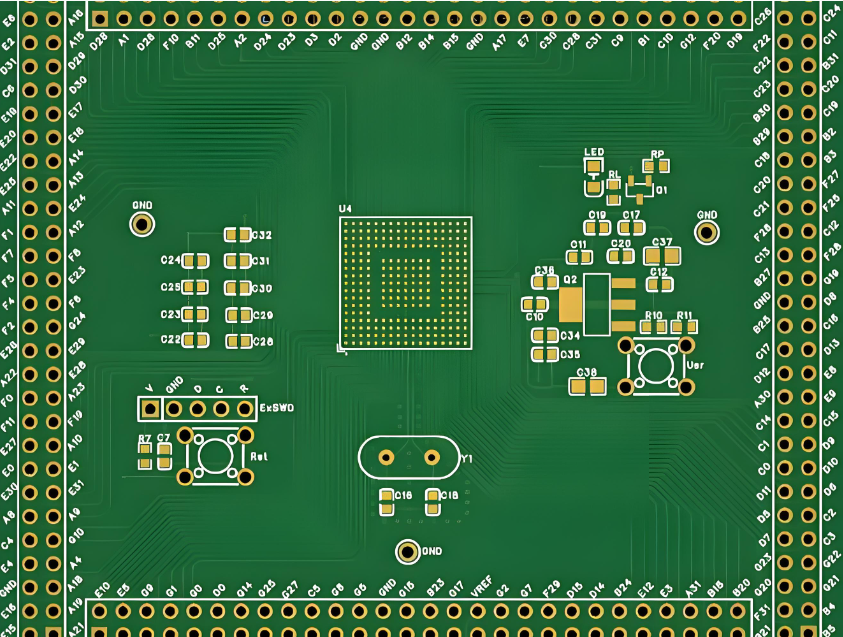
          You may also like

          PCB Assembly Services in Venezuela | Fast, Certified, Zero-Risk Solutions

          April 1st, 2026

          Tired of searching for high-quality PCB assembly services in Venezuela you can truly trust? EBest delivers professional PCB assembly in Venezuela with consistent quality, fast turnaround, and full certifications for medical, aerospace, industrial, and mission‑critical projects.
          PCB Assembly Services in Venezuela, https://www.bestpcbs.com/blog/2026/04/pcb-assembly-services-in-venezuela/

          Why EBest Is Your Most Trusted PCB Assembly Services in Venezuela?

          When you source PCB assembly services in Venezuela, you need a partner that delivers consistency, not excuses. EBest has mastered PCB assembly in Venezuela by combining automated production, strict quality systems, and end-to-end support. Unlike many PCB assembly companies in Venezuela, we own full certifications, operate high-precision lines, and maintain a 98.7% on-time delivery rate. Each month, we produce 1,000+ unique PCB designs across medical, aerospace, industrial, and automotive fields. From early prototypes to high-volume mass production, our PCB assembly in Venezuela is engineered to eliminate risk and accelerate your success.
          Common Pain Points in PCB Assembly in Venezuela & How We Solve Them

          Businesses across Venezuela often face frustrating challenges: long and unpredictable lead times, unreliable component availability, weak fine‑pitch soldering, insufficient testing, missing industry certifications, and slow technical support. These issues create project delays, extra rework, and unnecessary risk.

          We deliver fast, predictable turnaround for PCB assembly in Venezuela to keep your projects on track. Our global component network supports consistent sourcing for SMD, BGA, QFN, QFP and specialized parts, keeping production steady. Our advanced assembly lines handle ultra‑small components down to 01005 and fine‑pitch BGA down to 0.25mm with exceptional precision. We perform full inspection on every order to catch and eliminate defects before shipping.

          We hold complete industry certifications for medical, aerospace, automotive, and industrial applications, including IATF 16949, ISO 9001, ISO 13485, AS9100D. Our engineering team provides responsive, clear support for every stage of your PCB assembly in Venezuela. When you choose EBest, you avoid the risks and frustrations of unreliable PCB assembly manufacturer in Venezuela partners.

          Why Choose EBest for PCB Assembly Companies in Venezuela?

          EBest does more than assemble boards, we help you reduce risk, speed up launches, cut rework, and win more high‑value projects across Venezuela.

          • Over 19 years of focused PCB experience means fewer errors, smoother production, and better long-term reliability for your PCB assembly in Venezuela.
          • Monthly production capacity of 260,000 square feet supports any order size, from small prototypes to large mass production, so you never outgrow your partner.
          • Component placement speed up to 13,200,000 chips per day shortens your lead times and gets your products to market faster.
          • Precision capabilities down to 01005 components and 0.25mm BGA pitch let you build smaller, smarter, more advanced products that stand out in the market.
          • In-house PCB fabrication, component sourcing, assembly, and testing create a single-point solution that saves you time, cuts coordination hassle, and improves consistency.
          • 24‑hour expedite service ensures your urgent projects move forward without delay, keeping you ahead of competitors.
          • Full certifications including IATF 16949, ISO 13485, AS9100D let you bid and win medical, aerospace, and automotive projects locally and globally.
          • 100% full inspection on every order drastically reduces failures, returns, and rework, lowering your total cost per board.
          • Free DFM & engineering support keeps your project on track, with clear updates and fast solutions to keep production moving and reduce reworking cost a lot.
          Why Choose EBest for PCB Assembly Companies in Venezuela, https://www.bestpcbs.com/blog/2026/04/pcb-assembly-services-in-venezuela/

          Full PCB Assembly Services in Venezuela Provided By EBest

          Below are PCB assembly services in Venezuela we offer you:

          • SMT Assembly – High‑precision surface mount assembly for modern electronics.
          • Through‑Hole (THT) Assembly – Durable, reliable through‑hole component soldering.
          • Mixed SMT + THT Assembly – Flexible assembly for mixed‑technology designs.
          • BGA Assembly Service – Fine‑pitch BGA, QFN, and QFP with full verification.
          • Prototype PCB Assembly – Fast, reliable prototypes for product development.
          • Quick Turn PCB Assembly – Rush services for time‑sensitive projects.
          • Full Turnkey PCB Assembly – All‑in‑one solution from design to finished product.
          • Box Assembly – Complete box build, integration, and final functional testing.

          What Quality Certifications Does EBest Hold for Venezuela PCBA Orders?

          EBest maintains a complete set of internationally recognized certifications to ensure every PCB assembly in Venezuela meets the strictest global requirements. Each certification is regularly audited and updated to maintain full compliance.

          • IATF 16949: Automotive quality management system for high‑reliability automotive electronics. Ensures full traceability, zero-defect targets, and strict process control for vehicle safety components.
          • ISO 9001:2015: Global general quality management standard. Demonstrates consistent process control, customer focus, and continuous improvement in all PCB assembly services in Venezuela.
          • ISO 13485:2016: Medical device quality system for life‑critical medical electronics. Supports full traceability, risk management, and strict controls for diagnostic, monitoring, and therapeutic equipment.
          • AS9100D: Aerospace and defense quality standard. Designed for high‑reliability performance in extreme environments, including aircraft systems, navigation, and communication equipment.
          • RoHS Compliance: Restriction of hazardous substances. All assemblies are free of lead, mercury, cadmium, and other dangerous materials for global market access.
          • REACH Compliance: European environmental regulation for chemical safety. Ensures full material transparency and safe use of components in PCB assembly in Venezuela.
          • UL Certification: Global safety certification for electronic products. Ensures electrical safety, flammability resistance, and long‑term reliability for commercial and industrial use.

          Every PCB assembly in Venezuela produced by EBest follows certified processes, full material traceability, and strict quality controls.

          Advanced PCB Assembly Capabilities We Offer in Venezuela

          ItemCapabilities
          Placer Speed13,200,000 chips/day
          Bare Board Size0.2 x 0.2 inches – 20 x 20 inches/ 22*47.5 inches
          Minimum SMD Component01005
          Minimum BGA Pitch0.25mm
          Maximum Components50*150mm
          Assembly TypeSMT, THT, Mixed assembly
          Component PackageReels, Cut Tape, Tube, Tray, Loose Parts
          Lead Time1 – 5 days

          How We Ensure On‑Time PCB Assembly Delivery in Venezuela?

          On‑time delivery is essential for PCB assembly services in Venezuela and critical to your product launches and production plans. We maintain highly streamlined workflows to meet your deadlines reliably:

          • Standard orders: 3 to 5 business days.
          • Prototype and quick‑turn orders: 1 to 2 business days.
          • Urgent orders: 24‑hour expedite shipping for critical projects.

          Our stable production flow, automated equipment, in‑house fabrication, and reliable component supply chain help us deliver on time, every time. We provide transparent order tracking and regular updates so you always know the status of your PCB assembly in Venezuela. With EBest, you never miss critical product launches, production deadlines, or customer commitments.

           PCB Assembly Delivery in Venezuela, https://www.bestpcbs.com/blog/2026/04/pcb-assembly-services-in-venezuela/

          Strict Quality Control for High‑Reliability PCB Assembly in Venezuela

          Quality is built into every step of our PCB assembly in Venezuela with a full‑cycle quality management system:

          • Full incoming material inspection for components, bare PCBs, and auxiliary materials to ensure authenticity and quality.
          • Precise solder paste control and SPI (Solder Paste Inspection) for strong, consistent solder joints.
          • High‑accuracy component placement with tight tolerances for micro and fine‑pitch parts.
          • Automated optical inspection (AOI) to detect visible assembly defects such as misalignment, missing parts, or poor soldering.
          • X‑ray inspection for hidden BGA, QFN, and leadless package solder joints that cannot be seen visually.
          • Functional electrical testing to confirm performance meets your exact specifications.
          • Final full inspection before packaging and shipment to ensure zero defects.
          • ESD‑safe production environment to protect sensitive electronic components.
          • Full material and production traceability for compliance and quality tracking.
          • Strict adherence to IPC‑A‑610 international electronics assembly standards.

          Industry Applications: Medical, Aerospace & Industrial PCB Assembly

          Medical Device PCB Assembly

          We provide certified PCB assembly for patient monitors, diagnostic tools, portable medical devices, surgical equipment, and therapeutic machines. Our strict processes, full traceability, and ISO 13485 certification meet strict medical safety and reliability requirements. We deliver zero‑defect, long‑life boards that support life‑critical operations and regulatory compliance. Our PCB assembly in Venezuela ensures consistent quality for sensitive health‑care applications.

          Aerospace & Defense PCB Assembly

          Approved PCB assembly for flight systems, sensors, navigation equipment, communication units, and defense electronics. Boards are built to perform reliably in extreme temperatures, high vibration, shock, and harsh environmental conditions. Our AS9100D certification and strict quality controls meet the most demanding aerospace reliability standards. Our PCB assembly services in Venezuela support mission‑critical aerospace and defense projects.

          Industrial Equipment PCB Assembly

          Qualified PCB assembly for automation controllers, power supplies, drive systems, sensors, and factory automation equipment. Built to operate continuously 24/7 in tough industrial conditions including dust, heat, and electrical interference. Our IATF 16949 and ISO 9001 processes ensure stability, durability, and long service life. We deliver stable, long‑lasting PCB assembly in Venezuela for heavy‑duty industrial use.

          Custom PCB Assembly Solutions for Your Venezuelan Projects

          Off‑the‑shelf services often cannot meet unique engineering requirements. We provide fully custom PCB assembly services in Venezuela tailored to your product needs:

          • Custom substrate materials and layer configurations for specific electrical or thermal performance.
          • Special surface finishes and protective coatings to extend product life in harsh environments.
          • Professional DFM (Design for Manufacturability) review to optimize your design for higher yield and lower cost.
          • Custom functional testing protocols for strict performance and safety requirements.
          • Flexible order sizes from prototypes to full mass production to support your development cycle.
          • Personalized project management and engineering support for complex projects.

          Our engineering team works closely with you to create the ideal PCB assembly in Venezuela for your product.

          Prototype & Low-Volume PCB Assembly in Venezuela

          Prototype and low‑volume PCB assembly in Venezuela from EBest helps you validate designs quickly, reduce project risk, and speed up time‑to‑market without unnecessary costs. We support small‑batch runs that let you test form, fit, and function before mass production, keeping your development cycle efficient and flexible.

          Our prototype PCB assembly in Venezuela uses the same strict production and inspection standards as high‑volume manufacturing, so your test results are fully reliable and consistent with future mass production. Every small‑batch order receives complete quality checks to ensure stable performance during testing and validation.

          We offer fast turnaround for prototypes and low‑volume orders, along with free DFM reviews to optimize your design for better yield and lower production costs later. With EBest, you get responsive, high‑quality PCB assembly in Venezuela that supports innovation, shortens development time, and strengthens your final product.

          Low-Volume PCB Assembly in Venezuela, https://www.bestpcbs.com/blog/2026/04/pcb-assembly-services-in-venezuela/

          FAQ About PCB Assembly Services in Venezuela

          Q1: What is the minimum order quantity for PCB assembly in Venezuela?
          A1: We accept 1-5 piece prototypes, low‑volume, and mass‑production orders with no strict minimums to support your business needs.

          Q2: Can you handle small components and fine‑pitch BGA?
          A2: Yes, we regularly assemble ultra‑small components down to 01005 and fine‑pitch BGA down to 0.25mm with full inspection.

          Q3: Do you hold certifications for medical, aerospace and automotive?
          A3: Yes, we hold IATF 16949 (automotive), ISO 13485 (medical), and AS9100D (aerospace) certifications.

          Q4: How fast can you deliver PCB assembly in Venezuela?
          A4: We offer standard (3–5 days), quick‑turn (1–2 days), and 24‑hour expedite services for urgent needs.

          Q5: Do you provide full turnkey PCB assembly in Venezuela?
          A5: Yes, we offer complete turnkey service including fabrication, components, assembly, testing, and box build.

          Q6: Can you assemble flex, rigid‑flex and ceramic PCBs?
          A6: Yes, we provide expert assembly for flex, rigid‑flex, ceramic, and high‑frequency PCBs.

          Q7: Do you inspect every board before shipment?
          A7: Yes, full inspection including AOI and X‑ray is standard on every order to ensure zero defects.

          Q8: How can I request a quote?
          A8: Send your Gerber files and BOM to sales@bestpcbs.com for a fast, free, no‑obligation quote.

          You may also like

          Top PCB Manufacturer in Cambodia: Custom ISO‑Certified PCB Solutions for Global Buyers

          April 1st, 2026

          When you search for a professional, reliable, and certified PCB manufacturer in Cambodia, you need a partner that delivers consistent quality, on‑time delivery, full regulatory compliance, and end‑to‑end manufacturing support. Established in 2006, EBest Circuit (Best Technology) is a trusted PCB manufacturer in Cambodia with over 20 years of experience serving global buyers in automotive, medical, aerospace, industrial, consumer electronics, and communications markets. We specialize in custom PCB manufacturing, rapid prototyping, mass production, and turnkey PCB assembly, helping engineering, procurement, and production teams reduce risks, accelerate product launches, and stabilize supply chains.

          PCB Manufacturer in Cambodia, https://www.bestpcbs.com/blog/2026/04/pcb-manufacturer-in-cambodia/

          Why Choose EBest as Your Trusted PCB Manufacturer in Cambodia?

          When you partner with EBest, you gain more than a supplier, you get a dedicated manufacturing partner focused on your success. We prioritize your lead times, quality, compliance, and total project efficiency.

          • On-time delivery guaranteed: Expedited orders ship in 24 hours; mass production strictly follows committed schedules to keep your project on track.
          • Stable, repeatable quality: Full-process inspection and automated production minimize defects and ensure consistency in every batch.
          • Complete global certifications: IATF 16949, ISO 9001, ISO 13485, AS9100D, REACH, RoHS, UL, fully compliant for automotive, medical, aerospace, and industrial markets.
          • Customization & free support: Custom PCB design & manufacturing with free DFM analysis to optimize your design, lower failure rates, and avoid production delays.
          • Flexible MOQ & service: Low minimum order quantity for prototypes; personalized support for small-batch R&D and large-scale mass production.
          • Full component & assembly support: One-stop service eliminates coordination hassle and shortens your overall supply cycle.

          Our Full-Service PCB Solutions as a Leading PCB Manufacturer in Cambodia

          As a premier PCB manufacturer in Cambodia, EBest provides end-to-end support from design to final delivery.

          • PCB Design: Professional engineering support for schematic review, layout optimization, impedance control, high‑speed design, and manufacturability improvement.
          • PCB Prototype: Rapid small‑batch prototyping to verify design performance, form, fit, and function before mass production. Ideal for R&D, testing, and product validation.
          • Mass Production: Stable high‑volume manufacturing with automated production lines, strict process control, and consistent quality for large‑scale market deployment.
          • Component Sourcing: Global reliable component supply chain with 100% genuine parts, full traceability, and alternative component support to avoid supply shortages.
          • PCB Assembly: Complete turnkey PCBA services including SMT, DIP, mixed assembly, potting, conformal coating, and functional testing for finished electronic products.
           PCB Manufacturer in Cambodia, https://www.bestpcbs.com/blog/2026/04/pcb-manufacturer-in-cambodia/

          Our Authoritative Quality Certifications for Cambodia PCB Manufacturing Orders

          Certifications are not just badges, they are your guarantee of compliance, safety, and reliability. EBest holds industry-leading certifications:

          • IATF 16949 – Automotive Electronics Quality Management System
          • ISO 9001:2015 – International Quality Management System
          • ISO 13485:2016 – Medical Device Quality Management System
          • AS9100D – Aerospace Quality Management System
          • REACH – EU Chemical Substance Compliance
          • RoHS – Hazardous Substance Restriction Compliance
          • UL – Safety Certification for Global Market Access

          These certifications let you enter global markets with confidence and meet strict customer audit requirements.

          PCB Manufacturing Capacity & Advanced Process Capabilities

          ParameterDetailed Specification
          Monthly Production Capacity260,000 ft² (28,900 m²)
          Unique Board Types1,000+ different board versions
          Layer Count1–30 layers
          Base MaterialsFR4, Metal Core (MCPCB), Ceramic, Flex, Rigid‑Flex, High Frequency, High TG
          Minimum Track Width / Space3 mil (0.075 mm)
          Minimum Drill Hole Size0.15 mm
          Surface FinishesHASL, Lead‑Free HASL, ENIG, Immersion Silver, Immersion Tin, OSP
          Board Thickness Range0.2 mm – 6.0 mm
          Copper Weight0.5 oz – 6 oz (Heavy Copper supported)
          Prototype Lead Time24 hours – 5 days
          Mass Production Lead Time7 – 15 days
          Special CapabilitiesHDI, High‑TG, Impedance Control, High Speed, Heavy Copper, Ultra‑Thin, Busbar, IC Substrate, RF Microwave

          Which Industries in Cambodia Has EBest Served?

          EBest provides professional custom PCB and PCB assembly solutions for high‑growth industries that demand strict quality, reliability, and compliance. We focus on four core high‑demand sectors:

          Automotive Electronics PCB Solutions

          • Applications: Automotive lighting, engine sensors, body control modules, battery management systems (BMS), in‑vehicle infotainment.
          • Key Products: Metal Core PCBs, heavy copper PCBs, high‑TG PCBs.
          • Advantages: High temperature resistance, vibration resistance, long‑term stability, IATF 16949 certified.

          Industrial Control & Automation PCB Solutions

          • Applications: PLC controllers, servo drives, industrial sensors, robotics, automation equipment.
          • Key Products: Multilayer PCBs, heavy copper PCBs, impedance control PCBs, high‑speed PCBs.
          • Advantages: 24/7 stable operation, strong anti‑interference, high reliability for harsh industrial environments.

          Medical Electronics PCB Solutions

          • Applications: Diagnostic equipment, patient monitors, therapeutic devices, portable medical instruments.
          • Key Products: ISO 13485 certified PCBs, ultra‑thin PCBs, HDI PCBs.
          • Advantages: High reliability, full material traceability, strict cleanliness, medical regulatory compliance.

          Consumer Electronics PCB Solutions

          • Applications: Smartphones, wearables, tablets, smart home devices, portable electronics.
          • Key Products: HDI PCBs, ultra‑thin PCBs, rigid‑flex PCBs.
          • Advantages: High‑density layout, compact size, lightweight, fast prototyping for rapid product development.

          How EBest Solves Your Most Critical PCB Sourcing Challenges?

          Many engineering and procurement teams face consistent challenges when working with a PCB manufacturer in Cambodia, including delayed deliveries, unstable quality, insufficient certifications, weak technical support, unexpected production failures, and high redesign costs. EBest eliminates these pain points with structured, reliable solutions:

          • We deliver predictable, guaranteed lead times so your project stays on schedule.
          • Our full inspection system reduces failure rates and minimizes after‑sales issues.
          • Complete international certifications ensure full regulatory compliance.
          • Free DFM analysis identifies design risks early and lowers total production cost.
          • 20+ years of manufacturing experience enables us to handle complex, high‑precision boards.
          • Customized manufacturing supports your unique industry, application, and performance needs.
          • Integrated one‑stop service reduces supply chain complexity and coordination risk.

          When you partner with EBest, you gain long‑term stability, efficiency, and complete peace of mind for every project.

          Top 10 PCB Manufacturers in Cambodia in 2026

          Company NameCertificationsMain Products & ServicesProcess CapabilityLead Time
          EBest CircuitISO 9001, ISO 13485, IATF 16949, AS9100D, RoHS, ULFR4, HDI, MCPCB, Ceramic, Flex/Rigid-Flex; Prototype & Mass Production; Full PCB Assembly1–30 layers, 0.15 mm min hole, heavy copper, high frequency, impedance control, RFPrototype: 24h–5d; Mass: 7–15d
          Cambodian PCB TechISO 9001, RoHSSingle/double-sided, multilayer FR4 PCB; small-batch SMT assembly1–8 layers, standard DFM supportPrototype: 5–7d; Mass: 12–20d
          Mekong PCB ManufacturingISO 9001Standard rigid PCBs, quick prototypes, basic assembly1–6 layers, standard materialsPrototype: 4–6d; Mass: 10–18d
          SEA Circuit SolutionsISO 9001, RoHSMultilayer PCB, LED MCPCB, industrial control boards1–12 layers, metal core supportedPrototype: 5–7d; Mass: 12–20d
          Angkor PCB AssemblyISO 9001PCB fabrication, low-volume assembly, component sourcing1–8 layers, basic SMTPrototype: 5–8d; Mass: 14–22d
          Phnom Penh PCB FactoryRoHSSingle/double-sided PCB, consumer electronics1–4 layers, standard finishPrototype: 4–6d; Mass: 10–18d
          Indochina PCB Co., Ltd.ISO 9001Multilayer PCB, prototype service, quick turnaround1–10 layers, standard DFMPrototype: 4–7d; Mass: 12–20d
          Royal PCB ManufacturingISO 9001, RoHSFR4 PCB, MCPCB for lighting1–8 layers, thermal managementPrototype: 5–7d; Mass: 12–20d
          Golden PCB CambodiaRoHSBasic rigid PCB, consumer electronics, small batch1–4 layers, standard materialsPrototype: 5–8d; Mass: 14–22d
          Advance PCB TechISO 9001High-TG PCB, heavy copper, industrial & automotive1–12 layers, high temperature resistantPrototype: 5–7d; Mass: 12–20d

          How to Select a Reliable PCB Manufacturer in Cambodia?

          Choosing a reliable PCB manufacturer in Cambodia is critical for product quality and supply chain security. Use these professional, practical criteria to evaluate partners:

          • Verify complete, valid, and industry‑matched certifications (ISO 9001, IATF 16949, ISO 13485, AS9100D, UL, RoHS).
          • Confirm real process capabilities, including layer count, minimum hole size, impedance control, HDI, high frequency, and heavy copper.
          • Evaluate actual on‑time delivery performance, not just advertised lead time.
          • Check professional technical support, especially free DFM analysis and custom design capabilities.
          • Review full quality control systems and testing procedures.
          • Assess production scale, equipment level, and ability to support both prototypes and mass production.
          • Confirm one‑stop service capability to reduce supply chain complexity.

          EBest meets and exceeds all these standards, making us the most trusted choice for global buyers.

          PCB Manufacturer in Cambodia, https://www.bestpcbs.com/blog/2026/04/pcb-manufacturer-in-cambodia/

          How Fast Can I Get PCB Prototypes & Mass Production in Cambodia?

          Lead time directly affects your R&D progress and market launch. As a leading PCB manufacturer in Cambodia, EBest maintains industry‑leading turnaround while upholding strict quality standards.

          • Standard PCB Prototype: 3–5 days.
          • Expedited Emergency Prototype: 24 hours.
          • Standard Multilayer Mass Production: 7–15 days.
          • Complex HDI / High‑Frequency / Rigid‑Flex: 10–20 days.

          We balance speed, quality, and reliability to support your most aggressive project schedules.

          PCB Mass Production in Cambodia, https://www.bestpcbs.com/blog/2026/04/pcb-manufacturer-in-cambodia/

          FAQs About PCB Manufacturer in Cambodia

          Q1: Do you provide free DFM analysis for PCB designs?
          A1: Yes, EBest offers free DFM reports to optimize your design, avoid production risks, improve yield, and reduce manufacturing costs.

          Q2: Can you support fully custom PCB manufacturing?
          A2: Yes, we provide full custom PCB solutions including layer count, base material, surface finish, impedance control, HDI, high frequency, heavy copper, and rigid‑flex designs.

          Q3: What international certifications do you hold?
          A3: We hold IATF 16949, ISO 9001:2015, ISO 13485:2016, AS9100D, REACH, RoHS, and UL certifications.

          Q4: What is your minimum order quantity (MOQ) for prototypes?
          A4: We support low MOQ for prototype projects to accommodate R&D, testing, and startup development.

          Q5: How fast is your expedited PCB prototype service?
          A5: Our emergency expedited service supports shipping within 24 hours for urgent and critical projects.

          Q6: Do you offer full turnkey PCB assembly (PCBA) services?
          A6: Yes, we provide one‑stop PCB assembly including component sourcing, SMT, DIP, mixed assembly, conformal coating, and functional testing.

          Q7: Can you produce high‑frequency, HDI, and heavy copper PCBs?
          A7: Yes, we specialize in advanced PCB types including high‑frequency, HDI, heavy copper, rigid‑flex, high‑TG, and impedance‑controlled boards.

          Q8: Is full material traceability available for medical and automotive projects?
          A8: Yes, full material traceability is standard for medical, automotive, aerospace, and other high‑reliability applications.

          You may also like