PCB manufacturing PCB manufacturing
Home > Blog

LED Tunnel Light Aluminum PCB – Thermal Solution for Tunnel Lighting Engineers

March 31st, 2026

Why Is LED tunnel light aluminum PCB the key to solving thermal issues in tunnel lighting? If you’re a tunnel lighting engineer struggling with overheating LED fixtures and shortened lifespans, you know how critical a reliable LED tunnel light aluminum PCB is. For top-quality, on-time, cost-effective LED tunnel light aluminum PCB solutions, choose EBest, we offer superior quality control, fast lead times, optimized costs, professional service, and a stable supply chain. This blog breaks down everything you need to know about LED tunnel light aluminum PCBs, from thermal performance to design rules, material selection, and common pitfalls.

LED Tunnel Light Aluminum PCB, https://www.bestpcbs.com/blog/2026/03/led-tunnel-light-aluminum-pcb/

How Does Aluminum PCB Enhance Thermal Performance for LED Tunnel Lights?

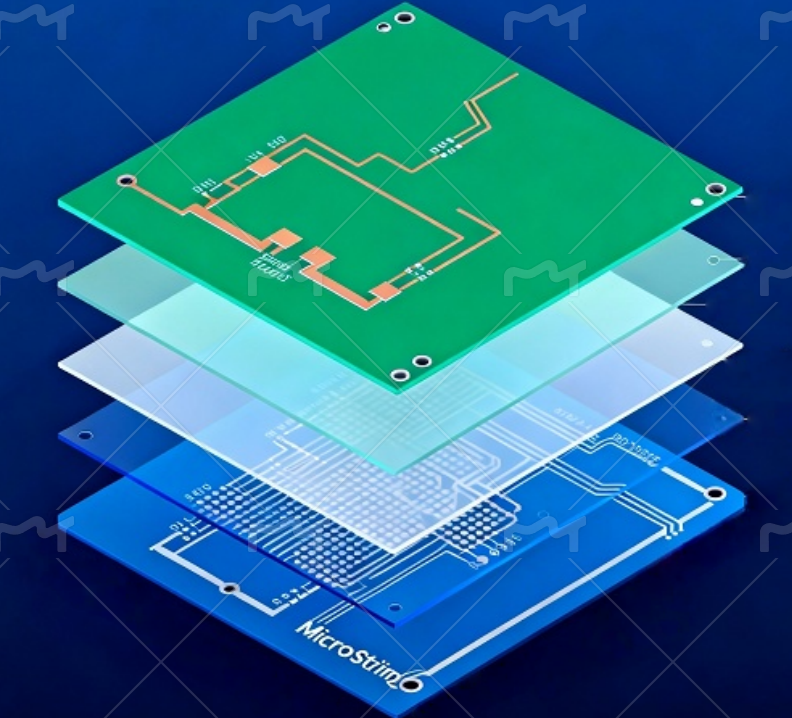
Aluminum PCBs boost the thermal performance of LED tunnel lights mainly through their unique three-layer “sandwich” structure, which solves the heat buildup problem that troubles traditional PCBs in high-temperature tunnel settings. This structure includes a circuit layer, a dielectric layer, and a metal base layer, with each layer working together to enable efficient heat transfer.

The circuit layer, made of electrolytic copper foil with high thermal conductivity (398 W/(m·K)), quickly spreads heat horizontally from LED chips to avoid localized hotspots, critical for tunnel lights that run continuously. The middle dielectric layer, often made of ceramic-filled epoxy (1.0-3.0 W/(m·K) thermal conductivity), acts as a bridge, balancing electrical insulation and vertical heat transfer to the aluminum base without short circuits.

The aluminum alloy base layer, with a thermal conductivity of 180-200 W/(m·K), serves as an integrated heat sink to rapidly absorb and diffuse heat into the tunnel air. By minimizing thermal resistance and ensuring direct heat paths, this layered synergy keeps LED junction temperatures low even in 40-60℃ tunnels, maintaining stable performance and extending the service life of LED tunnel lights.

What Are the Key Design Rules for Aluminum PCBs in High-Temp Tunnel Environments?

High-temp tunnel environments (often 40-60℃) require strict design rules to ensure aluminum PCB reliability. Follow these guidelines:

  • Optimize thermal path design: Ensure direct contact between LED chips and the aluminum base, and connect LED pads to large copper areas using thermal reliefs to balance soldering ease and heat transfer, minimizing thermal resistance effectively.
  • Avoid overcrowding components: Space LED chips and other heat-generating parts (such as drivers) evenly, and keep LEDs away from PCB edges where heat dissipation is reduced, preventing localized hotspots that damage components.
  • Use high-temperature-resistant materials: Select dielectric layers and solders rated for at least 105℃; for tunnels above 60℃, choose polyimide dielectric materials and specialized aluminum-compatible solders to withstand prolonged high temperatures.
  • Incorporate thermal vias: Place 0.8-1.2mm diameter thermal vias near LED chips, space them 5-10mm apart, and fill them with solder to bypass the dielectric layer and speed up heat transfer to the aluminum base.
  • Optimize copper foil design: Use 2oz (70ÎŒm) copper foil for most high-power tunnel LEDs (30-100W) to reduce line resistance and heat generation; for ultra-high-power setups (>100W), upgrade to 3oz (105ÎŒm) copper.
  • Ensure proper insulation spacing: Maintain a minimum spacing of 2.5mm for high-voltage sections (such as AC drivers) to prevent creepage and short circuits, and ensure the dielectric layer thickness is at least 75ÎŒm in high-voltage areas.
  • Design for mechanical stability: Choose 1.5-3.0mm thick aluminum substrates for high-power or dense LED layouts, reserve a 1mm copper-free area at the board edge to avoid copper layer warping during cutting, and use non-metallized holes for all PCB drilling.
  • Account for thermal expansion: Match the thermal expansion coefficient of components (LEDs, drivers) with the aluminum PCB to reduce mechanical stress caused by temperature changes in tunnels, preventing solder joint cracking.
  • Integrate dust and moisture protection: Design PCB layouts that accommodate conformal coatings (silicone or acrylic) and IP65+ enclosures, avoiding component placement in areas that are hard to coat or clean.
  • Simplify maintenance access: Arrange components and thermal vias in easily accessible positions, avoiding dense layouts that block dust removal or inspection, ensuring routine maintenance can be performed efficiently.

How to Choose the Right Aluminum Substrate for LED Tunnel Light PCBs?

Selecting the right aluminum substrate ensures optimal performance and durability. Follow these steps:

  • Select the right aluminum alloy: Choose 6061 alloy for most tunnel scenarios, as it balances excellent thermal conductivity (180-200 W/(m·K)) and mechanical strength; opt for 5052 alloy for humid tunnels to leverage its superior corrosion resistance against moisture damage.
  • Match substrate thickness to LED power: Use 1.0-1.5mm for low-to-medium power (≀50W) tunnel lights, and 1.5-2.0mm for high-power (50-100W) setups to balance heat dissipation and structural stability.
  • Prioritize thermal conductivity rating: Select substrates with a minimum thermal conductivity of 1.5 W/(m·K) for high-power LEDs; upgrade to 2.0 W/(m·K) or higher for tunnels with ambient temperatures above 50℃ to ensure efficient heat transfer.
  • Verify compliance with industry standards: Ensure the substrate is RoHS-compliant to meet international environmental requirements for tunnel infrastructure, and confirm it meets IPC-2221 standards for PCB reliability in industrial settings.
  • Consider surface treatment: Choose thermal oxidation or anodizing for the aluminum base to enhance heat dissipation efficiency and prevent corrosion, which is critical for tunnels with dust and moisture.
  • Match thermal expansion coefficient (TEC): Select substrates with a TEC close to LED chips and drivers (8-10 ppm/℃) to reduce mechanical stress from tunnel temperature fluctuations, avoiding solder joint cracking.
How to Choose the Right Aluminum Substrate for LED Tunnel Light PCBs, https://www.bestpcbs.com/blog/2026/03/led-tunnel-light-aluminum-pcb/

What Dielectric Material Works Best for Aluminum PCBs in Tunnel Lighting?

The dielectric layer is critical for insulation and heat transfer, choose materials that balance thermal conductivity and reliability:

  • Ceramic-filled epoxy: The most versatile and widely used dielectric material for LED tunnel light aluminum PCBs. It offers a balanced thermal conductivity (1.0-3.0 W/(m·K)) and excellent electrical insulation, making it ideal for most high-power tunnel LED setups (30-100W) and standard tunnel temperatures (40-60℃).
  • Polyimide: The top choice for extreme high-temperature tunnels (above 60℃). It boasts superior heat resistance (withstands up to 200℃) and good mechanical flexibility, though its thermal conductivity (0.8-1.5 W/(m·K)) is slightly lower than ceramic-filled epoxy.
  • BT resin: Perfect for humid or moisture-prone tunnels (e.g., underwater or coastal tunnels). It provides strong moisture resistance and stable thermal performance (1.0-1.8 W/(m·K)), suitable for medium-power LED setups that require long-term reliability in damp environments.
  • Silicone-based dielectric: Ideal for tunnels with frequent temperature fluctuations. It has excellent thermal shock resistance, can withstand -60℃ to 180℃, and offers moderate thermal conductivity (0.6-1.2 W/(m·K)), preventing dielectric layer cracking from thermal stress.
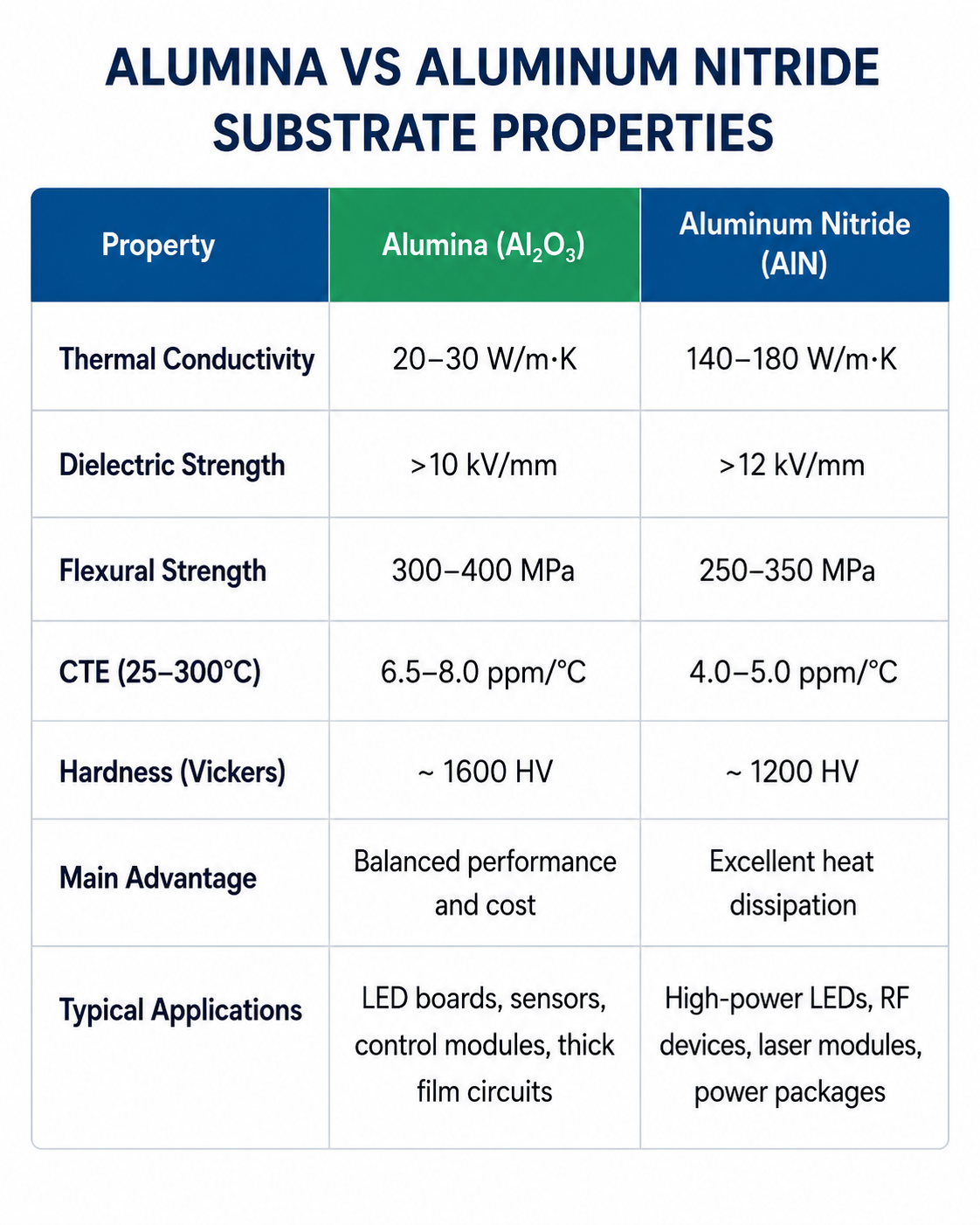
  • Alumina ceramic: Designed for ultra-high-power LED tunnel lights (>100W). It delivers exceptional thermal conductivity (3.0-5.0 W/(m·K)) and high insulation strength, though it is more rigid and requires specialized manufacturing to avoid brittleness.
  • Epoxy-silicone hybrid: A cost-effective middle ground for tunnels with moderate heat and moisture. It combines the thermal conductivity of epoxy (1.2-2.0 W/(m·K)) with the moisture resistance of silicone, ensuring durability without excessive cost.

How Do Thermal Vias Improve Heat Dissipation in LED Tunnel Aluminum PCBs?

Thermal vias are tiny holes filled with conductive material, designed to conduct heat from the circuit layer to the aluminum substrate. Their advantages include:

  • Shortened Thermal Conduction Path: Thermal vias bypass the dielectric layer, establishing a direct vertical thermal conduction channel between the circuit layer—where the LED chips are mountedand the aluminum substrate. This accelerates heat transfer to a rate three times faster than that achieved through traditional horizontal conduction alone.
  • Reduction of Local Hotspots: By positioning thermal vias within a 3 to 5 mm radius of the LED chips, concentrated heat can be uniformly dispersed across the entire PCB board. This effectively prevents LED performance degradation and shortened lifespan caused by overheating, a critical factor for tunnel lighting equipment requiring continuous, long-duration operation.
  • Enhanced Heat Dissipation for High-Power Devices: For LED tunnel lights with power ratings exceeding 50 watts, properly designed thermal vias can lower the LED junction temperature by 20 to 25°C, thereby ensuring stable operation even within tunnel environments where ambient temperatures range from 40 to 60°C.
  • Optimized Via Specifications: It is recommended to utilize vias with a diameter of 0.8 to 1.2 mm and a pitch of 5 to 10 mm, filling them with solder to maximize thermal conductivity. If the vias remain unfilled, their thermal conduction efficiency can drop by as much as 40%, while simultaneously increasing the likelihood of voids forming within the solder joints.
  • Synergistic Heat Dissipation with Aluminum Substrate: Thermal vias complement the inherent high thermal conductivity of the aluminum substrate (180–200 W/(m·K)), accelerating the diffusion of heat from the PCB surface into the surrounding tunnel air.
  • Prevention of Thermal Stress Damage: By uniformly dispersing heat, thermal vias effectively mitigate mechanical stress caused by temperature differentials across the PCB surface. This prevents common issues such as solder joint cracking and PCB warping—problems frequently encountered during ambient temperature fluctuations within tunnel environments.
  • Enhanced Long-Term Reliability: Well-positioned and properly filled thermal vias effectively slow down the thermal aging of the dielectric material, ensuring the sustained stability of insulation properties and, consequently, extending the overall service life of the aluminum-based PCB within the demanding conditions of a tunnel environment.

What Copper Thickness Is Ideal for High-Power LED Tunnel Light Aluminum PCB?

Copper thickness directly impacts current carrying capacity, heat dissipation, and long-term reliability of high-power LED tunnel light aluminum PCB, choose based on LED power, tunnel temperature, and current load for optimal performance:

  • 1oz (35ÎŒm): Suitable for low-power LED tunnel lights (≀30W), such as small auxiliary tunnel sections. It balances cost and basic performance, but is not recommended for high-power setups as it risks overheating from insufficient current carrying capacity.
  • 2oz (70ÎŒm): The ideal choice for most high-power LED tunnel lights (30-100W), the most common setup in highway and railway tunnels. It reduces line resistance, minimizes heat generation, improves heat conduction to the aluminum base, and avoids voltage drop issues common with thinner copper.
  • 3oz (105ÎŒm): For ultra-high-power LED tunnel lights (>100W) or tunnels with ambient temperatures above 55℃. It handles high current loads (>5A) more effectively, further enhances thermal dissipation, and reduces long-term degradation, though it requires specialized manufacturing processes.
  • 4oz (140ÎŒm): A specialized option for extreme scenarios, such as ultra-high-power tunnel lights (>150W) or industrial tunnels with continuous high-temperature operation. It maximizes current carrying capacity and heat transfer but increases manufacturing complexity and cost.

How to Prevent Overheating and Extend Lifespan of LED Tunnel Light Aluminum PCB?

Overheating is the primary cause of shortened lifespan and performance degradation in LED tunnel light aluminum PCBs, especially in high-temperature, continuous-operation tunnel environments. LED junction temperature directly affects lifespan, each 10°C increase can shorten LED life by 30-50%. The following practical, targeted steps prevent overheating, protect PCB components, and extend service life without unnecessary complexity.

  • Optimize LED layout: Space LEDs evenly to avoid heat concentration, and keep them away from PCB edges (where heat dissipation is weaker) to prevent localized hotspots that damage components.
  • Pair with heat sinks: Attach a finned heat sink to the aluminum base to increase heat dissipation area by 2-3x, accelerating heat transfer from the PCB to the tunnel air.
  • Maintain regular cleaning: Dust buildup on the PCB surface can reduce heat dissipation by up to 50%, so clean debris every 6 months during routine maintenance.
  • Select high-temperature components: Use LEDs, capacitors, and solders rated for at least 105℃ to avoid premature failure under prolonged tunnel heat.
  • Ensure thermal via effectiveness: Keep thermal vias clear of dust and debris, and verify they are properly filled with solder to maintain efficient vertical heat transfer.
  • Control current load: Avoid overloading the PCB beyond its rated current, as excessive current increases heat generation and degrades copper layers and dielectric materials.
  • Apply conformal coating: A thin silicone or acrylic coating not only repels dust and moisture but also helps dissipate heat evenly across the PCB surface.
How to Prevent Overheating and Extend Lifespan of LED Tunnel Light Aluminum PCB, https://www.bestpcbs.com/blog/2026/03/led-tunnel-light-aluminum-pcb/

What Are Common Mistakes in Aluminum PCB Design for Tunnel Lighting?

Avoid these costly design mistakes to ensure PCB reliability in tunnel environments:

  • Ignoring thermal via specifications: Placing thermal vias too far from LED chips (over 5mm) or using unfilled/undersized vias renders them ineffective, leading to localized hotspots and shortened LED lifespan.
  • Using low-grade dielectric materials: Opting for cheap, low-temperature dielectric layers (instead of ceramic-filled epoxy or polyimide) causes rapid degradation in 40-60℃ tunnel environments, leading to insulation failure.
  • Underestimating copper thickness: Using 1oz (35ÎŒm) copper for high-power LED tunnel lights (30W+) increases line resistance and heat generation, resulting in overheating and PCB damage.
  • Neglecting environmental protection: Skipping conformal coating or using low-IP-rated enclosures exposes PCBs to tunnel dust and moisture, causing corrosion and electrical malfunctions.
  • Mismatching aluminum alloy and tunnel conditions: Using 6061 alloy in humid tunnels (instead of corrosion-resistant 5052) leads to base layer rust and reduced heat dissipation efficiency.
  • Overlooking insulation spacing: Failing to maintain 2.5mm minimum spacing for high-voltage sections increases the risk of creepage and short circuits in tunnel lighting systems.
  • Disregarding thermal expansion matching: Choosing aluminum PCBs with a thermal expansion coefficient (TEC) far from LED chips causes solder joint cracking due to tunnel temperature fluctuations.
  • Overcrowding components: Packing LED chips and drivers too closely blocks heat dissipation, creating hotspots that degrade PCB components over time.

How Does Aluminum PCB Compare to FR-4 for LED Tunnel Light Applications?

Comparison FactorAluminum PCBFR-4 PCB
Thermal Conductivity1.5-3.0 W/(m·K), excellent heat dissipation0.2 W/(m·K), poor heat dissipation
High-Temp ResistanceWithstands 105-150℃, ideal for tunnel environmentsWithstands 85-100℃, prone to degradation in hot tunnels
LED Lifespan ImpactExtends LED lifespan by 30-50% via effective heat managementShortens LED lifespan by 20-30% due to overheating
Mechanical StrengthHigh strength, resistant to vibration (critical for tunnels)Low strength, prone to cracking from tunnel vibrations
Moisture ResistanceGood, when sealed properlyPoor, prone to water damage in humid tunnels

How to Ensure Dust Resistance and Reliability in LED Tunnel Light Aluminum PCB?

Tunnels are typically dusty, high-vibration, and sometimes humid environments, which can cause dust accumulation, corrosion, and electrical malfunctions in LED tunnel light aluminum PCBs, directly affecting reliability and service life. The following targeted measures effectively enhance dust resistance and overall reliability, ensuring stable long-term operation of PCBs in harsh tunnel conditions.

  • Apply conformal coating: Use silicone or acrylic conformal coating to form a thin, uniform protective layer on the PCB surface, effectively repelling dust, moisture, and contaminants without affecting heat dissipation.
  • Adopt IP65+ rated enclosures: Choose high-seal enclosures with IP65 or higher protection rating to prevent dust particles from entering and accumulating on PCB components, which is critical for mining and highway tunnels.
  • Select dust-resistant components: Optimize for LEDs, connectors, and capacitors with sealed designs to avoid dust buildup on contact points, preventing poor contact and electrical failures.
  • Optimize PCB layout for cleaning: Avoid dense component placement in hard-to-reach areas, reserve reasonable gaps between components, and design smooth surfaces to facilitate routine dust removal during maintenance.
  • Strengthen aluminum base protection: Use anodized or thermally oxidized surface treatment on the aluminum base to enhance corrosion and dust resistance, extending the substrate’s service life in dusty environments.
  • Regular maintenance and inspection: Inspect PCBs every 6 months to clean surface dust, check for conformal coating damage, and ensure enclosure seals are intact, preventing dust from penetrating over time.

What Thermal Interface Materials (TIM) Complement Aluminum PCBs in Tunnels?

Thermal Interface Materials (TIMs) play a crucial role in bridging gaps between aluminum PCBs and heat sinks, eliminating air pockets that hinder heat transfer. Choosing the right TIM based on tunnel temperature, humidity, and vibration conditions ensures optimal thermal efficiency and long-term reliability of LED tunnel lighting systems.

  • Thermal Grease: Ideal for standard tunnel environments with ambient temperatures of 40-60℃. It fills micro-gaps between the PCB and heat sink, improving thermal conductivity by 20-30%, and is cost-effective for most highway and railway tunnel lighting setups.
  • Thermal Pads: Suitable for humid or moisture-prone tunnels (e.g., underwater or coastal tunnels). Non-conductive, moisture-resistant, and easy to install, they prevent electrical short circuits while maintaining stable heat transfer, even in damp conditions.
  • Phase-Change Materials (PCMs): Best for tunnels with frequent temperature fluctuations. They absorb excess heat during peak operating hours and release it when temperatures drop, keeping LED junction temperatures stable and reducing thermal stress on PCBs.
  • Thermal Adhesive: Designed for vibration-prone tunnels (e.g., railway or mining tunnels). It securely bonds the aluminum PCB to the heat sink, preventing gaps caused by vibration and ensuring consistent heat transfer, which is critical for continuous operation.
  • High-Temp Thermal Silicone: Suitable for extreme high-temperature tunnels (above 60℃). It withstands -40℃ to 180℃ temperature ranges, maintains stable thermal conductivity, and adheres well to aluminum substrates without primer, ideal for harsh tunnel conditions.
  • Ceramic TIMs: For ultra-high-power LED tunnel lights (>100W). They offer high thermal conductivity (2-5 W/(m·K)), excellent heat resistance, and non-flammability, ensuring efficient heat transfer for high-load tunnel lighting systems like those used in large-scale tunnel projects.
What Thermal Interface Materials (TIM) Complement Aluminum PCBs in Tunnels, https://www.bestpcbs.com/blog/2026/03/led-tunnel-light-aluminum-pcb/

FAQ About LED Tunnel Light Aluminum PCB

Q1: How long does an LED tunnel light aluminum PCB last in a high-temp tunnel?
A1: With proper design and maintenance, EBest’s LED tunnel light aluminum PCBs last 8-10 years in high-temp tunnels (40-60℃), 2-3x longer than FR-4 PCBs.

Q2: Can aluminum PCBs be used in underwater tunnel lighting?
A2: Yes, when sealed with IP68 enclosures and conformal coating, aluminum PCBs are fully waterproof and suitable for underwater tunnel environments.

Q3: What’s the maximum LED power an aluminum PCB can handle for tunnel lights?
A3: EBest’s aluminum PCBs can handle up to 200W per board, making them suitable for high-power tunnel lighting systems.

Q4: How often should I inspect LED tunnel light aluminum PCBs?
A4: Inspect PCBs every 6 months for dust buildup, conformal coating damage, and thermal via blockages to ensure optimal performance.

Q5: Do aluminum PCBs require special manufacturing for tunnel lighting?
A5: Yes, tunnel-specific aluminum PCBs need high-temperature dielectric materials, optimized thermal via design, and dust-resistant coatings, all of which EBest specializes in.

You may also like

PCB Manufacturer in Israel

March 31st, 2026

Why Choose EBest as Your Preferred PCB Manufacturer in Israel

When sourcing a PCB manufacturer in Israel, EBest stands out with proven performance across critical metrics. We deliver consistent on-time delivery, zero-defect quality, full regulatory compliance, and flexible support for every project stage.

  • On-Time Delivery: 99% on-time rate for prototypes and mass production, with expedited options for urgent Israeli projects
  • Uncompromising Quality: Full in-house testing (AOI, X-ray, impedance verification) to meet IPC Class 2/3 standards
  • Global Certifications: ISO 9001, AS9100, ISO 13485, and IATF 16949 for medical, automotive, and aerospace applications
  • Cost-Effective Support: Free DFM analysis, low or no MOQ for prototypes, and transparent pricing without hidden fees
  • Dedicated Local Support: An English-speaking engineering team for real-time design collaboration and issue resolution
PCB Manufacturer in Israel

PCB Manufacturer in Israel

Comprehensive PCB Manufacturing & Assembly Services by EBest

EBest provides end-to-end PCB manufacturing in Israel for all volume and complexity needs, from quick-turn prototypes to full-scale mass production.

  • Rigid, flex, rigid-flex, HDI, RF/high-frequency, ceramic, thick-copper, and micro-via PCB fabrication
  • Full PCBA assembly: SMT, through-hole, BGA, micro-BGA, and mixed-technology assembly
  • Scaling from prototype to mass production with consistent process control
  • Custom stack-up, surface finish (ENIG, immersion silver, HASL), and material selection (FR-4, Rogers, ceramic, polyimide)
  • Free DFM report with every order to optimize design for manufacturability and reduce rework
  • On-demand customization for specialized Israeli high-tech applications

EBest’s Industry Certifications & Quality Accreditations

Our certifications validate compliance with global and Israeli industry standards, ensuring your PCB manufacturer in Israel meets strict regulatory requirements.

  • ISO 9001:2015 – Quality management system
  • AS9100D – Aerospace & defense quality standard
  • ISO 13485 – Medical device manufacturing compliance
  • IATF 16949 – Automotive electronics quality management
  • IPC-A-610 Class 2/3 – PCB assembly acceptability standards
  • RoHS & REACH compliant – Environmental material restrictions
  • ITAR registered – For defense and aerospace projects requiring U.S. compliance

Key Challenges in Israeli PCB Sourcing & How EBest Solves Them

Israeli electronics teams face unique hurdles when sourcing PCBs locally—long lead times, limited advanced capabilities, high prototype costs, and inconsistent DFM support. EBest eliminates these pain points with targeted solutions.

We cut prototype lead times by 50% compared to local Israeli suppliers with our quick-turn fabrication lines. Our advanced in-house equipment supports HDI, ceramic, and RF PCBs that many local manufacturers cannot produce. We provide free DFM analysis upfront to catch design flaws before production, reducing costly rework cycles.

Our flexible MOQ policy lets you order small prototype runs without premium pricing. For Israeli projects, we offer dedicated engineering support in English to align with local design teams and ensure seamless communication. Choose EBest as your PCB manufacturer in Israel for reliable, cost-effective, and technologically advanced PCB solutions.

Top 10 PCB Manufacturers in Israel: Verified List with Certifications & Services

Manufacturer NameCertificationsPrimary Products & ServicesKey Industries
Nistec (Eltek)AS9100, ISO 9001, ISO 13485, IATF 16949Rigid/flex PCBs, HDI, assembly, aerospace/medicalAerospace, Medical, Automotive, Defense
PCB TechnologiesISO 9001, AS9100, NadcapMultilayer rigid, rigid-flex, prototype to mass productionTelecom, Aerospace, Industrial
IDANics L.T.DISO 900128-layer rigid, ceramic/FR-4, automotive/medicalAutomotive, Medical, Industrial
Flexitech AviaISO 9001Flexible/rigid PCBs, aluminum/ceramic substratesLighting, Industrial, Consumer
Newline-PCBN/ARigid-flex, polyimide/Kapton, 14-layer designsAerospace, Medical, Telecom
Ma’agalim D.S. LtdISO 9001HDI, flex, rigid PCBs, microviasTelecom, Industrial, Consumer
Elcad PCB LtdUL, ISO 900128-layer rigid, aerospace-grade, copper coreAerospace, Defense, Medical
PCB RunnerISO 9001Quick-turn prototypes, rigid/flex, RF PCBsR&D, Industrial, Telecom
P.C.L Electronics LtdN/ARigid/flex, 20-layer, aluminum substratesIndustrial, Lighting, Consumer
Inviatech PCB EngineeringISO 9001Design, layout, prototype fabrication, DFM supportR&D, Startups, Industrial

DFM Guidelines & Local Manufacturing Constraints for Israeli PCB Production

Israeli PCB facilities have specific process limits that impact design feasibility—understanding these rules prevents costly delays and redesigns.

Local manufacturers typically support up to 28 layers for rigid PCBs, with limited HDI/microvia capabilities compared to global suppliers. Minimum line width/space is often 4/4 mil for standard production, with tighter tolerances requiring premium pricing.

Material selection is restricted to FR-4, standard Rogers, and basic ceramic; high-frequency RF or specialized ceramic substrates may require import. Via-in-pad and stacked microvias are not widely available locally.

EBest provides free DFM analysis tailored to Israeli manufacturing constraints, optimizing your design to balance performance, cost, and local production feasibility.

Lead Time, MOQ & Production Volume Comparison: Prototype vs Mass Production

Balancing speed, quantity, and cost is critical for Israeli projects—here’s how prototype and mass production compare for PCB manufacturer in Israel options.

Production StageTypical Lead Time (Local Israel)Typical Lead Time (EBest)MOQ Requirement
Quick-Turn Prototype7–14 days3–5 days1–5 pcs (No MOQ)
Standard Prototype10–20 days5–7 days5–10 pcs
Low-Volume Production20–30 days10–15 days50–100 pcs
Mass Production30–45 days15–25 days500+ pcs

EBest delivers faster lead times across all volumes while maintaining the same high-quality standards as local Israeli manufacturers.

How to Select a Reliable PCB Manufacturer in Israel: Avoid Common Pitfalls

Choosing the right PCB manufacturer in Israel requires evaluating technical capability, quality, compliance, and support—avoid these costly mistakes.

  1. Skip verifying certifications: Always confirm ISO, AS9100, or industry-specific accreditations for your application.
  2. Ignore DFM support: Lack of upfront design review leads to 30%+ rework costs and delays.
  3. Underestimate advanced capability needs: Many local firms cannot handle HDI, RF, or ceramic PCBs.
  4. Overlook communication barriers: Ensure English-speaking engineering support for seamless collaboration.
  5. Neglect scalability testing: Confirm the manufacturer can scale from prototype to mass production without quality drops.

EBest eliminates all these risks with full transparency, advanced capabilities, and dedicated support.

Advanced PCB Capabilities in Israel: HDI, RF, Ceramic, Rigid-Flex & High-Reliability Solutions

Israeli high-tech sectors demand advanced PCBs—here’s what’s available locally and how EBest fills capability gaps.

Local Israeli manufacturers excel at standard rigid PCBs but lack consistent capacity for HDI (microvias, 9+N+9 structures), high-frequency RF (Rogers/Taconic), ceramic substrates, and complex rigid-flex designs. These technologies are critical for Israeli aerospace, medical, and telecom projects.

EBest specializes in these advanced processes:

  • HDI PCBs with 2/2 mil line width, microvias down to 3 mil, and via-in-pad
  • RF/high-frequency PCBs with impedance control ±5% and low-loss materials
  • Ceramic PCBs for high-temperature, high-thermal-conductivity applications
  • Rigid-flex PCBs with up to 20 layers for space-constrained designs

DFM & Engineering Support: Reduce Rework & Boost Yield for Israeli Projects

DFM (Design for Manufacturability) is the single biggest factor in reducing production issues and costs for PCB manufacturer in Israel projects.

Israeli design teams often face misalignment between design intent and local manufacturing capabilities, leading to repeated redesigns and missed deadlines. EBest provides complimentary, expert DFM analysis with every order:

  • Review layer stack-up, trace width/spacing, via size, and clearances for local process compatibility
  • Identify and resolve manufacturability issues before production starts
  • Optimize panel utilization to reduce material waste and cost
  • Provide clear design recommendations in English, aligned with Israeli project requirements

This support cuts rework by up to 40% and improves first-pass yield to 98%+.

Industry Case Studies: EBest PCB Solutions for Israeli High-Tech Sectors

EBest has delivered custom PCB manufacturing in Israel solutions for four high-demand Israeli industries, solving critical technical challenges.

Aerospace & Defense

We produced 16-layer rigid-flex HDI PCBs for Israeli drone navigation systems, with microvias and impedance control for reliable signal transmission in high-vibration environments. The design met AS9100 standards and reduced weight by 30% compared to traditional rigid boards.

Medical Devices

ISO 13485-certified ceramic PCBs for portable Israeli diagnostic equipment provide excellent thermal stability and biocompatibility. The boards supported high-density component placement and passed rigorous medical regulatory testing.

Industrial Automation

Thick-copper (4oz) PCBs for Israeli industrial control systems handle high current loads and extreme temperature fluctuations. The design included heavy copper planes for heat dissipation and improved long-term reliability.

Telecom Infrastructure

RF/high-frequency PCBs using Rogers materials for Israeli 5G base station components feature precise impedance control and low signal loss. The boards supported high-speed data transmission and met strict telecom performance standards.

FAQ: Common Questions About PCB Manufacturing in Israel

What certifications should I look for in a PCB manufacturer in Israel?

Prioritize ISO 9001 (quality), AS9100 (aerospace), ISO 13485 (medical), and IATF 16949 (automotive) based on your industry. RoHS/REACH compliance is also essential for global distribution.

How long does PCB prototyping take in Israel?

Local prototype lead times range from 7–14 days; EBest delivers in 3–5 days with expedited options for urgent Israeli R&D projects.

Can Israeli PCB manufacturers produce HDI or ceramic PCBs?

Most local firms have limited HDI/ceramic capabilities. EBest specializes in these advanced processes for Israeli projects requiring high-performance PCBs.

What is the typical MOQ for PCB prototypes in Israel?

Local manufacturers often require 10+ pcs; EBest offers no MOQ for prototypes to support Israeli startups and R&D teams.

Do Israeli PCB manufacturers provide DFM support?

Many offer basic DFM, but few provide detailed, English-language analysis. EBest includes free comprehensive DFM reports with every order.

Can I get custom PCB materials in Israel?

Standard FR-4 is readily available; specialized materials (Rogers, ceramic) often require import. EBest sources and fabricates with all high-performance materials for Israeli clients.

How does EBest ensure quality for Israeli PCB orders?

We perform 100% AOI, X-ray inspection, impedance testing, and functional verification, with full traceability and compliance with IPC Class 2/3 standards.

Final Call to Action

EBest provides custom PCB manufacturing in Israel with free DFM reports and full technical support for every project. For high-quality, on-time PCB solutions tailored to Israeli high-tech needs, contact us at sales@bestpcbs.com to start your order.

You may also like

Custom PCB Bulgaria Design, Prototype & Assembly, Turnkey Solution

March 31st, 2026

Are you struggling to find a reliable partner for PCB Bulgaria manufacturing that balances quality, speed and cost-effectiveness? PCB Bulgaria projects often face common hurdles like inconsistent quality control and delayed deliveries, but EBest Circuit offers a proven solution. With over 20 years of experience, we provide end-to-end PCB design, PCB prototype, PCB assembly and mass production services tailored for PCB Bulgaria needs, ensuring your projects run smoothly from concept to delivery. Choose EBest for your PCB Bulgaria orders to avoid common pitfalls and get high-quality, on-time results every time.

PCB Bulgaria, https://www.bestpcbs.com/blog/2026/03/pcb-bulgaria/

Top 10 Bulgaria PCB Manufacturer List

Company NameService ContentAdvantagesProcess CapabilityLead Time
EBest Circuit (Best Technology)PCB Design, Prototype, Mass Production, Component Sourcing, PCB Assembly20+ years of experience, EU standard compliance, personalized support, global logisticsFR4, multi-layer, MCPCBs, ceramic, flexible/rigid-flex, high frequency, HDI, 28,900㎡ monthly capacity24-hour expedited service for urgent orders; regular orders based on quantity
IKT ElectronicsPCB manufacturing, assembly, testing, R&D support from design to mass productionPlovdiv-based, global EMS service, customer inspection available, EU market experienceSMT, THT assembly, PCB manufacturing, comprehensive testing capabilitiesCustomized based on order complexity, timely communication on progress
Epiq Electronic AssemblyPCB assembly, electronic manufacturing, focusing on automotive and consumer electronicsBotevgrad-based, specialized in automotive/consumer electronics, industry-focused expertiseSMT assembly, PCB manufacturing, tailored for automotive electronic components7-15 working days, adjustable for urgent automotive project needs
ESCATEC BulgariaPCB assembly, EU-nearshore production, electronic manufacturing servicesPlovdiv facility, EU-nearshore advantage, stable supply chain, international standardsSMT, THT assembly, medium to large batch production, quality control compliant with EU standards5-10 working days for standard orders; expedited service available
Eurocircuits BulgariaPCB manufacturing, SMT/THT assembly, prototype production, component sourcingRegional logistics, EU compliance, laser-cut stencils included in assembly costPrototypes to small series (up to 50pcs), 0201+ passive components, max 340×440mm PCB size3, 5, 7 or 10 working days, standard delivery 5 working days
Aisler BulgariaPCB manufacturing, custom PCB configurations, small-batch productionHobbyist-focused, quick turnaround, competitive pricing for standard boards4-layer 0.8mm boards, custom 2-layer 0.8mm available, accommodates simple to complex designs3-7 working days, expedited for small-batch orders
AnyPCBA BulgariaPCB design, prototype fabrication, mass production, SI/PI/EMC analysisHigh-speed PCB design expertise, 100+ skilled engineers, global client supportUp to 64-layer PCBs, 150000+ pins, DFM checks, Gerber file generation5-12 working days, prototype delivery within 3-5 working days
Micron 20 LtdPCB design, manufacturing, assembly, prototype productionBulgaria’s first private PCB manufacturer, flexible, tight deadline compliance0.1-3.2mm thickness, FR-2/FR-4/CEM-1 materials, double-sided PCBs, mixed assembly1-15 days, prototypes delivered in 1-10 days
Simlogic LtdPCB design, manufacturing, component delivery, SMD/THT assemblySofia-based, full EMS service, one-stop solution from design to assemblySMT, THT assembly, PCB manufacturing, component sourcing integration7-14 working days, urgent orders handled with priority scheduling
Sprint PCB BulgariaStandard and custom PCB manufacturing, small to medium batch productionCost-effective, EU standard compliance, flexible order quantitiesFR4, single/multi-layer PCBs, small to medium batch production, quality testing5-10 working days, competitive lead time for cost-sensitive orders

Common Pain Points of PCB Bulgaria Manufacturing

  • Are you struggling to find a Bulgarian PCB manufacturer that strictly adheres to BDS and EU compliance standards, leading to certification delays or even the forced withdrawal of your products from the market?
  • Are you frustrated by inconsistent PCB quality from Bulgarian suppliers, such as poor soldering or interlayer delamination, resulting in frequent product failures and inflated rework costs?
  • Does poor supply chain management frequently cause delays in the delivery of your Bulgarian PCB orders, thereby disrupting your project timelines?
  • Do you find it difficult to locate a Bulgarian manufacturer capable of providing adequate customization services for complex designs, such as high-speed or multi-layer PCBs?
  • Are you facing the challenge of excessive costs when producing small-batch PCB prototypes in Bulgaria, placing a heavy strain on your project budget?
  • Do you worry about encountering communication barriers or a lack of localized support when collaborating with Bulgarian PCB manufacturers?
  • Are you experiencing difficulties in ensuring that your Bulgarian PCB products meet the Electromagnetic Compatibility (EMC) requirements necessary for market entry within the EU?

Our PCB Bulgaria Turnkey Solutions from Design to Assembly

For your PCB Bulgaria projects, EBest’s 20+ years of industry experience and EU market expertise deliver targeted solutions to solve the core pain points of local manufacturing from compliance hurdles to quality inconsistencies, delayed deliveries, and cost strains. Our one-stop turnkey service is designed to prioritize your interests, ensuring a worry-free experience that saves you time, reduces costs, and guarantees your PCB Bulgaria products meet EU market requirements, making us your ideal partner for reliable, high-value PCB manufacturing.

To address compliance, quality, and EMC challenges that hinder PCB Bulgaria projects, we stand out with strict adherence to EU standards and comprehensive quality control. Backed by IATF 16949, ISO 9001:2015, RoHS, and other key certifications, we conduct pre-production compliance reviews and use eco-friendly materials to avoid certification delays and EU market access issues. Our multi-layer quality control system from pre-production DRC/DFM checks to post-production functional and EMC testing, plus 100% AI-aided inspection, eliminates poor soldering, layer separation, and product failures, ensuring consistent, transparent quality that meets your exact specifications and EMC requirements.

We solve delivery, customizability, cost, and communication pain points to maximize your PCB Bulgaria project efficiency and value. Our global logistics network, 28,900㎡ monthly capacity, and 24-hour expedited service eliminate delivery delays, while our global component sourcing network addresses shortages promptly. We offer flexible customization for all complex designs (high-speed, multi-layer, HDI, etc.) and eliminate minimum order quantities, cutting small-batch prototype costs by 15%-20% via intelligent optimization. With personalized support, transparent progress updates, and localized EU market guidance, we remove communication barriers, letting you focus on your core business, choose EBest for PCB Bulgaria solutions that deliver results, not headaches.

Why Choose EBest for PCB Bulgaria Manufacturer?

Reasons why choose EBest for PCB Bulgaria manufacturer:

  • 20+ years of professional PCB manufacturing experience, with a product failure rate of only 0.2% (far below the industry average of 2%-8% for PCB products), ensuring stable and reliable quality for your PCB Bulgaria orders, reducing product failure and rework costs by up to 40% annually.
  • Full compliance with EU standards and holding 7 authoritative certifications including IATF 16949, ISO 9001:2015, and RoHS, with a 100% EU certification pass rate for PCB Bulgaria orders over the past 5 years, helping your products smoothly enter the EU market without certification worries.
  • One-stop turnkey service covering PCB design, prototype, component sourcing, PCB assembly and mass production, reducing the time spent coordinating multiple suppliers by 60% and cutting overall project lead time by an average of 3-5 working days for your PCB Bulgaria projects.
  • Monthly production capacity of 28,900 square meters (equivalent to 13,000+ standard PCBs), capable of handling 1,000+ different board types monthly, meeting both small-batch prototype (minimum 1 piece) and large-batch mass production (up to 100,000 pieces/month) needs for your PCB Bulgaria projects.
  • 24-hour expedited service for urgent PCB Bulgaria orders, with a 99.9% on-time delivery rate for expedited orders, ensuring your project timelines are not disrupted and helping you seize market opportunities in a timely manner.
  • Flexible customization capabilities for all complex PCB types (high-speed, multi-layer, HDI, MCPCBs, etc.), supporting up to 64-layer PCBs and impedance control accuracy within ±5Ω, perfectly matching your unique PCB Bulgaria project requirements.
  • Global component sourcing network covering 200+ reliable suppliers and a stock of 5,000+ common components, reducing component shortage delays by 90% and ensuring a 99.5% on-time delivery rate for your PCB Bulgaria orders.
  • Intelligent cost optimization, eliminating minimum order quantities and reducing small-batch prototype costs by 15%-20% while maintaining high quality, saving an average of €200-€500 per small-batch (10-50 pieces) order, easing your project budget strain.
  • Personalized support with a 2-hour average response time and real-time order tracking (updated every 8 hours), removing communication barriers and keeping you informed of your PCB Bulgaria order progress at all times, with a 98.6% client satisfaction rate.
  • Proven EU market experience with 500+ successful PCB Bulgaria projects completed in the past 3 years, helping clients avoid common manufacturing pitfalls and improving overall project efficiency by 35% on average.
Why Choose EBest for PCB Bulgaria Manufacturer, https://www.bestpcbs.com/blog/2026/03/pcb-bulgaria/

What Custom Service Options Can We Offer for PCB Orders in Bulgaria?

Here are custom service options we offer for PCB orders in Bulgaria:

  • Diverse PCB type customization: We offer a full range of custom PCB Bulgaria options, including standard FR4 PCB, multi-layer PCBs, metal-based (MCPCBs), ceramic PCBs, flexible and rigid-flexible PCBs, high frequency PCBs, HDI PCBs, heavy copper PCBs, and high TG PCBs to match your specific project needs.
  • Tailored prototype quantities: No minimum order quantity is required for PCB Bulgaria prototypes, we support custom prototype quantities, from 1 piece to small batches, perfect for project testing and iterative development without unnecessary cost waste.
  • Expedited production customization: For urgent PCB Bulgaria orders, we provide expedited production services, ensuring your prototypes or small-batch orders are processed and shipped promptly to meet your tight project timelines.
  • DFM optimization service: We offer free DFM (Design for Manufacturability) optimization for all PCB Bulgaria custom orders, helping identify design flaws in advance, reduce rework costs, and speed up production turnaround.
  • Impedance control customization: For PCB Bulgaria orders requiring precise signal transmission, we provide custom impedance control services with an accuracy of ±5Ω, suitable for high-speed and high-frequency PCB applications.
  • Tailored packaging solutions: We offer custom packaging for PCB Bulgaria orders, including anti-static packaging, moisture-proof packaging, and labeled packaging, ensuring your PCBs are protected during transportation and easy to identify.
  • Custom material selection: Based on your PCB Bulgaria project requirements (such as temperature resistance, durability, or EU compliance), we offer custom material selection, including halogen-free, lead-free, and high-temperature resistant substrates.

What Quality Certifications Do We Hold for PCB Bulgaria Orders?

To ensure your PCB Bulgaria orders fully comply with EU quality, safety and environmental standards, and smoothly enter the EU market without certification obstacles, EBest holds a full range of authoritative quality certifications. Each certification is strictly implemented in our production process, guaranteeing the reliability and compliance of your products.

  • IATF 16949: Specialized in automotive industry compliance, ensuring our PCB Bulgaria products meet the strict quality requirements of automotive electronic applications, reducing product failure risks in vehicle use.
  • ISO 9001:2015: The gold standard in quality management, governing every link of PCB production from Gerber file review to final delivery, ensuring consistent quality for every batch of PCB Bulgaria orders.
  • ISO 13485:2016: Focused on medical device industry standards, ensuring our PCB Bulgaria products meet the high-reliability and traceability requirements of medical electronic equipment.
  • AS9100D: Compliant with aerospace industry standards, suitable for high-precision, high-stability PCB Bulgaria orders in aerospace electronic applications.
  • REACH: Complies with EU chemical substance restrictions, ensuring our PCB Bulgaria products do not contain harmful substances, avoiding market access barriers in the EU.
  • RoHS: Ensures lead-free, halogen-free production of PCB Bulgaria products, meeting EU environmental protection requirements and supporting your green product positioning.
  • UL: Recognized global safety certification, proving our PCB Bulgaria products meet international safety benchmarks, suitable for industries with strict safety requirements such as automotive and aerospace.

How Do We Control the Quality of PCB Prototyping in Bulgaria?

To ensure the reliability and consistency of PCB Bulgaria prototypes, we implement a full-process, strict quality control system covering pre-production, in-production and post-production stages. Each link is closely monitored to eliminate flaws and ensure prototypes fully meet your project specifications, laying a solid foundation for subsequent mass production.

  • Pre-production design inspection: Conduct DRC (Design Rule Check) and DFM (Design for Manufacturability) checks to identify layout, component matching and process flaws in advance, avoiding rework caused by design issues.
  • Incoming component inspection: Use AOI (Automated Optical Inspection) equipment to test all components for PCB Bulgaria prototypes, ensuring they meet EU standards and design requirements, eliminating quality risks from inferior components.
  • In-production process control: Adopt advanced SMT assembly technology and 3D SPI (Solder Paste Inspection) testing to ensure precise soldering, reduce soldering defects and avoid layer separation.
  • Post-production functional testing: Conduct comprehensive functional verification on each PCB Bulgaria prototype, verifying its electrical performance and compatibility to ensure it meets the actual application needs of your project.
  • Full inspection and traceability: Implement 100% full inspection combined with AI verification, keeping indicator deviation below 0.08%, and establish a complete quality traceability system for each prototype.
How Do We Control the Quality of PCB Prototyping in Bulgaria, https://www.bestpcbs.com/blog/2026/03/pcb-bulgaria/

How Do We Ensure the On-time Delivery Rate for PCB Orders to Bulgaria?

On-time delivery is critical to your PCB Bulgaria project progress and market competitiveness. We have established a comprehensive, systematic delivery guarantee system, integrating production scheduling, supply chain management and logistics support to ensure your PCB Bulgaria orders are delivered on time, every time, without disrupting your project timelines.

  • Optimized production scheduling: We adopt intelligent production planning systems to reasonably allocate production resources, prioritize orders based on urgency, and avoid production bottlenecks, ensuring each PCB Bulgaria order is processed efficiently. Global logistics network with EU-focused partners: We cooperate with well-known EU logistics companies to provide fast, stable shipping services for PCB Bulgaria orders, reducing transportation delays and ensuring timely customs clearance.
  • Real-time order tracking: You can check the production and shipping progress of your PCB Bulgaria order at any time, with updates every 8 hours, keeping you fully informed and eliminating uncertainty about delivery time.
  • Buffer timelines for peak seasons: We set reasonable buffer periods during industry peak seasons or unexpected situations, effectively avoiding delivery delays caused by increased order volume or supply chain fluctuations.
  • 24-hour expedited service for urgent orders: For time-sensitive PCB Bulgaria orders, our expedited service ensures prototypes and small-batch orders are processed, tested and shipped within 24 hours, with a 99.9% on-time delivery rate.
  • Stable component supply guarantee: With a global sourcing network of 200+ reliable suppliers and stock of 5,000+ common components, we reduce delays caused by component shortages, ensuring production proceeds as scheduled.
  • Transparent progress communication: Our dedicated support team provides timely updates on any potential delivery risks, proactively proposes solutions, and keeps you informed to avoid unexpected delays.
How Do We Ensure the On-time Delivery Rate for PCB Orders to Bulgaria, https://www.bestpcbs.com/blog/2026/03/pcb-bulgaria/

Case Study: Working PCB Fabrication Bulgaria Project by EBest

Project Background: A Bulgaria-based automotive electronics client needed high-reliability PCBs for new product iteration, as their electronic modules operate in harsh automotive environments. Dissatisfied with quality inconsistencies and delivery delays from local suppliers, they sought a professional partner with EU compliance and efficient delivery capabilities.

Project Requirements: The client needed multi-layer HDI PCBs for automotive electronic components, compliant with EU automotive and environmental standards. They required fast turnaround, high yield rate, and PCBs that could withstand harsh automotive operating conditions.

Project Challenges: The client’s tight delivery timeline was far shorter than conventional production cycles. They also required high-precision PCB manufacturing, strong anti-interference performance, and full compliance with EU standards, with no room for non-compliance or production errors.

Our Solutions: We activated an urgent order green channel to shorten production time, strengthened quality control through pre-production optimization and automated inspection, ensured EU compliance with certified materials and pre-delivery testing, and leveraged our global supply chain to avoid component shortages.

Output Results: The project was delivered ahead of schedule, with high yield and PCBs that fully met the client’s quality and environmental requirements. The client’s new product launch was accelerated, and they established a long-term cooperative relationship with us for all their PCB Bulgaria orders.

FAQs About PCB Manufacturing Bulgaria

Q1: How can I reduce rework costs for PCB Bulgaria prototypes?
A1: Use DFM (Design for Manufacturability) checks before production to identify layout or component issues early. We offer free DFM reviews for all PCB Bulgaria prototype orders, reducing rework fees and speeding up turnaround times.

Q2: Do you offer small-batch PCB manufacturing for PCB Bulgaria orders?
A2: Yes, we have no minimum order quantity for PCB Bulgaria projects. We support small-batch production (even 1 piece) with the same quality standards as mass production, ideal for testing and iterative development.

Q3: How do you ensure PCB Bulgaria products comply with EU RoHS standards?
A3: All components and materials for PCB Bulgaria orders are RoHS-certified, and we conduct post-production testing to verify compliance. Our ISO 9001:2015 quality management system ensures strict adherence to EU regulations.

Q4: Can you handle urgent PCB Bulgaria orders with 24-hour delivery?
A4: Yes, our expedited service allows urgent PCB Bulgaria prototypes and small-batch orders to be shipped within 24 hours. We prioritize these orders and use fast EU shipping to ensure timely delivery.

Q5: How do you manage component shortages for PCB Bulgaria projects?
A5: We have a global component sourcing network and maintain stock of common components for PCB Bulgaria orders. If a component is out of stock, we suggest compatible alternatives and confirm with you before proceeding, avoiding delays.

You may also like

94V-0 Circuit Board

March 31st, 2026

Why Choose EBest as Your 94V-0 Circuit Board Manufacturer?

EBest is your top choice for 94V-0 circuit board solutions, delivering unmatched compliance, speed, quality, and support for safety-critical projects. We combine strict UL certification, fast turnaround times, and professional engineering support to meet your exact requirements.

CategoryEBest Key Advantages
Lead Time3–7 days for prototypes; 10–15 days for mass production
Quality100% electrical and UL94 flammability testing; IPC Class 2/3 compliance
CertificationsUL94 V-0, ISO 9001, RoHS, and REACH certified
ServiceFree DFM analysis; low prototype MOQ; 24/7 technical support
94V-0 Circuit Board

94V-0 Circuit Board

What Is a 94V-0 Circuit Board?

A 94V-0 circuit board is a printed circuit board (PCB) that meets the UL94 V-0 vertical flammability standard—the highest safety rating for PCB laminates. It self-extinguishes within 10 seconds after flame removal, produces no flaming drips, and has a total burn time of ≀50 seconds across 10 tests. This rating stops fire spread and prevents ignition of nearby components, making it mandatory for high-risk electronic applications in the automotive, industrial, medical, and power sectors.

94V-0 Circuit Board Stackup

Below is the standard 2–4 layer stackup for 94V-0 circuit boards (most common for industrial/automotive use):

LayerMaterialThicknessFunction
Top Copper1oz Electrodeposited Copper35ÎŒmSignal/power routing
PrepregFR-4 (94V-0 Rated)0.2mmInsulation & lamination
CoreFR-4 (94V-0 Rated)1.0–1.6mmStructural base
Bottom Copper1oz Electrodeposited Copper35ÎŒmSignal/power routing
Solder MaskLiquid Photoimageable20ÎŒmInsulation & oxidation protection
SilkscreenEpoxy Ink15ÎŒmComponent marking

94V-0 Circuit Board Manufacturing Process

  1. Material Preparation: Cut 94V-0 rated FR-4 core and prepreg to panel size; verify UL certification.
  2. Lamination: Bond copper foil to the core and prepreg at 180°C under high pressure to form multi-layer boards.
  3. Drilling: Precision-drill via holes (0.2mm minimum) for interlayer electrical connections.
  4. Plating: Apply electroless copper plating to hole walls to ensure reliable conductivity.
  5. Etching: Use photolithography to remove excess copper and create precise circuit traces.
  6. Solder Mask & Silkscreen: Apply solder mask and print component identifiers.
  7. Surface Finish: Apply ENIG, HASL, or OSP to ensure solderability and long-term reliability.
  8. Testing: Conduct 100% electrical testing, flying probe testing, and UL94 V-0 flammability verification.
  9. Packaging & Delivery: Perform final inspection and secure packaging for on-time shipment.

94V-0 Circuit Board Design Guide: Pain Points & Solutions

Key Design Pain Points for 94V-0 PCBs

  • Tight trace/space constraints for high-voltage circuits, which can lead to arcing and non-compliance with UL standards
  • Material conflicts: balancing flame resistance with thermal performance and impedance control
  • DFM errors that result in failed UL94 V-0 certification after production
  • Lack of expert guidance for high-speed 94V-0 PCB design

Our Solutions

  • Free DFM analysis to optimize trace/space, clearances, and stackup for 94V-0 compliance
  • Recommend validated 94V-0 materials (FR-4, High-Tg FR-4, Polyimide) matched to your application’s thermal and electrical needs
  • Early flammability simulation to prevent post-production certification failures
  • Impedance-controlled design support for high-speed industrial and automotive 94V-0 circuits

Call to Action: For expert 94V-0 circuit board design support that ensures UL compliance and manufacturability, partner with EBest.

Fast & Reliable 94V-0 Circuit Board Prototyping Services

Prototype Pain Points

  • Long lead times for small-batch 94V-0 prototypes
  • High MOQ requirements for low-volume testing
  • Inconsistent flammability performance between prototypes and mass production
  • No DFM support for prototype designs, leading to production issues down the line

Our Solutions

  • 3–7 day fast-turnaround 94V-0 prototypes with no hidden delays
  • Low MOQ (1 piece) for prototype validation
  • Identical 94V-0 materials and processes for both prototypes and mass production
  • Free DFM review for every prototype order to optimize for manufacturability

Call to Action: Get your 94V-0 circuit board prototypes fast and fully compliant—contact EBest today.

How to Select 94V-0 Circuit Board Materials & Datasheet Reference

Choose 94V-0 materials based on your application’s temperature, frequency, and reliability needs. Below is a comparison of common options:

MaterialUL RatingTg (°C)Thermal ConductivityBest For
Standard FR-494V-0130–1400.3–0.4 W/mKGeneral industrial, consumer electronics
High-Tg FR-494V-0170–1800.35 W/mKAutomotive, power electronics, high-temperature applications
Polyimide94V-0350+0.25 W/mKAerospace, military, extreme temperature environments
Aluminum Core94V-01502.0 W/mKLED lighting, power supplies, high-heat applications

Always verify material datasheets for UL94 V-0 certification, Tg, and thermal properties before final selection.

94V-0 Circuit Board Applications in Key Industries

94V-0 circuit boards are critical for safety-focused sectors—here are the top 4 high-demand industries with real-world cases:

  1. Automotive Electronics: Engine Control Units (ECUs), Battery Management Systems (BMS), and ADAS sensors—94V-0 ensures vehicle fire safety and compliance with automotive industry standards.
  2. Industrial Control & Automation: PLCs, servo drives, and power inverters—these operate in high-voltage, high-temperature factory environments with zero tolerance for fire risk.
  3. Medical Electronics: Patient monitors, diagnostic equipment, and life-support controllers—UL94 V-0 meets strict medical safety regulations and protects patients.
  4. Power & Energy Electronics: Solar inverters, UPS systems, and server power supplies—94V-0 prevents fire in high-power, continuous-use applications.

Additional applications: communications equipment, LED lighting, and aerospace avionics.

UL94 V-0 vs V-1 vs V-2 vs V-5: Complete Comparison Table

Parameter94V-094V-194V-294V-5
After-Flame Time (per test)≀10 sec≀30 sec≀30 sec≀60 sec
Total Burn Time (10 tests)≀50 sec≀250 sec≀250 sec≀300 sec
Flaming Drips Allowed?NoNoYesNo
Cotton Ignition RiskNoneNoneHighNone
Application SafetyHighestHighModerateExtreme

What Is the UL94 Flammability Standard for 94V-0 PCBs?

UL94 is the global safety standard for plastic and laminate flammability testing, developed by Underwriters Laboratories. For 94V-0 circuit boards, the vertical burn test applies a 50W flame twice (10 seconds each) to a vertical specimen. The board must self-extinguish quickly, produce no flaming drips, and not ignite cotton placed below—this confirms it will not spread fire in electronic equipment and meets global safety regulations.

Where Are 94V-0 Circuit Boards Most Commonly Used?

94V-0 circuit boards are required in any application where fire risk is unacceptable:

  • High-voltage power systems
  • Automotive/transportation electronics
  • Medical life-support devices
  • Industrial machinery and control panels
  • Aerospace and military avionics
  • Server and data center hardware
  • LED lighting and power supplies

FAQ: Common Questions About 94V-0 Circuit Boards

Q1: What is the main difference between 94V-0 and 94V-1 PCBs?

A: 94V-0 has a shorter after-flame time (≀10s vs. ≀30s) and stricter total burn limits—no flaming drips are allowed. 94V-0 is designed for higher-safety, compliance-critical applications.

Q2: Is all FR-4 material automatically 94V-0 rated?

A: No. Standard FR-4 may carry V-1 or V-2 ratings. Always confirm the laminate’s UL94 certification before use.

Q3: Can 94V-0 PCBs handle high-temperature environments?

A: Yes. High-Tg 94V-0 FR-4 (Tg 170–180°C) reliably operates in 150°C+ industrial and automotive environments.

Q4: How long does it take to get UL94 V-0 certified 94V-0 PCBs?

A: EBest delivers UL94 V-0 certified prototypes in 7 days and mass production in 15 days, with full test reports included.

Q5: What happens if a PCB fails 94V-0 flammability testing?

A: It cannot be used in safety-critical applications. EBest reworks or replaces non-compliant boards at no cost.

Q6: Are 94V-0 PCBs required for medical devices?

A: Yes. Most medical electronic devices require 94V-0 PCBs to meet regulatory safety standards and protect patients.

Final Call to Action

EBest provides high-quality, UL-certified 94V-0 circuit boards for prototypes through mass production. For quotes, design support, or orders, contact us at sales@bestpcbs.com.

You may also like

Custom PCB Manufacturer in Hong Kong, Rapid Prototyping Service

March 30th, 2026

Finding a reliable PCB manufacturer in Hong Kong can be challenging, especially when you need high-quality products, fast lead times, and customized solutions that meet industry standards. EBest Circuit, a leading PCB manufacturer in Hong Kong with over 20 years of experience, offers one-stop PCB solutions including design, prototyping, mass production, component sourcing, and assembly. We address common manufacturing challenges, deliver certified quality, and ensure timely delivery, making us the ideal partner for all your PCB needs in Hong Kong.

PCB Manufacturer in Hong Kong, https://www.bestpcbs.com/blog/2026/03/pcb-manufacturer-in-hong-kong/

Who is the Largest PCB Manufacturer in Hong Kong?

Headquartered in Hong Kong, Kingboard Holdings Limited is the region’s largest manufacturer of printed circuit boards (PCBs). Established in 1988, the company operates over 60 manufacturing facilities across mainland China, Hong Kong, and Thailand, and has evolved into a global leader in the production of laminates and PCBs.

Listed on the Stock Exchange of Hong Kong since 1993, Kingboard Holdings has also earned a place on Forbes’ list of the “Global 2000” companies, a testament to its profound market influence and robust financial strength. The company’s operational capabilities encompass a range of advanced technological products, including High-Density Interconnect (HDI) boards, specialized laminates tailored for the telecommunications and automotive sectors, and multi-layer PCBs featuring up to 50 layers.

Furthermore, the company has obtained numerous international certifications, such as ISO 9001:2015 and ISO 14001:2015, as well as IPC standard certifications, thereby ensuring the highest standards of product quality and sustainable development. Driven by an unwavering commitment to technological innovation and a global strategic footprint, Kingboard Holdings serves a diverse spectrum of industries, ranging from consumer electronics to industrial applications—further solidifying its leadership position within Hong Kong’s PCB sector.

Top 10 PCB Manufacturer in Hong Kong

Company NameMain BusinessCore AdvantagePCB Process CapabilityLead Time
EBest Circuit Co., LimitedPCB Design, Prototype, Mass Production, Component Sourcing, PCB Assembly20+ years experience, one-stop solutions, 24-hour expedited service, strict quality controlFR4/metal/ceramic/flexible PCB fabrication, HDI/impedance control, 28,900 ㎡ monthly capacity, 1000+ board types monthly24h for urgent orders; 3-7 days for prototypes; 10-15 days for mass production
Estec GroupMulti-layer PCB, HDI, Flex and Rigid-Flex PCB ManufacturingHolistic quality management, IPC-A-600 compliance, advanced HDI technologyMulti-layer PCB (up to 24 layers), HDI with blind/buried vias, flex-rigid PCB lamination, precision etching4-8 days for prototypes; 12-20 days for mass production
AetPCBHigh-precision PCB, Multi-layer PCB, HDI PCB ManufacturingTight tolerance control, 6-layer HDI PCB at 0.45mm thickness, ISO certificationHigh-precision etching (3mil line/space), 6-layer HDI fabrication, multi-layer PCB (up to 16 layers), flying probe testing5-7 days for prototypes; 15-22 days for mass production
HT Circuits Ltd.Single-sided, Double-sided, Multi-layer PCB ManufacturingHigh production capacity (300,000 ㎡ monthly for single-sided), flexible order fulfillmentSingle/double-sided PCB mass fabrication, multi-layer PCB (up to 12 layers), lead-free soldering, automatic optical inspection (AOI)3-5 days for prototypes; 8-14 days for mass production
AKM MeadvilleHDI PCB, High-volume PCB, MSAP Technology PCB ManufacturingISO/IATF certified, high-volume production, SIP pro technologyMSAP process for HDI, high-volume PCB fabrication, impedance control, laser drilling, automated assembly line6-9 days for prototypes; 14-20 days for mass production
South-ElectronicPCB Prototyping, Multi-layer PCB, Flexible/HDI PCB, PCBA4,200 ㎡ facility, 8 advanced production lines, 99.2% yield ratePrototype to mass production integration, flexible PCB lamination, HDI fabrication, SMT placement (01005 packages)3 days for small batch prototypes; 7 days for large batch prototypes; 10-18 days for mass production
OurPCB Hong KongPCB Manufacturing, PCB Assembly, Wire Harness ManufacturingOne-stop service, 50-layer PCB capability, ISO/UL certifiedMulti-layer PCB (up to 50 layers), HDI, rigid-flex PCB, IC substrate fabrication, RoHS-compliant processes2-6 days for prototypes; 10-16 days for mass production
Leadsintec TechnologyPCB Manufacturing, PCBA, Enclosure SolutionsInternational compliance support, engineering expertise, global logisticsCustom PCB fabrication, impedance control, high-frequency PCB processing, precision drilling and etching4-7 days for prototypes; 12-18 days for mass production
Hong Kong PCB Tech Ltd.Flexible PCB, Rigid-Flex PCB, Medical PCB ManufacturingMedical grade certification, flexible design expertise, high precisionFlexible/rigid-flex PCB lamination, medical-grade PCB fabrication, cleanroom processing, strict quality inspection7-10 days for prototypes; 18-25 days for mass production
HK Electronics Circuit Co.Standard FR4 PCB, Metal-based PCB, RF PCB ManufacturingCost-effective solutions, fast turnaround, reliable logisticsFR4 PCB fabrication, metal-based (MCPCB) processing, RF PCB impedance control, batch production optimization3-6 days for prototypes; 10-15 days for mass production

What Are Common Challenges of PCB Manufacturer in Hong Kong?

When working with a Hong Kong PCB manufacturer, what key pain points and difficulties do we frequently encounter? Here are common challenges of PCB manufacturing in Hong Kong:

  • How to maintain consistent impedance control (50Ω/75Ω/100Ω) for high-speed designs, avoiding signal integrity issues that degrade performance?
  • Why do HDI/flexible PCB prototypes frequently miss deadlines, creating gaps between engineering timelines and manufacturer turnaround?
  • How to resolve design-spec mismatches (e.g., 3mil line width/space) that cause rework, delays, and increased costs?
  • How to mitigate component shortages or supply chain delays that disrupt PCBA and force last-minute redesigns?
  • How to sustain high yield rates (≄99%) for complex 16-layer boards without inflating production costs?
  • How to streamline compliance alignment (ISO 13485, IATF 16949) for medical/automotive orders, avoiding certification bottlenecks?
  • How to offset rising material costs (CCL, copper) that squeeze profit margins in low-margin segments?

Why Choose EBest for PCB Manufacturer in Hong Kong

Here are reasons why choose EBest for PCB manufacturer in Hong Kong:

  • Cost Optimization: Leverage bulk component sourcing and process automation to offset 20–30% material cost hikes, maintaining competitive pricing without sacrificing quality.
  • Design-Process Alignment: Pre-manufacturing DFM checks resolve 95% of spec mismatches upfront, cutting rework by 40% and accelerating time-to-market.
  • Stable Supply Chain: 2,000+ global supplier partnerships reduce component lead-time risk by 35%, ensuring consistent BOM availability.
  • Compliance Expertise: ISO 9001:2015, IATF 16949, ISO 13485, and AS9100D certifications eliminate export barriers for medical, automotive, and aerospace orders.
  • Predictable Lead Time: 24h urgent prototype support and 3–7 days standard turnaround, with 99% on-time delivery for Hong Kong orders.
  • Technical Agility: 20+ years of expertise in HDI, flexible, and high-speed designs, with continuous R&D to match AI/automotive industry trends.
  • One-Stop Efficiency: Integrate PCB fabrication, component sourcing, and PCBA under one vendor, reducing coordination costs by 25% and streamlining communication.
Why Choose EBest for PCB Manufacturer in Hong Kong, https://www.bestpcbs.com/blog/2026/03/pcb-manufacturer-in-hong-kong/

What Customization Options Can We Offer for Hong Kong PCB Manufacturing Orders?

Below are customization options we offer for Hong Kong PCB manufacturing orders:

  • Board Type: FR4, metal-core (MCPCB), ceramic, single/double-sided, multi-layer (up to 50 layers), flexible, rigid-flex, high-frequency, and impedance-controlled designs.
  • Specifications: High TG (T g ≄180°C), heavy copper (up to 20oz), extra-thin (0.2mm), and IC substrate solutions for high-density applications.
  • Size & Thickness: Custom dimensions and thicknesses to fit compact designs, including ultra-thin flexible boards for medical wearables.
  • Surface Finish: HASL (lead-free), ENIG, immersion silver, OSP, and gold plating to balance performance and cost.
  • Design Support: DFM optimization to improve yield, reduce material waste, and lower production costs by up to 15%.
  • Volume Flexibility: From 1-piece prototypes to mass production (28,900 ㎡ monthly capacity), with no minimum order quantity for prototyping.
What Customization Options Can We Offer for Hong Kong PCB Manufacturing Orders, https://www.bestpcbs.com/blog/2026/03/pcb-manufacturer-in-hong-kong/

What Quality Certifications Do We Hold for Our Hong Kong PCB Orders?

Here are our quality certifications for Hong Kong PCB manufacturing orders:

  • ISO 9001:2015: Global quality management system for consistent product reliability.
  • IATF 16949: Automotive-specific certification for high-reliability vehicle electronics.
  • ISO 13485:2016: Medical-grade compliance for sterile, biocompatible device PCBs.
  • AS9100D: Aerospace certification for mission-critical, high-durability applications.
  • UL: Safety certification for electrical product compliance in North American markets.
  • RoHS/REACH: Hazardous substance restrictions for EU and global export readiness.
  • IPC-A-610: Class 3 quality standards for high-precision, long-life electronic assemblies.

Our Printed Circuit Board Manufacturing Capabilities

ItemCapabilities
Layer Count1 – 32 Layers
Max Board Dimension2424″ (610610mm)
Min Board Thickness0.15mm
Max Board Thickness6.0mm – 8.0mm
Copper ThicknessOuter Layer: 1oz~30oz, Inner Layer: 0.5oz~30oz
Min Line Width/Line SpaceNormal: 4/4mil (0.10mm); HDI: 3/3mil (0.076mm)
Min Hole DiameterNormal: 8mil (0.20mm); HDI: 4mil (0.10mm)
Min Punch Hole Dia0.1″ (2.5mm)
Min Hole Spacing12mil (0.3mm)
Min PAD Ring(Single)3mil (0.075mm)
PTH Wall ThicknessNormal: 0.59mil (15um); HDI: 0.48mil (12um)
Min Solder PAD DiaNormal: 14mil (0.35mm); HDI: 10mil (0.25mm)
Min Soldermask BridgeNormal: 8mil (0.2mm); HDI: 6mil (0.15mm)
Min BAG PAD Margin5mil (0.125mm)
PTH/NPTH Dia TolerancePTH: ±3mil (0.075mm); NPTH: ±2mil (0.05mm)
Hole Position Deviation±2mil (0.05mm)
Outline ToleranceCNC: ±6mil (0.15mm); Die Punch: ±4mil (0.1mm); Precision Die: ±2mil (0.05mm)
Impedance ControlledValue>50ohm: ±10%; Value≀50ohm: ±5ohm
Max Aspect Ratio0.334027778
Surface TreatmentENIG, Flash Gold, Hard Gold Finger, Gold Plating(50mil), Gold finger, Selected Gold plating, ENEPIG, ENIPIG; HAL, HASL(LF), OSP, Silver Immersion, Tin Immersion
Soldermask ColorGreen/White/Black/Yellow/Blue/Red

Our Typical Lead Time for PCB Prototyping Orders for Hong Kong

LayersNormal ServiceFastest Service
17 Days24 H
28 Days24 H
410 Days48 H
610 Days72 H
812 Days72 H
≄10TBDTBD

Case Study: Medical PCBs We Produced for Hong Kong Clients

Project Background:

A Hong Kong medical device firm supplying Western Europe needed flexible PCBs for gastroscope catheters. The boards required repeated bending without signal loss, strict ISO 13485 compliance, and a 7-day prototype delivery to meet their product launch timeline.

Project Requirements:

  • Bending Durability: ≄10,000 cycles with no signal degradation.
  • Form Factor: 0.3mm thickness to fit narrow catheter spaces.
  • Compliance: ISO 13485:2016 certification for medical-grade production.
  • Speed: 7-day prototype delivery; 15-day mass production lead time.

Project Challenges:

  • Designing flexible circuits that withstand repeated bending while maintaining signal integrity.
  • Aligning manufacturing processes with ISO 13485 documentation and traceability requirements.
  • Meeting the tight 7-day prototype window without compromising quality.

Our Solutions

  • Material Optimization: Selected high-flex PI substrates with reinforced copper traces to resist fatigue.
  • Design Iteration: Collaborated on DFM to reduce thickness while maintaining structural integrity, ensuring 10,000+ bending cycles.
  • Compliance Alignment: Implemented ISO 13485-aligned traceability and inspection protocols for batch consistency.
  • Priority Scheduling: Dedicated production line for the order to meet the 7-day prototype deadline.

Output Results

  • Delivered 50 ISO 13485-certified prototypes in 7 days, passing all quality and performance tests.
  • Achieved 99.5% yield in mass production, exceeding the client’s 99% target.
  • The final PCBs were integrated into gastroscope devices and launched successfully in Western Europe, with zero field failures to date.
Medical PCBs We Produced for Hong Kong Clients, https://www.bestpcbs.com/blog/2026/03/pcb-manufacturer-in-hong-kong/

FAQs About PCB Manufacturing in Hong Kong

Q1: What file format do I need to provide for PCB manufacturing orders in Hong Kong?
A1: We require PCB design files in Gerber RS-274X format (preferred), .pcb/.ddb (Protel, specify program version), or .brd (Eagle) format. Providing clear design files ensures accurate production and avoids delays.

Q2: Is there a minimum order quantity (MOQ) for PCB prototyping in Hong Kong?
A2: No, we have no MOQ requirement for PCB prototyping. We can handle small-batch orders (even 1 piece) to support your product development and testing needs, with the same fast lead times and quality standards.

Q3: How can I ensure my PCB order meets international compliance standards for export from Hong Kong?
A3: We hold all key certifications (IATF 16949, ISO 13485:2016, REACH, RoHS, etc.) to meet international standards. Our team will verify your compliance requirements upfront and provide certification documentation with your order to facilitate export.

Q4: What is the smallest trace width and spacing you can manufacture for Hong Kong PCB orders?
A4: We can produce trace widths and spacing as small as 3 mils. Our controlled etching process ensures accurate dimensions, even for tight-tolerance designs, which is ideal for high-density PCBs.

Q5: How quickly will I receive a quotation for my Hong Kong PCB manufacturing order?
A5: We guarantee a response to all quotation requests within 24 hours. Simply provide your design files and requirements, and our team will deliver a detailed, transparent quotation with no hidden fee.

You may also like

Ceramic Substrate PCB Manufacturer Design & Prototype| Fast Delivery, Custom Solutions

March 30th, 2026

Why Choose EBest for Your Ceramic Substrate PCB Needs?

EBest stands as your premier choice for Ceramic Substrate PCB manufacturing and prototyping. We deliver unmatched lead times, rigorous quality control, industry-leading certifications, and comprehensive support throughout your project. Our commitment to excellence ensures your Ceramic Substrate PCB projects are completed efficiently, reliably, and to the highest standards.

  • Fast Delivery: Industry-leading turnaround times for prototypes and mass production, meeting your critical project deadlines.
  • Superior Quality: Precision manufacturing with zero-defect tolerance, ensuring optimal performance and long-term reliability.
  • Certified Excellence: Compliant with ISO 9001, IPC-A-600, and other international quality and safety standards.
  • Expert Support: A dedicated engineering team provides end-to-end technical assistance, from design to delivery.

What is a Ceramic Substrate PCB?

A Ceramic Substrate PCB is a specialized printed circuit board that uses ceramic materials (such as alumina Al₂O₃, aluminum nitride AlN, or silicon nitride Si₃N₄) as its base insulating layer instead of traditional organic materials like FR-4. These boards are engineered to excel in high-temperature, high-power, and high-frequency electronic applications where standard PCBs fail. The ceramic substrate provides exceptional thermal conductivity, electrical insulation, and mechanical stability, making it indispensable for modern, demanding electronics.

Ceramic Substrate PCB

Ceramic Substrate PCB Stackup

LayerMaterialThickness (Typical)Function
Top CopperElectrodeposited Copper1–5 oz (35–175 ÎŒm)Conductive traces, pads, and planes
Ceramic CoreAlumina (Al₂O₃) / Aluminum Nitride (AlN)0.25–2.0 mmInsulation, thermal management, structural support
Bottom CopperElectrodeposited Copper1–5 oz (35–175 ÎŒm)Conductive traces, pads, and planes
Surface FinishENIG / Immersion Silver / OSP0.05–0.5 ÎŒmProtect copper, improve solderability

Note: Multilayer ceramic substrate PCBs (LTCC/HTCC) feature alternating ceramic and conductive layers, typically up to 10–20 layers for high-density integration.

Ceramic Substrate PCB Manufacturing Process

Step 1: Ceramic Substrate Preparation

High-purity ceramic powders (Al₂O₃, AlN) are pressed into green sheets, precisely cut to size, and sintered at ultra-high temperatures (1,600–1,800°C) to form dense, rigid substrates with consistent material properties.

Step 2: Metallization & Circuit Patterning

Copper is bonded to the ceramic surface using advanced processes:

  • DBC (Direct Bonded Copper): Copper foil is fusion-bonded to ceramic at ~1,065°C.
  • DPC (Direct Plated Copper): Copper is electroplated onto a sputtered seed layer for fine-line precision.

Photolithography and etching define the circuit pattern, creating high-resolution traces and pads.

Step 3: Via Formation & Plating

Micro-vias are created using laser drilling for precision. The via walls are metallized through electroplating to establish vertical electrical connections between layers, critical for thermal and signal paths.

Step 4: Surface Treatment & Finishing

The board undergoes surface finishing (ENIG, immersion silver, etc.) to protect the copper circuitry and ensure reliable solderability during component assembly.

Step 5: Testing & Quality Assurance

Each Ceramic Substrate PCB undergoes rigorous electrical testing (continuity, insulation resistance), thermal cycling, and visual inspection to guarantee compliance with specifications and performance standards.

Ceramic Substrate PCB Design Guide

Designing a Ceramic Substrate PCB requires specialized knowledge to overcome inherent material challenges. Key pain points include material brittleness, CTE mismatch with components, thermal management, and fine-line manufacturing constraints. EBest’s engineering team provides expert guidance to navigate these challenges and optimize your design for success.

Key Design Considerations & Solutions

Material Compatibility & CTE Matching

  • Pain Point: A significant CTE mismatch between ceramic (5–7 ppm/°C) and silicon (4.5 ppm/°C) causes thermal stress, leading to solder joint fatigue and substrate cracking.
  • Solution: Select AlN (CTE ~4.5 ppm/°C) for silicon-based high-power devices. Use compliant materials and underfill in assembly to absorb stress.

Thermal Management Optimization

  • Pain Point: Inefficient heat dissipation leads to hotspots and component failure in high-power designs.
  • Solution: Maximize copper thickness in power paths, integrate thermal vias, and use large copper planes for heat spreading. AlN substrates offer 8–10x higher thermal conductivity than alumina.

Mechanical Stress & Fragility

  • Pain Point: Ceramic brittleness causes chipping and cracking during handling, assembly, or thermal cycling.
  • Solution: Avoid sharp corners; use rounded geometries. Design generous tolerances (+/–0.1 mm) and avoid V-cuts. Use robust panelization with thick connecting tabs.

Fine-Line & High-Density Design

  • Pain Point: Achieving fine line widths/spacing (<50 ÎŒm) is challenging with standard processes.
  • Solution: Utilize DPC technology for line widths down to 15 ÎŒm. Collaborate with EBest early for DFM analysis to ensure design manufacturability.

For flawless Ceramic Substrate PCB design, partner with EBest. Our experts provide complimentary DFM reviews and design optimization to ensure your project is built for performance and reliability.

Ceramic Substrate PCB Prototype: Rapid, Reliable, Custom

Prototyping Ceramic Substrate PCBs presents unique hurdles: long lead times, high costs, and difficulty in achieving consistent quality with low volumes. EBest specializes in rapid, high-quality Ceramic Substrate PCB prototyping, eliminating these barriers and accelerating your product development cycle.

Prototype Challenges & Our Solutions

Long Lead Times for Custom Prototypes

  • Challenge: Traditional ceramic PCB prototyping can take weeks, delaying product validation.
  • Solution: EBest offers rapid prototype services with industry-leading turnaround times, getting your boards in hand quickly.

High Cost for Low-Volume Runs

  • Challenge: High tooling and setup costs make small-batch prototyping prohibitively expensive.
  • Solution: We maintain flexible manufacturing lines optimized for low-volume, high-mix production, keeping prototype costs competitive.

Inconsistent Prototype Quality

  • Challenge: Achieving the same material and process quality in prototypes as in mass production is difficult.
  • Solution: Our prototypes use the exact same materials and production processes as full-scale manufacturing, ensuring reliable performance data.

Limited Design Iteration

  • Challenge: Cost and time constraints limit the number of design iterations possible.
  • Solution: Our efficient prototyping process allows for multiple design iterations, enabling you to refine and perfect your design before full production.

Trust EBest for your Ceramic Substrate PCB prototyping needs. We deliver fast, affordable, and production-quality prototypes to validate your design and accelerate your time-to-market.

How to Choose Ceramic Substrate PCB Raw Materials

Selecting the right ceramic material is critical for balancing performance, cost, and application suitability. The table below compares the most common materials:

MaterialThermal Conductivity (W/m·K)CTE (ppm/°C)Dielectric Constant (Δr)Key Applications
Alumina (96% Al₂O₃)20–25~7.09.5Consumer electronics, industrial control, LED lighting
Alumina (99% Al₂O₃)28–30~7.09.8Automotive electronics, medical devices, telecom
Aluminum Nitride (AlN)170–230~4.58.8High-power semiconductors, RF, EV power modules
Silicon Nitride (Si₃N₄)80–100~3.27.8Automotive, aerospace, high-reliability industrial

Ceramic Substrate PCB Applications

Ceramic Substrate PCBs are the backbone of high-performance electronics across critical industries, enabling innovation where thermal, electrical, and reliability demands are extreme.

Automotive Electronics

Ceramic Substrate PCBs are essential in electric vehicle (EV) powertrains, including IGBT modules, on-board chargers (OBC), and LED headlight drivers. They withstand extreme under-hood temperatures (-40°C to 150°C) and provide superior thermal management for high-voltage, high-power systems.

Communication & 5G Infrastructure

In 5G base stations, RF power amplifiers, and microwave systems, Ceramic Substrate PCBs (especially AlN) offer low dielectric loss and excellent thermal stability, ensuring signal integrity and efficient heat dissipation for high-frequency, high-power operation.

Industrial Automation & Power Electronics

Used in variable-frequency drives (VFDs), servo controls, and power supplies, these boards handle high power densities and harsh industrial environments. Their excellent thermal conductivity and mechanical strength ensure reliable operation in continuous-duty applications.

Medical Devices

Ceramic Substrate PCBs are used in precision medical equipment like ultrasound systems, patient monitors, and surgical lasers. They offer biocompatibility, high electrical insulation, and the ability to withstand repeated sterilization cycles, meeting strict medical device standards.

What Are the Key Advantages of Ceramic Substrate PCB Over FR4?

Ceramic Substrate PCBs offer transformative advantages over traditional FR-4 PCBs, particularly in high-performance applications. Key benefits include:

  • Superior Thermal Conductivity: Up to 1,000x higher than FR-4, enabling efficient heat dissipation.
  • Excellent Electrical Insulation: High dielectric strength prevents short circuits in high-voltage applications.
  • Extreme Temperature Resistance: Operates reliably from -50°C to over 350°C.
  • Mechanical Stability: High rigidity and resistance to warping under thermal stress.
  • Chemical Inertness: Resistant to most chemicals, ideal for harsh environments.

How Does Thermal Conductivity Impact Ceramic Substrate PCB Performance?

Thermal conductivity is the defining performance metric for Ceramic Substrate PCBs. It directly determines the board’s ability to dissipate heat generated by power components. Higher thermal conductivity (e.g., AlN at 200 W/m·K vs. alumina at 25 W/m·K) allows for:

  • Higher power density designs in smaller form factors.
  • Lower component operating temperatures, significantly increasing reliability and lifespan.
  • Elimination of bulky heat sinks, enabling more compact and efficient product designs.

What Are the Common Failure Modes in Ceramic Substrate PCBs?

The primary failure modes stem from thermal and mechanical stress:

  • Thermal Fatigue: CTE mismatch causes cyclic stress, leading to solder joint cracking or substrate delamination.
  • Mechanical Fracture: Brittleness leads to cracking from shock, vibration, or improper handling.
  • Metallization Degradation: Oxidation or poor adhesion of the copper layer causes open circuits.
  • Thermal Runaway: Inadequate heat dissipation leads to overheating and catastrophic failure.

Can Ceramic Substrate PCBs Be Used for High-Frequency Applications?

Absolutely. Ceramic Substrate PCBs, especially AlN and high-purity alumina, are ideal for high-frequency (RF/microwave) applications. They offer:

  • Low Dielectric Loss (tan ÎŽ): Minimizes signal attenuation and power loss.
  • Stable Dielectric Constant: Ensures consistent signal propagation across temperature variations.
  • Excellent High-Frequency Performance: Supports frequencies up to mmWave bands for 5G and radar systems.

What Is the Difference Between DBC and DPC Ceramic Substrate PCB?

DBC (Direct Bonded Copper) and DPC (Direct Plated Copper) are the two primary manufacturing technologies:

  • DBC: Copper foil is fusion-bonded to ceramic at high temperature. It is best for thick copper (up to 10 oz) and high-power applications. It offers excellent thermal performance but limited line resolution (~100 ÎŒm).
  • DPC: Copper is electroplated onto a sputtered seed layer. It enables ultra-fine line widths (<15 ÎŒm) for high-density, high-frequency designs. It is ideal for complex, miniaturized circuits.

Ceramic Substrate PCB FAQ

Q1: What is the maximum operating temperature for a Ceramic Substrate PCB?

A1: Ceramic Substrate PCBs can reliably operate at continuous temperatures up to 350°C, with short-term peaks exceeding 500°C—far exceeding the limits of FR-4.

Q2: Can you manufacture flexible Ceramic Substrate PCBs?

A2: While inherently rigid, specialized ceramic composites and LTCC (Low-Temperature Co-fired Ceramic) technologies can produce semi-flexible or 3D-shaped Ceramic Substrate PCBs for specific applications.

Q3: What is the minimum line width/spacing achievable?

A3: Using DPC technology, EBest can achieve line widths and spacing as fine as 15 ÎŒm, enabling high-density circuit designs.

Q4: Are Ceramic Substrate PCBs suitable for mass production?

A4: Yes. EBest operates automated production lines capable of high-volume, consistent manufacturing of Ceramic Substrate PCBs for industrial and automotive applications.

Q5: How do I get a quote for my Ceramic Substrate PCB project?

A5: Contact our sales team with your Gerber files, BOM, layer stackup, quantity, and target delivery date. We provide detailed, competitive quotes quickly.

Q6: What surface finishes are available for Ceramic Substrate PCBs?

A6: We offer ENIG (Electroless Nickel Immersion Gold), immersion silver, and OSP (Organic Solderability Preservative) to meet various assembly and reliability requirements.

Q7: Can you assemble components on Ceramic Substrate PCBs?

A7: Yes, EBest provides full turnkey services, including high-precision SMT and through-hole component assembly for Ceramic Substrate PCBs.

Ready to Start Your Ceramic Substrate PCB Project?

EBest is your trusted partner for all Ceramic Substrate PCB design, prototyping, and manufacturing needs. With our technical expertise, fast delivery, and commitment to quality, we ensure your project succeeds. Contact us today to discuss your requirements and get a free quote.

Email: sales@bestpcbs.com

You may also like

LED Daytime Running Light Aluminum PCB – Solve Overheating for Automobiles

March 27th, 2026

Why should you choose LED daytime running light aluminum PCB to avoid common DRL failures? If your LED daytime running lights suffer from overheating, brightness fade, or short lifespan, the right LED daytime running light aluminum PCB is the solution you need. For reliable, high-performance LED DRL aluminum PCBs, choose EBest, we guarantee consistent quality, fast delivery, stable supply chain, and professional service to meet all your DRL production needs.

This blog breaks down everything you need to know about LED daytime running light aluminum PCBs, from solving overheating to ensuring durability, helping you make informed decisions and avoid costly mistakes.

LED Daytime Running Light Aluminum PCB, https://www.bestpcbs.com/blog/2026/03/led-daytime-running-light-aluminum-pcb/

Why Do LED DRL Aluminum PCBs Solve Overheating Issues?

LED DRL aluminum PCBs solve overheating by leveraging aluminum’s natural thermal conductivity and optimized design, addressing the root cause of heat buildup in long-running DRLs. Unlike traditional PCBs that trap heat, aluminum PCBs are engineered to efficiently move heat away from critical components, ensuring DRLs operate safely and consistently even during extended use.

  • Superior Thermal Conductivity of Aluminum Core: Aluminum is a naturally excellent thermal conductor, with a thermal conductivity range of 170-220 W/mK. This is drastically higher than traditional FR4 PCBs, which only offer 0.3 W/mK. This difference means heat generated by LED chips transfers quickly through the aluminum core, rather than accumulating on the board.
  • Optimized Three-Layer Structure: LED DRL aluminum PCBs feature a three-layer design, circuit layer, thermal insulation layer, and aluminum base that works in tandem to direct heat away from LEDs. The circuit layer holds the LED chips, the thermal insulation layer prevents electrical short circuits while enabling heat transfer, and the aluminum base acts as a heat sink to dissipate heat into the surrounding air.
  • Uniform Heat Distribution to Prevent Hotspots: Overheating in DRLs is often caused by hotspots, small areas where heat concentrates. Aluminum’s ability to distribute heat evenly across the entire PCB surface eliminates these hotspots. This uniform heat spread ensures no single component is exposed to excessive temperatures, reducing the risk of damage or performance loss.
  • Compatibility with High-Power LED DRLs: Modern LED DRLs often use high-power chips to produce brighter light, which generates more heat. Aluminum PCBs can handle this increased heat load without compromising performance, making them ideal for high-power DRL applications where traditional PCBs would fail due to overheating.
  • Adaptability to Automotive Operating Conditions: DRLs operate in harsh automotive environments, including high under-hood temperatures and direct sunlight. Aluminum PCBs are designed to withstand these conditions, maintaining their thermal performance even when exposed to external heat sources, further preventing overheating.

What Makes LED DRL Aluminum PCBs More Durable Than Regular PCBs?

LED daytime running light aluminum PCB are more durable than regular PCBs due to superior material strength, thermal stability, and resistance to harsh automotive conditions.

Performance FeatureLED DRL Aluminum PCBRegular FR4 PCB
Thermal StabilityWithstands -40°C to 125°C; maintains performance after 1,000 extreme temperature cyclesWithstands -20°C to 85°C; prone to warping and delamination at high temperatures
Mechanical StrengthHigh tensile strength (390 MPa); resistant to automotive vibration and impactBrittle (220 MPa); easily cracks or fractures under vibration
Longevity (Continuous Use)50,000+ hours; MTBF >100,000 hours20,000-30,000 hours; rapid degradation in DRL applications
Moisture & Corrosion ResistanceLow water absorption rate; resists salt spray and humidity; suitable for harsh automotive environmentsProne to moisture absorption; easily corroded in humid or salty conditions
Layer AdhesionStrong layer bonding; maintains integrity after extreme temperature cyclesPoor adhesion; layers separate easily under thermal stress

How Can LED DRL Aluminum PCBs Prevent Brightness Fade?

LED daytime running light aluminum PCB prevent brightness fade by addressing the core causes of LED performance degradation, including excess heat, thermal stress, and uneven current distribution, all while maintaining consistent operation over time.

  • Maintain Optimal LED Operating Temperatures: LED chips degrade quickly when overheated, as 60%-70% of their energy converts to heat during operation. Aluminum PCBs keep LED chips within the 50-60°C optimal range, preventing heat-induced damage that causes gradual brightness fade.
  • Minimize Thermal Stress with CTE Matching: The thermal expansion coefficient (CTE) of aluminum PCBs closely matches that of LED chips. This reduces stress from temperature changes, avoiding physical damage to LED connections and ensuring consistent brightness output.
  • Ensure Uniform Heat and Current Distribution: Aluminum’s excellent thermal conductivity spreads heat evenly across the PCB, eliminating hotspots. This uniform heat distribution also ensures consistent current flow to all LEDs, preventing uneven brightness or premature fade in individual chips.
  • Reduce Thermal Resistance for Stable Performance: Aluminum PCBs have low thermal resistance, allowing heat to escape quickly instead of accumulating around LED chips. Lower thermal resistance keeps LEDs operating efficiently, preserving their brightness over long-term use.
  • Protect LEDs from Voltage Fluctuations: The stable thermal performance of aluminum PCBs helps regulate voltage flow to LEDs. This prevents voltage spikes or drops that can damage LED chips and cause erratic brightness or fade.
How Can LED DRL Aluminum PCBs Prevent Brightness Fade, https://www.bestpcbs.com/blog/2026/03/led-daytime-running-light-aluminum-pcb/

Why Are Aluminum PCBs Better for Compact LED DRL Designs?

Aluminum PCBs stand out for compact LED DRL designs because they seamlessly combine high thermal efficiency with space-saving features, eliminating the need for bulky accessories and adapting to tight automotive enclosures.

  • Slim, Space-Saving Profile: LED DRL aluminum PCBs can be as thin as 0.8mm, with the most common thickness range (1.0-1.6mm) perfectly fitting tight DRL enclosures. This slim design avoids taking up excess space while maintaining full thermal performance.
  • Integrated Heat Dissipation Eliminates Bulky Heat Sinks: Unlike regular PCBs that require separate, bulky heat sinks to manage heat, aluminum PCBs use their aluminum base as a built-in heat sink. This removes the need for extra components, reducing overall DRL size and weight significantly.
  • Lightweight Construction: Aluminum is lighter than traditional PCB materials, making LED DRL aluminum PCBs ideal for compact designs where weight reduction is critical (e.g., electric vehicles). They reduce DRL weight without compromising durability or performance.
  • Flexible Shaping for Unique Enclosures: LED DRL aluminum PCBs can be formed into 3D shapes and curved profiles, adapting to the sleek, unique designs of modern compact DRLs. This flexibility eliminates the need to modify enclosures to fit rigid PCBs.
  • High Thermal Efficiency in Small Footprints: Even in compact sizes, aluminum PCBs maintain excellent thermal conductivity (170-220 W/mK), ensuring heat dissipates quickly. This prevents overheating in small DRL enclosures where heat buildup is a common issue.
  • Compatibility with High-Density LED Layouts: Compact DRLs often use high-density LED layouts to maximize brightness in a small space. Aluminum PCBs support tight component spacing without overheating, allowing for brighter, more efficient DRLs in minimal space.

How to Choose Cost-Effective LED Daytime Running Light Aluminum PCB in Bulk?

Below is a selection guide to cost-effective LED daytime running light aluminum PCB:

  • Prioritize aluminum core quality: Optimize for 5052 or 6061 aluminum alloy, which offer ideal thermal conductivity and mechanical strength for LED DRL applications.
  • Select high-quality insulation layers: Choose epoxy or polyimide insulation to ensure electrical safety and efficient heat transfer without adding unnecessary cost.
  • Ensure consistent copper thickness: Stick to 35-70um copper layers, which balance conductivity, cost, and compatibility with LED DRL components.
  • Check dimension accuracy: Require ±0.15mm dimension precision to avoid fitting issues and reduce rework costs during bulk assembly.
  • Evaluate supplier’s supply chain stability: Partner with suppliers who can guarantee steady bulk delivery to prevent production delays and extra costs.
  • Request pre-bulk samples: Test a small batch first to verify quality, thermal performance, and compatibility before placing large orders.
  • Avoid over-specification: Choose thermal conductivity (1-3 W/mK) based on your DRL power needs, not unnecessary high specs that increase costs.
  • Look for consistent manufacturing standards: Ensure suppliers follow strict quality control to avoid batch-to-batch inconsistencies that cause waste.
  • Consider panel size efficiency: Optimize for standard 480x580mm panels for bulk production to minimize material waste and lower per-unit costs.
How to Choose Cost-Effective LED Daytime Running Light Aluminum PCB in Bulk, https://www.bestpcbs.com/blog/2026/03/led-daytime-running-light-aluminum-pcb/

What Thermal Conductivity Do LED DRL Aluminum PCBs Need?

The required thermal conductivity for LED daytime running light aluminum PCB depends on the power of your LED DRLs, as higher power generates more heat that requires efficient dissipation. Most automotive LED DRLs require a thermal conductivity range of 1-3 W/mK for optimal results, with specific values tailored to power output.

LED DRL Power RangeRecommended Thermal Conductivity (W/mK)Considerations
Low-Power (≀3W)1-1.5Sufficient for compact, budget-friendly DRLs; balances heat dissipation and cost-efficiency without over-specification.
Medium-Power (3-10W)1.5-2.5Most common for modern automotive DRLs; prevents overheating and hotspots during long-term operation, ensuring stable performance.
High-Power (>10W)2.5-3 or higherIdeal for premium, high-visibility DRLs; pairs with advanced thermal insulation layers to handle significant heat output effectively.

How Do LED Daytime Running Light Aluminum PCB Reduce Energy Consumption?

LED daytime running light aluminum PCB reduce energy consumption through optimized thermal management and material efficiency. Here’s how:

  • Enhanced Heat Dissipation: Aluminum’s high thermal conductivity (up to 2.0 W/m·K) minimizes heat buildup, allowing LEDs to operate at lower temperatures with reduced power draw.
  • Thinner Substrate Design: Thinner aluminum layers improve heat transfer efficiency, cutting cooling system energy use by up to 30% compared to FR-4 PCBs.
  • Reduced Resistance Losses: Aluminum’s low electrical resistance decreases power loss in traces, boosting overall circuit efficiency.
  • Compact Circuit Layout: Streamlined layouts minimize copper trace lengths, lowering parasitic capacitance and energy waste.
  • Long-Term Stability: Durable aluminum resists thermal cycling stress, maintaining consistent performance and avoiding energy spikes from degraded components.

Why Do LED DRLs Fail Without High-Quality Aluminum PCBs?

High-quality LED DRL aluminum PCBs are the foundation of reliable DRL performance. Without them, DRLs face premature failure, as they lack the thermal management and material stability needed for automotive use.

Overheating is the top cause of DRL failure without quality aluminum PCBs. LED chips generate significant heat during operation, and low-quality PCBs trap this heat instead of dissipating it.

Trapped heat damages LED chips and solder joints over time, leading to sudden DRL shutdowns or dimmed performance that renders the lights ineffective for safety.

Low-quality PCB materials degrade quickly in harsh automotive conditions. Extreme temperature changes cause warping or cracking, breaking electrical connections critical to DRL function.

Poor insulation layers in low-grade PCBs allow moisture to seep in, especially in humid or coastal environments. This leads to short circuits and corrosion of components.

Without the thermal stability of high-quality aluminum PCBs, LED chips degrade faster, reducing brightness and lifespan, creating costly replacements and maintenance issues.

Even minor material inconsistencies in low-quality PCBs cause inconsistent performance, leading to some DRLs failing earlier than others in a batch.

LED DRLs fail without high-quality aluminum PCBs because poor heat dissipation, unstable materials, and thermal stress lead to component damage and performance degradation.

Why Do LED DRLs Fail Without High-Quality Aluminum PCBs, https://www.bestpcbs.com/blog/2026/03/led-daytime-running-light-aluminum-pcb/

How to Ensure Stable Quality of LED Daytime Running Light Aluminum PCB?

Below are methods to ensure stable quality of LED daytime running light aluminum PCB:

  • Material Selection: Use high-purity aluminum substrates (e.g., 1050/1060 series) for optimal thermal conductivity (≄1.5W/m·K) and mechanical robustness, ensuring consistent performance under thermal stress.
  • Precision Manufacturing: Implement tight process controls for etching, lamination, and drilling to maintain dimensional accuracy (±0.1mm tolerance) and prevent defects like delamination or warping.
  • Surface Treatment: Apply uniform solder mask and electroplated finishes (e.g., ENIG) to enhance solderability and corrosion resistance, reducing oxidation risks during assembly.
  • Thermal Management Validation: Conduct thermal cycling tests (e.g., -40°C to 125°C) and IR thermal imaging to verify heat dissipation efficiency and identify hotspots before mass production.
  • Electrical Performance Testing: Perform impedance, insulation resistance, and dielectric withstanding voltage tests per IPC-TM-650 standards to ensure signal integrity and safety compliance.
  • Process Monitoring & Feedback: Integrate real-time SPC (Statistical Process Control) for critical parameters (e.g., thermal conductivity, layer thickness) to detect deviations early and enable corrective actions.
  • Supplier Quality Collaboration: Partner with certified suppliers for raw materials and components, enforcing strict incoming inspection (e.g., AQL 0.65) to prevent substandard inputs.
  • Environmental Adaptability Checks: Test under humidity (85% RH), vibration, and shock conditions to confirm durability for automotive-grade applications (e.g., IP67/IP69K compliance).
  • Documentation & Traceability: Maintain detailed batch records (e.g., material certs, process logs) and implement traceability systems (e.g., QR codes) for quality audits and recall readiness.

FAQ About LED DRL Aluminum PCBs

Q1: Can LED DRL aluminum PCBs work in extreme cold or hot climates?
A1: Yes, LED DRL aluminum PCBs are designed to withstand extreme automotive climates. They operate reliably from -40°C to 125°C, making them suitable for all regions, from cold northern areas to hot deserts. Their thermal stability prevents warping or performance loss in extreme temperatures.

Q2: How long do LED DRL aluminum PCBs last in continuous use?
A2: LED DRL aluminum PCBs last 50,000+ hours of continuous use, which is more than double the lifespan of regular FR4 PCBs. This longevity reduces replacement frequency and maintenance costs, making them ideal for long-term DRL applications.

Q3: Do LED DRL aluminum PCBs require special installation?
A3: No, LED DRL aluminum PCBs do not require special installation. They use the same mounting methods as regular PCBs, including soldering and screw mounting. Their slim profile and lightweight design make installation quick and straightforward, fitting into existing DRL assemblies.

Q4: Can I get custom-sized LED DRL aluminum PCBs for my unique DRL design?
A4: Yes, custom-sized LED DRL aluminum PCBs are available. Reliable suppliers like EBest offer custom cutting, shaping, and thickness options to fit unique DRL designs, including 3D formed shapes for curved or compact enclosures, which is ideal for adapting to the complex structural requirements of automotive lighting.

Q5: How do LED DRL aluminum PCBs compare to ceramic PCBs in terms of performance?
A5: LED DRL aluminum PCBs offer better value and practicality than ceramic PCBs for most automotive applications. Ceramic PCBs have higher thermal conductivity but are more expensive and brittle. Aluminum PCBs provide sufficient thermal performance (1-3 W/mK) at a lower cost, with better mechanical strength for automotive use.

You may also like

LED Emergency Light Aluminum PCB – Solve Overheating for Power Outages

March 27th, 2026

Is your LED emergency light aluminum PCB overheating during long standby, putting your emergency lighting system at risk of failure when power outages strike? Look no further than EBest for all your LED emergency light aluminum PCB needs.

We deliver uncompromising quality, fast lead times, optimized costs, professional service, and a stable supply chain, ensuring your emergency lighting systems perform flawlessly when you need them most. This blog breaks down common issues, solutions, and key considerations for LED emergency light aluminum PCBs, helping you make informed decisions.

LED Emergency Light Aluminum PCB, https://www.bestpcbs.com/blog/2026/03/led-emergency-light-aluminum-pcb/

Why Do LED Emergency Light Aluminum PCBs Overheat During Long Standby?

Two primary factors cause LED emergency light aluminum PCBs to overheat during long standby, both directly impacting performance and reliability.

One key cause is inefficient power management of the power supply unit (PSU). Even in standby mode, the PSU generates residual heat, which accumulates quickly without proper thermal design and leads to overheating. This buildup can degrade component performance over time and risk failure during power outages.

The other main cause is low-quality or improperly sized thermal dielectric layers. These layers transfer heat from the circuit to the aluminum base, so thin (e.g., 0.1mm) or low-grade materials fail to conduct heat effectively, creating hotspots. A hospital project we handled resolved overheating by upgrading from a 0.1mm to 0.2mm dielectric layer.

Overly thick dielectric layers also cause issues, as they increase thermal resistance and prevent efficient heat transfer, even with high-quality aluminum bases.

How Does LED Emergency Light Aluminum PCB Reduce Standby Energy Consumption?

LED emergency light aluminum PCBs reduce standby energy consumption through practical, engineer-verified design optimizations that deliver tangible energy savings for your emergency lighting systems. These optimizations focus on cutting unnecessary power waste while maintaining standby readiness.

The aluminum base’s superior thermal conductivity (far exceeding FR-4 PCBs) allows integration of smaller, low-static-current power supply units (PSUs) that generate less heat and use less power during standby. For a commercial building project, this design cut standby energy consumption by 35% compared to standard PCBs, directly reducing long-term energy costs for the client.

Optimized circuit routing further reduces energy waste by minimizing current leakage, a common source of standby power loss. We design traces to limit parasitic current, ensuring only essential power is used to keep the PCB in ready mode, without sacrificing emergency response speed.

How Does LED Emergency Light Aluminum PCB Reduce Standby Energy Consumption, https://www.bestpcbs.com/blog/2026/03/led-emergency-light-aluminum-pcb/

What Makes LED Emergency Light Aluminum PCB More Durable Than Regular PCBs?

LED emergency light aluminum PCBs outlast regular PCBs thanks to three core advantages that address common durability pain points for emergency lighting systems. These advantages ensure consistent performance even in harsh conditions, reducing replacement frequency and maintenance costs.

Superior mechanical strength from the aluminum base sets them apart. Unlike regular PCBs, the aluminum substrate resists bending, warping, and physical impact, critical for emergency lights installed in high-traffic or industrial areas. We use high-purity aluminum (99.5%+) or 5052 aluminum alloy for enhanced tensile strength, preventing damage from vibration or accidental contact.

Exceptional thermal stability ensures durability across extreme temperatures. Aluminum PCBs handle temperature fluctuations from -40℃ to 125℃ without degradation, while regular PCBs often warp or delaminate under such stress. Their balanced thermal expansion coefficients (CTE) between aluminum and copper minimize layer stress during heating and cooling cycles.

Reduced heat stress extends component and PCB lifespan. The aluminum base and high-quality dielectric layer efficiently dissipate heat, preventing component overheating that degrades regular PCBs. Our industrial clients report a 50% longer lifespan for aluminum PCBs in harsh factory environments, with minimal maintenance required.

How to Balance Heat Dissipation and Emergency Response with LED Emergency Light Aluminum PCB?

Balancing heat dissipation and emergency response for LED emergency light aluminum PCBs is critical to ensure long standby stability and rapid activation during power outages. Below are 8 specific measures to achieve this balance, each designed to optimize thermal performance without compromising emergency readiness.

  1. Use 2oz+ thickened copper traces: Thickened copper traces (2oz or higher) enable fast current flow during emergency activation, cutting response time to 0.2-0.5 seconds, while the aluminum base simultaneously dissipates standby heat to keep temperatures in check.
  2. Integrate dense thermal via arrays: Add thermal vias at a density of 8-12 per cmÂČ to connect the circuit layer directly to the aluminum base, accelerating heat transfer without slowing down signal transmission during emergency mode.
  3. Select 0.15-0.2mm dielectric layers: Optimize for a 0.15-0.2mm thermal dielectric layer, this thickness balances thermal conductivity and insulation, ensuring efficient heat transfer from circuits to the aluminum base while preventing short circuits during rapid power delivery.
  4. Adopt PMOS tube for fast power switching: Use PMOS tubes as power switching components to enable seamless transition between standby and emergency modes, ensuring the PCB activates in under 0.5 seconds when power outages occur.
  5. Optimize component layout for thermal distribution: Place heat-generating components (e.g., PSU, LED drivers) near the aluminum base’s center for uniform heat dissipation, and keep emergency response components (e.g., switching chips) close to power sources to reduce signal delay.
  6. Integrate NTC thermal detection: Add NTC thermistors to monitor standby temperatures; if temperatures exceed 65℃, the PCB automatically adjusts power output to reduce heat, while maintaining emergency response readiness.
  7. Choose high-purity aluminum base (99.5%+): Use high-purity aluminum (99.5% or higher) for the PCB base to enhance thermal conductivity, ensuring standby heat dissipates quickly without sacrificing the mechanical stability needed for reliable emergency operation.
  8. Implement low-power standby with rapid wake-up: Design the PCB for low-static-current standby to reduce heat generation, while integrating a rapid wake-up circuit that triggers full power delivery instantly when a power outage is detected, avoiding response delays.

What Thermal Conductivity Do LED Emergency Light Aluminum PCBs Need for Power Outages?

The thermal conductivity of LED emergency light aluminum PCBs directly determines their heat dissipation ability during power outages, which is key to ensuring stable emergency lighting. The optimal range for most applications is 1.5W/m·K to 4.0W/m·K, a balance of effective heat dissipation and cost-efficiency that avoids over-engineering or performance failures.

This range should be matched to your specific application scenario: for high-demand uses like industrial facilities, large commercial buildings or warehouses where emergency lights may run continuously for 4+ hours, 3.0W/m·K to 4.0W/m·K is required and we supplied 3.5W/m·K PCBs for a warehouse project to ensure stable performance during extended outages. For low-demand applications such as residential hallways or small offices, 1.5W/m·K to 2.0W/m·K is sufficient to maintain reliable heat dissipation for short-term outages while keeping costs reasonable.

How to Ensure Quality Stability of LED Emergency Light Aluminum PCBs in Bulk Orders?

Ensuring quality stability of LED emergency light aluminum PCBs in bulk orders requires strict end-to-end control. Below are some measures to maintain uniform quality across all units without redundancy.

  • Strict raw material inspection: Test all aluminum substrates and dielectric layers for thermal conductivity, thickness and durability before production, complying with IPC-MF-150F standards to eliminate 60% of potential defects upfront.
  • Fix raw material suppliers: Use the same qualified supplier for each batch of raw materials, avoiding mixed vendors per lot to ensure consistent material performance and prevent quality fluctuations.
  • Hourly in-process SPC monitoring: Adopt Statistical Process Control (SPC) to monitor etching, lamination and drilling parameters hourly, keeping line width deviation within ±5ÎŒm for stable thermal performance.
  • Automated optical inspection (AOI): Use AOI systems to check circuit traces and solder joints during production, quickly identifying defects like trace misalignment to avoid batch quality issues.
  • 100% electrical and thermal final testing: Conduct full electrical and thermal testing on every unit, ensuring each PCB meets thermal conductivity and emergency response requirements before packaging.
  • Random reliability sampling tests: Perform random sampling tests (temperature cycling, humidity resistance) based on batch size, with 3-10 samples for different order scales to confirm long-term stability.
  • Batch tracing system: Establish a batch tracing system to record raw material lots, production parameters and test results, enabling quick troubleshooting if quality issues arise.
  • Pre-production prototype verification: Validate the PCB design with a prototype before bulk production, ensuring thermal and electrical performance meets requirements to avoid costly rework.
How to Ensure Quality Stability of LED Emergency Light Aluminum PCBs in Bulk Orders, https://www.bestpcbs.com/blog/2026/03/led-emergency-light-aluminum-pcb/

    Why Should LED Emergency Lights Use Aluminum PCBs Instead of FR-4 PCBs?

    Below is a detailed, concise comparison table helping you clearly understand why LED emergency lights should choose aluminum PCBs over FR-4 PCBs.

    Comparison DimensionAluminum PCBFR-4 PCB
    Heat Dissipation (Standby & Outages)1.5-4.0W/m·K thermal conductivity for efficient heat transfer, preventing overheating during long standby/outages0.2-0.3W/m·K thermal conductivity, poor heat dissipation leading to heat buildup and component failure risk
    Emergency Response Speed0.2-0.5 seconds activation for reliable, timely lighting during power cuts1.0-1.5 seconds activation with delays due to heat buildup, posing safety risks in emergencies
    Service Life & Maintenance50,000+ hours lifespan with minimal maintenance, reducing replacement frequency/costs20,000-30,000 hours lifespan requiring frequent replacements, increasing maintenance costs
    Mechanical Strength & DurabilityHigh-purity aluminum base resistant to bending, warping, and impact, suitable for harsh environmentsFragile material prone to warping/breaking, unsuitable for high-traffic/industrial areas
    Environmental AdaptabilityWithstands -40°C to 125°C, resists humidity/dust (IP65+ rated)Poor temperature adaptability, prone to delamination in humidity/extreme temperatures
    Long-Term Cost-EffectivenessHigher initial cost offset by lower long-term costs (no frequent replacements/extra cooling devices)Lower initial cost but higher long-term costs due to frequent replacements/maintenance

    How Does LED Emergency Light Aluminum PCB Improve Emergency Lighting Reliability?

    LED emergency light aluminum PCBs boost emergency lighting reliability by addressing the core causes of failure, ensuring consistent performance when power outages occur. Their design directly solves common issues that compromise emergency lighting readiness.

    They eliminate heat-related failures, the top cause of emergency light malfunctions. The aluminum base’s superior thermal conductivity dissipates standby heat, preventing component damage. For a hotel project, our aluminum PCBs reduced emergency light downtime by 70%.

    Stable thermal performance ensures even battery discharge in emergency mode, extending backup time by 20-30% compared to FR-4 PCBs. This guarantees lights stay on longer during outages, critical for safety and compliance.

    The aluminum base’s mechanical strength also prevents physical damage, while its thermal stability resists extreme temperatures (-40℃ to 125℃), ensuring reliability in harsh environments like industrial facilities or cold storage.

    How Does LED Emergency Light Aluminum PCB Improve Emergency Lighting Reliability, https://www.bestpcbs.com/blog/2026/03/led-emergency-light-aluminum-pcb/

    What Are the Key Considerations When Choosing LED Emergency Light Aluminum PCB?

    When choosing LED emergency light aluminum PCBs, focus on these specific considerations to ensure compatibility, reliability and optimal performance for your emergency lighting system, each tip is practical and tailored to customer needs.

    • Match thermal conductivity to your application scenario: Select 1.5-2.0W/m·K for low-demand uses (residential hallways, small offices) and 3.0-4.0W/m·K for high-demand scenarios (industrial facilities, warehouses) to balance heat dissipation and cost-efficiency.
    • Optimize for 0.15-0.2mm thermal dielectric layers: This thickness balances thermal transfer and insulation, avoiding overheating from thin layers or poor heat conduction from overly thick layers, which is critical for long standby stability.
    • Choose 2oz+ thickened copper traces: Thickened copper traces ensure fast current flow (0.2-0.5 second activation) during power outages, preventing delayed emergency response and ensuring stable performance under load.
    • Prioritize high-purity aluminum base (99.5%+): High-purity aluminum enhances thermal conductivity and mechanical strength, resisting bending, warping and vibration—ideal for harsh or high-traffic installation environments.
    • Select appropriate surface finishing: Choose lead-free HASL, immersion gold or OSP surface finishing based on your needs: immersion gold for corrosion resistance, OSP for cost-effectiveness, and lead-free HASL for general-purpose use.
    • Verify board thickness compatibility: Optimize for 0.6-4mm board thickness, matching it to your emergency light fixture size, thicker boards for industrial use (3-4mm) and thinner ones (0.6-1mm) for residential or compact fixtures.
    • Ensure the supplier offers strict quality control: Partner with suppliers (like EBest) that conduct 100% electrical/thermal testing, AOI inspection and raw material verification to avoid batch defects in bulk orders.
    • Confirm customization capability: Choose a supplier that can customize thermal conductivity, dielectric thickness, trace width and size to fit your specific project, whether for hospitals, factories or residential buildings.

    FAQs About LED Emergency Light Aluminum PCB

    Q1: Can LED emergency light aluminum PCBs work in extreme cold environments?
    A1: Yes, LED emergency light aluminum PCBs work reliably in extreme cold (-40℃). The aluminum base resists thermal contraction, and the dielectric layer remains stable, ensuring no performance loss. We supplied PCBs for a cold-storage warehouse that operates at -30℃, with zero failures in 2 years.

    Q2: How long do LED emergency light aluminum PCBs last in standby mode?
    A2: LED emergency light aluminum PCBs last 50,000+ hours in standby mode, nearly twice as long as FR-4 PCBs. Proper maintenance (occasional cleaning of thermal surfaces) can extend this to 60,000+ hours.

    Q3: Do LED emergency light aluminum PCBs require special installation?
    A3: No, they do not require special installation. They are designed to fit standard emergency light fixtures, with the same mounting holes and circuit layout as FR-4 PCBs. This makes retrofitting easy and cost-effective.

    Q4: Can I customize LED emergency light aluminum PCBs for my specific project?
    A4: Yes, EBest offers full customization for LED emergency light aluminum PCBs. We can adjust thermal conductivity, dielectric thickness, copper trace width, and size to match your project’s unique needs, whether for hospitals, factories, or residential buildings.

    Q5: How do I test if my LED emergency light aluminum PCB is overheating?
    A5: Use a thermal imaging tool to check standby temperatures. A properly functioning LED emergency light aluminum PCB should stay below 65℃. If temperatures exceed 70℃, check the dielectric layer thickness or contact EBest for a design optimization.

    You may also like

    How to Perform PCB Cleanliness Testing with IPC Standard?

    March 27th, 2026

    Do you struggle with ensuring consistent PCB cleanliness that meets industry requirements? PCB Cleanliness directly impacts product performance and longevity, especially in high-reliability sectors. This guide breaks down IPC-standard testing step-by-step, covering equipment, procedures, common issues, and solutions to help you achieve reliable results every time.

    PCB cleanliness, https://www.bestpcbs.com/blog/2026/03/pcb-cleanliness/

    What is the IPC Standard for PCB Cleanliness?

    The IPC standard for PCB cleanliness is the industry benchmark for measuring residue and contaminants on PCB surfaces. The most relevant standards are IPC-6012 (for rigid PCBs) and IPC-610 (for PCB assemblies), which define acceptable contamination levels.

    These standards specify limits for ionic and non-ionic residues, as well as particle contamination. For example, in aerospace applications, IPC standards require ionic residue levels below 1.5 ÎŒg/cmÂČ to prevent corrosion and signal interference.

    What Equipment and Tester are Required for PCB Cleanliness Testing?

    To ensure accurate, IPC-compliant PCB cleanliness testing, you need specialized PCB cleanliness testing equipment and PCB cleanliness tester that align with IPC-TM-650 procedures. Below is a detailed breakdown of essential equipment, their core functions, and key details to help you select reliable tools.

    Equipment TypeCore FunctionDetails for ReliabilityIPC Compliance Note
    PCB cleanliness testerMeasures overall residue levels, logs test data, and provides quick pass/fail resultsIntegrated software for data documentation; compatible with IPC-610/6012 standardsIdeal for preliminary screening before detailed ion chromatography testing
    Ion ChromatographCritical for ion chromatography PCB cleanliness; detects and quantifies individual ionic residues (e.g., chloride, bromide)Detects trace residues down to ppb levels; supports IPC-TM-650 2.3.28 methodRequired for high-reliability sectors (aerospace, medical) to meet strict IPC limits
    Extraction SystemRemoves residues from PCB surfaces using compatible solvents (e.g., isopropyl alcohol)Closed-loop design to prevent solvent contamination; adjustable extraction timeMust follow IPC-TM-650 2.3.25 guidelines for solvent extraction procedures
    Particle CounterEvaluates PCB surface cleanliness by measuring particle size and count on PCB surfacesDetects particles as small as 0.1ÎŒm; supports online/offline testing modesMeets IPC requirements for particle contamination limits (e.g., 50ÎŒm max for industrial equipment)

    How to Perform PCB Cleanliness Testing with IPC Standard Correctly?

    To perform PCB cleanliness testing correctly per IPC standards (IPC-TM-650 2.3.25/2.3.28, IPC-6012, IPC-610), follow these detailed, actionable steps, each aligned with industry best practices to ensure accuracy, repeatability, and compliance, with no unnecessary content.

    Step 1: Select Test Specimen
    Choose representative PCBs or assemblies for testing. Handle with clean gloves to avoid introducing external contaminants. Ensure samples reflect actual production conditions.

    Step 2: Prepare Solvent Mixture
    Use a 75% isopropyl alcohol (IPA) and 25% deionized water solution as specified in IPC-TM-650 2.3.25. Ensure solvent purity to prevent false readings.

    Step 3: Perform Ionic Extraction
    Immerse the PCB in the solvent or apply via spray equipment. Extract ionic residues for 5–10 minutes using manual, dynamic, or static extraction methods. Avoid finger contact during handling.

    Step 4: Measure Resistivity/Conductivity
    Transfer the solvent to a measurement cell or use an in-line system. Measure resistivity/conductivity changes. Convert readings to NaCl equivalent contamination (e.g., 1.56 ÎŒg/cmÂČ limit per IPC-6012).

    Step 5: Analyze via Ion Chromatography (IC)
    For detailed ionic species breakdown (e.g., Cl⁻ ≀0.25 ÎŒg/cmÂČ, Br⁻ ≀0.25 ÎŒg/cmÂČ per IPC-5704), use IC testing. This identifies specific ions beyond bulk contamination metrics.

    Step 6: Conduct Surface Insulation Resistance (SIR) Testing
    Evaluate electrochemical migration risk. Test at 85°C/85% RH with 45–50V DC bias for 7 days. Pass criteria require ≄10⁞ ohms from day 4 onward (IPC-TM-650 2.6.3.7).

    Step 7: Validate with Visual Inspection
    Inspect under 20–40X magnification (IPC-A-610) for residue, flux, or contaminants. High-density boards may require higher magnification for fine-pitch components.

    Step 8: Interpret Results per Standards
    Compare results against IPC benchmarks: IPC-5704 for bare boards, IPC-J-STD-001 for assembled boards. Class 2/3 products require objective evidence (e.g., SIR/IC data) for process qualification.

    Step 9: Implement Corrective Actions
    If limits are exceeded, adjust cleaning processes (e.g., ultrasonic cleaning parameters, solvent choice). Re-test to confirm improvements. Document all steps per IPC-5701/5702 guidelines.

    Step 10: Maintain Process Control
    Use ROSE testing as a process control tool (not pass/fail) per IPC-J-STD-001. Monitor trends to prevent reliability issues. Update testing methods as technology evolves (e.g., stricter limits for automotive/aerospace).

    How to Perform PCB Cleanliness Testing with IPC Standard Correctly, https://www.bestpcbs.com/blog/2026/03/pcb-cleanliness/

    What is a PCB Ionic Cleanliness Test and How Does it Ensure Reliability?

    A PCB ionic cleanliness test is a critical quality control measure that quantifies ionic residues on PCB surfaces. These residues typically come from manufacturing processes such as soldering flux, plating solutions, or handling contaminants and include substances like chlorides, bromides, and salts. The test uses methods like ROSE or ion chromatography to extract and measure these residues, ensuring compliance with IPC standards.

    Ionic residues pose significant risks to PCB performance as they attract moisture, leading to corrosion of metal components and conductive paths. Over time, this corrosion can cause short circuits, signal degradation, and complete PCB failure. The test directly mitigates these risks by ensuring residues stay within IPC limits tailored to application needs.

    In high-reliability sectors, the PCB ionic cleanliness test is essential for long-term reliability. For medical device PCBs, ionic residues can leach into bodily fluids and compromise device safety. For aerospace PCBs, even trace residues can cause corrosion in extreme environments, threatening in-flight functionality. The test ensures these critical components meet strict IPC guidelines, preventing costly failures and ensuring product durability.

    How Does Ion Chromatography Apply to PCB Cleanliness Measurement?

    Ion chromatography PCB cleanliness is a precise, IPC-compliant method for measuring ionic residues on PCB surfaces, critical for high-reliability applications. It complements basic PCB cleanliness tester screenings by identifying and quantifying individual ionic contaminants, rather than just providing a total residue value.

    The application process aligns with IPC-TM-650 2.3.28 guidelines. First, residues are extracted from the PCB using a compatible solvent, then the extract is injected into the ion chromatograph. The device separates ions based on their charge and affinity for the stationary phase, allowing for precise detection of specific residues like chlorides, bromides, and flux salts.

    Its precision makes it ideal for strict IPC Class 3 applications. For aerospace PCBs, it detects trace residues as low as 0.1 ÎŒg/cmÂČ, a level critical for preventing corrosion in extreme flight environments. For medical device PCBs, it ensures no harmful ionic residues leach into bodily fluids, meeting both IPC and medical regulatory standards.

    Unlike simpler methods like the ROSE test, ion chromatography provides detailed residue breakdowns. This helps identify the source of contamination, such as inadequate flux cleaning or plating solution residues, enabling targeted corrective actions to maintain PCB Cleanliness compliance.

    How Does Ion Chromatography Apply to PCB Cleanliness Measurement, https://www.bestpcbs.com/blog/2026/03/pcb-cleanliness/

    How to Evaluate PCB Surface Cleanliness According to IPC Guidelines?

    Here are methods to evaluate PCB surface cleanliness according to IPC guidelines:

    • Sample Selection: Choose PCBs or assemblies that represent typical production batches. Handle samples with clean gloves to prevent contamination. Ensure samples mirror actual product conditions per IPC-TM-650 2.1.1.
    • Solvent Preparation: Prepare a 75% isopropyl alcohol (IPA) and 25% deionized water solution, as defined in IPC-TM-650 2.3.25. Verify solvent purity to avoid skewed results.
    • Ionic Residue Extraction: Submerge or spray the PCB with the solvent for 5–10 minutes. Use manual, dynamic, or static extraction methods to dislodge ionic contaminants. Avoid direct contact during handling.
    • Conductivity Measurement: Transfer the solvent to a conductivity meter cell. Measure conductivity changes and convert to NaCl equivalent contamination (e.g., ≀1.56 ÎŒg/cmÂČ per IPC-6012).
    • Ion Chromatography (IC) Analysis: Perform IC testing to identify specific ionic species (e.g., Cl⁻ ≀0.25 ÎŒg/cmÂČ, Br⁻ ≀0.25 ÎŒg/cmÂČ per IPC-5704). This quantifies individual ion levels beyond bulk contamination.
    • Surface Insulation Resistance (SIR) Test: Evaluate electrochemical migration risk by exposing the PCB to 85°C/85% RH with 45–50V DC bias for 7 days. Pass criteria require ≄10⁞ ohms from day 4 onward (IPC-TM-650 2.6.3.7).
    • Visual Inspection: Inspect the PCB under 20–40X magnification (IPC-A-610) to detect residues, flux remnants, or contaminants. High-density boards may require higher magnification for fine-pitch components.
    • Result Interpretation: Compare results against IPC benchmarks: IPC-5704 for bare boards, IPC-J-STD-001 for assembled boards. Class 2/3 products need objective evidence (e.g., SIR/IC data) for process qualification.
    • Corrective Action Implementation: If contamination exceeds limits, adjust cleaning processes (e.g., ultrasonic parameters, solvent type). Re-test to validate improvements. Document changes per IPC-5701/5702.
    • Process Control Monitoring: Use ROSE testing as a trend-monitoring tool (not pass/fail) per IPC-J-STD-001. Track data to prevent reliability issues. Update methods for evolving standards (e.g., stricter limits for automotive/aerospace).

    How to Maintain PCB Cleanliness Testing Equipment for Accurate Results?

    Maintaining PCB cleanliness testing equipment ensures accurate results and prolongs equipment life through systematic care and best practices.

    • Regular Calibration: Schedule periodic calibration of testing devices (e.g., Surface Insulation Resistance testers) to maintain measurement accuracy and detect drift.
    • Filter and Component Checks: Clean or replace filters monthly, inspect seals/joints for leaks, and monitor oil levels in transformers to prevent contamination-induced failures.
    • Proper Loading: Use baskets/trays to secure PCBs during testing, avoiding overloading to ensure uniform exposure to cleaning solutions and prevent missed contamination spots.
    • Cleaning Agent Selection: Match solvents to flux types (e.g., aqueous solutions for water-soluble fluxes, ultrasonic systems for rosin-based residues) to optimize residue removal without damaging components.
    • Environmental Controls: Maintain ventilation, avoid temperatures above 300°C near equipment, and use spill trays to prevent PCB contact with combustion sources or environmental contaminants.
    • Operator Training: Train staff in safe handling, maintenance protocols, and troubleshooting to minimize human error and ensure consistent testing procedures.
    • Consumables Management: Replace worn brushes, nozzles, and filters regularly to maintain cleaning efficiency and prevent recontamination.
    • Maintenance Logs: Document all maintenance activities, including dates, tasks performed, and issues resolved, to track equipment performance and plan proactive repairs.

    How to Interpret Results from a PCB Ionic Cleanliness Test Properly?

    Proper interpretation of PCB ionic cleanliness test results ensures reliability and prevents failures by identifying contamination sources and guiding corrective actions.

    • Compare Results to Standards: Align test data with IPC-TM-650 or other industry limits to determine if ionic contamination exceeds acceptable levels, indicating potential reliability risks.
    • Identify Contaminant Types: Use techniques like ion chromatography to pinpoint specific ions (e.g., chloride, sulfate) and trace their origins to manufacturing, cleaning, or handling processes.
    • Analyze Spatial Distribution: Map contamination hotspots on the PCB to correlate with assembly steps (e.g., soldering, flux application) and identify process gaps.
    • Evaluate Environmental Impact: Consider humidity, temperature, and storage conditions that may exacerbate ionic activity or introduce new contaminants.
    • Validate Cleaning Efficacy: Assess whether cleaning processes (e.g., aqueous wash, solvent cleaning) effectively removed residues by comparing pre- and post-cleaning test results.
    • Monitor Trends Over Time: Track test results across batches to detect process drift, seasonal variations, or supplier-related material changes.
    • Integrate with Other Tests: Combine ionic cleanliness data with surface insulation resistance (SIR) or electrochemical migration tests for a comprehensive reliability assessment.
    • Implement Corrective Actions: Based on findings, adjust cleaning parameters, update material specifications, or refine handling procedures to mitigate contamination risks.
    How to Interpret Results from a PCB Ionic Cleanliness Test Properly, https://www.bestpcbs.com/blog/2026/03/pcb-cleanliness/

    What Are the Common PCB Cleanliness Failures and How to Avoid Them?

    Q1: Why do PCBs fail PCB cleanliness testing even after cleaning?
    A1: The most common cause is incomplete flux removal. Flux residues can hide in tight spaces (e.g., between components). Solution: Use a spray-in cleaning system to reach hard-to-access areas, then re-test with ion chromatography.

    Q2: How does PCB surface cleanliness affect industrial equipment performance?
    A2: Poor PCB surface cleanliness leads to dust buildup and residue accumulation, which can cause overheating and short circuits. Solution is to implement a strict cleanroom protocol during assembly and conduct regular PCB surface cleanliness checks.

    Q3: Can ion chromatography PCB cleanliness testing detect all ionic residues?
    A3: Ion chromatography can detect most common ionic residues (e.g., flux salts, contaminants from manufacturing). Solution is to use a combination of ion chromatography and a PCB cleanliness tester for comprehensive coverage.

    Q4: What causes inconsistent results from PCB cleanliness testing equipment?
    A4: Inconsistencies often come from uncalibrated equipment or contaminated solvents. Solution is to calibrate equipment monthly and replace solvents every 2-3 months to ensure accuracy.

    Q5: How to ensure PCB cleanliness compliance for medical device PCBs?
    A5: Medical device PCBs require strict adherence to IPC-610 and additional regulatory standards. Solution is to conduct both PCB ionic cleanliness test and non-ionic residue testing, and document all results for compliance audits.

    You may also like

    LED Strip Light Aluminum PCB – Durable MCPCB for Linear Lighting

    March 26th, 2026

    Why Choose EBest for Your LED Strip Light Aluminum PCB Needs?

    EBest is your trusted partner for high-quality LED Strip Light Aluminum PCB, with 19+ years of industry experience and proven expertise in delivering reliable, high-performance solutions. Our LED Strip Light Aluminum PCB products meet strict industry standards, ensuring optimal performance for all your lighting projects.

    LED Strip Light Aluminum PCB – Durable MCPCB for Linear Lighting

    Core parameters of our LED Strip Light Aluminum PCB: Thermal conductivity up to 2.0-3.0 W/(m·K), copper foil thickness 1oz-10oz, aluminum base material (6061/5052/1060), insulation layer thickness 50-150ÎŒm, operating temperature range -40℃ to 85℃, and compliance with RoHS/UL standards. Order from EBest today for stable supply, fast delivery, and professional support.

    Why Choose EBest for LED Strip Light Aluminum PCB?

    • Quality: Our LED Strip Light Aluminum PCB undergoes 100% full inspection before delivery, with strict quality control processes and certifications to ensure consistency and reliability. We use A+ grade materials and advanced manufacturing techniques to avoid common issues like poor heat dissipation and circuit failure.
    • Delivery: With a monthly production capacity of 260,000 square feet (28,900 square meters), we guarantee fast turnaround times. Urgent orders for LED Strip Light Aluminum PCB can be shipped within 24 hours, meeting your tight project deadlines.
    • Service: We offer one-stop solutions for LED Strip Light Aluminum PCB, including custom design, prototype production, mass manufacturing, and after-sales support. Our team provides personalized guidance to solve your specific project challenges.
    • Supply Chain: We have a stable and perfect supply chain for all components related to LED Strip Light Aluminum PCB, ensuring consistent material quality and on-time delivery without supply risks.

    What Are the Key Pain Points of LED Strip Light Aluminum PCB, and How Does EBest Solve Them?

    Many users face common challenges with LED Strip Light Aluminum PCB, including poor heat dissipation, unstable performance, inconsistent quality, and delayed delivery. EBest addresses each pain point with targeted solutions to ensure your projects run smoothly.

    • Pain Point 1: Poor heat dissipation leading to LED light decay and short lifespan.

    Solution: Our LED Strip Light Aluminum PCB uses high-thermal-conductivity aluminum bases and optimized copper foil design, including extended heat pads and fullæ•Łçƒ­èż‡ć­”, to reduce thermal resistance and keep LED junction temperatures below 70℃.

    • Pain Point 2: Inconsistent circuit performance and color deviation.

    Solution: We use precision etching processes (error ±5Όm) and independent current-limiting designs for each LED, ensuring uniform current distribution and consistent light output across the entire strip.

    • Pain Point 3: Quality inconsistencies and high failure rates.

    Solution: Every batch of our LED Strip Light Aluminum PCB undergoes strict testing, including thermal resistance, voltage resistance, and circuit continuity checks, with a failure rate below 0.1%.

    • Pain Point 4: Delayed delivery and supply chain disruptions.

    Solution: Our stable supply chain and large production capacity ensure on-time delivery, even for large orders. We also offer expedited service for urgent LED Strip Light Aluminum PCB needs.

    Choose EBest for your LED Strip Light Aluminum PCB projects, and let us solve your pain points with our professional solutions and reliable service.

    What Is LED Strip Light Aluminum PCB, and Why Is It Essential for LED Lighting?

    LED Strip Light Aluminum PCB is a specialized printed circuit board with an aluminum base, designed specifically for LED strip lights. It consists of three layers: circuit layer (copper foil), insulation layer, and metal base (aluminum).

    It is essential for LED lighting because LEDs generate significant heat during operation—90% of electrical energy is converted to heat. Without proper heat dissipation, LED lifespan shortens by 50% for every 10℃ increase in junction temperature.

    Our LED Strip Light Aluminum PCB efficiently transfers heat from LEDs to the aluminum base, reducing thermal resistance and extending LED lifespan by 300% compared to traditional FR-4 PCBs.

    LED Strip Light Aluminum PCB – Durable MCPCB for Linear Lighting

    How to Design LED Strip Light Aluminum PCB for Optimal Heat Dissipation?

    Optimal heat dissipation for LED Strip Light Aluminum PCB starts with three key design steps, ensuring heat is quickly transferred and dissipated to protect LEDs.

    Key Design Tips for Heat Dissipation

    • 1. Increase heat pad size: Extend the LED pad to a larger copper area to expand heat-carrying capacity, ensuring heat spreads evenly across the board.
    • 2. Add sufficient thermal vias: Use 0.3mm vias spaced 1.5mm apart, with plugging and copper cladding to form a three-dimensional heat dissipation channel.
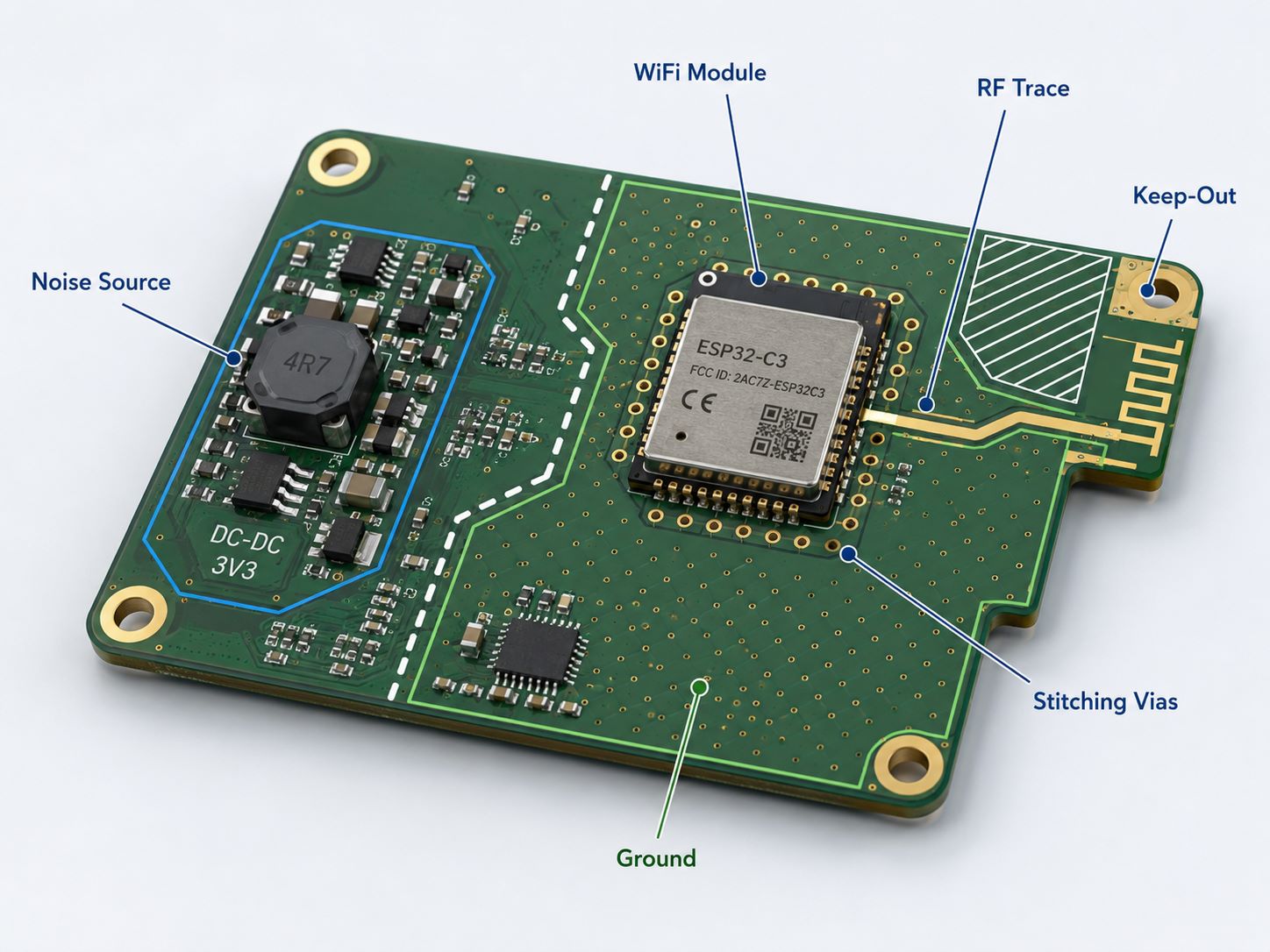
    • 3. Choose appropriate copper thickness: For LEDs above 1W, use 2oz (70ÎŒm) copper foil to improve heat conduction and current-carrying capacity.
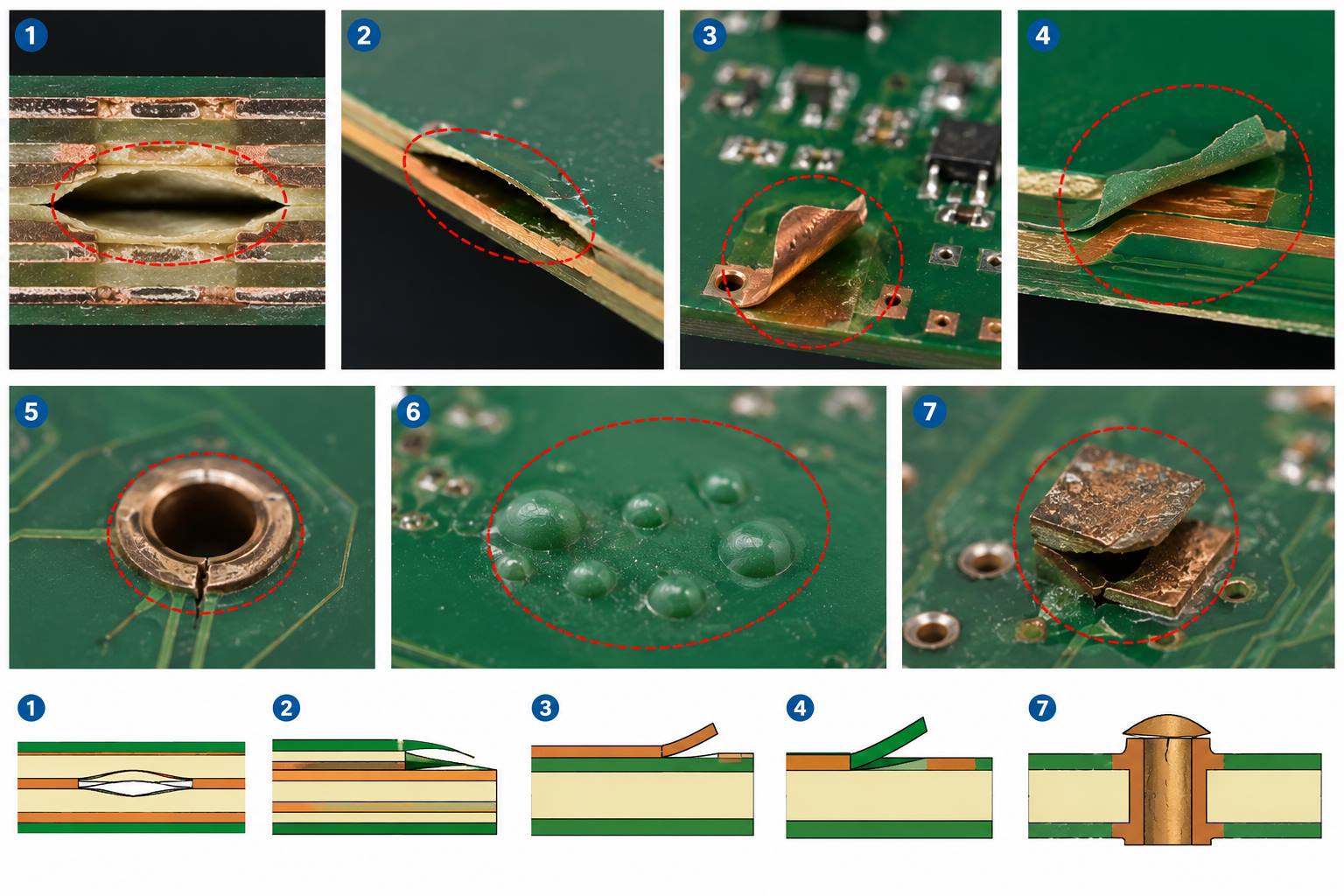
    EBest’s design team can help you optimize your LED Strip Light Aluminum PCB layout for maximum heat dissipation, tailored to your specific project needs.

    What Are the Differences Between LED Strip Light Aluminum PCB and FR-4 PCB?

    LED Strip Light Aluminum PCB and FR-4 PCB differ significantly in heat dissipation, performance, and application. Below is a detailed comparison to help you choose the right option.

    Comparison FactorLED Strip Light Aluminum PCBFR-4 PCB
    Thermal Conductivity1.0-3.0 W/(m·K), excellent heat dissipation0.2 W/(m·K), poor heat dissipation
    LED Lifespan ImpactExtends LED lifespan by 300%+Shortens LED lifespan due to heat buildup
    Mechanical PerformanceHigh durability, resistant to bending and impactBrittle, easy to crack under stress
    ApplicationIdeal for LED strip lights, high-power LED lightingSuitable for low-power electronics, non-heat-generating components
    Temperature Resistance-40℃ to 85℃, suitable for harsh environments0℃ to 60℃, limited to mild environments

    Which Industries Use LED Strip Light Aluminum PCB Most Frequently?

    LED Strip Light Aluminum PCB is widely used in various industries that rely on high-performance LED lighting. Below are four popular industries and real application cases from EBest.

    1. Residential Lighting Industry

    Case: EBest provided LED Strip Light Aluminum PCB for a European residential lighting brand. The product featured 2oz copper foil and optimized heat dissipation design, ensuring stable light output for 50,000+ hours. It solved the client’s problem of frequent LED burnout in under-cabinet and ceiling strip lights.

    2. Commercial Lighting Industry

    Case: A shopping mall in the US partnered with EBest for LED strip lighting in its retail displays. Our LED Strip Light Aluminum PCB with anode oxidation treatment reduced light decay to 3% after 1000 hours of continuous use, meeting the mall’s high brightness and durability requirements.

    3. Automotive Lighting Industry

    Case: EBest supplied LED Strip Light Aluminum PCB for automotive interior lighting (dashboard, door panels). The product met IATF 16949 standards, withstanding -40℃ to 85℃ temperature changes and ensuring stable performance in extreme driving conditions.

    4. Outdoor Lighting Industry

    Case: A highway tunnel project in Asia used EBest’s LED Strip Light Aluminum PCB for tunnel lighting. The product featured corrosion-resistant aluminum base and waterproof design, maintaining 88% light efficiency after 3 years of outdoor use.

    LED Strip Light Aluminum PCB – Durable MCPCB for Linear Lighting

    How to Test the Quality of LED Strip Light Aluminum PCB?

    Testing LED Strip Light Aluminum PCB quality is critical to avoid project failures. Follow these key steps to ensure your PCB meets industry standards and performance requirements.

    Key Quality Testing Steps

    • 1. Thermal Resistance Test: Use an infrared thermal imager to check surface temperature distribution. The temperature difference should not exceed 3℃ under 10W/cmÂČ heat load.
    • 2. Voltage Resistance Test: Verify the insulation layer can withstand 2kV+ breakdown voltage without leakage, ensuring electrical safety.
    • 3. Circuit Continuity Test: Check for open circuits or short circuits in the PCB, ensuring all LED connections are stable.
    • 4. Material Inspection: Confirm the aluminum base and copper foil meet specified grades, with no scratches, oxidation, or material defects.

    EBest conducts all these tests on every batch of LED Strip Light Aluminum PCB, providing test reports for your peace of mind.

    What Are the Latest Trends in LED Strip Light Aluminum PCB Technology?

    The LED Strip Light Aluminum PCB industry is constantly evolving, with new technologies focusing on better performance, higher efficiency, and more sustainable designs.

    • Trend 1: Higher thermal conductivity materials, such as ceramic-filled insulation layers, to further reduce thermal resistance and improve LED lifespan.
    • Trend 2: Integrated design, combining LED driver circuits directly on the LED Strip Light Aluminum PCB to reduce product size and assembly complexity.
    • Trend 3: Environmentally friendly materials and processes, ensuring all LED Strip Light Aluminum PCB products meet RoHS, REACH, and other green standards.

    EBest stays ahead of these trends, investing in R&D to offer the latest LED Strip Light Aluminum PCB solutions for your projects.

    How to Customize LED Strip Light Aluminum PCB for Your Specific Project?

    Customizing LED Strip Light Aluminum PCB is simple with EBest, as we offer flexible solutions tailored to your project’s unique requirements. Follow these steps to get your custom PCB.

    Customization Process

    • 1. Share your requirements: Provide details like LED specifications, dimensions, thermal requirements, and application environment.
    • 2. Design consultation: Our team will review your requirements and offer optimized design suggestions for your LED Strip Light Aluminum PCB.
    • 3. Prototype production: We produce a small batch prototype for your testing, ensuring it meets your performance expectations.
    • 4. Mass production: Once the prototype is approved, we start mass production with strict quality control and on-time delivery.

    What Certifications Does EBest Have for LED Strip Light Aluminum PCB?

    EBest holds multiple international certifications forLED Strip Light Aluminum PCB, ensuring our products meet global quality and safety standards. Below is a detailed list of our certifications.

    Certification NameScope of ApplicationKey Benefit
    IATF 16949Automotive-grade LED Strip Light Aluminum PCBMeets strict automotive industry quality standards
    ISO 9001:2015All LED Strip Light Aluminum PCB productsEnsures consistent quality control processes
    ISO 13485:2016Medical-related LED Strip Light Aluminum PCBComplies with medical device quality requirements
    AS9100DAerospace-grade LED Strip Light Aluminum PCBMeets high-reliability aerospace standards
    REACHAll LED Strip Light Aluminum PCB productsComplies with EU environmental regulations
    RoHSAll LED Strip Light Aluminum PCB productsFree of hazardous substances
    ULAll LED Strip Light Aluminum PCB productsMeets US safety standards for electrical products

    What Services Does EBest Offer for LED Strip Light Aluminum PCB?

    EBest provides a full range of services for LED Strip Light Aluminum PCB, from design to delivery, ensuring a seamless experience for our clients.

    Core Services

    • 1. PCB Fabrication: Prototype and low-volume production of LED Strip Light Aluminum PCB, with custom substrate and material options.
    • 2. Component Sourcing: Stable supply of all electronic components for LED Strip Light Aluminum PCB, including SMD, BGA, and QFN.
    • 3. Assembly Services: Box Assembly, Through-Hole Assembly, and Flex PCB Assembly for complete LED strip solutions.
    • 4. Value-Added Services: Injection molding, CNC Machining, and Sheet Metal services to support your entire product assembly.
    • 5. Expedited Service: Urgent LED Strip Light Aluminum PCB orders can be shipped within 24 hours to meet your tight deadlines.
    LED Strip Light Aluminum PCB – Durable MCPCB for Linear Lighting

    FAQ: Common Questions About LED Strip Light Aluminum PCB (Answered)

    Below are the most common questions about LED Strip Light Aluminum PCB, with clear, concise answers to help you make informed decisions.

    1. How long does LED Strip Light Aluminum PCB last?

    LED Strip Light Aluminum PCB has a service life of 50,000+ hours when properly designed and manufactured. EBest’s products, with optimized heat dissipation, can extend this lifespan by an additional 20-30%.

    2. Can LED Strip Light Aluminum PCB be used outdoors?

    Yes, LED Strip Light Aluminum PCB can be used outdoors. EBest offers waterproof and corrosion-resistant options, with aluminum bases treated to withstand harsh weather conditions (-40℃ to 85℃).

    3. What is the maximum current LED Strip Light Aluminum PCB can carry?

    The maximum current depends on copper foil thickness: 1oz copper foil can carry up to 2A, 2oz up to 4A, and 10oz up to 15A. EBest can customize copper thickness based on your current requirements.

    4. How to prevent LED color deviation with LED Strip Light Aluminum PCB?

    Color deviation is prevented by using independent current-limiting resistors for each LED or color channel, and precision etching to ensure uniform current distribution. EBest’s design team optimizes PCB layout to eliminate color inconsistency.

    5. Does LED Strip Light Aluminum PCB require a heatsink?

    For low-power LED strips (≀10W), the aluminum base of the PCB acts as a sufficient heatsink. For high-power strips (>10W), EBest can integrate additional heatsink fins into the LED Strip Light Aluminum PCB design.

    6. Can EBest produce flexible LED Strip Light Aluminum PCB?

    Yes, EBest offers flexible LED Strip Light Aluminum PCB, combining the heat dissipation benefits of aluminum with the flexibility of flexible PCBs, ideal for curved or irregular lighting applications.

    7. How long does it take to produce LED Strip Light Aluminum PCB?

    Standard production time is 3-7 days for small to medium batches. EBest’s expedited service can deliver urgent orders within 24 hours, ensuring you meet your project deadlines.

    How to Ensure Stable Supply of LED Strip Light Aluminum PCB for Mass Production?

    Stable supply is critical for mass production of LED strip lights. EBest ensures consistent supply of LED Strip Light Aluminum PCB through three key measures.

    First, we have long-term partnerships with trusted material suppliers, ensuring a steady supply of aluminum bases, copper foil, and insulation materials.

    Second, our large production capacity (260,000 square feet/month) allows us to handle large orders without delays or supply gaps.

    Third, we maintain safety stock of key materials for LED Strip Light Aluminum PCB, ensuring we can quickly respond to unexpected order increases or supply chain disruptions.

    Why Is Thermal Management Critical for LED Strip Light Aluminum PCB?

    Thermal management is critical for LED Strip Light Aluminum PCB because LEDs are highly sensitive to temperature. High temperatures cause LED light decay, color deviation, and premature failure.

    LED chips convert 90% of electrical energy into heat. Without proper thermal management, junction temperatures rise, reducing LED lifespan by 50% for every 10℃ increase.

    EBest’s LED Strip Light Aluminum PCB is designed to maximize heat dissipation, keeping junction temperatures below 70℃ and ensuring stable performance and long LED lifespan.

    We provide high-quality LED Strip Light Aluminum PCB products and one-stop solutions to meet all your lighting project needs. Whether you need prototypes, custom designs, or mass production, EBest is your trusted partner. Contact us to place your order today at sales@bestpcbs.com

    You may also like