PCB manufacturing PCB manufacturing
Home > Blog

breakout board vs breadboard

What is Breakout Board for ESP32? Breakout Board PCB Design
Wednesday, May 6th, 2026

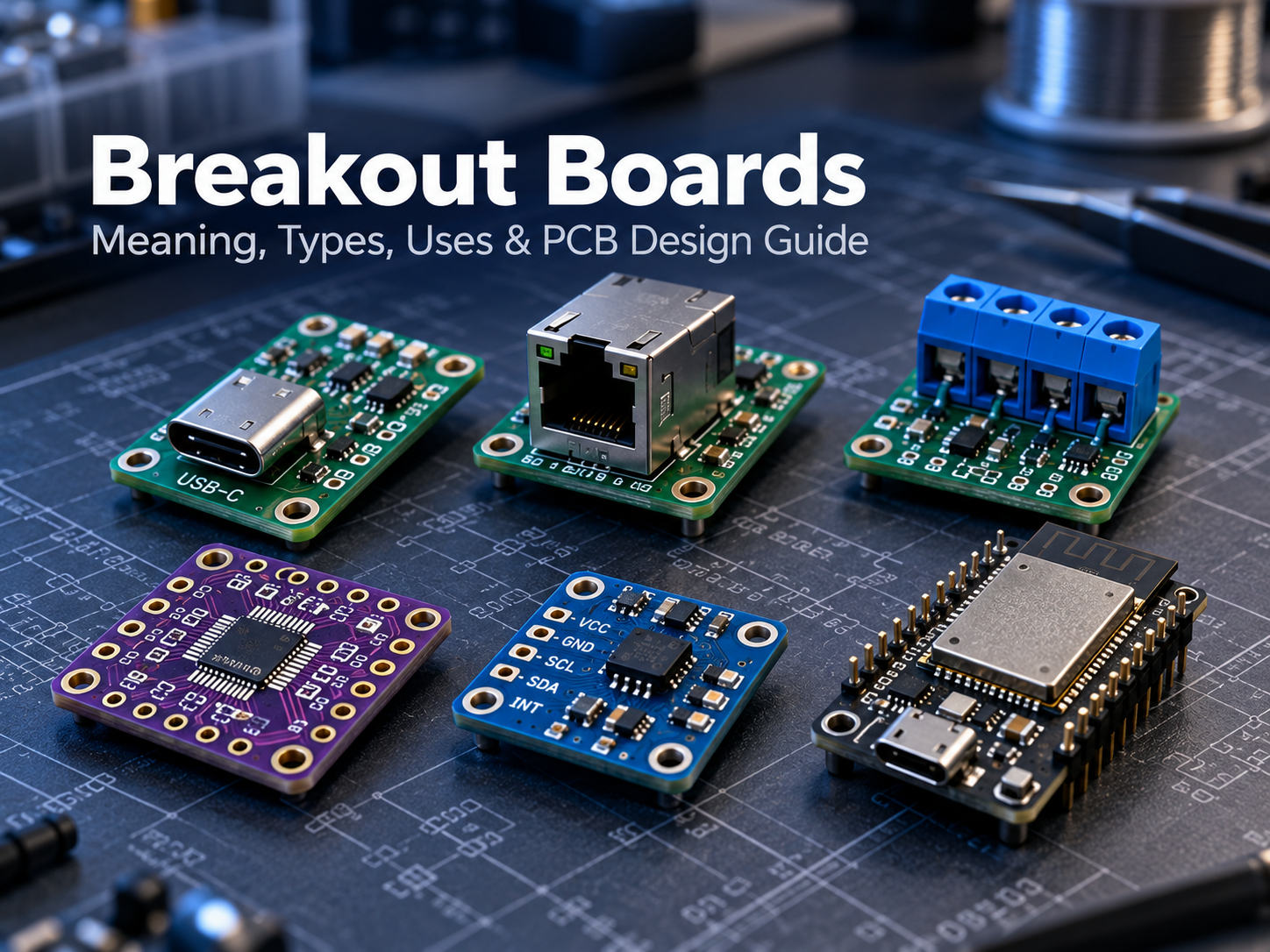
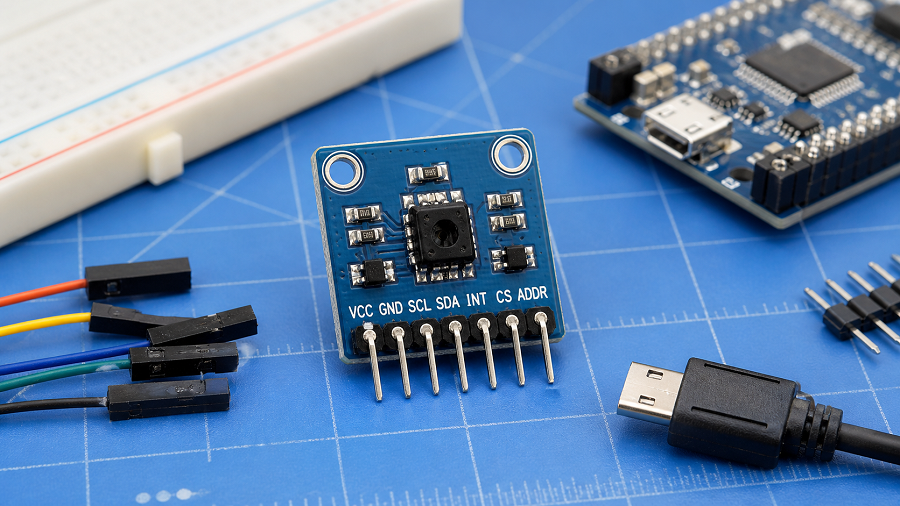
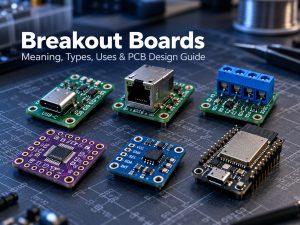
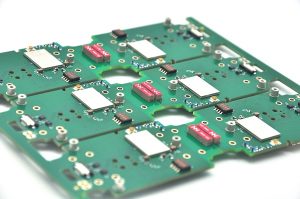
A breakout board is a small printed circuit board that makes an electronic component easier to use, test, and connect. Many modern chips, sensors, connectors, and modules use tiny packages or dense pin spacing that are not friendly for hand wiring, breadboard experiments, or fast prototyping. A breakout board solves this problem by “breaking out†those small or hard-to-access pins into larger pads, pin headers, screw terminals, or standard connectors.

What is a Breakout Board?

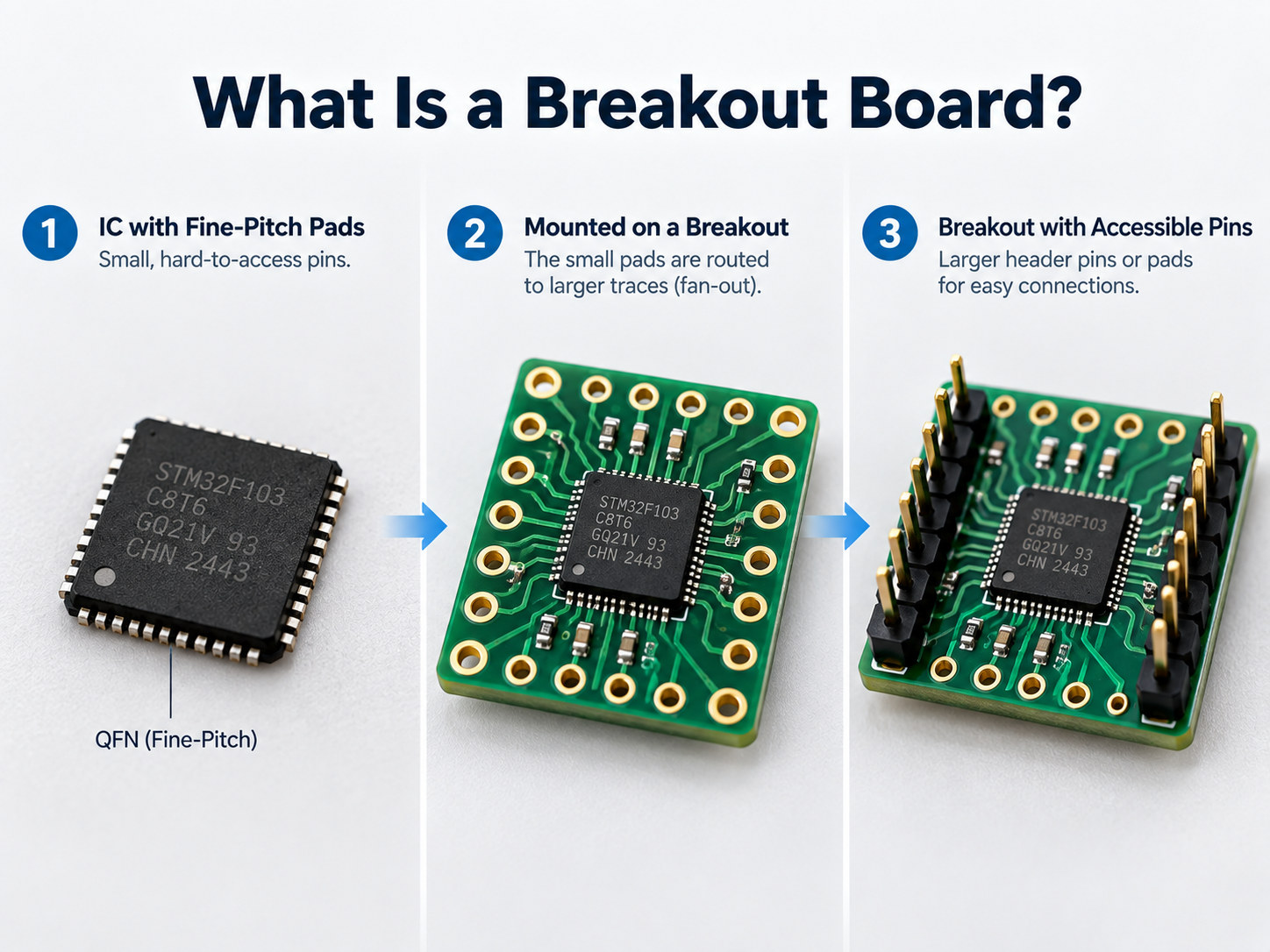
A breakout board is a PCB that takes the electrical pins of a component and routes them to easier connection points. The component may be a sensor IC, power chip, communication module, connector, USB interface, ESP32 module, or any other part that needs a more practical interface. In simple terms, a breakout board acts as a bridge between a tiny electronic component and a user-friendly circuit environment.

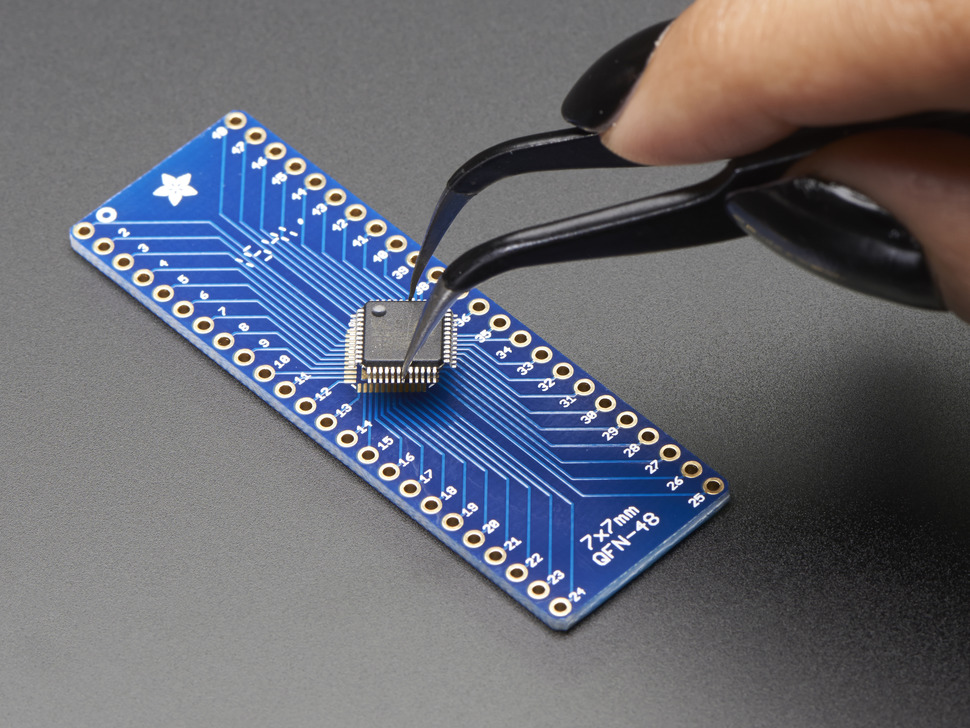
For example, a small surface-mount IC may have pins spaced only 0.5 mm apart. That is difficult to solder by hand and impossible to place directly into a breadboard. A breakout board mounts that IC on a small PCB and routes each pin to 2.54 mm headers, test pads, or terminal blocks. This makes the component much easier to connect with jumper wires, breadboards, test equipment, or another PCB.

A typical breakout board may include:

  • The main chip, module, sensor, or connector
  • Pin headers or solder pads
  • Power and ground pins
  • Pull-up or pull-down resistors
  • Decoupling capacitors
  • Voltage regulator or level shifting circuit
  • Labels printed on the silkscreen
  • Mounting holes for mechanical installation
What is a Breakout Board?

What is a Breakout Board?

What is a Breakout in Electrical Terms?

In electrical and electronic design, breakout means extending or separating multiple electrical signals from a compact source into more accessible connection points.

The source may be:

  • A fine-pitch IC package
  • A board-to-board connector
  • A cable connector
  • A USB port
  • A camera module connector
  • A microcontroller module
  • A sensor package
  • A test fixture interface

The “breakout†process makes each signal easier to identify, probe, solder, or connect. This is why breakout boards are common in laboratories, repair shops, embedded system development, and PCB prototyping.

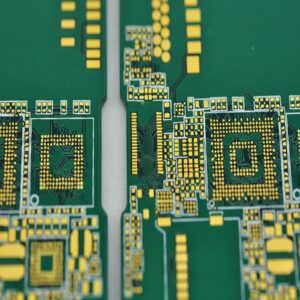
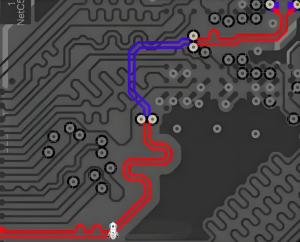
In PCB development, breakout can also describe the routing area where traces leave a dense component footprint. For example, when routing a BGA package assembly, engineers may talk about “BGA breakout routing,†which means fan-out routing from the BGA pads to other PCB layers.

Is a Breakout Board a PCB?

Yes, in most cases, a breakout board is a type of PCB. More specifically, it is a small functional PCB designed to expose signals from one component, connector, or module.

A breakout board PCB is usually simpler than a full product PCB. It may not contain a complete system. Instead, it focuses on making one part easier to connect and test.

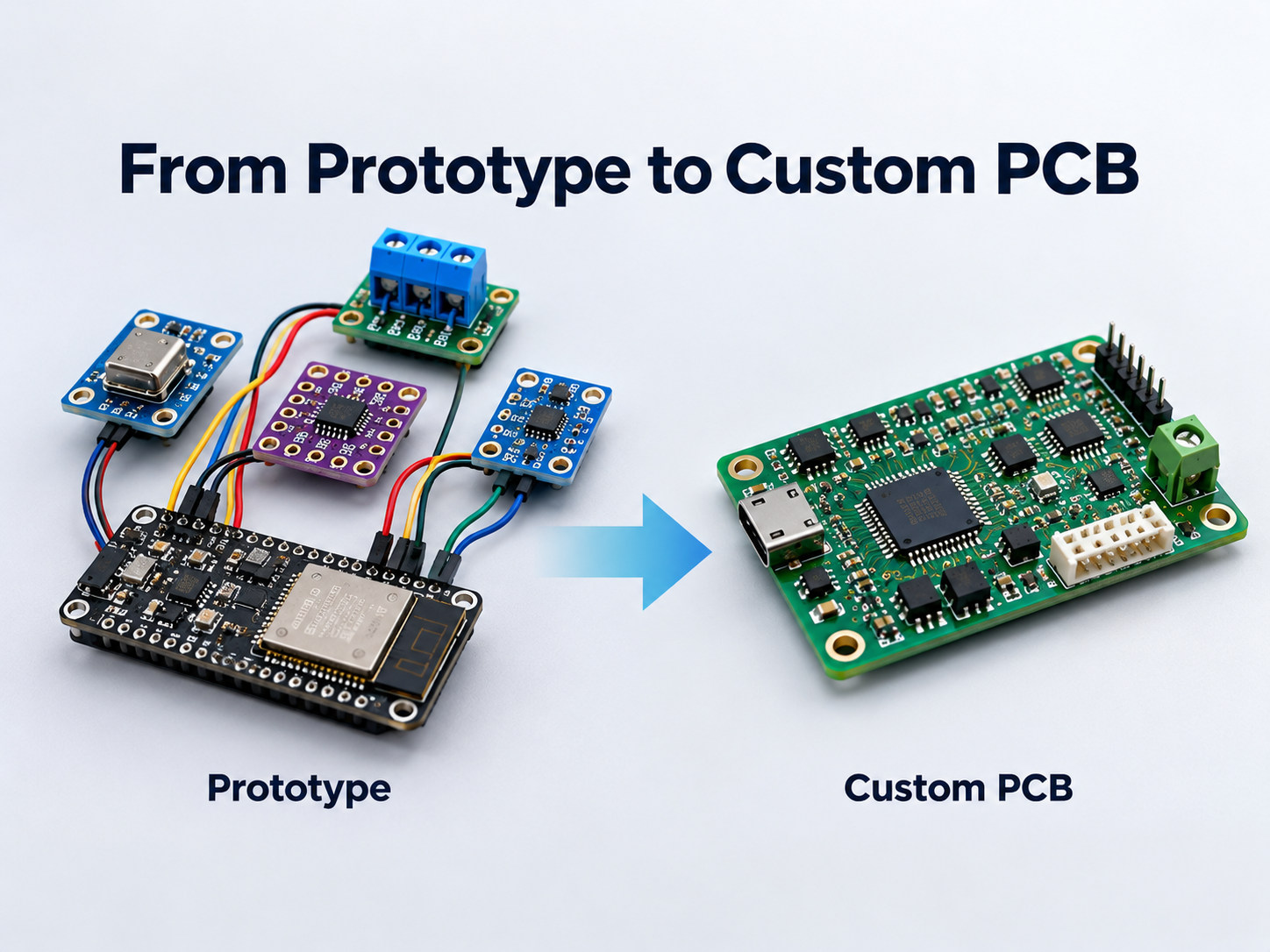
A breakout board can be used alone, connected to a breadboard, plugged into a development board, or integrated into a larger test fixture. In professional engineering workflows, breakout boards are often used before the final PCB design is completed.

What is the Purpose of a Breakout Board?

The main purpose of a breakout board is to make an electronic component easier to connect, evaluate, and integrate. It reduces the gap between the small physical structure of modern electronics and the practical needs of engineers during development.

1. Easier prototyping

Many ICs and modules are not breadboard-friendly. A breakout board converts small pins into larger headers or pads, allowing fast connection with jumper wires, test clips, or soldered leads.

2. Faster component testing

Before using a new sensor, power IC, connector, or communication chip in a product, engineers often need to check whether it performs as expected. A breakout board provides a convenient test platform.

3. Better access to signals

Breakout boards make signals easier to probe with an oscilloscope, multimeter, logic analyzer, or functional test fixture. This is especially useful during debugging.

4. Reduced soldering difficulty

Fine-pitch SMD parts can be hard to solder manually. A breakout board allows the difficult component to be mounted once, while the user connects to larger and more forgiving pads.

5. Easier system integration

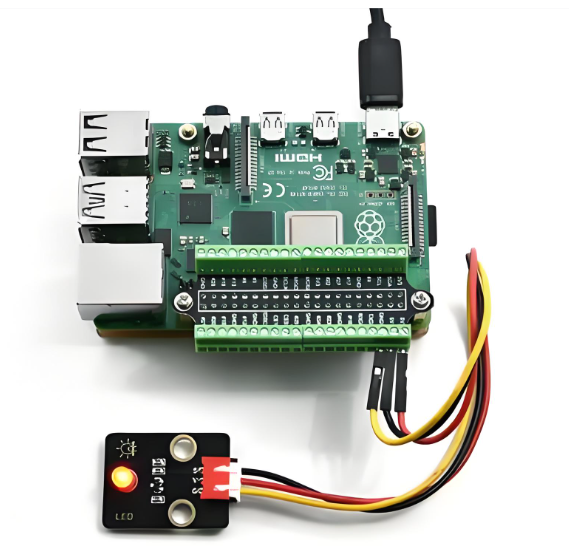
A breakout board can help connect a small module to another system, such as an Arduino, Raspberry Pi, ESP32, industrial controller, or custom test board.

6. Safer development

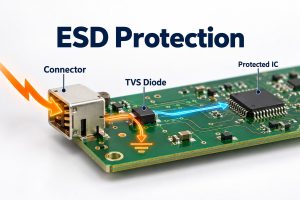
Some breakout boards include basic protection, such as reverse polarity protection, ESD protection, current-limiting resistors, or level shifting.

Types of Breakout Boards

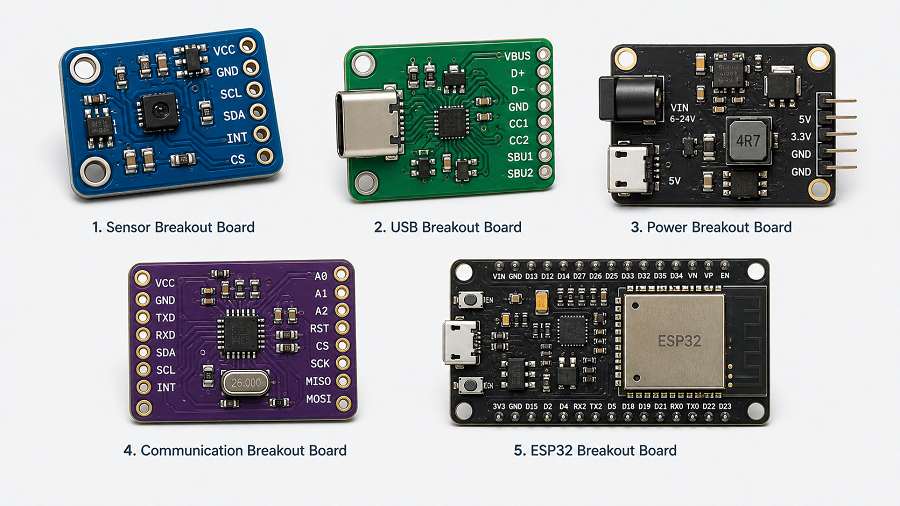
Breakout boards come in many forms because electronic components have different electrical and mechanical needs. Below are common types used in prototyping and PCB design.

Types of Breakout Boards

1. Sensor Breakout Board

Sensor breakout boards are very popular in embedded systems. They may include temperature sensors, pressure sensors, motion sensors, light sensors, gas sensors, current sensors, or magnetic sensors.

Many sensor ICs use small packages and require supporting parts such as pull-up resistors or capacitors. A breakout board places those parts on the PCB and provides pins for power, ground, and signal communication.

Common interfaces include I2C, SPI, UART, analog output, and digital output.

2. Microcontroller Breakout Board

A microcontroller breakout board exposes the pins of a microcontroller or module. It may support ESP32, STM32, RP2040, ATmega, or other MCU families.

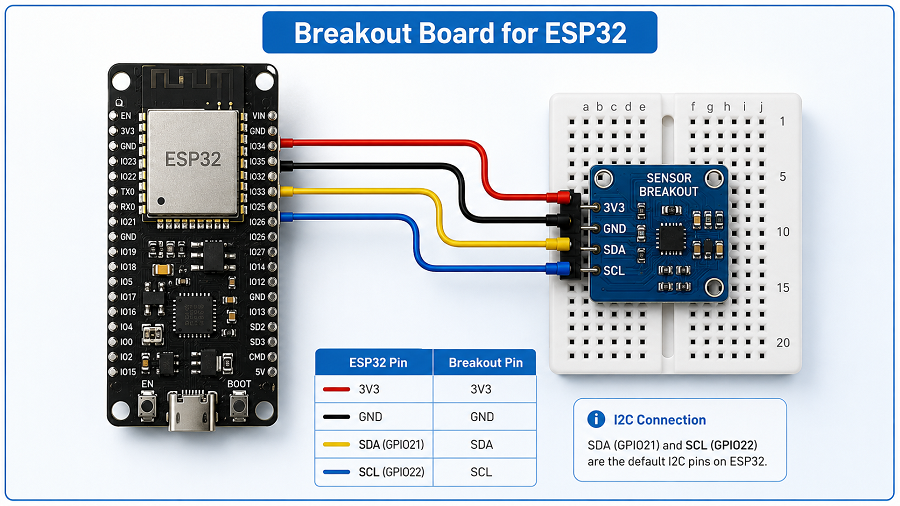
A breakout board for ESP32 is especially useful because ESP32 modules include Wi-Fi, Bluetooth, GPIO, ADC, UART, SPI, I2C, PWM, and power pins. A breakout board helps organize those pins into a more usable layout.

3. Connector Breakout Board

Connector breakout boards expose small or dense connectors to larger pads or headers. Common examples include USB, HDMI, FFC/FPC, RJ45, SD card, SIM card, and board-to-board connectors.

4. Power Breakout Board

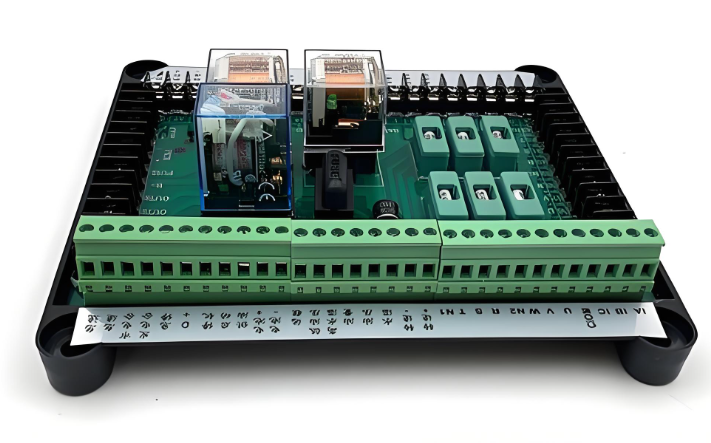
Power breakout boards help distribute or adapt power. They may include voltage regulators, screw terminals, fuses, current sense resistors, reverse polarity protection, or DC jack connectors.

They are often used in robotics, LED control, battery systems, and industrial prototypes.

5. Communication Breakout Board

These boards provide access to communication chips or modules, such as RS485, CAN, Ethernet, LoRa, Wi-Fi, Bluetooth, NFC, or USB-to-UART converters.

6. IC Adapter Breakout Board

An IC adapter breakout board converts one package style into another more usable form. For example, it may convert SOP, QFN, TSSOP, MSOP, or DFN packages to DIP-style headers.

Breakout Board vs Breadboard

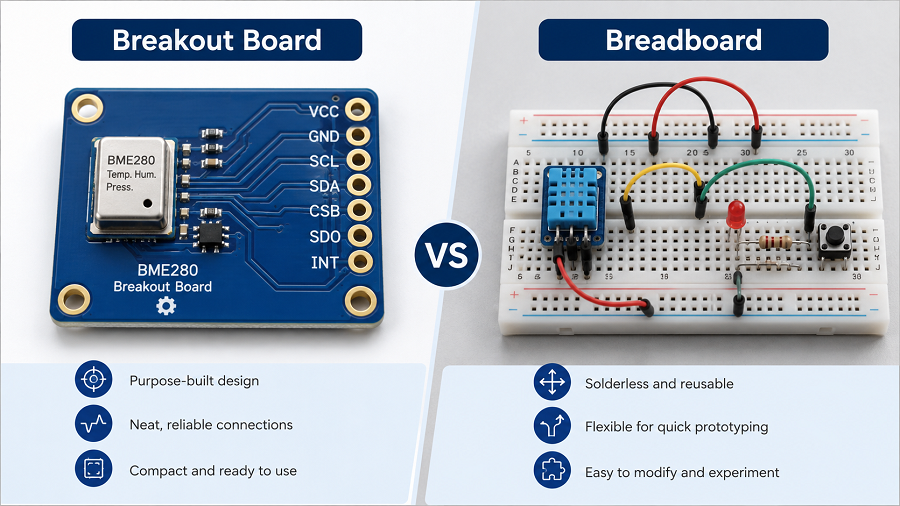
The topic of breakout board vs breadboard is common because both are used in prototyping. However, they are not the same.

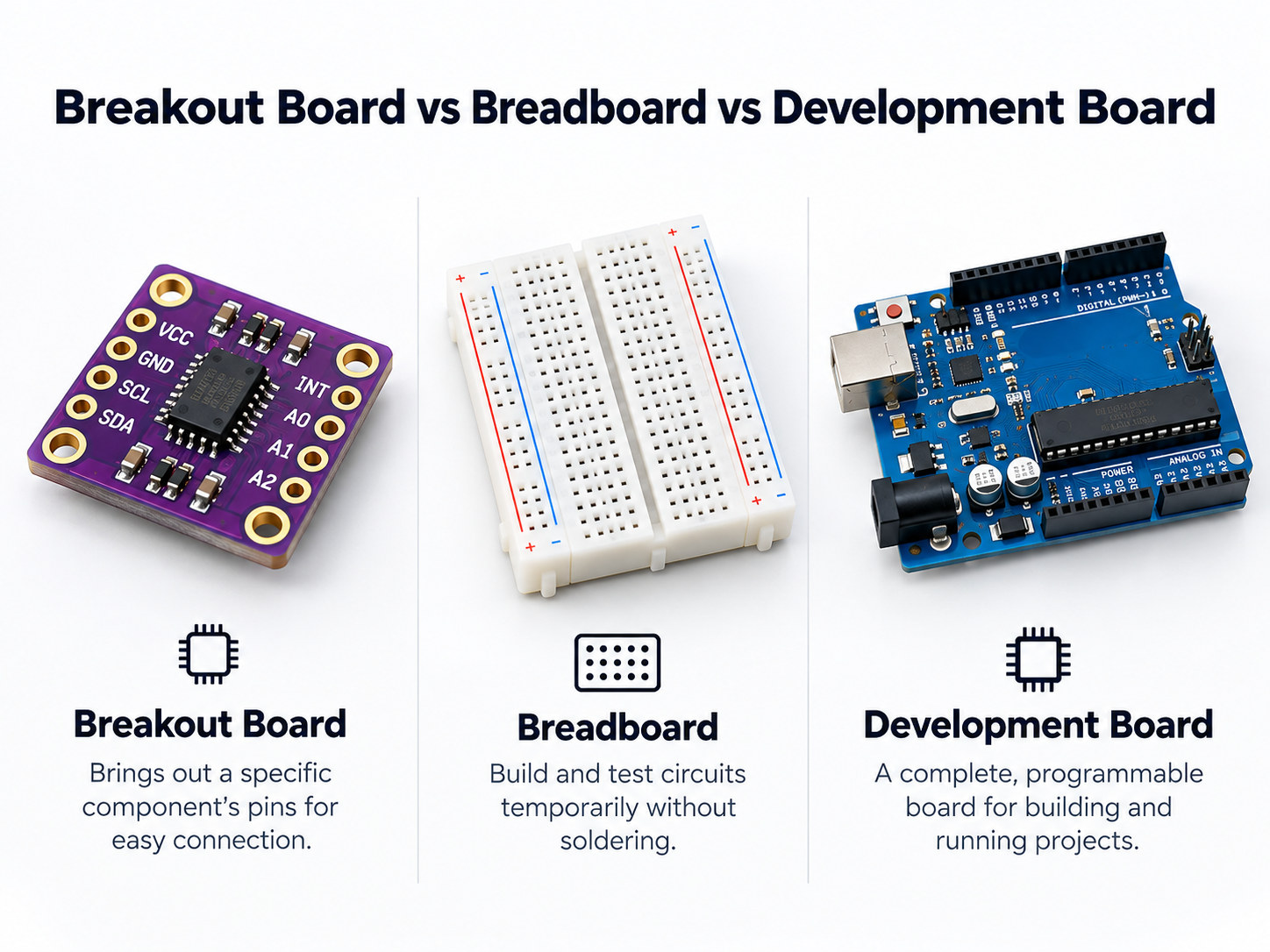
A breadboard is a solderless platform used to build temporary circuits. A breakout board is a PCB that makes a specific component easier to connect.

A breakout board and a breadboard are often used together. For example, a small sensor breakout board can plug into a breadboard, allowing the user to build a temporary circuit around it.

Breakout Board vs Breadboard

However, for high-speed signals, RF circuits, precision analog circuits, USB, CAN, or power electronics, a breadboard may create poor results due to parasitic capacitance, loose contacts, and uncontrolled wiring. In those cases, a breakout board or custom PCB is a better choice. Here is a detailed comparison between them:

Comparison PointBreakout BoardBreadboard
StructureCustom PCB with routed tracesSolderless plastic board with internal metal clips
Main purposeExpose component pinsBuild temporary circuits
SolderingUsually required for headers or componentsNo soldering needed
Signal qualityBetter than loose breadboard wiringLimited for high-speed or sensitive signals
DurabilityMore stable and repeatableGood for quick experiments, less stable for long-term use
Suitable for SMD partsYesNot directly
Suitable for final productsSometimes used in fixtures or modulesNot suitable for finished products

Typical Breakout Board Features

Although breakout boards vary widely, many of them share similar features.

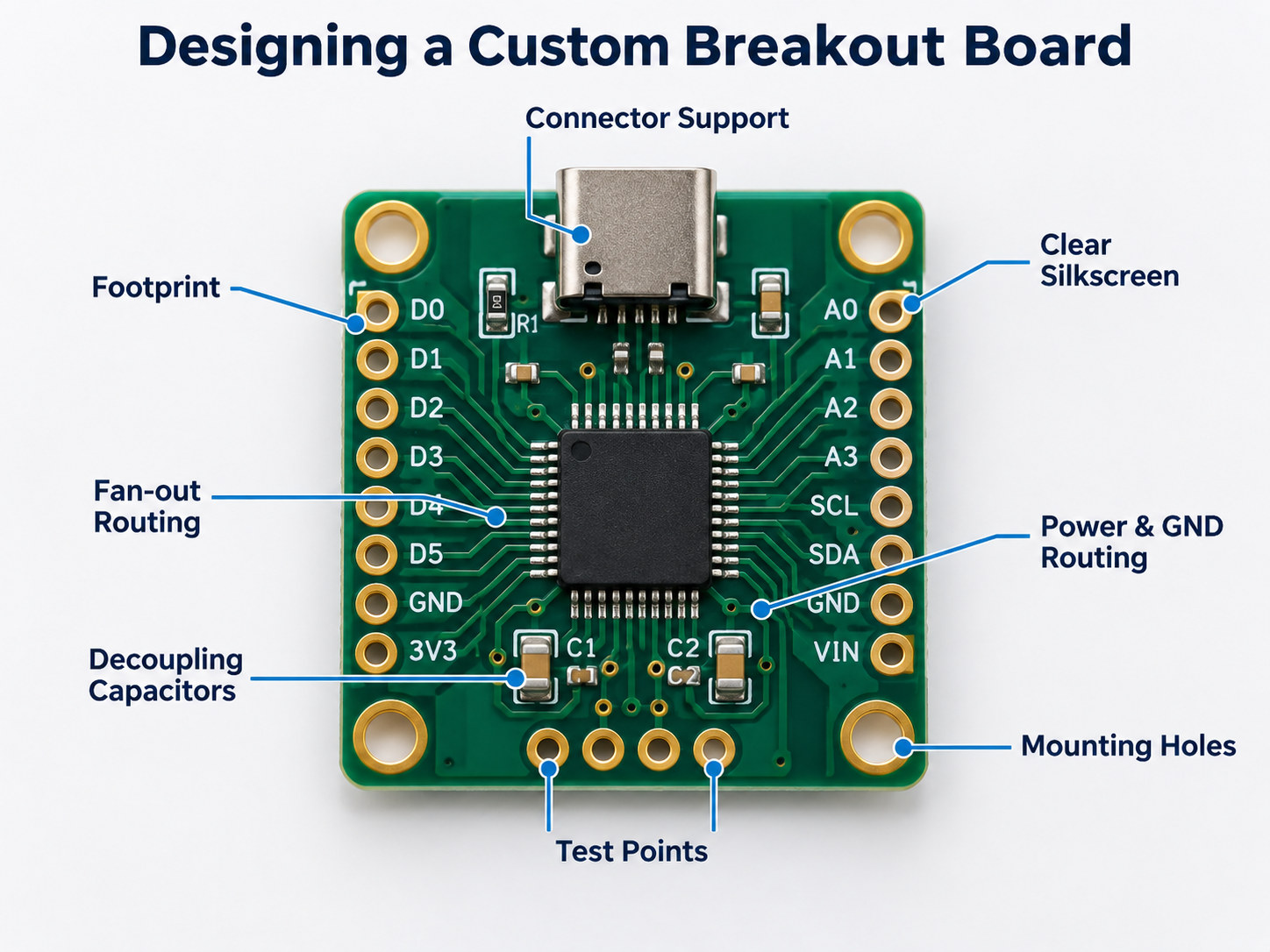
Pin headers or castellated holes

These allow the board to plug into a breadboard, connect with jumper wires, or solder onto another PCB. Castellated holes are useful when the breakout board needs to be treated like a surface-mount module.

Clear silkscreen labels

Good labeling makes a breakout board easier to use. Pin names such as VCC, GND, SDA, SCL, TX, RX, EN, IO0, 3V3, and VIN should be readable and correctly placed.

Decoupling capacitors

Decoupling capacitors help stabilize power near the IC or module. This is especially important for microcontrollers, sensors, RF modules, and fast-switching components.

Pull-up and pull-down resistors

Some interfaces, such as I2C, reset pins, boot pins, and enable pins, may require defined logic states. Breakout boards often include these resistors.

Voltage regulation

A breakout board may include an LDO regulator or DC-DC converter to accept a wider input voltage and provide the correct operating voltage.

Level shifting

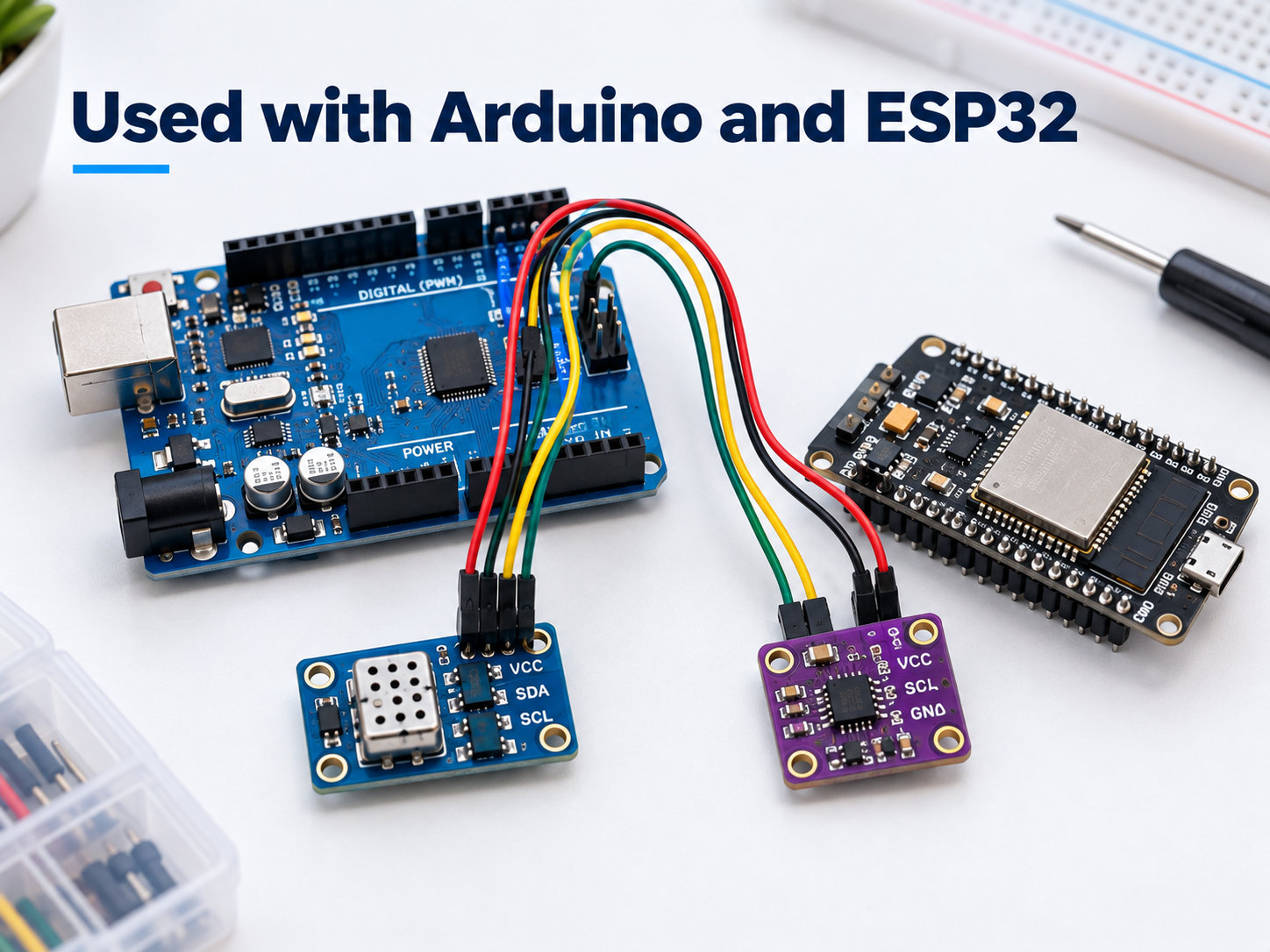
When one system uses 5 V logic and another uses 3.3 V logic, a level shifter may be required. This is common in breakout boards used with Arduino, ESP32, and Raspberry Pi systems.

Protection circuit

ESD diodes, resettable fuses, series resistors, and reverse polarity protection can improve reliability during testing and field use.

How to Connect a Breakout Board?

Connecting a breakout board depends on the component, interface, voltage level, and host controller. Still, most breakout boards follow a similar process.

1. Read the pin labels and datasheet

Before wiring, check the pin names, voltage range, interface type, and current requirements. Do not assume that all breakout boards use the same pin order.

2. Connect power and ground first

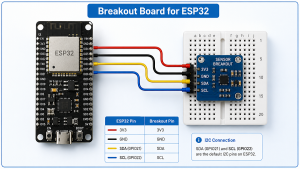
Most boards require VCC or VIN and GND. Confirm whether the board accepts 5 V, 3.3 V, or another voltage. ESP32-based systems usually operate at 3.3 V logic, even when some development boards accept 5 V through a regulator.

3. Connect the signal pins

For I2C, connect SDA and SCL.

For SPI, connect MOSI, MISO, SCK, and CS.

For UART, connect TX to RX and RX to TX.

For analog output, connect the signal pin to an ADC input.

For digital output, connect the pin to a GPIO.

4. Check logic voltage compatibility

A 5 V signal connected directly to a 3.3 V ESP32 GPIO may damage the chip. Use level shifting when needed.

breakout board for ESP32

5. Add pull-up resistors when required

Some breakout boards already include pull-up resistors. Others do not. I2C lines usually need pull-ups to the correct logic voltage.

6. Keep wiring short for sensitive signals

Long jumper wires may create noise, ringing, or communication errors. For high-speed signals, a custom PCB is better than loose wiring.

7. Test with simple code or basic measurements

Confirm power voltage, device address, communication response, and basic output before building a larger system.

For a breakout board for ESP32, always pay attention to 3.3 V logic, bootstrapping pins, current demand, antenna clearance, and GPIO functions. Some ESP32 pins have special behavior during startup, so pin selection matters.

Applications and Uses of Breakout Boards

Breakout boards are used across many fields, from hobby electronics to professional engineering.

  • Embedded system development
  • ESP32 and IoT projects
  • PCB prototyping
  • Production testing
  • Repair and reverse engineering
  • Education and training
  • Industrial control prototypes
  • Medical, automotive, and aerospace electronics evaluation

In high-reliability industries, breakout boards may be used for early validation, test planning, component qualification, and interface checking before formal product development.

Breakout Board PCB Design Guideline

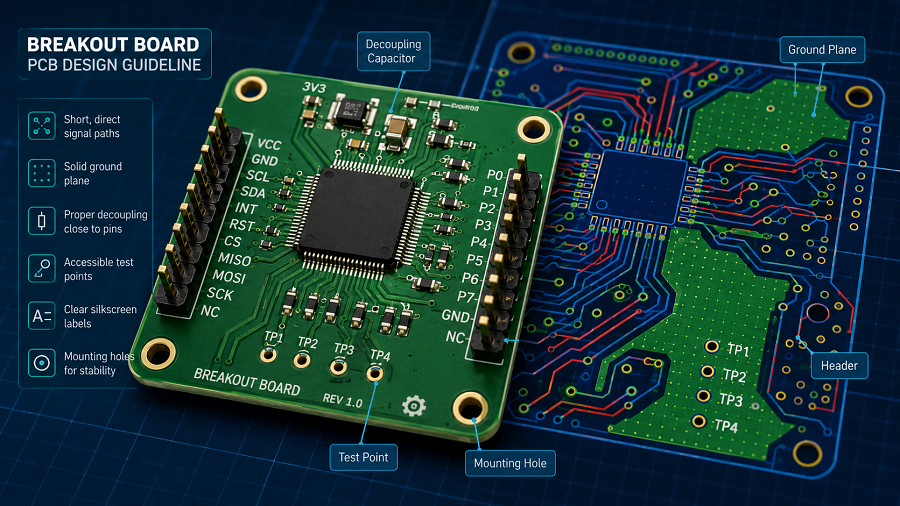
A good breakout board PCB design should not only expose pins. It should also protect signal quality, simplify assembly, and make debugging easier. Below are practical design guidelines.

Breakout Board PCB Design Guideline

1. Define the purpose before layout

Start by deciding what the board needs to do. Is it only an adapter? Does it need power regulation? Will it support breadboard use? Will it be mounted inside a test fixture? Will it be used by engineers, customers, or production operators?

The purpose affects size, connector choice, silkscreen labeling, mounting holes, and protection circuits.

2. Choose the right connector style

For breadboard use, 2.54 mm through-hole headers are common. For compact integration, castellated holes may be better. For field wiring, screw terminals or spring terminals are easier to handle. For test fixtures, pogo-pin pads may be preferred.

Connector selection should match how the board will actually be used.

3. Keep pinout logical

A good pinout reduces mistakes. Place power and ground pins clearly. Group communication pins together. For example, I2C pins should be near each other, and SPI pins should be organized in a readable sequence.

For ESP32 breakout boards, group GPIO pins by function when possible, such as ADC pins, UART pins, SPI pins, I2C pins, and power pins.

4. Use clear silkscreen

Silkscreen is not decoration. It is part of the user interface. Label every important pin. Mark voltage levels. Indicate pin 1. Add polarity marks for diodes, capacitors, power connectors, and LEDs.

Avoid placing text under components or too close to pads where solder may cover it.

5. Add decoupling capacitors close to power pins

Place decoupling capacitors near the power pins of the IC or module. Short traces help reduce power noise and improve circuit stability.

For many ICs, a 0.1 µF capacitor is placed close to each power pin, with additional bulk capacitance when needed.

6. Consider signal integrity

For low-speed GPIO or simple analog signals, routing is usually straightforward. For USB, high-speed SPI, RF, Ethernet, HDMI, or fast clocks, layout needs more care.

Controlled impedance, short trace length, solid ground reference, differential pair routing, and proper return paths may be required.

7. Use a solid ground plane when possible

Even on a small 2-layer breakout board, a solid ground plane improves stability, reduces noise, and gives signals a better return path.

Avoid cutting the ground plane unnecessarily. Keep high-current paths and sensitive analog signals separated when practical.

8. Protect exposed interfaces

Breakout boards are often handled, touched, rewired, and tested repeatedly. This increases the chance of ESD, reverse connection, or accidental short circuits.

Useful protection methods include:

  • ESD protection diodes for external connectors
  • Series resistors for signal protection
  • Resettable fuse for power input
  • Reverse polarity protection
  • TVS diodes for power or communication lines
  • Clear polarity marking on silkscreen

9. Include test points

Test points are valuable during debugging and manufacturing. At minimum, consider adding test points for power, ground, reset, communication lines, and important control signals.

For production use, test points can support ICT, flying probe testing, or functional test fixtures.

10. Review the design before fabrication

Before sending files to a PCB manufacturer, check:

  • Schematic correctness
  • Footprint accuracy
  • Pin mapping
  • Power polarity
  • DRC errors
  • Silkscreen readability
  • Connector orientation
  • Mounting hole position
  • Board outline
  • Gerber files
  • BOM accuracy
  • Assembly drawing

At EBest Circuit, breakout board PCB projects can be supported from PCB fabrication to assembly and testing. For customers developing sensor modules, ESP32-related hardware, connector adapters, or custom evaluation boards, early DFM review helps catch layout, soldering, and manufacturability issues before production.

FAQs

1. Do you need a breakout board?

You need a breakout board when a component is difficult to connect directly, especially if it uses fine-pitch pins, SMD packaging, dense connectors, or special voltage requirements. A breakout board is also useful when you want to test a component before designing it into a final PCB.

For simple through-hole components, you may not need one. For sensors, modules, USB connectors, ESP32 peripherals, and small IC packages, a breakout board can save time and reduce wiring errors.

2. What is a USB breakout board?

A USB breakout board is a small PCB that exposes the pins of a USB connector to larger pads or headers. It may be used for USB power testing, data line measurement, connector evaluation, repair work, or custom device development.

A USB breakout board may expose VBUS, GND, D+, D-, shield, CC pins, SBU pins, or SuperSpeed differential pairs, depending on whether it uses USB 2.0, USB 3.x, Micro USB, Mini USB, USB-A, or USB Type-C.

3. What is the difference between a breakout board and a development board?

A breakout board usually exposes the pins of one component, connector, sensor, or module. A development board is usually a more complete platform that includes a microcontroller or processor, power circuit, programming interface, reset circuit, clock source, connectors, and sometimes built-in debugging support.

4. How do you choose the right breakout board for ESP32 projects?

To choose the right breakout board for ESP32 projects, check the ESP32 module type, pinout, voltage input, available GPIO pins, USB interface, programming method, mounting style, and antenna clearance.

Also confirm whether the board supports your required functions, such as ADC, I2C, SPI, UART, PWM, battery power, sensor connection, relay control, or display interface. For stable wireless performance, avoid placing copper, metal parts, or tall components too close to the ESP32 antenna area.

5. Can I design a custom breakout board PCB for my own component?

Yes. You can design a custom breakout board PCB for almost any component, including sensors, ICs, connectors, power modules, wireless modules, and display interfaces.

A custom board is useful when standard breakout boards do not match your pinout, size, voltage, connector style, or testing method. For better results, start with the component datasheet, create an accurate schematic, verify the footprint, add proper power filtering, label the pins clearly, and review the Gerber files before fabrication.

You may also like

What is Breakout Board PCB? Breakout Board vs Breadboard
Friday, April 24th, 2026

Breakout board is a small PCB designed to simplify the connection of complex electronic components by exposing their pins into a more accessible layout. It is widely used in prototyping, testing, and early-stage product development.

If you are working with sensors, ICs, or modules, a breakout board helps you skip the complexity of PCB design and directly start testing your idea. Instead of struggling with tiny pin pitches or complex routing rules, you can focus on validating functionality and performance. In this guide, you will understand what a breakout board means, how it works, and when it makes sense to use one in real engineering projects.

What is a Breakout Board?

A breakout board is a compact printed circuit board that converts a complex component’s pin layout into a simple and usable interface.

Many modern chips come in packages like QFN, BGA, or LGA, which are difficult to solder manually. A breakout board solves this by routing those tiny pins to larger pads or header pins, making them compatible with jumper wires or breadboards. This approach dramatically lowers the entry barrier for testing advanced components.

In simple terms, it acts as a bridge between:

  • Complex IC packaging
  • Easy prototyping environments

For example, a temperature sensor IC may have 10 tiny pins. A breakout board converts those into clearly labeled pins such as VCC, GND, SDA, and SCL. This allows engineers to connect the sensor within minutes instead of spending hours designing a custom footprint and layout.

What is Breakout Board PCB? Breakout Board vs Breadboard

What is Breakout Board PCB?

What Does a Breakout Board Do?

A breakout board simplifies hardware development by performing several important functions beyond just pin expansion.

1. Signal accessibility

It exposes pins that would otherwise be inaccessible due to packaging constraints. This is especially useful for debugging and signal measurement.

2. Mechanical convenience

It converts fine-pitch packages into formats that can be plugged into breadboards or connected with standard headers.

3. Electrical enhancement

Many breakout boards include supporting circuitry such as:

  • Voltage regulators for flexible power input
  • Level shifters for 3.3V and 5V compatibility
  • Pull-up resistors for communication protocols

4. Rapid prototyping support

Instead of designing a full PCB, engineers can validate functionality within minutes using a breakout board.

What is a Breakout in Electrical?

In electronics, the term “breakout†refers to the process of redistributing signals from a dense or complex layout into a more accessible format.

This concept is widely used in advanced PCB design. For example, in BGA routing, engineers perform a “fan-out breakout†to route signals from inner pins to outer layers. This requires careful planning of vias, trace widths, and layer stackups.

A breakout board is essentially a simplified version of this concept. It allows engineers to:

  • Access signals without complex routing
  • Perform quick testing
  • Simplify circuit integration

In high-density PCB design, breakout techniques are also used internally to route signals from inner layers to outer layers. This shows that the concept is not limited to prototyping—it is fundamental to PCB engineering.

What is a Breakout in Electrical?

What Is a Breakout Board Used For in Real Applications?

Breakout boards are not limited to hobby projects. They are widely used in professional engineering environments.

Common applications:

  • Sensor evaluation, such as temperature, pressure, and IMU sensors
  • IoT prototyping and proof-of-concept development
  • Embedded system testing
  • Educational labs and training environments

Example:

An engineer testing an accelerometer will use a breakout board to:

  • Connect it to a microcontroller
  • Validate data output
  • Adjust firmware

Only after validation will they design a custom PCB. In industry, breakout boards are often used during:

  • R&D phase
  • Functional verification
  • Early firmware development

They reduce risk by allowing quick iteration before committing to manufacturing.

How Does a Breakout Board Work in a Circuit?

A breakout board works by providing a simple signal routing path between a component and the rest of the circuit.

Internal structure:

  • Copper traces connect each IC pin to a corresponding header pin
  • Supporting components may stabilize signals

Signal flow:

Component → PCB traces → Header pins → External circuit

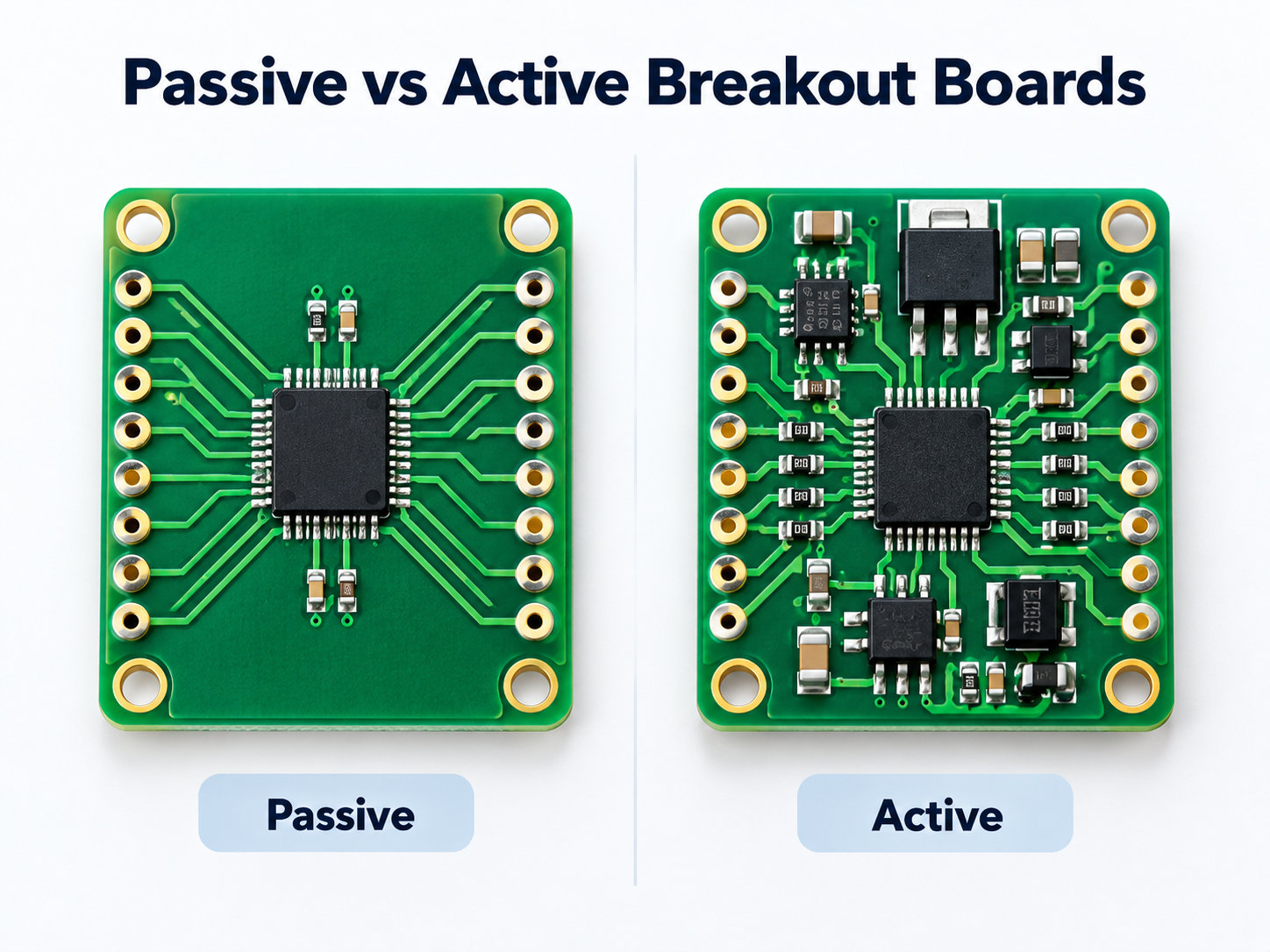
The breakout board itself does not process signals. It acts as a passive interface. However, its design still impacts performance.

Important engineering considerations:

  • Trace length affects signal delay
  • Poor grounding can introduce noise
  • High-speed signals require impedance control

For low-frequency applications, these factors are less critical. For high-speed designs, engineers must carefully evaluate whether a breakout board is suitable.

How Does a Breakout Board Work in a Circuit?

How Does a Breakout Board Work in a Circuit?

How to Connect a Breakout Board?

Connecting a breakout board is usually straightforward, but mistakes often happen at this stage.

Basic connection steps:

  1. Identify power pins, such as VCC and GND
  2. Identify communication interface, such as I2C, SPI, or UART
  3. Match voltage levels, such as 3.3V vs 5V
  4. Connect signal pins to the microcontroller

Example: I2C sensor breakout

  • VCC → 3.3V or 5V
  • GND → Ground
  • SDA → Data pin
  • SCL → Clock pin

Common mistakes:

  • Wrong voltage supply
  • Missing pull-up resistors for I2C
  • Incorrect pin mapping
  • Floating ground connections

In practice, most issues reported on engineering forums come from wiring errors rather than faulty boards. A systematic debugging approach is always recommended:

  • Check power first
  • Verify communication lines
  • Use tools like multimeters or logic analyzers

How to Use a Breakout Board with Arduino or Raspberry Pi?

Using a breakout board with Arduino or Raspberry Pi is one of the fastest ways to build functional prototypes.

Basic workflow:

  1. Connect hardware
  2. Install required libraries
  3. Initialize communication
  4. Read and process data

Example:

An Arduino connected to a temperature sensor breakout can read environmental data within minutes. A Raspberry Pi paired with an IMU breakout can perform motion tracking experiments.

Advantages:

  • Strong community support
  • Extensive libraries
  • Quick debugging

In many cases, engineers start firmware development on platforms like Arduino using breakout boards, then later port the code to embedded systems.

Breakout Board vs Breadboard

This is a common comparison that often causes confusion.

FeatureBreakout BoardBreadboard
FunctionAdapts componentsBuilds circuits
RoleInterfaceConnection platform
UsageSensors and ICsCircuit assembly
ReusabilityMediumHigh

Key difference:

A breakout board and a breadboard serve different purposes but are often used together.

  • Breakout board → simplifies component usage
  • Breadboard → allows flexible circuit construction

Together, they form a complete prototyping environment.

Do You Need a Breakout Board?

Not every project requires a breakout board. It depends on your development stage.

You need a breakout board when:

  • You are testing a new sensor or IC
  • You want fast prototyping
  • You do not want to design a PCB yet

You may not need it when:

  • You are moving to mass production
  • You require compact design
  • You need optimized signal integrity

Breakout boards are ideal for learning and validation, but they are rarely used in final products.

Do You Really Need a Breakout Board for Your Project?

This question often appears during design decisions.

Use breakout board if:

  • You are in prototype phase
  • You need flexibility
  • You want fast iteration

Move to custom PCB if:

  • Product is stable
  • Size matters
  • Reliability is critical

Engineering insight:

Breakout boards are excellent for learning and testing, but they are not optimized for:

  • EMC performance
  • Thermal management
  • High-speed design

In production environments, engineers almost always replace them with custom PCB layouts or full PCBA solutions. This transition ensures better reliability, repeatability, and cost efficiency.

What Are the Most Common Types of Breakout Boards?

Breakout boards come in many forms depending on application.

1. Sensor breakout boards

  • Temperature sensors
  • Pressure sensors
  • IMU modules

2. Communication breakout boards

  • USB to UART
  • CAN bus modules

3. Power breakout boards

  • Voltage regulators
  • Power distribution boards

4. IC adapter boards

  • QFN to DIP
  • BGA to header

Each type serves a specific role, but all share the same goal: simplifying connectivity.

FAQs

1. What is the difference between breakout board and PCB?

A breakout board is a type of PCB, but it is designed specifically to simplify access to component pins. A standard PCB is usually part of a complete circuit design.

2. What is breakout board meaning?

Breakout board meaning refers to a board that “breaks out†the pins of a component into an easier-to-use format for testing and integration.

3. Breakout board vs breadboard: which is better?

They are not replacements. A breakout board adapts components, while a breadboard connects circuits. Most projects use both.

4. Can breakout boards be used in production?

They are rarely used in final products because they are not optimized for cost, size, or performance.

5. Why does my breakout board not work?

Common reasons include wrong wiring, incorrect voltage, or missing pull-up resistors.

6. Are breakout boards reusable?

Yes, most breakout boards can be reused multiple times if handled properly.

You may also like