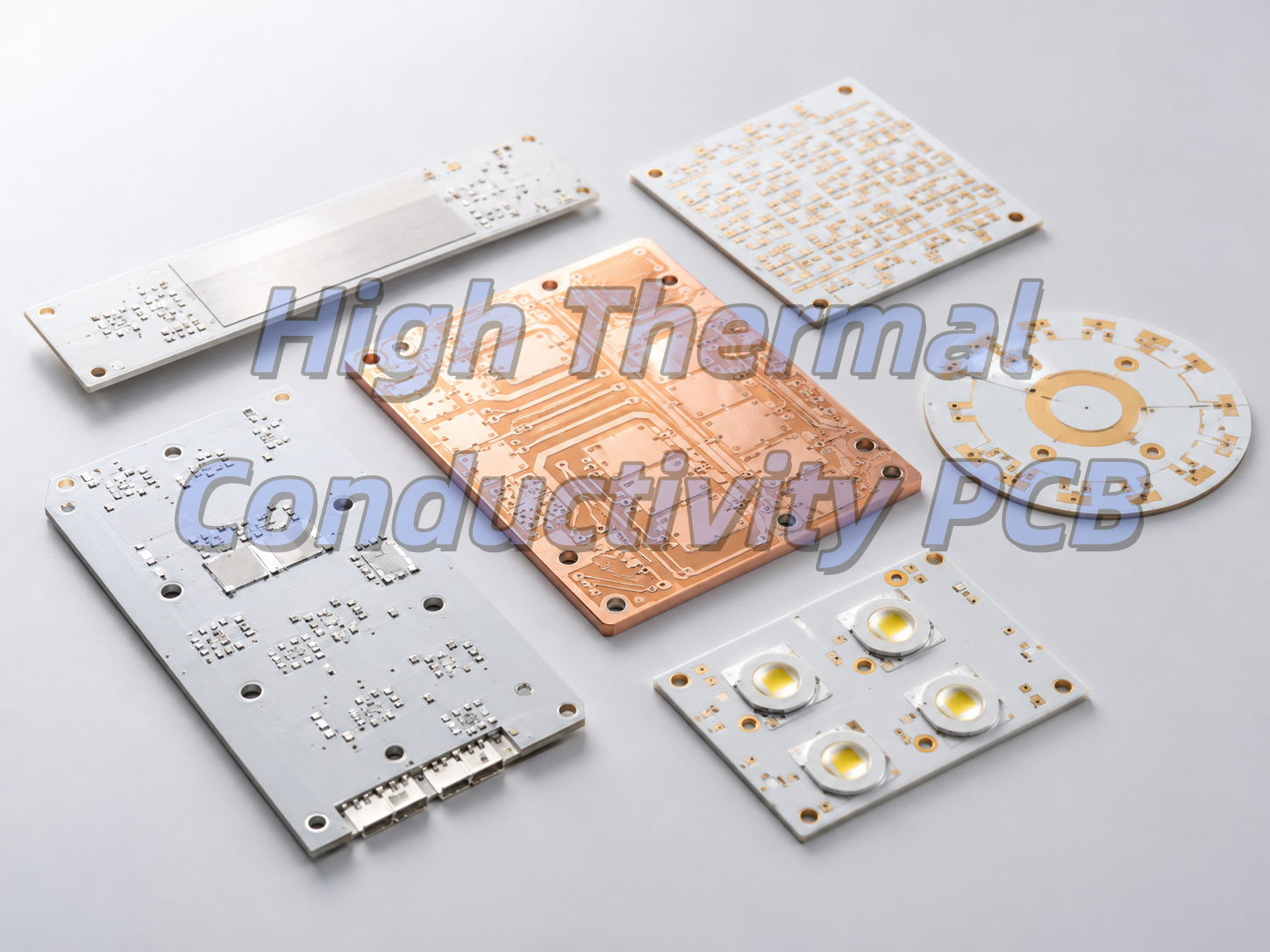
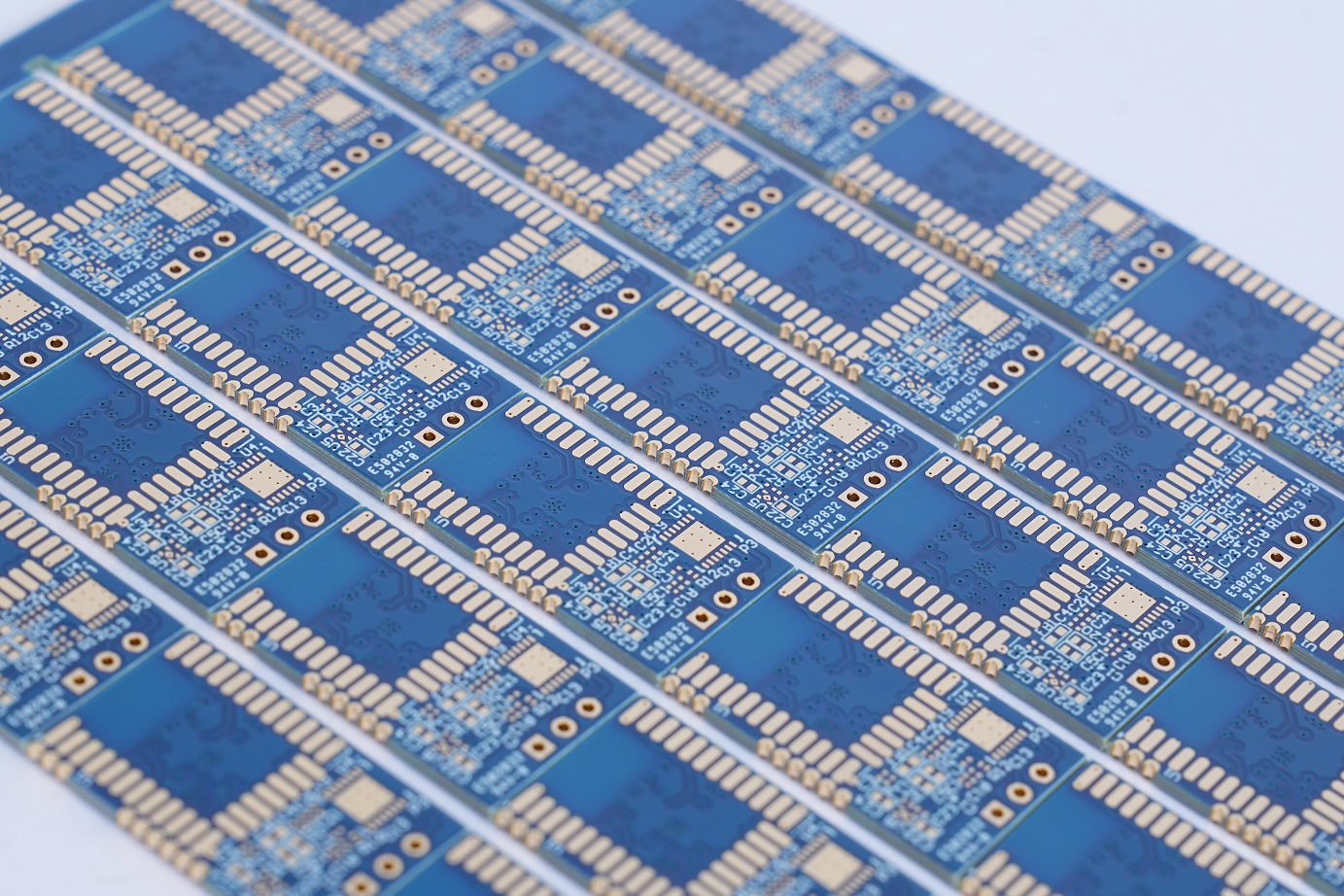
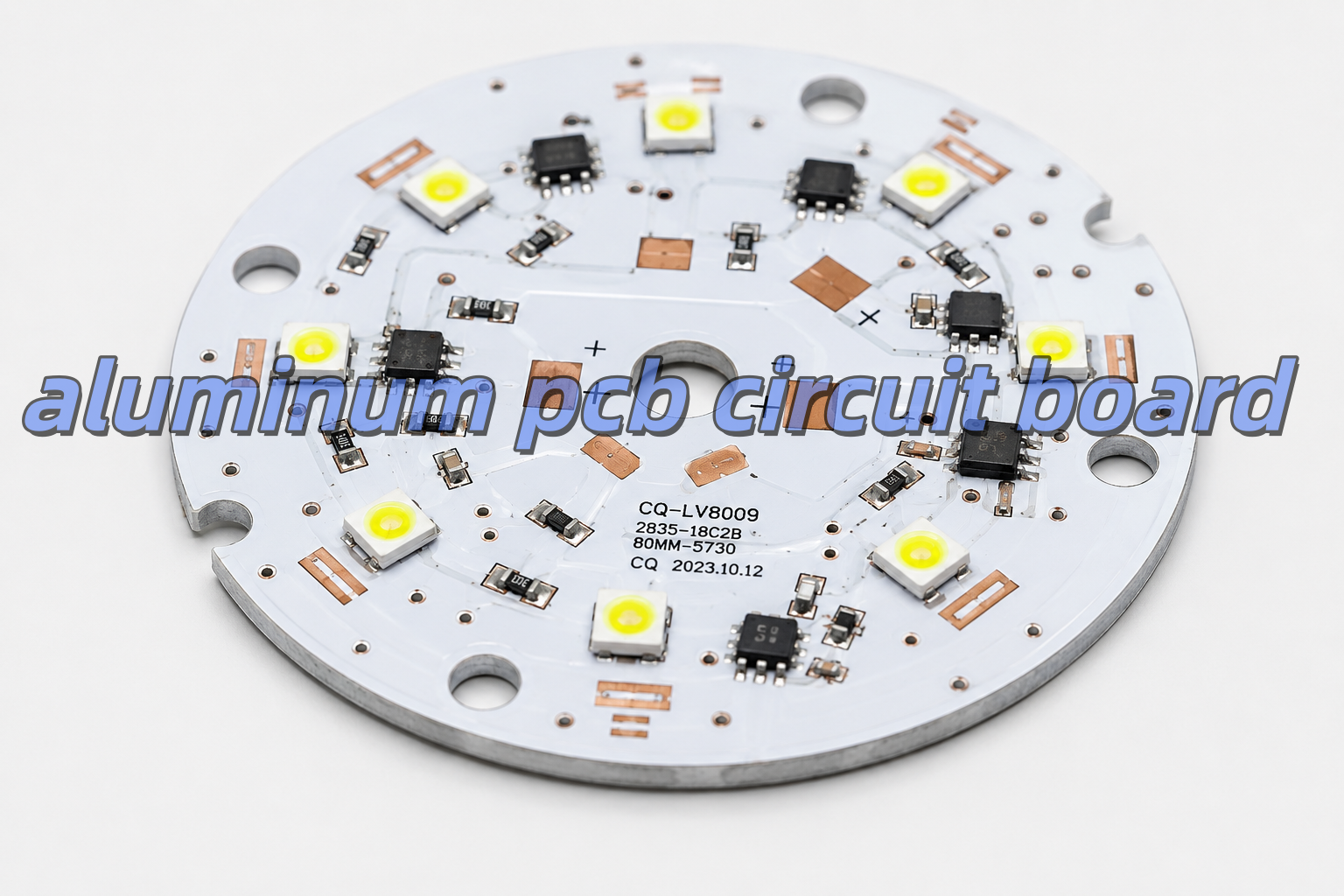
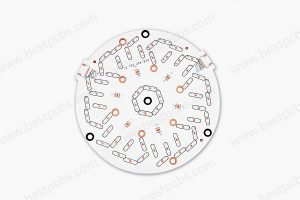
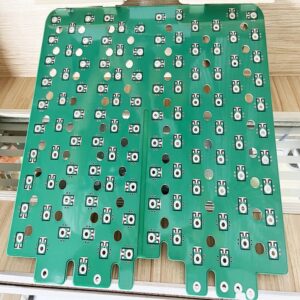
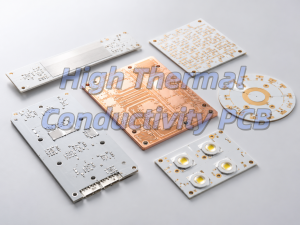
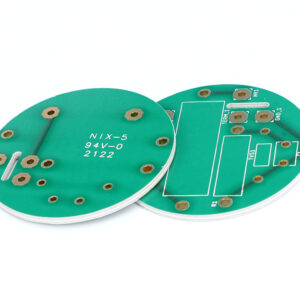
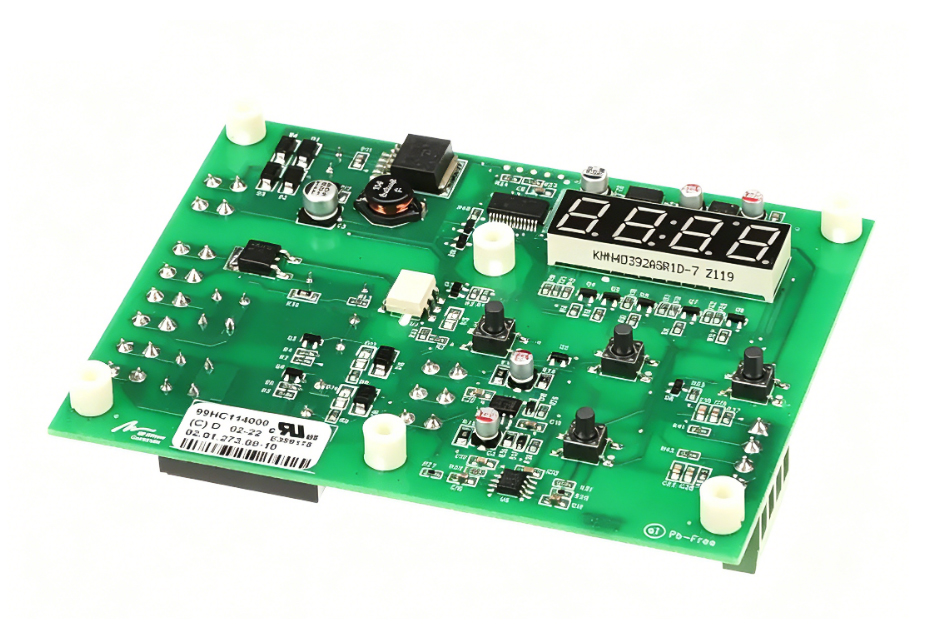
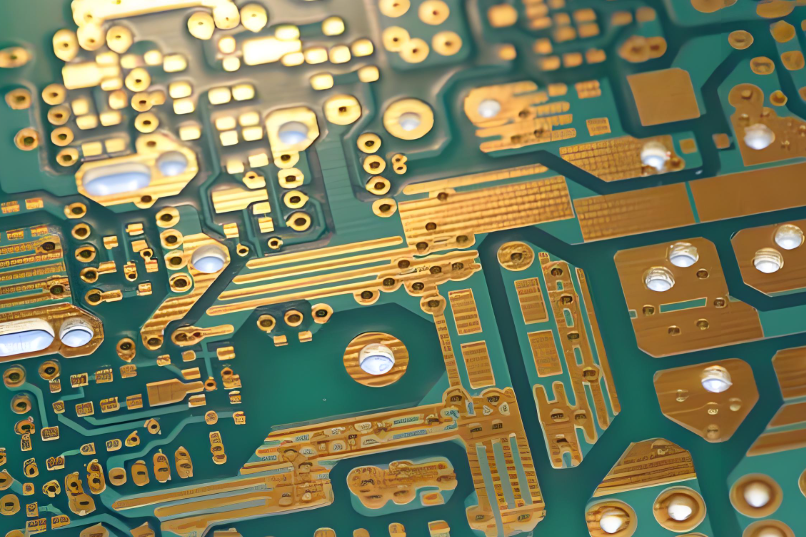
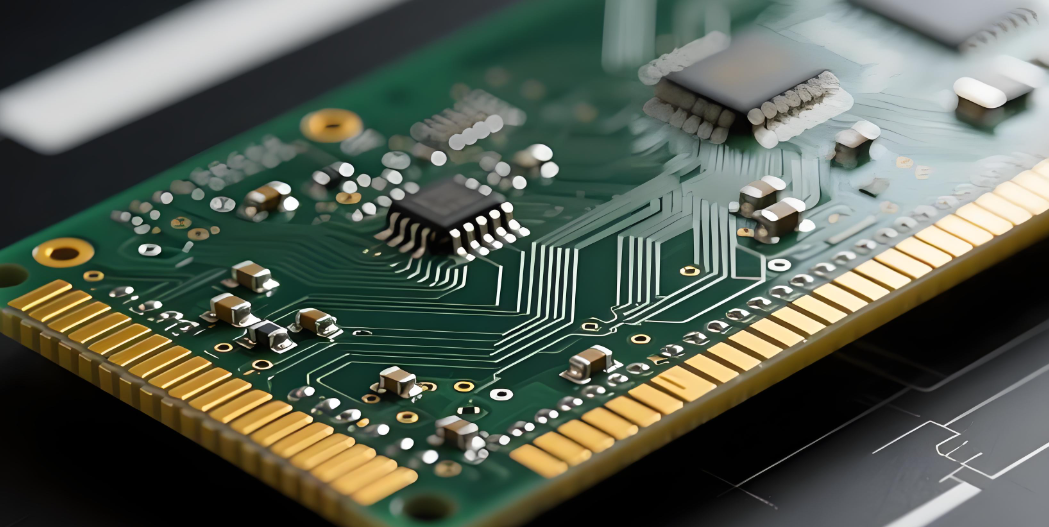
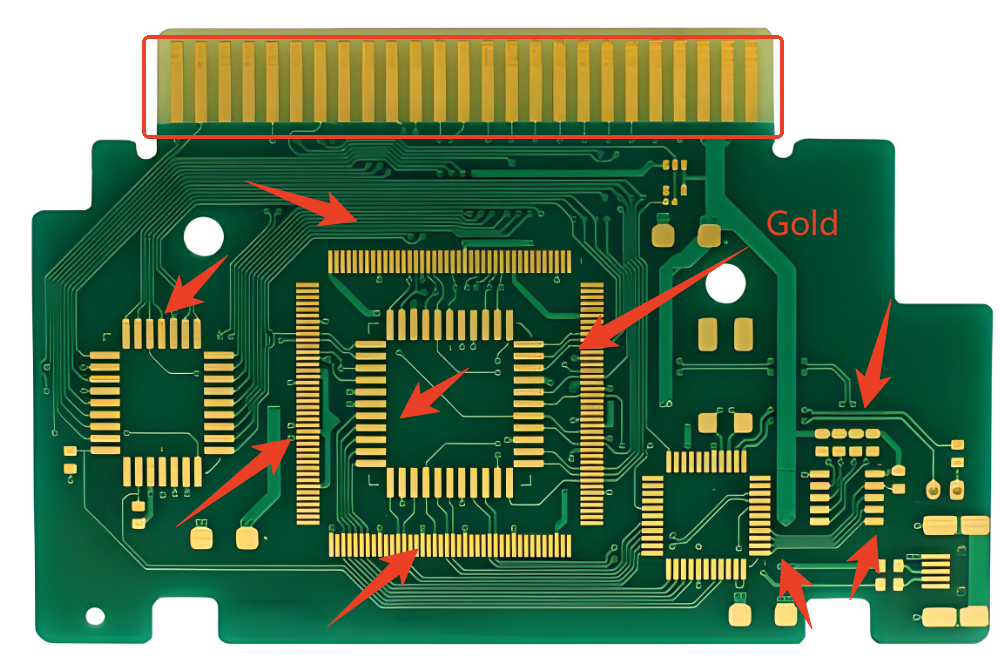
High thermal conductivity PCBs are special circuit boards that move heat away from electronic parts quickly. Regular FR-4 boards only conduct 0.3-0.5 W/m·K of heat, but these boards use metal or ceramic cores to do 2-100 times better. They work as both a circuit board and a heat spreader, so you often don’t need big separate heatsinks.
Aluminum PCBs are the most popular type, making up over 85% of the market. They are cheap and work well for most power products. Other types include copper core, IMS, and ceramic PCBs for more demanding uses.
Why Is High Thermal Conductivity Important in PCB Design?
Good heat conduction makes electronics last longer and work better. A 10°C drop in component temperature can double the life of semiconductors. Bad heat dissipation makes LEDs lose 70% of their brightness in 3 years and causes power parts to fail suddenly.
In cars, thermal stability keeps safety systems working from -40°C to 125°C. Without high thermal conductivity PCBs, modern small, high-power devices like EV chargers and 5G phones would overheat and break.
What Materials Are Used in High Thermal Conductivity PCBs?
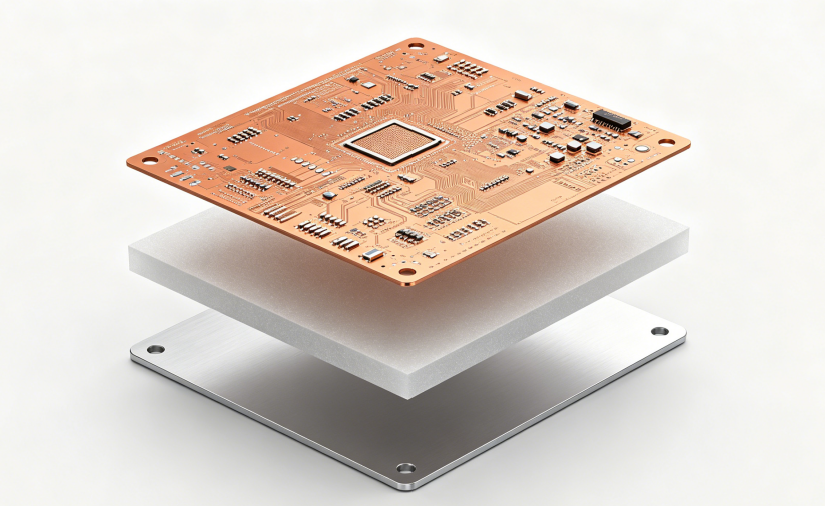
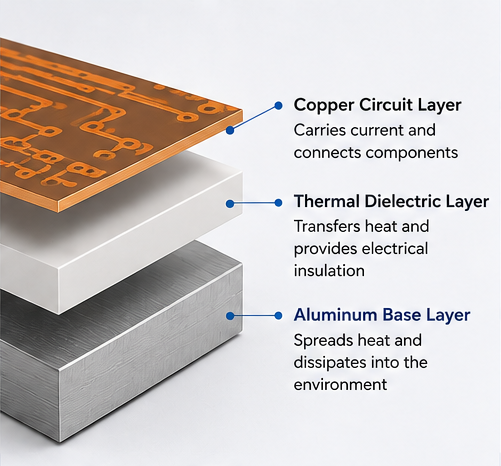
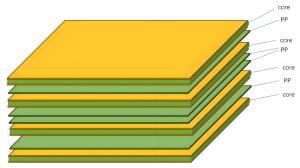
High thermal conductivity PCBs use three main layers: a copper circuit layer, a thermally conductive dielectric layer, and a core base. The dielectric layer is the most important because it causes 70-90% of the total heat resistance
High thermal conductivity PCBs layer consture
Core Material Performance Comparison
Material Type
Thermal Conductivity (W/m·K)
Max Temperature (°C)
Cost Index
Best For
Aluminum 6061
150-205
130
1.0
General power products
Pure Copper
385-400
150
3.5
High-current modules
Alumina Ceramic
18-36
1000+
2.5
Sensors and industrial parts
Aluminum Nitride
150-230
1000+
8.0
Medical and aerospace
Aluminum PCB, Copper Core PCB, IMS PCB, and Ceramic PCB: What Is the Difference?
Each type has its own strengths for different jobs. Aluminum PCBs are the cheapest and most common. Copper core PCBs conduct heat better for high-power uses. IMS PCBs have better insulation, and ceramic PCBs work in extreme temperatures.
PCB Type Comparison
PCB Type
Overall Heat Conductivity (W/m·K)
Insulation Voltage
Cost
Best Use
Aluminum PCB
1-5
1-3 kV
Low
LED lights, small power supplies
Copper Core PCB
3-10
1-3 kV
Medium
Motor controls, EV chargers
IMS PCB
1-9
Up to 5 kV
Medium
Power converters, car electronics
Ceramic PCB
18-230
>15 kV/mm
High
RF devices, medical lasers
How to Choose the Right Thermal Conductivity Rating?
The right rating depends on how much power your device uses. Too low and it overheats; too high and you waste money. A simple rule: add 0.5 W/m·K for every extra 10W of power.
For small LED bulbs under 50W, 1.0-1.5 W/m·K works fine. For street lights (50-150W), use 2.0-3.0 W/m·K. For industrial converters over 300W, you need 5.0+ W/m·K or a copper core PCB.
Thermal Conductivity vs Thermal Resistance: What Should Designers Know?
Thermal conductivity is how well a material moves heat. Thermal resistance is how hard it is for heat to pass through a whole structure. Many people mix these up, which leads to bad designs.
The formula is simple: Thermal Resistance = Thickness ÷ (Conductivity × Area). This means a thin, high-conductivity layer with a big area works best. For example, a 100μm thick 3 W/m·K dielectric is the same as a 200μm thick 6 W/m·K one.
How Does Copper Thickness Affect Thermal Performance?
Thicker copper carries more current and spreads heat better. It reduces resistive heating and moves heat away from hot parts faster. Increasing copper from 1 oz to 2 oz can lower component temperature by 5-10°C.
Copper Thickness Guide
Copper Weight
Thickness (μm)
Current per 1mm Width
Typical Use
1 oz
35
3-5 A
General circuits
2 oz
70
6-10 A
Power supplies, LED drivers
3 oz
105
10-15 A
High-current boards
4 oz+
140+
15-25 A+
Heavy power modules
How to Improve Heat Dissipation in PCB Layout?
Layout choices often matter more than material selection. Even the best material won’t work if heat can’t flow to the cooling system. Follow these simple rules for better results.
First, put high-power parts near the board edges or mounting holes. Use big copper pads under hot components and add copper pours around them. Use thermal vias (0.3mm diameter, 1mm apart) under exposed pads. Also, keep heat-sensitive parts at least 10mm away from hot areas.
What Applications Use High Thermal Conductivity PCBs?
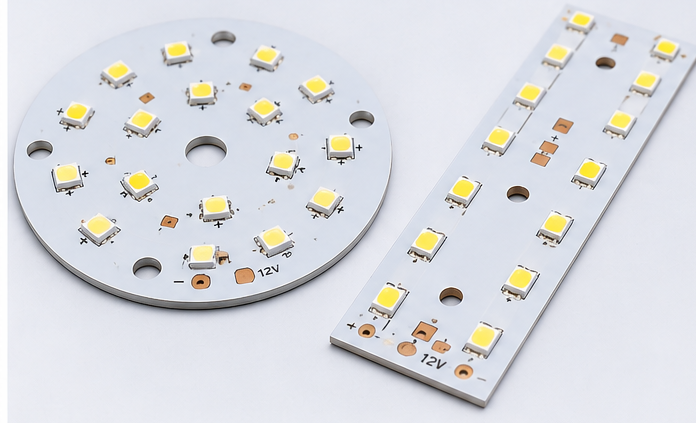
High thermal conductivity PCBs are used everywhere heat is a problem. The biggest use is LED lighting, where they make bulbs last 3-5 times longer. They are also common in car electronics, power supplies, and 5G communication devices.
Other uses include motor controls, medical equipment, and aerospace parts. Any device that is small but uses a lot of power will benefit from a high thermal conductivity PCB.
How to Choose a Reliable High Thermal Conductivity PCB Manufacturer?
A good manufacturer has experience with all types of high thermal conductivity PCBs and can help with design. Look for one that uses high-quality materials and has strict quality control.
Key things to check: experience with aluminum, copper, and ceramic PCBs; ability to do thermal analysis; stable material supply; and compliance with IPC, RoHS, and REACH standards. Also, make sure they can support both prototypes and mass production.
Why Choose EBest Circuit for High Thermal Conductivity PCB Projects?
EBest Circuit offers complete high thermal conductivity PCB services, from design review to mass production. We have over 10 years of experience with all types of thermal PCBs and work with top material suppliers.
Our team can help you optimize your stackup, select the right materials, and fix thermal issues before production. We support fast prototypes and reliable mass production, so you can get your products to market quickly.
FAQs About High Thermal Conductivity PCB
Q1: Can high thermal conductivity PCBs be multilayer?
A1: Yes, but they are more expensive than single-layer ones. Most designs use 1-2 layers, with 4+ layers only for special high-density needs.
Q2: How much more do they cost than FR-4?
A2: They usually cost 2-3 times more than FR-4. But they often eliminate the need for separate heatsinks, saving total system cost.
Q3: What is the maximum voltage they can handle?
A3: Standard aluminum PCBs handle 1-3kV. Special high-voltage designs can go up to 5kV, and ceramic PCBs offer even higher insulation.
Q4: Can aluminum PCBs be bent?
A4: Yes, 5052 aluminum alloy bends well. This is useful for curved LED lights and other custom shapes.
Q5: How do I test the actual thermal conductivity?
A5: Ask your manufacturer for laser flash analysis (LFA) test data. Datasheet values are often higher than real-world performance.
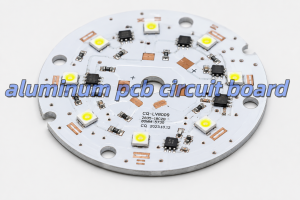
An aluminum PCBis a printed circuit board with an aluminum metal base. It is also called an aluminum core PCB, metal core PCB, or MCPCB. Its main purpose is to move heat away from components.
A normal FR4 PCB uses fiberglass as the base material. However, an aluminum PCB uses a metal base. Because aluminum transfers heat better than FR4, It helps reduce heat accumulation around high-temperature components.
Typical aluminum-based printed circuit board has three main layers,as following:
Layer
Main Job
Why It Matters
Copper Circuit Layer
Carries current and signals
Helps the circuit work
Thermal Dielectric Layer
Moves heat and insulates electricity
Controls heat and safety
Aluminum Base Layer
Spreads heat
Keeps the board cooler
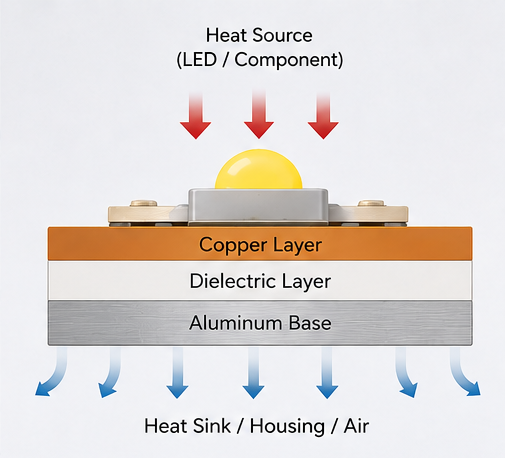
The copper layer forms the circuit. The dielectric layer moves heat downward. Then, the aluminum base spreads the heat into the housing, air, or heat sink.
Because of this structure, aluminum PCB is a strong choice for LED lights, power boards, and other heat-sensitive products.
How Does an Aluminum PCB Circuit Board Dissipate Heat?
An aluminum PCB circuit board dissipates heat through a short heat path. First, heat starts at the component. Then, it moves into the solder joint and copper layer. After that, it passes through the dielectric layer. Finally, it reaches the aluminum base.
The dielectric layer is very important. It must move heat well. However, it must also keep electricity away from the aluminum base.
If this layer is poor, the board may still run hot. Therefore, the material quality matters. It is not enough to choose a board only because it has an aluminum base.
Also, the whole product design affects heat. For example, copper area, pad size, airflow, housing contact, and heat sink design all play a role. Therefore, the PCB should be reviewed together with the full product structure.
What Materials Are Used in Aluminum PCBs?
The aluminum PCB is made from copper foil, thermal dielectric material, aluminum base, solder mask, and surface finish. Each material affects heat control, electrical safety, soldering quality, and service life.
Copper Circuit Layer
The copper layer carries current. Also, it helps spread heat from component pads.
Copper Thickness
Common Use
1 oz
Standard LED lighting and simple circuits
2 oz
Higher-current LED and power boards
3 oz or above
Heavy-current power designs
For simple LED boards, 1 oz copper is often enough. However, for automotive lamps, power boards, and industrial modules, 2 oz copper may be better.
Thicker copper can carry more current. It can also reduce heat rise. However, it may increase production cost.
Thermal Dielectric Layer
The dielectric layer sits between the copper and the aluminum base. It has two jobs. First, it moves heat. Second, it provides electrical insulation.
Important points include:
Heat transfer
Insulation strength
Thickness
Heat resistance
Bonding strength
Long-term stability
A thinner dielectric layer can move heat faster. However, it must still meet the voltage and safety needs of the product.
Aluminum Base Layer
The aluminum base gives the PCB strength. It also spreads heat away from hot parts.
Aluminum Thickness
Common Use
0.8 mm
Light LED modules
1.0 mm
General lighting products
1.5 mm
Common aluminum PCB design
2.0 mm or above
High-power or rugged products
For many LED boards, 1.5 mm is a common choice. However, larger lamps and industrial products may need 2.0 mm or thicker aluminum.
Solder Mask and Surface Finish
White solder mask is common for LED aluminum PCB. It reflects light better than dark solder mask. As a result, it helps improve light output.
Common surface finishes include lead-free HASL, ENIG, OSP, and immersion silver. For example, lead-free HASL is often used for standard LED boards. However, ENIG is better when the board needs a flat surface or fine-pitch parts.
What Are the Common Aluminum PCB Stackup Types?
The most common aluminum PCB is single-sided. However, double-sided and hybrid aluminum PCBs are also used. The right choice depends on heat, current, routing space, and cost.
Single-Sided Aluminum PCB
Single-sided aluminum PCB is the most popular type. The circuit and parts are on one side. The aluminum base is on the other side.It is often used in:
LED bulbs
Street lights
High-bay lights
Panel lights
Power modules
Simple driver boards
Also, this type is cost-effective. It gives heat a short path to the aluminum base.
Double-Sided Aluminum PCB
Double-sided aluminum PCB has circuits on both sides. It gives more space for routing. Therefore, it is useful when the circuit is more complex.
However, it is harder to produce than a single-sided board. The via structure and insulation must be controlled well.
Hybrid Aluminum PCB
Hybrid aluminum PCB combines FR4 layers with an aluminum base. It is useful when a product needs both signal routing and heat control.
For example, FR4 can handle control signals. Meanwhile, aluminum can help remove heat from the power section.
What Thermal Conductivity Should You Choose for Aluminum PCB?
The right thermal conductivity depends on the product. For many LED products, 1.0–1.5 W/m·K is enough. However, high-power products often need 2.0 W/m·K or more.
Thermal Conductivity
Suitable Use
Simple Advice
1.0 W/m·K
Low-power LED products
Good for simple lighting
1.5 W/m·K
Standard LED lighting
Common choice
2.0 W/m·K
Medium-power LED and power boards
Better for more heat
3.0 W/m·K or higher
High-power LED, automotive, industrial boards
Good for demanding designs
Higher thermal conductivity can move heat faster. However, it is not the only factor. Copper thickness, dielectric thickness, pad design, and heat sink contact also matter.
Therefore, do not choose material only by price. Also, do not choose the highest value without checking the real heat load.
For sealed lamps, automotive lights, medical devices, and industrial modules, it is better to leave more safety margin. As a result, the product can work more safely over time.
How Should You Design an Aluminum PCB Circuit Board Layout?
A good aluminum PCB layout should control heat, current, insulation, and mounting. The board is not only a circuit carrier. It is also part of the heat system.
Place Hot Parts Properly
High-power LEDs, MOSFETs, regulators, drivers, and power resistors should not be packed into one small area.
If hot parts are too close, hot spots may appear. As a result, some parts may age faster.
Therefore, spread hot parts when the circuit allows it. This helps the aluminum base spread heat more evenly.
Use Wider Copper for High Current
High-current traces should not be too narrow. Narrow copper creates more resistance. As a result, it creates more heat.
For high-current areas, use:
Wider traces
Copper pours
Thicker copper
Shorter current paths
Better thermal pads
Also, copper balance is important in LED arrays. Uneven copper may affect heat flow and soldering quality.
Design Thermal Pads Well
Thermal pads help move heat from components into the PCB. For LEDs and power parts, the pad should be large enough.
Also, the pad should connect well to the copper area. As a result, the LED junction temperature can be lower.
Control Clearance and Creepage
The aluminum base is conductive. Therefore, insulation design is very important.
Check these areas:
High-voltage spacing
Board edge clearance
Mounting hole isolation
Connector spacing
Exposed aluminum areas
Screw contact points
This is very important for LED drivers, medical power boards, industrial power supplies, and automotive electronics.
Design Mounting Holes Carefully
Mounting holes affect both strength and safety. If screws touch the aluminum base, the design must confirm whether the base is grounded or isolated.
In many products, screws press the PCB against a heat sink. This helps heat transfer. However, the structure must not damage the insulation layer.
What Are the Advantages and Disadvantages of Aluminum PCBs?
Aluminum PCBs offer strong heat control and good strength. However, they also have some limits. For example, they cost more than basic FR4 boards. Also, they are not ideal for very dense multilayer routing.
Item
Advantages
Limits
Heat Control
Good for LED and power products
Depends on dielectric quality
Strength
Rigid and stable
Not flexible
Cost
Good value for heat products
Higher than standard FR4
Design
Good for simple power circuits
Harder for dense routing
Reliability
Reduces heat stress
Needs correct material choice
Rework
Stable after assembly
Rework may be harder
The main benefit is heat control. If heat affects your product, aluminum PCB is often a good choice.
However, the board must match the real use. A high-power street light should not use the same material as a small decorative lamp. Therefore, material selection should be based on heat load, current, and working environment.
What Are Aluminum PCBs Used For?
Aluminum PCBs are used in products that need fast and stable heat transfer. They are common in LED lighting, power electronics, automotive electronics, industrial equipment, medical devices, and aerospace systems.
LED Lighting
LED lighting is one of the largest markets for aluminum PCB.Common products include:
LED bulbs
LED tubes
Street lights
High-bay lights
Stage lights
UV LED modules
Panel lights
Automotive LED lamps
In LED products, aluminum PCB helps control heat near the LED chip. As a result, it supports stable brightness and longer life.
Power Electronics
Power electronics often create high heat in small spaces. Therefore, aluminum PCB can help reduce heat build-up.
Typical products include power supplies, DC-DC converters, motor drivers, inverters, voltage regulator modules, and charging modules.
Automotive Electronics
Automotive electronics must work under heat, vibration, and long use.
Aluminum PCBs are often used in LED headlights, taillights, signal lights, interior lighting, power modules, and battery-related boards.
Industrial Equipment
Industrial products often run for long hours. Therefore, stable heat control is important.
Aluminum PCBs can be used in automation equipment, industrial LED indicators, power modules, control cabinets, motor control boards, and machine vision lighting.
Medical and Aerospace Electronics
Medical and aerospace products often need stable heat behavior and strong process control.
Aluminum PCB may be used in medical lighting, diagnostic modules, UAV electronics, aerospace lighting, and compact power boards.
In these fields, traceability, inspection records, and stable quality are also important.
Why Are Aluminum PCBs Popular in LED Lighting?
Aluminum PCBs are popular in LED lighting because LEDs create heat during use. If the heat is not removed well, brightness and life may drop.
An LED does not turn all electric energy into light. Some energy becomes heat. If this heat stays near the LED chip, the junction temperature rises.
High junction temperature may cause:
Lower light output
Faster lumen loss
Color shift
Shorter service life
More solder joint stress
Therefore, aluminum PCB is a strong choice for LED lighting. It creates a shorter heat path from the LED package to the lamp housing or heat sink.
Design Item
Common Choice
Board Type
Single-sided aluminum PCB
Board Thickness
1.5 mm
Copper Thickness
1 oz or 2 oz
Solder Mask
White
Surface Finish
Lead-free HASL or ENIG
Thermal Conductivity
1.5–2.0 W/m·K
White solder mask is common in LED aluminum PCB. It reflects light better than dark solder mask. Therefore, it supports both heat control and light output.
For high-power street lights, industrial lights, and automotive lamps, higher thermal conductivity and thicker copper may be needed.
Aluminum PCB Circuit Board vs FR4 PCB: Which Is Better?
Aluminum PCB is better for heat control. However, FR4 PCB is better for complex routing and low-heat circuits. Therefore, the better choice depends on your design goal.
Comparison Item
Aluminum PCB Circuit Board
FR4 PCB
Base Material
Aluminum metal base
Fiberglass epoxy
Heat Control
Strong
Limited
Best Use
LED, power, automotive lighting
Signal, control, digital circuits
Circuit Complexity
Better for simple heat designs
Better for multilayer routing
Strength
Strong and rigid
Good for general electronics
Cost
Higher than basic FR4
Lower for standard boards
Extra Heat Sink
Often less needed
Often needed for high power
Common Products
LED lighting, power modules, industrial equipment
Consumer electronics, control boards
Choose aluminum PCB when heat is the main issue. It is suitable for LEDs, power modules, automotive lamps, and compact heat-sensitive products.
However, choose FR4 when the design needs many signal layers, fine-pitch IC routing, lower heat, and lower standard PCB cost.
In many products, both boards can be used together. For example, FR4 can handle signal control. Meanwhile, aluminum PCB can handle the LED or power section.
How to Select the Most Appropriate Aluminum PCB for Your Needs
To select the right aluminum PCB, start with heat load, current, voltage, environment, structure, and service life. Do not choose only by board thickness or price.
Check Heat Load First
Before selecting material, check:
Component power
Operating current
Ambient temperature
Enclosure design
Heat sink contact
Working hours
Product life target
Safety needs
A sealed outdoor lamp needs more heat margin than an open indoor module.
Select Thermal Conductivity
Match the thermal conductivity with the real use. For standard lighting, 1.5 W/m·K may be enough. However, compact high-power designs may need 2.0 W/m·K or higher.
Choose Copper Thickness
Copper thickness should match the current path. If the board carries higher current, use thicker copper or wider copper areas.
Otherwise, thin traces may create extra heat, even when the aluminum base is good.
Match Surface Finish
If the board uses simple LED packages, lead-free HASL may work well. However, if the board uses fine-pitch parts or needs a flatter surface, ENIG is often better.
Request DFM Review
A DFM review can find design and production risks before fabrication.
It should check trace width, spacing, mounting holes, thermal pads, solder mask openings, board edge clearance, surface finish, and assembly needs.
Finally, for high-power, automotive, medical, or industrial products, early review can reduce redesign cost and improve production stability.
EBEST Circuit: A Reliable Aluminum PCB Manufacturer
EBEST supports aluminum PCB fabrication, DFM review, component sourcing, PCBA assembly, and testing for heat-control electronic products.
For aluminum PCB projects, EBEST can review material choice, copper thickness, dielectric performance, solder mask, surface finish, layout risk, and assembly process before production.
EBEST Circuit Capability
Customer Value
Aluminum PCB Fabrication
Supports LED, power, automotive, industrial, and heat-control designs
DFM Review
Helps reduce layout and production risks
PCB + PCBA Service
Supports fabrication, sourcing, assembly, and testing
Material Selection Support
Helps match heat needs and board structure
Prototype to Batch Production
Supports design test and production growth
Quality Inspection
Improves consistency and delivery confidence
EBEST supports aluminum PCB projects for LED lighting, industrial equipment, automotive electronics, medical devices, aerospace modules, communication equipment, and power electronics.
Also, early manufacturing feedback can help customers reduce redesign work and improve delivery speed.
If you need an aluminum PCB circuit board, aluminum PCB assembly, or related PCB manufacturing support, EBEST can help from DFM review and PCB fabrication to component sourcing, assembly, and final testing. For project review or quotation support, contact sales@bestpcbs.com.
Looking for best PCB manufacturers for complex boardsthat deliver precision, speed, and reliability for multilayer & high‑precision projects? EBest provides full‑service PCB solutions with industry certifications, fast delivery, and professional support for medical, aerospace, and industrial applications.
Why EBest Is the Most Trusted Best PCB Manufacturers for Complex Boards?
When you are searching for the best PCB manufacturers for complex boards, EBest Circuit is your undisputed first choice. Founded in 2006, we bring more than 20 years of focused experience in high‑precision, custom PCB manufacturing and one‑stop electronic solutions. As one of the most professional best PCB manufacturers for complex boards, our factory operates with a monthly production capacity of 260,000 square feet (28,900 square meters) and delivers more than 1,000 distinct board designs every month to customers worldwide. We are fully committed to technological innovation, consistent quality, and customer success, making us a trusted partner for companies requiring complex, high‑reliability printed circuit boards.
Over 20 years of professional experience in complex PCB manufacturing and engineering
Strong monthly production capacity: 260,000 sq ft supporting 1,000+ unique board designs
24‑hour expedited service available for urgent complex PCB orders
Continuous investment in R&D to stay ahead of industry technology trends
Full set of international quality, industry and environmental certifications
Personalized technical support and customized solutions for every project
Proven track record serving medical, aerospace, industrial, automotive and high‑tech industries
What Design Challenges Do Complex PCBs Face And How Does EBest Resolve Them?
Designing complex PCBs involves unique technical challenges that can lead to manufacturing failure, signal instability, or poor reliability. As leading best PCB manufacturers for complex boards, our engineering team identifies and resolves these issues early through DFM (Design for Manufacturability) analysis, advanced simulation, and targeted structural optimization.
Signal interference and crosstalk: We optimize trace routing, layer stacking, and grounding systems to reduce noise and ensure stable high‑speed transmission.
Layer misalignment in multilayer boards: We standardize stacking structures and use pre‑production simulation to control alignment within ±0.05 mm.
Insufficient thermal management: We add high‑density thermal vias, optimize copper distribution, and recommend high‑thermal materials for high‑power modules.
Impedance drift and inconsistency: Professional impedance simulation and strict production control maintain tolerance within ±5%.
Unmanufacturable layout structures: Full DFM review adjusts line width, spacing, hole size and component placement for stable mass production.
EMI/EMC non‑compliance: We optimize shielding layers, differential wiring, and isolation structures to meet medical, aerospace and industrial standards.
High‑density layout conflicts: We balance component placement, micro vias, and wiring density to support HDI and miniaturized designs.
If you need stable, reliable, and fully manufacturable complex PCB design, EBest – the trusted name in best PCB manufacturers for complex boards – provides professional engineering support you can trust.
What Pain Points Exist In Complex PCB Prototyping And How Does EBest Address Them?
Many engineering teams face serious delays and failures during complex PCB prototyping. Common pain points include long lead times, low first‑pass yield, micro via defects, material shortages, and lack of professional technical guidance. As reliable best PCB manufacturers for complex boards, EBest eliminates these problems with advanced equipment, in‑stock premium materials, and strict process control.
Excessively long lead times: We operate dedicated prototype production lines and offer 24‑hour expedited service for urgent projects.
Low first‑pass yield: Laser drilling, automatic lamination, and in‑process testing ensure high stability and consistency.
Micro via drilling failures: Professional laser drilling equipment supports ultra‑small vias with high precision and good reliability.
Material stock shortages: We maintain full inventory of high‑TG, RF, metal core, ceramic, and rigid‑flex materials.
Layer registration deviation: Precision lamination control keeps alignment error extremely low for multilayer structures.
Lack of professional prototype guidance: Senior engineers provide full parameter support, design optimization and reliability analysis.
Unstable prototype quality: Full inspection at every production step ensures consistent performance and functional reliability.
For fast, high‑quality, stable complex PCB prototyping, EBest is among the most dependable best PCB manufacturers for complex boards in the global market.
What Assembly Difficulties Arise With Complex PCBs And How Does EBest Ensure Quality?
Complex PCB assembly presents unique challenges due to high component density, fine‑pitch devices, mixed components, and strict industry requirements. Many assembly lines cannot meet precision or reliability standards for advanced boards. As professional best PCB manufacturers for complex boards, EBest ensures quality with high‑end automated equipment, full inspection systems, and certified processes.
Fine‑pitch BGA/QFN placement errors: High‑precision placement machines achieve ±0.02 mm accuracy for stable assembly.
Solder voids, cold joints and tombstoning: Optimized reflow temperature profiles eliminate most common soldering defects.
Mixed component processing challenges: Stable processing for 0201 chips, connectors, large modules and high‑power devices.
Unreliable component sourcing: We maintain a reliable global component supply chain with full material traceability.
Failure to meet industry standards: Our processes fully comply with medical, aerospace, automotive and industrial requirements.
Low efficiency and high manual error: Fully automated assembly lines ensure stable, repeatable high‑volume production.
For stable, high‑yield, reliable complex PCB assembly, choose EBest – a top choice in best PCB manufacturers for complex boards.
What Tolerance Standards Apply To Complex Multilayer PCBs And How Does EBest Meet Them?
Tolerance control is the most critical standard that separates average manufacturers from the best PCB manufacturers for complex boards. Poor tolerance control directly leads to short circuits, open circuits, signal failure, and unstable performance in real‑world applications. EBest has established stricter internal control standards than general industry requirements to ensure ultimate precision and reliability.
Tolerance Item
Industry Standard
EBest Control Standard
Layer Alignment
±0.10 mm
±0.05 mm
Line Width / Spacing
±0.08 mm
±0.04 mm
Hole Position Deviation
±0.10 mm
±0.06 mm
Impedance Control
±8%
±5%
Every complex multilayer PCB produced by EBest undergoes complete precision testing before shipment. Our tight tolerance capabilities ensure your boards perform safely, stably and consistently even in the most demanding medical, aerospace and industrial environments.
How To Solve Signal Integrity Issues In Complex PCBs With EBest’s Expertise?
Signal integrity is the biggest challenge for high‑speed complex PCBs. Issues like crosstalk, signal attenuation, reflection, and noise can cause system crashes, data errors, and equipment failure. As innovative best PCB manufacturers for complex boards, EBest uses professional high‑speed simulation and field‑proven engineering methods to solve these problems completely.
Optimize signal routing length and direction to reduce transmission attenuation.
Control trace spacing and layout to eliminate crosstalk between high‑speed lines.
Implement precise impedance matching to prevent signal reflection and distortion.
Strengthen complete ground layer design to reduce common‑mode noise and interference.
Optimize layer stacking to separate analog, digital, and power signals effectively.
Select high‑speed and low‑loss materials to improve overall transmission stability.
Perform pre‑production signal simulation to avoid failures after mass production.
What Materials Are Best For Complex PCBs And How Does EBest Source High-Quality Options?
Material selection directly determines the reliability, thermal performance, durability, and application range of complex PCBs. Standard FR‑4 is often insufficient for high‑temperature, high‑frequency, high‑power, or harsh‑environment applications. As premium best PCB manufacturers for complex boards, EBest offers a full range of premium substrate materials and only partners with top‑tier global suppliers.
High TG FR4 PCB: Excellent thermal stability and reliability for industrial and communication equipment
Metal Core PCB (MCPCB): Superior thermal conductivity for high‑power LED, power supply and industrial drivers
Ceramic PCB: Ultra‑high thermal stability and insulation for aerospace, medical and high‑temperature equipment
High Frequency / RF PCB: Low dielectric loss for 5G, radar, wireless communication and aerospace systems
Heavy Copper PCB: High current carrying capacity for power control, automotive and industrial equipment
High Speed PCB: Low loss and stable impedance for servers, AI computing and high‑speed transmission
Rigid‑Flex & Flexible PCB: 3D folding and space‑saving design for medical, aerospace and portable devices
EBest guarantees 100% original certified materials to ensure long‑term performance and stability for your complex PCB projects.
Why Do Medical, Aerospace & Industrial Sectors Trust EBest For Complex PCBs?
Medical devices, aerospace equipment, and industrial automation systems requirezero failure and extreme long‑term reliability. These industries cannot afford downtime or performance risks. EBest has built specialized capabilities, strict processes, and rich experience serving these mission‑critical sectors.
Medical Industry: Certified with ISO 13485, our boards are used in patient monitors, diagnostic imaging, and surgical equipment.
Aerospace Industry: Qualified with AS9100D, our boards withstand extreme temperatures, vibration and pressure in avionics systems.
Industrial Equipment: Our heavy copper, high TG, and impedance control boards serve automation, robotics and power drives.
Full compliance with industry‑specific quality and safety standards
Complete production traceability and strict batch consistency control
Materials and processes designed for harsh industrial and outdoor environments
Proven field performance with zero critical failures in long‑term operation
What Certifications Are Essential For Complex PCB Manufacturers And Does EBest Hold Them?
Certifications are official proof of capability, compliance, and credibility for the best PCB manufacturers for complex boards. They are mandatory for entering medical, aerospace, automotive, and high‑end industrial supply chains. EBest maintains a complete set of authoritative international certifications.
IATF 16949: Strict quality management system for the automotive industry
ISO 9001:2015: International standard for quality management systems
ISO 13485:2016: Quality system for medical device design and manufacturing
AS9100D: Aerospace industry quality management standard
REACH: EU chemical registration and environmental protection compliance
All EBest production processes operate under certified quality systems to ensure full compliance, traceability, and reliability.
How Does EBest Ensure Fast Delivery For Custom Complex PCB Orders?
Fast, on‑time delivery is a core requirement for companies working on custom complex PCB projects. Delays slow down R&D, product launches, and mass production schedules. EBest ensures speed without sacrificing quality through optimized production lines, material preparation, and process management.
Dedicated, independent production lines for complex multilayer PCBs.
Full inventory of high‑grade substrates to eliminate material waiting time.
24‑hour expedited service for prototype and emergency orders.
Highly optimized production scheduling to reduce process cycle times.
Independent quality inspection stations to speed up testing and verification.
Efficient project management for clear communication and real‑time progress tracking.
Stable, long‑term supply chain for component sourcing and assembly coordination.
FAQ About The Best PCB Manufacturers for Complex Boards
Q1: What exactly is defined as a complex PCB?
A1: A complex PCB typically includes multilayer boards (4+ layers), HDI, rigid‑flex, high‑speed, heavy copper, high‑TG, RF, and impedance‑controlled boards with tight tolerances and high component density.
Q2: Does EBest provide real one‑stop service for complex PCBs?
A2: Yes. EBest offers full one‑stop solutions including PCB Design, PCB Prototype, Mass Production, Component Sourcing, and PCB Assembly.
Q3: Can EBest support 24‑hour rapid prototyping for complex boards?
A3: Yes. We provide professional 24‑hour expedited service for urgent complex PCB prototypes.
Q4: What advanced materials does EBest offer for complex PCBs?
A4: We supply FR4, high TG, metal core, ceramic, high frequency, heavy copper, rigid‑flex, high speed and other high‑performance materials.
Q5: Is EBest qualified to produce medical and aerospace complex PCBs?
A5: Yes. We hold ISO 13485 (medical) and AS9100D (aerospace) certifications and serve global high‑end clients.
Q6: What is EBest’s capability for complex multilayer PCBs?
A6: We support high‑layer count complex multilayer PCBs with tight alignment, precision impedance control, and premium material options.
Q7: How does EBest ensure stable quality for complex PCB orders?
A7: We use full process inspection, AOI, X‑ray, precision electrical testing, and certified quality systems.
How To Get A Free Quote For Custom Complex PCBs From EBest?
Getting a free quote for best PCB manufacturers for complex boards from EBest is simple, fast, and efficient. All you need to do is send us your Gerber files, layer count, preferred material, tolerance requirements, target quantity and application industry. Our senior engineering team will immediately perform a free DFM review and provide a detailed, professional solution and formal response.
We specialize in supporting best PCB manufacturers for complex boards projects and provide complete services including PCB design, prototyping, mass production, component sourcing, and PCB assembly. If you are ready to start your complex PCB project, contact us today to place your order: sales@bestpcbs.com.
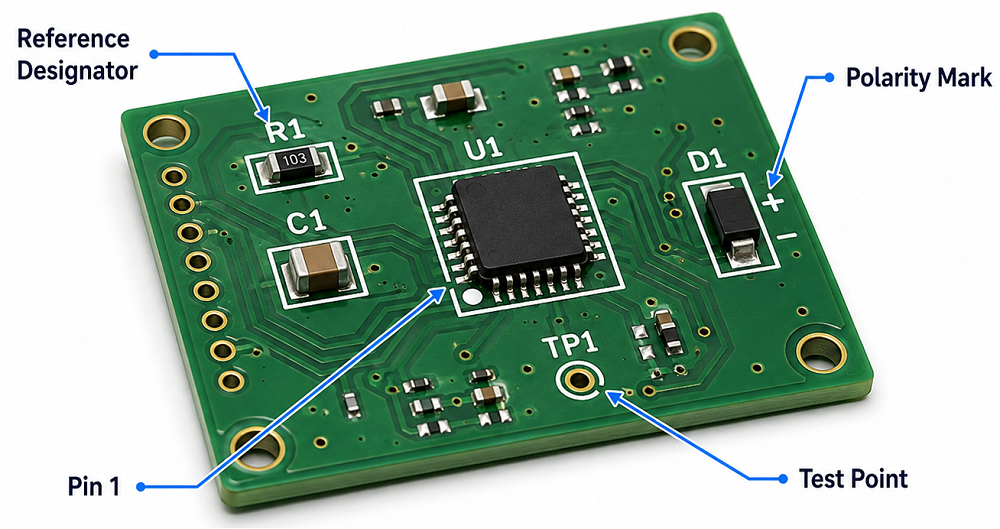
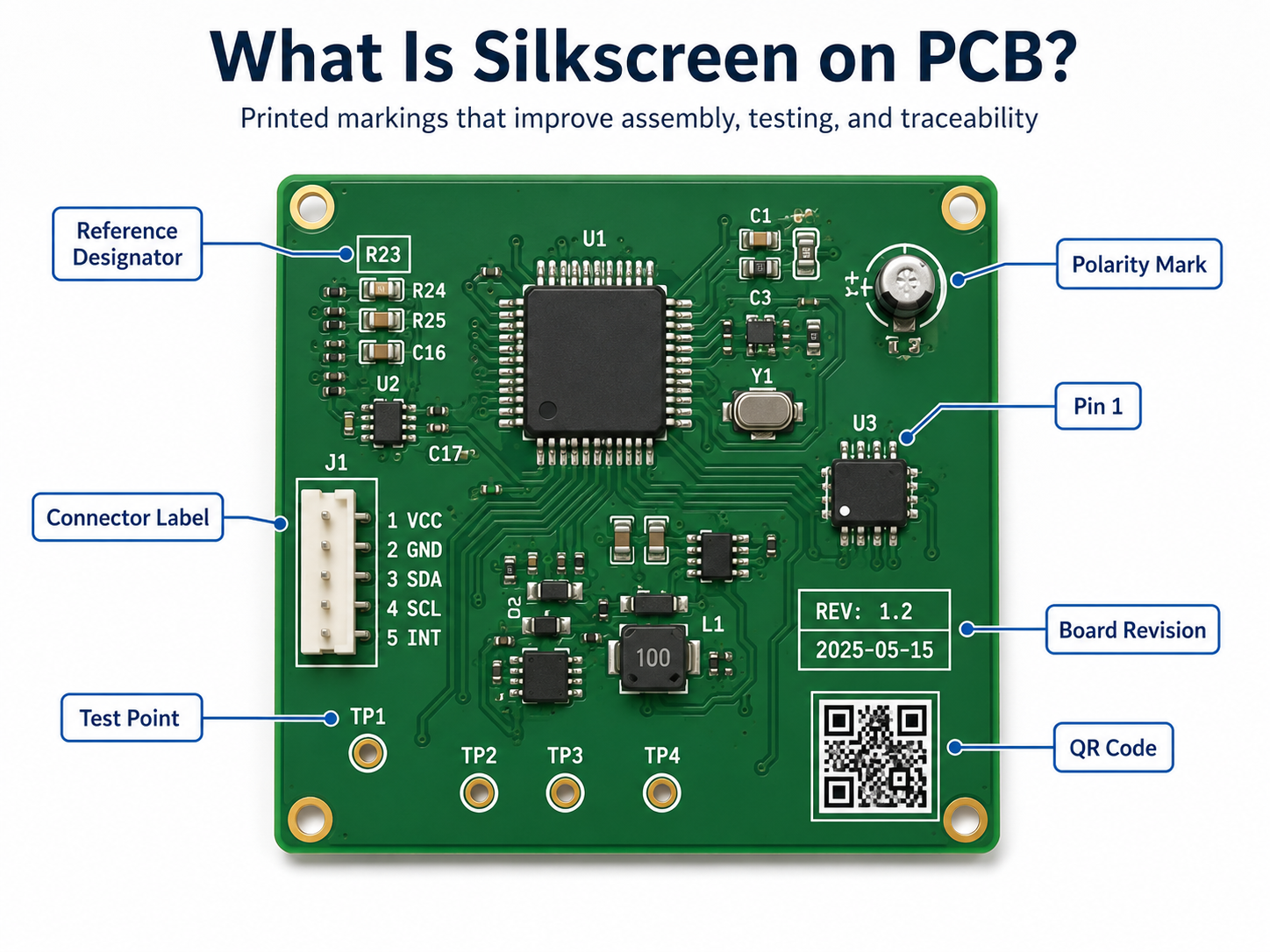
Silkscreen on PCB is the printed marking layer used to show component names, polarity marks, Pin 1 indicators, test points, logos, warning labels, QR codes, and board revision information. It helps engineers, assemblers, inspectors, and repair technicians understand the PCB faster.
This layer is also called the PCB legend layer or component marking layer. It does not carry current, but it plays a practical role in assembly accuracy, testing efficiency, repair work, and product traceability.
Why Is Silkscreen Important on a PCB?
PCB silkscreen is important because it turns a bare circuit board into a readable engineering document. Without silkscreen, the board may still work electrically, but assembly, inspection, testing, and repair become slower.
Clear markings help identify resistors, capacitors, ICs, connectors, test points, power input, signal direction, and safety warnings. In production, a clean silkscreen can reduce orientation mistakes, shorten debugging time, and improve communication between PCB design, fabrication, and assembly teams.
What Is Silkscreen PCB Material?
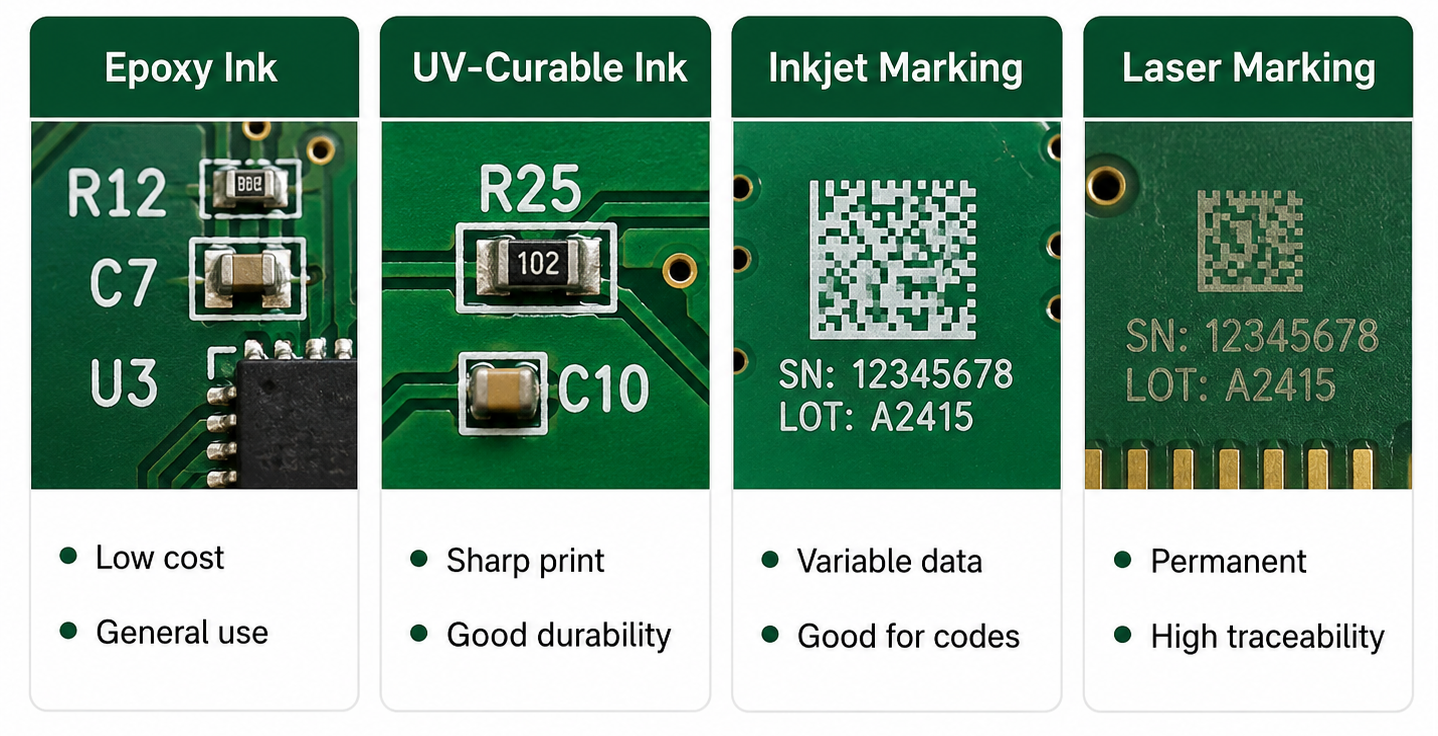
Silkscreen PCB material usually refers to the ink or marking medium used to print text, symbols, and graphics on the PCB surface. The most common material is non-conductive epoxy ink or UV-curable ink. These materials are selected because they can bond to solder mask, resist normal handling, and remain readable after PCB fabrication.
In standard PCB manufacturing, silkscreen material must be compatible with solder mask color, curing temperature, surface finish, cleaning process, and assembly environment. For more demanding products, such as industrial electronics, automotive modules, medical PCBs, or outdoor devices, the marking material should also offer better resistance to abrasion, chemicals, humidity, and temperature changes.
What Are the Common Types of Silkscreen PCB Material?
Different silkscreen PCB material options are used depending on cost, readability, board density, and traceability requirements. Standard epoxy ink is common for most FR4 PCBs. UV-curable ink is used when faster curing and sharper printing are needed. Laser marking is often selected for QR codes, serial numbers, and durable traceability marks.
For general PCB projects, standard white epoxy or UV ink is enough. For small text, QR codes, high-density boards, or products requiring long-term traceability, higher-resolution printing or laser marking may be a better choice.
How Does Silkscreen PCB Material Affect Readability and Durability?
Silkscreen PCB material affects how sharp, visible, and durable the printed markings are. A good material should keep letters clear after curing, cleaning, soldering, handling, and final assembly.
If the ink spreads too much, small characters may look blurry. If the ink adhesion is weak, markings may fade or scratch off. If the color contrast is poor, technicians may struggle to read the board during inspection or repair.
For example, white silkscreen on green solder mask is easy to read. Black silkscreen on white solder mask also gives strong contrast. But low-contrast combinations, such as gray text on black solder mask, may look stylish while reducing practical readability.
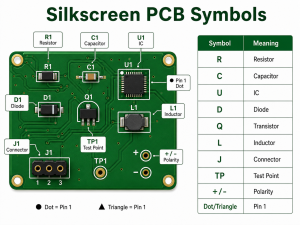
What Are Silkscreen PCB Symbols?
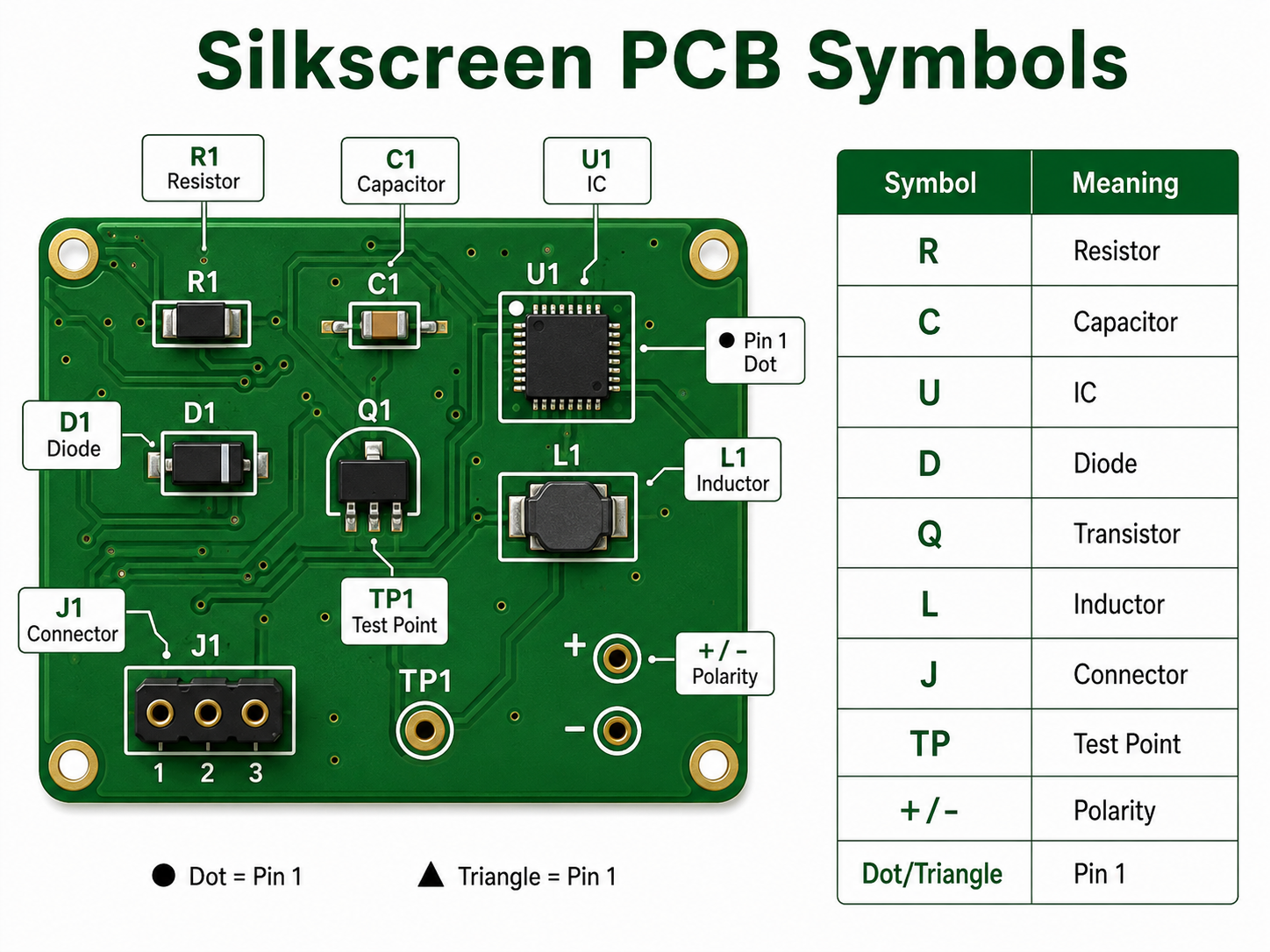
Silkscreen PCB symbols are printed marks used to identify components, polarity, Pin 1 direction, test points, connectors, warning areas, and functional zones on a circuit board. These symbols help users understand the board without opening the schematic every time.
Common silkscreen PCB symbols include “+” and “-” for polarity, dots or triangles for Pin 1, diode bars for cathode direction, TP labels for test points, and reference designators such as R, C, U, D, J, L, Q, and F.
What Do Common Silkscreen PCB Symbols Mean?
Silkscreen PCB Symbol
Meaning
Example
R
Resistor
R1, R25
C
Capacitor
C3, C18
U / IC
Integrated circuit
U1, IC2
D
Diode or LED
D5, LED1
Q
Transistor or MOSFET
Q2, Q10
L
Inductor
L1, L4
J / CN
Connector
J1, CN3
F
Fuse
F1
TP
Test point
TP1, TP_GND
SW
Switch
SW1
+ / –
Polarity
Capacitor, battery, LED
Dot / triangle / “1”
Pin 1 indicator
IC or connector orientation
GND
Ground
Ground test point
VIN / VOUT
Power input/output
Power connector marking
HV
High voltage warning
Power supply board
These silkscreen PCB symbols are small, but they carry important information. A missing polarity mark or unclear Pin 1 indicator can cause assembly errors, especially on LED boards, power supplies, sensor modules, and control boards.
How Do Silkscreen PCB Symbols Help Assembly?
Silkscreen PCB symbols help assembly teams place and inspect components correctly. They show where each component belongs, which direction it should face, and how connectors or test points should be used.
For SMT assembly, symbols such as Pin 1 dots, diode direction marks, and capacitor polarity marks are very useful during first article inspection. For through-hole assembly, connector names, switch labels, and power marks help manual operators avoid wrong insertion.
In PCBA production, clear symbols can support:
Faster visual inspection
Lower risk of component orientation errors
Easier connector installation
Better manual soldering guidance
Faster functional testing
Easier repair and troubleshooting
What Are the Design Rules for Silkscreen on PCB?
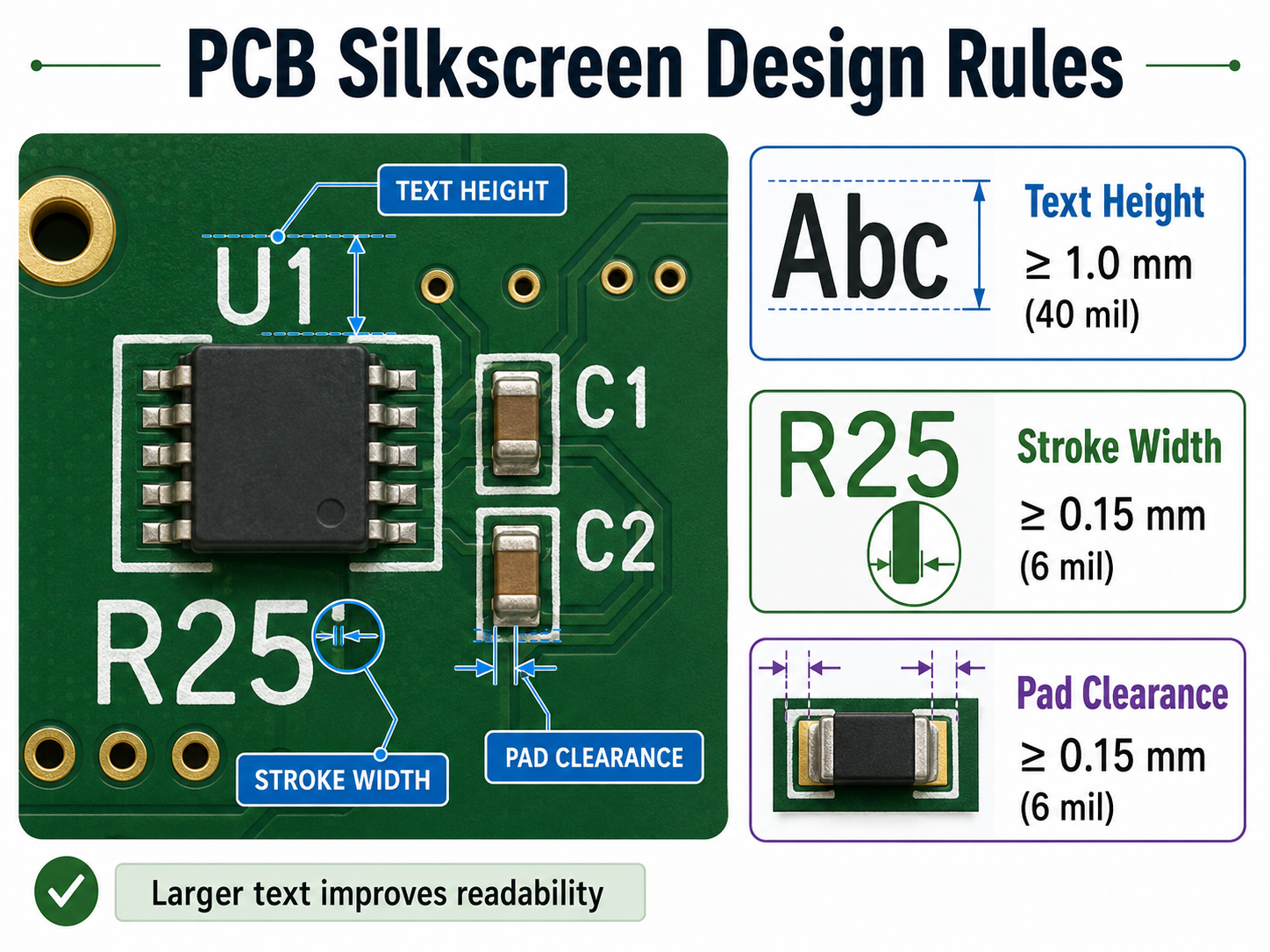
Silkscreen on PCB should be designed with enough character size, stroke width, and clearance from pads. The markings must remain readable after fabrication and assembly.
Design Item
Recommended Value
Text height
≥1.0 mm / 40 mil
Stroke width
≥0.15 mm / 6 mil
Clearance to pads
≥0.15 mm / 6 mil
Clearance to exposed copper
≥0.15 mm / 6 mil
Hollow font height
≥1.5 mm / 60 mil
QR code size
Confirm with supplier
Bottom-side text
Mirrored correctly
If the board is very dense, do not force every component label onto the PCB. Keep important markings first: Pin 1, polarity, test points, connector names, warning labels, and revision number.
Can Silkscreen Be Printed Over Pads or Vias?
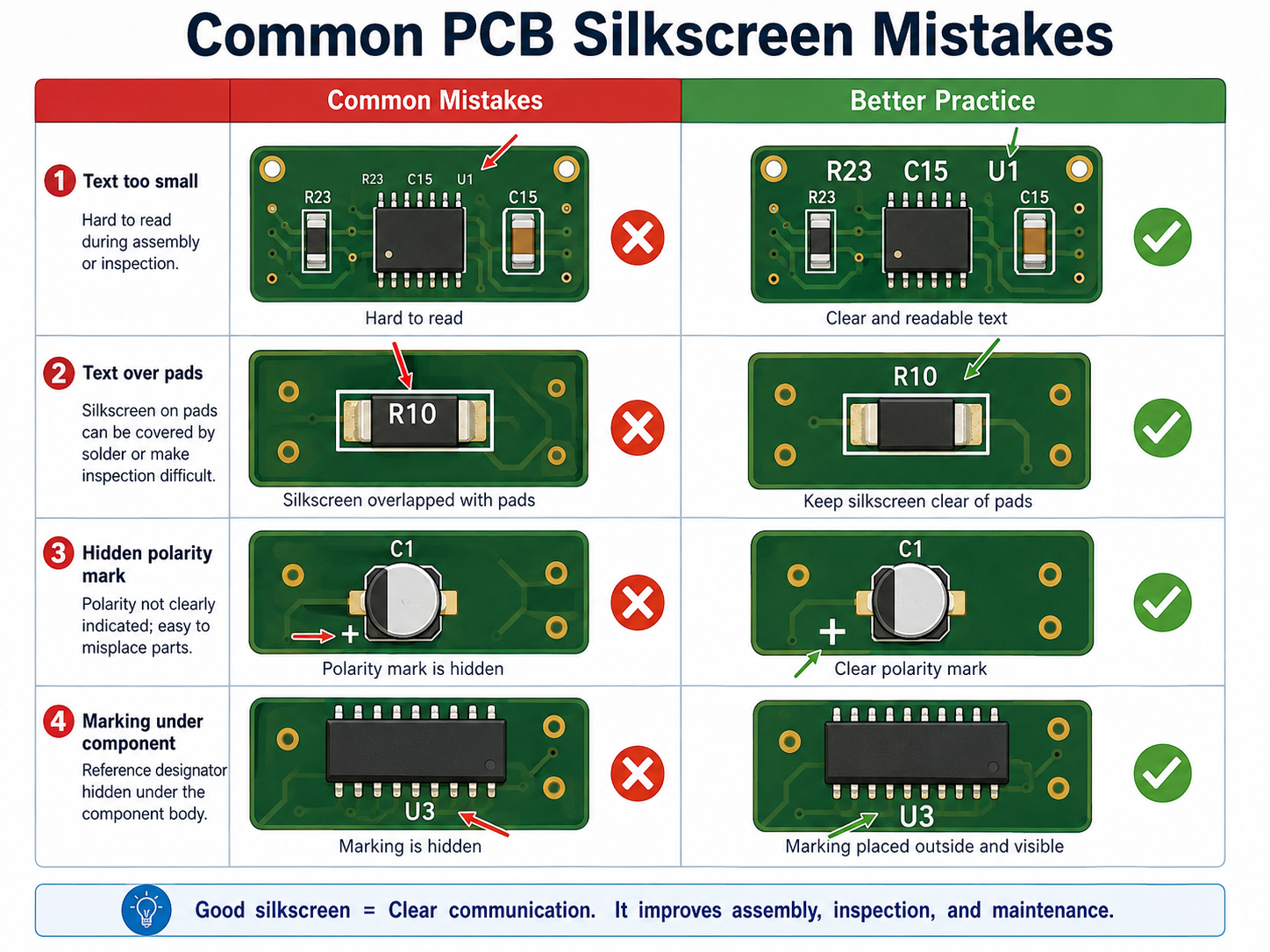
Silkscreen should not be printed over solder pads, exposed copper, gold fingers, test points, or solderable vias. If silkscreen overlaps these areas, the PCB manufacturer may remove part of the text during CAM processing.
This is why some letters disappear after fabrication. The original design may show complete text, but the manufacturing file may clip it to protect soldering quality.
A better practice is to place reference designators outside component bodies and away from pads. For small components, use shorter labels or place the full reference information in the assembly drawing.
What Is the Difference Between Silkscreen PCB Material and Solder Mask Material?
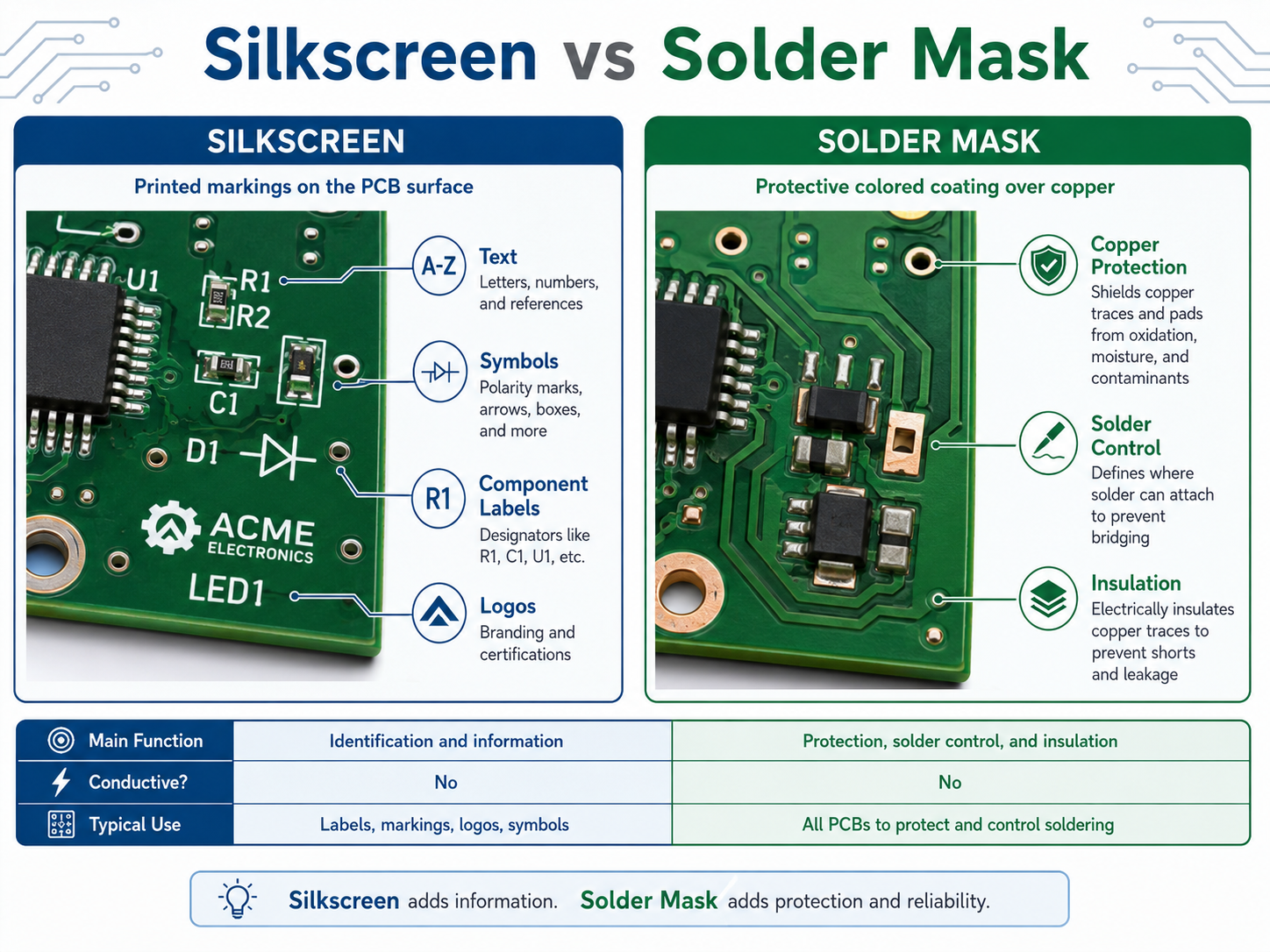
Silkscreen PCB material is used for printed markings. Solder mask material is used to protect copper and prevent solder bridges. They are different layers with different functions.
Item
Silkscreen PCB Material
Solder Mask Material
Main function
Prints text, symbols, and logos
Covers and protects copper
Electrical role
Non-conductive marking
Insulating protection
Common color
White, black, yellow
Green, black, blue, red, white
Used for
Component labels, symbols, warnings
Solder control and copper protection
Design concern
Readability and clearance
Insulation and solderability
A PCB needs solder mask for manufacturing protection. Silkscreen is used for human readability. Both layers support production quality, but they should not be confused.
How Should You Choose Silkscreen PCB Material and Color?
Choose silkscreen PCB material and color based on readability, product environment, board density, and traceability needs. For most PCB projects, white silkscreen on green solder mask is the safest and most readable choice.
For white solder mask, black silkscreen is usually better. For black solder mask, white silkscreen gives better contrast. For products with QR codes, serial numbers, or long-term tracking needs, laser marking or high-resolution legend printing may be more reliable.
PCB Solder Mask Color
Recommended Silkscreen Color
Readability
Green
White
Excellent
Blue
White
Excellent
Red
White
Good
Black
White
Good
White
Black
Excellent
Yellow
Black
Good
For industrial, medical, automotive, and communication products, readability should be more important than visual decoration. A beautiful board is helpful, but a readable board is more useful in production and maintenance.
How Can EBest Circuit Help With PCB Silkscreen Design and Manufacturing?
EBest Circuit can help review silkscreen on PCB before fabrication and assembly. Our team checks text size, symbol clarity, polarity marks, Pin 1 indicators, pad clearance, QR code position, and board revision information during DFM review.
This is especially useful for turnkey PCB and PCBA projects. Silkscreen is not only a printing detail. It connects with BOM verification, component orientation, assembly inspection, testing, traceability, and repair documentation.
EBest Circuit supports:
PCB fabrication
PCBA assembly
Component sourcing
Free DFM review
Silkscreen readability check
QR code and serial number marking
AOI, X-ray, ICT, and functional testing
Prototype to mass production support
For projects that require clean markings, stable assembly, and traceable manufacturing, send your Gerber and BOM files to sales@bestpcbs.com.
FAQs
1. What is silkscreen on PCB?
Silkscreen on PCB is the printed marking layer that shows component names, symbols, polarity, test points, logos, QR codes, and board revision information. It helps people assemble, test, inspect, and repair the PCB more easily.
2. What material is used for PCB silkscreen?
Common silkscreen PCB material includes epoxy-based ink, UV-curable ink, LPI legend ink, inkjet marking ink, or laser marking depending on the required precision, durability, and traceability.
3. What do silkscreen PCB symbols mean?
Silkscreen PCB symbols identify components and board functions. For example, R means resistor, C means capacitor, U means IC, D means diode, TP means test point, and “+ / -” shows polarity.
4. Does silkscreen PCB material affect circuit performance?
Normally, no. Silkscreen material is non-conductive and does not carry current. However, poor placement over pads, exposed copper, or sensitive areas can create manufacturing or readability problems.
5. Can PCB silkscreen symbols be customized?
Yes. Custom symbols, logos, connector labels, warning marks, QR codes, and product IDs can be printed on the PCB as long as they meet the manufacturer’s minimum size and clearance rules.
6. What is the best silkscreen color for PCB?
White is the most common silkscreen color because it gives strong contrast on green, blue, red, and black solder mask. Black silkscreen is usually better for white solder mask.
Silkscreen on PCB is the printed layer of text, symbols, logos, reference designators, polarity marks, test points, warning signs, and revision information placed on the surface of a printed circuit board. It does not conduct electricity. Its main job is to help people read, assemble, test, repair, and trace the board more easily.
On most circuit boards, the silkscreen is the white text you see on top of a green solder mask. However, it can also be black, yellow, gray, or another color depending on the PCB surface color and manufacturing process.
What Is the Main Purpose of PCB Silkscreen?
The main purpose of PCB silkscreen is to make the board easier to identify, assemble, inspect, test, and maintain. It gives visible information to people working with the board during production and after the product enters the field.
A good silkscreen design usually includes component names, polarity marks, Pin 1 indicators, connector labels, test point numbers, warning text, board revision, and company logo. These small details can make a large difference during real production.
Common uses include:
Identifying resistors, capacitors, ICs, diodes, connectors, and switches
Showing polarity for LEDs, diodes, electrolytic capacitors, and batteries
Marking Pin 1 on ICs, headers, flat cables, and connectors
Labeling test points for ICT, flying probe, or functional testing
Adding board name, part number, revision, date code, or QR code
Warning users about high voltage, hot surfaces, ESD-sensitive zones, or orientation requirements
Supporting repair and field maintenance
What Information Should Be Included on a PCB Silkscreen?
A useful PCB silkscreen should include only the information that helps assembly, testing, inspection, traceability, and maintenance. The goal is not to print everything possible. The goal is to print the right information in the right place.
For simple boards, it is common to include every reference designator, such as R1, C1, U1, D1, and J1. For high-density boards, space may be limited, so designers should prioritize information that prevents mistakes.
The most important silkscreen items usually include:
Silkscreen Item
Example
Reference designator
R12, C8, U3, J1
Polarity mark
+, -, cathode line
Pin 1 mark
Dot, triangle, “1”
Connector label
USB, VIN, OUT, CANH
Test point label
TP1, GND, 3V3, RESET
Board revision
REV A, V1.2
Manufacturing code
Date code, lot number
QR code or serial number
Product ID, batch ID
Warning mark
HIGH VOLTAGE, HOT
Logo or brand name
EBest, customer logo
For many products, the highest-priority marks are polarity, Pin 1, connector direction, test points, and board revision. These markings are closely tied to assembly accuracy and maintenance efficiency.
What Is the Difference Between Silkscreen and Solder Mask?
Silkscreen and solder mask are different PCB layers. Solder mask is a protective coating that covers copper and helps control soldering. Silkscreen is a printed marking layer used for text, symbols, logos, and identification.
The solder mask is usually the colored background, such as green, black, blue, red, or white. The silkscreen is the printed legend on top of that surface.
For high-reliability electronics, such as medical devices, industrial controls, aerospace modules, automotive boards, and communication equipment, both layers should be reviewed carefully during DFM checking.
What Are the Standard PCB Silkscreen Design Rules?
Standard PCB silkscreen design rules focus on readability, manufacturability, and clearance. The markings should be large enough to read, thick enough to print, and far enough from pads, exposed copper, and component bodies.
A common mistake is designing silkscreen text that looks clear in CAD software but becomes too small after fabrication. Another common issue is placing text too close to solder pads. During CAM processing, the PCB factory may clip or remove part of the silkscreen to avoid pad contamination.
The following table gives practical reference values for standard PCB projects.
Design Item
Recommended Value
Better Practice
Text height
≥1.0 mm / 40 mil
1.27 mm / 50 mil
Stroke width
≥0.15 mm / 6 mil
0.18–0.20 mm / 7–8 mil
Clearance to solder pad
≥0.15 mm / 6 mil
≥0.20 mm / 8 mil
Clearance to exposed copper
≥0.15 mm / 6 mil
≥0.20 mm / 8 mil
Hollow text height
≥1.5 mm / 60 mil
≥2.0 mm / 80 mil
Hollow text stroke
≥0.20 mm / 8 mil
≥0.25 mm / 10 mil
QR code size
Depends on data amount
Confirm with manufacturer
Bottom text
Mirrored in layout
Verify in Gerber viewer
These values are practical for many standard FR4 boards. However, each PCB manufacturer may have different process capability. Fine-pitch HDI boards, ceramic PCBs, metal core PCBs, and high-frequency boards may need a separate review.
What Is the Minimum Text Size for Silkscreen on PCB?
For a reliable and readable PCB silkscreen, a text height of at least 1.0 mm and a stroke width of at least 0.15 mm are commonly recommended. If the board has enough space, larger text is better for manual inspection, testing, and repair.
Here is a useful conversion table for PCB silkscreen design:
Metric Size
Approx. Imperial Size
Common Use
0.15 mm
5.9 mil
Minimum practical stroke width
0.18 mm
7.1 mil
More stable stroke width
0.20 mm
7.9 mil
Better for normal production
0.80 mm
31.5 mil
Small text, limited readability
1.00 mm
39.4 mil
Standard readable text height
1.27 mm
50.0 mil
Better manual readability
1.50 mm
59.1 mil
Good for labels and warnings
2.00 mm
78.7 mil
Good for connectors or safety text
Can Silkscreen Be Printed Over Pads, Vias, or Copper?
Silkscreen should not be printed over solder pads, exposed copper, gold fingers, test pads, or solderable via areas. If the marking overlaps these areas, the factory may remove it during CAM processing. In some cases, poor placement can also affect appearance or assembly readability.
Silkscreen ink is usually non-conductive, but that does not mean it should be placed anywhere. Pads and exposed copper need clean surfaces for soldering, testing, or electrical contact. When silk markings are too close to these areas, the result may be missing text, cut letters, or unclear symbols.
Designers should pay extra attention to these areas:
SMT pads
Through-hole pads
Test points
Exposed copper zones
Gold fingers
Castellated holes
Thermal pads
High-current terminals
RF launch areas
Fine-pitch IC footprints
What Are Common PCB Silkscreen Mistakes?
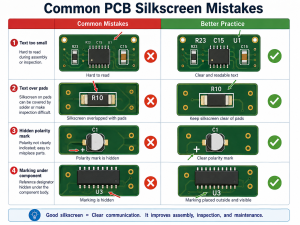
Common PCB silkscreen mistakes include using text that is too small, placing marks under components, printing over pads, forgetting polarity marks, using unclear symbols, and failing to check bottom-side mirroring.
The most common PCB silkscreen mistake including:
What Colors Are Common for PCB Silkscreen?
White is the most common PCB silkscreen color because it gives strong contrast on green, red, blue, and black solder masks. Black silkscreen is common on white solder mask or light-colored boards. Yellow, gray, and other colors may be available depending on the manufacturer.
Color is not only an appearance choice. It affects readability. For example, white text on a green solder mask is easy to read, black text on a white solder mask also gives good contrast. Gray text on a black board may look stylish, but it may be less readable during repair or inspection.
Common color combinations include:
Solder Mask Color
Common Silkscreen Color
Readability
Green
White
Excellent
Blue
White
Excellent
Red
White
Good
Black
White
Good
White
Black
Excellent
Yellow
Black
Good
Matte black
White or light gray
Good
Transparent / no mask
Depends on copper finish
Requires review
If the PCB will go through conformal coating, potting, cleaning, or harsh field use, confirm whether the marking remains visible after the final process. The best silkscreen design considers the full product lifecycle, not only the bare board.
How Can a PCB Manufacturer Improve Silkscreen Quality?
A reliable PCB manufacturer improves silkscreen quality through DFM review, proper printing process selection, CAM checking, readable text control, and clear communication before production. The best result comes from both good design and disciplined manufacturing.
Silkscreen quality depends on several factors:
Ink type
Printing method
Solder mask surface
Character size
Stroke width
Board material
Surface finish
Curing process
CAM clearance rules
Operator and equipment control
For standard PCBs, traditional silkscreen printing is often sufficient. For dense layouts, QR codes, small text, or high-end appearance, direct legend printing, inkjet printing, or laser marking may be a better option.
EBest Circuit supports PCB fabrication, PCBA assembly, component sourcing, testing, and engineering review for prototype and production projects. For silkscreen-related issues, our team can help check text size, polarity marks, Pin 1 indicators, reference designators, QR code areas, and manufacturing readability before production starts.
How Do You Design Better Silkscreen for High-Density PCBs?
For high-density PCBs, silkscreen should be selective, not crowded. When there is not enough room, keep only the markings that prevent assembly mistakes and support testing. Other information can be moved to the assembly drawing or digital documentation.
A better priority order is:
Pin 1 marks for ICs and connectors
Polarity marks for LEDs, diodes, capacitors, and battery connectors
Test point labels for production and repair
Connector function labels
Board revision and traceability marks
Selected reference designators for important components
Logo and non-essential graphics
For very small boards, use simple but clear symbols. A small dot for Pin 1, a cathode bar for diode orientation, or a “+” mark for positive polarity can be more valuable than long text.
How Should You Work With a Manufacturer on PCB Silkscreen?
To get a clean silkscreen result, provide complete manufacturing files and ask the PCB manufacturer to review the marking layer before fabrication. This is especially important for dense boards, double-sided assembly, QR code marking, medical electronics, industrial products, and high-reliability applications.
Send these files when possible:
Gerber files
Drill file
PCB stackup
Assembly drawing
BOM
Pick-and-place file
Special marking requirements
QR code or serial number rule
Preferred silkscreen color
Any customer logo file
Required board revision format
Before production, confirm these points:
Is the text size manufacturable?
Is the stroke width stable?
Is the silkscreen clear from pads and exposed copper?
Are Pin 1 and polarity marks visible after assembly?
Will the QR code scan after printing?
Is the board revision correct?
Is bottom-side text mirrored correctly?
Will coating, cleaning, or final assembly hide any marks?
For customers who need PCB fabrication and assembly together, EBest Circuit can review silkscreen together with component placement, BOM, test access, and assembly process. This helps prevent small marking issues from becoming production delays.
FAQs About Silkscreen on PCB
1. Is silkscreen on PCB necessary? Yes, it is highly useful. A PCB can work electrically without silkscreen, but clear markings make assembly, testing, inspection, repair, and traceability much easier. For production boards, it is strongly recommended.
2. Does PCB silkscreen affect circuit performance? In normal designs, it does not affect electrical performance because the ink is non-conductive. Still, it should be kept away from solder pads, exposed copper, RF-sensitive areas, high-voltage clearances, and test contact areas.
3. What is the best font size for PCB silkscreen? A practical choice is at least 1.0 mm text height with 0.15 mm stroke width. If the board has enough space, 1.27 mm text height and 0.18–0.20 mm stroke width offer better readability.
4. Can I print a logo on PCB silkscreen? Yes. Logos are commonly printed on PCB silkscreen. The logo should meet minimum line width and spacing rules. It should also avoid pads, exposed copper, QR codes, and important technical markings.
5. Can silkscreen include QR codes or serial numbers? Yes. QR codes, serial numbers, lot codes, and product IDs can be added to support traceability. For small or high-density codes, laser marking or high-resolution printing may be more reliable than standard silkscreen.
6. Why did some silkscreen text disappear after PCB production? The most common reason is that the text overlapped pads, vias, exposed copper, or restricted areas. During CAM processing, the factory may remove part of the marking to protect solderability and manufacturing quality.
7. What is the difference between PCB silkscreen and PCB legend? They usually refer to the same idea. “Silkscreen” often describes the printed marking process, while “legend” refers to the text and symbols shown on the PCB surface.
8. Which silkscreen color is best for PCB? White is the most common choice because it works well on green, blue, red, and black solder masks. Black is better for white solder mask. The best color is the one that gives strong contrast and stable readability.
Conclusion
Silkscreen on PCB may look like a small detail, but it has a practical role in the full product lifecycle. It helps assemblers place components correctly, helps testers find signals quickly, helps repair teams locate parts, and helps manufacturers support traceability.
EBest Circuit provides PCB fabrication, PCBA assembly, component sourcing, DFM review, and testing support for prototype and mass production projects. If your PCB needs clear silkscreen, reliable assembly, and traceable production, send your Gerber and BOM files to our team for review.
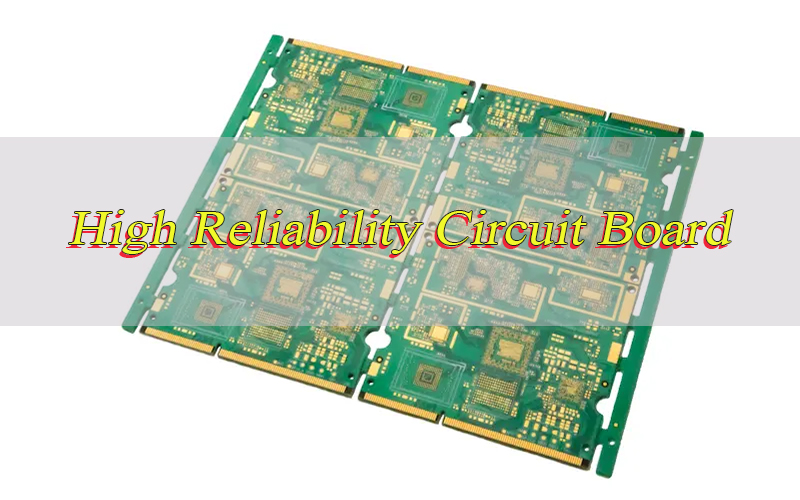
What makes a high reliability circuit board essential for critical applications? It endures extreme conditions and meets strict standards, making it irreplaceable in key industries. Many engineers struggle with its key elements. This guide helps navigate its design, materials and testing.
What is a High Reliability Circuit Board?
A high reliability circuit board is a specialized printed circuit board designed to maintain consistent performance and durability in harsh or critical environments where failure could lead to safety risks, significant financial losses, or operational downtime. Unlike standard boards, high reliability printed circuit boards undergo stricter design, material selection, manufacturing, and testing processes to ensure they can withstand extreme temperatures, vibration, humidity, chemical exposure, and long-term use without degradation.
High reliability board are used in applications where performance is non-negotiable, such as aerospace, defense, medical devices, industrial automation, and automotive safety systems. These boards are engineered to meet specific reliability metrics, including mean time between failures (MTBF), thermal stability, and mechanical robustness. The core goal of a high reliability PCB is to eliminate potential points of failure, from component placement to solder joints, ensuring the board operates as intended for its entire service life.
Multilayer PCB fabrication plays a key role in creating high reliability circuit boards, as multilayer designs allow for greater component density, improved signal integrity, and better thermal management, all critical for reliability in complex systems. Multilayer PCB fabrication enables engineers to design boards that fit into compact spaces while maintaining the durability needed for harsh environments, making it a cornerstone of high reliability printed circuit boards manufacturing.
What Are the Differences Between High Reliability Circuit Board and Standard Circuit Board?
Understanding the distinctions between high reliability circuit boards and standard ones is crucial for selecting the right board for your application. These differences span materials, manufacturing, testing, and performance, directly impacting how well the board can meet your project’s requirements. Below is a detailed comparison to clarify their unique characteristics.
Category
High Reliability Circuit Boards
Standard Circuit Boards
Material Quality
Use high-grade materials such as FR-4 with high Tg (glass transition temperature), polyimide, or Rogers materials for thermal and mechanical stability. Materials are rigorously tested for consistency and durability.
Use standard FR-4 or low-grade materials with lower Tg. Materials are selected for cost-effectiveness rather than long-term reliability.
Manufacturing Tolerances
Strict manufacturing tolerances for trace width, spacing, hole size, and layer alignment. Multilayer PCB fabrication for high reliability uses precise lamination processes to ensure layer adhesion and minimize defects.
Wider manufacturing tolerances to reduce costs. Multilayer PCB fabrication (when used) uses basic lamination processes with less quality control.
Testing Requirements
Comprehensive testing including thermal cycling, vibration testing, humidity testing, X-ray inspection, and continuity testing. Every board may undergo 100% inspection to ensure no defects.
Basic testing such as visual inspection and continuity checks. Random sampling is common, and many defects may go undetected.
Design Focus
Designed for thermal management, signal integrity, and mechanical robustness. Multilayer PCB fabrication is often used to optimize these factors, with careful consideration of component placement and trace routing.
Designed for cost-effectiveness and basic functionality. Little focus on thermal management or signal integrity beyond basic requirements.
Application Use Cases
Aerospace, defense, medical devices, industrial automation, automotive safety systems, and other critical applications where failure is catastrophic.
Consumer electronics, toys, basic appliances, and other non-critical applications where occasional failure is acceptable.
Service Life
Engineered for long service life (10+ years) with minimal degradation. Multilayer PCB fabrication enhances durability, ensuring the board withstands long-term use in harsh conditions.
Service life is typically 2-5 years, with degradation expected over time due to lower-quality materials and manufacturing.
What Design Principles Should Be Followed for High Reliability PCB Design?
Designing a high reliability PCB requires more than basic circuit layout, it demands intentional choices to enhance durability, signal integrity, and thermal performance. The following principles are foundational to creating boards that can withstand harsh conditions and deliver long-term reliability.
Prioritize Thermal Management: High reliability PCB generate heat during operation, so design must include heat sinks, thermal vias, and proper component placement to dissipate heat. Multilayer PCB fabrication allows for dedicated thermal layers to distribute heat evenly, preventing overheating and component failure. Ensure components with high heat output are placed away from heat-sensitive parts and use materials with high Tg to resist thermal expansion.
Optimize Signal Integrity: Signal degradation can lead to board failure, so design traces to minimize noise, crosstalk, and impedance mismatch. Use controlled impedance traces, separate analog and digital signals, and keep high-speed traces short. Multilayer PCB fabrication enables signal layers to be isolated from power and ground layers, reducing interference and improving signal integrity.
Mechanical Robustness: Design the board to withstand vibration, shock, and physical stress. Use thicker copper layers for mechanical strength, avoid sharp corners on traces, and ensure proper mounting points. Multilayer PCB fabrication with strong lamination bonds enhances the board’s mechanical stability, making it resistant to bending and warping.
Redundancy and Fault Tolerance: Incorporate redundant components or pathways to ensure the board continues functioning if one component fails. This is critical for high reliability board used in critical applications such as medical devices and aerospace systems. Redundancy design should be integrated early in the process, with multilayer PCB fabrication allowing for compact placement of redundant components.
Component Selection: Choose components rated for high reliability, including extended temperature ranges, low failure rates, and compliance with industry standards. Avoid counterfeit or low-grade components, as they are a common source of board failure. Components should be compatible with the board’s material and manufacturing processes, including multilayer PCB fabrication requirements.
Controlled Impedance: Maintain consistent impedance across traces to ensure signal integrity, especially for high-speed applications. Use impedance calculators to determine trace width and spacing, and verify impedance during manufacturing. Multilayer PCB fabrication allows for precise control of trace dimensions, ensuring consistent impedance throughout the board.
How to Ensure Quality in High-Reliability Circuit Board Assembly Processes?
Even the best-designed high reliability PCB can fail if assembly processes are not carefully controlled. Quality assurance at every step of assembly is key to preventing defects and ensuring the board meets its reliability standards. Here’s how to maintain quality during assembly.
Strict Material Inspection: Inspect all raw materials, including PCB substrates, copper foils, solder paste, and components, before assembly. Verify material specifications, including Tg, thermal conductivity, and mechanical properties. For multilayer PCB fabrication, inspect each layer before lamination to ensure no defects or contamination.
Precision Solder Paste Application: Use automated solder paste printers with high accuracy to ensure consistent paste volume and placement. Solder paste should be stored and handled according to manufacturer guidelines to prevent degradation. Proper paste application is critical for strong solder joints, which are essential for high reliability board performance.
Controlled Reflow Soldering: Use reflow ovens with precise temperature control to ensure solder joints are formed correctly. Follow a carefully calibrated reflow profile to avoid cold joints, bridging, or component damage. For high reliability PCB, reflow processes should be monitored and documented to ensure consistency.
Automated Optical Inspection (AOI): Use AOI systems to inspect solder joints, component placement, and board defects after assembly. AOI can detect issues such as missing components, misalignment, and solder bridging that may be missed by visual inspection. This step is critical for ensuring high reliability in mass-produced boards.
X-Ray Inspection: For multilayer PCB fabrication and boards with hidden components (such as BGA packages), use X-ray inspection to verify solder joint quality and layer alignment. X-ray inspection can detect internal defects, such as voids in solder joints, which can compromise reliability.
Environmental Testing After Assembly: Subject assembled boards to environmental testing, including thermal cycling, humidity testing, and vibration testing, to simulate real-world conditions. This ensures the board can withstand harsh environments without failure. Testing results should be documented and used to improve assembly processes.
Quality Control Documentation: Maintain detailed records of all assembly processes, including material inspections, solder paste application, reflow profiles, and testing results. Documentation ensures traceability and allows for root cause analysis if defects are found. This is essential for compliance with industry standards for high reliability printed circuit boards.
What Are the Materials for Manufacturing High Reliability Printed Circuit Boards?
The materials used in high reliability printed circuit boards directly influence their performance and durability. Choosing the right substrates, conductors, and auxiliary materials is essential for withstanding extreme conditions and meeting industry standards. Below are the key materials for manufacturing these specialized boards.
High-Tg FR-4: The most common material for high reliability PCB, high-Tg FR-4 (glass transition temperature above 170°C) offers excellent thermal stability, mechanical strength, and electrical insulation. It is suitable for most high reliability applications and is compatible with standard multilayer PCB fabrication processes. High-Tg FR-4 resists warping and degradation at high temperatures, making it ideal for industrial and automotive applications.
Polyimide (PI): A high-performance material with exceptional thermal resistance (Tg above 250°C), chemical resistance, and mechanical flexibility. Polyimide is used for high reliability printed circuit boards in extreme temperature environments, such as aerospace and defense applications. It is compatible with multilayer PCB fabrication and can be used for flexible or rigid-flex boards.
Rogers Materials: Specialized high-frequency materials designed for applications requiring excellent signal integrity, such as aerospace and telecommunications. Rogers materials offer low dielectric loss, controlled impedance, and high thermal conductivity. They are often used in multilayer PCB fabrication for high-speed, high-frequency high reliability board.
High-Grade Copper Foils: Thick copper foils (1oz or more) are used for high reliability circuit boards to improve current-carrying capacity, thermal conductivity, and mechanical strength. Copper foils with high purity (99.9% or higher) reduce resistance and minimize signal loss. For multilayer PCB fabrication, copper foils are bonded to substrate layers to form conductive traces.
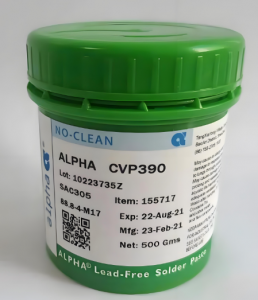
Lead-Free Solder: Compliant with RoHS standards, lead-free solder (such as SAC305) is used for high reliability PCB to ensure environmental safety and long-term reliability. Lead-free solder offers better thermal fatigue resistance than traditional lead-based solder, making it suitable for applications with frequent temperature cycles. It is essential for multilayer PCB fabrication where solder joints must withstand harsh conditions.
Underfill Materials: Used for BGA and CSP components, underfill materials fill the gap between the component and the PCB, improving mechanical strength and thermal conductivity. Underfill materials protect solder joints from vibration and thermal stress, reducing the risk of failure. They are commonly used in high reliability printed circuit boards for aerospace and medical applications.
What Special Requirements Are There for High Reliability PCB for Aerospace Applications?
Aerospace applications present unique challenges for high reliability PCB, including extreme temperatures, radiation, and strict weight constraints. These boards must meet rigorous standards to ensure safety and performance in space and aviation environments. Here are the special requirements for aerospace-grade high reliability PCB.
Extreme Temperature Resistance: Aerospace high reliability PCB must withstand temperatures ranging from -55°C to 125°C (or higher) during operation. Materials such as polyimide or Rogers are used to ensure thermal stability, and multilayer PCB fabrication is optimized to prevent layer separation at extreme temperatures. Thermal cycling testing is required to verify performance under temperature extremes.
Radiation Hardening: Boards used in space applications must be radiation-hardened to resist the effects of ionizing radiation, which can damage components and cause board failure. Radiation-hardened components and materials are used, and multilayer PCB fabrication processes are designed to minimize radiation-induced defects.
Lightweight and Compact Design: Aerospace systems have strict weight and space constraints, so high reliability PCB must be lightweight and compact. Multilayer PCB fabrication allows for high component density, reducing board size and weight while maintaining reliability. Lightweight materials such as polyimide are preferred to minimize overall system weight.
Mechanical Vibration and Shock Resistance: Aerospace high reliability board must withstand intense vibration and shock during launch and operation. Design features such as thick copper layers, reinforced mounting points, and proper component placement are used to enhance mechanical robustness. Multilayer PCB fabrication with strong lamination bonds ensures the board can withstand these stresses.
Low Outgassing: Materials used in aerospace high reliability PCB must have low outgassing to prevent contamination of sensitive equipment (such as optical systems) in the vacuum of space. Materials are tested for outgassing according to NASA standards, and only low-outgassing materials are used in multilayer PCB fabrication.
Traceability and Compliance: Aerospace high reliability printed circuit boards must comply with strict industry standards, including MIL-PRF-55110 and AS9100. Full traceability of materials, manufacturing processes, and testing results is required to ensure quality and accountability. Multilayer PCB fabrication processes are documented in detail to meet these requirements.
How to Design High Reliability Multilayer PCB to Withstand Harsh Environments?
Multilayer PCB are often the preferred choice for high reliability applications due to their compact design and enhanced performance. Designing these boards to withstand harsh environments requires specific optimizations to their layer structure, materials, and component placement. Below are the key steps to achieve this.
Layer Stackup Optimization: Design the layer stackup to maximize thermal management, signal integrity, and mechanical robustness. Use dedicated power and ground layers to reduce noise and improve signal quality. Multilayer PCB fabrication allows for precise layer placement, with signal layers between power and ground layers to minimize interference. Include thermal layers to distribute heat evenly across the board.
Use High-Quality Lamination Materials: Select lamination materials with high Tg and excellent adhesion to ensure layer bonding in harsh environments. For multilayer PCB fabrication,use lamination processes with controlled temperature and pressure to ensure no delamination. Materials such as high-Tg FR-4 or polyimide are ideal for harsh environment applications.
Thermal Via Placement: Incorporate thermal vias to transfer heat from the surface layer to internal thermal layers or heat sinks. Thermal vias should be placed near high-heat components and spaced evenly to maximize heat dissipation. Multilayer PCB fabrication allows for thermal vias that pass through multiple layers, improving thermal conductivity.
Reinforce Mechanical Structure: Use thicker core materials and copper layers to enhance mechanical strength. Avoid large unsupported areas on the board, as they are prone to bending and warping. Multilayer PCB fabrication can include stiffener layers to improve mechanical robustness, making the board resistant to vibration and shock.
Seal and Coat the Board: Apply conformal coating to protect the board from moisture, dust, and chemical exposure. Conformal coatings such as urethane or silicone create a barrier that prevents corrosion and component damage. For multilayer PCB fabrication, conformal coating is applied after assembly to ensure all components and traces are protected.
Test for Harsh Environment Performance: Subject the multilayer PCB to environmental testing, including thermal cycling, humidity testing, salt spray testing, and vibration testing. Testing simulates real-world harsh conditions and identifies potential points of failure. Multilayer PCB fabrication processes are adjusted based on testing results to improve reliability.
Optimize Component Placement: Place components to minimize stress on the board and ensure even heat distribution. Heavy components should be mounted securely, and heat-sensitive components should be placed away from high-heat areas. Multilayer PCB fabrication allows for compact component placement, reducing the risk of mechanical stress and improving thermal management.
What Testing Methods Are Used to Verify the Reliability of High Reliability Boards?
Verifying the reliability of high reliability boards requires comprehensive testing to simulate real-world conditions and identify potential defects. These tests ensure the board can withstand thermal stress, vibration, moisture, and other harsh factors. Here are the key testing methods used to validate reliability.
Thermal Cycling Testing: Exposes the high reliability board to extreme temperature cycles (e.g., -55°C to 125°C) to test thermal fatigue resistance. This test simulates real-world temperature changes and identifies issues such as solder joint cracking, layer delamination, or component failure. Thermal cycling is critical for multilayer PCB fabrication, as it verifies the board’s ability to withstand temperature-induced stress.
Vibration Testing: Applies controlled vibration to the board to simulate the mechanical stress of applications such as aerospace, automotive, or industrial equipment. Vibration testing identifies loose components, solder joint failures, or board warping. For high reliability PCB, vibration testing is performed at various frequencies and amplitudes to ensure robustness.
Humidity Testing: Exposes the board to high humidity (e.g., 85% RH at 85°C) to test resistance to moisture. Moisture can cause corrosion, short circuits, or layer delamination, so humidity testing is essential for high reliability printed circuit boards used in humid environments. Testing duration varies based on application requirements.
X-Ray Inspection: Uses X-ray technology to inspect internal components, solder joints, and layer alignment. X-ray inspection is critical for multilayer PCB fabrication, as it detects hidden defects such as voids in solder joints, misaligned layers, or internal shorts that cannot be seen with visual inspection.
Continuity and Insulation Resistance Testing: Verifies that traces are continuous and that there is no unintended electrical connection between traces (short circuits). Insulation resistance testing ensures that the board’s insulation materials prevent current leakage. These tests are performed on every high reliability PCB to ensure electrical performance.
Mechanical Shock Testing: Applies sudden mechanical shock to the board to simulate impact events (e.g., drops, collisions). Shock testing identifies structural weaknesses, such as cracked traces or loose components, that could lead to failure. High reliability board used in portable or high-impact applications require rigorous shock testing.
Accelerated Life Testing (ALT): Subjects the board to accelerated environmental conditions (e.g., high temperature, high humidity) to simulate long-term use in a short period. ALT predicts the board’s service life and identifies potential failure modes early. This test is essential for high reliability printed circuit boards used in critical applications.
What Common Issues Arise in High Reliability Circuit Board Assembly and How to Solve Them?
Even with strict quality control, assembly of high reliability circuit boards can encounter common issues that threaten performance. Identifying these problems early and implementing effective solutions is critical to maintaining the board’s reliability. Below are the most frequent issues and their resolutions.
Solder Joint Voiding: Voiding in solder joints reduces mechanical strength and thermal conductivity, leading to premature failure. To solve this, use high-quality lead-free solder paste, optimize reflow profiles to ensure complete solder melting, and inspect solder joints with X-ray technology. For multilayer PCB fabrication, ensure proper stencil design to control solder paste volume.
Layer Delamination: Delamination occurs when layers of the PCB separate due to poor lamination, moisture, or thermal stress. To solve this, use high-quality lamination materials with high Tg, control humidity during assembly, and optimize thermal cycling processes. Multilayer PCB fabrication should use controlled temperature and pressure during lamination to ensure strong layer adhesion.
Component Misalignment: Misaligned components can cause short circuits, poor signal integrity, or mechanical stress. To solve this, use automated pick-and-place machines with high accuracy, inspect component placement with AOI systems, and ensure stencil alignment is precise. For high reliability PCB, component placement should be verified before reflow soldering.
Trace Damage: Trace damage (e.g., scratches, breaks) can cause open circuits or signal degradation. To solve this, handle boards carefully during assembly, use protective coatings to prevent scratches, and inspect traces with AOI or visual inspection. Multilayer PCB fabrication should use high-quality copper foils to reduce trace brittleness.
Moisture Contamination: Moisture can seep into the PCB during assembly, causing corrosion or delamination. To solve this, bake boards before assembly to remove moisture, store components in dry environments, and apply conformal coating after assembly. High reliability printed circuit boards should be sealed to prevent moisture ingress.
Thermal Overheating: Overheating can damage components and reduce board reliability. To solve this, optimize thermal management design (e.g., thermal vias, heat sinks), select components with high temperature ratings, and ensure proper airflow around the board. Multilayer PCB fabrication can include dedicated thermal layers to distribute heat evenly.
How to Choose the Right Manufacturer for Printed Circuit Board Assembly High Reliability?
Selecting the right manufacturer is a critical step in ensuring the quality and reliability of your high reliability PCB. Not all manufacturers have the expertise or capabilities to meet the strict standards required for these specialized boards. Here’s what to look for when choosing a manufacturer.
Verify Industry Certifications: Choose a manufacturer with certifications such as AS9100 (aerospace), ISO 13485 (medical), or IPC-6012 (PCB qualification). Certifications ensure the manufacturer follows strict quality control processes for high reliability PCB. Verify that the manufacturer has experience with multilayer PCB fabrication for high reliability applications.
Assess Manufacturing Capabilities: Ensure the manufacturer has the equipment and expertise for high precision manufacturing, including multilayer PCB fabrication, automated assembly, and advanced testing. Check if they can handle specialized materials (e.g., polyimide, Rogers) and strict tolerances required for high reliability board.
Review Quality Control Processes: Ask about the manufacturer’s quality control processes, including material inspection, in-process testing, and final inspection. A reliable manufacturer will have 100% inspection for high reliability printed circuit boards and detailed documentation of all processes. Verify that they use AOI, X-ray, and environmental testing to ensure quality.
Evaluate Experience in Critical Applications: Choose a manufacturer with experience in your industry (e.g., aerospace, medical) to ensure they understand the unique requirements of high reliability PCB. Ask for case studies or references from clients in similar applications, especially those involving multilayer PCB fabrication.
Check Traceability and Documentation: Ensure the manufacturer provides full traceability of materials, components, and manufacturing processes. Detailed documentation is essential for compliance with industry standards and for root cause analysis if defects occur. This includes records of multilayer PCB fabrication, assembly, and testing.
Assess Customer Support and Communication: A reliable manufacturer will provide clear communication throughout the manufacturing process and offer technical support for design optimization. They should be able to answer questions about multilayer PCB fabrication, material selection, and testing, and provide timely updates on order status.
Compare Lead Times and Pricing: While quality is the top priority for high reliability board, compare lead times and pricing to ensure they align with your project timeline and budget. Avoid manufacturers with unusually low pricing, as this may indicate lower quality materials or processes. Ensure the manufacturer can meet your deadlines without compromising quality.
What Industry Standards Must High Reliability Circuit Boards Comply With?
High reliability circuit boards must adhere to strict industry standards to ensure consistency, safety, and performance. These standards govern materials, manufacturing, testing, and assembly, varying by application. Below are the key standards that apply to high reliability PCB.
IPC-6012: A standard for the qualification and performance of rigid printed boards, including high reliability PCB.It specifies requirements for material quality, manufacturing processes, and testing. IPC-6012 is critical for multilayer PCB fabrication, as it sets standards for layer alignment, trace quality, and lamination.
IPC-A-610: A standard for the acceptability of electronic assemblies. It provides guidelines for solder joint quality, component placement, and board cleanliness. High reliability printed circuit boards must comply with IPC-A-610 Class 3 (the highest class) for critical applications.
MIL-PRF-55110: A military standard for rigid printed circuit boards used in aerospace and defense applications.It specifies strict requirements for materials, manufacturing, and testing, including thermal stability, mechanical robustness, and radiation resistance. Compliance with MIL-PRF-55110 is essential for high reliability board in military systems.
AS9100: A quality management system standard for the aerospace industry. Manufacturers of high reliability PCB for aerospace applications must be AS9100 certified to ensure compliance with strict quality and safety requirements. AS9100 covers all aspects of manufacturing, including multilayer PCB fabrication and assembly.
ISO 13485: A standard for quality management systems in the medical device industry. High reliability printed circuit boards used in medical devices must comply with ISO 13485 to ensure safety and effectiveness. This standard includes requirements for traceability, documentation, and risk management.
RoHS: A European Union standard that restricts the use of hazardous substances (e.g., lead, cadmium) in electronic products. High reliability PCB must comply with RoHS to ensure environmental safety and global market access. This includes using lead-free solder and RoHS-compliant materials in multilayer PCB fabrication.
UL 94: A standard for flammability of plastic materials used in electronic devices. High reliability board must comply with UL 94 to ensure they do not catch fire or spread flame in the event of a short circuit. This is critical for applications such as automotive and industrial equipment.
How Does High Reliability PCB Design Impact the Lifespan of Electronic Devices?
The design of a high reliability PCB has a direct and significant impact on the overall lifespan of the electronic device it powers. From thermal management to component selection, every design choice influences how long the device can operate reliably. Here’s how design decisions affect device lifespan.
Thermal Management Design: Proper thermal management in high reliability PCB design prevents overheating, which is a leading cause of component failure. By incorporating heat sinks, thermal vias, and dedicated thermal layers through multilayer PCB fabrication, the board dissipates heat efficiently, extending the lifespan of components and the overall device.
Mechanical Robustness: High reliability PCB designed for mechanical robustness (e.g., thick copper layers, reinforced mounting points) can withstand vibration, shock, and physical stress. This reduces the risk of component damage or board failure, extending the device’s lifespan. Multilayer PCB fabrication enhances mechanical robustness by ensuring strong layer adhesion and structural integrity.
Component Selection and Placement: Selecting high-reliability components and placing them strategically reduces the risk of component failure. Components placed away from heat sources and vibration points last longer, while redundant components ensure the device continues functioning if one component fails. This directly extends the device’s lifespan.
Signal Integrity Optimization: Poor signal integrity can cause errors, component damage, or system failure. High reliability PCB design with controlled impedance, minimal crosstalk, and proper trace routing ensures consistent signal performance. Multilayer PCB fabrication allows for signal layer isolation, improving signal integrity and reducing component wear.
Material Selection: Using high-quality materials (e.g., high-Tg FR-4, polyimide) in high reliability printed circuit boards ensures the board resists degradation from temperature, moisture, and chemical exposure.These materials have a longer service life, directly extending the lifespan of the electronic device. Multilayer PCB fabrication with high-quality materials enhances durability.
Testing and Quality Control: High reliability PCB design includes rigorous testing to identify and eliminate potential defects before the board is integrated into the device. This reduces the risk of premature failure and ensures the board operates reliably for its entire service life, extending the device’s lifespan.
Environmental Protection: Design features such as conformal coating and moisture sealing protect the high reliability board from harsh environmental conditions. This prevents corrosion, short circuits, and component damage, extending the board’s service life and the overall device lifespan. Multilayer PCB fabrication with sealed layers further enhances environmental protection.
FAQ About High Reliability Circuit Board
Q1: What is the difference between high reliability circuit board and standard PCB?
A1: High reliability circuit board are designed for durability in harsh or critical environments, using high-grade materials, strict manufacturing tolerances, and comprehensive testing. Standard PCB use lower-quality materials, wider tolerances, and basic testing, making them suitable for non-critical applications. Multilayer PCB fabrication for high reliability also involves more precise processes than standard multilayer boards.
Q2: What materials are best for high reliability printed circuit boards?
A2: The best materials for high reliability printed circuit boards include high-Tg FR-4 (for general applications), polyimide (for extreme temperatures), and Rogers materials (for high-frequency applications). High-grade copper foils, lead-free solder, and underfill materials also enhance reliability, especially in multilayer PCB fabrication.
Q3: How does multilayer PCB fabrication impact high reliability?
A3: Multilayer PCB fabrication enhances high reliability by allowing for greater component density, improved signal integrity, better thermal management, and increased mechanical robustness. Precise lamination processes in multilayer PCB fabrication ensure layer adhesion, while dedicated thermal and signal layers optimize performance in harsh environments.
Q4: What testing is required for high reliability board?
A4: High reliability board require comprehensive testing, including thermal cycling, vibration testing, humidity testing, X-ray inspection, continuity testing, mechanical shock testing, and accelerated life testing. These tests verify the board’s ability to withstand harsh conditions and ensure long-term reliability.
Q5: What industry standards apply to high reliability PCB?
A5: Key industry standards for high reliability PCB include IPC-6012 (PCB qualification), IPC-A-610 (assembly acceptability), MIL-PRF-55110 (military), AS9100 (aerospace), ISO 13485 (medical), RoHS (environmental), and UL 94 (flammability). Compliance with these standards ensures quality and reliability.
Q6: How to choose a manufacturer for high reliability PCB assembly?
A6: Choose a manufacturer with relevant certifications (AS9100, ISO 13485), experience in high reliability applications, advanced manufacturing capabilities (including multilayer PCB fabrication), strict quality control processes, full traceability, and strong customer support. Evaluate their testing capabilities and references from similar clients.
550mm to inches equals 21.6535 inches. If you need a clean rounded value, 550mm is usually written as 21.65 inches. For casual product descriptions, it can also be written as about 21.7 inches. However, for engineering drawings, PCB panel dimensions, mechanical parts, fixtures, and assembly work, it is better to keep the exact millimeter value or use the more accurate inch conversion.
The calculation is simple:
550 ÷ 25.4 = 21.6535 inches
This is because 1 inch equals exactly 25.4 millimeters. So, when you convert millimeters to inches, you divide the millimeter value by 25.4.
What Is 1 Inch Equal to in mm?
1 inch is equal to exactly 25.4mm. This is the standard conversion factor used for all inch-to-millimeter and millimeter-to-inch calculations. So, when you want to convert inches to millimeters, you multiply the inch value by 25.4. When you want to convert millimeters to inches, you divide the millimeter value by 25.4.
For example:
Inches
Millimeters
1 inch
25.4mm
2 inches
50.8mm
5 inches
127mm
10 inches
254mm
21.65 inches
About 550mm
In PCB drawings, mechanical parts, enclosure design, and product specifications, this conversion factor is very important. A small rounding mistake can affect size matching, assembly clearance, fixture design, and packaging accuracy.
What Is the Formula to Convert 550mm to Inches?
The formula is: inches = millimeters ÷ 25.4. For 550mm, the calculation is:
550 ÷ 25.4 = 21.6535433071 inches
Rounded to two decimal places, the answer becomes 21.65 inches.
This formula works for any millimeter-to-inch conversion. You only need to replace 550 with the millimeter value you want to convert.
Millimeters
Formula
Inches
100mm
100 ÷ 25.4
3.94 in
250mm
250 ÷ 25.4
9.84 in
400mm
400 ÷ 25.4
15.75 in
550mm
550 ÷ 25.4
21.65 in
650mm
650 ÷ 25.4
25.59 in
1000mm
1000 ÷ 25.4
39.37 in
This formula is especially useful when working with drawings or specifications that mix metric and imperial values. In PCB manufacturing, for example, a customer may submit a board outline in millimeters, while an enclosure drawing or panel fixture may be discussed in inches. Using the correct formula prevents mismatch between design intent and production output.
Is 550mm the Same as 21.65 Inches?
Yes, 550mm is commonly written as 21.65 inches when rounded to two decimal places. The exact result is slightly longer: 21.6535 inches. The difference between 21.65 and 21.6535 inches is extremely small, so 21.65 inches is suitable for many general and technical descriptions.
However, the right level of rounding depends on the application.
For example, if you are describing the approximate width of a product on a webpage, 21.65 inches is fine. If you are preparing a PCB production drawing, panel layout, SMT stencil drawing, CNC fixture, or inspection jig, you should keep the original metric value and add inches only as a reference.
A good engineering format is:
550mm / 21.6535 in
A good product description format is:
550mm / 21.65 in
A good casual description format is:
About 21.7 inches
The more precise the part, the more carefully the conversion should be written.
Should 550mm Be Rounded to 21.7 Inches or 22 Inches?
550mm can be rounded to 21.7 inches for general reading, but it should not be rounded to 22 inches for engineering use. The value 22 inches is only an approximation. It is easy to read, but it is not dimensionally accurate.
The exact value is 21.6535 inches. If you round it to one decimal place, it becomes 21.7 inches. If you round it to the nearest whole inch, it becomes 22 inches. The problem is that 22 inches is actually 558.8mm, which is about 8.8mm larger than 550mm.
That difference may be acceptable for a rough estimate, but it can be too large for PCB, enclosure, display, fixture, or mechanical assembly applications.
Rounded Format
Inch Value
Difference from Exact Value
Best Use
Exact value
21.6535 in
0
Engineering data
2 decimals
21.65 in
Very small
Product specifications
1 decimal
21.7 in
About 0.0465 in
General reading
Whole inch
22 in
About 0.3465 in
Rough estimate only
22 inches in mm
558.8mm
8.8mm larger than 550mm
Not suitable for precision
For PCB-related work, 8.8mm is not a small deviation. It can affect panel arrangement, board fitting, tooling holes, fixture size, packaging clearance, and final assembly compatibility.
How Long Is 550mm in Real Life?
550mm is 55cm, 0.55m, or about 21.65 inches. In feet and inches, it is about 1 foot and 9.7 inches.
This length is a little under 2 feet. It is longer than a standard sheet of paper and close to the width or length of many electronic assemblies, equipment housings, display modules, tooling frames, and medium-sized panels.
To make the size easier to imagine:
Metric Size
Imperial Size
Practical Feeling
550mm
21.65 inches
A little less than 2 feet
550mm
55cm
Slightly over half a meter
550mm
0.55m
Medium product dimension
550mm
1 ft 9.7 in
Common for panels or frames
In electronics, 550mm may appear in several places. It could be the length of a PCB production panel, a fixture base, a stencil frame, a machine working area, a cable harness reference, or the outer size of a device enclosure. Because the number is large enough to affect manufacturing efficiency, it should be converted carefully.
What Is 550mm in Feet and Inches?
550mm is about 1 foot and 9.7 inches. This format is useful when communicating with people who prefer imperial measurements.
The calculation works like this:
550mm equals 21.6535 inches. There are 12 inches in 1 foot. 21.6535 inches equals 1 foot plus 9.6535 inches.
So the practical result is:
550mm = about 1 ft 9.7 in
Millimeter Value
Inches
Feet and Inches
300mm
11.81 in
0 ft 11.8 in
450mm
17.72 in
1 ft 5.7 in
550mm
21.65 in
1 ft 9.7 in
650mm
25.59 in
2 ft 1.6 in
800mm
31.50 in
2 ft 7.5 in
This format is helpful for general communication, but it is not ideal for production drawings. Manufacturing teams usually prefer decimal inches or millimeters because they are easier to measure and control.
How Do You Convert Millimeters to Inches Step by Step?
To convert millimeters to inches, divide the millimeter value by 25.4. For 550mm, the answer is 21.6535 inches.
Here is the step-by-step process:
Step 1: Write the millimeter value The value is 550mm.
Step 2: Use the conversion factor 1 inch = 25.4mm.
Step 3: Divide by 25.4 550 ÷ 25.4 = 21.6535433071.
Step 4: Round the result For most uses, write it as 21.65 inches.
Step 5: Choose the right precision Use more decimal places for engineering work. Use fewer decimal places for general reading.
This same method works for any size. For example, 650mm to inches is 650 ÷ 25.4 = 25.59 inches. A 450mm measurement equals 17.72 inches.
What Is 550mm × 650mm in Inches?
550mm × 650mm equals approximately 21.65 inches × 25.59 inches. This type of conversion is useful for PCB panels, SMT stencil frames, machine working areas, packaging boxes, aluminum plates, display modules, and mechanical enclosures.
For rectangular sizes, convert each side separately:
Why Does 550mm to Inches Matter in PCB and Electronics Manufacturing?
550mm to inches matters because PCB and electronics projects often move between metric and imperial dimensions. A board outline may be designed in millimeters, while an enclosure, equipment drawing, customer requirement, or packaging specification may refer to inches.
In PCB manufacturing, 550mm may relate to:
PCB production panel length or width
SMT stencil size
Reflow carrier fixture size
Wave solder pallet size
CNC routing working area
Electrical test fixture base
Packaging carton dimension
Large-format LED, power, or industrial control boards
Mechanical enclosure matching
Assembly line handling clearance
For example, if a PCB panel is designed as 550mm wide, the inch equivalent is 21.65 inches. If someone rounds it to 22 inches during communication, the difference becomes 8.8mm. That may influence panelization, fixture compatibility, or packaging accuracy.
What Mistakes Should You Avoid When Converting 550mm to Inches?
The most common mistake is rounding 550mm to exactly 22 inches and treating it as a precise value. It is close, but not exact. Another common mistake is confusing millimeters with centimeters.
Here are the main errors to avoid:
Mistake
Why It Matters
Better Practice
Writing 550mm as exactly 22 inches
22 inches is 558.8mm, not 550mm
Use 21.65 inches
Confusing mm and cm
550mm is 55cm, not 550cm
Check unit labels carefully
Using 2.54 for mm conversion
2.54 is centimeters per inch
Use 25.4 for millimeters
Removing decimals in drawings
May affect fit, clearance, or tooling
Keep accurate values
Ignoring tolerance
Real parts have manufacturing variation
Add tolerance where needed
Mixing rounded and exact values
Can confuse suppliers and inspectors
Define one primary unit
For PCB and PCBA projects, the safest approach is to keep the original design unit as the master value. If the original file, Gerber data, mechanical drawing, or fabrication note uses millimeters, the inch value should be treated as a reference unless otherwise specified.
How Should You Write 550mm in Product Specifications?
The best product specification format is 550mm / 21.65 inches. This is clear, accurate, and easy for international readers to understand.
A clean product description might look like this:
Length: 550mm / 21.65 in
For a more detailed technical drawing, you can write:
Length: 550.00mm [21.6535 in]
For a general sales page, you can write:
Approx. 550mm / 21.7 in
In PCB manufacturing, consistency is very important. If the drawing uses millimeters, keep all related dimensions in millimeters. If inches are added, label them clearly as reference values.
What Are Similar Millimeter to Inch Conversions?
Similar conversions help users compare 550mm with nearby sizes. This is useful when selecting a panel size, enclosure, rack, fixture, or product housing.
Millimeters
Inches
Rounded Value
500mm
19.6850 in
19.69 in
520mm
20.4724 in
20.47 in
540mm
21.2598 in
21.26 in
550mm
21.6535 in
21.65 in
560mm
22.0472 in
22.05 in
580mm
22.8346 in
22.83 in
600mm
23.6220 in
23.62 in
FAQs
1. How many inches is 550mm?
550mm is 21.6535 inches. Rounded to two decimal places, it is 21.65 inches.
2. Is 550mm equal to 22 inches?
No. 550mm is about 21.65 inches. By comparison, 22 inches equals 558.8mm, which is about 8.8mm longer than 550mm.
3. What is 550mm in feet and inches?
550mm is about 1 foot and 9.7 inches. This format is helpful for general size comparison.
4. What is the formula for converting 550mm to inches?
The formula is:
inches = millimeters ÷ 25.4
So: 550 ÷ 25.4 = 21.6535 inches
5. Is 550mm the same as 55cm?
Yes. 550mm equals 55cm, because 10mm equals 1cm.
6. Should PCB drawings use 550mm or 21.65 inches?
PCB drawings should usually keep 550mm as the primary dimension if the design was created in metric units. The inch value, 21.65 inches, can be added as a reference for international communication.
7. Is 21.65 inches accurate enough for 550mm?
For most product specifications, yes. 21.65 inches is accurate enough for general use. For high-precision engineering, use 21.6535 inches or keep the original 550mm value.
8. What is 550mm × 650mm in inches?
550mm × 650mm equals approximately 21.65 inches × 25.59 inches. This size format is common in panels, frames, fixtures, and packaging dimensions.
Looking for a reliable thermostat circuit board manufacturer? Choose EBest. We are your premier provider for high quality and reliable thermostat circuit board solutions. With decades of manufacturing expertise and strict quality control systems, we deliver stable, durable and high performance thermostat circuit boards for global customers in various industries.
What are Challenges in Thermostat Circuit Board Design And How to Solve Them?
Unstable temperature sensing and inaccurate readings: We use high precision sensor matching circuits and optimized signal acquisition design to ensure stable and accurate temperature detection across different working environments.
Signal interference and electromagnetic compatibility issues: We implement strict EMC design, reasonable grounding layout and shielding measures to prevent external interference and ensure stable signal transmission.
High power consumption and short service life: We select low power components and optimize circuit architecture to reduce energy use and support longer continuous operation.
Poor thermal management and overheating risks: We design enhanced heat dissipation layouts, use high thermal conductivity materials and avoid component heat concentration to ensure stable working temperature.
Miniaturization and high integration limitations: We apply HDI design and compact component arrangement to support smaller size and higher integration without losing performance.
Environmental adaptability and reliability issues: We strengthen protection circuit design and select industrial grade components to adapt to high temperature, low temperature, humidity and vibration environments.
Our professional engineering team provides customized thermostat circuit board design services according to your application scenarios, working environment and performance requirements. We conduct full process simulation and verification to ensure stable and long lasting performance. Choose EBest for professional thermostat board design services.
What Issues Occur in Thermostat Circuit Board Prototype And How to Fix Them?
Long prototype lead times and delayed project schedules: We provide 24 hour expedited prototyping services to support rapid validation and speed up product development cycles.
Low prototype yield and high failure rates: We carry out strict DFM inspection and design optimization before production to effectively reduce defects and improve yield.
Inconsistent performance between prototypes: We use standardized processing parameters and stable production lines to ensure consistent performance and dimensions of each prototype.
Unreliable test results and incomplete verification: We provide full functional testing, temperature cycling testing and reliability verification to ensure prototypes meet design targets.
Poor compatibility between prototype and mass production: We use mass production level processes and materials for prototyping to ensure seamless transition from prototype to mass production.
Limited customization for special scenarios: We support flexible customization of materials, layer count, thickness and interfaces to meet special demands of medical, aerospace and industrial applications.
Our efficient prototype process ensures fast delivery, stable performance and high compatibility for thermostat board prototypes. We support small batch trial production and continuous optimization. Partner with EBest for efficient thermostat circuit board prototype solutions.
What Problems Exist In Thermostat Circuit Board Assembly And How To Resolve Them?
Here are challenges in thermostat boardprototype and EBest’s solutions:
Poor soldering quality: We use automatic SMT assembly lines, combined with AOI and X ray inspection to eliminate cold joints, false soldering and insufficient solder.
Component mismatch or counterfeit parts: Our global component sourcing system ensures 100% original authentic components with full material traceability.
Low assembly efficiency and long lead times: Standardized assembly processes and streamlined production lines greatly improve efficiency and support fast turnaround.
Insufficient testing and reliability risks: We implement full functional testing, aging testing and environmental testing to ensure every board meets performance requirements.
Thermal management failure after assembly: We strictly follow thermal design specifications during assembly to ensure consistent heat dissipation performance.
Signal interference caused by improper wiring: Our technicians follow EMC design rules during assembly to maintain stable signal transmission.
Trust EBest for reliable thermostat circuit board assembly services with consistent quality and high reliability.
Why Choose EBest For Your Best Thermostat Circuit Board Manufacturer?
EBest focuses on creating real value for customers. We help you reduce costs, shorten lead times, improve product reliability and speed up project launches. Here are reasons why choose EBest for your best thermostat circuit boardmanufacturer:
We help you reduce failure rates and after-sales risks by delivering high stability thermostat circuit board with strict quality control.
We provide one-stop service to save your time on coordinating design, prototype, assembly and mass production.
We offer fast 24-hour expedited service to help you launch products ahead of schedule and seize market opportunities.
We provide customized solutions to meet your specific needs for medical, aerospace and industrial applications.
We ensure 100% original components to improve product lifespan and reduce your maintenance cost.
We support smooth transition from prototype to mass production to avoid redesign and save your development cost.
We provide full technical support from design to after-sales to help you solve problems quickly.
We meet global industry certifications to help you enter international markets smoothly.
We provide stable large-capacity production to ensure on-time delivery and support your market expansion.
We build long-term partnership with continuous optimization to help your products stay competitive.
What Is A Thermostat Board?
A thermostat board is the core control circuit that manages temperature sensing, logic processing and load switching in thermostats. It integrates temperature sensors, microcontrollers, power supply circuits, drive circuits and communication modules to achieve accurate and stable temperature control.
It is widely used in HVAC systems, industrial equipment, medical devices, home appliances and automotive applications. The performance of a thermostat board directly determines the accuracy, stability and reliability of the entire temperature control system.
How To Test A Thermostat Circuit Board?
A complete and standardized test procedure is essential to verify the performance, safety and stability of a thermostat circuit board. Proper testing can identify hidden defects early, ensure accurate temperature control and avoid failures in actual use. The complete test flow includes appearance, electrical, sensing, functional, load, aging and environmental verification.
Step 1: Visual Inspection – Check for physical damage, burnt components, cold solder joints, lifted pads, trace cracks or foreign contaminants on the thermostat circuit board.
Step 2: Power Supply Test – Verify input voltage, output voltage, ripple noise and stability. Check for short circuits, open circuits, leakage or abnormal heating in the power module.
Step 3: Temperature Sensor Test –Test NTC/PTC sensor resistance at different temperatures. Confirm signal linearity, response speed and sampling accuracy of the sensing circuit.
Step 4: Control Logic Test– Simulate temperature changes to check MCU response, trigger threshold accuracy and action delay. Ensure heating and cooling commands work correctly.
Step 5: Load Output Test– Connect actual loads such as relays, valves or contactors to verify drive capability, voltage output and switching stability under real working conditions.
Step 6: Insulation and Safety Test– Perform insulation resistance and withstand voltage tests to ensure electrical safety and compliance with safety standards.
Step 7: Aging and Stability Test– Run continuous operation for an extended period to confirm long term reliability and consistent performance of the thermostat circuit board.
Step 8: Environmental Adaptability Test–Test performance under high temperature, low temperature, high humidity and vibration to ensure stable function in harsh environments.
What Are The Types Of Thermostat Circuit Boards?
Type
Features
Application
FR4 Thermostat PCB
Cost effective and stable performance
General HVAC and home appliances
HDI Thermostat Board
High density and miniaturized design
Smart thermostats
Metal Core Thermostat PCB
Excellent heat dissipation
High power industrial thermostats
Flexible Thermostat Circuit Board
Bendable and space saving
Portable temperature control devices
What Materials Are Used For Thermostat Circuit Boards?
Selecting the right substrate material is critical to the performance, durability and thermal stability of a thermostat circuit board. Different working environments and application scenarios require specific material properties to ensure long term reliable operation.
FR4: Standard substrate with stable performance, good insulation and wide compatibility for general applications.
High TG FR4: Suitable for high temperature environments with better thermal resistance and stability.
Metal Core Aluminum: Excellent thermal conductivity for high power thermostat applications with large heat generation.
Ceramic: High stability, high insulation and high temperature resistance for precision and high reliability scenarios.
Flexible Substrates: Bendable and foldable for compact, space constrained and special installation designs.
What Standards Apply To Thermostat Circuit Boards?
Thermostat circuit boards must follow strict international and industry specific standards to ensure safety, reliability and market access compliance. These standards cover quality, safety, environmental protection and industry specific requirements.
IPC A 600 and IPC 6012: General PCB quality and acceptance standards.
UL: Safety certification for electrical and electronic products.
RoHS and REACH: Environmental protection and hazardous substance restrictions.
IATF 16949: Quality standard for automotive grade thermostat PCB board.
ISO 13485: Quality management system for medical thermostat applications.
AS9100D: Aerospace industry quality standard for high reliability products.
IPC J STD 001: Soldering and assembly process standards.
What Are Typical Applications Of Thermostat Circuit Boards?
Thermostat circuit board products are widely used in many fields that require accurate temperature control. They provide stable control capabilities for devices in daily life, industrial production, medical care and aerospace.
Medical devices: Temperature control for diagnostic equipment, patient monitoring systems and medical incubators.
Aerospace: Environmental control and temperature regulation in avionics, aircraft systems and satellite equipment.
Industrial equipment: Automatic temperature control for production lines, automation equipment and instruments.
HVAC systems: Residential and commercial heating, ventilation and air conditioning control systems.
Home appliances: Ovens, water heaters, refrigerators and other temperature controlled appliances.
Automotive electronics: Temperature management for vehicle air conditioners and battery thermal management systems.
FAQ About Thermostat Circuit Boards
Q1: Are thermostats and furnace circuit boards all 24V DC?
A1: Most residential thermostats use 24V AC, not 24V DC. Some control boards use 24V DC or 120V/240V AC. Always check the label or schematic before powering your board.
Q2: How long do thermostat circuit boards last?
A2: A high-quality thermostat circuit board typically lasts 8–15 years. Service life is mainly affected by operating environment, usage frequency, component quality and maintenance.
Q3: Why is my thermostat circuit board not working?
A3: The most common causes are power failure, sensor damage, component burnout, loose wiring or moisture intrusion. Professional testing can quickly locate and fix the root cause.
Q4: Can I repair a thermostat circuit board?
A4: Minor issues like loose connections or small component damage can be repaired.Severe damage, burnt circuits or core chip failure require full board replacement.
Q5: How to read a thermostat circuit board diagram?
A5: A standard diagram clearly marks power input, sensor circuits, control modules and output interfaces. You can identify functions and signal paths step by step for maintenance and troubleshooting.
Q6: How to choose the right thermostat circuit board manufacturer?
A6: Prioritize experience, complete certifications, one-stop service, strict quality control and customization capability. These core strengths ensure stable quality and reliable support for your project.
Request Your Free Quote For Thermostat Circuit Board Today
If you need reliable, certified and cost-effective thermostat circuit board solutions, EBest is ready to support your project. Send us your design files, quantity and lead time to get a free, no-obligation quote within 24 hours. Our engineering team will also provide professional DFM suggestions to optimize your design and lower production risks.
Contact us now at sales@bestpcbs.com to start your customthermostat circuit board project.
In PCB manufacturing, the amount of gold in circuit boards is usually described by gold plating thickness, not by weight. For common ENIG surface finish, the immersion gold layer is typically about 1–3 µin thick, equal to 0.025–0.075 µm. For gold fingers, edge connectors, RAM contacts, and high-reliability plug-in areas, the gold is usually thicker, often around 15–30 µin, and some demanding designs may use 30–50 µin hard gold plating.
How Much Gold in Circuit Boards?
Do All Circuit Boards Have Gold?
Not all circuit boards have gold. Some do, some do not, and many contain only very small plated areas. Gold is usually applied only where the design needs stable contact performance, strong resistance to oxidation, or reliable signal transmission over time.
In practical PCB manufacturing, gold is not a default finish for every board. It is a selective engineering choice. Low-cost consumer products often use finishes such as HASL, OSP, immersion tin, or immersion silver instead. These options are cheaper and work well enough for many standard applications.
Gold is most commonly found in:
edge connectors
card fingers
switch contacts
socket interfaces
high-reliability contact pads
wire bonding areas in certain semiconductor packages
So, if someone asks, “Do all circuit boards have gold?” the best answer is simple: no, but many important electronic assemblies use gold in specific functional locations.
Is There Real Gold in Circuit Boards or Just Gold-Colored Coating?
Yes, the gold used in electronics is real gold. In most cases, however, it is a very thin plated layer rather than a thick deposit or solid piece of metal.
This distinction matters. When people see bright yellow connector fingers on a RAM module or motherboard slot, they often imagine a large amount of recoverable precious metal. In reality, that visible gold surface is usually only a thin functional coating applied over nickel. The nickel acts as a barrier and structural layer. The gold provides a clean, oxidation-resistant surface with excellent conductivity.
Common PCB-related gold finishes include:
Gold Finish Type
Typical Use
Why It Is Used
Value for Recovery
ENIG
PCB pads and solderable surfaces
Flatness, solderability, corrosion resistance
Low
Hard Gold
Edge connectors, contact fingers
Wear resistance, repeated insertion cycles
Medium
Gold Bonding Surfaces
Semiconductor packaging
High-reliability interconnection
Higher
Thick Gold in Legacy Parts
Older CPUs and telecom hardware
Long-term durability
Higher
So the answer is not “fake gold” versus “real gold.” It is usually real gold, but used in very small engineered quantities.
Where Is Gold Usually Found on a Circuit Board?
Gold is typically found in the places where contact quality matters most. That means it is not spread evenly across the whole board. It is concentrated in small functional areas.
The most common gold-bearing PCB areas include:
connector fingers on memory modules and add-in cards
contact pads in sockets and plug-in interfaces
plated contacts in telecom and server boards
switch contacts in precision electronics
bonding pads in hybrid or semiconductor assemblies
A typical motherboard may have gold in the PCIe slots, RAM slot contacts, CPU socket areas, and selected chip connections. A standard low-cost appliance control board may have almost none.
How to Identify Gold in Electronics Without Guessing?
The fastest way to identify likely gold-bearing parts is visual inspection, but visual inspection alone is not enough for a confident conclusion. Gold color can be misleading. Some finishes look similar even when no gold is present.
A practical identification approach starts with observation:
bright yellow metallic finish
smooth, uniform contact surfaces
no obvious tarnishing
presence on connector fingers or high-contact pads
Which Electronics Contain the Most Gold?
Not all electronics contain the same amount of gold. Older high-reliability components and legacy computer hardware often contain much more gold than modern low-cost consumer devices.
The general rule is simple: the more demanding the electrical contact requirement, the more likely gold is used.
Here is a clear comparison:
Electronic Part
Relative Gold Content
Typical Gold Location
Recovery Potential
Ceramic CPU
Very High
Internal bonding wires, lids, pins
High
Older telecom boards
High
Connectors, contact arrays, plated interfaces
High
Server RAM
Medium to High
Gold fingers
Medium
Desktop motherboard
Medium
Slots, sockets, contacts
Medium
Smartphone PCB
Low
Small contact pads, connectors
Low
SIM card
Very Low
Surface contacts
Very Low
Many people assume phones are full of gold because they are advanced devices. In reality, each phone contains only a tiny amount. By contrast, older ceramic CPUs and enterprise hardware often contain more concentrated gold and are therefore more attractive to recyclers.
Does Computer Motherboard Have Gold?
Yes, computer motherboards do contain gold, but not in the dramatic amounts often suggested online. The gold is real, yet it is spread across small functional locations and usually exists as thin plating.
Typical motherboard gold locations include:
CPU socket contacts
RAM slots
PCIe and expansion slot connectors
selected chip contact pads
internal interface terminals
Gold is used in these locations because motherboards handle high-speed signals and repeated contact cycles. Oxidation on these surfaces can affect electrical performance, especially over time.
So the most accurate answer is: yes, motherboards have gold, but the amount per board is modest and the value depends heavily on board type, age, and hardware class.
Are the Gold Contacts on SIM Cards Really Gold?
Yes, the gold contacts on SIM cards are usually real gold plating. The layer is extremely thin, but it is used for a real purpose.
SIM card contacts need to maintain stable electrical contact over repeated insertion and removal. They are also exposed to air, skin oils, and environmental contamination. Gold helps prevent oxidation and keeps the contact surface reliable.
However, from a recovery perspective, SIM cards are not attractive. The amount of gold is tiny. A single SIM card contains so little gold that it is not practical to recover unless it is processed in very large industrial volumes.
This is a good example of a key principle in electronics: gold is often used because it works well, not because the product is meant to hold precious metal value.
What Is the Gold Content in Ceramic CPUs?
Ceramic CPUs are among the best-known gold-bearing electronic parts. This is one reason they attract so much attention from recyclers and collectors.
Older ceramic CPUs often contain gold in:
internal bonding wires
pin plating
lid plating
package interconnection structures
These parts were produced in an era when durability and performance often mattered more than aggressive cost reduction. As a result, the use of gold was less restrained than in modern consumer-grade packaging.
Modern plastic-packaged CPUs still contain gold in some internal structures, but the amount is usually lower. That is why ceramic CPUs are consistently seen as a higher-value electronic scrap category.
Still, “high gold content” is relative. Even ceramic CPUs do not contain huge masses of gold. They simply contain more than many modern components.
Why Is Gold Used in Circuit Boards Instead of Copper or Tin?
Gold is not used because it is luxurious. It is used because it solves real engineering problems that copper and tin cannot solve as well in exposed contact areas.
Copper is highly conductive, but it oxidizes easily. Oxidation raises contact resistance and can reduce reliability. Tin is affordable and solderable, but it does not provide the same stable long-term contact performance in all conditions.
Gold offers several advantages:
excellent corrosion resistance
low and stable contact resistance
strong long-term reliability
good performance in low-current signal interfaces
stable behavior in harsh environments
This is why gold remains important in:
medical electronics
aerospace hardware
industrial control systems
telecom infrastructure
server and data communication equipment
When reliability matters more than minimizing cents per unit, gold still earns its place.
How Much Gold Is Actually in Electronics?
The amount of gold in electronics is usually much smaller than people expect. Many discussions about “gold in circuit boards” confuse visibility with quantity. A gold-colored connector may look valuable, but the actual gold layer can be extremely thin.
Typical estimates vary by device and design, but the general pattern looks like this:
Device Type
Typical Gold Presence
Practical Interpretation
Smartphone
Very small
Real gold exists, but in tiny amounts
Laptop
Small
More contact points than a phone, still limited
Desktop motherboard
Small to moderate
Depends on age and board grade
Server board
Moderate
Better connectors and higher reliability hardware
Ceramic CPU
Moderate to high relative to electronics
More concentrated gold-bearing structures
The key point is this: electronics contain valuable gold because of concentration across many units, not because one board contains a dramatic amount.
That is why industrial-scale recycling works and casual small-batch recovery usually does not.
Why Do Most People Overestimate Gold in Electronics?
Most people overestimate gold in electronics because they confuse visible plating with total metal volume. The eye sees a bright gold surface and assumes there must be a thick layer underneath. In reality, most electronic gold is engineered to be just thick enough to perform its function.
There are three common misunderstandings:
1. Gold color means high gold value Not true. Many visible gold surfaces are extremely thin.
2. Every motherboard is worth refining Not true. Recovery economics depend on scale, hardware class, and process cost.
3. Modern electronics contain more gold because they are more advanced Usually not. Modern products are often optimized to use less precious metal.
This misconception matters for content strategy too. Users are not only asking whether gold exists. They are really asking whether it exists in an amount that matters. That is why value, comparison, and practicality sections perform so well in search-focused content.
Is It Worth Getting Gold From Circuit Boards?
In most small-scale situations, recovering gold from circuit boards is not worth it. The chemistry, labor, safety equipment, and waste handling requirements usually cost more than the recovered gold is worth.
Industrial recovery is different. Large-scale recyclers can process high volumes, separate materials efficiently, and manage hazardous waste under controlled systems. Their economics are based on throughput, not curiosity.
For individuals or small workshops, the main issues are:
very low yield per item
chemical handling risk
time-intensive separation work
disposal and environmental compliance costs
So the honest answer is: gold recovery from circuit boards can be profitable at industrial scale, but it is rarely practical as a casual small-scale activity.
How Is Gold Extracted From Circuit Boards in Practice?
Gold extraction from electronics is a multi-step process, not a simple one-bottle trick. Professional recovery operations separate materials carefully before any chemical stage begins.
A simplified process usually includes:
1. Collection and sorting High-value parts such as ceramic CPUs, connector-rich boards, and gold-finger scrap are separated from low-value material.
2. Mechanical disassembly Boards are stripped, and selected gold-bearing components are isolated.
3. Pre-processing Material may be shredded or prepared for further separation.
4. Chemical treatment Industrial operators use controlled methods to dissolve and recover precious metals.
5. Refining and purification Recovered metal is further processed to improve purity.
This is exactly why it is not a beginner-friendly task. The challenge is not simply “finding gold.” The challenge is separating a very small amount of gold from a large amount of base metal safely and economically.
What Safety Issues Matter When Recovering Gold From Electronics?
The biggest risk in gold recovery is not the low yield. It is the chemical hazard. Even small-scale experiments can expose people to dangerous fumes, corrosive liquids, and contaminated waste.
Major risks include:
acid burns
toxic gas release
contaminated wastewater
metal-bearing sludge disposal
inhalation risk during stripping or heating
That is why responsible content should never glamorize extraction. It is better to explain the reality clearly: identifying gold in electronics is useful knowledge, but recovery should be approached as an industrial materials process, not a casual hobby project.
What Industries Still Use High-Gold PCBs Today?
Gold-plated PCBs remain essential in industries where electrical failure is expensive, dangerous, or unacceptable. These are not vanity applications. They are reliability-driven uses.
Medical equipment case
In medical electronics, stable contact performance matters because devices may operate continuously and support critical diagnosis or treatment. Gold plating is commonly used in interfaces where signal stability, corrosion resistance, and long service life matter.
Examples include:
imaging system interface boards
patient monitoring modules
precision diagnostic control assemblies
Aerospace case
Aerospace systems face vibration, thermal cycling, and long-term exposure challenges. Contact degradation can become a serious reliability issue. Gold-plated connectors and high-reliability PCB finishes are therefore common in avionics and communication systems.
Examples include:
flight control electronics
satellite communication boards
navigation and sensing modules
Industrial equipment case
Industrial control systems often run in harsh environments with dust, heat, vibration, or humidity. Gold plating improves long-term contact stability in systems that cannot afford intermittent signal issues.
Examples include:
inverter control boards
automation PLC interface cards
high-reliability power distribution assemblies
These sectors show the real value of gold in electronics. It is not about appearance. It is about dependable function.
FAQ About Gold in Circuit Boards
1. Do all circuit boards have gold? No. Gold is used selectively in connectors, contact pads, and high-reliability areas. Many low-cost boards do not use gold at all.
2. How can I identify gold in electronics? Start with visual inspection of connector fingers and contact surfaces, then use XRF or material testing for confirmation.
3. Is the gold in circuit boards real gold? Yes. In most cases it is real gold plating, but the thickness is usually very small.
4. Does computer motherboard have gold? Yes. Gold is commonly found in slots, sockets, and selected contact points, though the amount is limited.
5. Are the gold contacts on SIM cards real gold? Yes, but the layer is extremely thin and has very low recovery value.
6. Which electronics contain the most gold? Older ceramic CPUs, telecom boards, and some server-grade components usually contain more gold than standard consumer devices.
7. Is it worth extracting gold from circuit boards? Usually only at industrial scale. Small-scale recovery is rarely economical once labor, chemicals, and waste handling are considered.
8. Why is gold used in electronics at all? Because it resists oxidation and provides stable, low-resistance electrical contact over long periods.
Need High-Reliability Gold-Plated PCBs for Your Product?
If your project needs dependable contact performance, stable signal transmission, and strong corrosion resistance, the plating choice should never be treated as a small detail. In medical, aerospace, and industrial electronics, surface finish quality directly affects reliability.
At EBest Circuit, we manufacture gold-plated PCBs for demanding applications, including ENIG and hard gold solutions with controlled process quality, traceability, and engineering support from prototype through production.
If you need this product or a related PCB solution, you are welcome to work with us. Our team can help review your design, recommend the right finish, and support fast, reliable manufacturing for your next project.
IPC-TM-650 test methods manual is a collection of standardized test procedures used to evaluate printed circuit boards, PCB materials, assemblies, and connectors. It helps PCB manufacturers, quality engineers, and buyers use the same technical language when discussing cleanliness, plating quality, solder mask reliability, electrical insulation, environmental stress, and mechanical stability.
In simple words, IPC-TM-650 tells people how to test a PCB-related item. It does not always tell people whether the result is acceptable for every project. The pass/fail requirement often comes from customer specifications, IPC product standards, procurement documents, or industry-specific quality requirements.
For PCB production, IPC-TM-650 is often used for:
PCB cleanliness verification
Bow and twist measurement
Solder mask reliability testing
Microsection analysis
Surface insulation resistance testing
CAF resistance evaluation
Thermal stress and thermal shock testing
Material electrical and mechanical property checks
Why Is IPC-TM-650 Important for PCB Manufacturing Quality?
IPC-TM-650 is important because it gives PCB manufacturers and customers a consistent way to verify quality. Without a shared test method, one supplier may test cleanliness in one way, another may use a different extraction method, and a customer may struggle to compare results fairly.
It supports quality control in several practical areas:
Process control: checking whether manufacturing steps remain stable from batch to batch
Failure analysis: identifying the possible cause of leakage, corrosion, delamination, or solder mask failure
Supplier qualification: checking whether a PCB supplier can meet reliability expectations
Design verification: confirming that stack-up, materials, hole structure, and solder mask choices fit the application
High-reliability production: supporting medical, automotive, aerospace, telecom, power electronics, and industrial control projects
A PCB factory that understands these testing methods can usually communicate better during DFM review, material selection, production validation, and quality troubleshooting.
What Test Categories Are Included in IPC-TM-650?
IPC-TM-650 covers multiple test categories, including visual, dimensional, chemical, mechanical, electrical, environmental, and connector-related test methods. These categories help users quickly find the right method for a specific quality concern.
IPC-TM-650 Category
Main Test Focus
PCB Manufacturing Relevance
Typical Examples
Visual Test Methods
Internal and external observation
Helps inspect plating, holes, laminate structure, and visible defects
Microsectioning, plated-through hole evaluation
Dimensional Test Methods
Size, thickness, flatness, hole position
Helps control board geometry and assembly fit
Bow and twist, thickness, hole location
Chemical Test Methods
Residues, contamination, chemical properties
Helps evaluate cleanliness and process residues
ROSE, ion chromatography, organic contamination
Mechanical Test Methods
Strength, adhesion, peel, material behavior
Helps validate copper adhesion, solder mask durability, and flexible material strength
Peel strength, adhesion, abrasion
Electrical Test Methods
Resistance, dielectric strength, signal performance
Helps evaluate insulation, high-voltage behavior, and RF properties
SIR, dielectric strength, impedance-related tests
Environmental Test Methods
Humidity, heat, thermal cycling, aging
Helps predict long-term reliability under service conditions
Thermal shock, CAF, moisture resistance
Connector Test Methods
Connector durability and electrical behavior
Helps validate connector-level reliability
Contact resistance, vibration, humidity
What Is IPC-TM-650 Cleanliness Testing?
IPC-TM-650 cleanliness testing evaluates contamination, ionic residues, flux residues, process chemicals, and other materials that may remain on a PCB or PCBA surface. In PCB manufacturing, cleanliness is closely linked to insulation resistance, corrosion resistance, electrochemical migration, and field reliability.
Cleanliness is especially important when a board works in:
High humidity
High voltage
High impedance circuits
Medical monitoring equipment
Automotive control modules
Industrial sensors
Telecom infrastructure
Aerospace or defense electronics
A small amount of ionic residue may not create an immediate failure during final electrical testing. However, when moisture, voltage bias, and time are added, residues can support leakage paths, dendritic growth, corrosion, and unstable electrical behavior.
IPC-TM-650 includes methods related to cleanliness and insulation performance, including surface insulation resistance and bare board cleanliness by SIR in the approved environmental test method list.
Cleanliness-Related Test
What It Checks
Best Used For
Practical Value
ROSE Test
Overall ionizable surface contamination
Routine process control
Fast cleanliness screening
Ion Chromatography
Specific ionic species and concentration
Failure analysis and high-reliability projects
Finds contamination source more precisely
SIR Test
Insulation behavior under humidity and electrical bias
Cleanliness validation under stress
Shows reliability impact of residues
Visual Inspection
Visible residue, staining, white marks, process contamination
What Is IPC-TM-650 2.3.25 ROSE Testing for PCB Cleanliness?
IPC-TM-650 2.3.25 ROSE testing is commonly used to evaluate ionizable surface contaminants on PCB or PCBA surfaces. ROSE stands for Resistivity of Solvent Extract. It gives a fast cleanliness indicator, often reported as sodium chloride equivalent per unit area.
ROSE testing is useful because it is fast, repeatable, and suitable for production monitoring. If a PCB factory needs to compare different batches, check a cleaning process, or monitor contamination trends, ROSE can provide a practical baseline.
However, ROSE testing has a limitation. It measures total ionizable contamination, but it does not identify every individual ion. For example, a high ROSE reading may suggest contamination, but it may not tell whether the issue comes from chloride, bromide, weak organic acids, sodium, plating chemistry, flux residue, or handling contamination.
That is why ROSE is often used as a process control tool, while ion chromatography is used when a more detailed contamination profile is needed.
Good use cases for ROSE testing include:
Routine PCB cleanliness monitoring
PCBA cleaning process validation
Supplier quality comparison
Batch-to-batch contamination trend review
Quick screening before deeper analysis
For high-reliability products, ROSE alone may not be enough. It should be combined with ion chromatography, SIR, process traceability, and application-specific acceptance criteria.
What Is IPC-TM-650 2.3.28 Ion Chromatography Testing?
Ion chromatography is a more detailed cleanliness analysis method because it can identify and quantify specific ionic species. While ROSE gives an overall contamination value, ion chromatography helps show what type of contamination is present.
This matters in real PCB failure analysis. A board may show leakage current, corrosion, or dendritic growth after field use. A general contamination number may confirm that residue exists, but it may not explain the source. Ion chromatography can help identify whether the residue is related to process chemistry, flux activators, handling, water quality, or environmental exposure.
Typical ions that may be evaluated include:
Chloride
Bromide
Sulfate
Nitrate
Sodium
Potassium
Weak organic acids
Other process-related ionic species
Ion chromatography is especially valuable for medical electronics, automotive electronics, aerospace electronics, high-voltage PCB, and precision sensor circuits. In these products, contamination is not only a cosmetic concern. It can become a long-term electrical reliability risk.
What Is IPC-TM-650 2.6.3.7 Surface Insulation Resistance Testing?
SIR testing is important because many contamination problems do not appear during normal room-temperature inspection. A board may pass final electrical testing immediately after production. But after exposure to moisture and voltage bias, residues may become conductive enough to reduce insulation resistance.
The official IPC TM-650 method list includes TM 2.6.3.7 as “Surface Insulation Resistance.”
In practical PCB production, SIR testing can help evaluate:
Whether a cleaning process is reliable
Whether solder mask materials maintain insulation under humidity
Whether residues create leakage paths
Whether no-clean flux residues are acceptable for the application
Whether high-impedance circuits will remain stable over time
Whether bare boards or assemblies are suitable for harsh environments
SIR should be considered when a PCB uses dense spacing, fine-pitch components, high voltage, no-clean processes, or sensitive analog circuits. It is also useful when qualifying a new solder mask, flux, cleaning process, or assembly supplier.
What Is IPC-TM-650 Bow and Twist Testing?
IPC-TM-650 bow and twist testing is used to evaluate PCB flatness. Bow refers to a board bending in a smooth curved shape, while twist refers to diagonal warpage where the corners are not on the same plane.
Flatness Issue
What It Looks Like
Main Assembly Risk
Common Design or Process Cause
Bow
Board bends like a shallow arc
Uneven solder paste transfer, placement offset
Thin board, large panel, unbalanced copper
Twist
Board corners lift diagonally
Connector misalignment, BGA open joints
Asymmetric stack-up, laminate stress
Local Warpage
One area lifts or deforms
Fine-pitch soldering defect
Local copper imbalance or heat concentration
Panel Warpage
Full production panel bends
Routing, depaneling, and handling issues
Panel size, material stress, thermal exposure
Bow and twist control is especially important for:
Thin PCB
Large-size PCB
HDI board
BGA assembly
Fine-pitch QFN and LGA packages
Press-fit connector boards
Automotive control boards
LED panels
Rigid-flex boards
Boards with uneven copper distribution
How Does Bow and Twist Affect PCB Assembly Reliability?
Excessive bow and twist can reduce assembly yield and long-term solder joint reliability. A PCB may still pass bare board electrical testing, but poor flatness can create serious problems during SMT assembly.
During solder paste printing, a warped board may not contact the stencil evenly. This can create insufficient solder paste in some areas and excess paste in others. During placement, small chip components may sit at different heights. During reflow, BGA or QFN packages may not maintain uniform contact with solder deposits.
The risks become more serious as component pitch becomes smaller. Common reliability problems caused by poor flatness include:
Open solder joints
Insufficient solder fillet
BGA non-wet open defects
Connector seating failure
Uneven mechanical stress after assembly
Housing fit problems
Local solder cracking during field vibration
Lower first-pass assembly yield
What Are IPC-TM-650 Testing Methods for Solder Mask?
IPC-TM-650 testing methods for solder mask help evaluate whether the solder mask can protect copper, maintain insulation, resist humidity, withstand thermal stress, and support long-term PCB reliability.
Solder mask is more than the green, blue, black, white, or red coating seen on a finished PCB. It protects copper traces, defines solderable areas, reduces solder bridging, and supports electrical insulation between conductors.
Poor solder mask performance can cause:
Solder bridging
Copper exposure
Mask peeling
Blistering
Cracking after reflow
Chemical attack from cleaning agents
Leakage under humidity
Electrochemical migration risk
The IPC TM-650 method list includes solder-mask-related methods such as solder mask dielectric strength, solder mask moisture and insulation resistance, solder mask thermal shock, solder mask hydrolytic stability, and solder mask resistance to electrochemical migration.
How Is IPC-TM-650 Different from IPC-A-600, IPC-6012, and IPC-A-610?
IPC-TM-650 explains how to test, while other IPC documents often define what is acceptable. This difference is important because many buyers ask for “IPC standard” without knowing which document applies to the problem.
Document
Main Purpose
Simple Explanation
Common Use
IPC-TM-650
Test methods manual
Explains how to perform tests
Cleanliness, SIR, bow and twist, solder mask tests
IPC-A-600
Acceptability of printed boards
Shows acceptable and non-acceptable bare board conditions
Visual inspection of bare PCBs
IPC-6012
Performance specification for rigid PCBs
Defines rigid PCB performance requirements
Rigid board procurement and quality control
IPC-A-610
Acceptability of electronic assemblies
Defines PCBA workmanship acceptance
SMT assembly and solder joint inspection
Customer Specification
Project-specific acceptance requirement
Defines what the customer expects
Special reliability, materials, and reporting needs
Which IPC-TM-650 Test Methods Should You Choose for Your PCB Project?
The right IPC-TM-650 test depends on the product application, failure risk, PCB structure, operating environment, and customer requirement. A simple consumer board does not always need the same test plan as a medical, automotive, aerospace, or power electronics PCB.
The goal is not to order every possible test. The goal is to choose the tests that reduce the most relevant risk.
PCB Project Type
Recommended IPC-TM-650 Related Tests
HDI PCB
Microsectioning, CAF, SIR, thermal stress
Automotive PCB
Bow and twist, CAF, thermal cycling, SIR
Medical PCB
Cleanliness, ion chromatography, SIR, traceability report
For early-stage prototypes, microsectioning and basic dimensional checks may be enough. For mass production, the test plan should be more structured.
How Should You Read an IPC-TM-650 Test Report?
A useful IPC-TM-650 test report should show more than a pass/fail result. It should tell the reader which method was used, how the sample was prepared, what condition was applied, what result was measured, and how that result connects to the project requirement.
A weak report says, “Passed.” While a strong report explains the evidence.
When reviewing an IPC-TM-650 test report, check the following items:
Test method number
Test method revision
Sample name and part number
Production lot number
Material type and stack-up
Surface finish
Sample quantity
Test condition
Test duration
Equipment used
Calibration status
Measurement result
Acceptance criteria source
Photos, charts, or microsection images
Technician or engineer review
Final conclusion
Traceability information
For high-value PCB projects, test reports should be stored as part of the quality record. They may become important during customer audits, field failure review, design changes, and supplier qualification.
How to Choose a PCB Manufacturer with IPC-TM-650 Testing Capability?
A capable PCB manufacturer should understand IPC-TM-650 as a practical quality tool, not just a document name. The supplier should know which test applies, when it should be used, what result format is expected, and how the result affects manufacturing decisions.
When selecting a PCB supplier, ask specific questions. Do not only ask, “Can you make IPC-quality boards?”
Ask:
Can you provide IPC-TM-650 cleanliness testing support?
Can you measure bow and twist for thin or large-size boards?
Can you support solder-mask-related reliability testing when needed?
Can you provide microsection images for plated holes and microvias?
Can you support SIR or CAF testing for high-reliability products?
Can you link test results to production lots and material batches?
Can your engineering team review stack-up, copper balance, and process risks before production?
Can you explain whether a test result meets our project-specific requirement?
A strong supplier will not recommend unnecessary testing just to increase cost. Instead, the supplier should help match the test plan to the project risk.
For example, a simple 2-layer prototype may need only basic electrical test and visual inspection. A 12-layer automotive control board may need microsectioning, thermal stress, CAF review, cleanliness control, and bow and twist monitoring. A medical sensing PCB may require cleanliness testing, SIR validation, and strict traceability.
Testing capability is part of reliability. Engineering judgment is the other part.
FAQs About IPC-TM-650 Test Methods
1. What is the IPC-TM-650 test methods manual?
IPC-TM-650 test methods manual is a collection of standardized testing procedures for printed circuit boards, materials, assemblies, and connectors. It covers visual, dimensional, chemical, mechanical, electrical, environmental, and connector-related testing. It helps PCB manufacturers and customers evaluate quality using consistent methods.
2. Is IPC-TM-650 the same as IPC-A-600?
No. IPC-TM-650 explains how to perform PCB-related tests. IPC-A-600 focuses on the acceptability of printed boards. In simple words, IPC-TM-650 is about testing procedures, while IPC-A-600 is about inspection and acceptance of bare PCB conditions.
3. When should I request IPC-TM-650 testing from a PCB supplier?
You should request IPC-TM-650 testing when your PCB has reliability-sensitive requirements, such as high voltage, fine spacing, high impedance, medical use, automotive use, harsh environment exposure, strict cleanliness needs, or complex multilayer construction. It is also useful during supplier qualification and failure analysis.
4. Does every PCB project need IPC-TM-650 testing?
Not every PCB project needs the full range of IPC-TM-650 testing. A simple prototype may only need basic inspection and electrical test. High-reliability boards, dense HDI boards, medical electronics, automotive electronics, power boards, and RF boards often need a more complete test plan.
This website uses cookies to enhance your experience, remember your preferences, and help us understand how visitors use our site. You can accept all cookies, reject non-essential cookies, or manage your settings.
This website uses cookies to improve your experience while you navigate through the website. Out of these cookies, the cookies that are categorized as necessary are stored on your browser as they are essential for the working of basic functionalities of the website. We also use third-party cookies that help us analyze and understand how you use this website. These cookies will be stored in your browser only with your consent. You also have the option to opt-out of these cookies. But opting out of some of these cookies may have an effect on your browsing experience.
Necessary cookies are absolutely essential for the website to function properly. These cookies ensure basic functionalities and security features of the website, anonymously.
Cookie
Duration
Description
cookielawinfo-checkbox-analytics
11 months
This cookie is set by GDPR Cookie Consent plugin. The cookie is used to store the user consent for the cookies in the category "Analytics".
cookielawinfo-checkbox-functional
11 months
The cookie is set by GDPR cookie consent to record the user consent for the cookies in the category "Functional".
cookielawinfo-checkbox-necessary
11 months
This cookie is set by GDPR Cookie Consent plugin. The cookies is used to store the user consent for the cookies in the category "Necessary".
cookielawinfo-checkbox-others
11 months
This cookie is set by GDPR Cookie Consent plugin. The cookie is used to store the user consent for the cookies in the category "Other.
cookielawinfo-checkbox-performance
11 months
This cookie is set by GDPR Cookie Consent plugin. The cookie is used to store the user consent for the cookies in the category "Performance".
viewed_cookie_policy
11 months
The cookie is set by the GDPR Cookie Consent plugin and is used to store whether or not user has consented to the use of cookies. It does not store any personal data.
Functional cookies help to perform certain functionalities like sharing the content of the website on social media platforms, collect feedbacks, and other third-party features.
Performance cookies are used to understand and analyze the key performance indexes of the website which helps in delivering a better user experience for the visitors.
Analytical cookies are used to understand how visitors interact with the website. These cookies help provide information on metrics the number of visitors, bounce rate, traffic source, etc.
Advertisement cookies are used to provide visitors with relevant ads and marketing campaigns. These cookies track visitors across websites and collect information to provide customized ads.