PCB manufacturing PCB manufacturing
Home > Blog

X-Ray Inspection for PCB Assembly

April 14th, 2026

X-ray inspection is one of the most critical quality control methods in modern PCB assembly, especially for designs involving BGA, QFN, and high-density multilayer boards. As electronic products become smaller and more powerful, hidden defects such as voids, cracks, and insufficient solder joints are increasingly difficult to detect using traditional inspection methods.

In high-reliability industries like automotive, medical, and aerospace, these invisible defects are often the root cause of early product failure. This is why PCB X-ray inspection has become a standard process for manufacturers aiming to ensure long-term performance and minimize field returns.

X-Ray Inspection for PCB Assembly

What is X-Ray Inspection in PCB Manufacturing?

X-ray inspection is a non-destructive testing (NDT) technique used to analyze the internal structure of PCB assemblies without damaging them. It works by passing X-rays through the board and capturing differences in material density to generate a grayscale image.

In PCB assembly, X-ray inspection is commonly used to:

  • Verify solder joint integrity under BGA and QFN packages
  • Detect internal defects such as voids and cracks
  • Analyze multilayer PCB structures and via quality

Compared to AOI, which only inspects visible surfaces, X-ray inspection for PCB assembly provides a complete internal view, making it essential for high-density designs.

What Defects Can X-Ray Inspection Detect in PCBs?

X-ray inspection excels at detecting internal defects that are inaccessible to optical or electrical testing methods. These defects often originate from soldering issues, material inconsistencies, or process variations.

Defect TypeDescriptionImpact
Solder VoidsAir gaps within solder jointsReduced thermal and mechanical strength
Solder BridgesUnintended connections between padsShort circuits
Insufficient SolderIncomplete joint formationWeak electrical connection
Missing SolderNo connection at jointOpen circuit
Head-in-Pillow (HIP)Poor wetting between ball and padIntermittent failure
MisalignmentOffset components or ballsReliability issues
Internal CracksStructural defects in jointsLong-term failure
Via DefectsBarrel cracks or voidsSignal and power integrity issues

Among these, voids in BGA solder joints are one of the most critical concerns. Excessive voiding reduces effective thermal conduction, leading to localized overheating. This is particularly problematic in high-power designs such as LED drivers or automotive control modules.

Which Components Usually Require X-Ray Inspection?

Not all components require X-ray inspection. It is typically used for packages with hidden or partially hidden solder joints.

Common Components Requiring X-Ray Inspection

  • BGA (Ball Grid Array)
  • Micro BGA
  • QFN (Quad Flat No-Lead)
  • LGA (Land Grid Array)
  • CSP (Chip Scale Package)
  • Flip-chip devices
Which Components Usually Require X-Ray Inspection?

These components are widely used in high-performance electronics. Their solder joints are located underneath the package, making external inspection ineffective. For these cases, X-ray inspection is the only reliable way to validate solder joint integrity.

When Should You Use X-Ray Inspection Instead of AOI?

AOI (Automated Optical Inspection) is widely used due to its speed and cost-effectiveness, but it is inherently limited to surface-level analysis. X-ray inspection in PCB assembly complements AOI by providing internal visibility.

Inspection Method Comparison

ParameterAOIX-rayICT
Inspection TypeVisualInternalElectrical
Defect CoverageSurface defectsHidden defectsFunctional issues
CostLowMediumHigh
SpeedFastModerateSlow
Typical UsePlacement, polarityBGA/QFN inspectionCircuit validation

In practice, X-ray inspection should be used when:

  • The design includes hidden solder joints (BGA, QFN, LGA)
  • The product requires high reliability (automotive, medical)
  • There is a history of intermittent failures
  • AOI results are inconclusive

How Does X-ray Inspection Work in PCB Assembly?

The X-ray inspection system consists of an X-ray source, a detector, and an imaging system. The PCB is placed between the source and detector, and radiation passes through the assembly.

Key technical mechanisms include:

  • Differential absorption: Materials with higher atomic numbers absorb more X-rays
  • Magnification control: Enables micro-scale inspection of solder joints
  • Digital image processing: Converts signals into high-resolution images

Advanced systems also incorporate:

  • Automated defect recognition (ADR)
  • Real-time measurement tools
  • Image comparison algorithms

What Are the Main Types of X-Ray Inspection Systems?

Different applications require different levels of inspection capability. X-ray systems are generally categorized into several types.

Types of X-Ray Systems

TypeDescriptionApplication
2D X-RayFlat image inspectionGeneral inspection
2.5D X-RayAngled viewsImproved defect visibility
3D CT (Computed Tomography)Layer-by-layer imagingAdvanced failure analysis
AXI (Automated X-Ray Inspection)Automated inline inspectionHigh-volume production

In conclusion:

  • 2D systems are cost-effective and widely used
  • 3D CT systems provide the highest accuracy but are slower and more expensive
  • AXI systems are ideal for automated production lines

What is the Difference Between 2D X-Ray and 3D CT Inspection?

Choosing the right X-ray technology depends on inspection objectives and budget considerations.

2D vs 3D CT Comparison

Feature2D X-ray3D CT
Imaging TypeProjectionVolumetric
Inspection SpeedFastSlow
CostLowerHigher
Defect DetectionGeneralDetailed internal
ApplicationProduction lineFailure analysis

2D X-ray is commonly used for inline inspection due to its speed and efficiency. In contrast, 3D CT provides cross-sectional views, enabling detailed analysis of complex defects such as internal cracks or multilayer misalignment.

How Much Does X-Ray Inspection Cost in PCB Manufacturing?

Cost is a critical consideration, especially for high-volume production. X-ray inspection pricing varies depending on inspection complexity, equipment type, and throughput requirements.

Typical Cost Breakdown

Production StageCost per BoardNotes
Prototype$5–$20Manual inspection, low volume
Small batch$2–$8Semi-automated
Mass production<$1Inline automated systems

Although it introduces additional cost, X-ray inspection significantly reduces:

  • Field failure rates
  • Warranty claims
  • Rework and scrap costs

What Standards Define Acceptable X-ray Inspection Results?

Industry standards play a crucial role in defining acceptable defect thresholds. The most commonly referenced standards include:

  • IPC-A-610: Acceptability of electronic assemblies
  • IPC-7095: Design and assembly process for BGAs

Typical Acceptance Criteria Example

Application ClassVoid LimitReliability Requirement
Class 1Up to 30%Consumer electronics
Class 2<25%Industrial
Class 3<20%Aerospace, medical

What Are the Limitations of X-Ray Inspection?

Despite its advantages, X-ray inspection is not a complete solution. Understanding its limitations is essential for building an effective inspection strategy.

Key limitations include:

  • Limited detection of surface contamination
  • Overlapping structures in dense assemblies
  • Requirement for skilled interpretation
  • Higher equipment investment

For optimal results, X-ray inspection should be combined with AOI, ICT, and functional testing.

How to Interpret X-Ray Inspection Images Correctly?

Accurate interpretation is critical for effective defect detection. Engineers typically evaluate:

  • Void distribution and percentage
  • Solder joint symmetry
  • Presence of cracks or gaps
  • Alignment of components

Consistency is achieved through:

  • Reference images
  • Standardized criteria
  • Software-assisted analysis

Misinterpretation can lead to false positives or missed defects, so training and experience are essential.

FAQs About X-Ray Inspection

1. What is X-ray inspection used for in PCB assembly?

X-ray inspection in PCB assembly is used to detect hidden internal defects that cannot be seen by visual inspection or AOI. It is commonly used to check solder joints under BGA, QFN, LGA, and other bottom-terminated components. It also helps verify solder quality, voiding, bridging, and internal connection integrity before products move to shipment or reliability testing.

2. Can X-ray inspection detect BGA defects?

Yes, X-ray inspection can detect BGA defects accurately because BGA solder joints are hidden beneath the component body. It is widely used to find solder voids, bridges, missing balls, insufficient solder, head-in-pillow defects, and ball misalignment. For BGA assembly, X-ray inspection is one of the most reliable quality control methods.

3. What defects can X-ray inspection find that AOI cannot?

X-ray inspection can find hidden solder defects that AOI cannot see. These include internal voids, solder bridging under bottom-terminated packages, missing solder joints, incomplete wetting, and internal cracks in some assemblies. AOI is useful for visible surface defects, while X-ray inspection is necessary for hidden joint analysis.

4. Is X-ray inspection destructive?

No, X-ray inspection is a non-destructive inspection method. It allows engineers to inspect the inside of a PCB assembly without cutting, breaking, or damaging the board. This makes it suitable for prototype verification, production inspection, and failure analysis.

5. When should 3D CT X-ray inspection be used?

3D CT X-ray inspection should be used when a standard 2D X-ray image does not provide enough detail. It is useful for complex assemblies, multilayer structures, internal failure analysis, and precise root-cause investigation. Compared with 2D X-ray, 3D CT gives a clearer view of internal structures layer by layer.

6. Is X-ray inspection required for every PCB assembly?

No, X-ray inspection is not required for every PCB assembly. It is usually recommended for boards with hidden solder joints, high-density packaging, high-power devices, or strict reliability requirements. For simple boards with fully visible joints, AOI and visual inspection may be enough.

Automotive MCPCB Design Guide: Thermal & Reliability Best Practices

April 13th, 2026

Looking for high-performance, reliable automotive MCPCB design that excels in heat dissipation, extreme environments, and long-term durability? This guide covers everything you need to know about automotive-grade MCPCB design, thermal best practices, reliability solutions, and how to get the most stable and high-quality products for your automotive electronic applications.

EBest provides high-performance automotive MCPCB design with excellent thermal conductivity, full automotive certifications, and extreme environment adaptability for reliable vehicle electronics.

Automotive MCPCB Design, https://www.bestpcbs.com/blog/2026/04/automotive-mcpcb-design/

Why Choose EBest for Your Automotive MCPCB Design Needs?

We deliver fully customized automotive MCPCB design solutions tailored to the strict requirements of the automotive industry, focusing on thermal efficiency, structural stability, and long‑term performance for critical vehicle electronics. Every design is optimized to eliminate overheating risks, improve component lifespan, and ensure stable operation under harsh conditions.

We provide end‑to‑end engineering support throughout the entire design and validation process, including professional thermal simulation, DFM analysis, reliability testing, and structural optimization. Our technical team works closely with you to resolve design challenges, reduce development cycles, and ensure your project meets all automotive quality standards.

We maintain a stable, automotive‑grade supply chain and robust quality control system, ensuring consistent material quality, strict production standards, and reliable delivery for both prototype development and large‑scale applications. Our solutions are built to reduce failure risks and enhance the overall performance of your automotive electronic systems.

Our Certifications & Quality System for Automotive MCPCB Design

  • IATF 16949: Full process control for automotive manufacturing, eliminating quality risks
  • ISO 9001:2015: Universal quality management system ensuring consistent product quality
  • ISO 13485:2016: High‑reliability control suitable for critical electronic components
  • AS9100D: Stringent aerospace‑grade quality standards for maximum stability
  • REACH & RoHS: Environmental compliance meeting global regulatory standards
  • UL: Safety certification for high‑stability electronic applications

These certifications ensure every automotive MCPCB design from EBest meets strict automotive safety, reliability, and compliance standards.

What Are the Pain Points in Automotive MCPCB Design?

Pain Point 1: Poor heat dissipation leading to component overheating
Our Solution: Optimized thermal stack‑up, high‑conductivity substrates, and professional thermal via design for efficient heat transfer.

Pain Point 2: Insufficient reliability under thermal cycling and vibration
Our Solution: Automotive‑grade materials, reinforced structural design, and strict reliability testing to resist extreme conditions.

Pain Point 3: Design for Manufacturing (DfM) issues causing low production yield
Our Solution: Pre‑production DfM review, standardized design guidelines, and production‑friendly layout optimization.

Pain Point 4: Inconsistent material quality affecting long‑term performance
Our Solution: Certified automotive‑grade raw materials and full batch traceability for consistent quality.

Pain Point 5: Long lead times delaying project development
Our Solution: Rapid design validation, streamlined production lines, and fast prototype services.

Pain Point 6: Non‑compliance with automotive industry standards
Our Solution: Full adherence to IATF 16949 and global automotive regulations with complete certification support.

    How Does Thermal Management Impact Automotive MCPCB Performance?

    Effective thermal management is the foundation of stable and long‑lasting automotive MCPCB design in vehicle electronics. Without proper heat control, power components such as LEDs, drivers, and control modules will overheat, leading to performance degradation, shortened lifespan, and even sudden failures.

    High thermal conductivity in MCPCB designs quickly transfers heat away from heat‑generating components, maintaining safe operating temperatures even under continuous high loads. This directly improves the stability, efficiency, and durability of automotive electronic systems.

    Our automotive MCPCB design integrates advanced thermal management strategies, including optimized dielectric layers, heavy copper layouts, and strategic thermal vias, to maximize heat dissipation and ensure reliable performance in real‑world driving conditions.

    Automotive MCPCB Design, https://www.bestpcbs.com/blog/2026/04/automotive-mcpcb-design/

    What Materials Are Best for Automotive MCPCB Design?

    Material TypeKey BenefitsIdeal Applications
    Aluminum Core SubstrateLightweight, cost‑effective, good thermal conductivityGeneral automotive lighting, control modules
    Copper Core SubstrateUltra‑high thermal conductivity, excellent heat dissipationHigh‑power EV components, inverters, BMS
    High‑Performance DielectricStrong electrical isolation, enhanced thermal transferCritical safety systems, high‑temperature environments
    Heavy Copper FoilHigh current carrying capacity, improved heat spreadPower distribution, motor control units

    How to Ensure Reliability in Automotive MCPCB Design?

    Reliability is non‑negotiable in Automotive MCPCB design due to the harsh conditions of vehicle operation, including extreme temperatures, vibration, humidity, and thermal shock. Poor reliability can lead to system failures and safety risks.

    Our design process includes comprehensive thermal cycling testing, vibration simulation, humidity resistance testing, and service life evaluation to validate performance before mass production. We only use qualified automotive‑grade materials to ensure stability.

    EBest’s integrated design and quality system ensures every automotive MCPCB maintains consistent performance over long lifecycles, even in the most demanding under‑hood and on‑board environments.

    What Is DFM in Automotive MCPCB Design and Why Does It Matter?

    Design for Manufacturing (DfM) is a critical process in Automotive MCPCB design that optimizes layouts, structures, and dimensions for stable, high‑yield production. It bridges design theory and real‑world manufacturing capabilities.

    Without effective DFM analysis, designs may face issues such as difficult assembly, low production yield, structural defects, and increased failure rates. This leads to delays, rework, and higher long‑term costs.

    Our engineering team provides professional DfM reviews at the early design stage, optimizing trace widths, clearances, component placement, and thermal structures. This ensures smooth production, consistent quality, and high reliability for every project.
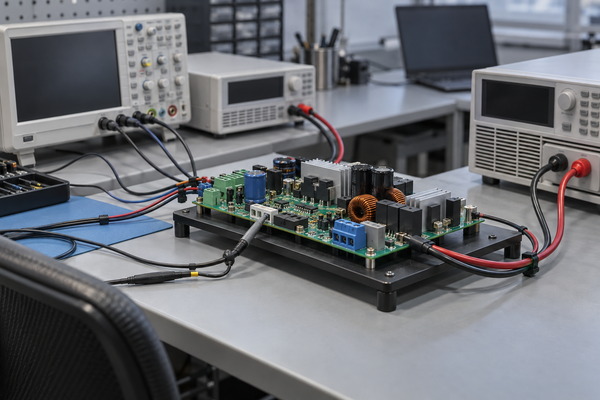
    How to Optimize Thermal Conductivity in Automotive MCPCB Design?

    Thermal conductivity optimization is central to high‑performance automotive MCPCB design. The goal is to create a fast, efficient heat path from power components to the heat sink and surrounding environment.

    Key methods include selecting high‑thermal‑conductivity metal core substrates, using thin, high‑performance dielectric layers, adding thermal vias, and increasing copper thickness for better heat spreading. Each parameter is customized based on power load and environment.

    Our engineering team uses professional thermal simulation tools to design the best thermal solution for your specific application, ensuring maximum heat dissipation and stable operating temperatures.

    Automotive MCPCB Design, https://www.bestpcbs.com/blog/2026/04/automotive-mcpcb-design/

    What Are Real‑World Applications of Automotive MCPCB Design?

    Automotive MCPCB design is widely used in core automotive electronic systems, including LED headlights and taillights, electric vehicle powertrain modules, battery management systems (BMS), engine control units, and ADAS sensors.

    In a real‑world case, our customized automotive MCPCB design solved severe overheating problems in automotive LED headlights. The original design suffered from heat buildup and rapid lumen depreciation.

    After implementing our thermal‑optimized MCPCB solution, the operating temperature dropped significantly, service life improved by 200%, and the product passed rigorous thermal cycling and vibration tests required by automotive manufacturers.

    How Does Extreme Environment Affect Automotive MCPCB Design?

    Automotive electronics operate in extremely harsh environments, including high and low temperatures, rapid temperature changes, strong vibration, humidity, and chemical exposure. These conditions directly determine the requirements for automotive MCPCB design.

    Standard electronic components cannot withstand these stresses, leading to cracking, delamination, performance loss, or sudden failure. Automotive MCPCBs must be specially designed to resist these challenges.

    EBest’s automotive MCPCB design uses rugged materials, reinforced structures, and stress‑relief layouts to maintain performance and structural integrity in extreme environments, ensuring long‑term reliability.

    Automotive MCPCB Design

    Frequently Asked Questions About Automotive MCPCB Design

    Q1: What thermal conductivity range is ideal for automotive MCPCB?
    A1: Thermal conductivity from 2.0 W/m·K to 10.0 W/m·K is commonly used for automotive applications, based on power requirements, heat load, and operating environment.

    Q2: How long does automotive MCPCB prototype take?
    A2: Rapid prototypes can be completed and shipped within 24–48 hours to support urgent development schedules and project validation.

    Q3: Are EBest automotive MCPCBs compatible with lead‑free assembly?
    A3: Yes, all our designs fully support lead‑free SMT assembly and reflow processes, meeting global automotive production requirements.

    Q4: Can you handle heavy copper in automotive MCPCB design?
    A4: Yes, we support heavy copper designs for high‑current automotive power applications, including EV systems and power distribution modules.

    Q5: Do you provide design support for automotive MCPCB projects?
    A5: Our expert engineering team offers full design, simulation, DFM support, and reliability testing for every automotive MCPCB project.

    Q6: What industries use your automotive MCPCB solutions?
    A6: Our products serve automotive lighting, EV powertrain, BMS, infotainment, ADAS systems, and other critical vehicle electronic applications.

    Get Your Automotive MCPCB Design from EBest Today

    EBest delivers professional Automotive MCPCB design with rapid prototyping, dedicated engineering support, and automotive‑grade quality you can trust.

    We prioritize urgent orders and offer exclusive support for both prototype and mass production projects, ensuring fast turnaround and consistent high quality.

    Contact us now to discuss your project: sales@bestpcbs.com — EBest is your reliable automotive MCPCB partner.

    What is Design Rule Check (DRC) in PCB? Types of Deisgn Rule Checking

    April 13th, 2026

    What Is Design Rule Check (DRC)?

    Design Rule Check (DRC) is a software-driven process that verifies PCB layout parameters (trace width, spacing, clearance, pad size, via dimensions, etc.) against pre-defined manufacturing rules. It acts as a “safety net” to catch geometric defects—like shorts, open circuits, or undersized features—before you send Gerber files to production. DRC matters because even a small violation (e.g., 2mil insufficient clearance) can render an entire batch of PCBs unusable, leading to rework costs that are 3–10× higher than fixing issues during design.

    For mass production, DRC is non-negotiable: it ensures consistency across your design, aligns with your manufacturer’s capabilities, and reduces the risk of failed prototypes or field failures. In short, DRC saves time, money, and frustration by catching problems early, when they’re cheapest to fix.

    What Is Design Rule Check (DRC)?

    Design Rule Check (DRC)

    Types of Design Rule Checking

    The core check items in DRC are the geometric parameters that directly impact PCB manufacturability and performance. As an experienced PCB manufacturer, we prioritize these 7 key check categories—they cover 95% of common DRC violations and align with industry standards (IPC-2221, IPC-6012). Each check ensures your layout is compatible with your manufacturer’s equipment and materials, avoiding costly rework. Below are the core DRC check items, with brief explanations of why they matter:

    • Trace Width & Spacing: Ensures traces can carry current without overheating and prevents short circuits between adjacent traces. Minimum values depend on current load and manufacturing process.
    • Clearance: The minimum distance between conductive features (traces, pads, vias) to prevent arcing, especially in high-voltage designs. Clearance requirements increase with voltage.
    • Pad Size & Annular Ring: Ensures pads are large enough for soldering and vias have sufficient copper around the drill hole (annular ring) to avoid delamination or breakage.
    • Via Dimensions: Checks drill size, annular ring, and via placement to ensure compatibility with drilling equipment and signal integrity.
    • Component Placement: Verifies components are not overlapping, are placed within keepout zones, and have enough space for soldering and assembly.
    • Silk Screen Overlap: Prevents silk screen ink from covering pads or vias, which would interfere with soldering.
    • Copper Pour & Thermal Relief: Ensures copper pours are properly connected (no unconnected copper) and thermal reliefs are sized to balance heat dissipation and solderability.
    What Is Design Rule Check (DRC)?

    How to Set Up DRC Rules Matching PCB Manufacturer Capabilities?

    Setting up DRC rules that match your PCB manufacturer’s capabilities is critical—rules that are too strict will slow down your design, while rules that are too loose will lead to fabrication failures. Below is a step-by-step guide to setting up DRC rules correctly, based on our experience working with 20+ PCB manufacturers:

    1. Request the Manufacturer’s Rule Sheet: Every reputable PCB manufacturer provides a DRC rule sheet with their minimum capabilities (e.g., min trace/space, via size). This is your starting point—never guess or use generic rules.

    2. Input Core Parameters into Your PCB Design Software: In tools like Altium, KiCad, or Eagle, navigate to the DRC settings and input the manufacturer’s min trace width, spacing, clearance, pad size, and via dimensions. Use the table below as a reference for standard capabilities.

    3. Adjust for Design Specifics: If your design includes high voltage (≄2kV), high frequency (≄1GHz), or high current (≄2A), increase relevant rules (e.g., wider traces for high current, larger clearance for high voltage).

    4. Set Up Zone Rules: For mixed-signal or high-voltage designs, create zone rules (e.g., a high-voltage zone with 20mil clearance) to apply different rules to specific areas of the PCB.

    5. Enable Real-Time & Batch Checks: Turn on real-time DRC to catch violations as you route, and set up batch DRC to run a full check before finalizing your design.

    6. Test with a Sample Layout: Run a small test layout (e.g., a simple power supply circuit) through DRC to ensure rules are working correctly—this avoids costly mistakes in your main design.

    PCB ProcessMin Trace/SpaceMin Via (Drill/Ring)Min Clearance
    Standard FR-4 (1–6L)6/6mil0.3mm/8mil8mil
    High-TG Thin Core4/4mil0.25mm/7mil6mil
    High-Voltage (≄2kV)8/8mil0.3mm/10mil20–30mil

    What Are the Most Common DRC Violations in PCB Design?

    Even experienced PCB engineers encounter DRC violations—but the same 5 violations account for 80% of all issues. Knowing these common violations, their root causes, and quick fixes will save you hours of troubleshooting. From our experience, the most frequent DRC violations are related to clearance, trace width, pad size, via dimensions, and component placement. Below is a detailed breakdown of each, including why they happen and how to fix them fast:

    DRC Violation TypeRoot CauseQuick FixPreventive Measure
    Insufficient ClearanceUsing generic clearance rules instead of manufacturer specs; high-voltage areas not marked; accidental trace overlapWiden spacing to match manufacturer’s min (8mil for standard PCBs); apply zone rules for high-voltage areas (20–30mil); move overlapping traces apartSet up zone rules early; use real-time DRC during routing
    Trace Too NarrowBelow manufacturer’s min trace width; undersizing for current load; tight routing in dense areasWiden trace to ≄4–6mil (standard) or ≄8–12mil (high current); reroute dense areas to avoid narrow tracesCalculate trace width based on current load (use online calculators); leave extra space in dense areas
    Pad Annular Ring Too SmallPad diameter undersized for via drill; incorrect pad-via alignmentEnlarge pad to ≄18–22mil for 0.3–0.4mm drill; realign pad and via to ensure full annular ringUse manufacturer-provided pad-via templates; double-check pad dimensions before routing
    Via Too SmallDrill/annular ring below manufacturer’s process limits; using microvias without confirming capabilityUse ≄0.2mm drill + ≄8mil ring for standard PCBs; switch to larger vias if microvias are not supportedConfirm via capabilities with your manufacturer; avoid microvias for low-cost PCBs
    Component CollisionPoor component placement; ignoring keepout zones; using incorrect component footprintsMove colliding components apart; adjust keepout zones; replace incorrect footprints with manufacturer-approved onesUse 3D view to check placement; follow component datasheet footprint guidelines

    How to Quickly Fix DRC Errors Step by Step?

    Fixing DRC errors doesn’t have to be a tedious process—with a systematic approach, you can resolve even complex violations in minutes. The key is to prioritize critical errors first (e.g., shorts, open circuits) and use your design software’s built-in tools to speed up troubleshooting.

    1. Run a Full Batch DRC: First, run a complete batch DRC to generate a detailed error report. Most PCB software (Altium, KiCad) will list errors by type, location, and severity—this helps you prioritize.

    2. Prioritize Critical Errors: Focus on critical errors first: shorts (between traces/pads), open circuits (unconnected copper), and violations that will prevent fabrication (e.g., undersized vias). Non-critical errors (e.g., minor silk overlap) can wait.

    3. Use Jump-to-Error Tools: Use your software’s “jump to error” feature to navigate directly to the violation—this saves time vs. searching manually. For example, in Altium, right-click an error and select “Jump to.”

    4. Apply Quick Fixes for Common Violations: Use the fixes from the table above for common errors (e.g., widen traces, adjust clearance). For multiple identical errors (e.g., 10 instances of insufficient clearance), use batch edit tools to fix them all at once.

    5. Verify Fixes in Real-Time: After fixing an error, enable real-time DRC to confirm it’s resolved. This prevents “fixing” one error and creating another (e.g., widening a trace and causing a new clearance violation).

    6. Run a Final Batch DRC: Once all errors are fixed, run another full batch DRC to ensure no violations were missed. If errors remain, repeat the process—focus on root causes (e.g., incorrect rules) instead of band-aid fixes.

    Online DRC vs Batch DRC: Which Is Better for Your Design?

    Online DRC and Batch DRC are two common check modes, each with pros and cons—choosing the right one depends on your design stage and goals. Online DRC runs in real-time as you route, catching errors immediately, while Batch DRC runs a full check on your entire layout, ideal for final verification. Below is a detailed comparison to help you decide when to use each:

    Check ModeSpeedAccuracyBest Use CaseProsCons
    Online DRCReal-time (instant)Medium (catches most common errors)Routing, component placement, and initial design stagesCatches errors early; saves time on later troubleshooting; easy to fix mistakes immediatelyMay miss rare or complex violations; can slow down software on large designs
    Batch DRCSlower (depends on design size; 1–5 minutes for most PCBs)Full (catches all violations, including rare ones)Final sign-off before generating Gerber/ODB++ files; post-routing verificationComprehensive; generates detailed error reports; ensures no violations are missedTakes time to run; errors may be harder to fix if left until the end

    Pro Tip: Use online DRC during routing to catch mistakes as you go, then run a batch DRC every 2–3 hours to ensure no errors slip through. For final verification, run batch DRC twice—once after fixing errors, and once before sending files to your manufacturer.

    High-Voltage PCB DRC Rules

    High-voltage PCBs require larger clearances to prevent arcing and insulation breakdown. The IPC-2221 standard provides guidelines, but you should also consult your manufacturer’s capabilities. Key parameters:

    • Clearance: 20–30mil for 2–5kV; 50–100mil for 5–10kV. Increase by 10mil for every additional 1kV above 10kV.
    • Trace Width: ≄8–12mil to handle current and reduce resistance. For currents ≄5A, use ≄15mil traces.
    • Via Dimensions: ≄0.3mm drill + ≄10mil annular ring. Avoid microvias—use through-hole vias for better insulation.
    • Insulation Layer: Use high-TG FR-4 (≄170°C) or polyimide for better insulation. Ensure insulation thickness is ≄0.2mm per kV.
    High-Voltage PCB DRC Rules

    High-Frequency PCB DRC Rules

    High-frequency PCBs require tight control over trace geometry to minimize signal loss and crosstalk. Key parameters are based on impedance matching (50Ω, 75Ω) and signal integrity:

    • Trace Width & Spacing: Match trace width to impedance (e.g., 50Ω impedance = 5–7mil trace on 0.062” FR-4). Spacing between high-frequency traces should be ≄2× trace width to reduce crosstalk.
    • Clearance to Ground Planes: Ensure high-frequency traces are 0.020–0.030” above ground planes to maintain impedance.
    • Via Placement: Minimize via count—each via adds parasitic capacitance and inductance. Use blind/buried vias for dense designs, and keep vias at least 50mil apart from high-frequency traces.
    • Component Placement: Place high-frequency components (e.g., oscillators, amplifiers) close together to minimize trace length. Avoid placing them near power components to reduce interference.

    How to Generate & Read DRC Reports Effectively?

    DRC reports are critical for troubleshooting and documentation—they provide a detailed overview of all violations, their locations, and severity. Generating a clear, actionable DRC report saves time and ensures you don’t miss errors, while reading the report effectively helps you prioritize fixes. At EBest Circuit, we use these steps to generate and read DRC reports like a pro:

    How to Generate a DRC Report?

    1. Run a Full Batch DRC: In your PCB design software, run a complete batch DRC (e.g., Altium: Tools → Design Rule Check; KiCad: Tools → DRC).

    2. Customize Report Settings: Select the information to include: error type, location (X/Y coordinates), severity, and description. Most software allows you to filter by error type (e.g., only clearance violations).

    3. Export the Report: Export the report to a format that’s easy to share (PDF, CSV, or HTML). PDF is best for documentation, while CSV is useful for sorting and filtering errors.

    How to Read a DRC Report Effectively?

    1. Sort by Severity: Most reports allow you to sort errors by severity (critical, warning, info). Focus on critical errors first—these are the ones that will prevent fabrication or cause failures.

    2. Filter by Error Type: Group errors by type (e.g., clearance, trace width) to fix similar errors in batches. This saves time vs. fixing errors one by one.

    3. Use Location Data: Use the X/Y coordinates in the report to jump directly to the violation in your design software. This eliminates manual searching.

    4. Document Fixes: Keep a log of which errors were fixed, how they were fixed, and who fixed them. This is useful for future designs and quality control.

    Pro Tip: For large designs, generate a “before and after” DRC report—one before fixing errors, and one after. This confirms all violations were resolved and provides documentation for your manufacturer.

    DRC vs ERC vs LVS: What’s the Difference?

    DRC, ERC (Electrical Rule Check), and LVS (Layout vs Schematic) are three critical verification processes in PCB design—but they serve different purposes. Many engineers confuse them, leading to incomplete verification and costly mistakes. Below is a clear comparison of DRC, ERC, and LVS, including their purpose, what they check, and when to use each:

    Verification TypePurposeWhat It ChecksWhen to UseKey Benefit
    Design Rule Check (DRC)Ensure PCB layout is manufacturableGeometric parameters: trace width, spacing, clearance, pad size, via dimensions, component placementDuring routing, post-routing, and before Gerber generationPrevents fabrication defects and rework
    Electrical Rule Check (ERC)Ensure PCB has no electrical errorsElectrical connections: unconnected nets, short circuits, incorrect pin connections, missing pull-up/down resistorsAfter schematic design and before layoutCatches electrical mistakes that DRC misses (e.g., unconnected power nets)
    Layout vs Schematic (LVS)Ensure layout matches the schematicNet connections: verify that every trace in the layout connects to the correct component pins as per the schematicAfter layout and DRC, before final sign-offPrevents functional failures (e.g., a trace connected to the wrong pin)

    Critical Note: DRC alone is not enough—always run ERC before layout and LVS after layout to ensure your PCB is both manufacturable and functional. We’ve seen designs pass DRC but fail LVS, leading to non-functional prototypes and costly rework.

    FAQs

    Q: What is Design Rule Check in PCB?

    A: Design Rule Check (DRC) is a software-driven verification process that validates PCB layout parameters (trace width, spacing, clearance, pad size, via dimensions, etc.) against pre-defined manufacturing rules. It catches geometric defects early, ensuring your PCB is fabricable and free of costly errors.

    Q: What happens if you ignore DRC violations?

    A: Ignoring DRC violations leads to fabrication failures (e.g., shorts, open circuits), failed prototypes, and rework costs that are 3–10× higher than fixing issues during design. In worst cases, it can lead to field failures, product recalls, and safety hazards (especially for high-voltage PCBs).

    Q: How to set up DRC rules for PCB design?

    A: Start with your manufacturer’s DRC rule sheet (min trace/space, via size, etc.), input these parameters into your PCB design software, adjust for your design’s specific needs (e.g., high voltage, high frequency), set up zone rules for mixed-signal designs, and test with a sample layout.

    Q: What are typical DRC errors?

    A: The most common DRC errors are insufficient clearance, trace too narrow, pad annular ring too small, via too small, component collision, silk screen overlap, and unconnected copper. These errors account for 80% of all DRC violations.

    Q: Can DRC find all PCB manufacturing issues?

    A: No—DRC only catches geometric violations. It does not find schematic-layout mismatch (that’s LVS) or electrical issues (that’s ERC). To ensure a fully manufacturable, functional PCB, you need to run DRC, ERC, and LVS.

    Q: How often should I run DRC in PCB design?

    A: Run real-time DRC during routing to catch errors as you go, and run a full batch DRC every 2–3 hours to ensure no errors slip through. For final verification, run batch DRC twice—once after fixing errors, and once before sending files to your manufacturer.

    Q: How to fix DRC errors in dense PCB layouts?

    A: For dense layouts, use smaller vias (if your manufacturer supports them), reroute traces to use available space, apply zone rules to prioritize critical traces, and use batch edit tools to fix multiple identical errors. If necessary, consider a multi-layer PCB to increase routing space.

    How Does Automotive MCPCB DFM Improve Reliability and Manufacturing Yield?

    April 13th, 2026

    Automotive MCPCB DFM​ (Design for Manufacturability for automotive metal-core printed circuit boards) refers to the systematic optimization of board design to align with manufacturing capabilities, ensuring higher reliability and yield in demanding automotive applications. This article explores how strategic DFM practices address common challenges in automotive MCPCB production while boosting performance and consistency.

    Pain Points in Automotive MCPCB Assembly

    • Overlooked thermal expansion mismatches causing delamination or solder joint failure.
    • Non-compliant tolerances leading to misalignment during SMT placement.
    • Poor stack-up design resulting in signal integrity issues or excessive heat buildup.
    • Incompatible material choices that fail automotive temperature or vibration standards.
    • Lack of DFM expertise causing costly rework and delayed time-to-market.

    To tackle these challenges, partnering with an experienced MCPCB manufacturer that integrates DFM into every design phase is critical. Here’s how Best Technology addresses them:

    • Match material CTE (coefficient of thermal expansion) to copper core for reduced thermal stress.
    • Adhere to strict tolerance rules (e.g., PTH ±4mil, NPTH ±2mil) for precise SMT alignment.
    • Optimize stack-up with appropriate dielectric thickness for balanced thermal and electrical performance.
    • Use automotive-grade substrates (aluminum/copper core) compliant with IATF 16949 standards.
    • Provide early DFM feedback to eliminate design flaws before production starts.

    With 20 years of expertise in PCB and MCPCB manufacturing, EBest Circuit (Best Technology) specializes in high-reliability automotive MCPCB solutions. We hold IATF 16949:2016 certification—critical for automotive applications—and maintain a 97% on-time delivery rate. Our 1,600+ sqm monthly MCPCB capacity, combined with in-house component sourcing (from authorized distributors like Digikey and Mouser) and advanced assembly equipment (Yamaha YSM20R SMT mounters, X-ray inspection systems), ensures consistent quality and yield. Pls feel free to contact us at sales@bestpcbs.com​ for DFM support tailored to your automotive project.

    Automotive MCPCB DFM

    What Is Automotive MCPCB DFM?

    Automotive MCPCB DFM refers to the practice of designing a metal core printed circuit board for automotive use with manufacturing in mind from the beginning. It is not only about making the board function properly, but also about making sure it can be produced with stable quality, good yield, and reasonable cost.

    It usually covers these aspects:

    • Thermal performance
      The board must transfer and spread heat efficiently, especially in automotive lighting, power control, and high-load electronic systems.
    • Material compatibility
      The aluminum base, copper circuit layer, and dielectric material must work well together during fabrication and long-term use.
    • Manufacturing limits
      Trace width, spacing, hole size, board thickness, and tolerance must all stay within practical production capability.
    • Reliability in harsh environments
      Automotive MCPCBs often operate under vibration, humidity, thermal cycling, and wide temperature ranges such as -40°C to 125°C or higher.
    • Process stability
      A good DFM design helps avoid lamination issues, soldering defects, warpage, dielectric cracking, and other production risks.

    Compared with standard PCB DFM, automotive MCPCB DFM pays much closer attention to heat dissipation, structural durability, and long-term reliability. This is because vehicle electronics are exposed to far more demanding service conditions than many consumer products.

    When engineers apply DFM early, they can reduce redesign cycles, improve manufacturability, raise production yield, and build a board that is better suited for automotive-grade applications.

    What Materials Are Best for Automotive MCPCB DFM Design?

    Choosing the right material is foundational to DFM success.
    Below are top choices aligned with automotive needs:

    Material TypeSubstrateKey PropertiesAutomotive Use Case
    Aluminum Core MCPCBAluminum (1-10L)Lightweight, high thermal conductivity (1-3 W/mK)LED headlights, power modules
    Copper Core MCPCBCopper (1-10L)Higher thermal conductivity (3-5 W/mK), durableEngine control units (ECUs)
    SinkPAD MCPCBCopper + AluminumEnhanced heat dissipation via embedded padsHigh-power inverters

    All materials comply with RoHS and REACH standards, ensuring environmental safety.

    How Does Thermal Management Impact Automotive MCPCB Manufacturability?

    Thermal management is the #1 driver of MCPCB DFM. Poor thermal design leads to:

    • Solder joint fatigue from repeated heating/cooling cycles.
    • Delamination between copper core and dielectric layers.
    • Reduced component lifespan (e.g., LEDs failing prematurely).

    DFM strategies to optimize thermal performance include:

    • Using thicker copper cores (up to 10oz) for better heat spreading.
    • Designing thermal vias (0.59mil wall thickness for normal PTH) to transfer heat to the core.
    • Maintaining minimum line width/space (4/4mil) to avoid overheating during operation.

    These steps directly improve yield by reducing thermal-related defects during assembly and field use.

    What Are the Key Stack-Up Considerations in Automotive MCPCB Design?

    Stack-up design balances electrical, thermal, and mechanical needs. Critical DFM rules include:

    • Dielectric Thickness: Keep between 0.5oz–10oz conductor thickness to prevent warpage.
    • Layer Count: 1-10L for MCPCB (optimal for automotive power applications).
    • Via Type: Use blind/buried vias (max aspect ratio 10:1) to save space and improve signal integrity.
    • Copper Distribution: Uniform copper pour to avoid thermal hotspots.

    A well-designed stack-up reduces assembly errors (e.g., misaligned layers) and boosts reliability under vibration.

    How Do Automotive Standards Affect MCPCB DFM Requirements?

    Automotive standards (IATF 16949, ISO 16750) dictate strict DFM rules:

    • Tolerance Compliance: PTH ±4mil, NPTH ±2mil to ensure fit with connectors.
    • Material Certification: Only use substrates (e.g., aluminum, copper) tested for -40°C to 125°C operation.
    • Testing Requirements: Mandatory AOI, X-ray, and functional testing to catch defects pre-shipment.

    Adhering to these standards avoids recalls and ensures compliance with OEM requirements.

    What Tolerances and Design Rules Should Be Followed in Automotive MCPCB?

    Strict tolerances are non-negotiable for automotive MCPCB DFM.
    Key rules:

    ParameterTolerance
    PTH Diameter±4mil
    NPTH Diameter±2mil
    Outline (Laser)+0.20/-0.05mm
    Min Line Width/Space4/4mil
    Min Hole Spacing (PTH)20mil

    Following these rules ensures SMT placement accuracy (Yamaha YSM20R supports 0.25mm BGA pitch) and reduces rework.

    How To Optimize Automotive MCPCB For Manufacturability?

    Optimization starts with early DFM collaboration.
    Steps include:

    • DFA Checks: Verify BOM matches components to avoid sourcing delays.
    • SMT Stencil Design: Use GKG-GLS printers for precise solder paste application.
    • Thermal Simulation: Model heat flow to identify hotspots before prototyping.
    • Testing Integration: Include ICT, X-ray, and aging tests in the design phase.

    These steps cut lead time (1-5 days for assembly) and improve yield by up to 30%.

    How to Choose a Reliable Automotive MCPCB Manufacturer for DFM Support?

    Look for manufacturers with:

    • Automotive Certification: IATF 16949:2016 (critical for OEM approval).
    • In-House Capabilities: SMT assembly (Yamaha YSM20R), X-ray inspection (UNICOMP AX8200), and testing.
    • DFM Expertise: 20+ years of experience (like Best Technology) with 1,700+ satisfied clients.
    • Supply Chain Control: Direct sourcing from authorized distributors (Digikey, Mouser) to avoid counterfeit parts.
    Automotive MCPCB DFM

    In closing, automotive MCPCB DFM​ is the linchpin of reliable, high-yield production for automotive electronics. By addressing thermal, tolerance, and standards challenges upfront, it ensures boards perform flawlessly in extreme conditions. At EBest Circuit (Best Technology), we combine 20 years of MCPCB expertise, IATF 16949 certification, and advanced manufacturing capabilities to deliver DFM-optimized solutions. Pls feel free to contact us anytime at sales@bestpcbs.com​ to improve your automotive MCPCB reliability and yield.

    FAQs About Automotive MCPCB DFM

    Q: Can DFM reduce automotive MCPCB cost?​
    A: Yes—by eliminating rework, optimizing material use, and shortening lead times (1-5 days for assembly).

    Q: What’s the minimum BGA pitch supported?​
    A: 0.25mm, ideal for compact automotive ECUs.

    Q: Do you offer DFM reviews for existing designs?​
    A: Yes—our engineers provide free consultations to identify and fix DFM issues.

    What Are PCB Mounting Holes & How to Design Them?

    April 13th, 2026

    What are PCB mounting holes and how do you design them correctly? These essential structural components secure your PCB to enclosures. Getting their design right avoids reworks and ensures durability. This guide breaks down everything you need to know about PCB mounting holes, including sizes, placement and tool usage.

    PCB Mounting Holes, https://www.bestpcbs.com/blog/2026/04/pcb-mounting-holes/

    What Are Mounting Holes in PCB?

    Mounting holes on PCB (also called mounting holes pcb) are non-conductive or conductive holes drilled into the PCB substrate for mechanical fastening. Unlike vias used for electrical connections between PCB layers, mounting holes primarily serve a structural purpose. They allow screws, bolts, or standoffs to secure the PCB to a chassis or enclosure.

    There are two main types of mounting holes in PCB: Non-plated through holes (NPTH) for pure mechanical fastening and Plated through holes (PTH) that can double as grounding points.

    Every PCB design requires carefully planned mounting holes. This includes consumer electronics and industrial control boards. Proper planning keeps the board stable during operation and prevents component damage or signal interference.

    PCB Mounting Holes, https://www.bestpcbs.com/blog/2026/04/pcb-mounting-holes/

    What Size Are PCB Mounting Holes?

    PCB mounting hole size is determined by the fastener (screw/bolt) you plan to use. A general rule applies: the hole diameter should be 0.1–0.2mm larger than the fastener’s nominal diameter. This accounts for manufacturing tolerances and ensures easy assembly.

    Using the wrong size causes problems. A too-small hole makes installation impossible, while a too-large hole leads to PCB wobble. Below is a detailed PCB mounting hole size chart for the most common fastener sizes.

    Fastener Size (Metric)Recommended PCB Mounting Hole Size (mm)Recommended Pad Diameter (mm) (for Plated Holes)Common Application
    M22.1–2.24.0–4.5Small consumer electronics (wearables, smartphones)
    M2.52.6–2.74.5–5.0Tablets, small IoT devices
    M33.1–3.25.0–6.0Industrial PCBs, Arduino boards, power supplies
    M44.2–4.36.5–7.0Large industrial boards, automotive PCBs
    M55.2–5.38.0–8.5Heavy-duty equipment, industrial control panels

    For non-standard fasteners, calculate the PCB mounting hole size by adding 0.1–0.2mm to the fastener’s diameter. A 1.5mm screw requires a 1.6–1.7mm mounting hole.

    Confirm your PCB manufacturer’s capabilities. Many factories have a minimum hole size limit, typically 0.8mm for mechanical drilling.

    What Is the Spacing for PCB Mounting Holes?

    PCB mounting hole spacing refers to the distance between the centers of two mounting holes. It must match the fastener spacing of your enclosure or bracket.

    Maintain consistent spacing between all holes when using multiple fasteners. This ensures even weight distribution across the PCB.

    Ensure a minimum edge distance of 1.5–2mm between the hole edge and the PCB edge to prevent board cracking.

    Keep a 3mm minimum distance between mounting holes and components or high-speed traces to avoid interference.

    For rectangular PCBs, space holes symmetrically along the board’s edges. For circular PCBs, space holes evenly around the circumference, such as three holes spaced 120° apart.

    Use a ruler or design software to measure spacing accurately. Even a 0.1mm error can cause misalignment.

    Where to Place Mounting Holes on PCB?

    Knowing where to place mounting holes ensures PCB stability and avoids component damage. The golden rule is to place holes symmetrically around the PCB’s center of mass for even weight distribution.

    Follow these 5 key guidelines for proper placement:

    • Prioritize corner placement: Place mounting holes near the four corners of rectangular PCBs. This provides the best stability and prevents board flexing. Small PCBs (less than 50mm x 50mm) can use 2–3 holes instead of four.
    • Avoid component interference: Keep holes 3mm away from surface-mount components, through-hole components and high-speed traces. This prevents damage during installation and avoids signal interference.
    • Align with mechanical structures: Match hole positions to the enclosure’s fastener points. Use mechanical design files to confirm spacing and coordinates for a secure fit.
    • Add extra holes for heavy components: If your PCB has heavy components like transformers, add additional mounting holes near these components to support their weight.
    • Maintain edge clearance: Keep holes 1.5–2mm away from the PCB edge to prevent the board from cracking during drilling or assembly.

    A standard Arduino PCB provides a practical example. Its four mounting holes are placed near the corners, aligned with standard brackets to keep the board stable while leaving space for components.

    Should PCB Mounting Holes Be Grounded?

    PCB mounting holes do not need grounding in all cases. The decision depends on your application and electromagnetic interference (EMI) requirements.

    Use plated through holes (PTH) if you need to ground mounting holes. These connect to the PCB’s ground plane and the enclosure via a conductive fastener, creating a Faraday cage to block external noise.

    Use non-plated through holes (NPTH) for pure mechanical fastening. These do not connect to the ground net and avoid accidental short circuits.

    Never connect grounded mounting holes to power nets. Always run a design rule check (DRC) to confirm correct ground connections.

    How to Drill Mounting Holes in PCB?

    • Drilling mounting holes requires precision to avoid board or component damage. Follow these sequential steps:
    • Mark hole positions accurately: Use your PCB design file to print a template or mark positions directly on the PCB with a marker. Confirm coordinates match the enclosure’s fastener points.
    • Secure the PCB firmly: Clamp the PCB to a flat surface. Place a piece of scrap wood under the PCB to protect the drill bit and prevent board splintering.
    • Select the correct drill bit: Use a carbide-tipped drill bit matching your desired hole size. Use a micro drill bit for holes smaller than 1mm and a standard twist drill bit for larger holes.
    • Set the correct drilling speed: Use a drill press set to 10,000–15,000 RPM for FR-4 PCBs. Too slow a speed can bind the bit, while too fast can overheat the board.
    • Deburr holes after drilling: Use a deburring tool or sandpaper to remove sharp edges. This prevents wire or component damage during assembly.
    • Follow mass production guidelines: For large-scale production, provide manufacturers with a detailed drill file (e.g., Gerber file) to ensure consistent hole placement and size.
    PCB Mounting Holes, https://www.bestpcbs.com/blog/2026/04/pcb-mounting-holes/

    How to Make Mounting Holes in Common PCB Design Tools?

    Creating mounting holes in popular PCB design tools is simple. Below are step-by-step guides for common tools, covering altium pcb mounting holes, kicad pcb mounting holes, cadence pcb designer mounting holes, solidworks pcb mounting holes, and ultiboard pcb mounting holes.

    Altium PCB (Altium PCB Mounting Holes)

    • Open your PCB design.
    • Go to “Place” and select “Pad” or use the shortcut P + P.
    • In pad properties, set “Layer” to “Multi-Layer” for plated holes or “Mechanical 1” for non-plated holes.
    • Set “Hole Size” to your desired diameter.
    • For plated holes, set “Pad Size” to 1.5–2x the hole size.
    • Place the pad at your desired position and repeat for additional holes.
    • For non-plated holes, set the pad’s “Net” to“No Net” to avoid DRC errors.

    KiCad (KiCad PCB Mounting Holes)

    • Open the PCB Editor.
    • Go to “Place” and select “Pad” or use the shortcut P.
    • In the pad dialog, select “Through Hole” as the type.
    • Enter the hole size and pad size (1.5x the hole size for plated holes).
    • Uncheck “Plated” for non-plated holes.
    • Place the pad at the desired coordinates and repeat for other holes.
    • Use the “Measure” tool to confirm spacing and edge clearance.

    Cadence PCB Designer (Mounting Holes Cadence PCB Designer)

    • Open your PCB design in Allegro (Cadence’s PCB tool).
    • Go to “Place” and select “Pad” or use the shortcut P.
    • In the pad editor, set “Hole Type” to “Through” and enter the hole size.
    • Set “Pad Stack” to “Plated” for grounded holes or “Non-Plated” for mechanical-only holes.
    • Set the pad diameter to 1.5–2x the hole size.
    • Place the pad using the “Grid” tool for precision and repeat as needed.
    • Connect plated holes to the ground net if required.

    SolidWorks PCB (SolidWorks PCB Mounting Holes)

    • Open your SolidWorks PCB design.
    • Go to “PCB” and select “Place” then “Pad”.
    • In pad properties, set “Layer” to “Multi-Layer” and enter the hole size.
    • Set “Plated” to “Yes” for plated holes or “No” for non-plated holes.
    • Place the pad at the desired position, aligning with your mechanical assembly.
    • Use “Smart Dimension” to set spacing between holes and edge clearance.

    Ultiboard (Ultiboard PCB Mounting Holes)

    • Open your Ultiboard project.
    • Go to “Place” and select “Pad” or use the shortcut P.
    • In pad properties, set “Hole Size” to your desired diameter.
    • Set “Plated” to “True” for plated holes or “False” for non-plated holes.
    • Set the pad diameter to 1.5x the hole size.
    • Place the pad using the “Snap to Grid” feature for accuracy.
    • Save your design and run a DRC to check for errors.
    PCB Mounting Holes, https://www.bestpcbs.com/blog/2026/04/pcb-mounting-holes/

    How to Use Vias with PCB Mounting Holes Properly?

    PCB mounting holes with vias improve grounding and mechanical strength. Vias are small conductive holes that connect the mounting hole’s pad to inner ground planes.

    Follow these steps to use vias with mounting holes:

    • Choose the right via size: Use 0.3–0.5mm vias, compatible with most PCB manufacturers.
    • Place vias symmetrically: Add 4–6 vias around the mounting hole’s pad, spaced evenly at 90° intervals.
    • Connect vias to the ground net: Ensure all vias link to the PCB’s ground plane, not power nets.
    • Maintain clearance: Keep vias 0.5mm away from the mounting hole edge to prevent drill bit damage.

    Vias with mounting holes are ideal for high-noise environments like industrial or automotive applications. They reduce EMI and distribute mechanical stress to prevent board cracking.

    FAQs About PCB Mounting Holes

    Q1: What is the standard PCB mounting hole size for M3 screws?
    A1: The standard PCB mounting hole size for M3 screws is 3.1–3.2mm. This size accounts for manufacturing tolerances and ensures a secure fit. Plated holes should use a 5.0–6.0mm pad diameter.

    Q2: Where to place mounting holes on PCB for maximum stability?
    A2: Place mounting holes symmetrically near the PCB’s four corners. This distributes weight evenly and prevents flexing. Smaller PCBs can use 2–3 holes near the center of mass.

    Q3: Should consumer electronics PCB mounting holes be grounded?
    A3: Grounding is unnecessary for low-EMI consumer devices like basic wearables. Use non-plated holes (NPTH) for mechanical fastening. Ground plated holes (PTH) only for high-EMI devices like smartphones or IoT modules.

    Q4: How to drill PCB mounting holes without damaging components?
    A4: Mark positions accurately, secure the PCB firmly, use a carbide-tipped drill bit, and drill at 10,000–15,000 RPM. Deburr holes after drilling and cover soldered components to avoid debris damage.

    Q5: Can I use vias with PCB mounting holes for better grounding?
    A5: Yes. Add 4–6 small vias (0.3–0.5mm) around the mounting hole’s pad and connect them to the ground plane. This improves grounding and reduces EMI.

    Q6: What is the minimum PCB mounting hole spacing?
    A6: The minimum center-to-center spacing is 5mm for standard FR-4 PCBs. Larger holes (≄3mm) require 8–10mm spacing to maintain mechanical strength. Edge-to-hole distance should be at least 1.5mm.

    Q7: How to make mounting holes in KiCad PCB Designer?
    A7: Open the PCB Editor, go to “Place” then “Pad”, select “Through Hole”, enter the hole and pad size, uncheck “Plated” for NPTH, and place the pad at the desired position. Use the “Measure” tool to confirm spacing.

    What Is a 2.2 Ohm Resistor and Why Does It Matter in PCBA?

    April 13th, 2026

    2.2 ohm resistor is a widely used standard value, balancing precision, availability, and versatility in circuit design. When designing or troubleshooting printed circuit board assemblies (PCBAs), selecting the right resistor is far from a trivial task. Whether you’re working on consumer electronics, automotive systems, or industrial controls, understanding how this component fits into your PCBA workflow can save time, reduce errors, and improve reliability.

    In this guide, we’ll break down what a 2.2Ω resistor is, how to identify it, where it’s used, and why choosing the right one matters for your assembly process.

    2.2 ohm resistor

    Core Differences and Application Scenarios of 2.2Ω vs 2Ω Resistors

    While they may seem similar, 2.2 ohm​ and 2 ohm resistors​ serve different purposes in circuit design.

    • 2.2Ω resistors​ typically belong to the E12 series, which offers ±10% tolerance. They are commonly used in applications where moderate precision is acceptable—such as biasing circuits in audio preamplifiers or basic voltage dividers.
    • 2Ω resistors, on the other hand, fall under the E24 series​ with tighter ±5% tolerance. These are preferred in circuits requiring more accurate current limiting or signal conditioning, like sensor interfaces or power regulation stages.

    Understanding these distinctions helps ensure your PCBA meets both electrical specifications and cost targets.

    Color Code Rules and Identification Steps for 2.2Ω Resistors

    Identifying a 2.2Ω resistor correctly is essential during manual assembly or rework. Most small carbon film or composition resistors use color bands to indicate value and tolerance.

    For a 2.2Ω resistor, the standard four-band configuration is:

    • Red (2)​ – First digit
    • Red (2)​ – Second digit
    • Gold (×0.1)​ – Multiplier
    • Gold (±5%)​ – Tolerance

    So:

    Red – Red – Gold – Gold = 2.2Ω ±5%

    If only three bands are present—Red – Red – Gold—it still represents 2.2Ω, with a default ±20% tolerance (no fourth band).

    This quick recognition method is especially useful when verifying components before soldering onto a PCB.

    2.2 ohm resistor

    Color Code Identification and Common Misconceptions of 2.2kΩ Resistors

    It’s easy to confuse 2.2Ω​ with 2.2kΩ, but their color codes differ significantly.

    A 2.2kΩ resistor​ uses:

    • Red (2)​ – First digit
    • Red (2)​ – Second digit
    • Red (×100)​ – Multiplier
    • Gold or Silver​ – Tolerance (±5% or ±10%)

    So: Red – Red – Red – Gold = 2.2kΩ ±5%

    The key difference lies in the third band: gold (×0.1) for 2.2Ω vs. red (×100) for 2.2kΩ. Misreading this can lead to incorrect circuit behavior—something we help customers avoid through clear documentation and component verification during our turnkey PCBA service.

    Measurement Methods and Precautions for 2Ω Resistors

    Before placing a resistor on a board, it’s wise to confirm its actual resistance—especially for critical applications.

    To measure a 2Ω resistor​ using a multimeter:

    • Set the dial to the lowest resistance range (e.g., ×1Ω).
    • Touch the probes together and adjust the zero knob if needed.
    • Place the probes firmly on each lead of the resistor—avoid touching the metal tips with your fingers to prevent body resistance interference.

    A properly functioning 2Ω resistor should read close to 2.0Ω (within tolerance). If it reads open or significantly off, discard it before assembly.

    Current and Voltage Calculation Examples for 2Ω Resistors in Circuits

    Knowing how a 2Ω resistor behaves electrically helps validate your design.
    Here are two practical examples:

    • Example 1:​ A 2A current flows through a 2Ω resistor. Using Ohm’s Law:
      V = I × R = 2A × 2Ω = 4V → Voltage drop across the resistor is 4 volts.
    • Example 2:​ A 2V battery powers a circuit with a 2Ω resistor.
      I = V / R = 2V / 2Ω = 1A → Current flowing through the resistor is 1 ampere.

    These calculations are vital when sizing resistors for power dissipation and thermal management—especially in high-current PCBA designs.

    Buying Guide for 2Ω Resistors

    Not all 2Ω resistors are created equal. When sourcing for your PCBA project, consider:

    • Power rating: For higher currents, choose a 2.2Ω 2W resistor​ or higher to prevent overheating.
    • Tolerance: Use ±5% (E24) for precision; ±10% (E12) for general use.
    • Type: Carbon film for cost-sensitive projects; metal film for better stability and low noise.

    We source components directly from authorized distributors like Digi-Key, Mouser, and TTI to ensure authenticity and traceability. Our in-house inventory also includes common values like 2Ω and 2.2Ω, helping accelerate your prototype or production timeline.

    Special Application: The Role and Selection of 2Ω Airbag Resistors in Automotive Safety

    One specialized use of 2Ω resistors is in automotive airbag systems. Here, a 2Ω resistor simulates the airbag squib load during diagnostic testing—ensuring the control module detects a valid circuit without deploying the bag.

    For this application, resistors must meet strict requirements:

    • High reliability under vibration and temperature extremes
    • Tight tolerance (often ±1%)
    • Compliance with automotive-grade standards

    We support automotive PCBA projects with IATF 16949-certified processes, ensuring safety-critical components like airbag resistors are handled with utmost care.

    Troubleshooting and Replacement Solutions for 2.2Ω and 2Ω Resistors

    During PCBA debugging, resistor failure is not uncommon. Common issues include:

    • Overheating: A 2Ω resistor burning out due to excessive current. Check if the circuit exceeds the resistor’s power rating.
    • Drift: A 2.2Ω resistor changing value over time—often due to heat or poor-quality materials. Replace with a metal film type for better stability.

    When replacing, always match:

    • Same resistance value
    • Equal or higher power rating
    • Similar tolerance and temperature coefficient

    Our engineering team can assist with failure analysis and recommend suitable alternatives if a specific part is unavailable.

    How to Choose the Right 2.2 Ohm Resistor for Reliable PCBA Assembly?

    Selecting the optimal 2.2Ω resistor involves more than just picking a number.
    Consider:

    • Circuit function: Is it for current sensing, biasing, or protection?
    • Environmental conditions: Will it face heat, humidity, or vibration?
    • Assembly method: SMT or through-hole? We support both, including 01005 miniature components and high-power packages.

    At Best Technology, we don’t just assemble boards—we partner with you from design to delivery. With 20 years of PCB and PCBA experience, ISO 9001, IATF 16949, and RoHS compliance, and a 97% on-time delivery rate, we ensure your 2.2Ω resistors—and every other component—perform exactly as intended. Need help with your next PCBA project? Pls feel free to contact us anytime for a free consultation and quote.

    What Value Is A 102 Capacitor?

    April 13th, 2026

    What value is a 102 capacitor? A 102 capacitor is identified by a three-digit code that denotes 1000 pF, a standard value crucial for high-frequency decoupling and EMI control. This guide explains capacitor codes, conversion to nanofarads (nF), marking methods, and how this tiny component impacts your PCB design and manufacturing.

    Selecting the right capacitor seems simple, but engineers often face hidden challenges that lead to costly rework. Are you struggling with these common issues?

    • EMI failures​ due to improper decoupling networks.
    • BOM inaccuracies​ causing procurement delays or wrong parts.
    • SMT assembly defects​ like tombstoning or misalignment.
    • Performance instability​ caused by temperature drift or tolerance mismatches.
    • High costs​ from using non-standard or hard-to-source components.

    At EBest Circuit, we solve these problems through expert PCBA manufacturing and engineering support:

    • DFM optimization​ to ensure your 102 capacitor placement minimizes noise.
    • BOM auditing​ to verify standard values and suggest reliable alternatives.
    • Precision SMT assembly​ supporting 01005 packages and high-density layouts.
    • Material selection guidance​ (e.g., NP0 vs X7R) for stable performance.
    • Full quality control​ including AOI and X-ray inspection to eliminate defects.
    What Value Is A 102 Capacitor

    What is the value of a capacitor labeled as 101 or 102?

    Understanding the three-digit code is fundamental. The rule is simple: the first two digits are the significant figures, and the third digit is the multiplier (power of ten), with the unit defaulting to picofarads (pF).

    Decoding 101 and 102 Capacitor Values:

    • 101:​ The first two digits (“10”) are the significant figures, and the third digit (“1”) represents the multiplier (101). Calculation:​ 10×101=100 pF.
    • 102:​ The first two digits (“10”) are the significant figures, and the third digit (“2”) represents the multiplier (102). Calculation:​ 10×102=1000 pF​ (which is equivalent to 1 nF).
    CodeCalculationValue (pF)Value (nF)
    101​10×101100 pF0.1 nF
    102​10×1021000 pF​1 nF​

    Key Notes:

    • If the third digit is 9, it means ×0.1(e.g., 109 = 1 pF).
    • This coding applies mainly to MLCCs (Multi-Layer Ceramic Capacitors).
    • Unlike resistors, there is no separate tolerance band in the code itself (tolerance is usually a letter after the numbers, e.g., 102K).

    What are the common methods for marking capacitors in circuits?

    Capacitor identification varies based on size and type. Here are the four primary methods used in electronics:

    • Three-Digit Code:​ Most common for SMD ceramics (e.g., 102, 103, 224).
    • Direct Marking:​ Used for larger caps, showing units like 0.1ÎŒF or 10nF.
    • Letter/Number Combo:​ Shorthand for decimals (e.g., 4n7 = 4.7nF, R47 = 0.47ÎŒF).
    • Tolerance/Voltage Codes:​ Letters (J, K, M) for tolerance and alphanumeric codes (1H, 2A) for voltage ratings.

    How many nanofarads (nF) are capacitors marked 103 and 102?

    Converting codes to nF helps in schematic design and BOM management.

    CodeValue in pFValue in nFValue in ÎŒF
    102​1,000 pF1 nF​0.001 ÎŒF
    103​10,000 pF10 nF​0.01 ÎŒF

    Rule of Thumb:​ Increasing the third digit by one multiplies the value by 10. Thus, 102 (1nF) is ten times smaller than 103 (10nF).

    What is the actual capacitance of a capacitor marked 102K?

    A 102K​ capacitor has a nominal value of 1000 pF (1 nF)​ with a specific tolerance. The “K” indicates the accuracy range.

    Letter CodeTolerance
    J​±5%
    K​±10%​
    M​±20%
    Z​+80% / -20%

    Engineering Note:​ For critical applications, the dielectric type matters. An X7R 102K will have different temperature stability compared to an NP0 (C0G) 102K. Always check the datasheet for voltage coefficient and temperature drift.

    What are the standard capacitor values?

    Standard values follow the E-Series​ (E12 or E24) to ensure availability and cost-effectiveness. For nF-level values, the most common standards include:

    • 1 nF (102)
    • 2.2 nF (222)
    • 4.7 nF (472)
    • 10 nF (103)
    • 100 nF (104)

    Design Tip:​ Using standard values like 102​ reduces BOM complexity and ensures you can source parts easily. Non-standard values often lead to longer lead times and higher costs.

    Electrolytic Capacitor Troubleshooting Procedure

    While 102 capacitors are typically ceramic, they often work alongside electrolytic capacitors in power supplies. Follow this systematic procedure to diagnose failures:

    • Visual Inspection:​ Look for bulging tops, leaking electrolyte, or burn marks.
    • ESR Measurement:​ Use an ESR meter; high ESR indicates drying out.
    • Capacitance Test:​ Measure actual value; significant deviation from nominal means failure.
    • Leakage Check:​ Verify resistance returns to infinity after charging.

    How is an electrolytic capacitor tested?

    Testing requires basic tools. Here’s how to do it safely:

    • Using a Multimeter (Resistance Mode):
      • Discharge the capacitor first!
      • Connect the positive (red) lead to the anode (+) and negative (black) to cathode (-).
      • The needle should swing toward zero and then slowly return toward infinity. No movement indicates an open circuit; staying near zero indicates a short.
    • Using an LCR Meter (Recommended):
      • Provides accurate readings of Capacitance, ESR, and Dissipation Factor (DF).
      • Essential for verifying if a capacitor meets its specifications under frequency.

    How does 102 capacitor value affect PCB and circuit performance?

    The value of a 102 capacitor (1 nF)​ is critical in high-speed digital and RF designs. It is not just a number; it defines functionality:

    • High-Frequency Decoupling:​ Ideal for suppressing noise above 10 MHz. It is often placed next to 100nF (104) caps to cover a broader frequency range.
    • Timing & Oscillation:​ In RC networks, the 1 nF value sets precise time constants for oscillators and delay circuits.
    • PCB Layout Sensitivity:​ Must be placed extremely close to IC power pins. A long trace negates its effectiveness due to parasitic inductance.

    Why does capacitor selection matter in PCBA manufacturing and SMT assembly?

    Choosing the right capacitor value and type directly impacts manufacturability and yield. At EBest Circuit, we see these issues daily:

    • Avoid Rework:​ Incorrect values cause EMI failures, leading to expensive redesigns.
    • Prevent Assembly Defects:​ Small 0201 or 01005 packages (like some 102 caps) require precise solder paste and placement.
    • Ensure Reliability:​ Using X7R instead of Y5V for 102 caps prevents capacitance loss under voltage.
    • Optimize Cost:​ Standardizing on 102 (1nF) simplifies inventory and purchasing.
    What Value Is A 102 Capacitor

    In conclusion, a 102 capacitor is a standard 1 nF (1000 pF) component that is crucial for high-frequency decoupling and EMI control in modern electronics. This article covered how to decode capacitor markings, understand standard values, troubleshoot related components, and why proper selection is vital for PCB performance.

    At EBest Circuit (Best Technology), we leverage over 20 years of experience to ensure your capacitor choices—whether a 102 or a bulk electrolytic—are optimized for both performance and manufacturability. We offer ISO13485 and IATF16949 certified processes, rapid 1.5-week delivery, and support for no MOQ orders. If any inquiries, pls feel free to contact us anytime at sales@bestpcbs.com.

    FAQs About 102 Capacitor Value

    What value is a 102 capacitor?
    102 = 1000 pF = 1 nF. It is one of the most common high-frequency decoupling capacitors.

    Is 102 capacitor suitable for power filtering?
    Yes, for high-frequency noise. It is typically paired with a larger capacitor (e.g., 100nF or 10ÎŒF) for full-spectrum filtering.

    What is the difference between 102 and 104 capacitor?
    102 = 1 nF; 104 = 100 nF. 104 handles lower frequencies, while 102 targets very high frequencies.

    Can 102 capacitor fail in SMT assembly?
    Yes. Common failures include cracking due to mechanical stress or tombstoning during reflow.

    Where is 102 capacitor used on PCB?
    Primarily on MCU power pins, RF modules, and oscillator circuits for noise suppression.

    How to Desolder a Circuit Board for Beginners?

    April 13th, 2026

    How to desolder a circuit board without damaging its pads, components, or traces? If you’re a beginner worried about ruining your PCB, this guide gives you simple, safe step-by-step methods for desoldering common PCB components. It covers through-hole pins, chips, SMD parts, HDMI ports, and small components with straightforward, actionable steps. You don’t need fancy tools or knowledge of confusing terms, and it will help you get the job done right the first time.

    How to Desolder a Circuit Board for Beginners, https://www.bestpcbs.com/blog/2026/04/how-to-desolder-a-circuit-board/

    How to Desolder a Circuit Board for Beginners?

    For beginners, the easiest and safest way to learn how to desolder a circuit board is to use a temperature-controlled soldering iron, desoldering pump, and flux. Start with simple through-hole parts, melt the solder completely, use the desoldering pump to remove it cleanly, and lift components gently. Do not force them. This method prevents lifted pads, broken traces, and board damage while building consistent skills.

    1. Prepare your workspace with a stable mat to keep the PCB from moving during operation. Ensure there is good lighting so you can clearly see the solder joints and small components.
    2. Wear an anti-static wristband to prevent static electricity from damaging sensitive components on the PCB.
    3. Check that your temperature-controlled soldering iron is in good condition and the tip is clean with no obvious oxidation.
    4. Set your soldering iron to the correct temperature. Use 320–360°C for leaded solder and 340–380°C for lead-free solder. Do not set the temperature too high to avoid overheating the PCB.
    5. Clean the iron tip with a cleaning sponge to remove any dirt or old solder. Then apply a small amount of fresh solder to the tip to improve heat transfer.
    6. Take the flux and apply a small amount to the solder joint you want to desolder. Flux helps lower the melting temperature of the solder and makes it flow more easily.
    7. Hold the soldering iron tip against the solder joint and heat it evenly. Do not heat the joint for more than 4 seconds at a time to prevent damaging the PCB pad.
    8. Once the solder fully melts and becomes liquid, quickly use the desoldering pump to suck up all the molten solder. Press the pump’s plunger before heating, then release it immediately after the solder melts.
    9. If there is still some residual solder left on the pad or via, use solder wick to clean it. Place the solder wick on the residual solder and heat it with the soldering iron until the wick absorbs the excess solder.
    10. For multi-pin components, repeat steps 26 to 29 for each pin. Make sure all solder is removed from every pin before attempting to lift the component.
    11. After all solder is removed, use anti-static tweezers to grip the component firmly. Lift it straight up slowly to avoid damaging the PCB pads or traces.
    12. Dip a lint-free swab in 90%+ isopropyl alcohol and wipe the area where you desoldered the component. This cleans up leftover flux residue.
    13. Inspect the PCB pad carefully to check for any damage. Look for lifted pads, broken traces or residual solder that needs to be cleaned.

    How to Desolder Pins and Through-Hole Components?

    For beginners desoldering pins and through-hole components, always remove all solder from each pin before taking the component off the PCB. Pulling the component with leftover solder will easily damage PCB pads or break component pins. Removing all solder first keeps pads intact and makes component removal simple.

    1. Take flux and put a little on each pin joint of the component. Flux helps solder melt faster and flow better, so you don’t have to heat the joint as long. This keeps the PCB from getting damaged. You can also dip the tip of the desoldering pump in flux first, it will pick up more solder that way.
    2. Set your soldering iron to the right temperature for your solder (320–360°C for leaded, 340–380°C for lead-free). Hold the iron tip on one pin until the solder on the joint melts completely.
    3. Before heating the pin, press down the plunger on the desoldering pump to get it ready. As soon as the solder turns liquid, let go of the plunger to suck up all the melted solder.
    4. After using the pump, check the pin and the pad around it. If there’s any solder left on the pad or in the small hole (via), use solder wick to clean it. Put the wick on the leftover solder, then hold the iron tip on the wick until it soaks up the extra solder.
    5. Move to the next pin and do the same thing. If needed, add a little more flux, heat the pin until the solder melts, suck it up with the pump, and clean any residue with solder wick. Keep doing this for every pin on the component.
    6. Once all solder is removed from all pins, take anti-static tweezers and hold the component firmly but gently. Lift it straight up slowly. If it feels stuck, you can wiggle it just a little, but never pull hard or twist it. Pulling or twisting will tear the PCB pads.
    7. After taking the component off, if the small holes (vias) on the PCB are clogged with leftover solder, use a small drill bit or thin needle to clear them. Be very gentle so you don’t damage the hole or the pad around it.

    The following is a comparison table of desoldering methods:

    MethodBest ForSpeedPad SafetyEase for Beginners
    Desoldering PumpMost through-hole pins & connectorsFastGoodVery Easy
    Solder WickResidual solder, flat pad cleaningMediumExcellentVery Easy
    Dual-Iron HeatingLarge multi-pin partsFastModerateIntermediate

    How to Desolder a Chip from a Circuit Board Safely?

    For beginners desoldering pins and through-hole components, learning how to desolder properly is crucial: always remove all solder from each pin before taking the component off the PCB. Pulling the component with leftover solder will easily damage PCB pads or break component pins. Removing all solder first keeps pads intact and makes component removal simple.

    1. Mark the chip’s orientation with a small non-toxic marker first. Locate the small dot or notch on one corner of the chip; this is the pin 1 indicator. Draw a matching mark on the PCB next to this corner to ensure correct alignment when reinstalling the chip. Installing a chip backwards can damage both the chip and the PCB.
    2. Apply a generous amount of flux to all pin rows of the chip using a flux pen. Ensure each pin and its underlying pad are covered with a thin layer of flux. Flux lowers solder’s melting point, improves heat transfer, and prevents solder from sticking, making it easier to remove solder cleanly and protect the PCB.
    3. Use a 1.0mm or smaller fine-tip soldering iron set to 320–360°C for leaded solder or 340–380°C for lead-free solder. Start with one pin row: hold the iron tip on the first pin until the solder melts, then use a desoldering pump to suck up the molten solder. Use solder wick to remove any remaining solder on the pin or pad, and repeat this for every pin in the row.
    4. Repeat the process for the next pin rows, working slowly. For multi-pin chips like QFP or SOIC, speed up the process with drag soldering: apply extra flux to the row, heat the entire row by moving the iron back and forth, then use solder wick to absorb all molten solder at once. Continue until all pins are free of solder.
    5. If the chip is still stuck after removing visible solder, gently heat one corner’s pins for 2–3 seconds with the iron to melt hidden residual solder. Use anti-static tweezers to lift the chip slightly while heating. Never force it; if stuck, stop heating, add more flux, and try again. For stubborn chips, add a small amount of fresh solder to the corner pins to help melt old solder.
    6. After removing the chip, clean the PCB pads and chip pins (if reusing) with flux remover or 90%+ isopropyl alcohol. Use a lint-free swab to wipe each pad and pin individually to remove flux residue and leftover solder. This prepares the area for new chip installation and ensures good solder connections.

    For SOIC, QFP, or similar chips, hot air rework provides more even heating and reduces pad damage. Always keep heat moving to avoid burning the PCB or chip body.

    How to Desolder a Chip from a Circuit Board

    How to Desolder SMD Components With a Soldering Iron?

    You can easily desolder small SMD resistors, capacitors, and transistors using only a soldering iron, tweezers, and flux. The key is to heat one pad at a time, lift the component slightly, then free the other side.

    1. Set your iron to 300–330°C with a fine conical tip for precision.
    2. Add a small amount of flux to both SMD pads to reduce solder adhesion.
    3. Heat one end pad until solder melts, then use tweezers to lift that side of the component.
    4. Move the iron to the second pad, melt the remaining solder, and slide the part away completely.
    5. Clean both pads with solder wick to create a flat, smooth surface.
    6. Check for solder bridges and remove any excess with flux and wick.

    This method works perfectly for 2-pin SMD parts like resistors and capacitors. For 3–4 pin SMD transistors, alternate heating adjacent pins to release the part gradually.

    How to Desolder Circuit Board Components?

    Different types of circuit board components have unique desoldering requirements. Choosing the right technique for each component helps beginners work efficiently and avoid damaging the PCB or parts. Whether you’re working with through-hole parts, SMD components, or multi-pin devices, following component-specific steps ensures clean, safe desoldering.

    • Through-hole resistors and diodes: Use a desoldering pump to remove solder from one pin first. Gently bend the component lead slightly to separate it from the PCB pad. Then desolder the second pin completely and pull the component out. This method prevents stress on the PCB pads and component leads.
    • Through-hole capacitors: Heat and desolder both pins quickly, one after the other. Capacitors are sensitive to prolonged heat, so minimizing heat exposure protects the capacitor body from damage. Once both pins are free of solder, lift the capacitor straight up.
    • Large connectors and ports: Desolder each pin individually with a desoldering pump. Take your time to clear all solder from each pin before attempting to move the connector. Never twist or pull the connector until every pin is fully free, as this can tear PCB pads or break connector pins.
    • Small SMD components: Apply flux to both pads of the SMD part. Heat one pad with a fine-tip soldering iron until the solder melts, then use tweezers to lift that side of the component. Move the iron to the second pad, melt the remaining solder, and slide the component away. Clean both pads with solder wick afterward.
    • Integrated circuits and chips: Focus on removing solder from all pins evenly. Use a fine-tip iron and solder wick to clear each pin, or use drag soldering for multi-pin chips. Ensure no solder remains on any pin before lifting the chip with anti-static tweezers to avoid pad damage.
    How to Desolder Circuit Board Components

    How to Desolder an HDMI Port on a PCB?

    To desolder an HDMI port properly, you need to remove solder evenly from all through-hole pins and mounting tabs. Its closely spaced pins and delicate pads mean rushing or using too much force can damage the port or PCB. Follow these simple steps for safe, clean desoldering.

    1. Secure the PCB to a heat-resistant mat with double-sided tape or holders to keep it stable. Ensure the HDMI port is accessible, the board is flat, and you have good lighting to see pins clearly.
    2. Wear an anti-static wristband. Apply liquid flux to all HDMI pins and side mounting tabs with a flux pen to make solder removal easier and protect the PCB.
    3. Set your soldering iron to 320–360°C (leaded solder) or 340–380°C (lead-free). Use a 1.0mm fine tip, clean and tin it first. Heat each pin for 2–3 seconds until solder melts, then use a pre-primed desoldering pump to suck up the molten solder. Repeat for every pin.
    4. Apply extra flux to the side mounting tabs. Heat one tab for 2–3 seconds until solder melts, then gently lift it with anti-static tweezers to break the bond. Repeat for all tabs.
    5. Grip the HDMI port by its plastic housing with tweezers. Lift it straight up slowly—do not twist or pull hard. If stuck, check for leftover solder, reheat with flux, and try again.
    6. After removing the port, clean residual solder from pads with solder wick. Wipe pads with a lint-free swab dipped in 90%+ isopropyl alcohol and let it dry completely.
    7. For stubborn pins, add a little fresh solder to help melt old solder. Reheat for 2–3 seconds, suck it up with the pump, and repeat until the pin is free.

    After desoldering, check PCB pads for damage. If pads or traces are damaged, use a small jumper wire to restore connectivity before installing a new HDMI port.

    How to Desolder Small Components Without Damaging Pads?

    The most reliable way to desolder small components without pad damage is to use sufficient flux, controlled heat, and vertical lifting only. Lateral force, overheating, and prying are the main causes of lifted pads, which can break electrical connectivity and render the PCB unusable. For beginners, focusing on gentle, precise steps is key to avoiding this common issue.

    1. Use a fine soldering tip (≀1.2mm) for better precision, as small components have tiny pads that require targeted heating. Set your soldering iron to 300–330°C and limit heating to 2–3 seconds per pad. This prevents overheating the PCB substrate and lifting the delicate pads.
    2. Always apply flux before heating the solder joint. Use a flux pen for precise application, adding a thin layer to both the component pin and the PCB pad. Flux helps reduce solder adhesion, lowers the melting temperature, and minimizes the heat needed, which protects both the pad and the component.
    3. Use solder wick to remove excess solder instead of prying components off pads. Place the solder wick over the residual solder, heat it gently with the soldering iron, and let the wick absorb the excess. Prying can easily tear pads, so this method is much safer for small, delicate components.
    4. Lift components straight up with anti-static tweezers. You should avoid side-to-side pulling, as this creates lateral force that can separate the pad from the PCB. Grip the component firmly but gently, and lift slowly once all solder has been removed.
    5. For leftover solder on the pad, reheat the area lightly with the soldering iron and use solder wick to absorb it. This helps flatten the pad surface, ensuring it is smooth and ready for any future component installation. Be careful not to overheat the pad during this step.
    6. Let the PCB cool completely before inspecting the pads under magnification. Use a magnifying glass or magnifying lamp to check for any hidden damage, such as tiny lifted pads or residual solder that needs cleaning. Cooling the board prevents heat-related damage during inspection.

    A lifted pad can break electrical connectivity, making the PCB non-functional. For this reason, patience and a gentle technique are more important than speed when desoldering small components. Taking your time to follow each step reduces the risk of permanent damage.

    How to Desolder Small Components

    What Are the Essential Tools for Desoldering PCB Components?

    Having the right tools makes desoldering faster, safer, and more consistent for beginners. Below is a complete, practical toolkit for reliable PCB rework.

    Tool CategoryRecommended ToolsPurpose & Benefit
    Main HeatingTemperature-controlled soldering stationStable heat prevents overheating and pad burn
    Solder RemovalDesoldering pump, solder wick (copper braid)Fast, clean solder removal for all joint types
    Handling & PrecisionAnti-static tweezers, flux pen, magnifierAccurate placement and visibility for small parts
    Safety & CleaningAnti-static wristband, 90%+ isopropyl alcoholProtects sensitive electronics and cleans residue

    What Are Common Mistakes to Avoid When Desoldering PCBs?

    Avoiding these common mistakes will drastically improve your success rate, reduce board damage, and make desoldering feel much easier for beginners.

    • Overheating joints: Prolonged heating burns the PCB substrate, lifts pads, and damages components. Limit heating to 2–4 seconds per joint.
    • Skipping flux: Without flux, solder sticks tightly and requires more heat, greatly increasing damage risk.
    • Using excessive force: Prying, pulling, or twisting components before solder is removed is the top cause of broken pads and traces.
    • Using a dirty or worn iron tip: A dirty tip reduces heat transfer, leading to incomplete solder removal and cold joints.
    • Ignoring ESD protection: Static electricity can damage sensitive chips even if desoldering is done correctly.
    • Rushing multi-pin parts: Removing components before all solder is cleared almost always results in pad or trace damage.

    Fixing these habits immediately will turn frustrating attempts into clean, consistent results.

    FAQ About PCB Desoldering for Beginners

    Q1: What temperature is best for desoldering PCBs as a beginner?
    A1: 320–360°C works best for leaded solder. For lead-free solder, use 340–380°C. Stable, moderate heat protects pads while melting solder fully.

    Q2: Can I desolder parts without a desoldering pump or solder wick?
    A2: Yes, but it is only recommended for emergencies. Melt the solder and gently tap the board to shake off excess solder. Results are less clean and carry higher pad risk.

    Q3: How do I fix a lifted pad after desoldering?
    A3: Clean the area, attach a small jumper wire between the trace end and component pad, then secure with a small amount of solder to restore connectivity.

    Q4: Why won’t my desoldering pump remove solder properly?
    A4: Most issues come from insufficient flux, a dirty iron tip, or low temperature. Add flux, clean the tip, and slightly increase heat before trying again.

    Q5: Is SMD desoldering harder than through-hole for new learners?
    A5: SMD requires more precision but is easy to learn with practice. Start with larger 0805 or 1206 size parts before moving to tiny 0603 components.

    Q6: How do I clean flux residue after desoldering?
    A6: Wipe the area with a lint-free swab dipped in 90%+ isopropyl alcohol. Let it dry completely before powering the board.

    Q7: Can desoldered components be reused safely?
    A7: Most through-hole components can be reused if not overheated. SMD parts are reusable only if pins remain straight and undamaged.

    Q8: How do I fix solder bridges between pins after desoldering?
    A8: Apply flux to the bridge, place solder wick over it, and heat with the iron. The wick will absorb excess solder and separate the pins cleanly.

    Impedance Control PCB

    April 10th, 2026

    If you’ve worked with high-frequency circuits or sensitive signals, you might have come across the term “impedance control.” Understanding and managing impedance can be the difference between a reliable design and one plagued by signal loss or interference.

    Are You Facing These Challenges?

    Many customers come to us after struggling with unstable signal performance, failed first builds, or mismatched stack-up assumptions.

    Common Challenges

    • Signal reflection in high-speed traces
    • Differential pair mismatch
    • Unclear stack-up planning
    • Unexpected impedance deviation after fabrication
    • EMI issues caused by routing inconsistency
    • Difficulty finding a manufacturer that understands impedance requirements

    Our Solution

    We help review your layer structure, material selection, and trace geometry before production. With manufacturing-aware engineering support, we reduce the gap between design calculation and actual fabrication result.

    Why Choose EBest Circuit for Impedance Control PCB?

    Choosing the right manufacturer is important because controlled impedance is not only a calculation task. It is also a process control task. A good supplier needs to understand both design intent and manufacturing consistency.

    What We Offer

    • Engineering support for stack-up review
    • Controlled impedance trace calculation support
    • Stable multilayer lamination process
    • In-process impedance monitoring
    • Support for high-speed and RF PCB projects
    • Fast prototype and production service
    • PCB and PCBA one-stop support

    Our team works closely with customers during the early design stage to reduce risk before fabrication starts. That helps shorten revision cycles and improve project efficiency.

    Impedance Control PCB

    Impedance Control PCB Manufacturer

    What is Impedance?

    Impedance, in simple terms, is the opposition a circuit offers to the flow of alternating current (AC). It combines two elements: resistance, which is straightforward opposition, and reactance, which is the opposition due to capacitance and inductance. Together, they form impedance, usually measured in ohms (Ω).

    In a PCB, impedance is vital because it affects how signals propagate through the traces. If the impedance isn’t controlled, it can lead to reflections, signal loss, or even total communication failure, especially in high-speed circuits.

    What is Impedance Control PCB?

    An impedance control PCB is a printed circuit board designed so that specific traces maintain a target impedance value throughout signal transmission. The purpose is to make sure signals travel with minimal loss, reflection, or distortion.

    In PCB design, impedance is influenced by resistance, capacitance, and inductance. When signal speed rises, these factors become more critical. If impedance changes unexpectedly along the routing path, the signal quality can drop quickly. This is why controlled impedance is widely used in RF circuits, high-speed digital interfaces, and precision analog systems.

    Common controlled impedance types include:

    • 50Ω single-ended impedance
    • 75Ω single-ended impedance
    • 90Ω differential impedance
    • 100Ω differential impedance
    • 120Ω differential impedance

    The right target depends on your interface standard, material system, stack-up, and routing method.

    What is Impedance Control PCB?

    Why Is Controlled Impedance Important in PCB Design?

    Controlled impedance matters because signal integrity depends on consistency. In high-speed designs, the copper trace is not just a conductor. It behaves like a transmission line. If the impedance of that transmission line does not match the system requirement, part of the signal energy reflects back toward the source.

    This can lead to:

    • Signal reflection
    • Timing instability
    • Crosstalk
    • EMI problems
    • Higher bit error rates
    • Reduced communication reliability

    For products using DDR memory, RF modules, antennas, automotive communication, industrial control, or high-speed connectors, impedance control is often not optional. It is part of the design foundation.

    What Factors Affect PCB Impedance?

    PCB impedance is not determined by one variable alone. It comes from the interaction of conductor geometry, laminate properties, and layer arrangement. Even a small change in fabrication can affect the final result.

    1. Trace Width

    Trace width is one of the most direct factors. A wider trace usually lowers impedance, while a narrower trace increases it. This is why impedance traces cannot be adjusted casually during layout optimization.

    2. Copper Thickness

    Copper thickness changes the effective conductor shape and resistance. Thicker copper can reduce impedance, but it also changes etching behavior and production tolerance.

    3. Dielectric Constant (Dk)

    The dielectric constant of the laminate affects electric field distribution and capacitance between the trace and reference plane. FR4 materials commonly show Dk values around 3.9 to 4.5, while PTFE materials are lower and often preferred for high-frequency applications.

    4. Dielectric Thickness

    The spacing between the signal trace and the reference plane has a strong effect on impedance. A thicker dielectric usually increases impedance, while a thinner dielectric lowers it.

    5. Loss Tangent

    Low-loss materials preserve signal energy better, especially in RF and high-speed applications. While loss tangent is not the only parameter that matters, it strongly affects real-world transmission quality.

    6. Trace Coupling and Crosstalk

    When traces are too close, coupling can change the expected impedance and create crosstalk. This is particularly important in dense differential pair routing.

    7. Layer Stack-Up

    In multilayer PCBs, impedance depends heavily on stack-up design. Signal layer position, plane continuity, dielectric thickness, and via transitions must all be considered together.

    When Do You Need an Impedance Control PCB?

    Not every board needs controlled impedance. For low-speed, low-frequency, or simple power control products, standard PCB design may be enough. But if your design includes fast signals or strict waveform requirements, controlled impedance becomes much more important.

    You should consider impedance control for:

    • RF and microwave circuits
    • High-speed digital interfaces
    • DDR memory routing
    • USB, HDMI, PCIe, LVDS, and Ethernet designs
    • Differential pair signal routing
    • Sensitive analog signal paths
    • Long trace interconnects
    • Multi-layer signal-dense boards

    In these applications, controlled impedance helps maintain cleaner transmission and more predictable electrical behavior.

    What Is the Typical Impedance Tolerance of PCB?

    Impedance tolerance refers to the acceptable variation between the target impedance and the actual measured result. In many PCB applications, the typical tolerance is ±10%. For more demanding products, tighter tolerances such as ±5% or even ±2% may be required.

    A tighter tolerance usually requires:

    • More accurate material data
    • Better etching control
    • Stable lamination process
    • Precise stack-up construction
    • Reliable impedance coupon testing

    This is why the manufacturer’s process capability matters just as much as the design itself.

    How Is 100Ω Differential Impedance Controlled?

    For 100Ω differential impedance, the process usually begins with stack-up definition and field-solver calculation. The dielectric thickness between layers, line width, and trace spacing must all be matched to the target value. Your original content provided example geometries for four different stack-up options, showing that trace width and spacing vary depending on the specific layer structure.

    Example reference values include:

    impedance control pcb stack up
    • Stack-Up 1: 70/130ÎŒm trace/space
    • Stack-Up 2: 95/140ÎŒm trace/space
    • Stack-Up 3: 125/130ÎŒm trace/space
    • Stack-Up 4: 105/150ÎŒm trace/space

    During production, manufacturers normally establish process parameters after first article verification, then carry out random impedance checks during production and on finished boards.

    Manufacturing Capabilities for Impedance Control PCB

    At EBest Circuit (Best Technology), we support controlled impedance PCB manufacturing for a wide range of applications, from prototype builds to volume production.

    Typical Capability Overview

    ItemCapability
    Board TypeRigid PCB, multilayer PCB, HDI PCB, RF PCB
    Layer Count1–32 layers typical
    Controlled Impedance TypeSingle-ended and differential
    Common Target Values50Ω / 75Ω / 90Ω / 100Ω / 120Ω
    Base MaterialsFR4, high-speed materials, RF laminates
    Copper ThicknessStandard to heavy copper options
    Impedance VerificationCoupon testing / in-process control
    Application SupportRF, telecom, automotive, industrial, medical

    Applications of Impedance Control PCB

    Controlled impedance PCBs are widely used in products where signal integrity matters.

    Typical applications include:

    • Communication equipment
    • RF modules
    • Automotive electronics
    • Medical devices
    • Industrial control systems
    • Network hardware
    • Embedded computing platforms
    • High-speed data transmission systems

    As product speed and complexity continue to rise, controlled impedance is becoming a standard requirement in more electronic categories.

    FAQs About Impedance Control PCB

    1. What is the difference between impedance control and standard PCB design?

    Standard PCB design may not define a strict trace impedance target. Impedance control PCB design requires specific trace width, spacing, material selection, and stack-up planning to achieve a defined impedance value.

    2. Is FR4 suitable for impedance control PCB?

    Yes. FR4 can be used for many controlled impedance applications, especially common digital designs. For higher frequencies or lower signal loss requirements, specialized materials may be a better choice.

    3. What is the most common differential impedance value?

    100Ω differential impedance is one of the most common targets, especially for many high-speed signal interfaces.

    4. Can impedance control PCB reduce EMI?

    Yes. Stable impedance routing can reduce reflections and signal discontinuities, which helps improve overall signal integrity and can support better EMI performance.

    5. How is impedance tested during manufacturing?

    Manufacturers commonly use impedance coupons and random process checks during production, followed by finished board verification.

    6. What tolerance is usually acceptable?

    A typical impedance tolerance is ±10%, while tighter requirements such as ±5% may be used in more demanding applications.

    Get a Quote for Your Impedance Control PCB Project

    If you are developing a high-speed or RF product, controlled impedance should be considered early in the design stage. A correct stack-up and manufacturable trace structure can save both time and revision cost later.

    EBest Circuit (Best Technology) provides impedance control PCB manufacturing with engineering review, stack-up support, and reliable process control for demanding electronic applications.

    Send us your Gerber files, layer stack-up, and impedance requirements, and our team will help you move your project forward with greater confidence.

    High-Speed PCB

    April 10th, 2026

    High-speed PCB is used in electronic products where fast signal transmission, impedance stability, and low noise are essential to system performance. Once signal frequency rises, data rate increases, or edge transitions become faster, standard PCB layout rules are no longer enough. At that stage, the board must be engineered for signal integrity, EMI control, stack-up stability, and manufacturability.

    EBest Circuit (Best Technology) provides high-speed PCB manufacturing for applications that require reliable transmission performance, including telecommunications, automotive electronics, aerospace systems, networking hardware, industrial control, medical electronics, and RF-related products. We support customers from prototype through volume production with practical engineering review, controlled process capability, and material options suited for high-speed designs.

    Why Does High-Speed PCB Design Matter in Modern Electronics?

    High-speed PCB design matters because fast signals do not behave like ordinary low-speed connections. As frequency increases and edge rates become sharper, the PCB trace begins to act like a transmission line. That means routing length, impedance variation, dielectric material, grounding, and via structure can all change the final electrical result.

    If these factors are not handled correctly, the system may face signal reflection, crosstalk, EMI issues, timing mismatch, data errors, and unstable communication between devices. This is why high-speed PCB is not simply a faster version of a standard board. It is a different design discipline that requires electrical and manufacturing control from the beginning.

    What Is a High-Speed PCB?

    A high-speed PCB is a printed circuit board developed for circuits where signal integrity becomes a major design requirement. In many practical cases, high-speed conditions are associated with one or more of the following: operating frequency above 50 MHz, transmission rate above 1 Gbps, or rise and fall time below 500 ps.

    In practical engineering terms, a board should be treated as high-speed when signal quality can be affected by impedance mismatch, trace discontinuity, return path interruption, material loss, delay mismatch, or noise coupling. Once any of these begin to affect performance, the PCB must be designed as a high-speed platform rather than a conventional one.

    High-Speed PCB vs. Low-Speed PCB: What Is the Difference?

    The real difference between a high-speed PCB and a low-speed PCB is not only clock frequency. The larger difference is how tightly the board must control electrical behavior to preserve signal quality and stable transmission.

    ItemLow-Speed PCBHigh-Speed PCB
    Signal behaviorLess sensitiveHighly sensitive
    Impedance controlOften not criticalEssential
    Trace routingBasic design rulesStrict electrical design rules
    EMI concernLowerMuch higher
    Material demandStandard FR4 often enoughMay require low-loss laminate
    Timing controlLess criticalImportant for reliability
    Stack-up planningFunctionalPerformance-driven

    This comparison matters because many design issues appear when a board is still being treated like a conventional PCB even though the signals already behave like high-speed channels.

    Are You Facing These High-Speed PCB Challenges?

    Many OEMs, design houses, and sourcing teams run into the same issues when developing high-speed boards. The layout may look complete, but performance problems often appear during bring-up, test, or volume production.

    • Differential pair mismatch
    • Reflection caused by poor impedance control
    • Crosstalk between adjacent signal lines
    • EMI failure in dense multilayer boards
    • Excessive insertion loss at high frequency
    • Unstable routing performance between prototype and mass production
    • Material selection that does not match the actual signal requirement
    • Layout structures that are hard to manufacture consistently

    These challenges are especially common in designs using PCIe, USB, Ethernet, HDMI, SATA, LVDS, and MIPI. When signal integrity, EMI, thermal behavior, power distribution, and component placement are not handled well, product performance can suffer quickly.

    How Do We Help Solve High-Speed PCB Problems?

    At EBest Circuit, we do more than fabricate copper patterns. We help align design intent with manufacturing reality so the finished board performs more predictably in actual use.

    • Material suggestion based on speed and loss targets
    • Stack-up review for impedance and return path stability
    • Controlled impedance manufacturing support
    • Routing manufacturability feedback
    • Process planning for multilayer and via structures
    • Prototype support for early validation
    • Stable transition from sample to production

    This approach helps customers reduce design rework, shorten validation cycles, and improve consistency across builds.

    What Materials Are Best for High-Speed PCB?

    Dielectric material selection is essential because it affects how quickly and how cleanly signals travel through the PCB. In high-speed applications, lower dielectric constant materials are often preferred because they support faster signal propagation and lower loss.

    MaterialTypical DkPerformance CharacteristicsTypical Applications
    Standard FR4~4.5Cost-effective, suitable for moderate-speed designsGeneral electronics, some digital boards
    Low-Loss FR4Lower than standard FR4Better signal performance, improved loss behaviorEmbedded systems, communication products
    Rogers 4000 / 3000 Series~2.0–3.5Low loss, stable electrical performanceRF, telecom, automotive radar
    PTFE~2.0–2.5Very low loss for very high-frequency applications5G, microwave, aerospace, radar

    Material selection should not be based on cost alone. It should be based on the actual signal environment, channel loss budget, interface type, and board structure.

    What Are the Most Important High-Speed PCB Design Rules?

    High-speed PCB design works best when electrical rules are defined early and followed consistently throughout the layout. A strong design must balance signal performance with practical manufacturability.

    1. Control Impedance Carefully
    Critical traces must maintain consistent impedance from source to load. Any sudden change can create reflections and degrade signal quality.

    2. Build the Right Stack-Up
    A good stack-up places signal layers next to solid reference planes. This improves return path continuity and reduces EMI.

    3. Keep Trace Length Practical
    Longer routes increase delay and loss. Critical nets should stay as short and direct as possible.

    4. Reduce Crosstalk
    Parallel routing should be limited, and spacing should be sufficient to reduce coupling between signal lines.

    5. Route Differential Pairs Correctly
    Differential pairs need consistent spacing, matched length, and stable reference conditions.

    6. Manage Via Effects
    Vias add parasitic inductance and capacitance. Poor via usage can hurt signal quality, especially in dense high-speed layouts.

    7. Improve Power Integrity
    Stable power delivery is important because high-speed ICs are sensitive to supply noise.

    8. Optimize Component Placement
    Key components should be placed to reduce routing complexity and improve signal path quality.

    Which Interfaces Require High-Speed PCB Design?

    Many modern electronic products rely on interface standards that demand strong high-speed layout and manufacturing control.

    • PCIe for high-speed peripheral data transfer
    • USB for fast communication and storage
    • Ethernet for networking up to high data rates
    • HDMI for high-bandwidth video and audio
    • SATA for storage communication
    • LVDS for displays and cameras
    • MIPI for mobile and embedded camera or display systems

    When these interfaces are present, stack-up design, impedance control, pair routing, and connector transition quality become much more important.

    How Is a High-Speed PCB Manufactured?

    The manufacturing flow of high-speed PCB is more demanding than standard PCB because even small process variation can influence electrical performance. A reliable process must support both structural accuracy and repeatable signal behavior.

    1. Material Selection
    The correct laminate is chosen based on dielectric constant, signal frequency, and loss requirement.

    2. Layer Stack-Up Design
    Signal, power, and ground layers are arranged to support impedance targets and EMI control.

    3. Trace Width Calculation and Impedance Control
    Trace width and spacing are verified to match single-ended or differential impedance requirements.

    4. Lamination
    Multilayer panels are bonded under controlled pressure and temperature.

    5. Drilling and Via Formation
    Through holes, blind vias, buried vias, or microvias are created based on design need.

    6. Copper Plating
    Plating forms conductive connections between layers and helps ensure electrical reliability.

    7. Etching
    Precision etching defines trace width and spacing, which directly affects impedance.

    8. Solder Mask and Silkscreen
    Protective coating and identification marking are added.

    9. Surface Finish
    Common finish options include ENIG, OSP, and immersion silver.

    10. Testing and Inspection
    Final checks confirm electrical continuity, dimensional control, and manufacturing quality.

    Why Choose EBest Circuit as Your High-Speed PCB Manufacturer?

    For high-speed PCB projects, manufacturing experience matters because electrical performance depends on how well the design is translated into the real board. A supplier that understands only fabrication may miss what actually matters to the final product.

    • Support for impedance-controlled high-speed PCB fabrication
    • Experience with FR4, low-loss materials, Rogers, and PTFE-based builds
    • Engineering review for stack-up and manufacturability
    • Prototype and production support
    • Stable multilayer process control
    • One-stop PCB and PCBA support when required
    • Application experience across telecom, automotive, aerospace, industrial, and RF-related products

    We focus on helping customers improve both performance and production stability, not only getting the board built.

    What Applications Use High-Speed PCB?

    High-speed PCBs are used in many industries where fast signal transmission and reliable electrical performance are essential.

    • Telecommunications equipment
    • Automotive electronics and radar systems
    • Aerospace electronics
    • 5G infrastructure
    • Data centers
    • Defense systems
    • Medical devices
    • Networking equipment
    • RF and microwave systems
    • Industrial electronic control products

    As data rates continue to rise across industries, high-speed PCB design is becoming a standard requirement in more product categories.

    What Should You Look for in a High-Speed PCB Supplier?

    If you are selecting a manufacturer, it helps to evaluate more than price and lead time. A better supplier should also understand the electrical side of the board.

    • Knowledge of signal integrity basics
    • Material options for different speed ranges
    • Controlled impedance capability
    • Multilayer stack-up support
    • Stable drilling, plating, and etching control
    • Clear communication during DFM review
    • Reliable prototype-to-production consistency

    This reduces the chance of performance drift between sample builds and mass production orders.

    Need a High-Speed PCB Quote for Your Project?

    If your design includes fast data channels, impedance-sensitive routing, or multilayer architecture with demanding electrical requirements, we can help. EBest Circuit (Best Technology) provides high-speed PCB support from engineering review through fabrication and delivery.

    Send us your Gerber files, stack-up, impedance requirements, or project specifications, and we will review the best manufacturing solution for your application.

    FAQ About High-Speed PCB

    1. What is considered a high-speed PCB?
    A PCB is commonly treated as high-speed when the operating frequency is above 50 MHz, the data rate exceeds 1 Gbps, or the signal rise and fall time is below 500 ps.

    2. Can FR4 be used for high-speed PCB?
    Yes. FR4 can be used in some moderate-speed applications. For higher-frequency or lower-loss designs, Rogers or PTFE-based materials may be more suitable.

    3. Why is impedance control important in high-speed PCB?
    Impedance control helps reduce signal reflection and preserves waveform integrity during fast transmission.

    4. What interfaces usually need high-speed PCB design?
    PCIe, USB, Ethernet, HDMI, SATA, LVDS, and MIPI are common examples.

    5. What surface finishes are used for high-speed PCB?
    Common options include ENIG, OSP, and immersion silver.

    6. Which industries use high-speed PCBs?
    Telecommunications, automotive, aerospace, 5G, medical, defense, networking, and RF-related industries all use high-speed PCBs.