PCB manufacturing PCB manufacturing
Home > Blog

PCB Potting: Guide to Materials, Process, Cost & Protection Methods

March 19th, 2026

PCB potting is one of the most reliable ways to protect printed circuit boards in demanding working conditions, and it has become a staple process for industrial, automotive, outdoor, and mission-critical electronic devices. Proper potting turns a fragile circuit board into a durable, long-lasting component that stands up to moisture, vibration, and chemical exposure. Too many teams overlook PCB protection until failures happen, but a small investment in quality potting avoids costly downtime, replacements, and customer complaints down the line.

In this complete guide, we’ll break down every detail you need to know about PCB potting. We’ll start with the core definition, move into its standout benefits, compare it to other common protection methods, walk through the full process, and answer the most frequently asked questions from engineers and procurement teams. Whether you’re researching PCB potting services for a bulk order, choosing the right PCB potting material for your project, or troubleshooting common issues like air bubbles, this guide has practical, field-tested advice you can use right away.

PCB Potting, https://www.bestpcbs.com/blog/2026/03/pcb-potting/

What is PCB Potting?

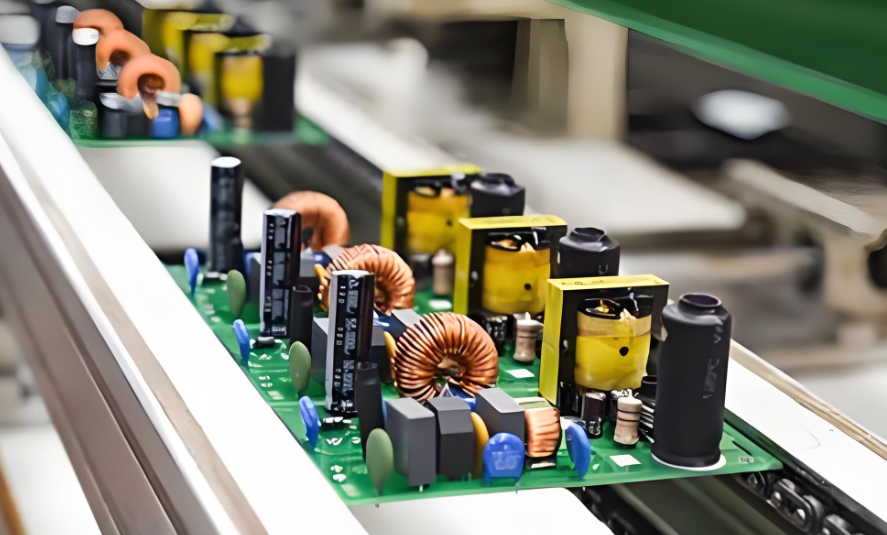
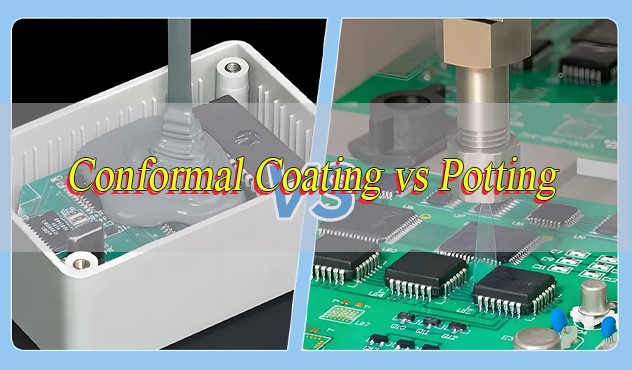
PCB potting is a way to protect a circuit board by covering it completely with a liquid material that later hardens. After the PCB is assembled, it is placed in a case. Then a potting compound, such as epoxy or silicone, is poured over it. The liquid flows around all components and fills empty spaces. Once it cures, it forms a solid layer that seals the whole board.

This means the PCB is no longer exposed to air, moisture, dust, or vibration. Everything inside is protected. Compared with coating, potting covers the entire board, not just the surface. It gives stronger protection, but it also makes repair difficult.

In simple terms, PCB potting turns a normal circuit board into a sealed and durable module that can work reliably in harsh environments.

What are Advantages of Potting PCB?

PCB potting offers multiple benefits. These are not only mechanical but also electrical.

  • Strong Environmental Protection: it blocks moisture and dust. This is critical for outdoor and humid environments.
  • Improved Mechanical Strength: Next, it holds components firmly. Vibration and shock are reduced significantly.
  • Electrical Insulation: Potting materials act as insulators. They prevent short circuits and leakage paths.
  • Chemical Resistance: Many pcb potting compounds resist oils, fuels, and solvents. This is useful in automotive and industrial systems.
  • Enhanced Reliability: Because components are sealed, failure rates drop. Long-term stability improves.
  • Tamper Resistance: Also, potting protects intellectual property. Components are hidden and difficult to access.
  • Thermal Support (Limited): Some pcb potting materials can conduct heat. This helps distribute thermal load.

What are Disadvantages of PCB Potting?

Although potting is effective, it has trade-offs. These should be considered early.

  • Difficult Rework: Once cured, removal is hard. Repair becomes time-consuming.
  • Added Weight: Potting increases total mass. This matters in aerospace and portable devices.
  • Cost Increase: Material and processing costs are higher than coating.
  • Thermal Trapping Risk: If wrong material is used, heat may be trapped. This can affect performance.
  • Design Constraints: Component placement must allow proper flow of resin.
What are Disadvantages of PCB Potting, https://www.bestpcbs.com/blog/2026/03/pcb-potting/

However, with proper design and material selection, most issues can be controlled.

What is the Difference between Potting and Conformal Coating PCB?

ParameterPCB PottingConformal Coating PCB
Protection MethodFull encapsulation of PCB and componentsThin film coating on PCB surface
Coverage Level100% sealed, including gaps and cavitiesSurface-only coverage, follows contours
Typical Thickness2 mm to 50 mm (or more)25 ÎŒm to 100 ÎŒm
Primary FunctionMaximum environmental and mechanical protectionBasic protection against moisture and contamination
Moisture ResistanceExcellent, waterproof sealingGood, but not fully waterproof
Dust & Contaminant ProtectionComplete isolationPartial protection
Mechanical ProtectionStrong shock and vibration resistanceMinimal mechanical support
Electrical InsulationHigh insulation, prevents arcing and leakageModerate insulation
Thermal BehaviorDepends on material (can dissipate or trap heat)Minimal impact on heat dissipation
Rework & RepairVery difficult, often destructiveEasy to remove and repair
Weight ImpactAdds significant weightNegligible weight increase
Material TypesEpoxy, silicone, polyurethaneAcrylic, silicone, urethane, parylene
Processing MethodPouring, casting, vacuum pottingSpraying, dipping, brushing
Curing TimeMinutes to hours (sometimes heat-assisted)Fast curing, often minutes
CostHigher (material + labor)Lower
Design ComplexityRequires enclosure and flow designMinimal design impact
Inspection DifficultyHard to inspect internal componentsEasy visual inspection
IP Protection (Anti-tamper)Very high (components hidden)Low (components visible)
Typical ApplicationsAutomotive modules, power supplies, outdoor electronics, industrial controlsConsumer electronics, telecom boards, indoor devices
Reliability in Harsh EnvironmentsExcellent (extreme conditions)Moderate (controlled environments)

What Materials are Used for PCB Potting?

Material TypeCharacteristicsAdvantagesLimitationsTypical Applications
Epoxy ResinRigid after curing, strong adhesion, high hardnessExcellent mechanical strength, strong chemical resistance, high insulationLow flexibility, can create stress under thermal cycling, difficult potting removalPower supplies, industrial control boards, automotive electronics
SiliconeSoft, elastic, wide temperature tolerance (-50°C to 200°C)High flexibility, handles vibration well, excellent thermal stabilityHigher cost, lower mechanical strength than epoxyLED drivers, automotive modules, outdoor electronics
PolyurethaneSemi-rigid to flexible, moisture resistantBalanced performance, good water resistance, cost-effectiveModerate thermal resistance, limited high-temp performanceConsumer electronics, sensors, general pcb protection potting
Thermally Conductive ResinFilled with ceramic/metal particles for heat transferImproves heat dissipation, reduces hot spots, enhances reliabilityHigher cost, increased viscosity, more complex processingPower electronics, LED lighting, battery management systems
Low-Viscosity ResinFlows easily, penetrates small gapsReduces air bubbles, ideal for dense assembliesMay require controlled curing, lower mechanical strength in some casesFine-pitch PCBs, high-density assemblies
Flame-Retardant Potting CompoundMeets fire safety standards (UL94 V-0)Improved safety, compliance with regulationsSlightly higher cost, may affect curing propertiesAutomotive, industrial, power modules
UV-Curable ResinCures under UV light, rapid processingFast production speed, energy efficientLimited penetration depth, not suitable for thick pottingSmall electronics, selective encapsulation

How to Pot a PCB?

The PCB potting process is straightforward when done correctly, and following a structured step-by-step flow ensures a flawless, bubble-free result every time.

Step 1: Prepare the PCB and workspace. First, thoroughly clean the assembled PCB to remove dust, grease, flux residue, and moisture. Any debris left on the board will compromise adhesion and create weak spots. Set up a clean, dust-free workspace with stable temperature and humidity, as environmental conditions affect curing and material flow.

Step 2: Secure the PCB in a PCB pot or enclosure. Place the cleaned PCB into a custom or standard enclosure that fits snugly, making sure the board is centered and level. Seal any gaps in the enclosure to prevent potting material from leaking out during the pouring stage. This enclosure will become part of the final assembly for most projects.

Step 3: Mix the PCB potting compound properly. Follow the manufacturer’s ratio to mix two-part potting materials (like epoxy or silicone) slowly and evenly. Avoid mixing too quickly, as this traps air and causes bubbles later. Let the mixed compound rest for a few minutes to release any trapped air before application.

Step 4: Dispense or pour the potting material. Slowly pour the mixed compound over the PCB, starting from one corner to ensure even coverage. For complex boards, use a syringe or automated dispenser to reach tight gaps between components. Fill the enclosure just enough to fully cover all components, don’t overfill, as this wastes material and adds unnecessary bulk.

Step 5: Cure the potting compound. Place the potted PCB in a controlled environment to cure, following the material’s recommended time and temperature. Some compounds cure at room temperature, while others need gentle heat to speed up the process. Don’t move or disturb the board during curing, as this can cause shifting or uneven coverage.

Step 6: Inspect and test the final assembly. Once fully cured, inspect the potted PCB for smooth coverage, gaps, or defects. Run functional tests to confirm the board works properly after potting. Professional PCB potting services include strict quality checks at this stage to ensure every board meets performance standards.

How to Pot a PCB, https://www.bestpcbs.com/blog/2026/03/pcb-potting/

How to Prevent Air Bubbles When Potting a PCB?

Air bubbles are the most common issue in PCB potting, but they’re completely avoidable with a few simple, proven techniques. Bubbles can weaken the protective barrier and create weak spots, so taking steps to prevent them is well worth the extra effort.

First, mix the potting compound slowly and gently. Rapid stirring whips air into the liquid, which turns into bubbles as it cures. Mix in a smooth, circular motion, and scrape the sides and bottom of the mixing container to ensure full blending without aeration.

Second, use a vacuum degassing chamber for high-precision projects. Placing the mixed compound in a vacuum chamber removes trapped air before you pour it over the PCB. This is a standard step in professional PCB potting services and is highly recommended for complex boards with small components.

Third, pour the compound slowly and at a low angle. Pouring too fast or from a height introduces air into the material. Pour close to the PCB surface, and let the compound flow naturally over the board instead of splashing onto it.

Fourth, preheat the PCB slightly before potting. Warming the board to a low, safe temperature helps the potting compound flow more smoothly and releases any air trapped in component gaps. Just be careful not to overheat sensitive electronic parts during this step.

Finally, let the poured compound settle for 5-10 minutes before curing. This gives any remaining small bubbles time to rise to the surface and pop on their own. Following these steps will give you a perfectly smooth, bubble-free potted PCB every single time.

How to Remove Potting Compound from PCB?

PCB potting removal is necessary when you need to repair, rework, or replace components on a potted PCB. While it takes more care than removing a thin conformal coating, it is fully achievable with the right tools and careful steps. The process differs for flexible silicone and rigid epoxy, so we’ve broken down clear, safe steps for both common potting materials to avoid damaging your board.

Removing Flexible PCB Potting Silicone: Silicone is softer and more pliable, making removal simpler than rigid epoxy, follow these steps for safe, damage-free peeling and cleanup.

  1. Prep safely and gather tools: Put on safety goggles and nitrile gloves to protect against debris and mild heat. Grab a non-conductive plastic spudger, low-heat heat gun, and soft plastic scraper to avoid scratching PCB traces.
  2. Loosen the silicone surface: Gently score the top layer of cured silicone with the plastic spudger; don’t press hard enough to touch the PCB or components. This breaks the surface tension and makes the material easier to peel.
  3. Softensilicone with low heat: Hold a heat gun 6-8 inches away from the silicone, set to low heat only. High heat will warp the PCB or burn sensitive components, so keep the heat moving constantly.
  4. Peel and scrape carefully: Once the silicone softens and becomes pliable, slowly peel off large chunks with your gloved hand. Use the plastic scraper to remove leftover small bits from components and the board surface.
  5. Final cleanup check: Wipe the board with a lint-free, static-free cloth to remove any silicone residue. Inspect for leftover material before moving on to repairs.

Removing Rigid PCB Potting Epoxy: Epoxy bonds tightly to the PCB substrate and components, so this process requires patience and gentle mechanical action, never rush to avoid costly damage.

  1. Prep safely and select tools: Wear safety goggles, gloves, and a dust mask to avoid epoxy dust. Prepare a low-heat heat gun, small fine-grit grinding tool, PCB-safe epoxy solvent (if needed), and non-conductive probes.
  2. Softens the epoxy lightly: Apply low, consistent heat to the epoxy surface to slightly soften the outer layer; do not overheat, as this can damage solder joints and internal components.
  3. Chip away epoxy gradually: Use the small grinding tool or non-conductive probe to chip away the epoxy slowly, working in small sections. Focus only on the potting material, not the PCB or component leads.
  4. Use PCB-safe solvent (optional): For stubborn, tight epoxy spots, apply a small amount of specialized epoxy solvent designed for circuit boards. Test the solvent on a tiny, hidden area first to ensure it won’t harm the board substrate.
  5. Clean and inspect thoroughly: Brush away epoxy dust with a static-free brush, and wipe the board clean. Check for scratches or damaged traces before starting any repair work on the PCB.

Critical Safety & Best Practices for Potting Removal

  • Always work slowly and gently, hasty scraping or grinding is the top cause of PCB damage during removal.
  • Never use sharp metal tools directly on the PCB surface, as they will scratch traces and break delicate components.
  • If you lack experience or are working with high-value PCBs, trust professional PCB potting services for safe removal and rework to protect your assembly.

How Expensive is Potting a PCB?

The cost of PCB potting varies by key factors but is more affordable than many teams expect, especially with long-term savings from fewer failures. Main cost drivers include material type, project volume, and labor.

Basic epoxy compounds are the cheapest, while specialty materials like high-temp silicone or thermal conductive resins cost more. Larger PCBs or thicker potting layers use more material, slightly raising costs.

Small custom batches have higher per-unit costs due to setup time, while mass production lowers per-unit costs through streamlined processes and bulk pricing.

Professional services add minimal labor costs for expert mixing, pouring, curing, and quality checks. Standard industrial PCB potting averages a few dollars per unit for bulk orders and slightly more for small custom runs.

This one-time cost extends PCB lifespan by years, offering high returns. Most teams find potting costs insignificant compared to replacing failed unprotected boards in the field.

How Expensive is Potting a PCB, https://www.bestpcbs.com/blog/2026/03/pcb-potting/

Will PCB Potting Epoxy Help with Heat Sink?

Yes, when you choose the right type of epoxy. Standard potting epoxy offers basic thermal stability, but thermally conductive PCB potting epoxy is specifically designed to work with heat sinks and improve heat dissipation.

Thermally conductive epoxy potting compounds fill gaps between components and heat sinks, eliminating air pockets that trap heat. This creates a continuous thermal path that pulls heat away from hot components like processors and power modules, transferring it to the heat sink or enclosure for efficient cooling. This is a game-changer for high-power PCBs that run hot during operation.

Even standard epoxy helps with heat management by preventing overheating from environmental factors, but thermally conductive formulas are the best choice for PCBs paired with heat sinks. They don’t interfere with heat sink function, instead, they enhance it, ensuring your PCB stays at a safe operating temperature even under heavy load. Always mention heat sink needs to your PCB potting services provider to select the right thermal-grade compound.

FAQs About PCB Potting Services

Q1: What industries use PCB potting services the most?
A1: PCB potting services are widely used in industrial automation, automotive, outdoor lighting, medical devices, aerospace, and marine electronics. Any industry that needs durable, reliable PCBs in harsh conditions relies on professional potting.

Q2: How long does PCB potting take to complete?
A2: Standard room-temperature potting takes 24-48 hours from start to finish, including curing. Heat-cured materials can be ready in a few hours, making them ideal for fast-turnaround production runs. Professional services often offer expedited options for urgent orders.

Q3: Can PCB potting be done on flexible PCBs?
A3: Yes, flexible PCBs can be potted with flexible silicone or resin compounds. These materials move with the flexible substrate without cracking, providing reliable protection without restricting the board’s flexibility.

Q4: Is PCB potting waterproof?
A4: Properly done PCB potting is fully waterproof and can even withstand prolonged water submersion, depending on the material used. It meets high IP ratings for water and dust resistance, making it perfect for outdoor and underwater devices.

Q5: Do I need professional PCB potting services, or can I do it in-house?
A5: Simple small-batch potting can be done in-house with basic tools, but professional PCB potting services ensure consistent quality, bubble-free results, and compliance with industry standards. For mass production or high-stakes projects, professional services save time and reduce waste.

You may also like

COB High-Power LED Module Copper Core PCB – High Thermal Conductivity for Brightness Stability

March 18th, 2026

Why Choose EBest for Your COB High-Power LED Module Copper Core PCB?

When you need a COB High-Power LED Module Copper Core PCB – High Thermal Conductivity for Brightness Stability, EBest is your first and best choice. Our products deliver unmatched performance to ensure your high-power LED modules operate reliably and stably.

Core parameters of our COB High-Power LED Module Copper Core PCB: Thermal conductivity up to 400 W/m·K, copper core thickness ranging from 0.8mm to 3.0mm, operating temperature range of -40°C to +125°C, dielectric layer thickness of 0.1mm to 0.3mm, and brightness stability deviation of ≀2% over 10,000 hours.

For consistent performance, reliable supply, and professional support, order your COB High-Power LED Module Copper Core PCB from EBest today—we provide the high-quality products your projects demand.

Copper Core PCB

Why Choose Us for COB High-Power LED Module Copper Core PCB?

Quality Assurance: Our COB High-Power LED Module Copper Core PCB undergoes strict multi-step testing (thermal shock, continuity, and insulation) to ensure its thermal conductivity and brightness stability meet global standards.

Lead Time Guarantee: We have a mature production line to ensure on-time delivery—standard orders ship within 7 to 10 days, and urgent orders can be fulfilled in 3 to 5 days without compromising quality.

Cost-Effectiveness: Through optimized supply chains and large-scale production, we reduce unnecessary costs, offering you high-quality COB High-Power LED Module Copper Core PCB at competitive prices.

Professional Service: Our technical team provides 24/7 support—from design consultation to after-sales troubleshooting, we assist you in resolving all issues related to your COB High-Power LED Module Copper Core PCB throughout the process.

Supply Chain Stability: We source high-purity copper and premium dielectric materials from trusted global suppliers, ensuring stable supply and consistent product quality for every batch.

What Are the Common Pain Points with COB High-Power LED Module Copper Core PCB, and How Does EBest Solve Them?

Many users encounter various performance-related issues when using COB High-Power LED Module Copper Core PCB—we address these pain points directly with proven solutions.

Pain Point 1: Poor thermal conductivity leading to module overheating and reduced brightness stability. Solution: We use high-purity copper cores and optimized dielectric layers to ensure a thermal conductivity of up to 400 W/m·K, effectively cooling LED modules and maintaining stable brightness.

Pain Point 2: Inconsistent product quality across batches. Solution: We conduct 100% full inspection on each COB High-Power LED Module Copper Core PCB to ensure every unit meets the same high standards.

Pain Point 3: Delayed deliveries disrupting production schedules. Solution: Through streamlined production processes and scientific inventory management, we ensure on-time delivery, even for large or urgent orders.

Pain Point 4: Lack of technical support for design and application. Solution: Our expert team offers free design consultations to help you optimize the design of your COB High-Power LED Module Copper Core PCB for your specific application scenario.

For hassle-free, high-performance COB High-Power LED Module Copper Core PCB, choose EBest—we turn your pain points into peace of mind.

COB High-Power LED Module Copper Core PCB – High Thermal Conductivity for Brightness Stability

What Is a COB High-Power LED Module Copper Core PCB, and Why Is It Critical for Brightness Stability?

A COB High-Power LED Module Copper Core PCB is a specialized circuit board with a copper core, designed specifically for mounting COB (Chip-on-Board) high-power LED modules. Its core function is efficient heat dissipation, which directly affects the brightness stability of LED modules.

High-power LED modules generate significant heat during operation. Without timely heat dissipation, LED chips will overheat, leading to dimming, color temperature shift, and shortened service life.

The copper core in our COB High-Power LED Module Copper Core PCB has excellent thermal conductivity, which quickly transfers heat generated by LED chips away, maintaining stable chip temperature and thus ensuring consistent brightness and long-term reliability.

How Does High Thermal Conductivity in COB High-Power LED Module Copper Core PCB Improve Brightness Stability?

High thermal conductivity in COB High-Power LED Module Copper Core PCB directly improves brightness stability by preventing LED chip overheating—the primary cause of brightness degradation in high-power LED modules.

When LED chips overheat, their light output decreases (known as “light decay”), and color temperature shifts, resulting in uneven brightness across the module.

Our COB High-Power LED Module Copper Core PCB has a thermal conductivity of up to 400 W/m·K, dissipating heat much faster than standard PCBs. This maintains a stable chip temperature, eliminates light decay, and ensures consistent brightness throughout the module’s service life.

What Key Specifications Should You Look for When Selecting a COB High-Power LED Module Copper Core PCB?

When selecting a COB High-Power LED Module Copper Core PCB, focus on the following critical specifications to ensure its performance is compatible with your LED modules.

  • Thermal Conductivity: Aim for ≄200 W/m·K (EBest products reach up to 400 W/m·K) to ensure effective heat dissipation.
  • Copper Core Thickness: 0.8mm to 3.0mm—thicker cores improve thermal performance for high-power applications.
  • Dielectric Layer: 0.1mm to 0.3mm with high insulation resistance to prevent short circuits and ensure safety.
  • Operating Temperature Range: -40°C to +125°C to withstand harsh working environments.
  • Brightness Stability: ≀2% deviation over 10,000 hours to ensure consistent performance over the long term.

What Advantages Does EBest’s COB High-Power LED Module Copper Core PCB Have Compared to Standard PCBs?

SpecificationEBest COB High-Power LED Module Copper Core PCBStandard FR-4 PCBAluminum Core PCB
Thermal ConductivityUp to 400 W/m·K1-2 W/m·K10-20 W/m·K
Brightness Stability≀2% deviation over 10,000 hours≄8% deviation over 10,000 hours≄5% deviation over 10,000 hours
Operating Temperature Range-40°C to +125°C-20°C to +85°C-30°C to +105°C
DurabilityHigh (resistant to thermal shock and vibration)Low (prone to warping under heat)Medium (better than FR-4 but inferior to copper core)
Compatibility with High-Power LEDsIdeal (handles modules above 50W)Not recommended (overheats quickly)Suitable for 10-50W modules

Which Industries Benefit Most from COB High-Power LED Module Copper Core PCB?

The COB High-Power LED Module Copper Core PCB is essential for industries that rely on high-power LED modules and pursue stable brightness and long-term reliability. Below are four key industries and real EBest case studies.

1. Industrial Lighting

Industrial warehouses and factories use high-power LED modules for bright, uniform lighting. Our COB High-Power LED Module Copper Core PCB ensures stable brightness even in high-temperature environments.

Case Study: A global industrial lighting manufacturer used our PCB for 200W LED high bay lights. The results showed: 30% less heat buildup and 98% brightness stability over 20,000 hours.

2. Architectural Lighting

Architectural lighting requires precise brightness control for building facades and public spaces. The high thermal conductivity of our PCB prevents color temperature shift and maintains lighting uniformity.

Case Study: An architectural firm used our COB High-Power LED Module Copper Core PCB for a 100-square-meter building facade project. The PCBs delivered uniform brightness with no visible light decay for 18 months.

3. Automotive Lighting

Automotive headlights and taillights use high-power LEDs, requiring PCBs that can withstand extreme temperature fluctuations. Our PCB can adapt to a temperature range of -40°C to +125°C, ensuring reliable operation in all climates.

Case Study: An automotive supplier used our PCB for LED headlights. After 10,000 thermal cycle tests (from -40°C to +85°C), the PCBs still maintained stable brightness and performance.

4. Outdoor Flood Lighting

Outdoor floodlights operate in harsh conditions (rain, extreme heat/cold) and require long-lasting brightness. Our COB High-Power LED Module Copper Core PCB is moisture-resistant and maintains stable thermal efficiency.

Case Study: A municipal government used our PCB for 150W outdoor floodlights. The PCBs delivered consistent brightness for 2 years with no maintenance issues.

How to Design a COB High-Power LED Module Copper Core PCB for Maximum Brightness Stability?

Designing a COB High-Power LED Module Copper Core PCB for maximum brightness stability requires focusing on thermal management, material selection, and layout design—here’s how to do it.

Choose the Right Copper Core Thickness

For high-power LED modules above 50W, we recommend using a 1.5-3.0mm copper core. Thicker cores improve heat dissipation, reduce LED chip temperature, and maintain brightness stability.

Optimize the Dielectric Layer Design

Use a high-insulation, thermally conductive dielectric layer (0.1-0.3mm). This ensures electrical safety while quickly transferring heat from LED chips to the copper core.

Optimize Layout for Heat Dissipation

Evenly distribute LED chips across the PCB surface to avoid heat concentration; use large copper pads and thermal vias to transfer heat from the chip surface to the copper core.

Partner with a Reliable Manufacturer

Work with a manufacturer like EBest that specializes in COB High-Power LED Module Copper Core PCB. We offer design support to optimize your layout for maximum brightness stability.

What Quality Certifications Does EBest’s COB High-Power LED Module Copper Core PCB Have?

EBest’s COB High-Power LED Module Copper Core PCB meets global quality standards and holds multiple industry-recognized certifications. Below is a complete list of our certifications.

Certification NameCertification BodyRelevance to COB High-Power LED Module Copper Core PCB
ISO 9001:2015ISO (International Organization for Standardization)Ensures stable quality management and production processes
UL 94 V-0UL (Underwriters Laboratories)Fire-resistant, critical for LED modules in enclosed spaces
IPC-6012IPC (Association Connecting Electronics Industries)Meets rigid PCB performance standards for high-power applications
RoHSEuropean Union (EU)Environmentally friendly, free of hazardous substances
REACHEuropean Union (EU)Complies with EU chemical safety standards for global distribution

What Services Does EBest Offer for COB High-Power LED Module Copper Core PCB?

EBest provides end-to-end services for COB High-Power LED Module Copper Core PCB, from design to delivery, to ensure your project progresses seamlessly.

  • Free Design Consultation: Our expert team helps you optimize your PCB design to enhance thermal conductivity and brightness stability.
  • Rapid Prototyping: Complete prototyping in 3-5 days, allowing you to test the performance of your COB High-Power LED Module Copper Core PCB before mass production.
  • Mass Production: Scalable production capacity to meet large-order requirements while ensuring consistent quality.
  • Quality Inspection: 100% full inspection (thermal shock, continuity, insulation) for every PCB.
  • After-Sales Support: 24/7 technical support to resolve any issues you encounter during PCB use.

How to Test the Thermal Conductivity of a COB High-Power LED Module Copper Core PCB?

Testing the thermal conductivity of your COB High-Power LED Module Copper Core PCB is a critical step to ensure it meets your project requirements. Follow these simple steps.

Step 1: Gather Test Equipment

You will need a thermal conductivity tester, temperature sensor, power supply, and your COB High-Power LED Module Copper Core PCB sample.

Step 2: Prepare the Sample

Cut the PCB into a standard size (100x100mm) and clean the surface to remove any debris that could affect heat transfer.

Step 3: Conduct the Test

Place the sample in the thermal conductivity tester, apply a stable heat source, measure the temperature difference across the PCB, and calculate using the formula: Thermal Conductivity = (Heat Flux × Thickness) Ă· Temperature Difference.

Step 4: Verify the Results

Compare the test result with your required specification (≄200 W/m·K for high-power applications). EBest’s PCBs are pre-tested, so you can trust they meet the stated thermal conductivity.

What Are the Common Myths About COB High-Power LED Module Copper Core PCB?

There are many misconceptions about COB High-Power LED Module Copper Core PCB—we debunk the most common ones to help you make informed decisions.

Myth 1: Copper Core PCBs Are Too Heavy for LED Modules

Fact: Our COB High-Power LED Module Copper Core PCB uses lightweight, high-purity copper cores (0.8-3.0mm) that are light enough for most LED module applications, including portable lighting.

Myth 2: High Thermal Conductivity Isn’t Necessary for Small LED Modules

Fact: Even small high-power LED modules (above 50W) generate enough heat to cause light decay. A copper core PCB ensures brightness stability, regardless of module size.

Myth 3: Copper Core PCBs Are Difficult to Manufacture

Fact: EBest has optimized production processes to efficiently manufacture COB High-Power LED Module Copper Core PCB, ensuring consistent quality and fast lead times.

Myth 4: Aluminum Core PCBs Perform as Well as Copper Core PCBs

Fact: Aluminum core PCBs have a thermal conductivity of only 10-20 W/m·K, much lower than the maximum 400 W/m·K of copper core PCBs, making them less effective for high-power LED modules.

FAQ: Common Questions About COB High-Power LED Module Copper Core PCB

Below are the most frequently asked questions about COB High-Power LED Module Copper Core PCB, with clear, direct answers to help you solve problems quickly.

Q1: How Long Does a COB High-Power LED Module Copper Core PCB Last?

A1: Under normal operating conditions (-40°C to +125°C), EBest’s COB High-Power LED Module Copper Core PCB has a service life of more than 50,000 hours. This matches the service life of high-power LED modules, ensuring no premature failure.

Q2: Can COB High-Power LED Module Copper Core PCB Be Customized to Specific Sizes?

A2: Yes, we offer fully customized COB High-Power LED Module Copper Core PCB in any size (from 50x50mm to 500x500mm) and thickness (0.8-3.0mm) to match your LED module design.

Q3: Does the COB High-Power LED Module Copper Core PCB Require Special Mounting?

A3: No, our COB High-Power LED Module Copper Core PCB uses standard mounting holes and dimensions, making it compatible with most LED module enclosures and fixtures. We can also customize mounting holes if needed.

Q4: How Does EBest Ensure Consistent Brightness Stability in Every PCB?

A4: Before shipping, we test every COB High-Power LED Module Copper Core PCB for thermal conductivity and brightness stability. Our quality control process includes thermal shock testing and brightness deviation measurement to ensure ≀2% deviation over 10,000 hours.

Q5: Can the COB High-Power LED Module Copper Core PCB Be Used for Outdoor Applications?

A5: Yes, our PCB is designed for outdoor use—it is moisture-resistant, corrosion-resistant, and can withstand extreme temperature fluctuations (-40°C to +125°C), making it ideal for outdoor floodlights and architectural lighting.

Q6: What Is the Minimum Order Quantity for COB High-Power LED Module Copper Core PCB?

A6: We accept small orders (minimum 10 units) for prototyping and large orders (1,000+ units) for mass production. This flexibility makes us suitable for both small projects and large-scale manufacturing.

Q7: How Quickly Can EBest Deliver Custom COB High-Power LED Module Copper Core PCB?

A7: Custom prototypes are delivered in 3-5 days, and standard custom orders are delivered in 7-10 days. Urgent orders can be fulfilled in 2-3 days with prior arrangement.

What Are the Latest Innovations in COB High-Power LED Module Copper Core PCB?

The COB High-Power LED Module Copper Core PCB industry is constantly evolving, with new innovations to improve thermal conductivity, brightness stability, and sustainability.

Innovation 1: Advanced Copper Alloys—We use high-purity copper alloys to boost thermal conductivity up to 400 W/m·K, improving heat dissipation and brightness stability.

Innovation 2: Thin-Film Dielectric Layers—New thin-film dielectric materials reduce thermal resistance, transferring heat faster from LED chips to the copper core.

Innovation 3: Sustainable Manufacturing—We use eco-friendly materials and processes to produce COB High-Power LED Module Copper Core PCB that meet RoHS and REACH standards, reducing environmental impact.

Why Is EBest the Trusted Supplier for COB High-Power LED Module Copper Core PCB?

EBest is the trusted supplier for COB High-Power LED Module Copper Core PCB because we combine quality, reliability, and expert support to meet your project needs.

We have years of experience manufacturing high-performance PCBs for high-power LED modules, with a proven track record of serving global clients in the industrial, architectural, automotive, and outdoor lighting industries.

Our commitment to quality, on-time delivery, and 24/7 support makes us the top choice for businesses that demand the best COB High-Power LED Module Copper Core PCB for brightness stability and thermal performance.

We provide high-quality COB High-Power LED Module Copper Core PCB – High Thermal Conductivity for Brightness Stability. If you need reliable, high-performance PCBs for your LED modules, please place your order with EBest. Our email is sales@bestpcbs.com, and our team is ready to assist you with all your requirements.

You may also like

What Is Active and Passive Components?

March 18th, 2026

Understanding active and passive components is essential for designing reliable circuits. Whether you work in consumer electronics, automotive, or industrial systems, mastering active and passive components helps you choose the right parts for performance, cost, and longevity. This guide breaks down everything you need to know about active and passive components, from definitions to real-world applications.

What Is Active and Passive Components?

What Are Active Components in Electronics? Definition & Examples

Active components need an external power source to function. They control or amplify electrical signals, making them critical for circuit performance.

Common examples of active components include transistors, ICs (integrated circuits), diodes, LEDs, and relays.

These components are the “workhorses” of active and passive components in PCB design, enabling signal amplification and precise control in all electronic devices.

What Are Passive Components in Electronics? Definition & Examples

Passive components do not need external power to operate. They store or dissipate energy without amplifying signals, supporting the core function of active components.

Common examples of passive components include resistors, capacitors, inductors, and transformers.

They are essential for active and passive components for circuit design, handling filtering, timing, load matching, and energy storage.

What Is the Difference Between Active and Passive Components? Comparison Table

Knowing the key differences between these components ensures you select the right parts for your project. Below is a detailed comparison of active vs passive components.

FeatureActive ComponentsPassive ComponentsCommon Use Case
Power RequirementNeeds external power to operateNo external power requiredAll electronic circuits
Core FunctionAmplify, switch, or control electrical signalsStore, dissipate, or transfer energySignal management and power regulation
ExamplesTransistors, ICs, diodes, LEDs, relaysResistors, capacitors, inductors, transformersPCB design and circuit assembly
Energy RoleSupplies energy to the circuitUses or reserves energy from the circuitPower systems and signal processing

What Are the Advantages and Disadvantages of Active Components?

Understanding the advantages of active components and their limitations helps you make informed design decisions.

Advantages: High performance, signal amplification, precise control over circuit behavior, and ability to switch signals quickly.

Disadvantages: Higher cost compared to passive components, requires external power, and adds complexity to PCB design.

What Are the Advantages and Disadvantages of Passive Components?

The advantages of passive components make them indispensable for reliable, cost-effective circuits.

Advantages: Low cost, simple design, high reliability, no external power needed, and long service life.

Disadvantages: No signal amplification capability, limited function, and fixed electrical parameters that cannot be adjusted.

How to Choose Between Active and Passive Components?

Selecting between active and passive components depends on your circuit’s specific needs.

Use active components for amplification, switching, or signal control—ideal for circuits that need to boost or modify signals.

Use passive components for filtering, timing, load matching, or energy storage—critical for stabilizing circuits and managing power flow.

Active and Passive Components in PCB Design (Top 4 Industries)

Consumer Electronics

Smartphones, tablets, and wearables rely on active and passive components in consumer electronics.

ICs (active) and capacitors (passive) are used to ensure small size, low power consumption, and stable performance.

Automotive Electronics

EV controllers, infotainment systems, and safety modules use active and passive components in automotive electronics.

Transistors (active) and power resistors (passive) meet high reliability and temperature resistance standards for vehicle environments.

Industrial Control & Automation

PLCs (Programmable Logic Controllers) and factory automation systems use active and passive components in industrial electronics.

Relays (active) and inductors (passive) provide signal isolation and stability in harsh factory conditions.

Medical Electronics

Patient monitors, diagnostic devices, and medical implants use active and passive components in medical devices.

Op-amps (active) and precision passive components comply with strict safety and accuracy regulations for medical applications.

How to Identify Active and Passive Components?

Identifying active and passive components is simple with these key indicators.

Active components: Require a power pin or connection (e.g., ICs with VCC pins, transistors with base/emitter pins).

Passive components: No power connection needed (e.g., resistors with two leads, capacitors with two terminals).

Common Failures of Active & Passive Components & Fixes

Even high-quality active and passive components can fail—here’s how to troubleshoot and fix common issues.

Active components: Overheating or voltage damage → Use proper cooling solutions and voltage protection circuits.

Passive components: Parameter drift or short circuits → Select high-quality, rated parts from reliable suppliers.

How Do Active & Passive Components Affect PCB Quality & Supply Chain?

The quality of active and passive components directly impacts PCB performance and supply chain stability.

Quality: Choose certified components to ensure long-term reliability and compliance with industry standards.

Supply chain: Select widely available parts to avoid delays—EBest ensures a stable supply chain for electronic components.

Latest Trends for Active and Passive Components (2026)

The types of active and passive components with examples are evolving to meet industry demands in 2026.

Miniaturization: Smaller component packages for compact PCBs in consumer and medical devices.

High reliability: Automotive and medical grade components with enhanced durability and performance.

Sustainability: Low-power active components and eco-friendly passive components to reduce energy consumption.

FAQ: Frequently Asked Questions About Active and Passive Components

Is a transistor active or passive component?

A transistor is an active component. It requires external power to amplify or switch electrical signals, which is a key characteristic of active components.

Is a resistor active or passive component?

A resistor is a passive component. It dissipates energy as heat and does not require external power to operate, fitting the definition of passive components.

Is a capacitor active or passive?

A capacitor is a passive component. It stores electrical energy and releases it as needed, without requiring external power to function.

Do active components need power?

Yes, active components need external power. They cannot amplify or control signals without a power source, unlike passive components.

Do passive components need a power supply?

No, passive components do not need a power supply. They operate using the energy available in the circuit, such as storing or dissipating energy from active components.

Why are active and passive components important?

Active and passive components are important because they work together to create functional electronic circuits. Active components provide control and amplification, while passive components stabilize and support signal flow.

Active vs passive components which is better?

Neither is “better”—they serve different purposes. Active components are essential for signal control/amplification, while passive components are critical for stability and energy management. Both are required for most circuits.

Summary: Master Active and Passive Components for Better PCBs

active and passive components form the foundation of all electronic circuits. The function of active and passive components works in harmony to ensure circuits perform reliably, efficiently, and cost-effectively.

Correct selection of active and passive components improves PCB quality, reduces failures, and ensures your device meets industry standards.

EBest provides high quality PCB with active and passive components and reliable active and passive components for PCB manufacturing. We specialize in PCB manufacturing with active and passive components and custom PCB using active and passive components, with a stable supply chain and on-time delivery. If you need high-quality components and PCB solutions, place your order with us. Email us at sales@bestpcbs.com for inquiries and quotes.

You may also like

High Thermal Conductivity MCPCB for LED Street Light: Complete Guide & Solutions

March 13th, 2026

Looking for High Thermal Conductivity MCPCB for LED Street Light? Choose EBest First for Premium Quality & Stable Performance

When selecting High Thermal Conductivity MCPCB for LED Street Light, core parameters directly determine the reliability and lifespan of your LED street lighting. EBest’s products are tailored to solve thermal management pain points in LED street lights, with industry-leading specifications.

Our High Thermal Conductivity MCPCB for LED Street Light features: Thermal conductivity ranging from 2.0W/(m·K) to 12W/(m·K), 6061-T6 aluminum alloy base, 50-100ÎŒm nano-ceramic dielectric layer, 2-4oz electrolytic copper foil, and operating temperature range of -40℃ to 125℃.

All products pass strict thermal cycle and insulation tests, ensuring stable performance in harsh outdoor environments. For your LED street light projects, choose EBest’s High Thermal Conductivity MCPCB—contact us to place your order today.

High Thermal Conductivity MCPCB for LED Street Light: Complete Guide & Solutions

MCPCB for LED Street Light

Why Choose EBest for High Thermal Conductivity MCPCB for LED Street Light?

Quality Assurance: We adopt automatic vacuum lamination and AOI detection, achieving a production yield of over 98.5%. All products comply with international standards and undergo rigorous reliability testing.

Fast Delivery: Our vertically integrated supply chain enables small-batch delivery in 7 days and mass production in 15–20 days, eliminating delays in your project timeline.

Stable Supply Chain: Long-term partnerships with top material suppliers ensure a steady supply of core raw materials, avoiding production interruptions caused by material shortages.

Professional Service: Our technical team provides one-on-one DFM (Design for Manufacturability) advice, optimizing designs for manufacturability and solving technical issues throughout the project cycle.

What Are the Core Pain Points of High Thermal Conductivity MCPCB for LED Street Light, and How Does EBest Solve Them?

Many users face challenges such as poor thermal dissipation, inconsistent production quality, and supply chain risks when using High Thermal Conductivity MCPCB for LED Street Light. EBest addresses these pain points with targeted solutions.

Pain Point 1: Overheating leads to LED light degradation and shortened lifespan. Solution: Our MCPCB uses high-quality thermally conductive dielectric layers, reducing thermal resistance to ≀5℃/W and keeping the LED junction temperature below 85℃.

Pain Point 2: Inconsistent batch production affects product reliability. Solution: We implement strict SPC (Statistical Process Control) and 100% AOI detection to ensure consistent quality across all batches.

Pain Point 3: Long delivery times delay project schedules. Solution: Our in-house production lines and optimized supply chain reduce delivery times by 30% compared to industry averages.

Pain Point 4: Poor insulation performance poses safety hazards. Solution: All our MCPCBs pass 25KV insulation withstand voltage tests, meeting outdoor safety standards. Choose EBest to solve all your High Thermal Conductivity MCPCB for LED Street Light pain points.

What Is High Thermal Conductivity MCPCB for LED Street Light, and Why Is It Essential?

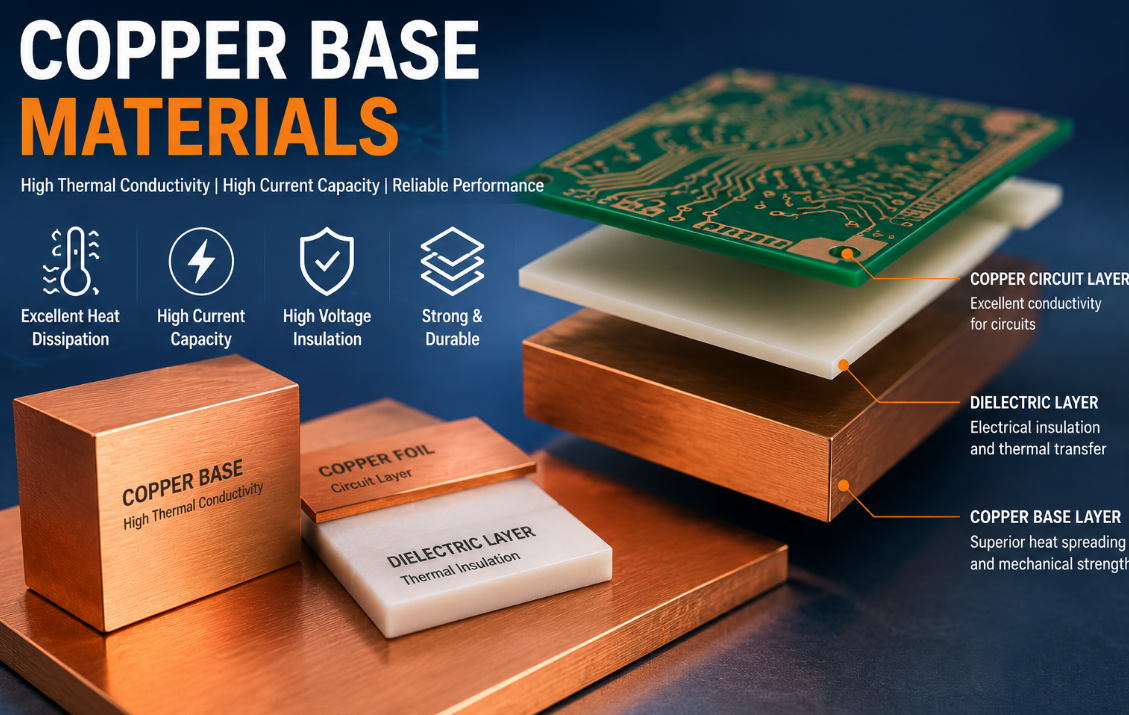
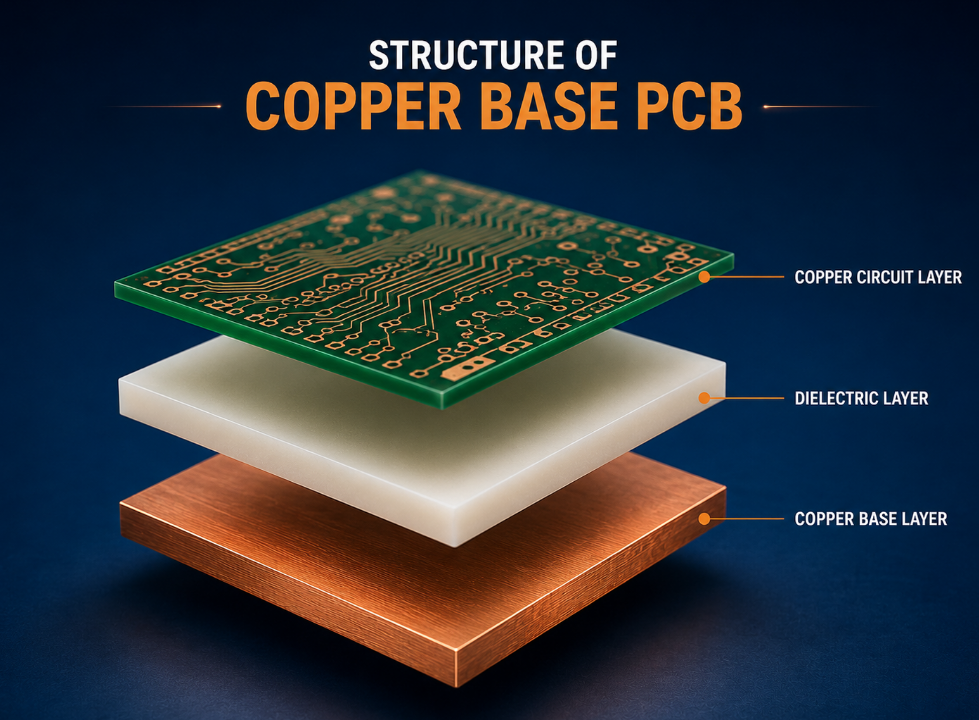
High Thermal Conductivity MCPCB for LED Street Light is a specialized metal-core PCB designed for outdoor LED street lighting, consisting of a metal base, thermally conductive dielectric layer, and copper circuit layer.

LED street lights convert only 20–30% of electrical energy into light, with 70% or more converted into heat. Traditional FR-4 PCBs (with a thermal conductivity of 0.3–0.5W/(m·K)) cannot dissipate heat efficiently, leading to rapid light degradation.

High thermal conductivity MCPCBs solve this issue by transferring heat quickly from LED chips to heat sinks, extending the LED lifespan to over 50,000 hours and ensuring stable brightness.

High Thermal Conductivity MCPCB for LED Street Light: Complete Guide & Solutions

How to Choose the Right Thermal Conductivity for High Thermal Conductivity MCPCB for LED Street Light?

How to Choose the Right Thermal Conductivity for High Thermal Conductivity MCPCB for LED Street Light?

The right thermal conductivity depends on your LED street light’s power and operating environment. For most municipal street lights (30–50W), 2.0–4.0W/(m·K) MCPCBs are sufficient.

For high-power street lights (50–100W) or areas with high ambient temperatures, choose 4.0–8.0W/(m·K) products. For extreme outdoor environments, 8.0–12.0W/(m·K) high-grade MCPCBs are recommended.

EBest’s technical team can help you select the optimal thermal conductivity based on your specific project requirements, ensuring both cost-effectiveness and performance.

What Are the Key Materials for High Thermal Conductivity MCPCB for LED Street Light?

The performance of High Thermal Conductivity MCPCB for LED Street Light depends on three core materials: the metal base, dielectric layer, and copper foil.

Metal Base

We use 6061-T6 aluminum alloy (with a thermal conductivity of ≄200W/(m·K)) for most projects, balancing thermal performance and cost. For high-end applications, copper or copper-molybdenum alloy bases are available.

Dielectric Layer

Nano-ceramic dielectric layers (50–100ÎŒm) are used, offering high thermal conductivity and insulation. They reduce thermal resistance while ensuring electrical safety.

Copper Foil

2–4oz electrolytic copper foil is standard, supporting high current and reducing voltage drop. Heavy copper (4oz+) is available for high-power LED street lights.

How Does High Thermal Conductivity MCPCB Improve LED Street Light Lifespan?

It is an industry consensus that for every 10℃ increase in LED junction temperature, the lifespan decreases by 50%. High Thermal Conductivity MCPCB for LED Street Light directly reduces the junction temperature, significantly extending the lifespan.

Our MCPCB reduces thermal resistance by 40% compared to traditional FR-4 PCBs. In practical tests, LED street lights using our MCPCB maintained 95% light flux after 6,000 hours of continuous operation.

This not only reduces maintenance costs but also enhances the reliability of your LED street lighting projects.

What Are the Top 4 Industry Applications of High Thermal Conductivity MCPCB for LED Street Light?

High Thermal Conductivity MCPCB for LED Street Light is widely used in outdoor lighting and related fields. Below are four popular industry applications with real-world cases.

1. Municipal Road Lighting

Case: Singapore HDB street light project. Our 2.0W/(m·K) MCPCB was used, achieving 98.7% uptime and reducing maintenance frequency by 60%.

2. Highway Lighting

Case: European highway lighting project. High-power (80W) LED street lights used our 6.0W/(m·K) MCPCB, maintaining stable performance in environments ranging from -20℃ to 35℃.

3. Industrial Park Lighting

Case: American industrial park project. Our MCPCB solved overheating issues in high-humidity environments, ensuring a service life of 50,000+ hours.

4. Residential Community Lighting

Case: Asian residential community project. A cost-effective 3.0W/(m·K) MCPCB was used, balancing performance and budget, with 96% customer satisfaction.

How to Compare High Thermal Conductivity MCPCB for LED Street Light with Traditional FR-4 PCBs?

The following table clearly compares High Thermal Conductivity MCPCB for LED Street Light with traditional FR-4 PCBs, helping you make informed decisions.

Comparison Item

High Thermal Conductivity MCPCB for LED Street Light

Traditional FR-4 PCB

Thermal Conductivity

2.0–12.0W/(m·K), 4–24 times higher

0.3–0.5W/(m·K), low

LED Junction Temperature

≀85℃, safe range

≄125℃, prone to overheating

LED Lifespan

50,000+ hours

20,000–30,000 hours

Outdoor Adaptability

Resistant to high/low temperatures and humidity; no deformation

Prone to deformation; poor insulation in harsh environments

Light Flux Maintenance

95% after 6,000 hours

82% after 6,000 hours

What Are the Production Processes of High Thermal Conductivity MCPCB for LED Street Light?

Stable production processes ensure consistent quality of High Thermal Conductivity MCPCB for LED Street Light. EBest adopts advanced processes to meet high standards.

  1. Material Cutting: Precision cutting of the metal base and copper foil, ensuring dimensional accuracy of ±0.1mm.
  2. Dielectric Layer Lamination: Automatic vacuum lamination at 180℃ and 8MPa pressure, eliminating interlayer bubbles.
  3. Circuit Etching: Precision etching with a line width accuracy of ≄0.2mm, ensuring signal integrity.
  4. Surface Treatment: Anodization + nano-hydrophobic coating, enhancing corrosion resistance for outdoor use.
  5. Quality Testing: 100% AOI detection + thermal conductivity testing + insulation testing, ensuring no defective products leave the factory.

What Certifications and Services Does EBest Offer for High Thermal Conductivity MCPCB for LED Street Light?

EBest holds multiple international certifications, ensuring our High Thermal Conductivity MCPCB for LED Street Light meets global quality standards. Our services cover the entire project cycle.

EBest Certifications

Certification Name

Certification Scope

Validity

UL 796

Electrical safety, flame resistance, thermal endurance

2024–2027

ISO 9001

Quality management system (design to delivery)

2023–2026

IPC-A-610 Class 3

High-reliability PCB acceptability

Permanent

IEC 60068-2-1

Environmental testing (high/low temperature)

2024–2027

RoHS

Environmental protection (lead-free, cadmium-free)

Permanent

EBest Core Services

  • DFM Design Advice: Free one-on-one optimization for design for manufacturability (DFM).
  • Sample Service: Fast sample production (3–5 days) for performance testing.
  • After-Sales Support: 24/7 technical support and problem-solving.
  • Full Traceability: Barcode management for complete production process tracking.

Why Is Thermal Management Critical for High Thermal Conductivity MCPCB for LED Street Light?

Poor thermal management of High Thermal Conductivity MCPCB for LED Street Light leads to multiple issues that impact project success.

Overheating causes LED chips to age faster, leading to light degradation, color drift, and premature failure. This increases maintenance costs and damages brand reputation.

Effective thermal management via high-quality MCPCB ensures stable LED performance, reduces downtime, and maximizes your return on investment.

How to Optimize the Design of High Thermal Conductivity MCPCB for LED Street Light?

Optimizing the design improves the performance and manufacturability of High Thermal Conductivity MCPCB for LED Street Light. Follow these key tips.

Thermal Via Design

Add thermal via arrays (8–12 per cmÂČ) under LED chips to transfer heat directly to the metal base, reducing thermal resistance.

Copper Foil Layout

Use wider copper traces for high-current areas to reduce voltage drop and local overheating.

Dielectric Layer Thickness

Choose 50–100ÎŒm dielectric layers—thicker layers reduce thermal conductivity, while thinner layers compromise insulation.

Heat Sink Integration

Design the MCPCB to fit seamlessly with heat sinks, ensuring tight contact for efficient heat transfer.

FAQ: Common Questions About High Thermal Conductivity MCPCB for LED Street Light

Below are the most common questions about High Thermal Conductivity MCPCB for LED Street Light, with direct, concise answers.

1. What is the maximum thermal conductivity of EBest’s High Thermal Conductivity MCPCB for LED Street Light?

The maximum thermal conductivity of our High Thermal Conductivity MCPCB for LED Street Light is 12W/(m·K), suitable for high-power LED street lights (100W+).

2. Can High Thermal Conductivity MCPCB for LED Street Light withstand outdoor harsh environments?

Yes. Our MCPCBs have an operating temperature range of -40℃ to 125℃, are waterproof, dustproof, and corrosion-resistant, making them ideal for outdoor use.

3. How long does it take to deliver High Thermal Conductivity MCPCB for LED Street Light in mass production?

Mass production delivery takes 15–20 days. For urgent projects, we offer expedited service with delivery in 10–12 days.

4. Does EBest provide custom High Thermal Conductivity MCPCB for LED Street Light?

Yes. We provide fully customized solutions, including thermal conductivity, size, copper thickness, and surface treatment, tailored to your project needs.

5. How to test the thermal performance of High Thermal Conductivity MCPCB for LED Street Light?

We use professional equipment to test thermal conductivity, thermal resistance, and junction temperature. We also provide test reports for your verification.

6. Are EBest’s High Thermal Conductivity MCPCB for LED Street Light lead-free?

Yes. All our MCPCBs comply with RoHS standards, are lead-free and cadmium-free, and meet global environmental requirements.

7. Can High Thermal Conductivity MCPCB for LED Street Light reduce LED light decay?

Yes. By reducing the LED junction temperature to ≀85℃, our MCPCB slows down light degradation, ensuring 95% light flux maintenance after 6,000 hours.

What Are the Latest Technical Innovations in High Thermal Conductivity MCPCB for LED Street Light?

The industry is constantly innovating, and EBest keeps pace with the latest trends to enhance the performance of High Thermal Conductivity MCPCB for LED Street Light.

Innovation 1: Nano-ceramic dielectric layer with improved thermal conductivity, reducing thermal resistance by 15% compared to traditional dielectric layers.

Innovation 2: Copper-molybdenum alloy base, balancing thermal conductivity and thermal expansion coefficient to reduce warping risk.

Innovation 3: Integrated heat pipe design, further improving heat dissipation efficiency for high-power LED street lights.

Choose EBest for High Thermal Conductivity MCPCB for LED Street Light – Your Trusted Partner

EBest specializes in High Thermal Conductivity MCPCB for LED Street Light, with 19 years of industry experience, strict quality control, and professional technical support.

We provide high-performance, reliable products that solve your thermal management and supply chain challenges. Whether you need standard or custom MCPCBs, we have you covered.

We provide High Thermal Conductivity MCPCB for LED Street Light products. If you have any needs, please place your order with us. Our email is sales@bestpcbs.com. EBest – your reliable partner for LED street light MCPCB solutions.

You may also like

High Speed PCB Design Radiocord Technologies​ | EBest Circuit

March 13th, 2026

High speed PCB design Radiocord technologies refers to advanced printed circuit board engineering techniques used to ensure stable signal transmission at high data rates and fast edge speeds. This article explains what defines a high-speed PCB, the frequencies that require high-speed design rules, suitable materials like FR-4, impedance control requirements, stack-up strategies, crosstalk mitigation, simulation tools, and practical design workflows.

What Is Considered a High Speed PCB?

A PCB is considered high speed when signal timing and electromagnetic behavior begin to affect circuit performance. At lower speeds, traces behave like simple conductors. As signal edges become faster, traces begin acting like transmission lines.

Many engineers evaluate this change using signal rise time. When the signal edge becomes very short, electromagnetic effects become more significant.

A common estimation formula is:

Bandwidth ≈ 0.35 / Rise Time

For example:

Rise TimeApproximate Frequency Content
5 ns~70 MHz
1 ns~350 MHz
500 ps~700 MHz
100 ps~3.5 GHz

Today, many electronic systems require high speed PCB design, including:

  • Data center servers
  • High-performance computing platforms
  • Networking switches and routers
  • Automotive radar electronics
  • Medical imaging equipment

Modern processors often communicate with memory at speeds exceeding 20–30 Gbps per lane, which requires strict signal integrity control in PCB layout.

High Speed PCB Design Radiocord Technologies​ | EBest Circuit

What Frequency Requires High Speed PCB Design?

There is no single frequency that defines a high speed PCB. However, many engineers begin applying high speed design rules when signal frequencies exceed 50 MHz to 100 MHz.

Above this range, several signal integrity challenges begin to appear:

  • Signal reflections
  • Crosstalk between traces
  • Timing distortion
  • Electromagnetic interference

Modern digital interfaces operate far beyond this range.

InterfaceData Rate
USB 3.05 Gbps
PCIe Gen416 GT/s
PCIe Gen532 GT/s
10 Gigabit Ethernet10 Gbps

These speeds introduce frequency components in the gigahertz range. According to industry research from Cisco’s Global Cloud Index, global data center traffic has exceeded 20 zettabytes annually, and modern network links commonly operate at 25 Gbps, 56 Gbps, and even 112 Gbps per channel.

Can FR4 Be Used for High Speed PCB?

FR4 remains the most commonly used PCB substrate in the electronics industry. It offers good mechanical strength, wide availability, and relatively low manufacturing cost.

Typical FR4 properties include:

  • Dielectric constant: 4.2 – 4.6
  • Loss tangent: ~0.015 at 1 GHz
  • Glass transition temperature: 130–170°C

FR4 works well for many digital systems, including:

  • Computer motherboards
  • Industrial control boards
  • Consumer electronics
  • Networking equipment

However, signal loss increases as operating frequency rises. When data rates exceed 10 Gbps, engineers sometimes choose lower-loss laminates to maintain signal quality.

Common high-speed materials include:

  • Rogers laminates
  • Megtron series materials
  • Nelco high-speed laminates

Even so, many systems still use FR4 successfully when trace lengths are controlled and stackup design is optimized.

Can FR4 Be Used for High Speed PCB?

What Impedance Is Used in High Speed PCB?

Controlled impedance is critical in high speed PCB design. It ensures that signals travel along traces without reflections.

When impedance changes along a signal path, part of the signal reflects back toward the source. This reflection can distort digital signals and create timing errors.

Common impedance targets include:

Signal TypeImpedance
Single-ended signals50 Ω
Differential pairs (Ethernet)100 Ω
USB differential pairs90 Ω
PCIe differential pairs85 Ω

Several factors determine trace impedance:

  • Trace width
  • Dielectric thickness
  • Copper thickness
  • Distance to the reference plane

Most high-speed designs require impedance tolerance within ±10%, while more sensitive systems may require ±5% control.

PCB manufacturers verify impedance using Time Domain Reflectometry (TDR) testing to ensure the finished board meets electrical specifications.

What Stackup Is Best for High Speed PCB?

Stackup design strongly influences signal integrity and electromagnetic compatibility. A well-designed stackup provides stable reference planes and controlled impedance for high-speed signals.

A typical 6-layer high-speed PCB stackup looks like this:

LayerFunction
Layer 1Signal
Layer 2Ground plane
Layer 3Signal
Layer 4Power plane
Layer 5Ground plane
Layer 6Signal

This configuration offers several advantages:

  • Stable return paths for high-speed signals
  • Reduced electromagnetic interference
  • Improved impedance consistency
  • Better power distribution stability

More complex digital systems often require 8 to 12 layers. High-performance computing boards sometimes exceed 20 layers to support dense routing and multiple signal channels.

How Do You Reduce Crosstalk in High Speed PCB?

Crosstalk occurs when electromagnetic energy from one signal trace couples into another nearby trace. This interference can introduce noise and reduce signal reliability. Crosstalk becomes stronger when traces run parallel over long distances.

Several layout techniques help reduce crosstalk:

  • Increase spacing between adjacent signal traces
  • Avoid long parallel routing segments
  • Route adjacent layers at 90-degree angles
  • Place signal layers close to ground planes
  • Use differential pair routing
How Do You Reduce Crosstalk in High Speed PCB?

A common design guideline recommends spacing of at least three times the trace width.

For example, if a trace is 5 mil wide, the spacing should ideally be 15 mil or greater. These layout strategies help maintain stable signal performance in dense PCB designs.

What Simulation Tools Are Used for High Speed PCB?

Simulation tools allow engineers to evaluate signal behavior before manufacturing begins. These tools model electromagnetic effects such as reflections, signal loss, and crosstalk.

Common high-speed simulation tools include:

  • Cadence Sigrity
  • ANSYS HFSS
  • Keysight ADS
  • Mentor HyperLynx
  • Altium Designer signal integrity tools

These platforms help engineers analyze several critical parameters:

  • Eye diagram quality
  • Signal reflections
  • Crosstalk levels
  • Power distribution noise

For example, a 10 Gbps communication channel must maintain a clear eye opening to ensure reliable data transmission. Early simulation helps identify potential problems before fabrication begins.

How to Design a High-Speed PCB?

Designing a high-speed PCB requires careful planning and a structured workflow. Each design step helps maintain signal integrity across the circuit board.

A typical design process includes:

  1. Define system speed and interface requirements
  2. Select appropriate PCB materials
  3. Plan the multilayer stackup
  4. Route critical high-speed signals first
  5. Maintain controlled impedance routing
  6. Minimize unnecessary vias
  7. Match differential pair lengths
  8. Perform signal integrity simulation
  9. Build prototypes for validation
  10. Prepare the design for production

Typical High-Speed PCB Design Parameters

ParameterTypical Value
Differential impedance85–100 Ω
Single-ended impedance50 Ω
Trace width (common)3–6 mil
Minimum spacing3× trace width
Via stub length< 10 mil
Signal rise time< 1 ns for high-speed systems

These parameters are widely used in high-speed digital systems such as Ethernet switches, GPU boards, and high-performance servers.

What Is the Difference Between High Speed and High-Frequency PCB?

The terms high speed PCB and high-frequency PCB are often used interchangeably, but they focus on different engineering challenges. High speed PCBs mainly deal with fast digital signals and timing accuracy, while high-frequency PCBs are designed for analog RF or microwave signals that operate at very high frequencies.

The comparison below highlights the key distinctions.

FeatureHigh Speed PCBHigh-Frequency PCB
Signal TypeDigital signals with fast switching edgesAnalog RF or microwave signals
Main Design FocusSignal integrity and timing controlElectromagnetic wave behavior
Typical Frequency RangeTens of MHz to several GHzUsually above 1 GHz
Key ChallengeReflections, crosstalk, and timing skewSignal loss, radiation, and impedance matching
Trace BehaviorTransmission line effects due to fast edgesFull RF transmission behavior
Material RequirementsFR4 often usable for many designsUsually requires low-loss RF materials
Typical MaterialsFR4, high-speed digital laminatesRogers, PTFE, ceramic-filled substrates
Impedance ControlImportant for digital interfacesCritical for RF signal matching
Common ApplicationsServers, networking hardware, computer motherboardsRadar systems, wireless communication, satellite electronics
Design ToolsSignal integrity simulatorsRF electromagnetic simulation tools
Layout ConsiderationsDifferential pairs, length matching, return pathsRF shielding, impedance matching networks

In high speed digital circuits, engineers mainly worry about signal edges and timing alignment. Even when the base frequency is moderate, the fast rise time of digital signals creates high-frequency components that require careful routing.

In contrast, high-frequency circuits operate directly in the RF or microwave domain. Engineers must consider wave propagation, radiation, antenna effects, and impedance matching across the entire signal path.

Why Choose Best Technology as Your High Speed PCB Manufacturer?

High-speed PCB fabrication requires precise manufacturing control. Even small variations in trace width or dielectric thickness can affect impedance and signal integrity.

Best Technology has developed extensive experience in multilayer PCB manufacturing for communication systems, computing hardware, and industrial electronics. Their fabrication processes support controlled impedance routing and complex stackup structures.

Key technical capabilities include:

  • Multilayer PCB production up to 30 layers
  • Controlled impedance tolerance within ±5%
  • Support for advanced high-speed laminates
  • Fine trace width and spacing down to 3 mil
  • Electrical verification using TDR impedance testing

Working with an experienced manufacturer during the design stage can help ensure the final PCB meets both electrical and manufacturing requirements.

For technical inquiries or PCB manufacturing support, please contact: sales@bestpcbs.com
You may also like

High Speed PCB Design Radiocord Technologies: Complete Guide for Reliable Signal Integrity

March 13th, 2026

High speed PCB design Radiocord technologies refers to advanced printed circuit board engineering techniques used to ensure stable signal transmission at high data rates and fast edge speeds. This article explains what defines a high-speed PCB, the frequencies that require high-speed design rules, suitable materials like FR4, impedance control requirements, stackup strategies, crosstalk mitigation, simulation tools, and practical design workflows.

Modern electronics, from 5G infrastructure and autonomous vehicles to data centers and high-performance computing, depend heavily on high-speed circuit boards. Engineers must carefully manage signal integrity, impedance, electromagnetic interference, and layer structure to maintain performance. Without disciplined design methods, high-speed signals can degrade quickly due to reflections, noise coupling, or timing skew.

Below is a comprehensive guide to understanding and implementing high-speed PCB design principles.

What Is Considered a High Speed PCB?

A high-speed PCB is a printed circuit board designed to transmit digital or RF signals with extremely fast rise times or high operating frequencies while preserving signal integrity.

Unlike conventional PCBs, high-speed boards must account for transmission line behavior. Once signal edges become fast enough, traces no longer behave like simple copper connections; they act like controlled impedance transmission lines.

Typical characteristics of high-speed PCBs include:

  • Fast Signal Rise Time: Signals with rise times below about 1 ns generally require high-speed design considerations.
  • High Data Rates: Interfaces such as PCIe, USB 3.0, USB4, HDMI, DDR4, DDR5 memory, and 10G Ethernet operate at speeds where routing geometry directly affects signal quality.
  • Transmission Line Effects: Trace impedance, reflection control, and termination become essential for maintaining waveform integrity.
  • Strict Signal Integrity Requirements: Engineers must manage reflection, jitter, skew, crosstalk, and EMI.

In practice, the definition of high speed often depends more on edge rate than clock frequency.

What Is Considered a High Speed PCB?

What Frequency Requires High Speed PCB Design?

High-speed design rules typically apply when signal frequencies exceed 50 MHz to 100 MHz, although the exact threshold varies depending on signal rise time.

Engineers often use the following guideline:

If the trace length exceeds one-sixth of the signal rise distance, the signal must be treated as high-speed.

A simplified estimation formula is:

Distance = Rise Time × Signal Velocity

In FR4 materials, signal velocity is roughly 150 to 180 mm per nanosecond.

For example:

  • Rise time = 1 ns
  • Signal travel ≈ 150 mm

Therefore, traces longer than about 25 mm require transmission-line analysis.

High-speed PCB design is commonly required for systems operating in:

ApplicationTypical Frequency
DDR Memory800 MHz – 3 GHz
USB 3.05 GHz
PCIe Gen416 GHz
RF Communication1 GHz – 40 GHz

As frequencies increase, PCB layout precision becomes critical.

Can FR4 Be Used for High Speed PCB?

Yes, FR4 can be used for many high-speed PCB designs, especially when signal frequencies remain below about 3 GHz to 5 GHz.

FR4 remains widely used because it offers a strong balance of cost, mechanical strength, and manufacturability.

Typical FR4 electrical properties include:

ParameterTypical Value
Dielectric constant (Dk)4.2 – 4.6
Loss tangent (Df)0.015 – 0.02
Thermal stabilityGood
CostLow

However, FR4 has some limitations.

Limitations of FR4 in High-Speed Design

1. Higher signal loss at GHz frequencies

2. Dielectric constant variation with frequency

3. Increased insertion loss for long traces

For extremely high-frequency designs such as RF and millimeter-wave systems, engineers typically select specialized materials such as Rogers RO4350B, PTFE laminates, or Panasonic Megtron series. These materials offer lower dielectric loss and more stable electrical properties.

What Impedance Is Used in High Speed PCB?

Controlled impedance is one of the most important aspects of high-speed PCB design.

Common impedance values include:

Signal TypeTypical Impedance
Single-ended signals50 Ω
Differential pairs100 Ω
USB differential90 Ω
Ethernet differential100 Ω
PCIe differential85 Ω

Impedance depends on several factors:

  • trace width
  • dielectric thickness
  • copper thickness
  • reference plane distance
  • dielectric constant

Engineers usually calculate impedance using field solvers or PCB design tools before fabrication.

Accurate impedance ensures minimal signal reflection, stable waveform shape, and reliable high-speed communication.

What Stackup Is Best for High Speed PCB?

The PCB stackup strongly influences signal integrity, EMI performance, and impedance control.

A well-designed stackup provides continuous reference planes, symmetrical structure, and short return current paths.

A common 8-layer high-speed stackup may look like this:

LayerFunction
L1High-speed signals
L2Ground plane
L3Signals
L4Power plane
L5Power plane
L6Signals
L7Ground plane
L8Signals

Important stackup design principles:

  1. Place ground planes next to signal layers: This minimizes loop inductance and EMI.
  2. Use differential pair routing layers: High-speed interfaces benefit from symmetric routing layers.
  3. Maintain consistent dielectric thickness: This helps ensure controlled impedance.
  4. Avoid split planes under high-speed traces: Return currents must have a continuous path.
What Stackup Is Best for High Speed PCB?

How Do You Reduce Crosstalk in High Speed PCB?

Crosstalk occurs when electromagnetic coupling causes interference between nearby signal traces.

This effect becomes severe in high-speed systems.

Common techniques to reduce crosstalk include:

  1. Increase Trace Spacing: A typical guideline is trace spacing greater than or equal to 3 times trace width. Greater spacing reduces capacitive coupling.
  2. Use Ground Guard Traces: Placing grounded traces between signals helps isolate electromagnetic fields.
  3. Route Differential Pairs Carefully: Maintain constant spacing, matched lengths, and minimal skew.
  4. Use Solid Ground Planes: Ground planes provide return paths and reduce loop area.
  5. Avoid Parallel Routing: Long parallel traces increase inductive and capacitive coupling.

Engineers often stagger signal routing to minimize overlap.

What Simulation Tools Are Used for High Speed PCB?

Simulation tools allow engineers to predict signal behavior before manufacturing.

Common high-speed PCB simulation tools include:

ToolFunction
Keysight ADSRF and signal integrity simulation
Cadence SigritySI and PI analysis
HyperLynxPCB signal integrity
Ansys HFSSElectromagnetic field simulation
Altium DesignerIntegrated PCB simulation

Simulation helps engineers analyze impedance matching, reflection coefficients, eye diagrams, insertion loss, and crosstalk.

Using simulation early in the design stage can dramatically reduce redesign cycles.

How to Design a High-Speed PCB?

Designing a high-speed PCB requires a structured engineering workflow.

1. Define Electrical Requirements: Determine operating frequency, data rate, impedance requirements, and signal topology.

2. Choose Appropriate Materials: Select materials with suitable dielectric constant, loss tangent, and thermal stability.

3. Plan PCB Stackup: Establish layer count, signal layers, ground planes, and power planes.

4. Control Impedance: Calculate trace widths using field solver tools.

5. Route Critical Signals First: Important interfaces such as DDR, PCIe, and RF lines should be routed before secondary signals.

6. Minimize Vias: Vias introduce impedance discontinuities. Use back-drilling or blind vias when necessary.

7. Perform Signal Integrity Simulation: Verify performance through simulation tools.

8. Apply Design Rule Checks: Check length matching, differential pair spacing, and impedance constraints.

A disciplined design process helps ensure reliable high-speed performance.

How to Design a High-Speed PCB?

What Is the Difference Between High Speed and High-Frequency PCB?

Although the terms are sometimes used interchangeably, high-speed PCB and high-frequency PCB refer to different engineering concerns.

CategoryHigh-Speed PCBHigh-Frequency PCB
FocusDigital signalsRF and analog signals
Signal TypeFast edge rateSinusoidal waveform
Key ConcernTiming and integrityLoss and impedance
Typical InterfacesDDR, PCIe, USBRF amplifiers, antennas

High-speed PCBs emphasize signal timing and edge rate, while high-frequency PCBs focus on electromagnetic behavior at GHz frequencies.

Many modern systems require both disciplines simultaneously, especially in communication equipment.

Why Choose Best Technology as Your High Speed PCB Manufacturer?

Selecting the right manufacturing partner is critical for high-speed PCB success. Even a well-designed layout can fail if fabrication tolerances are not tightly controlled.

Best Technology (EBest Circuit) offers a complete high-speed PCB development solution for engineers and OEM companies worldwide.

Key advantages include:

  1. 1+3 Technical Team Full-Process Service: Each project is supported by one customer engineer and three experienced technical engineers, ensuring rapid technical communication and design optimization.
  2. Free DFM and BOM Optimization: Senior engineers provide professional DFM review and BOM optimization reports before production begins.
  3. One-Stop PCB and PCBA Manufacturing: Best Technology integrates PCB fabrication, component sourcing, SMT assembly, and functional testing.
  4. Rapid Prototype Turnaround: Prototype PCBA projects are typically completed within about 1.5 weeks, allowing engineers to validate designs quickly.
  5. Certified Manufacturing: The company operates under strict quality systems including ISO9001, ISO13485, IATF16949, and AS9100D.
  6. Digital Factory and Full Traceability: Advanced MES systems provide component and process traceability in seconds, ensuring manufacturing transparency and reliability.

With over 20 years of PCB and PCBA manufacturing experience, Best Technology supports demanding industries including aerospace, automotive electronics, industrial control, RF communication, and medical equipment.

If you are developing advanced communication hardware, networking equipment, or high-speed computing devices, Best Technology can provide dependable high-speed PCB fabrication and assembly services.

Contact Best Technology today at sales@bestpcbs.com to discuss your next high-speed PCB project.
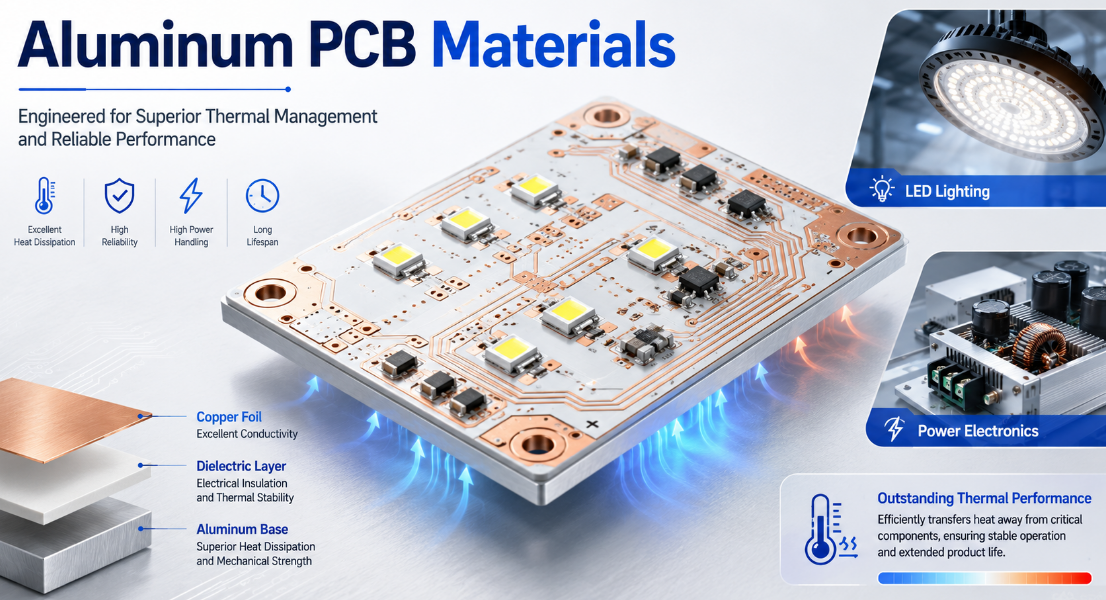
You may also like

PCB Prototyping in Turkey: Quality, Cost & Selection Guide

March 12th, 2026

PCB prototyping in Turkey is a reliable, technically advanced service tailored to diverse industry needs, with local manufacturers offering flexible solutions for small-batch and custom requirements. PCB prototyping in Turkey leverages strategic geographic access to Europe and the Middle East, combining international quality standards with efficient turnaround times. Local providers specialize in industries like medical, aerospace, and industrial equipment, delivering prototypes that meet strict technical and regulatory demands.

PCB Prototyping in Turkey, https://www.bestpcbs.com/blog/2026/03/pcb-prototyping-in-turkey/

Which Turkish Manufacturers Offer Reliable PCB Prototyping Services?

CompanyAdvantagesPCB Prototyping TypesTypical Lead Time
EBest20+ years in PCB manufacturing; expertise in high-speed/RF designs, HDI, and rigid-flex; full DFM support; ISO 9001/13485/16949 certificationsMultilayer (up to 20L), HDI, rigid-flex, flex, heavy-copper, medical-grade PCBs5–7 days (standard); 24–72 hours (rapid 1–6 layer)
Odak PCBEurope-scale capacity; 24/7 support; automated lines; LED/industrial focusSingle/double-sided, multilayer (up to 20L), flex, rigid-flex, LED PCBs24–72h (rapid); 5–10 days (standard)
Net ElektronikEnd-to-end design–manufacture–assembly; aerospace/defense expertiseSingle/double-sided, multilayer, HDI, rigid-flex48–72h (rapid); 7–10 days (standard)
Demsay ElektronikR&D certified; medical device specialization; strict QCSingle/double-sided, multilayer, flex, ceramic PCBs72h (rapid); 5–8 days (standard)
Asik ElektronikSmall-batch specialist; no MOQ; ISO 9001/UL; industrial focusSingle/double-sided, multilayer, gold-coated, aluminum-based PCBs3–5 days (standard); 7–10 days (complex multilayer)
Baski Devre40+ years experience; heavy-copper and high-layer capabilityUp to 32-layer, flex, heavy-copper, hybrid, long LED PCBs7–12 days (standard); 3–5 weeks (mass production)
EMS ElektronikHigh-precision SMT lines; automotive/medical expertisePCB + PCBA; SMD/THT assembly; multilayer prototypes2–3 weeks (NPI); 4–6 weeks (mass production)
Aktifses ElectronicsHigh-precision placement; one-stop fab + assemblyLED, industrial, consumer electronics prototypes48–72h (rapid); 5–8 days (standard)
OME ElektronikIPC Class3 compliance; comprehensive one-stop solutionsSingle/double-sided, multilayer, flex, buried/blind via3–5 days (standard); 7–10 days (complex)
PCI ElektronikEMC pre-compliance testing; end-to-end project managementMultilayer, PCBA, custom prototypes for industrial/medical5–8 days (standard); 2–4 weeks (PCBA)

What Types of PCB Prototypes in Turkey Offer?

Below are types of PCB prototyping in Turkey offer:

  • Single-Sided PCB: Low-cost, simple circuits (e.g., industrial sensors). Supported by all Turkish providers (e.g., Asik Elektronik, Odak PCB) with 24–48h rapid lead times.
  • Double-Sided PCB: Components on both sides with vias, ideal for LED lighting/medical devices. Standard 48–72h rapid prototyping with FR-4 consistency.
  • Multilayer (4–32L) PCB: High-density routing for aerospace/medical systems. EBest (up to 20L) and Baski Devre (32L) offer impedance control and signal integrity.
  • HDI PCB: Micro-vias/fine-pitch (≀0.1mm) for wearables/industrial controls. Offered by Net Elektronik, EMS Elektronik, and EBest.
  • Flexible & Rigid-Flex PCB: Polyimide/PET for curved designs; rigid-flex for integrated form factors. Demsay Elektronik and EBest specialize in medical/industrial use cases.
  • Heavy-Copper (2–6 oz) PCB: High-current applications (e.g., power supplies). Baski Devre and EBest provide thermal stability.
  • Aluminum-Based (MCPCB): High heat dissipation for LEDs/power amps. Asik Elektronik and Odak PCB offer customizable thermal options.
  • Ceramic PCB: High-temperature/stiffness for medical/aerospace sensors. Demsay Elektronik provides ceramic prototypes for extreme environments.
What Types of PCB Prototypes in Turkey Offer, https://www.bestpcbs.com/blog/2026/03/pcb-prototyping-in-turkey/

What Quality Certifications Should PCB Prototyping in Turkey Hold?

All reputable Turkey PCB prototype providers hold international certifications to ensure reliability, compliance, and performance. Key certifications include:

  • ISO 9001: The foundational quality management certification, ensuring consistent processes and product quality across all prototyping stages. Mandatory for all professional providers in Turkey.
  • IATF 16949: Critical for prototypes used in automotive and aerospace industries, covering strict quality controls for high-reliability applications like aircraft control systems.
  • ISO 13485: Required for medical device PCB prototyping in Turkey, ensuring compliance with global medical standards for prototypes used in implanted devices and diagnostic equipment.
  • UL Certification: Validates fire safety and electrical performance, essential for prototypes used in industrial equipment and consumer electronics sold in global markets.
  • RoHS & REACH Compliance: Mandatory for all prototypes, ensuring they meet EU environmental standards by restricting hazardous substances like lead and mercury.
What Quality Certifications Should PCB Prototyping in Turkey Hold, https://www.bestpcbs.com/blog/2026/03/pcb-prototyping-in-turkey/

What Technical Capabilities do Turkish PCB Prototyping Companies Offer?

Providers offer advanced capabilities to handle simple to complex designs, with industry-specific expertise:

  • Multilayer Prototyping: Support for up to 32 layers, with blind/buried vias and impedance control (50–100Ω) to ensure signal integrity for aerospace and medical imaging applications.
  • HDI & Fine-Pitch: Capable of fine-pitch routing down to 0.1mm, with micro-vias for space-efficient, compact designs suitable for medical wearables and aerospace avionics.
  • Flex & Rigid-Flex: Polyimide-based flexible and rigid-flex designs, resistant to bending and extreme temperatures, ideal for space-constrained industrial and automotive applications.
  • Specialized Materials: Use of high-temperature FR-4 TG170, Rogers, and aluminum substrates to support industrial, high-frequency, and high-heat applications.
  • Comprehensive Testing: AOI, flying probe, thermal, and EMC pre-compliance testing to verify signal integrity, reliability, and performance of prototypes.
  • DFM Support: Pre-prototyping design reviews to identify potential flaws early, minimizing rework and ensuring compatibility with industrial and medical project requirements.

What is the Average Lead Time for PCB Prototyping in Turkey?

Layer CountTypical Lead TimeIndustry Example
1–2L24–48 hoursBasic industrial sensors
4–6L48–72 hoursMedical device control modules
1–4L3–5 daysIndustrial power supplies (Asik Elektronik)
6–12L5–8 daysAerospace navigation systems (Net Elektronik)
12L+ / HDI / Flex8–12 daysAdvanced medical imaging devices (EBest)

How Much Does PCB Prototyping in Turkey Cost?

The cost of PCB prototyping in Turkey typically ranges from $50 to $800 per small batch (5–10 units), with basic single-sided prototypes at the lower end ($50–$150), double-sided prototypes in the mid-range ($100–$300), and complex prototypes (multilayer, HDI, flex, or medical/aerospace-grade) at the higher end ($300–$800).

The key factors influencing the cost include the number of layers (more layers lead to higher costs), prototype complexity (such as HDI fine-pitch routing, blind/buried vias, or flexible substrates), material type (specialized materials like Rogers, polyimide, or aluminum substrates cost more than standard FR-4), lead time (rapid prototyping with 24–72 hour delivery adds a premium), quality certifications (industry-specific certifications like ISO 13485 for medical devices increase costs), and batch size (smaller batches have higher per-unit costs due to setup fees).

How to Choose the Best PCB Prototyping partner in Turkey?

Selecting the right PCB prototyping in Turkey partner ensures quality, on-time delivery, and compliance. Follow these actionable steps:

  • Verify Industry-Specific Certifications: Confirm the provider holds certifications relevant to your project, such as ISO 13485 for medical devices, IATF 16949 for aerospace, and UL for industrial applications. This ensures compliance with global and regional regulations.
  • Assess Technical Alignment: Ensure the partner can handle your design’s specific requirements, including layer count, substrate materials, and special processes like HDI, flex, or heavy-copper. Ask for examples of similar projects they’ve completed.
  • Evaluate Lead Time Reliability: Check if the provider offers flexible lead times, including 24–72 hour rapid prototyping for time-sensitive projects. Confirm their track record of on-time delivery, especially for complex prototypes.
  • Review Quality Control Processes: Inquire about their testing methods, such as AOI, flying probe, and thermal testing, and ask for their defect rate (target <0.5%). A robust QC process prevents costly rework and ensures prototype performance.
  • Check Industry Experience: Prioritize partners with proven experience in your sector, such as medical device or aerospace PCB prototyping in Turkey. They will understand unique industry requirements and potential challenges.
  • Request Prototype Samples: Test a small batch sample to validate material quality, precision, and adherence to your design specs. This step confirms the partner can consistently deliver the quality you need.
How to Choose the Best PCB Prototyping partner in Turkey, https://www.bestpcbs.com/blog/2026/03/pcb-prototyping-in-turkey/

How Do Local vs. Global PCB Providers in Turkey Differ in Experience?

AspectLocal Turkish ProvidersGlobal Providers (in Turkey)
Regional ComplianceDeep expertise in EU/Turkish regulations (e.g., medical device registration)Strong global compliance but limited local regulatory knowledge
Industry FocusSpecialized in medical, aerospace, and industrial equipmentBroad industry coverage but less depth in Turkish key sectors
CommunicationLocal language support, 2–4 hour response times, in-person assistanceTime zone delays, limited in-person support
Lead Time ReliabilityFaster, no international shipping delays; flexible for last-minute changesLonger due to shipping; less agile for urgent adjustments
CustomizationHighly flexible for small-batch, custom designsBetter for large orders but less flexible for unique projects

FAQs About PCB Prototyping Service in Turkey

Q1: Can Turkish providers deliver PCB prototyping in Turkey for medical devices requiring biocompatibility?
A1: Yes, providers like EBest, Demsay Elektronik, and Net Elektronik hold ISO 13485 and use biocompatible materials (medical-grade FR-4, polyimide). They conduct biocompatibility testing and use ENEPIG surface treatment to prevent nickel migration, ensuring patient safety for implanted and diagnostic devices.

Q2: How to resolve signal interference in PCB prototyping in Turkey?
A2: Turkish firms offer DFM support to prevent interference during design. For existing issues, they implement impedance control (50–100Ω), differential routing for high-speed signals, and ground plane shielding for aerospace prototypes. Shortening parallel trace lengths reduces crosstalk, ensuring signal integrity for critical systems.

Q3: Are Turkey PCB prototype solutions compatible with global industrial standards?
A3: Yes, all professional providers meet UL, IEC, and EU regulations (RoHS, REACH). They produce high-temperature designs for industrial control panels and have experience supplying global brands with strict compatibility requirements, ensuring seamless integration into worldwide equipment.

Q4: How to reduce lead times for complex PCB prototyping in Turkey?
A4: To speed up delivery, submit complete Gerber files and BOMs upfront. Choose providers with in-house testing (AOI, flying probe) to avoid rework delays. For complex multilayer projects, leverage pre-prototyping DFM checks to identify flaws early and prioritize providers with rapid 1–6 layer capabilities (24–72 hours).

Q5: What materials suit high-temperature PCB prototyping in Turkey?
A5: Leading providers use high-temperature materials like FR-4 TG170 (up to 260°C), polyimide, and aluminum substrates. These are ideal for industrial power supplies, aerospace components, and automotive systems. EBest and Baski Devre specialize in these materials, ensuring durability in extreme thermal environments.

You may also like

PCB Assembly Companies in Hungary | High Quality & Fast Turnaround

March 12th, 2026

Struggling with inconsistent quality or delayed deliveries from PCB assembly companies in Hungary? When you need PCB assembly in Hungary that’s precise and trustworthy, EBest is your top choice among PCB assembly companies in Hungary. We focus on solving your core pain points, delivering consistent results that align with your industry’s strict standards, whether for small batches or large-scale production.

PCB Assembly Companies in Hungary, https://www.bestpcbs.com/blog/2026/03/pcb-assembly-companies-in-hungary/

What Pain Points Do Clients Face with PCB Assembly Companies in Hungary?

  • Worried about unstable component supply for PCB assembly in Hungary? EBest maintains a stable supply chain for all electronic components including SMD, BGA, QFN and QFP to prevent production delays.
  • Struggling with poor assembly quality and high defect rates from PCB assembly companies in Hungary? We use A+ grade materials, automatic assembly equipment and 100% full inspection before delivery to guarantee zero defects.
  • Need urgent PCB assembly in Hungary but facing long lead times? EBest provides expedite service with urgent boards available for shipment within 24 hours and a standard lead time of 1 to 5 days.
  • Can’t find PCB assembly companies in Hungary that offer custom substrates or materials? We deliver customizable PCB prototypes and low-volume production to meet your unique requirements.
  • Tired of complicated communication and multiple contacts for PCB assembly in Hungary? EBest’s one-stop solution allows you to work with a single team for all your assembly needs to save time and effort.

Why Choose EBest Among PCB Assembly Companies in Hungary?

When choosing PCB assembly companies in Hungary, EBest is your best bet, we cut your costs, save your time, and guarantee long-term reliability, unlike other vendors. Our 19+ years of experience (founded in 2006) and one-stop PCB assembly services in Hungary eliminate the frustration of coordinating multiple suppliers, letting you focus on your core business instead of vendor management.

Our one-stop service covers every step from component sourcing (solving industry-wide material shortage issues) and PCB fabrication to assembly, testing, and final delivery, no extra contacts, no communication delays, just a seamless experience that saves you valuable time and resources.

Need to meet tight deadlines? Our reliable expedite service for PCB assembly in Hungary ships urgent orders within 24 hours, with a standard lead time of 1 to 5 days, so you never miss a project milestone or lose market opportunities due to delays.

We stand behind our work with a 5-year warranty on all PCB assembly services in Hungary, covering material and craftsmanship defects. This means you avoid costly reworks and replacements, getting peace of mind and long-term value from every order.

With a monthly capacity of 260,000 square feet and over 1,000 different boards completed monthly, we seamlessly handle your small-batch prototypes and large-volume production, no need to switch suppliers as your needs grow, ensuring consistent quality and delivery.

What PCB Assembly Services in Hungary Does EBest Provide?

Core Assembly Services:

    • High-Precision BGA Assembly: Supports 0.25mm minimum pitch for complex devices, ensuring signal integrity and reliability.
    • Through-Hole Assembly: Industrial-grade durability for robust components, ideal for high-stress applications.
    • Flex PCB Assembly: Compact, lightweight design for space-constrained products, enabling flexible form factors.
    • Ceramic PCB Assembly: High thermal conductivity and stability for aerospace/medical applications, withstanding extreme heat and reliability demands.

    Prototype & Quick Turn Services

      • Prototype PCB Assembly: Rapid design validation to accelerate iteration and reduce trial costs.
      • 24-Hour Expedite Service: Urgent order fulfillment within 24 hours, meeting tight deadlines without compromising quality.
      • Full Turnkey Solution: End-to-end management from design review, component sourcing, assembly to delivery, minimizing client workload.

      Value-Added Services

        • Component Sourcing: Stable global supply chain for A-grade components (SMD/BGA/QFN/QFP), eliminating shortages and delays with competitive pricing.
        • Injection Molding: Integrated mold design, pad printing, and final assembly for seamless production.
        • CNC Machining: Tight-tolerance (±0.01mm) precision machining with anodizing options and cost efficiency.
        • Sheet Metal Services: Optimized material usage and flexible finishing to reduce waste and enhance durability.

        What Quality Certifications Do EBest’s PCB Assembly in Hungary Have?

        As a trusted PCB assembly company in Hungary, EBest holds international quality certifications to guarantee reliable services for your projects:

        • IATF 16949: Meets strict automotive industry quality standards, ensuring reliable performance for your automotive projects.
        • ISO 9001:2015: Implements a rigorous quality management system to deliver consistent, high-standard assembly work.
        • ISO 13485:2016: Complies with medical industry requirements, making us qualified to handle your medical device assembly needs.
        • AS9100D: Adheres to aerospace quality standards, ideal for high-reliability aerospace component assembly.
        • REACH: Meets EU chemical regulations, ensuring our assembly processes and products are safe and compliant.
        • RoHS: Restricts harmful substances, delivering eco-friendly, compliant products for your projects.
        • UL: Guarantees electrical and fire safety, ensuring your assembled PCBs meet global safety standards.
        What Quality Certifications Do EBest's PCB Assembly in Hungary Have, https://www.bestpcbs.com/blog/2026/03/pcb-assembly-companies-in-hungary/

        How Does EBest Ensure PCB Assembly Quality in Hungary?

        The following are EBest’s methods for ensuring PCB assembly quality in Hungary:

        • Adhere to Strict International Standards: We follow IPC-A-610 and IPC-A-600 standards which are aligned with our global quality certifications to ensure every assembly meets industry reliability benchmarks. These standards also govern critical details like copper thickness tolerances to maintain consistent performance.
        • Use High-Quality Materials and Advanced Equipment: We exclusively use A+ grade materials with no inferior substitutes and advanced SMT equipment including solder paste printers, precision placement machines and reflow ovens to establish a solid foundation for consistent quality.
        • Employ Dual Inspection Technology: AOI (Automatic Optical Inspection) and X-Ray detection work together to eliminate defects. AOI identifies surface issues such as component offset while X-Ray detects hidden flaws in BGA and QFN connections including solder voids and internal cracks.
        • Implement Full-Process Quality Control: We conduct strict inspections at every production stage starting with substrate checks to prevent bending oxidation and other physical defects and continuing through post-assembly testing to ensure no flaws slip through.
        • Conduct 100% Pre-Delivery Inspection: Every batch of assembled PCBs undergoes comprehensive inspection before shipment. This step guarantees zero defective products reach you and helps you avoid costly reworks and project delays.
        • Perform Additional Reliability Testing: We supplement core inspections with ion pollution testing to assess electromigration risks ensuring our PCBs meet the highest standards for long-term performance in various industry applications.
        How Does EBest Ensure PCB Assembly Quality in Hungary, https://www.bestpcbs.com/blog/2026/03/pcb-assembly-companies-in-hungary/

        How Does EBest Ensure On-Time Delivery for PCB Assembly Orders in Hungary?

        EBest’s methods for ensuring on-time delivery for PCB assembly orders in Hungary are as follows:

        • Optimize Production Scheduling: We use intelligent scheduling software to allocate equipment and personnel efficiently, ensuring smooth production flow and on-time order completion.
        • Maintain Sufficient Material Stock: Our stable global supply chain, built on strict supplier management and proactive inventory planning, ensures key components are always in stock to avoid delays from material shortages.
        • Implement Real-Time Production Monitoring: We track every order’s production progress in real time, allowing us to identify and resolve potential issues promptly before they impact delivery timelines.
        • Offer Flexible Expedite Service: For urgent orders, we prioritize production resources and streamline workflows to ensure shipment within 24 hours, helping you meet even the tightest deadlines.
        • Streamline Post-Assembly Processes: We optimize testing and packaging workflows by removing unnecessary steps, ensuring orders are fully prepared and ready for shipment as quickly as possible.
        • Establish Dedicated Logistics Partnerships: We cooperate with reliable logistics providers to ensure finished PCBs are delivered to your location timely, safely and without unnecessary delays.
        How Does EBest Ensure On-Time Delivery for PCB Assembly Orders in Hungary, https://www.bestpcbs.com/blog/2026/03/pcb-assembly-companies-in-hungary/

        What Are EBest’s Production Capabilities for PCB Assembly in Hungary?

        ItemCapabilities
        Placer Speed13,200,000 chips/day
        Bare Board Size0.2 x 0.2 inches – 20 x 20 inches; 22 x 47.5 inches
        Minimum SMD Component01005 (0.4mm x 0.2mm)
        Minimum BGA Pitch0.25mm
        Maximum Component Size50mm x 150mm
        Assembly TypeSMT (Surface Mount Technology), THT (Through-Hole Technology), Mixed Assembly
        Component Package TypesReels, Cut Tape, Tube, Tray, Loose Parts
        Lead Time1 – 5 days (depending on project complexity and volume)

        FAQ About PCB Assembly Companies in Hungary

        Q1: Do PCB assembly companies in Hungary offer custom substrate services?
        A1: Yes, EBest offers custom PCB prototypes and low-volume production with special substrates or materials, meeting your unique needs.

        Q2: How long is the lead time for PCB assembly in Hungary?
        A2: EBest’s lead time for PCB assembly in Hungary is 1-5 days; urgent orders can be shipped within 24 hours with our expedite service.

        Q3: Does EBest provide component sourcing for PCB assembly in Hungary?
        A3: Yes, our dedicated purchasing team provides stable component supply (SMD, BGA, QFN, QFP) for PCB assembly in Hungary.

        Q4: Is EBest qualified for medical PCB assembly in Hungary?
        A4: Yes, we hold ISO 13485:2016 certification, complying with medical industry standards for PCB assembly in Hungary.

        Q5: Can EBest handle high-volume PCB assembly in Hungary?
        A5: Yes, our monthly capacity is 260,000 square feet, completing over 1,000 different boards to meet high-volume demands.

        You may also like

        Contract Manufacturer vs OEM Differences: Which to Choose?

        March 12th, 2026

        What is a Contract Manufacturer (CM)?

        A contract manufacturer (CM) is a company hired to build products based on a customer’s design and specifications. The customer provides engineering files, bills of materials, and assembly instructions. The contract manufacturer focuses on production execution.

        In electronics manufacturing, this model is common in PCB assembly, device production, and box-build services. The client retains ownership of the product design while the CM handles the manufacturing process. Contract manufacturers operate as production specialists. Their factories often include SMT lines, testing equipment, and supply chain systems designed for high efficiency.

        Contract Manufacturer vs OEM Differences: Which to Choose?

        Typical services provided by contract manufacturers include:

        • PCB fabrication and PCB assembly
        • Component sourcing and supply chain management
        • SMT and through-hole assembly
        • Functional testing and inspection
        • Product assembly and box-build services
        • Packaging and logistics support

        For many companies, working with a CM allows them to scale production without building expensive factories. Engineering teams focus on innovation while manufacturing experts handle production complexity.

        What is an Original Equipment Manufacturer (OEM)?

        An original equipment manufacturer (OEM) traditionally refers to a company that designs and produces products under its own brand or intellectual property. The OEM is the originator of the product concept. In many industries, OEMs design systems, define product specifications, and control the product lifecycle. The manufacturing stage may happen internally or through external partners.

        For example, a company developing a medical imaging device may act as the OEM. It creates the product architecture, develops the software, and owns the technology. Production may still be outsourced to a contract manufacturer.

        In electronics and hardware industries, OEMs typically handle:

        • Product design and engineering
        • Intellectual property ownership
        • Brand development and marketing
        • Product certification and compliance
        • Market distribution and customer support

        The OEM owns the product identity. Even when manufacturing is outsourced, the OEM remains responsible for the product’s performance and reputation. OEM companies often invest heavily in research and development. Their teams include electrical engineers, mechanical designers, firmware developers, and product managers.

        What is the Difference Between OEM and Contract Manufacturer?

        The core difference between these two models lies in responsibility and ownership. The OEM creates and owns the product concept. The contract manufacturer builds the product. Both roles are essential in modern supply chains. Many successful products depend on collaboration between the two.

        The OEM develops the product. The CM produces it efficiently at scale:

        • OEM – Product creator and brand owner
        • Contract Manufacturer – Production partner executing manufacturing tasks
        AspectOEMContract Manufacturer
        Product DesignCreated by OEMProvided by customer
        Intellectual PropertyOwned by OEMNo ownership
        Brand OwnershipOEM brandNo brand involvement
        Manufacturing ResponsibilityMay outsourcePerforms production
        Engineering ControlFull design authorityManufacturing engineering only
        Market StrategyManaged by OEMNot involved
        Revenue SourceProduct salesManufacturing service fees

        OEM companies prioritize innovation, market positioning, and product differentiation. Contract manufacturers prioritize process efficiency, production quality, and cost optimization. Both roles complement each other. Many large technology companies operate successfully using this partnership model.

        Contract Manufacturer vs OEM Differences: Which to Choose?

        Contract Manufacturer vs OEM: Who Owns the Design?

        Design ownership is one of the most important factors when comparing contract manufacturer vs OEM differences.

        In almost every case, the OEM owns the product design. The OEM invests in research and development. It creates the product architecture and defines the functionality. This intellectual property belongs to the OEM. The contract manufacturer receives the design files and uses them to build the product.

        Typical documentation provided to a CM includes:

        • PCB Gerber files
        • Assembly drawings
        • Bill of materials (BOM)
        • Test procedures
        • Firmware or software packages

        The contract manufacturer does not claim ownership of these assets. It operates under manufacturing agreements that protect the customer’s intellectual property. However, contract manufacturers often contribute engineering suggestions. These recommendations help improve manufacturability and reduce cost.

        Common support provided by experienced CMs includes:

        • DFM (Design for Manufacturability) feedback
        • Component substitution advice
        • Process optimization suggestions
        • Assembly yield improvements

        Despite these contributions, the final product design still belongs to the OEM. This arrangement protects innovation while allowing production experts to refine the manufacturing process.

        What Are the Pros and Cons of Contract Manufacturing?

        Contract manufacturing has become a preferred production model across many industries. It allows companies to launch products without building large factories. However, like any strategy, it offers advantages and limitations.

        Many companies adopt contract manufacturing because it offers strong operational benefits. Key advantages include:

        • Lower capital investment
        • Access to experienced manufacturing teams
        • Scalable production capacity
        • Faster product launches
        • Reduced operational complexity

        Instead of investing millions in equipment, companies can leverage an existing manufacturing ecosystem. Contract manufacturers already operate advanced production lines, quality systems, and supply chain networks. This infrastructure allows faster product ramp-up.

        Another advantage is geographic flexibility. Production can be located near component suppliers or logistics hubs. This reduces shipping time and improves supply chain resilience.

        Although contract manufacturing offers many benefits, companies should evaluate potential challenges carefully. These may include:

        • Less direct control over production operations
        • Dependence on external manufacturing partners
        • Communication gaps during complex projects

        However, these challenges can often be minimized through strong partnerships and clear project management. Many companies maintain engineering teams that work closely with manufacturing partners to ensure smooth collaboration. When communication is effective, contract manufacturing becomes a powerful growth tool.

        What Are the Pros and Cons of Working with an OEM?

        Working with an OEM presents a different business dynamic. OEM relationships often occur when companies integrate another firm’s technology into their own product. For example, a medical equipment manufacturer may integrate an OEM power module or control board.

        OEM relationships often provide access to proven technology and established engineering expertise. Benefits commonly include:

        • Access to specialized technology
        • Reduced product development time
        • Reliable component integration
        • Engineering support from the OEM

        Using OEM components allows companies to accelerate product development. Instead of building every subsystem from scratch, they integrate existing modules. This approach is common in industries such as automotive electronics, industrial automation, and telecommunications equipment.

        While OEM partnerships are valuable, companies should evaluate certain limitations. These may include:

        • Limited control over design changes
        • Dependency on OEM product availability
        • Potential supply chain constraints

        In many cases, companies mitigate these concerns by qualifying multiple suppliers or maintaining engineering alternatives. The key advantage remains clear: OEM partnerships reduce development complexity and accelerate product readiness.

        Contract Manufacturer vs OEM Differences: Which to Choose?

        How Do Cost and Pricing Differ Between CM and OEM?

        Cost structure is another critical factor when examining contract manufacturer vs OEM differences. The pricing model varies significantly between these two roles. Contract manufacturers charge for manufacturing services. Their revenue comes from production activities rather than product ownership.

        Typical CM pricing elements include:

        • Assembly labor
        • Equipment usage
        • Component sourcing services
        • Testing and inspection
        • Logistics and packaging

        The OEM pays these costs while maintaining control over the product. OEM companies generate revenue differently. They sell the finished product to distributors, integrators, or end users.

        Their pricing includes:

        • Product development costs
        • Engineering investment
        • Brand value and marketing
        • Manufacturing expenses
        • Profit margin
        Cost FactorOEMContract Manufacturer
        Revenue SourceProduct salesManufacturing service fees
        Pricing ControlFull controlBased on production costs
        R&D InvestmentHighMinimal
        Equipment OwnershipMay varyOwned by CM
        Profit ModelProduct marginManufacturing margin

        Because contract manufacturers specialize in production efficiency, they often achieve lower per-unit manufacturing costs. OEM companies benefit from this efficiency while focusing resources on product innovation and market expansion.

        What Is the Difference in Quality Control Between CM and OEM?

        Quality control plays a vital role in electronics manufacturing. Both OEMs and contract manufacturers participate in quality assurance, but their responsibilities differ. The OEM defines product requirements and quality standards. The contract manufacturer executes the inspection and testing processes.

        Typical responsibilities are distributed as follows:

        OEM responsibilities

        • Define product specifications
        • Establish reliability requirements
        • Approve testing procedures
        • Validate design performance

        Contract manufacturer responsibilities

        • Perform manufacturing inspections
        • Execute testing procedures
        • Monitor process stability
        • Document traceability records

        Professional contract manufacturers often maintain advanced quality systems. These systems typically include:

        • Automated Optical Inspection (AOI)
        • X-ray inspection for hidden joints
        • Functional testing platforms
        • Statistical process control
        • Full production traceability

        For regulated industries such as medical electronics or aerospace hardware, certifications are critical.

        Quality-driven contract manufacturers often maintain certifications such as:

        • ISO 9001
        • ISO 13485
        • IATF 16949
        • AS9100

        These certifications ensure that production processes meet strict industry standards. The OEM remains responsible for final product approval, but the manufacturing partner performs daily quality monitoring.

        Contract Manufacturer vs OEM Differences: Which to Choose?

        How to Choose Between Contract Manufacturer vs OEM?

        Choosing the right model depends on the company’s business strategy, engineering capabilities, and production scale. Companies should evaluate several key factors before making a decision.

        • 1. Product Development Capability

        If your company has strong engineering resources, acting as the OEM and outsourcing production may be the best option. This approach allows full control over product innovation. If engineering capability is limited, partnering with OEM suppliers for subsystems may accelerate development.

        • 2. Manufacturing Infrastructure

        Building factories requires significant investment. Contract manufacturing eliminates the need for expensive production equipment. This model is especially attractive for startups and fast-growing technology companies.

        • 3. Production Volume

        High production volumes often benefit from specialized contract manufacturers. They already operate large-scale production lines optimized for efficiency. Low-volume projects may still benefit from outsourcing because setup costs remain manageable.

        • 4. Time-to-Market Requirements

        Launching products quickly can provide a competitive advantage. Contract manufacturers often reduce production ramp time. Their existing infrastructure allows faster manufacturing readiness.

        • 5. Supply Chain Complexity

        Electronics manufacturing involves complex supply chains. Experienced contract manufacturers maintain strong supplier networks. This can improve component availability and cost efficiency.

        • 6. Quality and Compliance

        Products in regulated industries require strict quality control. Selecting a manufacturing partner with proven certifications ensures compliance with industry standards. Ultimately, the choice is rarely absolute. Many successful companies operate as OEMs while relying heavily on contract manufacturers for production.

        Conclusion:

        Understanding the contract manufacturer vs OEM differences helps companies make smarter production decisions. An OEM focuses on product creation, intellectual property, and market strategy. A contract manufacturer specializes in efficient and reliable production.

        For electronics companies seeking reliable PCB and PCBA production support, working with an experienced manufacturing partner can simplify the entire process.

        Best Technology provides comprehensive PCB fabrication and PCBA assembly services for global customers. Our engineering teams support projects from prototype development to mass production, ensuring stable quality and rapid delivery.

        If you are exploring manufacturing partnerships or planning a new electronics product, our team will be happy to help. Contact us at: sales@bestpcbs.com
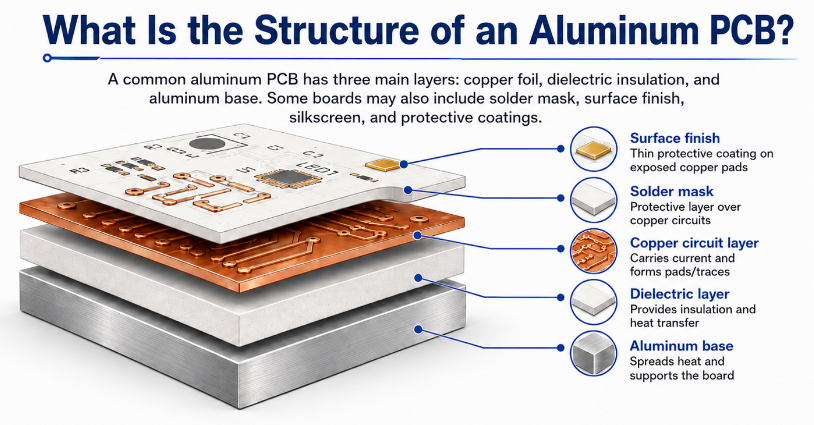
        You may also like

        Capacitor Symbol: Meaning, Types, and How to Read It in Circuit Diagrams?

        March 12th, 2026

        Electronic schematics rely on standardized symbols to represent components. Among them, the capacitor symbol is one of the most frequently used in circuit diagrams. Whether you are designing a PCB, troubleshooting electronics, or studying circuit theory, understanding capacitor symbols is essential.

        A capacitor symbol may look simple, but it carries useful information about the component type, polarity, and function in the circuit. Engineers use different capacitor symbols to represent ceramic capacitors, electrolytic capacitors, variable capacitors, and other types.

        This guide explains the capacitor symbol meaning, explores different symbol types, and shows how to interpret them correctly in schematic diagrams.

        Capacitor Symbol: Meaning, Types, and How to Read It in Circuit Diagrams

        What Is a Capacitor Symbol in Electronics?

        A capacitor symbol is a graphic used in circuit schematics to show the presence of a capacitor. Instead of drawing the actual part, engineers use a standard symbol to represent the capacitor’s electrical behavior.

        A capacitor is an electronic component that stores and releases electrical energy in an electric field. It is built with two conductive plates separated by an insulating material called a dielectric.

        In circuit diagrams, the capacitor symbol usually appears as two parallel lines that represent the two conductive plates.

        The main functions of capacitors include:

        • Energy storage
        • Noise filtering in power supplies
        • Signal coupling and decoupling
        • Timing control in RC circuits
        • Voltage stabilization

        Because capacitors are used in power, analog, digital, and RF designs, the capacitor symbol is one of the most important schematic symbols to understand.

        What Does the Capacitor Symbol Mean in a Circuit Diagram?

        The capacitor symbol meaning is not limited to showing that a capacitor is present. It also helps indicate how the part behaves in the circuit and, in some cases, what kind of capacitor it is.

        What Does the Capacitor Symbol Mean in a Circuit Diagram?

        In a schematic, the capacitor symbol often suggests:

        1. The component can store electrical charge.
        2. It may filter ripple, spikes, or signal noise.
        3. It can block DC while allowing AC to pass.
        4. It may work with a resistor to create a timing function.

        Engineers read the capacitor symbol together with nearby components. For example, in a power supply, a capacitor often handles smoothing or decoupling. In an audio or analog path, it may be used for coupling. In RF circuits, it may support matching or filtering.

        What Does the Standard Capacitor Symbol Look Like?

        The standard capacitor symbol is simple and easy to recognize. It is usually drawn as two parallel plates separated by a small gap.

        What Does the Standard Capacitor Symbol Look Like?

        It may also appear in a horizontal connection style:

        What Does the Standard Capacitor Symbol Look Like?

        This standard symbol usually means:

        • Two identical conductive plates
        • No polarity requirement
        • Use for non-polarized capacitors

        Typical parts shown with this symbol include:

        • Ceramic capacitors
        • Film capacitors
        • Mica capacitors
        • Other non-polarized capacitors

        Because these parts can be installed in either direction, the symbol is symmetrical.

        Why Are There Different Capacitor Symbols?

        Different capacitor symbols exist because capacitors are not all the same. Some are non-polarized. Some are polarized. Some are adjustable. The symbol helps the designer, assembler, and technician identify the right type quickly.

        A standard non-polarized capacitor can be connected in either direction. A polarized capacitor must be connected with the correct positive and negative terminals. A variable capacitor allows the capacitance value to be adjusted.

        Common symbol differences are shown below:

        Capacitor TypeSymbol FeatureTypical Use
        Ceramic CapacitorTwo straight platesHigh-frequency filtering and decoupling
        Electrolytic CapacitorPolarity marking or curved platePower supply smoothing
        Variable CapacitorArrow across the platesTuning and calibration circuits
        Polarized CapacitorPositive or negative indicationDC circuits and bulk capacitance

        What Is the Polarized Capacitor Symbol?

        A polarized capacitor symbol shows that the capacitor must be connected in the correct direction. This is common for electrolytic capacitors and tantalum capacitors.

        The symbol often includes one straight plate, one curved plate, and a polarity mark near the positive terminal.

        What Is the Polarized Capacitor Symbol?

        In many schematics:

        • The straight plate is associated with the positive side.
        • The curved plate is associated with the negative side.

        Polarized capacitors are often used in:

        • Power supply filtering
        • Bulk energy storage
        • Amplifier circuits
        • Voltage regulation sections

        This is why the keyword capacitor symbol positive negative matters so much in practical circuit work. Correct polarity prevents installation mistakes and improves reliability.

        What Is the Variable Capacitor Symbol?

        A variable capacitor symbol represents a capacitor whose capacitance can be adjusted. It usually looks like a normal capacitor symbol with an arrow crossing it.

        The arrow indicates that the capacitance value can change.

        Variable capacitors are commonly used in:

        • RF tuning circuits
        • Radio receivers
        • Oscillators
        • Matching networks

        In practical designs, the variable capacitor symbol tells the reader that tuning or calibration is part of the circuit function.

        What Is the Difference Between IEC and ANSI Capacitor Symbols?

        The two most common symbol standards are IEC and ANSI. Both are widely recognized, but there can be small visual differences depending on the documentation source.

        StandardFull NameCommon Use Region
        IECInternational Electrotechnical CommissionEurope and many international documents
        ANSIAmerican National Standards InstituteUnited States

        In many cases, IEC uses clean, simple parallel-plate symbols, while ANSI drawings may show more style variation for polarized parts. Modern EDA software often supports both, so engineers should be familiar with each style.

        How Do You Read a Capacitor Symbol in a Schematic?

        Reading a capacitor symbol in a schematic involves more than identifying the drawing. You also need to read the reference designator, capacitance value, polarity, and circuit position.

        Here is what to look for:

        1. Reference designator: Capacitors are usually labeled with the letter C, such as C1, C12, or C205.
        2. Capacitance value: Common values include 10uF, 100nF, and 1pF.
        3. Polarity marking: Look for a plus sign, curved plate, or other polarity notation.
        4. Placement in the circuit: A capacitor across power rails usually works as a decoupling capacitor. A capacitor in series with a signal path often works as a coupling capacitor.
        5. Type clues: A symmetrical symbol often suggests a ceramic capacitor symbol or other non-polarized part. An arrow suggests a variable type.

        When all of these details are read together, the circuit function becomes much clearer.

        What Are the Most Common Capacitor Symbols Used in Electronics?

        Several capacitor symbols appear regularly in electronic schematics. Each one represents a specific capacitor family or function.

        Non-Polarized Capacitor Symbol

        This is the most common form. It is widely used for ceramic, film, and general-purpose capacitors.

        Ceramic Capacitor Symbol

        The ceramic capacitor symbol usually uses the same basic two-plate form as the standard non-polarized symbol. It is common in decoupling, bypass, and high-frequency designs.

        Polarized Capacitor Symbol

        The polarized capacitor symbol is used for electrolytic and tantalum capacitors where direction matters.

        Variable Capacitor Symbol

        The variable capacitor symbol includes an arrow and is common in tunable analog and RF circuits.

        Trimmer Capacitor Symbol

        This symbol is similar to a variable capacitor but is generally used for calibration rather than frequent adjustment.

        Capacitor Symbol vs Resistor Symbol: What Is the Difference?

        The capacitor symbol and resistor symbol are both basic schematic elements, but they represent very different electrical functions.

        ComponentCommon Symbol StyleMain Function
        CapacitorTwo parallel platesStores electrical energy
        ResistorZigzag line or rectangleLimits current flow

        A capacitor affects voltage and time behavior. A resistor controls current and voltage drop. When used together, they form common building blocks such as RC filters, delay networks, and timing circuits.

        Conclusion

        The capacitor symbol is a small mark with a big role in electronics. It helps engineers identify capacitor types, understand polarity, and interpret circuit function quickly.

        Once you understand the difference between the standard capacitor symbol, the ceramic capacitor symbol, the polarized capacitor symbol, and the variable capacitor symbol, reading schematics becomes much easier.

        Whether you are working on circuit design, PCB layout design, electronics repair, or engineering education, understanding capacitor symbols is a basic but valuable skill.

        EBest Circuit (Best Technology) provides professional PCB fabrication and PCBA assembly services for engineers who need reliable support from prototype to production.

        For PCB or PCBA inquiries, please contact: sales@bestpcbs.com
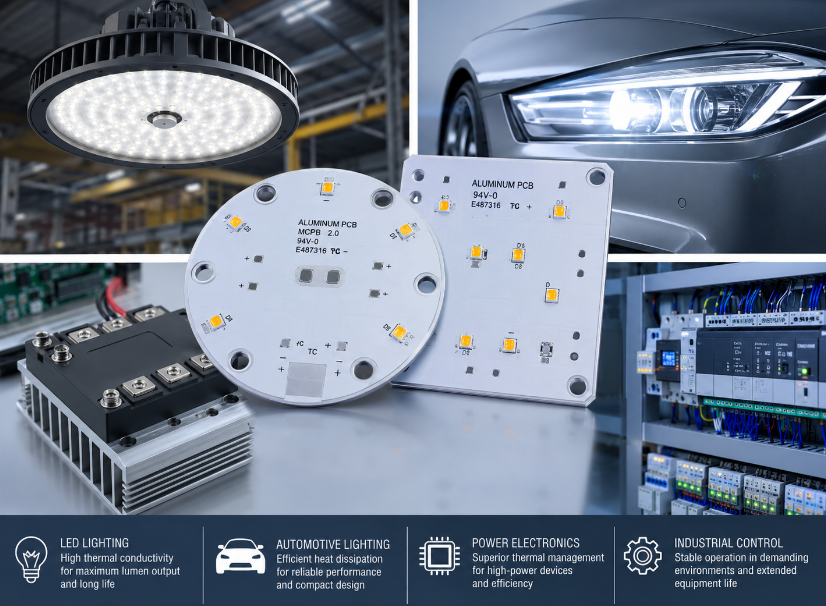
        You may also like