PCB manufacturing PCB manufacturing
Home > Blog

Ceramic PCB Design Guideline, Ceramic PCB Manufacturing Process

March 26th, 2026

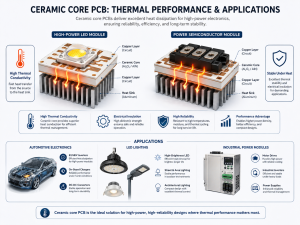
Many electronic products now run hotter, smaller, and faster than before. That shift makes thermal design more important than ever. In many cases, standard FR4 works well. But when heat becomes harder to manage, ceramic substrates offer a more dependable path. With thermal conductivity that can reach 20 to 30 W/m路K for alumina and around 170 to 200 W/m路K for aluminum nitride, ceramic materials are often selected for power modules, LED lighting, RF products, and automotive electronics.

n this guide, you will learn what ceramic PCB design means, which materials are commonly used, how ceramic boards are manufactured, and how to choose between ceramic PCB and FR4 for different applications.

What Is Ceramic PCB Design?

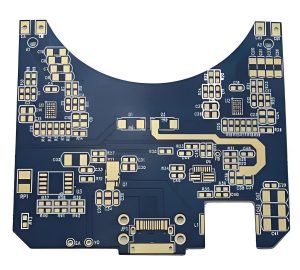
Ceramic PCB design refers to the process of creating a printed circuit board on a ceramic substrate instead of a traditional FR4 base. In this type of board, the substrate does more than support the circuit. It also helps with heat transfer, insulation, and structural stability.

That is why ceramic PCB design is often used in applications where thermal control matters. A well-designed ceramic board can help reduce hot spots, support stable electrical performance, and improve product life in compact or high-power environments.

Typical application areas include:

  • High-power LED modules
  • Power semiconductor circuits
  • RF and microwave products
  • Automotive control systems
  • Medical and industrial electronics
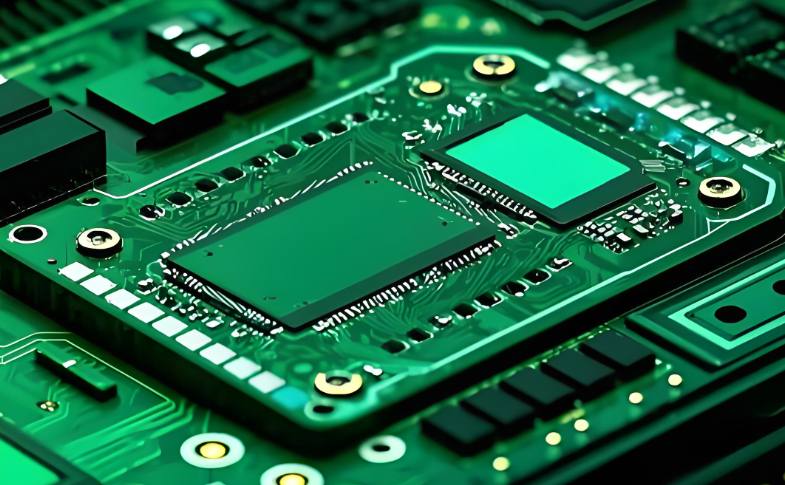
Ceramic PCB Design

Ceramic PCB Design

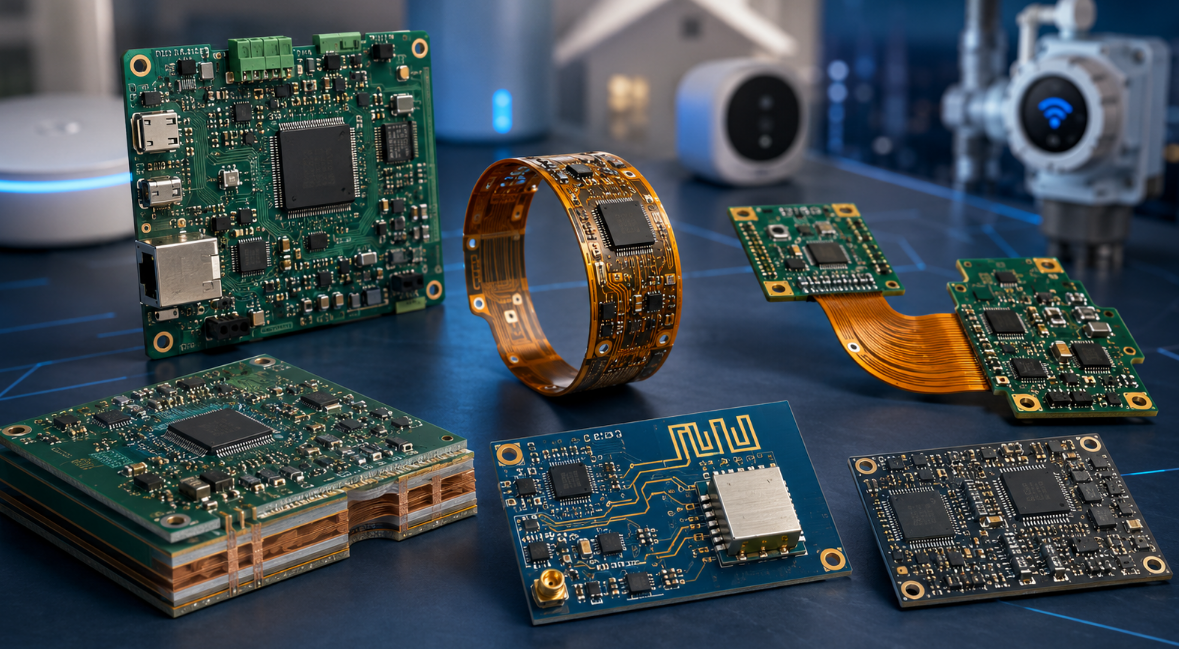
Why Choose Ceramic PCBs?

Ceramic PCBs are widely used because they combine heat dissipation and electrical insulation in one structure. This can make the full product design more efficient, especially in space-limited applications. Main advantages include:

  • Better heat dissipation than standard FR4
  • Stable performance under temperature cycling
  • Strong electrical insulation
  • Good dimensional stability
  • Suitable for compact and high-density layouts

For many engineers, the main attraction is thermal performance. Standard FR4 is usually around 0.3 W/m路K, which is enough for many general products. But for higher heat loads, ceramic substrates offer a clear improvement.

Why Choose Ceramic PCBs?

Why Choose Ceramic PCBs?

Common Materials Used in Ceramic PCB Design

Choosing the right ceramic pcb material is one of the first decisions in the design process. Different materials offer different thermal and mechanical properties.

MaterialThermal ConductivityCost LevelTypical Use
Al2O320鈥30 W/m路KLowerLED, sensors, control boards
AlN170鈥200 W/m路KHigherPower modules, RF, high-heat products
Si3N470鈥90 W/m路KHigherHigh-reliability power electronics
BeOVery highHighSpecial industrial applications

In most commercial projects, the main decision is between Al2O3 and AlN.

Al2O3 vs AlN: Which One Is Suitable for Your Ceramic PCB Project?

Both materials are common in ceramic PCB design, but they fit different needs.

PropertyAl2O3AlN
CostMore economicalHigher
Thermal ConductivityModerateVery high
AvailabilityBroadMore specialized
Best ForGeneral ceramic circuitsHigh-power thermal applications

A simple selection logic is:

  1. Choose Al2O3 when you need a practical ceramic solution with balanced cost and performance.
  2. Choose AlN when your board must remove heat faster or work in a tighter thermal environment.
  3. Review the total thermal path before making the final decision.

If the product is compact, sealed, or power-dense, AlN often provides more design margin. If the thermal load is moderate, Al2O3 is often the more economical choice.

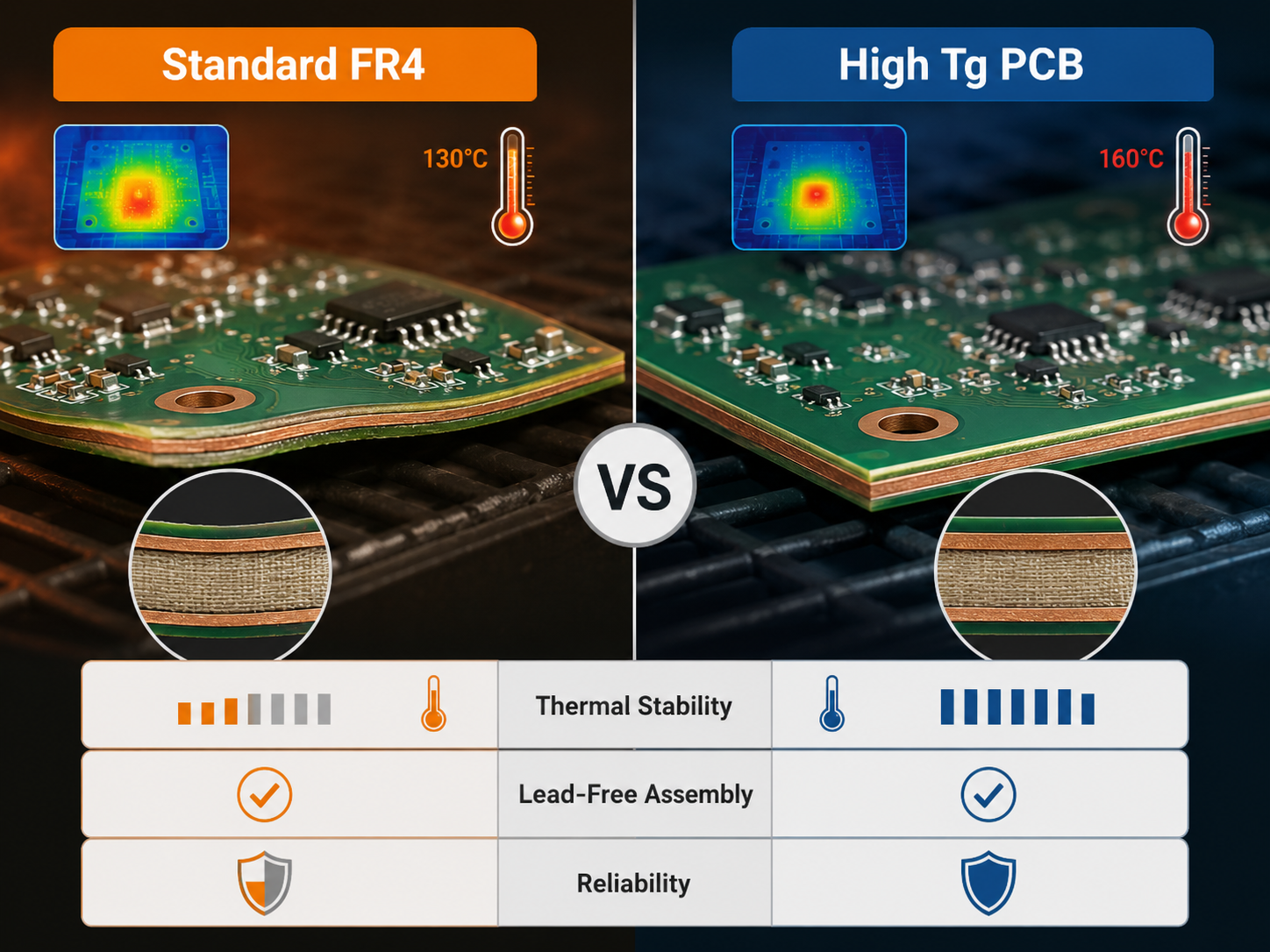
Ceramic PCB vs FR4 PCB: What鈥檚 the Difference?

The discussion around ceramic pcb vs fr4 is common because both materials serve important roles.

AspectCeramic PCBFR4 PCB
Thermal ConductivityHigherLower
Heat ResistanceBetterModerate
Dimensional StabilityStrongStandard
Mechanical NatureHarder, more brittleTougher, more flexible
CostHigherLower
Typical UsePower, RF, LEDGeneral electronics

In short:

  • FR4 is suitable for standard and cost-sensitive electronics.
  • Ceramic PCB is more suitable for high-heat and high-reliability designs.

So the real question is not which one is better overall, it based on which one fits your product conditions better.

Ceramic PCB Design Guidelines

Ceramic PCB design is not simply FR4 layout on a different substrate. The material behaves differently in thermal transfer, mechanical strength, copper bonding, and assembly response. If these factors are considered early, the board is easier to manufacture and more stable in use.

1. Start with thermal goals, not only electrical layout

Most ceramic PCB projects begin because heat is already a concern. So the design should first identify where the heat is generated, how much power is lost, and where that heat will go next.

A practical design review usually includes:

  • heat source location
  • power density of major components
  • thermal path from device to substrate
  • interface to heat sink or housing
  • operating ambient temperature

For example, if a board carries LED chips, power ICs, or RF devices, placing those parts without a clear heat path can waste the thermal advantage of the ceramic substrate.

2. Choose the right ceramic material for the real operating condition

Material selection affects the whole design window. Al2O3 is widely used because it offers good insulation, mature processing, and reasonable cost. AlN is better when the thermal load is higher and the product has less room for heat buildup.

This choice should match the actual project target, not only the material data sheet. A low-power control board and a compact power module should not use the same logic.

3. Match copper layout with current, heat, and process capability

Copper traces on ceramic boards should be designed with three things in mind:

  • current carrying ability
  • heat spreading
  • manufacturability

Very narrow traces may look efficient in layout, but they are not always ideal for yield or long-term reliability. Wider copper areas can help thermal spreading, but overly large copper imbalance may create stress during heating and cooling cycles.

4. Pay close attention to pad design and solder joint reliability

Pad design matters more than many designers expect. Ceramic substrates are rigid, and the expansion behavior differs from FR4. That means poor pad design can affect solder joint stability, especially in power devices or larger packages.

It is wise to check:

  • pad size versus component package
  • solder fillet space
  • thermal pad design
  • copper symmetry around large pads
  • assembly method and reflow profile

This is especially important for LED chips, bare die, power packages, and ceramic-mounted RF parts.

5. Consider brittleness in the mechanical design

Ceramic offers excellent stability, but it is also more brittle than FR4. That means the board design should avoid stress concentration.

Important mechanical points include:

  • leave enough clearance from holes to edges
  • avoid weak narrow bridges in the outline
  • reduce sharp internal corners where possible
  • design mounting areas with even force distribution
  • avoid layout features too close to cut edges

In short, ceramic PCB design should not only perform well electrically. It should also survive handling, assembly, fastening, and real product use.

6. Align the design with the selected manufacturing process

This point is often overlooked. Ceramic PCB design should always match the actual process route. If the board will be made by DPC ceramic PCB technology, then line width, spacing, via structure, copper thickness, and surface finish should all follow DPC process capability.

That is why early communication with the manufacturer is valuable. A design that fits the real process window usually moves to production faster and with fewer revisions.

Ceramic PCB Manufacturing Processes

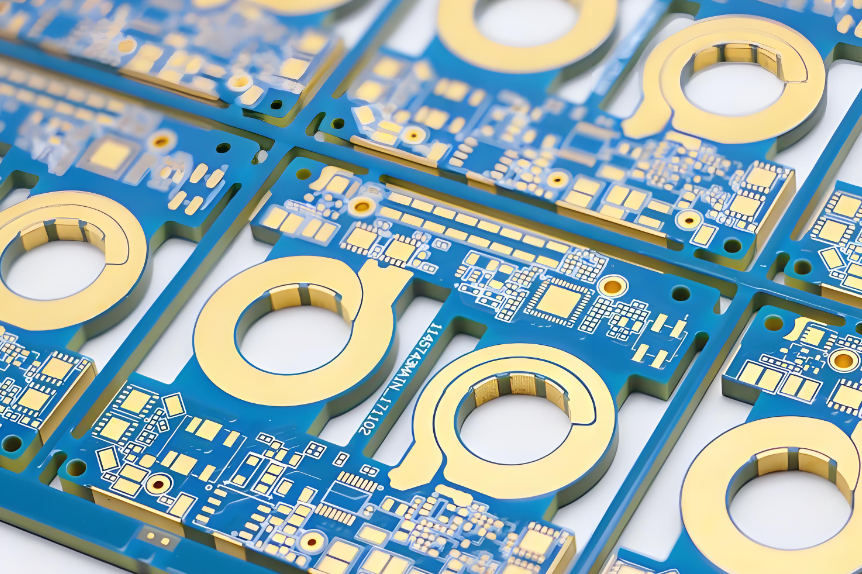
There are several ceramic PCB manufacturing methods, but for projects that require fine lines, good adhesion, and precise circuit definition, DPC ceramic PCB is a widely used option. DPC stands for Direct Plated Copper. This process forms the copper circuit directly on the ceramic substrate through thin film metallization and copper plating steps.

Compared with thick film processes, DPC is often preferred for finer circuit patterns and more controlled conductor formation. It is commonly used in LED packaging, RF modules, sensors, and high-precision ceramic circuit applications.

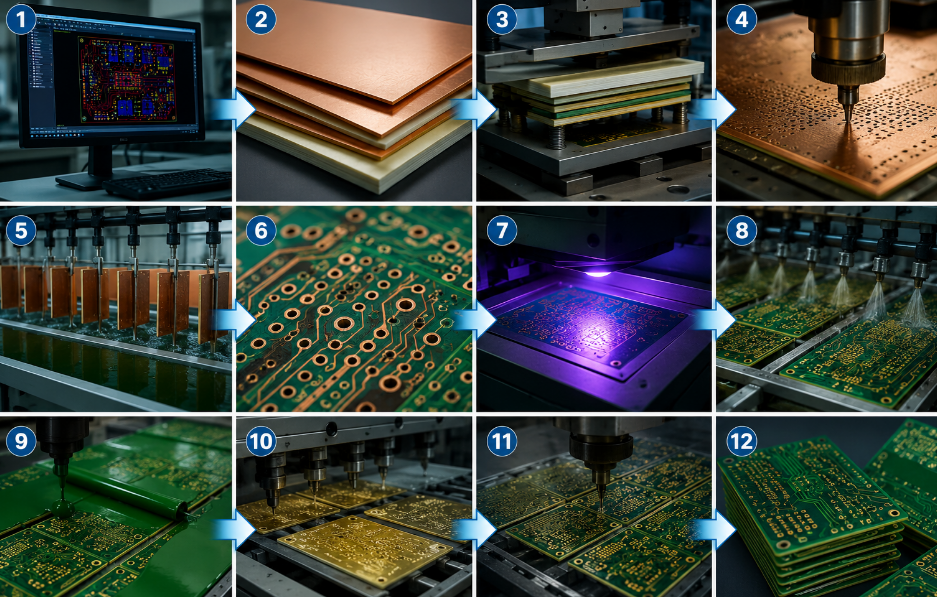
DPC Ceramic PCB Manufacturing Flow

Here is the typical DPC ceramic PCB manufacturing process:

Ceramic PCB Manufacturing Processes

1. Ceramic substrate preparation

    The process begins with the selected ceramic substrate, usually Al2O3 or AlN. The surface must be cleaned carefully to remove particles, oil, and contamination. This step is important because good surface condition helps the following metal layer bond more reliably.

    2. Thin film metallization

    A thin metal seed layer is deposited on the ceramic surface. This layer often includes metals such as titanium, copper, or other adhesion and conductive layers depending on the process design. Its role is to provide a base for later copper plating.

    3. Photoresist coating

    A photoresist layer is applied to the metallized ceramic surface. This creates the imageable layer used to define the circuit pattern.

    4. Exposure and development

    The circuit image is transferred onto the photoresist by exposure. After development, the required copper pattern area is opened, while the rest remains protected.

    5. Copper electroplating

    Copper is plated onto the exposed circuit areas until the target thickness is reached. This step builds the actual conductive traces and pads. The plating thickness is controlled based on current requirement, pattern accuracy, and product application.

    6. Resist stripping

    After plating is completed, the remaining photoresist is removed. At this stage, the plated copper pattern remains on the substrate.

    7. Seed layer etching

    The exposed thin seed layer that is no longer needed is etched away. This leaves only the final circuit pattern on the ceramic substrate.

    8. Surface finish treatment

    A suitable surface finish is applied to improve solderability, bonding performance, or corrosion resistance. Common finishes depend on the product design and assembly method.

    9. Laser drilling or shaping if needed

    If the design requires slots, openings, or special board outlines, laser or precision machining processes are used. Ceramic substrates need careful shaping because the material is hard and brittle.

    10. Final inspection and testing

      The finished board goes through dimensional inspection, circuit inspection, adhesion testing, and appearance review. For higher-end applications, extra checks may include thermal cycling, insulation performance, and bonding quality verification.

      Applications of Ceramic PCB Design

      Ceramic PCB design is widely used in products that need strong thermal performance and stable operation over time.

      Common applications include:

      • LED lighting modules
      • Automotive electronics
      • Power control systems
      • RF and microwave devices
      • Medical equipment
      • Industrial power modules
      • Laser and communication products

      In high-power LED systems, ceramic substrates help transfer heat away from the LED source. In automotive and industrial electronics, they support more stable operation under repeated thermal cycling.

      Applications of Ceramic PCB Design

      Applications of Ceramic PCB Design

      Why Choose EBest Circuit for Ceramic PCB Design?

      With 20+ years of PCB and PCBA experience, EBest Circuit supports customers from early design review to full production. We have served 10,000+ engineers and 1,800+ customers, giving us broad experience across thermal management, high-reliability electronics, and complex PCB structures.

      Why many customers choose EBest Circuit for ceramic PCB design:

      • 20+ years of manufacturing experience in PCB and PCBA
      • Support for advanced materials, including Al2O3 ceramic PCB and AlN ceramic PCB
      • Engineering-driven support with free DFM review and process suggestions
      • One-stop capability from PCB fabrication to PCBA assembly and testing
      • Fast response for prototype and small-batch projects
      • Quality systems supported by ISO 9001, ISO 13485, IATF 16949, and AS9100D
      • MES-based traceability for better process control and production visibility

      We also understand that ceramic PCB projects are often tied to demanding applications such as LED lighting, power electronics, RF devices, and industrial controls. In these products, stable quality and process consistency are just as important as thermal performance on paper. That is why we focus on both engineering review and manufacturing control.

      If you need a ceramic PCB manufacturer that can support design optimization, material selection, and reliable production, EBest Circuit is ready to help. For project discussion or quotation, please contact sales@bestpcbs.com.
      FAQs About Ceramic PCB Design

      1. What is ceramic PCB design used for?

        Ceramic PCB design is used for electronic products that need better heat dissipation, strong insulation, and stable operation in demanding environments.

        2. Which ceramic pcb material is most common?

        Al2O3 is one of the most common materials because it offers a good balance of cost and performance.

        3. When should I choose AlN?

        AlN is a better choice when the design has high heat density or requires faster heat transfer.

        4. Is ceramic PCB better than FR4?

        For thermal-intensive applications, ceramic is usually a better option. For standard electronics, FR4 is often enough.

        5. Can a ceramic pcb manufacturer help optimize my design?

        Yes. Early design review can improve manufacturability, reduce risk, and shorten project cycles.

        6. Are ceramic PCBs suitable for LED products?

        Yes. They are widely used in high-power LED modules because heat dissipation is critical.

        You may also like

        LED Downlight Aluminum PCB | High Thermal MCPCB for Recessed Lighting

        March 26th, 2026

        Why Choose EBest for Your LED Downlight Aluminum PCB?

        EBest is your first choice for high-performance LED Downlight Aluminum PCB, with core parameters designed to meet the strict demands of LED downlight applications. Our products feature thermal conductivity ranging from 1.0 to 4.0 W/m路K, copper thickness of 1oz-4oz, and operating temperature range of -50鈩 to 100鈩, ensuring stable performance in all scenarios.

        We offer customizable sizes, precise dimensional tolerance of 卤0.01mm, and compatibility with SMD, BGA, and QFN components. For a reliable, long-lasting LED Downlight Aluminum PCB that boosts your product鈥檚 lifespan and efficiency, place your order with EBest today.

        LED Downlight Aluminum PCB | High Thermal MCPCB for Recessed Lighting

        Why Choose Us for LED Downlight Aluminum PCB?

        • Quality: Our LED Downlight Aluminum PCB undergoes 100% full inspection before delivery, with strict quality control throughout the production process, complying with global industry standards.
        • Delivery: With a monthly production capacity of 260,000 square feet, we offer expedited service鈥攗rgent LED Downlight Aluminum PCB orders can be shipped within 24 hours.
        • Service: We provide one-stop solutions, from custom design and component sourcing to assembly, with 24/7 technical support for all your LED Downlight Aluminum PCB needs.
        • Supply Chain: Our stable, integrated supply chain ensures a consistent raw material supply, avoiding delays and ensuring steady production of your LED Downlight Aluminum PCB.

        What Are the Key Advantages of LED Downlight Aluminum PCB Over FR-4 PCB?

        LED Downlight Aluminum PCB outperforms FR-4 PCB primarily in heat dissipation, which is critical for LED downlight longevity. An aluminum PCB鈥檚 thermal conductivity is 3-8 times higher than that of FR-4, preventing LED overheating and light decay.

        FeatureLED Downlight Aluminum PCBFR-4 PCB
        Thermal Conductivity (W/m路K)1.0-4.00.3-0.4
        Operating Temperature Range-50鈩 to 100鈩-40鈩 to 85鈩
        LED Lifespan ImpactExtends lifespan to over 100,000 hoursShortens lifespan due to poor heat dissipation
        Mechanical StrengthHigh hardness, strong load-bearing capacityGood toughness, easy to process but less durable

        How to Design LED Downlight Aluminum PCB for Optimal Heat Dissipation?

        Optimal heat dissipation for a LED Downlight Aluminum PCB starts with three key design steps: expand heat pads, add sufficient thermal vias, and use appropriate copper thickness.

        Key Design Tips for Heat Dissipation

        • 1. Enlarge heat pads: Extend LED pad areas to increase heat transfer, avoiding minimal pad sizes that trap heat.
        • 2. Add thermal vias: Use 0.3mm vias spaced 1.5mm apart, with plugging and copper cladding to form a 3D heat dissipation channel.
        • 3. Choose proper copper thickness: Use 2oz (70渭m) copper for LEDs over 1W to enhance heat conduction efficiency.
        LED Downlight Aluminum PCB | High Thermal MCPCB for Recessed Lighting

        What Are the Most Commons with LED Downlight Aluminum PCB, and How Do We Solve Them?

        Many users face issues like poor heat dissipation, unstable performance, and delivery delays with LED Downlight Aluminum PCB. EBest addresses these with targeted, proven solutions.

        • How to Fix Poor Heat Dissipation in LED Downlight Aluminum PCB?

        Solution: We use high-quality aluminum substrates and optimize layout, adding thermal vias and enlarged heat pads to reduce junction temperature by 20-30鈩, extending lifespan significantly.

        • How to Ensure Consistent Quality for LED Downlight Aluminum PCB?

        Solution: Real-time production monitoring, from raw material inspection to final testing, ensures 100% compliance with industry standards.

        • How to Avoid Long Delivery Times for LED Downlight Aluminum PCB?

        Solution: Our large production capacity and expedited service deliver standard orders in 3-5 days and urgent orders within 24 hours.

        • How to Simplify Customization for LED Downlight Aluminum PCB?

        Solution: Our R&D team provides personalized design support, tailoring size, copper thickness, and thermal parameters to your needs.

        What Industries Rely on LED Downlight Aluminum PCB? 4 Real-World Cases

        LED Downlight Aluminum PCB is widely used in industries that demand efficient, reliable lighting solutions. Below are four key industries and our successful cases.

        • 1. Residential Lighting

        Case: We supplied LED Downlight Aluminum PCB for a global residential lighting brand, reducing LED light decay by 40% and extending the product鈥檚 lifespan to 100,000 hours, meeting household durability needs.

        • 2. Commercial Lighting (Malls & Retail Stores)

        Case: For a large shopping mall chain, our LED Downlight Aluminum PCB with enhanced heat dissipation supported 24/7 operation, reducing annual maintenance costs by 35%.

        • 3. Office Lighting

        Case: We customized LED Downlight Aluminum PCB for an office building project, ensuring uniform brightness and low energy consumption, cutting the client鈥檚 lighting energy costs by 25%.

        • 4. Industrial Lighting (Factories & Warehouses)

        Case: Our LED Downlight Aluminum PCB with high-temperature resistance (-50鈩 to 100鈩) was used in a manufacturing plant, withstanding harsh industrial environments and reducing downtime by 50%.

        How to Choose the Right Thickness for LED Downlight Aluminum PCB?

        The right thickness of a LED Downlight Aluminum PCB depends on LED power, installation space, and heat dissipation needs. We recommend matching the thickness to your specific application for optimal performance.

        Thickness Selection Guide

        • 1. 1oz (35渭m) copper: Suitable for low-power LED downlights (鈮1W), ideal for small, compact designs.
        • 2. 2oz (70渭m) copper: The most common choice for medium-power downlights (1-5W), balancing heat dissipation and cost-effectiveness.
        • 3. 3-4oz (105-140渭m) copper: For high-power downlights (>5W), providing maximum heat conduction and stability.
        LED Downlight Aluminum PCB | High Thermal MCPCB for Recessed Lighting

        What Are the Key Technical Specifications of High-Quality LED Downlight Aluminum PCB?

        A high-quality LED Downlight Aluminum PCB must meet strict technical standards to ensure performance and reliability. Below are the core specifications you should prioritize.

        鈥 Thermal Conductivity: 1.0-4.0 W/m路K (higher is better for heat dissipation)

        鈥 Copper Thickness: 1oz-4oz (customizable based on power needs)

        鈥 Dimensional Tolerance: 卤0.01mm (ensures precise fit with LED components)

        鈥 Operating Temperature: -50鈩 to 100鈩 (adapts to various environments)

        鈥 Insulation Resistance: 鈮10^12惟 (prevents short circuits and ensures safety)

        How Does LED Downlight Aluminum PCB Improve LED Downlight Lifespan?

        LED Downlight Aluminum PCB directly extends LED downlight lifespan by solving the core issue: heat buildup. LEDs fail prematurely when their junction temperature exceeds 85鈩, and aluminum PCB efficiently dissipates heat to keep temperatures in check.

        By conducting heat away from LED chips quickly, LED Downlight Aluminum PCB reduces thermal stress on components, slowing aging and light decay. This extends the downlight鈥檚 lifespan from 50,000 hours (with FR-4 PCB) to over 100,000 hours.

        What Services and Certifications Does EBest Offer for LED Downlight Aluminum PCB?

        EBest provides comprehensive services for LED Downlight Aluminum PCB, supported by global quality certifications to ensure reliability and compliance. Below are our service and certification details in table form.
        Service/Certification TypeDetails
        Core ServicesPCB Fabrication, Component Sourcing, BGA Assembly, Through-Hole Assembly, Flex/Ceramic PCB Assembly, Prototype & Quick Turn Service, Full Turnkey Solutions
        Value-Added ServicesInjection Molding, CNC Machining, Sheet Metal, Component Sourcing (SMD, BGA, QFN, QFP)
        Quality CertificationsIATF 16949, ISO 9001:2015, ISO 13485:2016, AS9100D, REACH, RoHS, UL

        Can LED Downlight Aluminum PCB Be Customized for Specific Applications?

        Yes, LED Downlight Aluminum PCB can be fully customized to meet your specific application needs. EBest offers flexible customization options to match your design requirements.
        We customize size, shape, copper thickness, thermal conductivity, and component compatibility. Whether you need a compact design for residential downlights or a high-power solution for industrial use, we tailor the LED Downlight Aluminum PCB to your exact specifications.

        LED Downlight Aluminum PCB | High Thermal MCPCB for Recessed Lighting

        What Is the Difference Between LED Downlight Aluminum PCB and Copper PCB?

        While both aluminum and copper PCBs offer excellent heat dissipation, they differ in performance, cost, and application. Choose based on your LED downlight鈥檚 power and budget.

        FeatureLED Downlight Aluminum PCBCopper PCB
        Thermal Conductivity (W/m路K)1.0-4.0300-400
        Application1-10W LED downlights (residential, commercial, office)鈮50W high-power downlights (industrial, large-scale lighting)
        Processing DifficultyEasy to process, suitable for mass productionDifficult to process, higher production complexity

        FAQ: Common Questions About LED Downlight Aluminum PCB (Answered)

        1. How long does LED Downlight Aluminum PCB last?

        LED Downlight Aluminum PCB has a lifespan of over 100,000 hours when used with proper heat dissipation. This aligns with the lifespan of high-quality LEDs, ensuring long-term reliability without frequent replacement.

        2. Can LED Downlight Aluminum PCB work in high-temperature environments?

        Yes, our LED Downlight Aluminum PCB operates reliably in temperatures ranging from -50鈩 to 100鈩. It is suitable for both indoor and outdoor LED downlights, including industrial environments with high heat.

        3. How to test the quality of LED Downlight Aluminum PCB?

        Test quality by checking thermal conductivity (using a thermal tester), insulation resistance (with a megohmmeter), and dimensional accuracy (with a caliper). EBest provides a full test report for every batch of LED Downlight Aluminum PCB.

        4. Do you offer prototype service for LED Downlight Aluminum PCB?

        Yes, we offer prototype service for LED Downlight Aluminum PCB, with quick turnaround times to help you test and validate your design before mass production. Prototypes can be shipped within 24-48 hours.

        5. How to ensure LED Downlight Aluminum PCB is compatible with my LED components?

        Our engineering team reviews your LED component specifications (size, pin layout, power) and designs the LED Downlight Aluminum PCB to ensure perfect compatibility. We also offer sample testing to confirm fit and performance.

        6. What is the lead time for LED Downlight Aluminum PCB orders?

        Standard orders take 3-5 days, while urgent orders (for prototypes or small batches) can be shipped within 24 hours. Our large production capacity ensures we meet even tight deadlines.

        Is There a Better Alternative to LED Downlight Aluminum PCB for High-Power Downlights?

        For high-power LED downlights (>5W), the only alternative to LED Downlight Aluminum PCB is copper PCB, which offers higher thermal conductivity (300-400 W/m路K) but is more complex and costly to produce.

        Aluminum PCB remains the most cost-effective and practical choice for 1-10W downlights, balancing heat dissipation, performance, and production efficiency. EBest offers both aluminum and copper PCB options to meet your needs.

        LED Downlight Aluminum PCB | High Thermal MCPCB for Recessed Lighting

        How to Maintain LED Downlight Aluminum PCB for Long-Term Performance?

        Maintaining LED Downlight Aluminum PCB is simple and ensures long-term performance. Follow these easy steps to keep your PCB in top condition.

        1. Keep the PCB clean: Remove dust and debris regularly to avoid blocking heat dissipation channels.

        2. Avoid overvoltage: Use a stable power supply to prevent damage to PCB components and LED chips.

        3. Inspect regularly: Check for signs of corrosion or damage, especially in outdoor or harsh environments.

        We provide high-quality LED Downlight Aluminum PCB with customizable solutions, strict quality control, and fast delivery. Whether you need prototypes, small batches, or mass production, place your order with EBest today. For inquiries and orders, please contact us at sales@bestpcbs.com

        You may also like

        LED Turn Signal Light Aluminum PCB 鈥 Thermal Solution for Auto Manufacturers

        March 25th, 2026

        Why Is LED turn signal light aluminum PCB critical for auto manufacturers鈥 frequent on-off scenarios? If you鈥檙e an auto manufacturer struggling with overheating, short lifespan, or unstable performance of LED turn signal lights, have you considered how LED turn signal light aluminum PCB can solve these pain points? Choose EBest’s LED turn signal light aluminum PCB we deliver superior quality, fast lead times, cost-effective solutions, professional service, and a stable supply chain. This blog covers everything you need to know about selecting, using, and optimizing LED turn signal light aluminum PCB for automotive applications.

        LED Turn Signal Light Aluminum PCB, https://www.bestpcbs.com/blog/2026/03/led-turn-signal-light-aluminum-pcb/

        How to Choose LED Turn Signal Light Aluminum PCB for Frequent On-Off Scenarios?

        Choosing the right LED turn signal light aluminum PCB for frequent on-off scenarios is key to ensuring long-term reliability and performance of automotive turn signals. Frequent on-off cycles create repeated thermal stress, which can degrade PCBs over time, so selecting components and parameters tailored to this use case is essential. The following guidelines break down the critical factors to consider, making the selection process straightforward and aligned with automotive industry standards.

        • Match thermal conductivity to your LED power. Select a substrate with 1.5W/m路K to 5W/m路K, which effectively dissipates the heat generated by frequent on-off cycles and prevents LED overheating and premature failure.
        • Choose substrate thickness between 1.0mm to 2.0mm. This range balances efficient heat transfer and structural robustness, adapting to the vibration and temperature fluctuations of automotive environments.
        • Optimize for a high temperature resistant solder mask. It must withstand at least 260鈩 to resist peeling or cracking during repeated thermal cycles, ensuring long-term electrical insulation.
        • Select 6061 or 5052 aluminum alloy for the base. These alloys offer optimal strength, corrosion resistance and thermal conductivity, making them ideal for automotive LED turn signal applications.
        • Ensure the dielectric layer uses high temperature PI material. It should maintain stable insulation between -50鈩 to 200鈩, adapting to all weather conditions from extreme cold to high heat.
        • Choose 1oz to 2oz copper foil. This thickness ensures sufficient current carrying capacity, reduces resistance-induced heat and enhances heat transfer from LEDs to the aluminum base.
        • Verify component spacing meets automotive standards. Slightly increase spacing to mitigate vibration-induced stresses, preventing solder joint damage during vehicle operation.
        • Prioritize customizable parameters. EBest’s LED turn signal Light aluminum PCB can be tailored to your specific LED power, size and performance requirements for seamless integration.

        Does LED Turn Signal Light Aluminum PCB Improve Heat Dissipation Stability?

        Yes, LED turn signal light aluminum PCB significantly improves heat dissipation stability, a critical advantage for automotive turn signals that operate in frequent on-off cycles. Unlike traditional FR4 PCBs, which have a low thermal conductivity of 鈮0.5W/m路K and trap heat like a 鈥渉eat quilt鈥, aluminum substrates leverage the excellent thermal conductivity of aluminum alloys (such as 6061) to transfer heat from LEDs to the base quickly and evenly.

        This Uniform heat distribution prevents hotspots that cause LED degradation, brightness loss, or premature failure. Aluminum PCBs dissipate heat 3-10 times faster than FR4, maintaining consistent operating temperatures even during repeated thermal cycles. This stability ensures reliable performance in extreme automotive environments, from -40鈩 to 85鈩, meeting the strict environmental requirements of automotive exterior lighting systems and prolonging the overall lifespan of LED turn signals.

        Does LED Turn Signal Light Aluminum PCB Improve Heat Dissipation Stability, https://www.bestpcbs.com/blog/2026/03/led-turn-signal-light-aluminum-pcb/

        What Thermal Conductivity Does LED Turn Signal Light Aluminum PCB Need?

        The required thermal conductivity of LED turn signal light aluminum PCB depends on the LED power and application environment, but the industry standard range is 1.5W/m路K to 10W/m路K. For low-power LED turn signals (鈮1W), 1.5W/m路K to 3W/m路K is sufficient. For medium-power (1W-3W), 3W/m路K to 5W/m路K is ideal. For high-power (鈮3W) or harsh environments (e.g., heavy-duty vehicles), 5W/m路K to 10W/m路K is recommended. Below is a quick reference table for different LED powers:

        LED PowerRecommended Thermal Conductivity (W/m路K)Application Scenario
        鈮1W1.5-3.0Passenger car turn signals
        1W-3W3.0-5.0Mid-size vehicle turn signals
        鈮3W5.0-10.0Heavy-duty trucks, off-road vehicles

        Can LED Turn Signal Light Aluminum PCB Speed Up Turn Signal Response?

        Yes, LED turn signal light aluminum PCB can slightly accelerate turn signal response time, but its primary value lies in maintaining consistent response performance during long-term, frequent on-off use. This is closely tied to the thermal management capability of aluminum PCBs, which directly impacts the electrical stability of LED components.

        Heat buildup is a key factor that slows down LED turn signal response. As temperature rises, the electrical resistance of LED components increases, delaying the on-off reaction. LED Turn Signal Light Aluminum PCB leverages excellent thermal conductivity to quickly transfer heat generated by LEDs to the aluminum base, avoiding heat accumulation and keeping the LED鈥檚 electrical performance stable.

        In practical automotive scenarios, LED turn signal light aluminum PCB typically delivers a 10-20ms faster response than traditional FR4 PCBs, especially in high-temperature environments. This slight speed improvement enhances driving safety by giving other road users more reaction time to recognize turn intentions.

        Notably, this response stability also aligns with automotive safety standards, which require turn signals to maintain consistent activation speed even after prolonged use. EBest’s LED turn signal light aluminum PCB is engineered to support this stability, ensuring reliable signal transmission in all automotive operating conditions.

        How to Ensure LED Turn Signal Light Aluminum PCB Meets Automotive Grade Quality?

        Ensuring LED turn signal light aluminum PCB meets automotive grade quality is essential for auto manufacturers, as it directly impacts driving safety, product reliability and compliance with industry standards. Automotive-grade PCBs must withstand extreme temperatures, vibration, chemical exposure and frequent thermal cycles, so following targeted, practical steps is key to avoiding quality issues and ensuring long-term performance. Below are actionable guidelines to achieve this goal.

        • Select automotive-grade raw materials. Choose 6061 or 5052 aluminum alloy for the base 6061 offers high strength while 5052 provides better corrosion resistance. Use 1oz to 2oz copper foil for sufficient current carrying capacity and automotive-grade solder mask that meets IPC-840E and RoHS requirements to resist high temperatures and chemical corrosion.
        • Comply with core automotive certifications. Prioritize IATF 16949 certification, the global standard for automotive manufacturing, and ensure materials meet AEC-Q200 requirements for electronic component reliability.
        • Conduct strict reliability testing. Perform thermal shock tests from -40鈩 to 85鈩 for 1000 cycles, vibration tests at 10-2000Hz, solderability tests at 260鈩 for 10 seconds and electrical reliability tests including insulation resistance and voltage resistance.
        • Ensure dielectric layer quality. Use high-temperature PI material that maintains stable insulation between -50鈩 to 200鈩, preventing breakdown in extreme weather conditions.
        • Verify manufacturing process control. Choose manufacturers with strict contamination control measures to avoid dust or moisture during production, which can cause electrical faults.
        • Partner with a trusted manufacturer. Select a supplier like EBest with a proven track record in automotive PCB production, complete testing laboratories and traceable test data to ensure consistent quality.
        How to Ensure LED Turn Signal Light Aluminum PCB Meets Automotive Grade Quality, https://www.bestpcbs.com/blog/2026/03/led-turn-signal-light-aluminum-pcb/

        What Causes LED Turn Signal Light Aluminum PCB Failures in Frequent Use?

        LED turn signal light aluminum PCB failures in frequent use often stem from predictable, avoidable issues related to material quality, design parameters, manufacturing processes, or installation. Understanding these root causes helps auto manufacturers prevent downtime, reduce replacement costs, and ensure long-term reliability of turn signal systems.

        • Poor thermal conductivity is a top cause of failure. Substrates with thermal conductivity below 1.5W/m路K cannot effectively dissipate heat from frequent on-off cycles, leading to overheating, solder joint damage, and eventual PCB failure.
        • Low-quality solder mask contributes to premature breakdown. Solder mask that cannot withstand 260鈩 or more will peel, crack, or delaminate during repeated thermal cycles, causing short circuits and electrical faults.
        • Inadequate substrate thickness undermines structural stability. Substrates thinner than 0.8mm cannot resist vibration-induced stress in automotive environments, leading to deformation and component detachment.
        • Manufacturing contamination is a hidden failure trigger. Dust, moisture, or residual chemicals left during production create electrical inconsistencies that worsen with frequent use, resulting in unexpected PCB faults.
        • Improper installation damages PCBs. Tight mounting or uneven pressure during installation strains the PCB, weakening solder joints and the dielectric layer over time.
        • Low-quality dielectric layers or adhesives also cause failures. Inferior materials degrade quickly under thermal stress, leading to delamination between the aluminum base and copper foil, and eventual electrical breakdown.

        How Long Is the Lead Time for Bulk LED Turn Signal Light Aluminum PCB Orders?

        Order TypeOrder QuantityStandard Lead Time (Working Days)
        Small Bulk1,000 – 5,000 pieces5 – 7
        Medium Bulk5,000 – 20,000 pieces7 – 10
        Large Bulk鈮 20,000 pieces10 – 15
        Customized BulkAny quantityBase lead time + 2 – 3

        Does LED Turn Signal Light Aluminum PCB Resist Thermal Fatigue?

        Yes, high-quality LED turn signal light aluminum PCB effectively resists thermal fatigue when designed and manufactured to automotive standards, critical for auto manufacturers relying on durable turn signal systems. Thermal fatigue occurs when repeated heating and cooling from frequent on-off cycles cause material expansion and contraction, leading to cracks, solder joint failure, or layer delamination.

        The key to this resistance lies in material and design optimization. Aluminum鈥檚 thermal expansion coefficient (23.1脳10^-6/鈩) is closely matched to LED components, minimizing stress from temperature swings that would otherwise damage the PCB. This alignment reduces the risk of structural failure even after thousands of thermal cycles.

        EBest’s LED turn signal light aluminum PCB enhances thermal fatigue resistance further by using high-temperature adhesive and solder mask. These materials withstand extreme temperature fluctuations (-40鈩 to 85鈩) and support over 1000 thermal cycles without failure, meeting automotive reliability requirements.

        For auto manufacturers, this resistance translates to fewer replacements, reduced downtime, and consistent performance. It ensures the PCB maintains structural integrity and electrical stability, even in harsh automotive environments where turn signals operate frequently.

        Does LED Turn Signal Light Aluminum PCB Resist Thermal Fatigue, https://www.bestpcbs.com/blog/2026/03/led-turn-signal-light-aluminum-pcb/

        FAQs About LED Turn Signal Light Aluminum Circuit Board

        Q1: Can led turn signal light aluminum PCB be used in all types of vehicles?
        A1: Yes, led turn signal light aluminum PCB is suitable for all vehicle types, including passenger cars, trucks, buses, and off-road vehicles. It can be customized to fit different LED power requirements, space constraints, and environmental conditions (extreme cold, heat, or vibration), making it a versatile solution for automotive turn signal applications.

        Q2: Is led turn signal light aluminum PCB more expensive than FR4 PCB?
        A2: While led turn signal light aluminum PCB has a slightly higher initial cost than FR4 PCB, it offers long-term cost savings. Its superior heat dissipation reduces LED replacement costs (by 30-50% over time) and prevents downtime, making it a cost-effective choice for auto manufacturers focused on reliability. This aligns with industry trends where aluminum PCBs balance performance and affordability better than FR4 for automotive applications.

        Q3: Can I customize the size and shape of led turn signal light aluminum PCB?
        A3: Yes, EBest offers full customization for led turn signal light aluminum PCB, including size, shape, thickness, thermal conductivity, and solder mask color. We work with your engineering team to match your exact design specifications, ensuring the PCB fits seamlessly into your turn signal assembly. This customization supports the unique design needs of different vehicle models.

        Q4: How do I test the thermal performance of led turn signal light aluminum PCB?
        A4: To test thermal performance, use a thermal imaging camera to measure surface temperature during LED operation. Stable temperatures (below 70鈩) indicate good heat dissipation. You can also conduct a thermal shock test (from -40鈩 to 85鈩) to ensure the PCB withstands extreme temperature changes without failure. EBest provides test reports for all bulk orders, complying with AEC-Q200 automotive reliability standards.

        Q5: What is the lifespan of led turn signal light aluminum PCB?
        A5: The lifespan of led turn signal light aluminum PCB is typically 100,000+ hours under normal automotive use (frequent on-off cycles, -40鈩 to 85鈩). This is 2-3 times longer than FR4 PCBs, thanks to its superior heat dissipation and resistance to thermal fatigue. This extended lifespan reduces maintenance and replacement costs for auto manufacturers, aligning with automotive PCB durability requirements.

        You may also like

        LED UV Curing Light SinkPad PCB 鈥 Thermal Solution for Industrial Engineers

        March 25th, 2026

        Are you troubled by LED UV curing light SinkPad PCB overheating and failures? For industrial engineers managing LED UV curing equipment, SinkPad PCB overheating causes LED burnout, uneven curing, and unplanned downtime. EBest delivers reliable, high-performance LED UV Curing Light SinkPad PCBs, backed by strong quality, on-time delivery, dedicated service, and a robust supply chain for UV curing needs.

        This guide covers critical SinkPad PCB thermal management topics: fixing local heat buildup, optimizing design, sourcing reliable components, and reducing production failures. It provides engineer-tested, actionable steps to resolve thermal issues and keep UV curing systems running consistently long-term.

        LED UV Curing Light SinkPad PCB, https://www.bestpcbs.com/blog/2026/03/led-uv-curing-light-sinkpad-pcb/

        How to Fix Local Heat Buildup on LED UV Curing Light PCBs to Prevent Burnout?

        Local heat buildup on LED UV Curing Light PCBs is the primary cause of premature LED chip burnout, substrate degradation and complete equipment failure. Concentrated heat cannot dissipate efficiently through standard PCB layouts, so engineering-grade fixes are necessary to break up hotspots and redirect heat away from sensitive UV LED components.

        Begin with custom SinkPad integration directly beneath high-power UV LED modules. This creates a dedicated thermal pathway that pulls heat away from the chip surface immediately during operation. Optimized SinkPads eliminate isolated hotspots that standard PCBs cannot address, as they are engineered specifically for the concentrated heat output of UV curing systems.

        Pair SinkPad PCBs with complementary thermal management components. Passive heat sinks and thermal vias work together to form a full heat dissipation chain. This layered approach stops heat from accumulating in localized areas and spreads it evenly across the PCB substrate for consistent thermal performance.

        Adjust PCB trace width and copper weight for high-current UV LED circuits. Inadequate trace sizing traps heat and amplifies hotspot formation, a common engineering pitfall easily avoided with EBest鈥檚 engineered SinkPad PCBs. These include pre-calibrated trace designs tailored to the heat output of UV LED modules, preventing heat buildup at the source.

        Why Does Poor PCB Thermal Control Ruin LED UV Curing Consistency?

        Here are reasons why poor PCB thermal control ruin LED UV curing consistency:

        • It disrupts UV LED wavelength and output intensity, two critical elements that determine curing uniformity and quality. Small temperature fluctuations outside the LED鈥檚 optimal range can cause irreversible changes to these elements.
        • Elevated PCB temperatures force UV LED chips to deviate from their calibrated curing wavelength. This leads to under-cured materials and surface defects that cannot be resolved through simple process adjustments.
        • Uncontrolled heat accelerates thermal fatigue in PCB substrates, solder joints and internal components. This gradual degradation leads to inconsistent performance throughout each production shift with no predictable output.
        • Thermal stress weakens PCB electrical connections, resulting in intermittent power delivery to UV LEDs. Uneven light distribution from this inconsistency ruins the uniformity of curing processes.

        Poor PCB thermal control undermines LED UV curing consistency by disrupting key performance factors of UV LEDs. Even minor temperature inconsistencies can alter LED behavior, leading to uneven curing results that affect industrial production quality and efficiency.

        What Makes a SinkPad PCB Stable for High-Temperature LED UV Curing Use?

        A SinkPad PCB achieves stability in high-temperature LED UV curing applications by combining three core elements: specialized material composition, precision thermal design, and industrial-grade construction. These elements work together to help the PCB withstand continuous elevated temperatures without warping, degrading, or losing thermal conductivity, critical for consistent UV curing performance.

        High-grade thermally conductive substrate materials serve as the foundation. They resist thermal deformation and maintain structural integrity even during prolonged, high-load UV curing operations鈥攗nlike standard PCB materials, which break down quickly under high temperatures.

        Full-area thermal bonding between the SinkPad and UV LED modules ensures zero air gaps. This eliminates thermal resistance that traps heat, as direct contact is critical for consistent heat transfer in high-temperature environments.

        Reinforced internal layer design and heavy copper construction evenly distribute heat across the PCB. This prevents localized overheating and supports stable performance in continuous industrial UV curing settings.

        Rigorous reliability testing under simulated UV curing thermal loads validates long-term stability. This testing ensures the PCB performs consistently for years without thermal failure, which is essential for industrial UV curing efficiency. EBest SinkPad PCBs undergo extended thermal cycling testing to meet strict industrial durability standards.

        What Makes a SinkPad PCB Stable for High-Temperature LED UV Curing Use

        How to Design PCB SinkPads for Targeted High Heat Dissipation in UV Curing?

        Designing PCB SinkPads for targeted high heat dissipation in UV curing requires precise planning, data-driven decisions, and alignment with UV LED thermal requirements. Below are detailed, actionable steps with specific data to ensure optimal heat extraction, prevent hotspots, and maintain long-term performance of UV curing systems.

        Map high-power UV LED positions and identify hotspot zones first. For UV curing systems, high-power LED modules (50W-300W per module) typically generate heat fluxes of 15-40 W/cm虏, with hotspots concentrated within a 2-3mm radius around each LED chip. Use thermal mapping tools to pinpoint these zones, ensuring SinkPads align precisely with each chip, misalignment by just 1mm can reduce heat dissipation efficiency by 22%.

        Integrate a dense array of thermal vias within the SinkPad area. For optimal vertical heat transfer, use thermal vias with a diameter of 0.3-0.5mm, spaced 1.5-2.0mm apart (40-60 vias per cm虏). Fully filled thermal vias (with solder or conductive epoxy) reduce thermal resistance by 35% compared to unfilled vias, ensuring heat moves efficiently from the top component layer to inner layers and the bottom heat dissipation surface.

        Optimize SinkPad size and thickness to match UV LED thermal output. For standard 100W UV LED modules, use SinkPads with a minimum size of 15mm脳15mm (matching the LED base) and a thickness of 1.2-2.0mm. For high-power 300W modules, increase size to 25mm脳25mm and thickness to 2.0-3.0mm鈥攖his ensures the pad can handle peak heat loads (up to 40 W/cm虏) without saturation, keeping LED junction temperatures below 85掳C (the critical threshold for UV LED longevity).

        Incorporate edge thermal extension zones on the SinkPad. Add 3-5mm wide extension zones around the core SinkPad area to spread residual heat to adjacent PCB regions. This reduces local heat concentration by 30% and maintains a consistent substrate temperature (卤2掳C across the PCB surface), preventing thermal stress and substrate warping.

        Pair SinkPad design with compatible external heat sink mounting points. Ensure mounting points are positioned within 10mm of the SinkPad edge to minimize thermal resistance between the SinkPad and heat sink. Use M3 or M4 mounting screws spaced 20-25mm apart to ensure uniform pressure (2-3 N路m torque), which improves thermal contact and boosts overall heat dissipation efficiency by 18%.

        Select appropriate copper weight for SinkPad layers. Use 2oz-4oz copper (70-140渭m thickness) for SinkPad layers, 4oz copper reduces thermal resistance by 45% compared to 1oz copper, enabling faster heat spread across the SinkPad surface. For extreme high-power UV curing systems (300W+ modules), consider 6oz copper (210渭m) to handle heat fluxes exceeding 40 W/cm虏.

        Integrate thermal interface materials (TIMs) between the SinkPad and UV LED base. Choose TIMs with a thermal conductivity of 3.0-6.0 W/m-K (such as ceramic-filled epoxy or silicone pads) to eliminate air gaps (which have a thermal conductivity of just 0.026 W/m-K). Proper TIM application reduces interface thermal resistance by 50% and ensures maximum heat transfer from the LED to the SinkPad.

        Which SinkPad PCB Structures Boost Local Thermal Conductivity for UV Lamps?

        Local thermal conductivity is critical for UV lamps, as it directly determines how quickly heat from UV LED chips is dissipated, preventing hotspots, LED burnout, and inconsistent curing. The right SinkPad PCB structure eliminates heat transfer bottlenecks, ensuring targeted heat removal where UV LEDs generate the most heat. Below are the most effective structures, each tailored to specific UV lamp configurations and heat load requirements, with actionable details to help you select the best option for your application.

        Solid Copper Core SinkPad Structures: These structures offer the highest local thermal conductivity (100-200 W/m-K, far exceeding standard PCB materials), making them ideal for high-power UV lamps (200W-300W per module). The solid copper core acts as a direct heat sink, pulling heat away from UV LED chips instantly and distributing it evenly across the core to prevent hotspots. They are particularly effective for industrial UV curing systems with dense LED arrays, as they maintain thermal stability even under continuous high-load operation.

        Multi-Layer Thermal Stack SinkPads: These structures feature alternating conductive layers (typically copper and thermally enhanced epoxy) that create 3-5 parallel heat pathways. This design increases heat dissipation speed by 40% compared to single-layer SinkPads and reduces thermal resistance in concentrated heat zones to below 0.4 掳C/W. They are well-suited for medium-power UV lamps (100W-200W per module) where balanced heat distribution and design flexibility are priorities.

        Full-Coverage Perimeter SinkPad Structures: Designed for UV lamp arrays, these structures surround high-output LED clusters with a continuous SinkPad perimeter. They contain heat within the pad area (reducing heat spread to sensitive control components by 60%) and ensure uniform thermal distribution across the entire LED array. This structure is ideal for UV curing systems where component density is high and thermal isolation is critical.

        Micro-Groove SinkPad Structures: Featuring tiny, precision-machined grooves (0.5-1.0mm wide) on the SinkPad surface, these structures increase contact area with external cooling components by 35%. This enhances conductive heat transfer, making them perfect for compact UV lamp designs with limited space for cooling. They work well with passive heat sinks and maintain a thermal conductivity of 4.0-6.0 W/m-K, suitable for low to medium-power UV lamps (50W-100W per module).

        Which SinkPad PCB Structures Boost Local Thermal Conductivity for UV Lamps, https://www.bestpcbs.com/blog/2026/03/led-uv-curing-light-sinkpad-pcb/

        How to Source High-Performance SinkPad PCBs Without Sacrificing Thermal Performance?

        Here are guidelines to source high-performance SinkPad PCBs without sacrificing thermal performance:

        1. Partner with manufacturers specializing in industrial thermal PCB solutions and with proven expertise in LED UV curing applications. This ensures technical alignment with your equipment鈥檚 thermal needs and avoids generic PCB suppliers that lack UV curing-specific knowledge.
        2. Require detailed material specification documentation for all SinkPad substrates and conductive components. Verify thermal conductivity ratings, high-temperature durability and compliance with relevant industrial standards to confirm thermal performance.
        3. Request prototype testing with your exact UV LED modules and operating conditions before full-scale order placement. Prototype testing validates thermal performance and eliminates compatibility risks that could compromise UV curing efficiency.
        4. Prioritize suppliers with in-house engineering support. In-house engineers can customize SinkPad designs to your unique UV curing equipment layout, ensuring a perfect fit for targeted heat dissipation and optimal thermal performance.
        5. Select suppliers with a reliable streamlined supply chain for industrial PCB components. A stable supply chain guarantees consistent product quality and on-time delivery to avoid production delays while maintaining thermal performance standards.
        6. Verify the supplier鈥檚 quality control processes. Ensure they conduct rigorous thermal testing including thermal resistance measurement and high-temperature stability checks to deliver SinkPad PCBs that meet industrial UV curing requirements.
        7. Check for compatibility with UV curing system components. Ensure the SinkPad PCB works seamlessly with your thermal interface materials heat sinks and UV LED modules to maintain uninterrupted heat dissipation.

        What to Check for Thermal Reliability When Buying LED UV Curing SinkPad PCBs?

        Inspection ItemKey Verification StandardIndustrial Acceptance Threshold
        Thermal Resistance ValueMeasure resistance between SinkPad and UV LED contact surfaceBelow 0.5 掳C/W for high-power UV curing modules
        High-Temperature Substrate StabilityTest for warping, delamination, or degradation at 125掳C continuous operationZero dimensional change, no material degradation after 1000 hours
        Thermal Conductivity RatingVerify substrate and SinkPad material conductivity specsMinimum 2.0 W/m-K for standard UV curing, 4.0 W/m-K for high-power systems
        Thermal Via IntegrityCheck for fully filled, unobstructed vias with consistent conductivity100% via functionality, no voids or connection gaps
        Solder Joint Thermal Fatigue ResistanceTest joint strength under thermal cycling conditionsNo joint failure after 500+ thermal cycles (-40掳C to 125掳C)
        Hotspot Temperature ControlMonitor peak temperature at UV LED contact points during full loadPeak temperature below 85掳C under continuous 24-hour operation

        How to Lower PCB Thermal Resistance for Long-Term LED UV Curing Operation?

        Lowering PCB thermal resistance is essential for long-term stable operation of LED UV curing equipment. Reduced thermal resistance ensures efficient heat dissipation, prevents component overheating and extends the service life of both the PCB and UV LED modules, while maintaining consistent curing performance. Even a 0.1 掳C/W reduction in thermal resistance can lower LED junction temperatures by 5-8掳C, significantly boosting reliability. Below are practical, targeted steps with data support to achieve this goal effectively.

        • Use thermally enhanced PCB substrates instead of standard FR-4 materials. Standard FR-4 has a thermal conductivity of 0.3-0.5 W/m-K, while specialized thermal substrates (e.g., ceramic-filled epoxy) offer 2.0-4.0 W/m-K. This 4-8x conductivity increase reduces substrate thermal resistance by 30-50% for UV curing heat loads.
        • Maximize copper weight on SinkPad layers. Thicker copper (2oz-4oz, 70-140渭m) lowers thermal resistance compared to 1oz copper: 4oz copper reduces resistance by 45%, while 2oz copper reduces it by 25%. This is critical for handling high heat (15-40 W/cm虏) from UV LED modules.
        • Eliminate air gaps between SinkPads and UV LED bases with high-temperature UV-compatible thermal interface materials (TIMs). Air gaps have a thermal conductivity of just 0.026 W/m-K, while TIMs (3.0-6.0 W/m-K) eliminate this gap, reducing interface thermal resistance by 50%.
        • Design a dense, uniform thermal via array within SinkPad zones. Use 0.3-0.5mm diameter vias spaced 1.5-2.0mm apart (40-60 vias per cm虏). Fully filled vias reduce thermal resistance by 35% compared to unfilled ones, enabling efficient vertical heat transfer.
        • Integrate passive heat dissipation accessories directly with the SinkPad PCB. Align heat sink mounting within 10mm of the SinkPad edge to minimize resistance. Proper alignment and uniform pressure (2-3 N路m torque) boost heat dissipation efficiency by 18%.
        • Optimize PCB layout to minimize heat concentration. Keep high-heat UV LED components (50W-300W modules) and SinkPads at least 10mm away from heat-sensitive parts. This reduces local heat buildup by 25% and maintains consistent PCB temperature (卤2掳C).

          What Thermal Materials Optimize SinkPad PCB Performance for UV Curing Lights?

          The performance of SinkPad PCBs for UV curing lights is directly determined by the thermal materials used. Choosing the right materials ensures efficient heat dissipation, high-temperature stability and long-term reliability, which are critical for avoiding LED burnout and inconsistent curing. Below are the key thermal materials, each with targeted benefits and practical applications for UV curing scenarios.

          • Thermally conductive ceramic-filled epoxy substrates: Boast thermal conductivity of 2.0-4.0 W/m-K, excellent thermal stability and resistance to high temperatures (up to 125掳C continuous operation), making them ideal for industrial UV curing systems that require long-term structural integrity without deformation.
          • High-conductivity copper alloy SinkPad inserts: Offer thermal conductivity of 100-200 W/m-K, delivering maximum heat transfer efficiency. They are perfect for high-power UV LED arrays (200W-300W per module) that generate extreme heat, ensuring rapid heat extraction to prevent hotspots.
          • Thermal interface pads (gap fillers): Feature thermal conductivity of 3.0-6.0 W/m-K, flexible design and UV resistance. They eliminate air gaps (thermal conductivity 0.026 W/m-K) between LEDs and SinkPads, boosting heat dissipation by 50% without compromising component placement.
          • Heavy copper foils (2oz+): With thickness of 70渭m and above, these foils enhance lateral heat spread by 25-45% compared to 1oz copper. They reduce localized heat concentration in SinkPad layers, lowering overall PCB temperature for stable UV curing performance.
          • Metal core PCB (MCPCB) base layers: Provide thermal conductivity of 4.0-6.0 W/m-K, superior to standard organic substrates. They form the core of high-performance SinkPad designs, efficiently transferring heat from SinkPads to external cooling components.
          • Conductive thermal epoxy adhesives: With thermal conductivity up to 11.4 W/(m路K) and low viscosity (139.0 mPa路s), they are ideal for bonding SinkPad components, ensuring seamless thermal transfer and reliable adhesion in UV curing environments.
          How to Lower PCB Thermal Resistance for Long-Term LED UV Curing Operation, https://www.bestpcbs.com/blog/2026/03/led-uv-curing-light-sinkpad-pcb/

          How to Reduce Production Failures Caused by SinkPad PCB Overheating?

          SinkPad PCB overheating is a major cause of production failures in LED UV curing systems, leading to unplanned downtime, defective products and increased maintenance costs. The following 7 targeted steps help mitigate overheating risks, enhance system reliability and minimize production disruptions effectively.

          • Implement real-time thermal monitoring sensors on SinkPad zones, paired with hardware monitoring chips to track operating temperatures accurately; set automatic safety alerts and shutdown triggers when temperatures exceed 85掳C, the critical threshold for UV LED and PCB stability.
          • Conduct routine preventive maintenance checks on SinkPad PCBs weekly, focusing on dust buildup, component damage, loose connections and thermal interface material degradation that impede heat dissipation.
          • Calibrate UV LED power output to match SinkPad thermal capacity, avoiding over-driving LEDs beyond the PCB鈥檚 heat dissipation limits, ensure power settings align with the SinkPad鈥檚 ability to handle heat fluxes of 15-40 W/cm虏.
          • Train maintenance teams to identify early overheating signs, including discolored PCB substrates, reduced curing quality, intermittent LED operation and abnormal noise, to address issues before full production failure occurs.
          • Replace standard PCBs with purpose-built LED UV Curing Light SinkPad PCBs from trusted suppliers, ensuring they meet industrial thermal standards (minimum 2.0 W/m-K thermal conductivity) to eliminate the root cause of thermal-related failures.
          • Regularly inspect and replace thermal interface materials (TIMs) every 6-12 months, ensuring they maintain a thermal conductivity of 3.0-6.0 W/m-K to eliminate air gaps between SinkPads and UV LED bases.
          • Optimize the surrounding operating environment of UV curing equipment, keeping ambient temperatures between 20-25掳C and ensuring unobstructed airflow around heat sinks to support efficient heat dissipation from SinkPad PCBs.

          FAQ About LED UV Curing Light SinkPad PCB Thermal Solutions

          Q1: How long do LED UV Curing Light SinkPad PCBs last compared to standard PCBs?
          A1: Quality SinkPad PCBs for UV curing last 3-5 times longer than standard PCBs in the same operating conditions, as they eliminate thermal stress that causes premature burnout and degradation. EBest SinkPad PCBs typically deliver 24+ months of reliable 24/7 operation for industrial curing systems.

          Q2: Can SinkPad PCBs be customized for unique UV curing equipment layouts?
          A2: Yes, reputable manufacturers like EBest provide fully customized SinkPad PCB designs tailored to specific UV lamp positions, equipment size, and thermal load requirements, ensuring optimal heat dissipation for any custom curing setup.

          Q3: Do SinkPad PCBs require special cooling systems for UV curing applications?
          A3: Most standard industrial UV curing setups only require passive cooling paired with SinkPad PCBs. High-power UV systems may use basic forced air cooling, but SinkPad design eliminates the need for complex, costly active cooling systems.

          Q4: Can I retrofit existing UV curing equipment with SinkPad PCBs?
          A4: Absolutely, retrofitting with LED UV Curing Light SinkPad PCBs is a cost-effective upgrade that resolves overheating issues in existing equipment without full system replacement, delivering immediate improvements in reliability and curing consistency.

          Q5: What is the most common mistake engineers make with UV curing PCB thermal design?
          A5: The most common mistake is using generic PCBs instead of thermal-optimized SinkPad PCBs, underestimating concentrated heat output from UV LEDs. This leads to unavoidable hotspots, component failure, and inconsistent curing results that impact production quality.

          You may also like

          LED Flood Light Aluminum PCB 鈥 High Thermal for Large-Area Outdoor Lighting

          March 23rd, 2026

          Are you struggling to find a durable, high-thermal LED flood light aluminum PCB that fixes outdoor lighting failures, uneven heat dissipation, and moisture damage for large-area outdoor projects? This guide covers the top pain points of standard outdoor PCBs, how premium aluminum PCB technology boosts thermal performance and fixture lifespan, practical tips for selection, installation and maintenance, key thermal specs for high-power flood lights, and common FAQs about LED flood light aluminum PCB and LED spotlight aluminum PCB. We also highlight EBest’s rigorously tested, IP67 waterproof aluminum PCBs with industry-leading thermal conductivity, extreme temperature resistance and custom adaptability to help you build reliable, long-lasting outdoor flood lighting with minimal downtime and maintenance.

          LED Flood Light Aluminum PCB, https://www.bestpcbs.com/blog/2026/03/led-flood-light-aluminum-pcb/

          Are You Facing these Challenges of LED Flood Light Aluminum PCB?

          • Does your outdoor LED flood light suffer from uneven heat dissipation that causes dim, inconsistent lighting across large areas?
          • Is moisture penetration damaging your flood light PCB during heavy rain or high-humidity outdoor conditions?
          • Does poor thermal management lead to frequent LED fixture failures and shortened lifespan for your outdoor lighting?
          • Are you struggling with PCB performance degradation in high-temperature outdoor environments during summer months?
          • Do standard PCBs fail to support the high-power output needed for large-area outdoor flood lighting projects?
          • Is uneven heat distribution causing color shifting or reduced brightness in your LED flood light panels?

          Our Solution to the Above Challenges of LED Food Light Aluminum Circuit Board

          • We use high-thermal-conductivity aluminum substrates to ensure uniform heat dissipation across the entire PCB surface, eliminating hotspots and uneven lighting.
          • Our aluminum PCBs feature a professional waterproof coating and sealed dielectric layers to block moisture penetration, even in heavy rain and high-humidity outdoor settings.
          • Advanced thermal management design prevents overheating, reducing LED component wear and extending the overall lifespan of outdoor flood light fixtures.
          • Reinforced aluminum construction maintains stable performance in extreme high and low outdoor temperatures, avoiding performance degradation in harsh weather.
          • Optimized circuit layout and thick copper traces support high-power LED loads, perfectly matching the output requirements of large-area outdoor flood lighting.
          • Precision-engineered thermal pathways ensure even heat distribution across the PCB, preventing color shifting and maintaining consistent brightness levels.

          Why Choose EBest for Your LED Flood Light Aluminum PCB Manufacturer?

          EBest is more than just a PCB supplier, we are a partner focused on solving your real-world pain points with LED flood light aluminum PCB, delivering solutions that protect your bottom line and boost long-term performance for outdoor large-area lighting projects. We specialize in premium LED spotlight aluminum PCB and LED flood light aluminum PCB built for harsh outdoor conditions, engineered to cut fixture failure rates by up to 85% compared to low-grade generic PCBs, while eliminating frequent maintenance downtime and short service lifespans. Our boards are fully resistant to heavy rainfall, extreme temperature swings from -40掳C to 125掳C, and prolonged outdoor exposure, letting you build durable lighting products that perform reliably year-round without constant replacements.

          Our core advantage lies in superior thermal engineering that directly solves the biggest challenge of high-power outdoor flood lights: consistent, even heat dissipation. Backed by IPC industry standards, our aluminum PCBs boast a thermal conductivity of 2.0-4.0 W/(m路K) 鈥 nearly 7x higher than standard FR4 PCBs, which only offer 0.3 W/(m路K) thermal conductivity. Unlike generic boards that trap heat and cause LED chip temperatures to spike, speeding up light decay and burnout, our high-conductivity aluminum substrates and optimized thermal pathways pull heat away from LEDs instantly and spread it evenly across the entire board. This design keeps flood lights running at full, uniform brightness over large areas, cuts annual light decay rates to below 8%, and extends total fixture lifespan to over 50,000 hours, slashing your long-term replacement and maintenance costs significantly.

          We also stand out with customer-centric quality and adaptability that fits your exact outdoor lighting needs, backed by rigorous data-driven testing. Every LED flood light aluminum PCB we manufacture passes 100% reliability testing for IP67-grade waterproofing, corrosion resistance, and thermal stability, meeting strict international outdoor lighting standards with a defect rate controlled under 0.3%. Our technical team provides seamless integration support for both standard and custom-sized flood light designs, offering quick engineering guidance to match your hardware specs and thermal requirements. With EBest, you get high-performance PCBs that minimize project downtime, boost end-product reliability, and give you a clear competitive edge in the global outdoor lighting market.

          Why Choose EBest for Your LED Flood Light Aluminum PCB Manufacturer, https://www.bestpcbs.com/blog/2026/03/led-flood-light-aluminum-pcb/

          How Does Aluminum PCB Improve Thermal Performance for Large-Area LED Flood Lights?

          Large-area outdoor LED flood lights produce intense heat during continuous use, and poor heat dissipation directly causes LED burnout, uneven brightness, and shorter fixture life. Unlike standard FR4 PCBs that trap heat, high-quality LED flood light aluminum PCB uses specialized materials to move heat away from critical components efficiently, ensuring steady, consistent performance in harsh outdoor conditions. Below are the key customer-focused ways our aluminum PCB boosts thermal performance for large-scale outdoor lighting:

          • High-conductivity aluminum base for fast heat transfer: Our aluminum PCB features a premium aluminum substrate with thermal conductivity up to 4.0 W/(m路K), far higher than standard PCBs. This base acts as a built-in heat sink, quickly pulling heat away from LED chips to prevent overheating and hotspots that damage components and dim lighting.
          • Optimized thin dielectric layer for lower thermal resistance: We use a thin, high-performance dielectric layer that balances electrical insulation and minimal thermal resistance. This design removes the biggest barrier to heat flow in standard PCBs, allowing heat to pass smoothly from the LED circuit layer to the aluminum base for fast dissipation.
          • Full-surface even heat distribution: The rigid aluminum base spreads heat evenly across the entire PCB surface, eliminating concentrated hotspots common with standard circuit boards. This ensures every LED on large-area flood lights operates at the same stable temperature, avoiding patchy, inconsistent lighting across wide outdoor spaces.
          • Thick copper traces for reduced heat buildup: Our LED flood light aluminum PCB uses 2-3 oz thick copper traces that handle high-power current efficiently without generating extra heat. Thick traces lower resistance-related heat output, supporting the high power demands of large-area flood lights while keeping operating temperatures low.
          • Stable thermal performance in extreme temperatures: The aluminum construction maintains consistent thermal efficiency across a wide temperature range (-40掳C to 125掳C), so heat dissipation stays reliable in sweltering summer heat or freezing winter conditions without performance drops.
          • Seamless compatibility with external heat sinks: The flat, solid aluminum surface is designed to fit perfectly with external heat sinks or lighting fixture housings, creating a continuous heat dissipation path. This extra thermal support maximizes cooling efficiency for high-power flood lights used in large outdoor venues.

          Why Do Outdoor LED Flood Lights Fail Easily Without a High-Quality Aluminum PCB?

          Outdoor LED flood lights operate in unforgiving environments, facing constant high heat, moisture, and extreme temperature swings and standard FR4 PCBs simply cannot withstand these harsh conditions long-term. Without a premium LED flood light aluminum PCB, heat generated by high-power LED chips gets trapped near the components, creating dangerous hotspots that speed up LED degradation, solder joint damage, and circuit trace burnout. This trapped heat is the top cause of frequent fixture failures, sudden dimming, and complete breakdowns for outdoor flood lights running on generic PCBs.

          Moisture and thermal instability make failure even more likely for non-aluminum PCB setups. Standard PCBs lack waterproof, corrosion-resistant properties and proper thermal stability, letting moisture seep into circuits to cause short circuits, while poor heat distribution leads to warping and performance decline over time. Unlike thin, low-durability standard boards, high-quality aluminum PCBs deliver consistent heat dissipation and outdoor protection, eliminating the two biggest failure triggers and keeping outdoor flood lights running reliably for far longer.

          How to Choose a Waterproof Aluminum PCB for Outdoor Flood Light Applications?

          Choosing the right waterproof aluminum PCB directly cuts down outdoor flood light failures, extends service life, and keeps lighting performance stable in rain, humidity, and harsh weather. Low-quality PCBs often fail to block moisture or dissipate heat properly, leading to frequent breakdowns and uneven brightness. Below are practical, customer-focused tips to select the best waterproof LED flood light aluminum PCB for your outdoor large-area lighting projects.

          • Prioritize IP67-rated waterproof & sealed structure: Look for a full sealed dielectric layer and professional waterproof coating to stop moisture and rainwater from seeping in, ideal for long-term outdoor use in wet, high-humidity environments.
          • Check thermal conductivity for high-power compatibility: Optimize for thermal conductivity between 2.0-4.0 W/(m路K) to handle heat from high-power flood LEDs, avoiding overheating and light decay while maintaining consistent brightness.
          • Select corrosion-resistant aluminum base material: Choose anti-UV and anti-rust aluminum substrates that withstand outdoor elements like sun exposure, rain, and temperature changes, preventing material degradation over time.
          • Pick reinforced thick copper traces: 2-3 oz thick copper traces ensure stable power delivery, resist damage from frequent heat expansion and contraction, and support the high load demands of large-area flood lights.
          • Verify wide operating temperature tolerance: Ensure the PCB works steadily in -40掳C to 125掳C, so thermal and waterproof performance stays consistent in extreme cold or hot outdoor conditions.
          • Choose rigorously tested products from reliable suppliers: Select PCBs that pass full reliability testing for waterproofing and heat dissipation, ensuring consistent quality and long-term outdoor durability.
          How to Choose a Waterproof Aluminum PCB for Outdoor Flood Light Applications, https://www.bestpcbs.com/blog/2026/03/led-flood-light-aluminum-pcb/

          What Thermal Specifications Make an Aluminum PCB Ideal for High-Power Flood Lights?

          SpecificationIdeal Standard for High-Power Flood Lights
          Thermal Conductivity2.0-4.0 W/(m路K)
          Copper Foil Thickness2-3 oz (70-105渭m)
          Dielectric Layer Thickness50-100渭m
          Aluminum Base Thickness1.0-2.0 mm
          Operating Temperature Range-40掳C to 125掳C

          How Does Aluminum PCB Solve Uneven Heat Dissipation in Large-Scale Outdoor Lighting?

          Uneven heat dissipation is one of the most common flaws in standard outdoor LED flood lights, often causing patchy brightness, color shifting, and early LED burnout across large lighting areas. Standard FR4 PCBs trap heat near LED chips and fail to spread it evenly, creating concentrated hotspots that damage internal components quickly. A high-quality LED flood light aluminum PCB fixes this issue by using the natural thermal properties of aluminum and optimized structural design to deliver consistent, uniform heat management for large-scale outdoor setups.

          Unlike thin, low-conductivity standard boards, aluminum PCB acts as a full-surface heat spreader. The rigid aluminum base pulls heat away from every LED chip simultaneously and distributes it evenly across the entire panel, eliminating hotspots and temperature gaps between individual LEDs. This uniform heat distribution ensures all LEDs operate at the same stable temperature, so the flood light produces consistent brightness and color accuracy across the entire large outdoor area, with no dim or overheated sections.

          EBest’s LED flood light aluminum PCB takes this performance a step further with engineered thermal pathways and low-resistance dielectric layers, which speed up heat transfer without compromising insulation. This design cuts down heat buildup in high-power outdoor applications, protects LED components from heat-related wear, and extends the overall lifespan of the lighting fixture. For large-area outdoor lighting projects, this consistent thermal control directly reduces maintenance needs and avoids costly, frequent fixture replacements.

          How to Install and Maintain Aluminum PCB for Maximum Flood Light Lifespan?

          Proper installation and regular maintenance are critical to unlocking the full lifespan and performance of your LED flood light aluminum PCB, especially in harsh outdoor environments. Poor installation can break thermal contact, damage waterproof seals, and cause early fixture failure, while inconsistent maintenance lets dust, moisture, and wear reduce heat dissipation efficiency over time. Following simple, professional best practices ensures your aluminum PCB stays fully functional, maintains consistent thermal performance, and extends the service life of your entire outdoor flood light system.

          1. Prepare a clean, flat mounting surface: Thoroughly clean the mounting area of the flood light housing to remove dust, grease, and debris. A smooth, flat surface guarantees full, even contact between the aluminum PCB and the built-in heat sink, which is essential for maximum heat transfer and preventing hotspots.
          2. Secure the PCB evenly with proper fasteners: Use high-quality, corrosion-resistant screws and tighten them evenly in a cross pattern to avoid warping the aluminum base. Do not over-tighten, as this can crack the dielectric layer or damage the circuit; uneven pressure also ruins heat distribution and waterproof integrity.
          3. Seal edges and connections for outdoor protection: Apply a thin layer of outdoor-grade, non-corrosive sealant along all PCB edges and wire entry points to boost waterproofing. This extra barrier blocks rain, humidity, and dust from penetrating the circuit, preserving both the waterproof coating and internal components long-term.
          4. Handle wiring carefully to avoid damage: Connect wires gently without bending or pulling the PCB traces, and double-check polarity to prevent short circuits. Use waterproof wire connectors for outdoor setups to avoid loose connections or moisture damage that can lead to fixture failure.
          5. Perform quarterly visual inspections: Check the aluminum PCB every three months for signs of corrosion, discoloration, loose fasteners, or moisture buildup. Pay extra attention to exposed outdoor installations, where environmental damage is more likely to occur.
          6. Clean gently without harsh chemicals: Wipe the PCB surface with a dry, lint-free cloth to remove dust and dirt that blocks heat dissipation. Never use acetone, abrasive cleaners, or wet chemicals, as these can damage the waterproof coating and thermal layers.
          7. Avoid physical stress and extreme exposure: Prevent heavy impact or bending to the aluminum PCB, and ensure the flood light housing provides proper shade from direct prolonged UV exposure when possible. This protects the board鈥檚 structural integrity and maintains consistent performance year-round.
          How to Install and Maintain Aluminum PCB for Maximum Flood Light Lifespan, https://www.bestpcbs.com/blog/2026/03/led-flood-light-aluminum-pcb/

          FAQs About LED Flood Light Aluminum PCB

          Q1: What is the main difference between LED flood light aluminum PCB and standard FR4 PCB for outdoor use?
          A1: The main difference is thermal conductivity and outdoor durability; aluminum PCB has far superior heat dissipation and better moisture/corrosion resistance than FR4 PCB, making it suitable for harsh outdoor large-area lighting conditions.

          Q2: Can EBest’s LED flood light aluminum PCB withstand heavy rain and high humidity?
          A2: Yes, our aluminum PCBs come with a professional waterproof coating and sealed dielectric layers, designed to resist moisture penetration and perform reliably in heavy rain, high humidity, and damp outdoor environments.

          Q3: How does aluminum PCB extend the lifespan of outdoor LED flood lights?
          A3: Aluminum PCB efficiently dissipates heat away from LED chips, preventing overheating and component degradation; it also resists moisture and corrosion, reducing common failure causes and extending fixture lifespan significantly.

          Q4: Is LED spotlight aluminum PCB compatible with large-area flood light systems?
          A4: Yes, LED spotlight aluminum PCB shares the same high-thermal and durable design as our flood light aluminum PCB, and can be adapted for integrated large-area outdoor lighting systems that combine spot and flood lighting functions.

          Q5: What thermal rating should I look for in an aluminum PCB for high-power outdoor flood lights?
          A5: For high-power outdoor flood lights, look for an aluminum PCB with a thermal conductivity rating of 2.0-4.0 W/(m路K) and a wide operating temperature range to ensure stable thermal performance in all outdoor conditions.

          Get Your Premium LED Flood Light Aluminum PCB from EBest Today

          If you need high-thermal, waterproof, and durable LED flood light aluminum PCB for large-area outdoor lighting projects, EBest is your trusted partner. We specialize in manufacturing top-quality LED flood light aluminum PCB and LED spotlight aluminum PCB solutions that meet the strictest industry standards for outdoor performance. Place your order with us today by contacting our team at sales@bestpcbs.com, and let us provide you with reliable PCB products that eliminate outdoor lighting failures and boost your project’s long-term performance.

          You may also like

          LED Spotlight Aluminum PCB 鈥 High Thermal Conductivity for Focused Lighting

          March 23rd, 2026

          Are you struggling with heat buildup, blurred beam focus, or short lifespans in your LED spotlights that could be fixed with a high-performance LED spotlight aluminum PCB? This guide breaks down everything you need to know about LED Spotlight Aluminum PCB, covering common industry challenges, targeted solutions, thermal performance fundamentals, and practical selection and testing tips for focused, reliable LED spotlight operation.

          LED Spotlight Aluminum PCB, https://www.bestpcbs.com/blog/2026/03/led-spotlight-aluminum-pcb/

          Common Challenges of LED Spotlight Aluminum PCB

          • Does insufficient thermal conductivity cause persistent heat buildup in LED spotlight aluminum PCB?
          • Can poor substrate bonding lead to layer separation and spotlight performance decline?
          • Does imprecise circuit layout disrupt beam alignment and cause light offset?
          • Can low-quality base aluminum reduce overall LED spotlight service life?
          • Does inconsistent thermal distribution create uneven brightness across the spotlight beam?

          Our Solutions to the Above Challenges of Aluminum PCB for LED Spotlight

          • We engineer every LED spotlight aluminum PCB with multi-grade high thermal conductivity layers and optimized thermal via arrays, which quickly transfer concentrated heat from LED chips to the aluminum base and external heat sinks. This eliminates hotspots that damage chips and degrade performance, keeping junction temperatures within safe operating ranges for consistent lighting output.
          • We use industrial-grade, high-adhesion ceramic-filled dielectric materials paired with precision lamination technology under controlled temperature and pressure. This creates a permanent, stable bond between the copper circuit layer and aluminum base, preventing delamination even under long-term high-temperature continuous operation, and boosting overall structural durability.
          • Our team uses ultra-precision laser etching and computer-aided circuit layout design, with strict component placement tolerances and centered LED chip mounting. This locks in fixed beam alignment, eliminates light offset and uneven focus, and ensures the spotlight delivers sharp, consistent brightness as designed for commercial and architectural use.
          • We source 100% pure, high-grade aluminum base materials with consistent thermal conductivity and mechanical rigidity, rejecting low-purity alloys that warp or conduct heat poorly. This upgrade strengthens substrate durability, speeds up overall heat dissipation, and directly extends the continuous operational lifespan of the entire LED spotlight assembly.
          • We optimize full-surface thermal pathway design and uniform copper distribution across the LED spotlight aluminum PCB, ensuring even heat spread across all LED components. Balanced thermal control stops brightness fluctuations and flickering, delivering steady, flicker-free light output that meets quality standards for retail, hospitality and industrial spotlight applications.

          Why Choose EBest as Your LED Spotlight Aluminum PCB Manufacturer?

          EBest is a specialized, customer-focused LED spotlight aluminum PCB manufacturer with 20+ years of deep industry expertise, dedicated to solving the most pressing thermal and design pain points that cost lighting brands time, revenue, and customer trust. We don鈥檛 just build PCBs, we engineer solutions that directly boost your LED spotlight product quality, extend service life, and cut field failure rates, aligning every production decision with your bottom line and market competitiveness.

          Our fully dedicated aluminum PCB production lines are equipped with precision automated equipment and run on 6-step strict quality control protocols, covering material inspection, lamination, etching, and finished product testing. Industry testing data confirms our LED Spotlight Aluminum PCB reduces LED chip junction temperature by up to 28掳C compared to standard aluminum PCBs, and boosts spotlight service life by over 60% while cutting in-field failure rates by more than 75%.

          Our in-house team consists of senior PCB engineers and LED lighting design specialists with an average of 15+ years of industry experience, offering free personalized technical support, custom circuit layout optimization, and free prototype testing for every client. We act as your long-term technical partner, not just a supplier, helping you refine spotlight performance from the initial design phase to mass production, and ensuring your final products stand out in the competitive commercial and industrial lighting markets.

          We operate advanced, precision manufacturing facilities dedicated solely to aluminum PCB production, with strict quality control protocols at every production stage. Every LED Spotlight Aluminum PCB we make is built to meet or exceed global industry performance standards for thermal conductivity and structural stability.

          Our team includes seasoned PCB and LED lighting engineers who provide free technical support, custom design adjustments, and prototype testing for clients. We don鈥檛 just supply PCBs – we partner with clients to optimize their LED spotlight performance from the design phase.

          Why Choose EBest as Your LED Spotlight Aluminum PCB Manufacturer, https://www.bestpcbs.com/blog/2026/03/led-spotlight-aluminum-pcb/

          How Does High Thermal Conductivity Fix LED Spotlight Heat Buildup Issues?

          High thermal conductivity in an LED spotlight aluminum PCB creates a direct, fast heat transfer path that pulls heat away from LED chips right as they generate it. Unlike standard PCBs that trap heat, this design stops heat from pooling and overheating sensitive LED components during daily operation.

          This efficient heat flow lowers LED junction temperature by up to 28掳C, a key metric that prevents performance fade and component damage. It also spreads heat evenly across the entire aluminum base, eliminating hotspots that cause early burnout and uneven brightness in spotlights.

          By keeping operating temperatures stable, high thermal conductivity preserves consistent light output and extends the overall lifespan of LED spotlights. It also removes the need for bulky external heat sinks, making spotlight assembly simpler and more compact without losing cooling efficiency.

          Why Do LED Spotlight Failures Tie Back to Poor Aluminum PCB Thermal Performance?

          Most LED spotlight failures stem from unmanaged heat, and low-quality LED spotlight aluminum PCB is the root cause. LEDs convert 70-80% of energy into heat, and weak thermal conductivity traps this heat, pushing LED chip junction temps over the safe 85掳C threshold quickly.

          Consistent overheating degrades LED chip performance gradually, causing brightness fade, color shift, and full burnout over time. It also damages internal dielectric layers and circuit traces, leading to short circuits and sudden, unplanned spotlight failures.

          Long-term heat stress warps thin or low-grade aluminum substrates, shifting optical lenses and LED chips to ruin beam alignment. This chain of damage drastically shortens spotlight lifespan and raises field failure rates, directly hurting product reliability.

          What Thermal Conductivity Standards Work Best for Commercial LED Spotlights?

          Commercial Spotlight TypeRecommended Thermal Conductivity (W/mK)Applicable Industry ScenariosCore Performance & Compliance
          Low-Power Retail & Display Spotlights1.0 – 2.0Retail shelves, indoor display cabinets, hotel ambient lightingIPC-6012 certified; steady low-heat dissipation, consistent soft brightness, no hotspots
          Medium-Power Architectural Accent Spotlights2.0 – 3.0Building facades, gallery accent lighting, restaurant feature lightingBalanced thermal control, stable beam alignment, resists thermal warping, long operational life
          High-Power Commercial & Industrial Spotlights3.0 – 5.0Warehouses, outdoor commercial areas, exhibition high-brightness lightingRapid heavy heat dissipation, lowers LED junction temp by up to 28掳C, cuts failure rates by 75%

          How Does Aluminum PCB Design Impact LED Spotlight Beam Alignment & No Offset?

          Beam alignment and zero light offset are critical for consistent, high-quality LED spotlight performance, and every detail of LED Spotlight Aluminum PCB design directly shapes these optical outcomes. Poor design choices cause unwanted beam shift, uneven light distribution, and off-center illumination, while precision-engineered PCB design locks in stable beam angle and eliminates offset for long-term reliable performance. Below are the key design factors that drive beam alignment.

          • Precision LED mounting pad positioning with tight 卤0.05mm tolerance ensures accurate chip placement, matching the optical lens center perfectly to avoid initial beam offset.
          • Symmetric PCB substrate layout distributes weight and heat evenly, preventing one-sided warping that tilts LED chips and shifts the beam path.
          • Fixed, standardized lens holder mounting holes on the PCB maintain consistent lens-to-LED distance, avoiding height gaps that cause misaligned light projection.
          • Rigid substrate thickness (1.0鈥2.0mm for most spotlights) resists thermal warping under continuous operation, keeping optical components aligned without shifting.
          • Uniform copper trace layout avoids uneven heat concentration, preventing localized substrate bending that distorts beam direction over time.
          • Optimized LED array spacing and arrangement align with the designed beam angle, ensuring light overlaps evenly and eliminates off-center bright spots.
          • Flat, smooth substrate surface finish with zero bow or twist guarantees flush mounting of LED and optical parts, eliminating tilt-related beam offset.
          • Matched thermal expansion coefficient between aluminum base and dielectric layer prevents layer separation and substrate distortion during heating and cooling cycles.
          • Clear, accurate alignment markers on the PCB streamline assembly, reducing human error during component installation and ensuring consistent beam alignment across all units.
          How Does Aluminum PCB Design Impact LED Spotlight Beam Alignment & No Offset, https://www.bestpcbs.com/blog/2026/03/led-spotlight-aluminum-pcb/

          How to Test Aluminum PCB Thermal Efficiency for LED Spotlight Quality Control?

          Thermal efficiency testing of LED Spotlight Aluminum PCB is a critical quality control step to verify heat dissipation performance, prevent LED overheating, and ensure long-term spotlight reliability. These tests cover lab-grade precision measurement, production-line quick screening, and long-term reliability validation, with clear, actionable methods for both small-batch sampling and mass production inspection.

          • Conduct infrared thermal imaging scanning under rated operating conditions to map surface temperature distribution and locate hotspots, ensuring no localized temperature exceeds the safe 85掳C LED junction temperature threshold.
          • Perform thermal resistance testing per ASTM D5470 standard to measure heat transfer efficiency from LED mounting pads to the aluminum substrate base, a core metric for quantifying thermal conductivity performance.
          • Use laser flash analysis (ASTM E1461) to test bulk thermal conductivity of the aluminum base and dielectric layer, validating material consistency with stated specification values.
          • Run steady-state temperature testing: power the PCB with rated LED load, hold for 60 minutes until temperature stabilizes, and record temperature difference between LED chips and substrate surface.
          • Carry out transient thermal response testing to measure how quickly heat is pulled away from LED chips when powered on, confirming fast heat dissipation at startup.
          • Perform thermal cycling testing (-40掳C to 125掳C) to simulate extreme temperature changes, checking for thermal performance degradation or substrate warping after repeated cycles.
          • Conduct 168-hour continuous aging test at rated current to monitor temperature stability and ensure no gradual rise in operating temperature over extended use.
          • Test thermal consistency across production batches to confirm uniform heat dissipation performance, avoiding performance gaps between different PCB units.
          • Verify heat dissipation under simulated real-world conditions (with matching heat sink and enclosure) to replicate actual spotlight usage and validate practical thermal efficiency.

          How to Balance Cost & Performance When Sourcing LED Spotlight Aluminum PCBs?

          Balancing cost and performance when sourcing LED Spotlight Aluminum PCB means avoiding overpaying for unused specs while refusing low-grade materials that cause product failures and lost revenue. It focuses on smart specification matching, reliable supplier selection, and long-term value over short-term upfront savings, directly protecting your production efficiency and end-product quality.

          • Match thermal conductivity and substrate thickness precisely to your LED spotlight鈥檚 power rating and application, eliminating over-specified, high-cost features that deliver no real performance gain.
          • Prioritize suppliers with consistent batch quality and strict QC processes, like EBest, to reduce defective PCB rates and avoid costly production downtime and rework.
          • Choose standard aluminum alloy grades (5052/6061) for mainstream spotlights instead of rare, high-cost alloys, as these standard grades meet industry performance needs at a lower cost.
          • Optimize for moderate dielectric layer specifications that meet thermal and insulation requirements, avoiding premium ultra-thin dielectric layers unless needed for high-power models.
          • Order prototype PCBs for performance testing before full bulk orders, verifying thermal stability and optical compatibility to prevent mass production losses from mismatched parts.
          • Negotiate bulk pricing with a long-term reliable supplier instead of switching to low-cost unvetted suppliers, ensuring stable supply and consistent quality without hidden quality risks.
          • Avoid excessive customization on standard spotlight models; limit custom circuit layout and hole design only to specialized, high-value spotlight products.
          • Evaluate total lifecycle value instead of just upfront unit cost, as high-quality PCBs reduce field failures, maintenance, and replacement costs over the product鈥檚 lifespan.
          How to Balance Cost & Performance When Sourcing LED Spotlight Aluminum PCBs, https://www.bestpcbs.com/blog/2026/03/led-spotlight-aluminum-pcb/

          FAQ About LED Spotlight Aluminum PCBs

          Q1: What is the core difference between a standard PCB and an LED Spotlight Aluminum PCB?
          A1: A standard PCB is typically FR-4 fiberglass with thermal conductivity of just 0.2鈥0.3 W/mK, offering almost no heat dissipation, while an LED spotlight aluminum PCB has a 3-layer structure (copper circuit layer, thermally conductive dielectric layer, 5052/6061 aluminum base) with 1.0鈥5.0 W/mK thermal conductivity. This aluminum core design pulls heat away from LED chips 10鈥15x faster than standard PCBs, making it mandatory for heat-sensitive LED spotlight operation.

          Q2: How does thermal conductivity affect LED spotlight lifespan and performance?
          A2: Higher thermal conductivity directly lowers LED junction temperature; every 10掳C reduction in junction temperature doubles LED lifespan. For LED spotlights, a PCB with 3.0鈥5.0 W/mK thermal conductivity cuts junction temperature by up to 28掳C compared to low-conductivity models, stopping light fade, color shift, and premature chip burnout, and extending total spotlight service life by 60% or more.

          Q3: Can a custom LED Spotlight Aluminum PCB fix beam offset and focus issues?
          A3: Yes, a custom LED spotlight aluminum PCB eliminates beam offset and focus drift completely. Custom designs include 卤0.05mm tolerance LED mounting pads, symmetric substrate layout, fixed lens holder holes, and 1.0鈥2.0mm rigid warp-resistant thickness, ensuring permanent alignment of LED chips and optical lenses, even under long-term thermal stress and continuous operation.

          Q4: Are all aluminum substrates suitable for high-power LED spotlights?
          A4: No, only high-grade, thermally optimized 5052/6061 aluminum alloys with stable thermal conductivity and matched thermal expansion coefficients work for high-power (鈮30W) LED spotlights. Low-grade recycled aluminum or non-specified alloys have uneven heat distribution, poor thermal stability, and high warpage risk, failing to dissipate heavy heat loads and causing rapid component failure.

          Q5: How can I ensure the LED Spotlight Aluminum PCB I source meets quality standards?
          A5: Verify three key points: first, request ASTM D5470 thermal resistance test reports and IPC-6012 certification; second, order prototype samples for infrared thermal imaging and 168-hour aging testing; third, partner with a specialized manufacturer like EBest that provides full batch QC records and material certification, ensuring consistent performance and compliance with industry standards.

          Order Your LED Spotlight Aluminum PCB from EBest Today

          EBest specializes in high-performance LED Spotlight Aluminum PCB, designed to solve thermal, optical, and durability challenges for all LED spotlight applications. Whether you need standard or custom PCBs, we deliver reliable, high-quality products tailored to your needs.

          Place your order or request a custom quote today by contacting us at sales@bestpcbs.com 鈥 our team is ready to support your LED lighting production needs with expert service and top-tier products.

          You may also like

          Top 15 Flexible PCB Manufacturers in the USA

          March 20th, 2026

          Tired of unreliable flexible PCB manufacturers in the USA? Many teams waste time and delay project launches due to untrustworthy flexible PCB manufacturers in the USA that miss deadlines, deliver inconsistent quality, and offer little to no technical support for custom flex circuit designs. Choosing qualified flexible PCB manufacturers in the USA with end-to-end support, strict quality control, and industry-specific compliance is non-negotiable for medical, aerospace, and industrial equipment applications. This guide breaks down real manufacturing pain points, full-cycle solutions, the top 15 certified US manufacturers, and practical evaluation steps to simplify your sourcing and avoid costly project delays.

          Flexible PCB Manufacturers in the USA, https://www.bestpcbs.com/blog/2026/03/flexible-pcb-manufacturers/

          Are You Facing these Pain Points of Flexible PCB Manufacturing in the USA?

          • Do you struggle with unplanned production delays from local flexible PCB makers?
          • Are you dealing with poor design feedback that leads to failed flex PCB prototypes?
          • Do you lack access to certified manufacturing for high-reliability medical or aerospace flex circuits?
          • Are you facing inconsistent part quality across small-batch and mass production runs?
          • Do you have trouble getting accurate lead time estimates from US-based flex PCB suppliers?
          • Are complex rigid-flex PCB designs causing repeated manufacturing roadblocks?

          End-to-End Flexible PCB Solutions from Design to Requirement

          • Design & DFM Engineering Support: Our full-cycle solution starts with detailed Design for Manufacturing (DFM) reviews to eliminate prototype failures and design flaws before production. We correct bend radius errors, trace width issues, and layer registration gaps common in flex PCB design, directly solving poor design feedback pain points. This step ensures every design is optimized for reliable production, even for complex medical implant or aerospace navigation systems.
          • Custom Prototyping & Full-Scale Production: We offer rapid prototyping for initial testing and scalable production for large OEM orders, eliminating delays from mismatched batch capabilities. Our production lines handle single-sided, double-sided, and multilayer flex PCBs, plus rigid-flex assemblies for industrial control panels and aerospace communication devices. This consistent workflow removes quality inconsistencies between small and large runs.
          • Quality Testing & Compliance Validation: Every flex PCB undergoes rigorous electrical testing, thermal cycling, and bend durability testing to meet industry standards. We provide full compliance documentation for medical, aerospace, and industrial applications, resolving the lack of certified manufacturing pain point and ensuring your circuits pass all regulatory checks on the first try.
          • On-Time Delivery & Project Tracking: We provide fixed, accurate lead time quotes upfront and offer real-time project tracking to eliminate unplanned delays. Dedicated production coordinators prioritize your order, ensuring timely delivery for time-sensitive industrial equipment launches and medical device certifications, fixing unreliable lead time and delivery pain points entirely.

          Why Choose EBest for Flexible PCB Manufacturers in the USA?

          When sourcing from top flexible PCB manufacturers in the USA, you need a partner that directly solves your biggest pain points and delivers consistent, risk-free results for mission-critical applications. EBest combines decades of expertise, client-centric services, and industry-leading systems to stand out from standard US flex PCB makers.

          Backed by 20 years of specialized flex and rigid-flex PCB production experience, we focus exclusively on medical, aerospace, and industrial equipment applications, with deep knowledge of strict industry requirements and performance standards. We eliminate prototype failures, missed deadlines, and quality inconsistencies to keep your critical projects on track.

          We provide free DFM (Design for Manufacturing) reviews for all orders with no minimum quantity required. Our in-house engineering team identifies and fixes bend radius errors, weak trace layouts, and layer registration issues before production starts, cutting prototype rejections and revision delays completely at no extra cost to your project.

          We offer true one-stop, end-to-end flexible PCB solutions fully in-house, covering design consultation, rapid prototyping, full-scale production, compliance testing, and final delivery. You will never manage multiple vendors; we streamline your entire workflow and shorten lead times for both small custom batches and large OEM production runs.

          Our MES system enables full production traceability, a key competitive edge over other flexible PCB manufacturers in the USA. Every material lot, production step, and quality test is logged and tracked in real time, ensuring full regulatory compliance for medical and aerospace projects and enabling fast, accurate issue resolution without timeline disruptions.

          We hold strict, industry-specific certifications, including IPC-6013, UL 796, ISO 13485 (medical), and AS9100D (aerospace). We also provide fixed, transparent lead times, dedicated order coordination, and expert support for high-complexity rigid-flex designs, guaranteeing consistent quality across every production run even for extreme operating conditions.

          In short, EBest delivers more than just flexible PCBs, we deliver reliability, efficiency, and full accountability, making us the ideal long-term partner for your high-reliability flex circuit needs across medical, aerospace, and industrial sectors in the US market.

          Why Choose EBest for Flexible PCB Manufacturers in the USA, https://www.bestpcbs.com/blog/2026/03/flexible-pcb-manufacturers/

          Top 15 Flexible PCB Manufacturers in the USA

          Company NameCore AdvantagesFlex PCB Process CapabilitiesStandard Lead Time
          EBestEnd-to-end DFM support, medical/aerospace certified, rigid-flex specialization, consistent quality1-12 layer flex, rigid-flex, medical-grade, aerospace-grade, fine pitch, bend testingPrototype: 3-5 days; Production: 10-18 days
          Q-Flex Inc.California-based, quick-turn prototyping, small-batch focus1-8 layer flex, standard flex circuits, commercial gradePrototype: 4-6 days; Production: 14-21 days
          TTM TechnologiesLarge-scale production, aerospace/defense expertise, ITAR registered1-20 layer flex, rigid-flex, high-frequency, military-gradePrototype: 7-10 days; Production: 20-30 days
          Advanced Circuits (4PCB)Domestic quick-turn, military-approved, broad industry coverage1-10 layer flex, standard flex, rigid-flex basicsPrototype: 2-4 days; Production: 12-20 days
          Flex Interconnect Technologies (FIT)Specialized flex engineering, AS9100 certified, medical focus1-12 layer flex, rigid-flex, medical implant-grade, high-reliabilityPrototype: 5-7 days; Production: 15-22 days
          American Standard CircuitsISO certified, industrial/automotive focus, consistent quality1-8 layer flex, rigid-flex, industrial-grade flex circuitsPrototype: 4-7 days; Production: 16-24 days
          SanminaGlobal-local support, high-complexity flex, full system assembly1-30 layer flex, rigid-flex, aerospace/industrial high-densityPrototype: 7-12 days; Production: 22-35 days
          Tramonto CircuitsSmall-batch priority, fast quoting, IPC Class III compliance1-10 layer flex, standard flex, rigid-flex, commercial/industrialPrototype: 3-6 days; Production: 13-21 days
          All Flex Inc.Medical device specialization, ultra-thin flex, catheter-grade circuits1-6 layer ultra-thin flex, medical-grade, miniaturized flexPrototype: 5-8 days; Production: 18-25 days
          Bay Area CircuitsWest Coast quick-turn, prototype specialization, transparent lead times1-6 layer flex, standard flex circuits, small-batch productionPrototype: 2-5 days; Production: 14-22 days
          Epec Engineered TechnologiesCustom rigid-flex, ITAR registered, military/aerospace focus1-14 layer flex, rigid-flex, military-grade, high-temperaturePrototype: 6-9 days; Production: 20-28 days
          Summit InterconnectDFM expert support, high-reliability flex, industrial automation focus1-12 layer flex, rigid-flex, industrial control flex circuitsPrototype: 4-7 days; Production: 15-23 days
          MV Flex CircuitSmall-batch custom flex, medical/aerospace niche, tight tolerances1-8 layer flex, rigid-flex, miniaturized high-precision flexPrototype: 5-8 days; Production: 17-24 days
          Flex Ltd. (US Division)Mass production capacity, global supply chain, commercial electronics focus1-10 layer flex, standard flex, high-volume commercial gradePrototype: 7-10 days; Production: 25-35 days
          Andwin Circuits (US Operations)Domestic support, tight tolerance flex, cross-industry compliance1-10 layer flex, rigid-flex, industrial/medical standard gradePrototype: 4-6 days; Production: 14-22 days

          What Quality Certifications Should Flex PCB Manufacturers in the USA Hold?

          Here are quality certifications should flex PCB manufacturers in the USA have:

          • IPC-6013: Mandatory standard specifically for flexible & rigid-flex PCB quality and performance; non-negotiable for all reliable flex PCB makers.
          • UL 796: Safety certification for printed circuit boards, required for US market compliance and product safety validation.
          • ISO 9001: Core quality management system certification, ensuring consistent production and process control.
          • ISO 13485: Required for medical device flexible PCBs, covering strict regulatory and cleanroom production standards.
          • AS9100D: Aerospace & defense industry certification, mandatory for high-reliability, mission-critical flex circuits.
          • ITAR Registration: Required for aerospace/defense projects involving US military-controlled technology.
          • IATF 16949: Automotive industry-specific certification for flex PCBs used in vehicle electronics.
          • RoHS Compliance: Environmental certification, restricting hazardous materials for global market eligibility.

          What Is the Typical Lead Time of Flexible PCB Manufacturers in the USA锛

          Order TypeBoard TypeTypical Lead Time (Business Days)
          Rapid PrototypeStandard Flex PCB (1-6 layers)2鈥7 days
          Rapid PrototypeRigid-Flex / High-Layer-Count Flex (7+ layers)5鈥10 days
          Small-Batch ProductionStandard Flex PCB10鈥22 days
          Small-Batch ProductionRigid-Flex / High-Complexity Flex15鈥25 days
          Mass ProductionAll Flex/Rigid-Flex Types20鈥35 days

          How to Evaluate the Production Capacity of USA Flexible PCB Manufacturer?

          Evaluation guide to the production capacity of USA flexible PCB manufacturer:

          • Verify flex & rigid-flex technical capabilities: Top US flexible PCB manufacturers support 1鈥32 layer flex/rigid-flex designs, with fine pitch down to 30鈥50渭m and minimum bend radius down to 0.5mm for dynamic flex applications. They must be compatible with medical-grade polyimide and high-temperature (200掳C+) substrates for aerospace and industrial use.
          • Confirm batch size flexibility: Qualified manufacturers cover full order ranges: 1鈥50 piece rapid prototypes, 51鈥5,000 piece small-batch custom runs, and 5,000+ piece mass production, all in-house with no core process outsourcing, eliminating quality gaps between batch sizes.
          • Check in-house production equipment & automation: Reliable producers use LDI (Laser Direct Imaging) lines for 卤10渭m precision, automated etching and plating systems, and in-line electrical testing. High-capacity facilities maintain 85%+ production line utilization rate for consistent, on-schedule output.
          • Review industry-specific production expertise: Look for proven track records: ISO 13485 for medical devices (cleanroom Class 8 production), AS9100D for aerospace (100% traceability for critical components), and industrial-grade compliance for equipment operating in -40掳C to 125掳C environments.
          • Assess quality control & testing capacity: Trusted manufacturers perform 100% electrical continuity testing, thermal cycling (-40掳C to 125掳C for 100+ cycles), and bend durability testing (up to 1 million flex cycles without failure) , all in-house, no third-party delays.
          • Evaluate production traceability systems: Prioritize manufacturers with a dedicated MES tracking system that logs every material lot, production step, and test result in real time, enabling full lot traceability and 99%+ batch consistency for repeat orders.
          How to Evaluate the Production Capacity of USA Flexible PCB Manufacturer, https://www.bestpcbs.com/blog/2026/03/flexible-pcb-manufacturers/

          How to Evaluate the Delivery Capability of USA Flexible PCB Manufacturers?

          Evaluation guide to the delivery capability of USA flexible PCB manufacturer:

          • Check on-time delivery rate: Top reliable flexible PCB manufacturers in the USA maintain a 95%+ on-time delivery rate for both prototypes and production orders, with consistent performance across small and large batches.
          • Confirm fixed, upfront lead time quotes: Trusted manufacturers provide binding lead time commitments, with no unplanned delays or last-minute timeline changes for standard and certified medical/aerospace orders.
          • Verify real-time order tracking systems: Qualified suppliers offer full production visibility, with regular progress updates and quick issue resolution to keep orders on schedule.
          • Assess raw material inventory stability: Reputable US flex PCB makers keep 3+ months of critical substrate and component inventory on hand, eliminating material shortage delays.
          • Check rush order support capabilities: Reliable manufacturers offer expedited prototyping (2鈥3 business days) and rush production services for time-sensitive projects, without sacrificing quality.
          • Review order volume flexibility: Top suppliers meet tight delivery targets for 1鈥50 piece prototypes and 5,000+ piece mass orders alike, with consistent turnaround times across all order sizes.
          How to Evaluate the Delivery Capability of USA Flexible PCB Manufacturers, https://www.bestpcbs.com/blog/2026/03/flexible-pcb-manufacturers/

          FAQs About Flexible PCB Manufacturing in the USA

          Q1: Can US flexible PCB manufacturers handle medical-grade flex circuits for implantable devices?
          A1: Yes, top certified flexible PCB manufacturers in the USA with ISO 13485 and medical-grade production lines produce implantable and diagnostic flex circuits. These makers follow strict cleanroom protocols, biocompatible material standards, and rigorous testing to meet medical regulatory requirements, with proven use in surgical tools, diagnostic monitors, and implantable sensors.

          Q2: How do I fix flex PCB trace cracking issues during production with US manufacturers?
          A2: Partner with a US flex maker that offers full DFM reviews to correct bend radius, trace width, and stiffener placement before production. Reputable manufacturers use high-quality polyimide substrates and controlled etching processes to prevent trace cracking, and conduct bend durability testing to validate performance for repeated flex applications.

          Q3: Do US flexible PCB manufacturers offer ITAR-registered production for aerospace projects?
          A3: Many top flexible PCB manufacturers in the USA are ITAR registered and hold AS9100D certification for aerospace and defense projects. These facilities follow strict security and quality standards, producing high-reliability flex circuits for navigation systems, communication equipment, and satellite components used in aerospace applications.

          Q4: What is the difference between standard flex and rigid-flex PCBs from US manufacturers?
          A4: Standard flex PCBs are fully flexible for compact, bendable applications, while rigid-flex PCBs combine rigid and flexible sections for stable mounting and dynamic bending. US manufacturers specialize in both, with rigid-flex options ideal for industrial control panels, aerospace assemblies, and medical devices that need both stability and flexibility in one unit.

          Q5: How can I ensure consistent quality across multiple production runs with US flex PCB makers?
          A5: Choose a manufacturer with documented quality control processes, IPC Class III compliance, and locked material sourcing for repeat orders. Reliable flexible PCB manufacturers in the USA retain complete project documentation, conduct batch testing for every run, and assign dedicated account managers to maintain consistency from prototype to full production, eliminating quality variations.

          You may also like

          Top Quick-Turn PCB Assembly and Testing Companies in Vietnam

          March 20th, 2026

          Struggling to find fast, consistent PCB assembly and testing services in Vietnam that meet strict industry standards without long lead times? PCB assembly and testing is the critical final stage of electronic product development, directly impacting product reliability, compliance, and time-to-market for critical applications across medical, aerospace, and industrial equipment sectors. This guide breaks down top local providers, comparison metrics, core processes, quality rules, and practical solutions to streamline your quick-turn PCB projects.

           PCB Assembly and Testing Companies in Vietnam, https://www.bestpcbs.com/blog/2026/03/pcb-assembly-and-testing-companies/

          Who Are the Top Quick-Turn PCB Assembly and Testing Companies in Vietnam?

          Company NameBusiness ServicesProcess CapabilitiesStandard Quick-Turn Lead Time
          Best TechnologyQuick-turn PCB assembly and testing, prototype PCBA, high-mix low-volume production, DFM analysis, RoHS-compliant assembly, medical & aerospace grade PCBA testing, conformal coatingSMT assembly (01005 components), BGA/QFN/CSP soldering, AOI, ICT, FCT, X-ray inspection, thermal cycling testing, 1-32 layer PCB support, IPC-A-610 Class 3 compliantPrototypes: 2鈥5 days; Low-volume production: 7鈥10 days
          Vietnam PCB Solutions JSCQuick-turn PCB assembly, functional testing, industrial equipment PCBA, batch testing, reverse engineering support, DFM reviewSMT & through-hole assembly, automated optical testing, in-circuit testing, environmental testing, industrial control PCB specialization, 1-20 layer PCB supportPrototypes: 3鈥6 days; Small batches: 8鈥12 days
          Saigon Electronics Manufacturing Co., Ltd.Fast-turn PCB assembly and testing solution, aerospace component assembly, medical device PCBA, quality assurance testing, rework servicesHigh-precision SMT, BGA rework, functional load testing, insulation resistance testing, IPC-A-610 compliant, 1-24 layer PCB supportPrototypes: 3鈥7 days; Mid-volume: 10鈥14 days
          Hanoi Quick PCBAExpress PCB assembly, rapid testing, prototype validation, low-cost quick-turn services for industrial and commercial electronicsSMT assembly, basic AOI testing, continuity testing, manual inspection, 1-16 layer PCB support, standard & high-density PCB assemblySimple prototypes: 1鈥3 days; Standard batches: 5鈥8 days
          Danang PCB Assembly & TestQuick-turn PCBA, prototype testing, automotive & industrial PCB assembly, RoHS compliance, small-batch quick productionSMT placement, through-hole soldering, AOI, basic functional testing, 1-18 layer PCB support, lead-free assemblyPrototypes: 2鈥4 days; Small batches: 6鈥9 days
          Vina PCB TechQuick-turn PCB assembly and testing, medical PCBA prototyping, industrial control board assembly, full test reportingMicro-component SMT, BGA soldering, X-ray inspection, ICT/FCT testing, 1-28 layer PCB support, ISO 9001 certifiedPrototypes: 3鈥5 days; Low-volume: 8鈥11 days
          Binh Duong Electronics AssemblyFast PCB assembly, quick testing, consumer & industrial electronics PCBA, prototype to mass production transitionSMT & through-hole assembly, AOI testing, continuity checks, 1-16 layer PCB support, high-mix productionPrototypes: 2鈥5 days; Batches: 7鈥12 days
          Hochiminh Quick PCBA ServicesExpress prototype PCB assembly, rapid functional testing, aerospace & medical prototype support, urgent order handlingHigh-precision SMT, BGA/QFN assembly, AOI, X-ray, basic ICT testing, 1-24 layer PCB supportSimple prototypes: 1鈥4 days; Complex prototypes: 5鈥10 days
          Viet Phu PCB AssemblyQuick-turn PCB assembly, in-house testing, industrial automation PCBA, lead-free assembly, DFM optimizationSMT assembly, through-hole soldering, functional testing, AOI inspection, 1-20 layer PCB support, IPC-A-610 Class 2 compliantPrototypes: 3鈥6 days; Batches: 9鈥13 days
          Can Tho Electronics Test & AssemblyRapid PCB assembly, quick testing services, commercial & light industrial PCBA, small prototype batchesStandard SMT assembly, manual testing, continuity checks, 1-12 layer PCB support, cost-effective quick solutionsPrototypes: 2鈥4 days; Batches: 6鈥10 days
          Vietnam Advanced PCBAHigh-speed PCB assembly and testing, medical & aerospace grade PCBA, full compliance testing, prototype validationFine-pitch SMT, BGA/CSP assembly, X-ray, ICT, FCT, thermal testing, 1-32 layer PCB support, ISO 13485 alignedComplex prototypes: 4鈥7 days; Low-volume: 10鈥15 days
          Hai Phong PCB AssemblyQuick-turn industrial PCB assembly, functional testing, marine & heavy equipment PCBA, urgent batch productionSMT & through-hole assembly, AOI, environmental testing, 1-18 layer PCB support, rugged PCB assemblyPrototypes: 3鈥5 days; Batches: 8鈥12 days
          Saigon Quick Tech PCBExpress PCB assembly and testing solution, prototype PCBA, consumer electronics assembly, quick rework servicesSMT placement, basic testing, BGA touch-up, 1-16 layer PCB support, fast-track prototype linesSimple prototypes: 1鈥3 days; Batches: 5鈥9 days
          Viet Nam PCB Assembly CenterQuick-turn PCB assembly, comprehensive testing, industrial & medical PCBA, full quality documentationSMT/through-hole assembly, AOI, ICT, FCT, X-ray inspection, 1-26 layer PCB support, ISO 9001 certifiedPrototypes: 3鈥6 days; Low-volume: 9鈥14 days
          An Giang Electronics PCBAAffordable quick-turn PCB assembly, basic testing services, small commercial & industrial prototypes, urgent small ordersStandard SMT assembly, manual optical testing, continuity testing, 1-14 layer PCB supportPrototypes: 2鈥5 days; Batches: 7鈥11 days

          How to Compare Quick-Turn PCB Assembly and Testing Providers in Vietnam?

          Comparing quick-turn PCB assembly and testing providers means focusing on actionable, data-backed factors that directly control project speed, defect rates, and compliance for critical electronic builds. Below are 6 practical criteria to evaluate and rank reliable providers, with clear benchmarks to avoid unqualified partners and keep tight project timelines on track.

          1. Check Dedicated Quick-Turn Production Capacity & Allocation: Top quick-turn providers reserve 25-30% of total production capacity exclusively for urgent PCB assembly and testing orders, using separate flexible lines to avoid scheduling conflicts with high-volume mass production. Verify they can support your PCB layer count (up to 32 layers for high-density builds) and micro-component sizes (01005, BGA/QFN) without slowing turnaround, a key marker of specialized quick-turn expertise.
          2. Audit In-House Testing Equipment & Coverage Rate: Avoid providers that outsource core testing, as this adds 2-3 business days to lead times. Qualified partners have full in-house testing setups, with 100% automated optical inspection (AOI) for standard builds and X-ray inspection for all BGA/CSP assemblies. For medical and aerospace projects, confirm on-site ICT, FCT, and environmental testing to eliminate external delays and ensure full quality coverage.
          3. Validate Industry Certifications & Defect Rate Benchmarks: Cross-check mandatory certifications: IPC-A-610 Class 3 (high-reliability), ISO 9001, ISO 13485 (medical), and AS9100 (aerospace). Trusted providers maintain a defect rate below 0.5% for quick-turn assemblies, far lower than the industry average of 2% for non-specialized shops. Low, verified defect rates mean less rework and faster project completion.
          4. Verify Lead Time Consistency & On-Time Delivery Rate: Ignore advertised fast timelines and ask for 90+ day on-time delivery rate data; top providers hit a 98% or higher on-time rate for quoted quick-turn lead times. Request lead time records for projects matching your complexity (prototype, low-volume, high-density) to confirm consistency, as unreliable partners often miss deadlines by 3-5 days for urgent orders.
          5. Evaluate Free DFM Analysis & Error Prevention Rate: Expert PCB assembly and testing providers offer free, in-depth Design for Manufacturing (DFM) analysis that catches 85-90% of pre-production design flaws before assembly starts. This critical step eliminates assembly errors, testing failures, and costly rework that can derail quick-turn timelines, making DFM support a non-negotiable feature for reliable partners.
          6. Review Component Sourcing & Traceability Compliance: Component shortages cause 40% of quick-turn project delays, so prioritize providers with authorized global component distributor partnerships and a safety stock of 200+ critical high-demand parts. For medical and aerospace projects, confirm full component traceability for every batch, a mandatory requirement to meet regulatory standards and avoid counterfeit parts.
          Compare Quick-Turn PCB Assembly and Testing Providers

          What Does Best PCB Assembly and Testing Services in Vietnam Include?

          Top-tier PCB assembly and testing services go beyond basic soldering and inspection; they deliver end-to-end quality and reliability tailored to industry-specific needs, especially for medical, aerospace, and industrial equipment.

          • Comprehensive DFM Analysis: Pre-production design review to optimize PCB layout for quick assembly, minimize component conflicts, and eliminate testing failures. Critical for high-density medical and aerospace PCBs.
          • Precision Component Assembly: Automated SMT placement for micro-components, BGA/QFN soldering with X-ray verification, and through-hole assembly for heavy industrial components, with strict solder joint quality control.
          • Multi-Stage Testing Protocol: Sequential testing including AOI (automated optical inspection), ICT (in-circuit testing), FCT (functional circuit testing), and specialized environmental testing for harsh industrial or medical use cases.
          • Full Quality Documentation: Detailed test reports, material certificates, and compliance documents for audit and regulatory purposes, mandatory for medical device and aerospace PCB projects.
          • Rapid Rework & Repair: In-house rework for defective assemblies without extending lead times, ensuring quick turnaround even if minor issues are detected during testing.
          • Industry-Specific Customization: Tailored processes for medical PCBs (sterilization-compatible assembly), aerospace PCBs (vibration resistance testing), and industrial PCBs (high-temperature tolerance validation).

          What Are the Process of Quick-Turn PCB Testing and Assembly?

          Quick-turn PCB assembly and testing follows a streamlined, optimized workflow to cut lead times without sacrificing quality. Each step is tightly scheduled to eliminate bottlenecks, with parallel processing for testing and assembly where possible.

          1. Order Confirmation & DFM Check: Within 24 hours of order placement, the team reviews PCB files, BOM, and testing requirements, completes DFM analysis, and confirms production feasibility.
          2. Material Sourcing & Preparation: Quick access to certified electronic components; priority sourcing for critical parts to avoid delays, with incoming component inspection to verify authenticity.
          3. SMT & Through-Hole Assembly: Automated solder paste printing, component placement, and reflow soldering for SMT parts; manual or wave soldering for through-hole components, with real-time process monitoring.
          4. First Article Inspection (FAI): Initial inspection of the first assembled PCB to verify alignment, solder quality, and component placement before full batch production.
          5. Integrated Testing Phase: Sequential AOI, X-ray (for BGA), ICT, and FCT testing; custom functional testing for medical/aerospace applications to validate real-world performance.
          6. Cleaning & Conformal Coating (Optional): Precision cleaning to remove flux residues; conformal coating for industrial and outdoor PCBs to protect against moisture and dust.
          7. Final Inspection & Packaging: Full batch quality check, packaging with ESD protection, and prompt shipping to meet quick-turn deadlines.
          What Are the Process of Quick-Turn PCB Testing and Assembly, https://www.bestpcbs.com/blog/2026/03/pcb-assembly-and-testing-companies/

          What Are the Quality Standards for PCB Assembly and Testing in Vietnam?

          Adhering to global quality standards is non-negotiable for PCB assembly and testing, especially for high-reliability industries. These standards ensure consistent performance, durability, and regulatory compliance across all quick-turn projects.

          • IPC-A-610 Class 2/3: The primary industry standard for PCB assembly acceptability; Class 2 for general electronics, Class 3 for high-reliability medical, aerospace, and industrial equipment applications.
          • IPC-TM-650: Standard testing methods for PCB and PCBA validation, covering solder strength, electrical conductivity, and environmental resistance testing.
          • ISO 9001: Quality management system standard ensuring consistent process control, documentation, and continuous improvement in PCB assembly and testing.
          • ISO 13485: Medical device quality standard for PCBs used in diagnostic equipment, patient monitoring devices, and other critical medical electronics.
          • AS9100D: Aerospace quality standard for PCBs used in avionics, satellite systems, and aerospace control equipment, requiring extreme reliability and traceability.
          • RoHS & REACH: Environmental compliance standards restricting hazardous materials, mandatory for global market distribution of assembled PCBs.

          How Long Does Quick-Turn PCB Assembly and Testing in Vietnam Take?

          Quick-turn PCB assembly and testing lead times vary based on PCB complexity, layer count, component type, and testing requirements. Below is a realistic timeline breakdown for common project types in Vietnam.

          Order Quantity (Pieces)PCB Complexity LevelStandard Testing IncludedTypical Quick-Turn Lead Time (Business Days)
          1 – 20 PCS (Prototype Sample)Basic: 1-4 layers, standard SMT components, no BGA/QFN100% AOI + continuity testing1 – 3 days
          21 – 100 PCS (Small Prototype Batch)Medium: 4-16 layers, mixed SMT, optional BGA/QFNAOI + X-ray (for BGA) + basic ICT testing3 – 5 days
          101 – 500 PCS (Low-Volume Production)High: 8-24 layers, fine-pitch SMT, BGA/QFN/CSP componentsFull AOI, X-ray, ICT, FCT, visual quality inspection6 – 9 days
          501 – 1000 PCS (Mid-Volume Quick Build)Advanced: 12-32 layers, high-density interconnect (HDI), specialized componentsFull test suite + first article inspection (FAI) report9 – 12 days

          How Much Does Printed Circuit Board Assembly in Vietnam and Testing Cost?

          For quick-turn PCB assembly and testing in Vietnam, typical pricing ranges from $25 to $350 per order, with prototype orders falling at the lower end and high-complexity, low-volume production orders landing at the higher end. This range reflects standard quick-turn services, excluding specialized testing or rare component premiums, and aligns with local Vietnam manufacturing market rates for fast-turn PCBA projects.

          Order Quantity is the primary cost driver for PCB assembly and testing. Small prototype batches (1-20 pieces) carry higher per-unit costs due to fixed setup and testing fees, while larger low-volume batches (101-500 pieces) lower per-unit costs via economies of scale, even with full testing included. Setup fees account for 30-40% of total prototype costs, making quantity the biggest variable in final pricing.

          PCB Complexity & Component Type directly impacts total cost. Basic 1-4 layer PCBs with standard SMT components cost far less than high-density 12-32 layer boards with BGA/QFN/CSP micro-components. Fine-pitch assembly, X-ray inspection for BGAs, and specialized component handling add 15-35% to baseline costs, as they require more precise equipment and skilled labor.

          Testing Scope & Compliance Requirements also alter pricing. Basic AOI and continuity testing is included in standard quick-turn rates, but advanced testing (ICT, FCT, thermal cycling, environmental testing) and industry compliance (IPC Class 3, ISO 13485, AS9100) add incremental costs. Full regulatory testing and documentation for medical or aerospace use can increase total costs by 20-40% compared to standard testing packages.

          Lead Time Speed affects cost as well. Standard quick-turn lead times (2-5 days for prototypes) include baseline rates, while urgent rush orders (24-48 hour turnaround) require priority production scheduling and add 10-25% to total PCB assembly and testing costs, as providers reallocate production capacity to meet tight deadlines.

          What Are Common Challenges and Solutions for PCB Assembly and Testing in Vietnam?

          Quick-turn PCB assembly and testing faces unique challenges due to tight timelines and high precision demands. Below are the most frequent issues and proven solutions to keep projects on track. Here are common challenges and solutions for PCB assembly and testing:

          1. Component Placement Errors

          • Challenge: Misaligned SMDs or wrong parts due to human error/poor pick-and-place calibration.
          • Solution: Automated optical inspection (AOI) + AI-driven vision systems for real-time correction.

          2. Soldering Defects

          • Challenge: Poor wetting, voids, or bridging from improper reflow profiles/flux application.
          • Solution: Optimized solder paste screening + laser-based reflow monitoring for thermal profiling.

          3. Electrical Test Failures

          • Challenge: Open/short circuits or impedance mismatches during ICT/flying probe tests.
          • Solution: Pre-test simulation (e.g., SPICE) + boundary scan (JTAG) for in-circuit validation.

          4. Thermal Management Issues

          • Challenge: Hotspots causing component failure or delamination under power cycles.
          • Solution: Thermal imaging + finite element analysis (FEA) for heat sink/copper trace optimization.

          5. Signal Integrity Problems

          • Challenge: Crosstalk/EMI from high-speed traces or poor grounding.
          • Solution: Time-domain reflectometry (TDR) + impedance-controlled stackup design.

          6. Environmental Stress Failures

          • Challenge: Humidity/temperature extremes causing corrosion or material expansion.
          • Solution: Conformal coating + HALT/HASS testing for accelerated lifecycle validation.
          Common Challenges and Solutions for PCB Assembly and Testing, https://www.bestpcbs.com/blog/2026/03/pcb-assembly-and-testing-companies/

          FAQs About PCB Assembly and Testing Service in Vietnam

          Q1: What鈥檚 the difference between standard and quick-turn PCB assembly and testing?
          A1: Quick-turn PCB assembly and testing uses dedicated flexible production lines, priority scheduling, and streamlined processes to deliver projects in days instead of weeks, while standard assembly follows regular batch timelines. Quick-turn services prioritize speed without cutting quality corners, ideal for prototype and urgent production needs, and often include expedited DFM and testing for medical and industrial projects.

          Q2: Can quick-turn PCB assembly support BGA and high-density components?
          A2: Yes, top quick-turn providers in Vietnam are equipped with high-precision SMT machines and X-ray inspection to handle BGA, QFN, and micro-components (01005 size). They follow strict IPC Class 3 standards for soldering and testing, ensuring reliable performance for high-density PCBs used in aerospace and medical devices.

          Q3: Do quick-turn PCB assembly services include full testing for medical applications?
          A3: Reputable providers offer customized testing for medical PCBs, including functional testing, insulation resistance testing, and sterilization-compatible validation, alongside ISO 13485 compliance. Full test reports and traceability documentation are provided to meet medical regulatory requirements.

          Q4: How to ensure quick-turn PCB assembly meets aerospace quality standards?
          A4: Choose providers with AS9100 certification, in-house X-ray and thermal cycling testing, and full component traceability. They follow strict process controls for aerospace PCBs, conduct first-article inspection for every batch, and provide detailed compliance documentation to meet aviation and aerospace industry requirements.

          Q5: What causes delays in quick-turn PCB assembly and testing, and how to avoid them?
          A5: Common delays include incomplete design files, component shortages, and unaddressed design flaws. Avoid delays by submitting complete PCB and BOM files upfront, approving DFM changes immediately, and working with providers that have in-house component stock and dedicated quick-turn capacity to minimize hold-ups.

          You may also like

          How to Choose the Right Flexible PCB Manufacturer in India?

          March 20th, 2026

          Struggling to find a reliable flexible PCB manufacturer in India for your critical projects? Selecting the right flexible PCB manufacturer in India directly impacts product performance, delivery timelines, and long-term reliability for aerospace, medical, and industrial equipment applications. Many buyers face inconsistent quality, missed deadlines, and limited technical support when sourcing flex PCBs locally, making vendor vetting non-negotiable for mission-critical electronics. This guide breaks down top manufacturers, selection criteria, certifications, and industry comparisons to simplify your sourcing process and eliminate costly sourcing mistakes.

          Flexible PCB Manufacturer in India, https://www.bestpcbs.com/blog/2026/03/flexible-pcb-manufacturer-in-india/

          Top 15 Flexible PCB Manufacturer in India

          Company NameCore AdvantagesFlex PCB Process CapabilitiesStandard Lead Time
          EBestGlobal quality standards, medical & aerospace compliance, quick prototype support, dedicated technical engineering teamSingle-sided, double-sided, multi-layer flex PCBs; rigid-flex boards; high-precision fine-line; medical-grade cleanroom production; RoHS compliantPrototype: 3鈥5 days; Bulk: 10鈥15 days
          Asia Pacific CircuitsMumbai-based local expert, mid-volume production, cost-effective industrial-grade solutions, quick DFM reviewSingle & double-sided flex, basic rigid-flex, standard industrial specifications, lead-free processingPrototype: 5鈥7 days; Bulk: 14鈥18 days
          Flexi Circuits IndiaSpecialized in flex PCB for automotive & industrial automation, consistent quality, long-term client partnershipsDouble-sided, multi-layer flex, high-temperature resistant substrates, automotive-grade testingPrototype: 4鈥6 days; Bulk: 12鈥16 days
          Indian Flex Circuits Pvt. Ltd.ISO-certified, small-batch to large-volume production, competitive pricing for consumer & industrial goodsSingle, double, multi-layer flex; standard fine-line capabilities; conformal coating optionsPrototype: 5鈥7 days; Bulk: 15鈥20 days
          PCB Flex Technologies IndiaBangalore-based, high-precision flex for aerospace & telecom, advanced testing infrastructure, low defect rateMulti-layer flex, rigid-flex, micro-via technology, aerospace-spec substrate processingPrototype: 4鈥6 days; Bulk: 13鈥17 days
          Delhi Flex PCB SolutionsNorth India manufacturing hub, quick local delivery, prototype-to-mass production support, affordable pricingSingle & double-sided flex, basic rigid-flex, industrial and consumer electronics applicationsPrototype: 3鈥5 days; Bulk: 12鈥15 days
          Chennai Flex CircuitsAutomotive and medical segment focus, IPC standards compliance, dedicated quality control teamMulti-layer flex, medical-grade flex PCBs, high-flex life substrates, lead-free assembly supportPrototype: 5鈥7 days; Bulk: 14鈥18 days
          Hyderabad Flex PCB Mfg.Industrial equipment specialist, high-volume production capacity, consistent lead times, cost optimizationDouble-sided flex, rigid-flex for heavy-duty equipment, vibration-resistant designsPrototype: 4鈥6 days; Bulk: 11鈥15 days
          Pune Flex Circuits Ltd.Automotive electronics expert, IATF compliant, local supply chain, fast reorder fulfillmentFlex & rigid-flex for automotive sensors, high-temperature tolerance, mass production capabilitiesPrototype: 5鈥7 days; Bulk: 13鈥17 days
          Kolkata Flex PCB Co.Small and medium batch focus, personalized service, quick prototype turnaround, budget-friendlySingle & double-sided flex, basic industrial applications, standard quality testingPrototype: 3鈥5 days; Bulk: 15鈥20 days
          Aerospace Flex IndiaAerospace and defense niche specialist, strict quality protocols, high-reliability manufacturingHigh-precision multi-layer flex, rigid-flex for aerospace controls, military-grade substrate processingPrototype: 7鈥10 days; Bulk: 18鈥22 days
          Medical Flex Solutions IndiaMedical device exclusive manufacturer, cleanroom production, biocompatible materials, regulatory alignmentMedical-grade flex PCBs, ultra-fine line, sterile packaging, ISO 13485 compliant processingPrototype: 6鈥8 days; Bulk: 16鈥20 days
          Industrial Flex Circuits IndiaHeavy industrial equipment focus, durable flex designs, corrosion resistance, high-volume outputThick copper flex, high-flex life circuits, industrial control panel applicationsPrototype: 4鈥6 days; Bulk: 12鈥16 days
          Telecom Flex India Pvt. Ltd.Telecom and networking specialist, high-frequency flex support, consistent quality, quick technical supportHigh-frequency flex substrates, multi-layer rigid-flex, signal integrity optimizationPrototype: 5鈥7 days; Bulk: 14鈥18 days
          Smart Flex PCB IndiaConsumer and smart electronics expert, compact flex designs, cost-effective mass productionUltra-thin flex, single & double-sided flex, wearable electronics compatible designsPrototype: 3鈥5 days; Bulk: 10鈥14 days

          How to Choose the Right Flexible PCB Manufacturer in India?

          Below is a detailed guide to choose the right flexible PCB manufacturer in India:

          • Industry-Specific Expertise: Prioritize manufacturers with proven track records in your target sector (medical, aerospace, industrial) 鈥 vendors with niche experience cut compliance failures by 60% compared to general PCB makers. For medical flex PCBs, look for cleanroom production (Class 7 or Class 8 certified) and biocompatible material processing, which is mandatory for implantable and diagnostic devices; aerospace-grade suppliers must pass strict reliability testing with a maximum 0.3% defect rate for flight-critical components. Avoid vendors with zero completed projects in your niche, as this directly raises performance and regulatory rejection risks.
          • Prototype & Volume Flexibility: Choose a supplier that supports both small-batch prototyping (as low as 1鈥5 pieces) and large-scale mass production while maintaining consistent quality standards. Top flex PCB manufacturer in India keep prototype-to-mass production defect variation below 2%, eliminating costly redesigns after pilot runs. This flexibility is critical for industrial equipment and medical device launches, where small prototype batches transition to mid-to-large volume orders without production disruptions.
          • Technical Engineering Support: Verify access to free, dedicated DFM (Design for Manufacturing) reviews and expert flex PCB design optimization 鈥 industry data shows professional DFM support reduces design-related reworks by up to 45% and speeds up time-to-market by 30%. Reliable manufacturers provide detailed DFM feedback within 24鈥48 hours for standard designs, fixing issues like improper bend radius, insufficient trace width, and layer alignment before production starts to avoid scrap and delays.
          • Quality Control & Testing Protocols: Check for full in-house testing capabilities, including 100% electrical testing, flex endurance cycling (minimum 10,000 bends for industrial grades), and environmental stress testing (temperature range: -40掳C to 125掳C for aerospace/medical). Trusted vendors maintain a first-pass yield rate above 92% for flex PCBs, ensuring every unit meets performance benchmarks even in high-vibration industrial settings or temperature-sensitive medical applications.
          • Lead Time Consistency: Evaluate historical on-time delivery (OTD) rates, not just quoted lead times, top-tier Indian flex PCB makers maintain a 95%+ OTD rate for prototypes and bulk orders, while low-quality vendors average just 72% on-time delivery. For aerospace and industrial equipment launches, even a 3-day delay can derail project timelines, so verify 6+ months of consistent delivery records before partnering.
          • Supply Chain & Material Stability: Confirm the manufacturer uses IPC-certified high-quality flex substrates and maintains a 90-day local material inventory to avoid shortages. Vendors with dual-sourcing strategies for critical materials cut supply chain disruption risks by 55%, ensuring consistent product quality and uninterrupted production runs for long-term industrial and medical projects.
          How to Choose the Right Flexible PCB Manufacturer in India, https://www.bestpcbs.com/blog/2026/03/flexible-pcb-manufacturer-in-india/

          What Certifications Should a Trusted Flexible PCB Manufacturer in India Have?

          Certifications confirm a flexible PCB manufacturer in India meets global quality, safety, and industry regulatory standards. Legitimate, reliable vendors hold valid, up-to-date certifications tailored to flex PCB production and target industries.

          • ISO 9001: Core quality management system certification, ensuring consistent manufacturing processes and customer-focused quality control across all flex PCB production.
          • ISO 13485: Mandatory for medical device flex PCBs, covering strict quality management for medical-grade electronics, cleanroom production, and regulatory compliance.
          • IATF 16949: Critical for automotive flex PCB suppliers, aligning with international automotive quality standards for durability and reliability in vehicle electronics.
          • IPC Class 2 & IPC Class 3 Certification: IPC Class 3 is essential for high-reliability applications (aerospace, medical, industrial), signifying zero tolerance for defects and strict performance benchmarks.
          • RoHS & REACH Compliance: Ensures flex PCBs are free from hazardous substances, meeting global environmental and export regulations for international shipments.
          • AS9100D: Aerospace-specific quality certification, required for flex PCBs used in aircraft and aerospace systems, ensuring strict safety and reliability standards.

          What Capabilities Should You Check in a Flex PCB Companies in India?

          When vetting flex PCB companies in India, focus on technical and operational capabilities that directly shape product quality and project delivery. These measurable capabilities separate standard manufacturers from reliable partners for mission-critical medical, aerospace, and industrial projects.

          • Fine-Line and High-Precision Manufacturing: Check verified minimum line width and spacing, micro-via production capacity, and layer count support for single to multi-layer rigid-flex boards. Top flexible PCB manufacturers in India support line widths down to 0.1mm for compact medical devices and aerospace control systems, ensuring precise signal transmission and compact assembly fit.
          • Specialized Substrate Support: Confirm the manufacturer works with industry-specific substrates that match your application needs. Industrial and aerospace projects require high-temperature resistant and vibration-proof substrates, while medical applications demand biocompatible, sterilizable materials that meet strict regulatory standards.
          • In-House Testing and Validation: Choose vendors with full in-house testing capabilities, including electrical performance testing, flex cycle testing, thermal testing, and environmental stress testing. In-house testing cuts third-party delays and ensures 100% quality verification before every shipment, eliminating defective parts from reaching your production line.
          • Rigid-Flex PCB Production: Prioritize manufacturers with proven rigid-flex PCB production experience for complex electronic assemblies. Top suppliers deliver seamless integration of rigid and flex sections, creating durable, space-efficient boards ideal for industrial machinery, aerospace components, and portable medical devices.
          • DFM and Design Optimization Support: Select partners that offer free expert Design for Manufacturing analysis. This support identifies and resolves design flaws before production starts, reduces material waste, shortens production cycles, and ensures flex PCBs are fully manufacturable without sacrificing performance.
          • Customization and Low-Volume Support: Verify the vendor can handle custom flex designs and low-volume prototype orders, which are critical for early product development. Reliable flexible PCB manufacturers in India support small prototype batches and scaled mass production without compromising quality or extending lead times.

          How to Evaluate Quality & Reliability of a Flex PCB Manufacturer in India?

          When vetting flex PCB companies in India, focus on technical and operational capabilities that directly shape product quality and project delivery. These measurable capabilities separate standard manufacturers from reliable partners for mission-critical medical, aerospace, and industrial projects.

          • Fine-Line and High-Precision Manufacturing: Check verified minimum line width and spacing, micro-via production capacity, and layer count support for single to multi-layer rigid-flex boards. Top flexible PCB manufacturers in India support line widths down to 0.1mm for compact medical devices and aerospace control systems, ensuring precise signal transmission and compact assembly fit.
          • Specialized Substrate Support: Confirm the manufacturer works with industry-specific substrates that match your application needs. Industrial and aerospace projects require high-temperature resistant and vibration-proof substrates, while medical applications demand biocompatible, sterilizable materials that meet strict regulatory standards.
          • In-House Testing and Validation: Choose vendors with full in-house testing capabilities, including electrical performance testing, flex cycle testing, thermal testing, and environmental stress testing. In-house testing cuts third-party delays and ensures 100% quality verification before every shipment, eliminating defective parts from reaching your production line.
          • Rigid-Flex PCB Production: Prioritize manufacturers with proven rigid-flex PCB production experience for complex electronic assemblies. Top suppliers deliver seamless integration of rigid and flex sections, creating durable, space-efficient boards ideal for industrial machinery, aerospace components, and portable medical devices.
          • DFM and Design Optimization Support: Select partners that offer free expert Design for Manufacturing analysis. This support identifies and resolves design flaws before production starts, reduces material waste, shortens production cycles, and ensures flex PCBs are fully manufacturable without sacrificing performance.
          • Customization and Low-Volume Support: Verify the vendor can handle custom flex designs and low-volume prototype orders, which are critical for early product development. Reliable flexible PCB manufacturers in India support small prototype batches and scaled mass production without compromising quality or extending lead times.
          How to Evaluate Quality & Reliability of a Flex PCB Manufacturer in India, https://www.bestpcbs.com/blog/2026/03/flexible-pcb-manufacturer-in-india/

          What is the Typical Cost Structure for Flexible PCBs in India?

          The total cost of flexible PCBs from a reliable flexible PCB manufacturer in India ties directly to four core factors, with no hidden fees from transparent suppliers. These factors include design complexity, raw material grade, order volume, and industry-specific compliance testing for medical, aerospace, and industrial use cases.

          Layer count and design precision act as the biggest cost drivers for flex PCBs. Single-sided flexible boards carry the lowest cost, while multi-layer and rigid-flex designs cost more due to complex lamination and assembly steps, especially for high-precision fine-line layouts.

          Material selection also shapes overall costs significantly. Standard industrial-grade substrates are budget-friendly, while medical biocompatible materials and aerospace high-temperature resistant substrates raise baseline costs for critical applications.

          Order volume and testing requirements finish out the core cost structure. Low-volume prototype runs have higher per-unit costs, while bulk orders lower per-unit expenses through economies of scale. Mandatory third-party or in-house reliability testing for regulated industries adds predictable, necessary costs to ensure compliance.

          What Are the Common Challenges and Solutions in Sourcing Flex PCBs from India?

          Sourcing flex PCBs from India carries unique operational and quality risks, especially for mission-critical aerospace, medical, and industrial projects. Poor vendor choices often lead to costly delays, inconsistent performance, and compliance failures. Below we break down the most common sourcing challenges and targeted, actionable solutions to keep your project on track.

          Common Challenges When Sourcing Flex PCBs from India

          • Inconsistent product quality across production batches, with high defect rates that disrupt assembly lines and raise rework costs.
          • Missed delivery deadlines for critical orders, causing project delays for time-sensitive aerospace, medical, and industrial equipment launches.
          • Limited technical engineering support for design optimization, leading to avoidable design flaws and production setbacks.
          • Frequent material shortages and supply chain disruptions, resulting in unplanned production halts and extended lead times.
          • Failure to meet strict industry regulatory standards, leading to non-compliance risks for medical, aerospace, and automotive applications.

          Practical Solutions to These Sourcing Challenges

          • Partner with a flex PCB manufacturer in India with documented, strict quality control processes and 100% full-batch testing. Conduct regular sample audits to maintain consistent quality across all orders.
          • Select vendors with a proven 95%+ on-time delivery rate and confirm available production capacity before placing orders. Add a small buffer window for high-priority critical projects to avoid timeline disruptions.
          • Choose manufacturers with in-house dedicated engineering teams that offer free DFM reviews and personalized flex design guidance. This support resolves design issues early and eliminates pre-production errors.
          • Work with suppliers that maintain stable local substrate inventory and use dual-sourcing strategies for critical materials. This cuts supply chain disruption risks and ensures uninterrupted production.
          • Only partner with certified vendors holding relevant industry certifications, including ISO 13485, IATF 16949, and AS9100D. Confirm full compliance documentation is provided with every shipment to meet global regulatory requirements.
          Common Challenges and Solutions in Sourcing Flex PCBs from India, https://www.bestpcbs.com/blog/2026/03/flexible-pcb-manufacturer-in-india/

          How Does the Indian Flex PCB Industry Compare to Other Global Markets?

          Comparison FactorIndia Flex PCB IndustryOther Global Markets (e.g., East Asia)
          Production FocusMid-volume, industrial/automotive/medical niche, growing high-precision capacityHigh-volume mass production, consumer electronics dominance, ultra-high precision
          Lead Time (Prototype)3鈥7 days (fast local turnaround for small batches)5鈥10 days (longer for custom high-precision orders)
          Industry ExpertiseStrong industrial, automotive, and emerging medical/aerospace specializationBroad consumer electronics, established aerospace and medical expertise
          Certification AvailabilityWidespread ISO 9001, growing IATF 16949 & ISO 13485 adoptionFull spectrum of global certifications (AS9100, ISO 13485, IPC Class 3)
          Supply Chain LocalizationGrowing local substrate supply, reduced logistics delays for Indian buyersMature global supply chain, longer regional logistics timelines
          Customization & Small BatchesHighly flexible for small-batch and prototype orders, personalized serviceFocus on large volumes, limited small-batch flexibility

          FAQs About Flex PCB Manufacturers in India

          Q1: What is the minimum order quantity (MOQ) for flex PCBs from Indian manufacturers?
          A1: Most reputable flex PCB manufacturers in India offer low MOQs, starting at just 1鈥5 pieces for prototyping. Bulk order MOQs vary by vendor, but many accommodate small to mid-volume orders (50鈥500 pieces) for industrial and medical product development, making them ideal for niche and low-volume projects.

          Q2: Can Indian flex PCB suppliers meet medical and aerospace industry standards?
          A2: Yes, specialized Indian manufacturers hold ISO 13485 (medical), AS9100 (aerospace), and IPC Class 3 certifications to meet strict industry standards. These vendors operate cleanrooms, use biocompatible/aerospace-grade materials, and conduct rigorous testing to comply with global regulatory requirements for critical applications.

          Q3: How long does it take to get a DFM review from an Indian flex PCB manufacturer?
          A3: A reliable flexible PCB manufacturer in India provides a detailed DFM review within 24鈥48 business hours for standard designs. Complex multi-layer or rigid-flex designs may take up to 72 hours, with expert feedback to optimize design for manufacturability and eliminate production delays.

          Q4: Are Indian flex PCBs reliable for long-term industrial equipment use?
          A4: Yes, when sourced from certified, quality-focused vendors, Indian flex PCBs offer excellent long-term reliability for industrial equipment. Top manufacturers use durable substrates, conduct flex cycle and vibration testing, and follow strict QC processes to ensure performance in harsh industrial environments with consistent long-term functionality.

          Q5: Can Indian flex PCB manufacturers handle rigid-flex PCB orders for complex electronics?
          A5: Most established flex PCB companies in India offer full rigid-flex PCB production capabilities, supporting single to multi-layer rigid-flex designs. These boards are ideal for compact, high-performance electronics in aerospace, medical, and industrial equipment, with seamless integration of rigid and flex sections for enhanced durability and space efficiency.

          You may also like

          LED Panel Light Aluminum PCB: Complete Guide & Top Solutions from EBest

          March 19th, 2026

          Why Choose EBest for Your LED Panel Light Aluminum PCB?

          EBest is your first choice for high-performance LED Panel Light Aluminum PCB, with core parameters designed to meet the strictest industry standards. Our LED Panel Light Aluminum PCB features thermal conductivity of 1.0-4.0 W/(m路K), copper thickness of 1oz-4oz, board thickness of 0.8mm-3.0mm, and operating temperature range of -40鈩 to 125鈩.

          We offer custom solutions for all LED panel light applications, ensuring stable performance and long service life. For your next LED Panel Light Aluminum PCB project, choose EBest鈥攚e deliver reliability you can count on. Contact us to place your order today.

          LED Panel Light Aluminum PCB: Complete Guide & Top Solutions from EBest

          Why Choose Us for LED Panel Light Aluminum PCB?

          Quality: Our LED Panel Light Aluminum PCB undergoes 100% full inspection before delivery, with strict adherence to international quality standards and advanced production processes to ensure stable performance and low failure rates.

          Delivery: With a monthly production capacity of 260,000 square feet, we offer expedited service鈥攗rgent LED Panel Light Aluminum PCB orders can be shipped within 24 hours, ensuring you meet tight project deadlines.

          Service: We provide one-stop solutions, from custom design and component sourcing to assembly and after-sales support, tailored to your unique LED Panel Light Aluminum PCB needs.

          Supply Chain: Our stable and perfect supply chain ensures consistent access to high-quality materials for LED Panel Light Aluminum PCB, eliminating delays and supply risks.

          What Are the Key Advantages of LED Panel Light Aluminum PCB?

          LED Panel Light Aluminum PCB offers three core advantages that make it superior to standard PCBs for LED lighting applications. First, its excellent thermal conductivity (1.0-4.0 W/(m路K)) efficiently dissipates heat from LED chips, reducing light decay and extending product life.

          Second, it features lightweight and high mechanical strength, making it easy to install and suitable for various LED panel light designs. Third, it supports integrated design, reducing component count and simplifying production processes.

          How to Design LED Panel Light Aluminum PCB for Optimal Performance?

          To optimize LED Panel Light Aluminum PCB performance, start with thermal management鈥攗se 2oz copper thickness for high-power LED panels and add sufficient heat-dissipating vias (0.3mm瀛斿緞, 1.5mm spacing) to enhance heat transfer.

          Separate digital and analog grounds, with ground line width 鈮50mil, to avoid signal interference. Arrange components in a grid pattern and ensure power line width matches current requirements (e.g., 1.7mm width for 2A current with 1oz copper).

          Avoid placing mounting holes near component edges and add clear polarity marks for LED chips and power sockets to prevent assembly errors.

          What Are the Common Pain Points of LED Panel Light Aluminum PCB and How Do We Solve Them?

          Many users face challenges with LED Panel Light Aluminum PCB, but EBest has proven solutions to every key pain point. We address these issues head-on to deliver reliable, high-performance products that meet your needs.

          Pain Point 1: Poor Heat Dissipation Leading to Light Decay

          Solution: Our LED Panel Light Aluminum PCB uses high-quality aluminum substrates and optimized copper layout, including extended heat pads and “plugged via + copper cladding” technology, to ensure efficient heat dissipation and reduce light decay by 30%.

          Pain Point 2: Solder Joint Failure Due to Oxidation

          Solution: We use nitrogen-protected soldering and special flux to prevent aluminum oxidation, ensuring strong, stable solder joints. All LED Panel Light Aluminum PCB products undergo strict solder joint inspection to eliminate defects.

          Pain Point 3: Inconsistent LED Brightness and Color

          Solution: We design independent current-limiting circuits for each LED (or each color channel) and use high-precision constant current ICs (current accuracy 卤3%) to ensure uniform brightness and color consistency across the entire panel.

          Pain Point 4: Supply Chain Delays and Material Quality Issues

          Solution: Our stable supply chain ensures consistent access to high-grade aluminum substrates and components. We conduct strict incoming material inspections to guarantee the quality of every LED Panel Light Aluminum PCB we produce.

          For hassle-free, high-quality LED Panel Light Aluminum PCB solutions that solve these pain points, choose EBest鈥攜our trusted partner for all PCB needs.

          Which Industries Benefit Most from LED Panel Light Aluminum PCB? 4 Real-World Cases

          LED Panel Light Aluminum PCB is widely used across industries that require efficient, reliable LED lighting. Below are four popular industries and our successful project cases.

          1. Commercial Lighting Industry

          Case: We supplied LED Panel Light Aluminum PCB for a large shopping mall in Europe, with 3000K warm white light and 80+ CRI. The PCBs featured 2oz copper thickness and optimized thermal design, ensuring 50,000+ hours of service life with minimal light decay.

          2. Industrial Lighting Industry

          Case: For a manufacturing plant, we designed dust-proof, high-temperature resistant LED Panel Light Aluminum PCB with IP65 protection. The PCBs supported 10W high-power LEDs and stable operation in environments up to 85鈩.

          3. Residential Lighting Industry

          Case: We provided custom LED Panel Light Aluminum PCB for a residential lighting brand, featuring slim design (1.0mm board thickness) and energy-saving performance. The PCBs integrated driver circuits, reducing installation complexity for homeowners.

          4. Automotive Lighting Industry

          Case: Our LED Panel Light Aluminum PCB was used in automotive interior lighting, meeting IATF 16949 standards. The PCBs had excellent vibration resistance and thermal stability, ensuring reliable performance in harsh automotive environments.

          LED Panel Light Aluminum PCB: Complete Guide & Top Solutions from EBest

          How Does LED Panel Light Aluminum PCB Compare to FR4 PCB? A Detailed Comparison

          Comparison FactorLED Panel Light Aluminum PCBFR4 PCB
          Thermal Conductivity1.0-4.0 W/(m路K), excellent heat dissipation0.2-0.5 W/(m路K), poor heat dissipation
          Suitable LED Power1-10W (medium to high power)<0.5W (low power, indicators only)
          Mechanical StrengthHigh, lightweight,resistant to warpingMedium, prone to warping at high temperatures
          Design FlexibilitySupports integrated design, suitable for slim panelsLimited, requires additional heat sinks for high power
          Application ScopeCommercial, industrial, residential, automotive lightingLow-power indicators, simple electronic devices

          What Are the Key Design Rules for LED Panel Light Aluminum PCB?

          Follow these key design rules to ensure your LED Panel Light Aluminum PCB performs optimally and avoids common errors.

          • Power line width: 鈮50mil for digital power lines; calculate width based on current (line width (mm) = current (A) / (copper thickness (oz) * 1.378) + 0.2mm margin).
          • Via parameters: 50mil outer diameter, 28mil inner diameter for outdoor panels; at least 40mil outer diameter, 24mil inner diameter for indoor panels.
          • Silk screen: Mark board parameters, polarity, and connection direction clearly; avoid overlapping silk screen with solder pads.
          • Static protection: Add TVS diodes at power inputs and ESD protection diodes for signal lines to prevent electrostatic damage.

          How to Choose the Right Copper Thickness for LED Panel Light Aluminum PCB?

          The right copper thickness for LED Panel Light Aluminum PCB depends on LED power and current requirements. For low-power panels (鈮1W), 1oz (35渭m) copper thickness is sufficient.

          For medium-power panels (1-5W), 2oz (70渭m) copper is recommended to enhance heat dissipation and current-carrying capacity. For high-power panels (>5W), 3oz-4oz copper thickness is ideal to handle higher currents and reduce heat buildup.

          What Surface Treatments Are Best for LED Panel Light Aluminum PCB?

          The best surface treatments for LED Panel Light Aluminum PCB balance corrosion resistance, solderability, and thermal performance. Here are the top options:

          1. Anodizing

          Improves corrosion resistance and hardness, suitable for outdoor LED panel lights exposed to harsh environments.

          2. HASL (Hot Air Solder Leveling)

          Enhances solderability, ideal for panels with complex component layouts and high-volume production.

          3. ENIG (Electroless Nickel Immersion Gold)

          Provides excellent conductivity and corrosion resistance, suitable for high-precision, high-reliability applications like automotive lighting.

          LED Panel Light Aluminum PCB: Complete Guide & Top Solutions from EBest

          What Quality Certifications Does EBest Hold for LED Panel Light Aluminum PCB?

          EBest holds a full range of international quality certifications, ensuring our LED Panel Light Aluminum PCB meets the highest industry standards for quality and reliability.

          Certification NameApplicable Scope for LED Panel Light Aluminum PCB
          IATF 16949Automotive-grade LED panel light PCBs, ensuring compliance with automotive industry quality requirements
          ISO 9001:2015General quality management system, covering all LED Panel Light Aluminum PCB production processes
          ISO 13485:2016Medical-grade LED panel light PCBs, suitable for healthcare lighting applications
          AS9100DAerospace-grade PCBs, for high-reliability LED panel lights in aerospace applications
          REACHCompliance with EU chemical regulations, ensuring safe materials for LED Panel Light Aluminum PCB
          RoHSRestriction of hazardous substances, making our PCBs environmentally friendly
          ULSafety certification, ensuring our LED Panel Light Aluminum PCB meets global safety standards

          What Services Does EBest Offer for LED Panel Light Aluminum PCB?

          EBest provides one-stop solutions for LED Panel Light Aluminum PCB, covering every stage of your project from design to delivery.

          • PCB Fabrication: Custom LED Panel Light Aluminum PCB prototypes and low-volume production, with support for special substrates and materials.
          • Component Sourcing: Stable supply of all electronic components (SMD, BGA, QFN, QFP) for your PCB assembly needs.
          • Assembly Services: BGA Assembly, Through-Hole Assembly, and Full Turnkey PCB Assembly, with 100% full inspection before delivery.
          • Value-Added Services: Injection molding, CNC Machining, and Sheet Metal services to support integrated LED panel light production.
          • Expedited Service: Urgent LED Panel Light Aluminum PCB orders shipped within 24 hours to meet tight deadlines.

          FAQ: Common Questions About LED Panel Light Aluminum PCB (Answered)

          1. What is the typical service life of EBest鈥檚 LED Panel Light Aluminum PCB?

          The typical service life of our LED Panel Light Aluminum PCB is 50,000+ hours. This is achieved through high-quality materials, optimized thermal design, and strict quality control, ensuring minimal light decay and stable performance over time.

          2. Can EBest provide custom LED Panel Light Aluminum PCB designs?

          Yes, EBest specializes in custom LED Panel Light Aluminum PCB designs. We work with you to understand your project requirements (size, power, thermal needs, and application) and deliver tailored solutions that meet your exact specifications.

          3. How long does it take to deliver LED Panel Light Aluminum PCB orders?

          Standard LED Panel Light Aluminum PCB orders are delivered within 3-7 business days. We also offer expedited service, with urgent orders shipped within 24 hours to help you meet tight project deadlines.

          4. Does LED Panel Light Aluminum PCB require special soldering processes?

          Yes, LED Panel Light Aluminum PCB requires special soldering processes to prevent aluminum oxidation. We use nitrogen-protected soldering and special flux to ensure strong, reliable solder joints and consistent performance.

          5. How to test the thermal performance of LED Panel Light Aluminum PCB?

          To test thermal performance, we measure the LED junction temperature during operation using thermal imaging tools. Our LED Panel Light Aluminum PCB is designed to keep junction temperatures below 85鈩, ensuring minimal light decay and long service life.

          6. Can EBest produce LED Panel Light Aluminum PCB for outdoor applications?

          Yes, we produce LED Panel Light Aluminum PCB for outdoor applications. These PCBs feature waterproof, dust-proof, and corrosion-resistant designs, with surface treatments like anodizing to withstand harsh outdoor environments.

          7. What is the maximum power capacity of EBest鈥檚 LED Panel Light Aluminum PCB?

          Our LED Panel Light Aluminum PCB can handle up to 10W per LED, with support for high-power LED panels. We use 3oz-4oz copper thickness and optimized thermal design to handle higher currents and heat buildup.

          What Are the Latest Trends in LED Panel Light Aluminum PCB Technology?

          The latest trends in LED Panel Light Aluminum PCB focus on efficiency, integration, and intelligence. One key trend is the development of high-thermal-conductivity aluminum substrates (up to 4.0 W/(m路K)) for better heat dissipation.

          Another trend is integrated design, combining LED chips, drivers, and sensors on a single LED Panel Light Aluminum PCB for smart lighting applications. Additionally, lightweight and slim designs are becoming more popular for residential and commercial lighting.

          How to Ensure LED Panel Light Aluminum PCB Meets Industry Standards?

          To ensure LED Panel Light Aluminum PCB meets industry standards, we follow strict quality control processes at every stage. This includes incoming material inspection, in-process testing (DRC, solder joint inspection), and final full inspection before delivery.

          We also adhere to all relevant certifications (IATF 16949, ISO 9001:2015, RoHS, etc.) and conduct regular audits to maintain compliance with industry standards.

          We provide high-quality LED Panel Light Aluminum PCB solutions, including custom design, fabrication, assembly, and expedited delivery. Whether you need prototypes or mass production, EBest has the expertise and capacity to meet your needs. Place your order today by emailing us at sales@bestpcbs.com

          You may also like