PCB manufacturing PCB manufacturing
Home > Blog

What is a reflow oven? SMT reflow oven

February 28th, 2025

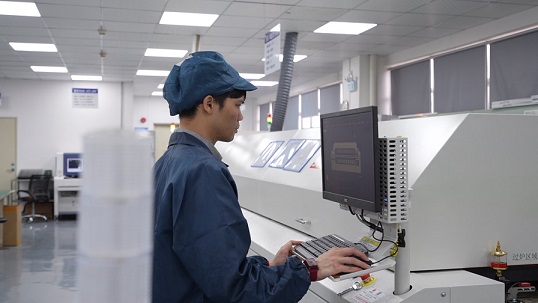
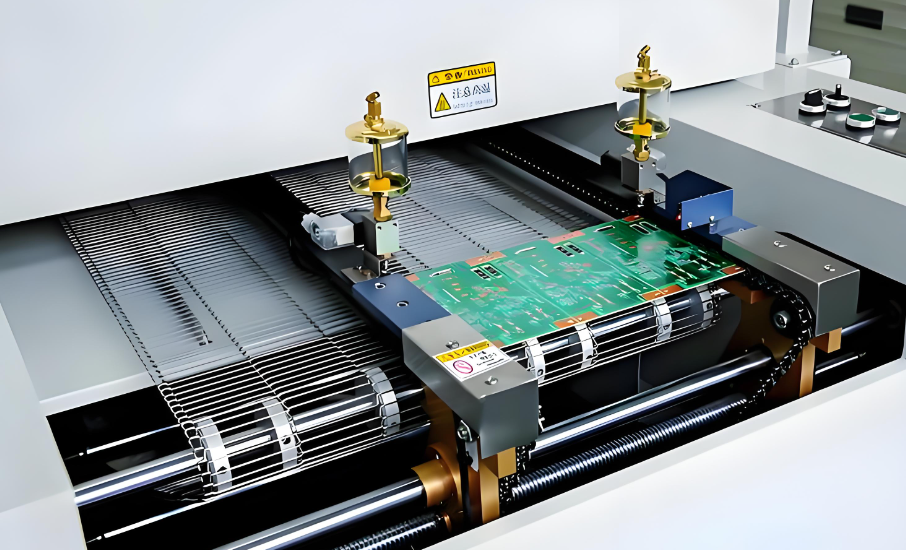
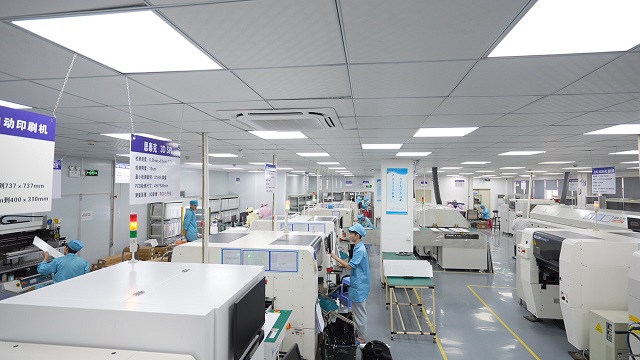
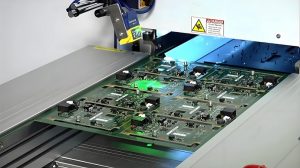
The reflow oven is a key equipment used in electronic manufacturing, mainly used to solder surface mount components (SMT) to PCBs. It provides a high temperature environment to melt the solder paste pre-coated on the PCB pads, thereby achieving mechanical and electrical connections between component pins and pads.

What is a reflow oven? SMT reflow oven

The working principle of the reflow oven is based on hot air circulation technology, which usually includes four stages: preheating, soaking, reflow and cooling. Each stage has a specific temperature curve to ensure welding quality and avoid component damage.

What is a reflow oven?

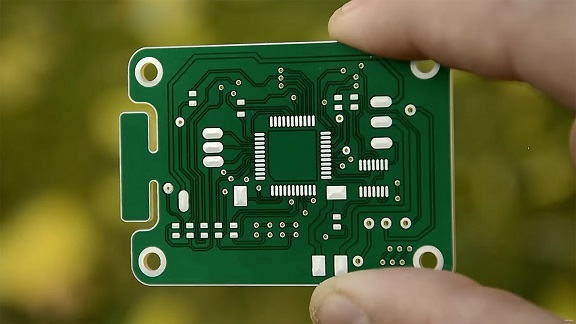
A reflow oven is a specialized device used in the soldering process to attach components to a PCB. It is primarily used in Surface Mount Technology (SMT), where electronic components are mounted directly onto the surface of a PCB instead of through holes.

The oven is designed to heat the PCB to a specific temperature, melting solder paste that has been applied to the PCB’s pads. This process forms strong, reliable solder joints, ensuring the components stay in place securely.

The reflow oven uses controlled heat to melt the solder paste, allowing it to flow and bond the component leads to the PCB pads. This technology has become widely used in electronics manufacturing because it allows for precise, high-speed soldering that is highly automated.

How does a reflow oven work?

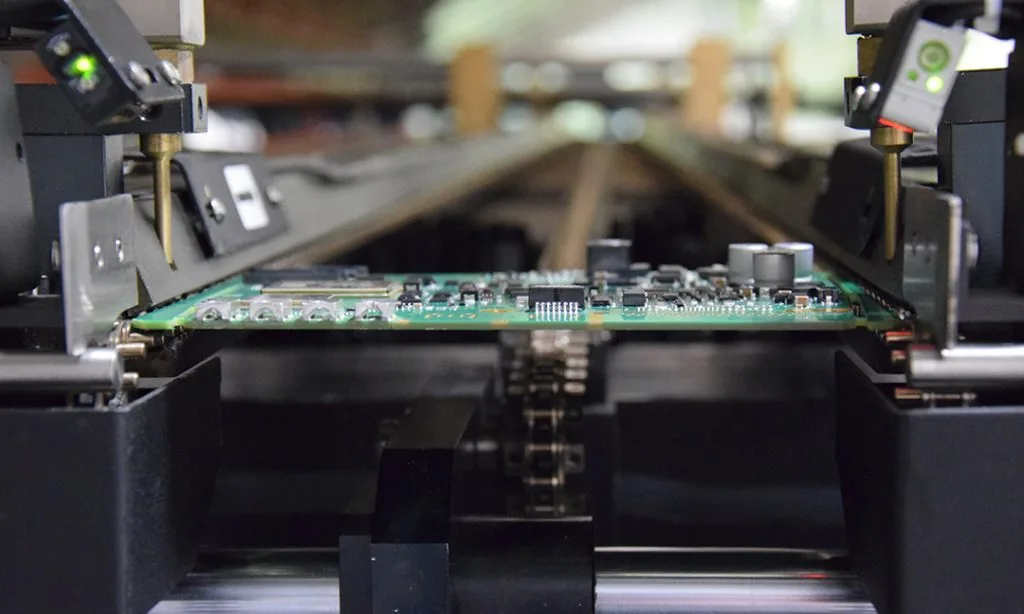
The operation of a reflow oven can be broken down into a few key steps. First, the PCB with the solder paste applied is fed into the oven. The oven uses carefully controlled temperature zones to heat the board gradually. As the temperature rises, the solder paste starts to melt, creating liquid solder that forms connections between the PCB pads and component leads.

What is a reflow oven? SMT reflow oven

Once the solder paste has melted and the joints are formed, the oven then cools the board in a controlled manner. Cooling too quickly can cause solder joints to form improperly, so a gradual cooling process is essential to avoid damaging the components or the board itself.

Reflow ovens are equipped with multiple heating zones and cooling zones to maintain precise control over the temperature at each stage of the process. This ensures that the reflow soldering process is consistent, high-quality, and free of defects.

How to reflow a circuit board in an oven?

Reflowing a circuit board in an oven involves several steps that require attention to detail. Here’s a general overview:

  • Prepare the PCB: Apply solder paste to the PCB pads where components will be placed.
  • Place the Components: Use a pick-and-place machine or manual methods to place the components onto the PCB, ensuring that they align with the solder paste on the pads.
  • Set the Oven Parameters: Program the reflow oven with the correct temperature profile based on the type of solder paste being used, the components on the board, and the PCB material.
  • Feed the Board into the Oven: Place the PCB into the oven, where it will pass through different heating zones. The oven will gradually heat the board, allowing the solder to melt and form the joints.
  • Cool the PCB: After the solder has melted and cooled slightly, the PCB is moved to the cooling section of the oven, where it will be gradually cooled to solidify the solder joints.

Inspect the Board: Once cooled, inspect the board for proper solder joints. Ensure that all components are securely mounted, and there are no issues like cold solder joints or solder bridges.

What does a reflow oven do?

At its core, a reflow oven melts solder paste to bond components to a PCB. The key benefits of using a reflow oven include:

  • Precision: The oven provides consistent and precise heat to ensure proper solder joint formation.
  • Speed: It allows for quick processing of multiple boards, making it ideal for high-volume manufacturing.
What is a reflow oven? SMT reflow oven
  • Quality: A reflow oven ensures that each joint is uniform and free from defects like cold joints or tombstoning (when a component flips up during soldering).
  • Automation: The process is automated, reducing the need for manual labor and human error.

Overall, a reflow oven is a critical tool in modern electronics manufacturing, offering speed, precision, and reliability for SMT soldering.

How many zones are in a reflow oven?

A reflow oven typically contains three to ten temperature zones. These zones are divided into heating zones, a peak zone, and cooling zones:

  • Heating Zones: These zones gradually heat the board to the appropriate temperature for solder melting. They ensure uniform heating across the PCB.
  • Peak Zone: This is where the temperature reaches the highest point, usually around 230-250°C (446-482°F), allowing the solder paste to fully melt.
  • Cooling Zones: After the peak zone, the board enters the cooling zones, where the temperature is gradually lowered to solidify the solder joints and prevent thermal shock.

The more zones a reflow oven has, the more control you have over the heating and cooling process, which leads to higher-quality solder joints and better overall results.

What is the dwell time for reflow oven?

Dwell time refers to the amount of time the PCB spends in each temperature zone, especially the peak zone where soldering occurs.

Typically, the dwell time should last around 30-90 seconds in the peak zone, depending on the solder paste and component types. Too short a dwell time may lead to incomplete soldering, while too long a dwell time can cause excessive heat exposure, damaging sensitive components.

Why use nitrogen in a reflow oven?

Using nitrogen in a reflow oven can provide several benefits:

What is a reflow oven? SMT reflow oven
  • Reduced Oxidation: Nitrogen creates an inert atmosphere inside the oven, reducing the risk of oxidation on the PCB and components.
  • Improved Soldering: Nitrogen helps the solder paste flow more smoothly and evenly, leading to better wetting and more reliable solder joints.
  • Enhanced Quality: Nitrogen can help achieve consistent, high-quality results, particularly when working with sensitive components or fine-pitch ICs.

Although nitrogen is not strictly necessary for all reflow soldering, using it can significantly improve the overall quality of your soldering process, especially in critical applications.

Why solder balls after reflow?

Solder balls, also known as solder splashes, are small balls of solder that form during the reflow process. They can occur due to a variety of reasons, such as improper paste application, excessive heat, or excessive flux residue.

Solder balls can be problematic because they can short-circuit the PCB, leading to functional issues. To prevent solder balls, it’s essential to optimize the solder paste application, control the oven temperature profile, and ensure that components are placed properly.

Conlusion:

A reflow oven is an indispensable tool in modern electronics manufacturing, ensuring that surface mount components are securely attached to PCBs through a carefully controlled soldering process. With the ability to handle high volumes of boards efficiently and consistently, these ovens play a critical role in producing reliable, high-quality products.

For more details about SMT reflow ovens, PCB reflow oven setups, or reflow soldering solutions, feel free to reach out to us at sales@bestpcbs.com. We’re always happy to assist you in finding the right solutions for your needs.

You may also like

AC Electrical Board, 380V AC Board

February 28th, 2025

The 380V AC board is a crucial component in industrial and commercial electrical systems, providing efficient power distribution to high-demand equipment. Whether you’re managing a manufacturing plant, operating large machinery, or overseeing complex HVAC systems, understanding how a 380V AC board works is essential for ensuring smooth operations and avoiding electrical issues. In this blog, we will explore the key features, benefits, and applications of 380V AC boards, as well as offer insights on how to choose the right one for your system.

At EBest Circuit (Best Technology), we specialize in high-quality PCBs, MCPCBs, FPCs, and ceramic PCBs that power a wide range of electrical and industrial systems. Our products are designed with precision and reliability to meet the demands of advanced applications, including those involving 380V AC boards for power distribution.

What is a 380V AC Board?

A 380V AC Board‌ is an electrical control or distribution panel designed to safely manage and distribute 380-volt alternating current (AC) power in industrial or high-voltage systems. A 380V AC board is a critical component in electrical systems, particularly in industrial and commercial applications. This board helps distribute electrical power efficiently across various devices and machinery. Unlike standard voltage boards, the 380V AC board is designed to handle higher voltage levels, making it suitable for heavy-duty systems that require a stable and powerful energy supply.

Typically used in industrial environments, 380V AC boards are equipped with safety features to ensure smooth operation while preventing any electrical hazards. These boards play a key role in managing power distribution in large-scale operations, ensuring consistent performance for everything from production lines to high-powered machinery.

How Does a 380V AC Board Work?

The 380V AC board works by controlling and directing electrical power from the source to various parts of the electrical system. It acts as the main hub in power distribution, ensuring that each device receives the correct voltage to operate efficiently. The board can also be designed with circuit breakers, fuses, and relays to provide protection and control over the electrical flow.

In simple terms, it takes high-voltage AC (Alternating Current) and distributes it across systems to maintain functionality. The power is converted and routed to different parts of a circuit as needed, ensuring that everything from lights to heavy machinery gets the energy it needs without overloading the system.

What’s the Role of AC Electrical Board in Power Distribution?

AC electrical board, including the 380V AC board, plays a central role in power distribution. They ensure that electrical power is delivered safely and efficiently from the main power supply to various circuits. Without these boards, it would be challenging to manage high-power requirements, particularly in industrial sectors where large machines and systems need consistent energy.

These boards help organize circuits, prevent overloads, and ensure that the right voltage reaches the correct equipment. For example, in factories, they allow for the seamless operation of production lines by ensuring that all machinery receives the right voltage for operation, minimizing the risk of faults and downtime.

What’s the Key Difference Between 380V AC Boards and Standard Voltage Boards?

The primary difference between a 380V AC board and a standard voltage board lies in the voltage levels they handle. A standard voltage board typically operates at lower voltages, such as 120V or 240V, while a 380V AC board is designed to handle higher voltage levels, often required for industrial or commercial applications.

This higher voltage capability of the 380V AC board allows it to power more energy-intensive systems, such as large machinery or high-performance HVAC systems. Furthermore, 380V AC boards are built to be more robust and equipped with additional safety features to handle these higher loads without compromising system integrity.

What Are the Benefits of Using 380V AC Boards in Electrical Systems?

Using a 380V AC board in electrical systems offers several benefits. First, it supports the distribution of power across larger, more complex setups, which is essential in industrial settings. With a 380V AC board, businesses can manage their energy needs more efficiently, avoiding the need for separate power sources or additional transformers.

Moreover, these boards help increase the reliability of electrical systems. They are built to handle higher loads and ensure that everything, from lighting to heavy machinery, operates seamlessly. The 380V AC board also ensures energy efficiency, as it minimizes energy loss during transmission.

Another significant advantage is safety. These boards are equipped with built-in protection features, such as overload protection and short-circuit prevention, ensuring that electrical faults do not damage expensive equipment or cause potential hazards.

What Are the Common Applications of 380V AC Boards in Industrial Equipment?

380V AC boards are widely used in industries that require stable and reliable electrical power. Common applications include:

Manufacturing Plants: 380V AC boards power heavy machinery, assembly lines, and other equipment that demands high-voltage electricity.

HVAC Systems: Many commercial and industrial HVAC systems operate on 380V power, and the boards help regulate and distribute the required energy efficiently.

Pumps and Motors: Large pumps and motors used in water treatment plants, chemical processing, and mining often rely on 380V AC boards for consistent energy supply.

In fact, anywhere large, energy-intensive equipment is used, you’ll likely find a 380V AC board ensuring that everything runs smoothly and efficiently.

How to Safely Install and Maintain a 380V AC Board?

Safety is crucial when dealing with 380V AC boards, and proper installation and maintenance are key to preventing electrical hazards. Here are some tips:

Professional Installation: Always hire a licensed electrician with experience working with high-voltage systems to install your 380V AC board. Proper installation ensures safe wiring and minimizes the risk of faults.

Regular Inspections: Periodically check the board for signs of wear or damage. Pay attention to circuit breakers, fuses, and wiring to ensure they’re in good working order.

Clearances and Ventilation: Ensure that the board is installed in a well-ventilated area with adequate clearance for heat dissipation. Overheating can lead to system failure.

Use Proper Safety Gear: When maintaining or inspecting your board, always wear the necessary protective equipment, such as rubber gloves and safety goggles.

By following these steps, you can ensure the safe operation of your 380V AC board while preventing common electrical hazards.

How to Choose a 380V AC Board for Your System?

Choosing the right 380V AC board for your system requires considering several key factors:

Power Requirements: Ensure the board can handle the power demand of your system. You’ll need a board that can provide the necessary current without risk of overload.

Safety Features: Look for boards with built-in protection features such as overload protection, short-circuit protection, and thermal monitoring.

Size and Compatibility: Consider the size of the board and ensure it fits within your existing system’s layout. It’s also essential that it is compatible with the other electrical components in your system.

Manufacturer Reputation: Select a board from a trusted manufacturer that offers quality and durability. Ultimately, selecting the right 380V AC board ensures that your electrical system remains efficient, reliable, and safe.

In conclusion, understanding the role and benefits of 380V AC boards is crucial for anyone involved in industrial or commercial electrical systems. From their ability to power high-demand equipment to ensuring safe power distribution, these boards play an integral part in maintaining the efficiency and reliability of operations. Whether you’re installing a new system or upgrading an existing one, make sure to choose the right board based on your power needs, safety requirements, and system compatibility.

As a trusted leader in the PCB manufacturing industry, EBest Circuit (Best Technology) provides cutting-edge solutions that support the efficient operation of complex systems in sectors like automation, manufacturing, and energy. Whether you’re looking to enhance the performance of your electrical systems or integrate custom solutions, EBest Circuit (Best Technology) is your partner for innovation and quality in PCB design and production. If you need seamless, high-performance solutions for your industrial and electrical needs, reach out to us at sales@bestpcbs.com for more information.

You may also like

What Is LED Light PCB? A Complete Guide to LED PCB

February 27th, 2025


LED light PCB has become an essential part of modern lighting technology. Whether you’re designing a sleek LED light strip or a high-powered LED bulb, understanding the structure and functionality of LED PCB is vital. In this blog, EBest Circuit (Best Technology) will dive deep into what makes LED light PCB, and the materials involved, their components, and the different types that suit various applications. By the end, you’ll have a clear understanding of LED PCB design, including how to connect LED to your custom board.

What Is LED Light PCB? A Complete Guide to LED PCB

What Is PCB in LED Light?

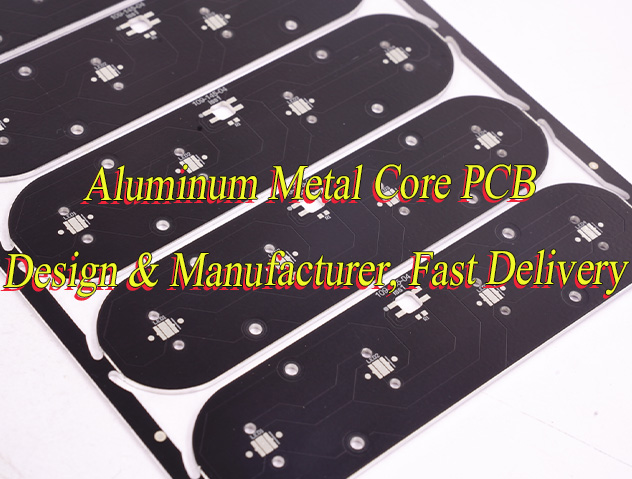
A PCB (Printed Circuit Board) in an LED light is the base where all the components of the LED circuit are mounted. This board serves as the electrical pathway that connects the individual LED chips, allowing electricity to flow through the circuit and power the LED. The design of the PCB is crucial for managing heat dissipation, ensuring optimal light output, and maintaining energy efficiency. Aluminum LED light PCB, in particular, offer excellent thermal conductivity, which is essential in preventing overheating and extending the life of LED components.

What Materials Are Used in LED PCB?

LED PCB are made using several materials that work together to ensure optimal performance. The most common materials include:

  • Aluminum: Known for its high thermal conductivity, aluminum is often used in LED PCB to quickly dissipate heat. This is especially important in high-power LED applications.
  • Copper: Copper is used for its excellent electrical conductivity, ensuring that current flows efficiently through the PCB.
  • FR4 (Flame Retardant 4): This is a widely used epoxy resin laminate material that offers a good balance between electrical insulation and mechanical strength.
  • Ceramic: In some high-performance designs, ceramic-based PCB are used, particularly when superior heat resistance is required.
What Is LED Light PCB? A Complete Guide to LED PCB

Each material plays a specific role in enhancing the performance of the LED, from heat management to electrical conductivity.

What Are the Components of LED PCB?

LED PCB typically consist of the following components:

  • LED Chips: These are the tiny light-emitting diodes that convert electrical energy into light. They are usually placed on the surface of the PCB.
  • Copper Traces: These traces act as pathways for the electrical current, connecting the LED chips to each other and the power source.
  • Thermal Management Elements: In high-power applications, components like heat sinks and through-holes are included to help dissipate heat and maintain efficiency.
  • Resistors: These components control the flow of current through the LEDs to ensure they operate within their rated power limits.
  • Capacitors: Capacitors help smooth out fluctuations in voltage, providing stable power to the LED.
What Is LED Light PCB? A Complete Guide to LED PCB

Each component is crucial in ensuring the LED PCB works efficiently and has a long lifespan.

What Are the Different Types of LED PCB?

LED PCB come in several types, each designed to meet the needs of different applications:

  • Aluminum LED PCBAluminum LED PCB: As mentioned earlier, aluminum is widely used for its excellent heat dissipation. This type of PCB is ideal for high-power LED, like those used in lighting and automotive applications.
  • Flexible LED PCB:These PCB are made from flexible materials, allowing them to be bent and shaped for unique or custom designs. Flexible PCB are perfect for applications like LED strips and curved lighting solutions.
  • High-Density Interconnector(HDI PCB):These are used for applications requiring a higher level of integration, such as miniaturized LED systems.
  • Rigid LED PCB: These are made from solid, non-flexible materials and are commonly used in applications where the PCB will remain in a fixed position, such as in LED bulbs or signage.

Each type of LED PCB is designed with specific characteristics in mind, such as flexibility, heat management, and power handling.

How to Make LED PCB?

Making an LED PCB involves several steps, from design to fabrication. Here’s an overview of the process:

1. Design: First, you need to design the layout of your PCB. This includes selecting the components, determining the size and shape of the board, and creating the electrical connections between the components. CAD (Computer-Aided Design) software is typically used to create the design.

2. Material Selection: Based on the design, select the appropriate PCB material (aluminum, copper, FR4, etc.) that meets your thermal, electrical, and mechanical needs.

3. Printing the PCB: The design is transferred onto the PCB material using a photolithography process. This process involves applying a light-sensitive film to the board, exposing it to UV light, and then developing it to create the desired pattern of copper traces.

4. Component Placement and Soldering: After the PCB is created, the LED chips, resistors, capacitors, and other components are placed on the board. Soldering techniques, such as Surface Mount Technology (SMT) or Through-Hole Technology (THT), are used to attach the components securely.

5. Testing: Once the PCB is assembled, it’s tested for functionality. This involves checking the LED performance, ensuring the power distribution is correct, and verifying that the board is free from defects.

How to Connect LED in PCB?

Connecting LED to a PCB involves placing the LED components in the correct positions on the board and ensuring the electrical connections are made properly. Here are the steps to connect LED in a PCB:

1. Design the Circuit: Determine the number of LED you’ll use, their configuration (series or parallel), and the required power. This will dictate the placement and size of the copper traces on the PCB.
2. Place the LED: LED are usually mounted on the PCB using soldering methods. For SMD (Surface-Mounted Device) LED, they are placed directly onto the surface of the PCB, while through-hole LED are placed through the holes of the PCB.
3. Solder the Connections: Soldering is the method used to establish electrical connections between the LED leads and the copper traces. For high-density applications, automated soldering techniques are often used to ensure precision.
4. Ensure Proper Heat Dissipation: Since LED generate heat during operation, it’s important to make sure the PCB design incorporates adequate thermal management, such as through-holes, heat sinks, and the right choice of materials.

Properly connecting LED ensures optimal performance, longevity, and safety for the final product.

Conclusion

LED light PCB are a game-changer in the world of lighting technology. From high-power lighting systems to sleek LED strips, these PCB offer exceptional performance, heat management, and reliability. Whether you’re designing a custom LED PCB or working with a manufacturer, understanding the components, materials, and types of LED PCB is essential to achieving the best results.
By selecting the right PCB type, using quality materials, and ensuring proper design and assembly, you can create LED systems that are efficient, durable, and energy-efficient. If you’re ready to bring your LED projects to life, partnering with a reliable LED PCB manufacturer is the next step toward achieving the perfect lighting solution for your needs.

Call to Action

Ready to design your own LED light PCB? Contact EBest Circuit (Best Technology) at sales@bestpcbs.com today to learn about our custom PCB solutions, from aluminum LED light PCB to flexible LED strips. Let us help you make the prefect pcb with your next project! Looking forward to hearing from you!

You may also like

What is a Rectifier PCB? What is it Used For?

February 27th, 2025

Rectifier PCB is a circuit board used to convert AC power into DC power. Its core function is to achieve the form conversion of electrical energy through a rectifier circuit (usually composed of components such as diodes). This type of PCB is widely used in power adapters, chargers and various electronic devices to provide stable DC power for the devices.

What is a Rectifier PCB? What is it Used For?

What is a Rectifier PCB?

A rectifier PCB is a specialized type of printed circuit board designed to house rectifier components like diodes, capacitors, and resistors, which together convert AC power into DC power. These PCBs often feature layouts optimized for heat dissipation, component placement, and efficient current flow.

Rectifier PCBs are crucial in devices where AC power needs to be transformed into a stable DC voltage, like in power supplies, battery chargers, and DC motors.

Rectifiers themselves come in several configurations, but the most common are half-wave and full-wave rectifiers. Each type has different designs and methods for conversion, and the PCB layout will vary based on the specific rectifier type being used.

What Does a Rectifier Board Do?

At its core, a rectifier board performs one job: converting AC to DC. But this simple task is essential to countless devices.

In an AC circuit, the current alternates direction periodically, making it unsuitable for devices that require a constant voltage to function, such as LED lights, batteries, and most electronic circuits.

What is a Rectifier PCB? What is it Used For?

Rectifiers use diodes to allow current to flow in only one direction, converting the AC input into a smoother DC output.

Depending on the rectifier configuration, a rectifier PCB can smooth out the power through additional filtering components like capacitors. This results in a cleaner DC output with minimal ripple, which is crucial for sensitive electronic devices that cannot tolerate fluctuations in voltage.

What Are the Types of Rectifier PCB?

There are several types of rectifier PCBs, each designed for different purposes. The main difference between them lies in the configuration of the rectifying diodes and how they handle the AC input signal.

  • Half-Wave Rectifier PCB

A half-wave rectifier PCB is the simplest design. It uses a single diode to convert the positive half of the AC waveform into a DC signal while blocking the negative half. This results in a highly pulsating DC signal with significant ripple, making it less efficient for many applications but suitable for low-power circuits.

  • Full-Wave Rectifier PCB

A full-wave rectifier PCB uses two diodes or a bridge rectifier configuration to convert both halves of the AC waveform into DC. The output is smoother and more consistent than that of a half-wave rectifier. This makes full-wave rectifiers more efficient for medium to high-power applications.

The full wave rectifier PCB layout is more complex than the half-wave design due to the need for more components, but it offers greater efficiency and stability.

  • Bridge Rectifier PCB

A bridge rectifier PCB board uses a bridge of four diodes to convert the AC input into a fully rectified DC output. This configuration is more efficient than a half-wave rectifier and can be used with both single-phase and three-phase AC supplies. It’s commonly used in power supply units and higher-power devices due to its reliability and efficiency.

Each type of rectifier PCB serves different applications depending on the required current, voltage, and ripple tolerance.

Can a Rectifier PCB Convert DC to AC?

Rectifier PCBs are designed to convert AC into DC, not the other way around. This is a fundamental property of rectification — it only works in one direction.

To convert DC to AC, you would need an inverter PCB. Inverters work by using a different set of components, typically transistors, to change the polarity of the current. They play the opposite role of rectifiers by enabling DC devices to run on AC power.

Converting DC to AC requires designing a circuit based on an inverter PCB rather than a rectifier PCB. These two components work together in many power systems but play very different roles.

What is the Difference Between Rectifier PCB and Inverter PCB?

As mentioned, rectifier PCBs and inverter PCBs perform opposite tasks. A rectifier PCB converts alternating current (AC) to direct current (DC), while an inverter PCB does the opposite, converting DC to AC.

  • Rectifier PCBs: These are primarily used when you need to transform AC from a power source (such as the grid) into DC, which is required by most electronic devices. The most common application for rectifier PCBs is in power supplies, where AC from a wall outlet is converted to DC to power devices like computers, LED lights, and mobile phones.
What is a Rectifier PCB? What is it Used For?
  • Inverter PCBs: These are used in renewable energy systems (like solar power) where DC from solar panels needs to be converted into AC to be used in homes or businesses. Inverters are also found in devices that convert battery power (DC) to AC for powering AC appliances.

In short, the key difference lies in the direction of current flow: rectifiers convert AC to DC, and inverters convert DC to AC.

What Are the Applications of Rectifier PCB?

Rectifier PCBs are used in a variety of industries where efficient conversion of AC to DC is required. Some key applications include:

  • Power Supplies: Most electronic devices, including computers, televisions, and mobile phone chargers, rely on rectifiers to convert the AC from wall outlets into usable DC power.
  • LED Lighting: LEDs typically run on DC voltage, and rectifier PCBs ensure that the AC supplied to the lights is converted into a stable DC signal, allowing the lights to function correctly.
  • Battery Chargers: Rectifiers are essential in battery charging circuits. They convert AC from the grid into DC to charge batteries used in a variety of devices, from power tools to electric vehicles.
  • DC Motors: Many motors, especially those in robotics and electric vehicles, require DC voltage to operate. Rectifier PCBs ensure that the AC power from a grid or generator is appropriately converted to DC.

Power Conversion in Industrial Electronics: Rectifier PCBs are used in industrial machines, power equipment, and even some renewable energy applications to convert AC to DC.

Advantages and Disadvantages of Full Wave Rectifier PCB

The full wave rectifier PCB offers several advantages over its half-wave counterpart, but there are also some limitations.

Advantages:

  • Higher Efficiency: Full-wave rectifiers use both halves of the AC signal, making them more efficient in converting AC to DC.
  • Lower Ripple: Because full-wave rectifiers convert both positive and negative halves of the AC signal, they produce a more consistent DC output with less ripple compared to half-wave designs.
  • Better Utilization of Input Signal: Since both halves of the AC waveform are used, the system’s overall efficiency improves, allowing the circuit to perform better with the same input.
What is a Rectifier PCB? What is it Used For?

Disadvantages:

  • Complexity: The full-wave rectifier PCB layout is more complex than the half-wave rectifier, requiring more diodes or a bridge rectifier configuration.
  • Higher Cost: With additional components and a more complicated design, full-wave rectifier PCBs tend to be more expensive than half-wave options.

Conclusion:

Rectifier PCBs are indispensable in today’s electronics, converting AC into DC for use in everything from power supplies to LED lights. Whether you need a simple half-wave rectifier or a more complex full-wave rectifier PCB, choosing the right design can ensure the efficient performance of your devices.

If you’re looking for high-quality rectifier PCB designs and manufacturing services, feel free to contact us at sales@bestpcbs.com

You may also like

What is PCB copper trace? & PCB trace width calculator

February 27th, 2025

PCB copper traces are copper wires used to conduct current and signals on PCBs. They are usually etched from copper foil and have a specific width and thickness. The design of copper traces needs to consider factors such as current carrying capacity, signal integrity, and heat dissipation performance. They are widely used in various electronic devices to connect components and transmit electrical signals.

What is PCB copper trace? & PCB trace width calculator

What is copper trace in pcb?

A copper trace in PCB is essentially a flat, conductive pathway formed on the PCB’s surface. This pathway connects the different components of the board, allowing electrical signals or power to flow between them.

Copper traces are created by etching copper foil, which is typically laminated onto a non-conductive substrate (such as FR4 or other materials).

The design and size of copper traces can significantly impact the performance of the PCB. These traces are precisely engineered to handle specific electrical loads, ensuring the efficient functioning of the PCB in devices such as smartphones, computers, automotive systems, medical equipment, and much more.

What is the role of copper trace in pcb design?

The role of copper trace in PCB design is to provide a reliable and efficient pathway for electrical current. Copper, due to its high conductivity, ensures that the signal or power transmitted through the PCB travels with minimal loss.

What is PCB copper trace? & PCB trace width calculator

The width and thickness of copper traces, as well as their routing, need to be carefully designed to match the required current-carrying capacity and to prevent issues such as overheating, signal interference, and voltage drops.

In PCB design, copper traces serve as the arteries of the board. They ensure that electrical signals flow smoothly from one component to another. Without properly designed copper traces, the performance and reliability of the entire circuit can be compromised, leading to malfunctioning or inefficient devices.

What factors affect copper trace design?

Several factors influence the design of copper traces in PCB manufacturing. The key considerations include:

  • Current Carrying Capacity: Copper traces must be designed to handle the amount of current they will carry. If the trace is too narrow, it may overheat and cause damage to the board or components.
  • Trace Length: Longer traces have more resistance, which can cause signal degradation or voltage drops. It’s essential to minimize trace length where possible to reduce these effects.
  • Trace Width: The width of the copper trace directly affects its current-carrying capacity. A wider trace can carry more current without overheating, but it may take up more space on the PCB.
  • Temperature: High temperatures can affect the performance of copper traces, causing them to expand or degrade. Proper thermal management is essential to ensure that copper traces continue to function efficiently.
  • Board Thickness and Material: The thickness of the PCB substrate and the copper layer can affect the trace’s resistance and heat dissipation. Different materials have different thermal conductivity, which should be considered during the design phase.
  • Signal Integrity: For high-speed circuits, the design of the copper trace must minimize electromagnetic interference (EMI) and crosstalk between adjacent traces.

How does copper trace width affect pcb performance?

The width of copper traces is one of the most critical design parameters in PCB layout. Trace width affects several factors, including:

  • Current Carrying Capacity: Wider copper traces have a higher current-carrying capacity, meaning they can safely handle larger electrical loads without overheating. Narrower traces are more prone to heating under higher currents, which can lead to failure.
  • Power Dissipation: As current flows through a copper trace, some of the electrical energy is converted into heat due to the resistance of the trace. Wider traces help distribute heat more effectively, reducing the risk of thermal damage to the board.
  • Signal Integrity: The width of the trace can also influence the impedance of the signal. Incorrect trace width can cause reflections, signal loss, or noise in high-speed circuits.
  • Size and Space Optimization: While wider traces carry more current, they also take up more space on the PCB.

PCB line width and current carrying capacity

The current carrying capacity of a copper trace is a key factor in determining its appropriate width. Wider traces can carry more current without excessive heating, while narrower traces are limited in the amount of current they can handle before becoming too hot.

What is PCB copper trace? & PCB trace width calculator

In general, the higher the current, the wider the trace needs to be. However, in designs where space is limited, other solutions such as multi-layer PCBs or increasing copper thickness can also help meet current-carrying requirements without significantly increasing trace width.

How do you calculate pcb trace width?

To calculate PCB trace width, designers need to take into account several parameters:

  • Current: The amount of current the trace will carry.
  • Temperature Rise: The maximum allowable temperature increase in the trace due to the current.
  • Copper Thickness: The thickness of the copper layer used in the PCB.
  • PCB Material: The thermal conductivity of the PCB material, which can affect the heat dissipation from the trace.

There are several online PCB trace width calculators that use formulas and standards (like IPC-2221) to calculate the appropriate trace width based on these parameters.

These calculators provide a quick and reliable way to ensure that your PCB design meets the current requirements without overheating or compromising signal integrity.

How do you calculate copper trace width for different currents?

When calculating copper trace width for different currents, the general approach is to increase the trace width as the current demand increases.

  • Determine the Current: Start by determining the amount of current that the trace needs to carry. This will be based on the requirements of the components connected to the trace.
  • Select Copper Thickness: Choose the copper thickness for the PCB. Standard copper thickness is typically 1 oz/ftÂČ (which is 35 ”m thick), but it can be increased for high-power applications.
What is PCB copper trace? & PCB trace width calculator
  • Calculate the Trace Width: Use a PCB trace width calculator or a standard formula to calculate the trace width required for the chosen current. The calculation takes into account the copper thickness and temperature rise constraints.

For instance, using a typical 1 oz/ftÂČ copper PCB and a current of 2A, the required trace width for a 10°C temperature rise might be around 1.6mm. However, for a higher current like 5A, the trace width may need to be 3.4mm to safely carry the current without excessive heating.

Conclusion:

The width and design of the copper trace play a significant role in the PCB’s overall performance, impacting current carrying capacity, thermal management, and signal integrity.

If you need expert assistance in designing copper traces or any other aspect of PCB manufacturing, EBest Circuit (Best Technology) is here to help. Contact us at sales@bestpcbs.com for top-notch PCB design and manufacturing services.

You may also like

What is standard double sided PCB?

February 26th, 2025

Standard double sided PCB is a printed circuit board with two layers of conductive circuits. Circuit layers are provided on both sides of the PCB and interlayer connections are achieved through conductive holes. It is suitable for a variety of electronic devices. Because of its relatively simple structure and low cost, it is a common basic circuit board type in electronic manufacturing.

What is standard double sided PCB?

What is a double-sided PCB?

A double-sided PCB, also known as a two-layer PCB, features two layers of conductive material, typically copper, on both sides of an insulating substrate. These layers are interconnected using vias, which are small holes drilled into the PCB to allow electrical connections between the two sides.

Double-sided PCBs are used in applications where the complexity of the circuit requires components and connections to be placed on both sides of the board.

The primary advantage of a double-sided PCB is its ability to accommodate more components in a smaller footprint. This feature makes double-sided PCBs ideal for products where space is at a premium, such as smartphones, medical devices, and automotive electronics.

How many layers does a double-sided PCB have?

A standard double-sided PCB has two layers of conductive copper, one on each side of the substrate. These layers are electrically connected using vias, which create conductive paths between the two sides.

The number of layers in a PCB generally refers to the number of copper layers, which is why a double-sided PCB is made of two copper layers and an insulating substrate in between.

What is standard double sided PCB?

In contrast, multi-layer PCBs, which can have more than two layers of copper, are used for more complex circuits that require additional routing and signal pathways. A double-sided PCB is simpler in design and manufacturing compared to multi-layer PCBs but still offers significant flexibility for many applications.

What is the standard PCB layer?

In PCB manufacturing, a standard PCB layer refers to the number of copper layers used to create the circuit board. The standard PCB layer typically refers to the most common configuration in the industry, which is a single-layer PCB or double-sided PCB.

Single-layer PCBs consist of a single layer of copper, typically used for simpler, low-complexity circuits. These are ideal for products like basic household appliances, toys, and low-power applications.

Double-sided PCBs have copper layers on both sides, allowing for more complex circuits. These are used in products requiring more components, such as power supplies, automotive electronics, and communication devices.

While single-layer and double-sided PCBs are common, there are also multi-layer PCBs, which consist of three or more copper layers. These are used for even more intricate and densely packed electronic designs, such as those in high-frequency communication systems, medical equipment, and advanced computing devices.

What is the standard PCB format?

The standard PCB format typically refers to the physical dimensions and layout of the PCB, including the size, shape, and placement of components. In terms of manufacturing, standard PCB format can also refer to the specifications and designs that comply with industry standards for production.

For double-sided PCBs, the layout should allow for efficient placement of components while maintaining electrical connectivity between both sides. The design also needs to ensure the copper traces are properly routed and connected through vias.

What is standard double sided PCB?

For boards that are mass-produced, standardization ensures consistency and compatibility with manufacturing processes, making it easier for designers to source components and for manufacturers to produce the boards at scale.

What is the standard FR-4 PCB?

FR-4 is a widely used material for PCB substrates, and standard FR-4 PCB refers to PCBs made from this material. FR-4 stands for Flame Retardant 4, which is a grade of fiberglass-reinforced epoxy resin. It is the most common material used for both single-layer and double-sided PCBs due to its excellent insulating properties, mechanical strength, and resistance to high temperatures.

The standard FR-4 PCB is durable, easy to fabricate, and provides good electrical insulation, making it suitable for a wide range of applications. It is also cost-effective, which is why it is used in everything from consumer electronics to industrial control systems.

While FR-4 is the most common material for standard PCBs, other materials, such as polyimide or ceramic, may be used in specialized applications that require specific thermal or electrical characteristics.

What are the requirements for a PCB board?

Designing a PCB board requires consideration of several key factors to ensure that the final product meets the desired performance, reliability, and cost-effectiveness.

Electrical Performance: The copper traces must be designed to handle the required voltage and current without overheating or causing signal degradation.

Thermal Management: Components that generate heat should be strategically placed to minimize temperature buildup.

What is standard double sided PCB?

Mechanical Strength: The material selected for the substrate (e.g., FR-4) plays a significant role in this aspect.

Size and Component Placement: A compact design is often required to save space, and the components must be placed optimally to reduce the overall size while maintaining proper functionality.

Meeting these requirements ensures that the final PCB product will be reliable and effective in its intended application.

What is the IPC standard for PCB?

The IPC standard refers to a set of guidelines and certifications established by the Institute of Printed Circuits (IPC), a global trade association for the electronics industry. The IPC standards are used by manufacturers to ensure that PCBs are fabricated to high quality and reliability standards.

For double-sided PCBs, the IPC-2221 standard outlines the design and manufacturing requirements for creating high-quality PCBs. This standard provides guidelines on design documentation, manufacturing processes, materials, and testing procedures to ensure that the PCBs meet the necessary performance, safety, and environmental requirements.

The IPC-610 standard, specifically, focuses on the acceptability of electronic assemblies, providing detailed requirements for the quality and performance of soldering, component placement, and overall PCB integrity.

What is the ISO standard for PCB manufacturing?

ISO standards are internationally recognized guidelines that help ensure consistency and quality in manufacturing. The ISO 9001 standard is the most widely adopted certification for quality management systems in PCB manufacturing. It ensures that manufacturers follow processes that consistently produce high-quality PCBs, including double-sided designs.

ISO certifications, such as ISO 14001 (environmental management) and ISO 13485 (medical devices), also apply to certain industries, ensuring that manufacturers comply with specific quality and safety standards relevant to their product’s end-use.

By adhering to these ISO and IPC standards, PCB manufacturers can ensure their products meet global expectations for quality, performance, and safety.

Conclusion:

Double-sided PCBs are a versatile and widely used type of printed circuit board. By offering components on both sides of the board, they allow for more complex circuits in a smaller, more compact design.

If you’re looking for standard double-sided PCB manufacturing or need assistance with your PCB design, EBest Circuit (Best Technology) can help. Reach out to us at sales@bestpcbs.com

You may also like

Diode Polarity Symbol, Diagram & Identify Method

February 22nd, 2025

What is Diode Polarity?

Diode polarity refers to the direction in which a diode allows electrical current to flow. Every diode has two terminals: the anode (positive side) and the cathode (negative side). When the anode is connected to a higher voltage than the cathode, the diode is forward biased, allowing current to pass through. However, if the cathode is at a higher voltage than the anode, the diode becomes reverse biased, blocking current flow.

Diodes serve various purposes in circuits, including rectification, voltage regulation, and circuit protection. Their ability to control current flow makes them essential in electronics. Misplacing a diode in a circuit may cause malfunction or even damage components. Recognizing diode polarity ensures correct installation and prevents unnecessary failures.

Diode Polarity Symbol, Diagram & Identify Method

Diode Polarity Diagram

A diode polarity diagram visually represents the direction in which current flows. This is especially useful when assembling circuits, as placing a diode incorrectly can prevent it from functioning as expected.

A diode symbol consists of a triangle pointing toward a vertical bar:

  • The triangle represents the anode.
  • The vertical bar represents the cathode.
  • The arrow direction indicates the forward current flow.

When placed in a circuit, current moves from the anode to the cathode. If the diode is reversed, it blocks the current. Some circuits use multiple diodes to form rectifiers, which convert alternating current (AC) into direct current (DC).

Diode Polarity Symbol, Diagram & Identify Method

Diode Polarity Symbol

The diode polarity symbol is a crucial element in circuit diagrams. It consists of a triangle pointing towards a line, which indicates the anode and cathode, respectively. The direction of the triangle’s tip represents allowed current flow under forward bias conditions.

Different types of diodes have unique symbols:

  • Standard diodes follow the common triangle-line symbol.
Diode Polarity Symbol, Diagram & Identify Method
  • Zener diodes include additional markings to show reverse conduction properties.
Diode Polarity Symbol, Diagram & Identify Method
  • Light-emitting diodes (LEDs) feature arrows pointing outward to indicate light emission.
Diode Polarity Symbol, Diagram & Identify Method
  • Schottky diodes may have a bent line to differentiate them from standard diodes.
Diode Polarity Symbol, Diagram & Identify Method

Recognizing these symbols is essential when reading circuit schematics, as incorrect placement can lead to non-functioning circuits.

Diode Polarity Marking on PCB

Printed circuit boards (PCBs) often include polarity markings to indicate diode orientation. These markings prevent assembly errors and ensure the circuit functions correctly.

Diode Polarity Symbol, Diagram & Identify Method

How to Identify Polarity on a PCB?

Manufacturers use different methods to show diode polarity on PCBs:

  1. Stripe on the Cathode Side – Most diodes have a silver, white, or black stripe near the cathode. This matches the bar in the schematic symbol.
  2. “+” or “-” Symbols – Some PCBs label the anode with a “+” sign and the cathode with a “-“.
  3. Silkscreen Markings – The PCB itself may include a diode symbol, with a triangle and line, showing the correct orientation.

Before soldering a diode, it’s best to check the PCB layout or schematic. Placing a diode backward could cause circuit failure or prevent power from reaching essential components.

How Do You Know the Polarity of a Diode?

There are several ways to determine a diode’s polarity:

  • Look for the Cathode Stripe – Most diodes have a stripe marking the cathode.
  • Check the PCB Markings – The silkscreen design often includes polarity symbols.
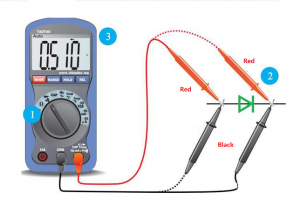
  • Use a Multimeter – Setting a multimeter to diode test mode can quickly confirm polarity. When the positive probe touches the anode, a small voltage drop appears, indicating correct polarity. Reversing the probes results in no reading.

Using these methods helps confirm proper orientation before placing a diode into a circuit.

Does Diode Polarity Matter?

Yes, diode polarity is critical for proper circuit operation. Diodes only allow current to move in one direction, so incorrect placement leads to non-functioning circuits or even damage.

Some applications, like Zener voltage regulators, rely on reverse bias operation. However, in standard circuits, always check the polarity before installation.

What Happens When You Reverse the Polarity of a Diode?

If a diode is accidentally reversed, its effect depends on the circuit:

  1. In Series with a Load – No current flows, and the circuit may not function.
  2. In a Rectifier Circuit – The AC-to-DC conversion fails, possibly causing incorrect voltages.
  3. In a Protection Circuit – Reverse polarity protection diodes conduct and may blow a fuse to prevent damage.

Reversing a diode generally blocks current, but Zener diodes and certain specialized diodes can operate in reverse bias under controlled conditions.

Does a Diode Convert AC to DC?

Yes, diodes are key components in AC-to-DC conversion. This process, called rectification, involves blocking the negative part of an AC signal, allowing only positive current flow.

There are different rectifier configurations:

  • Half-Wave Rectifier – Uses a single diode to remove the negative cycle.
  • Full-Wave Rectifier – Uses four diodes (bridge rectifier) to convert the entire AC waveform to DC.

A rectifier circuit is often combined with capacitors to smooth the output, resulting in stable DC power.

What is the Output if the Diode is Reversed?

If a diode is installed backward, the output depends on the circuit type:

  • In a Power Supply – The circuit may stop working due to lack of current flow.
  • In a Rectifier – AC may pass through without being converted, leading to unstable output.
  • In a Protection Circuit – The reverse diode may conduct, causing a fuse to blow.

Checking orientation before soldering prevents these issues and ensures proper function.

How Do You Protect Reverse Polarity with a Diode?

Reverse polarity protection prevents damage when power is connected incorrectly. There are two common methods using diodes:

  1. Series Diode Protection – A diode is placed in series with the power supply. If polarity is incorrect, the diode blocks current, preventing damage.
  2. Parallel Diode with Fuse – A diode is placed in parallel across the power rails. If polarity is reversed, the diode conducts, causing a fuse to blow and protecting sensitive components.

Both methods are effective, though the series method introduces a slight voltage drop, while the parallel method requires a replaceable fuse.

How to Determine If a Diode is Forward or Reverse Biased?

A diode’s biasing state depends on voltage conditions:

  • Forward Bias – The anode is at a higher voltage than the cathode, allowing current to flow.
  • Reverse Bias – The cathode is more positive than the anode, blocking current.

To check bias, use a multimeter in voltage mode. A forward-biased diode typically shows a voltage drop of:

  • 0.7V for Silicon Diodes
  • 0.3V for Germanium Diodes

Reverse bias shows no voltage drop, indicating no conduction.

Can You Test Polarity with a Multimeter?

Yes, a multimeter in diode mode is the easiest way to test polarity:

  1. Place the red probe on one terminal and the black probe on the other.
  2. Check the reading:
  3. A reading means the red probe is on the anode and the black probe is on the cathode.
  4. No reading means the diode is reversed.
  5. Reverse the probes to confirm. A functional diode only conducts in one direction.

In a word, misplacing a diode can prevent a circuit from working or even cause damage. Learning check polarity markings, using multimeter tests, and understanding circuit symbols ensure correct installation. If you have more questions about diode polarity or diode assembly in PCB, just feel freely to contact us, we are always online!

You may also like

SSD PCBA & What is SSD PCB?

February 21st, 2025

SSD PCBA refers to the process of soldering electronic components to the PCB of a solid-state drive through SMT or DIP processes to form a circuit board assembly with specific functions. It includes components such as controllers, flash memory chips, capacitors, resistors, etc., which are used to realize functions such as data storage, read and write operations, and transmission.

SSD PCBA & What is SSD PCB?

What is SSD PCB?

An SSD PCB is the circuit board where all the critical components of an SSD are mounted. It is designed to provide electrical connections between NAND flash memory chips, the SSD controller, voltage regulators, and capacitors.

The quality and design of the PCB impact the SSD’s speed, power consumption, and lifespan. High-quality materials and precise manufacturing processes are crucial in ensuring the reliability and durability of an SSD.

Different types of SSDs have varying PCB designs, optimized for form factors such as M.2, SATA, and PCIe NVMe SSDs. Each form factor has a specific PCB layout to accommodate the required components while maintaining efficiency. For instance, M.2 SSDs use compact PCBs that allow them to fit into ultra-thin laptops and high-performance desktops.

What is SSD in semiconductor?

An SSD is fundamentally a semiconductor-based storage device that uses NAND flash memory instead of spinning disks. In semiconductor technology, SSDs consist of multiple layers of NAND memory cells fabricated on silicon wafers.

These memory cells store data electronically and retain it even when power is turned off. The semiconductor industry has continuously innovated SSD technology, introducing 3D NAND to increase storage density and reliability.
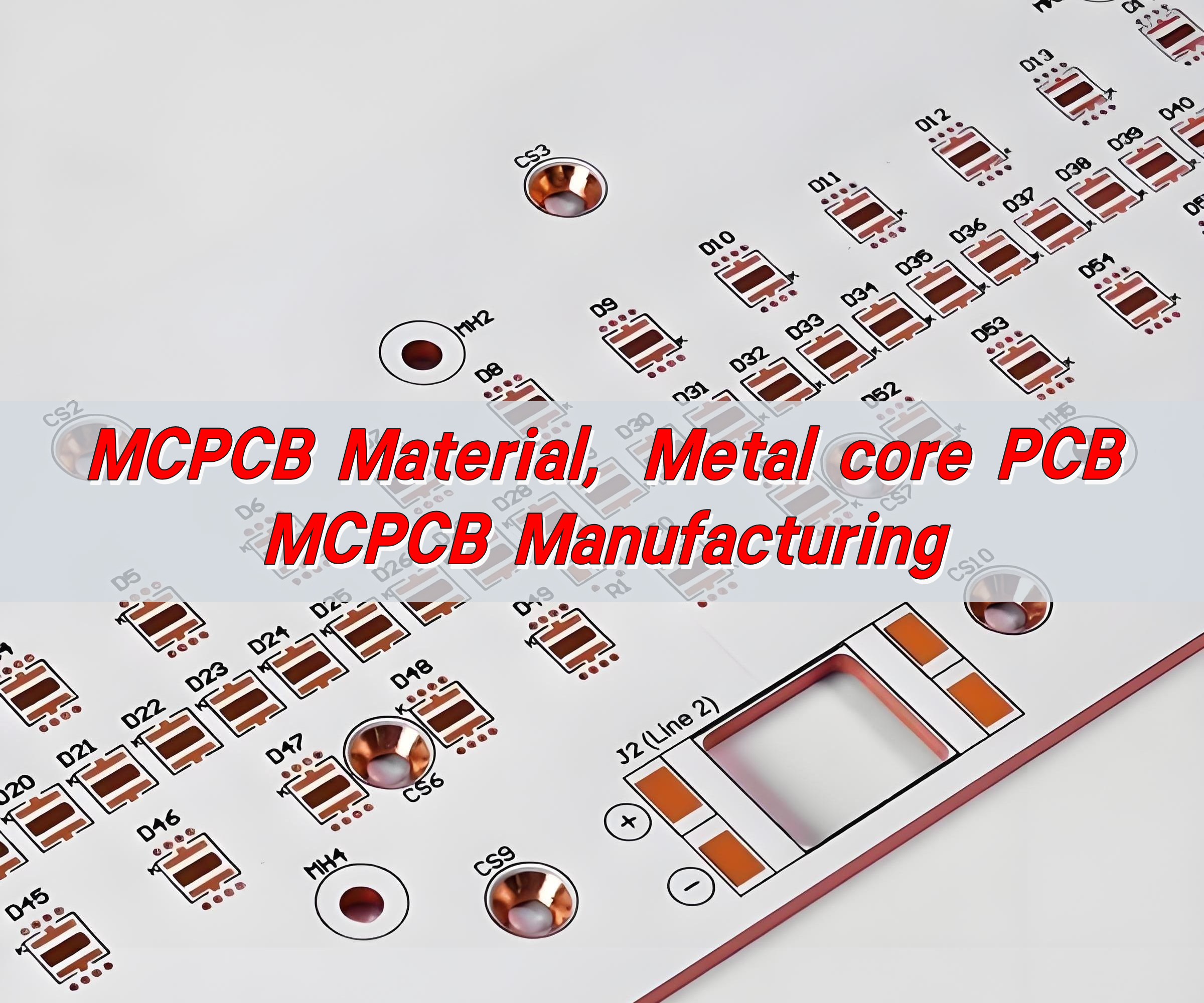
Unlike mechanical hard drives, SSDs have no moving parts, making them more resistant to shock and vibration. The advancement of semiconductor technology has enabled higher-capacity SSDs with faster read/write speeds, reduced power consumption, and longer lifespans.

What does SSD mean in manufacturing?

In manufacturing, SSD production involves PCB assembly (PCBA), NAND memory integration, controller programming, and rigorous testing.

SSD manufacturing begins with designing and fabricating the PCB, ensuring it meets industry standards for high-speed data processing.

SSD PCBA & What is SSD PCB?

During PCB assembly (PCBA), components such as the SSD controller, DRAM cache, and NAND flash chips are mounted onto the board using Surface Mount Technology (SMT).

Advanced SMT processes ensure precise placement, strong solder joints, and minimal defects. After assembly, firmware is loaded onto the SSD controller, enabling it to manage data transfer and error correction.

The final stage includes extensive testing and quality control, where SSDs undergo thermal, electrical, and performance tests to ensure they meet durability and speed requirements.

How to assemble SSD PCB?

Assembling an SSD PCB requires multiple steps, integrating semiconductor chips, power management circuits, and high-speed interfaces onto a compact board.

  • PCB Fabrication: The process begins with manufacturing a high-quality PCB, typically made from multilayer FR4 or high-frequency materials.
  • Component Placement: Using automated SMT machines, components such as NAND flash memory, SSD controllers, and capacitors are precisely placed onto the board.
  • Soldering and Reflow Process: After placement, the board undergoes a reflow soldering process, where it is heated to secure the components.
  • Firmware Installation: Once assembled, the SSD controller is programmed with firmware to optimize data processing, wear leveling, and error correction.
  • Testing and Quality Assurance: Each SSD undergoes performance testing, including stress tests, endurance tests, and data integrity checks to ensure reliability.

What are the three types of SSDs?

SSDs are categorized based on form factors and interfaces, determining their speed, compatibility, and application.

  • SATA SSDs: These SSDs use the Serial ATA (SATA) interface, offering speeds up to 600MB/s. They are commonly found in older laptops and desktops.
  • NVMe SSDs: Utilizing the PCIe (Peripheral Component Interconnect Express) interface, NVMe SSDs provide significantly faster speeds, reaching up to 7,000MB/s in high-end models.
  • M.2 SSDs: Designed for compact spaces, M.2 SSDs come in both SATA and NVMe variants, making them ideal for ultrabooks, gaming PCs, and high-performance systems.

Each type has distinct advantages, with NVMe SSDs being the fastest and most efficient, while SATA SSDs remain a cost-effective choice for general storage.

SSD PCB vs HDD PCB, what are their differences

There are many differences between SSD PCB (solid state drive printed circuit board) and HDD PCB (mechanical hard disk printed circuit board), as follows:

The main control chip on the SSD PCB is responsible for managing and transmitting data, the flash memory chip is used to store data, and some have cache chips for accelerated reading and writing. The main control chip on the HDD PCB is responsible for data transmission and instruction processing, the motor drive chip controls the rotation of the disk and the movement of the head, and the cache chip temporarily stores data.

SSD PCBA & What is SSD PCB?

Common interfaces of SSD include SATA, M.2, PCI-E, U.2, etc. HDD generally uses SATA or SAS interface.

In order to achieve high-speed data transmission, the wiring requirements of SSD PCB are strict, and precise impedance control and signal integrity design are required. Multilayer boards are often used. HDD PCB wiring is relatively simple, and the focus is on connecting components such as heads, motors and main control chips to ensure data transmission and the operation of mechanical components.

SSD does not have high-power components such as motors, and the overall power consumption is low. The power management circuit only needs to provide a stable voltage for the chip. HDD needs to provide a large drive current for the motor to ensure disk rotation and head seek, and the power management circuit is more complex.

SSDs come in a variety of sizes, including 2.5-inch and M.2. HDDs are usually 3.5-inch or 2.5-inch.

SSDs have no mechanical parts and are highly shock-resistant, but flash memory chips have wear and power-off data loss problems, and wear leveling and other technologies are needed to improve reliability. HDD mechanical parts are susceptible to vibration and collision, causing the head to scratch the disk or motor failure, and protection circuits such as vibration sensors are often designed on the PCB.
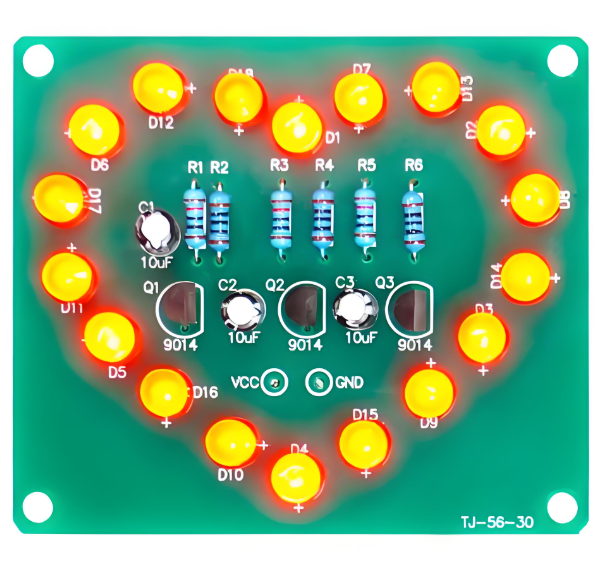
What is a PCB in a computer?

A PCB in a computer is the fundamental electronic platform that connects components like the processor, memory, storage, and expansion cards. The most critical PCB in a computer is the motherboard, which serves as the communication hub between all internal hardware.

SSDs have their dedicated PCBs for managing data storage, but other PCBs in a computer include graphics card PCBs, power supply PCBs, and network adapter PCBs. Each PCB is designed to ensure seamless operation and efficient power management.

What are the advantages of SSD PCB?

The use of high-quality SSD PCBs offers numerous benefits:

  • Faster Data Processing: SSD PCBs are optimized for high-speed memory access, allowing for quick boot times and fast application loading.
  • Lower Power Consumption: Compared to HDDs, SSDs consume less energy, making them ideal for laptops and battery-powered devices.
SSD PCBA & What is SSD PCB?
  • Durability and Shock Resistance: With no moving parts, SSDs are resistant to physical shocks, reducing failure rates and improving reliability.
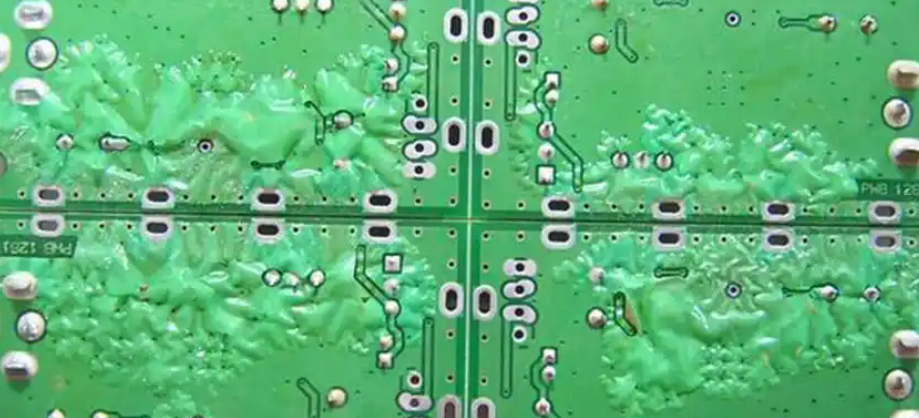
  • Compact Design: SSD PCBs are designed for smaller form factors, enabling them to fit into ultra-thin devices without compromising performance.

What are the disadvantages of SSD?

Despite their advantages, SSDs have some limitations to consider:

  • Higher Cost per GB: SSDs are generally more expensive than HDDs, especially for higher storage capacities.
  • Limited Write Cycles: NAND flash memory has a finite number of write cycles, leading to wear over time.
  • Data Recovery Challenges: Unlike HDDs, data recovery from a failed SSD is more complex, requiring specialized tools and expertise.

Conclusion

SSD PCBs play a vital role in modern data storage, offering high-speed performance, reliability, and efficiency.

For high-quality SSD PCB manufacturing and assembly, EBest Circuit (Best Technology) offers cutting-edge solutions tailored to your needs. Contact us at sales@bestpcbs.com for expert guidance and customized SSD PCB solutions.

You may also like

MCPCB prototype: What is Metal Core PCB?

February 21st, 2025

MCPCB prototype refers to Metal Core PCB. It consists of a metal substrate (such as aluminum or copper), an insulation layer, and a copper foil circuit layer. It has good heat dissipation performance and mechanical strength, and is suitable for high-power, high-heat dissipation demand application scenarios such as LED lighting, automotive electronics, and power management.

MCPCB prototype: What is Metal Core PCB?

What is mcpcb?

MCPCB stands for Metal Core Printed Circuit Board, a specialized type of PCB that includes a metal substrate instead of the traditional fiberglass (FR4) material. The purpose of the metal core is to improve heat transfer, ensuring that components operate within safe temperature limits.

In electronic devices that generate significant heat, such as high-power LEDs and automotive circuits, standard PCBs struggle with heat dissipation, leading to performance degradation and component failure. MCPCBs solve this issue by quickly transferring heat away from critical areas, maintaining optimal performance and extending product lifespan.

How to design mcpcb?

Designing an MCPCB requires careful consideration of heat dissipation, electrical performance, and mechanical stability.
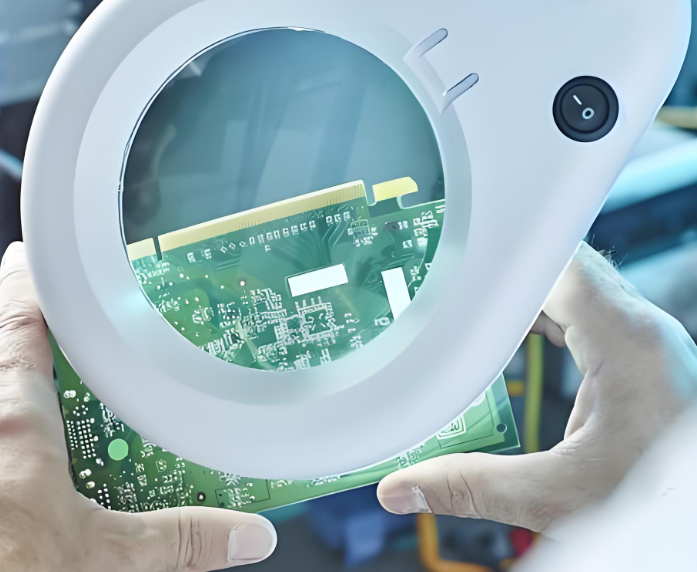
Engineers begin by selecting the appropriate metal base, with aluminum being the most common due to its balance of cost, thermal conductivity, and lightweight properties. Copper offers even better conductivity but is more expensive, while steel provides mechanical strength but lower heat dissipation efficiency.

The layout design of an MCPCB involves optimizing the placement of components to ensure even heat distribution. High-power components, such as LEDs or power transistors, are positioned strategically to minimize thermal buildup. Thermal vias may be incorporated to enhance heat transfer through the board.

The dielectric layer, which sits between the metal core and the copper circuit layer, must have high thermal conductivity while maintaining electrical insulation. Surface finishes, such as ENIG (Electroless Nickel Immersion Gold) or HASL (Hot Air Solder Leveling), are applied to protect the circuit layer and ensure high solderability.
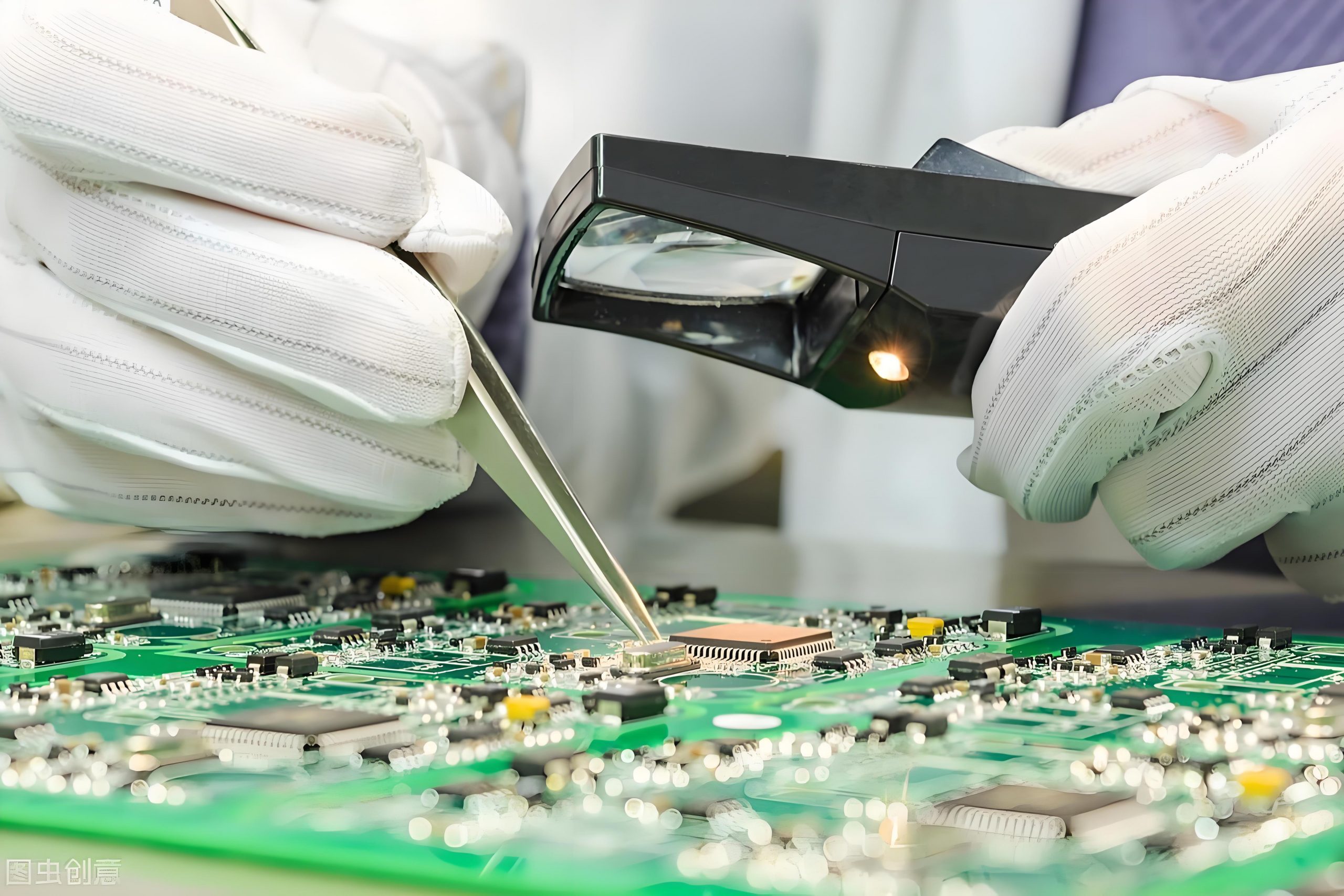
What are the materials in Mcpcb?

The construction of an MCPCB consists of multiple layers, each serving a specific function. The metal base is typically made from aluminum, copper, or steel, providing a solid foundation for heat dissipation.

MCPCB prototype: What is Metal Core PCB?

Above the metal base lies the dielectric layer, which is a thermally conductive but electrically insulating material that allows heat to pass through while preventing electrical shorts.

The topmost layer is the copper circuit layer, where electrical components are placed. The thickness of this copper layer varies depending on the current-carrying requirements of the circuit. A protective solder mask is applied over the copper traces to prevent oxidation and unintentional short circuits.

Additionally, a silkscreen layer may be added for labeling and component identification. The choice of these materials significantly impacts the board’s thermal conductivity, durability, and overall performance.

What is the thermal conductivity of Mcpcb?

Thermal conductivity is a key property of MCPCBs, as it determines how effectively the board can transfer heat away from components. The dielectric layer, in particular, plays a crucial role in thermal performance. Standard FR4 PCBs have a thermal conductivity of around 0.3–0.5 W/m·K, whereas MCPCBs typically range from 1 to 8 W/m·K, depending on the materials used.

Aluminum-based MCPCBs generally have a thermal conductivity between 1 and 3 W/m·K, while copper-based MCPCBs can reach up to 8 W/m·K, making them ideal for applications requiring maximum heat dissipation.

What is the function of Mcpcb?

MCPCBs serve a crucial function in thermal management and electrical performance. Their primary role is to dissipate heat efficiently, preventing hotspots and ensuring that components operate at safe temperatures. This thermal regulation improves the longevity and reliability of electronic devices, reducing the risk of overheating and failure.

In addition to heat dissipation, MCPCBs provide mechanical strength and stability, making them suitable for rugged environments where vibrations and mechanical stress are concerns.

MCPCB prototype: What is Metal Core PCB?

Their ability to handle high power levels makes them ideal for LED lighting, power amplifiers, industrial controls, and automotive electronics.

Unlike traditional PCBs, which struggle with heat-related performance issues, MCPCBs offer a practical solution for high-power applications.

What is the difference between FR4 and Mcpcb?

FR4 and MCPCB differ significantly in terms of thermal performance, material composition, and applications. FR4 PCBs are made from a fiberglass-reinforced epoxy laminate, which provides good electrical insulation but poor thermal conductivity.

However, in high-power electronics, FR4 PCBs struggle to dissipate heat efficiently, leading to performance issues and potential component damage.

MCPCBs, on the other hand, incorporate a metal base that dramatically improves thermal performance. The metal core acts as a heat sink, drawing heat away from components and distributing it across the board. This feature makes MCPCBs ideal for applications where thermal management is critical, such as LED lighting, automotive electronics, and power circuits.

While FR4 PCBs remain popular for general electronics, MCPCBs are the preferred choice for high-power, heat-sensitive applications.

What is the difference between PCB and Mcpcb?

The fundamental difference between standard PCBs and MCPCBs lies in their construction and heat dissipation capabilities. Traditional PCBs use an insulating fiberglass material as their core, whereas MCPCBs use a thermally conductive metal core.

MCPCB prototype: What is Metal Core PCB?

MCPCBs are especially beneficial for industries requiring robust thermal management solutions. In high-brightness LED applications, for example, excessive heat can degrade LED performance and lifespan. MCPCBs prevent this by dissipating heat quickly, ensuring consistent light output and prolonged durability.
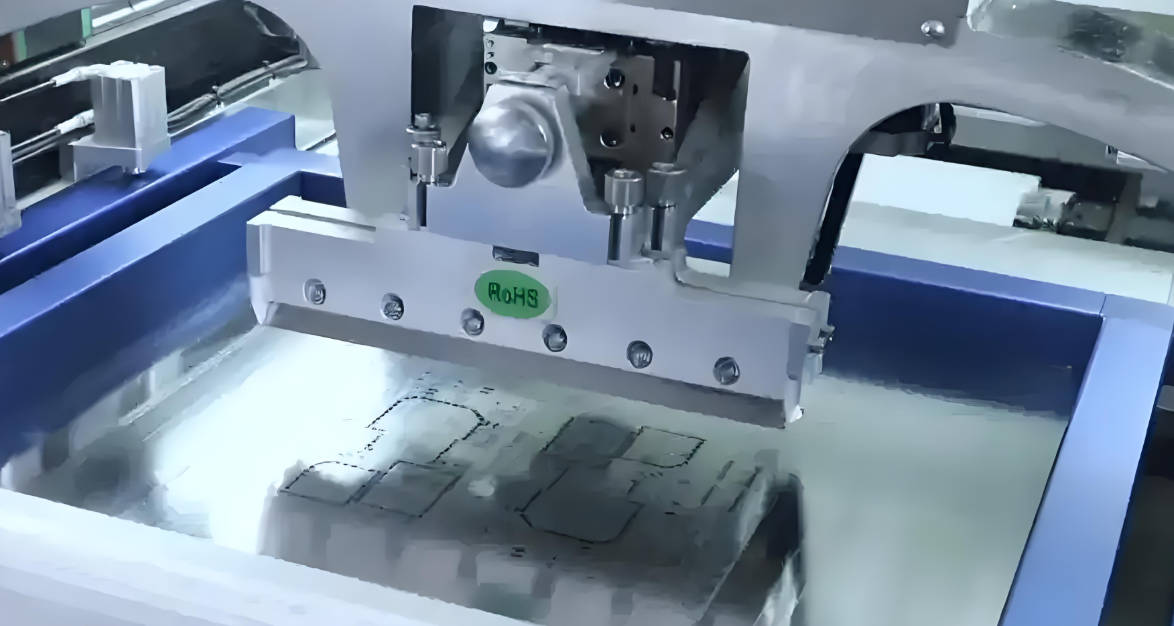
Additionally, in power electronics, MCPCBs enable efficient energy conversion and prevent thermal stress, leading to improved performance and reduced failure rates.

What is a prototype circuit board?

A prototype circuit board is an early-stage version of a PCB used for testing and validation before full-scale production. This process helps reduce production costs and ensures that the final product meets performance requirements.

MCPCB prototypes are particularly valuable in industries that demand high power efficiency and superior thermal management. By testing a prototype, engineers can assess the board’s heat dissipation capabilities, optimize component placement, and make necessary modifications before large-scale manufacturing.

What are the different types of prototype boards?

Prototype boards come in various types, each tailored to specific applications.

Standard FR4 prototype boards are widely used for general circuit testing, offering flexibility and cost-effectiveness.

Flexible PCBs and rigid-flex PCBs are used in compact and wearable devices where space constraints and flexibility are critical.

High-frequency PCBs cater to communication systems requiring stable signal transmission.

MCPCB prototypes stand out for their ability to handle high-power applications with efficient heat dissipation. These prototypes are essential for industries such as automotive, aerospace, and industrial power systems, where thermal management is a top priority.

Conclusion

MCPCBs provide a superior solution for electronic applications requiring effective heat dissipation and durability. Their metal core design enables efficient thermal management, making them the preferred choice for LED lighting, power electronics, and industrial control systems.
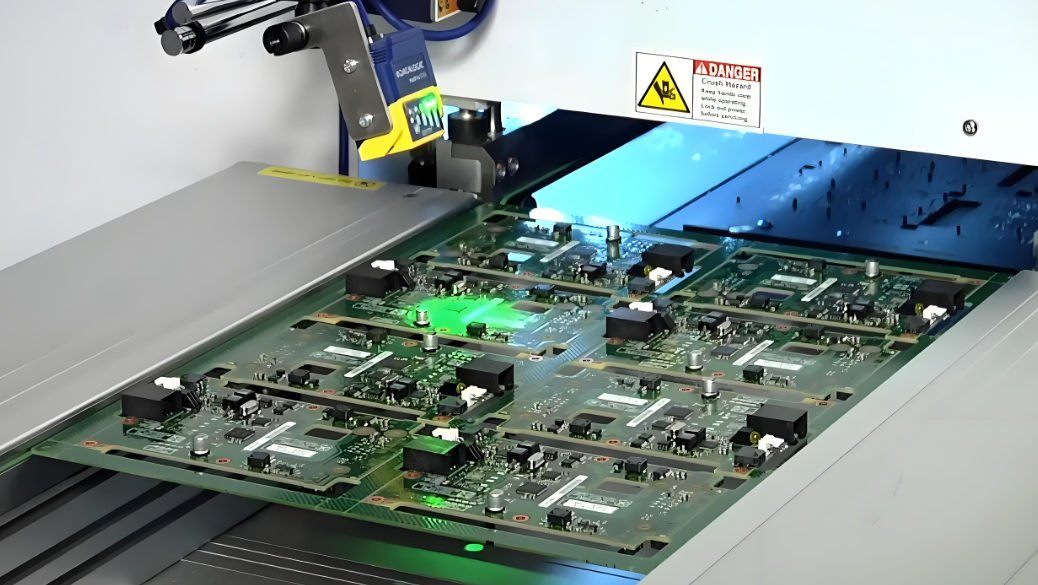
For high-quality MCPCB prototyping and manufacturing, EBest Circuit (Best Technology) provides advanced solutions tailored to your specific requirements. Contact us at sales@bestpcbs.com for expert guidance and custom MCPCB solutions.

You may also like

soldering vs welding: What is wave soldering and reflow soldering?

February 20th, 2025

What is soldering vs welding? Soldering and welding are both essential techniques used in metal joining processes. However, they are quite distinct in terms of their methods, applications, and results. These processes are often confused, but understanding the differences is crucial, especially when deciding which method to use for various applications.

soldering vs welding: What is wave soldering and reflow soldering?

What is soldering and welding?

Both soldering and welding are techniques used to join metal pieces together, but they operate very differently.

Soldering is a method that uses a filler material, called solder, to join two or more metal parts. The process involves melting the solder, which has a lower melting point than the base materials, and allowing it to solidify, creating a bond between the components.

Unlike welding, which typically involves high heat, soldering works at lower temperatures, making it suitable for more delicate materials like circuit boards and wires.

Welding, on the other hand, involves melting the base metals themselves and allowing them to fuse together. This requires much higher temperatures than soldering.

Welding is often used for structural applications, such as in building construction, automotive, and manufacturing, where strong, durable bonds are required.

Is soldering as strong as welding?

The strength of a soldered joint compared to a welded joint depends on the application. Welding produces much stronger bonds than soldering because it involves the fusion of the base metals.

In contrast, soldering uses a filler metal to create a bond, which is typically weaker than the base metal itself. However, soldering is sufficient for many applications, especially in electronics, plumbing, and small repairs.

How strong is soldering vs welding?

Welding generally creates a stronger, more permanent bond than soldering. The strength of a weld comes from the fact that the base metals are directly melted and fused, which creates a solid, continuous bond.

Soldering, by contrast, is generally not as strong and is usually used for joining metals that don’t need to withstand as much stress. This makes soldering perfect for smaller, more delicate components, such as electrical connections, where excessive strength is not required.

In many electronic applications, soldering provides adequate strength for the components to function reliably, but it won’t hold up as well under heavy mechanical stress compared to welding.

What is welding used for?

Welding is used primarily in industries where strong, durable bonds are needed. These applications include:

  • Construction: Welding is essential in the construction of steel structures and buildings.
soldering vs welding: What is wave soldering and reflow soldering?
  • Automotive: Cars and trucks rely on welding for structural integrity.
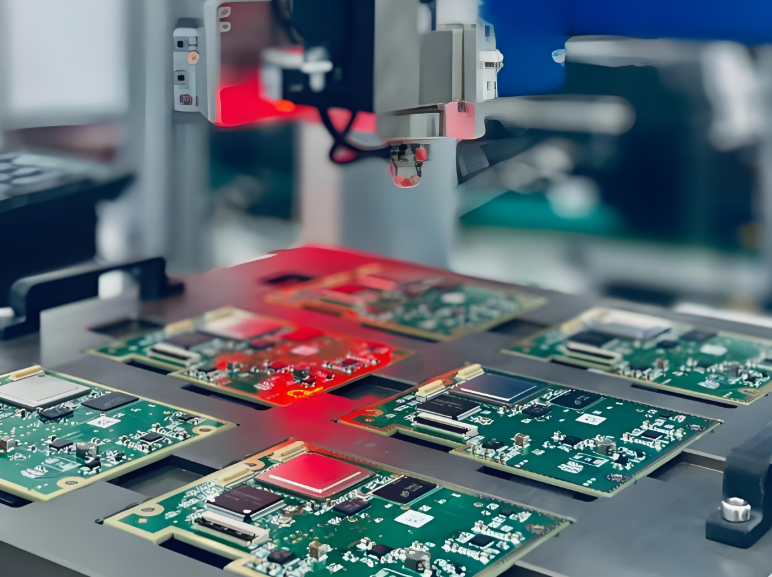
  • Shipbuilding: Welding is used to join large metal sheets in ship hulls.

  • Heavy machinery: Welding helps in creating durable joints in machinery used for construction or mining.

Welding provides a long-lasting, highly durable bond that is necessary for these types of applications.

What are the advantages of soldering over welding?

While welding is stronger in terms of the bond strength, soldering has several advantages that make it ideal for specific applications:

  • Lower temperature: Soldering uses a much lower temperature than welding. This makes it suitable for delicate electronic components, such as PCBs, that could be damaged by the high heat of welding.
  • Ease of use: Soldering is generally easier and faster than welding, especially for small, intricate jobs.
  • No need for high-powered equipment: Unlike welding, which requires heavy machinery, soldering can be performed with simple tools like a soldering iron or soldering gun.
  • Cost-effective: Since soldering uses a lower heat and simpler tools, it’s typically more affordable than welding.
  • Precision: Soldering allows for more precise, controlled work. This makes it ideal for small, delicate tasks, such as joining electronic components on a PCB.

What is wave soldering and reflow soldering?

Both wave soldering and reflow soldering are specialized soldering techniques used primarily in electronics manufacturing, especially for PCBs.

Wave Soldering: This is a process where a PCB is passed over a wave of molten solder. The solder waves are carefully controlled to ensure that the solder adheres to the joints of the components. Wave soldering is often used for large quantities of boards that require consistent results. This process is ideal for through-hole components, where leads need to be soldered into the PCB.

soldering vs welding: What is wave soldering and reflow soldering?

Reflow Soldering: This technique is used primarily for SMD (Surface-Mounted Devices). The process involves applying solder paste to the PCB, placing the components, and then heating the entire assembly in a reflow oven. The paste melts, and the solder forms the connection between the components and the PCB. Reflow soldering is preferred for high-density boards with small components.

Which is a disadvantage of soldering?

One of the key disadvantages of soldering is the potential for weak joints in high-stress environments. While soldering is sufficient for many electronic applications, it is not ideal for components that need to withstand extreme mechanical stress or high temperatures.

Another disadvantage is the possibility of creating cold joints or bridging between leads, both of which can lead to electrical failure. Cold joints occur when the solder does not completely melt and flow properly, while bridging happens when excess solder connects two or more pins that should remain separated.

What is the most common mistake in soldering?

The most common mistake in soldering is overheating the components. Too much heat can damage sensitive components, including the PCB. It can also cause issues like delamination (separation of layers) and the degradation of solder joints.

soldering vs welding: What is wave soldering and reflow soldering?

Proper heat control and timing are essential to avoid these issues. Another common mistake is insufficient solder or excess solder, both of which can lead to electrical failures.

Conclusion:

In summary, the debate between soldering vs welding ultimately depends on the specific application. Techniques like wave soldering and reflow soldering allow for efficient, high-quality production of PCBs and electronic devices.

At EBest Circuit (Best Technology), we specialize in delivering high-quality PCB solutions with advanced soldering techniques. Reach out to us today for expert advice and solutions. Email: sales@bestpcbs.com

You may also like