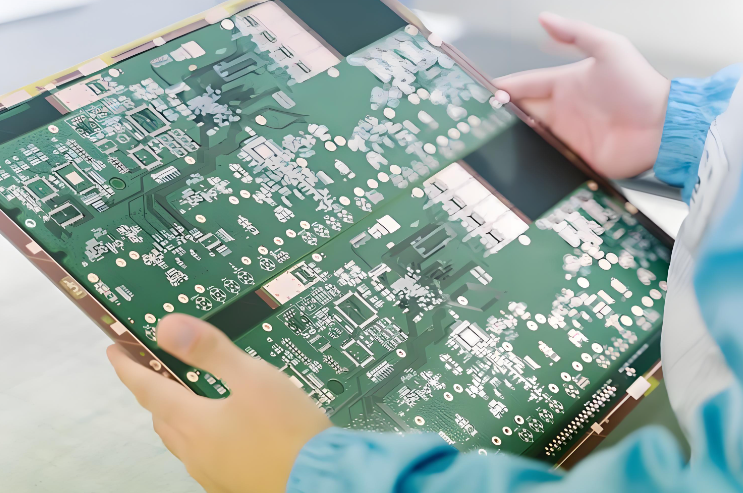
PCB manufacturing PCB manufacturing
Home > Blog

Electronic Component Failure Analysis: Why it occurs?

July 18th, 2025

What Is Electronic Component Failure?

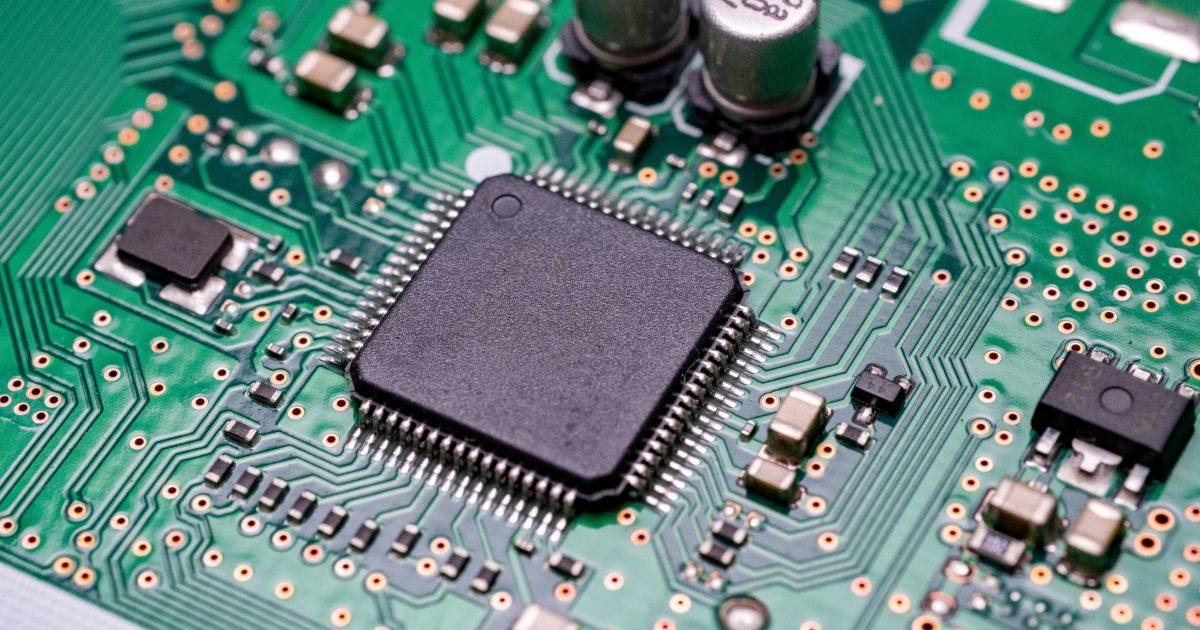
When any part inside an electronic system stops working as expected, it’s called an electronic component failure. This could mean a capacitor no longer holds charge, a resistor burns out, or an integrated circuit malfunctions. Even one small faulty component can lead to major issues in the final product.

To find out why a component failed, engineers use a process called electronic component failure analysis. This process involves inspecting the part visually and electrically, identifying how and why the fault happened, and using that information to avoid similar problems in the future. It’s essential for quality assurance, product reliability, and cost control in any electronics-related business.

Electronic Component Failure Analysis

Types of Electronic Component Failure

Electronic components can fail in different ways depending on the stress they endure. Below are the four most common types:

1. Mechanical Failure

Mechanical failure happens when there is a physical breakdown of the component’s structure. Some failures are often caused by vibration, improper handling, or dropping a device. In mobile or automotive electronics, this type of failure is especially common due to frequent movement. Common typical failures are including:

  • Cracked solder joints
  • Broken leads or pins
  • Fractured PCB substrates
  • Loose connectors due to vibration

You might notice components that are no longer connected properly to the board or parts that move when touched. Visual inspection often reveals cracks or loosened parts caused by physical force.

2. Thermal Failure

All electronic parts generate some heat when they operate. However, if the heat is not controlled properly, components can overheat and become damaged. This is known as thermal failure.

For example, semiconductors like transistors and integrated circuits are sensitive to high temperatures. When they get too hot, their internal structure may break down, leading to permanent damage.

3. Aging Failure

Components have a natural lifespan. Over time, materials degrade, and the component can no longer perform its function correctly. This is called aging failure.

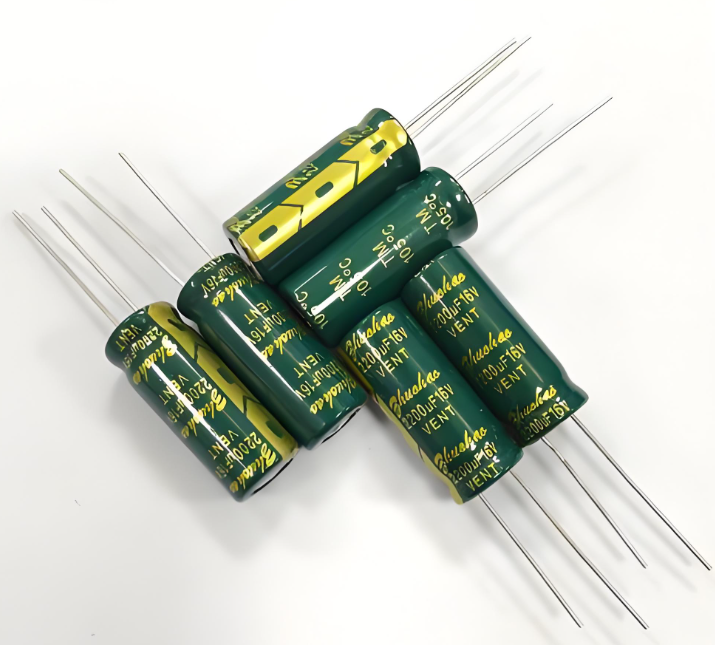
Electrolytic capacitors are well-known for this issue—they tend to dry out after years of use, causing them to lose their ability to hold charge. Similarly, solder joints can crack after repeated heating and cooling cycles (called thermal cycling), leading to poor connections.  In addition to this, typical aging failures also including:

  • Metal fatigue in solder joints
  • Battery capacity reduction
  • Deteriorated dielectric layers

4. Packaging Failure

Electronic components are enclosed in packaging to protect the inner materials. If the packaging is flawed or gets damaged during use, it may expose the component to moisture, dust, or chemicals.

For instance, water vapor may seep through a cracked chip case and cause corrosion inside. This is especially risky in humid or corrosive environments. Packaging failure is often seen as cracking, blistering, or delamination of the part’s outer shell.

Types of Electronic Component Failure

Causes of Electronic Component Failure

To solve problems effectively, it’s important to understand the root causes behind failures. Below are the most common causes engineers encounter during electronic component failure analysis:

1. Overvoltage and Overcurrent

Every electronic component has a maximum voltage and current rating. Exceeding these limits can damage the internal structure, often leading to immediate failure. For example, sending too much current through a resistor can cause it to overheat and burn. Applying excessive voltage to a capacitor can cause it to explode or leak.

2. Poor Soldering or Manufacturing Defects

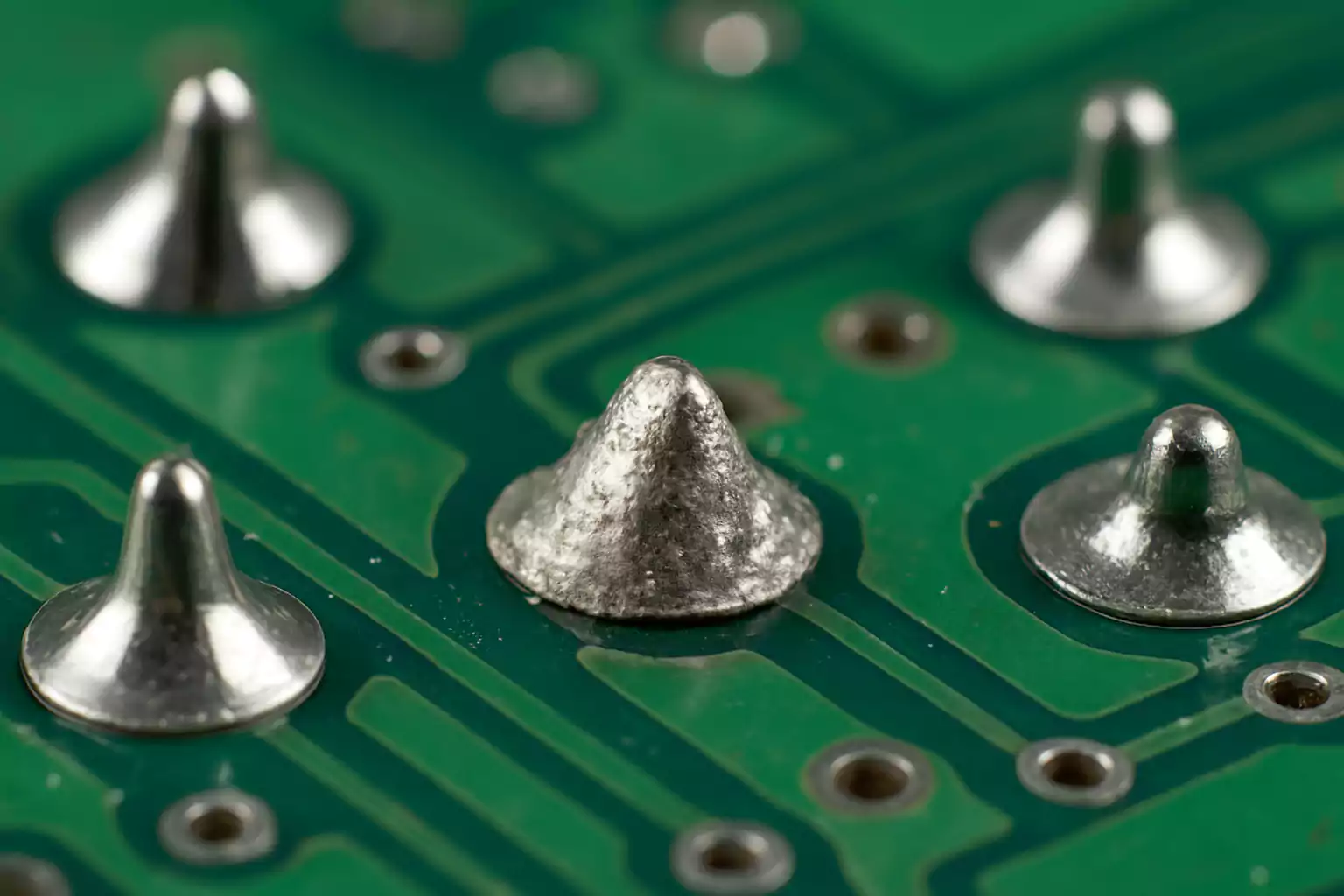
Faulty assembly techniques can lead to short circuits, intermittent connections, or component movement. Cold solder joints—where the solder didn’t melt completely—can crack over time.

If a component is misaligned or not soldered properly to all its pads, it may not function or may fail under mechanical stress. These defects are usually caught through visual inspection or X-ray analysis.

3. Electrostatic Discharge (ESD)

Static electricity may not hurt humans, but it can destroy sensitive components like MOSFETs and ICs instantly. Even a small ESD event can damage internal junctions, creating invisible faults that show up later during use.

4. Environmental Stress

Moisture, dust, salt, or chemicals in the air can corrode metal parts, especially in outdoor or industrial environments. Extreme temperatures or frequent thermal cycling can stress materials, causing them to crack or delaminate.

5. Inadequate Design or Component Selection

Using the wrong part for the job—such as a low-voltage capacitor in a high-voltage section—can lead to early failure. Similarly, ignoring derating rules (operating parts near their limit) can reduce lifespan dramatically.

How to Check Faulty Electronic Components?

When a device isn’t working, checking the components one by one is a logical step. Here’s how to do that effectively:

1. Visual Inspection

The first step is always to look carefully. Use a magnifying glass or microscope if needed. There are some signs can be checked directly if components get failure. Look for:

  • Burn marks or discoloration
  • Cracks or broken legs
  • Bulging or leaking capacitors
  • Lifted or cracked solder joints
  • Warping or melting

2. Smell

Burnt electronic parts release a strong smell. If a section of the board smells like burnt plastic or metal, you’re probably close to the damaged part.

3. Touch Test (with Caution)

Once the power is OFF and the board is safe to handle, you can gently feel components. If one feels much hotter than the rest, it may be failing. Never touch live circuits, and use caution even when power is removed—capacitors may still hold a charge.

4. Comparison Method

If you have an identical working device, compare it with the faulty one. Swapping parts one by one can help isolate which component isn’t working.

5. Multimeter Testing

A digital multimeter is your best tool. You can test for open circuits, shorts, or measure resistance, voltage, and continuity. We’ll explain this in the next section in detail.

How to Prevent Electronic Component Failures?

While you can’t prevent all failures, many of them can be avoided with good design, handling, and maintenance practices.

  • Always source your components from reputable suppliers. Cheap or counterfeit parts are far more likely to fail.
  • Avoid pushing components near their max voltage, current, or temperature limits.
  • Add surge protection (like TVS diodes or fuses) where needed.
  • Use appropriate PCB layout techniques for signal integrity and thermal control.
  • Use anti-static wrist straps and mats when handling sensitive parts.
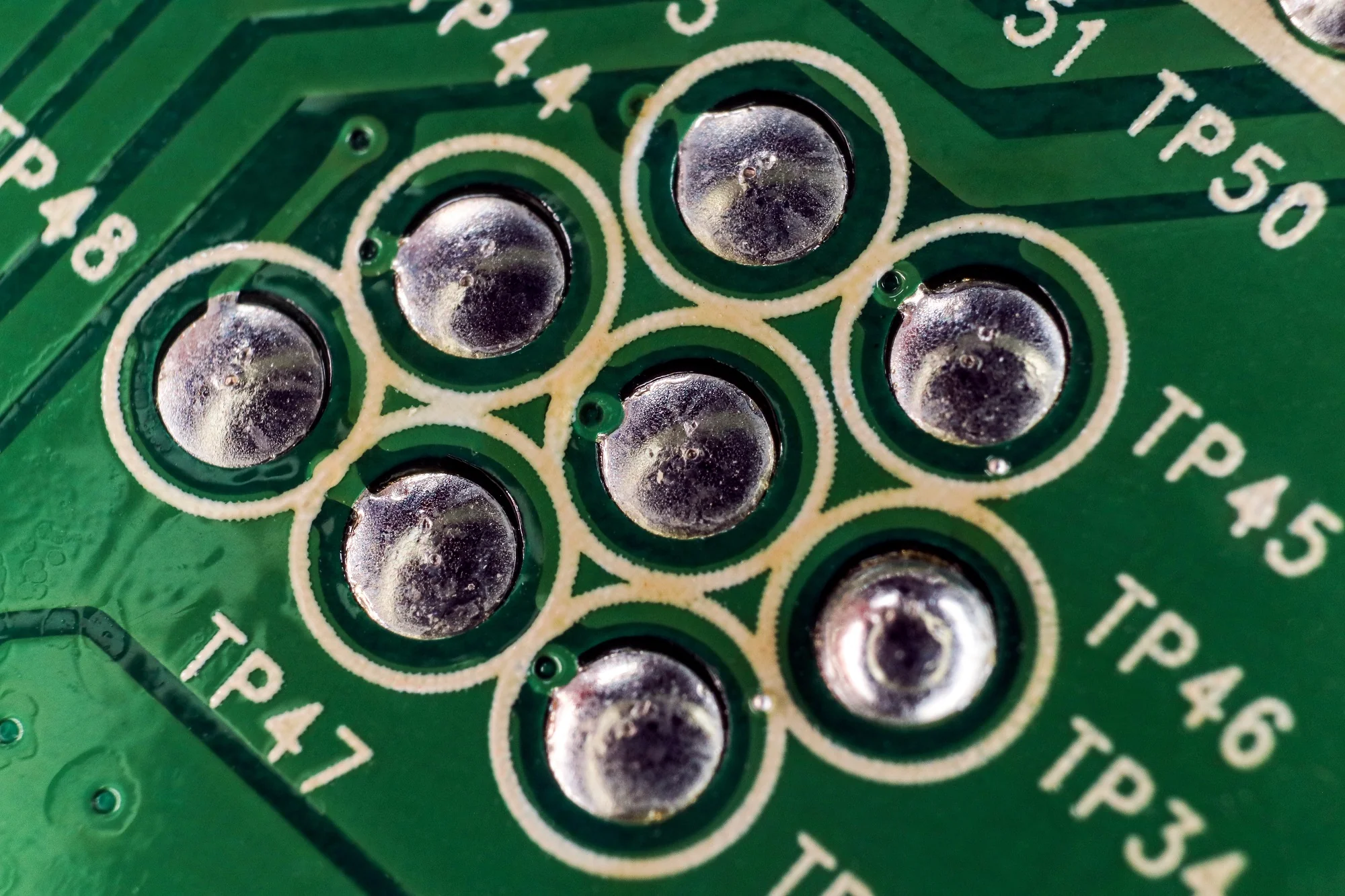
  • Store components in anti-static bags or boxes.
  • Avoid touching component pins directly.
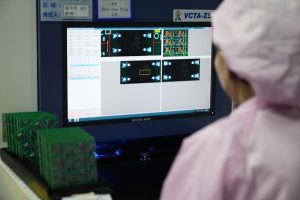
  • Good soldering practices and correct part orientation go a long way. Automated optical inspection (AOI) and in-circuit testing (ICT) help ensure quality during production.
  • For circuits exposed to moisture or dust, apply conformal coating or potting material to prevent corrosion and shorts. Use enclosures with proper IP ratings if the device will be outdoors.
  • Use heatsinks, thermal vias, fans, or thermal pads to keep parts cool. High temperatures shorten component life more than almost any other factor.

How to Test Electronic Components with a Multimeter?

A multimeter is one of the most useful tools for checking components, it can be tested various parts, here is how to test:

How to Test Electronic Components with a Multimeter?

1. Testing Capacitors

  • Discharge the capacitor before testing.
  • Set the multimeter to capacitance mode (if available).
  • Connect probes to the leads.

A large difference between the reading and rated value suggests aging or failure.

Note: If your multimeter lacks capacitance mode, you can test for short or open conditions using resistance mode.

2. Testing Diodes and LEDs

  • Set the meter to diode test mode.
  • Connect the red probe to the anode and the black to the cathode.
  • A good diode should show a forward voltage drop (~0.6–0.7V).
  • Reversing the probes should show no reading.

LEDs can also be tested this way, and a faint light may even flash when tested in forward bias.

3. Testing Transistors

Bipolar junction transistors (BJTs) can be tested by checking base-emitter and base-collector junctions like diodes.

  • Use diode mode.
  • Test base-to-emitter and base-to-collector—each should show ~0.6V in forward bias.
  • Reversed probes or collector-to-emitter should show no conduction.
  • If you get readings in all directions, the transistor may be shorted.

4. Testing ICs

Integrated circuits are difficult to test with just a multimeter. You usually need to power the board and check input/output signals or use dedicated IC testers.

FAQs

1. What is the first sign of electronic component failure?

Burn marks, strange smells, or malfunctioning behavior are common early signs of component issues.

2. How do you test an electronic component without removing it from the circuit?

You can test many components in-circuit using a multimeter, but readings may be affected by parallel components.

3. How often should electronics be inspected for aging components?

Critical systems should be checked annually, while consumer devices may only need service after several years.

4. What is the role of derating in preventing failures?

Derating means operating components below their maximum limits to reduce stress and increase reliability.

5. Can failure analysis improve future product design?

Yes, analyzing failed parts helps engineers refine design, choose better materials, and improve overall durability.

If you’re working on a repair or want to improve your product’s reliability, proper electronic component failure analysis is a valuable step. Want help with failure diagnostics or reliable PCB assembly? Reach out to EBest Circuit (Best Technology) — your trusted partner for high-quality, certified PCB and PCBA solutions.

We follow strict quality control with quality control systems, and offer full traceability for manufacturing, report, datasheet… If you want to do PCB assembly or components sourcing, welcome to reach us at sales@bestpcbs.com.

You may also like

FPGA PCB Design & Assembly, One Stop Solution

July 18th, 2025

How to design A FPGA PCB?‌ Discover its specification, benefits, application, and design guideline for FPGA PCB.

  • Can BGA welding withstand high temperature aging?
  • Why is my high-speed signal running slower and slower?
  • Will multiple power supplies fight with each other?

EBest Circuit (Best Technology) Can Provide You:

  • Welding perspective: Each board is X-rayed, and solder joint defects are nowhere to be hidden.
  • Signal highway: From drawing board to assembly, the signal is fully escorted.
  • Power traffic light: Intelligently adjust the power-on timing to prevent power supply chaos.

Welcome to contact us if you have any request for FPGA PCBA service: sales@bestpcbs.com.

What Is FPGA PCB?

A FPGA PCB is a specially engineered printed circuit board that physically mounts and electrically integrates a field-programmable gate array semiconductor device with supporting hardware components, such as power regulators, memory units, clock sources, and input/output connectors.

This substrate features precisely routed copper traces to establish reliable electrical pathways, incorporating design elements for signal integrity in high-speed interfaces, stable multi-voltage power delivery, and efficient thermal dissipation to manage operational heat.

Once assembled, the board serves as a reconfigurable platform capable of implementing custom digital logic functions through post-manufacturing programming of the FPGA, enabling versatile applications like real-time data processing or communication bridging.

What Is FPGA PCB?

Components of FPGA PCB

1. Central Processing Unit

    • Programmable logic blocks (CLBs, DSP slices).
    • Configuration memory cells.
    • Clock management circuits (PLLs/DCMs).

    2. Power Delivery Network

      • Multi-voltage regulators (1.0V core, 2.5V/3.3V I/O).
      • Decoupling capacitors (0.1ÎŒF ceramic arrays).
      • Power sequencing controllers.

      3. Memory Subsystem

        • Volatile storage (DDR3/DDR4 controllers).
        • Non-volatile configuration memory (NOR Flash).
        • Cache memory blocks.

        4. Signal Interface Units

          • High-speed serial transceivers.
          • General-purpose I/O banks.
          • Differential pair routing channels.

          5. Support Circuits

            • JTAG programming interface.
            • Thermal monitoring sensors.
            • Reset generation circuitry.

            6. Mechanical Features

              • Ball grid array (BGA) footprint
              • Thermal relief patterns
              • Board stiffeners (for large packages)

              Why Use FPGA PCB?

              • Flexible Hardware Reconfiguration: FPGAs enable post-production logic updates, allowing adaptive designs without physical hardware changes.
              • Parallel Processing Capability: Customizable logic blocks execute multiple operations simultaneously, ideal for real-time signal processing.
              • Low Latency for Time-Sensitive Tasks: Hardware-level processing achieves nanosecond response times, critical for industrial control systems.
              • Energy Efficiency in Specialized Workloads: Dedicated circuits reduce power waste compared to general-purpose processors.
              • Legacy System Modernization: Bridges outdated protocols with modern standards, extending equipment lifespan.
              • Security Through Hardware Customization: Unique circuit layouts resist standardized attacks, enhancing tamper resistance.
              • Rapid Iteration During Development: Immediate testing accelerates debugging versus semiconductor fabrication delays.
              Why Use FPGA PCB?

              What Are Applications of FPGA PCB?

              • Telecommunications – 5G baseband processing; Optical network conversion.
              • Industrial Automation – Robotic arm control; Predictive maintenance systems.
              • Medical Technology – Medical imaging acceleration; Portable diagnostic devices.
              • Financial Technology – Low-latency trading systems; Real-time risk analysis.
              • Aerospace & Defense – Satellite data processing; Radar systems.
              • Automotive – Autonomous vehicle sensors; Vehicle network gateways.
              • Consumer Electronics – Video transcoding; VR motion tracking.
              • Energy Systems – Smart grid monitoring; Solar power optimization.
              • Scientific Research – Physics experiments; Genomic sequencing
              • IoT Infrastructure – Edge computing nodes; LPWAN base stations.
              What Are Applications of FPGA PCB?

              FPGA PCB Design Guidelines

              Below are FPGA PCB design guidelines:

              1. Layer Stack Management

              • Use symmetrical stackup with adjacent power-ground plane pairs.
              • Assign dedicated layers for high-speed signals with reference planes.

              2. Power Delivery System

              • Implement separate power islands for core, I/O and auxiliary voltages.
              • Place decoupling capacitors in descending values (10ÎŒF to 100nF) near power pins.

              3. Signal Routing Principles

              • Maintain consistent impedance for differential pairs (+/- 10% tolerance).
              • Route clock signals first with maximum ground shielding.

              4. Thermal Considerations

              • Use thermal vias under high-power components.
              • Implement copper balancing for even heat distribution.

              5. Manufacturing Compliance

              • Follow 3W spacing rule for high-speed traces.
              • Verify BGA escape routing meets fabrication capabilities.

              6. Grounding Strategy

              • Maintain continuous ground planes beneath sensitive circuits.
              • Implement star grounding for mixed-signal systems.

              7. Design Verification

              • Perform post-layout SI/PI simulations.
              • Validate timing margins with board-level models.
              FPGA PCB Design Guidelines

              FPGA PCB Assembly Service – EBest Circuit (Best Technology)

              • Full Turnkey Solutions‌ – From PCB fabrication to final assembly and testing.
              • ‌High-Mix, Low-Volume Expertise‌ – Optimized for FPGA prototyping & small-batch production.
              • ‌DFM Optimization‌ – Early design feedback to minimize re-spins.
              • ‌Flexible Packaging‌ – Support for advanced ICs (BGA, QFN, 01005).
              • Free DFM (Design for Manufacturability) Analysis: Optimizes PCB layouts to reduce material waste, lower production costs, and avoid late-stage design revisions.
              • Turnkey Solutions – Full-service PCB manufacturing from design to delivery, accelerating your product’s time-to-market.
              • Superior Quality – 100% inspection on bulk orders, ensuring reliability and consistency.
              • Fast Turnaround – 24-hour rapid prototyping and industry-leading production lead times.
              • Stable Supply Chain – Guaranteed material availability with minimal risk of delays.
              • Competitive & Transparent Pricing – No hidden costs, offering the best value without compromising quality.

              Our PCBA Capabilities

              ItemCapabilities
              Placer Speed13,200,000 chips/day
              Bare Board Size0.2 x 0.2 inches – 20 x 20 inches/ 22*47.5 inches
              Minimum SMD Component01005
              Minimum BGA Pitch0.25mm
              Maximum Components50*150mm
              Assembly TypeSMT, THT, Mixed assembly
              Component PackageReels, Cut Tape, Tube, Tray, Loose Parts
              Lead Time1 – 5 days

              FAQs

              Q1: Why does my FPGA PCB fail to boot consistently after assembly?
              A1: Check solder joint integrity – BGA voids exceeding 25% cause intermittent connections. Use X-ray inspection to verify void percentage. Ensure power sequencing matches FPGA datasheet requirements (typically core voltage before I/O banks).

              Q2: How to resolve signal integrity issues in 10Gbps+ transceiver channels?
              A2: Route differential pairs with <5mil length mismatch and insert ground-stitching vias every 150mil near SerDes lanes. Simulate with IBIS-AMI models to validate eye diagram margins pre-production.

              Q3: Why do we encounter timing closure failures despite meeting constraints?
              A3: Clock skew often originates from unequal via counts in global clock trees. Balance H-tree routing with matched via transitions (typically 8 vias per branch). Add programmable delay buffers for ±50ps fine-tuning.

              Q4: What causes thermal runaway in high-density FPGA designs?
              A4: Inadequate copper thickness in power planes (recommend 2oz for >15A currents). Implement thermal relief patterns under BGA with 0.3mm diameter voids. Monitor junction temperature using on-die sensors via I2C.

              Q5: How to mitigate EMI from high-speed memory interfaces?
              A5: Apply π-type EMI filters to DDR4 DQ lines (22Ω resistors + 100pF caps). Stagger memory chip placement to break resonant cavity effects. Use shielded flex cables for off-board connections exceeding 3Gbps.

              You may also like

              LED Light Circuit Board Design Guide | LED PCB Acknowledge

              July 18th, 2025

              If you’ve ever wondered how your LED lights work or thought about building your own lighting system, understanding LED light circuit board design is the perfect place to start. From simple desk lamps to advanced automotive lights, LED circuit boards power nearly every type of modern lighting. These boards are more than just a place to hold LEDs—they help control current, manage heat, and ensure your lights stay bright and stable.

              What Is an LED Light Circuit Board?

              An LED light circuit board is a printed circuit board (PCB) specially designed to support and power light-emitting diodes (LEDs). It provides a stable platform where LEDs are mounted and connected through copper traces that guide the current flow.

              These boards are used everywhere—home lights, office lighting, headlights, signs, and electronic displays. What makes LED PCBs stand out is their ability to manage heat. Since LEDs generate heat while working, especially high-brightness ones, the PCB helps transfer that heat away. Many of these boards are made of aluminum or use metal-core designs to improve thermal performance.

              LED Light Circuit Board Design Guide | LED PCB Acknowledge

              LED Circuit Board Diagram

              A circuit diagram is like a map of your LED board. It shows how the parts connect to each other and how electricity flows. This is where you plan your setup before building the actual board.

              LED Circuit Board Diagram

              In this example:

              • VCC is the power supply (like a 12V battery or adapter)
              • The resistor limits the current
              • The LED lights up as current flows from positive to ground

              In real boards, especially SMD LED PCB boards, this wiring is replaced with copper tracks. The LEDs are surface-mounted, meaning they’re soldered directly on the board. Multiple LEDs can be placed in series, parallel, or a combination, depending on your application.

              You’ll also see labels for input voltage, ground, and other components like capacitors, diodes, or voltage regulators if your board is more advanced.

              LED Light Circuit Board Design Guide

              If you want to design an LED light circuit board for commercial or long-term use, there are a few more things to consider beyond a simple circuit.

              1. Choose the LED Type Wisely

              Your LED type affects layout, current, and heat. For general lighting, SMD LEDs (such as 2835 or 5050 types) are common. For signage or high-power use, COB LEDs may be better.

              2. Decide on Board Material

              If your LEDs run hot, like in street lights or industrial lights, go for aluminum or metal-core PCBs. These manage heat much better than traditional FR4 boards. Below is a LED pcb board used aluminum base.

              3. Include Heat Management

              Use thermal vias, heat sinks, or thicker copper layers if the board carries high currents. Heat buildup can shorten LED life or reduce brightness.

              4. Control Current

              Never rely on direct voltage for LEDs. Use resistors or constant current drivers. LEDs create heat, especially if many are packed closely. Too much heat lowers their lifespan. Good thermal design includes:

              • Thick copper layers (≄1oz)
              • Thermal vias under LED pads
              • Aluminum base to move heat away
              • Heat sinks or thermal pads if needed

              5. Pay Attention to Trace Width

              High currents need wider traces. Use trace calculators to ensure your copper width is suitable. Also, avoid sharp 90° turns—these can stress the signal and cause EMI problems. Use 45° angles to keep signals smooth and reduce heat buildup.

              6. Place Components Smartly

              Keep resistors close to the LEDs. Separate power and signal lines. Leave space for heat dissipation or mounting. Some other tips including:

              • Place resistors near the LED they control
              • Keep power and ground lines wide and short
              • Group similar LEDs in rows or grids
              • Leave space for mounting holes or connectors
              • Keep heat-generating parts away from sensitive ones

              7. Test Points and Labels

              Add test pads for checking voltage and current during production or troubleshooting. Label input/output pads clearly to help during assembly. Here is a guide of how to make LED circuit board.

              How Many LED Light Fixtures Can Be on One Circuit?

              This question comes up a lot in home lighting and commercial installations. The answer depends on how much power each fixture uses and what the circuit breaker rating is.

              Let’s break it down:

              • A standard 15A breaker on 120V power provides 1800 watts.
              • A 20A breaker gives you 2400 watts.

              Suppose each LED fixture consumes 10 watts. Then on a 15A circuit:

              1800W / 10W = 180 fixtures

              But you should never use 100% of the circuit’s capacity. A safe rule is to use up to 80%.

              So, the real number is:

              1800W × 0.8 = 1440W → 144 LED fixtures (10W each)

              What Happens If You Wire an LED the Wrong Way?

              LEDs are diodes, which means they conduct electricity in one direction only. If you connect them backward:

              • They won’t light up because current can’t flow
              • In some cases, if voltage is too high, the LED might get damaged

              This is why LED symbols in diagrams have a direction (anode to cathode). Many modern circuits include a protection diode or a reverse-polarity safeguard to prevent damage.

              Always double-check before soldering or applying power. Getting the polarity right is crucial for the LED to work.

              Should I Put a Resistor Before an LED?

              Yes. A resistor is essential unless you’re using a regulated current driver.

              LEDs don’t limit their own current. If you connect them directly to a power supply, even at a “safe” voltage, they can draw too much current, overheat, and burn out.

              The resistor acts like a gate. It lets the right amount of current pass through and drops the extra voltage. Even LED strips usually have built-in resistors. For DIY boards, always calculate and add the correct resistor for every LED or LED group.

              LED Board Design Price

              The LED board design price depends on several factors:

              FactorCost Impact
              Board SizeLarger boards cost more
              LED Type (SMD vs. COB)COB boards may be pricier
              PCB Material (FR4 vs. Aluminum)Aluminum is more expensive
              QuantityLarger batches lower per-board cost
              LayersMultilayer boards cost more
              Assembly RequiredSoldered boards cost extra

              Typical costs for LED circuit boards:

              • Basic LED board (single-layer FR4): $0.50 – $2 per piece
              • Aluminum SMD LED board: $1 – $4 per piece
              • Custom-designed and assembled board: $5 – $20 depending on design complexity

              For mass production, you can get volume discounts and better pricing through professional LED PCB manufacturers like EBest Circuit (Best Technology). We provide free DFM checks, fast quotes, and one-stop services including prototype to volume production.

              FAQs

              1. What is a SMD LED PCB board?

              It’s a printed circuit board designed to mount Surface-Mounted Device (SMD) LEDs directly onto the board, used in lighting panels, strips, and signs.

              2. How long does an LED circuit board last?

              With good design and cooling, LED boards can last 30,000 to 50,000 hours or more.

              3. Can I connect LEDs in series or parallel?

              Yes. Series connections share the same current; parallel connections share the same voltage. Choose based on your power source.

              4. What software should I use to design LED boards?

              KiCAD, Altium Designer, EasyEDA, and Eagle are commonly used tools for creating LED PCB layouts.

              5. What happens if you put too many lights on a circuit?

              If you connect too many LED lights to one circuit, the total power draw may exceed the circuit’s capacity. This can lead to overloaded breakers, flickering lights, or even tripped fuses. In worst cases, wires may overheat, posing a fire risk.

              If you’re planning to build or order custom LED light circuit boards, EBest Circuit (Best Technology) is ready to help. We support everything from LED PCB board quick-turn prototypes to mass production, all with professional engineering support and strict quality checks.

              You may also like

              Why Ues Purple Circuit Board? Its Advantages & Purpose

              July 17th, 2025

              Purple circuit boards—also known as Purple PCBs—have become popular among makers, engineers, and even electronics brands that want to stand out. While the solder mask color doesn’t change how a PCB works, it does influence how it looks, feels, and even how it’s perceived.

              In this blog, we’ll break down everything you need to know about Purple PCBs. You’ll learn where they shine, what benefits they offer, and when they’re worth the investment.

              At EBest Circuit (Best Technology), we’ve been supporting product designers and OEMs with customized PCBs for years. From solder mask color to copper thickness and special surface finishes, we provide full manufacturing support. And yes—we proudly support purple solder mask PCBs.

              Why Ues Purple Circuit Board? Its Advantages & Purpose

              What is a Purple Circuit Board?

              A purple circuit board is a printed circuit board that features a purple-colored solder mask. The solder mask is a thin protective layer applied over the copper traces of a PCB. Its job is to prevent oxidation, short circuits, and solder bridges during assembly.

              While green is the most common color in PCB manufacturing, purple offers a unique visual twist. It’s not just a design choice—it’s a statement. Makers often associate purple PCBs with premium or small-batch electronics.

              Some PCB manufacturers offer purple as a standard option. Others consider it a custom request. Either way, it doesn’t impact the electrical performance of the board. The difference is mostly visual and emotional.

              Advantages of Purple PCB

              Choosing a Purple PCB isn’t just about standing out—it can offer several practical and branding benefits too.

              1. Unique Visual Identity

              Purple PCBs are not commonly seen in mass-produced electronics. Using one helps your product stand out, especially if you’re building a niche device or showcasing your board.

              2. Brand Recognition

              Startups and makers often use purple solder masks as part of their brand identity. Think of it like choosing a unique color for your packaging—only this time, it’s part of the electronics.

              3. Better Product Differentiation

              If you’re producing multiple versions of the same board, using purple can help distinguish prototypes or special editions. You’ll never mix up versions during testing.

              4. Enhanced Perceived Value

              Because purple PCBs are less common, they give off a premium vibe. If your product has visible circuitry, purple adds to the appeal.

              5. Maker Community Favorite

              In the open-source and maker community, purple has almost become a symbol of small-batch craftsmanship. Platforms like OSH Park use purple as their signature color.

              Purpose of Purple Circuit Board

              The main purpose of a purple circuit board is to add visual distinction. In terms of function, it’s no different from any other PCB. But in terms of presentation, it stands out. Here’s where purple PCBs get used:

              • Showcase prototypes at trade shows or demos
              • Limited edition electronics with visible circuit boards
              • Kickstarter campaigns where aesthetics add value
              • Open-source hardware projects that are shared online
              • Personal builds or portfolio projects

              In all these cases, the purple color makes your design feel custom, creative, and intentional.

              Purpose of Purple Circuit Board

              Does the Color of a Circuit Board Matter?

              Functionally, no. A circuit board’s color doesn’t affect its electrical performance.

              The solder mask color has no effect on signal transmission, current flow, or board durability. Whether you pick green, red, or purple, the functionality remains the same.

              However, color does matter in other ways:

              • Inspection Ease: Some colors, like green, offer better contrast for spotting solder bridges or defects.
              • Heat Visibility: Black and dark boards retain heat, which may affect thermal visibility during rework.
              • Aesthetic Value: If your PCB is visible to end users, color directly affects how it’s perceived.

              So while purple won’t change how the board performs, it will change how it looks and how others interact with it.

              What Are the Different Color Circuit Boards?

              You can find PCBs in a variety of colors today. Here’s a look at the most common options and why you might choose them:

              ColorWhy Choose It
              GreenIndustry standard, great contrast, cost-effective
              RedEasy to inspect, stands out from green, mid-cost
              BlueAesthetically pleasing, often used in dev boards
              BlackSleek design, popular in high-end gadgets
              WhiteReflects light, good for LED boards
              YellowBright and easy to spot
              PurpleUnique, stylish, excellent for branding

              Purple PCBs offer a perfect balance of visual uniqueness and readability, without being too flashy or difficult to inspect.

              Which Color of Circuit Board is Better?

              There’s no single “best” color—it depends on your project. But here’s how they generally compare:
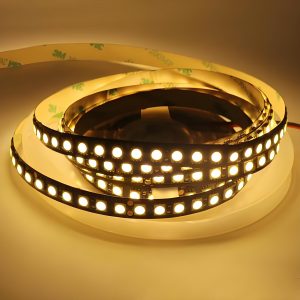
              • Best for Inspection: Green, Red
              • Best for Consumer Products: Black, Blue
              • Best for Lighting Applications: White
              • Best for Branding and Style: Purple

              If you care about cost, availability, and visual clarity, green is a solid default. If you care about product identity, purple is a strong contender. You can choose based on your end-use case, inspection needs, and visual goals.

              Which Color of Circuit Board is Better?

              When to Use Purple Circuit Board?

              Consider using a Purple PCB if:

              • You want to create a branded visual identity for your product.
              • You’re making small batches where aesthetics matter.
              • Your PCB is visible through a product’s casing.
              • You need to visually differentiate between product versions.
              • You’re working on a maker or educational project.
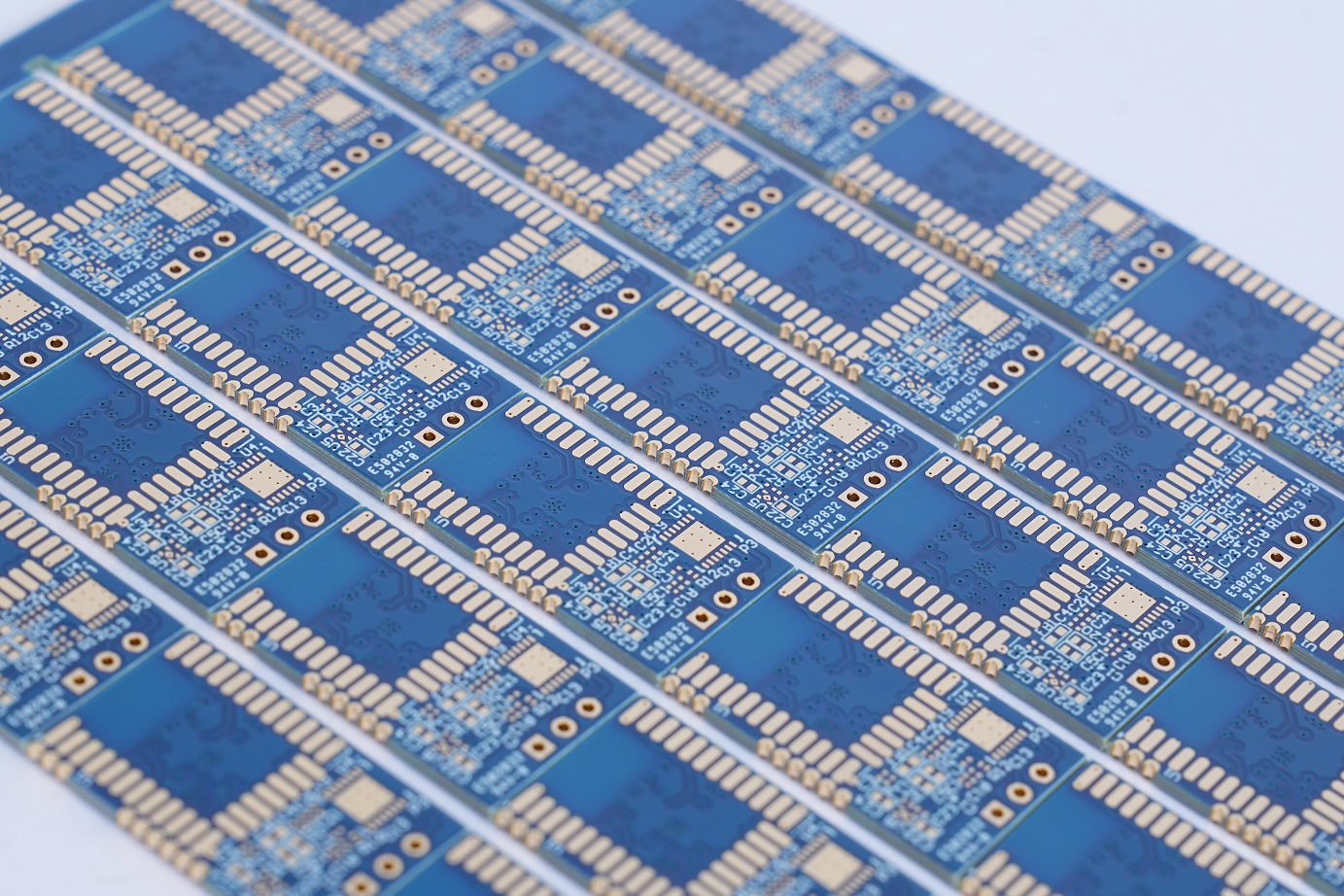
              • You want to impress investors or early customers with a unique prototype.

              If none of the above apply, and your board is hidden in an enclosure, you may not need purple. But if visibility, branding, or presentation are part of your plan, purple is a great choice.

              Is Purple PCB More Expensive than Green Circuit Board?

              Yes, purple PCBs usually cost more than green ones, but not by a large margin. The factors affect its cost are mainly:

              • Material Availability: Green solder masks are stocked in bulk; purple is often a specialty item.
              • Production Setup: Some fabricators treat purple as a custom order, which involves extra setup steps.
              • Smaller Batch Runs: Purple PCBs are typically made in smaller quantities, which increases cost per unit.

              That said, if you’re ordering a low to medium volume, the cost difference is generally affordable—especially considering the visual value. At EBest Circuit (Best Technology), we offer purple solder mask as an option without charging unreasonably high premiums. Ask us for a quote, and we’ll walk you through the pricing.

              Methods for Producing Purple Solder Masks

              Creating a purple solder mask on a printed circuit board can be achieved through two main techniques, each suited to different design and production needs:

              1. Pigment-Mixed Solder Mask

              In this method, purple pigments are directly blended into the liquid solder mask resin before it is applied to the board. This is especially effective with LED-curable solder masks, which allow for greater pigment flexibility compared to traditional UV-curable systems.

              To ensure a rich and opaque purple finish, the mask layer may need to be slightly thicker. This additional thickness helps accommodate the pigment load and improves visual uniformity across the board surface.

              2. Base Mask with Purple Legend Ink

              This technique involves applying a base solder mask color, typically white, to the PCB. Purple legend ink is then printed over designated areas that require solder protection.

              This approach offers vibrant purple color without significantly increasing mask thickness. It also enables the use of multiple colors on a single board, which is useful for custom designs or highlighting key areas. However, it demands precise registration during the legend printing process to maintain alignment and consistency.

              Purple PCB Manufacturer – EBest Circuit (Best Technology)

              At EBest Circuit (Best Technology), we are your reliable one-stop PCB manufacturer in China, ready to meet all your diverse circuit board needs—including custom Purple PCBs.

              Our engineering, production, and quality teams bring years of experience across various industries. We understand that every sector has its own set of standards. Whether you’re in medical, automotive, or aerospace, we follow the most widely recognized industry practices to meet your exact requirements.

              We manufacture all PCBs in compliance with IPC standards, including:

              • IPC-A-600 for PCB fabrication
              • IPC-A-610 for PCB assembly

              By default, our products meet IPC Class 2 standards. If your application demands it, we also support Class 3 and Class 3A, which are common for high-reliability or mission-critical devices.

              If you have any questions—whether it’s about pricing, MOQ, delivery times, certifications, quality standards, or engineering support—feel free to reach out at any time. Our team is here to help. We’re committed to becoming one of the best PCB manufacturers in China, focused on delivering the highest quality, competitive pricing, and dedicated service for every customer.

              Purple PCB Manufacturer – EBest Circuit (Best Technology)

              FAQs

              1. Is purple solder mask just for looks?

              Yes. Purple is a cosmetic choice. It does not change how the PCB works.

              2. Can I use purple on high-frequency or HDI boards?

              Absolutely. Purple solder masks are compatible with all types of PCBs, including multilayer, HDI, and RF boards.

              3. Is purple solder mask more prone to defects?

              No. As long as the process is controlled properly, purple performs just like other colors.

              4. How can I get a purple PCB made?

              Just mention the purple solder mask when you request a quote from us. We’ll confirm details and start the process.

              5. Does EBest Circuit (Best Technology) offer other rare colors too?

              Yes. Besides purple, we offer red, blue, yellow, black, white, and even custom Pantone shades.

              You may also like

              What is EMS in Electronics?

              July 16th, 2025

              EMS refers to a range of services offered by specialized companies that design, assemble, test, and distribute electronic components or assemblies. These services are crucial to the electronics supply chain, especially as companies seek faster production, cost-effective solutions, and greater focus on innovation rather than internal manufacturing processes. In this article, we will explain the EMS meaning in electronics, how it differs from OEM, and why it’s becoming the preferred solution for many industries.

              What Does EMS Stand for in Electronics?

              In electronics, EMS stands for Electronic Manufacturing Services. It describes companies that offer a full range of manufacturing services for electronic products on behalf of original equipment manufacturers (OEMs). EMS companies handle everything from printed circuit board assembly (PCBA) to box builds, testing, and even logistics.

              The EMS meaning in electronics has evolved over the years. Initially focused only on assembly, EMS now covers the entire product lifecycle, including design assistance, prototyping, materials sourcing, final product integration, and post-sales services. EMS helps companies reduce production costs, improve lead times, and maintain high-quality standards without building their own manufacturing facilities.

              What Does EMS Stand for in Electronics?

              What Is the Difference Between OEM and EMS?

              Many people confuse OEM (Original Equipment Manufacturer) with EMS, but they serve very different purposes.

              • An OEM is responsible for the product concept and design. OEMs usually create the brand, own the intellectual property (IP), and manage marketing and distribution. However, they often outsource the actual manufacturing to EMS providers.
              • An EMS company specializes in manufacturing electronics based on the OEM’s design. They may offer additional services such as design optimization and testing, but they don’t usually own the product IP.

              For example:

              A tech startup designs a wearable fitness tracker. They are the OEM. Instead of setting up a factory, they work with an EMS provider to manufacture the product, conduct functional testing, assemble the final unit, and ship it globally.

              What Do EMS Providers Do?

              EMS providers offer a full suite of services that span from initial design consultation to final product shipment. These services typically include:

              • PCB assembly (SMT & THT)
              • Sourcing of electronic components
              • Design for manufacturing
              • Engineering Support
              • Prototype service
              • Testing and inspection (ICT, FCT, AOI, X-RAY, etc.)
              • Mechanical assembly
              • Box build and system integration
              • Packaging and logistics (depends on the payment terms)

              EMS companies play a central role in bridging the gap between product design and final delivery. Businesses that don’t own manufacturing plants—or wish to scale quickly—can rely on EMS companies to handle production, logistics, and even after-sales support.

              What Do EMS Providers Do?

              Common Industries That Rely on EMS Solutions

              Many industries especially for electronic industry depend on EMS companies due to the complex nature of electronic product development and production. Some common industries include:

              1. Consumer Electronics

              Smartphones, tablets, wearables, and gaming consoles are often produced in partnership with EMS companies, who manage high-speed assembly and short product lifecycles.

              2. Medical Devices

              From diagnostic equipment to portable health monitors, EMS companies provide precision assembly and documentation that comply with strict medical regulations (e.g., ISO13485).

              3. Automotive Electronics

              Modern vehicles are full of electronic control units (ECUs), infotainment systems, sensors, and cameras. EMS partners help automakers achieve reliability and consistency.

              4. Telecommunications

              Routers, base stations, and networking equipment require robust PCBA and quick scalability—ideal for EMS manufacturing models.

              5. Industrial Automation

              Controllers, PLCs, and robotics equipment are often built by EMS providers, ensuring durability and performance in tough environments.

              Benefits of Working with EMS Companies

              Working with EMS companies brings many advantages, especially for businesses looking to optimize operations and reduce overhead.

              1. Cost Reduction

              EMS providers work at scale, reducing material costs, labor expenses, and production waste. Their optimized processes bring significant cost savings compared to in-house manufacturing.

              2. Faster Time to Market

              EMS companies are built for speed. They streamline procurement, assembly, and testing, helping OEMs launch products more quickly.

              3. Production Flexible

              Whether you’re building 100 units or 100,000, EMS providers can ramp up production based on your needs.

              4. Access to Skilled Labor and Advanced Equipment

              With a dedicated team of engineers, technicians, and quality experts, EMS partners ensure high-quality output using modern equipment.

              5. Reduced Supply Chain Complexity

              EMS providers handle sourcing, logistics, and inventory management, reducing the burden on the OEM and improving reliability.

              6. Global Reach

              Some EMS companies offer local manufacturing as well as global distribution, making it easier to reach customers worldwide.

              Electronic Manufacturing Services (EMS) Companies in China

              China is home to some of the world’s most established electronic manufacturing services providers. These companies support global clients by offering:

              • Competitive pricing
              • Fast turnaround
              • Mature supply chains
              • Skilled engineering teams
              • High-volume production capabilities

              Whether it’s smartphones, industrial controllers, or IoT devices, many companies prefer to work with electronic manufacturing services (EMS) companies in China for their ability to handle rapid prototyping, complex assembly, and scalable production.

              Chinese EMS companies often provide end-to-end solutions—from prototyping to full product assembly—and are favored by startups and global brands alike. Some common PCB EMS provider like:

              • PCBWay
              • JLCPCB
              • EBest Circuit (Best Technology)
              • ALLPCB
              • Hitech Circuits Co., Ltd.
              • NextPCB
              • Rayming PCB
              Electronic Manufacturing Services (EMS) Companies in China

              Why EBest Circuit (Best Technology) Is a Trusted EMS Partner?

              EBest Circuit (Best Technology) is a professional EMS provider based in China, offering complete manufacturing services to clients worldwide. We are committed to delivering reliable, high-quality electronics tailored to customer requirements.

              • We are certified to ISO9001, ISO13485, IATF16949, AS9100D, UL, RoHS, ensuring that every product meets global quality standards.
              • From PCB fabrication to final assembly and logistics, we provide turnkey EMS solutions that shorten lead times and reduce complexity.
              • Our experienced team helps optimize your designs for better performance and lower production costs.
              • With strong supply chain relationships and efficient production methods, we offer fair pricing without compromising quality.
              • We serve clients in North America, Europe, and Asia, with strong communication and technical support.

              Whether you need rapid prototypes or high-volume manufacturing, EBest Circuit (Best Technology) is ready to be your trusted EMS partner.

              FAQs

              1. What is EMS meaning in electronics?

              EMS stands for Electronic Manufacturing Services. It refers to companies that manufacture, assemble, and test electronic components or systems for other businesses.

              2. How is EMS different from OEM?

              OEMs design and brand products, while EMS companies focus on manufacturing and assembly based on OEM specifications.

              3. Why do businesses prefer EMS providers?

              EMS partners help reduce cost, speed up product launches, and allow companies to focus on design and sales instead of manufacturing.

              4. Are EMS companies only for large corporations?

              No. Many small and medium-sized businesses rely on EMS companies for prototyping, small-batch runs, and full production.

              5. What makes EBest Circuit (Best Technology) a reliable EMS company?

              EBest Circuit (Best Technology) offers certified quality, full traceability, engineering support, and turnkey EMS solutions backed by years of experience in the industry.

              You may also like

              Aluminum PCB for Round High Bay LED Lights | EBest Circuit (Best Technology)

              July 15th, 2025

              What Is a Round High Bay LED Light?

              A round high bay LED light is a type of industrial lighting fixture used in buildings with high ceilings—usually more than 20 feet. These lights are designed in a circular or UFO-style shape to evenly distribute light over large areas. You’ll often find them in warehouses, gymnasiums, factories, airports, and retail stores. Compared to older metal halide or fluorescent systems, round high bay LED lights are more energy-efficient, last longer, and require less maintenance.

              Each fixture typically contains multiple high-power LEDs mounted on a metal-core PCB, surrounded by a reflector and protected by a lens. These components are arranged to direct intense, bright light downward to cover a wide area. The circular layout is easy to install, especially for ceilings where centralized lighting is needed.

              Aluminum PCB for Round High Bay LED Lights

              Do High Bay LED Lights Get Hot?

              Yes, high bay LED lights can get hot—especially after extended use. Although LEDs are more efficient than traditional lighting sources, they still generate heat during operation. The more powerful the light (for example, 100W, 150W, or 200W round high bay fixtures), the more heat it produces.

              Unlike incandescent or halogen lights, LEDs don’t emit heat through infrared radiation. Instead, their heat builds up internally around the chip and must be conducted away through the PCB and heat sink. If the heat isn’t managed properly, it can reduce the light’s efficiency, shorten the LED’s lifespan, and even cause failure. That’s why thermal management is crucial for high bay LED lights—and why aluminum PCBs are widely used in their construction.

              Why Use Aluminum PCB for High Bay LED Lights?

              Aluminum PCBs are preferred in round high bay LED lights because they offer excellent thermal conductivity. In high bay environments, LED chips are packed closely together on a board, creating a concentrated source of heat. Aluminum PCBs help move this heat away from the chip quickly, reducing the risk of overheating.

              Traditional fiberglass PCBs (like FR4) are not good at handling thermal loads. They trap heat near the components, which can lead to LED failure. In contrast, aluminum PCBs consist of a metal base layer, a dielectric insulation layer, and a copper circuit layer.

              Using aluminum PCBs in high bay LED lights also helps to maintain consistent brightness, reduce light degradation over time, and support longer operating lifespans—often 50,000 hours or more.

              Aluminum PCB for Round High Bay LED Lights

              Advantages of Using Aluminum PCB

              1. Aluminum PCBs rapidly transfer heat away from LED chips, so that they can reduce the temperature at the LED junction and maintains stable light output over time.

              2. High bay lights are often used in demanding environments like factories and warehouses. The base material of aluminum PCB is metal, so they can provide better structural stability and resistance to vibration and moisture.

              3. When LEDs operate at lower temperatures, their lumen output remains consistent for years with minimal degradation.

              4. Despite their strength, aluminum PCBs are relatively lightweight compared with copper core PCB. This can reduce the overall weight of the high bay fixture, make it easier to install and handle.

              5. Though aluminum PCBs cost more than standard FR4 boards, their durability, reliability, and low maintenance result in long-term savings—especially in industrial settings where lighting failures can be costly.

              1W vs 2W vs 3W Aluminum PCB: Which One Is Best?

              In aluminum PCBs used for round high bay LED lights, the terms 1W, 2W, and 3W refer to the thermal conductivity of the dielectric layer between the copper circuit and the aluminum base, not the power of the LEDs themselves.

              It’s measured in watts per meter-kelvin (W/m·K) and indicates how efficiently heat is transferred from the copper to the aluminum core. The main job of dielectric layer is to insulate electrically while conducting heat away from the LED components. Here’s how they compare:

              • 1W Aluminum PCB

              1W PCBs are used for low-power applications where heat is minimal. They’re suitable for small or decorative lights but not recommended for industrial high bay systems. The heat dissipation capacity is limited, and using them in high-power lights may cause overheating.

              • 2W Aluminum PCB

              2W PCBs offer better heat conductivity than 1W versions and are often used in mid-power LED lights, such as 50W to 100W systems. They provide a balance between performance and cost, and they work well in moderately demanding environments.

              • 3W Aluminum PCB

              3W PCBs are designed for high-performance LED lighting. They are ideal for 150W to 200W round high bay fixtures, where multiple high-output LEDs are densely packed. These boards handle more heat and offer higher durability under continuous operation.

              So, which one is best? For round high bay LED lights used in industrial or commercial buildings, 3W aluminum PCBs are usually the best option. They support powerful LEDs, provide excellent thermal control, and reduce the risk of system failure.

              Aluminum PCB for Round High Bay LED Lights

              Round High Bay LED Lights PCB Design Guide

              Designing a printed circuit board (PCB) for round high bay LED lights requires special attention to thermal management, electrical performance, mechanical stability, and spatial efficiency. These lights operate in high-ceiling environments and typically involve high power, which means the PCB must handle significant heat while maintaining long-term reliability.

              1. Shape and Form Factor

              Since the fixture is round, the PCB is typically designed in a circular shape to match the housing and ensure symmetrical light distribution. This helps maintain uniform brightness across the target area and improves heat spreading across the surface.

              To design the board:

              • Use radial symmetry when placing LED chips to maintain uniform light output.
              • Create concentric LED rings to balance thermal and optical performance.
              • Align mounting holes and cutouts with the housing’s mechanical features for secure fitting.

              2. Material Selection: Aluminum Core

              The aluminum substrate is the foundation of thermal performance. Choose high-quality aluminum cores with good thermal conductivity—typically in the range of 1.0 W/m·K to 3.0 W/m·K.

              Common material stack-up:

              • Top layer: Copper circuit (usually 1oz or 2oz)
              • Middle layer: Dielectric insulating layer (optimized for thermal transfer, usually 75–150ÎŒm thick)
              • Bottom layer: Aluminum base (typically 1.0–1.6mm thick)

              Noted: The thicker the base, the higher the dielectric layer value, the better the heat transfer, but also the heavier and costlier the board becomes.

              3. Copper Thickness and Trace Width

              For high-power LEDs, the copper thickness should be:

              • 1oz (35ÎŒm) minimum for moderate power (≀100W)
              • 2oz (70ÎŒm) or 3oz (105ÎŒm) for high-power designs (≄150W)

              Use wide copper traces to reduce resistive losses and avoid overheating. Calculate trace width based on expected current using IPC-2221 standards.

              4. Thermal Management Techniques

              Heat dissipation is critical in high bay LED lights. Key design methods include:

              • Use direct thermal path: Use thermally conductive vias or metal-core structures to transfer heat from LEDs to the aluminum base.
              • Thermal vias: For multilayer aluminum PCBs (if needed), add thermal vias below heat-generating components to improve vertical heat flow.

              5. LED and Component Placement

              Carefully plan the placement of LEDs, drivers, resistors, and protection components:

              • LEDs: Distribute evenly in radial or concentric patterns to ensure uniform illumination.
              • Driver ICs and capacitors: Place these in cooler areas away from dense LED zones to reduce thermal interaction.
              • Thermistors or temperature sensors: Add for real-time temperature monitoring and safety.

              Avoid placing heat-sensitive components directly beside high-heat sources.

              6. Electrical Isolation and Safety

              Since aluminum is conductive, electrical insulation is critical. The dielectric layer between the copper circuit and aluminum base must withstand at least 2–3kV isolation voltage. It is better to consult your PCB manufacturer to get a best solution.

              Our Aluminum PCB Manufacturing Capability

              ItemCapabilities
              Layer Count1 – 10 Layers
              Max Board Dimension24” × 64” (610mm × 1625mm)
              Min Board Thickness0.6mm
              Max Board Thickness4.0mm
              Conductor Thickness0.5oz – 10oz
              Min Line Width/Line Space4/4mil (0.10/0.10mm)
              Min Hole Diameter10mil (0.25mm)
              Min Punch Hole Diameter0.12” (3.0mm)
              Min Hole Spacing16mil (0.4mm)
              Min PAD Ring (Single)3mil (0.075mm)
              PTH Wall ThicknessNormal: 0.59mil (15ÎŒm); HDI: 0.48mil (12ÎŒm)
              Min Solder PAD Diameter14mil (0.35mm)
              Min Soldermask Bridge8mil (0.20mm)
              Min BAG PAD Margin5mil (0.125mm)
              PTH/NPTH Dia TolerancePTH: ±3mil (0.075mm); NPTH: ±2mil (0.05mm)

              Where Can I Get an Aluminum PCB Quote?

              If you’re sourcing aluminum PCBs for round high bay LED lights, it’s important to choose a supplier with experience in LED lighting applications. Getting the right material, thickness, and thermal configuration can make a big difference in your product’s performance.

              EBest Circuit (Best Technology) is a professional PCB manufacturer offering customized aluminum PCBs for LED lighting. We support a wide range of applications, from low-power LED modules to high-power round high bay LED lights. Our services include:

              • Custom shapes PCB designs, like round, rectangle, irregular

              • Various materials available, aluminum, copper, FR4, ceramic and so on
              • 3W aluminum PCB production
              • Fast prototyping and mass production
              • Strict quality control ISO quality control system
              • Competitive pricing and fast delivery
              • No MOQ & fully flexible
              • Turnkey services from PCB design, components sourcing to PCB assembly
              • SMT factory both in China & Vietnam

              To get a free aluminum PCB quote, simply send us your design files or requirements. Our engineering team will review your project and offer the best solution based on your needs and budget.

              If you’re ready to start a new LED lighting project or improve your current product line, partnering with EBest Circuit (Best Technology) can help to save time, reduce costs, and deliver reliable lighting solutions to you.

              FAQs

              1. What material is used in aluminum PCBs for high bay lights?

              Aluminum PCBs use a base of aluminum metal, a dielectric layer for insulation, and a copper layer for circuit routing. This stack helps transfer heat from the LEDs to the fixture housing efficiently.

              2. Can I use FR4 PCB in round high bay LED lights?

              FR4 can be used for very low-power LEDs, but it’s not suitable for high bay lights due to poor heat dissipation. Aluminum PCBs are much more reliable in these applications.

              3. Can aluminum PCBs be multilayered?

              Yes, but multilayer aluminum PCBs are complex and more expensive. Most LED lights use single or double-layer aluminum boards.

              4. What’s the standard thickness for aluminum PCBs?

              The base thickness usually ranges from 1.0mm to 1.6mm. Copper thickness varies from 1oz to 3oz, depending on current load requirements.

              5. How can I get a quote for custom aluminum PCBs?

              You can contact EBest Circuit (Best Technology) with your design files or specifications. We offer fast quoting, engineering support, and manufacturing tailored to your LED lighting project.
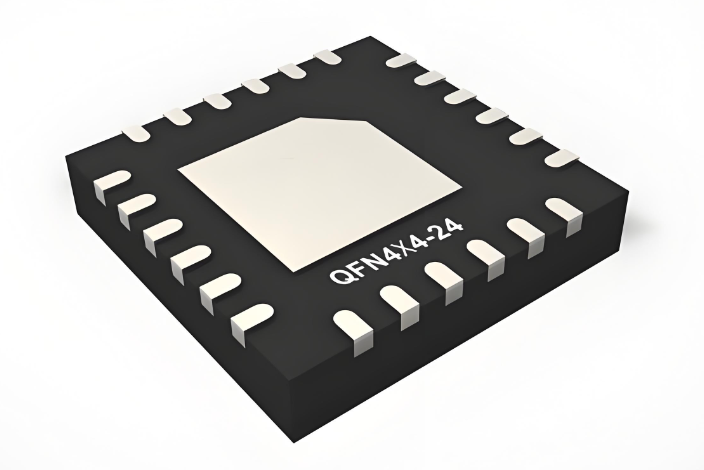
              You may also like

              What Is a Motor Board and Why Do You Need a Motor Driver Board?

              July 15th, 2025

              A motor board is a key part of any system that controls electric motors. Whether you’re building a small robot, a smart curtain, or a DIY RC car, the motor board is the part that connects your brain (the microcontroller) to your muscle (the motor).

              You cannot connect a motor directly to an Arduino, Raspberry Pi, or other microcontroller because motors need more power than these boards can handle. That’s where a motor driver board comes in. It supplies power and manages direction, speed, and safety.

              In this guide, we’ll explore what a motor board is, the types available, how it works, and why it’s so important for any project with moving parts.

              What Is a Motor Board and Why Do You Need a Motor Driver Board?

              What Is a Motor Board?

              A motor board is a small printed circuit board (PCB) designed to control electric motors. It acts like a translator between your low-power controller and your high-power motor. You send simple signals to the board, and the board powers and controls the motor for you.

              Motor boards are often used in robotics, automation systems, and electric vehicles. They are essential when you want to move wheels, turn gears, lift arms, or rotate anything using a motor.

              They can work with different types of motors, such as:

              • DC motors
              • Stepper motors
              • Servo motors
              • Brushless DC motors (BLDC)

              Each motor type may require a different kind of motor board.

              What Does Motor Board Mean?

              The term motor board means a circuit board made specifically for motor control. It includes components like driver chips, power inputs, connectors, and sometimes sensors.

              In simple terms, it’s a smart power switch. You tell it what to do (via signals from a microcontroller), and it supplies the right amount of power to the motor.

              For example, when building a robot, the main board might handle logic, sensors, and communication. The motor board only deals with moving the wheels. That separation makes the system more reliable and easier to design.

              Types of Motor Board

              There are many types of motor boards, and each one is built to handle specific motors or motion requirements. Here are the most common:

              1. DC Motor Driver Boards

              These are used for basic motors that rotate in one direction or both. You can control speed and direction using PWM (pulse width modulation) and digital pins. A popular example is the L298N motor driver board, which can run two DC motors at once.

              2. Stepper Motor Boards

              Stepper motors move in fixed steps, not continuous rotation. These are great for projects that need precise movements, like 3D printers or CNC machines. Boards like the A4988 or DRV8825 are common choices. They control the step rate and direction.

              3. Servo Motor Boards

              Servos move to specific angles. They are used in robotic arms, RC cars, and camera gimbals. Servo boards control the angle through a PWM signal. Some boards allow you to connect many servos at once for large projects.

              4. Dual H-Bridge Motor Boards

              An H-Bridge lets current flow in both directions through a motor. This means your motor can spin forward or backward. A dual H-bridge board like the L298N or L293D can control two DC motors independently.

              5. Brushless DC Motor (BLDC) Boards

              BLDC motors are used in drones, electric skateboards, and industrial tools. They need more complex driver boards that handle three-phase power and feedback from position sensors. These boards often include FETs, controllers, and overcurrent protection.

              Why Do You Need a Motor Driver Board?

              6. Electric Motor Boards for Vehicles

              These high-power boards control large motors in e-bikes or scooters. They usually feature thermal sensors, regenerative braking, current limiters, and fault indicators. They are more robust than typical hobby motor boards.

              What Does a Motor Driver Board Do?

              A motor driver board takes control signals from a microcontroller and uses them to control the motor’s power. It does several important jobs:

              • Amplifies signals: Microcontrollers output low voltage. Motor driver boards boost these to match motor power requirements.
              • Controls direction: By switching current direction, the motor can spin forward or backward.
              • Adjusts speed: PWM signals let you change motor speed smoothly.
              • Protects components: Built-in diodes or protection chips guard against backflow current (back EMF), which can harm your controller.
              • Manages current: Some drivers limit current to prevent motor or circuit damage.

              So, the motor driver board is the part that makes motors usable with small electronics.

              What Is a Motor Board and Why Do You Need a Motor Driver Board?

              What Color Is a Motor Board Usually?

              Most motor boards are green, the standard color for PCBs. This green color comes from the solder mask, which protects the copper traces underneath.

              However, boards also come in:

              • Red – used by SparkFun and many other hobby suppliers
              • Blue – seen in some open-source projects
              • Black – popular for higher-end or custom boards
              • Yellow or White – rarely used but available

              The color doesn’t affect performance. It’s just for looks and branding. Pick based on function, not color.

              How to Make a Motor Board?

              If you want to build your own motor board, here are the basic steps:

              1. Choose Your Motor

              Decide if you’re using a DC, stepper, or servo motor. Each needs a different driver.

              2. Pick a Driver Chip

              Choose a suitable IC:

              • L298N for two DC motors
              • A4988 for stepper motors
              • TB6612FNG for better efficiency

              3. Design the Circuit

              Use PCB design software like: KiCad, EasyEDA, Eagle. Include connectors, capacitors, and resistors as needed. Add power input terminals and logic pin headers.

              4. Create the PCB

              You can:

              • Order from a PCB maker online like PCBway (lowest price but poor quality) or EBest Circuit (Best Technology) (competitive price with higher quality and 5 years quality guarantee).
              • Etch it manually at home (not recommended for beginners)

              5. Assemble the Board

              Solder all components. Double-check the orientation of ICs, diodes, and power connections.

              6. Test It Safely

              Start with a small motor. Use a current-limited power supply. Test using an Arduino with simple code.

              Building your own board is a great learning project, but for complex systems, buying a tested module is safer and faster.

              How to Make a Motor Board?

              Why Do You Need a Motor Driver?

              Microcontrollers are smart, but they’re weak when it comes to power. Motors often need 6V–24V and 1A or more. An Arduino pin provides only 5V and about 20–40mA.

              If you connect a motor directly to the microcontroller, two things might happen:

              1. The microcontroller resets or freezes

              2. The motor doesn’t spin—or worse, the controller burns out

              A motor driver board solves this. It protects your control board while giving the motor what it needs.

              It also adds:

              • Precise control (change speed or reverse easily)
              • Electrical isolation in some cases
              • Protection features like thermal shutoff or current limiting

              So, every project with motors—big or small—should include a driver.

              Why Do You Need a Motor Driver?

              What Is the Use of a Motor Driver Board?

              A motor driver board is used in any system that requires motion. Here are some common uses:

              1. Robotics

              From mobile robots to robotic arms, motor drivers control wheels, joints, and actuators. You can run multiple motors and coordinate movement smoothly.

              2. Automation

              In smart homes and factories, motors open doors, close blinds, or move conveyor belts. Motor boards provide the control logic behind these actions.

              3. Drones and RC Vehicles

              Brushless motor driver boards keep drones stable and responsive. In RC cars, motor boards drive wheels, steering, or servo-based suspension.

              4. 3D Printers and CNC Machines

              These use stepper motor drivers to move the nozzle or cutter precisely. Each axis has its own board.

              5. Electric Bikes and Scooters

              High-current boards manage wheel motors, brakes, and regenerative systems.

              A motor board is more than just a piece of hardware—it’s the control center that makes electric motors useful in real projects. Without one, your motor can’t respond to speed or direction commands, and your controller may get damaged trying to power it directly.

              There are many types of motor boards, from basic DC motor drivers to advanced BLDC boards used in EVs. You can buy them off the shelf or design your own if you’re building a custom system. Whether you’re working on a robot, a drone, or a smart appliance, the motor driver board is a must-have. It turns signals into motion, safely and efficiently.

              FAQs

              1. Can I run a DC motor without a motor board?

              You can, but it’s risky. Motors draw more current than microcontrollers can handle. You could damage your board.

              2. What is the best motor driver board for beginners?

              The L298N is affordable, easy to use, and works with most Arduino projects.

              3. Can a motor board control more than one motor?

              Yes. Dual motor boards control two motors. Some advanced boards can control four or more.

              4. Are all motor boards compatible with all microcontrollers?

              Not always. Check the logic level (3.3V vs. 5V) and connection type. Most hobby boards are designed for Arduino compatibility.

              5. Is it safe to build your own motor board?

              Yes, with proper design and low-voltage testing. Always double-check your connections and power ratings.

              You may also like

              What are Daughter Boards? Daughter Board vs Motherboard

              July 14th, 2025

              Daughter board is a term you might hear often when dealing with modular or expandable electronics. Whether you’re working on an industrial control system or building a custom computing platform, daughter boards play an essential role in modern circuit design. They provide a flexible way to add functions without reworking the main PCB. In this blog, we’ll explain what a daughter board is, how it compares to a motherboard, where it’s used, and how you can design or source one with support from EBest Circuit (Best Technology).

              What Is a Daughter Board?

              A daughter board is a secondary printed circuit board (PCB) that connects to a larger mainboard or motherboard to expand the system’s functions. Think of it as an add-on card or module. It doesn’t work alone but works in combination with a central PCB. It often contains components such as integrated circuits, connectors, sensors, or specialized chips.

              These boards are commonly used when the system needs modular features, like upgrading ports, adding wireless capabilities, or supporting additional I/O. For example, in a test system, you might use one daughter board for analog inputs and another for digital outputs.

              What Is a Daughter Board?

              What Is Another Name for a Daughter Board?

              Daughter boards are known by different names depending on their role or industry. Some common synonyms include:

              • Daughter card
              • Mezzanine board
              • Add-on board
              • Expansion board
              • Piggyback board

              All these terms describe the same core idea—a smaller board that connects to and works with a larger one.

              Types of Daughter Boards

              Daughter boards come in many forms, each built to serve a particular function. They help expand the capabilities of the mainboard while keeping the system modular and easier to maintain. Here are the most common types used in computing, electronics, and industrial applications:

              1. RAM DIMMs (Dual Inline Memory Modules)

              RAM DIMMs are one of the most recognized daughter boards used in computers. These modules plug directly into designated memory slots on the motherboard. Their job is to increase a system’s memory capacity, allowing it to handle more data and run applications smoothly.

              In modern computing, larger RAM is essential for multitasking, video editing, gaming, and server operations. DIMMs come in different sizes and speeds—such as DDR4 and DDR5—and are easily replaceable. Without them, most systems would be stuck with limited onboard memory, which slows down performance.

              2. Storage Expansion Boards

              Storage expansion boards provide extra connections for drives like HDDs (Hard Disk Drives) or SSDs (Solid-State Drives). These daughter boards offer additional interfaces such as SATA, NVMe, U.2, or M.2 that might not be available on the motherboard.

              Some advanced boards also include built-in RAID support, which protects data by mirroring or distributing it across multiple drives. These are especially useful in servers, data centers, and high-performance computing where fast and reliable storage is a top priority.

              3. Graphics Cards (GPUs)

              Graphics cards are powerful daughter boards that handle video output and image rendering. They connect through slots like PCIe and often come with their own processors, memory, and cooling systems. This makes them ideal for graphic-intensive applications such as gaming, animation, 3D rendering, and AI computations.

              A dedicated GPU offloads tasks from the CPU, significantly improving performance in systems that need to display complex visuals. While some basic systems use integrated graphics, most high-performance setups depend on discrete GPU daughter boards.

              4. Network Interface Cards (NICs)

              Network Interface Cards are daughter boards that enable wired or wireless network connectivity. While many modern motherboards come with built-in Ethernet or Wi-Fi, NICs are still widely used for upgrading to higher-speed interfaces (such as 10GbE) or adding more ports.

              These boards are commonly found in servers, workstations, and gaming systems. In industrial applications, NICs may support fiber optics, PoE (Power over Ethernet), or advanced features like VLAN tagging and network booting.

              5. Audio Processing Boards

              Audio daughter boards process sound input and output. Unlike basic onboard audio systems, these specialized boards use high-quality digital-to-analog converters (DACs), pre-amplifiers, and noise filters to deliver clearer, richer audio.

              They are widely used in music production, live broadcasting, home theater setups, and gaming rigs. Some also support surround sound formats and professional studio interfaces. If audio quality is critical to your application, a dedicated audio processing board is a valuable upgrade.

              6. Display Interface Boards

              Display interface boards handle video signal conversion and output for external screens. These daughter boards may include HDMI, VGA, DVI, DisplayPort, or LVDS connectors. In embedded systems, you may also find boards designed to interface directly with LCD or OLED panels.

              They are commonly used in digital signage, kiosks, medical imaging devices, and control panels where display requirements vary. By offloading display functions to a daughter board, designers can support multiple screen types without changing the mainboard.

              7. Power Regulation Boards

              Power regulation boards manage how power is distributed and controlled in an electronic system. They often perform tasks such as voltage step-down/up, current limiting, charging, or power sequencing. These daughter boards are important in devices that require multiple voltage rails or battery management.

              In portable devices, these boards ensure efficient use of power while protecting sensitive circuits. In larger systems, they may provide isolation between different zones or convert AC to DC. By moving these functions off the mainboard, designers save space and improve thermal performance.

              8. Customization Boards

              Customization boards, also known as breakout boards or feature boards, are developed for specific functions that aren’t supported by standard modules. These may include:

              • Touchscreens and user interface buttons
              • Sensor modules for temperature, humidity, gas, or motion
              • GPS, GSM, or LoRa communication modules
              • Data acquisition boards for test systems

              Engineers often design these boards for quick testing, prototyping, or low-volume applications where flexibility is key. They offer a fast and affordable way to add new features without redesigning the whole system.

              What are Daughter Boards? Daughter Board vs Motherboard

              What Is the Function of a Daughter Board?

              The primary function of a daughter board is to provide additional features or functionality to a mainboard. Here are some specific functions it can serve:

              • Add new sensors or interfaces
              • Upgrade or replace audio/video output
              • Provide motion or location tracking
              • Manage specific voltage domains
              • Extend computing power with co-processors
              • Act as a debugging or testing interface

              Instead of placing all features on one large board, designers break them up into smaller, modular boards. This approach saves space, simplifies design updates, and reduces cost for future upgrades.

              What Is the Difference Between a Motherboard and a Daughterboard?

              The motherboard is the main printed circuit board (PCB) in a device. It acts as the central hub that connects all critical components—such as the CPU, memory, storage, power supply, and input/output interfaces. It handles communication between all subsystems and manages the overall operation of the device.

              In contrast, a daughterboard is a secondary PCB that connects to the motherboard to add or enhance a specific function. It cannot work independently. Instead, it extends the capabilities of the mainboard by providing extra features like sound processing, network connectivity, graphics acceleration, or additional input/output ports. Here’s a simple comparison:

              FeatureMotherboardDaughter Board
              RoleCore system boardAdd-on module
              SizeLargerSmaller
              FunctionMain processor and system logicExtended features
              UpgradeRarely replacedEasily replaced or upgraded
              ExamplesPC mainboard, controller boardAudio module, sensor board, NIC

              At EBest Circuit (Best Technology), we support both motherboard and daughterboard PCB fabrication. Our team can help you plan, prototype, and produce modular solutions with optimal connector design, layout suggestions, and fast production turnaround.

              Daughter Board Price

              The cost of a daughter board depends on its design, complexity, and production quantity. Here’s a general pricing guide:

              • Basic I/O boards (2-layer, few components): $5–$15 each in volume.
              • Sensor modules or wireless boards: $15–$40 depending on components.
              • Multilayer signal boards (4–6 layers): $50–$100+ per board.
              • Prototyping runs (low volume): Higher due to tooling, setup, and test costs.

              Factors that affect price:

              1. Board size and layer count
              2. Type of connectors
              3. Components used (standard vs. custom)
              4. Surface finish and solder mask
              5. Quantity ordered

              If you’re looking for a cost-effective daughter board PCB, EBest Circuit (Best Technology) can offer you accurate quotes with options to fit your budget.

              What Is a Daughter Board Used For?

              Daughter boards are used across different industries where customization or modularity is a priority:

              1. Industrial automation like sensors, control relays, and communicate with programmable logic controllers (PLCs).

              2. Bluetooth or Wi-Fi modules in speakers, smart appliances, and gadgets are often built as daughter boards.

              3. Automotive’s ECUs to handle GPS, entertainment, camera feeds, or battery management.

              4. In medical devices like portable monitors or scanners, daughter boards add ECG, pulse oximetry, or USB functionality.

              5. Aerospace and military, used in systems where functions are split across ruggedized modules for reliability and repair.

              What are Daughter Boards? Daughter Board vs Motherboard

              How to Install a Daughter Board?

              Installing a daughter board is usually simple, but care is required. Follow these steps:

              1. Turn off the system power and discharge static from your body by touching a grounded metal surface.

              2. Check the orientation of the daughter board. Make sure the connector lines up properly.

              3. Press the board gently into the socket or header on the motherboard. Do not force it.

              4. Secure it with screws or stand-offs if needed.

              5. Turn on the power and check the function through your interface or software.

              Use the correct tools and avoid touching exposed pins. Improper installation could cause short circuits or connector damage.

              Daughter Board Design Tips

              Designing a daughter board may seem straightforward, but it requires careful planning to ensure it connects well with the motherboard, functions reliably, and remains easy to manufacture. Whether you’re building a sensor module, a power board, or a display interface, good design practices can help you avoid problems later in production and testing. Here are some essential design tips to keep in mind:

              1. Choose the Right Connector

              The connection between the daughter board and motherboard is the most critical part of your design. You’ll need to pick the correct board-to-board connector or interface based on your application.

              Consider:

              • Pin count
              • Current rating
              • Pitch and alignment
              • Mounting method

              Use high-quality connectors that are easy to assemble and can tolerate vibration or movement if your system is in a harsh environment.

              2. Plan for Mechanical Fit and Mounting

              Your daughter board should physically fit into the product enclosure or case. Make sure to:

              Define the exact outline dimensions and height of the board.

              • Avoid component collisions between the daughter board and nearby parts.
              • Use stand-offs, screws, or plastic clips to secure the board and reduce strain on the connectors.
              • Align connectors precisely to prevent stress or misalignment during insertion.

              A good 3D model of your enclosure and PCB assembly helps catch these issues early.

              3. Optimize Signal Routing

              Careful trace routing ensures signal integrity, especially for high-speed interfaces. Some tips include:

              • Short and direct traces between the connector and active components.
              • Controlled impedance routing for high-speed or differential signals (USB, HDMI, LVDS, etc.).
              • Keep analog and digital signals separated to reduce interference.
              • Route ground and power planes to provide a stable return path.

              For multi-layer daughter boards, a 4-layer stackup (signal–ground–power–signal) is a good starting point for balanced routing.

              4. Manage Power Distribution Carefully

              The daughter board may receive power from the motherboard or have its own power input. In either case, power management is crucial:

              • Use fuses or protection diodes to prevent reverse polarity and short circuits.
              • Include decoupling capacitors near every IC to filter noise.
              • Ensure power and ground lines are thick enough to carry the required current.
              • If different voltage levels are used (e.g., 5V and 3.3V), use voltage regulators or level shifters.

              Clear power planning prevents issues like overheating, unstable voltage, or damage to connected boards.

              5. Label Everything Clearly

              Proper labeling helps with assembly, testing, and future troubleshooting. Best practices include:

              • Silkscreen component names and pin labels near connectors.
              • Use clear reference designators (e.g., U1, C3, J1).
              • Add a board version number and date code for tracking.
              • Include a polarity mark on capacitors, LEDs, and connectors.

              If space allows, consider printing your company logo or board name for easy identification.

              6. Add Test Points and Debug Options

              Testing is easier when you plan for it. Add the following features:

              • Test points for important power rails, ground, and signals.
              • Jumpers or configuration switches if the board supports multiple modes.
              • Debug headers for I2C, UART, or SPI if microcontrollers are involved.

              These additions slightly increase cost but save hours during development and field servicing.

              7. Use Standardized Interfaces Where Possible

              If your daughter board will be reused or shared across multiple projects, stick to standard connectors and pinouts. Some popular standards include:

              • Raspberry Pi GPIO
              • Arduino headers
              • PCIe, USB, or M.2 interfaces
              • Flat Flex Cable (FFC) connectors

              Standardization improves compatibility, reduces the chance of pin mismatch, and simplifies replacement in the future. Below is a typical daughter board picture and its internal parts:

              Daughter Board Design Tips

              8. Document Everything

              Lastly, create full documentation before production. This should include:

              • Schematic diagram
              • Bill of materials (BOM)
              • Gerber files and drill files
              • Assembly drawings and 3D models
              • Test procedure, if applicable

              Proper documentation ensures that your manufacturer and QA team can assemble and verify the board without confusion.

              How EBest Circuit (Best Technology) Helps You?

              When you’re developing daughter board PCBs, you want a manufacturing partner who understands your needs. EBest Circuit (Best Technology) brings reliability, fast lead times, and engineering support to every order. We provide professional design reviews for daughter board projects. Our engineers can help verify your connector choices, check your layout for manufacturability, and guide you in selecting cost-effective materials. We also offer PCB prototyping and small-batch PCB production so you can test your design before full rollout. Here’s how we help:

              • One-stop PCB services: From layout to fabrication and assembly.
              • Design guidance: Connector selection, board outline, and thermal layout advice.
              • Full component traceability during production.
              • Fast prototyping and volume production: Short delivery times with stable quality.
              • Competitive pricing: Transparent quotes with no hidden fees.

              With rich experience in daughter board manufacturing, we support applications in medical, automotive, industrial, and more.

              If you’re planning your next daughter board PCB project, feel free to contact us for expert advice and a free quote.

              FAQs

              1. Can I reuse daughter boards across different systems?

              If the interface and power requirements match, you can often reuse them. That’s one of the big advantages of modular boards.

              2. What connectors are best for daughter boards?

              Common choices include board-to-board headers, card-edge connectors, and mezzanine sockets. The choice depends on current rating and mechanical space.

              3. Can I order a prototype of my daughter board before full production?

              Yes. EBest Circuit (Best Technology) offers quick-turn prototyping for testing and validation.

              4. Do daughter boards need firmware?

              Only if they contain microcontrollers or programmable components. Otherwise, they act as hardware extensions.

              5. Is it possible to add a daughter board later after initial product release?

              Yes. That’s the beauty of modular design—it allows upgrades or extensions without redesigning the main system.

              You may also like

              Circuit Board Assembly Services | EBest Circuit (Best Technology)

              July 14th, 2025

              Looking for reliable circuit board assembly services? At EBest Circuit (Best Technology), we provide full-service PCB assembly solutions that include SMT, through-hole, mixed assembly, and turnkey capabilities. Whether you’re building prototypes or going into mass production, we support your project from start to finish with engineering guidance, quality control, and fast lead times.

              What Are Circuit Board Assembly Services?

              Circuit board assembly services play a crucial role in the electronics manufacturing industry. They involve the process of placing electronic components onto a blank PCB to form a functioning circuit. This process transforms a bare board into a working device. It’s used in every industry that depends on electronics — from smartphones and cars to medical devices and aerospace equipment.

              There are three main methods in circuit board assembly:

              • SMT (Surface Mount Technology): Components are mounted directly onto the surface of the PCB.
              • THT (Through-Hole Technology): Leads are inserted into holes in the PCB and soldered underneath.
              • Mixed Assembly: Combines both SMT and THT for boards that require diverse components.

              Understanding these methods helps new customers communicate better with suppliers and choose the right assembly process based on the design and function of their product.
              Circuit Board Assembly Services | EBest Circuit (Best Technology)

              Types of Circuit Board Assembly Methods

              Different circuit designs and application needs call for different assembly methods. Here’s a breakdown:

              • Surface Mount Technology (SMT)

              SMT is the most common technique in use today. Components are placed directly on the PCB surface, enabling smaller designs, higher component density, and faster assembly. Automated pick-and-place machines position these components with high precision. It’s suitable for compact and high-speed devices such as smartphones, tablets, and IoT products.

              • Through-Hole Technology (THT)

              THT involves placing components with wire leads through pre-drilled holes in the PCB. The leads are soldered on the opposite side. This method offers greater mechanical strength and is often used for components that experience physical stress or need a strong bond, like connectors or transformers. THT is common in industrial and automotive PCBs.

              • Mixed Assembly

              When a PCB requires both surface-mounted components and through-hole parts, a mixed assembly approach is used. It’s often found in complex designs, especially when different voltage levels or mechanical supports are needed. Mixed assembly offers more flexibility but also requires advanced equipment and careful coordination.

              • Dual In-line Package (DIP) Assembly

              DIP is a specific type of through-hole assembly method that uses components with two parallel rows of pins (leads). These components are inserted into matching holes on the PCB and are often hand-soldered or wave-soldered. DIP is commonly used for ICs (integrated circuits), microcontrollers, and programmable logic devices during development or low-volume production. While not as compact as SMT, DIP is easier to prototype and replace, making it useful in educational, industrial, and repair applications.

              Turnkey vs. Consigned PCB Assembly: What’s the Difference?

              When working with an assembly partner, it’s essential to choose the right sourcing model:

              1. Turnkey Assembly

                In a full-turnkey model, the assembly provider takes care of everything. This includes sourcing components, manufacturing the PCB, assembling parts, testing, and delivery. It’s a hands-off approach for the customer and is preferred by startups or teams with limited resources. It reduces management complexity and lead times.

                2. Consigned Assembly

                With consigned assembly, the customer provides some or all the components. This is ideal for companies that already have components in stock or require tight control over part sourcing. While it offers flexibility, it also requires more effort from the client to ensure timely material delivery.

                3. Partial Turnkey

                A hybrid of the two, partial turnkey services split responsibilities — the customer supplies some components, and the assembler handles the rest. This balances control and convenience.
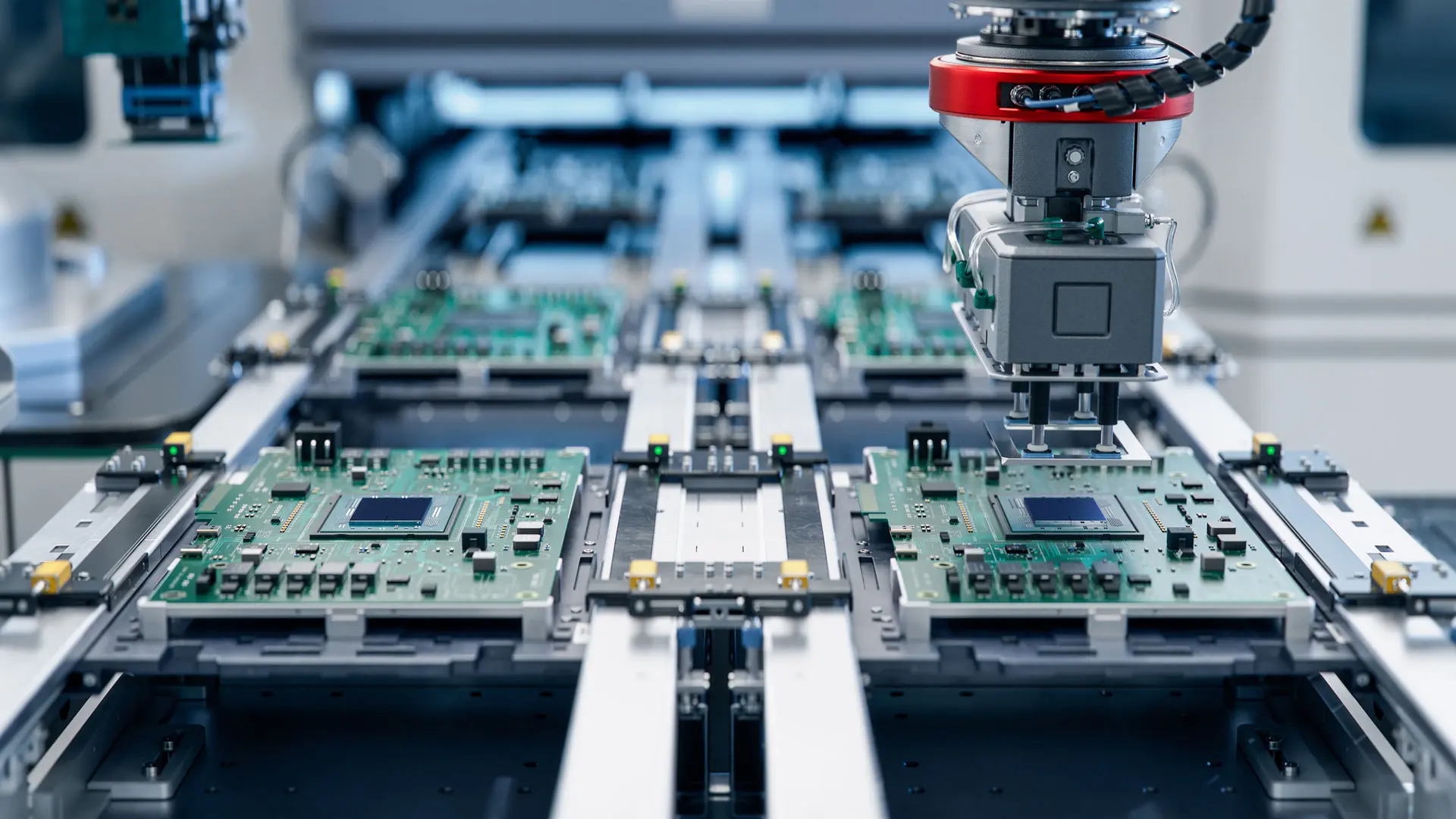
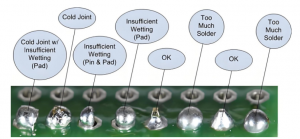
                At EBest Circuit (Best Technology), we offer both full turnkey PCB assembly service and consigned assembly. All of our components are sourced from authorized distributor or digikey, mousers, find chips and so on. We have established stable bussiness relationship with them, so that we can get the best price and shorter lead time.

                Key Capabilities of Our Circuit Board Assembly Services

                At EBest Circuit (Best Technology), we bring years of experience and investment in equipment to deliver top-quality PCB assembly services.

                1. SMT Line Capability

                We operate 4+ advanced SMT production lines capable of handling fine-pitch, small components (as small as 01005) both in China and Vietnam. Each line supports:

                • Single- and double-sided placement
                • Reflow soldering with nitrogen ovens
                • Automatic solder paste printing with SPI (Solder Paste Inspection)
                • High-Speed Pick and Place
                • Dual online AOI
                • X-ray inspect machine for fine pitch BGAs

                Our pick-and-place machines operate at speeds up to 80,000 components per hour, providing high efficiency for volume production. These machines offer accurate placement and are suitable for dense and complex boards.

                2. Fine-Pitch and BGA Soldering

                We’re capable of mounting fine-pitch ICs, BGA, QFN, and other challenging components. Our BGA rework station ensures precise alignment and reliable solder joints — ideal for high-reliability sectors like aerospace and medical.

                3. Leaded and Lead-Free Options

                We offer both leaded and lead-free soldering, depending on your application and regulatory requirements. All lead-free processes are compliant with RoHS and REACH directives.

                4. Component Sourcing and BOM Management Support

                Managing the bill of materials (BOM) is one of the most complex parts of circuit board assembly. We simplify this process:

                • Global Sourcing Network: We work with trusted distributors like Digi-Key, Mouser, Arrow, and Avnet.
                • Alternate Part Suggestion: If parts are obsolete or out of stock, our engineers will recommend alternatives based on functionality and compatibility.
                • Cost Control: We offer multiple supplier options and volume purchasing strategies to help reduce costs.
                • Inventory Tracking: Our MES system ensures full traceability from incoming materials to final product.
                • DFM & DFA checks before assembly with free services

                5. Various PCB Assembly Support

                We support various PCB assembly, including:

                • Rigid FR4 PCB
                • Metal core PCB
                • Ceramic PCB
                • Rigid flex PCB
                • Flex circuits
                • FR4 PCB with metal dome assembly
                • Box building assembly

                Whether your project is a prototype or a large batch, we’ll handle procurement smoothly to keep things on schedule.

                PCB Testing and Quality Inspection Services

                Quality is not just a checkbox — it’s a process. Our multi-stage inspection services help identify issues early and deliver reliable products.

                • AOI (Automated Optical Inspection)

                AOI checks for soldering defects, missing components, and polarity errors. It’s especially useful for SMT lines and runs on every board before moving to the next step.

                • X-ray Inspection

                We use X-ray machines to inspect solder joints under BGAs and other invisible parts. This non-destructive method ensures hidden connections are properly made.

                • ICT and Functional Testing

                We support In-Circuit Testing (ICT) and Functional Testing (FCT) using customer-provided test fixtures or our internal jigs. This verifies each component’s performance and the overall function of the board.

                • Visual Inspection (IPC-A-610)

                Our trained QC staff visually inspects boards under IPC-A-610 standards, covering cosmetic and dimensional defects.

                Certifications and Quality Standards We Follow

                We understand the importance of compliance. That’s why EBest Circuit (Best Technology) adheres to the following certifications and standards:

                • ISO9001: General quality management system for manufacturing.
                • ISO13485: Standard for medical device assembly.
                • IATF16949: Automotive-grade quality system for reliability and traceability.
                • UL Certification: For products entering North American markets.
                • RoHS and REACH: Compliance with hazardous substance control.
                • IPC-A-610: Acceptance standards for electronic assemblies.

                These certifications reflect our commitment to consistent quality and customer satisfaction.

                Fast Prototyping and Quick-Turn Assembly Options

                Startups, design houses, and R&D teams often need fast iterations. We support quick-turn prototypes with lead times as fast as 24–72 hours, depending on complexity and material availability.

                • No MOQ for prototypes.
                • DFM (Design for Manufacturability) checks to avoid errors.
                • Engineering support to adjust layout and improve yield.

                For urgent projects, we offer expedited services at competitive rates. Speed doesn’t mean sacrificing quality — our rapid builds go through the same rigorous inspection process.

                Industries We Serve with PCB Assembly Services

                Our experience spans multiple industries, each with unique demands:

                • Consumer Electronics: Wearables, smart devices, gaming consoles, and home automation.
                • Automotive: In-vehicle infotainment, power control modules, and driver-assist systems.
                • Medical Devices: Heart rate monitors, wearable health trackers, and diagnostic equipment.
                • Industrial Automation: Sensor boards, motor controllers, and factory equipment.
                • Aerospace & Military: Avionics modules, communication devices, and tactical systems.

                Our engineering team understands the compliance, testing, and documentation needs of each industry, making us a trusted partner.

                Why Choose Us for Your Circuit Board Assembly Needs?

                At EBest Circuit (Best Technology), we’re not just a PCB manufacturer — we’re a complete solution provider.

                • One-Stop Manufacturing: From PCB fabrication and component sourcing to final assembly and testing.
                • Engineering Support: Our team helps you optimize your design for performance and manufacturability.
                • Strict Quality Control: We apply multiple checkpoints to ensure every product meets expectations.
                • Competitive Pricing: We balance cost, quality, and speed through strategic sourcing and lean manufacturing.
                • Global Delivery: Our logistics team ships to over 80 countries with fast turnaround times.

                Our approach combines reliability, speed, and technical depth — all under one roof.

                How to Get a Quote for Circuit Board Assembly Services?

                We make it easy for you to start working with us. Here’s how the quote process works:

                1. Upload Your Files: Submit your BOM, Gerber files, and assembly drawings via our website or email.
                2. Engineering Review: Our team will review the files and provide DFM feedback if needed.
                3. Get a Quotation: You’ll receive a detailed quote within 24–48 hours.
                4. Sample Production: Once approved, we make a prototype or pre-production sample for confirmation.
                5. Mass Production: After sample approval, full production begins with agreed lead times.

                We’re happy to guide you through the process — whether you’re an experienced engineer or a first-time product developer.

                FAQs About Circuit Board Assembly

                1. What files do I need to provide for PCB assembly?

                You should provide Gerber files, BOM (Bill of Materials), centroid file, and any special instructions or drawings.

                2. What’s the minimum order quantity (MOQ)?

                We have no MOQ for prototypes. For production orders, we offer flexible quantities based on your needs.

                3. Can you source hard-to-find or obsolete components?

                Yes. We have strong relationships with global distributors and can help identify substitutes if needed.

                4. Do you offer RoHS-compliant lead-free soldering?

                Absolutely. We follow RoHS, REACH, and other international standards. Just let us know your preference.

                5. What’s your typical lead time for PCB assembly?

                Prototypes take 2–5 working days, while volume orders may range from 7 to 15 days depending on complexity.

                6. Do you offer testing services for my assembled PCBs?

                Yes, we provide AOI, X-ray, ICT, and functional testing depending on your product’s requirements.

                7. Can I get help if I’m unsure about my BOM or layout?

                Of course. Our engineers can review your files and recommend adjustments to improve performance and reduce cost.

                Whether you’re launching a new product or scaling an existing one, EBest Circuit (Best Technology) is ready to support your success with professional circuit board assembly services. From prototype to production, we help simplify the process, reduce your workload, and deliver high-quality results on time.

                📩 Contact us now to request a quote or speak to our engineering team.

                You may also like

                Rogers PCBs – The Ideal Choice for High-Speed Communication

                July 12th, 2025

                In EBest Circuit (Best Technology), the printed circuit Board manufacturing, particularly in high-frequency and high-speed signal transmission applications, Rogers Corporation’s PCB materials have become the go-to choice for our engineers. Rogers specializes in producing high-performance, highly reliable circuit board materials that find extensive use in wireless communications, automotive radar, satellite communication, and more. This blog post explores the unique advantages of Rogers PCBs and their significance in the international market.

                Rogers PCBs – The Ideal Choice for High-Speed Communication

                What is Rogers PCB?

                Rogers PCBs are renowned for their exceptional electrical performance. Compared to traditional FR-4 materials, Rogers materials offer a lower dissipation factor (Df), meaning they can maintain signal integrity at higher frequencies with reduced energy loss. This is critical for applications requiring precise data transmission such as 5G communications and millimeter-wave radars.

                Rogers materials exhibit outstanding thermal stability. In high-temperature environments, these materials retain dimensional stability and mechanical strength, ensuring the reliability of PCBs under extreme conditions. For devices that need to operate stably over long periods, such as base stations or satellite communication equipment, this feature is especially important. Here is a comparison between Rogers materials and FR4.

                PropertyRogers MaterialFR4 Material
                Dielectric Constant (Dk)Low and stable (e.g. 2.2 – 3.5)Higher and less stable (around 4.3 – 4.8)
                Loss Tangent (Df)Very low (as low as 0.0009)Higher (typically ~0.02)
                Signal LossMinimal, ideal for high-frequency applicationsMore signal loss at high frequencies
                Frequency PerformanceExcellent at RF/microwave frequencies (GHz range)Poor performance above 1 GHz
                Thermal StabilityExcellent (low Dk variation with temperature)Moderate
                Thermal ConductivityHigher (improves heat dissipation)Lower
                CostHighLow
                Material CompositionCeramic-filled or hydrocarbon-based laminatesWoven glass epoxy resin
                ApplicationRF, microwave, satellite, aerospace, radar, 5GConsumer electronics, computers, industrial devices
                Moisture AbsorptionVery lowHigher
                Impedance ControlBetter and more predictableLess accurate
                ManufacturabilityRequires experienced processing (different drilling etc.)Easy to process using standard PCB methods

                Moreover, Rogers offers a range of materials with different characteristics to cater to various application needs. From low-loss to ultra-high-frequency applications, customers can choose the most suitable material based on their specific requirements. This not only enhances design flexibility but also provides more solutions to address complex engineering challenges.

                In the context of globalization, competition in the international market has intensified. Utilizing Rogers PCB materials not only elevates the technical content and competitiveness of products but also offers customers a superior service experience. With the widespread adoption of 5G technology and the development of the Internet of Things (IoT), the demand for high-performance PCBs will continue to grow, making Rogers a leader in this field.

                Advantages of Rogers PCB

                1. Superior High-Frequency Performance

                Rogers PCBs offer excellent electrical performance at high frequencies. Their stable dielectric constant and low loss tangent minimize signal loss and dispersion, which is critical for RF and microwave applications.

                2. Low Dielectric Loss

                Rogers materials have very low Df (dissipation factor), reducing power loss during signal transmission. This makes them highly efficient for high-speed, high-frequency signal paths.

                3. Excellent Thermal Management

                Rogers laminates have better thermal conductivity compared to standard FR4, allowing for more efficient heat dissipation. This helps maintain performance in demanding temperature environments.

                4. Stable Electrical Properties

                Their dielectric constant remains consistent over a wide range of temperatures and frequencies, enabling precise impedance control and signal integrity in advanced circuit designs.

                5. Low Moisture Absorption

                Rogers materials absorb less moisture than FR4, making them reliable for outdoor, aerospace, or high-humidity environments.

                6. Better Reliability for Harsh Environments

                With high temperature resistance and chemical stability, Rogers PCBs perform well in aerospace, military, and industrial applications where standard FR4 may fail.

                Rogers PCBs – The Ideal Choice for High-Speed Communication

                Applications of Rogers PCB

                1. RF and Microwave Circuits

                Rogers PCBs are widely used in radio frequency (RF) and microwave communication systems, including antenna arrays, radar modules, and RF amplifiers.

                2. 5G Infrastructure

                Due to their low signal loss and excellent high-frequency characteristics, Rogers boards are ideal for 5G base stations, antennas, and network hardware.

                3. Aerospace and Defense Systems

                In aviation, satellites, and military electronics, Rogers PCBs provide the precision and durability needed for mission-critical communication and control systems.

                4. Automotive Radar and ADAS

                Modern vehicles use Rogers-based PCBs in advanced driver assistance systems (ADAS), radar sensors, and collision avoidance modules for reliable performance under extreme conditions.

                5. Medical Imaging and Equipment

                Rogers boards are used in MRI machines, RF ablation devices, and other diagnostic tools where consistent signal performance is crucial.

                6. High-Speed Digital Circuits

                In computing and telecommunications, Rogers materials support high-speed signal integrity for backplanes, routers, and high-frequency data transmission boards.

                Applications of Rogers PCB

                Conclusion

                Rogers PCBs stand out globally due to their outstanding performance and broad applicability. Whether developing new communication devices or improving existing systems, choosing Rogers is a wise decision. Their commitment to innovation ensures they remain at the forefront of technological advancement, providing unparalleled solutions for tomorrow’s electronic challenges.

                Best Tech is a very professional manufacturer in printed circuit board. If you are interesting to know more information for Rogers PCB and other high-speed signal transmission application for printed circuit board, please come to contact us at any time.

                You may also like