PCB manufacturing PCB manufacturing
Home > Blog

8-Layer PCB Stackup Design Guide | EBest Circuit (Best Technology)

July 11th, 2025

Designing a reliable multilayer circuit board starts with getting the stackup right. If your project involves high-speed signals, compact layouts, or reduced EMI, an 8-layer PCB stackup is a solid choice. It offers flexibility, better performance, and room for complex routing.

In this guide, we’ll walk you through everything you need to know—layer configurations, materials, sizes, and how to make the most of this structure with the help of a trusted PCB manufacturer.

8-Layer PCB Stackup Design Guide

What is a PCB Stackup?

A PCB stackup is the arrangement of copper layers and insulating materials inside a circuit board. These layers are stacked and bonded together using prepreg (resin-impregnated fiberglass) and core materials. The goal is to create a reliable board that supports both mechanical strength and excellent electrical performance.

In simple words, the stackup decides how signal layers, power planes, and ground layers are placed in the board. In high-speed digital designs, this structure plays a big role in signal quality, electromagnetic compatibility (EMC), and overall performance.

For an 8-layer PCB, the stackup consists of eight layers of copper with alternating dielectric materials. These are usually divided into four signal layers and four plane layers, though that can change based on your design needs.

PCB Stackup Considerations

For most PCB designs, there are often competing requirements between electrical performance, manufacturing limitations, cost targets, and system complexity. The final PCB stackup is usually a result of careful trade-offs across these factors. High-speed digital circuits and RF systems commonly rely on multilayer boards for better control and performance. Below are 8 essential principles to consider when designing a reliable stackup:

1. Layer Arrangement

In multilayer PCBs, you’ll typically work with signal layers (S), power planes (P), and ground planes (GND). Power and ground planes are usually solid, unbroken areas that provide low-impedance return paths for signal currents. Signal layers are often positioned between these planes to form symmetrical or asymmetrical stripline structures. The top and bottom layers are mainly used for component placement and limited routing. It’s best to keep traces on these outer layers short to reduce direct radiation and EMI.

PCB Stackup Considerations

2. Defining a Single Power Reference Plane

Decoupling capacitors are vital for maintaining power integrity, and they can only be placed on the outer layers of the PCB. The trace length, pad design, and vias connected to these capacitors greatly affect their effectiveness. To improve decoupling, make these connections short and wide, and minimize via length. For example, in a high-speed digital system, place decoupling capacitors on the top layer, dedicate the second layer to power for the processor, use the third layer for signal routing, and assign the fourth layer as a ground reference.

3. Incorporating Multiple Ground Planes

Using multiple ground planes helps create low-impedance return paths and minimizes common-mode EMI. Ground and power planes should be tightly coupled, and signal layers should also be close to reference planes. Reducing the dielectric thickness between layers improves coupling and enhances performance.

4. Managing Multiple Power Planes

When your design includes more than one power plane, these planes are often split into different voltage regions. If a signal layer is placed next to a multi-region power layer, signal currents may not find clean return paths, leading to noise or EMC issues. For high-speed digital signals, avoid routing traces near split power planes to prevent return current discontinuities.

5. Designing Signal Routing Pairs

When a signal travels from one layer to another, it creates what’s known as a “routing pair.” Ideally, the return current should stay within the same reference plane when switching layers. In practice, however, signals often need to transition between layers. To maintain signal integrity, ensure that return paths are available through stitching vias or decoupling capacitors. Using adjacent layers as routing pairs is a practical and effective strategy.

6. Routing Direction Guidelines

Keep trace directions consistent within each signal layer. At the same time, rotate the routing direction between adjacent signal layers. For instance, use horizontal routing (X-axis) on one layer and vertical routing (Y-axis) on the next. This practice reduces crosstalk and improves signal clarity.

7. Even-Layer Designs is Better

Although odd-layer PCBs may appear cheaper due to fewer materials, they’re more expensive to manufacture. That’s because odd-layer boards require non-standard lamination processes and additional handling steps. These increase the risk of surface damage, incorrect etching, and longer production times. In contrast, even-layer PCBs are more stable, cost-effective, and easier to produce at scale.

PCB Stackup Considerations

8. Budget

Multilayer PCBs are naturally more expensive than single- or double-layer boards. However, they offer significant benefits in functionality, miniaturization, EMI control, and signal integrity. When weighing total cost versus performance, the difference between multilayer and simpler boards may not be as high as expected.

Standard 8-Layer PCB Stackup Structure

When it comes to multilayer PCB design, the arrangement of signal, power, and ground layers directly affects signal integrity, EMI performance, and power delivery. Below are three common 8-layer stackup configurations, each with its own strengths and limitations.

Standard 8-Layer PCB Stackup Structure

Option 1:

Layer 1: Signal 1

Layer 2: Signal 2

Layer 3: Ground

Layer 4: Signal 3

Layer 5: Signal 4

Layer 6: Power

Layer 7: Signal 5

Layer 8: Signal 6

This layout alternates signal and power layers but does not take full advantage of the electromagnetic shielding benefits that a multilayer board can offer. The ground and power planes are separated, reducing the board’s EMI suppression capability. In addition, the power distribution network suffers from higher impedance, which may affect voltage stability in high-speed or high-current applications.

Option 2:

Layer 1: Signal 1

Layer 2: Ground

Layer 3: Signal 2

Layer 4: Power

Layer 5: Ground

Layer 6: Signal 3

Layer 7: Ground

Layer 8: Signal 4

This structure is widely regarded as the optimal 8-layer PCB stackup. It provides excellent electromagnetic shielding through the use of multiple ground planes. Each signal layer is placed adjacent to a reference plane (either ground or power), which improves signal stability and impedance control. Additionally, the tight coupling between power and ground planes enhances EMI performance and power integrity. This setup is ideal for high-speed, high-frequency, or noise-sensitive applications.

Option 3:

Layer 1: Signal 1

Layer 2: Ground

Layer 3: Signal 2

Layer 4: Power

Layer 5: Ground

Layer 6: Signal 3

Layer 7: Power

Layer 8: Signal 4

This configuration is a variation of Option 1 with improved EMI performance. By adding an extra reference plane, it provides better control over the characteristic impedance of the signal layers. However, the placement of the second power plane (with limited coupling to a nearby ground) leads to higher power delivery impedance, which could be a drawback in power-sensitive designs. Some optimization in power layer arrangement is still needed.

8-Layer PCB Stackup Materials

The performance of an 8-layer PCB stackup relies heavily on the materials used between and around its copper layers. These materials affect everything from electrical behavior to thermal stability and even mechanical strength. Let’s look at the two main categories: conductive and dielectric materials.

1. Conductive Layers

Copper is the most common metal used for the conductive layers in an 8-layer PCB. It’s highly conductive, easy to work with, and available in different thicknesses and finishes.

  • Copper Thickness: Most boards use œ oz or 1 oz copper per layer. If the design needs to handle higher current, 2 oz or thicker copper may be used.
  • Copper Type: Standard copper foil is either electrodeposited (ED) or rolled. Rolled and annealed copper is smoother and more flexible, which makes it useful in boards that need better bend resistance.
  • Surface Finishes: The exposed copper is usually treated with a surface finish to protect it and ensure solderability. Options include HASL, ENIG, OSP, and immersion silver, among others.

2. Dielectric Layers

The dielectric materials are the insulating layers that separate the copper traces. These layers are critical for controlling impedance, heat flow, and electrical isolation.

  • FR-4: A glass-reinforced epoxy laminate, FR-4 is the most common dielectric for general-purpose PCBs. It’s reliable, widely available, and cost-effective.
  • High-Frequency Materials: For RF and high-speed digital designs, materials with low dielectric loss—like PTFE (Teflon), ceramic-filled PTFE, or hydrocarbon-based ceramics—are preferred. These support better signal integrity at high frequencies.
  • Thermal Conductive Materials: When heat dissipation is a concern, substrates like alumina or aluminum nitride are used. These materials offer higher thermal conductivity than standard epoxy systems.

To hold everything together, manufacturers use prepregs—uncured fiberglass sheets soaked in resin. Common prepreg materials include FR-4 for standard designs and polyimide for higher thermal or mechanical stress environments.

At the center of the stackup is the core, which acts like a spine for the board. This rigid layer typically uses FR-4 or polyimide, though in some high-power or high-heat applications, metal cores are added to improve thermal performance.

8-Layer PCB Thickness & Sizes

The total thickness of an 8-layer PCB depends on several factors:

  • Copper thickness: Common values are 0.5oz, 1oz, or 2oz per layer.
  • Prepreg/Core thickness: Adjusted to achieve specific impedance and board height.
  • Number of plane vs signal layers: Affects thermal and mechanical behavior.

Common Thickness Options:

  • 1.6mm (0.063″) – Industry standard, suitable for most applications.
  • 2.0mm to 2.4mm – Used when extra copper is needed for higher current.
  • 3.2mm or custom – Selected for industrial or military-grade boards.

PCB Sizes:

Panel sizes are typically 18” x 24” before routing. Your board can be as small as a few millimeters or as large as the full panel, depending on the application.

6 Layer vs 8 Layer PCB

A 6-layer PCB consists of six layers of copper circuitry stacked with insulating layers (prepreg and core) in between. It usually includes:

  • 4 Signal Layers for routing high- and low-speed signals
  • 1 Power Plane to distribute voltage
  • 1 Ground Plane to provide a return path and help with EMI suppression

A typical 6-layer stackup looks like this:

Layer 1: Signal (Top)

Layer 2: Ground

Layer 3: Signal

Layer 4: Signal

Layer 5: Power

Layer 6: Signal (Bottom)

While both 6-layer and 8-layer PCBs are widely used in advanced electronics, they serve slightly different purposes depending on design complexity, signal speed, and EMI requirements. Let’s compare them together:

Aspect6-Layer PCB8-Layer PCB
Layer Count68
Typical Configuration4 signal layers + 1 power + 1 ground4 signal layers + 2 power + 2 ground
Routing SpaceModerateMore routing room
Signal IntegrityGood, suitable for most mid-speed signalsExcellent, supports very high-speed signal routing
EMI ShieldingLimited shielding with fewer ground planesStrong EMI control due to multiple ground planes
Power DistributionSingle power plane, higher impedanceDual power planes, better PDN performance
Design ComplexityLess complex, easier to design and fabricateMore complex, better for advanced designs
Thermal PerformanceAdequate for medium power applicationsBetter heat spreading for high-power components
CostLower fabrication costHigher cost due to more layers and materials
Use CaseMid-level MCUs, general embedded, basic RFFPGAs, DDR memory, high-speed data buses, complex SoCs

Use a 6-Layer PCB if:

  • Your design isn’t extremely dense.
  • The signals don’t require tight EMI control.
  • You want to balance performance and cost.
  • There’s no strict need for multiple ground or power planes.

It’s widely used in commercial electronics that don’t involve ultra-high-speed communication or compact multilayer routing challenges.

Choose an 8-Layer PCB when:

  • High-speed signals (such as PCIe, USB 3.x, DDR4, or SERDES) are involved.
  • EMI performance is critical, especially in sensitive industrial or medical devices.
  • You need more space for routing due to a denser component layout.
  • Stable power delivery is required across multiple voltage domains.
  • You’re working with a compact form factor that demands vertical signal distribution.

An 8-layer stackup allows designers to pair every signal layer with a nearby ground or power plane, which significantly improves signal quality and reduces noise.

Benefits of Working with an Experienced PCB Manufacturer

Designing and fabricating an 8-layer PCB stackup requires precise engineering and process control. Partnering with a reliable manufacturer like EBest Circuit (Best Technology) brings several benefits:

1. Stackup Design Assistance: Professional help with impedance control, signal integrity, and EMC optimization.

2. Material Expertise: Guidance in choosing suitable laminates for your specific requirements.

3. Advanced Fabrication: Capability to handle HDI, blind/buried vias, and tight tolerances.

4. Quality Assurance: Rigorous testing like AOI, X-ray, and impedance measurement.

5. Fast Turnaround: Efficient production process without sacrificing quality.

Why Choose EBest Circuit (Best Technology) for Your 8-Layer PCB Stackup?

EBest Circuit (Best Technology) is a trusted 8-layer PCB stackup specialist serving global customers across aerospace, medical, automotive, and industrial electronics. We hold certifications including:

  • ISO9001 for quality control
  • ISO13485 for medical electronics
  • IATF16949 for automotive-grade PCBs
  • AS9100D for aerospace applications

Our engineers assist with DFM check, impedance control, EMI reduction, thermal management, and material choices, ensuring your 8-layer design performs reliably under real-world conditions.

FAQs

1. What is the best layer configuration for an 8-layer PCB stackup?

A balanced configuration like Signal–GND–Signal–Power–GND–Signal–Power–Signal is often preferred for signal integrity and EMI control.

2. How much does an 8-layer PCB cost?

Cost varies by material, size, copper weight, and complexity, but typically ranges from $50 to $300 per board in small batches.

3. What software is used for 8-layer PCB design?

Tools like Altium Designer, Eagle, KiCAD, and OrCAD support multilayer PCB stackup planning and layout.

4. Can you use HDI features in 8-layer PCBs?

Yes. Blind and buried vias, via-in-pad, and microvias are often used in 8-layer HDI designs.

5. How do I choose the right manufacturer for 8-layer PCBs?

Look for certifications, material options, engineering support, and experience with multilayer stackups—like what EBest Circuit (Best Technology) provides.

You may also like

PCB Gold Finger Beveling Design, PCB Deisgn Guide

July 8th, 2025

Gold fingers are one of the most critical features in many circuit boards, especially those used in high-reliability connections. Whether you’re building a test interface, designing a PCIe card, or creating an edge connector, understanding gold finger beveling and its plating design is essential for durability and smooth performance.

Let’s explore everything about PCB gold fingers, the beveling process, and how to choose the right beveling angle for your board design.

PCB Gold Finger Beveling Design, PCB Deisgn Guide

What Is a Gold Finger?

PCB gold fingers are the gold-plated connectors located along the edge of a printed circuit board. They serve as contact points when a PCB is inserted into a slot or connector, just like in RAM, GPU cards, or other modular systems. These fingers are plated with hard gold to ensure they can withstand repeated insertion and removal cycles without wearing out.

They are called “fingers” because they look like narrow, elongated pads stretching along the PCB’s edge, similar to the fingers of a hand. Each gold finger connects to a circuit trace inside the board. When the PCB is inserted into a slot, the metal contacts on the gold fingers align with the contacts inside the connector, allowing signals to pass through.

The main reason gold is used is because it doesn’t corrode easily. Gold provides high conductivity and can withstand many insertions without losing its shape or functionality. In critical environments—like military, aerospace, or telecom—this reliability is essential.

Types of Gold Fingers in PCB

PCB gold fingers can be divided into two types – graded gold fingers and staggered gold fingers.

Types of Gold Fingers in PCB
  • Graded Gold Finger

Graded gold fingers refer to a design where the fingers are plated with gold at varying lengths or staggered elevations. Instead of all the fingers being aligned in a straight line, some are slightly longer than others. This is not just a visual variation—it serves a very specific purpose. Graded fingers are typically used in applications where controlled insertion sequencing is required. When the PCB is inserted into the slot, the longer fingers make contact first, followed by the shorter ones.

  • Staggered Gold Fingers

Another design strategy is using long and short gold fingers—also known as staggered gold fingers. This refers to gold fingers of different physical lengths on the same board edge, but typically without beveling or plating depth variation. This technique is commonly used in:

  • PCIe hot-pluggable cards
  • Industrial control systems with replaceable modules
  • Burn-in or test fixtures requiring safe first-contact

The lengths are designed based on the depth of the connector slot and how the PCB enters the socket. Sometimes only a few pins—such as GND or VCC—are made longer, while the rest remain short.

How Thick Is PCB Gold Finger Plating?

The durability of gold fingers comes from their plating thickness. Not all gold fingers are created equal. The thickness of the plating affects both how well they perform and how long they last.

The gold layer is not pure; it is electroplated hard gold, which includes a bit of cobalt to improve hardness and wear resistance. Here’s a breakdown of common thicknesses:

Application TypeGold Plating Thickness (Hard Gold)
Standard Consumer Devices0.76ÎŒm (30ÎŒin)
Industrial or Light Insertion1.27ÎŒm (50ÎŒin)
High-Durability Applications2.54ÎŒm (100ÎŒin)

In general, 50ÎŒin is the most common for boards that are plugged and unplugged many times. If the fingers are not meant to be removed often, thinner plating is usually fine. But when in doubt, thicker is better—it provides stronger wear resistance.

What Is the Process of Gold Plating in PCB?

Creating strong, reliable pcb gold fingers requires precision. The plating process is done after the rest of the board is fabricated and cleaned. The focus is to add a hard gold layer only to the fingers—nowhere else. Here’s how the PCB gold finger plating process works step-by-step:

1. Finger Area Isolation

First, the PCB is cleaned, and only the finger areas are exposed. The rest of the board is masked to prevent unwanted plating elsewhere.

2. Nickel Plating (Bottom layer)

A nickel layer (typically 3–6ÎŒm) is electroplated onto the copper finger base. Nickel improves gold adhesion and acts as a barrier to prevent copper from diffusing into the gold over time.

3. Gold Electroplating (Top Layer)

After nickel, a layer of hard gold is plated on top. This layer is usually between 30ÎŒin and 100ÎŒin depending on the application. The plating uses a current that drives gold ions onto the nickel surface.

4. Cleaning and Inspection

Once the plating is complete, the board is cleaned, and the gold fingers are inspected for uniformity, roughness, or any missing areas.

5. Beveling (If Required)

If beveling is needed, it is done after plating. The edge is shaped to allow easier insertion into connectors.

6. Final Finishing

The rest of the PCB receives its finish (e.g., ENIG, OSP, HASL), but gold fingers remain untouched.

This plating method results in durable, smooth connectors that resist oxidation and mechanical wear.

What Is Gold Finger Beveling?

Gold finger beveling is a mechanical process that trims the edge of the PCB—where the gold fingers are located—into a sloped angle. Rather than a blunt 90° edge, the bevel creates a smooth ramp-like surface.

Imagine sliding a PCB into a connector. A sharp edge might catch, damage the connector, or scrape off the plating. But a beveled edge slides in smoothly, reducing friction and improving contact.

This is especially useful for PCBs used in:

  • Backplane systems
  • Server racks
  • Communication modules
  • Plug-and-play components

The beveling process is typically done using precision grinding or CNC milling. Care is taken to maintain exact angle measurements without overcutting the gold plating.

What Is Gold Finger Beveling?

Purpose of Gold Finger Beveling

There are several important reasons why beveling is applied to PCB gold fingers:

  • Easier Insertion

A beveled edge helps the PCB slide into the connector smoothly. It reduces the chance of misalignment or jamming.

  • Prevents Contact Damage

Without beveling, the sharp PCB edge can scratch the connector pins, causing early wear or performance issues.

  • Reduces Wear and Tear

Repeated insertion cycles can wear out the gold plating. Beveling distributes the pressure more evenly, extending the lifespan of both board and connector.

  • Better Electrical Contact

Smoother insertion means better alignment and tighter contact with the metal pins inside the slot. This leads to more stable signals and fewer connection errors.

  • Professional Manufacturing Finish

Beveled gold fingers look more refined, signaling high-quality PCB craftsmanship.

For any board that’s going to be removed and reinserted frequently, beveling is not just a good idea—it’s almost essential.

Gold Finger Beveling Angle Options

When beveling, you have options for the bevel angle. The choice depends on how the PCB fits into its slot and the degree of insertion force you want to reduce. Here are the common beveling angles:

AngleDescription
30°The most popular angle. Balances mechanical strength and ease of insertion.
40°Offers a smoother slope than 30°. Used when insertion needs to be gentle.
45°The steepest slope. Useful when the board must glide into the slot with minimal resistance.

Most applications stick with 30°, but you should always check the connector specification. Some high-density or high-speed connectors might require tighter tolerances and smoother entry paths.

Considerations of Beveling Angles

Before you finalize your beveling angle, consider the following:

  • Slot Geometry

Look at how your connector or socket is shaped. If the slot opening is narrow, a steeper bevel (like 45°) might be helpful.

  • Insertion Frequency

If the PCB will be removed often—like in test or modular setups—a smoother entry reduces long-term damage.

  • Mechanical Strength

Sharper bevels remove more material. If your board edge carries mechanical load, avoid overly steep bevels.

  • Gold Coverage

The beveling process should never cut through the gold. Make sure the gold plating thickness is enough to cover the entire bevel.

  • IPC Guidelines

Refer to IPC-6012 and IPC-A-600 for guidelines on gold finger design, plating, and beveling requirements.

Always coordinate with your PCB manufacturer to ensure the chosen bevel angle is feasible and matches your product’s functional needs.

PCB Gold Fingers Applications

Gold fingers are everywhere. Any device that uses edge connectors likely has them. Some of the most common use cases include:

  • Graphics cards (GPU) – for connecting with the motherboard
  • RAM modules – inserted into DIMM slots
  • Motherboards and backplanes – for communication between layers or devices
  • Test interface boards – for burn-in, programming, or debugging
  • PLC and industrial control systems – for module plug-in
  • Medical and defense electronics – where reliability is critical

In all these applications, gold finger beveling helps ensure the boards don’t fail during connection or removal. It may seem like a small detail, but its effect on reliability is huge. Gold finger beveling is one of those small but powerful features that improves the mechanical fit, electrical contact, and overall durability of your circuit boards. When designing your next PCB, pay attention to:

  • The gold finger plating thickness
  • Whether beveling is needed
  • The best angle for smooth insertion
  • And the wear-and-tear the board will experience

These decisions affect not only how well the board works, but how long it lasts.

About EBest Circuit (Best Technology)

At EBest Circuit (Best Technology), we specialize in PCB manufacturing with a focus on high-reliability boards. We handle everything from custom hard gold finger design to precision beveling, ensuring your edge connectors meet international standards. Our team works with industries including medical, automotive, aerospace, and telecom.

We follow strict quality processes and use MES traceability systems to track every step. Whether you need quick prototypes or high-volume production, our engineers are ready to help you design, test, and deliver high-performance PCBs with durable gold fingers.

Looking for a PCB manufacturer that understands the details? Let’s build your next project together.

FAQs

1. Can I design gold fingers without beveling?

Yes, but for any board that will be plugged in and out regularly, beveling is highly recommended for smoother insertion and longer lifespan.

2. What’s the difference between ENIG and hard gold?

ENIG is used on pads for soldering. Hard gold is plated on fingers for wear resistance. They are different in composition and use.

3. How do I specify beveling on my Gerber files?

You should include a separate mechanical drawing or notation in the fabrication notes to indicate the beveling angle and location.

4. Are gold fingers more expensive to produce?

Yes, due to the electroplating process and gold material cost. However, they add significant durability and value.

5. Can gold finger plating wear off?

Over time, yes—especially if the plating is thin. Using thicker plating like 50ÎŒin or more helps prevent this.

You may also like

RO4350B PCB Material: Why Choose it for High Frequency PCB?

July 4th, 2025

Rogers RO4350B is one of the most popular PCB materials used in high-frequency applications today. If you’re designing circuits that need stable performance at GHz-level speeds, this material often stands out. In this blog, we’ll explore what RO4350B is, what it’s made of, available thicknesses, and why it’s preferred over other materials for high-frequency PCB designs.

What Is Rogers RO4350B Material?

RO4350B is a type of high-frequency laminate developed by Rogers Corporation. It’s engineered for performance in RF (radio frequency) and microwave applications, offering superior electrical characteristics compared to standard FR-4. Unlike generic epoxy-based materials, RO4350B uses a hydrocarbon-ceramic composition that keeps signal losses low even at high frequencies.

This material combines the electrical performance of PTFE (commonly used in high-end RF applications) with the manufacturability of FR-4, making it a cost-effective and reliable choice for high-speed designs.

What Is Rogers RO4350B Material?

What Is Rogers Material Made of?

Rogers materials, including RO4350B, are made from hydrocarbon resins with ceramic fillers and reinforced with woven glass. This composite structure delivers excellent mechanical stability and consistent dielectric properties.

Unlike traditional PTFE-based laminates, Rogers materials like RO4350B do not require special handling during PCB fabrication, which saves both time and cost. Rogers materials are engineered to balance electrical performance with ease of manufacturing, which is essential when producing high-frequency PCBs at scale.

RO4350B Dielectric Constant

The dielectric constant (Dk) is a critical factor in high-frequency PCB materials, as it affects signal speed and impedance control. The RO4350B dielectric constant is typically 3.48 ± 0.05 at 10 GHz, which is both stable and predictable over a wide range of frequencies and temperatures.

The consistency of frequencies and temperatures ensure that transmission lines behave as expected, which is especially important in RF circuits, microwave devices, and antenna structures. Stable Dk also simplifies impedance control and reduces the risk of signal reflection and distortion.

What Is the Standard RO4350B Thickness?

RO4350B PCBs are available in multiple standard thicknesses to meet different design and performance requirements. Common options include:

  • 0.254 mm (10 mil)
  • 0.508 mm (20 mil)
  • 0.762 mm (30 mil)
  • 1.524 mm (60 mil)

These thicknesses allow designers to select the best stack-up for impedance control, thermal dissipation, and mechanical strength. Depending on your signal layer, ground layer spacing, or copper weight, one of these thicknesses will likely align with your project’s needs.

RO4350B Datasheet

Before choosing a material for your RF or high-speed digital PCB, it’s essential to understand the technical specifications. Here is a summary of the most important values from the RO4350B datasheet:

PropertyTypical ValueTest Condition / Note
Dielectric Constant (Dk)3.48 ± 0.05@ 10 GHz (z-axis)
Dissipation Factor (Df)0.0037@ 10 GHz
Volume Resistivity1.7 × 10⁞ MΩ·cmASTM D257
Surface Resistivity4.4 × 10⁷ MΩASTM D257
Electrical Strength>800 V/milASTM D149
Dielectric Breakdown>40 kVASTM D149
Thermal Conductivity0.69 W/m·KASTM D5470
Coefficient of Thermal Expansion (CTE)11 ppm/°C (x, y) / 32 ppm/°C (z)-55°C to 288°C
Glass Transition Temperature (Tg)>280°C (no defined Tg)Thermomechanical analysis
Decomposition Temperature (Td)~425°CTGA method
Solder Reflow ResistanceExcellentNo delamination or blistering
Tensile Modulus1.4 × 10⁶ psi (x-y)ASTM D638
Flexural Strength20,000 psi (typical)ASTM D790
Peel Strength≄1.1 N/mmIPC-TM-650
Young’s Modulus~10 GPaEstimated from stress-strain curve
Moisture Absorption0.06%ASTM D570
Density1.86 g/cmÂłASTM D792
Flammability RatingUL 94 V-0UL 94
Water Absorption<0.1%Excellent water resistance
Material CompositionCeramic-filled hydrocarbon resin + glass fiberNon-PTFE-based
Halogen-FreeYesRoHS & REACH compliant
Available Copper Foil0.5 oz, 1 oz, 2 oz (18”m, 35”m, 70”m)Rolled and electro-deposited options available

If you need the full official datasheet in PDF format, you can also request it from EBest Circuit (Best Technology) along with a quote for your project.

How Much Does Rogers PCB Cost?

Compared to FR-4, the rogers RO4350B price is higher due to its premium performance. On average, RO4350B material can cost between $8 to $25 per square foot, depending on thickness, copper weight, and supplier volume. Full PCB fabrication using RO4350B typically results in a 20–50% higher price than using standard FR-4, mainly due to the material cost and additional processing steps.

However, when you’re working with high-frequency applications—such as 5G, radar, or satellite communications—the improved signal integrity and reduced loss often justify the added cost.

What Is the Difference Between RO4003 and RO4350B?

Both RO4003 and RO4350B are part of Rogers’ high-frequency laminate series, but they have subtle differences:

FeatureRO4003CRO4350B
Dielectric Constant3.383.48
Loss Tangent0.0027 @ 10 GHz0.0037 @ 10 GHz
Flame RatingNon-UL ratedUL 94 V-0
CostSlightly lowerSlightly higher
Process CompatibilityStandard PCB processStandard PCB process

RO4003 is better suited for applications where cost sensitivity is critical and UL rating is not required. RO4350B, on the other hand, provides a better flame rating and slightly improved mechanical properties, so it is the preferred choice for commercial or defense-grade applications.

Why Choose RO4350B as High Frequency PCB Material?

High frequency PCB, also known as RF PCB, refers to a special circuit boards with relatively high electromagnetic frequencies. This PCB is mainly used in the fields of high frequency (>300 MHz or wavelengths <=1 meter) and microwaves (>3 GHz or wavelengths <= 0.1 meter). If you’re designing a high-frequency PCB, choosing RO4350B gives you the best of both worlds: high performance and ease of fabrication. Here’s why many engineers choose this material:

  • Low dielectric loss helps reduce signal attenuation.
  • Stable dielectric constant ensures consistent impedance.
  • Better thermal management compared to FR-4.
  • UL 94 V-0 flame resistance, which is crucial for safety.
  • Compatible with standard FR-4 processing, so no need for Teflon-specific tooling.

All of these feature help maintain signal quality in applications like RF transmitters, satellite receivers, and high-speed digital circuits. So even if the RO4350B price is slightly higher, it’s often more cost-effective than debugging performance issues caused by suboptimal materials.

Why Choose RO4350B as High Frequency PCB Material?

High Frequency PCB Design Guidelines

When working with RO4350B PCB material, keep the following design practices in mind to get the best results:

1. Control impedance: Use proper stack-up and trace width calculators for accurate 50Ω or 75Ω routing.

2. Minimize vias: Each via introduces inductance and can distort signals at high frequencies.

3. Short trace lengths: High-speed signals should have the shortest possible paths.

4. Proper grounding: Always include a continuous ground plane to reduce EMI and improve return paths.

5. Avoid sharp corners: Use 45-degree or curved traces instead of 90-degree angles.

6. Use differential pairs: For high-speed interfaces like USB or LVDS, tightly coupled pairs reduce crosstalk and maintain signal integrity.

Combining these techniques with the natural performance of RO4350B helps you unlock superior RF performance without increasing fabrication complexity.

Why EBest Circuit (Best Technology) Is Your Reliable RF PCB Manufacturer?

At EBest Circuit (Best Technology), we specialize in high-frequency PCB manufacturing using premium materials like RO4350B, RO5880, RO4003C. With ISO-certifications, we’re equipped to serve industries ranging from automotive and medical to aerospace and communications. Whether you’re developing high-reliability prototypes or large-scale production, you can count on us as your reliable one-stop PCB & PCBA partner.

We offer:

  • Strict impedance control with advanced test equipment
  • Rapid prototyping and flexible volume production
  • Competitive RO4350B price with guaranteed traceability
  • Expert engineering support for layout and material selection
  • No MOQ requires, 1 piece available also
  • 5 years quality guarantee, free rework and functional testing
  • Free DFM check

If you’re looking to manufacture reliable high-frequency PCBs, you’re in the right place.

FAQs

1. Is RO4350B suitable for multilayer PCBs?

Yes, RO4350B is commonly used in multilayer designs for RF and microwave applications. It offers stable performance in both single and multi-layer stack-ups.

2. How does RO4350B perform at 5GHz or higher?

It maintains low loss and consistent Dk values even at frequencies above 5GHz, making it reliable for 5G and radar circuits.

3. Can RO4350B be used with FR-4 in hybrid stack-ups?

Yes, it can. Many engineers use RO4350B for RF layers and FR-4 for power/control layers to reduce cost.

4. What is the shelf life of RO4350B material?

Stored under proper conditions, it has a long shelf life—typically over a year without degradation.

5. Do I need special PCB fabrication for RO4350B?

No. Unlike PTFE-based materials, RO4350B is compatible with standard PCB fabrication processes, which simplifies manufacturing.

Contact EBest Circuit (Best Technology) today to get a quote or talk with our engineers about your RF design needs.

You may also like

What is the Best Solder Temperature for PCB?

July 3rd, 2025

The typical solder temperature for PCBs is 240℃ to 270℃ for lead-free soldering, and 240℃to 260℃ for lead-based soldering.

If you’re building or repairing a PCB, knowing the right soldering temperature is key. It keeps your components safe and ensures strong connections. The temperature you use depends on the type of solder and the method. In this blog, we’ll break down everything you need to know about solder temperatures for PCBs.

What is the Best Solder Temperature for PCB?

Why Solder Temperature Matters in PCB Work?

When working with printed circuit boards, one of the most critical factors for quality and reliability is soldering temperature. Whether you’re assembling prototypes, repairing a PCB, or managing high-volume production, knowing the right temperature is essential for success.

Too low, and the solder won’t melt properly. Too high, and you might damage the board or components. Accurate temperature helps create reliable joints and avoids costly rework. It also protects sensitive parts from overheating.

Solder temperature affects not only how well the joints form but also how long your product will last in real-world use. In this blog, we’ll explore the ideal soldering temperatures for different solders and methods—and how to avoid costly mistakes.

What Determines Soldering Temperature?

Soldering temperature is not a fixed value. It depends on several key factors:

  • Type of solder alloy (leaded or lead-free)
  • Soldering process (manual, reflow, wave)
  • PCB material (standard FR-4, high-Tg, ceramic, etc.)
  • Component sensitivity
  • Ambient factory temperature and humidity

Each variable impacts how heat should be applied to the board. Applying the right temperature at the right time ensures the best wetting, strong mechanical bonds, and excellent electrical contact.

Solder Types and Their Melting Temperatures

  1. Lead-Based Solder (e.g., Sn63/Pb37)
  2. Melting point: 183°C
  3. Typical working temperature: 240°C to 260°C
  4. Benefits: Good wetting, lower processing temperature
  5. Drawbacks: Contains lead; banned in many consumer products (RoHS compliance)

Lead-based solder is often used in military, aerospace, or industrial environments where reliability outweighs regulatory restrictions. It’s easier to work with and provides strong joints with less thermal stress on components.

  • Lead-Free Solder (e.g., SAC305: Sn96.5/Ag3.0/Cu0.5)
  • Melting point: ~217°C
  • Typical working temperature: 245°C to 270°C
  • Benefits: RoHS compliant, eco-friendly
  • Drawbacks: Higher processing temperature, slightly brittle joints

Lead-free solder has become the standard in modern electronics manufacturing due to environmental regulations. However, it requires precise control of temperature and time to ensure quality results.

Solder Types and Their Melting Temperatures

Soldering Methods and Their Temperature Profiles

Let’s explore how soldering temperatures vary across different processes used in PCB manufacturing and assembly.

1. Reflow Soldering

Reflow soldering is the most common method for assembling surface-mount components. A solder paste (a mix of powdered solder and flux) is applied to the PCB, and components are placed on top. Then, the board goes through a reflow oven with controlled temperature zones.

Reflow Temperature Profile (Lead-Free):

  • Preheat: 150°C–180°C for 60–120 seconds
  • Soak: 180°C–200°C for 60–90 seconds
  • Reflow Peak: 240°C–250°C for 30–60 seconds
  • Cool-down: Controlled descent to room temperature

Reflow Temperature Profile (Lead-Based):

  • Preheat: 120°C–150°C
  • Soak: 150°C–180°C
  • Reflow Peak: 210°C–230°C
  • Cool-down: Gradual cooling to avoid thermal shock
Soldering Methods and Their Temperature Profiles

The peak temperature should not exceed the maximum rating of components, and the time above liquidus (TAL) must be kept short to avoid damaging the board.

2. Wave Soldering

Wave soldering is widely used for through-hole assemblies and some mixed-technology PCBs. The board passes over a wave of molten solder.

  • Lead-Based Solder: 245°C–255°C
  • Lead-Free Solder: 260°C–270°C

Before reaching the solder wave, the PCB is preheated to about 100°C–150°C to prevent thermal shock and improve solder wetting. Flux is applied before the preheat stage to clean and prepare pads.

3. Hand Soldering

Hand soldering is still widely used in prototyping, repair work, or in low-volume custom assemblies. It uses a soldering iron with a temperature-controlled tip. Recommended tip temperatures:

  • Lead-Based Solder: 330°C to 370°C
  • Lead-Free Solder: 350°C to 400°C

While this may seem high, actual contact time is very short (1–3 seconds). A good soldering station will allow precise control and thermal recovery. Operators must avoid overheating pads or components.

Hand Soldering

Does the PCB Material Affect Soldering Temperature?

Yes—PCB material plays a major role in how much heat it can tolerate.

FR-4 (Standard)

  • Can handle up to 260°C for short durations
  • Common for most consumer and industrial PCBs

High-Tg FR-4

  • Higher glass transition temperature (Tg ~170°C to 180°C)
  • More stable under high thermal stress
  • Ideal for lead-free soldering or multilayer boards

Ceramic PCBs (Alumina, Aluminum Nitride)

  • Extremely high thermal stability
  • Can endure 300°C+ without damage
  • Requires more precise soldering to avoid cracking

Metal Core PCBs (Aluminum, Copper Core PCB)

  • Withstand up to 260°C for short durations
  • High thermal conductivity due to the metal core
  • Used in: Power electronics, lighting, and automotive control

Aluminum boards dissipate heat quickly, which helps during soldering. However, the uneven expansion between the metal and dielectric layer requires careful control to avoid mechanical stress during reflow.

Flex Circuits (Flexible PCBs)

  • Max soldering temperature: Typically <250°C
  • Material: Polyimide or PET base
  • Critical risk: Heat can distort, shrink, or damage traces

Flexible PCBs are more heat-sensitive than rigid boards. The polyimide or PET base can tolerate soldering but has lower thermal mass, which means it heats up—and cools down—faster. Excessive temperature or contact time can easily cause:

  • Wrinkling or warping
  • Delamination of copper traces
  • Tearing at bend areas

When soldering flex circuits:

  • Use lower reflow peak temperatures, typically not exceeding 240°C–245°C.
  • Apply thermal barriers or stiffeners in vulnerable areas.
  • Ensure the heating and cooling are gradual to prevent mechanical stress.

Flex PCBs often use selective soldering or low-temperature solders to reduce heat exposure. In some cases, hot-bar soldering or laser soldering is used for better temperature precision.

Common Soldering Issues Related to Temperature

IssueCausePrevention
Cold jointsTemp too lowRaise temperature or improve heat transfer
Component damageTemp too high or too longShorten dwell time, use proper profiling
Solder bridgesExcess solder, poor controlUse precise stencil and paste volume
PCB delaminationOverheatingStay below board’s Tg and Td
Cracked jointsThermal shock during coolingUse controlled cooling stage

Why Choose EBest Circuit (Best Technology)’s PCB Soldering Service?

At EBest Circuit (Best Technology), we ensure every PCB assembly follows strict soldering standards. Our team uses professional thermal profiling tools to fine-tune the temperature curve for each product.

We support:

  • RoHS-compliant lead-free soldering
  • Lead-based solder for specialized industries
  • High-Tg and ceramic PCBs
  • Automated reflow and wave soldering
  • Manual soldering by IPC-trained operators

Suppose you have any questions about our products and service, price, MOQ, delivery, location, quality standards, certificates, engineering support and so on. We offer engineering support, thermal profiling, and high-quality PCB manufacturing for all your assembly needs. Please contact us freely any time. We aim to be the best PCB manufacturers in China to supply our customers with the best quality, price, and services. Contact us right now to discuss your next PCB project or to request a quote!
FAQs

1. What is the ideal soldering temperature for lead-free solder?

A peak reflow temperature of 245°C–250°C is typical. Manual soldering may require a tip temp of 350°C–370°C.

2. Can I use the same temperature for leaded and lead-free solder?

No. Lead-free solder needs a higher temperature due to its higher melting point.

3. Will high soldering temperatures damage my PCB?

If temperatures are too high or sustained too long, they can cause delamination, burnt pads, or component failure. Use proper profiling.

4. What’s the difference between peak temperature and tip temperature?

Peak temperature is the highest board temp during reflow. Tip temperature is the iron’s surface heat during manual soldering.

5. How can EBest Circuit (Best Technology) help with soldering specifications?

We provide detailed thermal profiles, component-safe soldering, and high-reliability assembly for all PCB types.

You may also like

ISOLA 370HR High Frequency PCB

July 2nd, 2025

Isola 370HR is a well-established choice for engineers who need a durable, high-frequency compatible PCB base material. Its high Tg, low loss, and excellent reliability make it suitable for everything from aerospace to telecommunications.

If you’re working on a complex design or RF application, switching to Isola 370HR PCB materials might be the upgrade you need. And with a reliable partner like EBest Circuit (Best Technology), you’re assured of quality from the first prototype to volume production.

ISOLA 370HR High Frequency PCB

What Is Isola 370HR Material?

Isola 370HR is a high-performance, high-Tg epoxy laminate and prepreg system developed by Isola Group. Designed specifically for multilayer printed circuit boards, it offers a great balance between electrical stability and thermal durability. It’s classified as a high-Tg FR4 material but provides better signal handling and thermal behavior compared to standard FR4.

Isola engineered this material for demanding sectors like telecommunications, data networking, and military electronics. Its low dielectric loss and stable performance across a wide frequency range make it suitable for modern high-speed circuits.

Advantages of Using Isola 370HR in PCB Manufacturing

Choosing Isola 370HR for your PCB manufacturing brings several key benefits that directly impact the performance and reliability of your finished products:

  • Superior Thermal Stability: With a high glass transition temperature (~180°C), Isola 370HR withstands the high temperatures of lead-free soldering and multiple reflow cycles without warping or delamination.
  • Low Dielectric Loss: This material minimizes signal loss at high frequencies, making it perfect for RF circuits and high-speed digital designs.
  • Excellent Signal Integrity: Stable dielectric constant (Dk) across frequency ranges means consistent signal propagation and reduced timing errors.
  • Enhanced Moisture and CAF Resistance: Improved resistance to moisture-induced failures helps maintain long-term reliability, especially in humid or harsh environments.
  • Dimensional Stability: Reduced Z-axis expansion ensures layers stay aligned during manufacturing and operation, critical for multilayer PCBs.
  • IPC Compliance: Isola 370HR meets rigorous industry standards, ensuring compatibility with demanding aerospace, automotive, and medical applications.
  • RoHS and Environmental Compliance: Fully compliant with environmental regulations, supporting green manufacturing practices.
Advantages of Using Isola 370HR in PCB Manufacturing

ISOLA 370HR Datasheet

PropertyTypical ValueTest Method / Notes
Glass Transition Temperature (Tg)180°C (DSC)Differential Scanning Calorimetry
Decomposition Temperature (Td)>340°CTGA (Thermogravimetric Analysis)
Dielectric Constant (Dk)4.04 @ 1 GHzIPC-TM-650 2.5.5.5
Dissipation Factor (Df)0.0127 @ 1 GHzIPC-TM-650 2.5.5.5
Coefficient of Thermal Expansion (CTE)15 ppm/°C (X-Y), 65 ppm/°C (Z)IPC-TM-650 2.4.24
Thermal Conductivity0.4 W/m·KASTM E1461
Tensile Strength24,000 psiIPC-TM-650 2.4.18
Flexural Strength32,000 psiIPC-TM-650 2.4.4
Water Absorption<0.10%IPC-TM-650 2.6.2.1
Flammability RatingUL 94 V-0UL 94
Copper Peel Strength>1.0 lbs/inchIPC-TM-650 2.4.8
Surface Resistivity>1×10^6 ohmsASTM D257
Volume Resistivity>1×10^9 ohm-cmASTM D257
Dielectric Breakdown Voltage>50 kV/mmIPC-TM-650 2.5.6

What Is the Difference Between FR4 and 370HR?

While both standard FR4 and Isola 370HR are epoxy-based materials widely used in PCB manufacturing, they differ significantly in performance—especially when it comes to high-speed and high-frequency applications.

Standard FR4 is the go-to material for many general-purpose PCBs. It offers decent mechanical strength, good manufacturability, and cost-effectiveness for everyday electronics. However, its glass transition temperature (Tg) typically ranges from 130°C to 140°C, and it has relatively higher dielectric loss (Df). These limitations can cause signal degradation and reliability issues in circuits operating at higher frequencies or elevated temperatures.

In contrast, Isola 370HR is a high-Tg FR4 variant designed to meet the demands of more challenging environments. Its Tg is around 180°C, which provides superior thermal stability during lead-free soldering and extended use in high-temperature settings. More importantly, it exhibits a lower dielectric constant (Dk) and dissipation factor (Df), which translates to lower signal loss and better signal integrity at microwave and radio frequencies.

What Is the Difference Between FR4 and 370HR?

Why Isola 370HR PCBs Are Suitable for High Frequency Applications?

As electronic devices evolve to support faster data rates, the performance of PCB materials under high-frequency conditions has become a serious concern. This is where Isola 370HR PCB materials shine.

Its consistent dielectric constant (Dk) and low dissipation factor (Df) ensure that high-frequency signals do not lose strength or become distorted. That’s a major reason why 370HR is used in:

  • Gigabit Ethernet systems
  • High-speed backplanes
  • Automotive radar systems
  • Satellite communications
  • Advanced test equipment

Its ability to handle GHz-level signals without distortion helps maintain data accuracy and reduces EMI-related issues.

When to Choose Isola 370HR Material for Your PCB?

You might consider Isola 370HR when your design falls into any of the following categories:

High-speed or RF designs: If your circuit runs at over 1 GHz, this material can preserve signal quality.

  • Multilayer PCBs: When stacking 8 or more layers, 370HR offers great registration control and stability.
  • Thermal stress tolerance: It performs reliably through multiple reflow cycles and temperature extremes.
  • CAF-resistant needs: Ideal for products exposed to moisture or long-term outdoor use.
  • Strict industry compliance: It meets IPC-4101/126 and 129, as well as UL and RoHS requirements.

Choosing this material isn’t just about performance—it’s about peace of mind over the product’s lifecycle.

When to Choose Isola 370HR Material for Your PCB?

How to Identify Genuine Isola 370HR PCB Material?

To avoid counterfeit materials or unverified substitutions, it’s important to:

  • Request the original datasheet with the Isola logo and batch number.
  • Check board markings for Isola brand identification or laminate codes.
  • Work with certified suppliers who purchase directly from Isola or its authorized distributors.
  • Ask for certification documents, especially if your application is regulated by aerospace or medical standards.
  • Genuine Isola 370HR PCB materials ensure consistency in production and performance.

Typical Applications of Isola 370HR in PCB Design

Here are common industries and devices where Isola 370HR is frequently used:

  • Telecommunications: High-speed switches, routers, and fiber optic systems.
  • Aerospace and Defense: Radar, avionics, satellite boards.
  • Medical Equipment: Imaging devices, patient monitoring systems.
  • Automotive: Advanced driver-assistance systems (ADAS), LiDAR modules.
  • Industrial Automation: Motor controls, power management systems.

Designers across these sectors rely on its thermal reliability and signal control to reduce field failures.

What Is the Equivalent of Isola 370HR?

While Isola 370HR is a preferred material, there are other options that offer similar characteristics. Here’s how some alternatives compare:

Material NameTg (°C)Df @ 1GHzNotable Feature
Nelco N4000-13EP~180~0.013Known for stability
Panasonic MEGTRON 6~185~0.0025Ultra-low loss, but expensive
Ventec VT-47~180~0.014Cost-effective option

If you need better electrical performance than 370HR, MEGTRON 6 is a great choice. For general high-frequency use with cost control, 370HR remains the most balanced option.

Why Choose EBest Circuit (Best Technology) for Isola 370HR PCB Manufacturing?

With over 18 years of experience in printed circuit boards and as one of the leading PCB manufacturers, we support over 1,000 customers in different industrial areas worldwide. You can count on a PCB board manufacturer like us to meet your one-stop electronics manufacturing demands.

We are your one-stop PCB manufacturer in China who can meet all your diversified PCB requirements. We have an experienced engineering, production, and quality team that fully understands the unique needs of your industry—especially in medical, automotive, and aerospace applications. As a printed circuit board manufacturer, we always follow the most widely accepted standards in the industry: IPC-A-600 for fabrication and IPC-A-610 for PCB assembly. All our products meet IPC Class 2 by default, and we can also meet Class 3 or 3A when your application requires it.

If you have any questions about our products, services, pricing, lead times, quality control, certifications, or technical support, please feel free to contact us anytime. Our goal is to be one of the best PCB manufacturers in China, offering exceptional quality, fair pricing, and professional service.

FAQs

1. Is Isola 370HR good for RF applications?

Yes, it offers low dielectric loss and stable Dk, perfect for high-frequency circuits.

2. How is Isola 370HR different from standard FR4?

It has higher Tg, better thermal stability, and lower signal loss.

3. What industries use Isola 370HR PCB materials?

Telecom, automotive, aerospace, medical, and industrial electronics.

4. Can Isola 370HR support lead-free assembly?

Yes, it’s fully compatible with RoHS and lead-free soldering processes.

5. Where can I get a quote for Isola 370HR PCB fabrication?

Contact EBest Circuit (Best Technology) for fast, custom quotes and expert support.

You may also like

11 Best High Speed PCB Routing Rules

July 1st, 2025

High speed PCB routing plays a critical role in signal integrity, system performance, and EMI control. When designing boards that operate at higher frequencies or faster edge rates, simple routing mistakes can lead to severe issues—such as signal reflections, timing delays, and crosstalk.

To help engineers and designers avoid these common pitfalls, we’ve outlined the 11 most effective high-speed PCB routing practices to keep your circuits stable and reliable.

11 Best High Speed PCB Routing Rules

1. Use Short and Direct Signal Paths

In high-speed designs, longer traces become transmission lines. This causes delays and possible signal degradation. The longer the path, the more distortion your signal might encounter. That’s why you should keep all critical nets—like clocks, differential pairs, and high-speed data lines—as short and direct as possible.

For example, a 2-inch trace might seem negligible, but at 5Gbps speeds, even a small delay could impact timing budgets. The best routing practice is to go from point A to point B without meandering.

2. Maintain Controlled Impedance

High-speed signals don’t just travel—they reflect if the impedance isn’t consistent. This is where controlled impedance routing comes in. You need to maintain a specific impedance value (typically 50Ω for single-ended or 100Ω for differential signals).

To achieve this:

  • Choose the correct trace width based on the PCB stackup.
  • Keep dielectric thickness uniform.
  • Avoid inconsistent copper weights.

EBest Circuit (Best Technology) helps you calculate and verify impedance before production using simulation tools and TDR measurements.

3. Avoid 90-Degree Trace Bends

Sharp bends look neat, but at high frequencies, they act like mini antennas. A 90-degree corner changes the trace width at the bend, creating impedance discontinuity and increasing EMI.

Instead of sharp corners, route traces using:

  • Two 45-degree angles
  • Or a smooth arc
11 Best High Speed PCB Routing Rules

This method maintains uniform impedance, reduces reflections, and looks cleaner from a manufacturing standpoint.

4. Implement Solid and Continuous Ground Planes

Every signal needs a return path, and that path usually travels directly under the trace on the ground plane. If that plane is broken or has cutouts, the return path becomes longer and induces unwanted noise.

To fix this:

  • Place a solid, unbroken ground plane beneath high-speed layers.
  • Avoid crossing plane splits with high-speed signals.
  • Minimize layer transitions that force return paths to detour.

EBest Circuit (Best Technology) uses dedicated ground planes and simulation validation to ensure return paths are uninterrupted.

5. Match Lengths of Differential Pairs

Differential pairs, such as USB, HDMI, or LVDS lines, must be length-matched to prevent signal skew. If one trace is longer than the other, the timing mismatch can cause errors.

Some tips:

  • Match lengths to within a few mils.
  • Maintain consistent spacing (edge-to-edge).
  • Route them together, avoiding different layers unless absolutely needed.

At EBest Circuit (Best Technology), we support tight differential pair matching down to ±5 mil during production.

6. Minimize the Use of Vias

Every via adds capacitance and inductance, which degrades signal quality. High-speed signals don’t like jumping between layers unless absolutely necessary.

If you must use vias:

  • Keep them short and consistent.
  • Avoid unnecessary layer transitions.
  • Use via stitching to maintain continuous return paths.

Our engineering team optimizes via placement and offers blind and buried vias for complex HDI boards to reduce signal loss.

11 Best High Speed PCB Routing Rules

7. Use Proper Termination Techniques

Termination prevents reflections and stabilizes high-speed signals. Whether it’s series, parallel, or AC termination, it depends on your driver and load setup.

For instance:

  • Series termination works well for point-to-point connections.
  • Parallel termination helps in multi-drop setups.

Improper termination can cause overshoot, ringing, or logic errors. We assist customers in selecting proper termination resistors during DFM review.

8. Isolate Analog and Digital Grounds

Mixing analog and digital signals is risky. Digital circuits generate switching noise that can interfere with sensitive analog components.

Good layout practices include:

  • Keeping analog and digital circuits physically separated.
  • Avoiding crossover between analog and digital return paths.
  • Using ground islands connected at a single point if necessary.

Our layout reviews always evaluate signal isolation to avoid interference in mixed-signal boards.

9. Route Differential Pairs Together

Differential pairs must be routed together, in parallel, and on the same layer. If one signal strays away or loops, it creates an imbalance, which defeats the benefit of differential signaling.

Also:

  • Avoid routing them across split planes.
  • Keep them tightly coupled (consistent spacing).
  • Avoid fan-out unless necessary at termination points.

Our advanced PCB manufacturing equipment keeps tight trace spacing and alignment even on high-density interconnects (HDI).

11 Best High Speed PCB Routing Rules

10. Observe Return Current Paths

High-speed return currents don’t follow the shortest path—they follow the path of least inductance, usually right beneath the trace.

Interrupting that path causes:

  • Ground loops
  • Crosstalk
  • Increased EMI

To prevent this:

  • Avoid crossing plane splits with signal traces.
  • Use stitching vias to keep the return path near.
  • Place decoupling capacitors close to where the signal changes layer.

We validate return paths during layout verification using signal integrity tools.

11. Use Stitching Capacitors and Ground Vias

To suppress high-frequency noise and EMI:

  • Use stitching capacitors between power and ground.
  • Place ground vias near signal transitions and connectors.
  • These components act like firewalls, keeping noise from traveling across the board.

We help customers determine the best placement for decoupling caps and ground stitching to maintain signal purity.

11 Best High Speed PCB Routing Rules

Why Trust EBest Circuit (Best Technology) for Your High-Speed PCB Projects?

At EBest Circuit (Best Technology), we specialize in advanced PCB manufacturing and assembly solutions, supporting industries like automotive, aerospace, medical, and telecom. With ISO-certifications, we bring rigorous quality control to every project.

Since its establishment in 2006 as a printed circuit board manufacturer, EBest Circuit (Best Technology) has focused on high-quality, low to medium-volume PCB fabrication, PCB assembly and electronics manufacturing. Our products and services include 1-40 layers printed circuit boards, thru-hole assembly, SMT assembly including BGA assembly, components sourcing, turnkey box build and electronic product development. Whether you need quick-turn prototypes or volume production with controlled impedance, we’re your reliable partner in high-speed design.

Want Reliable High-Speed PCBs? Contact EBest Circuit (Best Technology) Today!

High-speed PCB design is more than just routing—it’s about understanding physics, signal behavior, and layout strategy. At EBest Circuit (Best Technology), we not only manufacture your boards, but also optimize them for real-world performance.

Whether you need HDI PCBs, controlled impedance, differential pair routing, or quick prototypes, our team is ready to help.

👉 Let’s turn your next design into a high-speed success. Contact us now to get a quote or design consultation!

Frequently Asked Questions (FAQs)

1. What is considered a high-speed signal in PCB design?

Any signal with a rise/fall time below 1ns or operating above 100MHz is considered high-speed, as it starts behaving like a transmission line.

2. Can I use auto-routing for high-speed signals?

Auto-routers are not recommended for high-speed nets. Manual routing provides better control over trace length, impedance, and matching.

3. What is skew in differential pairs?

Skew refers to the time delay between the two signals in a differential pair. Skew can cause data errors and must be minimized.

4. How do I calculate trace impedance?

Trace impedance depends on trace width, thickness, dielectric height, and PCB material. Use online calculators or simulation tools like Polar or Altium.

5. Can I run high-speed signals on outer layers?

It’s better to route high-speed signals on internal layers between solid ground planes to reduce EMI and maintain impedance.

You may also like

PCB Routing Angle Rules: 45-Degree Angle Vs 90-Degree Angle

July 1st, 2025

In PCB layout design, routing angles have a direct impact on signal integrity, manufacturing quality, and overall board performance. The two most common routing angles—45-degree and 90-degree—have long been debated among engineers and designers. While both have their uses, the choice between them depends on electrical performance, fabrication processes, and design goals.

This blog explores the differences between 45-degree and 90-degree routing angles. We’ll break down how each angle affects your board’s reliability, signal flow, and manufacturability. You’ll also get practical insights into when and why to choose one over the other.

PCB Routing Angle Rules: 45-Degree Angle Vs 90-Degree Angle

Why Routing Angles Matter in PCB Design?

Routing angles may seem like a minor detail, but they carry more weight than you might expect. When copper traces change direction sharply, it impacts how current flows through the circuit. This is especially critical for high-speed and high-frequency designs. Uneven trace transitions can cause reflections, impedance discontinuity, and even signal degradation.

Aside from performance, routing angles influence how easy it is to manufacture, etch, and inspect the board. Smooth routing not only helps the signals but also improves the final product’s consistency and durability.

What Is a 90-Degree Routing Angle?

A 90-degree angle in PCB routing refers to a sharp right-angle corner where a trace takes a turn. It is often called a right-angle bend and used mostly in older or simpler PCB layouts.

Characteristics:

  • Easy to draw and route.
  • Common in low-frequency, analog, or single-layer PCBs.
  • Produces a clear, angular look on CAD tools.

Despite its simplicity, the 90-degree bend has downsides when it comes to electrical performance and manufacturing precision, which we’ll explore in detail later.

What Is a 45-Degree Routing Angle?

A 45-degree angle is a more gradual, beveled bend in PCB traces. Instead of a sharp corner, the trace changes direction at an angle, forming a smoother path. Some layouts even use two 45-degree bends to make a soft curve.

Characteristics:

  • Smoother current flow.
  • Reduced signal reflection.
  • Preferred for high-speed and high-frequency circuits.
PCB Routing Angle Rules: 45-Degree Angle Vs 90-Degree Angle

Many modern CAD tools default to 45-degree routing due to its positive effect on signal integrity and trace etching quality.

Main Differences Between 45-Degree and 90-Degree Angles

Feature45-Degree Angle90-Degree Angle
Signal IntegrityBetter, due to smooth transitionsWorse, due to corner reflections
EMI/EMCLower emissionsHigher emissions
ManufacturingEasier to etch; fewer defectsEtch traps can form at corners
Trace LengthSlightly longerShorter, more direct
CAD ComplexitySlightly harder to route manuallyVery easy to route
Aesthetic & ProfessionalismIndustry standard for high-speedLooks dated in modern designs

Why 90-Degree Angles Can Be a Problem?

1. Impedance Discontinuity

Sharp corners create impedance mismatches that disrupt uniform signal travel. This is especially noticeable in controlled impedance traces, where precision is key. Signal reflection at a 90-degree turn can distort waveforms and cause errors in communication lines.

2. Electromagnetic Interference (EMI)

A sharp angle acts like a small antenna. This increases electromagnetic emissions, which may lead to your product failing EMI compliance tests. It also raises the risk of cross-talk in dense layouts.

3. Etching Defects

During fabrication, etching around a sharp 90-degree corner can cause acid traps, where chemical etchants get stuck and over-etch the copper. This can weaken the trace or cause open circuits.

4. Signal Reflection

Right-angle bends can cause signal reflection and ringing, particularly at high frequencies. This distorts the signal waveform and affects timing, which is critical in fast digital or RF systems.

Why 45-Degree Routing Is Widely Used?

The use of 45-degree routing in PCB design has become a standard practice in the industry. While older layouts sometimes featured sharp 90-degree angles for simplicity, most modern PCB designs now adopt 45-degree bends. Below are the key factors that explain why 45-degree routing is widely used.

Why 45-Degree Routing Is Widely Used?

1. Smoother Signal Transitions

In high-speed PCB designs, signal integrity is everything. Signals travel along copper traces like waves, and any abrupt direction change can reflect or distort the waveform. A 90-degree corner creates a sudden path change, which introduces a small but sharp discontinuity.

2. Lower Electromagnetic Interference (EMI)

Electromagnetic interference (EMI) is a growing concern in today’s electronics, especially in wireless and communication systems. Sharp trace corners such as 90-degree bends tend to behave like antennas. They concentrate electric fields and can emit higher levels of radiation, contributing to EMI. Designs that follow 45-degree routing are more likely to pass EMI compliance tests and meet international standards for electromagnetic compatibility.

3. Improved Manufacturability

From a manufacturing point of view, sharp corners can introduce several problems. During the etching process, chemical etchants used to remove unwanted copper may get trapped in 90-degree corners. These are known as acid traps. They can lead to over-etching, where too much copper is removed, or even undercutting, which weakens the trace at the bend.

4. Better Heat Distribution

Although routing angles don’t directly affect thermal conductivity, trace shapes can influence heat flow, especially in power boards. Smooth traces, like those formed with 45-degree bends, allow more even heat distribution along the path. Sharp corners may act as stress points where heat can build up, potentially weakening the copper over time.

5. Supports High-Speed and RF Design Standards

High-speed digital and RF designs demand strict control over trace geometry, impedance, and layout structure. In such designs, even minor trace irregularities can lead to signal degradation, noise coupling, or timing issues. Most high-speed PCB design guidelines—such as those for DDR memory, USB 3.0, HDMI, or RF transceivers—explicitly discourage the use of 90-degree angles.

How to Avoid 90-Degree Angles in PCB Design?

Most PCB layout software supports angle snapping, which makes it easy to design 45-degree routes. Here are a few tips:

  • Use 45-degree snap mode in your routing tool.
  • Use arc routing for smoother transitions in sensitive areas.
  • Double-bend technique: Instead of a single 90-degree, use two 45-degree bends to redirect the trace.

Check your DRC (Design Rule Check) for right-angle warnings if available.

PCB CAD Tools That Help With Angle Rules

CAD SoftwareRouting Features
Altium Designer45-degree snap, arc routing, right-angle DRC checks
KiCadPush-and-shove routing with 45-degree control
EAGLEAdjustable angle routing; user can disable 90-degree
OrCADPrecision routing tools for high-speed design
EasyEDASnap-to-45 built-in, ideal for quick layouts

Industry Standards and Best Practices

Several industry guidelines recommend using 45-degree angles, especially for high-speed circuits. Some key takeaways:

  • IPC standards encourage smooth trace transitions.
  • Many RF and microwave design rules prohibit 90-degree bends.
  • Professional board reviewers often flag right angles as poor practice.

Following these standards doesn’t just improve performance—it also gives clients and manufacturers confidence in your designs.

Common Myths About Routing Angles

Myth 1: 90-Degree Bends Always Break the Signal

Not always. If you’re working with low-speed signals or power lines, the impact is negligible. The problem grows with frequency, edge rate, and sensitive signals.

Myth 2: 45-Degree Routing Takes More Space

It may take a tiny bit more space, but not enough to justify poor signal integrity. Most modern designs can accommodate 45-degree bends with minor effort.

Myth 3: 90-Degree Angles Are Cheaper to Fabricate

Not true. They can actually increase manufacturing costs due to over-etch risks or inspection failures.

Why Choose EBest Circuit (Best Technology) for PCB Design and Manufacturing?

At EBest Circuit (Best Technology), we go beyond just making PCBs. We help you design better boards from the start. Whether you’re routing high-speed digital signals or managing dense analog layouts, our engineering team follows best practices—including angle rules—to improve your product’s performance.

We are certified under ISO9001, ISO13485, IATF16949, and AS9100D, with an MES system that ensures traceability and quality control. We specialize in both standard and complex PCB manufacturing, including HDI, RF, and metal-core designs.

Contact Us Today

If you need help with routing strategy or want high-quality PCB production, our team is ready. From prototype to volume production, we can support your needs with fast delivery, quality control, and engineering guidance.

📩 Reach out now to get your quote and talk to our experts.

FAQs

1. Do 90-degree angles always cause EMI issues?

Not always. At low frequencies, the impact is minimal. But in high-speed or RF designs, they can be problematic.

2. Is 45-degree routing mandatory for all traces?

It’s not mandatory, but it’s highly recommended for signal traces, especially in complex or fast designs.

3. Can I use rounded corners instead of 45-degree angles?

Yes. Rounded corners are even better for very high-speed signals but may increase layout complexity.

4. Are 90-degree bends allowed in power planes?

Yes. Since power planes don’t carry high-speed signals, 90-degree turns are generally safe there.

5. How can I check for right angles in my layout?

Use your PCB tool’s DRC (Design Rule Check) to scan for sharp angles or manual review if needed.

You may also like

Happy 19th Anniversary to EBest Circuit (Best Technology)!!!

June 30th, 2025

Last Saturday, Jun 28th, 2025, we are thrilled to celebrate the 19th anniversary of EBest Circuit (Best Technology) both in our factory and office. It has been an inspiring journey of innovation, perseverance, and continuous growth since our company was officially established on June 28, 2006, in Hong Kong. What started as a small team with a single product line has now become a leading printed circuit board (PCB) and assembly service provider trusted by hundreds of global customers.

Our Growth Capability

In the early days, EBest Circuit (Best Technology) focused on producing metal dome switches, with only one staff member and a very small office. Our scale was small, but our vision was big: to become a reliable, long-term PCB manufacturing partner that values quality, precision, and speed.

As time passed, our capabilities matured. We gradually expanded our product lines from metal domes to FR4 PCBs, Heavy Copper PCBs, Flexible Circuits (FPC), Rigid-Flex PCBs, Metal Core PCBs (MCPCBs), Ceramic PCBs and built a SMT factory, aiming to provide customer with one-stop service. Today, we are proud to support a wide range of industries including automotive, medical, aerospace, LED lighting, industrial control, power electronics, and many more.

Solid Team Backed us

One of our most valuable assets is our people. From a single founder Peter to a dedicated team of over 100 skilled professionals, our growth has been powered by individuals who care deeply about every board we produce. Most of our engineers and production staff have over 10 years of experience, enabling us to tackle even the most complex and high-precision PCB projects. Here are some our office staff.

To support increasing demand and advanced technical requirements, we’ve continually invested in state-of-the-art production equipment and testing instruments. Today, we operate dozens of machines that help us deliver:

  • 20 OZ heavy copper PCBs
  • 4-layer metal core PCBs
  • High-frequency Rogers and Taconic boards
  • Controlled impedance multilayers
  • Quick-turn prototypes within 24 hours

With over 260,000 square feet of monthly production capacity and a strict ISO9001, ISO13485, IATF16949, and AS9100D certified quality system, we ensure our boards meet the highest international standards.

Growing Together with Global Customers

As we’ve grown, so has our customer base. From serving a handful of clients locally, we now support hundreds of customers across Asia, Europe, North America, and Oceania. Many of our customers are long-term partners who appreciate our fast delivery, consistent quality, and professional engineering support.

We are especially proud to have built strong relationships with companies in medical electronics, military and defense systems, communication devices, and green energy products, helping them bring reliable and high-performance solutions to market.

We Offer Turnkey PCB Solutions

EBest Circuit (Best Technology) is not just a PCB manufacturing. We’re a one-stop solution provider. Over the past 19 years, we’ve expanded our services to include:

  • PCB duplication and layout
  • Engineering and process design
  • Component sourcing and BOM management
  • In-house SMT and DIP assembly
  • Full system integration and final product assembly

This comprehensive capability allows us to assist customers from initial concept to final product shipment, saving them time, cost, and communication hassle.

Looking Back with Pride, Looking Ahead with Confidence

Nineteen years may sound like a long time, but for us, this is only the beginning. With each passing year, we’ve learned, improved, and evolved. From manual operations to fully digitized and MES-monitored workflows, from domestic sales to a global footprint, EBest Circuit (Best Technology) has transformed into a modern, competitive, and customer-focused enterprise.

We are grateful to every employee who contributed to our growth, and to every customer who chose to trust us. Your continued support is the reason we are here today, celebrating this special milestone.

As we look forward to the future, we remain committed to:

  • Continuous innovation
  • Advanced manufacturing capabilities
  • Rigorous quality control
  • Flexible and responsive customer service

Thank You for Being Part of Our 19-Year Journey

We believe that the best is yet to come. As we step into our 20th year, we invite you to grow with us, explore new ideas together, and build even stronger partnerships.

Whether you need standard FR4 PCBs, high-power heavy copper boards, high-frequency circuits, or custom PCB assembly solutions — EBest Circuit (Best Technology) is always ready to be your reliable manufacturing partner.

👉 Have a project in mind? Contact us today to find out how we can help bring your vision to life.

Happy 19th Anniversary to all of us at EBest Circuit (Best Technology)!

You may also like

Basic Electron Devices and Circuits

June 27th, 2025

Electron devices and circuits are the foundation of modern electronics. From smartphones and computers to medical scanners and satellite systems, these components quietly manage the flow of electricity behind the scenes. This blog explores how they work, what types exist, and how they power the electronic world around us.

Basic Electron Devices and Circuits

What Are Electron Devices?

Electron devices are components that either control, modify, or amplify electrical signals. These devices rely on the movement of electrons to function and are used in countless applications, from simple toys to complex industrial machinery. Their job is to manage electrical energy in ways that produce useful output—such as turning on lights, processing data, or amplifying sound.

At their core, electron devices convert electrical energy into other forms or modify electrical signals to perform a specific function. Without them, modern electronic systems wouldn’t be possible.

Types of Electronic Devices

Each electronic component has specific properties that determine how it behaves in a circuit. The choice of components depends on the designer’s goal and the function the circuit is meant to perform. The image below highlights common electronic components used across various types of circuits. To better understand their roles, components are generally classified into two categories: Active Components and Passive Components.

1. Active Devices

    Active devices can control current flow and even amplify weak electrical signals. These devices require an external power source to operate. Some common active devices include:

    • Transistors: Used in amplifiers and switches.
    • Diodes: Let current flow in one direction.
    • Integrated Circuits (ICs): Tiny packages that contain complex electronic functions.

    Active devices are central to any system that processes signals, computes information, or boosts communication signals.

    2. Passive Devices

    Passive devices do not generate energy. Instead, they store, dissipate, or transfer it. Common examples include:

    • Resistors: Limit the flow of current.
    • Capacitors: Store and release electrical energy.
    • Inductors: Resist sudden changes in current.
    Types of Electronic Devices

    These components support the work of active devices and help shape how signals behave in a circuit.

    What Are the 5 Basic Electronic Devices?

    The five basic devices you’ll find in nearly every circuit are:

    • Resistor

    Resistors manage the current flowing through different parts of a circuit. They help in dividing voltage, controlling signal levels, and protecting components from excessive current.

    • Capacitor

    Capacitors store electrical charge temporarily. They’re used in filtering noise, smoothing power supply outputs, and creating time delays.

    • Inductor

    Inductors store energy in a magnetic field when current flows through them. They’re commonly used in filters, power supplies, and transformers.

    • Diode

    Diodes allow current to flow in only one direction. They are essential in power rectification, signal demodulation, and voltage regulation.

    • Transistor

    Transistors act as switches or amplifiers. They control the flow of current and are fundamental to logic circuits and digital electronics.

    How Do Electronic Devices Work?

    Each electronic device has a specific function based on its physical and electrical characteristics:

    • Resistors slow down current.
    • Capacitors store energy in an electric field.
    • Inductors build magnetic fields.
    • Diodes control direction.
    • Transistors regulate and amplify signals.

    Together, these devices shape how electricity behaves inside a circuit. When connected in specific arrangements, they form circuits capable of performing tasks like amplifying a sound, storing digital information, or controlling a motor.

    How Do Electronic Devices Work?

    What Are Electronic Circuits?

    An electronic circuit is a system of connected components that guide electrical currents to perform a specific job. These circuits can be as simple as a battery lighting an LED or as complex as the logic boards inside a computer.

    Circuits make electronic devices work by controlling where and how electricity flows. Each component in the circuit has a role—some store energy, others shape signals, and some respond to external inputs like light or sound.

    Types of Electronic Circuits

    Electronic circuits come in a few major types, depending on how they handle signals:

    • Analog Circuits

    Analog circuits work with continuous signals. They are used in audio systems, radio receivers, and temperature sensors. They process real-world inputs like sound or light.

    • Digital Circuits

    Digital circuits work with binary signals (0s and 1s). They form the backbone of computers, smartphones, and digital watches. Logic gates and microcontrollers are key components.

    • Mixed-Signal Circuits

    These combine analog and digital elements. Examples include digital audio converters, embedded controllers, and power management circuits.

    Types of Electronic Circuits

    Key Components in Electronics Circuits

    A functioning circuit depends on a combination of components, each with a distinct role:

    • Power Supply: Provides the necessary voltage and current.
    • Resistors: Manage current flow and protect sensitive parts.
    • Capacitors & Inductors: Shape or filter signals and manage timing.
    • Diodes & Transistors: Control signal direction, switching, and amplification.
    • Integrated Circuits (ICs): Combine multiple components in one small package for complex functions.
    • Switches, Connectors & PCBs: Physically support and route current throughout the system.

    All these parts are arranged on a printed circuit board (PCB), which provides the mechanical structure and electrical connections.

    Key Components in Electronics Circuits

    How to Design an Electronic Circuit?

    Designing a circuit starts with a clear goal. Once the purpose is defined, follow these steps:

    1. Outline Your Requirements: What do you want the circuit to do?
    2. Create a Schematic: Use circuit design software to build the layout using symbols for each component.
    3. Select Components: Choose values for resistors, capacitors, etc., based on your requirements.
    4. Simulate the Circuit: Check how it behaves using tools like LTspice or Proteus.
    5. Build a Prototype: Use a breadboard or PCB to assemble and test your design.
    6. Test & Debug: Measure voltages and currents to confirm it works as expected.
    7. Final Layout: Once tested, you can design a PCB for the final version.

    Even simple circuits need careful planning, as incorrect wiring or value choices can lead to failure or inefficiency.

    Common Measurement Devices for Electronic Circuits

    To check and troubleshoot circuits, engineers use various tools:

    • Multimeter: Measures voltage, current, and resistance. Essential for almost any testing.
    • Oscilloscope: Displays how signals change over time—helpful for analyzing waveforms.
    • LCR Meter: Measures inductance (L), capacitance (C), and resistance (R).
    • Logic Analyzer: Helps in debugging digital signals and timing issues.

    These devices ensure that the circuit performs properly under different conditions.

    Applications of Electron Devices and Circuits

    Electron devices and circuits power virtually all technology we use today. Here are a few major application areas:

    • Consumer Electronics: Televisions, phones, game consoles, and home appliances all rely on sophisticated circuits.
    • Automotive Systems: Used in engine control units (ECUs), ABS brakes, GPS modules, and more.
    • Medical Devices: Circuits manage everything from heart monitors to imaging systems.
    • Telecommunications: Signal boosters, routers, and network devices depend on electronic components.
    • Industrial Equipment: Used in automation, robotics, and machine control systems.
    • Defense & Aerospace: Critical in radar systems, flight control computers, and satellite communications.

    No matter the industry, the role of electron devices and circuits is critical in innovation, performance, and safety. Whether you’re a student, hobbyist, or professional, grasping how circuits function and how devices interact is essential to designing or repairing electronic equipment.

    For those looking to build reliable circuit boards or need help bringing their electronic designs to life, partnering with an expert manufacturer is key.

    Why Choose EBest Circuit (Best Technology) for Electronic Circuit Projects?

    EBest Circuit (Best Technology) is a trusted PCB manufacturer specializing in both prototype and volume production. With ISO-certifications, our team ensures your circuits meet international standards. Whether you need rigid PCBs, flexible circuits, or mixed-signal board assemblies, we help turn your ideas into high-quality products—on time and within budget. By choosing EBest Circuit (Best Technology), you can enjoy:

    1. Fast Turnaround from Prototype to Mass Production

    We help you move quickly from design to final product. Whether it’s a first-run prototype or a full production batch, we adapt to your schedule and keep your project on track.

    2. Hands-On Engineering Support

    Our experienced engineers work with you on component selection, stack-up optimization, and layout suggestions—helping you avoid design flaws before production begins.

    3. High Customization, No Fear of Complexity

    Need a non-standard stack-up, hybrid materials, or bendable structures? We handle complex builds with confidence and tailor every detail to match your design requirements.

    4. Clear Quotes and On-Time Delivery

    Our pricing is transparent, and our timelines are realistic. Dedicated project coordinators provide regular updates, so you’re never left guessing.

    5. Quality is a Daily Practice, Not Just a Promise

    We don’t just inspect a few boards—we test every unit. From flying probe tests to X-ray and AOI, our quality process ensures every board performs reliably.

    FAQs

    1. What’s the difference between an electronic and electrical device?

    Electronic devices use the flow of electrons to process signals, while electrical devices typically handle power distribution and energy conversion.

    2. Can I build electronic circuits without a PCB?

    Yes, prototypes are often built on breadboards or perfboards, but PCBs are used for stability and durability in final products.

    3. What software is best for circuit design?

    Popular tools include KiCad, Eagle, Altium Designer, and Proteus for simulation and layout.

    4. What is the most common cause of circuit failure?

    Overheating, poor soldering, incorrect component values, or voltage surges are common failure causes.

    5. How do I start learning electronics as a beginner?

    Start with basic components, build simple circuits using breadboards, and gradually move to microcontroller projects using kits like Arduino or Raspberry Pi.

    You may also like

    Flexible Foldable PCB: Types, Advantages & Applications

    June 26th, 2025

    Foldable PCB technology has changed how engineers design compact and flexible electronics. From smartphones that fold in half to medical devices that wrap around the body, a foldable PCB board helps make these designs possible. Unlike traditional rigid boards, these PCBs bend or twist without breaking. They save space, reduce weight, and often need fewer connectors.

    In this blog, we’ll explore different types of foldable PCBs, their pros and cons, where they’re used, and why certain types—like bendable aluminum—cost more. We’ll also share the key design tips and how to find a reliable foldable PCB manufacturer for your next project.

    What is a Foldable PCB?

    A foldable PCB is a printed circuit board designed to bend, flex, or fold without damaging the electrical pathways. These PCBs are made using flexible materials like polyimide or specially treated FR4. They are often thin, light, and durable, which makes them useful in tight or moving spaces.

    Unlike rigid boards, foldable PCBs can take on 3D shapes. They can be used in hinges, curves, or tight enclosures where a regular FR4 PCB won’t fit. These designs cut down on cables and connectors, making the device smaller, lighter, and more reliable.

    What is a Foldable PCB?

    Foldable PCB Types

    Foldable PCBs come in several forms. Each has its own strength and is used in different applications.

    • Flexible Circuits

    This is the most common flexible circuits, called FPC as well. These use a thin polyimide film instead of standard fiberglass. They can bend freely in any direction and are ideal for cameras, printers, wearables, and foldable phones. They’re often single-sided but can be multilayered.

    Flexible Circuits
    • Rigid-Flex PCBs

    A rigid-flex PCB combines the best of both worlds—rigid sections for stable component mounting and flexible areas to allow folding. These are popular in complex devices like military gear, satellites, and high-end medical tools.

    Rigid-Flex PCBs
    • Semi-Flexible PCBs

    Semi-flexible PCB uses a flexible version of standard FR4. It’s bendable only once or twice during installation. It’s cheaper than flex PCBs but more limited. You’ll find these in LED modules or automotive electronics where minor bending is needed.

    Semi-Flexible PCBs
    • Bendable Aluminum PCBs

    Bendable aluminum boards use aluminum cores with bendable material series. They are mostly used in LED strips, vehicle lighting, or static fold setups. While they aren’t as flexible as polyimide boards, they handle heat well and provide strong mechanical support.

    Bendable Aluminum PCBs

    Advantages of Foldable PCBs

    • Saves space: They fit in tight spots and allow for creative layouts.
    • Reduces weight: Ideal for portable or wearable devices.
    • Fewer connectors: Fewer mechanical connections mean fewer failure points.
    • Shock resistance: Flex PCBs can absorb vibrations better than rigid ones.
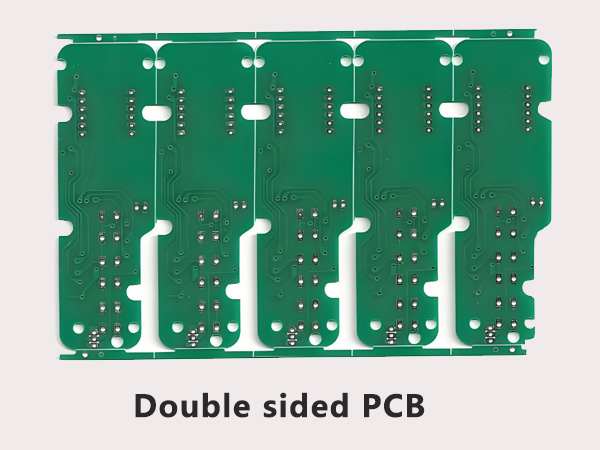
    • Better reliability: Strong signal paths without added cables.
    Disadvantages of Foldable PCBs

    • Higher cost: Especially true for rigid-flex or aluminum options.
    • Complex design: Requires careful layout and material selection.
    • Bending fatigue: Repeated flexing can wear out traces over time.
    • Limited layer options: Fewer layers compared to rigid boards.

    Foldable PCB Applications

    Foldable PCB boards are now used across many industries thanks to their size and flexibility. Common applications include:

    • Smartphones and tablets: Especially foldable or flip models.
    • Wearable devices: Smartwatches, health bands, or fitness trackers.
    • Medical devices: Flexible sensors, hearing aids, or body patches.
    • LED lighting systems: Flexible LED strips, curved lighting, or signage.
    • Automotive interiors: For dashboards, control panels, and ambient lighting.
    • Consumer electronics: Cameras, game controllers, or fold-out gadgets.
    • Aerospace and military: Lightweight systems that must handle vibration.
    Foldable PCB Applications

    Why Bendable Aluminum PCB Costs More Than Flexible Circuits?

    You might notice that bendable aluminum PCBs often cost more than regular flexible circuits. Here’s why:

    • Material cost: Aluminum cores and dielectric layers used in bendable boards are more expensive than polyimide film used in flex PCBs.
    • Thermal performance: These boards are built for high-heat environments, so they require special treatment and thermal interface materials.
    • Machining difficulty: Bending metal without damaging the circuit paths takes precision and specialized tools.
    • Lower yield rate: These boards are harder to process in large volumes, especially when custom bending angles are needed.

    So while bendable aluminum PCBs offer great heat management and durability, their manufacturing process drives up the cost compared to standard flexible circuits.

    Design Considerations of Foldable PCB Board

    When designing a foldable PCB, there are several rules to follow:

    • Bend radius: Always keep the bend radius at least 6 to 10 times the board thickness to avoid cracks or delamination.
    • Trace layout: Avoid sharp corners or 90-degree bends in traces, especially in flexible sections. Use curved paths for less stress.
    • Stress relief: Add slots or wider copper pads in flex areas to reduce strain.
    • Material selection: Choose polyimide for high flex use or semi-flex FR4 for limited bends. For heat-heavy setups, use bendable aluminum.
    • Stack-up planning: Place sensitive components away from fold zones. Keep fewer layers in the flex area to maintain reliability.
    • Bending direction: Plan the layout to avoid stress on solder joints or component leads when the board is bent.

    Designing for foldability takes extra care, but it pays off in product performance and durability.

    Where to Find a Foldable PCB Manufacturer?

    If you’re building devices with foldable designs, it’s important to work with a manufacturer that understands the details. Here’s what to look for:

    • Specialized experience: Choose a factory with proven capability in flex, rigid-flex, and semi-flex designs.
    • Engineering support: You’ll need layout reviews, DFM checks, and prototyping advice.
    • Clean production: Flex and bendable PCBs need precise etching and lamination in controlled environments.

    EBest Circuit (Best Technology) is one of the leading manufacturers offering complete support for foldable PCB boards. At EBest Circuit (Best Technology), “Total Customer Satisfaction” is our goal, and it is the core of EBest Circuit (Best Technology)’s operation as a PCB manufacturer. Procurement, sales, engineering, manufacturing, inventory, and quality have the same common goal of ensuring directly or indirectly “Total Customer Satisfaction”. We provide flexible circuit production, rigid-flex builds, and even custom aluminum-based PCBs for thermal control. With our ERP traceability system and professional engineering team, we help clients go from prototype to mass production with speed and reliability.

    Call To Action

    Get in touch with us today for a quick quote or engineering consultation—we’ll help bring your folding design to life.

    FAQs

    Q1: Can foldable PCBs be reused after bending?

    Some types, like polyimide flex circuits, can bend thousands of times. Others, like semi-flex or bendable aluminum PCBs, are designed for limited bending during assembly.

    Q2: What’s the lifespan of a flexible PCB?

    With proper design, a flex circuit can last over a million bending cycles. It depends on material, bend radius, and stress exposure.

    Q3: Are foldable PCBs safe for high-current applications?

    Yes, with the right trace width and copper thickness. However, heat management and durability must be carefully planned.

    Q4: Can I mount heavy components on the flexible part?

    No. Heavy or rigid components should be placed on the rigid or reinforced sections to avoid stress damage.

    Q5: How fast can I get a foldable PCB prototype?

    At EBest Circuit (Best Technology), we offer fast-turn prototyping in as little as 5–7 working days, depending on design complexity.

    When you’re ready to build a reliable and high-performance foldable circuit, EBest Circuit (Best Technology) is here to help. Our expert team, quality certifications, and full-service support make us the go-to foldable PCB manufacturer in China.

    You may also like