PCB manufacturing PCB manufacturing
Home > Blog

What is Aluminium Based PCB? Aluminum PCB vs. FR-4

July 30th, 2025

An aluminium based PCB is a powerful choice for modern electronics, especially where heat control matters. Whether you’re designing LED lights, power supplies, or automotive electronics, aluminium PCBs help you manage temperature, protect components, and deliver stable performance. Compared to standard boards, they offer better heat dissipation, which can make a big difference in product reliability.

At EBest Circuit (Best Technology), we manufacture high-quality aluminium PCBs using certified materials and advanced processes. With certifications like ISO9001, ISO13485 for medical devices, IATF16949 for automotive, and UL approval, we provide dependable circuit boards tailored to your needs.

Aluminium Based PCB Manufacturer

What Is Aluminium PCB?

An aluminium PCB鈥攁lso called a metal core PCB (MCPCB)鈥攊s a type of printed circuit board that uses aluminium as the base material instead of the common fiberglass material (FR-4). The board consists of three main layers:

  • Aluminium base layer for strength and heat conduction
  • Insulating dielectric layer to separate the metal from the copper
  • Copper circuit layer for electrical connections

This structure helps draw heat away from heat-sensitive components like LEDs, transistors, or power devices. In simple terms, aluminium PCBs help keep things cool, especially in high-power or high-temperature applications.

What Are the Pros and Cons of Aluminum PCB?

Aluminium-based PCBs are made from low-alloy Al-Mg-Si series high-plasticity aluminium plates (structure shown in the figure below). These boards offer excellent thermal conductivity, electrical insulation, and machinability. Compared to traditional FR-4 boards, aluminium PCBs of the same thickness and trace width can carry higher current. They also feature dielectric breakdown strength up to 4500V and a thermal conductivity greater than 2.0 W/m路K. In the PCB industry, aluminium-based boards are the most widely used metal core PCBs. Key advantages include:

  • Support for Surface Mount Technology (SMT)
  • Highly efficient thermal diffusion in circuit design
  • Lower operating temperature, higher power density, high reliability, and longer product lifespan
  • Smaller product size, reducing both hardware and assembly costs
  • Replacement for fragile ceramic substrates, offering better mechanical durability

But they also have some limitations:

  • Lower flexibility: Aluminium boards cannot be bent like flexible PCBs.
  • More complex manufacturing: Special processes are needed to drill and etch metal-based boards.
  • Limited layers: Multi-layer aluminium PCBs exist, but they are harder and more expensive to produce.

At EBest Circuit (Best Technology), we help customers balance these factors. Our engineering team guides you through design and material selection to ensure your aluminium PCB works perfectly for your application.

Aluminium PCB Material Properties

Aluminium based PCB typically made from aluminium alloys like 5052, 6061, or 3003. These materials are chosen to handle heat well, maintain electrical insulation, and provide mechanical support. Some customers may confused about them and the differences between these materials. Here EBest Circuit (Best Technology) listing the properties of each material, hope this can help you to choose which one is best for your project.

Property5052 Aluminium6061 Aluminium3003 Aluminium
CompositionAl-Mg alloyAl-Mg-Si alloyAl-Mn alloy
Thermal Conductivity~138 W/m路K~167 W/m路K~160 W/m路K
Electrical Conductivity~35% IACS~40% IACS~40% IACS
Tensile Strength210鈥230 MPa260鈥310 MPa130鈥180 MPa
Yield Strength~130 MPa~240 MPa~115 MPa
Elongation~12鈥20%~8鈥10%~10鈥20%
Corrosion ResistanceExcellentGoodVery Good
FormabilityExcellentGoodExcellent
MachinabilityFairGoodFair
CostModerateHigherLower
Common Use in PCBsLED lighting, power electronicsHigh-power, structural applicationsConsumer electronics, general use

Quick Notes:

  • 5052 is favored for excellent corrosion resistance and good thermal performance, often used in outdoor lighting PCBs or marine applications.
  • 6061 offers better strength and machinability, suitable for mechanically demanding PCBs or large-size boards.
  • 3003 is cost-effective with good thermal and corrosion resistance, ideal for low to moderate power electronic boards.

How Thick Is Aluminum PCB?

Aluminium PCBs vary in thickness based on design and applications needs. Common thicknesses range from 0.8mm to 3.2mm, but custom options are available. Here is a standard aluminium PCB thickness rules:

  • Single-layer boards: Typically range from 0.2mm to 0.5mm, suitable for simple circuit designs.
  • Double-layer boards: Generally 0.5mm to 1.2mm, balancing both signal transmission and heat dissipation needs.
  • Multi-layer boards: Thickness starts from 1.2mm and can reach up to 10mm, ideal for high-power electronic devices.

For applications with high thermal conductivity requirements (such as LED lighting and power electronics), aluminium PCBs may use thinner copper foil (ranging from 35渭m to 280渭m) laminated with the aluminium base. In such cases, the minimum board thickness can be as low as 0.075mm.

At EBest Circuit (Best Technology), we help customers choose the right thickness based on current flow, heat output, and mechanical strength. Thicker boards may cost more but offer better performance in demanding settings.

What is Aluminium Based PCB? Aluminum PCB vs. FR-4

What Is the Maximum Temperature for Aluminium PCB?

Aluminium PCBs are built for high-temperature conditions. The dielectric layer determines the maximum working temperature, which typically ranges between 130掳C to 150掳C. Special materials can go higher, depending on the design.

Why is this important? In LED lighting or automotive power modules, excess heat can damage components. By using aluminium PCBs, you keep the temperature down and extend the life of your product. If you want to used in extreme high temperature applications, we have ceramic PCB that can achieve 850掳C.

Aluminium PCB Manufacturing Process – Simplified

1. Material preparation: Select the right aluminium base, apply dielectric material, and add copper foil.

2. Drilling: CNC machines create holes for vias and component placement.

3. Circuit imaging: A photoresist is applied, and UV light is used to define the circuit pattern.

4. Etching: Unwanted copper is removed, leaving only the desired circuit.

5. Plating: Through-hole plating may be used if needed for connections.

6. Solder mask application: A protective layer prevents oxidation and solder bridging.

7. Surface finish: Common finishes include ENIG (Electroless Nickel Immersion Gold), HASL (Hot Air Solder Leveling), or OSP (Organic Solderability Preservative).

8. Testing: Electrical and thermal tests ensure each board performs as required.

Below is the detailed aluminium based PCB manufacturing process. EBest Circuit (Best Technology) uses advanced MES systems for full traceability and tight quality control. We support both prototype runs and mass production with fast turnaround times.

How Does an Aluminium Based PCB Cost?

Several factors influence the cost of aluminium PCBs:

  • Material grade: Higher-quality aluminium and thermal materials cost more.
  • Board size and complexity: Larger boards or intricate designs increase price.
  • Copper thickness: Thicker copper adds to material and processing costs.
  • Surface finish: ENIG is more expensive than HASL or OSP.
  • Quantity: Bulk orders lower per-unit costs.

In general, aluminium PCBs cost more than FR-4 for simple designs but offer cost savings in thermal management. For example, using aluminium boards can eliminate the need for extra heat sinks or cooling fans. At EBest Circuit (Best Technology), we offer competitive pricing and help you optimize design for cost and performance.

What Is the Difference Between Aluminum PCB and FR-4?

The main difference between aluminum PCBs and FR-4 PCBs lies in the base material and how each board handles heat and mechanical stress.

Aluminum PCBs use a metal base (usually aluminum) that helps conduct heat away from components. This makes them a great choice for high-power circuits like LEDs and power supplies. In contrast, FR-4 PCBs are made from fiberglass material. They are versatile and cost-effective but have poor thermal conductivity, which can be a problem in heat-sensitive designs. Here鈥檚 a quick side-by-side comparison:

FeatureAluminum PCBFR-4 PCB
Base MaterialAluminum (metal core)Fiberglass (FR-4)
Thermal ConductivityHigh (1.0鈥3.0 W/m路K)Low (~0.3 W/m路K)
Heat DissipationExcellentLimited
StrengthStrong and durableModerate
FlexibilityLow (rigid)Higher (can be rigid or flexible)
CostSlightly higher (for materials)Lower for basic designs
Typical UseLEDs, power electronics, automotiveConsumer electronics, general use

Use aluminium PCBs when your design needs to handle heat efficiently and survive tough environments. Use FR-4 when thermal demands are low, or you need flexible or multi-layer boards.

When to Use Aluminum PCB?

Aluminium PCBs are the right choice when you need:

  • Efficient heat dissipation
  • Reliable performance in high-power applications
  • Space-saving designs without extra heat sinks

Common applications include:

  • LED lighting systems (e.g., streetlights, automotive lamps)
  • Power converters and inverters
  • Battery chargers
  • Audio amplifiers
  • Telecom and base stations

If your design struggles with overheating or if your product needs to run 24/7 without failure, aluminium PCBs can help you achieve that.

At EBest Circuit (Best Technology), we specialize in custom aluminium PCBs with strict quality standards and professional support. Whether you need single-layer, multi-layer, or special-shaped boards, we鈥檝e got you covered. Ready to explore aluminium PCB solutions? Contact EBest Circuit (Best Technology) today for a quote or technical consultation.

FAQs

1. Can aluminium PCBs be used in flexible applications?

No, aluminium PCBs are rigid. If you need flexibility, consider flexible PCBs or hybrid designs.

2. Are aluminium PCBs more expensive than FR-4?

Yes, but they reduce the need for additional cooling, saving costs in the long run.

3. Can I use aluminium PCBs for RF applications?

Yes, with the right dielectric material, aluminium PCBs can work in RF circuits.

4. How fast can I get aluminium PCBs from EBest Circuit (Best Technology)?

We offer fast lead times, depending on design and quantity. Contact us for details.

5. Do you provide samples for testing?

Yes, we support prototype orders to help you test and finalize your design.

You may also like

What is Thick Copper PCB? PCB Copper Thickness vs Current

July 29th, 2025

A thick copper PCB refers to a printed circuit board that uses a higher amount of copper than a standard PCB. Typically, standard PCBs have copper thickness ranging from 0.5 oz to 2 oz per square foot. However, when the copper thickness is 3 oz or more per square foot, it is classified as a thick copper PCB.

These boards are built for handling high current, enhanced heat dissipation, and strong mechanical performance. You鈥檒l find them in power electronics, electric vehicles, solar inverters, and industrial machinery鈥攚herever reliability and power handling are critical.

At EBest Circuit (Best Technology), we specialize in custom thick copper PCB manufacturing. Whether you need 3 oz or 20 oz copper, our engineering team supports your design with precision, reliability, and fast delivery. We also provide full traceability and strict quality control, making sure each board meets your performance needs.

What is Thick Copper PCB? PCB Copper Thickness vs Current

Advantages of Thick Copper PCB

1. High Current Carrying Capacity

Thicker copper allows your PCB to carry more current through its traces without causing excess heat. This helps prevent overheating and damage to components. In other words, thick copper gives your board the power capacity it needs to run safely and efficiently.

2. Excellent Thermal Management

Heavy copper spreads heat more evenly across the board and away from sensitive components. This reduces hot spots and helps maintain stable operation. It’s especially useful in environments where heat buildup can be a problem, such as power supplies or LED lighting systems.

3. Increased Mechanical Strength

Thick copper PCBs are more durable. They are less likely to bend, crack, or delaminate during assembly or use. This added strength makes them ideal for heavy machinery, vehicles, and military equipment.

4. Improved Reliability and Product Life

Better current and heat handling reduce stress on the board and components. This leads to longer lifespan and fewer failures, which saves both time and cost in maintenance.

5. Compact and Efficient Designs

You can use narrower traces with thick copper while still meeting your current requirements. This allows for smaller board sizes and space-saving layouts, especially valuable in compact devices.

All of these advantages make thick copper PCBs a smart choice when performance and reliability truly matter.

Standard PCB Copper Thickness Chart

Copper thickness is usually measured in ounces per square foot (oz/ft虏) or microns (碌m). For every 1 oz of copper per square foot, the actual thickness of the copper layer is about 35 microns, or 1.4 mils. To help you understand how thick copper compares to standard copper, here鈥檚 a simple PCB Copper Thickness Chart with typical values.

Copper Weight (oz/ft虏)Thickness (microns)Thickness (mils)Common Usage
0.5 oz~17 碌m~0.7 milSignal layers, low-power circuits
1 oz~35 碌m~1.4 milMost standard PCBs
2 oz~70 碌m~2.8 milPower circuits, motor drivers
3 oz~105 碌m~4.2 milStart of thick copper PCB range
4 oz~140 碌m~5.6 milHigh-power, heat-intensive applications
6 oz~210 碌m~8.4 milIndustrial power systems, battery packs
10 oz~350 碌m~14 milHeavy-duty, high-current applications

Whether you are working on a standard 1 oz board or a 10 oz thick copper PCB, the thickness affects everything from electrical performance to thermal control. If you are unsure which thickness suits your project, EBest Circuit (Best Technology) offers expert guidance and custom PCB solutions. We help you choose the right copper weight to match your current load, heat needs, and budget.

PCB Copper Thickness vs Current

One of the biggest reasons to use thick copper is current capacity. As copper thickness increases, it can carry more current without excessive heating. Here鈥檚 how it works:

  • 1 oz copper can carry around 1.2A on an inner layer for a 10掳C temperature rise.
  • 3 oz copper can carry about 3.6A under the same conditions.
  • Higher copper weights (like 10 oz) can handle much more, depending on trace width.

This relationship is essential for designing safe and efficient circuits. Using IPC-2221 standards as a guide, engineers can determine how much copper is needed for any given load.

If you’re unsure, tools like the PCB copper thickness calculator can help you find the right copper weight based on your current and design needs.

PCB Copper Thickness vs Current

How to Choose PCB Copper Thickness?

Knowing how to choose PCB copper thickness is essential when designing a board that performs reliably under electrical and thermal stress. The right copper thickness affects current flow, heat management, durability, and even the size of your board. Choosing wisely can improve performance and reduce long-term costs.

1. Understand Your Current Requirements

Start by determining how much current your traces need to carry. Higher current demands thicker copper or wider traces. If your circuit handles heavy loads鈥攍ike in power supplies or electric vehicles鈥攜ou鈥檒l likely need thick copper, starting from 3 oz or more.

2. Evaluate Space and Trace Width

Sometimes, there鈥檚 limited space on your PCB. If you cannot increase trace width to carry higher current, you can increase copper thickness instead. Thicker copper allows for narrower traces to handle the same current safely, helping you keep your design compact without sacrificing performance.

3. Check for Voltage Drop

Resistance in copper causes voltage drop across traces. Thicker copper has lower resistance, which means less voltage loss. If maintaining consistent voltage is important for your application鈥攍ike in precision circuits or power regulation鈥攐pt for thicker copper to minimize drops.

4. Consider Cost and Board Size

While thicker copper improves performance, it also adds cost and weight. Choose copper thickness that meets your technical needs without over-engineering. For most consumer electronics, 1 oz or 2 oz is enough. For power devices, 3 oz to 10 oz may be needed.

How to Choose PCB Copper Thickness?

Thick Copper PCB Applications

  • Power supplies
  • Converters
  • Inverters
  • Battery systems
  • Motor drives, and charging circuits efficiently
  • Solar Power Systems
  • Inverters and control circuits
  • Military and Aerospace
  • Industrial Control

Anywhere power, heat, or strength is a concern, thick copper PCBs provide dependable performance.

How to Avoid Thick Copper PCB Delamination?

The delamination of thick copper circuit boards refers to a phenomenon that occurs during PCB manufacturing. Due to insufficient adhesion between the copper foil and the substrate or excessive internal stress, the copper foil and the substrate (such as FR-4 fiberglass board) separate from each other.

How to Avoid Thick Copper PCB Delamination?

While it鈥檚 not common, thick copper PCBs can be more prone to this issue if not manufactured properly. Here are some ways to avoid it:

1. Use High-TG Materials

High-TG (glass transition temperature) materials like FR4-TG170 or ceramic can better resist heat and stress.

2. Reliable Lamination Process

Proper lamination ensures strong bonding between copper and substrate. At EBest Circuit (Best Technology), we use high-pressure lamination and strict process control to prevent delamination.

3. Controlled Soldering Heat

Excessive heat during soldering can damage the board. Controlled soldering ensures minimal thermal stress.

4. Avoid Design Stress Points

Sharp corners and very narrow traces can concentrate stress. A smooth, balanced design reduces risk.

5. Quality Assurance

Choose manufacturers with strong quality systems that include thorough inspection and testing.

Best Thick Copper PCB Manufacturer 鈥 EBest Circuit (Best Technology)

Looking for a trusted thick copper PCB manufacturer? Here鈥檚 why EBest Circuit (Best Technology) is your best choice:

  • We specialize in 3 oz to 20 oz thick copper PCBs.
  • Certified with ISO9001, IATF16949, and UL.
  • Advanced plating and lamination techniques ensure strength and reliability.
  • Fast prototyping and mass production services.
  • Competitive pricing and on-time global delivery.
  • Engineering support for design, layout, and material choice.
  • Full traceability with our MES system and strict quality control.

Need help with your next project? Contact EBest Circuit (Best Technology) today for a custom quote and expert support.

FAQs

1. What copper thickness qualifies as thick copper PCB?

Anything 3 oz per square foot or more is considered thick copper PCB.

2. How do I calculate required copper thickness?

Use a PCB copper thickness calculator based on your current, trace width, and temperature rise.

3. Can thick copper PCBs be multi-layered?

Yes, we manufacture single, double, and multi-layer thick copper PCBs.

4. Do thick copper PCBs cost more?

Yes, but they offer better performance and longer life, which offsets the cost.

5. How do I get a quote from EBest Circuit (Best Technology)?

Just contact us with your design files, and we鈥檒l provide a competitive, customized quote.

You may also like

What is copper PCB board? Copper clad PCB board

July 29th, 2025

Copper PCB board is a type of circuit board where a thin layer of copper is bonded to an insulating base, usually made from fiberglass, resin, or other non-conductive materials.

What makes copper special is its exceptional electrical conductivity, which ensures fast, stable signal transmission and efficient power delivery. Whether it鈥檚 a single sided copper PCB board or a double sided copper clad laminate PCB circuit board, the copper layer is essential for performance, reliability, and heat control.

Available in different thicknesses and configurations, copper clad PCB boards can be tailored to meet the demands of everything from smartphones to medical devices.

Why is copper used in PCBs?

Copper is used in PCBs for one big reason鈥攃onductivity. It鈥檚 one of the best conductors of electricity. That means signals can move through the board fast, with low resistance. This ensures stable, efficient, and reliable performance in any circuit.

Another reason? Copper is durable. It handles high currents without overheating. It resists corrosion. And it can be etched into very fine lines for dense circuit layouts. Plus, copper is cost-effective. It offers high performance without sky-high prices.

In short, copper keeps signals fast, power stable, and costs low. That鈥檚 why it鈥檚 the standard across the electronics industry.

How thick is 2 oz of copper on a PCB?

This refers to how much copper is spread over a square foot of board.

2 oz copper thickness equals about 70 microns, or 0.07mm. That may sound thin, but it鈥檚 double the thickness of the standard 1 oz copper, which is 35 microns. And that extra thickness brings major benefits:

  • Higher current-carrying capacity
  • Better heat dissipation
  • Stronger, more reliable circuits

Designers choose 2 oz copper when a circuit needs to handle more power or operate in tough environments. It adds strength without a huge increase in cost or size.

What type of copper is used in PCB?

The copper used in PCBs is not just any copper. It鈥檚 specifically engineered for electronics manufacturing. The two most common types are:

  • Electrolytic Tough Pitch (ETP) Copper: This is the standard. It鈥檚 over 99% pure and offers great conductivity and flexibility.
  • Rolled Annealed (RA) Copper: This type is used in flexible PCBs. It鈥檚 softer, more bendable, and less likely to crack under repeated movement.

For rigid boards, like your TV remote or thermostat, ETP is ideal. For flexible applications, like foldable phones or wearable devices, RA copper shines.

How to choose PCB copper thickness?

Picking the right copper PCB board thickness depends on your needs. Here are some guiding points:

  • Current load: More current needs thicker copper. If your board handles power, go for 2 oz or more.
  • Heat management: Thicker copper spreads heat better, reducing hotspots.
  • Space constraints: If your design is tight, thinner copper can help save room.
  • Cost and weight: More copper = more weight and higher cost.

The most common thickness is 1 oz, but 0.5 oz and 2 oz are also widely used. High-power boards may go up to 3 oz or more.

What is a copper clad PCB board?

Copper clad PCB board is a base material, Usually FR4 (fiberglass), CEM-1, or phenolic resin, that鈥檚 laminated with a thin layer of copper on one or both sides.

Types of copper clad boards include:

  • Single sided copper clad board: copper on one side
  • Double sided copper clad board: copper on both sides
  • Multilayer boards: multiple layers of copper and insulation stacked together

These boards form the foundation of electronics. Without copper cladding, there鈥檚 no signal path, no connectivity, and no functionality.

Types of Copper Clad Boards

There are several variations, each tailored for different needs:

  • Single sided copper PCB board: Great for simple, low-cost circuits. Common in calculators or basic toys.
  • Double sided copper PCB board: Used in more complex electronics, offering better routing and signal flow.
  • Copper clad laminate: This is the raw material, often sold in panels, ready to be etched. Also known as blank copper PCB board.
  • Double sided copper clad laminate PCB circuit board: Offers flexibility in circuit design. Common in LED lighting and power supplies.
  • Copper strip PCB board: Used for high-current circuits. Thick copper strips are embedded to carry heavy loads.
  • Copper clad plate laminate PCB board: Known for high strength, used in industrial environments.

The choice depends on application, current needs, size, and cost.

What is a copper clad board used for?

Copper clad boards are used in every corner of the electronics world.

  • Consumer electronics
  • Industrial controls
  • LED lighting
  • Automotive dashboards
  • Medical devices
  • Communication systems

Their job? To carry signals, distribute power, and provide mechanical support. They鈥檙e also vital for EMI shielding, grounding, and signal integrity.

How to remove copper from PCB board?

There are moments in prototyping or repair when removing copper is necessary. Here are some common methods:

  • Chemical etching: Ferric chloride or ammonium persulfate can dissolve copper. Be cautious, it鈥檚 toxic and requires proper ventilation.
  • Mechanical removal: Sandpaper or a rotary tool can physically grind off copper.
  • Laser removal: High-end labs use this for ultra-precise control.

Each method has pros and cons. For hobbyists, mechanical methods are safer. For professionals, chemical etching allows for mass removal with precision.

Copper plated PCB board vs copper coated: What鈥檚 the difference?

Copper plated PCB boards and copper coated PCB boards may sound similar, but they serve different purposes.

Copper plated PCB board means copper has been electroplated onto certain areas鈥攍ike holes or edges. This helps with conductivity, especially in via holes and multi-layer connections.

Copper coated PCB board refers to a board where a base material is uniformly covered with copper foil. This is typically done during the lamination stage to form the initial circuit layer.

In short:

  • Plated = targeted copper application, used for conductivity enhancement
  • Coated = general copper layer across a surface, used to form the main circuit

Conclusion:

Copper PCB boards play a critical role in modern electronics, offering excellent conductivity, thermal performance, and reliability. Whether it鈥檚 a single sided copper clad board, double sided copper PCB board, or a blank copper PCB board, each type supports different circuit needs.

If you鈥檙e looking for high-quality copper clad PCB boards, reliable support, or expert advice, we鈥檙e here to help.

Need help choosing the right copper PCB board? Reach out today at sales@bestpcbs.com

You may also like

Metal Core PCB Material: Types, Properties & Applications

July 25th, 2025

When it comes to managing heat in high-power electronic devices, Metal Core PCBs (MCPCBs) are the go-to solution. These boards use a metal base鈥攖ypically aluminum or copper鈥攖o efficiently dissipate heat for LEDs, power modules, and automotive systems. However, the effectiveness of an MCPCB depends heavily on the material chosen for its core and dielectric layers.

At EBest Circuit (Best Technology), we specialize in custom MCPCB fabrication using materials from leading global brands like Laird, Bergquist, and Ventec. Whether you need aluminum-based MCPCBs for LED lighting or copper-core boards for power electronics, we offer full support from material selection to prototyping and mass production. In this blog, we will share some information about metal core PCB materials, help you to understand MCPCB from the inside to out.

Metal Core PCB Material: Types, Properties & Applications

What Is Metal Core PCB?

A metal core PCB (MCPCB) is a printed circuit board that uses a metal base instead of traditional fiberglass (FR4). This metal base acts as a heat spreader, drawing heat away from components that generate significant thermal energy during operation.

In a typical MCPCB, the structure includes three key layers:

  • Copper Circuit Layer 鈥 for electrical connections.
  • Dielectric Layer 鈥 an insulating layer that separates the copper from the metal core, allowing heat transfer but preventing electrical conduction.
  • Metal Core (Base Layer) 鈥 typically aluminum, copper, or stainless steel, used to conduct heat away from the board.
Metal Core PCB structure

These PCBs are engineered to handle thermal management more efficiently than standard PCBs. As electronic devices become more compact and powerful, effective heat dissipation becomes more important, and MCPCBs offer a practical solution.

Common Metal Core PCB Materials

There are several options when it comes to metal core PCB material, each with its own unique benefits. The choice depends on factors like thermal requirements, mechanical strength, weight, and budget.

1. Aluminum Core

Aluminum is the most commonly used metal core material in MCPCBs. It is lightweight, cost-effective, and has good thermal conductivity鈥攖ypically around 205 W/m路K. Aluminum cores are ideal for LED lighting, consumer electronics, and automotive circuits where heat must be dissipated efficiently, but extreme thermal loads are not present. The commonly used aluminum core PCB in EBest Circuit (Best Technology) is 5052, 6061, 3003, here is the datasheet of them:

Property6061 Aluminum5052 Aluminum3003 Aluminum
Material TypeAl-Mg-SiAl-MgAl-Mn
Tensile Strength (MPa)290 鈥 350190 鈥 260130 鈥 200
Yield Strength (MPa)240160 鈥 200115 鈥 150
Elongation at Break (%)10 鈥 1712 鈥 2015 鈥 20
Thermal Conductivity (W/m路K)167138159
Density (g/cm鲁)2.702.682.73
Melting Point (掳C)582 鈥 652607 鈥 650643 鈥 657

2. Copper Core

Copper is used where superior heat dissipation is needed. It has excellent thermal conductivity鈥攁round 385 W/m路K鈥攁nd is suitable for high-power applications such as power supplies, industrial equipment, and RF systems. While it offers the best performance in terms of heat transfer, it is also heavier and more expensive than aluminum.

3. Stainless Steel Core

Stainless steel is rarely used, but it can be found in certain niche applications where corrosion resistance and mechanical strength are more important than thermal performance. Its thermal conductivity is much lower, around 16 W/m路K, making it suitable only for specific use cases.

Metal Core PCB Material Manufacturers

When choosing a metal core PCB manufacturer, it鈥檚 important to work with companies that supply high-quality materials and have a track record of consistency and reliability. Below are some of the leading manufacturers of metal core PCB materials that we cooperating:

  • Bergquist (Henkel)
  • Ventec
  • Polytronics (Taiwan)
  • Boyu (China)
  • Laird Technologies
  • Totking (China)
  • Dupont Clamcool
  • XianYang Bode electronic

Why Thermal Conductivity Is Important in MCPCB?

The thermal conductivity of a material refers to the amount of heat it can transfer under stable conditions. Specifically, for a 1-meter-thick material, if the temperature difference between two surfaces is 1掳C, and heat transfer occurs through 1 square meter within 1 hour, the quantity of heat transferred is expressed in W/m路K (watts per meter-kelvin). For practical use, K (kelvin) can often be replaced by 掳C.

The thermal conductivity value depends on the material鈥檚 composition, density, moisture content, and temperature. Materials with lower density or non-crystalline structures tend to have lower thermal conductivity, while materials with higher density and metallic bonding structures transfer heat more efficiently.

Generally, materials with low thermal conductivity are referred to as thermal insulators, and those with a conductivity below 0.05 W/m路K are called high-efficiency insulation materials. In contrast, metals typically exhibit high thermal conductivity, which makes them ideal for use in metal core PCBs.

Thermal Conductivity of Common Metals Materials

MetalThermal Conductivity (W/m路K)
Silver429
Copper401
Gold317
Aluminum237
Iron80
Lead67
Zinc34.8

As seen in the table above, silver has the highest thermal conductivity, followed by copper and gold. However, due to cost and practicality, copper and aluminum are the most commonly used metals in MCPCBs. Aluminum strikes a balance between cost, weight, and thermal performance, while copper is chosen for extreme thermal demands.

1W vs 2W vs 3W Thermal Conductivity Differences

When evaluating MCPCB materials, it’s essential to consider not only the core metal but also the thermal conductivity of the dielectric layer. This layer sits between the copper circuitry and the metal base. In the metal core pcb manufacturing, the commonly used dielectric layers are 1W, 2W and 3W.

  • 1W/m路K: Basic dielectric material, suitable for low-power circuits and LEDs with minimal heat output.
  • 2W/m路K: Offers moderate thermal performance, ideal for mid-power LEDs and general electronics.
  • 3W/m路K or higher: Designed for high-power LEDs or circuits that generate significant heat, ensuring efficient transfer to the metal core.

Choosing a higher thermal conductivity dielectric can greatly reduce thermal resistance, leading to better overall cooling performance. But not the higher the better, it should depends on your specific demands.

Aluminum PCB vs Copper Core PCB

When comparing aluminum PCBs and copper core PCBs, the main differences come down to thermal performance, cost, and application needs. Both are types of metal core PCBs (MCPCBs), but they serve different purposes depending on how much heat your circuit generates and how much budget you have.

Aluminum PCB is the most commonly used metal core because it offers a good balance of performance, weight, and affordability. It provides moderate thermal conductivity (around 237 W/m路K) and is suitable for many applications, especially LED lighting, consumer electronics, and automotive circuits where heat is present but manageable. Aluminum is also lightweight, making it easier to handle and mount, especially in devices where weight matters.

Copper core PCB, on the other hand, offers superior thermal conductivity (around 401 W/m路K if used directly thermal path technology), nearly double that of aluminum. This allows it to handle more heat, which is crucial in high-power electronics, RF systems, and industrial power converters. However, copper is heavier and more expensive, so it’s typically used only when the highest level of heat dissipation is required.

Can I Use Aluminum PCB in High Power LED Lighting?

Yes, aluminum PCBs are widely used in high-power LED lighting, especially when paired with high thermal conductivity dielectric materials. These boards effectively dissipate heat away from LEDs, preventing overheating and maintaining light output stability.

However, the design must ensure:

  • Adequate heat spreading area
  • Proper thickness of aluminum core (typically 1.0mm to 1.6mm)
  • High-quality dielectric layer with 2W or 3W thermal conductivity

In cases where LEDs generate extreme heat, consider using copper MCPCBs or combining the aluminum core with external heat sinks for better performance.

How to Choose the Right MCPCB Material for LED Projects?

Selecting the correct metal core PCB material for your LED project involves analyzing the following:

  • Thermal Output of LEDs

Higher wattage LEDs generate more heat. For low-power LEDs, aluminum with 1W/m路K dielectric is sufficient. For high-power LEDs, choose aluminum or copper with 2W鈥3W dielectric.

  • Mechanical Requirements

If the PCB must endure vibration or mechanical stress (e.g., automotive lighting), choose thicker copper for added durability.

  • Budget Considerations

Aluminum offers a cost-effective balance between performance and price. Copper is more expensive and should be reserved for projects where thermal performance cannot be compromised.

  • Weight Constraints

In portable or ceiling-mounted LED systems, lightweight aluminum helps reduce the overall weight of the fixture.

Metal Core PCB Applications

  • LED Lighting: Used in street lights, automotive lights, grow lights, and flood lights to ensure LEDs stay cool.
  • Power Electronics: Found in motor controllers, inverters, and converters to handle large currents and heat.
  • Automotive: Used in ECUs, headlights, and battery systems for reliable performance in harsh environments.
  • Telecommunications: Applied in RF modules, power amplifiers, and antenna systems.
  • Consumer Devices: Used in high-performance audio systems and power adapters.

EBest Circuit (Best Technology) 鈥 Your Online Partner in MCPCB Manufacturing

At EBest Circuit (Best Technology), we specialize in the design and production of metal core PCBs for various industries. Whether you need aluminum or copper-based boards, we deliver customized thermal solutions to meet your specific project needs. By choosing EBest Circuit (Best Technology), you can enjoy:

  • 99% on-time delivery
  • Highest quality that conforms to IATF16949
  • Factory prices with no MOQ
  • High mixed varieties: aluminum pcb, copper PCB, directly thermal path PCB, ims pcb
  • Multiply surface finish: OSP, HASL, ENIG, ENEPIG
  • Turnkey PCB & PCBA assembly
  • Flexible Production: From prototypes to high-volume manufacturing
  • Free DFM & DFA checks
  • 24/7 online sales

FAQs

Q1: What thickness is standard for aluminum MCPCBs?

Typical thicknesses range from 1.0mm to 1.6mm, depending on mechanical strength and thermal needs.

Q2: Is copper MCPCB worth the extra cost?

Yes, in high-power applications where superior thermal performance is necessary, copper is a valuable investment.

Q3: Can I request a custom thermal analysis?

Absolutely. EBest Circuit (Best Technology) provides thermal analysis and simulation support to ensure the right material choice.

Q4: Are there standard sizes for MCPCB panels?

Yes, but we also offer custom sizes based on your design files and project needs.

Q5: How can I get a quote for metal core PCBs?

Send your Gerber files, project details, and thermal requirements to EBest Circuit (Best Technology). Our team will respond within 12 hours.

You may also like

Aluminium Metal Core PCB鈥, China Aluminium Core PCB Factory鈥

July 24th, 2025

Aluminium core PCB is a printed circuit board that uses aluminum as its base layer. It鈥檚 designed to transfer heat away from components quickly, keeping devices cool and stable. This makes it ideal for high-power applications like LED lighting, automotive systems, and power electronics.

Aluminium Metal Core PCB鈥, China Aluminium Core PCB Factory鈥

What is metal core pcb?

Metal core PCB, often called MCPCB, uses a metal base instead of the traditional FR4 or epoxy glass. This base is usually aluminium, copper, or a mix of both. Among them, aluminium metal core PCBs are by far the most popular due to their balance of performance, weight, and cost.

This core serves as the backbone of the PCB, offering strong thermal conductivity, mechanical support, and efficient heat dissipation. These properties make it ideal for high-power circuits where temperature control is critical.

Why use a metal core PCB?

Electronic components, especially high-power LEDs and MOSFETs, generate heat. If that heat stays trapped, it kills performance and shortens lifespan.

Metal core PCB fights this issue head-on. Its design allows heat to transfer quickly from the circuit layer to the metal base, keeping components cool and stable. That means fewer failures, longer device life, and lower maintenance.

They鈥檙e not just about heat. MCPCBs also improve structural strength, reduce size, and support higher component density. All these benefits combined make them a go-to for industries like automotive, telecommunication, aerospace, and medical devices.

What are the pros and cons of aluminum PCB?

Every material has its strengths and weaknesses. But in the case of aluminium PCBs, the pros are far more impressive than the cons.

Advantages:

  • Excellent Thermal Management: Aluminium pulls heat away from hot components, preventing damage.
  • Lightweight Yet Strong: Compared to copper, aluminium offers solid durability at a lower weight.
  • Cost-Effective: It鈥檚 more affordable than copper but delivers reliable thermal conductivity.
  • Eco-Friendly: Aluminium is recyclable and non-toxic, helping meet sustainability goals.
  • Improved Dimensional Stability: The structure remains stable even under changing temperatures.
Aluminium Metal Core PCB鈥, China Aluminium Core PCB Factory鈥

Disadvantages (Very Few):

  • Slightly less flexible than FR4 in design.
  • Electrical insulation must be carefully managed to avoid short circuits.

Still, for most applications, these drawbacks are easily handled by professional manufacturers.

What does aluminum core mean?

Aluminum core PCB refers to a circuit board with three main layers:

  • Copper Circuit Laye: This is where your electronic components sit.
  • Dielectric Layer: An insulating layer that transfers heat to the core while isolating electricity.
  • Aluminium Base Layer: A thick base of aluminium that provides strength and heat sinking.

This core turns a standard PCB into a high-performance solution, especially for high-current and high-heat devices.

Why choose an aluminum core PCB?

There are many reasons to choose aluminum core PCB instead of traditional PCB. Its core advantages go far beyond temperature control. Here鈥檚 why they shine:

  • Superior Heat Dissipation: Keep components safe even in the most demanding power applications.
  • Durable Construction: Withstands mechanical stress and harsh environments.
  • Compact Design: Allows for smaller, thinner devices without sacrificing reliability.
  • Better Reliability: Lowers the risk of overheating, which often causes circuit failure.
  • Improved Energy Efficiency: Less heat means less energy wasted, which is a win in power-sensitive applications.
  • Great for LED Applications: Aluminium PCBs have become the backbone of LED lights due to their excellent thermal properties.
Aluminium Metal Core PCB鈥, China Aluminium Core PCB Factory鈥

If your end product needs to perform well under pressure, aluminium core PCBs are a rock-solid choice.

How is aluminium PCB made?

The aluminium PCB manufacturing process is both precise and efficient. Here is a brief process of the aluminum substrate PCB factory:

  • Raw Material Preparation 鈥 Aluminium base is selected, cleaned, and pre-treated for bonding.
  • Dielectric Layer Application 鈥 An insulating, thermally conductive layer is laminated onto the aluminium.
  • Copper Cladding 鈥 A copper sheet is bonded on top of the dielectric.
  • Image Transfer 鈥 Circuit patterns are printed and developed on the copper layer.
  • Etching 鈥 Unwanted copper is removed, leaving the circuit behind.
  • Solder Mask and Silkscreen 鈥 Protective coatings and labels are added.
  • Surface Finish 鈥 Finishing like ENIG, HASL, or OSP is applied to improve solderability.
  • Testing 鈥 Electrical and visual inspections are done to ensure perfection.

BEST Technology’s modern factory uses automated production lines and strict quality control to produce high-reliability circuit boards at competitive aluminum plate prices.

How does PCB stackup affect heat?

The layer structure of a PCB controls how well it dissipates heat and shields signals. For aluminium metal core PCBs, the stackup typically follows this pattern:

  • Copper layer on top for components
  • Thin dielectric for thermal transfer
  • Thick aluminium base for heat sinking

This simplified layout boosts thermal flow. By reducing the thermal resistance between heat-generating components and the aluminium base, the heat escapes more efficiently.

A good PCB stackup design ensures low heat buildup, better EMI performance, and long-term reliability.

What is the difference between aluminum PCB and FR4?

FR4 PCBs use fiberglass-reinforced epoxy as the core. They鈥檙e cheap, widely used, and fine for low-power electronics. But they trap heat. When used in high-power circuits, the temperature rise can damage components.

Aluminum PCBs, on the other hand, replace the FR4 core with a metal core. This major change improves:

  • Heat transfer
  • Mechanical strength
  • Lifespan
  • Power capacity
Aluminium Metal Core PCB鈥, China Aluminium Core PCB Factory鈥

Also, FR4 lacks the ability to dissipate heat efficiently, while aluminium PCBs can handle up to 10脳 better thermal flow. That鈥檚 why they dominate in LED lighting, automotive modules, and industrial drives.

What鈥檚 the thermal conductivity of aluminium core PCB?

The thermal conductivity of an aluminium core PCB depends on the dielectric layer and aluminium grade, but it usually ranges between 1.0 W/mK to 3.0 W/mK. Some high-end materials can reach up to 5.0 W/mK.

By comparison, FR4鈥檚 thermal conductivity is just 0.25 W/mK. That makes aluminium core PCBs around 4 to 20 times more effective at transferring heat.

Conclusion:

Aluminium core PCBs offer powerful thermal management, high durability, and compact design, making them ideal for modern electronics like LED lighting, power supplies, and automotive systems. Compared to traditional FR4 boards, they handle heat far more efficiently, ensuring longer device life and better performance.

Need a reliable aluminium core PCB manufacturer? Contact us at sales@bestpcbs.com

You may also like

Chip on Board LED Grow Light鈥, COB LED PCB Manufacturer

July 24th, 2025

Indoor gardening has seen a boom in recent years, especially with the rise of efficient grow light systems. Among these, the chip on board LED grow light鈥攐ften known as COB LED grow light鈥攈as gained popularity for its superior performance. But behind every powerful COB grow light lies a well-designed circuit board that manages everything from heat to power distribution.

In this article, we’ll explore how COB LEDs work and how to design a COB LED PCB to reach better performance. Let鈥檚 keep reading.

What Is a Chip on Board LED Grow Light?

A chip on board LED grow light is a type of lighting system where multiple LED chips are mounted directly onto a single substrate or circuit board. Instead of using dozens or even hundreds of individual LED diodes (like in traditional SMD LED grow lights), a COB LED light packs high-intensity chips closely together.

The COB LED PCB (Printed Circuit Board) not only holds these chips but also plays a crucial role in:

  • Conducting electrical signals efficiently
  • Managing heat buildup
  • Supporting the light鈥檚 physical structure

So while most people focus on the 鈥渓ight,鈥 professionals know that a high-quality COB LED grow light starts with a reliable, well-designed circuit board.

Chip on Board LED Grow Light鈥, COB LED PCB Manufacturer

Chip on Board LED Grow Light鈥, COB LED PCB Manufacturer

Advantages of COB LED in Grow Lights

Why are so many manufacturers and indoor growers switching to COB technology? Here are some reasons.

  • Full Spectrum Light

A COB LED grow light full spectrum covers all wavelengths needed for healthy plant growth, including red, blue, and white light. So that plants enable to thrive in every stage鈥攆rom seedling to flowering鈥攚ithout changing the light source.

  • High Light Intensity

Because multiple chips are placed together, COB LEDs deliver stronger, more focused light. This can improve canopy penetration and boosts PPFD (Photosynthetic Photon Flux Density), meaning more usable light reaches your plants.

  • Energy Efficiency

Compared to older HID or fluorescent lighting, COB LEDs use less electricity and produce less heat for the same or better results.

  • Longer Lifespan

Fewer components, better thermal design, and robust build quality allow COB LEDs to last for 50,000 hours or more鈥攊f the PCB is properly designed.

  • Compact Design

With fewer components, COB grow lights are thinner, lighter, and easier to install鈥攑erfect for small grow tents or professional setups.

Factors That Affect COB LED Grow Light Price

The COB LED PCB cost higher than normal LED PCB, do you know why? Here are some factors we summarized for your information:

1. Wattage & Size: More powerful lights require larger boards, thicker copper layers, and more robust cooling solutions.

2. Spectrum Design: Adding UV or IR wavelengths, or fine-tuning the spectrum to specific plant types, often requires specialized LED chips and tailored PCBs.

3. Heat Management: Better thermal control means more expensive materials鈥攍ike aluminum, copper, or even ceramic substrates鈥攖o handle higher heat loads.

4. PCB Material & Build Quality: Cheap PCBs may use thin copper or poor insulation, which can lead to early failures. Investing in a high-performance COB LED PCB ensures long-term reliability.

Why Customizing COB LED PCB Matters?

For most lighting brands, buying standard COB LED modules can feel like a quick solution. But this approach comes with limitations:

  • You can’t control LED layout or spectrum design.
  • You may struggle with heat management in compact fixtures.
  • You depend on another supplier鈥檚 quality control, which risks inconsistencies.
  • Your products may look and perform like every other generic grow light.

By choosing to customize your COB LED circuit board, you gain:

  • Full control over chip placement and power design
  • Optimized thermal performance with proper materials and layouts
  • Enhanced durability for longer-lasting lights
  • A chance to differentiate your product in the market with unique features

In short, the circuit board is where you gain your competitive edge.

COB LED PCB for Grow Lights

COB LED PCB for Grow Lights

Common Challenges in COB LED PCB for Grow Lights

Designing COB LED PCBs for grow lights isn鈥檛 just about putting LEDs on a board. There are critical challenges that require engineering expertise:

1. Overheating

    High-power LEDs generate significant heat. Without proper thermal vias, heat sinks, and substrate materials, the board can overheat, shortening LED life.

    2. Uneven Light Distribution

    Poor chip placement can cause hot spots or dark areas in your grow tent, affecting plant growth.

    3. Electrical Failures

    Low-quality boards might use thin copper layers, poor soldering, or weak insulation鈥攍eading to power issues or early burnout.

    4. Moisture Damage

    Grow rooms are humid environments. Without protective coatings or water-resistant designs, PCBs can corrode or short circuit.

    5. Compatibility Issues

    Boards not designed for specific drivers or enclosures can cause assembly headaches or require costly redesigns.

    How to Design COB LED Circuit Boards for Grow Lights?

    When designing COB LED circuit boards for plant grow lights, three critical elements must be optimized: spectrum control, light intensity adjustment, and thermal management. Here are some tips that help you to design a COB LED circuit board:

    1. Spectrum Matching

      Select high-efficiency LED chips in red (660nm), blue (460nm), and far-red (730nm) wavelengths. Use high-density COB arrays to ensure full coverage of the effective photosynthetically active spectrum (400鈥780nm).

      How to Design COB LED Circuit Boards for Grow Lights?

      2. Light Intensity Control

      Integrate dimmable circuits with adjustable output from 0鈥1000 渭mol/m虏/s. Enable smooth dimming to meet plant needs at all growth stages鈥攆rom seedling to flowering.

      3. Thermal Management

      Use ENIG (Electroless Nickel Immersion Gold) surface finish and optimized heat paths. Pair the PCB with a die-cast aluminum housing for efficient heat dissipation. Ensure LED operating temperature stays below 50掳C to prevent leaf burn.

      4. Pad Design

      Apply ENIG or gold plating for all bonding pads. Pad size should exceed chip size by 0.25鈥0.3mm to prevent misalignment or chip rotation.

      EBest Circuit (Best Technology) 鈥 Your Partner for COB LED PCB Customization

      At EBest Circuit (Best Technology), we specialize in manufacturing high-performance COB LED circuit boards tailored for plant grow light applications. Whether you’re prototyping a new grow light or scaling up production, EBest Circuit (Best Technology) provides reliable, cost-effective, and tailored PCB solutions that help your products thrive in a competitive market.

      • Expert assistance before, during, and after your order.
      • We welcome prototypes and small-volume runs.
      • Reliable quick production and on-time delivery.
      • High-quality PCBs with support for special requirements.
      • Skilled engineers with deep know-how in COB LED PCB design.
      • Over 19 years of expertise in PCB manufacturing.
      • Guaranteed reply to inquiries within 12 hours.
      • From bare PCB to PCBA and full assembly services.

      Our Services for Grow Light Manufacturing

      • Prototype Development
      • Fast turnaround for small-batch testing
      • Custom circuit design tailored layouts for your power, size, and spectrum needs
      • Thermal Simulation & Optimization
      • Predict and resolve heat issues before production.
      • Full Testing including AOI, flying probe, thermal shock, and aging tests
      • From small batch to mass production, we scale with your needs

      How to Start Your COB LED PCB Project?

      To begin your COB LED PCB prototype, please prepare the following:

      • Application details (e.g., plant type, grow light usage)
      • Power specs (wattage, voltage, current)
      • LED chip info (model, quantity, layout) 鈥 if available
      • Board size and shape (dimensions, drawing or sketch)
      • Material preference (aluminum, copper, or ceramic) 鈥 optional
      • Thermal/environmental needs (max temperature, moisture protection)
      • Order quantity (prototype & production volume)
      • Target timeline (delivery date for samples)

      Once we receive this, we鈥檒l provide design suggestions, quotation, and lead time. Let鈥檚 build your custom COB LED PCB鈥攃ontact us today.

      If you’re ready to stand out in the competitive grow light market, start with the right foundation. A custom COB LED circuit board from EBest Circuit (Best Technology) ensures your product is efficient, reliable, and built for success. Contact EBest Circuit (Best Technology) today to customize your COB LED PCB.

      FAQs

      1. Can you support small batch COB LED PCB orders?

        Yes, we welcome both small and large batch orders, perfect for prototyping and niche projects.

        2. What materials are best for COB LED Grow Light circuit boards?

        We recommend aluminum MCPCB for standard applications and ceramic (AlN) for high-performance needs.

        3. How long does PCB prototyping take?

        Prototyping typically takes 5鈥7 working days, depending on complexity.

        4. Do you help with thermal design for COB PCBs?

        Absolutely. We provide thermal simulation and layout support to ensure your board stays cool.

        5. Can I get samples before mass production?

        Yes, we offer samples so you can test quality and performance before scaling up.

        You may also like

        What is LED Driver Board? 鈥婰ED Driver Board HS Code

        July 23rd, 2025

        When you look inside an LED lighting product, you鈥檒l often find a small but essential component called the LED driver board. This little board plays a big role in making sure your lights work properly and last longer. But what exactly is a LED driver board? How does it work? And how can you tell if one is faulty?

        In this blog, we鈥檒l walk through everything you need to know鈥攆rom how it functions to how to test it and where it鈥檚 used.

        What Is a LED Driver Board?

        A LED driver board is an electronic circuit that regulates power to LEDs. LEDs don鈥檛 work directly from AC power like traditional light bulbs. They need a constant DC current at a specific voltage to operate correctly. Without proper regulation, LEDs may overheat, flicker, or fail prematurely.

        The LED driver board manages this power conversion and ensures stable operation. It鈥檚 like a power supervisor, controlling the flow of energy to keep everything within safe limits.

        What is LED Driver Board? 鈥婰ED Driver Board HS Code

        Types of LED Driver Boards

        There are several types of LED light driver boards, each serving a different need depending on the application:

        1. Constant Current LED Driver Boards

        These provide a fixed current to the LEDs while allowing the voltage to vary. They are used in high-power LEDs where current regulation is critical. These boards prevent overdriving the LED, which can cause heat buildup and burnout.

        2. Constant Voltage LED Driver Boards

        These deliver a fixed voltage output (usually 5V, 12V, or 24V) while the current changes depending on the load. These are commonly used in LED strips or low-power lighting where LEDs are connected in parallel.

        3. AC-DC Driver Boards

        These convert 120V or 220V AC power from wall outlets into low-voltage DC suitable for LEDs. They include rectifiers and smoothing circuits to provide clean power.

        4. Dimmable LED Driver Boards

        Some driver boards allow users to adjust brightness. These can use dimming methods like:

        • TRIAC dimming (phase-cut dimming for residential AC power)
        • PWM dimming (pulse-width modulation for digital control)
        • 0-10V dimming (analog dimming for commercial lighting)

        5. Smart LED Driver Boards

        Modern lighting products use intelligent driver boards with features like:

        • Over-voltage and over-current protection
        • Temperature monitoring
        • Wireless control via Bluetooth or Wi-Fi
        • Programmable lighting behavior

        Raw Materials in LED Driver Boards

        one of the most important materials of LED driver board is the aluminum LED PCB. Unlike standard FR4 boards, aluminum PCBs use aluminum base as its core, which offers excellent heat dissipation and it is critical for the longevity and performance of LED lighting systems.

        Aluminum LED board consists of an aluminum base (like 5052, 6061 aluminum alloy), a thermally conductive dielectric layer, and a copper circuit layer. The aluminum base transfers heat away from the LED components, allowing for higher power densities and improved reliability, especially in high-brightness or high-wattage applications like automotive headlights, floodlights, and industrial lamps.

        In addition to the aluminum substrate, LED driver boards use a variety of other materials like copper, electronic components, control ICs, and so on. When all these materials are integrated on an aluminum PCB, the result is a durable, thermally stable driver board that supports long-lasting LED performance even under demanding conditions.

        Raw Materials in LED Driver Boards

        How Does a LED Light Driver Board Work?

        A LED light driver board works by converting high-voltage AC power from the mains into low-voltage DC power suitable for driving LEDs. This process typically involves several stages, starting with a rectifier circuit that changes AC to DC, followed by filtering capacitors that smooth the voltage. After that, a switching regulator or linear regulator adjusts the voltage and current to match the LED’s requirements. For constant current drivers, the circuit controls the output current precisely to protect the LED from overcurrent damage. Below is a simple led driver board schematic drawing for reference:

        How Does a LED Light Driver Board Work?

        Inside the board, components like MOSFETs, control ICs, and feedback loops work together to maintain stable power output, even if the input voltage or load conditions change. Advanced LED driver boards also include safety features like overvoltage, short-circuit, and thermal protection. Some models support dimming and intelligent control through PWM signals or 0鈥10V inputs.

        What Does a LED Driver Board Do?

        In simple terms, the LED driver board ensures your LEDs operate the way they鈥檙e supposed to. Here’s what it really does:

        • Regulates current and voltage so LEDs don鈥檛 get too much or too little power
        • Extends lifespan by preventing overheating and electrical stress
        • Protects the circuit from power surges, short circuits, and reverse polarity
        • Improves performance by maintaining consistent light output even when the power supply varies

        Without a proper driver board, even the best LED won鈥檛 last long.

        What Are the Symptoms of a Bad LED Driver Board?

        A malfunctioning LED driver board can cause several problems. If your LED light is acting up, here are some signs the driver board might be the culprit:

        • Flickering light even when power is steady
        • Dim or unstable brightness
        • Completely dead light while the power source works
        • Unusual buzzing sounds from the driver
        • Overheating of the driver board or the LED
        • Shortened lifespan of the LED itself

        If you notice any of these issues, it鈥檚 worth checking the driver before replacing the whole lighting system.

        How to Test LED Driver Board with Multimeter?

        Before testing, make sure you have a digital or analog multimeter with a fully charged battery. Depending on what you鈥檙e testing, you will need to switch between the DC voltage, DC current, and resistance (ohm) settings. Here are the ways to test a led driver board step by step in simple ways:

        How to Test LED Driver Board with Multimeter?

        1. Tools Preparation:

        • Use a digital or analog multimeter.
        • Make sure the power is off before testing, unless checking voltage under load.
        • Know the driver鈥檚 rated voltage and current (e.g., 12V, 300mA).

        2. Test Output Voltage (DC):

        • Set the multimeter to DC voltage mode (e.g., 20V or 50V).
        • Connect the red probe to the driver鈥檚 positive output and black to the negative.
        • Power on the driver. A normal 12V driver should read between 11.5V and 12.5V.
        • Zero or very low voltage may indicate failure.

        3. Test Output Current:

        • Disconnect the LED from the driver.
        • Set the multimeter to DC current mode (e.g., 200mA).
        • Connect the multimeter probes in series with the circuit.
        • A good driver should output current close to the rated value (e.g., 280鈥320mA for a 300mA driver).

        4. Test Output Resistance (When Powered Off):

        • Set the multimeter to resistance mode (200惟 or 2k惟).
        • Measure resistance across the output terminals.
        • Normal resistance is typically between 50鈥500惟.
        • 0惟 suggests a short circuit, while infinite resistance suggests an open circuit.

        Common Problems Found During Testing

        SymptomLikely Cause
        No output voltageBurnt rectifier, blown fuse, or shorted components
        Low voltageFaulty regulator IC or degraded capacitor
        High rippleDried-out electrolytic capacitor
        No input powerAC not reaching board or blown input fuse
        Flickering LEDsIntermittent driver output or voltage instability
        No continuityOpen trace or failed resistor/fuse

        Testing a LED driver with a multimeter is a straightforward but powerful way to troubleshoot lighting systems. If the driver fails any of the above tests, especially with incorrect voltage or current output, it should be replaced to prevent damaging the LED module.

        At EBest Circuit (Best Technology), we offer custom LED driver boards, professional testing, and aluminum PCB solutions for LED lighting systems. Whether you’re designing new products or diagnosing a problem in the field, our team is here to support you with precision manufacturing and technical advice.

        LED Light Driver Board Applications

        • Indoor Lighting: Bulbs, downlights, panel lights, smart lighting
        • Outdoor Lighting: Streetlights, tunnel lights, floodlights
        • Automotive Lighting: Headlights, taillights, DRLs, interior lighting
        • Signage & Displays: LED billboards, backlit signage, LCD TV backlighting
        • Industrial Systems: High-bay warehouse lights, machine vision lighting
        • Medical Devices: Examination lights, operating room lights
        • Smart Homes: Voice or app-controlled LED lamps

        LED Driver Board HS Code

        When importing or exporting LED drivers, it is crucial to classify them under the correct Harmonized System (HS) codes to comply with customs regulations and avoid delays or penalties. The HS code varies depending on the specific type of LED product or component involved. Below are common HS codes relevant to LED drivers and related products.

        Product TypeTypical HS CodeDescription
        LED Bulbs/Tubes8539.50.00LED replacement light sources (finished bulbs)
        LED Driver Power Supplies8504.40.14LED driver modules, transformers, power supplies
        LED Display Modules8531.20.00LED-based digital display units
        Complete LED Fixtures9405.42.90 / 9405.50.00Finished lighting fixtures and lamps

        Note: Always check your country鈥檚 customs database or consult a logistics expert for precise classification, as some driver boards integrated into complete lighting units may have different codes.

        FAQs

        1. Can I repair a damaged LED driver board?

        Yes, if the issue is minor (like a bad capacitor), it can be repaired. But for safety-critical lighting, replacement is often better.

        2. What鈥檚 the difference between an LED driver and a power supply?

        An LED driver includes current regulation and protection circuits, whereas a basic power supply may only convert voltage.

        3. Is aluminum PCB necessary for LED driver boards?

        For high-power lighting, yes. Aluminum PCBs help dissipate heat better than FR-4 boards.

        4. How long does a LED driver board last?

        Most LED drivers last between 30,000 and 50,000 hours, depending on load and cooling.

        5. Can a single driver power multiple LEDs?

        Yes, if wired correctly and within the driver鈥檚 power capacity. Parallel connections need constant voltage drivers; series connections use constant current drivers.

        This is the end of this sharing, if you are interested in LED driver board that used in aluminum base or copper base or FR4 base, you are welcome to contact us. EBest Circuit (Best Technology) is a 19 years experienced PCB & PCB assembly manufacturer in China, we have SMT factory both in China Shenzhen and Vietnam. We are welcome your visiting or any comments.

        You may also like

        What is MCPCB LED? LED MCPCB Manufacturer

        July 23rd, 2025

        MCPCB LED refers to a Metal Core Printed Circuit Board designed specifically for LED applications. It uses a metal base, usually aluminum, instead of traditional fiberglass to manage heat from LED chips. Thanks to its excellent thermal conductivity, MCPCB LED is widely used in high-power lighting like automotive lamps, streetlights, and industrial fixtures.

        What is MCPCB LED? LED MCPCB Manufacturer

        What is the full form of MCPCB LED?

        MCPCB stands for Metal Core Printed Circuit Board, and when paired with LEDs, it becomes MCPCB LED. Unlike standard PCBs, which use FR4 (a fiberglass-based material), MCPCBs are designed specifically for high-heat-generating components like LEDs.

        Here鈥檚 what sets it apart:

        • Metal Core鈥 typically refers to aluminum, known for its excellent heat dissipation and durability.
        • It keeps your LED cool, boosting lifespan and brightness.
        • It forms the backbone of LED lighting systems like floodlights, strip lights, spotlights, and even vehicle lights.

        In short, MCPCB LED is not just a circuit board. It can make your LED lights brighter, longer lasting and better performing.

        What is the difference between FR4 and MCPCB?

        FR4 is a standard PCB made from fiberglass. It鈥檚 fine for low-heat applications like remote controls or digital clocks.

        However, when it comes to LED lights, FR4 struggles. LEDs generate heat. FR4 can鈥檛 handle it well, which leads to overheating, performance drops, and reduced product life.

        Now compare that to MCPCB:

        • Aluminum core for better thermal conductivity.
        • Keeps LED junction temperature under control.
        • Allows for higher power output and longer operation.
        • Reduces the need for extra cooling systems.
        What is MCPCB LED? LED MCPCB Manufacturer

        This makes MCPCB LED boards ideal for applications like automotive headlights, industrial luminaires, or any setting where heat is the enemy.

        Do LED lights have PCBs?

        Absolutely. Every modern LED light you see today has a PCB behind it. In high-power or long-lasting LEDs, manufacturers choose metal-based PCBs, especially aluminum LED MCPCB, because they offer:

        • Efficient heat dissipation.
        • Stable mechanical support.
        • Compact design for space-saving fixtures.

        Even LED strip lights, which look thin and flexible, and often, it鈥檚 a MCPCB LED strip when used for heavy-duty applications.

        Is SMD LED better than COB LED?

        both SMD (Surface-Mounted Device) and COB (Chip-on-Board) are great, but they serve different needs.

        SMD LED is the most common type, where individual LEDs are mounted on the surface of a PCB. They鈥檙e versatile, bright, and offer color control. When paired with a LED MCPCB board, they deliver exceptional thermal stability and performance.

        COB LED, on the other hand, combines multiple chips into a single module. It鈥檚 great for high-lumen output with fewer shadows and more uniform light.

        SMD LED with MCPCB is typically better when:

        • You need multiple color options.
        • You want better thermal control.
        • You plan for high-speed, automated production.

        So if you鈥檙e thinking about MCPCB LED applications, especially where heat matters, SMD wins most of the time.

        How to make LED MCPCB?

        Creating a LED MCPCB involves careful layering and expert engineering. Here鈥檚 a simplified breakdown of how it’s made:

        • Start with the metal base: usually aluminum.
        • Apply a dielectric layer: an insulating material that resists heat and isolates the conductive traces from the metal core.
        • Add the copper layer: this is where the circuit paths are etched.
        • Finish with a solder mask: often white for LED boards to reflect light.
        What is MCPCB LED? LED MCPCB Manufacturer

        Mount LED chips via SMD process, or bond them directly using thermal adhesive. Every layer is optimized for thermal conductivity, electrical performance, and physical durability.

        What are the characteristics of LED MCPCB?

        Here are the top characteristics:

        • High thermal conductivity: it can conduct heat away from LED chips faster than FR4.
        • Low thermal resistance: ensures the LED runs cooler, which means longer lifespan.
        • Mechanical strength: ideal for rough environments and industrial usage.
        • Better light output: thanks to lower heat buildup and reflective solder mask.
        • Customizability: shape, thickness, hole positioning, and trace layout can all be tailored.

        These features make it the go-to option for high-performance lighting in automotive, military, medical, and outdoor systems.

        What is the thermal conductivity of MCPCB LED?

        Thermal conductivity measures how efficiently a material can transfer heat. Typical LED MCPCB thermal conductivity ranges from 1.0 to 3.0 W/m.K, depending on the material used in the dielectric layer.

        Basic MCPCBs have around 1.0 W/m.K, good for standard lighting.

        Advanced types like ceramic-filled or nano-filled layers can reach up to 3.0 W/m.K, great for high-power LEDs.

        The metal base (aluminum or copper) naturally has higher thermal conductivity. Copper can hit 390 W/mK, while aluminum is around 200 W/mK.

        The goal is to minimize thermal resistance between the LED and the aluminum base. Lower resistance = faster heat flow = longer LED life.

        How thick is the copper in LED MCPCB?

        Copper thickness is crucial. It affects both current carrying capacity and heat management. For LED MCPCB boards, the copper layer usually comes in:

        • 1 oz (35渭m): standard for most LED applications.
        • 2 oz (70渭m): for high-power or high-current uses.
        • 3 oz or more: for heavy-duty applications like floodlights or industrial panels.
        What is MCPCB LED? LED MCPCB Manufacturer

        The thicker the copper, the better it handles electrical loads and distributes heat. But thicker copper also means higher cost.

        What is the use of LED MCPCB?

        MCPCB LED boards are used wherever powerful, long-lasting, and compact lighting is needed. Their strength lies in their versatility. Common applications of LED MCPCB include:

        • Automotive lighting: headlights, fog lamps, brake lights.
        • Street and tunnel lights: where heat and exposure to the elements are concerns.
        • Industrial and mining lamps: where performance and reliability are critical.
        • Medical equipment: devices requiring precise lighting.
        • LED MCPCB strips and panels: used in displays, signage, and architectural lighting.

        In all these uses, heat control is vital. MCPCB LED ensures your lights don鈥檛 fail in the middle of operation. It protects your components, reduces maintenance, and delivers better light performance for years.

        Why choose BEST Technology as Your LED MCPCB Manufacturer?

        We鈥檙e not only experienced in manufacturing high-precision LED MCPCB boards, but we also support OEM, ODM, and fully customized orders. Our production lines support aluminum, copper, and even ceramic MCPCBs with fast lead times, consistent quality, and full technical support.

        You get:

        • Over 19+ years of industry expertise
        • High-performance raw materials
        • One-on-one engineering consultation
        • RoHS and REACH compliant boards
        • Fast delivery and sample support

        Conclusion:

        MCPCB LED boards are not just components, they are the foundation of high-performance lighting systems. From thermal control to mechanical strength, LED MCPCBs empower LED lights to shine brighter, last longer, and perform more reliably in challenging environments.

        Whether you need LED MCPCB plates, aluminum LED MCPCB strips, or advanced SMD-based LED boards, choosing the best technology is your best option

        For more details or to get a quote, contact us at sales@bestpcbs.com

        You may also like

        The Silent Killer in Your Metal-Clad PCB: Why Adhesive Thickness Dictates Thermal Performance

        July 22nd, 2025

        Heat is the invisible enemy of modern electronics. As devices shrink and power densities soar, efficient thermal management becomes non-negotiable. Metal-clad printed circuit boards (MCPCBs), using aluminum or copper bases, are workhorses for heat dissipation in applications like high-power LEDs, motor drives, and power supplies. Yet, a critical but often overlooked factor lurks within their layered structure: the thickness of the dielectric adhesive layer bonding the circuit to the metal base. This seemingly thin film holds immense power over your thermal performance. Let’s dissect why.

        The Silent Killer in Your Metal-Clad PCB: Why Adhesive Thickness Dictates Thermal Performance

        The Core Problem: The Adhesive Layer is a Thermal Bottleneck

        The fundamental reason adhesive thickness matters boils down to physics: Thermal Resistance. Heat generated by components (like LEDs or MOSFETs) must travel through the adhesive layer to reach the highly conductive metal base (substrate), which then spreads and dissipates it into the environment (via heatsinks, convection, etc.).

        Adhesive materials, even thermally conductive ones (often called Thermal Interface Materials – TIMs), possess thermal conductivity (measured in W/mK) orders of magnitude lower than the copper traces or the aluminum/copper base. For example:

        • Aluminum: ~200 W/mK
        • Copper: ~390 W/mK
        • Typical Thermally Conductive Adhesive: 1.0 – 4.0 W/mK (though some advanced formulations reach 8-10+ W/mK)

        This adhesive layer is inherently the highest thermal resistance point in the primary heat path from the component junction to the ultimate heat sink.

        How Thickness Amplifies the Thermal Bottleneck?

        The thermal resistance (R_th) of the adhesive layer itself is governed by a simple, yet critical formula:

        R_th_adhesive = L / (k * A)

        Where:

        • R_th_adhesive = Thermal Resistance of the adhesive layer (掳C/W or K/W)
        • L = Thickness of the adhesive layer (meters)
        • k = Thermal Conductivity of the adhesive material (W/mK)
        • A = Cross-sectional area for heat flow (square meters)

        This equation reveals the devastating impact of thickness:

        1. Direct Proportionality (R_th L): Thermal resistance increases linearly with adhesive thickness. Double the thickness, double the thermal resistance. This is the most significant and direct effect. Thicker adhesive creates a longer path for heat to travel through a poorly conducting material, significantly hindering flow.
          • Consequence: Higher component operating temperatures (Tj), reduced efficiency, accelerated aging (lumen depreciation in LEDs, shorter lifespan), and potential reliability failures.
        2. Exacerbating Low Conductivity (R_th 1/k): While k is a material property, the impact of a low k is magnified as thickness increases. A poor adhesive (k = 1.0 W/mK) at 100渭m thickness creates much higher resistance than a good adhesive (k = 3.0 W/mK) at the same thickness. Making the layer thicker worsens the penalty for using a low-conductivity material. Optimizing both k and L is crucial.
        3. Increased Interface Resistance: Heat doesn’t flow perfectly across material boundaries. Microscopic imperfections (roughness, voids, poor wetting) at the interfaces between the component/circuit and the adhesive, and between the adhesive and the metal base, create additional “contact resistance.” While primarily dependent on surface quality and pressure, a thicker layer can sometimes make it harder to achieve optimal intimate contact at both interfaces simultaneously, potentially increasing the effective total interface resistance.
        4. Extended Heat Path: Thickness literally increases the distance heat energy must travel via conduction through the resistive adhesive material before reaching the highly conductive metal substrate. This longer path inherently slows down heat transfer.

        Optimizing for Superior Thermal Performance

        Achieving the best possible thermal performance requires a holistic approach targeting adhesive thickness, material properties, and manufacturing quality:

        1. Minimize Thickness (L): This is priority #1.
          • Process Control: Implement rigorous process controls during lamination (pressure, temperature, vacuum) to achieve consistent, ultra-thin bond lines. Advanced techniques like controlled-flow adhesives and precise pressure profiling are key.
          • Material Selection: Choose adhesives specifically formulated for thin application while maintaining dielectric strength and reliability. Some resin systems (e.g., certain epoxies) inherently allow for thinner layers than others.
          • Target Range: Strive for adhesive layers in the range of 50渭m to 100渭m (2-4 mils) where possible, balancing thermal performance with manufacturability and dielectric requirements. Going below 50渭m requires exceptional process control.
        2. Maximize Thermal Conductivity (k):
          • Filler Technology: Thermally conductive adhesives rely on ceramic fillers (Al鈧侽鈧, AlN, BN, SiO鈧) within a polymer resin. Higher filler loading increases k but impacts viscosity and processability. Seek formulations with optimal filler type, size distribution, and loading for maximum k.
          • Advanced Fillers: Consider adhesives using higher-performance (though often more expensive) fillers like Aluminum Nitride (AlN) or Boron Nitride (BN) which offer significantly higher intrinsic conductivity than standard Alumina (Al鈧侽鈧).
          • Verified Data: Demand certified k values measured using standardized methods (e.g., ASTM D5470), not just vendor claims.
        3. Optimize Interface Quality:
          • Surface Preparation: Ensure excellent cleanliness and appropriate surface roughness/treatment on both the circuit side (usually copper) and the metal base side prior to lamination to promote optimal wetting and adhesion.
          • Void Elimination: Minimize air bubbles/voids trapped within the adhesive or at interfaces. Use vacuum lamination processes and adhesives with good flow characteristics.
          • Uniformity: Achieve highly uniform adhesive thickness distribution across the entire board area. Localized thick spots are significant thermal bottlenecks.
        4. Holistic Design & Material Synergy:
          • Component Placement: Place high-heat-dissipation components directly over areas of the metal base with the best thermal connection (minimal vias/cutouts underneath).
          • Copper Weight: Use thicker copper layers (e.g., 2oz, 3oz) on the circuit layer to spread heat laterally before it enters the adhesive, reducing the effective thermal gradient across the adhesive.
          • Metal Base Choice: For extreme applications, consider copper bases (higher k than aluminum) to further reduce the substrate’s spreading resistance once heat finally reaches it.
        metal core pcb

        The Designer’s Checklist for Thermal Success:

        • Specify Adhesive Thickness: Don’t leave it as an afterthought. Define a maximum allowable thickness requirement in your MCPCB specs (e.g., “Adhesive Layer: 鈮 75渭m”).
        • Demand Certified k Value: Require adhesive suppliers or PCB manufacturers to provide reliable thermal conductivity data.
        • Prioritize Process Capability: Choose a PCB manufacturer with proven expertise and tight process controls for thin, uniform, void-free adhesive layers. Ask about their lamination process, quality control measures (e.g., ultrasonic scanning for voids), and typical thickness consistency.
        • Consider Total Thermal Resistance (R_th(j-a)): Ultimately, evaluate the entire thermal path from component junction to ambient. While minimizing adhesive R_th is critical, also ensure efficient heat sinking beyond the PCB.

        Conclusion: Thin is In (for Thermal Performance)

        In the high-stakes game of thermal management within metal-clad PCBs, the thickness of the dielectric adhesive layer is not a minor detail; it’s a primary performance dictator. Its inherently low thermal conductivity means that even small increases in thickness dramatically raise thermal resistance, directly leading to hotter components and compromised reliability.

        By understanding the physics (R_th = L / (k * A)), focusing relentlessly on minimizing thickness through advanced materials and precise manufacturing, maximizing thermal conductivity, and ensuring perfect interfaces, engineers can unlock the full heat-spreading potential of their metal substrates. Ignoring the adhesive layer’s thickness is a surefire way to let thermal problems silently undermine your product’s performance and lifespan. Prioritize thinness, prioritize thermal conductivity, prioritize quality 鈥 your components will thank you with cooler operation and longer life.

        You may also like

        Chip聽On聽Board聽LED聽Strip鈥: All You Need to Know

        July 22nd, 2025

        If you’re upgrading your lighting system, you’ve probably come across the term chip on board LED strip. It’s not just another LED strip鈥攊t鈥檚 a major step forward in lighting design. These strips provide continuous, smooth light with no visible dots, perfect for people who want clean lines, consistent brightness, and high efficiency.

        In this guide, we鈥檒l walk through everything you need to know about COB LED strips, from how they鈥檙e built to how they compare to other LED types, and even how to spot issues or repair them. Whether you’re working on a custom LED project or just curious about your options, this guide is for you.

        What Is a Chip on Board LED?

        A Chip on Board (COB) LED is a type of LED package where many tiny LED chips are directly bonded to the surface of an aluminum circuit board. Unlike traditional LEDs, which are placed and packaged individually (often referred to as SMD or Surface Mounted Devices), COB technology groups multiple LEDs into a single, dense lighting module.

        COB packaging technology is a manufacturing process that bonds the main body of the bare chip and the I/O terminals onto a PCB (printed circuit board) using conductive/thermal adhesives. The core steps of this process include using an ultrasonic hot-press welding equipment (such as a Bonder machine) to connect the metal wires (aluminum or gold) between the chip and the PCB pads. After passing the test, the resin adhesive is then applied.

        Chip聽On聽Board聽LED聽Strip鈥: All You Need to Know

        LED Strip Chip Types

        When you look at the specifications of any LED strip, you鈥檒l likely come across numbers like 3528, 5050, or 2835. These refer to the chip sizes in tenths of millimeters, and each has different brightness, efficiency, and application benefits. Let鈥檚 break them down:

        • 3528 LED Chips

        These are some of the oldest LED chips still in use. They are compact and energy-efficient but offer low brightness. They鈥檙e ideal for soft lighting or background accents.

        • 5050 LED Chips

        Much larger and brighter than 3528s, 5050 chips are often used in RGB LED strips because each chip can hold three diodes (red, green, and blue). They’re great for color-changing applications.

        • 2835 LED Chips

        A newer design that鈥檚 slimmer than 5050s but offers improved heat dissipation and better brightness efficiency. These are increasingly popular in commercial lighting.

        • COB LED Chips

        Rather than a single chip, COB is a collection of many tiny LED dies directly mounted on the board. Their design creates a dot-free beam of light, and they perform extremely well in tight spaces or close-range lighting tasks.

        If you’re after seamless lighting or professional installations, COB LED strips are your best bet. They鈥檝e become especially popular in modern architectural and display lighting.

        COB LED Strip vs SMD LED Strip

        If you鈥檙e debating between COB and SMD strips, it helps to look at how they differ in function and appearance. Here’s a detailed comparison:

        FeatureCOB LED StripSMD LED Strip
        Light AppearanceSmooth, continuous with no visible dotsDotted light, noticeable gaps between LEDs
        Beam UniformityExcellentDepends on LED pitch (spacing)
        FlexibilityMore flexible due to compact designSlightly less flexible, especially with larger chips
        BrightnessVery bright with even diffusionVaries by chip type (2835, 5050, etc.)
        RepairabilityHarder to repair due to compact chip bondingEasier to replace individual components
        Heat DissipationBetter thermal performanceMay require heat sinks for high power strips
        ApplicationsHigh-end design, task lighting, seamless decorGeneral-purpose, ambient, or RGB lighting

        Use COB LED strips for premium results in high-visibility areas. Choose SMD strips when budget is tighter or when you want color-changing effects that don鈥檛 require smooth lighting.

        Can an LED Light Strip Be Repaired?

        Yes, LED strips can be repaired, but the method depends on the type of strip you鈥檙e using.

        For SMD LED strips, it鈥檚 relatively straightforward. If a section stops working, you can usually cut it out and solder in a new section. Most SMD strips are modular, with cut marks every few LEDs.

        For COB LED strips, repairs are more complex. The chips are not easily accessible, and due to the dense configuration and phosphor coating, individual chip replacement isn鈥檛 practical. However, if there鈥檚 a damaged copper trace, connector issue, or visible burnt spot, basic soldering can still fix it.

        It鈥檚 also worth checking if a segment is simply underpowered or affected by a voltage drop鈥攅specially in longer strips, which lose voltage near the end. In those cases, adding a second power input at the far end often solves the problem.

        How to Check if a LED Strip Is Bad?

        Diagnosing a bad LED strip doesn鈥檛 require fancy tools鈥攋ust a little patience and a multimeter. Here are some ways to check:

        1. Visual Inspection:

          This is the most easy way to check. Look for signs of physical damage鈥攂urn marks, cracked coatings, loose connectors, or broken solder joints.

          2. Power Supply Testing:

          Sometimes the strip is fine, but the power adapter is faulty. Test your power source first. Make sure your 12V COB LED strip is getting the right voltage.

          3. Voltage Drop Test:

          If only part of the strip is dim, measure voltage at different points along the strip. Significant voltage drop means you need to power the strip from both ends.

          4. Continuity Check:

          Use a multimeter to check for continuity across copper pads. No signal means the path is broken.

          5. Cut and Test Small Segments:

          If one part is failing, cut a working piece off and connect it to power. If it lights up fine, the issue is likely with a specific segment or connector.

          Pro tip: Always double-check your polarity. Reversing positive and negative wires is a common mistake and can damage certain strips.

          What Is the Lifespan of a COB Light?

          One of the biggest advantages of COB LEDs is their long lifespan. On average, COB LED strips last 30,000 to 50,000 hours, depending on the operating environment and quality of components.

          Factors that influence lifespan:

          • Ambient Temperature: High temperatures can shorten LED life.
          • Power Regulation: Using a high-quality constant voltage power supply protects the strip from surges.
          • Usage Patterns: Long continuous use without cooling may reduce performance over time.

          Some well-designed COB LED PCB assemblies use aluminum-core boards (MCPCBs) to pull heat away from the chips, which extends their service life significantly.

          Which Is Better: LED Strip or LED COB?

          So, which is better鈥攖raditional LED strip or COB LED strip? It really depends on your lighting goals.

          • Choose LED COB strips when you want smooth light, especially for under-cabinet lighting, mirrors, workbenches, or architectural edges.
          • Stick to traditional LED strips (SMD) if you need RGB lighting, dynamic color control, or a cheaper solution for background or ambient lighting.

          RGB COB LED strips now offer the best of both worlds鈥攃olor mixing plus seamless appearance鈥攖hough they鈥檙e still less common than standard RGB strips.

          Which Is Better: LED Strip or LED COB?

          Key Parts in Chip on Board LED Strip

          One of the most critical components in a chip on board (COB) LED strip is printed circuit board (PCB) base. COB LED strips commonly use aluminum-core printed circuit boards (aluminum PCBs) as their foundation because of their excellent thermal conductivity and structural stability. In COB design, multiple LED chips are densely mounted on the same board, which generates a significant amount of heat during operation. Without proper heat dissipation, the LEDs can overheat, resulting in reduced brightness and shorter lifespan.

          The main function of the aluminum PCB is to efficiently transfer heat away from the LED chips to the aluminum base layer, which then releases it into the surrounding air or mounting surface. This built-in heat dissipation capability makes aluminum PCBs especially suitable for compact and enclosed lighting applications such as cove lighting, display cabinets, and vanity mirrors.

          Additionally, aluminum PCBs provide mechanical strength to the strip, preventing it from bending too easily during installation or operation, which helps protect the internal components and ensures consistent performance.

          COB LED PCB Wire Bonding Process

          The wire bonding process for COB (Chip on Board) LED PCBs involves several critical steps to ensure reliable chip mounting and electrical connection. Below is a detailed breakdown of the full procedure:

          Step 1: Wafer Expansion

          Using a wafer expander, the LED wafer film provided by the supplier is stretched evenly. This process separates the closely packed LED chips on the film, making it easier to pick up individual chips during die bonding.

          Step 2: Silver Paste Application

          Place the expanded wafer ring onto a dispensing platform coated with silver paste. For loose (unmounted) LED chips, a dispenser applies precise amounts of silver paste directly onto the PCB鈥檚 bonding pads. This paste serves as the conductive adhesive for mounting the chips.

          Step 3: Die Placement (Die Bonding)

          Insert the silver-pasted wafer ring into a die bonding fixture. Under a microscope, the operator uses a precision tool to pick and place each LED chip onto the PCB, positioning it accurately on the pre-applied silver paste.

          COB LED PCB Wire Bonding Process

          Step 4: Pre-Curing (Silver Paste Curing)

          Place the die-mounted PCB into a thermal oven for controlled heating. This cures the silver paste and secures the LED chips in place. It’s important not to over-cure the board鈥攑rolonged heating may oxidize the LED chip surface (turning it yellow), which makes wire bonding difficult. Note: If only IC chips are bonded, this LED die bonding step may be skipped.

          Step 5: IC Die Attachment

          For IC bonding, dispense a small amount of red or black epoxy adhesive onto the PCB at the designated IC mounting location. Use anti-static tools (e.g., vacuum pen or tweezers) to place the IC die accurately onto the adhesive.

          Step 6: Epoxy Curing

          Place the IC-mounted PCB into a thermal oven or on a large heated platform to cure the adhesive. This process can also be done via natural curing at room temperature, although it takes longer.

          Step 7: Wire Bonding (Aluminum Wire Connection)

          Using an aluminum wire bonder, connect fine aluminum wire between the bonding pads on the LED chips or IC die and the corresponding pads on the PCB. This forms the internal wire connections for the COB assembly.
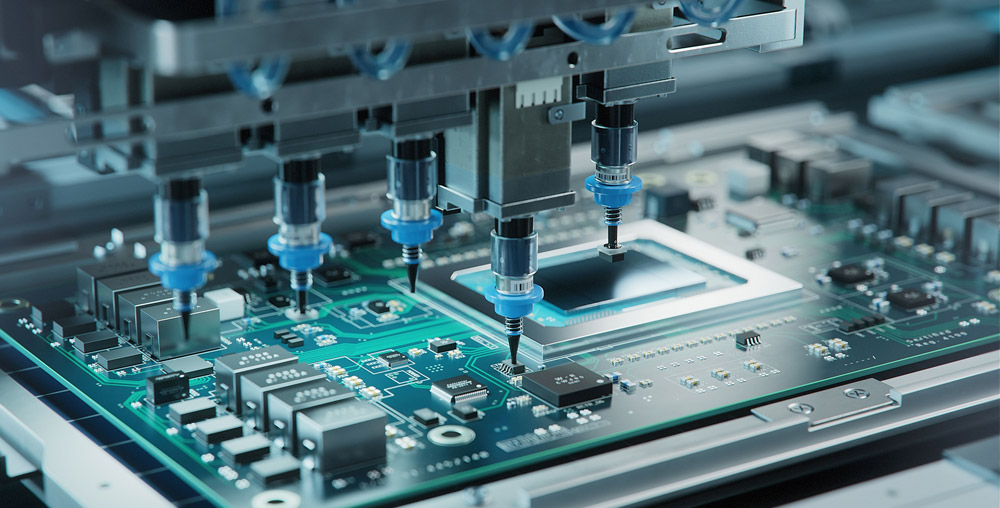
          Step 8: Electrical Testing (Pre-Test)

          Use dedicated testing tools (depending on the COB product type) to check each PCB for electrical functionality. A high-precision regulated power supply is commonly used. Any defective boards are flagged and sent for repair.

          Step 9: Encapsulation (Dispensing Epoxy or Silicone)

          Dispense a carefully measured amount of AB epoxy over each bonded LED chip using a dispensing machine. For ICs, a black encapsulant is typically used. Additional protective packaging is applied depending on customer requirements.

          Step 10: Final Curing

          Place the encapsulated PCB into a thermal oven and allow it to cure under controlled temperature and time settings. The curing schedule may vary depending on the type of encapsulant and the final product鈥檚 environmental requirements.

          Step 11: Final Testing

          After curing, perform a final round of electrical testing using specialized equipment to verify performance. Boards are sorted based on quality, and any issues are identified for rework or rejection.

          EBest Circuit (Best Technology) 鈥 Your Trusted COB LED Strip Aluminum PCB Manufacturer

          At EBest Circuit (Best Technology), we鈥檙e proud to provide advanced PCB manufacturing for lighting applications鈥攊ncluding COB LED strips and custom MCPCB designs. Our engineers understand thermal performance, phosphor consistency, and bonding reliability.

          Our COB LED PCB services include:

          • One-stop solution: from layout to finished PCBs
          • Flexible voltage support: including 12V COB LED strips
          • Customized color temperatures and CRI ratings
          • Support for RGB COB LED strip designs
          • Advanced thermal management with MCPCB options

          If you are interested in COB LED PCB manufacturing, welcome to email us at sales@bestpcbs.com or leave your comments below this blog.

          FAQs

          Q1: Can COB LED strips be dimmed?

          Yes, most COB strips support PWM dimming. Make sure your power supply and controller are compatible.

          Q2: Are COB LED strips waterproof?

          Many are! Look for IP65 or higher if you鈥檙e using them outdoors. Silicone-coated versions offer good protection.

          Q3: How do I install a COB LED strip?

          Clean the surface, peel the adhesive backing, and press the strip in place. Use aluminum channels for better heat dissipation.

          Q4: Can I use COB LED strips with smart home systems?

          Yes! Pair them with a compatible dimmer or RGB controller connected to your smart hub.

          Q5: What voltage do COB LED strips use?

          Most commonly 12V or 24V. Always match your power supply to the strip’s input rating.

          You may also like