PCB manufacturing PCB manufacturing
Home > Blog

HDI PCB Manufacturer​, HDI PCB Fabrication Process

September 10th, 2025

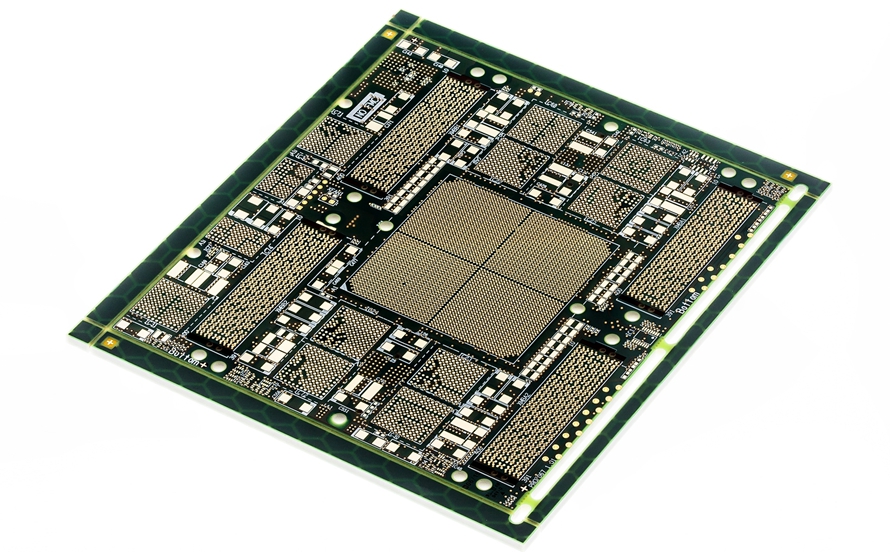
As an HDI PCB manufacturer, EBest Circuit (Best Technology) understands the importance of reliable, high-quality HDI PCBs for modern electronics. The core content of this blog revolves around the definition, features of the HDI board, and the HDI PCB manufacturing process.

Some customers face the following issues when doing the HDI printed circuit boards project with their HDI PCB manufacturer​s. Are you also dealing with these frustrating problems?

  • High cost and its impact on some cost-sensitive projects?
  • Product defect due to poor manufacturing precision?
  • There are some difficulties in customizable design, size, material, and other aspects, so it is difficult to meet the specific needs of your orders?

Here’s our game plan for dealing with those tricky problems.

  • Boost manufacturing process and shorten delivery schedule: The production efficiency can be improved by elevating the HDI PCB manufacturing process and using automatic devices. Finally, to shorten the entire fabrication lead time.
  • Optimize the cost structure and improve the cost efficiency: We can lower the unit cost by standard design, mass production, and material selection optimization.
  • Increase the manufacturing precision and improve product quality: Adopt high-precision equipment, such as a laser drilling machine, AOI inspection equipment, and a rigorous quality control process to ensure product consistency.
  • Boost customizable capability: provide the tailored manufacturing service according to customers’ Gerber files and needs.

As an ODM & OEM HDI circuit boards manufacturer, we have our own high density interconnect PCB factory in China, and we have been selling high-density PCBs in a perfectly competitive market for over 19 years. Our customer vary from countries to countries. Last year, our biggest selling volume is to the USA, Germany, and Israel, and others. We have abundant experience in solving different issues for customer’s projects. If you need to find a reliable manufacturers for HDI PCB fabrication services, just make contact with us via sales@bestpcbs.com.

HDI PCB Manufacturer​, HDI PCB Fabrication Process

What is HDI PCB?

The full name of HDI PCB is high-density interconnect PCB. Put it simply, it refers to a multilayer PCB produced using build-up techniques and microvias. In simple terms, it starts with a core board—with or without plated through holes (PTH)—made by conventional methods. Fine circuits and microvias are then added to the outer layers to create build-up layers, ultimately forming a multilayer board.

To better understand how HDI PCBs achieve high-density interconnections, it’s useful to first look at the different types of vias used in these boards.

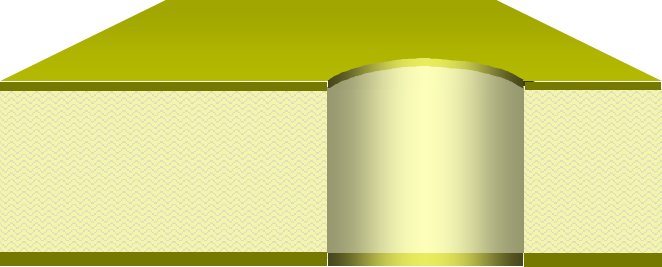
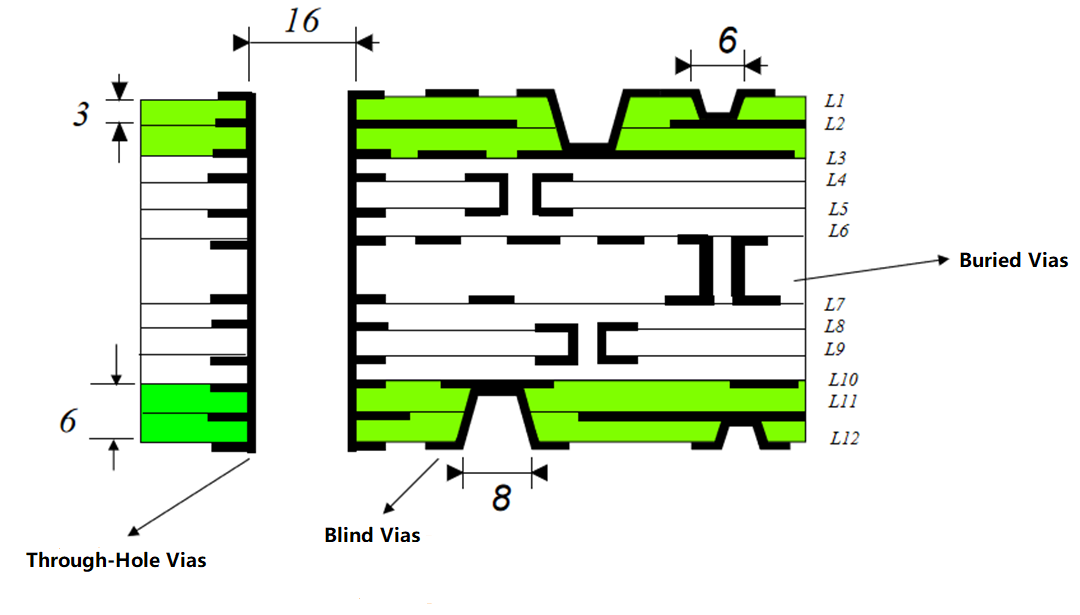
Via hole: It is a general term for all layer-to-layer holes, including Through Holes, Blind Vias, Buried Vias, and Microvias.

Microvia: In the PCB industry, any hole with a diameter smaller than 150 µm (6 mil) is classified as a microvia. It is very small via for HDI PCBs, can be blind, buried, or through.

Buried via: A buried via is located within the inner layers and is typically invisible in the finished PCB. Compared with through-holes, its main advantage is that it does not occupy surface space, allowing more components to be placed on the PCB’s surface.

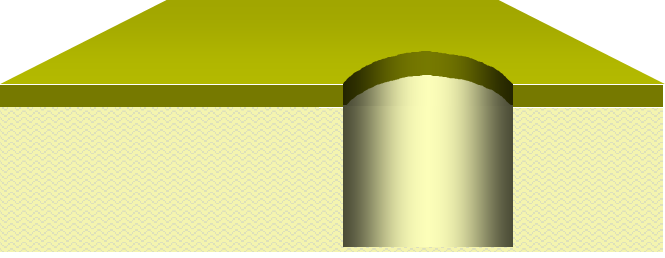
Blind via: A blind via is visible on the finished PCB but only from one side. Unlike through-holes, which are visible from both the top and bottom, blind vias allow routing underneath the via location while saving surface area for components.

Through Hole: A through hole is a type of via hole that passes through the entire PCB. In other words, all through holes are via holes, but not all via holes are through holes. Via holes can also include blind vias and buried vias, which only connect some layers of the PCB rather than the entire board, allowing for higher-density layouts. When a through hole is plated with copper, it is called a PTH and is used for electrical connections. If it is not plated, it is called an NPTH and serves mainly mechanical purposes.

Via TypeTypical Min. DiameterLayer ConnectionCommon Use Case
Via HoleN/AAny layersGeneral layer-to-layer interconnection
Microvia≤ 150 µm (6 mil)Outer to inner (1 layer)High-density routing
Blind Via75–200 µmOuter to inner (partial)Space-saving design
Buried Via100–200 µmInner to inner onlyInner layer connection
Through PTH≥ 200 µmAll layersSignal & power transfer
Through NPTH≥ 200 µmNo electrical connectionMechanical fixing

What is the Difference Between HDI PCB and Conventional PCB?

1. Layer Structure

  • HDI PCB: Uses multiple build-up layers with microvias, blind vias, and buried vias, allowing higher interconnect density in a compact design.
  • Conventional PCB: Relies on through-hole vias across the entire board with simpler stack-up, suitable for less dense layouts.

2. Fine Line Width and Spacing

  • HDI PCB: Supports ultra-fine lines and spaces, often down to 50–75 microns, enabling high-density routing.
  • Conventional PCB: Uses wider traces and spacing, which limits circuit miniaturization.

3. Process Technology

  • HDI PCB: Requires laser drilling, sequential lamination, and via-in-pad technology for advanced designs.
  • Conventional PCB: Uses mechanical drilling and traditional lamination, easier to fabricate for general applications.

4. Base Materials

  • HDI PCB: Employs high-performance laminates with low Dk/Df for better high-frequency performance and thermal stability.
  • Conventional PCB: Commonly made with standard FR4, good enough for most consumer and industrial electronics.

5. Manufacturing Cost

  • HDI PCB: Higher cost due to extra processes, fine features, and strict material requirements.
  • Conventional PCB: More cost-effective, especially for low-to-medium complexity products.

6. Application Scenarios

  • HDI PCB: Found in smartphones, tablets, medical devices, automotive electronics, and aerospace where size and performance are critical.
  • Conventional PCB: Used in home appliances, industrial controls, and products that don’t need very high density.

Structural Characteristics of HDI Blind Vias

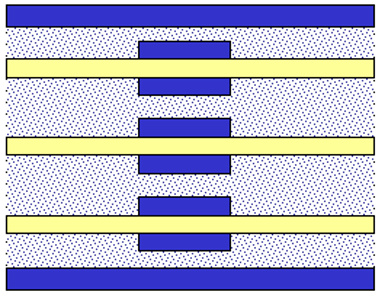
High-Density Interconnect (HDI) PCBs are characterized by their use of blind vias, which connect outer layers to one or more inner layers without passing through the entire board. The structural configuration of HDI boards is typically described using a notation like a+N+a or a+N+N+a, where each element represents a specific part of the board:

  • “a” – Build-up Layer: These are the additional layers added on top of the core to achieve higher wiring density. Each build-up is considered a stage: a single build-up is first-order, two sequential build-ups are second-order, and three build-ups constitute third-order.
  • “N” – Core Layer: This is the central layer of the PCB that provides mechanical support and basic circuitry.

Some common HDI structures include:

  • 1+N+1: One build-up layer on each side of the core.
  • 1+N+N+1: One build-up on each side with an additional core layer in the middle.
  • 2+N+2: Two build-up layers on each side of the core.
  • 2+N+N+2: Two build-up layers on each side with an extra core layer in between.
  • 3+N+3: Three build-up layers on each side of the core.
  • 3+N+N+3: Three build-up layers on each side with an extra core layer in the center.

These configurations allow for greater routing density, smaller via sizes, and more compact designs. The use of blind vias reduces signal loss, minimizes board thickness, and enables complex circuitry integration without increasing the overall PCB size. By carefully selecting the build-up and core combination, designers can optimize signal integrity and maintain mechanical stability in advanced electronic devices.

Where to Get HDI PCB Manufacturer in China for PCB Fabrication and Assembly?

China is renowned for its manufacturing capacity, offering a greater range of HDI PCB fabrication and assembly services. When looking for a reliable HDI PCB manufacturer, it’s important to understand the market landscape first.

HDI Boards Market Overview
HDI PCB factories in China are concentrated in several key regions:

Channels to Get Original China HDI PCB Manufacturer

  • Trade shows and electronics exhibitions – opportunities to see HDI PCB fabrication capabilities firsthand.
  • Online B2B platforms and directories – such as Alibaba and Global Sources, offer a large range of manufacturers that provide HDI PCB assembly manufacturing and other services.
  • Industry referrals and engineering networks – recommended by partners who have experience with hdi pcb electronics manufacturing.

Types of HDI PCB Manufacturers in China

  1. Professional HDI factories: Focus solely on HDI boards, often equipped with blind buried vias HDI PCB manufacturing, laser drilling, microvia technology, and sequential lamination. Ideal for high quality HDI PCB for electronics circuit boards and HDI PCB prototype manufacturing.
  2. General PCB manufacturers: Handle a variety of PCB types including HDI, but may have limitations on microvia precision or layer count. Suitable for medium-complexity designs and any PCB layer HDI manufacturers.
  3. OEM/ODM factories: Offer full services from design to assembly, including 3 step HDI PCB manufacturers or smart robot rigid-flex PCB board HDI board manufacturing, often supporting volume production for global electronics brands.

EBest Circuit (Best Technology) Advantages
When choosing HDI PCBs manufacturers, working with a PCB HDI company that addresses common customer pain points is key. EBest Circuit (Best Technology) stands out with:

  • Advanced Manufacturing Capabilities: Supports multi-layer HDI PCB boards, HDI via PCB manufacturing, rigid-flex HDI PCB boards, and high density PCB designs.
  • Original high density interconnect PCBs and SMT Factories: We have original HDI fabrication and SMT factories in China for PCB Fabrication and Assembly. And our ISO9001, IATF16949, ISO13485, and AS9100D certifications ensure strict process control and reliability in our own HDI PCB manufacturing and PCBA factories.
  • Professional Engineering Support: HDI PCB design for manufacturability guide, layout optimization, and rapid prototyping minimize rework and maximize performance.
  • Flexible Delivery: Solutions tailored for both small and large volume production, with reliable HDI PCB electronics manufacturing quality and reliable lead times.

In summary, finding the right China leading HDI PCB manufacturer for electronics industry involves understanding the regional landscape, knowing the types of factories available, and selecting a partner who can provide both technical expertise and dependable production. With advanced capabilities, rigorous quality control, and customer-focused service, EBest Circuit (Best Technology) ensures your high density interconnect PCB projects are executed efficiently, reliably, and with consistent high quality.

Step-by-Step HDI PCB Fabrication Process

EBest Circuit (Best Technology) follows a meticulous multi-stage approach to ensure the quality, reliability, and performance of every HDI board. Below is our 3 step HDI PCB fabrication process for your reference. As a 3 step HDI PCB manufacturer, EBest Circuit (Best Technology) leverages advanced laser drilling, sequential lamination, and microvia filling technologies to achieve high-density interconnects with exceptional precision. 

Step 1: Material Preparation (Cutting)

Copper-clad laminates are cut into required panel sizes. Material properties such as thickness, CTE, and moisture absorption are carefully checked to ensure dimensional stability during subsequent processes. Pre-baking is often performed to remove absorbed moisture.

Step 2: Inner Layer Imaging

Photoresist is applied to the core, then exposed through a phototool to define fine circuit patterns. Strict control of exposure alignment and development ensures accurate line width and spacing.

Step 3: Automated Optical Inspection (AOI)

Inner layer circuits are inspected with AOI to detect defects such as opens, shorts, and over-etched lines. Any defects are repaired or flagged before proceeding to lamination.

Step 4: Lamination

The prepared inner layers are stacked with prepreg and copper foil, then laminated under high temperature and pressure. Vacuum lamination ensures strong bonding, minimal voids, and proper registration between layers.

Step 5: Copper Reduction (7–9 μm)

Controlled etching reduces copper thickness to the target range of 7–9 μm. This step is crucial for achieving fine line resolution and impedance stability in HDI structures.

Step 6: Laser Drilling (3–5 mil Holes)

Microvias are drilled using a CO₂ or UV laser. Hole diameters range from 3 mil to 5 mil depending on design requirements. Laser parameters are adjusted to ensure clean via walls and accurate depth control.

Step 7: Mechanical Drilling (Through-Holes, Aspect Ratio ≤5:1)

Through-holes are drilled mechanically, with the aspect ratio controlled to be ≤5:1. Drill bit wear and hole wall quality are closely monitored to avoid defects like burrs or smear.

Step 8: Electroless Copper Deposition

A thin conductive seed layer is deposited inside all drilled holes and via walls by electroless copper plating. This creates the foundation for subsequent electroplating.

Step 9: Hole Filling (Blind Via, ≤25 μm Copper Growth)

Blind vias are filled with conductive copper plating. Copper growth is controlled to ≤25 μm to maintain surface flatness, which is critical for further lamination and circuit imaging.

Step 10: Inner Layer Imaging (Repeated)

The next layer of circuitry is defined by repeating the photoresist coating, UV exposure, and development process. Alignment to buried features is precisely maintained.

Step 11: AOI

Each newly imaged layer undergoes AOI to confirm circuit accuracy before additional lamination steps.

Step 12: Lamination (Second Build-Up)

Another lamination cycle is carried out to stack additional layers. Temperature, pressure, and alignment are controlled to ensure reliability and dimensional stability.

Step 13: Copper Reduction

Etching is performed again to refine copper thickness to the design requirements, ensuring consistent trace definition.

Step 14: Laser Drilling

New microvias are laser-drilled to connect to the previously built-up layer. Registration accuracy is carefully monitored to avoid misaligned stacked vias.

Step 15: Electroless Copper Deposition

Copper seed layers are deposited again inside the new vias and on the panel surface to ensure complete metallization.

Step 16: Hole Filling

The newly created blind vias are filled and planarized, maintaining a smooth surface for further processing.

Step 17: Inner Layer Imaging (Third Build-Up)

The third sequence of inner layer circuit imaging is performed. High precision alignment is required as this is the final build-up before outer layer processing.

Step 18: AOI

AOI checks for defects such as misregistration, broken lines, and incomplete filling to guarantee layer reliability.

Step 19: Lamination (Final Build-Up)

All layers are consolidated in a final lamination cycle. Rigorous control of warpage and shrinkage is performed to meet high-density tolerances.

Step 20: Copper Reduction

The outer copper is reduced to the design thickness to prepare for outer layer circuit definition.

Step 21: Laser Drilling

Outer microvias are laser-drilled, connecting the final build-up layers to the outer copper surface. Alignment to internal features is verified.

Step 22: Mechanical Drilling

Final through-holes, tooling holes, and mounting holes are mechanically drilled with tight tolerance control.

Step 23: Electroless Copper Deposition

All newly drilled vias and holes receive electroless copper plating to establish a uniform conductive seed layer.

Step 24: Hole Filling

Any blind or buried vias requiring filling are processed and planarized to maintain surface flatness for solder mask application.

Step 25: Outer Layer Imaging

Outer layers are coated with photoresist and exposed with phototools to define final circuit traces and pads. Alignment is critical to match buried vias and inner layers.

Step 26: Etching

Unwanted copper is etched away, leaving the final outer layer circuitry with precise line width and spacing.

Step 27: AOI

Final AOI verifies the outer layer circuitry. Any defects are flagged, repaired, or scrapped based on quality requirements.

Step 28: Solder Mask Application

A solder mask layer is applied and imaged to protect circuits and define solderable pads. Adhesion, thickness, and registration are carefully checked.

Step 29: Silkscreen Printing

Component markings and reference designators are printed. Clarity, durability, and positioning are validated for assembly readability.

Step 30: Surface Finishing (ENIG / Gold Plating)

Surface finishes such as ENIG (Electroless Nickel Immersion Gold) are applied to exposed copper pads to improve solderability and oxidation resistance.

Step 31: Board Profiling

The panels are routed or V-scored into final board shapes. Dimensional accuracy and edge quality are inspected.

Step 32: Electrical Testing

Every PCB undergoes electrical testing to confirm there are no shorts, opens, or resistance anomalies. Test results are documented for traceability.

Step 33: Final Inspection

The finished boards are inspected for surface quality, dimensional accuracy, and compliance with customer specifications. Only fully qualified boards proceed to packaging.

In a nutshell, step-by-step HDI PCB fabrication process relies on precise layer build-up and meticulous interconnection control to ensure performance and reliability. Strict attention to line width and spacing, via aspect ratio, stacked via alignment, and substrate dimensional stability is essential throughout the above fabrication process.

Best Practices of Selecting the Right HDI PCB Supplier

Selecting the right HDI PCB supplier directly impacts your product development timeline, cost, and overall project success. HDI PCBs involve complex processes such as microvias, buried vias, high-layer stacking, and fine-line routing. A supplier lacking experience may lead to rework, delayed delivery, or substandard performance. A reliable supplier not only delivers high-quality boards but also provides technical support during design and manufacturing, helping you reduce risk and bring your product to market on time. But how to choose a supplier and manage Risk?

Evaluating HDI PCB suppliers should focus on four key areas.

  1. Technical Capability
    • Number of layers and minimum line/space they can handle.
    • Microvia and buried via manufacturing experience.
    • Experience with complex designs and HDI stackups.
    • Suppliers with strong technical skills can anticipate design issues and offer solutions.
  2. Delivery Reliability
    • Production capacity and ability to handle urgent orders.
    • Historical on-time delivery records.
    • Clear timelines and buffers to minimize project delays.
  3. Quality Control
    • Certifications such as ISO9001, IPC standards, IATF16949 (automotive), ISO13485 (medical).
    • Process control and testing methods like AOI, flying probe, and electrical testing.
    • Consistent quality reduces rework and overall project costs.
  4. Service and Support
    • Responsiveness to technical questions and project updates.
    • Engineering support for DFM reviews, material selection, and design feedback.
    • Smooth communication helps resolve issues quickly and efficiently.

How to quickly determine if a supplier matches your project requirements? Here’s a practical approach.

  • Initial Screening
    • Gather technical data, certifications, and case studies.
    • Check if the supplier can handle your layer count, microvia technology, and fine-line designs.
  • Prototype Testing
    • Place a sample order to test manufacturing accuracy, dimensional tolerances, and electrical performance.
    • Sample results are a key reference for supplier reliability.
  • Factory Audit (Optional)
    • Inspect production environment, equipment, quality management, and process workflow.
    • Meet engineering team to discuss technical and production details.
  • Formal Partnership
    • Select suppliers verified through prototyping and/or audits.
    • Establish a clear contract outlining quality, delivery, and technical support requirements.

Here are the actionable steps for your review.

  1. Initial Screening: Collect supplier information, verify technical capabilities, certifications, and past projects.
  2. Prototype Validation: Place sample orders and test manufacturing precision and functionality.
  3. Factory Audit: Confirm production capacity, quality management, and engineering support.
  4. Evaluation and Decision: Score suppliers based on technical capability, delivery, quality, and service.
  5. Formal Agreement: Sign contracts that define responsibilities, standards, and service expectations.

To sum up, by following these steps, users can systematically select the right HDI PCB supplier, minimize risk, and improve the likelihood of project success.

Case About HDI PCB Fabrication in EBest Circuit (Best Technology)

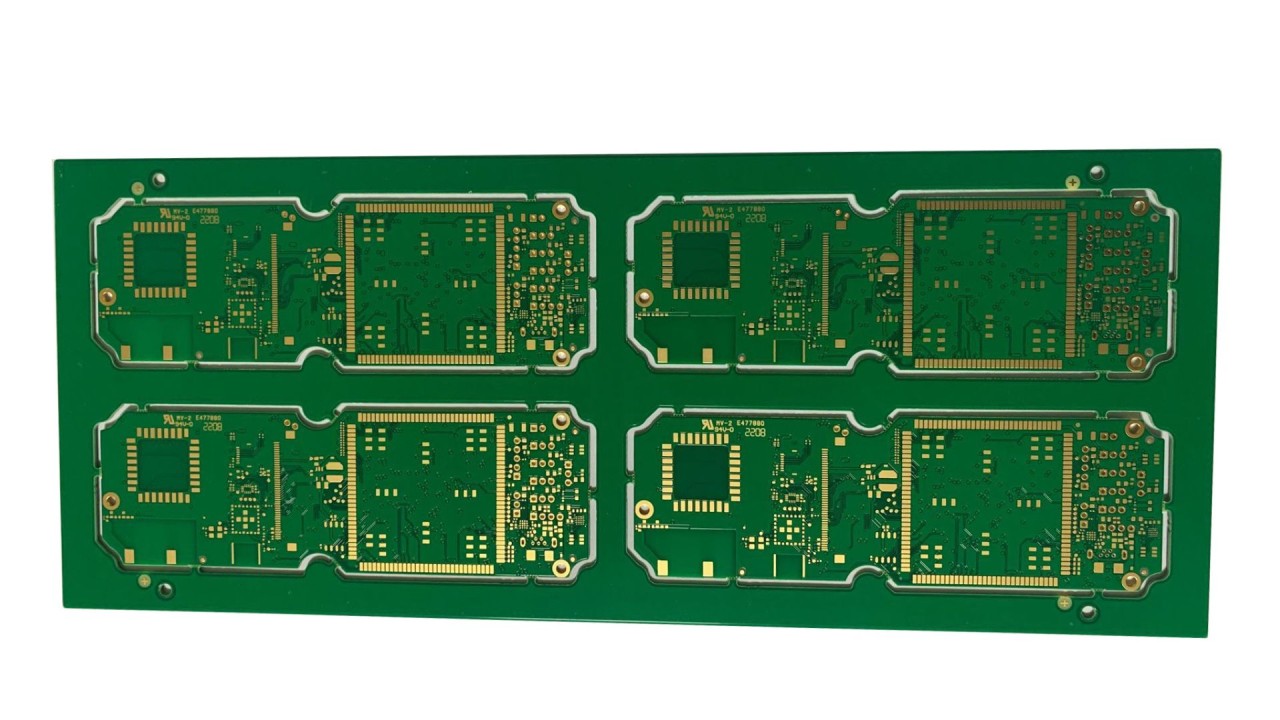
As one of any PCB layer HDI manufacturers in China, EBest Circuit (Best Technology) provides high quality HDI PCB electronics manufacturing and PCBA service. Here are some of our HDI printed circuit boards’ parameters and pictures for your reference.

6 Layers HDI (1+4+1) 4G Module PCB Parameters

  • HDI (1+4+1)
  • 4G module PCB
  • 6 layers FR4 PCBDrill depth control (0.8mm: L1-L3, L6-L3)
  • Minmum line width/space: 4/4mil
  • 0.1mm Via
  • ENIG
  • Green Oil
Case About HDI PCB Fabrication in EBest Circuit (Best Technology)

6 Layers HDI (1+4+1) Half Hole Plated PCB Parameters

  • HDI (1+4+1)
  • Half plated hole
  • 0.10mm Buried & Blind Via
  • 0.15mm trace width & space
  • Multi-layer FR4 PCB
  • ENIG
  • Green Oil
  • White silkscreen
Case About HDI PCB Fabrication in EBest Circuit (Best Technology)

All in all, choosing the right HDI PCB manufacturer is critical for modern electronics projects. EBest Circuit (Best Technology) combines robust HDI PCB fabrication processes, global sourcing, and comprehensive design support to eliminate common customer challenges. Our commitment to precise manufacturing, responsive support, and practical solutions builds trust and drives successful project outcomes for our customers worldwide. If you are finding China leading HDI PCB manufacturer for electronics industry, just contact EBest Circuit (Best Technology) at sales@bestpcbs.com. We are always here to give you practical solutions.

Difference between Standard PCB and Advanced HDI PCB

September 10th, 2025

What is advanced HDI PCB? This blog covers structural differences, thermal performance, applications, and selection strategies between standard PCBs and advanced HDI PCBs.

Are you worried about these questions?

  • BGA pitch at 0.4mm: yield stuck at 85%?
  • Why 8-layer board costs 20% more than competitors?
  • Design rework consumes 30% of R&D cycle?

As a HDI PCB manufacturer, EBest Circuit (Best Technology) can provide you service and solution:

  • 30μm laser drilling: BGA yield at 0.35mm pitch improves to 93%
  • Any-layer interconnect: 6-layer achieves 8-layer performance (IoT client cut costs by 18%)
  • Free DFM report: blocks 80% of manufacturability issues upfront.

Feel free to contact us if you have any inquiry for HDI PCB fabrication: sales@bestpcbs.com.
What Is Advanced HDI PCB?

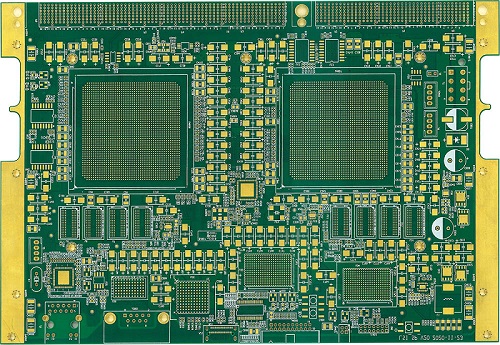
Advanced HDI PCB (High-Density Interconnect Printed Circuit Board) is a multilayer circuit board technology characterized by ultra-fine wiring (under 100μm), microvias (blind/buried types), and high-density component placement. It achieves miniaturization through sequential lamination and laser-drilled microvias, enabling complex interconnections in compact spaces. This technology can supports high-speed signal transmission with controlled impedance and reduced parasitic effects.

What Is Advanced HDI PCB?

What Is Standard PCB?

Standard PCB refers to a conventional printed circuit board constructed with 1-16 conductive copper layers laminated with FR-4 epoxy substrate. Characterized by trace widths exceeding 0.15mm and through-hole interconnections, it accommodates components via surface-mount (SMT) or through-hole (THT) assembly methods. This cost-efficient design prioritizes manufacturability over high-density integration, serving as the baseline solution for mainstream electronics requiring reliable electrical connectivity without advanced miniaturization.

What Is Standard PCB?

Difference Between Standard PCB and Advanced HDI PCB

1. Size and Weight

  • Advanced HDI PCB: Typical thickness reduced to 0.4mm (e.g., smartphone motherboards), with weight reduction exceeding 30%. For example: Apple Watch S6 uses HDI technology, reducing motherboard area by 20% compared to previous models.
  • Standard PCB: Conventional thickness ≥1.0mm, 10-layer board weight ≈ 120g/m² (e.g., power management boards in industrial control cabinets).

2. Component Density

  • Advanced HDI PCB: Supports 20+ components/cm² (line width/spacing ≤40μm). For example, iPhone 17 Pro motherboard integrates over 1,000 components.
  • Standard PCB: Density typically ≤5 components/cm² (line width/spacing ≥100μm), e.g., Arduino development boards accommodate only dozens of components.

3. Drilling Technology and Layer Count

  • Advanced HDI PCB: Laser microvia diameter 50-100μm (mechanical drilling limit 200μm), with blind/buried vias accounting for >60%. Case: Huawei 5G base station RF module uses 8-layer HDI with 3-stage stacked vias, replacing traditional 16-layer designs.
  • Standard PCB: Mechanical through-hole diameter ≥0.2mm, 6-layer through-hole boards cost 15% more than equivalent HDI boards (due to higher layer count requirements).

4. Manufacturing Cost

  • HDI PCB: Unit price 30-50% higher, but system-level savings: Dell XPS laptops reduce PCB layers by 2 using HDI, cutting total costs by 12%.
  • Standard PCB: 4-layer bulk price $0.5-2/sheet, but high-density needs require layer increases (each additional 2 layers raise costs by 35%).

5. Manufacturing Complexity

  • HDI PCB: Requires 5+ lamination cycles (standard PCB: 1-2 cycles), with microvia copper filling defect rates <0.1% requiring nanoscale plating control.
  • Standard PCB: Through-hole plating yield >98% (mature process),

6. High-Frequency and Thermal Management

  • HDI PCB: Dielectric constant Dk ≤3.5 (high-frequency materials like Megtron 6), supporting 28GHz millimeter-wave. Case: Tesla autopilot modules reduce thermal resistance by 15℃/W using HDI embedded resistors.
  • Standard PCB: FR-4 material Dk ≥4.5, with significant losses above 10GHz, relying on external metal layers for heat dissipation.

7. Reliability Data

  • HDI PCB: Microvia thermal cycling test (-55℃~125℃) passes 3,000 cycles (JEDEC standard), but copper thickness inconsistencies cause 15% early failures.
  • Standard PCB: Through-hole structures pass 1,500 thermal cycles, with typical failure mode being hole wall cracking (0.5% incidence).

    Applications: Standard PCBs vs Advanced HDI PCBs

    Standard PCB Applications

    • Industrial Controls & Power Systems: Used in PLCs, motor drives, and power distribution units Automotive Electronics: Dashboards, engine control units (ECUs), and basic infotainment systems where space is less constrained.
    • Consumer Appliances: Washing machines, refrigerators, and HVAC systems requiring simple circuit layouts.
    • Low-Speed IoT Devices: Smart home sensors, basic monitors, and peripheral devices with minimal signal complexity.

    Advanced HDI PCB Applications

    • Mobile & Wearable Tech: Smartphones, smartwatches, and AR/VR devices demanding micro-sized components and high-speed connectivity.
    • Medical Electronics: Implantable devices, portable ultrasound machines, and lab-on-a-chip systems requiring precision and miniaturization.
    • 5G & Telecom Infrastructure: Base stations, mm Wave antennas, and data center interconnects for ultra-fast signal transmission.
    • Aerospace & Defense: Avionics, radar systems, and satellite components needing lightweight, high-reliability circuits.
    • AI & High-Performance Computing: Servers, GPUs, and neural processors requiring dense interconnects for efficient power delivery and thermal management.

    Which Has Better Heat Dissipation: Standard PCB and Advanced HDI PCB?

    Substrate Thermal Conductivity

    • Standard PCB: Uses FR-4 substrate (0.3 W/m·K), relying on copper thickness (35–70μm) for heat dissipation.
    • Advanced HDI PCB: Adopts high-thermal-conductivity resins/ceramic-filled substrates (1.0–2.0 W/m·K), though fine lines (<0.1mm) reduce copper cross-section.

    Structural Heat Dissipation Efficiency

    • Standard PCB: Thick copper layers enable horizontal heat spreading, suitable for <15W applications.
    • Advanced HDI PCB: Microvia copper filling creates vertical thermal channels, reducing thermal resistance by 15–20% and cutting high-frequency temperature rise by 30% (ΔT 18°C vs. 22°C).

    Thermal Accumulation Risk

    • Standard PCB: Direct thermal paths in low-layer designs; multi-layer setups risk localized overheating.
    • Advanced HDI PCB: 12+ layer stacks require rigorous thermal simulation, using embedded heat pipes/thermal via arrays to suppress interlayer thermal coupling.

    Scenario Adaptability

    • Standard PCB: Cost-effective, excels in <15W natural convection scenarios (7–10°C lower temp rise).
    • Advanced HDI PCB: Optimizes high-density zones (e.g., 5G RF/GPU areas) via material + structural tweaks, limiting hotspot temp rise to <15°C.
    Which Has Better Heat Dissipation: Standard PCB and Advanced HDI PCB?

    Performance and Reliability: Standard PCB vs Advanced HDI PCB

    Electrical Performance Differences

    • Signal Integrity: Advanced HDI PCBs reduce signal path length by 30-50% through microvia/blind via technology, minimizing crosstalk and latency for 5G/high-frequency applications. Standard PCBs are better suited for low-frequency, simple circuits.
    • Impedance Control: HDI’s laser-drilled microvias achieve ±3% precision (vs. ±10% for mechanical drilling in standard PCBs), ensuring stable high-frequency signal transmission.

    Reliability Comparison

    • Interlayer Connection: HDI’s Every Layer Interconnect (ELIC) technology reduces failure rates to 0.02% (vs. 0.1% for standard PCBs), doubling product lifespan.
    • Thermal Stability: HDI uses high-Tg materials (≥180°C) and uniform copper thickness, reducing failure rates by 40% in high-temperature environments compared to standard PCBs.

    Space & Cost Efficiency

    • Miniaturization: HDI enables 60% higher component density for wearables/smartphones. Standard PCBs require larger board sizes (increasing costs by 15-20%).
    • Long-Term Cost: HDI’s 30% higher upfront cost is offset by reduced layer counts (e.g., 8-layer HDI replacing 12-layer standard) and lower repair rates, achieving ROI within 2 years.

    Production Flexibility

    • Design Iteration: HDI supports 0.1mm line/space (vs. 0.15mm for standard), accelerating complex design iterations and cutting time-to-market by 1-2 months.
    • Supply Chain Compatibility: Standard PCBs fit traditional equipment upgrades; HDI requires supplier capability assessment (only 12% of Chinese PCB factories excel in advanced HDI).

    Environmental Compliance

    • Material Standards: HDI commonly uses halogen-free substrates (IPC-4101E compliant), aiding EU RoHS 3.0 certification. Standard PCBs may require additional compliance costs.

    How to Choose between Standard PCB and Advanced HDI PCB?

    Design Complexity and Layer Count

    • Standard PCB: Suitable for linear circuits with ≤10 layers and line width ≥100μm (e.g., industrial control boards). FR-4 substrate with traditional through-hole technology ensures short design cycles and controllable costs.
    • HDI PCB: Ideal for high-density routing with ≥12 layers and line width ≤150μm (e.g., smartphone motherboards). Laser microvias and blind/buried via technology support high-pin-density BGA packaging.

    Signal Performance

    • High-frequency/high-speed scenarios (≥1GHz): HDI reduces parasitic capacitance/inductance by ~40%, enhancing signal integrity. Example: 28GHz mmWave module eye diagram margin improves from 0.3UI to 0.6UI.
    • Low-frequency circuits (e.g., LED driver boards): Standard PCB’s through-hole technology meets requirements, with EMI issues optimized via ground layers.

    Space & Component Density

    • Space-constrained scenarios: HDI achieves 50μm line width/spacing, supporting BGA packages with >1500 pins, reducing area by 60% and thickness by 40%.
    • Space-relaxed scenarios: Standard PCB’s 150μm line width/spacing lowers manufacturing difficulty and reserves space for heat sinks.

    Cost & Lead Time

    • Standard PCB: Unit cost ~$110-160/m², lead time 3-5 days. Bulk production (100k units) reduces total cost by ~40% compared to HDI.
    • HDI PCB: Laser drilling and sequential lamination increase unit price, but reducing total layers (e.g., 8-layer HDI vs. 12-layer standard) cuts costs by ~15% while boosting signal speed by 50%. Lead time requires an additional 2-3 weeks.

    Manufacturing & Design

    • HDI Design: Adheres to “3-layer sequential lamination” limits; requires 3D simulation for via fill rate validation.
    • Standard PCB Design: Supports relaxed DRC rules (line width tolerance ±20%), suitable for rapid prototyping.
    How to Choose between Standard PCB and Advanced HDI PCB?

    Why Choose EBest Circuit (Best Technology) as Advanced HDI PCB Manufacturer?

    Reasons why choose us as advanced HDI PCB manufacturer:

    • 19 Years HDI Expertise: Specialized in high-complexity HDI manufacturing for 19 years, with 100,000+ batches delivered for 5G, medical, and automotive sectors, mastering microvia filling and layer alignment.
    • 48-Hours Rapid Prototyping: Fast-track line ensures samples ship within 48 hours from design approval, speeding up validation for consumer electronics and automotive projects.
    • Stringent Quality Certifications (ISO9001, ISO13485, and IATF16949): Ensures product consistency and compliance with global standards.
    • Competitive Pricing: Affordable pricing without compromising quality, ideal for cost-sensitive projects.
    • Six Layer Quality Inspection: Strict AOI, X-ray, and impedance testing reduce defects to <1%, meeting IPC-6012 Class 3 and ISO 9001:2015 standards.
    • Free DFM Analysis: Complimentary design checks identify trace compliance, blind via feasibility, and thermal risks upfront to boost yields.
    • Expert Technical Support: Senior engineers provide end-to-end guidance on HDI challenges like signal loss and thermal stress.
    • Eco-Compliant Manufacturing: RoHS compliant processes and ISO certification support global environmental standards.
    • Custom Application Solutions: Tailored designs address aerospace heat resistance, medical biocompatibility, and automotive vibration needs for precise performance.

    Welcome to contact us if you have need any help for advanced HDI PCB board: sales@bestpcbs.com.
    What is Signal to Noise Ratio? What SNR Rating Do I Need?

    September 10th, 2025

    Signal-to-noise ratio, often abbreviated as SNR, is a fundamental concept in communications, electronics, and data transmission. It quantifies how strong a desired signal is compared to the background noise. Understanding SNR is crucial for engineers, network administrators, and even tech enthusiasts who want reliable connections and high-quality data.

    In this article, we’ll dive into the meaning of SNR, why it matters, how to calculate it, what affects it, and how to improve it. We’ll also cover Wi-Fi-specific SNR and provide practical insights to ensure your signals remain clear and robust.

    What is Signal to Noise Ratio? What SNR Rating Do I Need?

    What is Signal to Noise Ratio?

    Signal-to-noise ratio is a measure that compares the level of a desired signal to the level of background noise. It’s usually expressed in decibels (dB). Essentially, SNR indicates how much the signal stands out from the noise.

    A higher SNR indicates that the signal is significantly stronger than the noise, which is desirable. Conversely, a low SNR means the signal is barely distinguishable from the noise, which can cause errors, distortion, or interruptions.

    SNR is applied across many fields: wireless communications, audio engineering, broadcasting, and even medical electronics. Understanding SNR helps professionals evaluate and optimize system performance.

    Signal-to-Noise Ratio Formula in dB

    SNR is typically measured in decibels (dB) using this formula:

    Signal-to-Noise Ratio Formula in dB

    Where:

    • Psignal is the power of the signal
    • Pnoise is the power of the noise

    Example:

    If signal power = 50 mW, and noise power = 2 mW:

    Signal-to-Noise Ratio Formula in dB

    This indicates the signal is 14 dB stronger than the noise.

    Why Do We Use Signal-to-Noise Ratio?

    Signal-to-noise ratio is not just a technical term—it serves as a benchmark for quality. Here’s why it’s widely used:

    1. Improved Data Transmission Accuracy

      High SNR reduces errors when transmitting data over networks or communication channels. In Wi-Fi networks, for instance, low SNR can result in dropped packets, slow downloads, or unstable connections.

      2. Audio and Video Quality

      Audio engineers rely on SNR to ensure recordings are clear. A low SNR in audio systems can produce hiss, hum, or other unwanted background noise. In video systems, SNR ensures visual clarity, reducing static or interference in broadcasts.

      3. Reliable Network Performance

      Wi-Fi, LTE, and 5G networks monitor SNR to evaluate connection quality. Higher SNR values mean users experience faster, more stable connections.

      4. Troubleshooting and Optimization

      Engineers use SNR measurements to identify weak signals or high-noise environments. Adjusting equipment placement, upgrading devices, or applying noise reduction techniques often improves SNR.

      Is Higher SNR Better?

      Yes, generally speaking, a higher SNR is better. A high SNR indicates a stronger signal relative to background noise. For instance:

      • Wi-Fi networks: An SNR above 40 dB usually ensures fast, reliable connections. Values between 25–40 dB indicate a moderate connection, while below 20 dB may result in frequent drops.
      • Audio systems: SNR of 60 dB or higher is considered professional quality. Lower SNR can make background noise noticeable.
      • Data networks: Higher SNR reduces transmission errors, increasing reliability.
      Is Higher SNR Better?

      However, extremely high SNR is not always necessary. Once a signal is sufficiently stronger than the noise to achieve the required performance, further increases may offer diminishing returns. The goal is an SNR that ensures functionality, clarity, and reliability.

      What is Considered a Low Signal-to-Noise Ratio?

      A low SNR occurs when the signal is close in power to the noise. In practical terms:

      • Wi-Fi: SNR below 20 dB is considered poor. Connections are likely to be unreliable, and speeds may fluctuate.
      • Audio systems: SNR below 40 dB can make background hiss noticeable.
      • Data transmission: An SNR lower than 10 dB may cause frequent errors, lost packets, or communication failure.

      Low SNR is often the root cause of performance issues, whether in home Wi-Fi, enterprise networks, or professional audio systems. Recognizing and addressing low SNR is essential for optimal performance.

      What Causes Low Signal-to-Noise Ratio?

      1. Distance from a transmitter, low transmission power, or physical obstacles can weaken signals, reducing SNR.

      2. Environmental interference, electronic devices, or overlapping network signals can increase noise levels.

      3. Low-grade antennas, cables, and receivers can introduce additional noise or reduce signal strength.

      4. In Wi-Fi networks, multiple devices transmitting simultaneously can create interference, reducing SNR.

      5. Signals bouncing off walls, floors, or metal objects can create phase shifts, causing interference and reducing effective SNR.

      What Are Common Uses for SNR?

      SNR is applied in many technical areas:

      • Telecommunications: Evaluates call clarity and network quality in mobile, satellite, and fiber-optic networks.
      • Wi-Fi Networks: Helps assess connection quality and identify interference.
      • Audio Engineering: Ensures recordings and playback are clear, minimizing background noise.
      • Broadcasting: Maintains high-quality video and audio signals for TV and radio.
      • Data Transmission: Supports reliable communication in Ethernet, optical fiber, and wireless networks.
      • Medical Devices: Monitors clean signals from sensors and equipment, minimizing measurement errors.

      Essentially, any system where signals must be distinguished from noise relies on SNR.

      What Are Common Uses for SNR?

      What SNR Rating Do I Need?

      The required SNR depends on the application:

      For Wi-Fi Networks:

      • 40 dB+: Excellent
      • 25–40 dB: Good
      • 15–25 dB: Fair, may experience drops
      • <15 dB: Poor, unreliable

      For Audio Systems:

      • 60 dB+: Professional quality
      • 40–60 dB: Acceptable for home use
      • <40 dB: Noticeable background noise

      For Data Transmission:

      • Ethernet or fiber networks generally require at least 20–30 dB to minimize errors.

      Selecting the right SNR ensures stable performance and reliable communication.

      What Improves Signal-to-Noise Ratio?

      1. Use higher-gain antennas, stronger transmitters, or closer placement of devices.

      2. Shield cables, move devices away from electrical interference, or use frequency channels with less congestion.

      3. High-quality cables, antennas, and receivers reduce inherent noise and maintain signal clarity.

      4. Avoid obstacles, reflective surfaces, and interference sources for wireless signals.

      5. Filtering, error correction, and noise-reduction algorithms can effectively enhance SNR.

      FAQs

      1. What is a good SNR for Wi-Fi?

        An SNR above 40 dB is excellent. Below 20 dB, connections may be unstable.

        2. Can SNR be negative?

        Yes. Negative SNR occurs when noise power exceeds signal power, indicating unreliable communication.

        3. How can I improve SNR without increasing signal strength?

        Reducing noise by shielding devices, moving interference sources away, or using filters can improve SNR effectively.

        4. What’s the difference between RSSI and SNR?

        RSSI measures signal strength only. SNR compares signal to noise. High RSSI with low SNR may still lead to poor performance.

        5. Can SNR be applied to all signals?

        Yes. SNR is universal and applies to Wi-Fi, audio, video, radio, and even medical or scientific signals.

        5G UW vs 5G UC: What Does 5G UW Mean?

        September 10th, 2025

        The world is buzzing with 5G. Mobile networks are rolling it out at full speed, and every new smartphone comes with 5G capability. But when you look at your screen and see “5G UW” or “5G UC,” confusion kicks in. What do these terms mean? Are they faster than LTE, or just marketing?

        In the debate of 5G UW vs 5G UC, it’s important to break down the meaning of these labels, what kind of performance you can expect, and why they matter for industries far beyond mobile phones. At the heart of this revolution sits high speed PCB technology, the invisible backbone that makes next-generation communication possible.

        What is 5G?

        5G is the abbreviation of 5th Generation Mobile Communication Technology. It is standardized by the International Telecommunication Union (ITU) and achieves performance breakthroughs through technologies such as millimeter waves, massive antenna arrays (Massive MIMO), and beamforming. Its network architecture supports both standalone networking (SA) and non-standalone networking (NSA), providing infrastructure for the Internet of Things and industrial internet, among others.

        Key features of 5G network:

        1. High rate: The theoretical peak transmission speed reaches 20 Gbps, which is over 10 times that of 4G and can support large data applications such as 8K videos, VR/AR.
        2. Low latency: The air interface latency is as low as 1 ms, meeting the real-time interaction requirements of autonomous driving, remote surgery, etc.
        3. Large connection: Each square kilometer can connect millions of devices, promoting the implementation of IoT scenarios such as smart cities and smart homes.
        5G UW vs 5G UC: What Does 5G UW Mean?

        Types of 5G Network

        To understand why your phone sometimes shows “UW” or “UC,” you need to know the different flavors of 5G. The 5G network can be divided into three types according to its band:

        1. Low-band 5G: Operates close to traditional LTE frequencies. It can cover long distances and penetrate buildings well, but the speed jump is modest. Think of it as a slightly upgraded LTE.

        2. Mid-band 5G: Provides a sweet spot. It offers significantly higher speeds while still covering large areas. This band is the workhorse of most 5G deployments.

        3. High-band 5G (mmWave): This is the superstar of speed. It delivers multi-gigabit per second downloads and ultra-low latency. However, signals don’t travel far and can be blocked by walls, trees, or even your own hand.

        Different carriers use different strategies. Verizon highlights its Ultra Wideband service. T-Mobile emphasizes Ultra Capacity. AT&T uses “5G+.” While the names differ, the underlying technology rests on these three bands.

        What is 5G UW?

        So, what does UW mean next to 5G? On Verizon’s network, UW stands for Ultra Wideband. It is the branding the company uses for its fastest 5G connections.

        In practice, 5G UW usually refers to two types of spectrum:

        • mmWave spectrum: Ultra-high frequencies that deliver multi-gigabit speeds. Ideal for stadiums, airports, or city centers where many users need blazing speed.
        • C-band spectrum (mid-band): Offers a balance of speed and range. Verizon began applying the UW label to this spectrum too, giving customers a wider area of high-performance 5G.

        When you see UW, your phone is using Verizon’s premium 5G service. This can mean downloading movies in seconds, enjoying lag-free cloud gaming, or using advanced business apps while on the go.

        What is 5G UW?

        What is 5G UC?

        On T-Mobile devices, you may see “5G UC.” This stands for Ultra Capacity, T-Mobile’s label for its fastest 5G network.

        UC typically combines mid-band spectrum (like 2.5 GHz frequencies it acquired from Sprint) with mmWave spectrum in select locations. The result is a service that covers a larger portion of the country than Verizon’s UW while still offering high speeds.

        In a practical sense, when comparing 5G UW vs 5G UC, both represent faster-than-standard 5G. UW often peaks at higher speeds in dense urban areas, while UC provides broader high-speed coverage across suburbs and rural zones.

        The Impact of 5G on Various Industries

        • Healthcare: Surgeons can perform operations remotely with robotic assistance. Telemedicine becomes smooth with real-time video. Wearable devices track patient data continuously.
        • Automotive: Autonomous vehicles rely on instant communication with sensors, traffic systems, and other cars. Millisecond latency makes this possible.
        • Manufacturing: Smart factories use connected machines and predictive maintenance powered by IoT. Downtime is reduced, efficiency skyrockets.
        • Entertainment: Virtual reality and augmented reality experiences become practical. Gamers stream console-quality titles from the cloud without lag.
        • Logistics and Retail: Supply chains operate with real-time tracking. Retailers use AR shopping and automated checkout.

        All these applications depend on one thing: hardware that can handle high-frequency, high-speed signals. And that is where high speed PCBs enter the picture.

        The Impact of 5G on Various Industries

        Why is 5G UW So Slow Sometimes?

        If UW is supposed to be ultra-fast, why do some users report slower speeds? There are several reasons.

        1. Coverage limitations: mmWave signals travel only short distances. If you step outside the coverage zone, your phone falls back to slower bands.

        2. Obstructions: Buildings, glass, or even a crowd can block mmWave signals.

        3. Congestion: In busy areas, too many users may strain the network.

        4. Device limitations: Not all phones handle every 5G frequency equally well.

        Even with these challenges, 5G UW is still faster than LTE under proper conditions. The performance gap will continue to widen as carriers expand coverage and upgrade infrastructure.

        Is 5G UW Better than LTE?

        Yes—when conditions are right, 5G UW easily outperforms LTE. It offers higher data speeds, lower latency, and more capacity for simultaneous users. While LTE still covers more remote areas, it cannot match the performance levels of UW or UC in urban and business zones.

        Here’s a quick comparison:

        Feature5G UW (Ultra Wideband)5G UC (Ultra Capacity)LTE (4G)
        Typical Speed1–3 Gbps (can peak higher)400 Mbps – 1 Gbps10–50 Mbps
        Latency~5–10 ms~10–20 ms~30–50 ms
        CoverageLimited (urban hot spots)Wider (cities + suburbs)Broad (urban + rural)
        Best ForCloud gaming, AR/VR, ultra-HD streamingEveryday high-speed browsing, business appsStandard streaming, web browsing
        Signal RangeShort (mmWave limited)Moderate (mid-band focus)Long (low-band focus)
        Battery ImpactHigher drainModerateLower drain

        In short:

        • UW = maximum speed but short range.
        • UC = balanced speed and coverage.
        • LTE = wide coverage but slower speeds.

        Can You Turn Off 5G UW on iPhone?

        Yes, iPhones give you control over how you connect. In Settings → Cellular → Voice & Data, you can choose:

        • 5G On: Always use 5G when available.
        • 5G Auto: Switch between LTE and 5G to save battery.
        • LTE: Stick to LTE only.

        This means you can disable UW if you prefer longer battery life or find LTE more stable in your area. It gives you flexibility, so you are not locked into one option. Below picture show my phone ‘s 5G network is trun on.

        Can You Turn Off 5G UW on iPhone?

        The Key Part in 5G Network: High Speed PCB

        When people talk about 5G, they often focus on antennas, towers, and smartphones. But inside every device lies a silent hero: the high speed PCB.

        High-Speed PCB refers to a printed circuit board designed for high-speed digital circuits (where the signal transmission rate usually exceeds 1 Gbps or the frequency reaches the GHz level). Its core lies in addressing issues such as reflection, crosstalk, and delay in high-speed signal transmission. To ensure signal integrity, it requires the application of key technologies such as impedance control and differential signal design. Without it, 5G’s high data rates would collapse into noise and interference.

        Every 5G base station, router, or phone relies on these PCBs to deliver consistent performance. They are the backbone of the 5G era.

        Features of High Speed PCB

        • Low-loss materials: Special laminates that minimize signal degradation.
        • Controlled impedance traces: Precise line widths and spacing for stable signal flow.
        • Ground planes: Reduce noise and prevent interference.
        • Differential pairs: Keep high-speed signals balanced and synchronized.
        • Multilayer stack-ups: Allow complex routing without sacrificing performance.

        High Speed PCB Design Consideration

        A successful PCB layout begins with asking one important question: is this truly a high speed design? If yes, then every step of the design requires extra caution. Not all PCBs demand the same rigor, but once signal speeds reach certain thresholds, they must be treated as high speed circuits.

        1. Determining if a Design is High Speed

        To confirm whether a circuit qualifies as high speed, engineers evaluate three key parameters:

        • Maximum signal frequency (Fm): The highest operating frequency in the circuit.
        • Rise or fall time (Tr): The fastest transition time of digital signals.
        • Data transfer rate (DTR): The maximum bit rate of data communication.

        These parameters are related:

        From this, the highest signal frequency can be derived.

        Next, the wavelength (λm) of the signal on the PCB must be calculated:

        where v is the signal speed on the PCB, approximately 11.8 in/ns in vacuum, but lower in PCB materials depending on the dielectric constant.

        If the interconnect length l < λm / 12, then the trace can be treated as a regular connection. But if l ≥ λm / 12, it must be treated as a high speed interconnect. Another rule: if propagation delay along the trace exceeds half of the signal rise/fall time, the trace must be considered high speed.

        In practice, when signal frequencies reach 45–50 MHz or higher, and such signals dominate the design, the board should be treated as a high speed PCB.

        2. Material Impact on High Speed Design

        PCB material strongly affects signal velocity and propagation delay. Different laminates have different dielectric constants (Er) and effective values (Ereff), which directly influence delay times.

        For example:

        • Isola 370HR: Delay ~145–170 ps/in
        • Isola I-Speed: Delay ~139–162 ps/in
        • Rogers 4000 series: Delay ~139–161 ps/in
        • Tachyon 100G / Rogers 3003: Faster signal propagation at ~128–147 ps/in

        Low-loss materials with stable dielectric properties are always preferred for GHz-range designs. Choosing the right laminate is a fundamental step in achieving reliable high speed performance.

        High Speed PCB Design Consideration

        3. Evaluating Design Complexity

        Beyond speed, complexity also drives design considerations. Factors include:

        • Component density: More parts per unit area increase routing difficulty.
        • Fine-pitch BGAs: Devices with 0.5 mm or 0.4 mm pitch often require blind and buried vias for fan-out.
        • Interface types: High-speed protocols like HDMI, DDR, and Gigabit Ethernet need strict impedance control.
        • Impedance requirements: Controlled 50Ω single-ended or 100Ω differential traces may be mandatory.
        • Mixed-signal design: Coexistence of digital, RF, and analog circuits complicates stack-up and layout.
        • Strict layer stack-up: Some designs require 6, 8, or more layers with specific ground/power plane placement.
        • Component pin density: More than 17 pins per cm² indicates a demanding layout.
        • Part density: Over 1.55 components per cm² also raises complexity.
        • Electrical restrictions: Sensitive circuits may impose strict EMI or crosstalk requirements.

        The higher the density and the more protocols involved, the greater the need for specialized PCB techniques.

        4. Key Design Guidelines for High Speed PCBs

        When a design qualifies as high speed, the following must be considered:

        1. Treat interconnects as transmission lines. High speed traces are not simple point-to-point connections; they require impedance-controlled routing to reduce reflections, crosstalk, and EMI.
        2. Control signal attenuation. Use proper materials, trace widths, and terminations to keep losses within acceptable limits.
        3. Match PCB technology to complexity. Choose fabrication techniques that support component density, fine-pitch devices, and advanced protocols.
        4. Manage EMI carefully. Proper grounding, return paths, and shielding are vital to keep emissions under control.
        5. Maintain power integrity. Even under high-frequency noise, stable power delivery is crucial. Use decoupling capacitors, well-designed PDNs, and sufficient ground planes.
        6. Adopt specialized routing strategies. Differential pair routing, via optimization, and stack-up planning must be applied based on density and frequency needs.

        In short, high speed PCB design demands a holistic view—balancing materials, geometry, signal integrity, EMI control, and manufacturability.

        EBest Circuit (Best Technology) – Your Reliable High Speed PCB Manufacturer

        At EBest Circuit (Best Technology), we understand the demands of the 5G era. We produce high speed PCBs that meet strict performance requirements for telecom, automotive, aerospace, and medical applications.

        • Certifications: ISO9001, ISO13485, IATF16949, and AS9100D.
        • Quality control: Rigorous inspections and advanced testing equipment.
        • Traceability: MES system tracks every component and process.
        • Support: Professional engineering team to assist with stack-up design, impedance control, and thermal solutions.
        • Cost efficiency: Competitive pricing without sacrificing reliability.

        If your projects require high frequency, high speed solutions, EBest Circuit (Best Technology) is here to deliver boards that perform under pressure.

        FAQs

        1. What does UW mean next to 5G?

        It means Ultra Wideband, Verizon’s label for its premium 5G service.

        2. Is 5G UW faster than 5G UC?

        UW can reach higher peak speeds, but UC offers broader high-speed coverage.

        3. Does 5G UW use more battery?

        Yes, connecting to high-frequency bands can drain more power.

        4. Is 5G better than LTE?

        Yes, 5G offers faster speeds, lower latency, and better capacity compared with LTE.

        5. Why do some areas still lack 5G UW coverage?

        Because high-frequency networks are costly to deploy and signals don’t travel far. Expansion is ongoing.

        High Frequency Board Design & Manufacturer, Fast Delivery

        September 9th, 2025

        How to design high frequency board? This guide covers material selection, 6GHz design rules, frequency stability control, and cost-saving strategies for high-performance PCBs.

        Are you troubled with these problems?

        • Why do high-frequency signals distort at critical bands?
        • Why do promised substrate parameters consistently fail real-world testing?
        • Why are costs for low-volume high-frequency PCBs prohibitively high?

        As a high frequency PCB manufacturer, EBest Circuit (Best Technology) can provide you service and solution:

        • Precision Impedance Control – Signal loss <0.5dB/inch for frequencies ≤24GHz.
        • Verified Real-World Data – Batch-specific Dk/Df test reports included.
        • Cost-Optimized Manufacturing – Hybrid material design cuts costs by 30%.

        Welcome to contact us if you have any request for high frequency board: sales@bestpcbs.com.
        What Is High Frequency Board?

        High Frequency Boards are printed circuit boards (PCBs) specifically designed for high-frequency signal transmission. They utilize special materials with low dielectric constant (Dk) and low dielectric loss (Df), such as PTFE and ceramic-filled composite materials, to ensure high stability and low attenuation during signal transmission. These boards are applied in fields with stringent requirements for signal integrity, including 5G communication, radar systems, satellite equipment, and high-speed digital circuits. Through precise design and surface treatment processes, they minimize signal distortion and electromagnetic interference.

        What Is High Frequency Board?

        How to Choose Materials for High Frequency Board Design?

        1. Prioritize Electrical Performance Parameters

        • Dielectric Constant (Dk): Select materials with low Dk (ideal range 3-3.5) to reduce signal delay and phase distortion. For high-frequency applications (e.g., millimeter wave), pursue the lowest Dk possible as losses increase with frequency.
        • Loss Factor (Df/tanδ): Lower Df values minimize signal attenuation. FR-4 exhibits significant loss in GHz bands; high-frequency scenarios require materials with Df < 0.005 (e.g., PTFE).

        2. Frequency Range Determines Material Type

        • <5GHz: Modified FR-4 balances cost and performance, suitable for consumer electronics.
        • 5-10GHz: Use ceramic-filled PTFE or polyimide for medium-high performance.
        • 10GHz/Millimeter Wave: Ultra-low-loss materials (e.g., pure PTFE, Rogers series) are mandatory; traditional FR-4 fails completely.

        3. Thermal-Mechanical Performance Matching

        • Coefficient of Thermal Expansion (CTE): Must align with copper foil to prevent delamination. High-frequency materials typically require CTE < 70ppm/°C. Temperature Resistance: High-power scenarios demand high thermal conductivity (>0.5W/mK) to avoid overheating.
        • Moisture Absorption: Prefer materials with <0.1% absorption rate, as humidity changes affect Dk stability.

        4. Manufacturability and Cost Balance

        • Processing Difficulty: PTFE requires laser drilling and specialized surface treatments, costing 3-5 times more than FR-4. Hybrid stack-ups (critical layers: PTFE + standard layers: FR-4) optimize costs.
        • Copper Foil Treatment: Use ultra-low-roughness copper (RTF/VLP types) to reduce skin-effect losses.
        • Peel Strength: PTFE substrates have lower copper adhesion; assembly reliability must be evaluated.

        5. Supplementary Considerations for Special Scenarios

        • Impedance Control: Material thickness tolerance must be <10% to ensure impedance matching accuracy.
        • Size Effects: Compact circuits may use high-Dk thin materials to mitigate wavelength compression impacts.
        • Signal Integrity: Avoid splitting reference planes; provide clear return paths.

        6 Ghz High Frequency Board Design Guidelines

        1. Stack-Up & Routing

        Multilaminate Design(Minimum 6-layer stack-up recommended)

        • Top: Critical high-speed signals.
        • Layer 2: Solid GND plane.
        • Layer 3: High-speed differential pairs.
        • Layer 4: VCC plane.
        • Layer 5: Auxiliary GND plane.
        • Bottom: General signals.

        2. Routing Rules

        • Avoid parallel routing in adjacent layers to prevent capacitive coupling.
        • Use 45° bends/arcs for signal traces to minimize EMI.
        • High-speed signal length tolerance: ±5mil; differential pair length mismatch <2mil.
        • Impedance Control: Calculate characteristic impedance using tools (e.g., Polar SI9000). Target ±5% accuracy for 50Ω single-ended/100Ω differential traces.

        3. Power & Grounding Design

        Power Network

        • Place power/ground planes adjacent to reduce loop inductance.
        • Deploy 0.1μF + 10μF decoupling capacitor pairs near high-speed ICs (<2mm distance).

        Grounding Strategy

        • Maintain unbroken ground planes; avoid splits.
        • Follow 20H rule: Shrink power plane edges inward by 20× stack-up spacing relative to ground.
        • Use multipoint grounding to minimize ground bounce.

        4. Component Placement

        • Functional Zoning: Segregate RF/digital/power modules; position sensitive components (e.g., LCDs) away from high-speed ICs.
        • Pin Optimization: Limit high-speed device pin routing bends to ≤1; avoid traces between pins to reduce parasitic capacitance.
        • Thermal Management: Place high-power components near board edges; reserve ≥4oz copper foil for heat dissipation.

        5. Signal Integrity Measures

        • Transmission Line Design.
        • Employ coplanar waveguide (CPW) structures for critical paths.
        • Avoid crossing plane splits; add stitching capacitors if necessary.

        6. Crosstalk Mitigation

        • Maintain ≥3× line width spacing between adjacent signal traces.
        • Shield clock signals with guard traces and ground stitching.

        7. Manufacturing Requirements

        • Microvia Technology: Utilize laser drilling (≤0.1mm aperture) and via-filling plating for HDI interconnections.
        • Surface Finish: Apply ENEPIG or immersion silver for high-frequency conductivity.
        • Soldermask Control: Limit LPI soldermask thickness to ≤15μm; maintain ±25μm window accuracy.

        8. Verification & Testing

        Pre-Simulation:

        • Perform 3D EM simulation (HFSS/SIwave) to analyze S-parameters and EMI.

        Prototype Validation:

        • Verify impedance via flying probe testing.
        • Validate signal rise time (<35ps) through TDR measurements.

        9. Documentation

        • Annotate high-speed constraints (length/impedance/topology) in schematics.
        • Conflict Resolution Note: To address adjacent signal layers in 6-layer designs, implement orthogonal routing (perpendicular traces) and ensure interlayer dielectric thickness ≥8mil to reduce coupling.
        6 Ghz High Frequency Board Design Guidelines

          How to Control Frequency Stability in High Frequency Board Design?

          1. Material Selection for Low Temperature Drift

          • Choose substrates with low TCDk (Temperature Coefficient of Dielectric Constant), ideally ≤20 ppm/°C (e.g., ceramic-filled PTFE or Rogers RO4000 series).
          • Avoid materials with high moisture absorption (e.g., standard FR-4) to prevent Dk shifts due to humidity changes.

          2. Precision Impedance Control

          • Maintain ±5% impedance tolerance for critical traces (e.g., 50Ω single-ended, 100Ω differential) using stack-up simulations (e.g., Polar SI9000).
          • Use coplanar waveguide structures with ground shielding to minimize crosstalk-induced impedance variations.

          3. Thermal Management Design

          • Via arrays and thermal copper pours: Connect high-power components to heat sinks or inner-layer ground planes to reduce thermal gradients.
          • Thermal interface materials (TIMs): Improve heat dissipation from ICs to prevent frequency shifts caused by localized heating.

          4. Stable Reference Clock Design

          • Use low-phase-noise crystal oscillators (e.g., TCXO or OCXO) with frequency stability ≤±1 ppm over temperature.
          • Shield clock traces with grounded guard traces and minimize trace length to reduce EMI-induced jitter.

          5. Mechanical Stress Mitigation

          • Controlled CTE (Coefficient of Thermal Expansion): Match substrate and copper foil CTE (<70 ppm/°C) to prevent warping or delamination under thermal cycling.
          • Rigid-flex design: For dynamic applications, use flexible PCB sections to absorb mechanical stress without affecting high-frequency traces.

          6. Environmental Shielding

          • Conformal coating: Apply acrylic or silicone coatings to protect against moisture, dust, and corrosion.
          • EMI gaskets: Seal enclosures with conductive gaskets to block external interference affecting frequency stability.

          7. Validation & Testing

          • Thermal cycling tests: Verify frequency stability (-55°C to 125°C) per IPC-TM-650 standards.
          • S-parameter testing: Ensure insertion loss (IL) remains ≤0.5 dB/100 mm at target frequencies (e.g., 24 GHz).
          How to Control Frequency Stability in High Frequency Board Design?

            What Cost-Reduction Strategies Work for High Frequency Board Production?

            1. Design Optimization for Cost Reduction

            • Layer Optimization: For high-frequency circuits (>100MHz), determine the optimal layer count through simulation to avoid over-design. For example, a 4-layer board reduces noise compared to a 2-layer board, but increased layers significantly raise costs.
            • Path Simplification: Use short, straight traces to minimize vias and sharp turns, reducing signal loss and manufacturing costs. Maintain 100Ω impedance for differential signals and 50Ω for single-ended signals.
            • Via Optimization: Reduce via count in RF paths to prevent ground plane fractures; employ backdrilling technology to remove excess via stubs, lowering signal reflection (note potential quality risks).

            2. Material Selection Strategies

            • Substrate Grading: Use low-cost FR4 for general areas and premium materials (e.g., Rogers) for RF/high-frequency zones. Adopt localized hybrid pressing to balance low-loss requirements and cost.
            • Copper Foil Optimization: Select low-roughness copper foil to reduce skin-effect losses, or evaluate lower-grade materials meeting electrical specs to cut costs.

            3. Production Process Optimization

            • Panel Utilization Improvement: Optimize panel layouts (e.g., 12″×18″ panels with 10 boards) to reduce per-board costs by up to 20%.
            • Process Simplification: Use Tenting methods to skip metal resist steps, shortening cycles and saving costs. Refine lamination parameters and alignment techniques to resolve hybrid-press warping/misalignment issues.
            • Scalable Production: Bulk orders lower unit and logistics costs; scaling production (e.g., GW-level capacity) dilutes fixed costs.

            4. Manufacturing & Supply Chain Management

            • DFM (Design for Manufacturing): Incorporate assembly efficiency during design to minimize rework. Single-sided component placement simplifies soldering.
            • Process Stability: Adopt high-precision solder paste printing to optimize filling, release, and cleaning, ensuring yield with lower material costs. Implement systematic controls (e.g., ISO certification) to enhance yield and reduce replenishment costs.

            5. Technological Innovation & Validation

            • Simulation-Driven Design: Leverage power integrity analysis and signal integrity simulations to optimize layouts and reduce trial-and-error costs.
            • Embedded Components: Integrate passive components to shorten signal paths, lowering resistance losses and noise, achieving long-term cost savings.
            • Advanced Packaging: Utilize high-integration ICs to reduce peripheral components, lowering assembly and board size costs.

              Why Choose EBest Circuit (Best Technology) as High Frequency Board Manufacturer?

              Reasons why choose us as high frequency board manufacturer:

              • Fastest Turnaround – Industry-leading production cycles (prototypes in 24-48 hours, volume orders in 5-10 days)
              • Reliable Quality – Certified IPC-A-610 Class 3 standards with 99.98% first-pass yield rate
              • Competitive Pricing – Cost-optimized solutions without compromising quality (15-30% savings vs. industry averages)
              • Stable Supply Chain – Long-term partnerships with component manufacturers ensuring material availability
              • Precision Manufacturing for Signal Integrity: ±0.025mm drilling accuracy & ±1% impedance control solve 5G/mm Wave signal integrity challenges, validated by 67GHz testing to ensure lossless transmission, directly boosting product communication quality and market competitiveness.
              • End-to-End Material Optimization: A portfolio of 50+ qualified laminates (including ultra-low-loss Rogers/Duroid) with strict tan δ (<0.0015) control delivers one-stop RF performance solutions from material selection to validation, reducing R&D trial costs.
              • Integrated Thermal Management: Metal-core boards + embedded heat pipes (15W/cm² dissipation) prevent warping/delamination in high-power applications, enhancing device reliability and lifespan.
              • Rapid Prototyping with DFM Feedback: 24-hour prototype turnaround + 4-hour DFM feedback accelerates development cycles, enabling faster time-to-market and market leadership.
              • Multi-Layer Impedance Matching: Precise control of 50Ω single-ended/100Ω differential impedance with 3D simulation validation meets diverse high-frequency application needs.
              • Cost-Efficient Panel Optimization: Intelligent panel layout (e.g., 12″×18″ multi-board arrays) improves material utilization, combined with scalable production to lower per-unit costs while maintaining quality.

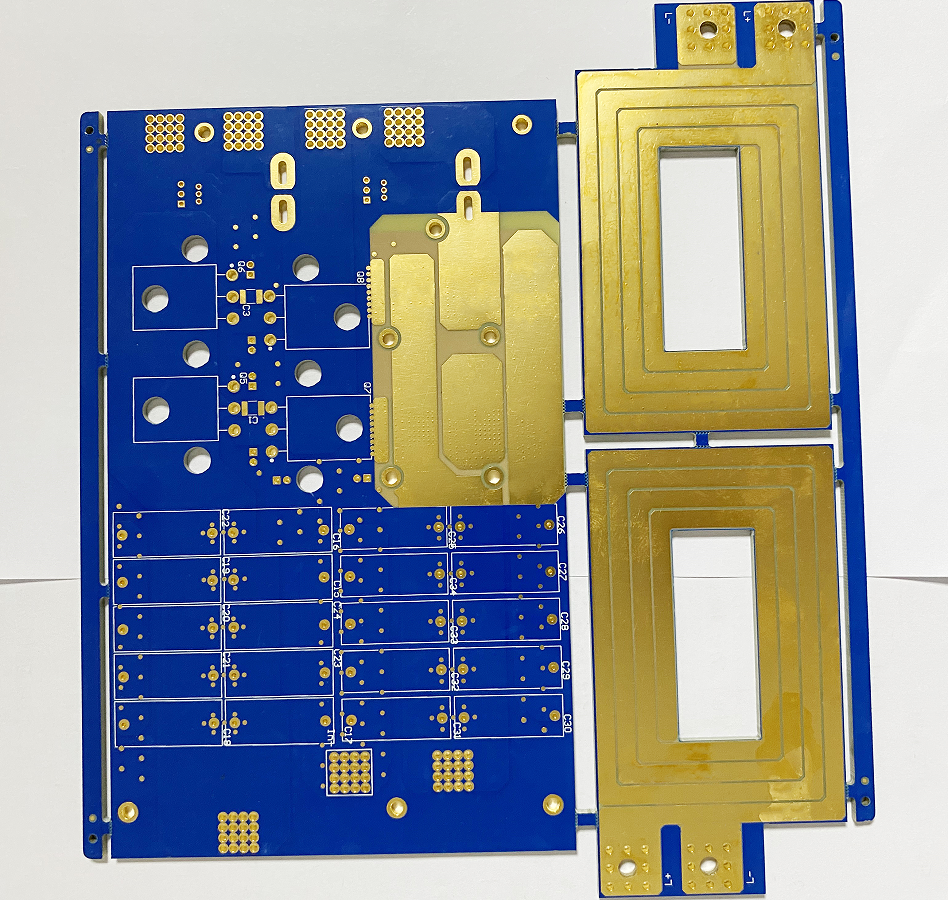
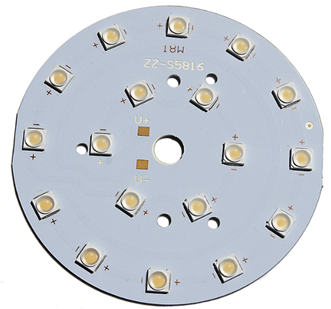
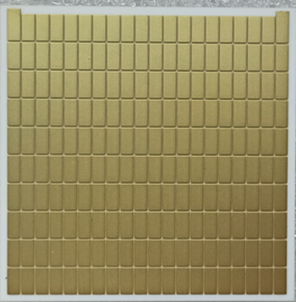
              Below is a photo of high frequency PCB board we made before:

              Why Choose EBest Circuit (Best Technology) as High Frequency Board Manufacturer?

              Our High Frequency Circuit Board Capabilities

              Base material:Rogers/Telfon
              Board Thickness:0.5mm~3.0mm(0.02″~0.12″)
              Copper thickness:0.5 OZ, 1.0 OZ, 2.0 OZ, 3.0 OZ
              Outline:Routing, punching, V-Cut
              Soldermask:White/Black/Blue/Green/Red Oil
              Legend/Silkscreen Color:Black/White
              Surface finishing:Immersion Gold, HASL, OSP
              Max Panel size:600*500mm(23.62″*19.68″)
              Packing:Vacuum/Plastic bag
              Samples L/T:7~9 Days
              MP L/T:8~10 Days

              How to Get a Quote for High Frequency Board Project?

              1. Design Files

              • Gerber files (all layers).
              • Drill files (Excellon format).
              • BOM (Bill of Materials) with part numbers/specifications.

              2. Technical Specifications

              • Substrate type (e.g., Rogers RO4350B, PTFE, ceramic-filled)
              • Target Dk (2.0–3.5) and Df (<0.005) values
              • Impedance requirements (e.g., 50Ω single-ended, 100Ω differential ±5%)

              3. Layer Stack-Up

              • Number of layers and copper weights (e.g., 2H/2L with 1oz inner, 2oz outer).
              • Core/prepreg material and thickness per layer.

              4. Surface Finish & Mask

              • Finish type (ENEPIG, Immersion Silver, HASL, etc.).
              • Solder mask color (LPI, thickness ≤15μm).

              5. Mechanical Requirements

              • Board dimensions and tolerances.
              • Minimum trace/space widths (e.g., 3/3 mil).
              • Via types (blind/buried/microvias, via-in-pad).

              6. Testing & Quality

              • Required tests: S-parameter, TDR, thermal cycling, X-ray for via fill.
              • Acceptance criteria (e.g., IL ≤0.5 dB/100mm at 6 GHz).

              7. Quantity & Lead Time

              • Prototype vs. production volume (e.g., 10 pcs vs. 1,000 pcs).
              • Target delivery timeline.

              8. Special Requests

              • Controlled impedance simulation reports
              • Certifications (e.g., IPC-6012 Class 3, RoHS)

              Welcome to contact us if you have any request for high-frequency board: sales@bestpcbs.com.
              High Frequency Sound Board Manufacturer, Rapid Prototyping

              September 9th, 2025

              What is high frequency sound board? Let’s discover its material, function, application, lifespan, how to set up and connect sound board to your computer through this blog.

              Are you troubled with these questions?

              • Signal integrity issues? High-frequency interference messing up ADC sampling, raising test costs?
              • Prototyping delays? Spotting design flaws late, holding up projects?
              • Welding yield low? Tiny parts having defects, slowing production?

              As a sound board manufacturer, EBest Circuit (Best Technology) can provide you service and solution:

              • Full SI simulation: See signal loss clearly from design to product.
              • 72-hour fast prototyping: With DFM review and backup plans.
              • Micro-spacing welding: Custom solutions, guaranteeing 85%+ first-article yield.

              Welcome to contact us if you have any request for sound board design, manufacturing and assembly: sales@bestpcbs.com.
              What Is High Frequency Sound Board?

              High Frequency Sound Board usually refers to a device or software capable of generating, processing, or playing high-frequency sounds (generally above the upper limit of human hearing range, i.e., above 15,000–20,000 Hertz).

              What Is High Frequency Sound Board?

              What Material is the High Frequency Sound Board Made of?

              Polytetrafluoroethylene (PTFE, Teflon)

              • Features: Ultra-low dielectric loss, high-temperature resistance, chemically stable.
              • Applications: High-frequency fields above 5GHz (e.g., satellite communications, radar).
              • Advantages: Minimal signal loss, high integrity.
              • Limitations: High cost, requires reinforcement.

              Modified Polyphenylene Oxide (PPO)

              • Features: Balanced performance and cost, low high-frequency loss.
              • Applications: 1-10GHz range (e.g., automotive collision avoidance systems).
              • Advantages: Cost-effective.
              • Limitations: Limited in ultra-high-frequency applications.

              Cyanate Ester Resin

              • Features: High-temperature resistance, excellent insulation.
              • Applications: Aerospace communication equipment.
              • Advantages: Stable in extreme conditions.
              • Limitations: High cost, difficult processing.

              Epoxy Resin

              • Features: Low cost, easy processing, but high high-frequency loss.
              • Applications: Low-frequency circuit boards, consumer electronics.
              • Advantages: Suitable for mass production.
              • Limitations: Not ideal for high-frequency sound boards.

              FR-4/PPO Composite Substrate

              • Features: Combines FR-4 cost with PPO performance, moderate loss.
              • Applications: Automotive radars, industrial sensors (1-10GHz).
              • Advantages: Balanced performance and cost.
              • Limitations: Insufficient for ultra-high frequencies.

              Hydrocarbon (PCH) Resin

              • Features: Low loss, high-frequency performance close to PTFE, lower cost.
              • Applications: 5G base stations, RF modules.
              • Advantages: High cost-effectiveness.
              • Limitations: Long-term stability requires validation.

              What Are Function of High Frequency Sound Boards?

              Functions of High-Frequency Sound Boards

              • Low-Loss Signal Transmission: Minimize dielectric loss and attenuation for clear signal integrity in satellite, radar, and 5G systems.
              • Impedance Matching: Match component impedance (antennas, transmitters) to reduce reflections and ensure efficient power transfer.
              • Thermal Management: Dissipate heat from resistive and dielectric losses to prevent performance drops and extend component life.
              • Mechanical Stability: Provide a rigid base for mounting components, reducing vibration noise and ensuring consistent electrical performance.
              • EMI Shielding: Use shielding layers or grounding to block interference in crowded RF environments.
              • Frequency Filtering: Integrate passive filters (microstrip) to reject unwanted frequencies in radio receivers and analyzers.
              • High-Speed Digital Support: Enable low-crosstalk, controlled-delay data transmission for servers, data centers, and advanced computing.
              What Are Function of High Frequency Sound Boards?

              What Is a High Frequency Sound Board Used for?

              Applications of high frequency sound board:

              • Wireless Communication: 5G networks, Wi-Fi, Bluetooth, satellite links.
              • Radar & Navigation: automotive ADAS (collision avoidance), aviation/maritime navigation.
              • Medical Imaging: MRI machines, ultrasound devices, surgical lasers.
              • Aerospace & Defense: Electronic warfare, secure military communications, space exploration satellites.
              • Computing & Data Centers: High-speed server interconnects, cloud computing, AI/big data processing.
              • Consumer Electronics: Smartphones, wearables (smartwatches, fitness trackers), smart home devices.
              • Industrial & Scientific Research: Non-destructive material testing, particle accelerators, environmental monitoring sensors.

              How to Properly Set up a Sound Board?

              1. Hardware Connection and Basic Checks

              • Confirm Interface Types: Identify XLR, TRS, USB, or Thunderbolt interfaces based on your sound board model and match them with microphone, instrument, or computer connections.
              • Test Cables: Use intact cables to connect devices to avoid signal interruptions or noise caused by poor contact.
              • Power Supply and Grounding: Ensure the sound board has an independent power supply (e.g., external power adapter) and avoid sharing sockets with other devices.

              2. Driver and Software Configuration

              • Install Official Drivers: Download and install the latest drivers (e.g., Universal Audio Apollo) from the official website to ensure system recognition of the sound board.
              • Set Sample Rate and Bit Depth: In audio software (e.g., DAW), set the sample rate to 44.1kHz/48kHz (for music production) or 96kHz/192kHz (for professional recording). Choose a bit depth of 24-bit or 32-bit floating point to enhance dynamic range.
              • Select Input/Output Channels: Specify the sound board’s inputs (e.g., microphone channels 1-2) and outputs (e.g., monitor headphones/speakers) in the DAW or system audio settings.

              3. Input Channel Setup

              Gain Adjustment (Gain Staging):

              • Speak softly into the microphone or play an instrument, and slowly increase the gain knob until the input level stabilizes between -18dB and -12dB (avoid clipping distortion).
              • Observe the sound board’s level meters or DAW input signals to ensure no continuous red overload indicators.

              Phantom Power:

              • If using a condenser microphone, enable 48V phantom power for the corresponding channel (press the “48V” or “PHANTOM” button).

              Input Type Switching:

              • Switch high-impedance instrument inputs (e.g., electric guitar/bass) to “Hi-Z” mode (if available) to avoid signal attenuation.

              4. Signal Processing and Equalization (EQ)

              • High-Pass Filter (HPF): Enable the high-pass filter (usually set at 80Hz-120Hz) to filter out low-frequency noise picked up by the microphone (e.g., footsteps, air conditioning hum).
              • Three-Band EQ Adjustment for High Frequencies: Enhance clarity for vocals or strings (e.g., 3kHz-5kHz) and reduce harshness (e.g., above 8kHz).

              5. Auxiliary Send and Monitor Control

              Auxiliary Output (Aux Send):

              • If connecting effects units (e.g., reverb, delay) or singer in-ear monitors, adjust the corresponding channel’s AUX knob to an appropriate volume.
              • Set up auxiliary tracks in the DAW, load effect plugins, and adjust send levels.

              Monitor Mix:

              • Adjust the “MONITOR” or “CUE” knob on the sound board to balance direct and return signals for clear feedback during operation.
              • Use a headphone distributor (if available) to provide independent monitor mixes for multiple users.

              6. Main Output and Bus Setup

              Main Output Level (Main Out):

              • Connect the sound board’s main outputs (L/R) to speakers or recording devices and adjust the main fader to control overall volume.
              • Ensure correct speaker polarity (consistent positive/negative connections) to avoid sound cancellation.

              Bus Processing (Optional):

              • Create bus tracks in the DAW (e.g., drum bus, accompaniment bus) for unified processing of similar signals (e.g., compression, EQ, effects).

              7. Testing and Fine-Tuning

              Signal Chain Check:

              • Test each microphone/instrument channel individually to confirm no muting (MUTE), phase inversion, or wiring faults.
              • Record a short audio clip and check for complete waveforms (no truncation or excessively low levels).

              Environment Adaptation:

              • Adjust speaker positions based on room acoustics (e.g., avoid reflective surfaces) or use acoustic treatment materials (e.g., acoustic foam, diffusers).
              • If feedback occurs, reduce the corresponding frequency’s EQ or move the microphone away from speakers.

              How Do I Connect a Sound board to My Computer?

              1. Check the audio board’s interface type:

              • Look for USB, 3.5mm audio jacks (microphone/headphone), TRS/XLR (pro gear), or PCIe slots (internal cards).
              • Choose the right connection based on the interface.

              2. Connect via USB:

              • Plug the USB cable into the audio board and your computer (use USB 2.0 or higher).
              • Most USB boards work automatically; some pro models may need official drivers.

              3. Connect via 3.5mm audio jacks (analog signals):

              • For audio output (e.g., headphones), link the board’s 3.5mm output to your computer’s “Line In” or mic port (check port function).
              • For input (e.g., mic), connect the board’s input port to your computer’s mic port.

              4. Connect via TRS/XLR (pro equipment):

              • Use adapters like XLR-to-3.5mm or TRS-to-6.35mm to match your computer’s ports.
              • After connecting, manually select the board in your computer’s sound settings (e.g., “Realtek Audio” or board brand).

              5. Install a PCIe internal sound card:

              • Turn off your computer and unplug it. Open the case, find an empty PCIe slot, and insert the board firmly.
              • Restart and install drivers (usually from the manufacturer’s website or included CD).

              6. Install drivers:

              • Download the latest drivers from the manufacturer’s site.
              • Run the installer, restart your computer, and verify the board appears in your sound settings.

              7. Set up audio settings:

              • Open sound settings (Windows: Settings → System → Sound; Mac: System Preferences → Sound).
              • Choose the audio board as the default for both output (playback) and input (recording).
              • Adjust volume and test audio.

              8. Test and fix issues:

              • Play music or record to check for sound.
              • No sound? Check cables, enable the device, or reinstall drivers.
              • Noise? Try a new cable, adjust the sample rate (e.g., 44.1kHz/16bit), or close other audio apps.

              9. Use optional audio software:

              • Some boards include tools for sound effects, mixing, or multi-channel output (e.g., ASIO drivers). Install and explore for pro features.
                How Do I Connect a Sound board to My Computer?

                How Long Does a High Frequency Soundboard Last?

                The lifespan of a high frequency soundboard typically ranges from 5 to 15 years, depending on factors such as device quality (industrial-grade components can last over 10 years, while consumer-grade models may only last 3-5 years), usage environment (high temperatures and humidity accelerate aging), and maintenance frequency (regular cleaning and firmware updates can extend its lifespan). Replacement should be considered if frequent failures occur, performance no longer meets requirements, or spare parts become unavailable.

                How Long Does a High Frequency Soundboard Last?

                Why Choose EBest Circuit (Best Technology) as Sound Board Manufacturer?

                Reasons why choose as high frequency sound board manufacturer:

                Competitive Pricing Without Compromising Quality

                • No hidden fees, transparent pricing tailored to your budget and project scale.

                Fast Lead Times & Rapid Prototyping Service

                • 7–10 working days for prototype production; 3–4 weeks for bulk orders (industry-leading speed).
                • For urgent orders, we provide 48 hours rapid prototyping service.

                Premium Quality Assurance

                • 100% AOI (Automated Optical Inspection) and X-ray testing for soldering reliability.
                • Certification: ISO9001:2015; ISO13485:2016; REACH; RoHS; IATF16949.

                Free DFM (Design for Manufacturability) Review

                • Our engineers analyze your design before production to identify cost-saving tweaks, improve manufacturability, and avoid delays.

                One-Stop Service From Prototype to Mass Production

                • We will handle everything from design, prototyping, mass production and PCBA to save your time and energy cost.

                Customization Flexibility

                • Tailor sound boards to your needs: shape, size, input/output ports, control interfaces, and firmware.
                • Support for analog/digital mixing, wireless connectivity (Bluetooth/Wi-Fi), and AI-powered noise reduction.

                Eco-Friendly & Sustainable Practices

                • Lead-free soldering and recyclable packaging minimize environmental impact.
                • Energy-efficient factories powered by renewable energy (where available).

                Welcome to contact us if you have any request for high frequency sound board: sales@bestpcbs.com.

                What is a USB Pinout? USB Pinout Diagrams

                September 9th, 2025

                USB pinouts are an essential component of USB technology, enabling accurate data and power transfer between devices using the USB standard. Familiarizing yourself with USB pinout diagrams and troubleshooting USB pinout issues can help you diagnose and resolve USB connectivity, data transfer, and power delivery issues. Whether you’re developing and building USB devices or connecting and charging devices using USB technology, understanding USB pinouts is crucial to maximizing the potential of USB technology.

                USB Type-C (2025 Standard)

                8-Pin Simplified Version‌ (Charging + Basic Data Transfer)
                ‌Symmetrical Pins‌: GND, VBUS, D+/D-, CC1/CC2

                Supports reversible insertion, using CC1/CC2 to detect insertion orientation and negotiate power protocols. ‌

                Full 24-pin Version‌ (Supports High-Speed ​​Data Transfer)
                Includes TX/RX differential pairs (USB 3.2/4 compatible), SBU sideband signals, and more, supporting 100W fast charging and 40Gbps data transfer. ‌

                Type-A/B (Legacy Interface)

                Type-A‌ (Commonly Used on Computers)
                4-pin: GND, VBUS, D+, D-, supports USB 2.0 data transfer. ‌

                ‌Type-B‌ (Used for Printers and Other Devices)
                5-pin: Adds a ground pin for compatibility with more devices. ‌

                Mini/Micro USB
                Typically uses a 4-pin design: GND, VBUS, D+, and D-, suitable for low-power devices. ‌

                Key Pin Functions

                ‌VBUS‌: Main power pin (adjustable from 5V to 20V).
                ‌D+/D-‌: USB 2.0 data transmission.
                ‌CC1/CC2‌: Detect insertion direction and negotiate the fast charging protocol.

                USB Pinout

                What is a USB Pinout?

                The USB pinout is the pin configuration of a connector and how it transfers data and power. Each USB connector has a unique pinout and function. Depending on the connector, USB has four or five pins. Type A, Type B, Mini-USB, and Micro-USB connectors are the most popular.

                The most popular USB connector, Type A, contains four pins: two data pins (D+ and D-) and two power pins (VCC and GND). The power pins power the device, while the data pins transfer data.

                Printers, scanners, and other power-consuming devices use a Type B connector. It contains five pins: two data, two power, and one ground. Like Type A connectors, Type B connectors contain a ground pin as well as data and power pins.

                Cameras, mobile devices, and tablets often use Mini-USB or Micro-USB connections for charging and data transfer. Two power pins, two data pins, and one ground pin form the standard configuration for these ports. Mini-USB and Micro-USB connectors have fewer data and power pins than Type A and Type B connectors.

                USB connector data pins transmit digital signals. The D+ and D- pins encode and decode data during transmission. DC voltage is provided through the power pins to power connected devices.

                The USB pinout defines the connector’s pin layout and how it transmits data and power. Understanding USB connector types and pinouts is essential for troubleshooting and connecting devices.

                USB Data Transfer

                USB data transfer is the process of exchanging information between two USB-enabled devices. Digitally stored information can take many forms, from still images to moving images. The USB protocol defines the rules for data transfer between devices connected via USB.

                USB Data Transfer

                The multi-layered architecture of the USB protocol includes the physical layer, the data link layer, and the application layer.
                These layers work together to ensure error-free information exchange between devices. USB cables and connectors are part of the physical layer, which also specifies the electrical characteristics of the signals. The application layer specifies the nature of the data exchanged, while the data link layer controls how data moves between devices.

                Bulk, interrupt, isochronous, and control transfers are the various types of data transfers available on USB. Interrupt transfers are used for keyboard and mouse input, while bulk transfers are used for larger data transfers, such as file transfers. Real-time data transfers, such as audio and video streaming, use isochronous transfers, while device configuration and status updates use control transfers.

                USB speeds vary by version. USB 2.0 has a data transfer speed of 480 Mbps, while USB 1.1 has a data transfer speed of 12 Mbps.

                USB 3.2 allows for data transfer speeds of 20 Gbps. USB data transfer speed and reliability depend on the quality of the USB cable. Type-A, Type-B, Mini-USB, Micro-USB, and USB-C cables are available in various lengths and types.

                USB Power Delivery

                USB Power Delivery (USB-PD) allows devices to charge faster over USB cables. USB-PD uses the USB Type-C connector and cable and extends the USB standard. The USB-PD protocol allows the host and device to negotiate power, delivering up to 100W of power over the USB cable. This is a significant increase from the 2.5W of USB 1.0 and 2.0 and the 7.5W of USB 3.0.

                USB-PD can charge multiple devices, laptops, and other high-power devices simultaneously and faster. USB-PD allows devices to negotiate power for optimal charging.

                USB-PD supports the USB Type-C connector, which is a major advantage. The reversible USB Type-C connector is easier to use. With its higher data transfer speeds and 100W power delivery, it can charge laptops and other high-power devices.

                USB Power Delivery can also power monitors and connect peripherals. USB-PD powers monitors without a power cable. USB-PD also powers and connects docking stations and external hard drives.

                USB Power Delivery allows devices to charge faster using a USB cable. USB Power Delivery uses the USB Type-C connector and cable and extends the USB standard. USB-PD can simultaneously charge multiple devices, laptops, and other high-power devices at a faster rate. USB-PD can also power monitors and connect devices.

                USB Pinout Diagrams

                USB cable wiring and connections can be visualized with the help of pinout diagrams. Type-A, Type-B, Mini-USB, Micro-USB, and USB-C are just a few of the available USB connector types. Pinout diagrams showing the connector configuration and functionality are available for each type.

                USB Pinout Diagrams

                USB Pinout: USB Type-A

                The most commonly used USB connector is the USB Type-A connector, which is used to connect peripheral devices to a computer. The USB Type-A pinout consists of four pins, labeled VBUS (power), D+ (data), D- (data), and GND (ground). Data is transferred between the device and the computer via the D+ and D- connections, while the VBUS pin provides power to the device. The GND pin provides electrical ground. If you are experiencing issues with USB connectivity, data transfer, or power, a USB Type-A pinout diagram may be helpful.

                USB Pinout: USB Type-A

                USB Pinout: USB Type-B

                USB Type-B connectors are commonly used for devices such as printers and scanners that connect to a computer. The USB Type-B pinout diagram includes five pins: VBUS (power), D+ (data), D- (data), GND (ground), and ID (identification).

                USB Pinout: USB Type-B

                USB Pinout: Mini-USB

                The Mini-USB connector is a more compact version of the USB Type-B connector. This connector is commonly found in mobile phones and other portable electronic devices. VBUS (power), D+ (data), D- (data), GND (ground), and ID are the five pins included in the Mini-USB (identification) pinout diagram.

                USB Pinout: Mini-USB
                USB Pinout: Mini-USB

                Micro-USB Pinouts

                The USB connector is a smaller variant of the USB connector and is commonly used in small devices such as smartphones. Its pinout diagram has five pins: VBUS (power), D+ (data), D- (data), GND (ground), and ID (identification).

                Micro-USB Pinouts

                USB-C Pinouts

                Newer devices have a USB-C connector. It provides faster data transfer and charging and can be inserted in either direction. USB-C has 24 power, data, and other pins.

                In summary, USB pinout diagrams provide a visual representation of USB cable wiring and connectors. There are several types of USB connectors, each with its own pinout diagram. Understanding these diagrams may be helpful when debugging USB connection issues or developing and building USB devices.

                USB-C Pinouts

                USB Connection Troubleshooting

                Connection, data transfer, and charging issues are just some of the problems that can arise from incorrect USB pinouts. To troubleshoot USB pinout issues, use the following troubleshooting steps:

                Step 1 – Check the Cable Condition
                Make sure the USB cable you’re using is undamaged and in good working order. Aggravating connection and data transfer challenges are bent or broken pins or cables. If the problem persists after trying a different USB cable, you may need to call your IT department.

                Step 2 – Check the USB Port You’re Connecting To
                The next step in troubleshooting USB pinout issues is to check the USB port you’re connecting to. Verify that the USB port is undamaged and working properly; a damaged USB port can disrupt the connection and prevent data transfer. Try changing the USB port on your computer or gadget to see if that helps.Make sure the gadget you’re trying to connect to is configured to use the correct USB settings by checking its settings. USB connectivity and data exchange can be affected by the various configurations available on various devices. Verify that the device is configured correctly by consulting the manual or settings.

                Step 3 – Check the USB Port’s Power Supply
                Verifying the device’s power supply is crucial when troubleshooting USB pinout issues. If a USB device isn’t charging or is low on power, check the power supply. Verify that the gadget is set up to receive power via USB and that the power supply is providing sufficient power. Charging or power supply issues may occur if the USB device’s power requirements exceed the available power supply. These issues can be resolved by checking the power supply and making any necessary changes.

                Step 4 – Check Your Device Drivers Are Up-to-Date
                If you’re experiencing USB port issues, the best approach is to see if updated drivers are available. Verify that the latest USB drivers are installed on your PC or other device. Using outdated drivers can cause connection and data transfer issues. Check the manufacturer’s website for updated drivers and apply them if available. If your computer or device isn’t fully compatible with the USB device you’re trying to connect, this should help resolve the issue and allow the device to communicate.

                Step 5 – Final Check with a Different Device
                When dealing with USB pinout difficulties, testing the USB device on a different computer or device is a helpful troubleshooting step. One possible solution is to see if the problem persists after connecting the USB device to another device. If the USB device works with another computer or device, the problem may be with the drivers or settings on your computer or device.

                What is High Speed Board to Board Connector?

                September 9th, 2025

                High speed board to board connector is pretty important in modern electrical equipment, since it can give the advantages of quick and reliable communication between two PCBs. This blog addresses the customers’ headaches and focuses on the definition, types, applications, and the advantages edges of high speed board to board connectors.

                Have you ever run into these annoying issues before?

                • Unstable connector performance and poor signal transmission quality?
                • Limited connector size and the layout?
                • The problem of connector lifespan and reliability?
                • The high difficulties of manufacturing and customization?

                These proven solutions effectively counteract the above challenges.

                • Boost the connector design and material selection;
                • Use a three-dimensional layout of a high-speed board-to-board connector to meet the miniaturization demands;
                • Elevate manufacturing and supply chain management to tailor to different customers’ needs;
                • Provide customizable service and technical support.

                As a PCB fabrication service provider, we proceed PCB prototypes, mass production, and PCBA in the rapidly growing market. FR4 PCB, metal core PCB, ceramic PCB, and SMT assembly are our product range. Our high speed board is used in various industry, such as automobile, industrial equipment, LED lighting, 5G base station, and high speed communication equipment. For PCB/PCBA requirements, please contact us at sales@bestpcbs.com.

                High Speed Board to Board Connector

                What does high speed board to board connector mean?

                High speed board to board connectors serve as a bridge between two printed circuit boards. They are designed for rapid, reliable data transfer, often handling high-frequency signals up to the GHz range. These connectors reduce signal degradation and electromagnetic interference, ensuring consistent performance.

                • Support direct PCB-to-PCB signal exchange with minimal loss.
                • Handle high-frequency data efficiently, essential for modern electronics.
                • Reduce electromagnetic interference (EMI) for reliable system operation.
                • Precision-engineered by EBest Circuit (Best Technology) to prevent connection issues.

                In summary, understanding high speed board to board connectors is crucial for designing compact and reliable electronic systems.

                What are the different board-to-board connector types available?

                Choosing the right type of board-to-board connector is key to optimizing PCB layouts and meeting device requirements. Various types are designed for specific arrangements and signal needs.

                • Stacked connectors: vertical alignment for compact designs.
                • Mezzanine connectors: parallel board placement with high pin density.
                • Right angle connectors: perpendicular placement to save space.
                • Board-to-board RF connectors: high-frequency, low-loss signal transfer.
                • Custom solutions by EBest Circuit (Best Technology) address unique design constraints and improve connectivity.

                Overall, selecting the proper connector type ensures both functional reliability and efficient PCB design.

                How does a Wire to-board connector work in PCB designs?

                Wire to-board connectors link external cables to PCBs for power or signal transmission. They simplify assembly, minimize errors, and maintain signal integrity, especially in high-speed applications.

                • Provide stable and reliable cable-to-board connections.
                • Simplify assembly and reduce soldering mistakes.
                • High-speed versions ensure signal consistency in fast data environments.
                • EBest Circuit (Best Technology) guides connector selection based on current, voltage, and signal needs.

                In conclusion, selecting the right wire to-board connector ensures smooth data transfer and reliable system performance.

                Why choose Right angle board to board connector for compact layouts?

                Right angle connectors are ideal for devices where vertical space is limited. They allow perpendicular PCB placement, conserving space without compromising performance.

                • Enable perpendicular connections to save vertical space.
                • Maintain signal quality even in dense layouts.
                • Precision alignment and secure mating from EBest Circuit (Best Technology) ensure reliability.
                • Tested for thermal and vibration endurance to guarantee long-term stability.

                In summary, right angle connectors optimize PCB layouts while maintaining high-speed performance.

                What makes Board-to-board RF connector suitable for high-frequency signals?

                Board-to-board RF connectors are specifically engineered for high-frequency signal transfer. They minimize loss and interference, which is critical for wireless and high-speed devices.

                • Handle GHz-level signals efficiently with minimal loss.
                • Ideal for wireless communication, radar, and high-frequency electronics.
                • Advanced shielding and engineering from EBest Circuit (Best Technology) address interference concerns.

                In conclusion, RF connectors provide consistent high-frequency performance for demanding applications.

                How to select a Low profile board to board connector for space-limited applications?

                Low profile connectors reduce vertical height while maintaining strong connectivity. They are essential in compact devices where space is at a premium.

                • Minimize vertical space usage without sacrificing reliability.
                • Perfect for compact and portable electronics.
                • EBest Circuit (Best Technology) assists clients in selecting based on pin count, board spacing, and signal requirements.

                In summary, low profile connectors offer efficient layout solutions while ensuring stable performance.

                Why consider high speed wire to board connector for fast data transmission?

                High speed wire to board connectors provide minimal signal delay and low crosstalk, critical for high-speed data applications.

                • Reduce signal delay and crosstalk in high-speed systems.
                • Essential for servers, data centers, and high-performance computing.
                • EBest Circuit (Best Technology) ensures precise engineering and component traceability.

                In conclusion, these connectors guarantee fast, dependable data transfer and reliable system operation.

                What are the advantages of high speed board to cable connector in modern electronics?

                High speed board to cable connectors bridge PCBs with external devices while maintaining signal integrity. They simplify modular design, maintenance, and replacement.

                • Preserve signal integrity for high-speed connections.
                • Facilitate modular designs and quick maintenance.
                • Pre-tested solutions from EBest Circuit (Best Technology) solve assembly and signal issues.

                Case about High Speed Board to Board Connector in EBest Circuit (Best Technology)

                Here are some pictures of high speed board to board connector for your reference.

                Case about High Speed Board to Board Connector in EBest Circuit (Best Technology)
                Case about High Speed Board to Board Connector in EBest Circuit (Best Technology)

                In summary, high speed board to cable connectors enhance product flexibility, efficiency, and reliability. High speed board to board connectors are indispensable for modern electronic systems, ensuring fast, reliable PCB communication. EBest Circuit (Best Technology) addresses challenges like signal loss, limited space, and complex assembly through high-quality connectors. With professional engineering support, we deliver dependable performance. A warm welcome to make contact with us at sales@bestpcbs.com for innovative solutions tailored for high-speed electronics.

                High Speed ADC Board Design & Assembly, Turnkey Solution

                September 8th, 2025

                What is high speed ADC board? Let’s discover its components, types, benefits, application, design and assembly processes and recommended assembly service supplier.

                Are you troubled with these problems?

                • Signal integrity issues? High-frequency interference messing up ADC sampling, raising test costs?
                • Prototyping delays? Spotting design flaws late, holding up projects?
                • Welding yield low? Tiny parts having defects, slowing production?

                EBest Circuit (Best Technology) can provide you service and solution:

                • Full SI simulation: See signal loss clearly from design to product.
                • 72-hour fast prototyping: With DFM review and backup plans.
                • Micro-spacing welding: Custom solutions, guaranteeing 85%+ first-article yield.

                Welcome to contact us if you have any request for high speed ADC board assembly: sales@bestpcbs.com.

                What Is High Speed ADC Board?

                A High Speed ADC Board is an electronic hardware device designed to convert high-frequency analog signals (such as radio waves, laser pulses, or rapidly changing sensor outputs) into digital data within extremely short timeframes.

                Its core function is to capture instantaneous signal details through ultra-fast sampling (billions of samples per second) and integrate signal conditioning circuits with high-speed data interfaces to ensure rapid, accurate data transmission to processors or storage systems.

                What Is High Speed ADC Board?

                What Are Components of High Speed ADC Board?

                • ADC Chip: Core component converting analog to digital signals, supporting high sampling rates (GS/s) and resolution (12-16 bits).
                • Analog Front-End Circuitry: Preprocesses signals with amplifiers, filters, and buffers to reduce noise and match ADC range.
                • Clock Management System: Provides low-jitter, synchronized clocks via precision sources and distribution networks.
                • Power Supply Subsystem: Supplies clean, stable voltage using regulators and filters to minimize noise impact.
                • Digital Interface Module: High-speed interfaces (e.g., LVDS, JESD204B/C) connect ADC to processors for data transmission.
                • Control Logic Unit: Uses microcontroller/FPGA for ADC configuration, data management, and real-time control.
                • PCB: Multi-layer design with high-speed routing, impedance matching (50Ω), and grounding to reduce interference.
                • Thermal Management: Includes heat sinks or fans to dissipate heat for stable operation.
                • Connectors: External ports (e.g., SMA, BNC) for signal access and system integration.
                • Memory Module (Optional): FIFO buffer RAM for temporary data storage to prevent overflow.

                What Are Types of High Speed ADC Boards?

                General-Purpose High-Speed Data Acquisition Boards:

                • Features: Versatile, with GS/s sampling and 12 – 14-bit resolution.
                • Applications: Lab tests, industrial data collection, and research like signal and sensor analysis.

                ADC Boards for Communication Systems:

                • Features: Optimized for 5G/LTE, with high-speed serial interfaces (JESD204B/C) for low-latency data transfer. High dynamic range and anti-interference.
                • Application: Base stations and RF front-end modules.

                ADC Boards for Radar & Imaging:

                • Features: Used in radar, medical imaging (MRI/ultrasound), and military. High-frequency processing (>10 GS/s) and low noise. Built-in FPGAs for real-time processing, support pulse compression and image reconstruction.
                • Applications: Radar signal and medical imaging processing.

                FPGA-Integrated ADC Boards:

                • Features: Combine high-speed ADCs with FPGAs (Xilinx/Intel). Flexible interfaces (FMC/HSMC) for custom logic.
                • Application: AI acceleration and embedded system development.

                PCIe High-Speed ADC Cards:

                • Features: Connect via PCIe for >10 Gbps data transfer.
                • Application: PC-based data collection like audio/video testing and production line monitoring.

                Networked Remote ADC Modules:

                • Features: Support Ethernet/Wi-Fi for distributed data and IoT. Low power and remote control.
                • Application: Wireless signal monitoring and remote experiments.

                Customized ADC Boards:

                • Features: Designed for special needs like aerospace. Optimized for size, power, or temperature. Radiation-resistant for extreme conditions.
                • Application: Data collection in harsh environments.
                What Are Types of High Speed ADC Boards?

                What Are Advantages of High Speed ADC Board?

                • Low Power Consumption Design: Employs open-loop amplification or monotonic capacitor switching techniques, reducing power consumption by 60% – 81%.
                • High Dynamic Performance: Supports a high signal-to-noise and distortion ratio (SNDR ≥ 57 dB) and has low total harmonic distortion (THD ≤ -76 dB), meeting the requirements of precision measurement applications.
                • Simplified System Integration: Integrates a digital output buffer (supporting a 0.5V low-voltage interface) and on-chip decoupling capacitors, minimizing the number of required external components.
                • Strong Scalability: Provides standardized interfaces (such as FMC connectors), facilitating easy integration with FPGA platforms.
                What Are Types of High Speed ADC Boards?

                What Are Applications of High Speed ADC Board?

                Communication

                • 5G base stations handle high-speed and high-frequency analog signal transmission.
                • Satellite communication ground stations receive and demodulate weak satellite signals.
                • Optical fiber communication equipment converts analog electrical signals after optical reception.

                Radar

                • Military air defense radars identify air target information.
                • Weather monitoring radars grasp precipitation and storm changes.
                • Automotive anti-collision radars judge the danger of obstacles ahead.

                Medical

                • CT scanners generate images of internal human body structures.
                • Ultrasound diagnostic instruments display dynamic images of human organs.
                • MRI equipment constructs high-resolution images of human tissues.

                Aerospace

                • Aircraft navigation systems calculate flight attitude, position, and speed.
                • Spacecraft telemetry systems monitor operational status parameters.

                Scientific Research

                • Particle accelerator experiments record particle collision information.
                • High-energy physics experiments obtain precise data of weak signals.

                How to Design High Speed ADC Evaluation Board?

                1. Power Design Considerations

                Isolation & Decoupling:

                • Use separate power domains (AVDD, DVDD, CLKVDD) to prevent digital noise coupling.
                • Place multi-stage decoupling capacitors (0.1μF + 10μF + 100μF) near each power pin.

                Power Sequencing:

                • Follow the ADC’s specified power-up order (e.g., PVDD before DVDD) to avoid latch-up.

                Noise Suppression:

                • Add ferrite beads (e.g., BLM18PG) or inductors on LDO outputs for high-frequency isolation.

                2. Clock Design Considerations

                • Low-Jitter Source: Use a dedicated low-jitter clock (e.g., SiT9102) with jitter <10% of ADC aperture jitter.
                • Distribution & Matching: Control differential clock impedance (100Ω ±10%) and match trace lengths (±50mil).
                • Isolation: Keep clock traces away from digital signals and add AC coupling caps (0.1μF) at inputs.

                3. Analog Signal Chain Considerations

                • Impedance Matching: Design matching networks (T/π filters or transformers) for ADC input impedance (e.g., 50Ω).
                • Anti-Aliasing Filter (AAF): Set cutoff at 0.4× sampling rate (80% Nyquist) and avoid high-order filters (>4 stages).
                • Protection: Add clamping diodes (e.g., BAT54S) and keep analog traces short (<500mil) to minimize parasitics.

                4. Digital Interface Considerations

                • JESD204C/LVDS Optimization: Match differential pairs (100Ω) and add 100Ω termination resistors at receivers.
                • Level Compatibility: Use level shifters (e.g., SN74AVC4T245) if ADC output (LVDS/CMOS) mismatches FPGA.
                • Sync & Reset: Include SYNC~ signals for JESD204C synchronization and debounce reset circuits.

                5. PCB Layout & Manufacturing

                • Stackup & Partitioning: Use a 6-layer stackup (Sig-GND-Power-Power-GND-Sig) with analog/digital ground isolation.
                • Critical Routing: Prefer blind/buried vias for high-speed signals and add stitching vias for impedance continuity.
                • Thermal & Reliability: Add via arrays under ADC for heat dissipation and fill via-in-pads with conductive epoxy.

                6. EMC & Testing

                • EMC Protection: Use TVS diodes (e.g., SMAJ5.0A) for ESD and ferrite beads for power noise isolation.
                • Test Points: Reserve test pads for power, clock, and analog inputs without probing high-speed lines directly.
                • Temperature Compensation: Select low-drift references (e.g., ADR4525, ±5ppm/°C) and validate performance at extremes.

                7. BOM & Supply Chain

                • Component Selection: Prioritize automotive/industrial-grade parts (-40°C to +125°C) and validate alternatives via simulation.
                • Lifecycle Management: Avoid obsolete parts (check Digi-Key) and use common packages (e.g., 0402) for cost efficiency.
                • DFM: Add teardrops to pads and avoid 0201 packages for easier assembly.
                How to Design High Speed ADC Evaluation Board?

                  How To Assemble High Speed ADC Development Board?

                  1. Prepare Tools and Workbench

                  • Clean the workbench: Clear the work area of clutter to create a clean and organized environment for assembly.
                  • Wear an antistatic wrist strap: Prevent damage to delicate electronic components from static electricity generated by the human body.
                  • Gather tools: Prepare precision screwdrivers, tweezers, a soldering iron (or hot air gun), flux, a desoldering pump, and a multimeter.
                  • Check components: Cross-reference the Bill of Materials (BOM) to ensure all required parts for assembly are present and that the tools are suitable for fine electronic work.

                  2. Verify Components and Circuit Board

                  • Component verification: Check each component’s model, specifications, and quantity against the BOM, including the ADC chip, power module, capacitors, resistors, and connectors.
                  • Board inspection: Examine the circuit board surface for scratches, shorts, or open circuits.
                  • Position alignment: Confirm that each component matches the corresponding pads on the board for accurate installation.

                  3. Solder Surface-Mount Components

                  Wear an antistatic wrist strap and solder components from smallest to largest:

                  • Solder small 0402/0603 resistors and capacitors using drag or spot soldering, avoiding bridges.
                  • For BGA-packaged ADC chips, apply flux to pads and heat using a hot air gun or reflow oven following the temperature profile to prevent localized overheating.
                  • When soldering QFN/LGA components, align pins carefully and use tweezers for support during soldering.

                  4. Install Through-Hole Components
                  For components like power connectors, headers, and switches, manual soldering is sufficient:

                  • Insert component leads into corresponding holes, heat pads from the back of the board, and remove the soldering iron promptly once the solder melts to keep leads upright.
                  • Trim excess leads to less than 1.5mm to prevent short circuits.

                  5. Connect External Modules and Interfaces

                  Install sub-boards or expansion modules (e.g., clock modules, signal conditioning circuits) as per design requirements:

                  • Secure modules with headers or connectors to ensure good contact.
                  • Control solder volume when soldering RF coaxial interfaces or high-speed differential lines to avoid signal distortion.

                  6. Preliminary Inspection and Cleaning

                  • Use a multimeter to test power lines, ground lines, and key signal lines for continuity, shorts, or opens.
                  • Clean flux residue and solder splatter from the board using alcohol and an antistatic brush to prevent long-term corrosion and poor contact.

                  7. Functional Testing and Debugging

                  • Connect power and an oscilloscope, power up gradually, and monitor voltage stability.
                  • Input test signals (e.g., sine waves, square waves) and use a logic analyzer or PC software to verify ADC sampling accuracy, signal-to-noise ratio (SNR), and other parameters against specifications.
                  • Adjust component parameters (e.g., matching resistors, decoupling capacitors) or optimize layout based on test results until performance meets requirements.

                    Why Choose EBest Circuit (Best Technology) as ADC Board Assembly Supplier?

                    Reasons why choose us as ADC board assembly supplier:

                    • Trusted Industry Leader: 19 years of experience and 500+ clients served, including medical, 5G, and precision instrumentation projects.
                    • Turnkey Solution: From design and component sourcing to PCB fabrication, SMT/DIP assembly, and testing, we streamline every step—cutting costs and speeding up delivery.
                    • Free DFM: Provide free DFM for optimizing high-speed layouts, power integrity, and signal conditioning for top-tier sampling accuracy and SNR performance.
                    • Precision SMT Production: Automated lines handle 0201/0402 components and complex packages (BGA/QFN) with 99.8%+ yield rates and AOI and X- Ray quality checks.
                    • Strict Quality Control: ISO 9001-certified, with 100% inspection of critical processes to ensure reliable boards.
                    • Flexible & Fast Manufacturing: Support small prototypes (50+ units) to large-scale runs (100K+/month), with 72-hour rapid prototyping for urgent needs.
                    • Custom Design Solutions: Tailored PCB stacking, EMC/EMI fixes, and thermal management for industrial, medical, and telecom applications.
                    • Cost-Effective & Stable Supply Chain: Long-term partnered with top suppliers to reduce BOM costs by 10–30% while securing stable component availability.

                    Welcome to contact us if you have any request for ADC board assembly service: sales@bestpcbs.com.

                    PCB board with high frequency laminate​, High frequency PCB

                    September 8th, 2025

                    PCB board with high frequency laminate is a specialized printed circuit board designed to handle signals in the GHz range with minimal loss. Unlike standard FR-4 boards, it uses advanced laminate materials such as PTFE, ceramic-filled PTFE, or hydrocarbon composites to ensure low dielectric constant and low dissipation factor.

                    These properties allow the board to deliver stable electrical performance, maintain signal integrity, and reduce electromagnetic interference. High-frequency PCBs are essential in applications like 5G networks, radar systems, satellite communication, and RF devices, where even small signal distortions can impact overall performance.

                    Are you curious about EBest Circuit (Best Technology)’s pcb board with high frequency laminate?

                    • What is the maximum operating frequency and substrate type for high-frequency boards?
                    • What substrate/copper foil thicknesses are supported?
                    • What is the standard lead time?

                    EBest Circuit (Best Technology)’s pcb board with high frequency laminate can answer these questions.

                    • High-frequency boards use Rogers or Telfon substrates, and their frequencies typically range from 300MHz to 3GHz.
                    • Supported substrate thicknesses range from 0.5mm to 3.0mm (0.02″ to 0.12″), and copper foil thicknesses include 0.5oz, 1.0oz, 2.0oz, and 3.0oz.
                    • Sample delivery time is 7-9 days, and mass production (MP) lead time is 8-10 days.

                    What is the best PCB material for high-frequency?

                    Selecting the right PCB material is critical for high-frequency performance. It determines signal integrity, stability, and overall reliability. High-frequency circuits demand materials with low dielectric loss, stable thermal behavior, and minimal signal distortion.

                    The most popular materials for high-frequency boards include:

                    • PTFE (Polytetrafluoroethylene): Known for its low dielectric constant and excellent signal transmission.
                    • Rogers Laminates: A trusted brand offering laminates like RO3000 and RO4000 series for RF and high-speed designs.
                    • Ceramic-Filled PTFE: Provides improved mechanical strength and thermal performance compared to standard PTFE.
                    • Hydrocarbon Laminates: Offer a balance of cost-effectiveness and electrical properties for mid-frequency designs.

                    Each option has its benefits. PTFE remains the top choice for the highest frequency designs due to its superior electrical characteristics.

                    Hydrocarbon laminates are often chosen when cost and performance need balance. They work well for mid-range frequency designs while keeping costs lower than pure PTFE boards. The best material depends on your application.

                    Which materials have the highest frequency?

                    For extreme frequency applications, materials must maintain stable electrical characteristics under high speed. The dielectric constant (Dk) and dissipation factor (Df) must be low and consistent across the operating range.

                    • Rogers RO3003: Excellent for frequencies above 10 GHz.
                    • Taconic RF Series: Offers stable electrical performance for RF applications.
                    • Arlon Laminates: Known for thermal reliability and consistent performance.

                    These materials minimize signal degradation even at very high frequencies, making them essential for satellite, radar, and 5G applications.

                    Choosing these advanced laminates ensures your PCB can handle frequencies beyond 20 GHz without signal degradation.

                    What is considered high-frequency in PCB?

                    The term high-frequency refers to boards that handle signals above 300 MHz. However, in most cases, it applies to frequencies in the GHz range.

                    Digital systems often reach 50 MHz to 1 GHz. RF circuits start from 300MHz and go beyond 3 GHz. Microwave applications typically work between 20 GHz and 100 GHz.

                    As frequencies increase, material choice and design accuracy become more critical. Even minor variations in dielectric constant can cause signal delays or losses.

                    For designs above 1 GHz, standard FR-4 material is not suitable. High-frequency laminates are necessary to maintain performance and minimize interference.

                    What is the highest frequency PCB?

                    The highest frequency PCBs can support signals over 100 GHz. These boards are used in radar systems, satellite communication, and advanced wireless technologies.

                    Such boards require:

                    • Ultra-low Dk and Df materials
                    • Precise impedance control
                    • Advanced fabrication processes

                    PTFE-based laminates combined with ceramic fillers remain the standard for these extreme-frequency applications. Manufacturing these boards demands strict process control. Small errors in thickness or copper roughness can affect performance significantly.

                    What is lamination in PCB?

                    Lamination is the process of bonding copper layers to dielectric materials under heat and pressure. It forms the multilayer structure of a PCB.

                    In high-frequency boards, lamination is even more critical. It must ensure consistent thickness, strong adhesion, and zero defects.

                    The process affects electrical performance, especially impedance control. Incorrect lamination can cause air gaps or uneven layers, which impact signal transmission.

                    High-quality lamination keeps your board reliable under high-speed operation. It ensures smooth copper surfaces, accurate layer alignment, and long-term durability.

                    How to design a high-frequency PCB?

                    Designing a PCB board with high frequency laminate requires attention to detail. Here are the core steps:

                    • 1. Choose the Right Laminate

                    Select a material with low Dk, low Df, and stable thermal properties.

                    • 2. Control Impedance

                    Use proper trace widths and spacing to maintain impedance.

                    • 3. Reduce Crosstalk

                    Keep high-speed signals away from each other. Add ground planes when possible.

                    • 4. Minimize Signal Loss

                    Avoid unnecessary vias. Use smooth copper to reduce attenuation.

                    • 5. Consider Stack-Up

                    A well-planned layer stack-up improves performance and reduces EMI issues.

                    How to reduce electromagnetic interference in PCB?

                    Electromagnetic interference (EMI) can degrade the performance of high-frequency circuits. Here’s how to reduce it:

                    • Add Ground Planes: They provide a return path and reduce noise.
                    • Use Shielding: Metal enclosures or conductive coatings can block external interference.
                    • Shorten Signal Paths: Long traces act as antennas and increase EMI.
                    • Filter Power Lines: Use decoupling capacitors to reduce noise on power rails.
                    • Maintain Proper Spacing: Keep noisy and sensitive components apart.

                    Following these steps ensures a clean signal and improves board reliability. These techniques keep your board stable and interference-free.

                    What is the difference between high-speed and high-frequency PCB?

                    High-speed and high-frequency PCBs are different, though often confused.

                    • High-Speed PCB: Refers to fast digital signals with sharp rise times, typically in MHz or low GHz.

                    The main difference lies in signal type and frequency range. High-speed boards emphasize signal integrity for digital data, while high-frequency boards handle analog signals like RF transmissions.

                    When should you use high-frequency?

                    You should choose a high-frequency PCB when your application works in the GHz range. These boards are essential for wireless communication, radar, and RF systems.

                    Use high-frequency PCBs for devices like smartphones, Wi-Fi routers, and 5G base stations. They are also required in satellite equipment, medical imaging systems, and automotive radar.

                    Any application needing low signal loss, stable impedance, and consistent performance at high speed requires these boards.

                    Standard FR-4 materials cannot provide the stability needed at these frequencies. High-frequency laminates are the only reliable choice.

                    If you need expert solutions for high-frequency PCBs, contact us at sales@bestpcbs.com. Our team is ready to provide professional support and the best quality boards for your application.