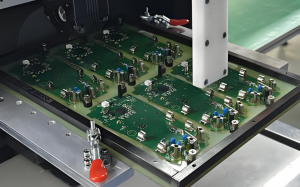
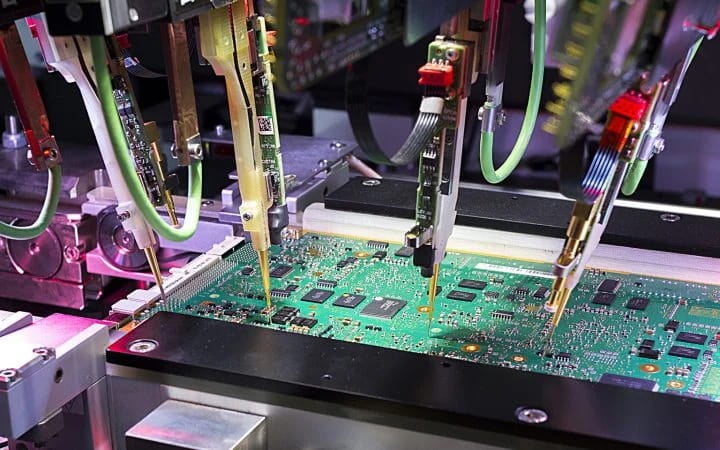
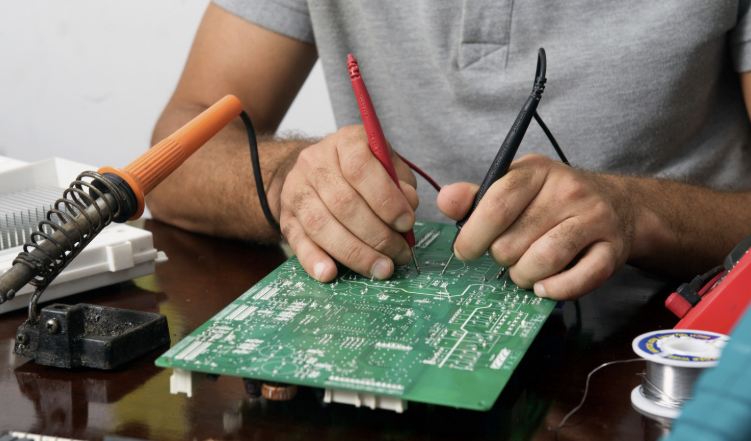
PCB manufacturing PCB manufacturing
Home > Blog

PCB Circuit Board Manufacturers, PCB Factory, No MOQ

September 18th, 2025

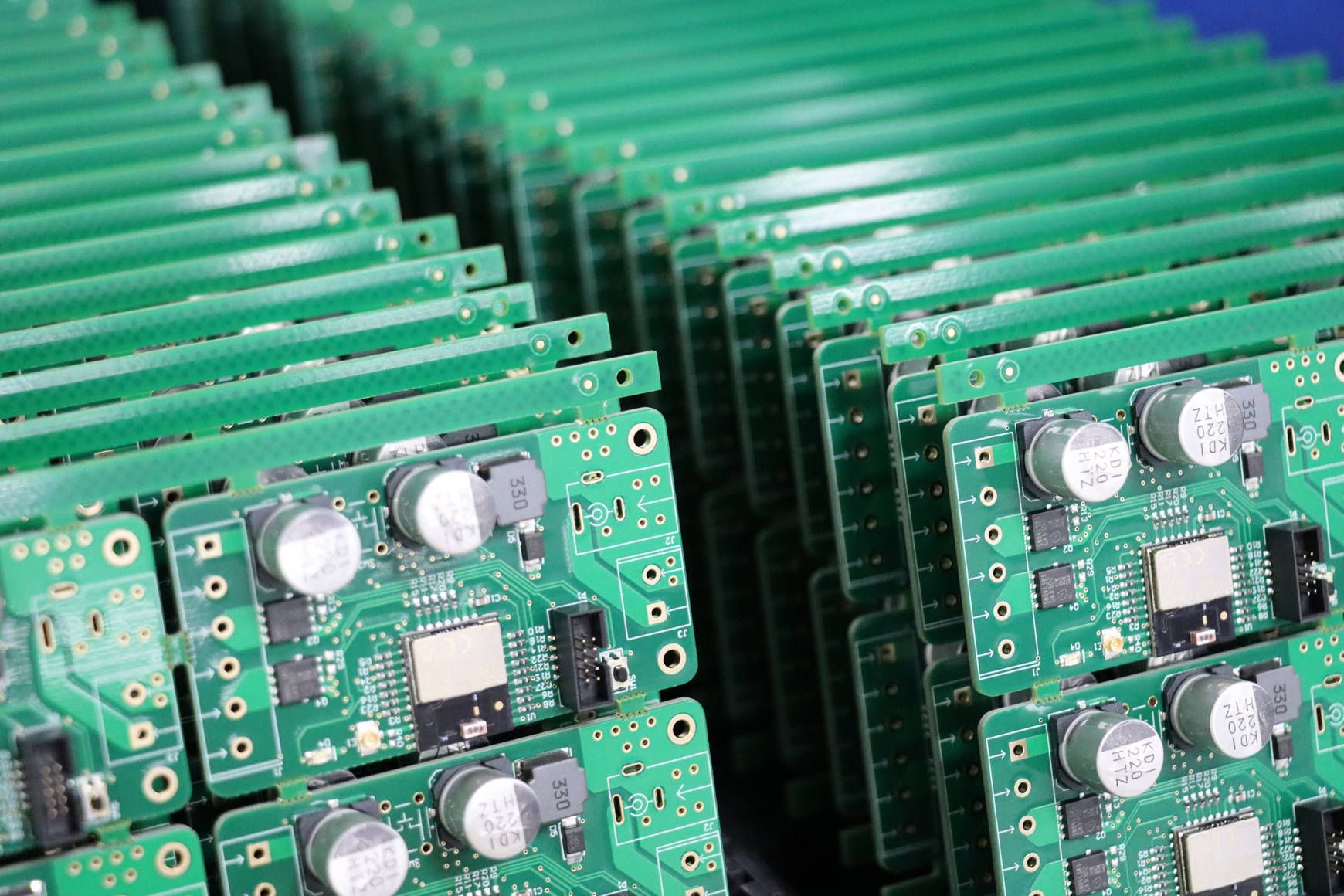
As a PCB Circuit Board Manufacturers, EBest Circuit (Best Technology) is committed to becoming your partner for high-precision PCBs, providing various types of circuit boards.

PCB Circuit Board Manufacturers, PCB Factory, No MOQ

Are you looking for reliable PCB circuit board manufacturers? Do you have the following questions?

  • What industry certifications does your factory have?
  • How many layers of circuit boards can you produce?
  • What types of PCBs do you specialize in?
  • How do you ensure PCB quality?

EBest Circuit (Best Technology) is your best choice and can solve your concerns~

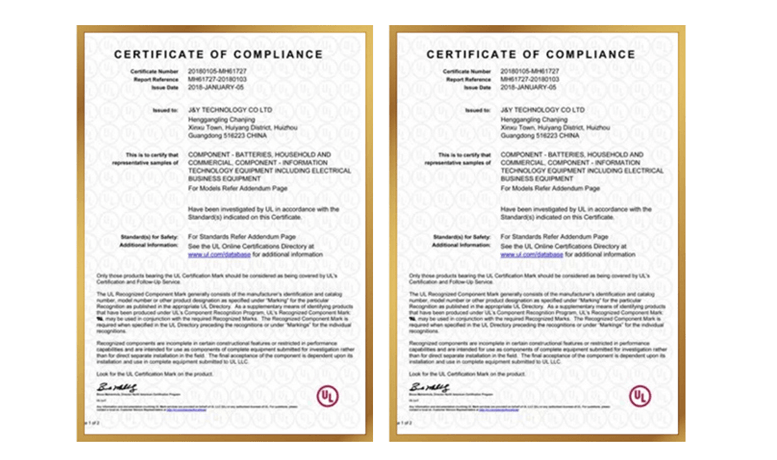
  • We are ISO 9001, IATF 16949, and UL certified. We strictly adhere to IPC standards for production and inspection, ensuring our quality system meets international standards.
  • We can consistently produce multi-layer boards with 1-32 layers, with a minimum line/space accuracy of 2/2 mil (50ÎŒm) in mass production, meeting most high-precision design requirements.
  • We specialize in high-reliability PCB manufacturing, with extensive experience and technical advantages in high-frequency, high-speed boards, HDI boards, rigid-flex boards, and metal substrates (heat-dissipating aluminum substrates).
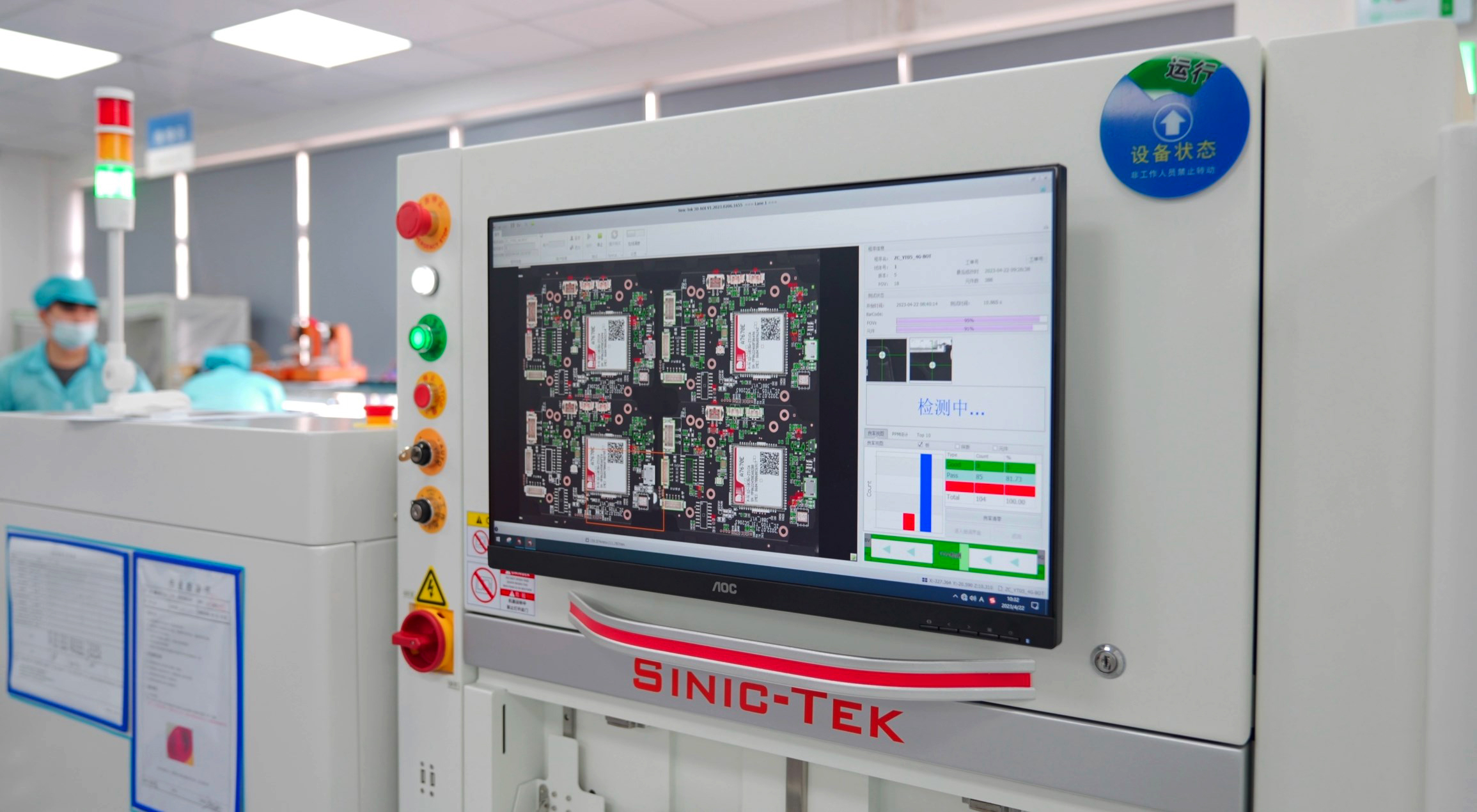
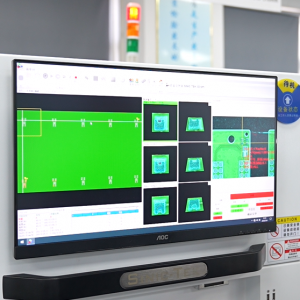
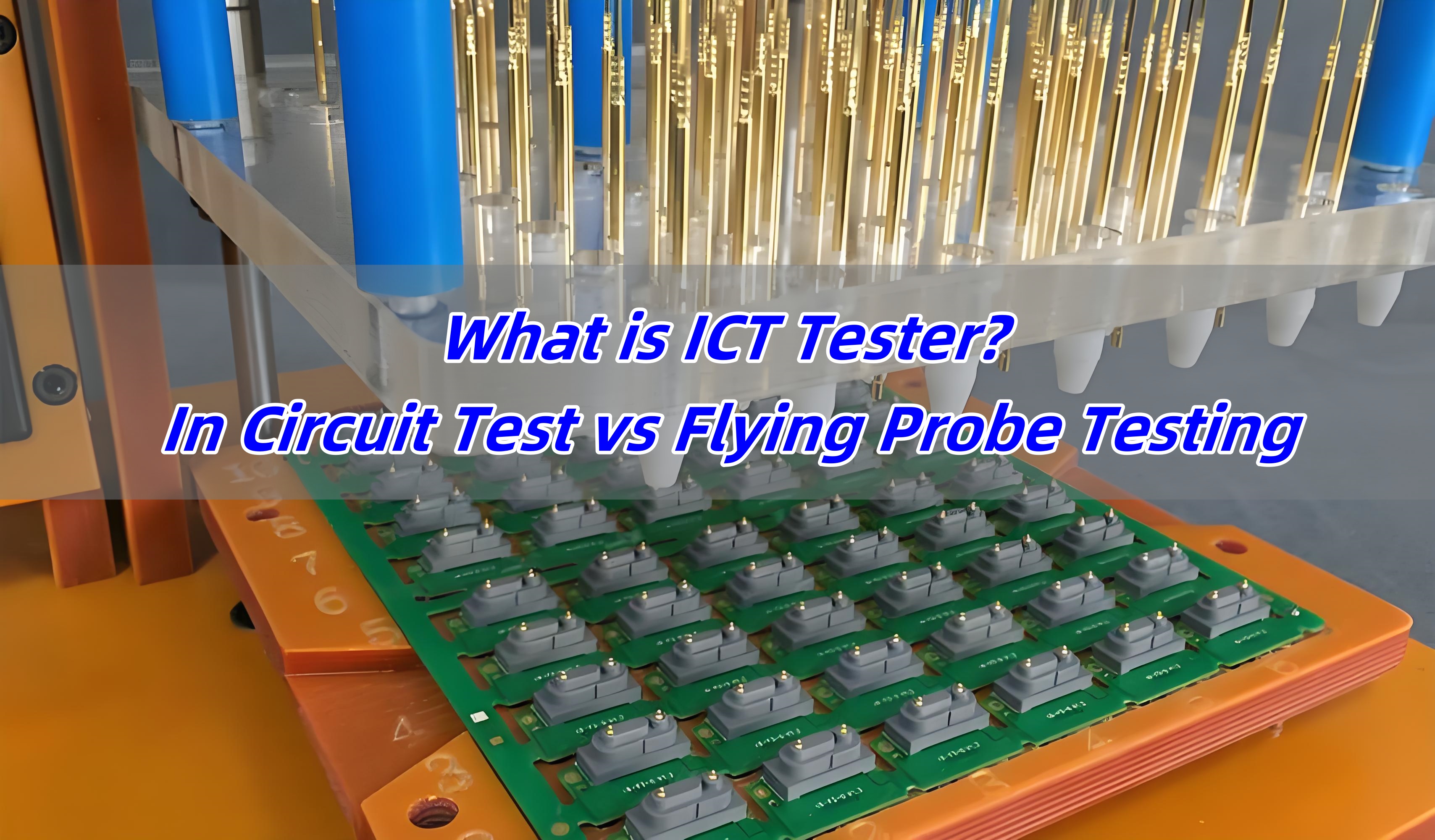
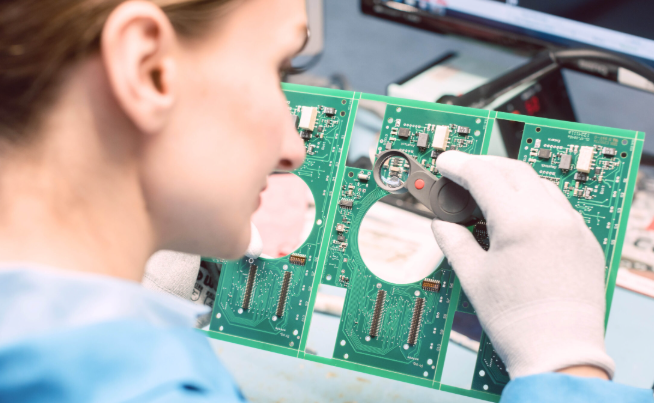
  • We utilize comprehensive inspection equipment such as AOI (Automated Optical Inspection), flying probe testing, and X-ray inspection, combined with strict process control (IPQC/IQC) to ensure the quality and reliability of every PCB.

If you have any PCB needs, please contact us: sales@bestpcbs.com

How to design a PCB circuit board?

BEST Technology engineers first define the board’s functionality, power requirements, and size. A simple prototype or schematic follows. Good planning avoids costly rework later.

Next, designers use electronic design automation software such as Altium or KiCad. These tools map every trace, pad, and via. Each copper path must handle the right current while avoiding interference. Shorter paths mean less signal loss.

High-speed signals should travel straight and short. Sensitive parts like sensors stay away from noisy circuits.

After layout, we create Gerber files. Gerber files show each layer, drill hole, and mask. A quick design review catches errors before fabrication.

Collaboration with experienced circuit board manufacturing companies helps here. BEST Technology engineers will provide more optimal cabling or stacking solutions. This feedback can save time and reduce risks.

How to make PCB circuit board?

Once design files pass review, production begins. First comes imaging. The factory prints the circuit pattern onto copper-clad laminate using a photoresist film. Light hardens the image, and unwanted copper is etched away. The result is a clean network of copper traces.

Drilling follows. Precision machines create micro-holes for vias and through-hole parts. Laser drilling handles very small features common in today’s compact devices.

Plating adds a thin copper layer inside holes, creating reliable connections between layers. For multi-layer boards, technicians press and heat inner cores together, bonding them with resin.

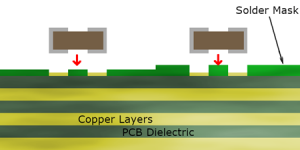
Next is solder mask. This green (or sometimes blue, red, or black) coating protects copper and keeps solder only where needed. Silk-screening then prints component labels and logos.

Electrical testing is critical. Automated probes check continuity and isolation. Any shorts or open circuits trigger rework.

Finally, the panel is cut into individual boards. Each product is cleaned, packaged, and ready to be shipped to the assembly line or directly to you.

Which PCB manufacturing steps matter most?

Every step counts, but three stand out.

  • Imaging and Etching: Accurate imaging ensures the circuit matches design specs.
  • Drilling and Plating: Proper plating guarantees strong inter-layer connections.
  • Testing: Rigorous electrical tests catch defects before assembly.

BEST Technology uses advanced equipment and strict quality controls during these critical stages. Automated optical inspection, clean rooms, and real-time monitoring protect consistency.

What is in a circuit board components list?

A circuit board components list, often called a bill of materials (BOM), details everything needed for assembly. It includes:

  • Integrated Circuits (ICs): Microcontrollers, processors, memory chips.
  • Passive Components: Resistors, capacitors, and inductors that manage current and voltage.
  • Connectors: USB, HDMI, headers, and terminals to link with the outside world.
  • Discrete Semiconductors: Diodes, transistors, MOSFETs.
  • Special Parts: Sensors, antennas, or displays unique to your design.

Each item specifies part numbers, tolerances, and approved suppliers. A clean BOM speeds sourcing and lowers cost.

BEST Technology, as an experienced printed circuit board PCB manufacturers, usually helps to complete the list and recommend parts with a stable supply and better prices.

Which materials do PCB factories use?

The foundation of a PCB is the laminate. FR-4, a fiberglass-epoxy composite, remains the industry standard. It balances strength, thermal resistance, and cost.

For high-frequency or high-speed boards, BEST Technology’s factories will use materials such as Rogers or polyimide. These offer lower dielectric loss and better heat performance.

Copper foil forms the conductive layers. Thickness ranges from 0.5 oz to 3 oz per square foot depending on current needs.

Solder mask is usually epoxy-based for durability. Surface finishes like ENIG (Electroless Nickel Immersion Gold), HASL (Hot Air Solder Leveling), or OSP (Organic Solderability Preservative) protect pads from oxidation and improve soldering.

What drives PCB manufacturing cost and speed?

Several factors influence cost and lead time.

  • Layer Count: More layers mean more drilling, lamination, and testing.
  • Board Size and Quantity: Larger or thicker boards use more material and require longer machine time.
  • Trace Width and Spacing: Fine pitch designs demand tighter process control and raise cost.
  • Surface Finish: Gold plating and advanced coatings cost more than simple HASL.
  • Testing Level: Flying-probe or functional tests add time but ensure reliability.
PCB Circuit Board Manufacturers, PCB Factory, No MOQ

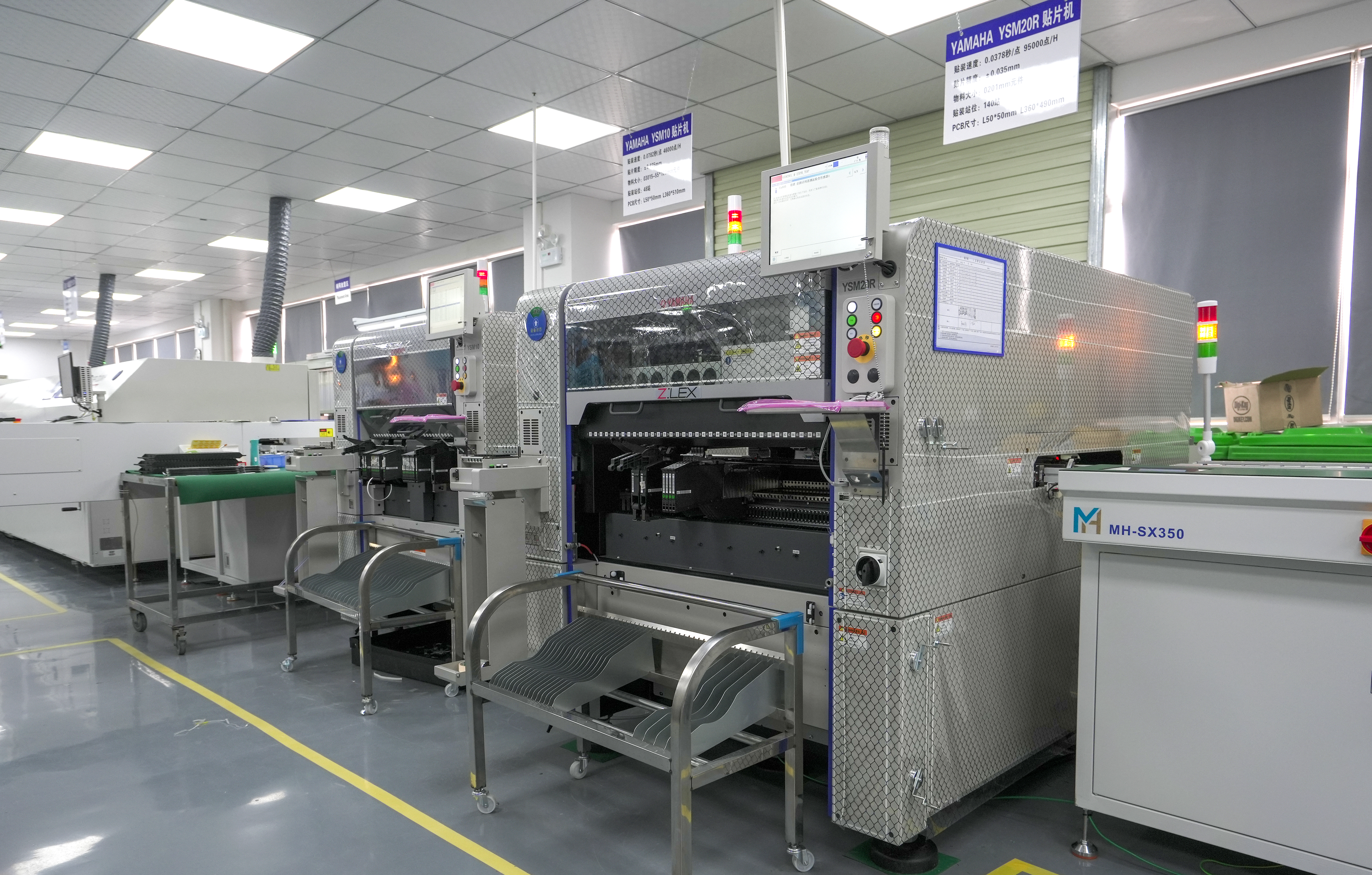
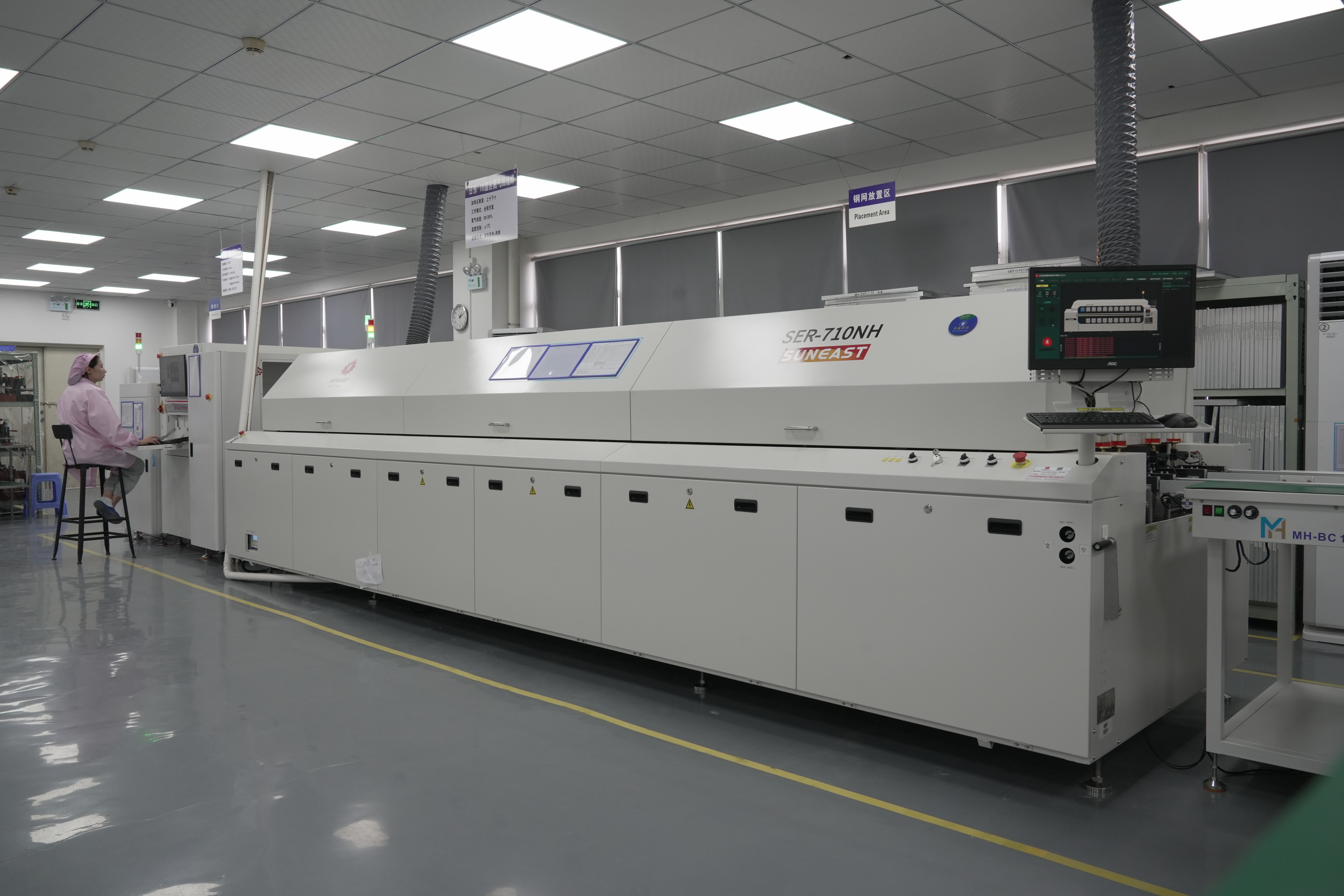
To speed up production, BEST Technology, a top PCB manufacturer, uses automated production lines and intelligent scheduling. We also offer a no-minimum-order option, allowing for rapid prototyping without waiting for volume orders.

What certifications should circuit board manufacturing companies hold?

Quality certifications prove a factory follows global standards.

  • ISO 9001: Shows strong quality management across the entire process.
  • UL Certification: Ensures boards meet safety standards for flammability.
  • RoHS and REACH Compliance: Confirms materials are free of restricted hazardous substances.
  • IATF 16949: Important for automotive electronics.
  • ISO 13485: Required for medical device PCBs.

Working with certified circuit board manufacturers protects your product and brand reputation. We hold relevant quality certifications that validated our commitment to provide high quality products. These certificationsact as a guarantee of product excellence, ensuring customers and partners a good quality assurance practices.

How to pick the best PCB circuit board manufacturer?

Selecting the right partner means balancing technology, service, and flexibility.

Start with capability. Does the factory handle your board size, layer count, and finish? Do they support rigid-flex or HDI if you need them?

  • BEST Technology begin to As a printed circuit board (PCB) vendor in Asia, we are dedicated to be your best partner of advance, high-precision printed circuit boards, such as heavy copper boards, mixed layers, high TG, HDI, high frequency (Rogers, Taconic), impedance controlled board, Metal Core PCB (MCPCB) such as Aluminum PCB, Copper PCB, and so on.

Established PCB manufacturer teams know how to solve complex issues and scale from prototype to mass production.

  • EBest Circuit (Best Technology) provides rapid PCB prototyping services. We provide PCB prototype service with FR4 PCB, Ceramic PCB, MCPCB, HDI PCB, heavy copper PCB, High TG PCB, RF PCB and so on. Pls let us know if you have any questions about PCB.

Look for transparent communication. A reliable supplier provides clear quotes, fast technical feedback, and regular updates.

  • EBest Circuit (Best Technology) provides full turnkey services in China with more than 19 years of experience, We’ll respond to your inquiries 24 hours a day, providing the best services at competitive prices.

Evaluate speed and flexibility. A factory offering no MOQ lets you order small runs for testing without penalty.

  • Best technology No MOQ quantity requirement, even 1 piece, we can help you.

Finally, consider support. Post-delivery service and warranty show confidence in their product.

  • Based on our strict quality control system, we are so confident in our product that will guarantee money-back for any defective products. We will re-fabricate the boards for free or make refund with no reason. You don’t need to worry anything!

EBest Circuit (Best Technology)’s one-stop service—from design input to assembly—can help you quickly move from idea to market.

PCB Circuit Board Manufacturers, PCB Factory, No MOQ

When you seek dependable PCB circuit board manufacturers or a PCB factory with no MOQ, choose a partner with proven experience and strong service. BEST Technology ensures your project starts on time and runs smoothly.

For inquiries or custom quotes, please email sales@bestpcbs.com

You may also like

High Frequency PCB Board for RFID Readers

September 15th, 2025

Why choose high frequency PCB for RFID readers? Let’s discover its benefits, applications, material selection, design technical parameter, design optimize solutions, recommended PCB manufacturer.

Are you worried about these problems?

  • How to select high frequency PCB board materials?
  • How to control high frequency PCB board processes?
  • How to balance cost vs lead time of high frequency PCB?

As a high frequency PCB manufacturer, EBest Circuit (Best Technology) can provide services and solutions:

  • Low-loss Material Supply‌: Stocked PTFE/Rogers laminates ensure stable dielectric constant (Dk≀3.0), reducing signal loss by 40%+.
  • Precision Impedance Control‌:±0.02mm trace width tolerance maintains ≀5% impedance variation for flawless signal transmission.
  • Rapid-response Flexible Production‌: Prototypes in 5-7 days, bulk order lead time shortened by 30% with 15%+ cost optimization.

Welcome to contact us if you have any inquiry for high-frequency PCB board: sales@bestpcbs.com.

Why Choose High Frequency PCB for RFID Readers?

Reasons why choose high frequency PCB for RFID readers:

  • Breakthrough in Reading Distance: Adopting low-loss substrates like Rogers RO4350B reduces signal transmission loss by 40%, enabling UHF-band reading distances exceeding 12 meters, ideal for large-scale logistics and warehouse scanning.
  • Enhanced Anti-Interference Capability: Optimized microstrip layout and multi-layer shielding grounding meet ETSI EN 302 208 standards, improving signal stability by 60% in industrial electromagnetic environments.
  • High-Speed Signal Integrity: Precise 50Ω impedance matching and decoupling capacitor configurations ensure data transmission rates up to 100Mbps, guaranteeing rapid tag response.
  • Precision Manufacturing Process: 0.1mm line/space blind-buried via technology with ±5% copper plating thickness tolerance minimizes signal loss and enhances system reliability.
  • TCO Optimization Proven: Case studies like DHL show 35% improvement in asset tracking efficiency, 99.2% inventory accuracy, 28% reduction in 5-year maintenance costs, and an 18-month payback period.
  • 5G IoT Compatibility: Supports sub-6GHz bands and millimeter-wave integration, complying with 3GPP Release 17 specifications for future smart logistics and autonomous driving scenarios.
  • Global Standard Compliance: Passes GS1 certification, IEEE 802.11 compatibility tests, and RoHS material requirements, ensuring seamless global market access.
  • Supplier Evaluation Framework: Structured assessment model covering material certification, process capability, testing validation, and case references, providing quantifiable decision-making tools for commercial conversion.
Why Choose High Frequency PCB for RFID Readers?

Applications of High Frequency PCB in RFID Readers

  • NFC Payment Terminals
  • Smart Access Control Systems
  • Industrial Sensor Networks
  • Large-scale logistics and warehouse scanning
  • Smart retail shelf management
  • Real-time medical equipment tracking
  • Contactless vehicle passage in transportation
  • Industrial automation production line control
  • Smart city infrastructure monitoring
  • Cold chain logistics temperature tracking

How to Choose High Frequency PCB Material for RFID Readers?

1. Three Key Parameters

  • Low Dk (≀3.6, e.g., Rogers RO4350B Dk=3.48) reduces signal delay; PTFE (Dk=2.1) suits UHF/mmWave for faster transmission.
  • Low Df (≀0.004, e.g., RO4350B Df=0.0037) minimizes signal loss; PTFE (Df=0.001) ensures 5G/6G signal integrity.
  • High Tg (≄150°C, e.g., RO4350B Tg=280°C) resists heat; PTFE handles -260°C~260°C for extreme conditions.

2. Scenario-Specific Matching

  • UHF (900MHz) uses RO4000 series (low cost, easy processing); 5G/mmWave (24GHz+) selects PTFE (low loss) or ceramic-filled materials (high stability).
  • Humid environments choose PTFE (water absorption ≀0.02%); high-temperature scenarios use PI (Tg≄260°C); anti-metal interference requires multi-layer shielding grounding.

3. Cost-Process Balance

  • Mid-frequency (≀10GHz) prefers RO4000 series (40% cheaper than PTFE); high-frequency (≄10GHz) uses PTFE (superior performance but 3-5x costlier).
  • RO4000 works with FR4 processes (lower equipment investment); PTFE needs specialized tools for precision needs.

4. EMC Compliance Essentials

  • Optimized microstrip lines + multi-layer shielding (meets ETSI EN 302 208) suppress 900MHz interference; decoupling capacitors near chip pins ensure clean power.
  • Prioritize GS1/IEEE 802.11/RoHS-certified materials; suppliers must provide impedance matching and signal integrity reports.

5. Validation Loop

  • Test read distance/anti-interference in real scenarios such as logistics, medical to verify performance.
  • Evaluate suppliers’ material certifications (e.g., Rogers authorization), process capabilities (blind/buried via yield ≄98%), and case references for reliable supply chain.
How to Choose High Frequency PCB Material for RFID Readers?

High Frequency PCB Board Design Technical Parameter

Parameter CategorySpecification
Dielectric Constant (Dk)2.0-3.6 (PTFE substrate down to 2.0-2.2)
Dissipation Factor (Df)0.0004-0.004 (PTFE down to 0.0004)
Glass Transition Temperature (Tg)150°C-280°C (RO4350B up to 280°C)
Coefficient of Thermal Expansion (CTE)Matched with components (avoid thermal stress)
Water Absorption≀0.02% (PTFE)
Impedance Control 50Ω single-ended / 90-100Ω differential (±3%-±5% tolerance)
Trace Width/SpacingMinimum 4mil/4mil (after etching)
Dielectric Thickness 0.1-0.3mm (microstrip dielectric thickness)
Copper Foil TypeElectrolytic Copper (ED)/Rolled Annealed Copper (RA)
EMC DesignShield grounding/stitching vias/differential routing

How to Design High-Frequency PCBs to Optimize the Reading Distance of RFID Readers?

1. Antenna Size & Polarization Optimization

  • Size Scaling: 86×54mm large-size tags achieve 12m read range in industrial scenarios (260% improvement vs 35×35mm tags), suitable for large object identification like warehouse pallets.
  • Circular Polarization: Spiral/microstrip patch antennas support random tag orientation, improving detection rate from 75% to 98% in logistics sorting.
  • Metal Clearance: Maintain ≄10cm spacing between antenna and metal objects; optimized layout reduces read range attenuation by 40% in metal-adjacent scenarios.

2. Low-Loss Material Selection

  • Material Comparison: Rogers RO4350B (Dk=3.48/Df=0.0037) reduces signal attenuation by 40% vs FR4 for UHF; Taconic TLY-5 (Dk=2.2/Df=0.002) excels in millimeter-wave for 5G integration.
  • Dielectric Constant Control: Dk deviation ≀±0.05 ensures impedance matching precision, minimizing signal reflection loss.
  • Moisture Management: PTFE substrates with ≀0.02% water absorption require waterproof coatings or low-absorption materials in humid environments.

3. Stack-Up & Impedance Control

  • 6-Layer Structure: TOP (RF signal)-GND-Inner signal-Power-GND-BOTTOM (mmWave signal) ensures tight coupling between signal layers and ground planes, reducing crosstalk.
  • Microstrip Design: 50Ω single-ended line width matches 0.1-0.3mm dielectric thickness; differential impedance targets 90-100Ω.
  • Tolerance Control: Single-ended impedance deviation ≀±5%, verified via simulation (e.g., Ansys HFSS) and network analyzer calibration.

4. Ground Plane & Power Integrity

  • Continuous Ground: Via fences (spacing ≀0.2λ) suppress EM leakage; avoid ground plane splitting to maintain signal integrity.
  • Power Decoupling: Parallel 1nF/100nF capacitors reduce power ripple to <50mV; low-noise LDO modules enhance signal purity.
  • Ground Bounce Mitigation: Multi-layer ground planes interconnected via metalized vias create low-impedance return paths, reducing ground noise impact.

5. Impedance Matching & Dynamic Tuning

  • Smith Chart Matching: LC/π-networks achieve 50Ω matching, improving sensitivity by 2-3dB and restoring ≄3.2m read range in metal environments.
  • Calibration: S-parameter testing ensures tuning accuracy; dynamic tuning algorithms adapt to impedance fluctuations from tag position changes.
  • Anti-Metal Solutions: Ceramic substrates or absorptive adhesive tags with FHSS combat EM interference, maintaining 99% recognition rates on metal surfaces.

6. Environmental Robustness Enhancements

  • Liquid Compensation: Dielectric constant compensation reduces signal attenuation; phased-array antennas minimize 89% blind spots in liquid container detection.
  • Thermal Stability: Materials with Tg≄150℃ (e.g., RO4350B Tg=280℃) operate in -40℃~150℃ environments, preventing layer separation or performance degradation.
  • Mechanical Optimization: 2oz copper thickness and thermal vias enhance PCB durability against vibration/impact in logistics.

7. System-Level Dynamic Optimization

  • Power Adaptation: 0.5W-2W dynamic regulation increases tag recognition from 200 to 800 per read, optimizing multi-tag concurrency.
  • Q-Value Anti-Collision: Machine learning predicts optimal read windows, boosting dynamic scene recognition by 40% and reducing missed tags.
  • Thermal Management: High-thermal-conductivity materials (e.g., copper substrates) with thermal vias dissipate heat from high-frequency power loss, ensuring stable operation and extended lifespan.
How to Design High-Frequency PCBs to Optimize the Reading Distance of RFID Readers?

Why Choose EBest Circuit (Best Technology) as High Frequency PCB Manufacturer?

Reasons why choose us as high frequency PCB manufacturer:

  • 19 Years of Expertise: 19-year focus on high-frequency PCBs with 5,000+ validated projects. Unique process knowledge base and failure analysis system reduce defect rates by 60% vs industry average.
  • Quality Certification: ISO9001/IATF16949/ISO13485 certified, make sure that every process passed ISO quality inspection system.
  • 5-7 Days Rapid Prototyping: 5-7 Days prototype delivery for standard high-frequency PCBs; 3-5 Days turnaround for urgent orders. Supports 180+ global regions with 99.2% on-time delivery for urgent R&D needs.
  • Advanced Material: Uses low-loss materials like Rogers RO4350B and Taconic TLY-5 (Dk=2.2-3.48, Df=0.0004-0.0037) with dielectric constant tolerance ≀±0.02, reducing signal loss by 40% vs FR4.
  • Precision Process Control: High-precision CNC drilling, laser cutting, and automated lines ensure ±0.01mm line width/spacing and ±5% impedance matching accuracy for 50Ω/75Ω standards.
  • Cost Advantage: Eco-friendly high-frequency materials cut costs by 40%. Tiered pricing: double-layer boards as low as „0.8/piece; six-layer boards under „220/mÂČ, 30% cheaper than imports.
  • Reliability Testing: Endures -40°C to 125°C thermal cycling, humidity shock, and signal loss optimization. Maintains stability in extreme environments (such as space simulation, industrial radar) with <0.1% error rate.
  • Turnkey Solutions: Full-service support from circuit design and BOM sourcing to PCB assembly. Reduces overall cycle time by 50% with rapid customization response.

Here is a photo of high frequency PCB we did before:

ParameterSpecification
Substrate ModelRogers RO4350B (Dk=3.48/Df=0.0037), Taconic TLY-5 (Dk=2.2/Df=0.002)
Layer Structure4-10 layer multilayer board, supports high-frequency + HDI hybrid process
Size Range50×50mm to 500×500mm
Copper Thickness0.5oz-2oz (2oz recommended for high-power areas)
Impedance Control50Ω±5% (matches RFID antenna standards)
Line Width/SpacingMinimum 75ÎŒm/75ÎŒm (high-frequency signal transmission precision)
Surface FinishENIG (Electroless Nickel Immersion Gold), OSP (Organic Solderability Preservative)
Special ProcessesBlind/buried vias (depth ≀6 layers), backdrilled stub ≀50ÎŒm
Frequency Range13.56MHz / UHF (860-960MHz)
Why Choose EBest Circuit (Best Technology) as High Frequency PCB Manufacturer?

Our High Frequency PCB Capabilities

Base material:Rogers/Telfon
Board Thickness:0.5mm~3.0mm(0.02″~0.12″)
Copper thickness:   0.5 OZ, 1.0 OZ, 2.0 OZ, 3.0 OZ
Outline:Routing, punching, V-Cut
Soldermask:White/Black/Blue/Green/Red Oil
Legend/Silkscreen Color:     Black/White
Surface finishing:Immersion Gold, HASL, OSP
Max Panel size: 600*500mm(23.62″*19.68″)
Packing:Vacuum/Plastic bag
Samples L/T:7~9 Days
MP L/T: 8~10 Days

How to Get a Quote for High-Frequency PCB Project?

1. Basic Design Files

  • Gerber Files: Include all layers (with drill files), specify version (e.g., RS-274X).
  • Stack-up Diagram: Define dielectric thickness, copper thickness, and material type (e.g., Rogers RO4350B, FR4).
  • Impedance Control: Mark critical signal impedance values (e.g., 50Ω±10%) and corresponding layers/line widths.

2. Material Specifications

  • Substrate Parameters: Dielectric constant (Dk), loss tangent (Df), Tg value (e.g., PTFE substrates).
  • Copper Foil Type: Electrolytic/rolled copper, surface roughness requirements (e.g., HVLP copper foil).
  • Special Process Needs: Blind/buried vias, laser drilling, high-frequency hybrid stacking.

3. Electrical & EMC Requirements

  • Signal Frequency Range: e.g., 2.4GHz/5.8GHz, mark sensitive traces (e.g., RF antenna routing).
  • Shielding Design: Metalized via walls or localized shielding cans if required.
  • Voltage/Insulation Standards: e.g., IPC-6012 Class 2/3.

4. Surface Finish & Acceptance Criteria

  • Surface Treatments: ENIG, Immersion Ag, OSP, etc.
  • Acceptance Standards: IPC-A-600 visual grade, impedance test tolerance (e.g., ±5%).

5. Other Key Information

  • Lead Time: Sample/mass production timeline requirements.
  • Testing Needs: TDR impedance test, RF parameter tests (S-parameters).
  • Additional Files: Design notes (special process remarks), BOM (if SMT required).

Welcome to contact us if you have any request for high frequency PCB board: sales@bestpcbs.com.

You may also like

High Frequency Board Design & Manufacturer, Fast Delivery

September 9th, 2025

How to design high frequency board? This guide covers material selection, 6GHz design rules, frequency stability control, and cost-saving strategies for high-performance PCBs.

Are you troubled with these problems?

  • Why do high-frequency signals distort at critical bands?
  • Why do promised substrate parameters consistently fail real-world testing?
  • Why are costs for low-volume high-frequency PCBs prohibitively high?

As a high frequency PCB manufacturer, EBest Circuit (Best Technology) can provide you service and solution:

  • Precision Impedance Control – Signal loss <0.5dB/inch for frequencies ≀24GHz.
  • Verified Real-World Data – Batch-specific Dk/Df test reports included.
  • Cost-Optimized Manufacturing – Hybrid material design cuts costs by 30%.

Welcome to contact us if you have any request for high frequency board: sales@bestpcbs.com.

What Is High Frequency Board?

High Frequency Boards are printed circuit boards (PCBs) specifically designed for high-frequency signal transmission. They utilize special materials with low dielectric constant (Dk) and low dielectric loss (Df), such as PTFE and ceramic-filled composite materials, to ensure high stability and low attenuation during signal transmission. These boards are applied in fields with stringent requirements for signal integrity, including 5G communication, radar systems, satellite equipment, and high-speed digital circuits. Through precise design and surface treatment processes, they minimize signal distortion and electromagnetic interference.

What Is High Frequency Board?

How to Choose Materials for High Frequency Board Design?

1. Prioritize Electrical Performance Parameters

  • Dielectric Constant (Dk): Select materials with low Dk (ideal range 3-3.5) to reduce signal delay and phase distortion. For high-frequency applications (e.g., millimeter wave), pursue the lowest Dk possible as losses increase with frequency.
  • Loss Factor (Df/tanÎŽ): Lower Df values minimize signal attenuation. FR-4 exhibits significant loss in GHz bands; high-frequency scenarios require materials with Df < 0.005 (e.g., PTFE).

2. Frequency Range Determines Material Type

  • <5GHz: Modified FR-4 balances cost and performance, suitable for consumer electronics.
  • 5-10GHz: Use ceramic-filled PTFE or polyimide for medium-high performance.
  • 10GHz/Millimeter Wave: Ultra-low-loss materials (e.g., pure PTFE, Rogers series) are mandatory; traditional FR-4 fails completely.

3. Thermal-Mechanical Performance Matching

  • Coefficient of Thermal Expansion (CTE): Must align with copper foil to prevent delamination. High-frequency materials typically require CTE < 70ppm/°C. Temperature Resistance: High-power scenarios demand high thermal conductivity (>0.5W/mK) to avoid overheating.
  • Moisture Absorption: Prefer materials with <0.1% absorption rate, as humidity changes affect Dk stability.

4. Manufacturability and Cost Balance

  • Processing Difficulty: PTFE requires laser drilling and specialized surface treatments, costing 3-5 times more than FR-4. Hybrid stack-ups (critical layers: PTFE + standard layers: FR-4) optimize costs.
  • Copper Foil Treatment: Use ultra-low-roughness copper (RTF/VLP types) to reduce skin-effect losses.
  • Peel Strength: PTFE substrates have lower copper adhesion; assembly reliability must be evaluated.

5. Supplementary Considerations for Special Scenarios

  • Impedance Control: Material thickness tolerance must be <10% to ensure impedance matching accuracy.
  • Size Effects: Compact circuits may use high-Dk thin materials to mitigate wavelength compression impacts.
  • Signal Integrity: Avoid splitting reference planes; provide clear return paths.

6 Ghz High Frequency Board Design Guidelines

1. Stack-Up & Routing

Multilaminate Design(Minimum 6-layer stack-up recommended)

  • Top: Critical high-speed signals.
  • Layer 2: Solid GND plane.
  • Layer 3: High-speed differential pairs.
  • Layer 4: VCC plane.
  • Layer 5: Auxiliary GND plane.
  • Bottom: General signals.

2. Routing Rules

  • Avoid parallel routing in adjacent layers to prevent capacitive coupling.
  • Use 45° bends/arcs for signal traces to minimize EMI.
  • High-speed signal length tolerance: ±5mil; differential pair length mismatch <2mil.
  • Impedance Control: Calculate characteristic impedance using tools (e.g., Polar SI9000). Target ±5% accuracy for 50Ω single-ended/100Ω differential traces.

3. Power & Grounding Design

Power Network

  • Place power/ground planes adjacent to reduce loop inductance.
  • Deploy 0.1ÎŒF + 10ÎŒF decoupling capacitor pairs near high-speed ICs (<2mm distance).

Grounding Strategy

  • Maintain unbroken ground planes; avoid splits.
  • Follow 20H rule: Shrink power plane edges inward by 20× stack-up spacing relative to ground.
  • Use multipoint grounding to minimize ground bounce.

4. Component Placement

  • Functional Zoning: Segregate RF/digital/power modules; position sensitive components (e.g., LCDs) away from high-speed ICs.
  • Pin Optimization: Limit high-speed device pin routing bends to ≀1; avoid traces between pins to reduce parasitic capacitance.
  • Thermal Management: Place high-power components near board edges; reserve ≄4oz copper foil for heat dissipation.

5. Signal Integrity Measures

  • Transmission Line Design.
  • Employ coplanar waveguide (CPW) structures for critical paths.
  • Avoid crossing plane splits; add stitching capacitors if necessary.

6. Crosstalk Mitigation

  • Maintain ≄3× line width spacing between adjacent signal traces.
  • Shield clock signals with guard traces and ground stitching.

7. Manufacturing Requirements

  • Microvia Technology: Utilize laser drilling (≀0.1mm aperture) and via-filling plating for HDI interconnections.
  • Surface Finish: Apply ENEPIG or immersion silver for high-frequency conductivity.
  • Soldermask Control: Limit LPI soldermask thickness to ≀15ÎŒm; maintain ±25ÎŒm window accuracy.

8. Verification & Testing

Pre-Simulation:

  • Perform 3D EM simulation (HFSS/SIwave) to analyze S-parameters and EMI.

Prototype Validation:

  • Verify impedance via flying probe testing.
  • Validate signal rise time (<35ps) through TDR measurements.

9. Documentation

  • Annotate high-speed constraints (length/impedance/topology) in schematics.
  • Conflict Resolution Note: To address adjacent signal layers in 6-layer designs, implement orthogonal routing (perpendicular traces) and ensure interlayer dielectric thickness ≄8mil to reduce coupling.
6 Ghz High Frequency Board Design Guidelines

    How to Control Frequency Stability in High Frequency Board Design?

    1. Material Selection for Low Temperature Drift

    • Choose substrates with low TCDk (Temperature Coefficient of Dielectric Constant), ideally ≀20 ppm/°C (e.g., ceramic-filled PTFE or Rogers RO4000 series).
    • Avoid materials with high moisture absorption (e.g., standard FR-4) to prevent Dk shifts due to humidity changes.

    2. Precision Impedance Control

    • Maintain ±5% impedance tolerance for critical traces (e.g., 50Ω single-ended, 100Ω differential) using stack-up simulations (e.g., Polar SI9000).
    • Use coplanar waveguide structures with ground shielding to minimize crosstalk-induced impedance variations.

    3. Thermal Management Design

    • Via arrays and thermal copper pours: Connect high-power components to heat sinks or inner-layer ground planes to reduce thermal gradients.
    • Thermal interface materials (TIMs): Improve heat dissipation from ICs to prevent frequency shifts caused by localized heating.

    4. Stable Reference Clock Design

    • Use low-phase-noise crystal oscillators (e.g., TCXO or OCXO) with frequency stability ≀±1 ppm over temperature.
    • Shield clock traces with grounded guard traces and minimize trace length to reduce EMI-induced jitter.

    5. Mechanical Stress Mitigation

    • Controlled CTE (Coefficient of Thermal Expansion): Match substrate and copper foil CTE (<70 ppm/°C) to prevent warping or delamination under thermal cycling.
    • Rigid-flex design: For dynamic applications, use flexible PCB sections to absorb mechanical stress without affecting high-frequency traces.

    6. Environmental Shielding

    • Conformal coating: Apply acrylic or silicone coatings to protect against moisture, dust, and corrosion.
    • EMI gaskets: Seal enclosures with conductive gaskets to block external interference affecting frequency stability.

    7. Validation & Testing

    • Thermal cycling tests: Verify frequency stability (-55°C to 125°C) per IPC-TM-650 standards.
    • S-parameter testing: Ensure insertion loss (IL) remains ≀0.5 dB/100 mm at target frequencies (e.g., 24 GHz).
    How to Control Frequency Stability in High Frequency Board Design?

      What Cost-Reduction Strategies Work for High Frequency Board Production?

      1. Design Optimization for Cost Reduction

      • Layer Optimization: For high-frequency circuits (>100MHz), determine the optimal layer count through simulation to avoid over-design. For example, a 4-layer board reduces noise compared to a 2-layer board, but increased layers significantly raise costs.
      • Path Simplification: Use short, straight traces to minimize vias and sharp turns, reducing signal loss and manufacturing costs. Maintain 100Ω impedance for differential signals and 50Ω for single-ended signals.
      • Via Optimization: Reduce via count in RF paths to prevent ground plane fractures; employ backdrilling technology to remove excess via stubs, lowering signal reflection (note potential quality risks).

      2. Material Selection Strategies

      • Substrate Grading: Use low-cost FR4 for general areas and premium materials (e.g., Rogers) for RF/high-frequency zones. Adopt localized hybrid pressing to balance low-loss requirements and cost.
      • Copper Foil Optimization: Select low-roughness copper foil to reduce skin-effect losses, or evaluate lower-grade materials meeting electrical specs to cut costs.

      3. Production Process Optimization

      • Panel Utilization Improvement: Optimize panel layouts (e.g., 12″×18″ panels with 10 boards) to reduce per-board costs by up to 20%.
      • Process Simplification: Use Tenting methods to skip metal resist steps, shortening cycles and saving costs. Refine lamination parameters and alignment techniques to resolve hybrid-press warping/misalignment issues.
      • Scalable Production: Bulk orders lower unit and logistics costs; scaling production (e.g., GW-level capacity) dilutes fixed costs.

      4. Manufacturing & Supply Chain Management

      • DFM (Design for Manufacturing): Incorporate assembly efficiency during design to minimize rework. Single-sided component placement simplifies soldering.
      • Process Stability: Adopt high-precision solder paste printing to optimize filling, release, and cleaning, ensuring yield with lower material costs. Implement systematic controls (e.g., ISO certification) to enhance yield and reduce replenishment costs.

      5. Technological Innovation & Validation

      • Simulation-Driven Design: Leverage power integrity analysis and signal integrity simulations to optimize layouts and reduce trial-and-error costs.
      • Embedded Components: Integrate passive components to shorten signal paths, lowering resistance losses and noise, achieving long-term cost savings.
      • Advanced Packaging: Utilize high-integration ICs to reduce peripheral components, lowering assembly and board size costs.

        Why Choose EBest Circuit (Best Technology) as High Frequency Board Manufacturer?

        Reasons why choose us as high frequency board manufacturer:

        • Fastest Turnaround – Industry-leading production cycles (prototypes in 24-48 hours, volume orders in 5-10 days)
        • Reliable Quality – Certified IPC-A-610 Class 3 standards with 99.98% first-pass yield rate
        • Competitive Pricing – Cost-optimized solutions without compromising quality (15-30% savings vs. industry averages)
        • Stable Supply Chain – Long-term partnerships with component manufacturers ensuring material availability
        • Precision Manufacturing for Signal Integrity: ±0.025mm drilling accuracy & ±1% impedance control solve 5G/mm Wave signal integrity challenges, validated by 67GHz testing to ensure lossless transmission, directly boosting product communication quality and market competitiveness.
        • End-to-End Material Optimization: A portfolio of 50+ qualified laminates (including ultra-low-loss Rogers/Duroid) with strict tan ÎŽ (<0.0015) control delivers one-stop RF performance solutions from material selection to validation, reducing R&D trial costs.
        • Integrated Thermal Management: Metal-core boards + embedded heat pipes (15W/cmÂČ dissipation) prevent warping/delamination in high-power applications, enhancing device reliability and lifespan.
        • Rapid Prototyping with DFM Feedback: 24-hour prototype turnaround + 4-hour DFM feedback accelerates development cycles, enabling faster time-to-market and market leadership.
        • Multi-Layer Impedance Matching: Precise control of 50Ω single-ended/100Ω differential impedance with 3D simulation validation meets diverse high-frequency application needs.
        • Cost-Efficient Panel Optimization: Intelligent panel layout (e.g., 12″×18″ multi-board arrays) improves material utilization, combined with scalable production to lower per-unit costs while maintaining quality.

        Below is a photo of high frequency PCB board we made before:

        Why Choose EBest Circuit (Best Technology) as High Frequency Board Manufacturer?

        Our High Frequency Circuit Board Capabilities

        Base material:Rogers/Telfon
        Board Thickness:0.5mm~3.0mm(0.02″~0.12″)
        Copper thickness:0.5 OZ, 1.0 OZ, 2.0 OZ, 3.0 OZ
        Outline:Routing, punching, V-Cut
        Soldermask:White/Black/Blue/Green/Red Oil
        Legend/Silkscreen Color:Black/White
        Surface finishing:Immersion Gold, HASL, OSP
        Max Panel size:600*500mm(23.62″*19.68″)
        Packing:Vacuum/Plastic bag
        Samples L/T:7~9 Days
        MP L/T:8~10 Days

        How to Get a Quote for High Frequency Board Project?

        1. Design Files

        • Gerber files (all layers).
        • Drill files (Excellon format).
        • BOM (Bill of Materials) with part numbers/specifications.

        2. Technical Specifications

        • Substrate type (e.g., Rogers RO4350B, PTFE, ceramic-filled)
        • Target Dk (2.0–3.5) and Df (<0.005) values
        • Impedance requirements (e.g., 50Ω single-ended, 100Ω differential ±5%)

        3. Layer Stack-Up

        • Number of layers and copper weights (e.g., 2H/2L with 1oz inner, 2oz outer).
        • Core/prepreg material and thickness per layer.

        4. Surface Finish & Mask

        • Finish type (ENEPIG, Immersion Silver, HASL, etc.).
        • Solder mask color (LPI, thickness ≀15ÎŒm).

        5. Mechanical Requirements

        • Board dimensions and tolerances.
        • Minimum trace/space widths (e.g., 3/3 mil).
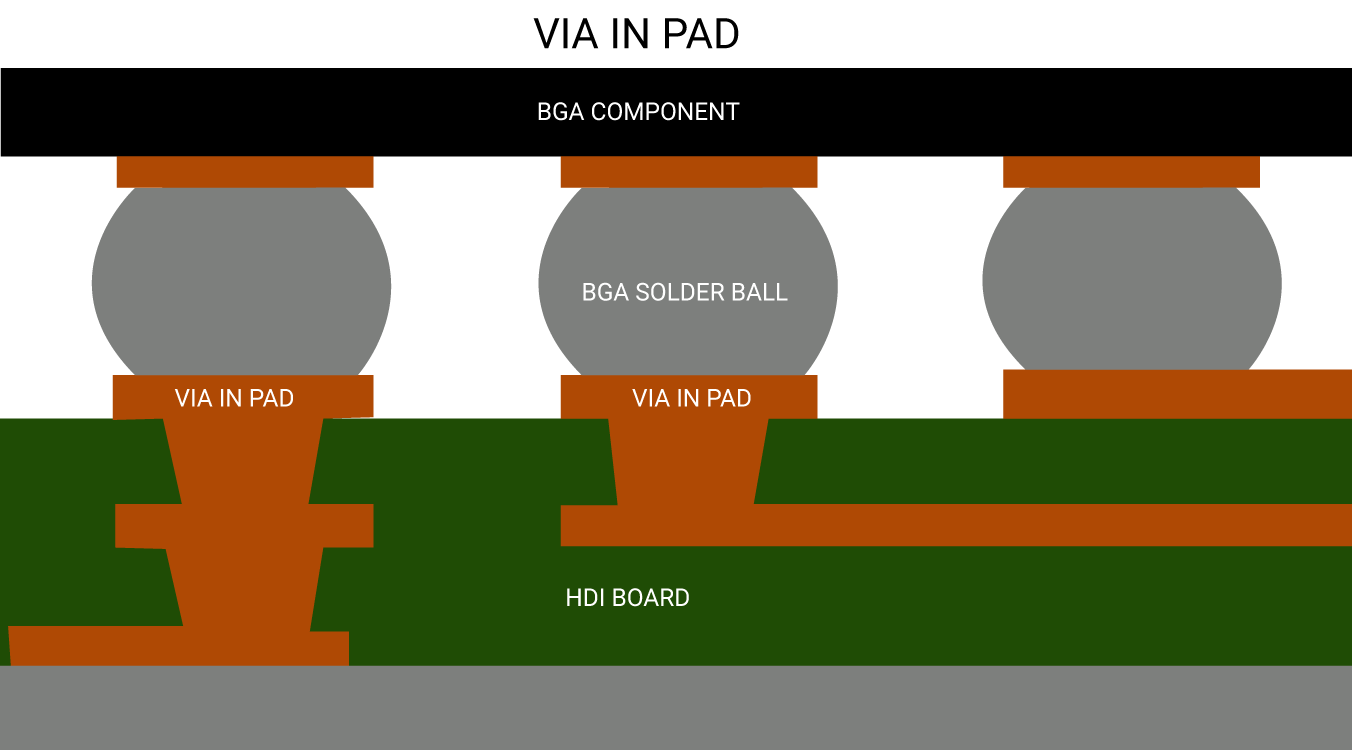
        • Via types (blind/buried/microvias, via-in-pad).

        6. Testing & Quality

        • Required tests: S-parameter, TDR, thermal cycling, X-ray for via fill.
        • Acceptance criteria (e.g., IL ≀0.5 dB/100mm at 6 GHz).

        7. Quantity & Lead Time

        • Prototype vs. production volume (e.g., 10 pcs vs. 1,000 pcs).
        • Target delivery timeline.

        8. Special Requests

        • Controlled impedance simulation reports
        • Certifications (e.g., IPC-6012 Class 3, RoHS)

        Welcome to contact us if you have any request for high-frequency board: sales@bestpcbs.com.

        You may also like

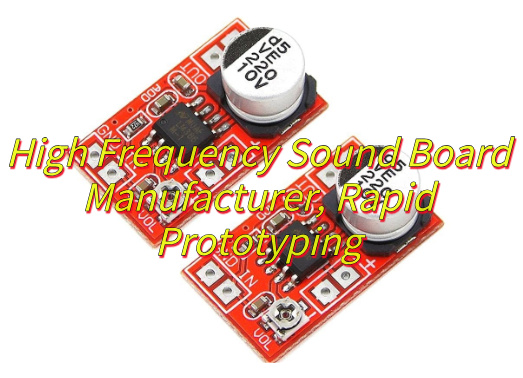
        High Frequency Sound Board Manufacturer, Rapid Prototyping

        September 9th, 2025

        What is high frequency sound board? Let’s discover its material, function, application, lifespan, how to set up and connect sound board to your computer through this blog.

        Are you troubled with these questions?

        • Signal integrity issues? High-frequency interference messing up ADC sampling, raising test costs?
        • Prototyping delays? Spotting design flaws late, holding up projects?
        • Welding yield low? Tiny parts having defects, slowing production?

        As a sound board manufacturer, EBest Circuit (Best Technology) can provide you service and solution:

        • Full SI simulation: See signal loss clearly from design to product.
        • 72-hour fast prototyping: With DFM review and backup plans.
        • Micro-spacing welding: Custom solutions, guaranteeing 85%+ first-article yield.

        Welcome to contact us if you have any request for sound board design, manufacturing and assembly: sales@bestpcbs.com.

        What Is High Frequency Sound Board?

        High Frequency Sound Board usually refers to a device or software capable of generating, processing, or playing high-frequency sounds (generally above the upper limit of human hearing range, i.e., above 15,000–20,000 Hertz).

        What Is High Frequency Sound Board?

        What Material is the High Frequency Sound Board Made of?

        Polytetrafluoroethylene (PTFE, Teflon)

        • Features: Ultra-low dielectric loss, high-temperature resistance, chemically stable.
        • Applications: High-frequency fields above 5GHz (e.g., satellite communications, radar).
        • Advantages: Minimal signal loss, high integrity.
        • Limitations: High cost, requires reinforcement.

        Modified Polyphenylene Oxide (PPO)

        • Features: Balanced performance and cost, low high-frequency loss.
        • Applications: 1-10GHz range (e.g., automotive collision avoidance systems).
        • Advantages: Cost-effective.
        • Limitations: Limited in ultra-high-frequency applications.

        Cyanate Ester Resin

        • Features: High-temperature resistance, excellent insulation.
        • Applications: Aerospace communication equipment.
        • Advantages: Stable in extreme conditions.
        • Limitations: High cost, difficult processing.

        Epoxy Resin

        • Features: Low cost, easy processing, but high high-frequency loss.
        • Applications: Low-frequency circuit boards, consumer electronics.
        • Advantages: Suitable for mass production.
        • Limitations: Not ideal for high-frequency sound boards.

        FR-4/PPO Composite Substrate

        • Features: Combines FR-4 cost with PPO performance, moderate loss.
        • Applications: Automotive radars, industrial sensors (1-10GHz).
        • Advantages: Balanced performance and cost.
        • Limitations: Insufficient for ultra-high frequencies.

        Hydrocarbon (PCH) Resin

        • Features: Low loss, high-frequency performance close to PTFE, lower cost.
        • Applications: 5G base stations, RF modules.
        • Advantages: High cost-effectiveness.
        • Limitations: Long-term stability requires validation.

        What Are Function of High Frequency Sound Boards?

        Functions of High-Frequency Sound Boards

        • Low-Loss Signal Transmission: Minimize dielectric loss and attenuation for clear signal integrity in satellite, radar, and 5G systems.
        • Impedance Matching: Match component impedance (antennas, transmitters) to reduce reflections and ensure efficient power transfer.
        • Thermal Management: Dissipate heat from resistive and dielectric losses to prevent performance drops and extend component life.
        • Mechanical Stability: Provide a rigid base for mounting components, reducing vibration noise and ensuring consistent electrical performance.
        • EMI Shielding: Use shielding layers or grounding to block interference in crowded RF environments.
        • Frequency Filtering: Integrate passive filters (microstrip) to reject unwanted frequencies in radio receivers and analyzers.
        • High-Speed Digital Support: Enable low-crosstalk, controlled-delay data transmission for servers, data centers, and advanced computing.
        What Are Function of High Frequency Sound Boards?

        What Is a High Frequency Sound Board Used for?

        Applications of high frequency sound board:

        • Wireless Communication: 5G networks, Wi-Fi, Bluetooth, satellite links.
        • Radar & Navigation: automotive ADAS (collision avoidance), aviation/maritime navigation.
        • Medical Imaging: MRI machines, ultrasound devices, surgical lasers.
        • Aerospace & Defense: Electronic warfare, secure military communications, space exploration satellites.
        • Computing & Data Centers: High-speed server interconnects, cloud computing, AI/big data processing.
        • Consumer Electronics: Smartphones, wearables (smartwatches, fitness trackers), smart home devices.
        • Industrial & Scientific Research: Non-destructive material testing, particle accelerators, environmental monitoring sensors.

        How to Properly Set up a Sound Board?

        1. Hardware Connection and Basic Checks

        • Confirm Interface Types: Identify XLR, TRS, USB, or Thunderbolt interfaces based on your sound board model and match them with microphone, instrument, or computer connections.
        • Test Cables: Use intact cables to connect devices to avoid signal interruptions or noise caused by poor contact.
        • Power Supply and Grounding: Ensure the sound board has an independent power supply (e.g., external power adapter) and avoid sharing sockets with other devices.

        2. Driver and Software Configuration

        • Install Official Drivers: Download and install the latest drivers (e.g., Universal Audio Apollo) from the official website to ensure system recognition of the sound board.
        • Set Sample Rate and Bit Depth: In audio software (e.g., DAW), set the sample rate to 44.1kHz/48kHz (for music production) or 96kHz/192kHz (for professional recording). Choose a bit depth of 24-bit or 32-bit floating point to enhance dynamic range.
        • Select Input/Output Channels: Specify the sound board’s inputs (e.g., microphone channels 1-2) and outputs (e.g., monitor headphones/speakers) in the DAW or system audio settings.

        3. Input Channel Setup

        Gain Adjustment (Gain Staging):

        • Speak softly into the microphone or play an instrument, and slowly increase the gain knob until the input level stabilizes between -18dB and -12dB (avoid clipping distortion).
        • Observe the sound board’s level meters or DAW input signals to ensure no continuous red overload indicators.

        Phantom Power:

        • If using a condenser microphone, enable 48V phantom power for the corresponding channel (press the “48V” or “PHANTOM” button).

        Input Type Switching:

        • Switch high-impedance instrument inputs (e.g., electric guitar/bass) to “Hi-Z” mode (if available) to avoid signal attenuation.

        4. Signal Processing and Equalization (EQ)

        • High-Pass Filter (HPF): Enable the high-pass filter (usually set at 80Hz-120Hz) to filter out low-frequency noise picked up by the microphone (e.g., footsteps, air conditioning hum).
        • Three-Band EQ Adjustment for High Frequencies: Enhance clarity for vocals or strings (e.g., 3kHz-5kHz) and reduce harshness (e.g., above 8kHz).

        5. Auxiliary Send and Monitor Control

        Auxiliary Output (Aux Send):

        • If connecting effects units (e.g., reverb, delay) or singer in-ear monitors, adjust the corresponding channel’s AUX knob to an appropriate volume.
        • Set up auxiliary tracks in the DAW, load effect plugins, and adjust send levels.

        Monitor Mix:

        • Adjust the “MONITOR” or “CUE” knob on the sound board to balance direct and return signals for clear feedback during operation.
        • Use a headphone distributor (if available) to provide independent monitor mixes for multiple users.

        6. Main Output and Bus Setup

        Main Output Level (Main Out):

        • Connect the sound board’s main outputs (L/R) to speakers or recording devices and adjust the main fader to control overall volume.
        • Ensure correct speaker polarity (consistent positive/negative connections) to avoid sound cancellation.

        Bus Processing (Optional):

        • Create bus tracks in the DAW (e.g., drum bus, accompaniment bus) for unified processing of similar signals (e.g., compression, EQ, effects).

        7. Testing and Fine-Tuning

        Signal Chain Check:

        • Test each microphone/instrument channel individually to confirm no muting (MUTE), phase inversion, or wiring faults.
        • Record a short audio clip and check for complete waveforms (no truncation or excessively low levels).

        Environment Adaptation:

        • Adjust speaker positions based on room acoustics (e.g., avoid reflective surfaces) or use acoustic treatment materials (e.g., acoustic foam, diffusers).
        • If feedback occurs, reduce the corresponding frequency’s EQ or move the microphone away from speakers.

        How Do I Connect a Sound board to My Computer?

        1. Check the audio board’s interface type:

        • Look for USB, 3.5mm audio jacks (microphone/headphone), TRS/XLR (pro gear), or PCIe slots (internal cards).
        • Choose the right connection based on the interface.

        2. Connect via USB:

        • Plug the USB cable into the audio board and your computer (use USB 2.0 or higher).
        • Most USB boards work automatically; some pro models may need official drivers.

        3. Connect via 3.5mm audio jacks (analog signals):

        • For audio output (e.g., headphones), link the board’s 3.5mm output to your computer’s “Line In” or mic port (check port function).
        • For input (e.g., mic), connect the board’s input port to your computer’s mic port.

        4. Connect via TRS/XLR (pro equipment):

        • Use adapters like XLR-to-3.5mm or TRS-to-6.35mm to match your computer’s ports.
        • After connecting, manually select the board in your computer’s sound settings (e.g., “Realtek Audio” or board brand).

        5. Install a PCIe internal sound card:

        • Turn off your computer and unplug it. Open the case, find an empty PCIe slot, and insert the board firmly.
        • Restart and install drivers (usually from the manufacturer’s website or included CD).

        6. Install drivers:

        • Download the latest drivers from the manufacturer’s site.

        • Run the installer, restart your computer, and verify the board appears in your sound settings.

        7. Set up audio settings:

        • Open sound settings (Windows: Settings → System → Sound; Mac: System Preferences → Sound).
        • Choose the audio board as the default for both output (playback) and input (recording).
        • Adjust volume and test audio.

        8. Test and fix issues:

        • Play music or record to check for sound.
        • No sound? Check cables, enable the device, or reinstall drivers.
        • Noise? Try a new cable, adjust the sample rate (e.g., 44.1kHz/16bit), or close other audio apps.

        9. Use optional audio software:

        • Some boards include tools for sound effects, mixing, or multi-channel output (e.g., ASIO drivers). Install and explore for pro features.
          How Do I Connect a Sound board to My Computer?

          How Long Does a High Frequency Soundboard Last?

          The lifespan of a high frequency soundboard typically ranges from 5 to 15 years, depending on factors such as device quality (industrial-grade components can last over 10 years, while consumer-grade models may only last 3-5 years), usage environment (high temperatures and humidity accelerate aging), and maintenance frequency (regular cleaning and firmware updates can extend its lifespan). Replacement should be considered if frequent failures occur, performance no longer meets requirements, or spare parts become unavailable.

          How Long Does a High Frequency Soundboard Last?

          Why Choose EBest Circuit (Best Technology) as Sound Board Manufacturer?

          Reasons why choose as high frequency sound board manufacturer:

          Competitive Pricing Without Compromising Quality

          • No hidden fees, transparent pricing tailored to your budget and project scale.
          Fast Lead Times & Rapid Prototyping Service

          • 7–10 working days for prototype production; 3–4 weeks for bulk orders (industry-leading speed).
          • For urgent orders, we provide 48 hours rapid prototyping service.

          Premium Quality Assurance

          • 100% AOI (Automated Optical Inspection) and X-ray testing for soldering reliability.
          • Certification: ISO9001:2015; ISO13485:2016; REACH; RoHS; IATF16949.

          Free DFM (Design for Manufacturability) Review

          • Our engineers analyze your design before production to identify cost-saving tweaks, improve manufacturability, and avoid delays.

          One-Stop Service From Prototype to Mass Production

          • We will handle everything from design, prototyping, mass production and PCBA to save your time and energy cost.

          Customization Flexibility

          • Tailor sound boards to your needs: shape, size, input/output ports, control interfaces, and firmware.
          • Support for analog/digital mixing, wireless connectivity (Bluetooth/Wi-Fi), and AI-powered noise reduction.

          Eco-Friendly & Sustainable Practices

          • Lead-free soldering and recyclable packaging minimize environmental impact.
          • Energy-efficient factories powered by renewable energy (where available).

          Welcome to contact us if you have any request for high frequency sound board: sales@bestpcbs.com.

          You may also like

          High Speed ADC Board Design & Assembly, Turnkey Solution

          September 8th, 2025

          What is high speed ADC board? Let’s discover its components, types, benefits, application, design and assembly processes and recommended assembly service supplier.

          Are you troubled with these problems?

          • Signal integrity issues? High-frequency interference messing up ADC sampling, raising test costs?
          • Prototyping delays? Spotting design flaws late, holding up projects?
          • Welding yield low? Tiny parts having defects, slowing production?

          EBest Circuit (Best Technology) can provide you service and solution:

          • Full SI simulation: See signal loss clearly from design to product.
          • 72-hour fast prototyping: With DFM review and backup plans.
          • Micro-spacing welding: Custom solutions, guaranteeing 85%+ first-article yield.

          Welcome to contact us if you have any request for high speed ADC board assembly: sales@bestpcbs.com.

          What Is High Speed ADC Board?

          A High Speed ADC Board is an electronic hardware device designed to convert high-frequency analog signals (such as radio waves, laser pulses, or rapidly changing sensor outputs) into digital data within extremely short timeframes.

          Its core function is to capture instantaneous signal details through ultra-fast sampling (billions of samples per second) and integrate signal conditioning circuits with high-speed data interfaces to ensure rapid, accurate data transmission to processors or storage systems.

          What Is High Speed ADC Board?

          What Are Components of High Speed ADC Board?

          • ADC Chip: Core component converting analog to digital signals, supporting high sampling rates (GS/s) and resolution (12-16 bits).
          • Analog Front-End Circuitry: Preprocesses signals with amplifiers, filters, and buffers to reduce noise and match ADC range.
          • Clock Management System: Provides low-jitter, synchronized clocks via precision sources and distribution networks.
          • Power Supply Subsystem: Supplies clean, stable voltage using regulators and filters to minimize noise impact.
          • Digital Interface Module: High-speed interfaces (e.g., LVDS, JESD204B/C) connect ADC to processors for data transmission.
          • Control Logic Unit: Uses microcontroller/FPGA for ADC configuration, data management, and real-time control.
          • PCB: Multi-layer design with high-speed routing, impedance matching (50Ω), and grounding to reduce interference.
          • Thermal Management: Includes heat sinks or fans to dissipate heat for stable operation.
          • Connectors: External ports (e.g., SMA, BNC) for signal access and system integration.
          • Memory Module (Optional): FIFO buffer RAM for temporary data storage to prevent overflow.

          What Are Types of High Speed ADC Boards?

          General-Purpose High-Speed Data Acquisition Boards:

          • Features: Versatile, with GS/s sampling and 12 – 14-bit resolution.
          • Applications: Lab tests, industrial data collection, and research like signal and sensor analysis.

          ADC Boards for Communication Systems:

          • Features: Optimized for 5G/LTE, with high-speed serial interfaces (JESD204B/C) for low-latency data transfer. High dynamic range and anti-interference.
          • Application: Base stations and RF front-end modules.

          ADC Boards for Radar & Imaging:

          • Features: Used in radar, medical imaging (MRI/ultrasound), and military. High-frequency processing (>10 GS/s) and low noise. Built-in FPGAs for real-time processing, support pulse compression and image reconstruction.
          • Applications: Radar signal and medical imaging processing.

          FPGA-Integrated ADC Boards:

          • Features: Combine high-speed ADCs with FPGAs (Xilinx/Intel). Flexible interfaces (FMC/HSMC) for custom logic.
          • Application: AI acceleration and embedded system development.

          PCIe High-Speed ADC Cards:

          • Features: Connect via PCIe for >10 Gbps data transfer.
          • Application: PC-based data collection like audio/video testing and production line monitoring.

          Networked Remote ADC Modules:

          • Features: Support Ethernet/Wi-Fi for distributed data and IoT. Low power and remote control.
          • Application: Wireless signal monitoring and remote experiments.

          Customized ADC Boards:

          • Features: Designed for special needs like aerospace. Optimized for size, power, or temperature. Radiation-resistant for extreme conditions.
          • Application: Data collection in harsh environments.
          What Are Types of High Speed ADC Boards?

          What Are Advantages of High Speed ADC Board?

          • Low Power Consumption Design: Employs open-loop amplification or monotonic capacitor switching techniques, reducing power consumption by 60% – 81%.
          • High Dynamic Performance: Supports a high signal-to-noise and distortion ratio (SNDR ≄ 57 dB) and has low total harmonic distortion (THD ≀ -76 dB), meeting the requirements of precision measurement applications.
          • Simplified System Integration: Integrates a digital output buffer (supporting a 0.5V low-voltage interface) and on-chip decoupling capacitors, minimizing the number of required external components.
          • Strong Scalability: Provides standardized interfaces (such as FMC connectors), facilitating easy integration with FPGA platforms.
          What Are Types of High Speed ADC Boards?

          What Are Applications of High Speed ADC Board?

          Communication

          • 5G base stations handle high-speed and high-frequency analog signal transmission.
          • Satellite communication ground stations receive and demodulate weak satellite signals.
          • Optical fiber communication equipment converts analog electrical signals after optical reception.

          Radar

          • Military air defense radars identify air target information.
          • Weather monitoring radars grasp precipitation and storm changes.
          • Automotive anti-collision radars judge the danger of obstacles ahead.

          Medical

          • CT scanners generate images of internal human body structures.
          • Ultrasound diagnostic instruments display dynamic images of human organs.
          • MRI equipment constructs high-resolution images of human tissues.

          Aerospace

          • Aircraft navigation systems calculate flight attitude, position, and speed.
          • Spacecraft telemetry systems monitor operational status parameters.

          Scientific Research

          • Particle accelerator experiments record particle collision information.
          • High-energy physics experiments obtain precise data of weak signals.

          How to Design High Speed ADC Evaluation Board?

          1. Power Design Considerations

          Isolation & Decoupling:

          • Use separate power domains (AVDD, DVDD, CLKVDD) to prevent digital noise coupling.
          • Place multi-stage decoupling capacitors (0.1ÎŒF + 10ÎŒF + 100ÎŒF) near each power pin.

          Power Sequencing:

          • Follow the ADC’s specified power-up order (e.g., PVDD before DVDD) to avoid latch-up.

          Noise Suppression:

          • Add ferrite beads (e.g., BLM18PG) or inductors on LDO outputs for high-frequency isolation.

          2. Clock Design Considerations

          • Low-Jitter Source: Use a dedicated low-jitter clock (e.g., SiT9102) with jitter <10% of ADC aperture jitter.
          • Distribution & Matching: Control differential clock impedance (100Ω ±10%) and match trace lengths (±50mil).
          • Isolation: Keep clock traces away from digital signals and add AC coupling caps (0.1ÎŒF) at inputs.

          3. Analog Signal Chain Considerations

          • Impedance Matching: Design matching networks (T/π filters or transformers) for ADC input impedance (e.g., 50Ω).
          • Anti-Aliasing Filter (AAF): Set cutoff at 0.4× sampling rate (80% Nyquist) and avoid high-order filters (>4 stages).
          • Protection: Add clamping diodes (e.g., BAT54S) and keep analog traces short (<500mil) to minimize parasitics.

          4. Digital Interface Considerations

          • JESD204C/LVDS Optimization: Match differential pairs (100Ω) and add 100Ω termination resistors at receivers.
          • Level Compatibility: Use level shifters (e.g., SN74AVC4T245) if ADC output (LVDS/CMOS) mismatches FPGA.
          • Sync & Reset: Include SYNC~ signals for JESD204C synchronization and debounce reset circuits.

          5. PCB Layout & Manufacturing

          • Stackup & Partitioning: Use a 6-layer stackup (Sig-GND-Power-Power-GND-Sig) with analog/digital ground isolation.
          • Critical Routing: Prefer blind/buried vias for high-speed signals and add stitching vias for impedance continuity.
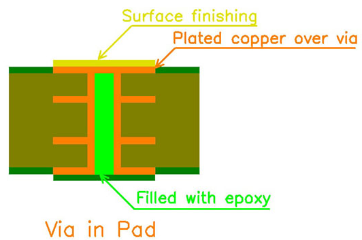
          • Thermal & Reliability: Add via arrays under ADC for heat dissipation and fill via-in-pads with conductive epoxy.

          6. EMC & Testing

          • EMC Protection: Use TVS diodes (e.g., SMAJ5.0A) for ESD and ferrite beads for power noise isolation.
          • Test Points: Reserve test pads for power, clock, and analog inputs without probing high-speed lines directly.
          • Temperature Compensation: Select low-drift references (e.g., ADR4525, ±5ppm/°C) and validate performance at extremes.

          7. BOM & Supply Chain

          • Component Selection: Prioritize automotive/industrial-grade parts (-40°C to +125°C) and validate alternatives via simulation.
          • Lifecycle Management: Avoid obsolete parts (check Digi-Key) and use common packages (e.g., 0402) for cost efficiency.
          • DFM: Add teardrops to pads and avoid 0201 packages for easier assembly.
          How to Design High Speed ADC Evaluation Board?

            How To Assemble High Speed ADC Development Board?

            1. Prepare Tools and Workbench

            • Clean the workbench: Clear the work area of clutter to create a clean and organized environment for assembly.
            • Wear an antistatic wrist strap: Prevent damage to delicate electronic components from static electricity generated by the human body.
            • Gather tools: Prepare precision screwdrivers, tweezers, a soldering iron (or hot air gun), flux, a desoldering pump, and a multimeter.
            • Check components: Cross-reference the Bill of Materials (BOM) to ensure all required parts for assembly are present and that the tools are suitable for fine electronic work.

            2. Verify Components and Circuit Board

            • Component verification: Check each component’s model, specifications, and quantity against the BOM, including the ADC chip, power module, capacitors, resistors, and connectors.
            • Board inspection: Examine the circuit board surface for scratches, shorts, or open circuits.
            • Position alignment: Confirm that each component matches the corresponding pads on the board for accurate installation.

            3. Solder Surface-Mount Components

            Wear an antistatic wrist strap and solder components from smallest to largest:

            • Solder small 0402/0603 resistors and capacitors using drag or spot soldering, avoiding bridges.
            • For BGA-packaged ADC chips, apply flux to pads and heat using a hot air gun or reflow oven following the temperature profile to prevent localized overheating.
            • When soldering QFN/LGA components, align pins carefully and use tweezers for support during soldering.

            4. Install Through-Hole Components
            For components like power connectors, headers, and switches, manual soldering is sufficient:

            • Insert component leads into corresponding holes, heat pads from the back of the board, and remove the soldering iron promptly once the solder melts to keep leads upright.
            • Trim excess leads to less than 1.5mm to prevent short circuits.

            5. Connect External Modules and Interfaces

            Install sub-boards or expansion modules (e.g., clock modules, signal conditioning circuits) as per design requirements:

            • Secure modules with headers or connectors to ensure good contact.
            • Control solder volume when soldering RF coaxial interfaces or high-speed differential lines to avoid signal distortion.

            6. Preliminary Inspection and Cleaning

            • Use a multimeter to test power lines, ground lines, and key signal lines for continuity, shorts, or opens.
            • Clean flux residue and solder splatter from the board using alcohol and an antistatic brush to prevent long-term corrosion and poor contact.

            7. Functional Testing and Debugging

            • Connect power and an oscilloscope, power up gradually, and monitor voltage stability.
            • Input test signals (e.g., sine waves, square waves) and use a logic analyzer or PC software to verify ADC sampling accuracy, signal-to-noise ratio (SNR), and other parameters against specifications.
            • Adjust component parameters (e.g., matching resistors, decoupling capacitors) or optimize layout based on test results until performance meets requirements.

              Why Choose EBest Circuit (Best Technology) as ADC Board Assembly Supplier?

              Reasons why choose us as ADC board assembly supplier:

              • Trusted Industry Leader: 19 years of experience and 500+ clients served, including medical, 5G, and precision instrumentation projects.
              • Turnkey Solution: From design and component sourcing to PCB fabrication, SMT/DIP assembly, and testing, we streamline every step—cutting costs and speeding up delivery.
              • Free DFM: Provide free DFM for optimizing high-speed layouts, power integrity, and signal conditioning for top-tier sampling accuracy and SNR performance.
              • Precision SMT Production: Automated lines handle 0201/0402 components and complex packages (BGA/QFN) with 99.8%+ yield rates and AOI and X- Ray quality checks.
              • Strict Quality Control: ISO 9001-certified, with 100% inspection of critical processes to ensure reliable boards.
              • Flexible & Fast Manufacturing: Support small prototypes (50+ units) to large-scale runs (100K+/month), with 72-hour rapid prototyping for urgent needs.
              • Custom Design Solutions: Tailored PCB stacking, EMC/EMI fixes, and thermal management for industrial, medical, and telecom applications.
              • Cost-Effective & Stable Supply Chain: Long-term partnered with top suppliers to reduce BOM costs by 10–30% while securing stable component availability.

              Welcome to contact us if you have any request for ADC board assembly service: sales@bestpcbs.com.

              You may also like

              High Frequency Inverter Board Assembly | EBest Circuit (Best Technology)

              September 8th, 2025

              What is high frequency inverter board? This guide covers its basics, how it works, function and application and differences from low-frequency ones through this blog.

              Are you troubled with these questions?

              • Is EMC interference crashing your inverter system?
              • Does poor heat dissipation jack up costs and lower yields?
              • Is supply chain chaos delaying deliveries?

              As a professional PCBA service supplier, EBest Circuit (Best Technology) can provide you service and solution:

              • DFM Design—Cut costs and boost yields upfront.
              • Copper Block Cooling—Keep high-frequency operations stable.
              • 1K+ Capacity & Agile Supply—On-time delivery, guaranteed.

              Welcome to contact us if you have any inquiry for inverter board PCBA service: sales@bestpcbs.com.

              What Is High Frequency Inverter Board?

              A high-frequency inverter board is a power electronic device that converts direct current (DC) into alternating current (AC). Its core feature is the use of high-frequency switching technology (typically above 20kHz), which rapidly switches power devices (such as MOSFETs and IGBTs) on and off to achieve power conversion. Compared to traditional low-frequency inverters (50/60Hz), high-frequency inverter boards significantly reduce device size and improve efficiency by utilizing high-frequency transformers and pulse-width modulation (PWM) technology.

              What Is High Frequency Inverter Board?

              How Does a High Frequency Inverter PCB Board Work?

              • DC input: DC power from batteries or solar panels enters the inverter board.
              • High-frequency inversion: Power devices (such as IGBTs) switch rapidly under the control of high-frequency PWM signals, converting DC power into high-frequency AC pulses (typically 20kHz-1MHz).
              • High-frequency transformation: High-frequency AC power is converted (stepped up or down) by a small high-frequency transformer.
              • Rectification and filtering: The high-frequency AC power output from the transformer is converted to DC power by a rectifier bridge, and then smoothed to a stable DC voltage by a filter circuit.
              • Power frequency inversion: The filtered DC power is converted to 50/60Hz AC power by an inverter circuit (such as a full-bridge or half-bridge configuration) and output to the load.
              • Feedback control: A sampling circuit monitors the output voltage and current in real time and adjusts the PWM duty cycle to maintain a stable output.
              How Does a High Frequency Inverter PCB Board Work?

              What Does a High Frequency Inverter Board Do?

              Functions of high frequency inverter PCB board:

              • DC-AC Conversion: Converts DC power from batteries, solar panels, or other sources into 220V/50Hz or 110V/60Hz AC power for use in industrial equipment.
              • Voltage/Frequency Regulation: Utilizing PWM control technology, the output voltage and frequency are adjustable to meet varying load requirements.
              • Waveform Optimization: Utilizes sinusoidal or modified sine wave output to reduce harmonic interference and improve power quality.
              • Protection Function: Integrated overvoltage, overcurrent, short-circuit, and overheating protection mechanisms ensure safe operation.
              • Lightweight Design: The high-frequency transformer’s compact size reduces overall weight, making it easier to integrate and move.

              What Is a High Frequency Inverter Circuit Board Used for?

              Application of high frequency inverter circuit board:

              • New Energy – Photovoltaic micro-inverters, energy storage converters.
              • Industrial Automation – Servo drives, UPS (uninterruptible power supplies).
              • Consumer Electronics – Automotive inverters, LED driver power supplies.
              • Medical Equipment – Portable X-ray machines, laser therapy device power supplies.
              What Is a High Frequency Inverter Circuit Board Used for?

              Difference between Low Frequency and High Frequency Inverter Board

              Comparison DimensionHigh-Frequency Inverter BoardLow-Frequency Inverter Board
              Operating Frequency>20kHz50/60Hz
              Transformer SizeSmallLarge
              Efficiency90%-95%80%-90%
              Size/WeightLightweight, 1/3-1/2 the volume of low-frequency modelsBulky, requires large installation space
              Load CapacityLight loadsHeavy loads
              Impact ResistanceWeakStrong
              Noise Level<30dB (quiet)40-50dB (noisy)
              CostHigh initial cost, long-term energy savingsLow initial cost, high energy consumption
              Lifespan5-8 years10-15 years
              Application Scenariossolar energy storage      industrial heavy-duty use

              Why Choose EBest Circuit (Best Technology) as Invert Board Assembly Manufacturer?

              Reasons why choose us as high frequency invert board assembly manufacturer:

              • High-Precision Automated Assembly – We use SMT for ±0.02mm placement accuracy, reducing manual errors by 90% and boosting first-pass yield to 99.8% to lower your repair costs.
              • Flexible Modular Production – Switch from small batches (MOQ 50pcs) to mass production, converting prototypes to volume in 24-72 hours to speed up your product launch.
              • Eco- friendly & Lead-Free Compliance – Fully RoHS/REACH-compliant with halogen-free solder and nitrogen reflow ovens, ensuring faster time to market.
              • Dual X-Ray + AOI Inspection: Real-time checks on solder voids (<5%) and component polarity, covering 100% of hidden joints (BGA/QFN) to catch 95% of defects early.
              • IP67 Protective Coating: Optional silicone/acrylic/polyurethane layers withstand -40°C~150°C, cutting salt/moisture/dust failures by 70% to extend outdoor product life.
              • Extreme Stress Testing: 72-hour full-load testing under -20°C~85°C cycles ensures <0.1% field failure rates for rock-solid reliability.
              • Component Traceability: QR codes track every supplier, date, and test result from wafer batch to assembly for instant failure analysis and quality control.
              • Free DFM Optimization: Our free report suggests 20+ cost-saving design tweaks (e.g., pad spacing, layout) to cut your assembly expenses by an average of 15%.

              Below is a photo of inverter board we assembled:

              Why Choose EBest Circuit (Best Technology) as Invert Board Assembly Manufacturer?

              Our PCB Assembly Capabilities

              ItemCapabilities
              Placer Speed13,200,000 chips/day
              Bare Board Size0.2 × 0.2 inches – 20 × 20 inches / 22 × 47.5 inches
              Minimum SMD Component01005
              Minimum BGA Pitch0.25mm
              Maximum Components50 × 150mm
              Assembly TypeSMT, THT, Mixed assembly
              Component PackageReels, Cut Tape, Tube, Tray, Loose Parts
              Lead Time1 – 5 days

              How to Get a Quote for Invert Board Assembly Service?

              1. Core Design Documents

              • PCB Production Files: Gerber files (including drill drawings); Impedance control requirements.
              • BOM List: Full component list (model, package, manufacturer PN); Alternative part options clearly marked.
              • Assembly Drawing: Component polarity markings; Heat sink mounting positions; Glue/potting points.

              2. Process Specifications

              • Soldering Method: Reflow / Wave / Selective soldering.
              • Special Processes: Conformal coating areas; Potting thickness requirements; X-ray inspection points.
              • ESD Protection: Compliance standard (e.g., ANSI/ESD S20.20).

              3. Material Supply Options

              • Customer-provided all materials.
              • Assembler provides common parts (resistors/caps, etc.).
              • Key component sourcing requirements (e.g., TI-authorized distributors).

              4. Testing & Acceptance Criteria

              • ICT/FCT Testing: Test program files (.pcf format)
              • Burn-In Testing: Temperature cycle parameters (e.g., 85℃ full load, 4 hours)
              • Visual Inspection: IPC-A-610 Class 2/3 standard

              5. Order Basics

              • Batch Quantity: Initial order + estimated monthly demand.
              • Delivery Address (for logistics cost calculation).
              • Packaging: ESD bags / Blister trays / Vacuum sealing.

              Welcome to contact us if you have any request for high frequency inverter board assembly service: sales@bestpcbs.com.

              You may also like

              How to Make an Easy Circuit Diagram?

              September 5th, 2025

              How to make an easy circuit diagram? Let’s explore symbols, types and rules, drawing process, common problems and solution for circuit diagram.

              At EBest Circuit (Best Technology), we can provide you service and solution:

              • High-precision schematic customization: Full-process design from requirements analysis to functional verification.
              • In-depth signal integrity optimization: Impedance matching/crosstalk suppression/timing analysis.
              • Intelligent component selection: BOM optimization for component replacement.

              Welcome to contact us if you have any request for circuit diagram design: sales@bestpcbs.com.

              What Are Circuit Diagram Called?

              A circuit diagram is a technical drawing that uses standard symbols (such as resistor) to graphically represent electronic components and their connections. It is mainly used to design, analyze, and understand the structure and working principles of circuits.

              What Are Circuit Diagram Called?

              What Are the Symbols Used in Circuit Diagrams?

              Symbols are used in circuit diagrams:

              • Power Sources: Battery (short and long parallel lines), AC Supply (sine wave), Ground (horizontal line with vertical lines/triangle).
              • Resistors: Fixed (zigzag line or rectangle), Variable (zigzag with arrow).
              • Capacitors: Fixed (two parallel lines), Variable (parallel lines with arrow), Electrolytic (+/- polarity marked).
              • Inductors: Coil (multiple spirals or waves).
              • Diodes: Standard (triangle with bar), LED (diode symbol with light rays).
              • Transistors: Bipolar (e.g., NPN/PNP lines with arrow), MOSFET (three lines with symbols).
              • Switches: SPST (break in line with hinge point), Pushbutton (spring mechanism implied).
              • Wires & Connections: Solid Line (wire), Dot (connection), Dashed Line (non-physical/logical connection).
              • Transformers: Overlapping coil symbols.
              • Integrated Circuits (ICs): Rectangle with labeled pins (e.g., op-amp as triangle).
              • Sensors & Outputs: Microphone (wave in circle), Lamp (circle with ‘X’), Speaker (cone symbol).

              What Are the Two Types of Circuit Diagrams?

              1. Schematic Diagram:

              • Primary Purpose: Shows the functional logic and electrical connections between components within a circuit.
              • Characteristics: Uses standardized symbols (like resistors, capacitors, transistors) to represent components. Ignores their physical size, shape, or actual placement location. Lines represent electrical connection paths, not physical wires.
              • Uses: Designing, analyzing, understanding circuit operation, calculating currents/voltages, and theoretical troubleshooting.

              2. Wiring Diagram / Layout Diagram:

              • Primary Purpose: Shows the actual physical placement, arrangement, and connection relationships of components and wires.
              • Characteristics: Component representations may be closer to their physical appearance or simplified outlines. Includes information on physical dimensions, terminal locations, cable routes, and connection point identifiers. Focuses on physical implementation details.
              • Uses: Equipment assembly, wiring installation, field repair, and maintenance.
              What Are the Two Types of Circuit Diagrams?

              What Are the Four Rules for Drawing Circuit Diagrams?

              1. Use Standardized Symbols

              • All components in circuit diagrams (e.g., resistors, capacitors, diodes, transistors) must be represented using internationally or industry-recognized standardized symbols. Avoid arbitrary or non-standard drawings to ensure readability and universal compatibility.

              2. Ensure Clear and Logical Layout

              • Components should be arranged according to signal flow (from input to output) or functional modules to minimize crossing lines. Separate main circuits (e.g., power supply, load) from control circuits (e.g., switches, sensors) into distinct sections. Clearly label critical connection points.

              3. Follow Wiring Conventions

              • Use straight lines for conductors, with right-angle bends (not rounded). For crossed but unconnected wires, use a “jump” symbol (e.g., a semicircular arc) to avoid confusion. Mark connection points with solid dots to eliminate ambiguity.

              4. Provide Complete and Precise Annotations

              • Label all components with their parameters (e.g., resistance values, capacitance values, part numbers) and identifiers (e.g., R1, C2). Specify power supply voltage polarities and magnitudes. Add explanatory notes for key nodes to ensure the diagram is self-contained and requires no additional clarification.

              How to Make an Easy Circuit Diagram?

              1. Define the Purpose of the Circuit

              • Determine the circuit’s function (e.g., lighting an LED, powering a motor) to guide component selection.

              2. List All Required Components

              • Power source: Battery, power supply, or USB port.
              • Load: The component that uses power (e.g., LED, resistor, motor, buzzer).
              • Connectors: Wires, jumper cables, or breadboard connections.
              • Control elements: Switches, buttons, or relays (optional but useful for interaction).

              3. Choose a Drawing Tool & Software

              • Fritzing: Free, beginner-friendly, with drag-and-drop components.
              • Circuit.io: Online tool with simulation capabilities.
              • Microsoft Visio/Lucidchart: General-purpose diagramming tools (use electrical symbols libraries).
              • Hand-drawn: Use graph paper, a ruler, and standardized symbols (see Step 4).

              4. Draw the Power Source

              • Placement: Position the battery or power supply at the top or left of the diagram (conventional layout).
              • Symbol: Use the standard battery symbol (two parallel lines of different lengths, long = positive, short = negative).
              • Label: Include voltage (e.g., “9V”) and polarity (+/-).

              5. Add the Load Component

              Placement:

              • Place the load (e.g., LED, resistor) to the right or below the power source.

              Symbols:

              • Resistor: Zigzag line (e.g., “R1”).
              • LED: Triangle with a bar at one end (pointing toward negative).
              • Motor: Circle with the letter “M” inside.
              • Label: Assign a reference designator (e.g., “D1” for LED, “R1” for resistor) and value (e.g., “220Ω”).

              6. Connect Components with Wires

              • Use straight lines to represent wires.
              • Avoid crossing lines; if unavoidable, use a dot to indicate a connection or a jump (semicircle) to show no connection.
              • Keep lines horizontal or vertical for a clean look.

              7. Include Control Elements (Optional)

              • Purpose: Switches or buttons let you turn the circuit on/off without disconnecting wires.
              • Placement: Insert the switch between the power source and load.
              • Symbol: Use the SPST switch symbol (a line with a break and a pivot).

              8. Label All Components Clearly

              • Component type (e.g., “LED,” “Resistor”).
              • Reference designator (e.g., “R1,” “D1”).
              • Value/rating (e.g., “220Ω,” “9V”).

              9. Review and Simplify

              • Remove unnecessary components or wires.
              • Use color-coding (e.g., red for power, black for ground) for clarity.

              10. Save or Export the Diagram

              • Save as a PDF, PNG, or editable file (e.g., .fzz for Fritzing).
              • Share or print for reference.
              How to Make an Easy Circuit Diagram?

              What Is an Example of a Circuit Diagram?

              Below is an example of a circuit diagram:

              What Is an Example of a Circuit Diagram?

              Circuit Diagram Making Problems & Solutions

              Q1: What if the component symbols in my circuit diagram are inconsistent?

              A1: Below are solutions:

              • Standardize symbols: Choose a universal standard (e.g., IEEE guidelines or your software’s default library).
              • Add a legend: Include a “Symbol Reference Table” in the corner of your diagram (e.g., “Zigzag line = Resistor, Rectangle = Inductor”).
              • Use professional tools: Software like KiCad or Fritzing automatically provides standardized symbols.

              Q2: How do I prevent unintended short circuits caused by crossing wires?

              A2: Below are solutions:

              • Use jumpers: Mark non-connected crossings with a small semicircle (most software has a “bridge” tool).
              • Layer your layout: Place high-frequency signals on top layers and low-frequency lines on bottom layers (for multi-layer PCB designs).
              • Re-route wires: Rotate components or adjust positions to minimize crossings (e.g., rotate a resistor by 90°).

              Q3: What if my circuit simulation results don’t match expectations?

              A3: Below are solutions:

              Check connections step-by-step:

              • Ensure all components are properly connected (no floating pins).
              • Verify power supply polarity (e.g., LED anode/cathode orientation).

              Validate parameters:

              • Confirm resistor/capacitor values match calculations (e.g., use Ohm’s Law for LED current-limiting resistors).

              Test submodules separately:

              • Debug the oscillator circuit first, then the output stage.
              • Tool recommendation: Use Tinkercad Circuits’ “Probe” feature to monitor voltage/current at each node in real time.

              Q4: How do I add clear annotations to complex circuit diagrams?

              A4: Below are solutions:

              Label components:

              • Assign unique IDs (e.g., R1, C2, U1) and group them by function (e.g., R1–R3 for power section).
              • Write parameter values next to components (e.g., “10kΩ ±5%”).

              Annotate nodes:

              • Name critical signal points (e.g., “Vin_ADC,” “PWM_Out”).
              • Add arrows and text for complex connections (e.g., “→ This line feeds the motor driver”).

              Include a legend:

              • Add a “Symbol-Function Key” in the corner (e.g., “□ = Relay, △ = Op-Amp”).
              • Example: In an op-amp circuit, label: “R1/R2 form a feedback network. Gain = 1 + R2/R1.”

              Q5: How can I improve the neatness of my hand-drawn circuit diagrams?

              A5: Below are solutions:

              • Use graph paper: Draw components to scale (e.g., a resistor spans 2 squares in length, 1 in width).
              • Leverage templates: Print standard component outlines (e.g., LEDs, switches), trace them onto your paper.
              • Draw in sections: Sketch the power supply first, then control circuits, and combine them later.

              If you have any other issues about circuit diagram drawing or need circuit diagram design service, please feel free to contact us: sales@bestpcbs.com.

              You may also like

              Heavy copper PCB design & Thick copper PCB Prototype​

              September 5th, 2025

              Heavy copper PCB design refers to creating printed circuit boards with much thicker copper layers than standard boards. While a typical PCB uses 1 oz copper (about 35”m), heavy copper PCBs range from 2 oz to 20 oz per square foot, sometimes even higher for extreme power needs.

              Thick copper layers improve current handling, enhance mechanical strength, and allow for compact, high-power layouts without compromising reliability.

              Heavy copper PCB design & Thick copper PCB Prototype​

              What is heavy copper PCB?

              Heavy copper PCB uses copper conductors that are much thicker than standard PCBs. While standard boards use 1 oz copper (about 35”m), heavy copper boards range from 2 oz to 20 oz per square foot. Some extreme designs even go beyond that, which we call extreme copper PCB.

              So, why so thick? Because thicker copper carries more current without overheating. It also improves mechanical strength, making the board more robust for harsh environments.

              In short, heavy copper PCBs are not ordinary. They are designed for power electronics, automotive, defense, and industrial equipment that demand strength and stability.

              Why use thick copper PCB?

              Power systems produce heat. A lot of it. If your PCB cannot handle high current, failure is just a matter of time. That’s why thick copper PCBs are vital.

              Here’s why industries love them:

              • Superior current capacity: Thick copper allows higher amperage without damaging traces.
              • Better heat dissipation: No more overheating issues in power circuits.
              • Strong mechanical bonding: Ideal for connectors, heavy components, and thermal sinks.
              • Design flexibility: Perfect for high-density interconnects and power distribution layers.
              Heavy copper PCB design & Thick copper PCB Prototype​

              When reliability is non-negotiable, heavy copper PCB design is the answer.

              How thick is copper in a heavy copper PCB?

              Thickness matters. A standard PCB has 1 oz copper (35”m). For heavy copper PCBs, the thickness ranges from:

              • 2 oz (70”m): Entry-level heavy copper
              • 3 oz to 6 oz (105”m to 210”m): Common for power electronics
              • 8 oz to 20 oz (280”m to 700”m): Extreme copper PCB for very high power

              The choice depends on current requirements, thermal performance, and mechanical strength. If your design demands high current flow, you need more copper.

              What are the common problems in heavy copper PCB design?

              Designing a heavy copper PCB is not as simple as adding more copper. It brings challenges:

              • Etching Issues: Thick copper needs deeper etching, which requires advanced technology.
              • Uneven Trace Widths: Incorrect design may lead to imbalance.
              • Plating Difficulties: High copper density affects via plating and reliability.
              • High Cost: More copper equals higher material and manufacturing cost.

              With a professional heavy copper PCB manufacturer like BEST Technology, these challenges are easily solved. Our team uses controlled etching and advanced plating to ensure accuracy and quality.

              How much does heavy copper price affect cost?

              The price of heavy copper PCBs depends on:

              • Copper weight (2 oz, 4 oz, 6 oz, etc.)
              • Board size and layer count
              • Design complexity
              • Quantity
              Heavy copper PCB design & Thick copper PCB Prototype​

              Copper is not cheap. A 6 oz PCB will cost more than a 2 oz PCB due to more copper and processing time. If you want exact pricing, contact us at sales@bestpcbs.com. Our experts will provide a detailed quotation and free consultation.

              What are the benefits of thick copper PCB?

              The benefits are undeniable:

              • High current carrying capacity: Perfect for power supplies and converters.
              • Excellent heat dissipation: Reduces thermal stress on components.
              • Stronger mechanical strength: Holds heavy connectors and components.
              • Compact design: Combine power and control circuits on one board.
              • Reliable in harsh environments: Ideal for automotive and military.

              Simply put, heavy copper PCBs improve performance and extend the lifespan of your devices.

              Why choose BEST Technology for heavy copper PCBs?

              Because we deliver:

              • Copper thickness from 2 oz to 20 oz with precision.
              • Advanced etching technology for accurate trace widths.
              • Superior plating process for reliable via connections.
              • ISO9001:2015 certified manufacturing.
              • Short lead time: Fast delivery for your projects.

              Our heavy copper boards are used in power converters, inverters, automotive systems, and defense equipment worldwide.

              BEST Technology Heavy Copper PCB Capabilities

              Specification Category Details
              Base material FR4/Aluminum
              Copper thickness 4OZ ~ 10OZ
              Extreme Heavy Copper 20OZ ~ 200OZ
              Outline Routing, Punching, V-Cut
              Soldermask White/Black/Blue/Green/Red Oil
              Surface finishing Immersion Gold, HASL, OSP
              Max Panel size 580 × 480 mm (22.8″ × 18.9″)

              What are the applications of heavy copper PCBs?

              These boards are everywhere in high-power industries:

              • Power Supply Modules
              • Automotive Electronics
              • Military and Defense Systems
              • Renewable Energy Systems (Solar, Wind)
              • Industrial Control Equipment
              • Telecom Base Stations

              If your design needs high current handling and thermal stability, heavy copper is the only way.

              Heavy copper PCB manufacturers – BEST Technology

              Not all manufacturers can handle thick copper PCBs. It requires specialized equipment, strict process control, and experience. That’s where BEST Technology stands out.

              We’ve been manufacturing heavy copper PCBs since 2006. Our factory is equipped for multi-layer heavy copper boards, extreme copper designs, and custom prototypes. We handle everything from design support to mass production.

              Heavy copper PCB design & Thick copper PCB Prototype​

              When you choose us, you get:

              • Expert engineering support
              • Competitive pricing
              • On-time delivery
              • High-quality boards for critical applications

              Conclusion:

              Heavy copper PCB design is a requirement for high-power electronics. They offer superior current capacity, heat dissipation, and mechanical strength.

              If you’re looking for professional heavy copper PCB manufacturers, BEST Technology is your trusted partner. Contact us at sales@bestpcbs.com for a quote, technical support, or free consultation.

              You may also like

              How to Use Copper Tape for PCB Repair?

              September 5th, 2025

              How to use copper tape for PCB repair? Let’s explore benefits, applications, usage process, tools and material list, copper tape types, testing methods, and maintenance tips for copper tape PCB repair.

              As a professional PCB manufacturer, EBest Circuit (Best Technology) can provide you PCB repair service:

              • Free Technical Support: Provide evaluation of repair alternatives.
              • Repair multilayer boards: Supports blind and buried hole conductivity.
              • 24 Hours Rapid Prototyping: Quickly replace the broken PCB board.

              Welcome to contact us if you have any request for PCB repair or PCB prototyping: sales@bestpcbs.com.

              Why Choose Copper Tape for PCB Repair?

              Reasons why choose copper tape for PCB repair:

              Fast Repairs, Save Time

              • No need for complex tools or long waits, just cut and stick the copper tape, then solder. Perfect for fixing broken traces or lifted pads quickly.
              • Great for emergencies or prototyping, reducing equipment downtime.

              Excellent Conductivity, Stable Signals

              • Pure copper with conductive adhesive ensures low resistance (usually ≀50mΩ), matching original circuit performance.
              • Avoids signal issues caused by poor connections.

              Flexible and Easy to Use

              • Bend and cut copper tape to fit tight spaces or complex PCB layouts (e.g., keyboard circuits, sensors).
              • Less risk of short circuits compared to jumper wires.

              Low Cost, High Value

              • Much cheaper than custom PCBs or professional repair services. Ideal for small batches or hobbyists.
              • One roll lasts for multiple repairs, offering long-term savings.

              Versatile Applications

              • EMI Shielding: Reduces electromagnetic interference.
              • Quick Prototyping: Test circuit designs without remanufacturing PCBs.
              • Grounding: Provides reliable ground connections for components.

              Works with Most PCB Materials

              • Suitable for FR-4, CEM-1, and other common substrates, as well as gold-plated or ENIG finishes.
              • Strong adhesive holds up under high temperatures (compatible with reflow soldering).
              Why Choose Copper Tape for PCB Repair?

              Applications of Copper Tape PCB Repair

              • Fix Broken Traces: Layer copper tape over cut or damaged traces and solder ends.
              • Replace Lifted Pads: Stick copper tape where pads detached; solder components to it.
              • Bridge Missing Connections: Use tape to jump gaps where traces are missing.
              • Reinforce High-Stress Areas: Add tape to flexed PCB zones (e.g., connectors) to prevent breaks.
              • Quick Prototyping: Temporarily modify or add circuits without etching new PCBs.
              • EMI Shielding: Cover sensitive parts with tape to block interference.
              • Ground Components: Create low-resistance ground paths for noise reduction.
              • Repair Keyboard Membranes: Patch broken conductive traces on flexible keyboard circuits.
              Applications of Copper Tape PCB Repair

              How to Use Copper Tape for PCB Repair?

              Below are steps of copper tape for PCB repair:

              1. Inspect and Clean the Damaged Area

              • Visually locate the broken trace. Use a magnifier to confirm the damage range.
              • Clean the area with an alcohol-soaked cotton swab to remove residue, oxidation, or solder mask. If the solder mask covers the break, scrape it off with a blade or sandpaper to expose the copper base.

              2. Cut the Copper Tape

              • Trim the tape to match the broken trace’s shape, ensuring it’s slightly larger than the damaged zone (covering intact copper on both ends).
              • The tape width should match the original trace. Length must span the break and overlap adjacent copper (at least 1-2mm).

              3. Apply the Copper Tape

              • Press the tape flat onto the break, ensuring full contact with exposed copper and no air bubbles.
              • The tape must fully cover the break and extend to nearby pads or vias for reliability.

              4. Solder to Secure

              • Quickly solder the tape’s ends to the PCB copper. Avoid overheating (back adhesive may melt).
              • Use low-temperature solder. Keep the iron’s contact time under 2 seconds to prevent tape detachment.
              • If repairing a pad, solder the component lead to the tape simultaneously.

              5. Trim Excess Tape

              • Carefully cut or scrape the tape edges to match the original trace width.
              • Warning: The repair is fragile—avoid excessive force to prevent lifting.

              6. Reinforce and Insulate

              • (Optional) Cover the tape with insulating tape (e.g., Kapton) or apply solder mask to prevent shorts or damage.
              • For high-stress areas (e.g., PCB edges), reinforce with epoxy (e.g., Araldite).

              7. Test Functionality

              • Use a multimeter to check continuity (resistance should be near 0Ω).
              • Power on the device and monitor for poor contact or overheating.

              Copper Tape for PCB Repair Tools & Material List

              Tool/MaterialPurpose
              Single-Sided Conductive Copper Foil TapeBridge broken traces, repair pads, restore copper foil.
              Isopropyl Alcohol (IPA) + SwabsClean oxidation, flux residue, or solder mask from repair area.
              Fiber Pen/Engraving KnifeMark repair zone or scrape solder mask covering breaks.
              Soldering Iron (250–300°C)Solder copper tape to PCB traces for low-resistance contact.
              Lead-Free Solder WireReinforce joints to reduce contact resistance.
              Hot Air Gun (80–100°C)Soften adhesive for better tape adhesion (optional).
              Scissors/Precision KnifeTrim tape edges to match trace width; prevent field concentration.
              600-Grit SandpaperLightly abrade copper for improved adhesion (oxidized areas only).
              Conformal Coating/UV MaskInsulate and protect repair from oxidation/shorts.
              Kapton TapeSecondary insulation for tape edges; high-temp resistant.
              Epoxy Resin (e.g., Araldite)Reinforce high-stress areas (edges, connectors).
              Multimeter (Resistance Mode)Verify continuity (resistance ≈ 0Ω); check for abnormal heating post-repair.

              Types of Copper Tape Suitable for PCB Repair

              1. Single-Sided Conductive Copper Foil Tape

              • Use: Fix broken traces, repair missing pads, fill copper foil defects.
              • Application: General PCB repairs, such as signal line breaks or component pin detachment.

              2. Double-Sided Conductive Copper Foil Tape

              • Use: Cross-layer conductive connections (e.g., shielding repairs), multilayer board grounding.
              • Application: requiring bidirectional conductivity, like high-frequency circuit shielding or shorting between layers.

              3. High-Temperature Copper Foil Tape

              • Use: Repairs in high-temperature environments (e.g., power modules, LED driver boards).
              • Application: Fixing lines near heat-generating components or temporary patching for reflow soldering.

              4. Ultra-Thin Copper Foil Tape (≀10ÎŒm)

              • Use: High-density PCB repairs (e.g., BGA pad rework, fine-pitch traces).
              • Application: Precision fixes in tight spaces to avoid interference with component installation.

              5. Corrosion-Resistant Zinc-Plated Copper Foil Tape

              • Use: Repairs in humid or corrosive environments (e.g., outdoor equipment, industrial control boards).
              • Application: Extend repair lifespan in salt-fog or moisture-heavy conditions.

              6. Non-Conductive Adhesive Copper Foil Tape

              • Use: High-voltage circuit repairs (e.g., power board isolation), insulating layer patches.
              • Application: Where adhesive must not create electrical contact to prevent shorts.

                Testing and Verifying Repaired PCB Functionality

                1. Visual Check

                • Look for visible flaws on the repaired PCB, like solder bridges, cold joints, or damaged parts.
                • Confirm components are placed and oriented correctly as per the design.

                2. Continuity Test

                • Use a multimeter to check electrical continuity between key points, e.g., power/ground traces and component connections.
                • Ensure no open or short circuits exist.

                3. Power-Up Test

                • Connect PCB to power supply and slowly raise voltage to operating level.
                • Watch power consumption; check for abnormal current or voltage issues.

                4. Function Test

                • Create and run a full test plan covering all PCB functions.
                • Use tools like logic analyzers or oscilloscopes to verify digital and analog circuit operation.
                • Test under different conditions (voltages, frequencies, loads) for stability.

                5. Signal Test

                • For high-speed or sensitive signals, check for crosstalk, reflections, and jitter.
                • Use TDR or similar methods to analyze signal quality.

                6. Thermal Test

                • Monitor PCB and component temperatures during operation; ensure they’re within limits.
                • Use thermal cameras or sensors to find hot spots or excessive heat.

                7. Environment Test

                • Put PCB through stress tests like temperature cycling, humidity, and vibration.
                • Confirm it still works after each test with no degradation.
                Testing and Verifying Repaired PCB Functionality

                Long-Term Maintenance Tips for Copper Tape Repairs

                1. Keep It Clean

                • Wipe the repair area with a dry cloth to remove dust.
                • Use isopropyl alcohol (90%+) and a cotton swab for spills, avoid scrubbing.

                2. Block Moisture

                • Coat the copper tape with non-conductive epoxy or conformal coating.
                • Store/operate PCBs in a dry place (<60% humidity).

                3. Avoid Bending/Pressure

                • Don’t flex or twist flexible PCBs near the repair.
                • Keep heavy objects off the repaired area.

                4. Check for Corrosion

                • Inspect every 3–6 months for discoloration or lifting edges.
                • Test with a multimeter for unexpected resistance.

                5. Strengthen High-Use Joints

                • Add solder to frequent connections for durability.
                • Secure tape edges with non-conductive glue/epoxy.

                6. Avoid Extreme Temps

                • Keep repairs away from heat sources (e.g., motors).
                • Prevent rapid cold exposure to avoid condensation.

                7. Track Repairs

                • Label the repair site (e.g., “R12 – Copper Fix”).
                • Log dates/issues in a maintenance notebook.

                8. Replace if Needed

                • If the tape cracks, corrodes, or peels, remove and reapply a new piece.

                  FAQs of Copper Tape for PCB Repair

                  Q1: Why does copper tape for PCB repair peel off?
                  A1: Clean the PCB with alcohol and a cloth. Use strong-adhesive copper tape and press firmly with a flat tool.

                  Q2: Why do copper tape connections cut in and out?
                  A2: Press out air bubbles with a smooth tool. Add solder to key spots after sticking the tape for better contact.

                  Q3: Why does copper tape cause shorts or breaks?
                  A3: Line up the tape carefully using a magnifier. Hold it in place with masking tape before pressing down.

                  Q4: Why does copper tape corrode or dull?
                  A4: Coat the repair with epoxy or conformal coating to block moisture. Store extra tape in a dry, sealed spot.

                  Q5: Why are solder joints on copper tape weak?
                  A5: Use low heat when soldering and avoid overheating. Clean off flux residue with alcohol after soldering.

                  You may also like

                  What Is CAM PCB? CAM PCB Design Software

                  September 4th, 2025

                  What is CAM PCB? Let’s discover its function, types, application, design software selection guide, design process and common design issues and solutions.

                  Are you worried about these issues?

                  • Perfect design, but constant production issues?
                  • Low-volume trial production costs too high?
                  • High-frequency board signal quality consistently substandard?

                  EBest Circuit (Best Technology) can provide service:

                  • Free Design for Function (DFM) analysis reduces rework costs by 10%.
                  • 24-hour rapid prototyping service saves 15% in production costs.
                  • Material Dk optimization solutions reduce losses by 25%.

                  Welcome to contact us if you have any request for CAM PCB: sales@bestpcbs.com.

                  What Is CAM PCB?

                  CAM PCB refers to the specialized process of using Computer-Aided Manufacturing software to convert PCB design files (such as Gerber, drill data) into machine-executable production instructions. It optimizes manufacturability by validating designs, compensating for fabrication tolerances (such as etch compensation, impedance control), and generating precision tooling files (photolithography masks, drilling paths) to ensure yield and reliability.

                  What Is CAM PCB?

                  What Are Functions of PCB CAM Design?

                  Design Rule Validation (DRC)

                  • Automatically scans for design flaws (e.g., trace width/spacing violations, pad-drill misalignment).
                  • Prevents defects like solder mask bridging failures and acid traps.

                  Process Compensation & Optimization

                  • Adjusts for etching tolerances (±3ÎŒm) and material deformation (e.g., ±0.15% scaling for flex PCBs).
                  • Optimizes laser drilling paths and multilayer via alignment (<25ÎŒm offset).

                  Manufacturing File Generation

                  • Creates precision files for equipment: photoplotter masks (with anti-glare halftone), optimized drill paths (30%+ idle reduction), and plating current maps (±2ÎŒm copper uniformity).

                  Yield & Cost Control

                  • Maximizes panel utilization (>93% material efficiency).
                  • Predicts defects (e.g., copper buildup, undercut).
                  • Supports advanced processes (rigid-flex transitions, HF ceramic filler avoidance).

                  What Are Types of CAM PCB Design Software?

                  Professional CAM Software

                  • CAM350: Multi-format import (Gerber/Excellon), DFM analysis, netlist comparison, panelization, 3D visualization, NC program generation.
                  • Genesis 2000: Multi-layer PCB optimization, automated data refinement, workflow integration, direct manufacturing/testing tool output.
                  • GC-PrevuePlus: Gerber viewing and basic CAM processing.

                  Integrated CAM Modules in PCB Suites

                  • Protel-Autotrax: Traxplot for photoplotter files; legacy tool with basic CAM capabilities.
                  • Altium Designer: Built-in Gerber/drill file generation; primary focus on design with limited CAM features.

                  Format Conversion & Collaboration Tools

                  • CAMCAD: Converts PCB formats to neutral standards for cross-department collaboration and design review.
                  • visECAD: Supports design annotation, intelligent query, and communication between engineers/production teams.

                  Open-Source & Free CAM Tools

                  • KiCad: Open-source EDA with Gerber viewer and basic DFM checks; suitable for simple projects/learning.
                  • PC Gerber: Legacy tool with limited functionality; mostly obsolete.

                  CNC Programming Specialized Tools

                  • Copper CAM: Gerber-to-G-code conversion for CNC PCB milling.
                  • Auto Leveller: Optimizes milling paths when paired with Mach3 control software.
                  What Are Types of CAM PCB Design Software?

                  What Are Applications of CAM PCB?

                  High-Reliability Electronic Devices

                  • Aerospace Satellite Boards: Laser blind via alignment for 56-layer rigid-flex PCBs.
                  • Radar Systems: 77GHz millimeter-wave antenna impedance control.
                  • Medical Implants: Solder mask bridge opening for 0.2mm pitch components in miniature brain-computer interfaces.

                  Consumer Electronics Mass Production Optimization

                  • Smartphone HDI Boards: 7-layer laser via stacking and 0.3mm BGA escape routing.
                  • Wearables: Copper foil stress distribution in dynamic bending zones of flexible battery boards.

                  High-Frequency High-Speed Systems

                  • 5G Base Station RF Power Amplifiers: PTFE material Dk value compensation.
                  • 112Gbps Backplanes: Loss tangent control.
                  • Data Center GPUs: Synchronous switch noise suppression in 16-layer server motherboards.

                  Automotive Electronics Safety Control

                  • Engine ECU Modules: Z-axis CTE compensation for 150°C high-temperature laminates.
                  • Autonomous Vehicle LiDAR: Phase consistency calibration for microstrip antenna arrays.

                  Industrial & Energy Applications

                  • Power Conversion Modules: Thick copper heat dissipation channel design for 10kW SiC inverters
                  • Oil Exploration Equipment: Drilling parameter optimization for titanium alloy substrates in downhole sensor boards.

                  How to Choose CAM PCB Design Software?

                  Core Function Compatibility

                  • Gerber/ODB++: Prioritize support for latest formats (e.g., Gerber X3) like Valor NPI (Siemens).
                  • DFM Analysis: Prioritize for real-time rule-checking tools (e.g., CAM350 by DownStream).
                  • High-Speed Design: Choose Allegro PCB Designer (Cadence) for RF/high-speed PCB optimization.

                  Industry-Specific Adaptability

                  • Consumer Electronics: Altium Designer’s CAM module offers cost-effective solutions.
                  • Automotive/Aerospace: Mentor Xpedition (Siemens) complies with IPC-2581 military standards.
                  • HDI Boards: Zuken CR-8000 excels in microvia defect detection.

                  Technical Ecosystem Integration

                  • EDA Compatibility: Cadence OrCAD syncs with Sigrity signal analysis tools.
                  • SI/PI Analysis: PADS Professional integrates with HyperLynx for power integrity checks.

                  Cost Structure Analysis

                  • Subscription Model: Autodesk Fusion 360 (CAM-enabled) suits SMEs.
                  • Perpetual License: Pulsonix (UK) offers one-time purchase options.

                  Localized Service Support

                  • North America: PCBWeb Designer (free) + BluePrint-PCB (paid CAM plugin).
                  • EU: EAGLE (Autodesk) automates CE/ROHS compliance validation.
                  • Asia-Pacific: KiCad (open-source) + GraphiCode GC-Prevue (Japanese toolchain).

                  Future-Proof Scalability

                  • AI-Driven DFM: Valor Process Preparation leverages ML for predictive quality control.
                  • Cloud Collaboration: Altium 365 enables real-time CAM data management across teams.
                  How to Choose CAM PCB Design Software?

                  What Is the CAM PCB Design Process?

                  1. Design File Import

                  • Load PCB design data (Gerber, ODB++, Excellon, etc.) into CAM software. Verify file integrity and format compatibility for seamless processing.

                  2. Design Rule Check (DRC)

                  • Validate critical parameters like trace width, spacing, pad size, and hole dimensions against manufacturing standards. Identify violations to prevent production defects.

                  3. DFM (Design for Manufacturing) Analysis

                  • Conduct deep optimization: detect electrical/mechanical issues (e.g., solder mask alignment, minimum hole size), simulate process impacts (e.g., etch compensation, thermal stress), and refine designs for yield enhancement.

                  4. Panelization & Layout Optimization

                  • Arrange multiple PCBs into panels for efficient production. Apply algorithms for material utilization, nesting precision, and toolpath optimization to minimize waste and machining time.

                  5. Manufacturing File Generation

                  • Output production-ready files: photoplotter data (Gerber), drilling programs (NC/Excellon), milling paths, assembly drawings, and process-specific documentation (e.g., solder paste stencils).

                  6. Cross-Verification & Simulation

                  • Validate outputs through 3D visualization, signal integrity checks, and thermal simulations. Ensure files meet device-specific requirements (e.g., light painting machine resolution, pick-and-place compatibility).

                  7. Final Validation & Archiving

                  • Perform end-to-end verification of manufacturing files. Store processed data with version control and audit trails for traceability. Archive for future revisions or quality audits.
                  What Is the CAM PCB Design Process?

                    FAQs of CAM PCB Design

                    Q1: How to handle design file import anomalies in CAM PCB?
                    A1: Use CAM software supporting multi-format import (e.g., CAM350) to validate file integrity and compatibility. Standardize data sources with conversion tools (e.g., CAMCAD) to prevent manual errors.

                    Q2: What are solutions for DRC violations in CAM processing?
                    A2: Implement strict IPC-standard rule libraries in CAM tools (e.g., CAM350) to auto-flag violations. Leverage 3D visualization for precise fault localization and prioritize critical adjustments like impedance matching for high-speed lines.

                    Q3: How to address DFM defects like solder mask misalignment?
                    A3: Enable DFM modules for deep simulation (e.g., etch compensation, thermal stress analysis). Optimize material parameters (e.g., PTFE Dk compensation) and adopt iterative validation for process refinement.

                    Q4: How to improve panelization efficiency?
                    A4: Apply intelligent nesting algorithms (e.g., Genesis 2000) with optimized spacing rules (e.g., ≄1mm margins) and toolpath planning to achieve >85% material utilization.

                    Q5: What causes signal/thermal failures and how to mitigate?
                    A5: Use SI/PI tools (e.g., HyperLynx) for signal integrity validation and thermal simulators (e.g., ANSYS) for heat distribution prediction. Implement thermal via arrays (≄10% copper coverage) in high-power zones.

                    You may also like