PCB manufacturing PCB manufacturing
Home > Blog

How much do tan circuit board cost?

February 7th, 2025

How much do tan circuit board cost? The cost of tan circuit boards varies depending on many factors, including material selection, number of layers, size, production process, and batch size. In addition, the total cost of the circuit board is also affected by substrate, chemical materials, drilling, plating, testing, management costs, etc.

How much do tan circuit board cost?

What is the average cost of a circuit board?

The cost of a circuit board can vary significantly based on several factors, such as:

  • Size and Shape: Larger boards or those with unusual shapes tend to cost more.
  • Layer Count: Single-layer PCBs are generally cheaper, while multi-layer boards are more complex and expensive.
  • Material: The type of material used, like FR4, polyimide, or ceramic, can influence pricing.
  • Volume: Larger production runs reduce the cost per unit due to economies of scale.

For mass production, prices can drop significantly. With large orders, it’s not uncommon to see the cost fall to around $5 to $20 per unit.

The pricing scales down as orders increase, so businesses with higher production needs can take advantage of more cost-effective rates.

How much do tan circuit boards cost?

When it comes to tan circuit boards specifically, the price is influenced by the same factors mentioned above. However, some additional aspects may affect the cost due to the unique nature of tan boards.

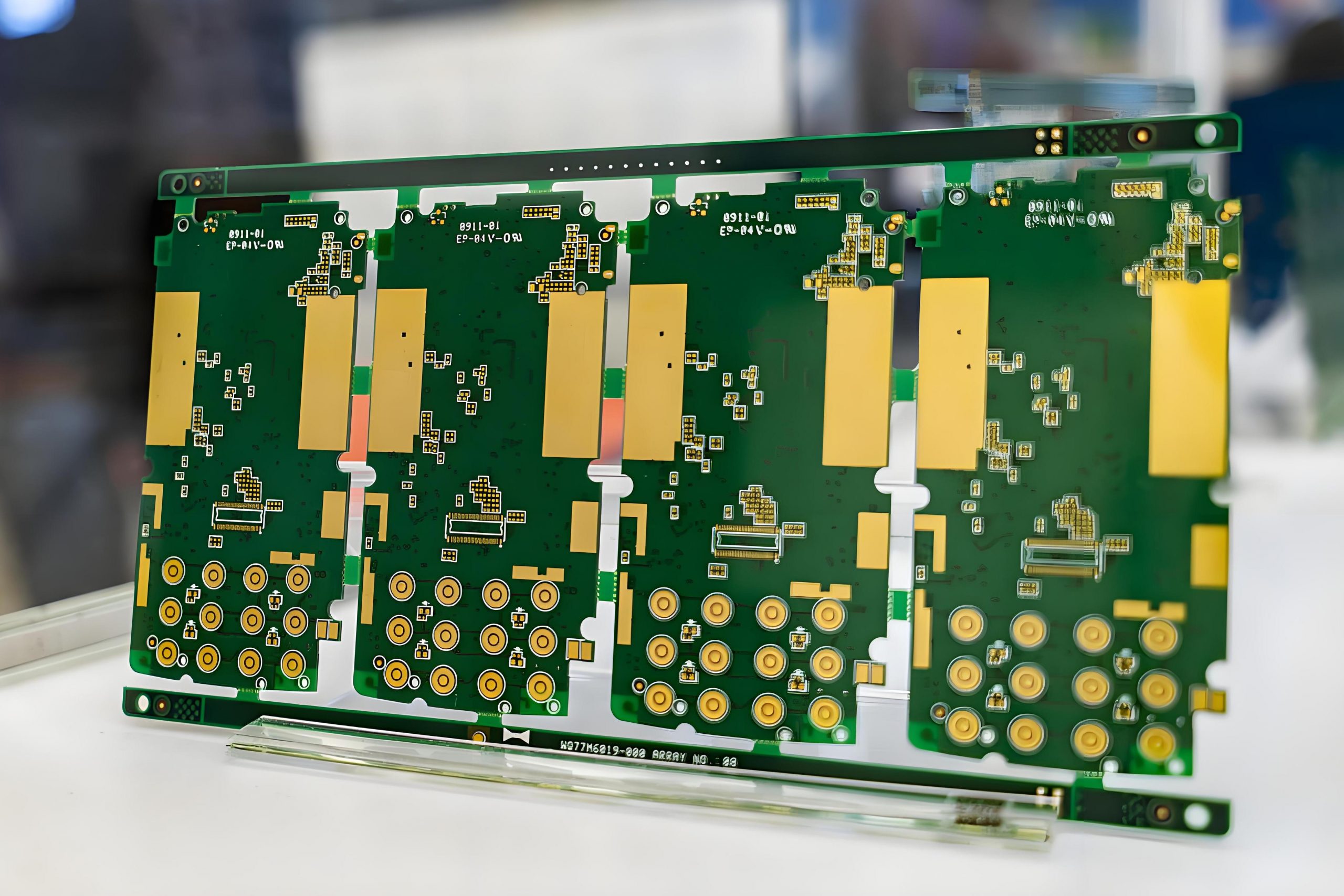
Tan circuit boards are typically made from FR4, which is a popular material known for its durability and affordability.

How much do tan circuit board cost?

The distinctive tan color comes from the board’s copper-clad laminate and the natural resin used in the manufacturing process.

The color itself doesn’t significantly add to the cost but does give the board a distinctive aesthetic.

On average, a tan circuit board can cost anywhere between $10 and $50 for single-layer designs. More intricate designs, such as those involving solder masks, surface finishes (like ENIG or HASL), and special components, could drive the cost even higher.

How much does it cost to manufacture a printed circuit board?

The cost to manufacture a printed circuit board (PCB) depends on several variables.

The basic manufacturing costs include:

  • Material Costs: FR4, the most commonly used PCB material, is relatively inexpensive. However, more specialized materials like ceramic or metal-core boards may raise the cost.
  • Setup and Design Costs: These are the costs associated with creating the initial design files, preparing the tools for production, and setting up the assembly lines.
  • Prototyping: If you need a prototype or custom modifications, it will increase the cost. Prototyping typically costs more than mass production due to the one-time nature of the process.
  • Quality Control and Testing: Once the boards are assembled, they undergo testing to ensure they function as designed.

How much does it cost to fix printed circuit board?

Fixing a printed circuit board can vary in cost depending on the extent of the damage and the type of repairs required.

If a board has only minor issues, such as a broken trace or damaged solder joint, a simple fix might cost around $50 to $100.

For more complex repairs, such as fixing damaged layers in a multi-layer PCB or replacing surface-mounted components, the cost could rise to $200 to $500.

How much do tan circuit board cost?

Additionally, repair costs are also influenced by the difficulty of sourcing the specific components that need to be replaced.

In many cases, the cost of repairing a PCB might outweigh the cost of manufacturing a new one, especially if the damage is extensive.

What are the factors that affect the price of circuit boards?

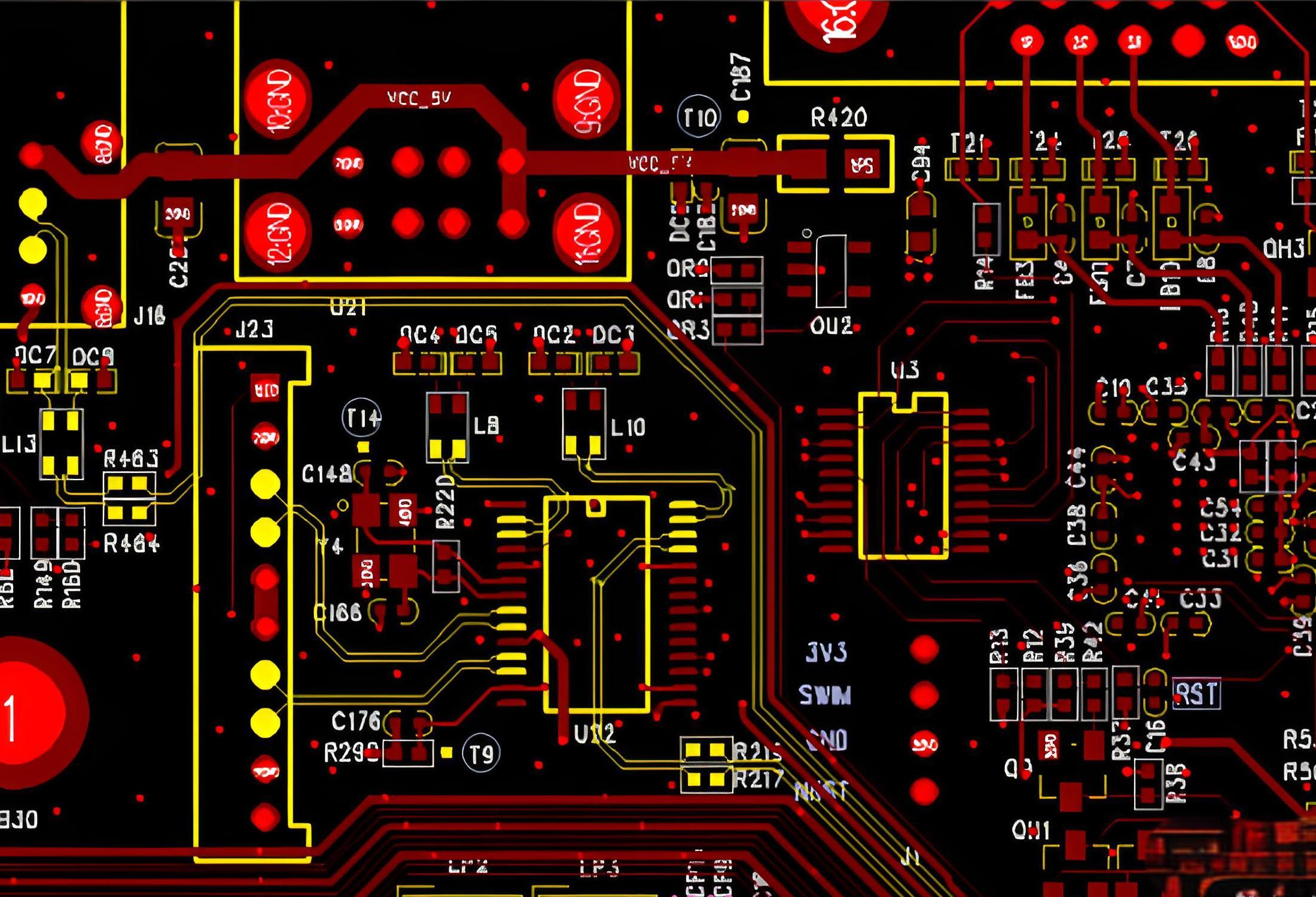
Several factors influence the price of tan circuit boards and other types of PCBs. These factors can include:

  • Board Complexity: The more complex the design, the more expensive the board will be.
  • Board Size: Larger boards will use more material and require more processing time, both of which increase the cost.
  • Materials: High-performance materials like polyimide or ceramic will increase the overall cost compared to the standard FR4 material used in tan circuit boards.
  • Surface Finish: Gold plating (ENIG) or HASL (Hot Air Solder Leveling) finishes can impact the final price.
  • Order Volume: Higher production volumes typically result in a lower cost per unit.
  • Lead Time: Faster turnaround times often come with a premium.

What is the lifespan of a circuit board?

The lifespan of a circuit board depends largely on its design, materials, and environmental conditions.

Tan circuit boards, made from high-quality materials like FR4, generally have a lifespan of 10 to 20 years when used under normal conditions. This lifespan can vary based on several factors:

  • Environmental Conditions: Exposure to extreme temperatures, moisture, or chemicals can reduce a board’s lifespan.
  • Electrical Stress: Overvoltage, overcurrent, or high-frequency signals can shorten the life of a PCB.
  • Component Quality: Higher-quality components tend to have longer lifespans.
  • Maintenance: Regular inspection and maintenance, such as cleaning or reflowing solder joints, can extend the board’s usable life.

Why choose EBest Circuit (Best Technology) for your tan circuit boards?

At EBest Circuit (Best Technology), we specialize in providing high-quality tan circuit boards that are built to last.

With over 18 years of experience in PCB manufacturing, we have the expertise to handle both simple and complex PCB designs. Our services include:

How much do tan circuit board cost?
  • Customized Solutions: Whether you need a simple tan circuit board or a multi-layer, highly complex design, we tailor our solutions to meet your needs.
  • Affordable Pricing: We provide competitive pricing by leveraging our manufacturing facilities in China and Vietnam, offering high-quality boards at cost-effective rates.
  • Durability: Our tan circuit boards are manufactured to withstand harsh environments and deliver long-term performance.
  • Quick Turnaround: We understand the urgency of your projects and provide quick turnaround times to ensure you meet your deadlines.

If you need a trusted manufacturer for your tan circuit board requirements, we are here to help. Contact us today at sales@bestpcbs.com to discuss your project.
What are the factors that affect the price of PCB boards?

How to custom BMS PCB? BMS boards

January 21st, 2025

How to custom BMS PCB? To customize BMS PCB, you need to first clarify the functional requirements and environmental adaptability requirements, then carry out circuit design, layout and wiring, and thermal management planning, and select the appropriate materials and number of layers. During the manufacturing process, high-precision printing and welding must be ensured, and its reliability must be verified through electrical testing, environmental testing, etc.

How to custom BMS PCB? BMS boards

What is a BMS PCB?

A BMS PCB is the heart of a Battery Management System, designed to monitor and control the performance of a battery pack. It’s responsible for managing the charge and discharge cycles, balancing the cells, ensuring safety, and maximizing the life of the battery.

The PCB is the physical platform that interconnects all the components of the BMS, including sensors, controllers, and power management circuitry.

The BMS PCB typically includes several critical elements such as:

  • Voltage and current sensing components to monitor the battery’s health.
  • MOSFETs to manage the flow of current during charging and discharging.
  • Microcontrollers to process data and execute commands.
  • Protection circuits to prevent overcharging, deep discharging, and short circuits.

This PCB ensures that the battery operates safely and efficiently, which is why customizing it to meet specific needs is so important.

How to customize BMS PCB

Customizing a BMS PCB involves a detailed process that addresses various factors such as power requirements, battery specifications, and safety features.

  • Define the Requirements: Understand the application, battery specifications, and power requirements.
  • Select the Components: Based on the requirements, choose the right components, such as MOSFETs, capacitors, resistors, and microcontrollers.
  • Design the PCB Layout: The PCB layout should be designed for efficient current flow, heat dissipation, and compactness. Make sure to include clear routing for power and signal paths.
How to custom BMS PCB? BMS boards
  • Safety Features: Include protection circuits for over-voltage, under-voltage, over-current, and thermal protection. These features help prevent damage to both the battery and the device.
  • Prototyping and Testing: After the design is complete, build a prototype and test the PCB for performance, safety, and reliability. Test for thermal performance and ensure the BMS can handle the expected load.
  • Refinement and Finalization: After testing and debugging, finalize the design, and prepare for mass production if needed.

What is a PCM in BMS?

PCM stands for Protection Circuit Module, a critical component of the BMS. It’s designed to monitor the battery’s voltage, current, and temperature to protect the cells from operating outside safe limits.

If the battery’s voltage drops too low, or if it overheats, the PCM will disconnect the load or charge source, preventing potential damage.

PCMs are typically used in simpler battery packs or in scenarios where a full-fledged BMS might not be necessary. While PCMs offer basic protection, they may not include more advanced features like cell balancing or communication capabilities.

What does MOS mean on BMS?

MOS stands for Metal-Oxide-Semiconductor Field-Effect Transistor, commonly referred to as MOSFETs.

MOSFETs are crucial components in the BMS because they control the current flow between the battery cells and the device’s power system.

MOSFETs are used in BMS to switch the charging and discharging processes on and off. They regulate the voltage and current to ensure the battery operates safely. In most BMS designs, you’ll find both P-channel and N-channel MOSFETs, each serving a different purpose for controlling the charge and discharge cycles.

How many types of BMS are there?

There are primarily three types of Battery Management Systems:

  • Centralized BMS: All the components, including sensors and control units, are located in a central hub.
  • Distributed BMS: Each module of the battery pack has its own BMS, which communicates with a central controller.
  • Modular BMS: Similar to distributed BMS but with a more flexible, modular approach. Each module can operate independently but can be combined with other modules for larger systems.

The type of BMS you choose depends on the size and complexity of the battery pack, as well as the specific requirements of your application.

Do all lithium batteries need a BMS?

While not every lithium battery needs a BMS, most modern lithium-ion and lithium-polymer batteries do require one for safety and longevity.

A BMS ensures that each cell is monitored and protected, preventing issues such as overcharging, over-discharging, and thermal runaway.

How to custom BMS PCB? BMS boards

For smaller battery packs used in devices like smartphones or laptops, a simple PCM may be sufficient.

However, for larger battery systems, such as those used in electric vehicles, solar power storage, and large-scale energy systems, a full-featured BMS is essential for safe and reliable operation.

What is the difference between BMS and PCB?

While both a BMS and a PCB are integral to battery-powered systems, they serve different purposes.

A BMS is a system that manages the battery, including monitoring the cells, balancing the charge, and protecting against unsafe conditions.

A PCB, on the other hand, is the physical board that holds all the electronic components together, providing the connections and pathways needed for the BMS to function.

Essentially, a BMS may include a PCB, but a PCB by itself isn’t a complete BMS.

What is p+ and p on BMS?

The P+ and P markings on a BMS typically refer to the positive terminal connections for the battery. These terminals are crucial for connecting the battery pack to the BMS and ensuring proper charge and discharge processes.

The P+ is usually the main positive terminal, while P might be used to denote a secondary or more specific positive terminal, such as the one for a particular cell.

What is b in BMS?

The B in BMS stands for Battery. It often refers to the negative terminal connection of the battery. Just like the positive terminals (P+ and P), the B terminals are used to manage the flow of current and monitor the battery’s condition. In some cases, B- refers to the common ground or negative connection in the system.

What does s mean in BMS?

The S in BMS refers to Sense. This is typically associated with the voltage or current sensing points on the BMS. These sensors allow the BMS to measure the voltage across individual cells and ensure that each one operates within safe limits.

How to custom BMS PCB? BMS boards

By sensing the voltage, the BMS can determine if the battery is overcharged or undercharged, providing valuable data to help manage the overall health of the battery pack.

Conclusion:

At EBest Circuit (Best Technology), we specialize in the design and manufacture of high-quality PCBs, including custom BMS PCBs tailored to meet the specific needs of your application. Whether you’re designing a BMS for a small consumer device or a large-scale electric vehicle, contact us at sales@bestpcbs.com
What are bus bar strips? Bus bar terminal

January 20th, 2025

What are bus bar strips? A busbar is a conductive material used to transmit and distribute electrical energy in a power system. It is usually made of copper or aluminum and is long and used to connect multiple electrical devices or circuits to centrally supply power and distribute current.

What are bus bar strips? Bus bar terminal

What Are Bus Strips Used For?

Bus bar strips are used to distribute electrical power efficiently in complex systems. They consolidate multiple connections into a single point, reducing wiring complexity and improving organization. Common applications include:

  • Power Distribution Panels: Used in industrial and residential setups to streamline power delivery.
  • Automotive Systems: Found in vehicles to simplify wiring and enhance current flow.
  • PCB Applications: Essential for compact and efficient circuit designs.
  • LED Lighting Systems: Help in connecting multiple strips or components seamlessly.

By using bus bar strips, engineers and electricians can save space, improve system reliability, and enhance overall performance.

What Is the Purpose of a Busbar?

The primary purpose of a busbar is to act as a centralized conductor for distributing electrical power. It minimizes energy loss and provides:

  • Efficient Current Distribution: Ensures a stable flow of electricity across multiple connections.
  • Simplified Wiring: Reduces the need for individual connections, making systems more organized.
  • Improved Safety: Lowers the risk of loose connections and overheating.

In essence, busbars enhance the efficiency and reliability of electrical systems, making them indispensable in both small-scale and large-scale applications.

Why Is a Bus Bar So Called?

The term “bus bar” originates from the Latin word “buss,” meaning a large container or a vessel. In electrical systems, a busbar “contains” and distributes electrical power. The term also draws from the concept of a “bus” as a shared pathway, emphasizing its role as a common connection point for multiple circuits.

What are bus bar strips? Bus bar terminal

What Are the Advantages of a Busbar?

Busbars offer numerous benefits that make them a preferred choice in modern electrical systems:

  • Compact Design: Reduces the need for bulky wiring and creates a cleaner layout.
  • Enhanced Efficiency: Minimizes resistance, reducing energy loss.
  • High Current Capacity: Capable of handling large currents without overheating.
  • Scalability: Easily adaptable for expanding systems.
  • Durability: Often made from robust materials like copper or aluminum, ensuring long-term reliability.

These advantages make busbars ideal for use in industries where efficiency and reliability are critical.

What Is the Best Material for a Busbar?

The best material selection for busbars requires comprehensive consideration of multiple factors, including conductivity, mechanical properties, cost, and application scenarios.

Copper busbars are the preferred material for many demanding occasions due to their excellent conductivity, high mechanical strength, and good chemical stability. They can effectively reduce power loss and have excellent heat dissipation performance, making them very suitable for scenarios with extremely high reliability requirements, such as industrial power distribution systems.

However, copper has a high density, heavy weight, and high cost, which may become a limiting factor in some applications that are sensitive to weight and cost.

In contrast, aluminum busbars have significant advantages in weight and cost. The density of aluminum is only about one-third of that of copper, which makes aluminum busbars perform well in situations where equipment weight needs to be reduced (such as electric vehicles, new energy equipment, etc.).

In addition, aluminum has good corrosion resistance, and its anti-oxidation ability can be further improved through surface treatment.

However, aluminum is not as conductive as copper. Under the same cross-sectional area, the current carrying capacity of aluminum busbars is usually 35% to 40% lower than that of copper busbars, and its mechanical strength is also low, which is easy to deform.

How Do I Choose a Busbar Size?

Selecting the right busbar size is crucial for ensuring safety and efficiency. Key considerations include:

  • Current Carrying Capacity: Determine the maximum current the busbar will handle.
  • Material: Copper handles higher currents in smaller sizes compared to aluminum.
What are bus bar strips? Bus bar terminal
  • Dimensions: Consider the width, thickness, and length based on the application.
  • Temperature Rise: Ensure the busbar can operate without excessive heat generation.

Consulting industry standards or an experienced manufacturer can help you choose the ideal size for your needs.

What Is the Difference Between a Terminal Strip and a Bus Bar?

While both terminal strips and bus bars facilitate connections, their functions differ:

  • Terminal Strip: Used for connecting and organizing wires. Each wire connects to an individual terminal.
  • Bus Bar: Distributes electrical power among multiple circuits from a common point.

Terminal strips are ideal for low-power, detailed connections, whereas bus bars excel in high-power, streamlined applications.

Why Choose EBest Circuit (Best Technology) for PCB Bus Bar Strips?

At EBest Circuit (Best Technology), we specialize in providing premium PCB bus bar strips tailored to your specific needs. Our products are designed for optimal performance and reliability, making them suitable for various industries. With over 18 years of experience, we offer:

What are bus bar strips? Bus bar terminal
  • Custom Solutions: Tailored designs to meet unique requirements.
  • High-Quality Materials: Ensuring durability and efficiency.
  • Advanced Manufacturing: Equipped with state-of-the-art facilities in China and Vietnam.
  • Global Support: Seamless delivery and dedicated customer service worldwide.

Whether you need copper bus bar strips for high-performance applications or lightweight aluminum options, we have the expertise to deliver excellence.

Conclusion:

Bus bar strips play a pivotal role in modern electrical systems, ensuring efficient power distribution and simplified wiring. Their versatility and reliability make them a valuable component in various applications. By choosing the right material, size, and design, you can enhance the performance of your systems.

For top-quality PCB bus bar strips and expert guidance, contact us at sales@bestpcbs.com. Let EBest Circuit (Best Technology) be your trusted partner in achieving superior electrical solutions.

What is Bus Bar PCB for Battery?

Bus Bar PCB: What are the Considerations During Designing?

What is SSD PCB? SSD Circuit Boards Fabricator

January 14th, 2025

What is SSD PCB? SSD PCB is the core component of solid-state drives, used to connect and realize communication and data transmission between various components. It is usually composed of a multi-layer printed circuit board, integrating key components such as the main control chip, NAND flash chip, cache chip (some hard drives do not have DRAM), etc.

What is SSD PCB? SSD Circuit Boards Fabricator

What is SSD PCB?

An SSD PCB is the printed circuit board that houses the essential components of a solid-state drive. It is designed to support NAND flash memory chips, a controller, and other electronic parts that allow the SSD to store and retrieve data efficiently.

The layout of the PCB directly impacts the drive’s performance, heat dissipation, and durability.

Modern SSD PCBs are engineered to handle high-speed data transfer and optimize energy efficiency. They are compact and lightweight, making them ideal for portable devices.

Additionally, advancements in PCB technology have enabled multi-layer designs, which improve performance and reliability.

What Does SSD Mean in Manufacturing?

In manufacturing, SSD stands for Solid-State Drive. It refers to a storage device that uses solid-state memory to store data, unlike traditional hard drives that rely on spinning disks.

SSD manufacturing involves assembling various components, including the PCB, memory chips, and controllers, into a compact and efficient storage solution.

The manufacturing process of SSDs requires precision and expertise. Each component must be carefully integrated to ensure optimal performance.

The PCB acts as the foundation, connecting all elements and ensuring seamless communication between them. Advanced techniques like surface-mount technology (SMT) are often used to create compact and reliable designs.

What is PCB in Hard Drive?

In both SSDs and traditional hard drives, the PCB serves as the foundational platform that connects all components. For SSDs, the PCB integrates NAND flash memory, a controller chip, and power management systems.

What is SSD PCB? SSD Circuit Boards Fabricator

In hard disk drives (HDDs), the PCB also includes circuits that control the motor and read/write heads. SSD PCBs, however, are more advanced and compact due to their solid-state technology.

The role of the PCB in hard drives is crucial for data processing and management. In SSDs, the PCB’s design focuses on speed and energy efficiency, while in HDDs, it emphasizes mechanical control and data transfer. This distinction highlights the technological advancement of SSD PCBs over traditional HDD designs.

What Does SSD Stand For?

SSD stands for Solid-State Drive. The name highlights its design—no moving parts, unlike spinning disks in traditional HDDs. This architecture makes SSDs faster, more durable, and energy-efficient. They are widely used in laptops, desktops, and data centers due to their superior performance.

The term “solid-state” emphasizes the use of electronic circuits and memory chips instead of mechanical components. This innovation has revolutionized storage technology, making SSDs a preferred choice for modern applications.

How to Use an SSD in a PCB?

Using an SSD in a PCB involves designing a circuit board that accommodates NAND flash memory chips and a controller. Here are the key steps:

  • Component Placement: Arrange NAND chips, a controller, and power management components on the PCB.
What is SSD PCB? SSD Circuit Boards Fabricator
  • Signal Integrity: Ensure proper signal routing to minimize interference and maximize performance.
  • Thermal Management: Incorporate materials and designs to dissipate heat effectively.
  • Power Management: Include circuits to regulate voltage and ensure stable operation.
  • Testing: Validate the board’s functionality and reliability.

These steps require specialized tools and expertise to achieve optimal results. Advanced software tools are often used to simulate the PCB design and ensure it meets performance standards before production.

What are the Disadvantages of SSD?

While SSDs have numerous advantages, a few limitations exist:

  • Higher Cost: SSDs are more expensive than HDDs per gigabyte.
  • Finite Lifespan: NAND flash memory can only handle a limited number of write cycles.
  • Capacity: Large-capacity SSDs are less common and pricier.

Despite these drawbacks, SSDs’ benefits far outweigh their disadvantages. The higher cost is offset by their speed, durability, and energy efficiency. Additionally, advancements in manufacturing have steadily reduced costs, making SSDs more accessible to consumers.

What is the Common Problem of SSD?

One common issue is data retention after prolonged use. Over time, SSDs may lose data due to wear on the NAND flash memory. This problem is minimized with advanced error correction codes (ECC) and wear-leveling technologies.

Another issue is sudden power loss, which can lead to data corruption. High-quality SSDs often include capacitors or other measures to mitigate this risk.

Manufacturers continuously innovate to address these challenges, ensuring modern SSDs are more reliable and durable than ever.

What is the Lifespan of an SSD?

Modern SSDs typically last 5 to 10 years, depending on usage and quality. Factors affecting lifespan include the number of write cycles and the type of NAND flash used. For instance, Single-Level Cell (SLC) SSDs last longer than Multi-Level Cell (MLC) or Triple-Level Cell (TLC) SSDs.

Regular backups and proper usage can extend an SSD’s life. Avoid excessive write operations and ensure the SSD’s firmware is updated regularly to maintain optimal performance. With proper care, SSDs can provide reliable storage for years.

Which Lasts Longer, SSD or HDD?

HDDs have mechanical parts prone to wear, while SSDs use solid-state memory, making them more durable under typical conditions.

What is SSD PCB? SSD Circuit Boards Fabricator

However, HDDs may last longer in scenarios with infrequent data rewriting. SSDs’ durability, speed, and efficiency make them a better choice for most users.

The choice between SSD and HDD often depends on specific needs. For high-speed data access and portability, SSDs are superior. For long-term archival storage, HDDs might still be a viable option.

Why Choose EBest Circuit (Best Technology) for SSD PCBs?

As a professional SSD PCB manufacturer, EBest Circuit (Best Technology) brings unmatched expertise and experience to the table. With over 18 years in the PCB industry, we specialize in designing and fabricating high-performance SSD circuit boards. Our capabilities include:

  • Advanced Materials: We use cutting-edge materials to ensure reliability and heat resistance.
  • Precision Engineering: Our designs optimize performance and reduce signal interference.
  • Global Facilities: With SMT factories in China and Vietnam, we provide cost-effective and scalable solutions.
  • Customization: Tailored solutions to meet specific customer requirements.
  • Quality Assurance: Rigorous testing to ensure every PCB meets industry standards.

Our commitment to quality ensures that your SSD PCBs meet the highest industry standards. Whether you need a prototype or large-scale production, we deliver exceptional results.

Conclusion:

SSD PCBs are the backbone of solid-state drives, enabling high-speed data storage and retrieval. Their design and manufacturing demand precision and expertise. EBest Circuit (Best Technology) is a trusted partner for SSD PCB fabrication, offering advanced solutions tailored to your needs. For inquiries, reach out to sales@bestpcbs.com

How to produce PCB? Production process & PCB manufacturing

January 14th, 2025

How to produce PCB? To produce a PCB, you must first design the schematic and PCB layout, then make a blank, then drill holes and copper plate it, and finally perform etching, surface treatment and other processes to etch the copper foil into a circuit pattern to complete the PCB production.

How to produce PCB? Production process & PCB manufacturing

How to Manufacture PCBs?

  • 1. Designing the PCB Layout

The first step is designing the circuit using specialized software. Tools like Eagle, Altium Designer, or KiCad allow engineers to create detailed blueprints, specifying copper traces, pads, and components. Precision at this stage ensures optimal functionality.

  • 2. Printing the Design

Once the layout is finalized, it is transferred onto a physical board. The process involves printing the design onto a transparent film, which acts as a stencil for the subsequent steps.

  • 3. Preparing the Base Material

The base material, typically fiberglass or FR4, is cleaned and prepped. This ensures proper adhesion of the copper layer.

  • 4. Laminating the Copper Layer

A thin layer of copper is laminated onto the base material. This copper layer forms the conductive pathways of the PCB.

  • 5. Applying the Photoresist

Photoresist, a light-sensitive material, is applied to the copper layer. UV light is then used to harden the areas matching the PCB design.

  • 6. Etching the Copper

Unwanted copper is removed through chemical etching, leaving behind only the necessary conductive traces. This step defines the electrical pathways.

  • 7. Drilling the Holes

Precise holes are drilled to accommodate components and vias. Modern laser drilling methods ensure high accuracy, especially for multilayer PCBs.

  • 8. Plating and Surface Finishing

The drilled holes and traces are plated with additional copper for conductivity. Surface finishes, like HASL or ENIG, are applied to prevent oxidation.

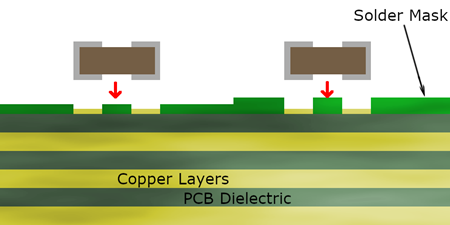
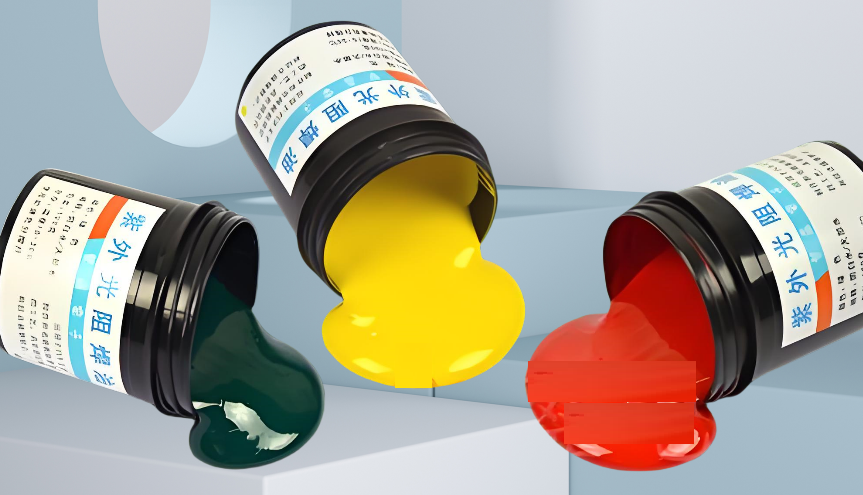
  • 9. Solder Mask Application

A solder mask is applied to protect the copper traces from environmental damage. This layer also prevents accidental solder bridging during assembly.

  • 10. Silkscreen Printing

Silkscreen printing adds labels, logos, and component identifiers, aiding assembly and maintenance.

  • 11. Final Inspection and Testing

Each PCB undergoes rigorous testing, including Automated Optical Inspection (AOI) and functional tests, to ensure quality and reliability.

How Is a PCB Created?

The creation of a PCB on software begins with designing the layout using advanced tools like Altium Designer or KiCad.

Engineers outline copper traces, pads, and components to create a functional design. Once finalized, this digital blueprint guides the subsequent physical manufacturing process.

The collaboration between engineers and PCB producers ensures accuracy and a seamless transition from design to production.

Are PCBs Expensive to Manufacture?

The cost of producing PCBs depends on various factors:

  • Material: High-grade materials like ceramic or polyimide are pricier.
  • Volume: Bulk production reduces unit costs.
  • Customization: Specialized designs, such as rigid-flex PCBs, increase costs.

However, advances in technology and competition among PCB producers, especially in Asia and Europe, have made PCB production more affordable.

What Is the Cheapest Way to Make a PCB?

For cost-effective PCB production, consider these tips:

  • Use Standard Materials: FR4 is a budget-friendly and reliable choice.
  • Simplify the Design: Minimize layers and avoid intricate features.
  • Order in Bulk: Larger quantities lower per-unit costs.
  • Work with Trusted Producers: Established PCB producers often offer better prices due to streamlined processes.

How Long Does It Take to Make a PCB?

Lead times vary based on complexity and order size:

  • Prototype PCBs: 3-5 days on average.
  • Mass Production: 1-3 weeks, depending on volume and customizations.

Fast-turn options are available but come at a premium. Choosing established PCB producers can also shorten lead times.

What Is the Failure Rate of Producing PCBs?

Modern manufacturing techniques ensure low failure rates, often below 1%. However, challenges like poor material quality, design errors, or environmental factors can increase defects. Partnering with experienced PCB producers minimizes these risks.

What Are the Common Problems When Producing PCBs?

Some frequent issues include:

  • Incomplete Etching: Residual copper can cause shorts.
  • Insufficient Drilling Accuracy: Impacts component placement and conductivity.
How to produce PCB? Production process & PCB manufacturing
  • Soldering Issues: Cold joints or bridging can occur during assembly.
  • Design Errors: Incorrect layouts result in non-functional boards.

Quality control measures and working with top PCB producers can address these challenges effectively.

Where Are PCBs Most Commonly Found?

PCBs are integral to various industries:

  • Consumer Electronics: Smartphones, laptops, and TVs.
  • Automotive: Engine control units and infotainment systems.
  • Healthcare: Medical devices like pacemakers and monitors.
  • Aerospace: Navigation systems and avionics.
  • Industrial Equipment: Machinery control systems and sensors.

Their versatility makes PCBs indispensable in modern technology.

Conclusion

Producing PCBs involves a blend of engineering precision and advanced manufacturing techniques. Partnering with reputable PCB producers ensures quality, reliability, and efficiency in your projects. BEST Technology’s PCB production capabilities have been tested for 18 years and we have accumulated rich experience in the production and manufacturing of various types of PCBs. If you have any needs for PCB production, please feel free to contact us at sales@bestpcbs.com

What is tin plating PCB? Electroless tin plating

January 13th, 2025

What is tin plating PCB? Tinned PCB refers to a PCB that is covered with a layer of tin on the surface of the PCB through a tinning process. This process can improve the solderability, corrosion resistance and appearance quality of the PCB, and is suitable for various electronic devices to ensure that electronic components can be reliably soldered on the PCB and maintain good performance in different environments.

What is tin plating PCB? Electroless tin plating

What is Tinning in PCB?

Tinning in PCB refers to the process of coating the copper surface of a PCB with a thin layer of tin. This process is typically performed to prevent oxidation and corrosion of the copper, improving its durability and ensuring better soldering capabilities.

The application of tin plating is especially useful in electronics that require a clean and stable electrical connection. It enhances the longevity of the PCB, which is crucial in many consumer, industrial, and military applications.

What is the Purpose of Tin Plating?

The primary purpose of tin plating on PCBs is to protect the underlying copper from environmental factors like oxidation and corrosion. Copper, when exposed to air, forms a layer of copper oxide, which can lead to poor connectivity and failure of the PCB.

Additionally, tin plating enhances the solderability of the PCB. The tin layer provides a smoother surface for solder to adhere to, ensuring reliable and durable joints.

Tin also improves the electrical properties of the PCB, making it a popular choice for high-performance applications.

What are the Different Types of Tin Plating?

When it comes to tin plating, there are a few distinct types based on the method used for application. Each type has its own set of advantages and disadvantages.

  • 1、Electroless Tin Plating:

Electroless tin plating, also known as chemical or autocatalytic plating, is a non-electric plating process. This method does not require an external current to deposit tin onto the PCB surface.

The tin solution itself catalyzes the deposition, resulting in an even and uniform coating. This is often preferred for its excellent ability to plate areas that are hard to reach, such as holes or vias in a PCB.

  • 2、Immersion Tin Plating:

In immersion tin plating, the PCB is dipped into a solution containing tin salts and a reducing agent. The tin is deposited onto the copper surface by a chemical reaction.

This type of plating tends to provide a thinner coating compared to electroless tin plating, but it still offers great protection against oxidation.

  • 3、Tin-Lead Plating:

Tin-lead plating combines tin with a small amount of lead. While it was once the standard for PCB manufacturing, it is becoming less common due to environmental regulations.

What is tin plating PCB? Electroless tin plating

This combination provides excellent solderability and corrosion resistance but is increasingly replaced by lead-free alternatives.

  • 4. Electroplating tin:

In an electrolyte containing tin ions, by applying an external current, the tin ions gain electrons on the surface of the circuit board and are reduced to metallic tin.

Electroplating tin has high precision, uniform coating, and strong controllability, and is suitable for the manufacture of precision circuit boards.

  • 5. Spray tin (HASL, hot air leveling):

Coat molten tin-lead solder on the PCB surface and level it with heated compressed air to form a coating that resists copper oxidation and provides good solderability.

The price is low and the welding performance is good. However, it is not suitable for welding pins with fine gaps and too small components. The surface flatness is poor and tin beads are easily generated.

Each of these tinning processes has advantages and disadvantages, and the process selected depends on the specific application requirements and cost considerations.

How Thick is Tin Plating on PCB?

The thickness of tin plating on a PCB can vary depending on the specific requirements of the application. Typically, the thickness ranges from 0.5 micrometers (”m) to 5 ”m, though some designs may require a thicker or thinner coating.

What is tin plating PCB? Electroless tin plating

The plating thickness is carefully controlled during the manufacturing process to ensure it is adequate for protecting the copper surface and providing optimal soldering properties. Too thin a layer may not offer sufficient protection, while too thick a layer could interfere with electrical conductivity.

What is the Operating Temperature of Tin Plating?

Tin-plated PCBs can typically operate within a wide temperature range. Most tin-plated PCBs can withstand temperatures between -40°C to +125°C, depending on the specific material properties and the design of the PCB.

However, factors like the environment and the specific components used on the board may influence the thermal tolerance.

For more sensitive applications, such as military or aerospace electronics, the operating temperature range may be more stringent, requiring specialized materials and finishes to ensure optimal performance.

The tin plating itself has a high melting point, making it resistant to heat and ensuring the integrity of the PCB even in demanding environments.

How Long Does Tin Plating Last?

The longevity of tin plating largely depends on the environment in which the PCB operates. In general, a properly applied tin layer can last for many years.

The tin coating effectively protects the copper underneath from oxidation and corrosion, which can otherwise degrade the PCB’s performance over time.

However, it’s important to note that tin plating is not entirely immune to wear. Over time, the tin layer may thin out due to environmental exposure or repeated soldering cycles.

In high-humidity or corrosive environments, the tin layer may degrade more quickly, which is why periodic maintenance or reflow soldering may be necessary for optimal performance.

What are the Disadvantages of Tin Plating?

While tin plating offers many benefits, there are a few drawbacks to consider:

  • Whisker Growth:Tin can form tiny, needle-like structures known as tin whiskers. These can cause electrical shorts if they grow large enough to bridge connections on the PCB.
  • Soldering Challenges:If the tin layer is too thick or applied incorrectly, it can cause issues during the soldering process. Overly thick layers of tin may hinder the adhesion of the solder, leading to weaker joints.

Despite these issues, these problems can often be mitigated with proper application techniques and material management.

Which is Better Nickel or Tin Plating?

Nickel plating and tin plating each offer specific advantages, and the choice between the two largely depends on the requirements of the particular PCB application.

  • Nickel Plating: Nickel is more durable and offers better resistance to wear and corrosion, making it ideal for more demanding environments. However, it is harder to solder compared to tin.
  • Tin Plating: Tin plating, on the other hand, is more cost-effective and offers excellent solderability, which makes it the preferred choice for consumer electronics and general applications.

In summary, if your application requires excellent soldering properties and a cost-effective solution, tin plating is an excellent choice.

Conclusion

Tin plating remains one of the most popular choices for PCB surface finishes, With its relatively low cost, ease of application, and reliable protection, tin plating continues to be an essential finish in PCB manufacturing.BEST Technology specializes in PCB production and supports various PCB surface treatments. If you need PCB tinning, please contact us at sales@bestpcbs.com

What is a PCB Layout? PCB design guide

January 10th, 2025

What is a PCB Layout? PCB layout is the process of arranging and positioning electronic components on a printed circuit board in order to optimize circuit performance, improve reliability, and meet specific design requirements. A good layout can reduce signal interference, lower electromagnetic radiation, and keep size and cost under control.

What is a PCB Layout? PCB design guide

What is a PCB Layout?

A PCB layout is the arrangement of components and the electrical connections between them on a printed circuit board. It’s essentially a map that dictates where each component goes and how electrical signals travel from one component to another.

The layout specifies the placement of parts like resistors, capacitors, integrated circuits, and connectors, as well as the routing of copper traces that carry the electrical current.

In simple terms, the PCB layout is the blueprint for building the physical circuit board. The success of the entire electronic system depends on how effectively this layout is created.. It ensures that components are connected correctly, that electrical signals travel efficiently, and that the final product meets its functional and performance goals.

How to Create a PCB Layout?

Creating a PCB layout is a process that requires attention to detail, a bit of creativity, and the right tools.

  • Start with a Schematic Design:

Before you can lay out a PCB, you need a schematic diagram. The schematic represents all the components of the circuit and how they are connected electrically. This design serves as the foundation for your PCB layout, guiding the placement of components and the routing of traces.

  • Place the Components:

This step requires careful consideration of how components should be positioned. Components should be placed logically—important parts like connectors or power supplies should be positioned in ways that make routing and assembling the board easier. High-frequency components should be positioned close to each other to reduce signal interference.

  • Route the Traces:

Traces are the electrical paths that connect components. Routing the traces involves creating paths for signals to travel between components. It’s crucial to route traces with the shortest possible path to minimize resistance and signal delay. For high-power components or sensitive signals, special care must be taken to route traces properly to avoid interference.

What is a PCB Layout? PCB design guide
  • Define Power and Ground Planes

Power and ground planes are large areas of copper that provide a stable voltage reference for the components. These planes help reduce noise and improve the stability of the circuit. Proper grounding is especially important in high-speed or high-power circuits to avoid voltage fluctuations and interference.

  • Consider Thermal Management

Power-hungry components generate heat, which can cause problems if not managed properly. Thermal vias, larger copper areas, and heat sinks are sometimes necessary to ensure that heat is efficiently dissipated. Placing heat-sensitive components away from high-power components can also help prevent overheating.

  • Run Design Rule Checks (DRC)

After placing the components and routing the traces, you need to check your design for errors. Design Rule Checks (DRC) are automated checks that help identify potential issues like trace width violations, inadequate spacing, or improper component placement. These checks ensure that the layout adheres to industry standards and that the board can be manufactured correctly.

  • Finalize the Layout and Export Files

Once you’ve completed the layout and fixed any issues, the design is ready for production. The last step is to export the design file, usually in Gerber format, which is the format used to create the physical PCB.

What is the Standard PCB Format?

The most widely used format is Gerber files, which describe the layers, traces, drill holes, and components on the PCB. These files are essential for translating the layout into a physical board.

In addition to Gerber files, other essential formats used in PCB design include:

  • Bill of Materials (BOM): This document lists all the components needed for the PCB, including part numbers, quantities, and other relevant information.
  • Pick-and-Place Files: These files specify the exact locations where components need to be placed on the PCB during the assembly process.
  • Drill Files: Drill files detail the locations and sizes of holes that need to be drilled into the PCB for components or vias.

Each format plays a specific role in ensuring that the design can be accurately manufactured and assembled.

How Long Does PCB Layout Take?

The amount of time required to create a PCB layout depends on several factors, including the complexity of the design, the number of layers, and the experience of the designer.

For a simple single-layer PCB, the layout process may take only a few hours or a day. However, for more complex designs, such as multi-layer boards or designs with high-speed components, the layout can take several weeks or even months.

The complexity of the project, the need for iterative testing, and the level of optimization also influence the timeline. The more components involved and the more layers in the design, the more time it will take to finalize the layout.

Why is PCB Layout Important?

The PCB layout is crucial for several reasons:

  • Ensures Functionality: A well-designed PCB layout ensures that the electrical components interact as intended. Poor placement or incorrect routing can result in malfunctioning circuits, which could cause a device to fail entirely.
  • Minimizes Power Loss: By optimizing trace lengths and selecting appropriate trace widths, you can minimize power losses and improve the overall efficiency of the circuit.
  • Reduces Signal Interference: Properly routing traces helps reduce electromagnetic interference (EMI) and ensures signal integrity. This is particularly important in high-speed or RF (radio frequency) applications.
What is a PCB Layout? PCB design guide
  • Prevents Overheating: Effective thermal management is a key part of PCB layout. Properly placed heat sinks, thermal vias, and wide copper traces can help prevent components from overheating, which could lead to failures.
  • Improves Manufacturability: A well-designed PCB layout adheres to industry standards, which makes it easier and more cost-effective to manufacture the board. Proper layout rules ensure that the board can be produced with minimal errors and at a lower cost.
  • Supports Future Upgrades: A clear, well-documented layout makes it easier to update and improve the design in the future. Whether you need to add new features or troubleshoot existing issues, a good layout helps streamline the process.

How Do I Optimize My PCB Layout?

Optimization is key to creating an efficient, reliable PCB. Here are a few tips to help optimize your PCB layout:

  • Minimize Trace Lengths: Shorter traces reduce resistance, noise, and delay. Try to keep traces as direct as possible, especially for high-frequency or high-power components.
  • Use Wider Traces for High-Current Components: For components that draw significant power, use wider traces or dedicated bus bars to prevent overheating and power loss.
  • Avoid Trace Crossovers: Crossing traces can increase complexity and lead to errors. Try to avoid unnecessary crossovers by carefully planning the component placement.
  • Group Related Components: Group components that work together close to each other to minimize the need for long interconnections. This makes routing easier and improves signal quality.
  • Use Ground and Power Planes: A solid ground and power plane ensures stable voltage levels and reduces noise. This is particularly important in high-speed designs.
  • Check for Design Rule Violations: Always use automated design rule checks to ensure that your layout meets industry standards and manufacturing requirements. These checks help avoid errors that could complicate production.
  • Consider Thermal Management: Pay attention to heat-sensitive components and their proximity to power-hungry components. Include thermal vias or large copper areas to dissipate heat effectively.

What Are the Rules for PCB Design?

When designing a PCB layout, following certain rules is essential for creating a functional and manufacturable board. Some important PCB layout rules include:

  • Trace Width and Spacing: Ensure that traces are wide enough to carry the current they will handle and that there is enough space between traces to prevent short circuits.
  • Component Placement: Components should be placed in an organized manner, with clear signal paths and minimal trace lengths. High-speed components should be placed near each other to reduce signal degradation.
What is a PCB Layout? PCB design guide
  • Signal Integrity: Keep high-speed signal traces as short as possible and avoid running them parallel to power traces, as this can lead to noise or interference.
  • Thermal Management: Ensure that heat-sensitive components are placed away from power components and that thermal vias or heatsinks are included as needed.
  • Ground Planes: Always include a solid ground plane to reduce noise and provide a stable reference for the circuit.

What is the Difference Between PCB Layout and Design?

Although the terms “PCB layout” and “PCB design” are often used interchangeably, they actually refer to two different stages of the PCB creation process.

PCB Design refers to the overall planning stage, where the schematic is created, components are selected, and the overall functionality of the circuit is planned.

PCB Layout focuses on the physical arrangement of components and routing of traces. It’s about creating the blueprint.

In conclusion, a well-designed PCB layout is essential for the successful operation of any electronic circuit. It ensures efficient signal flow, minimizes power loss, and supports the overall reliability of the device. If you have any PCB design layout needs, please contact us via sales@bestpcbs.com to get the best solution.
What is Circular Alumina PCB? Ceramic pcb

January 9th, 2025

What is Circular Alumina PCB? Circular Alumina PCB is a special shape of printed circuit board, whose substrate material is alumina. Alumina PCB has excellent thermal conductivity and electrical insulation properties, so it is often used in electronic devices that require high heat dissipation and high insulation. The circular design allows this PCB to have greater design flexibility in space-constrained application scenarios.

What is Circular Alumina PCB? Ceramic pcb

What is Alumina PCB?

An alumina PCB is a type of ceramic PCB that is made using alumina (Al₂O₃), a form of aluminum oxide. It’s commonly used in applications where high thermal conductivity, electrical insulation, and mechanical strength are required.

Alumina has excellent electrical insulating properties, making it an ideal substrate for high-performance electronic devices. It can handle high-power applications and is used in industries like automotive, aerospace, telecommunications, and medical devices.

Alumina PCB materials are generally available in different grades, with 96% alumina being the most common, although higher purities like 99% alumina are also available for specialized applications.

What is a Ceramic PCB?

A ceramic PCB is a type of printed circuit board that uses ceramic material as a substrate. Unlike traditional FR4 PCBs, which use fiberglass-based epoxy resin, ceramic PCBs offer significantly better heat dissipation and electrical performance. This makes them an essential component in high-power and high-frequency applications.

Alumina is one of the most widely used materials for ceramic PCBs, thanks to its balanced combination of thermal and electrical properties.

What is Circular Alumina PCB? Ceramic pcb

Ceramic PCBs, including alumina PCBs, are more rigid, more durable, and better suited for environments with high temperature and stress. These PCBs can be designed with complex features, making them adaptable to a wide range of electronic products.

Is Alumina the Same as Ceramic?

Yes, alumina is a type of ceramic material, but not all ceramics are alumina. Alumina (Al2O3) is one of the most commonly used ceramic materials in PCB manufacturing due to its excellent properties, such as high thermal conductivity and electrical insulation.

Other types of ceramic materials used in PCBs include aluminum nitride (AlN), which offers even better thermal conductivity, and beryllium oxide (BeO), which is known for its high thermal conductivity and electrical properties.

So while alumina is a ceramic, the term “ceramic PCB” covers a broader range of materials.

How Thick is Alumina PCB?

The thickness of alumina PCB can vary depending on the specific needs of the application. Typically, alumina ceramic PCBs are manufactured in thicknesses ranging from 0.2 mm to several millimeters. The standard thickness for alumina substrate PCBs is about 0.5 mm to 1 mm, but it can be customized according to the requirements of the design.

The thickness of the PCB affects its ability to dissipate heat and handle electrical signals, so selecting the right thickness for your application is essential. Thicker boards offer better thermal management, while thinner boards are more suitable for compact designs where space is at a premium.

What is the Dielectric Constant of Alumina PCB?

The dielectric constant of alumina PCB typically ranges between 9 and 10, depending on the purity of the material and its specific formulation. The dielectric constant is a measure of the material’s ability to store electrical energy in an electric field, and it plays a crucial role in the performance of a PCB, especially in high-frequency applications.

A lower dielectric constant allows for faster signal transmission, which is why alumina PCB boards are often used in RF (radio frequency) and microwave circuits. However, the dielectric constant also needs to be matched to the requirements of the circuit to ensure the best performance. Alumina’s dielectric constant is ideal for most general-purpose applications, making it a versatile choice for many industries.

Is Higher Dielectric Constant Better for PCB?

Not necessarily. While a higher dielectric constant can be beneficial in certain applications, it does not always translate into better performance. The choice of dielectric constant depends on the nature of the application.

In general, higher dielectric constants are preferred in situations where energy storage is critical, such as in capacitors. However, for high-speed signal transmission, a lower dielectric constant is usually preferred, as it allows signals to travel faster with less signal loss.

Alumina’s dielectric constant strikes a good balance for most general applications, providing reliable performance across various circuit types.

What is Alumina PCB Used For?

Alumina PCBs are used in a wide range of applications where high-performance and reliability are critical. Some of the primary uses include:

  • Power Electronics: Alumina PCBs are ideal for high-power applications, such as power supplies, LED lighting, and motor drivers, thanks to their excellent thermal conductivity.
What is Circular Alumina PCB? Ceramic pcb
  • RF and Microwave Circuits: The material’s low signal loss and high thermal conductivity make it perfect for radio frequency (RF) and microwave applications.
  • Aerospace and Defense: The aerospace industry often uses alumina ceramic PCBs due to their resistance to harsh environmental conditions, as well as their high thermal performance.
  • Automotive Electronics: Automotive applications, such as engine control units (ECUs) and power modules, benefit from the reliability and durability of alumina PCBs.
  • Medical Devices: Many medical devices require components that can operate in extreme conditions, and alumina PCBs are an excellent choice for these applications.
  • Telecommunication Equipment: The need for reliability and performance in telecom systems makes alumina a key material in the manufacturing of components like signal processors and amplifiers.
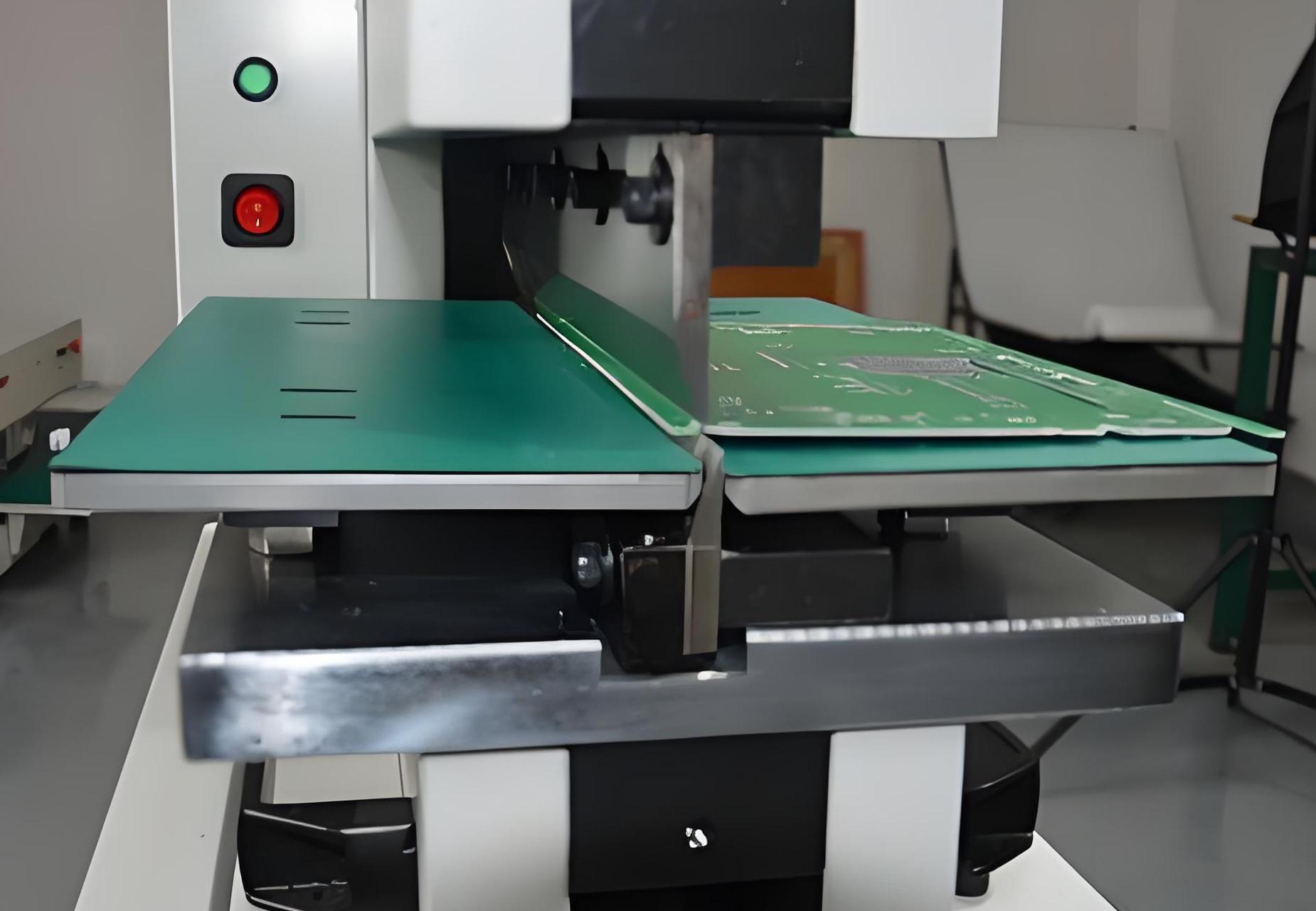
The circular alumina PCB is particularly useful in applications where the board needs to have a rounded or disk-like shape for integration into specific enclosures or devices.

What are the Disadvantages of Alumina PCB?

While alumina PCBs offer many advantages, there are some drawbacks to consider, though they are few. Some of the potential disadvantages include:

  • Brittleness: Ceramic materials like alumina can be brittle and prone to cracking or breaking under mechanical stress. Proper handling during manufacturing and assembly is required to minimize the risk of damage.
  • Cost: Alumina PCB boards are generally more expensive than traditional FR4 boards, mainly due to the cost of raw materials and the specialized manufacturing process. However, for high-performance applications, the benefits far outweigh the costs.
What is Circular Alumina PCB? Ceramic pcb
  • Manufacturing Complexity: The production of alumina ceramic PCBs is more complex compared to other types of PCBs, requiring specialized equipment and processes, which may add to the lead time.
  • Limited Design Flexibility: Although alumina PCBs are highly customizable, they are not as versatile in terms of form factors and design as some other PCB materials, like FR4. Designing highly intricate, fine-pitch circuits on alumina can be more challenging.

Despite these limitations, alumina remains a highly popular choice for a wide variety of high-performance applications, particularly where durability, heat dissipation, and electrical insulation are key requirements.

Conclusion:

The circular alumina PCB is a highly effective and versatile option in the world of high-performance electronics. Its combination of excellent thermal conductivity, electrical insulation, and mechanical strength makes it ideal for demanding applications in fields like telecommunications, aerospace, automotive, and medical devices.

BEST Technology specializes in manufacturing circular alumina PCBs with excellent manufacturing capabilities. Circular alumina PCBs are made of high-purity alumina materials, which have excellent thermal conductivity, mechanical strength and electrical insulation. They are widely used in LED lighting, automotive power control modules and other fields. If you have any needs, please feel free to contact us at sales@bestpcbs.com.

What is an assembly PCB? & PCB Fabrication Manufacturer

January 9th, 2025

What is an Assembly PCB? Assembling PCB refers to the process of installing electronic components on a printed circuit board. Through this process, various electronic components such as resistors, capacitors, chips, etc. are fixed on the PCB through welding technology to form a complete electronic circuit.

Assembling PCB is a key step in the manufacture of electronic equipment, which enables electronic components to be connected according to the designed circuit to achieve the functions and performance of electronic equipment.

What is an assembly PCB? & PCB Fabrication Manufacturer

What is the PCB Assembly Process?

PCB assembly is the process of attaching electronic components to a printed circuit board (PCB) to create a working electronic circuit.  The primary goal is to ensure that all parts of the circuit are correctly connected and able to transmit electrical signals.

The PCB assembly process mainly includes the following steps:

  • Solder paste printing: First, print the solder paste on the PCB, which is done by using a template to accurately apply the solder paste to the pads of the PCB.
  • Component placement: Use a high-speed, high-precision placement machine to place the components on the PCB. The placement machine accurately places the components at the predetermined position based on the coordinate information in the design file.
What is an assembly PCB? & PCB Fabrication Manufacturer
  • Soldering: After the component placement is completed, the soldering process is carried out. For surface mount components, reflow soldering is usually used, and the PCB is sent into the reflow soldering oven, and the solder paste is melted by heating, so that the components are soldered to the PCB. For through-hole components, wave soldering is used.
  • Inspection and testing: After the soldering is completed, inspection and testing are carried out to ensure the assembly quality. Automated optical inspection (AOI) equipment is usually used to check the soldering quality and the accuracy of component placement.
  • Rework and packaging: For defective products found during the inspection, rework is carried out. Qualified PCB assembly boards are packaged for transportation and storage.

The entire PCB assembly process requires a high degree of automation and precise control to ensure the quality and reliability of the final product.

What is the Standard for PCB Assembly?

The standard for PCB assembly depends on several industry-specific certifications and guidelines. However, some of the most widely recognized standards include:

  • IPC-2221: This standard provides the generic requirements for designing and manufacturing PCBs, including assembly considerations.
  • IPC-A-610: Often referred to as the “Acceptability of Electronic Assemblies,” this standard covers the acceptability criteria for soldering, component placement, and the quality of assembly in general.
  • ISO 9001: Many PCB assembly manufacturers are certified to this standard, which ensures that they follow consistent quality management practices in their processes.

These standards help ensure that the PCB assembly process is carried out in a controlled and quality-assured manner.

What Files are Needed for PCB Assembly?

A successful PCB assembly requires the right files to communicate the design and specifications to the manufacturer. Some of the essential files include:

  • Gerber Files: These files provide the detailed design of the PCB, including copper traces, pads, and other essential information for PCB fabrication.
  • Bill of Materials (BOM): The BOM lists all the components that will be used in the assembly, such as resistors, capacitors, and ICs.
What is an assembly PCB? & PCB Fabrication Manufacturer
  • Pick-and-Place Files: These files contain the specific information about where each component will be placed on the PCB, which is essential for automated placement machines.
  • Stencil File: This file is used for creating the solder paste stencil, which is used to apply solder paste to the PCB during the soldering process.

These files ensure that the PCB board assembly is accurate and matches the original design specifications.

What Are the Materials Used in PCB Assembly?

The materials used in PCB board assembly are crucial to the functionality and performance of the finished product. Some of the most commonly used materials include:

  • PCB Substrate: The most common material is FR4 (fiberglass resin), but for high-performance applications, materials like aluminum or ceramic may be used.
  • Solder Paste: A mixture of metal solder and flux, solder paste is used to attach components to the PCB during the soldering process.
  • Soldering Materials: Lead-based or lead-free solder is used to create permanent connections between the PCB and components.
  • Components: Resistors, capacitors, ICs, and other components are soldered onto the PCB. These can be sourced from various manufacturers and come in a variety of shapes and sizes.
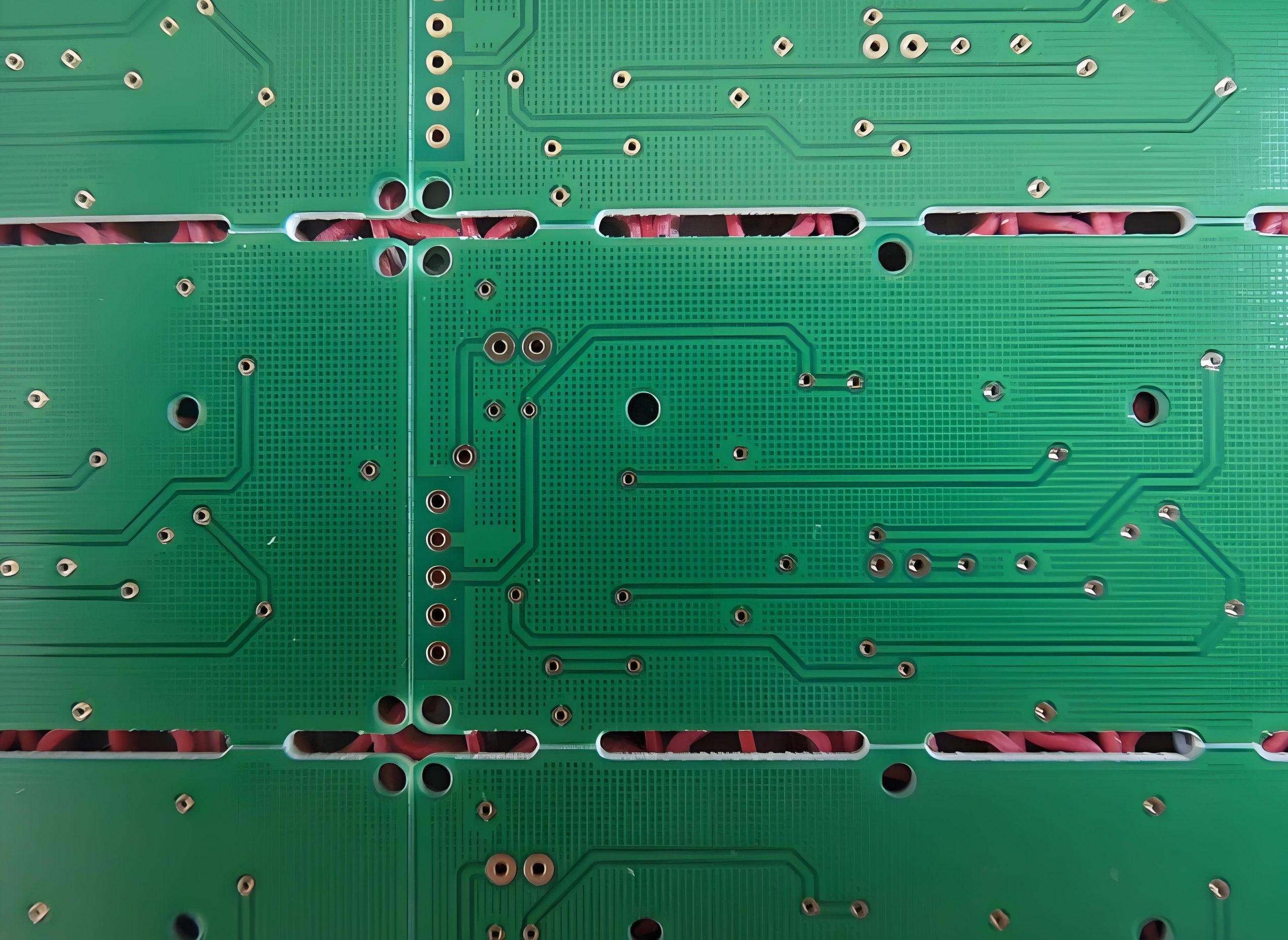
Each material is selected based on the needs of the specific application. For example, ceramic PCBs are chosen for high-temperature environments, while aluminum-backed PCBs are selected for heat dissipation.

What is the Difference Between PCB Fabrication and PCB Assembly?

Many people confuse PCB fabrication with PCB assembly, but the two are distinct steps in the PCB manufacturing process.

PCB Fabrication refers to the process of creating the physical PCB from raw materials. This includes the creation of the PCB’s layers, the copper traces, drilling holes for vias, and etching the patterns that connect the components. In simple terms, PCB fabrication is the creation of the “bare” board.

PCB Assembly, on the other hand, refers to the process of attaching electronic components to the fabricated PCB. This involves placing and soldering the components to form a functional circuit.

So, PCB fabrication is all about making the PCB, and PCB assembly is about making it functional by adding components.

What is the Difference Between SMD and SMT in PCB?

The terms SMD (Surface-Mounted Device) and SMT (Surface-Mount Technology) are often used interchangeably, but they refer to different aspects of the assembly process.

SMD refers to the actual components used in the assembly process. These components are designed to be mounted directly onto the surface of the PCB rather than through-hole components, which are inserted into holes drilled into the board.

What is an assembly PCB? & PCB Fabrication Manufacturer

SMT, on the other hand, refers to the technology and process used to assemble SMDs onto the PCB. SMT involves automated machines that place components onto the PCB and then solder them into place, typically using reflow soldering.

In summary, SMD refers to the components, and SMT refers to the method of attaching those components.

Conclusion

PCB assembly is a critical step in creating functional electronic circuits. From the placement of components to the soldering process and final testing, every aspect of assembly must be carefully executed to ensure a reliable and high-performance product. If you have any PCB assembly needs, feel free to contact BEST Technology at sales@bestpcbs.com.

What is 0.4mm thickness PCB? Ultrathin PCB

January 9th, 2025

What is 0.4mm thickness PCB? 0.4mm thickness PCB is an ultra-thin printed circuit board with a thickness of only 0.4 mm. This type of PCB has high requirements in design and manufacturing, because its thinness makes it easy to cause problems such as warping and deformation during processing. 0.4mm thickness PCB is usually used in electronic devices with strict requirements on space and weight. It can meet the development trend of miniaturization and thinness of modern electronic products.

What is 0.4mm thickness PCB? Ultrathin PCB

What is a 0.4mm Thickness PCB?

A 0.4mm thickness PCB refers to a printed circuit board with a thickness of 0.4 mm. ‌This thickness of PCB is generally considered to be the minimum thickness starting point for multi-layer PCB design, suitable for application scenarios that require highly integrated and compact design‌.

0.4mm PCB has the following characteristics:

  • Thin design‌: Suitable for electronic products that require highly integrated and compact design, such as smartphones, tablets and other portable devices.
  • High reliability: Due to its thin design, 0.4mm PCB performs well in complex wiring and fine design, and can provide stable electrical performance and mechanical strength.
  • ‌Cost-effectiveness‌: Although the manufacturing process is more complicated, the overall cost is relatively low because it uses less material.

0.4mm PCB is mainly used in the following fields:

  • Portable devices: Such as smartphones, tablets, wearable devices, etc., which require lightweight and powerful circuit boards.
  • High-density interconnect applications: In occasions where high integration and complex wiring are required, 0.4mm PCB provides a better solution.
  • Radio frequency identification (RFID) and smart cards: Such as RFID tags, IC cards, SIM cards, etc., these applications require circuit boards that are both thin and reliable.

What are the advantages of 0.4mm thickness PCB?

0.4mm thickness PCB has the following advantages:

  • Reduced material cost: Due to the use of less expensive materials such as copper, the material cost of 0.4mm thickness PCB is lower.
  • Compatibility with advanced technologies: PCBs of this thickness are compatible with advanced technologies such as laser direct imaging and can be used without damaging flexible circuits.
What is 0.4mm thickness PCB? Ultrathin PCB
  • High reliability: Ultra-thin PCBs can host custom repeatable routing paths, reduce rework, and have higher reliability.
  • Strong protection: The conductors on these PCBs have a polyimide cover layer to protect against a range of potentially harsh conditions, such as vibration and acceleration on the joints.
  • High durability: 0.4mm thick PCBs can withstand millions of bending cycles and are suitable for applications that require frequent bending.

In addition, 0.4mm thick PCBs are suitable for a variety of application scenarios, including RFID smart cards, IC cards, SIM cards, electronic tags, mobile phone charging modules, wearable devices, etc.

What are the disadvantages of 0.4mm thickness PCB?

The disadvantages of 0.4mm thickness PCB mainly include the following aspects:

  • Difficulty in manufacturing: Due to the thinness of 0.4mm thickness PCBs, they are easily affected by external factors during the manufacturing process, which increases the difficulty and cost of manufacturing.
  • Lower mechanical strength: Thinner PCBs are more likely to deform or be damaged when subjected to external forces, especially in environments with high-frequency vibration or mechanical shock, which may affect their stability and reliability.
  • Poor heat dissipation: Thinner PCBs have a relatively small heat dissipation area, which is not conducive to the rapid dissipation of heat, and may cause local overtemperature, affecting the stable operation of electronic components.
  • Increased welding difficulty: During the welding process, thinner PCBs are easily affected by the welding temperature, which may cause loose welding points or welding defects.
  • Signal transmission problems: Thinner PCBs may affect the integrity and transmission speed of signals due to the shorter signal path when transmitting high-frequency signals.

How to make 0.4mm thickness PCB?

There are many aspects to consider when making 0.4mm thickness PCBs.

1. Material selection

  • Substrate: Select a substrate suitable for 0.4mm thickness. Generally, 0.3mm raw materials are used to make 0.4mm PCB boards. The type of substrate is usually FR-4 or other materials suitable for thin boards.
  • Copper foil thickness: The thickness of the copper foil affects the conductivity and strength of the PCB. Common copper foil thicknesses include 1 ounce (about 35 microns), 2 ounces (about 70 microns), etc.

2. Production process

  • Cutting: Cutting large-sized copper foil boards into small pieces suitable for production.
  • Drilling: Drilling is the first process for the formal production of circuit boards, including electrical holes, mechanical holes, vias, etc. For 0.4mm thick PCBs, laser drilling may be required to achieve smaller apertures.
  • Lamination: By combining different core thicknesses and prepreg sheets, a finished PCB thickness of 0.4mm can be achieved.
  • Electroplated: Electroplated after drilling to ensure good conductivity in the hole.
  • Solder mask: Add a solder mask to the surface of the PCB to protect the copper wire from oxidation and prevent short circuits during welding.
  • Surface treatment: Common surface treatment methods include immersion gold, tin spraying, etc. to improve the conductivity and oxidation resistance of the PCB.

What are the difficulties in making a 0.4mm thick PCB?

The main difficulties in making a 0.4mm thick PCB include the following aspects:

  • Lamination difficulties: As the copper thickness increases, the line gap is deeper, and more resin filling is required, which increases the complexity and cost of processing.
  • Drilling difficulties: As the board thickness increases, the drilling difficulty increases. Thick copper boards are usually thicker than 2.0mm, and new knives and segmented drilling techniques are required to reduce the difficulty when drilling.
  • Thermal management: Due to the increase in power consumption of electronic devices, thermal management has become a key challenge. When designing, it is necessary to consider appropriate heat dissipation structures and heat dissipation component layouts to ensure that components work properly and avoid thermal damage.
  • ‌Signal integrity‌: High-frequency signals and high-speed digital signal transmission need to consider issues such as signal loss, impedance matching, and interlayer crosstalk.
  • ‌Electromagnetic compatibility (EMC) and electromagnetic interference (EMI): Measures need to be taken to reduce electromagnetic radiation and improve anti-interference capabilities.
  • Process and material selection: Choose the appropriate printing method and substrate material to ensure that the circuit board that meets the requirements is manufactured.

How to deal with the warping problem of 0.4mm thick PCB?

There are several ways to deal with the warping problem of 0.4mm thick PCB:

  • Choose high Tg board: Boards with higher Tg can withstand higher temperatures and reduce warping caused by temperature changes. Although the cost is higher, it can effectively resist high temperature deformation.
  • Reduce via restrictions: The via design in multilayer boards should be reasonable to avoid excessive restrictions on the cold expansion and contraction of the board and reduce warping.
  • Control temperature changes: Appropriately reduce the reflow temperature or slow down the heating and cooling speed to reduce the expansion and contraction of materials caused by temperature changes.
  • Use laser drilling technology: Laser drilling can reduce stress during processing and reduce the risk of warping.
  • Mechanical leveling: Use a flattening machine to mechanically level the PCB, which is suitable for PCBs with moderate warping.

The following aspects can be used to deal with the warping problem of 0.4mm thickness PCB:

What should I pay attention to when using 0.4mm thickness PCB?

The following points should be noted when using 0.4mm thickness PCB:

  • Trace spacing and width: On 0.4mm thickness PCB, the trace spacing is usually recommended to be no less than 0.2mm to ensure stable signal transmission and reduce interference. The trace width should be designed according to the current carried. Usually the width of the power line should be between 1.2~2.5mm, and the width of the signal line should be between 0.2~0.3mm.
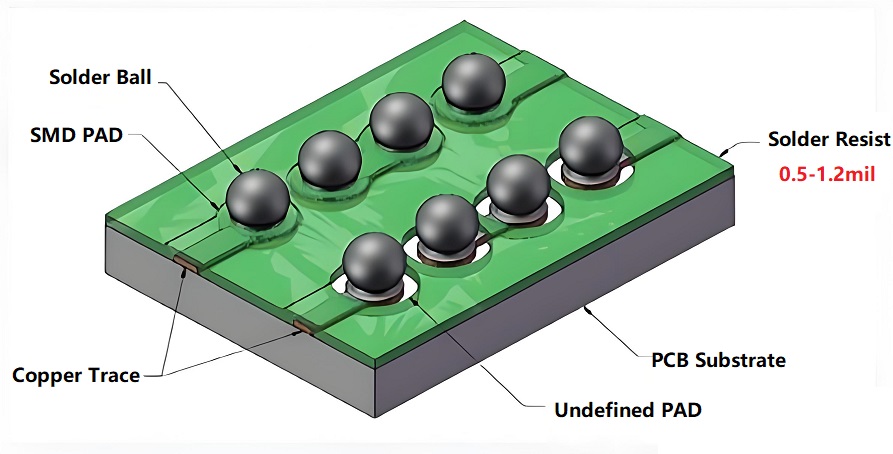
  • Wiring rules: In high-density and high-precision PCB design, the line width and spacing are generally set to 0.3mm. If solder mask defined (SMD) pads are used, the thickness of the traces between the pads should be appropriately reduced to avoid the problem of pad lifting during soldering or desoldering.
What is 0.4mm thickness PCB? Ultrathin PCB
  • Heat dissipation and mechanical support: For devices with high power consumption, 0.4mm thick PCBs may not be enough to provide sufficient mechanical support and heat dissipation performance. For such devices, it is recommended to choose a thicker PCB to provide better mechanical support and heat dissipation performance.
  • Design details: When designing the PCB, it should be noted that the spacing between components should be greater than 0.5mm, and the spacing between the chip pins and peripheral devices should be greater than 1.0mm. In addition, the width of the ground line should be greater than the power line to ensure a stable current supply.

0.4mm thick PCB has become an ideal choice for modern electronic products such as smartphones and wearable devices due to its ultra-thin characteristics, meeting the development needs of miniaturization and thinness. However, problems such as warping are prone to occur during production. As a professional PCB manufacturer, BEST Technology has strong manufacturing strength to ensure that each 0.4mm thick PCB effectively reduces the occurrence of warping. If you have corresponding needs, please feel free to contact us at sales@bestpcbs.com!