PCB manufacturing PCB manufacturing
Home > Blog

Signal to Noise Ratio (SNR) for PCBs: Boost Clarity & Reduce Noise

January 6th, 2026

Ask any engineer, audio producer, or network specialist about their biggest frustrations, and signal to noise ratio (SNR) will likely top the list. From fuzzy audio recordings to dropped Wi-Fi connections and inaccurate sensor data, poor SNR derails projects, wastes time, and hurts end-user experiences. After diving into Reddit threads, EEVblog Forum discussions, Stack Exchange debates, and industry insights from All About Circuits and EDN Network, we’ve compiled a no-fluff guide to understanding, calculating, and optimizing SNR—tailored to what real users actually need.

Signal to Noise Ratio (SNR) for PCBs: Boost Clarity & Reduce Noise

What Is Signal to Noise Ratio (SNR)? Core Definition & Real-World Impact

At its simplest, signal to noise ratio (SNR) is a measure of how strong a useful signal is compared to the unwanted background noise that distorts it. Expressed in decibels (dB), it’s a logarithmic scale that tells you how “clean” your signal is—higher dB values mean clearer, more reliable data, while lower values mean noise is winning the battle.

SNR isn’t just a technical checkbox; it’s a make-or-break factor across industries—especially for printed circuit board (PCB) designs, where noise mitigation directly impacts performance. A low SNR in medical sensors (reliant on precision PCBs) can lead to misdiagnoses, while poor SNR in high-frequency PCBs undermines wireless communication stability. For audio equipment or industrial controls, bad SNR from subpar PCB grounding or shielding turns functional designs into faulty products. Every engineer knows: mastering signal to noise ratio (SNR) starts with intentional PCB design—something Best Technology has refined over 19 years of crafting custom PCB solutions.

How to Calculate SNR: Power, Voltage & Digital (PSNR) Formulas

Power-Based SNR Formula (Basic)

The foundational formula for signal to noise ratio (SNR) compares signal power (Psignal) to noise power (Pnoise). The logarithmic scale simplifies large value ranges, making it easier to interpret—critical for engineers designing PCBs where signal and noise values can vary drastically:

SNR (dB) = 10 × log₁₀ (Psignal / Pnoise)

A positive dB value means your signal is stronger than noise; negative values indicate noise is overwhelming your data—something EEVblog users warn leads to irreversible signal loss in analog circuits and high-frequency PCBs. For example, a +30 dB SNR is ideal for high-speed PCBs, while values below +10 dB often result in data corruption.

Voltage-Based SNR for Analog Systems & PCBs

For analog devices like microphones or sensor PCBs, SNR is often calculated using voltage instead of power. Since power is proportional to voltage squared, the formula adjusts to:

SNR (dB) = 20 × log₁₀ (Vsignal / Vnoise)

This is particularly relevant for medical device PCBs (requiring ISO 13485 certification), where precise voltage measurements directly impact SNR and patient safety. All About Circuits community guidelines note that a 40 dB SNR (e.g., 2V signal vs. 0.02V noise) is the minimum for reliable analog PCB performance—something Best Technology prioritizes in custom medical PCBs.

PSNR for Digital Media & PCB-Embedded Systems

Peak Signal-to-Noise Ratio (PSNR), a variant of SNR, is vital for digital content and PCB-embedded systems like smart devices. It uses the maximum pixel value (255 for 8-bit images) and Mean Square Error (MSE) to measure quality after compression:

PSNR (dB) = 10 × log₁₀ (MAXIÂČ / MSE)

Google’s SpecAugment technology relies on PSNR to optimize audio spectrograms in PCB-powered devices like smart assistants. For PCBs used in video processing, Best Technology’s high-frequency PCBs support PSNR values ≄30 dB—ensuring sharp, noise-free digital outputs.

Key Noise Sources That Ruin SNR (And How to Identify Them)

Stack Exchange and EEVblog threads are flooded with questions about “unexplained SNR drops”—most trace back to three common sources, with PCB design flaws being a top culprit. Here’s how to spot and address each:

Thermal Noise (Johnson-Nyquist Noise)

Unavoidable and temperature-dependent, thermal noise stems from electron motion in conductors. It increases with resistance, bandwidth, and heat— a major challenge for industrial PCBs operating in harsh environments. Use the Johnson-Nyquist equation to estimate it: Vn,rms = √(4kTRB). Best Technology mitigates this by integrating metal-based PCBs (MCPCBs) for superior thermal dissipation, preserving SNR even at high temperatures.

1/f Noise (Flicker Noise)

Reddit’s r/AskElectronics community calls 1/f noise the “silent killer” of low-frequency PCBs (e.g., pressure sensor boards). It decreases as frequency increases, causing subtle drift in readings—especially problematic for precision medical PCBs. Look for noise that worsens at frequencies below 1kHz; Best Technology’s ceramic PCBs minimize this with low-defect materials and optimized trace layouts.

Electromagnetic Interference (EMI) in PCBs

External EMI (power lines, Wi-Fi) is preventable, but internal EMI from poorly designed PCBs is equally destructive—EDN Network experts note 70% of high-speed PCB SNR failures stem from this. Poor shielding, inadequate grounding, or haphazard component placement amplifies EMI. Best Technology addresses this through strict PCB design rules: separating analog/digital grounds, using shielded layers, and complying with REACH/RoHS standards to ensure EMI-free performance.

Debunking 3 Common SNR Myths (From Engineering Forums)

Misinformation about signal to noise ratio (SNR) leads to costly PCB design flaws. Let’s bust three myths circulating on EEVblog and Stack Exchange, backed by expert consensus:

Myth 1: Smaller Resistors Always Improve SNR

EEVblog users repeatedly debunk this. While thermal noise increases with resistance, reducing resistor size can lower signal voltage (per Ohm’s law) faster than noise decreases. For current-measurement PCBs, doubling resistance boosts SNR by ~3 dB—balance is key. Best Technology’s PCB design service optimizes resistor selection based on circuit needs, avoiding one-size-fits-all mistakes.

Myth 2: Positive SNR Means “Good Enough” Performance

A +10 dB SNR works for basic voice calls but fails for aerospace or medical PCBs (requiring AS9100D/ISO 13485 compliance). Stack Exchange engineers note Wi-Fi 6 PCBs need ≄25 dB SNR for 1Gbps speeds, while fiber optic PCBs require ≄40 dB. Best Technology tailors SNR targets to industry standards, ensuring compliance and reliability.

Myth 3: Software Can Fix Any SNR Issue

Reddit’s r/engineering community agrees: Software (digital filtering) mitigates noise but can’t recover lost signal data. If your PCB’s SNR is -5 dB, no algorithm will save it—focus on hardware fixes first. Best Technology’s one-stop solution combines low-noise PCB design, component sourcing, and assembly to build SNR resilience from the ground up.

Hardware Strategies to Improve SNR (Low-Cost & Professional)

All About Circuits users prioritize actionable hardware tips—here’s how to boost SNR for PCBs, from low-cost tweaks to professional-grade solutions backed by Best Technology’s 19 years of experience:

Low-Cost Fixes (No New Components Needed)

  • Optimize Grounding: Separate analog/digital grounds to prevent noise bleed—EEVblog experts call this the “most underrated SNR fix.” Best Technology’s PCB design service enforces this rule for all custom boards.
  • Reduce Bandwidth: Narrow your signal’s frequency range via filters to cut thermal noise—ideal for industrial control PCBs.
  • Shield Critical Traces: Use copper shielding on high-sensitivity traces (e.g., sensor PCBs) to block EMI, a low-cost tweak with high impact.

Professional-Grade PCB-Centric Solutions

  • Low-Noise PCB Design: Best Technology integrates dedicated ground planes, optimized layer stacking (signal layers adjacent to ground), and strategic component placement—proven to boost SNR by 15-20 dB. Our team uses advanced EDA tools supporting 150k+ pin designs for precision.
  • Specialized PCB Materials: Metal-based (MCPCBs) and ceramic PCBs minimize thermal/1/f noise, ideal for high-temperature or low-frequency applications. We offer all material types, from standard FR4 to high-frequency PCBs.
  • Precision Assembly: Our PCB assembly service pairs low-noise op-amps (≀1nV/√Hz) with damping resistors (22–33Ω) to slow signal rise/fall times, reducing high-frequency EMI. We source components globally and ensure UL compliance.

Software Hacks to Boost SNR Without Changing Hardware

Reddit users frequently ask how to improve SNR when PCB upgrades aren’t an option. These software tricks, tested by engineers, complement hardware design and deliver tangible results:

Data Averaging (For Sensor PCBs)

Average multiple readings to reduce random noise—noise decreases with √N (number of samples). For example, 100 samples cut noise by 10x (20 dB). Python’s NumPy library simplifies this for PCB-embedded microcontrollers, a tip shared on Stack Exchange.

Digital Filtering & Spectrogram Optimization

Use FIR/IIR filters to remove out-of-band noise. For audio PCBs, Audacity’s “Noise Reduction” tool (12-15 dB) cleans recordings without muffling sound. Google’s SpecAugment takes this further by augmenting spectrograms in PCB-powered devices, improving speech recognition SNR without hardware changes.

Error-Correcting Codes (For Wireless PCBs)

Convolutional or LDPC codes boost SNR resilience in 5G and Wi-Fi PCBs. Stack Exchange telecom engineers note these codes compensate for 3-5 dB SNR losses, keeping connections stable. Best Technology’s high-frequency PCBs support these codes for industrial IoT applications.

Industry-Specific SNR Standards: What’s “Good” SNR?

EDN Network and All About Circuits compile industry benchmarks—here’s what constitutes acceptable signal to noise ratio (SNR) for PCBs across key fields, aligned with Best Technology’s certification and capabilities:

  • Wireless Communications: Bluetooth BLE PCBs need ≄5 dB (min), ≄15 dB (ideal); 5G PCBs require ≄-1 dB (min), ≄20 dB (ideal). Our high-frequency PCBs exceed these standards for stable connectivity.
  • Medical Devices: Precision sensor PCBs (ISO 13485 certified) need ≄80 dB. Best Technology’s custom medical PCBs are engineered to meet this for diagnostic accuracy.
  • Aerospace: AS9100D-certified PCBs require ≄70 dB. We deliver rugged, noise-optimized boards for aerospace applications.
  • Consumer Electronics: Audio PCBs ≄60 dB; video processing PCBs ≄30 dB PSNR. Our flexible and rigid-flex PCBs support these for seamless user experiences.

SNR Measurement Tools: Hardware & Software Best Practices

Accurate SNR measurement ensures PCB performance—here are tools and techniques trusted by EEVblog and Stack Exchange engineers, paired with how Best Technology validates boards:

Hardware Tools

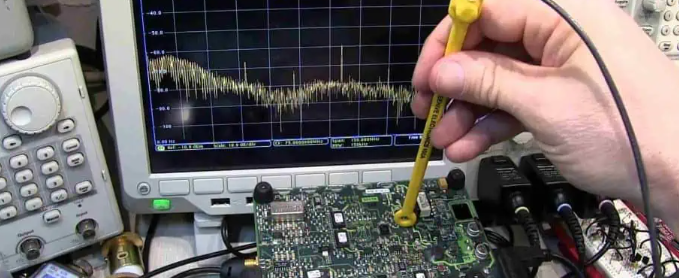
  • Spectrum Analyzers: Agilent N9340B for RF PCB SNR testing—we use this to validate high-frequency PCBs.
  • Oscilloscopes: Tektronix MDO3000 series for voltage-based SNR calculations—standard in our quality control.
  • Noise Figure Meters: Keysight N8975A to quantify component-induced SNR loss—critical for medical PCB certification.

Software Tools

  • iwconfig (Linux): Test Wi-Fi PCB SNR in real time—used for IoT PCB validation.
  • Python Scripts: NumPy/Matplotlib to simulate SNR pre-production—integrated into our PCB design workflow.
  • EDA Software: Automated SNR-focused design reviews—ensuring no flaws slip through.

SNR in Wireless Communications (Wi-Fi 6, 5G, Bluetooth) PCBs

Wireless PCBs face unique SNR challenges—distance, interference, and multipath fading. Stack Exchange and EDN Network experts share these optimization tips, which Best Technology incorporates into custom designs:

  • Wi-Fi 6 PCBs: Use 5GHz band, high-gain antennas, and optimized trace routing. Our PCBs reduce SNR loss by 6 dB per distance doubling.
  • 5G PCBs: Beamforming compatibility and EMI shielding—our high-frequency PCBs support this for dense environments.
  • Bluetooth BLE PCBs: Compact footprint with minimal wire runs—our rigid-flex PCBs minimize EMI and preserve SNR within 10-meter ranges.

SNR for Audio & Video Production PCBs

Content creators on Reddit’s r/audioengineering rely on SNR for professional outputs—here’s how PCB design impacts audio/video SNR, with Best Technology’s solutions:

Audio PCBs

Record with low-noise preamp PCBs—keep input levels high (not clipping) to overpower noise. Best Technology’s audio PCBs use dedicated ground planes and low-noise components to achieve ≄90 dB SNR for Hi-Fi equipment.

Video PCBs

High ISO increases sensor noise—video PCBs need low-capacitance traces to preserve SNR. Our ceramic PCBs minimize capacitance, supporting PSNR ≄30 dB for 4K video without over-denoising.

FAQ: Common Signal to Noise Ratio (SNR) Questions

Q1: Why is SNR measured in decibels (dB) instead of a linear ratio?

Decibels compress large value ranges (1000x signal-to-noise = 30 dB, not 1000:1), making SNR easier to interpret for PCBs. It aligns with how human perception and electronic measurements work—critical for cross-industry consistency.

Q2: What’s the difference between SNR and SINR for PCBs?

SNR measures signal vs. background noise; SINR (Signal-to-Interference-and-Noise Ratio) includes intentional interference (adjacent Wi-Fi channels). SINR is key for crowded wireless PCBs, while SNR matters for controlled environments (medical sensors).

Q3: How does temperature affect SNR in PCBs?

Thermal noise increases with temperature—every 10°C rise boosts noise by ~1.5x. Best Technology’s MCPCBs and thermal management designs stabilize SNR in -40°C to 125°C industrial environments.

Q4: Can I improve SNR in existing PCBs without redesign?

Yes—add shielding, rework grounding, or use software filtering. For best results, our component sourcing and rework service optimizes existing PCBs to boost SNR by 5-10 dB.

Q5: How do you validate SNR for certified PCBs (ISO 13485, AS9100D)?

We use calibrated noise figure meters and spectrum analyzers, paired with third-party testing, to ensure SNR meets certification standards. Every batch of medical/aerospace PCBs includes a SNR validation report.

Q6: What PCB material is best for maximizing SNR?

Ceramic PCBs minimize 1/f noise, MCPCBs reduce thermal noise, and high-frequency materials (PTFE) lower EMI. Best Technology recommends materials based on your SNR goals and application.

Partner With Best Technology for Superior SNR-Focused PCB Solutions

When it comes to signal to noise ratio (SNR), your PCB design is the foundation of reliable performance—and Best Technology is your trusted partner to get it right. Founded in 2006, we bring 19+ years of expertise in one-stop PCB solutions, from low-noise design and prototyping to mass production (260,000 square feet monthly capacity) and box-build assembly. Our ISO 9001:2015, ISO 13485:2016, AS9100D, and IATF 16949 certifications ensure your PCBs meet strict SNR and industry standards, whether for medical devices, aerospace systems, or consumer electronics. We offer 24-hour expedited service for urgent projects, global component sourcing, and personalized support to tailor every PCB to your SNR needs. Stop wasting time troubleshooting noise-related failures—let our team of PCB and SNR experts design a solution that delivers clear signals, consistent performance, and compliance. Contact us today for a free consultation, and turn your SNR challenges into high-quality, market-ready products.

You may also like

What is DMA Direct Memory Access? Types of DMA

January 5th, 2026

What Is Direct Memory Access (DMA)?

Direct Memory Access (DMA) is a hardware mechanism that moves data between memory and peripherals with minimal CPU involvement. The CPU still orchestrates DMA (configures addresses, sizes, modes, and permissions), but the DMA engine performs the bulk transfer over the system interconnect.

For an electronic engineer, the most useful mental model is: DMA is a bus master (or a bus client with granted master capability) that can read/write memory and peripheral registers/FIFOs under strict rules set by software. In a well-designed system, DMA increases throughput, reduces latency jitter, and frees the CPU for control and signal-processing work.

What Is Direct Memory Access (DMA)?

Why DMA Was Introduced in Computer Systems?

DMA exists because CPU-driven I/O is structurally wasteful:

  • CPU copy loops burn cycles, create cache pressure, and increase interrupt frequency.
  • Peripheral interfaces (ADC, SPI, SDIO, Ethernet MAC, USB, PCIe endpoints) produce/consume data faster than it is efficient for the CPU to babysit.
  • Real-time systems require predictable timing; heavy polling or frequent interrupts can destabilize deadlines.

DMA addresses these by shifting “data movement” to dedicated hardware and letting the CPU focus on scheduling, protocol handling, and application logic.

How DMA Works Step by Step?

A typical transfer (microcontroller or SoC) looks like this:

How DMA Works Step by Step?

1. Allocate a buffer in RAM and decide ownership rules (who writes, who reads, when).

2. Program the DMA channel: source address, destination address, transfer length, width, burst size, increment modes, and trigger source (timer, peripheral request line, or software trigger).

3. Arm/enable DMA and the peripheral (e.g., enable UART RX DMA, start ADC, enable SPI TX DMA).

4. DMA arbitrates for the bus, then performs reads/writes in bursts.

5. DMA signals completion via interrupt, event flag, or callback; optionally it can trigger a half-transfer event for streaming.

6. Software post-processes data (parse packets, filter samples, enqueue buffers) and re-arms DMA if needed.

If you design embedded firmware, the real craft is not the register writes; it is the buffer lifecycle, coherency, and error handling.

What is DMA used for?

DMA is used whenever data volume, rate, or determinism makes CPU-driven transfers inefficient. It is widely used in:

  • ADC sampling into circular buffers for DSP, FFT, or control loops
  • UART/SPI/IÂČC continuous RX/TX without byte-by-byte interrupts
  • Audio IÂČS/SAI streaming with ping-pong buffers
  • Storage (SDMMC, NAND, QSPI) block moves into RAM
  • Networking (Ethernet MAC) RX/TX descriptor rings
  • Display pipelines (LCD/DSI) frame buffer fetch
  • FPGA or high-speed sensor capture where sustained bandwidth matters

A practical heuristic: if you are handling sustained streams above a few tens of kB/s (platform-dependent) or you need tight jitter bounds, DMA is usually worth it.

What are the three types of DMA?

These three “types” are commonly taught because they map well to bus usage and CPU impact.

  • Burst Mode DMA

DMA takes the bus and transfers a block (or large burst) with minimal interruption. Throughput is high, but CPU and other masters may be stalled or delayed depending on arbitration priority.

  • Cycle Stealing DMA

DMA transfers one unit (or small burst), then releases the bus, interleaving with CPU cycles. This improves responsiveness at the cost of peak throughput.

  • Transparent DMA

DMA transfers only when the CPU is not using the bus (or during “idle slots”). It minimizes CPU interference but can starve the transfer if the CPU is busy.

DMA vs CPU-Based Data Transfer

When the CPU handles data transfer directly, it must read and write every data unit. This process consumes clock cycles and reduces overall system efficiency.

DMA eliminates this bottleneck by enabling parallel operation. While the DMA controller moves data, the CPU continues executing other tasks, improving throughput and multitasking capability. Here is a detailed comparison between them:

DimensionCPU CopyDMA
CPU utilizationHighLow–Medium (setup + ISR)
Peak throughputLimited by CPU + busLimited mostly by bus + DMA
Jitter in real-time tasksOften worseOften better (if designed correctly)
ComplexityLowMedium–High
Failure modesObviousSubtle (alignment, coherency, ownership)

Key Components of a DMA Controller

Most DMA implementations (MCU or SoC) contain:

  • Channels/streams: independent transfer engines (or time-sliced engines)
  • Request routing: connects peripheral request lines to channels
  • Address generators: increment/fixed addressing, wrap/circular modes
  • Transfer sizing: byte/halfword/word, burst length
  • Descriptors/LLI (linked lists): scatter-gather, chained transfers
  • Status/interrupt logic: half-transfer, complete, error, FIFO threshold
  • Arbitration/QoS: priority levels, bandwidth caps, fairness rules

On higher-end SoCs, DMA is often split into specialized blocks: PDMA (peripheral DMA), XDMA (general), GPDMA, MDMA, or dedicated engines for Ethernet, USB, and display.

Key Components of a DMA Controller

DMA in Embedded Systems and Microcontrollers

DMA is a staple in embedded design because it turns “interrupt-per-byte” into “interrupt-per-buffer.”

1) Circular buffers for streaming

A common pattern is circular DMA into a ring buffer, with half-transfer and full-transfer interrupts:

  • Half-transfer ISR: process first half while DMA fills second half
  • Full-transfer ISR: process second half while DMA wraps to first half

This provides steady throughput and predictable CPU load.

2) Ping-pong buffers

For bursty traffic or strict processing windows (audio frames, sensor blocks), use two buffers:

  • DMA fills Buffer A while CPU processes Buffer B
  • Swap on completion

Ping-pong is often simpler to validate than a large ring, especially when you must guarantee “no overwrite before consume.”

3) UART RX DMA for robust logging and protocols

UART is notorious for ISR overhead at high baud rates. RX DMA into a ring buffer plus an “IDLE line” interrupt (common on many MCUs) is a strong combination:

  • DMA continuously writes bytes
  • IDLE interrupt fires when line quiets
  • CPU reads DMA write pointer and parses frames

Practical guidance: treat your DMA write index as the source of truth; avoid “guessing” byte counts.

DMA in Modern Operating Systems

In modern OS environments, DMA is not optional—it is foundational.

Descriptor rings and zero-copy paths

Network drivers, NVMe, and many high-speed devices use descriptor rings:

  • Driver posts buffer descriptors (physical addresses, lengths, flags)
  • Device DMA-writes received data directly into buffers
  • Driver later hands buffers to the stack or application

The most performance-critical paths aim for zero-copy, where data is not copied again in software unless necessary.

IOMMU and protection

On PCs/servers, devices can DMA into memory. To control this safely, platforms use an IOMMU (Intel VT-d / AMD-Vi style conceptually):

  • It maps device-visible addresses to physical memory
  • It prevents devices from DMA-reading/writing arbitrary memory
  • It enables safe virtualization and isolation

As an engineer, the important takeaway is: DMA is powerful enough to be a security boundary, so modern systems gate it with hardware translation and permissions.

Advantages of DMA

  • Lower CPU overhead and reduced interrupt pressure
  • Higher sustained throughput for streaming I/O
  • Better timing stability for control loops and real-time workloads
  • Enables architectures like descriptor rings and pipeline processing

Limitations of DMA

  • Cache coherency: CPU cache may not match RAM content DMA reads/writes
  • Alignment and width constraints: some DMA engines require aligned addresses or specific transfer widths
  • Buffer ownership bugs: CPU modifies a buffer while DMA is still using it
  • Bus contention: DMA can starve other masters or create latency spikes
  • Error visibility: misconfiguration can fail silently until timeouts appear

DMA makes data movement fast, but it makes system correctness a discipline.

FAQs

1. Is DMA always faster than CPU copying?

    Often, yes for sustained transfers, but not universally. For very small copies, CPU might be faster due to setup overhead. The crossover point depends on bus speed, DMA engine capability, cache behavior, and interrupt frequency.

    2. What is the most common DMA bug in embedded projects?

    Cache coherency and buffer ownership. Engineers frequently forget to clean/invalidate caches (on systems with data cache) or accidentally reuse a buffer before DMA completes.

    3. Do microcontrollers have cache coherency issues too?

    Some do, some do not. Many MCUs lack data cache, making coherency simpler. Higher-performance MCUs and SoCs frequently include caches, which makes coherency a first-class design concern.

    4. What is scatter-gather DMA and why do engineers use it?

    Scatter-gather DMA uses linked descriptors to move non-contiguous memory segments without CPU intervention. It’s essential for networking, storage, and any system that uses buffer chains efficiently.

    5. How do I decide between circular DMA and ping-pong buffers?

    Use circular DMA for continuous streams where you can tolerate ring semantics and want minimal reconfiguration. Use ping-pong when you need strict “block-by-block” processing with clear ownership boundaries.

    6. Can DMA corrupt memory?

    Yes, if misconfigured or if address boundaries are wrong. That is why robust drivers validate lengths, alignment, region permissions, and use memory protection where available.

    7. Does DMA bypass the CPU in a security sense?

    In many architectures, DMA can access memory without CPU executing loads/stores. That is why platforms use IOMMU-like controls, MPU regions, or DMA address filters to limit what DMA can touch.

    You may also like

    PCB Iceland Manufacturer, Iceland PCB Manufacturing Company

    January 5th, 2026

    The demand for high-quality PCB Iceland manufacturer services continues to grow in Iceland’s electronics industry, driven by the need for precise and durable circuit boards. Choosing the right PCB Iceland manufacturer is critical to ensuring project success, as it directly impacts product performance, production efficiency and overall cost-effectiveness. This blog explores the top Iceland PCB manufacturers, core selection criteria, industry pain points, essential certifications and practical evaluation methods, providing valuable guidance for navigating the PCB Iceland manufacturing landscape.

    PCB Iceland Manufacturer, https://www.bestpcbs.com/blog/2026/01/pcb-iceland-manufacturer/

    Top 10 PCB Iceland Manufacturer List

    Company NameMain BusinessCore AdvantagesProcess CapabilityLead Time
    EBest Circuit(Best Technology)Custom PCB design, prototyping, mass production, PCB assemblyGlobal supply chain resources, strict quality control system, professional technical support customized for Icelandic market needsSupports up to 20-layer HDI PCBs, ±5% impedance control, 0201-size component assemblyPrototyping 3-5 days, mass production 7-12 days
    PowersonicUltrasonic PCB manufacturing and customizationSpecialized in high-frequency ultrasonic PCB technology, compliant with Icelandic safety standards, local after-sales supportUltrasonic PCB integration, precision drilling, high-reliability solderingStandard orders 5-8 days, customized ultrasonic products 10-15 days
    ABIS Electronics Iceland BranchPCB fabrication, PCBA assembly, turnkey EMS servicesYears of electronic manufacturing experience, ISO-certified quality management, ability to handle complex assembly projectsSMT assembly (25,000 components/hour), BGA/QFP assembly, functional testingPCB production 6-10 days, PCBA services 8-14 days
    Opin Kerfi ehfPCB distribution, custom manufacturing coordination, electronic component sourcingLocal market expertise, HP authorized service partner, reliable supply chain managementCollaborates with local factories for 1-8 layer PCB production, standard/custom solder mask options7-14 days depending on order complexity
    Tölvuland Electronics DivisionPCB prototyping, small-batch production, electronic product integrationLocal warehouse in Reykjavik, quick response to urgent orders, simplified order process1-4 layer PCBs, standard FR-4 substrate, basic assembly servicesPrototyping 2-4 days, small-batch production 5-9 days
    Iceland Circuits LtdIndustrial-grade PCB manufacturing, environmental-friendly PCB productionLead-free manufacturing processes, compliance with EU RoHS/REACH regulations, cold environment adaptation design2-12 layer PCBs, thermal management optimization, harsh environment testingStandard orders 8-13 days
    North Atlantic PCB SolutionsHigh-reliability PCB fabrication for marine and aerospace applicationsSpecialized in anti-corrosion PCB design, salt spray testing certification, marine-grade material selection4-16 layer PCBs, waterproof solder mask, high-temperature resistant substratesCustom marine-grade PCBs 10-16 days
    Reykjavik Electronics ManufacturingPCB prototyping, low-volume production, design optimization consultingLocal technical team, quick design revision support, on-site quality inspection1-6 layer PCBs, flexible PCB options, simple assemblyPrototyping 3-6 days, low-volume production 7-11 days
    Arctic PCB FactoryStandard and custom PCB production focusing on consumer electronicsCost-effective solutions, large production capacity for standard models, local delivery network1-8 layer PCBs, FR-4/CEM-1 substrates, standard surface finishes (HASL, ENIG)Standard orders 5-9 days, custom orders 9-14 days
    Viking PCB ServicesPCB assembly, testing services, post-manufacturing supportComprehensive testing capabilities (AOI, X-ray), defect analysis services, local repair supportSMT/through-hole assembly, functional testing, burn-in testingAssembly projects 6-12 days depending on complexity

    How to Choose A Reliable PCB Iceland Manufacturer?

    Below is A Detailed Selection Guide to PCB Iceland Manufacturer:

    1. Certification & Regulatory Compliance: Select manufacturers with ISO 9001, ISO 14001, UL, and REACH certifications. For example, EU-based suppliers like EBest Circuit( Best Technology) meet RoHS, ensuring compliance with Icelandic and European regulations. Verify certifications via third-party audit reports for transparency.

    2. Technical Capability & Precision: Prioritize suppliers with line width/spacing capabilities ≀25ÎŒm, 12+ layer PCB production, and support for advanced processes like HDI, blind/buried vias, and rigid-flex boards. Data from Nordic PCB Association shows 30ÎŒm line/space is standard for high-reliability applications in automotive and telecom sectors.

    3. Quality Control Systems: Require full-process quality checks using AOI, X-ray, and flying probe testing. Suppliers with IPC-A-610 Class 3 certification achieve 99.2% first-pass yield on multi-layer boards, reducing rework risks. Ask for test data sheets and defect rate metrics for objective assessment.

    4. Lead Time & Supply Chain Resilience: Standard prototypes should deliver in 3–5 days; complex designs in 7–10 days. Top suppliers offer 24-hour expedited options with 95% on-time delivery rates. Evaluate supply chain redundancy through dual-sourcing of critical materials like copper-clad laminates to avoid delays.

    5. Sustainable Materials & Practices: Optimize for manufacturers using lead-free solder (Sn-Ag-Cu), halogen-free substrates, and recyclable packaging. EU Ecolabel-certified suppliers reduce VOC emissions by 40% and achieve 98% waste diversion through closed-loop recycling systems.

    6. Technical Support & Responsiveness: Choose suppliers with 7×12 technical support and ≀2-hour response times for DFM feedback. Case studies show teams with local Icelandic representatives reduce communication delays by 50%, accelerating problem resolution.

    7. Cost Transparency & Value Engineering: Demand itemized quotes detailing material, fabrication, and testing costs. Suppliers using automated panelization software optimize material usage, reducing costs by 15–20% without compromising quality. Compare total cost of ownership, including logistics and warranty terms.

    8. Industry Experience & References: Select suppliers with proven expertise in 5G infrastructure (e.g., 28GHz RF PCBs), medical implants (IEC 60601 compliance), and automotive electronics (AEC-Q200 qualified). Verify references through independent customer reviews and project portfolios showing similar technical challenges.

    9. Localization & Logistics Efficiency: Prioritize EU-based manufacturers with Icelandic distribution hubs to minimize customs delays. Statistics indicate localized logistics reduce shipping times by 3–5 days and lower carbon footprints by 30% compared to intercontinental transport.

    10. R&D Investment & Innovation: Evaluate suppliers investing ≄8% of revenue in R&D for emerging technologies like embedded capacitors or 3D-MID. Patent portfolios in miniaturization or thermal management indicate forward-thinking capabilities, ensuring long-term partnership viability.

    Pain Points of Iceland PCB Manufacturing

    • High material and manufacturing costs due to limited local raw material supply, leading to increased production expenses for small-batch orders.​
    • Long lead times for specialized components and substrates, as most materials need to be imported to Iceland.​
    • Challenges in meeting strict environmental regulations, including waste disposal requirements for lead-free manufacturing processes.​
    • Limited local capacity for high-complexity PCB production, such as HDI boards and high-frequency circuits, requiring reliance on international partners.​
    • Difficulty in finding manufacturers with expertise in cold environment adaptation, critical for PCB use in Iceland’s harsh climatic conditions.​
    • Inconsistent quality control across smaller local factories, leading to concerns about product reliability and consistency.
    Pain Points of Iceland PCB Manufacturing, https://www.bestpcbs.com/blog/2026/01/pcb-iceland-manufacturer/

    Quality Certifications for Iceland PCB Manufacturing Company

    • ISO 9001: Quality management system certification, ensuring standardized processes from raw material procurement to final delivery.?
    • ISO 14001: Environmental management system certification, covering lead-free manufacturing and waste reduction measures.?
    • IS Certification: Iceland’s mandatory safety certification for electronic products, including specific low-temperature and electromagnetic compatibility requirements.?
    • UL Certification: Safety certification for flame-retardant materials, essential for consumer electronics and industrial applications.?
    • ISO 13485: Quality management certification for medical device PCBs, required for healthcare industry applications.?
    • RoHS/REACH Compliance: Compliance with EU regulations restricting hazardous substances in electronic components.

    How to Inspect the Quality Management System of Iceland PCB Manufacturer?

    Evaluation Guide to the Quality Management System of Iceland PCB Manufacturer:

    • ISO Certification Verification: Verify if the manufacturer holds internationally recognized quality management system certifications (e.g., ISO 9001) and confirm the authority of the certifying body and validity period to ensure compliance with international standards.
    • Standardized Process Verification: Review whether detailed standard operating procedures (SOPs) are established for each production stage (e.g., drilling accuracy, lamination temperature control, surface treatment) and validate execution consistency through on-site records or sample testing to ensure controllable and traceable process parameters.
    • Raw Material Traceability Management: Assess supplier screening mechanisms, require qualification certificates and third-party test reports for key raw materials (e.g., substrates, solder), and inspect warehouse management systems for batch tracking to prevent substandard materials from entering production.
    • Equipment Calibration and Maintenance: Check calibration logs and maintenance records for critical equipment such as AOI (Automatic Optical Inspection) and X-ray inspection devices to ensure precision meets industry requirements and prevent quality issues caused by equipment errors.
    • Process Data Monitoring and Analysis: Verify if a real-time data collection system (e.g., SPC Statistical Process Control) is implemented to monitor key quality indicators (e.g., line width deviation, solder mask thickness) dynamically and identify potential issues through data analysis to drive continuous improvement.
    • Employee Quality Training System: Validate regular quality awareness training and skill assessments for operators, ensure familiarity with quality standards and anomaly handling procedures, and inspect completeness of training archives to match personnel capabilities with job requirements.
    • Customer Feedback Closed-Loop Management: Evaluate the customer complaint handling process, require historical case records, confirm root cause analysis methods (e.g., 5Why analysis) for corrective actions, and track verification of improvement effectiveness to form a quality enhancement loop.
    • Environmental and Safety Compliance: Check simultaneous implementation of environmental management systems (e.g., ISO 14001) to ensure production environment conditions (e.g., temperature, humidity, cleanliness) meet PCB manufacturing requirements and verify execution of safety protocols to avoid environmental factors affecting product quality stability.
    How to Inspect the Quality Management System of Iceland PCB Manufacturer, https://www.bestpcbs.com/blog/2026/01/pcb-iceland-manufacturer/

    How to Evaluate the Production Capacity of PCB Iceland Manufacturer?

    Evaluation Guide to the Production Capacity of PCB Iceland Manufacturer:

    • Check equipment specifications: Confirm availability of advanced equipment with measurable parameters, such as high-precision drilling machines (minimum hole diameter ≀ 0.15mm) and AOI systems (detection accuracy ≄ 99.8% for 75ÎŒm line width defects).​
    • Assess production scale and layer capability: Verify maximum monthly output (preferably ≄ 10,000㎡ for mass production) and layer count range (support for ≄ 8-layer standard PCBs or ≄ 2-layer HDI boards) to match current and future project demands.​
    • Validate substrate handling capacity: Confirm proficiency in processing common substrates like FR-4 (Tg 130-140℃) and high-Tg FR-4 (Tg ≄ 170℃), as well as flexible substrates with minimum line width/spacing ≀ 50ÎŒm/50ÎŒm.​
    • Evaluate precision performance: Check key precision indicators, including minimum line width/spacing ≀ 75ÎŒm/75ÎŒm, impedance control accuracy ±5%, and hole diameter tolerance ≀ ±0.05mm.​
    • Review delivery efficiency data: Confirm lead time benchmarks, prototyping ≀ 5 days, small-batch production (≀ 500 units) ≀ 10 days, and mass production ≀ 15 days with on-time delivery rate ≄ 98%.​
    • Assess customization capability: Verify ability to handle non-standard requirements, such as special solder mask colors, custom copper thickness (1-3oz), and thermal management optimization for high-power applications.​
    • Validate assembly capacity (if required): Check SMT assembly speed (≄ 25,000 components/hour) and capability to handle BGA/QFP packages with minimum pitch ≀ 0.4mm, supported by X-ray inspection.​
    • Evaluate supply chain resilience: Confirm backup material sources (e.g., 2+ qualified substrate suppliers) and equipment breakdown contingency plans with ≀ 4-hour response time to avoid production delays.

    FAQ of Iceland PCB Manufacturing

    Q1: What modifications are needed for PCB design to adapt to Iceland’s cold environment?
    A1: PCBs used in Iceland’s cold environment require specific material selections, such as high-TG substrates (TG ≄ 170°C) to prevent brittleness at low temperatures. Additionally, increasing trace width and using flexible solder joints can enhance thermal shock resistance. We provide free design reviews to recommend appropriate modifications, including material selection and layout optimization for cold climate operation.

    Q2: How long does PCB prototyping take in Iceland, and can it be expedited?
    A2: Standard PCB prototyping in Iceland typically takes 3-7 days. We offer expedited prototyping services with a lead time of 2-3 days by leveraging our global production network and local inventory of key materials. The expedited service includes priority processing and local delivery to meet urgent project timelines.

    Q3: What certifications are required for PCB products to be sold legally in Iceland?
    A3: Legally sold PCBs in Iceland must have the IS certification issued by the Icelandic Standards Institute (IST). This certification requires compliance with low-voltage directives (LVD) and electromagnetic compatibility (EMC) standards. We ensure all our Iceland-bound PCBs meet these requirements, including providing the necessary technical documentation for customs clearance.

    Q4: How to resolve issues with inconsistent plating thickness in PCB production?
    A4: Inconsistent plating thickness is often caused by improper bath chemistry or uneven current distribution. Our solution includes strict control of plating process parameters, regular calibration of equipment, and in-process thickness testing using X-ray fluorescence (XRF) technology. We also implement pre-plating cleaning processes to ensure uniform adhesion, reducing plating variations to within ±5% of the specified thickness.

    Q5: Can local Icelandic PCB manufacturers handle high-volume orders, or is it better to work with international partners?
    A5: Most local Icelandic PCB manufacturers have limited capacity for high-volume orders. We recommend a hybrid approach: using local manufacturers for small-batch and prototype orders for quick turnaround, and partnering with us for high-volume production. We offer competitive pricing for large orders, global supply chain efficiency, and local delivery to Iceland, ensuring both cost-effectiveness and timely delivery.

    You may also like

    What Is the Standard PCB Thickness?

    January 5th, 2026

    The standard PCB thickness is 1.6 mm (0.063 inch). This thickness has become the global default because it balances mechanical strength, electrical reliability, manufacturability, and cost. Most PCB fabs optimize their processes, materials, and tooling around 1.6 mm, making it the most economical and widely supported option.

    What Is the Standard PCB Thickness?

    What Are Standard PCB Thicknesses?

    Standard PCB thicknesses are the most commonly produced finished board thickness values supported by mainstream fabrication lines. These values exist because materials, lamination presses, drilling tools, and surface finish processes are optimized around them.

    For rigid boards, the most widely used finished thickness is 1.6 mm. This value has become the industry baseline. It offers a strong balance between rigidity, weight, and cost. Most connectors, card slots, and housings are designed with this thickness in mind.

    Other standard thicknesses are also widely used:

    • 0.4 mm
    • 0.6 mm
    • 0.8 mm
    • 1.0 mm
    • 1.2 mm
    • 1.6 mm
    • 2.0 mm
    • 2.4 mm

    These values are not arbitrary. They align with standard FR4 core thicknesses and prepreg build-ups.

    For multilayer boards, the finished thickness results from stacking multiple cores and prepregs. A standard PCB thickness 4 layer design often ends up between 1.2 mm and 1.6 mm, depending on copper weight and dielectric choice.

    Because these thicknesses are repeatable, they reduce process variation. That stability is one reason they remain dominant across consumer, industrial, and medical electronics.

    Does PCB Thickness Matter?

    PCB thickness is very important. It affects performance, assembly, and long-term reliability. A thicker board offers higher rigidity. This reduces flexing during handling and assembly. It also improves resistance to vibration in industrial environments.

    • A thinner board saves weight and space. This is valuable in compact products such as wearables or handheld devices. Thin boards also enable tighter stacking in multi-board assemblies.
    • Electrically, thickness influences impedance. Controlled impedance traces rely on precise dielectric spacing. Changing thickness without recalculating stack-up can shift impedance out of tolerance.
    • Thermally, thicker boards can dissipate heat more evenly. However, very thick boards may trap heat if copper distribution is poor.

    In short, PCB thickness matters because it touches mechanics, electronics, and manufacturing at the same time.

    How to Find PCB Thickness?

    Finding PCB thickness is straightforward when documentation is available. Most fabrication drawings specify finished thickness in millimeters. Gerber files alone do not define thickness, so you must check the fabrication notes or stack-up table.

    If you already have a physical board, thickness can be measured using a digital caliper. Measure at the edge, away from copper pours or surface finish buildup.

    In production environments, thickness is verified during quality inspection. Fabricators use calibrated gauges to ensure boards fall within PCB thickness standard tolerances.

    For legacy designs without clear records, cross-section analysis can reveal core and prepreg structure. This method is more involved but provides precise data.

    What Is the Standard Thickness of a 2 Layer PCB?

    The standard thickness of a 2 layer PCB is most commonly 1.6 mm. This configuration dominates simple control boards, power boards, and general electronics.

    Other popular options include:

    • 1.0 mm for lighter, space-saving designs
    • 0.8 mm for compact modules
    • 2.0 mm for higher rigidity

    A 2-layer board typically uses a single FR4 core with copper laminated on both sides. Because the structure is simple, thickness control is very stable.

    Many designers choose 1.6 mm by default. It fits most connectors and mechanical fixtures. It also minimizes cost because suppliers stock it in large volumes.

    What Is the Standard PCB Thickness?

    What Is the Standard Thickness of FR4 PCB?

    FR4 is the most widely used PCB material. Its standard PCB thickness options match the common rigid board values.

    Typical FR4 finished thicknesses include:

    • 0.8 mm
    • 1.0 mm
    • 1.2 mm
    • 1.6 mm
    • 2.0 mm

    The internal standard PCB core thicknesses are smaller. Common FR4 core thicknesses are:

    • 0.1 mm
    • 0.2 mm
    • 0.3 mm
    • 0.4 mm

    By combining these cores with prepreg layers, fabricators achieve the final board thickness. Copper weight also plays a role. Heavy copper adds measurable thickness, especially in multilayer designs.

    FR4 remains popular because it offers good electrical insulation, stable mechanical properties, and reasonable cost. Its standard thickness range supports almost every general application.

    How Thick Is a Standard Flex PCB?

    Flex PCBs follow different rules. Their thickness is much thinner because flexibility is the goal.

    A standard flex PCB thickness often ranges from 0.05 mm to 0.3 mm, depending on layer count and stiffener use. Single-layer flex circuits are extremely thin. They use polyimide substrates rather than FR4.

    Double-layer and multilayer flex boards add thickness but remain far thinner than rigid boards. Adhesives, coverlay, and copper weight all contribute to the final value.

    When stiffeners are added, the thickness increases locally. This allows connectors to be mounted without sacrificing flexibility elsewhere.

    Flex thickness must be chosen carefully. Too thin, and handling becomes difficult. Too thick, and flexibility is reduced.

    What Is the Standard PCB Thickness?

    How to Choose the Thickness of PCB?

    Choosing PCB thickness should start with the application, not habit. While standard values simplify sourcing, the best thickness depends on real constraints.

    • First, consider mechanical requirements. Boards exposed to vibration or stress benefit from greater thickness. Boards mounted in tight enclosures may need to be thinner.
    • Next, review electrical needs. High-speed designs rely on precise impedance. Thickness affects dielectric spacing, so it must align with the stack-up calculation.
    • Thermal performance also matters. Power boards may need thicker substrates or heavier copper to spread heat.
    • Assembly is another factor. Thin boards can warp during reflow if not supported properly. Thicker boards resist warpage but increase weight.
    • Finally, cost and lead time matter. Standard thicknesses are faster and cheaper. Custom thicknesses may require special materials.

    What Is the Standard Thickness Tolerance for PCB?

    No PCB is perfectly uniform. Every board is produced within a tolerance range. Standard PCB thickness tolerance depends on board type and thickness.

    For rigid FR4 boards, a typical tolerance is ±10% of the finished thickness. For a 1.6 mm board, this means a range of approximately 1.44 mm to 1.76 mm.

    Thinner boards often have tighter absolute tolerances but similar percentage limits. Multilayer boards may show slightly more variation due to multiple lamination steps.

    What Is the Minimum Core Thickness of a PCB?

    The minimum PCB thickness is limited by core material availability and handling constraints. In rigid boards, standard FR4 cores rarely go below 0.1 mm.

    Ultra-thin cores exist, but they increase cost and risk. Thin cores are more fragile during drilling and lamination. They also increase the chance of warp.

    In multilayer designs, thin cores are sometimes used to control impedance. This must be balanced against manufacturing yield.

    For most applications, using standard core thicknesses improves reliability. It also shortens lead time because materials are readily available.

    What Is the Standard PCB Thickness?

    What Is the Most Common Size PCB?

    Standard PCB sizes vary widely because board outlines depend on product design. There is no single universal size. However, certain dimensions appear frequently.

    Small control boards often fall within 100 mm × 100 mm. This size is popular because it fits standard fabrication panels efficiently.

    Larger boards are common in power supplies and industrial systems. Rectangular shapes dominate because they panelize well.

    When discussing standard PCB board sizes, panel utilization matters more than absolute dimensions. Designing with panel efficiency in mind can reduce cost without changing functionality.

    Conclusion:

    PCB standard thicknesses are the foundation of reliable board design. Thickness influences mechanics, electrical performance, thermal behavior, and manufacturing yield.

    If you need guidance on selecting the right standard PCB thickness, material stack-up, or tolerance for your project, our engineering team is ready to support you. Contact us: Email: sales@bestpcbs.com

    You may also like

    PCB Manufacturer in Denmark, Denmark PCB Manufacturing Company

    January 5th, 2026

    When looking for a reliable PCB manufacturer in Denmark, it’s crucial to partner with a provider that understands local industry needs and global quality standards. The demand for high-precision Denmark PCB products continues to grow, driving the need for professional Denmark PCB manufacturing services that combine technical expertise with efficient delivery. A qualified PCB manufacturer in Denmark should not only master core processes like prototyping, design, and assembly but also comply with strict European regulations such as REACH and RoHS. This guide aims to address common challenges in the Denmark PCB sector, provide practical solutions, and help you make informed decisions when selecting a Denmark PCB manufacturing company.

    PCB Manufacturer in Denmark, https://www.bestpcbs.com/blog/2026/01/pcb-manufacturer-in-denmark/

    Are You Facing These Challenges in Denmark PCB Manufacturing?

    • Do you struggle with long lead times for PCB prototyping that delay your project progress when cooperating with local Denmark PCB factory?​
    • Is the high cost of small-batch PCB manufacturing a major burden for your project budget in Denmark?​
    • Have you encountered quality issues such as poor solder joint reliability or inconsistent board thickness from Denmark PCB plant?​
    • Does the lack of professional design feedback lead to repeated modifications and additional costs during PCB Denmark design and production?​
    • Are you worried about the compliance of PCB products with EU regulations like REACH and RoHS when working with some Denmark PCB manufacturer?​
    • Do you often face difficulties in urgent order fulfillment due to inflexible production scheduling of local Denmark PCB company?

    End-to-End Assurance from Requirement to Delivery

    • Rapid Prototyping: 24-hour fast prototyping delivery with 99.5% yield rate, solving long lead time issues and accelerating your project progress
    • Cost-Optimized Solutions: Adopt “small-batch quick return” mode, reducing small-batch production costs by 15-20% through intelligent material matching and process optimization, without compromising product quality.​
    • Strict Quality Control: 100% full inspection for mass production with advanced AOI equipment, achieving 99.9% inspection coverage and 98%+ defect interception rate, ensuring consistent board thickness and reliable solder joints.​
    • Free DFM Support: Professional free DFM analysis identifies 80%+ potential design flaws in advance, reducing repeated modifications by 70% and shortening the R&D cycle while cutting additional costs.​
    • Full Compliance Assurance: Strictly comply with EU REACH, RoHS, ISO9001:2015 and ISO13485:2016 standards, with 100% compliance testing for each batch, ensuring Denmark PCB products meet all regulatory requirements.​
    • Flexible Urgent Order Handling: 2-hour response to urgent orders with a flexible scheduling system, matching our 99.2% on-time delivery rate to fully meet your unexpected production needs.

    Why Choose EBest Circuit(Best Technology) as Your PCB Manufacturer in Denmark?

    • 19 Years of Industry Expertise: Deep insights into Denmark PCB manufacturing pain points. Our optimized solutions have helped clients reduce comprehensive costs by over 30% cumulatively.​
    • Free Professional DFM Analysis: Pre-production DFM review identifies 80%+ design flaws in advance, slashing 70% of modification cycles and additional costs.​
    • Authoritative Compliance Certifications: Hold ISO9001:2015, ISO13485:2016, REACH, RoHS & IATF16949. 100% meets EU regulatory requirements, removing market access barriers.
    • Competitive & Transparent Pricing: Local market-oriented cost strategy, combined with intelligent process optimization, cuts your PCB Denmark project costs by 15-20% without compromising quality. No hidden fees, making budget control predictable.​
    • 24-Hour Fast Prototyping: Urgent orders fulfilled in 24 hours with 99.5% yield rate. Accelerate your product launch cycle and seize market opportunities ahead of competitors.​
    • 99.2% On-Time Delivery: Rock-solid delivery commitment ensures your production line runs smoothly, avoiding costly downtime caused by delayed supplies.​
    • Premium Quality Guarantee: 100% full inspection for mass production, with 99.9% inspection coverage and 98%+ defect interception via AOI & X-Ray testing. Consistent quality for every batch.​
    Why Choose EBest Circuit(Best Technology) as Your PCB Manufacturer in Denmark, https://www.bestpcbs.com/blog/2026/01/pcb-manufacturer-in-denmark/

    Top PCB Manufacturer in Denmark List in 2026

    Company NameMain BusinessCore AdvantagesProcess Capability & Lead Time
    EBest Circuit Co., Limited (Best Technology Circuit Co., Limited )Full series of 1-10 layer rigid, flexible, rigid-flex, RF, heavy copper, metal base, and ceramic PCB processing and assemblyFull-process one-stop service (including IATF 16949/ISO13485 certification) and 46-layer ceramic PCB production capabilitySample delivery in 5-7 days, flexible lead time for small batches; supports high-precision microvias and high-frequency materials
    NCAB Group Denmark A/SMultilayer rigid, flexible, rigid-flex, and HDI boardsGreen manufacturing system, total cost and delivery accuracy control, extremely fast prototyping serviceStandard sample delivery in over 2 days, supports 1-32 layer boards; mass production lead time 6-8 days
    MĂžn Print A/SHigh-value PCB manufacturing for medical, telecommunications, industrial, and commercial sectors50 years of production history, 13 full-industry-chain factories, serving approximately 200 customersSupports special processes such as FR4, high-frequency materials, and metal substrates; lead time confirmed based on order size
    GHDsign ApSPCB design services and productionEstablished in 1980, a veteran enterprise focused on the “First Time Right” design philosophyIndustry standard lead time of 5-7 days; expert in complex high-end PCB design
    Azitech ApSCustomized 1-76 layer PCBs, metal substrates, and ceramic boardsEuropean-Asian supply chain network, strict quality control, design support and trainingSample delivery in 5-7 days, mass production in 6-8 days; supports high-reliability requirements
    PRINTCA ASHigh-reliability specialty PCBs for aerospace and defenseESA (European Space Agency) approved supplier, military and aerospace certifiedLead time meets industry standards, with a focus on high-reliability verification cycles
    Print Production A/S (formerly manufacturing plant)PCB trading (formerly a manufacturing plant)40 years of history, annual turnover of 12 million Swedish kronorLead time dependent on Chinese suppliers, meets industry standards

    How to Inspect the Quality Management System of PCB Manufacturer in Denmark

    Inspection Guide to Quality Management System of PCB Manufacturer in Denmark:

    Verify ISO 9001 Certification and Industry Standards Compliance

    • Confirm the manufacturer holds valid ISO 9001 certification and adheres to PCB-specific standards like IPC-A-600/610. Audit documentation for alignment with Denmark’s regulatory requirements (e.g., DS/EN ISO 9001) to ensure baseline quality management practices.

    Review Process Control Documentation

    • Examine workflow charts, SOPs, and quality control points across production stages (e.g., etching, soldering, testing). Check for real-time monitoring systems (e.g., SPC software) and traceability records to identify deviations or non-conformances.

    Audit Supplier and Material Quality Protocols

    • Evaluate supplier qualification criteria, incoming material inspection procedures (e.g., AOI for raw PCBs), and COAs (Certificates of Analysis). Assess supplier performance metrics and corrective actions for substandard components.

    Inspect Inspection and Testing Procedures

    • Validate in-process checks (e.g., visual inspection, electrical testing), final product testing (e.g., X-ray, functional testing), and calibration records for test equipment. Ensure sampling plans meet statistical reliability standards.

    Assess Continuous Improvement Mechanisms

    • Review internal audit reports, CAPA (Corrective and Preventive Action) logs, and management reviews. Evaluate how customer complaints, field failures, and process audits drive iterative improvements (e.g., PDCA cycles).

    Evaluate Employee Training and Competency

    • Check training matrices for critical roles (e.g., operators, QA personnel), certifications (e.g., IPC certification), and skill-assessment records. Ensure training programs cover new technologies, safety protocols, and quality awareness.

    Examine Environmental and Sustainability Practices

    • Verify compliance with EU environmental regulations (e.g., RoHS, REACH) and Denmark’s green manufacturing policies. Audit waste management, energy efficiency, and eco-friendly material sourcing practices.

    Analyze Customer Feedback and Complaint Handling

    • Review complaint logs, response timelines, and resolution effectiveness. Assess mechanisms for gathering customer feedback (e.g., surveys, NPS scores) and integrating insights into quality upgrades.
    How to Inspect the Quality Management System of PCB Manufacturer in Denmark, https://www.bestpcbs.com/blog/2026/01/pcb-manufacturer-in-denmark/

    How to Evaluate the Process Capability of PCB Manufacturer in Denmark?

    Evaluation Guide to Process Capability of PCB Manufacturer in Denmark:

    • Verify PCB layer production range and layer alignment precision: Confirm basic capability covers 2-24 layers for general applications; for high-layer demands (16+ layers, common in automotive/industrial control), check if layer-to-layer tolerance can reach ≀ 100ÎŒm (critical for signal integrity). Request sample test reports or past project cases for verification.​
    • Evaluate minimum line width/line spacing precision: This directly determines design density support. For standard PCBs, require ≄ 0.1mm (100ÎŒm) capability; for high-precision designs (e.g., IoT/medical devices), confirm if ≀ 0.075mm (75ÎŒm) is achievable. Verify via AOI test data and sample micrographs.​
    • Assess special process capability: For impedance-controlled PCBs, confirm tolerance ±8%~±10% (key for high-frequency signal transmission); for blind/buried vias, check minimum diameter (≀ 0.1mm ideal) and hole location accuracy (±3mil). For high-frequency designs, verify support for materials like Rogers and signal fidelity testing (≄ 99% signal transmission).​
    • Inspect production equipment advancement: High-speed SMT should have placement accuracy ±0.03mm to support 01005/0.3mm pitch BGA; multi-zone reflow ovens ensure uniform soldering; AOI equipment needs ≄ 99.9% defect coverage (combining pre- and post-furnace testing) to reduce hidden quality issues.​
    • Evaluate technical team proficiency: Prioritize teams with 5+ years of process engineering experience; confirm operators hold IPC-A-610 certification (electronic assembly standard). Discuss design challenges (e.g., thermal management for industrial PCBs) to assess their problem-solving ability.​
    • Review key process verification documents: IQ/OQ/PQ reports for drilling, plating, and soldering processes must include parameter fluctuation data (≀ ±5%) and process capability index (CPK ≄ 1.33) to ensure stable production repeatability.​
    • Check production capacity and scalability: Confirm monthly capacity (e.g., 5,000-50,000㎡) matches your order scale. For project growth needs, verify if 2x capacity expansion within 30 days is feasible, avoiding supply chain disruptions during batch scaling.

    How to Evaluate the Delivery Reliability of Denmark PCB Manufacturing Company?

    Evaluation Guide to Delivery Reliability of Denmark PCB Manufacturing Company:

    • Verify the manufacturer’s historical On-Time Delivery (OTD) rate: request at least 6 months of delivery statistics (not just customer feedback) to confirm a consistent OTD rate of ≄95%, a benchmark for reliable PCB suppliers in the industry.
    • Assess the flexibility of their production scheduling system (e.g., MES system integration): Confirm it can handle urgent prototype orders (24–48 hour response) and adapt to last-minute design changes without significant delivery delays.
    • Evaluate supply chain stability: Check if they have qualified alternative suppliers for key raw materials (e.g., high-frequency substrates) and a documented contingency plan for supply chain disruptions (e.g., geopolitical issues, logistics crises).
    • Review logistics and transportation capabilities: Confirm they partner with reputable logistics providers experienced in electronic components shipping, with solutions for special requirements (e.g., anti-static packaging, temperature control) and backup plans for extreme weather or customs delays.
    • Clarify delivery progress communication protocols: Ensure they offer real-time tracking (via project management platforms or CRM) and proactive alerts, ideally 48 hours in advance—for potential delays that could impact your project timeline.
    • Investigate post-delivery support for delays: Confirm they have a formal SLA (Service Level Agreement) outlining compensation (e.g., late delivery penalties) and corrective actions (e.g., 8D reports) to prevent recurrence.
    • Validate key raw material inventory management: Check if they maintain safety stock for critical materials (e.g., FR-4, copper clad laminates) and have inventory alert systems to avoid production halts due to material shortages.
    How to Evaluate the Delivery Reliability of Denmark PCB Manufacturing Company, https://www.bestpcbs.com/blog/2026/01/pcb-manufacturer-in-denmark/

    FAQs of Denmark PCB Manufacturing

    Q1: How to address design-related high production scrap rates?
    A1: Free pre-production DFM analysis identifies issues like improper pad design, insufficient copper spacing, and mismatched hole sizes, reducing scrap rates and production costs effectively.

    Q2: Is fast delivery available for urgent prototypes without quality compromise?
    A2: 24-hour urgent prototyping is available. All prototypes undergo AOI and circuit continuity testing, ensuring quality while meeting tight deadlines.

    Q3: How to ensure EU REACH and RoHS compliance?
    A3: We use certified raw material suppliers, conduct batch testing, hold REACH/RoHS certifications, and provide full compliance reports to meet EU regulations.

    Q4: Are there cost-effective solutions for small-batch production?
    A4: Yes. We optimize costs via batch combination and material selection, with transparent pricing (no hidden fees) for small-batch PCB Denmark manufacturing.

    Q5: What if delivered PCBs have quality issues?
    A5: Contact us with test reports/samples; we conduct a full analysis within 24 hours. Production-caused issues will be resolved via re-production, replacement, or refund per agreement.

    You may also like

    What is Flux in Soldering? Is Flux Conductive?

    January 5th, 2026

    Soldering remains one of the most fundamental operations in electronics manufacturing, and its reliability depends on far more than just heat and solder alloy. Flux is a quiet but powerful material that determines how well a solder joint forms, how stable the connection remains over time, and how durable a finished PCB assembly will be in the field.

    For new engineers, technicians, and even seasoned designers, misunderstandings about flux are common—especially around topics such as electrical conductivity, residue behavior, and flux selection for different soldering environments. This guide provides a detailed but easy-to-read explanation of what flux is, what it does, and whether it conducts electricity. It also highlights practical considerations for real PCB assembly workflows.

    What Is Flux in Soldering?

    Flux is a chemical agent applied during soldering to prepare metal surfaces and support the formation of reliable solder joints. When copper pads or component leads are exposed to air, oxidation naturally occurs. Even a microscopic layer of oxidation can obstruct solder wetting, causing poor joints, voids, and insufficient fillets.

    Flux removes these oxides, shields the surface from further oxidation during heating, and helps molten solder spread smoothly across metal surfaces. It improves consistency, lowers defect rates, and stabilizes the soldering process across different alloys and temperatures.

    In PCB assembly—whether reflow, wave soldering, or selective soldering—flux is as essential as the solder itself. Without it, joints would frequently fail, especially on components with small contact areas or on boards that require high-density interconnects.

    What Is Flux in Soldering?

    Is Flux the Same as Solder?

    Flux and solder are very different materials, even though both are packaged together in solder wire or solder paste.

    • Solder is a metal alloy that melts and forms the electrical and mechanical connection.
    • Flux is a chemical compound that prepares the surface and improves the solder’s ability to bond.

    Flux does not create a joint by itself. It does not replace the solder alloy. Instead, it ensures the solder achieves a strong, durable bond with copper pads and component leads.

    During soldering, flux activates first. As heating continues, solder alloy becomes molten and flows into the prepared surface, producing a joint that is structurally sound and electrically stable.

    What Is Flux Made Of?

    Flux formulations differ depending on application, activity level, and cleaning requirements, but most contain three major components:

    1. Base Material

    This forms the bulk of the flux. Common bases include:

    • Rosin (natural resin from pine trees)
    • Synthetic resin
    • Organic acids
    • Water-soluble organic compounds

    2. Activators

    These compounds remove oxides and enable solder wetting. Examples include:

    Halides and halogen-free activators

    • Organic acids
    • Amines

    Activators determine how aggressive the flux is and directly influence cleaning requirements.

    3. Solvents

    Liquids that adjust viscosity and allow the flux to spread evenly. Depending on the type, the solvent may be:

    • Alcohol-based
    • Water-based
    • Mixed solvent systems

    Additional additives control stability, residue appearance, heat resistance, and spread behavior.

    In solder paste, flux is blended with metal powder (tin-based alloy particles). In liquid or pen flux, the chemical composition varies more widely depending on the intended soldering method.

    Types of Flux Used in Electronics Soldering

    Flux comes in multiple varieties because different electronic assemblies require different performance and cleaning levels.

    1. Rosin Flux (R, RMA, RA)

    A classic formulation used for decades.

    • R (Rosin): Mild, minimal activity
    • RMA (Rosin Mildly Activated): Balanced activity and reliability
    • RA (Rosin Activated): Strong oxide removal; requires cleaning

    Rosin residues are typically hard and non-corrosive but still benefit from cleaning in sensitive electronics.

    2. No-Clean Flux

    Designed to leave minimal residue that remains safe on the board.

    • Very low activity
    • Ideal for high-volume consumer products
    • Popular in SMT reflow

    However, no-clean flux is not “no-clean” for everything. High-reliability sectors such as medical, aerospace, and automotive often still require cleaning.

    3. Water-Soluble Flux

    It is a strong, highly active flux. It can:

    • Removes heavy oxidation
    • Excellent wetting performance
    • Residue is conductive and must be cleaned with water

    This flux is common for BGA, QFN, and fine-pitch applications due to its high activity.

    4. Flux Paste, Gel, Liquid, and Pen Types

    Each soldering method favors a different form:

    • Flux paste: Hand soldering, rework
    • Liquid flux: Wave soldering and selective solder
    • Gel flux: BGA sphere attachment and reballing
    • Flux pens: Small-area touch-ups

    Choosing the right format ensures controlled application and stable process quality.

    Types of Flux Used in Electronics Soldering

    What Are the Functions of Flux in Soldering?

    The main active component in the soldering agent is rosin. Rosin will be decomposed by tin at around 260 degrees Celsius. Therefore, the temperature of the soldering bath should not be too high. In soldering, it is an indispensable auxiliary material and plays an extremely important role.

    • Removes surface oxides from copper pads and component leads.
    • Prevents re-oxidation during heating.
    • Improves solder wetting, allowing the alloy to spread uniformly.
    • Reduces surface tension, enabling smoother flow.
    • Promotes mechanical strength, making joints more reliable.

    This combination ensures repeatable and stable solder connections for both prototype and mass production builds.

    Is Flux Conductive?

    Fresh flux and properly cleaned flux residue are not conductive. Most fluxes are designed to be electrically insulating, even when left on the PCB after reflow or hand soldering.

    This is why no-clean flux can remain on many consumer-grade boards without impacting function.

    Why Some Flux Residues Become Slightly Conductive?

    Although flux itself is non-conductive, residue can become slightly conductive under certain conditions, especially with:

    • Water-soluble (OA) flux
    • Highly activated flux
    • Flux that absorbs humidity over time
    • Ionic contamination left behind after incomplete cleaning

    This moisture-dependent conductivity may cause leakage paths, corrosion, or unpredictable behavior in sensitive analog, RF, or high-impedance circuits. That is why aerospace, medical, and automotive assemblies often require a thorough post-cleaning process.

    Best Cleaning Methods for Flux Residue

    Different assemblies require different cleaning approaches, but the goal is always the same: remove unwanted residue without damaging components or altering board performance. Selecting the right method depends on the flux type, the board’s cleanliness requirements, and the equipment available in your production line.

    • Isopropyl Alcohol (IPA) Wipe or Brush Cleaning

    IPA remains one of the simplest and most effective ways to remove rosin-based flux. A soft brush or lint-free wipe helps dissolve residue quickly, making it ideal for rework, repair, or small-batch builds.

    • Precision Flux Remover Sprays

    Engineers often choose specialized flux remover sprays for dense assemblies or harder residues. These solutions penetrate tight spaces under components and evaporate cleanly. They are especially helpful when dealing with no-clean flux that has carbonized during reflow.

    • DI Water Cleaning for Water-Soluble Flux

    Water-soluble (OA) flux requires complete removal because it contains ionic materials. DI water cleaning, either by hand or in an automated system, rinses away these residues effectively.

    • Ultrasonic Cleaning

    For assemblies with fine-pitch packages, BGA components, or complex geometries, ultrasonic cleaning can reach areas traditional brushing cannot. High-frequency waves dislodge residue in hidden spaces. Not all components tolerate ultrasonic energy, so a controlled process is essential.

    Best Cleaning Methods for Flux Residue

    Common Mistakes When Using Flux

    Many soldering issues trace back to improper use of flux. Common mistakes include:

    • Applying excessive flux, which can trap residue under components
    • Mixing different flux types in the same process
    • Using expired flux that has lost its activity
    • Selecting a flux that does not match the solder alloy or temperature profile
    • Not cleaning when required by the flux classification

    A disciplined approach helps avoid rework and enhances long-term reliability.

    How to Choose the Right Flux for Your Soldering Process?

    Select flux based on your assembly method, product reliability, and cleaning capability:

    1. Consider the soldering process

    • SMT reflow often uses no-clean or RMA flux.
    • Wave soldering may need higher-activity flux.
    • Hand soldering typically requires easily reactivated flux pens.

    2. Match reliability requirements

    • High-reliability industries prefer water-soluble flux with full cleaning.
    • Consumer electronics often adopt no-clean materials.

    3. Check board materials and surface finishes

    For example, ENIG, OSP, and HASL may react differently to flux activity.

    4. Account for reflow temperature

    Some fluxes degrade if overheated, reducing wetting efficiency.

    FAQs

    1. Can you solder without flux?

    It is possible but not recommended. Flux ensures strong wetting and consistent joints.

    2. Is no-clean flux truly “no clean”?

    In most consumer applications, yes. For high-reliability products, cleaning may still be required.

    3. Does flux expire?

    Yes. Its activity decreases over time, which affects soldering quality.

    4. Is flux harmful to PCBs?

    Not when used correctly. Incorrect cleaning or high-activity residues may cause long-term issues.

    5. Why does flux smoke during soldering?

    Flux evaporates and burns off as it activates. This is normal.

    6. Which flux is best for sensitive electronics?

    Low-residue no-clean flux or water-soluble flux with full cleaning.

    You may also like

    What Is a Cold Solder Joint? Cold Solder Joint vs Good Solder Joint

    January 2nd, 2026

    A cold solder joint is one of the most common failure mechanisms in electronics assembly, yet many technicians and engineers encounter it long before fully understanding its root behaviors. When a joint lacks proper heat, does not wet the copper pad, or cools in an uncontrolled manner, the resulting connection becomes unstable. It may pass initial testing, but its long-term reliability declines.

    Because modern electronics demand consistent performance—whether in consumer devices, industrial controllers, automotive modules, or medical PCB assemblies—recognizing and preventing cold solder joints remains essential for every design or manufacturing team.

    What Is a Cold Solder Joint?

    A cold solder joint is a solder connection that forms without reaching the proper temperature for the solder alloy to fully melt, flow, and wet the surfaces. Instead of a smooth, solidly bonded joint, the resulting structure becomes dull, grainy, or cracked. The term “cold” comes from the fact that these joints never reach the temperature required to create a metallurgical bond between the solder and the copper pad or component lead.

    In practical terms, the solder solidifies before forming a stable interface. Instead of integrating with the metals it is meant to join, it merely sits on top of the surfaces. The joint may appear attached, but internally it lacks the uniform crystalline structure that defines a reliable connection.

    In manual soldering, cold joints often happen due to inconsistent technique. In automated SMT production, they typically arise from incorrect reflow profiles, insufficient preheat, or contaminated pads that prevent proper wetting. Because of these variables, avoiding cold solder joints requires both strong process control and clean material handling.

    What Is a Cold Solder Joint? Cold Solder Joint vs Good Solder Joint

    Do Cold Solder Joints Still Work?

    A cold solder joint may still work, at least at the beginning. This is where confusion begins for many technicians. The joint may pass functional testing, power-on checks, or a quick continuity test. Because the mechanical bond is weak and the electrical interface incomplete, the behavior becomes intermittent.

    A device with cold joints may operate well in a static environment but become unstable when exposed to:

    • Temperature swings
    • Vibration or shock
    • Thermal expansion during operation
    • Humidity or oxidation
    • Long-term cycling

    While a cold joint can conduct current, it does so inconsistently, and usually with higher resistance. Over time, micro-cracks grow, creating open circuits or signal noise. For that reason, cold solder joints are considered functional only by coincidence, not by design.

    Cold Solder Joint Symptoms

    Cold solder joints have predictable symptoms. Engineers often rely on these visual or electrical clues to locate the root cause of a circuit failure:

    • Dull, Frosty, or Grainy Surface
    • Irregular Shape or Incomplete Wetting
    • Visible Cracks or Rings
    • Intermittent Performance
    • Increased Resistance
    • Movement When Touched
    • Failure Under Thermal Stress
    Cold Solder Joint Symptoms

    These symptoms are reliable indicators during repair, inspection, or failure analysis.

    What Is the Difference Between a Cold Solder Joint and a Good Solder Joint?

    A good solder joint forms a solid intermetallic bond between the solder, the copper pad, and the component lead. It exhibits a smooth, shiny, and uniform shape with complete wetting.

    Comparing both joints helps clarify the contrast:

    AspectCold Solder JointGood Solder Joint
    AppearanceDull, grainy, frosty surfaceSmooth, shiny, uniform surface
    Wetting BehaviorPoor wetting; solder sits on top of pad/leadComplete wetting across pad and lead
    Mechanical StrengthWeak bond; prone to cracking or movementStrong bond with stable mechanical support
    Electrical PerformanceHigher resistance; intermittent continuityLow resistance; stable, consistent conductivity
    ReliabilityUnpredictable; often fails under vibration or heatLong-lasting; passes thermal and vibration stress
    Internal StructureIncomplete metallurgical bond; voids possibleProper intermetallic layer with solid structure
    Common CausesInsufficient heat, oxidized surfaces, poor flux activityCorrect temperature, clean pads, controlled soldering
    Inspection ResultRejected under IPC standardsAcceptable and compliant with IPC criteria
    Typical SymptomsIntermittent signals, device resets, heat spotsNormal operation with steady performance
    Corrective ActionReheat, add flux, reflow or resolderNo action required

    How to Identify a Cold Solder Joint?

    Identifying cold solder joints requires a combination of visual inspection, tactile testing, and electrical measurement. Here are the most common methods:

    • Visual Inspection

    Under a microscope or magnifying lamp, look for dull surfaces, cracks, uneven shapes, or insufficient solder spread. Most cold joints are visible to a trained eye.

    • Continuity and Resistance Testing

    Using a multimeter, check whether current flows consistently. Cold joints may pass continuity tests but show higher resistance.

    • Thermal Stress Testing

    Heating or cooling the PCB may cause the joint to open or reconnect.

    • X-ray Inspection (for BGA or QFN)

    In high-density packages, internal cold joints appear as voids, incomplete wetting, or irregular solder shapes.

    • Mechanical Movement

    Applying gentle pressure can reveal looseness in through-hole components.

    Early identification is essential in avoiding expensive rework or device failure.

    How to Identify a Cold Solder Joint?

    Are Cold Joints Acceptable?

    Cold solder joints are not acceptable in any professional electronics assembly environment. Industry standards such as IPC-A-610 define cold joints as defects requiring correction. Even in hobby projects, cold joints degrade reliability.

    There are no scenarios where cold joints are intentionally tolerated. Any sign of incomplete wetting or insufficient flow must be corrected immediately. or mission-critical industries such as:

    • Medical
    • Automotive
    • Industrial automation
    • Aerospace
    • IoT
    • Telecommunications

    cold solder joints represent unacceptable risk.

    What Causes a Cold Solder Joint?

    Cold solder joints form due to several common process issues. Understanding these causes helps prevent recurrence.

    1. Insufficient Heat

    If the soldering iron does not fully heat the pad and lead, wetting cannot occur.

    2. Contaminated or Oxidized Surfaces

    Residue, dust, oxide layers, or aged plating can block wetting.

    3. Incorrect Solder Alloy or Temperature

    Low heat settings, mismatched solder types, or incorrect thermal profiles lead to poor flow.

    4. Poor Flux Activity

    Flux cleans surfaces. Weak or expired flux prevents proper bonding.

    5. Movement During Solidification

    If the lead moves before the solder cools, a cold joint forms.

    6. Inconsistent Reflow Profile

    In SMT production, a poorly tuned reflow oven produces cold joints, especially on large thermal pads or ground planes.

    7. Manual Soldering Technique Errors

    Rushed or inconsistent soldering practices can create joints that never heat sufficiently.

    What Are the Risks of Cold Joints?

    Cold solder joints introduce multiple failure modes, including:

    1. The device may work partially, only under specific temperature or vibration conditions.

    2. Higher resistance destabilizes signals, especially in RF or high-speed digital designs.

    3. Poor conductivity forces current to generate heat, stressing components.

    4. Cold joints often degrade quickly in real-world conditions.

    5. In power electronics, cold joints increase the risk of arcing or thermal runaway.

    These risks emphasize the need for controlled soldering conditions, proper inspection, and strict quality assurance.

    How to Avoid Cold Solder Joints?

    Preventing cold solder joints requires strong process management, skilled operators, and adherence to IPC and manufacturer guidelines.

    1. Ensure Proper Heating

    Heat both pad and lead evenly. Maintain appropriate soldering temperatures for the chosen alloy.

    2. Use High-Quality Solder and Fresh Flux

    Materials is important, Fresh flux ensures clean surfaces and stable wetting.

    3. Clean and Prepare Surfaces

    Remove oxidation, oil, or contamination before soldering.

    4. Maintain Stable Reflow Profiles

    For SMT production, program time-temperature profiles to match the alloy. Adjust for heavy copper or large thermal pads.

    5. Avoid Movement During Cooling

    Secure components so solder can solidify without vibration.

    6. Use Proper Tools

    ESD-safe irons, clean tips, good tweezers, and inspection magnification help ensure accuracy.

    7. Follow IPC Guidelines

    Standards such as IPC-A-610 and IPC-J-STD-001 provide industry-accepted criteria for solder quality.

    Understanding the distinction between a cold solder joint and a properly formed one helps engineers and technicians diagnose failures accurately. A cold solder joint appears dull, weak, and inconsistent, while a good joint is smooth, shiny, and electrically stable. The difference directly affects device performance and lifespan.

    As electronics continue shrinking and integrating more complex components, the need for reliable soldering becomes even more critical. Whether you are working with prototype boards, high-density PCBs, or mission-critical assemblies, eliminating cold joints should always be a priority.

    You may also like

    What Is a Cold Solder Joint? Meaning, Symptoms, Repair & Prevention Guide

    January 2nd, 2026

    A cold solder joint is one of the most common reliability defects in PCB and PCBA assemblies, and it continues to be a major source of intermittent failures across consumer electronics, industrial controls, medical devices, automotive modules, and aerospace hardware. At Best Technology, we see the long-term consequences of cold joints in incoming failure analyses from global customers—especially in assemblies where stable conductivity and mechanical strength are critical.

    With 19 years of PCBA production experience across China and Vietnam, medical-grade and aerospace-grade certifications, and MES-controlled SMT lines, we understand how cold solder joints emerge, how to eliminate them, and how to engineer assemblies that remain stable throughout the product life cycle.

    What Is a Cold Solder Joint?

    A cold solder joint forms when solder does not melt or wet the pad and component lead completely. Instead of creating a unified bond, the solder cools prematurely or never flows correctly, resulting in a dull, grainy, or uneven connection.

    In the PCBA environment, cold joints are considered a process defect because they weaken the mechanical integrity of a soldered connection and create unstable electrical performance that deteriorates over time.

    In high-reliability sectors—medical, industrial, aerospace—these defects are unacceptable and must be removed at the root cause: temperature control, surface condition, solder alloy behavior, and wetting characteristics.

    What Is a Cold Solder Joint? Meaning, Symptoms, Repair & Prevention Guide

    Do Cold Solder Joints Still Work?

    Temporarily, yes. Reliably, no. A cold solder joint may appear functional during a quick test, then fail:

    • When the board heats during normal operation
    • When vibration or slight mechanical stress occurs
    • When humidity or temperature cycles change contact resistance
    • When current load increases

    This unstable behavior is what makes cold joints one of the most misdiagnosed failure sources. Many customers approach Best Technology believing they have a “component issue” or “firmware bug,” when the real cause is inconsistent solder metallurgy.

    Cold Solder Joint Symptoms

    From a PCBA viewpoint, cold joints create early-life failures that escalate under stress. Common symptoms include:

    • Intermittent booting or power instability
    • Flickering LEDs, displays, or inconsistent sensor readings
    • Weak or noisy signals in communication lines
    • Overheating around a soldered component
    • Boards that only work when pressed or tapped
    • Modules that behave differently under temperature changes

    During incoming quality analysis at Best Technology, we often find that unstable BGA balls, hand-soldered connectors, and TH pins are common locations for cold joints.

    Cold Solder Joint Symptoms

    What Is the Difference Between a Cold Solder Joint and a Good Solder Joint?

    A good solder joint creates a smooth, bright, and uniform connection that wraps around the lead with full wetting.

    A cold joint typically shows:

    • A dull or matte finish
    • Crystalline or grainy texture
    • A ring fracture around the lead
    • A small gap between solder and pad
    • Solder balled up instead of flowing

    Experienced technicians immediately recognize these visual cues because they suggest weak mechanical support and unstable electrical conductivity.

    How to Identify a Cold Solder Joint?

    Both technicians and advanced PCBA factories rely on a few inspection methods:

    • Bright-light and angled inspection to reveal dull or frosted surfaces
    • Magnification to highlight cracks or gaps
    • Gentle mechanical pressure to detect movement
    • Thermal testing to expose resistance changes under heat
    • AOI or X-ray for lead-free and hidden joints
    How to Identify a Cold Solder Joint?

    In Best Technology’s MES-controlled lines, each soldering step—including reflow, wave, and selective solder—is tied to traceable profiles, making it easier to isolate and prevent cold joints during future builds.

    Are Cold Joints Acceptable?

    No. Cold solder joints are never acceptable in professional electronics.

    They violate:

    • IPC-A-610 standards
    • Reliability requirements
    • Safety and quality regulations

    Even in low-cost consumer electronics, cold joints significantly reduce product lifespan and reliability.

    What Causes a Cold Solder Joint?

    Cold solder joints originate from several process-related or operator-related factors:

    • Insufficient soldering temperature
    • Iron tip or nozzle unable to deliver stable heat
    • Oxidized pads, leads, or old components
    • Expired or poorly stored solder paste
    • Flux burnout or inadequate flux coating
    • Component movement during cooling
    • Large copper areas absorbing heat too fast
    • Incorrect reflow curve in SMT production

    With our dual factories in China and Vietnam, Best Technology maintains strict humidity control, paste storage, stencil management, and reflow calibration—reducing these risks dramatically.

    What Are the Risks of Cold Joints?

    Cold solder joints introduce cascading reliability issues:

    • Intermittent electrical contact
    • Overheating of stressed joints
    • Noise, distortion, or unstable signals
    • Sudden shutdowns during operation
    • Premature component failure
    • Total system outages in critical environments

    In medical, industrial, and aerospace PCBAs, even a single cold joint is considered a critical defect (CD level). Best Technology screens aggressively to ensure these defects never leave the factory.

    How to Fix a Cold Solder Joint?

    Repair is direct, but must be done properly:

    1. Clean the joint with isopropyl alcohol.

    2. Apply quality flux to re-activate the surface.

    3. Reheat the joint until solder melts fully.

    4. Add a small amount of fresh solder if needed.

    5. Allow full cooling without movement.

    6. Inspect visually to ensure proper fillet and wetting.

    For SMD components (QFN, BGA, LGA), reflow or hot-air rework ensures even heating.

    How to Avoid Cold Solder Joints?

    Prevention stems from controlled process engineering:

    • Use calibrated, temperature-controlled soldering equipment
    • Maintain component and PCB cleanliness
    • Follow correct reflow temperature profiles
    • Apply flux or paste with proper wetting characteristics
    • Preheat heavy copper boards
    • Avoid vibration during cooling
    • Use AOI/X-ray to verify solder integrity
    • Enforce operator training and certification

    At Best Technology, these practices are embedded into MES workflows, ensuring traceability and repeatability—from prototype to mass production.

    FAQ About Cold Solder Joint

    1. Can flux prevent cold solder joints?

      Flux improves wetting, but without proper temperature, cold joints still occur.

      2. Can a cold solder joint cause a short?

      Yes. Cracking or partial bonding may create unintended bridges.

      3. Why are cold solder joints more common in lead-free solder?

      Lead-free alloys require higher melting temperatures and tighter process control.

      4. Can a multimeter detect a cold solder joint?

      Sometimes, but intermittent faults often remain hidden until the board is heated or flexed.

      5. Can reheating permanently fix a cold solder joint?

      If the pad and lead are clean and properly wetted, reheating provides a permanent repair.

      6. Do professional PCBA manufacturers still encounter cold joints?

      Rarely, but only because inspection systems, controlled processes, and trained operators keep solder quality consistent.

      When to Consult a Professional or a PCBA Manufacturer?

      If your board shows repeated failures, unstable behavior, or numerous questionable joints, professional evaluation is the safest choice. Best Technology supports global customers with:

      • In-house FA (failure analysis)
      • X-ray and AOI inspection
      • Controlled reflow soldering
      • Medical-grade and aerospace-grade quality systems
      • MES-tracked production across China and Vietnam

      Whether you need prototype repair, DFX recommendations, or full PCBA manufacturing, our engineering teams ensure solder reliability at every stage of the product life cycle.

      You may also like

      How to Test Electronic Circuit Board?

      January 2nd, 2026

      How to test electronic circuit board? Testing an electronic circuit board is a critical step to ensure functionality, reliability, and safety before mass production or deployment. A well-structured testing process helps identify design flaws, assembly defects, and component failures early—saving both time and cost.

      How to Test Electronic Circuit Board?

      How to Test an Electronic Circuit Board?

      To begin, place the board on a stable surface with proper lighting. Before you touch anything, disconnect all power sources.

      Next, perform a visual inspection. This simple act often reveals more information than expected. Look for burned areas, cracked components, lifted pads, poor solder joints, or debris. A magnifying lamp makes this process easier.

      After the visual check, inspect connectors, jumpers, and wires. Loose connections appear harmless but often create intermittent issues that feel impossible to catch. A light touch with tweezers confirms stability.

      Once the board passes the visual stage, move to electrical testing. A multimeter becomes your most trusted tool. Use continuity mode to confirm that important traces are connected. Use voltage mode to verify that power rails provide stable output. Use resistance mode to track suspicious paths.

      During testing. If something feels unusual—temperature differences, unexpected noise, odd smells—pause and investigate.

      By following these steps slowly and calmly, you can test an electronic circuit board with clarity and success.

      How to Test Electronic Components on a Circuit Board?

      Testing individual components is the next logical step because a PCB is only as reliable as each device mounted on it. When a component fails, it often takes down the entire function.

      Start with passive components. Resistors are easy to check using the resistance mode on a multimeter. Measure across both ends. If the value appears close to the labeled rating, the resistor is healthy. If the value is extremely high, open, or inconsistent, it may be faulty.

      Capacitors require a different approach. When testing capacitors, use capacitance mode if available. For electrolytic capacitors, check for bulging or leaking material. These symptoms almost always indicate failure. For ceramic capacitors, inspect for cracks. Even hairline cracks can cause unstable behavior.

      Next, check diodes. These parts allow current to flow in only one direction. Use diode mode on your multimeter. A healthy diode shows one direction with low forward voltage and the other direction with high resistance. If it shows low resistance in both directions, it is bad.

      Transistors require a bit more attention. You can test them using diode mode by checking junction behavior. If the readings do not follow expected patterns, the transistor may be damaged.

      Integrated circuits are more complex to test directly. Instead, check their input and output voltages relative to the datasheet. If the IC receives the correct signals but responds incorrectly, it may be faulty.

      Sensors, connectors, coils, and switches also deserve inspection. Loose contacts or internal breaks lead to intermittent failures that frustrate even experienced technicians.

      How to Test Circuit for Short on Electronic Board?

      A short circuit is one of the most common and stressful PCB issues. The good news is that detecting a short is often easier than expected, especially when using the right steps.

      Begin by switching your multimeter to continuity mode. Touch one probe to the ground reference. Touch the other to various power points such as 3.3 V, 5 V, or 12 V rails. If you hear a beep, it means there is continuity—possibly a short.

      Do not panic if continuity appears at first. Some circuits use intentional low-resistance paths. Instead, look for extremely low resistance, usually near zero ohms. That value often indicates a short.

      Move through the board section by section. Check areas where power lines run close to ground. Solder bridges, damaged vias, and misaligned components cause accidental shorts more often than people realize.

      If the PCB is multi-layer, you may need to isolate regions by lifting components such as decoupling capacitors. Removing them temporarily helps narrow down the exact node causing trouble.

      Thermal cameras, even simple ones, can help detect shockingly fast where the short is hiding. Components sitting on a short path heat up quickly even with tiny amounts of voltage.

      How to Test Electronic Circuit Board?

      How to Test if a Circuit Board Is Bad?

      • First, observe the power behavior. If the board fails to start or shows unstable voltage, there may be a damaged regulator or short. Use your multimeter to check the rails. Healthy boards deliver stable readings.
      • Second, examine functionality. Does the board complete its tasks? Do LEDs light as expected? Does the CPU start? Even small symptoms provide big clues. For instance, an LED flickering instead of glowing steadily indicates unstable current or improper grounding.
      • Next, perform thermal observation. If any component heats too quickly, it may be failing. Healthy boards warm slowly and evenly.
      • Another sign is physical condition. Bad boards often exhibit damaged traces, cracked solder joints, corrosion, or burnt areas.

      Software tools such as oscilloscopes or logic analyzers can also reveal deeper issues. Incorrect waveforms often indicate a bad board even when the components appear intact.

      If several tests reveal inconsistent results, or if the board repeatedly fails under mild load, it is likely defective.

      How Do I Test a PCB with a Multimeter?

      A multimeter is one of the most powerful tools for testing PCBs because it reveals real electrical behavior.

      To begin, ensure the multimeter battery is healthy. Weak multimeter power may give misleading readings.

      Use the continuity mode to trace connections. This test is simple but effective because it verifies whether the PCB’s paths are intact. Place one probe on one end of a trace and the second at the opposite end. If the multimeter beeps, you confirm electrical continuity.

      Use the resistance mode to examine suspicious components. High resistance where there should be low resistance is a warning.

      How to Test Electronic Circuit Board?

      Then use voltage mode on a powered board. Measure power rails to confirm stable output. Move on to test key IC pins. Compare the readings with datasheet requirements. Small deviations may indicate early failures. Larger gaps point to serious issues.

      Finally, use current measurement if necessary. This test should be done carefully. Excess current flow usually points to a short or overheating component.

      Can You Cut a Circuit Board and It Still Work?

      The answer is: yes, a circuit board can still work after cutting, but only under specific conditions.

      Cutting a PCB should be done with extreme care. The board will continue working only if you avoid damaging active traces, copper planes, or functional zones. Many PCBs contain dense routing, so a careless cut could destroy the device.

      If you must cut a circuit board, examine the board layout first. Look for areas without copper. Many boards intentionally include cut-lines for modular use. These areas are safe to cut as long as you stay within the boundaries.

      Use tools designed for PCB cutting such as scoring knives, mills, or board shears. Regular tools may crack the laminate or tear pads.

      After cutting, inspect the edges. Smooth them if needed. Ensure no copper is exposed or touching unwanted surfaces.

      When done properly, a cut PCB can continue working exactly as before. It depends entirely on how well you prepare and execute the cut.

      How to Troubleshoot and Repair Electronic Circuit Boards?

      Troubleshooting a PCB is a blend of logic, patience, and methodical thinking. The process begins with clear observation and continues through structured testing until the root problem is solved.

      • Start with the symptom list. What exactly is the board failing to do?
      • Next, examine power. In many cases, weak or unstable power is the hidden cause behind strange behavior.
      • Move on to signal behavior. Use tools like oscilloscopes or logic probes to check timing and waveform integrity. Unexpected waveforms often signal failing components or broken connections.
      • Then follow a zone-based approach. Break the board into functional regions—power, processing, communication, outputs, and sensors. If you suspect a component, replace one part at a time. Do not replace everything at once.
      • Reflowing solder joints also saves many boards. Cold joints and cracked pads create intermittent issues that vanish after a clean reflow.

      With these methods, troubleshooting and repairing electronic circuit boards will become a predictable process.

      How to Test Electronic Circuit Board?

      Conclusion:

      Whether you are checking components, detecting shorts, verifying power rails, testing the board with a multimeter, cutting a PCB safely, or repairing complex circuits, the process becomes manageable when broken into structured steps.

      If you need assistance with PCB design, manufacturing, or troubleshooting support, feel free to contact us at sales@bestpcbs.com

      You may also like

      What Are Conformal Coating Printed Circuit Boards?

      January 2nd, 2026

      Conformal coating printed circuit boards are PCBs that receive a thin, transparent protective film designed to shield the circuitry from harsh environmental conditions. This film wraps closely around components, solder joints, and copper traces, creating a barrier that helps prevent moisture, dust, chemical vapors, and other contaminants from damaging the board.

      What Are Conformal Coating Printed Circuit Boards?

      What Is Conformal Coating on PCBs?

      Conformal coating is a thin, transparent, and protective polymer film that covers the surface of a printed circuit board. It clings to the board’s contours, components, solder joints, and copper traces, forming a reliable defense layer. This layer helps guard against moisture, corrosion, dust, salt spray, chemicals, and other environmental hazards that could damage electronics.

      The term “conformal” comes from the coating’s ability to fit the board’s topography. It does not form a rigid shell. Instead, it bends and flexes with the PCB, making it suitable for devices that experience vibration, shock, or temperature cycling.

      Conformal coating prevents moisture from forming conductive pathways and slows down the oxidation process, thus ensuring the long-term operational stability of the device. More importantly, this coating protects printed circuit boards from environmental stresses without adding significant weight or thickness.

      Typical use cases include:

      • Automotive engine systems
      • Medical devices exposed to sterilization
      • Outdoor communication equipment
      • Industrial controllers
      • Aerospace and defense electronics
      • Wearables and consumer devices
      • Marine electronics

      What Is the Solvent for Conformal Coating?

      Conformal coating materials can be solvent-based, water-based, or solvent-free. Common solvents used in solvent-based conformal coatings include:
      • Xylene
      • Toluene
      • Acetone
      • Methyl ethyl ketone (MEK)
      • Isopropyl alcohol (IPA)
      • Proprietary solvent blends

      These solvents help regulate viscosity, drying speed, and coating uniformity. After the coating is applied, the solvent evaporates, leaving behind the protective polymer film.

      Water-based coatings use water instead of traditional chemical solvents. They are eco-friendlier and can reduce operator exposure to fumes. UV-curable coatings often require little or no solvent, as they harden when exposed to ultraviolet light.

      Conformal Coating Types

      There are several widely used conformal coating types. Each offers unique protective and mechanical properties.

      Below are the major types you will encounter:

      • 1. Acrylic Resin (AR)

      Acrylic coatings are popular due to their ease of use and quick drying times. They offer solid resistance to moisture and provide a good balance of protection and affordability. They are simple to remove for rework and are commonly applied in consumer and commercial electronics.

      • 2. Silicone Resin (SR)

      Silicone coatings excel in extreme temperature environments. They maintain flexibility at low temperatures and stability at high temperatures. They work well in automotive, aerospace, and outdoor devices where temperature cycling is common.

      • 3. Urethane Resin (UR)

      Urethane coatings deliver superior resistance to chemicals and abrasion. They work particularly well in industrial environments exposed to oils, fuels, and solvents. However, urethane resins can be more difficult to remove during rework.

      • 4. Epoxy Resin (ER)

      Epoxy coatings form a tough protective barrier. They resist humidity and mechanical wear. They are often used in high-stress applications, but they can be more challenging to repair or modify.

      • 5. Parylene (XY)

      Parylene is applied using a specialized vacuum deposition process. It creates an exceptionally uniform, pinhole-free coating. This makes it ideal for medical implants, sensors, aerospace parts, and high-precision electronics. It delivers excellent moisture and chemical resistance but requires specialized equipment and a higher cost.

      Selecting the right material depends on environmental hazards, board design, rework requirements, and industry standards.

      What Is the Best Conformal Coating?

      The “best” conformal coating varies depending on the performance expectations of your product. Each coating type brings different strengths.

      • For outstanding moisture protection: Parylene or high-grade urethane
      • For extreme temperature environments: Silicone resin
      • For consumer electronics that require fast, cost-effective processing: Acrylic resin
      • For medical devices that need ultra-thin precision coating: Parylene
      • For industrial environments with aggressive chemicals: Urethane or epoxy
      • For easy rework and debugging during development: Acrylic or silicone

      There is no one “best” option for all situations. Instead, the optimal solution is the one that aligns with the product’s environmental exposure, performance expectations, and long-term reliability needs.

      What Are Conformal Coating Printed Circuit Boards?

      If you need help choosing the right coating for your specific PCB design, EBest Circuit (Best Technology) can provide expert guidance based on decades of manufacturing experience.
      Does Conformal Coating Make PCB Waterproof?

      Conformal coating does not make a PCB fully waterproof in the same way that a sealed enclosure would. However, it does make the PCB significantly more resistant to moisture and humidity.

      The coating creates a thin hydrophobic layer. This layer helps repel water droplets and prevent moisture from reaching sensitive components.

      Still, immersion in water or high-pressure spray requires additional protection, such as:

      • Encapsulation or potting
      • Waterproof housing
      • Gasket sealing around connectors
      • Conformal coating + selective potting

      In other words, conformal coating increases water resistance but does not replace full waterproofing systems.

      How to Conformal Coat a Circuit Board?

      Conformal coating is applied through several methods. The choice depends on product volume, coating type, and board complexity.

      Here are the most common application processes:

      • 1. Brushing

      This is a manual method used for small batches, prototypes, or touch-ups. An operator applies the coating with a small brush. It is inexpensive but not ideal for uniform coverage on large volumes.

      What Are Conformal Coating Printed Circuit Boards?
      • 2. Spraying

      Spray coating provides better uniformity than brushing. It can be done manually with a spray gun or automatically using a selective coating machine. This method is efficient for mid-volume and high-volume production.

      • 3. Dip Coating

      The entire PCB is submerged in a coating tank. This ensures consistent coverage on all surfaces. It works well for simple board layouts but may not be suitable for designs with connectors or open mechanical parts.

      • 4. Selective Coating Machines

      These automated systems apply coating precisely around components, connectors, and keep-out zones. They deliver the most accurate control and are widely used in large-scale production.

      • 5. Vapor Deposition (for Parylene)

      Parylene coating uses a vacuum chamber. The coating material vaporizes and polymerizes during deposition. This produces a pinhole-free film with unmatched uniformity.

      Regardless of the method, the process usually includes:

      • PCB cleaning
      • Masking of connectors and excluded areas
      • Controlled coating application
      • Curing or UV-hardening
      • Final inspection

      A clean, dry PCB is essential for proper adhesion. Even small residues can weaken coverage, so high-quality cleaning processes are mandatory.

      How Thick Should Conformal Coating Be?

      Recommended thickness varies depending on the coating type:

      Coating TypeTypical Thickness
      Acrylic (AR)25–75 ”m
      Silicone (SR)50–200 ”m
      Urethane (UR)25–75 ”m
      Epoxy (ER)50–200 ”m
      Parylene (XY)10–50 ”m

      A thickness that is too thin may not provide complete protection. A coating that is too thick may cause pooling around components or interfere with connectors.

      What Are Conformal Coating Printed Circuit Boards?

      Thickness must be controlled precisely using measurement tools such as:

      • Micrometers
      • Ultrasonic thickness gauges
      • Specialized optical systems

      What Is the Lifespan of Conformal Coating?

      The lifespan of conformal coating largely depends on:

      • Coating type
      • Environmental exposure
      • Temperature cycling
      • Vibration levels
      • UV exposure
      • Chemical exposure
      • Application quality

      Under typical conditions, conformal coating can last anywhere from 5 to 20 years. Parylene often offers the longest life due to its uniform structure and resistance to moisture and chemicals.

      Silicone coatings also perform well in long-term applications because they maintain elasticity even after many years. A properly applied coating can protect the PCB for the entire product lifecycle.

      What Are the Disadvantages of Conformal Coating?

      Although conformal coating provides many benefits, there are a few limitations to be aware of. These issues can be managed with proper planning.

      • 1. Rework Challenges

      Removing certain coatings, such as urethane or epoxy, can be difficult. This increases rework time during repair or testing.

      • 2. Masking Requirements

      Components like connectors, switches, and sockets need to be masked before coating. Masking adds time and labor cost.

      • 3. Application Sensitivity

      Humidity, dust, and contaminants can affect adhesion.

      • 4. Equipment Cost for Automation

      Selective coating machines and vapor deposition systems require investment.

      However, the above challenges are manageable. In most cases, the protective value of conformal coating far outweighs these drawbacks.

      How to Remove Conformal Coating From a Circuit Board?

      Removal depends on the coating type. The most common removal methods include:

      • 1. Solvent Removal

      Acrylic coatings dissolve easily in solvents such as acetone or specialized stripping agents.

      • 2. Mechanical Removal

      Scraping, brushing, or micro-abrasion can remove coatings like silicone.

      • 3. Thermal Removal

      Heat softens some coatings, allowing easier removal.

      • 4. Chemical Strippers

      There are chemical agents designed to break down thicker coatings such as urethane and epoxy.

      • 5. Plasma Cleaning

      Plasma systems can remove thin coatings through ionized gas. This is widely used in high-precision electronics repair.

      Conclusion:

      Conformal coating printed circuit boards play a pivotal role in modern electronics. They defend sensitive circuitry against moisture, chemicals, dust, and temperature stress. They extend product lifespan and enhance reliability under challenging conditions.

      If you need expert advice or high-quality PCB and conformal coating services, our engineering team is ready to support your next build.

      For inquiries, please contact: sales@bestpcbs.com

      You may also like