PCB manufacturing PCB manufacturing
Home > Blog

High Volume PCB Assembly: Process and Supplier Guide

May 20th, 2026

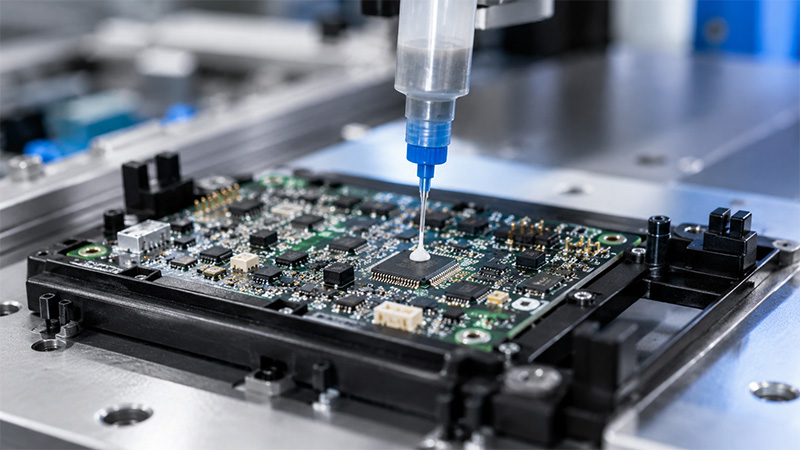
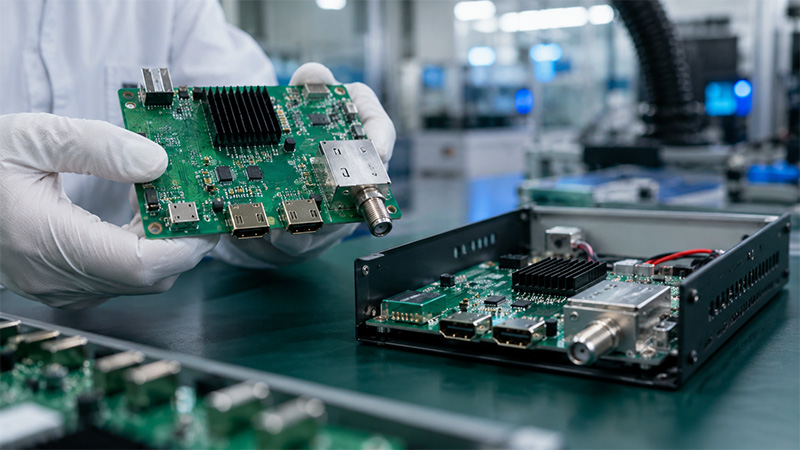
High volume PCB assembly helps companies build large numbers of assembled circuit boards with stable quality and repeatable results. It is widely used in industrial control, medical devices, automotive electronics, telecom equipment, robotics, LED lighting, and smart hardware. However, mass production is very different from prototype assembly. It needs better planning, stronger process control, stable components, and clear testing standards. Therefore, choosing the right manufacturing partner is important before your product moves into large-scale production.

high volume pcb assembly

What Is High Volume PCB Assembly?

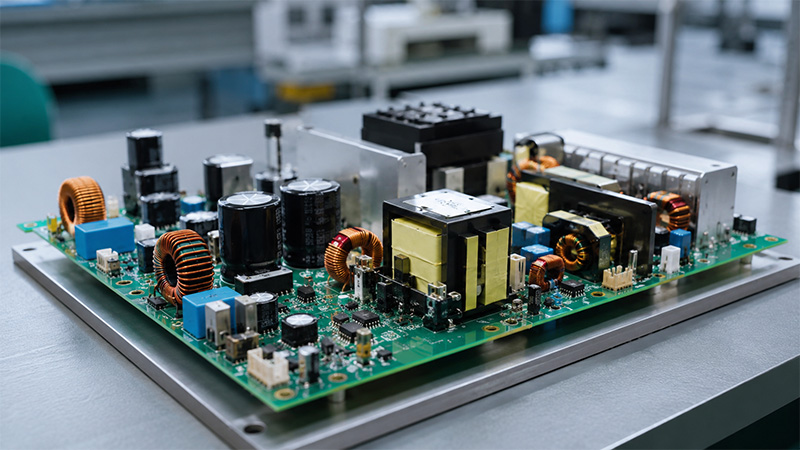
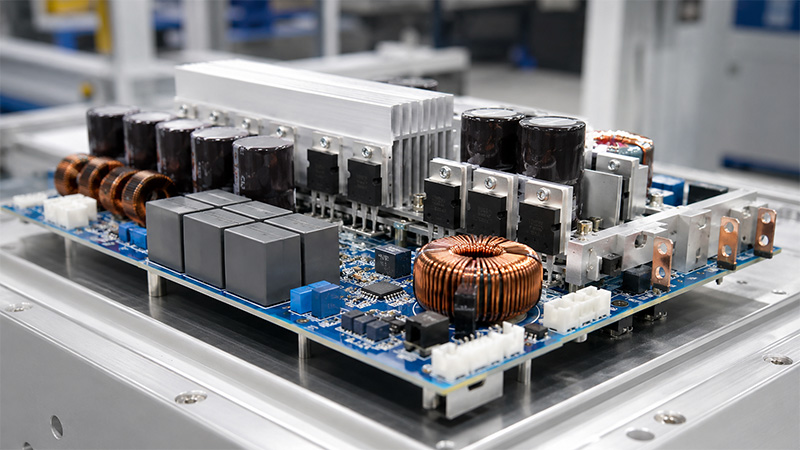
High volume PCB assembly is the process of producing assembled printed circuit boards in large quantities. These boards are also called PCBAs. They include bare PCBs, electronic components, solder joints, and sometimes cables, connectors, coating, or enclosures.

In simple words, this process turns a PCB design into many finished circuit board assemblies. These assemblies are then used in real products, such as power modules, control systems, medical instruments, communication devices, and smart electronics.

Usually, high volume PCB assembly starts after the prototype has passed testing. At this stage, the product design is already stable. As a result, the main goal changes from design checking to stable production.

A typical high volume PCB assembly project may include:

  • PCB fabrication
  • Component sourcing
  • SMT assembly
  • Through-hole assembly
  • AOI inspection
  • X-ray inspection
  • Functional testing
  • Conformal coating
  • Final inspection
  • Packing and shipment

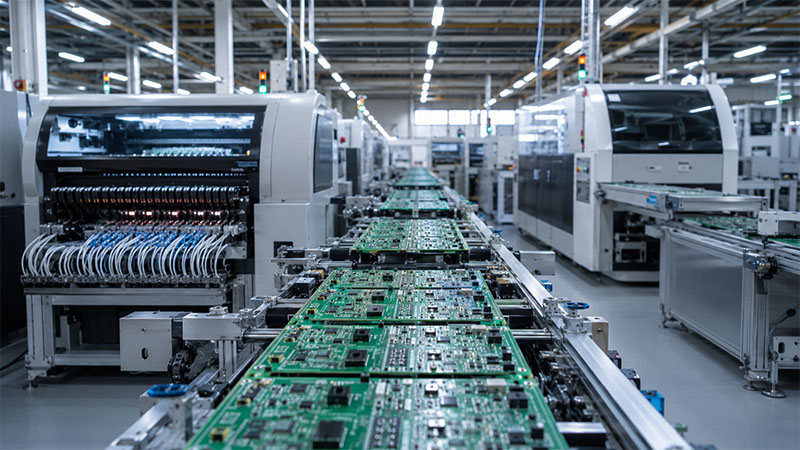
Compared with prototype assembly, high volume production needs more control. For example, the factory must manage solder paste printing, component placement, reflow temperature, test results, material batches, and production records. Also, the same quality level must be repeated across every batch.

Therefore, a good high volume PCB assembly manufacturer should not only assemble boards. It should also review files, check risks, manage components, control quality, and support long-term production.
Types of High Volume PCB Assembly

There are several types of high volume PCB assembly. Each type fits different product designs and application needs. Therefore, the right choice depends on your board structure, component type, testing needs, and final use.

TypeWhat It MeansCommon Use
SMT PCB AssemblyComponents are mounted on the PCB surface.IoT devices, telecom boards, medical electronics
Through-Hole AssemblyComponents with leads are inserted into PCB holes.Power boards, connectors, industrial controls
Mixed AssemblySMT and through-hole parts are used on one board.Automotive modules, control boards, LED drivers
Single-Sided AssemblyComponents are placed on one side of the PCB.Simple electronic products
Double-Sided AssemblyComponents are placed on both sides of the PCB.Compact electronic devices
Box-Build AssemblyPCBA is assembled with housing, cables, labels, and final testing.Finished electronic products
Automated High Volume PCB AssemblyMachines handle printing, placement, soldering, and inspection.Large OEM production

SMT assembly is very common in high volume production. It supports small components, compact layouts, and fast placement. Also, modern SMT machines can place components with high speed and good accuracy.

Through-hole assembly is still useful. Many connectors, relays, transformers, and power parts need stronger mechanical support. Therefore, many industrial and power products still use through-hole components.

Mixed assembly is also common. Many real products use both tiny SMD parts and larger plug-in parts. For example, a control board may include ICs, resistors, capacitors, relays, terminal blocks, and connectors.

Box-build assembly goes one step further. It can include enclosure assembly, cable connection, label application, firmware loading, and final product testing. As a result, customers can receive a more complete product instead of only a bare PCBA.

Benefits of High Volume PCB Assembly Orders

High volume PCB assembly orders bring many practical benefits. These benefits become stronger when the design is stable and demand is clear.

Lower unit cost

  • First, large orders can help reduce the cost per unit. This is because setup costs can be shared across more boards. These costs may include stencil making, engineering review, SMT programming, test fixture preparation, and first article inspection.
  • Also, component purchasing may become more efficient. Larger demand can help improve sourcing plans and reduce repeated purchasing work.

More stable quality

  • Second, high volume production allows the factory to build a stable process. For example, the team can set the solder paste thickness, placement program, reflow profile, AOI rules, and test steps. After that, the same process can be used again and again.
  • As a result, the output becomes more consistent.

Better production speed

  • Third, mass production is easier to plan. Materials can be prepared in advance. SMT feeders can be set before production. Operators can follow clear work instructions. Therefore, the whole production flow becomes smoother.

Stronger quality control

  • Also, high volume orders make quality tracking easier. The factory can review defect data, test results, yield rate, and process issues. This helps improve production step by step.

More reliable supply

  • For OEM companies, stable PCBA supply is very important. If a product is already selling in the market, delayed boards can affect delivery plans. Therefore, high volume PCB assembly helps support regular shipments and market demand.

Better engineering improvement

  • In addition, repeated production can provide useful feedback. The manufacturer may suggest better panel design, alternative components, test point changes, or process improvements. These suggestions can help the next production batch become more efficient.

What Is the High Volume PCB Assembly Process?

The high volume PCB assembly process includes several controlled steps. Each step has a clear purpose. Therefore, the process should start with a full review before mass production begins.

StepMain WorkPurpose
1. File ReviewCheck Gerber, BOM, CPL, drawings, and test needs.Find issues early.
2. DFM ReviewReview design for manufacturing.Improve production success.
3. BOM CheckConfirm part numbers, packages, and alternatives.Keep materials stable.
4. PCB FabricationProduce the bare circuit boards.Build the base of the PCBA.
5. Incoming InspectionCheck PCBs and components.Control material quality.
6. Solder Paste PrintingPrint solder paste on pads.Prepare for SMT mounting.
7. SMT PlacementPlace components by machine.Improve speed and accuracy.
8. Reflow SolderingMelt solder paste to form joints.Create electrical connection.
9. AOI / X-ray InspectionCheck soldering and placement.Find defects early.
10. Through-Hole AssemblyInsert and solder plug-in parts.Add stronger components.
11. TestingRun ICT, functional test, or custom test.Check board performance.
12. Final InspectionCheck appearance, labels, and packing.Prepare for shipment.

The process usually begins with file review. The manufacturer checks Gerber files, BOM, CPL files, assembly drawings, and test instructions. This step is important because small file mistakes can affect a large batch.

Next comes DFM and DFA review. DFM means design for manufacturing. DFA means design for assembly. These reviews help check spacing, footprints, polarity marks, soldering risk, and panel layout.

After that, the factory checks the BOM. This step confirms part numbers, brands, packages, and supply status. Also, the team may suggest approved alternatives if some components are hard to buy.

Then the factory prepares the production line. This includes stencil design, SMT programming, feeder setup, reflow profile setting, and test fixture preparation.

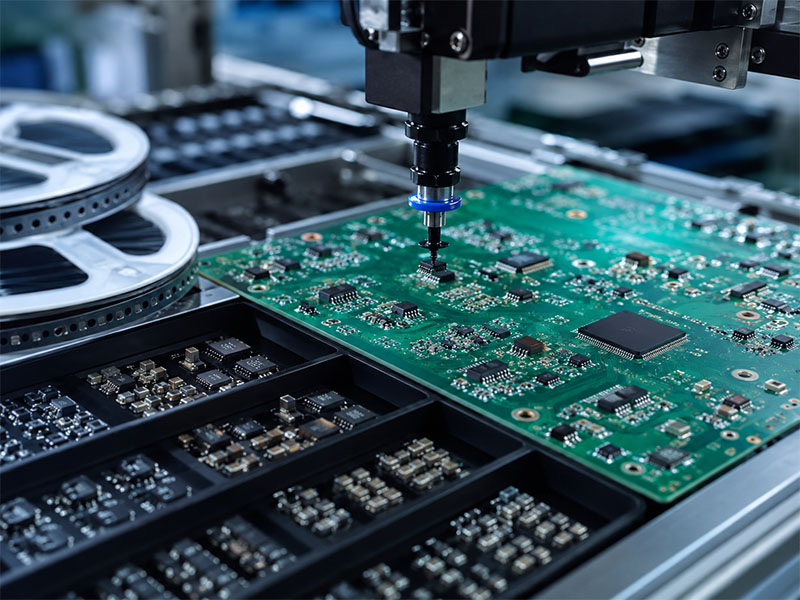
After preparation, assembly begins. The line prints solder paste, places components, and runs the boards through reflow soldering. Then AOI checks missing parts, wrong parts, polarity, bridges, and solder quality.

If the board has BGA, QFN, LGA, or other hidden solder joints, X-ray inspection may be used. After that, through-hole components can be inserted and soldered.

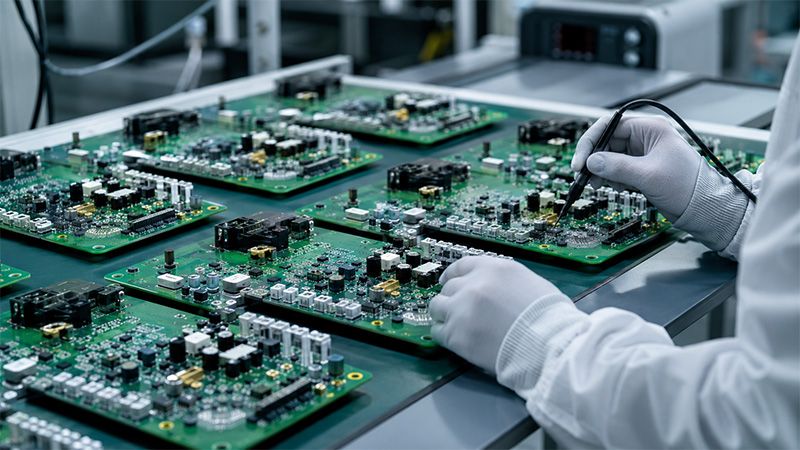
Finally, the boards go through testing, final inspection, packing, and shipment. For many industrial, medical, automotive, and communication products, functional testing is very important. It helps confirm that each board works as expected.

What Is Considered a High Volume PCB Assembly?

There is no fixed number for high volume PCB assembly. The meaning depends on the product type, board complexity, component count, and production plan.

For a simple electronic board, high volume may mean 5,000 pieces or more. For a complex medical, industrial, or telecom board, even 1,000 pieces may be high volume. This is because complex boards need more testing, more process control, and more engineering work.

Here is a simple way to understand the difference:

Project TypeLow VolumeMedium VolumeHigh Volume
Simple PCBA1–500 pcs500–5,000 pcs5,000+ pcs
Complex PCBA1–100 pcs100–1,000 pcs1,000+ pcs
Production PlanOne-time orderSmall repeat ordersRegular production
Design StatusPrototype stagePilot run stageStable product
Process ControlFlexibleSemi-standardHighly repeatable

A project is usually ready for high volume production when:

  • The PCB design has passed testing.
  • The BOM is confirmed.
  • The components are available.
  • The test method is clear.
  • The product demand is stable.
  • The packing method is confirmed.
  • The quality standard is agreed.

However, it is wise to run a pilot batch before full production. A pilot run helps test the process, confirm fixtures, check soldering results, and review functional performance. After that, the full batch can move forward with more confidence.

How Fast Can High Volume Quick Turn PCB Assembly Be Delivered?

High volume quick turn PCB assembly depends on several factors. These include PCB complexity, component supply, order quantity, testing needs, and factory capacity.

For repeat orders, delivery can be faster. This is because the stencil, SMT program, assembly notes, and test method may already be ready. Also, the team already understands the product.

For new projects, more preparation is needed. The factory must review files, confirm materials, build fixtures, prepare the line, and approve the first article. Therefore, new high volume orders usually need more time than repeat orders.

Several factors can affect delivery time.

PCB structure

  • A simple FR4 PCB is usually faster to produce. However, HDI PCB, rigid-flex PCB, heavy copper PCB, Rogers PCB, ceramic PCB, or metal core PCB may need more time.

Component availability

  • Components are often the main factor. If all parts are in stock, production can move faster. However, if some ICs, connectors, or power parts have long lead times, the schedule may become longer.

Testing requirements

  • Basic inspection is faster. However, ICT, functional testing, burn-in, firmware programming, and custom test fixtures need more preparation.

Order quantity

  • Larger orders take more production time. Still, the process can be efficient when materials and equipment are ready.

Communication speed

  • Fast replies help shorten the schedule. For example, the customer may need to approve component alternatives, first articles, or engineering questions.

Therefore, a one-stop supplier can often support faster delivery. When PCB fabrication, component sourcing, assembly, and testing are handled together, the project becomes easier to manage.

What Do High Volume PCB Assembly Services Usually Include?

High volume PCB assembly services should cover more than basic soldering. A strong supplier should support the full production chain. This helps reduce communication work and improves project control.

Common services include the following:

PCB fabrication

  • The supplier produces bare PCBs according to Gerber files and technical requirements. These may include board material, layer count, copper thickness, solder mask, surface finish, impedance control, and special process needs.

Component sourcing

  • The supplier helps buy original components from reliable channels. Also, the team can review the BOM and check part availability. If needed, they may suggest alternatives for engineering approval.

SMT assembly

  • SMT assembly includes solder paste printing, component placement, reflow soldering, and AOI inspection. For high volume orders, this step must be fast and stable.

Through-hole assembly

  • Some products need plug-in parts, such as connectors, relays, transformers, terminal blocks, and switches. Therefore, the supplier may use wave soldering, selective soldering, or manual soldering.

Inspection and testing

  • Testing may include AOI, X-ray, flying probe, ICT, functional testing, aging test, and custom test fixtures. The right method depends on the product and application.

Conformal coating

  • Some products work in humid, dusty, or harsh environments. In this case, conformal coating can help protect the PCBA surface.

Box-build assembly

  • Box-build assembly includes PCBA installation, enclosure assembly, cable connection, labeling, firmware loading, final testing, and packaging. As a result, customers can receive a more complete product.

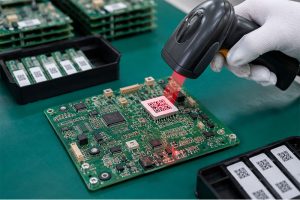
Traceability and records

  • Traceability is very useful in high volume production. It helps track material batches, production steps, inspection results, and shipment records. This is especially important for medical, automotive, industrial, and aerospace-related products.

How Do You Choose a High Volume PCB Assembly Manufacturer?

Choosing a high volume PCB assembly manufacturer should be done carefully. The right partner can help improve quality, delivery, cost control, and long-term production stability.

Here are the main points to check.

Manufacturing capability

  • First, check whether the supplier can build your PCB type. Some projects may need multilayer PCB, HDI PCB, rigid-flex PCB, heavy copper PCB, ceramic PCB, RF PCB, or metal core PCB. Also, the factory should support your component packages, such as BGA, QFN, fine-pitch ICs, and small passive parts.

Engineering support

  • Next, review the supplier’s engineering support. A good team can provide DFM review, BOM checking, panel suggestions, process advice, and test planning. This support helps reduce issues before mass production.

Supply chain ability

  • Component supply is very important. Therefore, the supplier should have reliable sourcing channels, incoming inspection, and alternative part support.

Quality system

  • Also, check the quality system. The factory should have clear inspection steps, production records, test methods, and traceability. For regulated industries, this is even more important.

Testing capability

  • Different products need different tests. Some only need AOI and basic electrical testing. Others need functional testing, firmware loading, burn-in, or custom fixtures. So, the supplier should understand your product testing needs.

Production planning

  • High volume projects need good planning. The factory should manage material arrival, line capacity, production schedule, inspection time, and shipping date.

Communication

  • Finally, clear communication matters. A responsive team can answer questions, confirm details, and solve issues quickly. This is helpful during both new production and repeat orders.

Before choosing a supplier, you can ask:

  • Can you support PCB fabrication and PCBA assembly together?
  • Can you provide turnkey component sourcing?
  • Do you offer DFM and BOM review?
  • What inspection methods do you use?
  • Can you support functional testing?
  • How do you manage traceability?
  • What industries have you served?
  • Can you support repeat production?

These questions can help you find a supplier that fits your product and long-term needs.

Why Should You Choose EBest Circuit (Best Technology) as Your Preferred Partner?

EBest Circuit (Best Technology) supports customers from PCB fabrication to PCBA assembly, component sourcing, testing, and turnkey electronics manufacturing. Therefore, customers can manage complex projects with one experienced team.

One-stop PCB and PCBA support

  • EBest Circuit provides PCB fabrication, SMT assembly, through-hole assembly, component sourcing, testing, and box-build assembly. This helps reduce vendor coordination and keeps the project easier to control.

DFM review before production

  • Before assembly, the engineering team can review Gerber files, BOM, CPL files, drawings, and test requirements. Also, they can check soldering risks, spacing issues, footprint concerns, panel design, and polarity marks.

Wide PCB technology coverage

  • EBest Circuit supports many PCB types, such as FR4 PCB, high-Tg PCB, metal core PCB, ceramic PCB, Rogers high-frequency PCB, heavy copper PCB, rigid-flex PCB, and multilayer PCB. As a result, customers can use one supplier for different board needs.

Component sourcing support

  • High volume production needs stable materials. EBest Circuit can support component sourcing, BOM review, and alternative part suggestions. This helps customers save time and reduce sourcing pressure.

Inspection and testing

  • The company supports quality checks such as AOI, X-ray inspection, electrical testing, and functional testing based on project needs. These steps help keep production stable and reliable.

Experience in demanding industries

  • EBest Circuit supports demanding industries such as medical devices, industrial control, automotive electronics, aerospace/UAV, communications, robotics, new energy, and LED lighting. These applications require stable production, strict process control, and reliable long-term performance. To support these requirements, we operate under a comprehensive quality management system with certifications such as ISO 9001, ISO 13485, IATF 16949, AS9100D, and UL recognition. Therefore, customers can rely on us for projects that need controlled manufacturing, clear documentation, material traceability, and consistent PCBA quality from prototype to high volume production.

Traceability and production records

  • For high volume PCB assembly, traceability is important. EBest Circuit can support material tracking, production records, inspection records, and shipment control. This helps customers manage repeat orders and quality follow-up.

Support from prototype to mass production

  • Many projects begin with prototypes. Then they move to pilot runs and mass production. EBest Circuit can support each stage. Therefore, customers can move from design validation to high volume production more smoothly.

If you need a reliable high volume PCB assembly manufacturer, EBest Circuit (Best Technology) can help review your files and provide a suitable quotation. Please send your Gerber files, BOM, CPL file, assembly drawing, quantity, and testing requirements to sales@bestpcbs.com.

FAQs About High Volume PCB Assembly

Q1: What files are needed for a high volume PCB assembly quote?
A1: You usually need Gerber files, BOM, CPL file, assembly drawing, PCB specifications, testing requirements, and order quantity. If you need turnkey service, the BOM should include part numbers, packages, and approved alternatives if available.

Q2: Should I make a prototype before high volume PCB assembly?
A2: Yes. A prototype or pilot batch helps check the design, components, soldering quality, and test method before mass production. As a result, the full production run becomes more stable.

Q3: Can high volume PCB assembly include component sourcing?
A3: Yes. Many customers choose turnkey service. In this model, the supplier handles PCB fabrication, component sourcing, assembly, inspection, and testing.

Q4: What affects the cost of high volume PCB assembly?
A4: The main cost factors include PCB type, board size, layer count, component quantity, component package, testing needs, coating needs, packing method, and delivery schedule.

Q5: How can I improve the yield of a high volume PCBA order?
A5: Start with DFM and DFA review. Also, use clear footprints, stable components, proper panel design, enough test points, and clear test steps. A pilot run is also helpful.

Q6: What is the difference between high volume and low volume PCB assembly?
A6: Low volume assembly is often used for prototypes or small batches. High volume assembly is used for stable products that need regular production. Therefore, high volume projects need more process control and planning.

Q7: Can high volume quick turn PCB assembly be done for urgent orders?
A7: Yes, in many cases. However, delivery depends on PCB complexity, component availability, testing needs, and production capacity. Repeat orders are usually faster than new projects.

Q8: What industries use high volume PCB assembly services?
A8: It is widely used in industrial control, medical devices, automotive electronics, telecom equipment, robotics, IoT devices, new energy systems, LED lighting, and smart hardware.

Q9: Why is testing important in high volume PCB assembly?
A9: Testing helps confirm that each board works as expected. Also, it helps find issues before shipment. This is very important when many boards are produced in one batch.

Q10: How do I start a project with EBest Circuit?
A10: You can send your Gerber files, BOM, CPL file, assembly drawing, quantity, and testing needs to sales@bestpcbs.com. The team will review your project and provide quotation support.
You may also like

ICT Test: A Practical Guide to In-Circuit Testing for PCB Assembly

May 19th, 2026

An ICT test helps PCB assembly manufacturers check circuit quality before boards move to final inspection or shipment. During PCBA production, small defects can hide under components, inside solder joints, or between fine-pitch pads. Visual inspection may miss them. AOI may also miss some electrical faults. Therefore, in-circuit testing gives engineers a faster and more direct way to check whether the assembled PCB matches the design. In this guide, you will learn what ICT testing means, how the process works, why test points matter, and how ICT compares with FCT and flying probe testing.

ict test

What Is an ICT Test in PCB Assembly?

An ICT test, or In-Circuit Test, checks an assembled PCB at the component and circuit level. Manufacturers usually use it after SMT assembly, DIP soldering, reflow soldering, or wave soldering.

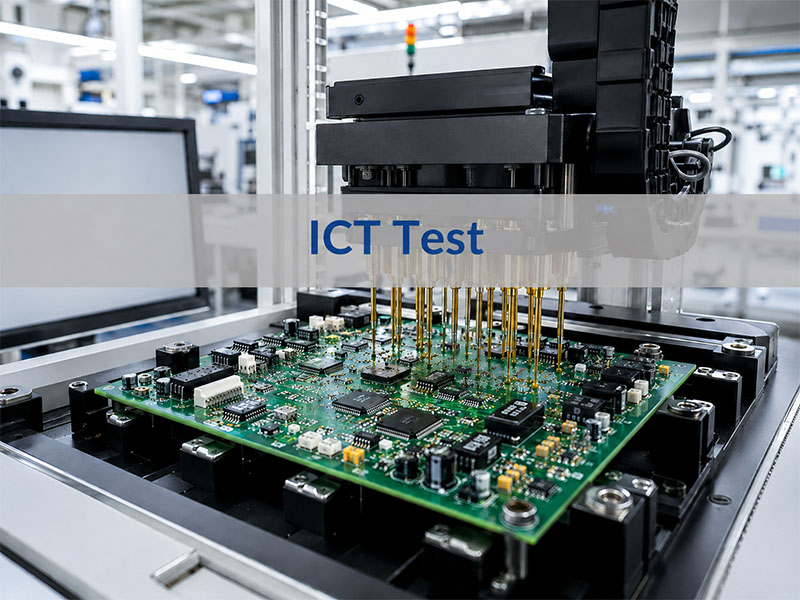
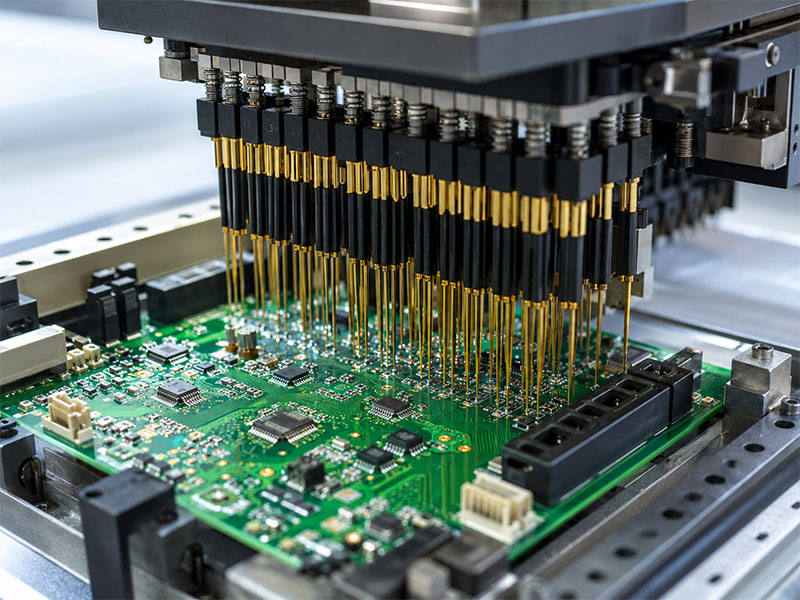
During the test, spring-loaded probes touch selected test points on the PCB. These probes connect the board to an ICT tester. Then, the tester measures electrical values and checks whether the circuit matches the expected design.

In simple words, ICT testing checks whether the PCB assembly was built correctly.

What Does ICT Testing Confirm?

ICT testing can check many basic assembly conditions. For example, it can confirm whether components sit in the right locations. It can also check whether solder joints create a stable electrical connection.

In addition, it helps engineers find:

  • Short circuits
  • Open circuits
  • Wrong component values
  • Missing components
  • Reversed diodes or capacitors
  • Poor solder joints
  • Incorrect IC pin connections
  • Basic power rail problems

As a result, ICT testing gives manufacturers a clear view of board-level assembly quality.

Why Is ICT Important for PCBA Quality?

ICT does more than separate pass and fail boards. It also helps engineers find process trends.

For example, if many boards fail at the same resistor, the issue may come from placement, solder paste, component supply, or PCB pad design. Therefore, the test result can guide process improvement.

This makes ICT useful for both inspection and manufacturing control.

Why Is ICT Test Done During PCBA Manufacturing?

Manufacturers perform ICT testing to find assembly defects early. This is important because early detection saves time, reduces rework, and improves final product quality.

If a board reaches functional testing with many basic faults, engineers may spend more time troubleshooting. However, ICT can detect many of these faults before the final test stage. Therefore, the whole production flow becomes smoother.

ICT Helps Find Defects Earlier

Many PCBA defects start at the assembly stage. Some defects come from solder paste printing. Others come from placement, reflow, component polarity, or PCB design.

ICT can find common defects such as:

  • Solder bridges
  • Open solder joints
  • Wrong resistors
  • Missing capacitors
  • Reversed diodes
  • Lifted IC pins
  • Shorts between power and ground
  • Poor contact on important nets

Because ICT checks the board at the circuit level, it can find problems that visual inspection may not reveal.

ICT Reduces Troubleshooting Time

A functional test may show that a board does not work. However, it may not show the exact reason.

ICT gives more specific information. It can point to a certain net, component, pin, or test point. As a result, engineers can locate the failure faster.

For example, FCT may show that a control board cannot power on. ICT may show that a power rail has a short. This saves time and makes repair work more efficient.

ICT Supports Stable Mass Production

ICT testing works especially well for medium- and high-volume PCBA production. Once engineers complete the fixture and test program, operators can test each board quickly.

This creates a repeatable standard for every production batch. Moreover, the factory can collect failure data and monitor process stability over time.

Therefore, ICT is not only a test method. It also supports long-term quality management.

What Does an ICT Tester Check on a PCB?

An ICT tester checks whether the assembled PCB matches the expected electrical design. The exact coverage depends on the board layout, test points, fixture quality, and test program.

In most cases, the tester checks component values, circuit continuity, short circuits, and basic semiconductor behavior. It may also check some powered circuits, depending on the product and fixture design.

Common ICT Test Items

ICT Test ItemWhat It ChecksTypical Defects Found
Open Circuit TestWhether a circuit path has a proper connectionBroken trace, poor solder joint, missing connection
Short Circuit TestWhether two nets connect by mistakeSolder bridge, copper residue, layout issue
Resistance TestWhether the resistor value matches the designWrong resistor, missing resistor, poor soldering
Capacitance TestWhether the capacitor value stays within rangeWrong capacitor, missing capacitor, polarity issue
Diode TestForward and reverse behaviorReversed diode, wrong diode, poor contact
Transistor TestBasic semiconductor behaviorWrong part, weak soldering, wrong mounting
IC Pin TestPin connection and basic responseLifted pin, solder bridge, poor wetting
Polarity CheckOrientation of polarized componentsReversed diode, reversed capacitor
Power Net CheckPower rail conditionShort on power line, unstable connection

What ICT Cannot Fully Check

ICT is powerful, but it does not replace every other test. For example, it may not fully check firmware, wireless communication, display behavior, motor control, or sensor response.

Therefore, many manufacturers combine ICT with FCT. ICT checks the circuit build quality. Then, FCT checks whether the board works in its real application.

This combined method gives better quality coverage.

How Does the ICT Test Procedure Work?

The ICT test procedure starts before production testing. Engineers need to review files, define test points, design the fixture, build the test program, and debug the setup.

A clear process helps improve test coverage and reduce false failures. Moreover, it helps the factory prepare for stable production.

Step 1: Review PCB Design Files

First, engineers review the Gerber files, BOM, schematic, netlist, assembly drawing, and test requirements.

This review helps them understand the circuit structure. It also helps them decide which nets and components need testing.

At this stage, engineers may also find layout issues that affect test access.

Step 2: Define ICT Test Points

Next, engineers check the test point layout. Each important net should have a clear and reachable test point.

Good test points help the fixture contact the PCB with stable pressure. In contrast, poor test points may reduce coverage and create false failures.

Therefore, test point review should happen before mass production.

Step 3: Design the ICT Fixture

After that, the fixture team designs the ICT test fixture. The design depends on board size, panel layout, test point locations, component height, and board thickness.

The fixture must hold the PCB firmly. It must also align the probes with the test points accurately.

Good fixture design improves test stability and reduces repeat test issues.

Step 4: Develop the Test Program

The test program tells the ICT tester what to measure. It also defines the acceptable range for each test item.

For example, the program may include resistance limits, capacitance tolerance, diode voltage range, and short/open limits.

A well-built program helps the tester judge each board consistently.

Step 5: Debug and Verify the Setup

Before mass production, engineers debug the fixture and program with sample boards.

During this stage, they check probe contact, adjust limits, and remove false failures. They also compare ICT results with actual board conditions.

Once the setup becomes stable, the production team can start routine testing.

Step 6: Run Production Testing

During production, operators place each PCBA into the fixture and start the test. The tester then gives a pass or fail result.

If the board fails, the team separates it for repair or engineering review. Meanwhile, pass boards move to the next process.

This keeps the production flow organized.

Step 7: Analyze Failure Data

Finally, engineers review ICT failure data. If the same fault appears many times, they investigate the root cause.

The issue may come from stencil design, solder paste volume, placement accuracy, reflow profile, component quality, or PCB layout.

Therefore, ICT data can help improve the whole assembly process.

What Are ICT Test Points and Why Do They Matter?

ICT test points are exposed copper pads or contact areas on a PCB. Test probes touch these points during in-circuit testing.

Without good test points, even a strong ICT tester cannot deliver high coverage. Therefore, test point design plays a major role in PCBA testability.

Why Test Points Affect Coverage

Every important circuit net needs access. If a net has no test point, the ICT fixture may not check it directly.

As a result, test coverage drops. Also, the test may miss certain open circuits or weak connections.

Good test points help the fixture contact the board reliably. They also reduce false failures caused by poor probe contact.

Key ICT Test Point Design Tips

Design FactorPractical Recommendation
Test Point SizeMake the pad large enough for stable probe contact
SpacingKeep enough clearance between nearby test points
Solder Mask OpeningExpose a clean copper area for the probe
LocationAvoid tall parts, board edges, and blocked zones
DistributionSpread points evenly when possible
Surface FinishChoose a finish that supports stable contact
AccessibilityPrefer one-side access when the layout allows it
Mechanical SupportAdd support pins when probe force may bend the board

When Should Engineers Plan Test Points?

Engineers should plan ICT test points during PCB layout. This timing matters.

If the team thinks about ICT after the design is complete, changes may become harder. The customer may need to revise the layout, delay production, or accept lower test coverage.

Therefore, DFM review should include testability review. This is especially important for products that will enter repeat production.

What Is an ICT Test Fixture?

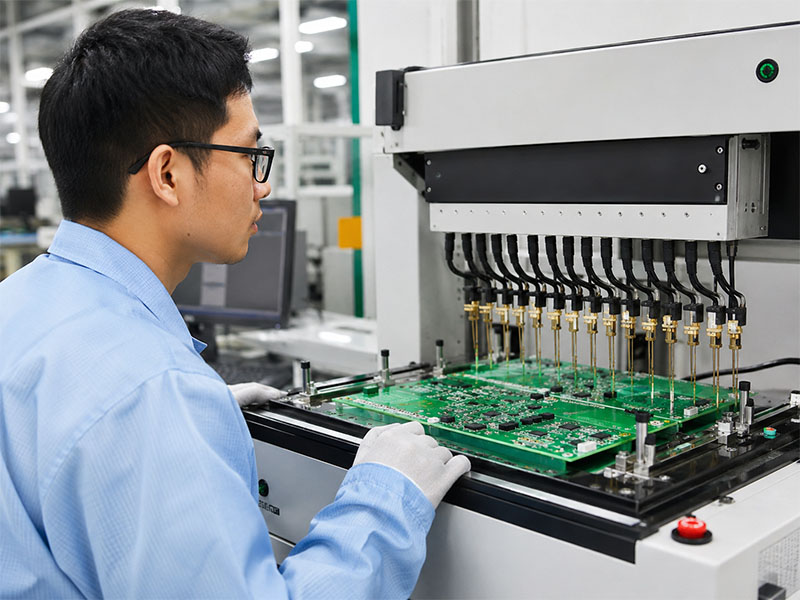
An ICT test fixture connects the assembled PCB to the ICT tester. Many people also call it a “bed-of-nails” fixture because it uses many spring-loaded probes.

The fixture positions the board, aligns the probes, and creates electrical contact with the test points. Without a reliable fixture, ICT results may become unstable.

Main Parts of an ICT Fixture

A typical ICT fixture may include:

  • Probe plate
  • Spring-loaded pogo pins
  • Alignment pins
  • Board support pins
  • Press structure or vacuum structure
  • Interface wiring
  • Connector interface
  • Board positioning frame
  • Safety cover

Each part helps the fixture contact the PCB accurately and safely.

Why Custom Fixture Design Matters

Manufacturers design each ICT fixture for a specific PCB or panel. Therefore, fixture design must match the actual product.

Several factors affect the fixture:

FactorWhy It Matters
PCB SizeIt affects fixture structure and board support
Panel DesignIt affects probe layout and handling efficiency
Test Point CountMore points require more probes and wiring
Component HeightTall parts need enough fixture clearance
Board ThicknessThin boards may need extra support
Probe SideSingle-sided probing is simpler than double-sided probing
Production VolumeHigh-volume products need durable fixtures

How a Good Fixture Improves Testing

A good fixture improves contact stability. It also reduces false failures and repeat testing.

For example, if the fixture does not support the board well, probe pressure may bend the PCB. Then, some probes may lose contact. This can create false failures.

Therefore, fixture debugging is a key step before mass production.

ICT Test vs FCT Test: What Is the Difference?

ICT and FCT both support PCBA quality control. However, they check different things.

ICT checks how the board was assembled. FCT checks how the board works.

Because of this difference, many manufacturers use both methods in one test strategy.

ICT vs FCT Comparison

ItemICT TestFCT Test
Full NameIn-Circuit TestFunctional Circuit Test
Main PurposeCheck assembly quality and circuit connectivityCheck final product function
Test LevelComponent and net levelSystem or application level
Test MethodProbes contact PCB test pointsBoard runs in a simulated working condition
Fixture TypeBed-of-nails fixtureFunctional test jig
Common Defects FoundOpens, shorts, wrong values, missing parts, reversed partsFirmware issues, communication failure, power-up problems, signal errors
Test SpeedFast after setupDepends on product function
Best Use CaseMedium- and high-volume PCBA productionProduct-level verification
Main LimitationIt does not fully check real-world operationIt may not locate component-level faults quickly

When Should You Use ICT and FCT Together?

For many products, the best answer is not ICT or FCT. Instead, the better option is ICT plus FCT.

First, ICT checks whether the circuit was assembled correctly. Then, FCT checks whether the product performs its intended function.

This approach works well for industrial control boards, medical electronics, communication modules, automotive electronics, LED control boards, and power control products.

As a result, the manufacturer can catch both assembly-level faults and function-level issues.

Flying Probe Test vs ICT Test: Which One Should You Choose?

Flying probe testing and ICT testing both check electrical conditions on a PCB assembly. However, they suit different production stages.

A flying probe test uses moving probes. It does not need a dedicated bed-of-nails fixture. Therefore, it works well for prototypes and small batches.

ICT uses a custom fixture. Because of that, it offers faster testing for stable and higher-volume production.

Flying Probe vs ICT Comparison

ItemFlying Probe TestICT Test
Fixture RequirementNo dedicated fixtureCustom fixture required
Setup CostLowerHigher initial fixture cost
Test SpeedSlowerFaster
FlexibilityHighLower after fixture completion
Best ForPrototype and small-batch productionMedium- and high-volume production
Design ChangesEasy to adaptFixture may need modification
Unit Cost in VolumeHigherLower after fixture cost spreads across volume
Test CoverageGood for accessible netsStrong when test points are well designed

When Flying Probe Makes More Sense

Flying probe testing is a good choice for prototypes. It also works well when the PCB design may still change.

At this stage, the customer may only need a few boards. In that case, building a custom ICT fixture may not make sense.

In addition, flying probe testing gives engineers more flexibility during early product development.

When ICT Makes More Sense

ICT becomes more attractive when the design becomes stable. It also works better when the order quantity increases.

Although the fixture has an initial cost, the test speed is much faster. Over many boards, the cost per unit becomes more reasonable.

Therefore, ICT often fits repeat orders, stable PCB assemblies, and mass production.

Simple Selection Guide

Project SituationBetter Choice
Prototype onlyFlying probe
Small batch with frequent design changesFlying probe
Stable design with repeat ordersICT
Medium-volume productionICT
High-volume productionICT
Need fast fault location in productionICT
No proper test pointsFlying probe may be more practical

In practice, the best test method depends on product complexity, order volume, layout condition, and reliability needs.

FAQs About ICT Test

1. Can ICT testing find every PCBA defect?

No. ICT testing can find many circuit-level and component-level defects. However, it cannot check every real operating function.

For better coverage, manufacturers often combine ICT with FCT, AOI, X-ray inspection, and visual inspection.

2. Is an ICT fixture worth the cost for small batches?

Usually, an ICT fixture fits stable and repeat production better. For prototypes or small batches, flying probe testing may offer better value.

However, if the product will move into mass production soon, early ICT planning can still help.

3. What affects ICT test coverage?

ICT test coverage depends on test point access, PCB layout, component type, fixture design, probe contact, and test program quality.

Therefore, engineers should review testability during the DFM stage.

4. Why do some boards fail ICT even when they look correct?

Some defects are not easy to see. For example, a solder joint may look good but still have weak electrical contact.

Also, a component may sit in the correct location but have the wrong value. ICT helps detect these hidden issues.

5. Can ICT testing replace functional testing?

No, in most cases. ICT checks circuit assembly quality. FCT checks whether the board works in its final application.

Therefore, both methods often work together in a complete PCBA test plan.

6. When should ICT test points be designed?

Engineers should design ICT test points during PCB layout. This gives the layout team more freedom to place clear and stable test pads.

If the team waits until production, changes may cost more time.

7. What is the difference between ICT test pins and ICT test probes?

In daily production, people often use these two terms in a similar way. They usually refer to the spring-loaded contact parts inside the test fixture.

These probes touch the PCB test points during testing.

8. How does ICT testing help PCBA manufacturers improve quality?

ICT testing gives fast and detailed failure data. Engineers can use this data to find repeated issues and improve the process.

For example, they may adjust stencil design, placement settings, reflow profile, or test point layout.

9. Should every PCB assembly project use ICT testing?

Not every project needs ICT. The right choice depends on product complexity, order quantity, budget, and reliability needs.

For stable medium- or high-volume PCB assemblies, ICT is often a strong and practical choice.

You may also like

SMT vs SMD: Key Differences, Soldering, and PCBA Uses

May 18th, 2026

SMT vs SMD is a common topic in PCB assembly. Engineers, buyers, and product developers often see these two terms in BOMs, datasheets, assembly drawings, and PCBA quotations. At first, they may look similar. However, they describe different things.

SMT means Surface Mount Technology. It refers to the process of mounting electronic components directly onto the surface of a PCB.

SMD means Surface Mount Device. It refers to the component itself, such as a resistor, capacitor, diode, IC, LED, or connector.

In simple words, SMT is the assembly process, while SMD is the component used in that process.

Therefore, comparing SMT and SMD is not like comparing two competing technologies. Instead, it means understanding how a process and a component type work together in PCBA manufacturing.

This article explains the real difference between SMT and SMD. It also covers SMT soldering, SMD LED applications, through-hole comparison, and how EBest Circuit (Best Technology) supports SMT assembly and SMD component projects.

smt vs smd

What Is SMT in PCB Assembly?

SMT stands for Surface Mount Technology. It is a PCB assembly method that places components directly onto PCB pads. Unlike through-hole assembly, SMT does not require most component leads to pass through drilled holes.

Today, manufacturers use SMT in many electronic products. For example, industrial controllers, LED modules, medical electronics, communication devices, automotive boards, IoT products, and consumer electronics often rely on SMT assembly.

How the SMT Process Works

The SMT process usually includes these steps:

  • Solder paste printing
  • SMD component placement
  • Reflow soldering
  • AOI inspection
  • X-ray inspection for special packages
  • Functional testing when needed

First, the SMT line prints solder paste onto PCB pads through a stencil. Then, pick-and-place machines place SMD components onto the pasted pads. After that, the board enters a reflow oven. The heat melts the solder paste and creates solder joints.

Finally, inspection equipment checks the assembled board. This helps the manufacturer find missing parts, solder bridges, wrong polarity, and other visible defects.

Why SMT Is Important

SMT supports compact PCB design. Also, it improves production speed because automated machines can place many components in a short time.

In addition, SMT works well for high-density layouts. Designers can place small resistors, capacitors, ICs, sensors, and LEDs in limited space. As a result, electronic products can become smaller and lighter.

Simply put, SMT helps modern PCB assemblies become compact, efficient, and production-friendly.

What Is SMD in Electronics?

SMD stands for Surface Mount Device. It means an electronic component designed for surface mounting.

Common SMD components include:

  • SMD resistors
  • SMD capacitors
  • SMD inductors
  • SMD LEDs
  • SMD diodes
  • SMD transistors
  • SMD ICs
  • SMD connectors
  • SMD sensors
  • SMD crystals and oscillators

These components usually have short leads, metal terminals, flat pads, or solder balls. During SMT assembly, solder connects these terminals to PCB pads.

Common SMD Packages

Many familiar package types belong to the SMD family. For instance, engineers often use 0402, 0603, 0805, SOT-23, QFN, SOP, BGA, and PLCC-2 packages.

Each package has its own size and pad requirement. Therefore, the PCB footprint must match the component datasheet. Otherwise, the board may face soldering issues during assembly.

Why Engineers Use SMD Components

SMD components save PCB space. Moreover, they support automated assembly and allow higher component density.

Another benefit is layout flexibility. Many SMD parts can sit on both sides of the PCB. Because of this, engineers can design smaller boards with more functions.

In short, SMD refers to the part. Meanwhile, SMT refers to the method that places the part onto the PCB.

SMT vs SMD: What Is the Real Difference?

The real difference between SMT and SMD is simple. SMT is a technology, while SMD is a device.

These two terms work closely together. However, they do not mean the same thing.

ItemSMTSMD
Full NameSurface Mount TechnologySurface Mount Device
MeaningPCB assembly processElectronic component
Main RolePlaces parts onto the PCBGets placed onto the PCB
Used ByPCBA manufacturers and SMT linesPCB designers and BOM engineers
ExampleReflow soldering processSMD resistor, capacitor, IC, or LED
Main ConcernPlacement, soldering, inspectionPackage, polarity, size, availability

A simple sentence explains the relationship well:

Manufacturers use SMT to assemble SMD components onto a PCB.

For example, your BOM may include 0603 resistors, QFN chips, SOT-23 transistors, and SMD LEDs. All of them are SMD parts. During production, the SMT line places and solders them onto the PCB.

Why the Difference Matters

This difference matters because each team focuses on different details.

PCB designers focus on footprints, pad size, spacing, and polarity marks. Meanwhile, purchasing teams care about component availability, lead time, and substitutes. Production engineers, on the other hand, control stencil design, placement accuracy, reflow profile, and inspection.

Therefore, clear terminology improves communication. It also helps reduce mistakes before production starts.

How Do SMT and SMD Work Together in PCB Assembly?

SMT and SMD work together through the whole PCBA process. One belongs to manufacturing. The other belongs to component selection. Even so, both sides must match well.

Step 1: Select the Right SMD Components

The process starts with component selection. Engineers choose SMD parts based on electrical performance, package size, current rating, thermal needs, cost, and availability.

Then, they create PCB footprints for these parts. Each footprint should follow the component datasheet. Although this step looks simple, it strongly affects assembly quality.

Step 2: Prepare the PCB Layout

Next, designers complete the PCB layout. They check pad size, solder mask openings, component spacing, polarity marks, and silkscreen labels.

In addition, they need to consider manufacturing limits. Very small parts need accurate placement. Fine-pitch ICs need careful solder paste control. High-power SMD parts also need proper thermal paths.

Step 3: Run SMT Assembly

After design approval, the PCBA manufacturer uses the production files to run SMT assembly. These files usually include:

  • Gerber files
  • BOM
  • Pick-and-place file
  • Assembly drawing
  • Testing notes
  • Special process requirements

The SMT line prints solder paste, places components, and runs reflow soldering. After soldering, inspection equipment checks the finished joints.

Step 4: Inspect and Test the PCBA

AOI checks common issues such as missing parts, wrong polarity, component shift, solder bridges, and insufficient solder.

For BGA, QFN, LGA, and other hidden-joint packages, X-ray inspection gives a clearer view. Finally, functional testing confirms whether the assembled board works as expected.

As a result, SMT and SMD form one connected workflow:

SMD selection → PCB footprint design → SMT assembly → soldering → inspection → finished PCBA

When every step aligns, the final product becomes easier to manufacture and scale.

SMT vs SMD Soldering: How Does the Assembly Process Work?

People often search for SMT vs SMD soldering because they want to know how SMD parts attach to a PCB.

In most production projects, manufacturers use reflow soldering for SMD components. This method creates stable solder joints and supports automated production.

Process StepWhat HappensWhy It Matters
Solder Paste PrintingThe stencil applies solder paste to PCB padsControls solder volume
SMD PlacementMachines place components onto the padsImproves position accuracy
Reflow SolderingHeat melts the solder pasteForms solder joints
AOI InspectionCameras check visible defectsFinds missing parts and solder issues
X-ray InspectionX-ray checks hidden jointsSupports BGA and QFN inspection
Functional TestingTesters check board performanceConfirms product function

Stencil Design

Stencil design strongly affects soldering quality. If the stencil opening is too large, excess solder may create bridges. However, if the opening is too small, the joint may lack enough solder.

Therefore, manufacturers need to control stencil thickness and aperture size carefully.

Footprint Accuracy

The PCB footprint must match the SMD package. Otherwise, the part may shift, lift, or solder poorly.

For example, small passive components may suffer from tombstoning when pad design or thermal balance is poor. Fine-pitch ICs may also develop solder bridges when pad spacing and solder volume do not match.

Reflow Profile

The reflow oven needs a suitable temperature curve. A good profile helps solder paste melt, flow, and cool in a controlled way.

At the same time, it protects sensitive components from excessive heat. Therefore, reflow control plays a major role in PCBA reliability.

Overall, SMD soldering is not just a heating process. Instead, it combines PCB design, solder paste, stencil control, placement accuracy, thermal profiling, and inspection.

SMT vs SMD vs THT: Which One Should You Choose?

To understand SMT and SMD better, it helps to compare them with THT.

THT means Through-Hole Technology. In this method, component leads pass through PCB holes. Then, solder connects the leads to the board.

Today, many PCBA projects use both SMT and THT. SMT handles compact parts. Meanwhile, THT handles parts that need stronger mechanical support.

ItemSMT / SMDTHT
Component PositionOn the PCB surfaceThrough PCB holes
Assembly MethodMainly automatedManual, wave, or selective soldering
PCB SpaceSaves spaceNeeds more space
Component DensityHighLower
Mechanical StrengthGood for many partsStronger for heavy parts
Common UsesICs, resistors, capacitors, LEDs, sensorsConnectors, terminals, transformers, switches
Production EfficiencyHighUsually lower

When SMT Works Better

SMT works well for compact and high-density products. Also, it supports fast production and automated inspection.

For example, a medical sensor board, LED control board, or communication module can benefit from SMT assembly.

When THT Still Makes Sense

THT still has value in many designs. Large connectors, terminal blocks, transformers, and mechanical switches may need stronger support.

For instance, an industrial control board may use SMD ICs and capacitors. However, it may still keep through-hole terminals for field wiring.

Best Choice for Real Projects

In many cases, the best answer is not SMT or THT alone. A mixed assembly often works better.

Designers can use SMD parts for compact circuits and THT parts for mechanical strength. As a result, the PCB gains both high density and practical durability.

SMT vs SMD LED: What Should LED Product Designers Know?

LED products often use both SMT and SMD terms. Many LED modules, lighting boards, display panels, and automotive lighting boards use SMD LEDs assembled by SMT.

Again, the meaning stays clear:

  • SMD LED means the LED component.
  • SMT means the process that mounts the LED onto the PCB.

Common SMD LED Packages

Common SMD LED packages include 2835, 3528, 5050, 5730, 3014, and PLCC-2. Designers use them in LED strips, signage, display products, backlights, and indicator lights.

Each LED package has its own pad layout, polarity, brightness level, and thermal behavior. Therefore, the PCB design should match both electrical and thermal needs.

Thermal Design Matters

LEDs generate heat during operation. If the PCB cannot move heat away efficiently, brightness and service life may drop.

For standard LED products, FR4 may work well. However, higher-power LED products often need aluminum PCB or copper-based PCB. In demanding applications, ceramic PCB can also support better thermal performance.

Assembly Details for LED Boards

LED PCB projects need careful control of several points:

  • LED package size
  • Polarity marking
  • Pad design
  • Solder paste volume
  • Thermal pad connection
  • Copper area for heat spreading
  • PCB material selection
  • LED spacing
  • Reflow profile

For example, PLCC-2 is a common SMD LED package. SMT equipment can place it efficiently. Even so, the footprint and polarity marks must be correct.

Therefore, LED designers should not only ask, “Which SMD LED should I choose?” They should also ask, “Can this PCB design support stable SMT assembly?”

How Can EBest Circuit (Best Technology) Support Your SMT Assembly and SMD Component Project?

Understanding SMT and SMD helps you make better technical decisions. However, real project success depends on execution.

A PCBA project involves design review, BOM checking, component sourcing, PCB fabrication, SMT assembly, inspection, testing, and delivery coordination. Therefore, a capable manufacturing partner can save time and reduce production risk.

Engineering Review Before Production

EBest Circuit (Best Technology) supports customers with engineering-driven PCB and PCBA manufacturing services.

Before production, our engineering team can review Gerber files, BOM, pick-and-place files, assembly drawings, and special process notes. During this review, we check pad design, package matching, spacing, polarity marks, stencil openings, panelization, and other assembly details.

As a result, customers can find many potential issues before the SMT line starts.

BOM Review and Component Sourcing

SMD component supply can affect cost, delivery, and production stability. Therefore, BOM review matters.

EBest Circuit (Best Technology) can help check package consistency, component availability, lead time, and alternative options. This support helps customers prepare for prototype builds and future production.

One-Stop PCB and PCBA Support

Many customers prefer one integrated workflow. For that reason, EBest Circuit (Best Technology) can support PCB fabrication, component sourcing, SMT assembly, through-hole assembly, inspection, and testing.

This approach reduces handoffs. It also keeps communication clearer from design files to finished PCB assemblies.

Prototype to Mass Production

New products often start with samples. After testing, customers may move to small-batch or mass production.

EBest Circuit (Best Technology) can support this full path. Our team helps customers review manufacturability, improve assembly stability, and prepare for repeat production.

Quality Inspection and Testing

Depending on the project, quality control can include first article inspection, AOI, X-ray inspection, visual inspection, and functional testing.

For boards with BGA, QFN, or other hidden solder joints, X-ray inspection helps confirm solder quality more clearly.

If you are working on an SMD component project and need reliable SMT assembly support, send your Gerber files, BOM, pick-and-place file, quantity, and assembly requirements to sales@bestpcbs.com. EBest Circuit (Best Technology) can review your project and provide a practical quotation for PCB fabrication and PCBA assembly.

FAQs About SMT vs SMD

1. Is SMT a component or a process?
SMT is a process. The full name is Surface Mount Technology. Manufacturers use it to mount components directly onto PCB surfaces.

2. Is SMD the same as SMT?
No. SMD means Surface Mount Device, while SMT means Surface Mount Technology. In simple terms, SMD is the part, and SMT is the process.

3. Can technicians solder SMD components by hand?
Yes. Technicians can hand-solder some larger SMD components during repair, testing, or prototype work. However, automated SMT assembly gives better speed and consistency for production.

4. Do all modern PCBs use SMD components?
Many modern PCBs use SMD components, but not every board uses only SMD parts. Some designs still include through-hole connectors, terminals, switches, or power parts.

5. What files does a manufacturer need for SMT assembly?
A PCBA manufacturer usually needs Gerber files, BOM, pick-and-place file, assembly drawing, quantity, and testing requirements.

6. Why do engineers choose SMD components?
Engineers choose SMD components because they save space, support automated assembly, and fit high-density PCB layouts.

7. Is SMT better than through-hole assembly?
SMT works better for compact and automated assembly. However, through-hole assembly works well for heavy parts or components that need strong mechanical support.

8. What causes SMT soldering defects?
Common causes include poor stencil design, wrong pad size, inaccurate placement, unsuitable reflow profile, dirty pads, or mismatched component packages.

9. Can EBest Circuit support both SMT and through-hole assembly?
Yes. EBest Circuit (Best Technology) can support PCB fabrication, SMT assembly, through-hole assembly, component sourcing, inspection, and testing.

10. How can I get a quotation for an SMT assembly project?
You can send Gerber files, BOM, pick-and-place file, quantity, and testing requirements to sales@bestpcbs.com. The team will review your files and provide a quotation.

You may also like

Circuit Board Adhesive: Types, Uses, and Selection Guide for PCB Assembly

May 13th, 2026

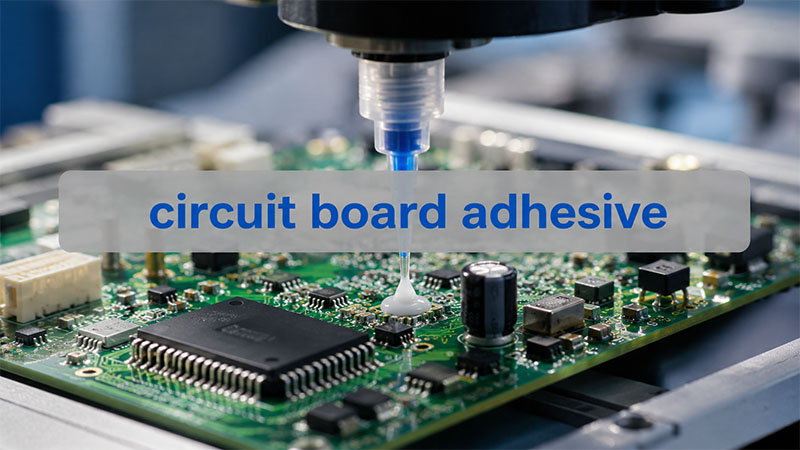
Circuit board adhesive helps keep PCB assemblies stable, clean, and reliable. Engineers use it to hold components, support wires, bond flexible circuits, and protect selected areas.

At first, adhesive may look like a small detail. However, it can affect the life of the whole assembly. A wire may need support. A connector may need extra strength. A flexible circuit may need a safe bonding layer. In each case, the right adhesive helps the board work better.

Also, not every adhesive suits electronics. A circuit board may face heat, vibration, moisture, and electrical stress. Therefore, the adhesive must match the board material, components, process, and final product use.

This guide explains the main types of circuit board adhesive. It also shows where each type works best and how to choose the right option for PCB assembly.

circuit board adhesive

What Is Circuit Board Adhesive?

Circuit board adhesive is a bonding or protective material for printed circuit boards and PCB assemblies. It helps fix components, support wires, bond flexible circuits, protect solder joints, and mount boards inside housings.

In simple words, it is not common glue. Instead, it is a material made for electronic products. It must work safely with solder mask, copper, solder joints, plastic parts, and electronic components.

For example, some adhesives insulate. Others conduct electricity. Some help move heat. Meanwhile, some absorb vibration or add physical support.

As a result, the best adhesive depends on the job. A printed circuit board adhesive for wire support may not suit thermal transfer. In the same way, a conductive adhesive may not suit insulation.

A good adhesive for circuit boards should offer:

  • Strong bonding to PCB surfaces
  • Good insulation, unless conductivity is needed
  • Safe curing temperature
  • Good heat and moisture resistance
  • Stable performance over time
  • Clean and controlled application
  • Compatibility with solder mask and components

Because PCB assemblies are sensitive, random household glue is not a good choice. Instead, engineers should use an electronic-grade adhesive that fits the working conditions.

Why Do Engineers Use Adhesive on Printed Circuit Boards?

Engineers use adhesive on printed circuit boards to improve strength, process control, and long-term reliability. Solder creates the electrical joint. However, some parts still need extra physical support.

For example, a large capacitor can move during transport. A connector can face repeated plugging force. A wire can pull against a solder pad. Therefore, adhesive helps reduce stress and keeps these parts steady.

Also, adhesive can help during production. In some SMT or wave soldering processes, adhesive holds parts before soldering. This helps the assembly line keep parts in the right position.

In addition, circuit board adhesive can protect selected areas. It can cover soldered wires, support connectors, or reinforce vibration-sensitive parts. Because of this, many industrial, automotive, LED, and power products use adhesives in PCBA production.

Common uses include:

  • Fixing tall or heavy components
  • Supporting soldered wires
  • Reducing vibration stress
  • Bonding flexible circuits
  • Mounting small PCB modules
  • Protecting selected connections
  • Improving production handling
  • Supporting thermal or electrical functions

In short, adhesive is not just an extra material. It can be part of the design and assembly plan.

What Are the Main Types of Circuit Board Adhesive?

The main types of circuit board adhesive include epoxy, silicone, acrylic, polyurethane, conductive adhesive, thermal adhesive, UV adhesive, and adhesive tape. Each type has a different use.

Epoxy Adhesive

Epoxy adhesive gives strong bonding. It also offers good chemical resistance. Therefore, engineers often choose it for potting, sealing, component fixing, and strong support.

However, some epoxy materials become hard after curing. Because of that, engineers should check stress and heat expansion before using epoxy near delicate parts.

Silicone Adhesive

Silicone adhesive stays flexible after curing. It also handles heat and vibration well. As a result, silicone adhesive glue for circuit boards often appears around capacitors, coils, connectors, and wires.

Also, silicone works well in power supplies, LED drivers, and industrial boards. It gives support without making the area too rigid.

Acrylic Adhesive

Acrylic adhesive cures fast and bonds well to many surfaces. Therefore, it often appears in tapes, insulation films, and fast assembly steps.

In addition, acrylic adhesive can help improve production speed. It also gives clean handling in many medium-stress applications.

Polyurethane Adhesive

Polyurethane adhesive offers flexibility and good environmental resistance. It can help with sealing, potting, and local protection.

Because it stays softer than many rigid adhesives, it can reduce stress from movement or vibration.

Conductive Adhesive

Circuit board conductive adhesive can bond materials and carry current. It usually contains silver, copper, nickel, or carbon fillers.

Engineers use it for grounding, shielding, die attach, low-temperature bonding, and special connections. However, it does not replace solder in every design. Instead, it works best when the product has a clear need for it.

Thermal Adhesive

Thermal adhesive helps move heat from a component to a heat sink, metal case, or heat spreader. Therefore, it often appears in LED modules, power electronics, and high-heat products.

Before choosing it, engineers should check thermal conductivity, bond strength, working temperature, and curing method.

UV-Curable Adhesive

UV-curable adhesive cures under ultraviolet light. This gives manufacturers fast process control.

For example, a factory may use UV adhesive when quick curing helps production speed. However, UV light must reach the adhesive area. So, component shadowing and board layout matter.

Circuit Board Adhesive Tape

Circuit board adhesive tape gives clean bonding and controlled thickness. It can support mounting, insulation, FPC bonding, thermal transfer, and shielding.

Since tape does not need liquid dispensing, it can make assembly easier. Also, it helps keep the same thickness from board to board.

How Do Circuit Board Protection Adhesives Protect PCB Assemblies?

Circuit board protection adhesives protect PCB assemblies by supporting weak points and covering selected areas. They help the board handle vibration, dust, moisture, and movement.

For example, a soldered wire may pass electrical testing. However, it may still move during use. If the wire keeps pulling on the solder joint, the joint can suffer stress. Therefore, adhesive for circuit board connections can add strain relief.

Similarly, large parts may need more support. Coils, capacitors, relays, transformers, and connectors can move during shipping or operation. A neat adhesive bead can hold them in place.

Also, protection adhesive can work with other protective materials. Conformal coating covers the board with a thin film. Potting compound fills a larger area. Meanwhile, adhesive gives local bonding or support.

Protection adhesives often work well around:

  • Soldered wires
  • Connectors
  • Tall capacitors
  • Inductors and coils
  • Transformers
  • Vibration-sensitive parts
  • Local exposed connections

The goal is simple. The adhesive should support the part without blocking testing, repair, or heat flow.

When Should You Use Circuit Board Adhesive Tape?

You should use circuit board adhesive tape when you need clean handling, controlled thickness, and fast assembly. Tape works well for mounting, insulation, bonding, shielding, thermal layers, and flexible circuit attachment.

Unlike liquid adhesive, tape already has a set thickness. Therefore, it gives better repeatability. Also, many tapes use pressure-sensitive adhesive, so they do not need extra curing time.

Circuit board adhesive tape can help with:

  • FPC bonding
  • PCB module mounting
  • Insulation film attachment
  • Thermal pad placement
  • LED strip support
  • Battery protection board mounting
  • EMI shielding attachment
  • Temporary assembly positioning

For flexible electronics, tape is often very useful. Flexible circuit board adhesive tape can bond FPC to stiffeners, housings, displays, sensors, or compact modules.

However, tape still needs careful selection. Engineers should check adhesion strength, thickness, temperature rating, dielectric strength, aging behavior, and surface compatibility.

In short, tape may look simple. However, it still affects reliability and assembly quality.

What Is Circuit Board Conductive Adhesive?

Circuit board conductive adhesive bonds materials while allowing current to pass through. It contains conductive particles inside a resin system.

Electrically conductive adhesive for circuit boards can help when soldering brings too much heat. It can also help when a substrate does not suit normal soldering. For example, some flexible circuits, ceramic substrates, sensors, or sensitive parts may need a lower-temperature process.

There are two common types.

Isotropic conductive adhesive conducts electricity in all directions. Engineers use it when the full adhesive area needs conductivity.

Anisotropic conductive adhesive conducts mainly through the thickness direction. This helps in fine-pitch connections because it reduces side-to-side current paths.

Conductive adhesive can support:

  • Grounding points
  • EMI shielding connections
  • Die attach
  • Low-temperature bonding
  • Flexible electronics
  • Selected repair work
  • Special material bonding

However, engineers should compare its resistance, strength, and aging behavior with the design needs. In standard PCB assembly, solder is still the main joining method. Even so, conductive adhesive works very well in the right application.

Is Flexible Circuit Board Adhesive Different from Rigid PCB Adhesive?

Yes. Flexible circuit board adhesive must handle bending, thin materials, and movement. Rigid PCB adhesive usually focuses more on component fixing, local protection, or mounting support.

Flexible circuits often use polyimide, copper foil, coverlay, adhesive layers, and stiffeners. Since the circuit can bend, the adhesive must hold well without creating hard stress points.

If the adhesive is too rigid, it may shorten the flex life. Therefore, engineers often choose flexible adhesive systems for FPC designs.

The right material should match:

  • Bend radius
  • Flex cycle requirement
  • Substrate type
  • Working temperature
  • Stiffener position
  • Housing design
  • Assembly method

In some products, black flexible circuit board adhesive helps with appearance or light blocking. In other products, amber, clear, or white adhesive may work better.

So, color is not the main point. Performance under bending is more important.

How Is Circuit Board Component Adhesive Used in PCB Assembly?

Circuit board component adhesive helps hold, reinforce, or protect parts during and after PCB assembly. It works well for heavy, tall, or vibration-sensitive components.

During production, SMT adhesive can hold components before soldering. This helps in wave soldering or double-sided assembly.

After assembly, teams may add adhesive around larger parts. This gives extra support during transport and use.

Component adhesive often supports:

  • Large capacitors
  • Inductors
  • Coils
  • Relays
  • Transformers
  • Connectors
  • Soldered wires
  • Tall plastic parts
  • Power components

White adhesive for circuit board components often appears around these parts. However, the color does not tell you the material type. It may be silicone, epoxy, polyurethane, or another adhesive.

Also, application control matters. Too much adhesive can cover test points, block repair, trap heat, or make the board messy. Therefore, the assembly team should control bead size, position, curing time, and inspection rules.

A clean adhesive process makes the board easier to test. It also helps the final product look more professional.

How Do You Choose the Right Adhesive for Circuit Boards?

To choose the right adhesive for circuit boards, start with the function. Ask what the adhesive must do. Should it bond, insulate, conduct, transfer heat, absorb vibration, or protect one area?

Once you know the function, the choice becomes easier.

  • First, check the working environment. Will the board face heat, moisture, vibration, chemicals, or outdoor use? These conditions help narrow the options.
  • Next, review the electrical needs. Most PCB adhesives need strong insulation. However, conductive adhesive must create a controlled current path. Therefore, engineers should check dielectric strength, resistance, and conductivity.
  • Then, match the curing process. Some adhesives cure at room temperature. Others need heat, UV light, or two-part mixing. If the board has heat-sensitive parts, a high-temperature cure may not fit.
  • Also, think about repair. Some adhesives stay flexible and easier to remove. Others become hard and strong. If future repair may happen, the team should consider circuit board adhesive remover options.
  • Finally, check production needs. Manual dispensing may work for prototypes. However, automated dispensing gives better control in mass production. Tape may also help when thickness control matters.

Why Should Adhesive Selection Start During PCB Design?

Adhesive selection should start during PCB design because it affects layout, spacing, testing, heat flow, and assembly steps.

When engineers plan early, they can reserve adhesive areas. They can also keep test points open and avoid sensitive contacts. In addition, they can protect heat paths and make future repair easier.

Early planning also helps the PCBA factory. The team can define where to apply adhesive, how much to use, how to cure it, and how to inspect it.

For better adhesive use, engineers should:

  • Reserve enough space for adhesive
  • Keep adhesive away from test points
  • Avoid covering labels or QR codes
  • Protect heat dissipation paths
  • Keep repair access in mind
  • Define the dispensing amount
  • Confirm solder mask compatibility
  • Review the material datasheet

Because of these steps, adhesive becomes part of the design plan. It no longer acts as a last-minute fix.

Overall, circuit board adhesive helps PCB assemblies become stronger, cleaner, and more reliable. It can secure components, support soldered wires, bond flexible circuits, move heat, provide conductivity, or protect selected areas.

Different materials solve different problems. Epoxy gives strength. Silicone adds flexibility. Conductive adhesive creates current paths. Thermal adhesive helps move heat. Adhesive tape gives clean and controlled bonding.

Therefore, engineers should choose adhesive based on function, environment, electrical behavior, curing method, and production needs. With the right choice, this small material can support a better electronic product.

If you are working on a PCB or PCBA project and need support with material selection, assembly process review, or adhesive application planning, our engineering team can help review your requirements. You can send your project details or Gerber files to sales@bestpcbs.com for a practical manufacturing suggestion.

FAQs About Circuit Board Adhesive

1. Can I use normal glue on a circuit board?

No. Normal household glue is not a good choice for a circuit board. PCB assemblies need materials with proper insulation, heat resistance, chemical stability, and component compatibility. Electronic-grade adhesive gives a safer result.

2. Is circuit board adhesive the same as conformal coating?

No. Circuit board adhesive fixes, bonds, reinforces, or protects selected areas. Conformal coating creates a thin protective film over the PCB surface. However, many products use both because they solve different problems.

3. What adhesive works best for circuit board components?

Silicone, epoxy, SMT adhesive, and polyurethane can work for circuit board components. The best choice depends on component size, vibration level, working temperature, curing process, and repair needs.

4. Can I put adhesive over soldered wires on a circuit board?

Yes. You can apply adhesive over soldered wires for strain relief. However, inspect the solder joint first. Then apply a compatible adhesive that supports the wire without covering test points or nearby parts.

You may also like

Transistor Pinout Guide for PCB Layout and PCBA Assembly

May 13th, 2026

A transistor pinout shows how the pins of a transistor are arranged in its physical package. For a BJT transistor, these pins are usually Emitter, Base, and Collector. For PCB layout and PCBA assembly, this small detail is very important. It affects the schematic, footprint, SMT placement, BOM review, and final circuit performance.

At first glance, a transistor looks simple. It may only have three pins. However, the same transistor family can come in several packages, such as TO-92, SOT-23, TO-220, SOT-223, or DFN. In addition, different manufacturers may use different pin arrangements for similar-looking parts.

Therefore, engineers should confirm the transistor pinout before PCB layout starts. They should also check it again before SMT assembly. This helps reduce footprint errors, wrong part orientation, and avoidable production issues.

This guide explains transistor pinout from a PCB and PCBA point of view. It is written for engineers, hardware teams, purchasing teams, and product companies that need reliable PCB manufacturing and assembly.

transistor pinout

What Is a Transistor Pinout?

A transistor pinout is the physical order of the transistor pins. It tells you which lead or pad connects to each internal function of the device.

For a BJT transistor, the three main pins are:

Pin NameShort NameMain Function
EmitterEWorks as one side of the main current path
BaseBControls the transistor switching or amplification
CollectorCConnects to the load or output side in many circuits

For PCB design, the transistor pinout must match three things:

  • The schematic symbol
  • The PCB footprint
  • The actual component package

If these three parts match, the circuit has a much better chance of working correctly after assembly. However, if one part is wrong, the finished PCB may fail during testing.

For example, a TO-92 transistor may look the same as another TO-92 transistor. Even so, the pin order may be different. One part may use E-B-C order, while another may use C-B-E order. Because of this, engineers should not rely only on the package shape.

Instead, the safest method is to check the official datasheet. Then, compare the datasheet pinout with the PCB library footprint.

Why Does Transistor Pinout Matter in PCB Layout and PCBA Assembly?

Transistor pinout matters because it affects how the real part connects to the circuit. In a PCB file, the footprint may look correct. During SMT assembly, the component may also be placed neatly. However, the circuit can still fail if the footprint pin mapping is wrong.

In PCB layout, transistor pinout affects routing, pad numbering, copper layout, and test point planning. In PCBA assembly, it affects pick-and-place rotation, AOI inspection, and functional testing.

For instance, an SOT-23 transistor has a very small body and three pads. The package looks simple. Yet the electrical pin order is not always the same for every part. As a result, one wrong footprint can cause many assembled boards to fail.

A correct transistor pinout helps avoid:

  • Wrong PCB footprint selection
  • Incorrect schematic-to-layout mapping
  • SMT orientation errors
  • NPN and PNP part mix-ups
  • Wrong alternative transistor selection
  • Failed functional testing after assembly
  • Extra rework during pilot production

Therefore, pinout checking should be part of the normal DFM review process. It is a small step, but it helps protect the full PCB production flow.

For EBest Circuit projects, this type of check connects directly with PCB fabrication, SMT assembly, BOM review, DFM support, and turnkey PCBA production.

What Do Emitter, Base, and Collector Mean in a BJT Transistor Pinout?

In a BJT transistor pinout, the three pins are Emitter, Base, and Collector. Each pin has a different role in the circuit.

BJT PinShort NameWhat It DoesPCB Design Note
EmitterEConnects to one side of the current pathMust match the expected current direction
BaseBControls the transistorUsually needs a proper resistor
CollectorCOften connects to the load sideRouting should follow the circuit design

The Base is the control pin. A small signal at the Base can control a larger current between the Collector and Emitter. Because of this, BJT transistors are widely used for switching and amplification.

However, the physical pin order can be different from what beginners expect. A schematic symbol may show the Base in the middle. Still, the actual transistor package may not place the Base on the middle lead.

For that reason, engineers should always check the package drawing. They should also confirm the view direction. Some datasheets show the front view, while others show the bottom view. This detail is easy to miss during library creation.

In short, knowing Emitter, Base, and Collector is only the first step. The more important step is making sure these pins are mapped correctly to the PCB pads.

How to Determine Transistor Pinout Before PCB Design?

The best way to determine transistor pinout before PCB design is to check the official datasheet. Then, compare the datasheet with the schematic symbol, PCB footprint, and BOM part number.

A simple engineering workflow is shown below:

StepWhat to CheckWhy It Matters
1Full part numberSimilar part names may have different packages
2Manufacturer datasheetIt gives the most reliable pinout data
3Package drawingPin order depends on the viewing direction
4Schematic symbolPin names must match the real transistor
5PCB footprintPad numbers must connect to the correct pins
6BOM alternativesSubstitute parts may use different pinouts
7SMT orientationPlacement data must match the package direction

This process is useful for both through-hole and SMD transistors. However, it becomes even more important for SMT assembly. Small packages leave little room for visual correction after placement.

Also, engineers should check the complete ordering code. A short part name may not be enough. For example, one transistor family may include TO-92, SOT-23, and metal-can versions. Although the electrical function may be similar, the package pinout can be different.

Before releasing Gerber files, the design team should review the pinout together with the footprint. In addition, the assembly team should check the pick-and-place file before SMT production.

This habit saves time. More importantly, it helps the project move smoothly from prototype to batch production.

NPN Transistor Pinout vs PNP Transistor Pinout: What Should Engineers Check?

NPN and PNP transistors both use Emitter, Base, and Collector pins. However, their current direction and circuit polarity are different. Therefore, engineers must check both the transistor type and the physical pinout.

ItemNPN TransistorPNP Transistor
Symbol arrowPoints outwardPoints inward
Common useLow-side switchingHigh-side switching
Control styleTurns on with positive base driveTurns on with negative base drive
PCB check pointCollector load path and base resistorEmitter supply path and polarity
Assembly concernMay look similar to PNP partsRequires clear BOM control

In PCB projects, an NPN transistor and a PNP transistor may use the same package shape. For example, both can be supplied in SOT-23 or TO-92 packages. As a result, the assembly line may not easily tell the difference by shape alone.

Because of this, BOM accuracy is very important. The approved manufacturer part number should be clear. The reference designator should also match the correct transistor type.

In addition, substitute parts should be reviewed carefully. A replacement transistor must match the package, pinout, polarity, voltage rating, current rating, and power rating.

For PCBA assembly, clear documentation is helpful. Assembly drawings, centroid data, and BOM files should all point to the same part direction. This makes SMT production more stable and easier to inspect.

How Do SMD Transistor Pinouts Affect SMT Placement?

SMD transistor pinouts affect SMT placement because the part is mounted by pad position and rotation angle. If the footprint is wrong, the SMT machine can still place the part correctly from a mechanical view. However, the circuit connection may still be wrong.

SOT-23 is one of the most common SMD transistor packages. It is small, easy to place, and widely used in compact PCB designs. Even so, SOT-23 pinouts are not universal. Different devices may use different pin mapping in the same package outline.

SMD PackageCommon UseSMT Placement Note
SOT-23Small-signal switchingCheck Pin 1 and footprint mapping
SOT-223Medium-power applicationsReview copper area and heat path
SOT-89Power and regulator-style circuitsCheck pad size and thermal design
DFN / QFN-style packagesCompact circuit designsConfirm hidden pad and stencil design

During SMT assembly, the pick-and-place machine follows the centroid file. It places the part according to X-Y position and rotation. However, it does not know whether the electrical pinout is right.

Therefore, engineers should check several files before production:

  • Datasheet package drawing
  • CAD footprint pad numbering
  • Pick-and-place rotation
  • Assembly drawing
  • BOM manufacturer part number
  • AOI inspection reference
  • Approved vendor list

In addition, SMD transistors often have small top markings. These markings can be different between suppliers. For this reason, the production team should not rely only on the code printed on the package.

A good DFM review can catch many of these risks before PCB fabrication and SMT assembly begin.

What Is the 2N2222 Transistor Pinout and 2N2222A Pinout?

The 2N2222 transistor pinout depends on the exact package and manufacturer. The 2N2222 and 2N2222A are common NPN BJT transistors. They are often used for switching and amplification. However, their physical pinout should still be checked before PCB layout.

The 2N2222 family is available in several forms. Some versions use metal-can packages. Others use plastic through-hole packages or SMD packages. Because of this, one footprint cannot cover every version.

Part NumberTypeCommon PackagePCB Design Note
2N2222NPN BJTTO-18, TO-92, SMD variantsConfirm the package-specific pinout
2N2222ANPN BJTTO-18, TO-92, SMD variantsCheck supplier datasheet
PN2222ANPN BJTTO-92Common plastic-package version
MMBT2222ANPN BJTSOT-23Common SMT version

For PCB projects, 2N2222 is a useful example of why full part control matters. A schematic may simply list “2N2222.” Later, purchasing may source a different package version. If the PCB footprint was made for another package, the assembly may face problems.

A better practice is to define the exact manufacturer part number in the BOM. Also, the package name and footprint name should be clear. If alternatives are allowed, each alternative should be checked before approval.

This is especially important when moving from prototype to mass production. During early samples, engineers may use a through-hole part. Later, they may switch to an SMT version for volume assembly. In that case, the PCB footprint and pinout must be reviewed again.

What Are Common Transistor Pinout Examples for PCB Projects?

Common transistor examples help engineers compare package types and layout notes. However, the final design should always follow the original datasheet.

Part NumberTypeCommon PackageTypical UsePCB / PCBA Note
2N2222 / 2N2222ANPN BJTTO-18, TO-92, SOT-23 variantsSwitching and amplificationConfirm package version
2N3904NPN BJTTO-92, SOT-23 variantsLow-current switchingCommon signal transistor
2N3906PNP BJTTO-92, SOT-23 variantsComplementary switchingCheck polarity and pin mapping
BC547NPN BJTTO-92General amplificationPin order may differ from 2N series
BC557PNP BJTTO-92Low-power switchingOften paired with BC547-style circuits
S8050NPN BJTTO-92, SMD variantsLow-power switchingConfirm supplier pinout
S8550PNP BJTTO-92, SMD variantsComplementary transistorOften used with S8050
BD139NPN BJTTO-126Medium-power circuitsThermal layout should be reviewed
BD140PNP BJTTO-126Complementary power stageCheck heat path and package
TIP120NPN DarlingtonTO-220Higher-current switchingReview thermal design
MMBT3904NPN BJTSOT-23SMT signal switchingOrientation is critical
MMBT3906PNP BJTSOT-23SMT signal switchingCheck approved alternatives
MRF9120RF power transistorRF power packageRF power circuitsFollow datasheet and RF layout rules

This table is useful during early component selection. Still, it should not replace datasheet checking. Similar transistor names can have different package versions. Also, the same electrical type may be sold by several manufacturers.

For production PCB projects, it is better to build an approved component list. This list should include the part number, package, footprint, supplier, and substitute options. As a result, the design team and purchasing team can work with the same information.

In addition, PCB and PCBA teams should review transistor pinout before manufacturing. This review is useful for both prototype builds and batch orders.

What Transistor Pinout Mistakes Can Cause PCB Assembly Defects?

Transistor pinout mistakes can lead to PCB assembly defects, even when PCB fabrication and SMT placement are well controlled. Most of these issues come from wrong library data, unclear BOM information, or unverified substitute parts.

MistakePossible ResultPrevention Method
Wrong footprint selectedPads connect to the wrong pinsCompare footprint with datasheet
Generic symbol usedSymbol pins do not match the packageUse verified library mapping
Substitute part has a different pinoutCircuit may not work as plannedCheck AVL and approved alternatives
SMD orientation is wrongPart is placed at the wrong angleReview centroid file and assembly drawing
TO-92 pin order is assumedThrough-hole pins connect incorrectlyConfirm package view and lead order
NPN and PNP are mixedCircuit function changesStrengthen BOM review
Thermal design is ignoredPower device runs too hotReview copper area and heat path
RF transistor layout is treated as standardRF performance may become unstableFollow datasheet layout guidance

Fortunately, most of these problems can be found before production. The key is to review the design early.

Before PCB fabrication, engineers should check the schematic, footprint, package drawing, and BOM. Before SMT assembly, the production team should check placement direction, part marking, and assembly files. After assembly, AOI and functional testing can confirm the result.

For turnkey PCBA projects, this process is even more important. A small transistor error can affect the whole batch. Therefore, early review helps improve delivery speed and production quality.

EBest Circuit supports customers with PCB fabrication, SMT assembly, component sourcing, BOM review, DFM pre-check, testing, and turnkey electronics manufacturing. For transistor-based circuits, our engineering team can help check package selection, footprint consistency, assembly orientation, and production feasibility before batch manufacturing.

All in all, a transistor pinout may look like a small detail. However, it plays a large role in PCB layout and PCBA assembly. When the pinout is correct, the schematic, footprint, BOM, and SMT data can work together smoothly.

Before releasing a PCB design, engineers should check the official datasheet, package drawing, pin numbering, footprint mapping, and approved alternatives. In addition, they should review SMD orientation and substitute parts before assembly.

This is especially useful for SOT-23 transistors, 2N2222 variants, NPN and PNP substitutions, and production projects with BOM changes.

With careful pinout verification, electronic product teams can reduce assembly risk and move from prototype to mass production with more assurance. EBest Circuit helps customers with PCB manufacturing, SMT assembly, component sourcing, DFM review, BOM optimization, and testing, supporting a smoother path from design files to reliable assembled boards. If any questions, pls feel free to contact us at sales@bestpcbs.com.

FAQs About Transistor Pinout

1. What is a transistor pinout?

A transistor pinout shows the physical order of a transistor’s pins. For a BJT transistor, these pins are usually Emitter, Base, and Collector. In PCB layout and PCBA assembly, the pinout must match the schematic symbol, PCB footprint, and actual component package.

2. How do I determine the correct transistor pinout?

The safest way is to check the official manufacturer datasheet. Engineers should confirm the full part number, package type, pin numbering, and viewing direction. Then, they should compare this information with the schematic symbol and PCB footprint before releasing the design.

3. Are all transistors with the same package pinout the same?

No. Transistors with the same package, such as TO-92 or SOT-23, may have different pin arrangements. For example, one TO-92 transistor may use E-B-C order, while another may use C-B-E. Therefore, package shape alone is not enough for PCB design.

4. Why is transistor pinout important for PCBA assembly?

Transistor pinout affects SMT placement, solder pad mapping, BOM verification, and functional testing. If the pinout does not match the PCB footprint, the component may be assembled correctly in appearance but fail electrically. That is why pinout verification should be included in DFM review before PCB fabrication and assembly.

You may also like

Printed Circuit Board Labels: PCB Marking, QR Codes & Traceability Guide

May 13th, 2026

Printed circuit board labels are identification marks used on PCBs or PCB assemblies to show key information such as part numbers, revision codes, serial numbers, QR codes, barcodes, batch numbers, and inspection data. This article explains how PCB labels support board identification, traceability, quality control, and smarter production management in modern electronics manufacturing.

EBest Circuit (Best Technology) is an experienced PCB and PCBA manufacturer supporting customers with PCB fabrication, component sourcing, PCBA assembly, DFM review, testing, and traceability-focused production support. For projects that require printed circuit board labels, QR codes, serial numbers, batch tracking, or custom PCB identification, our engineering team can help review the labeling method, placement, material, and manufacturing process before production. If you are planning a PCB or PCBA project and want practical advice on labeling and traceability, pls feel free to contact us at sales@bestpcbs.com.
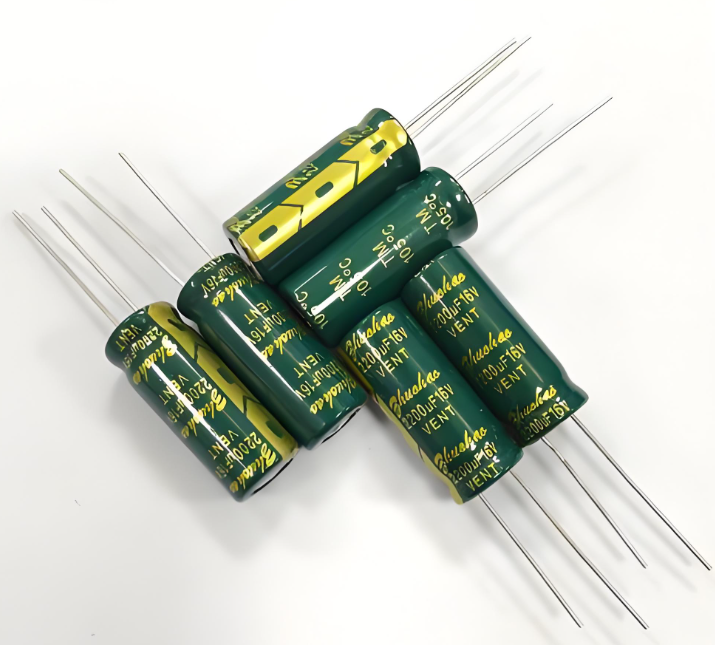
printed circuit board labels

What Are Printed Circuit Board Labels?

Printed circuit board labels help manufacturers identify, track, and manage PCBs during fabrication, assembly, testing, shipping, and after-sales support. A label can show a part number, revision code, batch number, serial number, QR code, barcode, or inspection mark.
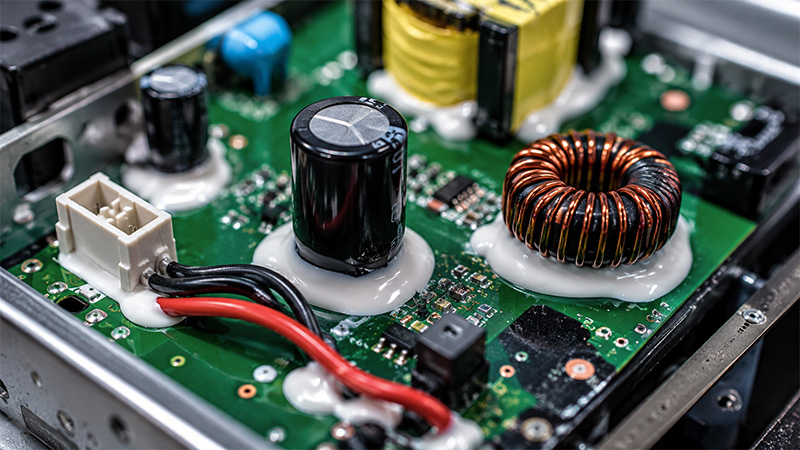
In simple words, a PCB label works like an identity card for a circuit board. It tells engineers what the board is, where it came from, and which production record belongs to it.

A label may appear as silkscreen text, laser marking, a QR code, a barcode, or a high-temperature adhesive label. Each method serves a different purpose. For example, silkscreen works well for fixed text, while QR codes work better for traceability data.

Therefore, PCB labels do more than make a board look organized. They also help production teams control quality, reduce mix-ups, and find records faster.

Why Are Printed Circuit Board Labels Important?

PCB production involves many steps. Engineers need to check materials, boards, components, assembly data, inspection results, and shipment details. Without clear labels, teams may spend more time finding the right information.

That is why labels matter. They help link each board to a specific order, production batch, test result, or customer project. As a result, the whole manufacturing flow becomes easier to manage.

For example, two PCBs may look almost the same but belong to different revisions. A small revision code can help operators avoid using the wrong version. In addition, a QR code can connect the board to digital records in a manufacturing system.

For medical, automotive, industrial, communication, and aerospace electronics, this level of control becomes even more valuable. These products often need clear records and stable quality tracking.

What Information Should a PCB Label Include?

A PCB label should show the information that helps production, inspection, and future support. However, the label should not carry too much data. A crowded label becomes hard to read and hard to scan.
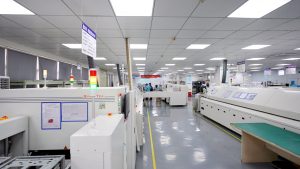
Common label information includes:

Label InformationMain Purpose
Part numberIdentifies the PCB or PCBA model
Revision codeShows the design version
Batch numberLinks the board to one production lot
Serial numberGives each board a unique identity
Date codeShows the production or assembly date
QR codeConnects the board to digital records
BarcodeSupports fast scanning in production
Inspection markShows quality control status
Customer codeMatches the board with customer records

For simple prototype boards, part number and revision code may be enough. However, production PCB assemblies often need serial numbers, QR codes, and batch tracking.

Also, the label format should stay consistent from batch to batch. Consistency helps engineers, quality teams, and customers read the data in the same way.

How Do Printed Circuit Board Labels Support Traceability?

Traceability means that a team can track a board through its full production history. Labels make this possible by giving each PCB a clear identity.

During PCB fabrication, the label may connect to material batch, panel number, surface finish, and production date. During PCBA assembly, the same board may also connect to solder paste batch, SMT line, component lots, AOI results, X-ray inspection, and final test data.

Therefore, if a quality issue appears later, engineers can scan the code and review the board’s history. This helps them find the source of the issue faster.

In addition, traceability supports inventory control. Warehouses can scan barcodes or QR codes when boards move through kitting, assembly, testing, packing, and shipping.

For customers, this creates more confidence. They receive boards with clear identity and better production records.

How Are Printed Circuit Board Labels Printed or Marked?

Manufacturers can print or mark PCB labels in several ways. The best method depends on the label content, board size, process temperature, and traceability needs.

  • Silkscreen marking is common in PCB fabrication. It shows component reference designators, polarity marks, logos, part numbers, and simple text. Because silkscreen works best for fixed information, it suits data that does not change from board to board.
  • Laser marking works well for QR codes, serial numbers, date codes, and permanent marks. The laser marks the board surface directly. As a result, the code will not peel off like an adhesive label.
  • Adhesive labels offer flexibility. Manufacturers can print barcodes, QR codes, serial numbers, and customer-specific data on them. However, the label material must suit heat, cleaning, and handling conditions.
  • Thermal transfer printing also supports variable data. Many factories use this method to print high-temperature PCB labels with clear barcodes and QR codes.

In many cases, manufacturers combine several methods. For example, a PCB may use silkscreen for fixed text and laser marking for a unique QR code.

Printed Circuit Board Labels vs Silkscreen Marking: What Is the Difference?

Silkscreen marking and PCB labels are related, but they do not mean the same thing.

Silkscreen refers to printed text and symbols on the PCB surface. It usually appears during the PCB fabrication process. Engineers use it for component names, polarity marks, connector labels, logos, and assembly guidance.

PCB labels cover a wider range. They may include silkscreen, laser marking, QR codes, barcodes, serial numbers, or adhesive labels. So, silkscreen can be part of PCB labeling, but it is not the only method.

ItemSilkscreen MarkingPCB Label
Main purposeAssembly guidanceIdentification and traceability
Common contentRef designators, polarity, logosSerial number, batch code, QR code
Variable dataLimitedStrong support
Process stagePCB fabricationFabrication, assembly, testing, or shipping
Best useVisual guidanceTracking and production control

In practice, both methods often work together. Silkscreen helps operators assemble the board. Meanwhile, labels help teams track the board through production and quality control.

Can Custom Printed Circuit Board Labels Include QR Codes?

Yes. Custom printed circuit board labels can include QR codes, barcodes, serial numbers, batch codes, and customer part numbers.

QR codes work especially well for modern PCB traceability. A small QR code can connect a board to a large amount of digital data. For example, it can link to production date, inspection results, component lots, test reports, firmware version, or shipment records.

This is useful because a PCB surface has limited space. Instead of printing long text on the board, a QR code can store or connect to the needed data.

However, engineers need to plan the QR code carefully. The code must have enough size, contrast, and open space around it. Otherwise, scanners may read it poorly.

Also, the code should stay visible after assembly. Components, heatsinks, connectors, batteries, cables, and enclosures may cover some areas. Therefore, label position matters as much as label content.

What Materials Are Used for PCB Labels?

PCB labels need stronger materials than ordinary paper labels. Electronics production may involve heat, soldering, cleaning, handling, and long-term operation.

  • Polyimide labels are popular for high-temperature PCB processes. They can handle heat better than many standard label materials. Because of this, manufacturers often use them for barcode and serial number labels.
  • Polyester labels suit many general electronics products. They offer clean print quality and stable appearance. However, engineers should check the exact temperature rating before use.
  • Laser marking does not add a separate label material. Instead, the laser creates a mark directly on the board surface. This method offers strong durability and a clean appearance.
  • Silkscreen ink works well for fixed markings. It can show board names, reference designators, polarity marks, and simple identification text.
  • Thermal transfer labels can produce clear QR codes and barcodes. They work well when paired with the right ribbon and label substrate.

The right material depends on the process. Therefore, engineers should consider temperature, cleaning chemicals, surface finish, and product environment before choosing the label type.

Where Should Labels Be Placed on a PCB?

Label placement affects readability and manufacturing efficiency. A good label should be easy to see, easy to scan, and safe from process problems.

In most cases, the label should sit on a flat area with enough open space. It should also avoid pads, vias, test points, mounting holes, and copper-exposed areas.

In addition, engineers should keep labels away from high-heat components when they use adhesive materials. Power devices, LED modules, transformers, and heatsinks may create heat that affects label life.

Visibility also matters. A label may look good in the PCB design file, but a connector or shield can cover it after assembly. Therefore, the team should review the final assembled structure.

For QR codes and barcodes, scanning angle and distance also matter. A code that looks clear to the eye may still fail in production scanning if it is too small or poorly placed.

That is why DFM review is helpful. A PCB manufacturer can check label position before fabrication and suggest better options.

How Do PCB Labels Improve Quality Control?

PCB labels help quality teams identify boards quickly and record inspection results accurately. This reduces confusion during production.

For example, operators can scan a barcode before SMT assembly. Then, the system can connect the board to solder paste batch, component lot, machine setup, and reflow profile.

After assembly, quality teams can scan the same code during AOI, X-ray inspection, ICT, functional testing, and final inspection. As a result, each board receives a clear quality record.

This process also helps when a board needs review. Engineers can check the serial number and see what happened during production. They can review test data, repair notes, or inspection images.

For customers, this creates a more transparent process. They can manage product versions, warranty records, and field feedback more easily.

In short, PCB labels turn a physical board into a traceable product. That makes quality control faster and more organized.

Which Industries Need Reliable PCB Labeling?

Many electronics industries use PCB labels. However, some sectors need stronger identification and traceability than others.

  • Medical electronics need clear tracking because device quality and documentation matter greatly. Labels help link each PCB assembly to production and inspection records.
  • Automotive electronics also rely on traceability. Control modules, sensors, lighting boards, and power electronics often need batch control and long-term records.
  • Industrial automation products may stay in service for many years. Clear labels help maintenance teams identify versions and replace parts correctly.
  • Communication equipment often includes different board revisions and test configurations. Labels help engineers manage these details.
  • Aerospace and UAV electronics usually need stable process control and detailed records. Labels support this need from prototype to production.

Even consumer electronics can benefit from labels. They help with inventory, warranty, repair, and shipment management.

Therefore, reliable labeling supports both high-end products and everyday electronics manufacturing.

How to Choose the Right Printed Circuit Board Labels

The best label choice depends on what the board needs to show and how the product will be used.

  • First, define the purpose. Do you need simple identification, batch tracking, serial number control, QR code scanning, or full traceability? This decision shapes the label method.
  • Next, check the process. If the board must pass through reflow soldering, choose a high-temperature label or laser marking. If the label only appears after final testing, an adhesive label may work well.
  • Then, review the environment. A PCB used in industrial power equipment may need a more durable label than a low-power consumer board.
  • Also, think about scanning. If the production line uses barcode or QR code scanners, the label must have the right size, contrast, and placement.

Here is a simple guide:

RequirementRecommended Method
Fixed text or logoSilkscreen
Unique serial numberLaser marking or printed label
QR code traceabilityLaser marking or high-resolution label
High-temperature processPolyimide label or laser marking
Long-term durabilityLaser marking
Low-cost board IDSilkscreen
Production scanningBarcode or QR code label

The best option is not always the most complex one. It is the method that stays readable and fits the manufacturing flow.

Why Choose an Experienced PCB Manufacturer for Printed Circuit Board Labels?

PCB labeling may seem like a small detail. However, it affects PCB design, fabrication, assembly, testing, packing, and traceability.

An experienced PCB manufacturer can review the label area during DFM checking. The team can confirm whether the label size, position, and marking method fit the board layout.

For example, if a QR code is too small, the manufacturer can suggest a larger size. If a label sits too close to a component, the engineer can move it before production. In addition, if the board needs high-temperature resistance, the supplier can suggest a better material.

For PCBA projects, timing also matters. Some labels should appear before SMT assembly. Others should appear after testing. The right sequence helps the factory track boards without slowing production.

EBest Circuit supports PCB fabrication, PCBA assembly, component sourcing, DFM review, testing, and production-quality support. For projects that need QR codes, serial numbers, custom labels, or traceability control, early communication helps build a smoother production process.
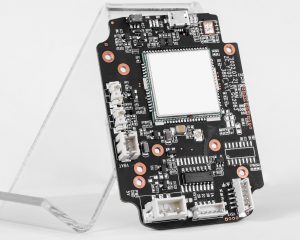
In a nutshell, printed circuit board labels help manufacturers identify boards, control revisions, track batches, manage QR codes, and improve traceability. They also support smoother production, faster inspection, and better after-sales support.
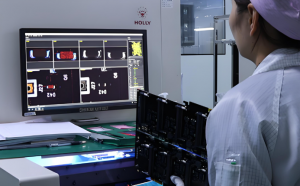
For simple PCBs, silkscreen may provide enough identification. For advanced PCB assemblies, serial numbers, QR codes, barcodes, and durable labels can create stronger process control.

Therefore, engineers should plan PCB labeling early. They should consider label content, material, marking method, placement, scanning needs, and long-term readability.

When the label strategy fits the product and process, every board becomes easier to track, inspect, ship, and support. If you are planning a PCB or PCBA project that requires custom labels, QR codes, serial numbers, or traceability support, feel free to contact EBest Circuit at sales@bestpcbs.com for practical manufacturing advice.
FAQs About Printed Circuit Board Labels

1. What is a printed circuit board label?
A printed circuit board label is an identification mark on a PCB or PCBA. It may show a part number, revision code, batch number, serial number, barcode, or QR code.

2. Are PCB labels the same as silkscreen?
No. Silkscreen is one marking method. PCB labels can also include laser marking, adhesive labels, QR codes, barcodes, and serial numbers.

3. Can a PCB label include a QR code?
Yes. A QR code can connect the board to production records, inspection results, component lots, test data, and shipment information.

4. What label material is best for PCB assembly?
Polyimide labels and laser marking work well for high-temperature processes. However, the best choice depends on temperature, cleaning method, and product use.

5. Where should a PCB label go?
A PCB label should sit in a flat, visible, and scannable area. It should avoid pads, vias, test points, holes, high-heat areas, and covered zones.

6. Do all PCBs need labels?
Most production PCBs need some form of identification. Simple boards may only need silkscreen text. Complex PCB assemblies may need QR codes and serial numbers.

7. Can custom PCB labels support mass production?
Yes. Custom labels can support batch tracking, unique serial numbers, QR codes, customer part numbers, warehouse scanning, and quality control.

8. Is laser marking better than adhesive labeling?
Laser marking offers strong durability and a clean surface. Adhesive labels offer more flexibility for printed data. The better choice depends on the board design and process.

You may also like

Single Pole Double Throw Relay: Diagram, Wiring, Symbol, and Working Principle

May 12th, 2026

Single pole double throw relay is one of the most common relay types used to switch one circuit between two different output paths. In simple terms, it allows one input contact to connect with either of two output contacts, depending on whether the relay coil is energized or not.

You may also see it called an SPDT relay, changeover relay, or Form C relay. These names point to the same basic contact arrangement: one common terminal, one normally closed terminal, and one normally open terminal. This relay is widely used in control circuits, automotive electronics, power switching, signal routing, industrial automation, battery backup systems, alarm circuits, and PCB assemblies. For engineers, technicians, and electronics buyers, understanding how it works makes relay selection, wiring, troubleshooting, and PCB layout much easier.

In this guide, we will explain what an SPDT relay does, how it works, how to read its diagram and symbol, how to wire it, and how to choose the right relay for PCB or PCBA designs.

Single Pole Double Throw Relay

What Is a Single Pole Double Throw Relay?

A single pole double throw relay is an electromechanical or solid-state switching device that controls one circuit and switches it between two possible outputs.

The term can be broken down like this:

TermMeaning
Single PoleThe relay controls one common circuit path
Double ThrowThe common contact can connect to either of two output contacts
RelayAn electrically controlled switch

In a standard SPDT relay, there are three main contact terminals:

TerminalFull NameFunction
COMCommonThe moving contact or shared input/output terminal
NCNormally ClosedConnected to COM when the relay is not energized
NONormally OpenConnected to COM when the relay is energized

The relay also has two coil terminals in an electromechanical version. When voltage is applied to the coil, the internal armature moves and changes the contact connection from NC to NO.

So, in its resting state, COM connects to NC. Once the coil is powered, COM disconnects from NC and connects to NO.

This simple changeover action is why SPDT relays are so useful in electronic control circuits.

Single Pole Double Throw Relay

What Does a Single Pole Double Throw Relay Do?

A single pole double throw relay allows a circuit to choose between two paths.

For example, it can switch:

  • A motor between forward and off control logic
  • A signal between two output lines
  • A device between main power and backup power
  • A lamp between two control states
  • A PCB circuit between normal operation and fault indication

The main value of an SPDT relay is not just turning something on or off. Its real advantage is changeover switching.

A simple ON/OFF relay only opens or closes one path. An SPDT relay gives you two possible states:

Relay StateCOM Connects ToTypical Meaning
Coil OffNCDefault or standby path
Coil OnNOActive or switched path

This makes it helpful when the circuit needs a default connection before the control signal is applied.

For example, in a backup power system, the NC contact may connect to the main power line. When the control circuit detects a fault or change, the relay can switch COM to NO and route the circuit to an alternate power source.

How Does a Single Pole Double Throw Relay Work?

A standard electromechanical SPDT relay works through magnetic force.

Inside the relay, there is a coil, a movable armature, a spring mechanism, and three switching contacts: COM, NO, and NC.

When the coil has no voltage, the spring holds the armature in its default position. In this state, COM is connected to NC.

When voltage is applied to the coil, current flows through the winding and creates a magnetic field. This magnetic field pulls the armature toward the coil. As the armature moves, it breaks the COM-to-NC connection and makes the COM-to-NO connection.

When the coil voltage is removed, the magnetic field disappears. Then the spring returns the armature to its resting position, and COM connects back to NC.

Here is the basic operation:

Coil ConditionInternal ActionContact State
Coil not energizedSpring holds armature in default positionCOM connects to NC
Coil energizedMagnetic field pulls armatureCOM connects to NO
Coil de-energized againSpring resets armatureCOM returns to NC

This action is fast, repeatable, and electrically isolated. The control side and the load side are separated, which allows a low-power circuit to control a higher-power circuit safely when the relay is properly rated.

Single Pole Double Throw Relay Diagram

A basic single pole double throw relay diagram usually shows the coil on one side and the switching contacts on the other side.

A typical SPDT relay has five pins:

Pin GroupDescription
2 coil pinsUsed to energize the relay
1 COM pinCommon switching terminal
1 NC pinNormally closed contact
1 NO pinNormally open contact

A simple contact diagram looks like this:

          NC
           |
           |
COM -------o
            \
             o
             |
             NO

In the relay’s normal state, COM touches NC. When the coil is energized, the internal contact moves and connects COM to NO.

A complete diagram may show the coil as a rectangle or loop symbol beside the contact structure:

Coil Side                  Contact Side

+ ----[ Coil ]---- -        NC
                            |
                            |
                   COM -----o
                             \
                              o
                              |
                              NO

This diagram helps users understand two important points:

First, the coil side controls the relay action. Second, the contact side switches the load or signal path.

The coil circuit and contact circuit are not the same electrical path in an electromechanical relay. This isolation is one reason relays are widely used in PCBs that must separate logic control from power switching.

Single Pole Double Throw Relay Wiring Diagram

A single pole double throw relay wiring diagram depends on what you want the relay to do. However, the basic wiring method is always built around COM, NO, NC, and the coil pins.

Here is a simple low-voltage switching example:

Control Side:

+12V Control Supply ---- Switch/Transistor ---- Relay Coil ---- GND


Load Side:

Power Supply + ---- COM

NC ---- Load A ---- GND

NO ---- Load B ---- GND

In this example:

  • When the relay coil is off, power flows from COM to NC and turns on Load A.
  • When the relay coil is on, COM switches to NO and turns on Load B.
  • Load A turns off when Load B turns on.

This is the classic changeover function.

For a circuit where a load should only turn on when the relay is energized, use COM and NO:

Power Supply + ---- COM
NO ---- Load ---- GND

For a circuit where a load should stay on by default and turn off when the relay is energized, use COM and NC:

Power Supply + ---- COM
NC ---- Load ---- GND

This is useful for safety loops, alarm circuits, and default-on control paths.

Before wiring, always confirm the relay’s pinout from the datasheet or case marking. Pin arrangements can vary between manufacturers, even when the relay has the same voltage and contact form.

Single Pole Double Throw Relay Schematic and Symbol

In a schematic, an SPDT relay symbol usually includes two parts: the coil and the changeover contact.

The coil is drawn as a rectangle or winding symbol. The contact section shows COM switching between NC and NO.

A simplified schematic symbol looks like this:

        Relay Coil
A1 ----[      ]---- A2


        NC
        |
COM ----o
         \
          o---- NO

The slanted line represents the movable contact. In the normal position, it touches NC. When the coil is energized, it moves toward NO.

You may also see labels such as:

  • A1 / A2 for coil terminals
  • COM / C for common
  • NO for normally open
  • NC for normally closed
  • Form C for SPDT contact form

In relay datasheets, the schematic may also include polarity marks if the relay has an internal diode, LED, or surge suppression component. This detail matters because a relay with an internal diode must be connected with the correct coil polarity.

For PCB design, the schematic symbol should match the physical footprint. A mismatch between schematic pins and PCB pads is a common source of relay assembly errors.

Single Pole Double Throw Relay Pinout: COM, NO, and NC

The most important part of an SPDT relay pinout is identifying the COM, NO, and NC terminals correctly.

Here is what each terminal means in practical use:

TerminalState When Coil Is OffState When Coil Is OnCommon Use
COMConnected to NCConnected to NOMain input or output path
NCConnected to COMDisconnected from COMDefault-on circuit
NODisconnected from COMConnected to COMActive-on circuit

In many small PCB relays, the five pins are arranged in a compact rectangular pattern. Automotive relays often use numbered terminals. Common automotive relay numbering may include:

Terminal NumberTypical Meaning
85Coil
86Coil
30COM
87NO
87aNC

This numbering is common, but it should not replace datasheet verification. Some relays may use different layouts, especially signal relays, telecom relays, power relays, and latching relays.

A quick continuity test with a multimeter can also help identify terminals:

  • Find the two coil pins by measuring coil resistance.
  • Find the pair that has continuity without coil power. That pair is COM and NC.
  • Energize the coil with the rated voltage.
  • The terminal that now connects to COM is NO.

This method is useful during troubleshooting, but for production design, the datasheet remains the correct source.

Single Pole Double Throw Relay Circuit Example

A common SPDT relay circuit uses a microcontroller or transistor to control a load. Since most microcontroller pins cannot drive a relay coil directly, a transistor driver is usually added.

A basic control circuit includes:

  • Microcontroller output pin
  • Base or gate resistor
  • NPN transistor or MOSFET
  • Relay coil
  • Flyback diode
  • External load circuit

Example structure:

Microcontroller Pin ---- Resistor ---- Transistor Base/Gate

Relay Coil + ---- +V
Relay Coil - ---- Transistor ---- GND

Flyback Diode Across Relay Coil

The relay contacts then switch the load:

Power Source ---- COM

NO ---- Load ---- GND
NC ---- Optional Default Load ---- GND

When the microcontroller output turns on the transistor, current flows through the coil. The relay energizes and COM switches from NC to NO.

The flyback diode is important in DC relay circuits. When the coil is turned off, the magnetic field collapses and creates a voltage spike. The diode gives this energy a safe discharge path and helps protect the transistor, microcontroller, and nearby PCB traces.

For AC loads or high-current switching, additional protection may be needed, such as an RC snubber, MOV, TVS diode, contact arc suppression, or proper creepage and clearance spacing.

12V Single Pole Double Throw Relay and Other Common Coil Voltages

A 12V single pole double throw relay is one of the most common types, especially in automotive electronics, low-voltage control boards, battery systems, lighting controls, and industrial modules.

However, SPDT relays are available in many coil voltage options.

Coil VoltageCommon Application
3VPortable electronics, battery-powered modules
5VMicrocontroller boards, Arduino-style projects, digital control PCBs
9VSmall control circuits
12VAutomotive, industrial control, LED lighting, battery systems
24VPLC systems, industrial automation, control cabinets
120V ACAppliance control, HVAC, mains-powered equipment
230V ACIndustrial and regional mains-control circuits

Coil voltage is not the same as contact rating. A relay may have a 12V coil but switch a much higher load voltage through its contacts, as long as the load remains within the relay’s rated contact voltage and current.

For example, a 12V relay may be rated to switch 250VAC at a specific current. Still, the exact rating depends on the contact material, relay structure, safety approval, load type, and switching frequency.

When selecting a relay, check these points:

  • Coil voltage
  • Coil current
  • Contact voltage rating
  • Contact current rating
  • AC or DC load type
  • Resistive or inductive load
  • Contact arrangement
  • Mechanical life
  • Electrical life
  • PCB footprint
  • Operating temperature
  • Safety approvals

For PCB or PCBA projects, relay height, pin pitch, soldering method, and insulation distance should also be reviewed early in the design.

Single Pole Double Throw Solid State Relay vs Electromechanical Relay

A single pole double throw solid state relay performs changeover switching without moving mechanical contacts. Instead, it uses semiconductor devices such as MOSFETs, optocouplers, triacs, or photovoltaic drivers.

The main difference is the switching mechanism.

FeatureElectromechanical SPDT RelaySPDT Solid State Relay
Switching MethodMoving metal contactsSemiconductor switching
IsolationCoil-to-contact isolationOptical or electronic isolation
SpeedModerateFast
Contact WearYes, over timeNo mechanical contact wear
Audible ClickYesNo
Leakage CurrentUsually near zero when openMay have small leakage
Contact ResistanceLow metal contact resistanceDepends on semiconductor device
Load TypeAC/DC depending on relayMust match SSR output type
CostOften lowerOften higher

Electromechanical relays remain popular because they provide true contact isolation, low off-state leakage, and clear contact behavior. They are also easy to understand, test, and replace.

Solid state relays are often chosen when the application needs silent operation, long switching life, high-speed switching, or resistance to vibration.

For PCB design, the choice depends on load type, switching speed, heat generation, leakage current, expected lifetime, and available board space. In many industrial and automotive designs, mechanical SPDT relays are still a practical and economical choice.

Single Pole Double Throw Relay vs SPST, DPST, and DPDT Relay

Relay names can look confusing at first, but the logic becomes simple once you understand poles and throws.

  • Pole means the number of independent circuits being controlled.
  • Throw means the number of output positions each pole can connect to.

Here is a practical comparison:

Relay TypeFull NameContact FunctionBest Used For
SPSTSingle Pole Single ThrowOne circuit, one output pathSimple ON/OFF control
SPDTSingle Pole Double ThrowOne circuit, two output pathsChangeover switching
DPSTDouble Pole Single ThrowTwo circuits switched ON/OFF togetherSwitching two lines at the same time
DPDTDouble Pole Double ThrowTwo circuits, each with two output pathsPolarity reversal, dual changeover control

An SPST relay is like a basic switch. It opens or closes one circuit.

An SPDT relay can switch one common line between two outputs.

A DPST relay works like two SPST relays operated together.

A DPDT relay works like two SPDT relays operated together.

This is why a double pole single throw relay should not be confused with an SPDT relay. DPST controls two separate circuits but only provides one throw for each circuit. SPDT controls one circuit but gives it two throw positions.

For an information-focused article, it is useful to include DPST and DPDT in a comparison section, but the main topic should stay centered on SPDT relay operation.

Where Is a Single Pole Double Throw Relay Used?

SPDT relays are used anywhere a circuit needs to switch between two states or two paths.

Common applications include:

ApplicationHow the Relay Is Used
Automotive electronicsSwitching lights, horns, fans, pumps, or accessories
Battery backup systemsChanging between main power and backup power
Industrial controlRouting control signals or switching loads
Alarm systemsDefault closed safety loops or triggered outputs
HVAC controlFan, compressor, or mode switching
Test equipmentSignal path selection
Audio circuitsChannel switching or mute control
Lighting controlSwitching between modes or power paths
PCB control boardsLogic-controlled load switching

In automotive circuits, a 12V SPDT relay is especially common because vehicle electrical systems are usually based around 12V control power.

In industrial electronics, 24V relays are common because many control cabinets and PLC systems use 24VDC control voltage.

In PCB assemblies, smaller signal relays may be used for low-current switching, while power relays are chosen for higher load current.

How to Choose a Single Pole Double Throw Relay for PCB or PCBA Design?

Choosing the right relay is not only about matching the coil voltage. For a reliable PCB or PCBA design, the relay must match the electrical, mechanical, thermal, and manufacturing requirements of the project.

Start with the coil voltage.
The coil voltage should match the control circuit. For example, a 5V relay can work well with logic-level boards when the driver circuit provides enough coil current. A 12V relay is common in automotive or battery-powered systems. A 24V relay is common in industrial automation.

Check the contact rating carefully.
The contact rating must support the load voltage and current. Also, pay attention to whether the load is resistive, inductive, capacitive, or motor-based. Inductive loads can create arcs and voltage spikes, so they usually need more protection.

Review the relay footprint.
For PCB mounting, the pad size, pin pitch, hole diameter, body outline, and keep-out area must match the selected relay. A good footprint reduces soldering defects and assembly variation.

Plan creepage and clearance.
When a relay switches high voltage, the PCB layout must provide enough distance between low-voltage control circuits and high-voltage load circuits. This matters for safety, reliability, and compliance.

Add coil protection.
For DC coils, a flyback diode is often used. In faster release circuits, a TVS diode or Zener clamp may be better because a standard diode can slow relay release time.

Consider contact protection.
For motor loads, solenoids, transformers, and other inductive loads, add suitable suppression. Options include RC snubbers, MOVs, TVS diodes, or load-side protection circuits.

Think about production testing.
For PCBA manufacturing, test points can be added near the coil driver and relay contacts. This helps with ICT, functional testing, and troubleshooting.

Confirm operating environment.
Temperature, humidity, vibration, dust, and switching frequency all affect relay performance. Automotive, medical, industrial, and outdoor lighting products may need stricter validation.

For EBest Circuit, relay-related PCB and PCBA projects usually require attention to footprint accuracy, soldering quality, BOM verification, test coverage, and DFM review. A relay is a familiar component, but its layout and load path can strongly affect long-term reliability.

Common Design Mistakes With Single Pole Double Throw Relay Circuits

Even though SPDT relays are simple components, mistakes can still happen during schematic design, PCB layout, wiring, or assembly.

Here are several common issues to avoid.

MistakeResultBetter Practice
Confusing NO and NCLoad works in the opposite stateVerify the contact diagram before wiring
Ignoring coil currentMicrocontroller pin may be damagedUse a transistor or MOSFET driver
No flyback diode on DC coilVoltage spike may damage control circuitAdd diode, TVS, or clamp circuit
Wrong PCB footprintAssembly failure or misconnectionMatch datasheet pinout to footprint
Underrated contact currentContact overheating or early failureSelect rating with proper margin
Poor spacing for high voltageSafety and reliability riskFollow creepage and clearance rules
No suppression for inductive loadContact arcing and EMIUse snubber, MOV, or diode protection
Routing high current through thin tracesHeat rise or voltage dropCalculate trace width and copper weight

For production boards, the relay should also be reviewed during DFM and DFT. This is especially important when the relay switches high current, high voltage, or safety-related circuits.

Single Pole Double Throw Relay

In closing, a single pole double throw relay is a practical changeover switching device that connects one common terminal to either a normally closed or normally open terminal. This makes it more flexible than a simple ON/OFF relay and useful in many control, power, signal, automotive, and PCB applications.

For a strong understanding, focus on five key points: COM, NO, NC, coil operation, and contact rating. Once these are clear, relay diagrams, wiring diagrams, symbols, and circuit examples become much easier to read.

For PCB and PCBA projects, relay selection should also include coil voltage, load rating, footprint accuracy, protection circuits, creepage and clearance, soldering process, and functional testing. A relay may look like a small component, but it often controls critical circuit behavior. Careful design and manufacturing review can make the final product safer, cleaner, and more reliable.

FAQs About Single Pole Double Throw Relay

What Is the Difference Between SPDT and Single Pole Double Throw Relay?

SPDT and single pole double throw relay mean the same thing. SPDT is simply the abbreviation. “Single pole” means one common circuit is controlled. “Double throw” means that common contact can switch between two output contacts.

What Are COM, NO, and NC on an SPDT Relay?

COM is the common contact. NO means normally open, and NC means normally closed. When the relay is not energized, COM connects to NC. When the relay is energized, COM connects to NO.

Is a Single Pole Double Throw Relay Normally Open or Normally Closed?

An SPDT relay has both normally open and normally closed contacts. That is why it can support two circuit states. You can use COM and NO for active-on switching, or COM and NC for default-on switching.

What Is a 12V Single Pole Double Throw Relay Used For?

A 12V SPDT relay is often used in automotive electronics, battery control systems, LED lighting, low-voltage control boards, alarm circuits, and small industrial modules. It uses a 12V coil to switch the relay contacts.

Can a Single Pole Double Throw Relay Switch AC and DC Loads?

Yes, many SPDT relays can switch AC or DC loads, but the rating is different for each type. DC switching is often harder on contacts because arcs do not self-extinguish as easily as AC arcs. Always check the relay datasheet.

Is a Single Pole Double Throw Relay the Same as a Changeover Relay?

Yes. A changeover relay is another common name for an SPDT relay. The term describes how the common contact changes over from NC to NO when the relay coil is energized.

What Is the Difference Between SPDT and DPDT Relay?

An SPDT relay controls one circuit and switches it between two outputs. A DPDT relay controls two circuits, and each circuit can switch between two outputs. A DPDT relay is similar to two SPDT relays operated together.

Do I Need a Diode for a Single Pole Double Throw Relay?

For a DC relay coil, a flyback diode or another suppression component is strongly recommended. It helps absorb the voltage spike generated when the coil turns off and protects the driver circuit.

You may also like

Ceramic PCB Manufacturer USA Serving | Alumina & AlN Boards

May 12th, 2026

What is a ceramic PCB manufacturer serving USA?

For many buyers, the phrase ceramic pcb manufacturer usa does not only mean “a factory physically located in the USA.” It often means a capable ceramic PCB supplier that can serve U.S. projects with dependable engineering support, export experience, and quality systems suitable for demanding applications.

Ceramic PCB Manufacturer USA Serving | Alumina & AlN Boards

Ceramic PCBs are different from standard FR4 boards because the base material is a ceramic substrate, such as alumina or aluminum nitride. These materials offer excellent thermal conductivity, electrical insulation, dimensional stability, and high-temperature endurance. That is why ceramic PCB technology is widely used in power electronics, LED modules, medical devices, aerospace electronics, RF modules, automotive electronics, sensors, and other products where heat, reliability, and compact design matter.

When a U.S. customer searches for a ceramic PCB partner, the real question is usually simple: can this supplier manufacture the correct ceramic substrate, control the process, support the design review, and deliver boards that perform as expected?

EBest Circuit(Best Technology), serves U.S. customers with ceramic PCB fabrication and assembly support for prototype, low-volume, medium-volume, and production requirements. The company provides custom ceramic PCB manufacturing, turnkey PCB and PCBA services, and multiple ceramic processes, including DPC, DBC, AMB, thick film, LTCC, and HTCC. Its ceramic PCB capabilities include alumina, aluminum nitride, ZTA, silicon nitride, several conductor options, multiple surface finishes, and certified quality systems including ISO 9001, ISO 13485, IATF 16949, AS9100D, RoHS, REACH, and UL recognition.

What materials do ceramic PCB manufacturers for USA offer?

Ceramic PCB manufacturers serving USA customers usually offer several substrate materials. The most common ceramic PCB materials are alumina and aluminum nitride, but advanced projects may also require silicon nitride, zirconia-toughened alumina, LTCC materials, or HTCC materials.

Alumina ceramic PCB is one of the most widely used choices because it provides a balanced mix of insulation, thermal performance, mechanical durability, and cost control. It is commonly used in LED lighting, power modules, sensors, hybrid circuits, and industrial electronics. Alumina is available in different purity levels, such as 92% and 96%, and some manufacturers can support special variants such as black alumina.

Aluminum nitride, often written as AlN, is selected when thermal performance is a main priority. Compared with alumina, AlN has much higher thermal conductivity and a thermal expansion behavior that works well with certain semiconductor and power device packages. This makes it a strong choice for high-power LED modules, laser diodes, power conversion modules, RF power devices, aerospace electronics, medical imaging electronics, and other compact systems that generate concentrated heat.

Some advanced projects also use silicon nitride, ZTA, LTCC, or HTCC. Silicon nitride offers high strength, high toughness, good thermal conductivity, and excellent thermal shock resistance. ZTA combines alumina with zirconia to improve toughness and mechanical reliability. LTCC and HTCC are often used for multilayer ceramic circuits, high-frequency modules, sensors, and compact electronic packages.

Ceramic PCB MaterialMain StrengthTypical Use CasesCommon Reason to Choose It
Alumina PCBGood insulation, stable performance, cost-effective ceramic baseLED modules, sensors, power circuits, industrial electronicsBalanced ceramic performance and practical cost
Aluminum Nitride PCBHigh thermal conductivity and good CTE behaviorPower electronics, RF power modules, laser modules, medical electronicsBetter heat dissipation in compact designs
Silicon Nitride PCBHigh mechanical strength and thermal shock resistanceAutomotive power modules, harsh environments, high-reliability electronicsStronger mechanical reliability
ZTA PCBImproved toughness compared with standard aluminaIndustrial and power applicationsBetter crack resistance and durability
LTCCMultilayer ceramic structure, good for compact circuitsRF modules, sensors, microwave devices, integrated packagesCompact multilayer ceramic integration
HTCCHigh-temperature ceramic circuit capabilityAerospace, defense-related commercial electronics, harsh applicationsHigh-temperature endurance and stable insulation

For most U.S. projects, the best starting point is to match the material to the real design challenge. If the main issue is controlled heat transfer at a reasonable cost, alumina may be suitable. If the design has a very hot component, tight thermal limits, or high power density, aluminum nitride may be the better direction. If the board needs extra toughness, silicon nitride or ZTA may deserve attention. If the product requires ceramic multilayer routing, LTCC or HTCC may be a stronger path than a simple single-sided or double-sided ceramic board.

EBest Circuit supports several ceramic PCB materials and process types, which gives U.S. customers more flexibility during design evaluation. Instead of forcing one standard material into every project, the engineering team can review thermal requirements, copper thickness, operating temperature, board size, assembly needs, and budget targets.

Can China ceramic PCB suppliers meet USA aerospace/medical standards?

China ceramic PCB suppliers can meet the expectations of USA aerospace and medical customers when they have the right manufacturing capability, quality certifications, process controls, and documentation discipline. The key is not the country alone. The key is whether the supplier can build to controlled requirements, maintain traceability, support audits, and provide reliable production records.

For advanced ceramic PCB projects, U.S. customers should evaluate the supplier’s quality system, engineering response, material control, inspection process, and shipment reliability before placing important orders.

Aerospace and medical electronics often require more than basic PCB fabrication. These markets value documented processes, controlled materials, repeatable production, inspection evidence, and clear communication. Aerospace customers may look for AS9100D alignment, first article inspection support, lot traceability, controlled process records, and stable supplier management. Medical customers may look for ISO 13485, process documentation, component traceability for assembly projects, clean handling practices, and long-term quality consistency.

EBest Circuit’s positioning is especially relevant here because the company supports ceramic PCB fabrication and ceramic PCB assembly under a quality framework that includes ISO 9001, ISO 13485, IATF 16949, AS9100D, RoHS, REACH, and UL. For U.S. medical, aerospace, automotive, and industrial customers, these certifications help show that the supplier has invested in quality management and controlled production practices.

For ceramic PCB projects going into regulated or high-reliability products, the manufacturer should provide practical support in several areas:

  • Material selection records, substrate specifications, and copper or conductor details.
  • Engineering review for manufacturability, tolerances, hole sizes, surface finish, and thermal design.
  • Inspection methods such as visual inspection, dimensional checks, electrical testing, and process-specific validation.
  • Production traceability by order, lot, material batch, and process route.
  • Clear export packaging, shipping documentation, and communication for USA delivery.

The best approach is to treat the supplier qualification step as part of the design process. U.S. customers can request the manufacturer’s certifications, capability table, sample reports, material options, and previous industry experience. They can also start with a prototype order, review the board quality, check communication speed, and then move toward repeat orders or volume production.

Ceramic PCB Manufacturer USA Serving | Alumina & AlN Boards

What certifications should a USA-serving ceramic PCB manufacturer have?

A USA-serving ceramic PCB manufacturer should have certifications that match the application risk level and target industry. For general industrial electronics, ISO 9001 is usually the baseline. For medical device electronics, ISO 13485 is highly valuable because it focuses on quality management for medical device-related manufacturing. For automotive electronics, IATF 16949 is an important signal of process control and automotive supply chain discipline. For aerospace electronics, AS9100D is especially relevant because it aligns with aerospace quality management expectations. RoHS and REACH are also important for material compliance, especially when products are sold into global markets.

Certification or Compliance ItemWhy It Matters for USA CustomersTypical Application Relevance
ISO 9001Shows a structured quality management systemGeneral PCB and PCBA manufacturing
ISO 13485Supports medical device quality expectationsMedical electronics, monitoring devices, diagnostic equipment
IATF 16949Supports automotive process disciplineAutomotive electronics, EV systems, lighting, control modules
AS9100DSupports aerospace quality management expectationsAerospace electronics, UAV electronics, avionics-related commercial projects
ULSupports recognized material or product safety-related requirementsProducts requiring UL-recognized manufacturing inputs
RoHSRestricts hazardous substances in electronicsGlobal electronics, consumer, industrial, medical, automotive
REACHSupports chemical compliance for global marketsElectronics exported to compliance-sensitive regions

A ceramic PCB manufacturer serving USA customers should also understand that certifications are not only marketing badges. They should influence how the supplier handles document control, incoming inspection, production routing, staff training, nonconforming material, corrective actions, equipment maintenance, and final inspection. This matters because ceramic PCB production can involve special processes such as metallization, firing, plating, laser drilling, DPC, DBC, AMB, or thick film printing. Each process needs stable control to produce boards with repeatable performance.

For U.S. buyers, the most efficient qualification method is to map the certification to the product use. A medical sensor PCB may need ISO 13485 support and strong traceability. An aerospace power module substrate may need AS9100D alignment, material control, and detailed inspection records. An automotive LED ceramic board may benefit from IATF 16949 discipline and thermal reliability evaluation. A general industrial ceramic PCB may be well served by ISO 9001, RoHS, REACH, and clear production documentation.

EBest Circuit (Best Technology)’s certification portfolio supports a wide range of ceramic PCB applications for U.S. customers. Our quality system coverage is helpful for customers who want one supplier for ceramic PCB fabrication, ceramic PCB assembly, and turnkey electronics manufacturing support.

How fast can a ceramic PCB supplier deliver orders to the USA?

Delivery time for ceramic PCB orders shipped to the USA depends on the material, process, board complexity, quantity, surface finish, inspection requirements, and assembly scope. A simple alumina ceramic PCB may move faster than a complex aluminum nitride, DBC, AMB, LTCC, or HTCC project. A bare ceramic board can usually be completed faster than a full turnkey PCBA order that includes component sourcing, assembly, inspection, and functional testing.

For ceramic PCB USA projects, buyers should think about lead time in two parts. The first part is production lead time, which includes engineering review, material preparation, substrate processing, metallization, plating, surface finishing, inspection, and packaging. The second part is shipping time, which includes export documentation, courier pickup, customs clearance, and delivery to the customer’s U.S. location.

A typical ceramic PCB project may follow this delivery flow: design file review, quotation confirmation, DFM feedback, purchase order, production preparation, manufacturing, inspection, packing, export shipment, and arrival in the USA. For urgent prototype orders, early DFM review is very important because a small design issue can slow down production if it is discovered after the order begins.

Lead time is also affected by material choice. Alumina is usually easier to source and process, so it is often faster. Aluminum nitride requires more careful handling and may need a longer production window depending on the structure. DBC and AMB boards with thicker copper often require more process control. LTCC and HTCC projects can require additional engineering discussion because they involve multilayer ceramic construction and firing behavior.

U.S. customers can improve delivery speed by preparing complete production data from the beginning. A good RFQ package should include Gerber files, drill files, stack-up or material requirement, copper thickness, board thickness, surface finish, solder mask and silkscreen requirements, tolerance notes, quantity, test requirements, and assembly files if PCBA is needed. For turnkey assembly, the BOM should include manufacturer part numbers, acceptable alternates, reference designators, and any approved sourcing rules.

EBest Circuit (Best Technology) supports rapid response for ceramic PCB manufacturing and turnkey PCB assembly projects. For USA customers, the company can review custom ceramic PCB designs, provide DFM suggestions, manufacture the boards, support assembly if required, and arrange international delivery.

Do ceramic PCB manufacturers serving USA provide DFM support?

A strong ceramic PCB manufacturer serving USA customers should provide DFM support before production. DFM, or design for manufacturability, is especially important for ceramic boards because ceramic substrates behave differently from FR4 laminates. The material is hard, dimensionally stable, thermally efficient, and electrically insulating, but it also needs suitable design rules for holes, edge clearance, copper geometry, metallization, solder mask, and final handling. A design that works well on FR4 may need adjustments when moved to alumina, AlN, or another ceramic substrate.

DFM support helps align the customer’s design intent with the supplier’s manufacturing process. This step can review whether the selected ceramic material matches the thermal requirement, whether the copper thickness is suitable, whether the hole sizes are manufacturable, whether the board outline tolerance is realistic, and whether the surface finish supports the assembly method. For high-power designs, DFM may also include discussion of thermal paths, component placement, copper coverage, solder joint reliability, and attachment method.

The value of DFM is high because ceramic PCB projects often involve expensive components or high-reliability applications. When the design is reviewed early, the supplier can identify small adjustments that improve production yield and long-term performance. This can save time during prototyping and make volume production easier. It also helps U.S. customers communicate with their internal engineering, purchasing, and quality teams because the project risks are explained in practical manufacturing language.

Ceramic PCB Manufacturer USA Serving | Alumina & AlN Boards

A useful ceramic PCB DFM review may cover:

  • Ceramic material selection, including alumina, aluminum nitride, silicon nitride, ZTA, LTCC, or HTCC.
  • Board thickness, copper thickness, conductor type, and surface finish.
  • Minimum line width, spacing, hole size, hole tolerance, and board outline tolerance.
  • Solder mask, silkscreen, metallized holes, edge clearance, and panelization method.
  • Thermal design, including heat flow, hot spot control, and copper distribution.
  • Assembly considerations, including component footprint, soldering method, and inspection access.

EBest Circuit (Best Technology) provides engineering support for custom ceramic PCB projects, including DFM pre-review and process recommendations. This is useful for U.S. customers who want to avoid repeated prototype revisions. The team can review whether the design should use DPC, DBC, AMB, thick film, LTCC, or HTCC, depending on the required thermal performance, copper structure, current capacity, board geometry, and end-use environment.

What’s the MOQ for custom ceramic PCB orders from USA clients?

The MOQ for custom ceramic PCB orders from USA clients depends on the material, process, size, tooling requirement, and production method. Many ceramic PCB manufacturers can support prototypes and small batches, but the price per piece is usually higher at low quantity because setup time, engineering review, tooling, process preparation, and inspection are spread across fewer boards.

For U.S. customers, the better question is not only “what is the MOQ?” but also “what quantity makes sense for my stage?” A new product may start with a small prototype batch for electrical and thermal validation. After the design is confirmed, the buyer may order a pilot run to check assembly, reliability, packaging, and field testing. Once the project is stable, the order can move into regular production.

MOQ can also vary by ceramic process. Simple alumina boards may allow more flexible prototype quantities. Aluminum nitride boards may have a different cost structure because the material is more expensive. DBC and AMB boards can involve thicker copper and special bonding processes, so setup and panel utilization become important. LTCC and HTCC designs may require more engineering preparation, especially for multilayer ceramic structures.

Order StageTypical Buyer GoalRecommended Quantity ThinkingSupplier Support Needed
PrototypeValidate thermal, electrical, and mechanical designSmall quantity for testing and design confirmationDFM review, material advice, quick feedback
Pilot RunCheck assembly, yield, inspection, and field performanceMedium quantity based on test planProcess control, PCBA support, inspection reports
ProductionSupport stable customer demandLarger batches for better unit costRepeatability, traceability, scheduled delivery
Engineering SampleCompare materials or processesMultiple small lots may be usefulSide-by-side technical guidance

EBest Circuit (Best Technology) supports low, medium, and larger quantity ceramic PCB manufacturing, which is useful for USA clients at different project stages. A startup developing a power module may need only a small number of samples first. A medical device company may need prototype boards, then a documented pilot run. An industrial equipment manufacturer may need recurring batches with stable quality and delivery.

For custom ceramic PCB orders, U.S. customers should share the estimated annual usage when requesting a quote, even if the first order is small. This helps the supplier recommend a practical production path. For example, the manufacturer may quote prototype pricing and also provide a production price range for later batches. This gives the buyer better visibility for cost planning. It also helps engineering and purchasing teams decide whether the selected material and process fit the long-term product target.

How to ensure quality control for ceramic PCBs shipped to the USA?

Quality control for ceramic PCBs shipped to the USA begins before production, not after the boards are finished. The first step is to define the technical requirements clearly. This includes substrate material, thickness, copper or conductor structure, surface finish, solder mask, hole sizes, tolerances, inspection criteria, testing needs, packaging requirements, and documentation expectations. When these points are confirmed before manufacturing, the supplier can control the process more effectively and the customer can inspect the delivered boards with a clear standard.

Ceramic PCB quality is built through process discipline. The manufacturer should control incoming ceramic substrates, conductor materials, metallization process, plating thickness, surface finish, dimensional accuracy, hole quality, solder mask quality, and final appearance. For high-reliability projects, the quality team may also check bond strength, insulation performance, thermal behavior, solderability, and electrical continuity.

For U.S. customers, quality control also includes documentation. A supplier serving the USA market should be comfortable providing inspection records, certificates of conformity, material-related information, production lot references, and packing records when required. For medical, aerospace, automotive, and industrial projects, traceability is often as important as the physical board quality.

A practical quality control plan for ceramic PCB USA shipments should include the following steps:

  • Confirm drawings, Gerber data, stack-up, tolerances, and special requirements before production.
  • Review material selection and ceramic process type during DFM.
  • Check critical dimensions, hole quality, copper features, and board outline during manufacturing.
  • Apply electrical testing or functional inspection based on project needs.
  • Inspect surface finish, solder mask, silkscreen, and appearance before packing.
  • Use protective packaging suitable for ceramic substrates and international shipping.
  • Keep order records, lot information, and inspection results for traceability.

Packaging deserves special attention because ceramic boards are hard and stable, but they should still be protected from edge damage, contamination, moisture exposure, and mechanical shock during international transit. A good supplier uses proper separation, vacuum packing or moisture-protective methods when needed, rigid outer cartons, and clear labels. For assembled ceramic PCBs, ESD protection and component-level packaging become even more important.

EBest Circuit (Best Technology) supports quality control through certified management systems, ceramic manufacturing capability, inspection procedures, and turnkey service support. For USA customers, this means one supplier can help manage bare ceramic PCB fabrication, component sourcing, assembly, and testing when the project requires PCBA delivery.
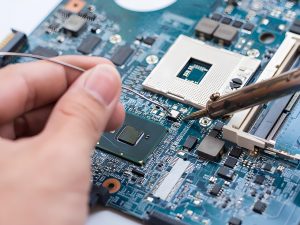
What industries do USA-serving ceramic PCB manufacturers support most?

USA-serving ceramic PCB manufacturers support industries where heat management, electrical insulation, compact packaging, and long-term reliability are important. Ceramic PCB technology is especially valuable when FR4 or conventional metal core PCB cannot provide enough thermal performance or dimensional stability.
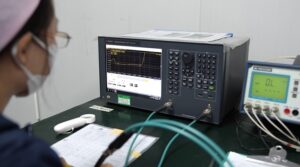
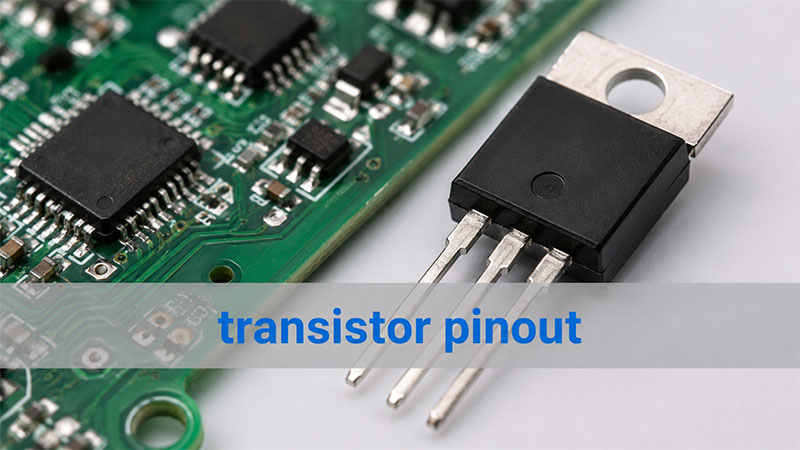
Power electronics is one of the strongest application areas. Ceramic substrates can support high-power components, improve heat transfer, and help maintain electrical insulation. This makes them useful in power supplies, converters, inverters, motor control modules, semiconductor packages, and high-current electronic systems.

LED and laser electronics also use ceramic PCB technology extensively. High-power LED modules generate concentrated heat, and ceramic substrates can help move that heat away from the junction area. This supports better optical stability and longer product life. Ceramic PCBs are used in industrial lighting, automotive lighting, medical lighting, UV LED modules, laser diode modules, and other optoelectronic products.

Medical electronics can benefit from ceramic PCBs because they offer stable insulation, precision, and strong thermal behavior. Applications may include imaging systems, monitoring equipment, sensor modules, diagnostic devices, power control boards, and compact electronic modules. For this market, the supplier’s ISO 13485 capability, traceability, and documentation support are important. EBest Circuit (Best Technology)’s ceramic PCB and PCBA capabilities are a strong fit for medical device teams that need both manufacturing support and controlled quality processes.

Aerospace and UAV electronics also value ceramic PCBs because these systems often require stable performance under thermal stress, vibration, compact design constraints, and long service expectations. Ceramic substrates can support RF modules, power electronics, sensor packages, control modules, and high-reliability electronic assemblies.

Automotive and EV electronics are another major field. Ceramic PCBs are used in power modules, LED headlights, battery systems, charging equipment, sensors, and control electronics. The automotive market values thermal cycling reliability, process repeatability, and traceable production. A supplier with IATF 16949 capability and ceramic process knowledge can support automotive-related engineering teams more effectively.

Industrial automation, telecommunications, RF, microwave electronics, and new energy equipment also rely on ceramic PCB solutions. In these markets, ceramic boards can help manage high frequency, heat, insulation, and compact layout requirements. The exact material depends on the design. Alumina is often practical for many industrial and sensor products. Aluminum nitride is preferred when heat density is higher. LTCC can support compact RF and multilayer ceramic modules. DBC and AMB can support power electronics requiring thick copper and strong thermal behavior.

Ceramic PCB Manufacturer USA Serving | Alumina & AlN Boards

In brief, a qualified ceramic PCB manufacturer USA serving partner should provide more than ceramic substrates. The right supplier should help U.S. customers choose materials, review DFM, control quality, support documentation, manage delivery, and scale from prototype to production. EBest Circuit (Best Technology) provides ceramic PCB manufacturing, ceramic PCB assembly, and turnkey electronics manufacturing support for U.S. customers working in medical, aerospace, automotive, industrial, RF, power electronics, LED, and new energy applications. For ceramic PCB fabrication or assembly inquiries, contact sales@bestpcbs.com.

You may also like

Difference Between Inverter and Converter: Inverter vs Converter Explained

May 12th, 2026

The difference between inverter and converter is a common question in power electronics. People often search for it when they compare solar systems, RV power setups, UPS units, EV systems, battery storage, chargers, and industrial power products.

At first, the two words sound similar. Both devices handle electrical power. Also, both are used in modern electronic systems. However, they do not do the same job.

An inverter usually converts DC power into AC power. A converter is a broader device. It can change power from one form to another. For example, it may convert AC to DC, DC to DC, AC to AC, or DC to AC.

In simple terms, an inverter has a more specific role. A converter covers a wider group of power circuits.

This difference is useful to know. It affects product design, PCB layout, heat control, component choice, and PCBA testing. Therefore, engineers, buyers, and product teams should understand the basics before they choose or build a power device.

What Is the Difference Between Inverter and Converter?

The main difference between an inverter and a converter is the type of power change they perform.

An inverter converts DC power into AC power. DC means direct current. In DC power, the current flows in one direction. Batteries, solar panels, and many energy storage systems provide DC power.

AC means alternating current. In AC power, the current changes direction again and again. Homes, factories, grid systems, and many machines use AC power.

A converter changes electrical power from one form to another. It may change voltage level, current type, frequency, or waveform. Because of this, converter is a wider term.

Simple Explanation

Here is the easiest way to remember it:

An inverter usually changes DC to AC. A converter can change power in several ways.

For example, a solar panel produces DC power. However, most home appliances need AC power. Therefore, a solar system needs an inverter to run those appliances.

By comparison, a phone charger works in another way. It takes AC power from a wall outlet. Then, it converts that power into low-voltage DC power for the phone battery. So, the charger is a converter.

In short, the two devices are related. However, they are not the same in everyday use.

Inverter vs Converter: Quick Comparison Table

A table can make the difference easier to understand.

ItemInverterConverter
Basic FunctionConverts DC power to AC powerChanges power from one form to another
Common Power DirectionDC to ACAC to DC, DC to DC, AC to AC, or DC to AC
Typical InputBattery, solar panel, or DC busAC mains, battery, DC source, or another power stage
Typical OutputAC voltageAC or DC voltage
Common ApplicationsSolar inverter, UPS, RV inverter, EV inverter, motor driveCharger, adapter, power supply, DC-DC module, voltage converter
Key ComponentsMOSFET, IGBT, gate driver, transformer, capacitor, filterDiode, rectifier, regulator, transformer, inductor, capacitor, IC
PCB Design FocusHeat, high current, EMI, switching loopsVoltage stability, ripple control, isolation, efficiency
Common User Question“How do I turn battery power into AC power?”“How do I change voltage or current type?”

In short, an inverter has a clear DC-to-AC function. A converter, however, can describe many kinds of power conversion circuits.

What Is an Inverter?

An inverter is an electrical device that converts DC power into AC power.

This is important because many power sources provide DC power. Batteries, solar panels, fuel cells, and DC bus systems are common examples. However, many appliances and machines need AC power. Therefore, an inverter connects a DC source to an AC load.

Common Inverter Applications

Inverters are used in many products, such as:

  • Solar inverters
  • RV inverters
  • UPS inverters
  • EV traction inverters
  • Motor drive inverters
  • Battery energy storage inverters
  • Industrial frequency inverters
  • Portable power station inverters

For example, a battery energy storage system stores DC power. When the user needs AC output, the inverter changes that stored energy into usable AC power.

Main Inverter Components

Inside an inverter, power components switch very fast. These parts may include MOSFETs or IGBTs. The right choice depends on voltage, current, power level, and switching speed.

A control circuit sends signals to the switching parts. Then, filters help shape the output. As a result, the final AC output becomes suitable for the connected load.

From a PCB point of view, this fast switching needs careful design. The board must carry current safely. Also, it must move heat away from key components. In addition, it must reduce noise from high-speed switching.

What Is a Converter?

A converter is a power device that changes electrical power from one form to another.

The word “converter” is broad. In consumer products, it often means an adapter or charger. In power electronics, it may mean an AC-DC converter, DC-DC converter, AC-AC converter, or DC-AC converter.

Common Converter Types

Converter TypeFunctionExample
AC-DC ConverterConverts AC to DCPhone charger, power adapter, LED driver
DC-DC ConverterConverts one DC voltage to anotherBattery electronics, automotive modules
AC-AC ConverterChanges AC voltage or frequencyVoltage regulator, frequency control system
DC-AC ConverterConverts DC to ACInverter, solar inverter, UPS inverter

Because the term is broad, an inverter can technically be one type of converter. However, people usually use the two words differently.

In daily use, “inverter” often means DC-to-AC conversion. Meanwhile, “converter” often means AC-to-DC or DC-to-DC conversion.

Why Converters Matter

Converters are used almost everywhere in electronics. For instance, laptops, medical devices, communication systems, LED lighting, industrial controllers, and automotive modules all need power conversion.

A converter board may look small. Still, it can be complex. It needs stable output, low ripple, good feedback routing, and proper heat flow. Therefore, both circuit design and PCB layout matter.

How Does an Inverter Work?

An inverter works by switching DC power very quickly. Through this switching process, it creates an AC output waveform.

Most modern inverters use PWM, or pulse width modulation. PWM controls the width of electrical pulses. As a result, the circuit can shape the output waveform more accurately.

Basic Working Steps

A simple inverter process includes five steps:

  • DC input enters the circuit
    The input may come from a battery, solar panel, DC bus, or energy storage system.
  • Switching parts create pulses
    MOSFETs or IGBTs turn on and off at high speed.
  • The control circuit manages timing
    A driver and controller set the switching pattern, output frequency, and protection logic.
  • Filters improve the waveform
    Inductors, capacitors, and sometimes transformers reduce noise.
  • AC output powers the load
    Finally, the inverter supplies AC power to appliances, motors, or other equipment.

Why PCB Layout Is Important

Inverter circuits often handle high current. They also switch very fast. Therefore, the PCB layout must be clean and compact.

For example, long switching loops can increase noise. Poor heat paths can raise component temperature. In addition, weak grounding can affect waveform quality.

Because of this, inverter PCB design should consider current path, thermal relief, EMI control, creepage, clearance, and component placement from the beginning.

How Does a Converter Work?

A converter works by changing voltage level, current type, or power form. The exact method depends on the converter type.

Some converters use rectification. Others use switching, regulation, filtering, or transformers. In many power products, several methods work together.

AC-DC Converter

An AC-DC converter takes AC input and turns it into DC output.

First, a rectifier changes AC into pulsating DC. Then, capacitors and regulators smooth and control the output. As a result, the circuit provides a more stable DC voltage.

This type of converter is common in chargers, adapters, LED drivers, and power supplies.

DC-DC Converter

A DC-DC converter changes one DC voltage into another DC voltage. It may step voltage down. It may also step voltage up. In some designs, it can also provide isolation.

Common DC-DC converter types include:

  • Buck converter
  • Boost converter
  • Buck-boost converter
  • Flyback converter
  • Forward converter
  • LLC resonant converter

For example, an EV may use a DC-DC converter. It can reduce high battery voltage to a lower voltage for control electronics.

Converter PCB Design Needs

Converter PCB design often focuses on stable output. Therefore, engineers must check feedback routing, ripple control, grounding, magnetic component placement, and heat flow.

Even a small layout issue can affect output quality. So, early PCB review is helpful before production.

Power Inverter vs Power Converter: What Is the Difference?

A power inverter converts DC power into AC power. A power converter changes power form, voltage level, or current type.

The difference becomes clearer in real systems.

For example, a battery system may use both devices. The battery stores DC power. If the product needs AC output, it needs a power inverter. However, if the product needs a lower DC voltage for control circuits, it may need a DC-DC power converter.

Power Flow Matters

Instead of looking only at the product name, engineers should check the power flow.

Ask these questions:

  • What is the input voltage?
  • Is the input AC or DC?
  • What output voltage is needed?
  • Is the output AC or DC?
  • How much current is required?
  • Does the circuit need isolation?
  • How much heat will it produce?
  • What safety standards apply?

Once these points are clear, the right design choice becomes much easier.

RV Inverter vs Converter: What Is the Difference?

In RV power systems, an inverter and a converter usually do opposite jobs.

An RV inverter converts battery DC power into AC power. This allows users to run AC appliances when shore power is not available. For example, it may power a TV, laptop charger, coffee maker, or microwave, depending on its rating.

An RV converter usually converts AC shore power into DC power. It can charge the RV battery. It can also supply 12V DC loads. These loads may include lights, fans, control panels, and small DC devices.

Easy RV Explanation

The simple rule is:

An RV inverter helps the battery power AC devices. An RV converter helps AC power charge the battery and support DC loads.

Some RV systems use inverter-chargers. These units combine both functions. Therefore, they can convert DC to AC and also convert AC to DC for battery charging.

This is why many users feel confused. The product name may include inverter, converter, charger, or inverter-charger. However, the real difference depends on the power direction.

Converter vs Inverter vs Rectifier vs Transformer

Converter, inverter, rectifier, and transformer are related terms. However, they do different jobs.

TermBasic MeaningCommon Function
ConverterBroad power conversion deviceChanges voltage, current type, or power form
InverterDC-to-AC deviceConverts battery or DC bus power into AC
RectifierAC-to-DC circuitConverts AC into DC
TransformerMagnetic energy transfer deviceSteps AC voltage up or down and may provide isolation

Rectifier

A rectifier converts AC into DC. It is often used inside an AC-DC converter. After rectification, the circuit usually needs filtering and regulation.

Transformer

A transformer transfers energy through magnetic coupling. It can step AC voltage up or down. Also, it can provide isolation between circuits.

However, a transformer does not convert AC into DC by itself.

Converter

A converter may contain rectifiers, transformers, regulators, switching parts, control ICs, and filters. Therefore, it is the broadest term in this group.

A practical way to remember the difference is:

  • Rectifier: AC to DC
  • Inverter: DC to AC
  • Transformer: AC voltage change and isolation
  • Converter: broader power conversion system

Where Are Inverters and Converters Used?

Inverters and converters are used in many industries. Any product that needs charging, voltage matching, motor control, or stable power may use one or both.

Solar Energy Systems

Solar panels generate DC power. Therefore, solar systems use inverters to convert DC into AC for homes, businesses, or grid connection.

In addition, DC-DC converters may help with battery charging or power optimization.

Battery Energy Storage

Battery systems store DC power. However, many loads need AC power. As a result, energy storage systems often use both inverters and converters.

Electric Vehicles

EVs use traction inverters to drive motors. Also, they use DC-DC converters to power low-voltage electronics from the high-voltage battery pack.

UPS Systems

A UPS may include rectification, battery charging, DC storage, and inversion. Therefore, both converter and inverter functions may appear in one system.

Industrial Motor Control

Motor drives use inverter stages to control speed and torque. These systems require stable switching, strong heat control, and good EMI performance.

Medical and Communication Equipment

Medical devices need stable and low-noise power. Communication systems also need efficient DC-DC conversion. In both cases, reliability is very important.

How Do Inverter and Converter Differences Affect PCB and PCBA Design?

The function of an inverter or converter directly affects PCB design. It also affects material choice, copper thickness, component placement, heat control, and testing.

Inverter PCB Design Focus

For inverter PCB design, engineers often check:

  • High-current paths
  • Switching loops
  • MOSFET or IGBT placement
  • Gate driver routing
  • DC bus capacitor layout
  • EMI control
  • Creepage and clearance
  • Heat dissipation
  • Output filtering
  • Protection circuits

Because inverters switch high current at high speed, layout quality is very important. For example, poor routing can increase noise. Also, weak heat paths can shorten product life.

Converter PCB Design Focus

For converter PCB design, engineers usually focus on:

  • Voltage regulation
  • Feedback loop routing
  • Ripple reduction
  • Transformer or inductor placement
  • Isolation spacing
  • Grounding strategy
  • Component derating
  • Thermal vias
  • Output filtering
  • Efficiency

Although converter boards may be compact, they still need careful design. A noisy feedback trace can affect stability. Poor grounding can also reduce output quality. Therefore, layout review is useful before mass production.

PCBA Manufacturing Considerations

Both inverter and converter PCBAs need controlled manufacturing. For example, solder quality, component polarity, insulation spacing, copper thickness, and test coverage all matter.

In high-power products, the PCB is more than a base for parts. It is also part of the electrical and thermal system.

What Should Engineers Check Before Manufacturing Inverter or Converter PCBAs?

Before manufacturing an inverter or converter PCBA, engineers should review the full design. This includes electrical, thermal, mechanical, and process details.

Electrical Ratings

First, confirm the input voltage, output voltage, current, power level, surge condition, and load range. These ratings affect trace width, component choice, insulation spacing, and test method.

Copper Thickness and Current Path

High-current boards may need wider traces, heavy copper, copper pours, bus bar structures, or special thermal paths. Therefore, current path review should happen early.

PCB Material

Many control boards use FR4. However, high-power applications may need high-Tg FR4, heavy copper PCB, metal core PCB, or ceramic PCB.

The right choice depends on voltage, current, temperature, and product life requirements.

Creepage and Clearance

Power circuits need safe spacing between high-voltage areas. This is especially important for isolated designs, primary and secondary sides, and user-accessible products.

Thermal Management

MOSFETs, IGBTs, diodes, transformers, inductors, and resistors may generate heat. Therefore, the design may need thermal vias, copper planes, heat sinks, or enclosure contact areas.

EMI Control

Fast switching can create electromagnetic noise. To reduce EMI, engineers should use short loops, proper grounding, filtering, shielding, and careful component placement.

BOM and Component Supply

Power semiconductors, capacitors, magnetic parts, and control ICs should be checked for availability. In addition, approved alternatives can help reduce supply risk.

Assembly and Testing

Power boards may need AOI, X-ray, ICT, functional testing, burn-in testing, hipot testing, load testing, and thermal testing. As a result, the test plan should be confirmed before production.

For inverter PCBAs and converter PCBAs, EBest Circuit can support PCB fabrication, PCBA assembly, DFM review, BOM sourcing, component procurement, functional testing, and production-quality control. Our team supports power electronics projects for industrial control, energy systems, automotive electronics, medical devices, communication equipment, and other high-reliability applications.

In conclusion, the difference between inverter and converter becomes clear when you look at the power direction. An inverter usually converts DC to AC. A converter is a broader device. It can change electrical power in many ways, such as AC to DC, DC to DC, AC to AC, or DC to AC.

In practical systems, both may appear together. For example, solar energy systems, RV power systems, EVs, UPS units, industrial drives, and battery storage products may use both inverter and converter circuits. For engineers, this difference affects much more than product naming. It influences circuit design, PCB layout, material selection, heat control, component sourcing, assembly process, and testing strategy.

If your project involves inverter PCBAs, converter PCBAs, power supply boards, high-current control boards, or power electronics manufacturing, EBest Circuit can support the process from DFM review and PCB fabrication to BOM sourcing, SMT assembly, functional testing, and production delivery. For technical support or project evaluation, pls feel free to contact us via sales@bestpcbs.com.

FAQs About the Difference Between Inverter and Converter

What Is the Main Difference Between an Inverter and a Converter?

The main difference is the power direction. An inverter usually converts DC power into AC power. A converter changes electrical power from one form to another, such as AC to DC, DC to DC, AC to AC, or DC to AC.

Is an Inverter a Type of Converter?

Yes. Technically, an inverter can be seen as a type of converter because it changes DC power into AC power. However, in common use, “inverter” usually means DC-to-AC conversion, while “converter” often means AC-to-DC or DC-to-DC conversion.

What Is the Difference Between a Power Inverter and a Power Converter?

A power inverter converts DC input into AC output. A power converter may change voltage level, current type, or power form. For example, chargers, adapters, power supplies, and DC-DC modules are power converters.

What Is the Difference Between an RV Inverter and Converter?

An RV inverter uses battery DC power to supply AC appliances. An RV converter takes AC shore power and changes it into DC power for battery charging and 12V DC loads.

What Is the Difference Between Converter and Inverter and Rectifier?

A converter is a broad power conversion device. An inverter converts DC to AC. A rectifier converts AC to DC. In many power systems, rectifiers and inverters can both be parts of a larger converter system.

What Is the Difference Between Inverter and Frequency Converter?

An inverter converts DC power into AC power. A frequency converter changes the frequency of AC power, often for motor control. Many frequency converters include both rectifier and inverter stages inside the system.

Do Inverters and Converters Use the Same PCB Components?

They may share some parts. For example, both may use MOSFETs, capacitors, inductors, transformers, diodes, sensors, and control ICs. However, their PCB layout, heat design, feedback routing, and test needs may be different.

Can One Device Work as Both an Inverter and a Converter?

Yes. Some systems combine both functions. For example, an inverter-charger can convert DC battery power into AC output. It can also convert AC input into DC power for battery charging.

You may also like

Best 4K Modulator 4K: PCB, PCBA and Box Build Manufacturing Guide

May 12th, 2026

The keyword best 4K modulator 4K is often used by buyers who need a 4K HDMI, RF, QAM, ATSC, or SDI modulator. Many users want to compare finished products. However, OEM brands and electronics companies often care about something deeper. A stable 4K modulator depends on the circuit board inside. It also depends on PCBA quality, connector strength, power stability, testing, and box build assembly. Therefore, the real value is not only in the product name. It is also in how the product is built.

This guide explains 4K modulator products from a manufacturing view. It shows how PCB layout support, PCB fabrication, PCBA assembly, component sourcing, testing, and box build can affect product quality. At EBest Circuit, we do not sell finished 4K modulator products. Instead, we support companies that develop this type of equipment. Our services include PCB fabrication, PCB layout support, PCBA assembly, component sourcing, testing support, and box build assembly.

 best 4k modulator 4k

What Makes the Best 4K Modulator 4K Reliable from a PCB and PCBA Perspective?

A reliable 4K modulator must handle video signals, RF output, power circuits, and long working hours. Therefore, the PCB and PCBA must be made with care.

A good 4K modulator is not only about features. It also needs stable production. If the board is not built well, the final product may have signal loss, unstable output, or a shorter service life.

Key PCB and PCBA points include:

  • Controlled impedance PCB fabrication
  • Accurate SMT component placement
  • Strong HDMI, SDI, BNC, and RF connector soldering
  • Stable power circuit assembly
  • Good grounding support
  • Proper heat transfer for main ICs
  • Clear test points
  • Functional testing based on customer needs

For example, weak connector soldering may cause signal dropouts. Also, poor power assembly may cause random restarts. In addition, poor heat transfer may reduce product life.

As a result, OEM customers need more than a low-cost assembly supplier. They need a PCB and PCBA partner that understands high-speed and RF-related electronics.

How Does a Best HDMI 4K Modulator Work Inside the Circuit Board?

A best HDMI 4K modulator usually receives video through an HDMI input. Then, the circuit processes the signal. After that, it sends the signal out through RF, coaxial cable, QAM, ATSC, or another output format.

Although each product is different, many 4K HDMI modulators use similar circuit sections.

Circuit SectionMain Function
HDMI Input SectionReceives 4K video and audio signals
Video Processing SectionHandles video conversion or encoding
Clock SectionKeeps signal timing stable
RF Output SectionSends the signal through RF or coaxial output
Power SectionSupplies stable voltage to the board
Control SectionSupports buttons, display, firmware, or web control
Connector SectionIncludes HDMI, SDI, RF, Ethernet, USB, and power ports

From the outside, a 4K modulator box may look simple. However, the PCBA inside can be complex. It may include digital signals, RF signals, power circuits, and many connectors.

For this reason, clear production files are important. These files often include Gerber data, BOM, pick-and-place files, assembly drawings, impedance notes, test steps, and firmware loading needs.

In addition, if the product needs an enclosure, the customer should also provide box build drawings. Label files, cable routing notes, and packing details are also helpful.

What PCB Layout Requirements Matter in a Best 4K RF Modulator?

PCB layout is important in a best 4K RF modulator. However, this does not mean the PCB manufacturer must design the full RF product. In most OEM projects, the customer provides the circuit design.

After that, the manufacturer can support PCB layout review, DFM checks, PCB fabrication, and PCBA assembly.

For a 4K RF modulator, the PCB layout should help signals move cleanly across the board. It should also reduce noise, signal loss, and assembly risk.

Key layout points may include:

  • Controlled impedance routing
  • Short RF signal paths
  • Solid ground plane support
  • Clear spacing between RF, digital, and power areas
  • Correct HDMI, SDI, BNC, and RF connector footprints
  • Good via placement near RF paths
  • Enough space for heat-sensitive parts
  • Suitable test points for production checks
  • DFM-friendly pad sizes and solder mask openings

For example, HDMI differential pairs may need impedance control. Meanwhile, RF output traces need a stable reference plane. Also, connector areas should match the final enclosure.

Before PCB production, DFM review can help find possible issues. For instance, it can check pad size, spacing, solder mask clearance, via design, board edge clearance, and panelization.

As a result, customers can fix many problems before SMT assembly starts. This saves time. It also helps improve production quality.

Best 4K RF Modulator for Smart TV Distribution: What PCBA Features Support Stable Output?

Many users search for the best 4K RF modulator for smart TV distribution because they need to send video to many TVs. This is common in hotels, schools, hospitals, churches, gyms, malls, and meeting rooms.

In these systems, stable output matters more than fancy features. The device should provide clear video, stable audio, and reliable channel output.

A 4K RF modulator for TV distribution usually needs strong PCBA quality in several areas.

Key PCBA features include:

  • Stable RF output section assembly
  • Reliable HDMI or SDI connector soldering
  • Clean power circuit assembly
  • Accurate clock component placement
  • Good grounding and shielding support
  • Proper heat transfer around video processing ICs
  • Functional testing before shipment
  • Serial number tracking for production control

In addition, connector durability is very important. HDMI ports, RF connectors, BNC connectors, F-type connectors, Ethernet ports, and power jacks are used often. Therefore, solder quality and mechanical alignment should be checked carefully.

For OEM brands, one good prototype is not enough. Instead, they need repeatable production. Every unit should follow the same assembly and test standard.

Because of this, EBest Circuit supports prototypes, small-batch PCBA, and volume production. We can help with PCB fabrication, component sourcing, SMT assembly, DIP assembly, inspection, testing support, and box build assembly.

Best 4K RF Modulator Multichannel QAM ATSC Blade: What Makes the PCB Assembly More Complex?

The keyword best 4K RF modulator multichannel QAM ATSC blade points to a more professional product type. These products are often used in headend systems, hotel TV systems, hospital TV distribution, campus systems, and commercial AV networks.

Compared with a simple single-channel modulator, a multichannel QAM or ATSC blade is more complex. It may process several channels at the same time. Therefore, the PCBA must support more RF paths, more connectors, and more testing.

AreaManufacturing Focus
Multiple RF ChannelsBetter connector and RF path consistency
Dense ComponentsAccurate SMT placement and reflow control
Fine-Pitch ICsClean solder paste printing and inspection
Power SectionsStable assembly for several voltage rails
Thermal AreasCorrect thermal pad or heat sink assembly
Edge ConnectorsGood mechanical fit for system installation
TestingChannel-by-channel checks if required

In addition, these products may use BGA, QFN, fine-pitch ICs, high-speed memory, RF parts, and many connectors. Because of this, inspection becomes more important.

AOI can check part placement and visible solder joints. Also, X-ray inspection can help check hidden solder joints under BGA or QFN packages. Meanwhile, functional testing can confirm power-on status, firmware loading, communication, and output behavior.

For customers developing QAM, ATSC, blade-type, or rack-mounted 4K modulator products, EBest Circuit can support the full manufacturing flow. This includes PCB fabrication, PCBA assembly, inspection, testing support, and box build assembly.

How Are HDMI, SDI and RF Interfaces Supported in 4K Modulator PCBA Assembly?

HDMI, SDI, and RF interfaces are important parts of many 4K modulator PCBAs. They connect the device to media players, cameras, encoders, displays, coaxial networks, and AV systems.

From a manufacturing view, these interfaces need both electrical quality and mechanical strength.

HDMI interface assembly

HDMI ports carry high-speed video and audio signals. Therefore, the connector must be placed correctly. It also needs strong soldering.

In addition, nearby ESD protection parts, common mode chokes, capacitors, and related parts must match the customer’s BOM and assembly files. A small solder issue near the HDMI port may cause no signal or unstable display.

SDI interface assembly

SDI interfaces are common in broadcast, camera, and professional AV systems. They often use BNC connectors. Because these connectors face repeated cable use, solder strength and position accuracy matter.

Also, when HDMI and SDI exist on the same PCBA, the board may need more careful inspection. Final testing can help confirm that each input or output works as expected.

RF interface assembly

RF connectors, F-type connectors, coaxial connectors, and shield covers also need careful assembly. Good soldering, proper grounding, and correct shield installation can support stable output.

EBest Circuit follows customer assembly drawings, BOM files, connector specifications, and test instructions. In addition, we can help review DFM issues, such as wrong connector footprints, poor pad size, or difficult inspection access.

What Thermal and EMI Considerations Matter in 4K Modulator Box Build Assembly?

A 4K modulator box may run for long hours. It may also be installed inside an AV rack, control room, cabinet, or wall-mounted system. As a result, box build assembly must handle thermal and EMI-related details with care.

It is important to explain this clearly. EBest Circuit does not claim to provide full thermal design or EMI certification design for a finished 4K modulator product. However, we can support the customer’s approved drawings, materials, and assembly process.

Thermal-related assembly

Thermal parts must be installed correctly. For example, if a thermal pad is placed in the wrong position, heat transfer may be reduced. Also, if a heat sink is loose, the main IC may not cool properly.

Thermal-related box build steps may include:

  • Heat sink installation
  • Thermal pad placement
  • Fan or vent assembly if required
  • Screw torque control
  • Cable routing to avoid blocking airflow
  • Final visual inspection

EMI-related assembly

EMI-related parts also need careful handling. These parts may include shield covers, conductive gaskets, metal enclosures, grounding points, and internal cables.

During box build assembly, the manufacturer may need to check:

  • Shield cover position
  • Conductive gasket placement
  • Enclosure grounding contact
  • Connector alignment with the rear panel
  • Internal cable routing
  • Screw and bracket installation

In addition, box build may include label placement, LED light pipe assembly, button alignment, firmware loading, serial number tracking, final testing, and packaging.

Therefore, an integrated manufacturing partner can save time for OEM customers. It also helps keep the full build process more consistent.

Can PCB and PCBA Manufacturers Support 4K HDMI to RF Modulator OEM Projects?

Yes. A qualified PCB and PCBA manufacturer can support 4K HDMI to RF modulator OEM projects when the customer provides clear design files and production needs.

A turnkey manufacturing flow may include several steps.

1. Engineering file review

First, the manufacturer reviews Gerber files, BOM, pick-and-place files, assembly drawings, PCB stack-up, impedance notes, and panelization.

2. DFM review

Next, DFM review checks whether the board is easy and safe to manufacture. It may cover pad size, spacing, solder mask, via design, component supply, connector fit, and assembly risk.

3. PCB fabrication

After the review, PCB fabrication begins. A 4K modulator PCB may require multilayer construction, controlled impedance, ENIG surface finish, and stable process control.

4. Component sourcing

Then, components are sourced according to the BOM. These may include ICs, connectors, passives, crystals, inductors, RF-related parts, power parts, and mechanical items.

5. SMT and DIP assembly

Next, SMT assembly places small parts, ICs, QFN, BGA, and passives. In addition, DIP or manual soldering may be used for large connectors, transformers, inductors, or mechanical parts.

6. Inspection and test support

After assembly, AOI, X-ray, visual inspection, and first article inspection help check quality. Also, if the customer provides firmware and test steps, programming and functional testing can be supported.

7. Box build assembly

Finally, box build assembly may include enclosure assembly, cable connection, shield cover installation, thermal pad placement, label attachment, final inspection, and packaging.

As a result, customers can manage the full manufacturing process more easily. They can also reduce supplier communication time.

Why Choose EBest Circuit for 4K Modulator PCB, PCBA and Box Build Assembly?

EBest Circuit supports electronics companies that need PCB fabrication, PCBA assembly, component sourcing, testing support, and box build manufacturing.

For 4K modulator-related products, our value is not selling a finished branded modulator. Instead, we help customers build their own products with stable manufacturing quality.

Our support can include:

  • PCB layout optimization feedback
  • DFM review before production
  • Multilayer PCB fabrication
  • Controlled impedance PCB manufacturing
  • FR4, high-Tg FR4, metal core PCB, ceramic PCB, and RF-related laminate support
  • SMT assembly and through-hole assembly
  • Fine-pitch IC and connector assembly
  • Component sourcing and BOM optimization
  • AOI, X-ray, electrical test, and functional test support
  • Firmware programming based on customer instructions
  • Box build assembly
  • Prototype, small-batch, and mass production support

For 4K HDMI modulators, RF modulators, QAM/ATSC boards, SDI interface boards, commercial AV electronics, and smart TV distribution devices, stable manufacturing is very important. Therefore, each production step should be checked carefully.

With EBest Circuit, customers can receive support from PCB fabrication to PCBA assembly and box build. In addition, our team can help review production files, reduce assembly risk, source components, inspect quality, and support final product delivery.

Do you need PCB, PCBA, or box build support for your 4K modulator project? Pls feel free to send your Gerber files, BOM, or assembly requirements to sales@bestpcbs.com, and EBest Circuit will help you move from prototype to production with reliable manufacturing support.

FAQs About Best 4K Modulator 4K

1. What is a best 4K modulator 4K used for?

A best 4K modulator 4K is used to convert 4K video signals into formats that can be sent through RF, coaxial cable, QAM, ATSC, or other video distribution systems. It is often used in hotels, churches, schools, hospitals, commercial AV systems, and smart TV distribution projects.

For OEM brands, the product quality depends not only on the video function. It also depends on the PCB, PCBA assembly, connector quality, power stability, and final testing.

2. Can EBest Circuit manufacture PCB and PCBA for 4K modulators?

Yes. EBest Circuit can support 4K modulator-related projects with PCB fabrication, PCB layout support, PCBA assembly, component sourcing, testing support, and box build assembly.

We do not sell finished 4K modulator products. Instead, we help electronics companies manufacture the PCB, PCBA, and box build parts of their own products.

3. What files are needed for a 4K modulator PCBA project?

For a 4K modulator PCBA project, customers usually need to provide Gerber files, BOM, pick-and-place files, assembly drawings, PCB stack-up requirements, and test instructions.

If box build assembly is needed, enclosure drawings, cable routing notes, label files, firmware loading instructions, and packaging requirements are also helpful. As a result, the manufacturing process can move faster and more smoothly.

4. Why is PCBA quality important for a 4K HDMI to RF modulator?

PCBA quality affects signal stability, connector strength, power reliability, heat transfer, and product life. For example, poor HDMI or RF connector soldering may cause signal loss. Also, unstable power assembly may cause random restarts.

Therefore, a reliable 4K HDMI to RF modulator needs careful PCB fabrication, accurate SMT assembly, proper inspection, and functional testing before shipment.

You may also like