PCB manufacturing PCB manufacturing
Home > Blog

Reliable Low Volume PCB Assembly Services for Fast Prototype

December 26th, 2025

Low Volume PCB Assembly​ bridges the critical gap between prototyping and full-scale production, providing a cost-effective method for functional testing and market validation. This article explores its key benefits, differentiates it from high-volume processes, and provides a guide for selecting the right partner to accelerate your product development.

Bringing a new electronic product to life is exhilarating, but the path from prototype to market is fraught with hurdles. What are the critical challenges teams face when sourcing assembled prototypes and small batches?

  • High upfront costs and MOQ barriers with standard assembly lines, making iteration financially risky.
  • Slow turnaround times due to complex setup and scheduling conflicts on high-mix, low-volume lines.
  • Compromised quality and reliability when using hobbyist services or incompatible assembly partners.
  • Lack of expert support and design feedback (DFM) to catch errors before manufacturing, leading to costly re-spins.
  • Inflexible processes that struggle with component sourcing for small quantities and frequent design changes.

The solution lies in partnering with a specialized Low Volume PCB Assembly Manufacturer​ whose processes are engineered for agility, quality, and support at smaller scales. Here is how the right partner addresses these core challenges:

  • Implements flexible pricing models with minimal to no MOQs, drastically reducing the financial risk of prototyping.
  • Optimizes workflows for speed, dedicating agile production cells to ensure fast prototype turnaround without sacrificing process rigor.
  • Applies the same stringent quality control (e.g., AOI, SPI, functional testing) as high-volume lines to guarantee reliability in every batch.
  • Provides proactive engineering support, offering comprehensive Design for Manufacturability (DFM) analysis to optimize designs before fabrication.
  • Maintains robust component sourcing networks and inventory management to handle shortages and last-minute changes efficiently.

As a professional Low Volume PCB Assembly Factory, BEST Technology combines state-of-the-art SMT lines with deep engineering expertise to deliver reliable Low Volume PCB Assembly services​ that are fast, scalable, and built to the highest quality standards. Whether you need FR4, flex, ceramic, or metal-based low volume PCB assembly services, we can support your build from prototype to small-batch production. We have 19 years of experience assembling all these board types.

Our core strengths include small-volume capability, multi-variety handling, fast delivery, and responsive service. Most of our customers come from Germany, the United States, and Israel, serving industries such as medical devices, industrial control, robotics, and IoT. For more information or if you would like to send us any inquiry, please send us an email through the contact form at the bottom of our Contact Page.

Low Volume PCB Assembly

What Is Low Volume PCB Assembly?

Low Volume PCB Assembly​ refers to the process of assembling printed circuit boards in smaller quantities, typically ranging from a single prototype to a few hundred units. This service is tailored for the research, development, and testing phases of product life cycles.

  • Core Purpose:​ It enables functional testing, design validation, and market pilot runs without the financial burden of large-scale production commitments.
  • Typical Applications:Prototyping for startups, pilot runs for OEMs, specialized industrial equipment, niche products, and R&D projects.
  • Key Differentiator:​ Unlike bulk production, it prioritizes flexibility, speed, and adaptability over the lowest possible per-unit cost.

The process follows the same core steps as standard PCB Assembly—solder paste application, component placement, reflow soldering, and inspection—but is optimized for efficiency at low quantities. The table below summarizes its key characteristics:

FeatureDescription
Order Quantity1 to 500 units (varies by manufacturer)
Primary GoalSpeed, Flexibility, & Design Validation
Setup EmphasisQuick turnaround and easy design changes
Cost StructureHigher per-unit cost, lower total project cost

In summary, Low Volume PCB Assembly​ is the essential bridge between a validated design and mass production, allowing for iterative refinement with manageable risk.

Low Volume PCB Assembly

How Does Low Volume PCB Manufacturing Differ from High Volume Processes?

The fundamental difference lies in the core objectives: Low Volume PCB Manufacturing​ prioritizes flexibility and speed for development, while High Volume PCB Manufacturing​ maximizes efficiency and consistency for the market.

  • Flexibility vs. Optimization:​ Low-volume lines are built to handle a wide variety of designs with frequent changeovers. High-volume lines are fine-tuned for one design to maximize output.
  • Speed to First Article:​ The focus for prototypes is on getting the first working unit fast. For high volume, the focus is on achieving a stable, rapid production cycle.
  • Cost Perspective:​ Low volume considers total project cost and time-to-market savings. High volume strives to minimize the cost per individual unit.

Consider the following comparison across key parameters:

ParameterLow Volume PCB AssemblyHigh Volume PCB Manufacturing
Batch Size1 – 500 units10,000+ units
Setup TimeShorter, more frequentLong, optimized once
Line FlexibilityVery High (mixed technology)Low (dedicated to a product)
Primary Cost DriverEngineering & Setup TimeMaterial & Scale Efficiency
Change ManagementEasy and expectedDifficult and costly
ToolingOften generic or soft-tooledCustom, hardened fixtures

Ultimately, choosing the right process depends on the product stage. For Fast Prototype​ and pilot needs, the agility of a Low-Volume PCB Assembly Factory​ is irreplaceable.

Why Do OEMs Rely on Wholesale Low Volume PCB Assembly for Pilot Production?

OEMs leverage Wholesale Low Volume PCB Assembly​ for pilot production because it de-risks scale-up by testing the manufacturability, supply chain, and performance of a product in a near-market environment.

  • Supply Chain Validation:​ A pilot run tests the real-world availability and compatibility of all components before committing to large-scale purchases.
  • Process Verification:​ It confirms that the assembly process designed in prototyping works reliably at a slightly larger scale, identifying potential yield issues.
  • Market Testing:​ Generates units for beta testing, regulatory certifications, and early customer feedback without massive inventory investment.
  • Logistics & Packaging Dry Run:​ Allows testing of the complete fulfillment cycle, from assembly to final packaging and shipping.

In essence, a pilot production run via a Wholesale Low Volume PCB Assembly Supplier​ acts as the final, critical check before the significant capital expenditure of mass production, ensuring a smoother and more predictable launch.

How Do Low Volume PCB Assembly Manufacturers Support Prototype Runs?

Specialized manufacturers support prototype runs by offering tailored services that go beyond simple assembly. They act as development partners.

  • Comprehensive DFM/DFA Analysis:​ Before assembly begins, engineers review design files to flag potential manufacturing, soldering, or reliability issues, suggesting modifications to improve yield and performance.
  • Rapid Turnaround:​ Dedicated quick-turn lines prioritize prototype orders, often offering services from 24-hour assembly to 5-day production turns.
  • Component Sourcing Support:​ They assist in procuring small quantities of components, managing the challenges of Minimum Order Quantities (MOQs) from distributors.
  • Mixed Technology Assembly:​ Capability to handle both SMT (Surface Mount Technology) and THT (Through-Hole Technology) on the same board, which is common in complex prototypes.
  • Rigorous Testing for Small Batches:​ Even for a handful of boards, they apply appropriate testing (e.g., flying probe, functional testing) to ensure each unit works as intended.

This holistic support system is what makes a Low Volume PCB Assembly Manufacturer​ a valuable asset for any development team, transforming a simple fabrication order into a collaborative engineering effort.

What Factors Shape Low Volume PCB Assembly Quotes During Early Development?

Understanding the components of a Low Volume PCB Assembly Quote​ empowers teams to make informed budgeting decisions. The cost is shaped by several key factors:

  • PCB Complexity:​ Layer count, size, material (e.g., standard FR-4 vs. ceramic), and special finishes (ENIG, immersion gold) directly impact the bare board cost.
  • Component Factors:​ The number of unique parts, their package sizes (fine-pitch components cost more to place), and source/availability. Obsolete or hard-to-find parts increase cost and time.
  • Assembly Difficulty:​ Mix of SMT vs. THT components, need for double-sided SMT placement, or any manual assembly steps.
  • Testing Requirements:​ The type and extent of testing (Visual Inspection, AOI, SPI, Functional Test) add time and labor but are critical for reliability.
  • Order Quantity & Turnaround:​ While per-unit cost decreases slightly with quantity, the total NRE (Non-Recurring Engineering) and setup costs are a larger portion of the total for very low volumes. Expedited turnaround incurs a premium.

A clear and detailed quote from a Low Volume PCB Assembly Supplier​ will break down these elements, providing transparency and helping you optimize the design for cost without compromising functionality.

Why Do Many Teams Choose China Low Volume PCB Assembly for Small-Batch Builds?

The choice of a China Low Volume PCB Assembly​ partner is often driven by a powerful combination of scale, skill, and value that is uniquely developed in the region’s electronics manufacturing ecosystem.

  • Integrated Supply Chain:​ Proximity to the world’s largest component manufacturers and PCB fabricators simplifies logistics, reduces lead times, and often provides cost advantages on the BOM (Bill of Materials).
  • Technical Expertise & Experience:​ Many Chinese factories have decades of experience servicing global clients, building deep expertise in handling diverse and complex projects for Low Volume PCB Assembly.
  • Advanced Manufacturing Infrastructure:​ Willingness to invest in the latest SMT equipment, automation, and testing gear to serve a sophisticated international market.
  • Cost-Effectiveness:​ Competitive labor and operational costs can translate to significant savings, especially valuable for startups and companies developing Cheap Low Volume PCB Assembly​ without sacrificing quality.

When selecting a China Low Volume PCB Assembly Manufacturer, the key is to vet partners for quality systems, communication skills, and experience with international standards to fully leverage these advantages.

What Should Buyers Evaluate When Selecting a Low Volume PCB Assembly Supplier?

Choosing the right partner is critical. Beyond just price, buyers should conduct thorough due diligence on several fronts to ensure a successful partnership.

Evaluation CriteriaKey Questions to Ask
Technical CapabilityCan they handle your board’s technology (e.g., Boost Converter PCB Layout​ with high-current traces)? Do they offer DFM analysis?
Quality CertificationsAre they ISO 9001, IATF 16949, or ISO 13485 certified? What in-process quality controls (SPI, AOI) do they use?
Communication & SupportIs there a dedicated project manager? Are they responsive and proficient in your language? Do they provide clear Low Volume PCB Assembly Quotes?
Supply Chain ManagementHow do they handle component sourcing and shortages? Can they provide PCB Assembly Small Volume​ component kits?
ScalabilityCan they support your product from 10 units to 10,000 units? Do they offer both Low Volume​ and High Volume PCB Manufacturing?

A supplier that scores well in these areas is more likely to be a reliable, long-term partner for your PCB Assembly Low Volume​ needs.

Why EBest Circuit (Best Technology) Is a Trusted Partner for Low Volume PCB Assembly?

As a reliable China low volume PCB assembly factory, BEST Technology​ has built its reputation by focusing exclusively on the challenges and requirements of low to mid-volume production. We understand that your prototype is not just a test board—it’s the foundation of your product’s future.

  • Dedicated Low-Volume Focus:​ Our processes, equipment, and team mindset are all optimized for agility, making us ideal for Fast Prototype​ and pilot production.
  • Engineering Partnership:​ We provide more than assembly; we offer expert design feedback to enhance manufacturability, reliability, and performance from the start.
  • End-to-End Control:​ From PCB Board Prototype​ fabrication to assembly and testing, we maintain strict quality control at every step, ensuring consistency and reliability.
  • Global Standard Quality:​ We serve demanding international clients, adhering to the highest global quality and communication standards, making us a reliable Low Volume PCB Assembly USA-alternative​ with competitive value.
Low Volume PCB Assembly

All in all, Low Volume PCB Assembly​ is the critical, strategic service that enables innovation by reducing the time, cost, and risk of bringing new electronic products to life. From validating a PCB Prototype​ to executing a pilot run, it provides the essential bridge between digital layouts and manufacturable boards.

This guide has outlined its importance, differentiated it from high-volume processes, and provided a framework for selecting the right manufacturing partner. For teams seeking reliable Low Volume PCB Assembly services for Fast Prototype​ development, BEST Technology​ stands as a proven partner. Pls feel free to contact our team at sales@bestpcbs.com to request a quote for your next project.

0402 Resistor: Size, Values, Power Rating & Technical Details

December 24th, 2025

Surface-mount resistors are the backbone of modern miniaturized electronics, and the 0402 resistor package is one of the most widely used formats today. Designers rely on this small, lightweight device to save space, reduce cost, and support high-density PCB layouts. Although it looks very simple at first glance, the 0402 package plays a critical role in controlling current flow, establishing reference points, supporting bias networks, and maintaining signal integrity in compact circuits.

This guide provides a detailed and practical overview of the 0402 chip format, including 0402 resistor size, common resistance values, power rating, voltage performance, dimensional specifications, comparisons with smaller SMD formats, and the answers to common questions asked by designers.

0402 Resistor: Size, Values, Power Rating & Technical Details

What Is a 0402 Resistor?

A 0402 resistor is a surface-mount chip resistor with a physical size of 0.04 × 0.02 inches. It is designed to provide stable and predictable resistance in compact circuits. This package is widely used in mobile electronics, wearables, laptops, communication modules, IoT devices, industrial instruments, and automotive control units.

This small package is valued for its:

  • Very compact footprint
  • Low material and assembly cost
  • Stable electrical characteristics
  • High assembly efficiency in SMT production
  • Suitability for medium-density and high-density PCB layouts

The 0402 package sits at the center of the SMD resistor family. It is small enough for space-constrained layouts yet still large enough to offer good mechanical stability and predictable solder joint strength.

0402 Resistor Specifications and Dimensions

The specifications of a 0402 resistor vary by manufacturer, but the general characteristics remain fairly consistent across the market. Here is a 0402 resistor specifications and dimensions table:

ParameterTypical SpecificationNotes
Package Size (Imperial)0402Standard SMD code
Package Size (Metric)1005 (1.0 × 0.5 mm)ISO metric code
Length (L)1.00 mm ± 0.05 mmVaries by manufacturer
Width (W)0.50 mm ± 0.05 mmVaries slightly by series
Thickness (T)0.30–0.40 mmDepends on power rating
Terminal Thickness0.10 mmCu/Ni/Sn plated
Resistance Range0.5 Ω to 10 MΩWider ranges in some series
Tolerance Options±1%, ±2%, ±5%Thin-film supports ±0.5% or ±0.1%
Temperature Coefficient (TCR)±100 to ±400 ppm/°CPrecision film can reach ±25 ppm/°C
Power Rating0.0625 W (1/16 W)Enhanced versions reach 0.1 W
Maximum Working Voltage25 VLimited by small geometry
Dielectric Withstanding Voltage50 VShort-term withstand
Operating Temperature–55°C to +155°CTypical thick-film spec
Termination MaterialCu/Ni/SnLead-free RoHS compliant
Construction TypeThick-film or Thin-filmDepends on accuracy requirements
Standard PackagingTape & reel10,000 pcs or 5,000 pcs reels

Manufacturers offer both thick-film and thin-film construction. Thick-film versions are ideal for general-purpose applications due to their attractive cost. Thin-film versions provide tighter tolerance and lower TCR, which are preferred in precision circuits such as sensor interfaces and measurement systems.

What Size Is 0402 in mm?

The name “0402” reflects the imperial dimensions of the component. The first two digits represent the length in hundredths of an inch, and the last two digits represent the width in hundredths of an inch.

  • Length: 0.04 inch
  • Width: 0.02 inch

Converted to metric values, the 0402 package has:

  • Length: 1.0 mm
  • Width: 0.5 mm
What Size Is 0402 in mm?

Because of this small footprint, the 0402 format is widely used in circuits requiring tight component spacing. Designers select it when they need shorter trace lengths, denser routing, reduced board area, and improved electrical performance in compact RF or high-speed designs. The size also makes it suitable for smartphones, smart wearables, compact medical devices, and other highly integrated products.

What Are Typical 0402 Resistor Values?

Typical 0402 resistor values follow standard E-series ranges. This means the device is available in both common and precision resistance values across a wide span.

Common value ranges in 0402 packages include:

  • 1 Ω to 10 Ω for current sensing and damping
  • 10 Ω to 1 kΩ for signal biasing and termination
  • 1 kΩ to 100 kΩ for voltage dividers and control circuits
  • 100 kΩ to several MΩ for leakage control and pull-up or pull-down networks

In practical designs, engineers choose the value based on the required current, target voltage drop, allowed power dissipation, and noise or stability constraints. Many vendors provide full E24 and E96 series values for applications that require fine adjustment or precision tuning.

What Is the Voltage of a 0402 Resistor?

A typical 0402 chip has a modest voltage rating due to its very small physical size. A common set of values is:

  • Maximum working voltage: about 25 V
  • Dielectric withstand voltage: about 50 V

These numbers vary slightly between manufacturers, but the working voltage remains limited because the body is small and the internal conduction path is short. In sensitive or high-reliability designs, engineers normally operate these parts well below the maximum ratings.

When designing with these small chip resistors, you should consider:

  • Derating at high ambient temperature
  • Transient loads in switching circuits and startup events
  • Creepage and clearance distance on the PCB surface
  • Voltage coefficients, especially for very high resistance values

Even though the rated working voltage is around 25 V, many designers prefer to keep the operating voltage lower to minimize stress and improve long-term reliability.

What Is the Power Handling of 0402 Resistor?

The most common 0402 resistor power rating is:

  • 1/16 watt (0.0625 W)

Some specialized versions may offer ratings up to 0.1 W, but these parts rely on improved materials and specific manufacturing processes. Always review the datasheet before assuming a higher rating.

In real circuits, the actual power a 0402 can handle depends on more than the nominal rating. Key factors include:

  • Copper pad design and thermal connection to inner layers
  • PCB material and thickness
  • Ambient temperature and available airflow
  • Distance from other heat sources and power devices
  • Duration of load and duty cycle

Because the resistor is very small, its thermal mass is limited. It heats up quickly during overload. In high-density layouts, engineers often derate the load to around half of the nominal rating to ensure long service life and to avoid hot spots on the PCB.

What Is the Difference Between SMD 0201 and 0402?

The SMD 0201 and 0402 packages are both used in miniaturized designs, but they differ significantly in handling, manufacturability, and electrical behavior.

SMD 0201 Resistor

  • Size around 0.6 mm × 0.3 mm
  • Extremely small, with very limited pad area
  • Requires advanced pick-and-place machines and precise solder paste control
  • Usually has a lower power rating than 0402
  • More sensitive to misalignment, tombstoning, and reflow issues
  • Used mainly when PCB space is extremely constrained

SMD 0402 Resistor

  • Size around 1.0 mm × 0.5 mm
  • Easier to mount and inspect than 0201
  • Stronger solder joints and better mechanical stability
  • Higher power rating compared with 0201
  • Less prone to assembly defects in standard SMT lines
  • Broadly supported across many EMS factories and assembly partners

In simple terms, you can think of it this way: use 0201 when every square millimeter matters, and select the 0402 package when you want a good balance between size, stability, cost, and assembly yield.

0201 vs 0402 vs 0603 SMD Resistors

Specification020104020603
Metric Code060310051608
Dimensions (L × W)0.60 × 0.30 mm1.00 × 0.50 mm1.60 × 0.80 mm
Thickness0.23–0.33 mm0.30–0.40 mm0.45–0.55 mm
Typical Power Rating0.03 W0.0625 W0.1 W (some up to 0.125 W)
Max Working Voltage15–20 V25 V50 V
Resistance Range10 Ω to 1 MΩ0.5 Ω to 10 MΩ0.1 Ω to 22 MΩ
Tolerance Availability±5%, ±2%, ±1%±5%, ±2%, ±1%, ±0.5%±5%, ±2%, ±1%, ±0.5%, ±0.1%
TCR (ppm/°C)±200 to ±400±100 to ±400±50 to ±200
Assembly DifficultyVery highModerateEasy
Pick-and-Place CompatibilitySpecial nozzles requiredStandardVery standard
Rework DifficultyExtremely difficultManageableEasy
Tombstoning RiskHighMediumLow
Mechanical StrengthLowestMediumStrongest
Common ApplicationsUltra-compact wearables, RF modules, space-limited sensorsSmartphones, IoT devices, consumer electronicsIndustrial devices, power modules, automotive boards
Best ForMaximum densityBalance of size & stabilityBest reliability & ease of assembly

What Happens If I Use a Higher Ohm Resistor?

Using a higher resistance value than the original design changes the behavior of the circuit in a predictable way. Since current is given by I = V / R, increasing the resistance leads to a lower current flow.

The main effects are:

  • Lower current: the circuit draws less current through that branch
  • Higher voltage drop across the resistor: more voltage is lost on the component
  • Lower voltage at the load: some circuits may not receive enough voltage to operate properly
  • Reduced power consumption: in some bias networks this can be an advantage

In low-power applications, slightly increasing the resistance can be safe, and sometimes even helpful. However, if the resistor sets a gain, reference level, or timing constant, that change may cause unstable behavior or performance drift. When replacing values, always review the circuit function and check that the new value still meets the design requirements.

How Much Does an 0402 Resistor Weigh?

The weight of a single 0402 resistor is extremely low. Typical specifications list a figure in the range of:

  • About 0.4 mg to 0.6 mg per piece

For most projects this value is not critical. However, in aerospace, drone, and medical wearable designs, the total component mass can have a noticeable effect on product weight and battery life. The 0402 format offers a very attractive compromise: it is light enough for these demanding applications while still maintaining reliable solder joints and stable operation.

What Size Resistor to Drop 12V to 5V?

Sometimes designers want to use a resistor to drop voltage from 12 V down to 5 V for a small load such as a sensor or an indicator. This is not a very stable way to supply power for active electronics, but it is useful to understand the calculation.

First, calculate the required voltage drop:

  • Voltage drop needed: 12 V − 5 V = 7 V

If you know the load current, you can use Ohm’s law:

R = V / I

For example, if the load draws 20 mA:

  • R = 7 V / 0.02 A = 350 Ω

The power dissipated in the resistor is:

P = V × I = 7 V × 0.02 A = 0.14 W

This exceeds the common 1/16 W rating for a single 0402 part. You would either need a larger package, several resistors in parallel or series, or a different solution. In most cases, a linear regulator or DC-DC converter is the preferred way to reduce 12 V to 5 V for real circuits.

How to Read a 4 Digit SMD Resistor?

Many 0402 resistors are supplied without any marking because the surface area is so small. When a four-digit marking is present, the rule is straightforward.

  • The first three digits are the significant figures.
  • The fourth digit is the multiplier (power of ten).
How to Read a 4 Digit SMD Resistor?

Some examples:

  • 4702 means 470 × 10² = 47 kΩ
  • 1001 means 100 × 10¹ = 1 kΩ
  • 4993 means 499 × 10³ = 499 kΩ

For precision E96 series, some manufacturers use alphanumeric codes instead of plain digits. These are often difficult to print on a 0402 body, which is why many devices in this size simply have no visible code and are identified only by packaging labels.

FAQs About 0402 Resistors

Can a 0402 resistor handle high-frequency signals?

Yes. Thin-film 0402 resistors offer low parasitic inductance and capacitance, which makes them suitable for RF and high-speed digital circuits. Layout quality and controlled impedance traces are still very important for best performance.

Are 0402 resistors difficult to hand solder?

They are small, but still manageable with the right tools. A hot-air rework station, fine-tipped soldering iron, good tweezers, and magnification help a lot. Beginners often practice with 0603 or 0805 packages before moving down to 0402.

What tolerance is recommended for precision circuits?

For analog, sensor, and RF designs, tolerances of ±1% or better are recommended. For general digital pull-up or pull-down networks, ±5% parts are usually enough and provide a better cost position.

Do 0402 resistors burn out easily?

They are reliable when used within their power and voltage ratings. Overload conditions, high ambient temperature, and poor thermal paths can cause overheating. Proper derating and layout design keep the risk of failure low.

What PCB land pattern should be used for 0402?

Most designers follow IPC-7351 or manufacturer-specific land pattern recommendations. These patterns are optimized to provide stable solder joints, consistent paste volume, and good inspection visibility.

Is thick-film or thin-film better for 0402?

Thick-film versions are cost-effective and widely used in consumer electronics. Thin-film versions provide lower noise, tighter tolerance, and more stable temperature behavior, making them ideal for precision circuits and high-end products.

Final Thoughts

The 0402 resistor is one of the most versatile and widely adopted SMD components in modern electronics. Its compact size, broad resistance range, predictable electrical performance, and compatibility with standard SMT processes make it an excellent choice for consumer devices, industrial control equipment, automotive modules, medical electronics, and compact IoT hardware.

By understanding its size, typical values, voltage rating, power rating, and application limits, engineers can make informed choices during PCB design and sourcing. Whether your priority is saving space, improving signal integrity, or optimizing assembly yield, the 0402 format delivers strong performance within an exceptionally small footprint.

PCBA vs PCB: What Are the Differences?

December 24th, 2025

PCBA vs PCB describes two different stages of electronic product creation. A PCB is the bare printed circuit board with copper traces but no components. It provides structure and routing but cannot function on its own. A PCBA, in contrast, is the fully assembled board with all chips, resistors, capacitors, and connectors soldered in place, ready to power a device.

PCBA vs PCB: What Are the Differences?

What Is PCB in Electronics?

PCB is the base of most electronic products. It is the thin board that carries copper circuits. These copper paths guide signals and power across different parts of the device. A PCB does not power anything by itself. It only offers the layout and the structure.

PCBs use materials like FR4, aluminum, and ceramic. FR4 is the most common because it offers strength, stability, and a friendly price. Aluminum and ceramic boards are chosen for high-heat or high-frequency applications.

PCB can have one layer, two layers, or many layers. Because of this, PCBs can support small gadgets or advanced machines. Skilled designers use PCB technology to build phones, routers, sensors, medical devices, and even control units inside cars.

Are Motherboards Just PCBs?

A motherboard looks like a PCB, but it is much more than a bare board. It is a full PCBA. This means it contains the components, connectors, chips, capacitors, and controllers that allow a computer to function.

A pure PCB cannot run a processor, store data, or supply power. It needs components soldered onto it. When those parts are added, the board becomes a system board or motherboard.

So, a motherboard is not just a PCB. Instead, it is a perfect example of a PCBA. A motherboard is a product. A PCB is only a step toward that product.

How Are PCB Boards Manufactured?

Manufacturing PCBs is a complex process that requires precise operations at multiple critical stages to ensure the circuit boards possess excellent functionality, durability, and efficiency.

  • 1. Design and Layout

BEST Technology’s engineers use design software to create circuit layouts. We plan the routing of each copper trace, select the number of layers, and determine the hole size, pad shape, and width.

  • 2. Material Preparation

A large copper-clad sheet is chosen. The sheet uses FR4 or another base material.

  • 3. Image Transfer

The copper pattern is printed onto the board surface. This creates the shapes that guide the electrical signals.

  • 4. Etching

Excess copper is removed. Only the desired circuit pattern remains.

  • 5. Drilling

Small holes are drilled to connect layers or mount components.

  • 6. Plating

Copper is added inside the holes. This creates strong electrical connections.

  • 7. Solder Mask

The green (or red, blue, black) protective coating is applied. It prevents short circuits.

  • 8. Silkscreen

Text, symbols, and markings are printed for easy assembly.

  • 9. Surface Finish

A coating like ENIG, HASL, or OSP protects copper pads.

  • 10. Final Testing

Electrical tests ensure every circuit works.

This is how a PCB becomes ready for assembly. Next, components will be added. And that leads us to PCBA.

PCBA vs PCB: What Are the Differences?

Types of PCBs

PCBs come in different types. Each type serves a different purpose, and each one influences final product performance.

  • 1. Single-Sided PCB

One copper layer. Simple. Used for basic devices. Very low cost.

  • 2. Double-Sided PCB

Copper on both sides. More routing. Used in many everyday products.

Three or more layers. Often 4 to 32 layers. High performance. Great for complex electronics like PCs, routers, and industrial equipment.

High-Density Interconnect boards. Very fine lines. Laser-drilled microvias. Popular in smartphones, wearables, and advanced communication systems.

  • 5. Flex PCB

Thin and bendable. Used in cameras, medical probes, and folding designs.

A mix of rigid and flexible materials. Supports 3D structure. Trusted for aerospace and medical devices.

Uses aluminum or copper base. Excellent heat control. Great for LED lighting and power electronics.

When choosing between them, engineers consider temperature, size, frequency, and mechanical stress. Each board type offers a unique value and opens new design possibilities.

What Is a PCBA Board?

PCBA board is a PCB that has been assembled with electronic components. PCBA stands for “Printed Circuit Board Assembly.” It is the stage where the PCB receives the chips, resistors, sensors, and connectors that allow it to operate.

Without assembly, circuits cannot move data or power. With assembly, the board becomes a working product.

A PCBA can be simple or advanced. It may have only a few resistors, or it may have hundreds of parts with tight spacing. In fast-moving industries like consumer electronics, automotive, and medical devices, PCBA quality decides final product reliability.

PCBA vs PCB: What Are the Differences?

What Does PCBA Mean?

PCBA means the factory has placed and soldered components onto the bare board. The process includes:

  • Placement
  • Soldering
  • Inspection
  • Functional testing

People often confuse the terms “PCB” and “PCBA.” However, PCBA is the complete version, containing everything necessary for the device to function. PCB, on the other hand, is just the basic foundation.

What Are the Different Methods for PCBA Assembly?

Different devices require different assembly methods. Here are the most common ones.

  • 1. SMT (Surface Mount Technology)

The most popular method today. Components are placed on pads without holes. Machines place parts at high speed. Solder paste holds each part. Then heat melts the solder to make a strong joint.

SMT is great for compact, modern designs.

  • 2. Through-Hole Technology

Components have long legs. They go through holes in the board. Solder secures them on the opposite side. Through-hole is strong and dependable. It is often used for power components or connectors.

Even today, many industries use both SMT and through-hole together.

  • 3. Mixed Technology

Most boards use SMT for small parts and through-hole for strong or heavy parts. This balance offers performance and reliability.

  • 4. BGA Assembly

Ball Grid Array (BGA) components offer high density. They use solder balls under the chip. This method is used for processors, GPUs, and advanced modules.

  • 5. Wave Soldering

Hot solder flows in a wave. Through-hole parts get soldered at once. It saves time on mass production.

  • 6. Reflow Soldering

This method is for SMT parts. The board goes through a heating oven. The solder melts and bonds each pad.

Assembly technology keeps improving, but these core methods remain highly trusted in the industry.

What Is the Difference Between PCBA and PCB?

Now let’s talk about the main topic: PCBA vs PCB. This comparison is simple when explained clearly.

1. Structure

  • PCB: Just the base board with copper.
  • PCBA: Complete board with components.

2. Function

  • PCB: No function by itself.
  • PCBA: Can operate, run software, transmit signals, and power a device.

3. Stage

  • PCB: Step one of the process.
  • PCBA: Step two, after assembly.

4. Cost

  • PCB: Lower cost.
  • PCBA: Higher cost due to components, assembly, and testing.

5. Lead Time

  • PCB: Faster to produce.
  • PCBA: Takes longer due to sourcing, programming, and testing.

6. Use

  • PCB: For design verification, prototyping, and structure.
  • PCBA: For final products and field use.

7. Industry Terminology

PCB vs PCBA difference matters because many new buyers search for the wrong term. If you need a working board, you want PCBA—not just PCB.

PCBA vs PCB: What Are the Differences?

Conclusion:

PCBs form the structure. PCBs guide signals. PCBA processes signals. PCBs are the first step. PCBA is the final, functional product.

When you choose a professional PCBA manufacturer, your product gains reliability, performance, and trust.

For high-quality PCB and PCBA manufacturing in China and Vietnam, contact: sales@bestpcbs.com

Professional Solder Paste Inspection for Superior PCBA

December 23rd, 2025

Solder paste inspection (SPI)​ is a critical quality control process in Surface Mount Technology (SMT) manufacturing that examines the quality, volume, and placement of solder paste post-printing and before component placement. This article delves into the technology, standards, and strategic importance of implementing professional solder paste inspection​ for achieving superior Printed Circuit Board Assembly (PCBA) reliability and yield.

Common PCBA Manufacturer Pain Points:

  • Escaping Defects:​ Suffering from high rates of solder defects like bridging, insufficient paste, or misalignment that are only caught after reflow, leading to massive scrap and rework costs.
  • Cost of Manual Checks:​ Relying on slow, error-prone, and subjective manual visual inspection under microscopes, which is unsustainable for high-volume production.
  • Process Drift & Inconsistency:​ Struggling with uncontrolled variation in the printing process due to stencil wear, paste viscosity changes, or printer misalignment, causing unpredictable yield fluctuations.
  • Micro-Components Challenge:​ Finding it impossible to reliably inspect ultra-fine-pitch components, 01005, or 0.3mm pitch BGA solder paste deposits with traditional 2D methods.
  • Lack of Actionable Data:​ Operating without real-time, quantitative data to make informed process adjustments, leaving teams to make guesses based on post-reflow failures.

Transitioning to a closed-loop, data-driven SMT process control system starts with implementing a professional 3D solder paste inspection machine. This approach directly targets and resolves these core challenges.

Core Solutions for Superior Yield:

  • Catch Defects at Source:​ A 3D solder paste inspection system​ identifies printing defects immediately after the stencil printer, preventing bad boards from proceeding down the line and eliminating costly post-reflow rework.
  • Full Automation & Speed:​ Replaces slow manual checks with fast, objective, and repeatable automated optical inspection, achieving 100% inspection coverage at line speed.
  • Real-Time Process Control:​ Continuously monitors key solder paste inspection parameters​ (height, area, volume) to detect process drift early, enabling timely correction before it impacts yield.
  • High-Resolution 3D Measurement:​ Utilizes advanced 3D sensing technology (e.g., laser or phase-shift profilometry) to accurately measure the volume and shape of paste deposits for the smallest components, far beyond the capabilities of 2D solder paste inspection.
  • Statistical Process Control (SPC) Data:​ Provides actionable, real-time SPC data and trend charts, empowering engineers to optimize printer settings, stencil design, and paste management for continuous process improvement.

At BEST Technology, we are a leading provider of advanced PCBA and ceramic PCB manufacturing solutions. We understand that superior assembly quality is built on a foundation of precise process control. Our expertise integrates industry-leading solder paste inspection equipment​ and best practices to ensure every product meets the highest reliability standards. For a partnership dedicated to achieving flawless yield, pls feel free to contact us at sales@bestpcbs.com.

Solder Paste Inspection

What Is Solder Paste Inspection?

Solder Paste Inspection (SPI)​ is an automated, in-line quality control process performed immediately after the solder paste printing stage in SMT assembly. Its primary function is to verify the quality of the printed solder paste deposits on the PCB pads before components are placed. This proactive check is crucial because printing is the number one source of soldering defects. An effective solder paste inspection process​ measures critical attributes to ensure they fall within predefined solder paste inspection tolerance​ limits.

  • Core Objectives of SPI:
    • Defect Prevention:​ Identify printing errors early to prevent defective boards from undergoing expensive component placement and reflow.
    • Process Monitoring:​ Provide quantitative feedback on the health and stability of the stencil printing process.
    • Yield Improvement:​ Directly increase first-pass yield and reduce total cost of ownership by minimizing rework and scrap.
  • Key Measured Parameters: A sophisticated 3D solder paste inspection machine​ typically measures the following for each paste deposit:
    1. Volume:​ The most critical parameter. Ensures there is enough solder to form a reliable joint but not so much as to cause bridging.
    2. Height/Thickness:​ Measures the paste deposit’s profile and peak height.
    3. Area & XY Alignment:​ Checks the coverage area and positional accuracy of the paste relative to the PCB pad.
    4. Shape & Bridge Checking:​ Analyzes the deposit’s shape profile and detects potential bridging between adjacent pads.
  • 2D vs. 3D SPI:​ While basic 2D solder paste inspection​ can check for presence, alignment, and gross bridging, it cannot measure volume or height. 3D solder paste inspection technology​ is now the industry standard because it provides the volumetric data essential for modern, fine-pitch components. How does 3D solder paste inspection work?​ It typically uses laser triangulation or phase-shift moiré techniques to construct a precise three-dimensional map of the paste deposits.

In summary, solder paste inspection​ is the essential first gate in SMT quality control, transforming the printing process from a “black box” into a measured, controlled, and optimized step.

Solder Paste Inspection

How Does 3D Solder Paste Inspection Work?

Understanding how does the solder paste inspection machine work​ demystifies its critical role. Modern 3D solder paste inspection systems​ operate at high speed with incredible precision, using non-contact optical methods to build a detailed height map of the entire PCB. The core technology enables the 3D solder paste inspection work​ to be both comprehensive and fast.

The process typically follows these steps:

  1. Board Alignment & Fiducial Recognition:​ The machine uses the PCB’s fiducial marks to precisely align the board under the inspection cameras, ensuring measurement accuracy.
  2. 3D Data Acquisition:​ A scanning mechanism moves across the board. The most common technologies are:
    • Laser Triangulation:​ A laser line is projected onto the paste. A camera at a known angle captures the line’s deformation. The deformation is used to calculate height, constructing a 3D profile.
    • Phase-Shift Profilometry (Moiré):​ Patterns of light are projected onto the surface. The distortion of these patterns by the paste deposits is captured by a camera and analyzed to calculate height data. This method, used by leaders like Koh Young, is known for its speed and robustness.
  3. Data Processing & Reconstruction:​ Thousands or millions of data points are processed to create a detailed 3D topographic “map” of the entire board’s paste deposits.
  4. Measurement & Comparison: The system’s software measures key attributes (volume, height, area, alignment) for every solder paste deposit. It then compares these measurements against the board’s CAD data and predefined solder paste inspection criteria.
  5. Pass/Fail Judgment & Reporting:Each deposit is judged as Pass or Fail based on tolerance limits. The board receives an overall verdict. All data, including defect maps and SPC charts, is logged for review and process analysis.

Key Technology Components:

ComponentFunction in SPI Process
High-Resolution CameraCaptures detailed images for 2D analysis and aids 3D reconstruction.
3D Sensor (Laser/Phase-Shift)The core component that generates the height data for volumetric measurement.
Precision Motion SystemEnsures accurate and repeatable scanning of the entire PCB area.
Advanced Inspection SoftwareThe “brain” that processes data, applies algorithms, and executes pass/fail decisions.

In essence, a 3D solder paste inspection system​ acts as a high-speed, micron-precision 3D scanner for solder paste, providing the actionable data needed for true process control.

What Is the Purpose of Using an Automated Solder Paste Inspection Machine?

The purpose of solder paste inspection​ extends far beyond simple fault detection. Implementing an automated solder paste inspection​ machine is a strategic investment aimed at transforming the entire SMT production philosophy from reactive to proactive. Its core purpose is to serve as the primary feedback mechanism for the printing process, enabling a closed-loop control system that ensures consistent, high-quality output.

The fundamental purposes are:

  • Prevent Costly Escapes:​ The primary goal is to catch printing defects beforecostly components are added and the board is reflowed. This prevents the amplification of value-add to defective boards.
  • Eliminate Subjective Judgment:​ It replaces the inconsistency of human visual solder paste printing inspection​ with objective, repeatable, and quantifiable measurements.
  • Generate Process Knowledge:​ It provides the empirical data needed to understand and control the printing process, answering “how is our process performing?” with numbers, not guesses.
  • Enable Continuous Improvement:​ The wealth of SPC data allows engineers to make informed adjustments to printer parameters, stencil design, and paste management, driving ongoing yield improvements.
  • Ensure Standard Compliance:​ It provides documented, quantitative evidence that the printing process adheres to internal and global solder paste inspection standards like IPC, which is crucial for audits and high-reliability applications.

In short, the purpose of using an automated solder paste inspection machine​ is to establish a data-driven foundation for quality, turning the solder paste printing process from a potential liability into a documented strength.

Why Manufacturers Choose Advanced SPI Solder Paste Inspection Systems for SMT Production?

Manufacturers choose advanced SPI solder paste inspection​ systems not as an optional checkpoint, but as a critical production tool for competitiveness and profitability. The decision is driven by tangible returns on investment (ROI) and the need to overcome the limitations of older or manual methods, especially with today’s complex assemblies.

Key drivers for adoption include:

  • Dramatic Rework Cost Reduction:​ By finding defects at the print stage, rework cost can be reduced by up to 90% compared to post-reflow repair. This is the most direct and significant financial benefit.
  • Essential for Advanced Components:​ The rise of micro-BGAs, 01005 chips, and QFNs makes 3D solder paste inspection​ non-negotiable. Human eyes or 2D systems cannot reliably assess the volume of these tiny, hidden deposits.
  • Achieving Six Sigma & High Yields:​ To reach and sustain first-pass yields above 99.5%, proactive process control is mandatory. SPI provides the critical data (Cp/Cpk) needed for Six Sigma manufacturing.
  • Closed-Loop Printer Correction:​ Advanced systems can feed measurement data back to the stencil printer to automatically adjust alignment or pressure, creating a self-correcting “smart” SMT line.
  • Supply Chain & Customer Assurance:​ Providing SPI data to customers demonstrates a commitment to quality and process control, building trust and qualifying for high-reliability contracts in automotive, medical, or aerospace.

Choosing a system from a leader like Koh Young solder paste inspection​ or similar tier-one providers ensures access to cutting-edge algorithms, robust hardware, and global support, safeguarding the investment.

Key Solder Paste Inspection Criteria Used in Global IPC Standards

Professional solder paste inspection​ relies on well-defined, industry-accepted criteria to ensure consistency and reliability. The IPC (Association Connecting Electronics Industries) standards provide this global framework. While manufacturers may set tighter internal limits, IPC guidelines form the common baseline. Key solder paste inspection parameters​ defined by standards like IPC-A-610 (Acceptability of Electronic Assemblies) and IPC-J-STD-001 (Requirements for Soldered Electrical and Electronic Assemblies) include:

The evaluation is based on paste deposit geometry. Here are the primary solder paste inspection criteria:

  • Volume:​ The percentage of paste volume relative to the ideal (stencil aperture volume). IPC typically suggests a process control window (e.g., ±50% of nominal), with tighter limits for critical components.
  • Height:​ The measured paste height. Insufficient height can cause opens; excessive height can lead to bridging or tombstoning.
  • Area Coverage:​ The percentage of the pad covered by the paste. Inadequate coverage can result in weak joints.
  • Alignment/Registration:​ The XY offset of the paste deposit centroid from the center of the pad. Significant misalignment can cause opens or shorts.
  • Bridging:​ Any unintended connection of paste between two or more adjacent pads. This is a direct defect (Fail).

Example of SPI Parameter Limits (General Guidance):

Inspection ParameterTypical Process Control Target (IPC-aligned)Defect (Fail) Threshold
Paste Volume80% – 150% of nominal< 50% or > 200%
Paste Height±4 mils (≈±100µm) from nominalOutside of process window
Area Coverage> 75%< 50%
XY Alignment< 25% of pad width/misalignment> 50% of pad width/misalignment
BridgingZero toleranceAny detectable bridge

Adhering to these solder paste inspection limits​ ensures that the process is capable of producing solder joints that will meet IPC acceptability standards after reflow.

Common Solder Paste Inspection Defects and What Causes Them

Identifying solder paste inspection defects​ at the SPI stage is the key to preventing downstream solder joint failures. Each defect has a root cause in the printing process. Understanding this link allows for rapid correction.

Here are the most common solder paste inspection defects​ and their typical causes:

  1. Insufficient Paste / Low Volume:
    • Appearance:​ The paste deposit is too shallow or small, lacking sufficient volume.
    • Primary Causes:​ Stencil aperture clogging, inadequate printing pressure/speed, low solder paste viscosity, worn or damaged squeegee blade.
  2. Excessive Paste / High Volume:
    • Appearance:​ The paste deposit is too tall or has excessive volume, risking bridging.
    • Primary Causes:​ Stencil-to-PCB separation (snap-off) too slow, excessive printing pressure, incorrect stencil aperture size, paste slump.
  3. Misalignment / Registration Error:
    • Appearance:​ The paste deposit is offset from the intended PCB pad.
    • Primary Causes:​ Incorrect PCB fiducial recognition, misalignment between stencil and PCB, board stretch or distortion, printer calibration error.
  4. Bridging:
    • Appearance:​ Solder paste connects two or more adjacent pads that should be electrically isolated.
    • Primary Causes:​ Excessive paste volume, stencil damage or poor aperture wall quality, incorrect stencil design (insufficient web width), PCB pad contamination.
  5. Paste Smearing / Peeling:
    • Appearance:​ Paste is smeared outside the pad area or partially peeled away.
    • Primary Causes:​ Wiped or contaminated stencil bottom, incorrect printer cleaning settings, sticky or low-tack solder paste.

By categorizing defects with an SPI machine, process engineers can immediately target the specific area of the printing process—be it stencil maintenance, printer setup, or paste handling—for correction, dramatically reducing troubleshooting time.

How China PCBA Solder Paste Inspection Manufacturers Improve Yield and Accuracy?

Leading China PCBA solder paste inspection manufacturers​ and assemblers leverage SPI not just as a quality gate, but as the core of a holistic, data-driven manufacturing strategy. For a China PCBA solder paste inspection factory​ competing globally, maximizing yield and accuracy is paramount to profitability and reputation. This is achieved through a systematic approach.

Strategies for Superior Performance:

  • Investment in Advanced 3D SPI Technology:​ Top-tier manufacturers deploy the latest 3D solder paste inspection systems​ from leaders like Koh Young, CyberOptics, or Saki. This ensures the capability to inspect the most demanding assemblies with high speed and precision.
  • Integration into Smart SMT Lines:​ SPI is not a standalone island. It is fully integrated into the MES (Manufacturing Execution System), creating a closed-loop where inspection data automatically feeds back to the stencil printer for real-time correction and to the front-end for process optimization.
  • Rigorous Process Parameter Management:​ They establish and meticulously monitor strict solder paste inspection parameters​ and tolerances, often tighter than IPC standards, to maintain a high process capability index (Cpk > 1.67).
  • Data Analytics for Predictive Maintenance:​ The wealth of SPI data is analyzed to predict stencil wear, squeegee blade life, and paste performance degradation, enabling proactive maintenance before defects occur.
  • Skilled Process Engineering Teams:​ They invest in training process engineers to expertly interpret SPI SPC charts, correlate defects to root causes, and continuously fine-tune the entire printing ecosystem (stencil, printer, paste, environment).

By combining cutting-edge solder paste inspection equipment​ with deep process expertise and data integration, these manufacturers transform SPI from a cost center into a yield-assurance and continuous-improvement engine.

What Are the Latest Trends in 3D Solder Paste Inspection Technology?

The evolution of 3D solder paste inspection technology​ is driven by the need for higher speed, greater precision, smarter analytics, and deeper integration. Modern 3D solder paste inspection systems​ are becoming more intelligent and connected. Key trends shaping the future of SPI include:

  • AI-Powered Defect Detection and Classification:​ Moving beyond simple threshold-based rules, AI and machine learning algorithms are being trained to identify complex and novel defect patterns, improving accuracy and reducing false calls, especially on challenging boards.
  • True 3D Measurement for Sides of Deposits:​ Beyond just volume and height, advanced systems are now capable of analyzing the side-profile shape and slump of paste deposits, providing even deeper insight into print quality.
  • Enhanced Speed for High-Mix Production:​ As product lifecycles shorten, SPI systems are being optimized for faster programming and board changeover, minimizing downtime in high-mix, low-volume (HMLV) environments.
  • Seamless Integration with Industry 4.0:​ SPI is a key data node in the smart factory. The trend is toward seamless data exchange with MES, ERP, and printer systems, enabling full traceability, predictive analytics, and autonomous process optimization.
  • Combined Inspection Platforms (SPI + AOI):​ There is a growing trend towards platforms that combine 3D SPI and 3D Automated Optical Inspection (AOI) either in a single machine or a tightly coupled line, providing a complete pre- and post-reflow quality picture.

These advancements ensure that 3D solder paste inspection​ remains a vital and evolving technology, capable of meeting the future challenges of miniaturization and smart manufacturing.
Solder Paste Inspection

Why Choose BEST Technology for Reliable PCBA Production Backed by Expert Solder Paste Inspection?

Choosing the right manufacturing partner is essential when your project requires precise solder paste inspection and stable PCBA quality. At BEST Technology, our China and Vietnam factories are equipped with advanced SMT production lines and industry-leading SPI systems, ensuring every build—whether prototype or mass production—meets strict reliability standards.

Advanced SPI Systems for High-Accuracy Printing Control
We utilize professional in-line SPI solutions to monitor solder paste height, volume, area, and alignment in real time, helping prevent early-stage defects and improving first-pass yield.

Strong Manufacturing Capability in China and Vietnam
With PCB fabrication in China and SMT assembly facilities across China and Vietnam, we offer stable capacity, flexible lead times, and optimized production planning for global customers.

Full PCBA Services From Prototyping to Mass Production
Whether you need rapid PCB prototyping, small-batch assembly, or high-volume turnkey production, we provide complete support—including component sourcing, stencil design, and box-build assembly.

Strict Quality Control Following IPC and ISO Standards
Our plants operate under ISO 9001 and IPC Class 2 / Class 3 requirements, ensuring that every solder joint, print deposit, and assembled board follows international quality benchmarks.

Experienced Engineering Team Offering DFM and Technical Support
Our engineers review your Gerber files, BOM, stencil apertures, and printing parameters to help reduce defect rates and optimize manufacturing processes before production even begins.

Proven Export Experience With Global Clients
We serve customers in Europe, the United States, the Middle East, and Asia—especially Germany, Israel, and the USA—ensuring professional communication and reliable shipment handling.

BEST Technology combines advanced solder paste inspection capability with strong PCBA manufacturing capacity to deliver consistent quality and dependable performance. If you need a trusted partner for your next PCB or PCBA project, contact us at sales@bestpcbs.com and our team will respond with a fast, accurate quotation tailored to your requirements.

All in all, solder paste inspection​ is the indispensable first line of defense in achieving superior PCBA reliability, yield, and overall value. This article has explored its critical function, from the core solder paste inspection process​ and criteria​ to the advanced technology​ and strategic benefits it provides. In a competitive landscape, partnering with a manufacturer that prioritizes and masters this foundational process is key. BEST Technology​ integrates state-of-the-art solder paste inspection systems​ and deep process expertise into every project, from standard PCBs to advanced ceramic substrates. Pls feel free to contact our team at sales@bestpcbs.com to discuss your next SMT PCBA project.

FAQs About Solder Paste Inspection

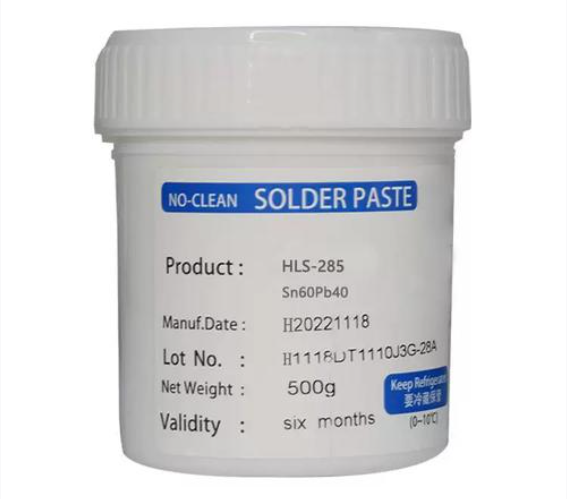
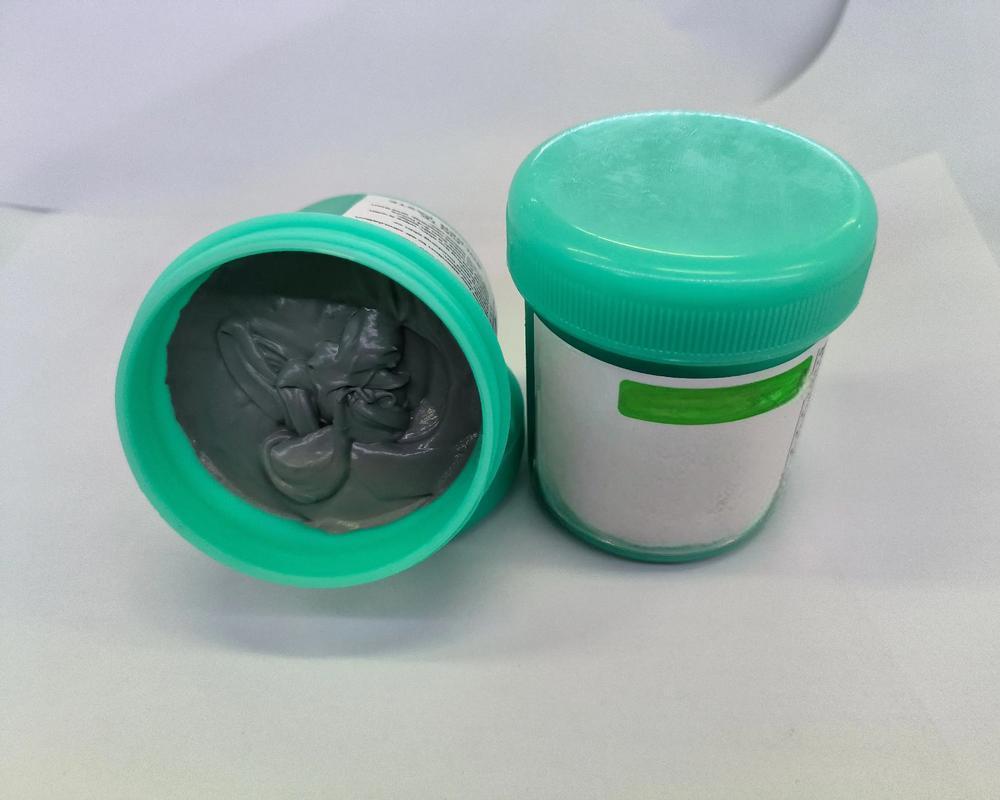
Q1: What solder paste brands and compositions do you commonly use?
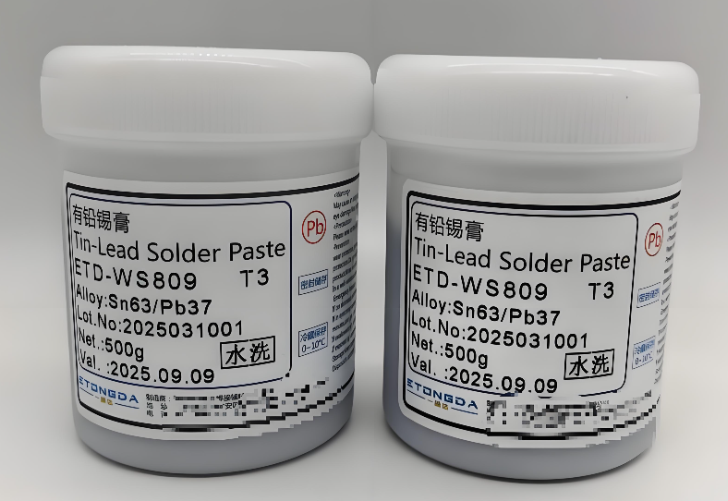
We use different solder paste brands for domestic and overseas production:
• For overseas projects, we use the Japanese brand Senju with the composition Sn96.5%, Ag3.0%, Cu0.5%.
• For domestic production, we use the Chinese brand Yifenghua with the composition Sn99%, Ag0.3%, Cu0.7%.

Solder Paste Inspection

Q2: What are the standard solder paste handling conditions?
Our standard handling specifications are:
Rewarming time: 4 hours
Stirring time: 3 minutes
Refrigerated storage temperature: 2–10°C

Q3: What types of stencils do you use in SMT printing?
We mainly use two categories of stencils:
Standard stencils
Step stencils (for uneven solder paste height requirements)

Q4: What are the common stencil frame sizes you support?
Typical stencil frame sizes include:
• 37 × 47 cm
• 42 × 52 cm
• 55 × 65 cm
• 73.6 × 73.6 cm

Q5: What stencil thickness options are available?
Our commonly used stencil thicknesses are:
0.06 mm, 0.08 mm, 0.1 mm, 0.12 mm, 0.15 mm, and 0.2 mm

Expert Through Hole PCB Assembly Service from Prototyping to Fabrication

December 23rd, 2025

Through hole PCB assembly service (THT) is a foundational manufacturing process where electronic components with long leads are inserted into pre-drilled holes on a PCB and soldered onto pads on the opposite side. This blog will guide you from understanding the fundamentals of THT to selecting the right partner for your prototyping and production needs.

Choosing a professional through hole PCB assembly service is crucial, yet many buyers face common hurdles. What are the typical pain points when sourcing these services?

  • Difficulty finding vendors willing to handle low-volume or complex manual THT work alongside high-mix projects.
  • Inconsistent quality and reliability, with issues like cold solder joints or damaged through-holes.
  • Unclear or unpredictable through hole PCB assembly service cost, with frequent hidden fees for setup, tooling, or component sourcing.
  • Long lead times, especially for prototype PCB assembly, slowing down the product development cycle.
  • Lack of technical support and communication from the PCB assembly house, leading to misunderstandings and rework.

Addressing these challenges requires a partner with the right expertise and processes. The corresponding solutions lie in partnering with a specialized assembly provider.

  • Offer flexible, scalable services that seamlessly blend manual expertise for prototypes with automated options for volume production.
  • Implement rigorous, multi-stage quality control (QC) procedures specifically designed for verifying THT solder integrity and mechanical strength.
  • Provide transparent, upfront quoting with a detailed breakdown of all costs, including turnkey PCB assembly options for simplified budgeting.
  • Dedicate specialized production lines and skilled technicians to ensure quick turnaround for both prototyping and urgent orders.
  • Assign a dedicated engineering support team to collaborate on design for manufacturability (DFM) and provide clear, proactive communication throughout the project.

At BEST Technology, we are a specialist PCB and assembly manufacturer with deep expertise in through-hole technology. We bridge the gap between complex prototype builds and efficient volume fabrication, offering transparent pricing, stringent quality control, and a collaborative approach. It is worth mentioning that our factory is ISO 13485 and AS9100D certified. And importantly, we have implemented a full MES system for traceability.

We mainly provide comprehensive PCBA services for the medical, industrial controls and aerospace industries, supporting all board types including FR4, ceramic PCBs, flex circuits, and rigid-flex boards. Based on last year’s sales data, our top three export markets were Germany, Israel, and the United States. For a reliable partnership, pls feel free to contact us at sales@bestpcbs.com.

Through Hole PCB Assembly Service, https://www.bestpcbs.com/blog/2025/12/through-hole-pcb-assembly-service/

What Is Through Hole PCB Assembly Service?

Through-Hole Technology (THT) assembly involves mounting components by inserting their leads into designated holes on a bare PCB and soldering them to pads on the opposite side. This section outlines its core characteristics and modern applications.

• Process Flow: The typical sequence includes:

  • Component insertion (manual or automated),
  • Board fluxing,
  • Wave or hand soldering,
  • Cleaning, and
  • Inspection and testing.

• Key Advantages: Strong mechanical bonding, ideal for components facing high mechanical stress, heat, or harsh environments.

• Component Types: Common for connectors, power devices, large capacitors/inductors, and reliability-critical components.

• Modern Role: Essential in aerospace, automotive, industrial equipment, power tools, and prototyping. PCB through hole repair is also simpler than SMT rework.

Table: Comparison of Through-Hole and Surface Mount Technologies

CharacteristicThrough-Hole AssemblySurface-Mount Assembly
Mechanical StrengthVery strong, leads pass through PCBModerate, sits on surface
Power HandlingBetter heat dissipationLower thermal capacity
Board SpaceLower density, needs holesHigher density, no holes required
ReworkEasier, accessible both sidesHarder, precise heating needed
Harsh Environment ReliabilityExcellent stabilityGood, application-dependent

THT remains indispensable for applications requiring durability and mechanical integrity.

Through Hole PCB Assembly Service, https://www.bestpcbs.com/blog/2025/12/through-hole-pcb-assembly-service/

Why Choose Professional Through Hole PCB Assembly Services?

Professional through hole PCB assembly services provide consistency, reliability, and efficiency that DIY or unstructured processes cannot match.

• Quality Control: Controlled soldering processes (selective/wave) plus advanced inspection (AOI, X-ray, functional testing).
• Equipment Access: Automated insertion, precision solder systems, and advanced through hole assembly machine options.
• Scalability: Smooth transition from prototype PCB assembly to mass production.
• Cost Reduction: Less rework, optimized materials, improved yields.
• Faster Market Entry: Established processes that shorten lead times.

A specialized provider ensures reliability, lowers risks, and improves product performance.

Why Do Buyers Look for Through-Hole PCB Assembly Services Illinois and Chicago?

Many companies prefer through-hole PCB assembly services illinois and through-hole PCB assembly services chicago for several strategic reasons:

• Shorter supply chains
• Reduced logistics cost
• Fast communication
• Local support and collaboration
• Faster response for urgent prototypes or revisions

Table: Specialized Through-Hole Services in Illinois and Chicago

Service FeatureCapability (Illinois & Chicago)
Board TypesSingle/double-sided, multilayer, rigid-flex
Lead-Free AssemblyRoHS-compliant processes with controlled thermal profiles
Automated InsertionAxial and radial component insertion for high-volume THT
Soldering MethodsWave soldering, selective soldering, precision hand soldering
Testing ProtocolsICT, AOI, X-ray inspection, full functional testing
CertificationsISO 9001, AS9100D, IPC-WHMA-A-610 compliant production

Localizing assembly adds agility, reduces delays, and strengthens regional manufacturing ecosystems.

What Shapes the Through Hole PCB Assembly Service Price?

The through hole PCB assembly service price varies based on multiple project parameters:

• Board complexity: More holes, layers, or larger size increases labor and time.
• Component sourcing and characteristics: Part cost, sourcing difficulty, lead time; turnkey PCB assembly may add fees.
• Order quantity: Higher volume lowers unit cost; prototypes have higher setup costs.
• Manual vs. automated THT processes: Manual vs. automated insertion; mixed SMT+THT and extra testing increase cost.
• Additional services such as PCB Assembly Express, DFM, coating, packaging

Table: Cost Drivers in Through-Hole PCB Assembly

Cost FactorLow Cost ImpactHigh Cost ImpactTypical Cost Variation
VolumeHigh volume (>10,000 units)Low volume (<50 units)300-500% difference
Board Layers1-2 layers8+ layers150-400% difference
Component Count<50 components>200 components200-300% difference
Lead TimeStandard (4-6 weeks)Expedited (24-72 hours)50-200% premium
Quality ClassCommercial/ConsumerMilitary/Medical100-300% premium
TestingBasic visual inspectionFull ICT+AOI+Functional50-150% additional

Price directly reflects scope, complexity, and quality requirements. A detailed design package ensures accurate quoting. When requesting a quotation, we would sincerely appreciate it if you could share key project details—such as the application industry, usage stage, whether it is a new project, estimated annual volume, and your target mass-production schedule—as this information helps us provide a more accurate and well-tailored price estimate.

How to Evaluate Through Hole PCB Assembly Service Cost?

Evaluating through hole PCB assembly service cost requires more than comparing unit prices.

• Review quote structure (unit price, NRE, tooling, parts)
• Assess quality and IPC compliance
• Evaluate lead time impact and quick-turn options
• Check communication quality
• Compare prototype-to-volume scalability

The goal is to balance cost with quality, speed, engineering capability, and long-term risk reduction.

When to Use PCB Assembly Express, Turnkey PCB Assembly, or Prototype PCB Assembly?

Each service model supports different development phases:

PCB Assembly Express – urgent builds, validated designs, quick iterations
Turnkey PCB Assembly – one-stop service including sourcing, PCB printing USA, assembly, testing
Prototype PCB Assembly – supports engineering changes, partial builds, flexible testing, often offered by specialized printed circuit board assembly companies

Table: Service Model Selection Guide

CriteriaPCB Assembly ExpressTurnkey AssemblyPrototype Assembly
VolumeAny volume (time-constrained)Medium to high volumeLow volume (1-100 units)
Lead Time24 hours – 1 week2-6 weeks (standard)1-3 weeks
Cost StructurePremium pricingVolume-based with economies of scaleHigher per-unit, lower total
Ideal Project PhaseProduction/Urgent needProductionDesign/Development
Internal Resources NeededMinimal (focused on urgency)MinimalSignificant engineering
Supplier RelationshipTransactionalStrategic partnershipCollaborative/Technical

Choosing correctly aligns cost, speed, and development flexibility.

How Do Printed Circuit Board Assembly Companies and Colorado PCB Assembly Handle THT Work?

Professional PCB providers, including colorado PCB assembly specialists, follow a disciplined workflow:

• DFM analysis
• Component prep and lead forming
• Manual or automated insertion
• Selective, wave, or hand soldering
• Post-cleaning and finishing
• Inspection and functional testing

This ensures mechanical strength and electrical reliability for every THT joint.

Table: Through-Hole Technology Applications by Industry

IndustryTypical THT ApplicationsKey RequirementsColorado Relevance
Aerospace & DefenseAvionics, communication modules, control systemsHigh reliability, vibration resistance, wide temp rangeMajor Colorado aerospace hub
AutomotiveECUs, sensors, power modulesVibration durability, temp cycling, stable performanceExpanding automotive sector
Industrial ElectronicsPower supplies, motor drives, automation systemsHigh current handling, thermal stability, long-term reliabilityStrong industrial manufacturing base
Outdoor RecreationGPS units, communication gear, monitoring devicesEnvironmental durability, power efficiencyDirect fit with Colorado outdoor tech market
Medical DevicesMonitoring systems, diagnostic devices, life-support electronicsHigh reliability, regulatory complianceGrowing medical device ecosystem

Why Choose EBest Circuit (Best Technology) for Reliable Through Hole PCB Assembly Service?

BEST Technology delivers end-to-end through hole PCB assembly service with:

• Full-process management: We manage your entire project, from pcb printing usa​ and turnkey pcb assembly​ sourcing to final box-build, ensuring seamless integration and accountability.
• Scalable capability: We expertly handle both low-volume, complex prototype pcb assembly​ and efficient, high-volume production runs, adapting our processes to your scale.
• High-level quality control and PCB through hole repair kit availability:
Our stringent QC protocols, including specialized inspection for THT joints, ensure the mechanical and electrical reliability your products require. We also supply pcb through hole repair kit​ for maintenance needs.
• Transparent quoting and DFM collaboration:
We believe in clear communication and upfront costing. Our engineers work collaboratively with you on DFM to optimize your design for manufacturability and cost.
• Proven project performance across industries:
Our experience across diverse industries, from medical, aerospace to industrial controls, demonstrates our capability to deliver reliable through hole assembly​ for the most demanding applications.

Through Hole PCB Assembly Service, https://www.bestpcbs.com/blog/2025/12/through-hole-pcb-assembly-service/

In summary, through hole PCB assembly service plays a crucial role in building reliable, repairable, and high-strength electronics. This blog reviewed pricing factors, workflow, service models, and why professional assembly matters. For expert through hole PCB assembly service, transparent communication, and high manufacturing quality, choose BEST Technology. Pls feel free to contact us at sales@bestpcbs.com to discuss your project.

How to Identify Parts on a Circuit Board? PCB Components Symbols

December 19th, 2025

Identifying parts on a circuit board becomes much easier once you understand the visual patterns, silkscreen labels, and common symbols printed on every PCB. Most boards follow the same naming rules: R for resistors, C for capacitors, L for inductors, Q for transistors, U for ICs, and D for diodes.

How to Identify Parts on a Circuit Board? PCB Components Symbols

What Are All the Parts of a Circuit Board?

Circuit board hosts a wide range of components, and each part plays an essential role. These tiny pieces work together to drive the entire device. Even simple electronics carry dozens of unique pieces, while advanced boards hold hundreds.

At a glance, the most common parts on a circuit board include resistors, capacitors, inductors, diodes, LEDs, connectors, sockets, ICs, transistors, voltage regulators, oscillators, crystals, relays, switches, and heat sinks. Some PCBs include sensors, antennas, or RF sections, depending on their purpose.

Below is a more detailed explanation to help you spot them easily.

  • Resistors

Resistors help manage current. They keep signals stable, reduce excess flow, and shape how electricity moves. They appear as small rectangular chips during surface-mount construction. Through-hole versions use color bands to indicate resistance values. Their board marking starts with “R”.

  • Capacitors

Capacitors store and release energy. They calm noise, filter signals, and smooth voltage. Ceramic capacitors look like small beige or brown blocks. Electrolytic versions appear as cylinders. They carry “C” as their identifier.

  • Inductors

Inductors generate magnetic fields and regulate energy flow in power circuits. They might look like coiled wires, small blocks, or shielded cubes. Their symbol is “L”.

  • Integrated Circuits (ICs)

ICs handle logic, memory, control, processing, and communication. They often act as the “brain” of the board. These appear as black chips with multiple pins. Their symbol is “U”.

  • Transistors

Transistors amplify or switch signals. They control high and low outputs. You’ll see them labeled as “Q”.

  • Diodes and LEDs

Diodes allow current to move in one direction. LEDs emit light for indication. Their identifier is “D”.

  • Connectors

Connectors give access to power, data, sensors, modules, or external inputs. They can be simple pin headers, USB ports, sockets, or spring connectors. They appear as “J”.

  • Crystals and Oscillators

These create timing signals. They help ICs stay synchronized. They are often oval, metal-covered parts marked “Y” or “X”.

  • Voltage Regulators

These control the level of voltage sent to other parts. They protect sensitive components. They appear as “U” or “VR”.

  • Fuses

Fuses shield the board from overload. They break the circuit when current rises too high. You will see “F”.

  • Switches and Buttons

These send user-controlled commands. They give feedback through physical press.

Each component supports stability, safety, and communication between circuits.

Types of Parts on a Circuit Board

To identify parts more easily, it helps to sort them into categories.

  • 1. Passive Components

These operate without needing external power. Passive parts manage noise, shape signals, and ensure smooth operation.

  • Resistors
  • Capacitors
  • Inductors
  • Ferrite beads
  • Transformers (many versions)
  • 2. Active Components

These require a power source. Active parts create calculation, logic, switching, and amplification functions.

  • Transistors
  • Microcontrollers
  • Integrated circuits
  • Voltage regulators
  • Operational amplifiers
  • 3. Electromechanical Components

These involve physical force. They help the product interact with users and external systems.

  • Switches
  • Relays
  • Connectors
  • Buttons
  • Sockets
  • 4. Protection Components

These guard the board from overload and stress. They protect sensitive electronics from damage.

  • Fuses
  • TVS diodes
  • Resettable fuses
  • Varistors
  • Thermistors
  • ESD protectors
  • 5. RF and Communication Components

These support wireless communication. Many modern devices rely heavily on these.

  • Antennas
  • Filters
  • RF shields
  • Baluns
  • Matching networks

With this classification, identifying parts on a circuit board becomes much easier. Each group serves unique roles, and many boards share similar arrangements.

How to Identify Parts on a Circuit Board? PCB Components Symbols

How to Identify Components on a Circuit Board?

Here is a detailed breakdown that helps anyone—from beginners to technicians—identify components accurately.

  • 1. read the Silkscreen Labels

Every PCB has printed markings that guide you. Below are the most common symbols:

  • R → resistor
  • C → capacitor
  • L → inductor
  • D → diode
  • Q → transistor
  • U → integrated circuit
  • J → connector
  • TP → test point
  • F → fuse
  • FB → ferrite bead
  • SW → switch
  • 2. Identifying by Shape

Components have signature shapes that make them recognizable:

  • Resistors → tiny rectangles
  • Ceramic capacitors → small blocks
  • Electrolytic capacitors → tall cylinders
  • Inductors → dark cubes or coils
  • Diodes → narrow cylinders or SMD blocks with stripe
  • Transistors → three-pin packages
  • ICs → black rectangular chips
  • Crystals → silver oval housings
  • Connectors → white or black plastic structures
  • 3. Count the Pins

The number of pins can help you identify the part even without reading the label.

  • 2-pin parts → resistors, capacitors, diodes
  • 3-pin parts → transistors, regulators
  • 8 to 64 pins → ICs, amplifiers, controllers
  • Large multi-pin → connectors, sockets
  • 4. Check Polarity

Some parts have direction or polarity.

  • Diodes show a line marking
  • Electrolytic capacitors display a minus stripe
  • LEDs have a flat edge
  • ICs show a dot or notch for pin 1
  • 5. Use a Circuit Board Diagram

A circuit board parts diagram shows every component and its location. It simplifies repair and troubleshooting.

  • 6. Refer to PCB Components Symbols

Schematics can guide you when identifying components. These symbols follow global standards and remain consistent across every device.

What Three Major Components Are Needed in a Circuit?

Every circuit needs three key building blocks. Even the most complex electronics trace back to these three essentials.

  • 1. Power Source

The circuit needs a source of energy. This might be a battery, power supply, or charger.

  • 2. Load

The load uses energy to perform work. This includes LEDs, motors, heaters, sensors, and speakers.

  • 3. Connections

Wires or copper traces link the parts together. These create a full path for current.

These three parts appear in every circuit, from simple toys to advanced medical devices. PCB layouts simply organize them in more advanced ways.

How to Identify Parts on a Circuit Board? PCB Components Symbols

What Parts of a Circuit Board Are Valuable?

This is common among repair technicians, recyclers, and hobbyists.

Here are parts considered more valuable:

  • Integrated Circuits (ICs): Chips like microcontrollers, CPUs, GPUs, memory, RF transceivers, or power ICs carry more value because of advanced features.
  • Gold-plated Connectors: Many connectors contain gold plating for conductivity and reliability. Gold layers are thin but collectible.
  • High-Frequency Components: Filters, oscillators, RF amplifiers, and antennas come with higher cost.
  • Power Components: MOSFETs, IGBTs, drivers, transformers, and regulators often cost more.
  • Sensors: Temperature, pressure, motion, optical, and other sensors have high commercial value.

While the entire board contributes to performance, these parts stand out as more expensive during repair or recycling.

How to Replace a Part on a Circuit Board?

Replacing a component on a PCB sounds challenging, but the process becomes easy once you follow clear steps.

Here is a practical guide:

  • 1. Diagnose the Fault

Use visual inspection. Burn marks, swelling, leakage, or broken joints often indicate failure.

  • 2. Identify the Component

Check the silkscreen label. Make sure you note the exact model, value, package size, and polarity.

  • 3. Remove the Old Part

Soldering iron or hot air can remove parts. For small parts, tweezers help lift them gently.

  • 4. Prepare the Pads

Clean leftover solder. Wipe the pads gently with solder wick to achieve a smooth surface.

  • 5. Place the New Part

Align accurately with polarity and orientation. Poor alignment can cause failure.

  • 6. Solder the New Part

Heat the pads and add a small amount of solder. The connection should look shiny, smooth, and firm.

  • 7. Test the Board

Turn on the power. Measure the circuit to confirm stable operation.

How to Solder Parts on a Circuit Board?

Soldering is one of the most important skills for working with PCBs. Good soldering makes the board stable and durable.

  • 1. Prepare Tools
  • Soldering iron
  • Solder wire
  • Flux
  • Tweezers
  • Solder wick
  • Isopropyl alcohol
  • 2. Apply Heat

Warm the pad and the pin evenly. This helps solder flow smoothly.

  • 3. Add Solder

Touch the solder wire to the joint. Use only the amount needed.

  • 4. Inspect the Joint

A strong joint looks smooth and clean. Avoid dull or cracked joints.

  • 5. Clean the Area

Remove flux residue with alcohol for a neat finish.

Good soldering gives the board longer life and better performance.

How to Test Parts on a Circuit Board?

Testing helps you confirm whether components are healthy. A digital multimeter works well for this job.

  • 1. Testing Resistors

Set meter to resistance. Touch both ends. Compare reading with labeled value.

  • 2. Testing Capacitors

Use capacitance mode. Some small capacitors may show minor variation.

  • 3. Testing Diodes

Set diode mode. Forward direction should show a value. Reverse should show none.

  • 4. Testing Transistors

Check each pin for forward and reverse bias. Many meters include transistor sockets.

  • 5. Testing ICs

ICs often require powered testing. Use voltage readings, probe signals, or test points.

  • 6. Testing Inductors

Check for continuity. Stable reading indicates a good coil.

  • 7. Testing Connectors

Inspect each pin for continuity and firm contact.

How to Identify Parts on a Circuit Board? PCB Components Symbols

If you need PCB, PCBA, or engineering support, EBest Circuit (Best Technology) provides reliable fabrication and assembly solutions. Our team supports sample builds, mass production, component sourcing, and technical analysis with strict quality control and powerful manufacturing capability.

For inquiries or custom projects, contact: sales@bestpcbs.com

What is a keyboard PCB? PCB board keyboard

December 19th, 2025

A keyboard PCB is the electronic backbone of a keyboard. It is a printed circuit board that detects each key press and converts it into a digital signal the device can understand. Every time a key is pressed, the PCB closes a circuit, identifies the key’s position, and sends accurate input data to the computer.

What is a keyboard PCB? PCB board keyboard

What Is a PCB on a Keyboard?

A keyboard PCB is the printed circuit board that connects switches, stabilizers, LEDs, and the controller into one stable platform. Each time you press a key, the switch closes a circuit on the PCB, sending an electrical signal to the microcontroller. That signal becomes the character, function, or macro you see on your screen.

The PCB replaces old-style wiring that was once messy and inconsistent. Instead, everything sits on a neat, flat board where copper traces interpret the user’s input. Because these traces are organized and protected, the keyboard responds more smoothly and lasts longer.

In mechanical keyboards, the PCB is more advanced. It handles precise actuation, varied layouts, backlighting, and programmable features.

A keyboard PCB also influences these factors:

  • Typing feel due to layout support and switch connection method.
  • Durability due to copper thickness, plating quality, and protection layers.
  • Signal stability because clean traces reduce interference.
  • Lighting effects when the PCB includes addressable RGB pads.

Customization freedom when the board offers hot-swap sockets or multiple layout footprints.

What Is a Magic Keyboard PCB?

Magic Keyboard PCB refers to the internal printed circuit board used in Apple’s Magic Keyboard line. It is a compact, low-profile PCB designed to support thin scissor switches, stable key feel, and low-power Bluetooth operation. While it follows the same core idea as a standard keyboard PCB, its structure is tighter, slimmer, and more integrated.

Unlike many mechanical keyboard PCBs, a Magic Keyboard PCB does not support modular changes. The layout is fixed. The switches are low-profile scissor mechanisms, and the board follows Apple’s proprietary design.

A Magic Keyboard PCB uses tight copper routing, small SMD components, and a compact controller area. Each key pad is reinforced to keep signals stable even under heavy typing. The board often includes Bluetooth antennas, battery connections, and power-efficient circuitry that keeps the keyboard running for long periods.

How to Check if a Keyboard PCB Is Working?

Checking if a keyboard PCB works is simple when you follow a clear process. You can test your board with basic tools, and each step helps you find problems early. A working PCB reacts fast, sends clean signals, and shows no unusual behavior when keys are pressed.

Here is a practical sequence you can follow.

  • First, connect the keyboard PCB to your computer.

Use a USB cable. If the board lights up or if the system plays a connection sound, you know the controller is active.

  • Next, open a keyboard testing tool online.

There are many free testing websites. If each key registers, the keyboard PCB is working well.

  • Then, check the LEDs or RGB pads.

If your PCB includes lighting, turn it on through the firmware.

  • After that, inspect the USB connector area.

A loose connector can cause random disconnects. Light pressure on the port should not break the connection.

  • Finally, test the board again after assembling it into a case.

A case may add pressure to certain components.

What is a keyboard PCB? PCB board keyboard

How to Design a Keyboard PCB?

To design a keyboard PCB, you can follow a structured approach that keeps the process simple.

  • Start with your layout.

Choose the size you want: 60%, 65%, TKL, full-size, or a custom shape. The layout decides the switch spacing, stabilizer placement, and the overall PCB outline.

  • Move to the switch footprints.

Mechanical keyboard PCBs usually use MX-style footprints. If you want a low-profile build, you may use Choc footprints.

  • Add the controller.

Popular microcontrollers include Atmel ATmega32U4, RP2040, STM32, and other modern chips.

  • Plan the matrix wiring.

The matrix is a grid of rows and columns. It helps the controller read key inputs efficiently.

  • Include diodes.

Each switch pad usually needs a diode to prevent ghosting.

  • Add RGB or LED pads if needed.

Per-key RGB or under-glow lighting adds visual style.

  • Check grounding and shielding.

A stable grounding layer keeps signals clean. It also reduces interference in high-speed USB communication.

  • Finally, export your files.

You will need Gerber files, a drill file, and a BOM.

How to Make a Keyboard PCB?

Making a keyboard PCB involves fabrication steps that follow your design file. Good manufacturing practice ensures stable traces, strong plating, and consistent performance.

The following steps explain the process of manufacturing a keyboard PCB.

  • Prepare your files: Send Gerber files, drill files, a layer stack, and your BOM to a PCB manufacturer.
  • Choose suitable materials: Most keyboard PCBs use FR4. If you want extra durability or thin form factors, you can choose special materials.
  • Confirm layer count: Most keyboard PCBs are 1-layer or 2-layer boards. If you use complex lighting or advanced controller circuits, you may choose a 4-layer design.
  • Move to fabrication: The manufacturer prints copper patterns, drills holes, plates vias, and builds the board with protective solder mask and silkscreen.
  • Add surface finish: HASL, ENIG, or ENEPIG are common finishes.
  • Apply quality checks: The finished board goes through electrical testing to confirm that every trace works.

Send the PCB to assembly if needed, If you want SMD components pre-assembled, BEST Technology can solder the controller, resistors, capacitors, and LEDs.

What is a keyboard PCB? PCB board keyboard

How to Solder a Keyboard PCB?

Before you begin, gather a soldering iron, solder wire, tweezers, and a small amount of flux. Keep the workspace clean.

If your layout uses screw-in stabilizers, install them first. They sit lower than switches and must be secured before anything else.

If your PCB is not a hot-swap board, insert each switch through the plate and into the PCB. Make sure the pins are straight. Each one must sit firmly in the holes.

A temperature around 320–350°C works well for most solder wires. Let the iron warm up fully before you begin. Hold the iron so it touches both surfaces. Then feed a small amount of solder. Move from one side to the other. If your PCB includes LEDs, solder them next. Once the soldering is complete, let the board cool.

How to Clean a Keyboard PCB?

Cleaning a keyboard PCB keeps it fresh, stable, and long-lasting. Dust, flux residue, or spilled liquid may affect the board over time.

First, disconnect the PCB from power. Make sure no USB cable or battery is connected. Use compressed air. Short bursts keep the PCB clean without harming components.

Use isopropyl alcohol (IPA). Apply it to a cotton swab or a soft brush. IPA removes fingerprints, flux residue, and sticky dirt. A small amount is enough. Too much liquid may trap moisture under components. Alcohol dries fast. Leave the board in open air for a few minutes. A dry PCB stays safe and ready for testing.

If you use the keyboard in a humid place, cleaning becomes even more important. Regular cleaning helps the traces stay fresh and stable.

Why Choose EBest Circuit (Best Technology) for Keyboard PCB Manufacturing?

EBest Circuit (Best Technology) delivers engineering support, stable fabrication, and consistent quality, which gives users and brands more confidence throughout the entire process. Our team focuses on accuracy, smooth communication, and clean workmanship so your project runs without stress.

If you need unique switch layouts, alternative footprints, or special routing, we provide DFM guidance to make your files easier to produce. Mechanical keyboard PCBs often need ENIG for smooth soldering, stable plating, and long-term durability.

What is a keyboard PCB? PCB board keyboard

Conclusion:

A keyboard PCB shapes how a keyboard responds, how long it lasts, and how enjoyable it feels. We help you design, produce, assemble, and test keyboard PCBs with smooth communication and consistent results.

For project support or inquiries, please contact us at sales@bestpcbs.com

What Are Circuit Card Assemblies? Printed Circuit Board Assembly

December 15th, 2025

Circuit card assemblies sit at the core of modern electronics. A circuit card assembly is a printed circuit board that has been fully populated with electronic components and soldered into place. Once assembled, it becomes a working unit capable of controlling power, processing signals, and enabling communication within an electronic device.

What Are Circuit Card Assemblies? Printed Circuit Board Assembly

What Is a Circuit Card Assembly?

A circuit card assembly, often shortened to CCA, is a printed circuit board that has electronic components mounted and connected to it. These components are not loose. They are fixed, soldered, and electrically linked according to a design.

The circuit card assembly definition focuses on function. It is not just a board with copper paths. It is a working electronic unit. Once assembled, it can process signals, control power, or manage data.

Many people use the term printed circuit board assembly in the same way. In daily use, they often mean the same thing. Still, some industries prefer “circuit card assembly” because it highlights the complete, functional state.

A bare board cannot do anything alone. A circuit card assembly can. This is why CCAs are central to electronics manufacturing.
What Are the Main Components of a Circuit Card Assembly?

A circuit card assembly is a system. Every part plays a role. Each component adds a specific function, and together they create reliable operation.

  • The Printed Circuit Board: The printed circuit board is the foundation. It is usually made from fiberglass material like FR-4. Copper layers form electrical paths on the surface or inside the board. The board provides structure. It also controls signal flow.
  • Passive Components: Passive parts include resistors, capacitors, and inductors. These components shape current and voltage. They store energy, limit flow, or filter noise.
  • Active Components: Active components bring intelligence. These include microcontrollers, processors, and integrated circuits. They process signals. They make decisions. They control outputs.
  • Connectors and Interfaces: Connectors link the assembly to other systems. They allow power input, data transfer, or mechanical connection.
  • Solder Materials: solder joints connect everything. The quality of solder paste, reflow profile, and inspection determines long-term stability. A strong joint survives vibration and heat.

Each component matters. Together, they turn a simple board into a reliable circuit card assembly.

What Are the Different Types of CCA Assembly?

Different products need different assembly styles. Choosing the right type affects cost, size, and performance.

Through-Hole Assembly

Through-hole assembly uses components with long leads. These leads pass through holes in the board and are soldered on the opposite side.

This method offers strong mechanical bonds. It works well for large components and connectors. However, it takes more space. It also increases labor.

Surface Mount Assembly

Surface mount technology places components directly onto the board surface. No holes are needed for most parts.

This approach allows higher density. Boards can be smaller and lighter. Most modern printed circuit board assembly manufacturers focus on this method. It suits automation and high-volume production.

Mixed Technology Assembly

Some assemblies combine both methods. Sensitive or heavy parts may use through-hole, while smaller parts use surface mount.

Prototype Printed Circuit Board Assembly

Prototype assembly focuses on early design stages. Volumes are low. Speed matters more than cost. This type supports testing and refinement. Many printed circuit board assembly services specialize in fast prototype builds.

What Are Circuit Card Assemblies? Printed Circuit Board Assembly

Each type serves a purpose. The best choice depends on product goals, budget, and lifecycle.

How Does a Circuit Card Work?

A circuit card assembly works by guiding electrical signals along designed paths. These paths connect components in a precise sequence.

Power enters through a connector or contact. It flows through regulators and filters. These parts stabilize voltage.

Signals then move into active components. Processors read inputs. Logic circuits decide actions. Outputs leave the board through connectors, displays, or motors. Signal integrity matters. Layout matters.

Even small design choices affect performance. Trace width, spacing, and grounding all play roles. A circuit card does not act alone. It interacts with firmware, mechanical housing, and external systems.

What Does a Circuit Card Assembly Do?

A circuit card assembly acts as the control center of an electronic device. It manages power, data, and interaction.

In some products, it handles simple switching. In others, it runs complex software. Its job is to turn input into output. Buttons become actions. Sensors become data. Signals become results.

A well-built assembly delivers stable performance. It handles heat. It resists vibration. It lasts for years.

What Are Circuit Card Assemblies? Printed Circuit Board Assembly

What Are Circuit Card Assemblies Used For?

Circuit card assemblies appear almost everywhere. If a device uses electricity, it likely includes one.

  • Consumer Electronics: Phones, laptops, and wearables rely on compact assemblies. Surface mount printed circuit assembly manufacturing supports this demand.
  • Industrial Equipment: Factories use assemblies for control systems and automation. These environments demand durability.
  • Medical Devices: Medical equipment depends on accuracy and safety. Circuit card assemblies control imaging, monitoring, and diagnostics. Quality standards are strict. Traceability matters.
  • Automotive Systems: Vehicles contain dozens of assemblies. They manage engines, safety systems, and infotainment. Temperature resistance and long life are critical.
  • Communication Systems: Routers, base stations, and networking gear rely on high-speed assemblies. Signal integrity and layout design play major roles.

What Is the Difference Between Circuit Card Assembly and PCB Assembly?

This question comes up often. The terms are closely related, yet they emphasize different stages.

A printed circuit board is the bare board. It has copper traces and holes, but no components.

  • A printed circuit board assembly includes components mounted and soldered. It is functional.
  • A circuit card assembly usually refers to the same assembled board. The term highlights readiness for use.

In many industries, people use these terms interchangeably. Still, “circuit card assembly” often appears in defense, aerospace, and industrial sectors.

What Are the Applications of Circuit Board Assemblies?

Circuit board assemblies support modern life. Their applications keep expanding as technology evolves.

  • They power smart homes.
  • They control renewable energy systems.
  • They drive automation.
  • They support innovation.

As demand grows, so does the need for skilled manufacturers. Printed circuit board assembly manufacturers now offer advanced inspection, testing, and box build options. Box build printed circuit board assembly services go even further. They deliver complete systems, not just boards.

What Are Circuit Card Assemblies? Printed Circuit Board Assembly

In global markets, China printed circuit board assembly plays a key role. Scale, experience, and supply chain strength support competitive production. With long-term manufacturing experience and a mature supply chain, BEST Technology combines regional strengths with consistent quality control, supporting both high-mix projects and volume production.

Conclusion:

A circuit card assembly is a fully populated and functional electronic board. It combines a printed circuit board with mounted components to create real performance. From consumer electronics to industrial systems, these assemblies power modern life.

For professional printed circuit board assembly services and reliable manufacturing support, contact our team at sales@bestpcbs.com

IPC A 610 What Is It? PCB Assembly IPC-A-610 Certification

December 3rd, 2025

IPC-A-610 is the leading standard for judging the quality of finished PCB assemblies. It defines how solder joints should look, how components should sit, and what qualifies as an acceptable electronic assembly. For any company focused on dependable PCB assembly, IPC-A-610 remains a powerful foundation for quality and trust.

IPC A 610 What Is It? PCB Assembly IPC-A-610 Certification

What Is IPC-A-610 Standard?

The IPC-A-610 standard is the world’s most accepted guide for the acceptability of electronic assemblies. It sets the rules for what is “good,” what is “acceptable,” and what must be rejected in a finished PCB assembly. It also provides visual examples, measurement details, and inspection criteria.

This standard covers many parts of assembly work. Solder joints. Through-holes. SMT components. Wire dressing. Coatings. Terminations. Hardware. Cleaning. And more.

When teams follow IPC-A-610, they share a common language for quality. That is why this standard remains powerful across the global electronics industry.

Manufacturers like EBest Circuit (Best Technology), who focus on PCB assembly and quality-driven processes, use IPC-A-610 as a foundation for day-to-day inspection and internal training. It guides the quality gates that protect customer products.

Although the document looks technical, its purpose is simple: Deliver consistent, reliable, safe, and high-performance PCB assemblies.

What Does IPC A 610 Certification Include?

The IPC-A-610 certification proves that someone understands the acceptability criteria described in the standard. There are two main certification levels:

1. CIS – Certified IPC Specialist

This level suits operators, inspectors, assemblers, QC technicians, and engineers who work hands-on with PCBs. CIS training includes:

  • Solder joint evaluation
  • SMT and through-hole inspection
  • Terminal connection standards
  • Cleaning requirements
  • Material handling rules
  • Visual defect recognition
  • Acceptability criteria for different classes

The goal is simple. A CIS holder must be able to inspect assemblies using the standard as a guide.

2. CIT – Certified IPC Trainer

This level suits people who want to train others. CIT certification is more advanced. It includes:

  • In-depth review of the entire standard
  • Training methodology
  • Verification of technical skills
  • Higher-level inspection judgment
  • Instructor skills evaluation

Companies across the world require IPC-A-610 certification for assembly technicians. This builds trust and reduces risk.

This is why many PCB assembly providers, including EBest Circuit (Best Technology), encourage IPC-A-610 training for their teams.

How to Get IPC A 610 Certification?

Getting certified is not complicated. But it must be done through approved training centers. Here is the process:

  • Step 1: Choose an IPC-authorized training center

IPC partners with certified instructors worldwide. Many offer remote options.

  • Step 2: Join the training program

Training usually lasts 3–4 days for CIS. CIT training may take longer. You will learn with:

  • Printed manuals
  • Visual examples
  • Hands-on inspections
  • Real defect samples
  • Group sessions
  • Instructor lectures
  • Step 3: Take the exam

At the end of the course, you will take written and visual tests. These confirm your understanding of the standard.

  • Step 4: Receive your certificate

If you pass, you receive an official IPC certificate. It stays valid for two years. After that, you must renew it.

PCB manufacturers often prefer hiring certified specialists. It also improves customer confidence in every assembly batch. Many customers request certified inspectors for handling high-value or high-reliability products.

How Thick Is IPC A 610 Coating?

Actual thickness comes from other standards, such as IPC-CC-830, material datasheets, or customer specifications.

However, IPC-A-610 does describe what acceptable coating must look like:

  • Smooth
  • Even
  • No bubbles
  • No bare spots
  • No bridging in sensitive areas
  • No cracks
  • No peeling
  • No foreign particles

Most coatings fall between 25–75 microns depending on the material. Acrylic, silicone, and polyurethane coatings each have their typical ranges.

IPC A 610 What Is It? PCB Assembly IPC-A-610 Certification

IPC A 610 Acceptability of Electronic Assemblies – What Are the Basics?

IPC-A-610 focuses on acceptability, not assembly methods. It teaches inspectors how to check finished assemblies. The core areas include:

  • 1. Soldering Quality. The standard covers:
  • Wetting
  • Fillet sizes
  • Lead coverage
  • Void limits
  • Component alignment
  • Solder volume
  • Solder bridges

It also includes clear pictures for each class, which helps inspectors make consistent decisions.

  • 2. Component Placement. It sets rules for:
  • Centering
  • Orientation
  • Lead protrusion
  • Lead bending
  • Damage limits
  • Tilt and skew tolerance

This avoids misalignments that can cause field failures.

  • 3. Through-Hole Connections. Inspection includes:
  • Barrel fill percentage
  • Lead extension
  • Internal wetting
  • Topside coverage
  • Land wetting

Good through-hole soldering gives long-term strength, especially for connectors and power components.

  • 4. Cleanliness. The standard ensures:
  • No flux residues
  • No contamination
  • No fingerprints
  • No moisture traps

Clean assemblies perform better and have fewer failures.

  • 5. Hardware and Mechanical Support. IPC-A-610 covers:
  • Screw torque
  • Washer placement
  • Adhesive use
  • Structural support
  • Connector fixation

Strong mechanical support improves durability.

  • 6. Coating and Potting. The rules focus on:
  • Even coverage
  • No cracks
  • No bubbles
  • No exposed conductors
  • No bridging unwanted areas

Coating protects electronics from moisture, corrosion, vibration, and pollution.

  • 7. Wire Dressing. This section includes:
  • Proper routing
  • Strain relief
  • Tie-down methods
  • Avoiding sharp bends

Good wire dressing increases reliability in high-stress environments.

What Are the Classes of IPC-A-610?

The standard divides products into three classes. Each class has a different reliability goal.

Class 1 – General Electronics. For simple devices. Examples:

  • Toys
  • Low-cost consumer gadgets
  • Basic electronics

Performance is required, but cosmetic standards are relaxed.

Class 2 – Dedicated Service Electronics. This is the most common class. Examples:

  • Home appliances
  • Industrial controllers
  • Communication devices
  • Automotive infotainment
  • Consumer electronics with higher durability needs

Devices must work reliably. Failures should be rare. Cosmetic quality matters more. Most PCB assembly companies, including EBest Circuit (Best Technology), follow Class 2 for mainstream production.

Class 3 – High-Reliability Electronics. This class has the strictest criteria. Examples:

  • Medical equipment
  • Aerospace systems
  • Automotive safety systems
IPC A 610 What Is It? PCB Assembly IPC-A-610 Certification

EBest Circuit (Best Technology) holds AS9100D aerospace certification. It can be manufactured in mainstream environments according to Category 3 standards.

Which IPC-A-610 Class Is Best for Your PCB Assembly?

Choosing the correct class depends on your final application. Here is a simple guide:

  • Choose Class 1 when cost matters more than cosmetic quality.
  • Choose Class 2 for most commercial and industrial products.
  • Choose Class 3 for mission-critical devices where safety and reliability matter.

You must match your product’s purpose with the required class. Over-specifying increases cost. Under-specifying increases risk.

For example:

  • A home thermostat typically uses Class 2
  • A heart monitor requires Class 3
  • A toy car might use Class 1

EBest Circuit (Best Technology)’s assembly lines commonly build Class 2 and Class 3 products. These two classes represent the largest share of today’s electronics manufacturing demand.

Why Is IPC A 610 Class 3 Stricter Than Class 2?

The reason is simple: risk.

Class 3 products must work with no excuses. They must perform in harsh environments. They must resist vibration. They must survive temperature changes. They must avoid failure even after long operation cycles.

Because of that, Class 3 rules include:

  • Tighter solder fillet requirements
  • Higher barrel fill percentages
  • Fewer acceptable cosmetic variations
  • More strict alignment rules
  • No allowance for minor surface flaws
  • Stronger requirements for bonding and support
  • More strict criteria for lead trimming
  • Higher internal wetting standards

That is why Class 3 exists. Even small defects can cause catastrophic results in life-critical applications.

IPC A 610 vs IPC A 600 – What’s the Key Difference?

These two standards often confuse people. But their roles are very different.

IPC-A-600, Focuses on bare PCB quality. It covers:

  • Copper features
  • Plating thickness
  • Hole quality
  • Laminate defects
  • Internal voids
  • Delamination
  • Solder mask criteria

This standard checks the board before assembly.

IPC-A-610, Focuses on acceptability of the finished assembly. It covers:

  • Solder joints
  • Component placement
  • Conformal coating
  • Wire connections
  • Mechanical support
  • Cleanliness
  • Terminal features

This standard checks the board after assembly.

Simple explanation:

  • IPC-A-600 = Is the PCB built correctly?
  • IPC-A-610 = Is the assembly built correctly?

Most OEMs use both. This gives full quality control from board fabrication to final assembly.

PCB assembly companies like EBest Circuit (Best Technology) work directly with IPC-A-610. PCB factories use IPC-A-600. Together, they build complete quality assurance.

Conclusion:

IPC-A-610 is the most trusted global standard for evaluating PCB assembly quality. This standard includes three classes, each matched to different product needs. Class 2 suits most applications. Class 3 suits high-reliability environments.

EBest Circuit (Best Technology) applies IPC-A-610 principles in PCB assembly to ensure stable quality and trusted results for each project.

For project inquiries, support, or PCB assembly needs, contact: sales@bestpcbs.com

HTS Code for PCBA Board: A Deep Guide for Global Buyers

December 2nd, 2025

The HTS Code for PCBA Board defines how an assembled circuit board is classified when shipped across international borders, and it influences tariffs, customs clearance, and trade documentation. The HTS Code for PCBA Board is not a single universal number; instead, classification depends on the board’s function, industry, and application. Understanding HTS rules helps procurement teams avoid delays, unnecessary duties, or documentation issues.

What Is the HTS Code for a PCBA Board?

An HTS code, or Harmonized Tariff Schedule code, is a ten-digit classification number used in the United States to identify products entering the country. It is based on the international Harmonized System (HS), which assigns a six-digit universal description recognized by over 200 customs authorities worldwide.

For PCBA boards, the HTS code identifies the assembly as:

  • A part of another device
  • A functional module
  • Or a complete unit, depending on its design and application

Customs authorities rely on the HTS system to decide tariff rates, inspection procedures, and trade control requirements. Because PCBAs vary widely—from simple relay boards to high-density RF modules—there is no single category that covers every type.

In practice, classifying a PCBA means understanding what the board does, where it will be used, and whether it is considered a part, subassembly, or independent electronic device.

What Is the HTS Code for a PCBA Board?

What Does HTS Code Mean in Electronics Manufacturing?

In global electronics manufacturing, the HTS code serves as the product’s legal identity during import or export. Engineers may view the PCBA as a technical assembly, but customs departments see it as a commercial item needing precise classification. The HTS code plays several roles:

  • Product Definition

It describes the function of the board so that customs officials can categorize it correctly. This prevents confusion about whether the item is a raw material, a module, or a complete device.

  • Tariff Assessment

Duty rates vary according to HTS classification. Some PCBA categories have zero duty, while others incur higher charges. Proper classification ensures accurate tariff calculation.

  • Trade Compliance

Different HTS codes link to different trade obligations. A board containing RF functions, encryption chips, or power-conversion circuits may trigger additional review, depending on its HTS category.

  • Logistics Efficiency

Shipments with correct HTS codes clear faster. Customs officers rely on the description matched to the code to process cargo with fewer questions.

For manufacturers and buyers working in the electronics industry, the HTS code connects engineering reality with global trade rules. It helps ensure that the journey from factory to destination follows legal and procedural standards.

Which HTS Codes Are Commonly Used for PCBA Boards?

While no single HTS code covers all PCBAs, several codes appear frequently across different industries. Each code corresponds to a particular function or device category. Below are some commonly referenced headings:

1. HTS 8538.90 – Parts of electrical control or switching equipment

2. HTS 8517.70 – Parts for communication devices

3. HTS 8504.90 – Parts of power supply or transformer equipment

4. HTS 8543.90 – Parts of other electronic apparatus

5. HTS 9032.90 – Parts of control instrumentation

The HTS number changes depending on:

  • The board’s purpose
  • The type of device it supports
  • Whether it is a finished functional module or just an assembly inside a system

Two PCBAs may look similar from a technical standpoint but belong to different HTS categories because their applications differ.

Which HTS Codes Are Commonly Used for PCBA Boards?

Common HTS Codes Used for PCBA

How to Determine the Correct HTS Code for Your PCBA?

Customs classification is based on a principle called “essential character.” In simple terms, this means customs officers want to know what the board actually does. This concept guides classification for most PCBA shipments. Here is a practical method used by importers, engineers, and compliance teams:

Step 1: Identify the primary function of the PCBA

Questions to consider:

  • Does the board handle power?
  • Does it communicate wirelessly?
  • Does it control machinery?
  • Does it process signals or data?

The function points to the relevant HTS chapter.

Step 2: Determine whether the board is a part or a complete unit

A PCBA that performs a standalone role may fall under a device category rather than a part category.

Examples:

  • A complete motor driver board may be classified as a device.
  • A temperature sensor PCBA that only works within a larger system is classified as a part.

Step 3: Check product similarity in customs rulings

The U.S. Customs Rulings Online Search System (CROSS) provides binding rulings for similar products. These examples help shorten classification time.

Step 4: Match the end-device industry

Different industries use distinct chapters in the HTS:

  • Telecom → 8517
  • Control instruments → 9032
  • Power systems → 8504
  • Consumer devices → several possible categories

Step 5: Consult with a customs broker

The importer has ultimate responsibility for classification. Because PCBAs vary so widely, many companies confirm their final selection with a licensed customs broker before filing.

Correct classification is a collaboration between engineering understanding and trade compliance expertise.

Industry-Specific HTS Code for PCBA Boards

1. Automotive Electronics

Many automotive PCBAs, such as brake control modules, lighting controllers, or infotainment boards, fall under:

  • HTS 8537.10 or 8537.20 for control systems
  • HTS 8512.xx for automotive lighting units
  • HTS 8543.90 for modules not explicitly listed elsewhere

2. Telecommunication Products

Communication PCBAs commonly fall under:

  • HTS 8517.70 (parts for telecom devices)

This includes Wi-Fi modules, Bluetooth modules, 4G/5G PCBAs, and router boards.

3. Industrial Automation

Factory-control PCBAs often use:

  • HTS 9032.90 for controllers and sensor-driven assemblies
  • HTS 8538.90 for switchgear control boards

4. Power-Conversion Systems

Power-related PCBAs often use:

  • HTS 8504.90 for transformer and power-supply parts

5. Medical Devices

Boards used in medical equipment vary widely:

  • HTS 9027.xx for measurement devices
  • HTS 9018.xx for certain medical instrument parts
Industry-Specific HTS Code for PCBA Boards

Industry-Specific HTS Code for PCBA Boards

Common Classification Mistakes Importers Make

Even experienced buyers, logistics teams, and engineering groups encounter challenges when classifying PCBAs. Misunderstandings occur because electronics are complex, and customs rules do not always match engineering terminology. Here are frequent mistakes that cause delays, reclassification, or unexpected duties.

Mistake 1: Using the bare PCB code for assembled boards

Some companies mistakenly assign HS 8534.00 to populated assemblies because the board structure resembles a PCB. However, customs distinguish clearly between bare boards and assembled modules. Using the bare board HS code for a PCBA often results in:

  • Documentation mismatches
  • Duty miscalculations
  • Customs inspections
  • Possible penalties

Mistake 2: Classifying based on physical appearance instead of function

A PCBA may look like another assembly, but its purpose may differ. Customs classification is function-driven, not appearance-driven. Two boards with identical shapes may belong to different HTS chapters if they serve different roles.

Mistake 3: Overlooking embedded features

Boards with communication features, encryption chips, or RF modules may fall under special categories. Importers sometimes classify these boards as simple electronic parts, which leads to customs corrections once officers identify communication functions.

Mistake 4: Relying solely on supplier suggestions

While experienced suppliers like EBest Circuit (Best Technology) provide accurate recommendations, the importer holds legal responsibility. A suggestion from a factory should be verified against customs rules and the product’s final usage.

Mistake 5: Ignoring parent-device classification

PCBA classification often depends on the device it supports. If the end product belongs to a specialized HS chapter, the PCBA may also follow that chapter. Importers sometimes choose generic HTS codes without considering this connection.

How HTS Codes Affect Tariffs and Customs Clearance?

The HTS code not only labels the PCBA; it determines how much duty the importer must pay. Different chapters and subheadings in the tariff schedule carry different duty rates. Selecting the correct HTS code ensures that the importer pays the proper amount and avoids unnecessary costs.

Tariff impact examples

  • Many PCBA categories under Chapter 85 have 0% duty for U.S. imports.
  • Certain PCBA parts for telecom equipment (8517.70) also have 0% duty.
  • PCBAs classified under broader headings like 8543.90 may have variable duty rates depending on the exact subheading used.

Impact on clearance speed

Shipments with correct HTS codes:

  • Clear customs faster
  • Face fewer inspections
  • Build a history of compliance with customs authorities

Incorrect classification may flag a shipment for review, especially if the declared value appears inconsistent with the code assigned.

Impact on compliance

Some HTS categories trigger special requirements. For example:

  • Communication-related PCBAs may require detailed FCC-related documentation in some markets.
  • Boards used in medical devices may fall under specific regulatory frameworks depending on the import country.

Correct classification reduces the likelihood of compliance complications after arrival.

HTS Code vs HS Code vs ECCN: What’s the Difference?

Engineers and buyers sometimes mix these terms, but each serves a different purpose.

HS Code

  • A standardized 6-digit code used globally
  • Defines the basic category of the product
  • Example: 8538.90 (parts for switchgear)
HS Code classification

HTS Code

  • The U.S. version of the HS system
  • Extends the HS code to 10 digits
  • Determines duty rates and U.S. customs procedures
  • Example: 8538.90.6000
hts code classification

ECCN (Export Control Classification Number)

  • Part of the U.S. Export Administration Regulations
  • Controls export of sensitive technologies
  • Completely separate from tariff classification
  • Applies only to certain PCBAs, such as those with encryption or advanced RF capabilities

Many PCBA boards have simple ECCN classifications, but understanding the distinction is still important for compliance.

In summary:

  • HS = international
  • HTS = U.S.-specific
  • ECCN = export control

All three may apply to a single PCBA shipment, depending on product complexity and destination country.

FAQs

1. Is there one official HTS Code for PCBA Board?

No, PCBAs are classified based on their purpose. Different applications use different codes.

2. Does every PCBA fall under Chapter 85?

Many PCBAs do, but not all. Boards for instruments, medical devices, or specialized equipment may fall under Chapter 90 or other chapters.

3. Can I classify a PCBA as a bare PCB?

No. Once components are mounted, the product becomes an electronic assembly and must follow its functional category.

4. Who is responsible for declaring the HTS code?

The importer holds the final responsibility, although manufacturers often provide a recommended code for reference.

5. What is the HTS code 8542.39.00?

HTS 8542.39.00 refers to electronic integrated circuits, specifically those not categorized as processors, controllers, memories, or amplifiers. This category is often used for mixed-function ICs or general semiconductor devices. It applies to standalone chips, not assembled PCBAs.

6. What is the HTS code 8504.90.6500?

HTS 8504.90.6500 is used for parts of power supplies, including transformer-based systems and switching power equipment. When a PCBA functions as a power-conversion module—such as an AC-DC or DC-DC converter—this code is commonly referenced.

7. What is HS Code 8542.90.0000?

HS 8542.90.0000 covers parts of electronic integrated circuits and microassemblies. It is typically used for subcomponents or accessories related to semiconductor devices rather than complete PCBAs.

8. What is the HS Code 8543.20.0000?

HS 8543.20.0000 applies to signal generating equipment, excluding devices already classified under specialized communication categories. This code is often used for signal generators, test instruments, and electronic measurement modules.

9. What is the HTS code 8543.70.99?

HTS 8543.70.99 covers miscellaneous electronic apparatus and assemblies that do not fit into other more specific subheadings. Many general-purpose PCBA boards fall into this category when their function is not tied to telecom, medical, automotive, or power systems.