PCB manufacturing PCB manufacturing
Home > Blog

Circuit Board Repair: How to Repair a Bad Circuit Board?

March 27th, 2025

The Importance of Printed Circuit Boards

Nowadays, printed circuit boards (PCBs) are the backbone of modern electronics. They provide a structured way to connect electronic components, so that devices can function efficiently. Whether in household gadgets, medical equipment, industrial machines, or communication systems, PCBs are everywhere.

However, like any other electronic component, PCBs can develop faults over time. When a PCB fails, the entire device may stop working. Instead of replacing the whole unit, repairing the PCB can be a cost-effective solution. Not only does this save money, but it also reduces electronic waste, which is beneficial for the environment. At EBest Circuit (Best Technology), we not only fabricate PCB, but also offer circuit board repair service. Our repair guys have 10 years experiences in this industry, you just need to send back your failed PCB to us, then our guys can troubleshoot it very quickly.

Circuit Board Repair: How to Repair a Bad Circuit Board?

Why Do Printed Circuit Boards Fail?

PCB can be failed due to several factors, component damage, short circuits, overheating and so on. Here we listing some common failures in our daily life:

1. Physical Damage

Dropping, bending, or mishandling a device can crack the PCB or damage solder joints. Even minor stress on the board can cause fractures in the copper traces, leading to connectivity issues.

2. Moisture and Contamination

PCBs and components on PCBs are sensitive to moisture. Exposure to humidity or water can lead to corrosion, which can destroy metal contacts and traces. Contaminants like dust, dirt, and chemical residues can also cause shorts and malfunctions.

3. Overheating and Poor Heat Dissipation

Electronic components generate heat during operation. If a PCB lacks proper heat management, components can overheat, causing them to degrade or fail. Poor ventilation, blocked cooling fans, or excessive current loads can worsen this issue.

4. Electrical Overload and Power Surges

Power fluctuations can damage a PCB. Sudden voltage spikes from lightning, faulty power supplies, or unstable electrical systems can cause components to burn out. Using surge protectors and voltage regulators helps prevent these problems.

5. Manufacturing Defects

Some PCB failures originate from the manufacturing process. Defective soldering, poor-quality components, or design flaws can lead to malfunctions. So, choosing a reliable PCB and PCBA manufacturer is necessary to ensure the high performance of PCB.

Can Circuit Boards Be Repaired?

Yes, many PCB failures can be fixed with the right expertise and tools. A damaged PCB doesn’t always mean the entire device is beyond repair. Skilled technicians can diagnose issues, replace faulty components, and restore connections to bring the board back to life. But not all failures can be repaired, only in such conditions:

  • If the damage is limited to a few burnt or broken components.
  • If the circuit traces are slightly damaged but can be restored.
  • If the failure is due to poor soldering or loose connections.

So, when is replacement necessary?

  • If the PCB has multiple layers with extensive damage.
  • If the cost of repair exceeds the cost of a new board.
  • If proprietary components are damaged beyond replacement.

For most cases, a professional circuit board repair service can determine whether fixing the board is practical.

How Much Does It Cost to Repair a Circuit Board?

The cost of repairing a circuit board depends on several factors, including the complexity of the board, the extent of damage, the type of components involved, and whether the repair is done professionally or as a DIY project. Below, we’ll break down the cost considerations in detail.

1. Factors Affecting Circuit Board Repair Costs

a) Type and Complexity of the Circuit Board

  • Simple single-layer PCBs (used in basic electronics) are easier and cheaper to repair.
  • Multilayer PCBs (found in advanced devices like medical equipment, industrial machines, and automotive electronics) require specialized tools and expertise, increasing costs.

b) Type of Damage

  • Minor issues (e.g., loose connections, broken traces, or burnt resistors) are inexpensive to fix.
  • Major failures (e.g., damaged ICs, burned PCB layers, or extensive corrosion) require expensive replacements or rework.

c) Labor and Service Costs

  • Professional repair services charge based on time, complexity, and technician expertise.
  • DIY repairs save on labor costs but require proper tools and skills.

d) Tools and Equipment

  • Basic tools like a soldering iron, multimeter, and flux are affordable.
  • Advanced tools like an oscilloscope, reflow station, or thermal imaging camera increase costs.

e) Component Replacement Costs

  • Common components (resistors, capacitors, and diodes) cost a few cents to a few dollars.
  • Specialized components (microcontrollers, power modules, or custom ICs) can cost $50 or more.

2. Estimated Cost Breakdown for PCB Repair

Repair TypeProfessional Repair Cost ($)If PCB Made in EBest Circuit (Best Technology)
Solder joint rework20 – 50Free
Broken trace repair30 – 100Free
Resistor/capacitor replacement20 – 50Free
IC/microcontroller replacement50 – 300Free
Severe burn damage repair200 – 600Free
Full PCB rework300 – 1000+Free

Circuit Board Repair Tools

If you want to do circuit board repair by yourself, then prepare these tools first:

1. Soldering Iron and Solder

You will use them when reattaching loose connections and replacing components. During the repairing, a temperature-controlled soldering iron can make sure precision without overheating components.

2. Solder Wick

Removing excess solder is necessary when replacing components. A desoldering pump and wick help clean connections properly.

3. Multimeter

This is used to test PCB function after repairing. It can be used to measure voltage, resistance, capacitance and trace continuity (make sure no circuit short or open circuit), helping to identify broken traces or faulty components.

4. Magnification Tools

Some tiny failures can’t be checked by our naked eyes, so a magnifying glass is necessary to inspect small solder joints and identify small cracks or defects on a PCB.

Circuit Board Repair: How to Repair a Bad Circuit Board?

How to Repair a Circuit Board?

Repairing a circuit board requires a systematic approach to diagnose and fix faults. Whether you’re dealing with broken traces, damaged components, or burnt areas, the right tools and techniques ensure a successful repair. Let’s try to repair a failed PCB step by step:

1. Gather circuit board repair tools

    Prepare the tools that I mentioned as above. Of course, it is better if you have some other tools like tweezers and a heat gun. A tweezer can help to move the small components and heat gun is used to rework SMD components.

    2. Identify the problem (troubleshooting)

    Located the issue through visual inspection, where you check for broken traces, burnt areas, or loose components. A continuity test with a multimeter helps identify broken circuits, while component testing ensures resistors, capacitors, and ICs are functioning correctly. If the board is not physically damaged, power it on at safe condition and measure voltage at key points. Here are some 4 common failures and troubleshooting steps:

    a) For repairing broken traces, clean the damaged area and scrape off the solder mask around the break firstly. Then use a solder bridge, jumper wire, or copper wire to reconnect the circuit. After soldering, apply a protective solder mask to prevent further damage.

      b) When dealing with loose or cold solder joints, reheat the existing solder with a soldering iron and apply fresh solder for a stronger bond. Flux can help achieve a smooth and reliable connection. Inspecting with a magnifying glass ensures there are no solder bridges or weak connections.

      c) If a damaged component is found, carefully desolder it using a pump or wick to remove excess solder. Once removed, insert the new component, make sure solder it with correct polarity and alignment. Solder it in place, trim any excess leads, and check for proper connection with a multimeter.

      d) For burnt PCB repairs, cut out the charred section if necessary, then reconstruct missing traces using copper tape or jumper wires. Applying epoxy or solder mask reinforces the repair, preventing further deterioration.

      3. Testing after repairing

      After completing repairs, conduct a final test by visually inspecting the board, checking continuity with a multimeter, and powering it on under normal conditions. Monitor voltage levels and ensure the repaired components function correctly. If the board operates as expected, the repair is successful.

      How to Tell If a Circuit Board Is Fried?

      It is very easy to check whether my PCB is fried. We can see it by our eyes, because the fried PCB always have a black color in the burnt area. Other abnormal situation also shows your PCB is fried, like traces cracked or broken means short circuit, and the swollen or leaking capacitors is a sign of electrical failure. Carefully check your PCBs if it is out of work suddenly. Here are some functional signs that means your PCB is fired:

      • Device doesn’t power on – Could be a blown fuse or damaged trace.
      • Intermittent operation – Loose connections or weak solder joints.
      • Unusual smell – A burnt smell suggests overheating damage.
      Circuit Board Repair: How to Repair a Bad Circuit Board?

      Where Can I Get a Circuit Board Repaired?

      If you’re searching for circuit board repair near me, working with EBest Circuit (Best Technology) is the best option. We are a 18 years experienced PCB & PCBA manufacturer, we offer one-stop service from PCB layout, schematics, PCB manufacturing, components souring, PCB assembly, box building assembly, IC programming, and circuit board repairing.

      We have professional repair guys that specialized to repair and rework PCBAs. We provide fast turnaround service, it means we can minimize downtime with quick repairs and save much money compared to full replacements. If you need repair circuit boards services, EBest Circuit (Best Technology) is your trusted partner.

      What is Gerber File in PCB? Gerber File Format, Gerber File Extension

      March 26th, 2025

      What Is a Gerber File?

      A Gerber file is the standard file format used for PCB (Printed Circuit Board) manufacturing. It contains all the details needed to create a PCB, including copper traces, solder masks, drill holes, and silkscreen markings. Think of it as a blueprint for circuit boards—without it, manufacturers wouldn’t know how to fabricate your design.

      This file format was developed by Gerber Systems Corp and has been widely adopted in the electronics industry. When a PCB designer completes a circuit board layout, they export the design as a Gerber file, which is then sent to the manufacturer for fabrication. Some manufacturers will make the PCBs directly according to this file. But in EBest Circuit (Best Technology), our engineering team will optimize this gerber file, such as trace width, add fiducial marks to smooth production and improve the utilization rate of raw materials. The file after optimization we called Working Gerber File (WG/WF), and it will be sent to customer for final approval.

      What is Gerber File in PCB? Gerber File Format, Gerber File Extension

      Why Is a Gerber File Important for PCB Manufacturing?

      A Gerber file provides a precise digital blueprint of the circuit board design. Without these files, manufacturers would have no clear instructions on how to fabricate the board, leading to potential misinterpretations or errors. Gerber files are not standard image or single document file but rather a collection of files. Each file represents a different layer of the PCB, such as:

      • Copper layers (for electrical connections)
      • Solder mask layers (to protect copper traces)
      • Silkscreen layers (for text and symbols)
      • Drill data files (for hole placements)

      Without Gerber files, a PCB manufacturer wouldn’t have the necessary layer information for PCB manufacturing.

      Gerber File Format

      Nowadays, Gerber files exist in two primary formats:

      1. RS-274D (Older Version)

      • Requires an aperture file to define shapes and sizes.
      • Can cause compatibility issues with modern PCB software.
      • Still used by some manufacturers, but largely replaced by the newer format.

      2. RS-274X (Current Version)

      • Includes aperture definitions within the file, making it easier to process.
      • Supports polarity settings, layer information, and additional metadata.
      • Preferred by most PCB manufacturers because of better accuracy and compatibility.

      For engineers and designers, if you’re generating Gerber files for PCB production, it’s best to use the RS-274X gerber file format to avoid errors during fabrication.

      Gerber File Extension

      Generally, we see a lot of extensions in a gerber file. Each gerber file extension means one layer, indicating which layer it represents. Here are some common extensions and their meanings when I faced during daily workings:

      • .GTL – Top Copper Layer
      • .GBL – Bottom Copper Layer
      • .GML or .G1, G2, etc. – Inner Copper Layers (for multilayer PCBs)
      • .GTS – Top Solder Mask
      • .GBS – Bottom Solder Mask
      • .GTO – Top Silkscreen (component labels, markings, logos)
      • .GBO – Bottom Silkscreen
      • .GTP – Top Solder Paste (for stencil printing)
      • .GBP – Bottom Solder Paste
      • .DRL – Drill Data (defines hole sizes and locations)
      • .TXT or .EXCELLON – Drill Tool List (used with .DRL file)
      • .GM1 – Mechanical Layer (board outline, cutouts, milling)
      • .GKO – Keep-Out Layer (defines restricted areas for components)
      • .GM3 – Additional Mechanical Layer (if multiple mechanical layers exist)
      • .FAB – Fabrication Layer (contains PCB fabrication details)
      • .DXX – Drill Drawing (used to document drill hole placements, rarely to use)
      • .NC – NC Drill File (numerical control drilling instructions)
      What is Gerber File in PCB? Gerber File Format, Gerber File Extension

      How do I Open a Gerber File?

      Since Gerber files are not text or image files, you need special software to open and view them. Many PCB design tools include built-in Gerber viewers.

      Popular Gerber Viewers:

      • Altium Designer – Used by professional PCB designers.
      • KiCad – Free and open-source.
      • Gerbv – A lightweight Gerber viewer.
      • CAM350 – A versatile gerber viewer
      • Online Gerber Viewers – Available for quick viewing without software installation.

      Herein, Best Team will teach you how to open the gerber file by CAM350 step by step:

      1. Open the Gerber Files

      Launch CAM350 and open the project containing the Gerber files.

      2. Import Gerber Files

      Click File > Import > Gerber Data and select all the relevant Gerber files for your PCB.

      What is Gerber File in PCB? Gerber File Format, Gerber File Extension

      3. Identify the Different Layers

      Once the Gerber files are loaded, you’ll see multiple layers in different colors. Each file corresponds to a specific PCB layer, just I mentioned as above. You can import the layer what you want import and import all layers.

      What is Gerber File in PCB? Gerber File Format, Gerber File Extension

      4. Analyze the Design Features

      • Use zoom and pan tools to inspect individual traces and pads.
      • Toggle layers on or off in the Layer Panel to isolate specific details.
      • Measure trace widths, pad sizes, and spacing using measurement tools.
      What is Gerber File in PCB? Gerber File Format, Gerber File Extension

      How to Convert Gerber to PDF?

      Converting Gerber files to PDF is useful for documentation, design review, and sharing with clients or team members who do not have Gerber viewing software. Here are detailed steps to convert gerber to PDF using CAM350:

      1. Import File > Click File > Print or File > Export > PDF.
      2. In the print settings, select PDF as the output format.
      3. Choose whether you want to print single layers or the entire PCB design.
      4. Click Save, and CAM350 will generate a high-resolution PDF file of your Gerber layout.
      What is Gerber File in PCB? Gerber File Format, Gerber File Extension
      • Setup

      Set the parameters before printing, select these points: fit to page > output all data in black (optional) > separate sheets (optional)

      What is Gerber File in PCB? Gerber File Format, Gerber File Extension

      2. Verify the PDF Output

      • Open the PDF file to ensure all details are visible and clear.
      • If necessary, go back to CAM350, adjust settings, and export again.

      Below is the file printed into PDF.

      What is Gerber File in PCB? Gerber File Format, Gerber File Extension

      How Do I Download Gerber Files?

      To download Gerber files, follow these steps:

      In your PCB design software, select the Export Gerber > Gerber Data > Set your file name, layers name, export path > OK button

      What is Gerber File in PCB? Gerber File Format, Gerber File Extension

      Here is all the sharing from EBest Circuit (Best Technology) today if you want to know more about gerber files, welcome to contact us, our team are always online to serve you!

      DC and AC Inverters: What You Need to Know

      March 20th, 2025

      DC and AC inverters are essential components in today’s energy systems. Whether you’re harnessing the power of the sun with solar panels, working with backup power solutions, or simply need a way to power your devices, understanding how these inverters work is crucial. This blog breaks down the purpose, advantages, and practical use of DC and AC inverters, helping you make informed decisions based on your needs.

      What is a DC and AC Inverter?

      Inverters are electrical devices that convert DC (direct current) to AC (alternating current), or vice versa. Typically, DC power comes from sources like batteries or solar panels, while AC is what you use to power most household appliances. A DC to AC inverter is used to convert the DC power into usable AC power. On the other hand, an AC to DC inverter does the reverse, converting AC power into DC to charge batteries or power DC devices.

      In simple terms, a DC to AC inverter allows you to use power from sources like batteries or solar panels in everyday devices that require AC power, such as fans, lights, and even refrigerators. Without inverters, it would be challenging to use energy from renewable sources for traditional home appliances.

      DC and AC Inverters: What You Need to Know

      What is the Purpose of a DC to AC Inverter?

      The primary purpose of a DC to AC inverter is to make DC power usable for AC appliances. Whether you’re working with a solar power system or simply need backup power, inverters are the key to making this energy conversion happen. For example, if you’re using a solar panel setup, you typically generate DC power. Since most home appliances run on AC, you need an inverter to convert that energy into a form you can use.

      Inverters are essential in off-grid applications, such as in remote areas, where the electricity grid is unavailable. They provide an efficient way to use stored DC power, converting it into AC electricity for devices that would otherwise be useless.

      How Does an Inverter Work When There is No Electricity?

      When there’s no grid electricity, inverters can still work by drawing power from other sources like batteries or solar panels. This is particularly helpful in off-grid or emergency situations. The inverter takes the DC power from your stored energy and converts it into AC power to keep your appliances running.

      For example, if you have a solar power system with a battery backup, and the power goes out, the inverter allows you to keep your appliances on, as long as your batteries have enough charge. In this way, inverters provide an essential role in maintaining power continuity during outages.

      DC Inverter AC Advantages and Disadvantages

      DC inverters come with several benefits, particularly in renewable energy applications like solar power systems. They are highly energy-efficient and help convert power from DC sources into usable AC power without much loss. This makes them perfect for off-grid living or areas where solar panels are the primary source of energy.

      However, there are some drawbacks. DC inverters may have higher upfront costs, and the complexity of conversion can lead to minor energy losses. They also tend to require more maintenance due to the way they manage energy conversion.

      On the flip side, AC inverters are generally more efficient in household and industrial settings because AC power is more compatible with most appliances. Their downside lies in the additional energy needed to convert AC power into usable DC energy when dealing with solar systems or battery charging applications.

      Despite these differences, both types of inverters have their place, and their advantages often outweigh the disadvantages when used in the right scenarios.

      DC and AC Inverters: What You Need to Know

      Which is Better: AC Inverter or DC Inverter?

      Choosing between an AC and DC inverter depends on your specific needs. AC inverters are more commonly used for residential and industrial applications, as they are designed to power traditional household appliances. They are easy to integrate into existing power systems and typically provide a reliable power source for most needs.

      On the other hand, DC inverters are especially useful for renewable energy applications. If you’re installing solar panels or using a battery backup, a DC inverter is the best choice, as it can convert the stored DC power into AC power for your home. They are also more energy-efficient in off-grid situations, where you rely entirely on solar or battery power.

      Ultimately, the “better” inverter is the one that fits your particular power needs. If you’re on the grid or need to power AC devices from a DC source, an AC inverter is the way to go. But for renewable energy setups, DC inverters are a better fit.

      How Long Will a 12V Battery Last with an Inverter?

      The lifespan of a 12V battery when used with an inverter largely depends on the wattage of the devices you’re powering. Inverters typically drain the battery at different rates based on the energy demand of the connected devices. For instance, if you’re running a light or small appliance, the battery can last for several hours. However, larger appliances like refrigerators or air conditioners will drain the battery much faster.

      On average, a 12V battery can provide power for anywhere from 3 to 10 hours with an inverter, depending on the load. It’s essential to size your inverter and battery capacity properly to ensure your system works efficiently. By balancing energy use with battery life, you can maximize the performance of your inverter system.

      How to Choose a DC AC Inverter?

      Choosing the right DC to AC inverter involves considering several factors. First, determine the type of devices you’ll be powering. Consider the total wattage your devices require. Inverters come in various sizes and capacities, so it’s essential to match the inverter’s output with your needs.

      Next, consider the efficiency of the inverter. More efficient models will waste less power and give you better performance, especially if you’re using renewable energy sources like solar power. You should also think about the inverter’s durability, features like surge protection, and whether it has any warranties or support.

      The inverter’s voltage rating must also align with your power system. For example, in a 12V system, you should choose a 12V DC to AC inverter. Also, remember to check the inverter’s surge capacity, especially if you’re powering devices with a high initial startup load, like motors.

      Why PCB is Important in DC and AC Inverters?

      PCBs (Printed Circuit Boards) play a crucial role in both DC and AC inverters by providing the necessary connections and support for various electrical components. Inverters rely on PCBs to ensure proper functionality, reliability, and safety. For DC to AC conversion, the PCB helps in routing the signals between critical components like transistors, diodes, and capacitors, ensuring the conversion process runs smoothly.

      In both types of inverters, the PCB also helps dissipate heat, manage power efficiently, and prevent potential short circuits. High-quality PCBs are essential for maintaining the long-term durability and performance of inverters, particularly in energy-intensive applications like solar or backup power systems. The design, material quality, and structure of the PCB can directly affect the efficiency and lifespan of the inverter, making it a key component in any inverter system.

      DC and AC Inverters: What You Need to Know

      With over 18 years of experience in the PCB manufacturing industry, EBest Circuit (Best Technology) is a trusted name in providing high-quality, reliable PCBs for various applications, including inverters. Our expertise and commitment to innovation allow us to create tailored solutions for both residential and industrial energy systems. Whether you’re looking for robust PCBs for solar inverters, backup power solutions, or any other inverter application, EBest Circuit (Best Technology) ensures precision and durability in every product we deliver. For more information about PCB and PCB assembly, pls feel free to contact us at sales@bestpcbs.com.
      FAQs

      1. What is the main difference between a DC inverter and an AC inverter?

      The main difference is that a DC inverter converts direct current (DC) to alternating current (AC), while an AC inverter converts AC to DC.

      2. Can an inverter work without a power source?

      Yes, inverters can still function when connected to a backup power source, such as a battery or solar panel, even if there’s no grid electricity.

      3. How do you size an inverter for your needs?

      The inverter should be sized based on the wattage of the devices you want to power. Make sure the inverter’s output matches or exceeds the required load.

      4. What are the typical applications of a DC to AC inverter?

      DC to AC inverters are typically used in off-grid applications, renewable energy systems, and backup power solutions.

      5. Do DC inverters have better energy efficiency than AC inverters?

      Yes, DC inverters are generally more energy-efficient in solar and battery-based systems as they convert stored energy directly without much loss.

      PCB Assembly Manufacturer, Quality-Focused PCBA Service

      March 18th, 2025

      PCB Assembly plays a crucial role in modern electronics, turning bare circuit boards into functional devices. Without proper assembly, even the most advanced PCB designs cannot perform as expected. Whether for consumer electronics, automotive applications, or aerospace systems, high-quality PCBA ensures reliability and performance. In this guide, we explore everything about PCB assembly, from types and materials to design considerations and industry applications. By the end, you’ll understand why EBest Circuit (Best Technology) is the right partner for your PCB assembly needs.

      At EBest Circuit (Best Technology), we specialize in precision-driven PCB assembly services, offering turnkey PCBA solutions, rigorous quality control, and advanced manufacturing capabilities to meet diverse industry needs. With over 18 years of experience, EBest Circuit (Best Technology) provide cost-effective, high-accuracy printed circuit board assembly solutions tailored to your requirements. Feel free to contact us at sales@bestpcbs.com for any doubts or queries you might have.

      PCB Assembly Manufacturer, Quality-Focused PCBA Service

      What is a PCB Assembly?

      PCB assembly (PCBA) is the process of placing and soldering electronic components onto a printed circuit board (PCB) to create a functional electronic device. The assembly process involves multiple steps, including surface-mount technology (SMT), through-hole technology (THT), soldering, and quality inspections. Unlike a bare PCB, a fully assembled PCB has all the necessary components installed, making it ready for integration into electronic systems.

      What Are the Different Types of PCB Assembly?

      1. Surface-Mount Technology (SMT) Assembly – The most common assembly method, SMT involves mounting components directly onto the surface of the PCB. It allows for smaller, more compact designs and is ideal for high-density applications.
      2. Through-Hole Technology (THT) Assembly – THT involves inserting component leads into pre-drilled holes on the PCB and soldering them in place. It provides strong mechanical connections and is used in applications requiring durability.
      3. Mixed Assembly – A combination of SMT and THT, mixed assembly is used when a design requires both surface-mounted and through-hole components.
      4. Single-Sided & Double-Sided Assembly – Single-sided assembly involves placing components on one side of the PCB, while double-sided assembly places components on both sides, maximizing space and functionality.
      5. Box Build Assembly – This type of assembly goes beyond the PCB level, including wire harnesses, enclosures, and full system integration.
      6. Turnkey PCB Assembly – A complete service where the manufacturer handles everything from PCB fabrication to component sourcing, assembly, and testing, providing a ready-to-use product.
      7. Prototype PCB Assembly – Used for product development and testing before full-scale production.

      PCB Assembly Manufacturer

      What Materials Are Used to Make PCB Assembly?

      Several materials are used in PCB assembly to ensure reliability and performance:

      • PCB Substrate – The base material of the PCB, commonly made from FR4 (fiberglass epoxy), metal core, or ceramic for high-performance applications.
      • Copper Traces – Thin layers of copper form the conductive pathways for electrical signals.
      • Solder Mask – A protective layer applied over copper traces to prevent oxidation and short circuits.
      • Silkscreen Layer – Used for labeling component positions and reference markings.
      • Solder Paste – A mixture of flux and metal alloy used in SMT assembly to attach components before reflow soldering.
      • Electronic Components – Resistors, capacitors, ICs, diodes, and other essential parts that enable the PCB to function.
      • Solder Wire & Flux – Used in THT assembly to create strong electrical connections between components and the PCB.

      How to Design PCB Assembly?

      • Component Placement – Arrange components efficiently to optimize space, signal integrity, and heat dissipation.
      • Layer Stack-Up – Define the number of PCB layers to meet electrical and mechanical requirements.
      • Trace Routing – Ensure proper trace width, spacing, and routing strategies to minimize signal interference.
      • Power & Ground Planes – Design stable power distribution and ground layers for noise reduction.
      • Thermal Management – Use thermal vias, heat sinks, and copper pours to manage heat dissipation.
      • DFM (Design for Manufacturability) – Optimize the PCB layout for efficient assembly, reducing potential defects and rework.
      • DFT (Design for Testing) – Include test points and accessibility for automated testing.
      • Bill of Materials (BOM) Creation – List all required components, their specifications, and sourcing details.
      Quality-Focused PCBA Service

      What Are the Benefits of PCB Assembly?

      • Compact Design – Enables smaller, lightweight devices with high functionality.
      • Cost-Effective Production – Automated assembly reduces labor costs and increases efficiency.
      • High Reliability – Advanced soldering techniques and quality checks ensure long-lasting performance.
      • Scalability – Suitable for both low-volume prototypes and high-volume manufacturing.
      • Customization – Supports specialized requirements, such as high-speed, high-frequency, or high-temperature applications.

      What Are the Applications of PCB Assembly?

      • Consumer Electronics – Smartphones, tablets, laptops, and wearable devices.
      • Automotive – Engine control units, infotainment systems, and safety sensors.
      • Medical Devices – Patient monitoring systems, diagnostic tools, and imaging equipment.
      • Aerospace & Defense – Avionics, communication systems, and radar technology.
      • Industrial Automation – Robotics, control systems, and power electronics.
      • Telecommunications – Networking equipment, signal processing, and wireless communication devices.

      Why Choose EBest Circuit (Best Technology) as Your PCB Assembly Manufacturer?

      • Experience & Expertise – Over 18 years of experience in PCB manufacturing and PCB assembly. EBest Circuit (Best Technology) is a leading PCB Assembly Manufacturer, providing manufacturing and sale service of various types of printed circuit boards and quality-focused PCBA Service.
      • Comprehensive Services – Full turnkey, partial turnkey, and consignment assembly options. We provide one-stop service, including PCB assembly and component purchasing and all-around technical support before and after-sales.
      • Quality Assurance – Stringent IPC and industry-standard testing, including AOI, X-ray, and functional testing. The pursuit of quality and innovation is the driving force of EBest Circuit (Best Technology). Every stage, from sourcing raw materials to production, inspection, packaging, and even sales and marketing, strictly follows ISO quality standards to ensure consistency and reliability.
      • Reliable Component Sourcing – Direct partnerships with trusted suppliers to prevent counterfeit parts. We procure all components exclusively from manufacturers or trusted distributors like Digikey, Mouser, Future, TTI, Avnet, and Arrow, ensuring authenticity.
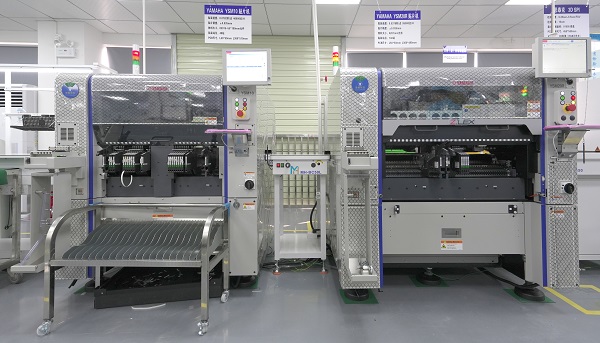
      • State-of-the-Art Equipment – Advanced assembly machines ensure precision and efficiency. By leveraging cutting-edge technology and advanced PCB assembly equipment, we constantly refine our manufacturing processes, enhance testing and measurement techniques, and optimize our quality management system.
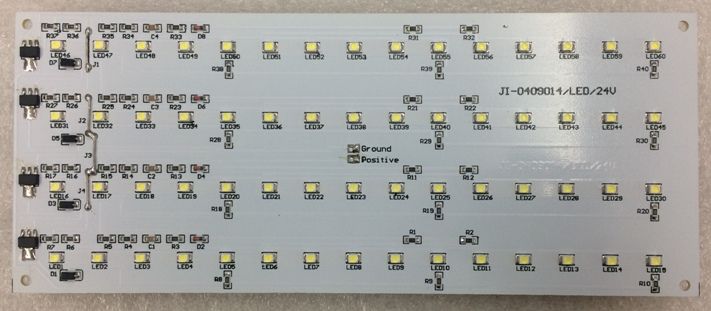
      • On-Time Delivery – Expedited services available for urgent orders. No matter where you are, we guarantee on-time delivery for every order.
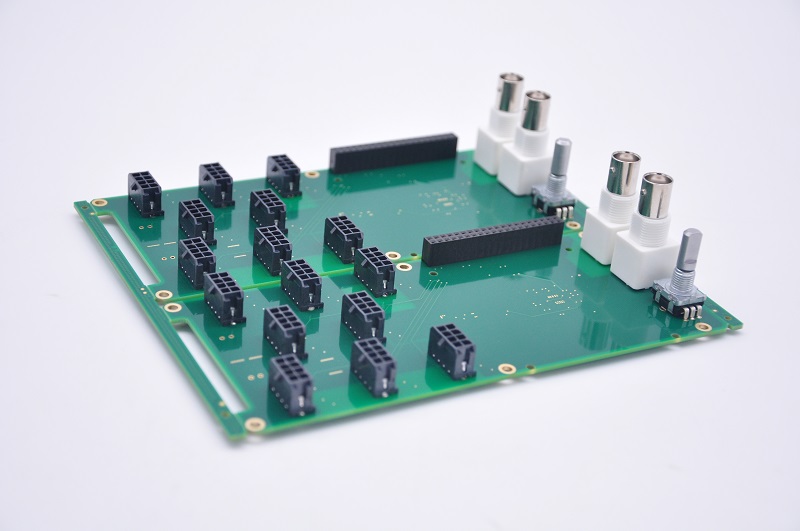
      • Competitive Pricing – Cost-effective solutions without compromising quality.
      • Customer Support – Dedicated one-on-one sales assistance for a smooth collaboration. With exceptional team, EBest Circuit (Best Technology) ensures prompt responses within 12 hours.

      In conclusion, choosing the right PCB assembly manufacturer ensures product reliability, cost-effectiveness, and timely delivery. EBest Circuit (Best Technology) offers expert solutions for various industries with a focus on quality and efficiency. Whether you need a simple prototype or a high-volume production run, our team is ready to support your project. Just feel free to reach out to us at sales@bestpcbs.com to discuss your PCB assembly needs!

       PCB Assembly Manufacturer

      FAQs of PCB Assembly

      1. What is the difference between PCB and PCB assembly?

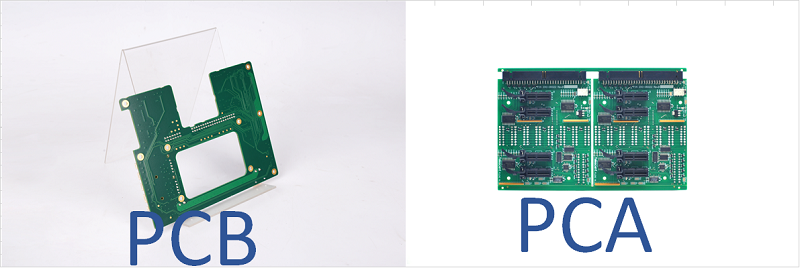
      • A PCB (Printed Circuit Board) is the bare board with copper traces, while a PCB Assembly (PCBA) includes all the necessary electronic components soldered onto the board, making it a fully functional unit ready for use.

      2. What is the purpose of a pick and place drawing in the SMT process?

      • A pick and place drawing provides detailed guidance for automated SMT machines, specifying component placement, orientation, and reference designators on the PCB. It ensures accurate positioning (including polarity indicators for diodes and capacitors) and facilitates post-assembly inspection.

      3. What are counterbores and countersinks?

      • Counterbore: A cylindrical recess with a flat bottom, designed to allow a screw head to sit flush with the PCB surface. Commonly used with flat-head screws to ensure secure mounting, such as for attaching heatsinks or connectors.
      • Countersink: A conical recess that matches the angle of a tapered screw head, such as self-tapping screws. Helps create a smooth, low-profile surface, often used when securing PCBs within enclosures.

      The key difference is that counterbore provides a level surface by embedding the screw head within the material. Countersink features a tapered design that aligns the screw and evenly distributes stress.

      4. How to distinguish the PTH & NPTH?

      • PTH is PLATING Through Hole, it has copper in the holes inside, which can be conductive.  NPTH is Non PLATING Through Hole, which don’t have copper inside the holes. Through holes means through the top and bottom on the PCB, it could be PTH and NPTH.

      Special PCB Design, Prototype, Special PCB Manufacturer

      March 18th, 2025

      Special PCB is a customized circuit board designed for unique applications where standard PCBs do not meet the required performance, durability, or environmental conditions. These PCBs are used in industries such as aerospace, medical, telecommunications, and automotive, where factors like heat dissipation, high frequency, and miniaturization are crucial. Whether it’s a high-speed PCB, HDI PCB, or heavy copper PCB, each type serves a specific purpose to enhance electronic performance.

      EBest Circuit (Best Technology) excel in providing customer-centric support in PCB industry. The team offers special PCB design optimization, material selection guidance, and manufacturing feasibility analysis to the customers. Whether you need a special PCB prototype or full-scale special PCB manufacturing, just feel free to reach out to us at sales@bestpcbs.com, we work closely with you to meet your exact specifications.

      Special PCB Design, Prototype, Assembly, Special PCB Manufacturer

      What is Special PCB?

      A special PCB is a customized printed circuit board that differs from standard PCBs in design, materials, or functionality. It is engineered to meet specific requirements such as high power handling, extreme temperatures, or unique form factors. These boards ensure stability, reliability, and efficiency in demanding applications.

      What Are the Different Types of Special PCBs?

      Special PCBs can be classified into three main categories based on their materials, functionality, and structure.

      1) Material-Based Special PCBs

      These PCBs are defined by the materials used to enhance their performance under specific conditions.

      Heavy Copper PCB – Uses thick copper layers (≄3 oz) for high current applications and improved thermal management.

      Special PCB Design

      High Tg PCB – Made with high glass transition temperature (Tg) materials to withstand extreme heat and mechanical stress.

      2) Function-Based Special PCBs

      This category includes PCBs designed for specific electrical or performance characteristics.

      High-Speed PCB – Designed with low-loss materials and controlled impedance for fast signal transmission in networking and computing.

      Impedance Control PCB – Maintains precise impedance levels for RF, microwave, and high-frequency circuits.

      RF Board – Uses low-loss materials to minimize signal interference in wireless communication, radar, and satellite applications.

      Bus Bar PCB – Incorporates embedded copper bars for high current carrying capacity in power distribution systems.

      3) Structure-Based Special PCBs

      These PCBs are categorized based on their physical design and layout innovations.

      HDI PCB – Features microvias, fine traces, and multiple layers for compact, high-density applications like smartphones and laptops.

      Extra Thin PCB – Ultra-thin boards designed for compact and flexible electronic devices.

      Special PCB Prototype

      IC Substrate – Specialized interconnects used to bridge semiconductor chips with larger PCB assemblies.

      What Materials Are Used to Make Special PCBs?

      The choice of materials in special PCBs determines their electrical performance, heat resistance, and mechanical durability. Here are the key materials used:

      1) FR-4

      A fiberglass-reinforced epoxy laminate that offers a balance of cost, durability, and electrical insulation. It is commonly used in High Tg PCBs, HDI PCBs, and Impedance Control PCBs where thermal resistance and signal integrity are crucial.

      2) High-Tg FR-4

      An advanced version of FR-4 with a higher glass transition temperature (Tg), making it suitable for High Tg PCBs and High-Speed PCBs that operate under extreme thermal conditions.

      Special PCB Assembly

      3) Polyimide

      This material provides exceptional thermal stability and flexibility. It is widely used in Extra Thin PCBs and HDI PCBs, where space-saving and durability under heat are essential.

      4) PTFE (Teflon)

      A low-loss, high-frequency material that is ideal for RF Boards and High-Speed PCBs. Its excellent dielectric properties help maintain signal integrity in wireless and microwave applications.

      5) Copper

      • Heavy Copper PCB – Uses thick copper layers (≄3 oz) to support high current loads and enhance heat dissipation.
      • Bus Bar PCB – Features embedded copper bars for efficient power distribution in industrial and automotive applications.

      6) BT (Bismaleimide Triazine) Epoxy Resin

      This material is used in IC Substrates for its excellent electrical insulation, high-temperature resistance, and mechanical strength. It ensures reliable connections in semiconductor packaging.

      7) Low-Dk (Low Dielectric Constant) and Low-Df (Low Dissipation Factor) Materials

      These are specialized dielectric materials used in Impedance Control PCBs and High-Speed PCBs to reduce signal loss and maintain consistent impedance for high-frequency applications.

      How to Design a Special PCB?

      1) Define Requirements

      Start by determining the electrical, thermal, and mechanical specifications needed for the application.

      2) Select Materials

      Choose the right substrate, copper thickness, and surface finish based on operating conditions and performance needs.

      3) Create a Schematic

      Develop a circuit diagram to define component placement and electrical connections.

      4) Layout Design

      Optimize routing, layer stack-up, and impedance matching to ensure signal integrity and manufacturability.

      5) Prototyping & Testing

      Before mass production, test a prototype to validate functionality, thermal management, and reliability.

      What Are the Benefits of a Special PCB?

      1) High Performance

      Custom designs ensure superior electrical and thermal efficiency.

      2) Enhanced Durability

      Robust materials and specialized coatings increase lifespan, even in harsh environments.

      3) Miniaturization

      Advanced designs, such as HDI and extra thin PCBs, enable compact, lightweight devices.

      4) Reduced Signal Loss

      Impedance control and RF materials enhance signal integrity, crucial for high-speed and wireless applications.

      What Are the Applications of Special PCBs?

      1) Aerospace & Defense

      Used in satellite systems, avionics, and military-grade electronics that require reliability under extreme conditions.

      2) Automotive Electronics

      Essential for EV power systems, engine control units, and ADAS (Advanced Driver Assistance Systems).

      3) Medical Devices

      Supports high-precision diagnostic equipment, wearable health monitors, and implantable devices.

      4) Telecommunications

      Used in 5G infrastructure, networking hardware, and high-speed data transmission systems.

      Special PCB Manufacturer

      Why Choose EBest Circuit (Best Technology) as Your Special PCB Manufacturer?

      1) Industry Expertise

      With 18 years of experience, EBest Circuit (Best Technology) specializes in manufacturing high-quality special PCBs tailored to unique requirements.

      2) Multi-Variety PCB Manufacturing

      Electronics manufacturers often require diverse PCB types within a single project. EBest Circuit (Best Technology) offers a wide range of special PCBs, including Heavy Copper, Bus Bar, High-Speed, IC Substrate, Impedance Control, Extra Thin, High Tg, HDI, and RF Boards. Our ability to handle multiple PCB types under one roof simplifies the supply chain, reduces lead times, and ensures consistency across different PCB designs.

      3) High Quality

      Each special PCB undergoes rigorous testing to meet international quality and reliability standards.

      4) Custom Solutions

      As a leading special PCB manufacturer, we offer complete customization based on your project needs from special PCB design to special PCB assembly. Not only provide top quality requirements of Special Printed circuit Board and PCBA service for the market but also meet customer special customized requests.

      Small-Batch Production

      At EBest Circuit (Best Technology), we specialize in low-volume special PCB manufacturing, ensuring that even small orders receive the same level of precision and quality as mass production. This allows customers to test new designs, reduce risks, and accelerate product development.

      FAQs Of Special PCB

      1. What is the maximum operating temperature for PCBs?
      Typically, the working temperature for standard PCB materials is 105-130°C. For high-temperature materials, such as those made with 7316D, the working temperature can reach 150-170°C. However, this material requires a higher MOQ.
      2. Is the smallest copper trace width you can do 4mil?
      Yes.
      3. What PCB material brands do you use?
      We use brands like Shengyi, KB, ITTEQ, GDM, and etc.
      4. What is the maximum board size you can produce?
      The maximum size we can produce is 610mm x 610mm.
      5. What is the maximum copper thickness for a PCB?
      We can produce a maximum copper thickness of 30oz (1050um).

      In conclusion, special PCBs are essential for high-performance, reliable, and efficient electronic applications. Whether you need heavy copper PCBs for power applications or HDI boards for miniaturized devices, selecting the right manufacturer is crucial. EBest Circuit (Best Technology) provides industry-leading expertise, top-notch quality, and tailored solutions to ensure your project’s success. Pls feel free to contact us at sales@bestpcbs.com to get started on your special PCB requirements!

      Rigid Flex PCB Design, Prototype&Rigid Flex PCB Manufacturer

      March 11th, 2025

      The birth and development of FPC (Flexible Printed Circuit) and PCB (Printed Circuit Board) have given rise to a new product called the rigid flex PCB. Therefore, a flexible-rigid combination board is a circuit board that combines a flexible circuit with a rigid circuit through processes such as lamination, according to relevant technical requirements, resulting in a circuit board that possesses both the characteristics of FPC and PCB.

      What Is Rigid Flex PCB?

      A rigid flex PCB is a composite type of circuit board that combines flexible printed circuit boards (FPC) with rigid printed circuit boards (PCB) through specific processes. It integrates the flexibility of FPC and the rigidity of PCB, possessing both characteristics of FPC and PCB. It can be folded or bent to reduce space occupation and can solder complex components, offering higher stability and reliability.

      rigid-flex pcb

      Best technology focus on high quality rigid-flex PCB design, prototype and manufacturing over 18 years. So we can flexibly handle various emergencies encountered in production based on our rich work experience to achieve fast delivery. Meanwhile, we have our own complete PCB manufacturing industry chain and advanced production machines, so we can control the cost of the entire production process well and provide customers with high-quality products at competitive prices. Please feel free to contact us at sales@bestpcbs.com if you have any request for rigid flex PCB.

      Rigid Flex PCB Layer Stackup

      1. Basic layered architecture

      The stacked structure of the rigid-flexible board achieves functional partitioning through the alternating combination of rigid materials and flexible materials:

      • ‌Outer rigid layer‌: Usually uses FR4 fiberglass board to provide mechanical support and component installation stability, while achieving electrical isolation‌.
      • ‌Intermediate flexible layer‌: It is composed of polyimide (PI) film or polyester (PET), and is combined with rolled & annealed copper or electrolytic copper to form a conductive line to achieve bending connection function‌.
      • ‌Adhesive layer‌: Use thermosetting adhesive (such as epoxy resin) or low-flow adhesive semi-cured sheet to seamlessly combine the rigid layer and the flexible layer to enhance structural stability‌.
      • Typical example:

      Five-layer structure (5-4-1 type): outer rigid board → thermosetting adhesive → inner electrical layer rigid board → thermosetting adhesive → middle signal layer flexible board → thermosetting adhesive → outer rigid board

      Four-layer structure: double-layer FPC substrate + gold finger interface + FR4 filling area + hollow layered design, taking into account plug-in stability and flexibility.

      2. Material configuration and function

      • Rigid substrate

      FR4 fiberglass board: high temperature resistance, good insulation, thickness 0.2–3.2 mm, used for support and heat dissipation.

      • Flexible substrate

      Polyimide (PI) film: high temperature resistance (>300°C), low deformation, thickness 12.7–127ÎŒm, suitable for dynamic bending scenarios.‌

      • Conductive layer

      Rolled copper (smooth and ductile) or electrolytic copper (low cost), thickness 12–35 ÎŒm, used for signal transmission.

      • Protective layer

      Coverlay: PI or PET material, thickness 12.7–127 ÎŒm, moisture-proof, anti-pollution and solder-resistant.

      3. Layer classification and typical application

      • Single-sided board

      Structural features: There is a conductive circuit layer on only one side, and the other side is covered with a substrate or insulating ink, which is transparent under strong light (excluding special process requirements).


      Application scenarios: Simple circuit connection scenarios, such as low-complexity sensor modules.

      • Double-sided board

      Structural features: There are conductive circuit layers on both sides, and the electrical connection between layers is achieved through metallized holes (PTH holes).

      Application scenarios: General electronic devices, such as basic communication modules.

      • Multi-layer board

      Definition: 3 or more circuit layers are superimposed through a “sandwich” structure, combining rigid substrates with flexible substrates.

      Typical layer range: 4, 6, and 8 layers are common, and high-complexity designs can reach 12 or more layers.

      flex rigid pcb

      Rigid Flex PCB Layer Stackup

      What Are the Advantages of Rigid Flex PCB?

      • Space optimization and lightweight design

      Space saving: Through the integrated design of flexible circuits and rigid circuits, the connection requirements of traditional hard boards and flexible boards are reduced, and the space utilization rate is optimized.

      Light weight: The weight of flexible materials is only about 10% of that of hard boards, which greatly reduces the overall weight of the equipment.

      Shrinkage: Supports three-dimensional folding design, suitable for miniaturized products such as wearable devices and folding screen mobile phones.

      • Improved reliability

      Reduce connection point failures: The integrated structure of the whole board reduces the risk of poor welding or connector failure and improves long-term stability.

      Environmental impact resistance: Resistant to high and low temperatures (-55℃~125℃), chemical corrosion and ultraviolet rays, suitable for harsh environments such as automotive electronics and aerospace.

      Vibration resistance: The flexible area can absorb mechanical resonance and reduce the impact of vibration and impact on components.

      • Cost-effectiveness

      Reduce assembly costs: Reduce the number of connectors, simplify the production process, and reduce labor and procurement costs.

      Reduce maintenance costs: High reliability design extends product life and reduces the frequency of later repairs.

      • Signal and heat dissipation performance optimization

      ‌Signal integrity‌: Short transmission path and controlled impedance reduce signal attenuation and support high-speed data transmission (such as industrial camera image processing).

      ‌EMC performance enhancement‌: The shielding design of the flexible area reduces electromagnetic interference (EMI) and improves the ability to resist radio frequency interference.

      ‌High heat dissipation efficiency‌: By extending the copper layer area, the heat dissipation path is expanded and the thermal resistance is reduced, which is suitable for high-power equipment.

      • Structural flexibility and multi-functional integration

      ‌Dynamic bending design‌: Foldable and curled, adaptable to complex spatial layout (such as laser radar, medical endoscope)

      ‌High-density wiring‌: HDI technology (blind vias, buried vias) supports multi-layer signal layer and power layer integration to meet complex circuit requirements.

      ‌Multi-functional adaptation‌: The flexible area and the rigid area are freely combined, compatible with complex component installation and dynamic mechanical structure.

      • ‌Production and design advantages

      ‌Simplified assembly process‌: Reduce the use of cables and connectors and reduce the assembly error rate.

      ‌Design freedom‌: Supports three-dimensional wiring and flexibly matches different device forms (such as hearing aids and folding screen hinges.

      Through material and process innovation, the rigid-flexible board has achieved breakthroughs in space, reliability, cost and performance, becoming a core solution for high-tech fields such as consumer electronics, automobiles, and medical care.

      advantages of rigid flex pcb

      What Are the Advantages of Rigid Flex PCB?

      Rigid-Flex PCB Design Guidelines

      1. Preliminary planning and tool configuration

      Definition of stack structure:

      • Use EDA tools such as Altium Designer to define rigid and flexible layers through the stack manager (shortcut D+K), and check the “Is Flex” property to divide the soft and hard areas.

      Panel Division and Area Locking:

      • Use “dividing line” (shortcut D+S) to divide the board surface, fix the rigid area through the 3D lock function, and retain the dynamic bending characteristics of the flexible area.

      2. Three-dimensional layout and structural design

      3D modeling verification

      • Enable 3D view in EDA tools, simulate folding paths and bending radii, ensure that the direction of flexible region lines is perpendicular to the bending axis, reduce stress concentration.
      • It is forbidden to place vias in the dynamic bending area, and the vias should be kept away from the soft and hard combination area ≄ 50mil (high reliability scenarios ≄ 70mil).

      Material matching and stacking

      • The flexible area selects rolled copper (with excellent ductility) as the conductive layer, with a thickness of 12-35ÎŒm; the cover film (Coverlay) uses PI material, with a thickness of 12.7-127ÎŒm.
      • The hard plate area is pressed with PP glue (semi-cured sheet) and the flexible plate, and the hollow layered design is used to reduce the bending stress.

      3. Routing and through hole design rules

      Circuit Optimization

      • The flexible region conductors use a teardrop transition, with the width maximized (≄4mil), evenly distributed to disperse stress.
      • Signal lines are preferred to be perpendicular to the bending direction, and multi-layer cross-wiring uses an ‘I-Beam’ structure to enhance fatigue resistance.

      Transition Area Treatment

      • At the junction of rigid and flexible sections, the circuit transitions smoothly to avoid right angles or through-hole (PTH) design; the cover film must have a 0.5–1mm excess for overflow when opening windows.
      • Stainless steel stiffener strips or PI stiffener films are added on both sides of the bending area to enhance mechanical support.

      4. Verification and Production Alignment

      Simulation and Test Rules

      • Verify impedance continuity through TDR testing, with dynamic bending areas requiring more than 100,000 cycles of simulation.
      • Use tools such as Mentor Xpedition for lamination simulation to check the risk of glue overflow.

      Production File Output

      • Provide layered Gerber files, marking the boundaries of soft and hard regions and the positions of stiffener. CAM engineers need to handle parameters for inner shrinkage due to glue overflow.
      • Laser cutting parameters for rigid board areas must be precisely controlled in depth to avoid damaging internal layers.

      The design of flexible-hard combination boards should combine three-dimensional simulation, material properties, and process limitations, achieving high-density interconnection and reliability balance through layered lamination and dynamic bending rules.

      Rigid Flex PCB Manufacturing Process

       1. Material preparation and inner layer production

      • Cutting and drilling

      Cutting: Cut the substrate (FR4, PI film, etc.) according to the design parameters, adjust the equipment parameters and clean the surface of the board.

      Drilling: Use laser or mechanical drilling technology to make through holes (PTH) or blind holes. The hard board area needs to be cut with controlled depth to avoid damaging the inner layer circuit.

      • Inner layer circuit formation

      Pressure dry film and exposure: Press dry film on the copper clad board, and define the circuit pattern through film alignment exposure.

      Development and etching: Develop to remove the unexposed dry film, and the acid etching solution dissolves the unprotected copper layer to form a conductive circuit.

      2. Rigid-flexible lamination

      • Flexible layer processing

      Apply cover film: Apply polyimide (PI) cover film to the circuit layer in the flexible area (such as L3/L4), and check bubbles and fitting accuracy after pre-pressing and fixing. ‌

      Stiffener and protection‌: Stainless steel stiffener strips or PI reinforcement film are added on both sides of the bending area to improve mechanical strength‌.

      • ‌Multilayer lamination‌

      ‌Lamination and lamination‌: The flexible board (FPC) and the rigid board (PCB) are alternately laminated through PP glue (semi-cured sheet), and high-temperature lamination is formed into a “sandwich” structure to eliminate the risk of delamination‌.

      ‌Hollow design‌: The dynamic bending area adopts a hollow layering process to reduce stress concentration‌.

      3. ‌Outer layer processing and hole metallization‌

      • Secondary drilling and hole processing‌

      ‌Laser cutting‌: The outer layer of the hard board area is exposed to the flexible area through laser uncovering (gong edge), and the cutting depth is controlled to avoid damaging the inner layer circuit‌.

      ‌Copper deposition and copper plating‌: Chemical copper deposition in the hole is used to achieve conduction, and the outer layer is electroplated with a thickened copper layer (12–35ÎŒm) to improve the conductivity reliability‌.

      • Outer layer circuit production‌

      ‌Graphic transfer‌: The outer copper clad laminate is exposed, developed, and etched to form surface circuits, and the teardrop-shaped pad design enhances the connection strength‌.

      4. ‌Surface treatment and molding‌

      • ‌Solder mask and character printing‌

      ‌Solder mask (green oil): Print photosensitive solder mask ink to cover non-welding areas and form an insulating protective layer after curing‌.

      ‌Silk screen text‌: Mark component location, product model and other information‌.

      • Surface metallization‌

      ‌Electronic nickel immersion gold (ENIG): Chemical nickel-gold plating in the pad area to prevent oxidation and improve welding performance‌.

      • Molding and testing‌

      ‌Edge and punching‌: Cut the shape to remove excess waste and retain the functional area‌.

      ‌Reliability test‌:

      ‌Electrical test‌: Verify continuity and impedance continuity‌.

      ‌Bending test‌: Simulate dynamic bending for more than 100,000 times to detect the risk of breakage or delamination‌.

      5. Special process adaptation

      • High-frequency signal optimization: high-frequency boards (such as Rogers) are combined with blind and buried hole design to reduce signal attenuation.
      • Automotive grade requirements: pass vibration and high and low temperature cycle tests (-55℃~125℃), and add FR4 reinforcement to the hard board area.

      The production of soft and hard boards requires precise control of material matching and process parameters (such as temperature and pressure), and through multi-layer lamination and dynamic bending optimization, it meets the lightweight and reliability requirements of high-density electronic equipment.

      Flex Rigid PCB Manufacturer

      EBest Circuit (Best Technology), a flex rigid PCB manufacturer, establish on June 28, 2006, is a Hong Kong registered company, whom focused on FR4 PCB, Flexible PCBFlex Rigid PCB design, prototype and manufacturing and also provide PCB assembly(PCBA) service.

      BEST begin to As a printed circuit board (PCB) vendor in Asia, we are dedicated to be your best partner of advance, high-precision printed circuit boards, such as heavy copper boards, mixed layers, high TG, HDI, high frequency (Rogers, Taconic), impedance controlled board, Metal Core PCB (MCPCB) such as Aluminum PCB, Copper PCB, and so on.


      What we provide is not only PCB & MCPCB manufacturing, but also including PCB duplicating, Engineering & process design, components management & sourcing solution, PCB in house assembly & full system integration, surface mounted technology (SMT).


      All the PCB & MCPCB are strictly follow the operation procedures stipulated in ISO9001:2000 in respect to material purchasing, product manufacturing, testing, packing, marketing, etc. All the order placed with us is money-refund-guaranteed.

      Most of our engineer and operators has more than ten years of experience in PCB industry, so we can produce special such as 20 OZ heavy copper board, 4 layer MCPCB, etc. At the same time, we purchased many advanced, art-of-state machines & devices for PCB manufacturing, checking, to improve the quality of our boards.

      Currently our monthly productivity is 260,000 square feet (28,900 square meter), more than 100 different boards will be completed. We can also provide fast delivery service, and urgent boards can be shipped out within 24 hours!

      More information welcome to contact us if you’re interested in us.(The email is at the beginning of this blog)

      What Is the Difference Between Rigid Flex PCB and Flex PCB?


      Differences in materials and structures

      ‌‌Flex PCB

      • Substrate‌: Single or double-layer PI or PET film
      • Single or multi-layer flexible circuit, without rigid support
      • Usually without stiffener

      ‌Rigid-flex PCB

      • Substrate‌: The rigid area uses FR4 or high-frequency plates, the flexible area uses PI film, and is bonded with PP adhesive (semi-cured sheet).
      • Mixed structure with 3 or more layers, including blind hole/buried hole design, interconnecting rigid and flexible areas
      • Stainless steel stiffener strips or PI reinforcement film need to be added in the bending area.

      Differences in design and manufacturing process‌

      ‌Flexible PCB Board

      • Graphic transfer‌: Circuits are formed by dry film exposure and etching, without rigid support structure‌.
      • ‌Surface treatment‌: Cover with PI protective film (Coverlay) to prevent oxidation‌.
      • Applicable process‌: Single-sided or double-sided circuits, low cost but weak environmental impact resistance‌.

      ‌Rigid-flex PCB board‌:

      • Lamination difficulties‌: Precise control of the thickness matching of the rigid-flexible area is required to avoid delamination (such as hollow delamination process).
      • Hole processing‌: Vias are prohibited in the dynamic bending area, and a smooth circuit design is required in the rigid-flexible transition area.
      • Special process‌: Laser cutting of the rigid board area to retain the flexible area, copper plating to ensure conduction.

      Comparison of performance and application scenarios‌


      ‌Flexible board

      • Low mechanical strength, easily damaged by external forces.
      • High-frequency signals are easily attenuated (affected by bending).
      • Low cost (suitable for mass production)
      • Used in consumer electronics (headphones, smart watches).


      Rigid-flexible board

      • High mechanical strength, rigid area provides support, flexible area resists bending fatigue
      • The rigid area can integrate high-speed signal layer, impedance control is more precise
      • High cost (complex process, low yield)
      • Used in high reliability areas (aerospace, automotive radar)

      What Are the Applications of Rigid Flex PCB?

      The versatility of rigid flex PCBs makes them essential in various industries:

      • Consumer Electronics-Used in smartphones, foldable devices, and wearables.
      • Medical Devices-Applied in implants, imaging systems, and diagnostic tools.
      • Automotive Electronics-Integrated into advanced driver-assistance systems (ADAS) and infotainment.   
      • Aerospace & Defense-Utilized in satellite systems, avionics, and military-grade equipment.
      • Industrial Equipment-Found in robotics, control systems, and automation devices.

      A well-designed rigid flex PCB enhances performance, reliability, and space efficiency in modern electronic applications. Selecting the right manufacturer ensures high-quality production and long-term durability.

      ‌Conclusion

      As an integrated carrier of rigid-flexible synergy, the rigid-flexible board is driving electronic devices to iterate towards higher integration and stronger reliability with its unique structural design and performance advantages. In the industrial and medical fields, the precise design of the rigid-flexible transition zone (such as the hollow layering process) has achieved stable signal transmission and vibration resistance in complex environments for equipment such as endoscopes and vehicle-mounted radars; in the consumer electronics field, the rigid-flexible board has broken through the space limitations of traditional rigid boards with its high-density wiring and dynamic bending characteristics (≄100,000 cycle life) in folding screen hinges and mobile phone camera modules.

      From the perspective of technological evolution, the material innovation (such as the combination of high-frequency FR4 and ultra-thin PI film) and process upgrade (laser cutting precision control) of the rigid-flexible board will continue to promote its application in high-frequency and high-speed scenarios, such as 5G millimeter wave communications and autonomous driving sensors. At the same time, it significantly improves the reliability of the system-level package (SiP) by reducing connector solder joints and optimizing the rigid-flexible transition zone line design (teardrop-shaped wires and reinforcement strips).

      In the future, with the popularization of wearable devices and IoT terminals, the soft-hard combination board will be more deeply integrated into the design philosophy of “rigid-flexible symbiosis” – the rigid area carries the computing core, and the flexible area achieves form adaptation. Ultimately, in the “soft-hard game” of the electronics industry, it will become the ultimate solution to balance function, cost and reliability.

      What is Pick and Place File in PCBA?

      March 8th, 2025

      What is the Pick and Place File for PCB Assembly?

      When assembling printed circuit boards, precise component placement matters a lot. That’s where the pick and place file in PCBA comes into play. This file lists each component’s location, orientation, and part number. It acts like a map that guides the machine responsible for placing components on the bare board. Without this data, machines have no clue where to position capacitors, resistors, or ICs.

      The pick and place file, often called centroid file or XY data, acts as a bridge between the PCB design and the assembly process. It reduces human error, saves time, and boosts placement accuracy. Whether working on simple boards or complex multi-layer designs, this file makes the whole assembly process smoother and faster.

      What is Pick and Place File in PCBA?

      Why Does Pick & Place File Matter?

      Every part on a PCB must land at the right spot. Even a minor offset can cause failures. The pick and place file ensures every component fits exactly where it belongs. It helps pick and place machines grab components and place them perfectly, following the designer’s plan.

      Without this file, assembly teams would have to rely on manual placement or visual aids. That takes time and increases errors. Machines work faster, more consistently, and far more accurately than human hands. With a proper pick and place file, the machine knows the part number, package type, rotation angle, and X-Y coordinates for every single component.

      This file also reduces the chances of missing parts or placing them upside down. When assembling hundreds or thousands of boards, even small mistakes add up. A clean, accurate file makes sure the entire batch meets quality standards, which is crucial for reliable products.

      What is the Format of Pick and Place Machine File?

      Most files use common formats, such as CSV (comma-separated values) or TXT (plain text). These work with nearly all pick and place machines, so manufacturers can share files easily across different platforms. The pick and place file in PCBA follows a simple structure that’s easy for machines and software to read. Though formats may vary slightly across design software, most include the following:

      • Reference Designator – Marks each component, like R1 or U3.
      • Part Number – Shows the specific part used.
      • Package Type – Explains the physical size and shape, like 0402 or QFP.
      • X Coordinate – Tells the machine the horizontal placement.
      • Y Coordinate – Sets the vertical placement.
      • Rotation Angle – Shows how the part should turn to match the footprint.
      • Layer Information – Identifies if the part sits on the top or bottom side.

      Pick and Place File Example

      Here’s a simple pick and place file example to help visualize what it looks like:

      Pick and Place File Example

      This is just a small sample, but real files often contain hundreds or thousands of lines depending on the design complexity. Each line defines one component, ensuring machines have clear placement instructions.

      How to Make a Pick and Place File?

      Creating a pick and place file in PCBA starts in the design software. When laying out components, the software records the exact position, angle, and orientation for each part. Once the layout’s complete, the file can be generated directly from the software.

      Steps generally follow this flow:

      1. Place all components and finalize the PCB layout.
      2. Label every part with clear reference designators.
      3. Assign correct part numbers and footprints.
      4. Check for correct orientation and ensure no components overlap.
      5. Export the pick and place file using the software’s built-in tools.

      Good design habits, like keeping components aligned and properly spaced, also improve the file’s accuracy and make downstream processes smoother.

      How to Generate Pick and Place File in Altium?

      In Altium Designer, generating a pick and place file only takes a few steps. Altium makes the process intuitive, so designers don’t need extra plugins or manual tools. Here’s how it works:

      1. Open the PCB layout in Altium.
      2. Navigate to File > Assembly Outputs > Generate Pick and Place Files.
      3. Choose the top and bottom layers if needed.
      4. Select the output format (usually CSV or TXT).
      5. Review the preview to check for missing or misaligned parts.
      6. Save the file to the desired location.

      Altium gives options to customize column order, units, and decimal precision. Double-checking these settings ensures the file works smoothly with the intended assembly equipment.

      How to Export Pick and Place File?

      The actual export process varies by software, but the core steps stay similar across most platforms. Here’s a general guide:

      1. Open the completed PCB layout file.

      2. Confirm all parts have correct designators, footprints, and placements.

      3. Open the Output or Export menu (naming varies by software).

      How to Export Pick and Place File?

      4. Choose Pick and Place File or Centroid File from the list and export.

      How to Export Pick and Place File?

      5. Select output preferences — file type, units, layers, etc.

      How to Export Pick and Place File?

      6. Review the file for missing data before saving.

      Most tools let designers export top and bottom placements separately or combined. Always double-check orientation and rotation values since errors here cause misaligned parts during assembly.

      How to Generate Pick and Place File from Gerber?

      Gerber files mainly handle copper, solder mask, and silkscreen layers — they don’t directly hold placement data. However, some design tools can extract placement data if the Gerbers contain embedded component data, which isn’t common.

      If placement data isn’t embedded, the best approach is to return to the original PCB design file. Most PCB CAD software (like Altium, KiCad, or Eagle) can regenerate a pick and place file directly. If the original design file is unavailable, creating a new placement file requires manual work — identifying parts from the silkscreen and manually recording coordinates.

      What is the Pick and Place Process?

      The pick and place process starts after the bare PCB arrives at the assembly line. Machines read the pick and place file to know exactly where each component should go. Here’s a simplified version of the steps:

      1. Preparing the PCB

      Prepare the bare PCB carefully before the assembly process starts. Full inspection is needed to check for defects, scratches, or contamination. For PCBs stored for a long time, baking is important to remove moisture, which helps avoid soldering issues later. After that, solder paste is applied to the pads where components will sit.

      2. Feeding the Components

      Next, components get loaded into the machine through feeders. These feeders hold reels, trays, or sticks of parts, all arranged in order. Each component type has its own feeder position, linked to the pick and place file.

      3. Picking Up Components

      The machine starts by picking up components from the feeders using vacuum nozzles. Each nozzle is designed to handle a specific part size, from tiny resistors to larger ICs. The machine uses gentle suction to grab each component without damaging it.

      4. Vision Inspection and Alignment

      After picking up each component, the machine checks its orientation using a vision system. High-resolution cameras take images to see if the part is facing the right way. If there’s any slight misalignment, the machine rotates the part to the correct angle before placement.

      5. Placing Components on the Board

      Once the part is aligned, the machine places it onto the PCB. Each component is placed at the exact coordinates provided in the pick and place file. The machine also adjusts the rotation angle to match the footprint on the board. Parts are placed carefully with the right amount of pressure to avoid damaging delicate parts or shifting the solder paste.

      6. Speed and Precision Combined

      Pick and place machines combine high speed with extreme precision. Modern machines can place thousands of parts per hour, even at microscopic sizes. While speed matters, accuracy is even more important. Each placed component must sit perfectly on its pad, since even the smallest shift could cause electrical issues after soldering.

      7. Handling Different Part Sizes

      Pick and place machines handle a wide range of components, from tiny 0201 resistors to large connectors. The machine automatically switches nozzles based on the part size.

      8. Real-Time Monitoring

      Throughout the process, the machine monitors everything in real time. Sensors track part pick-up, alignment checks, and placements. If a feeder runs empty or a part fails inspection, the machine pauses and alerts the operator.

      9. Final Transfer for Soldering

      Once all parts are placed, the PCB moves to the next step — reflow soldering. The solder paste melts during this stage, permanently bonding each component to the board. Accurate placement during the pick and place process helps ensure every connection forms correctly, which supports good electrical performance in the final product. Here is a full manufacturing process of PCB assembly:

      In short, the pick and place process bridges the gap between PCB design and working hardware. It translates design data into real, physical assemblies — fast, accurately, and reliably. Without it, modern electronics manufacturing wouldn’t be able to meet today’s high standards for quality and volume.

      At EBest Circuit (Best Technology), our pick and place process combines high-speed machines, careful file preparation, and experienced operators. Our team knows how important clear placement data is for delivering high-quality PCBs. If you’re looking for reliable PCB assembly services or want help preparing your files, feel free to reach out. We’ll make sure your designs turn into top-quality products, every time.

      What is a light ballast PCB? How does it works?

      March 4th, 2025

      A Light ballast PCB controls the current flow inside different lighting systems, helping the lamps work properly while protecting them from too much power. Without a proper light ballast PCB, many lamps would either flicker all the time or fail before reaching their normal lifespan. Today, most lighting projects, whether for homes or factories, depend on some form of light ballast PCB to make sure lamps work smoothly. Since more people want brighter, longer-lasting, and energy-saving lights, the design and quality of light ballast PCB become even more important. In this blog, we will explain what a light ballast PCB is, how it works, and its wiring steps. We will also cover technical details, diagrams, and real-world uses to give you a better understanding. Let’s start by understanding the basics.

      What is a light ballast pcb?

      A light ballast PCB is a printed circuit board that manages the voltage and current delivered to lamps, mainly fluorescent, HID and some LED lamps. It controls the power flow to prevent too much electricity from reaching the lamp, which helps the light stay stable while avoiding flickering or overheating.

      What is a light ballast PCB? How does it works?

      In traditional systems, light ballasts were heavy metal boxes with coils and transformers. Now, with modern PCB technology, most ballasts are smaller boards with electronic components. These boards offer better control, longer lifespan, and smaller size, which helps in compact lighting systems.

      At its core, a light ballast PCB acts like a smart power gate, adjusting the electric supply to fit the lamp’s needs. For fluorescent lights, it also gives an initial high voltage to ignite the lamp before reducing the power to a safer level.

      At EBest Circuit (Best Technology), we are able to provide you with One-stop solution from light ballast PCBs design to production and final assembly with fast delivery and competitive price, because EBest Circuit (Best Technology) have 16 experience years in high-quality PCB solutions and PCBA service for all lighting applications. Whether you need standard or custom solutions, EBest Circuit (Best Technology) is your go-to partner for all your PCB needs. Welcome to inquiry us sales@bestpcbs.com if you have any needs for lighting pcb.

      What is wiring tips of light ballast PCB?

      • Layered wiring‌: Separate the power supply and load parts to avoid mutual interference and improve the stability and performance of the circuit‌.
      • Reasonable selection of power supply path‌: Ensure that the power supply path is clear and avoid unnecessary interference, especially when processing high-frequency signals, pay attention to the layout and direction of the signal line‌.
      • Top layer priority principle‌: Try to wire on the top layer to reduce signal interference.
      • Thickening the power line‌: Thickening the power line is conducive to the flow of current on the main road to ensure the stability of the circuit‌.
      • Travel direction control‌: The wires at the input and output ends should avoid being adjacent and parallel to reduce interference.
      • Chamfer rule‌: The corners of the trace should avoid being designed as sharp angles and right angles to reduce radiation.
      • Device decoupling‌: Add necessary decoupling capacitors to filter out interference signals on the power supply and stabilize the power supply signal.
      • ‌Impedance matching‌: The width of the same network wiring should be kept consistent, or the effective length of the inconsistent part should be minimized.
      • Ground wire loop rule‌: The loop area formed by the signal line and its loop should be as small as possible to reduce electromagnetic interference.
      • Shielding protection‌: Consider using a copper-axis cable shielding structure design to isolate the ground wires up and down, left and right with ground wires, and effectively combine the shielding ground with the actual ground plane‌.

      How does light ballast work on PCB?

      A pcb ballast works by regulating the electrical current that flows through the light fixture. When the light is turned on, the ballast provides an initial surge of voltage to start the lamp. Once the lamp is lit, the ballast continues to regulate the current to maintain steady light output.

      What is a light ballast PCB? How does it works?

      Here’s how it works in a bit more detail:

      Startup Phase: The ballast delivers a high voltage to the lamp to start it up. Fluorescent lights, in particular, require this surge of power to get started.

      Current Regulation: Once the light is on, the ballast regulates the current to keep it at a constant level. This ensures that the lamp doesn’t overheat or flicker, contributing to better light quality.

      Energy Efficiency: In electronic ballasts, the high-frequency switching of MOSFETs and capacitors allows for energy-efficient operation. This reduces power consumption while maintaining optimal lighting levels.

      What is technical parameters of light ballast PCB?

      • Input voltage range‌: The driver board needs to be able to accept AC input within a certain range, usually the mains voltage (such as 100V-240V).
      • Output current and voltage‌: The driver board provides stable DC output. The current and voltage need to be adjusted according to the requirements of the LED lamp, usually constant current or constant voltage output.
      • Power factor‌: Indicates the effective utilization of electrical energy. A high power factor means high efficiency in power conversion.
      • Efficiency‌: Indicates the ratio of output power to input power. Efficient conversion helps reduce energy waste.
      What is a light ballast PCB? How does it work?

      ‌Through the design and selection of these technical parameters, the stable operation and long life of the LED lamp can be ensured, achieving the best lighting effect.

      Explanation PCB diagram of ballast light

      The circuit structure of the ballast light is shown in the figure, which covers several key parts such as capacitor step-down circuit, rectifier circuit, LED light-emitting circuit and photoelectric control circuit. These circuits work together to ensure that the LED light can emit light stably and efficiently.

      A typical light ballast PCB diagram shows both input and output sides, along with key components like capacitors, inductors, and switching transistors.

      At the input stage, a fuse and filter block unwanted noise from the power source. Next, a rectifier converts AC to DC, which passes through smoothing capacitors to create stable voltage. The control section uses a micro-controller or driver IC to regulate switching transistors. These transistors adjust voltage and frequency, ensuring the lamp gets the right current flow. The output stage includes the final filter and connections to the lamp. In fluorescent lamps, this stage also includes a high-voltage starter circuit.

      Overall, the diagram reflects a balance between power conversion, current control, and protection, all packed into a compact PCB layout.

      Application of light ballast on PCB

      Light ballast PCBs appear in many everyday products and systems.

      • Kitchen lights, bathroom fixtures, and under-cabinet fluorescent lamps at home.
      • Ceiling panels, emergency lights, and retail display lamps in offices.
      • High-output lighting systems used for work areas, safety zones, and storage spaces in factories and warehouses.
      • Streetlights, parking lot lamps, stadium floodlights, and more. As outdoor lighting shifts to LED, many ballasts also act as LED drivers, offering advanced dimming and color control.
      • Growing application relates to recycling programs. Old ballasts, especially PCB fluorescent light ballasts, need careful handling due to environmental rules. Proper pcbs ballast recycling helps recover valuable metals while safely disposing of any hazardous materials.

      FAQ light ballast PCB

      • Aging of electronic components‌: Electronic components in light ballast power supplies, such as resistors, capacitors, diodes, transistors, etc., may age due to open circuits, short circuits, burnouts, leakage, functional failures, etc. during long-term use.
      • PCB quality impact: The quality of printed circuit boards (PCBs) and printed circuit board assemblies (PCBA) directly affects the reliability of LED driver power supplies. Problems such as poor wetting, board explosion, delamination, CAF (anode foil fiberization), open circuits, short circuits, etc. may cause power supply failure.
      • Heat dissipation problem‌: The electronic components in the light ballast PCB are very sensitive to temperature changes, especially the electrolytic capacitors. Poor heat dissipation may shorten the life of the components, thus affecting the stability of the LED lamps.
      • Solder joint failure: Solder joints are the key connection between electronic components and PCB boards, and their quality directly affects the reliability of the power supply. Solder joint failure may be caused by welding problems during the production process, or thermal stress fatigue caused by differences in thermal expansion coefficients.
      • Other issues: If the substrate hole is too large, the solder furnace temperature is too low, the board surface is poorly solderable, the solder mask is invalid, the board surface is contaminated, etc., it will also cause PCB problems.‌‌

      Conclusion
      The light ballast PCB plays a quiet but critical role in modern lighting systems. By delivering stable, efficient power, it protects lamps, saves energy, and supports advanced lighting controls. Whether you need simple fluorescent support or advanced smart lighting, the right light ballast PCB keeps your system running smoothly.

      What Is LED Polarity and Why Does It Matter?

      February 17th, 2025

      What Is LED Polarity and Why Does It Matter? LED polarity is one of the most important things to understand when working with LEDs, especilly in PCB assembly. A wrong LED polarity put will cause the failure of the PCB product. Unlike regular bulbs, LEDs only work if they are connected the right way. If you mix up the positive and negative sides, the LED won’t light up. So, whether you’re building a simple LED circuit, installing LED light strips, or working with surface-mount LEDs, understanding LED polarity helps prevent issues. In this guide, we’ll answer the most common questions about LED polarity and explain how to identify and test LED connections correctly.

      What Is LED Polarity and Why Does It Matter?

      What Is LED Polarity?

      LED polarity refers to the direction in which an LED must be connected to a power source. Since LEDs are diodes, they allow current to flow in only one direction. This means that one leg of the LED must be connected to the positive side of the power supply, while the other must go to the negative side.

      Each LED has two legs:

      • Anode (+): This is the positive leg. It needs to be connected to the positive terminal of the power source.
      • Cathode (-): This is the negative leg. It must connect to the negative terminal.

      If the LED is wired incorrectly, it won’t light up because no current will flow through it. Some LEDs may even get damaged if too much voltage is applied in the wrong direction.

      Do LEDs Have Polarity?

      Yes, LEDs have polarity, and they must be connected correctly to function. Unlike traditional incandescent bulbs that work regardless of connection direction, LEDs only operate when the anode is connected to the positive voltage and the cathode to the ground.

      The reason for this is that LEDs are light-emitting diodes. Diodes are semiconductor components that allow current to pass in one direction while blocking it in the other. When you reverse the polarity of an LED, it stops conducting electricity, which means it won’t produce light.

      LED Polarity Symbol

      If you look at circuit diagrams, you’ll notice a special symbol used for LEDs. The LED polarity symbol is similar to a regular diode symbol but has two arrows pointing away from it to indicate light emission. Below are the common led polarity symbols used in the industry:

      What Is LED Polarity and Why Does It Matter?

      Are LED Light Bulbs Polarity Sensitive?

      It depends on the type of LED light bulb.

      • AC-powered LED bulbs (like household LED light bulbs) are usually not polarity sensitive because they contain internal rectifiers that convert AC to DC.
      • DC-powered LEDs (such as those used in automotive applications, flashlights, or indicator lights) are polarity sensitive and will not work if connected incorrectly.

      When working with DC-powered LED systems, checking the wiring is crucial. Many LED strips and car LEDs have markings to indicate which side should connect to positive and which should go to negative.

      How Do You Identify the Polarity of an LED?

      There are several ways to determine LED polarity:

      1. Check the Lead Length

      If it has leds, check the lead length is the most important method to identify:

      • The longer lead is the anode (+).
      • The shorter lead is the cathode (-).
      What Is LED Polarity and Why Does It Matter?

      This method works well for new LEDs, but if the leads are trimmed, other methods may be needed.

      2. Look for a Flat Edge

      On many through-hole LEDs, the cathode side has a flat edge on the plastic casing. This marking helps quickly identify polarity. (Please refer above images of LED).

      3. Inspect the Internal Structure

      If you have a clear LED, you can look inside:

      • The larger internal piece is usually the cathode (-).
      • The smaller piece is the anode (+).

      This method works well for transparent or diffused LEDs but is harder for small surface-mount LEDs.

      4. Use a Multimeter

      A digital multimeter with a diode test function can confirm polarity. When the red probe touches the anode and the black probe touches the cathode, the LED will glow slightly or show a voltage reading. If no reading appears, reverse the probes.

      What Happens If LED Polarity Is Reversed?

      If the LED is connected backward, it won’t light up. Unlike incandescent bulbs, which work in either direction, LEDs only allow current to flow in one way. Here are some common issues if LED polarity is reversed:

      1. No Light Emission: Since LEDs are polarized components, they only work when connected correctly. If the polarity is reversed, current cannot flow, and the LED will not light up.

      What Is LED Polarity and Why Does It Matter?

      2. Potential Damage: In some cases, a reversed connection may cause damage. Excessive reverse voltage or current can harm the internal structure of the LED.

      3. Overheating: Incorrect polarity may lead to improper current flow, generating excess heat. This can affect both the LED and nearby circuit components.

      4. Short Circuit Risk: A severe polarity reversal could create a short circuit, which may harm the power source or other connected components.

      5. Unstable Lighting: In rare cases, an incorrectly wired LED may flicker or dim unpredictably instead of staying off completely.

      In most cases, a reversed LED will not get damaged unless the voltage is too high. However, some circuits use protection resistors or diodes to prevent issues caused by incorrect polarity.

      Does LED Polarity Matter?

      Yes, LED polarity matters because LEDs are diodes that function only when connected correctly. If you ignore polarity, the LED won’t work. In some cases, incorrect wiring can cause damage, especially in high-power LEDs or integrated circuits.

      To avoid problems:

      • Always check the polarity markings before connecting an LED.
      • Use a multimeter if unsure.
      • Follow circuit diagrams carefully.

      How to Check an LED with a Multimeter?

      Using a multimeter is one of the easiest ways to test an LED’s polarity and functionality. Here’s a step-by-step guide:

      1. Set the Multimeter to Diode Test Mode

      Most digital multimeters have a diode test mode, usually marked with a diode symbol (a triangle pointing to a line). If your multimeter doesn’t have this mode, use the resistance (Ω) setting on the lowest range.

      2. Identify the Probes

      • The red probe is the positive (+) lead.
      • The black probe is the negative (-) lead.

      3. Connect the Probes to the LED Legs

      Touch the red probe to one leg and the black probe to the other.

      • If the LED lights up faintly or shows a voltage reading (typically 1.8V to 3.5V, depending on the LED type), the red probe is on the anode (+), and the black probe is on the cathode (-).
      • If nothing happens, swap the probes and try again.

      4. Interpret the Results

      • If the LED lights up, it means it is working, and you have identified the correct polarity.
      • If the LED doesn’t light up in either direction, it may be faulty or burned out.
      • If using the resistance mode, a working LED will show a resistance value in one direction and an infinite resistance (OL) in the other.

      5. Testing Surface-Mount LEDs (SMD LEDs)

      Since SMD LEDs are small and lack long leads, identifying polarity can be tricky. Many have a small marking on the cathode side. To test them:

      • Use fine-tip multimeter probes.
      • Hold the probes gently on the pads.
      • Observe if the LED lights up or if a voltage reading appears.

      A multimeter is a quick and reliable tool to check LED polarity before installing it in a circuit.

      Which Side of the LED Should You Put a Resistor?

      A resistor is needed to control current flow and protect the LED. The resistor can go on either side of the LED—anode or cathode—without affecting polarity. However, placing it on the anode side (+) is common for consistency in circuit designs.

      Without a resistor, the LED might receive too much current, which could shorten its lifespan or cause it to burn out.

      FAQs

      1. Can LED polarity be ignored?

      No, LED polarity is essential for proper operation. If wired incorrectly, the LED will not work.

      2. Do surface-mount LEDs have polarity?

      Yes, surface-mount LEDs have polarity. Manufacturers usually mark the cathode with a dot or a line.

      3. What happens if an LED is connected to AC power?

      An LED without a rectifier will flicker or not work properly on AC power. A rectifier or resistor is needed for AC operation.

      4. How do I fix a reversed LED?

      Simply swap the connections. If the LED hasn’t been damaged, it should work fine.

      5. Why do some LEDs have built-in resistors?

      Built-in resistors simplify wiring by ensuring safe current levels. These LEDs can be directly connected to power sources without extra components.

      Turnkey EMS PCB Manufacturer: What Is Turnkey EMS?

      February 13th, 2025

      A turnkey EMS PCB manufacturer provides a complete solution for the assembly of printed circuit boards (PCBs). From design and prototyping to final assembly, they manage the entire process. This all-in-one service is invaluable for businesses looking for efficiency and quality. But what exactly does this process entail, and why should companies opt for a turnkey approach? This article dives into the key aspects of turnkey EMS PCB manufacturing, comparing it with other options, and exploring the benefits and challenges it brings.

      What is Turnkey EMS PCB Manufacturing?

      Turnkey EMS PCB manufacturing refers to a comprehensive service where the manufacturer handles everything from the initial design to the final product. “Turnkey” means that the service is provided as a complete package. This typically includes designing, sourcing materials, PCB assembly, testing, and delivery.

      The key advantage of turnkey EMS manufacturing is that it saves time and effort for the customer. Instead of working with multiple suppliers or manufacturers, the customer can rely on one provider for the entire process. This leads to faster timelines, better communication, and often lower costs due to streamlined operations.

      What is EMS vs OEM?

      It’s important to understand the difference between EMS (Electronic Manufacturing Services) and OEM (Original Equipment Manufacturer), as these terms are often used interchangeably but serve different purposes.

      EMS (Electronic Manufacturing Services): A company that provides manufacturing services, including production, assembly, testing, and logistics, based on client specifications. EMS providers do not own the IP of the products they manufacture.

      OEM (Original Equipment Manufacturer): A company that designs and manufactures products or components, which are then sold to another company to be branded or integrated into their products. OEMs own the intellectual property (IP) of their products.

      An OEM typically designs and creates the product, and then outsources the manufacturing process to an EMS provider. While OEMs may work with EMS providers, they maintain control over the product’s design and specifications.

      What Process Does Turnkey EMS PCB Manufacturing Have?

      Turnkey EMS (Electronic Manufacturing Services) PCB manufacturing is a comprehensive, end-to-end solution that handles every stage of production, from design validation to final delivery. Below is the detailed process:

      1. Design Review & DFM Analysis

      Design Input: The client provides design files (Gerber, BOM, assembly drawings).

      Design for Manufacturability (DFM): The EMS provider identifies potential production risks (e.g., pad spacing, hole sizing) and suggests optimizations to prevent costly revisions.

      Prototyping (Optional): Functional prototypes are built for validation if the design isn’t finalized.

      2. PCB Fabrication

      Raw Board Production: Manufactures blank PCBs through processes like lamination, drilling, copper plating, etching, and solder mask application.

      Quality Checks: Copper thickness verification; Impedance control (for high-frequency boards); Surface finish application (ENIG, OSP, HASL, etc.)

      3. Component Sourcing & Supply Chain Management

      BOM Breakdown: Segregates client-approved vendor lists (AVL) from EMS-procured components.

      Risk Mitigation: Alternate component qualification (to avoid obsolescence); MOQ (Minimum Order Quantity) negotiation; Long-lead-time material stocking

      4. PCB Assembly (PCBA)

      SMT Assembly: Automated placement of surface-mount components (ICs, resistors, capacitors) using pick-and-place machines.

      Critical steps: Solder paste printing, reflow oven profiling

      Inspection: SPI (Solder Paste Inspection) and AOI (Automated Optical Inspection)

      THT Assembly: Through-hole component insertion (connectors, large capacitors) using wave soldering or hand soldering.

      Post-Assembly: Cleaning (flux residue removal) or conformal coating for high-reliability applications.

      5. Testing & Validation

      Electrical Testing: ICT (In-Circuit Test): Checks shorts, opens, and component values. FCT (Functional Test): Validates board performance under real-world conditions.

      Environmental Stress Testing (as required): Thermal cycling; Vibration testing; Burn-in testing;

      Compliance: Supports certifications like CE, FCC, or UL.

      6. Packaging & Delivery

      ESD-Safe Packaging: Anti-static bags, foam inserts, or moisture-resistant materials.

      Traceability: Labels/QR codes for batch/date tracking.

      Logistics: Supports JIT (Just-in-Time) delivery, drop shipping, or warehouse management.

      How to Choose a PCB Manufacturer?

      Choosing the right turnkey EMS PCB manufacturer is a critical decision for any business. Here are a few things to consider when selecting a manufacturer:

      Experience and Reputation: Look for a manufacturer with a solid track record in the industry. A provider with years of experience and a good reputation will likely provide high-quality results.

      Capabilities and Services: Ensure the manufacturer offers the full range of services you need. Check whether they provide design assistance, component sourcing, assembly, and testing, as these can save you time and money.

      Quality Control Standards: A good PCB manufacturer will adhere to international quality standards. Check their certifications and quality control processes to ensure they meet industry benchmarks.

      Customer Support: Good communication is key to any successful partnership. Look for a manufacturer who provides excellent customer support and is responsive to your needs.

      What Benefits Can the Turnkey EMS PCB Manufacturer Bring?

      The turnkey EMS PCB manufacturer offers numerous benefits that can positively impact your business:

      Simplified Process: Working with a single provider reduces the complexity of coordinating between different suppliers and manufacturers.

      Cost Efficiency: By consolidating services, turnkey solutions can often be more cost-effective than hiring multiple suppliers or managing different stages of production.

      Faster Time-to-Market: Turnkey manufacturers can reduce lead times by streamlining the design, assembly, and testing processes. This leads to quicker product launches.

      Higher Quality Assurance: Since the manufacturer handles all aspects of the production, they are in a better position to ensure consistency and quality throughout the process.

      These benefits make turnkey EMS PCB manufacturing an appealing option for companies aiming for streamlined operations and reliable results.

      What Are the Key Challenges of Working with a Turnkey EMS PCB Manufacturer?

      ‌The key challenges of working with a turnkey EMS (Electronic Manufacturing Services) PCB manufacturer, from a positive perspective, include ensuring effective communication, managing expectations, and maintaining quality control.‌

      ‌Ensuring Effective Communication‌: Collaboration with a turnkey EMS PCB manufacturer often involves detailed technical specifications and ongoing adjustments. Ensuring clear and timely communication is crucial to avoid misunderstandings that could lead to delays or product defects.

      ‌Managing Expectations‌: Both parties need to have realistic expectations about timelines, costs, and the scope of work. Managing these expectations effectively can prevent scope creep and ensure that the project stays on track.

      ‌Maintaining Quality Control‌: Maintaining high standards of quality control is essential when outsourcing PCB manufacturing. This involves setting clear quality benchmarks, conducting regular audits, and having a robust system in place to address any quality issues promptly.

      By addressing these challenges proactively, companies can leverage the benefits of working with a turnkey EMS PCB manufacturer, such as cost savings, access to advanced manufacturing capabilities, and faster time-to-market‌.

      How to Ensure Quality Control with a Turnkey EMS PCB Manufacturer?

      Quality control is crucial in PCB manufacturing, and a good turnkey EMS PCB manufacturer should have stringent quality control measures in place. Here’s how to ensure quality:

      Clear Specifications: Provide the manufacturer with detailed design and performance specifications. This helps minimize mistakes and ensures that the product meets your exact needs.

      Regular Testing: Ensure the manufacturer conducts regular testing throughout the process, including before, during, and after assembly. This should include electrical testing and reliability tests.

      Third-Party Audits: Consider having third-party audits or inspections done to verify the quality and compliance of the final product. This adds an extra layer of confidence in the manufacturer’s processes.

      By ensuring a strong quality control process, you can reduce the risk of defects and ensure that your PCBs meet industry standards.

      At EBest Circuit (Best Technology), we are committed to delivering top-tier turnkey EMS PCB manufacturing services. Our comprehensive approach combines expert design, precise component sourcing, and meticulous testing to ensure your PCBs meet the highest standards. With a focus on quality, efficiency, and customer satisfaction, we take pride in being a trusted partner for companies looking for seamless, reliable PCB solutions.

      To put it in a nutshell, a turnkey EMS PCB manufacturer offers significant advantages for businesses looking to streamline their PCB manufacturing process. From design and assembly to testing and delivery, they manage it all, saving you time and effort. While there are some challenges, such as Complexity in Communication, Quality Control, the benefits often outweigh the drawbacks. By carefully selecting a reputable provider and ensuring effective communication, you can enjoy a seamless manufacturing experience with high-quality results.

      If you’re looking for a reliable and efficient PCB manufacturing partner, a turnkey EMS solution might just be what you need. EBest Circuit (Best Technology) is a leading turnkey EMS PCB manufacturer with years of experience in providing high-quality, reliable PCB solutions. Our expertise in the industry ensures that our clients receive the best possible solutions tailored to their specific needs, all while maintaining the highest standards of quality and efficiency. Pls feel free to contact us at sales@bestpcbs.com to get more information and personalized solutions.