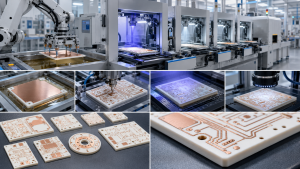
PCB manufacturing PCB manufacturing
Home > Blog

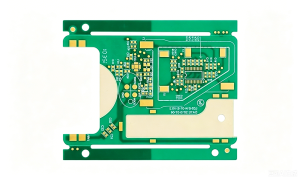
Multi-layer PCB manufacturer Design & Prototype| Fast Delivery, Custom Solutions

March 10th, 2026

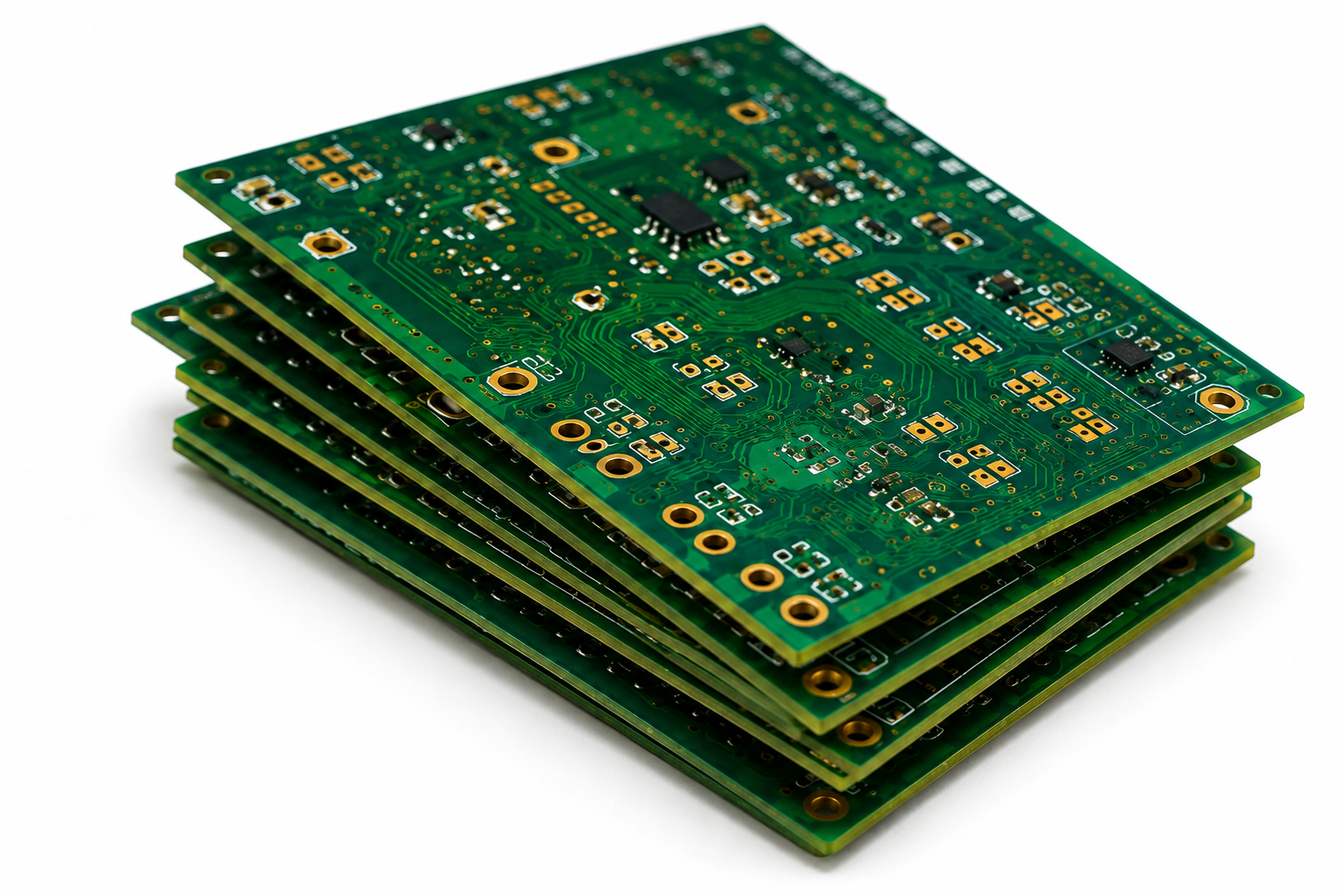
When searching for a reliable multi-layer PCB manufacturer, EBest is your first and best choice. We prioritize your project success with industry-leading delivery speed, uncompromising quality, authoritative certifications, free value-added services, and dedicated support—all designed to streamline your multi-layer PCB design, prototype, and production process.

  • Delivery Speed: We offer fast turnaround times for both prototypes and mass production, ensuring your multi-layer PCB projects stay on schedule—no unnecessary delays, even for complex 4-16 layer designs.
  • Unmatched Quality: Our multi-layer PCB production adheres to strict quality control standards, with precision layer alignment (±25ÎŒm tolerance), uniform copper etching, and bubble-free lamination to guarantee signal integrity and long-term reliability.
  • Authoritative Certifications: EBest holds ISO 9001, IPC-6012, and RoHS certifications, ensuring our multi-layer PCB products meet global industry standards for automotive, medical, and industrial applications.
  • Cost-Saving Support: We provide free DFM (Design for Manufacturability) analysis for all multi-layer PCB designs, helping you avoid costly reworks, and offer flexible prototype MOQ to support small-batch and startup projects.
  • Dedicated Service: Our team of PCB engineers offers 24/7 technical support, guiding you through multi-layer PCB design, material selection, and production—ensuring your project runs smoothly from concept to delivery.

What is a Multi-layer PCB?

A multi-layer PCB is a printed circuit board composed of three or more conductive copper layers separated by insulating prepreg and core materials, bonded together through high-temperature and high-pressure lamination. Unlike single or double-layer PCBs, multi-layer PCBs use vias (through-holes, blind holes, buried holes) to connect layers, enabling higher component density, better signal integrity, and smaller board size—critical for modern electronic devices.

Most multi-layer PCBs range from 4 to 16 layers (high-layer PCBs have 20+ layers), with a typical thickness of 1.6mm for 4-layer designs. Their core advantage is balancing compactness with performance, making them ideal for devices requiring complex circuitry without sacrificing reliability.

Multi-layer PCB Stackup: A Complete Guide (Table Format)

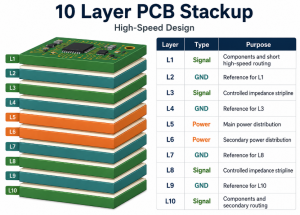
The multi-layer PCB stackup design—the arrangement of copper layers, prepreg, and core materials—directly impacts signal integrity, power distribution, and thermal performance. Below is a detailed comparison of common stackup configurations for 4, 6, 8, and 10-layer PCBs, tailored to different application needs.

Number of LayersStackup ConfigurationCore/Prepreg ThicknessCopper ThicknessKey ApplicationSignal Integrity Focus
4-LayerTop (Signal) → Prepreg → GND → Core → POWER → Prepreg → Bottom (Signal)Core: 0.8mm; Prepreg: 0.1mmOuter: 1oz (35ÎŒm); Inner: 0.5oz (18ÎŒm)Consumer Electronics, LED LightingBasic impedance control (50Ω)
6-LayerTop (Signal) → Prepreg → Signal → Prepreg → GND → Core → POWER → Prepreg → Signal → Prepreg → Bottom (Signal)Core: 0.6mm; Prepreg: 0.1mmOuter: 1oz; Inner: 0.5ozIndustrial Control, Power ElectronicsReduced crosstalk, improved power distribution
8-LayerTop (Signal) → Prepreg → Signal → Prepreg → GND → Prepreg → Signal → Core → Signal → Prepreg → GND → Prepreg → Bottom (Signal)Core: 0.4mm; Prepreg: 0.08mmOuter: 1oz; Inner: 0.5-1ozAutomotive Electronics, Communication DevicesStrict impedance control, EMC compliance
10-LayerTop (Signal) → Prepreg → Signal → Prepreg → GND → Prepreg → POWER → Core → POWER → Prepreg → GND → Prepreg → Signal → Prepreg → Bottom (Signal)Core: 0.3mm; Prepreg: 0.08mmOuter: 1oz; Inner: 1ozMedical Electronics, ServersHigh-speed signal integrity (DDR, PCIe), low noise

Multi-layer PCB Manufacturing Process: Step-by-Step

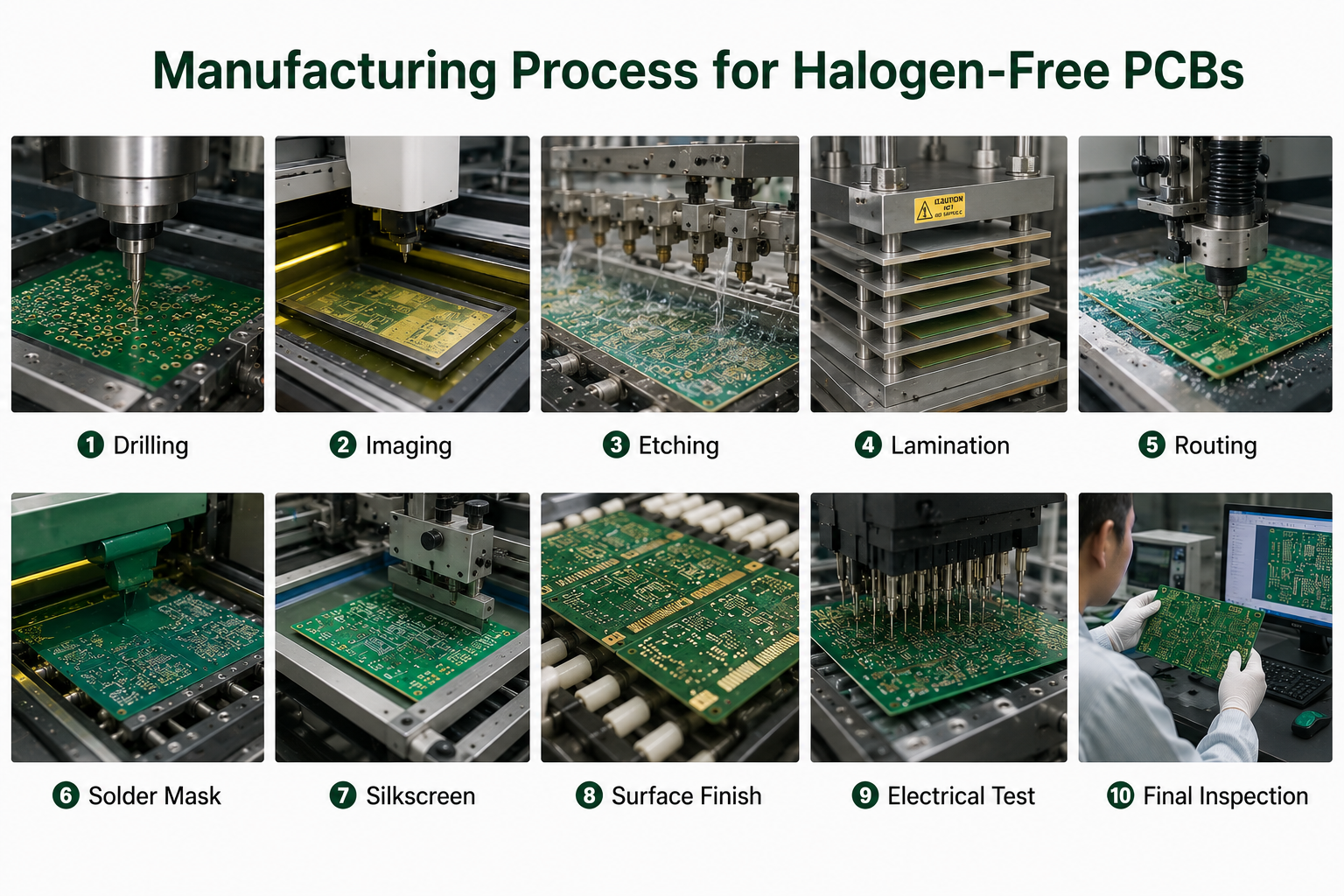
The multi-layer PCB manufacturing process requires precision and strict quality control to ensure layer alignment, conductivity, and reliability. Below is a detailed, step-by-step breakdown of the process, as executed by EBest’s expert team.

Step 1: Design Transfer & Panelization

Start with a completed multi-layer PCB design (Gerber/ODB++ files) from your design software. We review the files for manufacturability, then combine individual PCB designs into a panel for efficient production. Fiducial marks and tooling holes are added to ensure precise alignment in subsequent steps.

Step 2: Inner Layer Processing

Cut copper-clad laminate sheets to size, clean the copper surfaces, and apply a photosensitive photoresist. Expose the inner layers to UV light through a photomask to transfer the circuit pattern, then develop and etch the layers to remove unwanted copper. Each inner layer is inspected for defects using AOI (Automated Optical Inspection).

Step 3: Layer Stackup & Lamination

Stack the inner layers, prepreg, and outer copper-clad laminates according to the predetermined multi-layer PCB stackup design. The stack is placed in a lamination press, where heat (up to 180°C) and pressure (≄6kg/cmÂČ) bond the layers together, melting the prepreg to form a solid board. We use low-flow prepreg to prevent layer shifting and bubble formation.

Step 4: Drilling

Use computer-controlled drilling machines to create vias (through-holes, blind holes, buried holes) for layer interconnection. For high-aspect-ratio holes (up to 8:1 in 8-layer PCBs), we use step drills to prevent breakage. The drilled board is cleaned to remove debris and residues.

Step 5: Plating

Electroplating is used to coat the hole walls and copper traces, ensuring electrical conductivity. We use pulse plating to achieve uniform copper thickness (20-35ÎŒm) and improve hole wall quality. A final copper plating layer is applied to meet the required thickness for signal and power layers.

Step 6: Outer Layer Processing & Solder Mask Application

Repeat the photoresist, exposure, and etching process for the outer layers to form the final circuit pattern. A solder mask (green, black, or custom color) is applied to protect the copper traces from oxidation and short circuits. Silkscreen printing adds component labels for assembly.

Step 7: Surface Finish & Final Inspection

Apply the appropriate surface finish (ENIG, HASL, OSP) based on your application. We perform final inspections, including AOI, X-ray (for inner layer defects), and electrical testing (continuity, insulation resistance) to ensure the multi-layer PCB meets all specifications.

Multi-layer PCB Design Guide: Solve Pain Points & Optimize Performance

Designing a multi-layer PCB comes with unique challenges that can derail projects if not addressed properly. Below are the most common design pain points, their impacts, and EBest’s proven solutions—plus why you should trust us for your multi-layer PCB design needs.

Common Multi-layer PCB Design Pain Points & EBest’s Solutions

  • Pain Point 1: Signal Integrity Issues (Crosstalk, Reflection, Delay)

    High-speed signals (≄100MHz) on multi-layer PCBs often suffer from crosstalk, reflection, or delay, leading to signal distortion and circuit failure. This is especially common in dense designs with closely spaced traces.


    Solution: EBest’s engineers optimize your multi-layer PCB signal integrity optimization by placing signal layers adjacent to ground planes, using differential pair routing (equal length, 3x line width spacing), and adding appropriate termination resistors (50Ω/75Ω). We also use 3D electromagnetic simulation to predict and resolve signal integrity issues before production.


  • Pain Point 2: Power Integrity Problems (Voltage Noise, Fluctuations)

    Voltage noise and fluctuations on power planes can cause chips to reset or malfunction, especially in multi-layer PCBs with multiple power domains.


    Solution: We design multi-layer PCBs with adjacent power and ground planes to form a natural capacitor, reducing noise. We also place decoupling capacitors (0.1ÎŒF + 10nF) near chip power pins and split power planes (with proper isolation) for different voltage domains.


  • Pain Point 3: Layer Alignment Errors

    Poor layer alignment (beyond ±25ÎŒm) causes via misalignment, short circuits, or open circuits—especially in 8+ layer multi-layer PCBs.


    Solution: EBest uses precision alignment tools during lamination and adds fiducial marks to every panel. We also implement thermal expansion compensation to minimize alignment errors caused by material temperature changes.


  • Pain Point 4: Heat Dissipation Challenges (Overheating Components)

    High-power components on multi-layer PCBs can overheat, reducing component lifespan and performance—critical in automotive and industrial applications.


    Solution: We integrate heat dissipation vias, large copper heat dissipation pads, and (if needed) metal core layers into your multi-layer PCB design. We also optimize component placement to avoid heat concentration and ensure airflow.


Don’t let multi-layer PCB design challenges slow down your project. EBest’s team of design engineers will guide you from concept to final design, ensuring your multi-layer PCB is optimized for performance, manufacturability, and reliability. Choose EBest for your multi-layer PCB design needs—we turn complex designs into actionable solutions.

High-Precision Multi-layer PCB Prototype: Fast, Reliable, and Customizable

A high-quality high-precision multi-layer PCB prototype is critical to validating your design, identifying issues early, and accelerating time-to-market. However, many engineers face frustrating pain points when sourcing multi-layer PCB prototypes—here’s how EBest solves them, and why you should choose us for your prototype needs.

Common Multi-layer PCB Prototype Pain Points & EBest’s Solutions

  • Pain Point 1: Slow Turnaround Times

    Many manufacturers take 7-10 days to deliver high-precision multi-layer PCB prototype, delaying design validation and project timelines.


    Solution: EBest offers fast prototype turnaround—48-72 hours for 4-6 layer multi-layer PCB prototypes, and 5-7 days for 8-10 layer designs. We prioritize prototype orders to ensure you get your boards quickly.


  • Pain Point 2: Poor Prototype Quality (Misalignment, Defects)

    Low-quality multi-layer PCB prototypes (with layer misalignment, etch errors, or poor soldering) lead to incorrect design validation and costly reworks.


    Solution: EBest applies the same strict quality control standards to prototypes as mass production. We use LDI (Laser Direct Imaging) for precise circuit patterns, AOI inspection, and X-ray testing to ensure your high-precision multi-layer PCB prototype is defect-free.


  • Pain Point 3: Inflexible Customization

    Many manufacturers limit customization options for multi-layer PCB prototypes, making it hard to test unique design requirements (e.g., high-frequency materials, custom stackups).


    Solution: EBest offers fully customizable high-precision multi-layer PCB prototype—choose layer count (4-16 layers), materials (FR-4, PTFE, high-TG), surface finish, and thickness. We also provide free DFM analysis to ensure your custom prototype is manufacturable.


  • Pain Point 4: Lack of Technical Support

    When issues arise with your multi-layer PCB prototype, many manufacturers offer little to no technical support, leaving you stuck.


    Solution: EBest’s engineers are available 24/7 to answer your multi-layer PCB prototype questions, help troubleshoot design issues, and provide guidance on optimizing your prototype for mass production.


For high-precision, fast, and reliable high-precision multi-layer PCB prototype, choose EBest. Our prototypes are built to the same standards as production boards, ensuring accurate design validation and a smooth transition to mass production. Contact us today to start your multi-layer PCB prototype project.

How to Choose Multi-layer PCB Raw Materials? (Table Comparison)

The choice of raw materials directly impacts the performance, reliability, and cost of your multi-layer PCB. Below is a detailed comparison of common multi-layer PCB material selection, their properties, and ideal applications—helping you make the right choice for your project.

Material TypeDielectric Constant (Dk)Loss Factor (Df)Thermal ConductivityKey PropertiesIdeal Application
FR-4 (Standard)4.2-4.8 (1GHz)0.020-0.0250.3 W/mKCost-effective, good mechanical strength, widely availableConsumer Electronics, LED Lighting, Basic Industrial Control
FR-4 (High-TG)4.0-4.5 (1GHz)0.018-0.0220.35 W/mKHigh heat resistance (TG >180°C), improved reliabilityAutomotive Electronics, Servers, Industrial Control
PTFE (High-Frequency)2.2-3.5 (1GHz)<0.0040.6-1.2 W/mKLow loss, excellent high-frequency performanceCommunication Devices (5G), Aerospace, Radar
Metal Core (Aluminum/Copper)4.5-5.0 (1GHz)0.030-0.0501-10 W/mKHigh thermal conductivity, good heat dissipationPower Electronics, LED Lighting, High-Power Industrial Devices
Copper Foil (ED)N/AN/A401 W/mKCost-effective, rough surface (good adhesion)Inner Layers of Standard Multi-layer PCBs
Copper Foil (RA)N/AN/A401 W/mKSmooth surface, low high-frequency lossHigh-Speed Multi-layer PCBs (DDR, PCIe)

EBest’s engineers will help you select the optimal multi-layer PCB material selection for your multi-layer PCB, based on your application, performance requirements, and design constraints. We source high-quality materials from trusted suppliers to ensure consistent quality across all your multi-layer PCB projects.

Multi-layer PCB Applications: Industry Use Cases & Common Issues

Multi-layer PCBs are essential in modern electronic devices, especially in industries requiring compact, high-performance, and reliable circuitry. Below are four popular industries for multi-layer PCBs, real-world case studies, and common application issues with solutions.

1. Consumer Electronics

Case Study: EBest designed and manufactured 4-layer multi-layer PCBs for a smartwatch brand. The PCBs needed to be compact (30x30mm) with high component density, supporting Bluetooth, heart rate monitoring, and battery management.

Common Issue: Signal interference between Bluetooth and heart rate sensor circuits. Solution: We used a 4-layer stackup with separate signal and ground layers, optimized trace routing, and added shielding to minimize interference. The final multi-layer PCBs met all performance requirements and passed FCC testing.

2. Automotive Electronics

Case Study: EBest supplied 8-layer automotive multi-layer PCB manufacturing for an electric vehicle (EV) battery management system (BMS). The PCBs needed to withstand high temperatures (-40°C to 125°C) and support high-current (20A) power distribution.

Common Issue: Thermal degradation and voltage noise. Solution: We used high-TG FR-4 material, integrated heat dissipation vias and large copper pads, and designed adjacent power/ground planes to reduce noise. The automotive multi-layer PCB manufacturing passed automotive qualification (AEC-Q200) and are now in mass production.

3. Medical Electronics

Case Study: EBest developed 10-layer medical multi-layer PCB solutions for a portable ultrasound device. The PCBs needed to support high-speed data transfer (1Gbps) and meet strict medical standards (ISO 13485).

Common Issue: Signal integrity and biocompatibility. Solution: We used low-Df materials, differential pair routing for high-speed signals, and ENIG surface finish (biocompatible). The medical multi-layer PCB solutions met all medical certifications and enabled the device to deliver clear ultrasound images.

4. Industrial Control

Case Study: EBest manufactured 6-layer multi-layer PCBs for a programmable logic controller (PLC). The PCBs needed to resist electromagnetic interference (EMI) and support multiple I/O channels.

Common Issue: EMI interference from industrial equipment. Solution: We designed a 6-layer stackup with full ground planes for shielding, added EMI filters to input/output ports, and optimized trace spacing. The multi-layer PCBs operate reliably in harsh industrial environments.

What Are the Most Common Multi-layer PCB Problems?

Even with careful design and manufacturing, multi-layer PCBs can face common issues that impact performance. Below are the most frequent problems, their causes, and quick solutions—helping you avoid costly reworks and delays.

  • Issue: Layer Delamination

    Cause: Poor lamination (insufficient heat/pressure), low-quality prepreg, or moisture in materials. Solution: Use high-quality prepreg, ensure proper lamination parameters, and store materials in a dry environment. EBest uses vacuum lamination to prevent delamination.


  • Issue: Via Open Circuits

    Cause: Drilling errors, poor plating, or debris in holes. Solution: Use precision drilling machines, clean holes thoroughly before plating, and perform electrical testing. EBest uses X-ray testing to detect via defects early.


  • Issue: Impedance Mismatch

    Cause: Incorrect trace width, spacing, or material Dk. Solution: Calculate trace dimensions based on impedance requirements, use consistent materials, and simulate impedance before production. EBest’s DFM service includes impedance checking.


  • Issue: Copper Etching Errors

    Cause: Over-etching/under-etching, poor photomask alignment. Solution: Use LDI for precise photomask alignment, control etching time/temperature, and perform AOI inspection. EBest uses automated etching equipment for consistent results.


Multi-layer PCB FAQ: Answers to Common Questions

Below are the most frequently asked questions about multi-layer PCBs, with clear, concise answers—designed to address your most pressing concerns and help you make informed decisions.

1. What is the maximum number of layers for a multi-layer PCB?

EBest can manufacture multi-layer PCBs with up to 24 layers, though the most common range is 4-16 layers. The maximum layer count depends on your design requirements (component density, signal speed) and application. High-layer multi-layer PCBs (20+ layers) are typically used in aerospace and high-end server applications.

2. How long does it take to manufacture a multi-layer PCB?

Turnaround time varies by layer count: 4-6 layer multi-layer PCBs take 5-7 days for mass production, 8-10 layer PCBs take 7-10 days, and 12+ layer PCBs take 10-14 days. Prototypes are faster—48-72 hours for 4-6 layers and 5-7 days for 8+ layers.

3. Can multi-layer PCBs be used for high-frequency applications?

Yes, multi-layer PCBs are ideal for high-frequency applications (≄1GHz) when using low-Df materials (e.g., PTFE, hydrocarbon resin) and optimized stackup. EBest designs high-frequency multi-layer PCBs with controlled impedance, minimal crosstalk, and low signal loss for 5G, radar, and satellite communication devices.

4. How to test the quality of a multi-layer PCB?

Quality testing for multi-layer PCBs includes AOI (for surface defects), X-ray (for inner layer defects and via alignment), electrical testing (continuity, insulation resistance, impedance), and thermal testing (for heat resistance). EBest performs 100% testing on all multi-layer PCBs to ensure compliance with industry standards.

5. What is the difference between blind holes and buried holes in multi-layer PCBs?

Blind holes connect the outer layer to one or more inner layers (but not all layers), while buried holes connect two or more inner layers (not the outer layers). Both are used in multi-layer PCBs to save space and improve signal integrity, especially in dense designs. EBest can manufacture both blind and buried holes with high precision.

6. Are multi-layer PCBs more reliable than single/double-layer PCBs?

Yes, multi-layer PCBs are more reliable than single/double-layer PCBs for complex applications. They offer better signal integrity, reduced crosstalk, improved power distribution, and higher component density—all of which reduce the risk of circuit failure. They also withstand harsh environments (temperature, humidity, EMI) better than single/double-layer PCBs.

7. How to reduce crosstalk in multi-layer PCB designs?

To reduce crosstalk in multi-layer PCBs, place signal layers adjacent to ground planes, use differential pair routing (equal length, 3x line width spacing), minimize parallel trace length, and increase trace spacing. EBest’s design team uses these techniques and 3D simulation to minimize crosstalk in all multi-layer PCB signal integrity optimization designs.

Choose EBest for Your Multi-layer PCB Needs

At EBest, we specialize in multi-layer PCB design, prototype, and manufacturing—delivering high-quality, reliable, and cost-effective solutions for consumer electronics, automotive, medical, and industrial applications. Our team of expert engineers is dedicated to solving your multi-layer PCB challenges, from design to delivery, and our strict quality control ensures every board meets your specifications.

We provide multi-layer PCB products with fast delivery, free DFM analysis, flexible customization, and 24/7 technical support. Whether you need a high-precision prototype or mass production, EBest is your trusted partner for all multi-layer PCB needs. Contact us today to place your order—send an email to sales@bestpcbs.com and let’s bring your project to life.

You may also like

2.4 GHz RF PCB Design & Prototype & Assembly | Fast Delivery, Custom Solutions

March 10th, 2026

What Is 2.4 GHz RF PCB?

A 2.4 GHz RF PCB is a high-frequency printed circuit board specifically engineered to transmit and receive radio signals within the 2.4 GHz ISM band. At this frequency, PCB traces no longer behave as simple copper conductors—they function as transmission lines. Every millimeter of trace length, dielectric variation, and copper geometry influences impedance, insertion loss, and radiation efficiency.

Unlike standard digital boards, a 2.4 GHz RF PCB requires controlled impedance (typically 50Ω), stable dielectric materials, tight stackup tolerance, and precise grounding strategies. It is widely used in Bluetooth modules, WiFi systems, IoT gateways, wireless medical telemetry, industrial automation controllers, and aerospace communication subsystems.

What Is 2.4 GHz RF PCB?

Where Is 2.4 GHz RF PCB Used?

Common applications include:

  • Bluetooth modules
  • WiFi devices
  • Medical wireless monitors
  • Industrial IoT gateways
  • Aerospace telemetry systems

In aerospace communication boards, controlled impedance and low dielectric loss are mandatory. In medical telemetry PCBs, stable RF transmission ensures data reliability in patient monitoring systems.

Why Choose a Professional 2.4 GHz RF PCB Manufacturer Like EBest?

Because RF performance is extremely sensitive to material selection, impedance accuracy, and fabrication tolerance. A deviation of only ±0.1 in dielectric constant or slight stackup misalignment can detune antenna matching and reduce transmission efficiency.

A qualified 2.4 GHz RF PCB manufacturer must provide:

  • Controlled dielectric materials with verified Dk/Df values
  • Impedance modeling before fabrication
  • Tight copper thickness tolerance
  • RF-focused DFM review
  • TDR impedance verification

EBest offers custom RF PCB fabrication with impedance coupons, traceability, and integrated PCB + PCBA production. From prototype to mass production, RF consistency remains stable.

If you are developing IoT modules, Bluetooth devices, medical telemetry systems, or aerospace communication boards, selecting EBest ensures your RF performance remains predictable and repeatable.

What Are the Key Challenges in 2.4 GHz RF PCB Design?

At 2.4 GHz, traces behave as transmission lines. The primary challenge is impedance stability. A deviation of ±5% can reduce return loss margin and affect signal radiation efficiency.

Engineers often struggle with:

  • Microstrip vs stripline impedance selection
  • Antenna feed matching
  • Ground return discontinuities
  • Via stub resonance
  • Crosstalk between RF and digital layers

EBest mitigates these through pre-layout stackup planning, controlled dielectric selection, and DFM impedance modeling before production begins.

What Are the Key Challenges in 2.4 GHz RF PCB Design?

Why Is 2.4 GHz RF PCB Prototype So Difficult to Get Right?

Many early prototypes fail because material substitutes are used or dielectric thickness tolerance is ignored. At 2.4 GHz, even 0.1 mm dielectric shift changes impedance significantly.

Common prototype pain points:

  • Inconsistent material batch
  • Improper solder mask thickness
  • Poor antenna clearance
  • Unverified impedance coupon

EBest ensures prototype accuracy through:

  • Certified RF laminate sourcing
  • Controlled stackup tolerance
  • TDR impedance testing
  • RF DFM validation

If you need a reliable 2.4 GHz RF PCB prototype, we shorten development cycles while maintaining RF integrity.

What Are the Main Risks in 2.4 GHz RF PCB Assembly?

Assembly can alter RF behavior due to parasitic inductance and solder joint geometry.

Typical risks:

  • Excess solder altering impedance
  • Uneven ground stitching
  • Antenna detuning after reflow
  • Component placement affecting radiation pattern

EBest controls RF assembly through nitrogen reflow, controlled solder volume, and strict SMT placement tolerance. Your 2.4 GHz RF PCB assembly remains consistent from prototype to production.

What Are the Main Risks in 2.4 GHz RF PCB Assembly?

How Do You Control Impedance in a 2.4 GHz RF PCB?

Impedance is controlled by trace geometry, dielectric constant, and layer structure.

Impedance Control Comparison

ParameterMicrostripStripline
StructureOuter layerInner layer
EMI ExposureHigherLower
Manufacturing ComplexityModerateHigher
ApplicationAntenna feedShielded RF routing

What Materials Are Best for 2.4 GHz RF PCB?

Material selection determines signal loss and stability.

MaterialDkLoss TangentStabilityTypical Use
FR4~4.3ModerateStandardLow-cost IoT
Rogers 4350B~3.48LowHighRF modules
Hybrid (Rogers + FR4)MixedBalancedOptimizedCost-sensitive RF

For medical and aerospace systems, RF laminates or hybrid stackups provide improved signal stability.

How to Design Antenna Matching on 2.4 GHz RF PCB?

At 2.4 GHz, antenna matching is not optional—it directly determines radiation efficiency, range stability, and certification success. A poorly matched antenna can reduce effective radiated power, increase return loss, and cause unstable communication even if the RF chip itself performs correctly.

A well-designed 2.4 GHz RF PCB antenna section must ensure:

  • 50Ω controlled feed line
  • Proper ground reference
  • Short and clean routing
  • Accurate impedance transition
  • Minimal parasitic inductance

Let’s break it down step by step.

1. Start With a True 50Ω Feed Line

The antenna feed trace must maintain 50Ω characteristic impedance from the RF transceiver output to the antenna input pad.

This requires:

  • Correct trace width based on dielectric constant
  • Consistent dielectric thickness
  • Continuous ground plane underneath

Even small deviations in trace width (for example ±0.05 mm) can shift impedance enough to affect matching. Use impedance calculation tools during layout and confirm with manufacturer stackup data.

2. Maintain a Continuous Ground Plane

The return current for RF signals flows directly beneath the signal trace. Any ground discontinuity creates impedance variation.

Design rules:

  • No split planes under RF traces
  • Avoid crossing gaps or power islands
  • Stitch ground vias near transitions
  • Keep via spacing short near antenna feed

Ground stitching vias placed near the antenna feed improve return path integrity and reduce unwanted radiation.

3. Keep the Antenna Trace Short and Straight

At 2.4 GHz, wavelength in free space is about 125 mm. On PCB substrate, the effective wavelength is shorter due to dielectric loading.

Design recommendations:

  • Avoid sharp 90° bends
  • Use smooth curves or 45° angles
  • Minimize trace length between RF chip and antenna
  • Avoid unnecessary test pads in RF path

Long feed traces introduce additional insertion loss and phase shift.

4. Design an Adjustable Matching Network

Most 2.4 GHz RF PCBs include a π-network (three-component matching circuit) between the RF chip and antenna.

Typical configuration:

  • Series inductor
  • Shunt capacitor to ground
  • Optional second capacitor

This allows tuning during prototype testing using a vector network analyzer (VNA).

5. Keep Antenna Clearance Area Clean

For PCB antennas (inverted-F, meandered, monopole), copper clearance around the antenna region is critical.

Best practices:

  • No ground copper under antenna radiator area
  • Maintain keep-out region recommended by antenna design
  • Avoid metal components nearby
  • Keep high-speed digital traces away

In medical and industrial designs, enclosure proximity must also be considered during layout.

6. Validate With S-Parameter Measurement

After fabrication, measure:

  • Return loss (S11)
  • VSWR
  • Bandwidth
  • Resonance frequency

Target values:

  • S11 < -10 dB at 2.4 GHz
  • VSWR < 2

If tuning is required, adjust matching network component values.

How Does 2.4 GHz RF PCB Affect Signal Integrity?

At 2.4 GHz, signal integrity is dominated by transmission line behavior rather than simple connectivity. The PCB layout itself determines reflection, loss, and radiation balance.

1. Reflection Due to Impedance Mismatch

If trace impedance differs from 50Ω:

  • Part of the signal reflects back
  • Return loss degrades
  • Power transfer efficiency drops

Common causes:

  • Incorrect trace geometry
  • Ground discontinuity
  • Poor via transition

Controlled impedance fabrication and TDR testing reduce mismatch risk.

2. Insertion Loss Along the RF Path

Insertion loss increases with:

  • Trace length
  • Dielectric loss tangent
  • Copper roughness
  • Multiple vias

Low-loss materials reduce attenuation. Keeping RF traces short improves transmission margin.

3. Crosstalk From Digital Circuits

Digital switching noise can couple into RF traces.

Mitigation strategies:

  • Physical separation between RF and digital areas
  • Dedicated ground reference
  • Avoid parallel routing with clock lines
  • Use stripline for sensitive routing if needed

Industrial automation boards with strong EMI environments require strict partitioning.

4. Via Stub Resonance

Through-hole vias create unused stubs that may resonate near GHz frequencies.

Solutions:

  • Back-drilling
  • Blind or buried vias
  • Minimize via count in RF routing

Reducing via length improves S-parameter stability.

5. EMI and Certification Stability

Poor RF layout can cause unintended radiation, leading to compliance failures.

Proper stackup, clean return paths, and shielding integration reduce EMI risk—particularly important in medical electronics and aerospace communication modules.

2.4 GHz RF PCB Stackup Guidelines

Stackup structure directly influences impedance stability and EMI performance. At 2.4 GHz, the PCB layer arrangement becomes part of the RF system.

Recommended 4-Layer Stackup

LayerFunctionEngineering Purpose
L1RF SignalControlled 50Ω routing
L2Solid GroundStable return path
L3Power PlaneIsolated supply distribution
L4Digital SignalsNoisy circuitry separation

Placing RF traces on the outer layer above a continuous ground plane simplifies impedance control and reduces loop inductance.

How Does 2.4 GHz RF PCB Affect Signal Integrity?

At 2.4 GHz, signal integrity is dominated by transmission line behavior rather than simple connectivity. The PCB layout itself determines reflection, loss, and radiation balance.

1. Reflection Due to Impedance Mismatch

If trace impedance differs from 50Ω:

  • Part of the signal reflects back
  • Return loss degrades
  • Power transfer efficiency drops

Common causes:

  • Incorrect trace geometry
  • Ground discontinuity
  • Poor via transition

Controlled impedance fabrication and TDR testing reduce mismatch risk.

2. Insertion Loss Along the RF Path

Insertion loss increases with:

  • Trace length
  • Dielectric loss tangent
  • Copper roughness
  • Multiple vias

Low-loss materials reduce attenuation. Keeping RF traces short improves transmission margin.

3. Crosstalk From Digital Circuits

Digital switching noise can couple into RF traces.

Mitigation strategies:

  • Physical separation between RF and digital areas
  • Dedicated ground reference
  • Avoid parallel routing with clock lines
  • Use stripline for sensitive routing if needed

Industrial automation boards with strong EMI environments require strict partitioning.

4. Via Stub Resonance

Through-hole vias create unused stubs that may resonate near GHz frequencies.

Solutions:

  • Back-drilling
  • Blind or buried vias
  • Minimize via count in RF routing

Reducing via length improves S-parameter stability.

Why Fast Turn 2.4 GHz RF PCB Manufacturing Matters?

Wireless product development cycles are often short. Engineers need quick prototypes to test antenna performance and communication reliability.

Fast manufacturing helps accelerate development and reduce time to market.

Rapid production offers several advantages:

  • Faster prototype validation
  • Earlier detection of design issues
  • Shorter development cycles
  • Improved product launch timing

EBest (Best Technology) provides professional 2.4 GHz RF PCB fabrication, prototype manufacturing, and RF PCB assembly services for wireless products in industries such as medical electronics, aerospace communication systems, and industrial IoT equipment.

Our engineering team works closely with customers to optimize RF layout, impedance control, and antenna performance.

If you need reliable 2.4 GHz RF PCB manufacturing, feel free to contact us.

Email: sales@bestpcbs.com

We are ready to support your next wireless electronics project.

You may also like

What is Open Circuit? Short Circuit vs Open Circuit

March 10th, 2026

In practical electronics, open circuit appears in many places. A broken trace on a PCB can stop signal transmission. A loose connector may interrupt power delivery. Even a damaged solder joint can produce the same effect. Because of this, engineers must understand how to identify and prevent open circuits during design, manufacturing, and maintenance.

This guide explains the open circuit definition, common causes, real examples, and how it differs from short circuits. It also explores open circuit voltage and troubleshooting methods used by engineers.

What Is an Open Circuit?

An open circuit refers to a circuit where the electrical path is interrupted. Current cannot flow because the conductive path is broken.

In a normal circuit, electrons move through conductors from the power source to the load and return. When any point in that path breaks, the circuit becomes open.

In simple terms:

Open circuit definition:

An electrical circuit where current cannot flow due to a break in the conductive path.

What Is an Open Circuit?

Key characteristics include:

  • Infinite or extremely high resistance
  • No current flow
  • Voltage may still exist across the break

A simple example is a light switch turned off. The wiring still exists, but the circuit path is open, so current stops flowing.

In PCB electronics, an open circuit can occur due to:

  • Broken copper traces
  • Poor solder joints
  • Cracked vias
  • Disconnected connectors

Because of these reasons, detecting open circuits early is important for maintaining system reliability.

Why Is an Open Circuit Bad?

In most practical applications, an open circuit represents a fault condition that prevents the electrical system from functioning properly.

Although open circuits are generally less dangerous than short circuits, they can still cause serious operational problems in electronic systems.

Why Is an Open Circuit Bad?

Common Problems Caused by Open Circuits

  • Equipment Failure

When the electrical path is interrupted, power cannot reach the load. As a result, equipment such as motors, lights, or sensors stops functioning.

  • System Downtime

In industrial environments, a single open circuit can stop an entire production line. For example, an open connection in a control circuit may disable machinery or automated systems.

  • Signal Loss

In communication circuits, an open circuit can block signal transmission. This may disrupt data communication between components or systems.

  • Intermittent Faults

Sometimes an open circuit occurs only intermittently due to vibration, temperature changes, or loose connections. These faults can be difficult to detect and diagnose.

Because of these risks, identifying and repairing open circuits quickly is critical for maintaining system reliability.

What Are Examples of Open Circuits?

Open circuits appear in many everyday electrical situations. Some are intentional, while others result from faults or damage.

1. Switch in the OFF Position

A simple example of an open circuit is a light switch in the OFF position. When the switch is open, the electrical path is interrupted, and current cannot reach the light bulb.

This is actually a controlled open circuit designed to safely stop current flow.

2. Broken Wire

If a wire inside a cable breaks or disconnects, the circuit path is interrupted. This commonly occurs in damaged cables, worn-out power cords, or improperly installed wiring.

3. Burned-Out Light Bulb

In traditional incandescent bulbs, the filament provides the path for current. When the filament breaks due to overheating or aging, the circuit becomes open and the bulb stops working.

4. Loose Electrical Connection

Loose connectors or terminals can create open circuits. This often happens in electrical panels, wiring harnesses, or PCB connectors.

5. Faulty PCB Trace

In electronics manufacturing, a cracked or damaged copper trace on a printed circuit board can interrupt the electrical path, creating an open circuit.

What Causes an Open Circuit?

Many different factors can lead to an open circuit. These causes generally fall into mechanical, electrical, manufacturing, or environmental categories.

1. Mechanical Damage

Physical damage is one of the most common causes of open circuits.

Examples include:

  • Broken wires
  • Damaged connectors
  • Cut or worn cables
  • Bent or broken component leads

Repeated bending or stretching of wires can eventually cause internal conductors to break.

2. Component Failure

Electronic components can fail and interrupt current flow.

Examples include:

  • Burned resistors
  • Failed integrated circuits
  • Broken capacitor leads
  • Open semiconductor junctions

When a component fails internally, it may stop conducting electricity, effectively creating an open circuit.

3. Manufacturing Defects

Poor manufacturing practices can introduce open circuits in electronic assemblies.

Common defects include:

  • Cold solder joints
  • Insufficient solder
  • Missing solder connections
  • Incomplete PCB traces

These defects are often detected during inspection processes such as AOI (Automated Optical Inspection) or electrical testing.

4. Environmental Factors

External conditions can gradually damage electrical connections.

Examples include:

  • Corrosion due to moisture
  • Thermal expansion and contraction
  • Vibration and mechanical stress
  • Oxidation of connectors

Over time, these factors can weaken electrical connections and eventually cause open circuits.

What Happens If You Have an Open Circuit?

When an open circuit occurs, the electrical behavior of the circuit changes significantly.

  • No Current Flow

The most important effect is that current stops flowing completely. Because the path is broken, electrons cannot move through the circuit.

  • Voltage Across the Break

Even though current stops flowing, voltage may still appear across the open portion of the circuit. This occurs because the power source still maintains a potential difference.

  • Loss of Functionality

Since electrical devices require current to operate, the load connected to the circuit stops working.

For example:

  • A motor stops rotating
  • A light bulb turns off
  • A sensor stops transmitting signals
  • A control system becomes inactive
  • Diagnostic Indicators

Open circuits often produce symptoms that help identify them during troubleshooting.

Typical indicators include:

  • Infinite resistance readings
  • Lack of continuity
  • Voltage present but no current flow
  • Device not responding

What Is Open Circuit Voltage?

Open circuit voltage (OCV) refers to the voltage measured across two terminals when no current flows. This measurement occurs when the circuit path is open. In practice, OCV represents the maximum available voltage of a power source. Examples include:

DeviceTypical Open Circuit Voltage
AA battery~1.5 V
Lithium-ion battery~4.2 V when fully charged
Solar panel cell~0.5 – 0.6 V per cell
Automotive battery~12.6 V when fully charged

Engineers often measure open circuit voltage to evaluate battery condition or solar panel performance. Since no current flows during measurement, the value reflects the inherent electrical potential of the source.

Open Circuit vs Closed Circuit

An open circuit and a closed circuit represent opposite conditions of electrical continuity.

FeatureOpen CircuitClosed Circuit
Current flowNo current flowsCurrent flows normally
ResistanceExtremely highNormal operating resistance
Circuit pathBroken or disconnectedContinuous conductive path
Device operationDevice does not operateDevice operates normally
ExampleSwitch OFFSwitch ON

Most electrical systems alternate between these states. For example, a light switch intentionally creates an open or closed circuit to control power.

Short Circuit vs Open Circuit

Although both are electrical faults, short circuits and open circuits behave very differently.

FeatureOpen CircuitShort Circuit
Current flowZero currentExcessive current
ResistanceVery high resistanceExtremely low resistance
Risk levelDevice stops workingRisk of overheating or fire
Typical causeBroken wire or connectionTwo conductors touching
ExampleBroken PCB traceSolder bridge between pins

An open circuit usually results in device failure without heat damage. A short circuit often causes overcurrent and component damage. Both faults must be identified during PCB testing.

Does Open Circuit Mean Blown Fuse?

Often yes, but not always. A blown fuse intentionally creates an open circuit to protect equipment.

Inside the fuse, a thin metal strip melts when current exceeds the safe limit. Once the strip breaks, the circuit path opens. This stops current flow and prevents damage to other components.

However, an open circuit can also occur without a blown fuse.

Examples include:

  • Broken wiring
  • Failed connectors
  • PCB trace damage

Therefore, a blown fuse is one possible cause of an open circuit, but it is not the only cause.

FAQs

1. How to Check If a Circuit Is Open or Closed?

Engineers typically use a multimeter or continuity tester.

Steps include:

  1. Turn off power to the circuit.
  2. Set the multimeter to continuity or resistance mode.
  3. Place probes on both ends of the conductor.
  4. Observe the reading.

Results interpretation:

  • Low resistance / beep sound: circuit is closed
  • Infinite resistance: circuit is open

2. Can an Open Circuit Still Have Voltage?

Yes. An open circuit can still have voltage present across the break. Voltage represents electrical potential difference, not current flow. When a circuit path is open, electrons cannot move, so current becomes zero. However, the power source can still create voltage across the disconnected points.

3. Is an Open Circuit Dangerous?

In most cases, an open circuit is not dangerous. Because current cannot flow, the circuit typically stops operating safely. Devices simply shut down or fail to function.

4. Can an Open Circuit Damage Electronic Components?

Normally, an open circuit does not directly damage components. Most electronic parts stop operating when current stops flowing. The system simply becomes inactive.

You may also like

High Quality PCB Prototype Services in Israel | Free DFM with Custom Solutions

March 9th, 2026

PCB prototype services in Israel are critical for turning design concepts into functional products, and EBest delivers reliable, high-standard solutions tailored to local needs. We focus on solving common pain points in local prototyping, ensuring each PCB prototype services in Israel meets strict quality and delivery requirements, backed by decades of industry experience and advanced manufacturing capabilities.

High Quality PCB Prototype Services in Israel, https://www.bestpcbs.com/blog/2026/03/pcb-prototype-services-in-israel/

Are You Facing these Challenges of PCB Prototype Services in Israel?

  • Can local PCB prototype services in Israel meet tight delivery deadlines for urgent projects?
  • Do local prototyping providers offer free DFM analysis to avoid design errors?
  • Can local prototype services support small-batch custom orders with low MOQ?
  • Are local prototyping providers certified to meet medical and aerospace industry standards?
  • Can PCB prototype services in Israel ensure consistent quality across multiple prototype runs?
  • Do local prototype services provide full production data traceability?
  • Can local prototype services handle specialized board types like ceramic or flexible PCBs?

One-Stop Solutions for PCB Prototyping in Israel

  • Urgent Delivery Solution: We offer 24-hour expedited PCB prototype services in Israel, with automated production equipment including LDI laser imaging to reduce pre-production time, ensuring urgent orders ship within one day without compromising quality.
  • Free DFM Analysis Solution: Our professional team provides free DFM analysis for all PCB prototyping in Israel orders, checking soldering pad design, component layout, and process compatibility to eliminate design errors before production, reducing rework and delays.
  • Small-Batch Custom Solution: We support low MOQ for PCB prototype in Israel orders, with flexible manufacturing modules that quickly switch between different board specifications, making small-batch custom prototyping cost-effective and efficient.
  • Certified Quality Solution: Our PCB prototyping service in Israel meets strict industry certifications, including ISO 13485 for medical and AS9100D for aerospace, ensuring prototypes comply with local and international standards.
  • Consistent Quality & Traceability Solution: We use an MES system to track all production data for PCB prototype services in Israel, from raw material inspection to final testing, ensuring consistent quality and full traceability for every prototype.
  • Specialized Board Solution: We offer a full range of specialized PCB prototyping in Israel services, including ceramic, flexible, and metal-based PCBs, with advanced manufacturing techniques to handle complex board requirements.

Why Choose EBest for PCB Prototype Services in Israel?

Since 2006, EBest has built 19+ years of trusted expertise in PCB manufacturing. You can skip the guesswork and partner with a provider that truly understands your prototyping goals, including delivering reliable PCB prototype services in Israel. We invest heavily in R&D to stay ahead of industry innovations, ensuring you always have access to the latest manufacturing techniques. Our 260,000 square feet monthly production capacity and ability to complete 1,000+ unique board types mean we never turn down your complex or specialized prototyping needs. This eliminates the hassle of working with multiple providers, saving you valuable time and streamlining your entire prototyping process.

We design our services entirely around your priorities: speed to market, flexibility, and cost savings. Our 24-hour quick-turn prototyping slashes your project timelines to help you launch faster than competitors and secure your market advantage. We remove high MOQ barriers with a starting order quantity of just 1 unit. This lets you test design concepts affordably without wasting budget on unnecessary volume, keeping your development costs low while maintaining flexibility. Our free DFM analysis eliminates costly design errors and rework to protect your budget and keep your projects on track. We use only premium materials and enforce strict quality control to ensure your prototypes perform reliably, even for the most demanding applications.

Your peace of mind is our top priority. Our services are backed by industry-leading certifications including ISO 9001:2015, ISO 13485:2016, and AS9100D. These certifications guarantee compliance with medical, aerospace, and general manufacturing standards so you never face costly compliance delays or rejections. Our real-time MES production tracking gives you full transparency into every step of your order. You can monitor progress anytime to stay informed and in control. Our personalized support team is always available to address your unique needs, ensuring a seamless and stress-free experience from quote to delivery.

Why Choose EBest for PCB Prototype Services in Israel, https://www.bestpcbs.com/blog/2026/03/pcb-prototype-services-in-israel/

What Quality Certifications Do We Have for PCB Prototyping in Israel?

Below are quality certifications we have for PCB prototyping in Israel:

  • ISO 9001:2015: Ensures our PCB prototype services in Israel follow strict quality management systems, guaranteeing consistent product quality and customer satisfaction.
  • ISO 13485:2016: Certified for medical device PCB prototyping, meeting the strict safety and quality requirements for medical applications, including biocompatibility and risk management standards.
  • AS9100D: Certified for aerospace PCB prototyping, complying with the rigorous quality standards for aerospace and defense applications.
  • IATF 16949: Certified for automotive PCB prototyping, ensuring prototypes meet automotive industry quality and reliability requirements.
  • UL: Ensures our PCB prototypes meet safety standards for electrical components, suitable for global markets including Israel.
  • REACH & RoHS: Compliant with environmental standards, ensuring our PCB prototyping in Israel is free from harmful substances.

How We Ensure On-Time Delivery of Israel PCB Prototype Orders?

Here are our methods for ensuring on-time delivery of PCB prototype orders from Israel:

  • Automated Production Equipment: We use advanced automated LDI laser imaging, automated dry film presses, and quick-change production modules. These tools cut down production time significantly, ensuring efficient processing of your prototypes and eliminating unnecessary delays in drilling, etching, and other key steps.
  • Real-Time MES System Scheduling: Our MES (Manufacturing Execution System) tracks your order progress in real time. It optimizes production resource allocation to avoid bottlenecks and sends instant alerts to our team if potential delays arise. This proactive approach lets us make timely adjustments and keep your order on track.
  • Dedicated Project Teams: Every order is assigned a dedicated project team responsible for design review, production oversight, and testing. This ensures clear communication, fast problem-solving, and no missteps, so your prototype moves smoothly from start to finish without unnecessary hold-ups.
  • Strategic Material Stocking: We maintain a steady stock of common PCB materials, including FR4, ceramic, and metal cores. This eliminates material shortages that often cause delays, allowing production to start immediately once your design is approved.
  • Streamlined Quality Control: Our pre-production and in-production quality checks are designed to catch issues early. By identifying and resolving defects before they escalate, we reduce rework and ensure your prototype is completed on schedule, with no costly delays from fixes later in the process.
How We Ensure On-Time Delivery of Israel PCB Prototype Orders? https://www.bestpcbs.com/blog/2026/03/pcb-prototype-services-in-israel/

Our Lead Time for Israel PCB Prototyping Orders

TypeLead Time (Standard)Lead Time (Expedited)
Single-Sided FR4 PCB Prototype2-3 business days24 hours
Multi-Layer (2-8 Layers) PCB Prototype3-5 business days48 hours
Flexible/Rigid-Flex PCB Prototype5-7 business days72 hours
Ceramic/Metal Core PCB Prototype7-10 business days5 business days
High-Frequency/RF PCB Prototype6-8 business days4 business days

Our Quality Inspection Processes for Israel PCB Prototyping Orders

Below are quality inspection processes for Israel PCB prototyping orders:

  • Raw Material Inspection: All materials for PCB prototype services in Israel are inspected for quality and compliance with standards, including material composition and thermal stability, with test records stored in the MES system.
  • Pre-Production Design Review: Our team conducts a detailed review of design files, including DFM analysis, to identify potential issues before production starts, ensuring design compatibility with manufacturing processes.
  • In-Production Inspection: Key production steps (drilling, etching, soldering) are inspected in real time, using automated AOI and X-Ray equipment to detect defects such as short circuits, open circuits, and poor soldering.
  • Electrical Performance Testing: Each prototype undergoes electrical testing, including continuity, impedance, and voltage resistance tests, to ensure it meets design specifications.
  • Final Visual Inspection: Finished prototypes are visually inspected for surface defects, dimensional accuracy, and overall quality, with only passing units approved for delivery.
  • Post-Delivery Quality Follow-Up: We follow up with clients to confirm prototype performance, addressing any issues promptly and continuously improving our PCB prototyping in Israel processes.
Our Quality Inspection Processes for Israel PCB Prototyping Orders, https://www.bestpcbs.com/blog/2026/03/pcb-prototype-services-in-israel/

Case Studies of Medical Israel PCB Prototype Services

Project Background:

An Israeli medical device company sought a high-precision ceramic PCB prototype for its portable diagnostic device. The project required strict compliance with ISO 13485 standards, it is critical for medical equipment and rigorous biocompatibility requirements, as the prototype would integrate with patient-facing diagnostic tools.

Project Requirements:

The client specified a 4-layer ceramic PCB with high thermal conductivity to support the device’s heat management needs. Key requirements included 50Ω impedance control, a compact 50mm×30mm design, and 20 total prototypes. The team needed delivery within 7 days, with all units meeting strict medical device safety standards.

Project Challenges:

Ceramic PCB manufacturing demands precise temperature control during firing to prevent cracking, a common pain point with this material. The tight ±5% impedance tolerance added complexity, requiring exact trace design. The 7-day lead time left no room for rework, and the prototype also needed to pass ISO 10993 biocompatibility testing to ensure safety for medical use.

Our Solutions:

To address these challenges, we used high-purity ceramic materials and optimized our firing process with temperature stabilization technology to eliminate cracking. Our engineering team adjusted trace layouts and used advanced impedance simulation software to meet the 50Ω requirement consistently. We prioritized the order in our production schedule, assigning a dedicated team and using expedited processes to ensure on-time delivery. We also conducted pre-delivery ISO 10993 biocompatibility testing to confirm compliance before shipping.

Output Results:

We delivered all 20 prototypes in 6 days, one day ahead of the client’s 7-day deadline. The project achieved a 99.8% yield, with every unit passing impedance and biocompatibility tests. The client reported zero defects during device testing and field trials, with the prototypes performing flawlessly in their portable diagnostic tool. Impressed by our reliability and quality, the client now partners with EBest for all their PCB prototype services in Israel.

FAQs of PCB Prototyping Services in Israel

Q1: Can I get PCB prototype services in Israel with a lead time shorter than 24 hours?
A1: Yes, for simple single-sided FR4 prototypes with urgent needs, we can achieve 12-hour expedited delivery. We prioritize urgent orders and use automated production equipment to minimize processing time, ensuring fast delivery without compromising quality.

Q2: Do you provide free DFM analysis for PCB prototyping in Israel?
A2: Yes, we offer free DFM analysis for all PCB prototype in Israel orders. Our team reviews design files to identify potential manufacturing issues, such as incorrect soldering pads size, insufficient spacing, or incompatible materials, helping you avoid rework and delays.

Q3: What is the minimum order quantity for PCB prototyping service in Israel?
A3: Our MOQ for PCB prototype services in Israel is 1 unit. We support small-batch custom orders, making it easy for clients to test design concepts without large upfront costs. We also offer volume discounts for larger prototype orders.

Q4: Are your PCB prototype services in Israel compliant with Israeli ICT safety standards?
A4: Yes, all our PCB prototypes comply with the latest Israeli SI 62368 standard for ICT equipment safety, as well as international standards. Our certifications (ISO 9001, ISO 13485, AS9100D) ensure compliance with local and global requirements.

Q5: Can you track the production progress of my PCB prototype in Israel order?
A5: Yes, we use an MES system to track production data in real time. You can request updates on your PCB prototyping in Israel order at any time, including material inspection, production status, and testing results, ensuring full transparency.

Choose EBest for PCB Prototype Services in Israel

Choose EBest for PCB prototype services in Israel, your trusted partner for high-quality, reliable prototyping that moves your projects forward. We don’t just deliver prototypes; we deliver peace of mind with free DFM analysis to avoid costly rework, 24-hour expedited delivery to keep you ahead of deadlines, low MOQ (starting at 1 unit) to fit your budget, and full compliance with industry certifications (ISO 9001, ISO 13485, AS9100D) to guarantee safety and reliability.

Whether you’re building medical devices, aerospace components, or industrial equipment, our 19+ years of expertise and proven track record with Israeli clients mean we have the experience and capabilities to bring your designs to life. Stop settling for delays, inconsistencies, or one-size-fits-all solutions. Contact us today at sales@bestpcbs.com to place your order and experience the EBest difference, where your success is our priority.

You may also like

COB vs CSP LED​: Which is Better for PCB?

March 6th, 2026

Modern lighting technology has evolved rapidly. Engineers now have many LED packaging options. Among them, COB and CSP LEDs attract significant attention. These two technologies power many lighting products today. You can find them in automotive lights, flashlights, commercial lighting, and plant grow systems.

However, designers often ask the same question: COB vs CSP LED — which one is better for a project? In this guide, you will know the answer.

COB vs CSP LED​: Which is Better for PCB?

What Is COB LED and How Does It Work?

COB means Chip on Board, in this packaging method, multiple LED chips are mounted directly onto a single substrate. The chips operate together as one large light source.

A phosphor layer usually covers the chip array to produce uniform white light. Because many chips sit close together, a COB module behaves like a single powerful emitter.

A typical COB structure includes:

  1. LED chips mounted directly on the board
  2. Bonding wires connecting chips
  3. Phosphor coating for light conversion
  4. Thermal interface with a metal-core PCB

The result is a powerful and stable lighting module that delivers high brightness with smooth illumination.

This structure offers several advantages.

  • High luminous density
  • Smooth and uniform light output
  • Compact light source
  • Good thermal path through the substrate

Because the chips sit close together, a COB module behaves like a single high-power LED emitter. This makes it popular for applications that require strong and uniform illumination.

Typical COB Applications

  • High bay lighting
  • Spotlights
  • Downlights
  • Studio lighting
  • Automotive headlights

What Is CSP LED and How Is It Different from COB?

CSP stands for Chip Scale Package. Unlike traditional LED packaging, CSP LEDs remove most of the external package structure, the LED chip itself acts as the package. In simple terms, a CSP LED is almost the same size as the LED die.

This minimal structure provides several advantages:

  • Smaller footprint
  • Lower thermal resistance
  • Higher packing density
  • Better optical efficiency

Because of this design, CSP LEDs can be mounted directly onto a PCB using standard SMT assembly processes. Compared with COB modules, CSP LEDs operate as individual light sources rather than one combined emitter. Designers often arrange multiple CSP LEDs across a PCB to achieve the desired brightness.

Applications of CSP LEDs

  • Smartphone flash LEDs
  • Automotive lighting
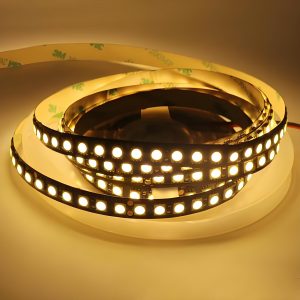
  • LED strips
  • Flashlights
  • High-density lighting modules

What Is the Difference Between COB vs CSP LED?

Although both COB and CSP technologies use LED chips, their packaging methods differ significantly. The following table summarizes the main differences.

FeatureCOB LEDCSP LED
Packaging structureMultiple chips integrated on boardChip-scale package
Light sourceSingle uniform emitterMultiple discrete emitters
Light uniformityVery smoothSlightly segmented
EfficiencyHighVery high
SizeLarger moduleVery compact
Assembly methodModule mountingSMT placement
Thermal managementRequires metal-core PCBRequires efficient PCB cooling

This difference affects several design factors:

  • beam pattern
  • thermal management
  • manufacturing method
  • PCB layout

For high-power lighting systems, engineers often choose COB modules. For compact lighting systems, CSP LEDs provide greater flexibility.

CSP vs COB: Which is Better?

Many designers ask: csp vs cob which is better? There is no universal answer. The better option depends on the product design and lighting requirements. Engineers often select technology based on thermal density and optical design.

If the product needs a smooth beam and powerful output, COB is often preferred. If the design requires many small emitters, CSP LEDs provide more flexibility. In practice, both technologies can achieve excellent results when paired with appropriate PCB materials and thermal design.

Which LED Technology Generates More Heat: COB or CSP?

Heat management is critical in LED systems, high temperatures reduce efficiency and shorten LED lifetime. Both COB and CSP LEDs generate heat, but their behavior differs.

COB modules place many chips in a small area, this creates high thermal density beneath the module. CSP LEDs distribute chips across the PCB, spreading heat more evenly.

Thermal AspectCOB LEDCSP LED
Heat densityHighModerate
Thermal distributionLocalizedDistributed
Cooling demandHighModerate

Because COB concentrates heat, it often requires metal-core PCBs for effective cooling.

Why Do High-Power LEDs Use Aluminum PCB or Copper PCB?

Traditional FR4 circuit boards have limited thermal conductivity, their thermal conductivity typically ranges around 0.3 W/mK. High-power LEDs require better heat dissipation, excess heat reduces brightness and accelerates aging. This is why many LED systems use metal-core PCBs.

The most common options include:

  • Aluminum PCB
  • Copper PCB

These materials transfer heat away from the LED much faster than standard FR4 boards.

Aluminum PCBs are widely used in commercial lighting. They offer a balance between cost and performance. Copper PCBs provide even higher thermal conductivity. They are often used in:

  • high-power LEDs
  • automotive headlights
  • industrial lighting

For both cob led vs csp led chips, metal-core PCBs greatly improve heat transfer.

Why Do High-Power LEDs Use Aluminum PCB or Copper PCB?

How Does PCB Design Affect COB and CSP LED Performance?

PCB design strongly influences LED performance, even high-quality LED chips cannot perform well on poorly designed boards.

Several PCB factors affect COB and CSP LED performance:

  1. thermal path design
  2. copper thickness
  3. PCB material
  4. solder pad layout

For COB modules, the board must provide a strong thermal interface, aluminum core boards are commonly used.

For CSP LEDs, pad design is critical, each chip must transfer heat efficiently through the PCB.

A well-designed COB LED PCB layout helps maintain lower junction temperatures and stable output.

How to Choose the Right PCB for COB and CSP LED Projects?

When choosing the correct PCB material ensures long-term LED reliability, designers usually consider:

  1. LED power level
  2. heat density
  3. product size
  4. manufacturing cost

For many lighting systems, aluminum PCBs provide the best balance between cost and thermal performance.

Copper PCBs are often selected for high-power lighting where stronger heat dissipation is required. General guidelines include:

  • COB lighting commonly uses aluminum PCBs
  • Dense CSP arrays may benefit from copper PCBs
  • Automotive LEDs often use copper boards

When evaluating csp vs cob which is better, the PCB thermal solution should always be considered.

Partner with EBest Circuit for One-stop COB and CSP LED PCBs

EBest Circuit (Best Technology) supports manufacturers developing COB and CSP LED lighting products. With nearly twenty years of PCB manufacturing experience, our engineering team understands the thermal challenges of LED systems.

We provide integrated services including PCB fabrication, component sourcing, and assembly support. Our engineers also help customers optimize PCB layouts for better heat dissipation.

Key advantages include:

  • Aluminum PCB and copper PCB manufacturing
  • Engineering support for LED PCB design
  • Fast PCB prototyping and production
  • Integrated PCB and PCBA services

Our solutions help lighting manufacturers build reliable and efficient LED products. For PCB design consultation, prototyping, or full LED PCB manufacturing support, please feel free to contact: sales@bestpcbs.com

You may also like

PCB Via Types: What Are the Different Types of Vias in PCB?

March 6th, 2026

As electronic products become smaller and more complex, engineers rely on different types of vias in PCB layouts to achieve dense routing, high-speed signal integrity, and thermal stability. Without vias, multilayer PCB architecture would not function efficiently. Each via structure serves a specific purpose. Some focus on basic connectivity, others support HDI routing, RF performance, or thermal transfer.

A typical multilayer PCB may contain hundreds or even thousands of vias depending on circuit density. According to common PCB fabrication guidelines, the most frequently used via diameter ranges between 0.2 mm and 0.5 mm, while high-density designs may use microvias smaller than 0.15 mm.

In this guide, we explain the most widely used PCB via types, how they work, and when engineers should apply them. The article also compares via filling technologies and explains the difference between vias and PTH holes.

PCB Via Types: What Are the Different Types of Vias in PCB?

1. Through-Hole Vias

Through-hole vias are the most traditional and widely used PCB via types. They pass completely through the entire PCB stack, connecting the top layer to the bottom layer. In standard PCB manufacturing, mechanical drilling machines can achieve drill diameters from 0.15 mm to 6 mm. For most multilayer boards, the common finished via hole size ranges from 0.2 mm to 0.4 mm.

Another important parameter is the aspect ratio, which describes the ratio of board thickness to via hole diameter. Most PCB manufacturers recommend keeping the aspect ratio within 6:1 to 10:1 to ensure stable plating quality.

1. Through-Hole Vias

Typical characteristics of through-hole vias:

  • Connect all PCB layers
  • Larger drill diameters compared with HDI vias
  • Lower fabrication cost
  • Suitable for conventional multilayer PCB designs
  • Reliable mechanical strength

However, through-hole vias occupy routing space on every layer they pass through. This can reduce layout flexibility when board density increases.

Typical applications include:

  • Power distribution networks
  • Ground connections
  • Standard digital circuits
  • Industrial electronics

Despite newer HDI technologies, through-hole vias remain an essential structure in many PCB designs.

2. Blind Vias

Blind vias connect the outer layer of a PCB to one or more inner layers, but they do not extend through the entire board.

For example, a blind via may connect the top layer to layer two or layer three, while leaving the remaining layers untouched. This design helps engineers save routing space on deeper layers.

Typical blind via depths are usually less than 0.3 mm, depending on the PCB stack-up structure. Laser-drilled blind vias often have diameters between 0.075 mm and 0.15 mm.

Blind Vias

Advantages of blind vias include:

  • Improved routing density
  • More available space on internal layers
  • Better signal routing for compact boards
  • Reduced interference between layers

Blind vias are widely used in high-density electronics where layout space is limited.

Common applications include:

  • Smartphones
  • IoT devices
  • compact industrial controllers
  • RF modules

Blind vias help designers maintain a clean routing structure without drilling through the entire PCB stack.

3. Buried Vias

Buried vias connect inner PCB layers but do not reach the outer layers. They remain completely hidden within the board structure after lamination.

These vias are created during intermediate lamination stages. Manufacturers first drill and plate the internal layers, then laminate additional layers on top.

Typical buried via diameters are similar to standard mechanical vias, usually ranging from 0.2 mm to 0.3 mm.

Benefits of buried vias include:

  • Increased routing density
  • Cleaner surface layout
  • Reduced via congestion
  • Better signal performance in complex designs

However, buried vias increase fabrication complexity. They also require multiple lamination cycles.

For example, a PCB with buried vias and blind vias may require 2–3 lamination cycles, increasing production cost.

Typical uses include:

  • HDI PCB designs
  • advanced communication equipment
  • networking hardware
  • high-performance computing systems

Buried vias are especially useful when engineers must route many signals across multiple layers.

4. Stacked Vias

Stacked vias are a vertical arrangement of microvias placed directly on top of each other. Each microvia connects two adjacent layers, this structure creates a continuous vertical connection through several layers.

Stacked vias are commonly used in HDI PCB designs. They support extremely high routing density and are often placed under fine-pitch components such as BGA packages. Fine-pitch BGA packages often have ball pitches of 0.5 mm or smaller, making stacked microvias necessary for signal escape routing.

Stacked Vias

Key characteristics of stacked vias:

  • Vertical alignment of multiple microvias
  • Supports high-density routing
  • Suitable for fine-pitch BGA packages
  • Requires via filling and copper plating

Because stacked vias require precise alignment and filling processes, manufacturing cost is higher.

However, the structure provides excellent electrical performance and compact routing paths.

5. Staggered Vias

Staggered vias are an alternative to stacked vias. Instead of aligning microvias vertically, each via is slightly offset from the one above or below.

Staggered Vias

Advantages of staggered vias include:

  • Improved mechanical reliability
  • Lower fabrication difficulty
  • Reduced risk of via cracking
  • Suitable for HDI structures

Engineers often choose staggered vias when cost control is important but high routing density is still required.

These vias are frequently used in:

  • consumer electronics
  • automotive control boards
  • communication equipment

Staggered vias provide a balanced solution between performance and manufacturing complexity.

6. Microvias

Microvias are very small vias typically created by laser drilling. They are an essential element of HDI PCB technology. Microvias usually connect only two adjacent layers, so their diameter is significantly smaller than traditional vias. Typical microvia diameter ranges between 50 ÎŒm and 150 ÎŒm.

Because of their small size, microvias allow designers to route signals between fine-pitch component pads.

Microvias

Key advantages of microvias:

  • Extremely high routing density
  • Shorter signal paths
  • Lower parasitic inductance
  • Improved signal integrity

Microvias are commonly used in advanced electronics such as:

  • smartphones
  • wearable devices
  • aerospace systems
  • high-speed communication equipment

Although microvias improve performance, they require specialized fabrication equipment and strict process control.

7. Vias in Pad

Vias in pad refer to vias placed directly inside the component pad area. This design is common in fine-pitch packages such as BGA or QFN devices. The via allows signals to transition immediately from the pad to inner routing layers.

However, vias in pad require filling and planarization before component assembly. Without proper filling, solder can flow into the via hole during reflow.

Vias in Pad

Advantages of vias in pad include:

  • Reduced signal path length
  • Improved routing density
  • Better thermal transfer
  • Ideal for fine-pitch BGA packages

8. Vias on Pad

Vias on pad are slightly different from vias in pad. In this structure, the via is placed very close to the pad rather than directly inside it.

The via may partially overlap with the pad area depending on design requirements. This method helps engineers maintain efficient routing while reducing the risk of solder wicking.

Key features of vias on pad include:

  • Easier manufacturing compared with via-in-pad
  • Lower cost than filled vias
  • Suitable for many standard BGA layouts
  • Good compromise between density and reliability

Designers often use this structure when full via-in-pad technology is not required.

What Is the Difference Between Via and PTH in PCB?

Many engineers confuse vias with plated through holes (PTH). Although they share a similar manufacturing process, their functions differ.

The following table explains the main differences.

FeatureViaPTH (Plated Through Hole)
Main functionElectrical interconnection between layersMounting hole for components
Diameter0.1–0.5 mm typical0.6–1.2 mm typical
Component insertionNot intended for component leadsDesigned for component leads
Assembly processNo component insertionUsed in through-hole assembly
Common useSignal routing and power connectionsMechanical support and electrical connection

In simple terms, a via connects PCB layers, while a PTH hole supports component leads while also providing electrical connectivity.

Via Filling Types in PCB

In advanced PCB manufacturing, vias are often filled to improve reliability and assembly quality. Several via filling methods are commonly used, including:

1. Conductive Paste Fill

Conductive paste fill involves filling the via with a conductive material such as silver epoxy.

Advantages:

  • Good electrical conductivity
  • Relatively simple process
  • Suitable for certain thermal applications

However, paste materials may not provide the same mechanical strength as copper filling.

2. Resin Plugging

Resin plugging uses epoxy resin to fill the via hole. After filling, the surface is planarized to create a flat pad.

Key benefits include:

  • Prevents solder wicking
  • Improves assembly reliability
  • Suitable for via-in-pad structures

Resin plugging is widely used in HDI PCBs and BGA assemblies.

3. Copper Fill (Via Plating)

Copper filling is the most advanced via filling method. The via hole is completely filled with electroplated copper.

Advantages include:

  • Excellent thermal conductivity
  • Strong mechanical stability
  • High electrical reliability
  • Ideal for stacked microvias

Copper-filled vias are common in high-performance PCBs used in aerospace, telecommunications, and advanced computing systems.

EBest Circuit: One-Stop PCB Manufacturer with Any PCB Via Types

At EBest Circuit (Best Technology), we support a wide range of PCB via structures for both standard multilayer boards and advanced HDI designs. Our engineering team works closely with customers during the early design stage to review via structures, optimize manufacturability, and improve long-term reliability.

Our capabilities include:

  • Mechanical drilling down to 0.15 mm
  • Laser microvia drilling to 75 ÎŒm
  • HDI stack-up structures such as 1+N+1, 2+N+2, 3+N+3, 4+N+4
  • Copper-filled stacked microvias
  • Blind and buried via fabrication
  • Professional DFM review before production
  • Guidance on selecting the right PCB via types
  • Optimization for HDI stack-up structures
  • Manufacturing support for microvias, blind vias, and buried vias
  • Full PCB fabrication and PCBA assembly service

If you are designing a multilayer PCB or HDI board and need professional manufacturing support, working with an experienced PCB partner can simplify the entire development process.

For project consultation, DFM review, or PCB manufacturing services, feel free to contact EBest Circuit (Best Technology) at: sales@bestpcbs.com. Our engineering team is always ready to help bring your PCB designs into reliable production.
You may also like

Metal Core PCB Material | High Thermal Conductivity MCPCB Base Materials

March 6th, 2026

Electronic devices continue to shrink while power density keeps rising. Excess heat can shorten component life, reduce performance, and cause signal instability. Because of this, designers often select metal core PCB material instead of conventional laminates when thermal control becomes critical.

A metal core circuit board integrates a thermally conductive metal base beneath the dielectric and copper circuitry. This structure creates a direct path for heat to travel away from components. Compared with standard FR-4 boards, metal core PCBs can dissipate heat more efficiently and maintain better thermal balance during operation.

Metal Core PCB Material | High Thermal Conductivity MCPCB Base Materials

These boards are widely used in high-power LED lighting, automotive electronics, power converters, industrial control systems, and communication equipment. As power levels increase and device footprints shrink, engineers increasingly rely on aluminium core PCB, copper core PCB, and IMS PCB (Insulated Metal Substrate) technologies to stabilize thermal performance.

EBest Circuit (Best Technology)’s metal core PCB material provides excellent thermal conductivity, high stability and reliable performance for LED, power and high‑heat electronic applications.

What materials are used in metal core PCB?

A typical metal core PCB material structure consists of three primary layers. These layers work together to transfer heat efficiently from components to the metal substrate. Each layer performs a specific thermal and electrical function that ensures stable circuit performance.

The typical MCPCB stack structure includes:

  • Copper circuit layer
  • Thermal dielectric layer
  • Metal base layer

1. Copper Circuit Layer

The top layer contains copper traces that form the electrical circuit. This layer functions similarly to the copper layer in standard PCBs. Thicker copper improves current carrying capability and also spreads heat across the board surface. Copper thickness usually ranges from:

Copper ThicknessTypical Use
1 oz (35 ÎŒm)Standard LED and low-power circuits
2 oz (70 ÎŒm)Power LED modules
3 oz – 4 ozHigh-current power electronics

2. Thermal Dielectric Layer

The dielectric layer is a critical part of metal core PCB material. It electrically isolates the circuit from the metal base while still allowing heat to pass through. High thermal conductivity dielectric materials allow heat to move quickly from components into the metal base. Typical dielectric properties include:

PropertyTypical Range
Thermal conductivity1 W/mK – 10 W/mK
Thickness50 ÎŒm – 150 ÎŒm
Breakdown voltage2 kV – 6 kV

Common dielectric fillers include:

  • Ceramic particles
  • Aluminum oxide
  • Silicon compounds

These fillers increase thermal conductivity while maintaining insulation strength.

3. Metal Base Layer

The bottom layer of a pcb metal core acts as the primary heat sink. It spreads heat over a large surface area and transfers it to the external environment. Aluminum is widely used because it provides strong thermal performance at a reasonable cost. Copper offers the highest thermal conductivity but is heavier and more expensive. The most common base materials are:

Metal Base TypeThermal Conductivity
Aluminum~200 W/mK
Copper~385 W/mK
Steel~50 W/mK

How to choose metal core PCB material?

Selecting the right metal core pcb material depends on several engineering factors. The design must balance thermal performance, mechanical strength, electrical insulation, and manufacturing cost.

1. Thermal conductivity requirement

Heat dissipation is the main reason for using IMS PCB technology. The thermal conductivity of the dielectric layer determines how quickly heat moves into the metal base. Higher conductivity improves cooling performance. Typical ranges include:

Thermal ConductivityApplication
1–2 W/mKStandard LED lighting
3–5 W/mKAutomotive lighting
5–10 W/mKHigh-power electronics

2. Electrical insulation performance

Although the metal base conducts heat well, it must remain electrically isolated from the circuit layer. Reliable insulation prevents short circuits and protects sensitive components. Designers must verify:

  • Dielectric breakdown voltage
  • Insulation resistance
  • Long-term reliability under temperature cycling

3. Mechanical stability

Mechanical strength is also important when selecting metal core PCB materials. Aluminum substrates provide good rigidity while keeping board weight low. Copper base boards offer superior strength but increase overall board mass.

4. Manufacturing compatibility

Manufacturers evaluate whether the material supports standard processes such as:

  • SMT assembly
  • reflow soldering
  • drilling and routing
  • surface finishing

A stable material simplifies production and improves yield.

Metal Core PCB Material | High Thermal Conductivity MCPCB Base Materials

What material is the MCPCB made of?

An MCPCB (Metal Core Printed Circuit Board) typically combines three major materials: copper circuitry, thermal dielectric, and a metal substrate. However, within this structure, several variants exist depending on the application.

Aluminum Core PCB

An aluminium core PCB is the most widely used type of MCPCB. Aluminum offers excellent thermal conductivity while remaining lightweight and cost-effective. Typical aluminum grades used include:

  • 5052 aluminum
  • 6061 aluminum
  • 1060 aluminum

Advantages of aluminum core PCB include:

  • Lightweight structure
  • Good heat dissipation
  • Low material cost
  • Stable mechanical properties

Because of these benefits, aluminum core boards dominate LED lighting and power modules.

Copper Core PCB

A copper core PCB uses a solid copper substrate instead of aluminum. Copper has almost double the thermal conductivity of aluminum. This allows heat to move even faster away from components. However, copper boards are heavier and more expensive. Copper core PCBs are often used in:

  • high-power LEDs
  • RF power amplifiers
  • motor drivers
  • automotive electronics

IMS PCB (Insulated Metal Substrate)

An IMS PCB refers to a board where a dielectric layer isolates the circuit from the metal base. Most metal core PCBs fall into this category. The IMS structure allows designers to combine electrical insulation with thermal efficiency.

Typical IMS stack: Copper layer → thermal dielectric → aluminum base. This structure provides excellent heat dissipation while maintaining electrical isolation.

Metal Core PCB Material | High Thermal Conductivity MCPCB Base Materials

How thick is the metal core PCB?

The metal core pcb thickness varies depending on the design requirements. Engineers must consider both electrical performance and heat transfer efficiency. A typical MCPCB includes several thickness parameters.

Total board thickness. Thicker boards often improve mechanical strength. Common board thickness values include:

Board ThicknessApplication
1.0 mmThin LED modules
1.6 mmStandard MCPCB
2.0 mmHigh-power lighting
3.2 mmPower electronics

Metal core thickness. The metal base itself can vary significantly. A thicker metal base improves heat spreading capacity.

Metal Core ThicknessTypical Range
Aluminum base0.8 mm – 3.0 mm
Copper base1.0 mm – 4.0 mm

Dielectric thickness. The dielectric layer usually ranges between: 50 ÎŒm – 150 ÎŒm. A thinner dielectric improves thermal transfer but must still provide reliable electrical insulation.

Why is thermal conductivity important in metal core PCB material?

Thermal conductivity determines how quickly heat moves through a material. In electronic circuits, efficient heat removal protects components and stabilizes performance. High temperatures can reduce LED brightness, affect semiconductor switching speed, and shorten component lifespan.

A well-designed metal core PCB material structure solves this problem by creating a direct thermal path. Because the metal base spreads heat efficiently, the board avoids localized hot spots.

Heat flows through the following stages:

  • Component generates heat
  • Heat enters copper circuit layer
  • Heat moves through dielectric layer
  • Heat spreads across metal substrate
  • Heat dissipates into air or heat sink

Typical thermal conductivity comparison:

MaterialThermal Conductivity
FR-40.3 W/mK
Aluminum base~200 W/mK
Copper base~385 W/mK

What are benefits of metal core PCB material?

The advantages of metal core pcb materials extend beyond thermal performance. Engineers often select them because they improve reliability and design flexibility. Several benefits stand out. These advantages make pcb metal core technology suitable for high-power electronics.

  • 1. Excellent heat dissipation

Metal substrates rapidly transfer heat away from components. This reduces thermal stress and improves long-term reliability.

  • 2. Improved circuit stability

Stable temperatures keep semiconductor devices operating within their optimal range.

  • 3. High mechanical strength

Metal substrates increase board rigidity and durability.

  • 4. Compact product design

Efficient heat transfer allows designers to place components closer together.

  • 5. Longer product lifespan

Lower operating temperature helps protect LEDs, ICs, and power components.

  • 6. Reduced external cooling requirements

Many MCPCB designs operate without large heat sinks.

What is the difference between metal core PCB and FR4?

A metal core PCB vs FR4 comparison highlights the fundamental differences between the two technologies.

FR-4 is a fiberglass epoxy laminate commonly used in conventional PCBs. While it offers good electrical insulation, it has limited thermal conductivity. Metal core boards replace the fiberglass base with a thermally conductive metal substrate. In applications with high power density, metal core circuit boards offer clear advantages.

Below is a comparison of the two materials.

FeatureMetal Core PCBFR-4 PCB
Base materialAluminum or copperGlass fiber epoxy
Thermal conductivityHighLow
Heat dissipationExcellentLimited
Mechanical strengthStrongModerate
WeightHeavierLightweight
Typical applicationsLEDs, power electronicsConsumer electronics
Metal Core PCB Material | High Thermal Conductivity MCPCB Base Materials

Where is metal core PCB material used?

Because of its thermal advantages, metal core PCB material appears in many modern electronic systems. Industries rely on MCPCBs to manage heat in compact designs. Common applications include:

LED lighting, High-power LEDs generate substantial heat. MCPCBs help maintain consistent brightness and extend LED life.

Examples include:

  • street lighting
  • automotive headlights
  • industrial lighting

Automotive electronics, Vehicles require reliable thermal management for components such as:

  • engine control modules
  • power converters
  • lighting systems

Power electronics, Power supplies and converters generate high heat density. Metal core boards stabilize thermal performance in:

  • motor drives
  • DC-DC converters
  • industrial power modules

Communication systems, RF amplifiers and communication equipment often use copper core PCB structures to dissipate heat from power devices.

Consumer electronics, Compact devices such as projectors and audio equipment also benefit from MCPCB technology.

At EBest Circuit (Best Technology), we specialize in manufacturing high-quality metal core PCBs and thermal management circuit boards for demanding applications. Our engineering team supports customers from design review to production, ensuring each board meets strict performance standards.

If you are developing high-power electronic products and need reliable metal core PCB materials, feel free to contact our team. Email: sales@bestpcbs.com

You may also like

What is Empty Circuit Board? Empty Circuit Board vs Assembled PCB

March 5th, 2026

An empty circuit board is the starting point of almost every electronic product. Before chips, resistors, and connectors appear on a board, engineers begin with a bare platform that carries electrical pathways and mechanical structure. This base platform is the empty circuit board, also called a bare PCB.

EBest Circuit (Best Technology) has more than 19 years of PCB fabrication and assembly experience. Our engineering team supports projects from design review to final assembly. With integrated PCB fabrication and PCBA production, customers receive consistent quality, fast delivery, and practical engineering support throughout the process.

What Is an Empty Circuit Board?

An empty circuit board refers to a printed circuit board before electronic components are mounted. It contains copper traces, vias, pads, and insulating substrate materials. These elements form the electrical network that later connects components.

In manufacturing terms, an empty circuit board is often called:

  • Bare PCB
  • Blank PCB
  • Fabricated PCB

The board becomes a finished electronic module only after component assembly. That stage is known as PCBA (Printed Circuit Board Assembly).

What Materials Are Used in an Empty Circuit Board?

The materials inside an empty circuit board determine electrical performance and durability. Most boards combine insulating substrate materials with conductive copper layers.

1. Substrate Materials

The substrate forms the structural foundation of the PCB. Common substrate materials include:

  • FR4 fiberglass epoxy – the most widely used PCB material
  • High-TG FR4 – suitable for higher thermal environments
  • Polyimide – used for flexible circuits
  • Aluminum core – used for heat dissipation
  • Ceramic materials – used in high-frequency electronics

Among these options, FR4 remains the standard choice because it balances cost, strength, and electrical insulation.

2. Copper Layers

Copper forms the conductive pathways on the board. These traces connect electronic components. Copper thickness is measured in ounces (OZ) per square foot. Typical copper thickness values include:

Copper WeightThicknessApplication
0.5 oz~17 ”mFine-line circuits
1 oz~35 ”mStandard electronics
2 oz~70 ”mPower electronics
3 oz+100 ”m+High-current circuits

Higher copper thickness improves current capacity and thermal performance.

3. Solder Mask

Solder mask is the colored protective layer on top of the PCB. It prevents solder bridging during assembly. Common colors include:

  • Green
  • Black
  • Blue
  • White
  • Red

Green remains the most common color because it offers good contrast for inspection.

4. Surface Finish

The copper pads require protective coating. Surface finishes prevent oxidation and improve solderability. Typical finishes include:

  • HASL (Hot Air Solder Leveling)
  • ENIG (Electroless Nickel Immersion Gold)
  • ENEPIG
  • Immersion silver
  • OSP coating

Each finish has advantages depending on product requirements.

How Is an Empty Circuit Board Manufactured?

Manufacturing an empty circuit board involves multiple precision processes. Each step builds part of the board structure. Below is a simplified overview of the process.

1. Design File Preparation

Engineers prepare design files using PCB design software. These files define trace routing, drill holes, and board dimensions. Typical design files include:

  • Gerber files
  • Drill files
  • Stack-up specifications

2. Material Preparation

3. Inner Layer Imaging

4. Etching

5. Lamination

6. Drilling

7. Copper Plating

8. Solder Mask Application

9. Surface Finish

10. Electrical Testing

If you want to know more the manufacturing process of empty circuit board, you can watch below video from our PCB fabrication workshop:

What Are the Different Types of Empty Circuit Boards?

Empty circuit boards are not all built the same. Engineers select different PCB structures based on circuit complexity, signal speed, thermal conditions, and mechanical requirements. Below are the most common types of empty circuit boards used in modern electronics manufacturing.

1. Single-Layer Empty Circuit Board

    A single-layer circuit board contains one conductive copper layer on one side of the substrate. All components and traces appear on the same surface.

    Typical applications include:

    • LED lighting modules
    • Power adapters
    • Small household electronics
    • Simple control boards

    However, routing space is limited because all connections must exist on one layer.

    2. Double-Layer Empty Circuit Board

    A double-layer circuit board contains copper layers on both the top and bottom surfaces of the substrate. Electrical connections between the two layers are created using plated through holes (vias).

    Double-layer PCBs are widely used in:

    • consumer electronics
    • industrial control systems
    • communication devices
    • embedded modules

    Because they provide more routing space than single-layer boards, they remain a practical solution for medium-complexity designs.

    3. Multilayer Empty Circuit Board

    A multilayer PCB contains three or more copper layers stacked together through lamination. Some advanced boards may include 8, 12, or even more layers.

    Common applications include:

    • smartphones and tablets
    • computer motherboards
    • networking equipment
    • high-speed communication systems

    Although multilayer PCBs require more manufacturing steps, they enable compact designs and higher performance.

    4. Flexible Circuit Boards

    A flexible PCB uses polyimide or similar flexible substrate materials instead of rigid fiberglass. The board can bend, twist, or fold without damaging the circuit. Flexible boards reduce connector usage and improve space utilization in compact devices.

    Typical applications include:

    • wearable electronics
    • camera modules
    • medical instruments
    • portable consumer devices

    5. Rigid-Flex Circuit Boards

    A rigid-flex PCB combines rigid circuit board sections with flexible interconnections in a single structure.

    Rigid-flex boards are often used in:

    • aerospace electronics
    • medical equipment
    • military systems
    • advanced communication devices

    Although the design and manufacturing process are more complex, rigid-flex PCBs offer excellent durability and compact integration.

    Rigid-Flex Circuit Boards

    6. Metal Core Circuit Boards

    A metal core PCB (MCPCB) uses a metal base layer, usually aluminum or copper, instead of standard fiberglass. Metal core boards are widely used in:

    • high-power LED lighting
    • automotive lighting systems
    • power converters
    • industrial power modules

    Because thermal performance is critical in these applications, metal core boards provide a reliable solution.

    Metal Core Circuit Boards

    7. Ceramic Circuit Board

    A ceramic PCB uses ceramic materials such as aluminum oxide (Al₂O₃) or aluminum nitride (AlN) as the substrate instead of fiberglass. Ceramic materials provide excellent thermal conductivity, electrical insulation, and dimensional stability.

    Key advantages include:

    • excellent heat dissipation
    • high electrical insulation strength
    • stable performance at high temperatures
    • low signal loss at high frequencies

    Ceramic PCBs are widely used in:

    • RF communication modules
    • power semiconductor modules
    • laser equipment
    • automotive electronics
    • aerospace electronics

    Although ceramic boards are more expensive than standard FR4 PCBs, they deliver superior performance in demanding environments.

    Ceramic Circuit Board

    Where Are Empty Circuit Boards Used?

    Empty circuit boards serve as the base platform for almost all electronic products. Before components are mounted, the board provides routing paths, grounding structures, and mechanical support for the final system.

    Common applications include:

    • Consumer electronics – smartphones, smart home devices, wireless earbuds, and wearable gadgets
    • Computer hardware – motherboards, graphics cards, memory modules, and storage controllers
    • Automotive – engine control units, battery management systems, infotainment modules, and sensor interfaces
    • Industrial automation systems – PLC controllers, motor drivers, robotics control boards, and industrial power supplies
    • Communication equipment – routers, base stations, RF communication modules, and network switches
    • Medical devices – patient monitoring systems, diagnostic equipment, imaging systems, and portable healthcare electronics
    • LED lighting systems – commercial lighting, automotive lighting, and architectural illumination.

    How Much Does an Empty Circuit Board Cost?

    The cost of an empty circuit board varies widely. Several factors influence manufacturing price, major cost factors including:

    1. Board size

    2. Layer count

    3. Material type

    4. Copper thickness

    5. Surface treatment

    6. Production quantity

    Here is a general cost for empty circuit boards:

    PCB TypeTypical Cost Range
    Single layer$1 – $5
    Double layer$3 – $15
    Multilayer PCB$20 – $200+

    These values vary depending on complexity and quantity. Working with an experienced manufacturer helps control cost while maintaining quality.

    Empty Circuit Board vs Assembled PCB

    An empty circuit board and an assembled PCB represent two different stages in electronic manufacturing. The empty board provides the physical and electrical platform. The assembled PCB transforms that platform into a working electronic module. Below is comparison chart between them:

    ItemEmpty Circuit Board (Bare PCB)Assembled PCB (PCBA)
    DefinitionPCB structure without electronic componentsPCB with components soldered and fully functional
    Manufacturing StagePCB fabricationPCB assembly
    Main ProcessesLamination, drilling, plating, etching, solder mask, surface finishSMT placement, reflow soldering, wave soldering, inspection
    Electrical FunctionProvides conductive pathways but no active functionalityFully operational circuit
    Components InstalledNoneResistors, capacitors, ICs, connectors, sensors
    Typical Layer Count1–20+ layers depending on designSame as PCB but populated with parts
    Manufacturing TimeUsually 3–7 days for prototypes5–10 days depending on component sourcing
    Testing MethodElectrical continuity testFunctional test, AOI, X-ray inspection
    Cost StructureMostly determined by material, layer count, board sizeIncludes PCB cost, components, assembly labor
    WeightVery light since no components are installedHeavier due to electronic parts
    Application StageUsed during early design, testing, and prototypingUsed in final electronic products
    Production ComplexityMedium complexity fabricationHigher complexity due to placement accuracy
    Typical UseEngineering validation and prototypingConsumer electronics, industrial equipment, automotive electronics

    From a manufacturing perspective, the empty circuit board acts as the foundation of the electronic system. Once components are installed through SMT or THT assembly processes, the board becomes a functional PCBA ready for integration into a product.

    Why Choose EBest as Your Empty Circuit Board & Assembled PCB Manufacturer?

    Best Technology (EBest Circuit) is a PCB and PCBA manufacturer with 19 years of industry experience, headquartered in Shenzhen, one of the world’s most important electronics manufacturing hubs. To better support global customers and ensure flexible supply chains, we have established production facilities in both China and Vietnam, allowing us to provide stable manufacturing capacity and competitive lead times.

    Our advantages include:

    • 19 Years of PCB & PCBA Manufacturing Experience
    • Professional R&D and engineering team
    • 1+3 engineering support model
    • One-stop PCB Fabrication and PCBA Assembly
    • Rapid prototype and production turnaround
    • Full Digital Manufacturing System
    • No MOQ, flexible order quantities
    • Global customer support experience across North America, Europe, and Asia
    • ISO 9001, ISO 13485, IATF 16949, and AS9100D certificated

    If you are planning a new electronics project or looking for a dependable PCB manufacturing partner, feel free to contact our engineering team.

    📩 sales@bestpcbs.com

    We are always ready to support your next circuit board project.

    FAQs

    1. Is an empty circuit board the same as a PCB?

    Yes. An empty circuit board is commonly called a bare PCB. It includes copper traces and pads but no electronic components.

    2. What thickness do empty PCBs usually have?

    Typical PCB thickness ranges from 0.8 mm to 1.6 mm. Thinner boards exist for compact electronics, while thicker boards provide higher mechanical strength.

    3. What files are required to manufacture a PCB?

    Manufacturers usually require the following files:

    • Gerber files
    • Drill files
    • PCB stack-up information
    • Bill of materials (for assembly)

    These files define the complete board structure.

    You may also like

    PCB Thermal Conductivity Guide: Materials, Heat Dissipation & Thermal Design

    March 5th, 2026

    If you work with electronic devices, you’ve probably heard of PCB thermal conductivity. But do you know what it really means? Or why it matters for your projects? This guide breaks down everything you need to know—from key materials to design tips

    What Is PCB Thermal Conductivity?

    PCB thermal conductivity refers to the ability of a printed circuit board material to transfer heat from one location to another. It is typically measured in W/m·K (Watts per meter-Kelvin).

    A higher thermal conductivity value means heat travels more efficiently through the board. This helps prevent local hot spots and keeps electronic components operating within safe temperature limits.

    Electronic components generate heat during operation. If the PCB cannot dissipate this heat effectively, several problems may occur:

    • Component overheating
    • Reduced electrical performance
    • Accelerated material aging
    • Solder joint fatigue
    • Unexpected system failure

    Because of these risks, thermal performance is now a critical parameter in PCB design.

    What Is PCB Thermal Conductivity?

    What Is PCB Thermal Conductivity?

    Why Thermal Conductivity is Important in PCB?

    Thermal conductivity becomes especially important in systems such as:

    • LED lighting modules
    • automotive power electronics
    • RF communication equipment
    • industrial motor controllers
    • high-density computing hardware

    In these systems, components like MOSFETs, power regulators, and RF amplifiers can generate significant heat during operation. A properly designed PCB spreads that heat efficiently across copper planes and into external cooling systems.

    Thermal Conductivity of Common PCB Materials

    Different PCB materials conduct heat at different rates. The base laminate, metal layers, and structural design all influence overall thermal performance.

    The following table shows typical thermal conductivity values for common PCB materials.

    PCB MaterialThermal Conductivity (W/m·K)Typical Applications
    FR-4 Standard Laminate0.3 – 0.4Consumer electronics
    High-Tg FR-40.4 – 0.6Industrial electronics
    Aluminum PCB1 – 3LED lighting, power modules
    Copper~385Heat spreading layer
    Ceramic (Alumina)20 – 30RF modules, high-power circuits
    Aluminum Nitride (AlN)140 – 180High-power semiconductor modules

    Most standard PCBs use FR-4 epoxy glass laminate. While FR-4 is cost-effective and electrically stable, its thermal conductivity is relatively low. This is why designers often rely on copper planes and thermal vias to improve heat flow.

    Which PCB Material Has the Highest Thermal Conductivity?

    Among commonly used PCB materials, ceramic substrates offer the highest thermal conductivity.

    Aluminum nitride (AlN) stands out because it combines high thermal conductivity with excellent electrical insulation. Its thermal conductivity can exceed 170 W/m·K, which is hundreds of times higher than standard FR-4. Despite its excellent thermal properties, AlN is significantly more expensive than FR-4. Manufacturing complexity is also higher.

    Therefore, ceramic PCBs are usually reserved for applications that require extreme thermal performance, such as:

    • power semiconductor modules
    • high-frequency RF systems
    • aerospace electronics
    • high-power laser drivers

    For most industrial products, aluminum PCB or optimized FR-4 stack-ups provide sufficient thermal performance at a more reasonable cost.

    How Does Copper Thickness Affect PCB Thermal Conductivity?

    Copper plays a major role in PCB heat spreading. Although the base laminate may have low thermal conductivity, copper traces and planes help move heat away from components. Copper has a thermal conductivity of approximately 385 W/m·K, which is extremely high compared with FR-4.

    Increasing copper thickness improves thermal performance in several ways:

    1. Thicker copper spreads heat across a larger area.
    2. Reduced resistance helps decrease power loss.
    3. Heat moves more evenly through copper planes.

    Typical PCB copper thickness values include:

    Copper WeightThickness
    1 oz~35 ”m
    2 oz~70 ”m
    3 oz~105 ”m
    4 oz~140 ”m

    Power electronics designs often use 2 oz or thicker copper. Heavy copper PCBs can reach 6 oz or even higher for extreme current applications. However, thicker copper also introduces design considerations:

    • trace spacing requirements increase
    • etching becomes more challenging
    • manufacturing cost rises

    Therefore, engineers usually balance copper thickness with other thermal management methods such as thermal vias and heat sinks.

    How Can You Improve PCB Thermal Conductivity in Design?

    Even when using standard FR-4 materials, designers can significantly improve heat dissipation through thoughtful PCB layout and structure. Several design techniques are commonly used.

    1. Use Larger Copper Planes

    Copper planes distribute heat across the board surface, you can use large ground planes or power planes act as heat spreaders.

    2. Add Thermal Vias

    Thermal vias create vertical heat paths between layers. They allow heat to move from the component side to inner copper planes or heat sinks.

    3. Select Metal Core PCB

    Metal core PCBs use aluminum or copper substrates. These materials improve thermal conductivity and enable efficient heat transfer.

    4. Optimize Component Placement

    Components that generate significant heat should not be crowded together. Proper spacing helps air circulation and reduces temperature buildup.

    5. Use Heat Sinks

    External heat sinks remove heat from the PCB and release it into the surrounding environment.

    What Is the Difference Between Thermal Conductivity and Thermal Resistance in PCB?

    Thermal conductivity and thermal resistance are related but different concepts.

    • Thermal conductivity describes how well a material conducts heat.
    • Thermal resistance measures how difficult it is for heat to travel through a structure.

    The relationship can be expressed as:

    Thermal Resistance = Thickness / (Thermal Conductivity × Area)

    In PCB design, this means:

    • thicker materials increase thermal resistance
    • higher conductivity materials reduce resistance
    • larger heat transfer areas improve cooling

    Designers often calculate thermal resistance when evaluating cooling performance. A lower thermal resistance means heat can flow away from components more easily.

    Where Are High Thermal Conductivity PCBs Used?

    High thermal conductivity PCBs appear in many modern electronic systems. As power density increases, thermal design becomes more critical.

    Common applications include:

    • LED lighting systems
    • automotive control modules
    • power converters and inverters
    • telecom base stations
    • RF amplifiers
    • industrial automation equipment

    Similarly, power electronics used in electric vehicles require efficient thermal management. Heavy copper PCBs and thermal vias help maintain stable operating temperatures. In RF systems, excessive heat can affect signal stability, thermal control therefore supports both reliability and electrical performance.

    Why Choose EBest as Your High Thermal Conductivity PCB Manufacturer?

    At EBest Circuit (Best Technology), we focus on supporting engineers who require reliable PCB fabrication and assembly solutions for high-performance electronics. Our team has over 19 of experience in PCB and PCBA manufacturing. Our facilities operate in both China and Vietnam, allowing us to support global supply chains and flexible production requirements.

    We work closely with customers during the early engineering stage. Our engineering team reviews design files and provides practical DFM feedback that helps improve manufacturability and thermal performance.

    Our capabilities include:

    • multilayer PCB fabrication up to complex stack-ups
    • aluminum PCB and metal core PCB manufacturing
    • heavy copper PCB production
    • thermal via drilling and filling technologies
    • SMT and THT assembly services
    • component sourcing and turnkey PCBA

    For PCB fabrication, thermal design consultation, or turnkey PCBA services, feel free to contact our team at sales@bestpcbs.com.
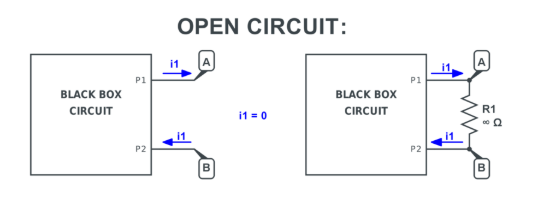
    FAQ About PCB Thermal Conductivity

    1. How can I improve PCB heat dissipation?

      Several design methods improve PCB heat dissipation. Common techniques include:

      • using thicker copper layers
      • adding thermal vias
      • increasing copper plane area
      • selecting aluminum PCB substrates
      • attaching external heat sinks

      2. What PCB material is best for thermal management?

      Ceramic materials such as aluminum nitride offer the highest thermal conductivity. However, aluminum PCBs provide an excellent balance between cost and performance. Many LED and power electronics systems use aluminum substrates. For general applications, optimized FR-4 with thermal vias can also deliver effective thermal management.

      3. Does thicker copper improve thermal conductivity?

      Yes. Thicker copper improves heat spreading across the board. Copper conducts heat extremely well. Increasing copper thickness creates larger thermal paths that help distribute heat more evenly.

      4. Is aluminum PCB better for heat dissipation?

      Yes. Aluminum PCBs provide significantly better heat dissipation than standard FR-4 boards.

      The aluminum base acts as a heat spreader and transfers heat quickly to external cooling systems.

      You may also like

      Industrial PCB Manufacturing: A Complete Professional Guide to Process, Materials, Cost, and Certifications

      March 4th, 2026

      Industrial systems operate in harsh environments. Heat, vibration, dust, moisture, and electrical noise are part of daily life. The circuit boards inside these systems must survive years of continuous duty. This is where industrial PCB manufacturing stands apart from standard consumer production.

      In this guide, we will walk through the materials, design rules, process steps, cost structure, certifications, and real-world expectations behind industrial-grade boards. If you design, source, or manage projects in this field, this article will give you clarity and confidence.

      What Is Industrial PCB Manufacturing?

      Industrial PCB manufacturing refers to the fabrication and assembly of circuit boards designed for high-reliability, long-life, and high-stress environments. These boards are used in equipment that runs factories, power plants, transportation systems, and heavy machinery.

      Unlike consumer electronics, industrial products often:

      • Operate 24/7
      • Face extreme temperatures
      • Handle high voltages or heavy current
      • Experience mechanical vibration
      • Require a long service life, often 10–20 years

      Because of this, the production standards are stricter. Material selection is more demanding. Inspection levels are higher. Traceability is critical.

      An industrial board is not defined by size or layer count. It is defined by performance expectations. A simple two-layer board can be industrial if it must operate reliably inside a motor control cabinet for fifteen years.

      What Materials Are Used In Industrial PCB Manufacturing?

      Material choice drives long-term performance. Industrial boards rarely rely on basic FR-4 alone. Instead, engineers consider thermal stress, mechanical load, and electrical safety margins.

      Here are common materials used:

      • High-Tg FR-4: Glass transition temperature above 170°C. Ideal for thermal cycling.
      • Polyimide: Excellent thermal resistance and chemical stability.
      • Metal-core PCB (MCPCB): Aluminum or copper base for heat dissipation.
      • Ceramic substrates: Alumina or aluminum nitride for extreme heat and power modules.
      • Heavy copper laminates: 2oz to 6oz copper for high current paths.

      Let’s compare common substrate options:

      Material TypeHeat ResistanceMechanical StrengthCost LevelTypical Use Case
      Standard FR-4ModerateGoodLowLight industrial
      High-Tg FR-4HighVery goodMediumMotor drives
      PolyimideVery highExcellentHighAerospace-grade industrial
      Aluminum Core PCBHighStrongMediumLED power modules
      Ceramic PCBExtremeVery rigidHighPower electronics

      Copper thickness is another key factor. Industrial boards often use:

      • 2oz copper for power control
      • 3oz or 4oz for heavy current
      • Thicker copper for busbar-like layers

      Surface finish is selected for durability. ENIG, immersion silver, and OSP are common. For long storage, ENIG remains a strong option.

      What Industries Use Industrial PCBs?

      Industrial PCBs support mission-critical sectors. Because downtime is costly, reliability becomes a core requirement.

      Key industries include:

      • Factory automation
      • Renewable energy systems
      • Oil and gas control platforms
      • Rail transportation
      • Power distribution equipment
      • Robotics systems
      • Industrial IoT infrastructure
      • Medical industrial equipment

      For example, motor drives rely on thick copper traces for switching stability. Similarly, solar inverters demand thermal resilience during constant power conversion. In rail systems, vibration resistance is essential for passenger safety.

      Industrial PCB Design Rules

      • Trace Width and Spacing: High-current paths require wider traces. Voltage clearance must meet safety standards.
      • Copper Weight Selection: Choose copper thickness based on current load and temperature rise calculations.
      • Creepage and Clearance: Industrial boards must meet international safety spacing standards.
      • Thermal Management: Use thermal vias, copper pours, and metal cores when necessary.
      • Vibration Reinforcement: Anchor large components and connectors.
      • Layer Stack-up Planning: Balanced stack-ups reduce warpage.
      • Surface Finish Selection: ENIG, OSP, or Immersion Tin depending on application.

      Design for manufacturability (DFM) reviews are critical. Best Technology performs DFM checks before fabrication begins. Early feedback reduces rework and accelerates production.

      How Long Does Industrial PCB Manufacturing Take?

      Lead time depends on complexity, testing scope, and material sourcing. However, planning can significantly improve schedule predictability. Below is a typical timeline for medium-complexity industrial boards:

      Production StageTypical Duration
      Engineering Review1–2 days
      Material Preparation2–3 days
      PCB Fabrication7–14 days
      Assembly (SMT + THT)3–7 days
      Testing & Inspection2–5 days

      Best Technology offers expedited services for urgent industrial projects. If your project requires urgent processing, please contact our team immediately or make a note in the order.

      Industrial PCB Manufacturing Process

      Unlike standard commercial boards, industrial-grade circuits must perform in environments where heat, vibration, dust, and electrical stress are part of daily operation. Because of that, every stage in the process is carefully managed and documented.

      Below is a whole process of how a high-reliability industrial PCB moves from design to a fully tested finished board.

      1. Engineering Review and DFM Verification

      The process begins with a complete review of design files, including Gerber data, drill files, stack-up details, and fabrication notes. Engineers perform Design for Manufacturability (DFM) analysis to identify potential production risks.

      Key checks include:

      • Trace width and spacing compliance
      • Copper weight accuracy
      • Annular ring tolerances
      • Via structure validation
      • Creepage and clearance verification
      • Material compatibility

      At Best Technology, this stage is critical because catching issues early prevents delays, rework, and unexpected cost increases later in the production cycle.

      2. Material Preparation

      Once files are approved, raw materials are prepared. Industrial boards often use high-Tg laminates, heavy copper foils, or specialized substrates such as metal cores.

      Material preparation includes:

      • Cutting laminate panels to production size
      • Cleaning copper surfaces
      • Verifying material certifications
      • Baking moisture-sensitive laminates when required

      Proper material handling ensures dimensional stability and strong layer bonding in later stages.

      3. Inner Layer Imaging

      For multilayer boards, the process starts with inner layers. A photosensitive film is applied to copper-clad laminate panels. The circuit pattern is transferred using UV exposure through phototools.

      After exposure, the panel is developed, leaving only the intended copper pattern protected.

      Precision at this stage directly impacts electrical performance and layer alignment accuracy.

      4. Inner Layer Etching

      The exposed copper is removed through controlled chemical etching. This step defines the actual copper traces that carry current within the board.

      Strict control of etching parameters ensures:

      • Accurate trace width
      • Clean copper edges
      • Minimal undercutting
      • Consistent impedance performance

      Once etched, each inner layer undergoes automated optical inspection (AOI) to verify pattern accuracy before proceeding.

      5. Layer Alignment and Lamination

      Next, inner layers are stacked with prepreg sheets and outer copper foils. Proper alignment is essential for via accuracy and structural stability.

      The stacked layers are pressed under high heat and pressure in a lamination press. During this stage:

      • Resin flows and bonds layers together
      • Air pockets are eliminated
      • Structural integrity is formed

      Balanced stack-up design helps reduce warpage and improves mechanical strength, which is especially important in industrial environments.

      6. Drilling

      After lamination, mechanical drilling creates vias, component holes, and mounting holes. In advanced designs, laser drilling may be used for microvias.

      Drilling accuracy affects:

      • Electrical connectivity
      • Structural reliability
      • Vibration resistance

      Hole wall quality is closely inspected because poor drilling can weaken plating performance.

      7. Hole Wall Plating

      To make vias conductive, the hole walls are chemically treated and plated with copper. This step creates electrical connections between layers.

      The plating process includes:

      • Desmearing and surface conditioning
      • Electroless copper deposition
      • Electrolytic copper plating

      For industrial boards, thicker copper plating improves mechanical strength and long-term reliability under thermal cycling.

      8. Outer Layer Imaging and Etching

      The outer layers follow a similar imaging and etching process as the inner layers. Circuit patterns are transferred and defined with high precision. Because outer layers interface directly with components, accuracy here is critical for solder joint reliability and assembly performance.

      9. Solder Mask Application

      A protective solder mask coating is applied over the board surface. It shields copper traces from oxidation and prevents solder bridging during assembly.

      Industrial boards may use thicker or higher-grade solder mask formulations for improved environmental resistance. After application, the mask is cured under controlled temperature conditions.

      10. Surface Finish Application

      The exposed copper pads receive a surface finish to protect against oxidation and ensure reliable soldering.

      Common finishes in industrial PCB manufacturing include:

      • ENIG (Electroless Nickel Immersion Gold)
      • HASL (Hot Air Solder Leveling)
      • Immersion Silver
      • OSP (Organic Solderability Preservative)

      ENIG is widely chosen for industrial applications due to its flat surface and long shelf life.

      11. Silkscreen Printing

      Component reference markings, logos, and identification codes are printed on the board surface. Clear marking improves traceability and simplifies maintenance during field service.

      Industrial systems often require serial numbers or batch tracking information for long-term support.

      12. Electrical Testing

      Every industrial PCB undergoes electrical testing before shipment. Flying probe or fixture-based testing verifies:

      • Continuity
      • Isolation
      • Short circuit detection
      • Open circuit detection

      Given the critical nature of industrial electronics, 100% testing is standard practice.

      13. Assembly (If Required)

      If the project includes assembly, components are mounted using:

      • SMT (Surface Mount Technology)
      • THT (Through-Hole Technology)
      • Mixed technology processes

      Industrial assemblies may require additional reinforcement for heavy components or connectors.

      14. Functional Testing and Quality Inspection

      The final stage includes:

      • Automated optical inspection (AOI)
      • X-ray inspection for hidden joints
      • Functional testing
      • Burn-in testing when required

      These tests confirm that the board performs under real operating conditions.

      15. Final Inspection and Packaging

      Before shipment, boards are visually inspected and cleaned. Moisture-sensitive boards are vacuum sealed with desiccant if required.

      Protective packaging prevents mechanical damage during transport, especially for heavy copper or thick boards.

      How Much Does Industrial PCB Manufacturing Cost?

      Cost depends on several factors:

      • Layer count
      • Copper weight
      • Board size
      • Special materials
      • Surface finish
      • Volume
      • Testing requirements

      Here is a simplified comparison:

      FeatureStandard PCBIndustrial PCB
      Copper Weight1oz2–6oz
      Material GradeStandard FR-4High-Tg / Polyimide
      Testing LevelBasicExtensive
      Reliability TargetShort to medium termLong-term operation

      Industrial boards are priced higher because they require premium materials, heavier copper, additional inspection, and longer validation.

      However, higher initial cost reduces field failure risks and service interruptions. Over product lifetime, total cost of ownership is lower. Best Technology provides transparent quotations with detailed cost breakdowns to help customers plan effectively.

      What Certifications Should Industrial PCB Factories Have?

      Certifications reflect manufacturing discipline and quality systems.

      Key certifications include:

      • ISO 9001 – Quality Management
      • ISO 14001 – Environmental Management
      • UL Certification – Safety compliance
      • IPC-A-600 – PCB acceptability
      • IPC-A-610 – Assembly standard
      • RoHS Compliance

      For specialized sectors:

      • ISO 13485 for medical
      • IATF 16949 for automotive

      A certified factory demonstrates structured process control and traceability. Best Technology maintains globally recognized certifications to support industrial customers.

      Why Choose EBest As Your Industrial PCB Manufacturing Partner?

      Choosing the right manufacturing partner plays an important role in the success of industrial electronics projects. Reliable quality, responsive engineering support, and stable delivery schedules help ensure that products move smoothly from development to production.

      At EBest Circuit (Best Technology), we focus on PCB fabrication and PCBA assembly for industrial electronics. Our team supports applications such as automation equipment, power control systems, robotics platforms, and industrial monitoring devices.

      Our core manufacturing capabilities include:

      • PCB fabrication from 2 to 50 layers
      • Support for HDI, heavy copper, and high-frequency PCBs
      • Integrated component sourcing and SMT assembly
      • Advanced inspection equipment including SPI, AOI, and X-ray systems
      • Flexible support for prototype, small batch, and mass production

      If you are developing industrial electronics and need reliable PCB fabrication or PCBA assembly support, our engineering team is ready to assist with your project. For technical consultation or a quotation, please contact us at sales@bestpcbs.com.

      FAQ

      1. What is an industrial PCB?
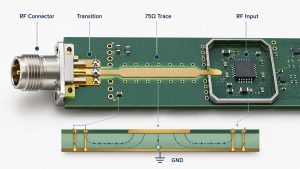
      An industrial PCB is a circuit board designed for equipment operating in demanding environments such as factories, automation systems, and power electronics.

      2. What thickness is typical for industrial PCBs?

      Common thickness ranges from 1.6 mm to 2.4 mm depending on mechanical requirements.

      3. What copper weight is used in industrial PCBs?

      Many industrial boards use 2 oz to 6 oz copper layers for higher current handling.

      4. What certifications should industrial PCB manufacturers have?

      ISO9001, ISO13485, IATF16949, and AS9100 are commonly required for high reliability manufacturing.

      5. How do industrial PCBs resist vibration?

      Designers increase board thickness, improve mounting structures, and reinforce solder joints.

      6. How are industrial PCBs tested?

      Manufacturers typically perform AOI inspection, electrical testing, and functional testing before shipment.

      You may also like