PCB manufacturing PCB manufacturing
Home > Blog

pcb design

2.4 GHz Antenna PCB Design, 2.4 GHz Antenna PCB Manufacturer
Friday, March 7th, 2025

2.4 GHz antenna plays a key role in wireless communication today. From WiFi routers to smart home devices, they keep us connected without messy cables. Whether you need reliable coverage for short-range indoor use or long-range outdoor connections, the right 2.4 GHz antenna can improve your system’s performance. EBest Circuit (Best Technology) handle both design and production for 2.4Ghz antenna PCB, we can optimize performance from the start. When you need reliable 2.4 GHz antenna PCB, EBest Circuit (Best Technology) delivers top-quality solutions tailored to your project.
2.4 GHz Antenna PCB Design

What is a 2.4 GHz Antenna?

A 2.4 GHz antenna is a specialized antenna that operates within the 2.4 GHz frequency band. This frequency is widely used for wireless technologies like WiFi, Bluetooth, and IoT devices.

Because 2.4 GHz antennas work within this popular band, they support many devices and systems. Whether for indoor use or longer outdoor coverage, they can send and receive signals efficiently. Their design focuses on matching frequency requirements while balancing gain, size, and range.

What Are the Different Types of 2.4 GHz Antennas?

There are several 2.4 GHz antenna types designed for different environments and needs. Each type offers distinct features to match specific wireless setups.

‌1. By Radiation Pattern

  • Omnidirectional Antennas

Omnidirectional antennas send signals in all directions. Radiate signals in all directions horizontally, like ripples on water. They are ideal for indoor WiFi routers or small IoT devices where full-area coverage matters most. (e.g., Wi-Fi routers, smart speakers).

  • Directional Antennas

Directional antennas focus energy in one direction to boost signal strength over longer distances. Focus energy like a flashlight beam. These are perfect for point-to-point outdoor links, long-distance links (e.g., outdoor cameras, wireless bridges).

‌ ‌2. By Integration Method‌

  • ‌PCB Antennas‌

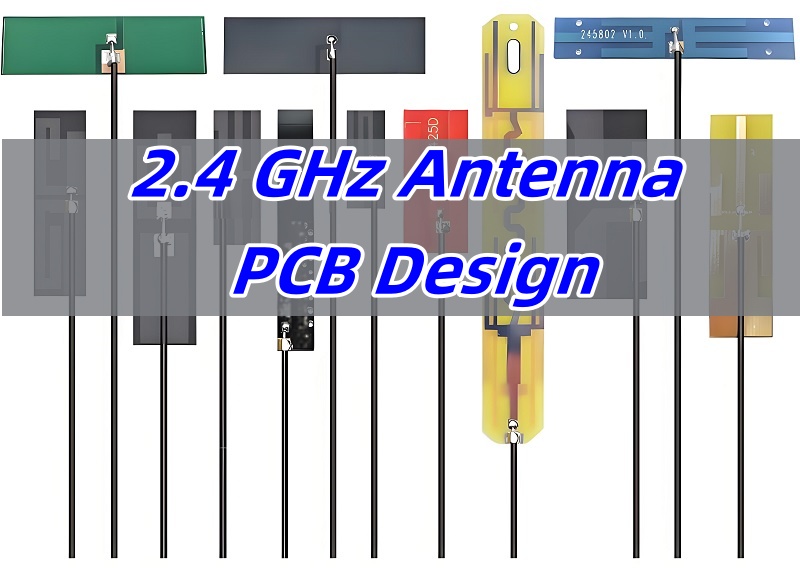
PCB Antennas‌ are designed as copper traces embedded directly into circuit boards. Ideal for mass-produced devices due to low cost and space-saving design. Common in Bluetooth earphones, smart thermostats, and IoT sensors. Their performance depends on board material (e.g., FR4 for basic needs, Rogers substrates for high-frequency stability). Requires precise impedance matching to avoid signal loss.

  • ‌Flexible Antennas‌

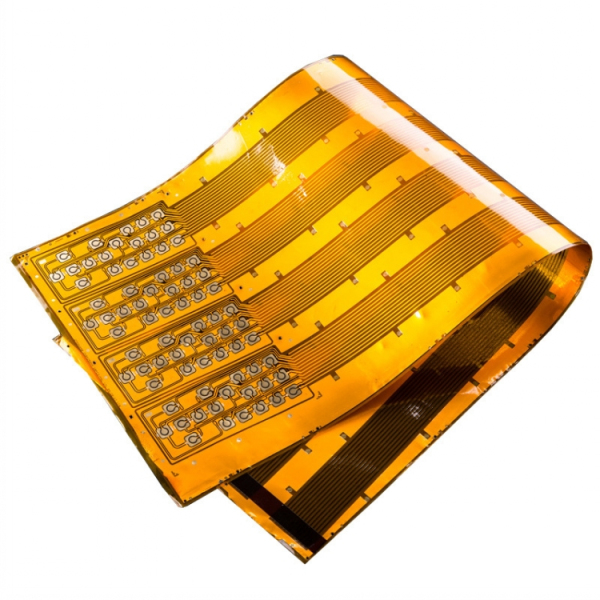
Flexible Antennas‌ are made with thin, bendable materials like polyimide film or flexible printed circuits (FPC). Withstands repeated bending, making them perfect for wearables (e.g., fitness bands) or devices with curved surfaces (e.g., medical patches). Some models survive 100,000+ bend cycles. Water-resistant options available for outdoor gear.

‌ 3. By Installation Location

  • ‌Internal Antennas‌

Integrated within the device housing, optimized for compact designs and aesthetic concealment. Common in consumer electronics (e.g., smartphones, smartwatches) where space and design are critical. Typically use PCB or flexible antennas for seamless integration ‌

  • ‌External Antennas‌

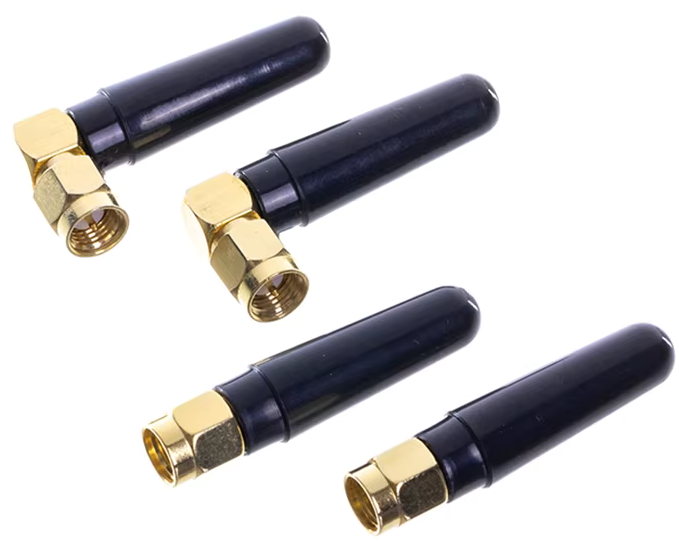
Mounted outside the device via connectors (e.g., SMA) or cables, enabling flexible placement for optimal signal reception. Ideal for environments requiring tunable orientation or signal amplification (e.g., industrial routers, drones). High-gain directional variants (e.g., Yagi-Uda) are often external for long-range applications.
2.4 GHz External Antennas

The reason 2.4GHz antennas widely adopt SMA connectors is threefold:

  • ‌Superior high-frequency performance‌ – low loss (<0.1 dB @ 2.4GHz) and stable 50Ω impedance up to 18GHz;
  • Robust mechanical design‌ – compact threaded interface ensuring durability in space-constrained devices like drones;
  • Regulatory compliance‌ – standardized variants (e.g., RP-SMA) meet FCC/CE certifications for Wi-Fi routers and IoT equipment.

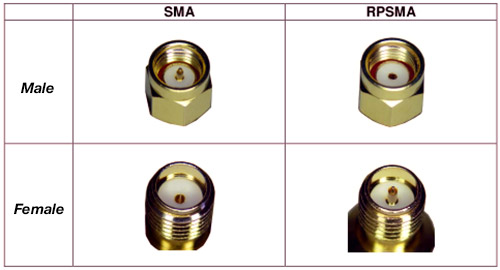
SMA Connector has gender identification. Most antennas use female SMA connectors (hole), while devices (e.g., routers) use male SMA ports (pin).  SMA Connector Gender Identification‌:

  • SMA Male (Plug)‌: Features a center pin and inner threads.
  • SMA Female (Jack)‌: Has a center hole and outer threads.

‌Reverse-polarity SMA (RP-SMA) swaps genders, common in Wi-Fi gear. Pls always check device specs to avoid mismatches.
2.4 GHz Antenna PCB Design

What Materials Are 2.4 GHz Antennas Made Of?

The materials used to build a 2.4 GHz antenna directly affect how well it performs, how long it lasts, and how easy it is to fit into different devices. Choosing the right materials helps balance conductivity, weight, cost, and durability. Let’s break down the most common material choices and where they fit best.

1. Conductive Metals for High Signal Efficiency

The main goal of any 2.4 GHz antenna is to efficiently radiate and receive signals, so the core material must conduct electricity well.

  • Copper is one of the top choices. Its excellent conductivity helps signals pass through with minimal loss, which directly improves antenna efficiency. Copper is widely used in both external and internal antennas, particularly in applications where high performance is critical.
  • Aluminum offers another option, especially for larger antennas where weight savings are important. Although aluminum’s conductivity is lower than copper’s, it’s still good enough for many 2.4 GHz antenna applications, especially directional designs like Yagi antennas or outdoor panels.

These metals form the main radiating elements in most antennas, whether they’re external, internal, or PCB-based.

2. Ceramic for Compact Embedded Designs

When devices shrink, so do their antennas. Many modern devices rely on ceramic antennas, especially for built-in 2.4 GHz antenna PCB layouts.

Ceramic materials allow antennas to stay small without losing too much performance.

They handle higher frequencies like 2.4 GHz well, making them perfect for compact gadgets such as IoT sensors, smart home devices, fitness trackers, and smartphones.

Ceramic antennas are often printed directly onto the PCB or mounted as small components. Their high dielectric constant helps keep the physical size small while still maintaining reasonable performance.

3. Protective Coatings and Weatherproof Materials

For outdoor applications, 2.4 GHz antennas face a different challenge—exposure to sun, rain, and extreme temperatures. Materials used in these antennas need to survive tough conditions without affecting performance.

Many outdoor antennas use weather-resistant plastics to cover the metal radiators. This plastic shielding blocks moisture and dirt but allows radio signals to pass through with minimal interference.

In harsher industrial or marine settings, UV-resistant coatings and corrosion-resistant metals add extra protection, keeping antennas working reliably for years.

These protective materials make sure outdoor antennas can handle long-term exposure while still providing stable connections, even in challenging environments.

2.4 GHz Antenna Design

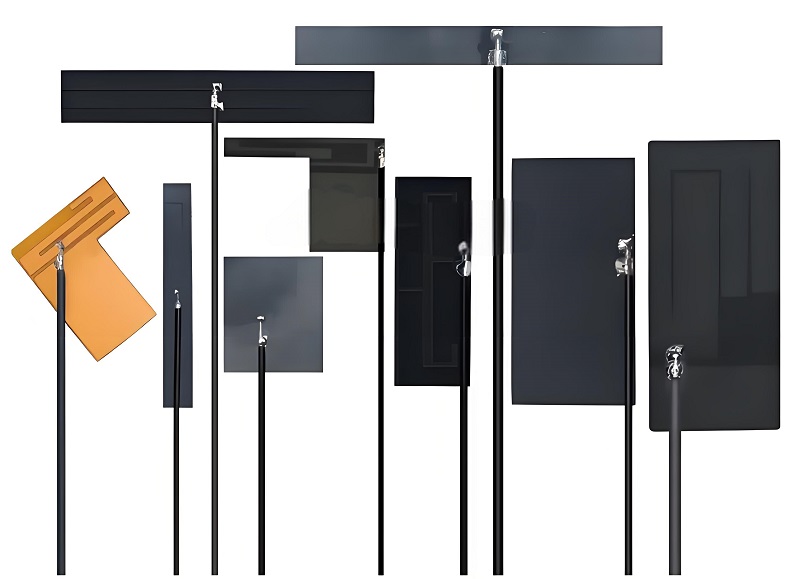
How to design a 2.4 GHz antenna? Designing a 2.4 GHz antenna may look simple on the surface, but every step directly affects how well the antenna performs. Engineers focus on balancing frequency, size, gain, and impedance matching to get the best signal strength and stable connection. Below is a clear step-by-step breakdown of the key stages.
2.4 GHz Antenna PCB Design

1. Selecting the Right Antenna Type and Length

The first step in the design process is deciding which 2.4 GHz antenna type works best for the device and its application. Common options include omnidirectional antennas, directional antennas, and PCB-integrated antennas.

  • Omnidirectional antennas radiate signals evenly in all directions, which suits routers, smart home devices, and wireless cameras.
  • Directional antennas focus the signal in one direction, which helps with long-range connections or point-to-point communication.
  • PCB antennas fit directly onto the circuit board, making them perfect for compact gadgets like wearables and IoT devices.

Once the type is clear, the 2.4 GHz antenna length becomes critical. For 2.4 GHz signals, a quarter-wavelength antenna is roughly 31 mm, while half-wavelength antennas are about 62 mm. These values shift slightly depending on the design and placement, especially in small or embedded products. Keeping the length correct ensures the antenna resonates properly at 2.4 GHz, which directly impacts performance.

2. Shaping the Antenna and Optimizing Radiation Pattern

The next important part is choosing the antenna shape since it directly affects how the antenna radiates signals. Different shapes suit different needs:

  • Helical antennas (coiled wire designs) work well when space is extremely limited. Despite the compact form, they still deliver usable performance.
  • Patch antennas, often seen in routers and access points, offer reliable coverage with a relatively small footprint.
  • Monopole or dipole antennas strike a balance between size and performance, making them versatile for indoor and outdoor devices.

Once the shape is selected, engineers use simulation software to model how the antenna radiates at 2.4 GHz. These simulations reveal weak points, dead zones, or unexpected reflections that could weaken signal strength. The design can be adjusted to boost coverage, reduce interference, and fine-tune the antenna’s radiation pattern.

3. Ensuring Proper Impedance Matching and Minimizing Interference

With the physical design in place, attention shifts to impedance matching—a critical factor for signal transfer efficiency. The 2.4 GHz antenna must match the output impedance of the connected device, typically 50 ohms. A mismatch causes signal reflections, which lower efficiency and reduce range.

The antenna materials, trace width, and even the 2.4 GHz antenna PCB layout all affect impedance. Engineers adjust these factors during prototyping to get the cleanest match possible.

Finally, interference checks are essential. The 2.4 GHz band is crowded, with Wi-Fi, Bluetooth, and countless smart devices all sharing the same space. Good antenna designs use filtering techniques, proper shielding, and smart placement to reduce noise from nearby electronics. By minimizing interference, the antenna delivers cleaner signals and better reliability, especially in busy environments like homes and offices.

EBest Circuit (Best Technology) offers a full range of high-quality antenna PCBs, customized to match the unique requirements of each customer. With competitive ODM & OEM pricing, we deliver reliable 2.4 GHz antenna solutions to support your projects from initial design to final production.

What Are the Benefits of 2.4 GHz Antennas?

The 2.4 GHz antenna stands out in the wireless world thanks to its strong performance across various devices and environments. Its advantages explain why it plays such a key role in modern communication systems. Let’s break down some of the key benefits.

1. Compatibility Across Multiple Technologies

One of the biggest benefits of a 2.4 GHz antenna is its broad compatibility. It works smoothly with popular wireless standards like WiFi, Bluetooth, Zigbee, and proprietary RF systems.

This flexibility allows engineers to create devices that communicate across homes, offices, factories, and even outdoor spaces—all using the same frequency band. Because so many devices operate at 2.4 GHz, businesses and designers can standardize around this frequency, reducing complexity when building connected systems.

2. Longer Range Compared to Higher Frequencies

Another key advantage is range. Compared to higher bands like 5 GHz, the 2.4 GHz antenna supports better signal penetration and wider coverage.

Signals at 2.4 GHz travel farther, especially indoors where walls, furniture, and other obstacles can block higher frequencies. This longer range is valuable for applications like smart homes, industrial sensors, and outdoor IoT systems where stable connections matter more than speed.

This is why 2.4 GHz antennas remain so popular, even though faster frequencies exist.

3. Flexible Designs for Every Application

The 2.4 GHz antenna can be designed to match almost any requirement.

  • For compact devices like wearables or sensors, tiny PCB antennas fit directly onto circuit boards without adding bulk.
  • For outdoor or long-distance uses, larger high-gain directional antennas focus signals in a specific direction to improve coverage and signal strength.

This range of options—from small embedded antennas to large external ones—gives designers freedom to choose the perfect antenna for each product.

What Are the Applications of 2.4 GHz Antennas?

Because the 2.4 GHz antenna combines wide compatibility, reliable range, and flexible designs, it fits into countless industries and use cases. From home networks to industrial automation, this frequency keeps devices connected in every corner of life.

1. Smart Homes and Consumer Electronics

In residential settings, 2.4 GHz antennas power the everyday devices people rely on.

  • WiFi routers use 2.4 GHz to provide whole-home coverage, especially in multi-story homes where walls and floors block higher frequencies.
  • Smart TVs, security cameras, smart plugs, and speakers also connect using this band, ensuring devices stay linked to home networks without constant dropouts.
  • Even smaller gadgets like smart thermostats, light switches, and door sensors all benefit from the reliability of 2.4 GHz antennas.

2. Industrial and Agricultural Systems

Beyond homes, 2.4 GHz antennas support critical wireless links in factories, warehouses, and farms.

  • In industrial automation, machines rely on 2.4 GHz wireless connections to report performance data and receive remote commands.
  • In smart agriculture, wireless soil sensors, irrigation controllers, and livestock trackers all depend on 2.4 GHz antennas to transmit data across fields and greenhouses.

These industries value 2.4 GHz for its range, penetration, and low power requirements, making it ideal for sprawling facilities and remote locations.

2.4 GHz Antenna PCB Manufacturer

3. Automotive and Healthcare Technologies

The automotive and medical sectors also take advantage of 2.4 GHz antennas in innovative ways.

  • Connected vehicles use them to communicate with roadside sensors, smart traffic lights, or other vehicles nearby.
  • In healthcare, patient monitors, wearable health trackers, and wireless diagnostic tools rely on 2.4 GHz to continuously transmit data to caregivers without using wired connections.

Because 2.4 GHz antennas balance reliable performance and compact size, they work perfectly in cars and medical devices where space and reliability matter most.

2.4 GHz Antenna PCB Manufacturer

Why choose EBest Circuit (Best Technology) as your trusted 2.4 GHz antenna PCB manufacturer? When choosing a 2.4 GHz antenna PCB manufacturer, you want more than just a product — you need a partner who understands your industry, your project requirements, and your timeline. At EBest Circuit (Best Technology), we deliver all that and more. Here’s why companies worldwide trust us for their 2.4 GHz antenna needs:

1. Full Turn-key Antenna PCB Solutions

At EBest Circuit (Best Technology), we do more than supply antennas PCB — we work alongside you from initial design all the way to final delivery. Whether you need a standard design or something fully customized to match your device size, operating environment, and signal requirements, we’ve got you covered.

2. 18 Years PCB Manufacturing Experience

With over 18 years of hands-on experience in PCB manufacturing, our engineering team ensures your antenna’s performance is fine-tuned from the start. By handling both design and production under one roof, we make sure every detail — from material selection to layout optimization — works in harmony to maximize performance.

3. No MOQ Requirement

We also provide flexible order sizes, whether you need a small prototype batch for testing or high-volume production for mass deployment. With no MOQ restrictions, we ensure rapid turnaround times and dedicated support for projects of any scale.

4. 2-3 Weeks Fast Delivery Time

With delivery times as fast as 2-3 weeks, we help you hit your project milestones without compromising on quality. Our streamlined production process and dedicated team ensure timely delivery to keep your projects on track.

5. High Quality Ensured

Reliability matters, especially for wireless communication. Every PCB of 2.4 GHz antenna from EBest Circuit (Best Technology) undergoes thorough performance checks to ensure it meets frequency accuracy, gain, and long-term durability requirements.

6. ISO13485, IATF16949 & AS9100D Compliant

Our production facilities operate under globally recognized quality systems, including ISO13485 for medical, IATF16949 for automotive, and AS9100D for aerospace applications.

7. Customer-Oriented Support

Whether you’re developing antennas for IoT devices, medical equipment, automotive systems, or industrial applications, our team deeply understands the unique wireless challenges across these industries and delivers tailored solutions. Our professional PCB engineers are here offering 24/7 consultation and rapid response. As an professional 2.4 GHz antenna PCB manufacturer, EBest Circuit (Best Technology) feel pleasure to give customers the expert advice on 2.4GHz antenna PCB design. Just feel free to reach out to us at sales@bestpcbs.com with any questions or for additional information.

FAQ Of 2.4GHz Antenna

  • Will a 2.4 GHz antenna work for 5 GHz?

No, 2.4 GHz antennas are designed for 2.4 GHz signals. They cannot efficiently handle 5 GHz frequencies due to size and impedance differences.

  • What is the difference between 2.4G and 5G antennas?

2.4G antennas focus on longer range and better penetration, while 5G antennas prioritize faster speeds but with shorter range.

  • Do longer WiFi antennas work better?

Not always. Length should match signal wavelength. Longer antennas can add gain, but only if properly matched.

  • What is the best length for a 2.4 GHz antenna?

A quarter wavelength around 31 mm works well for most designs.

  • How far can a 2.4 GHz antenna reach?

It depends on gain and environment. Indoors, 30 meters is common. Outdoors, high-gain directional antennas can achieve over 5 kilometers in ideal line-of-sight environments.

  • How does a 2.4 GHz antenna work?

It converts electrical signals into 2.4 GHz electromagnetic waves for transmission and vice versa for reception, enabling wireless communication through resonant frequency matching.
AlN PCB, Ceramic PCB Substrate
Thursday, March 6th, 2025

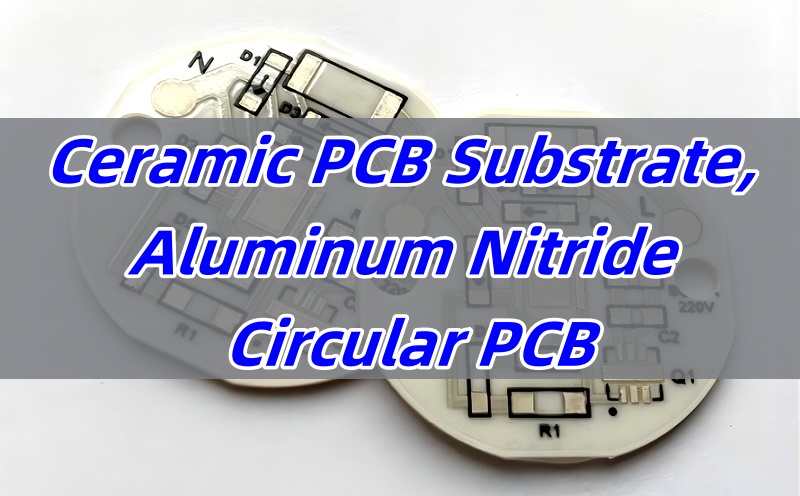
AlN PCB stands out as a top choice when companies need strong heat management and reliable performance in advanced electronics. This ceramic PCB substrate uses aluminum nitride, known for its high thermal conductivity and excellent electrical insulation. With electronics getting smaller and more powerful, keeping heat under control is more important than ever. That’s why many industries rely on AlN ceramic PCB to improve both performance and reliability.

At the same time, customers often want to know how AlN PCB fabrication works, how it compares to other options, and what affects its final price. Understanding these details helps engineers and buyers make smarter choices for their projects. In this blog, we’ll explore everything from the properties of aluminum nitride to the benefits, pricing factors, and even common assembly challenges.

If you’re searching for a reliable ceramic PCB substrate or want to understand how AlN PCB fits into your next design, this guide will help. Whether you’re working on high-frequency devices, power modules, or advanced communication systems, knowing the strengths of AlN PCB can make a big difference.

AlN PCB, Ceramic PCB Substrate

What is aluminum nitride PCB material?

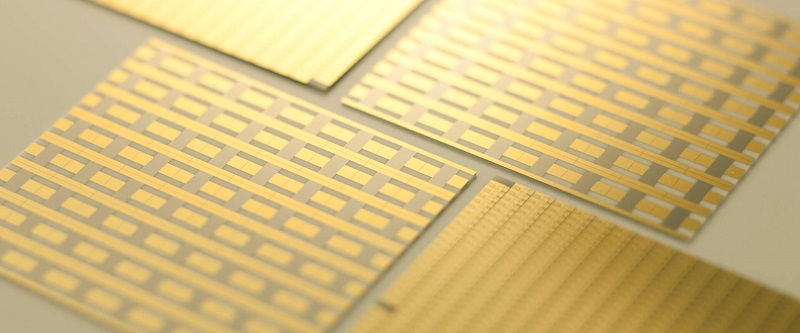
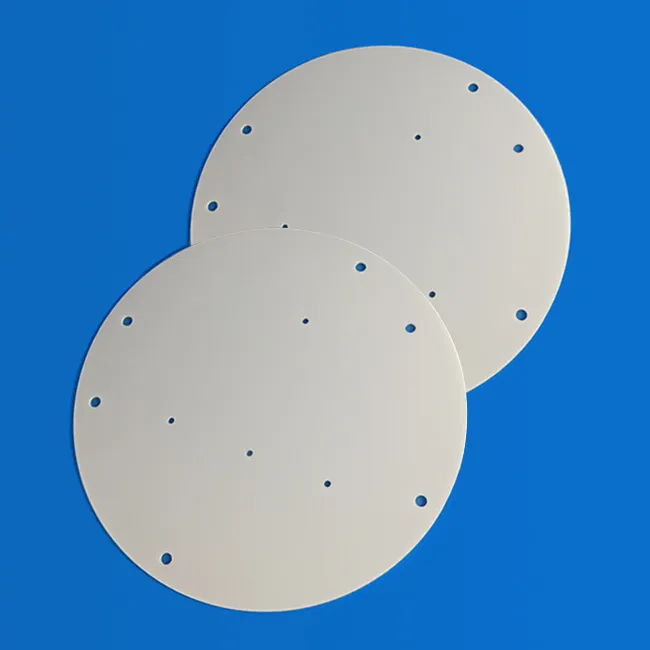
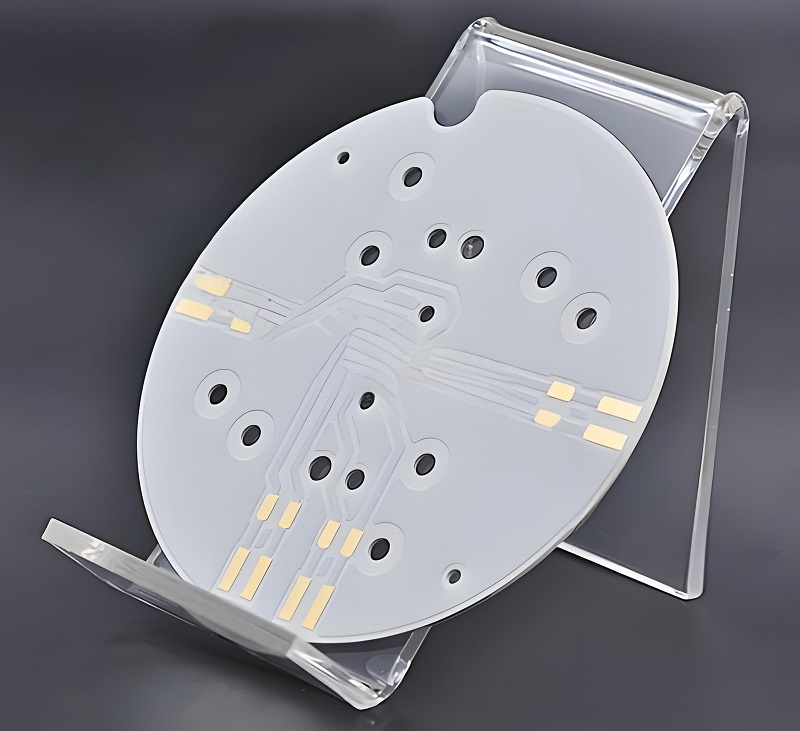
AlN PCB stands for aluminum nitride PCB, which uses aluminum nitride ceramic as the base material. It is known for excellent thermal conductivity, strong electrical insulation, and reliability in harsh environments. Compared to standard FR4 boards, AlN PCB supports much better heat dissipation. That’s why engineers choose this material for high-power circuits, laser systems, and advanced communication devices.

Aluminum nitride acts as both the base and heat spreader. This unique structure reduces thermal stress, helping sensitive components stay cooler. As technology grows, more industries lean toward AlN PCB to handle performance needs.

Is aluminum nitride a ceramic?

Yes, aluminum nitride is a ceramic. It belongs to the advanced ceramic family, valued for its high strength, electrical insulation, and outstanding heat transfer abilities. Unlike traditional ceramic materials, aluminum nitride supports fast heat removal, which helps extend component life.

Since AlN is ceramic, it also resists chemicals, high temperatures, and mechanical wear. These benefits make it suitable for AlN ceramic PCB manufacturing. Today, designers rely on it for high-frequency devices, power electronics, and communication modules.

Is Aluminium nitride brittle?

Like other ceramics, aluminum nitride is somewhat brittle, especially under sudden mechanical shock. However, it still performs better than some other ceramics used in electronics. Proper design, combined with experienced fabrication techniques, helps reduce risks related to brittleness.

The good news is that once AlN PCB fabrication completes and the board is installed correctly, its durability is impressive. This balance of strength, heat management, and electrical insulation keeps AlN ceramic PCBs in high demand across industries like automotive, aerospace, and telecom.

How does AlN PCB compare to alumina PCB in thermal performance?

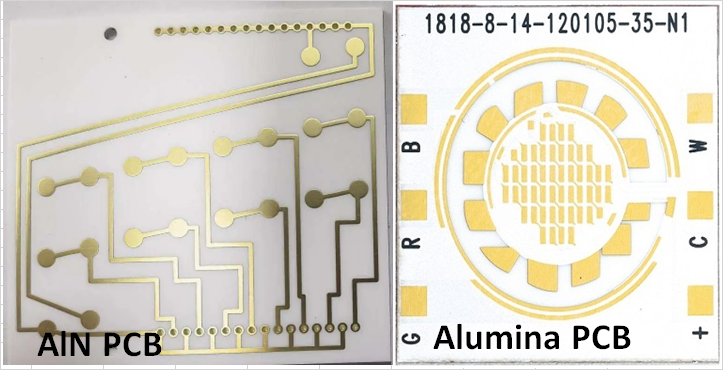
Thermal performance directly affects the reliability of modern electronics. When comparing AlN PCB to alumina PCB, aluminum nitride performs much better in heat transfer. Its thermal conductivity reaches around 170-200 W/mK, which is far higher than alumina’s 20-30 W/mK.

This major difference matters when components generate heat in compact spaces. Devices that push high power levels or require stable performance over time benefit from this advantage. While alumina PCB offers good insulation and is more affordable, AlN remains the first choice for heat-sensitive applications.

AlN PCB, Ceramic PCB Substrate

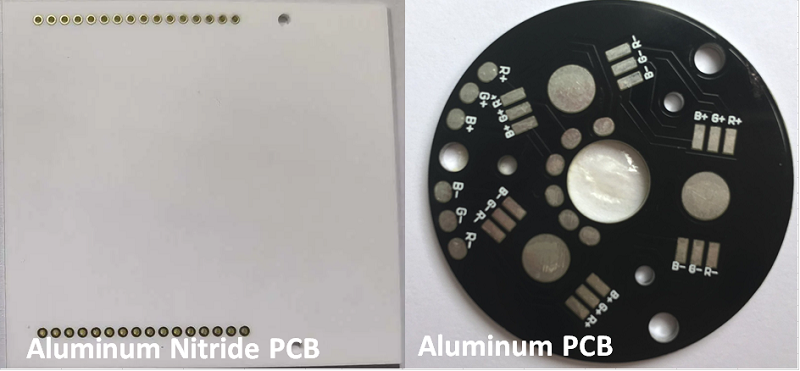
What is the difference between aluminum nitride PCB and aluminum PCB?

This is a common question from customers comparing materials. AlN PCB uses a ceramic core made from aluminum nitride, while aluminum PCB uses a metal aluminum base with a dielectric layer on top. Both manage heat, but they work in different ways.

AlN ceramic PCB offers excellent electrical insulation, which allows designers to place components closer together. It also handles extreme heat better without expanding too much. On the other hand, aluminum PCB, though cheaper, has limited electrical insulation, making it less suitable for high-frequency and precision circuits.

In short, AlN PCB fits better where thermal management and signal performance both matter. Aluminum PCB works well in simpler applications where cost matters more than advanced performance.

AlN PCB, Ceramic PCB Substrate

What factors affect AlN PCB price?

Several factors affect AlN PCB price, and understanding them helps customers plan projects better. First, the raw material cost plays a key role. Aluminum nitride is more expensive than standard PCB materials, but the benefits often outweigh the cost.

Next, fabrication complexity impacts price. Multilayer designs, micro vias, and precision routing need advanced technology, adding to the total. Batch size also matters. Larger runs usually lower the cost per piece, while small or custom orders cost more.

Lastly, surface treatment choices, tolerances, and assembly needs contribute to the final cost. That’s why working with an experienced AlN PCB fabrication supplier helps balance price and performance.

What are common PCB assembly issues with AlN ceramic PCBs?

Even with advanced materials like AlN ceramic PCB, assembly issues can happen without careful handling. One common challenge is matching the thermal expansion of components with the ceramic base. Sudden thermal changes can stress solder joints if not managed well.

Another potential issue comes from the surface finish. Choosing the wrong finish for high-frequency circuits or high-temperature processes can lead to signal loss or poor solderability.

Lastly, poor handling during assembly can crack the ceramic substrate. This highlights the importance of choosing experienced assembly partners with expertise in AlN PCB fabrication and assembly. By working with a trusted supplier, these risks can be minimized, improving reliability and performance.

What is the use of Aluminium nitride?

Aluminium nitride offers broad uses across multiple industries. Its high thermal conductivity makes it perfect for high-power electronics, such as laser drivers, RF amplifiers, and power modules. These systems generate heat that needs to move away quickly to protect components.

Besides electronics, AlN ceramic plays a role in NFC communication systems, where thermal stability and electrical insulation enhance performance. Medical devices also benefit from aluminum nitride’s biocompatibility and thermal management properties.

In short, AlN PCB supports applications that demand precise performance, stability, and long-term reliability, especially under demanding conditions.

How to select the right manufacturer for AlN PCB fabrication?

Selecting the right AlN PCB fabrication partner directly affects project success. Start by checking the manufacturer’s experience with ceramic PCB substrates. Not all PCB companies have the technology or skills to handle aluminum nitride.

Next, ask about in-house capabilities for drilling, plating, and precision routing. AlN requires specialized equipment and processes, so a capable supplier handles every step under one roof. This ensures quality control and reduces lead times.

Also, consider the manufacturer’s knowledge in PCB assembly issues, especially for ceramics. Experienced suppliers know how to manage thermal stress, select the right surface treatments, and optimize designs for both performance and manufacturability.

Finally, check for customer support and willingness to provide design advice. A good partner not only builds your boards but also helps improve designs to balance performance, cost, and reliability.

AlN PCB, Ceramic PCB Substrate

In a nutshell, choosing AlN PCB means investing in better thermal performance, electrical insulation, and reliability. With growing demand for aln ceramic pcb in high-power and high-frequency applications, more engineers turn to this advanced material.

Working with a professional AlN PCB fabrication partner ensures your boards meet both performance and cost goals. If you’re looking for a ceramic PCB substrate that can handle the heat, aluminum nitride offers one of the best options available.

At EBest Circuit (Best Technology), we specialize in advanced ceramic PCBs, including AlN inlay PCB, alumina PCB, and more. Our experts understand the challenges of aln pcb fabrication and assembly issues, delivering high-quality boards for demanding projects. For more information or inquiries, feel free to contact us at sales@bestpcbs.com.

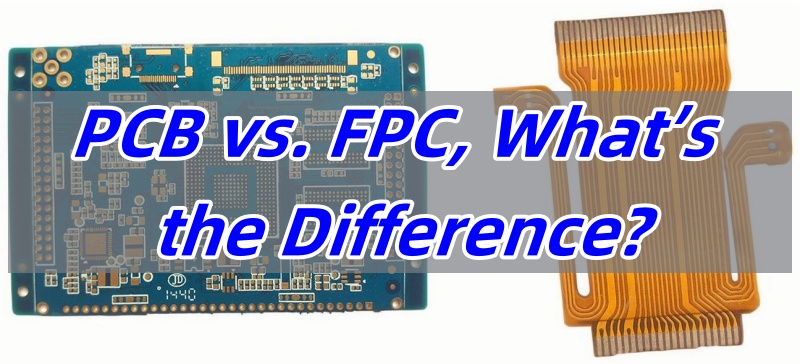
PCB vs. FPC, What’s the Difference?
Wednesday, March 5th, 2025

PCB vs. FPC is a common comparison when choosing the right type of circuit for modern devices. Both play important roles in electronics, but they serve different needs. To make the right choice, you need to know how they work, their uses, and their unique benefits.

In this blog, we’ll cover PCB vs. FPC in detail. We’ll also explore their antennas, pros, cons, and key applications. By the end, you’ll know which one fits your needs best.

What is PCB and types of PCB?

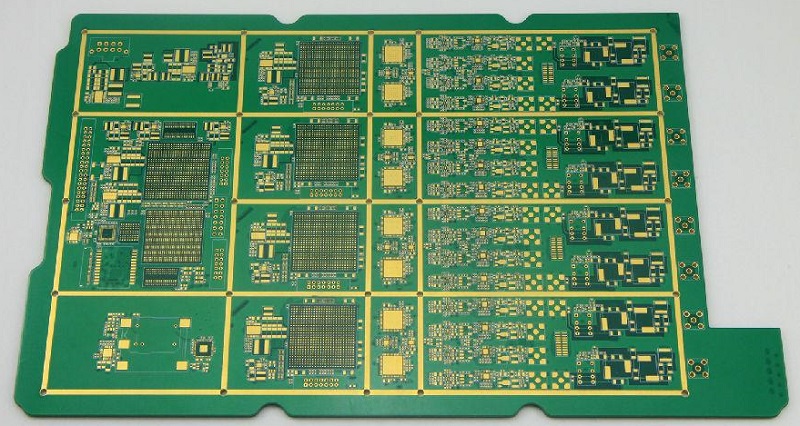
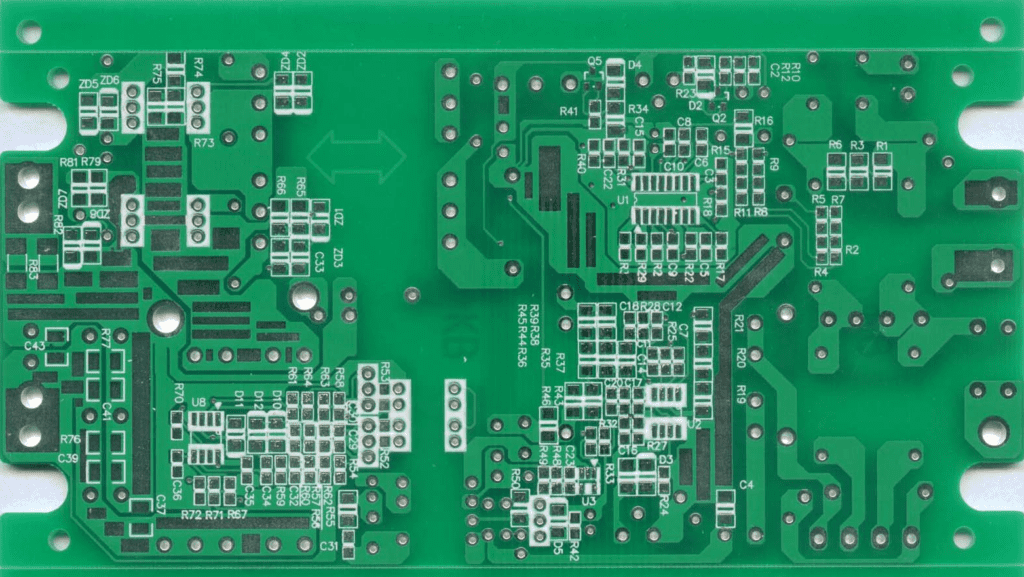
PCB stands for printed circuit board. It’s the most common type of circuit used in electronics. It supports components, connects them, and helps power flow correctly. Most devices today use PCBs for stable performance.

There are several types of PCBs, each suited for different tasks. Single-sided PCBs are the simplest. They have copper on one side and components on the other. These work well for simple products like toys or remotes.

Double-sided PCBs are a bit more complex. They have copper on both sides, which allows more connections. These are often used in home appliances and automotive parts.

Multilayer PCBs are more advanced. They have multiple layers of copper and insulating materials stacked together. These can handle complex circuits found in computers, medical devices, and industrial equipment.

There are also special types like rigid PCBs, flexible PCBs, and metal core PCBs, each with its own role.

PCB vs. FPC, What’s the Difference?

What is FPC in electronics?

FPC stands for flexible printed circuit. As the name says, this type bends and twists. It’s made from flexible materials like polyimide, which handles bending without breaking.

Unlike standard boards, FPC circuits fit into tight spaces. This flexibility helps when devices need smaller, lighter, or more compact designs.

FPC technology has grown fast. Modern devices like wearables, foldable phones, and medical tools rely on it. Flexible circuits work well when regular boards are too stiff or bulky.

What is FPC used for?

FPC works well in devices where space is limited or flexibility is important. Wearables like smartwatches need circuits that bend with straps or bodies. FPC handles these shapes with ease.

Medical tools also benefit from FPC. Catheters, imaging devices, and hearing aids all use flexible circuits. They fit into tiny spaces without adding weight or bulk.

Cameras also rely on FPC. In phones and professional cameras, sensors need flexible connections to boards. FPC helps without taking up much room.

Automotive uses have also increased. Inside modern cars, FPC helps with touchscreens, sensors, and advanced controls. These circuits handle vibration and movement better than standard boards.

FPC can also be found in robotics, aerospace, and industrial tools where size, weight, and movement all matter.

PCB vs. FPC, What’s the Difference?

What is the difference between PCB and FPC?

PCB vs. FPC, What’s the Difference? The biggest difference in PCB vs. FPC comes from flexibility. Regular PCBs are rigid, while FPC bends. This difference impacts how they are used.

PCBs offer strong support for larger, heavier components. They are better for devices with fixed shapes and stable housings. FPC, on the other hand, fits into flexible, curved, or moving parts.

Weight is another difference. Flexible circuits are much lighter than rigid boards. In lightweight products, FPC saves weight without losing performance.

FPC also reduces assembly steps. It often combines several rigid boards into one flexible piece. This simplifies connections and reduces assembly time.

Cost also varies. In low volumes, FPC usually costs more. However, for complex designs or space-saving needs, the benefits outweigh the cost.

What is the difference between PCB antenna and FPC antenna?

PCB vs. FPC antennas is another important point. Both types support wireless signals, but they work differently.

PCB antennas are etched directly onto rigid boards. These antennas work well when space is not a big issue. They are sturdy and stable, making them reliable in stable devices like routers.

FPC antennas are flexible and thin. They fit into places where rigid antennas can’t. Wearables, smartphones, and small IoT devices often need FPC antennas to save space.

Performance-wise, both can offer good signal strength when designed well. However, FPC antennas handle curved surfaces better, while PCB antennas provide solid support in fixed devices.

What are the benefits of PCB?

PCB brings many benefits to electronics. First, it provides a stable base for components. This helps circuits perform reliably over time.

PCBs are also cost-effective for mass production. Automated assembly lines handle PCBs quickly, reducing labor costs.

Another benefit is versatility. From simple toys to complex industrial machines, PCBs adapt to all needs. They also handle higher power better than flexible boards.

PCBs also support many materials. Designers can choose materials to match heat, weight, and performance needs. This flexibility helps meet different project demands.

Finally, PCBs allow high precision. Advanced processes make tiny traces and complex layouts possible. This helps meet the needs of modern devices.

PCB vs. FPC, What’s the Difference?

What are the disadvantages of PCB?

Even though PCB works well in most cases, there are some limits. One key point is lack of flexibility. Once installed, PCBs can’t bend or move.

Another drawback is weight. Compared to flexible circuits, PCBs are heavier. In portable devices, this can be a concern.

Size can also be a problem. In ultra-compact designs, rigid boards take up more space than flexible ones.

Finally, in very high-frequency designs, signal loss may occur if materials or layouts are not perfect.

What are the advantages of FPC?

FPC offers several valuable benefits. Flexibility comes first. It fits into small, curved, or moving spaces where rigid boards can’t go.

Weight savings is another advantage. Flexible circuits are much lighter than traditional boards. In wearables and aerospace tools, this is a big plus.

Space-saving design also stands out. FPC reduces or even removes the need for connectors and cables. This simplifies the design and reduces assembly time.

Durability adds value too. Properly designed FPC handles bending, vibration, and repeated flexing without damage. This helps in automotive, medical, and industrial tools.

Finally, FPC supports complex designs. It allows more creative shapes, which helps designers create smarter, smaller products.

What are the disadvantages of FPC?

Even though FPC offers many benefits, there are a few limits. Cost is one point. In low volumes, flexible circuits usually cost more than standard boards.

Handling can also be more delicate. Because of the flexible materials, FPC needs more care during assembly.

Repair can be harder too. Once damaged, FPC is more difficult to repair than regular boards.

In some high-power cases, FPC may not handle heat or current as well as thick rigid boards.

However, most of these points depend on design, material, and proper handling.

In a nutshell, when comparing PCB vs. FPC, the right choice depends on your project needs. PCB works well for stable, cost-effective designs where space is not too limited. It supports heavier parts and handles higher power easily.

On the other hand, FPC excels in compact, lightweight, and flexible designs. It’s the best fit for wearables, medical tools, and space-saving devices.

At EBest Circuit (Best Technology), we offer both high-quality PCB and FPC solutions. With over 18 years of experience, we help you choose the right option for your needs. Whether you need simple boards or advanced flexible circuits, our team delivers reliable, cost-effective solutions. If you have any questions or inquiries, don’t hesitate to reach out to us at sales@bestpcbs.com.

How Does A Metal Core PCB Efficiently Dissipate Heat?
Wednesday, March 5th, 2025

Metal Core PCB Heat Dissipation plays a key role in helping electronic devices handle rising temperatures during operation. For devices with power components, managing heat effectively can greatly impact performance, stability, and lifespan. A metal core PCB, often referred to as MCPCB, takes advantage of a metal layer to move heat quickly away from sensitive parts. This approach makes sure that devices stay cooler and more reliable, even in demanding conditions.

Now, let’s explore how these boards work, their unique traits, and why they stand out in thermal management.

How Does A Metal Core PCB Efficiently Dissipate Heat?

What is a metal core PCB?

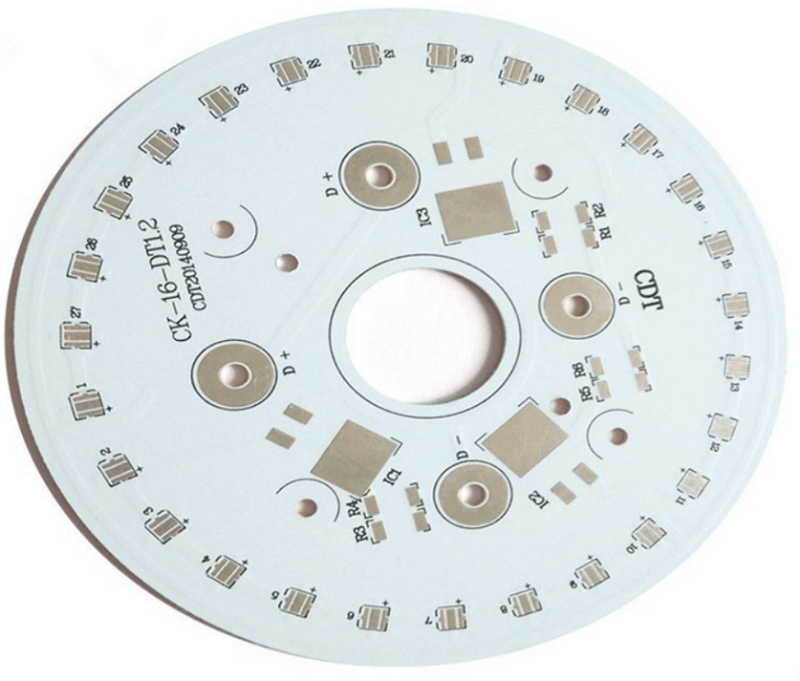
A metal core PCB uses a metal layer, typically aluminum or copper, as its base. This metal core replaces the usual fiberglass layer found in regular PCBs. The core helps with mechanical strength and, more importantly, heat transfer. How does a metal core PCB efficiently dissipate heat? Above the metal, you’ll find the dielectric layer and the copper traces for circuits. This design helps spread heat evenly across the surface, reducing hotspots.

Unlike traditional PCBs, which rely mainly on air or basic insulating materials for thermal relief, metal core PCBs offer a built-in solution for cooling. This structure makes them highly useful for high-power LED lighting, automotive electronics, and power supplies.

What is the difference between metal core PCB and FR4?

The biggest difference between metal core PCB and FR4 PCB comes down to the base material and thermal performance. FR4 boards use a glass-reinforced epoxy laminate, which is great for electrical insulation but poor at moving heat. Metal core PCBs, on the other hand, feature an aluminum or copper core that actively pulls heat away from hot components.

Because FR4 holds onto heat longer, it can struggle in high-power circuits, especially if components generate continuous heat. Metal core PCBs don’t just offer better thermal performance — they also support stronger structural integrity, especially in applications that face vibrations or physical stress.

Another important difference relates to processing. Metal core PCBs need specialized drilling, cutting, and etching processes because of the hard metal layer, while FR4 can be handled with standard PCB manufacturing equipment.

What are the properties of metal core PCB?

Metal core PCBs stand out because of several beneficial properties that enhance both performance and durability. One key property is their superior thermal conductivity compared to traditional PCBs. This allows heat to flow smoothly from heat-generating components to the metal core, where it spreads and dissipates.

Another important property is mechanical strength. Metal cores provide strong support, which prevents the board from bending or warping under pressure. This stability helps in automotive, aerospace, and industrial environments where vibrations or impacts could damage weaker boards.

Additionally, these boards resist thermal expansion better than FR4. That means components stay more secure, even when exposed to wide temperature shifts.

Lastly, electrical insulation plays a vital role. Between the metal core and the copper layer, a special dielectric material separates conductive layers. This material balances heat transfer with high electrical resistance, keeping circuits safe from short circuits.

What is the thermal conductivity of a metal core PCB?

The Metal Core PCB Thermal Conductivity depends on the material used for the core and dielectric layer. Most aluminum core PCBs offer thermal conductivity between 1.0 to 2.5 W/mK for the dielectric layer. This may not sound high, but compared to FR4, which often measures around 0.3 W/mK, it’s a clear advantage.

The metal core itself — whether aluminum or copper — has a much higher thermal conductivity. Aluminum typically ranges around 200 W/mK, while copper exceeds 380 W/mK. This strong thermal performance helps the board remove heat faster than traditional options, keeping devices cooler for longer.

Thermal conductivity directly affects the speed at which heat spreads across the PCB, preventing localized overheating. This property makes metal core PCB heat dissipation so effective in demanding applications.

How Does A Metal Core PCB Efficiently Dissipate Heat?

Is copper or aluminum better for heat dissipation?

Both copper and aluminum offer good thermal properties, but they excel in different areas. Copper has higher thermal conductivity, so it moves heat faster than aluminum. This makes it ideal for applications where thermal performance ranks above all else.

However, aluminum offers an excellent balance between cost, weight, and thermal efficiency. It performs well enough for most applications while keeping manufacturing costs lower. That’s why many LED lighting products, automotive controls, and consumer devices prefer aluminum core PCBs.

If weight is a concern, aluminum’s lower density helps create lighter boards, especially in handheld or mobile applications. For ultra-high power systems, copper may be the better option.

How fast does aluminum dissipate heat?

Aluminum stands out for its ability to spread heat quickly across its surface. Its thermal conductivity around 200 W/mK allows it to pull heat away from components almost immediately. This quick transfer reduces the chance of hotspots forming, which can extend component lifespan and improve stability.

Compared to many non-metallic materials, aluminum sometimes moves heat even up to 1000 times faster, making it especially valuable in Metal Core PCB Heat Dissipation applications. This fast heat dissipation supports efficient thermal management in LED lights, power amplifiers, and automotive controls.  

What are the advantages of metal core PCB?

One clear advantage of metal core PCB technology lies in its exceptional heat management. By transferring heat directly into the metal core, these boards keep components cooler without needing external heat sinks in many cases.

Another key advantage comes from structural stability. The metal core adds rigidity, so the PCB resists bending or cracking, even under mechanical stress.

These boards also handle thermal cycling better than traditional materials, reducing the risk of cracks forming around solder joints. This helps in applications with frequent temperature swings, like outdoor lighting or automotive electronics.

Besides thermal and mechanical benefits, metal core PCBs offer better EMI shielding, especially when using a copper core. This can reduce electromagnetic interference, which helps improve signal integrity in sensitive circuits.

Finally, cost-efficiency in certain high-power applications means you may not need separate heat sinks or thermal pastes, saving on assembly costs.

What are the applications of metal core PCB?

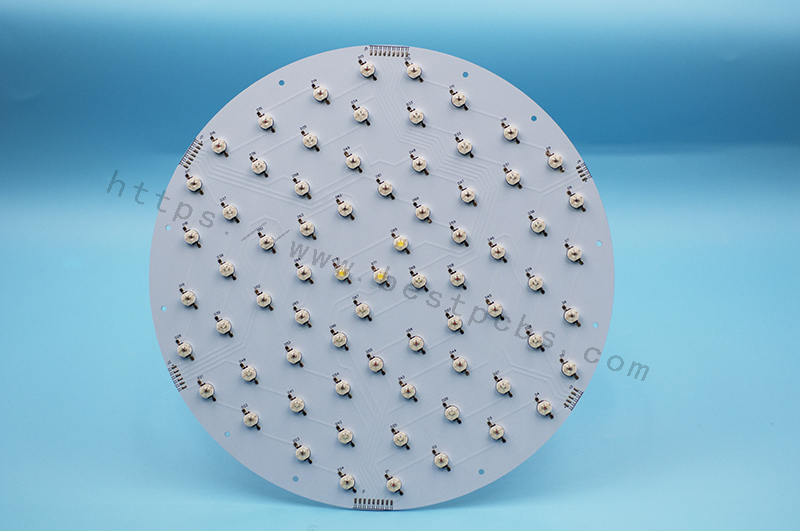
Metal core PCBs have found success in a wide range of applications where efficient heat management matters most. LED lighting products, especially high-power fixtures, often rely on these boards to keep LEDs running cooler for longer.

In automotive electronics, where heat from engines and power systems can cause issues, metal core PCBs help maintain stable performance even in harsh conditions.

Power supplies, particularly high-current converters and amplifiers, also benefit from the thermal and structural properties of metal core boards. These boards help maintain reliable operation by spreading heat away from heat-generating components.

Other industries, including renewable energy, industrial equipment, and military electronics, all benefit from the reliable heat dissipation and mechanical strength these boards provide. Anywhere heat buildup threatens performance or reliability, metal core PCBs offer a clear solution.

How Does A Metal Core PCB Efficiently Dissipate Heat?

In conclusion, when it comes to managing heat in modern electronics, metal core PCB heat dissipation stands out as one of the most effective methods available. By transferring heat away from components into a metal core, these boards improve stability, extend lifespan, and support higher power densities than traditional PCBs.

If your product demands high reliability in a thermally challenging environment, choosing a trusted metal core PCB supplier can make a noticeable difference. At EBest Circuit (Best Technology), we combine 19 years of manufacturing experience with advanced materials and precise processing techniques to deliver metal core PCBs suited for demanding applications.

With custom design support, high-quality materials, and competitive pricing, we help businesses achieve better performance while keeping costs under control. Contact our team at sales@bestpcbs.com for more details.

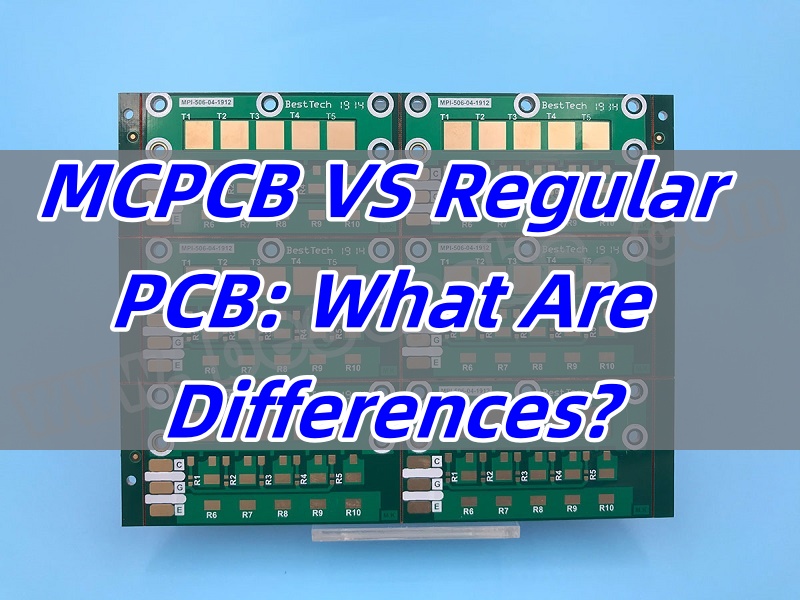
MCPCB VS Regular PCB: What Are Differences?
Tuesday, March 4th, 2025

MCPCB VS Regular PCB is a topic many engineers and buyers search when choosing the right board for a project. Each type has clear benefits depending on the application, environment, and performance needs. Choosing between them needs more than just looking at the price. It also depends on thermal needs, material selection, and the product’s lifespan.

In this blog, we’ll explore the core differences between MCPCB VS Regular PCB, focusing on materials, design, thermal resistance, and common applications. We’ll also highlight why metal core boards have become more popular for LED lighting and other heat-sensitive uses.

MCPCB VS Regular PCB: What Are Differences?

What is the most basic circuit board?

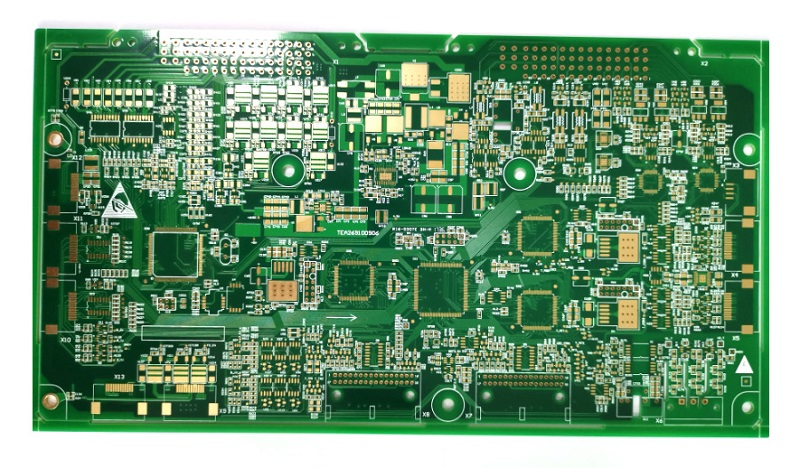
The most basic circuit board used today is the FR4 PCB. FR4 refers to the fiberglass-reinforced epoxy laminate used as the core. This type of board acts as a solid foundation for electrical components. It supports the copper traces that carry signals across the board. FR4 has been the industry standard for decades due to its balanced electrical, mechanical, and thermal properties.

Most everyday electronics, from home appliances to industrial equipment, rely on FR4 PCBs because of their low cost, stable structure, and easy processing.

What is MCPCB?

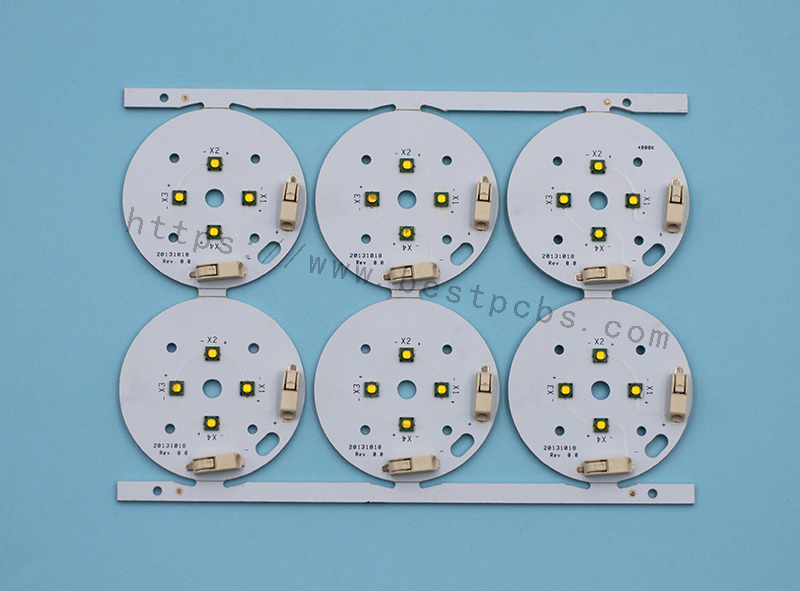
MCPCB stands for Metal Core Printed Circuit Board. Instead of a fiberglass base, these boards use a metal core layer, usually aluminum or copper. This design helps the board handle high heat better than regular FR4 boards.

In MCPCB design, the metal core sits under the circuit layers. It helps pull heat away from hot components like LEDs or power transistors. This cooling method reduces the chance of overheating, extending the life of the whole board. MCPCB LED applications are some of the most common, especially in automotive, industrial, and high-power LED lighting.

What is the material of MCPCB?

The core material used in MCPCB design is usually aluminum or copper. Aluminum is more common due to its good heat conductivity and affordable cost. It balances performance and price, making it a top choice for MCPCB LED boards.

Copper has higher thermal conductivity, but its cost is much higher. That’s why copper-core MCPCBs are mainly found in high-end equipment or where heat management is critical. On top of the metal core, dielectric layers provide electrical insulation and guide heat to the core. Copper traces on top complete the circuit.

Why is FR4 used in PCB?

FR4 remains popular in regular FR4 PCBs for many reasons. It has good mechanical strength, supports multi-layer designs, and offers decent thermal stability for common electronics. It also resists moisture well, making it reliable in humid environments.

Another reason FR4 PCBs are used widely is their low manufacturing cost. They work well for low-power circuits where high heat dissipation isn’t a serious issue. For most general electronics, FR4 boards provide all the needed performance at a low price.

MCPCB VS Regular PCB: What Are Differences?

What are the thermal issues with PCB?

Regular FR4 PCBs struggle when components produce high heat. Since fiberglass does not spread heat well, hot spots form near high-power parts. Over time, this localized heat can damage components, weaken solder joints, or deform the board itself.

This thermal problem becomes more serious in high-density layouts where heat has nowhere to escape. That’s why high-power LED lighting, power converters, and some automotive systems have switched to MCPCB design.

What is the thermal resistance of MCPCB?

MCPCB thermal resistance is much lower than regular PCBs. This low resistance means heat can move through the board faster, keeping temperatures under control.

In a well-designed MCPCB, heat moves directly from the component through the dielectric layer into the metal core, where it spreads across a larger area. This process reduces hot spots, protects components, and extends the product’s lifespan. Compared to regular FR4 boards, MCPCBs handle thermal stress far better.

What are the uses of MCPCB?

MCPCB design works best for products where heat dissipation matters most. Common uses include:

High-power LED lighting, especially in automotive headlights and streetlights.

Power supplies where voltage conversion creates heat.

Solar inverters, handling high current and constant power flow.

Telecom equipment, where stable performance under heat matters.

Automotive control systems, especially in engine bays.

Because of their thermal handling skills, MCPCB LED boards are some of the most common in today’s market.

What are the advantages of metal core PCB?

MCPCB design offers many advantages over regular PCBs. They include:

Superior heat management, extending product life.

Better mechanical strength, reducing vibration damage.

Compact layouts, reducing weight and size.

Reliable thermal paths, protecting sensitive parts.

Stronger durability in tough environments.

For projects where heat is a real issue, MCPCBs provide solutions that FR4 PCBs cannot match.

What are the disadvantages of PCB?

While FR4 PCBs work well for many products, they do have some limits in high-heat conditions. These boards:

Do not spread heat well, leading to hot spots.

May soften under high heat, reducing long-term stability.

Offer weaker thermal paths, limiting high-power designs.

However, for low-power and general devices, FR4 PCBs still provide affordable, reliable performance.

What is the difference between FR4 and MCPCB?

When comparing MCPCB VS Regular PCB, What are Differences? The biggest difference comes down to thermal performance. MCPCBs use metal cores, usually aluminum or copper, to spread heat faster and protect components.

Regular FR4 PCBs rely on fiberglass, which does not move heat well. This makes them better for low-power circuits, where thermal buildup is not a concern.

Cost is another difference. FR4 PCBs cost less to produce, especially in mass production. But for products where heat is a risk, spending more on MCPCB design reduces failure rates, protects components, and lowers maintenance costs.

In short, MCPCB VS Regular PCB is not just about cost. It’s about matching the board to the product’s real-world needs.

MCPCB VS Regular PCB: What Are Differences?

In a nutshell, in the world of MCPCB VS Regular PCB, there’s no one-size-fits-all answer. FR4 PCBs remain the first choice for low-power electronics due to their low cost and easy manufacturing process. But when heat handling matters, especially for LED lighting, power electronics, or automotive systems, MCPCB design offers the best protection.

At EBest Circuit (Best Technology), we specialize in custom MCPCB design, high-quality FR4 PCBs, and tailored thermal solutions. With over 18 years of experience, we help customers select the right PCB for each project. Whether you need reliable FR4 boards or advanced metal core solutions, our team provides fast support, expert advice, and global delivery. Please feel free to reach out to EBest Circuit (Best Technology) at sales@bestpcbs.com for your needs related to MCPCB and regular PCB. ‌

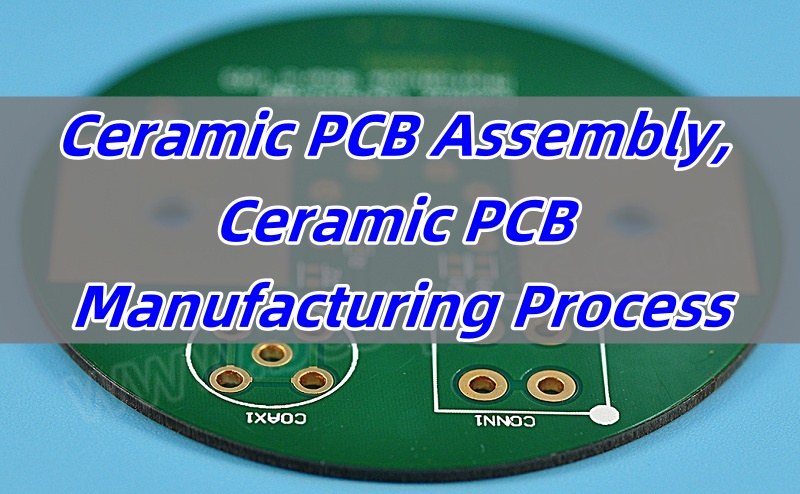
Ceramic PCB Assembly, Ceramic PCB Manufacturing Process
Monday, March 3rd, 2025

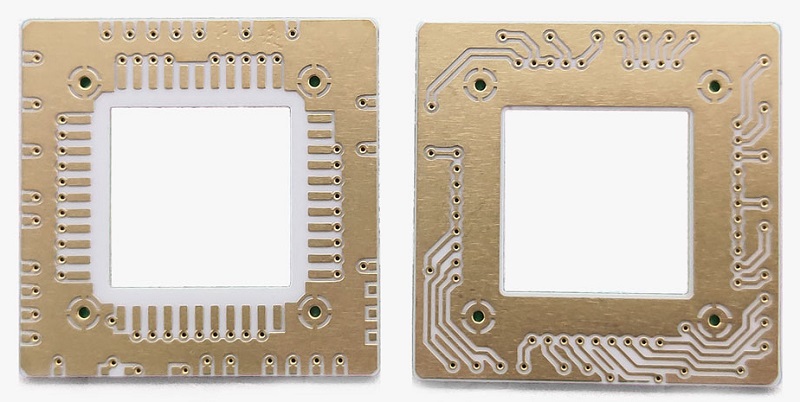
Ceramic PCB assembly is becoming a preferred option for industries that demand high thermal conductivity, stable performance, and strong mechanical strength. Compared to traditional FR4 boards, ceramic circuit boards handle heat better, last longer, and work reliably even in extreme environments. That’s why companies in aerospace, automotive, and medical fields turn to this technology for their critical projects.

Ceramic materials offer natural thermal conductivity, so they don’t need extra heat dissipation layers. That means more compact designs without losing efficiency. With ceramic PCB assembly, you also get enhanced reliability when working with high-power components or complex multilayer designs.

Ceramic PCB Assembly, Ceramic PCB Manufacturing Process

What are the substrates for ceramic PCB?

Ceramic PCBs use different substrates depending on the performance requirements of the application. Alumina (Al2O3) is the most common due to its balanced cost and performance. It provides good thermal conductivity, electrical insulation, and mechanical strength. For even higher thermal performance, Aluminum Nitride (AlN) works better. It handles heat far more efficiently, so it’s often used in power electronics or LED applications. Beryllium Oxide (BeO) is another option, though its use is less common due to safety concerns during manufacturing. Still, it offers excellent thermal conductivity when needed.

What are the different types of ceramic PCB?

Ceramic PCBs come in different types to meet various technical needs. Single-layer ceramic PCBs are the simplest and often used when the design doesn’t need many connections. They work well for LED modules or simple power circuits. Double-layer ceramic PCBs offer more flexibility for designs with higher component counts. They can handle complex circuits with better routing options. For advanced applications, multilayer ceramic PCBs provide even more design freedom. These allow for compact, high-density circuits, perfect for RF modules, medical sensors, and aerospace systems.

What are the components of a ceramic PCB?

Ceramic PCBs contain several essential elements that work together to deliver strong performance. The ceramic substrate forms the base, providing heat management, insulation, and structural support. On top of that, copper traces form the electrical connections. These traces are either directly bonded or printed, depending on the design process. The solder mask covers exposed copper to prevent oxidation, though ceramic PCBs sometimes skip this layer to enhance thermal transfer. Finally, components like resistors, capacitors, and ICs are soldered onto the surface to complete the assembly.

Ceramic PCB Assembly, Ceramic PCB Manufacturing Process

How thick is ceramic PCB?

Ceramic PCBs come in different thicknesses to match the needs of the design. Common ceramic substrate thicknesses range from 0.25mm to 1.5mm, depending on the type of material and required mechanical strength. Thin ceramic boards work well when weight reduction matters, such as in aerospace applications. Thicker boards support larger components and provide additional strength. The copper layer itself also varies, usually from 10ÎŒm to 140ÎŒm, depending on current-carrying requirements. Choosing the right combination of ceramic and copper thickness ensures good performance without unnecessary cost.

How to make ceramic PCB?

The ceramic PCB manufacturing process begins with circuit design optimization (e.g., Gerber file preparation) to account for ceramic-specific properties such as thermal expansion and mechanical stability. A ceramic substrate (e.g., alumina or aluminum nitride) is then cut into panels from larger sheets. For copper trace formation, two primary methods are used: ‌Direct Bonded Copper (DBC)‌ involves bonding copper foil to the ceramic under high temperature and pressure, followed by photolithography and etching to define precise circuit patterns, making it ideal for high-power applications. Alternatively, ‌Thick Film Printing‌ uses screen-printing of conductive pastes (e.g., silver-palladium) onto the ceramic surface, which are then sintered at high temperatures to solidify the traces, a cost-effective method for simpler designs. After trace formation, laser drilling creates micro-vias (if required), which are metallized using electroless copper plating to ensure electrical connectivity between layers. Surface finishes like ENIG (Electroless Nickel Immersion Gold) or OSP (Organic Solderability Preservative) are applied to protect copper traces from oxidation. Finally, during assembly, solder paste is deposited, components are placed, and reflow soldering or precision-controlled thermal processes are employed to bond components while minimizing thermal stress mismatch between ceramic and metal parts.

What is the difference between ceramic PCB assembly and FR4 PCB assembly?

Ceramic PCB assembly and FR4 PCB assembly follow some similar steps, but the materials and processes vary a lot. In FR4 PCBs, the fiberglass and epoxy resin form the main structure. These materials offer flexibility, but they can’t handle high temperatures well. Ceramic PCBs use ceramic substrates that naturally conduct heat, so they don’t need extra thermal management layers. This simplifies the design, especially for power electronics. During assembly, soldering ceramic PCBs requires more precision since ceramic expands differently from metals. Specialized equipment helps control the process, ensuring components bond properly without cracking the ceramic. Compared to FR4, ceramic PCB assembly often handles higher temperatures, offers better stability, and lasts longer in demanding environments.

What are the benefits of ceramic PCB?

There are many reasons why companies prefer ceramic PCB assembly for critical projects. Ceramic substrates naturally provide high thermal conductivity, which helps heat-sensitive components stay cool. That extends component life and improves reliability. Ceramic PCBs also offer excellent mechanical strength despite their thin profile. This strength helps them survive harsh conditions, including vibration or sudden temperature changes. Another key benefit is high-frequency performance, which matters for RF applications. Ceramic’s low dielectric loss helps maintain signal integrity. Additionally, ceramic materials resist chemicals, moisture, and aging better than traditional PCB materials. Combined, these benefits make ceramic PCB assembly an excellent choice for high-performance, long-lasting products.

How to choose the best ceramic PCB manufacturer for your project?

Choosing the right ceramic PCB manufacturer makes a huge difference in both quality and cost. Start by checking the manufacturer’s experience with ceramic PCB assembly, especially for your industry. Ceramic handling requires special expertise, so working with an experienced supplier reduces risk. Next, ask about material options. A good manufacturer offers multiple ceramic materials, including alumina, aluminum nitride, and others. Also, review their equipment capabilities. Advanced equipment helps control tolerances and ensures good bonding between ceramic and copper. Don’t forget to check their quality certifications and testing processes. Reliable manufacturers offer full inspection reports, including thermal cycling tests, solderability checks, and X-ray inspections to confirm internal connections. Finally, consider their lead times and ability to support custom designs. Flexibility matters, especially when developing innovative products. By the way, reliable manufacturer is able to promptly reply to inquiries and resolve issues, providing technical support and design consultation to save time and effort in the design and production processes.

Put it in a nutshell, ceramic PCB assembly continues to gain popularity thanks to its unmatched thermal performance, mechanical strength, and long-term reliability. Whether you need multilayer ceramic PCBs, alumina PCBs, or specialized designs for RF or power electronics, ceramic materials offer clear advantages. By partnering with an experienced ceramic PCB manufacturer, you can ensure your products meet high standards and work reliably under tough conditions.

At EBest Circuit (Best Technology), we specialize in China ceramic PCB assembly and wholesale ceramic PCB assembly, delivering quality products for customers worldwide. With more than 18 years of experience, we offer custom designs, fast lead times, and full inspection services to support your most challenging projects. Get in touch with us at sales@bestpcbs.com for any questions or additional information.

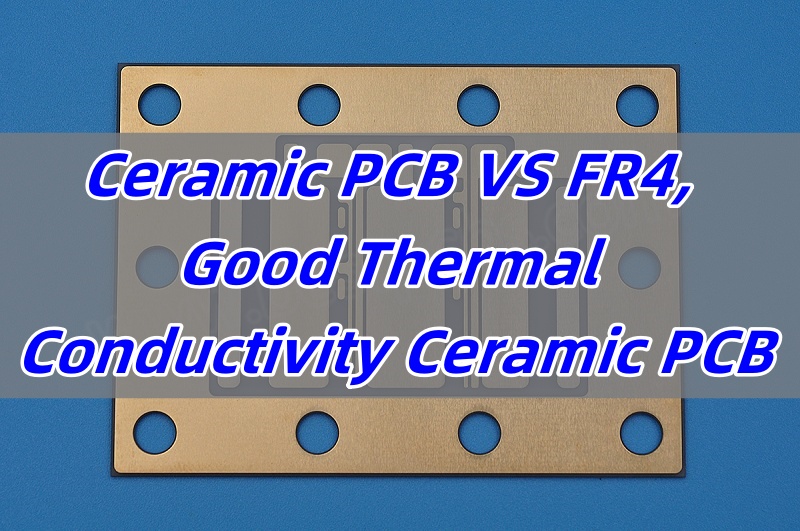
Ceramic PCB VS FR4, Good Thermal Conductivity Ceramic PCB
Friday, February 28th, 2025

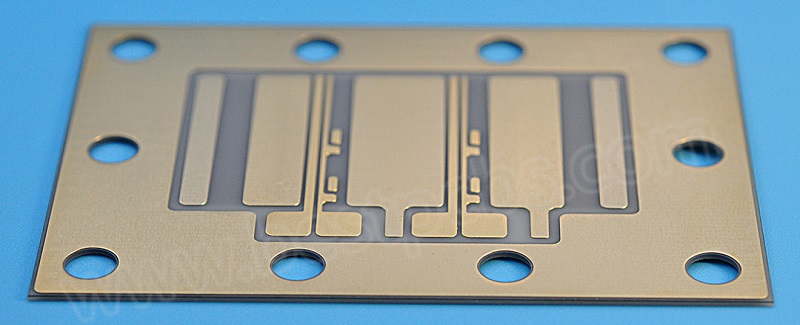
Good thermal conductivity ceramic PCB is increasingly gaining attention in the electronics industry due to their superior heat dissipation capabilities. As electronic devices become more compact and powerful, effective thermal management is essential to ensure their performance and longevity. Ceramic PCBs, with their excellent thermal properties, stand out as a solution for handling heat efficiently. But what makes them so effective? Let’s dive deeper into the science of ceramic materials, how they compare to other common PCB substrates like FR4, and why they are the go-to choice for high-performance electronics. At EBest Circuit (Best Technology), we specialize in high-quality, tailor-made ceramic PCBs, offering rapid delivery and unmatched customer support.

Ceramic PCB VS FR4, Good Thermal Conductivity Ceramic PCB

Is Ceramic a Good Thermal Conductor?

When we talk about heat dissipation in PCBs, ceramic materials are known for their remarkable ability to conduct heat. Unlike traditional materials like FR4, ceramic substrates feature a higher thermal conductivity, which allows them to transfer heat away from sensitive components faster and more efficiently. This is particularly important in modern electronics, where components generate significant amounts of heat, potentially affecting the overall reliability and performance of the device.

In short, ceramic is indeed a fantastic thermal conductor. This property makes ceramic PCBs ideal for applications where thermal management is a top priority, such as power electronics, LED lighting, and high-frequency circuits.

What Is the Best Ceramic Material for PCBs?

The best ceramic material depends on the specific needs of the application. Typically, aluminum oxide (Al2O3) is one of the most commonly used materials for ceramic PCBs, offering a good balance of thermal conductivity and cost-effectiveness. Aluminum nitride (AlN) is another popular choice, especially for applications requiring even better thermal performance. It offers superior thermal conductivity compared to aluminum oxide but is often more expensive.

Other options like beryllium oxide (BeO) and silicon carbide (SiC) are also used in some specialized applications where extreme thermal performance is needed, although these are more niche materials due to their higher cost or limited availability.

What Is the Average Thermal Conductivity of Ceramics?

Ceramic materials can have varying thermal conductivity depending on their composition and structure. Generally, ceramics like aluminum oxide have thermal conductivities in the range of 20 to 30 W/mK, whereas aluminum nitride can reach up to 180 W/mK, making it one of the most thermally conductive ceramic materials available.

In comparison, traditional PCB materials like FR4 typically offer thermal conductivities of around 0.3 W/mK. This vast difference highlights why ceramics are an attractive option when thermal management is a critical factor.

Ceramic PCB VS FR4, Good Thermal Conductivity Ceramic PCB

What Is the Thermal Conductivity of Glass vs Ceramic?

Glass and ceramics may appear similar, but their thermal properties differ significantly. While both can withstand high temperatures, ceramics generally exhibit far superior thermal conductivity. For example:

‌Glass‌: Thermal conductivity typically ranges from ‌0.8 to 1.2 W/mK‌ due to its amorphous (non-crystalline) atomic structure, which impedes efficient heat transfer.

‌Ceramics‌: Thermal conductivity varies by material:

Aluminum oxide (Al₂O₃): ‌20–30 W/mK‌

Aluminum nitride (AlN): ‌140–180 W/mK‌

Beryllium oxide (BeO): ‌250–330 W/mK‌ (specialized use due to toxicity concerns).

This stark contrast makes ceramics ideal for high-power electronics, where rapid heat dissipation is critical.

Why Do Ceramics Have High Thermal Conductivity?

Ceramics owe their high thermal conductivity to two key factors:

‌Ordered crystal lattice‌: Materials like AlN and BeO have highly organized atomic structures. Heat is transferred through ‌phonons‌ (quantized lattice vibrations), which propagate efficiently in crystalline materials with minimal defects.

‌Strong atomic bonding‌: Covalent/ionic bonds in ceramics reduce atomic vibrations, minimizing phonon scattering and enabling faster heat transfer.

In contrast, amorphous materials like glass or polymers (e.g., FR4 with ‌0.3 W/mK‌) lack a defined lattice structure, causing frequent phonon collisions and poor thermal performance.

‌Ceramics dominate in thermal management applications (e.g., power electronics, LEDs) due to their tailored atomic structure, while glass and plastics are limited to low-heat scenarios.

Ceramic PCB VS FR4, Good Thermal Conductivity Ceramic PCB

At Which Temperature Do Ceramic Materials Become Superconductors?

High-temperature superconductors in ceramic materials, like yttrium barium copper oxide (YBCO), become superconductive at temperatures far below room temperature. Typically, these superconductors transition to a superconducting state at temperatures close to liquid nitrogen’s, around -183°C (90 K).

However, it’s important to note that most ceramic PCBs used in electronics don’t function as superconductors. It’s important to differentiate these superconducting ceramics from regular ceramic PCBs used in electronics.

Superconducting Ceramics: These materials lose all electrical resistance and show zero resistance and complete magnetic resistance at specific temperatures, like -183°C. These unique properties make superconducting ceramics essential in fields like medical imaging (MRI) and particle accelerators.

Regular Ceramic PCBs: While these don’t have superconducting properties, they excel in heat dissipation at room temperature, making them perfect for most electronic devices. These ceramic PCBs are mainly used for packaging and heat management in electronic products, rather than for superconductivity.

How to Increase the Thermal Conductivity of Ceramics?

There are several ways to enhance the thermal conductivity of ceramic materials. One common approach is to add metal fillers, like copper or silver, to the ceramic matrix. These metal particles increase the heat conduction efficiency without compromising the structural integrity of the ceramic. Another method is using higher-purity raw materials, which results in fewer impurities and defects in the crystal lattice, leading to better thermal performance.

In addition, optimizing the manufacturing process, such as sintering at the correct temperature and pressure, can also improve thermal conductivity. Advanced ceramics like aluminum nitride and silicon carbide already have excellent thermal properties, but further refining the process can push these properties even further.

How Does Ceramic PCB Improve Heat Dissipation in Electronics?

Ceramic PCBs play a crucial role in modern electronics by providing superior heat dissipation. In high-performance devices, managing heat is key to preventing damage to sensitive components. Ceramic PCBs act as efficient thermal conductors, pulling heat away from heat-sensitive components like processors, power transistors, and LEDs.

For example, a multilayer ceramic PCB can incorporate several ceramic layers with thermal vias to provide even more efficient heat distribution across the board. This enables the device to maintain optimal performance, even under high loads, without risking overheating. Moreover, ceramic PCBs can be combined with metal core PCBs for even better thermal management in demanding applications.

Ultimately, the excellent thermal conductivity of ceramic materials makes them a vital component in keeping electronic devices running smoothly, thereby extending their lifespan and improving overall performance.

Ceramic PCB VS FR4, Good Thermal Conductivity Ceramic PCB

To sum up, good thermal conductivity ceramic PCB is becoming the backbone of many high-performance electronics due to their ability to handle heat efficiently. Their superior thermal properties allow for better heat dissipation, preventing overheating and improving the overall lifespan and reliability of electronic devices. Whether you’re looking at ceramic PCB vs FR4, considering multilayer ceramic PCBs, or seeking the best ceramic substrate manufacturers, choosing ceramic PCBs can provide the edge your products need in today’s fast-evolving electronics market.

At EBest Circuit (Best Technology), we specialize in crafting custom ceramic PCBs tailored to your specific thermal needs, ensuring your devices stay cool and perform at their best. Reach out to us at sales@bestpcbs.com for more information or questions.

PCB Card, What Is A PCB Card In AC?
Wednesday, February 26th, 2025

A PCB card is a crucial element in many electronic devices, performing various functions such as controlling lights in machines and improving system performance. These cards, also known as printed circuit boards, are used in countless applications, including graphics cards, network cards, and more. In this blog, we’ll delve into the world of PCB cards, exploring their importance in consumer electronics, the differences between various types of PCB cards, and how they enhance performance.

What is a PCB Card in AC?

A PCB card is crucial in various applications, and understanding its functions can significantly enhance the knowledge of electronics. Therefore, let’s begin by answering what is a PCB card in AC? In the context of air conditioning (AC) systems, a PCB card serves as the control unit that manages the operation of various components. This can include regulating the fan speed, controlling the compressor, and even operating the lights of the unit. The PCB card acts as the brain of the system, receiving signals from sensors and ensuring everything functions smoothly. Without a properly functioning PCB card, the AC unit may not perform as intended, leading to inefficiencies or even failure.

What is a PCB Graphics Card?

A PCB graphics card is a specific type of PCB used in computers to render images and videos on the monitor. This card is designed with multiple layers of circuit pathways that control the various components needed for high-quality graphics processing. The PCB itself houses the GPU (graphics processing unit), memory, and other essential parts. It connects to the motherboard of a computer and handles complex graphic computations, especially in gaming, 3D rendering, and video editing. Essentially, it’s the heart of the visual performance in many modern computers.

What are the Differences Between Standard PCBs and Specialized PCB Cards?

As we move forward, it’s important to consider the differences between standard PCBs and specialized PCB cards. In this case, the primary difference between standard PCBs and specialized PCB cards lies in their purpose and complexity. A standard PCB is a basic platform used to connect and support electronic components in everyday devices. It typically contains simple circuitry to fulfill general functions.

On the other hand, specialized PCB cards like graphics cards or network interface cards (NICs) are designed with advanced circuitry to handle more specific and high-demand tasks. These cards may contain additional components like processors, memory chips, and cooling systems, tailored for specific performance needs. Specialized PCB cards are typically more intricate, offering higher speed, processing power, and reliability compared to standard PCBs.

At EBest Circuit (Best Technology), we bring over 18 years of experience in the PCB industry, offering a wide range of high-quality printed circuit board solutions. Our products are designed to meet the demands of various applications, ensuring top-notch performance, reliability, and precision. Whether you’re looking for standard or custom PCBs, or PCB card solution, EBest Circuit (Best Technology) is your trusted partner for all your PCB needs.

How to Check a PCB Card?

When you’re looking to check the health and functionality of a PCB card, there are a few key steps to follow. First, ensure that the card is properly seated in its slot, as loose connections can lead to performance issues. Next, inspect the PCB for any visible signs of damage, such as burnt areas, broken traces, or loose components. For more thorough testing, you can use a multimeter to check for continuity and voltage at various points on the card.

Additionally, running diagnostic tools on your device can help identify whether the PCB card is functioning correctly. If the card is not working as expected, it may be time for a replacement.

How to Clean a Graphics Card PCB?

Cleaning your graphics card PCB is an important maintenance step to ensure optimal performance and longevity. Over time, dust and debris can accumulate on the PCB, affecting the efficiency of the card and even causing it to overheat.

To clean the PCB, first, turn off the computer and unplug it from the power source. Use compressed air to blow away dust from the PCB and other components. For more stubborn dirt, gently use a soft brush to clean the surface of the PCB. Be careful not to damage any sensitive components during cleaning. Regular maintenance can help prevent overheating and keep your graphics card PCB in top condition.

Is an Expansion Card a PCB?

Yes, an expansion card is a type of PCB card. These cards are used to expand the functionality of a computer or electronic device. Examples include sound cards, network interface cards (NICs), and storage controllers. Like all PCBs, expansion cards are made up of a flat board with electrical pathways and components that allow it to connect and interact with other devices. Expansion cards are essential for adding additional features or improving the performance of a system.

What is Graphics Card PCB?

A graphics card PCB is the printed circuit board that serves as the foundation for a graphics card. It connects all the components such as the GPU, memory, and power supply, allowing them to work together to process and render graphics. Furthermore, The PCB is designed to handle high-speed data transfer, heat dissipation, and efficient power distribution to ensure that the graphics card performs at its best. As a result, the quality of the graphics card PCB can have a significant impact on the performance of the card, influencing frame rates, video rendering, and overall system performance.

What Types of Devices Commonly Use PCB Cards?

PCB cards are found in a wide variety of devices across many industries. Some common examples include:

Personal computers and laptops: Graphics cards, sound cards, network cards, and storage controllers.

Smartphones: Used in components such as the camera module, display drivers, and wireless communication chips.

Televisions and gaming consoles: PCB cards are crucial for video processing, networking, and audio output.

Air conditioners: As mentioned, PCB cards regulate the system’s operation, including controlling lights and fan speed.

Medical devices: PCB cards are used in monitoring equipment and diagnostic tools.

The versatility of PCB cards allows them to be used in almost any electronic device, contributing to the efficiency and functionality of modern technology.

What Are the Benefits of Using PCB Cards in Electronics?

The use of PCB cards offers several benefits in electronics. First and foremost, they allow for compact and efficient designs. PCB cards enable the integration of multiple components into a single unit, saving space and reducing the overall size of devices.

Additionally, PCB cards improve the performance and reliability of electronic devices. The specialized design of these cards ensures that the components are connected in a way that maximizes speed and minimizes interference. For instance, in a graphics card PCB, the precise placement of components helps reduce latency and improve rendering times, resulting in smoother visuals.

How Do PCB Cards Boost Performance in Consumer Electronics?

PCB cards significantly boost the performance of consumer electronics by enabling high-speed data processing, efficient power management, and better thermal control. For example, in a graphics card PCB, the efficient routing of signals ensures that complex graphics are rendered quickly and accurately, providing an enhanced user experience in gaming and video editing.

Moreover, PCB cards contribute to the energy efficiency of devices. By managing power distribution more effectively, they help reduce energy consumption, extend battery life, and prevent overheating. In devices like smartphones and laptops, this can lead to longer usage times and improved performance under load.

In conclusion, PCB cards are an essential part of modern electronics, from graphics cards and network interfaces to machine controls and AC systems. They play a vital role in improving performance, ensuring reliability, and enhancing the functionality of devices. Whether you’re using a black PCB Wi-Fi card to connect to the internet or a PCB video card to enjoy high-quality graphics, these small but powerful components are at the heart of many of the devices we rely on daily.

By understanding the various functions and types of PCB cards, you can make informed decisions about your electronic devices and ensure they perform at their best. Whether you’re maintaining your current equipment or looking to upgrade, knowing how PCB cards work can give you an edge in optimizing your systems.

Finally, when looking for a trusted supplier for your PCB card needs, consider EBest Circuit (Best Technology)‘s proven expertise in the industry. For reliable and innovative PCB card solutions that enhance the performance of your electronic devices, EBest Circuit (Best Technology) is here to help. With our extensive industry experience and commitment to quality, we deliver products that exceed expectations. For inquiries or more information, email us at sales@bestpcbs.com.

Ceramic PCB Substrate, Aluminum Nitride Circular PCB
Wednesday, February 26th, 2025

Aluminum nitride circular PCB stands out in the electronics industry due to its unique properties. Whether used in high-performance LED applications or precision circuits, this PCB material offers significant benefits over traditional ceramic PCBs. The circular Aluminum Nitride PCB belongs to the category of ceramic PCB substrates. In this blog, we’ll dive into the specific advantages of aluminum nitride circular PCBs, including their thermal conductivity, machining ability, and their superiority in many industrial applications.

Can Aluminum Nitride Be Machined?

One of the most appealing features of aluminum nitride circular PCBs is their ability to be machined. Unlike many ceramics, aluminum nitride can be precisely processed to fit specific design requirements. Its flexibility in manufacturing makes it an ideal choice for custom and intricate circuit designs. The material can be milled, drilled, and cut using standard machining methods, which helps reduce production times and costs. This machining capability is particularly beneficial in industries where rapid prototyping and small-batch production are crucial.

What is the Thermal Conductivity of Aluminum Nitride PCB?

When it comes to thermal performance, aluminum nitride PCB is hard to beat. With a thermal conductivity of up to 170 W/mK, it surpasses many other PCB materials, including standard ceramic substrates. This excellent thermal conductivity allows heat to dissipate efficiently, making aluminum nitride circular PCBs ideal for high-power applications like LED lighting and power electronics. The ability to manage heat reduces the risk of component failure, improving the overall reliability and longevity of electronic devices.

Is Aluminum Nitride Electrically Conductive?

Unlike metals, aluminum nitride is an insulator, meaning it does not conduct electricity. This is an essential property for PCBs used in high-voltage or high-frequency circuits. Aluminum nitride circular PCBs can offer the perfect balance between thermal management and electrical insulation, making them ideal for applications that require both heat dissipation and isolation of electrical components. This non-conductive property is why aluminum nitride is preferred in sensitive electronic designs, ensuring that circuits remain stable and secure.

Is Aluminum Nitride Piezoelectric?

Aluminum nitride has piezoelectric properties, which means it can generate an electric charge in response to mechanical stress. However, when used in PCB applications, this characteristic is typically not utilized. In most designs, the focus is on aluminum nitride’s excellent thermal conductivity and electrical insulation. While this material’s piezoelectric nature could be beneficial in specialized sensors or actuators, its primary advantage in PCB manufacturing lies in its thermal and insulating properties.

Is Aluminum Nitride Brittle?

Although aluminum nitride has a high level of thermal conductivity, it is still a ceramic material, which means it can be somewhat brittle under certain conditions. However, with the proper design and handling, this brittleness can be mitigated. Aluminum nitride circular PCBs can still be robust enough for most applications, as long as they are not subjected to excessive mechanical stress. The key lies in the careful design and integration of aluminum nitride PCBs into a circuit that can protect the material from sudden impacts or extreme forces.

What Makes Aluminum Nitride Circular PCBs Better Than Ceramic PCBs?

Aluminum nitride circular PCBs offer several advantages over traditional ceramic substrates. First and foremost, the thermal conductivity of aluminum nitride is far superior to most ceramic PCBs. This means aluminum nitride is better at dissipating heat, reducing the risk of overheating in electronic components. Additionally, aluminum nitride can be machined to precision, which is not always the case with ceramic substrates. These benefits make aluminum nitride circular PCBs ideal for use in high-power applications, such as LED lights, power electronics, and RF circuits.

What Industries Benefit Most from Aluminum Nitride Circular PCBs?

Several industries can benefit from the use of aluminum nitride circular PCBs, including:

LED Industry: The exceptional heat management properties of aluminum nitride make it a perfect material for high-performance LED applications.

Power Electronics: Aluminum nitride is ideal for use in power supplies, converters, and inverters due to its superior thermal conductivity and electrical insulation.

Telecommunications: The high-frequency capabilities of aluminum nitride circular PCBs make them suitable for RF applications, ensuring reliable signal transmission.

Automotive Electronics: With increasing demand for power-efficient systems, aluminum nitride PCBs are often used in automotive applications that require both high heat dissipation and electrical insulation.

These industries benefit from the unique combination of aluminum nitride’s properties, offering improved performance and durability in their products.

How to Optimize Aluminum Nitride Circular PCB Performance in Designs?

To maximize the performance of aluminum nitride circular PCBs, several factors should be considered during the design process:

Thermal Management: Proper thermal design is essential to ensure the efficient heat dissipation that aluminum nitride is known for. Using thermal vias and optimizing component placement can help maximize the heat flow.

Material Selection: While aluminum nitride is an excellent thermal conductor, it’s important to match the material’s properties to the specific needs of your application. This ensures the best balance between performance and durability.

Machining Techniques: Since aluminum nitride can be machined, it’s crucial to use the right equipment and techniques to avoid cracking or damaging the PCB during production. Ensuring the right tolerances can also improve the functionality and reliability of the final product.

Stress Resistance: Although aluminum nitride is generally robust, it’s still a ceramic material, so designs should be built to protect the PCB from mechanical stress during use. Reinforcements, proper encapsulation, and protective layers can prevent potential damage.

By addressing these factors, you can optimize the performance of aluminum nitride circular PCBs in your designs.

In conclusion, aluminum nitride circular PCBs stand out for their superior thermal conductivity, machinability, and electrical insulation. These qualities make them a top choice for a variety of industries, from LED lighting to automotive electronics. While they do have some brittleness due to their ceramic nature, with proper design and handling, their benefits far outweigh the drawbacks. Whether you are looking to improve the heat management of your circuit or need a reliable material for high-performance applications, aluminum nitride circular PCBs offer a compelling solution.

When choosing the right PCB material for your next project, consider aluminum nitride for its performance advantages. It’s a highly versatile option that can meet the demands of modern, high-tech designs, providing a perfect balance of thermal efficiency and electrical safety. Looking for top-quality aluminum nitride circular PCBs? At EBest Circuit (Best Technology), we provide a wide range of PCB solutions tailored to your needs. Contact us at sales@bestpcbs.com for inquiries or further details.

Lasercut Stencil, Can a Laser Cutter Make Stencils?
Tuesday, February 25th, 2025

A lasercut stencil offers precision and customization like no other. But can a laser cutter make stencils? The answer is a resounding yes! Laser cutting technology has revolutionized stencil creation, providing industries with highly accurate, durable, and customizable stencils. Whether for screen printing, PCB manufacturing, or artistic projects, a laser cutter is an excellent tool for making a laser cut stencil.

Can Laser Cutters Make Stencils?

Yes, laser cutters are perfect for making stencils. Using focused laser beams, they cut through materials like mylar, plastic, and metal with incredible precision, offering sharp, clean edges that traditional methods can’t match. This makes them ideal for producing laser cut stencils for everything from screen printing to PCB manufacturing.

One of the biggest advantages of using a laser cutter is the level of detail it can achieve. Whether you need custom laser cut stencils for complex designs or laser cut stencils for painting, the technology ensures accuracy with tight tolerances, often as precise as ±4 Όm. This reduces errors and ensures consistency across multiple stencils.

Additionally, laser cutters work with a variety of materials, such as mylar stencil sheets for screen printing or stainless steel for SMT stencils, giving you flexibility to choose the best material for your project. Laser cutting is efficient, saving time and minimizing the potential for mistakes compared to traditional methods.

Can You Make Stencils with a Laser Printer?

Laser printers and laser cutters might sound similar, but they serve different functions. While a laser printer uses toner and heat to print designs onto paper or other materials, a laser cutter uses focused laser beams to cut through materials such as plastic, metal, or mylar. So, can you make stencils with a laser printer? Not exactly. A laser cutter offers far more flexibility and precision, allowing you to create intricate designs on various materials, including the popular mylar stencil sheets used in screen printing.

Laser cutting not only makes sharper cuts but also works with a broader range of materials. From custom laser cut stencils for industrial use to laser cut stencils for painting and other crafts, the laser cutter is an essential tool for creating high-quality stencils.

What Are the Disadvantages of Stencil Printing?

Stencil printing is a powerful method for duplicating designs, but it has its drawbacks. One of the main challenges is the limited accuracy when compared to modern laser cut stencils. Traditional stencil printing often requires manually adjusting the design or material, which can lead to human error. In contrast, laser cut stencils ensure consistency, with precision tolerances as tight as ±4 Όm, ensuring that every cut is perfect.

Another issue is the wear and tear of reusable stencils. Over time, traditional stencils may degrade, leading to blurred edges or design distortions. With laser cut stencils, this issue is minimized, as the laser cutting process results in clean, sharp edges that last longer.

What Is the Best Material for Laser Cut Stencils?

The material you choose for a laser cut stencil plays a significant role in its performance and durability. For most projects, mylar stencil sheets are a popular choice due to their flexibility, ease of use, and durability. Mylar is a strong material that holds up well against repeated use, especially in laser cut stencils for screen printing.

Stainless steel is another excellent material for laser cut stencils, especially for industrial applications like SMT stencils. This material offers unmatched durability and strength, and it’s often electro-polished for a smooth finish. Stainless steel laser cut stencils are also highly resistant to corrosion, making them ideal for repeated use in harsh environments.

The best material will depend on the specific application, but both mylar stencils and stainless steel are reliable options that deliver high-quality results.

What Is the Best App to Make Stencils?

Making a laser cut stencil requires precision, and that starts with the design. The best apps for creating stencils offer flexibility and control over intricate details. Popular software tools like Adobe Illustrator, CorelDRAW, and Inkscape allow you to create detailed vector designs that are perfect for laser cutting.

For PCB manufacturers, software that directly imports Gerber files, such as AutoCAD or Eagle, can be incredibly helpful. EBest Circuit (Best Technology)’s stencils, for example, are made with precision from customer-provided files, which minimizes the chances of errors and ensures that every detail is captured accurately.

The right app will depend on your project’s needs, but these tools are essential for creating custom laser cut stencils that are both precise and professional.

How Are Professional Stencils Made?

Professional laser cut stencils are made with precision equipment and high-quality materials. The process typically starts with a detailed design, often created in vector format. This design is then uploaded to a laser cutting machine, which uses a focused laser beam to cut the design into the material, whether it’s mylar, stainless steel, or another substrate.

At EBest Circuit (Best Technology), for example, we offer SMT stencils made from stainless steel with tolerances as tight as ±4 Όm. These stencils are laser cut for ultimate precision and are often electro-polished to ensure smoothness. The end result is a stencil with clean edges and consistent openings that help reduce solder paste printing errors.

How Can Custom Laser Cut Stencils Improve Your Screen Printing Projects?

Custom laser cut stencils are a game-changer for screen printing. They offer precision that traditional stencils cannot match, ensuring that designs are transferred accurately every time. The ability to customize the size, shape, and number of openings allows for greater flexibility in design.

For example, laser cut stencils for screen printing ensure smoother paste release and cleaner edges. This reduces the need for frequent stencil cleaning, which can improve the overall efficiency of the printing process. Custom stencils are particularly valuable for complex designs, such as laser cut stencils for painting or laser cut stencils for industrial use, where accuracy is critical.

Moreover, custom laser cut stencils help streamline production times. Since they are made with high precision, the risk of errors is reduced, leading to fewer reprints and more consistent results in the long term.

What Is the Difference Between Laser Cut Stencils and Traditional Stencils?

The main difference between laser cut stencils and traditional stencils lies in the precision and versatility of the cutting process. Laser cut stencils are made using advanced technology that offers tighter tolerances, sharper edges, and more consistent results than traditional hand-cut stencils. Additionally, the laser cutting process allows for greater customization in terms of size, shape, and material choice.

Traditional stencils, while effective for simpler tasks, often require more labor-intensive processes and can lead to more inaccuracies, especially when dealing with intricate designs. In contrast, laser cut stencils are designed with a high level of detail and precision, ensuring that even the most complex patterns are reproduced flawlessly.

In a nutshell, whether you’re working on screen printing, PCB manufacturing, or an artistic project, a lasercut stencil is an invaluable tool that offers precision, durability, and customization. Laser cutting technology has revolutionized stencil making, allowing for the production of high-quality, accurate stencils that meet a wide range of needs.

At EBest Circuit (Best Technology), we pride ourselves on providing laser cut stencils for SMT applications with state-of-the-art technology and attention to detail. Our high-quality laser cut stencils are made from durable materials like stainless steel and are electro-polished for a smooth finish. With fast delivery and customizable options, EBest Circuit (Best Technology) is your trusted partner for all your stencil needs. Feel free to contact us at sales@bestpcbs.com for any doubts or queries you might have.