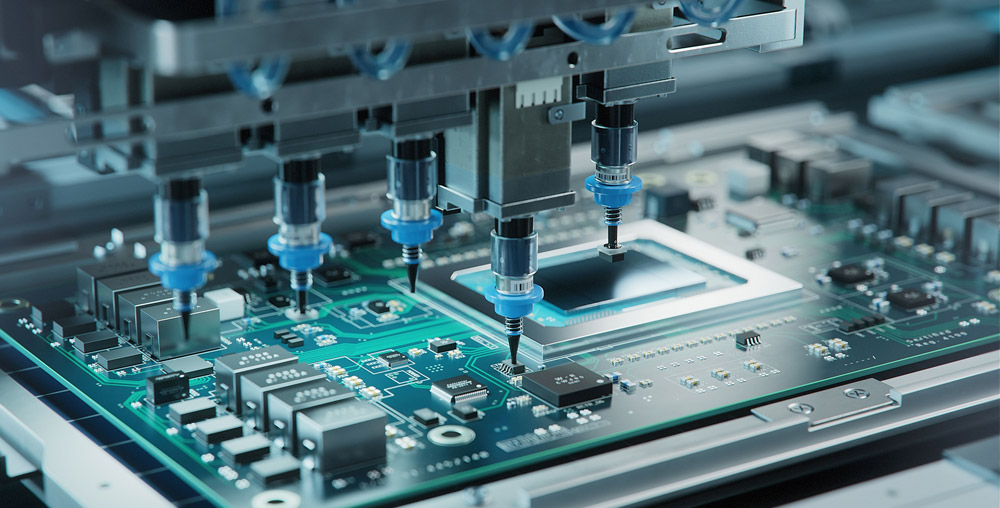
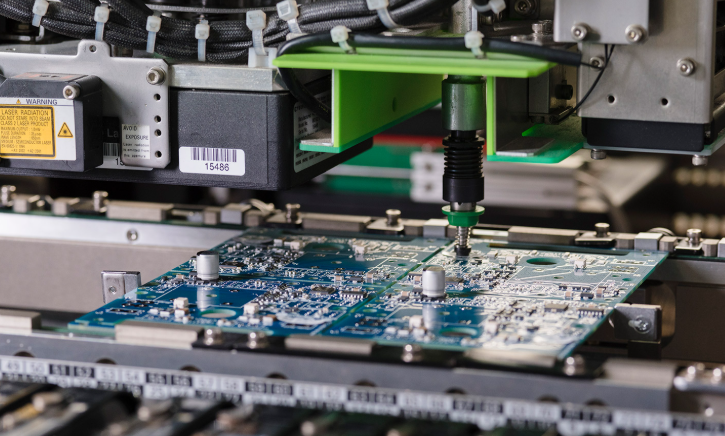
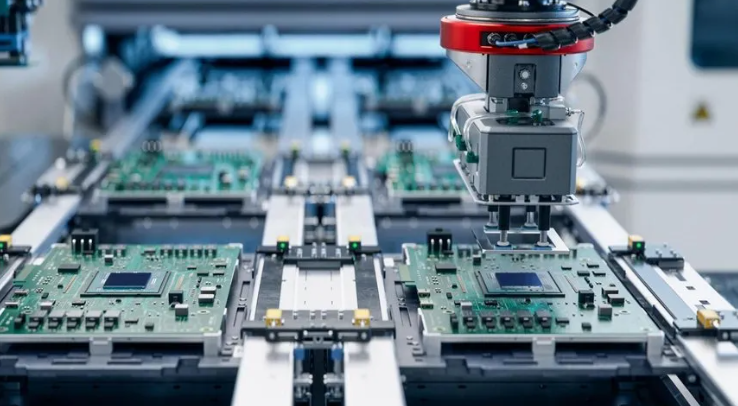
What is flux in soldering? Soldering is a vital process in electronics manufacturing. It ensures secure connections between components, creating a stable and efficient circuit.
One crucial element in soldering is flux. This chemical agent plays an essential role in improving solder adhesion, preventing oxidation, and ensuring a clean joint.
Without flux, achieving strong and long-lasting soldered connections would be difficult. It eliminates contaminants and promotes smooth solder flow.
What is flux in soldering?
Flux is a chemical substance used in soldering to remove oxidation from metal surfaces and improve solderability. It helps solder flow smoothly, creating strong and conductive joints. Without flux, metal surfaces would oxidize, making it difficult for solder to bond properly.
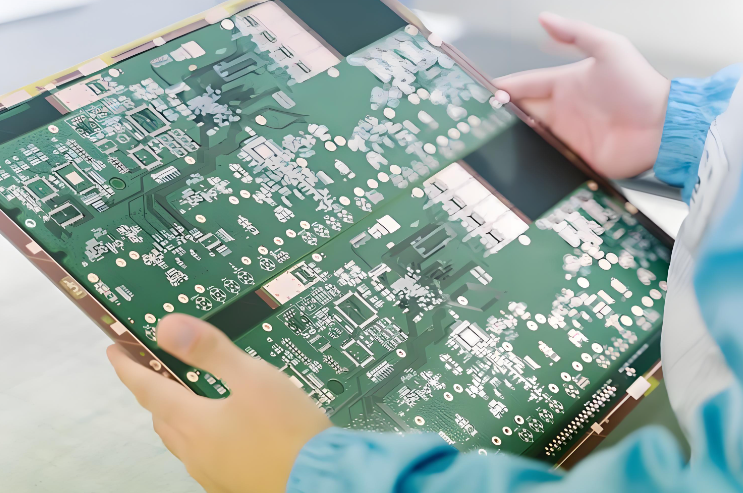
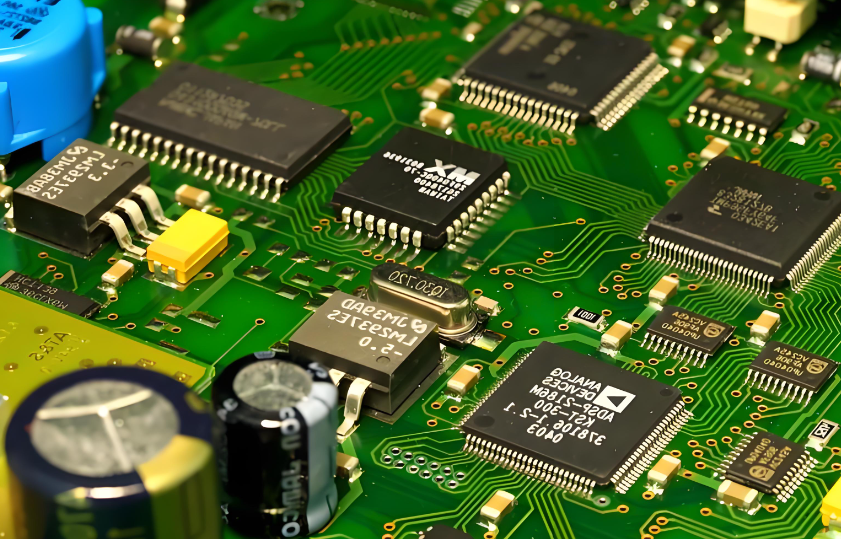
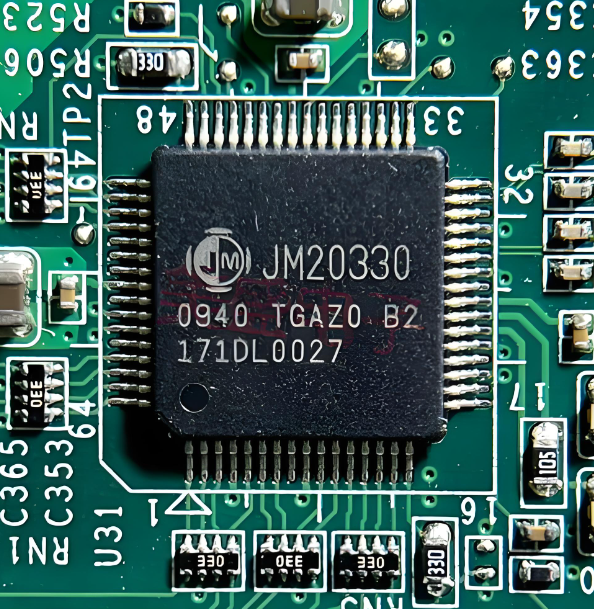
In PCB assembly, flux ensures that solder adheres well to components and circuit traces. It plays a critical role in maintaining the reliability of electronic devices.
Enhances conductivity – Ensures a clean and stable electrical connection.
By using flux, soldering becomes more efficient and produces high-quality, durable joints. It is an essential component in both manual and automated soldering processes.
Is flux necessary for soldering?
Yes, flux is essential for effective soldering. Without it, solder may not properly bond to metal surfaces, leading to weak joints and poor conductivity.
The oxidation that forms on metal surfaces prevents proper adhesion, making flux a necessary step in the process.
For PCB assembly, flux is particularly important. It ensures that tiny solder joints remain clean and reliable. Some solder wires contain flux within their core, but additional flux may be required for complex soldering tasks.
What is flux made of?
Flux is composed of various chemical agents designed to clean metal surfaces and improve solder flow. The primary ingredients include:
Rosin or synthetic resin – Helps remove oxidation and enhances solder adhesion.
Activators – Chemically break down oxides and contaminants.
Solvents – Keep the flux in liquid or paste form for easy application.
Different formulations exist depending on the type of soldering process. Selecting the right flux ensures optimal results and long-term solder joint reliability.
How to use solder flux?
Using solder flux correctly ensures clean and strong joints. Follow these steps for proper application:
Apply flux – Use a brush, pen, or syringe to apply a thin layer to the joint.
Heat the joint – Use a soldering iron to warm the metal surfaces.
Add solder – Introduce solder to the heated joint, allowing it to flow evenly.
Let it cool – Allow the joint to solidify naturally for a strong bond.
Clean excess flux – Remove residue to prevent corrosion or contamination.
Following these steps ensures better soldering results and long-lasting electrical connections.
What are the types of flux?
Flux comes in different forms, each designed for specific soldering applications:
Rosin flux – Commonly used in electronics; provides strong cleaning properties.
Water-soluble flux – Easy to clean; ideal for high-precision soldering.
No-clean flux – Leaves minimal residue, eliminating the need for post-cleaning.
Acid flux – Used for plumbing and metalwork; not suitable for electronics.
Selecting the right flux depends on the soldering environment and the type of components being assembled.
What is the difference between solder flux and solder paste?
Although both are used in soldering, they serve different purposes:
Solder flux – A cleaning agent that removes oxidation and improves solder flow.
Solder paste – A mixture of flux and solder particles used in SMT assembly.
Flux is often applied separately in manual and wave soldering, while solder paste is essential in automated PCB manufacturing. Both materials play a critical role in ensuring high-quality solder joints.
Conclusion:
Flux is a fundamental component in soldering, playing a key role in achieving strong, clean, and conductive connections.Choosing the right flux and applying it correctly ensures reliable performance in electronic assemblies.
For high-quality PCB assembly with professional soldering techniques, contact us at sales@bestpcbs.com
What is pcb sbu technology? SBU technology in PCB refers to “Sequential Build Up”, which is a technology used to manufacture high-density interconnect (HDI) multi-layer PCBs. It achieves higher wiring density and smaller board size by stacking additional conductive and insulating layers layer by layer on the basis of traditional multi-layer boards and using micro-vias (blind or buried vias) to achieve inter-layer connections.
What is pcb sbu technology?
PCB SBU technology stands for Sequential Build Up technology. It is an advanced process used in the manufacturing of high-density interconnect (HDI) PCBs.
This technique involves building up multiple layers of a PCB in a sequential manner, typically starting from the inner layer and adding layers progressively.
Each layer is added using specialized processes that make it possible to create smaller vias, more complex routing, and finer features compared to traditional PCB manufacturing.
SBU technology is essential in HDI PCB production, which is commonly used in devices that require high performance in a compact form factor, such as smartphones, medical devices, automotive electronics, and other modern electronic systems.
By using SBU technology, multiple layers can be stacked with precision while maintaining the electrical performance and signal integrity required by these applications.
HDI PCBs are designed to handle fine-pitch components, high-frequency signals, and miniaturized electronic devices. They use advanced manufacturing techniques such as microvias, blind vias, and buried vias, making them the preferred choice for high-performance applications.
HDI boards are typically characterized by:
Smaller and finer traces – Supporting higher component density.
Microvias – Very small holes used to connect different layers in the PCB.
Blind and buried vias – Vias that only connect specific layers, improving space utilization.
Stacked or staggered via construction – For reducing board size and increasing routing flexibility.
By leveraging HDI technology, manufacturers can create more compact and efficient PCBs that perform exceptionally well in the most demanding electronic applications.
What is a buried hole?
A buried hole is a via that connects two inner layers of a PCB but does not go through the entire thickness of the board. These vias are entirely enclosed within the PCB layers and are not visible on the outer surfaces.
Buried holes are commonly used in HDI designs to enable multi-layer connections while optimizing the space on the outer layers for components and routing.
How Buried Holes Benefit PCB Design:
Maximized board space – Since they don’t take up space on the outer layers.
Reduced signal interference – By isolating inner-layer connections from the external surface.
Improved electrical performance – Essential for high-speed, high-frequency designs.
Buried holes are particularly beneficial in high-performance electronic devices that require dense component placement without compromising the integrity of the signal paths.
What is a blind hole?
A blind hole is a via that connects an outer layer to one or more inner layers of the PCB, but does not extend all the way through the board.
It is “blind” because it doesn’t go all the way through the PCB like a through-hole. These types of vias are often used when connections need to be made between surface components and inner layers without occupying precious outer-layer space.
Benefits of Blind Holes:
Space-saving – No need for holes that go all the way through the board.
Enhanced routing flexibility – Allows for more efficient use of the board’s surface.
Reduced component size – Perfect for designs with high-density components that need a compact form.
Blind vias help ensure that HDI boards can be designed with multiple layers, allowing for more complex circuits without increasing board size. They are ideal for devices with multi-functional, high-density circuit layouts.
What is a microvia?
A microvia is a very small via used in HDI PCB designs to create electrical connections between the layers. Microvias are typically laser-drilled, allowing for precise and tiny holes that are ideal for high-density applications.
They generally have a diameter of less than 150 microns, making them perfect for high-frequency, high-speed circuits that need to minimize space without sacrificing performance.
Key Advantages of Microvias:
Reduced board size – Enables more compact designs without compromising performance.
Improved electrical performance – Allows for shorter signal paths and fewer signal losses.
Better signal integrity – Minimizes the risk of signal interference and distortion.
Enhanced routing flexibility – Provides designers with more options for creating high-density, complex circuits.
Microvias are indispensable for modern PCB designs that demand high performance, miniaturization, and advanced electrical features.
What are the advantages of Sbu technology?
Sequential Build-Up (SBU) technology offers several key advantages, especially in the production of HDI PCBs.
By allowing for the precise construction of multi-layered boards with intricate features, SBU technology helps manufacturers achieve designs that would be impossible with traditional PCB technologies.
Key Benefits of SBU Technology:
Enhanced Performance in Smaller Footprints – By using fine-pitch components, microvias, and blind or buried vias, SBU technology enables the creation of small, highly efficient circuits.
Faster Production Cycle – The sequential build-up process reduces the overall time required to produce multi-layer boards compared to conventional methods.
Cost-Effective for Prototyping – Ideal for low to medium-volume runs, where modifications can be made quickly without the need for large-scale tooling changes.
Better Signal Integrity – The small via sizes and precise routing make SBU technology particularly effective for high-speed, high-frequency designs.
Flexibility in Layer Design – SBU allows for a more flexible design process, offering greater options in terms of layer stack-ups and via types.
Overall, SBU technology empowers PCB designers to achieve advanced, high-performance circuits while maintaining cost-effectiveness and design flexibility.
What is the difference between PCB substrate and laminate?
The terms substrate and laminate are often used interchangeably in the context of PCB manufacturing, but they refer to different parts of the PCB construction process.
Substrate – The substrate is the core material of the PCB. It is typically made of fiberglass (FR4) or ceramic and provides the foundational structure on which the circuit layers are built.
Laminate – A laminate refers to the outer layer material that is bonded to the substrate. It is often a combination of resins and copper foil.
Key Differences:
Substrate is the primary base material, while laminate is used to build up the layers on top of the substrate.
Substrate provides mechanical support, whereas laminate contributes to the board’s electrical properties.
Both are crucial components in the production of HDI PCBs and other advanced circuit boards, ensuring strength, reliability, and functionality.
What is the difference between PCB and package substrate?
The main difference between a PCB substrate and a package substrate lies in their intended function and design:
PCB Substrate – Primarily used for circuit boards, these substrates provide structural support for the PCB’s electrical connections.
Package Substrate – This is used in chip packaging and provides connections between the chip and the external circuit.
The PCB substrate is mainly concerned with signal routing and electrical connections, while the package substrate focuses more on chip integration and interfacing with external systems.
Conclusion:
PCB SBU technology has revolutionized the way high-density interconnect (HDI) PCBs are designed and manufactured.
At EBest Circuit (Best Technology), we leverage our extensive expertise and advanced manufacturing capabilities to produce top-tier HDI PCBs with SBU technology. For inquiries, contact us at: sales@bestpcbs.com
A board printed circuit (PCB) is the heart of almost every electronic device, acting as the foundation that connects various components to create functional circuits. Whether you’re using a smartphone, a computer, or even a household appliance, chances are there’s a PCB working behind the scenes to ensure everything runs smoothly. As technology continues to evolve, so do the designs and capabilities of PCBs, making them more efficient, reliable, and versatile. In this guide, we will explore the essential aspects of PCBs, from their design and cleaning methods to testing and understanding their purpose.
What Is PCB in Electronics?
A board printed circuit, commonly known as a PCB, is an essential component in almost every electronic device. It serves as a platform where different electronic components, such as resistors, capacitors, and microchips, are connected to form a circuit. The board is typically made from a non-conductive material, with copper traces etched onto its surface to provide pathways for electricity. This structure allows for compact, reliable, and efficient designs in everything from smartphones to computers.
In essence, PCBs play a pivotal role in modern electronics. They not only ensure proper electrical connections but also provide mechanical support to various components. The design and manufacturing of PCBs have evolved significantly, resulting in numerous types and designs tailored for specific needs.
Is It PWB or PCB?
You may have heard the term PWB, or Printed Wiring Board, used interchangeably with PCB. Both terms refer to the same thing, but they are often used in different contexts. PWB refers more to the wiring aspect of the board, highlighting the copper traces used for electrical connections. On the other hand, PCB is a broader term that encompasses the entire board, including its physical structure and additional features such as layers, vias, and components.
The term PCB is generally more common in the industry, as it reflects the comprehensive role the board plays in the overall functionality of an electronic device.
What Is the Purpose of a PCB?
The primary purpose of a printed circuit board is to electrically connect and mechanically support electronic components. By providing a compact and organized layout for components, PCBs help reduce the complexity of wiring and improve reliability. In high-speed circuits, such as those used in communication systems, the PCB ensures that signals are transmitted efficiently.
Additionally, PCBs serve to protect components from environmental factors such as moisture and dust. They also contribute to heat dissipation by directing thermal energy away from sensitive components. With the evolution of technology, PCBs have become more specialized, designed to handle high-frequency signals, support multi-layer configurations, and integrate various types of components.
How to Clean Printed Circuit Boards?
Cleaning printed circuit boards (PCBs) is a crucial step in maintaining the integrity and longevity of electronic devices. Dust, grime, and flux residues can accumulate on the surface of the board over time, potentially causing performance issues or short circuits.
To clean a PCB, you can use isopropyl alcohol and a soft brush. Gently scrub the surface of the board, avoiding excessive pressure to prevent damaging delicate components. After cleaning, ensure the board is completely dry before reassembling the device. If there are any visible traces of flux or solder, they can be cleaned with a specialized flux remover.
In some cases, you may need to use a more thorough cleaning process, such as ultrasonic cleaning, especially for boards with complex structures or densely packed components.
How to Connect Multiple PCBs Together?
In many modern electronics, it is common to have multiple PCBs working together to perform different functions. These PCBs can be connected through various methods, depending on the complexity and requirements of the design.
One common method is using connectors that link multiple PCBs together, allowing them to communicate with each other. For example, ribbon cables or flexible flat cables (FFCs) can be used for this purpose, providing a compact and reliable connection.
Alternatively, PCBs can be connected using solder bridges or by mounting them on the same chassis. In advanced designs, flexible PCBs can be used to interconnect different sections of a device, ensuring flexibility and reducing the need for rigid connectors.
Why Are Circuit Boards Green?
You might have noticed that most circuit boards, including printed circuit boards, are green. This is due to the use of a green solder mask, which covers the copper traces and protects them from oxidation and damage. The green color is a result of the specific chemicals used in the solder mask. While green is the most common color, PCBs can also be manufactured in other colors like red, blue, or black. The color itself is more about aesthetic preference or company branding than functionality.
The solder mask not only provides a protective barrier but also improves the board’s durability and resistance to harsh environments. The green color, in particular, is chosen because it provides high contrast with the copper traces, making it easier to inspect the board visually.
What Is Printed Circuit Board Used For?
Printed circuit boards are used in virtually all modern electronics. They form the backbone of devices such as smartphones, televisions, computers, and medical equipment. Their versatility makes them indispensable in a wide range of industries, from telecommunications to automotive applications.
In consumer electronics, PCBs connect components like microprocessors, memory modules, and power supply units, enabling the device to function as intended. In more specialized applications, such as aerospace or automotive industries, PCBs are designed to meet strict requirements for reliability and performance under extreme conditions.
Additionally, PCBs play an important role in emerging technologies like 3D printing and wearables. For example, the development of 3D printed circuit boards allows for more intricate designs and faster prototyping, which can lead to innovative new products.
How to Test a Printed Circuit Board?
Testing a printed circuit board is an essential step in ensuring the functionality and reliability of a device. There are several methods for testing PCBs, depending on the complexity of the design and the required standards.
The simplest form of testing is a visual inspection, where the board is examined for physical defects such as broken traces, misaligned components, or solder bridges. This is often followed by electrical testing, where the board is powered up, and various signals are checked to ensure proper operation.
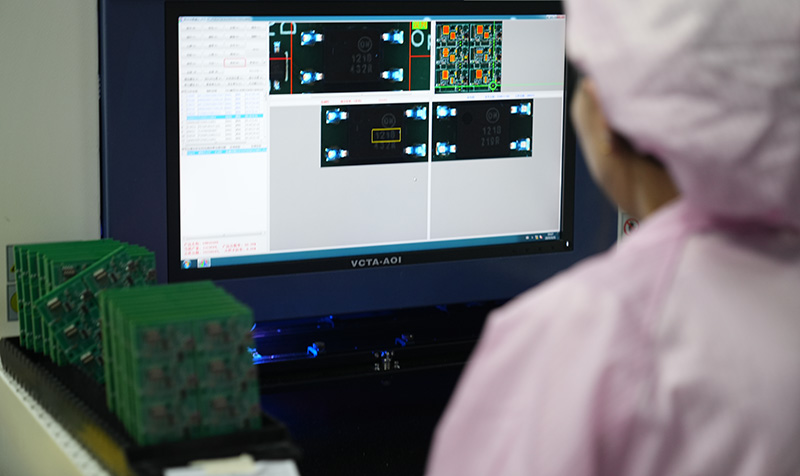
In more advanced applications, automated optical inspection (AOI) and X-ray inspection are used to detect issues that are not visible to the naked eye. For high-frequency circuits, specialized tools such as oscilloscopes and spectrum analyzers are used to verify signal integrity.
In summary, a printed circuit board (PCB) is more than just a platform for connecting electronic components—it is the foundation of modern electronics. From its role in providing electrical connections to its contribution to device durability, PCBs are essential in virtually every electronic product we use today. Whether you’re designing a simple circuit or developing a complex device, understanding PCB manufacturing, testing, and cleaning is crucial.
At EBest Circuit (Best Technology), we are committed to providing high-quality PCBs tailored to your needs. With years of expertise in PCB manufacturing, we deliver products that meet the highest industry standards. Get in touch with us at sales@bestpcbs.com for any questions or additional information.
LED PCB (Light Emitting Diode Printed Circuit Board) is an essential component in modern lighting solutions. This type of PCB integrates LEDs onto a circuit board to power and control them efficiently. In this article, we’ll explore the key aspects of LED PCBs, including how to design them, solder LEDs, and the different types available.
What is PCB in LED?
PCB in LED refers to the printed circuit board that hosts light-emitting diodes (LEDs). The purpose of the PCB is to provide electrical connections for the LEDs and facilitate heat dissipation, which is crucial for maintaining their performance and longevity. LED PCBs can be made from various materials, but aluminum-based PCBs are often preferred due to their excellent heat dissipation properties.
How Do You Add LED to PCB?
Adding an LED to a PCB is a simple process, but it requires attention to detail. First, the LED components are placed on the board in a specific pattern. Then, the LED leads are connected to the copper traces on the PCB using soldering. The PCB design ensures that the correct electrical pathways are established, enabling the LED to light up when powered. The placement of the LEDs on the PCB also plays a crucial role in the overall performance, affecting light distribution and heat management.
How Do You Solder LED with PCB?
Soldering LEDs onto a PCB involves several key steps. Begin by preparing the PCB, ensuring the copper pads are clean and ready for soldering. Next, position the LED onto the PCB in the correct orientation. Using a soldering iron, heat the pad and the LED lead, applying solder to form a secure electrical connection. It’s important to avoid overheating the LED, as excessive heat can damage the component. For high-density PCBs, such as SMD (Surface-Mounted Device) LED PCBs, using a reflow oven or wave soldering can improve precision and efficiency.
How to Build an LED PCB Board Step by Step?
Building an LED PCB board involves several steps:
Design the PCB Layout: Use PCB design software to create the layout. Include positions for the LEDs and traces for electrical connections.
Choose the Right Material: Select materials based on heat dissipation needs. For higher power LEDs, consider using aluminum PCBs.
Etch the PCB: After printing the design onto a copper-clad board, use an etching process to remove excess copper, leaving behind the circuit traces.
Apply Solder Paste: For SMD LED boards, apply solder paste to the pads where the LEDs will be placed.
Place the LEDs: Position the LEDs on the pads using a pick-and-place machine or manually, depending on the complexity of the design.
Solder the LEDs: Use a soldering iron or reflow oven to attach the LEDs securely to the board.
Testing: Finally, test the board to ensure proper function. This includes verifying electrical connections and light output.
How Much Amperage Can LED PCB Handle?
The amount of amperage an LED PCB can handle depends on several factors, including the type of LED, the design of the PCB, and the materials used. A standard LED typically operates at around 20mA, but high-power LEDs may require more amperage. To ensure safety and optimal performance, it’s crucial to design the PCB to accommodate the required current, using larger traces or heat dissipation features when necessary. For example, a typical 12V LED PCB board may handle around 1 to 2A, depending on the number of LEDs and their power requirements.
What Materials Make Up a Flexible LED PCB (Flex Circuit)?
Flexible LED PCBs, often referred to as flex circuits, are made from a combination of flexible base materials like polyimide or polyester film, which allow them to bend and conform to various shapes. The base material is coated with a thin layer of copper, which forms the electrical pathways for the LEDs. To ensure durability, the PCB may also include protective layers such as solder mask and a topcoat. The flexibility of these boards makes them ideal for applications that require curved or compact installations, such as in wearable devices or automotive lighting.
What Are the Different Types of LED PCB?
Firstly, Classification Based On Substrate Material
A. FR4 Standard PCB
Characteristics: Low cost, mature technology, but poor heat dissipation.
Characteristics: High luminous efficiency, no glare, low thermal resistance.
Applications: Photography light, surgical shadowless lights, high-lumen street lights.
C. HDI (High-Density Interconnect) PCB
Characteristics: Uses micro-holes and blind/buried vias for fine circuit traces, supporting complex circuit designs.
Applications: Mini/Micro LED display driver boards, ultra-thin lighting modules.
What Is the Difference Between White and Black PCB LED Strips?
When it comes to LED PCB strips, the color of the PCB itself can affect both aesthetics and performance. White PCBs are the most common, offering a clean, neutral look that works well with most environments. They also reflect light better, improving the brightness and efficiency of the LEDs. On the other hand, black PCB LED strips are often chosen for their sleek, modern appearance. The black surface absorbs more light, which can reduce the reflection of stray light, creating a more focused illumination. Additionally, black PCBs tend to provide better thermal management due to their heat-absorbing properties.
In summary, LED PCBs are integral to modern lighting technology, offering a wide range of possibilities for various applications. From designing your own 12V LED PCB to understanding the differences between aluminum and flexible types, there’s a lot to learn about this versatile component. Whether you need a custom LED PCB or are interested in SMD LED PCBs, the technology behind them continues to evolve, making it easier to integrate LEDs into a multitude of devices.
At EBest Circuit (Best Technology), we specialize in providing high-quality LED PCBs tailored to your specific needs. Our experienced team ensures that every product meets the highest standards, delivering efficient, long-lasting solutions. For details or inquiries, feel free to contact us at sales@bestpcbs.com.
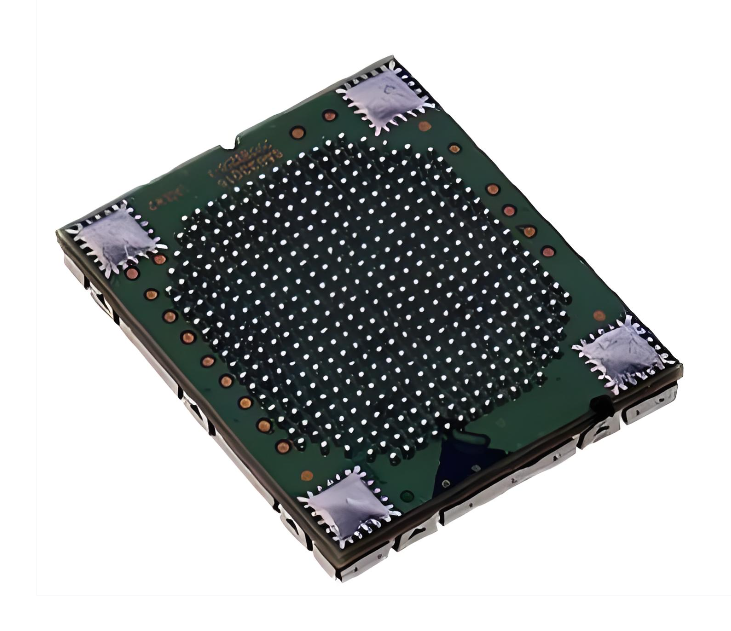
Laser direct imaging (LDI) is an advanced PCB manufacturing technology that uses a computer-controlled laser beam to directly expose circuit patterns on a PCB substrate coated with photosensitive material. This technology can achieve high-precision imaging effects and significantly improve production efficiency and imaging quality.
What is laser direct imaging?
Laser Direct Imaging (LDI) is an advanced PCB manufacturing technique that directly transfers circuit patterns onto a photoresist-coated board using laser technology.
Unlike traditional photolithography, which relies on photomasks, LDI uses computer-controlled lasers to etch intricate designs with extreme precision.
This method significantly enhances accuracy, speed, and flexibility, making it a preferred choice for modern PCB production, especially for high-density interconnect (HDI) boards.
How does LDI differ from traditional imaging?
Traditional PCB imaging depends on photomasks to transfer circuit designs onto the PCB. This process involves multiple steps, including photomask fabrication, manual alignment, and exposure to UV light.
Since photomasks are physical templates, they can degrade over time, leading to inconsistencies in production.
LDI eliminates these challenges by using digital laser beams to expose the photoresist layer directly, ensuring greater precision and efficiency. Here’s how LDI stands out:
No photomasks required – Eliminates costs and maintenance associated with masks.
Higher precision – Laser beams can achieve much finer line widths than traditional methods.
Fast design modifications – Digital files allow for easy and quick adjustments.
Less material waste – Reduces the need for physical stencils, making the process eco-friendly.
Why is LDI important for PCB manufacturing?
The demand for compact, high-performance electronics continues to grow. LDI technology plays a crucial role in meeting these demands by allowing manufacturers to create complex circuit layouts with extreme accuracy.
Key Benefits of LDI in PCB Production:
Fine-line circuit imaging – Supports line widths as small as 50 microns or less.
Better alignment precision – Perfect for multilayer PCBs where layers must align perfectly.
Faster turnaround time – Since no photomasks are required, production cycles are shorter.
Cost-effective for prototypes – Ideal for low to medium-volume production runs.
Reduces defects – Eliminates common photolithography issues like misalignment and dust contamination.
What is LDI used for in PCB manufacturing?
LDI is especially valuable for:
HDI PCBs– Enables the creation of extremely fine pitch traces.
RF and Microwave PCBs– Delivers superior signal integrity in high-frequency applications.
Prototyping & Small Batch Production – Reduces the need for costly photomask production.
What are the steps in the laser imaging process?
The LDI process follows a precise workflow to ensure accurate circuit patterning on the PCB. Here’s how it works:
Pre-Processing & Design Preparation – The PCB layout is converted into a digital file for LDI processing.
Photoresist Application – The PCB is coated with a light-sensitive photoresist layer.
Laser Exposure – High-precision UV lasers expose the design directly onto the photoresist.
Development Process – Unexposed photoresist is removed, revealing the circuit pattern.
Etching & Stripping – Unwanted copper is etched away, leaving the final circuit traces.
Quality Inspection – The board undergoes optical and electrical testing to ensure precision.
How does laser direct imaging work?
LDI uses a high-intensity laser beam to directly expose the photoresist layer on the PCB without needing a photomask. The system moves the laser precisely across the board, creating circuit traces based on a digitally stored layout.
Since the laser operates with pinpoint accuracy, it ensures perfect pattern alignment, making it especially useful for HDI and multilayer PCB manufacturing.
What are the advantages of laser direct imaging?
LDI has transformed the PCB manufacturing industry with its unmatched speed, accuracy, and efficiency.
Supports the production of high-density circuit boards.
2. Eliminates Photomasks
No need to create, store, or maintain expensive photomasks.
Digital files can be easily modified for design updates.
3. Faster Production Cycles
Reduces imaging time compared to traditional methods.
Supports rapid prototyping and quick design changes.
4. Cost-Efficiency for Prototyping & Low-Volume Runs
Ideal for custom PCB designs and small-batch production.
Avoids high costs associated with mask creation.
5. Consistent & Reliable Results
No photomask degradation means every board is identical.
Reduces defects like overexposure, misalignment, and contamination.
What are the disadvantages of laser direct imaging?
Despite its benefits, LDI is not without challenges. Here are some considerations:
1. High Initial Investment: LDI equipment is more expensive than traditional imaging tools.
2. Higher Power Consumption: Laser systems require significant energy to operate efficiently.
3. Not Always Ideal for High-Volume Production: For very large-scale manufacturing, traditional photolithography may still be more cost-effective.
Conclusion:
Laser Direct Imaging has revolutionized PCB manufacturing, offering higher accuracy, efficiency, and flexibility compared to traditional imaging techniques.
If you need precision-engineered PCBs with LDI technology, EBest Circuit (Best Technology) is your trusted partner. Contact us at: sales@bestpcbs.com
What is VCUT in PCB? VCUT in PCB is a V-shaped cutting process, which is used to pre-cut V-shaped grooves on PCB boards to facilitate the subsequent separation of panels into individual PCB boards. VCUT is usually used to improve production efficiency, reduce material waste, and ensure convenience and reliability during the separation process.
What is a VCUT?
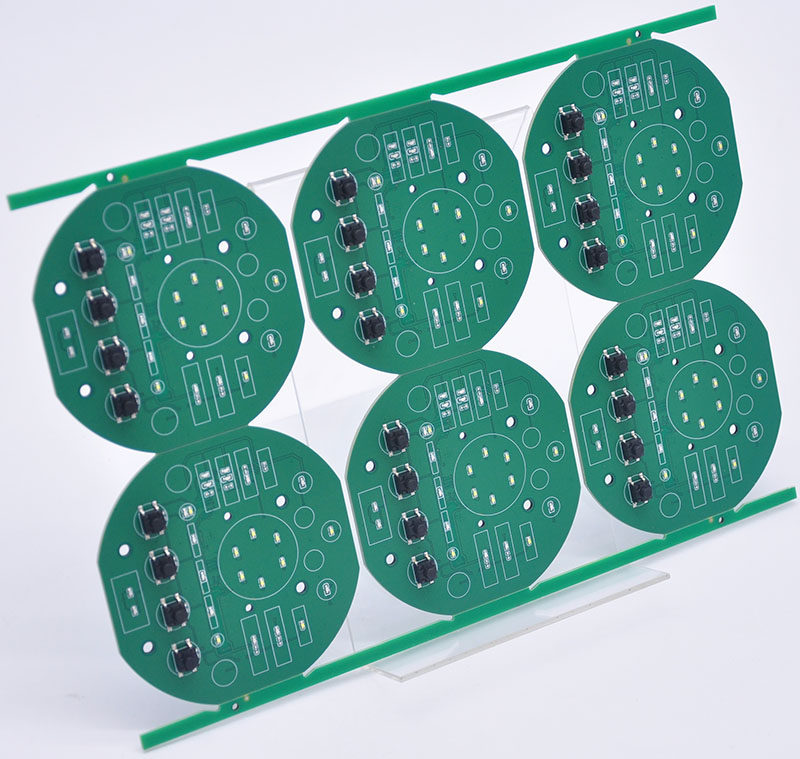
In the simplest terms, VCUT (also referred to as V-grooving) is a technique used in the PCB manufacturing process to create separation lines between individual PCBs within a panel.
The “V” shape refers to the groove that is milled or etched into the PCB panel along the designated cutting lines. These grooves are typically one-third of the thickness of the PCB, ensuring that the boards can be easily separated later with minimal stress.
Unlike traditional cutting methods that involve more physical force or mechanical pressure, VCUT offers a controlled and precise way of creating separation, allowing manufacturers to handle larger panels while preserving the integrity of the individual PCBs.
What is VCUT in PCB?
In the context of PCB manufacturing, VCUT is a technique employed to prepare PCBs for depaneling, the process of separating individual boards from a larger panel.
The V-shaped grooves are cut along predetermined paths, which weakens the area between each PCB, allowing them to be broken apart easily.
VCUT is used primarily for single-sided or double-sided PCBs that have simple, regular shapes. It’s particularly popular in high-volume production because it significantly reduces the labor and time involved in depaneling.
However, VCUT requires careful planning to ensure that the depth and angle of the grooves do not compromise the PCB’s quality or the integrity of the components.
How Are PCBs Cut?
There are several methods used to cut PCBs during the manufacturing process, each suited for specific needs and types of designs. Here are the most common techniques:
VCUT (V-Grooving): This method creates a V-shaped groove between individual PCBs, allowing them to be separated by simply bending along the groove. This process is simple, cost-effective, and efficient for high-volume runs of PCBs with straightforward designs.
Router Cutting: Router cutting uses rotating blades to cut along a pre-programmed path. Router cutting allows for precise cuts, but can take longer compared to V-cutting.
Laser Cutting: Laser cutting employs a laser beam to vaporize the material along a path. This method is precise and can cut through both rigid and flexible materials. However, it is slower and more expensive than V-cut or router cutting, making it ideal for high-precision applications or prototyping.
Punching: Punching involves using a die to punch out individual PCBs from a panel. This method is fast and works well for simple designs. However, it can result in rough edges and requires additional tooling costs.
Sawing: Sawing uses a rotating blade to cut through the PCB panel. This method can handle thick panels but tends to create heat during cutting, which could potentially damage sensitive components.
Each method has its pros and cons, but VCUT remains one of the most popular choices for high-volume production due to its speed, simplicity, and low cost.
What Are the Different Types of PCB Cutting?
The different types of PCB cutting are:
VCUT (V-Grooving): Ideal for separating individual PCBs along a predefined path.
Router Cutting: Uses rotating tools for cutting along complex shapes.
Laser Cutting: Utilizes lasers for precise cutting, ideal for intricate designs.
Punching: A fast, high-volume method that uses a die to punch out PCBs.
Sawing: Uses blades to cut thick panels but can create heat that damages components.
Can I Cut PCB with Scissors?
Cutting with scissors can lead to imprecise cuts, jagged edges, and potential damage to the PCB or its components. The pressure applied when cutting with scissors could also cause the PCB to bend or crack, rendering it unusable.
It’s always best to use proper equipment designed for PCB cutting, such as a router, laser cutter, or, most commonly, the VCUT method.
What is the V-Cut Process?
The VCUT process consists of several critical steps:
Designing the Panel: Before the cutting process, a PCB designer arranges multiple circuit boards into a panel to optimize space.
Creating V-Grooves: After the panel is designed, V-shaped grooves are cut along the designated paths between the individual PCBs. The depth and angle of the grooves are carefully controlled to ensure proper separation.
Soldering Components: The components are mounted and soldered onto the PCB before the V-cuts are made. This allows for efficient handling and processing of the entire panel before the boards are separated.
Separation: After soldering, the individual PCBs are separated by bending the panel along the V-grooves. The grooves weaken the PCB at specific points, allowing for easy breakage without causing stress on the components.
Testing and Inspection: After the separation process, each PCB is carefully tested to ensure it meets the required specifications.
What Are the Rules for VCUT PCB?
When performing VCUT on a PCB, there are several important rules to follow:
Groove Depth: The depth of the V-cut should typically be one-third of the thickness of the PCB. This ensures that the boards can be separated easily without compromising their structural integrity.
Groove Angle: Common angles for VCUT are 30°, 45°, or 60°, depending on the thickness and material of the PCB.
Component Clearance: Ensure that components are placed at least 1mm away from the V-groove to avoid damaging them during the separation process.
Panel Design: The layout of the PCB panel should allow for V-grooves to be placed without interfering with critical components or circuits.
What is the Angle of a PCB V-Cut?
The angle of a PCB V-cut typically ranges from 30° to 60°. The most commonly used angle is 45°. The specific angle chosen depends on the thickness of the PCB and the materials used.
A steeper angle may facilitate easier separation, but it requires greater precision and control during the cutting process.
Conclusion:
Understanding the VCUT process is essential for anyone involved in PCB manufacturing or assembly. It provides a precise, efficient way to separate PCBs from a panel, ensuring the boards maintain their integrity and functionality.
How to fix a cold solder joint? Cold solder joints refer to soldering that is not fully melted due to insufficient temperature or too short a time, resulting in a rough, dull solder joint surface and unreliable connection.
The method to repair a cold solder joint is to reheat the solder joint with a soldering iron to melt and flow the solder, and add an appropriate amount of solder if necessary to ensure that the solder joint is smooth and the connection is firm.
What is a cold solder joint?
A cold solder joint occurs when a solder connection doesn’t properly melt and fuse the metal parts together. This results in a weak and unreliable electrical connection.
Soldering is meant to create a strong bond between components and their pads or leads, but if the solder fails to properly flow and cool, you get a cold joint.
A cold solder joint often happens when the joint doesn’t get hot enough to create the desired fusion between the metal parts, or when the solder doesn’t flow well due to contamination or poor technique.
As a result, the solder might look dull or cracked, and the connection won’t be stable. A cold solder joint can occur in any soldering project, from simple DIY electronics to complex PCB assembly.
What is the characteristic appearance of a cold solder joint?
Some of the most common visual indicators of a cold joint solder include:
Dull or Grainy Appearance: A healthy solder joint should have a shiny, smooth finish. In contrast, cold joints usually look dull or rough. The dullness results from poor fusion between the solder and the metal parts.
Cracks or Gaps: Cold solder joints often have visible cracks or gaps between the solder and the components. These imperfections prevent a solid connection from forming.
Irregular Shape: Cold solder joints may appear lumpy or uneven, rather than smooth and symmetrical. A well-soldered joint should have a uniform shape, with the solder fully covering the lead and the pad.
No Flowing Solder: If the solder hasn’t flowed properly into the joint, you may see a lot of excess solder piled on one side, while the other side looks dry or incomplete.
When you encounter a cold solder joint, it’s vital to address it promptly, as it can cause intermittent connections or total failure of the circuit.
What are the effects of cold solder joints?
A cold solder joint can lead to several issues that can disrupt the functionality of your electronics:
Intermittent Connections: A cold joint is unreliable and can cause intermittent electrical connections. The circuit might work only sporadically, making troubleshooting difficult.
Circuit Failures: If the solder joint fails completely, it may lead to a total breakdown of the circuit. This can result in device malfunction, loss of data, or even short circuits in extreme cases.
Signal Loss: In high-frequency circuits, even a small interruption in the signal path can lead to a noticeable degradation in performance, such as signal noise or data corruption.
Overheating: Cold joints can also contribute to overheating, as the weak connection might not handle the required current, leading to excess heat and further damage to components.
In summary, cold solder joints are a significant issue that can affect the stability and reliability of your electronics. It’s important to identify and fix them before they cause more serious problems.
How to prevent a cold solder joint?
The best way to avoid cold solder joints is to ensure that you follow good soldering practices.
Proper Heating: Always heat both the pad and the lead properly before applying solder. The solder should flow smoothly once it touches the heated area.
Use Quality Solder: Ensure you’re using high-quality solder. The solder wire should have a proper flux core to promote good flow and prevent oxidation.
Clean Components: Clean the components and pads before soldering to remove any oil, dust, or oxidation. This can improve the connection and reduce the risk of a cold joint.
Right Soldering Technique: Don’t apply too much solder. The goal is to create a smooth, even connection, not a blob of excess solder. Avoid moving the component too much while the solder is cooling, as this can lead to a cold joint.
Good Soldering Iron Tip: Make sure your soldering iron tip is clean and tinned. A dirty or oxidized tip can result in uneven heating and poor solder flow.
How to check for cold solder joints?
Checking for cold solder joints is essential to ensure that your circuit works properly. You can inspect your joints visually and perform electrical tests to confirm their integrity.
Visual Inspection: The first step is to look closely at each solder joint. Check for dullness, cracks, irregularities, or excess solder. If the joint looks anything other than shiny and smooth, it may be a cold solder joint.
Use a Magnifying Glass: If the soldering is delicate or you’re working with tiny components, use a magnifying glass or a microscope to inspect the joints in more detail.
Electrical Testing: After performing a visual inspection, you can test the connection with a multimeter to check for continuity. If the multimeter shows no continuity or fluctuates, it indicates a poor connection due to a cold solder joint.
Functional Testing: Sometimes, simply testing the functionality of the circuit can help you detect cold solder joints. If certain components fail to work or intermittently cut out, cold solder joints are often the culprit.
By regularly checking your solder joints, you can catch cold joints early and fix them before they cause problems.
How to fix a cold solder joint?
Fixing a cold solder joint involves reflowing the solder and ensuring that the connection is strong and reliable. Here’s a step-by-step guide on how to fix it:
Heat the Joint Again: Use your soldering iron to heat the cold solder joint. Allow the joint to heat up until the solder begins to melt. This will ensure the solder flows properly and fuses the components.
Add New Solder: If necessary, add a small amount of fresh solder to the joint. This will help create a stronger connection. The new solder should melt and flow smoothly around the pad and lead.
Remove Excess Solder: If there’s excess solder, use a desoldering pump or wick to remove it. Too much solder can create weak joints or cause shorts.
Let It Cool: Once the joint is properly soldered, let it cool naturally. Avoid disturbing the joint while it cools, as this can lead to a cold joint once again.
Check the Joint Again: After reflowing the solder, recheck the joint for a shiny appearance, good flow, and solid connection.
What is the root cause of cold solder joint?
The root causes of cold solder joints generally revolve around improper heating, poor soldering technique, or contaminated materials. Some common causes include:
Insufficient Heat: If the soldering iron is not hot enough or if the joint isn’t heated long enough, the solder will not properly fuse, resulting in a cold joint.
Dirty or Oxidized Components: If the components or pads are dirty or oxidized, the solder won’t adhere properly, leading to a weak bond.
Poor Soldering Technique: Applying solder too quickly, using too little solder, or moving the components while the solder is cooling can lead to cold solder joints.
Low-Quality Solder: Poor-quality solder may not melt properly or may have impurities, preventing the solder from flowing correctly.
How do you change a cold solder joint to a correct one?
To turn a cold solder joint into a correct, reliable one, you need to apply the correct amount of heat and solder while following proper soldering techniques. Here’s how to do it:
Remove the Cold Joint: If the joint is completely ineffective, use a soldering iron to reflow the solder, then remove it with a desoldering pump or wick.
Resolder the Joint: Heat the pad and lead again, then apply fresh solder and let it flow evenly.
Test the Joint: After resoldering, test the connection for continuity to ensure that the circuit works as intended.
Conclusion:
Always make sure to follow proper soldering practices, inspect your joints carefully, and reflow any faulty connections as needed. By taking care of cold solder joints early on, you ensure the longevity and functionality of your circuits.
A turnkey EMS PCB manufacturer provides a complete solution for the assembly of printed circuit boards (PCBs). From design and prototyping to final assembly, they manage the entire process. This all-in-one service is invaluable for businesses looking for efficiency and quality. But what exactly does this process entail, and why should companies opt for a turnkey approach? This article dives into the key aspects of turnkey EMS PCB manufacturing, comparing it with other options, and exploring the benefits and challenges it brings.
What is Turnkey EMS PCB Manufacturing?
Turnkey EMS PCB manufacturing refers to a comprehensive service where the manufacturer handles everything from the initial design to the final product. “Turnkey” means that the service is provided as a complete package. This typically includes designing, sourcing materials, PCB assembly, testing, and delivery.
The key advantage of turnkey EMS manufacturing is that it saves time and effort for the customer. Instead of working with multiple suppliers or manufacturers, the customer can rely on one provider for the entire process. This leads to faster timelines, better communication, and often lower costs due to streamlined operations.
What is EMS vs OEM?
It’s important to understand the difference between EMS (Electronic Manufacturing Services) and OEM (Original Equipment Manufacturer), as these terms are often used interchangeably but serve different purposes.
EMS (Electronic Manufacturing Services): A company that provides manufacturing services, including production, assembly, testing, and logistics, based on client specifications. EMS providers do not own the IP of the products they manufacture.
OEM (Original Equipment Manufacturer): A company that designs and manufactures products or components, which are then sold to another company to be branded or integrated into their products. OEMs own the intellectual property (IP) of their products.
An OEM typically designs and creates the product, and then outsources the manufacturing process to an EMS provider. While OEMs may work with EMS providers, they maintain control over the product’s design and specifications.
What Process Does Turnkey EMS PCB Manufacturing Have?
Turnkey EMS (Electronic Manufacturing Services) PCB manufacturing is a comprehensive, end-to-end solution that handles every stage of production, from design validation to final delivery. Below is the detailed process:
Design for Manufacturability (DFM): The EMS provider identifies potential production risks (e.g., pad spacing, hole sizing) and suggests optimizations to prevent costly revisions.
Prototyping (Optional): Functional prototypes are built for validation if the design isn’t finalized.
2. PCB Fabrication
Raw Board Production:Manufactures blank PCBs through processes like lamination, drilling, copper plating, etching, and solder mask application.
Compliance: Supports certifications like CE, FCC, or UL.
6. Packaging & Delivery
ESD-Safe Packaging: Anti-static bags, foam inserts, or moisture-resistant materials.
Traceability: Labels/QR codes for batch/date tracking.
Logistics: Supports JIT (Just-in-Time) delivery, drop shipping, or warehouse management.
How to Choose a PCB Manufacturer?
Choosing the right turnkey EMS PCB manufacturer is a critical decision for any business. Here are a few things to consider when selecting a manufacturer:
Experience and Reputation: Look for a manufacturer with a solid track record in the industry. A provider with years of experience and a good reputation will likely provide high-quality results.
Capabilities and Services: Ensure the manufacturer offers the full range of services you need. Check whether they provide design assistance, component sourcing, assembly, and testing, as these can save you time and money.
Quality Control Standards: A good PCB manufacturer will adhere to international quality standards. Check their certifications and quality control processes to ensure they meet industry benchmarks.
Customer Support: Good communication is key to any successful partnership. Look for a manufacturer who provides excellent customer support and is responsive to your needs.
What Benefits Can the Turnkey EMS PCB Manufacturer Bring?
The turnkey EMS PCB manufacturer offers numerous benefits that can positively impact your business:
Simplified Process: Working with a single provider reduces the complexity of coordinating between different suppliers and manufacturers.
Cost Efficiency: By consolidating services, turnkey solutions can often be more cost-effective than hiring multiple suppliers or managing different stages of production.
Faster Time-to-Market: Turnkey manufacturers can reduce lead times by streamlining the design, assembly, and testing processes. This leads to quicker product launches.
Higher Quality Assurance: Since the manufacturer handles all aspects of the production, they are in a better position to ensure consistency and quality throughout the process.
These benefits make turnkey EMS PCB manufacturing an appealing option for companies aiming for streamlined operations and reliable results.
What Are the Key Challenges of Working with a Turnkey EMS PCB Manufacturer?
The key challenges of working with a turnkey EMS (Electronic Manufacturing Services) PCB manufacturer, from a positive perspective, include ensuring effective communication, managing expectations, and maintaining quality control.
Ensuring Effective Communication: Collaboration with a turnkey EMS PCB manufacturer often involves detailed technical specifications and ongoing adjustments. Ensuring clear and timely communication is crucial to avoid misunderstandings that could lead to delays or product defects.
Managing Expectations: Both parties need to have realistic expectations about timelines, costs, and the scope of work. Managing these expectations effectively can prevent scope creep and ensure that the project stays on track.
Maintaining Quality Control: Maintaining high standards of quality control is essential when outsourcing PCB manufacturing. This involves setting clear quality benchmarks, conducting regular audits, and having a robust system in place to address any quality issues promptly.
By addressing these challenges proactively, companies can leverage the benefits of working with a turnkey EMS PCB manufacturer, such as cost savings, access to advanced manufacturing capabilities, and faster time-to-market.
How to Ensure Quality Control with a Turnkey EMS PCB Manufacturer?
Quality control is crucial in PCB manufacturing, and a good turnkey EMS PCB manufacturer should have stringent quality control measures in place. Here’s how to ensure quality:
Clear Specifications: Provide the manufacturer with detailed design and performance specifications. This helps minimize mistakes and ensures that the product meets your exact needs.
Regular Testing: Ensure the manufacturer conducts regular testing throughout the process, including before, during, and after assembly. This should include electrical testing and reliability tests.
Third-Party Audits: Consider having third-party audits or inspections done to verify the quality and compliance of the final product. This adds an extra layer of confidence in the manufacturer’s processes.
By ensuring a strong quality control process, you can reduce the risk of defects and ensure that your PCBs meet industry standards.
At EBest Circuit (Best Technology), we are committed to delivering top-tier turnkey EMS PCB manufacturing services. Our comprehensive approach combines expert design, precise component sourcing, and meticulous testing to ensure your PCBs meet the highest standards. With a focus on quality, efficiency, and customer satisfaction, we take pride in being a trusted partner for companies looking for seamless, reliable PCB solutions.
To put it in a nutshell, a turnkey EMS PCB manufacturer offers significant advantages for businesses looking to streamline their PCB manufacturing process. From design and assembly to testing and delivery, they manage it all, saving you time and effort. While there are some challenges, such as Complexity in Communication, Quality Control, the benefits often outweigh the drawbacks. By carefully selecting a reputable provider and ensuring effective communication, you can enjoy a seamless manufacturing experience with high-quality results.
If you’re looking for a reliable and efficient PCB manufacturing partner, a turnkey EMS solution might just be what you need. EBest Circuit (Best Technology) is a leading turnkey EMS PCB manufacturer with years of experience in providing high-quality, reliable PCB solutions. Our expertise in the industry ensures that our clients receive the best possible solutions tailored to their specific needs, all while maintaining the highest standards of quality and efficiency. Pls feel free to contact us at sales@bestpcbs.com to get more information and personalized solutions.
What is the smt meaning? SMT, or Surface Mount Technology, is an advanced manufacturing process that directly mounts electronic components on the surface of a printed circuit board (PCB). It replaces the traditional through-hole insertion technology with an efficient and precise automated production method, and achieves miniaturization and high-density integration of electronic components.
What does smt mean?
SMT stands for Surface Mount Technology, a revolutionary approach to assembling electronic circuits. Instead of using traditional through-hole components, where pins pass through drilled holes, SMT enables components to be directly mounted onto the surface of a PCB.
This advancement has led to more compact and lightweight electronic devices, transforming industries such as consumer electronics, automotive, medical, and aerospace. By eliminating the need for large holes and complex routing, SMT increases design flexibility and enhances overall performance.
What does SMD and SMT stand for?
SMD (Surface Mount Device): These are electronic components specifically designed for surface mounting. They are smaller than through-hole components and have no long leads, allowing for denser and more complex PCB layouts.
SMT (Surface Mount Technology): This refers to the entire process of placing, soldering, and inspecting SMDs on a PCB. SMT is now the standard in electronics manufacturing, replacing traditional methods due to its superior efficiency, cost-effectiveness, and capability to handle high-density designs.
What are the different types of SMT?
SMT technology encompasses various component types and mounting techniques. The main types include:
Passive Components: Small resistors, capacitors, and inductors designed to be surface-mounted, helping regulate voltage and current flow.
Active Components: Transistors, diodes, and integrated circuits that drive processing and logic functions in electronic devices.
Fine-Pitch Components: Used in high-performance applications, these components have closely spaced terminals that require precision soldering.
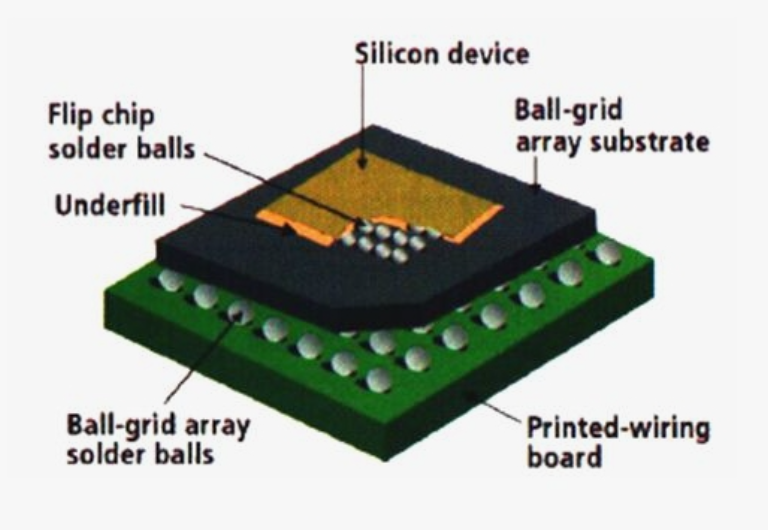
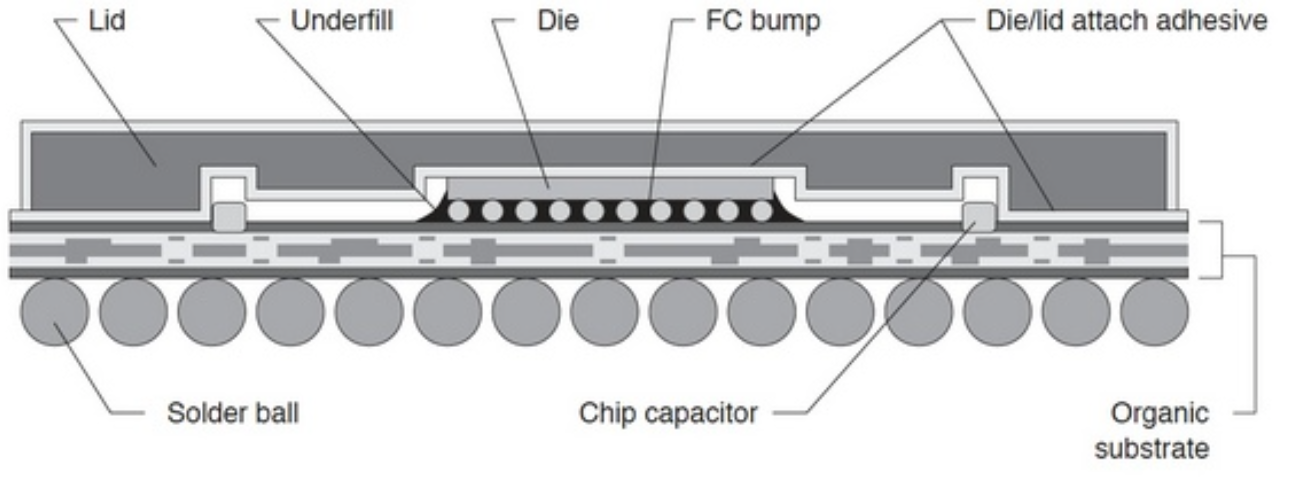
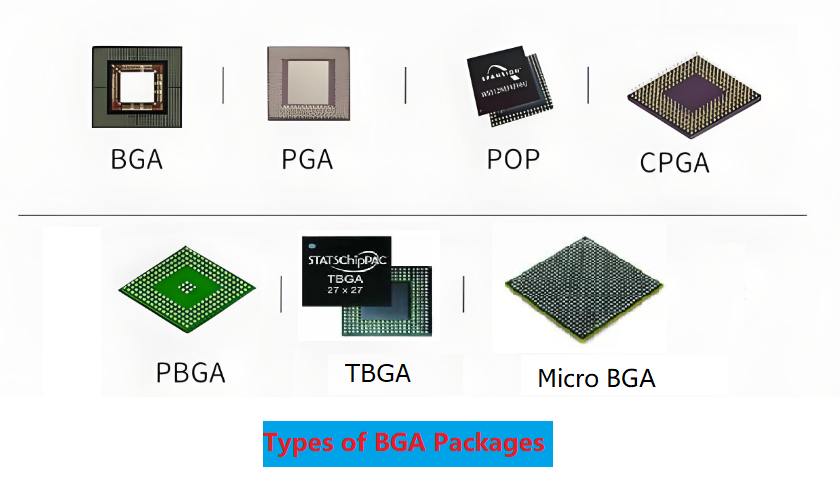
Ball Grid Array (BGA): A package type where solder balls are placed under the component, offering improved thermal performance and electrical connections.
Chip-Scale Packages (CSP): Miniature packages designed to be nearly the same size as the silicon chip itself, essential for mobile and compact devices.
Quad Flat Package (QFP): Integrated circuits with leads extending from four sides, commonly used in microcontrollers and processors.
What are the features of SMT?
SMT offers numerous advantages that have made it the preferred technology in PCB assembly:
Compact Design: SMT components are much smaller than their through-hole counterparts, allowing for lightweight and space-saving designs.
Higher Component Density: With no need for drilled holes, more components can fit within a given board area, increasing functionality.
Improved Electrical Performance: Shorter electrical paths minimize resistance and inductance, enhancing signal transmission speed and reducing power loss.
Automated Assembly: SMT allows for high-speed, automated component placement, reducing human error and increasing production efficiency.
Lower Manufacturing Costs: Reduced material waste, automated processing, and high production throughput lead to significant cost savings.
Better Thermal Management: SMT designs allow for better heat dissipation, which is crucial for high-power applications.
Stronger Mechanical Performance: Components mounted using SMT are more resistant to vibrations and mechanical stress, making them ideal for aerospace and automotive industries.
Why is SMT used?
The widespread adoption of SMT stems from its numerous benefits in electronics manufacturing. Companies prefer SMT because:
It enables miniaturization: Modern electronic devices require compact and lightweight designs, which SMT facilitates.
It enhances production speed: Automated SMT assembly lines can place thousands of components per hour, boosting manufacturing efficiency.
It improves product reliability: Stronger mechanical connections and reduced solder joint defects lead to more durable and long-lasting products.
It reduces manufacturing costs: Automated SMT processes lower labor costs while increasing yield rates.
It supports high-performance applications: SMT minimizes electrical noise, making it suitable for fast processors, 5G technology, and other advanced applications.
What are the processes of SMT?
The SMT assembly process consists of multiple steps, each requiring precision and expertise to ensure high-quality PCB production:
PCB Preparation: The bare PCB is cleaned to remove contaminants and treated with coatings to prevent oxidation and improve solder adhesion.
Solder Paste Application: Solder paste, a mixture of flux and metal particles, is applied to PCB pads using stencils or jet printing, ensuring precise placement.
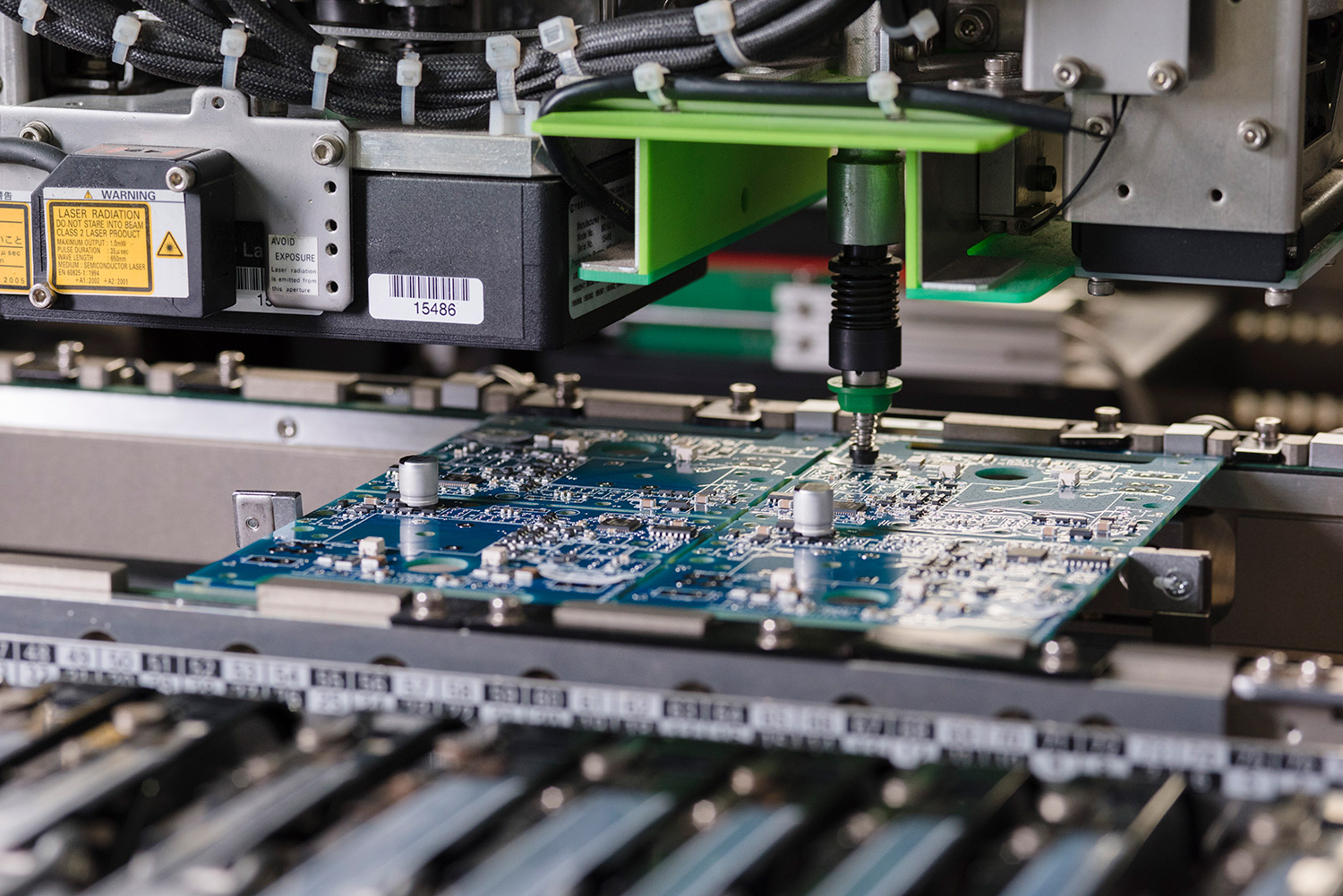
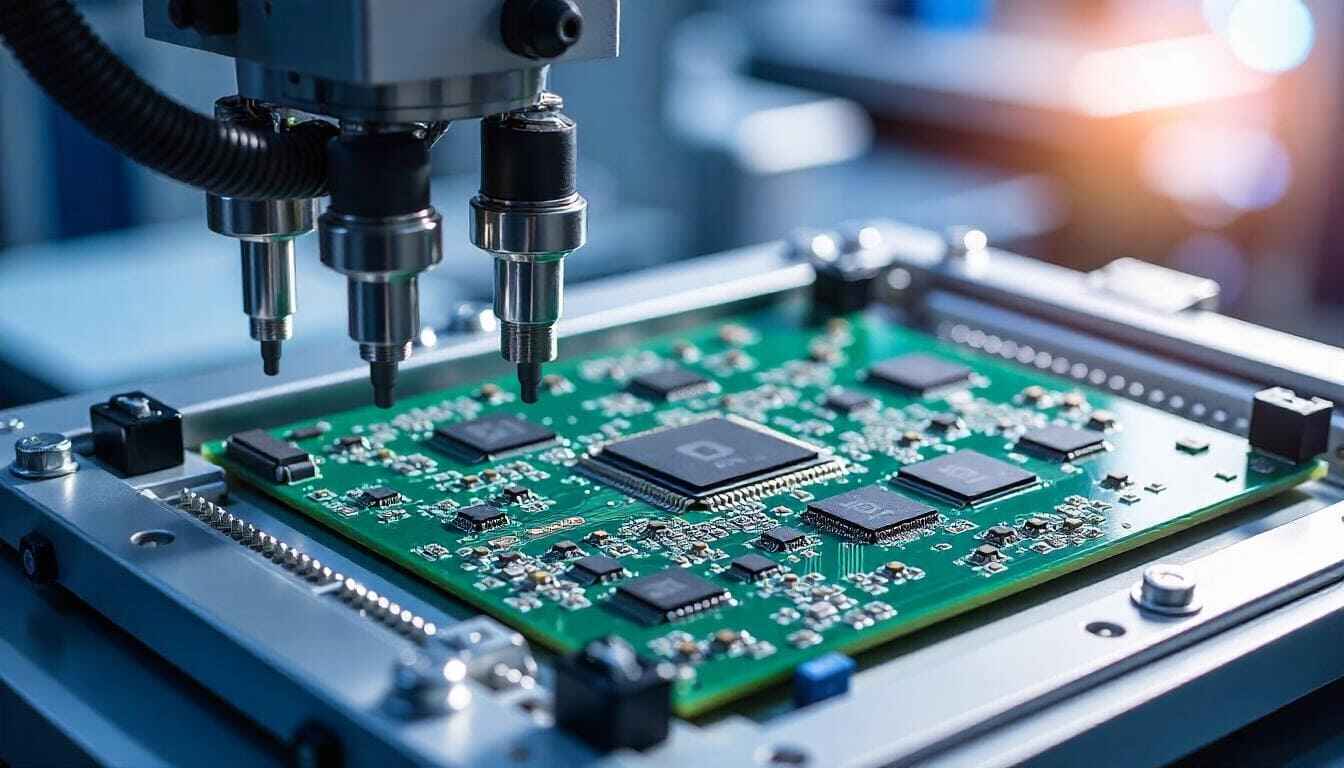
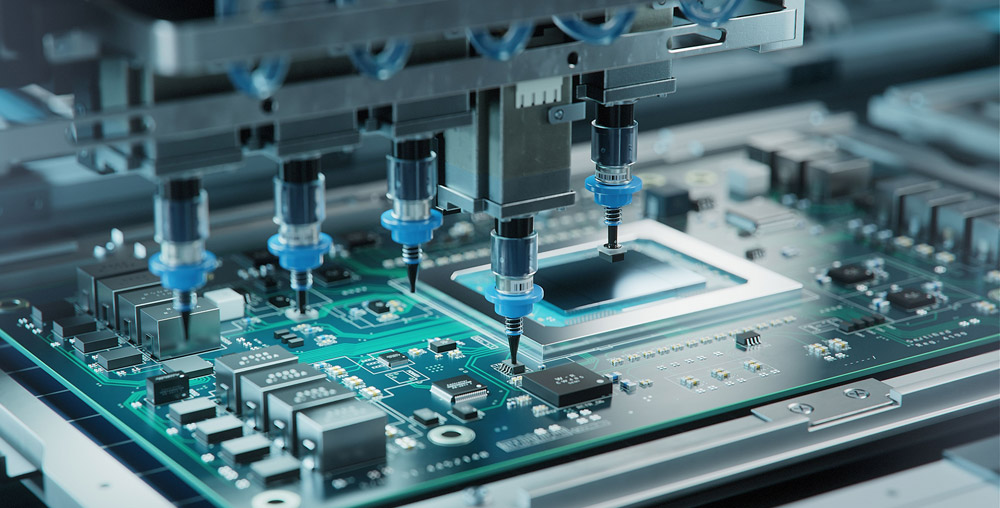
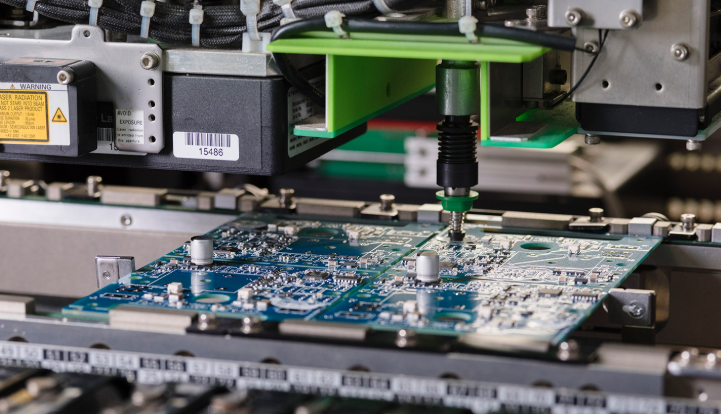
Component Placement: Automated pick-and-place machines position SMDs onto the solder-pasted PCB with extreme accuracy, ensuring proper alignment.
Reflow Soldering: The assembled PCB is passed through a controlled heating process, where the solder paste melts and forms strong electrical connections.
Inspection and Quality Control: Techniques such as Automated Optical Inspection (AOI) and X-ray testing detect defects like misalignment, solder bridging, and voids.
Final Cleaning and Packaging: Flux residues are removed, and the PCBs are tested and packaged for delivery to clients.
Functional Testing: Completed PCBs undergo rigorous functional tests to verify performance and compliance with industry standards.
What is SMT and THT?
Two primary methods exist in PCB assembly: Surface Mount Technology (SMT) and Through-Hole Technology (THT). While SMT has largely replaced THT, both technologies serve specific applications.
Key Differences:
Size & Weight: SMT components are smaller and allow for lighter devices, whereas THT components are larger and bulkier.
Assembly Efficiency: SMT supports automation, enabling fast and precise production, while THT often requires manual assembly, making it slower.
Application Suitability: SMT is preferred for consumer electronics, telecommunications, and medical devices, whereas THT is used in military, aerospace, and high-power applications.
Reliability: SMT offers excellent electrical performance, while THT provides stronger mechanical bonds for applications exposed to extreme stress.
Conclusion:
Surface Mount Technology has revolutionized modern electronics, making devices smaller, more powerful, and cost-efficient. With its high-speed production, improved electrical performance, and ability to support complex designs, SMT has become the industry standard.
For high-quality SMT PCB solutions, reach out to EBest Circuit (Best Technology) at sales@bestpcbs.com
Chip On Board (COB) technology is transforming the way we approach lighting and electronics by offering higher efficiency, compactness, and enhanced performance. In today’s rapidly evolving world of LEDs and high-performance displays, COB has become a game-changer. Whether you’re looking for brighter, more energy-efficient lighting solutions or advanced electronic designs, COB delivers superior results. This article will explore what COB is, how it works, its advantages, and why it’s becoming the go-to solution for many industries. Let’s dive deeper into how Chip On Board technology is revolutionizing the world of LEDs and beyond.
What Does Chip On Board Mean?
Chip On Board (COB) is a technology that involves mounting bare semiconductor chips directly onto a circuit board. The chips are typically used for LED applications, where they’re attached to the board without the use of traditional packaging methods. In simpler terms, instead of using individual LED packages, COB technology allows for the integration of multiple LEDs into a single unit, which increases performance and reduces space.
This innovative approach makes the board more efficient in transferring heat and enhances the overall durability of the light source. Over time, COB has become a popular choice in high-performance lighting and electronic systems due to its compact nature and increased energy efficiency.
What is a Chip-on-Board Also Called?
Chip-on-Board (COB) technology is sometimes referred to as “bare-chip” packaging. In this method, the chip is directly mounted onto the board, and electrical connections are made via wire bonding or soldering. The term “COB” is commonly used in LED lighting, but the technology can be applied to other types of semiconductors as well. Other variations or related terms include:
COB LED (Chip-on-Board Light Emitting Diode)
COB packaging
COB assembly
These terms generally describe the same principle, which is the direct attachment of chips to a board for enhanced efficiency.
What is the Difference Between PCB and COB?
The primary difference between PCB (Printed Circuit Board) and COB (Chip on Board) lies in the way components are mounted. While a PCB is a physical board that provides the electrical connections and support for various components, COB focuses on mounting semiconductor chips directly onto the PCB without additional packaging.
In PCB-based designs, individual components like resistors, capacitors, and LEDs are usually placed on the board. In COB, the semiconductor chip, often an LED, is directly connected to the board without the need for extra packaging or casing. This results in a more compact and efficient design. At EBest Circuit (Best Technology), we specialize in providing high-quality printed circuit boards (PCBs) that are essential for supporting innovative technologies like Chip On Board (COB). Our expertise in PCB manufacturing ensures that we can meet the demands of advanced COB applications in various industries, delivering reliable and efficient solutions.
What is a COB Package?
A COB package refers to the method of integrating multiple LEDs into a single compact unit. Unlike traditional LED packaging that involves mounting individual LED chips into separate packages, COB uses a single substrate to host multiple LED chips. This method allows for a higher density of LEDs per unit area, providing more light output in a smaller space.
The COB package is often used in applications that require high brightness and low thermal resistance, such as automotive lighting, street lights, and even high-end television displays. The efficiency of COB packages has made them essential in industries where space and power consumption are critical.
Which is Better, COB or LED?
When comparing COB with traditional LED technologies, COB offers several advantages that can make it a better choice depending on the application. One of the primary benefits of COB over conventional LED is its ability to integrate multiple LEDs into a single unit. This leads to:
Higher Brightness: COB can provide more light output in less space, making it ideal for applications like outdoor lighting or large display screens.
Better Heat Dissipation: The direct contact of the LED chips with the board allows for more efficient heat management, reducing the risk of overheating.
Compact Design: COB eliminates the need for individual LED packages, leading to a smaller, more streamlined design.
However, traditional LED technology might be preferable in applications where cost is the primary factor, as COB systems can be more expensive to manufacture.
What Does a Chip On Board Do?
A Chip On Board (COB) system serves a variety of purposes in modern electronics. In the case of LED applications, COB allows for a more efficient and compact design. By placing multiple LED chips onto a single substrate, COB systems can produce a larger light output while occupying less space. This makes it perfect for applications requiring high brightness in a small form factor.
COB technology also plays a critical role in heat management. The direct mounting of the chip onto the board enables efficient thermal conductivity, helping to maintain optimal operating temperatures. This is especially crucial for long-lasting LED lights used in automotive, industrial, and residential applications.
What is the Purpose of a COB?
The purpose of a Chip On Board (COB) system is to improve the overall performance, size, and efficiency of electronic systems, particularly in the realm of LED technology. Some of the primary goals of COB include:
Energy Efficiency: COB LEDs are known for their lower power consumption compared to traditional LEDs, making them a more energy-efficient choice.
Space Efficiency: By integrating multiple LED chips into a single unit, COB minimizes the need for additional space, allowing for more compact designs.
Enhanced Durability: COB systems are generally more durable since they have fewer components that could potentially fail, such as individual LED packages.
This makes COB ideal for applications where performance and space are critical factors, such as in high-end lighting systems, television panels, and automotive lights.
What is the Process of Chip On Board Manufacturing?
The process of manufacturing Chip On Board (COB) involves several key steps to ensure that the semiconductor chips are securely attached to the circuit board and function as intended. Here’s a simplified breakdown:
Chip Preparation: The semiconductor chips are prepared for mounting by removing any excess material from the wafer.
Placement: The bare chips are placed directly onto the PCB using precise automated equipment.
Bonding: Electrical connections are made between the chip and the PCB via wire bonding or soldering.
Encapsulation: The chips are then encapsulated with a protective layer to safeguard them from environmental factors like moisture and dust.
Testing: After assembly, the COB units undergo rigorous testing to ensure that the LED chips are functioning correctly and that the heat dissipation is efficient.
This manufacturing process results in a highly compact, efficient, and reliable product, particularly suited for applications requiring high-performance LEDs.
What Are the Advantages of Chip On Board?
Chip On Board technology offers several key advantages, which explain its increasing popularity in industries ranging from automotive lighting to consumer electronics. Some of the standout benefits include:
Improved Efficiency: With better heat dissipation and reduced power consumption, COB systems are more energy-efficient.
Compact Size: By integrating multiple chips into one unit, COB systems take up less space, allowing for more versatile designs.
Higher Light Output: COB technology allows for brighter LED lighting, which is essential in applications like street lights and displays.
Cost-Effective for High Volume: While the initial setup cost can be higher, COB becomes more cost-effective in high-volume production due to the reduction in packaging materials.
COB is an essential technology for modern high-performance lighting and electronics, offering unmatched benefits in terms of energy efficiency, space-saving, and overall reliability.
In conclusion, Chip On Board (COB) technology is revolutionizing the way LED lights and other electronic systems are designed and manufactured. With its compact size, improved thermal management, and enhanced brightness, COB is a critical component in industries ranging from automotive lighting to consumer electronics. Whether you’re considering COB for your next project or simply want to understand its benefits, it’s clear that this technology is leading the way in efficient, high-performance systems. EBest Circuit (Best Technology) specializes in customized solutions, offering high-quality PCB products with quick turnaround times. For more information or inquiries, feel free to contact us at sales@bestpcbs.com to discuss how we can help elevate your next project with our top-notch PCB solutions.