PCB manufacturing PCB manufacturing
Home > Blog

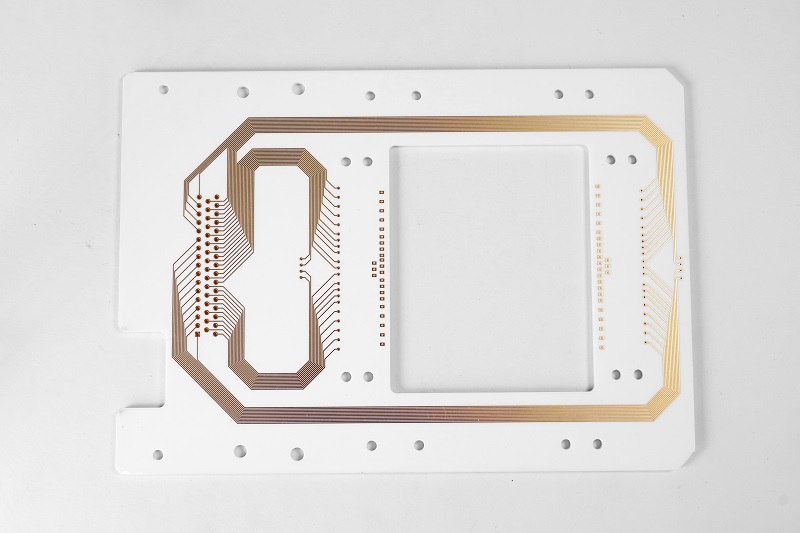
High-Frequency Ceramic PCB for Antenna, PCB Antenna Manufacturer

March 3rd, 2025

What is High-Frequency Ceramic PCB for Antenna?

When people talk about high-frequency ceramic PCB for antenna, they often focus on two things: the material and the performance. This type of PCB uses ceramic-based substrates instead of standard materials like FR4. Ceramic materials handle high frequencies much better, which is why they are widely used in antennas, especially for advanced communication systems.

Ceramic PCBs are different because they have excellent thermal properties, stable performance across various temperatures, and a low dielectric loss. When designing antennas, stable signal transmission matters a lot. If the PCB can’t hold signals well, the antenna won’t perform as expected. That’s where ceramic PCBs shine. They can work reliably at frequencies over 1GHz, even reaching into the millimeter-wave range.

For antennas, precision and stability are key. High-frequency ceramic PCBs offer low signal loss, better impedance control, and excellent high-speed signal transmission. Compared to other materials, they help antennas work more efficiently, even in complex environments.

High-Frequency Ceramic PCB for Antenna, PCB Antenna Manufacturer

Raw Materials of High-Frequency Ceramic PCB

The materials used in high-frequency ceramic PCB for antenna directly impact performance. Ceramic PCBs rely on substrates like Alumina (Al2O3), Aluminum Nitride (AlN), and Beryllium Oxide (BeO). Each has special properties that match specific antenna needs.

  • Alumina is popular for its balance between cost and performance. It has stable electrical properties, good thermal conductivity, and works well with various frequencies.
  • Aluminum Nitride provides higher thermal conductivity than Alumina, which helps when antennas run in high-power or high-heat situations.
  • Beryllium Oxide offers even better thermal properties, but it’s used less due to its handling restrictions.

Ceramic PCBs also use conductive materials like silver, gold, or copper, depending on the frequency and environment needs. The right combination of ceramic substrate and conductor helps antennas maintain low signal loss and high reliability, even under extreme conditions.

Advantages of Ceramic PCB Used in Antenna

Using high-frequency ceramic PCB for antenna provides many benefits, especially when high performance matters. These advantages help designers build better antennas that stay stable over time, make them in a smart choice for antennas in 5G, radar, GPS, and satellite communication systems.

  • Low dielectric loss: Signals travel through ceramic with less loss, which helps antennas work better at high frequencies.
  • Stable performance: Ceramic PCBs handle temperature changes, moisture, and mechanical stress well. That stability matters for outdoor antennas or systems working in tough environments.
  • Excellent thermal management: Antennas, especially those handling strong signals, produce heat. Ceramic spreads heat faster than traditional materials, which helps antennas work longer without performance drops.
  • Higher frequency support: Standard PCBs struggle with frequencies above a few GHz. Ceramic PCBs handle millimeter-wave frequencies better, making them ideal for advanced communication systems.
  • Tighter tolerances: Ceramic PCBs can be made with more precise dimensions, which helps match the antenna’s electrical design closely. This precision supports better impedance control.
  • Longer lifespan: Ceramic resists wear, corrosion, and aging better than many organic materials. That means antennas using ceramic PCBs tend to last longer.
High-Frequency Ceramic PCB for Antenna, PCB Antenna Manufacturer

High-Frequency Ceramic PCB vs. High-Frequency PCB

It’s common to hear people compare high-frequency ceramic PCB for antenna with standard high-frequency PCB. Both support high-speed signals, but they serve different purposes.

1. Material difference:

High-frequency PCBs often use PTFE, hydrocarbon, or special composite materials. Ceramic PCBs use Rogers Alumina, Aluminum Nitride, or similar ceramics.

2. Thermal performance:

Ceramic spreads heat much faster than PTFE or composites, helping antennas in high-power systems.

3. Dielectric loss:

Ceramic PCBs generally have lower dielectric loss at high frequencies, which helps antennas maintain signal clarity.

4. Mechanical stability:

Ceramic is rigid and doesn’t change shape much with temperature or moisture. Some high-frequency laminates can swell or shrink, which affects signal paths.

5. Frequency range:

While both support GHz-level signals, ceramic handles higher frequencies more easily, including millimeter-wave bands.

In short, high-frequency ceramic PCBs work best when both thermal performance and high-frequency stability matter. Standard high-frequency PCBs work well for simpler systems, but antennas pushing into higher frequencies often rely on ceramic for better results.

Design Considerations for High-Frequency Ceramic PCB

Designing a high-frequency ceramic PCB for antenna involves more than choosing the right materials. Several factors impact performance, so careful attention at the design stage helps prevent later problems.

1. Substrate choice: Picking the right ceramic type depends on frequency, heat load, and physical size. Higher frequencies need materials with lower dielectric loss, while high-power antennas need better thermal conductivity.

2. Avoid crosstalk: It is best to use a straight line or 45degree traces to reduce the transmission of high frequency signals and mutual coupling‌. Parallel routing in a close distance may cause crosstalk.

3. Impedance control: Maintaining accurate impedance across the whole PCB keeps signals clean. Ceramic’s stable properties help, but the design must account for it too.

4. Via design: For multi-layer designs, vias must maintain low loss and good grounding. Plated vias, filled vias, or even embedded vias help control high-frequency signals.

5. Grounding strategy: Good grounding keeps signals clean and reduces unwanted noise. Ground planes should be carefully placed and connected to avoid signal interference.

6. Thermal management: Heat buildup changes performance over time. Even though ceramic handles heat better than FR4, the layout should still allow heat to spread efficiently.

When all these factors work together, the final antenna performs better, holds signal quality longer, and operates reliably under real-world conditions.

High-Frequency Ceramic PCB for Antenna, PCB Antenna Manufacturer

Antenna Ceramic PCB Manufacturer – EBest Circuit (Best Technology)

When choosing a high-frequency ceramic PCB for antenna, working with an experienced manufacturer makes a real difference. EBest Circuit (Best Technology), with more than 18 years of PCB manufacturing experience, specializes in high-frequency ceramic PCBs designed for antennas in various industries.

We work with top-grade ceramic materials like Dupont, Rogers, Isola, etc. to meet the demands of advanced communication systems. Our team works closely with customers to match the right material and design to each antenna’s frequency range, power level, and environment.

We also offer precision manufacturing processes to keep line widths, spacing, and via placements within the tight tolerances high-frequency designs need. Whether your antenna supports 5G, satellite communications, or radar systems, we deliver reliable, high-performance ceramic PCBs that keep signals clean and strong.

With advanced testing, rigid quality control, and a customer-first approach, we help companies build better antennas faster. Contact EBest Circuit (Best Technology) today to explore how our high-frequency ceramic PCBs can improve your next antenna project.

FAQs of High Frequency Ceramic PCB

Q1: Why use ceramic PCBs for high-frequency antennas?

Ceramic PCBs offer lower signal loss, better thermal management, and more stable performance at high frequencies than traditional materials.

Q2: Which ceramic materials work best for antenna PCBs?

Alumina, Aluminum, Nitride are popular choices. Each supports different frequencies and heat loads.

Q3: Are ceramic PCBs suitable for 5G antennas?

Yes, they support the millimeter-wave frequencies used in 5G networks, along with excellent signal integrity.

Q4: Do ceramic PCBs cost more than regular high-frequency PCBs?

They often cost more initially, but their longer lifespan and better performance provide good value.

Q5: Can ceramic PCBs handle outdoor conditions?

Yes, ceramic resists moisture, temperature changes, and mechanical stress better than many organic materials.

PCB Assembly – Pick and Place File in PCBA

March 3rd, 2025

Pick and Place File is a key file in PCBA, which is used to guide automated equipment (such as placement machines) to accurately pick up and place components to specified locations on the PCB. This file usually contains information such as the reference number of each component, the X and Y coordinates on the PCB, the rotation angle (direction), and the mounting layer (top or bottom layer).

PCB Assembly – Pick and Place File in PCBA

What is the Pick and Place File for PCB?

A Pick and Place (PnP) file, sometimes called the XY file, is a data file used in PCB assembly. It contains crucial information about the placement of surface-mount components (SMDs) on the board. This file is used by pick-and-place machines to accurately position components.

Without this file, manufacturers would need to manually place each component, which would be time-consuming and prone to errors. A well-prepared pick and place file ensures efficient, precise, and automated assembly, reducing costs and improving overall production quality.

What is the Centroid File in PCB?

The centroid file is another term for the pick and place file. It contains the X and Y coordinates for each component’s center, along with its rotation angle and reference designator. These details allow assembly machines to pick the components correctly and place them in the exact locations on the PCB.

This file is crucial for automated PCB assembly because it minimizes placement errors and ensures that all parts align correctly with the circuit design.

What are Gerber Files in PCB?

Gerber files are a different type of file used in PCB manufacturing. While a pick and place file provides component placement data, Gerber files define the PCB’s physical layout. These files describe the copper layers, solder mask, silkscreen, and drill holes.

PCB Assembly – Pick and Place File in PCBA

Both files are essential for PCB production:

Gerber files ensure the PCB is fabricated correctly.

Pick and place files guide the assembly process by positioning the components.

Together, these files allow for smooth PCB manufacturing and assembly.

What Information is Included in a Pick and Place File?

A pick and place file contains several key details:

  • Reference Designators – Identifies each component (e.g., R1, C2, U3).
  • X and Y Coordinates – Specifies the precise location of each part.
  • Rotation Angle – Determines how the component should be oriented.
  • Package Type – Ensures compatibility with the pick and place machine.

This information ensures that each component is placed in the exact spot, aligned properly, and ready for soldering.

How to Make a Pick and Place File?

Creating a pick and place file depends on the PCB design software being used. Most modern design tools can automatically generate this file.

In Altium Designer

  • Open your PCB layout file.
  • Click File > Assembly Outputs > Generate Pick and Place.
  • Select the file format required by the assembly house.
  • Save and export the file.

In KiCad

  • Open your PCB design in KiCad.
  • Go to File > Fabrication Outputs > Footprint Position File.
  • Choose the output format and export the file.

In Eagle

  • Open your PCB project.
  • Go to Tools > Run ULP > Mount.smd.ulp.
  • Save the output file.

Most PCB manufacturers provide guidelines on how they want the pick and place file formatted. Always confirm their requirements before sending the file.

What is the Pick and Place Process?

The pick and place process is an essential part of Surface Mount Technology (SMT) assembly. It involves the automated placement of components onto a PCB. The steps include:

PCB Assembly – Pick and Place File in PCBA
  • Component Preparation – Components are loaded into feeders or trays.
  • Machine Calibration – The pick and place machine is set up according to the PCB design.
  • File Processing – The pick and place file is loaded into the system.
  • Component Pickup – The machine’s nozzles pick up components using vacuum suction.
  • Component Placement – The machine positions each part according to the file’s coordinates.
  • Inspection – The placement is verified before reflow soldering.

This automated process ensures high accuracy and fast assembly speeds.

How Fast is a Pick and Place Machine?

Pick and place machines operate at varying speeds depending on their model and capabilities. The speed is measured in Components Per Hour (CPH).

Entry-level machines can place 5,000 – 10,000 components per hour.

Mid-range machines can handle 30,000 – 50,000 CPH.

High-end machines exceed 100,000 CPH, making them ideal for mass production.

The faster the machine, the more efficient the assembly process, reducing production time and costs.

Why is a Pick and Place File Essential?

Using a pick and place file provides several benefits:

PCB Assembly – Pick and Place File in PCBA
  • Improved accuracy – Ensures precise component placement.
  • Faster production – Speeds up PCB assembly.
  • Reduced errors – Minimizes misalignment and incorrect component placement.
  • Lower costs – Reduces labor costs by automating placement.

Without this file, the assembly process would be slower, less efficient, and more prone to errors.

Conclusion:

A pick and place file is a critical component of PCB assembly. It provides essential data for automated machines, ensuring precision, efficiency, and high-quality production.

Advanced pick and place machines make modern PCB assembly faster, more accurate, and cost-effective. If you need high-quality PCB assembly services, contact sales@bestpcbs.com for expert solutions.

Ceramic PCB Assembly, Ceramic PCB Manufacturing Process

March 3rd, 2025

Ceramic PCB assembly is becoming a preferred option for industries that demand high thermal conductivity, stable performance, and strong mechanical strength. Compared to traditional FR4 boards, ceramic circuit boards handle heat better, last longer, and work reliably even in extreme environments. That’s why companies in aerospace, automotive, and medical fields turn to this technology for their critical projects.

Ceramic materials offer natural thermal conductivity, so they don’t need extra heat dissipation layers. That means more compact designs without losing efficiency. With ceramic PCB assembly, you also get enhanced reliability when working with high-power components or complex multilayer designs.

Ceramic PCB Assembly, Ceramic PCB Manufacturing Process

What are the substrates for ceramic PCB?

Ceramic PCBs use different substrates depending on the performance requirements of the application. Alumina (Al2O3) is the most common due to its balanced cost and performance. It provides good thermal conductivity, electrical insulation, and mechanical strength. For even higher thermal performance, Aluminum Nitride (AlN) works better. It handles heat far more efficiently, so it’s often used in power electronics or LED applications. Beryllium Oxide (BeO) is another option, though its use is less common due to safety concerns during manufacturing. Still, it offers excellent thermal conductivity when needed.

What are the different types of ceramic PCB?

Ceramic PCBs come in different types to meet various technical needs. Single-layer ceramic PCBs are the simplest and often used when the design doesn’t need many connections. They work well for LED modules or simple power circuits. Double-layer ceramic PCBs offer more flexibility for designs with higher component counts. They can handle complex circuits with better routing options. For advanced applications, multilayer ceramic PCBs provide even more design freedom. These allow for compact, high-density circuits, perfect for RF modules, medical sensors, and aerospace systems.

What are the components of a ceramic PCB?

Ceramic PCBs contain several essential elements that work together to deliver strong performance. The ceramic substrate forms the base, providing heat management, insulation, and structural support. On top of that, copper traces form the electrical connections. These traces are either directly bonded or printed, depending on the design process. The solder mask covers exposed copper to prevent oxidation, though ceramic PCBs sometimes skip this layer to enhance thermal transfer. Finally, components like resistors, capacitors, and ICs are soldered onto the surface to complete the assembly.

Ceramic PCB Assembly, Ceramic PCB Manufacturing Process

How thick is ceramic PCB?

Ceramic PCBs come in different thicknesses to match the needs of the design. Common ceramic substrate thicknesses range from 0.25mm to 1.5mm, depending on the type of material and required mechanical strength. Thin ceramic boards work well when weight reduction matters, such as in aerospace applications. Thicker boards support larger components and provide additional strength. The copper layer itself also varies, usually from 10ÎŒm to 140ÎŒm, depending on current-carrying requirements. Choosing the right combination of ceramic and copper thickness ensures good performance without unnecessary cost.

How to make ceramic PCB?

The ceramic PCB manufacturing process begins with circuit design optimization (e.g., Gerber file preparation) to account for ceramic-specific properties such as thermal expansion and mechanical stability. A ceramic substrate (e.g., alumina or aluminum nitride) is then cut into panels from larger sheets. For copper trace formation, two primary methods are used: ‌Direct Bonded Copper (DBC)‌ involves bonding copper foil to the ceramic under high temperature and pressure, followed by photolithography and etching to define precise circuit patterns, making it ideal for high-power applications. Alternatively, ‌Thick Film Printing‌ uses screen-printing of conductive pastes (e.g., silver-palladium) onto the ceramic surface, which are then sintered at high temperatures to solidify the traces, a cost-effective method for simpler designs. After trace formation, laser drilling creates micro-vias (if required), which are metallized using electroless copper plating to ensure electrical connectivity between layers. Surface finishes like ENIG (Electroless Nickel Immersion Gold) or OSP (Organic Solderability Preservative) are applied to protect copper traces from oxidation. Finally, during assembly, solder paste is deposited, components are placed, and reflow soldering or precision-controlled thermal processes are employed to bond components while minimizing thermal stress mismatch between ceramic and metal parts.

What is the difference between ceramic PCB assembly and FR4 PCB assembly?

Ceramic PCB assembly and FR4 PCB assembly follow some similar steps, but the materials and processes vary a lot. In FR4 PCBs, the fiberglass and epoxy resin form the main structure. These materials offer flexibility, but they can’t handle high temperatures well. Ceramic PCBs use ceramic substrates that naturally conduct heat, so they don’t need extra thermal management layers. This simplifies the design, especially for power electronics. During assembly, soldering ceramic PCBs requires more precision since ceramic expands differently from metals. Specialized equipment helps control the process, ensuring components bond properly without cracking the ceramic. Compared to FR4, ceramic PCB assembly often handles higher temperatures, offers better stability, and lasts longer in demanding environments.

What are the benefits of ceramic PCB?

There are many reasons why companies prefer ceramic PCB assembly for critical projects. Ceramic substrates naturally provide high thermal conductivity, which helps heat-sensitive components stay cool. That extends component life and improves reliability. Ceramic PCBs also offer excellent mechanical strength despite their thin profile. This strength helps them survive harsh conditions, including vibration or sudden temperature changes. Another key benefit is high-frequency performance, which matters for RF applications. Ceramic’s low dielectric loss helps maintain signal integrity. Additionally, ceramic materials resist chemicals, moisture, and aging better than traditional PCB materials. Combined, these benefits make ceramic PCB assembly an excellent choice for high-performance, long-lasting products.

How to choose the best ceramic PCB manufacturer for your project?

Choosing the right ceramic PCB manufacturer makes a huge difference in both quality and cost. Start by checking the manufacturer’s experience with ceramic PCB assembly, especially for your industry. Ceramic handling requires special expertise, so working with an experienced supplier reduces risk. Next, ask about material options. A good manufacturer offers multiple ceramic materials, including alumina, aluminum nitride, and others. Also, review their equipment capabilities. Advanced equipment helps control tolerances and ensures good bonding between ceramic and copper. Don’t forget to check their quality certifications and testing processes. Reliable manufacturers offer full inspection reports, including thermal cycling tests, solderability checks, and X-ray inspections to confirm internal connections. Finally, consider their lead times and ability to support custom designs. Flexibility matters, especially when developing innovative products. By the way, reliable manufacturer is able to promptly reply to inquiries and resolve issues, providing technical support and design consultation to save time and effort in the design and production processes.

Put it in a nutshell, ceramic PCB assembly continues to gain popularity thanks to its unmatched thermal performance, mechanical strength, and long-term reliability. Whether you need multilayer ceramic PCBs, alumina PCBs, or specialized designs for RF or power electronics, ceramic materials offer clear advantages. By partnering with an experienced ceramic PCB manufacturer, you can ensure your products meet high standards and work reliably under tough conditions.

At EBest Circuit (Best Technology), we specialize in China ceramic PCB assembly and wholesale ceramic PCB assembly, delivering quality products for customers worldwide. With more than 18 years of experience, we offer custom designs, fast lead times, and full inspection services to support your most challenging projects. Get in touch with us at sales@bestpcbs.com for any questions or additional information.

Ceramic PCB VS FR4, Good Thermal Conductivity Ceramic PCB

February 28th, 2025

Good thermal conductivity ceramic PCB is increasingly gaining attention in the electronics industry due to their superior heat dissipation capabilities. As electronic devices become more compact and powerful, effective thermal management is essential to ensure their performance and longevity. Ceramic PCBs, with their excellent thermal properties, stand out as a solution for handling heat efficiently. But what makes them so effective? Let’s dive deeper into the science of ceramic materials, how they compare to other common PCB substrates like FR4, and why they are the go-to choice for high-performance electronics. At EBest Circuit (Best Technology), we specialize in high-quality, tailor-made ceramic PCBs, offering rapid delivery and unmatched customer support.

Ceramic PCB VS FR4, Good Thermal Conductivity Ceramic PCB

Is Ceramic a Good Thermal Conductor?

When we talk about heat dissipation in PCBs, ceramic materials are known for their remarkable ability to conduct heat. Unlike traditional materials like FR4, ceramic substrates feature a higher thermal conductivity, which allows them to transfer heat away from sensitive components faster and more efficiently. This is particularly important in modern electronics, where components generate significant amounts of heat, potentially affecting the overall reliability and performance of the device.

In short, ceramic is indeed a fantastic thermal conductor. This property makes ceramic PCBs ideal for applications where thermal management is a top priority, such as power electronics, LED lighting, and high-frequency circuits.

What Is the Best Ceramic Material for PCBs?

The best ceramic material depends on the specific needs of the application. Typically, aluminum oxide (Al2O3) is one of the most commonly used materials for ceramic PCBs, offering a good balance of thermal conductivity and cost-effectiveness. Aluminum nitride (AlN) is another popular choice, especially for applications requiring even better thermal performance. It offers superior thermal conductivity compared to aluminum oxide but is often more expensive.

Other options like beryllium oxide (BeO) and silicon carbide (SiC) are also used in some specialized applications where extreme thermal performance is needed, although these are more niche materials due to their higher cost or limited availability.

What Is the Average Thermal Conductivity of Ceramics?

Ceramic materials can have varying thermal conductivity depending on their composition and structure. Generally, ceramics like aluminum oxide have thermal conductivities in the range of 20 to 30 W/mK, whereas aluminum nitride can reach up to 180 W/mK, making it one of the most thermally conductive ceramic materials available.

In comparison, traditional PCB materials like FR4 typically offer thermal conductivities of around 0.3 W/mK. This vast difference highlights why ceramics are an attractive option when thermal management is a critical factor.

Ceramic PCB VS FR4, Good Thermal Conductivity Ceramic PCB

What Is the Thermal Conductivity of Glass vs Ceramic?

Glass and ceramics may appear similar, but their thermal properties differ significantly. While both can withstand high temperatures, ceramics generally exhibit far superior thermal conductivity. For example:

‌Glass‌: Thermal conductivity typically ranges from ‌0.8 to 1.2 W/mK‌ due to its amorphous (non-crystalline) atomic structure, which impedes efficient heat transfer.

‌Ceramics‌: Thermal conductivity varies by material:

Aluminum oxide (Al₂O₃): ‌20–30 W/mK‌

Aluminum nitride (AlN): ‌140–180 W/mK‌

Beryllium oxide (BeO): ‌250–330 W/mK‌ (specialized use due to toxicity concerns).

This stark contrast makes ceramics ideal for high-power electronics, where rapid heat dissipation is critical.

Why Do Ceramics Have High Thermal Conductivity?

Ceramics owe their high thermal conductivity to two key factors:

‌Ordered crystal lattice‌: Materials like AlN and BeO have highly organized atomic structures. Heat is transferred through ‌phonons‌ (quantized lattice vibrations), which propagate efficiently in crystalline materials with minimal defects.

‌Strong atomic bonding‌: Covalent/ionic bonds in ceramics reduce atomic vibrations, minimizing phonon scattering and enabling faster heat transfer.

In contrast, amorphous materials like glass or polymers (e.g., FR4 with ‌0.3 W/mK‌) lack a defined lattice structure, causing frequent phonon collisions and poor thermal performance.

‌Ceramics dominate in thermal management applications (e.g., power electronics, LEDs) due to their tailored atomic structure, while glass and plastics are limited to low-heat scenarios.

Ceramic PCB VS FR4, Good Thermal Conductivity Ceramic PCB

At Which Temperature Do Ceramic Materials Become Superconductors?

High-temperature superconductors in ceramic materials, like yttrium barium copper oxide (YBCO), become superconductive at temperatures far below room temperature. Typically, these superconductors transition to a superconducting state at temperatures close to liquid nitrogen’s, around -183°C (90 K).

However, it’s important to note that most ceramic PCBs used in electronics don’t function as superconductors. It’s important to differentiate these superconducting ceramics from regular ceramic PCBs used in electronics.

Superconducting Ceramics: These materials lose all electrical resistance and show zero resistance and complete magnetic resistance at specific temperatures, like -183°C. These unique properties make superconducting ceramics essential in fields like medical imaging (MRI) and particle accelerators.

Regular Ceramic PCBs: While these don’t have superconducting properties, they excel in heat dissipation at room temperature, making them perfect for most electronic devices. These ceramic PCBs are mainly used for packaging and heat management in electronic products, rather than for superconductivity.

How to Increase the Thermal Conductivity of Ceramics?

There are several ways to enhance the thermal conductivity of ceramic materials. One common approach is to add metal fillers, like copper or silver, to the ceramic matrix. These metal particles increase the heat conduction efficiency without compromising the structural integrity of the ceramic. Another method is using higher-purity raw materials, which results in fewer impurities and defects in the crystal lattice, leading to better thermal performance.

In addition, optimizing the manufacturing process, such as sintering at the correct temperature and pressure, can also improve thermal conductivity. Advanced ceramics like aluminum nitride and silicon carbide already have excellent thermal properties, but further refining the process can push these properties even further.

How Does Ceramic PCB Improve Heat Dissipation in Electronics?

Ceramic PCBs play a crucial role in modern electronics by providing superior heat dissipation. In high-performance devices, managing heat is key to preventing damage to sensitive components. Ceramic PCBs act as efficient thermal conductors, pulling heat away from heat-sensitive components like processors, power transistors, and LEDs.

For example, a multilayer ceramic PCB can incorporate several ceramic layers with thermal vias to provide even more efficient heat distribution across the board. This enables the device to maintain optimal performance, even under high loads, without risking overheating. Moreover, ceramic PCBs can be combined with metal core PCBs for even better thermal management in demanding applications.

Ultimately, the excellent thermal conductivity of ceramic materials makes them a vital component in keeping electronic devices running smoothly, thereby extending their lifespan and improving overall performance.

Ceramic PCB VS FR4, Good Thermal Conductivity Ceramic PCB

To sum up, good thermal conductivity ceramic PCB is becoming the backbone of many high-performance electronics due to their ability to handle heat efficiently. Their superior thermal properties allow for better heat dissipation, preventing overheating and improving the overall lifespan and reliability of electronic devices. Whether you’re looking at ceramic PCB vs FR4, considering multilayer ceramic PCBs, or seeking the best ceramic substrate manufacturers, choosing ceramic PCBs can provide the edge your products need in today’s fast-evolving electronics market.

At EBest Circuit (Best Technology), we specialize in crafting custom ceramic PCBs tailored to your specific thermal needs, ensuring your devices stay cool and perform at their best. Reach out to us at sales@bestpcbs.com for more information or questions.

What are the PCB assembly requirements? PCB panelization guidelines

February 28th, 2025

PCB assembly requirements include ensuring that the size and positioning of the PCB board meet the design specifications, reasonably arranging components, strictly controlling the soldering temperature, and performing quality inspections and tests through automatic inspection equipment to ensure that the circuit connections are correct and the components are firmly soldered, thereby ensuring the quality and reliability of the product.

What are the PCB assembly requirements? PCB panelization guidelines

What is PCB panelization?

PCB panelization refers to the process of grouping multiple PCB designs into a larger “panel” or array. This is done to optimize manufacturing efficiency and minimize the cost of the assembly process.

Panelization is particularly useful when dealing with small-sized PCB designs. By panelizing the design, manufacturers can perform soldering, testing, and other assembly processes on a group of PCBs simultaneously, which reduces the overall cost of assembly.

What are the types of panels for PCB assembly?

There are several types of panels used for PCB assembly. The main types include:

  • V-Scored Panels: These panels are made by scoring the PCB at specific points, creating a groove that makes it easy to separate the individual PCBs after the assembly is complete.
  • Tab-Routed Panels: Tab-routing is a process where the PCB is connected to the panel with small tabs. After assembly, these tabs are cut to separate the individual PCBs.
What are the PCB assembly requirements? PCB panelization guidelines
  • Laser-Routed Panels: In laser routing, a laser is used to precisely cut around the edges of the PCB. It offers high precision and is typically used for high-density designs or sensitive applications where a more precise separation method is needed.
  • Combo Panels: These panels combine the benefits of V-scoring and tab-routing, allowing for a flexible approach to assembly and separation.

What are the panel requirements for PCB assembly?

Panel requirements are a set of guidelines and specifications that need to be followed during the PCB panelization process to ensure that the final assembly is accurate, efficient, and cost-effective. These requirements include:

  • Panel Size: The size of the panel should be optimized to fit into the equipment used during assembly (like pick-and-place machines).
  • Edge Clearance: The edge of the PCB should have enough clearance to prevent mechanical stress and interference during the manufacturing process.
  • Component Placement: Panels should be designed so that the components are placed efficiently. This includes keeping components within the panel’s accessible area for automated assembly machines.
  • Separation Strategy: Whether using V-scoring, tab-routing, or laser routing, the method chosen for separating the individual boards after assembly must be considered in the panelization process.
  • Manufacturing Tolerances: All panels should adhere to strict tolerances to ensure the accuracy and quality of the final product. This includes positioning of components, trace width, and hole sizes.

What is the standard for PCB assembly?

The standard for PCB assembly is typically guided by established organizations such as IPC (Institute for Printed Circuits), which provides standardized rules for PCB design, assembly, and testing. For example:

  • IPC-2221 provides guidelines for designing printed boards and other forms of component mounting.
  • IPC-A-610 outlines the acceptability requirements for electronic assemblies, including things like solder joints, component placement, and cleanliness.
What are the PCB assembly requirements? PCB panelization guidelines

These standards ensure that PCBs meet performance, quality, and safety requirements. Adhering to these guidelines helps manufacturers produce high-quality products that are reliable and meet industry expectations.

What files are required for PCB assembly?

To ensure a smooth PCB assembly process, manufacturers typically require several key files. These files provide the necessary data to fabricate, assemble, and test the PCB. Some of the most important files include:

  • Gerber Files: These files contain the information necessary to produce the copper layers of the PCB, including the layout of the traces, pads, and vias.
  • Bill of Materials (BOM): The BOM is a detailed list of all components required for the PCB, including part numbers, values, and descriptions.
  • Pick and Place Files: These files contain the positions of the components on the PCB, allowing automated machines to place the components accurately.
  • Schematic Files: Schematic files show the circuit design and connectivity between components. These are essential for verifying that the assembly process follows the correct electrical design.
  • Stencil Files: If solder paste is required, stencil files guide the application of the paste to the PCB.

Having all of these files ensures that the assembly process runs smoothly and that the final product is built to the correct specifications.

What is the PCB assembly process?

The PCB assembly process involves several steps, each of which must be carried out with precision to ensure the board works properly. The general process is as follows:

  • Solder Paste Application: The first step involves applying solder paste to the PCB pads using a stencil.
  • Component Placement: Automated pick-and-place machines place the components onto the PCB.
  • Soldering: Once the components are placed, the PCB moves into a reflow oven or wave soldering machine, where the solder paste is heated, melting the solder and attaching the components to the board.
  • Inspection: After soldering, the PCB is inspected to ensure that the components are securely attached, and there are no issues like solder bridges or cold joints. Visual inspection, X-ray inspection, or automated optical inspection (AOI) may be used.
  • Testing: The PCB undergoes electrical testing to verify its functionality. This may include functional tests or in-circuit tests.
  • Final Touches: After passing tests, the PCB is cleaned, and any excess solder is removed. It may also undergo further inspection to check for cosmetic defects.
  • Packaging and Shipping: Finally, the completed PCBs are packaged and shipped to the client.

What are the tolerances for PCB assembly?

Tolerances are the allowable variations in the dimensions and placement of components during the assembly process. These tolerances must be carefully controlled to ensure that the PCB works as intended.

Common tolerances include:

  • Component Placement: The precision with which components are placed on the PCB is crucial. Typically, the tolerance for placement accuracy is around ±0.1mm, but it can vary based on the size and type of components.
  • Trace Width: PCB traces need to be within certain width tolerances to handle the required current and ensure proper signal integrity.
  • Hole Sizes: The diameter of holes for through-hole components must be accurate to ensure proper insertion and soldering.

What is the component clearance for PCB assembly?

Component clearance refers to the amount of space between the components on the PCB. It’s essential for ensuring that components don’t interfere with each other during the assembly process.

Sufficient clearance is also important to avoid issues like short circuits or mechanical stress that could damage components.

What are the PCB assembly requirements? PCB panelization guidelines

Clearance requirements vary depending on the component size and type. For example, smaller components may require tighter spacing, while larger components need more room to ensure proper soldering and prevent overheating.

Conclusion:

PCB assembly is a complex process that involves careful planning, precise design, and stringent manufacturing standards. Panelization, assembly requirements, tolerances, and component clearance all play vital roles in ensuring a successful assembly process.

If you’re looking for professional PCB assembly services that meet industry standards and provide top-tier results, EBest Circuit (Best Technology) is here to assist you. Get in touch with us at sales@bestpcbs.com to discuss your PCB assembly needs.

AC Electrical Board, 380V AC Board

February 28th, 2025

The 380V AC board is a crucial component in industrial and commercial electrical systems, providing efficient power distribution to high-demand equipment. Whether you’re managing a manufacturing plant, operating large machinery, or overseeing complex HVAC systems, understanding how a 380V AC board works is essential for ensuring smooth operations and avoiding electrical issues. In this blog, we will explore the key features, benefits, and applications of 380V AC boards, as well as offer insights on how to choose the right one for your system.

At EBest Circuit (Best Technology), we specialize in high-quality PCBs, MCPCBs, FPCs, and ceramic PCBs that power a wide range of electrical and industrial systems. Our products are designed with precision and reliability to meet the demands of advanced applications, including those involving 380V AC boards for power distribution.

What is a 380V AC Board?

A 380V AC Board‌ is an electrical control or distribution panel designed to safely manage and distribute 380-volt alternating current (AC) power in industrial or high-voltage systems. A 380V AC board is a critical component in electrical systems, particularly in industrial and commercial applications. This board helps distribute electrical power efficiently across various devices and machinery. Unlike standard voltage boards, the 380V AC board is designed to handle higher voltage levels, making it suitable for heavy-duty systems that require a stable and powerful energy supply.

Typically used in industrial environments, 380V AC boards are equipped with safety features to ensure smooth operation while preventing any electrical hazards. These boards play a key role in managing power distribution in large-scale operations, ensuring consistent performance for everything from production lines to high-powered machinery.

How Does a 380V AC Board Work?

The 380V AC board works by controlling and directing electrical power from the source to various parts of the electrical system. It acts as the main hub in power distribution, ensuring that each device receives the correct voltage to operate efficiently. The board can also be designed with circuit breakers, fuses, and relays to provide protection and control over the electrical flow.

In simple terms, it takes high-voltage AC (Alternating Current) and distributes it across systems to maintain functionality. The power is converted and routed to different parts of a circuit as needed, ensuring that everything from lights to heavy machinery gets the energy it needs without overloading the system.

What’s the Role of AC Electrical Board in Power Distribution?

AC electrical board, including the 380V AC board, plays a central role in power distribution. They ensure that electrical power is delivered safely and efficiently from the main power supply to various circuits. Without these boards, it would be challenging to manage high-power requirements, particularly in industrial sectors where large machines and systems need consistent energy.

These boards help organize circuits, prevent overloads, and ensure that the right voltage reaches the correct equipment. For example, in factories, they allow for the seamless operation of production lines by ensuring that all machinery receives the right voltage for operation, minimizing the risk of faults and downtime.

What’s the Key Difference Between 380V AC Boards and Standard Voltage Boards?

The primary difference between a 380V AC board and a standard voltage board lies in the voltage levels they handle. A standard voltage board typically operates at lower voltages, such as 120V or 240V, while a 380V AC board is designed to handle higher voltage levels, often required for industrial or commercial applications.

This higher voltage capability of the 380V AC board allows it to power more energy-intensive systems, such as large machinery or high-performance HVAC systems. Furthermore, 380V AC boards are built to be more robust and equipped with additional safety features to handle these higher loads without compromising system integrity.

What Are the Benefits of Using 380V AC Boards in Electrical Systems?

Using a 380V AC board in electrical systems offers several benefits. First, it supports the distribution of power across larger, more complex setups, which is essential in industrial settings. With a 380V AC board, businesses can manage their energy needs more efficiently, avoiding the need for separate power sources or additional transformers.

Moreover, these boards help increase the reliability of electrical systems. They are built to handle higher loads and ensure that everything, from lighting to heavy machinery, operates seamlessly. The 380V AC board also ensures energy efficiency, as it minimizes energy loss during transmission.

Another significant advantage is safety. These boards are equipped with built-in protection features, such as overload protection and short-circuit prevention, ensuring that electrical faults do not damage expensive equipment or cause potential hazards.

What Are the Common Applications of 380V AC Boards in Industrial Equipment?

380V AC boards are widely used in industries that require stable and reliable electrical power. Common applications include:

Manufacturing Plants: 380V AC boards power heavy machinery, assembly lines, and other equipment that demands high-voltage electricity.

HVAC Systems: Many commercial and industrial HVAC systems operate on 380V power, and the boards help regulate and distribute the required energy efficiently.

Pumps and Motors: Large pumps and motors used in water treatment plants, chemical processing, and mining often rely on 380V AC boards for consistent energy supply.

In fact, anywhere large, energy-intensive equipment is used, you’ll likely find a 380V AC board ensuring that everything runs smoothly and efficiently.

How to Safely Install and Maintain a 380V AC Board?

Safety is crucial when dealing with 380V AC boards, and proper installation and maintenance are key to preventing electrical hazards. Here are some tips:

Professional Installation: Always hire a licensed electrician with experience working with high-voltage systems to install your 380V AC board. Proper installation ensures safe wiring and minimizes the risk of faults.

Regular Inspections: Periodically check the board for signs of wear or damage. Pay attention to circuit breakers, fuses, and wiring to ensure they’re in good working order.

Clearances and Ventilation: Ensure that the board is installed in a well-ventilated area with adequate clearance for heat dissipation. Overheating can lead to system failure.

Use Proper Safety Gear: When maintaining or inspecting your board, always wear the necessary protective equipment, such as rubber gloves and safety goggles.

By following these steps, you can ensure the safe operation of your 380V AC board while preventing common electrical hazards.

How to Choose a 380V AC Board for Your System?

Choosing the right 380V AC board for your system requires considering several key factors:

Power Requirements: Ensure the board can handle the power demand of your system. You’ll need a board that can provide the necessary current without risk of overload.

Safety Features: Look for boards with built-in protection features such as overload protection, short-circuit protection, and thermal monitoring.

Size and Compatibility: Consider the size of the board and ensure it fits within your existing system’s layout. It’s also essential that it is compatible with the other electrical components in your system.

Manufacturer Reputation: Select a board from a trusted manufacturer that offers quality and durability. Ultimately, selecting the right 380V AC board ensures that your electrical system remains efficient, reliable, and safe.

In conclusion, understanding the role and benefits of 380V AC boards is crucial for anyone involved in industrial or commercial electrical systems. From their ability to power high-demand equipment to ensuring safe power distribution, these boards play an integral part in maintaining the efficiency and reliability of operations. Whether you’re installing a new system or upgrading an existing one, make sure to choose the right board based on your power needs, safety requirements, and system compatibility.

As a trusted leader in the PCB manufacturing industry, EBest Circuit (Best Technology) provides cutting-edge solutions that support the efficient operation of complex systems in sectors like automation, manufacturing, and energy. Whether you’re looking to enhance the performance of your electrical systems or integrate custom solutions, EBest Circuit (Best Technology) is your partner for innovation and quality in PCB design and production. If you need seamless, high-performance solutions for your industrial and electrical needs, reach out to us at sales@bestpcbs.com for more information.

What Is LED Light PCB? A Complete Guide to LED PCB

February 27th, 2025


LED light PCB has become an essential part of modern lighting technology. Whether you’re designing a sleek LED light strip or a high-powered LED bulb, understanding the structure and functionality of LED PCB is vital. In this blog, EBest Circuit (Best Technology) will dive deep into what makes LED light PCB, and the materials involved, their components, and the different types that suit various applications. By the end, you’ll have a clear understanding of LED PCB design, including how to connect LED to your custom board.

What Is LED Light PCB? A Complete Guide to LED PCB

What Is PCB in LED Light?

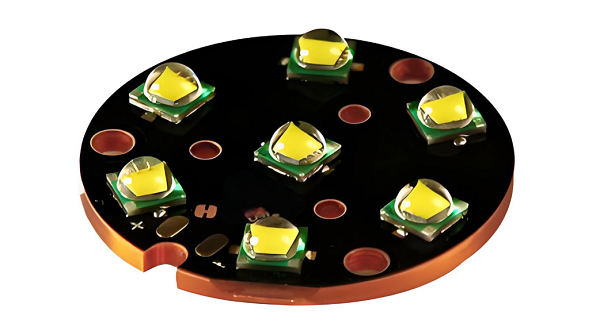
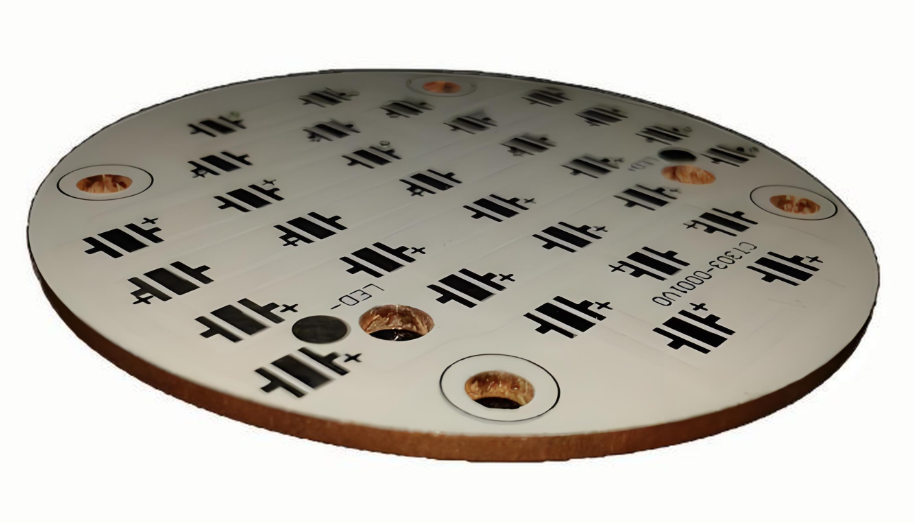
A PCB (Printed Circuit Board) in an LED light is the base where all the components of the LED circuit are mounted. This board serves as the electrical pathway that connects the individual LED chips, allowing electricity to flow through the circuit and power the LED. The design of the PCB is crucial for managing heat dissipation, ensuring optimal light output, and maintaining energy efficiency. Aluminum LED light PCB, in particular, offer excellent thermal conductivity, which is essential in preventing overheating and extending the life of LED components.

What Materials Are Used in LED PCB?

LED PCB are made using several materials that work together to ensure optimal performance. The most common materials include:

  • Aluminum: Known for its high thermal conductivity, aluminum is often used in LED PCB to quickly dissipate heat. This is especially important in high-power LED applications.
  • Copper: Copper is used for its excellent electrical conductivity, ensuring that current flows efficiently through the PCB.
  • FR4 (Flame Retardant 4): This is a widely used epoxy resin laminate material that offers a good balance between electrical insulation and mechanical strength.
  • Ceramic: In some high-performance designs, ceramic-based PCB are used, particularly when superior heat resistance is required.
What Is LED Light PCB? A Complete Guide to LED PCB

Each material plays a specific role in enhancing the performance of the LED, from heat management to electrical conductivity.

What Are the Components of LED PCB?

LED PCB typically consist of the following components:

  • LED Chips: These are the tiny light-emitting diodes that convert electrical energy into light. They are usually placed on the surface of the PCB.
  • Copper Traces: These traces act as pathways for the electrical current, connecting the LED chips to each other and the power source.
  • Thermal Management Elements: In high-power applications, components like heat sinks and through-holes are included to help dissipate heat and maintain efficiency.
  • Resistors: These components control the flow of current through the LEDs to ensure they operate within their rated power limits.
  • Capacitors: Capacitors help smooth out fluctuations in voltage, providing stable power to the LED.
What Is LED Light PCB? A Complete Guide to LED PCB

Each component is crucial in ensuring the LED PCB works efficiently and has a long lifespan.

What Are the Different Types of LED PCB?

LED PCB come in several types, each designed to meet the needs of different applications:

  • Aluminum LED PCBAluminum LED PCB: As mentioned earlier, aluminum is widely used for its excellent heat dissipation. This type of PCB is ideal for high-power LED, like those used in lighting and automotive applications.
  • Flexible LED PCB:These PCB are made from flexible materials, allowing them to be bent and shaped for unique or custom designs. Flexible PCB are perfect for applications like LED strips and curved lighting solutions.
  • High-Density Interconnector(HDI PCB):These are used for applications requiring a higher level of integration, such as miniaturized LED systems.
  • Rigid LED PCB: These are made from solid, non-flexible materials and are commonly used in applications where the PCB will remain in a fixed position, such as in LED bulbs or signage.

Each type of LED PCB is designed with specific characteristics in mind, such as flexibility, heat management, and power handling.

How to Make LED PCB?

Making an LED PCB involves several steps, from design to fabrication. Here’s an overview of the process:

1. Design: First, you need to design the layout of your PCB. This includes selecting the components, determining the size and shape of the board, and creating the electrical connections between the components. CAD (Computer-Aided Design) software is typically used to create the design.

2. Material Selection: Based on the design, select the appropriate PCB material (aluminum, copper, FR4, etc.) that meets your thermal, electrical, and mechanical needs.

3. Printing the PCB: The design is transferred onto the PCB material using a photolithography process. This process involves applying a light-sensitive film to the board, exposing it to UV light, and then developing it to create the desired pattern of copper traces.

4. Component Placement and Soldering: After the PCB is created, the LED chips, resistors, capacitors, and other components are placed on the board. Soldering techniques, such as Surface Mount Technology (SMT) or Through-Hole Technology (THT), are used to attach the components securely.

5. Testing: Once the PCB is assembled, it’s tested for functionality. This involves checking the LED performance, ensuring the power distribution is correct, and verifying that the board is free from defects.

How to Connect LED in PCB?

Connecting LED to a PCB involves placing the LED components in the correct positions on the board and ensuring the electrical connections are made properly. Here are the steps to connect LED in a PCB:

1. Design the Circuit: Determine the number of LED you’ll use, their configuration (series or parallel), and the required power. This will dictate the placement and size of the copper traces on the PCB.
2. Place the LED: LED are usually mounted on the PCB using soldering methods. For SMD (Surface-Mounted Device) LED, they are placed directly onto the surface of the PCB, while through-hole LED are placed through the holes of the PCB.
3. Solder the Connections: Soldering is the method used to establish electrical connections between the LED leads and the copper traces. For high-density applications, automated soldering techniques are often used to ensure precision.
4. Ensure Proper Heat Dissipation: Since LED generate heat during operation, it’s important to make sure the PCB design incorporates adequate thermal management, such as through-holes, heat sinks, and the right choice of materials.

Properly connecting LED ensures optimal performance, longevity, and safety for the final product.

Conclusion

LED light PCB are a game-changer in the world of lighting technology. From high-power lighting systems to sleek LED strips, these PCB offer exceptional performance, heat management, and reliability. Whether you’re designing a custom LED PCB or working with a manufacturer, understanding the components, materials, and types of LED PCB is essential to achieving the best results.

By selecting the right PCB type, using quality materials, and ensuring proper design and assembly, you can create LED systems that are efficient, durable, and energy-efficient. If you’re ready to bring your LED projects to life, partnering with a reliable LED PCB manufacturer is the next step toward achieving the perfect lighting solution for your needs.

Call to Action

Ready to design your own LED light PCB? Contact EBest Circuit (Best Technology) at sales@bestpcbs.com today to learn about our custom PCB solutions, from aluminum LED light PCB to flexible LED strips. Let us help you make the prefect pcb with your next project! Looking forward to hearing from you!

Electropolished Stencil With Engraved Fiducials  

February 27th, 2025

An electropolished stencil with engraved fiducials is a crucial tool for achieving precise and consistent solder paste application in surface-mount technology (SMT) assembly. These stencils help ensure that the solder paste is deposited accurately on the PCB, which is essential for the performance and reliability of the final product. By combining electropolishing with engraved fiducials, this stencil type offers superior smoothness and alignment, making it an ideal choice for complex PCB designs and high-density components. Understanding their role and benefits can significantly improve the quality of your manufacturing process.

What is an SMT Stencil?

An SMT stencil is a thin sheet of stainless steel used in the surface-mount assembly process to apply solder paste to specific areas on a PCB. The stencil aligns with the PCB’s surface, ensuring that solder paste is deposited only where needed. The paste is then used to attach components to the board during the reflow soldering process.

These stencils are essential for high-volume PCB manufacturing, especially when dealing with intricate designs and small components. The precision they provide can make or break the quality of the finished product.

What Are the Different Types of PCB Stencils?

There are a few different types of stencils used in the SMT process, each with specific applications.

Laser-cut stencils: These are the most common type, known for their high precision and flexibility. Laser-cut stencils are ideal for most PCB designs and offer a high degree of accuracy with sharp, clean apertures.

Etched stencils: Etching is a more traditional method, often used for thicker stencils or specific applications where laser cutting may not be suitable.

Step-up and step-down stencils: These stencils have varying thicknesses in different areas, allowing for optimized solder paste deposition for components with varying heights.

Electropolished stencils: These are laser-cut stencils that have undergone an electropolishing process. The electropolishing smooths out the rough edges of the stencil, improving solder paste release and reducing cleaning time.

Electropolished stencils with engraved fiducials are a premium option, especially for complex PCBs with high-density components. The fiducials help align the stencil perfectly with the PCB, ensuring precise paste placement.

Are Stencils Reusable?

Yes, stencils are reusable, which makes them a cost-effective choice for manufacturers. With proper care, a stencil can be used for hundreds, or even thousands, of PCB assemblies. However, the lifespan of the stencil will depend on the type of stencil, the material used, and how well it is maintained.

What Are Solder Stencils Made Of?

Most solder stencils are made from stainless steel, which offers durability, flexibility, and resistance to corrosion. Stainless steel stencils are ideal for high-volume production as they provide precise solder paste deposits and are easy to clean. However, other materials such as polyethylene (PE) may be used in specific applications, depending on the requirements.

What Is the Stencil Life of Solder Paste?

The life of solder paste on the stencil depends on several factors, including the type of paste, the environment, and the frequency of use. In general, solder paste on a stencil can remain viable for hours before it needs to be cleaned off. Proper storage and handling are critical to extending paste life and preventing contamination.

What Happens if You Don’t Refrigerate Solder Paste?

Solder paste contains flux and metal powders that can degrade if not stored correctly. If solder paste is left out in a warm environment for too long, it can lose its viscosity, making it difficult to apply. Refrigerating solder paste when it’s not in use helps maintain its consistency and ensures reliable soldering results.

How Long Does an SMT Stencil Last?

The lifespan of an SMT stencil depends on several factors, including the material, type of stencil, and frequency of use. Specifically, for electropolished stencils with engraved fiducials, their lifespan is generally longer due to the smooth surface, which reduces wear and tear during the paste printing process. Moreover, proper cleaning and maintenance are essential, as they can significantly extend the stencil’s life.

How Do You Get Crisp Lines When Stenciling?

Getting crisp lines when using a stencil involves using high-quality stencils, like those that are electropolished. The smoother surface of these stencils helps the solder paste release more evenly, reducing the chances of smudging or uneven paste deposition. Additionally, ensuring the stencil is well-aligned and using the right paste consistency can help achieve cleaner lines.

What Is the Trick to Using Stencils?

The key to using stencils effectively lies in alignment and paste control. First, ensure the stencil is aligned properly with the PCB using fiducials. Then, apply the solder paste evenly across the stencil, making sure the paste is of the right viscosity. Finally, avoid using too much paste, as this can lead to bridging and other defects.

Why Choose BEST Technology for Your SMT Stencils?

At EBest Circuit (Best Technology), we provide top-tier SMT stencils, including electropolished stencils with engraved fiducials, designed for precision and durability. With over 18 years of experience in the PCB manufacturing industry, we’ve built a reputation for excellence with clients like Emerson and Flextronics. Our advanced laser-cut technology guarantees high accuracy with a tolerance of ≀ ±4 ÎŒm, ensuring your solder paste is applied with perfect precision.

Our stencils are made from high-quality stainless steel and are available in various thicknesses, ranging from 0.10mm to 0.60mm. Additionally, we offer both framed and unframed stencils to suit a variety of needs. Furthermore, with step-up and step-down technology, we can create stencils that are specifically optimized for different component sizes. This helps reduce printing errors and, ultimately, increases the efficiency of your SMT assembly.

In summary, electropolished stencils with engraved fiducials are essential for achieving high-quality SMT assembly with minimal errors. They provide unmatched precision and smooth solder paste release, making them an ideal choice for complex PCB designs. Choosing the right stencil vendor, like EBest Circuit (Best Technology), can significantly enhance your PCB production process. With fast delivery, affordable pricing, and cutting-edge technology, we ensure that your PCB manufacturing needs are met with the highest standards of quality and efficiency. For more information or inquiries, feel free to contact us at sales@bestpcbs.com.

Double sided Aluminium PCB & Metal core PCB

February 26th, 2025

Double sided Aluminium PCB is a metal-based circuit board with two layers of conductive circuits, in which the aluminum substrate is the heat dissipation core, and the two sides are covered with an insulating layer and a copper circuit layer respectively. This structure not only ensures good heat dissipation performance, but also realizes double-sided wiring. It is widely used in electronic products with high power density and high heat dissipation requirements.

Double sided Aluminium PCB & Metal core PCB

What is aluminium backed PCB?

An aluminium-backed PCB, also known as an Aluminium PCB or Metal Core PCB (MCPCB), is a type of printed circuit board where the substrate is made of a metal core, typically aluminum. The core is used to provide better heat dissipation for high-power components, especially in applications that require efficient thermal management.

Aluminium PCBs are widely used in industries like LED lighting, power electronics, and automotive applications, where heat build-up is a significant concern. The metal core helps draw the heat away from the components, preventing overheating and ensuring that the components continue to function optimally.

The aluminum backing also provides the PCB with increased mechanical strength, which is beneficial in more rugged applications.

What are the advantages of double layer aluminium PCB?

Double-sided aluminium PCBs have a unique advantage over single-sided boards. By having two layers of circuitry, double-sided PCBs offer greater design flexibility and more space for components. This is especially important in compact electronic devices where space is at a premium.

The second layer of the PCB allows for more intricate circuit designs and better component placement, ultimately enhancing the performance of the device.

Another significant advantage is the improved heat dissipation. The metal core in double-sided aluminium PCBs works to disperse heat more effectively across both sides of the board, reducing the risk of overheating.

Double sided Aluminium PCB & Metal core PCB

With the two layers of circuitry, the heat can be spread more evenly, ensuring that high-power components are kept within safe temperature limits. This heat dissipation is critical for devices like high-brightness LED lights, power supplies, and other electronics where heat is a constant issue.

Furthermore, double-sided aluminium PCBs are more durable and reliable in demanding environments. The aluminum substrate provides excellent mechanical strength, making the board less susceptible to damage from physical stress or environmental factors such as vibrations. This makes them ideal for automotive and industrial applications, where reliability and durability are essential.

What is aluminum PCB dielectric material?

The dielectric material used in aluminium PCBs is crucial to the board’s performance. The dielectric layer is the insulating material that separates the metal core from the conductive traces on the board.

In the case of aluminium PCBs, the dielectric material typically consists of thermally conductive epoxy resin or other specialized materials that provide electrical insulation while also enhancing heat transfer.

This dielectric material allows for the transfer of heat from the components to the aluminum substrate, preventing the heat from building up at the component level. The dielectric layer is designed to be thin yet durable, offering both electrical insulation and thermal conductivity. This balance between electrical insulation and heat dissipation is key to the efficiency and performance of aluminium PCBs.

How thick is the dielectric layer of aluminum PCB?

The thickness of the dielectric layer in an aluminium PCB depends on the specific design requirements of the application. Generally, the dielectric layer in aluminium PCBs ranges from 30 to 250 microns.

The thickness is chosen based on the need for electrical insulation, thermal conductivity, and the type of components that will be used. For higher-power applications, a thicker dielectric layer may be required to ensure that heat is effectively transferred to the metal core.

Double sided Aluminium PCB & Metal core PCB

On the other hand, for lower-power applications, a thinner dielectric layer may be sufficient.

It’s important to note that the dielectric layer must be carefully chosen to match the thermal and electrical requirements of the PCB. Too thick a layer can reduce the heat dissipation properties, while too thin a layer may not provide sufficient insulation, leading to potential electrical issues. Therefore, the thickness of the dielectric material must be carefully tailored to the needs of the specific design.

What are the cons of aluminum PCB material?

While aluminium PCBs offer a range of benefits, they are not without their drawbacks.

One of the primary challenges with aluminium PCBs is their higher cost compared to traditional FR4 (fiberglass) PCBs. The material itself is more expensive, and the manufacturing process is more intricate, leading to higher production costs. This can make aluminium PCBs less suitable for low-cost, high-volume applications where budget is a primary concern.

Another disadvantage of aluminium PCBs is their relatively brittle nature. While the metal core provides mechanical strength, the overall structure can be more prone to cracking or damage compared to standard FR4 PCBs. This can be an issue in environments with high mechanical stress or extreme conditions.

Additionally, the assembly process for aluminium PCBs can be more complicated, as the metal core requires specialized equipment for soldering and mounting components.

Lastly, the design complexity can increase when working with aluminium PCBs, especially when designing for double-sided or multi-layer PCBs. The process of placing components on both sides of the PCB and ensuring proper heat dissipation requires more planning and precision. This can make aluminium PCBs less versatile for designs that don’t have significant thermal management needs.

What temp can aluminum PCB withstand?

Aluminium PCBs are known for their excellent thermal management properties. The metal core helps dissipate heat effectively, ensuring that the components on the board are kept within safe operating temperatures.

Generally, aluminium PCBs can withstand temperatures ranging from -40°C to 150°C, though this can vary depending on the specific material and design used.

For high-power applications, where significant heat is generated, it’s essential to ensure that the PCB design includes adequate heat dissipation methods, such as larger copper pads or heat sinks.

The thermal conductivity of the aluminium core helps to transfer heat away from the components, but in extreme cases, additional cooling methods may be necessary to prevent overheating.

The heat tolerance of aluminium PCBs makes them ideal for use in LED lighting, automotive electronics, power supplies, and other devices that generate significant heat.

By effectively managing the heat, aluminium PCBs ensure that the components remain within safe operating temperatures, thus prolonging the lifespan of the device and improving overall performance.

What is the difference between copper and aluminum PCB?

The main difference between copper and aluminium PCBs lies in the material used for the substrate. Copper PCBs, also known as copper clad PCBs, use copper as the base material, while aluminium PCBs use an aluminium metal core. Both types of PCBs offer good thermal management, but aluminium PCBs have a clear advantage in heat dissipation.

Aluminium PCBs are better at dissipating heat compared to copper PCBs because of the high thermal conductivity of aluminium. This makes them ideal for applications that require efficient heat management, such as high-power LEDs or power electronic components.

Double sided Aluminium PCB & Metal core PCB

On the other hand, copper PCBs are often preferred in applications where electrical conductivity is the priority, such as high-frequency or high-speed circuits. Copper has a lower resistance than aluminium, which can result in better electrical performance in certain applications.

In terms of cost, aluminium PCBs tend to be less expensive than copper PCBs, making them a more cost-effective option for thermal management in most applications.

However, copper PCBs can still be preferred for designs where electrical performance is more critical than heat dissipation.

Conclusion:

Double-sided aluminium PCBs offer unique advantages for applications requiring excellent thermal management and high mechanical strength. While they come with some challenges, including higher costs and design complexities, they are well-suited for industries like LED lighting, automotive electronics, and power supplies.

If you are looking for a professional PCB manufacturer to bring your designs to life, contact us at sales@bestpcbs.com. We offer expert design, manufacturing, and assembly services to meet your specific needs.

PCB Card, What Is A PCB Card In AC?

February 26th, 2025

A PCB card is a crucial element in many electronic devices, performing various functions such as controlling lights in machines and improving system performance. These cards, also known as printed circuit boards, are used in countless applications, including graphics cards, network cards, and more. In this blog, we’ll delve into the world of PCB cards, exploring their importance in consumer electronics, the differences between various types of PCB cards, and how they enhance performance.

What is a PCB Card in AC?

A PCB card is crucial in various applications, and understanding its functions can significantly enhance the knowledge of electronics. Therefore, let’s begin by answering what is a PCB card in AC? In the context of air conditioning (AC) systems, a PCB card serves as the control unit that manages the operation of various components. This can include regulating the fan speed, controlling the compressor, and even operating the lights of the unit. The PCB card acts as the brain of the system, receiving signals from sensors and ensuring everything functions smoothly. Without a properly functioning PCB card, the AC unit may not perform as intended, leading to inefficiencies or even failure.

What is a PCB Graphics Card?

A PCB graphics card is a specific type of PCB used in computers to render images and videos on the monitor. This card is designed with multiple layers of circuit pathways that control the various components needed for high-quality graphics processing. The PCB itself houses the GPU (graphics processing unit), memory, and other essential parts. It connects to the motherboard of a computer and handles complex graphic computations, especially in gaming, 3D rendering, and video editing. Essentially, it’s the heart of the visual performance in many modern computers.

What are the Differences Between Standard PCBs and Specialized PCB Cards?

As we move forward, it’s important to consider the differences between standard PCBs and specialized PCB cards. In this case, the primary difference between standard PCBs and specialized PCB cards lies in their purpose and complexity. A standard PCB is a basic platform used to connect and support electronic components in everyday devices. It typically contains simple circuitry to fulfill general functions.

On the other hand, specialized PCB cards like graphics cards or network interface cards (NICs) are designed with advanced circuitry to handle more specific and high-demand tasks. These cards may contain additional components like processors, memory chips, and cooling systems, tailored for specific performance needs. Specialized PCB cards are typically more intricate, offering higher speed, processing power, and reliability compared to standard PCBs.

At EBest Circuit (Best Technology), we bring over 18 years of experience in the PCB industry, offering a wide range of high-quality printed circuit board solutions. Our products are designed to meet the demands of various applications, ensuring top-notch performance, reliability, and precision. Whether you’re looking for standard or custom PCBs, or PCB card solution, EBest Circuit (Best Technology) is your trusted partner for all your PCB needs.

How to Check a PCB Card?

When you’re looking to check the health and functionality of a PCB card, there are a few key steps to follow. First, ensure that the card is properly seated in its slot, as loose connections can lead to performance issues. Next, inspect the PCB for any visible signs of damage, such as burnt areas, broken traces, or loose components. For more thorough testing, you can use a multimeter to check for continuity and voltage at various points on the card.

Additionally, running diagnostic tools on your device can help identify whether the PCB card is functioning correctly. If the card is not working as expected, it may be time for a replacement.

How to Clean a Graphics Card PCB?

Cleaning your graphics card PCB is an important maintenance step to ensure optimal performance and longevity. Over time, dust and debris can accumulate on the PCB, affecting the efficiency of the card and even causing it to overheat.

To clean the PCB, first, turn off the computer and unplug it from the power source. Use compressed air to blow away dust from the PCB and other components. For more stubborn dirt, gently use a soft brush to clean the surface of the PCB. Be careful not to damage any sensitive components during cleaning. Regular maintenance can help prevent overheating and keep your graphics card PCB in top condition.

Is an Expansion Card a PCB?

Yes, an expansion card is a type of PCB card. These cards are used to expand the functionality of a computer or electronic device. Examples include sound cards, network interface cards (NICs), and storage controllers. Like all PCBs, expansion cards are made up of a flat board with electrical pathways and components that allow it to connect and interact with other devices. Expansion cards are essential for adding additional features or improving the performance of a system.

What is Graphics Card PCB?

A graphics card PCB is the printed circuit board that serves as the foundation for a graphics card. It connects all the components such as the GPU, memory, and power supply, allowing them to work together to process and render graphics. Furthermore, The PCB is designed to handle high-speed data transfer, heat dissipation, and efficient power distribution to ensure that the graphics card performs at its best. As a result, the quality of the graphics card PCB can have a significant impact on the performance of the card, influencing frame rates, video rendering, and overall system performance.

What Types of Devices Commonly Use PCB Cards?

PCB cards are found in a wide variety of devices across many industries. Some common examples include:

Personal computers and laptops: Graphics cards, sound cards, network cards, and storage controllers.

Smartphones: Used in components such as the camera module, display drivers, and wireless communication chips.

Televisions and gaming consoles: PCB cards are crucial for video processing, networking, and audio output.

Air conditioners: As mentioned, PCB cards regulate the system’s operation, including controlling lights and fan speed.

Medical devices: PCB cards are used in monitoring equipment and diagnostic tools.

The versatility of PCB cards allows them to be used in almost any electronic device, contributing to the efficiency and functionality of modern technology.

What Are the Benefits of Using PCB Cards in Electronics?

The use of PCB cards offers several benefits in electronics. First and foremost, they allow for compact and efficient designs. PCB cards enable the integration of multiple components into a single unit, saving space and reducing the overall size of devices.

Additionally, PCB cards improve the performance and reliability of electronic devices. The specialized design of these cards ensures that the components are connected in a way that maximizes speed and minimizes interference. For instance, in a graphics card PCB, the precise placement of components helps reduce latency and improve rendering times, resulting in smoother visuals.

How Do PCB Cards Boost Performance in Consumer Electronics?

PCB cards significantly boost the performance of consumer electronics by enabling high-speed data processing, efficient power management, and better thermal control. For example, in a graphics card PCB, the efficient routing of signals ensures that complex graphics are rendered quickly and accurately, providing an enhanced user experience in gaming and video editing.

Moreover, PCB cards contribute to the energy efficiency of devices. By managing power distribution more effectively, they help reduce energy consumption, extend battery life, and prevent overheating. In devices like smartphones and laptops, this can lead to longer usage times and improved performance under load.

In conclusion, PCB cards are an essential part of modern electronics, from graphics cards and network interfaces to machine controls and AC systems. They play a vital role in improving performance, ensuring reliability, and enhancing the functionality of devices. Whether you’re using a black PCB Wi-Fi card to connect to the internet or a PCB video card to enjoy high-quality graphics, these small but powerful components are at the heart of many of the devices we rely on daily.

By understanding the various functions and types of PCB cards, you can make informed decisions about your electronic devices and ensure they perform at their best. Whether you’re maintaining your current equipment or looking to upgrade, knowing how PCB cards work can give you an edge in optimizing your systems.

Finally, when looking for a trusted supplier for your PCB card needs, consider EBest Circuit (Best Technology)‘s proven expertise in the industry. For reliable and innovative PCB card solutions that enhance the performance of your electronic devices, EBest Circuit (Best Technology) is here to help. With our extensive industry experience and commitment to quality, we deliver products that exceed expectations. For inquiries or more information, email us at sales@bestpcbs.com.