PCB manufacturing PCB manufacturing
Home > Blog

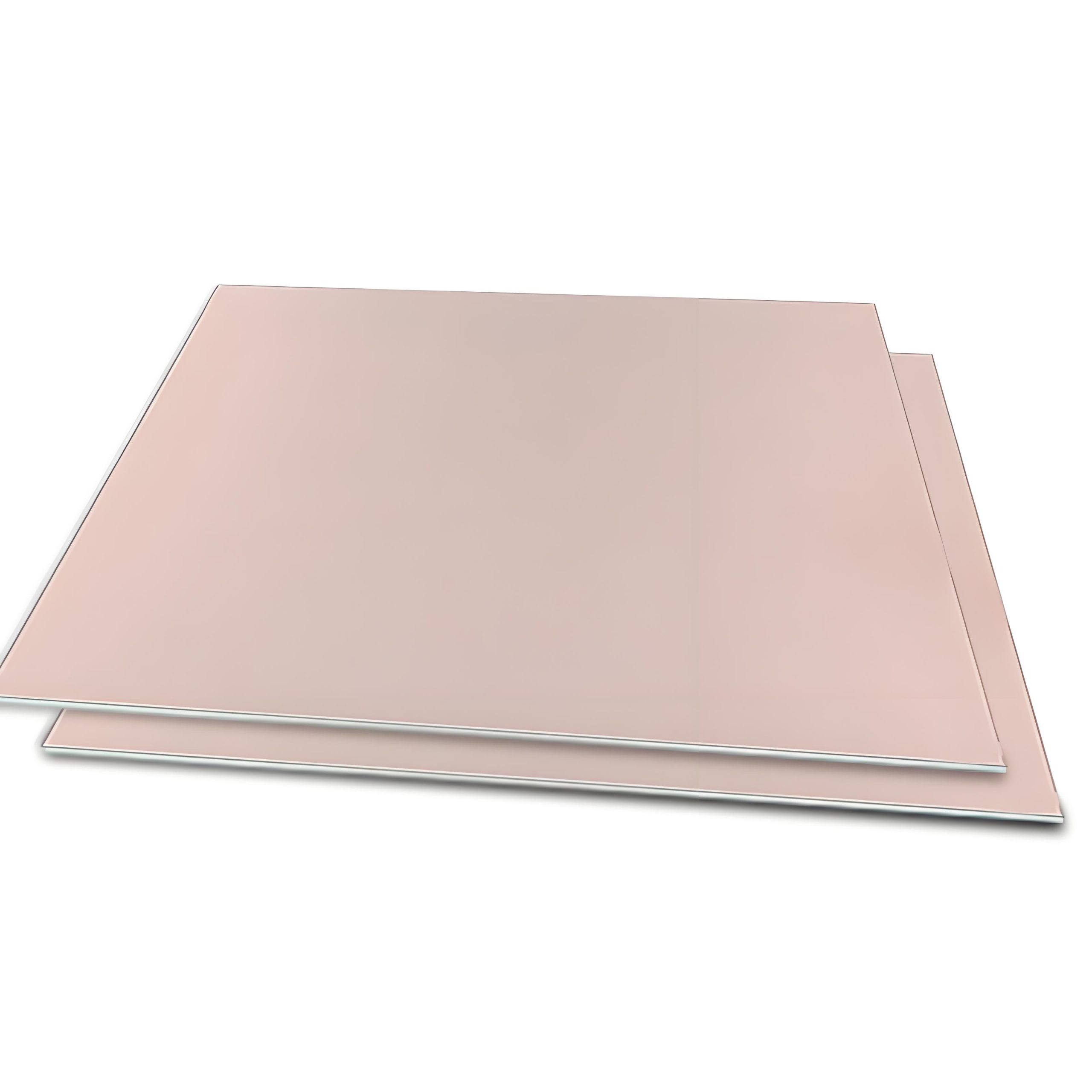
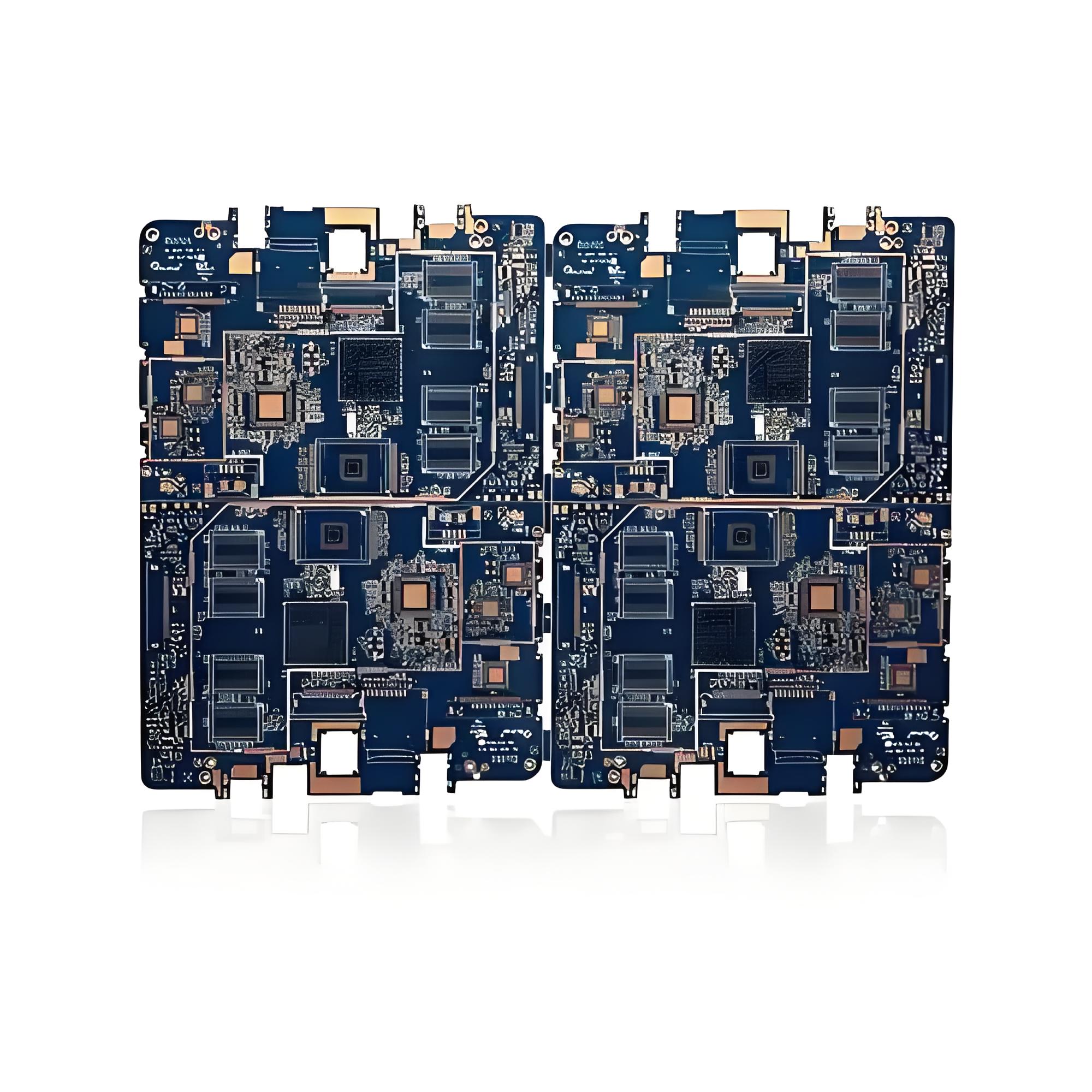
Why Choose Blue Circuit Board? Blue PCB vs Green Circuit Board?

November 28th, 2024

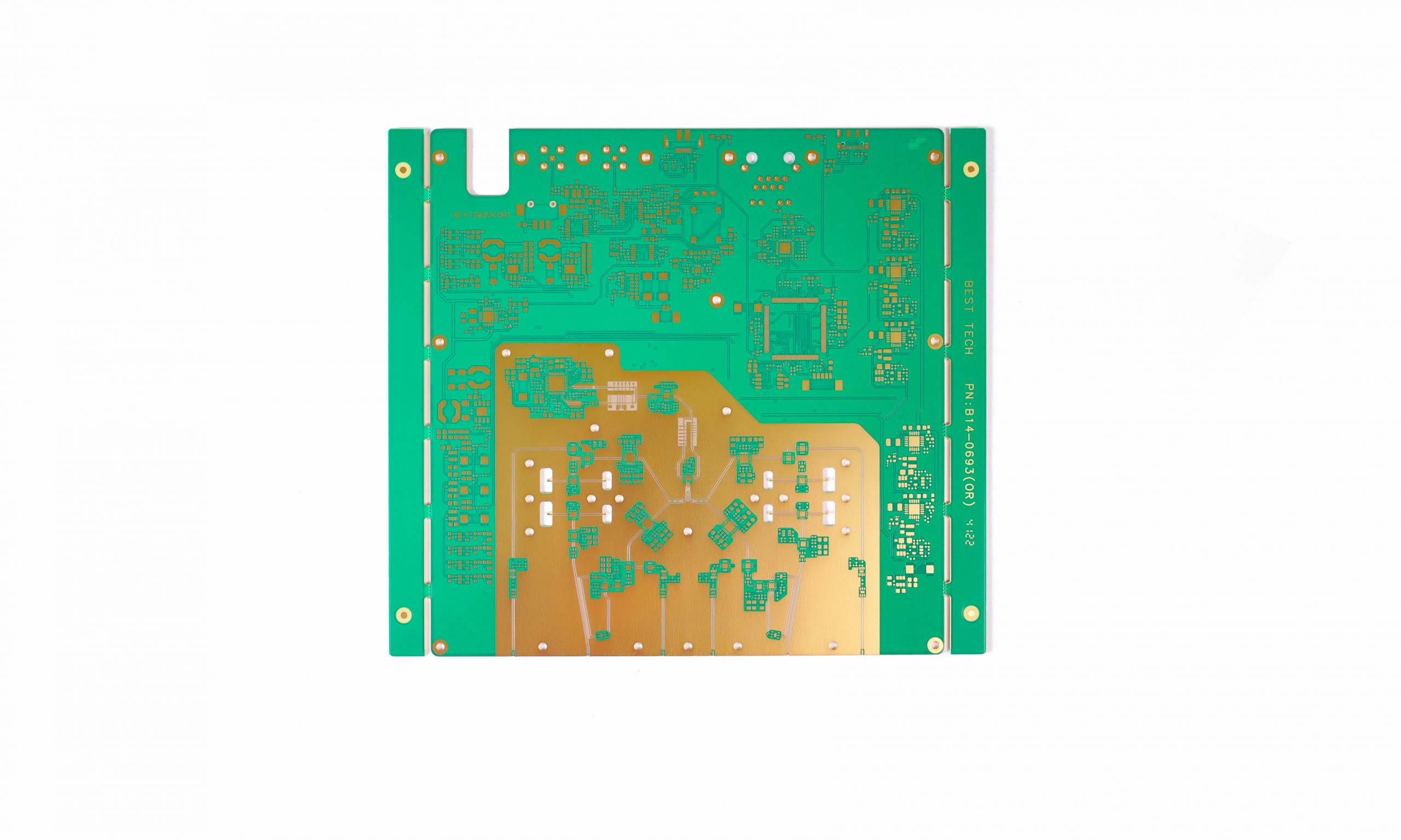
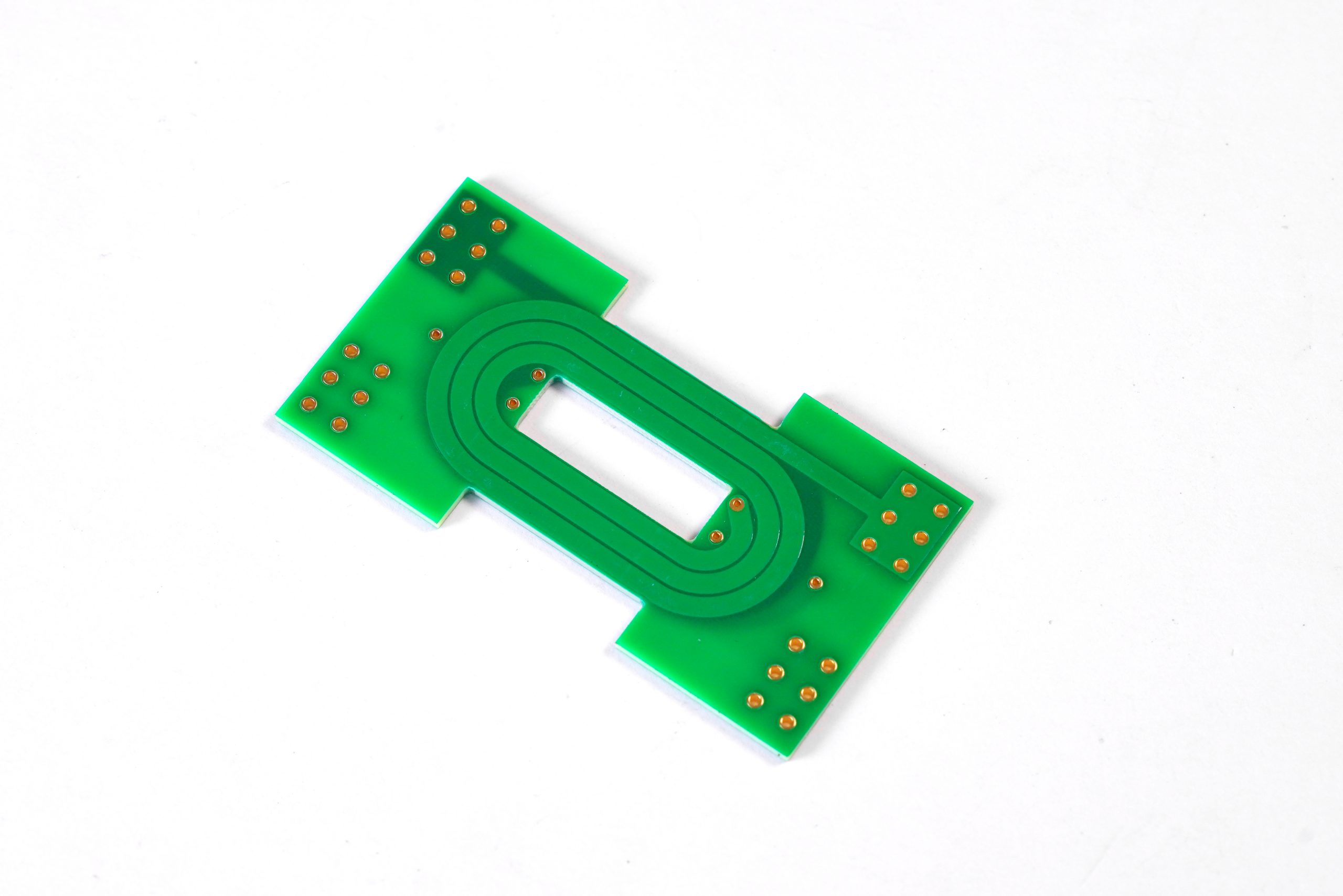
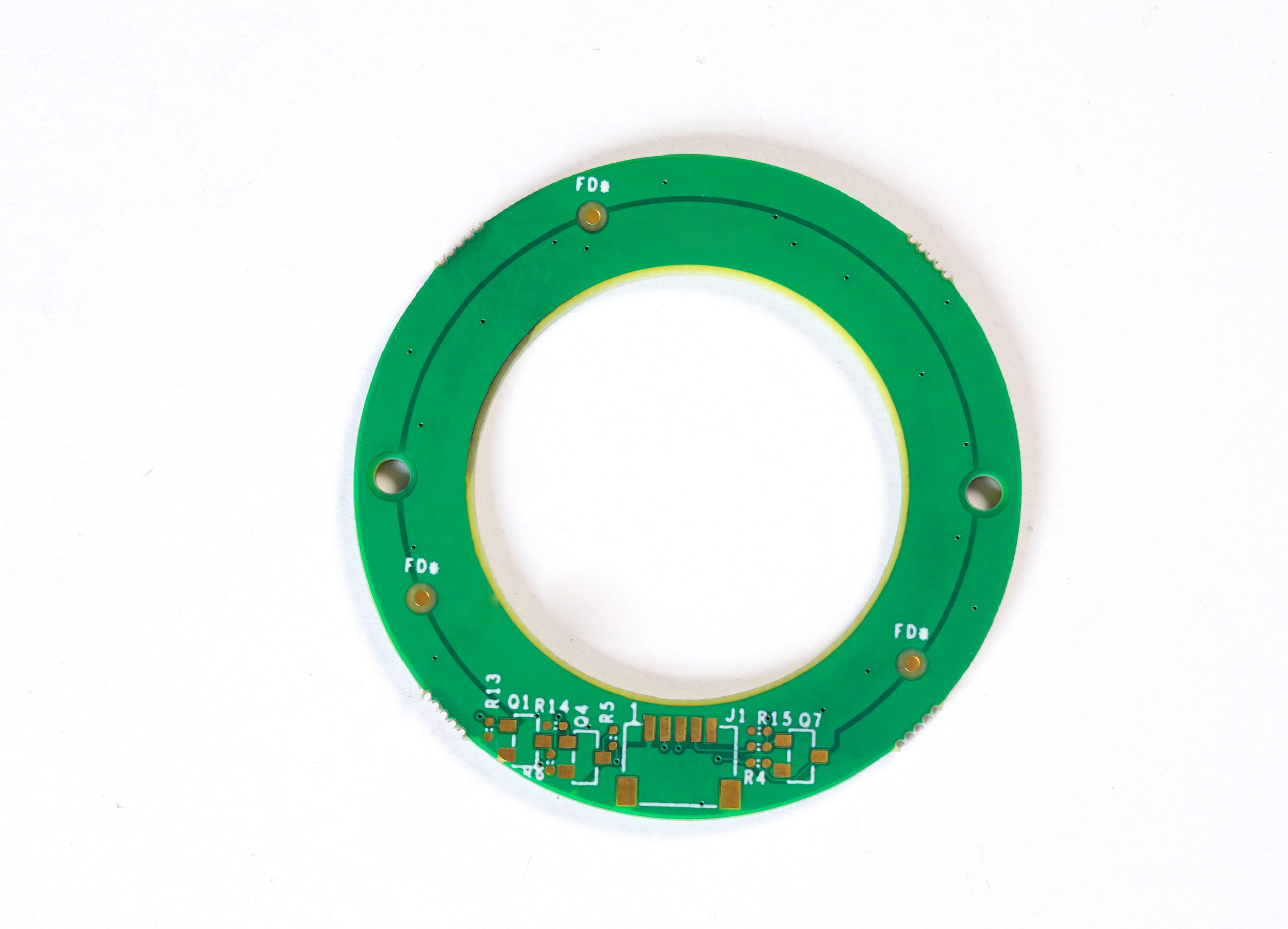
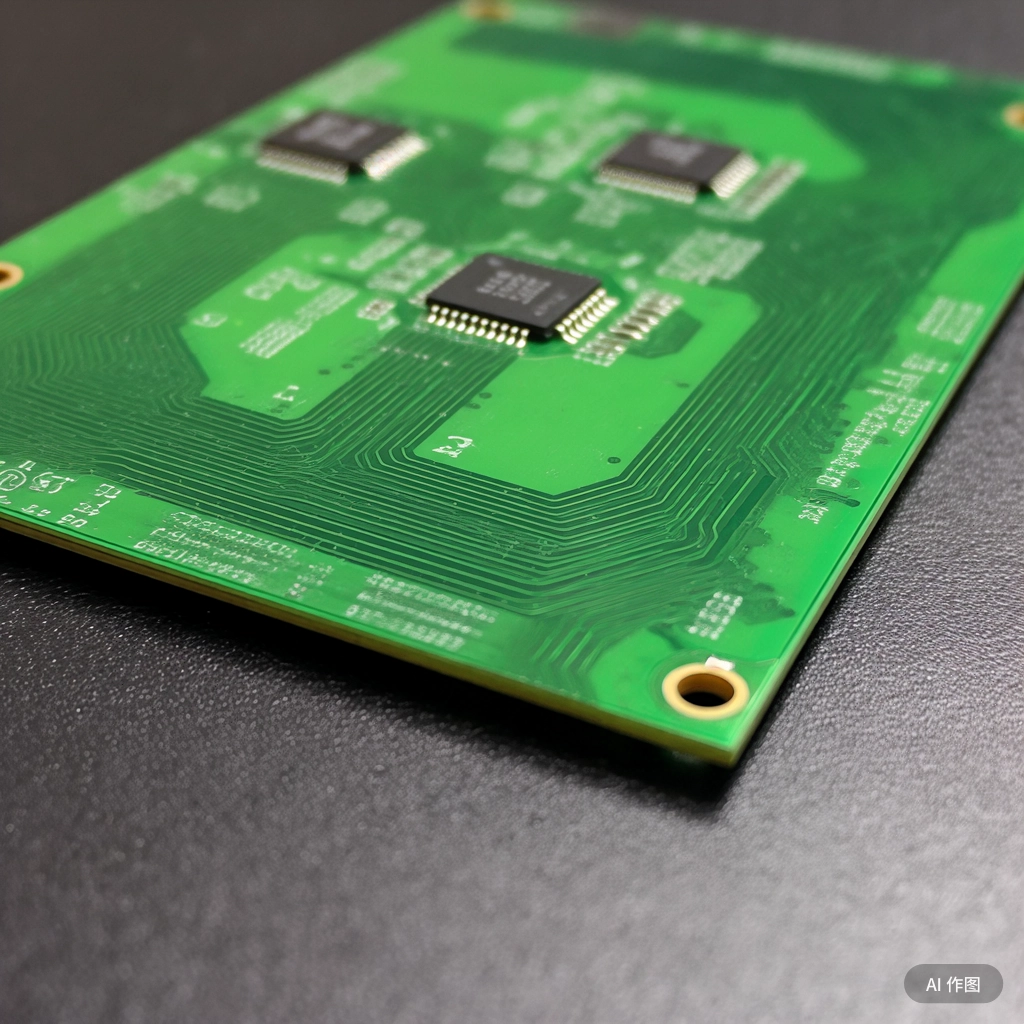
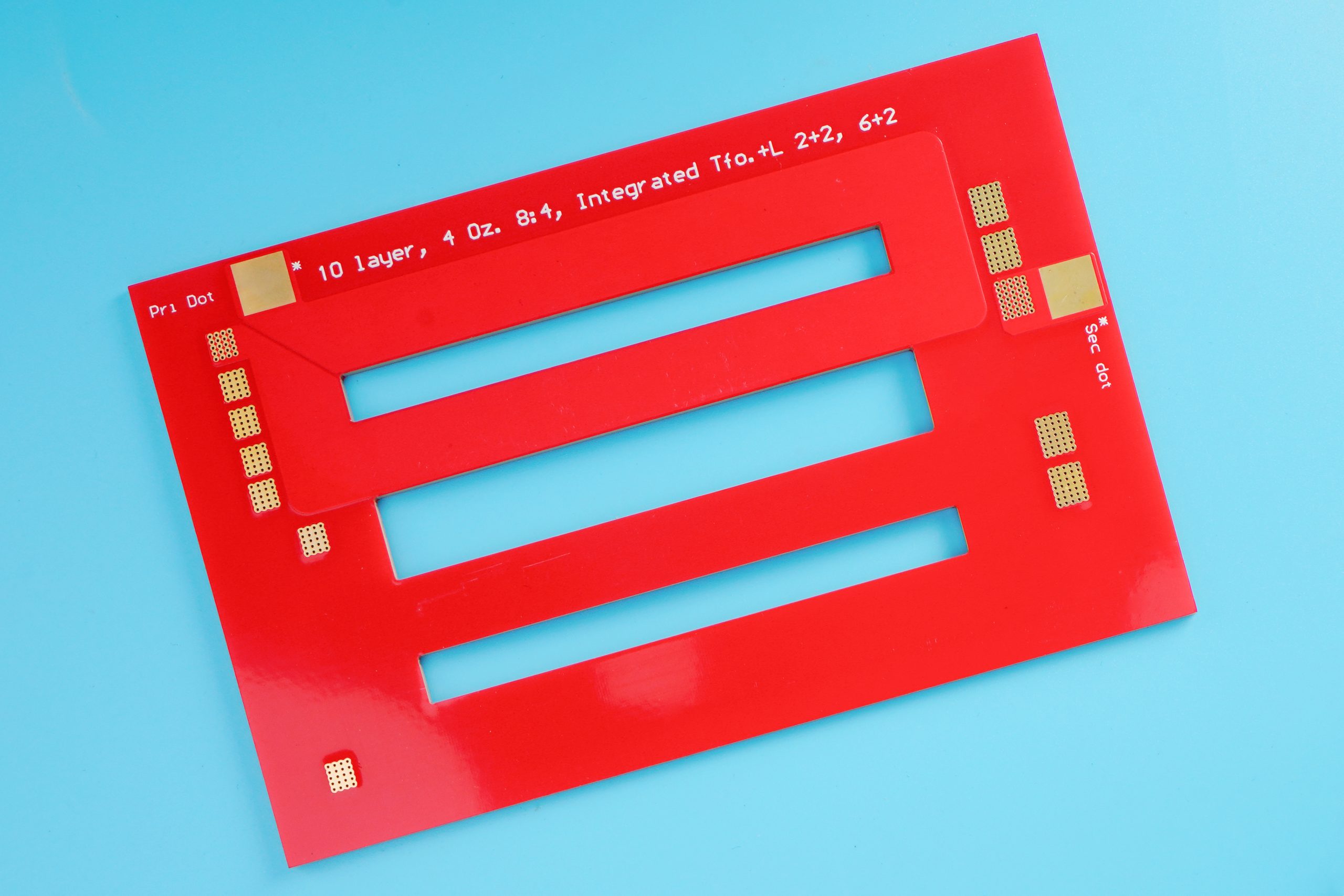
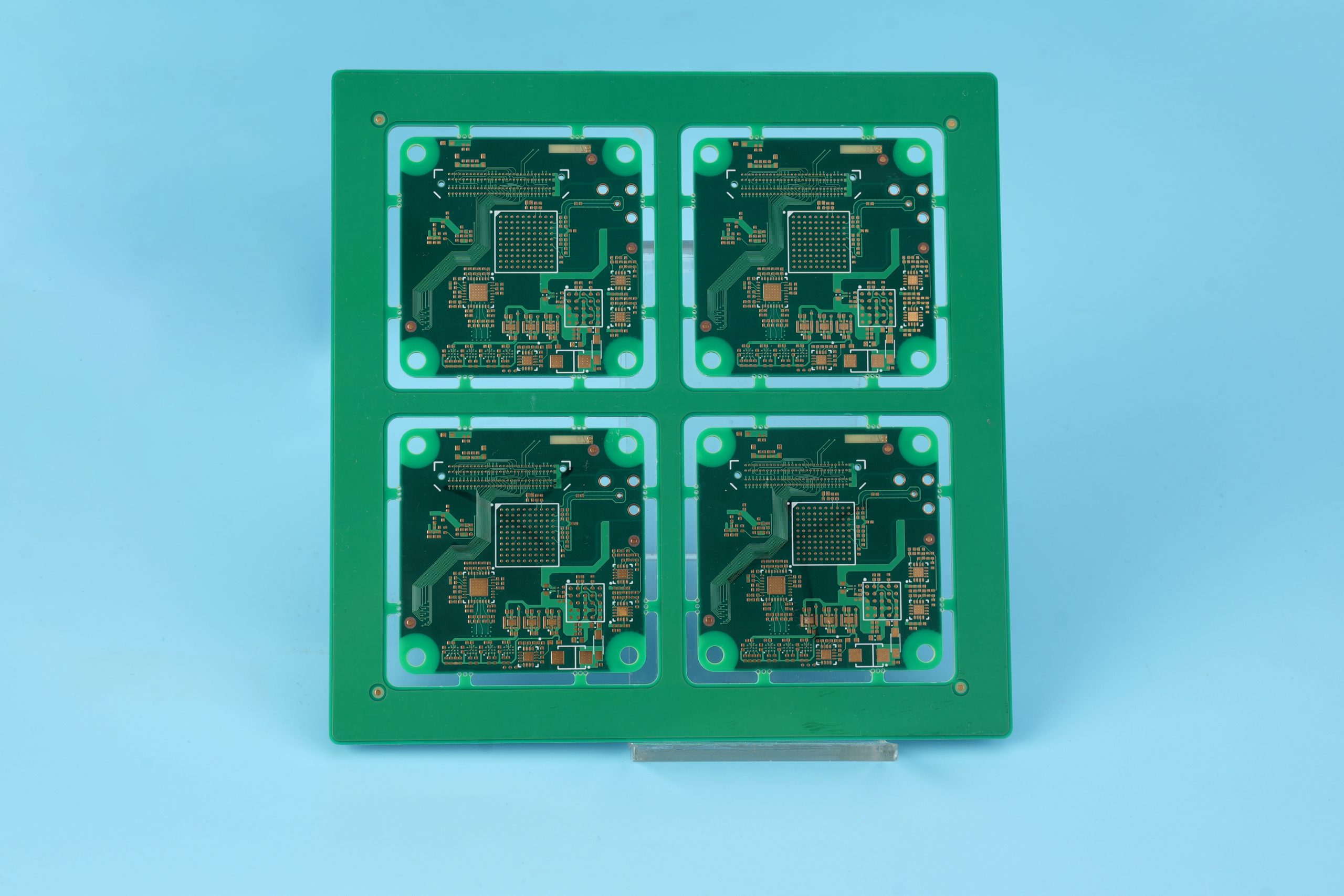
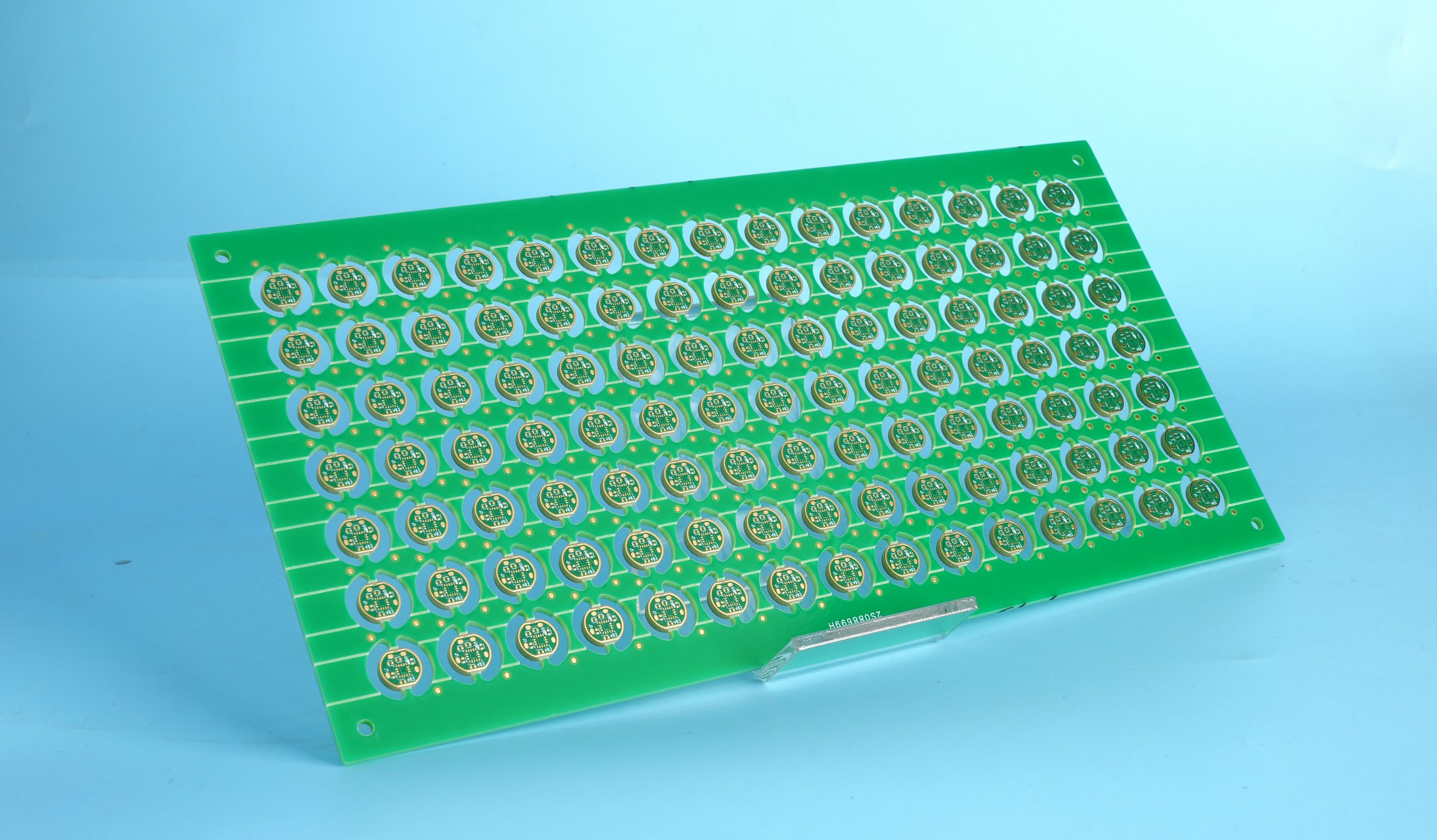
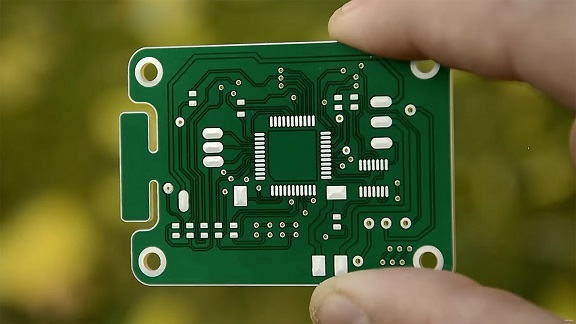
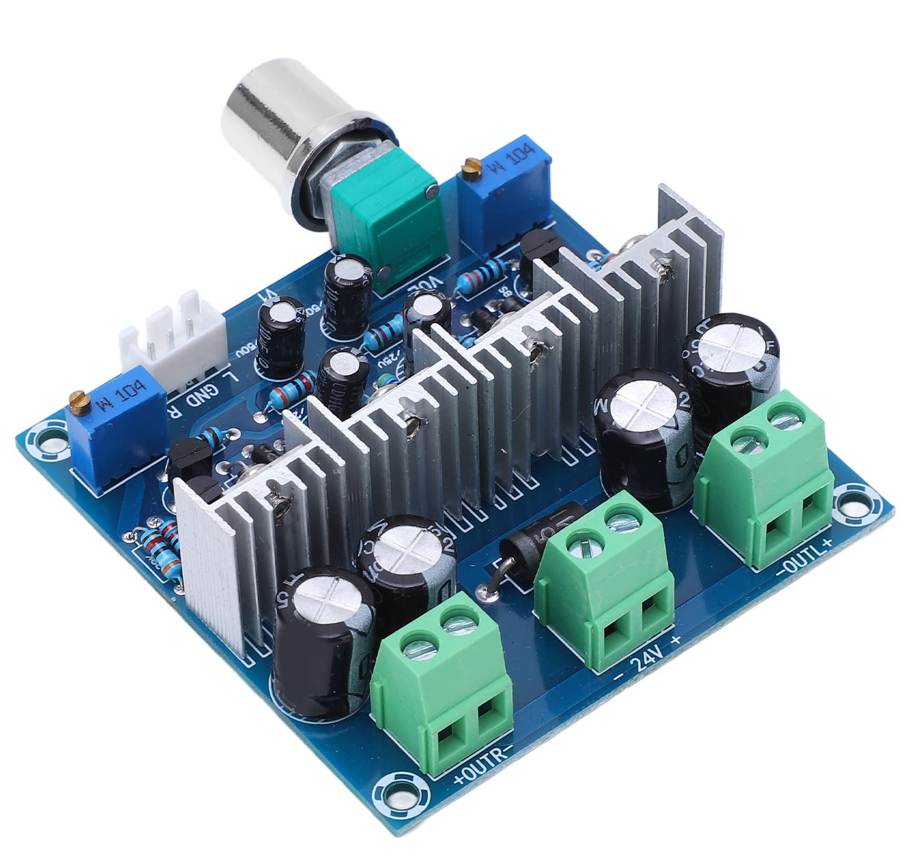
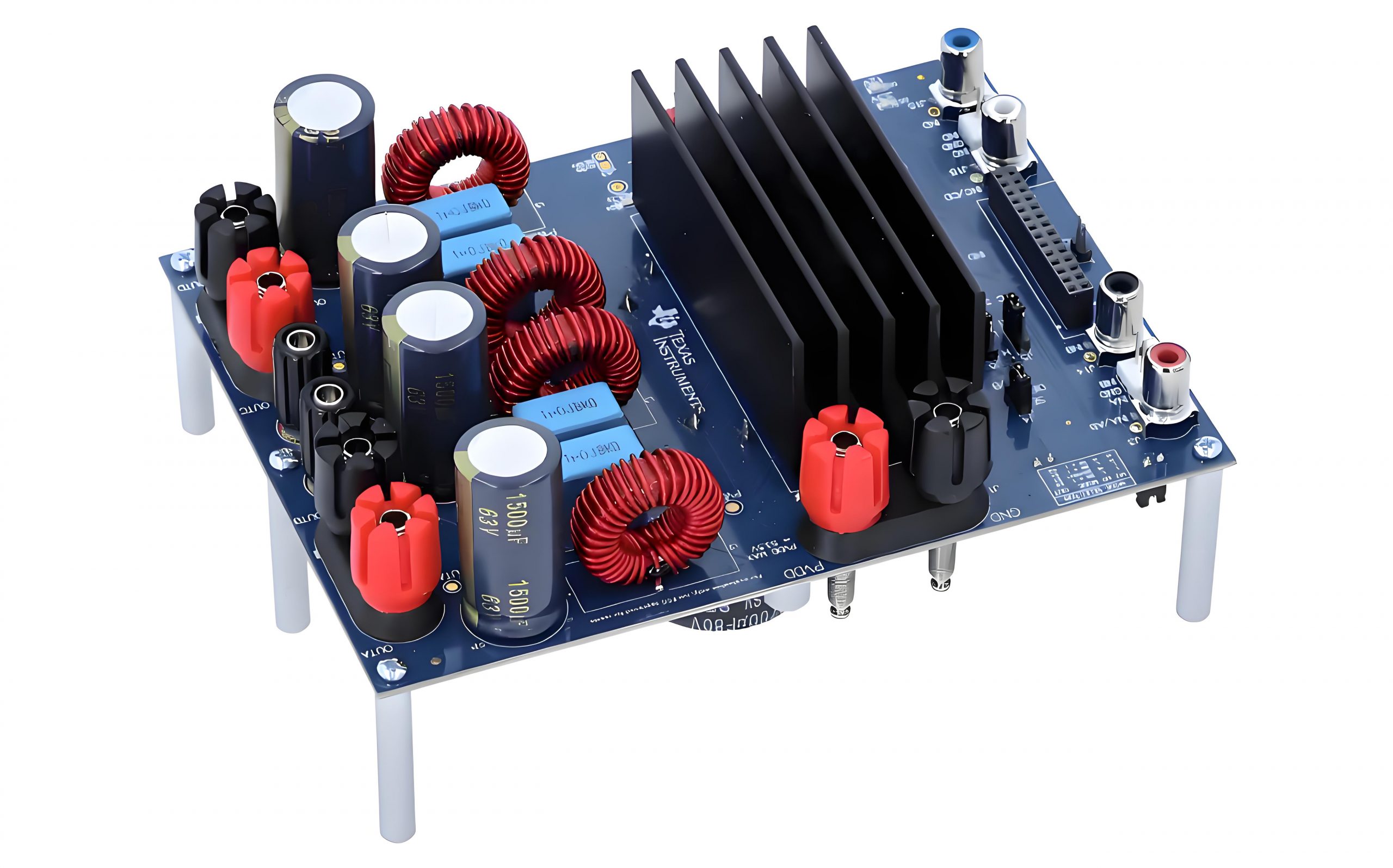
The color of a circuit board might seem like a simple design choice, but it holds significance in the electronics industry. Traditionally, green circuit boards have been the standard in most electronic devices due to their historical and functional advantages. However, blue circuit board is becoming increasingly popular across various sectors, from consumer electronics to custom devices.

Blue PCBs not only provide a pretty appearance but also serve specific functional purposes. Understanding the differences between blue and green PCBs can help you choose the best option for your project.

What Does a Blue Circuit Board Mean?

What does a blue circuit board mean? A blue circuit board, or blue PCB, refers to a printed circuit board with a solder mask of blue color. The solder mask is a protective coating applied over the copper traces on the PCB, preventing oxidation, short circuits, and solder bridges. While the color itself does not affect the board’s electrical properties, it influences other aspects such as visibility, inspection, and aesthetics.

Blue PCBs are often associated with high-end electronics, prototypes, and custom designs. Their distinct color can make a product stand out, particularly in markets where branding and visual appeal are crucial.

Types of Blue PCB

Blue PCBs are available in various shades and finishes, each suited for specific applications and design preferences.

1. Dark Blue Circuit Board

Dark blue PCBs are commonly used in professional and high-end electronics. They have a deep color provides excellent contrast with white silkscreen text. So making the component labels and circuit paths easy to read.

2. Light Blue Circuit Board

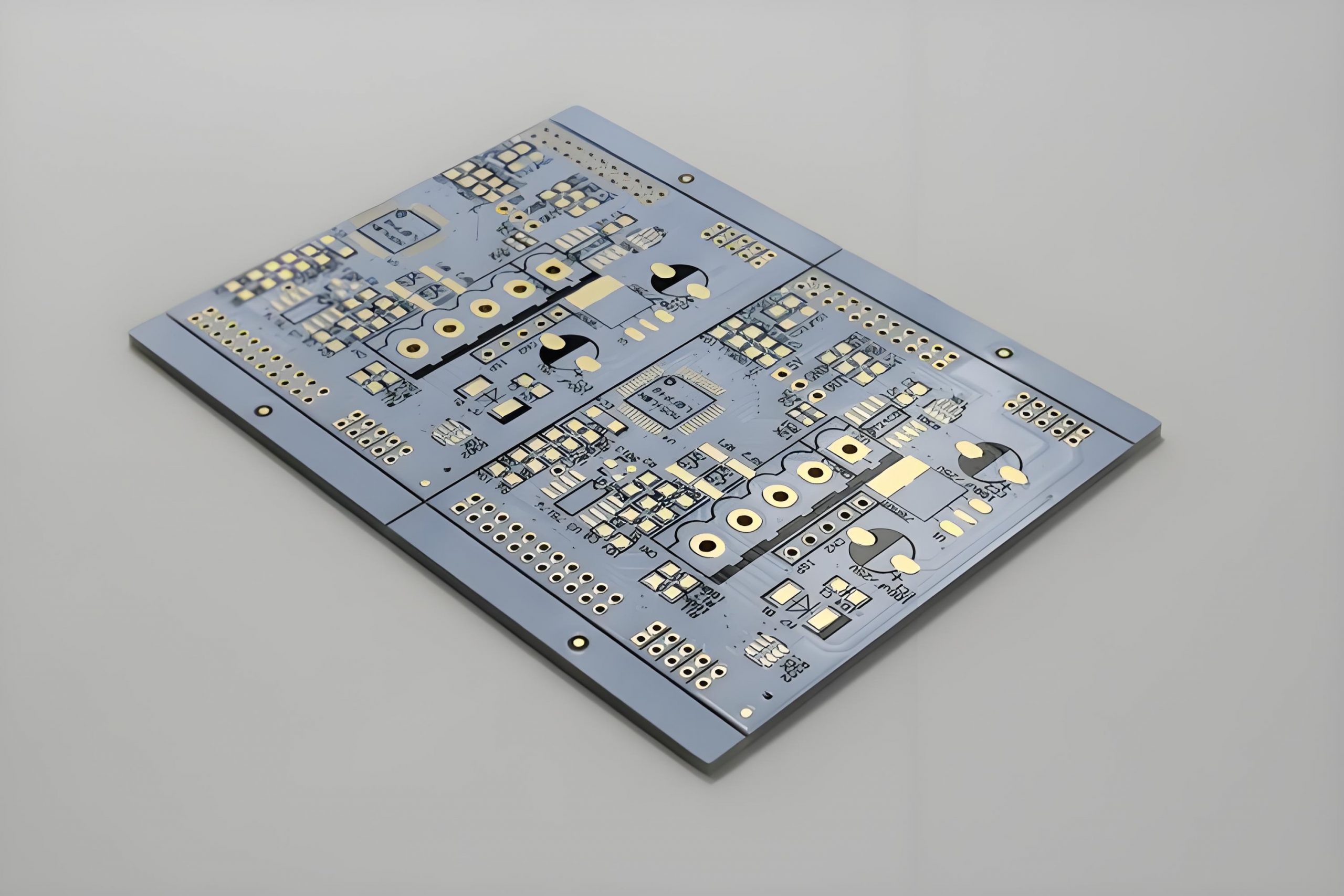
Light blue PCBs are often used in consumer electronics where a bright, modern appearance is desired. The lighter shade has a clearly visibility during manual assembly and inspection, especially under low lighting conditions.

3. Matte Blue Circuit Board

This is a very advanced color. Matte blue PCBs feature a non-reflective finish that reduces glare and provides a more understated look. This finish is popular in devices where aesthetics and readability are important.

4. Glossy Blue Circuit Board

Glossy blue PCBs have a shiny, reflective surface that enhances their visual appeal. While they look attractive, they may reflect light, make its inspection slightly more challenging under bright lighting.

Why Are Some Circuit Boards Different Colors?

The color of a circuit board comes from the solder mask applied during the manufacturing process. While green is the most common color, other colors such as blue, black, red, and even white are available. The choice of color can be influenced by several factors:

1. Aesthetic Preferences

Different colors are used to align with a product’s design or brand identity. For example, a company that emphasizes innovation might choose blue PCBs or red PCBs to convey a modern and forward-thinking image.

2. Functional Requirements

Certain colors offer better visibility for manual assembly and inspection. For instance, blue and green provide excellent contrast with common silkscreen colors.

3. Product Differentiation

In a competitive market, using a non-standard PCB color like blue can help a product stand out and attract more attention from customers.

4. Historical Factors

Green PCBs became the industry standard due to early manufacturing processes and the availability of green solder mask materials. Over time, this color was adopted as the norm, but advancements in technology have made other colors like blue more accessible.

The Role of PCB Colors

1. Green PCB

Green PCB is the most popular color. Therefore, many people have been mistakenly thinking that the PCB is green or most of it is green, green increases the clarity of the PCB, because the green PCB will have a sharp contrast with the white text, thus enhancing readability. In addition, the green PCB surface treatment reflects less light, helping to reduce glare.

2. White PCB

White PCB looks clean in a variety of environments, more and more popular. However, because the white PCB is easy to hide the line, white PCB is still not the first choice. But white PCBS look particularly contrasting in black screen printing.

3. Yellow PCB

In the past, yellow is one of more used colors in PCB solder mask, but now it is not so practical. Yellow PCBs can quickly meet different needs such as style, cleanliness and visibility. Yellow PCBs have one obvious disadvantage: poor contrast with wire and screen printing.

4. Blue PCB

Blue PCB is considered to be a thick plate for labels because it provides significant screen printing contrast. This PCB color is not as eye-catching as green PCB, black PCB, or white PCB, but blue PCB is the preferred PCB color because it provides an excellent aesthetic choice. Blue PCB installed on the LCD is better, because blue PCB does not produce sharp contrast edge and bright background color.

5. Red PCB

Because of the advantages of read PCB, many PCB manufacturers are still keen to adopt red. Red PCBs provide excellent visibility and clearly define contrast for trace, flat and white space. The screen print looks very beautiful against the red PCB.

6. Black PCB

Black PCB is as popular as white PCB. These two PCB colors produce low contrast and make it easy to mark important components. However, the main disadvantage of black and white PCBS is that specific details may focus light and have small shadows. This shadow makes tracking difficult. Therefore, it is not appropriate to use black PCB in various high temperature applications, because black PCB may discolor screen printing. Moreover, the black PCB board is a mixture of cobalt and carbon, and the electrical conductivity may be poor.

Blue vs. Green Circuit Board: Which Is Better?

We know, green is a standard solder mask color in the PCB, but blue also offers various advantages, so which one is better? Actually, choosing between a blue and green circuit board depends on the specific needs of your project. Both colors have their advantages and are suited for different applications.

  • Materials

The blue circuit board is also called FR-4 circuit board, and its substrate material is glass fiber reinforced epoxy resin. It is made by impregnating epoxy resin in glass fiber cloth and pressing it. This material can resist high temperature and humidity, so it is widely used in industrial fields.

The green circuit board, also known as the CCL circuit board, is made of fiberglass cloth and copper foil after high temperature and high pressure treatment, and the surface is covered with a welding mask. Its substrate material is the same as the blue circuit board, but the color is different. Green boards are relatively common because of their relatively low cost.

  • Use

Blue circuit boards can resist high temperature and humidity, so they are widely used in industrial equipment and aerospace and other fields. Because of its stable performance and high security, the price is relatively high. However, green circuit board is suitable for small and medium-sized electronic products, such as household appliances, digital products, computer peripherals and so on.

  • Cost

Blue circuit boards are relatively expensive because of their more stable performance. For green PCB, its cost is relatively low, but its safety and resistance to high temperature and humidity are worse than the blue circuit board.

4. Application Scenarios

It can be concluded from the above comparison that if the requirements for the circuit board are relatively high, such as used in industrial machines, it is recommended to choose the blue circuit board; If it is only the production of small and medium-sized electronic products, and the requirements for the circuit board are not so strict, you can choose a green circuit board.

Why Choose Blue Circuit Board?

Blue circuit boards are an excellent choice for projects that require a balance of aesthetics, functionality, and brand differentiation. Here’s why you might choose a blue PCB over a green one:

1. Enhanced Aesthetic Appeal

Blue PCBs offer a modern and visually appealing look that can make your product stand out in a competitive market. This is particularly important in consumer electronics where design plays a significant role in purchasing decisions.

2. Improved Visibility

The blue solder mask provides good contrast with white or yellow silkscreen, making it easier to inspect and debug circuits. This can lead to fewer assembly errors and higher product quality.

3. Brand Differentiation

In a crowded market, using a unique color like blue can help your product gain attention and differentiate itself from competitors that use standard green PCBs.

What Is a Blue Color Board Used For?

Blue circuit boards are commonly used in various applications where aesthetics, visibility, and customization are essential:

  • Consumer Electronics
  • Medical devices
  • Industrial machines
  • Aerospace
  • Security device
  • Custom PCBs
  • Prototypes

FAQs About Blue PCB

1. Does the color of the PCB affect its performance?

No, the color of the PCB does not impact its electrical performance. It primarily affects aesthetics, visibility, and inspection processes.

2. Is a blue PCB more expensive than a green PCB?

Yes, blue PCBs tend to be slightly more expensive due to lower production volumes and higher customization requirements.

3. What applications are best suited for blue circuit boards?

Blue PCBs are ideal for consumer electronics, custom devices, and prototypes where aesthetics and visibility are important.

4. Can I use a blue PCB for industrial applications?

Yes, but green PCBs are typically preferred for industrial applications due to their cost-effectiveness and standardization.

5. How do I choose between dark blue and light blue circuit boards?

Choose dark blue for a professional, sleek appearance and light blue for better visibility and a modern look.

Conclusion

Blue circuit boards offer a unique combination of aesthetic appeal, functionality, and brand differentiation. While green PCBs remain the industry standard, blue PCBs are gaining popularity in custom and high-end applications. Choosing a blue circuit board can enhance your product’s visual identity, improve visibility during assembly, and help your product stand out in the market.

If you’re looking to design and manufacture custom blue PCBs, partnering with a reliable PCB supplier like Best Technology can ensure that your project meets both aesthetic and functional requirements.

How Much Does a Soldering Wire Price?

November 27th, 2024

The cost of soldering wire can vary significantly based on the material, size, and brand. For small-scale DIY projects, a 100-gram spool of soldering wire typically costs between $5 and $20. For larger or industrial projects, where more solder is required, the cost can rise substantially. A 500-gram spool might range from $30 to $80, depending on the brand and material composition.

Lead-free solder, which complies with environmental standards like RoHS, is usually more expensive than traditional lead-based solder. In some cases, specialty solder wires used in aerospace or medical applications can exceed $200 per spool due to the higher purity and precision required.

If you’re sourcing solder wire for a commercial project, bulk purchasing can reduce the per-unit cost. However, it’s essential to balance cost with quality. Cheaper solder wires may contain impurities, leading to weaker joints and potential failures.

How Much Does a Soldering Wire Price?

Why Is Soldering Wire So Expensive?

With the rapid development of the network, electronics play an important role in it. In electronic equipment, the printed circuit board is indispensable, and whether a device can operate normally depends on whether the function of the circuit board is normal. But in the PCB board, the welding wire is more critical. Because it forms a strong conductive connection between the component and the circuit board. Welding wire may seem like a simple product, but why is the soldering wire so expensive? Here are several reasons:

1. Material Composition

The primary reason for the high cost is the materials used. Traditional solder wire material is made from a combination of tin (Sn) and lead (Pb). Tin is relatively expensive due to its demand in various industries, including electronics and packaging. Lead, while cheaper, is subject to strict regulations due to its toxicity, which increases manufacturing costs.

Lead-free solder wires, often made from a combination of tin, silver (Ag), and copper (Cu), are even more expensive. Silver, in particular, is a costly metal, and its inclusion drives up the price.

2. Manufacturing Standards

Manufacturers of soldering wire must adhere to stringent quality control standards. During the manufacturing, a good quality solder wire must has consistent thickness, proper flux distribution, and minimal impurities. Lead-free solder requires additional processing to meet environmental regulations like RoHS (Restriction of Hazardous Substances), which further adds to the cost.

3. Flux Core

Most soldering wires come with a flux core, which helps clean the metal surfaces during soldering. High-quality flux gives a better adhesion and reduces the risk of cold solder joints. The type and quality of flux used can also impact the overall price of the solder wire.

Which Wire Is Good for Soldering?

Nowadays, there are so many types of soldering wire in the PCB manufacturing, so which one is the best for soldering process? Let’s introduce them for you:

1. 60/40 Solder Wire

This is one of the most common types, containing 60% tin and 40% lead. It is widely used in electronics because it:

  • Melts at a relatively low temperature (around 188°C).
  • Flows smoothly, making it easy to work with.
  • Solidifies quickly, reducing the chances of cold joints.
How Much Does a Soldering Wire Price?

2. Lead-Free Solder Wire

Lead-free solder is increasingly popular due to environmental concerns. Common compositions include SAC305 (96.5% tin, 3% silver, 0.5% copper). It is ideal for:

  • Projects that must comply with RoHS regulations.
  • Applications where lead exposure must be minimized, such as medical or consumer electronics.

While lead-free solder is more expensive and has a higher melting point, it offers better long-term reliability in certain applications.

How Much Does a Soldering Wire Price?

3. Rosin-Core Solder Wire

Rosin-core solder contains flux within the wire, which simplifies the soldering process. It is suitable for:

  • Beginners who want an easy-to-use option.
  • Projects that require clean and reliable connections.

Rosin-core solder is available in both leaded and lead-free versions.

How Much Does a Soldering Wire Price?

What Is the Difference Between 40/60 and 60/40 Solder Wire?

The difference between 40/60 and 60/40 solder wire lies in the tin-to-lead ratio, which affects their properties:

60/40 Solder Wire

  • Composition: 60% tin, 40% lead.
  • Melting Point: Lower melting point (~370°F or 188°C).

Advantages:

  • Melts quickly and solidifies fast, making it ideal for electronics.
  • Provides strong and reliable joints.

40/60 Solder Wire

  • Composition: 40% tin, 60% lead.
  • Melting Point: Slightly higher than 60/40 (~460°F or 238°C).

Advantages:

  • Tends to be less expensive due to the lower tin content.
  • Suitable for less critical applications where joint strength is not a primary concern.

For most electronic applications, 60/40 solder wire is preferred due to its ease of use and better performance.

What Is the Price of Solder Wire 60/40?

What is the price of solder wire 60/40? The price of 60/40 solder wire depends on the brand, purity, and quantity. Here’s a general breakdown:

  • 100-gram spool: Around $10 to $15.
  • 500-gram spool: Between $30 and $50.
  • kilogram spool: Ranges from $60 to $100.

High-end brands may charge a premium, but they often offer better consistency, which is crucial for delicate electronics work.

What Is the Number 1 Rule of Soldering?

The number one rule in soldering is to keep everything clean. Cleanliness is critical for achieving strong and reliable solder joints. Oxidation, dirt, or residue can prevent proper adhesion, leading to weak connections or electrical failures.

To ensure clean surfaces, you can follow these principles:

  1. Clean the components with isopropyl alcohol before soldering.
  2. Use flux to remove oxidation and improve solder flow.
  3. Keep the soldering iron tip clean by wiping it on a damp sponge regularly.

Another essential rule is to use the right amount of heat. Too much heat can damage components, while too little can result in cold joints. Practice finding the right balance for each project.

Can Any Wire Be Used as Solder?

Can any wire be used as solder? No, not all wires can be used as solder. Soldering wire is specifically designed with:

  • Low melting points to prevent damage to components.
  • Flux cores to clean and improve adhesion during soldering.

Using regular wires like copper or aluminum would require much higher temperatures and won’t provide reliable connections. Additionally, they lack the necessary flux to remove oxidation, which can lead to weak joints.

What Can I Use Instead of Soldering Wire?

If you don’t have soldering wire on hand, a few alternatives might work, but they come with limitations:

1. Conductive Adhesive

These adhesives contain conductive particles, such as silver, and can create electrical connections. While they don’t offer the same strength as solder, they are useful for temporary fixes.

2. Wire Wrapping

This technique involves wrapping thin wires tightly around terminals. It’s a mechanical connection rather than a soldered one, making it less reliable for high-current applications.

3. Crimp Connectors

Crimping involves compressing a connector onto a wire to create a secure connection. It is commonly used in automotive and industrial applications but may not be suitable for all electronics.

However, while these methods can work in specific situations, soldering remains the most reliable way to create strong and durable connections.

Trust a Reliable PCBA Manufacturer – Best Technology

When it comes to PCB assembly and soldering, working with a reliable manufacturer like Best Technology is essential. At Best Technology, we offer:

  • High-quality soldering materials for dependable connections.
  • PCB design and assembly experienced professionals with more than 20 years in this industry
  • One-stop solutions to meet your project’s unique requirements.
  • Competitive price and fast delivery
  • Online product status update
  • ISO13485, ISO9001, IATF16949 certificated

Contact Best Technology today to learn more about our services and how we can help with your next project!

Via in Pad Design Guideline & FAQs

November 26th, 2024

What is Via in Pad?

With the improvement of the integration of electronic products, the package of components is getting smaller and smaller, and the pin spacing is also getting smaller and smaller. In complex PCB design, the signal cannot be fanned out without punching the disc hole, and the signal must be drawn from the next layer through the disc hole. Especially in the miniaturization applications of ā€ŒBGA (Ball Grid Array) and ā€ŒSMD (Surface Mount Device) chips, the process of disc holes has been widely used.

Via in pad is a design methodology in PCB manufacturing where vias are directly embedded in the pads of surface-mount devices (SMDs). Traditional vias are placed near the components with traces connecting them to the pads. However, in via-in-pad designs, the vias and pads are combined, which saves space and shortens trace lengths. This approach is particularly useful in HDI PCBs, where board real estate is limited, and signal integrity is critical.

Via in Pad Design Guideline & FAQs

What is Via-in-Pad Plating?

Via-in-pad plating refers to a specialized manufacturing process where vias embedded in pads are filled and plated over to form a smooth, conductive surface. This process involves:

  1. Via Filling: The via hole is filled with a material, often epoxy or a conductive paste, to eliminate voids and provide structural stability.
  2. Copper Plating: The filled via is then plated with copper to create a uniform and conductive layer.
  3. Surface Finish: A finish such as ENIG (Electroless Nickel Immersion Gold) or HASL (Hot Air Solder Leveling) is applied to ensure solderability.

Proper via-in-pad plating prevents solder wicking, a phenomenon where solder flows into the via during reflow, causing insufficient solder on the component leads.

Is Via-in-Pad Expensive?

Via-in-pad designs are undeniably more expensive than traditional vias. The additional manufacturing steps, such as via filling, plating, and the need for precise alignment, contribute to the higher costs. Moreover, the advanced equipment and materials required for this process add to the overall expense.

However, for designs that demand high performance, such as smartphones, medical devices, and aerospace electronics, the benefits of via in pad often outweigh the cost. It allows for compact layouts, improved performance, and better thermal management, making it indispensable for cutting-edge applications.

What Size is a Via-in-Pad?

The size of a via-in-pad is influenced by the PCB’s application, layer count, and the size of the components used. In HDI PCBs, via sizes typically range from 0.15 mm to 0.4 mm in diameter. Microvias, often used in via-in-pad designs, can be as small as 0.1 mm.

The diameter must align with the pad size to avoid compromising the pad’s mechanical and electrical integrity. Designers also need to consider the PCB manufacturer’s capabilities when selecting via sizes, as extremely small vias may require advanced fabrication techniques.

What are the Drawbacks of Via in Pad?

While via in pad offers several advantages, it also comes with notable challenges:

  • Higher cost
  • Soldering defects
  • Complex manufacturing
  • Thermal stress risks
  • Complex manufacturing process

Can You Put Vias Under Components?

Yes, placing vias under components is common in advanced PCB designs, particularly with via in pad. This technique is often used for BGAs, QFNs, and other fine-pitch components.

However, proper design and manufacturing practices must be followed to prevent defects. Filling and plating the vias ensure they do not interfere with soldering. Additionally, simulations and testing are essential to validate the design and ensure reliability.

Traditional Vias vs. Via-in-Pad Design

Traditional vias are placed outside the component pad, with traces connecting them to the pads. While this approach is cost-effective, it consumes more space and may result in longer trace lengths, increasing parasitic effects.

Via in Pad Design Guideline & FAQs

Via-in-pad designs embed the vias directly within the component pads, reducing trace lengths and optimizing space. They enhance signal integrity, thermal performance, and overall board aesthetics but at a higher cost and complexity.

When to Use Via-in-Pad Design?

Via-in-pad designs are not always necessary, but they are indispensable in specific scenarios where performance, space optimization, and thermal management are critical. Below are the situations where via-in-pad designs are most appropriate:

1. High-Density Interconnect (HDI) PCBs

When designing HDI PCBs with compact layouts and high layer counts, via-in-pad is essential. This design technique optimizes the limited space available, allowing for more components and connections on the board. It is particularly useful for devices like smartphones, wearables, and IoT devices where miniaturization is key.

2. Fine-Pitch Components

Via-in-pad designs are commonly used for components with fine pitches, such as:

  • BGA chips: BGAs have numerous pins closely spaced, leaving minimal room for traditional routing. Via in pad provides a clean solution to connect signals directly.
  • QFNs: QFNs require vias under the pads for effective routing and thermal management.
Via in Pad Design Guideline & FAQs

3. High-Speed and RF Applications

In high-speed and RF circuits, signal integrity is paramount. Via-in-pad designs minimize trace lengths, reducing parasitic inductance and impedance mismatches. This makes them ideal for applications like:

  • 5G communication systems
  • High-frequency radar systems
  • Advanced networking equipment

4. Improved Thermal Management Needs

For power components or heat-sensitive devices, via in pad aids in efficient thermal dissipation. By directly connecting the pads to thermal vias leading to internal or external layers, heat is transferred away from the components. This is critical for:

  • High-power LEDs
  • Voltage regulators
  • Power amplifiers

5. Limited PCB Real Estate

In designs with severe space constraints, via in pad maximizes usable board area. This allows for additional routing space and supports high component density without sacrificing performance. Applications like medical implants and aerospace electronics greatly benefit from this approach.

6. Double-Sided Component Placement

When components are placed on both sides of the PCB, traditional vias can interfere with the routing on the opposite side. Via in pad eliminates this issue by embedding the vias within the pads, simplifying double-sided designs.

7. High-Performance Computing Systems

For processors, GPUs, and other high-speed ICs, via in pad ensures reliable power delivery and signal integrity. It is frequently used in:

  • Data centers
  • High-performance workstations
  • AI hardware

Guidelines for Via-in-Pad Design

Via-in-pad designs require meticulous attention to detail to ensure reliability and performance.

1. Decide on the most suitable via type based on your design requirements:

  • Microvias: Ideal for high-density designs due to their small size.
  • Blind/Buried Vias: Useful for connecting internal layers without penetrating through the entire board.
  • Through-Hole Vias: Less common in via-in-pad but may be necessary for specific designs.

2. Fill the vias with appropriate materials to ensure mechanical stability and prevent solder wicking:

  • Non-Conductive Epoxy Fill: Provides a reliable, flat surface for soldering.
  • Conductive Fill: Used when electrical connectivity through the via is needed.

3. The plating over the filled vias should be smooth and flat to avoid soldering issues. Use a high-quality copper plating process to enhance electrical and thermal conductivity.

4. Collaborate with your PCB manufacturer early in the design process to align on their capabilities. This includes:

  • Minimum via diameter and pad size.
  • Spacing requirements between vias and traces.
  • Maximum number of vias that can be placed in pads.
Via in Pad Design Guideline & FAQs

5. Ensure the via size is proportionate to the pad size. A via that is too large can compromise the pad’s structural and electrical integrity, while a too-small via may not provide the necessary connectivity or thermal performance.

6. For high-power applications, incorporate thermal relief patterns or thermal vias.

7. Maintain sufficient spacing between vias and other components or traces to prevent electrical interference or thermal stress.

8. To avoid solder flowing into the via during reflow soldering:

  • Use filled and capped vias.
  • Employ surface finishes like ENIG (Electroless Nickel Immersion Gold) or OSP (Organic Solderability Preservative) for enhanced soldering reliability.

9. When using via in pad for power components or ground connections, thermal relief patterns help prevent excessive heat buildup. These are especially important in high-current designs.

Need assistance in designing via-in-pads in your PCB design? Leave your comments on below, our design experts will help to solve them.

What is Laser Direct Imaging in PCB Manufacturing?

October 30th, 2024

ā€ŒWhat is Laser Direct Imaging?

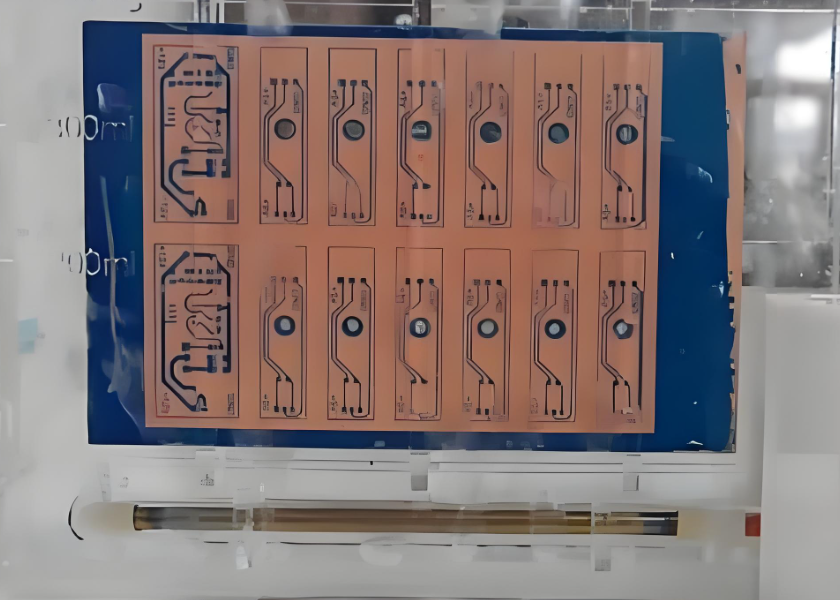
Laser Direct Imaging (LDI) is a technology that uses a laser beam emitted by an ultraviolet laser to image directly on a PCB (printed circuit board). Compared to traditional exposure techniques, LDI has higher image quality, precision traces and real-time adjustment.

The LDI technology achieves pattern transfer by projecting the line image directly onto the PCB coated with photoresist through the laser beam emitted by the laser diode. This method eliminates the use of negatives in the traditional exposure process, reduces the time and cost of loading and unloading negatives, and avoids deviations caused by negative growing. The image resolution of LDI technology is high, and the fine wire can reach about 20um, which is suitable for the production of fine wire and improves the yield of PCB production.

What is Laser Direct Imaging in PCB Manufacturing?

Working Principle of LDI Technology

The principle of laser imaging is to acquire and present images based on the characteristics of laser beam. As we know, a laser is a highly focused, high-brightness, monochromatic beam that can therefore produce high-quality images. The laser imaging system mainly consists of laser, lens, scanning device and receiver. The laser is used to generate the laser beam, the lens is used to focus the beam, the scanning device is used to change the path of the beam on the object, and the receiver is used to receive the light signal and convert it into an image.

In the imaging process, the laser beam is focused from the laser through the lens, and then the path of the beam on the object is controlled by the scanning device. When the laser beam hits the surface of an object, it interacts with the surface. This interaction causes light to scatter and reflect, with scattered light diffusing in different directions and reflected light remaining in its original direction of propagation. The receiver receives the light scattered and reflected by the object and converts it into an electrical signal. The receiver converts the signal into a digital image signal, which is then processed and displayed on the screen to form an image. In the processing process, the received signal can be filtered, amplified and other operations to improve the quality and clarity of the image.

What is Laser Direct Imaging in PCB Manufacturing?

As PCB manufacturing processes continue to advance, LDI technology is also evolving. At present, the mainstream light source in the industry is the 405nm laser diode produced by Nichiya, Panasonic, and it is expected that the optical power requirements for exposure will be further improved in the future, and the optical power of a single device may develop to 100W. Nowadays, LDI technology is not only used in PCB manufacturing process, but also in high-end applications like medical imaging, industrial detection, remote sensing.

Advantages of Laser Direct Imaging Over Photo Exposure

The advantages of laser direct imaging (LDI) compared with traditional exposure machines mainly include the following aspects:

1. Eliminating the negative process in the exposure process

    The LDI technology eliminates the step of making the negative in the traditional exposure process, thereby saving the time and cost of loading and unloading the negative, and reducing the deviation caused by the negative growth and contraction.

    2. High resolution

    The image resolution of LDI technology is very high, which is suitable for some very fine line production, especially for multi-layer PCB, which greatly improves the yield of PCB production.

    3. High quality and precision

    LDI is contactless operation, reducing the chance of miscontact, the closed operating environment reduces the influence of temperature and humidity, the image quality is high and fine, eliminating many defects in the traditional process.

    4. Reduce errors and improve alignment

    LDI technology improves alignment by eliminating alignment problems that often exist in photographic plates, especially the anisotropic movement of photographic plates caused by changes in temperature and humidity. High-precision alignment is achieved by using a charge-coupled device (CCD) camera system and a reference target to line up printed images and panels.

    5. Shorten the production process and reduce costs

    Because there is no need to have a negative production process, LDI technology shortens the production process, reduces the call of personnel, and reduces the production cost. In addition, the LDI system can lay more devices in the same environment, enabling two-way scanning and further savings.

    6. Adapt to a variety of production needs

    LDI technology has a flexible manufacturing route, which can meet various production needs without affecting the output. Once the data is delivered to the engineering department, production can begin, reducing product delivery time.

    The image quality of LDI technology is clearer than that of traditional exposure technology, and it has obvious advantages in mid-to-high-end PCB manufacturing. With the transfer of global PCB production capacity to China and the high-end development of the electronics industry, the demand for LDI equipment continues to grow, and it is expected that the future will gradually replace traditional exposure equipment in the field of low-end PCB.

    What is the Process of Direct Imaging?

    Direct imaging with LDI involves several steps that ensure precise layer creation:

    • Design Preparation: The digital circuit design is prepped for imaging, with adjustments made to accommodate laser processing specifics.
    • Photoresist Coating: The PCB is coated with a light-sensitive photoresist material, which reacts chemically when exposed to the laser.
    • Laser Imaging: The laser projects the circuit pattern directly onto the photoresist. Adjustments can be made mid-process, allowing for precise alignment.
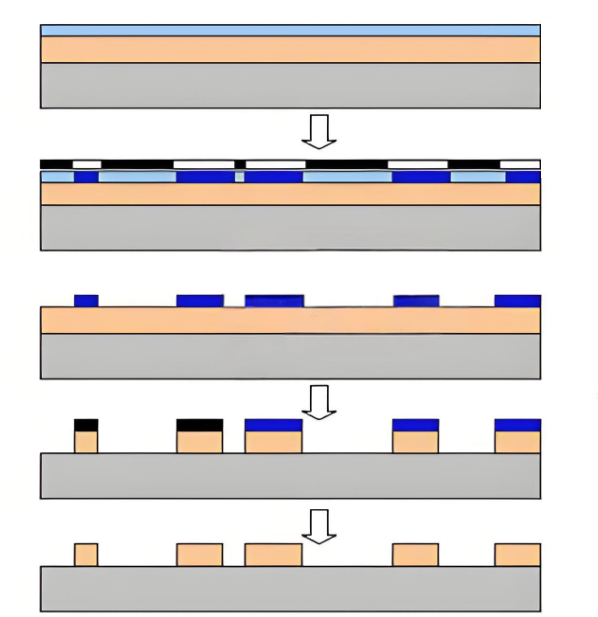
    • Developing: After exposure, the board is treated with a developer to reveal the circuit paths. Unexposed areas are removed, leaving only the intended design.
    • Etching or Plating: Depending on the PCB type, the board undergoes etching or plating to define the copper traces, completing the imaging process.

    Difference Between Positive and Negative Images in PCB

    In PCB photo exposure, the terms ā€œpositiveā€ and ā€œnegativeā€ refer to how the photoresist reacts to the laser exposure:

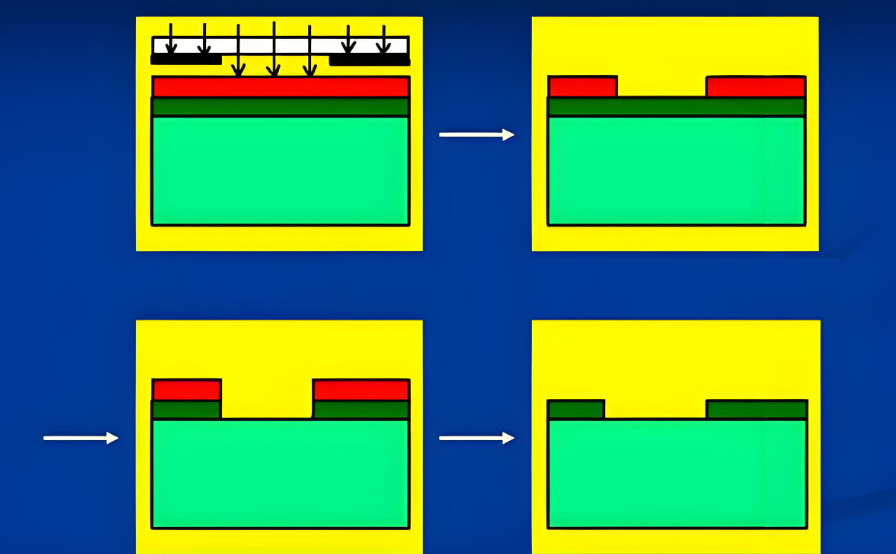
    • Positive Image: Here, the laser exposes areas intended to be removed. During development, the exposed regions dissolve, leaving behind the unexposed areas as the design.
    • Negative Image: In a negative image process, the laser exposes the regions meant to remain on the board. These exposed parts resist the developer, protecting the underlying material, while unexposed regions dissolve away.
    What is Laser Direct Imaging in PCB Manufacturing?

    The choice between positive and negative imaging depends on the photoresist type and the specific design requirements. Both methods offer high accuracy, but each has unique benefits based on the intended application.

    Why LDI Process Less Cost-effective than Phototool?

    While LDI offers many advantages, it often requires a higher initial investment than phototools:

    1. Equipment Costs: LDI machines are sophisticated and costly, requiring a significant investment in laser technology and imaging systems.

    2. Maintenance: High-precision lasers and optics demand regular maintenance and calibration to ensure consistent performance, which adds to operational costs.

    3. Speed on Larger Runs: For high-volume production, phototools may still be more cost-effective. Phototools offer rapid replication without the need for repeated laser exposure, lowering costs for large-scale production.

    These cost factors make LDI more suitable for specialized, lower-volume, or high-precision applications rather than large-batch productions.

    How is Layer Registration in LDI?

    Layer registration is crucial in PCB manufacturing, especially for multilayer boards where each layer must align precisely. LDI excels in this aspect:

    1. Automated Alignment: LDI systems come with advanced alignment software that adjusts each laser exposure to match the existing layer positions.

    2. Reduced Human Error: Since the process is largely automated, human handling is minimal, reducing the risk of alignment issues.

    3. Dynamic Adjustment: With real-time feedback systems, LDI machines adjust alignment during the process, maintaining tight registration tolerances.

    If you’re seeking high-quality PCB manufacturing, consider choosing a provider skilled in LDI processes like Best Technology. Our company combines expertise with cutting-edge technology to ensure your boards are produced to exact specifications, delivering the durability and performance you need in today’s advanced electronics.

    What material is used for flexible PCB?

    October 24th, 2024

    Flexible PCB is a printed circuit board made of flexible substrate, which can be bent, folded or twisted to a certain extent to meet the needs of various complex electronic device structures.

    What are flexible PCBs made of?

    Flexible PCBs are mainly made of polyimide or polyester film. These materials have good flexibility and insulation properties, which enable flexible PCBs to maintain stable working conditions in various bending and twisting environments.

    What material is used for flexible PCB?

    The manufacturing process of flexible PCBs includes the following main steps:

    • Design phase: Use design software to create a prototype of the circuit board, determine the required lines, circuits and components, and design the shape and size of the flexible PCB according to the shape and size of the product.
    • Board making phase: Print the required lines and patterns on the plastic substrate, usually using photolithography techniques such as coating photolithography and inkjet printing.
    • Surface treatment and coating: Clean the circuit board and apply a protective coating to prevent chemical and mechanical wear, moisture, corrosion, etc.
    • Electroplating copper: Apply electroplating copper to certain parts of the flexible PCB to thicken the line.
    • Pattern chemical etching: Etch away the unnecessary parts of the circuit board and retain the required lines and components.
    • Molding and perforation: Cut the flexible PCB into the desired shape.

    What is the difference between FR4 and flex PCB?

    Material composition and performance

    • FR4: FR4 is the most common PCB substrate, mainly composed of glass fiber and epoxy resin. It has good electrical, thermal and mechanical properties.
    • Flexible PCB: Flexible PCB (FPC) is mainly made of materials such as polyimide (PI) and is flexible and bendable. They are often used in application scenarios that require frequent bending or limited space.

    Application scenarios

    • FR4: Due to its rigidity and stability, FR4 is often used in applications that require high mechanical strength and stability, such as computer motherboards, mobile phone motherboards, etc.
    • Flexible PCB: Flexible PCB is often used in applications in car curves and corners, display screens and reverse cam screens, etc. due to its flexibility and bendability.

    Manufacturing process and cost

    • FR4: The manufacturing process includes drilling, etching, copper plating, etc., with moderate cost, suitable for most consumer electronic products.
    • Flexible PCB: The manufacturing process is relatively complex and the cost is high, but it can meet the needs of specific applications.

    In summary, FR4 and flexible PCBs have significant differences in material composition, performance and application scenarios. Choosing the right material depends on the specific application requirements.

    What is the difference between a rigid PCB and a flexible PCB?

    The main differences between rigid PCBs and flexible PCBs include softness, load-bearing capacity, durability, heat resistance and other aspects.

    • Softness: Flexible PCBs (FPCs) have good flexibility and can be easily twisted, bent and even folded, and are suitable for application scenarios that require flexible wiring. Rigid PCBs, on the other hand, are harder and cannot be bent, and are usually used in devices that require stability and high load capacity.
    What material is used for flexible PCB?
    • Load-bearing capacity: Flexible PCBs have relatively weak current carrying capacity and are suitable for applications with smaller currents. Rigid PCBs have stronger current carrying capacity and are suitable for high-load electronic devices.
    • Durability and heat resistance: Flexible PCBs can better absorb vibration and shock, have high durability and heat resistance, and can be used in extreme environments. Although rigid PCBs are thicker, they are easily damaged under the influence of high temperatures and chemicals.
    • Manufacturing process and materials: Flexible PCBs use flexible materials such as polyimide, and a cover layer process is used during the manufacturing process to protect the circuit. Rigid PCBs use thicker materials, usually made of glass-like materials, and require reinforcement.
    • Application scenarios: Flexible PCBs are widely used in modern smart devices such as smartphones, tablets, and wearable devices due to their flexibility and thinness. Rigid PCBs are often used in devices that require stability and high load capacity, such as laptops and desktop computers.

    In summary, there are significant differences between rigid PCBs and flexible PCBs in terms of softness, load-bearing capacity, durability, heat resistance, and application scenarios. The selection of the appropriate type of circuit board should be determined according to specific application requirements.

    What is the advantage of flex PCB?

    Flexible PCB (Flexible Printed Circuit, FPC for short) has the following main advantages:

    • Flexibility: The main advantage of flexible PCBs is their elasticity and bending ability. They can be easily twisted, bent, and even folded, suitable for design requirements of various complex shapes.
    • Reduce weight and space: Flexible PCBs not only provide greater design freedom, but also have better space utilization and weight efficiency. Due to their thin and light characteristics, flexible PCBs can greatly reduce weight and space, especially for small devices.
    • Suitable for harsh environments: Flexible PCBs can be made of various corrosion-resistant materials and can withstand harsh environmental conditions.
    • Better thermal management: Flexible PCBs are made of polyimide, which has excellent thermal stability and can withstand extremely high heat.
    • Reduce costs: Flexible PCBs reduce assembly costs by reducing space requirements and the number of components. Since the need for wiring and connectors is reduced, testing and rework time is also reduced, improving productivity and efficiency.

    In summary, flexible PCBs have significant advantages in flexibility, weight, space utilization, environmental adaptability and cost-effectiveness, making them an ideal choice for many high-tech products and applications requiring high reliability.

    What are the disadvantages of flexible PCB?

    The main disadvantages of flexible PCBs (FPCs) include:

    • High one-time initial cost: Since flexible PCBs are designed and manufactured for special applications, the cost of circuit design, wiring and photographic plates is high.
    • Difficult to change and repair: Once a flexible PCB is made, changes must start from the base map or the compiled photolithography program, so it is not easy to change. Its surface is covered with a protective film, which needs to be removed before repair and restored after repair, which is a relatively difficult task.
    What material is used for flexible PCB?
    • Size is limited: Flexible PCB is usually manufactured by intermittent process when it is not yet popular. Therefore, it is limited by the size of production equipment and cannot be made very long or wide.
    • Improper operation can easily cause damage: Improper operation by the assembly personnel can easily cause damage to the flexible circuit. Its soldering and rework require trained personnel to operate.

    How thick is a flex PCB board?

    The common thickness of flexible PCB board is 0.2mm. The thickening layer will be added behind the parts to be soldered. The thickness of the thickening layer is generally 0.2mm or 0.4mm12.

    In addition, the thickness of flexible PCB board usually ranges from 0.1mm to 0.4mm, of which the thickness of 0.1mm to 0.4mm is called ultra-thin PCB board.

    Where are flexible PCBs used?

    Flexible PCB (Flexible Printed Circuit Board, FPC) is widely used in many fields, mainly including the following aspects:

    • Consumer electronics: Flexible PCB is widely used in consumer electronics such as smartphones, tablets, smart watches, etc.
    • Medical equipment: In medical equipment, flexible PCB can bend and adapt to specific shapes, and is often used in electrocardiographs, blood pressure monitors, monitoring equipment and medical sensors, etc.
    • Automotive electronics: Flexible PCB plays an important role in automotive electronic systems, connecting in-vehicle entertainment systems, navigation systems, dashboards, body control modules and safety systems, etc.
    • Aerospace: Flexible PCB is also widely used in the aerospace field, such as satellite communications, spacecraft control, etc.
    • Industrial control and automation: In the field of industrial control and automation, flexible PCB is used to connect sensors, actuators, control modules and data acquisition equipment, etc.
    What material is used for flexible PCB?
    • LED lighting: Flexible PCB is also used in LED lighting products to provide connection and signal transmission functions.

    In summary, the material combination of flexible PCBs gives them unique properties and a wide range of application prospects. The flexible substrate provides bendability and durability, the conductive layer ensures efficient transmission of electronic signals, and the cover layer provides protection for the entire structure. The continuous innovation and optimization of these materials will continue to promote the development of flexible PCBs.

    What is inverter PCB? Where is inverter p.c. board?

    October 23rd, 2024

    What is an inverter circuit board?

    An inverter circuit board is designed to manage the conversion process by controlling the flow of current, regulating voltage, and ensuring efficient energy transfer. It can control and regulate the conversion of direct current (DC) into alternating current (AC). In the application of renewable energy systems such as solar power generation and wind power generation, inverters play a crucial role. It efficiently converts the DC energy collected by solar panels or wind turbines into AC power supplies suitable for home and business use.

    An inverter PCB typically includes components such as power semiconductors (IGBTs or MOSFETs), microcontrollers, and various passive elements that enable the inverter to function correctly.

    What is inverter PCB? Where is inverter p.c. board?

    Types of Inverter PCB

    Inverter PCBs come from several types, mainly are single-sided PCB, double-sided PCB and multilayer PCB.

    Single-Sided PCB

    A single-sided PCB is the most basic type, with all the components and circuits mounted on one side. It is commonly used in low-cost inverters with relatively simple circuits. Due to the limited space and circuit paths, its performance and power handling capabilities are moderate. Therefore, it is suitable for small-scale inverter systems or low-power home appliances.

    Double-Sided PCB

    Double-sided PCBs feature components and copper circuitry on both sides of the board. Furthermore, plated through holes can be drilled on such board to improve the electricity. These PCBs are suitable for mid-range inverter designs that require a higher number of components and connections, as they provide better performance and power efficiency. In higher power applications like motor control systems and renewable energy inverters, double sided PCB are commonly used.

    Multilayer PCB

    Inverters designed for industrial applications or high-performance devices often require multilayer PCBs. These boards consist of three or more layers of circuitry sandwiched between layers of insulation. Multilayer PCBs can reduce electromagnetic interference (EMI) and improve signal integrity, they are excellent in complex inverter systems used in electric vehicles (EVs), large solar arrays, and industrial motor drives.

    What Benefits Does an Inverter PCB Offer?

    First of all, ā€Œ high reliability ā€Œ is an important advantage of inverter PCB. Through precise circuit design and high-quality assembly processes, inverter PCBs can significantly improve the stability and reliability of equipment. In addition, the modular design makes troubleshooting and maintenance more convenient.

    Secondly, ā€Œenvironmental protection ā€Œ is also an important feature of the inverter PCB. Conventional inverter PCBs may use halogen-containing chemical materials in the manufacturing process, which can pose potential threats to the environment and human health. The halogen-free inverter PCB adopts halogen-free substrate and lead-free welding technology, does not produce harmful environmental pollutants, and has less impact on the environment and human health.

    In addition, ā€Œ easy to upgrade and maintain ā€Œis another important advantage of inverter PCBs. When the inverter needs to be upgraded or repaired, it can be achieved by replacing or repairing specific PCB modules, without large-scale changes to the entire system, which greatly reduces the complexity and cost of upgrading and maintenance.

    Finally, ā€Œ highly integrated ā€Œ is also a significant advantage of inverter PCBs. Through a highly integrated design, the size and weight of the inverter are reduced for easy installation and maintenance.

    What is an Inverter Circuit Diagram?

    An inverter circuit diagram is a schematic representation that illustrates how the components on the PCB are interconnected to convert DC power into AC power. It provides a detailed view of the flow of current and the role each component plays within the inverter system.

    What is inverter PCB? Where is inverter p.c. board?

    The diagram typically includes:

    • Power Input: Showing where the DC power is supplied, often from batteries, solar panels, or other DC sources.
    • Switching Devices: Components like Insulated Gate Bipolar Transistors (IGBTs) or Metal-Oxide-Semiconductor Field-Effect Transistors (MOSFETs), which are used to alternate the direction of current, producing AC power.
    • Control Circuit: A microcontroller or other control logic that regulates the switching timing and frequency to generate a stable AC output.
    • Filters: Inductors and capacitors used to smooth out the AC waveform and minimize harmonic distortion.
    • Protection Circuits: Components that safeguard against overcurrent, overvoltage, and short circuits, ensuring safe operation of the inverter.

    Applications of Inverter PCBs

    Inverter PCBs are found in various applications, including renewable energy systems like solar inverters, uninterruptible power supplies (UPS), electric vehicle systems, motor drive systems, and home appliances like air conditioners, refrigerators, and washing machines. Below are the typical applications of inverter PCBs:

    Solar Inverters

    In solar power systems, inverter PCBs are critical for converting the DC electricity generated by solar panels into usable AC electricity for homes and businesses. Solar inverters also use MPPT (Maximum Power Point Tracking) algorithms to optimize energy harvesting.

    Uninterruptible Power Supplies (UPS)

    In UPS systems, inverter PCBs ensure the reliable conversion of DC battery power into AC electricity during power outages. These systems are vital in data centers, hospitals, and other environments where uninterrupted power is essential.

    Electric Vehicles (EVs)

    EVs rely on inverter PCBs to convert the DC power stored in the battery into AC power to drive the motor. The performance and efficiency of the inverter PCB directly affect the vehicle’s range and driving experience.

    Industrial Motor Drives

    Many industrial applications use AC motors for machinery and equipment. Inverter PCBs regulate the speed and torque of these motors by converting DC power into controlled AC output, they are important for automation, robotics, and manufacturing processes.

    Home Appliances

    Many modern home appliances, such as air conditioners, refrigerators, and washing machines, use inverter technology for energy efficiency. Inverter PCBs in these devices help control motor speed and reduce energy consumption, contributing to more eco-friendly and cost-effective home systems.

    What Causes an Inverter Board to Fail?

    There are many factors that can cause inverter board to fail, and some of them we can recognize by visual, but sometimes we cannot. Here we listing some potential factors that make inverter PCB be damaged or fail.

    • Overheating

    Excessive heat is a common cause of inverter PCB failure, particularly in high-power applications. Poor thermal management or inadequate cooling can cause components to overheat and degrade over time. For such conditions, aluminum PCBs has good thermal conductivity, this can help to heat dissipation and transfer heat out efficiently, but if the cooling system is not properly designed, even these boards can fail.

    • Poor insulation

    This may be due to poor installation, improper location selection and poor quality of equipment of PCB board. We can check whether the DC connector has short-circuit supports or burns due to water immersion, and whether the edges of the component become blackened.

    • Low bus voltage

    If this problem occurs in the morning and evening, then it is normal as the inverter tries to limit the generation conditions. If it occurs during normal daytime hours, it can be detected by above method.

    What is inverter PCB? Where is inverter p.c. board?
    • Abnormal current leakage

    These problems are often caused by poor installation quality, improper location selection and poor equipment quality. We can locate the fault area and make it insulated. If the failure is caused by the material, then replace the incorrect one.

    • No response

    Ensure that the DC input is correctly connected and the inverter has built-in reverse short circuit protection. After the connection is restored, the inverter can start. If the inverter still does not work, it may be the fault of the inverter oscillation circuit or inverter itself has a problem. Try to troubleshooting and repair with new one.

    Considerations When Choosing the Right Inverter PCB

    Several factors should be considered when choose an inverter PCB for your device. Let’s talk about them.

    1. Power Rating

      Select a PCB that can handle the power levels required by the application. Overloading a PCB beyond its rated capacity can lead to overheating, component failure, or even dangerous situations like fire.

      2. Thermal Management

      In applications where heat generation is a concern, selecting a PCB with good heat dissipation is vital. Aluminum PCB or high-quality multilayer PCBs can help dissipate heat effectively. Consider heat sinks, design thermal vias, and adequate ventilation in your design to improve thermal performance.

      3. Component Quality

      From above, we know high quality components used in the PCB is important as well. High-quality capacitors, transistors, and diodes ensure reliable operation, even in harsh conditions. Always choose components rated for the expected load and environment, or get touch with Best Technology to enjoy a one-stop service from components sourcing and PCB assembly.

      4. Environmental Resistance

      If the inverter will be used in outdoor or industrial environments, choose a PCB with protective coatings, such as conformal coatings, to shield against moisture, dust, and corrosive elements. Solar power systems or outdoor motor control applications must take it in mind.

      5. PCB Layout and Size

      The physical size and layout of the PCB should align with the space available in the inverter system. A well-organized PCB layout helps reduce electromagnetic interference (EMI) and improves overall efficiency.

      Above are all the information about inverter PCB that we can shared. If you have a question concerning the topics, please contact us.

      Wi-Fi Module PCBA Design | Box Build Assembly Manufacturer

      October 22nd, 2024

      Wireless technology has transformed the way devices communicate. At the heart of this transformation are Wi-Fi modules. These small components power a wide range of applications, from home automation to industrial systems. In this blog, we’ll explore the functions of Wi-Fi modules, their uses, design considerations in PCB assembly and their differences from Bluetooth.

      What is a Wi-Fi Module?

      The Wi-Fi module, also known as the wireless module, belongs to the transmission layer of the Internet of Things (loT). It integrates a processor, memory, transceiver, and sometimes an antenna. A Wi-Fi module is to convert the serial port or TTL level into an embedded module that meets the Wi-Fi wireless network communication standards, with built-in wireless network protocol IEEE802.11b.g.n protocol stack and TCP/IP protocol stack.

      Wi-Fi Module PCBA Design | Box Build Assembly Manufacturer

      The module handles the task of connecting a device to a wireless router, allowing it to send and receive data over the internet. If embedded a Wi-Fi module in traditional hardware devices, then we can directly use Wi-Fi to connect to the Internet. It can be said, it is an important part of wireless smart home, M2M and other IoT applications.

      Types of Wi-Fi Module

      According to the different functions, Wi-Fi modules can be divided into three categories:

      1. General Wi-Fi modules

        Such as USB or SDIO interface modules on our mobile phones, laptops and tablets. Wi-Fi protocol stack and driver are run in Android, Windows and IOS systems, which require a very powerful CPU to complete the application.

        2. Router Wi-Fi module

        The most typical one is our home router, its protocol and driver has powerful Flash and Ram resources chip plus Linux operating system.

        3. Embedded Wi-Fi module

        Such as 32-bit MCU, built-in Wi-Fi driver and protocol, interface for the general MCU interface such as UART. Suitable for all kinds of smart home or smart hardware items.

        What is the Difference Between Wi-Fi and Bluetooth Modules?

        While both Wi-Fi and Bluetooth modules enable wireless communication, their usage and performance differ significantly:

        ​1. Frequency

        The frequency of Wi-Fi has 2.4G and 5G bands. Wi-Fi 2.4G band has 13 channels, 2401~2423MHz. Wi-Fi 5G frequency band is divided into 5.2G band and 5.8G band, and the 5.8G frequency band is: 149, 153, 157, 161, 165; The 5.2G band must support 11ac, and the available channels are 36, 40, 44, 48, 52, 56, 60, and 64. Under normal circumstances, it is recommended to avoid 52, 56, 60, 64 channels, because they conflict with radar channels;

        Bluetooth only has 2.4G band: 2.402GHz ~ 2480GHz, a typical Bluetooth has 76 channels, each channel is 1MHz. And bluetooth BLE has 40 channels, each channel 2MHz, of which 37 channels belong to the data channel, 3 channels belong to the broadcast channel;

        Wi-Fi Module PCBA Design | Box Build Assembly Manufacturer

        2. Application

        Wi-Fi can directly access the network, and Bluetooth needs conversion processing. Therefore, WiFi is more suitable for 1-to-many local area networking, such as home and company Internet access environment. Compared with Wi-Fi module, bluetooth is more suitable for short-range and high-stability transmission, such as smart headphones. Additionally, bluetooth mesh networking is especially suitable for smart home wireless control and other applications.

        3. Transmission Distance

        The transmission distance of Wi-Fi is further than that of Bluetooth, which can reach several hundred meters, while the transmission distance of Bluetooth is generally within 100 meters;

        4. Transmission Rate

        Wi-Fi: 54Mbps; Bluetooth: 2Mbps;

        Wi-Fi is more suitable for big data transmission.

        5. Speed

        Wi-Fi is generally faster than Bluetooth. It can handle large file transfers or streaming content without any issues. Bluetooth is slower but works well for smaller data transfers like audio streaming or simple file sharing.

        What is the Range of a Wi-Fi Module?

        ā€ŒThe coverage range of the WiFi module usually depends on the specific application scenario and environmental conditions. According to the IEEE 802.11 standard, the maximum distance that wireless devices can cover is usually 300 meters, but this depends on the environment is open or not.

        In the specific environment, the coverage of the WiFi module will be affected by a variety of factors. For example, in an ideal environment of accessibility and interference, the wireless transmission distance of a wireless router is 100 meters indoors and 300 meters at outdoors. In the actual home environment, the wireless signal will be attenuated when passing through obstacles such as walls, glass, doors, and furniture, affecting the transmission distance. If an external antenna is used, the transmission distance can reach 30 ~ 50 km or even more, depending on the gain of the antenna itself.

        Advantages of Wi-Fi Module

        1. Wide coverage

        WiFi module supports ā€ŒIEEE 802.11b/g/n and other standards to provide a wide range of wireless coverage, suitable for a variety of indoor and outdoor environments.

        2. High-speed transmission

        WiFi module supports a high data transmission rate, which can meet the requirements of high-speed data transmission, and is suitable for application scenarios with a large amount of data.

        3. Compatibility and ecosystem

        WiFi module supports a variety of communication protocols, such as ā€ŒWi-Fi, ā€ŒBluetooth, etc., has good compatibility and ecosystem, and can be integrated with a variety of devices and services.

        4. Easy to install and use

        WiFi modules are usually plug and play, easy to install and use, suitable for a variety of devices and system integration.

        Wi-Fi Module PCBA Design | Box Build Assembly Manufacturer

        Disadvantages of a Wi-Fi Module

        1. Power consumption

        One downside of Wi-Fi modules is their higher power usage compared to other wireless technologies, such as Bluetooth. This can be a concern for devices running on battery power.

        2. Interference

        Wi-Fi operates on the same frequencies as other devices, such as microwaves and cordless phones.

        3. Security

        Since Wi-Fi networks are widespread, they can be vulnerable to hacking. Proper security measures, such as encryption, must be implemented to protect data.

        What is a Wi-Fi Module Used For?

        Wi-Fi modules have a wide range of applications across industries. Actually, it exist everywhere need networks. It can be said, it can be used in every fields. Here are some typical applications:

        • Smart Homes

        Wi-Fi modules power smart devices like security cameras, thermostats, and lighting systems. They connect to a home Wi-Fi network, so users to control them remotely through apps.

        • Industrial Equipment

        In manufacturing or logistics, Wi-Fi modules enable machines to communicate wirelessly.

        • Consumer Electronics

        Devices like laptops, gaming consoles, and smart TVs rely on Wi-Fi modules for wireless internet access.

        • Healthcare Devices

        Medical equipment, such as patient monitors or wearable devices, often use Wi-Fi modules to transmit data to a healthcare provider in real time.

        • IoT Devices

        The IoT relies heavily on Wi-Fi modules. Devices ranging from smart refrigerators to connected doorbells use Wi-Fi to communicate with each other and with cloud-based systems.

        Wi-Fi Module Price

        Wi-Fi modules are available at various price points, depending on their features and intended use. For instance, the ESP8266 typically costs between $2 to $5. The ESP32, with its additional capabilities, is priced slightly higher, ranging from $5 to $10. High-end industrial Wi-Fi modules can be more expensive, ranging from $20 to $50.

        The price may also vary depending on factors like antenna design, supported protocols, and whether the module is designed for mass production or individual projects.

        What is the Most Common Wi-Fi Module?

        The ESP8266 is one of the most popular and widely used Wi-Fi modules. It is favored in many IoT applications due to its low cost, ease of use, and compact size. Another frequently used module is the ESP32, which offers additional features such as dual-core processing, built-in Bluetooth. In addition to them, there are some other common Wi-Fi module that used in the electronics.

        Wi-Fi ModuleDescriptionFrequency BrandRangePriceSpecial Features
        ESP8266Popular for IoT applications due to low cost and ease of use.2.4 GHzUp to 150 feet$2 – $5Compact size, low power, integrated TCP/IP protocol stack.
        ESP32Offers better performance with dual-core and built-in Bluetooth.2.4 GHz, BluetoothUp to 300 feet$5 – $10Dual-core processing, Bluetooth, multiple I/O options.
        CC3200A Texas Instruments Wi-Fi module designed for IoT and smart products.  2.4 GHzUp to 200 feet$8 – $15Built-in ARM Cortex-M4 processor, low power, encryption features.
        RN171A high-performance Wi-Fi module from Microchip.2.4 GHzUp to 330 feet  $20 – $30Embedded TCP/IP stack, simple serial interface.
        ATWINC1500  A low-power module designed for IoT and wearable devices.2.4 GHzUp to 200 feet$7 – $15Ultra-low power, integrated network stack, supports power-saving modes.
        WizFi210  A stable Wi-Fi module designed for industrial applications.2.4 GHzUp to 300 feet$10 – $25Low power, fast boot-up, secure connection.
        Roving Networks RN131Suitable for long-range industrial and commercial applications.  2.4 GHzUp to 400 feet$25 – $40High-performance, robust design, supports SSL encryption.

        Considerations in PCBA Design with a Wi-Fi Module

        When integrating a Wi-Fi module into PCBA design, several factors need to be considered to ensure optimal performance:

        • Antenna Design and Placement

        A key factor in wireless performance is the placement of the antenna. Ensuring there are no obstructions near the antenna can significantly improve signal strength. The module should be positioned to minimize interference from nearby components.

        • Power Supply

        Wi-Fi modules require a stable and sufficient power supply to function effectively. Voltage fluctuations or insufficient power can result in poor connectivity or even module failure.

        • Thermal Management

        Wi-Fi modules can generate heat, especially during heavy use. Proper heat dissipation methods, such as using heat sinks or thermal vias, should be incorporated into the PCBA design to maintain optimal performance.

        • EMI and EMC Compliance

        Wireless communication devices must adhere to electromagnetic interference (EMI) and electromagnetic compatibility (EMC) standards. Proper shielding and circuit design can help reduce interference and improve reliability.

        • Firmware Integration

        Many Wi-Fi modules come with firmware that handles wireless communication tasks.

        One-Stop Box-Build Assembly for Wireless Communication Devices

        For companies looking to develop wireless communication devices, Best Technology is your go-to choice. We offer one-stop PCBA and box-build service that can handle everything from component sourcing and PCBA design to final product assembly. By partnering with us, you can reduce much development time, and get a high quality, fast delivery, low cost PCBA with Wi-Fi modules.

        With over 18 years of experience in printed circuit boards and as one of the leading PCB manufacturers, we support over 2,000 customers in different industrial areas worldwide. You can count on a PCB board manufacturer like us to meet your one-stop electronics manufacturing demands. We have an experienced engineer, production and quality team to fully understand the unique requirements of your industry, such as the particular acceptance criteria in medical, automotive, communication and aerospace industries. Contact us right now to get your PCB quotation!

        What is a high temperature resistance flexible PCB?

        October 22nd, 2024

        A high temperature resistant flexible PCB is a flexible printed circuit board that can maintain stable performance in a high temperature environment. It is usually composed of a flexible substrate, a conductive layer, and a cover layer. It has the characteristics of being bendable, foldable, and lightweight, and can withstand high temperatures without affecting its electrical and mechanical properties.

        What is the maximum temperature for a flex PCB?

        The high temperature resistance of a flexible PCB mainly depends on its substrate material. Generally speaking, the maximum temperature that a flexible PCB can withstand can reach 280 degrees in a short period of time, but the long-term temperature is generally between 120 degrees and 150 degrees. ā€Œ

        What is a high temperature resistance flexible PCB?

        Different types of flexible PCB materials have different tolerances to temperature. PI is a commonly used flexible PCB substrate material that has excellent heat resistance and stability. It can maintain performance in the range of -200 degrees to 300 degrees, but the long-term use temperature is generally between 120 degrees and 150 degrees. ā€Œ

        In addition, the glass transition point of solder mask is about 110 degrees, so special attention should be paid to the temperature limit of these materials when designing flexible PCBs. ā€Œ

        What temperature should flexible PCB soldering be?

        ā€ŒThe optimal temperature range for flexible PCB soldering is 290-310 degrees Celsius. This temperature range is suitable for most flexible PCB soldering operations and can ensure soldering quality and component reliability.

        In specific operations, the soldering time should be kept within a few seconds to prevent damage to the pads of the PCB board. Accurate temperature management is essential to ensure the solder joint quality and circuit performance of the PCB board. The soldering temperature may vary for different types of flexible PCBs.

        What is high Tg PCB?

        ā€ŒHigh Tg PCB refers to PCB materials with higher glass transition temperature (Tg). ā€Œ Tg is the temperature point at which the material changes from glass to rubber state. High Tg materials can still maintain good mechanical strength and dimensional stability at high temperatures. ā€Œ

        The main advantages of high Tg PCB include:

        • ā€ŒHeat resistanceā€Œ: High Tg materials can still maintain good mechanical strength and dimensional stability at higher temperatures and are suitable for high temperature environments. ā€Œ
        • ā€ŒMoisture resistanceā€Œ: High Tg materials have low moisture absorption. Even after being heated after moisture absorption, they can maintain good mechanical strength and adhesion, reducing the risk of failure caused by moistureā€Œ.
        • ā€ŒChemical resistanceā€Œ: High Tg materials have better chemical stability at high temperatures and are not easy to decomposeā€Œ.
        • ā€ŒDimensional stabilityā€Œ: When the temperature changes, the dimensional changes of high Tg materials are small, ensuring the accuracy of PCBā€Œ.

        Application scenarios of high Tg PCB include:

        • Lead-free manufacturing processā€Œ: In highly functional and multi-layered electronic products, high Tg materials can ensure the stability and reliability of PCB in lead-free processesā€Œ.
        • ā€ŒHigh temperature environmentā€Œ: In applications that need to withstand high temperature environments, such as computers, mobile communication devices, etc., high Tg PCBs can ensure stable operation of the equipmentā€Œ.

        What are the disadvantages of flexible PCB?

        The main disadvantages of flexible PCB include:

        • ā€ŒHigh one-time initial costā€Œ: Since flexible PCBs are designed and manufactured for special applications, the initial circuit design, wiring and photographic plate costs are high.
        • ā€ŒDifficult to change and repairā€Œ: Once a flexible PCB is made, it must be changed from the base map or the compiled photolithography program, so it is not easy to change. Its surface is covered with a protective film, which must be removed before repair and restored after repair, which is a more difficult taskā€Œ.

        How thick is the copper in a flex PCB?

        The copper foil thickness in a flexible PCB is usually around 0.1mm. The copper foil thickness of a flexible PCB is generally 0.1mm, which is one of its common specificationsā€Œ.

        What is a high temperature resistance flexible PCB?

        In addition, the copper foil thickness of a rigid PCB has a wide range, and common thicknesses include 0.2mm, 0.4mm, 0.6mm, 0.8mm, 1.0mm, 1.2mm, 1.6mm, 2.0mm, etc.ā€Œ. The copper foil thickness of a rigid PCB can be adjusted according to demand. For example, in an environment where high current and high power are required, the copper foil thickness may be higherā€Œ.

        Flexible PCB materials usually include polyester film, polyimide film, and fluorinated ethylene propylene film, etc. These materials are widely used in curved and flexible circuit designs in electronic devicesā€Œ.

        Why are Flex PCBs so expensive?

        First, material cost is one of the main factors affecting the price of flexible PCBs. Flexible PCBs mainly use special materials such as polyimide (PI) and polyester film, which have excellent heat resistance and electrical properties, but are more expensive.

        Second, manufacturing process is also an important reason for the high cost of flexible PCBs. The production process of flexible PCBs includes multiple complex links such as exposure, development, etching, lamination and testing. High-precision manufacturing processes, such as fine line etching and precise alignment, require advanced equipment and technology, which increases production costs.

        Design complexity is also a key factor. The design and manufacture of flexible PCBs involve multiple processes, such as etching, copper plating, drilling, etc. The higher the complexity of the process, the higher the manufacturing cost.

        Finally, market demand also affects the cost of flexible PCBs. Mass production can effectively reduce unit costs, while small batch or customized production may lead to higher costs.

        What is rigid-flex PCB vs flex PCB?

        The main difference between rigid-flex PCB and flexible PCB lies in their structure and application scenarios. Rigid-flex PCB combines the characteristics of rigid PCB and flexible PCB, while flexible PCB is made entirely of flexible materials.

        Rigid-flex PCB is a circuit board that combines rigid board and flexible board, and is usually used in areas where both rigidity and flexibility are required. This type of circuit board uses flexible materials in specific areas and remains rigid in other areas to meet complex design requirements.

        Flexible PCB is made entirely of flexible materials and is usually used in applications that require high flexibility and space saving. Flexible PCB uses flexible materials such as polyimide, allowing the circuit board to be easily bent and folded in a small space. This type of PCB is widely used in modern smart devices such as smartphones, tablets and wearable devices to achieve smaller size and more complex functions.

        What is the difference between FR4 and flex PCB?

        The main difference between FR4 and flexible PCB lies in their materials, structure and application scenarios. FR4 is a rigid PCB substrate, mainly composed of glass fiber and epoxy resin, with good electrical properties and mechanical strength, suitable for applications requiring high stability and reliability. Flexible PCBs are highly flexible and bendable, suitable for applications with limited space or frequent bending.

        FR4 features and applications:

        FR4 is currently the most common PCB substrate. FR4 has good electrical properties, with a dielectric constant between 4.5 and 4.8, suitable for medium and low frequency applications; in terms of thermal performance, its thermal expansion coefficient is about 14-17ppm/°C, and its heat resistance can reach 260°C; in terms of mechanical properties, FR4 has high bending strength and tensile strength, suitable for manufacturing processes such as drilling, etching, and copper plating.

        Due to its stability and reliability, FR4 is often used in applications such as display screens and reverse cam screens that require high stability.

        Flexible PCBs features and applications:

        Flexible PCBs (FPCs) are mainly made of materials such as polyimide and are highly flexible and bendable. They are often used in applications with limited size or frequent bending.

        What is a high temperature resistance flexible PCB?

        The design of flexible PCB is relatively simple, but when rigidity needs to be increased for easy installation or assembly, reinforcement plates such as PI, FR-4 or steel sheets are used.

        Due to the high flexibility of flexible PCBs, they are often used in devices that require frequent movement or deformation, such as touch sensors and automotive lighting systems.

        As a new type of PCB in the electronics field, high-temperature resistant flexible PCBs have gradually become a popular choice in the electronics field with their excellent high-temperature resistance, bendability, foldability, light weight, stable electrical performance, and good mechanical properties. High-temperature resistant flexible PCBs play an important role in applications in high-temperature environments such as aerospace, automotive electronics, industrial control, and medical equipment.

        6 Layer PCB Stackup, Thickness, Impedance Control

        October 18th, 2024

        What is a 6 Layer PCB?

        A 6 layer PCB is a printed circuit board that has six conductive layers. It consists of 4 inner layers and 2 outer layers, of which the inner layer is made of copper foil and located in the center of the board (we cannot see it by our eyes), while the outer layer is located on the top and bottom of the board. This design packs a punch, letting you fit more complex circuitry into a smaller space. It’s perfect for small electronic devices that need to do a lot.

        6 Layer PCB Stackup, Thickness, Impedance Control

        6 Layer PCB Structure

        In a typical 6 layer PCB stackup, the conductive layers are numbered from top to bottom, starting with Layer 1. Here’s what a standard configuration looks like:

        • Layer 1: Top Layer
        • Layer 2: Reference Plane 1
        • Layer 3: Signal or Plane Layer 2
        • Layer 4: Signal or Plane Layer 3
        • Layer 5: Reference Plane 2
        • Layer 6: Bottom Layer

        The top and bottom layers are the two most common layers in a 6-layer PCB. They are often used to mount large components and connectors. The main role of the top and bottom layer is to provide the structure and support of the circuit board, and can also be used to connect external devices. The middle layers handle signals and reference planes (like ground and power).

        Common 6 Layer PCB Stack-Up

        When it comes to stacking up those layers, you have a few common configurations:

        6 Layer PCB Stackup, Thickness, Impedance Control

        Stack-Up Option 1: S G S S P S

        1. Top Layer (Signal)
        2. Layer 2 (Ground)
        3. Layer 3 (Signal)
        4. Layer 4 (Signal)
        5. Layer 5 (Power)
        6. Bottom Layer (Signal)

        This kind of stack up has more signal layers, which is conducive to the wiring work between components; Because POWER and GND are far apart and not tightly coupled, the signal layers are directly adjacent, which is easy to cause crosstalk. Therefore, staggered wiring is required during wiring. When the power supply impedance is low.

        Stack-Up Option 2: S S G P S S

        • 1.     Top Layer (Signal)
        • 2.     Layer 2 (Signal)
        • 3.     Layer 3 (Ground)
        • 4.     Layer 4 (Power)
        • 5.     Layer 5 (Signal)
        • 6.     Bottom Layer (Signal)

        POWER and GND are tightly coupled, but the plane reference is too far away and the signal isolation is not good, which is easy to cause crosstalk.

        Stack-Up Option 3: S G S G P S (preferred solution)

        • 1.     Top Layer (Signal)
        • 2.     Layer 2 (Ground)
        • 3.     Layer 3 (Signal)
        • 4.     Layer 4 (Ground)
        • 5.     Layer 5 (Power)
        • 6.     Bottom Layer (Signal)

        POWER and GND layers are tightly coupled, with good EMI characteristics, and the signal layer is directly adjacent to the internal electrical layer, and is effectively isolated from other signal layers, which is not easy to crosstalk.

        Stack-Up Option 4: S G S P G S

        • 1.     Top Layer (Signal)
        • 2.     Layer 2 (Ground)
        • 3.     Layer 3 (Signal)
        • 4.     Layer 4 (Power)
        • 5.     Layer 5 (Ground)
        • 6.     Bottom Layer (Signal)

        POWER and GND are tightly coupled. The signal layer is adjacent to the ground layer, the power layer is paired with the ground layer, the impedance of each line layer can be better controlled, and the magnetic field line can be well absorbed by both layers. This layered scheme is suitable for the design of high chip density and high clock frequency.

        6 Layer PCB Thickness

        The total thickness of a 6 layer PCB usually ranges from 0.8 mm to 2.0 mm. Of course, this can vary based on materials and what you’re aiming for. Each layer contributes to this thickness, and the copper thickness often ranges from 1 oz to 3 oz. Thicker boards tend to offer better durability and heat dissipation, but they can also be less flexible, which is something to consider depending on your application. The common thickness structure are showing as below:

        6 Layer PCB Stackup, Thickness, Impedance Control

        Above are the common structure and thickness of a 6 layer multi-layer PCB, if you want thicker thickness, welcome to contact with us, our expertise team will give you the best and cost-effective solution!

        6 Layer PCB Manufacturing Process

        6 Layer PCB Stackup, Thickness, Impedance Control

        6 Layer PCB Price

        The price of a 6 layer PCB doesn’t have a standard number/value. It varies based on factors like material, size, and complexity. Generally, they are more expensive than simpler designs due to the increased number of layers and the advanced manufacturing processes involved. However, the investment often leads to improved performance and durability. Here are some factors that will effect your 6 layer PCB price:

        1. Design complexity: If the design is intricate, expect a higher price.
        2. Material quality: Premium materials can drive up the cost but often improve performance.
        3. Volume: Producing in bulk usually lowers the cost per unit.
        4. Manufacturing process: The more difficult process, it will cost much more. Like a normal 6 layer FR4 PCB with through holes is cheaper than 6layer HDI PCB with blind or buried via holes.
        5. Surface treatment: Different treatment you choose will affect your overall price.

        In general, you’re looking at prices that range from $5 to $50 or more per unit. It might sound steep, but investing in a quality 6 layer PCB can really pay off in terms of performance and reliability.

        6 Layer PCB vs. 4 Layer PCB

        6 layer PCB is different with 4 layer PCB, from the board thickness, cost, line width and spacing and etc. Here we listing three main differences between them:

        1. Board thickness

        The thickness of the PCB board is the thickness of the fingerboard, usually in millimeters. There is a difference in thickness between six-layer and four-layer plates. The thickness of the six-layer plate is usually between 1.6mm and 2.0mm, while the thickness of the four-layer plate is between 1.0mm and 1.6mm. Therefore, the thickness of the six-layer plate is thicker than that of the four-layer plate.

        2. Line width

        The line width refers to the width of the wire on the circuit board. There is also a difference in line width between six-ply and four-ply panels. The line width of a six-layer board is wider than that of a four-layer board. This is because in a six-layer board, there are more circuit layers, so it is easier to accommodate a wider line width.

        3. Drilling

        Drilling is an indispensable part of the PCB board production process. It is usually used to punch holes in the board so that electronic components can be installed. There is also a difference in the number of holes drilled between six-ply and four-ply panels. Because the six-layer board has more circuit layers, the number of holes is relatively high.

        Impedance Control for 6 Layer PCB

        ā€ŒThe impedance control of 6-layer PCB is to control the impedance value of signal transmission by designing the geometry and material of the circuit board to improve the speed and quality of signal transmission, and reduce signal reflection and interference. ā€Œ Common methods of controlling impedance include adjusting parameters such as the width, spacing and thickness of the signal lines, using differential lines to reduce signal interference and noise, and using interlayer isolation to prevent signal interference.

        In the 6-layer PCB design, the specific implementation methods of impedance control include:

        • Signal line width and spacing control

        Signal line width and spacing is a key factor affecting the impedance. Strictly control the line width tolerance within ±10%, and pay attention to the possible pinholes, notches, dents and other problems on the wire, which will further affect the line width and impedance.

        6 Layer PCB Stackup, Thickness, Impedance Control
        • Dielectric layer thickness control

        Dielectric layer thickness has a significant effect on impedance. Use advanced manufacturing technology and equipment to ensure the uniformity and consistency of the thickness of the medium layer, and strictly control the thickness tolerance of the medium layer within the design requirements.

        • ā€ŒThe use of differential line

        Differential line can effectively reduce signal interference and noise, improve the quality of signal transmission and anti-interference ability.

        6 Layer PCB Stackup, Thickness, Impedance Control
        • Partially filled with copper and grounded

        Fill the area without components or wires with copper, and ensure that the copper filled area is connected to the internal ground layer or power layer at multiple points. The distance between the connection holes does not exceed 1/20 of the highest harmonic wavelength of the signal ā€Œ

        6 Layer PCB Design Considerations

        When you’re designing a 6 layer PCB, there are several things to keep in mind:

        Reference Plane Placement

        For the best performance, reference planes (usually ground and power) should be placed next to the routing layers. This setup helps maintain controlled impedance, which is critical for high-speed designs. Having a continuous ground plane right next to signal layers is a great practice.

        Plane Splits

        Sometimes, reference planes need to be divided into separate sections for analog and digital power. This keeps the analog circuitry isolated from the digital side, which helps reduce noise in sensitive areas.

        Symmetry in Design

        It’s usually best to keep the stackup symmetrical, with reference planes both above and below the signal layers. This arrangement improves signal integrity. But in some cases, asymmetrical designs are used depending on specific design needs.

        Thermal Management

        Consider how to manage heat, especially in high-power scenarios, to ensure reliability.

        Signal Routing

        High-speed or noise-sensitive signals should be routed on the inner layers between reference planes. Keeping these signals away from the outer layers helps minimize interference.

        Breakout Vias

        When transitioning from inner layers to outer layers, breakout or stub vias should be used. These vias help manage any stub effects, keeping things tidy and controlled.

        Minimum Spacing

        Lastly, always follow the board fabricator’s guidelines for minimum trace width, spacing, and annular ring sizes. This ensures the board meets the necessary standards and avoids any manufacturing issues.

        Simulation Tools

        Use simulation software to identify potential issues before manufacturing, which can save you time and hassle.

        Best Technology is a reliable PCB manufacturer in China. As one of the highly experienced circuit board suppliers, our products and services include a wide range of printed circuit boards such as rigid PCBs, flex PCBs, rigid-flex PCBs, aluminum PCBs, RF Microwave PCBs, high-speed PCBs, high-frequency PCBs, HDI PCBs, etc. If you have such demands, welcome to contact us.

        Rogers RT Duroid 5880 | High Frequency Rogers RO5880 PCB Manufacturer

        October 16th, 2024

        What substrate is Rogers RT Duroid 5880?

        Rogers RT Duroid 5880 is a high-frequency laminate specifically designed for applications where precision and low signal loss are critical. The substrate is a composite material known for its excellent performance in RF and microwave circuits. It uses a PTFE (polytetrafluoroethylene) base reinforced with glass microfibers.

        The use of glass microfiber ensures the material is durable but lightweight, making it suitable for applications in which weight is a factor. Its composition is perfect for projects where high-frequency signals are involved. From defense systems to automotive radar, RT Duroid 5880 is a reliable choice. It has become the go-to substrate for engineers and designers looking for efficiency, precision, and durability.

        Rogers RT Duroid 5880 | High Frequency Rogers RO5880 PCB Manufacturer

        Composition of Rogers RT/duroid 5880

        RT Duroid 5880 is composed of PTFE (polytetrafluoroethylene) combined with glass microfiber. PTFE provides a low dissipation factor, which reduces signal loss. This is important for maintaining high performance in RF and microwave applications. Glass microfiber reinforces the material, make it stronger without adding unnecessary weight. The composition also includes copper cladding, which is typically laminated on both sides. The copper layer helps with conductivity, ensuring signals travel efficiently across the board.

        The unique combination of PTFE and glass microfiber gives RT Duroid 5880 its excellent mechanical stability. It also minimizes the effect of temperature changes, which is critical for high-frequency circuits. As a result, the material can handle extreme temperatures without affecting the performance of the PCB.

        RT/duroid 5880 Specifications

        The following table highlights the important specifications of Rogers RT Duroid 5880. These specs reflect the high performance of RT Duroid 5880 for complex RF and microwave tasks.

        PropertyValue
        Dielectric Constant (Dk)2.20 (±0.02)
        Dissipation Factor (Df)0.0004 (measured at 10 GHz)
        Thermal Conductivity0.20 W/m/K
        Operating Temperature Range-55°C to +150°C
        Water Absorption0.02%
        Volume Resistivity1.7 x 10^9 MΩ·cm (minimum)
        Surface Resistivity1.4 x 10^8 MĪ© (minimum)
        Coefficient of Thermal Expansion (CTE)46 ppm/°C (in X-Y axis)
        Tensile Strength10.3 MPa
        FlammabilityUL 94 V-0
        Peel Strength5.0 N/mm (after soldering)

        RT/duroid 5880 Thickness

        RT Duroid 5880 comes in various thicknesses. Engineers can choose the right thickness depending on their project’s needs. Rogers RT/duroid 5880 laminate is commercially available in sheet stock and roll stock forms in a range of thicknesses. Here’s a list of the standard thicknesses available:

        Available sheet sizes:

        • 304.8 x 457.2 mm
        • 457.2 x 609.6 mm
        • 609.6 x 914.4 mm

        Standard thickness:

        • 0.127 mm (5 mils)
        • 0.254 mm (10 mils)
        • 0.381 mm (15 mils)
        • 0.508 mm (20 mils)
        • 0.787 mm (31 mils)
        • 1.524 mm (60 mils)
        • 3.175 mm (125 mils)

        Available roll widths:

        • 304.8 mm
        • 609.6 mm
        • 1219.2 mm
        • Standard roll length: 76.2 meters
        • Thickness range: 0.127 mm to 1.575 mm ​

        RO5880 RF PCB Advantages

        Rogers RT Duroid 5880 has a lot of strengths when used in RF and microwave PCB projects:

        • Minimal Signal Loss

        With a low dissipation factor of 0.0004, it reduces signal loss, which is very helpful for high-frequency systems like radar or satellite communications.

        • Strong Stability

        It holds up well under temperature changes and in humid environments, keeping circuits running smoothly even in tough conditions.

        • Reliable Electrical Properties

        The dielectric constant of 2.20 remains stable over a range of frequencies. This helps keep circuits working consistently without interference or signal issues.

        • Heat Tolerance

        It withstands heat up to 150°C, making it a good choice for systems that need to handle higher temperatures.

        • Low Moisture Absorption

        With only 0.02% water absorption, the material works well in damp environments. Outdoor systems like antennas benefit from this.

        • Ease of Manufacturing

        The material is easy to work with during production, which keeps costs lower and speeds up manufacturing.

        • Chemical Resistance

        The PTFE base resists damage from chemicals and solvents, making the material last longer in harsh environments like aerospace and industrial applications.

        Typical Applications of High-Frequency PCB

        High-frequency PCBs built with Rogers RT Duroid 5880 serve important roles across many industries:

        • Aerospace – used in radar, satellite, and navigation systems, RT Duroid 5880 supports reliable communication and tracking, even in high-pressure environments.
        • Telecommunications – in mobile networks, base stations, and antennas, high-frequency PCBs help maintain clear and fast data transmission, supporting the backbone of communication systems.
        • Medical Devices – MRI machines, wireless health monitors, and other equipment use high-frequency PCBs to keep medical data accurate and systems working seamlessly.
        • Defense – communication gear, and electronic warfare systems.
        • Automotive Systems – advanced driver assistance systems (ADAS) and vehicle radar depend on high-frequency PCBs for real-time data, making roads safer for everyone.
        • Satellite Communication – RT Duroid 5880 is frequently used in satellite systems where strong signal transmission over long distances is crucial for communication networks.

        Common-Used High Frequency PCB Materials in Best Technology

        At Best Technology, we use a range of top-quality materials for high-frequency PCBs, depending on the project’s needs. Some of the most popular materials include:

        Material       Dielectric Constant (Dk)      Loss Tangent (Df)       Key Features  
        Rogers RO4003C3.380.0027Low loss, excellent thermal stability, ideal for RF applications.
        Rogers RO43503.480.0043Low loss, high thermal conductivity, suitable for microwave applications.  
        RT/Duroid RO58802.940.0037Very low loss, excellent performance at high frequencies, good for multilayer designs.  
        N4000-133.00.009Good thermal stability, low moisture absorption, designed for high-frequency applications.
        Taconic RF-60A6.150.0027High dielectric constant, low loss, suitable for low-loss RF and microwave applications.  

        Each material brings different strengths for specific applications, giving you the best options for your project.

        Discuss Your High Frequency PCB Project with Us Today

        If you have a high-frequency PCB project in mind, reach out to us. We’re experienced in creating high-quality PCBs that meet your exact specifications. Whether you need RF, microwave, or other types of high-frequency boards, we’ll make sure your project runs smoothly. Contact us at sales@www.bestpcbs.com today, and we’ll help you turn your plans into reality.