PCB manufacturing PCB manufacturing
Home > Blog

What is the surface mount technology?

August 23rd, 2024

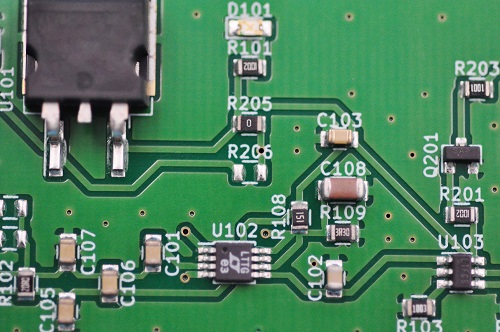
Surface mount technology (SMT) is a widely used surface assembly method in the electronic assembly industry. It mainly uses automated production equipment to directly solder surface mount components (SMD) to the pads on the surface of the printed circuit board (PCB). SMT has the advantages of high production efficiency, high space utilization, high density and miniaturization. However, it has high requirements for production equipment, processes and operating skills.

What is the surface mount technology process?

The process of surface mount technology (SMT) mainly includes the following steps:

1. Printed circuit board preparation: Before surface mounting, the printed circuit board needs to be prepared first, including cleaning the circuit board, removing the surface oxide layer, and applying solder paste.

What is the surface mount technology ?

2. Component mounting: Use appropriate equipment to accurately mount various electronic components on the printed circuit board.

3. Soldering: After the components are mounted, the solder paste is heated to melt it to form a reliable welding connection.

4. Inspection: After welding, use AOI for automatic inspection to ensure the correct mounting and welding quality of components.

5. Testing and debugging: Test and debug the mounted circuit board, and verify whether the function and performance of the circuit board meet the requirements through specific test equipment and procedures.

Each step needs to be carried out carefully to ensure that the mounted circuit board has good quality and reliability. In addition, surface mount technology is suitable for circuit board assembly, with the characteristics of compact structure and small size, and is widely used in the manufacture of electronic products.

What are the roles of surface mount?

The role of surface mount technology (SMT) is mainly reflected in improving the performance, reliability and production efficiency of electronic products, while reducing the volume and weight of products.

Surface mount technology (SMT) has the following significant effects:

Increase assembly density and reduce product volume: By using surface mount technology, the volume of electronic products can be reduced by 40%~60% and the weight can be reduced by 60%~80%.

What is the surface mount technology ?

‌Improve reliability: SMT has high reliability, low solder joint defect rate and strong vibration resistance.

Optimize high-frequency characteristics: SMT reduces electromagnetic and radio frequency interference and optimizes the high-frequency characteristics of the circuit.

Automated production: SMT is easy to automate, thereby improving production efficiency.

Enhanced compactness: Using small surface-mounted components can save a lot of space on the printed circuit board, and circuit assembly is easier to automate.

Adapt to a wide range of fields: As a new generation of electronic assembly technology, SMT has penetrated into various fields, including but not limited to computers, communication equipment, consumer electronics, etc.

In summary, surface mounting technology has significantly improved the comprehensive performance and production efficiency of modern electronic products by increasing assembly density, optimizing circuit performance, enhancing product reliability, and realizing automated production.

What is the advantage of surface mount?

The advantages of surface mounting mainly include:

High assembly density: Surface mounting technology (SMT) allows more electronic components to be installed in a limited space.

Small size and light weight of electronic products: By using SMT, smaller and lighter electronic products can be manufactured.

‌High reliability‌: SMT has a low solder joint defect rate, which improves the reliability of the product‌.

‌Easy to automate‌: SMT technology is very suitable for automated production and can greatly improve production efficiency‌.

‌Design flexibility‌: SMT allows different components to be used on the same circuit board, providing design flexibility‌.

‌EMC compliance‌: SMT technology helps meet electromagnetic compatibility (EMC) requirements and ensure the safety and performance of the equipment‌.

‌Selective soldering‌: SMT supports selective soldering, which increases the customizability of the product‌.

In addition, SMT technology is cost-effective because the packaging size of components is generally standardized and can be quickly and accurately installed using automated equipment, thereby reducing production costs‌. At the same time, SMT reduces human errors and improves product quality because the placement of components is very consistent, reducing errors or the need for rework.

What are the disadvantages of surface mount?

‌The disadvantages of surface mount technology (SMT) mainly include incompatibility with certain components, the possibility of soldering defects, and high equipment costs. ‌

‌Incompatibility with certain components‌: SMT technology is not suitable for all types of components.

‌Possibility of soldering defects‌: Although SMT technology reduces the need for drilling and shortens setup time, it is not a zero-defect soldering process. In actual applications, SMT may encounter various soldering defects.

‌Higher equipment cost‌: Although SMT technology can improve production efficiency and circuit density, it requires expensive special equipment and professional technicians.

In summary, although SMT technology has many advantages, such as reducing drilling, shortening setup time, and improving production efficiency, it also has some disadvantages, especially in terms of incompatibility with certain components, possible soldering defects, and high equipment costs.

What does SMD stand for in surface mount?

SMD stands for Surface Mounted Devices. ‌

SMD is a type of component in surface mount technology (SMT), which is characterized by small size, high power, stable performance, and easy automated assembly.

What is the surface mount technology ?

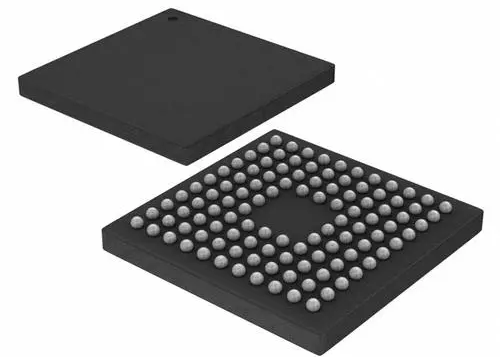
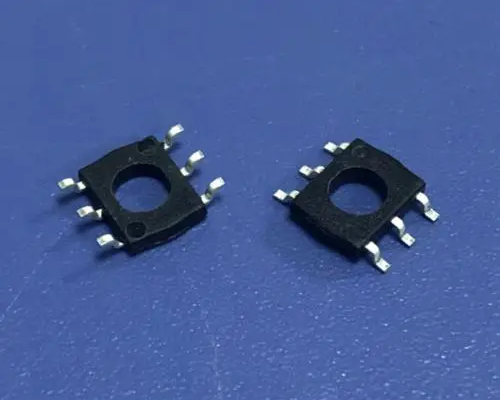
SMD packaging technology can maximize the space utilization on the circuit board, especially for the design of dense circuit boards. SMD packaging usually adopts metal oxide semiconductor (MOS) technology, and its packaging methods are diverse, including COB, QFN, LCC, BGA, etc.

In practical applications, the appearance inspection of SMD devices includes visual inspection or use of a magnifying glass to check whether the solder end or pin surface is oxidized or has contaminants, and to ensure that the nominal value, specification, model, accuracy, and external dimensions of the components are consistent with the product process requirements. To ensure the performance and reliability of the device.

The wide application of SMD technology not only improves the performance of electronic products, but also promotes the automation and efficiency improvement of the electronics manufacturing industry. It is an indispensable part of the modern electronics manufacturing industry, especially in applications that require high integration and high reliability.

What is the application of surface mount?

The application of surface mount technology is mainly reflected in improving production efficiency, reducing product volume and weight, and meeting the market demand for miniaturized, lightweight, and high-performance electronic products. This technology is mainly used to mount electronic components on printed circuit boards (PCBs) to achieve circuit connection and system integration.

Surface mount technology can replace traditional through-hole insertion technology, thereby improving product reliability and performance and reducing costs. The technology has a wide range of applications, including but not limited to consumer electronics, military cutting-edge electronics, and fire detectors, manual alarms, and various electronic modules.

In the manufacture of electronic products, surface mount technology has become a revolutionary change, dominating the development of electronic equipment and bringing about major changes in electronic products.

Conclusion:

Usually, the electronic products we use are designed by PCB plus various capacitors, resistors and other electronic components according to the designed circuit diagram, so most electrical appliances require various SMT (patch) processing technologies to process.

BEST Technology focuses on the procurement and processing of various electronic products and processing services for incoming materials, including but not limited to SMT patches, DIP plug-ins, welding, functional testing and maintenance, and assembly proofing and batch production. We can provide proofing, small batch and batch SMT mounting, and can also purchase electronic components and make PCBs.

Understanding Press-Fit Technology in PCB Surface Mount Technology (SMT)

August 16th, 2024

What is Press-Fit Technology?

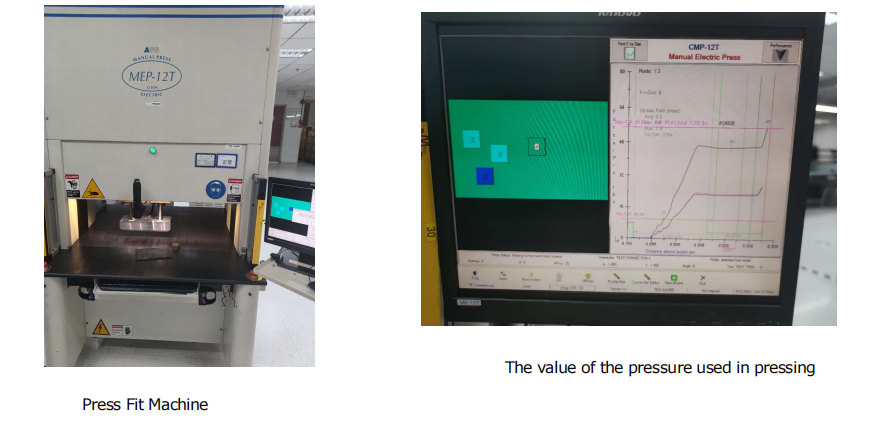
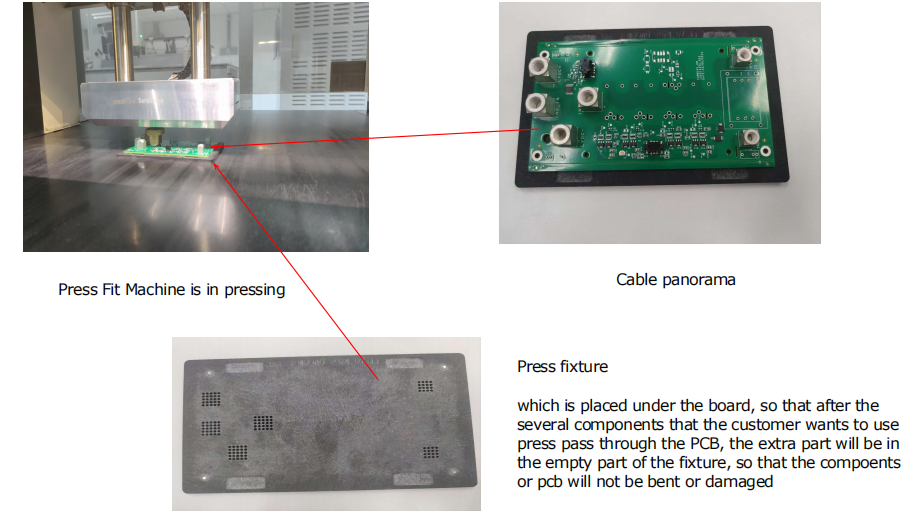
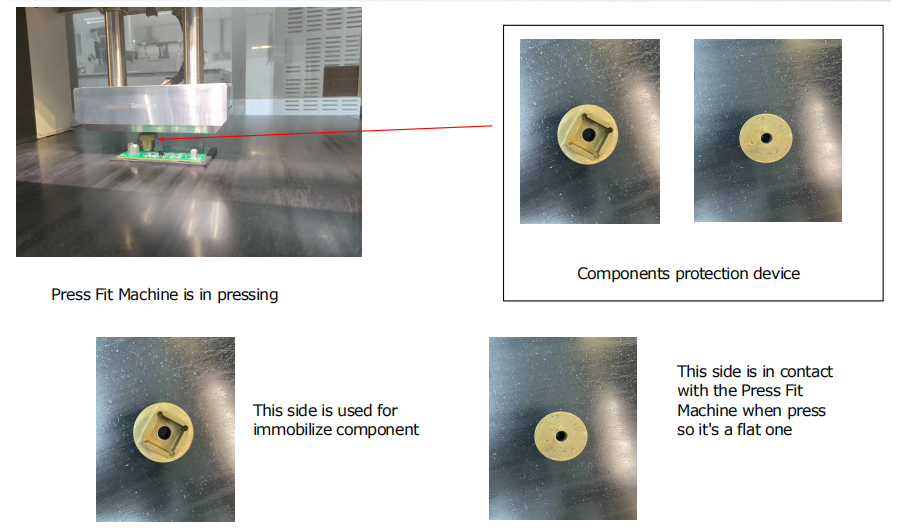
Press-Fit technology is a solderless connection method used to install connectors, pins, or other components into a PCB. The components have specially designed pins that are slightly larger than the PCB’s plated through-holes (PTH). These pins are pressed into the holes with sufficient force, creating a secure and reliable mechanical and electrical connection through compression.

The key feature of this technology is that it eliminates the need for soldering. Instead of using heat and solder to establish the connection, the mechanical force ensures that the contact between the pin and the wall of the hole is firm enough to create a stable electrical pathway. This method offers high durability and is especially useful in environments where temperature fluctuations, vibrations, or mechanical stress are present.

Understanding Press-Fit Technology in PCB Surface Mount Technology (SMT)

Advantages of Press-Fit Technology in SMT

1. No Heat Damage

Traditional soldering processes expose components to high temperatures, which can sometimes damage sensitive parts. Press-Fit technology avoids this by using a mechanical press to insert the pins, preserving the integrity of temperature-sensitive components.

2. High Reliability

The press-fit connection creates a strong and stable bond, even in challenging environments such as automotive and industrial applications. The mechanical compression between the pin and the hole ensures excellent electrical contact without the risk of thermal cycling or solder joint cracking over time.

3. Maintenance and Repair

One of the significant advantages of Press-Fit technology is its ease of repair. Since the connections are mechanical rather than soldered, they can be easily removed or replaced if needed without damaging the PCB or the component.

4. Environmental Benefits

By eliminating the need for solder and flux, press-fit technology is also a more environmentally friendly solution. This method reduces the use of hazardous materials and can help meet stricter environmental standards

Application of Press-Fit in SMT

In our SMT assembly process, Press-Fit technology is typically applied to connectors and other components that require robust, high-density connections. This technology is particularly popular in automotive electronics, telecom infrastructure, medical devices, and other high-reliability sectors.

Press-Fit connectors are also ideal for multi-layer PCBs, where a strong and stable connection is essential across various layers of circuitry. By using this technology, we ensure that our products meet the highest standards of performance and durability, especially in critical applications where failure is not an option.

Press-Fit technology is a critical component of modern SMT assembly, providing a highly reliable, solderfree connection method. Its mechanical strength, ease of maintenance, and suitability for harsh environments make it a preferred choice for various high-demand applications. As electronics continue to advance, Press-Fit technology offers a robust and environmentally friendly solution to meet the needs of the industry

What is SMT Process in PCB Manufacturing? – EBest Circuit (Best Technology)

August 14th, 2024

SMT process is one of the most commonly used processes in PCBA or box build assembly products. It also called surface mount process. It is reliable connection between electronic components and printed circuit boards can be realized through the precise mounting and welding technology of the SMT machine.

What is an SMT Process?

The SMT process is a method used to mount electronic components directly onto the surface of a printed circuit board (PCB). Unlike traditional through-hole technology, where components are placed in drilled holes, SMT components are placed on the board’s surface.

SMT enables the creation of smaller devices without compromising performance. By eliminating the need for drilled holes, it also speeds up production, reducing costs and improving efficiency.

What is SMT Process in PCB Manufacturing? - EBest Circuit (Best Technology)

What is the Purpose of SMT?

The primary purpose of SMT is to streamline the manufacturing process while enhancing the functionality and reliability of electronic devices. SMT allows manufacturers to produce smaller, more complex circuits that are essential for today’s technology-driven world. From smartphones to medical devices, SMT plays a critical role in the development of products that we rely on daily.

Moreover, SMT offers flexibility in design, allowing engineers to create intricate circuits that would be impossible with traditional methods. The process also supports higher levels of automation, reducing the risk of human error and ensuring consistent quality across large production runs. In essence, SMT is about improving efficiency, quality, and innovation in electronics manufacturing.

Terms Related to SMT

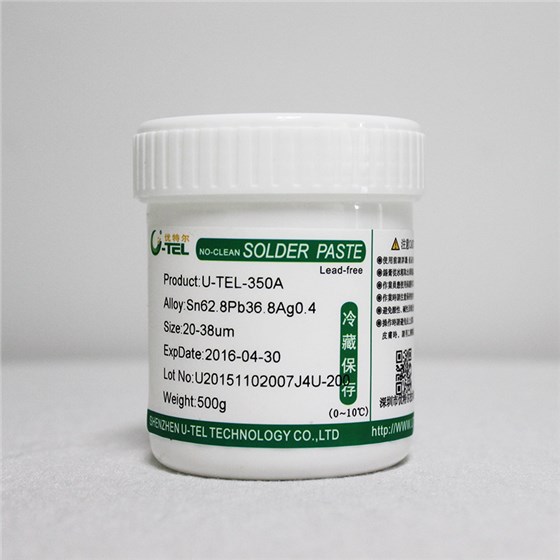
Solder Paste

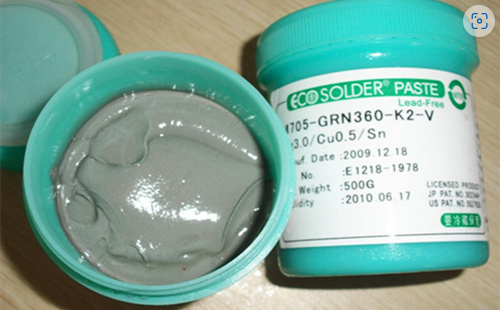
A mixture of powdered solder and flux used to bond SMT components to the PCB. It’s applied to the board using a stencil and is essential for creating strong, reliable connections.

Pick and Place Machine

An automated machine that picks up components and places them onto the PCB with high precision. This machine is vital in ensuring that components are positioned accurately before soldering.

Reflow Oven

After the components are placed on the PCB, the board is passed through a reflow oven. The heat melts the solder paste, securing the components in place.

Stencil

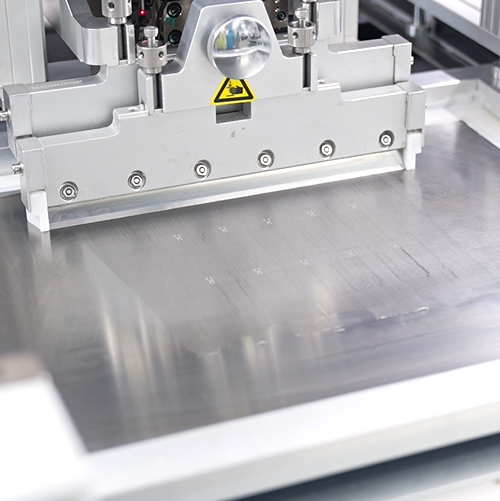
A metal or plastic template used to apply solder paste to specific areas of the PCB. The stencil ensures that the paste is only applied where needed, preventing defects.

Flux

A chemical agent that cleans the surfaces of the components and the PCB, ensuring a strong bond during the soldering process.

PCB

The bare board without any components on its surface. The board that serves as the foundation for electronic components. It has conductive pathways that connect the components and allow them to function together.

PCBA

When a PCB is surface-mounted or through-hole-mounted with components, we call this semi-finished product a PCBA. It can further assemble with other PCBAs and an enclosure to become a complete product or box-build we call it.

SMD

Surface mount device, it is an electronic component for SMT manufacturing. Compared with PTH components for PTH assembly, SMDs have a much smaller weight and size about 1/10 of a PTH component of the same function.

How Many Steps are in the SMT Process?

The SMT process involves several detailed steps, each essential for ensuring the quality and reliability of the final electronic product. Below is a comprehensive look at these steps:

Step 1: Components Incoming Inspection

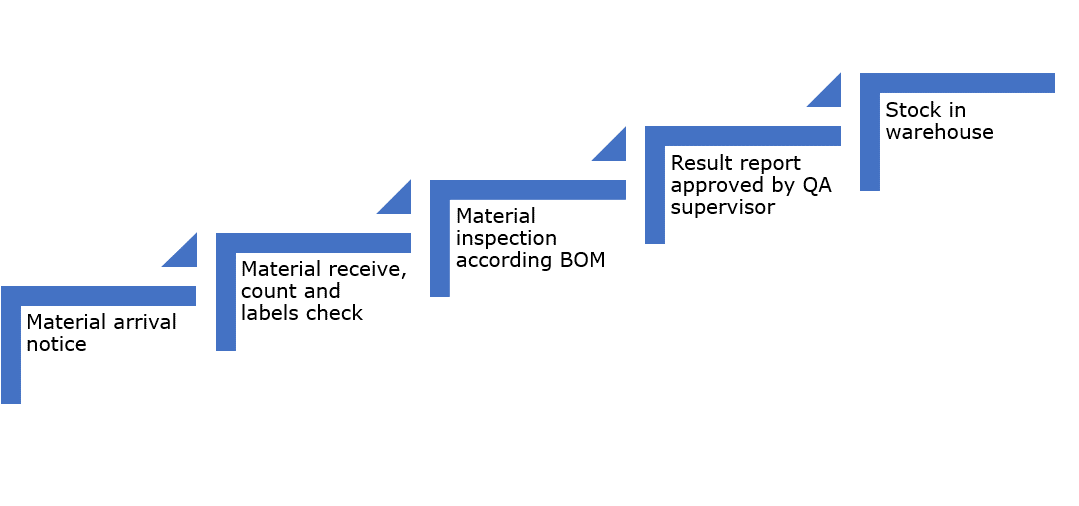
Before the assembly begins, all components undergo an incoming inspection. This step is crucial to ensure that all parts meet the required specifications. It helps in identifying any defects or discrepancies in the components, which could affect the final product’s quality.

What is SMT Process in PCB Manufacturing? - EBest Circuit (Best Technology)

Step 2: PCB Quality Control

The next step is to inspect the PCB itself. This involves checking for any manufacturing defects, such as scratches, misalignments, or irregularities in the copper layers. Ensuring the PCB is flawless is vital because any defect can lead to failure in the final assembly.

Step 3: Stencil Preparation

Stencil preparation is critical for the accurate application of solder paste. The stencil must be aligned correctly with the PCB to ensure the solder paste is applied precisely to the pads where components will be placed. This accuracy is key to avoiding soldering defects.

Step 4: Solder Paste Applying

Solder paste is applied to the PCB through the stencil. The paste contains tiny balls of solder mixed with flux, and it’s applied to the areas where components will be soldered. Proper application of the solder paste is essential for creating reliable solder joints.

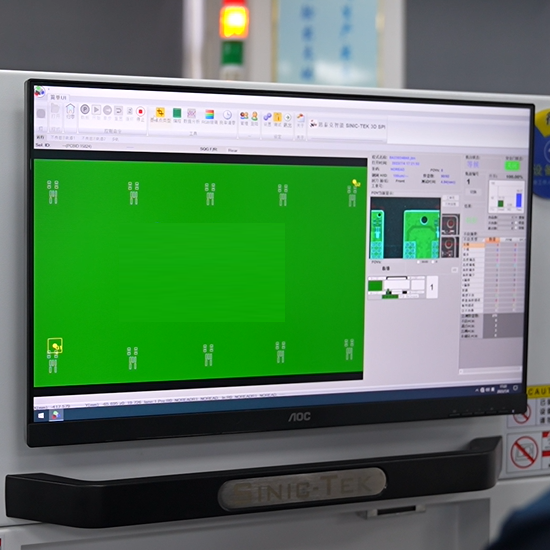
Step 5: SPI (Solder Paste Inspection)

After applying the solder paste, it’s inspected using SPI (Solder Paste Inspection) equipment. This step checks the volume, height, and position of the solder paste on the PCB. Any deviations from the ideal paste deposit can lead to defects, so this inspection helps ensure consistency and quality.

Step 6: Pick and Place Components

The pick and place machine automatically places components onto the PCB. Misplaced components can lead to electrical failures, so this step is critical for the overall success of the process.

Step 7: Reflow Soldering

Once the components are placed, the PCB is passed through a reflow oven. The heat in the oven melts the solder paste, creating a solid electrical connection between the components and the PCB. The reflow process must be carefully controlled to avoid overheating or insufficient soldering.

Step 8: AOI (Automated Optical Inspection)

After reflow soldering, the board undergoes AOI. This inspection process uses cameras to check for soldering defects, such as bridges, misaligned components, or insufficient solder. AOI helps catch defects early, reducing the chances of failures in the final product.

Step 9: X-RAY (Only for BGA or Fine-Pitch Components)

For boards with Ball Grid Array (BGA) or fine-pitch components, an X-ray inspection is performed. This step allows for the inspection of solder joints that are hidden beneath the components, ensuring that they are properly formed and free of defects.

Step 10: FAI (First Article Inspection)

The first board produced in a batch undergoes FAI, where it is thoroughly inspected to ensure that all processes and setups are correct. This step serves as a final check before full production begins, helping to confirm that everything is in order.

Step 11: Function Testing

The final step in the SMT process is function testing. This involves testing the completed PCB to ensure it functions as intended. Function testing is essential to verify that the board meets the required specifications and operates correctly in its intended application.

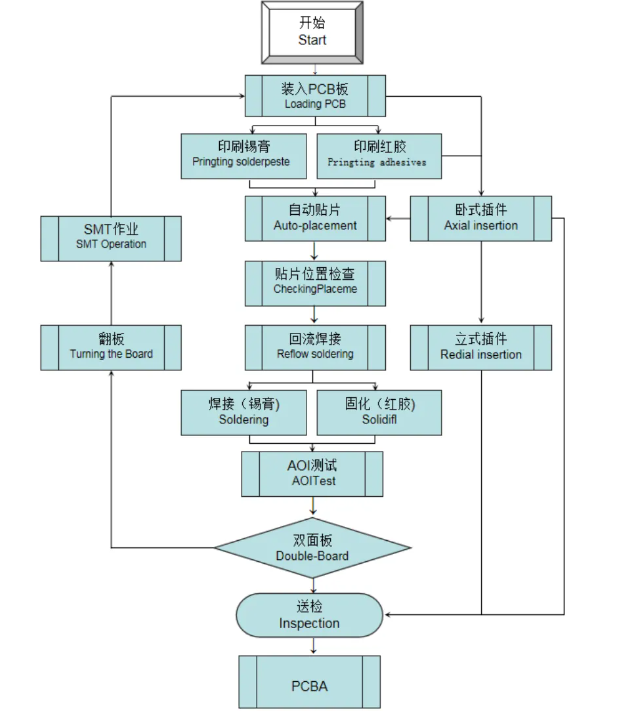
SMT Process Flow Chart

A flow chart is a visual representation of the SMT process, showing each step in sequence. This chart is essential for understanding how the process works and identifying potential areas for improvement. Here’s a basic flow chart of the SMT process:

What is SMT Process in PCB Manufacturing? - EBest Circuit (Best Technology)

How Do I Prepare for SMT?

Preparing for the SMT process requires careful planning and attention to detail. Here are some tips to help you get ready:

  • Design for Manufacturability (DFM)
  • Material selection
  • Stencil
  • Equipment calibration
  • Quality control
  • Training

EBest Circuit (Best Technology) – Your Turn-key PCB & PCBA Supplier

At EBest Circuit (Best Technology), we offer a range of value-added services, including IC programming, functional testing, conformal coating, thermal aging, and box-build assembly, ensuring you receive fully assembled and ready-to-use electronic products.

Additionally, you can reduce fabrication costs without compromising on function or quality. If needed, EBest Circuit (Best Technology) can source alternative components with equivalent functions and certifications to replace more expensive parts as well.

TDA7294 Amplifier Board: A Comprehensive Introduction

August 13th, 2024

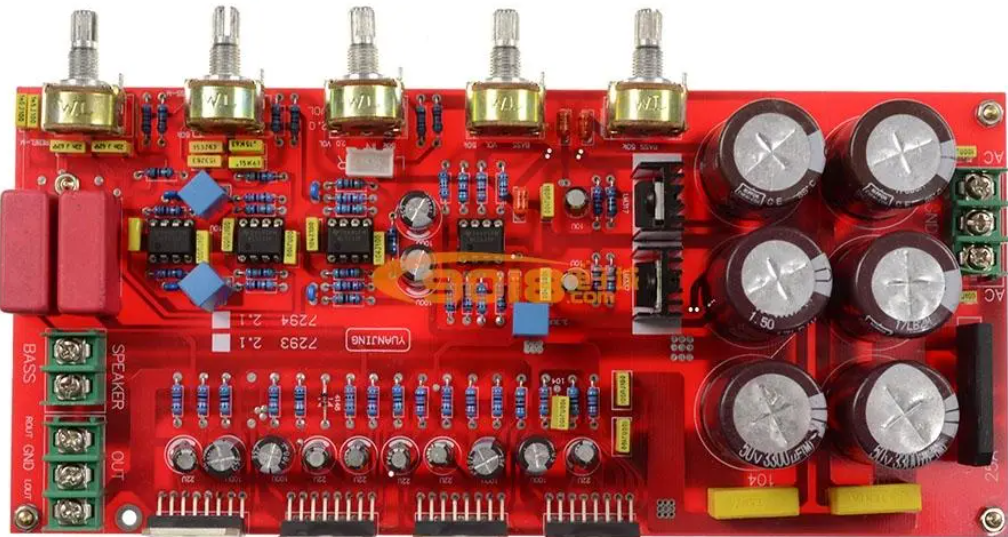
The TDA7294 amplifier board is a functional and widely used audio amplifier. It is based on the TDA7294 integrated circuit (IC), a high-power, low-distortion audio amplifier IC developed by STMicroelectronics. This IC is designed to deliver high-quality audio output with minimal distortion, making it a popular choice for DIY audio enthusiasts and professionals alike.

What is TDA7294 IC Amplifier Board?

The TDA7294 IC is capable of delivering up to 100 watts of power in a single-ended or bridged configuration, making it suitable for a wide range of audio applications, from home audio systems to professional audio equipment. The amplifier board typically includes the TDA7294 IC along with supporting components such as capacitors, resistors, and heatsinks, all mounted on a printed circuit board (PCB). This board is designed to simplify the process of building a powerful and reliable audio amplifier by providing a pre-configured layout that ensures optimal performance.

TDA7294 Amplifier Board: A Comprehensive Introduction

Features of TDA7294 Amplifier Board

The TDA7294 amplifier board provides several key features that make it a popular choice for high-quality audio amplification.

  • High Output Power
  • Low Distortion
  • Built-in Protection Circuits
  • Thermal Management
  • Low Noise and High Signal-to-Noise Ratio (SNR)
  • Ease of Integration
  • Flexible Configuration
  • Improved Reliability
  • Compact Size

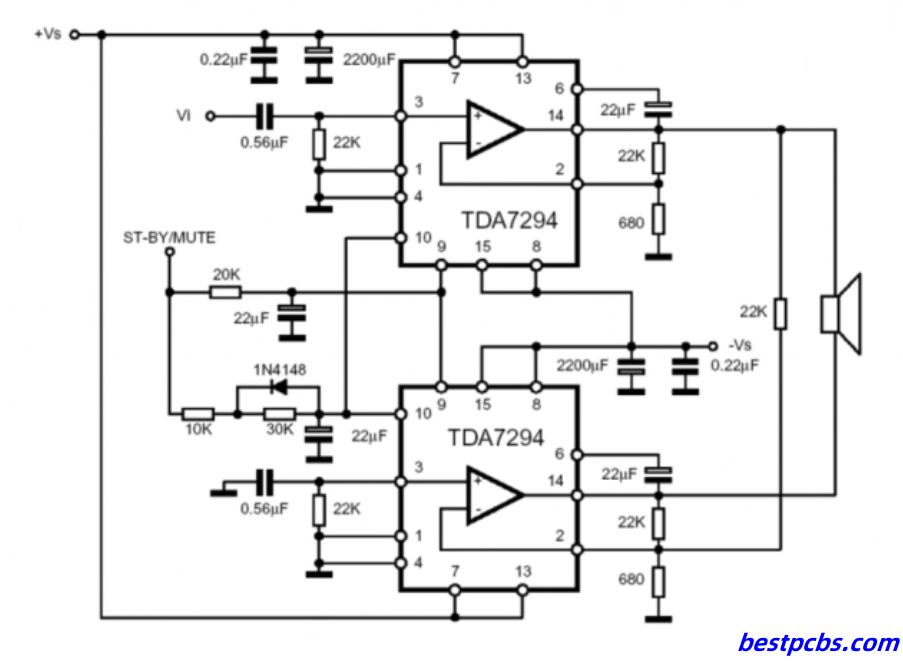
TDA7294 Amplifier Circuit Diagram

The circuit diagram of the TDA7294 amplifier is a crucial element for anyone looking to build or understand this amplifier. The diagram typically includes the TDA7294 IC at the core, surrounded by components that shape the audio signal and manage power delivery. Key components include capacitors for signal coupling and power supply smoothing, resistors for setting gain and biasing, and inductors or filters for noise reduction.

TDA7294 Amplifier Board: A Comprehensive Introduction

The TDA7294 IC itself has several pins that serve specific functions in the circuit. For instance, the input pin receives the audio signal, while the output pin sends the amplified signal to the speakers. Power supply pins connect to the positive and negative voltage rails, and other pins might be used for muting, standby, or feedback purposes.

When assembling the circuit, careful attention must be paid to the placement of components and routing of traces on the PCB to minimize noise and maximize performance. The layout of the circuit diagram ensures that the amplifier delivers clean, high-fidelity sound with minimal distortion, which is a key selling point for the TDA7294.

TDA7294 Specification

SymbolParameterTest conditionMin. valueTypical valueMax. valueUnit
VsPower Supply ±10 ±40V
lqCurrent Consumption 203060mA
VosInput Offset Voltage   500mV
losInput Offset Current   ±100nA
PoContinuous Power OutputVS = ± 35V, RL = 8Ω; VS = ± 31V, RL = 6Ω; VS = ± 27V, RL = 4Ω;  6070 W
dTHDPO = 5W; f = 1kHz PO = 0.1 to 50W; f = 20Hz to 20kHz 0.0050.01%
VS = ±27V, RL = 4W: PO = 5W; f = 1kHz PO = 0.1 to 50W; f = 20Hz to 20kHz   0.010.01%
SRSwitching rate 710 V/us
GvOpen Loop Voltage Gain  80 dB
GvClosed Loop Voltage Gain 243040dB
fL, fHFrequency Response (-3dB)Po=1W20Hz to 20kHz
RiInput Resistance 100  

TDA7294 Pinout

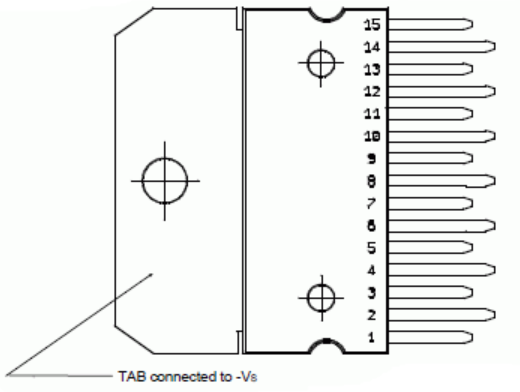
The TDA7294 IC comes with a specific pinout configuration that plays a crucial role in its operation. The chip has 15 pins, each with a designated function:

TDA7294 Amplifier Board: A Comprehensive Introduction

Pin 1 (IN+): Non-inverting input

Pin 2 (SVR): Supply voltage rejection

Pin 3 (IN-): Inverting input

Pin 4 (MUTE): Mute function

Pin 5 (ST-BY): Standby function

Pin 6 (VCC+): Positive supply voltage

Pin 7 (OUT): Output

Pin 8 (GND): Ground

Pin 9 (BOOTSTRAP): Bootstrap capacitor

Pin 10 (NC): Not connected

Pin 11 (VCC-): Negative supply voltage

Pin 12 (DIAG): Diagnostics pin

Pin 13 (BOOTSTRAP): Bootstrap capacitor

Pin 14 (GND): Ground

Pin 15 (OUT): Output

TDA7294 Datasheet

The TDA7294 datasheet is a critical resource for anyone working with this IC. It provides detailed information about the IC’s electrical characteristics, pin configurations, thermal properties, and recommended operating conditions. The datasheet also includes typical application circuits, which can serve as a starting point for designing your own amplifier.

In addition to technical specifications, the datasheet often includes practical advice on PCB layout, component selection, and thermal management. Following these guidelines can help you achieve the best possible performance from your TDA7294 amplifier board.

How Many Watts is a TDA7294 Output?

The TDA7294 IC is capable of delivering up to 100 watts of output power when configured in a single-ended or bridged amplifier circuit. The actual output power depends on several factors, including the supply voltage, load impedance, and heat dissipation. In a typical configuration with a supply voltage of ±35V and an 8-ohm load, the TDA7294 can deliver around 70 watts of continuous power.

For higher power output, the IC can be used in a bridged configuration, where two TDA7294 ICs are combined to drive a single load. In this setup, the output power can reach up to 150 watts, making it suitable for driving larger speakers or subwoofers.

It’s important to note that the power rating of the TDA7294 should be matched to the speakers and other components in your audio system. Overloading the IC by driving it at maximum power for extended periods can lead to overheating and potential damage, so proper thermal management is essential.

What is the Equivalent of TDA7294?

When looking for an equivalent to the TDA7294, there are a few other audio amplifier ICs that offer similar performance characteristics. Some of the commonly considered alternatives include:

  • LM3886

This is another high-power audio amplifier IC that delivers up to 68 watts of output power. It’s known for its low distortion and high fidelity, making it a popular choice for DIY audio projects.

  • TDA7293

This IC is very similar to the TDA7294, with slightly different electrical characteristics. It can be used as a drop-in replacement in many circuits, offering similar power output and performance.

  • TDA2030

While not as powerful as the TDA7294, this IC is a good alternative for lower-power applications. It delivers up to 20 watts of output power and is widely used in small audio amplifier projects.

Each of these alternatives has its strengths and weaknesses, so the best choice depends on the specific requirements of your project. For instance, if you need higher output power, the LM3886 might be a better option, while the TDA2030 is more suitable for compact, low-power designs.

What is the Maximum Voltage for TDA7294 IC?

The maximum supply voltage for the TDA7294 IC is ±50V. However, for optimal performance and reliability, it’s recommended to operate the IC at a lower voltage, typically around ±35V to ±40V. Operating at the maximum voltage can increase the risk of overheating and may require additional cooling measures, such as larger heatsinks or active cooling.

The voltage rating is crucial for ensuring the longevity and performance of the amplifier. Exceeding the maximum voltage can cause the IC to fail, leading to permanent damage. Therefore, it’s important to choose a power supply that matches the recommended voltage range for the TDA7294.

In addition to the supply voltage, the IC’s thermal management is also important. Ensuring adequate cooling through heatsinks or ventilation can prevent overheating and ensure stable operation, especially when driving the amplifier at high power levels.

What is TDA in an Amplifier?

The TDA prefix in TDA7294 refers to the series of audio amplifier ICs developed by STMicroelectronics. These ICs are designed to provide high-quality audio amplification with minimal distortion and noise. The TDA series includes a range of ICs with varying power output capabilities, making them suitable for different audio applications, from small portable speakers to large home audio systems.

In an amplifier, the TDA IC is responsible for amplifying the audio signal from a low-level input to a high-level output that can drive speakers. The IC’s internal circuitry is optimized for audio performance, ensuring that the amplified signal remains clear and distortion-free.

The TDA series is widely regarded for its reliability and performance, making it a popular choice for both commercial and DIY audio projects. Whether you’re building a simple audio amplifier or a more complex audio system, the TDA7294 and its counterparts offer a solid foundation for high-quality sound.

FAQs

1. Can the TDA7294 be used in a car audio system?

Yes, the TDA7294 can be used in car audio systems, but you need to ensure that the power supply provides the correct voltage and current. Car audio systems typically operate at 12V, so a step-up converter might be needed to reach the required supply voltage.

2. How do I connect multiple TDA7294 ICs for higher power output?

You can connect multiple TDA7294 ICs in a bridged configuration to increase the power output. This involves using two ICs to drive a single load, effectively doubling the output power.

3. What is the typical distortion level of the TDA7294?

The TDA7294 has a low distortion level, typically around 0.005% at 1kHz, making it suitable for high-fidelity audio applications.

4. Is the TDA7294 suitable for subwoofers?

Yes, the TDA7294 is suitable for driving subwoofers, especially in a bridged configuration where it can deliver high power output with low distortion.

5. Can I use the TDA7294 with a passive cooling system?

While the TDA7294 can be used with a passive cooling system, it’s important to ensure that the heatsink is large enough to dissipate the heat generated during operation. For higher power levels, active cooling may be necessary to prevent overheating.

What is FR4 material in PCB? – EBest Circuit (Best Technology)

July 12th, 2024

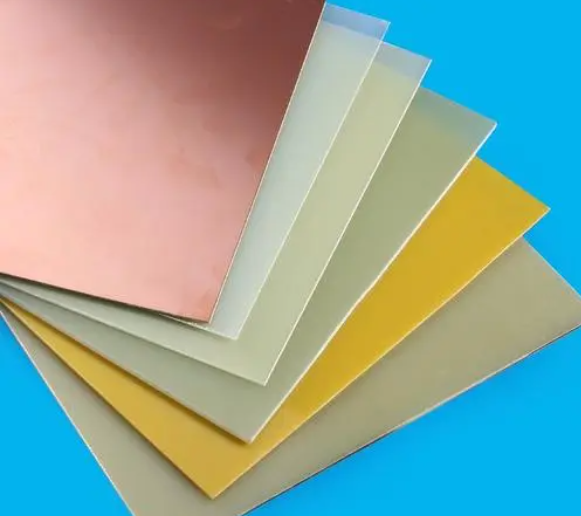
FR4 is a commonly used material in the printed circuit boards (PCBs) manufacturing. If you’re in the electronics field, you’ve likely heard of it. It is the footstone of a circuit board, provides good mechanical strengthen and electrical insulation properties. Today, we will share informational about FR4 material, its types, advantages and alternatives. Keep reading if you are interested in.

What is FR4 material in PCB? - EBest Circuit (Best Technology)

What does FR4 stand for?

FR4 stands for “Flame Retardant 4”, also called FR-4 Epoxy Glass Cloth by PCB manufacturers. It is not a material name, but a material grade, so there are many types of FR-4 grade materials used in general circuit boards. But most are composites made with so-called Tera-Function epoxy resins plus fillers and glass fibers. FR4 is made from woven glass-reinforced epoxy resin. The typical composition of FR4 includes approximately 60% glass fabric and 40% epoxy resin by weight.

What is FR4 material in PCB? - EBest Circuit (Best Technology)

This composite material is known for its high mechanical strength and flame-retardant properties. The “4” in FR4 signifies the level of flame retardancy. It means the material is resistant to catching fire, which is critical in preventing electrical fires in electronic devices.

What are the classifications of FR4 materials?

FR4 materials are classified based on various properties and specifications to cater to different applications and requirements. These classifications help in selecting the right type of FR4 material for specific PCB needs. Here are the primary classifications of FR4 materials:

1. Standard FR4

Standard FR4 is the most commonly used classification. It offers a good balance of electrical insulation, mechanical strength, flame retardancy, and cost-effectiveness. Standard FR4 materials have a glass transition temperature (Tg) typically around 130°C to 140°C. They are suitable for general-purpose PCBs used in consumer electronics, industrial controls, and telecommunications equipment.

2. High Tg FR4

High Tg FR4 materials are designed for applications requiring higher thermal performance. These materials have a higher glass transition temperature, usually above 170°C. High Tg FR4 is used in applications where the PCB is exposed to higher temperatures, such as automotive electronics, aerospace, and high-power devices. The increased Tg provides better stability and performance at elevated temperatures. This is the high Tg FR4 PCB that we made before.

3. Low Dk FR4

Low Dk (Dielectric Constant) FR4 materials are used in high-frequency applications where signal integrity is crucial. So, we called it as “High-frequency FR4”. These materials have a lower dielectric constant, which reduces signal loss and improves signal transmission. Low Dk FR4 is often used in RF and microwave circuits, where maintaining signal integrity is essential.

4. High CTI FR4

High CTI (Comparative Tracking Index) FR4 materials have an improved resistance to electrical tracking. These materials are used in applications where the PCB is exposed to high voltages and harsh environments. High CTI FR4 provides better insulation and reduces the risk of electrical failure due to tracking.

5. Halogen-Free FR4

Halogen-free FR4 materials are designed to meet environmental and safety requirements by eliminating halogens. Which can be harmful if released during PCB manufacturing or disposal. These materials are used in applications where reducing environmental impact is a priority. Halogen-free FR4 offers similar performance to standard FR4 but without the use of halogenated flame retardants.

Benefits of using FR4 as PCB material

  • Excellent Electrical Insulation
  • High Mechanical Strength
  • Flame Retardancy
  • Moisture Resistance
  • Cost-Effectiveness
  • Thermal Stability
  • Ease of Fabrication

Properties of FR4 material

PropertyParameter
Vertical flexural strengthNormal State: E-1/150, 150±5℃≥340Mpa
Parallel layer impact strength≥230KJ/m
Insulation resistance after water immersion (d-24/23)≥5.0×108Ω
Vertical electrical strength≥14.2MV/m
Parallel layer breakdown≥40KV
Relative Dielectric Constant (50hz)≤5.5
Relative Dielectric Constant (1mhz)≤5.5
Dielectric Loss Factor (50hz)≤0.04
Dielectric Loss Factor (1mhz)≤0.04
Water Absorption (D-24/23, 1.6mm Thickness)≤19mg
Density1.70-1.90g/cm³
FlammabilityFV0

What is the Difference Between IMS and FR4 PCB?

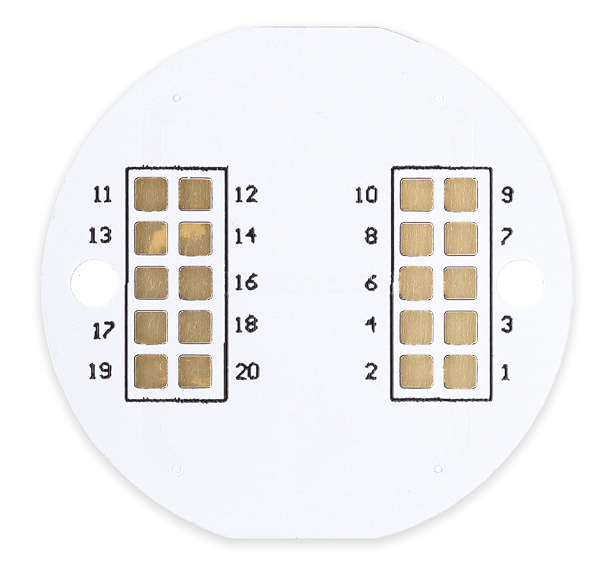
IMS (Insulated Metal Substrate) and FR4 PCBs serve different purposes. IMS PCBs are designed for applications requiring efficient heat dissipation. They have a metal base layer that helps manage heat more effectively than FR4. This makes IMS ideal for high-power applications like LED lighting.

IMS insulated metal substrate PCB

On the other hand, FR4 PCBs are used in general electronic applications due to their balance of performance and cost. While IMS excels in thermal management, FR4 is preferred for its electrical properties and versatility.

What is the Cost of FR4 PCB Per Square Inch?

The cost of an FR4 PCB can vary based on several factors. These include the board’s thickness, the number of layers, and the complexity of the design. On average, the cost per square inch of FR4 PCB ranges from $0.10 to $0.50. However, this is a rough estimate. For a precise quote, it’s best to contact PCB manufacturers with your specific requirements. If you are searching for a PCB supplier, EBest Circuit (Best Technology) is here to waiting for you.

Why is Rogers Better Than FR4 Material?

Rogers material is often considered superior to FR4 in high-frequency applications. Here are some key reasons why Rogers might be chosen over FR4.

  1. Lower Dielectric Loss
  2. Higher Thermal Conductivity
  3. Improved Dimensional Stability
  4. Consistent Dielectric Constant
  5. Superior Performance in High-Frequency Applications
  6. Compliance with Stringent Industry Standards

What Material is Similar to FR4?

Several materials are similar to FR4 and can be used as alternatives. One such material is CEM-1, which is also a composite material made from epoxy and fiberglass. It offers good mechanical strength and electrical properties but is less flame retardant than FR4.

Another alternative is polyimide, known for its excellent thermal stability and flexibility. It is often used in applications requiring high-temperature resistance. However, polyimide is more expensive than FR4. For specific applications, materials like PTFE (Teflon) can also be considered, especially in high-frequency applications.

FAQs

1. Can FR4 be used in high-temperature applications?

FR4 can withstand moderate temperatures, but for high-temperature applications, materials like polyimide are preferred.

2. Is FR4 environmentally friendly?

FR4 is not biodegradable but can be recycled to some extent. Proper disposal and recycling methods should be followed.

3. How does the thickness of FR4 affect PCB performance?

The thickness of FR4 can impact the board’s mechanical strength and thermal dissipation. Thicker boards offer more durability but may also increase the cost.

4. Are there any disadvantages to using FR4?

FR4 has limitations in high-frequency and high-temperature applications. It is also less effective in thermal management compared to materials like IMS.

5. Can FR4 PCBs be used in flexible circuits?

FR4 is rigid and not suitable for flexible circuits. For flexible applications, materials like polyimide are used. But recently, EBest Circuit (Best Technology) developed a new product called “semi-flexible FR4 PCB”, its flex area is made by FR4 material.

  • Is FR4 RoHS Compliant?

Yes, FR4 is RoHS compliant. This means that it meets the regulations set by the European Union to limit the use of specific hazardous materials found in electrical and electronic products.

  • What is FR4 Tg?

The glass transition temperature (Tg) of FR4 is a critical property that indicates the temperature at which the material transitions from a hard, glassy state to a soft, rubbery state.

EBest Circuit (Best Technology) excels not only in PCB and assembly manufacturing, but also in offering top-quality PCB design services. Our professional engineering team is ready to support your innovation across various industries, including communications, healthcare, industrial, and consumer electronics. We welcome all the questions or inquiries from you.

How to Make a BOM?

July 11th, 2024

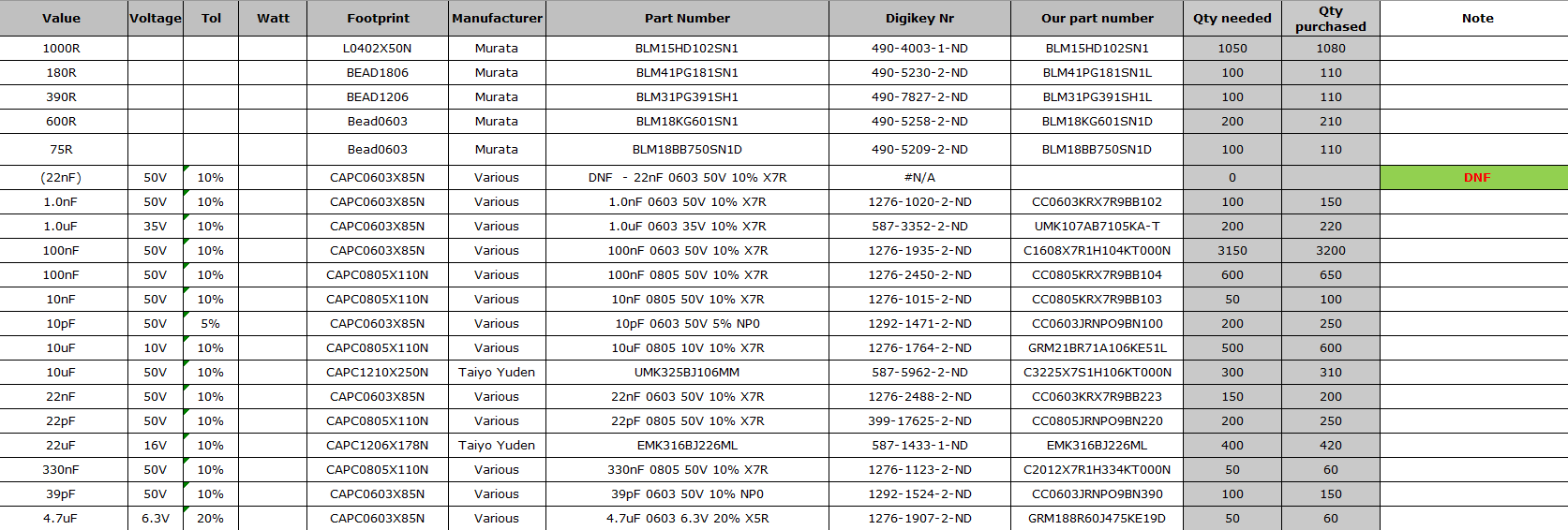
If you are familiar with SMT or PCB assembly process, you may know BOM file. It is an important element in the SMT process. Creating BOM is a crucial step in the manufacturing process, especially for PCBs. A BOM serves as a comprehensive list of all the parts, components, and materials needed to build your product. It ensures that everyone involved in the production process is on the same page, reducing the risk of errors and delays. Today, EBest Circuit (Best Technology) would like to introduce BOM and giving you a guide to create a BOM file step by step.

How to Make a BOM?

What is a Bill of Materials (BOM)?

A Bill of Materials (BOM) is a detailed list of all the parts, components, and materials needed to manufacture a product. In PCB manufacturing, a BOM outlines every item required to assemble a PCB, including quantities, part numbers, and descriptions. It serves as a guide to ensure that the manufacturing process runs smoothly and that no crucial components are missing.

Types of Bill of Materials

There are several types of BOMs used in different stages of production. Each type serves a specific purpose and provides unique details to streamline processes and ensure accuracy. Here are the primary types of BOMs:

  • Engineering BOM

This type of BOM is creating during the design phase. It lists all the parts and components designed by the engineering team, including specifications and relationships as intended in the final product. And of course, it mainly used by design engineers to communicate the product structure and details to manufacturing teams.

  • Manufacturing BOM (Formal)

It is a formal BOM files that used in the assembly phase. Different with engineering BOM, it includes additional details necessary for manufacturing, such as packaging, handling instructions and assembly details. And some special instructions.

  • Sales BOM

Sales BOM is used by sales teams and includes information relevant to the sales process, such as pricing and availability. It helps in providing accurate quotes, managing customer expectations, and handling sales orders efficiently.

What Should Include in an Effective Bill of Materials?

An effective BOM should be detailed, accurate, and easy to understand. It should include all the details of components and indicated revisions. As a 18 years expertise in PCBA production, we summarized the key elements that should be included in the BOM.

  • Component details

It should include all the components and their detailed information, such as names, part numbers (PN), and descriptions for each part.

  • Quantity (QTY)

The exact quantity of each component required for the product. Accurate quantities can prevent shortages and overstocking.

  • Foot print

It is the package of each component, helping to ensure the correction of part.

  • Reference Designators

Unique identifiers that match each component to its specific location on the product layout. These are essential for assembly and troubleshooting.

  • Manufacturer Information

Manufacturer information, including the manufacturer name of components and manufacturer part number. It helps to ensure correct parts are sourced. And convenient for alternative part sourcing if it is shortage.

  • Supplier information (Optional)

It means the name of the supplier or distributor. The part number used by the supplier, which may differ from the manufacturer’s part number.

  • Assembly instructions

Any special notes for assembly such as DNF remark, and version control to track revisions should also be included. Additionally, cost information helps in budgeting, and lifecycle status information helps plan for component availability and avoid discontinued parts.

How to Make a PCB Bill of Materials (BOM)?

Creating a PCB BOM is a systematic process that involves compiling all the necessary information about each component required for the assembly of the PCB. Here’s a detailed guide on how to create a PCB BOM:

  • Open a Blank Spreadsheet

Use software like Microsoft Excel or Google Sheets to start with a blank spreadsheet. They are common to use, offering flexibility and ease of use for creating and managing BOMs.

  • Define Columns

Set up your spreadsheet with appropriate column headers. Common headers include:

  • Part Number
  • Component Name
  • Quantity
  • Reference Designator
  • Manufacturer
  • Manufacturer Part Number
  • Supplier
  • Supplier Part Number
  • Description
  • Package Type
  • Cost
  • Notes
  • Input Data

Enter the required details for each component under the appropriate headers. Please be make sure that all information is accurate and complete. This may involve referencing design files, datasheets, and supplier catalogs. If it is incorrect, then it needs a lot of time to find out and revise the errors, resulting in schedule delay.

  • Use Formulas

Utilize Excel formulas to automate calculations, such as summing total quantities or calculating costs. This helps in reducing manual errors and saves time.

  • Format for Clarity

Use cell formatting options to highlight important information and ensure the spreadsheet is easy to read. For example, you can use bold text for column headers, color coding for different component types, and borders to separate sections.

  • Include Version Control

Add a version control section to your BOM to track revisions and updates. This can be a simple row at the top or bottom of the spreadsheet, indicating the version number, date of revision, and a brief description of changes.

How to Make a BOM?
(BOM file reference)
  • Save and Update

Save your BOM and update it regularly to reflect any changes in the design or component availability. Regular updates ensure that the BOM remains accurate and up-to-date, preventing issues during production.

  • Review and Verify

Have multiple team members review the BOM for accuracy. Cross-check all component details, quantities, and part numbers against the design files. Verification helps catch errors early and ensures the BOM is reliable.

  • Communicate with Suppliers:

Maintain open communication with suppliers to confirm component details and availability. This ensures that you can source the correct parts and avoid delays in the production process.

How Can I Optimize My BOM for PCB Assembly?

Sometimes, a simple BOM is not good to process PCB assembly process, and manufacturers may need to spend a lot of time to optimize it, make into convenient for manufacturing. If you are a layman, here are some steps to help you in optimizing your BOM file.

First, it’s a good idea to standardize components where possible. Using standard parts that are readily available from multiple suppliers can simplify procurement and reduce costs. This approach minimizes the risk of shortages and ensures you can get parts quickly and affordably. Also, make sure all entries in your BOM are clear and concise to avoid confusion during assembly. Double-checking part numbers and quantities against design files is crucial to prevent errors that could lead to rework or delays.

Building strong relationships with your suppliers is another key factor. Good communication with suppliers helps ensure reliable component availability and keeps you informed about any changes in lead times or part availability. Regularly updating your BOM to reflect any design changes or component availability issues is essential. Keeping your BOM current and accurate prevents last-minute surprises during assembly.

How to Make a BOM?

What Common Mistakes Should I Avoid When Creating a PCB BOM?

Avoiding common mistakes in BOM creation can save time and reduce errors. Here are some pitfalls to watch out for:

  • Incomplete information – ensure all necessary details are included for each component.
  • Incorrect quantities – double-check quantities to avoid shortages or excess inventory.
  • Outdated data – keep the BOM updated with the latest design changes and component information.
  • Ambiguous descriptions – provide clear and precise descriptions to prevent confusion.
  • Lack of version information – implement version control to track changes and ensure the correct BOM version is used.

Creating an effective and accurate PCB BOM is essential for smooth manufacturing and assembly. By following best practices and using the right tools, you can ensure your BOM is comprehensive, clear, and up-to-date, ultimately leading to a successful PCB production process.

EBest Circuit (Best Technology) is an expert in SMT and PCB assembly, we have more than 18 years in this industry, that can offer you a best experience of PCBA solution. In our facotry, we have advanced equipment like full auto pick and place machine, online dual AOI, X-ray, 3D SPI, nitride reflow oven and three-proof paint machine. So that we can ensure the fast lead time and high quality of your PCBA products. Reach us to get a instant quote!

PWB Vs. PCB: What Are the Manufacturing Process Differences?

July 4th, 2024

In our daily life, electronic devices are existing everywhere. And there are many people know the “PCB” nowadays, while very less people know the “PWB”. Unless you’ve been in the PCB business for more than 20 years.

Actually, PWB is another term of circuit board, and it was used commonly before the year 1999. But with the development of electronics, it was replaced by PCB gradually. You want to know more about it? In this article, we will answer it for you. Deeply explain their definitions, manufacturing process, applications and the key differences between PCB and PWB.

PWB Vs. PCB: What Are the Manufacturing Process Differences?

What is A Printed Circuit Board (PCB)?

A Printed Circuit Board is a fundamental component in modern electronics, providing the physical and electrical connections for various electronic components. It consists of multiple compositions, including a non-conductive substrate, conductive pathways, and insulating layers, which facilitate the complex circuitry required in contemporary devices. A PCB can be made into single sided PCB, double sided PCB and multilayer PCB.

PCBs are integral to the functionality of a wide range of electronic products, from consumer gadgets like smartphones and computers to industrial machinery, medical devices, and aerospace systems. The advanced design and manufacturing processes involved in PCB production ensure high reliability and performance, making them essential in virtually all electronic applications.

PWB Vs. PCB: What Are the Manufacturing Process Differences?

Basic manufacturing process of PCB

Design and Layout

PCBs are designed using sophisticated computer-aided design (CAD) software. Designers create detailed layouts, specifying the placement of components, conductive pathways, and vias (interlayer connections). The design is converted into Gerber files, a standard format for PCB fabrication that contains all the necessary information for manufacturing. These files are essential for ensuring precision and accuracy during the manufacturing process.

Material Preparation

The substrate, typically FR4 (fiberglass epoxy laminate), is prepared. FR4 is known for its excellent mechanical strength and thermal stability, making it an ideal base material for PCBs. Copper sheets are laminated onto the substrate, which will form the conductive pathways after the etching process. This preparation stage is crucial for creating a reliable foundation for the PCB.

Printing the Circuit Pattern

A photoresist, a light-sensitive material, is applied to the copper-clad substrate. The board is exposed to ultraviolet (UV) light through a mask that defines the circuit pattern. The UV light hardens the photoresist in the exposed areas. The board is then developed in a chemical solution that removes the unexposed photoresist, revealing the copper to be etched away. This step accurately transfers the circuit design onto the board.

Etching

The board is immersed in an etching solution, commonly ferric chloride or ammonium persulfate, which removes the unprotected copper, leaving only the desired circuit pattern. This etching process is crucial for defining the conductive pathways on the PCB, ensuring that the correct connections are made according to the design specifications.

Drilling

Precision drilling machines are used to create holes for through-hole components and vias. These holes are then cleaned to remove any debris that could affect electrical connectivity. Drilling is a critical step in the PCB manufacturing process as it ensures proper placement and connection of components across different layers of the board.

Plating

The drilled holes are plated with copper to create electrical connections between the layers, which is especially important for multilayer PCBs. Additional layers of plating, such as nickel or gold, may be applied to improve conductivity and protect against oxidation. This plating process enhances the durability and performance of the PCB.

Solder Mask Applying

A solder mask is applied to protect the copper traces from oxidation and prevent solder bridges between closely spaced solder pads. The solder mask is exposed to UV light and then developed to reveal the solder pads. This layer not only protects the PCB but also improves its appearance and reliability.

Silkscreen Printing

A silkscreen layer is printed on the board to add text, component labels, and other identifiers. This layer helps in the identification and assembly of components, making it easier for technicians to work with the PCB during the manufacturing and repair processes.

Surface Finishing

Generally, a layer of surface finishing is coated on the PCB to protect its surface, it also called surface treatment. The common surface treatments are HASL-LF, ENIG, ENEPIG, OSP, Immersion Silver/Tin. Of course, different treatment offers different function, like OSP is to protect surface from oxidation, HASL-LF provides a good solderability, ENEPIG make sure the chemistry corrosion. Choose a suitable one according to your specific demands.

Assembly and Testing

Components are placed on the board using automated pick-and-place machines, and soldered using techniques like reflow soldering for surface-mount devices (SMD) and wave soldering for through-hole components. The finished PCB undergoes various tests, such as automated optical inspection (AOI), electrical testing, and functional testing, to ensure quality and performance. Want see the whole manufacturing process of a multilayer PCB, click here: Manufacturing Process of Multi-layer PCB.

PWB Vs. PCB: What Are the Manufacturing Process Differences?

What is the definition of Printed Wiring Board (PWB)?

A Printed Wiring Board is a term historically used to describe a type of circuit board that focuses primarily on the layout and wiring of electronic connections rather than the overall circuit functionality. PWBs emphasize the physical arrangement of conductive paths to connect various components but do not necessarily include all the integrated features found in modern PCBs.

PWB Vs. PCB: What Are the Manufacturing Process Differences?

This term was more prevalent during the earlier stages of electronic development, where the primary concern was establishing reliable electrical connections. As technology advanced, the term PCB became more common, reflecting the expanded capabilities and comprehensive role of these boards in forming complete electronic circuits. Despite being less common today, understanding the term PWB is crucial for historical context and certain niche applications.

How to Manufacture A Printed Wiring Board (PWB)?

Design and Layout

PWBs typically have simpler designs focused on wiring patterns rather than complex circuitry. In some cases, the layout may be done manually or using basic design software.

Material Preparation

Simpler substrates such as phenolic or epoxy resins may be used for PWBs. Copper sheets are laminated onto the substrate to form the conductive pathways. These materials are cost-effective and suitable for applications where advanced performance characteristics are not required.

Printing the Wiring Pattern

Similar to PCBs, a photoresist is applied to the copper-clad substrate. The board is then exposed to UV light through a mask and developed to reveal the copper to be etched away. This process creates the wiring pattern necessary for connecting electronic components.

Etching

The board is immersed in an etching solution to create the wiring pattern. This step is straightforward compared to the more intricate etching processes used in PCB manufacturing, reflecting the simpler requirements of PWBs.

Drilling

Holes for through-hole components are drilled, but the process may not require the precision needed for complex PCBs. This basic drilling process is adequate for the less demanding applications of PWBs.

Plating (if necessary)

Plating is done to ensure electrical connectivity but may not involve advanced techniques like those used for multilayer PCBs. It suffices for the simpler construction of PWBs.

Solder Mask Application

A basic solder mask may be applied to protect the wiring pattern. This layer provides sufficient protection for the relatively simple designs of PWBs, preventing short circuits and oxidation.

Silkscreen Printing

A simple silkscreen layer may be added for component identification. This helps in the assembly process but does not require the detailed labeling often necessary for PCBs.

Assembly and Testing

Components are manually or semi-automatically placed on PWBs and soldered using standard techniques. Basic electrical testing is conducted to ensure functionality. This simpler assembly and testing process aligns with the less complex nature of PWBs.

pcb assembly

Which Kind of Materials used in PCB and PWB?

Substrate Materials

FR4 (fiberglass epoxy laminate) is the most common substrate material for PCBs due to its excellent mechanical strength and thermal stability. Phenolic resin, used in PWBs for simpler applications, is less durable and has lower thermal stability compared to FR4, but it is cost-effective and suitable for basic electronic devices. Polyimide is used for flexible PCBs due to its high flexibility and thermal resistance, making it ideal for applications requiring bending and flexing, such as wearable electronics and flexible displays.

Conductive Materials

Copper is the primary conductive material for both PCBs and PWBs. It is used to create the conductive pathways and pads, providing excellent electrical conductivity and reliability. Gold, nickel, and silver are used for plating to enhance conductivity and protect against oxidation, primarily in PCBs. These materials improve the durability and performance of the PCB by providing a reliable contact surface for soldering and component connections.

Insulating Materials

Prepreg, a fiberglass cloth impregnated with resin, is used in multilayer PCBs to bond the layers together. Prepreg provides mechanical strength and electrical insulation between the layers. Dielectric materials are used between layers in multilayer PCBs to provide electrical insulation, maintaining signal integrity and preventing short circuits.

Solder Mask Materials

Liquid Photo Imageable (LPI) solder mask is the most common type used in PCBs, providing excellent protection and durability. LPI solder masks are applied using a photolithographic process, ensuring precise coverage and protection. Dry film solder mask is used for simpler applications and PWBs. This type of solder mask is less expensive and easier to apply but may not offer the same level of protection as LPI solder masks.

Key differences between PCB and PWB

FeaturePCB (Printed Circuit Board)PWB (Printed Wiring Board)
Design and LayoutDesigned using sophisticated CAD tools for complex circuitry, including detailed simulation and optimization.Simpler designs focused on wiring patterns, often done manually or with basic software.
Layer CountCan have multiple layers (e.g., double-sided, multilayer) to support intricate circuit designs.Generally single or double-sided, less commonly multilayer.
Component TypesSupports surface-mount technology (SMT) and through-hole technology (THT) components.Primarily supports through-hole technology (THT) components.
Signal IntegrityDesigned to maintain high signal integrity, minimizing electrical noise and interference.Basic signal integrity management, sufficient for simple applications.
Flexibility and RigidityIncludes both rigid and flexible PCBs, allowing for a wide range of applications.Typically rigid, not commonly used in flexible applications.
Terminology and UsageUniversally used in the industry to refer to boards that integrate all necessary components to form complete circuits. Also called “bare board”.Universally used in the industry to refer to boards that integrate all necessary components to form complete circuits.
Industry StandardsRecognized by standards organizations like IPC, IEC, and ANSI with specific performance and quality criteria.Covered under broader standards but with fewer specific guidelines due to limited modern use.
Cost and EfficiencyHigher cost due to advanced materials and processes, offering superior performance and reliability.More cost-effective for simple applications, but with limited performance and reliability.
ApplicationsUsed in consumer electronics, industrial equipment, medical devices, aerospace, and defense.Historically used in simpler electronic devices and early computers, still relevant in niche applications.
(Summary Differences: PCB VS PWB)

Other Terms Related to PWB and PCB

Based on the PCB and PWB, you may still hear about CCA, PCA, PWA during the PCB working. These terms are also related to printed circuit board. Here is a detailed explanation of each:

Printed Wiring Assembly (PWA)

PWA is the abbreviation for printed wiring assembly. This is an archaic term that was once used to describe what we now refer to as PCB assembly or PCBA. Although it is less common today, understanding this term is useful for historical context and when dealing with older documentation.

Circuit Card Assembly (CCA)

CCA stands for circuit card assembly. It is essentially the same thing as PCBA, where the PCB is assembled with all necessary components to create a functional unit. CCA is a less frequently used term compared to PCBA but is still recognized in certain industries and contexts.

Printed Circuit Board Assembly (PCBA)

PCBA is the abbreviation for printed circuit board assembly. When the PCB is assembled with all its electronic components by SMT technology, it is called PCBA or PCB assembly. Since a change in terminology in 1999, PCBA has become the standard term used for all assembled circuit boards. From users to technical committees, PCBA is the preferred term for referring to assembled boards. The assembly process involves placing and soldering components onto the PCB, making it a functional electronic circuit.

Printed Circuit Assembly (PCA)

PCA stands for printed circuit assembly, which is another term for PCBA. Like CCA, PCA is not commonly used in modern terminology but refers to the same concept of an assembled printed circuit board.

aging test of PWB boards

In a word, whatever for PWB, PCB, or circuit cards, they are refer to bare printed circuit boards (bare boards). While PCA, CCA, PWA, and PCBA refer to assembled circuit boards. Among these terms, PCB and PCBA are the most widely used in both industry and technical documentation.

This is the end of this introduction of PWB and PCB, welcome to contact us if you want more about PCB knowledge.

What Are the Differences Between Active and Passive Components?

July 3rd, 2024

In PCB electronics, components are classified into two main categories: active and passive components. Understanding these differences is crucial for anyone working with electronic circuits. Active components control electricity flow and require an external power source. Passive components do not control electricity and do not need an external power source.

What are active and passive components meaning?

Active and passive components, simply say, the device that needs an energy (electrical) source is called an active device, and the device that does not need an energy source is a passive device. Active components, such as transistors and diodes, require external power to function. They can control the flow of electricity. Passive components, like resistors and capacitors, do not need external power. They cannot control electrical flow but can store, resist, or filter energy. Both passive and active components are common useful in PCB assembly and SMT technology.

Active components play a dynamic role in circuits. They can amplify signals, switch currents, and perform various complex functions. These components rely on an external power source to operate and influence the behavior of the circuit. For instance, a transistor can amplify a weak signal, making it stronger and more useful for further processing.

What Are the Differences Between Active and Passive Components?

Passive components, on the other hand, are more static in nature. They cannot amplify signals or control current flow but are essential for other functions like energy storage and signal filtering. Resistors, capacitors, inductors, and transformers are common examples. Each of these components has a specific role in maintaining the stability and functionality of an electronic circuit.

What are the key differences between active and passive components?

The main difference between active and passive components is their ability to control electricity. Active components can amplify signals and perform complex tasks. Passive components can only store, resist, or filter energy. They cannot amplify signals or control current.

Active components are energy-dependent. They require an external source of power to function and can influence the flow of electricity within the circuit. For example, an integrated circuit (IC) can perform multiple functions like amplification, switching, and signal modulation, all of which require external power.

Passive components, in contrast, do not require an external power source. They can only perform their functions passively. For instance, a resistor can limit the current flowing through a circuit without needing additional power. Similarly, a capacitor can store electrical energy and release it when needed, all without external energy input.

Common active components in electronics

Active devices are the main components of electronic circuits. From the physical structure, circuit function and engineering parameters, active devices can be divided into discrete devices and integrated circuits.

1. Discrete devices

  • Bipolar transistor, generally referred to as transistor or BJT
  • Field effective transistor
  • Thyristor
  • Semiconductor resistors and capacitors – resistors and capacitors manufactured by integrated technology are used in integrated circuits.

2. Integrated circuit

Integrated circuit can be divided into analog IC and digital IC. Analog integrated circuits mainly deal with continuous analog signals, such as sound, light, temperature, etc., and retain the continuity and accuracy of the signal through amplification, filtering, mixing and other operations. In contrast, digital integrated circuits are used to process discrete time digital signals, convert the signal into binary digital form, and then perform logical operations and processing.

Basic analog integrated circuit devices generally include:

  • Integrated operational amplifier (operation amplifier)
  • Comparator
  • Logarithmic and exponential amplifiers
  • Multiplier/divider
  • Analog switching circuit (analog switch)
  • Phase lock loop
  • Integrated voltage regulator
  • Reference source
  • Wave-form generator
  • Power amplifier

Digital integrated circuit including:

  • Logic gate circuit
  • Flip-flop
  • Register
  • Decoder
  • Data comparator
  • Driver
  • Counter
  • Shaping circuit
  • Programmable Logic Device (PLD)
  • Microprocessor (MPU)
  • Microcontroller (MCU)
  • Digital signal processor (DSP)

Common passive components in electronics

Passive devices in electronic systems can be divided into circuit components and connection components according to the circuit functions they play. These components are essential for functions like energy storage, filtering, and impedance matching in electronic circuits. The common passive components are including:

Circuit components

  1. Diode
  2. Resistor
  3. Resistor network
  4. Capacitor
  5. Inductor
  6. Transformer
  7. Relay
  8. Key
  9. Speaker
  10. Switch

Connection components

  • Connector
  • Socket
  • Cable
  • PCB (printed circuit board)

Why are active components crucial in modern electronics?

The ability of active components to control and manipulate electrical signals makes them indispensable in a wide range of applications.

In computers, for example, active components such as processors and memory chips perform complex calculations and store large amounts of data. In communication systems, active components amplify weak signals, making long-distance transmission possible. Without these amplifiers, the signal would decay with distance, leading to a decline in communication quality. Power electronics, another key area of modern development, relies heavily on active components. Devices like power converters, inverters, and motor controllers use transistors and integrated circuits to efficiently convert and control electrical energy. This efficiency is crucial for applications ranging from renewable energy systems to electric vehicles.

It’s fair to say that without active components, devices like computers, smartphones, and TVS wouldn’t function the way they do today, and our era of big data wouldn’t be moving as fast as it is today.

How do passive components complement active components?

Both active and passive components are indispensable in a circuit. They depend on each other and complement each other. Without active components, the circuit cannot be activated or perform a specific work. Without passive components, the circuit cannot be controlled and adjusted, nor can it achieve a stable operating state. Such a relationship between the two is like the relationship between the “dynamic” and the “static” of a circuit.

What Are the Differences Between Active and Passive Components?

For example, in an audio amplifier circuit, the power supply and amplifier are the active components, and the load and resistance are the passive components. The power supply provides energy, the amplifier amplifies the signal, and controls and limits it through load and resistance, and finally realizes the amplification and regulation of the audio signal. In signal processing, inductors filter out high-frequency noise and protect sensitive active components from interference. Transformers, on the other hand, enable efficient power transfer between different parts of the circuit, allowing active components to operate within their optimal voltage range.

Comparing the Energy Requirements of Active and Passive Elements

Active components need an external power source to function. They consume energy during operation. Passive components do not need external power and generally do not consume energy, except for minor resistive losses. This difference impacts the design and efficiency of electronic circuits.

Active components, such as transistors and integrated circuits, rely on external power to operate. This power requirement means that active components consume energy during their operation. The amount of energy consumed depends on the specific component and its application. For instance, a power amplifier consumes more energy than a simple transistor switch.

Passive components, in contrast, do not need external power to function. They operate solely based on the electrical energy present in the circuit. Resistors, capacitors, and inductors do not consume significant energy, except for minor resistive losses in resistors. This low energy requirement makes passive components more efficient in certain applications.

What Are the Differences Between Active and Passive Components?

The difference in energy requirements between active and passive components impacts the overall efficiency of electronic circuits. Designers must carefully balance the use of active and passive components to achieve optimal performance and energy efficiency. For example, using passive filters instead of active ones can save energy in low-power applications.

Active and Passive Component Images and Symbols

Recognizing symbols are essential for reading and designing circuit diagrams. They provide a visual representation of the components and their functions, helping designers understand the overall structure and operation of the circuit. Recognizing these symbols is a fundamental skill for anyone involved in electronics. Here is a detailed images and symbols listing of common active and passive components.

Above all is the introduction to passive and active components, hope it is useful for every engineers. EBest Circuit (Best Technology) is a professional PCB and PCBA manufacturer in Asia. We have our own factory in China and Vetnam. Welcome to contact us if you have any questions about components and PCB assembly.

What Are the Benefits of DFM in PCB Manufacturing?

March 18th, 2024

In the PCB manufacturing, we always heard a word – DFM, do you know what is DFM? And how does it affect the manufacturing? Herein, Best Team would like to explain the DFM and its benefits for you.

What is DFM?

DFM stands for Design for Manufacturing. It is an engineering approach focused on designing products in a way that optimizes their manufacturability, testability, and reliability right from the beginning stages of product development.

The goal of DFM is to simplify the manufacturing process, reduce production costs, and improve the overall quality of the final product. This involves considering manufacturing constraints and capabilities early in the design phase to minimize complexities, facilitate assembly, and enhance efficiency in production. By integrating DFM principles, manufacturers and engineers/designers can achieve cost savings, faster time to market, and higher-quality products.

What We Should Considered About Design for Manufacturing?

Design for Manufacturing (DFM) is guided by several key principles aimed at optimizing the design of products for efficient and cost-effective manufacturing processes. Here are five fundamental principles and considerations must know of DFM:

  1. Design

We all know the more complex the design, the greater the risk during the manufacturing. Therefore, keep the design as simple as possible while meeting the functional requirements of the product. Simplifying the design including reduce the number of parts, assembly steps, and manufacturing processes involved, which in turn lowers production costs and minimizes the risk of errors or defects.

  • Standardization

In the PCB industry, there is an IPC standard to standardized all the elements design in PCB, this involved the line width, line spacing, solder mask thickness, text height and so forth. By using standardized parts and processes, manufacturers can take advantage of economies of scale, reduce lead times, smooth the manufacturing process and simplify supply chain management. Standardization also ensures the interchangeability, repair, and maintenance of products.

  • Design for Assembly (DFA)

If you are trying to mount some components to keep and enhance the performance of product, then DFA is must to take into account. Arrange components on the PCB layout in a way can minimize signal interference, reduces trace lengths, and simplifies assembly. Placing components strategically can improve signal integrity, reduce electromagnetic interference (EMI), and facilitate automated assembly processes.

  • Material

Select materials and manufacturing processes that are readily available, cost-effective, and well-suited to the intended application. Consider factors such as material properties, availability, recyclability, and environmental impact when making material choices. Designing for materials involves optimizing designs to minimize material waste and maximize efficiency in material usage.

  • Testability and Debugging

Design PCBs with features that facilitate testing, troubleshooting, and debugging during manufacturing and assembly. Include test points, debug headers, and built-in self-test (BIST) circuitry to simplify testing and diagnostics. Design PCBs with clear labeling, documentation, and accessibility to aid in maintenance and repair.

What Are the Benefits of DFM Analyzing?

The mainly benefits of using DFM is save cost. You know, when creating a new project, we need put much money and time in designing and prototyping. DFM helps identify potential manufacturing issues early in the design phase, allowing for cost-effective modifications before production starts. By optimizing designs for manufacturability, companies can avoid expensive rework and reduce overall production costs. Statistically, we can save around 170 thousand dollars one year by adopting DFM analyzing (human cost, trail-production cost and repair cost). In addition, DFM offers numerous benefits including:

  • Reduce potential quality defects
  • Facilitate production process improvement
  • Decrease trial production cycles
  • Quick time to market
  • Enhanced product quality and stability
  • Mitigate risks associated with personnel changes

How to Find a Manufacturer with DFM Service?

Finding a reliable DFM manufacturer is essential for ensuring the success of your product development. EBest Circuit (Best Technology) engaging in PCB manufacturing for more than 17 years, and we have many experts that can help to solve and provide PCB solution for you. Meanwhile, we have professional DFM system that can help to quickly diagnose the design exception such as components missing, trace layout, open/short circuit. With our expertise and advanced tools, we ensure that your PCB designs are optimized for efficient manufacturing, resulting in high-quality products that meet your specifications and exceed expectations. Trust EBest Circuit (Best Technology) to be your partner in achieving excellence in PCB manufacturing.

What Is the Role of Electronic Parts on the Circuit Boards?

December 19th, 2023

A circuit board is an independent part of modern electronic devices, equipped with various components that play different roles and functions on the board such as connecting, signal transmission, power distribution, and signal conversion. Theoretically speaking, electronic components are the fundamental units in the devices, and printed circuit board (PCB) serves as a carrier for mounting components, connecting them to completing the functions of electronic systems. Here, we will introduce some common circuit board components and their functions.

(A_PCB_with_components)

What Are Electronic Components?

Electronic components are fundamental building blocks used in the construction of electronic circuits and systems. These components manipulate electrical signals to perform specific functions in electronic devices. Based on their purpose and functionality, electronic components can be categorized into two major types: passive components and active components.

Passive electronic components mainly include resistors, capacitors, inductors, power filters, and so on. They do not have active operational functions such as amplification or signal control. Instead, passive components can only consume or store electrical energy. In electronic systems, their main roles include signal transmission, distribution, filtering, isolation, and other similar functions.

Active electronic components, on the other hand, include transistors, field-effect transistors (FETs), integrated circuits (ICs). Unlike passive components, active components have the ability to actively amplify, control, and manipulate signals related to current, voltage, frequency, and more. They play a crucial role in electronic systems, enabling active operations and functionalities.

(Components_on_a_pcb)

What Is the Functionality of Common Components on PCB?

On an assembled circuit board (PCBA), we can see various of components on its surface. Different components play its unique role and have different function. Here we will introduce the function of common components.

  • Resistor

A resistor is a component used to restrict the flow of electric current. Its purpose is to control the magnitude of current by adjusting its resistance value, ensuring appropriate current adjustment within the circuit.

  • Capacitor

The capacitor has the ability to store charge and release it when needed. Its function is to smooth power supply voltage, stabilize current, and in some cases, perform signal filtering to accomplish signal conditioning. Resistors and capacitors are two common types of electronic components.

  • Diode

Diode is a type of component with unidirectional conductivity. The uses of diode enable to allow current to flow in one direction while blocking reverse current. It is commonly used in power supplies, rectifiers, and other circuits.

  • Transistor

A transistor functions in amplification and switching in a printed circuit board. Its role is to amplify electronic signals, control the flow of current, and it is widely used in circuits such as amplifiers and logic gates.

  • Integrated Circuit (IC)

Integrated circuit is a very important components in those small size circuits, because it can integrate multiple functional circuits onto a single chip. That means it can save space if your design has limited space, enhance system performance and reliability of devices. Integrated circuits find widespread applications in areas such as computers, communication systems, and embedded systems.

  • Inductor

The working principle of inductor is similar to a capacitor, but the different is an inductor has the ability to store and release energy while capacitor is to store and release charge. Its main function is to accomplish energy conversion and distribution in a circuit. Inductors are commonly used in circuits for filtering, power supplies, and more.

  • Variable Resistor

A variable resistor allows for the adjustment of resistance and it always used for modifying circuit characteristics by changing the resistance value. Variable resistors are commonly used in circuits for functions like volume control, light intensity adjustment and some other devices that need to adjust the resistance.

  • Light Emitting Diode (LED)

LED chips is a component that we can see everywhere need to light up. It converts electrical energy into light energy. Its function includes emitting light for indicators, illumination, and it is widely used in circuits such as display screens and indicator lights.

  • Power Module

Power module is always designed to provide the electrical energy required by a circuit. Using power to stabilize output voltage and current, protecting the circuit from external power fluctuations.

  •  Sensor

A sensor can perceive physical quantities or signals in the surrounding environment and convert them into electrical signals. Its function is to enable interaction between the circuit and the external environment. Sensors find wide applications in areas such as automatic control, the Internet of Things (IoT), and more.

(PCBA)

In summary, the various components on a circuit board have their specific roles, work in conjunction with each other, and collectively achieve the functionality and objectives of the circuit. Understanding the functions of these components allows for a better grasp of the working principles of circuit boards, providing reference and guidance for the design and maintenance of electronic products.

However, for some reasons, inspect the components before PCB assembly is the main method that ensures the reliability of a PCBA. In our next post, we will share how to make the incoming inspection for electronic components, leave your messages if you are interested in it.