PCB manufacturing PCB manufacturing
Home > Blog

What is a PCB Layout? PCB design guide

January 10th, 2025

What is a PCB Layout? PCB layout is the process of arranging and positioning electronic components on a printed circuit board in order to optimize circuit performance, improve reliability, and meet specific design requirements. A good layout can reduce signal interference, lower electromagnetic radiation, and keep size and cost under control.

What is a PCB Layout? PCB design guide

What is a PCB Layout?

A PCB layout is the arrangement of components and the electrical connections between them on a printed circuit board. It’s essentially a map that dictates where each component goes and how electrical signals travel from one component to another.

The layout specifies the placement of parts like resistors, capacitors, integrated circuits, and connectors, as well as the routing of copper traces that carry the electrical current.

In simple terms, the PCB layout is the blueprint for building the physical circuit board. The success of the entire electronic system depends on how effectively this layout is created.. It ensures that components are connected correctly, that electrical signals travel efficiently, and that the final product meets its functional and performance goals.

How to Create a PCB Layout?

Creating a PCB layout is a process that requires attention to detail, a bit of creativity, and the right tools.

  • Start with a Schematic Design:

Before you can lay out a PCB, you need a schematic diagram. The schematic represents all the components of the circuit and how they are connected electrically. This design serves as the foundation for your PCB layout, guiding the placement of components and the routing of traces.

  • Place the Components:

This step requires careful consideration of how components should be positioned. Components should be placed logically—important parts like connectors or power supplies should be positioned in ways that make routing and assembling the board easier. High-frequency components should be positioned close to each other to reduce signal interference.

  • Route the Traces:

Traces are the electrical paths that connect components. Routing the traces involves creating paths for signals to travel between components. It’s crucial to route traces with the shortest possible path to minimize resistance and signal delay. For high-power components or sensitive signals, special care must be taken to route traces properly to avoid interference.

What is a PCB Layout? PCB design guide
  • Define Power and Ground Planes:

Power and ground planes are large areas of copper that provide a stable voltage reference for the components. These planes help reduce noise and improve the stability of the circuit. Proper grounding is especially important in high-speed or high-power circuits to avoid voltage fluctuations and interference.

  • Consider Thermal Management:

Power-hungry components generate heat, which can cause problems if not managed properly. Thermal vias, larger copper areas, and heat sinks are sometimes necessary to ensure that heat is efficiently dissipated. Placing heat-sensitive components away from high-power components can also help prevent overheating.

  • Run Design Rule Checks (DRC):

After placing the components and routing the traces, you need to check your design for errors. Design Rule Checks (DRC) are automated checks that help identify potential issues like trace width violations, inadequate spacing, or improper component placement. These checks ensure that the layout adheres to industry standards and that the board can be manufactured correctly.

  • Finalize the Layout and Export Files:

Once you’ve completed the layout and fixed any issues, the design is ready for production. The last step is to export the design file, usually in Gerber format, which is the format used to create the physical PCB.

What is the Standard PCB Format?

The most widely used format is Gerber files, which describe the layers, traces, drill holes, and components on the PCB. These files are essential for translating the layout into a physical board.

In addition to Gerber files, other essential formats used in PCB design include:

  • Bill of Materials (BOM): This document lists all the components needed for the PCB, including part numbers, quantities, and other relevant information.
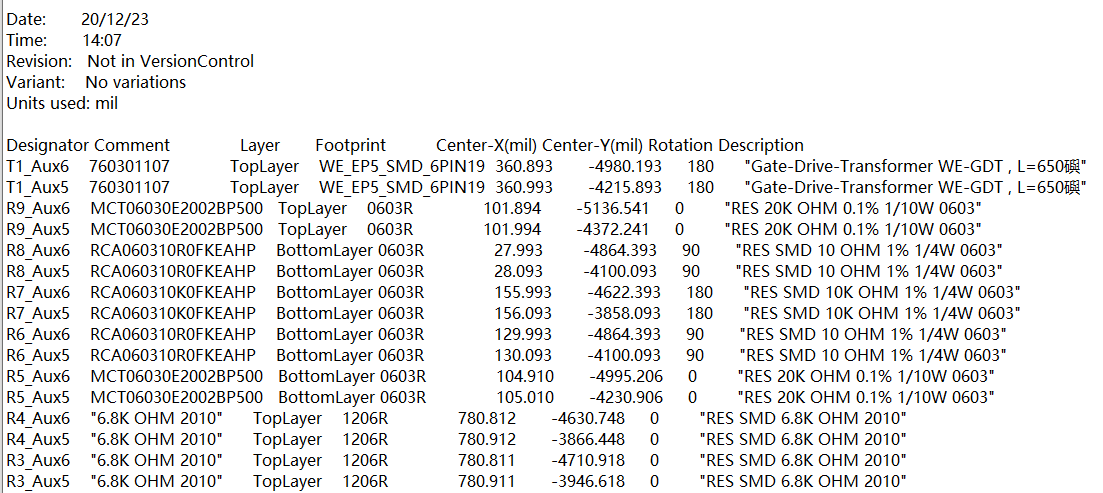
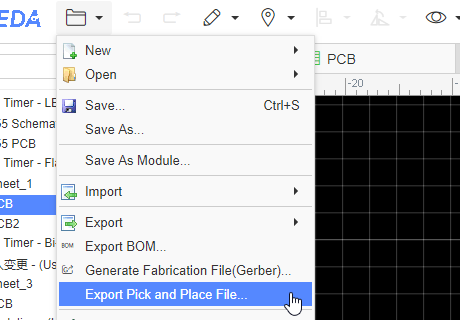
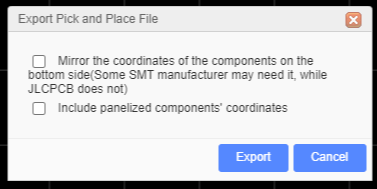
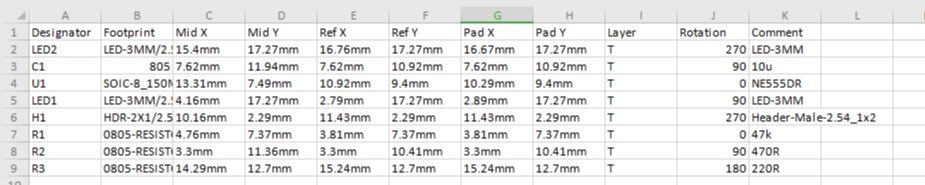
  • Pick-and-Place Files: These files specify the exact locations where components need to be placed on the PCB during the assembly process.
  • Drill Files: Drill files detail the locations and sizes of holes that need to be drilled into the PCB for components or vias.

Each format plays a specific role in ensuring that the design can be accurately manufactured and assembled.

How Long Does PCB Layout Take?

The amount of time required to create a PCB layout depends on several factors, including the complexity of the design, the number of layers, and the experience of the designer.

For a simple single-layer PCB, the layout process may take only a few hours or a day. However, for more complex designs, such as multi-layer boards or designs with high-speed components, the layout can take several weeks or even months.

The complexity of the project, the need for iterative testing, and the level of optimization also influence the timeline. The more components involved and the more layers in the design, the more time it will take to finalize the layout.

Why is PCB Layout Important?

The PCB layout is crucial for several reasons:

  • Ensures Functionality: A well-designed PCB layout ensures that the electrical components interact as intended. Poor placement or incorrect routing can result in malfunctioning circuits, which could cause a device to fail entirely.
  • Minimizes Power Loss: By optimizing trace lengths and selecting appropriate trace widths, you can minimize power losses and improve the overall efficiency of the circuit.
  • Reduces Signal Interference: Properly routing traces helps reduce electromagnetic interference (EMI) and ensures signal integrity. This is particularly important in high-speed or RF (radio frequency) applications.
What is a PCB Layout? PCB design guide
  • Prevents Overheating: Effective thermal management is a key part of PCB layout. Properly placed heat sinks, thermal vias, and wide copper traces can help prevent components from overheating, which could lead to failures.
  • Improves Manufacturability: A well-designed PCB layout adheres to industry standards, which makes it easier and more cost-effective to manufacture the board. Proper layout rules ensure that the board can be produced with minimal errors and at a lower cost.
  • Supports Future Upgrades: A clear, well-documented layout makes it easier to update and improve the design in the future. Whether you need to add new features or troubleshoot existing issues, a good layout helps streamline the process.

How Do I Optimize My PCB Layout?

Optimization is key to creating an efficient, reliable PCB. Here are a few tips to help optimize your PCB layout:

  • Minimize Trace Lengths: Shorter traces reduce resistance, noise, and delay. Try to keep traces as direct as possible, especially for high-frequency or high-power components.
  • Use Wider Traces for High-Current Components: For components that draw significant power, use wider traces or dedicated bus bars to prevent overheating and power loss.
  • Avoid Trace Crossovers: Crossing traces can increase complexity and lead to errors. Try to avoid unnecessary crossovers by carefully planning the component placement.
  • Group Related Components: Group components that work together close to each other to minimize the need for long interconnections. This makes routing easier and improves signal quality.
  • Use Ground and Power Planes: A solid ground and power plane ensures stable voltage levels and reduces noise. This is particularly important in high-speed designs.
  • Check for Design Rule Violations: Always use automated design rule checks to ensure that your layout meets industry standards and manufacturing requirements. These checks help avoid errors that could complicate production.
  • Consider Thermal Management: Pay attention to heat-sensitive components and their proximity to power-hungry components. Include thermal vias or large copper areas to dissipate heat effectively.

What Are the Rules for PCB Design?

When designing a PCB layout, following certain rules is essential for creating a functional and manufacturable board. Some important PCB layout rules include:

  • Trace Width and Spacing: Ensure that traces are wide enough to carry the current they will handle and that there is enough space between traces to prevent short circuits.
  • Component Placement: Components should be placed in an organized manner, with clear signal paths and minimal trace lengths. High-speed components should be placed near each other to reduce signal degradation.
What is a PCB Layout? PCB design guide
  • Signal Integrity: Keep high-speed signal traces as short as possible and avoid running them parallel to power traces, as this can lead to noise or interference.
  • Thermal Management: Ensure that heat-sensitive components are placed away from power components and that thermal vias or heatsinks are included as needed.
  • Ground Planes: Always include a solid ground plane to reduce noise and provide a stable reference for the circuit.

What is the Difference Between PCB Layout and Design?

Although the terms “PCB layout” and “PCB design” are often used interchangeably, they actually refer to two different stages of the PCB creation process.

PCB Design refers to the overall planning stage, where the schematic is created, components are selected, and the overall functionality of the circuit is planned.

PCB Layout focuses on the physical arrangement of components and routing of traces. It’s about creating the blueprint.

In conclusion, a well-designed PCB layout is essential for the successful operation of any electronic circuit. It ensures efficient signal flow, minimizes power loss, and supports the overall reliability of the device. If you have any PCB design layout needs, please contact us via sales@bestpcbs.com to get the best solution.

What is Circular Alumina PCB? Ceramic pcb

January 9th, 2025

What is Circular Alumina PCB? Circular Alumina PCB is a special shape of printed circuit board, whose substrate material is alumina. Alumina PCB has excellent thermal conductivity and electrical insulation properties, so it is often used in electronic devices that require high heat dissipation and high insulation. The circular design allows this PCB to have greater design flexibility in space-constrained application scenarios.

What is Circular Alumina PCB? Ceramic pcb

What is Alumina PCB?

An alumina PCB is a type of ceramic PCB that is made using alumina (Al₂O₃), a form of aluminum oxide. It’s commonly used in applications where high thermal conductivity, electrical insulation, and mechanical strength are required.

Alumina has excellent electrical insulating properties, making it an ideal substrate for high-performance electronic devices. It can handle high-power applications and is used in industries like automotive, aerospace, telecommunications, and medical devices.

Alumina PCB materials are generally available in different grades, with 96% alumina being the most common, although higher purities like 99% alumina are also available for specialized applications.

What is a Ceramic PCB?

A ceramic PCB is a type of printed circuit board that uses ceramic material as a substrate. Unlike traditional FR4 PCBs, which use fiberglass-based epoxy resin, ceramic PCBs offer significantly better heat dissipation and electrical performance. This makes them an essential component in high-power and high-frequency applications.

Alumina is one of the most widely used materials for ceramic PCBs, thanks to its balanced combination of thermal and electrical properties.

What is Circular Alumina PCB? Ceramic pcb

Ceramic PCBs, including alumina PCBs, are more rigid, more durable, and better suited for environments with high temperature and stress. These PCBs can be designed with complex features, making them adaptable to a wide range of electronic products.

Is Alumina the Same as Ceramic?

Yes, alumina is a type of ceramic material, but not all ceramics are alumina. Alumina (Al2O3) is one of the most commonly used ceramic materials in PCB manufacturing due to its excellent properties, such as high thermal conductivity and electrical insulation.

Other types of ceramic materials used in PCBs include aluminum nitride (AlN), which offers even better thermal conductivity, and beryllium oxide (BeO), which is known for its high thermal conductivity and electrical properties.

So while alumina is a ceramic, the term “ceramic PCB” covers a broader range of materials.

How Thick is Alumina PCB?

The thickness of alumina PCB can vary depending on the specific needs of the application. Typically, alumina ceramic PCBs are manufactured in thicknesses ranging from 0.2 mm to several millimeters. The standard thickness for alumina substrate PCBs is about 0.5 mm to 1 mm, but it can be customized according to the requirements of the design.

The thickness of the PCB affects its ability to dissipate heat and handle electrical signals, so selecting the right thickness for your application is essential. Thicker boards offer better thermal management, while thinner boards are more suitable for compact designs where space is at a premium.

What is the Dielectric Constant of Alumina PCB?

The dielectric constant of alumina PCB typically ranges between 9 and 10, depending on the purity of the material and its specific formulation. The dielectric constant is a measure of the material’s ability to store electrical energy in an electric field, and it plays a crucial role in the performance of a PCB, especially in high-frequency applications.

A lower dielectric constant allows for faster signal transmission, which is why alumina PCB boards are often used in RF (radio frequency) and microwave circuits. However, the dielectric constant also needs to be matched to the requirements of the circuit to ensure the best performance. Alumina’s dielectric constant is ideal for most general-purpose applications, making it a versatile choice for many industries.

Is Higher Dielectric Constant Better for PCB?

Not necessarily. While a higher dielectric constant can be beneficial in certain applications, it does not always translate into better performance. The choice of dielectric constant depends on the nature of the application.

In general, higher dielectric constants are preferred in situations where energy storage is critical, such as in capacitors. However, for high-speed signal transmission, a lower dielectric constant is usually preferred, as it allows signals to travel faster with less signal loss.

Alumina’s dielectric constant strikes a good balance for most general applications, providing reliable performance across various circuit types.

What is Alumina PCB Used For?

Alumina PCBs are used in a wide range of applications where high-performance and reliability are critical. Some of the primary uses include:

  • Power Electronics: Alumina PCBs are ideal for high-power applications, such as power supplies, LED lighting, and motor drivers, thanks to their excellent thermal conductivity.
What is Circular Alumina PCB? Ceramic pcb
  • RF and Microwave Circuits: The material’s low signal loss and high thermal conductivity make it perfect for radio frequency (RF) and microwave applications.
  • Aerospace and Defense: The aerospace industry often uses alumina ceramic PCBs due to their resistance to harsh environmental conditions, as well as their high thermal performance.
  • Automotive Electronics: Automotive applications, such as engine control units (ECUs) and power modules, benefit from the reliability and durability of alumina PCBs.
  • Medical Devices: Many medical devices require components that can operate in extreme conditions, and alumina PCBs are an excellent choice for these applications.
  • Telecommunication Equipment: The need for reliability and performance in telecom systems makes alumina a key material in the manufacturing of components like signal processors and amplifiers.

The circular alumina PCB is particularly useful in applications where the board needs to have a rounded or disk-like shape for integration into specific enclosures or devices.

What are the Disadvantages of Alumina PCB?

While alumina PCBs offer many advantages, there are some drawbacks to consider, though they are few. Some of the potential disadvantages include:

  • Brittleness: Ceramic materials like alumina can be brittle and prone to cracking or breaking under mechanical stress. Proper handling during manufacturing and assembly is required to minimize the risk of damage.
  • Cost: Alumina PCB boards are generally more expensive than traditional FR4 boards, mainly due to the cost of raw materials and the specialized manufacturing process. However, for high-performance applications, the benefits far outweigh the costs.
What is Circular Alumina PCB? Ceramic pcb
  • Manufacturing Complexity: The production of alumina ceramic PCBs is more complex compared to other types of PCBs, requiring specialized equipment and processes, which may add to the lead time.
  • Limited Design Flexibility: Although alumina PCBs are highly customizable, they are not as versatile in terms of form factors and design as some other PCB materials, like FR4. Designing highly intricate, fine-pitch circuits on alumina can be more challenging.

Despite these limitations, alumina remains a highly popular choice for a wide variety of high-performance applications, particularly where durability, heat dissipation, and electrical insulation are key requirements.

Conclusion:

The circular alumina PCB is a highly effective and versatile option in the world of high-performance electronics. Its combination of excellent thermal conductivity, electrical insulation, and mechanical strength makes it ideal for demanding applications in fields like telecommunications, aerospace, automotive, and medical devices.

BEST Technology specializes in manufacturing circular alumina PCBs with excellent manufacturing capabilities. Circular alumina PCBs are made of high-purity alumina materials, which have excellent thermal conductivity, mechanical strength and electrical insulation. They are widely used in LED lighting, automotive power control modules and other fields. If you have any needs, please feel free to contact us at sales@bestpcbs.com.

What is an assembly PCB? & PCB Fabrication Manufacturer

January 9th, 2025

What is an Assembly PCB? Assembling PCB refers to the process of installing electronic components on a printed circuit board. Through this process, various electronic components such as resistors, capacitors, chips, etc. are fixed on the PCB through welding technology to form a complete electronic circuit.

Assembling PCB is a key step in the manufacture of electronic equipment, which enables electronic components to be connected according to the designed circuit to achieve the functions and performance of electronic equipment.

What is an assembly PCB? & PCB Fabrication Manufacturer

What is the PCB Assembly Process?

PCB assembly is the process of attaching electronic components to a printed circuit board (PCB) to create a working electronic circuit.  The primary goal is to ensure that all parts of the circuit are correctly connected and able to transmit electrical signals.

The PCB assembly process mainly includes the following steps:

  • Solder paste printing: First, print the solder paste on the PCB, which is done by using a template to accurately apply the solder paste to the pads of the PCB.
  • Component placement: Use a high-speed, high-precision placement machine to place the components on the PCB. The placement machine accurately places the components at the predetermined position based on the coordinate information in the design file.
What is an assembly PCB? & PCB Fabrication Manufacturer
  • Soldering: After the component placement is completed, the soldering process is carried out. For surface mount components, reflow soldering is usually used, and the PCB is sent into the reflow soldering oven, and the solder paste is melted by heating, so that the components are soldered to the PCB. For through-hole components, wave soldering is used.
  • Inspection and testing: After the soldering is completed, inspection and testing are carried out to ensure the assembly quality. Automated optical inspection (AOI) equipment is usually used to check the soldering quality and the accuracy of component placement.
  • Rework and packaging: For defective products found during the inspection, rework is carried out. Qualified PCB assembly boards are packaged for transportation and storage.

The entire PCB assembly process requires a high degree of automation and precise control to ensure the quality and reliability of the final product.

What is the Standard for PCB Assembly?

The standard for PCB assembly depends on several industry-specific certifications and guidelines. However, some of the most widely recognized standards include:

  • IPC-2221: This standard provides the generic requirements for designing and manufacturing PCBs, including assembly considerations.
  • IPC-A-610: Often referred to as the “Acceptability of Electronic Assemblies,” this standard covers the acceptability criteria for soldering, component placement, and the quality of assembly in general.
  • ISO 9001: Many PCB assembly manufacturers are certified to this standard, which ensures that they follow consistent quality management practices in their processes.

These standards help ensure that the PCB assembly process is carried out in a controlled and quality-assured manner.

What Files are Needed for PCB Assembly?

A successful PCB assembly requires the right files to communicate the design and specifications to the manufacturer. Some of the essential files include:

  • Gerber Files: These files provide the detailed design of the PCB, including copper traces, pads, and other essential information for PCB fabrication.
  • Bill of Materials (BOM): The BOM lists all the components that will be used in the assembly, such as resistors, capacitors, and ICs.
What is an assembly PCB? & PCB Fabrication Manufacturer
  • Pick-and-Place Files: These files contain the specific information about where each component will be placed on the PCB, which is essential for automated placement machines.
  • Stencil File: This file is used for creating the solder paste stencil, which is used to apply solder paste to the PCB during the soldering process.

These files ensure that the PCB board assembly is accurate and matches the original design specifications.

What Are the Materials Used in PCB Assembly?

The materials used in PCB board assembly are crucial to the functionality and performance of the finished product. Some of the most commonly used materials include:

  • PCB Substrate: The most common material is FR4 (fiberglass resin), but for high-performance applications, materials like aluminum or ceramic may be used.
  • Solder Paste: A mixture of metal solder and flux, solder paste is used to attach components to the PCB during the soldering process.
  • Soldering Materials: Lead-based or lead-free solder is used to create permanent connections between the PCB and components.
  • Components: Resistors, capacitors, ICs, and other components are soldered onto the PCB. These can be sourced from various manufacturers and come in a variety of shapes and sizes.

Each material is selected based on the needs of the specific application. For example, ceramic PCBs are chosen for high-temperature environments, while aluminum-backed PCBs are selected for heat dissipation.

What is the Difference Between PCB Fabrication and PCB Assembly?

Many people confuse PCB fabrication with PCB assembly, but the two are distinct steps in the PCB manufacturing process.

PCB Fabrication refers to the process of creating the physical PCB from raw materials. This includes the creation of the PCB’s layers, the copper traces, drilling holes for vias, and etching the patterns that connect the components. In simple terms, PCB fabrication is the creation of the “bare” board.

PCB Assembly, on the other hand, refers to the process of attaching electronic components to the fabricated PCB. This involves placing and soldering the components to form a functional circuit.

So, PCB fabrication is all about making the PCB, and PCB assembly is about making it functional by adding components.

What is the Difference Between SMD and SMT in PCB?

The terms SMD (Surface-Mounted Device) and SMT (Surface-Mount Technology) are often used interchangeably, but they refer to different aspects of the assembly process.

SMD refers to the actual components used in the assembly process. These components are designed to be mounted directly onto the surface of the PCB rather than through-hole components, which are inserted into holes drilled into the board.

What is an assembly PCB? & PCB Fabrication Manufacturer

SMT, on the other hand, refers to the technology and process used to assemble SMDs onto the PCB. SMT involves automated machines that place components onto the PCB and then solder them into place, typically using reflow soldering.

In summary, SMD refers to the components, and SMT refers to the method of attaching those components.

Conclusion:

PCB assembly is a critical step in creating functional electronic circuits. From the placement of components to the soldering process and final testing, every aspect of assembly must be carefully executed to ensure a reliable and high-performance product. If you have any PCB assembly needs, feel free to contact BEST Technology at sales@bestpcbs.com.

What is 0.4mm thickness PCB? Ultrathin PCB

January 9th, 2025

What is 0.4mm thickness PCB? 0.4mm thickness PCB is an ultra-thin printed circuit board with a thickness of only 0.4 mm. This type of PCB has high requirements in design and manufacturing, because its thinness makes it easy to cause problems such as warping and deformation during processing. 0.4mm thickness PCB is usually used in electronic devices with strict requirements on space and weight. It can meet the development trend of miniaturization and thinness of modern electronic products.

What is 0.4mm thickness PCB? Ultrathin PCB

What is a 0.4mm Thickness PCB?

A 0.4mm thickness PCB refers to a printed circuit board with a thickness of 0.4 mm. ‌This thickness of PCB is generally considered to be the minimum thickness starting point for multi-layer PCB design, suitable for application scenarios that require highly integrated and compact design‌.

0.4mm PCB has the following characteristics:

  • Thin design‌: Suitable for electronic products that require highly integrated and compact design, such as smartphones, tablets and other portable devices.
  • High reliability: Due to its thin design, 0.4mm PCB performs well in complex wiring and fine design, and can provide stable electrical performance and mechanical strength.
  • ‌Cost-effectiveness‌: Although the manufacturing process is more complicated, the overall cost is relatively low because it uses less material.

0.4mm PCB is mainly used in the following fields:

  • Portable devices: Such as smartphones, tablets, wearable devices, etc., which require lightweight and powerful circuit boards.
  • High-density interconnect applications: In occasions where high integration and complex wiring are required, 0.4mm PCB provides a better solution.
  • Radio frequency identification (RFID) and smart cards: Such as RFID tags, IC cards, SIM cards, etc., these applications require circuit boards that are both thin and reliable.

What are the advantages of 0.4mm thickness PCB?

0.4mm thickness PCB has the following advantages:

  • Reduced material cost: Due to the use of less expensive materials such as copper, the material cost of 0.4mm thickness PCB is lower.
  • Compatibility with advanced technologies: PCBs of this thickness are compatible with advanced technologies such as laser direct imaging and can be used without damaging flexible circuits.
What is 0.4mm thickness PCB? Ultrathin PCB
  • High reliability: Ultra-thin PCBs can host custom repeatable routing paths, reduce rework, and have higher reliability.
  • Strong protection: The conductors on these PCBs have a polyimide cover layer to protect against a range of potentially harsh conditions, such as vibration and acceleration on the joints.
  • High durability: 0.4mm thick PCBs can withstand millions of bending cycles and are suitable for applications that require frequent bending.

In addition, 0.4mm thick PCBs are suitable for a variety of application scenarios, including RFID smart cards, IC cards, SIM cards, electronic tags, mobile phone charging modules, wearable devices, etc.

What are the disadvantages of 0.4mm thickness PCB?

The disadvantages of 0.4mm thickness PCB mainly include the following aspects:

  • Difficulty in manufacturing: Due to the thinness of 0.4mm thickness PCBs, they are easily affected by external factors during the manufacturing process, which increases the difficulty and cost of manufacturing.
  • Lower mechanical strength: Thinner PCBs are more likely to deform or be damaged when subjected to external forces, especially in environments with high-frequency vibration or mechanical shock, which may affect their stability and reliability.
  • Poor heat dissipation: Thinner PCBs have a relatively small heat dissipation area, which is not conducive to the rapid dissipation of heat, and may cause local overtemperature, affecting the stable operation of electronic components.
  • Increased welding difficulty: During the welding process, thinner PCBs are easily affected by the welding temperature, which may cause loose welding points or welding defects.
  • Signal transmission problems: Thinner PCBs may affect the integrity and transmission speed of signals due to the shorter signal path when transmitting high-frequency signals.

How to make 0.4mm thickness PCB?

There are many aspects to consider when making 0.4mm thickness PCBs.

1. Material selection

  • Substrate: Select a substrate suitable for 0.4mm thickness. Generally, 0.3mm raw materials are used to make 0.4mm PCB boards. The type of substrate is usually FR-4 or other materials suitable for thin boards.
  • Copper foil thickness: The thickness of the copper foil affects the conductivity and strength of the PCB. Common copper foil thicknesses include 1 ounce (about 35 microns), 2 ounces (about 70 microns), etc.

2. Production process

  • Cutting: Cutting large-sized copper foil boards into small pieces suitable for production.
  • Drilling: Drilling is the first process for the formal production of circuit boards, including electrical holes, mechanical holes, vias, etc. For 0.4mm thick PCBs, laser drilling may be required to achieve smaller apertures.
  • Lamination: By combining different core thicknesses and prepreg sheets, a finished PCB thickness of 0.4mm can be achieved.
  • Electroplated: Electroplated after drilling to ensure good conductivity in the hole.
  • Solder mask: Add a solder mask to the surface of the PCB to protect the copper wire from oxidation and prevent short circuits during welding.
  • Surface treatment: Common surface treatment methods include immersion gold, tin spraying, etc. to improve the conductivity and oxidation resistance of the PCB.

What are the difficulties in making a 0.4mm thick PCB?

The main difficulties in making a 0.4mm thick PCB include the following aspects:

  • Lamination difficulties: As the copper thickness increases, the line gap is deeper, and more resin filling is required, which increases the complexity and cost of processing.
  • Drilling difficulties: As the board thickness increases, the drilling difficulty increases. Thick copper boards are usually thicker than 2.0mm, and new knives and segmented drilling techniques are required to reduce the difficulty when drilling.
  • Thermal management: Due to the increase in power consumption of electronic devices, thermal management has become a key challenge. When designing, it is necessary to consider appropriate heat dissipation structures and heat dissipation component layouts to ensure that components work properly and avoid thermal damage.
  • ‌Signal integrity‌: High-frequency signals and high-speed digital signal transmission need to consider issues such as signal loss, impedance matching, and interlayer crosstalk.
  • ‌Electromagnetic compatibility (EMC) and electromagnetic interference (EMI): Measures need to be taken to reduce electromagnetic radiation and improve anti-interference capabilities.
  • Process and material selection: Choose the appropriate printing method and substrate material to ensure that the circuit board that meets the requirements is manufactured.

How to deal with the warping problem of 0.4mm thick PCB?

There are several ways to deal with the warping problem of 0.4mm thick PCB:

  • Choose high Tg board: Boards with higher Tg can withstand higher temperatures and reduce warping caused by temperature changes. Although the cost is higher, it can effectively resist high temperature deformation.
  • Reduce via restrictions: The via design in multilayer boards should be reasonable to avoid excessive restrictions on the cold expansion and contraction of the board and reduce warping.
  • Control temperature changes: Appropriately reduce the reflow temperature or slow down the heating and cooling speed to reduce the expansion and contraction of materials caused by temperature changes.
  • Use laser drilling technology: Laser drilling can reduce stress during processing and reduce the risk of warping.
  • Mechanical leveling: Use a flattening machine to mechanically level the PCB, which is suitable for PCBs with moderate warping.

The following aspects can be used to deal with the warping problem of 0.4mm thickness PCB:

What should I pay attention to when using 0.4mm thickness PCB?

The following points should be noted when using 0.4mm thickness PCB:

  • Trace spacing and width: On 0.4mm thickness PCB, the trace spacing is usually recommended to be no less than 0.2mm to ensure stable signal transmission and reduce interference. The trace width should be designed according to the current carried. Usually the width of the power line should be between 1.2~2.5mm, and the width of the signal line should be between 0.2~0.3mm.
  • Wiring rules: In high-density and high-precision PCB design, the line width and spacing are generally set to 0.3mm. If solder mask defined (SMD) pads are used, the thickness of the traces between the pads should be appropriately reduced to avoid the problem of pad lifting during soldering or desoldering.
What is 0.4mm thickness PCB? Ultrathin PCB
  • Heat dissipation and mechanical support: For devices with high power consumption, 0.4mm thick PCBs may not be enough to provide sufficient mechanical support and heat dissipation performance. For such devices, it is recommended to choose a thicker PCB to provide better mechanical support and heat dissipation performance.
  • Design details: When designing the PCB, it should be noted that the spacing between components should be greater than 0.5mm, and the spacing between the chip pins and peripheral devices should be greater than 1.0mm. In addition, the width of the ground line should be greater than the power line to ensure a stable current supply.

0.4mm thick PCB has become an ideal choice for modern electronic products such as smartphones and wearable devices due to its ultra-thin characteristics, meeting the development needs of miniaturization and thinness. However, problems such as warping are prone to occur during production. As a professional PCB manufacturer, BEST Technology has strong manufacturing strength to ensure that each 0.4mm thick PCB effectively reduces the occurrence of warping. If you have corresponding needs, please feel free to contact us at sales@bestpcbs.com!

What are COB led boards? COB LED Strip

January 8th, 2025

What are COB led boards? COB led boards are an LED light source that uses Chip On Board technology. It directly encapsulates multiple LED chips on the same substrate and then connects them to the circuit board through a special connection technology. Compared with traditional LED light sources, COB led boards share a heat dissipation substrate for multiple LED chips, which can dissipate heat more effectively and improve heat dissipation efficiency.

What are COB led boards? COB LED Strip

What are COB led boards?

COB led boards, full name Chip On Board, is a high-power LED light source that directly encapsulates multiple LED chips on an aluminum substrate.

COB led boards connect multiple LED chips in parallel, place them side by side on the same substrate, and emit and focus light by sharing the same optical lens.

COB led boards are mainly used in fields with high requirements for light efficiency and brightness, such as outdoor lighting, automotive lighting, backlighting, etc. In addition, COB led boards are also used in ultra-high-definition display solutions, especially in small micro-pitch LED display screens, which can effectively improve viewing experience and safety.

How to design COB led boards?

Designing COB (Chip On Board) led boards requires the following key steps and technical points to be considered:

1. Substrate selection

  • Material selection: Substrates are usually made of materials with high thermal conductivity and high reflectivity. Metal substrates are relatively low in cost, while ceramic substrates have better heat dissipation performance.

2. Packaging

  • Coating protective layer: Apply a layer of organic glue or resin on the LED chip and leads to protect the chip and solder joints and prevent damage to them from the external environment.
  • Lens design: According to application requirements, lenses can be added to the surface of the led boards to optimize light distribution and improve lighting effects.

3. Heat dissipation design

  • Heat dissipation structure: The heat dissipation of COB led boards mainly depends on the substrate, so the heat dissipation performance of the substrate is very important. Auxiliary heat dissipation measures such as heat sinks and heat pipes can also be used to further improve the heat dissipation efficiency.
  • Chip arrangement: Reasonably design the chip arrangement spacing to avoid heat accumulation caused by too dense chips.

4. Optical design

  • Color temperature and color rendering index: Select the appropriate color temperature and color rendering index according to the application scenario.
  • Mixed light design: For COB LED boards with multiple primary colors, it is necessary to reasonably design the arrangement and driving mode of LED chips of different colors to achieve a good mixed light effect.

5. Circuit design

  • Drive circuit: Design a suitable drive circuit to ensure the stable operation and good electrical performance of the LED chip.
  • Intelligent control: For application scenarios that require intelligent control, an intelligent dimming system can be integrated to adjust the lighting brightness according to actual usage.

How to make COB led boards?

The production of COB led boards can be summarized into the following steps:

1. Prepare the substrate

Select the appropriate substrate material and clean it to ensure the smooth progress of the subsequent process.

2. Glue dispensing and mounting

Apply an appropriate amount of conductive glue on the LED chip placement point on the substrate to achieve electrical connection between the chip and the substrate.

What are COB led boards? COB LED Strip

Place the LED chip accurately on the glue dispensing position. You can use a vacuum suction pen or tweezers to operate it, and then put the substrate with the chip attached into a thermal cycle oven and keep it at a constant temperature for a period of time. Take it out after the conductive glue is cured.

3. Wire welding

Use an aluminum wire welding machine to electrically connect the LED chip to the electrode on the substrate to form an inner lead welding to ensure a good electrical connection between the chip and the substrate.

4. Glue dispensing and curing

Prepare fluorescent glue according to the required color temperature, and then use an automatic glue dispensing machine to cover the fluorescent glue on the chip resistor and LED chip on the substrate.

Put the substrate with fluorescent glue applied in the oven for baking to completely cure the fluorescent glue to achieve the required color temperature and light effect.

5. Detection and packaging

Inspect the soldered substrate, repair or replace the LED chips that do not emit light, and repair or replace the chip resistors that do not work properly to ensure the performance and quality of the led boards.

Apply a layer of organic glue or resin on the LED chips and leads to protect the chips and solder joints and prevent them from being damaged by the external environment.

How do COB led boards work?

The working principle of COB led boards is mainly based on its packaging structure and electrical connection method:

  • Electrical connection: COB led boards are composed of multiple LED chips, which are directly adhered to the substrate through conductive glue. The substrate is usually made of metal or ceramic with good electrical and thermal conductivity.
  • Light-emitting process: When the power supply is connected to the COB led boards, the current flows through each LED chip through the circuit on the substrate, making the chip emit light. The light emitted by each chip is reflected and scattered by the packaging material to form a uniform light field.
  • Heat dissipation mechanism: A significant advantage of COB led boards is its excellent heat dissipation performance. Since the LED chip is directly attached to the substrate, the heat can be quickly conducted to the external environment through the substrate, which effectively reduces the temperature of the chip and prolongs its service life.

What is the lifespan of a COB led?

The lifespan of a COB led board is usually between 50,000 and 100,000 hours. This lifespan range means that under normal working conditions, COB led boards can last for many years. The long lifespan of COB led boards is mainly due to its good heat dissipation performance and compact packaging structure.

What are COB led boards? COB LED Strip

What are the advantages of COB led boards?

COB led boards have the following advantages:

1. Optical performance

  • High brightness and uniformity: COB led boards can provide higher brightness output by integrating multiple LED chips. Its light emission is uniform and soft, without ghosting and light spots, and can achieve a more uniform light field.
  • Wide viewing angle: COB packaging adopts shallow well spherical light emission, which has a better optical diffuse color effect.
  • High color rendering: COB light source has a high color rendering index and good color rendering, which can provide more natural and accurate light.

2. Heat dissipation performance

  • Excellent heat dissipation capacity: Multiple LED chips of COB led boards share a heat dissipation substrate, which quickly conducts heat to the external environment through the substrate, thereby effectively reducing the chip temperature and extending the service life.

3. Cost-effectiveness

  • Low cost: Compared with traditional SMD packaging, COB light source modules can save device packaging costs in lighting applications.
  • High manufacturing efficiency: The COB packaging process is simplified, eliminating the process of patch and reflow soldering, and the production efficiency is higher.

4. Structure and application

  • Light and thin: COB led boards have a simple structure and can use PCB boards of different thicknesses according to customer needs, reducing the weight to about 1/3 of traditional products, which is convenient for transportation and installation.
  • Anti-collision and pressure resistance: COB packaging encapsulates the LED chip in the concave lamp position of the PCB board, and then encapsulates and cures it with epoxy resin glue. The surface of the lamp point is convex into a spherical surface, which is smooth and hard, resistant to collision and wear.
  • Bendable: COB packaging has the ability to bend, and the bending of the PCB will not damage the packaged LED chip, so various special-shaped screens can be easily made.
  • Easy to maintain: COB light source has a simple structure and is easy to maintain. You only need to clean the optical lens to maintain brightness.

What are the disadvantages of COB led boards?

Although COB led boards have many advantages, they also have some disadvantages:

  • Heat dissipation problem: Due to the dense arrangement of chips, the heat dissipation area is limited, which easily leads to heat accumulation, affecting the light efficiency and life.
  • Relatively low light efficiency: Part of the light is absorbed after reflection between chips, resulting in a light efficiency that is about 10% lower than that of SMD packaging.
What are COB led boards? COB LED Strip
  • Difficult to repair: The chip and substrate are packaged as one, and a single chip needs to be replaced if it is damaged, and the repair cost is high.
  • High initial cost: High requirements for materials and processes, resulting in relatively high initial costs and prices.
  • Limited color selection: Mainly monochrome, the color selection is not as rich as SMD LED.

In summary, as an innovative chip-on-board packaging technology, COB led boards, with its unique principle, have shown significant advantages in light uniformity, heat dissipation, reliability and other aspects, and are widely used in indoor and outdoor lighting and display fields. BEST Technology has advanced COB packaging technology, efficient heat dissipation design, strict quality management system and flexible customization services. Please feel free to communicate with us at sales@bestpcbs.com for the production of COB led boards.

How to copy PCB board? PCB reverse engineering

January 8th, 2025

How to copy PCB board? PCB reverse engineering. First, get the PCB sample to be copied, then disassemble and record the component information on the sample to make a BOM table; then scan the sample to get its PCB layout image; then trace the routing and place the components according to the image to complete the drawing of the PCB diagram; finally, use the drawn PCB diagram to make a new PCB board, solder the corresponding components, and test and debug to ensure normal function.

How to copy PCB board? PCB reverse engineering

What is copy PCB?

PCB copying, also known as circuit board cloning, refers to the reverse analysis of the circuit board through reverse research and development technology on the premise of existing electronic products and circuit boards, restoring the original product’s PCB files, bill of materials (BOM), schematic files and other technical files, and using these technical files to make PCB boards, solder components, test and debug, and finally complete the complete copy of the original circuit board sample.

How to copy PCB?

The process of copying PCB can be divided into the following points:

1. Get the PCB board to be copied and scan and back it up, remove the components and record the information to make a BOM table, and clean the residue on the surface of the PCB board.

2. Scan the cleaned PCB board, import it into the copy board software, draw the routing and place the components according to the image, and export the PCB file.

3. Make the PCB file into a PCB board, test and debug after soldering the components, and ensure that the copied PCB board functions normally.

What are the steps to copy PCB?

The process of copying PCB can be divided into the following steps:

1. Preparation

  • Get the PCB board: First, you need a PCB board, which can be provided by the customer or available on the market.
  • Scan and back up: Scan and back up the PCB board for reference during the copying process.

2. Remove components

  • Remove components: Use tools such as hot air guns to remove components on the PCB board, pay attention to temperature control, and avoid damaging components or PCB.
  • Make a BOM table: Record the model, parameters, location and other information of the removed components, and make a bill of materials.

3. Clean the PCB board

  • Remove residues: Clean the tin slag and other residues on the surface of the PCB board after the components are removed.

4. Copy board

  • Scan the PCB board: Scan the cleaned PCB board again to obtain a clear image.
  • Import the copy board software: Import the scanned image into the copy board software.
  • Draw the routing and place components: In the copy board software, draw the routing of the PCB according to the scanned image and place the corresponding components.
  • Export PCB file: Export the drawn PCB design to PCB file format.
How to copy PCB board? PCB reverse engineering

5. Make and test

  • Make PCB board: Make the exported PCB file into a PCB board.
  • Weld components: Weld the purchased components to the made PCB board.
  • Test and debug: Test and debug the welded PCB board to ensure its normal function.

Notes:

  • Legal compliance: When copying PCB, you need to pay attention to relevant laws and regulations to avoid infringement of intellectual property rights.
  • Precision control: During the scanning, drawing and production process, the precision must be strictly controlled to ensure that the copied PCB board is consistent with the original board

Does copy PCB comply with regulations?

Whether the copy PCB complies with regulations depends mainly on the purpose of the copy and whether the relevant intellectual property laws are complied with.

  • Intellectual property respect: The intellectual property rights of the original design must be respected when copying the PCB.
  • Legality of reverse engineering: In some cases, copying PCBs through reverse engineering is allowed, but the premise is that such behavior must be used for legitimate purposes.

In summary, whether the copying of PCBs is legal depends mainly on the purpose of the copying and whether the corresponding intellectual property license has been obtained. If it is for commercial purposes and without permission, it may violate relevant laws and regulations and face legal risks.

What are the benefits of copying PCB?

The benefits of copying PCBs mainly include the following aspects:

  • Save time and cost: By copying PCBs, companies can avoid the high cost and time cost of designing from scratch. Especially in urgent and complex projects, it can significantly save time and manpower.
  • ‌ Improve R&D efficiency: Copying PCBs can accelerate the product R&D process, shorten the product R&D cycle, and enable products to be brought to market faster.
How to copy PCB board? PCB reverse engineering
  • Optimize performance and function: Copying PCB is not just a simple copy. Through the analysis and research of technical data, product performance and function can be optimized, thereby enhancing the market competitiveness of products.
  • Avoid intellectual property issues: By copying PCB, enterprises can avoid infringing on the intellectual property rights of others under the premise of legality.

What should I pay attention to when copying PCB?

The following points should be noted when copying PCB:

  • Back up the original file: Before starting to copy, be sure to back up the original PCB file and GERBER file.
  • Strict file operation: During the copying process, the PCB board must be remade strictly in accordance with the content in the GERBER file, and it cannot be modified at will.
  • Check the file content: After exporting the GERBER file, you need to carefully check the file content to ensure the accuracy of the copy board content.
  • ‌Processing inner layer circuits: When processing the inner layer circuits, since there are only copper foil and inner circuits, the actual circuits cannot be seen, and the inner layer circuits need to be checked through the outer layer circuits.
  • Copper plating: When plating copper, the copper foil and the inner circuit connection need to be disconnected to avoid connection with the outer circuit.
  • Proofread with CAM software: After the design is completed, use CAM software for proofreading to ensure the accuracy of the copy board content.
  • Record component information: Before copying, record the model, parameters and position of all components in detail, especially the direction of diodes and transistors and the direction of IC gaps.
  • Disassemble and clean the PCB board: Remove all components, clean the PCB board, clean it with alcohol, dry it, and put it in the scanner.
  • Image processing: Adjust the contrast and brightness to make the parts with and without copper film have a strong contrast. Remove noise, scratches, etc.
  • Generate PCB file: Convert the processed image to PROTEL format file, import it in PROTEL and compare whether the PAD and VIA positions are accurately overlapped.
  • Merge and verify: Import TOP.PCB and BOT.PCB in PROTEL and merge them into a complete PCB diagram. Use a laser printer to print the TOP layer and BOTTOM layer on a transparent film at a 1:1 ratio, and compare it with the original PCB to ensure that there is no error.

How does BEST Technology copy PCB?

As a professional PCB manufacturer, BEST Technology has the following process for copying PCB:

1. Submit sample photos

  • Customer operation: Please take clear photos of the PCB samples, including the component layout and routing details on both sides, and then send the photos to our email: sales@bestpcbs.com
  • Notes: Make sure the photos are clear enough to clearly show the component model, location and routing on the PCB board so that our engineers can conduct preliminary analysis and evaluation.
How to copy PCB board? PCB reverse engineering

2. Preliminary quotation and communication

  • Engineer evaluation: After receiving the sample photos, our engineers will give a rough copy price based on factors such as the complexity of the PCB in the photos, the number and type of components, etc.
  • Program and IC information: If the PCB contains a program IC, you need to inform us or provide a clear photo of the IC so that we can evaluate the difficulty and cost of program cracking and give a more accurate quotation.

3. Confirm the price and send samples

  • Price confirmation: After receiving our preliminary quotation, if you have any questions or need to adjust, you can communicate with us further until both parties reach an agreement on the price.
  • Sample delivery: After the price is determined, you need to send us PCB samples, preferably 2 samples, so that we can conduct more detailed analysis and cloning. After receiving the samples, we will provide you with an accurate quotation based on the actual sample situation.

4. Payment and production start

  • Payment process: After you confirm that the final quotation is correct, you will complete the payment according to our payment method.
  • Production start: After receiving the customer’s payment, we will officially start the PCB cloning work, including sample analysis, component disassembly, PCB drawing and other steps.

5. Provide design files and manufacture circuit boards

  • Design file delivery: After completing the copy board work, we will send you the complete Gerber file, schematic diagram and BOM (Bill of Materials) for your review and confirmation.
  • Circuit board manufacturing: After confirming that the design files are correct, we will start to manufacture circuit boards for you based on these files to ensure that the quality and performance of the circuit boards meet your requirements.

In summary, every step of the PCB copy process is meticulous to ensure that the copy board accurately restores the original board function. At the same time, it is very necessary to find a qualified PCB manufacturer. BEST Technology has rich experience in PCB manufacturing. If you have PCB copy needs, please feel free to contact us at sales@bestpcbs.com.

What is remote control PCB? PCB Design & Production

January 7th, 2025

What is remote control PCB? The remote control PCB is an electronic circuit board inside the remote control, which is used to connect and support various electronic components to realize signal transmission and processing. It connects the microcontroller, communication module, input components, and power management components through conductive lines, so that the remote control can receive the user’s input signal, convert it into a control signal, and realize remote control of equipment such as TVs and air conditioners.

What is remote control PCB? PCB Design & Production

What is remote control PCB?

The remote control PCB refers to the printed circuit board used in the remote control. It is the core component inside the remote control, responsible for connecting various electronic components to realize various functions of the remote control.

The remote control PCB is usually composed of multiple layers of conductive metal (usually copper foil) and insulating materials. These metal layers are designed into a complex circuit network, and the combination of wiring and insulating materials enables electronic components to achieve electrical connection and functional integration.

The electronic components on the PCB include resistors, capacitors, transistors, integrated circuits (ICs), etc. They are connected together through the metal network on the PCB to form a complete circuit, thereby realizing various functions of the remote control.

The types of remote control PCB mainly include single-sided board, double-sided board and multi-layer board:

  • Single-sided board: the most basic PCB type, suitable for simple circuit design.
  • Double-sided board: wiring on both sides, suitable for more complex circuit design.
  • Multi-layer board: can be further divided into middle and bottom boards and high-layer boards, mainly used for high-end equipment.

Remote control PCB is widely used in various electronic devices. Through the design and layout of PCB, the reception, processing and output of remote control signals can be realized, so as to control the switch, volume adjustment, channel selection and other functions of related equipment.

How to design remote control PCB?

Designing remote control PCB requires comprehensive consideration of functional requirements, component selection, circuit design, layout and wiring, power management, signal integrity, electromagnetic compatibility and thermal design.

What is remote control PCB? PCB Design & Production

1. Functional requirements analysis

  • Determine the control function: clarify which devices and functions the remote control needs to control, such as switch, volume adjustment, channel switching, etc.
  • Signal transmission method: Select a suitable signal transmission method, select the corresponding components and design layout according to the signal type.

2. Component selection

  • Microcontroller (MCU): Select a suitable MCU, and select an MCU with sufficient processing power and input/output interface according to functional requirements.
  • Communication module: Select the corresponding communication module according to the signal type, such as infrared transmission module, radio frequency module or Bluetooth module.
  • Input component: Select a suitable button, touch screen or other input component for user operation and control.
  • Power management component: Select a suitable power management component, such as battery management chip, voltage regulator, etc., to ensure a stable power supply.

3. Circuit design

  • Draw a circuit schematic: Use circuit design software (such as Altium Designer, Eagle, etc.) to draw a circuit schematic and connect all components according to functional requirements.
  • Check the circuit: Carefully check the circuit schematic to ensure that all connections are correct, there are no short circuits or open circuits, etc., and perform circuit analysis and simulation to verify the feasibility of the circuit.

4. PCB layout and wiring

  • Layout: PCB layout should be carried out according to the schematic diagram, and the position of components should be arranged reasonably to minimize signal interference and noise. High-frequency components and sensitive components should be kept away from power lines and ground lines.
  • Wiring: When wiring PCB, try to use short and straight lines to avoid long lines and too many corners. Pay attention to the layout of signal lines and ground lines to ensure stable signal transmission.
  • Impedance matching: For high-frequency signal lines, impedance matching design should be carried out to reduce signal reflection and interference and improve the reliability of signal transmission.

5. Power supply design

  • Power supply circuit: Design a reasonable power supply circuit, including power input, filtering, voltage regulation and other parts to ensure stable power supply and avoid the influence of power supply noise on the circuit.
  • Power management: Design a power management strategy according to the power consumption requirements of the remote control to extend battery life.

6. Signal integrity and electromagnetic compatibility

  • Signal integrity: For high-speed and high-frequency signals, perform signal integrity analysis and design, optimize signal transmission paths, reduce signal distortion and reflection, and ensure signal integrity.
  • Electromagnetic compatibility (EMC): Take measures to improve the electromagnetic compatibility of PCB, reduce electromagnetic interference and radiation, and meet relevant EMC standards.

7. Thermal design

  • Heat dissipation design: According to the power consumption and heat dissipation requirements of the components, perform heat dissipation design, reasonably arrange heat dissipation components, and ensure that the components are within the normal operating temperature range.
  • Thermal management: Use thermal management strategies to improve the heat dissipation performance of PCB.

8. Testing and verification

  • Functional test: Perform functional test on remote control PCB to ensure that all functions work properly, including signal transmission, input response, etc.
  • Performance test: Perform performance test to ensure that the performance of PCB meets the design requirements.
  • Reliability test: Perform reliability test, such as vibration test, temperature cycle test, etc., to ensure the reliability and stability of PCB in various environments.

What does the remote control PCB consist of?

The main components of remote control PCB include mainboard, remote control chip, battery interface, button, indicator light and shell. Among them, the motherboard is the core part of the entire circuit board, and the remote control chip is an important part of controlling the remote control.

  • Motherboard: The core part of the circuit board, carrying other electronic components.
  • Remote control chip: Process key signals, encoding signals and control other circuit components.
  • Battery interface: Provide power support for other components on the circuit board.
  • Key module: Receive user operation instructions and convert the instructions into electrical signals.
  • Indicator light: Display the status or function of the remote control.
  • Shell: Protect internal components and provide users with a grip.

How does a remote control PCB work?

The working principle of the remote control PCB mainly involves signal generation, transmission and reception.

1. User input

  • Button or touch screen operation: The user selects the function or command to be controlled by pressing a button or touching the screen. These input devices convert the user’s operation into electrical signals and send them to the microcontroller (MCU).
What is remote control PCB? PCB Design & Production

2. Signal processing

  • Microcontroller processing: After receiving the input signal, the microcontroller processes and encodes the signal according to the preset program logic.
  • Coding: Control signals are usually encoded into a specific format for easy transmission and identification. The encoded signal contains complete information required for device control.

3. Signal transmission

  • Infrared transmission: For infrared remote control, MCU sends the encoded signal to the infrared transmitting module, which converts the electrical signal into an infrared light signal and transmits it through the infrared transmitting diode.
  • RF transmission: For RF remote control, MCU sends the encoded signal to the RF module, which modulates the signal to a specific frequency and transmits it. RF signals have stronger penetration and longer transmission distance.
  • Bluetooth transmission: For Bluetooth remote control, MCU transmits the signal to the receiving device wirelessly through the Bluetooth module, which is responsible for signal modulation, encoding and transmission.

4. Signal reception

  • Receiving device: The receiving device (such as TV, air conditioner, etc.) is equipped with a corresponding receiving module to receive the signal sent by the remote control.
  • Decoding and execution: After receiving the signal, the receiving module decodes it, converts it into a control instruction, and then performs the corresponding operation according to the instruction.

Through the above steps, the remote control PCB realizes the complete process from user input to device control, enabling users to conveniently operate various devices remotely.

How to produce remote control PCB?

The production process of remote control PCB mainly includes the following steps:

  • Design stage: The design stage includes determining the function of the circuit, laying out components, drawing wire paths, etc.
  • Raw material preparation: According to the design requirements, purchase suitable substrate materials, such as FR-4, which has good insulation, mechanical strength and cost-effectiveness, and is suitable for most common electronic products.
  • Cutting and drilling: Cut the copper clad board into the required size, and use a high-precision drilling machine to drill precise through holes on the circuit board. These holes will be used for electrical connections between different layers.
  • Copper deposition: The hole wall of the PCB is bulked to enhance adhesion, and then a copper foil layer is deposited on the hole wall by electrochemical method to ensure the conductivity of the hole.
  • Line exposure: Use LDI technology to accurately project the circuit diagram onto the copper clad layer of the PCB, and form the prototype of the circuit diagram through exposure and development of the photosensitive dry film.
  • Electroplating: Further increase the thickness of the copper layer on the developed circuit and hole wall to ensure its conductivity and mechanical strength.
  • Outer layer etching: Etch the outer layer of the PCB to form the required circuits and pads.
  • Gold treatment: Perform gold treatment on the exposed key PAD position to protect the copper layer and prevent oxidation.
  • Shape treatment: Perform shape treatment on the PCB substrate and finally complete the production.

What should we pay attention to during the production of remote control PCB?

In the production process of remote control PCB, the following key aspects need to be paid attention to to ensure product quality and performance:

1. Design stage

  • Design review: Ensure that the circuit design is correct and meets the functional and manufacturing requirements.
  • Follow standards: Strictly follow industry standards and specifications, such as IPC standards, to ensure the manufacturability of the design.

2. Material selection

  • High-quality materials: Select substrate materials and copper foil that meet the specifications to ensure good insulation and conductivity.
  • Supplier management: Select suppliers with good reputation to ensure stable and reliable material quality.

3. Manufacturing process

  • Process control: Strictly control key process parameters such as exposure, etching, and lamination to ensure the stability and consistency of the production process.
  • Standard Standardized operation: formulate detailed operating procedures to ensure that operators operate according to unified standards and reduce human errors.

4. Quality inspection

  • Intermediate inspection: set up multiple inspection points during the production process to find and correct problems in time.
  • Finished product inspection: conduct comprehensive finished product inspection, including functional testing, electrical performance testing and appearance inspection, to ensure that the product meets quality standards.
  • Thermal management: rationally layout heat dissipation components and heat dissipation channels to ensure that the components are within the normal operating temperature range.
  • Electromagnetic compatibility: take measures to improve the electromagnetic compatibility of PCB and reduce electromagnetic interference and radiation.

Through the above measures, the production quality of remote control PCB can be effectively improved to ensure its reliability and performance in practical applications.

How to choose a suitable remote control PCB supplier?

Selecting a remote control PCB supplier can be considered from the following points:

1. Comprehensive strength

  • Production capacity: pay attention to the production line, equipment and workers to ensure that the production scale and delivery period can be met, and understand the ability to respond to emergency orders.
  • Technical level: check whether there are advanced process capabilities and R&D teams, and whether they can provide technical support.
  • Quality control: examine whether there are quality certifications and complete testing processes and equipment.
What is remote control PCB? PCB Design & Production

2. Service quality

  • Pre-sales service: see whether it can provide comprehensive technical consultation, respond to needs in a timely manner, and provide quotations and samples.
  • After-sales service: understand the after-sales guarantee policy and team situation.

3. Reputation

  • Customer evaluation: view other customer evaluations through various channels.
  • Industry status: understand its popularity and cooperation in the industry.

4. Price cost

  • Price comparison: compare multiple quotations, pay attention to price composition and long-term cooperation discounts.
  • Cost-effectiveness evaluation: comprehensively consider quality, service, etc. to evaluate cost-effectiveness.

As a professional PCB manufacturer, BEST Technology has strong design and technical support capabilities, and can provide customized remote control PCB design solutions according to customer needs, and ensure reasonable layout and stable signals.

At the same time, we have advanced production equipment and flexible production scale, which can efficiently produce various types of remote control PCBs to meet the needs from small batch proofing to large batch production; in terms of quality control, we follow a strict quality management system and use advanced testing equipment for comprehensive testing to ensure that the quality of each PCB is reliable and defect-free.

In addition, we focus on on-time delivery, provide high-quality customer service and technical support, and respond quickly to customer needs to ensure that customers are worry-free during use and enjoy a good service experience.

PCB Multilayer Circuit Board: 17 multi layer boards

January 7th, 2025

The 17 multi layer boards is a highly integrated electronic component that alternately stacks 17 conductive layers and insulating layers and uses advanced interlayer connection technology (such as vias) to achieve electrical connection between the layers. Connections can significantly increase the wiring density and complexity of circuits. This design makes the 17 multi layer boards has broad application prospects in high-performance electronic equipment and can meet the strict requirements of these equipments for signal transmission speed, stability and functional diversity.

PCB Multilayer Circuit Board: 17 multi layer boards

What is a multi-layer circuit board?

The basic structure of a multilayer circuit board includes multiple conductive layers and insulating layers. The conductive layer usually uses copper foil or metallized holes, and the insulating layer is usually made of materials such as epoxy resin. Each layer is electrically connected through via holes, which are usually processed by drilling, laser drilling or chemical etching.

Advantages of multilayer circuit boards

  • High wiring density: Multi-layer circuit boards can achieve more complex wiring in a limited space to meet the needs of high-density electronic equipment.
  • Good electromagnetic shielding effect: The multi-layer design can effectively reduce electromagnetic interference and improve the stability and reliability of the system.
  • Low signal transmission delay: Multi-layer circuit boards reduce signal transmission delay and improve system performance by optimizing wiring and signal paths.
  • Suitable for complex systems: Multi-layer circuit boards are suitable for electronic devices that require a high degree of integration and complex functions, such as smartphones, tablets, etc.

How to make 17 multi layer boards?

The detailed steps for manufacturing a 17 multi layer boards are as follows:

  • Raw material preparation: Choose high-quality copper-clad laminates as raw materials. Commonly used copper-clad laminates include epoxy glass cloth substrates, etc.
  • Cutting: Use an automatic cutting machine to cut large-sized copper clad laminates into specific substrate sizes suitable for production needs.
  • Drilling: Use a CNC drilling machine to accurately drill holes at predetermined positions on the copper clad board.
  • Copper deposition: Copper ions in the electrolyte are deposited on the hole walls through electrochemical methods to form a uniform copper foil layer.
  • Dry film exposure and development: Use dry film for exposure and development, and use strong ultraviolet light to polymerize the dry film to form a preliminary cured circuit pattern.
  • Electroplating: In the electroplating production line, a layer of copper is plated on the exposed lines and hole walls through electrochemical reaction, and then a layer of tin is plated on the surface of the copper layer to protect the copper foil of the lines and hole walls from being eroded by the etching liquid.
  • Stripping and etching: Place the PCB in the stripping equipment, use stripping agent and cleaning methods to remove the remaining dry film, exposing the copper foil that is not protected by tin plating. Then use an etching solution to etch away the exposed copper foil, retaining the copper foil under the tin plating layer, and finally obtain the circuit pattern and metallized holes required for the design.
  • Inner layer process: Compared with single and double panels, the manufacturing of multi-layer boards has an additional inner layer process. Controlling the lamination process of the inner layers is critical to the electrical performance of controlled impedance transmission lines. The copper in the inner layer should be evenly distributed on the symmetrical layer to ensure balanced thermal stress during heating and avoid circuit board warping.
  • Laminated lamination: By combining different specifications of prepreg and copper-clad laminate (core board), all required thicknesses are achieved. The individual layers must be symmetrical and have the same layer thickness. After the lamination is completed, precise inter-layer adjustment and positioning are performed to ensure good adhesion between the inner layer and the prepreg.
  • Inspection: Circuit graphics are inspected using an automated optical inspection (AOI) system to ensure consistency of internal layers with CAD data and repair any connections or other defects found.

Through the above steps, a high-quality 17 multi layer boards can be manufactured.

When to use 17 multi layer boards?

1. High-frequency and high-speed signal processing scenarios

In communication base station equipment, such as the baseband processing unit (BBU) of a 5G base station. 5G signals have high frequency, large bandwidth, and extremely fast signal transmission speed. The 17 multi layer boards can efficiently route high-frequency, high-speed signals.

It can make the distance between the signal layer and the reference plane (ground layer) closer by reasonably arranging the positions of the signal layer, ground layer, and power layer, thereby reducing the loop inductance of the signal and reducing signal reflection and attenuation.

PCB Multilayer Circuit Board: 17 multi layer boards

And some inner shielding layers can be used to isolate signals in different frequency bands or sensitive signals from interference sources to ensure the integrity and accuracy of signal transmission.

For the communication line between the graphics processing unit (GPU) and the central processing unit (CPU) in high-speed computer systems. When performing large-scale graphics rendering or complex data operations, the data transfer rate is extremely high.

The 17 multi layer boards can provide enough wiring space to route high-speed differential signal pairs (such as PCI-Express interface signals) on different inner layers. At the same time, a complete ground plane is set up around it as a shield to reduce electromagnetic interference and ensure high speed. signal quality.

2. Complex circuit function integration

In the electronic control part of advanced medical equipment such as magnetic resonance imaging (MRI) equipment. MRI equipment contains complex radio frequency transmitting and receiving circuits, gradient magnetic field control circuits, image acquisition and processing circuits and other functional circuits. The 17 multi layer boards can distribute these circuits with different functions on different layers and connect them through vias.

In the controller of industrial robots, it needs to integrate multiple functions such as motion control, sensor signal processing, communication interfaces, and power management. The 17 multi layer boards allows the circuits of these functional modules to be reasonably distributed on each layer, making the layout of the circuit board more compact.

3. Special power and grounding requirements

In high-precision test and measurement instruments, such as spectrum analyzers. This type of instrument has extremely high requirements on the purity and stability of the power supply. The 17 multi layer boards can be equipped with multiple independent power layers, and decoupling capacitors are reasonably arranged between the power layer and the ground layer to form a low-pass filter network to effectively filter out power supply noise.

At the same time, through reasonable ground layer design, low-impedance ground paths are provided for different circuit modules to reduce the impact of ground bounce noise on measurement accuracy.

Active power filters (APF) in power electronic equipment. APF needs to process a large number of power signals and plays a key role in improving power quality. The 17 multi layer boards can provide suitable power and ground planes for different power conversion circuits and control circuits.

What are the disadvantages of 17 multi layer boards?

The disadvantages of 17 multi layer boards mainly include the following aspects:

  • 1. High cost: Due to the large number of layers and the complex manufacturing process, which requires more materials and finer processes, the cost is relatively high.
  • 2. Design is difficult: Designing a 17-layer PCB requires more factors to be considered, such as inter-layer connections, signal integrity and electromagnetic compatibility, etc. This requires higher professional skills from the designer and the design cycle may also be longer.
  • 3. Long production cycle: The production of multi-layer PCB involves multiple processes, such as lamination, drilling, copper plating, etc. These processes take time to complete, so the production cycle is relatively long.
  • 4. Difficulty in maintenance: Due to the complex internal structure, once a fault occurs, it is relatively difficult to locate and repair the problem, and sometimes even requires complete replacement.
  • 5. High requirements for design and manufacturing processes: more advanced equipment and technology are needed to ensure the quality and performance of multi-layer boards.

These shortcomings make 17 multi layer boards a reasonable trade-off between performance and cost in some applications.

How many layers can a circuit board have?

The number of layers in a circuit board can vary from single layer to multiple layers. Common layers include single layer, double layer, four layer, six layer, eight layer, ten layer, etc. High-end PCB boards can even reach 32 layers or more.

Application scenarios for different layers

  • Single-layer board: Suitable for simple circuit design, usually used in low-complexity electronic devices.
  • Double-layer boards: Suitable for medium-complexity designs that can accommodate more components and connections.
  • Four-layer board: Commonly used in designs that require better signal isolation and noise suppression, such as high-frequency circuits.

The manufacturing process of multilayer boards is very complex and requires more precise design and high-end processing technology. The more layers there are, the higher the manufacturing difficulty and cost. Therefore, when designing a circuit board, it is necessary to consider the circuit direction, number of layers, and materials to ensure the performance and reliability of the circuit board.

How many layers of circuit boards can we make?

With the continuous advancement of electronic technology, we are able to produce PCBs with more layers. Currently, FR4 PCBs with 20 to 32 layers can be realized. This high-level PCB structure provides engineers with greater design flexibility, allowing them to lay out various traces on different layers to meet different functional requirements.

Layers can be dedicated for power distribution, signal transmission, electromagnetic interference (EMI) shielding, and assembly of components. In order to effectively manage the number of layers, buried holes and blind holes are often designed in multi-layer PCBs to optimize circuit layout and signal transmission paths.

PCB Multilayer Circuit Board: 17 multi layer boards

For PCBs with more than 8 layers, high Tg FR4 materials are usually more popular than ordinary Tg FR4 because high Tg materials can maintain stable electrical performance and mechanical strength at higher temperatures, which is especially important for high-performance electronic devices. However, the increase in the number of layers also makes the PCB manufacturing process more complex and difficult, leading to higher costs.

In summary, we found that the 17 multi layer boards has significant advantages in signal integrity and space utilization, and can meet the needs of high-density electronic equipment, but its complex manufacturing process also brings higher costs and Production difficulty.

As a professional PCB manufacturer, BEST Technology has advanced production equipment and rich production experience, able to efficiently produce high-quality multi-layer PCB boards to meet customer needs for high-performance electronic equipment. Please feel free to contact us at sales@bestpcbs.com, we will provide a full range of services from design to production to ensure that every PCB board meets your strict standards.

PCB Multilayer Circuit Board: pcb panel v-cut vs stamp hole

January 7th, 2025

V-CUT cuts a V-shaped groove on the PCB board, so that the board can be easily separated in subsequent processing, while the stamp hole sets a small hole on the edge of the board, making the board more neat and stable when separated, which can provide higher space utilization and better signal transmission performance. The combination of these two technologies not only improves production efficiency, but also ensures product quality and reliability.

PCB Multilayer Circuit Board: pcb panel v-cut vs stamp hole

What is PCB V-CUT?

PCB V-CUT is a technology that cuts a V-shaped groove on a printed circuit board, which is mainly used to facilitate subsequent board separation operations. V-CUT is to cut a series of V-shaped cuts on the PCB board and then break the board after applying appropriate force, thereby dividing the multilayer PCB into separate panels.

The role and importance of V-CUT

  • Improve manufacturing efficiency: In mass production, V-CUT can quickly divide large boards into multiple small panels to meet the needs of mass production.
  • Reduce material waste: Through V-CUT cutting, raw materials can be maximized, waste generation can be reduced, and production costs can be reduced.
  • Convenient assembly: V-CUT allows the separated small panels to be easily assembled and welded, improving production efficiency.

V-Cut is widely used in the batch manufacturing of multi-layer PCBs, especially when a large board needs to be divided into multiple small panels.

What are the advantages and disadvantages of V-Cut?

Advantages of V-Cut:

  • Easy to operate: The V-Cut design can facilitate the separation of SMT circuit boards after assembly, avoiding PCB bending and damage to electronic components that may be caused by manual separation.
  • Improve production efficiency: When assembling the edges of two boards, the efficiency of SMT patch lines and wave soldering can be significantly improved.
  • Wide range of applications: V-Cut is suitable for regular PCB boards, especially in batch production, the use of V-Cut can significantly improve production efficiency.

Disadvantages of V-Cut:

  • Can only cut straight lines: V-Cut can only cut straight lines, and it can only cut straight lines from one end to the end, and cannot be changed in the middle. If there is a 90-degree or other angle bend in the middle, it is not allowed.
PCB Multilayer Circuit Board: pcb panel v-cut vs stamp hole
  • High requirements for tools: The material and manufacturing process of V-Cut knives have a great influence on the cutting effect. For example, high-speed tool steel V-Cut knives are not wear-resistant and need to be frequently changed and sharpened, which affects production efficiency; alloy-inlaid V-Cut knives increase the brittleness of the blade due to welding, and the quality is difficult to guarantee, and the tooth breakage rate is high.
  • Restrictions on PCB thickness: PCB boards that are too thin or too thick are not suitable for V-Cut, because too thin boards are easy to break and too thick boards are difficult to cut.

What is a stamp hole?

A stamp hole refers to a hole on the motherboard panel that is used to connect small PCBs that make up the array together and to easily remove components from the PCB. Stamp holes are perforated, and when pushed down, the holes break, allowing components to be removed without damaging the PCB itself.

The specific functions of stamp holes include:

  • Connecting small PCB boards: When there are multiple small PCBs that need to be connected and connectors cannot be used, they can be connected through stamp holes. Perforations allow current to flow through the PCB and connect with other nearby PCBs.
  • Transmit power and data: Stamp holes can transmit power and data between two different PCBs or devices to achieve communication between devices.

Design requirements for stamp holes include:

  • Number of holes: Usually stamp holes are in groups of 5 to connect components together, but the specific number may vary depending on the PCB design.
PCB Multilayer Circuit Board: pcb panel v-cut vs stamp hole
  • Size: The size of stamp holes is usually 0.020 inches or 0.5 mm in diameter, and the specific size will vary depending on the PCB design.
  • Hole spacing: The spacing of stamp holes is usually 0.030 inches or 0.76 mm to prevent components from being too close and causing short circuits.

In addition, design tips for stamp holes include:

  • Sufficient pull tabs: In order to maintain the integrity of the PCB, the pull tabs should be strong enough to support the weight of the components above.
  • Stay away from sensitive components: Stamp holes should be away from sensitive components to avoid electrical short circuits caused by damage to the pull tabs.
  • Spacing: The spacing between two stamp holes should be between 60mm-90mm to facilitate the installation of components.

What are the advantages and disadvantages of stamp holes?

The advantages of stamp holes include:

  • Improved production efficiency: Stamp holes can connect multiple small-sized PCBs together for production and processing, thereby simplifying the production process and reducing costs.
  • Convenient assembly and disassembly: In situations where detachable connections are required, such as modular designs, stamp hole connections can achieve convenient assembly and disassembly, facilitating product repair and upgrades.
  • Reduced space occupation: The stamp hole design can greatly reduce the required space, especially suitable for compact designs.
  • Improved signal transmission performance: Stamp holes shorten the signal path, reduce signal delay and cross interference, and are suitable for complex multi-layer board designs.
PCB Multilayer Circuit Board: pcb panel v-cut vs stamp hole

Disadvantages of stamp holes include:

  • Possible cost increase: The design of stamp holes will increase certain costs because holes need to be reserved on the PCB, and the size of these holes will also be included in the overall size of the PCB.
  • The broken surface is not easy to control: Stamp holes are separated by breaking, and the broken surface is not easy to control accurately, which may cause line damage or even scrap.

What is the difference between V-Cut and stamp hole?

The main difference between V-Cut and stamp hole lies in their definition, purpose and applicable scenarios.

  • V-Cut: V-Cut is to pre-cut a V-shaped dividing line at a specific position of the PCB, which is usually used to facilitate the de-paneling (De-paneling) of the SMT circuit board after assembly. The dividing line of V-Cut is generally a straight line, without complex curves or arcs, and is suitable for panel connection of conventional PCB boards.
  • Stamp hole: Stamp hole is to connect the process edge and the PCB board by punching a series of circular holes shaped like stamps on the PCB board. It is mainly used for irregular shaped PCB boards, such as circles. Since V-Cut cannot achieve this connection, stamp holes are more used in special-shaped boards.

How to choose a suitable PCB de-paneling method?

Choosing a suitable PCB de-paneling method requires considering multiple factors, including the shape of the PCB, the scale of production, the cost budget, and the requirements for product quality.

1. V-CUT (V-shaped cutting):

  • Advantages: low cost, simple operation, fast speed, suitable for regular shaped PCBs arranged in a straight line.
PCB Multilayer Circuit Board: pcb panel v-cut vs stamp hole
  • Disadvantages: only straight line de-paneling can be performed, which is not suitable for complex or irregular shaped PCBs.
  • Applicable scenarios: suitable for small and medium batch production, and the PCB shape is relatively regular.

2. Stamp hole:

  • Advantages: Suitable for irregular shaped PCBs, such as round or special-shaped boards, and can provide better space utilization.
  • Disadvantages: Compared with V-CUT, the cost is slightly higher, and some burrs may be generated during the separation process.
  • Applicable scenarios: Suitable for PCBs with complex or irregular shapes, and production that requires high space utilization.

3. Milling cutter type board separation:

  • Advantages: It can be divided into boards of any shape, with smooth cutting edges and low stress, and is suitable for PCBs of various shapes.
  • Disadvantages: The initial cost is high, and the equipment and operation are relatively complex.
  • Applicable scenarios: Suitable for complex-shaped PCBs with high cutting accuracy requirements.

4. Laser board separation:

  • Advantages: High precision, suitable for PCBs with complex shapes and high precision requirements.
  • Disadvantages: High cost and slow speed.
  • Applicable scenarios: Suitable for small-batch production with high precision requirements.

When choosing a board separation method, factors such as the specific needs of the product, production costs, production efficiency, and requirements for product quality should be comprehensively considered to ensure that the most appropriate board separation method is selected.

In summary, both have their own advantages and disadvantages. V-CUT is particularly suitable for regular-shaped PCB boards with its low cost and high efficiency, while stamp holes show unique advantages when dealing with irregular-shaped boards or boards that require higher space utilization. We need to choose the most suitable PCB depaneling solution according to the actual situation.

BEST Techbology has rich experience and advanced equipment, and can flexibly apply a variety of depaneling technologies such as V-CUT and stamp holes to meet the needs of different customers. Whether your PCB design is regular or complex, please feel free to contact us at sales@bestpcbs.com to get the best solution.

What is the best color for PCB? PCB solder mask colors

January 3rd, 2025

What is the best color for PCB? Generally speaking, green is the best choice for PCB. On the one hand, green solder mask ink is cheap, in sufficient supply, mature in production process, with low scrap rate and obvious cost advantage; on the other hand, it has a sharp contrast with white silk-screen text, which is convenient for seeing circuits and components during assembly and maintenance, and is also environmentally friendly.

What is the standard color of PCB?

In the PCB industry, green is generally regarded as the standard color. This is mainly because:

  • The process is mature and the cost is low: The green solder mask process is the most mature and simple, and the use of green solder mask ink is cost-effective. Most manufacturers use the same green ink, which can reduce the cost of line change and is more economical in large-scale production.
What is the best color for PCB? PCB solder mask colors
  • Good visibility and recognition: The green and white printed text form a sharp contrast, which is convenient for assemblers to scan the circuit board, less stress on the eyes, and good visual contrast when checking welding quality and circuit layout. The visual effect is good in the yellow light room, and the instrument recognition effect for optical positioning and calibration is also better.
  • Relatively safe and environmentally friendly: Compared with other colors such as blue and black, green solder resist does not contain elements such as cobalt and carbon, has a low risk of short circuit when powered on, and generally does not release toxic gases in high temperature environments.

Which PCB color is best?

The choice of PCB color depends on the specific application requirements and environmental conditions. PCBs of different colors have their own characteristics and applicable scenarios:

  • Green PCB: It is the most common color. It is low-cost and has obvious advantages in large-scale production; it is easy to develop and it is easier to remove unnecessary parts during the production process; it has good visual effects and is eye-friendly, which helps the visual contrast of high-brightness metal pads and logos, and is conducive to optical positioning calibration; it also has a certain degree of confidentiality and is relatively safe and environmentally friendly.
  • Black PCB: It gives people a high-end and mysterious feeling and is often used in high-end audio equipment, gaming hardware, etc. The contrast of the words marking the welding parts is high, and the colored connectors are more conspicuous against a black background, and the visual effect is good when placed in the chassis. However, the production process of black PCB has high process requirements, which is easy to cause color difference, resulting in an increase in defective rate, and the circuit routing is difficult to identify, which will increase the difficulty of maintenance and debugging in the R&D and after-sales stages.
  • Blue PCB: It can provide novel and high-end visual effects, suitable for electronic products that pursue product appearance differentiation, with good screen printing contrast, relatively simple production process and moderate cost.
What is the best color for PCB? PCB solder mask colors
  • Red PCB: It has excellent visibility, can clearly define the contrast of traces, planes and blank areas, and has beautiful screen printing effects. It usually uses high-temperature resistant red photosensitive dyes, has good thermal stability and weather resistance, and is often used in specific applications such as high-end communication equipment and military electronics, but the production process is complex and the cost is high.
  • White PCB: The appearance is clean and beautiful, suitable for products with high decorativeness, such as high-end headphones, watches, etc. However, it is easy to hide the routing, the production cost is relatively high, and the welding test is relatively difficult.

Does PCB color matter?

PCB color is important to a certain extent.

From the perspective of manufacturing, color is related to production process. The production process of green PCB is the most mature and the cost is relatively low. Because green solder mask ink is more commonly used, manufacturers can use equipment and materials more efficiently and reduce production costs during large-scale production.

Black PCBs have higher process requirements during the manufacturing process. For example, in the exposure and development stages, black solder mask may require more precise parameter control due to its strong light shielding, otherwise it is easy to have quality problems, such as short circuit hazards or appearance defects.

Color also has an impact on the product assembly and maintenance stage. For assembly workers, the high contrast between green PCB and white silk-screen text makes it easier for them to identify component locations and view line directions, which helps improve assembly efficiency and reduce the probability of errors. Black PCBs have disadvantages in this regard. Its lines are not easy to see clearly, which is more troublesome during debugging and maintenance.

From the perspective of product performance, color may have a certain impact on heat dissipation and electromagnetic compatibility (EMC). In theory, black PCBs may have better performance in thermal radiation due to their darker color, which can help some high-power devices dissipate heat better.

In terms of electromagnetic shielding, if special additives are used to change the color of PCBs of different colors, these materials may affect the electromagnetic shielding performance. However, this situation is more complicated and related to the specific material formula.

In terms of product appearance design, color is very important. For consumer electronic products, such as mobile phones and computers, the color of the PCB can match the overall style and brand image of the product. For example, some high-end electronic products use black PCBs to create a cool and professional feeling, while some products with a fresh style may use white or light blue PCBs.

Are black PCBs more expensive?

Usually, black PCBs are more expensive for the following reasons:

  • Material cost: Black solder mask materials may require more expensive pigments or additives, and character inks may also be more expensive due to color and quality factors.
  • Production process: Black pigments absorb light strongly. In the exposure and development processes, it is easy to have process problems such as unclear circuit graphics due to insufficient light and reduced alignment accuracy between the solder mask and the circuit, which increases the scrap rate and leads to an increase in overall costs.
  • Market demand and supply: Black PCB is generally used in high-end electronic products, and the market demand is relatively small. Suppliers cannot form economies of scale during production, which leads to an increase in unit price.

Why is green PCB cheaper?

Green PCB is cheaper for the following reasons:

1. Low material cost:

  • Cheap raw materials: The raw materials of green solder mask ink are in sufficient supply in the market and are relatively cheap. For example, compared with the expensive pigments or additives used in some special color inks, the cost of green ink ingredients is lower.
  • Adequate stock: Due to the widespread use of green PCBs, ink suppliers usually reserve a large amount of green ink, which further reduces procurement costs and reduces the risk of price fluctuations caused by shortages.
What is the best color for PCB? PCB solder mask colors

2. Mature production technology:

  • Easy to process: The processing and printing of green solder mask ink is relatively easy, and no complex color adjustment and special treatment are required during the production process, which can improve production efficiency and reduce labor and time costs.
  • Low scrap rate: The process of producing green PCB is very mature. In the exposure, development and other processes, the probability of quality problems of green PCB is low, and the scrap rate is low, which reduces the overall production cost.

3. Favorable market supply and demand relationship:

  • Massive production: Green is the most common color of PCB, and the market demand is large, so manufacturers can carry out large-scale production. Through large-scale production, enterprises can make full use of production equipment and reduce the production cost of unit products.
  • Strong versatility: Most electronic products have no special requirements for PCB color. Green PCB can meet the needs of most application scenarios. There is no need to adjust the production line or increase additional costs to meet the special color requirements of individual customers.

What color is FR4?

FR4 is a substrate material for PCB. It does not have a fixed color. Its main components are glass fiber cloth and epoxy resin. Its color is usually determined by the solder mask on the surface.

The most common color of FR4 circuit boards is green, because green solder mask is widely used in PCB manufacturing. But in fact, FR4 substrate can present a variety of colors after different surface treatments, such as black, blue, red, white, etc.

How to choose the color of PCB?

There are several main factors to consider when choosing the color of PCB:

1. Functional requirements:

  • Green PCB: Green PCB is widely used because of its high clarity and low glare characteristics. The green solder mask contrasts sharply with the white text, improving readability while reducing glare and protecting the eyes.
  • Black PCB: Black PCB provides high light shielding and aesthetics, and looks high-end and atmospheric, but it absorbs more heat and may increase the risk of overheating of sensitive components.
  • Blue PCB: Blue PCB has good screen printing contrast and is suitable for applications that require high contrast, such as LCD installation.
What is the best color for PCB? PCB solder mask colors
  • Red PCB: Red PCB is eye-catching and has high visibility, suitable for high-end electronic devices and occasions that require high-precision circuit boards.
  • White PCB: White PCB appears clean and tidy in various environments, has high reflectivity, and is suitable for low-light environments or applications that require high contrast.

2. Application scenarios and environmental factors:

  • Consumer electronics: Green PCB is widely used in consumer electronics due to its low cost and high contrast.
  • High-end electronic equipment: Red and blue PCB are often used in high-end communication equipment, military electronic products and optical equipment due to their high visibility and contrast.
  • Lighting industry: White PCB is often used in the lighting industry due to its high reflectivity.

3. Production process and cost-effectiveness:

  • Production process: PCBs of different colors have different requirements for production process.
  • Cost-effectiveness: Green PCB is the most widely used, and factories usually reserve a large amount of green paint, which is relatively low in cost. In addition, green is more friendly to the eyes and reduces fatigue caused by long-term work.

In short, the selection of PCB color should be considered comprehensively. If you pursue cost-effectiveness and mass production, choose green, which has low cost and mature technology; if you want to highlight the quality of high-end products, you can choose black, which has high cost but good appearance and texture; blue, red, etc. are determined according to specific scenarios, such as red for high visibility and blue for novel appearance. Comprehensive consideration can be made to choose the right one.