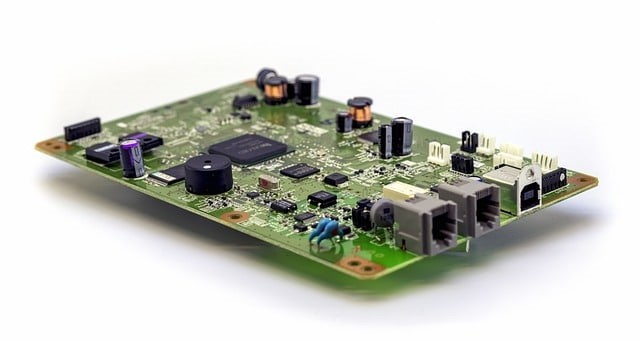
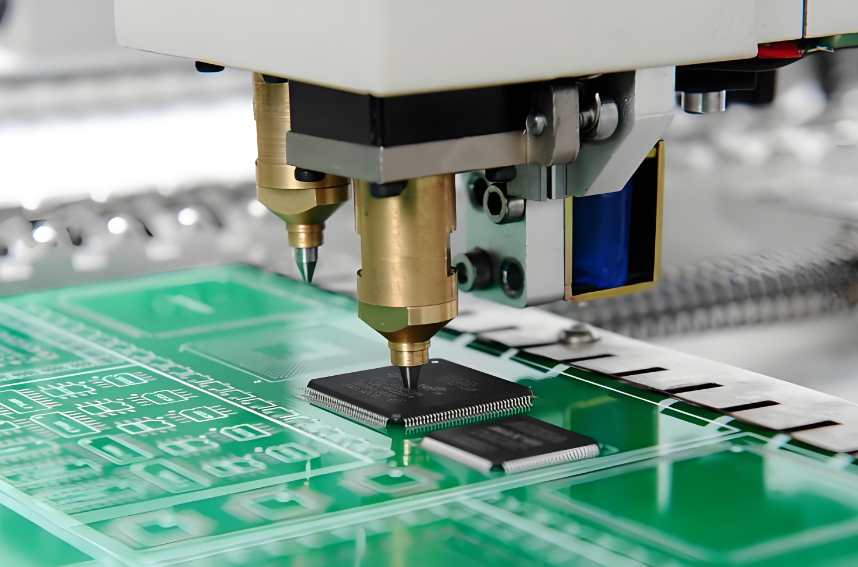
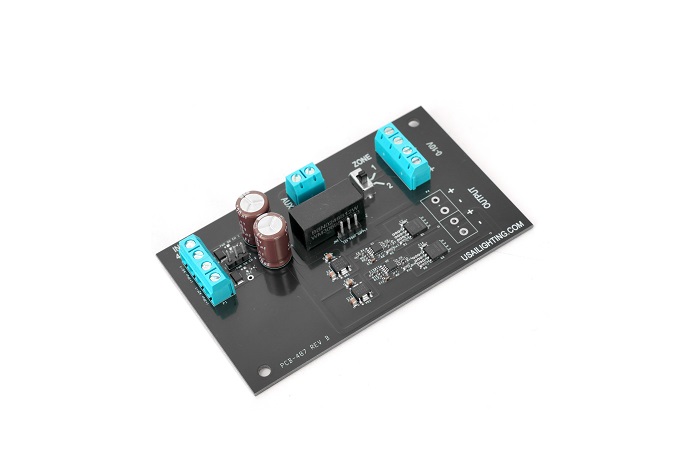
PCB manufacturing PCB manufacturing
Home > Blog

What is a Microwave PCB? An Ultimate Guide 2026

December 3rd, 2025

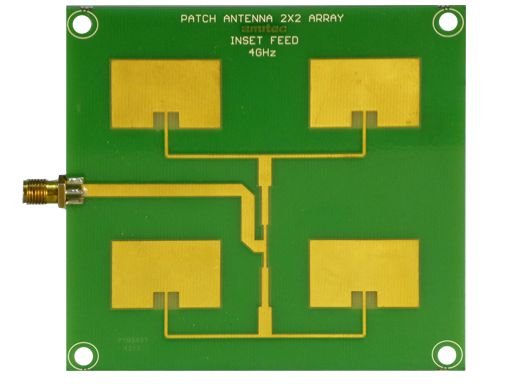
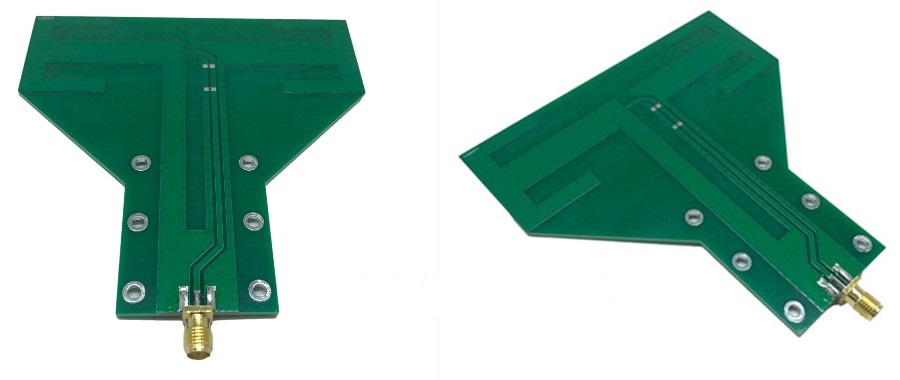
A microwave PCB handles signals that run at very high frequencies, and these boards support systems that need clean, stable performance. You will find a microwave PCB in equipment such as radar modules, satellite links, high-speed wireless platforms, and precision test devices. As industries push toward higher data rates and smaller RF systems, the need for dependable microwave boards grows quickly.

Today, many engineers search for rf microwave PCB options that keep loss low and impedance steady. Others look for complete rf & microwave PCB solutions that simplify material choice, stack-up planning, and manufacturing. If you’re evaluating RF microwave PCB materials or sourcing RF & microwave PCB solutions, this article will give you a complete understanding.

What is a Microwave PCB? An Ultimate Guide 2026

What Is a Microwave PCB?

A microwave PCB is a printed circuit board designed to operate at extremely high frequencies, typically:

  • Microwave band: 300 MHz – 30 GHz
  • Millimeter-wave (mmWave): 30 – 100+ GHz

At these frequencies, PCB traces behave like transmission lines, and even tiny layout variations can impact signal loss, phase accuracy, antenna performance, and overall system reliability.

Microwave PCBs are commonly used in radar systems, satellite communication, aerospace navigation, and 5G mmWave modules. Compared with standard RF boards, microwave PCBs demand more precise materials, controlled impedance, and stricter fabrication tolerances.

What Materials Are Used for Microwave PCBs?

Material choice is one of the most important decisions in microwave design. Standard FR-4 cannot support microwave frequencies due to high loss and unstable dielectric properties. Instead, microwave PCBs use advanced materials engineered for low loss and tight dielectric tolerances.

Here are the materials most commonly used:

Material TypeExamplesFeaturesBest Use Case
PTFE (Teflon)RT/duroid 5880, Taconic TLYExtremely low loss, stable Dk, best for high GHzRadar, mmWave, satellites
Hydrocarbon CeramicsRogers RO4350B, RO4003CLow loss, easy to manufacture, cost-effective1–20 GHz microwave circuits
Ceramic-Filled PTFERogers RO3006/3010Ultra-stable Dk, low thermal expansionHigh-power microwave and phased arrays
Hybrid StackupsFR4 + RogersPerformance + lower costMixed-signal RF/microwave designs

The best material depends on target frequency, environmental exposure, and mechanical requirements. Each laminate affects loss, phase stability, and long-term reliability.

Key Design Rules and Layout for Microwave PCB Design

Designing a microwave PCB is very different from routing a standard digital or low-frequency board. At microwave frequencies, each copper trace behaves like a transmission line. Small changes in width, dielectric height, copper roughness, or via structure can shift impedance and alter the entire RF chain. Because of that, layout and stack-up design must follow strict engineering rules to keep signal quality stable.

Key Design Rules and Layout for Microwave PCB Design

Below are the core principles used by RF engineers when building reliable microwave layouts.

1. Maintain Tight Impedance Control

Stable impedance is the foundation of microwave design. Even small dimensional changes can introduce reflections or distort the waveform.

Key requirements:

  • Define target impedance early (commonly 50Ω or 75Ω).
  • Choose the correct structure: microstrip, stripline, or grounded coplanar waveguide (GCPW).
  • Keep trace width consistent along the entire path.
  • Maintain stable dielectric thickness and copper thickness.
  • Use field-solver tools (ADS, HFSS, CST, Polar SI, or Altium impedance calculator).
  • Keep differential pairs phase-matched if used in RF mixers or high-frequency paths.

GCPW is widely used for microwave PCB design because it offers strong field confinement and supports compact layouts.

2. Use Smooth Routing Instead of Sharp Corners

High-frequency energy does not like sudden changes. Sharp corners cause impedance shifts and increase local reflections.

Preferred routing practices:

  • Avoid 90° turns.
  • Use gradual curves (arc routing) for cleaner field transitions.
  • Use mitered 45° bends if space is limited.
  • Keep sensitive paths straight and short whenever possible.

Smooth routing helps preserve phase stability and reduces insertion loss.

3. Keep the Ground Plane Continuous

A microwave signal needs a clean, uninterrupted return path. Gaps in the ground plane cause radiation, coupling, and impedance drift.

Ground plane guidelines:

  • Maintain a solid ground layer directly under RF traces.
  • Avoid splits, voids, or cutouts beneath the signal path.
  • Do not place digital return paths through RF areas.
  • Add stitching vias around RF traces to create a “via fence” barrier.

A well-designed ground structure stabilizes the electromagnetic field and reduces unwanted emissions.

4. Manage Vias Carefully

A via is not just a hole at microwave frequencies—it’s a small inductor. Too much via inductance can degrade signal quality.

Best practices for vias:

  • Avoid unnecessary layer jumps.
  • Use multiple parallel vias to lower effective inductance.
  • Keep via barrels short when possible.
  • Add grounding vias around pads and connectors to improve shielding.
  • Avoid routing RF traces directly over via fields or ground voids.

Good via strategy can significantly improve stability in PA, LNA, and filter sections.

5. Select the Right Transmission Line Structure

Different RF paths require different structures depending on frequency, isolation, and mechanical constraints.

Common options:

  • Microstrip – simple, ideal for top-layer routing.
  • Stripline – fully shielded, good for noise-sensitive circuits.
  • Grounded coplanar waveguide (GCPW) – excellent isolation, compact layout, and easy impedance tuning.
  • Wide microstrip – lower conductor loss, suitable for power amplifiers.

GCPW has become the most popular for microwave work due to its predictable behavior and high routing density.

6. Align Components with the Signal Flow

Component orientation affects load matching and return loss.

Component placement guidelines:

  • Place RF blocks (filter, LNA, PA, mixer) in the order of the signal chain.
  • Keep matching networks close to device pins.
  • Avoid unnecessary gaps between RF parts.
  • Place RF connectors, such as SMA or SMP, near the board edge for clean transitions.

When Should You Choose Microwave PCB vs. RF PCB?

Many engineers compare microwave PCBs with standard RF boards because both handle high-frequency signals. But the decision depends on frequency, performance targets, and loss tolerance.

TechnologyFrequency RangeBest For
RF PCBUp to ~6 GHzBluetooth, Wi-Fi, sub-6 GHz communication
Microwave PCB6–100+ GHz5G mmWave, radar, satellite, high-precision sensing

Choose an RF PCB when:

  • Frequencies are below 6 GHz
  • Cost is a major concern
  • FR-4 or mixed-material stackups are acceptable

Choose a Microwave PCB when:

  • You operate above 6 GHz
  • You require ultra-low loss
  • Your system needs stable phase and predictable impedance
  • Applications involve radar, mmWave, or satellite links

In short, microwave PCBs suit high-precision projects where even small layout or material changes can affect real performance. They are the preferred choice for radar, satellite links, and advanced communications.

Microwave PCBs Applications & Industries

Microwave PCBs appear in many sectors because they support stable, low-loss transmission for sensitive circuits. You’ll often see them in systems that require fast data, long-range signal paths, or precise sensing.

Common applications include:

  • 5G and 6G wireless infrastructure
  • Satellite communication systems (SATCOM)
  • Automotive radar (24 GHz, 77 GHz)
  • Military and commercial radar platforms
  • Microwave filters, couplers, and antennas
  • High-frequency power amplifiers
  • Navigation and guidance systems
  • Medical imaging devices such as MRI coils
  • Instrumentation and RF test equipment
  • Industrial microwave heating and sensing

These industries rely on microwave boards because small performance shifts can affect overall system behavior. Stable materials and predictable routing keep these systems accurate and responsive.

Microwave PCBs Applications & Industries

Does Size of a Microwave PCB Affect Its Application?

Yes, board size can influence performance because microwave signals respond to physical dimensions. At these frequencies, even a few millimeters can change how energy travels.

Board size affects:

  • Impedance stability:Longer traces add more loss and potential phase distortion.
  • Resonance behavior:Larger boards can introduce unwanted resonances.
  • Shielding structure:Compact layouts may need tighter via fences.
  • Thermal changes:Bigger boards may expand more under heat, shifting dielectric spacing.
  • Antenna performance:Antenna length and board shape affect radiation patterns.

Small boards require sharper tolerance control. Large boards demand stronger handling of expansion and material stability. The ideal size depends on whether the circuit is an antenna, filter, amplifier, or sensor.

How to Tell If a Microwave Control Board Is Bad?

Many users ask this because microwave ovens and industrial microwave systems depend on small control boards. Failures are often easy to spot once you know what to check. Common signs of a bad microwave control board include:

  • No power, no response, or blank display
  • Buttons that fail to react
  • Burning smell or visible damage
  • Unusual noises or sparking
  • Microwave stops heating while lights and fan still work
  • Random behavior such as auto-starting or shutting off
  • Relays that click repeatedly without function

If above signs occur, you can perform below visual checks safely:

  • Scorch marks or dark spots
  • Swollen capacitors
  • Cracked solder joints
  • Damaged connectors
  • Loose ribbon cables

These symptoms point to circuitry or relay failure. For home microwaves, technicians often replace the entire board rather than repair individual components.

How Much Does It Cost to Repair a Microwave Circuit Board?

Repair cost depends on equipment type, part availability, and labor requirements.

Typical consumer microwave repair ranges:

  • Basic repair: USD 80–120
  • Control board replacement: USD 120–250
  • High-end or built-in models: USD 180–350

Industrial microwave equipment repair ranges:

  • Board-level component repair: USD 250–600
  • Full board replacement: USD 400–1,200+ depending on complexity

Factors that influence cost include:

  • Part scarcity
  • Board size and layer count
  • Number of relays, sensors, or high-voltage circuits
  • Whether the board is conformal-coated
  • Testing and calibration requirements

Consumer microwaves are often cheaper to replace than repair, but industrial microwave systems usually justify board-level repair. Best Technology can repair the microwave circuit board for free if your PCB are ordered from our company.

Where to Get RF Microwave PCB Boards with UL/CE Certification?

Many companies need microwave PCBs that meet safety and compliance standards, especially when the final product enters global markets. UL and CE certifications help confirm material reliability and safety. When sourcing certified microwave boards, a good supplier should provide:

  • UL-certified laminates (Rogers, Taconic, Arlon, Panasonic)
  • CE-compliant production and testing
  • Rogers/PTFE/ceramic microwave PCB fabrication
  • Controlled impedance testing reports
  • Hybrid laminations and multi-layer microwave stackups
  • RF & microwave PCB solutions for 1–100 GHz

Best Technology is a strong option for RF and microwave PCB production because the company offers:

  • UL-approved material systems
  • Stable performance with PTFE, Rogers, and ceramic-filled substrates
  • Tight impedance control for microwave designs
  • Complete CE-related documentation support
  • Strong engineering assistance during stack-up and DFM review
  • Consistent production with IPC standards
  • Fast global delivery for prototypes and batches

If you are preparing a new microwave PCB or RF hardware program, welcome to contact us at sales@bestpcbs.com, our team is 24/7 hours online for you!

Top 10 PCB Manufacturing Companies in USA

December 3rd, 2025

How to choose PCB manufacturing companies in USA? This blog is mainly about company list and selection guide to USA PCB manufacturer for your reference.

List of PCB Manufacturing Companies in USA

1. Advanced Circuits (Colorado, USA)

  • Main Business: Standard FR4 boards, quick-turn prototypes, low to mid-volume runs.
  • Advantages: Strong domestic presence, user-friendly online quote system, stable prototype quality.
  • Production Capability: 2–12 layers common, HDI supported in selected runs, 4-mil lines achievable.
  • Lead Time: Same-day to 5 days for prototype jobs; longer for complex boards.

2. Sanmina (California, USA)

  • Main Business: Complex multilayer boards, rigid-flex, aerospace grade, and full system manufacturing.
  • Advantages: Mature supply chain, strong compliance, high reliability for defense and medical use.
  • Production Capability: Supports >20 layers, heavy copper, HDI, embedded components.
  • Lead Time: 10–25 days depending on complexity and certification needs.

3. TTM Technologies (Multiple States)

  • Main Business: High-layer count PCBs, RF/microwave, automotive, military, and aerospace boards.
  • Advantages: Very strong engineering base, advanced materials, strict reliability flows.
  • Production Capability: 2–60+ layers, advanced RF laminates, high-speed digital stack-ups.
  • Lead Time: 10–30 days for most industrial programs.

4. Tempo Automation (California, USA)

  • Main Business: Rapid prototype fabrication and assembly for startups and R&D teams.
  • Advantages: Fast online quoting, flexible prototype support, strong traceability.
  • Production Capability: 2–12 layers, fast-turn PCBA in small lots.
  • Lead Time: 48 hours to 7 days for most prototype builds.

5. Benchmark Electronics (Arizona, USA)

  • Main Business: High-reliability electronics manufacturing, PCBA, and system-level integration.
  • Advantages: Good for industrial, energy, defense, and high-stress environments.
  • Production Capability: Multilayer FR4, rigid-flex builds, full assembly lines.
  • Lead Time: 15–30 days depending on certification and engineering inputs.

6. Summit Interconnect (California & Colorado)

  • Main Business: Complex rigid, rigid-flex, RF/microwave PCBs for advanced applications.
  • Advantages: Good customer service, reliable impedance control, tight process management.
  • Production Capability: Up to 40+ layers, HDI, stacked microvias, advanced RF laminates.
  • Lead Time: 7–20 days depending on layer count.

7. APCT (California, USA)

  • Main Business: Multilayer PCBs, HDI, advanced materials like Rogers and Isola.
  • Advantages: Rapid-turn capability, friendly engineering consultation, stable yields.
  • Production Capability: 2–40 layers, blind/buried vias, hybrid-material builds.
  • Lead Time: 5–10 days for FR4; 10–15 days for RF materials.

8. PCB Unlimited (Oregon, USA)

  • Main Business: PCB fabrication, stencil service, and small-batch assembly.
  • Advantages: One-stop ordering, strong suitability for small businesses.
  • Production Capability: 1–12 layers, quick stencil production, prototype PCBA.
  • Lead Time: 3–10 days for most builds.

9. Data Tronix (California, USA)

  • Main Business: Rigid, flex, and rigid-flex circuit production and assembly.
  • Advantages: Good flexibility for project-based orders and custom solutions.
  • Production Capability: 2–20+ layers, mixed copper, fine pitch routing.
  • Lead Time: 7–14 days for fabrication.

10. Best Technology (China Serving USA Market)

  • Main Business: Prototype to mass production for rigid, flex, rigid-flex, HDI, ceramic PCB, and PCBA.
  • Advantages: ISO9001, ISO13485, IATF16949, AS9100D certifications; traceability with MES; competitive pricing; free DFM; strong RF, HDI, and ceramic expertise.
  • Production Capability: 1–60 layers, heavy copper up to 20oz, HDI 2+N+2/3+N+3, microvias, metal-core boards, ceramic alumina and AlN.
  • Lead Time: 24-hour quick-turn prototype; 5–12 days standard; assembly in 7–15 days.
List of PCB Manufacturing Companies in USA

Which Companies Provide PCB Manufacturing and Assembly in the USA?

The USA PCB manufacturer commonly providing both fabrication and assembly include:

  • Sanmina
  • Benchmark Electronics
  • TTM Technologies (selected plants)
  • Tempo Automation
  • Data Tronix
Which Companies Provide PCB Manufacturing and Assembly in the USA?

As a global PCB partner, Best Technology supports USA orders with fabrication, sourcing, assembly, testing, and final inspection in one place.

How to Choose PCB Manufacturing Companies in USA?

A detailed Selection Guide to PCB manufacturing companies in USA:

1. Certification and Compliance Standards

  • Core Certifications: ISO 9001 (Quality Management), UL 94 V-0 (Flame Resistance), IPC-A-600 (Visual Standards), ISO 13485 (Medical Devices).
  • Environmental Compliance: RoHS 3.0 (EU Regulations), Halogen-Free Certification (Cl+Br<900ppm), REACH-Compliant Materials.
  • Case References: Advanced Circuits holds ISO 13485 certification, trusted by leading medical device manufacturers. Cirexx International meets high-frequency RF requirements for 5G applications.

2. Technical Capability Matching

  • Quick-Turn Prototyping: Proto Labs offers 24-hour turnaround for R&D prototypes.
  • Advanced Technologies: TTM Technologies and Flex Ltd. specialize in HDI, rigid-flex boards, high-frequency RF (5G), and ceramic substrates.
  • Material Expertise: Supports Rogers/Taconic high-frequency materials, 20oz copper, and 40-layer board mass production.

3. Quality Control Systems

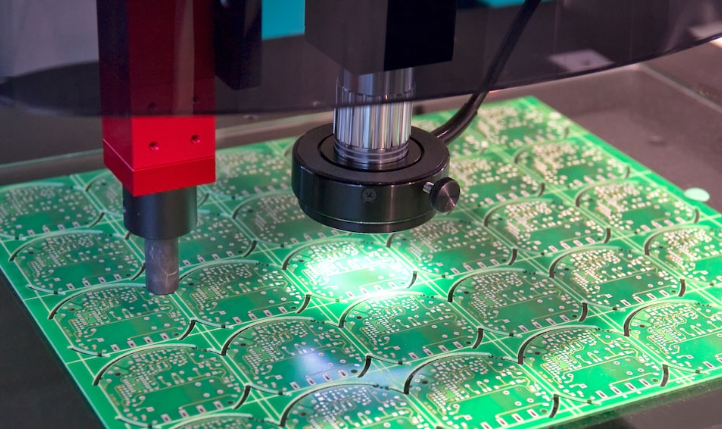
  • Full-Cycle Inspection: Incoming material checks, AOI (Automated Optical Inspection), X-ray inspection for BGA soldering, ICT/FCT functional testing, and environmental stress screening.
  • Traceability: Batch tracking linked to process parameters and operator records, exemplified by Sanmina’s medical-grade traceability system.
  • Failure Rate Data: Top-tier manufacturers report annual failure rates ≤0.1%, significantly below industry averages.

4. Lead Time Management

  • Standard Timelines: Single-layer boards in 3-5 days, double-layer in 4-7 days, 4-layer in 7-10 days, and 8+ layers in 12-15 days. Bulk production can be reduced to 5-8 days.
  • Expedited Options: 24/48-hour rush services available for urgent prototyping (additional 30-50% cost).
  • Risk Mitigation: Anticipate delays during holidays/peak seasons; confirm capacity upfront and formalize lead time agreements.

5. Customer Support Services

  • Design Assistance: DFM (Design for Manufacturability) tools, signal integrity analysis, and blind/buried via optimization.
  • Communication Channels: 24/7 multilingual technical support, online quoting systems, and automated Gerber file verification.
  • Custom Solutions: Small-batch orders (5+ pieces), PCBA assembly, global shipping with customs assistance, and post-sale technical consultation.

6. Cost-Effectiveness Analysis

  • Pricing Benchmarks: U.S. pricing is typically 3-6x higher than Asia but offers superior quality and compliance. Example: 10-layer prototype boards range from $2,500?$4,000.
  • Hidden Costs: Rework expenses from defects (often 2-5x order value), supply chain risks from delays, and volume-based tiered pricing.
  • Optimization Tactics: Use local quick-turn shops for standard processes; prioritize top-tier manufacturers for advanced needs. Negotiate annual volume agreements for bulk orders.

7. Industry Experience and Case Studies

  • Domain Expertise: Medical devices, automotive electronics, 5G communications, and consumer electronics.
  • Client Testimonials: Academic teams report “exceeding quality expectations,” while enterprises highlight “consistent service and rapid response.”
  • Supply Chain Synergy: Leverage manufacturers with global facilities (e.g., TTM’s sites in Mexico/Singapore) to balance cost and quality control.

8. Sustainability and Logistics

  • Eco-Practices: Lead-free soldering, >95% waste recycling, carbon footprint management, and REACH-compliant materials.
  • Logistics Solutions: Direct U.S. shipping, anti-static packaging, DHL/FedEx integration, and customs brokerage support.
  • ESG Compliance: Environmental declarations and material traceability reports aligned with global ESG standards.
How to Choose PCB Manufacturing Companies in USA

Sticker Shock & Hidden Fees: Clear Pricing Without Extra Bill

Many buyers complain about unexpected charges in the final price. These charges may include mold fees, complex via fees, special material surcharges, or assembly fees. While not all manufacturers hide these items, they still cause concern for US customers.

At Best Technology, we insist on price transparency. Quotations list all items upfront, giving engineers and purchasing personnel peace of mind. Furthermore, our quoting team explains various alternatives, such as adjusting the stack-up structure, removing unnecessary impedance pairs, or choosing more manageable surface treatments to reduce costs. This helps US customers develop budgets for PCB projects with greater confidence and avoid extra charges.

Quality Inconsistencies: ISO-Certified Production Process

Some buyers are concerned about issues such as unstable yield rates, pad lifting, impedance misalignment, or plating thickness fluctuations. These issues can disrupt verification programs and impact long-term reliability.

Best Technology holds the following certifications:

  • ISO 9001 (General Manufacturing)
  • ISO 13485 (Medical Devices)
  • IATF 16949 (Automotive Electronics)
  • AS9100D (Aerospace Manufacturing)
  • UL
  • REACH
  • RoHS

Thanks to these certifications, every order follows a rigorous process from planning to shipment. AOI inspection at each layer, cross-sectional inspection, microvia reliability assessment, and MES traceability ensure consistency for every product. This helps US customers trust the mechanical and electrical stability of our circuit boards from prototype to mass production.

Lead Time Delays: 99.2% On-Time Delivery Rate

Another major concern of clients is long or uncertain lead times. They prefer stable turnaround because many R&D cycles depend on fast validation.

Best Technology maintains a 99.2% on-time delivery rate during the past years. This is supported by:

  • In-house lamination, drilling, plating, and surface finish lines
  • 24-hour prototype lanes
  • SMT lines ready for fast assembly

As a result, USA customers enjoy shorter project cycles and fewer interruptions.

No Design Support: Free DFM Reviews & Quick Feedback

Many PCB customers highly value early design support because it reduces layout risk. Some manufacturers simply produce according to the customer-provided documentation, while others point out areas for improvement and help optimize the stack-up structure.

Best Technology offers a free Design for Manufacturability (DFM) review for every order. The engineering team examines impedance, spacing, thermal management, copper balance, drill hole configuration, and manufacturability issues. This helps improve yield and accelerates each round of verification.

Case Studies of Our USA PCB Manufacturing Project

Case Name: Texas AI Hardware Startup H800 Liquid-Cooled AI Server Motherboard R&D Project

Project Background:

  • With the explosion of generative AI, demand for high-performance computing hardware in the US has surged. This project, commissioned by a Texas AI hardware startup, aims to develop a liquid-cooled AI server motherboard based on the H800 architecture.

Challenges:

  • Design Complexity: Requires support for 800Gbps+ high-speed links, with strict requirements for stack-up and impedance control.
  • Yield Pressure: Traditional manufacturing processes result in a 15% scrap rate for microvias, leading to uncontrolled costs.
  • Delivery Timeline: Client mandates a 6-week timeline from prototyping to mass production, significantly shorter than the industry standard of 12 weeks.

Technical Specifications

  • Layer Count: 16-Layer
  • Substrate Material: High-frequency high-speed material (Isola Speed 370HR)
  • Process: HDI + Blind/Buried Vias
  • Dimensions: 320mm × 260mm (Oversized)

Solutions & Technical Innovations

  • Full-Link Simulation: Utilized CST and HFSS for 3D full-wave simulation of stack-up structures prior to panelization. Key optimizations include via inductance effects and dielectric loss reduction, addressing signal attenuation issues.
  • AI-Assisted Design (AID): Implemented AI algorithms for automated routing, identifying and avoiding high-risk areas (e.g., power plane splits), reducing design iteration cycles by 40%.
  • Stack-Up & Impedance Control: Achieved impedance matching accuracy within ±5Ω for high-speed links through simulation validation.

Project Outcomes:

  • Technical Breakthrough: Successfully resolved signal crosstalk issues in 16-layer boards under high-frequency conditions, passing rigorous client functional testing (FTM).
  • Yield Improvement: Overall project yield reached 96.2%, a 12% improvement over previous generations.
  • Delivery Efficiency: Total project duration reduced by 50%, completing delivery 2 weeks ahead of schedule.

Types of PCB We Can Offer You

  • FR4 PCB( Single Layer PCB, 2 Layers PCB, Multi-layer PCB)
  • MCPCB(Single Layer MCPCB, 2 Layers MCPCB)
  • FPC( Single Sided Flexible Circuits, Double Sided Flexible Circuits, Multilayer Flexible Circuits, Dual Access Flexible Circuits, Rigid-Flex Circuits)
  • Ceramic PCB( Thick Film Ceramic PCB, Thin Film Ceramic PCB, DCB Ceramic PCB)
  • Heavy Copper PCB
  • Bus Bar PCB
  • Extra Thin PCB
  • High Tg PCB
  • HDI PCB
  • RF Board
Types of PCB We Can Offer You

Why USA Clients Choose Best Technology for PCB Manufacturer?

Reasons why USA clients choose us for PCB manufacturer:

  • Transparent Pricing with No Hidden Costs: Cost-sensitive pricing system from material procurement to process optimization, no extra fees, free DFM analysis to identify design risks early and reduce over 30% of redesign costs, directly saving clients’ R&D budget.
  • 24-Hour Rapid Prototyping for Urgent Orders: Dual-shift production lines and intelligent scheduling system enable 24-hour prototyping for urgent orders, supporting U.S. clients in product iteration or ad-hoc needs and reducing R&D cycle by over 40%.
  • 99.2% On-Time Delivery Rate: APS intelligent production scheduling and dynamic supply chain monitoring achieve 99.2% on-time delivery, 15% higher stability than industry average, ensuring zero delays in clients’ production plans.
  • 100% Batch Inspection and Strict Quality Control: Triple quality inspection via AOI optical testing, electrical testing and manual review, batch orders undergo 100% full inspection with defect rate below 0.03%, quality consistency verified by ISO 9001 and IATF 16949 dual certifications.
  • Multi-Domain International Certifications: ISO 9001, IATF 16949 automotive certification, medical-grade ISO 13485 and RoHS environmental certification meet compliance requirements for U.S. medical, automotive, consumer electronics and other high-threshold industries, reducing clients’ additional compliance verification costs.
  • 19 Years of Production Experience and Error Database: 19 years of industry experience with a production error database, optimizing process parameters through historical defect data analysis to lower clients’ repeated error costs and increase first-pass yield to 98.5%.
  • Free DFM Design Optimization Service: Free DFM analysis optimizes clients’ designs from a manufacturability perspective, reducing common design errors like laminate defects and pad spacing issues, shortening trial production cycles and lowering mass production risks.
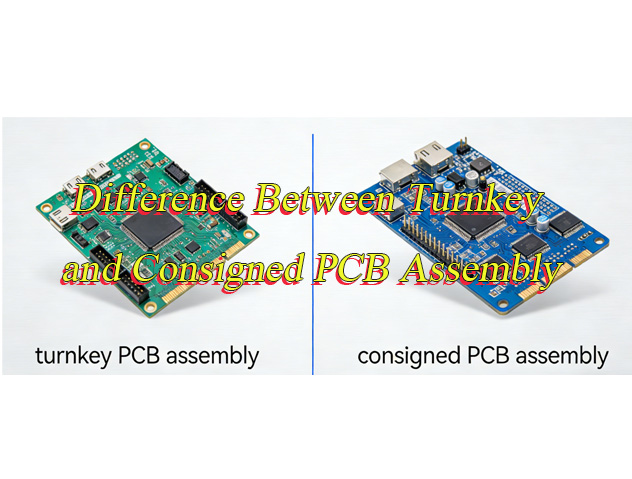
  • Turnkey Solutions: Full-process services from PCB design, prototyping to mass assembly, integrating design optimization, material procurement, manufacturing, quality testing and logistics, ensuring seamless linkages across all stages, cutting product launch cycles by over 30% and maintaining quality consistency while reducing cross-departmental communication costs and risks from disjointed processes.

Welcome to contact us if you have any request for PCB design, prototyping, mass production and assembly: sales@bestpcbs.com.

What is Female N Type to Male SMA Type Adapter?

December 3rd, 2025

A Female N Type to Male SMA Type Adapter is a passive radio frequency (RF) component designed to create a seamless and reliable connection between two different types of coaxial connectors: a female N-type port and a male SMA-type. This article will demystify this essential adapter, exploring its function, common types, key applications, and how to select the right one for your project, ultimately linking its performance to the critical role of high-quality PCB and PCBA manufacturing.

Sourcing the correct interconnect components can be frustrating and costly, leading to project delays and performance issues. What are the most common pain points when dealing with RF adapters like the N female to SMA male?

  • Signal Loss and Mismatch:​ Using adapters with poor impedance control (deviating from 50Ω) causes signal reflections, increased VSWR, and degraded system performance.
  • Incompatibility Confusion:​ Difficulty distinguishing between SMA, RP-SMA, and N-type interfaces leads to ordering mistakes, wasted resources, and rework.
  • Mechanical Failure:​ Low-quality adapters with poor plating or weak structural integrity can break, loosen, or wear out quickly, especially in field-testing environments.
  • Frequency Limitations:​ Selecting an adapter not rated for the required frequency band (e.g., using a low-frequency adapter for a high-frequency application) results in unexpected signal attenuation.
  • Supply Chain Inconsistency:​ Difficulty finding a reliable manufacturer capable of delivering high-performance, consistent-quality adapters PCB circuit in both prototype and production volumes.

These challenges highlight the need for a supplier that understands both the component and the underlying RF principles. The solution lies in partnering with a manufacturer with expertise that extends from the connector itself to the printed circuit boards it interfaces with.

  • Precision Impedance Matching:​ Ensuring strict impedance control (e.g., ±5%) through expert PCB design and manufacturing to minimize signal loss and reflection.
  • Interface Standardization Guidance:​ Providing clear specifications and diagrams to help customers navigate the complex landscape of RF connector types and avoid compatibility errors.
  • Robust Mechanical Construction:​ Utilizing high-quality materials (e.g., gold plating over nickel) and precision machining to ensure durable, reliable connections that withstand mating cycles and harsh environments.
  • Broad Frequency Optimization:​ Designing and testing adapters to perform optimally across their specified frequency range, up to 18 GHz for SMA and higher for N-type.
  • Reliable, Scalable Production:​ Offering end-to-end PCB and PCBA support from PCB prototype to volume production with consistent quality, backed by certifications like ISO 13485, IATF 16949 and AS9100D.

At BEST Technology, we are not just a PCB manufacturer; we are a specialized provider of high-frequency PCBs and assemblies. Our deep expertise in RF materials like Rogers and our certified, multi-location PCBA facilities ensure that the components you depend on, from adapters to the boards they connect, are built to the highest standards of performance and reliability. Pls feel free to contact us at sales@bestpcbs.com to discuss your project requirements.

Female N Type to Male SMA Type Adapter

What Does a Female N Type to Male SMA Type Adapter Do in RF Links?

PCB → SMA Female → SMA Male (Adapter) → N-Type Female(Adapter)
In a typical RF board, an SMA female connector is mounted at the board edge as the RF I/O point. The adapter’s SMA male end simply screws onto this PCB-mounted SMA female, turning the board’s SMA interface into an N-type female interface on the spot. In other words, the adapter acts as a mechanical and electrical “front end change,” converting the PCB’s small SMA port into a larger, rugged N-type interface without altering the PCB design.

In essence, this adapter acts as a bridge. Its primary function is to enable a connection between equipment or cables that would otherwise be incompatible due to their different connector genders and types. This is crucial in RF systems where maintaining a continuous, controlled impedance path is paramount to signal integrity.

  • Interface Conversion:
    It physically mates a device with a female N-type (typically a larger, more robust connector used for base stations or outdoor equipment) to a cable with a male SMA (common on smaller devices like GPS modules, Wi-Fi cards, or test equipment).
  • Impedance Continuity:
    A high-quality adapter is engineered to maintain a constant characteristic impedance (almost always 50 Ohms for these connectors) through the transition.
    This prevents impedance discontinuities that cause signal reflections, leading to loss and measurement inaccuracies.
  • Signal Pathway Extension:
    It allows for the flexible configuration of test benches and operational systems without requiring custom-made cables, saving time and cost during system integration or troubleshooting.

In summary, the female N type to male SMA type adapter​ is a fundamental tool for ensuring connectivity and signal fidelity across diverse RF components.

What Are the Common RF Adapter Types Used Between N-Type, SMA, and RP-SMA Interfaces?

Understanding the “family” of adapters helps prevent costly mistakes. The main categories are defined by the connector interfaces they bridge.

The threads define whether a connector is male or female:
If the connector has inner threads, it is male.
If it has outer threads, it is female.
This rule is the same for both SMA and RP-SMA connectors.

The center contact defines the polarity:
“Reverse polarity” in RP-SMA only refers to the gender of the center contact, not the threads.

In a standard SMA connector:
• a male connector has an inner threads + center pin,
• a female connector has a outer threads + center socket.

In an RP-SMA connector, this is reversed:
• an RP-SMA male has an inner threads + center socket,
• an RP-SMA female has a outer threads + center pin.

Center pinCenter receptacle
Internal threadSMA male/plugRP-SMA male/plug
External threadRP-SMA female/jackSMA female/jack
Female N Type to Male SMA Type Adapter

N-Type ↔ SMA Series

This is the standard series. Both N and SMA connectors have a sexed interface: male connectors have an inner threads + center pin, and female connectors have a outer threads + center socket.

  • N Female to SMA Male:​ Connects a device with an N-type female to a cable with an SMA male.
  • N Male to SMA Female:​ Connects a device with an SMA female to a cable with an N-type male.

N-Type ↔ RP-SMA Series

The “Reverse Polarity” (RP-SMA) interface was created as a proprietary measure to prevent connection with standard consumer equipment. The gender of the center conductor is reversed.

  • RP-SMA Male to N Type Female:​ The RP-SMA male has a center socket (instead of a pin), and it mates with an N-type female.
  • N-Type Male to RP-SMA Female:​ The RP-SMA female has a center pin, and it mates with an N-type male.

Adapter Interface Specifications

Adapter TypeEnd 1End 1 ThreadEnd 1 Center ContactEnd 2End 2 ThreadEnd 2 Center Contact
RP-SMA Male to N Type FemaleRP-SMA MaleInner ThreadCenter Socket
(RP Style)
N-Type FemaleOuter ThreadCenter Socket
N Type Male to RP-SMA FemaleN-Type MaleInner ThreadCenter PinRP-SMA FemaleOuter ThreadCenter Pin (RP Style)

This classification clarifies the relationships, ensuring you select the correct N type female to SMA male adapter​ or its RP-SMA counterpart for your specific need.

When Should Engineers Use an N Type Female to SMA Male Adapter?

This specific adapter is frequently deployed in specific scenarios where equipment interoperability is key.

  • Connecting Test Equipment to Antennas:​ When a vector network analyzer (VNA) with an N-type output port needs to test a device or antenna with an SMA connector, this adapter provides the necessary link.
  • Base Station Integration:​ To interface a macro-cell base station (often using robust N-type connections) with a smaller, SMA-based repeater or a femtocell unit.
  • Lab and Development Environments:​ During R&D, when prototyping with SMA-ended evaluation boards but needing to connect to larger, N-type-based infrastructure cables for range or durability.

The decision to use an N type female to SMA male adapter​ is driven by the need for a reliable, low-loss transition between equipment tiers of different physical scales and connector standards.

How Does an N Type Male to SMA Female Adapter Support Stable Signal Conversion?

The stability of the signal conversion hinges on the precision manufacturing of the adapter itself, a process deeply connected to high-quality PCB and assembly principles.

  • Precision Center Conductor Alignment:
    The internal center pin and socket must be perfectly aligned to ensure a smooth, low-resistance electrical path.
    Any misalignment creates an impedance bump, disrupting the signal.
  • Dielectric Material Quality:
    The insulator (often Teflon) must have stable electrical properties and low loss to prevent signal attenuation, especially at higher frequencies.
  • Robust Outer Connector Body:
    A sturdy, well-plated outer shell provides consistent grounding and shielding against electromagnetic interference (EMI), which is critical for signal integrity.

Therefore, an N type male to SMA female adapter​ from a quality supplier functions as a seamless extension of the transmission line, not a compromise.

Why Do Wireless Devices Often Need an RP SMA Male to N Type Female Adapter Cable?

Many consumer wireless devices, such as Wi-Fi routers and drones, use RP-SMA connectors on their external antenna ports to comply with regulatory standards. However, professional-grade external antennas or test equipment often use standard N-type connectors.

  • An RP SMA male to N type female adapter cable​ is essential to connect these consumer devices to a more robust or specialized antenna system.
  • This is common in applications like enhancing cellular reception with an external antenna or connecting a Wi-Fi device to a spectrum analyzer for testing.

How to Pick the Right RP SMA Male to N Type Female Adapter for Field Testing?

Field testing demands durability and reliability. When selecting an adapter, consider:

  • Frequency Range:
    Ensure the adapter’s specified frequency range covers your application (e.g., 2.4 GHz/5 GHz for Wi-Fi, higher for 5G).
  • Construction Quality:
    Look for features like a hex crimp nut for easy hand-tightening, a stainless steel body, and gold-plated contacts for corrosion resistance.
  • VSWR Specification:
    VSWR is read as a ratio, and lower values are always better. A value near 1:1 means very little signal is reflected.
    For an RP SMA Male to N Type Female Adapter, a VSWR of around 1.20:1 is considered good.
    Values near 1.10:1 indicate excellent quality, while anything above 1.50:1 shows noticeable mismatch.
    If the VSWR approaches 2.0:1, the adapter is poor quality and will degrade RF performance.
VSWR RangePerformance MeaningQuality Level
1.10:1 – 1.20:1Very low reflection, excellent matchingHigh quality
≤ 1.25:1Good for most RF field testsGood quality
1.30:1 – 1.50:1Noticeable mismatch beginsAverage
≥ 2.00:1Strong reflection, unstable performancePoor quality

Choosing the right RP SMA male to N type female adapter​ ensures accurate measurements and prevents failures in demanding outdoor environments.

Why Choose an SMA Female to N Type Male Adapter for Compact RF Modules?

Compact RF modules (e.g., Bluetooth or Zigbee modules) often have SMA female connectors due to their small size.

To connect these modules to a larger system using N-type cables, an SMA female to N type male adapter​ is the ideal solution.

It provides a secure, impedance-matched interface without putting mechanical stress on the module’s small PCB-mounted connector.

How to Select the Best Female N Type to Male SMA Type Adapter for Your Project?

Selecting the right RF adapter is critical for system performance. The best choice is not always the most expensive one, but the one that optimally balances key specifications with your project’s requirements and budget.

1. Electrical Specifications

These parameters determine if the adapter will work in your application at all.

  • Frequency Range:​ The adapter must support your system’s highest frequency.
    • Standard Grade (up to 6-8 GHz):​ Suitable for Wi-Fi, 4G-LTE, and general applications.
    • Precision Grade (up to 12-12.5 GHz):​ Ideal for test and measurement, point-to-point radio.
    • High-Performance (up to 18+ GHz):​ Necessary for R&D and high-frequency instrumentation.
    • Guidance:​ Always select an adapter with a frequency rating exceeding your system’s maximum operating frequency.
  • Voltage Standing Wave Ratio (VSWR):​ Measures impedance matching; a value closer to 1.00 is ideal. A high VSWR causes signal reflection and power loss.
    • Guidance:​ Review the supplier’s VSWR-vs-Frequency chart to ensure it meets your requirements (e.g., <1.25:1) across your operating band.
  • Impedance:​ The standard for most RF applications is 50 Ohms; simply confirm this value.
  • Insertion Loss:​ Represents the signal power lost through the adapter. While lower is better, it requires careful consideration.
    • Key Trade-off:​ Ultra-low loss demands superior materials and precision manufacturing, which increases cost.
    • Low-Frequency/Short-Range:​ Loss differences are minimal; a cost-effective adapter is often sufficient.
    • High-Frequency/Critical Applications:​ Investing in a low-loss model is necessary for signal integrity.

2. Mechanical Specifications:

These factors impact physical robustness, mating cycle life, and ease of use.

  • Connector Gender/Type:​ You have specified a Female N-Type​ (outer thread) to Male SMA​ (inner thread) adapter.
  • Mating Torque:​ High-quality adapters specify a recommended tightening torque (e.g., 8 in-lbs for SMA). Over-tightening can damage the connector.
  • Plating:​ The finish determines corrosion resistance, durability, and electrical conductivity.
    • Internal Contacts:​ Typically gold-plated for excellent conductivity and oxidation resistance. Thicker gold plating enhances longevity.
    • External Shell:​ Often nickel-plated for corrosion resistance, with a final finish of gold, silver, or passivation.
  • Cable Interface (if applicable):​ For cable assemblies, also consider the cable’s specifications (e.g., diameter, flexibility) and the quality of the connector attachment.

3. Environmental Needs:

The adapter must survive and perform reliably in your project’s environment.

  • Operating Temperature Range:
    • Commercial:​ -10°C to +70°C
    • Industrial:​ -40°C to +85°C
    • Military:​ -55°C to +125°C
  • Moisture & Corrosion Resistance:​ For harsh environments (marine, industrial), look for stainless steel construction and robust plating. An IP rating for dust/water ingress protection may be necessary.
  • IP Rating:​ For outdoor or wash-down environments, specify a sealed adapter with an appropriate IP rating (e.g., IP67).

4. Supplier Reliability:

The supplier’s reputation is your guarantee of performance and a stable supply chain.

  • Proven Track Record:​ Prioritize established RF component manufacturers and distributors (e.g., Huber+Suhner, Pasternack, Amphenol, Rosenberger) known for quality and consistency.
  • Comprehensive Documentation:​ Reliable suppliers provide detailed datasheets with full electrical specifications and S-parameter plots.
  • Quality Certifications:​ Look for ISO 9001 quality management system certification, especially for production volume purchases.

Ultimate Balance: Performance, Robustness, and Cost

The “best” adapter is defined by your project’s specific priorities. Use the following table as a guide:

Project TypeRecommended Adapter GradePriorityExample Suppliers
Consumer Electronics / Basic IoTStandard Grade (up to 6 GHz)Cost-EffectivenessValue-line brands on major distributor websites (e.g., Digi-Key, Mouser)
Communications Equipment / Test SystemsPrecision Grade (up to 12.5 GHz)Performance & Reliability BalancePasternack, Amphenol RF
R&D / High-End InstrumentationHigh-Performance (up to 18+ GHz)Performance Above AllHuber+Suhner, Rosenberger
Military / Aerospace / Harsh EnvironmentsMilitary-Grade, Stainless SteelDurability & Environmental ResilienceSpecialist military-grade manufacturers

In summary, the selection process involves clearly defining your electrical, mechanical, and environmental needs, and then choosing a high-quality adapter from a reputable supplier that meets those requirements without exceeding your necessary performance threshold and budget.

Why Does Adapter Performance Depend on High-Quality PCB and PCBA Production?

While an adapter may seem like a simple mechanical part, its core performance is an extension of precision RF engineering, which is rooted in PCB and PCBA expertise.

High-Frequency PCB Precision That Supports Stable Adapter Performance

  • An RF adapter can only perform as well as the PCB it connects to.
  • High-frequency launches, trace geometry, and impedance transitions must be fabricated with tight tolerances to avoid added loss or reflections.
  • Best Technology specializes in RF PCB fabrication with precise impedance control and consistent stackup accuracy, ensuring that SMA or N-type adapters mounted on the board operate with predictable, low-loss performance.

RF Material Expertise Ensuring Low-Loss Transitions

  • Many adapters connect directly to traces routed on Rogers, PTFE, hydrocarbon laminates, or hybrid RF stackups.
  • Our team has extensive experience processing these materials, enabling cleaner transitions, lower dielectric loss, and stable RF behavior across multi-GHz bands.
  • The result is an adapter-to-PCB interface that preserves signal integrity rather than degrading it.

Reliable PCBA Assembly for Robust Connector Mounting

  • The mechanical reliability of an RF adapter depends on how well it is soldered and supported on the PCB. Poor solder joints or insufficient anchoring can cause intermittent behavior, impedance jumps, or connector damage.
  • With SMT factories in China and Vietnam, Best Technology delivers high-precision assembly for SMA, N-type, MMCX, U.FL, and other RF connectors, ensuring dependable long-term stability.

Surface Finishes Optimized for Long-Term RF Contact Integrity

  • The performance of an RF adapter ultimately relies on the pad finish it mates with.
  • Best Technology provides specialized surface treatments—ENIG, ENEPIG, immersion silver, hard gold—chosen according to frequency requirements, durability, and corrosion resistance.
  • A stable, low-resistance contact surface ensures the adapter maintains consistent RF performance over thousands of mating cycles.

Certified Manufacturing That Supports Consistent RF PCB Quality

  • RF systems demand predictable, repeatable quality.
  • Best Technology operates under AS9100D, IATF16949, ISO13485, and ISO9001, ensuring strict process control from PCB prototypes, fabrication to final assembly.
  • This allows engineers to trust that each PCB and PCBA batch will interact with their N-type or SMA adapters exactly as intended, from prototype builds through full-scale production.

Therefore, partnering with a manufacturer like BEST Technology, which holds certifications like AS9100D and IATF 16949 and has over 19 years of experience with high-frequency materials, guarantees that the components integral to your RF system. Our integrated approach from PCB fabrication to PCBA assembly ensures consistency and quality from the ground up.

Female N Type to Male SMA Type Adapter

To conclude, a Female N Type to Male SMA Type Adapter​ is a critical interconnect component that ensures signal integrity and compatibility between different RF interfaces. This article has detailed its functions, varieties, and selection criteria, emphasizing that optimal performance is achieved only through precision manufacturing. The reliability of such RF components is inextricably linked to the quality of the underlying manufacturing processes, particularly in PCB and PCBA. BEST Technology leverages its expertise in high-frequency PCB materials, stringent impedance control, and certified, scalable production capabilities to support the creation of reliable RF systems. For your next radio frequency adapter PCB or PCBA project requiring robust interconnect solutions, pls feel free to contact our experts at sales@bestpcbs.com.

SMD Resistor Dimensions: The Ultimate Guide to Packages, Footprints & Selection

December 3rd, 2025

If you’ve ever stared at a PCB prototype covered in misplaced components or wasted weeks reworking a design because the resistors didn’t fit, you know the frustration. smd resistor dimensions aren’t just arbitrary numbers—they’re the backbone of reliable electronics design. Understanding smd resistor dimensions ensures your components integrate seamlessly with PCBs, perform as expected under load, and avoid costly manufacturing delays. Whether you’re a hobbyist building a DIY project or an engineer designing industrial equipment, getting the dimensions right is non-negotiable. Let’s break down everything you need to know to stop guessing and start choosing with confidence.

SMD Resistor Dimensions: The Ultimate Guide to Packages, Footprints & Selection https://www.bestpcbs.com/blog/2025/12/smd-resistor-dimensions/

2. What Are SMD Resistors? A Quick Primer for Beginners

SMD resistors (Surface Mount Device resistors) are the compact, lead-free workhorses of modern electronics. Unlike traditional through-hole resistors that require drilled holes in PCBs, SMD resistors mount directly onto the board’s surface, saving valuable space and enabling faster assembly. Their key advantages over through-hole alternatives include a 50% smaller footprint, better high-frequency performance, and compatibility with automated pick-and-place machines—critical for mass production. But here’s the catch: their small size means smd resistor dimensions directly dictate what they can do. A tiny 0201 resistor might fit in a smartwatch, but it can’t handle the power demands of an industrial power supply. Size isn’t just about space—it’s about functionality.

SMD Resistor Dimensions: The Ultimate Guide to Packages, Footprints & Selection https://www.bestpcbs.com/blog/2025/12/smd-resistor-dimensions/

3. Understanding SMD Resistor Dimension Codes (Imperial vs. Metric)

One of the most common headaches with SMD resistors is decoding their size codes—and it’s easy to see why. Two global systems dominate: imperial (used primarily in North America and Europe) and metric (favored in Asia). The 4-digit codes look similar, but they mean entirely different things. Let’s demystify them:

  • Imperial codes: The first two digits = length (in 1/100 of an inch), the last two = width (in 1/100 of an inch). For example, 0402 = 0.04” (length) x 0.02” (width), and 1206 = 0.12” x 0.06”.
  • Metric codes: The first two digits = length (in millimeters), the last two = width (in millimeters). So 1608 = 1.6mm x 0.8mm, and 3216 = 3.2mm x 1.6mm.

The biggest mistake? Confusing imperial 0603 with metric 0603. Imperial 0603 = 1.6mm x 0.8mm (metric 1608), while metric 0603 = 0.6mm x 0.3mm (imperial 0201)—a difference that can ruin your entire PCB. Pro tip: Always confirm the code system with your supplier, and keep a conversion chart handy (multiply inches by 25.4 to get millimeters, or pide millimeters by 25.4 for inches).

4. smd resistor package dimensions

Common SMD Resistor Package Sizes (Detailed Specs + Comparative Chart)

When people talk about smd resistor dimensions, they’re usually referring to package size—the physical length, width, and height of the component. Here are the most widely used packages, with specs that matter:

Imperial CodeMetric CodeDimensions (mm)Dimensions (inch)Rated Power (W)Height (mm)
020106030.6 x 0.30.024 x 0.0120.050.25
040210051.0 x 0.50.039 x 0.0200.0630.35
060316081.6 x 0.80.063 x 0.0310.100.45
080520122.0 x 1.20.079 x 0.0470.1250.55
120632163.2 x 1.60.126 x 0.0630.250.75
251264326.4 x 3.20.252 x 0.1261.001.20

Notice how power rating scales with size? A 2512 package can handle 1W of power, while a tiny 0201 maxes out at 0.05W. This is because larger packages have more surface area for heat dissipation—critical for high-power applications.

SMD Resistor Dimensions: The Ultimate Guide to Packages, Footprints & Selection https://www.bestpcbs.com/blog/2025/12/smd-resistor-dimensions/

How Package Dimensions Impact Thermal Dissipation & Assembly

Thermal management is where smd resistor dimensions really shine (or fail). Smaller packages like 0201 and 0402 are great for compact devices (think smartphones or wearables), but they struggle with heat. If you push a 0402 resistor beyond its 0.063W limit, it’ll overheat, drift in resistance, or even burn out. Larger packages like 1206 and 2512 spread heat more effectively, making them ideal for power supplies or industrial controls.

Assembly is another factor. Ultra-small packages (0201) require precision automated equipment—forget hand-soldering them unless you have steady hands and a microscope. For hobbyists or small-batch projects, 0805 and 1206 are the sweet spot: easy to solder manually while still saving space.

SMD Resistor Dimensions: The Ultimate Guide to Packages, Footprints & Selection https://www.bestpcbs.com/blog/2025/12/smd-resistor-dimensions/

5. smd resistor footprint dimensions

What Is an SMD Resistor Footprint? (Land Pattern Basics)

If smd resistor dimensions are about the component itself, footprint dimensions are about how it connects to the PCB. A footprint (or land pattern) is the layout of copper pads on the PCB where the resistor solders. Think of it as the resistor’s “home”—if the home is too big or too small, the resistor won’t sit right.

Footprints follow global standards set by IPC (Association Connecting Electronics Industries) and JEDEC (Joint Electron Device Engineering Council). These standards ensure compatibility across manufacturers—so a 0805 resistor from Texas Instruments fits the same footprint as one from Yageo. Ignoring these standards leads to problems: pads too small cause poor solder joints, while pads too large result in solder bridging (short circuits) or the resistor shifting during assembly.

Standard Footprint Dimensions by Package

Here are the IPC-recommended footprint dimensions for the most common SMD resistor packages (pad length x width x gap between pads):

  • 0603 (1608): Pad length = 1.2mm, pad width = 0.8mm, gap = 0.4mm
  • 0805 (2012): Pad length = 1.5mm, pad width = 1.0mm, gap = 0.5mm
  • 1206 (3216): Pad length = 2.0mm, pad width = 1.4mm, gap = 0.6mm
  • 2512 (6432): Pad length = 3.0mm, pad width = 2.5mm, gap = 0.8mm

These are starting points—adjustments may be needed for high-temperature applications or flexible PCBs. Always cross-check with your resistor’s datasheet and your PCB design software (Altium, KiCad) for manufacturer-specific recommendations.

6. Key Factors to Consider When Choosing SMD Resistor Dimensions

PCB Space Constraints (High-Density vs. Industrial Designs)

The first question to ask: How much space do you have? High-density designs (like wearables or IoT sensors) demand tiny packages (0201, 0402) to fit all components. Industrial equipment or power supplies have more room, so you can opt for larger packages (1206, 2512) that offer better performance and easier assembly. Don’t force a small package if space allows—bigger often means more reliable.

Power Requirements & Performance Tradeoffs

Power rating is non-negotiable. Calculate the maximum power your resistor will handle (using Ohm’s Law: P = V²/R or P = I²R) and choose a package that exceeds that by 20-30% for safety. For example, if your circuit requires 0.1W, a 0603 (0.1W) works, but a 0805 (0.125W) gives extra headroom for heat spikes.

Assembly Method (Automated vs. Hand Soldering)

Automated pick-and-place machines handle tiny packages (0201, 0402) with ease, but hand soldering them is frustrating (and error-prone). If you’re building prototypes or small batches, stick to 0805 or 1206. For mass production, automated assembly opens up smaller package options.

Global Supply Chain Compatibility

Not all packages are equally available worldwide. Ultra-small packages (0201) may be harder to source in some regions, or more expensive. Stick to common packages (0402, 0603, 0805, 1206) for easier procurement and consistent quality across suppliers.

7. Common Mistakes in SMD Resistor Dimension Selection (And Fixes)

Even experienced engineers mess up smd resistor dimensions—here are the top mistakes and how to avoid them:

  • Mistake 1: Ignoring thermal limits. Solution: Always derate resistors (use a higher power rating than needed) and check datasheets for temperature vs. power curves.
  • Mistake 2: Confusing imperial and metric codes. Solution: Label your BOM (Bill of Materials) with both codes (e.g., 0603 / 1608) and confirm with suppliers.
  • Mistake 3: Choosing a package too small for hand soldering. Solution: For manual assembly, avoid anything smaller than 0805 unless you have specialized tools.
  • Mistake 4: Mismatched footprints. Solution: Use PCB design software’s built-in footprint libraries (Altium, KiCad) or download from the resistor manufacturer’s website.

8. SMD Resistor Dimensions for Specific Applications

Consumer Electronics (Smartphones, Wearables)

Space is at a premium here—so packages like 0201 and 0402 are standard. These tiny SMD resistors fit in tight spaces while handling low power (0.05-0.1W). Examples: A smartphone’s display driver might use 0402 resistors, while a fitness tracker uses 0201s.

Industrial Equipment (Power Supplies, Controls)

Industrial gear needs durability and heat resistance. Packages like 1206 and 2512 are common, as they handle higher power (0.25-1W) and dissipate heat better. A factory’s motor controller, for example, might use 2512 resistors to handle power spikes.

Automotive & Medical Devices

These industries demand reliability in harsh conditions (extreme temperatures, vibration). Packages like 0805, 1206, and 1210 are preferred—they’re robust enough to withstand automotive underhood temperatures or medical device sterilization cycles. Automotive infotainment systems often use 0805 resistors, while medical monitors use 1206s.

9. How to Measure SMD Resistor Dimensions Accurately

If you’re unsure about a resistor’s size (or suspect a counterfeit), measuring it is simple—you just need the right tools:

  1. Gather tools: Digital calipers (with 0.01mm precision) and a magnifying glass or microscope (for tiny packages).
  2. Measure length: Place the resistor on a flat surface and measure the longest side (avoid pressing too hard—SMD resistors are fragile).
  3. Measure width: Measure the shorter side perpendicular to the length.
  4. Measure height: Measure from the flat surface to the top of the resistor (this affects PCB clearance).
  5. Verify: Cross-check your measurements with the code on the resistor (e.g., if you measure 1.6mm x 0.8mm, it should be a 0603 / 1608 package).

Pro tip: Counterfeit resistors often have incorrect dimensions—if your 0805 resistor measures 1.8mm x 0.9mm instead of 2.0mm x 1.2mm, it’s likely fake.

10. SMD Resistor Dimensions vs. Through-Hole Resistors: Comparison

How do smd resistor dimensions stack up against traditional through-hole resistors? Let’s break it down:

  • Size: SMD resistors are 50-70% smaller in footprint. A 1206 SMD resistor (3.2mm x 1.6mm) is tiny compared to a through-hole 1/4W resistor (6.3mm x 3.2mm).
  • Height: SMD resistors sit 0.25-1.2mm above the PCB, while through-hole resistors stand 8-10mm tall—critical for low-profile devices.
  • Performance: SMD resistors have better high-frequency performance (less parasitic inductance) and faster heat dissipation (direct contact with the PCB).
  • Assembly: Through-hole resistors are easier to hand-solder but slower to assemble in bulk. SMD resistors require automation for mass production but save time overall.

When to choose SMD: Most modern electronics (consumer, industrial, automotive) benefit from SMD’s small size and performance. When to choose through-hole: Prototyping (easy to solder), high-power applications (some through-hole resistors handle 5W+), or legacy designs.

11. FAQ: Common Questions About SMD Resistor Dimensions

  • Q1: What do the 4 digits in SMD resistor codes represent?A1: For imperial codes (e.g., 0402), the first two digits = length (1/100 inch), last two = width (1/100 inch). For metric codes (e.g., 1608), first two = length (mm), last two = width (mm).
  • Q2: Can I replace a 0603 resistor with a 0805 if space allows?A2: Yes—if the power rating is equal or higher. A 0805 (0.125W) can replace a 0603 (0.1W) as long as your PCB has space for the larger footprint.
  • Q3: Why do different manufacturers label the same package with slightly different dimensions?A3: Manufacturers have minor tolerances (±0.1mm for length/width). Stick to IPC/JEDEC standards, and the differences won’t affect compatibility.
  • Q4: Which SMD resistor size is easiest for hand soldering?A4: 0805 is the sweet spot—large enough to handle with tweezers and solder with a standard iron, but small enough to save space.
  • Q5: Are there standard footprint dimensions for all SMD resistor packages?
    A5: Yes—IPC/JEDEC sets global standards. Use your PCB design software’s library or download from manufacturers like Yageo or Vishay.
  • Q6: Does temperature affect SMD resistor dimensions?
    A6: Negligibly. SMD resistors are made of ceramic and metal films, which have low thermal expansion. Temperatures up to 150°C won’t change their dimensions enough to cause issues.
  • Q7: What’s the smallest mass-produced SMD resistor size?
    A7: 01005 (imperial) or 0402 (metric) = 0.4mm x 0.2mm. It’s used in ultra-compact devices like smartwatches but requires specialized assembly.
  • Q8: How do I calculate the right footprint for my PCB?
    A8: Use IPC-7351 (the industry standard) or your resistor’s datasheet. Most PCB design software (Altium, KiCad) has built-in calculators to generate footprints based on package size.

12. Final Thoughts: Mastering SMD Resistor Dimensions for Better Designs

smd resistor dimensions might seem intimidating at first, but they’re just a matter of understanding tradeoffs—space vs. power, size vs. assembly ease. The key takeaway? Never choose a package based on size alone—align it with your application’s power needs, assembly method, and PCB constraints. By mastering code translation, footprint standards, and application-specific sizing, you’ll eliminate rework, reduce costs, and build more reliable electronics.

Remember: A SMD resistor is only as good as its fit—get the dimensions right, and everything else falls into place. For more details, check out IPC-7351 (the definitive guide to footprint design) or reach out to your resistor supplier for custom recommendations. Whether you’re building a prototype or scaling to mass production, this guide will keep your designs on track.

FPC vs FFC Connector: How to Choose?

December 3rd, 2025

Which is better? FPC vs FFC connector? This guide provides a detailed comparison of their specifications, durability, cost, and reliable suppliers, along with an FAQ section, to empower your design and procurement decisions for optimized performance and reliability.

Are you troubled with these questions?

  • Do your FPC/FFC connector purchases often lead to capital tied up due to high minimum order quantities, disrupting flexible production plans?
  • When facing urgent orders, do supplier delivery delays repeatedly disrupt your product launch timelines?
  • Do your connectors frequently suffer from poor contact or insufficient lifespan under repeated bending or high-temperature environments?

As a FPC and FFC connector supplier, Best Technology can provide you service and solutions:

  • Flexible MOQ: Support small-batch orders starting from 100 pieces with immediate response, reducing inventory holding costs.
  • Rapid Delivery: Standard products delivered within 3-5 days; dedicated channels for urgent orders ensure production continuity.
  • Consistent Quality: Full-process quality control with dual testing for electrical performance and environmental adaptability in every batch, guaranteeing performance consistency.

Welcome to contact us if you have any request for FPC and FFC connector: sales@bestpcbs.com.

What Is A FPC Connector?

A FPC connector is designed to link flexible printed circuits to a rigid PCB or module. It creates a stable electrical interface between thin copper traces on the flexible board and the main circuit. The structure is compact, while the landing area remains very narrow, which helps engineers handle tight mechanical designs. Furthermore, these connectors offer different orientations—top contact, bottom contact, or dual-contact, so designers can manage signal flow based on the device layout.

Because flexible printed circuits bend without stressing the copper, FPC connectors become common in cameras, mobile devices, wearables, and modules with curved surfaces. Additionally, their latch systems, pin counts, and pitch sizes vary widely, giving engineers more room to fine-tune the interface. As devices continue shrinking, these connectors support high-density routing in limited areas without sacrificing electrical performance.

FPC Connector

What Is A FFC Connector?

A FFC connector mates with a flat flexible cable instead of a patterned flexible circuit. The cable uses thin copper strips laminated between insulation layers, forming a ribbon-like shape. While the form is simple, the structure supports stable current flow across short distances with minimal signal loss. Because of this, FFC connectors remain popular in printers, displays, household electronics, vehicle dashboards, and small automation units.

Moreover, the connector body usually adopts a lightweight design with sliding or flip-lock actuators. Engineers can plug and secure the cable with ease during assembly. Pitch options, length choices, and cable thickness also stay diverse, allowing the solution to suit compact or mid-size modules. As a result, FFC connectors deliver consistent performance for devices that require repeatable, low-profile interconnects.

FFC Connector

FPC vs FFC Connector: How to Choose?

Below is a detailed selection guide: FPC vs FFC Connector:

1. Electrical Performance Priority Scenario Selection Strategy

  • High-Frequency Signal Scenarios (≥5GHz): Prioritize FPC connectors, with impedance control accuracy up to ±5Ω, supporting 56Gbps PAM4 transmission (e.g., Molex 502430 series). FFC connectors exhibit ±20Ω impedance deviation, unsuitable for high-frequency requirements.
  • High-Current Transmission Scenarios (≥2A/pin): Recommend FFC connectors, with conductor thickness ≥0.05mm (FPC typically 0.035mm), achieving ≤10mΩ contact resistance via IDC terminals (e.g., TE 1775170).
  • Mixed Signal Design Scenarios: Adopt FPC connectors, enabling integration of resistors/capacitors for rigid-flex boards, effectively avoiding crosstalk risks from parallel FFC lines.

2. Mechanical Environmental Adaptability Selection Logic

  • Dynamic Bending Requirements (>100,000 cycles): Must select FPC connectors, with PI substrate bending life up to 500,000 cycles and ZIF connectors (e.g., Hirose FH12 anti-dislodging design). FFC PET substrate bending life ≤50,000 cycles, prone to fatigue fracture.
  • High-Vibration Scenarios (Automotive/Aerospace): Recommend FPC connectors, with beryllium copper terminals resisting 15G vibration (compliant with USCAR-2). FFC IDC interfaces risk loosening under vibration.
  • High-Temperature Environments (>105°C): Both options viable. FPC with PI substrate withstands 260°C (e.g., JAE FX26). FFC requires custom PI substrate version (+30% cost).

3. Space and Integration Complexity Decision Points

  • Ultra-Thin Design (≤0.8mm): Select FPC connectors, compressible to 0.3mm thickness (e.g., I-PEX 20473). FFC inherently thicker (≥0.6mm) due to insulation-conductor structure.
  • 3D Wiring Requirements: Must adopt FPC connectors, customizable for complex structures like foldable hinge applications. FFC limited to planar routing.
  • Quick Plug-and-Play Maintenance: Recommend FFC connectors, with IDC solder-free interfaces (e.g., Amphenol 20021121). FPC ZIF insertion requires specialized tools.

4. Cost and Supply Chain Economic Analysis

  • Strict Cost Control Scenarios: Prioritize FFC connectors, priced $0.01−$0.05/pin(FPC: $0.03-$0.15/pin). PET material accounts for 60% of FFC costs vs. 30% for FPC materials.
  • Small-Batch Customization Scenarios: Suitable for FPC connectors, with 1-week prototype cycles and laser cutting replacing FFC stamping dies ($5K+ tooling cost).
  • Automotive-Grade Certification Requirements: Both viable. FPC offers AEC-Q200 certified products (e.g., JAE FX26). FFC provides IP67-sealed options (e.g., TE 1775170).

5. Risk Mitigation and Reliability Enhancement Measures

  • High-Frequency Signal Attenuation Risk: Select FPC connectors with ≤0.3mm pitch and gold-plated terminals for impedance matching.
  • Bending Fracture Risk: Avoid sharp bends <1mm radius (PI substrate minimum bending radius = thickness ×10).
  • Contact Oxidation Issues: Use gold-plated terminals (≥0.2μm) instead of tin in humid environments for enhanced corrosion resistance.
  • Insufficient Insertion-Extraction Life: Optimize for FPC connectors with 100,000-cycle certifications (e.g., Hirose FH43).

6. Industry Best Practice References

  • Consumer Electronics: Mobile screen applications prefer FPC (Hirose FH12) for space optimization and bending advantages.
  • Industrial Equipment: PLC module interconnections use FFC (Molex 052331) for $0.02/pin cost efficiency.
  • Medical Endoscopy: FPC (Omron XG5M) recommended for gamma sterilization resistance.
  • Automotive ECU: FPC (TE 1473005) selected for vibration and high-temperature composite tolerance.
FPC vs FFC Connector: How to Choose?

FFC vs FPC Connector Specification Comparison

SpecificationFFC ConnectorFPC Connector
Pitch0.5mm, 1.0mm, 1.25mm, 2.54mm (Standardized)0.1mm~0.5mm (Customizable)
Conductor Thickness0.035mm, 0.05mm (Tin-plated copper)0.012mm~0.035mm (Etched copper foil)
Temperature Resistance RangePET substrate: -40°C~105°C; PI substrate: -269°C~260°CPI substrate: -269°C~260°C (Mainstream)
Current Carrying Capacity0.5A/pin (0.05mm thickness)0.3A/pin (0.035mm thickness)
Flex LifeDynamic: 10,000~50,000 cycles; Static: PermanentDynamic: 100,000~500,000 cycles (PI substrate)
Impedance Control±20Ω (High-frequency signal distortion)±5Ω (Controlled impedance design)
Connector TypeZIF/LIF (20%); IDC insulation displacement (80%)ZIF (90%); LIF (10%)
Typical Cost$0.01~0.05/pin (PET substrate)$0.03~0.15/pin (Single-layer PI substrate)
High-Frequency PerformanceAttenuation >3dB @ 500MHzAttenuation <1dB @ 5GHz

Which Is More Durable: FPC vs FFC Connectors?

Durability depends on how the connector interacts with the device’s mechanical movement. FPC connectors typically show stronger endurance in continuous bending environments. This is due to the flexible printed circuit’s design, which spreads mechanical stress across the circuit. Furthermore, the laminated copper patterns can be reinforced at bending points to extend service life.

FFC connectors also deliver solid durability but in environments with moderate flexing. Their flat-ribbon shape remains stable for repeated insertions or maintenance cycles. They shine in display panels, office electronics, test equipment, and home devices where the cable holds a predictable bending path.

So, when a device involves dynamic flex cycles or curved profiles, FPC solutions feel more durable. But when the application centers on straight, repetitive assembly, FFC connectors become reliable long-term options.

FPC vs FFC Connectors

Top FPC and FFC Connector Suppliers

BrandFFC Representative ModelFPC Representative ModelTechnical Advantages
HiroseDF14 SeriesFH12/FH43 Series 0.3mm ultra-narrow pitch; Self-locking mechanism prevents dislodging
JAEFI-R/FM SeriesFX26/FX23 Series Automotive-grade high-temperature resistance; Optional metal shielding
TE17751701473000 Industrial-grade vibration resistance; Gold plating ≥0.2μm
Molex052331502430 Supports 56Gbps PAM4; High automatic assembly compatibility

How to Select A Reliable FPC and FFC Connector Supplier?

1. Quality Certifications & Regulatory Compliance

    • Global Certification Standards: Prioritize suppliers with certifications like ISO 9001, UL, CE, and RoHS to ensure products meet international market entry requirements. Key metrics must be validated by authoritative tests, including contact resistance (milliohm level), insulation resistance, voltage withstand, and environmental robustness (e.g., -40°C to +85°C wide temperature range, high humidity/dust resistance).
    • Third-Party Testing Reports: Require independent lab reports to verify signal integrity, impedance matching, insertion/extraction lifespan (e.g., 5000+ cycles), and other critical performance parameters, minimizing cross-border quality disputes.

    2. Production Capacity & Technical Maturity

      • Scalability & Equipment: Evaluate suppliers’ production scale, automation level (e.g., precision molds, laser cutting systems), and technical expertise. Optimize for partners with large-scale automated facilities to ensure rapid response to high-volume orders.
      • Technical Expertise: Focus on suppliers with proven success in consumer electronics, automotive, and industrial control sectors, as well as niche strengths in high-speed transmission, high-current applications, and precision connectivity.

      3. Technical Support & After-Sales Service

        • End-to-End Technical Assistance: Suppliers should offer full-cycle support from product selection, design optimization, to troubleshooting. For instance, Best Technology provides 24/7 technical response, 48-hour rapid delivery, and customized solutions like circular push-pull self-locking connectors for medical/industrial scenarios.
        • Warranty & Training: Clarify warranty terms (e.g., 1-year free warranty for main units), repair timelines (2-7 business days), and on-site training to ensure seamless post-sale support.

        4. Price and Cost-Effectiveness Analysis

          • Cost Transparency: Compare quotations from different suppliers, and comprehensively evaluate based on product performance, quality stability, and long-term usage costs. For example, there is a significant price difference between ordinary consumer-grade FPCs and high-end products; the optimal cost-effective solution should be selected based on the project budget.
          • Supply Chain Optimization: Prioritize original manufacturers to reduce intermediate costs, while ensuring sufficient inventory and stable delivery cycles.

          5. Logistics & Supply Chain Resilience

            • Global Logistics Network: Assess suppliers’ logistics capabilities, including multi-modal transport (air/sea), customs clearance efficiency, and real-time tracking systems. International clients should prioritize partners with multi-regional warehouses (e.g., in East/South Asia) and contingency plans for disruptions (e.g., pandemics, geopolitical risks).
            • Supply Chain Diversification: Select suppliers with geographically distributed networks to reduce dependency risks and enhance resilience against supply chain interruptions.

            6. Client Testimonials & Industry Reputation

              • Case Studies & Awards: Reference supplier reviews, industry accolades, and collaborations with renowned enterprises. Best Technology, for instance, is recognized as a “Specialized & Innovative” leader, trusted by global clients across 68 countries for its industrial-grade solutions.
              • Reputation Validation: Gather feedback via industry associations, B2B platforms, or trade fairs, prioritizing suppliers with consistent positive evaluations from long-term partners.

              7. Sustainability & Social Responsibility

                • Eco-Friendly Practices: Examine suppliers’ environmental policies (e.g., energy efficiency, waste management), labor standards, and certifications like SA8000. Optimize for partners aligned with global sustainability trends to enhance brand reputation.
                • Long-Term Partnership Potential: Evaluate investments in green production and circular economy initiatives to ensure collaborations meet ESG (Environmental, Social, Governance) expectations.

                8. Export Experience and International Cooperation Capabilities

                  • Cross-border Transaction Capabilities: Prioritize suppliers with extensive export experience, possessing the ability to handle cross-border transactions, language communication, time zone differences, and cultural adaptation. For example, some suppliers support multilingual services and localized technical support.
                  • Compliance and Risk Management: Ensure suppliers are familiar with the laws and regulations of the target market and possess risk warning and emergency response mechanisms.

                  FAQs of FPC vs FFC Connector on Reddit

                  Q1: How do I tell if my board needs an FPC connector or an FFC connector?

                    A1: Most Redditors say: check the cable type first.
                    • If you’re using a flex circuit with copper traces, you need an FPC connector.
                    • If you’re using a flat ribbon cable, you need an FFC connector.
                    They look similar, but the mating surfaces are different, so match the connector to the cable type.

                    Q2: Are FPC connectors worth the extra cost compared to FFC for small devices?

                      A2: Usually yes if the device bends or has tight space limits. FPC circuits allow custom routing, thin stacks, and curved shapes. However, if the connection is just point-to-point and the cable doesn’t move, Reddit users often choose FFC because it’s cheaper and easier to replace.

                      Q3: Which one is better for repeated plugging/unplugging?

                        A3: FFC connectors tend to handle repeated connections better because the ribbon is uniform and easier to reseat. FPC circuits can also be reconnected, but they’re more sensitive to handling and alignment. For repair-friendly devices, Reddit’s general preference is FFC.

                        Q4: Can I run high-speed signals through FFC, or should I stick to FPC for that?

                          A4: You can run moderate-speed signals through FFC, and many displays do exactly that. But for anything where impedance control matters, like high-speed digital lanes or RF traces, Reddit engineers typically recommend FPC because you can customize copper width, spacing, and thickness.

                          Q5: Is FPC actually more durable, or is that just marketing?

                            A5: It depends on the type of movement. FPC is more durable in dynamic flexing where the cable bends thousands of times. FFC is durable in static or single-bend setups where the cable stays in one defined path. So both are durable, but for different scenarios.

                            IPC A 610 What Is It? PCB Assembly IPC-A-610 Certification

                            December 3rd, 2025

                            IPC-A-610 is the leading standard for judging the quality of finished PCB assemblies. It defines how solder joints should look, how components should sit, and what qualifies as an acceptable electronic assembly. For any company focused on dependable PCB assembly, IPC-A-610 remains a powerful foundation for quality and trust.

                            IPC A 610 What Is It? PCB Assembly IPC-A-610 Certification

                            What Is IPC-A-610 Standard?

                            The IPC-A-610 standard is the world’s most accepted guide for the acceptability of electronic assemblies. It sets the rules for what is “good,” what is “acceptable,” and what must be rejected in a finished PCB assembly. It also provides visual examples, measurement details, and inspection criteria.

                            This standard covers many parts of assembly work. Solder joints. Through-holes. SMT components. Wire dressing. Coatings. Terminations. Hardware. Cleaning. And more.

                            When teams follow IPC-A-610, they share a common language for quality. That is why this standard remains powerful across the global electronics industry.

                            Manufacturers like Best Technology, who focus on PCB assembly and quality-driven processes, use IPC-A-610 as a foundation for day-to-day inspection and internal training. It guides the quality gates that protect customer products.

                            Although the document looks technical, its purpose is simple: Deliver consistent, reliable, safe, and high-performance PCB assemblies.

                            What Does IPC A 610 Certification Include?

                            The IPC-A-610 certification proves that someone understands the acceptability criteria described in the standard. There are two main certification levels:

                            1. CIS – Certified IPC Specialist

                            This level suits operators, inspectors, assemblers, QC technicians, and engineers who work hands-on with PCBs. CIS training includes:

                            • Solder joint evaluation
                            • SMT and through-hole inspection
                            • Terminal connection standards
                            • Cleaning requirements
                            • Material handling rules
                            • Visual defect recognition
                            • Acceptability criteria for different classes

                            The goal is simple. A CIS holder must be able to inspect assemblies using the standard as a guide.

                            2. CIT – Certified IPC Trainer

                            This level suits people who want to train others. CIT certification is more advanced. It includes:

                            • In-depth review of the entire standard
                            • Training methodology
                            • Verification of technical skills
                            • Higher-level inspection judgment
                            • Instructor skills evaluation

                            Companies across the world require IPC-A-610 certification for assembly technicians. This builds trust and reduces risk.

                            This is why many PCB assembly providers, including Best Technology, encourage IPC-A-610 training for their teams.

                            How to Get IPC A 610 Certification?

                            Getting certified is not complicated. But it must be done through approved training centers. Here is the process:

                            • Step 1: Choose an IPC-authorized training center

                            IPC partners with certified instructors worldwide. Many offer remote options.

                            • Step 2: Join the training program

                            Training usually lasts 3–4 days for CIS. CIT training may take longer. You will learn with:

                            • Printed manuals
                            • Visual examples
                            • Hands-on inspections
                            • Real defect samples
                            • Group sessions
                            • Instructor lectures
                            • Step 3: Take the exam

                            At the end of the course, you will take written and visual tests. These confirm your understanding of the standard.

                            • Step 4: Receive your certificate

                            If you pass, you receive an official IPC certificate. It stays valid for two years. After that, you must renew it.

                            PCB manufacturers often prefer hiring certified specialists. It also improves customer confidence in every assembly batch. Many customers request certified inspectors for handling high-value or high-reliability products.

                            How Thick Is IPC A 610 Coating?

                            Actual thickness comes from other standards, such as IPC-CC-830, material datasheets, or customer specifications.

                            However, IPC-A-610 does describe what acceptable coating must look like:

                            • Smooth
                            • Even
                            • No bubbles
                            • No bare spots
                            • No bridging in sensitive areas
                            • No cracks
                            • No peeling
                            • No foreign particles

                            Most coatings fall between 25–75 microns depending on the material. Acrylic, silicone, and polyurethane coatings each have their typical ranges.

                            IPC A 610 What Is It? PCB Assembly IPC-A-610 Certification

                            IPC A 610 Acceptability of Electronic Assemblies – What Are the Basics?

                            IPC-A-610 focuses on acceptability, not assembly methods. It teaches inspectors how to check finished assemblies. The core areas include:

                            • 1. Soldering Quality. The standard covers:
                            • Wetting
                            • Fillet sizes
                            • Lead coverage
                            • Void limits
                            • Component alignment
                            • Solder volume
                            • Solder bridges

                            It also includes clear pictures for each class, which helps inspectors make consistent decisions.

                            • 2. Component Placement. It sets rules for:
                            • Centering
                            • Orientation
                            • Lead protrusion
                            • Lead bending
                            • Damage limits
                            • Tilt and skew tolerance

                            This avoids misalignments that can cause field failures.

                            • 3. Through-Hole Connections. Inspection includes:
                            • Barrel fill percentage
                            • Lead extension
                            • Internal wetting
                            • Topside coverage
                            • Land wetting

                            Good through-hole soldering gives long-term strength, especially for connectors and power components.

                            • 4. Cleanliness. The standard ensures:
                            • No flux residues
                            • No contamination
                            • No fingerprints
                            • No moisture traps

                            Clean assemblies perform better and have fewer failures.

                            • 5. Hardware and Mechanical Support. IPC-A-610 covers:
                            • Screw torque
                            • Washer placement
                            • Adhesive use
                            • Structural support
                            • Connector fixation

                            Strong mechanical support improves durability.

                            • 6. Coating and Potting. The rules focus on:
                            • Even coverage
                            • No cracks
                            • No bubbles
                            • No exposed conductors
                            • No bridging unwanted areas

                            Coating protects electronics from moisture, corrosion, vibration, and pollution.

                            • 7. Wire Dressing. This section includes:
                            • Proper routing
                            • Strain relief
                            • Tie-down methods
                            • Avoiding sharp bends

                            Good wire dressing increases reliability in high-stress environments.

                            What Are the Classes of IPC-A-610?

                            The standard divides products into three classes. Each class has a different reliability goal.

                            Class 1 – General Electronics. For simple devices. Examples:

                            • Toys
                            • Low-cost consumer gadgets
                            • Basic electronics

                            Performance is required, but cosmetic standards are relaxed.

                            Class 2 – Dedicated Service Electronics. This is the most common class. Examples:

                            • Home appliances
                            • Industrial controllers
                            • Communication devices
                            • Automotive infotainment
                            • Consumer electronics with higher durability needs

                            Devices must work reliably. Failures should be rare. Cosmetic quality matters more. Most PCB assembly companies, including Best Technology, follow Class 2 for mainstream production.

                            Class 3 – High-Reliability Electronics. This class has the strictest criteria. Examples:

                            • Medical equipment
                            • Aerospace systems
                            • Automotive safety systems
                            IPC A 610 What Is It? PCB Assembly IPC-A-610 Certification

                            Best Technology holds AS9100D aerospace certification. It can be manufactured in mainstream environments according to Category 3 standards.

                            Which IPC-A-610 Class Is Best for Your PCB Assembly?

                            Choosing the correct class depends on your final application. Here is a simple guide:

                            • Choose Class 1 when cost matters more than cosmetic quality.
                            • Choose Class 2 for most commercial and industrial products.
                            • Choose Class 3 for mission-critical devices where safety and reliability matter.

                            You must match your product’s purpose with the required class. Over-specifying increases cost. Under-specifying increases risk.

                            For example:

                            • A home thermostat typically uses Class 2
                            • A heart monitor requires Class 3
                            • A toy car might use Class 1

                            Best Technology’s assembly lines commonly build Class 2 and Class 3 products. These two classes represent the largest share of today’s electronics manufacturing demand.

                            Why Is IPC A 610 Class 3 Stricter Than Class 2?

                            The reason is simple: risk.

                            Class 3 products must work with no excuses. They must perform in harsh environments. They must resist vibration. They must survive temperature changes. They must avoid failure even after long operation cycles.

                            Because of that, Class 3 rules include:

                            • Tighter solder fillet requirements
                            • Higher barrel fill percentages
                            • Fewer acceptable cosmetic variations
                            • More strict alignment rules
                            • No allowance for minor surface flaws
                            • Stronger requirements for bonding and support
                            • More strict criteria for lead trimming
                            • Higher internal wetting standards

                            That is why Class 3 exists. Even small defects can cause catastrophic results in life-critical applications.

                            IPC A 610 vs IPC A 600 – What’s the Key Difference?

                            These two standards often confuse people. But their roles are very different.

                            IPC-A-600, Focuses on bare PCB quality. It covers:

                            • Copper features
                            • Plating thickness
                            • Hole quality
                            • Laminate defects
                            • Internal voids
                            • Delamination
                            • Solder mask criteria

                            This standard checks the board before assembly.

                            IPC-A-610, Focuses on acceptability of the finished assembly. It covers:

                            • Solder joints
                            • Component placement
                            • Conformal coating
                            • Wire connections
                            • Mechanical support
                            • Cleanliness
                            • Terminal features

                            This standard checks the board after assembly.

                            Simple explanation:

                            • IPC-A-600 = Is the PCB built correctly?
                            • IPC-A-610 = Is the assembly built correctly?

                            Most OEMs use both. This gives full quality control from board fabrication to final assembly.

                            PCB assembly companies like Best Technology work directly with IPC-A-610. PCB factories use IPC-A-600. Together, they build complete quality assurance.

                            Conclusion:

                            IPC-A-610 is the most trusted global standard for evaluating PCB assembly quality. This standard includes three classes, each matched to different product needs. Class 2 suits most applications. Class 3 suits high-reliability environments.

                            Best Technology applies IPC-A-610 principles in PCB assembly to ensure stable quality and trusted results for each project.

                            For project inquiries, support, or PCB assembly needs, contact: sales@bestpcbs.com

                            What Does 5G UC Mean? A Complete Guide for 2025

                            December 3rd, 2025

                            If you’ve spotted a “5G UC” label in your smartphone’s status bar lately, you’re not alone in wondering what it means. Is it faster than regular 5G? Do you need a special plan to use it? And why does it sometimes disappear when you move a few feet? This guide breaks down everything you need to know about 5G Ultra Capacity (UC) — from its technical basics to real-world use cases, common frustrations, and how to make the most of it on your device.

                            What Does 5G UC Mean? A Complete Guide for 2025

                            What Does UC Mean Next to 5G?

                            Let’s start with the basics: “UC” stands for Ultra Capacity, a branding term coined by T-Mobile to describe its premium 5G network tier. Unlike standard “5G Extended Range” (T-Mobile’s low-band 5G), 5G UC combines mid-band (sub-6 GHz) and high-band (mmWave) frequencies to deliver faster speeds and more reliable connectivity for data-heavy tasks.

                            To put it simply: Regular 5G is great for basic browsing and social media, but 5G UC shines when you’re streaming 4K videos, gaming online, transferring large files, or video calling without lag. Think of it as a “highway” for your data — with more lanes to handle traffic, even during peak hours.

                            Key technical highlights of 5G UC:

                            • Combines mid-band (for balance of speed and coverage) and mmWave (for ultra-fast, short-range bursts)
                            • Average download speeds range from 89 Mbps to 418 Mbps (median 371 Mbps per RootMetrics)
                            • Covers 330 million people across all 50 U.S. states
                            • Requires a 5G-capable device and compatible plan (most modern plans include 5G UC access)

                            How 5G UC Compares to Other 5G Brands

                            You might have seen other 5G labels from competitors — here’s how 5G UC stacks up:

                            What Does 5G UC Mean? A Complete Guide for 2025

                            T-Mobile 5G UC vs. Verizon 5G UW vs. AT&T 5G+

                            FeatureT-Mobile 5G UCVerizon 5G UW (Ultra Wideband)AT&T 5G+
                            FocusMid + high-bandHigh-band (mmWave)Mid + high-band
                            Coverage330M people (nationwide)100M+ people (urban focus)250M+ people
                            Avg Speed89-418 Mbps472 Mbps (theoretical peak)100-300 Mbps
                            Best ForBalanced speed + coverageUrban 4K streaming/gamingBusiness users + travelers

                            The biggest advantage of 5G UC is its coverage — T-Mobile’s mid-band focus means you’ll get faster speeds in more places (including suburbs and small towns) compared to Verizon’s mmWave-only 5G UW.

                            What Does 5G UC Mean on iPhone?

                            If you own an iPhone 12 or newer, you might have noticed the 5G UC icon popping up in certain areas. Here’s what it means for your Apple device:

                            What Does 5G UC Mean on iPhone?

                            Which iPhones Support 5G UC?

                            All iPhone models from the iPhone 12 series onward are compatible with 5G UC — as long as you’re on a T-Mobile (or MVNO using T-Mobile’s network) plan that includes 5G access. Older iPhones (iPhone 11 and below) don’t have 5G hardware, so they won’t display the 5G UC icon.

                            How to Enable 5G UC on Your iPhone

                            By default, iPhones optimize 5G usage for battery life, but you can adjust settings to prioritize 5G UC when available:

                            1. Go to Settings > Cellular > Cellular Data Options
                            2. Under “Voice & Data,” select “Enable 5G” (instead of “Auto 5G”)
                            3. For maximum data usage (e.g., 4K streaming), choose “Data Mode > Allow More Data on 5G”

                            Note: Using “Enable 5G” full-time may reduce battery life slightly, as 5G radios use more power than LTE.

                            Why 5G UC Disappears on Your iPhone

                            Many iPhone users report the 5G UC icon vanishing when moving between rooms or locations — this is normal. 5G UC relies on mid-band/mmWave signals, which are more sensitive to obstacles like walls, buildings, and distance from towers. When your iPhone can’t maintain a strong enough 5G UC connection, it switches to regular 5G or LTE to keep you connected.

                            Real-World Benefits of 5G UC

                            What can you actually do with 5G UC that you couldn’t do with 4G or standard 5G? Here are the most impactful use cases:

                            Streaming & Entertainment

                            • Stream 4K movies/shows on Netflix, Hulu, or Disney+ without buffering
                            • Download a 2-hour HD movie in under 5 minutes (vs. 15+ minutes on 4G)
                            • Enjoy lag-free live sports streaming on the go

                            Gaming & Productivity

                            • Play online games (e.g., Fortnite, Call of Duty) with sub-20ms latency
                            • Transfer large work files (1GB+) in seconds instead of minutes
                            • Video conference on Zoom/Teams with crystal-clear HD quality, even in busy areas

                            Emergencies & Connectivity

                            • T-Mobile’s 5G UC network integrates with satellite services (T-Satellite) for emergency calls in remote areas
                            • More reliable connectivity during natural disasters when other networks may be congested

                            Common 5G UC Pain Points (and How to Fix Them)

                            Based on Reddit and user reports, 5G UC isn’t without frustrations. Here are the top issues and solutions:

                            Random Switching Between 5G UC and 4G

                            Many users complain about frequent network fluctuations between 5G UC and LTE. Fixes:

                            • Move closer to a window or open area to improve signal strength
                            • Disable “Adaptive Connectivity” in your phone’s settings (Pixel/Android)
                            • Reset network settings: Settings > General > Transfer or Reset iPhone > Reset > Reset Network Settings

                            Dropped Calls on 5G UC

                            VoIP calls (RingCentral, Teams) and regular calls sometimes drop when connected to 5G UC. Solutions:

                            • Switch to “Auto 5G” mode (lets your phone use LTE for calls if 5G is unstable)
                            • Update your phone’s software (carriers often fix call issues via updates)
                            • Contact T-Mobile support to check for tower outages in your area

                            Slow Speeds Even With 5G UC Icon

                            If you see 5G UC but speeds are slow, try these steps:

                            • Check for network congestion (peak hours 7-11 PM often have slower speeds)
                            • Restart your phone to refresh the network connection
                            • Verify your plan includes 5G UC (some budget plans limit access to standard 5G)

                            5G UC Availability: Where Can You Get It?

                            5G UC is primarily a T-Mobile 5G UC network feature, but it’s also available on MVNOs (Mobile Virtual Network Operators) that use T-Mobile’s towers, such as:

                            • Mint Mobile
                            • Metro by T-Mobile
                            • Google Fi (when on T-Mobile towers)
                            • Cricket Wireless (select plans)

                            Coverage is strongest in major cities (New York, Los Angeles, Chicago) but expanding rapidly to rural areas. Use T-Mobile’s coverage map to check if 5G UC is available in your neighborhood.

                            FAQs About 5G UC

                            1. Do I need a new plan for 5G UC?
                            No — most T-Mobile plans (Magenta, Magenta Max, Essentials) include 5G UC access at no extra cost.

                            2. Is 5G UC better than 4G LTE?
                            For data-heavy tasks, yes — 5G UC is 5-20x faster than LTE. For basic calls/texts, LTE is still reliable.

                            3. Can Android phones use 5G UC?
                            Yes — most Android phones from 2020 onward (Samsung Galaxy S20+, Pixel 5+, OnePlus 8T+) support 5G UC.

                            4. Why doesn’t my phone show 5G UC?
                            Possible reasons: Your phone isn’t 5G-compatible, you’re outside T-Mobile’s 5G UC coverage area, or your plan doesn’t include 5G access.

                            5. Does 5G UC use more data?
                            It can — faster speeds make it easier to stream HD content or download large files, which uses more data. Enable “Low Data Mode” if you have a limited plan.

                            6. Is 5G UC available internationally?
                            No — 5G UC is a T-Mobile-specific brand. Other countries have their own 5G tiers (e.g., 5G+ in Europe, 5G Pro in Asia).

                            7. Will 5G UC replace 4G?
                            Not anytime soon — 4G LTE will remain the backbone of mobile networks for years, especially in rural areas where 5G coverage is limited.

                            How to Test 5G UC Speeds

                            Want to see if 5G UC is living up to its speed claims? Here’s how to test it:

                            1. Download the Ookla Speedtest app (recommended by carriers)
                            2. Ensure your phone is connected to 5G UC (check the status bar)
                            3. Run 3-5 tests in different locations (indoors, outdoors, near windows)
                            4. Compare results to T-Mobile’s average speeds (89-418 Mbps)

                            If your speeds are consistently below 50 Mbps, contact T-Mobile to troubleshoot — you may need a new SIM card or have a device compatibility issue.

                            Future of 5G UC: What’s Next?

                            T-Mobile is continuing to expand 5G UC coverage and upgrade its network with 5G Advanced (5.5G), which integrates AI to deliver even faster speeds (up to 10 Gbps) and lower latency. Future improvements will include:

                            • Better indoor coverage (reducing icon fluctuations)
                            • Enhanced voice call quality on 5G (VoNR)
                            • Support for new devices like foldables and smartwatches

                            As 5G Advanced rolls out, 5G UC will remain the base tier for premium 5G, with 5G Advanced as the next step up for power users.

                            Conclusion: Making the Most of 5G UC

                            5G Ultra Capacity is more than just a label — it’s a significant upgrade over standard 5G, offering faster speeds and better performance for the apps and tasks you use daily. Whether you’re streaming, gaming, or working on the go, understanding how to enable and optimize 5G UC on your device (especially iPhones) will help you get the most out of your mobile plan.

                            If you’re still having issues with 5G UC (e.g., constant drops, slow speeds), start with the troubleshooting steps above or reach out to your carrier. With coverage expanding and network upgrades ongoing, 5G UC is only going to get better in the coming years.

                            What is Radio Frequency PCB? RF PCB Design Guidelines

                            December 2nd, 2025

                            When it comes to wireless systems—WiFi, Bluetooth, cellular IoT, radar, GPS, or any RF module—the performance of the radio frequency PCB (RF PCB) directly determines signal integrity, radiation efficiency, and product stability. A radio frequency PCB operates in high-frequency environments where small layout changes may shift impedance, weaken gain, or create unwanted noise. Because of this, a radio frequency PCB requires strict engineering rules, carefully selected materials, and a routing method that protects signal quality.

                            This article explains what an RF PCB is, the characteristics you must consider, the right FR PCB materials, the correct RF PCB routing rules, and a complete RF PCB design guideline you can follow for your next high-frequency design. Hope this guide is helpful and give you a best solution to design your RF PCB.

                            What is Radio Frequency PCB? RF PCB Design Guidelines

                            What Is a Radio Frequency PCB?

                            A radio frequency PCB, or RF PCB, refers to a board used to transmit and receive signals at high frequencies—from hundreds of megahertz to multiple gigahertz. These boards are widely used in wireless modules, IoT devices, GPS systems, consumer electronics, radar sensors, and communication infrastructure.

                            Unlike standard FR4 boards, RF PCBs involve dedicated dielectric materials, controlled impedance structures, and strict layout rules to keep signal integrity stable. The entire PCB—from stack-up to routing—must support predictable propagation velocity, stable loss characteristics, and smooth energy flow.

                            RF PCBs are used in:

                            • Wireless modules
                            • GPS receivers
                            • Sub-GHz transmitters
                            • 5G communication units
                            • Radar sensors
                            • IoT devices
                            • RF amplifiers and mixers
                            • Antenna feed circuits

                            Their performance depends on trace geometry, ground stability, and how cleanly the RF path is designed.

                            What Is a Radio Frequency PCB?

                            What Is a Radio Frequency PCB?

                            Characteristics of an RF PCB

                            RF PCBs typically have the following characteristics:

                            • Controlled impedance routing for RF signal paths
                            • Low-loss PCB materials to minimize attenuation
                            • Stable dielectric constant (Dk) over temperature and frequency
                            • Strict EMI/EMC requirements
                            • Short, direct RF trace routing
                            • Careful grounding strategy (dedicated ground plane, stitching vias)
                            • Special treatment around matching networks and antenna feeds

                            Because RF energy behaves like waves rather than simple electrical current, the PCB becomes part of the RF system itself—meaning the layout, stack-up, and materials must be engineered for high-frequency behavior.

                            What Is the Frequency Range of RF PCB?

                            RF PCBs typically operate in the following ranges:

                            Frequency BandRangeTypical Applications
                            Low RF300 MHz – 1 GHzISM band, sub-GHz transmitters
                            Mid RF1 GHz – 6 GHzWi-Fi, Bluetooth, GPS
                            High RF6 GHz – 30 GHz5G, radar
                            Millimeter Wave30 GHz – 80 GHzAutomotive radar, high-speed links

                            Most IoT devices today (BLE, WiFi, Zigbee, Sub-GHz RF) fall between 433 MHz – 6 GHz.

                            What Is the Best PCB Material for RF?

                            Choosing the right laminate affects signal quality, trace accuracy, and overall loss.

                            • FR4 PCB Material

                            FR PCB material, typically FR4, works for low-frequency RF designs below 2.4 GHz. It offers low cost and good mechanical strength. However, its dielectric properties vary with temperature and frequency. Loss tangent is higher than PTFE, so it works best for short RF paths or low-power consumer wireless modules.

                            • Rogers RF Materials

                            Rogers laminates such as RO4350B, RO4003C, and RO5880 are widely used for RF designs due to:

                            • Low loss tangent
                            • Very stable dielectric constant
                            • Smooth copper surface
                            • High processing consistency

                            These materials are ideal for GPS, radar, Wi-Fi 6, UWB, sub-6G, and millimeter-wave applications.

                            • PTFE / Teflon Laminates

                            PTFE offers excellent RF performance, especially for microwave and radar. It has very low loss and highly stable characteristics. Fabrication needs tight process control due to soft substrate behavior.

                            • Ceramic Substrates

                            Ceramics substrate provide strong thermal stability and high dielectric precision. They work well in high-power RF amplifiers, satellite communication modules, and advanced radar systems.

                            Here is a common radio frequency PCB material table:

                            SubstrateTg (°C)Td (°C)DkLoss TangentBand
                            FR4~135~295< 4.4~0.022 (parasitic ignored)X–K
                            Isola MT402003603.38–3.750.0028–0.0035W
                            IS680 AG-3482003603.480.0029W
                            IS680 AG2003603.00–3.480.0020–0.0029W
                            IS6802003602.80–3.450.0025–0.0035W
                            Isola MT772003603.000.0017W
                            Rogers 3003NR5003.000.0013W
                            Rogers 3006NR5006.150.0022X–Ka
                            Rogers 4360>2804076.150.0038X–Ka
                            RT Duroid 6010.2LMNR50010.700.0023X–Ka
                            RT Duroid 6202NR5002.900.0015X–Ka
                            RT Duroid 6006NR5006.450.0027X–Ka
                            RT Duroid 6035NRNR3.500.0013X–Ka

                            (Note: NR means Not Reported)

                            PCB Design Guide for Radio Frequency RF Boards

                            Designing RF PCBs involves stack-up planning, controlled impedance, grounding, spacing, matching networks, and EMI reduction. Below are the recommended RF PCB guidelines and routing rules you can apply to achieve stable wireless performance.

                            1. Start With Complete RF Design Information

                            Successful RF PCB design begins long before the first trace is drawn. Engineers must collect all essential RF parameters to avoid redesigns later. This includes:

                            • Functional description and operating frequency band
                            • Current and voltage requirements of each RF stage
                            • RF component list and package dimensions
                            • PA gain, receiver sensitivity, and system isolation targets
                            • Planned PCB stack-up structure
                            • Controlled impedance values
                            • Mechanical constraints and enclosure limits
                            • Shielding frame or metal-can dimensions
                            • Matching network reference designs
                            • Simulation results for power amplifiers and LNAs

                            Gathering this information early ensures that layout decisions align with system-level RF performance.

                            PCB Design Guide for Radio Frequency RF Boards

                            PCB Design Guide for Radio Frequency RF Boards

                            2. Physical Zoning of the RF PCB

                            Physical zoning organizes the board according to how RF signals flow.

                            • RF Signal Flow Placement

                            Place RF components in the exact order of the signal chain. A short, direct, and linear path minimizes insertion loss, improves impedance stability, and preserves gain.

                            • RF Component Orientation

                            Rotate filters, PAs, LNAs, couplers, and mixers so their input/output pins align with the straightest possible RF path. Avoid unnecessary detours or bends.

                            • Isolation Through Ground Structures

                            To prevent RF coupling and cross-interference, isolate RF sections using:

                            • Ground shielding walls
                            • Via-fence structures
                            • Shield cans over sensitive circuits
                            • Copper barriers or partitions

                            These structures keep RF and digital noise apart, improving overall stability.

                            PCB Design Guide for Radio Frequency RF Boards

                            3. Electrical Zoning

                            Electrical zoning separates different circuit domains so they cannot interfere with each other.

                            • Power section: Power management ICs, regulators
                            • Digital control section: MCUs, logic circuits, clocks
                            • Analog RF section: LNAs, PAs, filters, mixers, antennas

                            These zones should not overlap in routing. Digital switching noise or PLL jitter can easily couple into RF paths if the layout is not properly divided.

                            4. RF Transmission Line Structures

                            RF PCBs commonly use one of three controlled-impedance transmission line types:

                            Microstrip Line

                            • RF trace on the top layer
                            • Continuous ground plane directly beneath (Layer 2)
                            • Impedance determined by trace width and dielectric height
                            • Ideal for simple and low-to-mid–frequency RF designs.
                            Microstrip Line

                            Stripline

                            • RF trace routed on an inner layer
                            • Sandwiched between two solid ground planes
                            • Provides superior isolation and uniform impedance
                            • Useful in compact or high-frequency designs where shielding is critical.
                            Stripline

                            Grounded Coplanar Waveguide (GCPW)

                            • Top-layer trace with ground on both sides
                            • Ground plane below the trace
                            • Excellent isolation and impedance control
                            • Often preferred when space is tight or when multiple RF lines run in parallel.
                            Grounded Coplanar Waveguide (GCPW)

                            5. Impedance Selection and Calculation

                            Achieving the correct characteristic impedance (typically 50Ω) requires considering:

                            • Trace width
                            • Copper thickness
                            • Dielectric constant (Dk)
                            • Dielectric height between layers

                            Use tools such as Polar SI9000 or your PCB manufacturer’s impedance calculator.

                            Impedance Selection and Calculation

                            6. RF Trace Bending Rules

                            Straight RF traces are ideal, but bends are sometimes unavoidable.

                            Follow these rules:

                            • Minimum bend radius ≥ 3× trace width
                            • Avoid 90° bends (cause impedance discontinuity)
                            • Use 45° bends or smooth arc/bowed shapes
                            • Apply mitering to compensate for impedance changes

                            For critical RF links, simulate bends in an EM solver to validate performance.

                            7. Layer Transitions for RF Traces

                            RF traces should stay on one layer. If a layer change is unavoidable:

                            • Use two vias at minimum
                            • Via diameter should match the RF trace width
                            • When space is tight, use three smaller vias in parallel

                            Multiple vias reduce via inductance and minimize impedance mismatch.

                            8. Signal Isolation Rules

                            Isolation is as important as impedance control in RF design.

                            a) RF Lines

                            • Keep RF traces well separated
                            • Avoid long parallel runs
                            • Use GCPW for noisy or densely packed areas
                            • Keep sensitive microwave lines away from high-power circuits

                            b) High-Speed Digital Signals

                            • Route digital clocks on different layers
                            • Avoid crossing beneath RF paths
                            • Switching noise can modulate RF signals if not isolated

                            c) Power Lines

                            • Use a dedicated power layer for stable distribution
                            • Place bypass capacitors close to RF IC power pins
                            • Keep power traces away from RF transmission lines

                            9. Ground Area Design

                            Ground integrity determines the quality of RF performance.

                            • Use solid, continuous ground planes
                            • Avoid slots, gaps, and return-path interruptions
                            • Do not route signals across RF ground regions
                            • Add abundant ground stitching vias
                            • Reduce inductance in ground loops

                            In RF PCB design, a 4-layer RF PCB design is widely considered the most balanced structure for modern wireless modules because it provides stable impedance, strong isolation, and efficient routing without dramatically increasing manufacturing cost. While 2-layer boards are cheaper and 6-layer boards offer more routing space, the 4-layer stack-up delivers the best performance-to-cost ratio for most RF applications under 6 GHz.

                            Below is the recommended stack up:

                            • Layer 1 (Top Layer): RF traces + components
                            • Layer 2 (Ground Plane): Continuous ground reference
                            • Layer 3 (Power Plane): Power routing + local shielding below RF areas
                            • Layer 4 (Bottom Layer): Non-critical routing or power distribution

                            RF PCB Routing Rules You Must Follow

                            1. The length of the RF traces should be kept as short as possible, and ensure that the surrounding densely arranged holes are shielded. The intervals should be approximately 50 mils.

                            2. RF traces must not have vias, meaning they cannot cross layers. It is preferable to use 135° angle traces or circular traces.

                            3. Near the RF traces, there should be no high-frequency signal lines. Pay attention to the UART signal line being shielded by a ground layer, and add ground holes around it for protection.

                            4. The RF traces should be as close as possible to the size of the pads.

                            5. For the RF traces, matching networks and the area around the antenna socket > 0.8mm, copper cannot be laid; they need to be hollowed out.

                            6. The RF traces should be kept as far away from the battery holder as possible, with a distance of at least 5mm or more.

                            7. A π-type matching circuit needs to be reserved on the RF path, and this π-type matching circuit should be placed close to the chip end like below diagram show:

                            RF PCB Routing Rules You Must Follow

                            IPC Standards for Radio Frequency PCB

                            The following IPC standards are typically referenced for RF PCB and high-frequency designs:

                            • IPC-6018 – Qualification and Performance Specification for High Frequency (Microwave) PCBs
                            • IPC-2221/2222 – General & rigid PCB design rules
                            • IPC-2141 – Controlled impedance design
                            • IPC-TM-650 – Test methods for dielectric materials
                            • IPC-4103 – High-frequency base materials

                            These standards help ensure reliability, board performance, and manufacturability for RF and microwave applications.

                            Your Reliable RF PCB Manufacturer – Best Technology

                            Best technology is an experienced RF PCB manufacturer in China, we offer stack-up consultation, material selection, transmission line simulation, and impedance guidance for complex RF modules. Our production lines use SI9000 modeling, fine etching control, and well-controlled lamination parameters. Our radio frequency PCB manufacture capability including:

                            • Rogers, SY, Isola, PTFE, and hybrid RF PCB materials
                            • Tight-tolerance controlled impedance
                            • 4–10 layer high-frequency stack-ups
                            • Laser drilling, buried/blind vias
                            • Ceramic-filled dielectric PCB options
                            • Full DFM & design support for RF modules and antennas

                            In addition to this, we offer one-stop PCB & PCBA service covers RF tuning, antenna matching, shielding assembly, coaxial connector installation and final functional RF tests.

                            Whether you’re building Bluetooth modules, RF front ends, radar circuitry, or custom antennas, our engineering team ensures high yield and reliable RF performance—helping you bring your wireless product to market faster.

                            FAQs about RF PCBs

                            1. What materials are recommended for radio frequency PCB?

                            Rogers RO4350B, RO4003C, RO5880, PTFE, and high-stability ceramics work best for RF or microwave applications.

                            2. Can I use FR4 for RF PCB?

                            Yes, if the operating frequency is low and the RF path is short. Many 433 MHz and 2.4 GHz consumer modules still use FR4.

                            3. Why should RF traces avoid vias?

                            A via adds inductance and disrupts impedance. RF energy prefers a continuous layer.

                            4. What routing structure is most common?

                            Microstrip and grounded coplanar waveguide are widely used due to predictable impedance.

                            5. Does Best Technology support RF PCBA assembly?

                            Yes, including antenna tuning, shielding, coaxial connector mounting, and final RF testing.

                            Reliable BNC PCB Solutions for Precision RF Connectivity

                            December 2nd, 2025

                            BNC PCB refers to the integration of BNC (Bayonet Neill–Concelman) connectors directly onto printed circuit boards, providing a robust interface for RF (radio frequency) signals in applications ranging from test equipment to communication devices. This article explores the types, selection criteria, layout practices, and performance considerations for implementing BNC connectors on PCBs, with a focus on achieving reliable high-frequency connectivity.

                            Are you struggling with signal loss, impedance mismatches, or mechanical instability in your RF designs? Many engineers face recurring challenges when integrating coaxial interfaces like BNC connectors onto PCBs. Common frustrations include:

                            • Poor impedance continuity leading to signal reflections and degraded performance.
                            • Mechanical strain causing connector loosening or PCB pad damage.
                            • Inadequate grounding strategies that increase electromagnetic interference (EMI).
                            • Difficulty selecting the right connector type (vertical, right-angle, or edge-mount) for spatial and electrical needs.
                            • Time-consuming prototyping cycles due to footprint or layout errors.

                            These issues can be systematically addressed with thoughtful design and manufacturing support. Here’s how a specialized PCB provider can help:

                            • Impedance-controlled routing ensures minimal signal distortion from connector to trace.
                            • Robust anchoring features (like through-hole pins or metal brackets) enhance mechanical stability.
                            • Optimized ground plane design and via fencing reduce EMI and crosstalk.
                            • Expert guidance on connector selection based on frequency, space, and mounting orientation.
                            • Rapid prototyping services with validated footprints to accelerate development.

                            At BEST Technology, we specialize in high-frequency PCB solutions, including precision-engineered BNC interconnects. Our team supports your design with impedance-matching expertise, durable board materials, and fast turnaround for prototypes and production. A warm welcome to contact us at sales@bestpcbs.com to discuss your project requirements.

                            BNC PCB

                            What is a BNC PCB?

                            A BNC PCB incorporates a BNC connector—typically a BNC PCB connector—directly mounted to the board, serving as a coaxial interface for RF signals. These connectors use a bayonet coupling mechanism for quick, secure connections and are designed to maintain a 50-ohm or 75-ohm characteristic impedance.

                            • Signal Support:
                              The BNC PCB connector preserves signal integrity by providing a shielded path from the cable to the PCB traces.
                              Its coaxial structure minimizes EMI, while the board layout ensures impedance continuity between the connector’s center conductor and the microstrip or stripline transmission line.
                            • Applications:
                              Commonly used in video equipment, RF test instruments, and data communication systems where frequent connection cycles and RF performance are critical.
                              In summary, a BNC PCB enables efficient RF signal transition between external cables and internal circuitry, with careful attention to impedance matching and shielding.
                            BNC PCB

                            ​What Types of BNC Connector PCB Mount Options Are Most Common in RF Boards?

                            Engineers can choose from several mounting styles, each suited to different mechanical and spatial constraints.

                            • Vertical Mount (BNC PCB mount):
                              The connector stands perpendicular to the board, ideal for applications where space is limited in the horizontal plane.
                            • Right-Angle Mount (BNC connector PCB mount right angle):
                              The connector body parallels the board, saving vertical height—useful for compact modules or stacked assemblies.
                            • Edge Mount (BNC edge mount PCB):
                              Installed on the board’s edge, often used when the connector must align with an enclosure panel.
                            • Surface-Mount or Through-Hole:
                              Through-hole versions offer stronger mechanical retention, while surface-mount types suit automated assembly.
                              The BNC connector PCB mount style is selected based on layout density, cable orientation, and shielding requirements.

                            How Do You Choose the Right BNC Female PCB Mount Connector for Your Design?​

                            Selecting the appropriate BNC female PCB mount connector involves evaluating electrical, mechanical, and environmental factors.

                            • Impedance: Ensure the connector matches the system impedance (e.g., 50 ohms for most RF applications).
                            • Frequency Range: Standard BNC connectors perform up to 4 GHz; verify the model’s rated frequency.
                            • Mounting Style: Choose vertical, right-angle (BNC female right angle solder PCB mount connector), or edge-mount based on space and cable routing.
                            • Termination Type: Soldering (through-hole or surface-mount) vs. crimping; through-hole provides better strain relief.
                            • Material and Plating: Brass with gold or nickel plating ensures corrosion resistance and stable conductivity. A well-chosen BNC female PCB connector minimizes VSWR (voltage standing wave ratio) and withstands mating cycles.

                            What Layout Rules Matter Most When Creating a Reliable BNC Connector PCB Footprint?​

                            The BNC connector PCB footprint must maintain impedance integrity and mechanical stability. Key rules include:

                            • Impedance Matching: Design the pad pattern and adjacent ground structures to match the connector’s characteristic impedance (e.g., 50 ohms).
                            • Grounding: Place grounding vias near the connector’s shield pins to create a low-inductance path to the ground plane.
                            • Pad Size and Shape: Follow the manufacturer’s datasheet to avoid tombstoning or solder voids.
                            • Keep-Out Zones: Avoid placing components or traces under the connector body to prevent short circuits.
                            • Strain Relief: Include metal anchors or epoxy trenches for high-vibration environments. A precise BNC PCB footprint is critical for signal fidelity and long-term reliability.

                            When Should Engineers Use a BNC Right Angle PCB Mount Instead of a Vertical One?​

                            A BNC right angle PCB mount is preferred when:

                            • Vertical Space is Limited:
                              Such as in slimline instruments or stacked PCBs.
                            • Cable Routing Constraints:
                              The cable must exit parallel to the board to avoid sharp bends.
                            • Panel-Mount Alignment:
                              The connector interfaces with a side-panel port. In contrast, a vertical BNC PCB mount is better when cables connect from above, as in rack-mounted equipment.
                              The right-angle version (90 degree BNC PCB mount) reduces mechanical leverage on the PCB, lowering the risk of pad lifting.

                            How Does an Ultra-Tiny BNC Jack PCB Help in Compact RF Modules?​

                            An ultra-tiny bnc jack pcb(e.g., sub-miniature versions) saves space without sacrificing performance. Benefits include:

                            • High Density: Enables more connectors per board area in portable devices.
                            • Lightweight Design: Critical for aerospace or handheld instruments.
                            • Preserved Performance: Maintains impedance control and shielding despite smaller dimensions. These jacks are ideal for high-density RF systems like multi-channel data acquisition boards.

                            What Routing Practices Improve Performance When Working With a 90 Degree BNC PCB Mount?​

                            For a 90 degree BNC PCB mount, follow these routing guidelines:

                            • Impedance Continuity: Use controlled-impedance traces from the connector pin to the IC, avoiding abrupt width changes.
                            • Minimal Stub Length: Keep the transition from the connector pad to the main trace as short as possible.
                            • Ground Plane Integrity: Ensure an unbroken ground plane beneath the trace; add grounding vias near the connector.
                            • Avoid Sharp Bends: Use curved or 45-degree trace bends to reduce reflections. Proper routing ensures that the BNC right angle PCB maintains low VSWR and insertion loss.
                            BNC PCB

                            Why Do RF Teams Rely on Best Technology for BNC Prototype PCB Production?​

                            RF teams choose Best Technology for BNC prototype PCB manufacturing due to:

                            • Impedance Expertise: We control dielectric thickness and trace geometry to achieve precise impedance matching.
                            • High-Frequency Materials: Expertise with Rogers, Taconic, or FR-4 hybrids for optimal RF performance.
                            • Rapid Prototyping: Quick-turn services with validated designs to accelerate testing.
                            • Quality Assurance: Rigorous testing for VSWR, insertion loss, and mechanical stability. Our capability to produce reliable BNC prototype PCB assemblies reduces iteration cycles and ensures performance compliance.

                            In a nutshell, BNC PCB solutions enable precise RF connectivity by integrating robust coaxial interfaces directly onto circuit boards. This guide has detailed connector selection, layout techniques, and routing practices to ensure signal integrity in high-frequency designs. At BEST Technology, we combine engineering support with advanced manufacturing to deliver reliable BNC PCBs for prototyping and production. Pls feel free to reach out to us at sales@bestpcbs.com for your next RF PCB project.

                            FAQs about BNC PCB

                            Is BNC better than SMA?

                            • BNC offers quick bayonet coupling for frequent connections but is typically rated to 4 GHz. SMA uses a threaded interface for higher frequencies (up to 18 GHz) and better EMI shielding. Choose BNC for ease of use in lower-frequency applications.

                            Is BNC better than Ethernet?

                            • BNC is designed for RF signals (e.g., video, radio), while Ethernet (RJ45) carries digital data. They serve different purposes; BNC provides superior impedance control for analog RF.

                            Is BNC the same as RF?

                            • BNC is a type of RF connector. “RF” is a broad term for radio frequency signals, while BNC refers to a specific connector family commonly used for RF interconnects.

                            How to crimp a BNC?

                            • Strip the coaxial cable to expose the center conductor and shield. Insert the center conductor into the connector pin and crimp. Slide the shield braid over the body, and crimp the outer sleeve. Use a BNC crimping tool for consistent results.

                            Custom MMCX PCB Design for Mini RF Modules

                            December 2nd, 2025

                            MMCX PCB is the backbone of modern miniaturized radio frequency (RF) modules, providing the critical interface for high-frequency signal transmission in extremely limited spaces. This comprehensive guide explores everything from connector selection and design best practices to manufacturing advantages, equipping you to master custom MMCX PCB design for your compact wireless devices.

                            Do you struggle to balance performance, size, and reliability in your mini RF modules? You’re not alone. Designing with MMCX PCB connectors presents unique challenges:

                            • Signal degradation from impedance mismatches.
                            • Mechanical failure due to poor connector choice or board mounting.
                            • Complex layout constraints in high-density designs.
                            • Difficulty sourcing reliable, high-quality MMCX PCB.
                            • Managing costs while meeting stringent RF performance specs.

                            The good news is that these challenges have proven solutions. By focusing on a few key areas, you can achieve robust and high-performing designs.

                            • Precise impedance control calculations and simulation prevent signal issues.
                            • Selecting the correct MMCX PCB mount connector type ensures mechanical stability.
                            • Adhering to RF-optimized layout rules overcomes space constraints.
                            • Partnering with an experienced RF MMCX PCB manufacturer​ guarantees component quality.
                            • Optimizing the design for manufacturability from the start controls costs.

                            At BEST Technology, we specialize in best possible high-frequency PCB solutions. Our great technical expertise ensures your custom MMCX PCB design​ is built with rigorous quality control, superior materials, and rapid turnaround. Pls feel free to contact us at sales@bestpcbs.com to bring your mini RF module to the real life.

                            MMCX PCB

                            What Is an MMCX PCB?

                            An MMCX PCB integrates Micro-Miniature Coaxial (MMCX) connectors directly onto a printed circuit board, creating essential RF interfaces for compact wireless devices. This configuration is particularly valuable for space-constrained applications where reliable high-frequency connections are critical.

                            Key Characteristics:

                            • Miniaturization:​ MMCX connectors are significantly smaller than traditional RF connectors like SMA, making them ideal for modern compact electronics.
                            • Board-Level Integration:​ These connectors are designed specifically for PCB mounting, providing a permanent and robust RF interface solution.
                            • High-Frequency Capability:​ Properly designed MMCX PCBs maintain signal integrity at frequencies up to 6 GHz, suitable for most wireless applications.

                            The effectiveness of an MMCX PCB design hinges on maintaining precise impedance control and ensuring a seamless transition from the connector to the PCB’s transmission lines.

                            MMCX PCB

                            Types of MMCX PCB Connectors Used Today

                            Selecting the appropriate MMCX connector type is fundamental to achieving both optimal electrical performance and mechanical stability in your design.

                            Primary Connector Variants:

                            1. By Orientation:
                              • Vertical Mount:​ Standard orientation for straightforward vertical cable connection
                              • Right-Angle Mount (MMCX R PCB):​ Ideal when cable routing parallel to the board surface is preferred
                            2. By Gender Configuration:
                              • Standard Gender:​ Conventional male/female pairing
                              • Reverse Polarity (MMCX LR PCB):​ Gender-reversed versions used for specific compatibility requirements
                            3. By Mounting Style:
                              • Surface Mount (SMD):​ Preferred for automated assembly and space-constrained designs
                              • Through-Hole:​ Offers enhanced mechanical strength for high-vibration environments

                            Understanding these options enables designers to select the most suitable MMCX PCB connector​ for their specific application requirements.

                            How to Choose the Right MMCX PCB Mount Connector?

                            Selecting the optimal connector requires careful consideration of multiple technical and practical factors.

                            Selection Criteria:

                            1. Performance Requirements:
                              • Frequency range and insertion loss specifications
                              • Impedance matching (typically 50Ω) and VSWR requirements
                            2. Mechanical Considerations:
                              • Expected mating cycles and durability needs
                              • Board space constraints and height restrictions
                              • Cable exit direction and strain relief requirements
                            3. Manufacturing Factors:
                              • Compatibility with automated assembly processes
                              • Soldering temperature tolerance and thermal mass

                            A systematic evaluation against these criteria ensures the selected MMCX PCB mount connector​ will meet both performance and reliability targets.

                            MMCX Male PCB vs MMCX Female PCB Differences

                            Selecting the correct connector gender for PCB mounting is critical for both mechanical integrity and electrical performance in RF designs. The primary differences lie in their physical structure, typical applications, and design implications.

                            1. Physical Structure and Interface

                            • MMCX Female PCB Connector (Jack):
                              This component features an internal receptacle with a slotted, spring-loaded center contact.
                              It is the standard interface soldered onto the board.
                              The MMCX female PCB connector​ is designed to accept and grip the male pin, providing a secure and reliable connection.
                            • MMCX Male PCB Connector (Plug):
                              This type has a central pin that extends from the connector body.
                              The MMCX male PCB​ is inserted into the female jack, and the connection is maintained by the jack’s internal spring mechanism.
                            MMCX PCB

                            2. Typical Applications and Usage

                            • Standard Board-Level Interface (Female Jack):
                              The MMCX female connector PCB mount​ is the predominant choice for the fixed connection point on a circuit board.
                              It is used for connecting to antenna cables, external modules, or test equipment.
                              Its design protects the central mating interface from physical damage.
                            • Specialized Applications (Male Plug):
                              The MMCX male PCB​ connector is less common. Its typical uses include:
                              • Board-to-Board Interconnects:​ Directly connecting two PCBs in a stacked or coplanar configuration.
                              • Adapter Boards:​ Functioning as an MMCX PCB adapter​ on a small circuit board to convert interfaces.
                              • Specific Cable Exit Requirements:​ Used when a particular mechanical layout demands a male connector on the board itself.

                            3. Design and Sourcing Considerations

                            • Mechanical Reliability:
                              The female jack, once soldered to the PCB, generally offers better resistance to mechanical stress because its sensitive internal parts are housed and protected.
                              The protruding pin of a male connector is more susceptible to bending or damage.
                            • Polarity and System Planning:
                              Using a standard MMCX female PCB jack​ simplifies system design, as most cables are terminated with male plugs.
                              Employing a male connector on the board requires careful planning to ensure cable and interoperability.
                            • Supply Chain Simplification:
                              The MMCX female PCB connector​ is a standard, widely available component.
                              Opting for this standard streamlines sourcing and reduces compatibility risks compared to the less common male-board-mount variant.

                            In summary, for most designs where the PCB serves as the fixed base for a removable cable, the MMCX female PCB connector​ is the recommended and conventional choice. The MMCX male PCB​ connector is reserved for specific, specialized interconnect scenarios.

                            MMCX PCB Jack Design Points for RF Stability

                            Achieving RF stability requires meticulous attention to both component selection and layout implementation.

                            Critical Design Considerations:

                            1. Footprint Accuracy:
                              • Strict adherence to manufacturer-recommended land patterns
                              • Proper pad dimensions and spacing for reliable soldering
                            2. Impedance Continuity:
                              • Smooth transition from connector pin to transmission line
                              • Controlled trace width matching the system impedance (50Ω)
                            3. Grounding Implementation:
                              • Continuous ground plane beneath the connector
                              • Strategic via placement for effective RF return paths

                            Proper implementation of these design principles ensures the MMCX PCB jack​ maintains signal integrity across the required frequency spectrum.

                            How MMCX PCB Adapter and MMCX Pigtail Improve Routing?

                            MMCX PCB adapters and pigtails offer distinct and complementary solutions for overcoming spatial and mechanical challenges in compact RF module design. They enhance flexibility, reliability, and performance by redefining the connection point between the PCB and the external RF world.

                            1. MMCX PCB Adapter:

                            An MMCX PCB adapter is a board-mounted component that provides a permanent interface conversion.

                            • Function:​ It acts as a standardized port on your PCB, typically converting the MMCX interface larger, more common type like SMA.
                            • Routing & Design Improvement:
                              • Saves Space:​ Allows the use of a tiny MMCX footprint on the PCB while enabling connection to standard test equipment cables without a dedicated, space-consuming SMA connector.
                              • Facilitates Testing:​ Provides a robust, dedicated point for connecting test equipment (e.g., vector network analyzers) during development and debugging, preventing damage to fragile direct solder points.
                              • Design Reusability:​ A single PCB design can be adapted for different external connectivity needs simply by changing the onboard adapter.

                            2. MMCX Pigtail:

                            An MMCX pigtail is a short, flexible cable with a pre-attached connector.

                            • Function:​ It creates a short, shielded RF bridge between the PCB and a component like an antenna.
                            • Routing & Design Improvement:
                              • Decouples Component Placement:​ It physically separates the antenna or sensor from the main PCB, allowing it to be positioned optimally for performance (e.g., away from interference, near a housing window) without being constrained by the PCB’s location.
                              • Absorbs Stress:​ The flexible cable absorbs strain, vibration, and torsion that would otherwise transfer directly to the solder joints of a board-mounted connector, significantly improving mechanical reliability and long-term durability.
                              • Simplifies Assembly:​ Enables modular assembly, where the PCB and antenna can be installed separately and connected last, streamlining the manufacturing process.

                            Summary:

                            ComponentSolves This ProblemPrimary Benefit
                            MMCX PCB Adapter​Interface incompatibility and need for test pointsProtocol Conversion​ on the board itself.
                            MMCX Pigtail​Physical layout constraints and mechanical stressSpatial Flexibility​ and Strain Relief.

                            In practice, these components are often used together. For example, a PCB might feature an MMCX PCB adapter​ for external connectivity, while an internal MMCX pigtail​ connects to an antenna mounted elsewhere inside the device. This combination delivers maximum routing flexibility and reliability for custom MMCX PCB designs in mini RF modules.

                            China RF MMCX PCB Manufacturing Advantages

                            Partnering with specialized manufacturers offers distinct benefits for producing high-quality RF circuits.

                            Key Advantages:

                            1. Technical Expertise:
                              • Extensive experience with high-frequency materials (Rogers, Taconic)
                              • Sophisticated impedance control capabilities (±5% or better)
                            2. Economic Benefits:
                              • Competitive pricing without compromising quality
                              • Efficient supply chain management reducing lead times
                            3. Comprehensive Support:
                              • Design for manufacturability (DFM) feedback
                              • Rapid prototyping and volume production flexibility

                            These advantages make partnering with a specialized RF MMCX PCB manufacturer​ a strategic choice for developing high-performance wireless modules.

                            How to Request RF MMCX PCB Quotes from a Factory?

                            Obtaining accurate quotations requires providing comprehensive project information.

                            Essential Documentation:

                            1. Technical Specifications:
                              • Complete Gerber files with all layer stack-up details
                              • Detailed bill of materials (BOM) with component specifications
                            2. Requirements Definition:
                              • Quantities needed (prototype vs. production volumes)
                              • Impedance control requirements and testing criteria
                              • Required delivery timeline and quality expectations

                            Providing clear, complete information enables manufacturers to generate accurate RF MMCX PCB quotes​ and identify potential production issues early in the process.

                            MMCX PCB is well-suited for compact medical electronics, delivering stable RF performance in space-limited designs. They are frequently integrated into devices such as portable patient monitors and pulse oximeters due to their reliable signal transmission. With ISO 13485 certification, Best Technology supports full-process MMCX PCB manufacturing and SMT MMCX PCB assembly services. If you have a project to discuss, feel free to submit your requirements through the contact form on our Contact Us page.

                            MMCX PCB

                            Ultimately, an MMCX PCB is a precision component that forms the reliable RF link in today’s miniaturized wireless electronics. Mastering its design, from connector selection to layout and manufacturing partnership, is key to module success. BEST Technology combines engineering expertise with stringent quality control to deliver high-performance custom MMCX PCB solutions​ that meet your specifications and timeline. For your next mini RF module project, pls feel free to contact our team at sales@bestpcbs.com for a consultation and quote.