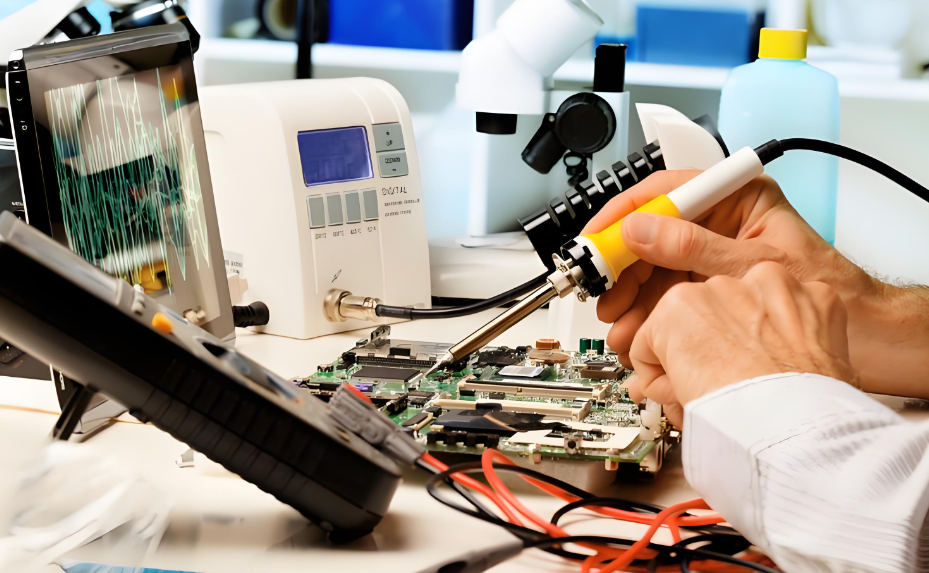
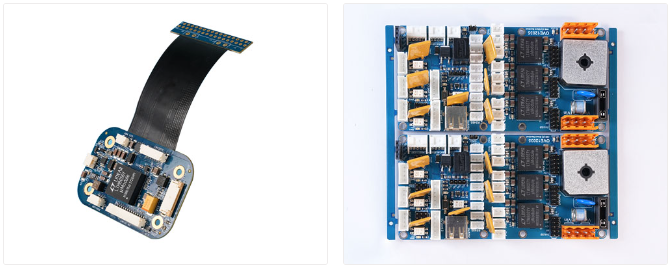
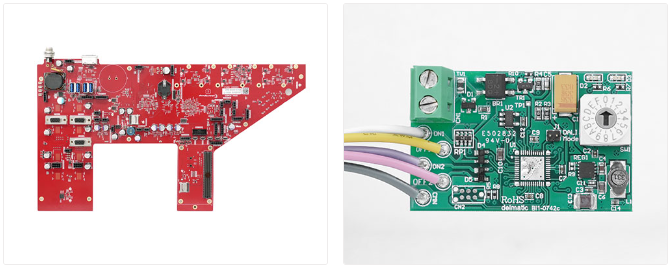
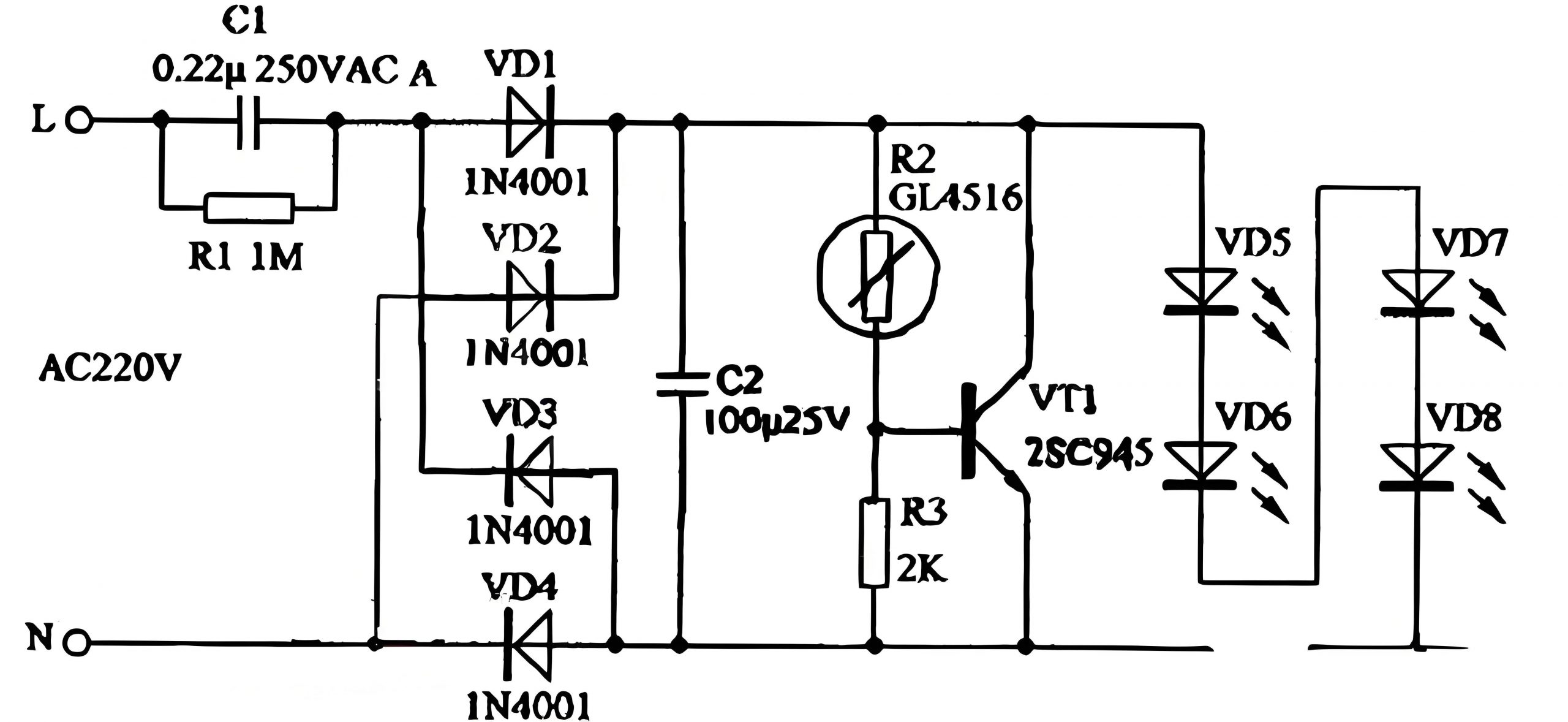
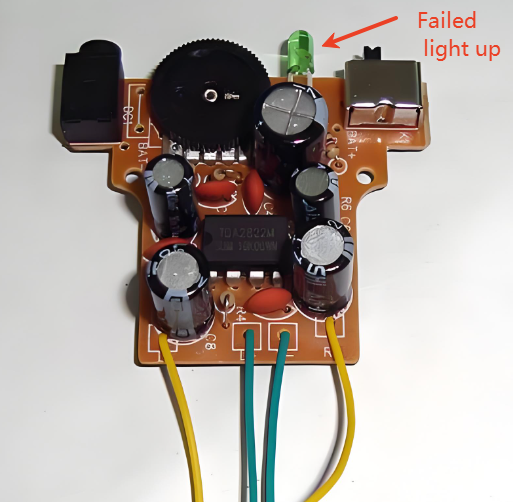
Common PCB failures are mainly concentrated on components such as capacitors, resistors, inductors, diodes, transistors, MOSFETs, integrated chips (IC), and crystals. Some obvious damages can be visually detected, while others require the use of tools. Today, let’s learn how to troubleshoot PCB faults using a multimeter.
How Will You Diagnose a Faulty PCB By Visually?
For some printed circuit boards, we can check by our naked eyes. Here are some common ways to follow:
1. Check the condition of components
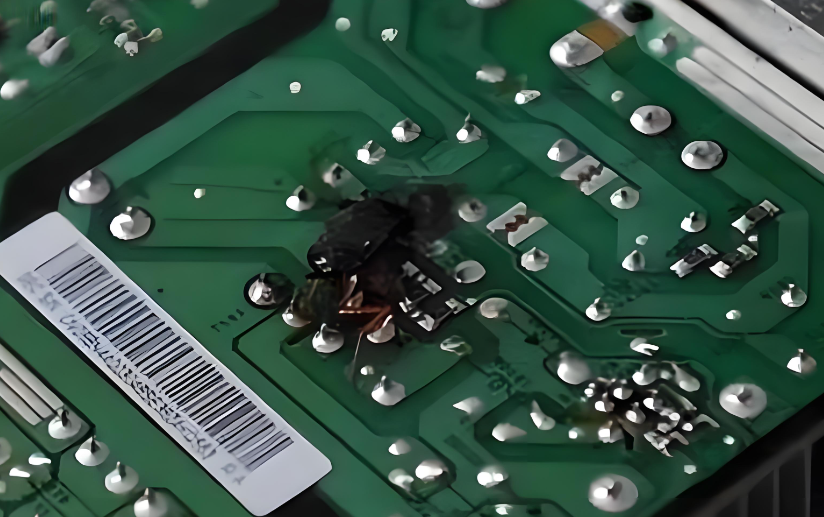
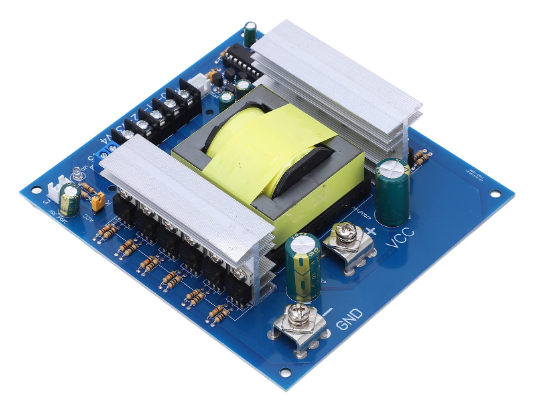
When you get a faulty PCB, first observe if there are any obvious component damages, such as burnt or swollen electrolytic capacitors, burnt resistors, and damaged power devices.
2. Inspect the soldering of the PCB
Check if the printed circuit board (PCB) is deformed or warped; if there are any loose or poorly soldered joints; if the copper cladding on the PCB is lifted, burnt, or blackened.
3. Examine the component plug-ins
Ensure the correct orientation of integrated circuits, diodes, and the PCB power transformer.
How to Check PCB with a Multimeter?
Before you start testing your PCB, ensure you have the right tools and environment. Hereās a checklist to get you started:
1. Safety First: Wear anti-static gloves and ensure you are working on an anti-static mat to prevent damage to the PCB.
2. Multimeter Selection: Choose a multimeter with the ability to measure voltage, resistance, and continuity. A digital multimeter is preferred for accuracy.
3. Visual Inspection: Examine the PCB for visible signs of damage such as burnt components, broken traces, or solder bridges.
4. Power Off the Board: Always test the PCB with the power off to avoid any electrical hazards and damage to the multimeter.
How Do You Test Individual Components on a PCB?
Testing individual components like resistors, capacitors, and diodes can pinpoint the exact failure. Hereās a general approach:
Diode
Transistor
MOSFET
Electrolytic Capacitors
How to Test Diodes?
1. Set the MF47-type multimeter to measure resistance.
2. Place the red and black probes on the two ends of the diode and read the value.
5. If both forward and reverse resistances are very low, the diode is short-circuited; if both are very high or infinite, the diode is open-circuited and needs to be discarded.
How to Test Transistors?
1. Set the digital multimeter to the diode mode.
2. Measure the PN junction with the probes. If it conducts forward, the displayed value is the forward voltage drop of the PN junction.
3. Determine the collector and emitter: measure the forward voltage drop of the two PN junctions, the larger drop is the emitter (e), and the smaller drop is the collector (c). If the red probe is connected to the common terminal, the transistor is NPN type, and the common terminal is the base (b); if the black probe is connected to the common terminal, the transistor is PNP type, and the common terminal is the base (b).
4. For in-circuit testing, measure the forward and reverse resistance of the PN junction to determine if the transistor is damaged. If the branch resistance is larger than the forward resistance of the PN junction, there should be a clear difference between the forward and reverse resistances, otherwise, the PN junction is damaged.
The Way to Test MOSFETs?
1. Connect the black probe to the drain (D) and the red probe to the source (S), the resistance should be 500-600.
2. Without moving the black probe, touch the gate (G) with the red probe, then measure the source (S) again; it should conduct.
3. Connect the red probe to the drain (D), touch the gate (G) with the black probe, then measure the source (S); the resistance should be the same as the first measurement, indicating the MOSFET is working normally.
How to Test Electrolytic Capacitors?
1. Select the appropriate range on the MF47-type multimeter based on the capacitor’s capacity. Use RĆ1K range for capacitors below 47μF, and RĆ100 range for those above 47μF.
2. Connect the red probe to the negative lead and the black probe to the positive lead of the capacitor.
3. On initial contact, the multimeter needle will deflect right and then gradually return to the left until it stops at a certain position (close to infinity). This value is the capacitor’s forward leakage resistance; the larger the value, the better the capacitor’s performance.
4. Swap the probes and repeat the process. The measured value will be the reverse leakage resistance, slightly smaller than the forward leakage resistance.
5. If no charging phenomenon occurs (the needle doesn’t move), the capacitor is either open or short-circuited internally. If the resistance is very small or zero, the capacitor is leaky or has broken down and cannot be used.
This is the end of this article, if you want to know more about it, welcome to contact us.
Flux is usually a mixture of rosin as the main component and is an auxiliary material to ensure the smooth progress of the PCB soldering process. Soldering is the main process of PCB assembly, flux is the auxiliary material used in soldering. The main function of flux is to remove the oxide of the solder and the base metal surface to be welded, so that the metal surface to achieve the necessary cleanliness.
Flux prevents the reoxidation of the surface during welding, reduces the surface tension of the solder, and improves the welding performance. The performance of flux directly affects the quality of electronic products. There are different types of solder paste flux, including rosin-based, water-soluble, and no-clean flux. Each has its specific applications and cleaning methods.
Types of Flux
Rosin Flux
This is one of the most commonly used fluxes in soldering. It includes activated rosin flux (RMA), which contains additional chemicals for enhanced cleaning of oxides, and non-activated rosin flux (RA), which offers basic cleaning for general purposes. Rosin flux is effective at preventing oxidation and improving solder flow, making it suitable for a wide range of electronic soldering applications.
Water-Soluble Flux
This type of flux uses water-soluble chemicals to provide strong cleaning action. It is easily removed with water, making it ideal for applications where thorough residue removal is necessary. Water-soluble flux is often used in automated soldering processes where post-soldering cleanup is a key concern.
No-Clean Flux
Designed to leave minimal, non-corrosive residue, no-clean flux does not require cleaning after soldering. This type of flux is beneficial in situations where cleaning is difficult or impractical, as it reduces post-soldering processing time while ensuring that the residue does not affect the performance of the PCB.
Organic Acid Flux
Contains organic acids like citric or formic acid, providing effective cleaning and fluxing. While it offers strong fluxing action, it is more corrosive compared to rosin fluxes. Organic acid flux is used in applications requiring robust cleaning, with careful consideration of the corrosion risk.
Solder Paste Flux
This flux is a combination of flux and solder powder, used in reflow soldering processes. It is commonly employed in surface-mount technology (SMT), where the paste is applied to PCB pads before component placement and reflow. Solder paste flux streamlines the soldering process by integrating fluxing and soldering into one step.
Is it Bad to Leave Flux on PCB?
There is obvious that leaving flux residue on a PCB surface can lead to several issues. Flux residues can attract moisture, resulting in corrosion of metal traces and component leads, which can compromise the integrity of the PCB over time. Some flux residues are conductive, potentially causing short circuits and affecting signal integrity, especially in high-frequency applications. Even no-clean flux can leave residues that impact sensitive components. Cleaning flux off the PCB can make sure the optimal performance and reliability of the overall product.
How to Remove Flux After Soldering?
We know leaving the flux on the PCBA surface is not a good thing, so how to remove it? Here we listing some common methods that manufacturers will used after soldering. Hope this information is helpful for you!
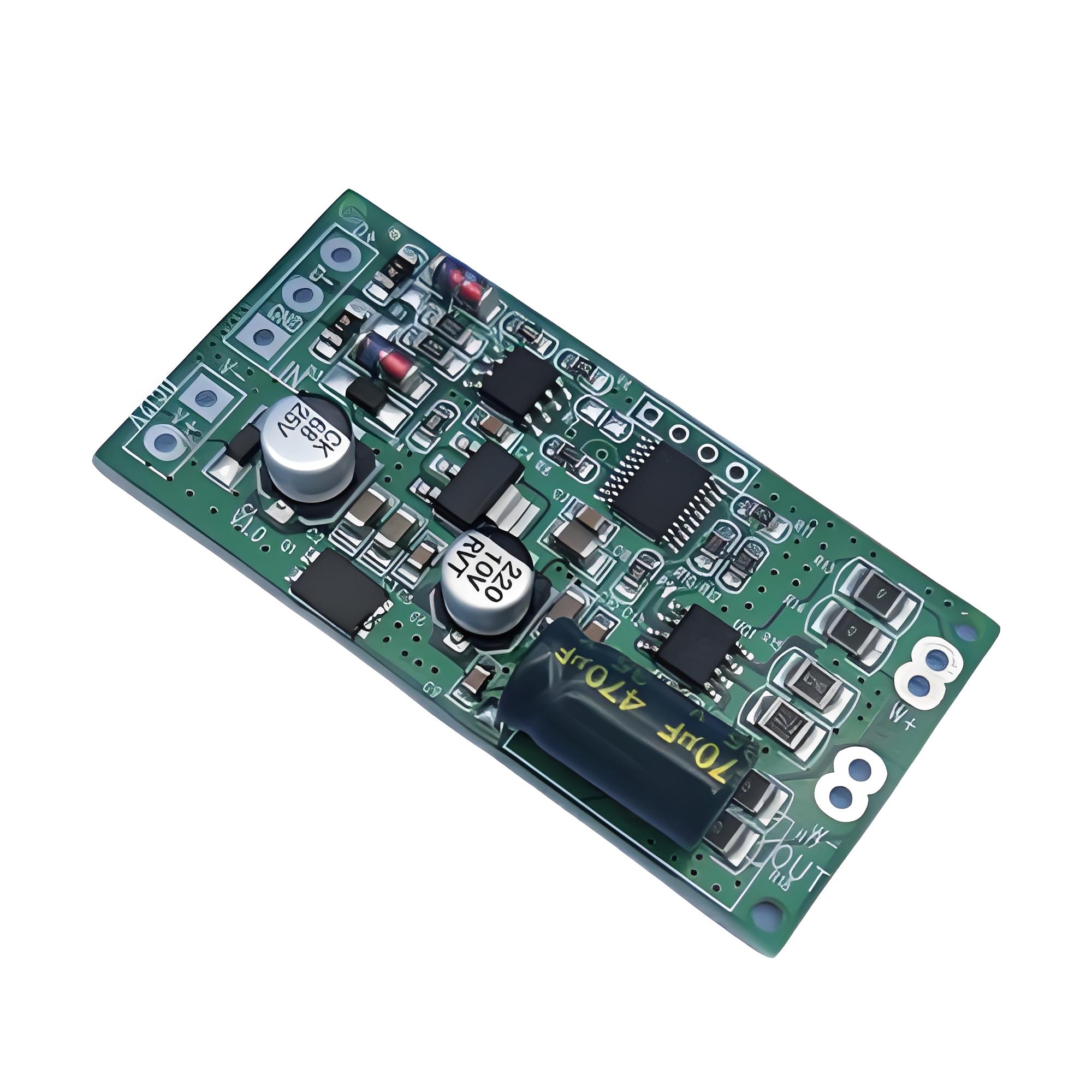
Isopropyl Alcohol (IPA)
Use high-purity IPA (90% or higher). Apply it to the flux residue with a brush or cotton swab, gently scrubbing the area to dissolve the flux. IPA evaporates quickly and is effective for most flux types.
Water Washing
Water washing is a common and straightforward cleaning method. It uses pure or deionized water to remove flux residues. This technique is simple, cost-effective, and easy to implement. However, water washing can potentially harm some PCBs and components if moisture accumulates on pads and pins, leading to short circuits or corrosion.
Solvent Cleaning
Solvent cleaning is an efficient method that dissolves flux residues using chemical solvents. The solvent is then rinsed or sprayed off to clear the flux. While this method provides rapid and effective cleaning, solvents can be costly and require careful handling due to their chemical properties and safety considerations.
Ion Cleaning
Ion cleaning is a high-tech approach that uses ion beams to clean the surface of PCBs. The high-energy and high-speed ion beams effectively remove contaminants and flux residues without damaging the PCB or components. However, ion cleaning equipment is expensive and requires specialized technology and support.
Oxidation Cleaning
Oxidation cleaning is a physical cleaning method where oxidizing agents convert flux residues into easily removable substances. This technique is suitable for PCBs and components that are not compatible with water or solvent cleaning. The cost of oxidizing agents can be high, and safety precautions are necessary due to their reactive nature.
Dry Ice Cleaning
Dry ice cleaning uses CO2 dry ice pellets as the cleaning medium. This method is efficient, environmentally friendly, and does not produce secondary pollution. During cleaning, high-speed CO2 dry ice pellets impact the flux residues on the PCB surface. The extremely low temperature of the dry ice causes the flux residues to become brittle, allowing them to be easily removed without damaging the PCB. This method offers a thorough cleaning solution while preserving the integrity of the circuit board.
FAQs
1. Can I use vinegar to clean flux off a PCB?
Vinegar can be used to clean certain types of flux, but itās not as effective as IPA or specialized flux removers. Itās best to use a solvent designed for flux removal.
2. How often should I clean my PCB?
Clean your PCB after every soldering session to prevent residue buildup and ensure optimal performance.
3. Is it safe to use a hairdryer to dry a PCB after cleaning?
Yes, but use the lowest heat setting to avoid damaging sensitive components. Ensure the PCB is completely dry before powering it on.
4. Can I use a toothbrush for cleaning flux?
A toothbrush can be used, but a brush with anti-static properties is recommended to prevent static damage to the PCB.
5. Is no-clean flux really safe to leave on a PCB?
While designed to be left on, no-clean flux can still leave residues that may affect sensitive components. Itās best to clean it off for maximum reliability.
All in all, cleaning flux off your PCB is a crucial step to keep the reliability of your product. Remember, a clean PCB is a reliable PCB. Choose the right solvent, follow proper cleaning techniques, and your electronics will thank you with years of flawless performance.
For high-quality PCB & PCBA solutions and expert advice, choose EBest Circuit (Best Technology). We have more than 18 years in this field. Our commitment to excellence ensures your projects are in good hands. Contact us today to learn more about our products and services.
It’s essential to ensure that solder joints are made correctly in any electronics construction. Poor and dry soldering cause equipment not to work once. Or there is a possibility that the solder joint could fail. In this blog, we will introduce why dry soldering occurs and how to solve it.
What is Meant by Dry Soldering?
Dry soldering refers to a poor solder joint that lacks proper electrical connectivity on a PCB assembly product. This issue occurs when the solder does not properly melt and bond to the components, leading to weak connections. These joints are often brittle and prone to failure, which can result in intermittent or complete loss of electrical connectivity.
Why Dry Solder Joint Causes?
Dry solder joints occur due to several reasons, each impacting the quality of the solder connection. First of all, the solder paste reflow process is only a small area, which is easier to harden than the solder paste in the solder paste can. At this time, the solder paste will not melt, and the flux cannot cover the solder joint, resulting in poor welding of the solder joint. Meanwhile, the solder paste is easier to heat transfer, and the high temperature actually makes the solder paste not easy to melt, so we can slightly adjust the reflow welding temperature curve to solve the problem, or welding in a nitrogen environment is basically a good way to solve this problem.
Secondly, the solder paste does not melt because its own composition contains a very volatile flux, which is also the reason why the solder paste is easy to harden. Among them, the flux with the largest content of solder paste is rosin, rosin contains a lot of rosin acid, rosin acid is easy to lose activity at too high temperature. Therefore, the temperature of the welding process should be controlled to ensure that the temperature is about 200 ° C, which is not suitable for too high or too low. At the same time, the quality of thixotropic agent will also lead to the solder paste is easy to dry, the quality of thixotropic agent is not good will affect the viscosity of the solder paste, the viscosity of the solder paste is easy to dry. Therefore, the choice of high-quality solder paste can fundamentally solve the problem that the solder paste is easy to harden.
In addition, the use of solder paste scene, humidity, temperature and other external factors will also affect the solder paste in the use of hard non-melting phenomenon. So these external factors should be paid attention to. I hope these solutions can solve your problems.
How Do You Fix Dry Solder?
Solder paste is one of the very important materials in the electronics industry, and it has an important impact on the production quality of the entire component. Here are some tips that can help to fix the dry solder paste.
1.Add flux
Usually, if the solder paste is too dry, you can try to add some water to the right amount of flux, stir well and add it to the solder paste. This can play a certain role in alleviating drying and improve the fluidity of the solder paste.
2. Take some measurements during management
a. Keep the ambient temperature moderate during storage;
b. Stir well before use;
c. Cover the solder paste in time after welding to avoid exposure to the air.
3. Replace it with new one
If the solder paste becomes too dry, adding flux is difficult to restore its original properties, it is recommended to replace the solder paste to avoid affecting the quality of the components.
Therefore, we need to regularly maintain and manage the solder paste to ensure that its quality meets the standard requirements.
What Does a Dry Solder Look Like?
Recognizing a dry solder joint is crucial for proper diagnosis and repair. Unlike a good solder joint, which is shiny and smooth, a dry joint looks matte and rough. The joint might have visible cracks or look brittle. It might not be fully bonded to the component lead or the PCB pad. Identifying these visual cues can help in quickly addressing the issue.
How Do You Prevent Dry Solder?
Preventing dry solder joints is key to maintaining the reliability of your electronic projects. You can try to use these tips to prevent your solder paste become dry.
Proper heating
Clean surfaces
Use quality solder
Steady hand
Maintain equipment
Fast usage and storage
If you want to know more about solutions of dry solder paste, you can read our another post, How to Solve Dry Solder Paste.
How to Tell If Solder is Bad?
Bad solder can lead to dry joints and other issues. So, how can we identify if my solder paste is bad? May you can follow these points. If everything matches up, there’s no doubt that your solder paste is broken.
Appearance of solder joints
Bad solder joints often appear dull or matte instead of shiny and smooth. They may also show cracks or a brittle texture, indicating poor bonding or excessive heating. These visual signs suggest that the solder did not properly melt or flow.
Solder flow and coverage
If the solder does not adequately cover the component leads or PCB pads, or if it spreads unevenly, it is likely bad. Proper soldering should result in a well-formed, consistent fillet around the leads, ensuring reliable electrical connections.
Difficulty in melting
Solder that requires unusually high temperatures or takes a long time to melt may be old or contaminated. Proper solder should melt easily at the recommended temperature and flow smoothly to create a solid joint.
Contamination indicators
Oxidized or tarnished solder indicates contamination and can affect its performance. Excessive residue or debris also points to poor quality, affecting how well the solder adheres and flows.
EBest Circuit (Best Technology) is a one-stop PCB manufacture and PCBA service provider, our SMT factory is equipped with more than 6 assembly lines. Meanwhile, we have automatic SPI machine and solder paste printing machine, with good management system, we can ensure the good quality of solder paste. In addition, there are many advanced equipment in our workshop, including online dual AOI, X-ray, Nitrogen reflow oven, dry-ice cleaning machine, and so on.
Trust us, we are the one of most reliable PCBA manufacturer in China and Vietnam. Contact us for more.
Hey there! If you’re curious about circuit card assembly (CCAs) and what makes them tick, you’ve come to the right place. CCAs are the unsung heroes behind many of the electronic devices we use every day. Letās dive into what they are, their essential parts, how theyāre made, and why theyāre so important.
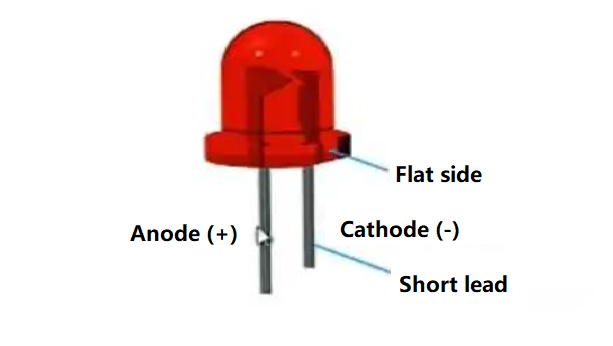
What is a circuit card assembly?
Circuit card assembly or CCA is the process of producing printed circuit boards. In essence, it is the same as PCBA (PCB assembly), just in different name. CCA is a manufacturing technology that converts raw materials into printed circuit boards. It is used in many industries, including the military and aerospace sectors. This type of manufacturing requires skilled professionals to lay out the design and then assemble it. If you are planning to buy a batch of circuit card components, here are some things you should know about CCA.
A circuit card is a thin, flat dielectric material on which conductive paths or traces are etched. These paths connect various electronic components. They are also used to connect components to sockets on printed circuit boards. Circuit card assy is the process of manufacturing circuit card components. The process involves adding electronic components to the substrate.
Key components of a circuit card assembly (CCA)
Circuit card assembly have several key components to make the circuit function properly. These can be divided into three basic components.
Printed Circuit Board (PCB)
Electronic component
Solder paste
Printed Circuit Board (PCB)
This is the backbone of the CCA. The printed circuit board provides the structural foundation on which all other components are mounted. A PCB is typically made of a flat, insulating material such as FR4 fiberglass, which is layered with conductive tracks made of copper. These tracks form the circuit pathways that connect various electronic components. The PCB board can be single-sided, with components and conductive tracks on one side only, or double-sided, with tracks and components on both sides. For more complex applications, multi-layer PCBs are used, which consist of multiple layers of insulating material and conductive pathways stacked together. These printed circuit boards are essential in ensuring that electrical signals are routed efficiently and reliably across the assembly.
Electronic Components
These include resistors, capacitors, integrated circuits, transistors, and more passive and positive components. Each part plays a specific role in the circuit, like pieces of a puzzle fitting together to make a complete picture. Resistors control the flow of electrical current, capacitors store and release energy, integrated circuits (ICs) perform various functions like processing and memory storage, and transistors act as switches or amplifiers. These components are carefully placed on the PCB in positions that allow them to connect and interact as designed.
Solder paste
Solder paste is like the glue that holds everything together, but itās electrically conductive. Itās used to attach the electronic components to the PCB, so that they can stay put and work properly. Soldering creates a strong, conductive bond between the component leads and the PCBās copper tracks. There are different types of soldering, such as lead-based and lead-free solders, each with its specific properties and applications. The soldering process can be done manually or using automated printing machines, depending on the complexity and volume of the assembly. Please noticed that solder paste should used in a very short time, otherwise, it will become dry solder paste.
What is the Difference Between a PCB and a CCA?
You might wonder, what’s the difference between a PCB and a CCA? Well, here’s a quick rundown:
Aspect
PCB (Printed Circuit Board)
CCA (Circuit Card Assembly)
Definition
A blank board with conductive pathways
A PCB populated with electronic components
Components
No electronic components
Includes electronic components like resistors, capacitors, ICs
Functionality
Serves as the foundation for electronic circuits
A functional electronic circuit ready for use in devices
Manufacturing Steps
Involves design, etching, and printing of conductive paths
Involves PCB manufacturing plus component placement and soldering
Usage Stage
Intermediate stage in manufacturing
Final stage, ready for integration into electronic devices
Complexity
Less complex, involves fewer manufacturing steps
More complex, involves multiple stages of assembly and testing
What is the circuit card assembly manufacturing process?
Making a CCA is a multi-step process:
Design
First, the PCB layout is designed using computer software. It includes numerous steps, like schematic drawing, layout design, SI, PI analysis, DFM. This can ensure the PCB board can fit all the necessary components and function correctly.
Fabrication
The PCB is then fabricated, which involves creating the physical board with layers of insulating and conductive materials. This is where the board gets its pathways. In this step, proceed strict quality control process to make sure the bare boards are qualified.
Component Placement
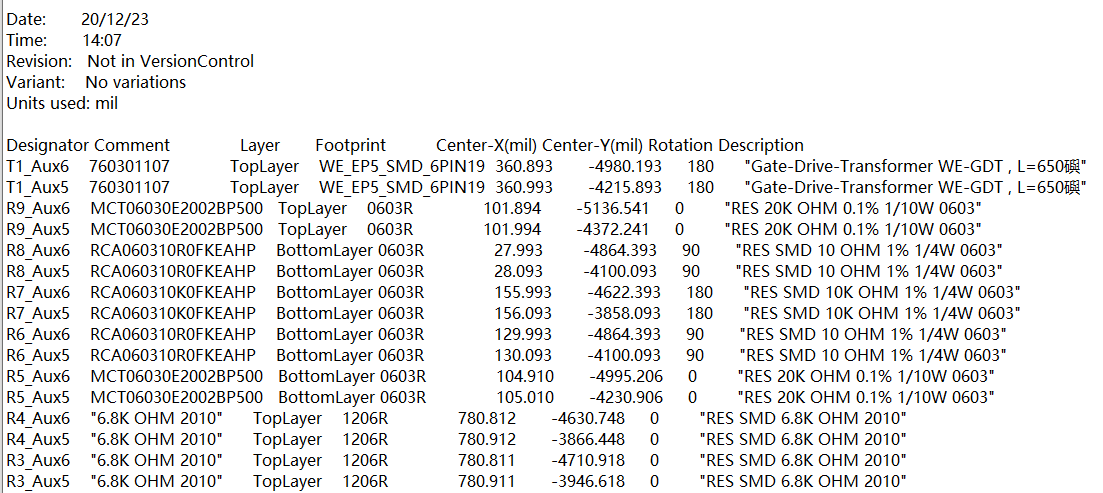
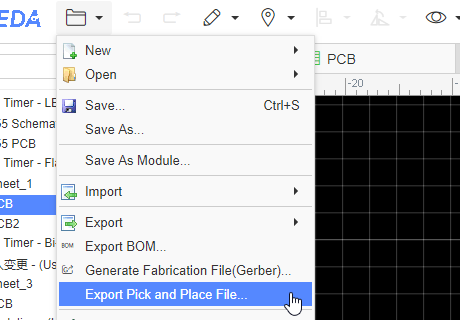
Next, printing solder paste and preparing components, then place them onto the PCB board according to the BOM file (bill of material). After setting up the pick and place machine, automated machines can precisely position each component based on the design.
Soldering
The components are soldered to the PCB. This can be done using methods like wave soldering or reflow soldering to ensure everything is securely attached and electrically connected. You must know, different products require different parameters, please make sure all the parameters like temperatures, time are suitable.
Inspection and Testing
The assembled CCA goes through rigorous inspection and testing to ensure it works as intended. This includes visual inspections, automated optical inspections (AOI), in-circuit testing (ICT), aging testing and functional testing.
Final Assembly
If the CCA passes all tests, it moves on to final assembly, where itās integrated into the larger electronic system or device. That is we say the box building assembly.
What are the types of circuit card assembly?
CCAs can be divided into various types according to the different manufacturing technology.
Through-Hole Technology (THT) Assembly
Here, components have leads or pins inserted into holes drilled through the PCB and soldered on the other side. This method provides strong mechanical bonds, making it great for components that experience mechanical stress. It’s often used in aerospace, military, and industrial equipment.
Surface Mount Technology (SMT) Assembly
In SMT, components are mounted directly onto the PCB surface using solder paste. No drilling required, which allows for higher component density and smaller PCBs. This method is commonly used in consumer electronics, telecommunications, and automotive industries.
Box Building Assembly
Box building assembly involves the complete assembly of electronic systems, including CCAs, into enclosures or boxes. This process includes not only the assembly of the PCB but also the integration of cables, connectors, and other components into a final product. Box building is ideal for producing complete electronic devices ready for end-use.
Advanced materials for CCAs
Advanced materials help CCAs perform better and last longer:
High temperature laminate like FR4 or polyimide. These materials can handle extreme conditions without breaking down. FR-4 is popular for its excellent thermal and mechanical properties, while polyimide is great for high-temperature stability.
Flexible Substrates (e.g., Kapton, PET)
Kapton and PET are the most common flexible substrate. These materials allow CCAs to bend and flex. Kapton, a type of polyimide, is known for its high thermal resistance and flexibility, making it perfect for wearable electronics and medical devices. PET (polyethylene terephthalate) is another flexible material with good electrical insulation properties.
Advanced Solder Compounds
SAC305 (a lead-free alloy of tin, silver, and copper) is favored for its mechanical and thermal properties. Whatever you want to mount a ceramic PCB or the flexible PCB, it is the best choice. Sn63Pb37, a traditional tin-lead solder, is still used for its ease of use and excellent performance.
Reliable circuit card assembly manufacturers
Choosing the right manufacturer for your CCAs is key to getting quality products. PCBonline and EBest Circuit (Best Technology) are go-to-choice reliable circuit card assembly manufacturers. Both of them has advanced pick and place machine, full-auto SPI, AOI equipment, ensuring a good quality.
As a leading manufacturer in the circuit card assembly, EBest Circuit (Best Technology) prides full turn-key service, ranging from the PCB design, PCB fabricating, electronic component sourcing, circuit card assembly and box build assembly. We handle complex and high-volume orders efficiently, ensuring timely and fast delivery without sacrificing quality. In 2023 alone, we completed over 5000 high-complexity projects with a client satisfaction rate of over 98%.
It is crucial for anyone to fullly understand the circuit card assembly in the electronics industry. From their basic components and manufacturing process to the advanced materials used, CCAs are the backbone of modern electronic devices.
In our daily life, the electronics has been gradually infiltrated our lives. Between them, the PCB board plays an important role in it, and we must say, PCB is the foundational element of electronics. From the simplest gadgets to the most complex machinery, PCBs play a crucial role.
What is a PCB Board?
A printed circuit board (PCB) is an electronic that uses metal conductors to create electrical connections between components. Generally, a PCB is a flat, laminated composite made of non-conductive substrate materials with conductive pathways etched or printed onto it. These pathways, also known as traces, enable the electronic components mounted on the board to communicate with each other.
PCBs are designed to support and electrically connect various components such as resistors, capacitors, diodes, and integrated circuits. The intricate network of copper tracks forms circuits that dictate the device’s functionality. PCBs can range from simple single-sided boards used in basic electronics to complex multi-layered structures found in advanced applications.
Common PCB Structure
A PCB’s structure is composed of several key layers, each serving a distinct purpose. Here is a detailed breakdown of these layers:
Substrate (Base Material)
The substrate, usually made of fiberglass (FR4), provides the board with its rigidity and thickness. It is the foundational layer upon which all other materials are built.
Copper Layer
This conductive layer is typically made of copper foil. For single-sided PCBs, the copper layer is only on one side of the substrate, whereas double-sided and multi-layer PCBs have copper layers on both sides or between multiple layers of substrate.
Solder Mask
The solder mask is a protective layer applied over the copper traces to prevent oxidation and accidental short-circuiting. It insulates the copper traces and leaves the component pads exposed for soldering. The green color commonly associated with PCBs comes from this layer, though it can also be found in other colors like red, blue, black, and white.
Silkscreen
The silkscreen layer is used to add labels, symbols, logos, and other markings to the PCB. This layer helps in identifying component locations and orientations during assembly and troubleshooting.
Components and Connectors (PCBA)
Components such as resistors, capacitors, diodes, and integrated circuits are soldered onto the PCB. Connectors allow the PCB to interface with other boards, power supplies, and external devices.
How Many Types of PCB?
Single-Sided PCBs
These are the simplest types of PCBs, with copper on only one side of the board. You’ll find them in basic, low-cost electronics like calculators, radios, and power supplies. They’re easy to design and manufacture, which keeps costs down and makes them great for straightforward applications.
Double-Sided PCBs
These boards have copper layers on both sides, allowing for more complex circuits. They’re common in more sophisticated electronics like amplifiers, power monitoring systems, and HVAC systems. With increased circuit density and flexible design options, they can handle more complex tasks.
Multi-Layer PCBs
When you need to pack in a lot of circuits, multi-layer PCBs are the way to go. They consist of three or more layers of copper, separated by insulating layers. You’ll see these in high-tech devices like computers, servers, medical equipment, and aerospace electronics. They offer high circuit density, reduced size and weight, and better signal integrity.
Rigid PCBs
Made from solid, inflexible materials like fiberglass, rigid PCBs keep their shape and provide strong support for components. They’re durable and used in everything from simple toys to complex industrial equipment.
Flexible PCBs
These are made from flexible plastic materials like polyimide, allowing them to bend and flex. Perfect for wearable electronics, flexible displays, and compact devices where space is tight. They’re lightweight, can fit into small, irregular spaces, and can handle being bent repeatedly.
Rigid-Flex PCBs
Combining the best of both rigid and flexible PCBs, these are great for devices that need both stability and flexibility, like smartphones, cameras, and medical devices. They save space, reduce the need for connectors and interconnections, and improve reliability.
High-Frequency PCBs
Designed to operate at frequencies above 1 GHz, these are used in communication systems, microwave technology, and high-speed devices. They provide low signal loss and high performance, making them crucial for advanced communication technologies.
Ceramic PCBs
Using ceramic as the substrate material, these PCBs offer excellent thermal conductivity and stability. They’re perfect for high-power applications and environments with extreme temperatures, like LED lighting, power electronics, and aerospace systems. Ceramic PCBs ensure reliable performance in harsh conditions.
Metal Core PCBs
Featuring a metal core, usually aluminum or copper, these PCBs improve heat dissipation. They’re used in high-power applications where efficient thermal management is crucial, such as LED lighting, power supplies, and automotive electronics.
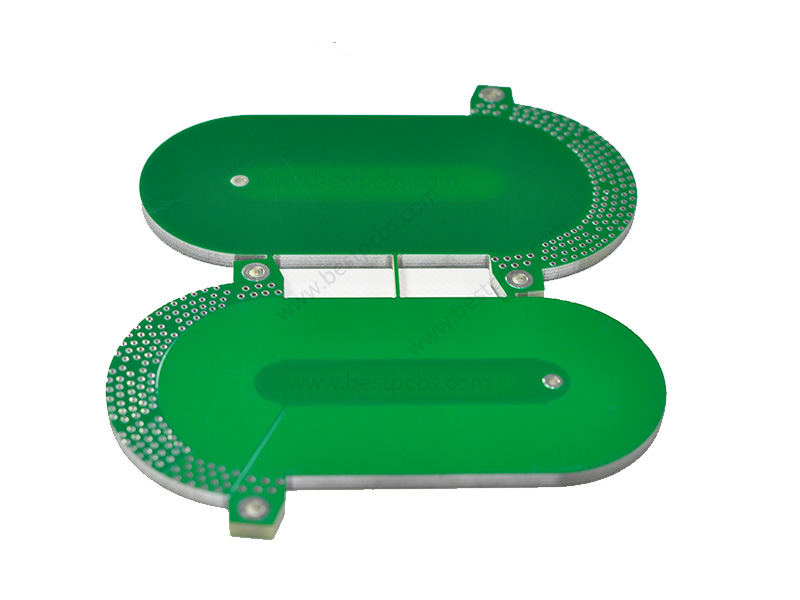
Special PCBs
Bus Bar PCBs
These integrate bus bars for high-current applications, ensuring efficient power distribution and minimal voltage drop. They’re used in heavy-duty power supplies, electric vehicles, and industrial machinery. Bus bar PCBs provide robust and reliable connections for high-power systems.
Heavy Copper PCBs
With thicker copper layers, typically 3 ounces per square foot or more, these PCBs can handle higher currents and enhance thermal management. They’re used in power distribution, automotive, and industrial applications where durability and performance are critical. Heavy copper PCBs ensure reliable operation under high-stress conditions.
HDI (High-Density Interconnect) PCBs
These feature finer lines and spaces, smaller vias, and higher connection pad density. They’re used in advanced electronics like smartphones, tablets, and medical devices where space and performance are paramount. HDI PCBs enable miniaturization and improved electrical performance.
Extra Thin PCBs
Designed with minimal thickness, these PCBs are perfect for fitting into compact and lightweight devices. You’ll find them in flexible displays, wearables, and miniaturized electronic gadgets. Extra thin PCBs allow for innovative design solutions and space-saving configurations.
RF (Radio Frequency) PCBs
Optimized for high-frequency signals, these are used in communication devices, antennas, and microwave applications. They’re designed to minimize signal loss and interference, ensuring optimal performance in wireless communication systems.
High Tg PCBs
These have a high glass transition temperature, making them suitable for high-temperature environments. Used in automotive, aerospace, and industrial applications, high Tg PCBs maintain structural integrity and performance at elevated temperatures.
Impedance Control PCBs
These are designed to maintain consistent impedance for high-speed signal transmission. They’re used in communication devices, high-speed digital circuits, and advanced computing systems. Impedance control PCBs ensure signal integrity and reduce signal loss and reflection.
Why Are PCB Boards So Expensive?
Material Quality
High-grade materials like FR4 (fiberglass), ceramics, and high-quality copper foil are used to ensure durability and performance. These materials are essential for withstanding environmental stress and ensuring reliable operation, but they are expensive. For example, ceramic substrates can cost up to 10 times more than standard FR4 materials due to their superior thermal conductivity and electrical properties.
Complexity of Design
Multi-layer PCBs and advanced designs such as HDI (High-Density Interconnect) boards require complex manufacturing processes. The process involves precise alignment of layers and sophisticated techniques like laser drilling for micro-vias. The added complexity increases the production costs significantly. For instance, a standard 4-layer PCB might cost $50 per square meter, while a 12-layer HDI PCB could cost over $200 per square meter.
Precision and Technology
Manufacturing high-precision PCBs involves advanced machinery for etching, drilling, and plating. This machinery requires significant investment, and the skilled labor needed to operate it adds to the cost. The precision required in the production process ensures that the PCBs meet exacting standards, crucial for high-performance applications. A single advanced PCB drilling machine can cost upwards of $500,000.
Volume of Production
Smaller production runs generally have higher costs per unit because the setup and tooling expenses are spread over fewer units. For example, a low-volume production run of 10 PCBs might cost $100 per board, whereas a high-volume run of 10,000 boards might reduce the cost to $10 per board due to economies of scale.
Testing and Quality Assurance
Rigorous testing, including electrical, thermal, and functional tests, ensures that the PCBs meet strict performance standards. This testing process is vital to ensure reliability, especially in critical applications like medical devices and aerospace. Quality assurance processes can add 20-30% to the overall production cost, but they are essential for maintaining high standards.
What is the Difference Between PCBA and PCB Board?
The terms PCB and PCBA are often used interchangeably, but they refer to different stages of the boardās life cycle. The PCB is the bare board itself, with no electronic components attached. It consists of a non-conductive substrate, copper traces, solder mask, and silkscreen. A PCB serves as the foundation for assembling electronic components.
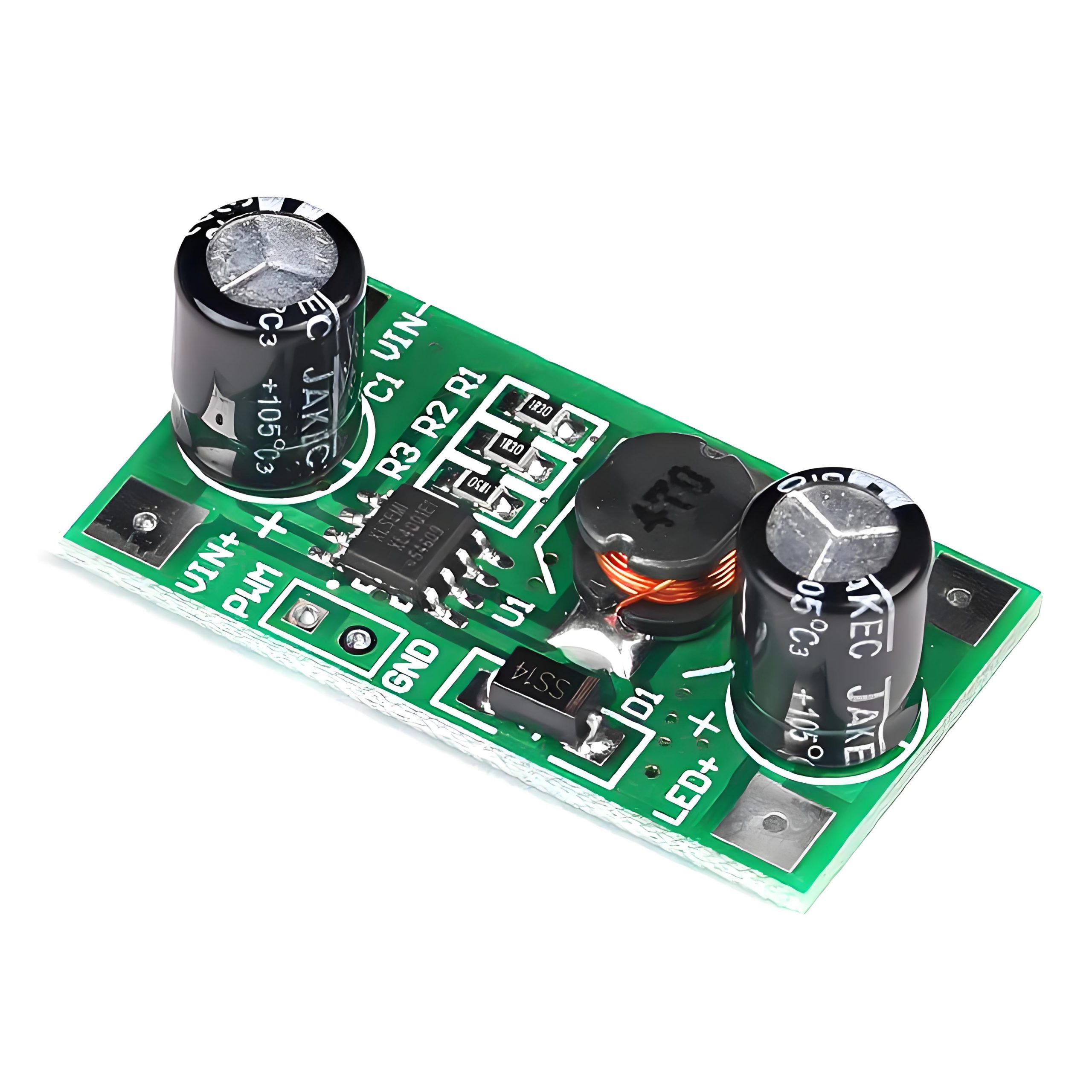
On the other hand, a PCBA (Printed Circuit Board Assembly) is a PCB that has undergone the assembly process, where all necessary electronic components like resistors, capacitors, diodes, and integrated circuits are soldered onto the board. Essentially, a PCBA is a functional circuit board ready for use in electronic devices. The transition from a PCB to a PCBA involves component placement, soldering, and quality testing, transforming the bare board into an operational assembly. Below is a typical PCBA product for your reference.
What is PCB Board Common Use?
PCB boards are existing in everywhere what we live, for example, the global smartphone market, which relies heavily on PCBs, was valued at approximately $520 billion in 2020. Here are some common applications that PCB used in:
Automotive Industry
In the automotive sector, PCBs are used in engine control units, infotainment systems, and advanced driver-assistance systems (ADAS). These applications enhance vehicle performance, safety, and connectivity.
Medical Devices
PCBs are integral to medical devices such as diagnostic equipment, patient monitoring systems, and implantable devices. They ensure precise and reliable operation, which is critical for patient safety and effective treatment.
Industrial Applications
PCBs are used in control systems, machinery, and power distribution units in industrial settings. They provide robust and durable solutions capable of withstanding harsh conditions and continuous operation.
Telecommunications
In telecommunications, PCBs are essential in routers, switches, and communication devices, ensuring efficient and reliable data transmission. As the demand for faster and more reliable communication networks grows, so does the need for high-quality PCBs.
Why Are Circuit Boards Green?
The characteristic green color of most PCBs comes from the solder mask, a protective layer applied over the copper traces to prevent oxidation, short-circuiting, and to protect the board during soldering.
The green color is traditional, largely due to historical reasons and practical benefits. Green solder mask provides a good contrast against the white silkscreen and the shiny copper traces, making it easier for technicians to inspect and identify components during assembly and troubleshooting. Additionally, green solder mask was one of the first colors to be developed and standardized in the industry, leading to its widespread adoption. However, PCBs are not limited to green; they can also be found in other colors such as red, blue, black, and white, depending on the specific requirements and aesthetic preferences of the project. The choice of solder mask color does not affect the performance of the PCB, but green remains popular due to its well-established manufacturing process and visual advantages.
How to Get Started with EBest Circuit (Best Technology)?
Here at EBest Circuit (Best Technology), we are experienced in designing all types of PCBs, including standard rigid PCBs, special PCBs, and irregular PCBs. We can design and develop PCBs according to customer specification and offer suggestions on the right materials for your project.
We provide the full series of PCB manufacturing, from the initial PCB design, PCB layout, to custom PCB fabricate, PCB assembly, box building and so forth. By the way, we have our own factory in Vietnam, that means we can ship out the PCBs directly from Vietnam.
Welcome to contact us when you want to get a quote!
FR4 is a commonly used material in the printed circuit boards (PCBs) manufacturing. If youāre in the electronics field, youāve likely heard of it. It is the footstone of a circuit board, provides good mechanical strengthen and electrical insulation properties. Today, we will share informational about FR4 material, its types, advantages and alternatives. Keep reading if you are interested in.
What does FR4 stand for?
FR4 stands for “Flame Retardant 4ā, also called FR-4 Epoxy Glass Cloth by PCB manufacturers. It is not a material name, but a material grade, so there are many types of FR-4 grade materials used in general circuit boards. But most are composites made with so-called Tera-Function epoxy resins plus fillers and glass fibers. FR4 is made from woven glass-reinforced epoxy resin. The typical composition of FR4 includes approximately 60% glass fabric and 40% epoxy resin by weight.
This composite material is known for its high mechanical strength and flame-retardant properties. The “4” in FR4 signifies the level of flame retardancy. It means the material is resistant to catching fire, which is critical in preventing electrical fires in electronic devices.
What are the classifications of FR4 materials?
FR4 materials are classified based on various properties and specifications to cater to different applications and requirements. These classifications help in selecting the right type of FR4 material for specific PCB needs. Here are the primary classifications of FR4 materials:
1. Standard FR4
Standard FR4 is the most commonly used classification. It offers a good balance of electrical insulation, mechanical strength, flame retardancy, and cost-effectiveness. Standard FR4 materials have a glass transition temperature (Tg) typically around 130°C to 140°C. They are suitable for general-purpose PCBs used in consumer electronics, industrial controls, and telecommunications equipment.
2. High Tg FR4
High Tg FR4 materials are designed for applications requiring higher thermal performance. These materials have a higher glass transition temperature, usually above 170°C. High Tg FR4 is used in applications where the PCB is exposed to higher temperatures, such as automotive electronics, aerospace, and high-power devices. The increased Tg provides better stability and performance at elevated temperatures. This is the high Tg FR4 PCB that we made before.
3. Low Dk FR4
Low Dk (Dielectric Constant) FR4 materials are used in high-frequency applications where signal integrity is crucial. So, we called it as āHigh-frequency FR4ā. These materials have a lower dielectric constant, which reduces signal loss and improves signal transmission. Low Dk FR4 is often used in RF and microwave circuits, where maintaining signal integrity is essential.
4. High CTI FR4
High CTI (Comparative Tracking Index) FR4 materials have an improved resistance to electrical tracking. These materials are used in applications where the PCB is exposed to high voltages and harsh environments. High CTI FR4 provides better insulation and reduces the risk of electrical failure due to tracking.
5. Halogen-Free FR4
Halogen-free FR4 materials are designed to meet environmental and safety requirements by eliminating halogens. Which can be harmful if released during PCB manufacturing or disposal. These materials are used in applications where reducing environmental impact is a priority. Halogen-free FR4 offers similar performance to standard FR4 but without the use of halogenated flame retardants.
Benefits of using FR4 as PCB material
Excellent Electrical Insulation
High Mechanical Strength
Flame Retardancy
Moisture Resistance
Cost-Effectiveness
Thermal Stability
Ease of Fabrication
Properties of FR4 material
Property
Parameter
Vertical flexural strength
Normal State: E-1/150, 150±5āā„340Mpa
Parallel layer impact strength
ā„230KJ/m
Insulation resistance after water immersion (d-24/23)
IMS (Insulated Metal Substrate) and FR4 PCBs serve different purposes. IMS PCBs are designed for applications requiring efficient heat dissipation. They have a metal base layer that helps manage heat more effectively than FR4. This makes IMS ideal for high-power applications like LED lighting.
On the other hand, FR4 PCBs are used in general electronic applications due to their balance of performance and cost. While IMS excels in thermal management, FR4 is preferred for its electrical properties and versatility.
What is the Cost of FR4 PCB Per Square Inch?
The cost of an FR4 PCB can vary based on several factors. These include the board’s thickness, the number of layers, and the complexity of the design. On average, the cost per square inch of FR4 PCB ranges from $0.10 to $0.50. However, this is a rough estimate. For a precise quote, itās best to contact PCB manufacturers with your specific requirements. If you are searching for a PCB supplier, EBest Circuit (Best Technology) is here to waiting for you.
Why is Rogers Better Than FR4 Material?
Rogers material is often considered superior to FR4 in high-frequency applications. Here are some key reasons why Rogers might be chosen over FR4.
Lower Dielectric Loss
Higher Thermal Conductivity
Improved Dimensional Stability
Consistent Dielectric Constant
Superior Performance in High-Frequency Applications
Compliance with Stringent Industry Standards
What Material is Similar to FR4?
Several materials are similar to FR4 and can be used as alternatives. One such material is CEM-1, which is also a composite material made from epoxy and fiberglass. It offers good mechanical strength and electrical properties but is less flame retardant than FR4.
Another alternative is polyimide, known for its excellent thermal stability and flexibility. It is often used in applications requiring high-temperature resistance. However, polyimide is more expensive than FR4. For specific applications, materials like PTFE (Teflon) can also be considered, especially in high-frequency applications.
FAQs
1. Can FR4 be used in high-temperature applications?
FR4 can withstand moderate temperatures, but for high-temperature applications, materials like polyimide are preferred.
2. Is FR4 environmentally friendly?
FR4 is not biodegradable but can be recycled to some extent. Proper disposal and recycling methods should be followed.
3. How does the thickness of FR4 affect PCB performance?
The thickness of FR4 can impact the board’s mechanical strength and thermal dissipation. Thicker boards offer more durability but may also increase the cost.
4. Are there any disadvantages to using FR4?
FR4 has limitations in high-frequency and high-temperature applications. It is also less effective in thermal management compared to materials like IMS.
5. Can FR4 PCBs be used in flexible circuits?
FR4 is rigid and not suitable for flexible circuits. For flexible applications, materials like polyimide are used. But recently, EBest Circuit (Best Technology) developed a new product called āsemi-flexible FR4 PCBā, its flex area is made by FR4 material.
Is FR4 RoHS Compliant?
Yes, FR4 is RoHS compliant. This means that it meets the regulations set by the European Union to limit the use of specific hazardous materials found in electrical and electronic products.
What is FR4 Tg?
The glass transition temperature (Tg) of FR4 is a critical property that indicates the temperature at which the material transitions from a hard, glassy state to a soft, rubbery state.
EBest Circuit (Best Technology) excels not only in PCB and assembly manufacturing, but also in offering top-quality PCB design services. Our professional engineering team is ready to support your innovation across various industries, including communications, healthcare, industrial, and consumer electronics. We welcome all the questions or inquiries from you.
If you are familiar with SMT or PCB assembly process, you may know BOM file. It is an important element in the SMT process. Creating BOM is a crucial step in the manufacturing process, especially for PCBs. A BOM serves as a comprehensive list of all the parts, components, and materials needed to build your product. It ensures that everyone involved in the production process is on the same page, reducing the risk of errors and delays. Today, EBest Circuit (Best Technology) would like to introduce BOM and giving you a guide to create a BOM file step by step.
What is a Bill of Materials (BOM)?
A Bill of Materials (BOM) is a detailed list of all the parts, components, and materials needed to manufacture a product. In PCB manufacturing, a BOM outlines every item required to assemble a PCB, including quantities, part numbers, and descriptions. It serves as a guide to ensure that the manufacturing process runs smoothly and that no crucial components are missing.
Types of Bill of Materials
There are several types of BOMs used in different stages of production. Each type serves a specific purpose and provides unique details to streamline processes and ensure accuracy. Here are the primary types of BOMs:
Engineering BOM
This type of BOM is creating during the design phase. It lists all the parts and components designed by the engineering team, including specifications and relationships as intended in the final product. And of course, it mainly used by design engineers to communicate the product structure and details to manufacturing teams.
Manufacturing BOM (Formal)
It is a formal BOM files that used in the assembly phase. Different with engineering BOM, it includes additional details necessary for manufacturing, such as packaging, handling instructions and assembly details. And some special instructions.
Sales BOM
Sales BOM is used by sales teams and includes information relevant to the sales process, such as pricing and availability. It helps in providing accurate quotes, managing customer expectations, and handling sales orders efficiently.
What Should Include in an Effective Bill of Materials?
An effective BOM should be detailed, accurate, and easy to understand. It should include all the details of components and indicated revisions. As a 18 years expertise in PCBA production, we summarized the key elements that should be included in the BOM.
Component details
It should include all the components and their detailed information, such as names, part numbers (PN), and descriptions for each part.
Quantity (QTY)
The exact quantity of each component required for the product. Accurate quantities can prevent shortages and overstocking.
Foot print
It is the package of each component, helping to ensure the correction of part.
Reference Designators
Unique identifiers that match each component to its specific location on the product layout. These are essential for assembly and troubleshooting.
Manufacturer Information
Manufacturer information, including the manufacturer name of components and manufacturer part number. It helps to ensure correct parts are sourced. And convenient for alternative part sourcing if it is shortage.
Supplier information (Optional)
It means the name of the supplier or distributor. The part number used by the supplier, which may differ from the manufacturerās part number.
Assembly instructions
Any special notes for assembly such as DNF remark, and version control to track revisions should also be included. Additionally, cost information helps in budgeting, and lifecycle status information helps plan for component availability and avoid discontinued parts.
How to Make a PCB Bill of Materials (BOM)?
Creating a PCB BOM is a systematic process that involves compiling all the necessary information about each component required for the assembly of the PCB. Hereās a detailed guide on how to create a PCB BOM:
Open a Blank Spreadsheet
Use software like Microsoft Excel or Google Sheets to start with a blank spreadsheet. They are common to use, offering flexibility and ease of use for creating and managing BOMs.
Define Columns
Set up your spreadsheet with appropriate column headers. Common headers include:
Part Number
Component Name
Quantity
Reference Designator
Manufacturer
Manufacturer Part Number
Supplier
Supplier Part Number
Description
Package Type
Cost
Notes
Input Data
Enter the required details for each component under the appropriate headers. Please be make sure that all information is accurate and complete. This may involve referencing design files, datasheets, and supplier catalogs. If it is incorrect, then it needs a lot of time to find out and revise the errors, resulting in schedule delay.
Use Formulas
Utilize Excel formulas to automate calculations, such as summing total quantities or calculating costs. This helps in reducing manual errors and saves time.
Format for Clarity
Use cell formatting options to highlight important information and ensure the spreadsheet is easy to read. For example, you can use bold text for column headers, color coding for different component types, and borders to separate sections.
Include Version Control
Add a version control section to your BOM to track revisions and updates. This can be a simple row at the top or bottom of the spreadsheet, indicating the version number, date of revision, and a brief description of changes.
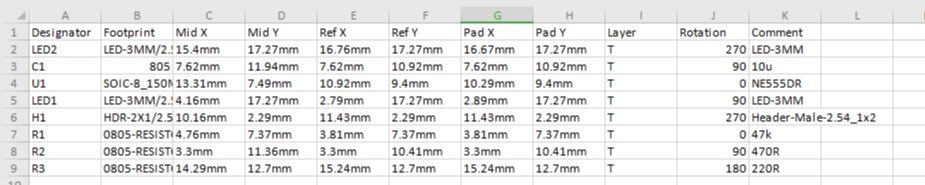
(BOM file reference)
Save and Update
Save your BOM and update it regularly to reflect any changes in the design or component availability. Regular updates ensure that the BOM remains accurate and up-to-date, preventing issues during production.
Review and Verify
Have multiple team members review the BOM for accuracy. Cross-check all component details, quantities, and part numbers against the design files. Verification helps catch errors early and ensures the BOM is reliable.
Communicate with Suppliers:
Maintain open communication with suppliers to confirm component details and availability. This ensures that you can source the correct parts and avoid delays in the production process.
How Can I Optimize My BOM for PCB Assembly?
Sometimes, a simple BOM is not good to process PCB assembly process, and manufacturers may need to spend a lot of time to optimize it, make into convenient for manufacturing. If you are a layman, here are some steps to help you in optimizing your BOM file.
First, it’s a good idea to standardize components where possible. Using standard parts that are readily available from multiple suppliers can simplify procurement and reduce costs. This approach minimizes the risk of shortages and ensures you can get parts quickly and affordably. Also, make sure all entries in your BOM are clear and concise to avoid confusion during assembly. Double-checking part numbers and quantities against design files is crucial to prevent errors that could lead to rework or delays.
Building strong relationships with your suppliers is another key factor. Good communication with suppliers helps ensure reliable component availability and keeps you informed about any changes in lead times or part availability. Regularly updating your BOM to reflect any design changes or component availability issues is essential. Keeping your BOM current and accurate prevents last-minute surprises during assembly.
What Common Mistakes Should I Avoid When Creating a PCB BOM?
Avoiding common mistakes in BOM creation can save time and reduce errors. Here are some pitfalls to watch out for:
Incomplete information – ensure all necessary details are included for each component.
Incorrect quantities – double-check quantities to avoid shortages or excess inventory.
Outdated data – keep the BOM updated with the latest design changes and component information.
Ambiguous descriptions – provide clear and precise descriptions to prevent confusion.
Lack of version information – implement version control to track changes and ensure the correct BOM version is used.
Creating an effective and accurate PCB BOM is essential for smooth manufacturing and assembly. By following best practices and using the right tools, you can ensure your BOM is comprehensive, clear, and up-to-date, ultimately leading to a successful PCB production process.
EBest Circuit (Best Technology) is an expert in SMT and PCB assembly, we have more than 18 years in this industry, that can offer you a best experience of PCBA solution. In our facotry, we have advanced equipment like full auto pick and place machine, online dual AOI, X-ray, 3D SPI, nitride reflow oven and three-proof paint machine. So that we can ensure the fast lead time and high quality of your PCBA products. Reach us to get a instant quote!
In the world of printed circuit boards (PCBs), understanding material properties is crucial. One such property is Tg, or glass transition temperature. For FR4 PCBs, knowing what Tg means can significantly impact design and performance. In this blog, we’ll explore what Tg is, how it’s measured, its importance, and other related questions.
What Does Tg Mean in PCB Manufacturing?
Tg stands for glass transition temperature. It refers to the temperature at which a polymer material, such as the resin in a PCB substrate, transitions from a hard, glassy state to a softer, rubbery state.
For the circuit board, the āTg value reflects the highest temperature it can withstand. When the temperature exceeds Tg values, ā the molecular structure of the circuit board material will be changed, ā lead to changes in its physical properties. Such as mechanical strength, size stability, adhesive, water imbibition, thermal expansion, etc. āTherefore, the level of TG value of the PCB directly affects the stability and high temperature resistance of the circuit board.
In the high temperature environment, if the TG value of the circuit board is too low, it is easy to cause PCB deformation, fracture, cracking and other problems, affecting the reliability and life of the printed circuit board. If the TG value of the circuit board is too high, the PCB is easy to become hard and brittle, affecting the processability and flexibility of the circuit board.
How is Tg Measured in FR4 Materials?
Accurate measurement of Tg is crucial for ensuring the performance and reliability of FR4 PCBs. Knowing the exact Tg helps in selecting the appropriate material for specific applications, particularly those involving high temperatures and thermal cycling. Using materials with a Tg well above the operating temperature ensures the PCB will maintain its mechanical and electrical properties under expected conditions.
The primary method for measuring Tg in FR4 materials is by differential scanning calorimetry (DSC). It involves heating a small sample of the material at a controlled rate, typically between 10°C to 20°C/min. As the sample heats, the DSC measures the heat flow into the material and records it as a thermogram. The Tg is identified as the temperature where there is a noticeable change in heat capacity, appearing as a step or inflection point on the thermogram. DSC is widely used because it provides precise and reliable Tg measurements.
Additionally, Dynamic Mechanical Analysis (DMA) and Thermomechanical Analysis (TMA) also can be used to measure the Tg value.
Why is Glass Transition Temperature Critical in PCBs?
Glass transition temperature is critical because it affects the thermal and mechanical properties of the PCB. If a PCB operates near or above its Tg, it can experience issues like delamination, warping, and electrical failure. Here are some benefits of Tg.
Thermal stability
One of the main reasons is its role in determining thermal stability. During operation, PCBs are subjected to varying temperatures due to power dissipation from electronic components and environmental conditions. Make sure the Tg of the PCB material is well above the maximum operating temperature, it helps maintain mechanical stability and reliable performance under thermal stress.
Mechanical Strength
The Tg value also affects the mechanical strength and durability of the PCB. Below the Tg, the material is rigid and can withstand mechanical stress without significant deformation. This rigidity is essential for maintaining the structural integrity of the PCB, especially during assembly processes like soldering, where the board is subjected to mechanical and thermal stresses.
Thermal Management
Thermal management is very important to electronics, especially for those miniaturized electronic devices. If the PCB itself has good thermal management, then designers no need to install heatsink or coolers. Materials with higher Tg values exhibit lower coefficients of thermal expansion (CTE), meaning less expansion and contraction with temperature changes.
Application-specific requirements
Different applications have varying thermal and mechanical requirements. High-performance computing, automotive, aerospace, and industrial electronics often operate in environments with high temperatures and thermal cycling. For these applications, using PCB materials with appropriate Tg values is crucial.
What is the Typical Tg Value for Standard FR4 PCBs?
Standard FR4 materials generally have Tg values in the range of 130°C to 140°C. For high-performance applications, materials with higher Tg values are necessary. The table below lists some common high Tg materials used in PCB manufacturing, along with their Tg values and characteristics.
Material
Tg Value (°C)
Characteristics
Applications
ISOLA IS410
180
Excellent thermal and mechanical properties
High-reliability applications
Nanya NP-175
175
High thermal stability, good mechanical strength
Automotive, industrial electronics
Shengyi S1000H
170
Cost-effective, widely used
Consumer electronics, industrial applications
Ventec VT-47
170
High Tg and low CTE
High-density interconnect (HDI) PCBs
Rogers 4350B
280
Extremely high Tg, excellent thermal stability
RF and microwave applications
(Common used high Tg materials)
Can You Explain the Difference Between Tg and Td in PCBs?
Tg and Td (decomposition temperature) are two different thermal properties. Unlike the reversible physical change associated with Tg, decomposition is an irreversible chemical process. At Td, the polymer chains in the material break down, leading to a loss of structural integrity and release of volatile compounds. Key points about Td include:
1. Chemical Stability
Td represents the upper thermal limit of a material’s chemical stability. Exceeding Td results in the breakdown of the polymer structure, rendering the material unsuitable for further use.
2. Material Selection
Knowing the Td helps in selecting materials for high-temperature applications. A material’s Td should be well above the maximum operating temperature to prevent degradation.
3. Safety and Reliability
Operating a PCB above its Td can result in catastrophic failure, including charring, delamination, and loss of electrical performance. The operating temperature remains below Td is critical for safety and reliability.
How Do You Choose the Right Tg Value for Your PCB Design?
Choosing the right Tg value depends on the operating environment and thermal demands of your application. Consider factors such as the maximum operating temperature, the thermal cycling the PCB will undergo, and the mechanical stresses it will face. Consulting with material suppliers and using simulation tools can help make an informed decision. According to our 18 years experience in PCB, we summarized a recommend Tg value for each application. Hope this is useful for you guys.
Consumer electronics
If your PCB will be used in standard consumer electronics, just like smartphones and tablets, a Tg value of around 130°C to 140°C is typically sufficient. These devices generally do not encounter extreme temperatures or thermal cycling.
Automotive applications
Automotive PCBs are always exposed to high temperatures and significant thermal cycling. A Tg value of 170°C or higher is recommended to ensure reliability and performance under the hood. So, Rogers material is good for this kind of PCB.
Aerospace and defense
Applications in aerospace and defense require materials that can withstand extreme temperatures and harsh environments. High Tg materials with values of 180°C or more are often used to meet these stringent requirements.
Industrial Electronics
Industrial environments can vary widely, but generally, high Tg materials are preferred due to the exposure to high temperatures and mechanical stress. A Tg value of at least 150°C to 170°C is advisable.
EBest Circuit (Best Technology) is a well-known PCB and PCBA assembly provider in Asia and Vietnam. We have a large facility for handling low-medium to mass production PCBs, and supporting for various kinds of custom PCBs. Some special PCBs are available here, like bus bar PCB for new energy vehicles, heavy copper PCB for high power and high current PCBs, ceramic PCBs for harsh environments, extra thin PCB, RF PCB, microwaves PCB, IC substrate PCB and so on.
For more information, please do not hesitate to contact us.
On July 3rd, 2024, we had India customers visit our office and factory. All our staff of our customer warmly welcome the guest from afar.
Our sales manager Peter, along with Connie and Marina, gave a detailed introduction to our main business and product expertise. They talked about our strict quality control, careful selection of PCB board materials, advanced production equipment, and mature manufacturing processes. Our guests seemed quite impressed with how thorough we are in ensuring top-notch quality.
Actually, we’ve been working with this customer for several years now, and it’s been a fantastic journey of building trust and collaboration. This visit was a great chance to dive into a new PCB project and show off our latest innovations, including electric heating films, ceramic PCBs, and bendable aluminum PCBs.
When checking the sample books, the customers specially mentioned the blind vias and checked the related products for many times. It looks like they are extremely interested in this technology.Ā You know, blind vias, buried vias, through hole vias, micro vias and thermal vias are always our strengthens.
Next day, Connie will be taking our guests on a tour of our metal dome and dome array factory. It’s always exciting to show our partners the heart of our operations and let them see firsthand the dedication and precision that goes into our work.
EBest Circuit (Best Technology) is a one-stop PCB and PCBA service provider in China and Vietnam. “High mix, Low-Middle Volume, High Quality and Fast Delivery” is our advantages. Custom PCBs available in our company as well. You can get high-quality PCB board and PCBA at a very transparent price. For more information, feel free to contact us at any time.
In our daily life, electronic devices are existing everywhere. And there are many people know the āPCBā nowadays, while very less people know the āPWBā. Unless you’ve been in the PCB business for more than 20 years.
Actually, PWB is another term of circuit board, and it was used commonly before the year 1999. But with the development of electronics, it was replaced by PCB gradually. You want to know more about it? In this article, we will answer it for you. Deeply explain their definitions, manufacturing process, applications and the key differences between PCB and PWB.
What is A Printed Circuit Board (PCB)?
A Printed Circuit Board is a fundamental component in modern electronics, providing the physical and electrical connections for various electronic components. It consists of multiple compositions, including a non-conductive substrate, conductive pathways, and insulating layers, which facilitate the complex circuitry required in contemporary devices. A PCB can be made into single sided PCB, double sided PCB and multilayer PCB.
PCBs are integral to the functionality of a wide range of electronic products, from consumer gadgets like smartphones and computers to industrial machinery, medical devices, and aerospace systems. The advanced design and manufacturing processes involved in PCB production ensure high reliability and performance, making them essential in virtually all electronic applications.
Basic manufacturing process of PCB
Design and Layout
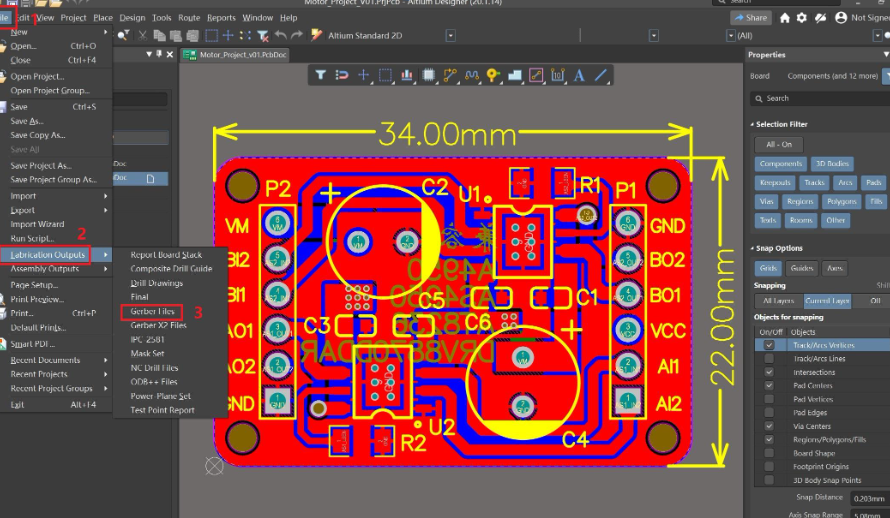
PCBs are designed using sophisticated computer-aided design (CAD) software. Designers create detailed layouts, specifying the placement of components, conductive pathways, and vias (interlayer connections). The design is converted into Gerber files, a standard format for PCB fabrication that contains all the necessary information for manufacturing. These files are essential for ensuring precision and accuracy during the manufacturing process.
Material Preparation
The substrate, typically FR4 (fiberglass epoxy laminate), is prepared. FR4 is known for its excellent mechanical strength and thermal stability, making it an ideal base material for PCBs. Copper sheets are laminated onto the substrate, which will form the conductive pathways after the etching process. This preparation stage is crucial for creating a reliable foundation for the PCB.
Printing the Circuit Pattern
A photoresist, a light-sensitive material, is applied to the copper-clad substrate. The board is exposed to ultraviolet (UV) light through a mask that defines the circuit pattern. The UV light hardens the photoresist in the exposed areas. The board is then developed in a chemical solution that removes the unexposed photoresist, revealing the copper to be etched away. This step accurately transfers the circuit design onto the board.
Etching
The board is immersed in an etching solution, commonly ferric chloride or ammonium persulfate, which removes the unprotected copper, leaving only the desired circuit pattern. This etching process is crucial for defining the conductive pathways on the PCB, ensuring that the correct connections are made according to the design specifications.
Drilling
Precision drilling machines are used to create holes for through-hole components and vias. These holes are then cleaned to remove any debris that could affect electrical connectivity. Drilling is a critical step in the PCB manufacturing process as it ensures proper placement and connection of components across different layers of the board.
Plating
The drilled holes are plated with copper to create electrical connections between the layers, which is especially important for multilayer PCBs. Additional layers of plating, such as nickel or gold, may be applied to improve conductivity and protect against oxidation. This plating process enhances the durability and performance of the PCB.
Solder Mask Applying
A solder mask is applied to protect the copper traces from oxidation and prevent solder bridges between closely spaced solder pads. The solder mask is exposed to UV light and then developed to reveal the solder pads. This layer not only protects the PCB but also improves its appearance and reliability.
Silkscreen Printing
A silkscreen layer is printed on the board to add text, component labels, and other identifiers. This layer helps in the identification and assembly of components, making it easier for technicians to work with the PCB during the manufacturing and repair processes.
Surface Finishing
Generally, a layer of surface finishing is coated on the PCB to protect its surface, it also called surface treatment. The common surface treatments are HASL-LF, ENIG, ENEPIG, OSP, Immersion Silver/Tin. Of course, different treatment offers different function, like OSP is to protect surface from oxidation, HASL-LF provides a good solderability, ENEPIG make sure the chemistry corrosion. Choose a suitable one according to your specific demands.
Assembly and Testing
Components are placed on the board using automated pick-and-place machines, and soldered using techniques like reflow soldering for surface-mount devices (SMD) and wave soldering for through-hole components. The finished PCB undergoes various tests, such as automated optical inspection (AOI), electrical testing, and functional testing, to ensure quality and performance. Want see the whole manufacturing process of a multilayer PCB, click here: Manufacturing Process of Multi-layer PCB.
What is the definition of Printed Wiring Board (PWB)?
A Printed Wiring Board is a term historically used to describe a type of circuit board that focuses primarily on the layout and wiring of electronic connections rather than the overall circuit functionality. PWBs emphasize the physical arrangement of conductive paths to connect various components but do not necessarily include all the integrated features found in modern PCBs.
This term was more prevalent during the earlier stages of electronic development, where the primary concern was establishing reliable electrical connections. As technology advanced, the term PCB became more common, reflecting the expanded capabilities and comprehensive role of these boards in forming complete electronic circuits. Despite being less common today, understanding the term PWB is crucial for historical context and certain niche applications.
How to Manufacture A Printed Wiring Board (PWB)?
Design and Layout
PWBs typically have simpler designs focused on wiring patterns rather than complex circuitry. In some cases, the layout may be done manually or using basic design software.
Material Preparation
Simpler substrates such as phenolic or epoxy resins may be used for PWBs. Copper sheets are laminated onto the substrate to form the conductive pathways. These materials are cost-effective and suitable for applications where advanced performance characteristics are not required.
Printing the Wiring Pattern
Similar to PCBs, a photoresist is applied to the copper-clad substrate. The board is then exposed to UV light through a mask and developed to reveal the copper to be etched away. This process creates the wiring pattern necessary for connecting electronic components.
Etching
The board is immersed in an etching solution to create the wiring pattern. This step is straightforward compared to the more intricate etching processes used in PCB manufacturing, reflecting the simpler requirements of PWBs.
Drilling
Holes for through-hole components are drilled, but the process may not require the precision needed for complex PCBs. This basic drilling process is adequate for the less demanding applications of PWBs.
Plating (if necessary)
Plating is done to ensure electrical connectivity but may not involve advanced techniques like those used for multilayer PCBs. It suffices for the simpler construction of PWBs.
Solder Mask Application
A basic solder mask may be applied to protect the wiring pattern. This layer provides sufficient protection for the relatively simple designs of PWBs, preventing short circuits and oxidation.
Silkscreen Printing
A simple silkscreen layer may be added for component identification. This helps in the assembly process but does not require the detailed labeling often necessary for PCBs.
Assembly and Testing
Components are manually or semi-automatically placed on PWBs and soldered using standard techniques. Basic electrical testing is conducted to ensure functionality. This simpler assembly and testing process aligns with the less complex nature of PWBs.
Which Kind of Materials used in PCB and PWB?
Substrate Materials
FR4 (fiberglass epoxy laminate) is the most common substrate material for PCBs due to its excellent mechanical strength and thermal stability. Phenolic resin, used in PWBs for simpler applications, is less durable and has lower thermal stability compared to FR4, but it is cost-effective and suitable for basic electronic devices. Polyimide is used for flexible PCBs due to its high flexibility and thermal resistance, making it ideal for applications requiring bending and flexing, such as wearable electronics and flexible displays.
Conductive Materials
Copper is the primary conductive material for both PCBs and PWBs. It is used to create the conductive pathways and pads, providing excellent electrical conductivity and reliability. Gold, nickel, and silver are used for plating to enhance conductivity and protect against oxidation, primarily in PCBs. These materials improve the durability and performance of the PCB by providing a reliable contact surface for soldering and component connections.
Insulating Materials
Prepreg, a fiberglass cloth impregnated with resin, is used in multilayer PCBs to bond the layers together. Prepreg provides mechanical strength and electrical insulation between the layers. Dielectric materials are used between layers in multilayer PCBs to provide electrical insulation, maintaining signal integrity and preventing short circuits.
Solder Mask Materials
Liquid Photo Imageable (LPI) solder mask is the most common type used in PCBs, providing excellent protection and durability. LPI solder masks are applied using a photolithographic process, ensuring precise coverage and protection. Dry film solder mask is used for simpler applications and PWBs. This type of solder mask is less expensive and easier to apply but may not offer the same level of protection as LPI solder masks.
Key differences between PCB and PWB
Feature
PCB (Printed Circuit Board)
PWB (Printed Wiring Board)
Design and Layout
Designed using sophisticated CAD tools for complex circuitry, including detailed simulation and optimization.
Simpler designs focused on wiring patterns, often done manually or with basic software.
Layer Count
Can have multiple layers (e.g., double-sided, multilayer) to support intricate circuit designs.
Generally single or double-sided, less commonly multilayer.
Component Types
Supports surface-mount technology (SMT) and through-hole technology (THT) components.
Designed to maintain high signal integrity, minimizing electrical noise and interference.
Basic signal integrity management, sufficient for simple applications.
Flexibility and Rigidity
Includes both rigid and flexible PCBs, allowing for a wide range of applications.
Typically rigid, not commonly used in flexible applications.
Terminology and Usage
Universally used in the industry to refer to boards that integrate all necessary components to form complete circuits. Also called ābare boardā.
Universally used in the industry to refer to boards that integrate all necessary components to form complete circuits.
Industry Standards
Recognized by standards organizations like IPC, IEC, and ANSI with specific performance and quality criteria.
Covered under broader standards but with fewer specific guidelines due to limited modern use.
Cost and Efficiency
Higher cost due to advanced materials and processes, offering superior performance and reliability.
More cost-effective for simple applications, but with limited performance and reliability.
Applications
Used in consumer electronics, industrial equipment, medical devices, aerospace, and defense.
Historically used in simpler electronic devices and early computers, still relevant in niche applications.
(Summary Differences: PCB VS PWB)
Other Terms Related to PWB and PCB
Based on the PCB and PWB, you may still hear about CCA, PCA, PWA during the PCB working. These terms are also related to printed circuit board. Here is a detailed explanation of each:
Printed Wiring Assembly (PWA)
PWA is the abbreviation for printed wiring assembly. This is an archaic term that was once used to describe what we now refer to as PCB assembly or PCBA. Although it is less common today, understanding this term is useful for historical context and when dealing with older documentation.
Circuit Card Assembly (CCA)
CCA stands for circuit card assembly. It is essentially the same thing as PCBA, where the PCB is assembled with all necessary components to create a functional unit. CCA is a less frequently used term compared to PCBA but is still recognized in certain industries and contexts.
Printed Circuit Board Assembly (PCBA)
PCBA is the abbreviation for printed circuit board assembly. When the PCB is assembled with all its electronic components by SMT technology, it is called PCBA or PCB assembly. Since a change in terminology in 1999, PCBA has become the standard term used for all assembled circuit boards. From users to technical committees, PCBA is the preferred term for referring to assembled boards. The assembly process involves placing and soldering components onto the PCB, making it a functional electronic circuit.
Printed Circuit Assembly (PCA)
PCA stands for printed circuit assembly, which is another term for PCBA. Like CCA, PCA is not commonly used in modern terminology but refers to the same concept of an assembled printed circuit board.
In a word, whatever for PWB, PCB, or circuit cards, they are refer to bare printed circuit boards (bare boards). While PCA, CCA, PWA, and PCBA refer to assembled circuit boards. Among these terms, PCB and PCBA are the most widely used in both industry and technical documentation.
This is the end of this introduction of PWB and PCB, welcome to contact us if you want more about PCB knowledge.