PCB manufacturing PCB manufacturing
Home > Blog

What Does 5G UC Mean? A Complete Guide for 2025

December 3rd, 2025

If you’ve spotted a “5G UC” label in your smartphone’s status bar lately, you’re not alone in wondering what it means. Is it faster than regular 5G? Do you need a special plan to use it? And why does it sometimes disappear when you move a few feet? This guide breaks down everything you need to know about 5G Ultra Capacity (UC) — from its technical basics to real-world use cases, common frustrations, and how to make the most of it on your device.

What Does 5G UC Mean? A Complete Guide for 2025

What Does UC Mean Next to 5G?

Let’s start with the basics: “UC” stands for Ultra Capacity, a branding term coined by T-Mobile to describe its premium 5G network tier. Unlike standard “5G Extended Range” (T-Mobile’s low-band 5G), 5G UC combines mid-band (sub-6 GHz) and high-band (mmWave) frequencies to deliver faster speeds and more reliable connectivity for data-heavy tasks.

To put it simply: Regular 5G is great for basic browsing and social media, but 5G UC shines when you’re streaming 4K videos, gaming online, transferring large files, or video calling without lag. Think of it as a “highway” for your data — with more lanes to handle traffic, even during peak hours.

Key technical highlights of 5G UC:

  • Combines mid-band (for balance of speed and coverage) and mmWave (for ultra-fast, short-range bursts)
  • Average download speeds range from 89 Mbps to 418 Mbps (median 371 Mbps per RootMetrics)
  • Covers 330 million people across all 50 U.S. states
  • Requires a 5G-capable device and compatible plan (most modern plans include 5G UC access)

How 5G UC Compares to Other 5G Brands

You might have seen other 5G labels from competitors — here’s how 5G UC stacks up:

What Does 5G UC Mean? A Complete Guide for 2025

T-Mobile 5G UC vs. Verizon 5G UW vs. AT&T 5G+

FeatureT-Mobile 5G UCVerizon 5G UW (Ultra Wideband)AT&T 5G+
FocusMid + high-bandHigh-band (mmWave)Mid + high-band
Coverage330M people (nationwide)100M+ people (urban focus)250M+ people
Avg Speed89-418 Mbps472 Mbps (theoretical peak)100-300 Mbps
Best ForBalanced speed + coverageUrban 4K streaming/gamingBusiness users + travelers

The biggest advantage of 5G UC is its coverage — T-Mobile’s mid-band focus means you’ll get faster speeds in more places (including suburbs and small towns) compared to Verizon’s mmWave-only 5G UW.

What Does 5G UC Mean on iPhone?

If you own an iPhone 12 or newer, you might have noticed the 5G UC icon popping up in certain areas. Here’s what it means for your Apple device:

What Does 5G UC Mean on iPhone?

Which iPhones Support 5G UC?

All iPhone models from the iPhone 12 series onward are compatible with 5G UC — as long as you’re on a T-Mobile (or MVNO using T-Mobile’s network) plan that includes 5G access. Older iPhones (iPhone 11 and below) don’t have 5G hardware, so they won’t display the 5G UC icon.

How to Enable 5G UC on Your iPhone

By default, iPhones optimize 5G usage for battery life, but you can adjust settings to prioritize 5G UC when available:

  1. Go to Settings > Cellular > Cellular Data Options
  2. Under “Voice & Data,” select “Enable 5G” (instead of “Auto 5G”)
  3. For maximum data usage (e.g., 4K streaming), choose “Data Mode > Allow More Data on 5G”

Note: Using “Enable 5G” full-time may reduce battery life slightly, as 5G radios use more power than LTE.

Why 5G UC Disappears on Your iPhone

Many iPhone users report the 5G UC icon vanishing when moving between rooms or locations — this is normal. 5G UC relies on mid-band/mmWave signals, which are more sensitive to obstacles like walls, buildings, and distance from towers. When your iPhone can’t maintain a strong enough 5G UC connection, it switches to regular 5G or LTE to keep you connected.

Real-World Benefits of 5G UC

What can you actually do with 5G UC that you couldn’t do with 4G or standard 5G? Here are the most impactful use cases:

Streaming & Entertainment

  • Stream 4K movies/shows on Netflix, Hulu, or Disney+ without buffering
  • Download a 2-hour HD movie in under 5 minutes (vs. 15+ minutes on 4G)
  • Enjoy lag-free live sports streaming on the go

Gaming & Productivity

  • Play online games (e.g., Fortnite, Call of Duty) with sub-20ms latency
  • Transfer large work files (1GB+) in seconds instead of minutes
  • Video conference on Zoom/Teams with crystal-clear HD quality, even in busy areas

Emergencies & Connectivity

  • T-Mobile’s 5G UC network integrates with satellite services (T-Satellite) for emergency calls in remote areas
  • More reliable connectivity during natural disasters when other networks may be congested

Common 5G UC Pain Points (and How to Fix Them)

Based on Reddit and user reports, 5G UC isn’t without frustrations. Here are the top issues and solutions:

Random Switching Between 5G UC and 4G

Many users complain about frequent network fluctuations between 5G UC and LTE. Fixes:

  • Move closer to a window or open area to improve signal strength
  • Disable “Adaptive Connectivity” in your phone’s settings (Pixel/Android)
  • Reset network settings: Settings > General > Transfer or Reset iPhone > Reset > Reset Network Settings

Dropped Calls on 5G UC

VoIP calls (RingCentral, Teams) and regular calls sometimes drop when connected to 5G UC. Solutions:

  • Switch to “Auto 5G” mode (lets your phone use LTE for calls if 5G is unstable)
  • Update your phone’s software (carriers often fix call issues via updates)
  • Contact T-Mobile support to check for tower outages in your area

Slow Speeds Even With 5G UC Icon

If you see 5G UC but speeds are slow, try these steps:

  • Check for network congestion (peak hours 7-11 PM often have slower speeds)
  • Restart your phone to refresh the network connection
  • Verify your plan includes 5G UC (some budget plans limit access to standard 5G)

5G UC Availability: Where Can You Get It?

5G UC is primarily a T-Mobile 5G UC network feature, but it’s also available on MVNOs (Mobile Virtual Network Operators) that use T-Mobile’s towers, such as:

  • Mint Mobile
  • Metro by T-Mobile
  • Google Fi (when on T-Mobile towers)
  • Cricket Wireless (select plans)

Coverage is strongest in major cities (New York, Los Angeles, Chicago) but expanding rapidly to rural areas. Use T-Mobile’s coverage map to check if 5G UC is available in your neighborhood.

FAQs About 5G UC

1. Do I need a new plan for 5G UC?
No — most T-Mobile plans (Magenta, Magenta Max, Essentials) include 5G UC access at no extra cost.

2. Is 5G UC better than 4G LTE?
For data-heavy tasks, yes — 5G UC is 5-20x faster than LTE. For basic calls/texts, LTE is still reliable.

3. Can Android phones use 5G UC?
Yes — most Android phones from 2020 onward (Samsung Galaxy S20+, Pixel 5+, OnePlus 8T+) support 5G UC.

4. Why doesn’t my phone show 5G UC?
Possible reasons: Your phone isn’t 5G-compatible, you’re outside T-Mobile’s 5G UC coverage area, or your plan doesn’t include 5G access.

5. Does 5G UC use more data?
It can — faster speeds make it easier to stream HD content or download large files, which uses more data. Enable “Low Data Mode” if you have a limited plan.

6. Is 5G UC available internationally?
No — 5G UC is a T-Mobile-specific brand. Other countries have their own 5G tiers (e.g., 5G+ in Europe, 5G Pro in Asia).

7. Will 5G UC replace 4G?
Not anytime soon — 4G LTE will remain the backbone of mobile networks for years, especially in rural areas where 5G coverage is limited.

How to Test 5G UC Speeds

Want to see if 5G UC is living up to its speed claims? Here’s how to test it:

  1. Download the Ookla Speedtest app (recommended by carriers)
  2. Ensure your phone is connected to 5G UC (check the status bar)
  3. Run 3-5 tests in different locations (indoors, outdoors, near windows)
  4. Compare results to T-Mobile’s average speeds (89-418 Mbps)

If your speeds are consistently below 50 Mbps, contact T-Mobile to troubleshoot — you may need a new SIM card or have a device compatibility issue.

Future of 5G UC: What’s Next?

T-Mobile is continuing to expand 5G UC coverage and upgrade its network with 5G Advanced (5.5G), which integrates AI to deliver even faster speeds (up to 10 Gbps) and lower latency. Future improvements will include:

  • Better indoor coverage (reducing icon fluctuations)
  • Enhanced voice call quality on 5G (VoNR)
  • Support for new devices like foldables and smartwatches

As 5G Advanced rolls out, 5G UC will remain the base tier for premium 5G, with 5G Advanced as the next step up for power users.

Conclusion: Making the Most of 5G UC

5G Ultra Capacity is more than just a label — it’s a significant upgrade over standard 5G, offering faster speeds and better performance for the apps and tasks you use daily. Whether you’re streaming, gaming, or working on the go, understanding how to enable and optimize 5G UC on your device (especially iPhones) will help you get the most out of your mobile plan.

If you’re still having issues with 5G UC (e.g., constant drops, slow speeds), start with the troubleshooting steps above or reach out to your carrier. With coverage expanding and network upgrades ongoing, 5G UC is only going to get better in the coming years.

HTS Code for PCBA Board: A Deep Guide for Global Buyers

December 2nd, 2025

The HTS Code for PCBA Board defines how an assembled circuit board is classified when shipped across international borders, and it influences tariffs, customs clearance, and trade documentation. The HTS Code for PCBA Board is not a single universal number; instead, classification depends on the board’s function, industry, and application. Understanding HTS rules helps procurement teams avoid delays, unnecessary duties, or documentation issues.

What Is the HTS Code for a PCBA Board?

An HTS code, or Harmonized Tariff Schedule code, is a ten-digit classification number used in the United States to identify products entering the country. It is based on the international Harmonized System (HS), which assigns a six-digit universal description recognized by over 200 customs authorities worldwide.

For PCBA boards, the HTS code identifies the assembly as:

  • A part of another device
  • A functional module
  • Or a complete unit, depending on its design and application

Customs authorities rely on the HTS system to decide tariff rates, inspection procedures, and trade control requirements. Because PCBAs vary widely—from simple relay boards to high-density RF modules—there is no single category that covers every type.

In practice, classifying a PCBA means understanding what the board does, where it will be used, and whether it is considered a part, subassembly, or independent electronic device.

What Is the HTS Code for a PCBA Board?

What Does HTS Code Mean in Electronics Manufacturing?

In global electronics manufacturing, the HTS code serves as the product’s legal identity during import or export. Engineers may view the PCBA as a technical assembly, but customs departments see it as a commercial item needing precise classification. The HTS code plays several roles:

  • Product Definition

It describes the function of the board so that customs officials can categorize it correctly. This prevents confusion about whether the item is a raw material, a module, or a complete device.

  • Tariff Assessment

Duty rates vary according to HTS classification. Some PCBA categories have zero duty, while others incur higher charges. Proper classification ensures accurate tariff calculation.

  • Trade Compliance

Different HTS codes link to different trade obligations. A board containing RF functions, encryption chips, or power-conversion circuits may trigger additional review, depending on its HTS category.

  • Logistics Efficiency

Shipments with correct HTS codes clear faster. Customs officers rely on the description matched to the code to process cargo with fewer questions.

For manufacturers and buyers working in the electronics industry, the HTS code connects engineering reality with global trade rules. It helps ensure that the journey from factory to destination follows legal and procedural standards.

Which HTS Codes Are Commonly Used for PCBA Boards?

While no single HTS code covers all PCBAs, several codes appear frequently across different industries. Each code corresponds to a particular function or device category. Below are some commonly referenced headings:

1. HTS 8538.90 – Parts of electrical control or switching equipment

2. HTS 8517.70 – Parts for communication devices

3. HTS 8504.90 – Parts of power supply or transformer equipment

4. HTS 8543.90 – Parts of other electronic apparatus

5. HTS 9032.90 – Parts of control instrumentation

The HTS number changes depending on:

  • The board’s purpose
  • The type of device it supports
  • Whether it is a finished functional module or just an assembly inside a system

Two PCBAs may look similar from a technical standpoint but belong to different HTS categories because their applications differ.

Which HTS Codes Are Commonly Used for PCBA Boards?

Common HTS Codes Used for PCBA

How to Determine the Correct HTS Code for Your PCBA?

Customs classification is based on a principle called “essential character.” In simple terms, this means customs officers want to know what the board actually does. This concept guides classification for most PCBA shipments. Here is a practical method used by importers, engineers, and compliance teams:

Step 1: Identify the primary function of the PCBA

Questions to consider:

  • Does the board handle power?
  • Does it communicate wirelessly?
  • Does it control machinery?
  • Does it process signals or data?

The function points to the relevant HTS chapter.

Step 2: Determine whether the board is a part or a complete unit

A PCBA that performs a standalone role may fall under a device category rather than a part category.

Examples:

  • A complete motor driver board may be classified as a device.
  • A temperature sensor PCBA that only works within a larger system is classified as a part.

Step 3: Check product similarity in customs rulings

The U.S. Customs Rulings Online Search System (CROSS) provides binding rulings for similar products. These examples help shorten classification time.

Step 4: Match the end-device industry

Different industries use distinct chapters in the HTS:

  • Telecom → 8517
  • Control instruments → 9032
  • Power systems → 8504
  • Consumer devices → several possible categories

Step 5: Consult with a customs broker

The importer has ultimate responsibility for classification. Because PCBAs vary so widely, many companies confirm their final selection with a licensed customs broker before filing.

Correct classification is a collaboration between engineering understanding and trade compliance expertise.

Industry-Specific HTS Code for PCBA Boards

1. Automotive Electronics

Many automotive PCBAs, such as brake control modules, lighting controllers, or infotainment boards, fall under:

  • HTS 8537.10 or 8537.20 for control systems
  • HTS 8512.xx for automotive lighting units
  • HTS 8543.90 for modules not explicitly listed elsewhere

2. Telecommunication Products

Communication PCBAs commonly fall under:

  • HTS 8517.70 (parts for telecom devices)

This includes Wi-Fi modules, Bluetooth modules, 4G/5G PCBAs, and router boards.

3. Industrial Automation

Factory-control PCBAs often use:

  • HTS 9032.90 for controllers and sensor-driven assemblies
  • HTS 8538.90 for switchgear control boards

4. Power-Conversion Systems

Power-related PCBAs often use:

  • HTS 8504.90 for transformer and power-supply parts

5. Medical Devices

Boards used in medical equipment vary widely:

  • HTS 9027.xx for measurement devices
  • HTS 9018.xx for certain medical instrument parts
Industry-Specific HTS Code for PCBA Boards

Industry-Specific HTS Code for PCBA Boards

Common Classification Mistakes Importers Make

Even experienced buyers, logistics teams, and engineering groups encounter challenges when classifying PCBAs. Misunderstandings occur because electronics are complex, and customs rules do not always match engineering terminology. Here are frequent mistakes that cause delays, reclassification, or unexpected duties.

Mistake 1: Using the bare PCB code for assembled boards

Some companies mistakenly assign HS 8534.00 to populated assemblies because the board structure resembles a PCB. However, customs distinguish clearly between bare boards and assembled modules. Using the bare board HS code for a PCBA often results in:

  • Documentation mismatches
  • Duty miscalculations
  • Customs inspections
  • Possible penalties

Mistake 2: Classifying based on physical appearance instead of function

A PCBA may look like another assembly, but its purpose may differ. Customs classification is function-driven, not appearance-driven. Two boards with identical shapes may belong to different HTS chapters if they serve different roles.

Mistake 3: Overlooking embedded features

Boards with communication features, encryption chips, or RF modules may fall under special categories. Importers sometimes classify these boards as simple electronic parts, which leads to customs corrections once officers identify communication functions.

Mistake 4: Relying solely on supplier suggestions

While experienced suppliers like EBest Circuit (Best Technology) provide accurate recommendations, the importer holds legal responsibility. A suggestion from a factory should be verified against customs rules and the product’s final usage.

Mistake 5: Ignoring parent-device classification

PCBA classification often depends on the device it supports. If the end product belongs to a specialized HS chapter, the PCBA may also follow that chapter. Importers sometimes choose generic HTS codes without considering this connection.

How HTS Codes Affect Tariffs and Customs Clearance?

The HTS code not only labels the PCBA; it determines how much duty the importer must pay. Different chapters and subheadings in the tariff schedule carry different duty rates. Selecting the correct HTS code ensures that the importer pays the proper amount and avoids unnecessary costs.

Tariff impact examples

  • Many PCBA categories under Chapter 85 have 0% duty for U.S. imports.
  • Certain PCBA parts for telecom equipment (8517.70) also have 0% duty.
  • PCBAs classified under broader headings like 8543.90 may have variable duty rates depending on the exact subheading used.

Impact on clearance speed

Shipments with correct HTS codes:

  • Clear customs faster
  • Face fewer inspections
  • Build a history of compliance with customs authorities

Incorrect classification may flag a shipment for review, especially if the declared value appears inconsistent with the code assigned.

Impact on compliance

Some HTS categories trigger special requirements. For example:

  • Communication-related PCBAs may require detailed FCC-related documentation in some markets.
  • Boards used in medical devices may fall under specific regulatory frameworks depending on the import country.

Correct classification reduces the likelihood of compliance complications after arrival.

HTS Code vs HS Code vs ECCN: What’s the Difference?

Engineers and buyers sometimes mix these terms, but each serves a different purpose.

HS Code

  • A standardized 6-digit code used globally
  • Defines the basic category of the product
  • Example: 8538.90 (parts for switchgear)
HS Code classification

HTS Code

  • The U.S. version of the HS system
  • Extends the HS code to 10 digits
  • Determines duty rates and U.S. customs procedures
  • Example: 8538.90.6000
hts code classification

ECCN (Export Control Classification Number)

  • Part of the U.S. Export Administration Regulations
  • Controls export of sensitive technologies
  • Completely separate from tariff classification
  • Applies only to certain PCBAs, such as those with encryption or advanced RF capabilities

Many PCBA boards have simple ECCN classifications, but understanding the distinction is still important for compliance.

In summary:

  • HS = international
  • HTS = U.S.-specific
  • ECCN = export control

All three may apply to a single PCBA shipment, depending on product complexity and destination country.

FAQs

1. Is there one official HTS Code for PCBA Board?

No, PCBAs are classified based on their purpose. Different applications use different codes.

2. Does every PCBA fall under Chapter 85?

Many PCBAs do, but not all. Boards for instruments, medical devices, or specialized equipment may fall under Chapter 90 or other chapters.

3. Can I classify a PCBA as a bare PCB?

No. Once components are mounted, the product becomes an electronic assembly and must follow its functional category.

4. Who is responsible for declaring the HTS code?

The importer holds the final responsibility, although manufacturers often provide a recommended code for reference.

5. What is the HTS code 8542.39.00?

HTS 8542.39.00 refers to electronic integrated circuits, specifically those not categorized as processors, controllers, memories, or amplifiers. This category is often used for mixed-function ICs or general semiconductor devices. It applies to standalone chips, not assembled PCBAs.

6. What is the HTS code 8504.90.6500?

HTS 8504.90.6500 is used for parts of power supplies, including transformer-based systems and switching power equipment. When a PCBA functions as a power-conversion module—such as an AC-DC or DC-DC converter—this code is commonly referenced.

7. What is HS Code 8542.90.0000?

HS 8542.90.0000 covers parts of electronic integrated circuits and microassemblies. It is typically used for subcomponents or accessories related to semiconductor devices rather than complete PCBAs.

8. What is the HS Code 8543.20.0000?

HS 8543.20.0000 applies to signal generating equipment, excluding devices already classified under specialized communication categories. This code is often used for signal generators, test instruments, and electronic measurement modules.

9. What is the HTS code 8543.70.99?

HTS 8543.70.99 covers miscellaneous electronic apparatus and assemblies that do not fit into other more specific subheadings. Many general-purpose PCBA boards fall into this category when their function is not tied to telecom, medical, automotive, or power systems.

Top 10 PCB Manufacturers in USA: 2025 Guide to Choosing the Right Partner

November 24th, 2025

In today’s fast-paced tech landscape, finding reliable PCB manufacturers in the USA isn’t just about checking a list—it’s about aligning your project’s unique needs with a partner that delivers on quality, compliance, and speed. Whether you’re building aerospace components, medical devices, or industrial equipment, the right US-based PCB manufacturer can make or break your product’s success. This guide breaks down everything you need to know to navigate the top PCB manufacturers in USA and make an informed decision.

Top 10 PCB Manufacturers in USA

Why Choose US-Based PCB Manufacturers? Key Advantages for Your Project

When engineers and product teams debate sourcing options, the shift toward US-based PCB manufacturers continues to gain momentum—and for good reason. Global supply chain disruptions over the past few years have highlighted the risks of offshore production: extended lead times (often 4–8 weeks), communication barriers, and limited control over quality. US PCB manufacturers address these pain points head-on with 30–60% faster turnaround times for prototypes and production runs, thanks to local sourcing and streamlined logistics.

Beyond speed, US-based manufacturers offer unparalleled supply chain security. With facilities located within North America, you avoid customs delays, import tariffs, and the risks of geopolitical instability that can derail offshore orders. For industries like defense or aerospace, this local presence isn’t just convenient—it’s critical for compliance with ITAR regulations and domestic sourcing requirements. Plus, working with teams in the same time zone eliminates miscommunications and ensures rapid resolution of design or production issues—something that’s nearly impossible with overseas suppliers operating on opposite schedules.

Critical Factors to Evaluate Top PCB Manufacturers in USA

Not all top PCB manufacturers in USA are created equal, so knowing what to look for is essential. Start by defining your project’s non-negotiables: Are you prioritizing speed for a prototype? Quality for a life-saving medical device? Or cost-effectiveness for high-volume production? Once you have clarity, evaluate potential partners against these core criteria.

First, assess their technical capabilities against your design requirements—do they specialize in HDI, rigid-flex, or RF/microwave circuits? Next, verify their quality control systems: Look for 100% electrical testing, AOI inspection, and traceability protocols that track materials and processes. Customer support is another make-or-break factor—you need a team that offers proactive DFM feedback and real-time project updates, not just a quote and a deadline. Finally, confirm compliance with industry-specific certifications (more on that next) to avoid costly delays or rework.

Industry-Specific Requirements: Aerospace, Medical & Automotive PCB Needs

The top PCB manufacturers in USA differentiate themselves by catering to industries with strict performance demands. Aerospace and defense projects, for example, require PCBs that withstand extreme temperatures, vibration, and radiation—all while meeting ITAR and AS9100 standards. These applications often call for IPC Class 3 certification, the highest reliability standard that mandates zero defects in critical components like satellite communication systems.

Medical device manufacturers face equally rigorous requirements. PCBs used in implantable devices (e.g., pacemakers) or diagnostic equipment must comply with ISO 13485 and meet biocompatibility standards to ensure patient safety. The automotive industry, meanwhile, demands PCBs that handle high voltage, thermal cycling, and electromagnetic interference (EMI)—key for electric vehicles and advanced driver-assistance systems (ADAS). When evaluating top PCB manufacturers in USA, ask for case studies in your industry—this proves they understand your unique challenges.

Essential Certifications: ISO, ITAR, IPC Class 3 & UL Compliance

Certifications aren’t just logos on a website—they’re proof that a manufacturer meets global standards for quality, safety, and compliance. For US-based projects, three certifications stand out as non-negotiable for top PCB manufacturers in USA.

ITAR certification is mandatory for any project involving defense or aerospace components, as it ensures compliance with US export controls and protects sensitive intellectual property. ISO certifications, including ISO 9001 (general quality) and ISO 13485 (medical devices), demonstrate a commitment to consistent processes and customer satisfaction. IPC Class 3 is critical for life-saving or high-reliability applications, with strict requirements for copper thickness, solder mask integrity, and conductor quality.

UL compliance, meanwhile, is essential for consumer and industrial products, as it verifies electrical safety and fire resistance. Don’t just ask if a manufacturer has these certifications—request documentation of their audit history and compliance records to ensure they maintain these standards consistently.

Turnaround Time Comparison: Rapid Prototyping vs High-Volume Production

One of the biggest advantages of working with top PCB manufacturers in USA is faster turnaround times—but not all speed is created equal. Prototyping and high-volume production have different timelines, and the best manufacturers offer tailored solutions for each.

For prototyping, quick-turn services can deliver functional boards in 3–5 business days, allowing you to test designs, iterate, and accelerate your NPI cycle. This agility is a game-changer for startups and innovation-driven projects, where speed-to-market can mean the difference between leading the industry or falling behind. For high-volume production, top PCB manufacturers in USA balance speed with scalability—look for tiered pricing models and automated production lines that handle 10,000+ units without sacrificing quality.

When comparing turnaround times, ask about contingency plans for emergency orders. The best US-based manufacturers offer rush services for critical projects, something offshore suppliers rarely provide. Also, clarify lead times for design revisions—local partners can often adjust quickly, while overseas changes can add weeks to your timeline.

PCB Technology Capabilities: HDI, Rigid-Flex & RF/Microwave Expertise

As electronic devices become smaller, more complex, and more powerful, the technical capabilities of your PCB manufacturer matter more than ever. The top PCB manufacturers in USA invest in cutting-edge technology to handle advanced designs that offshore suppliers may struggle with.

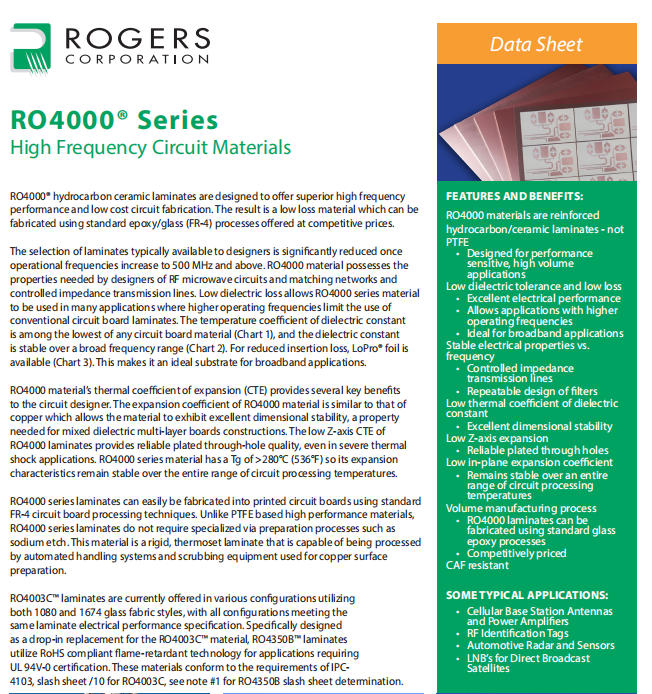
HDI (High-Density Interconnect) PCBs are essential for smartphones, wearables, and medical devices, as they allow for more components in a smaller footprint. Rigid-flex PCBs, which combine rigid and flexible materials, are ideal for aerospace and automotive applications where space is limited. RF/microwave PCBs require specialized materials and manufacturing processes to ensure signal integrity for communication systems, radar, and satellite technology.

When evaluating top PCB manufacturers in USA, ask about their equipment (e.g., laser drilling machines, automated assembly lines) and their experience with your specific technology. A manufacturer that specializes in simple rigid PCBs may not have the expertise to handle your HDI or rigid-flex design—leading to costly errors or compromised performance.

Quality Control Systems: FPY Rates, AOI Testing & Traceability

Quality is non-negotiable when it comes to PCBs—even a tiny defect can cause system failure, safety risks, or expensive rework. The top PCB manufacturers in USA prioritize quality control (QC) through rigorous processes and advanced testing.

First, look at their First Pass Yield (FPY) rate—a high FPY (ideally 98% or higher) indicates consistent production quality and reduces the risk of delays. Next, confirm their testing protocols: 100% electrical testing (to check for shorts and opens), AOI (Automated Optical Inspection) for surface defects, and microsection analysis for verifying internal structures like copper thickness. Traceability is another critical QC component—each PCB should be traceable to its material batch, production date, and test results, allowing you to identify and resolve issues quickly.

Don’t hesitate to ask for a tour of their facility (in-person or virtual) to see their QC processes firsthand. The best manufacturers are transparent about their quality systems and happy to share data on their performance.

Pricing Models: How to Balance Cost & Value with US PCB Suppliers

A common misconception is that US-based PCB manufacturers are more expensive than offshore options—but when you factor in hidden costs, the gap narrows significantly. The top PCB manufacturers in USA offer transparent pricing models that help you balance cost and value.

Offshore suppliers may offer lower per-unit pricing, but you’ll likely pay more in shipping, customs fees, and tariffs. Plus, delays from communication gaps or quality issues can lead to lost revenue from missed deadlines. US-based manufacturers eliminate these hidden costs with local logistics, faster turnaround, and fewer reworks.

When evaluating pricing, look for flat-rate pricing for prototypes and tiered pricing for high-volume production. Some manufacturers offer hybrid sourcing models—combining US-based prototyping (for speed and quality) with overseas production (for high-volume cost savings). Be wary of manufacturers that offer unusually low prices—this often indicates cutting corners on quality or materials, which will cost you more in the long run.

DFM Support: Why Design-for-Manufacturability Matters for US Manufacturers

Design-for-Manufacturability (DFM) is the secret to smooth production, on-time delivery, and cost savings—and the top PCB manufacturers in USA excel at providing proactive DFM support. DFM involves optimizing your PCB design for the manufacturing process, reducing the risk of defects, and minimizing production costs.

A good US-based manufacturer will review your design files early in the process, identifying issues like incompatible materials, tight tolerances, or inefficient layouts. They may suggest changes like adjusting trace widths, adding test points, or selecting alternative materials that are easier to manufacture without compromising performance. This collaborative approach saves time by reducing design iterations and ensures your PCB is production-ready from day one.

Some top PCB manufacturers in USA offer free DFM tools or online portals where you can upload your design files for instant feedback. Take advantage of these resources—they’re a sign of a manufacturer that values your success as much as their own.

Supply Chain Resilience: Local Sourcing & Emergency Order Capabilities

The past few years have taught us the importance of supply chain resilience—and the top PCB manufacturers in USA have invested heavily in building robust, local supply chains. Unlike offshore suppliers that rely on global materials and logistics, US-based manufacturers source most components locally, reducing the risk of delays from port congestion, shipping shortages, or geopolitical issues.

Emergency order capabilities are another key aspect of supply chain resilience. If your project hits a snag (e.g., a design change, a defective batch, or a tight deadline), the best US-based manufacturers can accelerate production to meet your needs. They have dedicated prototype lines and flexible production schedules that allow them to prioritize urgent orders without sacrificing quality.

When evaluating top PCB manufacturers in USA, ask about their inventory management systems and backup suppliers. A manufacturer with multiple local material sources and safety stock for critical components is far more reliable than one that relies on a single overseas supplier.

Customer Support & Technical Assistance: 24/7 Response & Account Management

Technical issues and questions are inevitable during PCB production—and the level of customer support can make all the difference. The top PCB manufacturers in USA distinguish themselves by offering responsive, knowledgeable support that goes beyond basic order tracking.

Look for manufacturers that assign a dedicated account manager to your project—this person will be your single point of contact for design reviews, production updates, and problem-solving. 24/7 technical support is a must for time-sensitive projects, as it ensures you can get help whenever you need it—whether it’s a late-night design question or an urgent production issue.

The best US-based manufacturers also offer post-delivery support, including troubleshooting assistance and warranty coverage. Don’t just read reviews—reach out to their customer support team with a few questions to test their responsiveness and expertise. A manufacturer that takes the time to understand your needs is more likely to deliver a successful project.

Sustainability & Environmental Compliance: RoHS & REACH Standards

Sustainability is no longer a nice-to-have—it’s a requirement for businesses operating in the US and global markets. The top PCB manufacturers in USA prioritize environmental compliance by adhering to strict standards like RoHS and REACH.

RoHS (Restriction of Hazardous Substances) limits the use of lead, mercury, and other toxic materials in electronic devices—critical for both environmental protection and market access. In the US, California’s Prop 65 goes even further, requiring warnings for products containing lead or other harmful substances, with fines of up to $25,000 per day for non-compliance. REACH (Registration, Evaluation, Authorization, and Restriction of Chemicals) is a European standard that US manufacturers must follow if they export to the EU.

When evaluating top PCB manufacturers in USA, ask about their sustainability practices—do they use recycled materials? Implement energy-efficient production processes? Offer take-back programs for waste PCBs? Choosing a sustainable manufacturer not only helps you comply with regulations but also enhances your brand reputation among eco-conscious customers.

Case Studies: Success Stories with Top USA PCB Manufacturers

Nothing builds trust like real-world results—and the top PCB manufacturers in USA have a track record of success across industries. For example, a leading aerospace company partnered with a US-based manufacturer to produce HDI PCBs for a satellite project, meeting IPC Class 3 standards and delivering prototypes in 7 days—cutting their NPI cycle by 50%.

Another success story comes from a medical device startup that needed ISO 13485-certified PCBs for a diagnostic tool. By working with a US manufacturer that offered proactive DFM support, they reduced design iterations from 3 to 1, saving 6 weeks of production time and $50,000 in development costs.

These case studies highlight the key benefits of working with top PCB manufacturers in USA: speed, quality, compliance, and collaboration. When researching potential partners, ask for references or case studies in your industry—this will give you a clear picture of their capabilities and how they can support your project.

Common Mistakes to Avoid When Choosing a US PCB Manufacturer

Even with the best intentions, it’s easy to make mistakes when selecting a PCB manufacturer—but the top PCB manufacturers in USA can help you avoid these pitfalls. One of the biggest mistakes is prioritizing price over quality: Choosing the cheapest option may save you money upfront, but it often leads to reworks, delays, and compromised performance.

Another common error is neglecting DFM support. Skipping the design review process can result in unmanufacturable designs or costly changes later in production. Don’t assume all manufacturers offer the same level of DFM assistance—look for partners that provide detailed feedback and proactive suggestions.

Failing to verify certifications is also a critical mistake. A manufacturer that claims to be ITAR or ISO certified but can’t provide documentation is a risk to your project. Finally, don’t overlook communication—working with a team that’s unresponsive or difficult to reach will only lead to frustration and delays. Choose a manufacturer that values transparency and keeps you informed every step of the way.

FAQs: Answers to Your Top Questions About USA PCB Manufacturers

What’s the difference between US-based and offshore PCB manufacturers?

US-based manufacturers offer faster turnaround times (3–10 days vs. 4–8 weeks offshore), better communication, stricter quality control, and compliance with US regulations like ITAR. Offshore suppliers may be cheaper for high-volume, simple designs but come with hidden costs like shipping and customs fees.

How do I verify a manufacturer’s IPC Class 3 certification?

Ask for a copy of their IPC certification and audit report. Reputable manufacturers will also provide documentation of their testing processes, including microsection analysis and 100% electrical testing.

What’s the typical turnaround time for prototypes from top PCB manufacturers in USA?

Most US-based manufacturers offer quick-turn prototyping in 3–5 business days, with rush options available for emergency orders.

Do US PCB manufacturers offer hybrid sourcing models?

Yes—many top PCB manufacturers in USA combine US-based prototyping with overseas production for high-volume orders, balancing speed and cost-effectiveness.

How important is ITAR certification for my project?

ITAR certification is mandatory for defense, aerospace, or any project involving sensitive US technology. Even if your project doesn’t require ITAR, working with a certified manufacturer ensures stricter quality control and IP protection.

Meet EBest Circuit (Best Technology) at Southern Manufacturing & Electronics 2026 – Booth K60

November 4th, 2025

Exciting news for all PCB designers, engineers and related industries!

EBest Circuit (Best Technology), one of China’s most trusted PCB manufacturing and assembly partners, is thrilled to announce our participation at Southern Manufacturing & Electronics 2026, taking place in the UK from February 2nd–5th (Western Time). You’ll find us at Booth No. K60 — ready to connect, collaborate, and inspire.

If you missed meeting us at New Tech or PCB West, this is your perfect opportunity to catch up with our team in person!

Meet EBest Circuit (Best Technology) at Southern Manufacturing & Electronics 2026 – Booth K60

What You’ll See at Booth K60

At the show, you’ll get hands-on insights into our advanced PCB manufacturing and assembly technologies. Our engineers will be available to discuss every step of the process — from PCB rapid prototyping to low and high-volume production — and demonstrate how we achieve precision, reliability, and speed in every board we produce.

Visitors can explore a full spectrum of PCB solutions, including:

Our full turnkey service covers everything from component sourcing, PCB fabrication, SMT assembly, testing, programming, to final system integration—all handled under one roof for seamless project execution.

What You’ll Learn

During the exhibition, our engineering team will be available to discuss:

  • How we minimize component wastage through process optimization
  • Strategies to reduce production costs and shorten lead times
  • The latest trends in PCB technology
  • Best practices for reliable high-density interconnect (HDI) designs

Whether you are in the early stages of product design or managing mass production, our experts will share actionable insights to help streamline your next project.

Event Details

Show Opening Times:

  • Tuesday, February 3: 09:30 – 16:30
  • Wednesday, February 4: 09:30 – 16:30
  • Thursday, February 5: 09:30 – 15:30

Address: Farnborough International Exhibition Centre, UK – Hall 1

Meet EBest Circuit (Best Technology) at Southern Manufacturing & Electronics 2026 – Booth K60

If you want to know more about this showcase, click below:

Southern Manufacturing & Electronics 2026.

Why Work with EBest Circuit (Best Technology)?

  • 19+ years experienced in PCB manufacturing
  • Wide Product Range: Ceramic PCB, HDI, Heavy Copper, IC Substrate & more
  • One-Stop Services: PCB Design, Assembly, Testing, Box Build
  • Full Certifications: ISO9001 | ISO13485 | IATF16949 | AS9100D | UL | RoHS
  • FREE Stack-Up Suggestions
  • Free DFM, DFA and DFT check
  • 100% original components from authorized distributer
  • 100% Testing – Flying probe, function testing, ICT, etc
  • Quality control system – X-ray, AOI, FAI
  • IPC class II, IPC class III, IPC 3/A standard

Join Us in the UK

If you missed meeting us at New Tech or PCB West, this is your next chance to connect in person. Stop by our booth to see how we’re advancing PCB performance through innovation, precision, and dedication to quality.

We look forward to meeting you in Farnborough, UK, and discussing how EBest Circuit (Best Technology) can support your next electronics project.

How to Read USB Pinout? USB Pinout Color Code

October 20th, 2025

From charging phones to transferring data between devices, USB (Universal Serial Bus) has become one of the most familiar interfaces in electronics everywhere. Universal Serial Bus (USB) is everywhere. But while everyone uses USB daily, few people know how it actually works or how each pin functions inside the connector.

Understanding USB pinout is essential for engineers, PCB designers, and anyone who deals with cable repair or prototyping. Whether you’re working with USB-A, USB-B, or the modern USB-C, knowing each pin’s purpose helps you connect devices safely and efficiently. This guide explains every detail of USB pinouts — including female and male connectors, wire color codes, data transfer principles, and what happens when connections go wrong.

How to Read USB Pinout? USB Pinout Color Code

What Is the Pinout for USB?

The USB pinout defines the electrical layout and functionality of the connector’s pins. Each pin has a specific role, such as carrying power, transferring data, or grounding the circuit.

Different types of USB connectors — USB Type-A, USB Type-B, Micro-USB, and USB-C — share similar core principles but have different numbers of pins.

Here’s a simple overview of common USB versions:

  • USB 1.1 / 2.0: 4 pins (Power, Ground, and two data lines)
  • USB 3.0 / 3.1: 9 pins (adds extra SuperSpeed data pairs)
  • USB-C: 24 pins (supports data, power delivery, and video output)

In short, the pinout structure defines how the USB communicates and delivers power between devices.

What Is the Pinout for USB?

USB Pinout Diagram

The usb pinout male connector (the plug) is typically what you insert into a device or computer port, while the usb pinout female connector (the receptacle) is what’s mounted on the board or device side.

USB 2.0 Type-A (Male Plug)

PinNameWire ColorDescription
1VBUSRed+5V Power
2D–WhiteData –
3D+GreenData +
4GNDBlackGround

This is the standard configuration used in most USB pinout male connectors. The female connector (socket) has the same pins but in reverse order, facing inward.

USB 3.0/3.1 Type-A (Male Plug)

PinNameWire ColorDescription
1VBUSRed+5V Power
2D–WhiteData –
3D+GreenData +
4GNDBlackGround
5StdA_SSRX–BlueSuperSpeed Receive –
6StdA_SSRX+YellowSuperSpeed Receive +
7GND_DRAINBlackGround
8StdA_SSTX–PurpleSuperSpeed Transmit –
9StdA_SSTX+OrangeSuperSpeed Transmit +

The extra pins in USB 3.0 and newer allow for faster data rates and improved power management.

USB-C Pinout

The USB-C pinout is the most advanced. It’s symmetrical, meaning you can plug it in either way.

PinNameDescription
A1, B1GNDGround
A4, B4VBUS+5V Power
A5, B5CCConfiguration Channel
A6, B6D+USB 2.0 Data +
A7, B7D–USB 2.0 Data –
A8, B8SBU1/SBU2Sideband Use
A9, B9VBUS+5V Power
A12, B12GNDGround
A2–A3, B10–B11TX/RXHigh-Speed Data Lanes

USB-C connectors can handle much higher power, up to 100W, and transfer data at speeds exceeding 20 Gbps.

USB Pinout Color Code

The usb pinout color code helps you identify wires easily when stripping or repairing cables. The colors are mostly standardized:

ColorSignalDescription
RedVBUS+5V Power
WhiteD–Data –
GreenD+Data +
BlackGNDGround
Blue/YellowSuperSpeed RX/TX (USB 3.x)High-speed data lanes
USB Pinout Color Code

Always double-check with a multimeter before soldering or reconnecting wires. While most cables follow this color code, some low-cost ones might differ slightly.

How to Identify USB Pins?

Identifying pins is easier than it looks. Start by checking the USB symbol on the connector to find its orientation. Then, look inside — you’ll see four or more contact pads.

For a USB pinout female port:

  • Pin 1 (VBUS) is usually on the left if the port’s wider side faces up.
  • Pin 4 (GND) sits on the far right.

For a USB pinout male plug:

  • Pin 1 (VBUS) is on the right when the flat side faces down.
  • Pin 4 (GND) is on the left.

Using a simple continuity test can also help confirm which pin connects to which wire. It’s especially useful when building custom USB cables or integrating USB interfaces on PCB designs.

Which USB Pin Is Power and Ground?

Power delivery is one of USB’s fundamental functions. The power (VBUS) and ground (GND) pins form the electrical foundation for charging and powering devices.

  • Pin 1 (Red): +5V DC (VBUS) — supplies power to the connected device.
  • Pin 4 (Black): Ground (GND) — provides the return path for current.

In older USB versions (1.1 and 2.0), this voltage is fixed at 5V, typically providing up to 500mA of current.

With USB 3.0 and later, the current increases to 900mA, while USB-C supports adjustable power delivery (PD) up to 20V and 5A (100W) depending on negotiation between devices.

If you ever test a USB cable with a multimeter, the red wire corresponds to the +5V pin, and the black one connects to ground.

USB Data Transfer

USB communication happens over differential pairs, meaning the D+ (green) and D– (white) lines carry complementary signals. This design minimizes interference and enables stable, high-speed data transfer. Here’s how data transfer works:

1. The host (computer or controller) initiates communication.

2. The D+ and D– lines transmit binary data in opposite polarity.

3. The device responds through the same lines, completing two-way communication.

USB 2.0 supports up to 480 Mbps, while USB 3.0/3.1 adds new data pairs (SuperSpeed lines) to reach 5 Gbps and 10 Gbps, respectively. USB-C goes even further — supporting USB 4.0 and Thunderbolt modes with speeds over 40 Gbps, depending on configuration.

What Do the Red, White, and Green Wires Do in a USB Cable?

Every wire inside a USB cable plays a unique role:

  • Red (VBUS): Supplies +5V DC power to charge or operate the device.
  • White (D–): Carries the negative side of the differential data signal.
  • Green (D+): Carries the positive side of the differential data signal.
  • Black (GND): Provides the common return path for current.
What Do the Red, White, and Green Wires Do in a USB Cable?

If one of these connections is interrupted — for example, a broken white or green wire — the USB will still supply power but won’t transfer data properly. This explains why some damaged cables “charge only” but fail to sync data.

Which USB Wires Are Positive and Negative?

In USB wiring:

  • Positive: Red wire (VBUS) — supplies +5V.
  • Negative: Black wire (GND) — completes the electrical circuit.

The data pair (white and green) also has positive and negative roles:

  • D+ (green) carries positive data signals.
  • D– (white) carries negative data signals.

This differential system is key for stable and interference-free communication. Always double-check wire polarity before soldering or connecting to avoid damage.

What Happens If I Mix Up Positive and Negative Wires?

Mixing up positive and negative USB wires can damage your devices or ports. If you accidentally reverse them, the circuit might short, causing immediate disconnection or, in worst cases, permanent hardware damage.

  • The USB port may short-circuit, triggering protection or permanently damaging components.
  • Devices could fail to boot or suffer electrical damage.
  • PCB traces might burn due to excessive current.

For this reason, always double-check the pinout before soldering or applying power. Using fuses or protection circuits in prototypes is also a wise practice.

What Happens If You Plug a USB 2.0 into a USB 3.1 Port?

The good news — USB standards are backward compatible. Plugging a USB 2.0 cable or device into a USB 3.1 port will still work safely.

However, data speed will be limited to the lowest standard in the connection. For example, if you connect a USB 2.0 flash drive to a USB 3.1 port, the data rate caps at 480 Mbps instead of 10 Gbps.

Compatibility is one of USB’s greatest strengths — you can mix different generations without damaging your devices.

USB-C Pinout Overview

The usb-c pinout is far more advanced than earlier types. With 24 symmetrical pins, USB-C supports reversible plug orientation, fast data transfer, and powerful charging options.

Here’s a simplified overview of the USB-C pin configuration:

Pin GroupFunctionDescription
A1–A4, B1–B4VBUSPower delivery (5V–20V)
A5, B5CC1, CC2Configuration channels (detect orientation & role)
A6–A7, B6–B7D+, D–USB 2.0 data lines
A8–A11, B8–B11TX/RX PairsSuperSpeed differential pairs
A12, B12GNDGround lines
SBU1, SBU2Sideband UseAlternate functions (DisplayPort, audio, etc.)

Because USB-C is reversible, you can insert it in either direction — the system automatically recognizes the orientation through CC1 and CC2 pins. It also supports Power Delivery (PD), allowing dynamic voltage adjustment from 5V to 20V, making it suitable for charging laptops, monitors, and industrial equipment.

Why Partner with EBest Circuit (Best Technology) for USB-Related PCB Projects?

When it comes to USB-based PCB design, precision and reliability matter. EBest Circuit (Best Technology) is a trusted PCB manufacturer specializing in custom circuit boards and assemblies that integrate USB power and communication circuits.

We provide:

  • Comprehensive engineering support for USB-A, USB-B, Micro-USB, and USB-C connectors
  • High-quality PCB fabrication with strict impedance control for data traces
  • ISO-certified quality systems, including ISO9001, ISO13485, IATF16949, and AS9100D
  • Full traceability system to monitor production and ensure full transparency
  • Prototype to mass production services, covering cable integration, connector soldering, and testing
  • Factory based price with no minimum quantity order requirements

Whether you need usb-c pinout-based designs for fast-charging products or usb pinout male/female connectors for embedded systems, EBest Circuit (Best Technology) offers professional solutions tailored to your application

FAQs About USB Pinout

1. What is the difference between USB 2.0, 3.0, and USB-C pinouts?

USB 2.0 has 4 pins—power, ground, and two data lines. USB 3.0 adds five extra pins to support faster data rates up to 5 Gbps. USB-C is more advanced, with 24 pins supporting reversible connections, higher current (up to 5A), and protocols like DisplayPort and Thunderbolt.

2. Can I connect USB male and female cables with different pinouts?

Yes, but only if the pin assignments match. For example, connecting a USB 2.0 male to a USB 3.0 female works because USB 3.0 ports are backward compatible. However, improper wiring or mismatched pinouts may cause unstable connections or charging failure.

3. Why are USB wires color-coded?

The color codes make identification simple during repair or assembly. Red is usually +5V (VCC), black is ground (GND), white is data– (D–), and green is data+ (D+). These color standards help avoid short circuits or reversed connections.

4. Can I use USB pins to power other devices?

Yes, but with caution. Standard USB 2.0 provides up to 500mA, while USB 3.0 can supply 900mA. USB-C supports higher power levels up to 100W (20V/5A) under the Power Delivery (PD) standard. Always check the device’s power requirements before using USB pins as a power source.

5. What should I do if my USB cable gets hot or doesn’t charge properly?

Overheating may indicate a short circuit, incorrect wiring, or poor cable quality. Disconnect it immediately and inspect the pinout. Using cables with the correct gauge and verified USB certification ensures both safety and performance.

Are MOSFETs and CMOS Same? Types of MOSFETs

September 17th, 2025

No, a MOSFET is an individual transistor that can switch or amplify electrical signals, while CMOS is a technology that combines complementary MOSFETs—both N-channel and P-channel—to create highly efficient digital circuits. One is a building block, and the other is a design method that uses thousands or even billions of those blocks. To really see the difference, let’s walk through what each term means and how they connect in today’s electronics.

What is a MOSFET?

A MOSFET stands for Metal-Oxide-Semiconductor Field-Effect Transistor. It is one of the most widely used electronic components in the world. Think of it as a tiny switch that can turn current on and off in a circuit. Unlike older switches that rely on mechanical movement, MOSFETs work by using an electric field to control the flow of charge. This makes them fast, efficient, and durable.

MOSFETs appear in everything from power regulators to memory chips. They can handle both high power and delicate signal processing, which is why they are everywhere in modern electronics. Because they are scalable and reliable, engineers continue to rely on MOSFETs as the backbone of both analog and digital systems.

Are MOSFETs and CMOS Same? Types of MOSFETs

Does A MOSFET is Composed of Four Elements?

Every MOSFET has four terminals, and each one has a unique role:

  • Source – This is where the current carriers, usually electrons or holes, enter the device.
  • Drain – This is where the carriers leave the device after passing through the channel.
  • Gate – This is the control terminal. By applying a voltage here, you decide whether the channel between source and drain is open or closed.
  • Body (or Substrate) – This is the underlying layer of material that holds the structure together. It usually connects to a fixed potential to stabilize the device.
Does A MOSFET is Composed of Four Elements?

Together, these four parts make the MOSFET function like a controlled valve. Imagine turning a faucet on and off with your hand. The gate in a MOSFET does the same job, but it uses voltage instead of physical effort.

Types of MOSFET

MOSFETs are classified based on their channel type, conduction mode, and power handling. Choosing the right type depends on the application. Here’s a detailed overview:

N-Channel MOSFET

  • Uses electrons as majority carriers.
  • Requires a positive voltage at the gate relative to the source to turn on.
  • Often used for low-side switching, where the source connects to ground.
  • Advantages: High electron mobility allows faster switching and higher efficiency.

P-Channel MOSFET

  • Uses holes as majority carriers.
  • Requires a negative gate voltage relative to the source to turn on.
  • Commonly used for high-side switching, where the source connects to the positive supply.
  • Slightly slower than N-channel MOSFETs due to lower hole mobility.

Enhancement Mode MOSFET

  • Normally off when the gate-source voltage is zero.
  • Requires a gate voltage to enhance conductivity.
  • Most modern MOSFETs are enhancement mode, especially in digital circuits and power applications.

Depletion Mode MOSFET

  • Normally on at zero gate voltage.
  • Applying a gate voltage reduces conductivity.
  • Less common but useful in some analog circuits.

Power MOSFET

  • Designed to handle high currents and voltages.
  • Often used in power electronics, such as inverters, motor drives, and LED drivers.
  • Features low on-resistance to reduce power loss.

Why MOSFETs are Important in Power Electronics?

We can say, MOSFETs are the backbone of modern power electronics. Their role goes far beyond simple switching—they determine efficiency, thermal performance, and the reliability of electronic systems. Here’s why they are indispensable:

  • High Switching Speed

MOSFETs can turn on and off in nanoseconds. This rapid switching is crucial for high-frequency applications such as DC-DC converters, switch-mode power supplies, and motor drivers. Faster switching reduces energy loss in the form of heat, enabling compact designs and higher efficiency.

  • Low On-Resistance (Rds(on))

Power MOSFETs have extremely low on-resistance, meaning less voltage drop across the device when conducting. Lower resistance translates directly to less heat generation and higher efficiency. For example, in a 12V power supply handling 10A, a MOSFET with an Rds(on) of 10mΩ will lose only 1.0W, keeping the system cool and energy-efficient.

  • Minimal Gate Drive Power

Unlike bipolar transistors, MOSFETs require almost no current to control the gate. A small voltage is enough to switch large currents on and off. This allows microcontrollers and digital circuits to drive MOSFETs directly without additional amplifiers, simplifying the circuit design.

  • High Current and Voltage Handling

Power MOSFETs can manage high currents (tens or hundreds of amps) and high voltages (up to thousands of volts). This capability makes them ideal for industrial inverters, electric vehicle motor controllers, and LED drivers. Designers can achieve higher power density without sacrificing reliability.

What is CMOS?

CMOS stands for Complementary Metal-Oxide-Semiconductor. Instead of being a single component, CMOS refers to a technology for building logic circuits. It combines two types of MOSFETs:

  • NMOS (n-type MOSFETs) – These conduct when a positive voltage is applied to the gate.
  • PMOS (p-type MOSFETs) – These conduct when a negative voltage is applied to the gate.

By using both NMOS and PMOS in pairs, CMOS circuits achieve something very valuable: low power consumption. A CMOS gate only draws significant current when it switches states. In steady operation, it hardly wastes any energy. This is why CMOS has become the standard for digital electronics. From smartphones to cloud servers, CMOS technology powers almost every digital device you know.

What is CMOS?

What is the Difference Between a CMOS and a MOSFET?

The distinction is clear once you see their roles:

  • A MOSFET is a transistor, a single device used to switch or amplify signals.
  • CMOS is a circuit design method that arranges MOSFETs in complementary pairs to create logic gates and larger systems.
FeatureMOSFETCMOS
DefinitionA single transistor used for switching or amplificationA circuit technology using pairs of MOSFETs (NMOS + PMOS)
LevelDevice level (individual component)Circuit/system level (logic gates, processors)
Power ConsumptionDepends on usage; can consume more when switchingVery low static power; only draws current during switching
UsagePower electronics, amplifiers, signal processing, regulatorsDigital logic circuits, CPUs, memory, sensors
ScalabilityUsed alone or in small groupsScales to billions of transistors in integrated circuits
ExampleVoltage regulator in a laptop chargerProcessor inside a laptop or smartphone

In simpler words, MOSFETs are the bricks, and CMOS is the architectural style that uses those bricks to build skyscrapers. Without MOSFETs, CMOS would not exist. But a single MOSFET by itself is not CMOS.

Does CMOS Use MOSFETs?

Yes, absolutely. CMOS is built entirely from MOSFETs. Each logic gate—whether it’s an inverter, AND, or OR gate—uses a pair of MOSFETs working together. One MOSFET pulls the output high, while the other pulls it low. Because only one of them conducts at a time in steady states, the circuit hardly consumes static power.

This is why CMOS chips run cool compared to older technologies like TTL (Transistor-Transistor Logic). It is also the reason why CMOS scaled so well into modern processors and memory chips. Without the efficiency of MOSFETs, today’s electronic devices would overheat or drain batteries far too quickly.

Do Modern CPUs Use MOSFETs?

Yes, and not just a few of them. Modern CPUs contain billions of MOSFETs, all arranged in CMOS configurations. Each transistor acts as a tiny switch, controlling whether a bit of information is a “0” or a “1.”

As manufacturing processes advanced, engineers learned to shrink MOSFETs to nanometer sizes. Today, CPUs use MOSFETs that are only a few dozen atoms wide. This scaling has allowed CPUs to pack more power into smaller chips while keeping energy use under control.

For example, a high-end processor from a decade ago may have had a few hundred million transistors. Today, advanced CPUs in smartphones and servers have tens of billions of MOSFETs, all functioning in harmony thanks to CMOS technology.

Do Modern CPUs Use MOSFETs?

Why Do People Confuse MOSFETs and CMOS?

The confusion comes from the overlap in terminology. Since CMOS circuits are built from MOSFETs, people sometimes use the terms loosely. However, the key difference is scope. A MOSFET is an individual transistor. CMOS refers to an entire circuit style that depends on using many MOSFETs in complementary pairs.

It’s a bit like confusing a single letter with a whole alphabet system. The letter is part of the system, but not the same thing as the system itself.

Conclusion

So, are MOSFETs and CMOS the same? No, they are not. MOSFETs are individual transistors, while CMOS is a circuit design style that relies on MOSFET pairs. One provides the building blocks, and the other organizes them into powerful digital systems.

At EBest Circuit (Best Technology), we understand how critical both MOSFETs and CMOS are in modern circuit design. Our PCB manufacturing services support advanced semiconductor packaging and power management needs. With certifications like ISO9001, ISO13485, IATF16949, and AS9100D, we deliver boards trusted by industries from medical to aerospace. Using MES systems, we guarantee full traceability and rigorous quality control.

If you are designing circuits that involve MOSFETs, CMOS, or advanced digital logic, EBest Circuit (Best Technology) is here to provide the PCB solutions you need with precision, reliability, and competitive pricing.

FAQs

1. Why are MOSFETs important in electronics?

MOSFETs act as fast switches that control current with very little power. This makes them ideal for both power and signal applications.

2. Why is CMOS more efficient than other logic technologies?

Because only one transistor in a CMOS pair conducts at a time, it consumes very little power in a steady state.

3. Can you have CMOS without MOSFETs?

No. CMOS is entirely built from MOSFETs. Without them, CMOS circuits would not exist.

4. How many MOSFETs are in a CPU?

Modern CPUs can contain billions of MOSFETs, each working as a tiny on/off switch to perform logic operations.

5. Are MOSFETs used only in digital circuits?

No. MOSFETs are also widely used in analog circuits, power supplies, amplifiers, and motor controllers.

What is Define GND? Does GND is Positive or Negative?

September 16th, 2025

In electronics, GND is one of the most essential concepts to understand. Whether you are designing a PCB or troubleshooting a circuit, knowing what GND means and how it works is fundamental. GND, short for Ground, acts as the reference point for all voltages in a circuit. You can think of it as the zero point on a ruler, from which every measurement is taken.

GND is not only a voltage reference; it also ensures circuit stability, reduces noise, and protects both devices and users. Improper grounding can lead to unstable signals, interference, or even damage sensitive components. This detailed guide explains everything about GND—from its definition and types to symbols, working principles, and PCB grounding best practices. Even beginners will understand how to use GND effectively after reading this.

What is Define GND? Does GND is Positive or Negative?

What Is the GND in an Electronic Circuit?

GND in an electronic circuit is the reference voltage level. In most cases, this is 0 volts. All other voltages in the circuit are measured relative to GND. For instance, if a microcontroller pin reads 5V, it means the voltage difference between that pin and GND is 5 volts.

GND is also the path through which current returns to the power source. Without a return path, current cannot flow, and the circuit will not work. In this sense, GND acts as the foundation of the circuit, similar to how a building’s foundation supports everything built above it.

Additionally, GND protects the circuit. In the event of a fault, excess current is directed safely to ground, preventing damage to components or hazards to users.

Types of Ground in Circuits

Not all grounds serve the same purpose. Different types of circuits require different grounding strategies. Here are the most common types:

1. Analog Ground (AGND):

  • Used for sensitive analog circuits.
  • Reduces noise that can affect analog signals, like audio or sensor data.
  • Often separated from digital ground to prevent interference.

2. Digital Ground (DGND):

  • Used for digital circuits with logic signals.
  • Ensures stable operation of digital devices like microcontrollers or FPGAs.
  • Helps prevent digital switching noise from reaching analog sections.

3. Protective Earth (PE):

  • Connected to the metal casing of devices.
  • Protects users from electric shock in case of a fault.
  • Often connected to the physical earth or building ground.

4. Signal Ground:

  • Used specifically for reference in signal circuits.
  • Isolated from power ground in sensitive applications to reduce noise interference.

Proper grounding requires careful planning. Incorrect separation or connection of these grounds can lead to signal interference, erratic operation, or even damage.

Functions of GND Design

  • Voltage Reference: All voltages are measured relative to GND. It ensures consistent operation of electronic components.
  • Complete Current Loop: For current to flow, it must return to the power source. GND provides that return path.
  • Safety: Excess currents, such as those caused by short circuits or faults, are safely directed to ground, protecting users and devices.
  • Noise Reduction: Proper grounding can significantly reduce electromagnetic interference (EMI) and radio frequency interference (RFI).

Each function ensures circuits operate reliably, safely, and efficiently. In high-speed electronics, correct grounding is even more crucial, as signal integrity depends heavily on stable ground reference.

Working Principle of GND

The working principle of GND is simple yet vital. In any electrical circuit, current flows from the positive terminal of the power source, through the load, and returns via the negative terminal or ground.

GND serves two key roles:

  • Reference Point: It establishes a baseline voltage level. All other voltages are measured relative to this point.
  • Return Path for Current: Current needs a complete loop to flow. GND provides the return path back to the source.
Working Principle of GND

Without a stable GND, circuits can behave unpredictably. Voltage levels may fluctuate, and signals may become distorted. In digital electronics, this can cause logic errors. In analog electronics, it can introduce unwanted noise or distortion.

Ground Symbols in Circuit Diagrams

Understanding GND symbols in circuit diagrams is crucial for designing or troubleshooting circuits. Common symbols include:

  • Triangle or a line at the base: Represents a universal or general ground.
  • Multiple horizontal lines stacked: Often indicates digital or system ground.
  • Three horizontal lines of decreasing width: Represents protective earth (PE) for safety grounding.
Ground Symbols in Circuit Diagrams

When reading schematics, recognizing these symbols allows engineers to identify different types of ground and design circuits that minimize noise and interference.

Is GND Positive or Negative?

GND is neither strictly positive nor negative. It is the reference point from which all voltages are measured. The potential of any point in the circuit can be positive or negative relative to GND.

For example:

  • In a 5V DC circuit, the positive terminal is +5V relative to GND.
  • In a split supply system (±12V), points can be +12V or -12V relative to GND.

Generally, GND is treated as 0V, which simplifies measurements and circuit design.

How Does GND Differ in DC and AC Circuits?

DC Circuits:

  • GND is usually the negative terminal of the power supply.
  • Provides a return path for current.

AC Circuits:

  • GND can be connected to the earth or neutral line.
  • Provides safety and a reference point for alternating voltage.

While the role of GND is similar, the behavior of AC voltage fluctuates, making grounding crucial for safety. In DC, GND mainly serves as a stable voltage reference.

Difference Between Earthing and Grounding

Many beginners and even some experienced engineers often confuse earthing and grounding. While they are related concepts in electrical and electronic circuits, their purposes are different.

1. Earthing

Earthing, also known as protective earth, is the process of connecting the metallic parts of an electrical device or system to the physical ground (earth). Its main purpose is safety.

Key Points:

  • Protects users from electric shock if a live wire accidentally touches the metal body.
  • Directs excess current safely into the earth, preventing damage to devices.
  • Often mandatory in homes, industries, and hospitals for safety compliance.

For easy to understanding, you can consider it as a metal-cased fan. If a live wire inside the fan comes into contact with the casing, the entire casing becomes live. If the casing is properly earthed, the current flows directly into the ground instead of passing through a person touching the fan.

Difference Between Earthing and Grounding

2. Grounding

Grounding, in electronics, is the process of connecting a circuit’s reference point to a common voltage level, typically 0 volts. It is essential for circuit functionality.

Key Points:

  • Provides a reference voltage for the entire circuit.
  • Ensures stable operation of digital and analog devices.
  • Helps current return to the power source, completing the circuit loop.
  • Reduces noise and electromagnetic interference (EMI) in sensitive circuits.

In a microcontroller circuit, all voltages are measured relative to the GND pin. The microcontroller reads sensors, powers LEDs, and communicates with other devices using ground as the reference point. Without grounding, voltage levels would fluctuate, and the system might fail.

Here is a detailed comparison table between them, hope this is easy to make you sense:

FeatureEarthingGrounding
PurposeSafety; protects users and equipment from electric shockCircuit reference; ensures proper operation and stability
ConnectionConnects metal parts or chassis directly to earthConnects circuit reference point (GND) to a common node or plane
Affects Circuit Operation?No, works only during fault conditionsYes, essential for accurate voltage measurement and signal integrity
Current FlowOnly during fault or leakage currentNormal current returns via GND path
Symbol in SchematicsPE symbol (three lines of decreasing length)Triangle or horizontal line for GND
ExampleMetal casing of appliancesMicrocontroller GND, power supply negative terminal

In simple terms:

  • Earthing is about protecting people and equipment from electric shock.
  • Grounding is about providing a stable reference point for circuits.

Do All Circuits Need a Ground?

Do all circuits need a ground? Most circuits require GND for reference and return paths. However, small battery-operated circuits can sometimes function without an external ground.

Still, for complex electronics involving high-speed signals or sensitive analog circuits, proper grounding is essential to maintain signal integrity and safety.

Best Practices for PCB Grounding Design

Effective PCB grounding ensures stable, noise-free circuits. Here are some best practices:

  • Single-Point Grounding: Connect different types of ground at a single point to prevent loops.
  • Ground Plane: Use a continuous copper layer as a low-impedance return path.
  • Separate Analog and Digital Grounds: Isolate sensitive analog circuits from noisy digital circuits.
  • Short and Wide Traces: Keep high-frequency signal traces close to the ground plane to minimize impedance.
  • Proper Protective Earth Connection: Connect safety ground correctly to protect users without introducing interference.

FAQs

1. Can grounding replace earthing?

No. Grounding provides a voltage reference, while earthing protects against electrical faults. Both serve different purposes.

2. Why do circuits need both earthing and grounding?

Grounding ensures stable operation; earthing ensures safety. Both together provide reliable and safe systems.

3. What happens if earthing is not done?

Without earthing, fault currents may flow through the user, causing electric shock and equipment damage.

4. What is a ground loop?

A ground loop occurs when multiple ground connections create unintended current paths, causing noise or interference.

5. How to implement earthing in PCB design?

Connect metal parts and chassis to a PE pin, separate from GND planes, and ensure a single star point connection if possible.

6. What is the difference between analog and digital ground?

Analog ground reduces noise for analog circuits. Digital ground ensures stable logic signals. Separating them reduces interference.

7. Why do PCBs need a ground plane?

Ground planes provide a low-impedance return path, reducing noise and improving signal stability.

8. What is the difference between earthing and grounding?

Earthing protects users by connecting equipment to earth. Grounding provides a reference for circuit operation.

A Detailed Guide to Multimeter Symbols | PCB Basic

September 15th, 2025

If you have ever looked at a multimeter for the first time, the dial filled with symbols can look overwhelming. For beginners, these icons are often the most confusing part of the tool. Yet, understanding multimeter symbols is essential. Each symbol tells you what the meter is ready to measure—whether it’s voltage, current, resistance, continuity, or even more advanced functions like capacitance and frequency.

A multimeter is not just for professionals. Home users, electricians, and electronics enthusiasts all rely on it to diagnose problems, test components, and ensure safety in electrical work. If you don’t know what the symbols mean, you risk incorrect measurements or damaging the tool. This guide will walk you through the meanings of each symbol, how to use them step by step, and practical techniques for everyday testing.

A Detailed Guide to Multimeter Symbols | PCB Basic

What Do the Symbols Mean on a Multimeter?

Every multimeter has a rotating dial or digital menu with symbols. These represent the measurement modes. Once you learn them, the multimeter becomes much easier to use. Let’s explore the most common:

SymbolFunctionNotes / Quick Meaning
V~AC VoltageAlternating current voltage
V— or VDCDC VoltageDirect current voltage
A~AC CurrentAlternating current measurement
A— or ADCDC CurrentDirect current measurement
ΩResistanceMeasures in ohms
**Diode (▶—)**Diode Test
Continuity (🔔 or ~))ContinuityBeeps if circuit is complete
** **
HzFrequencyAC signal frequency in Hertz
mVMillivoltsSmall voltage measurements
ÎŒA / mAMicro / Milli AmpsSmall current ranges
Via HoleConnection CheckAll layer-interconnection testing (for PCBs)

Here is a table make it more clear to understand each symbols in multimeter:

What Do the Symbols Mean on a Multimeter?

How to Use a Multimeter for Beginners?

If you are new to multimeters, don’t worry. Here’s a simple step-by-step approach that applies to most models:

1. Insert the probes correctly. The black lead always goes into the COM (common) port. The red lead goes into the port marked VΩmA for most tests. For high-current measurements, use the dedicated 10A or 20A port.

2. Turn the dial. Select the symbol for what you want to measure. For voltage, choose either AC (V~) or DC (V—). For resistance, use Ω.

3. Connect the probes. Place the tips on the two points of the circuit. For voltage, measure across a component. For current, insert the meter in series. For continuity, simply touch the two ends of the conductor.

4. Read the display. A digital multimeter will give you a number instantly. If the number seems unstable, try switching to another range.

Beginners should practice first on safe, low-voltage circuits. For example, test a battery in DC mode. This builds confidence before working with live AC circuits.

How to Read a Multimeter Display?

Multimeter displays show more than just numbers. Understanding the indicators will improve accuracy.

How to Read a Multimeter Display?
  • Numeric Reading: The most obvious part. This is the value you are measuring.
  • Unit Indicators: A letter or symbol like V, A, or Ω appears beside the reading. It shows what the number represents. Display show V means this value is voltage, A means current, Ω means resistance.
  • Range Indicators: Some meters show prefixes like m (milli), ÎŒ (micro), or k (kilo). For example, 1.2kΩ means 1,200 ohms.
  • Additional Icons: Many meters have small indicators for functions such as “Hold,” “Battery Low,” or “Auto Range.”

If you use a manual range multimeter, you will also need to match the dial with the expected value. For example, if you measure a 9V battery, set the range above 9V (perhaps 20V). Auto-ranging multimeters save time by picking the correct range for you.

Which is AC and DC in Multimeter?

Multimeters clearly distinguish AC and DC with different symbols:

  • AC is shown with V~ or A~. The wavy line matches the alternating pattern of AC signals.
  • DC is shown with V— or A—. The straight and dashed line represents constant flow in one direction.

This distinction is critical. Using the DC mode on an AC outlet, for instance, won’t give you a reliable reading. Worse, it may damage the meter if set incorrectly in current mode. Always confirm the source before selecting AC or DC.

What is a Good Reading for Continuity?

Continuity checks are among the easiest tests with a multimeter. When continuity exists, the resistance is close to zero. A good reading is usually:

  • 0 to 2 ohms: Strong connection.
  • Beeping sound: Most meters beep when continuity is present.
  • OL or no reading: This indicates an open circuit, meaning no path for current.

For example, if you test a wire and hear a beep, it means the wire is intact. If there is no sound, the wire is broken. This test is handy for checking fuses, PCB traces, and connectors.

What is One Thing You Should Not Do When Using a Multimeter?

The most important safety rule: never measure resistance on a live circuit. Resistance testing requires the multimeter to send a small current through the circuit. If the circuit is powered, this can damage the meter or give false results.

Other things to avoid:

  • Don’t exceed the current rating of the meter. Always check the specifications.
  • Never switch modes while the probes are connected to a live circuit.
  • Don’t touch probe tips when measuring high voltage.
  • Safe habits keep both the user and the multimeter protected.

How Do I Know What Setting to Use on a Multimeter?

Choosing the right setting depends on the job. Here are some quick tips:

  • Battery testing: Use V— (DC voltage).
  • Outlet testing: Use V~ (AC voltage).
  • Checking a resistor: Use Ω.
  • Checking a fuse or wire: Use continuity (buzzer symbol).
  • Testing a diode or LED: Use the diode mode.

If unsure, always start at the highest range for that setting, then lower it. This prevents overload and protects the meter. Auto-ranging models eliminate this step but it’s still good practice to know.

How to Tell Voltage with a Multimeter?

Voltage is one of the most common tests. Here’s how to measure it:

  1. Set the multimeter to the correct voltage type (AC or DC).
  2. Connect the black probe to COM and red probe to VΩmA.
  3. Place probes across the component or source. For batteries, red goes to positive, black to negative.
  4. Read the display. Digital meters show the value directly; analog meters require reading the needle against the scale.

Voltage readings indicate the potential difference between two points in a circuit. For safety, confirm the voltage rating and type before connecting the probes.

How to Tell if Power is AC or DC with a Multimeter?

If you are unsure about the type of power, a multimeter can help identify it:

  1. Set the meter to AC voltage (V~). Measure the voltage.
  2. If the reading is zero, switch to DC (V—).
  3. If a value appears in DC mode, the circuit uses direct current. If it appears in AC mode, it’s alternating current.

Some multimeters have an auto AC/DC detection feature, showing the type automatically. This is useful for testing unknown sources safely.

For example, household outlets should give a reading in AC mode, while a battery will only show in DC mode. This method is reliable when testing unknown power supplies.

FAQs

1. What is the diode symbol on a multimeter used for?

It is used to test if current flows in one direction, mainly for diodes or LEDs.

2. Can I measure AC voltage on a battery?

No. Batteries provide DC only. The AC mode will show no useful reading.

3. Why is continuity testing important?

It checks if a circuit path is complete. This helps detect broken wires, damaged fuses, or faulty connections.

4. What does “OL” mean on a multimeter?

It stands for “open loop.” It indicates infinite resistance, meaning the circuit is broken.

5. Can I use the same probes for voltage and current tests?

Yes, but for high current, insert the red probe into the dedicated high-current port.

Learning multimeter symbols may seem like a small step, but it unlocks the real power of this tool. Once you know what each symbol means, testing voltage, current, resistance, and continuity becomes second nature. For beginners, starting with low-voltage DC tests is the best way to build confidence. With time, you can handle AC circuits, diodes, capacitors, and even frequency tests.

At EBest Circuit (Best Technology), we support customers with high-quality testing tools and professional PCB solutions. Our products come with strict quality control under ISO9001, ISO13485 for medical, IATF16949 for automotive, and AS9100D for aerospace standards. By combining competitive pricing, skilled engineering, and traceability through MES systems, we deliver reliable solutions for every customer. Whether you need PCBs or reliable testing tools, we provide everything with precision and care.

5G UW vs 5G UC: What Does 5G UW Mean?

September 10th, 2025

The world is buzzing with 5G. Mobile networks are rolling it out at full speed, and every new smartphone comes with 5G capability. But when you look at your screen and see “5G UW” or “5G UC,” confusion kicks in. What do these terms mean? Are they faster than LTE, or just marketing?

In the debate of 5G UW vs 5G UC, it’s important to break down the meaning of these labels, what kind of performance you can expect, and why they matter for industries far beyond mobile phones. At the heart of this revolution sits high speed PCB technology, the invisible backbone that makes next-generation communication possible.

What is 5G?

5G is the abbreviation of 5th Generation Mobile Communication Technology. It is standardized by the International Telecommunication Union (ITU) and achieves performance breakthroughs through technologies such as millimeter waves, massive antenna arrays (Massive MIMO), and beamforming. Its network architecture supports both standalone networking (SA) and non-standalone networking (NSA), providing infrastructure for the Internet of Things and industrial internet, among others.

Key features of 5G network:

  1. High rate: The theoretical peak transmission speed reaches 20 Gbps, which is over 10 times that of 4G and can support large data applications such as 8K videos, VR/AR.
  2. Low latency: The air interface latency is as low as 1 ms, meeting the real-time interaction requirements of autonomous driving, remote surgery, etc.
  3. Large connection: Each square kilometer can connect millions of devices, promoting the implementation of IoT scenarios such as smart cities and smart homes.
5G UW vs 5G UC: What Does 5G UW Mean?

Types of 5G Network

To understand why your phone sometimes shows “UW” or “UC,” you need to know the different flavors of 5G. The 5G network can be divided into three types according to its band:

1. Low-band 5G: Operates close to traditional LTE frequencies. It can cover long distances and penetrate buildings well, but the speed jump is modest. Think of it as a slightly upgraded LTE.

2. Mid-band 5G: Provides a sweet spot. It offers significantly higher speeds while still covering large areas. This band is the workhorse of most 5G deployments.

3. High-band 5G (mmWave): This is the superstar of speed. It delivers multi-gigabit per second downloads and ultra-low latency. However, signals don’t travel far and can be blocked by walls, trees, or even your own hand.

Different carriers use different strategies. Verizon highlights its Ultra Wideband service. T-Mobile emphasizes Ultra Capacity. AT&T uses “5G+.” While the names differ, the underlying technology rests on these three bands.

What is 5G UW?

So, what does UW mean next to 5G? On Verizon’s network, UW stands for Ultra Wideband. It is the branding the company uses for its fastest 5G connections.

In practice, 5G UW usually refers to two types of spectrum:

  • mmWave spectrum: Ultra-high frequencies that deliver multi-gigabit speeds. Ideal for stadiums, airports, or city centers where many users need blazing speed.
  • C-band spectrum (mid-band): Offers a balance of speed and range. Verizon began applying the UW label to this spectrum too, giving customers a wider area of high-performance 5G.

When you see UW, your phone is using Verizon’s premium 5G service. This can mean downloading movies in seconds, enjoying lag-free cloud gaming, or using advanced business apps while on the go.

What is 5G UW?

What is 5G UC?

On T-Mobile devices, you may see “5G UC.” This stands for Ultra Capacity, T-Mobile’s label for its fastest 5G network.

UC typically combines mid-band spectrum (like 2.5 GHz frequencies it acquired from Sprint) with mmWave spectrum in select locations. The result is a service that covers a larger portion of the country than Verizon’s UW while still offering high speeds.

In a practical sense, when comparing 5G UW vs 5G UC, both represent faster-than-standard 5G. UW often peaks at higher speeds in dense urban areas, while UC provides broader high-speed coverage across suburbs and rural zones.

The Impact of 5G on Various Industries

  • Healthcare: Surgeons can perform operations remotely with robotic assistance. Telemedicine becomes smooth with real-time video. Wearable devices track patient data continuously.
  • Automotive: Autonomous vehicles rely on instant communication with sensors, traffic systems, and other cars. Millisecond latency makes this possible.
  • Manufacturing: Smart factories use connected machines and predictive maintenance powered by IoT. Downtime is reduced, efficiency skyrockets.
  • Entertainment: Virtual reality and augmented reality experiences become practical. Gamers stream console-quality titles from the cloud without lag.
  • Logistics and Retail: Supply chains operate with real-time tracking. Retailers use AR shopping and automated checkout.

All these applications depend on one thing: hardware that can handle high-frequency, high-speed signals. And that is where high speed PCBs enter the picture.

The Impact of 5G on Various Industries

Why is 5G UW So Slow Sometimes?

If UW is supposed to be ultra-fast, why do some users report slower speeds? There are several reasons.

1. Coverage limitations: mmWave signals travel only short distances. If you step outside the coverage zone, your phone falls back to slower bands.

2. Obstructions: Buildings, glass, or even a crowd can block mmWave signals.

3. Congestion: In busy areas, too many users may strain the network.

4. Device limitations: Not all phones handle every 5G frequency equally well.

Even with these challenges, 5G UW is still faster than LTE under proper conditions. The performance gap will continue to widen as carriers expand coverage and upgrade infrastructure.

Is 5G UW Better than LTE?

Yes—when conditions are right, 5G UW easily outperforms LTE. It offers higher data speeds, lower latency, and more capacity for simultaneous users. While LTE still covers more remote areas, it cannot match the performance levels of UW or UC in urban and business zones.

Here’s a quick comparison:

Feature5G UW (Ultra Wideband)5G UC (Ultra Capacity)LTE (4G)
Typical Speed1–3 Gbps (can peak higher)400 Mbps – 1 Gbps10–50 Mbps
Latency~5–10 ms~10–20 ms~30–50 ms
CoverageLimited (urban hot spots)Wider (cities + suburbs)Broad (urban + rural)
Best ForCloud gaming, AR/VR, ultra-HD streamingEveryday high-speed browsing, business appsStandard streaming, web browsing
Signal RangeShort (mmWave limited)Moderate (mid-band focus)Long (low-band focus)
Battery ImpactHigher drainModerateLower drain

In short:

  • UW = maximum speed but short range.
  • UC = balanced speed and coverage.
  • LTE = wide coverage but slower speeds.

Can You Turn Off 5G UW on iPhone?

Yes, iPhones give you control over how you connect. In Settings → Cellular → Voice & Data, you can choose:

  • 5G On: Always use 5G when available.
  • 5G Auto: Switch between LTE and 5G to save battery.
  • LTE: Stick to LTE only.

This means you can disable UW if you prefer longer battery life or find LTE more stable in your area. It gives you flexibility, so you are not locked into one option. Below picture show my phone ‘s 5G network is trun on.

Can You Turn Off 5G UW on iPhone?

The Key Part in 5G Network: High Speed PCB

When people talk about 5G, they often focus on antennas, towers, and smartphones. But inside every device lies a silent hero: the high speed PCB.

High-Speed PCB refers to a printed circuit board designed for high-speed digital circuits (where the signal transmission rate usually exceeds 1 Gbps or the frequency reaches the GHz level). Its core lies in addressing issues such as reflection, crosstalk, and delay in high-speed signal transmission. To ensure signal integrity, it requires the application of key technologies such as impedance control and differential signal design. Without it, 5G’s high data rates would collapse into noise and interference.

Every 5G base station, router, or phone relies on these PCBs to deliver consistent performance. They are the backbone of the 5G era.

Features of High Speed PCB

  • Low-loss materials: Special laminates that minimize signal degradation.
  • Controlled impedance traces: Precise line widths and spacing for stable signal flow.
  • Ground planes: Reduce noise and prevent interference.
  • Differential pairs: Keep high-speed signals balanced and synchronized.
  • Multilayer stack-ups: Allow complex routing without sacrificing performance.

High Speed PCB Design Consideration

A successful PCB layout begins with asking one important question: is this truly a high speed design? If yes, then every step of the design requires extra caution. Not all PCBs demand the same rigor, but once signal speeds reach certain thresholds, they must be treated as high speed circuits.

1. Determining if a Design is High Speed

To confirm whether a circuit qualifies as high speed, engineers evaluate three key parameters:

  • Maximum signal frequency (Fm): The highest operating frequency in the circuit.
  • Rise or fall time (Tr): The fastest transition time of digital signals.
  • Data transfer rate (DTR): The maximum bit rate of data communication.

These parameters are related:

From this, the highest signal frequency can be derived.

Next, the wavelength (λm) of the signal on the PCB must be calculated:

where v is the signal speed on the PCB, approximately 11.8 in/ns in vacuum, but lower in PCB materials depending on the dielectric constant.

If the interconnect length l < λm / 12, then the trace can be treated as a regular connection. But if l ≄ λm / 12, it must be treated as a high speed interconnect. Another rule: if propagation delay along the trace exceeds half of the signal rise/fall time, the trace must be considered high speed.

In practice, when signal frequencies reach 45–50 MHz or higher, and such signals dominate the design, the board should be treated as a high speed PCB.

2. Material Impact on High Speed Design

PCB material strongly affects signal velocity and propagation delay. Different laminates have different dielectric constants (Er) and effective values (Ereff), which directly influence delay times.

For example:

  • Isola 370HR: Delay ~145–170 ps/in
  • Isola I-Speed: Delay ~139–162 ps/in
  • Rogers 4000 series: Delay ~139–161 ps/in
  • Tachyon 100G / Rogers 3003: Faster signal propagation at ~128–147 ps/in

Low-loss materials with stable dielectric properties are always preferred for GHz-range designs. Choosing the right laminate is a fundamental step in achieving reliable high speed performance.

High Speed PCB Design Consideration

3. Evaluating Design Complexity

Beyond speed, complexity also drives design considerations. Factors include:

  • Component density: More parts per unit area increase routing difficulty.
  • Fine-pitch BGAs: Devices with 0.5 mm or 0.4 mm pitch often require blind and buried vias for fan-out.
  • Interface types: High-speed protocols like HDMI, DDR, and Gigabit Ethernet need strict impedance control.
  • Impedance requirements: Controlled 50Ω single-ended or 100Ω differential traces may be mandatory.
  • Mixed-signal design: Coexistence of digital, RF, and analog circuits complicates stack-up and layout.
  • Strict layer stack-up: Some designs require 6, 8, or more layers with specific ground/power plane placement.
  • Component pin density: More than 17 pins per cmÂČ indicates a demanding layout.
  • Part density: Over 1.55 components per cmÂČ also raises complexity.
  • Electrical restrictions: Sensitive circuits may impose strict EMI or crosstalk requirements.

The higher the density and the more protocols involved, the greater the need for specialized PCB techniques.

4. Key Design Guidelines for High Speed PCBs

When a design qualifies as high speed, the following must be considered:

  1. Treat interconnects as transmission lines. High speed traces are not simple point-to-point connections; they require impedance-controlled routing to reduce reflections, crosstalk, and EMI.
  2. Control signal attenuation. Use proper materials, trace widths, and terminations to keep losses within acceptable limits.
  3. Match PCB technology to complexity. Choose fabrication techniques that support component density, fine-pitch devices, and advanced protocols.
  4. Manage EMI carefully. Proper grounding, return paths, and shielding are vital to keep emissions under control.
  5. Maintain power integrity. Even under high-frequency noise, stable power delivery is crucial. Use decoupling capacitors, well-designed PDNs, and sufficient ground planes.
  6. Adopt specialized routing strategies. Differential pair routing, via optimization, and stack-up planning must be applied based on density and frequency needs.

In short, high speed PCB design demands a holistic view—balancing materials, geometry, signal integrity, EMI control, and manufacturability.

EBest Circuit (Best Technology) – Your Reliable High Speed PCB Manufacturer

At EBest Circuit (Best Technology), we understand the demands of the 5G era. We produce high speed PCBs that meet strict performance requirements for telecom, automotive, aerospace, and medical applications.

  • Certifications: ISO9001, ISO13485, IATF16949, and AS9100D.
  • Quality control: Rigorous inspections and advanced testing equipment.
  • Traceability: MES system tracks every component and process.
  • Support: Professional engineering team to assist with stack-up design, impedance control, and thermal solutions.
  • Cost efficiency: Competitive pricing without sacrificing reliability.

If your projects require high frequency, high speed solutions, EBest Circuit (Best Technology) is here to deliver boards that perform under pressure.

FAQs

1. What does UW mean next to 5G?

It means Ultra Wideband, Verizon’s label for its premium 5G service.

2. Is 5G UW faster than 5G UC?

UW can reach higher peak speeds, but UC offers broader high-speed coverage.

3. Does 5G UW use more battery?

Yes, connecting to high-frequency bands can drain more power.

4. Is 5G better than LTE?

Yes, 5G offers faster speeds, lower latency, and better capacity compared with LTE.

5. Why do some areas still lack 5G UW coverage?

Because high-frequency networks are costly to deploy and signals don’t travel far. Expansion is ongoing.

Why Your PCB Needs Conformal Coating? When It Is Required?

September 5th, 2025

What Is PCB Conformal Coating?

    Conformal coating is a protective transparent layer applied to the surface of a printed circuit board (PCB). It effectively shields electronic components and traces from moisture, dust, and chemical corrosion. The coating conforms precisely to the PCB’s shape—hence the name—forming a thin, flexible “invisible armor.”

    What Is PCB Conformal Coating?

    Why Do You Need Conformal Coating?

    1. Prevent Moisture-Induced Short Circuits & Leakage

    In high-humidity environments, moisture condensation on the PCB can cause leakage current or electrolytic corrosion, leading to system malfunctions or failure.

    2. Resist Dust & Contaminants

    In industrial, automotive, or kitchen environments, dust, oil, and metal particles can accumulate on the board, creating conductive paths.

    3. Enhance Resistance to Salt Spray & Chemicals

    Marine and offshore electronics are exposed to salt spray, which can rapidly oxidize solder joints and copper traces

    4. Improve Mechanical Stability

    Some coatings (e.g., silicone) are elastic, reducing stress on solder joints from vibration.

    5. Meet Industry Standards

    Sectors like automotive, medical, and military often require compliance with IPC, AEC-Q100, or MIL-STD—conformal coating is a key process.

    When Is PCB Conformal Coating Required?

    Not every PCB needs a conformal coating, but it becomes crucial when the board faces tough conditions. Think moisture, dust, chemicals, or big temperature swings—these can cause corrosion, short circuits, or signal issues. Electronics in cars, airplanes, industrial machines, or outdoor lighting often need this extra layer of protection.

    Miniaturized or high-density PCBs also benefit from conformal coating. Tiny spaces between components increase the chance of shorts or solder joint problems. A thin protective layer helps keep the circuits safe and reliable.

    Boards that go through frequent heating, cooling, or vibration also get an advantage. The coating helps absorb stress, reducing cracks and extending the board’s lifespan. In short, if your PCB works in a challenging environment, conformal coating is usually a smart choice. Here is a table of what applications require PCB conformal coating.

    ApplicationEnvironment ChallengeRecommended Coating Type
    Automotive ECUsMoisture, vibration, temperature changesPolyurethane (PU)
    Aerospace electronicsExtreme temperature swings, humiditySilicone (SR)
    Industrial machineryChemicals, dust, mechanical stressAcrylic (AR)
    Outdoor lightingUV exposure, rain, dustParylene or UV-cured coatings
    High-density PCBsMiniaturized components, tight spacingConformal coating layer (thin PU or acrylic)

    Risks of Skipping Conformal Coating

    → Product early failure: Damaged within warranty, increasing after-sales cost

    → Customer complaints & brand damage: Poor reliability harms reputation

    → Mass recall risk: May require full batch rework

    → Fail certification: May not pass IP, CE, or UL tests

    Bottom line: Saving on coating cost could cost ten times more in repairs

    Common Misconceptions

    Myth 1: Only outdoor devices need coating

    → Humid climates, kitchen grease, and industrial dust are also threats.

    Myth 2: Potting can replace conformal coating

    → Potting is for structural protection—higher cost, harder to repair. Coating is lighter and more flexible.

    Myth 3: Coating guarantees protection

    → Uneven application, bubbles, or missed areas reduce effectiveness. Process control is critical.

    How to Choose the Right Coating?

    TypeProsConsApplications
    AcrylicEasy to apply & repair, low costModerate chemical resistanceGeneral industrial, consumer
    PolyurethaneGood chemical & moisture resistanceHard to repairAutomotive, outdoor
    SiliconeHigh temp resistance, flexibleHigher costHigh-temp, LED lighting
    UV-CurableFast cure, precise coverageRequires UV lamp, shadow areas hard to coatPrecision modules, selective coating

    Conclusion

    PCB conformal coating is not optional—it’s essential for improving product reliability, lifespan, and market competitiveness.

    Recommendation: Evaluate coating needs early in design. Reserve keep-out zones and protect test points to avoid rework.